In December 2024, I went on a trip through four countries - Singapore, Malaysia, Brunei, and Vietnam - with my friend Badri. This post covers our experiences in Singapore.
I took an IndiGo flight from Delhi to Singapore, with a layover in Chennai. At the Chennai airport, I was joined by Badri. We had an early morning flight from Chennai that would land in Singapore in the afternoon. Within 48 hours of our scheduled arrival in Singapore, we submitted an arrival card online. At immigration, we simply needed to scan our passports at the gates, which opened automatically to let us through, and then give our address to an official nearby. The process was quick and smooth, but it unfortunately meant that we didn t get our passports stamped by Singapore.
Before I left the airport, I wanted to visit the nature-themed park with a fountain I saw in pictures online. It is called Jewel Changi, and it took quite some walking to get there. After reaching the park, we saw a fountain that could be seen from all the levels. We roamed around for a couple of hours, then proceeded to the airport metro station to get to our hotel.
A shot of Jewel Changi. Photo by Ravi Dwivedi. Released under the CC-BY-SA 4.0.
There were four ATMs on the way to the metro station, but none of them provided us with any cash. This was the first country (outside India, of course!) where my card didn t work at ATMs.
To use the metro, one can tap the EZ-Link card or bank cards at the AFC gates to get in. You cannot buy tickets using cash. Before boarding the metro, I used my credit card to get Badri an EZ-Link card from a vending machine. It was 10 Singapore dollars ( 630) - 5 for the card, and 5 for the balance. I had planned to use my Visa credit card to pay for my own fare. I was relieved to see that my card worked, and I passed through the AFC gates.
We had booked our stay at a hostel named Campbell s Inn, which was the cheapest we could find in Singapore. It was 1500 per night for dorm beds. The hostel was located in Little India. While Little India has an eponymous metro station, the one closest to our hostel was Rochor.
On the way to the hostel, we found out that our booking had been canceled.
We had booked from the Hostelworld website, opting to pay the deposit in advance and to pay the balance amount in person upon reaching. However, Hostelworld still tried to charge Badri s card again before our arrival. When the unauthorized charge failed, they sent an automatic message saying we tried to charge and to contact them soon to avoid cancellation, which we couldn t do as we were in the plane.
Despite this, we went to the hostel to check the status of our booking.
The trip from the airport to Rochor required a couple of transfers. It was 2 Singapore dollars (approx. 130) and took approximately an hour.
Upon reaching the hostel, we were informed that our booking had indeed been canceled, and were not given any reason for the cancelation. Furthermore, no beds were available at the hostel for us to book on the spot.
We decided to roam around and look for accommodation at other hostels in the area. Soon, we found a hostel by the name of Snooze Inn, which had two beds available. It was 36 Singapore dollars per person (around 2300) for a dormitory bed. Snooze Inn advertised supporting RuPay cards and UPI. Some other places in that area did the same. We paid using my card. We checked in and slept for a couple of hours after taking a shower.
By the time we woke up, it was dark. We met Praveen s friend Sabeel to get my FLX1 phone. We also went to Mustafa Center nearby to exchange Indian rupees for Singapore dollars. Mustafa Center also had a shopping center with shops selling electronic items and souvenirs, among other things. When we were dropping off Sabeel at a bus stop, we discovered that the bus stops in Singapore had a digital board mentioning the bus routes for the stop and the number of minutes each bus was going to take.
In addition to an organized bus system, Singapore had good pedestrian infrastructure. There were traffic lights and zebra crossings for pedestrians to cross the roads. Unlike in Indian cities, rules were being followed. Cars would stop for pedestrians at unmanaged zebra crossings; pedestrians would in turn wait for their crossing signal to turn green before attempting to walk across. Therefore, walking in Singapore was easy.
Traffic rules were taken so seriously in Singapore I (as a pedestrian) was afraid of unintentionally breaking them, which could get me in trouble, as breaking rules is dealt with heavy fines in the country. For example, crossing roads without using a marked crossing (while being within 50 meters of it) - also known as jaywalking - is an offence in Singapore.
Moreover, the streets were litter-free, and cleanliness seemed like an obsession.
After exploring Mustafa Center, we went to a nearby 7-Eleven to top up Badri s EZ-Link card. He gave 20 Singapore dollars for the recharge, which credited the card by 19.40 Singapore dollars (0.6 dollars being the recharge fee).
When I was planning this trip, I discovered that the World Chess Championship match was being held in Singapore. I seized the opportunity and bought a ticket in advance. The next day - the 5th of December - I went to watch the 9th game between Gukesh Dommaraju of India and Ding Liren of China. The venue was a hotel on Sentosa Island, and the ticket was 70 Singapore dollars, which was around 4000 at the time.
We checked out from our hostel in the morning, as we were planning to stay with Badri s aunt that night. We had breakfast at a place in Little India. Then we took a couple of buses, followed by a walk to Sentosa Island. Paying the fare for the buses was similar to the metro - I tapped my credit card in the bus, while Badri tapped his EZ-Link card. We also had to tap it while getting off.
If you are tapping your credit card to use public transport in Singapore, keep in mind that the total amount of all the trips taken on a day is deducted at the end. This makes it hard to determine the cost of individual trips. For example, I could take a bus and get off after tapping my card, but I would have no way to determine how much this journey cost.
When you tap in, the maximum fare amount gets deducted. When you tap out, the balance amount gets refunded (if it s a shorter journey than the maximum fare one). So, there is incentive for passengers not to get off without tapping out. Going by your card statement, it looks like all that happens virtually, and only one statement comes in at the end. Maybe this combining only happens for international cards.
We got off the bus a kilometer away from Sentosa Island and walked the rest of the way. We went on the Sentosa Boardwalk, which is itself a tourist attraction. I was using Organic Maps to navigate to the hotel Resorts World Sentosa, but Organic Maps route led us through an amusement park. I tried asking the locals (people working in shops) for directions, but it was a Chinese-speaking region, and they didn t understand English. Fortunately, we managed to find a local who helped us with the directions.
A shot of Sentosa Boardwalk. Photo by Ravi Dwivedi. Released under the CC-BY-SA 4.0.
Following the directions, we somehow ended up having to walk on a road which did not have pedestrian paths. Singapore is a country with strict laws, so we did not want to walk on that road. Avoiding that road led us to the Michael Hotel. There was a person standing at the entrance, and I asked him for directions to Resorts World Sentosa. The person told me that the bus (which was standing at the entrance) would drop me there! The bus was a free service for getting to Resorts World Sentosa. Here I parted ways with Badri, who went to his aunt s place.
I got to the Resorts Sentosa and showed my ticket to get in. There were two zones inside - the first was a room with a glass wall separating the audience and the players. This was the room to watch the game physically, and resembled a zoo or an aquarium. :) The room was also a silent room, which means talking or making noise was prohibited. Audiences were only allowed to have mobile phones for the first 30 minutes of the game - since I arrived late, I could not bring my phone inside that room.
The other zone was outside this room. It had a big TV on which the game was being broadcast along with commentary by David Howell and Jovanka Houska - the official FIDE commentators for the event. If you don t already know, FIDE is the authoritative international chess body.
I spent most of the time outside that silent room, giving me an opportunity to socialize. A lot of people were from Singapore. I saw there were many Indians there as well. Moreover, I had a good time with Vasudevan, a journalist from Tamil Nadu who was covering the match. He also asked questions to Gukesh during the post-match conference. His questions were in Tamil to lift Gukesh s spirits, as Gukesh is a Tamil speaker.
Tea and coffee were free for the audience. I also bought a T-shirt from their stall as a souvenir.
After the game, I took a shuttle bus from Resorts World Sentosa to a metro station, then travelled to Pasir Ris by metro, where Badri was staying with his aunt. I thought of getting something to eat, but could not find any caf s or restaurants while I was walking from the Pasir Ris metro station to my destination, and was positively starving when I got there.
Badri s aunt s place was an apartment in a gated community. On the gate was a security guard who asked me the address of the apartment. Upon entering, there were many buildings. To enter the building, you need to dial the number of the apartment you want to go to and speak to them. I had seen that in the TV show Seinfeld, where Jerry s friends used to dial Jerry to get into his building.
I was afraid they might not have anything to eat because I told them I was planning to get something on the way. This was fortunately not the case, and I was relieved to not have to sleep with an empty stomach.
Badri s uncle gave us an idea of how safe Singapore is. He said that even if you forget your laptop in a public space, you can go back the next day to find it right there in the same spot. I also learned that owning cars was discouraged in Singapore - the government imposes a high registration fee on them, while also making public transport easy to use and affordable. I also found out that 7-Eleven was not that popular among residents in Singapore, unlike in Malaysia or Thailand.
The next day was our third and final day in Singapore. We had a bus in the evening to Johor Bahru in Malaysia. We got up early, had breakfast, and checked out from Badri s aunt s home. A store by the name of Cat Socrates was our first stop for the day, as Badri wanted to buy some stationery. The plan was to take the metro, followed by the bus. So we got to Pasir Ris metro station. Next to the metro station was a mall. In the mall, Badri found an ATM where our cards worked, and we got some Singapore dollars.
It was noon when we reached the stationery shop mentioned above. We had to walk a kilometer from the place where the bus dropped us. It was a hot, sunny day in Singapore, so walking was not comfortable. We had to go through residential areas in Singapore. We saw some non-touristy parts of Singapore.
After we were done with the stationery shop, we went to a hawker center to get lunch. Hawker centers are unique to Singapore. They have a lot of shops that sell local food at cheap prices. It is similar to a food court. However, unlike the food courts in malls, hawker centers are open-air and can get quite hot.
This is the hawker center we went to. Photo by Ravi Dwivedi. Released under the CC-BY-SA 4.0.
To have something, you just need to buy it from one of the shops and find a table. After you are done, you need to put your tray in the tray-collecting spots. I had a kaya toast with chai, since there weren t many vegetarian options. I also bought a persimmon from a nearby fruit vendor. On the other hand, Badri sampled some local non-vegetarian dishes.
Table littering at the hawker center was prohibited by law. Photo by Ravi Dwivedi. Released under the CC-BY-SA 4.0.
Next, we took a metro to Raffles Place, as we wanted to visit Merlion, the icon of Singapore. It is a statue having the head of a lion and the body of a fish. While getting through the AFC gates, my card was declined. Therefore, I had to buy an EZ-Link card, which I had been avoiding because the card itself costs 5 Singapore dollars.
From the Raffles Place metro station, we walked to Merlion. The place also gave a nice view of Marina Bay Sands. It was filled with tourists clicking pictures, and we also did the same.
Merlion from behind, giving a good view of Marina Bay Sands. Photo by Ravi Dwivedi. Released under the CC-BY-SA 4.0.
After this, we went to the bus stop to catch our bus to the border city of Johor Bahru, Malaysia. The bus was more than an hour late, and we worried that we had missed the bus. I asked an Indian woman at the stop who also planned to take the same bus, and she told us that the bus was late. Finally, our bus arrived, and we set off for Johor Bahru.
Before I finish, let me give you an idea of my expenditure. Singapore is an expensive country, and I realized that expenses could go up pretty quickly. Overall, my stay in Singapore for 3 days and 2 nights was approx. 5500 rupees. That too, when we stayed one night at Badri s aunt s place (so we didn t have to pay for accomodation for one of the nights) and didn t have to pay for a couple of meals. This amount doesn t include the ticket for the chess game, but includes the costs of getting there. If you are in Singapore, it is likely you will pay a visit to Sentosa Island anyway.
Stay tuned for our experiences in Malaysia!
Credits: Thanks to Dione, Sahil, Badri and Contrapunctus for reviewing the draft. Thanks to Bhe for spotting a duplicate sentence.
If you're still using Vagrant (I am) and try to boot a box that uses UEFI (like boxen/debian-13),
a simple vagrant init boxen/debian-13 and vagrant up will entertain you with a nice traceback:
% vagrantup
Bringing machine 'default' up with 'libvirt' provider...==> default: Checking if box 'boxen/debian-13' version '2025.08.20.12' is up to date...==> default: Creating image (snapshot of base box volume).==> default: Creating domain with the following settings...==> default: -- Name: tmp.JV8X48n30U_default==> default: -- Description: Source: /tmp/tmp.JV8X48n30U/Vagrantfile==> default: -- Domain type: kvm==> default: -- Cpus: 1==> default: -- Feature: acpi==> default: -- Feature: apic==> default: -- Feature: pae==> default: -- Clock offset: utc==> default: -- Memory: 2048M==> default: -- Loader: /home/evgeni/.vagrant.d/boxes/boxen-VAGRANTSLASH-debian-13/2025.08.20.12/libvirt/OVMF_CODE.fd==> default: -- Nvram: /home/evgeni/.vagrant.d/boxes/boxen-VAGRANTSLASH-debian-13/2025.08.20.12/libvirt/efivars.fd==> default: -- Base box: boxen/debian-13==> default: -- Storage pool: default==> default: -- Image(vda): /home/evgeni/.local/share/libvirt/images/tmp.JV8X48n30U_default.img, virtio, 20G==> default: -- Disk driver opts: cache='default'==> default: -- Graphics Type: vnc==> default: -- Video Type: cirrus==> default: -- Video VRAM: 16384==> default: -- Video 3D accel: false==> default: -- Keymap: en-us==> default: -- TPM Backend: passthrough==> default: -- INPUT: type=mouse, bus=ps2==> default: -- CHANNEL: type=unix, mode===> default: -- CHANNEL: target_type=virtio, target_name=org.qemu.guest_agent.0==> default: Creating shared folders metadata...==> default: Starting domain.==> default: Removing domain...==> default: Deleting the machine folder/usr/share/gems/gems/fog-libvirt-0.13.1/lib/fog/libvirt/requests/compute/vm_action.rb:7:in 'Libvirt::Domain#create': Call to virDomainCreate failed: internal error: process exited while connecting to monitor: 2025-09-22T10:07:55.081081Z qemu-system-x86_64: -blockdev "driver":"file","filename":"/home/evgeni/.vagrant.d/boxes/boxen-VAGRANTSLASH-debian-13/2025.08.20.12/libvirt/OVMF_CODE.fd","node-name":"libvirt-pflash0-storage","auto-read-only":true,"discard":"unmap" : Could not open '/home/evgeni/.vagrant.d/boxes/boxen-VAGRANTSLASH-debian-13/2025.08.20.12/libvirt/OVMF_CODE.fd': Permission denied (Libvirt::Error) from /usr/share/gems/gems/fog-libvirt-0.13.1/lib/fog/libvirt/requests/compute/vm_action.rb:7:in 'Fog::Libvirt::Compute::Shared#vm_action' from /usr/share/gems/gems/fog-libvirt-0.13.1/lib/fog/libvirt/models/compute/server.rb:81:in 'Fog::Libvirt::Compute::Server#start' from /usr/share/vagrant/gems/gems/vagrant-libvirt-0.11.2/lib/vagrant-libvirt/action/start_domain.rb:546:in 'VagrantPlugins::ProviderLibvirt::Action::StartDomain#call' from /usr/share/vagrant/gems/gems/vagrant-2.3.4/lib/vagrant/action/warden.rb:48:in 'Vagrant::Action::Warden#call' from /usr/share/vagrant/gems/gems/vagrant-libvirt-0.11.2/lib/vagrant-libvirt/action/set_boot_order.rb:22:in 'VagrantPlugins::ProviderLibvirt::Action::SetBootOrder#call' from /usr/share/vagrant/gems/gems/vagrant-2.3.4/lib/vagrant/action/warden.rb:48:in 'Vagrant::Action::Warden#call' from /usr/share/vagrant/gems/gems/vagrant-libvirt-0.11.2/lib/vagrant-libvirt/action/share_folders.rb:22:in 'VagrantPlugins::ProviderLibvirt::Action::ShareFolders#call' from /usr/share/vagrant/gems/gems/vagrant-2.3.4/lib/vagrant/action/warden.rb:48:in 'Vagrant::Action::Warden#call' from /usr/share/vagrant/gems/gems/vagrant-libvirt-0.11.2/lib/vagrant-libvirt/action/prepare_nfs_settings.rb:21:in 'VagrantPlugins::ProviderLibvirt::Action::PrepareNFSSettings#call' from /usr/share/vagrant/gems/gems/vagrant-2.3.4/lib/vagrant/action/warden.rb:48:in 'Vagrant::Action::Warden#call' from /usr/share/vagrant/gems/gems/vagrant-2.3.4/lib/vagrant/action/builtin/synced_folders.rb:87:in 'Vagrant::Action::Builtin::SyncedFolders#call' from /usr/share/vagrant/gems/gems/vagrant-2.3.4/lib/vagrant/action/warden.rb:48:in 'Vagrant::Action::Warden#call' from /usr/share/vagrant/gems/gems/vagrant-2.3.4/lib/vagrant/action/builtin/delayed.rb:19:in 'Vagrant::Action::Builtin::Delayed#call' from /usr/share/vagrant/gems/gems/vagrant-2.3.4/lib/vagrant/action/warden.rb:48:in 'Vagrant::Action::Warden#call' from /usr/share/vagrant/gems/gems/vagrant-2.3.4/lib/vagrant/action/builtin/synced_folder_cleanup.rb:28:in 'Vagrant::Action::Builtin::SyncedFolderCleanup#call' from /usr/share/vagrant/gems/gems/vagrant-2.3.4/lib/vagrant/action/warden.rb:48:in 'Vagrant::Action::Warden#call' from /usr/share/vagrant/gems/gems/vagrant-2.3.4/plugins/synced_folders/nfs/action_cleanup.rb:25:in 'VagrantPlugins::SyncedFolderNFS::ActionCleanup#call' from /usr/share/vagrant/gems/gems/vagrant-2.3.4/lib/vagrant/action/warden.rb:48:in 'Vagrant::Action::Warden#call' from /usr/share/vagrant/gems/gems/vagrant-libvirt-0.11.2/lib/vagrant-libvirt/action/prepare_nfs_valid_ids.rb:14:in 'VagrantPlugins::ProviderLibvirt::Action::PrepareNFSValidIds#call' from /usr/share/vagrant/gems/gems/vagrant-2.3.4/lib/vagrant/action/warden.rb:48:in 'Vagrant::Action::Warden#call' from /usr/share/vagrant/gems/gems/vagrant-2.3.4/lib/vagrant/action/warden.rb:127:in 'block in Vagrant::Action::Warden#finalize_action' from /usr/share/vagrant/gems/gems/vagrant-2.3.4/lib/vagrant/action/warden.rb:48:in 'Vagrant::Action::Warden#call' from /usr/share/vagrant/gems/gems/vagrant-2.3.4/lib/vagrant/action/builder.rb:180:in 'Vagrant::Action::Builder#call' from /usr/share/vagrant/gems/gems/vagrant-2.3.4/lib/vagrant/action/runner.rb:101:in 'block in Vagrant::Action::Runner#run' from /usr/share/vagrant/gems/gems/vagrant-2.3.4/lib/vagrant/util/busy.rb:19:in 'Vagrant::Util::Busy.busy' from /usr/share/vagrant/gems/gems/vagrant-2.3.4/lib/vagrant/action/runner.rb:101:in 'Vagrant::Action::Runner#run' from /usr/share/vagrant/gems/gems/vagrant-2.3.4/lib/vagrant/action/builtin/call.rb:53:in 'Vagrant::Action::Builtin::Call#call' from /usr/share/vagrant/gems/gems/vagrant-2.3.4/lib/vagrant/action/warden.rb:48:in 'Vagrant::Action::Warden#call' from /usr/share/vagrant/gems/gems/vagrant-2.3.4/lib/vagrant/action/warden.rb:127:in 'block in Vagrant::Action::Warden#finalize_action' from /usr/share/vagrant/gems/gems/vagrant-2.3.4/lib/vagrant/action/warden.rb:48:in 'Vagrant::Action::Warden#call' from /usr/share/vagrant/gems/gems/vagrant-2.3.4/lib/vagrant/action/builder.rb:180:in 'Vagrant::Action::Builder#call' from /usr/share/vagrant/gems/gems/vagrant-2.3.4/lib/vagrant/action/runner.rb:101:in 'block in Vagrant::Action::Runner#run' from /usr/share/vagrant/gems/gems/vagrant-2.3.4/lib/vagrant/util/busy.rb:19:in 'Vagrant::Util::Busy.busy' from /usr/share/vagrant/gems/gems/vagrant-2.3.4/lib/vagrant/action/runner.rb:101:in 'Vagrant::Action::Runner#run' from /usr/share/vagrant/gems/gems/vagrant-2.3.4/lib/vagrant/action/builtin/call.rb:53:in 'Vagrant::Action::Builtin::Call#call' from /usr/share/vagrant/gems/gems/vagrant-2.3.4/lib/vagrant/action/warden.rb:48:in 'Vagrant::Action::Warden#call' from /usr/share/vagrant/gems/gems/vagrant-libvirt-0.11.2/lib/vagrant-libvirt/action/create_network_interfaces.rb:197:in 'VagrantPlugins::ProviderLibvirt::Action::CreateNetworkInterfaces#call' from /usr/share/vagrant/gems/gems/vagrant-2.3.4/lib/vagrant/action/warden.rb:48:in 'Vagrant::Action::Warden#call' from /usr/share/vagrant/gems/gems/vagrant-libvirt-0.11.2/lib/vagrant-libvirt/action/create_networks.rb:40:in 'VagrantPlugins::ProviderLibvirt::Action::CreateNetworks#call' from /usr/share/vagrant/gems/gems/vagrant-2.3.4/lib/vagrant/action/warden.rb:48:in 'Vagrant::Action::Warden#call' from /usr/share/vagrant/gems/gems/vagrant-libvirt-0.11.2/lib/vagrant-libvirt/action/create_domain.rb:452:in 'VagrantPlugins::ProviderLibvirt::Action::CreateDomain#call' from /usr/share/vagrant/gems/gems/vagrant-2.3.4/lib/vagrant/action/warden.rb:48:in 'Vagrant::Action::Warden#call' from /usr/share/vagrant/gems/gems/vagrant-libvirt-0.11.2/lib/vagrant-libvirt/action/resolve_disk_settings.rb:143:in 'VagrantPlugins::ProviderLibvirt::Action::ResolveDiskSettings#call' from /usr/share/vagrant/gems/gems/vagrant-2.3.4/lib/vagrant/action/warden.rb:48:in 'Vagrant::Action::Warden#call' from /usr/share/vagrant/gems/gems/vagrant-libvirt-0.11.2/lib/vagrant-libvirt/action/create_domain_volume.rb:97:in 'VagrantPlugins::ProviderLibvirt::Action::CreateDomainVolume#call' from /usr/share/vagrant/gems/gems/vagrant-2.3.4/lib/vagrant/action/warden.rb:48:in 'Vagrant::Action::Warden#call' from /usr/share/vagrant/gems/gems/vagrant-libvirt-0.11.2/lib/vagrant-libvirt/action/handle_box_image.rb:127:in 'VagrantPlugins::ProviderLibvirt::Action::HandleBoxImage#call' from /usr/share/vagrant/gems/gems/vagrant-2.3.4/lib/vagrant/action/warden.rb:48:in 'Vagrant::Action::Warden#call' from /usr/share/vagrant/gems/gems/vagrant-2.3.4/lib/vagrant/action/builtin/handle_box.rb:56:in 'Vagrant::Action::Builtin::HandleBox#call' from /usr/share/vagrant/gems/gems/vagrant-2.3.4/lib/vagrant/action/warden.rb:48:in 'Vagrant::Action::Warden#call' from /usr/share/vagrant/gems/gems/vagrant-libvirt-0.11.2/lib/vagrant-libvirt/action/handle_storage_pool.rb:63:in 'VagrantPlugins::ProviderLibvirt::Action::HandleStoragePool#call' from /usr/share/vagrant/gems/gems/vagrant-2.3.4/lib/vagrant/action/warden.rb:48:in 'Vagrant::Action::Warden#call' from /usr/share/vagrant/gems/gems/vagrant-libvirt-0.11.2/lib/vagrant-libvirt/action/set_name_of_domain.rb:34:in 'VagrantPlugins::ProviderLibvirt::Action::SetNameOfDomain#call' from /usr/share/vagrant/gems/gems/vagrant-2.3.4/lib/vagrant/action/warden.rb:48:in 'Vagrant::Action::Warden#call' from /usr/share/vagrant/gems/gems/vagrant-2.3.4/lib/vagrant/action/builtin/provision.rb:80:in 'Vagrant::Action::Builtin::Provision#call' from /usr/share/vagrant/gems/gems/vagrant-2.3.4/lib/vagrant/action/warden.rb:48:in 'Vagrant::Action::Warden#call' from /usr/share/vagrant/gems/gems/vagrant-libvirt-0.11.2/lib/vagrant-libvirt/action/cleanup_on_failure.rb:21:in 'VagrantPlugins::ProviderLibvirt::Action::CleanupOnFailure#call' from /usr/share/vagrant/gems/gems/vagrant-2.3.4/lib/vagrant/action/warden.rb:48:in 'Vagrant::Action::Warden#call' from /usr/share/vagrant/gems/gems/vagrant-2.3.4/lib/vagrant/action/warden.rb:127:in 'block in Vagrant::Action::Warden#finalize_action' from /usr/share/vagrant/gems/gems/vagrant-2.3.4/lib/vagrant/action/warden.rb:48:in 'Vagrant::Action::Warden#call' from /usr/share/vagrant/gems/gems/vagrant-2.3.4/lib/vagrant/action/builder.rb:180:in 'Vagrant::Action::Builder#call' from /usr/share/vagrant/gems/gems/vagrant-2.3.4/lib/vagrant/action/runner.rb:101:in 'block in Vagrant::Action::Runner#run' from /usr/share/vagrant/gems/gems/vagrant-2.3.4/lib/vagrant/util/busy.rb:19:in 'Vagrant::Util::Busy.busy' from /usr/share/vagrant/gems/gems/vagrant-2.3.4/lib/vagrant/action/runner.rb:101:in 'Vagrant::Action::Runner#run' from /usr/share/vagrant/gems/gems/vagrant-2.3.4/lib/vagrant/action/builtin/call.rb:53:in 'Vagrant::Action::Builtin::Call#call' from /usr/share/vagrant/gems/gems/vagrant-2.3.4/lib/vagrant/action/warden.rb:48:in 'Vagrant::Action::Warden#call' from /usr/share/vagrant/gems/gems/vagrant-2.3.4/lib/vagrant/action/builtin/box_check_outdated.rb:93:in 'Vagrant::Action::Builtin::BoxCheckOutdated#call' from /usr/share/vagrant/gems/gems/vagrant-2.3.4/lib/vagrant/action/warden.rb:48:in 'Vagrant::Action::Warden#call' from /usr/share/vagrant/gems/gems/vagrant-2.3.4/lib/vagrant/action/builtin/config_validate.rb:25:in 'Vagrant::Action::Builtin::ConfigValidate#call' from /usr/share/vagrant/gems/gems/vagrant-2.3.4/lib/vagrant/action/warden.rb:48:in 'Vagrant::Action::Warden#call' from /usr/share/vagrant/gems/gems/vagrant-2.3.4/lib/vagrant/action/builder.rb:180:in 'Vagrant::Action::Builder#call' from /usr/share/vagrant/gems/gems/vagrant-2.3.4/lib/vagrant/action/runner.rb:101:in 'block in Vagrant::Action::Runner#run' from /usr/share/vagrant/gems/gems/vagrant-2.3.4/lib/vagrant/util/busy.rb:19:in 'Vagrant::Util::Busy.busy' from /usr/share/vagrant/gems/gems/vagrant-2.3.4/lib/vagrant/action/runner.rb:101:in 'Vagrant::Action::Runner#run' from /usr/share/vagrant/gems/gems/vagrant-2.3.4/lib/vagrant/machine.rb:248:in 'Vagrant::Machine#action_raw' from /usr/share/vagrant/gems/gems/vagrant-2.3.4/lib/vagrant/machine.rb:217:in 'block in Vagrant::Machine#action' from /usr/share/vagrant/gems/gems/vagrant-2.3.4/lib/vagrant/environment.rb:631:in 'Vagrant::Environment#lock' from /usr/share/vagrant/gems/gems/vagrant-2.3.4/lib/vagrant/machine.rb:203:in 'Method#call' from /usr/share/vagrant/gems/gems/vagrant-2.3.4/lib/vagrant/machine.rb:203:in 'Vagrant::Machine#action' from /usr/share/vagrant/gems/gems/vagrant-2.3.4/lib/vagrant/batch_action.rb:86:in 'block (2 levels) in Vagrant::BatchAction#run'
The important part here is
Call to virDomainCreate failed: internal error: process exited while connecting to monitor:
2025-09-22T10:07:55.081081Z qemu-system-x86_64: -blockdev  "driver":"file","filename":"/home/evgeni/.vagrant.d/boxes/boxen-VAGRANTSLASH-debian-13/2025.08.20.12/libvirt/OVMF_CODE.fd","node-name":"libvirt-pflash0-storage","auto-read-only":true,"discard":"unmap" :
Could not open '/home/evgeni/.vagrant.d/boxes/boxen-VAGRANTSLASH-debian-13/2025.08.20.12/libvirt/OVMF_CODE.fd': Permission denied (Libvirt::Error)
Of course we checked that the file permissions on this file are correct (I'll save you the ls output), so what's next?
Yes, of course, SELinux!
A process in the svirt_t domain tries to access something in the user_home_t domain and is denied by the kernel.
So far, SELinux is both working as designed and preventing us from doing our work, nice.
For "normal" (non-UEFI) boxes, Vagrant uploads the image to libvirt, which stores it in ~/.local/share/libvirt/images/ and boots fine from there.
For UEFI boxen, one also needs loader and nvram files, which Vagrant keeps in ~/.vagrant.d/boxes/<box_name> and that's what explodes in our face here.
As ~/.local/share/libvirt/images/ works well, and is labeled svirt_home_t let's see what other folders use that label:
# semanagefcontext-lgrepsvirt_home_t
/home/[^/]+/\.cache/libvirt/qemu(/.*)? all files unconfined_u:object_r:svirt_home_t:s0/home/[^/]+/\.config/libvirt/qemu(/.*)? all files unconfined_u:object_r:svirt_home_t:s0/home/[^/]+/\.libvirt/qemu(/.*)? all files unconfined_u:object_r:svirt_home_t:s0/home/[^/]+/\.local/share/gnome-boxes/images(/.*)? all files unconfined_u:object_r:svirt_home_t:s0/home/[^/]+/\.local/share/libvirt/boot(/.*)? all files unconfined_u:object_r:svirt_home_t:s0/home/[^/]+/\.local/share/libvirt/images(/.*)? all files unconfined_u:object_r:svirt_home_t:s0
Okay, that all makes sense, and it's just missing the Vagrant-specific folders!
% restorecon-rv~/.vagrant.d/boxes/boxen-VAGRANTSLASH-debian-13
Relabeled /home/evgeni/.vagrant.d/boxes/boxen-VAGRANTSLASH-debian-13 from unconfined_u:object_r:user_home_t:s0 to unconfined_u:object_r:svirt_home_t:s0Relabeled /home/evgeni/.vagrant.d/boxes/boxen-VAGRANTSLASH-debian-13/metadata_url from unconfined_u:object_r:user_home_t:s0 to unconfined_u:object_r:svirt_home_t:s0Relabeled /home/evgeni/.vagrant.d/boxes/boxen-VAGRANTSLASH-debian-13/2025.08.20.12 from unconfined_u:object_r:user_home_t:s0 to unconfined_u:object_r:svirt_home_t:s0Relabeled /home/evgeni/.vagrant.d/boxes/boxen-VAGRANTSLASH-debian-13/2025.08.20.12/libvirt from unconfined_u:object_r:user_home_t:s0 to unconfined_u:object_r:svirt_home_t:s0Relabeled /home/evgeni/.vagrant.d/boxes/boxen-VAGRANTSLASH-debian-13/2025.08.20.12/libvirt/box_0.img from unconfined_u:object_r:user_home_t:s0 to unconfined_u:object_r:svirt_home_t:s0Relabeled /home/evgeni/.vagrant.d/boxes/boxen-VAGRANTSLASH-debian-13/2025.08.20.12/libvirt/metadata.json from unconfined_u:object_r:user_home_t:s0 to unconfined_u:object_r:svirt_home_t:s0Relabeled /home/evgeni/.vagrant.d/boxes/boxen-VAGRANTSLASH-debian-13/2025.08.20.12/libvirt/Vagrantfile from unconfined_u:object_r:user_home_t:s0 to unconfined_u:object_r:svirt_home_t:s0Relabeled /home/evgeni/.vagrant.d/boxes/boxen-VAGRANTSLASH-debian-13/2025.08.20.12/libvirt/OVMF_CODE.fd from unconfined_u:object_r:user_home_t:s0 to unconfined_u:object_r:svirt_home_t:s0Relabeled /home/evgeni/.vagrant.d/boxes/boxen-VAGRANTSLASH-debian-13/2025.08.20.12/libvirt/OVMF_VARS.fd from unconfined_u:object_r:user_home_t:s0 to unconfined_u:object_r:svirt_home_t:s0Relabeled /home/evgeni/.vagrant.d/boxes/boxen-VAGRANTSLASH-debian-13/2025.08.20.12/libvirt/box_update_check from unconfined_u:object_r:user_home_t:s0 to unconfined_u:object_r:svirt_home_t:s0Relabeled /home/evgeni/.vagrant.d/boxes/boxen-VAGRANTSLASH-debian-13/2025.08.20.12/libvirt/efivars.fd from unconfined_u:object_r:user_home_t:s0 to unconfined_u:object_r:svirt_home_t:s0
And it works!
% vagrantup
Bringing machine 'default' up with 'libvirt' provider...==> default: Checking if box 'boxen/debian-13' version '2025.08.20.12' is up to date...==> default: Creating image (snapshot of base box volume).==> default: Creating domain with the following settings...==> default: -- Name: tmp.JV8X48n30U_default==> default: -- Description: Source: /tmp/tmp.JV8X48n30U/Vagrantfile==> default: -- Domain type: kvm==> default: -- Cpus: 1==> default: -- Feature: acpi==> default: -- Feature: apic==> default: -- Feature: pae==> default: -- Clock offset: utc==> default: -- Memory: 2048M==> default: -- Loader: /home/evgeni/.vagrant.d/boxes/boxen-VAGRANTSLASH-debian-13/2025.08.20.12/libvirt/OVMF_CODE.fd==> default: -- Nvram: /home/evgeni/.vagrant.d/boxes/boxen-VAGRANTSLASH-debian-13/2025.08.20.12/libvirt/efivars.fd==> default: -- Base box: boxen/debian-13==> default: -- Storage pool: default==> default: -- Image(vda): /home/evgeni/.local/share/libvirt/images/tmp.JV8X48n30U_default.img, virtio, 20G==> default: -- Disk driver opts: cache='default'==> default: -- Graphics Type: vnc==> default: -- Video Type: cirrus==> default: -- Video VRAM: 16384==> default: -- Video 3D accel: false==> default: -- Keymap: en-us==> default: -- TPM Backend: passthrough==> default: -- INPUT: type=mouse, bus=ps2==> default: -- CHANNEL: type=unix, mode===> default: -- CHANNEL: target_type=virtio, target_name=org.qemu.guest_agent.0==> default: Creating shared folders metadata...==> default: Starting domain.==> default: Domain launching with graphics connection settings...==> default: -- Graphics Port: 5900==> default: -- Graphics IP: 127.0.0.1==> default: -- Graphics Password: Not defined==> default: -- Graphics Websocket: 5700==> default: Waiting for domain to get an IP address...==> default: Waiting for machine to boot. This may take a few minutes... default: SSH address: 192.168.124.157:22 default: SSH username: vagrant default: SSH auth method: private key default: default: Vagrant insecure key detected. Vagrant will automatically replace default: this with a newly generated keypair for better security. default: default: Inserting generated public key within guest... default: Removing insecure key from the guest if it's present... default: Key inserted! Disconnecting and reconnecting using new SSH key...==> default: Machine booted and ready!
Akvorado 2.0 was released today! Akvorado collects network flows with
IPFIX and sFlow. It enriches flows and stores them in a ClickHouse database.
Users can browse the data through a web console. This release introduces an
important architectural change and other smaller improvements. Let s dive in!
New outlet service
The major change in Akvorado 2.0 is splitting the inlet service into two
parts: the inlet and the outlet. Previously, the inlet handled all flow
processing: receiving, decoding, and enrichment. Flows were then sent to Kafka
for storage in ClickHouse:
Akvorado flow processing before the introduction of the outlet service
Network flows reach the inlet service using UDP, an unreliable protocol. The
inlet must process them fast enough to avoid losing packets. To handle a
high number of flows, the inlet spawns several sets of workers to receive flows,
fetch metadata, and assemble enriched flows for Kafka. Many configuration
options existed for scaling, which increased complexity for users. The code
needed to avoid blocking at any cost, making the processing pipeline complex
and sometimes unreliable, particularly the BMP receiver.1 Adding new
features became difficult without making the problem worse.2
In Akvorado 2.0, the inlet receives flows and pushes them to Kafka without
decoding them. The new outlet service handles the remaining tasks:
Akvorado flow processing after the introduction of the outlet service
This change goes beyond a simple split:3 the outlet now reads flows from
Kafka and pushes them to ClickHouse, two tasks that Akvorado did not handle
before. Flows are heavily batched to increase efficiency and reduce the load
on ClickHouse using ch-go, a low-level Go client for ClickHouse. When
batches are too small, asynchronous inserts are used (e20645). The number of
outlet workers scales dynamically (e5a625) based on the target batch
size and latency (50,000 flows and 5 seconds by default).
This new architecture also allows us to simplify and optimize the code. The
outlet fetches metadata synchronously (e20645). The BMP component becomes
simpler by removing cooperative multitasking (3b9486). Reusing the same
RawFlow object to decode protobuf-encoded flows from Kafka reduces pressure on
the garbage collector (8b580f).
The effect on Akvorado s overall performance was somewhat uncertain, but a
user reported 35% lower CPU usage after migrating from the previous
version, plus resolution of the long-standing BMP component issue.
Other changes
This new version includes many miscellaneous changes, such as completion for
source and destination ports (f92d2e), and automatic restart of the
orchestrator service (0f72ff) when configuration changes to avoid a common
pitfall for newcomers.
Let s focus on some key areas for this release: observability,
documentation, CI,
Docker, Go, and JavaScript.
Observability
Akvorado exposes metrics to provide visibility into the processing pipeline and
help troubleshoot issues. These are available through Prometheus HTTP metrics
endpoints, such as /api/v0/inlet/metrics. With the introduction
of the outlet, many metrics moved. Some were also renamed (4c0b15) to match
Prometheus best practices. Kafka consumer lag was added as a new metric
(e3a778).
If you do not have your own observability stack, the Docker Compose setup
shipped with Akvorado provides one. You can enable it by activating the profiles
introduced for this purpose (529a8f).
The prometheus profile ships Prometheus to store metrics and Alloy
to collect them (2b3c46, f81299, and 8eb7cd). Redis and Kafka
metrics are collected through the exporter bundled with Alloy (560113).
Other metrics are exposed using Prometheus metrics endpoints and are
automatically fetched by Alloy with the help of some Docker labels, similar to
what is done to configure Traefik. cAdvisor was also added (83d855) to
provide some container-related metrics.
The loki profile ships Loki to store logs (45c684). While Alloy
can collect and ship logs to Loki, its parsing abilities are limited: I could
not find a way to preserve all metadata associated with structured logs produced
by many applications, including Akvorado. Vector replaces Alloy (95e201)
and features a domain-specific language, VRL, to transform logs. Annoyingly,
Vector currently cannot retrieve Docker logs from before it was
started.
Finally, the grafana profile ships Grafana, but the shipped dashboards are
broken. This is planned for a future version.
Documentation
The Docker Compose setup provided by Akvorado makes it easy to get the web
interface up and running quickly. However, Akvorado requires a few mandatory
steps to be functional. It ships with comprehensive documentation, including
a chapter about troubleshooting problems. I hoped this documentation would
reduce the support burden. It is difficult to know if it works. Happy users
rarely report their success, while some users open discussions asking for help
without reading much of the documentation.
In this release, the documentation was significantly improved.
The documentation was updated (fc1028) to match Akvorado s new architecture.
The troubleshooting section was rewritten (17a272). Instructions on how to
improve ClickHouse performance when upgrading from versions earlier than 1.10.0
was added (5f1e9a). An LLM proofread the entire content (06e3f3).
Developer-focused documentation was also improved (548bbb, e41bae, and
871fc5).
From a usability perspective, table of content sections are now collapsable
(c142e5). Admonitions help draw user attention to important points
(8ac894).
Example of use of admonitions in Akvorado's documentation
Continuous integration
This release includes efforts to speed up continuous integration on GitHub.
Coverage and race tests run in parallel (6af216 and fa9e48). The Docker
image builds during the tests but gets tagged only after they succeed
(8b0dce).
GitHub workflow to test and build Akvorado
End-to-end tests (883e19) ensure the shipped Docker Compose setup works as
expected. Hurl runs tests on various HTTP endpoints, particularly to verify
metrics (42679b and 169fa9). For example:
## Test inlet has received NetFlow flowsGEThttp://127.0.0.1:8080/prometheus/api/v1/query[Query]query:sum(akvorado_inlet_flow_input_udp_packets_total job="akvorado-inlet",listener=":2055" )
HTTP200[Captures]inlet_receivedflows:jsonpath "$.data.result[0].value[1]" toInt
[Asserts]variable"inlet_receivedflows">10## Test inlet has sent them to KafkaGEThttp://127.0.0.1:8080/prometheus/api/v1/query[Query]query:sum(akvorado_inlet_kafka_sent_messages_total job="akvorado-inlet" )
HTTP200[Captures]inlet_sentflows:jsonpath "$.data.result[0].value[1]" toInt
[Asserts]variable"inlet_sentflows">=inlet_receivedflows
Docker
Akvorado ships with a comprehensive Docker Compose setup to help users get
started quickly. It ensures a consistent deployment, eliminating many
configuration-related issues. It also serves as a living documentation of the
complete architecture.
This release brings some small enhancements around Docker:
Previously, many Docker images were pulled from the Bitnami Containers
library. However, VMWare acquired Bitnami in 2019 and Broadcom acquired
VMWare in 2023. As a result, Bitnami images were deprecated in less than a
month. This was not really a surprise4. Previous versions of Akvorado
had already started moving away from them. In this release, the Apache project s
Kafka image replaces the Bitnami one (1eb382). Thanks to the switch to KRaft
mode, Zookeeper is no longer needed (0a2ea1, 8a49ca, and f65d20).
Akvorado s Docker images were previously compiled with Nix. However, building
AArch64 images on x86-64 is slow because it relies on QEMU userland emulation.
The updated Dockerfile uses multi-stage and multi-platform builds: one
stage builds the JavaScript part on the host platform, one stage builds the Go
part cross-compiled on the host platform, and the final stage assembles the
image on top of a slim distroless image (268e95 and d526ca).
# This is a simplified versionFROM--platform=$BUILDPLATFORMnode:20-alpineASbuild-js
RUNapkadd--no-cachemake
WORKDIR/buildCOPYconsole/frontendconsole/frontend
COPYMakefile.
RUNmakeconsole/data/frontend
FROM--platform=$BUILDPLATFORMgolang:alpineASbuild-go
RUNapkadd--no-cachemakecurlzip
WORKDIR/buildCOPY..
COPY--from=build-js/build/console/data/frontendconsole/data/frontend
RUNgomoddownload
RUNmakeall-indep
ARGTARGETOSTARGETARCHTARGETVARIANTVERSION
RUNmake
FROMgcr.io/distroless/static:latestCOPY--from=build-go/build/bin/akvorado/usr/local/bin/akvorado
ENTRYPOINT["/usr/local/bin/akvorado"]
When building for multiple platforms with --platform
linux/amd64,linux/arm64,linux/arm/v7, the build steps until the highlighted
line execute only once for all platforms. This significantly speeds up the
build.
Akvorado now ships Docker images for these platforms: linux/amd64,
linux/amd64/v3, linux/arm64, and linux/arm/v7. When requesting
ghcr.io/akvorado/akvorado, Docker selects the best image for the current CPU.
On x86-64, there are two choices. If your CPU is recent enough, Docker
downloads linux/amd64/v3. This version contains additional optimizations and
should run faster than the linux/amd64 version. It would be interesting to
ship an image for linux/arm64/v8.2, but Docker does not support the same
mechanism for AArch64 yet (792808).
Go
This release includes many changes related to Go but not visible to the users.
Toolchain
In the past, Akvorado supported the two latest Go versions, preventing immediate
use of the latest enhancements. The goal was to allow users of stable
distributions to use Go versions shipped with their distribution to compile
Akvorado. However, this became frustrating when interesting features, like go
tool, were released. Akvorado 2.0 requires Go 1.25 (77306d) but can be
compiled with older toolchains by automatically downloading a newer one
(94fb1c).5 Users can still override GOTOOLCHAIN to revert this
decision. The recommended toolchain updates weekly through CI to ensure we get
the latest minor release (5b11ec). This change also simplifies updates to
newer versions: only go.mod needs updating.
Thanks to this change, Akvorado now uses wg.Go() (77306d) and I have
started converting some unit tests to the new test/synctest package
(bd787e, 7016d8, and 159085).
Testing
When testing equality, I use a helper function Diff() to display the
differences when it fails:
This function uses kylelemons/godebug. This package is
no longer maintained and has some shortcomings: for example, by default, it does
not compare struct private fields, which may cause unexpectedly successful
tests. I replaced it with google/go-cmp, which is stricter
and has better output (e2f1df).
Another package for Kafka
Another change is the switch from Sarama to franz-go to interact with
Kafka (756e4a and 2d26c5). The main motivation for this change is to
get a better concurrency model. Sarama heavily relies on channels and it is
difficult to understand the lifecycle of an object handed to this package.
franz-go uses a more modern approach with callbacks6 that is both more
performant and easier to understand. It also ships with a package to spawn fake
Kafka broker clusters, which is more convenient than the mocking functions
provided by Sarama.
Improved routing table for BMP
To store its routing table, the BMP component used
kentik/patricia, an implementation of a patricia tree
focused on reducing garbage collection pressure.
gaissmai/bart is a more recent alternative using an
adaptation of [Donald Knuth s ART algorithm][] that promises better
performance and delivers it: 90% faster lookups and 27% faster
insertions (92ee2e and fdb65c).
Unlike kentik/patricia, gaissmai/bart does not help efficiently store values
attached to each prefix. I adapted the same approach as kentik/patricia to
store route lists for each prefix: store a 32-bit index for each prefix, and use
it to build a 64-bit index for looking up routes in a map. This leverages Go s
efficient map structure.
gaissmai/bart also supports a lockless routing table version, but this is not
simple because we would need to extend this to the map storing the routes and to
the interning mechanism. I also attempted to use Go s new unique package to
replace the intern package included in Akvorado, but performance was
worse.7
Miscellaneous
Previous versions of Akvorado were using a custom Protobuf encoder for
performance and flexibility. With the introduction of the outlet service,
Akvorado only needs a simple static schema, so this code was removed. However,
it is possible to enhance performance with
planetscale/vtprotobuf (e49a74, and 8b580f).
Moreover, the dependency on protoc, a C++ program, was somewhat annoying.
Therefore, Akvorado now uses buf, written in Go, to convert a Protobuf
schema into Go code (f4c879).
Another small optimization to reduce the size of the Akvorado binary by
10 MB was to compress the static assets embedded in Akvorado in a ZIP file. It
includes the ASN database, as well as the SVG images for the documentation. A
small layer of code makes this change transparent (b1d638 and e69b91).
JavaScript
Recently, two large supply-chain attacks hit the JavaScript ecosystem: one
affecting the popular packages chalk and debug and another
impacting the popular package @ctrl/tinycolor. These attacks also
exist in other ecosystems, but JavaScript is a prime target due to heavy use of
small third-party dependencies. The previous version of Akvorado relied on 653
dependencies.
npm-run-all was removed (3424e8, 132 dependencies). patch-package was
removed (625805 and e85ff0, 69 dependencies) by moving missing
TypeScript definitions to env.d.ts. eslint was replaced with oxlint, a
linter written in Rust (97fd8c, 125 dependencies, including the plugins).
I switched from npm to Pnpm, an alternative package manager (fce383).
Pnpm does not run install scripts by default8 and prevents installing
packages that are too recent. It is also significantly faster.9 Node.js
does not ship Pnpm but it ships Corepack, which allows us to use Pnpm
without installing it. Pnpm can also list licenses used by each dependency,
removing the need for license-compliance (a35ca8, 42 dependencies).
For additional speed improvements, beyond switching to Pnpm and Oxlint, Vite
was replaced with its faster Rolldown version (463827).
After these changes, Akvorado only pulls 225 dependencies.
Next steps
I would like to land three features in the next version of Akvorado:
Add Grafana dashboards to complete the observability stack. See issue
#1906 for details.
Integrate OVH s Grafana plugin by providing a stable API for such
integrations. Akvorado s web console would still be useful for browsing
results, but if you want to build and share dashboards, you should switch to
Grafana. See issue #1895.
Move some work currently done in ClickHouse (custom dictionaries, GeoIP and IP
enrichment) back into the outlet service. This should give more flexibility
for adding features like the one requested in issue #1030. See issue #2006.
I started working on splitting the inlet into two parts more than one year ago.
I found more motivation in recent months, partly thanks to Claude Code,
which I used as a rubber duck. Almost none of the produced code was
kept:10 it is like an intern who does not learn.
Many attempts were made to make the BMP component both performant and
not blocking. See for example PR #254, PR #255, and PR #278.
Despite these efforts, this component remained problematic for most users.
See issue #1461 as an example.
Some features have been pushed to ClickHouse to avoid the
processing cost in the inlet. See for example PR #1059.
Broadcom is known for its user-hostile moves. Look at what happened
with VMWare.
As a Debian developer, I dislike these mechanisms that circumvent
the distribution package manager. The final straw came when Go 1.25 spent one month in the Debian NEW queue, an arbitrary mechanism I
don t like at all.
In the early years of Go, channels were heavily promoted. Sarama
was designed during this period. A few years later, a more nuanced approach
emerged. See notably Go channels are bad and you should feel bad.
This should be investigated further, but my theory is that the
intern package uses 32-bit integers, while unique uses 64-bit pointers.
See commit 74e5ac.
This is also possible with npm. See commit dab2f7.
An even faster alternative is Bun, but it is less available.
The exceptions are part of the code for the admonition blocks,
the code for collapsing the table of content, and part of the documentation.
Here, in classic Goerzen deep dive fashion, is more information than you knew you wanted about a topic you ve probably never thought of. I found it pretty interesting, because it took me down a rabbit hole of subsystems I ve never worked with much and a mishmash of 1980s and 2020s tech.
I had previously tried and failed to get an actual 80x25 Linux console, but I ve since figured it out!
This post is about the Linux text console not X or Wayland. We re going to get the console right without using those systems. These instructions are for Debian trixie, but should be broadly applicable elsewhere also. The end result can look like this:
(That s a Wifi Retromodem that I got at VCFMW last year in the Hayes modem case)
What s a pixel?
How would you define a pixel these days? Probably something like a uniquely-addressable square dot in a two-dimensional grid .
In the world of VGA and CRTs, that was just a logical abstraction. We got an API centered around that because it was convenient. But, down the VGA cable and on the device, that s not what a pixel was.
A pixel, back then, was a time interval. On a multisync monitor, which were common except in the very early days of VGA, the timings could be adjusted which produced logical pixels of different sizes. Those screens often had a maximum resolution but not necessarily a native resolution in the sense that an LCD panel does. Different timings produced different-sized pixels with equal clarity (or, on cheaper monitors, equal fuzziness).
A side effect of this was that pixels need not be square. And, in fact, in the standard DOS VGA 80x25 text mode, they weren t.
You might be seeing why DVI, DisplayPort, and HDMI replaced VGA for LCD monitors: with a VGA cable, you did a pixel-to-analog-timings conversion, then the display did a timings-to-pixels conversion, and this process could be a bit lossy. (Hence why you sometimes needed to fill the screen with an image and push the center button on those older LCD screens)
(Note to the pedantically-inclined: yes I am aware that I have simplified several things here; for instance, a color LCD pixel is made up of approximately 3 sub-dots of varying colors, and that things like color eInk displays have two pixel grids with different sizes of pixels layered atop each other, and printers are another confusing thing altogether, and and and . MOST PEOPLE THINK OF A PIXEL AS A DOT THESE DAYS, OK?)
What was DOS text mode?
We think of this as the standard display: 80 columns wide and 25 rows tall. 80x25. By the time Linux came along, the standard Linux console was VGA text mode something like the 4th incarnation of text modes on PCs (after CGA, MDA, and EGA). VGA also supported certain other sizes of characters giving certain other text dimensions, but if I cover all of those, this will explode into a ridiculously more massive page than it already is.
So to display text on an 80x25 DOS VGA system, ultimately characters and attributes were written into the text buffer in memory. The VGA system then rendered it to the display as a 720x400 image (at 70Hz) with non-square pixels such that the result was approximately a 4:3 aspect ratio.
The font used for this rendering was a bitmapped one using 8x16 cells. You might do some math here and point out that 8 * 80 is only 640, and you d be correct. The fonts were 8x16 but the rendered cells were 9x16. The extra pixel was normally used for spacing between characters. However, in line graphics mode, characters 0xC0 through 0xDF repeated the 8th column in the position of the 9th, allowing the continuous line-drawing characters we re used to from TUIs.
Problems rendering DOS fonts on modern systems
By now, you re probably seeing some of the issues we have rendering DOS screens on more modern systems. These aren t new at all; I remember some of these from back in the days when I ran OS/2, and I think also saw them on various terminals and consoles in OS/2 and Windows.
Some issues you d encounter would be:
Incorrect aspect ratio caused by using the original font and rendering it using 1:1 square pixels (resulting in a squashed appearance)
Incorrect aspect ratio for ANOTHER reason, caused by failing to render column 9, resulting in text that is overall too narrow
Characters appearing to be touching each other when they shouldn t (failing to render column 9; looking at you, dosbox)
Gaps between line drawing characters that should be continuous, caused by rendering column 9 as empty space in all cases
Character set issues
DOS was around long before Unicode was. In the DOS world, there were codepages that selected the glyphs for roughly the high half of the 256 possible characters. CP437 was the standard for the USA; others existed for other locations that needed different characters. On Unix, the USA pre-Unicode standard was Latin-1. Same concept, but with different character mappings.
Nowadays, just about everything is based on UTF-8. So, we need some way to map our CP437 glyphs into Unicode space. If we are displaying DOS-based content, we ll also need a way to map CP437 characters to Unicode for display later, and we need these maps to match so that everything comes out right. Whew.
So, let s get on with setting this up!
Selecting the proper video mode
As explained in my previous post, proper hardware support for DOS text mode is limited to x86 machines that do not use UEFI. Non-x86 machines, or x86 machines with UEFI, simply do not contain the necessary support for it. As these are now standard, most of the time, the text console you see on Linux is actually the kernel driving the video hardware in graphics mode, and doing the text rendering in software.
That s all well and good, but it makes it quite difficult to actually get an 80x25 console.
First, we need to be running at 720x400. This is where I ran into difficulty last time. I realized that my laptop s LCD didn t advertise any video modes other than its own native resolution. However, almost all external monitors will, and 720x400@70 is a standard VGA mode from way back, so it should be well-supported.
You need to find the Linux device name for your device. You can look at the possible devices with ls -l /sys/class/drm. If you also have a GUI, xrandr may help too. But in any case, each directory under /sys/class/drm has a file named modes, and if you cat them all, you will eventually come across one with a bunch of modes defined. Drop the leading card0 or whatever from the directory name, and that s your device. (Verify that 720x400 is in modes while you re at it.)
Now, you re going to edit /etc/default/grub and add something like this to GRUB_CMDLINE_LINUX_DEFAULT:
video=DP-1:720x400@70
Of course, replace DP-1 with whatever your device is.
Now you can run update-grub and reboot. You should have a 720x400 display.
At first, I thought I had succeeded by using Linux s built-in VGA font with that mode. But it looked too tall. After noticing that repeated 0s were touching, I got suspicious about the missing 9th column in the cells. stty -a showed that my screen was 90x25, which is exactly what it would show if I was using 8x16 instead of 9x16 cells. Sooo . I need to prepare a 9x16 font.
Building it yourself
First, install some necessary software: apt-get install fontforge bdf2psf
Start by going to the Oldschool PC Font Pack Download page. Download oldschool_pc_font_pack_v2.2_FULL.zip and unpack it.
The file we re interested in is otb - Bm (linux bitmap)/Bm437_IBM_VGA_9x16.otb. Open it in fontforge by running fontforge BmPlus_IBM_VGA_9x16.otb. When it asks if you will load the bitmap fonts, hit select all, then yes. Go to File -> generate fonts. Save in a BDF, no need for outlines, and use guess for resolution.
Now you have a file such as Bm437_IBM_VGA_9x16-16.bdf. Excellent.
Now we need to generate a Unicode map file. We will make sure this matches the system s by enumerating every character from 0x00 to 0xFF, converting it from CP437 to Unicode, and writing the appropriate map.
Here s a Python script to do that:
By convention, we normally store these files gzipped, so gzip CP437-VGA.psf.
You can test it on the console with setfont CP437-VGA.psf.gz.
Now copy this file into /usr/local/etc.
Activating the font
Now, edit /etc/default/console-setup. It should look like this:
# CONFIGURATION FILE FOR SETUPCON

# Consult the console-setup(5) manual page.

ACTIVE_CONSOLES="/dev/tty[1-6]"

CHARMAP="UTF-8"

CODESET="Lat15"
FONTFACE="VGA"
FONTSIZE="8x16"
FONT=/usr/local/etc/CP437-VGA.psf.gz

VIDEOMODE=

# The following is an example how to use a braille font
# FONT='lat9w-08.psf.gz brl-8x8.psf'
At this point, you should be able to reboot. You should have a proper 80x25 display! Log in and run stty -a to verify it is indeed 80x25.
Using and testing CP437
Part of the point of CP437 is to be able to access BBSs, ANSI art, and similar.
Now, remember, the Linux console is still in UTF-8 mode, so we have to translate CP437 to UTF-8, then let our font map translate it back to CP437. A weird trip, but it works.
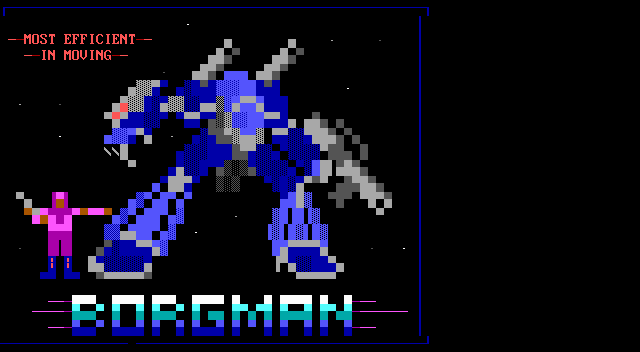
Let s test it using the Textfiles ANSI art collection. In the artworks section, I randomly grabbed a file near the top: borgman.ans. Download that, and display with:
clear; iconv -f CP437 -t UTF-8 < borgman.ans
You should see something similar to but actually more accurate than the textfiles PNG rendering of it, which you ll note has an incorrect aspect ratio and some rendering issues. I spot-checked with a few others and they seemed to look good. belinda.ans in particular tries quite a few characters and should give you a good sense if it is working.
Use with interactive programs
That s all well and good, but you re probably going to want to actually use this with some interactive program that expects CP437. Maybe Minicom, Kermit, or even just telnet?
For this, you ll want to apt-get install luit. luit maps CP437 (or any other encoding) to UTF-8 for display, and then of course the Linux console maps UTF-8 back to the CP437 font.
Here s a way you can repeat the earlier experiment using luit to run the cat program:
clear; luit -encoding CP437 cat borgman.ans
You can run any command under luit. You can even run luit -encoding CP437 bash if you like. If you do this, it is probably a good idea to follow my instructions on generating locales on my post on serial terminals, and then within luit, set LANG=en_us.IBM437. But note especially that you can run programs like minicom and others for accessing BBSs under luit.
Final words
This gave you a nice DOS-type console. Although it doesn t have glyphs for many codepoints, it does run in UTF-8 mode and therefore is compatible with modern software.
You can achieve greater compatibility with more UTF-8 codepoints with the DOS font, at the expense of accuracy of character rendering (especially for the double-line drawing characters) by using /usr/share/bdf2psf/standard.equivalents instead of /dev/null in the bdf2psf command.
Or you could go for another challenge, such as using the DEC vt-series fonts for coverage of ISO-8859-1. But just using fonts extracted from DEC ROM won t work properly, because DEC terminals had even more strangeness going on than DOS fonts.
Tobias Frost
did 4.0h (out of 0.0h assigned and 12.0h from previous period), thus carrying over 8.0h to the next month.
Utkarsh Gupta
did 16.0h (out of 22.75h assigned), thus carrying over 6.75h to the next month.
Evolution of the situation
In August, we released 27 DLAs.
The month of August marked the release of Debian 13 (codename trixie ). This is worth noting because it brought with it the return of the customary fast development pace of Debian unstable, which included several contributions from LTS Team members. More on that below.
Of the many security updates which were published (and a few non-security updates as well), some notable ones are highlighted here.
Notable security updates:
gnutls28 prepared by Adrian Bunk, fixes several potential denial of service vulnerabilities
apache2, prepared by Bastien Roucari s, fixes several vulnerabilities including a potential denial of service and SSL/TLS-related access control
mbedtls (original update, regression update) prepared by Andrej Shadura, fixes several potential denial of service and information disclosure vulnerabilities
openjdk-17, prepared by Emilio Pozuelo Monfort, fixes several vulnerabilities which could result in denial of service, information disclosure or weakened TLS connections
Notable non-security updates:
distro-info-data, prepared by Stefano Rivera, adds information concerning future Debian and Ubuntu releases
ca-certificates-java, prepared by Bastien Roucari s, fixes some bugs which could disrupt future updates
The LTS Team continues to welcome the collaboration of maintainers from across the Debian community. The contributions of maintainers from outside the LTS Team include: postgresql-13 (Christoph Berg), sope (Jordi Mallach), thunderbird (Carsten Schoenert), and iperf3 (Roberto Lumbreras).
Finally, LTS Team members also contributed updates of the following packages:
redis (to stable), prepared by Chris Lamb
firebird3.0 (to oldstable and stable), prepared by Adrian Bunk
node-tmp (to oldstable, stable, and unstable), prepared by Adrian Bunk
openjpeg2 (to oldstable, stable, and unstable), prepared by Adrian Bunk
apache2 (to oldstable), prepared by Bastien Roucari s
unbound (to oldstable), prepared by Guilhem Moulin
luajit (to oldstable), prepared by Guilhem Moulin
golang-github-gin-contrib-cors (to oldstable and stable), prepared by Thorsten Alteholz
libcoap3 (to stable), prepared by Thorsten Alteholz
libcommons-lang-java and libcommons-lang3-java (both to unstable), prepared by Daniel Leidert
python-flask-cors (to oldstable), prepared by Daniel Leidert
The LTS Team would especially like to thank our many longtime friends and sponsors for their support and collaboration.
Thanks to our sponsors
Sponsors that joined recently are in bold.
I m something of a filesystem geek, I guess. I first wrote about ZFS on Linux 14 years ago, and even before I used ZFS, I had used ext2/3/4, jfs, reiserfs, xfs, and no doubt some others.
I ve also used btrfs. I last posted about it in 2014, when I noted it has some advantages over ZFS, but also some drawbacks, including a lot of kernel panics.
Since that comparison, ZFS has gained trim support and btrfs has stabilized. The btrfs status page gives you an accurate idea of what is good to use on btrfs.
Background: Moving towards ZFS and btrfs
I have been trying to move everything away from ext4 and onto either ZFS or btrfs. There are generally several reasons for that:
The checksums for every block help detect potential silent data corruption
Instant snapshots make consistent backups of live systems a lot easier, and without the hassle and wasted space of LVM snapshots
Transparent compression and dedup can save a lot of space in storage-constrained environments
For any machine with at least 32GB of RAM (plus my backup server, which has only 8GB), I run ZFS. While it lacks some of the flexibility of btrfs, it has polish. zfs list -o space shows a useful space accounting. zvols can be behind VMs. With my project simplesnap, I can easily send hourly backups with ZFS, and I choose to send them over NNCP in most cases.
I have a few VMs in the cloud (running Debian, of course) that I use to host things like this blog, my website, my gopher site, the quux NNCP public relay, and various other things.
In these environments, storage space can be expensive. For that matter, so can RAM. ZFS is RAM-hungry, so that rules out ZFS. I ve been running btrfs in those environments for a few years now, and it s worked out well. I do async dedup, lzo or zstd compression depending on the needs, and the occasional balance and defrag.
Filesystems on the Raspberry Pi
I run Debian trixie on all my Raspberry Pis; not Raspbian or Raspberry Pi OS for a number of reasons. My 8-yr-old uses a Raspberry Pi 400 as her primary computer and loves it! She doesn t do web browsing, but plays Tuxpaint, some old DOS games like Math Blaster via dosbox, and uses Thunderbird for a locked-down email account.
But it was SLOW. Just really, glacially, slow, especially for Thunderbird.
My first step to address that was to get a faster MicroSD card to hold the OS. That was a dramatic improvement. It s still slow, but a lot faster.
Then, I thought, maybe I could use btrfs with LZO compression to reduce the amount of I/O and speed things up further? Analysis showed things were mostly slow due to I/O, not CPU, constraints.
The conversion
Rather than use the btrfs in-place conversion from ext4, I opted to dar it up (like tar), run mkfs.btrfs on the SD card, then unpack the archive back onto it. Easy enough, right?
Well, not so fast. The MicroSD card is 128GB, and the entire filesystem is 6.2GB. But after unpacking 100MB onto it, I got an out of space error.
btrfs has this notion of block groups. By default, each block group is dedicated to either data or metadata. btrfs fi df and btrfs fi usage will show you details about the block groups.
btrfs allocates block groups greedily (the ssd_spread mount option I use may have exacerbated this). What happened was it allocated almost the entire drive to data block groups, trying to spread the data across it. It so happened that dar archived some larger files first (maybe /boot), so btrfs was allocating data and metadata blockgroups assuming few large files. But then it started unpacking one of the directories in /usr with lots of small files (maybe /usr/share/locale). It quickly filled up the metadata block group, and since the entire SD card had been allocated to different block groups, I got ENOSPC.
Deleting a few files and running btrfs balance resolved it; now it allocated 1GB to metadata, which was plenty. I re-ran the dar extract and now everything was fine. See more details on btrfs balance and block groups.
This was the only btrfs problem I encountered.
Benchmarks
I timed two things prior to switching to btrfs: how long it takes to boot (measured from the moment I turn on the power until the moment the XFCE login box is displayed), and how long it takes to start Thunderbird.
After switching to btrfs with LZO compression, somewhat to my surprise, both measures were exactly the same!
Why might this be?
It turns out that SD cards are understood to be pathologically bad with random read performance. Boot and Thunderbird both are likely doing a lot of small random reads, not large streaming reads. Therefore, it may be that even though I have reduced the total I/O needed, the impact is unsubstantial because the real bottleneck is the seeks across the disk.
Still, I gain the better backup support and silent data corruption prevention, so I kept btrfs.
SSD mount options and MicroSD endurance
btrfs has several mount options specifically relevant to SSDs. Aside from the obvious trim support, they are ssd and ssd_spread. The documentation on this is vague and my attempts to learn more about it found a lot of information that was outdated or unsubstantiated folklore.
Some reports suggest that older SSDs will benefit from ssd_spread, but that it may have no effect or even a harmful effect on newer ones, and can at times cause fragmentation or write amplification. I could find nothing to back this up, though. And it seems particularly difficult to figure out what kind of wear leveling SSD firmware does. MicroSD firmware is likely to be on the less-advanced side, but still, I have no idea what it might do. In any case, with btrfs not updating blocks in-place, it should be better than ext4 in the most naive case (no wear leveling at all) but may have somewhat more write traffic for the pathological worst case (frequent updates of small portions of large files).
One anecdotal report I read and can t find anymore, somehow was from a person that had set up a sort of torture test for SD cards, with reports that ext4 lasted a few weeks or months before the MicroSDs failed, while btrfs lasted years.
If you are looking for a MicroSD card, by the way, The Great MicroSD Card Survey is a nice place to start.
For longevity: I mount all my filesystems with noatime already, so I continue to recommend that. You can also consider limiting the log size in /etc/systemd/journald.conf, running daily fstrim (which may be more successful than live trims in all filesystems).
Conclusion
I ve been pretty pleased with btrfs. The concerns I have today relate to block groups and maintenance (periodic balance and maybe a periodic defrag). I m not sure I d be ready to say put btrfs on the computer you send to someone that isn t Linux-savvy because the chances of running into issues are higher than with ext4. Still, for people that have some tech savvy, btrfs can improve reliability and performance in other ways.
Here on a summer night in the grass and lilac smell
Drunk on the crickets and the starry sky,
Oh what fine stories we could tell
With this moonlight to tell them by.
A summer night, and you, and paradise,
So lovely and so filled with grace,
Above your head, the universe has hung its lights,
And I reach out my hand and touch your face.
I sit outside today, at the picnic table on our side porch. I was called out here; in late summer, the cicadas and insects of the plains are so loud that I can hear them from inside our old farmhouse.
I sit and hear the call and response of buzzing cicadas, the chirp of crickets during their intermission. The wind rustles off and on through the treetops. And now our old cat has heard me, and she comes over, spreading tan cat hair across my screen. But I don t mind; I hear her purr as she comes over to relax nearby.
Aside from the gentle clack of my keyboard as I type, I hear no sounds of humans. Occasionally I hear the distant drone of a small piston airplane, and sometimes the faint horn of a train, 6 miles away.
As I look up, I see grass, the harvested wheat field, the trees, and our gravel driveway. Our road is on the other side of a hill. I see no evidence of it from here, but I know it s there. Maybe 2 or 3 vehicles will pass on a day like today; if they re tall delivery trucks, I ll see their roof glide silently down the road, and know the road is there. The nearest paved road is several miles away, so not much comes out here.
I reflect of those times years ago, when this was grandpa s house, and the family would gather on Easter. Grandpa hid not just Easter eggs, but Easter bags all over the yard. This yard. Here s the tree that had a nice V-shaped spot to hide things in; there s the other hiding spot.
I reflect on the wildlife. This afternoon, it s the insects that I hear. On a foggy, cool, damp morning, the birds will be singing from all the trees, the fog enveloping me with unseen musical joy. On a quiet evening, the crickets chirp and the coyotes howl in the distance.
Now the old cat has found my lap. She sits there purring, tail swishing. 12 years ago when she was a kitten, our daughter hadn t yet been born. She is old and limps, and is blind in one eye, but beloved by all. Perfectly content with life, she stretches and relaxes.
I have visited many wonderful cities in this world. I ve seen Aida at the Metropolitan Opera, taken trains all over Europe, wandered the streets of San Francisco and Brussels and Lindos, visited the Christmas markets in the lightly-snowy evenings in Regensburg, felt the rumble of the Underground beneath me in London. But rarely do the city people come here.
Oh, some of them think they ve visited the country. But no, my friends, no; if you don t venture beyond the blacktop roads, you ve not experienced it yet. You ve not gone to a restaurant in town , recognized by several old friends. You ve not stopped by the mechanic the third generation of that family fixing cars that belong to yours who more often than not tells you that you don t need to fix that something just yet. You ve not sat outside, in this land where regular people each live in their own quiet Central Park. You ve not seen the sunset, with is majestic reds and oranges and purples and blues and grays, stretching across the giant iMax dome of the troposphere, suspended above the hills and trees to the west. You ve not visited the grocery store, with your car unlocked and keys in the ignition, unconcerned about vehicle theft. You ve not struggled with words when someone asks what city are you from and you lack the vocabulary to help them understand what it means when you say none .
Out there in the land of paved roads and bright lights, the problems of the world churn. The problems near and far: a physical and mental health challenges with people we know, global problems with politics and climate.
But here, this lazy summer afternoon, I forget about the land of the paved roads and bright lights. As it should be; they ve forgotten the land of the buzzing cicadas and muddy roads.
I believe in impulse, in all that is green,
In the foolish vision that comes out true.
I believe that all that is essential is unseen,
And for this lifetime, I believe in you.
All of the lovers and the love they made:
Nothing that was between them was a mistake.
All that we did for love s sake,
Was not wasted and will never fade.
All who have loved will be forever young
And walk in grandeur on a summer night
Along the avenue.
They live in every song that is sung,
In every painting of pure light,
In every pas de deux.
O love that shines from every star,
Love reflected in the silver moon;
It is not here, but it is not far.
Not yet, but it will be here soon.
No two days are alike. But this day comes whenever I pause to let it.
May you find the buzzing cicadas and muddy roads near you, wherever you may be.
Poetry from A Summer Night by Garrison Keillor
Posted on September 3, 2025
Tags: madeof:bits
For quite some time, I have been thinking about trying a bit of
patchwork, and English Paper Piecing looked like a technique suited to
my tastes, with the handsewing involved and the fact of having a paper
pattern of sort and everything.
The problem is, most of the scraps of fabric I get from my sewing aren t
really suitable for quilting, with a lot of them being either too black
and too thick or too white and too thin.
On the other hand, my partner wears polo shirts at work, and while I
try to mend the holes that form, after a while the edges get worn, and
they just are no longer suitable for the office, even with some creative
mending, and they get downgraded to home wear. But then more office
shirts need to be bought, and the home ones accumulate, and there is
only so much room for polo shirts in the house, and the worst ones end
up in my creative reuse pile.
Some parts are worn out and they will end up as cabbage stuffing for
things, but some are still in decent enough conditions and could be used
as fabric.
But surely, for English Paper Piecing you d need woven fabric, not knit,
even if it s the dense piqu used in polo shirts, right? Especially if
it s your first attempt at the technique, right?
Well, probably it wouldn t work with complex shapes, but what about some
5-ish cm tall Standard Compliant bestagon? So I printed out some
hexagons on thick paper, printed some bigger hexagons with sewing
allowance as a cutting aid, found two shirts in the least me colours I
could find (and one in grey because it was the best match for the other
two) and decided to sacrifice them for the experiment.
And as long as the paper was still in the pieces, the work went nicely,
so I persevered while trying to postpone the Moment of Truth.
After a while I measured things out and saw that I could squeeze a 6.5
7 hexagon pattern into something resembling a square that was a multiple
of the 2.5 cm square on the back of my Piecepack tiles, and decided to
go for another Standard for the back (because of course I wasn t going
to buy new fabric for lining the work).
I kept the paper in the pieces until both sides were ready, and used it
to sew them right sides together, leaving the usual opening in the
middle of one side.
Then I pressed, removed the paper, turned everything inside out, pressed
again and. It worked!
The hexagons look like hexagons, the squares look like squares, the
whole thing feels soft and drapey, but structurally sound. And it s a
bit lumpy, but not enough to cause issues when using it as a soft
surface to put over a noisy wooden table to throw dice on.
I considered adding some lightweight batting in the middle, but there
was really no need for it, and wondered about how to quilt the piece in
a way that worked with the patterns on the two sides, but for something
this small it wasn t really required.
However, I decided to add a buttonhole stitch border on all edges, to
close the opening I had left and to reinforce especially the small
triangles on the hexagons side, as those had a smaller sewing allowance
and could use it.
And of course, the 11 11 squares side wasn t completely an accident,
but part of A Plan.
For this project there isn t really a pattern, but I did publish the
files I used to print the paper pieces
even if they were pretty trivial.
And there are more polo shirts in that pile, and while they won t be
suitable for anything complex, maybe I could try some rhombs, or even
kites and darts?
Beyond Debian: Useful for other distros too
Every two years Debian releases a new major version of its Stable series,
meaning the differences between consecutive Debian Stable releases represent
two years of new developments both in Debian as an organization and its native
packages, but also in all other packages which are also shipped by other
distributions (which are getting into this new Stable release).
If you're not paying close attention to everything that's going on all the time
in the Linux world, you miss a lot of the nice new features and tools. It's
common for people to only realize there's a cool new trick available only years
after it was first introduced.
Given these considerations, the tips that I'm describing will eventually be
available in whatever other distribution you use, be it because it's a Debian
derivative or because it just got the same feature from the upstream project.
I'm not going to list "passive" features (as good as they can be), the focus
here is on new features that might change how you configure and use your
machine, with a mix between productivity and performance.
Debian 13 - Trixie
I have been a Debian Testing user for longer than 10 years now (and I recommend
it for non-server users), so I'm not usually keeping track of all the cool
features arriving in the new Stable releases because I'm continuously receiving
them through the Debian Testing rolling release.
Nonetheless, as a Debian Developer I'm in a good position to point out the ones
I can remember. I would also like other Debian Developers to do the same as I'm
sure I would learn something new.
The Debian 13 release notes contain a "What's new" section
, which
lists the first two items here and a few other things, in other words, take my
list as an addition to the release notes.
Debian 13 was released on 2025-08-09, and these are nice things you shouldn't
miss in the new release, with a bonus one not tied to the Debian 13 release.
1) wcurl
Have you ever had to download a file from your terminal using curl and didn't
remember the parameters needed? I did.
Nowadays you can use wcurl; "a command line tool which lets you download URLs
without having to remember any parameters."
Simply call wcurl with one or more URLs as parameters and it will download
all of them in parallel, performing retries, choosing the correct output file
name, following redirects, and more.
Try it out:
wcurl example.com
wcurl comes installed as part of the curl package on Debian 13 and in any other
distribution you can imagine, starting with curl 8.14.0.
I've written more about wcurl in its release
announcement
and I've done a lightning talk presentation in DebConf24, which is linked in
the release announcement.
2) HTTP/3 support in curl
Debian has become the first stable Linux distribution to ship curl with support
for HTTP/3. I've written about this in July
2024, when we
first enabled it. Note that we first switched the curl CLI to GnuTLS, but then
ended up releasing the curl CLI linked with OpenSSL (as support arrived later).
Debian was the first stable Linux distro to enable it, and within
rolling-release-based distros; Gentoo enabled it first in their non-default
flavor of the package and Arch Linux did it three months before we pushed it to
Debian Unstable/Testing/Stable-backports, kudos to them!
HTTP/3 is not used by default by the curl CLI, you have to enable it with
--http3 or --http3-only.
Try it out:
3) systemd soft-reboot
Starting with systemd v254, there's a new soft-reboot option, it's an
userspace-only reboot, much faster than a full reboot if you don't need to
reboot the kernel.
You can read the announcement from the systemd v254 GitHub
release
Try it out:
# This will reboot your machine!systemctl soft-reboot
4) apt --update
Are you tired of being required to run sudo apt update just before sudo apt upgrade or sudo apt install $PACKAGE? So am I!
The new --update option lets you do both things in a single command:
I love this, but it's still not yet where it should be, fingers crossed for a
simple apt upgrade to behave like other package managers by updating its
cache as part of the task, maybe in Debian 14?
Try it out:
sudo apt upgrade --update# The order doesn't mattersudo apt --update upgrade
This is especially handy for container usage, where you have to update the apt
cache before installing anything, for example:
podman run debian:stable bin/bash -c'apt install --update -y curl'
5) powerline-go
powerline-go is a powerline-style prompt written in Golang, so it's much more
performant than its Python alternative powerline.
powerline-style prompts are quite useful to show things like the current status
of the git repo in your working directory, exit code of the previous command,
presence of jobs in the background, whether or not you're in an ssh session,
and more.
Try it out:
sudo apt install powerline-go
Then add this to your .bashrc:
function_update_ps1()PS1="$(/usr/bin/powerline-go -error$? -jobs$(jobs -pwc -l))"# Uncomment the following line to automatically clear errors after showing# them once. This not only clears the error for powerline-go, but also for# everything else you run in that shell. Don't enable this if you're not# sure this is what you want.#set "?"if["$TERM"!="linux"]&&[-f"/usr/bin/powerline-go"];thenPROMPT_COMMAND="_update_ps1; $PROMPT_COMMAND"fi
Or this to .zshrc:
functionpowerline_precmd()PS1="$(/usr/bin/powerline-go -error$? -jobs$$(%):%j:-0)"# Uncomment the following line to automatically clear errors after showing# them once. This not only clears the error for powerline-go, but also for# everything else you run in that shell. Don't enable this if you're not# sure this is what you want.#set "?"
If you'd like to have your prompt start in a newline, like I have in the
screenshot above, you just need to set -newline in the powerline-go
invocation in your .bashrc/.zshrc.
6) Gnome System Monitor Extension
Tips number 6 and 7 are for Gnome users.
Gnome is now shipping a system monitor extension which lets you get a glance of
the current load of your machine from the top bar.
I've found this quite useful for machines where I'm required to install
third-party monitoring software that tends to randomly consume more resources
than it should. If I feel like my machine is struggling, I can quickly glance
at its load to verify if it's getting overloaded by some process.
The extension is not as complete as
system-monitor-next,
not showing temperatures or histograms, but at least it's officially part of
Gnome, easy to install and supported by them.
Try it out:
And then enable the extension from the "Extension Manager" application.
7) Gnome setting for battery charging profile
After having to learn more about batteries in order to get into FPV drones,
I've come to have a bigger appreciation for solutions that minimize the
inevitable loss of capacity that accrues over time.
There's now a "Battery Charging" setting (under the "Power") section which lets
you choose between two different profiles: "Maximize Charge" and "Preserve
Battery Health".
On supported laptops, this setting is an easy way to set thresholds for when
charging should start and stop, just like you could do it with the tlp package,
but now from the Gnome settings.
To increase the longevity of my laptop battery, I always keep it at "Preserve
Battery Health" unless I'm traveling.
What I would like to see next is support for choosing different "Power Modes"
based on whether the laptop is plugged-in, and based on the battery
charge percentage.
There's a GNOME
issue
tracking this feature, but there's some pushback on whether this is the right
thing to expose to users.
In the meantime, there are some workarounds mentioned in that issue which
people who really want this feature can follow.
If you would like to learn more about batteries; Battery
University is a great starting point, besides
getting into FPV drones and being forced to handle batteries without a Battery
Management System (BMS).
And if by any chance this sparks your interest in FPV drones, Joshua Bardwell's
YouTube channel is a great resource:
@JoshuaBardwell.
8) Lazygit
Emacs users are already familiar with the legendary magit; a terminal-based
UI for git.
Lazygit is an alternative for non-emacs users, you can integrate it with neovim
or just use it directly.
I'm still playing with lazygit and haven't integrated it into my workflows,
but so far it has been a pleasant experience.
You should check out the demos from the lazygit GitHub
page.
Try it out:
sudo apt install lazygit
And then call lazygit from within a git repository.
9) neovim
neovim has been shipped in Debian since 2016, but upstream has been doing a lot of
work to improve the experience out-of-the-box in the last couple of years.
If you're a neovim poweruser, you're likely not installing it from the official
repositories, but for those that are, Debian 13 comes with version 0.10.4,
which brings the following improvements compared to the version in Debian 12:
Treesitter support for C, Lua, Markdown, with the possibility of adding any
other languages as needed;
Better spellchecking due to treesitter integration (spellsitter);
Mouse support enabled by default;
Commenting support out-of-the-box;
Check :h commenting for details, but the
tl;dr is that you can use gcc to comment the current line and gc to comment
the current selection.
OSC52 support.
Especially handy for those using neovim over an ssh
connection, this protocol lets you copy something from within the neovim
process into the clipboard of the machine you're using to connect through ssh.
In other words, you can copy from neovim running in a host over ssh and paste
it in the "outside" machine.
10) [Bonus] Running old Debian releases
The bonus tip is not specific to the Debian 13 release, but something I've
recently learned in the #debian-devel IRC channel.
Did you know there are usable container images for all past Debian releases?
I'm not talking "past" as in "some of the older releases", I'm talking past as
in "literally every Debian release, including the very first one".
Tianon Gravi "tianon" is the Debian Developer responsible for making this
happen, kudos to him!
There's a small gotcha that the releases Buzz (1.1) and Rex (1.2) require a
32-bit host, otherwise you will get the error Out of virtual memory!, but
starting with Bo (1.3) all should work in amd64/arm64.
Try it out:
sudo apt install podmanpodman run -it docker.io/debian/eol:bo
Don't be surprised when noticing that apt/apt-get is not available inside the
container, that's because apt first appeared in Debian Slink (2.1).
Beyond Debian: Useful for other distros too
Every two years Debian releases a new major version of its Stable series,
meaning the differences between consecutive Debian Stable releases represent
two years of new developments both in Debian as an organization and its native
packages, but also in all other packages which are also shipped by other
distributions (which are getting into this new Stable release).
If you're not paying close attention to everything that's going on all the time
in the Linux world, you miss a lot of the nice new features and tools. It's
common for people to only realize there's a cool new trick available only years
after it was first introduced.
Given these considerations, the tips that I'm describing will eventually be
available in whatever other distribution you use, be it because it's a Debian
derivative or because it just got the same feature from the upstream project.
I'm not going to list "passive" features (as good as they can be), the focus
here is on new features that might change how you configure and use your
machine, with a mix between productivity and performance.
Debian 13 - Trixie
I have been a Debian Testing user for longer than 10 years now (and I recommend
it for non-server users), so I'm not usually keeping track of all the cool
features arriving in the new Stable releases because I'm continuously receiving
them through the Debian Testing rolling release.
Nonetheless, as a Debian Developer I'm in a good position to point out the ones
I can remember. I would also like other Debian Developers to do the same as I'm
sure I would learn something new.
The Debian 13 release notes contain a "What's new" section
, which
lists the first two items here and a few other things, in other words, take my
list as an addition to the release notes.
Debian 13 was released on 2025-08-09, and these are nice things you shouldn't
miss in the new release, with a bonus one not tied to the Debian 13 release.
1) wcurl
Have you ever had to download a file from your terminal using curl and didn't
remember the parameters needed? I did.
Nowadays you can use wcurl; "a command line tool which lets you download URLs
without having to remember any parameters."
Simply call wcurl with one or more URLs as parameters and it will download
all of them in parallel, performing retries, choosing the correct output file
name, following redirects, and more.
Try it out:
wcurl example.com
wcurl comes installed as part of the curl package on Debian 13 and in any other
distribution you can imagine, starting with curl 8.14.0.
I've written more about wcurl in its release
announcement
and I've done a lightning talk presentation in DebConf24, which is linked in
the release announcement.
2) HTTP/3 support in curl
Debian has become the first stable Linux distribution to ship curl with support
for HTTP/3. I've written about this in July
2024, when we
first enabled it. Note that we first switched the curl CLI to GnuTLS, but then
ended up releasing the curl CLI linked with OpenSSL (as support arrived later).
Debian was the first Linux distro to enable it in the default build of the curl
package, but Gentoo enabled it a few weeks earlier in their non-default flavor
of the package, kudos to them!
HTTP/3 is not used by default by the curl CLI, you have to enable it with
--http3 or --http3-only.
Try it out:
3) systemd soft-reboot
Starting with systemd v254, there's a new soft-reboot option, it's an
userspace-only reboot, much faster than a full reboot if you don't need to
reboot the kernel.
You can read the announcement from the systemd v254 GitHub
release
Try it out:
# This will reboot your machine!systemctl soft-reboot
4) apt --update
Are you tired of being required to run sudo apt update just before sudo apt upgrade or sudo apt install $PACKAGE? So am I!
The new --update option lets you do both things in a single command:
I love this, but it's still not yet where it should be, fingers crossed for a
simple apt upgrade to behave like other package managers by updating its
cache as part of the task, maybe in Debian 14?
Try it out:
sudo apt upgrade --update# The order doesn't mattersudo apt --update upgrade
This is especially handy for container usage, where you have to update the apt
cache before installing anything, for example:
podman run debian:stable bin/bash -c'apt install --update -y curl'
5) powerline-go
powerline-go is a powerline-style prompt written in Golang, so it's much more
performant than its Python alternative powerline.
powerline-style prompts are quite useful to show things like the current status
of the git repo in your working directory, exit code of the previous command,
presence of jobs in the background, whether or not you're in an ssh session,
and more.
Try it out:
sudo apt install powerline-go
Then add this to your .bashrc:
function_update_ps1()PS1="$(/usr/bin/powerline-go -error$? -jobs$(jobs -pwc -l))"# Uncomment the following line to automatically clear errors after showing# them once. This not only clears the error for powerline-go, but also for# everything else you run in that shell. Don't enable this if you're not# sure this is what you want.#set "?"if["$TERM"!="linux"]&&[-f"/usr/bin/powerline-go"];thenPROMPT_COMMAND="_update_ps1; $PROMPT_COMMAND"fi
Or this to .zshrc:
functionpowerline_precmd()PS1="$(/usr/bin/powerline-go -error$? -jobs$$(%):%j:-0)"# Uncomment the following line to automatically clear errors after showing# them once. This not only clears the error for powerline-go, but also for# everything else you run in that shell. Don't enable this if you're not# sure this is what you want.#set "?"
If you'd like to have your prompt start in a newline, like I have in the
screenshot above, you just need to set -newline in the powerline-go
invocation in your .bashrc/.zshrc.
6) Gnome System Monitor Extension
Tips number 6 and 7 are for Gnome users.
Gnome is now shipping a system monitor extension which lets you get a glance of
the current load of your machine from the top bar.
I've found this quite useful for machines where I'm required to install
third-party monitoring software that tends to randomly consume more resources
than it should. If I feel like my machine is struggling, I can quickly glance
at its load to verify if it's getting overloaded by some process.
The extension is not as complete as
system-monitor-next,
not showing temperatures or histograms, but at least it's officially part of
Gnome, easy to install and supported by them.
Try it out:
And then enable the extension from the "Extension Manager" application.
7) Gnome setting for battery charging profile
After having to learn more about batteries in order to get into FPV drones,
I've come to have a bigger appreciation for solutions that minimize the
inevitable loss of capacity that accrues over time.
There's now a "Battery Charging" setting (under the "Power") section which lets
you choose between two different profiles: "Maximize Charge" and "Preserve
Battery Health".
On supported laptops, this setting is an easy way to set thresholds for when
charging should start and stop, just like you could do it with the tlp package,
but now from the Gnome settings.
To increase the longevity of my laptop battery, I always keep it at "Preserve
Battery Health" unless I'm traveling.
What I would like to see next is support for choosing different "Power Modes"
based on whether the laptop is plugged-in, and based on the battery
charge percentage.
There's a GNOME
issue
tracking this feature, but there's some pushback on whether this is the right
thing to expose to users.
In the meantime, there are some workarounds mentioned in that issue which
people who really want this feature can follow.
If you would like to learn more about batteries; Battery
University is a great starting point, besides
getting into FPV drones and being forced to handle batteries without a Battery
Management System (BMS).
And if by any chance this sparks your interest in FPV drones, Joshua Bardwell's
YouTube channel is a great resource:
@JoshuaBardwell.
8) Lazygit
Emacs users are already familiar with the legendary magit; a terminal-based
UI for git.
Lazygit is an alternative for non-emacs users, you can integrate it with neovim
or just use it directly.
I'm still playing with lazygit and haven't integrated it into my workflows,
but so far it has been a pleasant experience.
You should check out the demos from the lazygit GitHub
page.
Try it out:
sudo apt install lazygit
And then call lazygit from within a git repository.
9) neovim
neovim has been shipped in Debian since 2016, but upstream has been doing a lot of
work to improve the experience out-of-the-box in the last couple of years.
If you're a neovim poweruser, you're likely not installing it from the official
repositories, but for those that are, Debian 13 comes with version 0.10.4,
which brings the following improvements compared to the version in Debian 12:
Treesitter support for C, Lua, Markdown, with the possibility of adding any
other languages as needed;
Better spellchecking due to treesitter integration (spellsitter);
Mouse support enabled by default;
Commenting support out-of-the-box;
Check :h commenting for details, but the
tl;dr is that you can use gcc to comment the current line and gc to comment
the current selection.
OSC52 support.
Especially handy for those using neovim over an ssh
connection, this protocol lets you copy something from within the neovim
process into the clipboard of the machine you're using to connect through ssh.
In other words, you can copy from neovim running in a host over ssh and paste
it in the "outside" machine.
10) [Bonus] Running old Debian releases
The bonus tip is not specific to the Debian 13 release, but something I've
recently learned in the #debian-devel IRC channel.
Did you know there are usable container images for all past Debian releases?
I'm not talking "past" as in "some of the older releases", I'm talking past as
in "literally every Debian release, including the very first one".
Tianon Gravi "tianon" is the Debian Developer responsible for making this
happen, kudos to him!
There's a small gotcha that the releases Buzz (1.1) and Rex (1.2) require a
32-bit host, otherwise you will get the error Out of virtual memory!, but
starting with Bo (1.3) all should work in amd64/arm64.
Try it out:
sudo apt install podmanpodman run -it docker.io/debian/eol:bo
Don't be surprised when noticing that apt/apt-get is not available inside the
container, that's because apt first appeared in Debian Slink (2.1).
The Problem
Just over 2 years ago my Dell T320 server had a motherboard failure [1]. I recently bought another T320 that had been gutted (no drives, PSUs, or RAM) and put the bits from my one in it.
I installed Debian and the resulting installation wouldn t boot, I tried installing with both UEFI and BIOS modes with the same result. Then I realised that the disks I had installed were available even though I hadn t gone through the RAID configuration (I usually make a separate RAID-0 for each disk to work best with BTRFS or ZFS). I tried changing the BIOS setting for SATA disks between RAID and AHCI modes which didn t change things and realised that the BIOS setting in question probably applies to the SATA connector on the motherboard and that the RAID card was in IT mode which means that each disk is seen separately.
If you are using ZFS or BTRFS you don t want to use a RAID-1, RAID-5, or RAID-6 on the hardware RAID controller, if there are different versions of the data on disks in the stripe then you want the filesystem to be able to work out which one is correct. To use IT mode you have to flash a different unsupported firmware on the RAID controller and then you either have to go to some extra effort to make it bootable or have a different device to boot from.
The Root Causes
Dell has no reason to support unusual firmware on their RAID controllers. Installing different firmware on a device that is designed for high availability is going to have some probability of data loss and perhaps more importantly for Dell some probability of customers returning hardware during the support period and acting innocent about why it doesn t work. Dell has a great financial incentive to make it difficult to install Dell firmware on LSI cards from other vendors which have equivalent hardware as they don t want customers to get all the benefits of iDRAC integration etc without paying the Dell price premium.
All the other vendors have similar financial incentives so there is no official documentation or support on converting between different firmware images. Dell s support for upgrading the Dell version is pretty good, but it aborts if it sees something different.
The Attempts
I tried following the instructions in this document to flash back to Dell firmware [2]. This document is about the H310 RAID card in my Dell T320 AKA a LSI SAS 9211-8i . The sas2flash.efi program didn t seem to do anything, it returned immediately and didn t give an error message.
This page gives a start of how to get inside the Dell firmware package but doesn t work [3]. It didn t cover the case where sasdupie aborts with an error because it detects the current version as 00.00.00.00 not something that the upgrade program is prepared to upgrade from. But it s a place to start looking for someone who wants to try harder at this.
This forum post has some interesting information, I gave up before trying it, but it may be useful for someone else [4].
The Solution
Dell tower servers have as a standard feature an internal USB port for a boot device. So I created a boot image on a spare USB stick and installed it there and it then loads the kernel and mounts the filesystem from a SATA hard drive. Once I got that working everything was fine. The Debian/Trixie installer would probably have allowed me to install an EFI device on the internal USB stick as part of the install if I had known what was going to happen.
The system is now fully working and ready to sell. Now I just need to find someone who wants IT mode on the RAID controller and hopefully is willing to pay extra for it.
Whatever I sell the system for it seems unlikely to cover the hours I spent working on this. But I learned some interesting things about RAID firmware and hopefully this blog post will be useful to other people, even if only to discourage them from trying to change firmware.
Historically the primary way to contribute to Debian has been to email the Debian bug tracker with a code patch. Now that 92% of all Debian source packages are hosted at salsa.debian.org the GitLab instance of Debian more and more developers are using Merge Requests, but not necessarily in the optimal way. In this post I share what I ve found the best practice to be, presented in the natural workflow from forking to merging.
Why use Merge Requests?
Compared to sending patches back and forth in email, using a git forge to review code contributions brings several benefits:
Contributors can see the latest version of the code immediately when the maintainer pushes it to git, without having to wait for an upload to Debian archives.
Contributors can fork the development version and easily base their patches on the correct version and help test that the software continues to function correctly at that specific version.
Both maintainer and other contributors can easily see what was already submitted and avoid doing duplicate work.
It is easy for anyone to comment on a Merge Request and participate in the review.
Integrating CI testing is easy in Merge Requests by activating Salsa CI.
Tracking the state of a Merge Request is much easier than browsing Debian bug reports tagged patch , and the cycle of submit review re-submit re-review is much easier to manage in the dedicated Merge Request view compared to participants setting up their own email plugins for code reviews.
Merge Requests can have extra metadata, such as Approved , and the metadata often updates automatically, such as a Merge Request being closed automatically when the Git commit ID from it is pushed to the target branch.
Keeping these benefits in mind will help ensure that the best practices make sense and are aligned with maximizing these benefits.
Finding the Debian packaging source repository and preparing to make a contribution
Before sinking any effort into a package, start by checking its overall status at the excellent Debian Package Tracker. This provides a clear overview of the package s general health in Debian, when it was last uploaded and by whom, and if there is anything special affecting the package right now. This page also has quick links to the Debian bug tracker of the package, the build status overview and more. Most importantly, in the General section, the VCS row links to the version control repository the package advertises. Before opening that page, note the version most recently uploaded to Debian. This is relevant because nothing in Debian currently enforces that the package in version control is actually the same as the latest uploaded to Debian.
Following the Browse link opens the Debian package source repository, which is usually a project page on Salsa. To contribute, start by clicking the Fork button, select your own personal namespace and, under Branches to include, pick Only the default branch to avoid including unnecessary temporary development branches.
Once forking is complete, clone it with git-buildpackage. For this example repository, the exact command would be gbp clone --verbose git@salsa.debian.org:otto/glow.git.
Next, add the original repository as a new remote and pull from it to make sure you have all relevant branches. Using the same fork as an example, the commands would be:
The gbp pull command can be repeated whenever you want to make sure the main branches are in sync with the original repository. Finally, run gitk --all & to visually browse the Git history and note the various branches and their states in the two remotes. Note the style in comments and repository structure the project has and make sure your contributions follow the same conventions to maximize the chances of the maintainer accepting your contribution.
It may also be good to build the source package to establish a baseline of the current state and what kind of binaries and .deb packages it produces. If using Debcraft, one can simply run debcraft build in the Git repository.
Submitting a Merge Request for a Debian packaging improvement
Always start by making a development branch by running git checkout -b <branch name> to clearly separate your work from the main branch.
When making changes, remember to follow the conventions you already see in the package. It is also important to be aware of general guidelines on how to make good Git commits.
If you are not able to immediately finish coding, it may be useful to publish the Merge Request as a draft so that the maintainer and others can see that you started working on something and what general direction your change is heading in.
If you don t finish the Merge Request in one sitting and return to it another day, you should remember to pull the Debian branch from the original Debian repository in case it has received new commits. This can be done easily with these commands (assuming the same remote and branch names as in the example above):
git fetch go-team
git rebase -i go-team/debian/latest
git fetch go-team
git rebase -i go-team/debian/latest
Frequent rebasing is a great habit to help keep the Git history linear, and restructuring and rewording your commits will make the Git history easier to follow and understand why the changes were made.
When pushing improved versions of your branch, use git push --force. While GitLab does allow squashing, I recommend against it. It is better that the submitter makes sure the final version is a neat and clean set of commits that the receiver can easily merge without having to do any rebasing or squashing themselves.
When ready, remove the draft status of the Merge Request and wait patiently for review. If the maintainer does not respond in several days, try sending an email to <source package name>@packages.debian.org, which is the official way to contact maintainers. You could also post a comment on the MR and tag the last few committers in the same repository so that a notification email is triggered. As a last resort, submit a bug report to the Debian bug tracker to announce that a Merge Request is pending review. This leaves a permanent record for posterity (or the Debian QA team) of your contribution. However, most of the time simply posting the Merge Request in Salsa is enough; excessive communication might be perceived as spammy, and someone needs to remember to check that the bug report is closed.
Respect the review feedback, respond quickly and avoid Merge Requests getting stale
Once you get feedback, try to respond as quickly as possible. When people participating have everything fresh in their minds, it is much easier for the submitter to rework it and for the reviewer to re-review. If the Merge Request becomes stale, it can be challenging to revive it. Also, if it looks like the MR is only waiting for re-review but nothing happens, re-read the previous feedback and make sure you actually address everything. After that, post a friendly comment where you explicitly say you have addressed all feedback and are only waiting for re-review.
Reviewing Merge Requests
This section about reviewing is not exclusive to Debian package maintainers anyone can contribute to Debian by reviewing open Merge Requests. Typically, the larger an open source project gets, the more help is needed in reviewing and testing changes to avoid regressions, and all diligently done work is welcome. As the famous Linus quote goes, given enough eyeballs, all bugs are shallow .
On salsa.debian.org, you can browse open Merge Requests per project or for a whole group, just like on any GitLab instance.
Reviewing Merge Requests is, however, most fun when they are fresh and the submitter is active. Thus, the best strategy is to ensure you have subscribed to email notifications in the repositories you care about so you get an email for any new Merge Request (or Issue) immediately when posted.
When you see a new Merge Request, try to review it within a couple of days. If you cannot review in a reasonable time, posting a small note that you intend to review it later will feel better to the submitter compared to not getting any response.
Personally, I have a habit of assigning myself as a reviewer so that I can keep track of my whole review queue at https://salsa.debian.org/dashboard/merge_requests?reviewer_username=otto, and I recommend the same to others. Seeing the review assignment happen is also a good way to signal to the submitter that their submission was noted.
Reviewing commit-by-commit in the web interface
Reviewing using the web interface works well in general, but I find that the way GitLab designed it is not ideal. In my ideal review workflow, I first read the Git commit message to understand what the submitter tried to do and why; only then do I look at the code changes in the commit. In GitLab, to do this one must first open the Commits tab and then click on the last commit in the list, as it is sorted in reverse chronological order with the first commit at the bottom. Only after that do I see the commit message and contents. Getting to the next commit is easy by simply clicking Next.
When adding the first comment, I choose Start review and for the following remarks Add to review. Finally, I click Finish review and Submit review, which will trigger one single email to the submitter with all my feedback. I try to avoid using the Add comment now option, as each such comment triggers a separate notification email to the submitter.
Reviewing and testing on your own computer locally
For the most thorough review, I pull the code to my laptop for local review with git pull <remote url> <branch name>. There is no need to run git remote add as pulling using a URL directly works too and saves from needing to clean up old remotes later.
Pulling the Merge Request contents locally allows me to build, run and inspect the code deeply and review the commits with full metadata in gitk or equivalent.
Investing enough time in writing feedback, but not too much
See my other post for more in-depth advice on how to structure your code review feedback.
In Debian, I would emphasize patience, to allow the submitter time to rework their submission. Debian packaging is notoriously complex, and even experienced developers often need more feedback and time to get everything right. Avoid the temptation to rush the fix in yourself. In open source, Git credits are often the only salary the submitter gets. If you take the idea from the submission and implement it yourself, you rob the submitter of the opportunity to get feedback, try to improve and finally feel accomplished. Sure, it takes extra effort to give feedback, but the contributor is likely to feel ownership of their work and later return to further improve it.
If a submission looks hopelessly low quality and you feel that giving feedback is a waste of time, you can simply respond with something along the lines of: Thanks for your contribution and interest in helping Debian. Unfortunately, looking at the commits, I see several shortcomings, and it is unlikely a normal review process is enough to help you finalize this. Please reach out to Debian Mentors to get a mentor who can give you more personalized feedback.
There might also be contributors who just dump the code , ignore your feedback and never return to finalize their submission. If a contributor does not return to finalize their submission in 3-6 months, I will in my own projects simply finalize it myself and thank the contributor in the commit message (but not mark them as the author).
Despite best practices, you will occasionally still end up doing some things in vain, but that is how volunteer collaboration works. We all just need to accept that some communication will inevitably feel like wasted effort, but it should be viewed as a necessary investment in order to get the benefits from the times when the communication led to real and valuable collaboration. Please just do not treat all contributors as if they are unlikely to ever contribute again; otherwise, your behavior will cause them not to contribute again. If you want to grow a tree, you need to plant several seeds.
Approving and merging
Assuming review goes well and you are ready to approve, and if you are the only maintainer, you can proceed to merge right away. If there are multiple maintainers, or if you otherwise think that someone else might want to chime in before it is merged, use the Approve button to show that you approve the change but leave it unmerged.
The person who approved does not necessarily have to be the person who merges. The point of the Merge Request review is not separation of duties in committing and merging the main purpose of a code review is to have a different set of eyeballs looking at the change before it is committed into the main development branch for all eternity. In some packages, the submitter might actually merge themselves once they see another developer has approved. In some rare Debian projects, there might even be separate people taking the roles of submitting, approving and merging, but most of the time these three roles are filled by two people either as submitter and approver+merger or submitter+merger and approver.
If you are not a maintainer at all and do not have permissions to click Approve, simply post a comment summarizing your review and that you approve it and support merging it. This can help the maintainers review and merge faster.
Making a Merge Request for a new upstream version import
Unlike many other Linux distributions, in Debian each source package has its own version control repository. The Debian sources consist of the upstream sources with an additional debian/ subdirectory that contains the actual Debian packaging. For the same reason, a typical Debian packaging Git repository has a debian/latest branch that has changes only in the debian/ subdirectory while the surrounding upstream files are the actual upstream files and have the actual upstream Git history. For details, see my post explaining Debian source packages in Git.
Because of this Git branch structure, importing a new upstream version will typically modify three branches: debian/latest, upstream/latest and pristine-tar. When doing a Merge Request for a new upstream import, only submit one Merge Request for one branch: which means merging your new changes to the debian/latest branch.
There is no need to submit the upstream/latest branch or the pristine-tar branch. Their contents are fixed and mechanically imported into Debian. There are no changes that the reviewer in Debian can request the submitter to do on these branches, so asking for feedback and comments on them is useless. All review, comments and re-reviews concern the content of the debian/latest branch only.
It is not even necessary to use the debian/latest branch for a new upstream version. Personally, I always execute the new version import (with gbp import-orig --verbose --uscan) and prepare and test everything on debian/latest, but when it is time to submit it for review, I run git checkout -b import/$(dpkg-parsechangelog -SVersion) to get a branch named e.g. import/1.0.1 and then push that for review.
Reviewing a Merge Request for a new upstream version import
Reviewing and testing a new upstream version import is a bit tricky currently, but possible. The key is to use gbp pull to automate fetching all branches from the submitter s fork. Assume you are reviewing a submission targeting the Glow package repository and there is a Merge Request from user otto s fork. As the maintainer, you would run the commands:
git remote add otto https://salsa.debian.org/otto/glow.git
gbp pull --verbose otto
git remote add otto https://salsa.debian.org/otto/glow.git
gbp pull --verbose otto
If there was feedback in the first round and you later need to pull a new version for re-review, running gbp pull --force will not suffice, and this trick of manually fetching each branch and resetting them to the submitter s version is needed:
for BRANCH in pristine-tar upstream debian/latest
do
git checkout $BRANCH
git reset --hard origin/$BRANCH
git pull --force https://salsa.debian.org/otto/glow.git $BRANCH
done
for BRANCH in pristine-tar upstream debian/latest
do
git checkout $BRANCH
git reset --hard origin/$BRANCH
git pull --force https://salsa.debian.org/otto/glow.git $BRANCH
done
Once review is done, either click Approve and let the submitter push everything, or alternatively, push all the branches you pulled locally yourself. In GitLab and other forges, the Merge Request will automatically be marked as Merged once the commit ID that was the head of the Merge Request is pushed to the target branch.
Please allow enough time for everyone to participate
When working on Debian, keep in mind that it is a community of volunteers. It is common for people to do Debian stuff only on weekends, so you should patiently wait for at least a week so that enough workdays and weekend days have passed for the people you interact with to have had time to respond on their own Debian time.
Having to wait may feel annoying and disruptive, but try to look at the upside: you do not need to do extra work simply while waiting for others. In some cases, that waiting can be useful thanks to the sleep on it phenomenon: when you yourself look at your own submission some days later with fresh eyes, you might notice something you overlooked earlier and improve your code change even without other people s feedback!
Contribute reviews!
The last but not least suggestion is to make a habit of contributing reviews to packages you do not maintain. As we already see in large open source projects, such as the Linux kernel, they have far more code submissions than they can handle. The bottleneck for progress and maintaining quality becomes the reviews themselves.
For Debian, as an organization and as a community, to be able to renew and grow new contributors, we need more of the senior contributors to shift focus from merely maintaining their packages and writing code to also intentionally interact with new contributors and guide them through the process of creating great open source software. Reviewing code is an effective way to both get tangible progress on individual development items and to transfer culture to a new generation of developers.
Why aren t 100% of all Debian source packages hosted on Salsa?
As seen at trends.debian.net, more and more packages are using Salsa. Debian does not, however, have any policy about it. In fact, the Debian Policy Manual does not even mention the word Salsa anywhere. Adoption of Salsa has so far been purely organic, as in Debian each package maintainer has full freedom to choose whatever preferences they have regarding version control.
I hope the trend to use Salsa will continue and more shared workflows emerge so that collaboration gets easier. To drive the culture of using Merge Requests and more, I drafted the Debian proposal DEP-18: Encourage Continuous Integration and Merge Request based Collaboration for Debian packages. If you are active in Debian and you think DEP-18 is beneficial for Debian, please give a thumbs up at dep-team/deps!21.
It appears that the fragile masculinity tech evangelists have identified Debian as a community with boundaries which exclude them from abusing its members and they re so angry about it! In response to posts such as this, and inspired by Dr. Conway s piece, I ve composed a poem which, hopefully, correctly addresses the feelings of that crowd.
The Very Model of a Patriot Online
I am the very model of a modern patriot online,
My keyboard is my rifle and my noble cause is so divine.
I didn't learn my knowledge in a dusty college lecture hall,
But from the chans where bitter anonymity enthralls us all.
I spend a dozen hours every day upon my sacred quest,
To put the globo-homo narrative completely to the test.
My arguments are peer-reviewed by fellas in the comments section,
Which proves my every thesis is the model of complete perfection.
I m steeped in righteous anger that the libs call 'white fragility,'
For mocking their new pronouns and their lack of masculinity.
I m master of the epic troll, the comeback, and the searing snark,
A digital guerrilla who is fighting battles in the dark.
I know the secret symbols and the dog-whistles historical,
From Pepe the Frog to  Let s Go Brandon,  in order categorical;
In short, for fighting culture wars with rhetoric rhetorical,
I am the very model of a patriot polemical.
***
I stand for true expression, for the comics and the edgy clown,
Whose satire is too based for all the fragile folks in town.
They say my speech is 'violence' while my spirit they are trampling,
The way they try to silence me is really quite a startling sampling
Of 1984, which I've not read but thoroughly understand,
Is all about the tyranny that's gripping this once-blessed land.
My humor is a weapon, it s a razor-bladed, sharp critique,
(Though sensitive elites will call my masterpiece a form of  hate speech ).
They cannot comprehend my need for freedom from all consequence,
They call it 'hate,' I call it 'jokes,' they just don't have a lick of sense.
So when they call me  bigot  for the spicy memes I post pro bono,
I tell them their the ones who're cancelled, I'm the victim here, you know!
Then I can write a screed against the globalist cabal, you see,
And tell you every detail of their vile conspiracy.
In short, when I use logic that is flexible and personal,
I am the very model of a patriot controversial.
***
I'm very well acquainted with the scientific method, too,
It's watching lengthy YouTube vids until my face is turning blue.
I trust the heartfelt testimony of a tearful, blonde ex-nurse,
But what a paid fact-checker says has no effect and is perverse.
A PhD is proof that you've been brainwashed by the leftist mob,
While my own research on a meme is how I really do my job.
I know that masks will suffocate and vaccines are a devil's brew,
I learned it from a podcast host who used to sell brain-boosting goo.
He scorns the lamestream media, the CNNs and all the rest,
Whose biased reporting I've put fully to a rigorous test
By only reading headlines and confirming what I already knew,
Then posting my analysis for other patriots to view.
With every "study" that they cite from sources I can't stand to hear,
My own profound conclusions become ever more precisely clear.
In short, when I've debunked the experts with a confident "Says who?!",
I am the very model of a researcher who sees right through you.
***
But all these culture wars are just a sleight-of-hand, a clever feint,
To hide the stolen ballots and to cover up the moral taint
Of D.C. pizza parlors and of shipping crates from Wayfair, it s true,
It's all connected in a plot against the likes of me and you!
I've analyzed the satellite photography and watermarks,
I understand the secret drops, the cryptic Qs, the coded sparks.
The  habbening  is coming, friends, just give it two more weeks or three,
When all the traitors face the trials for their wicked treachery.
They say that nothing happened and the dates have all gone past, you see,
But that's just disinformation from the globalist enemy!
Their moving goalposts constantly, a tactic that is plain to see,
To wear us down and make us doubt the coming, final victory!
My mind can see the patterns that a simple sheep could never find,
The hidden puppet-masters who are poisoning our heart and mind.
In short, when I link drag queens to the price of gas and child-trafficking,
I am the very model of a patriot whose brain is quickening!
***
My pickup truck's a testament to everything that I hold dear,
With vinyl decals saying things the liberals all hate and fear.
The Gadsden flag is waving next to one that's blue and starkly thin,
To show my deep respect for law, except the feds who're steeped in sin.
There's Punisher and Molon Labe, so that everybody knows
I'm not someone to trifle with when push to final shoving goes.
I've got my tactical assault gear sitting ready in the den,
Awaiting for the signal to restore our land with my fellow men.
I practice clearing rooms at home when my mom goes out to the store,
A modern Minuteman who's ready for a civil war.
The neighbors give me funny looks, I see them whisper and take note,
They'll see what's what when I'm the one who's guarding checkpoints by their throat.
I am a peaceful man, of course, but I am also pre-prepared,
To neutralize the threats of which the average citizen's unscared.
In short, when my whole identity's a brand of tactical accessory,
You'll say a better warrior has never graced a Cabela's registry.
***
They say I have to tolerate a man who thinks he is a dame,
While feminists and immigrants are putting out my vital flame!
There taking all the jobs from us and giving them to folks who kneel,
And "woke HR" says my best jokes are things I'm not allowed to feel!
An Alpha Male is what I am, a lion, though I'm in this cubicle,
My life's frustrations can be traced to policies Talmudical.
They lecture me on privilege, I, who have to pay my bills and rent!
While they give handouts to the lazy, worthless, and incompetent!
My grandad fought the Nazis! Now I have to press a key for  one
To get a call-rep I can't understand beneath the blazing sun
Of global, corporate tyranny that's crushing out the very soul
Of men like me, who've lost their rightful, natural, and just control!
So yes, I am resentful! And I'm angry! And I'm right to be!
They've stolen all my heritage and my masculinity!
In short, when my own failures are somebody else's evil plot,
I am the very model of the truest patriot we've got!
***
There putting chips inside of you! Their spraying things up in the sky!
They want to make you EAT THE BUGS and watch your very spirit die!
The towers for the 5G are a mind-control delivery tool!
To keep you docile while the children suffer in a grooming school!
The WEF, and Gates, and Soros have a plan they call the 'Great Reset,'
You'll own no property and you'll be happy, or you'll be in debt
To social credit overlords who'll track your every single deed!
There sterilizing you with plastics that they've hidden in the feed!
The world is flat! The moon is fake! The dinosaurs were just a lie!
And every major tragedy's a hoax with actors paid to cry!
I'M NOT INSANE! I SEE THE TRUTH! MY EYES ARE OPEN! CAN'T YOU SEE?!
YOU'RE ALL ASLEEP! YOU'RE COWARDS! YOU'RE AFRAID OF BEING TRULY FREE!
My heart is beating faster now, my breath is short, my vision's blurred,
From all the shocking truth that's in each single, solitary word!
I've sacrificed my life and friends to bring this message to the light, so...
You'd better listen to me now with all your concentrated might, ho!
***
For my heroic struggle, though it's cosmic and it's biblical,
Is waged inside the comments of a post that's algorithm-ical.
And still for all my knowledge that's both tactical and practical,
My mom just wants the rent I owe and says I'm being dramatical.
Utkarsh Gupta
did 15.0h (out of 1.0h assigned and 14.0h from previous period).
Evolution of the situation
In July, we released 24 DLAs.
Notable security updates:
angular.js, prepared by Bastien Roucari s, fixes multiple vulnerabilities including input sanitization and potential regular expression denial of service (ReDoS)
tomcat9, prepared by Markus Koschany, fixes an assortment of vulnerabilities
mediawiki, prepared by Guilhem Moulin, fixes several information disclosure and privilege escalation vulnerabilities
php7.4, prepared by Guilhem Moulin, fixes several server side request forgery and denial of service vulnerabilities
This month s contributions from outside the regular team include an update to thunderbird, prepared by Christoph Goehre (the package maintainer).
LTS Team members also contributed updates of the following packages:
commons-beanutils (to stable and unstable), prepared by Adrian Bunk
djvulibre (to oldstable, stable, and unstable), prepared by Adrian Bunk
git (to stable), prepared by Adrian Bunk
redis (to oldstable), prepared by Chris Lamb
libxml2 (to oldstable), prepared by Guilhem Moulin
commons-vfs (to oldstable), prepared by Daniel Leidert
Additionally, LTS Team member Santiago Ruano Rinc n proposed and implemented an improvement to the debian-security-support package. This package is available so that interested users can quickly determine if any installed packages are subject to limited security support or are excluded entirely from security support. However, there was not previously a way to identify explicitly supported packages, which has become necessary to note exceptions to broad exclusion policies (e.g., those which apply to substantial package groups, like modules belonging to the Go and Rust language ecosystems). Santiago s work has enabled the notation of exceptions to these exclusions, thus ensuring that users of debian-security-support have accurate status information concerning installed packages.
DebCamp 25 Security Tracker Sprint
The previously announced security tracker sprint took place at DebCamp from 7-13 July. Participants included 8 members of the standing LTS Team, 2 active Debian Developers with an interest in LTS, 3 community members, and 1 member of the Debian Security Team (who provided guidance and reviews on proposed changes to the security tracker); participation was a mix of in person at the venue in Brest, France and remote. During the days of the sprint, the team tackled a wide range of bugs and improvements, mostly targeting the security tracker.
The sprint participants worked on the following items:
Continued work (which was in progress prior to the sprint) on improved tooling to support security releases of packages from language ecosystems that rely heavily on static linking
As can be seen from the above list, only a small number of changes were brought to completion during the sprint week itself. Given the very compressed timeframe involved, the broad scope of tasks which were under consideration, and the highly sensitive data managed by the security tracker, this is not entirely unexpected and in no way diminishes the great work done by the sprint participants. The LTS Team would especially like to thank Salvatore Bonaccorso of the Debian Security Team for making himself available throughout the sprint to answer questions, for providing guidance on the work, and for helping the work by reviewing and merging the MRs which were able to merged during the sprint itself.
In the weeks that follow the sprint, the team will continue working towards completing the in progress items.
Thanks to our sponsors
Sponsors that joined recently are in bold.
Debian 13 has finally been released!
One of the biggest and under-hyped features is support for HTTP Boot. This allows you to simply specify a URL (to any d-i or live image iso) in your computer s firmware setup and then you can boot to it directly over the Internet, so no need to download an image, write it to flash disk and then boot from the flash disk on computers made in the last ~5 years. This is also supported on the Tianocore free EFI firmware, which is useful if you d like to try it out on QEMU/KVM.
More details about Debian 13 available on the official press release.
The default theme for Debian 13 is Ceratopsian, designed by Elise Couper. I ll be honest, I wasn t 100% sure it was the best choice when it won the artwork vote, but it really grew on me over the last few months, and it looked great in combination with all kinds of other things during DebConf too, so it has certainly won me over.
And I particularly like the Plymouth theme. It s very minimal, and it reminds me of the Toy Story Trixie character, it s almost like it helps explain the theme:
Debian Local Team ISO testing
Yesterday we got some locals together for ISO testing and we got a cake with the wallpaper printed on it, along with our local team logo which has been a work in progress for the last 3 years, so hopefully we ll finalise it this year! (it will be ready when it s ready). It came out a lot bluer than the original wallpaper, but still tasted great.
For many releases, I ve been the only person from South Africa doing ISO smoke-testing, and this time was quite different, since everyone else in the photo below tested an image except for me. I basically just provided some support and helped out with getting salsa/wiki accounts and some troubleshooting. It went nice and fast, and it s always a big relief when there are no showstoppers for the release.
My dog was really wishing hard that the cake would slip off.
Packaging-wise, I only have one big new package for Trixie, and that s Cambalache, a rapid application design UI builder for GTK3/GTK4.
The version in trixie is 0.94.1-3 and version 1.0 was recently released, so I ll get that updated in forky and backport it if possible.
I was originally considering using Cambalache for an installer UI, but ended up going with a web front-end instead. But that s moving firmly towards forky territory, so more on that another time!
Thanks to everyone who was involved in this release, so far upgrades have been very smooth!
Posted on August 9, 2025
Tags: madeof:atoms
I ve collected some more Standard Compliant
stickers.
Some went on my laptop, of course, but some were selected for another
tool I use relatively often: more pattern weights like the ones I
blogged about in February.
And of course the sources:
I couldn t find the sources for the blue mobian sticker, only for other variants.
I have enough washers to make two more weights, and even more stickers,
but the printer is currently not in use, so I guess they will happen a
few months or so in the future.
Welcome to the seventh report from the Reproducible Builds project in 2025. Our monthly reports outline what we ve been up to over the past month, and highlight items of news from elsewhere in the increasingly-important area of software supply-chain security. If you are interested in contributing to the Reproducible Builds project, please see the Contribute page on our website.
In this report:
Reproducible Builds Summit 2025
We are extremely pleased to announce the upcoming Reproducible Builds Summit, set to take place from October 28th 30th 2025 in Vienna, Austria!
We are thrilled to host the eighth edition of this exciting event, following the success of previous summits in various iconic locations around the world, including Venice, Marrakesh, Paris, Berlin, Hamburg and Athens. Our summits are a unique gathering that brings together attendees from diverse projects, united by a shared vision of advancing the Reproducible Builds effort.
During this enriching event, participants will have the opportunity to engage in discussions, establish connections and exchange ideas to drive progress in this vital field. Our aim is to create an inclusive space that fosters collaboration, innovation and problem-solving.
If you re interesting in joining us this year, please make sure to read the event page which has more details about the event and location. Registration is open until 20th September 2025, and we are very much looking forward to seeing many readers of these reports there!
[Everything] changed earlier this year when reproducible-builds for SLES-16 became an official goal for the product. More people are talking about digital sovereignty and supply-chain security now. [ ] Today, only 9 of 3319 (source) packages have significant problems left (plus 7 with pending fixes), so 99.5% of packages have reproducible builds.
There are numerous policy compliance and regulatory processes being developed that target software development but do they solve actual problems? Does it improve the quality of software? Do Software Bill of Materials (SBOMs) actually give you the information necessary to verify how a given software artifact was built? What is the goal of all these compliance checklists anyways or more importantly, what should the goals be? If a software object is signed, who should be trusted to sign it, and can they be trusted forever?
Hosted by the Software Freedom Conservancy and taking place in Portland, Oregon, USA, FOSSY aims to be a community-focused event: Whether you are a long time contributing member of a free software project, a recent graduate of a coding bootcamp or university, or just have an interest in the possibilities that free and open source software bring, FOSSY will have something for you . More information on the event is available on the FOSSY 2025 website, including the full programme schedule.
Vagrant and Chris also staffed a table, where they will be available to answer any questions about Reproducible Builds and discuss collaborations with other projects.
Automation to derive declarative build definitions for existing PyPI (Python), npm (JS/TS), and Crates.io (Rust) packages.
SLSA Provenance for thousands of packages across our supported ecosystems, meeting SLSA Build Level 3 requirements with no publisher intervention.
Build observability and verification tools that security teams can integrate into their existing vulnerability management workflows.
Infrastructure definitions to allow organizations to easily run their own instances of OSS Rebuild to rebuild, generate, sign, and distribute provenance.
One difference with most projects that aim for bit-for-bit reproducibility, OSS Rebuild aims for a kind of semantic reproducibility:
Through automation and heuristics, we determine a prospective build definition for a target package and rebuild it. We semantically compare the result with the existing upstream artifact, normalizing each one to remove instabilities that cause bit-for-bit comparisons to fail (e.g. archive compression).
The extensive post includes examples about how to access OSS Rebuild attestations using the Go-based command-line interface.
New extension of Python setuptools to support reproducible builds
Wim Jeantine-Glenn has written a PEP 517 Build backend in order to enable reproducible builds when building Python projects that use setuptools.
Called setuptools-reproducible, the project s README file contains the following:
Setuptools can create reproducible wheel archives (.whl) by setting SOURCE_DATE_EPOCH at build time, but setting the env var is insufficient for creating reproducible sdists (.tar.gz). setuptools-reproducible [therefore] wraps the hooks build_sdistbuild_wheel with some modifications to make reproducible builds by default.
diffoscopediffoscope is our in-depth and content-aware diff utility that can locate and diagnose reproducibility issues. This month, Chris Lamb made the following changes, including preparing and uploading versions 301, 302 and 303 to Debian:
Improvements:
Use Difference.from_operation in an attempt to pipeline the output of the extract-vmlinux script, potentially avoiding it all in memory. []
Memoize a number of calls to --version, saving a very large number of external subprocess calls.
Bug fixes:
Don t check for PyPDF version 3 specifically, check for versions greater than 3. []
Ensure that Java class files are named .class on the filesystem before passing them to javap(1). []
Mask stderr from extract-vmlinux script. [][]
Avoid spurious differences in h5dump output caused by exposure of absolute internal extraction paths. (#1108690)
Misc:
Use our_check_output in the ODT comparator. []
Update copyright years. []
In addition:
Siva Mahadevan made a change to use the --print-armap long option when calling nm(1) for wider compatibility. []
Lastly, Chris Lamb added a tmpfs to try.diffoscope.org so that diffoscope has a non-trivial temporary area to unpack archives, etc. []
Elsewhere in our tooling, however, reprotest is our tool for building the same source code twice in different environments and then checking the binaries produced by each build for any differences. This month, reprotest version 0.7.30 was uploaded to Debian unstable by Holger Levsen, chiefly including a change by Rebecca N. Palmer to not call sudo with the -h flag in order to fix Debian bug #1108550. []
New library to patch system functions for reproducibility
Nicolas Graves has written and published libfate, a simple collection of tiny libraries to patch system functions deterministically using LD_PRELOAD. According to the project s README:
libfate provides deterministic replacements for common non-deterministic system functions that can break reproducible builds. Instead of relying on complex build systems or apps or extensive patching, libfate uses the LD_PRELOAD trick to intercept system calls and return fixed, predictable values.
Describing why he wrote it, Nicolas writes:
I originally used the OpenSUSE dettrace approach to make Emacs reproducible in Guix. But when Guix switch to GCC@14, dettrace stopped working as expected. dettrace is a complex piece of software, my need was much less heavy: I don t need to systematically patch all sources of nondetermism, just the ones that make a process/binary unreproducible in a container/chroot.
One desirable property is that someone else should be able to reproduce the same git bundle, and not only that a single individual is able to reproduce things on one machine. It surprised me to see that when I ran the same set of commands on a different machine (started from a fresh git clone), I got a different checksum. The different checksums occurred even when nothing had been committed on the server side between the two runs.
Website updates
Once again, there were a number of improvements made to our website this month including:
Bernhard M. Wiedemann added an entry related to R-B-OS on the History page. []
Chris Lamb:
Replaced rbtlog run by Fay by rbtlog run by Benl on the Who is involved page. []
Debian contributors have made significant progress toward ensuring package builds produce byte-for-byte reproducible results. You can check the status for packages installed on your system using the new package debian-repro-status, or visit reproduce.debian.net for Debian s overall statistics for trixie and later. You can contribute to these efforts by joining #debian-reproducible on IRC to discuss fixes, or verify the statistics by installing the new rebuilderd package and setting up your own instance.
Reproducibility testing framework
The Reproducible Builds project operates a comprehensive testing framework running primarily at tests.reproducible-builds.org in order to check packages and other artifacts for reproducibility. In July, however, a number of changes were made by Holger Levsen, including:
Make the dsa-check-packages output more useful. []
Setup the ppc64el architecture again, has it has returned this time with a 2.7 GiB database instead of 72 GiB. []
In addition, Jochen Sprickerhof improved the reproducibility statistics generation:
Enable caching of statistics. [][][]
Add some common non-reproducible patterns. []
Change output to directory. []
Add a page sorted by diffoscope size. [][]
Switch to Python s argparse module and separate output(). []
Holger also submitted a number of Debian bugs against rebuilderd and rebuilderd-worker:
Config files and scripts for a simple one machine setup. [][]
Create a rebuilderd user. []
Create rebuilderd-worker user with sbuild. []
Lastly, Mattia Rizzolo added a scheduled job to renew some SSL certificates [] and Vagrant Cascadian performed some node maintenance [][].
Upstream patches
The Reproducible Builds project detects, dissects and attempts to fix as many currently-unreproducible packages as possible. We endeavour to send all of our patches upstream where appropriate. This month, we wrote a large number of such patches, including:
Finally, if you are interested in contributing to the Reproducible Builds project, please visit our Contribute page on our website. However, you can get in touch with us via:
Introducing git-remote-notmuch
Based on an idea and ruby implementation by Felipe
Contreras, I have been developing a git remote helper for
notmuch. I will soon post an updated version of the patchset to
the notmuch mailing list (I wanted to refer to this post in my
email). In this blog post I'll outline my experiments with using that
tool, along with git-annex to store (and sync) a moderate sized
email store along with its notmuch metadata.
WARNING
The rest of this post describes some relatively complex operations
using (at best) alpha level software (namely
git-remote-notmuch). git-annex is good at not losing your files,
but git-remote-notmuch can (and did several times during debugging)
wipe out your notmuch database. If you have a backup (e.g. made with
notmuch-dump), this is much less annoying, and in particular you can
decide to walk away from this whole experiment and restore your
database.
Why git-annex?
I currently have about 31GiB of email, spread across more than 830,000
files. I want to maintain the ability to search and read my email
offline, so I need to maintain a copy on several workstations and at
least one server (which is backed up explicitly). I am somewhat
commited to maintaining synchronization of tags to git since that is
how the notmuch bug tracker works. Commiting the email files to
git seems a bit wasteful: by design notmuch does not modify email
files, and even with compression, the extra copy adds a fair amount of
overhead (in my case, 17G of git objects, about 57% overhead). It is
also notoriously difficult to completely delete files from a git
repository. git-annex offers potential mitigation for these two
issues, at the cost of a somewhat more complex mental model. The main
idea is that instead of committing every version of a file to the git
repository, git-annex tracks the filename and metadata, with the
file content being stored in a key-value store outside
git. Conceptually this is similar to git-lfs. From our current
point, the important point is that instead of a second (compressed)
copy of the file, we store one copy, along with a symlink and a couple
of directory entries.
What to annex
For sufficiently small files, the overhead of a symlink and couple of
directory entries is greater than the cost of a compressed second
copy. When this happens depends on several variables, and will
probably depend on the file content in a particular collection of
email. I did a few trials of different settings for annex.largefiles
to come to a threshold of largerthan=32k1. For the curious, my
experimental results are below. One potentially surprising aspect is
that annexing even a small fraction of the (largest) files yields a
big drop in storage overhead.
Threshold
fraction annexed
overhead
0
100%
30%
8k
29%
13%
16k
12%
9.4%
32k
7%
8.9%
48k
6%
8.9%
100k
3%
9.1%
256k
2%
11%
(git)
0 %
57%
In the end I chose to err on the side of annexing more files (for the
flexibility of deletion) rather than potentially faster operations
with fewer annexed files at the same level of overhead.
Summarizing the configuration settings for git-annex (some of these
are actually defaults, but not in my environment).
Delivering mail
To get new mail, I do something like
# compute a date based folder under $HOME/Maildir
$ dest = $(folder)
# deliver mail to $ dest  (somehow).
$ notmuch new
$ git -C $HOME/Maildir add $ folder
$ git -C $HOME/Maildir diff-index --quiet HEAD $ folder    git -C $HOME/Maildir commit -m 'mail delivery'
The call to diff-index is just an optimization for the case when
nothing was delivered. The default configuration of git-annex will
automagically annex any files larger than my threshold. At this point
the git-annex repo knows nothing about tags.
There is some git configuration that can speed up the "git add" above, namely
See git-status(1) under "UNTRACKED FILES AND PERFORMANCE"
Defining notmuch as a git remote
Assuming git-remote-notmuch is somewhere in your path, you can define
a remote to connect to the default notmuch database.
The --allow-unrelated should be needed only the first time.
In my case the many small files used to represent the tags (one per
message), use a noticeable amount of disk space (in my case about the
same amount of space as the xapian database).
Once you start merging from the database to the git repo, you will
likely have some conflicts, and most conflict resolution tools leave
junk lying around. I added the following .gitignore file to the top
level of the repo
*.orig
*~
This prevents our cavalier use of git add from adding these files to
our git history (and prevents pushing random junk to the notmuch
database.
To push the tags from git to notmuch, you can run
$ git push database master
You might need to run notmuch new first, so that the database knows
about all of the messages (currently git-remote-notmuch can't index
files, only update metadata).
git annex sync should work with the new remote, but pushing back
will be very slow 2. I disable automatic pushing as follows
$ git config remote.database.annex-push false
Unsticking the database remote
If you are debugging git-remote-notmuch, or just unlucky, you may
end up in a sitation where git thinks the database is ahead of your
git remote. You can delete the database remote (and associated stuff)
and re-create it. Although I cannot promise this will never cause
problems (because, computers), it will not modify your local copy of
the tags in the git repo, nor modify your notmuch database.
About 90% of my Debian contributions this month were
sponsored by Freexian.
You can also support my work directly via
Liberapay or GitHub
Sponsors.
DebConf
I attended DebConf for the first time in 11 years (my last one was DebConf
14 in Portland). It was great! For once I had a conference where I had a
fairly light load of things I absolutely had to do, so I was able to spend
time catching up with old friends, making some new friends, and doing some
volunteering - a bit of Front Desk, and quite a lot of video team work where
I got to play with sound desks and such. Apparently one of the BoFs ( birds
of a feather , i.e. relatively open discussion sessions) where I was
talkmeister managed to break the automatic video cutting system by starting
and ending precisely on time, to the second, which I m told has never
happened before. I ll take that.
I gave a talk about
Debusine,
along with helping Enrico run a Debusine
BoF.
We still need to process some of the feedback from this, but are generally
pretty thrilled about the reception. My personal highlight was getting a
shout-out in a talk from
CERN
(in the slide starting at 32:55).
Other highlights for me included a Python team
BoF,
Ian s tag2upload
talk
and some very useful follow-up discussions, a session on archive-wide
testing,
a somewhat brain-melting whiteboard session about the multiarch interpreter
problem ,
severalusefuldiscussions
about salsa.debian.org, Matthew s talk on how Wikimedia automates their Debian package
builds,
and many others. I hope I can start attending regularly again!
OpenSSH
Towards the end of a release cycle, people tend to do more upgrade testing,
and this sometimes results in interesting problems. Manfred Stock reported
No new SSH connections possible during large part of upgrade to Debian
Trixie , and after a little testing in a
container I confirmed that this was a reproducible problem that would have
affected many people upgrading from Debian 12 (bookworm), with potentially
severe consequences for people upgrading remote systems. In fact, there
were two independent problems that each led to much the same symptom:
OpenSSH 9.8 split the monolithic sshd listener process into two
pieces: a minimal network listener (still called sshd), and an
sshd-session process dealing with each individual session. (OpenSSH
10.0 further split sshd-session, adding an sshd-auth process that
deals with the user authentication phase of the protocol.) This hardens
the OpenSSH server by using different address spaces for privileged and
unprivileged code.
Before this change, when sshd received an incoming connection, it
forked and re-executed itself with some special parameters to deal with
it. After this change, it forks and executes sshd-session instead,
and sshd no longer accepts the parameters it used to accept for this.
Debian package upgrades happen in two phases: first we unpack the new
files onto disk, and then we run some package-specific configuration
steps which usually include things like restarting services. (I m
simplifying, but this is good enough for this post.) Normally this is
fine, and in fact desirable: the old service keeps on working, and this
approach often allows breaking what would otherwise be difficult cycles
by ensuring that the system is in a more coherent state before trying to
restart services. However, in this case, unpacking the new files onto
disk immediately means that new SSH connections no longer work: the old
sshd receives the connection and tries to hand it off to a
freshly-executed copy of the new sshd binary on disk, which no longer
supports this.
If you re just upgrading OpenSSH on its own or with a small number of
other packages, this isn t much of a problem as the listener will be
restarted quite soon; but if you re upgrading from bookworm to trixie,
there may be a long gap when you can t SSH to the system any more, and
if something fails in the middle of the upgrade then you could be in trouble.
So, what to do? I considered keeping a copy of the old sshd around
temporarily and patching the new sshd to re-execute it if it s being
run to handle an incoming connection, but that turned out to fail in my
first test: dependencies are normally only checked when configuring a
package, so it s possible to unpack openssh-server before unpacking a
newer libc6 that it depends on, at which point you can t execute the
new sshd at all. (That also means that the approach of restarting the
service at unpack time instead of configure time is a non-starter.) We
needed a different idea.
dpkg, the core Debian package manager, has a specialized facility
called diversions : you can tell it that when it s unpacking a
particular file it should put it somewhere else instead. This is
normally used by administrators when they want to install a
locally-modified version of a particular file at their own risk, or by
packages that knowingly override a file normally provided by some other
package. However, in this case it turns out to be useful for
openssh-server to temporarily divert one of its own files! When
upgrading from before 9.8, it now diverts /usr/sbin/sshd to
/usr/sbin/sshd.session-split before the new version is unpacked, then
removes the diversion and moves the new file into place once it s ready
to restart the service; this reduces the period when incoming
connections fail to a minimum. (We actually have to pretend that the
diversion is being performed on behalf of a slightly different package
since we re using dpkg-divert in a strange way here, but it all works.)
Most OpenSSH processes, including sshd, check for a compatible version
of the OpenSSL library when they start up. This check used to be very
picky, among other things requiring both the major and minor number to
match. OpenSSL 3 has a better versioning
policy,
and so OpenSSH 9.4p1 relaxed this
check.
Unfortunately, bookworm shipped with OpenSSH 9.2p1, which means that as
soon as you unpack the new libssl3 during an upgrade (actually
libssl3t64 due to the 64-bit time_t
transition), sshd
stops working. This couldn t be fixed by a change in trixie; we needed
to change bookworm in advance of the upgrade so that it would tolerate
newer versions of OpenSSL. And time was tight if we wanted to maximize
the chance that people would apply that stable update before upgrading
to trixie; there isn t going to be another point release of Debian 12
before the release of Debian 13.
Fortunately, there s a
stable-updates
mechanism for exactly this sort of thing, and the stable release
managers kindly accepted my proposal to fix this there.
The net result is that if you apply updates to bookworm (including
stable-updates / bookworm-updates, which is enabled by default) before
starting the upgrade to trixie, everything should be fine. Many thanks to
Manfred for reporting this with just enough time to spare that we were able
to fix it before Debian 13 is released in a few days!
debmirror
I did my twice-yearly refresh of debmirror s mirror_size
documentation,
and applied a patch from Christoph Goehre
to improve mirroring of installer files.
madison-lite
I proposed renaming this project along
with the rmadison tool in devscripts, although I m not yet sure what a
good replacement name would be.
Python team
I upgraded python-expandvars, python-typing-extensions (in experimental),
and webtest to new upstream versions.
I backported fixes for some security vulnerabilities to unstable:
I reinstated python3-mastodon s build-dependency on and recommendation of
python3-blurhash, now that the latter has been fixed to use the correct
upstream source.
In December 2024, Badri and I went to Vietnam. In this post, I ll document our experiences with the visa process of Vietnam. Vietnam requires an e-visa to enter the country. The official online portal for the e-visa application is evisa.xuatnhapcanh.gov.vn/. However, I submitted my visa application on the website vietnamvisa.govt.vn. It was only after submitting my application and making the payment that I realized that it s not the official e-visa website. The realization came from the tagline mentioned in the top left corner of the website - the best way to obtain a Vietnam visa.
I was a bit upset that I got tricked by that website. I should have checked the top level domains of Vietnam s government websites. Anyways, it is pretty easy to confuse govt.vn with gov.vn. I also paid double the amount of the official visa fee. However, I wasn t asked to provide a flight reservation or hotel bookings - documents which are usually asked for most of the visas. But they did ask me for a photo. I was not even sure whether the website was legit or not.
Badri learnt from my experience and applied through the official Vietnam government website. During the process, he had to provide a hotel booking as well as enter the hotel address into the submission form. Additionally, the official website asked to provide the exact points of entry to and exit from the country, which the non-official website did not ask for. On the other hand, he had to pay only 25 USD versus my 54 USD.
It turned out that the website I registered on was also legit, as they informed me a week later that my visa has been approved, along with a copy of my visa. Further, I was not barred from entering and found to be holding a fake visa. It appears that the main scam is not about the visa being fake, but rather that you will be charged more than if you apply through the official website.
I would still recommend you (the readers) to submit your visa application only through the official website and not on any of the other such websites.
Our visa was valid for a month (my visa was valid from the 4th of December 2024 to the 4th of January 2025). We also had a nice time in Vietnam. Stay tuned for my Vietnam travel posts!
Credits to Badri for proofreading and writing his part of the experience.
 A shot of Jewel Changi. Photo by Ravi Dwivedi. Released under the CC-BY-SA 4.0.
 A shot of Sentosa Boardwalk. Photo by Ravi Dwivedi. Released under the CC-BY-SA 4.0.
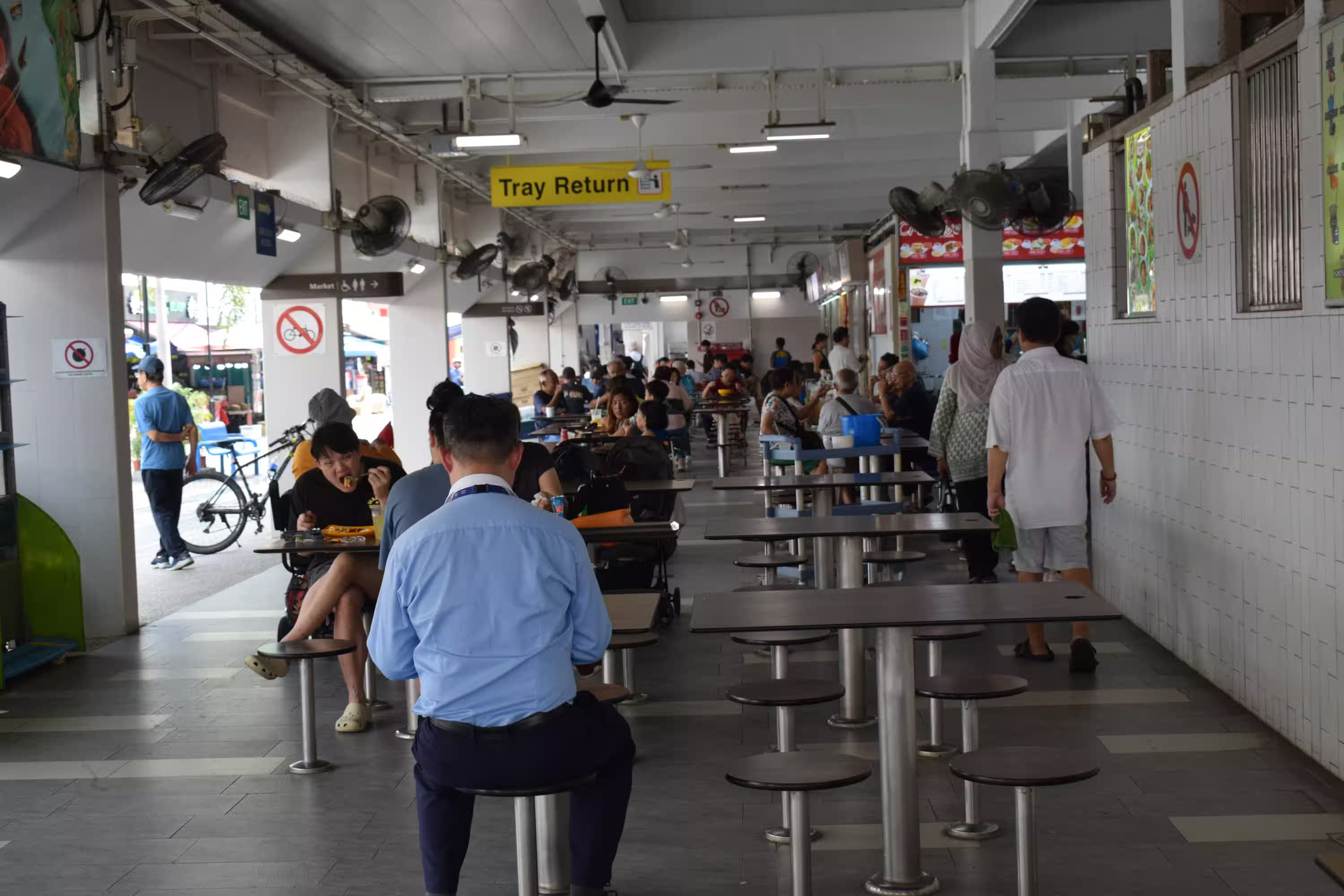 This is the hawker center we went to. Photo by Ravi Dwivedi. Released under the CC-BY-SA 4.0.
 Table littering at the hawker center was prohibited by law. Photo by Ravi Dwivedi. Released under the CC-BY-SA 4.0.
 Merlion from behind, giving a good view of Marina Bay Sands. Photo by Ravi Dwivedi. Released under the CC-BY-SA 4.0.
 If you're still using Vagrant (I am) and try to boot a box that uses UEFI (like


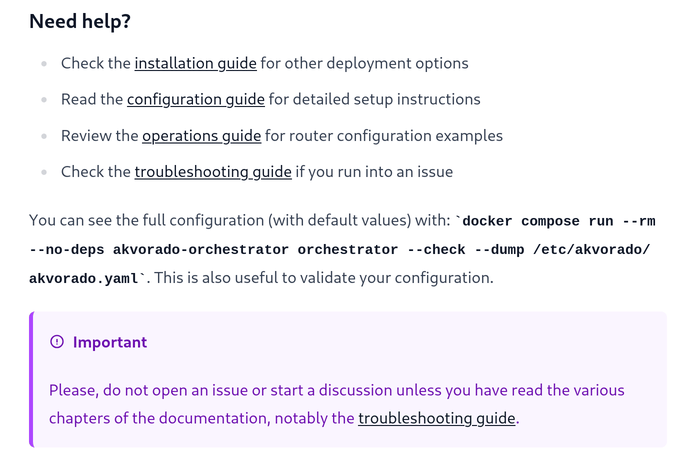
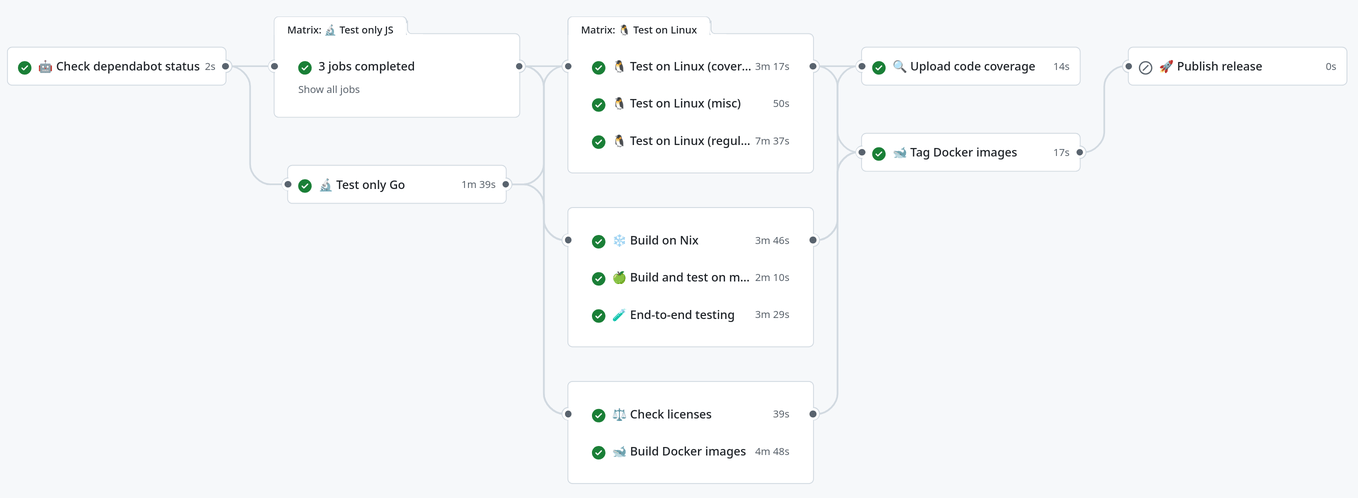
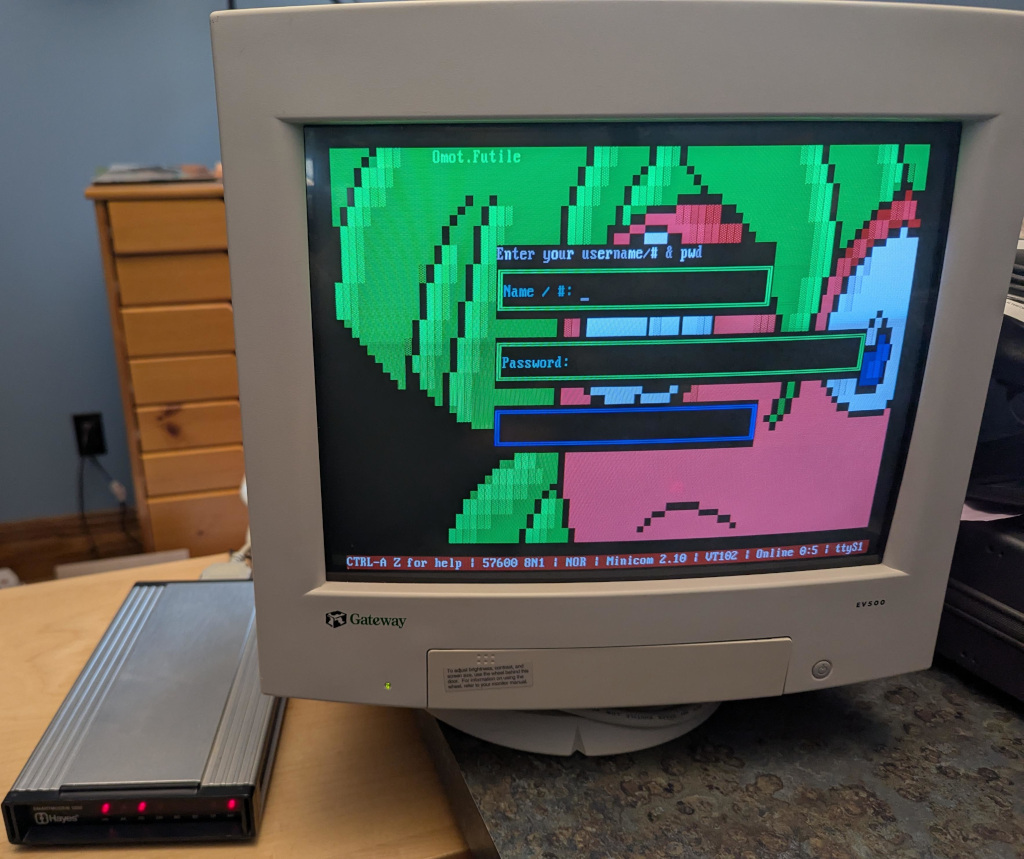

 Like each month, have a look at the work funded by
 For quite some time, I have been thinking about trying a bit of
patchwork, and English Paper Piecing looked like a technique suited to
my tastes, with the handsewing involved and the fact of having a paper
pattern of sort and everything.
The problem is, most of the scraps of fabric I get from my sewing aren t
really suitable for quilting, with a lot of them being either too black
and too thick or too white and too thin.
 On the other hand, my partner wears polo shirts at work, and while I
try to mend the holes that form, after a while the edges get worn, and
they just are no longer suitable for the office, even with some creative
mending, and they get downgraded to home wear. But then more office
shirts need to be bought, and the home ones accumulate, and there is
only so much room for polo shirts in the house, and the worst ones end
up in my creative reuse pile.
Some parts are worn out and they will end up as cabbage stuffing for
things, but some are still in decent enough conditions and could be used
as fabric.
But surely, for English Paper Piecing you d need woven fabric, not knit,
even if it s the dense piqu used in polo shirts, right? Especially if
it s your first attempt at the technique, right?
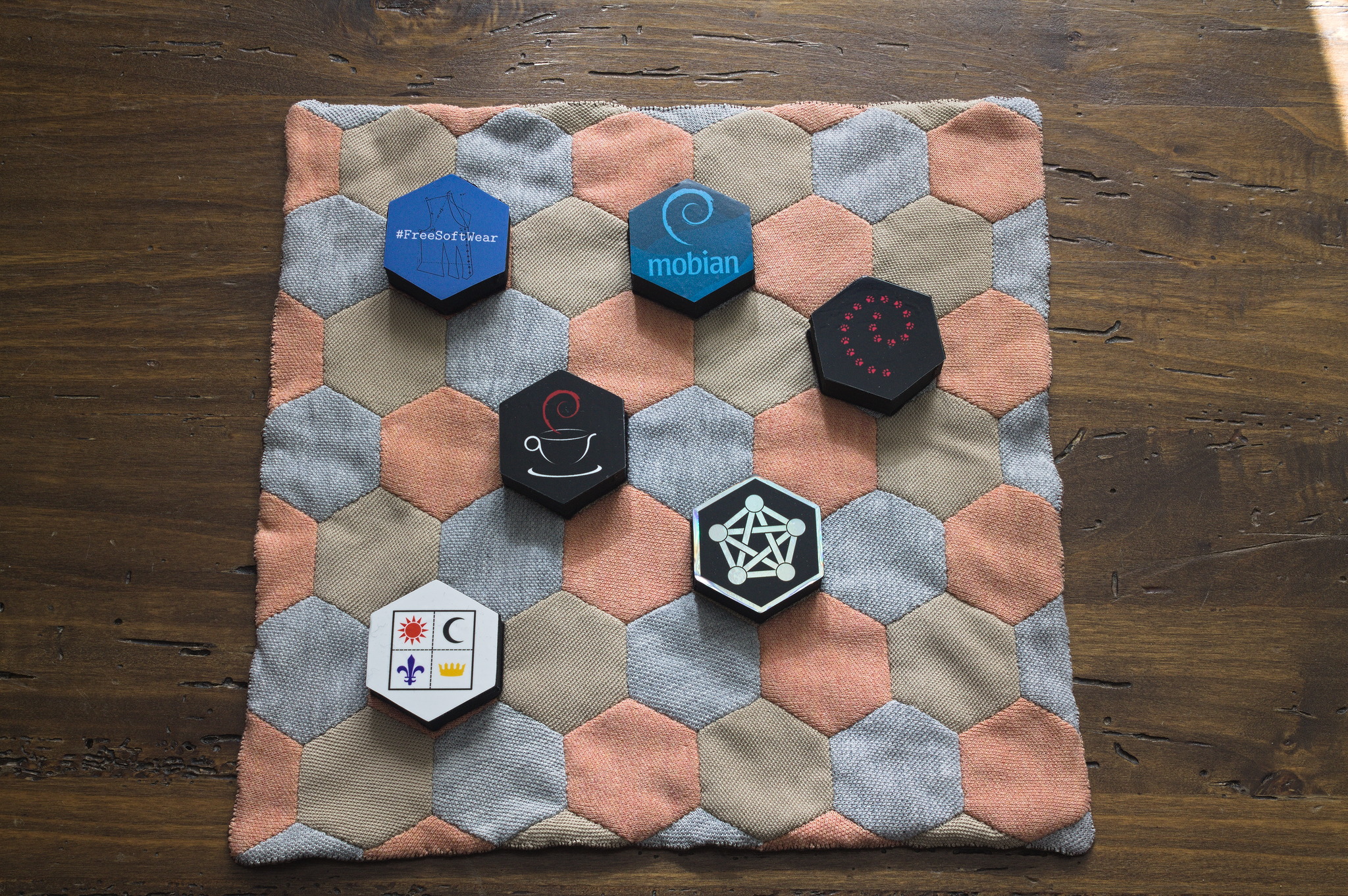 Well, probably it wouldn t work with complex shapes, but what about some
5-ish cm tall Standard Compliant bestagon? So I printed out some
hexagons on thick paper, printed some bigger hexagons with sewing
allowance as a cutting aid, found two shirts in the least me colours I
could find (and one in grey because it was the best match for the other
two) and decided to sacrifice them for the experiment.
And as long as the paper was still in the pieces, the work went nicely,
so I persevered while trying to postpone the Moment of Truth.
 After a while I measured things out and saw that I could squeeze a 6.5
7 hexagon pattern into something resembling a square that was a multiple
of the 2.5 cm square on the back of my Piecepack tiles, and decided to
go for another Standard for the back (because of course I wasn t going
to buy new fabric for lining the work).
I kept the paper in the pieces until both sides were ready, and used it
to sew them right sides together, leaving the usual opening in the
middle of one side.
Then I pressed, removed the paper, turned everything inside out, pressed
again and. It worked!
 The hexagons look like hexagons, the squares look like squares, the
whole thing feels soft and drapey, but structurally sound. And it s a
bit lumpy, but not enough to cause issues when using it as a soft
surface to put over a noisy wooden table to throw dice on.
I considered adding some lightweight batting in the middle, but there
was really no need for it, and wondered about how to quilt the piece in
a way that worked with the patterns on the two sides, but for something
this small it wasn t really required.
However, I decided to add a buttonhole stitch border on all edges, to
close the opening I had left and to reinforce especially the small
triangles on the hexagons side, as those had a smaller sewing allowance
and could use it.
 And of course, the 11 11 squares side wasn t completely an accident,
but part of A Plan.
For this project there isn t really a pattern, but I did publish

 Have you ever had to download a file from your terminal using curl and didn't
remember the parameters needed? I did.
Nowadays you can use
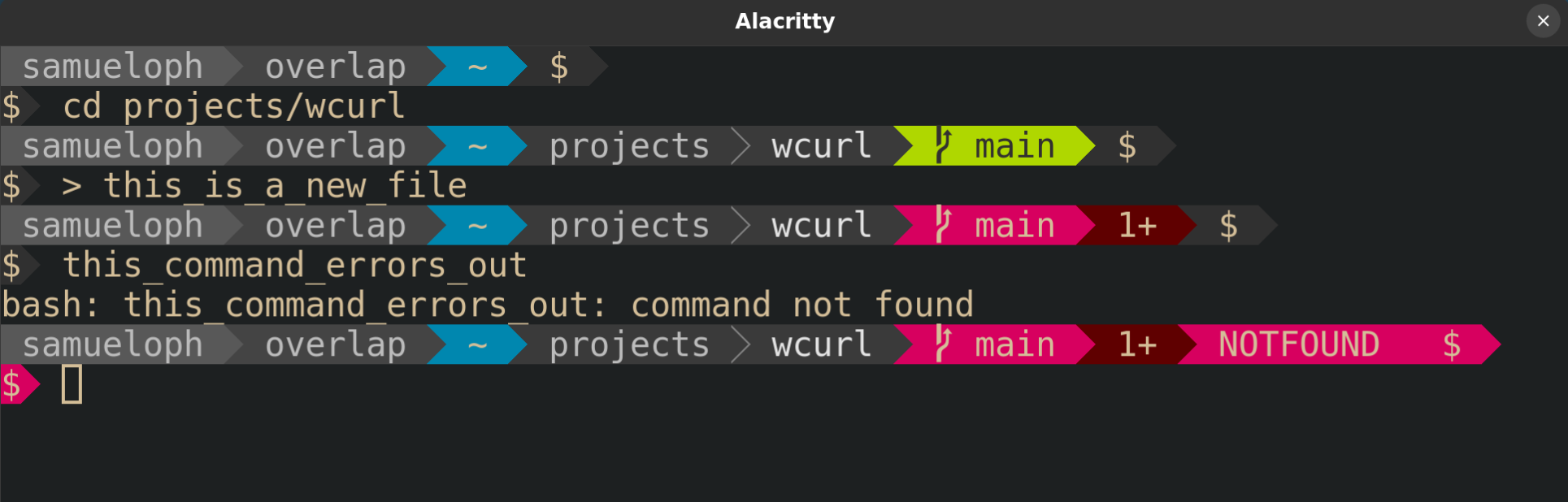 Try it out:
 I've found this quite useful for machines where I'm required to install
third-party monitoring software that tends to randomly consume more resources
than it should. If I feel like my machine is struggling, I can quickly glance
at its load to verify if it's getting overloaded by some process.
The extension is not as complete as
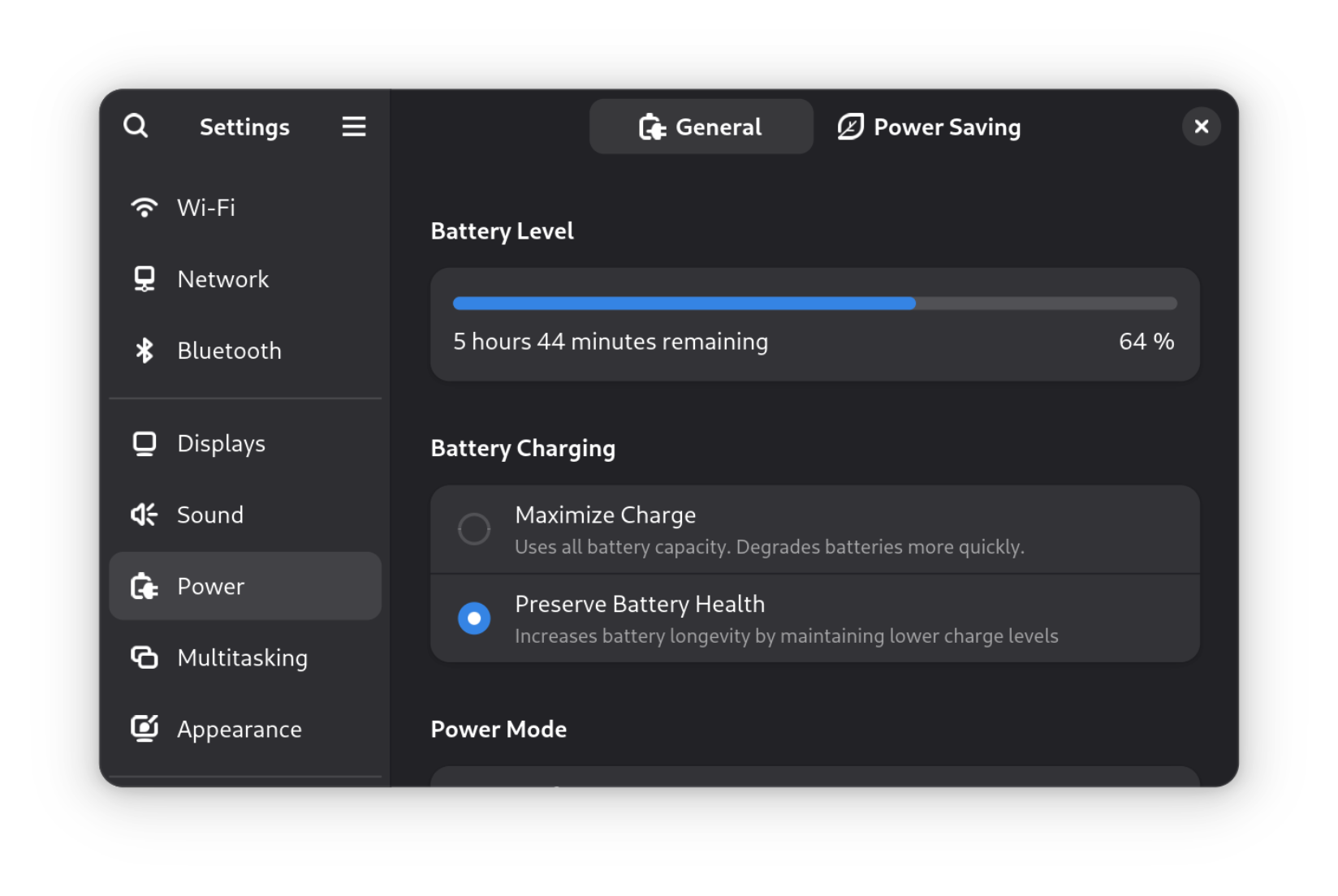 On supported laptops, this setting is an easy way to set thresholds for when
charging should start and stop, just like you could do it with the
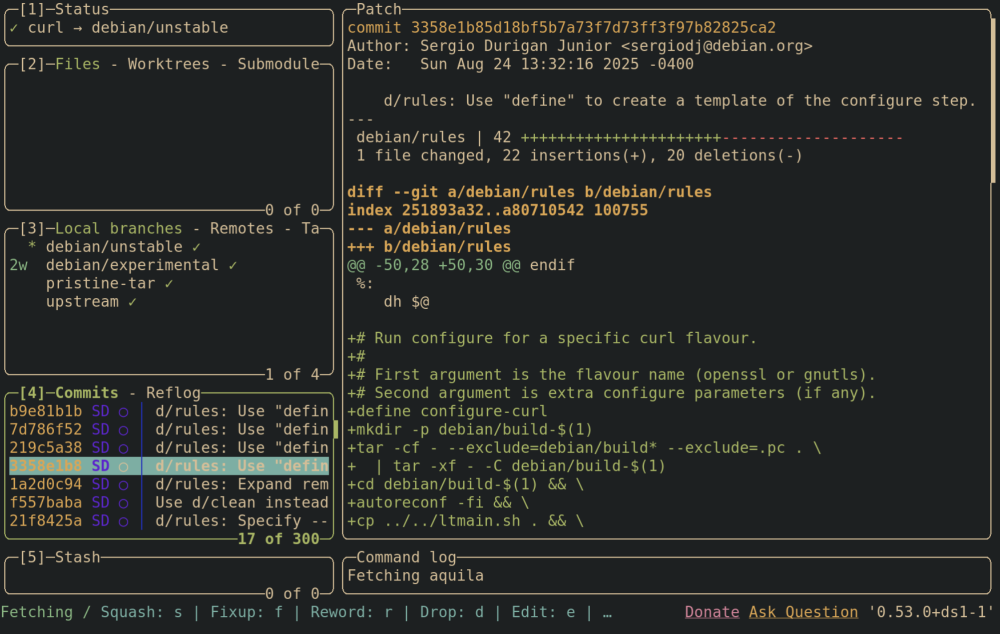 You should check out the demos from the
 Have you ever had to download a file from your terminal using curl and didn't
remember the parameters needed? I did.
Nowadays you can use
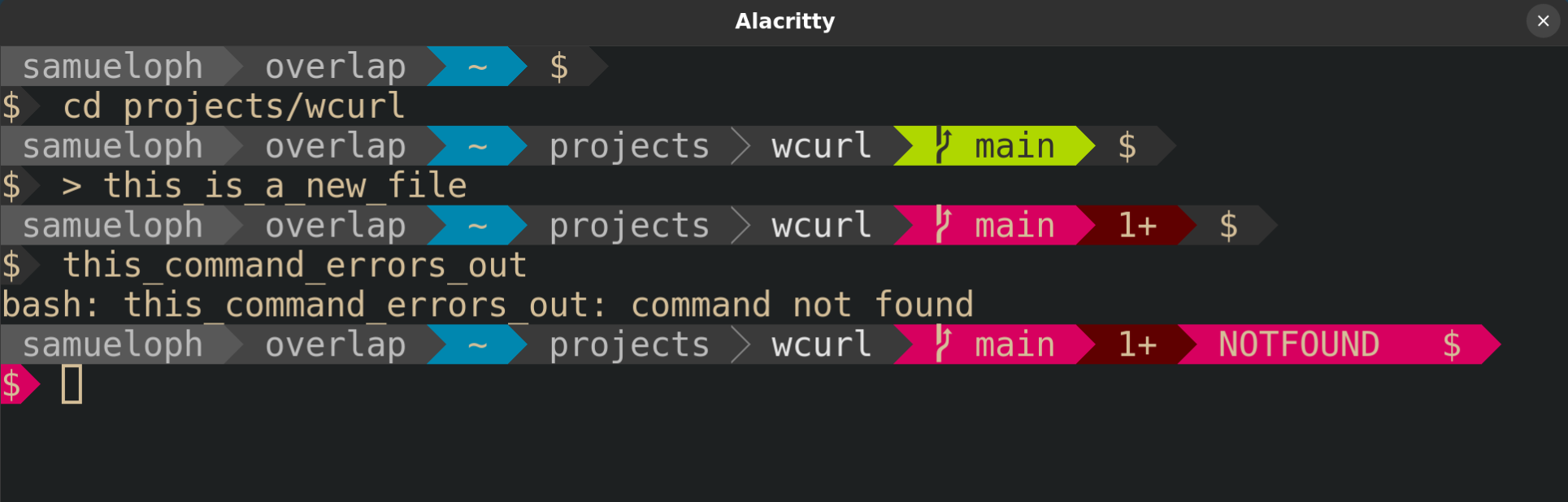 Try it out:
 I've found this quite useful for machines where I'm required to install
third-party monitoring software that tends to randomly consume more resources
than it should. If I feel like my machine is struggling, I can quickly glance
at its load to verify if it's getting overloaded by some process.
The extension is not as complete as
 On supported laptops, this setting is an easy way to set thresholds for when
charging should start and stop, just like you could do it with the
 You should check out the demos from the

 Historically the primary way to contribute to Debian has been to email the Debian bug tracker with a code patch. Now that
 Following the Browse link opens the Debian package source repository, which is usually a project page on Salsa. To contribute, start by clicking the Fork button, select your own personal namespace and, under Branches to include, pick Only the default branch to avoid including unnecessary temporary development branches.
 Once forking is complete,
 It may also be good to build the source package to establish a baseline of the current state and what kind of binaries and
 When you see a new Merge Request, try to review it within a couple of days. If you cannot review in a reasonable time, posting a small note that you intend to review it later will feel better to the submitter compared to not getting any response.
Personally, I have a habit of assigning myself as a reviewer so that I can keep track of my whole review queue at
 When adding the first comment, I choose Start review and for the following remarks Add to review. Finally, I click Finish review and Submit review, which will trigger one single email to the submitter with all my feedback. I try to avoid using the Add comment now option, as each such comment triggers a separate notification email to the submitter.

 It appears that the fragile masculinity tech evangelists have identified Debian as a community with boundaries which exclude them from abusing its members and they re so angry about it! In response to posts such as
 Debian 13 has finally




 I ve collected some more
 Some went on my laptop, of course, but some were selected for another
tool I use relatively often: more pattern weights like








 Introducing
 About 90% of my Debian contributions this month were