Search Results: "ag"

8 November 2010

Simon McVittie: Debian activities

Most of my recent Debian work has been the usual pkg-telepathy stuff (mainly in experimental while we're frozen), and hacking on the Quake III engine. Having started working on OpenArena DFSG-freeness as random bug-squashing a year ago, I've accidentally ended up taking over the package. The situation for Debian 6.0 (squeeze) looks something like this: The plan for Quake III in Debian 7.0 (wheezy) has already started in experimental: I haven't been doing as much QA work as the RCBW crowd, but here's some halfway-recent bug squashing in the hope that it motivates others: I also started looking at the series of bugs regarding Flash not compiled from source, but I mostly got distracted by all the webapps having a contrib/ directory containing a million embedded code copies...

Cyril Brulebois: Debugging using netconsole

Now that we have KMS, it happens things go bad enough that when X goes down, one can no longer access any console to see what happened. Mainly, one can distinguish between two cases. I m going to discuss the second case. There s a nice tool in the kernel which makes it possible to send kernel logs over the network. It s called netconsole. As far as limitations are concerned, one shall note that it s UDP only, and over Ethernet (in other words: no wireless). The good news is that it can usually make the last crucial lines available. Let s call the crashy machine a patient and the logging machine a doctor. One should keep in mind that if something goes wrong while configuring the netconsole module, it can be unloaded at anytime through:
sudo modprobe -r netconsole
Easy case: on a local network Local network Here s an example: Patient s IP is 192.168.0.1, doctor's IP is 192.168.0.2. Doctor setup What one needs on the receiving side: only netcat. A tiny warning, there are several implementations. Here s the appropriate syntax:
# netcat-traditional:
nc -l -u -p 6666   tee ~/netconsole.log
# netcat-openbsd:
nc -l -u 6666   tee ~/netconsole.log
The nc command is handled through the alternatives system, one can use update-alternative --config nc to pick the appropriate one if several netcat-* packages are installed. To list the current one, an easy way is readlink -f $(which nc). Using tee means that incoming messages are going to be printed, both to the standard output and to the specified file. Running as non-privileged user is sufficient. Patient setup Now, to have the patient send stuff to the doctor, a simple modprobe is needed:
sudo modprobe netconsole netconsole=@/,6666@192.168.0.2/
What happens here? One requests the netconsole module to be loaded, and one specifies the parameters. Details can be read in the Linux kernel documentation (Documentation/networking/netconsole.txt), but concentrating on the points of interest here: That s all! On the doctor side, one should see something along those lines:
[2920549.188090] console [netcon0] enabled
[2920549.188102] netconsole: network logging started
Slightly harder case: over internet Over internet Because one might not have a second machine handy, it s also possible to go through a router and send stuff across the internet. Here s an example: Patient s IP is 192.168.0.1, connecting to internet through a router, which IP is 192.168.0.254. The doctor, available over the internet, is 192.0.32.10. Doctor setup Exactly the same as in the previous case. The main issue one can run into is firewalls at this point. That s why one may want to switch from the default 6666 port to another one which wouldn t be filtered. One can think of 53 (DNS), but that means running nc as root since it s a privileged port (below 1024). Patient setup Routing is also possible, but that requires an extra parameter: the MAC address of the router. To obtain it, one can use the arp command:
/usr/sbin/arp 192.168.0.254
Supposing it returned the 01:02:03:04:05:06 address, loading the module becomes:
sudo modprobe netconsole netconsole=@/,6666@192.0.32.10/01:02:03:04:05:06
Now, if you re running into firewall-related issues, you can change the source for the UDP packets. The default is 6665, but assuming you want to send from an unfiltered 1234 port, that becomes:
sudo modprobe netconsole netconsole=1234@/,6666@192.0.32.10/01:02:03:04:05:06

Adnan Hodzic: DebConf11 official dates

Even though we had approximate dates from very start, I would like to announce official dates when DebConf11 will be held in Banja Luka, Bosnia and Herzegovina.


DebCamp: 25th 31st July 2011 DebConf: 1st - 7th August 2011
We encourage you to arrive one day earlier (24th July for DebCamp, and 31st July for DebConf), final departure date will be 8th August.
Vacation, it s in our plans to talk to travel agencies, so for those who wanted vacation after DebConf11 as its participants can enjoy shores of Bosnia, Croatia, Montenegro and Greece by discount prices. We re already looking forward your stay on Balkans! Smile Adnan


http://wiki.debconf.org/wiki/DebConf11/BanjaLuka

Matthew Garrett: Less hurrah

I would tell you about the phone call I had with a company where the CEO acknowledged that they were behaving in criminal activity in multiple jurisdictions but promised that they'd probably stop in a few weeks and so I shouldn't worry, but it seems that in the modern Internet I'm not allowed to because there were no independent witnesses and I haven't called the police, and also if I wanted people to respect my copyright I shouldn't have put my software on the internet where I'm just begging for it to be taken advantage of. Also, in future I won't be fixing any bugs unless they happen to me because you might just be making them up make my code look bad, and also you shouldn't accept any patches from me because I might by lying about things just to inflate my patch count and make myself look better at the expense of competing companies.

(for anyone missing the point: THIS IS A SERIES OF ANALOGIES INTENDED TO INDICATE THAT THIS ARGUMENT IS FACILE)

Julien Danjou: Google Maps for Emacs: moving, caching and home

Last week, I worked on my Google Maps for Emacs extension. I've introduced a new format handling for locations which include the longitude and latitude. The initial format was just a string describing the location, which was obviously too limited. It now prints coordinates of the different elements when the mouse is over the map, with other information. It also center the map on M-x google-maps and set a default zoom level. This is something which was not set because it's not a good idea to set center coordinates in order to see all points on the map automatically. But you can still remove the centering by pressing "C". On the other hand, setting it automatically allows to move the map easily, and I think that what most users want to do. I've also added a "place my home on the map" feature, accessible by pressing "h" on any map. That adds a marker according to the location set in Emacs using the calendar- variables. This feature is also available under Org by pressing C-u C-c M-l, which shows the location of your appointment with your home on the map too. Finally, you also get caching so it does not request images you already seen, which makes the moving nicer and faster to use, and prompt history. Flattr this

Joachim Breitner: A Solution to the Configuration Problem in Haskell

On the drive back home from BelHac I thought about the configuration problem in Haskell: The issue is finding a convenient way to work with values that are initialized once and used in many places all over the code. Assume you have a large module of pure code that, using many custom functions and combinators, parses some data structure. Later you noticed that somewhere far down in the parser, you need to react differently depending on some user preferences say, his preferred language. The usual solution is to add a new parameter to that function and, in consequence, to each and every function that calls or might call directly or indirectly this function. This is often very inconvenient. Other solutions include: The solution I thought of and implemented uses Template Haskell, the Haskell library to modify code at compile time, to turn the style you prefer to write in (pure code that uses configuration values as if they were global constants) into the style that is semantically correct (pure code with configuration values as an additional parameter). I uploaded the resulting code as seal-module to hackage and added plenty of comments and examples to the SealModule module ( are comments according to ohcount). I refrain from copying that into this blog post, so if you are curious, please continue reading there.

Raphaël Hertzog: 5 reasons why a Debian package is more than a simple file archive

Folder with gearsYou re probably manipulating Debian packages everyday, but do you know what those files are? This article will show you their bowels Surely they are more than file archives otherwise we would just use TAR archives (you know those files ending with .tar.gz). Let s have a look! 1. It s two TAR file archives in an AR file archive! A .deb file is actually an archive using the AR format, you can manipulate it with the ar command. This archive contains 3 files, you can check it yourself, download any .deb file and run ar t on it:
$ ar t gwibber_2.31.91-1_all.deb
debian-binary
control.tar.gz
data.tar.gz
debian-binary is a text file indicating the version of the format of the .deb file, the current version is 2.0 .
$ ar p gwibber_2.31.91-1_all.deb debian-binary
2.0
data.tar.gz contains the real files of the package, the content of that archive gets installed in your root directory when you run dpkg --unpack . But the most interesting part which truly makes .deb files more than a file archive is the last file. control.tar.gz contains meta-information used by the package manager. What are they?
$ ar p gwibber_2.31.91-1_all.deb control.tar.gz   tar tzf -
./
./postinst
./prerm
./preinst
./postrm
./conffiles
./md5sums
./control
2. It contains meta-information defining the package and its relationships The control file within the control.tar.gz archive is the most fundamental file. It contains basic information about the package like its name, its version, its description, the architecture it runs on, who is maintaining it and so on. It also contains dependency fields so that the package manager can ensure that everything needed by the package is installed before-hand. If you want to learn more about those fields, you can check Binary control files in the Debian Policy. Those information end up in /var/lib/dpkg/status once the package is installed. 3. It contains maintainer scripts so that everything can just work out of the box At various steps of the installation/upgrade/removal process, dpkg is executing the maintainer scripts provided by the package: Note that this description is largely simplified. In fact the scripts are executed on many other occasions with different parameters. There s an entire chapter of the Debian Policy dedicated to this topic. But you might find this wiki page easier to grasp: http://wiki.debian.org/MaintainerScripts. While this looks scary, it s a very important feature. It s required to cope with non-backwards compatible upgrades, to provide automatic configuration, to create system users on the fly, etc. 4. Configuration files are special files Unpacking a file archive overwrites the previous version of the files. This is the desired behavior when you upgrade a package, except for configuration files. You prefer not to loose your customizations, don t you? That s why packages can list configuration files in the conffiles file provided by control.tar.gz. That way dpkg will deal with them in a special way. 5. You can always add new meta-information And in fact many tools already exploit the possibility to provide supplementary files in control.tar.gz: Once installed, those files are kept by dpkg in /var/lib/dpkg/info/package.* along with maintainer scripts.
If you want to read more articles like this one, click here to subscribe to my free newsletter. You can also follow me on Identi.ca, Twitter and Facebook.

19 comments Liked this article? Click here. My blog is Flattr-enabled.

Ritesh Raj Sarraf: apt-offline - 1.0

Hello World. I am very pleased to announce apt-offline, version 1.0. This release adds a Graphical User Interace to apt-offline.
Big thanks to Abhishek Mishra and Manish Sinha who did all the development work to make this GUI happen. Help: I was wondering if there is a logo for APT that I could use in the big blank space on the main window. Apart from the GUI, there are a bunch of bug fixes in this release (which have already been made available for the Squeeze release also).
Generate Signature Window
Download Window
Install Window
I look forward to your feedback and comments on the GUI front. Note: The GUI in its current form is basic and does not provide all the features that are available in apt-offline.

Jaldhar Vyas: Sal Mubarak 2067!

Wishing everyone a happy, auspicious, and prosperous Gujarati new year. (Vikrama samvata 2067 called "Shubhakrt") For Diwali I got a smartphone after enduring years of pointing and laughing at my previous decidely dumb phone. It's a T-Mobile G1 with Google or in other words a rebranded HTC Dream. I didn't want an iPhone (evil) or the phone the sales people were trying to push, the G2 (very evil.) As evil is the default in the telecom industry I especially wanted the ability to run CyanogenMod and this phone, though it doesn't have all the latest whiz-bang features, is perfect for that. (Btw, people are working on porting Cyanogen to the G2 but why let your dollars encourage the carriers and their shennanigans?)

7 November 2010

Jonathan McDowell: New laptop: Acer Aspire TimelineX 1830T

I blogged back in August about my frustration in finding a new laptop that had everything I was looking for. I'd figured I would eventually end up with the Toshiba R700, given my positive experiences with the R200. The lack of stock proved a problem, and the differing specs between the US and UK models also annoying. I started trying to source the Sony and finally found the HD model in stock from Vizik, but the helpful people there talked themselves out of a sale by saying the Full HD was too much for 13" (they also failed to have a 3G Full HD model).

I'd only brought the EEE 901 to the US with me, so after a month of that as my only machine at home I was starting to get a bit fed up; the keyboard is too small for constant use and it crawls when subjected to my normal usage patterns rather than just used as a lightweight network terminal. So it became obvious I was going to have to compromise on what I wanted. And if I was doing that I wanted something a lot cheaper, as I thought I may potentially want to upgrade sooner than usual.

In the end I've gone with an Acer Aspire TimelineX 1830T. It cost about a third of what the more fully featured laptops I was looking at were going for, which was a considerable bonus. The 2 things I ended up compromising on were the SSD and 3G support. And the name; I wasn't entire sure about what the build quality would be like.

As it turned out I needn't have worried; it appears to be perfectly well constructed - no noticeable flex while typing, solid enough, yet still fairly light. The keyboard is pleasant to use (admittedly I'm coming from the EEE, but it's a good size and responsive enough for me). I'm a bit uncertain about the touchpad, which has no physical separation from the rest of the case, but it's been ok so far. I miss the multitouch of the EEE, but it looks like there are some patches for Synaptics multitouch flying around that might eventually lead to useful support. I've ended up with a Core i5 470UM at 1.33GHz - what I ordered was the i5-430UM at 1.2GHz (and that's what the box/label on the laptop said), but I'm not complaining at the slight speed bump. It's fine for my needs. The 1366x768 screen is lovely, even in 11.6". Bright, if sometimes a little too shiny..

Installing was of course fun; it reminded me of when I got the R200 - neither the wifi nor wired interfaces were supported by the Debian installer, even from testing. I found a patch to get the (Atheros) LAN working (and have filed #599771 about potentially getting the support into squeeze's kernel) and that got me up and going. The wifi is a Broadcom BCM43225; too new for the old Free driver and the recently released Broadcom Free code causes the machine to instantly crash (I understand it has some SMP issues). So I'm stuck with the binary blob wl driver from broadcom-sta for now. I have hopes the Broadcom driver will improve though; it seems to be getting active love in the staging tree. The graphics are Intel, so well supported. And I'm getting at least 4 hours of battery life out of it, which I think could be improved with some tweaking.

So, er, yeah. Not what I set out looking for, but considerably cheaper and actually seems to meet my needs pretty well - it had its first weekend away trip this weekend and performed admirably; not too heavy in my hand luggage, decent battery life and no worries about it being too flimsy to survive. I'm still surprised it's an Acer...

Torsten Landschoff: Accessing the Eclipse source code

Sometimes I really want to know how Eclipse implements one feature or another, because Eclipse sometimes feels like magic. Usually it turns out they are also just cooking with water. Most open source code is easily available by checking out a project from some SCM. For eclipse it is not as easy. But there is a nice tutorial how to access eclipse source code by Lars Vogel. This post is just so I can recover the link next time instead of googling for an hour. Thanks, Lars!

Adnan Hodzic: Ubuntu Developer Summit (UDS-N) Debianized Summary

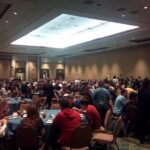
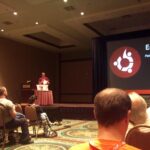
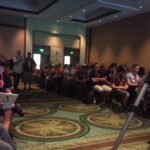
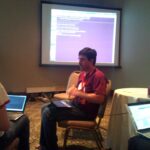
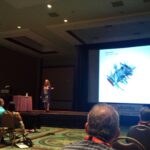
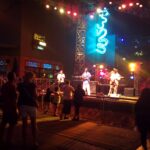
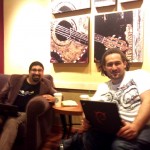
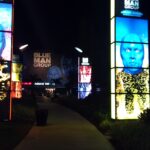
Last week I was on my first Ubuntu Developer Summit (UDS-N), I wanted to attended this summit for couple of reasons: 1. Developer, I m part of Debian Java, working on Eclipse IDE, and as you re developing Debian, you re automatically developing Ubuntu, no? Nerd 2. DebConf11 main organizer, I really wanted to see how it s all done on corporate level, for instance we re going with hotels instead of student dorms and so on. 3. Migration to Linux infrastructure, make contacts and have some talks on this topic, because after DebConf11 in Bosnia a lot of institution will most probably open doors to open solutions such as Linux. I went to this summit without any expectations or plans, just said I ll play it by ear. This years UDS was held in Orlando, Florida before Orlando I was planning to stay in NYC for couple of days, therefor my whole plan was to get to NYC, then Orlando then head back home Smile I Heart NYC I spent couple of days here with my cousins and friends, as always NYC never fails to surprise me, and I ll always stop by even if it s only for couple of days Wink I wanted to meet up with couple of Debian people as well, but unfortunately my schedule was too tight so Caribe Royale, Orlando Please note that this whole trip was crazy (in a good way) starting from Sarajevo; on my flight from NYC to Orlando I see a guy that s sitting in front of me is wearing Canonical Landscape tshirt, I approach him and it turns he was Jamu Kakar working on Landscape. Since my luggage was late we had conversations from Debian over Ubuntu to Java to everything pretty much. While we were still at the airport, we bump into two more people going to UDS. As we got to hotel, same moment we walked out of cab there he was Jorge Castro, was he there just to smoke a cigarette or whatever doesn t even matter, what matters is that even before walking into hotel building I knew where reception, my tower and bar was, everything I needed to know at that moment High Five! Hotel where everything was held was Caribe Royale and even though I looked at their website I thought there was no way it s all going to be that nice, to my delight it was exact replica. Place is All-Suite Hotel and Convention Center , which meant that both accomodation, venue and everything else was in one place which is Yes 15 minutes later after I checked in, I was at a bar talking to Jim Baker about Java, Jython and Python, exact things I wanted to talk about at that given moment. What I said in these last couple of paragraphs sounds pretty cool eh? Well to me this whole UDS was just like this, everybody was so accessible and open for discussion, from Jono Bacon walking around offering candy to UDS reception staff Michelle, Marianna and others who were always there whether you had a complaint, problem or a praise. I really should stop mentioning names, because I ll forget somebody, and since it s just not fair because I had a feeling everybody was just there for you, whatever it was you needed. Ubuntu Developer Summit (UDS-N) Ubuntu, Debian, DebConf, differences? Even though I said I ll play it by ear, from very beginning I thought I d be complete outsider, being part of Debian and all. Quite contrary, I was everything but outsider, and even more there was plenty of Debian people there, including current DPL Stefano Zacchiroli, Colin Watson, Riku Voipio just to name few. There was also a Debian Healt Check plenary. But overall, there are differences between DebConf and UDS. One of the things is that you can attend UDS remotely I m not sure how much is this doable on DebConf, but then again vast differences are that UDS is filled with BOF s (as we would call it in Debian) meetings of different teams, I attended a lot of these, and most of them end with some kind of conclusion. While each day there was (only?) an hour of lectures on various topics, which on DebConf we would characterize maybe even as speed talks . However, everything was high paced, and it all ended up on You think that s a problem? How do you think we could solve it? . I had a feeling even if I didn t say something out loud that someone would hear me and approach me to discuss it. Everything was straight forward, all in goal to resolve certain issue or a problem, which I absolutely loved. Clap Fun It wasn t all work, even though Orlando doesn t seem to be my kind of city from what I saw, it s way too magical for my taste Party There was a lot of places where you could go to enjoy yourself. Good people at Canonical even offered me free ticket to Disney World, there was a lot of destinations to visit and transpiration was also organized by Canonical. Unfortunately I missed the notorious UDS party on Friday because I had to head home early, but possibly I ll make it next year Razz Even though, hotel was that great and to be honest you didn t have to leave to look for party. My favorite was Universal City Walk, one night I decided to go to see Blue Man Group, best part of it was that I got pulled up on stage by one of the members and was part of one of the acts! ROTFL This is definitely something everyone should see during his life, one moment you re laughing like a lunatic, while other moment you re just having goose bumps from the performance itself. Amazing stuff. After all I wrote here along with the pictures, is there even anything else I need to say? Smile I believe that even if I didn t play it by ear, this whole trip would exceed all my expectations in every possible sense. Because that s really what happened, those three reasons I was going to UDS for? Far more happened than that. All I can say in the end is that I ll move closer to having a part in Ubuntu development, and yea, I ll try to be regular on UDS from now on Smile See you in Budapest? If all these photos weren t enough, you can find official group photo as well as personal set of photos can be found on: UDS-N photos by 2010 Sean Sosik-Hamor


Joachim Breitner: Haskell Hackathon in Gent

The BelHac in Gent, Belgium, is about to end. A friend of mine and me arrived on Friday, when the event started with interesting talks about Haskell in Industry and a reception. My hacking was less productive than I wished. It might have been since I did not have a project of my own (as I had at the Hackathon in Z rich). After revising the Debian Haskell Policy, I worked a bit on the integration of distribution data on Hackage2, the next generation Haskell code repository, and submitted a patch to cabal-install to have a cabal checkout command which checks out a project s code from the version control repository mentioned in the package description much like debcheckout does for Debian package. At the lightning talks I advertised that in a real lightning talk I ll give exact timing information once the video is uploaded, but it might have been well under 3 minutes.

Thorsten Glaser: Sorry for accidentally spamming ~60 people/lists

When doing porter uploads, one must not forget to pass -m"My Name <my@email.addr>" to dpkg-buildpackage, e.g. with --debbuildopts for cowbuilder. Thanks Aur lien and sorry to everyone who got the upload mails. (How are the rules for sponsored uploads? I get conflicting info on these, and indeed, the one I sponsored never showed up on my QA DDPO page )

Debian News: Debian project accepted in the Google Code-in 2010

Google Code-in, Google s contest to introduce pre-university students of ages between 13 and 18, to the many kinds of contributions that make open source software development possible, is starting on November 22, 2010 and Debian is one of the 20 organizations selected to take part.

If you are student interested in contributing to Debian, you can find more information in the wiki page http://wiki.debian.org/GoogleCodeIn2010.
A list of tasks is available at http://wiki.debian.org/GoogleCodeIn2010/Tasks and if you a Debian Developer, you still can add tasks by filling the template provided in the top of that wiki page.

You can join the IRC channel #debian-soc (on irc.debian.org) and the Debian GSOC mailing list to talk about your ideas and applications or if you have any question.

Christian Perrier: Help cleaning spam in Debian mailing lists

Debian mailing lists' standard policy is to allow posts from unsubscribed users. That of course fits our standards for opened development but has the drawback of allowing a lot of spam to reach our mailing lists. This spam also clutters the mailing lists archives. However, 1.5 years ago, listmasters established a well-working system to clean out spam from the mailing lists. It basically works in four steps:
  1. first, spam can be "reported" by anyone meeting it. While you are reading the mailing lists, reporting spam is as simple as bouncing the offending mail to a dedicated address: report-listspam@lists.debian.org. I, for instance, use a mutt macro to set ESC-L as a "report spam" hotkey. Spam can also be reported when browsing the mailing lists archives and clicking on the "Report as spam" button;
  2. when a given mail has been reported as spam more than five times, it is then "nominated" for review;
  3. nominated mails must the be reviewed by volunteers in order to confirm they really are spam. The review algorithm is complex but, in short, when a mail has been confirmed as spam by 3 reviewers without being qualified as "ham" by anyone else, then it is considered spam;
  4. such mails are then removed from the mailing lists archives.
Steps 2 and 4 are performed by a weekly script that runs on Sunday mornings (5:00 UTC, IIRC) How can you help? Process nominated spam We need more reviewers for step 3. At this moment 2 people are doing this on a regular basis (every Sunday with the morning coffee). Some others are working on this in a less frequent way. It seems that 1 or 2 more regulars reviewers would guarantee that we can cope with the nominated spam incoming flow. Only Debian developers can do that step. They should read instructions, ask for a password, then start reviewing. The first 1 or 2 people joining this will have a quite big amount of nominated spam to process, for their first effort. However, as most of these have been classified as spam by at least the two people doing this for months....the amount will slowly decrease. I, for instance, now only spend 5-10 minutes reviewing the nominated mails every week. Report spam Everybody can work on reporting spam. You can start by doing this on mailing lists you read by just bouncing spams to the spam report address; If you want to do more, you can join existing spam cleaning efforts, such as the one running for debian-boot or the one running in debian-l10n-french (the latter probably more for French speakers). Or you can of course start a similar effort for your pet list. To be efficient, this effort needs to gather 5-6 people who will process the mailing lists archives systematically. Let's clean out these archives!

Martin-&#201;ric Racine: Ubuntu no longer ships debian/changelog since Natty?

Since a few days, I have started to notice that the "Debian" changelog that normally ships with packages no longer appears with a number of recent package updates. Is this intentional?

Petter Reinholdtsen: Making room on the Debian Edu/Sqeeze DVD

Prioritising packages for the Debian Edu / Skolelinux DVD, which is supposed provide a school with all the services and user applications needed on the pupils computer network has always been hard. Even schools without Internet connections should be able to get Debian Edu working using this DVD. The job became a lot harder when apt and aptitude started installing recommended packages by default. We want the same set of packages to be installed when using the DVD and the netinst CD, and that means all recommended packages need to be on the DVD. I created a patch for debian-cd in BTS report #601203 to do this, and since this change was applied to the Debian Edu DVD build, we have been seriously short on space. A few days ago we decided to drop blender, wxmaxima and kicad from the default installation to save space on the DVD, believing that those needing these applications are few and can get them from the Debian archive. Yesterday, I had a look what source packages to see which packages were using most space. A few large packages are well know; openoffice.org, openclipart and fluid-soundfont. But I also discovered that lilypond used 106 MiB and fglrx-driver used 53 MiB. The lilypond package is pulled in as a dependency for rosegarden, and when looking a bit closer I discovered that 99 MiB of the 106 MiB were the documentation package, which is recommended by the binary package. I decided to drop this documentation package from our DVD, as most of our users will use the GUI front-ends and do not need the lilypond documentation. Similarly, I dropped the non-free fglrx-driver package which might be installed by d-i when its hardware is detected, as the free X driver should work. With this change, we finally got space for the LXDE and Gnome desktop packages as well as the language specific packages making the DVD more useful again.

Ritesh Raj Sarraf: Icedove

My recent experience with Mozilla ThuderBird, IceDove. With KDE 4.x, the KDE team took a radical step of ripping apart most of the stuff and rethinking many of the designs. Quite a bold move. Many people appreciated KDE's efforts to start afresh while others moved away from KDE. For some reasons, I decided to stick to KDE. Maybe it was because of the awesome flexibility KDE provided provides to customize the DE to one's personal taste. Or maybe because I was too used to the KDE way of doing things. I stayed with KDE while 4.0 was released and stayed with it up till very recently. I started to lose my patience with the PIM Suite. I know the PIM team is also going to some very radical changes which will bring very innovative stuff later. But, at the moment, the KDE PIM suite is very broken. Broken not in the first impress, but broken when you regularly use it. It leaks memory like anything and keeps doing lots and lots of I/O. I hope some day the KDE team decides that they do need a core team, a core team that could take care of important tasks, making sure that the imporatant tasks are Continuously Usable. It takes time to earn the reputation but it takes a lot lesser time to lose it. Anyways, having been a KDE (PIM) user for long, I had been bearing the PIM torments up until, I recently saw a colleague using IceDove. There was a time when the Mozilla suite was in itself terribly slow. But things seem to have changed a lot. Both, the browser and the PIM suite, have improved a lot lot in terms of functionality and performance. Performance is very important. What good is a feature if its performance is terrible and it hinders the usability. Some of the things that really impressed me were: Indexing: Nepomuk might be good one day but that day is yet to be seen. I patiently wait for that day to come. Well, don't have much choice. Have been patiently waiting for it since KDE 4.0 was released. KDE has great ideas with Nepomuk which is good. But realisticly, what all do you want to see indexed ? There has to be a realistic line drawn. The browsers already have indexing for the history. Amarok, the player, also does indexing. It can tell you when your last favorite song was played. For pictures, I have the awesome KPhotoAlbum that cannot be beaten by anything. But above all, the most important thing to index is your conversation. Those emails that you send daily. And indexing is no good if you can't find the information you need, later. IceDove has filled that place. It does an excellent indexing (in terms of performance) and presents a very user intuitive way to narrowing it down to, when looking for a particular information. Organization: The other great thing about KDE PIM is its ability to break down its applications into small parts and glue them together into a new, well integrated application. Yes, Kontact. It is used to be the best PIM application. Used common libraries to make the suite more efficient than the rest. But all this was used to be. Today, kpart itself might be Kontact's problem. We have different applications glued together that if built with a common design, could have benefited a lot more. Take for example: kmail, knode and akregator. They are all very important parts of the PIM suite. Yet all three are different. The only thing common amonst them is is that they are available from the same Kontact shell. kmail has a different navigation. akregator has very nice aggregated folders but the same cannot be available in knode and kmail. knode, while still okay, has been rotting for some time. So it was time to see how IceDove performed when testing it up against this Use Case. The good thing about IceDove is is that it has one single uniform interface to most of the PIM needs. I can use the same window and the same interface for all my rss feeds, my emails and my leafnode newsgroups. That has a big benefit in itself. I have only 1 integrated interface to look at and only 1 interactive method to learn. There aren't different keystrokes for different applications. All is one in IceDove. And I think one of the main reasons for Mozilla's success is its plugin architecture. It is very difficult to satisfy everyone's needs. In the same way, it is very difficult for one group of developer's to be able to innovate differently. This is where Mozilla rocked. They provided a solid foundation with basic standard interface and let new fresh minds to do the rest of the innovation. Turns out it has worked well. So, with my PIM needs satisfied, I thought KDE was serving as nothing but just a mere shell. So, now was the right time to do the thing I always thought of doing. Switch to GNOME. GNOME looks elegant at first look but that is it. I wanted to take a screenshot of an application to report a bug. I fired up PrntSc key to let the screen capture utility pop-up. It did not have the opiton to select just the application window. Hmmm! Time to return back to KDE and use the Mozilla PIM suite and hope the KDE PIM team learns and does the right thing.

6 November 2010

Adrian von Bidder: Some Gigabytes

For some reason, 60G of free space on my notebook suddenly turned into 60G of movies. Bownian motion, perhaps. Unfortunately, in this particular case, I absolutely don't like to let a movie (or book, for that matter) unfinished, so I watched Fear and Loathing in Las Vegas (directed by Terry Gilliam, starring Johnny Depp; so far, so good) from start to finish. After the first half hour I started wondering if the plot is going to start. The reptile party in the hotel lobby was a short entertaining interlude, but to the end, no plot manifests. I'm left wondering what this was all about. Quantum of Solace on the other hand is good entertainment. Probably not one of the best, but still worth watching if you like her majesty's secret agent. Going back to movies I've seen before is something I like to do as well, so having another evening in company with the unforgettable Leon (the professional) was time well spent. I didn't give up on Terry Gilliam yet and met The Fisher King. While the story is completely different, it does feel a bit similar to 12 Monkeys in terms of set design and atmosphere. Speaking of Terry Gilliam: I'm curious how his current attempt at The Man Who Killed Don Quixote turns out; so far I've only seen him losing this movie in the documentary about the aborted last attempt: Lost in La Mancha. On the funny side, Dogma and especially The Wedding Crashers were worth watching. If you have to pick one, it's the latter one. Dogma feels a bit forced in some places. Returning back to the opening theme: seeing Inland Empire was another evening that left me confused. The main story is interesting enough, but I have to admit that I just couldn't follow where all the other sub plots tie in, or if they even are supposed to. And I'm not only talking about the rabbit family (those felt a bit like the Middle of the Film in The Meaning of Life and were quite in order.)

Next.

Previous.