Search Results: "sf"

29 December 2015

Norbert Preining: CafeOBJ 1.5.5 released

Yesterday we have released CafeOBJ 1.5.5 with a long list of changes, and many more internal changes. Documentation pages have been updated with the latest reference manual (PDF, Html) as well as some new docs on CITP (in Japanese for now) and tutorials. cafeobj-logo To quote from our README:
CafeOBJ is a new generation algebraic specification and programming language. As a direct successor of OBJ, it inherits all its features (flexible mix-fix syntax, powerful typing system with sub-types, and sophisticated module composition system featuring various kinds of imports, parameterised modules, views for instantiating the parameters, module expressions, etc.) but it also implements new paradigms such as rewriting logic and hidden algebra, as well as their combination.
Changes Availability Binary packages for Windows, MacOS, and Linux have been built, and can be found at the CafeOBJ download page. The source code can also be found on the download page, or directly from here: cafeobj-1.5.5.tar.gz. The CafeOBJ Debian package will be updated soon. Macports file has also been updated, please see the above download/install page for details how to add our sources to your macport. Bug reports If you find a bug, have suggestions, or complains, please open an issue at the issue tracker for CafeOBJ. For other inquiries, please use info@cafeobj.org

28 December 2015

Carl Chenet: Parse your rss feed and post to Twitter with feed2tweet

What s more important today for a website than relaying your new blog posts to the social networks, especially Twitter ? Lots of unmaintained or unreliable third-parties web services offer this feature. I tried and was really disappointed using them. Feed2tweet, forked from rss2twitter, now offer a self-hosted, documented, easy-to-read Python application to automatically transfer the new posts in your RSS feed to the social network Twitter. Have a look at the official documentation on Readthedocs in order to install, configure and use Feed2tweet. It is as easy as creating a Twitter app, then writing a feed2tweet.ini file with the following lines:
[twitter]
consumer_key=ml9jaiBnf3pmU9uIrKNIxAr3v
consumer_secret=8Cmljklzerkhfer4hlj3ljl2hfvc123rezrfsdctpokaelzerp
access_token=213416590-jgJnrJG5gz132nzerl5zerwi0ahmnwkfJFN9nr3j
access_token_secret=3janlPMqDKlunJ4Hnr90k2bnfk3jfnwkFjeriFZERj32Z
  • Une erreur est survenue ; le flux est probablement indisponible. Veuillez r essayer plus tard.
uri: https://www.mycoolwebsite.com/rss [hashtaglist] several_words_hashtags_list: severalwordshashtaglist.txt
Then just launch feed2tweet:
$ feed2tweet -c /path/to/feed2tweet.ini
The first version 0.1 is now available from Github. If it helps you, Github stars are appreciated :)

27 December 2015

Ben Hutchings: What's new in initramfs-tools

I spent much of my Debian time in the last few weeks triaging and fixing bugs in initramfs-tools. All of the important bugs should be fixed, except for two where I needed more information from the submitter. Due to the scope of these changes and potential for regressions, I've made a release candidate, version 0.121~rc2, rather than a full release. This is now available in experimental, and I would appreciate real-world testing feedback in the next few weeks. (If you're wondering what happened to rc1, that had 'unstable' as the distribution, which I didn't notice until after pushing the tag.) From the release announcement, the major changes are: Thanks to Andy Whitcroft, Boris Egorov, Laurent Bigonville, Roger Leigh, Roger Shimizu and Salvatore Bonaccorso for their patches which I applied in this version.

Vincent Sanders: The only pleasure I get from moving house is stumbling across books I had forgotton I owned

I have to agree with John Burnside on that statement, after having recently moved house again rediscovering our book collection has been a salve for an otherwise exhausting undertaking. I returned to Cambridge four years ago, initially on my own and then subsequently the family moved down to be with me.

We rented a house but, with two growing teenagers, the accommodation was becoming a little crowded. Melodie and I decided the relocation was permanent and started looking for our own property, eventually finding something to our liking in Cottenham village.

Melodie took the opportunity to have the house cleaned and decorated while empty because of overlapping time with our rental property. This meant we had to be a little careful while moving in as there was still wet paint in places.

Some of our books
Moving weekend was made bearable by Steve, Jonathan and Jo lending a hand especially on the trips to Yorkshire to retrieve, amongst other things, the aforementioned book collection. We were also fortunate to have Andy and Jane doing many other important jobs around the place while the rest of us were messing about in vans.

The desk in the study
The seemingly obligatory trip to IKEA to acquire furniture was made much more fun by trying to park a luton van which was only possible because Steve and Jonathan helped me. Though it turns out IKEA ship mattresses rolled up so tight they can be moved in an estate car so taking the van was unnecessary.

Alex under his loft bed
Having moved in it seems like every weekend is filled with a never ending "todo" list of jobs. From clearing gutters to building a desk in the study. Eight weeks on and the list seems to be slowly shrinking meaning I can even do some lower priority things like the server rack which was actually a fun project.


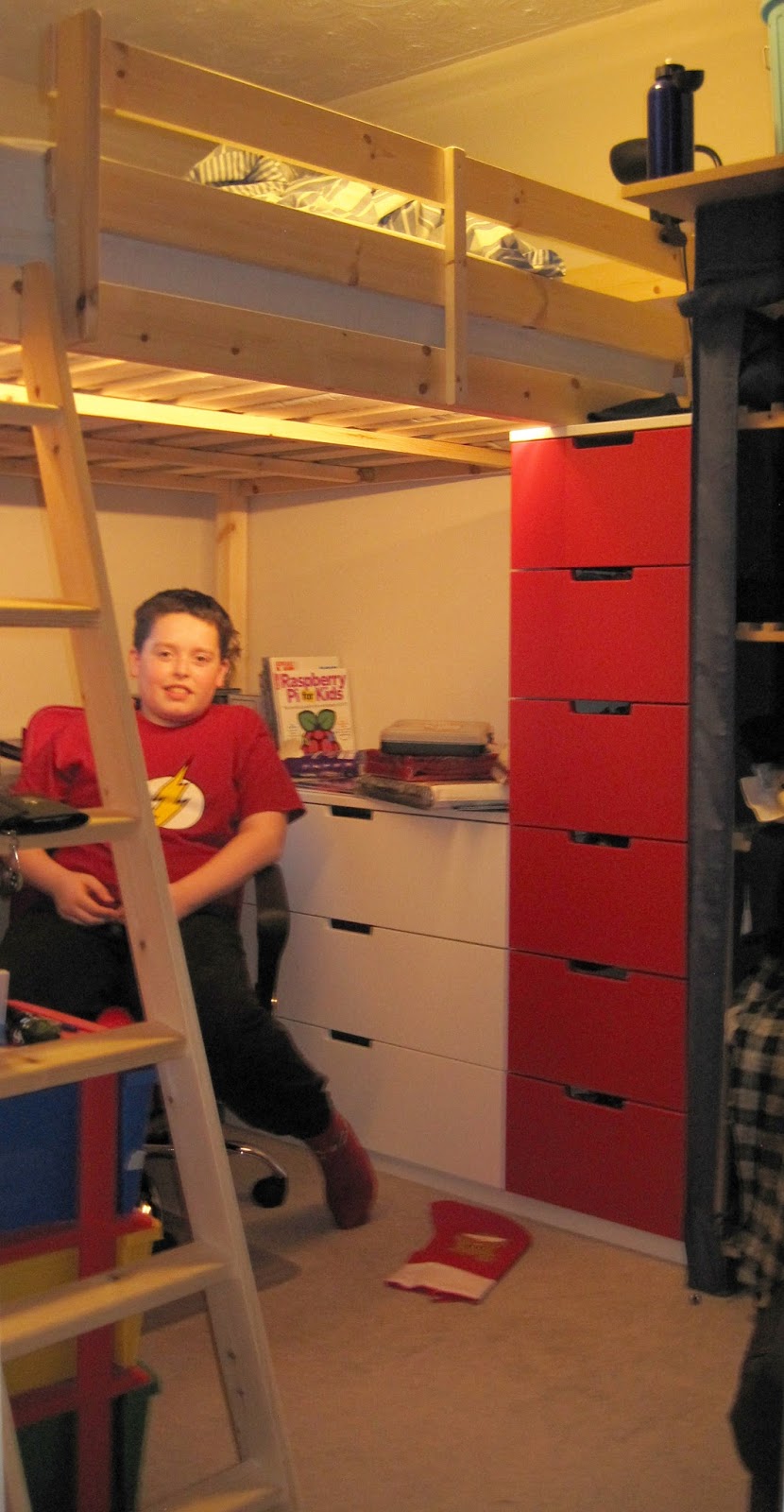
Joshua in his completed roomThe holidays this year afforded me some time to finish the boys bedrooms. They both got loft beds with a substantial area underneath. This allows them both to have double beds along with a desk and plenty of storage. Completing the rooms required the construction of some flat pack furniture which rather than simply do myself I supervised the boys doing it themselves.

Alexander building flat pack furniture
Teaching them by letting them get on with it was a surprisingly effective and both of them got the hang of the construction method pretty quickly. There was only a couple of errors from which they learned immediately and did not repeat (draw bottoms having a finished side and front becomes back when you are constructing upside down)

Joshua assembling flat pack furniture
The house is starting to feel like home and soon all the problems will fade from memory while the good will remain. Certainly our first holiday season has been comfortable here and I look forward to many more re-reading our books.

Russ Allbery: Review: The Outskirter's Secret

Review: The Outskirter's Secret, by Rosemary Kirstein
Series: Steerswomen #2
Publisher: Del Rey
Copyright: 1992, 2001
Printing: 2001
ISBN: 0-345-46105-3
Format: Trade paperback
Pages: 389
This is a direct sequel to The Steerswoman, and I don't recommend starting here. I read this novel as part of The Steerswoman's Road omnibus, which is the edition reflected in the metadata (except for the page count, which is just this novel). There are a few plot constructs that occur depressingly often in SFF and almost always annoy me. One is books where nearly all of the book is just a journey from one place to another, without much interesting landscape along the way. Subtract additional points if the land is hostile and there are constant worries about food. Another is illness, or being unable to trust one's senses, or, worse, both. Somehow, this book manages to do both of those things and was still thoroughly enjoyable. This is exceptionally rare. After the conclusions reached in the previous book, Rowan and Bel are even more determined to reach the origin of the jewels on Bel's belt and gather more information. This means travel into the Outskirts, where Rowan has never been (and where people from the Inner Land almost never go). It also means close contact with Bel's people, who have an entirely different set of social rituals and who are notoriously prickly. Nearly all of The Outskirter's Secret is travel through the Outskirts while navigating Outskirter society, politics, and customs. It's anthropological fiction of a sort, particularly given the inquisitive and analytical mindset that Rowan brings to anything new. Anthropological SFF is another one of those things that normally leaves me cold, but which totally worked for me in this book. I rarely remember being this engaged in, or caring this much about, the customs and traditions of an invented and relatively primitive culture. Partly this is because Rowan's mindset continues to be fascinating and contagious. I kind of want to compare this series to Neal Stephenson's Anathem, but where Stephenson's novel was about the practice of organized science, the Steerswomen series is about the individual scholar and scientist. This could go badly in the hands of a lesser author, but Kirstein brilliantly balances analysis and theories with Rowan's child-like wonder in learning, peculiar and determined ethics, and emotional growth. She isn't a disinterested observer or an engineer with a wrench. She lets the world change her, works hard at finding her place and her own strength, and engages with it emotionally as much as she does intellectually. She's a wonderfully compelling character. Another significant factor to this book's success is the slow and deliberate way Kirstein mixes world-building revelations with the day-to-day struggles of the characters. There's much more to that than just the target of Rowan's investigations, and far more complexity and significance to the Outskirters than showed in first appearances. The world is also set up in a way that lets the readers guess various details before the characters, with their more limited knowledge, can work out: another tricky technique that Kirstein gets almost perfect. I never wanted to shake the characters for being dumb; usually, both Rowan and Bel leap to correct conclusions just shortly after the reader, and long before the reader is tired of following their thought processes. There was only one bit of world-building that took Rowan most of the book to figure out despite being obvious to me early in this novel, and I think that one was fair. She didn't have anywhere near enough information to work it out. Bel continues to be wonderful in numerous ways. But even better, Kirstein introduces us to Bel's people and highlights both similarities and differences. It's an excellent job of building a complex culture that feels human: varied, tradition-laden, practical, but also well-adapted to their environment and situation, and far more sophisticated than they might appear. I'm normally a hard sell for this sort of thing, but Kirstein got me thoroughly invested. One scene late in this novel where a tribe welcomes a newcomer is masterful and probably my favorite single moment of the series so far. Once again, unfortunately, the conclusion is a bit less than satisfying. The characters come away knowing more, planning more, but still with numerous unanswered questions. This is not a series that's in a hurry to get to major plot payoffs. Instead, it's a series that takes a close look at the cultures, relationships, emotions, and lives that it touches, and describes them in deft and engaging ways. The Outskirter's Secret is even better than The Steerswoman. Recommended. I bought the third and fourth books while only a little ways into this one and am eager to read them. Followed by The Lost Steersman. Rating: 9 out of 10

26 December 2015

Russ Allbery: Review: The Steerswoman

Review: The Steerswoman, by Rosemary Kirstein
Series: Steerswomen #1
Publisher: Del Rey
Copyright: 1989, 2003
Printing: 2003
ISBN: 0-345-46105-3
Format: Trade paperback
Pages: 264
I read this novel as part of The Steerswoman's Road omnibus, which is the edition reflected in the metadata (except for the page count, which is just this novel). Rowan is a steerswoman, a member of an order of traveling scholars in a world of generally medieval customs. This is a world of small villages and town blacksmiths, of swords, sailing ships, and lots of walking. Steerswomen (the order does include some men, but only rarely; the gender balance is left delightfully unexplained and unremarked) mostly travel routes through the Inner Lands until they decide to retire and do research and study. Sometimes, though, they get on the trail of something unexplained, and are driven to explain it. That's the case for Rowan at the start of this book: she's run across several peculiar flat jewels. No one seems to know what they are, their pattern of distribution is odd, and they're discovered in some decidedly strange places, such as embedded deep in a tree. It's a puzzle, and Rowan is determined to understand it. The Steerswoman opens with Rowan investigating a jewel owned by an innkeeper, and a chance meeting in his inn with an Outskirter who wears a whole belt of the same jewels. The Outskirters are nomadic tribes from the far west known for their prickly attitude, their ability in warfare, and their occasional raids. Those who live in the Inner Lands consider them barbarians. But Bel is curious, thoughtful, and happy to tell Rowan of the origin of her belt: her father found a huge number of the jewels embedded in the side of a cliff, far into the Outskirts. Rowan is immediately tempted to go there, but she has to report to the Archives first. Much to her surprise, Bel asks to accompany her. And then wizards start trying to kill them. The steerswomen are Kirstein's best bit of world-building and the anchor around which the rest of the story is told. Steerswomen have to answer all questions they're asked, truthfully. In return, they can ask a question of anyone and have to be answered truthfully. If anyone refuses to answer, or tells a deliberate lie, they're placed under the steerswomen's ban, and no steerswoman will answer their questions. This is woven deep into the culture of the Inner Lands... except for the wizards, who refuse to explain what they're doing or how to anyone, are under the ban, and don't care. They protect cities from dragons, build magical lighting, and occasionally start wars with other wizards in which numerous people die. They're effectively the rulers of this world insofar as it has rulers, and they're apparently quite interested in Rowan's search for these unexplained jewels. Rowan is a wonderful character. At the start of the book, she's the only steerswoman that the reader knows, so much of her early behavior is also world-building, showing us steerswomen. But as the story develops, we meet other steerswomen and Rowan develops into her own character: innocent in a way, but determined, ethical, and with a very deep store of self-knowledge and inner contemplation. I found the middle part of the book somewhat frustrating for the same reasons Rowan did. The ending lets her shine, in her own way, and it's deeply satisfying. The Steerswoman does pick up a third character along the way, a young boy named Will who hopes to become a wizard's apprentice, and to whom I never warmed. Part of the problem was structural: he's very suspicious of characters that the reader knows are entirely honorable. This is a difficult tone to pull off without irritating me, and Kirstein doesn't quite manage. She also shifts the story to the Will's perspective from time to time, and I never found his viewpoint very interesting. I warmed to him a bit by the climax, but I still don't think he added much to the story. Bel, though... Bel competes with Rowan as best character of this book. The other characters all have roles to play: Rowan is the steerswoman, integral to the world-building, and Will exemplifies another corner of the analytical process so central to this book and represents the appeal of the wizards. But Bel is just herself: irreverent, curious, loyal, dangerous, decisive, and adventurous. Rowan is the heart of the book and the primary protagonist, but I think Bel is its soul. I haven't said too much about the themes of this book, intentionally. Kirstein is doing something very interesting and subtle with the reader's expectations of a medieval world with wizards, and I think it's better experienced without spoilers. But it's also a character-driven story, a story of unlikely friendship between two very different women, and a story about the value of being true to yourself even when it's exceptionally dangerous. Rowan delighted me immediately, Bel grew on me over the course of the story, and the rough patches in the middle of the book faded in comparison to an excellent ending. Unfortunately, this is only part of a story. There is a climax, and we do know what the jewels are by the end of the book. But the journey has raised many more questions, most of which are not solved. The world has become far more complicated. Rowan has a lot left to learn and investigate. I recommend the omnibus, or getting the ebooks from Amazon where you can quickly get more, because you'll probably want to immediately start the second book. Followed by The Outskirter's Secret. Rating: 8 out of 10

24 December 2015

Clint Adams: Before the Tet Offensive

Kurt has trouble keeping his mouth shut. This became widely apparent when he was expelled from Catholic school for telling a visiting dignitary to go fuck himself. WB used to preach angrily against casual sex. Kurt enlisted in the Army, and due to his high IQ he ended up in the Army Security Agency. After training, he was stationed in Germany where he performed signals intelligence functions like direction finding and passing on information to the CIA and NSA. One day WB shagged a boy with a leather hat. Contrary to what one might assume, Kurt had awareness of consequences. He refused officer training because that would have extended his commitment from 4 to 6 years. He purposefully flunked his French language proficiency exam. He wanted there to be no chance of him getting transferred to Vietnam. The following day, WB found herself confronted and asked to explain why she had had a change of heart about casual sex. Oh, it wasn't casual sex, she explained. He came over and said, I've been dying to make love with you for the past three hours, so it was special, she clarified. Thus the nature of the past communication failure became clear to everyone but WB. Despite all his efforts to avoid Vietnam, Kurt, of course, had trouble keeping his mouth shut. So in 1967 he pissed off the wrong person and found himself having to choose between Leavenworth and Saigon. He chose life of alcoholism over prison.

21 December 2015

Matthew Garrett: GPL enforcement is a social good

The Software Freedom Conservancy is currently running a fundraising program in an attempt to raise enough money to continue funding GPL compliance work. If they don't gain enough supporters, the majority of their compliance work will cease. And, since SFC are one of the only groups currently actively involved in performing GPL compliance work, that basically means that there will be nobody working to ensure that users have the rights that copyright holders chose to give them.

Why does this matter? More people are using GPLed software than at any point in history. Hundreds of millions of Android devices were sold this year, all including GPLed code. An unknowably vast number of IoT devices run Linux. Cameras, Blu Ray players, TVs, light switches, coffee machines. Software running in places that we would never have previously imagined. And much of it abandoned immediately after shipping, gently rotting, exposing an increasingly large number of widely known security vulnerabilities to an increasingly hostile internet. Devices that become useless because of protocol updates. Toys that have a "Guaranteed to work until" date, and then suddenly Barbie goes dead and you're forced to have an unexpected conversation about API mortality with your 5-year old child.

We can't fix all of these things. Many of these devices have important functionality locked inside proprietary components, released under licenses that grant no permission for people to examine or improve them. But there are many that we can. Millions of devices are running modern and secure versions of Android despite being abandoned by their manufacturers, purely because the vendor released appropriate source code and a community grew up to maintain it. But this can only happen when the vendor plays by the rules.

Vendors who don't release their code remove that freedom from their users, and the weapons users have to fight against that are limited. Most users hold no copyright over the software in the device and are unable to take direct action themselves. A vendor's failure to comply dooms them to having to choose between buying a new device in 12 months or no longer receiving security updates. When yet more examples of vendor-supplied malware are discovered, it's more difficult to produce new builds without them. The utility of the devices that the user purchased is curtailed significantly.

The Software Freedom Conservancy is one of the only organisations actively fighting against this, and if they're forced to give up their enforcement work the pressure on vendors to comply with the GPL will be reduced even further. If we want users to control their devices, to be able to obtain security updates even after the vendor has given up, we need to keep that pressure up. Supporting the SFC's work has a real impact on the security of the internet and people's lives. Please consider giving them money.

comment count unavailable comments

Jonas Smedegaard: SOME DESCRIPTIVE TITLE

# Copyright (C) YEAR Free Software Foundation, Inc. # This file is distributed under the same license as the PACKAGE package. # FIRST AUTHOR , YEAR. # #, fuzzy msgid "" msgstr "" "Project-Id-Version: PACKAGE VERSION\n" "POT-Creation-Date: 2015-12-21 15:00+0100\n" "PO-Revision-Date: YEAR-MO-DA HO:MI+ZONE\n" "Last-Translator: FULL NAME \n" "Language-Team: LANGUAGE \n" "Language: \n" "MIME-Version: 1.0\n" "Content-Type: text/plain; charset=UTF-8\n" "Content-Transfer-Encoding: 8bit\n" #. type: Title # #, no-wrap msgid "I want your input" msgstr "" #. type: Plain text #, no-wrap msgid "\n" msgstr "" #. type: Plain text #, no-wrap msgid "\n" msgstr "" #. type: Plain text msgid "You want to share an opinion with me, or raise a question?" msgstr "" #. type: Plain text msgid "Great, please do: I love exchanging opinions and ideas." msgstr "" #. type: Plain text msgid "" "You can [contact me discretely][]. Please consider, however, to speak in " "public instead, allowing others to benefit from our exchange." msgstr "" #. type: Plain text msgid "" "Don't worry if it is interesting to others - the World is big and someone " "somewhere always cares!" msgstr "" #. type: Plain text msgid "[contact me discretely]:" msgstr "" #. type: Title ## #, no-wrap msgid "Email - encourages reflection" msgstr "" #. type: Plain text msgid "Post to a public mailinglist." msgstr "" #. type: Plain text msgid "" "If uncertain that I am subscribed to the list, or if you want my special " "attention (but think twice if that's really needed!), add my [private " "mail](mailto:dr@jones.dk) as cc." msgstr "" #. type: Title ## #, no-wrap msgid "Chat - more casual" msgstr "" #. type: Plain text msgid "" "I am also [reachable via chat][]. Chat is nice for shorter " "questions/comments, and when you need to discuss what you want to say at " "all." msgstr "" #. type: Plain text msgid "[reachable via chat]:" msgstr "" #. type: Title ## #, no-wrap msgid "Blog - best for reuse" msgstr ""

Jonas Smedegaard: SOME DESCRIPTIVE TITLE

# Copyright (C) YEAR Free Software Foundation, Inc. # This file is distributed under the same license as the PACKAGE package. # FIRST AUTHOR , YEAR. # #, fuzzy msgid "" msgstr "" "Project-Id-Version: PACKAGE VERSION\n" "POT-Creation-Date: 2015-12-21 15:00+0100\n" "PO-Revision-Date: YEAR-MO-DA HO:MI+ZONE\n" "Last-Translator: FULL NAME \n" "Language-Team: LANGUAGE \n" "Language: \n" "MIME-Version: 1.0\n" "Content-Type: text/plain; charset=UTF-8\n" "Content-Transfer-Encoding: 8bit\n" #. type: Title # #, no-wrap msgid "issues handling issues" msgstr "" #. type: Plain text #, no-wrap msgid "\n" msgstr "" #. type: Plain text #, no-wrap msgid "\n" msgstr "" #. type: Plain text msgid "" "I get lots of emails, some of which are "issues": Friends, colleagues, " "clients and machines tell me about stuff that is broken. and ask for new " "features." msgstr "" #. type: Plain text msgid "I currently handle issues somewhat like this:" msgstr "" #. type: Plain text #, no-wrap msgid "[[!graph src="""\n" msgstr "" #. type: Plain text #, no-wrap msgid "" "rankdir=LR\n" "inbox [label="incoming mails"]\n" "todobox [label="mail threads about issues"]\n" "issueboxes [label="issue-mails grouped by project" style=dotted]\n" "solve [label="fix issue"]\n" "archivebox [label="archived mails"]\n" "inbox -> todobox\n" "todobox -> issueboxes [style=dotted]\n" "todobox -> solve\n" "todobox -> archivebox\n" msgstr "" #. type: Plain text msgid "FIXME: Describe graf in steps." msgstr "" #. type: Plain text msgid "" "The idea was to organize issues in queues per project, but organizing emails " "requires understanding them, and that takes time: Too often I end up " "skipping that task, leading to weak overview of pending issues." msgstr "" #. type: Plain text msgid "Here's" msgstr "" #. type: Plain text #, no-wrap msgid "" "rankdir=LR\n" "inbox [label="incoming mails"]\n" "todobox [label="mail threads about issues"]\n" "new [label="unprocessed issues"]\n" "open [label="open issues"]\n" "solve [label="fix issue"]\n" "inbox -> todobox -> archivebox\n" "todobox -> new -> open\n" "open -> solve\n" "open -> done\n" msgstr ""

20 December 2015

Lunar: Reproducible builds: week 34 in Stretch cycle

What happened in the reproducible builds effort between December 13th to December 19th: Infrastructure Niels Thykier started implementing support for .buildinfo files in dak. A very preliminary commit was made by Ansgar Burchardt to prevent .buildinfo files from being removed from the upload queue. Toolchain fixes Mattia Rizzolo rebased our experimental debhelper with the changes from the latest upload. New fixes have been merged by OCaml upstream. Packages fixed The following 39 packages have become reproducible due to changes in their build dependencies: apache-mime4j, avahi-sharp, blam, bless, cecil-flowanalysis, cecil, coco-cs, cowbell, cppformat, dbus-sharp-glib, dbus-sharp, gdcm, gnome-keyring-sharp, gudev-sharp-1.0, jackson-annotations, jackson-core, jboss-classfilewriter, jboss-jdeparser2, jetty8, json-spirit, lat, leveldb-sharp, libdecentxml-java, libjavaewah-java, libkarma, mono.reflection, monobristol, nuget, pinta, snakeyaml, taglib-sharp, tangerine, themonospot, tomboy-latex, widemargin, wordpress, xsddiagram, xsp, zeitgeist-sharp. The following packages became reproducible after getting fixed: Some uploads fixed some reproducibility issues, but not all of them: Patches submitted which have not made their way to the archive yet: reproducible.debian.net Packages in experimental are now tested on armhf. (h01ger) Arch Linux packages in the multilib and community repositories (4,000 more source packages) are also being tested. All of these test results are better analyzed and nicely displayed together with each package. (h01ger) For Fedora, build jobs can now run in parallel. Two are currently running, now testing reproducibility of 785 source packages from Fedora 23. mock/1.2.3-1.1 has been uploaded to experimental to better build RPMs. (h01ger) Work has started on having automatic build node pools to maximize use of armhf build nodes. (Vagrant Cascadian) diffoscope development Version 43 has been released on December 15th. It has been dubbed as epic! as it contains many contributions that were written around the summit in Athens. Baptiste Daroussin found that running diffoscope on some Tar archives could overwrite arbitrary files. This has been fixed by using libarchive instead of Python internal Tar library and adding a sanity check for destination paths. In any cases, until proper sandboxing is implemented, don't run diffosope on unstrusted inputs outside an isolated, throw-away system. Mike Hommey identified that the CBFS comparator would needlessly waste time scanning big files. It will now not consider any files bigger than 24 MiB 8 MiB more than the largest ROM created by coreboot at this time. An encoding issue related to Zip files has also been fixed. (Lunar) New comparators have been added: Android dex files (Reiner Herrmann), filesystem images using libguestfs (Reiner Herrmann), icons and JPEG images using libcaca (Chris Lamb), and OS X binaries (Clemens Lang). The comparator for Free Pascal Compilation Unit will now only be used when the unit version matches the compiler one. (Levente Polyak) A new multi-file HTML output with on-demand loading of long diffs is available through the --html-dir option. On-demand loading requires jQuery which path can be specified through the --jquery option. The diffs can also be simply browsed for non-JavaScript users or when jQuery is not available. (Joachim Breitner) Example of on-demand loading in diffosope Portability toward other systems has been improved: old versions of GNU diff are now supported (Mike McQuaid), suggestion of the appropriate locale is now the more generic en_US.UTF-8 (Ed Maste), the --list-tools option can now support multiple systems (Mattia Rizzolo, Levente Polyak, Lunar). Many internal changes and code clean-ups have been made, paving the way for parallel processing. (Lunar) Version 44 was released on December 18th fixing an issue affecting .deb lacking a md5sums file introduced in a previous refactoring (Lunar). Support has been added for Mozilla optimized Zip files. (Mike Hommey). The HTML output has been optimized in size (Mike Hommey, Esa Peuha, Lunar), speed (Lunar), and will now properly number lines (Mike Hommey). A message will always be displayed when lines are ignored at the end of a diff (Lunar). For portability and consistency, Python os.walk() function is now used instead of find to perform directory listing. (Lunar) Documentation update Package reviews 143 reviews have been removed, 69 added and 22 updated in the previous week. Chris Lamb reported 12 new FTBFS issues. News issues identified this week: random_order_in_init_py_generated_by_python-genpy, timestamps_in_copyright_added_by_perl_dist_zilla, random_contents_in_dat_files_generated_by_chasen-dictutils_makemat, timestamps_in_documentation_generated_by_pandoc. Chris West did some improvements on the scripts used to manage notes in the misc repository. Misc. Accounts of the reproducible builds summit in Athens were written by Thomas Klausner from NetBSD and Hans-Christoph Steiner from The Guardian Project. Some openSUSE developers are working on a hackweek on reproducible builds which was discussed on the opensuse-packaging mailing-list.

Lars Wirzenius: Software Freedom Conservancy donation

I just donated to Software Freedom Conservancy as a supporter. They do great, important work in GPL enforcement, and they need some money to continue it. You can help, too: https://sfconservancy.org/supporter/. See also, https://bits.debian.org/2015/12/conservancy-fundraising-campaign.html.

Iustin Pop: Nikkor 200-500mm f5.6E ED VR tests

So, lately I've been on a telephoto lens learning curve; after the 300mm prime, I said to test a zoom lens. As I found the prime reasonably easy to adapt to (compared to shorter focal length lenses), I thought that a zoom (heavier, bigger) will be the same. Oh, I was wrong. My keeper rate for the first outdoors test was quite bad around 50% only, which (when talking only about focus/sharpness) is much below my standards. I started easy; some close or medium range shots, nothing special: Usual flower picture Lonely snag But then, moving to further distances, things became less straightforward. Shooting two pictures each time meant that usually one of them was sharp, but the other not. I got really confused at this step; the shutter speed was 1/2000s and I also had VR on; either VR was unneeded (i.e. contributing blur instead of helping) or something else was going on. After much head scratching, I think it's a combination of the following factors: So, for such style of shooting, I need to train more both photographic technique and arm strength at the gym In the meantime, it is possible to get such shots reasonably sharp, for example this picture of the (start of the) Alps taken from what is technically still Z rich city: The Alps  viewed from Z rich! I'm happy with the detail (at this distance), however I was not able to correct the colour due to the haze between me and the mountains; note that the trees on the bottom of the distance were not near me, but on the next or after-next hill. This picture confirms that with more practice things will get better. Coming back to shorter distances, and shorter focal lengths, things are looking better. We were passing somewhat near some people playing with RC-controlled planes not near enough to hear them, but near enough to see the plane quickly flying. Switched camera quickly to AF-C and Dynamic-21 focus, and - to my surprise - I was able to capture four good pictures, two so-so and four more clearly out of focus. But, for such a heavy length, hand-held and on the short notice, I was happy; the first picture is one of the so-so ones, but I kept it as I like the way the propeller is seen. All pictures at 290mm plus some cropping, 1/1250s, ISO between 900 and 1800, f/5.6 (i.e wide open): RC plane: continous focus tests RC plane #2 RC plane #3: good results! RC plane #4 RC plane #5: landing? From this exercise, the conclusion is that the lens is OK-ish for tracking, although the not-so good keeper rate tells me that I need to be careful; I'll have to see how a subject moving not left-right, but instead approaching or moving away from the camera would be tracked. But enough pictures of small planes. At 500mm, but still somewhat close, trees: Trees @ 500mm At this step I'm starting to wonder if stopping down a bit would help with the sharpness; I'll have to test that in the future. Walking some more, finally a bird in flight; one of the hopes when I took the camera/lens out was that I'll see some birds, but this was the first. 500mm, heavily cropped, but quite good result for myself (same autofocus settings as before): Bird in flight @ 500mm Bird in flight: difficult light The only problem here is, as always with crows (I think these are crows), is the black bird against the light-blue sky (not even strong blue), which means the picture has a high dynamic range; recovering the shadows on the bird is difficult. But in any case, it's clear the lens can deliver, if the photographer is good. Next, a helicopter was gracious enough to pass by (pretty close): Helicopter: close shot Two minutes later, it was quite far, but since it was going in the direction of the Alps, it gave the opportunity for a nice shot: Helicopter: flying towards the Alps This picture is less sharp, but still I like it due to composition; not successful on small screens though, only if you see it full screen. Light is very difficult though and about 10 seconds earlier would have been even better (more separation between the helicopter and the mountain). And since we're talking about planes, let's see a plane at 500m, directly overhead, and quite high: High-flying plane This picture (@500mm, cropped, 1/2000s) has the most detail of a plane flying high enough to have trails (not sure how to estimate, but at least 5km, maybe more around 7-8 I'd say) that I ever took. So yes, the lens can deliver, but it's not easy. This shot, being shot more or less straight up, had the least distance through low-altitude atmosphere, so it has less problems compared to the mountains pictures. It's still not really sharp (lens wide open), but the amount of detail I'm sold :) And to finish on a more close note: Hunting!! A long focal length lens allows one to get "close" without getting close, which means animals are not disturbed. The first picture with the cat (not shown) had the cat less alert; ears not fully up, although eyes were still seeking; this picture shows it fully alert and concentrated, like it was a wild cat hunting for its survival, and not a city cat, out just for fun. So, summary: All the best to everybody for the coming holidays, and thanks for reading.

Jose M. Calhariz: Preview of amanda 3.3.7p1-1

Currently, as of today, amanda on sid is not installable because of a dependency on perl5 instead of perl. While I sort out a sponsor, my sponsor is very busy, here is a preview of the new packages. So anyone can install and test them and work around bug #808209. The source of the packages is in collab-maint. The debs files are here:

18 December 2015

Joachim Breitner: A multitude of early Christmas presents

Today was a nice day with a surprising number of early Christmas presents:

17 December 2015

Iain R. Learmonth: YubiKey NEO as an OpenPGP token

I was first interested in the idea of using a smartcard to store OpenPGP subkeys when I joined the Free Software Foundation Europe as a Fellow and recieved my FSFE Fellowship Card. By performing all cryptographic operations on the smartcard it would remove almost all the routes by which the secret key material could be compromised as the host operating system never has access to that secret material. I decided that this was something I wanted to try out and I purchased two Cherry G83-6644 keyboards. One of the nice things I noticed about this product was that it was both FIPS 201 approved and GOST R approved. If both the Americans and the Russians could agree it was a good keyboard, it had a good chance of being a good keyboard. A little udev magic to handle permissions and the card worked great, but there was a problem. This was not the most friendly form-factor and a USB keyboard was a bit big to be carrying around to use the smartcard with my laptop. I intended to get a smaller reader for my laptop but never did and the Fellowship card fell into disuse. Later, I came across the YubiKey NEO. The YubiKey NEO is capable of emulating an OpenPGP smartcard, just like the Fellowship card, but in the form-factor of a USB stick. This improved form factor was enough to make me give it a go. Since August 2015 I've been using a YubiKey NEO to store my OpenPGP subkeys and, excluding some occasional udev mishaps, it's been working great. When you first get the YubiKey NEO, it does not have the OpenPGP applet enabled. You'll need to enable it yourself using the ykpersonalize tool:
sudo apt install yubikey-personalization  
sudo ykpersonalize -m 82  
Once you've enabled the OpenPGP module, the USB product ID will change, and you can now add a udev rule that will allow you to interact with the device when it's plugged in as your normal user.
/etc/udev/rules.d/99-yubikeys.rules:
------------------------------------
SUBSYSTEMS=="usb", ATTRS idVendor =="1050",ATTRS idProduct =="0111", OWNER="irl"  
This is not the correct way to do this. I've set it so that any YubiKey with the OpenPGP module inserted is set to be owned by my username (irl) when the correct way to do this would be to have it set to the current console user. I do not know enough udev magic to know how to do that. UPDATE: I recieved a lot of good feedback on this, which you can find here. Of course, for my key 0xE9846C49, this key started life as an ordinary key just stored on my laptop, so seperating subkeys onto the YubiKey has not massively increased security as an attacker that has stolen the secret key material can generate new subkeys. I would hopefully notice these new rogue subkeys (I do monitor keyservers for changes to my key regularly), but I would prefer to make the possibility of the key being compromised as low as possible. For this reason I am performing a key transition to a new key, F540ABCD, where the master key is stored offline. In my next post, hopefully within a day or so, I'll explain how I used Tails to generate a key offline and load the subkeys into the YubiKey.

15 December 2015

Antoine Beaupr : Using a Yubikey NEO for SSH and OpenPGP on Debian jessie

I recently ordered two Yubikey devices from Yubico, partly because of a special offer from Github. I ordered both a Yubikey NEO and a Yubikey 4, although I am not sure I remember why I ordered two - you can see their Yubikey product comparison if you want to figure that out, but basically, the main difference is that the NEO has support for NFC while the "4" has support for larger RSA key sizes (4096). This article details my experiment on the matter. It is partly based on first hand experience, but also links to various other tutorials that helped me along the way. Especially thanks to folks on various IRC channels that really helped me out in understanding this. My objective in getting a hardware security token like this was three-fold:
  1. use 2FA on important websites like Github, to improve the security of critical infrastructure (like my Borg backup software)
  2. login to remote SSH servers without exposing my password or my private key material on third party computers
  3. store OpenPGP key material on the key securely, so that the private key material can never be compromised
To make a long story short: this article documents step 2 and implicitly step 3 (because I use OpenPGP to login to SSH servers). However it is not possible to use the key on arbitrary third party computers, given how much setup was necessary to make the thing work at all. 2FA on the Github site completely failed, but could be used on other sites, although this is not covered by this article. I have also not experimented in details the other ways the Yubikey can also be used (sorry for the acronym flood) as: Update: OATH works! It is easy to configure and i added a section below.

Not recommended After experimenting with the device and doing a little more research, I am not sure it was the right decision to buy a Yubikey. I would not recommend buying Yubikey devices because they don't allow changing the firmware, making the device basically proprietary, even in the face of an embarrassing security vulnerability on the Yubikey NEO that came out in 2015. A security device, obviously, should be as open as the protocols it uses, otherwise it's basically impossible to trust that the crypto hasn't been backdoored or compromised, or, in this case, is vulnerable to the simplest drive-by attacks. Furthermore, it turns out that the primary use case that Github was promoting is actually not working as advertised: to use the Yubikey on Github, you actually first need to configure 2FA with another tool, either with your phone's text messages (SMS) or with something like Google Authenticator. After contacting Github support, they explained that the Yubikey is seen as a "backup device", which seems really odd to me, especially considering the promotion and the fact that I don't have a "smart" (aka "Google", it seems these days) phone or the desire to share my personal phone number with Github. Finally, as I mentioned before, the fact that those devices are fairly new and the configuration necessary to make them work at all is completely obtuse, non-standardized or at least not available by default on arbitrary computers makes them basically impossible to use on other computers than your own specially crafted gems.

Plugging it in The Yubikey, when inserted into a USB port, seems to be detected properly. It shows up both as a USB keyboard and a generic device.
d c 14 17:23:26 angela kernel: input: Yubico Yubikey NEO OTP+U2F as /devices/pci0000:00/0000:00:12.0/usb3/3-2/3-2:1.0/0003:1050:0114.0016/input/input127
d c 14 17:23:26 angela kernel: hid-generic 0003:1050:0114.0016: input,hidraw3: USB HID v1.10 Keyboard [Yubico Yubikey NEO OTP+U2F] on usb-0000:00:12.0-2/input0
d c 14 17:23:26 angela kernel: hid-generic 0003:1050:0114.0017: hiddev0,hidraw4: USB HID v1.10 Device [Yubico Yubikey NEO OTP+U2F] on usb-0000:00:12.0-2/input1
We'll be changing this now - we want to to support OTP, U2F and CCID. Don't worry about those acronyms now, but U2F is for the web, CCID is for GPG/SSH, and OTP is for the One Time Passwords stuff mentionned earlier. I am using the Yubikey Personalization tool from stretch because the jessie one is too old, according to Gorzen. Indeed, I found out that the jessie version doesn't ship with the proper udev rules. Also, note that we need to run as sudo otherwise we get a permission denied:
$ sudo apt install yubikey-personalization/stretch
$ sudo ykpersonalize -m86
Firmware version 3.4.3 Touch level 1541 Program sequence 1
The USB mode will be set to: 0x86
Commit? (y/n) [n]: y
To understand better what the above does, see the NEO composite device documentation. The next step is to reconnect the key, for the udev rules to kick in. If you were like me, you enthusiastically plugged in the device before installing the yubikey-personalization package, and the udev rules were not present then.

Configuring a PIN Various operations will require you to enter a PIN when talking to the key. The default PIN is 123456 and the default admin PIN is 12345678. You will want to change that, otherwise someone that gets a hold of your key could do any operation without your consent. For this, you need to use:
$ gpg --card-edit
> passwd
> admin
> passwd
Be sure to remember those passwords! Of course, the key material on the Yubikey can be revoked when you loose the key, but only if you still have control of the master key, or if you have a OpenPGP revocation certification (which you should have).

Configuring GPG To do OpenPGP operations (like decryption, signatures and so on), or SSH operations (like authentication on a remote server), you need to talk with GPG. Yes, OpenPGP keys are RSA keys that can be used to authenticate with SSH servers, that's not new and I have already been doing this with Monkeysphere for a while. Now the challenge is how to make GPG talk with the Yubikey. So the next step is to see if gpg can see the key alright, as described in the Yubikey importing keys howto - you will need first to install scdaemon and pcscd (according to this howto) for gpg-agent to be able to talk with the key:
$ sudo apt install scdaemon gnupg-agent pcscd
$ gpg-connect-agent --hex "scd apdu 00 f1 00 00" /bye
ERR 100663404 Card error <SCD>
Well that failed. At this point, touching the key types a bunch of seemingly random characters wherever my cursor is sitting - fun but totally useless still. That was because I failed to reconnect the key: make sure the udev rules are in place and reconnect the key, the above should work:
$ gpg-connect-agent --hex "scd apdu 00 f1 00 00" /bye
D[0000]  01 00 10 90 00                                     .....
OK
This shows it is running the firmware 1.10, which is not vulnerable to the infamous security issue. (Note: I also happened to install opensc and gpgsm because of this suggestion but I am not sure they are required at all.)

Using SSH To make GPG work with SSH, you need somehow to start gpg-agent with ssh support, for example with:
gpg-agent --daemon --enable-ssh-support bash
Of course, this will work better if it's started with your Xsession. Such an agent should already be started, so you just need to add the ssh emulation to its configuration file and restart your X session.
echo 'enable-ssh-support' >> .gnupg/gpg-agent.conf
In Debian Jessie, the ssh-agent wrapper will not start if it detects that you have already one running (for example from gpg-agent) but if that fails, you can try commenting out use-ssh-agent from /etc/X11/Xsession.options to keep it from starting up in your session. (Thanks to stackexchange for that reference.) Here I assume you have already created an authentication subkey on your PGP key. If you haven't, I suggest trying out simply monkeysphere gen-subkey, which will generate an authentication subkey for you. You can also do it by hand by following one of the OpenPGP/SSH tutorials from Yubikey, especially the more complete one. If you are going to generate a completely new OpenPGP key, you may want to follow this simpler tutorial here. Then you need to move your authentication subkey to the Yubikey. For this, you need to edit the key and use the keytocard command:
$ gpg2 --edit-key anarcat@debian.org
> toggle
> key 2
> keytocard
> save
Here, we use toggle to show the OpenPGP private key material. You should see a key marked with A for Authentication. Mine was the second one so I selected it with key 2 which put a star next to it. The keytocard command moved it to the key and save ensure the key was removed from the local keyring. Obviously, backups are essential before doing this, because it's perfectly possible to loose that key in the process, for example if you destroy or lose the key or forget the password. It's probably better to create a completely different authentication subkey for just this purpose, but that may require reconfiguring all remote SSH hosts, and you may not want to do that. Then SSH should magically talk with the GPG agent and ask you for the PIN! That's pretty much all there is to it - if it doesn't, it means that gpg-agent is not your SSH agent, and obviously things will fail... Also, you should be able to see the key being loaded in the agent when it is:
$ ssh-add -l
2048 23:f3:be:bf:1e:da:e8:ad:4b:c7:f6:60:5e:03:c2:a6 cardno:000603647189 (RSA)
.. that's about it! I have yet to cover 2FA and OpenPGP support, but that got me going for a while and I'll stop geeking around with that thing for now. It was fun, for sure, but not sure it's worth it for now.

Using OATH This is pretty neat: it allows you to add two factor authentication to a lot of things. For example, PAM has such a module, which I will configure here to allow myself to login to my server from untrusted machines. While I will expose my main password to keyloggers, the OTP password will prevent that from being reused. This is a simplified version of this OATH tutorial. We install the PAM module with:
sudo apt install libpam-oath
Then, we can hook it into any PAM consumer, for example with sshd:
--- a/pam.d/sshd
+++ b/pam.d/sshd
@@ -1,5 +1,8 @@
 # PAM configuration for the Secure Shell service
+# for the yubikey
+auth required pam_oath.so usersfile=/etc/users.oath window=5 digits=8
+
 # Standard Un*x authentication.
 @include common-auth
We also needed to allow OTP passwords in sshd explicitely, with:
ChallengeResponseAuthentication yes
This will force the user to enter a valid oath token on the server. Unfortunately, this will affect all users, regardless of whether they are present in the users.oath file. I filed bug #807990 regarding this, with a patch. Also, it means the main password is still exposed on the client machine - you can use the sufficient keyword instead of required to workaround that, but then it means anyone with your key can login to your machine, which is something to keep in mind. The /etc/users.oath file needs to be created with something like:
#type   username        pin     start seed
HOTP    anarcat -   00
00 is obviously a fake, and insecure string. Generate a proper one with:
dd if=/dev/random bs=1k count=1   sha1sum # create a random secret
Then the shared secret needs to be added to the Yubikey:
ykpersonalize -1 -o oath-hotp -o oath-hotp8 -o append-cr -a
You simply paste the random secret you created above, when prompted, and that shared secret will be saved in a Yubikey slot for future use. Next time you login to the SSH server, you will be prompted for a OATH password, you just touch the button on the key and it will be pasted there:
$ ssh -o PubkeyAuthentication=no anarc.at
One-time password (OATH) for  anarcat':
Password:
[... logged in!]
Final note: the centralized file approach makes it hard, if not impossible, for users to update their own secret token.. It would be nice if there would be a user-accessible token file, maybe ~/.oath? Filed feature request #807992 about this as well.

13 December 2015

Jose M. Calhariz: at daemon now with SELinux support

Thanks to the work of Laurent Bigonville, now the at daemon have SELinux support. So here is a new release at 3.1.18. Please test it.

Chris Lamb: try.diffoscope.org

If you haven't already come across it, diffoscope is a tool that reveals what makes files or directories actually different. It recursively unpacks archives of many kinds, transforming binary formats into more human-readable forms in order to make it easier to compare them. It can compare two tarballs, ISO images, PDF, squashfs images, etc. Anyway, yesterday I hacked together try.diffoscope.org which lets anyone easily try out and share these in-depth comparisons using just a web browser. The underlying idea is not only to provide a useful service, but also that it will publicise and spread the usage of diffoscope, resulting in net improvements that will feed back into the Reproducible Builds effort. As usual, patches welcome.

Robert Edmonds: Works with Debian: Intel SSD 750, AMD FirePro W4100, Dell P2715Q

I recently installed new hardware in my primary computer running Debian unstable. The disk used for the / and /home filesystem was replaced with an Intel SSD 750 series NVM Express card. The graphics card was replaced by an AMD FirePro W4100 card, and two Dell P2715Q monitors were installed. Intel SSD 750 series NVM Express card This is an 800 GB SSD on a PCI-Express x4 card (model number SSDPEDMW800G4X1) using the relatively new NVM Express interface, which appears as a /dev/nvme* device. The stretch alpha 4 Debian installer was able to detect and install onto this device, but grub-installer 1.127 on the installer media was unable to install the boot loader. This was due to a bug recently fixed in 1.128:
grub-installer (1.128) unstable; urgency=high
  * Fix buggy /dev/nvme matching in the case statement to determine
    disc_offered_devfs (Closes: #799119). Thanks, Mario Limonciello!
 -- Cyril Brulebois <kibi@debian.org>  Thu, 03 Dec 2015 00:26:42 +0100
I was able to download and install the updated .udeb by hand in the installer environment and complete the installation. This card was installed on a Supermicro X10SAE motherboard, and the UEFI BIOS was able to boot Debian directly from the NVMe card, although I updated to the latest available BIOS firmware prior to the installation. It appears in lspci like this:
02:00.0 Non-Volatile memory controller: Intel Corporation PCIe Data Center SSD (rev 01)
(prog-if 02 [NVM Express])
    Subsystem: Intel Corporation SSD 750 Series [Add-in Card]
    Flags: bus master, fast devsel, latency 0
    Memory at f7d10000 (64-bit, non-prefetchable) [size=16K]
    Expansion ROM at f7d00000 [disabled] [size=64K]
    Capabilities: [40] Power Management version 3
    Capabilities: [50] MSI-X: Enable+ Count=32 Masked-
    Capabilities: [60] Express Endpoint, MSI 00
    Capabilities: [100] Advanced Error Reporting
    Capabilities: [150] Virtual Channel
    Capabilities: [180] Power Budgeting <?>
    Capabilities: [190] Alternative Routing-ID Interpretation (ARI)
    Capabilities: [270] Device Serial Number 55-cd-2e-41-4c-90-a8-97
    Capabilities: [2a0] #19
    Kernel driver in use: nvme
The card itself appears very large in marketing photos, but this is a visual trick: the photographs are taken with the low-profile PCI bracket installed, rather than the standard height PCI bracket which it ships installed with. smartmontools fails to read SMART data from the drive, although it is still able to retrieve basic device information, including the temperature:
root@chase 0 :~# smartctl -d scsi -a /dev/nvme0n1
smartctl 6.4 2015-06-04 r4109 [x86_64-linux-4.3.0-trunk-amd64] (local build)
Copyright (C) 2002-15, Bruce Allen, Christian Franke, www.smartmontools.org
=== START OF INFORMATION SECTION ===
Vendor:               NVMe
Product:              INTEL SSDPEDMW80
Revision:             0135
Compliance:           SPC-4
User Capacity:        800,166,076,416 bytes [800 GB]
Logical block size:   512 bytes
Rotation Rate:        Solid State Device
Logical Unit id:      8086INTEL SSDPEDMW800G4                     1000CVCQ531500K2800EGN  
Serial number:        CVCQ531500K2800EGN
Device type:          disk
Local Time is:        Sun Dec 13 01:48:37 2015 EST
SMART support is:     Unavailable - device lacks SMART capability.
=== START OF READ SMART DATA SECTION ===
Current Drive Temperature:     31 C
Drive Trip Temperature:        85 C
Error Counter logging not supported
[GLTSD (Global Logging Target Save Disable) set. Enable Save with '-S on']
Device does not support Self Test logging
root@chase 4 :~# 
Simple tests with cat /dev/nvme0n1 >/dev/null and iotop show that the card can read data at about 1 GB/sec, about twice as fast as the SATA-based SSD that it replaced. apt/dpkg now run about as fast on the NVMe SSD as they do on a tmpfs. Hopefully this device doesn't at some point require updated firmware, like some infamous SSDs have. AMD FirePro W4100 graphics card This is a graphics card capable of driving multiple DisplayPort displays at "4K" resolution and at a 60 Hz refresh rate. It has four Mini DisplayPort connectors, although I only use two of them. It was difficult to find a sensible graphics card. Most discrete graphics cards appear to be marketed towards video gamers who apparently must seek out bulky cards that occupy multiple PCI slots and have excessive cooling devices. (To take a random example, the ASUS STRIX R9 390X has three fans and brags about its "Mega Heatpipes".) AMD markets a separate line of "FirePro" graphics cards intended for professionals rather than gamers, although they appear to be based on the same GPUs as their "Radeon" video cards. The AMD FirePro W4100 is a normal half-height PCI-E card that fits into a single PCI slot and has a relatively small cooler with a single fan. It doesn't even require an auxilliary power connection and is about the same dimensions as older video cards that I've successfully used with Debian. It was difficult to determine whether the W4100 card was actually supported by an open source driver before buying it. The word "FirePro" appears nowhere on the webpage for the X.org Radeon driver, but I was able to find a "CAPE VERDE" listed as an engineering name which appears to match the "Cape Verde" code name for the FirePro W4100 given on Wikipedia's List of AMD graphics processing units. This explains the "verde" string that appears in the firmware filenames requested by the kernel (available only in the non-free/firmware-amd-graphics package):
[drm] initializing kernel modesetting (VERDE 0x1002:0x682C 0x1002:0x2B1E).
[drm] Loading verde Microcode
radeon 0000:01:00.0: firmware: direct-loading firmware radeon/verde_pfp.bin
radeon 0000:01:00.0: firmware: direct-loading firmware radeon/verde_me.bin
radeon 0000:01:00.0: firmware: direct-loading firmware radeon/verde_ce.bin
radeon 0000:01:00.0: firmware: direct-loading firmware radeon/verde_rlc.bin
radeon 0000:01:00.0: firmware: direct-loading firmware radeon/verde_mc.bin
radeon 0000:01:00.0: firmware: direct-loading firmware radeon/verde_smc.bin
The card appears in lspci like this:
01:00.0 VGA compatible controller: Advanced Micro Devices, Inc. [AMD/ATI] Cape Verde GL [FirePro W4100]
(prog-if 00 [VGA controller])
    Subsystem: Advanced Micro Devices, Inc. [AMD/ATI] Device 2b1e
    Flags: bus master, fast devsel, latency 0, IRQ 55
    Memory at e0000000 (64-bit, prefetchable) [size=256M]
    Memory at f7e00000 (64-bit, non-prefetchable) [size=256K]
    I/O ports at e000 [size=256]
    Expansion ROM at f7e40000 [disabled] [size=128K]
    Capabilities: [48] Vendor Specific Information: Len=08 <?>
    Capabilities: [50] Power Management version 3
    Capabilities: [58] Express Legacy Endpoint, MSI 00
    Capabilities: [a0] MSI: Enable+ Count=1/1 Maskable- 64bit+
    Capabilities: [100] Vendor Specific Information: ID=0001 Rev=1 Len=010 <?>
    Capabilities: [150] Advanced Error Reporting
    Capabilities: [200] #15
    Capabilities: [270] #19
    Kernel driver in use: radeon
The W4100 appears to work just fine, except for a few bizarre error messages that are printed to the kernel log when the displays are woken from power saving mode:
[Sun Dec 13 00:24:41 2015] [drm:si_dpm_set_power_state [radeon]] *ERROR* si_enable_smc_cac failed
[Sun Dec 13 00:24:41 2015] [drm:si_dpm_set_power_state [radeon]] *ERROR* si_enable_smc_cac failed
[Sun Dec 13 00:24:41 2015] [drm:radeon_dp_link_train [radeon]] *ERROR* displayport link status failed
[Sun Dec 13 00:24:41 2015] [drm:radeon_dp_link_train [radeon]] *ERROR* clock recovery failed
[Sun Dec 13 00:24:41 2015] [drm:radeon_dp_link_train [radeon]] *ERROR* displayport link status failed
[Sun Dec 13 00:24:41 2015] [drm:radeon_dp_link_train [radeon]] *ERROR* clock recovery failed
There don't appear to be any ill effects from these error messages, though. I have the following package versions installed:
 / Name                          Version             Description
+++-=============================-===================-================================================
ii  firmware-amd-graphics         20151207-1          Binary firmware for AMD/ATI graphics chips
ii  linux-image-4.3.0-trunk-amd64 4.3-1~exp2          Linux 4.3 for 64-bit PCs
ii  xserver-xorg-video-radeon     1:7.6.1-1           X.Org X server -- AMD/ATI Radeon display driver
The Supermicro X10SAE motherboard has two PCI-E 3.0 slots, but they're listed as functioning in either "16/NA" or "8/8" mode, which apparently means that putting anything in the second slot (like the Intel 750 SSD, which uses an x4 link) causes the video card to run at a smaller x8 link width. This can be verified by looking at the widths reported in the "LnkCap" and "LnkSta" lines in the lspci -vv output:
root@chase 0 :~# lspci -vv -s 01:00.0   egrep '(LnkCap LnkSta):'
        LnkCap: Port #0, Speed 8GT/s, Width x16, ASPM L0s L1, Exit Latency L0s <64ns, L1 <1us
        LnkSta: Speed 8GT/s, Width x8, TrErr- Train- SlotClk+ DLActive- BWMgmt- ABWMgmt-
root@chase 0 :~# 
I did not notice any visible artifacts or performance degradation because of the smaller link width. The sensors utility from the lm-sensors package is capable of reporting the temperature of the GPU:
root@chase 0 :~# sensors radeon-pci-0100
radeon-pci-0100
Adapter: PCI adapter
temp1:        +55.0 C  (crit = +120.0 C, hyst = +90.0 C)
root@chase 0 :~# 
Dell P2715Q monitors Two new 27" Dell monitors with a native resolution of 3840x2160 were attached to the new graphics card. They replaced two ten year old Dell 2001FP monitors with a native resolution of 1600x1200 that had experienced burn-in, providing 4.32 times as many pixels. (TV and monitor manufacturers now shamelessly refer to the 3840x2160 resolution as "4K" resolution even though neither dimension reaches 4000 pixels.) There was very little to setup beyond plugging the DisplayPort inputs on these monitors into the DisplayPort outputs on the graphics card. Most of the setup involved reconfiguring software to work with the very high resolution. X.org, for tl;dr CLOSED NOTABUG reasons doesn't set the DPI correctly. These monitors have ~163 DPI resolution, so I added -dpi 168 to /etc/X11/xdm/Xservers. (168 is an even 1.75x multiple of 96.) Software like Google Chrome and xfce4-terminal rendered fonts and graphical elements at the right size, but other software like notion, pidgin, and virt-manager did not fully understand the high DPI. E.g., pidgin renders fonts at the correct size, but icons are too small. The default X cursor was also too small. To fix this, I installed the dmz-cursor-theme package, ran update-alternatives --config x-cursor-theme and selected /usr/share/icons/DMZ-Black/cursor.theme as the cursor theme. Overall, these displays are much brighter and more readable than the ones they replaced.

Next.

Previous.