Jonathan Carter: Debian 12


 Contributing to Debian
is part of Freexian s mission. This article
covers the latest achievements of Freexian and their collaborators. All of this
is made possible by organizations subscribing to our
Long Term Support contracts and
consulting services.
A personal reflection on how I moved from my Debian home to find two new homes with Trisquel and Guix for my own ethical computing, and while doing so settled my dilemma about further Debian contributions.
Debian s contributions to the free software community has been tremendous. Debian was one of the early distributions in the 1990 s that combined the GNU tools (compiler, linker, shell, editor, and a set of Unix tools) with the Linux kernel and published a free software operating system. Back then there were little guidance on how to publish free software binaries, let alone entire operating systems. There was a lack of established community processes and conflict resolution mechanisms, and lack of guiding principles to motivate the work. The community building efforts that came about in parallel with the technical work has resulted in a steady flow of releases over the years.
From the work of Richard Stallman and the Free Software Foundation (FSF) during the 1980 s and early 1990 s, there was at the time already an established definition of free software. Inspired by free software definition, and a belief that a social contract helps to build a community and resolve conflicts, Debian s social contract (DSC) with the free software community was published in 1997. The DSC included the Debian Free Software Guidelines (DFSG), which directly led to the Open Source Definition.
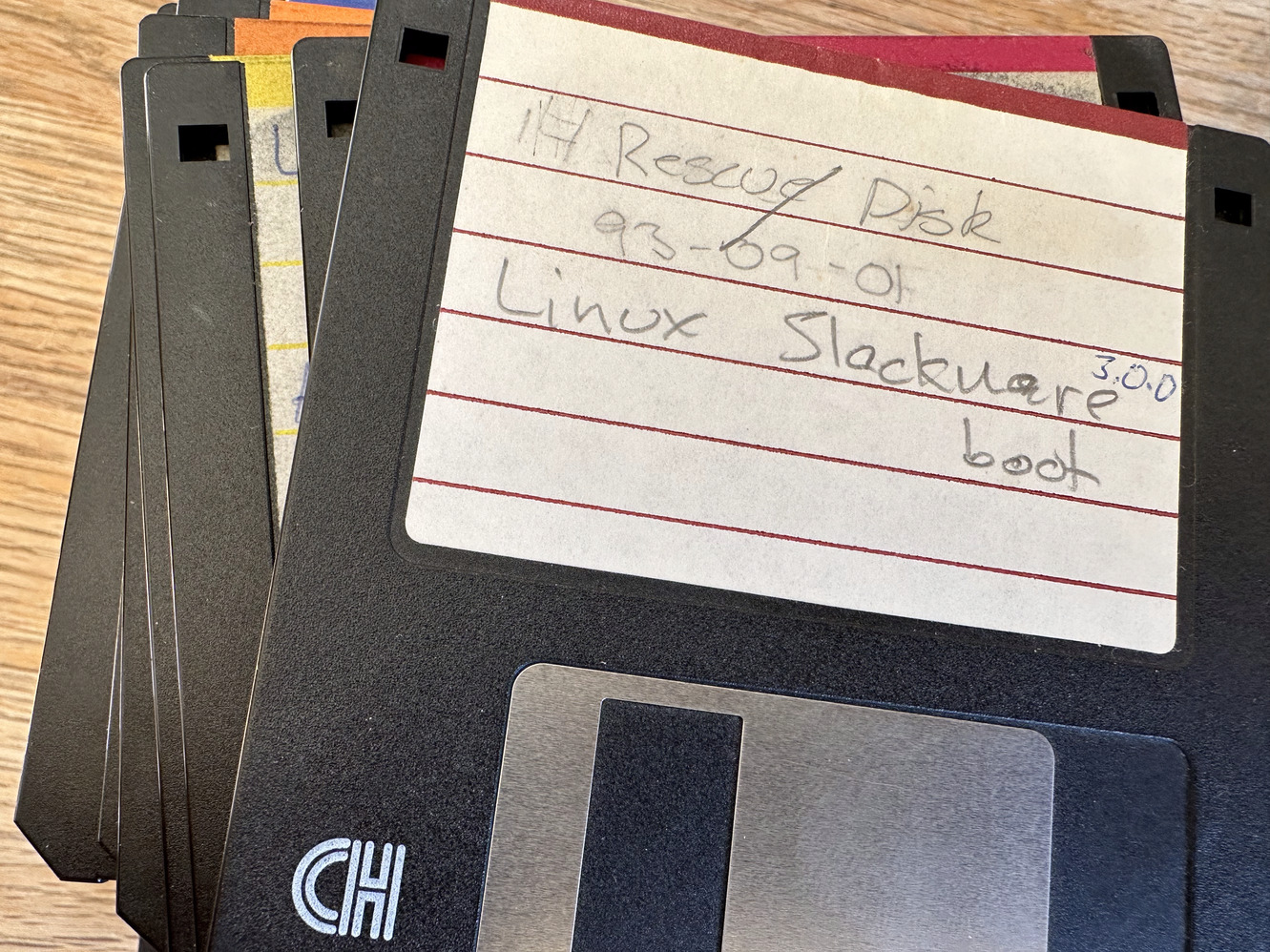 One of my earlier Slackware install disk sets, kept for nostalgic reasons.
contrib/non-free section and permitting use of the bug tracker to help resolve issues with non-free works. This is all explained in the social contract. There has always been a clear boundary between free and non-free work, and there has been a commitment that the Debian system itself would be 100% free.
The concern that RedHat Linux was not 100% free software was not critical to me at the time: I primarily (and happily) ran GNU tools on Solaris, IRIX, AIX, OS/2, Windows etc. Running GNU tools on RedHat Linux was an improvement, and I hadn t realized it was possible to get rid of all non-free software on my own primary machine. Debian realized that goal for me. I ve been a believer in that model ever since. I can use Solaris, macOS, Android etc knowing that I have the option of using a 100% free Debian.
While the inclusive approach towards non-free software invite and deserve criticism (some argue that being inclusive to non-inclusive behavior is a bad idea), I believe that Debian s approach was a successful survival technique: by being inclusive to and a compromise between free and non-free communities, Debian has been able to stay relevant and contribute to both environments. If Debian had not served and contributed to the free community, I believe free software people would have stopped contributing. If Debian had rejected non-free works completely, I don t think the successful Ubuntu distribution would have been based on Debian.
I wrote the majority of the text above back in September 2022, intending to post it as a way to argue for my proposal to maintain the status quo within Debian. I didn t post it because I felt I was saying the obvious, and that the obvious do not need to be repeated, and the rest of the post was just me going down memory lane.
The Debian project has been a sustainable producer of a 100% free OS up until Debian 11 bullseye. In the resolution on non-free firmware the community decided to leave the model that had resulted in a 100% free Debian for so long. The goal of Debian is no longer to publish a 100% free operating system, instead this was added: The Debian official media may include firmware . Indeed the Debian 12 bookworm release has confirmed that this would not only be an optional possibility. The Debian community could have published a 100% free Debian, in parallel with the non-free Debian, and still be consistent with their newly adopted policy, but chose not to. The result is that Debian s policies are not consistent with their actions. It doesn t make sense to claim that Debian is 100% free when the Debian installer contains non-free software. Actions speaks louder than words, so I m left reading the policies as well-intended prose that is no longer used for guidance, but for the peace of mind for people living in ivory towers. And to attract funding, I suppose.
So how to deal with this, on a personal level? I did not have an answer to that back in October 2022 after the vote. It wasn t clear to me that I would ever want to contribute to Debian under the new social contract that promoted non-free software. I went on vacation from any Debian work. Meanwhile Debian 12 bookworm was released, confirming my fears. I kept coming back to this text, and my only take-away was that it would be unethical for me to use Debian on my machines. Letting actions speak for themselves, I switched to PureOS on my main laptop during October, barely noticing any difference since it is based on Debian 11 bullseye. Back in December, I bought a new laptop and tried Trisquel and Guix on it, as they promise a migration path towards ppc64el that PureOS do not.
While I pondered how to approach my modest Debian contributions, I set out to learn Trisquel and gained trust in it. I migrated one Debian machine after another to Trisquel, and started to use Guix on others. Migration was easy because Trisquel is based on Ubuntu which is based on Debian. Using Guix has its challenges, but I enjoy its coherant documented environment. All of my essential self-hosted servers (VM hosts, DNS, e-mail, WWW, Nextcloud, CI/CD builders, backup etc) uses Trisquel or Guix now. I ve migrated many GitLab CI/CD rules to use Trisquel instead of Debian, to have a more ethical computing base for software development and deployment. I wish there were official Guix docker images around.
Time has passed, and when I now think about any Debian contributions, I m a little less muddled by my disappointment of the exclusion of a 100% free Debian. I realize that today I can use Debian in the same way that I use macOS, Android, RHEL or Ubuntu. And what prevents me from contributing to free software on those platforms? So I will make the occasional Debian contribution again, knowing that it will also indirectly improve Trisquel. To avoid having to install Debian, I need a development environment in Trisquel that allows me to build Debian packages. I have found a recipe for doing this:
# System commands:
How to sustainably deliver a 100% free software binary distributions seems like an open question, and the challenges are not all that different compared to the 1990 s or early 2000 s. I m hoping Debian will come back to provide a 100% free platform, but my fear is that Debian will compromise even further on the free software ideals rather than the opposite. With similar arguments that were used to add the non-free firmware, Debian could compromise the free software spirit of the Linux boot process (e.g., non-free boot images signed by Debian) and media handling (e.g., web browsers and DRM), as Debian have already done with appstore-like functionality for non-free software (Python pip). To learn about other freedom issues in Debian packaging, browsing Trisquel s helper scripts may enlight you.
Debian s setback and the recent setback for RHEL-derived distributions are sad, and it will be a challenge for these communities to find internally consistent coherency going forward. I wish them the best of luck, as Debian and RHEL are important for the wider free software eco-system. Let s see how the community around Trisquel, Guix and the other FSDG-distributions evolve in the future.
The situation for free software today appears better than it was years ago regardless of Debian and RHEL s setbacks though, which is important to remember! I don t recall being able install a 100% free OS on a modern laptop and modern server as easily as I am able to do today.
Happy Hacking!
Addendum 22 July 2023: The original title of this post was Coping with non-free Debian, and there was a thread about it that included feedback on the title. I do agree that my initial title was confrontational, and I ve changed it to the more specific Coping with non-free software in Debian. I do appreciate all the fine free software that goes into Debian, and hope that this will continue and improve, although I have doubts given the opinions expressed by the majority of developers. For the philosophically inclined, it is interesting to think about what it means to say that a compilation of software is freely licensed. At what point does a compilation of software deserve the labels free vs non-free? Windows probably contains some software that is published as free software, let s say Windows is 1% free. Apple authors a lot of free software (as a tangent, Apple probably produce more free software than what Debian as an organization produces), and let s say macOS contains 20% free software. Solaris (or some still maintained derivative like OpenIndiana) is mostly freely licensed these days, isn t it? Let s say it is 80% free. Ubuntu and RHEL pushes that closer to let s say 95% free software. Debian used to be 100% but is now slightly less at maybe 99%. Trisquel and Guix are at 100%. At what point is it reasonable to call a compilation free? Does Debian deserve to be called freely licensed? Does macOS? Is it even possible to use these labels for compilations in any meaningful way? All numbers just taken from thin air. It isn t even clear how this can be measured (binary bytes? lines of code? CPU cycles? etc). The caveat about license review mistakes applies. I ignore Debian s own claims that Debian is 100% free software, which I believe is inconsistent and no longer true under any reasonable objective analysis. It was not true before the firmware vote since Debian ships with non-free blobs in the Linux kernel for example.
sudo apt-get install debhelper git-buildpackage debian-archive-keyring
sudo wget -O /usr/share/debootstrap/scripts/debian-common https://sources.debian.org/data/main/d/debootstrap/1.0.128%2Bnmu2/scripts/debian-common
sudo wget -O /usr/share/debootstrap/scripts/sid https://sources.debian.org/data/main/d/debootstrap/1.0.128%2Bnmu2/scripts/sid
# Run once to create build image:
DIST=sid git-pbuilder create --mirror http://deb.debian.org/debian/ --debootstrapopts "--exclude=usr-is-merged" --basepath /var/cache/pbuilder/base-sid.cow
# Run in a directory with debian/ to build a package:
gbp buildpackage --git-pbuilder --git-dist=sid
 The phrase "Root of Trust" turns up at various points in discussions about verified boot and measured boot, and to a first approximation nobody is able to give you a coherent explanation of what it means[1]. The Trusted Computing Group has a fairly wordy definition, but (a) it's a lot of words and (b) I don't like it, so instead I'm going to start by defining a root of trust as "A thing that has to be trustworthy for anything else on your computer to be trustworthy".
 Version 0.0.14 of RcppSpdlog is now
on CRAN and has just been
uploaded to Debian. RcppSpdlog
bundles spdlog, a
wonderful header-only C++ logging library with all the bells and
whistles you would want that was written by Gabi Melman, and also includes fmt by Victor Zverovich. You can learn
more at the nice package
documention site.
This release simply brings an update to the just release spdlog 1.12.0 from a few
days ago.
The NEWS entry for this release follows.
Courtesy of my CRANberries, there is also a diffstat report. More detailed information is on the RcppSpdlog page, or the package documention site. If you like this or other open-source work I do, you can sponsor me at GitHub.Changes in RcppSpdlog version 0.0.14 (2023-07-09)
- Added new badge to README.md
- Upgraded to upstream releases spdlog 1.12.0
This post by Dirk Eddelbuettel originated on his Thinking inside the box blog. Please report excessive re-aggregation in third-party for-profit settings.

 Something that can never be fixed
 I have had the pleasure to have Poha in many ways. One of my favorite ones is when people have actually put tadka on top of Poha. You do everything else but in a slight reverse order. The tadka has all the spices mixed and is concentrated and is put on top of Poha and then mixed. Done right, it tastes out of this world. For those who might not have had the Indian culinary experience, most of which is actually borrowed from the Mughals, you are in for a treat.
One of the other things I would suggest to people is to ask people where there can get five types of rice. This is a specialty of South India and a sort of street food. I know where you can get it Hyderabad, Bangalore, Chennai but not in Kerala, although am dead sure there is, just somehow have missed it. If asked, am sure the Kerala team should be able to guide.
That s all for now, feeling hungry, having dinner as have been sharing about cooking.
On a slightly sad note, Foxconn is withdrawing from the joint venture it had with Vedanta.
 fabre.debian.net - an experiment service that tries to improve user experience with finding Debian related bugs was now upgraded to Debian 12 (bookworm)
Not only migrating to Debian 12, but the backend E-mail subscription and importing bug report mechanism is also a bit modified.
This was some portion of the side effect of recent Gandi.net announcements.
FAQ - New Mailbox service and management of your current mailboxes - Gandi News
fabre.debian.net rely on the old Mailbox service of Gandi.net and that service will be discontinued, so it was replaced by the other service now.
Thank you for all this, Gandi.net which provided a very stable mailbox service.
 I use a LUKS-encrypted USB stick to store my GPG and SSH keys, which acts as a
backup and portable key setup when working on different laptops. One
inconvenience with LUKS-encrypted USB sticks is that you need to enter the
password every time you want to mount the device, either through a Window
Manager like KDE or using the cryptsetup luksOpen command. Fortunately, many
laptops nowadays come equipped with TPM2 modules, which can be utilized to
automatically decrypt the device and subsequently mount it. In this post, we'll
explore the usage of systemd-cryptenroll for this purpose, along with udev
rules and a set of scripts to automate the mounting of the encrypted USB.
First, ensure that your device has a TPM2 module. You can run the following
command to check:
sudo journalctl -k --grep=tpm2
Jul 08 18:57:32 bhairava kernel: ACPI: SSDT 0x00000000BBEFC000 0003C6 (v02
LENOVO Tpm2Tabl 00001000 INTL 20160422) Jul 08 18:57:32 bhairava kernel:
ACPI: TPM2 0x00000000BBEFB000 000034 (v03 LENOVO TP-R0D 00000830
PTEC 00000002) Jul 08 18:57:32 bhairava kernel: ACPI: Reserving TPM2 table
memory at [mem 0xbbefb000-0xbbefb033]
systemd-cryptenroll --tpm2-device=list
blog git:(master) systemd-cryptenroll --tpm2-device=list
PATH        DEVICE      DRIVER
/dev/tpmrm0 MSFT0101:00 tpm_tis
   blog git:(master)
LUKS header information for /dev/sdb1
Version:        1
Cipher name:    aes
Cipher mode:    xts-plain64
Hash spec:      sha256
Payload offset: 4096
sudo cryptsetup convert --type luks2 /dev/sdb1
Version:        2
Epoch:          4
Metadata area:  16384 [bytes]
Keyslots area:  2064384 [bytes]
UUID:           000b2670-be4a-41b4-98eb-9adbd12a7616
Label:          (no label)
Subsystem:      (no subsystem)
Flags:          (no flags)
sudo systemd-cryptenroll --tpm2-device=/dev/tpmrm0 --tpm2-pcrs="0+7" /dev/sdb1
sudo /usr/lib/systemd/systemd-cryptsetup attach GPG_USB "/dev/sdb1" - tpm2-device=auto
lsblk
NAME        MAJ:MIN RM   SIZE RO TYPE  MOUNTPOINTS
sda           8:0    0 223.6G  0 disk
 sda1        8:1    0   976M  0 part  /boot/efi
 sda2        8:2    0 222.6G  0 part
   root    254:0    0 222.6G  0 crypt /
sdb           8:16   1   7.5G  0 disk
 sdb1        8:17   1   7.5G  0 part
   GPG_USB 254:1    0   7.5G  0 crypt /media/vasudev/GPG_USB
ACTION=="add", KERNEL=="sd*", ENV DEVTYPE =="partition", ENV ID_BUS =="usb", ENV SYSTEMD_WANTS ="mount-gpg-usb@$env DEVNAME .service"
ACTION=="remove", KERNEL=="sd*", ENV DEVTYPE =="partition", ENV ID_BUS =="usb", RUN+="/usr/local/bin/umount_enc_usb.sh '%E ID_FS_UUID '"
#!/bin/bash
set -x
if [[ "$#" -ne 1 ]]; then
    echo "$(basename $0) <device>"
    exit 1
fi
device_uuid="$(blkid --output udev $1   grep ID_FS_UUID=   cut -d= -f2)"
if [[ "$device_uuid" == 000b2670-be4a-41b4-98eb-9adbd12a7616 ]]; then
    # Found our device, let's trigger systemd-cryptsetup
    /usr/lib/systemd/systemd-cryptsetup attach GPG_USB "$1" - tpm2-device=auto
    [[ -d /media/vasudev/GPG_USB ]]   (mkdir -p /media/vasudev/GPG_USB/ && chown vasudev:vasudev /media/vasudev/GPG_USB)
    mount /dev/mapper/GPG_USB /media/vasudev/GPG_USB
else
    echo "Not the interested device. Ignoring."
    exit 0
fi
#!/bin/bash
if [[ "$#" -ne 1 ]]; then
  echo "$(basename $0) <fsuuid>"
  exit 1
fi
if [[ "$1" == "000b2670-be4a-41b4-98eb-9adbd12a7616" ]]; then
  # Our device is removed, let's close the luks mapping
  [[ -e /dev/mapper/GPG_USB ]] && cryptsetup luksClose /dev/mapper/GPG_USB
else
  echo "Not our device."
  exit 0
fi
[Unit]
Description=Mount the encrypted USB device service
[Service]
Type=simple
ExecStart=/usr/local/bin/mount_enc_usb.sh
Note
This can be even done for LUKS2 encrypted root disk but will need some tweaking in initramfs.
Welcome to the 40th post in the $R^4 series. This
one will just be a very brief illustration of r2u use in what might be
an unexpected place: Google
Colab. Colab has a strong bent towards Jupyter and Python but has
been supporting R compute kernels for some time (by changing what they
call the runtime ). And with a little exploration one can identify
these are (currently, as of July 2023) running Ubuntu 20.04 aka
focal .
Which is of course one of two system supported by our lovely r2u project (with the
other being the newer 22.04 aka jammy ). And I mostly tweeted / tooted
about r2u since the its
introduction in #37. And gave basically just a mention in passing in
faster
feedback post #38 as well as the faster
feedback in ci post #39). So a brief recap may be in order. In
essence, r2u makes all
of CRAN available as
full-fledged Ubuntu binaries with complete and full dependencies which
are then installed directly and quickly via apt. Which, to
top it of, are accessed directly from R via
install.packages() so no special knowledge or sauce needed.
We often summarize it as fast, easy, reliable: what is not to
like .
And, as we established in a few minutes of probing, it also works in
the focal -based Colab session. The screen shot shows the basic step of
fetching the setup script (for plain Ubuntu focal system) from r2u, making it executable
and running it. Total time: 34 seconds. And after that we see the pure
magic of install.packages("tidyverse") installing
all of it in nine seconds. Additionally, we add the
brms package in thirty-one seconds cia
install.packages("brms"). Both load just fine and echo
their current values.
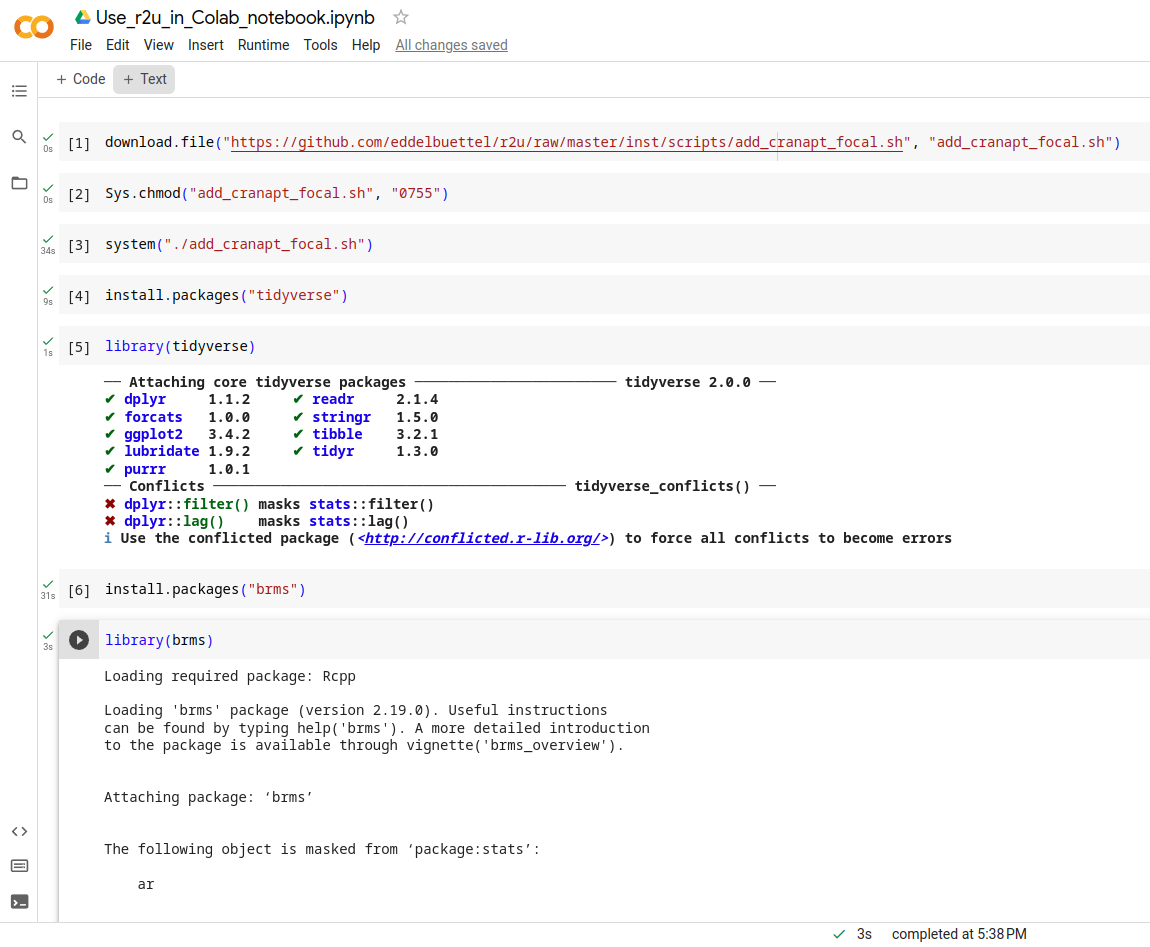 r2u on colab focal
download.file("https://github.com/eddelbuettel/r2u/raw/master/inst/scripts/add_cranapt_focal.sh",
              "add_cranapt_focal.sh")
Sys.chmod("add_cranapt_focal.sh", "0755")
system("./add_cranapt_focal.sh")
install.packages("tidyverse")
library(tidyverse)
install.packages("brms")
library(brms)rocker/r2u:jammy.
More information about r2u is at its site, and we
answered some question in issues, and at stackoverflow. More questions
are always welcome!
If you like this or other open-source work I do, you can now sponsor me at
GitHub.
This post by Dirk Eddelbuettel originated on his Thinking inside the box blog. Please report excessive re-aggregation in third-party for-profit settings.
 Here is an open question for Podman users: is there a (ideally simple) way to keep the user/group ID between the real system and the container?
Let me be more verbose.
I use Docker mostly in two "special" cases:
# create a profile
firejail --build=xterm.profile xterm
# now this run can only do what the previous run did
firejail --profile=xterm.profile xterm
Note that firejail is SETUID root so can potentially reduce system security and it has had security issues in the past. In spite of that it can be good for allowing a trusted user to run programs with less access to the system. Also it is a good way to start learning about such things. I don t think it s a good solution for what I want to do. But I won t rule out the possibility of using it at some future time for special situations. Bubblewrap I tried out firejail with the browser Epiphany (Debian package epiphany-browser) on my Librem5, but that didn t work as Epiphany uses /usr/bin/bwrap (bubblewrap) for it s internal sandboxing (here is an informative blog post about the history of bubblewrap AKA xdg-app-helper which was developed as part of flatpak [5]). The Epiphany bubblewrap sandbox is similar to the situation with Chrome/Chromium which have internal sandboxing that s incompatible with firejail. The firejail man page notes that it s not compatible with Snap, Flatpack, and similar technologies. One issue this raises is that we can t have a namespace based sandboxing system applied to all desktop apps with no extra configuration as some desktop apps won t work with it. Bubblewrap requires setting kernel.unprivileged_userns_clone=1 to run as non-root (IE provide the normal and expected functionality) which potentially reduces system security. Here is an example of a past kernel bug that was exploitable by creating a user namespace with CAP_SYS_ADMIN [6]. But it s the default in recent Debian kernels which means that the issues have been reviewed and determined to be a reasonable trade-off and also means that many programs will use the feature and break if it s disabled. Here is an example of how to use Bubblewrap on Debian, after installing the bubblewrap run the following command. Note that the new-session option (to prevent injecting characters in the keyboard buffer with TIOCSTI) makes the session mostly unusable for a shell.
bwrap --ro-bind /usr /usr --symlink usr/lib64 /lib64 --symlink usr/lib /lib --proc /proc --dev /dev --unshare-pid --die-with-parent bashHere is an example of using Bubblewrap to sandbox the game Warzone2100 running with Wayland/Vulkan graphics and Pulseaudio sound.
bwrap --bind $HOME/.local/share/warzone2100 $HOME/.local/share/warzone2100 --bind /run/user/$UID/pulse /run/user/$UID/pulse --bind /run/user/$UID/wayland-0 /run/user/$UID/wayland-0 --bind /run/user/$UID/wayland-0.lock /run/user/$UID/wayland-0.lock --ro-bind /usr /usr --symlink usr/bin /bin --symlink usr/lib64 /lib64 --symlink usr/lib /lib --proc /proc --dev /dev --unshare-pid --dev-bind /dev/dri /dev/dri --ro-bind $HOME/.pulse $HOME/.pulse --ro-bind $XAUTHORITY $XAUTHORITY --ro-bind /sys /sys --new-session --die-with-parent warzone2100Here is an example of using Bubblewrap to sandbox the Debian bug reporting tool reportbug
bwrap --bind /tmp /tmp --ro-bind /etc /etc --ro-bind /usr /usr --ro-bind /var/lib/dpkg /var/lib/dpkg --symlink usr/sbin /sbin --symlink usr/bin /bin --symlink usr/lib64 /lib64 --symlink usr/lib /lib --symlink /usr/lib32 /lib32 --symlink /usr/libx32 /libx32 --proc /proc --dev /dev --die-with-parent --unshare-ipc --unshare-pid reportbugHere is an example shell script to wrap the build process for Debian packages. This needs to run with unshare-user and specifying the UID as 0 because fakeroot doesn t work in the container, I haven t worked out why but doing it through the container is a better method anyway. This script shares read-write the parent of the current directory as the Debian build process creates packages and metadata files in the parent directory. This will prevent the automatic signing scripts which is a feature not a bug, so after building packages you have to sign the .changes file with debsign. One thing I just learned is that the Debian build system Sbuild can use chroots for building packages for similar benefits [7]. Some people believe that sbuild is the correct way of doing it regardless of the chroot issue. I think it s too heavy-weight for most of my Debian package building, but even if I had been convinced I d still share the information about how to use bwrap as Debian is about giving users choice.
#!/bin/bash
set -e
BUILDDIR=$(realpath $(pwd)/..)
exec bwrap --bind /tmp /tmp --bind $BUILDDIR $BUILDDIR --ro-bind /etc /etc --ro-bind /usr /usr --ro-bind /var/lib/dpkg /var/lib/dpkg --symlink usr/bin /bin --symlink usr/lib64 /lib64 --symlink usr/lib /lib --proc /proc --dev /dev --die-with-parent --unshare-user --unshare-ipc --unshare-net --unshare-pid --new-session --uid 0 --gid 0 $@
Here is an informative blog post about using Bubblewrap with Seccomp (BPF) [8]. In a future post I ll write about how to get this sort of thing going but I ll just leave the URL here for people who want to do it on their own. The source for the flatpak-run program is the only example I could find of using Seccomp with Bubblewrap [9]. A lot of that code is worth copying for application sandboxing, maybe the entire program. Unshare The unshare command from the util-linux package has a large portion of the Bubblewrap functionality. The things that it doesn t do like creating a new session can be done by other utilities. Here is an example of creating a container with unshare and then using cgroups with it [10]. systemd --user Recent distributions have systemd support for running a user session, the Arch Linux Wiki has a good description of how this works [11]. The units for a user are .service files stored in /usr/lib/systemd/user/ (distribution provided), ~/.local/share/systemd/user/ (user installed applications in debian a link to ~/.config/systemd/user/), ~/.config/systemd/user/ (for manual user config), and /etc/systemd/user/ (local sysadmin provided) Here are some example commands for manipulating this:
# show units running for the current user
systemctl --user
# show status of one unit
systemctl --user status kmail.service
# add an environment variable to the list for all user units
systemctl --user import-environment XAUTHORITY
# start a user unit
systemctl --user start kmail.service
# analyse security for all units for the current user
systemd-analyze --user security
# analyse security for one unit
systemd-analyze --user security kmail.service
Here is a test kmail.service file I wrote to see what could be done for kmail, I don t think that kmail is the app most needing to be restricted it is in more need of being protected from other apps but it still makes a good test case. This service file took it from the default risk score of 9.8 (UNSAFE) to 6.3 (MEDIUM) even though I was getting the error code=exited, status=218/CAPABILITIES when I tried anything that used capabilities (apparently due to systemd having some issue talking to the kernel).
[Unit]
Description=kmail
[Service]
ExecStart=/usr/bin/kmail
# can not limit capabilities (code=exited, status=218/CAPABILITIES)
#CapabilityBoundingSet=~CAP_SYS_TIME CAP_SYS_PACCT CAP_KILL CAP_WAKE_ALARM CAP_DAC_OVERRIDE CAP_DAC_READ_SEARCH CAP_FOWNER CAP_IPC_OWNER CAP_LINUX_IMMUTABLE CAP_IPC_LOCK CAP_SYS_MODULE CAP_SYS_TTY_CONFIG CAP_SYS_BOOT CAP_SYS_CHROOT CAP_BLOCK_SUSPEND CAP_LEASE CAP_MKNOD CAP_CHOWN CAP_FSETID CAP_SETFCAP CAP_SETGID CAP_SETUID CAP_SETPCAP CAP_SYS_RAWIO CAP_SYS_PTRACE CAP_SYS_NICE CAP_SYS_RESOURCE CAP_NET_ADMIN CAP_NET_BIND_SERVICE CAP_NET_BROADCAST CAP_NET_RAW CAP_SYS_ADMIN CAP_SYSLOG
# also 218 for ProtectKernelModules PrivateDevices ProtectKernelLogs ProtectClock
# MemoryDenyWriteExecute stops it displaying message content (bad)
# needs @resources and @mount to startup
# needs @privileged to display message content
SystemCallFilter=~@cpu-emulation @debug @raw-io @reboot @swap @obsolete
SystemCallArchitectures=native
UMask=077
NoNewPrivileges=true
ProtectControlGroups=true
PrivateMounts=false
RestrictNamespaces=~user pid net uts mnt cgroup ipc
RestrictSUIDSGID=true
ProtectHostname=true
LockPersonality=true
ProtectKernelTunables=true
RestrictAddressFamilies=~AF_PACKET
RestrictRealtime=true
ProtectSystem=strict
ProtectProc=invisible
PrivateUsers=true
[Install]
When I tried to use the TemporaryFileSystem=%h directive (to make the home directory a tmpfs the most basic step in restricting what a regular user application can do) I got the error (code=exited, status=226/NAMESPACE) . So I don t think the systemd user setup competes with bubblewrap for restricting user processes. But if anyone else can start where I left off and go further then that will be interesting. Systemd-run The following shell script runs firefox as a dynamic user via systemd-run, running this asks for the root password and any mechanism for allowing that sort of thing opens potential security holes. So at this time while it s an interesting feature I don t think it is suitable for running regular applications on a phone or Linux desktop.
#!/bin/bash
# systemd-run Firefox with DynamicUser and home directory.
#
# Run as a non-root user.
# Or, run as root and change $USER below.
SANDBOX_MINIMAL=(
    --property=DynamicUser=1
    --property=StateDirectory=openstreetmap
    # --property=RootDirectory=/debian_sid
)
SANDBOX_X11=(
    # Sharing Xorg always defeats security, regardless of any sandboxing tech,
    # but the config is almost ready for Wayland, and there's Xephyr.
#    --property=LoadCredential=.ICEauthority:/home/$USER/.ICEauthority
    --property=LoadCredential=.Xauthority:/home/$USER/.Xauthority
    --property=Environment=DISPLAY=:0
)
SANDBOX_FIREFOX=(
    # hardware-accelerated rendering
    --property=BindPaths=/dev/dri
    # webcam
    # --property=SupplementaryGroups=video
)
systemd-run  \
    "$ SANDBOX_MINIMAL[@] "  "$ SANDBOX_X11[@] " "$ SANDBOX_FIREFOX[@] " \
    bash -c '
        export XAUTHORITY="$CREDENTIALS_DIRECTORY"/.Xauthority
        export ICEAUTHORITY="$CREDENTIALS_DIRECTORY"/.ICEauthority
        export HOME="$STATE_DIRECTORY"/home
        firefox --no-remote about:blank
    '
Qubes OS
Here is an interesting demo video of QubesOS [12] which shows how it uses multiple VMs to separate different uses. Here is an informative LCA presentation about Qubes which shows how it asks the user about communication between VMs and access to hardware [13]. I recommend that everyone who hasn t seen Qubes in operation watch the first video and everyone who isn t familiar with the computer science behind it watch the second video. Qubes appears to be a free software equivalent to NetTop as far as I can tell without ever being able to use NetTop.
I don t think Qubes is a good match for my needs in general use and it definitely isn t a good option for phones (VMs use excessive CPU on phones). But it s methods for controlling access have some ideas that are worth copying.
File Access XDG Desktop Portal
One core issue for running sandboxed applications is to allow them to access files permitted by the user but no other files. There are two main parts to this problem, the easier one is to have each application have it s own private configuration directory which can be addressed by bind mounts, MAC systems, running each application under a different UID or GID, and many other ways.
The hard part of file access is to allow the application to access random files that the user wishes. For example I want my email program, IM program, and web browser to be able to save files and also to be able to send arbitrary files via email, IM, and upload to web sites. But I don t want one of those programs to be able to access all the files from the others if it s compromised. So only giving programs access to arbitrary files when the user chooses such a file makes sense.
There is a package xdg-desktop-portal which provides a dbus interface for opening files etc for a sandboxed application [14]. This portal has backends for KDE, GNOME, and Wayland among others which allow the user to choose which file or files the application may access. Chrome/Chromium is one well known program that uses the xdg-desktop-portal and does it s own sandboxing. To use xdg-desktop-portal an application must be modified to use that interface instead of opening files directly, so getting this going with all Internet facing applications will take some work. But the documentation notes that the portal API gives a consistent user interface for operations such as opening files so it can provide benefits even without a sandboxed environment.
This technology was developed for Flatpak and is now also used for Snap. It also has a range of APIs for accessing other services [15].
Flatpak
Flatpack is a system for distributing containerised versions of applications with some effort made to improve security. Their development of bubblewrap and xdg-desktop-portal is really good work. However the idea of having software packaged with all libraries it needs isn t a good one, here s a blog post covering some of the issues [16].
The web site flatkill.org has been registered to complain about some Flatpak problems [17]. They have some good points about the approach that Flatpak project developers have taken towards some issues. They also make some points about the people who package software not keeping up to date with security fixes and not determining a good security policy for their pak. But this doesn t preclude usefully using parts of the technology for real security benefits. If parts of Flatpak like Bubblewrap and xdg-portal are used with good security policies on programs that are well packaged for a distribution then these issues would be solved.
The Flatpak app author s documentation about package requirements [18] has an overview of security features that is quite reasonable. If most paks follow that then it probably isn t too bad. I reviewed the manifests of a few of the recent paks and they seemed to have good settings. In the amount of time I was prepared to spend investigating this I couldn t find evidence to support the Flatkill claim about Flatpaks granting obviously inappropriate permissions. But the fact that the people who run Flathub decided to put a graph of installs over time on the main page for each pak while making the security settings only available by clicking the Manifest github link, clicking on a JSON or YAML file, and then searching for the right section in that shows where their priorities lie.
The finish-args section of the Flatpak manifest (the section that describes the access to the system) seems reasonably capable and not difficult for users to specify as well as being in common use. It seems like it will be easy enough to take some code from Flatpak for converting the finish-args into Bubblewrap parameters and then use the manifest files from Flathub as a starting point for writing application security policy for Debian packages.
Snap
Snap is developed by Canonical and seems like their version of Flatpak with some Docker features for managing versions, the Getting Started document is worth reading [19]. They have Connections between different snaps and the system where a snap registers a plug that connects to a socket which can be exposed by the system (EG the camera socket) or another snap. The local admin can connect and disconnect them. The connections design reminds me of the Android security model with permitting access to various devices.
The KDE Neon extension [20] has been written to add Snap support to KDE. Snap seems quite usable if you have an ecosystem of programs using it which Canonical has developed. But it has all the overheads of loopback mounts etc that you don t want on a mobile device and has the security issues of libraries included in snaps not being updated.
A quick inspection of an Ubuntu 22.04 system I run (latest stable release) has Firefox 114.0.2-1 installed which includes libgcrypt.so.20.2.5 which is apparently libgcrypt 1.8.5 and there are CVEs relating to libgcrypt versions before 1.9.4 and 1.8.x versions before 1.8.8 which were published in 2021 and updated in 2022. Further investigation showed that libgcrypt came from the gnome-3-38-2004 snap (good that it doesn t require all shared objects to be in the same snap, but that it has old versions in dependencies). The gnome-3-38-2004 snap is the latest version so anyone using the Snap of Firefox seems to have no choice but to have what appears to be insecure libraries.
The strict mode means that the Snap in question has no system access other than through interfaces [21].
SE Linux and Apparmor
The Librem5 has Apparmor running by default. I looked into writing Apparmor policy to prevent Epiphany from accessing all files under the home directory, but that would be a lot of work. Also at least one person has given up on maintaining an Epiphany profile for Apparmor because it changes often and it s sandbox doesn t work well with Apparmor [22]. This was not a surprise to me at all, SE Linux policy has the same issues as Apparmor in this regard.
The Ubuntu Security Team Application Confinement document [23] is worth reading. They have some good plans for using AppArmor as part of solving some of these problems. I plan to use SE Linux for that.
Slightly Related Things
One thing for the future is some sort of secure boot technology, the LCA lecture Becoming a tyrant: Implementing secure boot in embedded devices [24] has some ideas for the future.
The Betrusted project seems really interesting, see Bunnie s lecture about how to create a phone size security device with custom OS [25]. The Betrusted project web page is worth reading too [26]. It would be ironic to have a phone as your main PC that is the same size as your security device, but that seems to be the logical solution to several computing problems.
Whonix is a Linux distribution that has one VM for doing Tor stuff and another VM for all other programs which is only allowed to have network access via the Tor VM [27].
Xpra does for X programs what screen/tmux do for text mode programs [28]. It allows isolating X programs from each other in ways that are difficult to impossible with a regular X session. In an ideal situation we could probably get the benefits we need with just using Wayland, but if there are legacy apps that only have X support this could help.
Conclusion
I think that currently the best option for confining desktop apps is Bubblewrap on Wayland. Maybe with a modified version of Flatpak-run to run it and with app modifications to use the xdg-portal interfaces as much as possible. That should be efficient enough in storage space, storage IO performance, memory use, and CPU use to run on phones while giving some significant benefits.
Things to investigate are how much code from Flatpak to use, how to most efficiently do the configuration (maybe the Flatpak way because it s known and seems effective), how to test this (and have regression tests), and what default settings to use. Also BPF is a big thing to investigate.
Release 0.6.33 of the digest package
arrived at CRAN today and has
been uploaded to Debian
already.
digest
creates hash digests of arbitrary R objects (using the md5,
sha-1, sha-256, sha-512,
crc32, xxhash32, xxhash64,
murmur32, spookyhash, blake3, and
crc32c algorithms) permitting easy comparison of R language
objects. It is a mature and widely-used (with 58.6 million downloads
just on the partial cloud mirrors of CRAN which keep logs) as many tasks
may involve caching of objects for which it provides convenient
general-purpose hash key generation to quickly identify the various
objects.
This release corrects a bad bug we accidentally introduced in release
0.6.32 a little under two weeks ago. As described we added
crc32c and aimed for the simple portable approach (given
that the accelerated version is now availble in our package
crc32c) but overlooked one setting which promptly
broked compilation on M1/M2/Arm64 (which we do not have access too,
sadly). This was actually reported in issue
#189 on the very day 0.6.32 was released and even before we got to
blog about its announcement so that we could even mention it in the third
paragraph there.
This fix was a one-liner, and was committed hours later. Now, as it
sometimes happens, processing the new upload at CRAN
took some time. They appeared to be down the next day not processing
anything. Once opened again, they reported changes to worse as can be
seen in reverse-dependency checks. Turns out those were false positive
( it happens ) but then the package lingered a little longer and quite a
lot of folks chimed in at in issue
#189. I have now learned that there were in fact some temporary
hardware issues in one of the CRAN locations, so it all had a reason but
most importantly it is all better now. My apologies for the temporary
breakage, we attempted to address it swiftly but sometimes things beyond
our control (and reach) do slow things down. Now new and fixed binaries
should appear in the next few days.
My CRANberries
provides the usual summary of changes to the previous
version. For questions or comments use the issue tracker
off the GitHub
repo.
If you like this or other open-source work I do, you can now sponsor me at
GitHub.
This post by Dirk Eddelbuettel originated on his Thinking inside the box blog. Please report excessive re-aggregation in third-party for-profit settings.
 The Rcpp Core Team is delighted to announce that the newest release
1.0.11 of the Rcpp package arrived on
CRAN and in Debian earlier today. Windows and
macOS builds should appear at CRAN in the next few days, as will builds
in different Linux distribution and of course at r2u. The release was
finalized three days ago, but given the widespread use and extended
reverse dependencies at CRAN it
usually takes a few days to be processed. This release continues with
the six-months January-July cycle started with release
1.0.5 in July 2020. As a reminder, we do of course make interim
snapshot dev or rc releases available via the Rcpp drat repo and strongly
encourage their use and testing I run my systems with these versions
which tend to work just as well, and are also fully tested against all
reverse-dependencies.
Rcpp has long established itself
as the most popular way of enhancing R with C or C++ code. Right now,
2720 packages on CRAN depend on
Rcpp for making analytical code go
faster and further, along with 251 in BioConductor. On CRAN, 13.7% of
all packages depend (directly) on Rcpp, and 59.6% of all compiled packages
do. From the cloud mirror of CRAN (which is but a subset of all CRAN
downloads), Rcpp has been downloaded
72.5 million times. The two published papers (also included in the
package as preprint vignettes) have, respectively, 1678 (JSS, 2011) and 259 (TAS, 2018)
citations, while the the book (Springer useR!,
2013) has another 588.
This release is incremental as usual, generally preserving existing
capabilities faithfully while smoothing our corners and / or extending
slightly, sometimes in response to changing and tightened demands from
CRAN or R standards.
The full list below details all changes, their respective PRs and, if
applicable, issue tickets. Big thanks from all of us to all
contributors!
Thanks to my CRANberries, you can also look at a diff to the previous release. Questions, comments etc should go to the rcpp-devel mailing list off the R-Forge page. Bugs reports are welcome at the GitHub issue tracker as well (where one can also search among open or closed issues); questions are also welcome underChanges in Rcpp version 1.0.11 (2023-07-03)
- Changes in Rcpp API:
Rcpp:::CxxFlags()now quotes only non-standard include path on linux (Lukasz in #1243 closing #1242).- Two unit tests no longer accidentally bark on stdout (Dirk and I aki in #1245).
- Compilation under C++20 using clang++ and its standard library is enabled (Dirk in #1248 closing #1244).
- Use backticks in a generated
.Call()statement inRcppExports.R(Dirk #1256 closing #1255).- Switch to
system2()to capture standard error messages in error cases (I aki in #1259 and #1261 fixing #1257).- Changes in Rcpp Documentation:
- Changes in Rcpp Deployment:
- A test for
qnormnow uses the more accurate value from R 4.3.0 (Dirk in #1252 and #1260 fixing #1251).- Skip tests with path issues on Windows (I aki in #1258).
- Container deployment in continuous integrations was improved. (I aki and Dirk in #1264, Dirk in #1269).
- Several files receives minor edits to please
R CMD checkfrom r-devel (Dirk in #1267).
rcpp
tag at StackOverflow which also allows searching among the
(currently) 2994 previous questions.
If you like this or other open-source work I do, you can sponsor me at
GitHub.
This post by Dirk Eddelbuettel originated on his Thinking inside the box blog. Please report excessive re-aggregation in third-party for-profit settings.
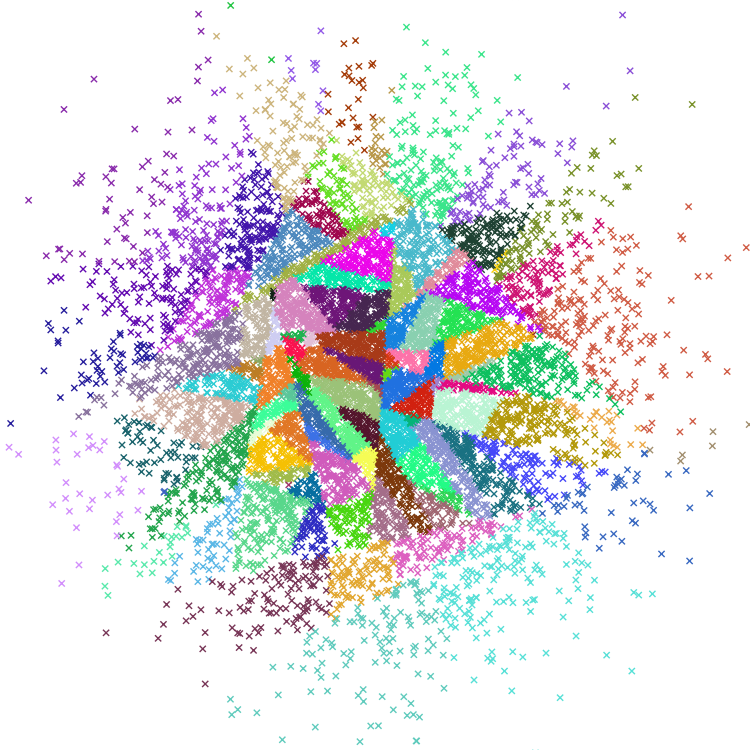 Another minor maintenance release, now at version 0.0.20, of RcppAnnoy
has arrived on CRAN.
RcppAnnoy
is the Rcpp-based R integration of
the nifty Annoy library
by Erik Bernhardsson. Annoy is a small and
lightweight C++ template header library for very fast approximate
nearest neighbours originally developed to drive the Spotify music discovery
algorithm.
This release mainly updates the included copy of Annoy to version 1.7.3 which
now provides a C++ namespace in the header API. So I sent a pair of PRs
to uwot to update its
(compiled) use, which James
promptly merged. With that the CRAN update was once again seamless.
Otherwise the package follows current custom by moving away from C++11
as a set compilation standard to be open for more modern C++ idioms.
Here, this allows in particular for possible multithreaded indexing for
which everything needed is in C++17. However, we did not turn
multithreaded indexing on as the RNG use is such that the streams would
differ leading to slightly different (if of course equivalent) results.
Users can enable this by recompiling with the switch flipped, see
src/Makevars.
Courtesy of my CRANberries, there is also a diffstat report for this release. If you like this or other open-source work I do, you can sponsor me at GitHub.Changes in version 0.0.21 (2023-07-02)
- The build setup switched from C++11 to C++17 which offers threading support (which remains off by default to ensure consistent results)
- Upstream code was update to Annoy 1.17.3, the switch to an explicit C++ namespace has been accomodated (Dirk in #75)
This post by Dirk Eddelbuettel originated on his Thinking inside the box blog. Please report excessive re-aggregation in third-party for-profit settings.
Last weekend was the bi-annual time to roll the main machine and
server to the current Ubuntu release, now at 23.04. It must now have
been fifteen or so years that I have used Ubuntu for my desktop / server
(for reasons I may write about another time). And of course it all
passed swimmingly as usual.
[ And a small aside, if I may. Among all these upgrades, one of my
favourite piece of tech trivia that may well be too little known remains
the dedication of the PostgreSQL maintainers installing the new version,
now PostgreSQL 15, seamlessly in parallel with the existing one, in my
case PostgreSQL 14, keeping both running (!!) on two neighbouring ports
(!!) so that there is no service disruption. So at some point, maybe
this weekend, I will run the provided script to dump-and-restore to
trigger the database migration at my convenience. Happy PostgreSQL on
Debian/Ubuntu user since the late 1990s. It. Just. Works. ]
[ Similarly, it is plainly amazeballs how apt orders and
runs package updates to service to keep running for a maximum amount of
time. This machine acts as e.g. a web server and it was up and
running (as were other services) while thousands of package got
updated/replaced. It is pretty amazing. Whereas on other platforms
people still maintain the do not ever update anything we demonstrably
offer the opposite here. Really not too shabby. ]
This time, I had one small hickup. Emacs, now at version 28 bringing
loads of niceties along, would not load. And the error soon lead to a
post on the magit list where its indefatigable author Jonas Bernoulli suggested a
rebuild (and hence re-compilation of the elisp files). Which I did, and
which allowed a start of VM inside Emacs. So I was happy. But it allowed
it only once for each VM package reinstall. Not good, and I remained
curious.
Some more digging lead to a breakthrough. A post and commit
at the Fedora Project indicated that for just VM within Emacs,
byte-compilation throws a spanner. Which one can work around by telling
Emacs not to compile the files in the VM folder.
So I applied that patch to the VM package in a local build et
voil we have working VM. The world is clearly better when your
email client of 25+ years just works. And feels snappier because
everything under Emacs28 feels snappier! So I set this up
properly and filed Debian Bug Report #1039105.
To which Ian
Jackson, the maintainer, replied a few days later nodding that he
could reproduce. And that he concurred with the bug report, and was
planning to update throughout. And lo and behold this morning s update
reveals that this made into an update for the just-released Debian
Bookworm.
So yay. In all these years of Debian maintainership (somewhere
between twentyfive and thirty) this may be my first bug report with
patch going straight into a stable release. But of course, true and full
credit goes of course to G ran Uddeborg for
putting it up first for Fedora. Lovely how Open Source can work
together. We really should do
more, not less, of that. But I digress
Anyway, in sum: If you try to use VM under the lovely Emacs 28, there
is a fix, and if you use it with Debian Bookworm the fix should hit your
mirrors soons. Ditto, methinks, for the next Ubuntu release. If you use
it under Ubuntu now, the package is (elisp) text-only and can be safely
installed on a derivative (which we do not enjoy in general but
which is fine here). So enjoy!
If you like this or other open-source work I do, you can now sponsor me at
GitHub.
This post by Dirk Eddelbuettel originated on his Thinking inside the box blog. Please report excessive re-aggregation in third-party for-profit settings.
 Thanks to Nicholas Guriev,
dotenv-cli now uses
exec instead of popen to create the new process on
POSIX systems.
As a refresher, dotenv-cli is a package that
provides the dotenv command. dotenv reads the .env file from the current
directory, puts the contents in the environment variables, and executes the
given command with the extra environment variables set.
dotenv comes in handy if you follow the 12 factor app
methodology or just need to run a program locally with specific environment
variables set.
With this new change, when you call
dotenv my_awesome_tool
my_awesome_tool, effectively creating a
child process of dotenv, dotenv now uses exec to become the new
process. This is a bit cleaner, as there is no longer a dotenv-process
running that you don t actually care about, and less-error prone when trying to
send signals such as SIGTERM to the processes that runs my_awesome_tool.
Unfortunately, exec does not work properly under Windows, so here we still
fall back to using popen.
This new feature is available in version 3.2.0 which is available on PyPI
and debian/unstable.

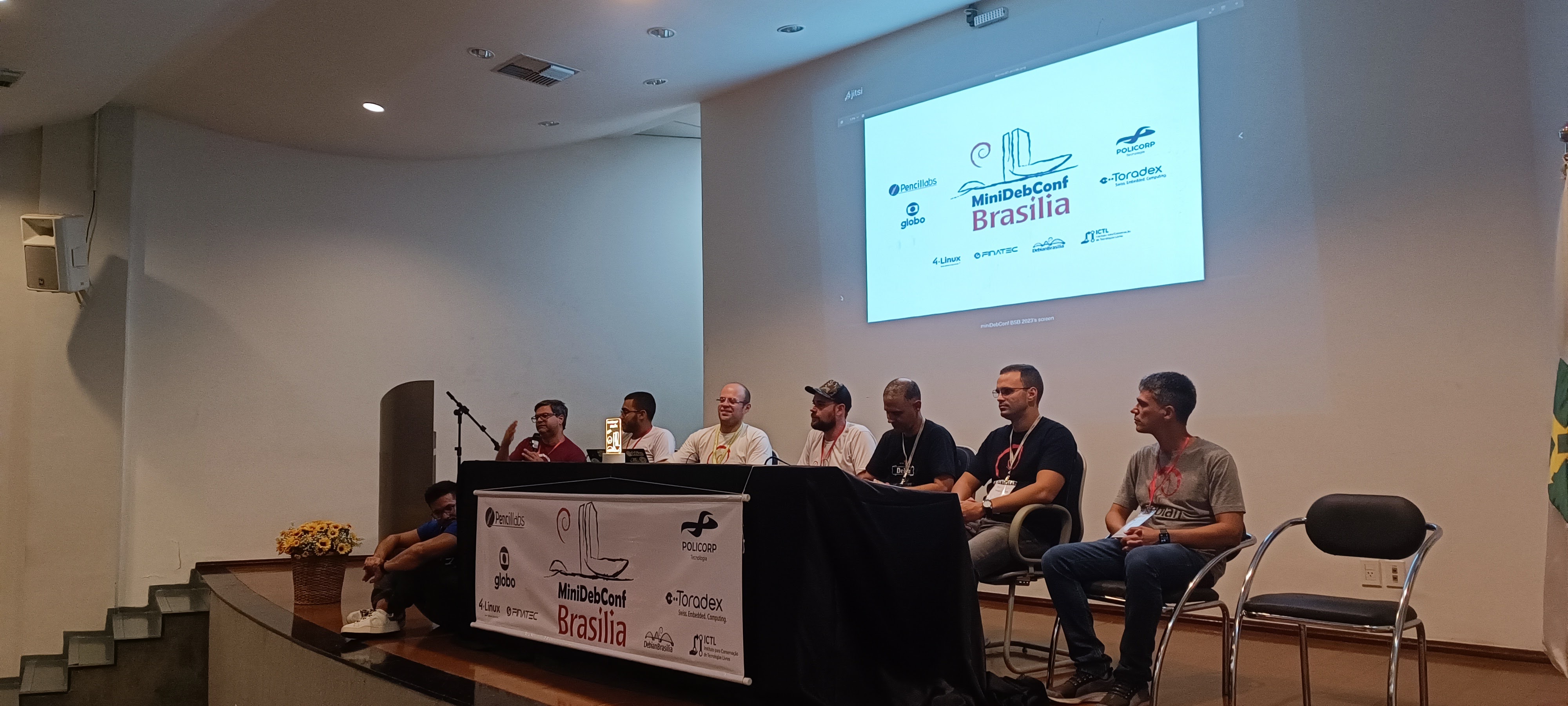
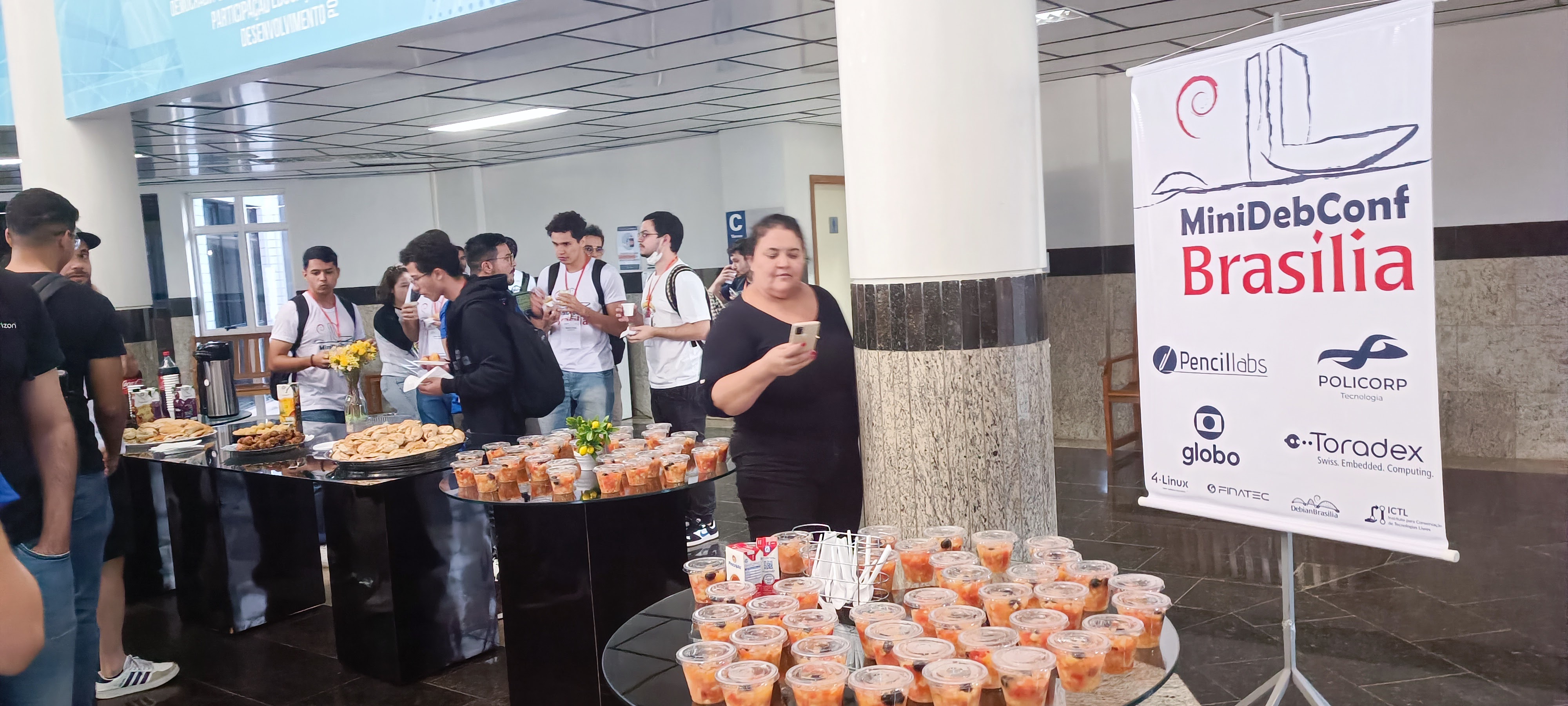
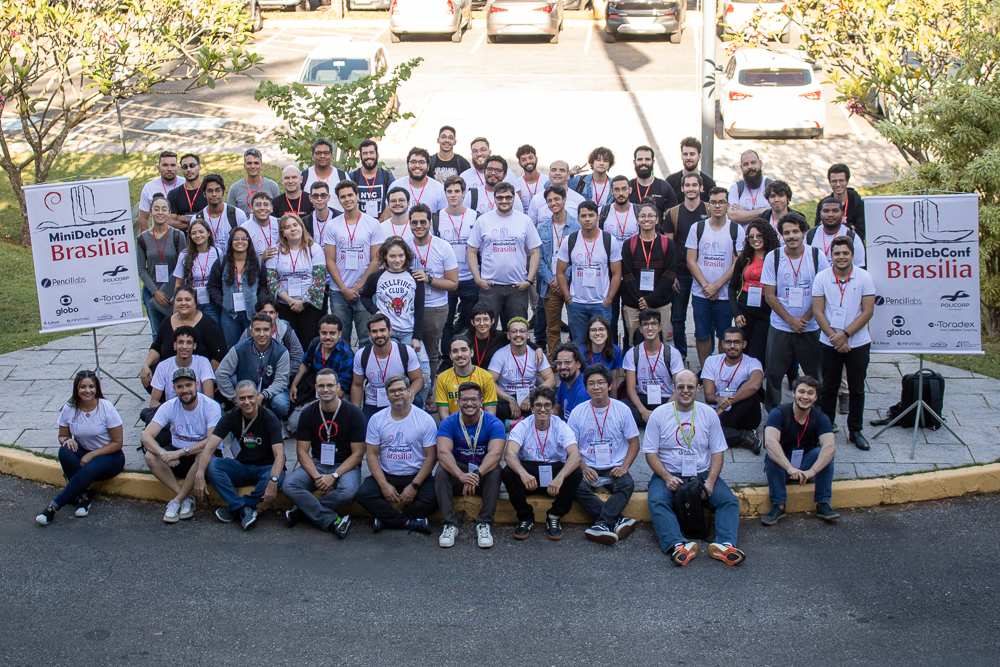
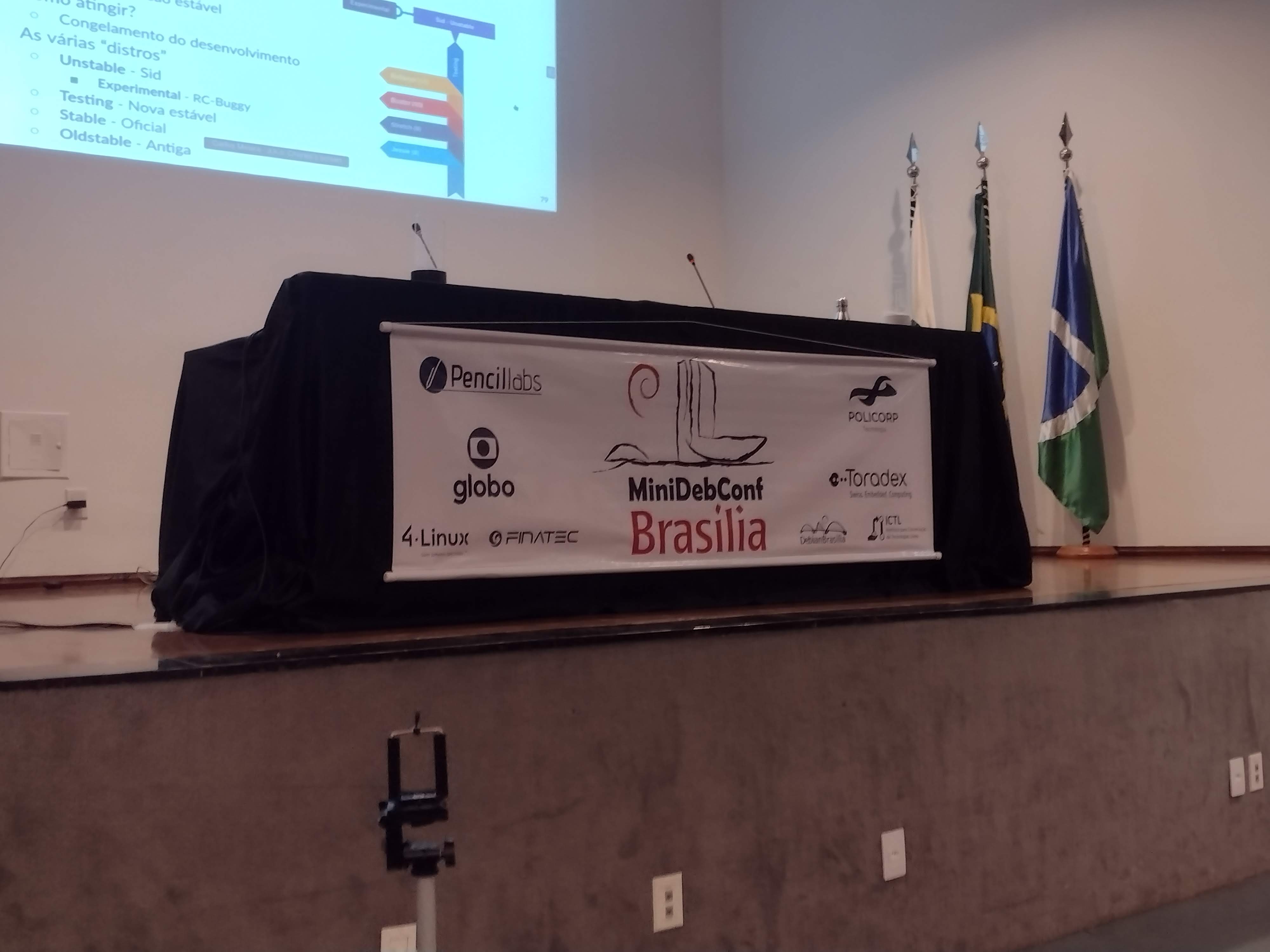 From May 25th to 27th, Bras lia hosted the
MiniDebConf 2023. This gathering, composed
of various activities such as talks, workshops, sprints, BSP (Bug Squashing
Party), key signing, social events, and hacking, aimed to bring the community
together and celebrate the world's largest Free Software project: Debian.
The MiniDebConf Bras lia 2023 was a success thanks to the participation of
everyone, regardless of their level of knowledge about Debian. We valued the
presence of both beginners who are getting familiar with the system and official
project developers. The spirit of inclusion and collaboration was present
throughout the event.
MiniDebConfs are local meetings organized by members of the Debian Project,
aiming to achieve similar goals as DebConf but on a regional scale. Throughout
the year, events like this occur in different parts of the world, strengthening
the Debian community.
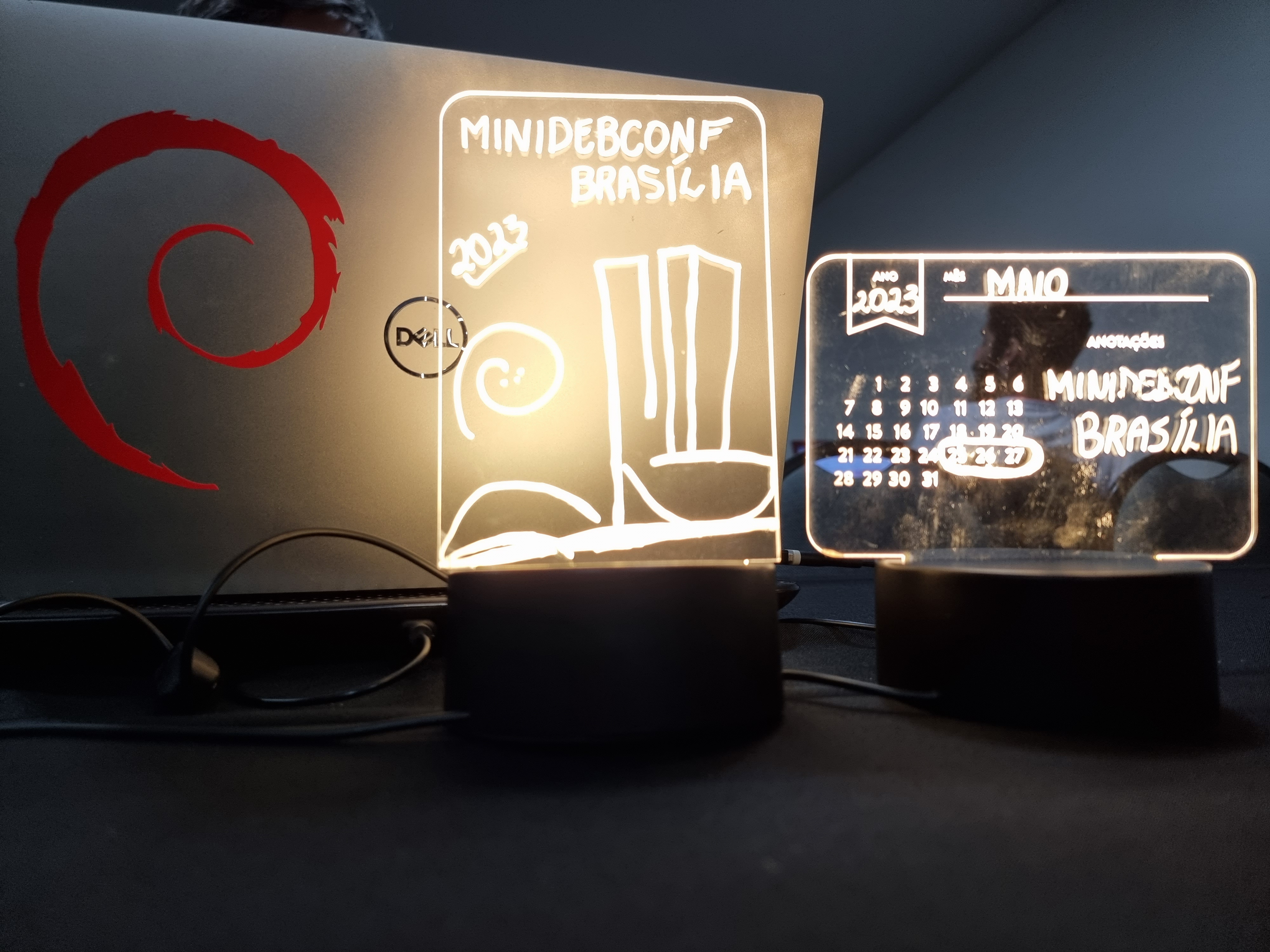 Activities
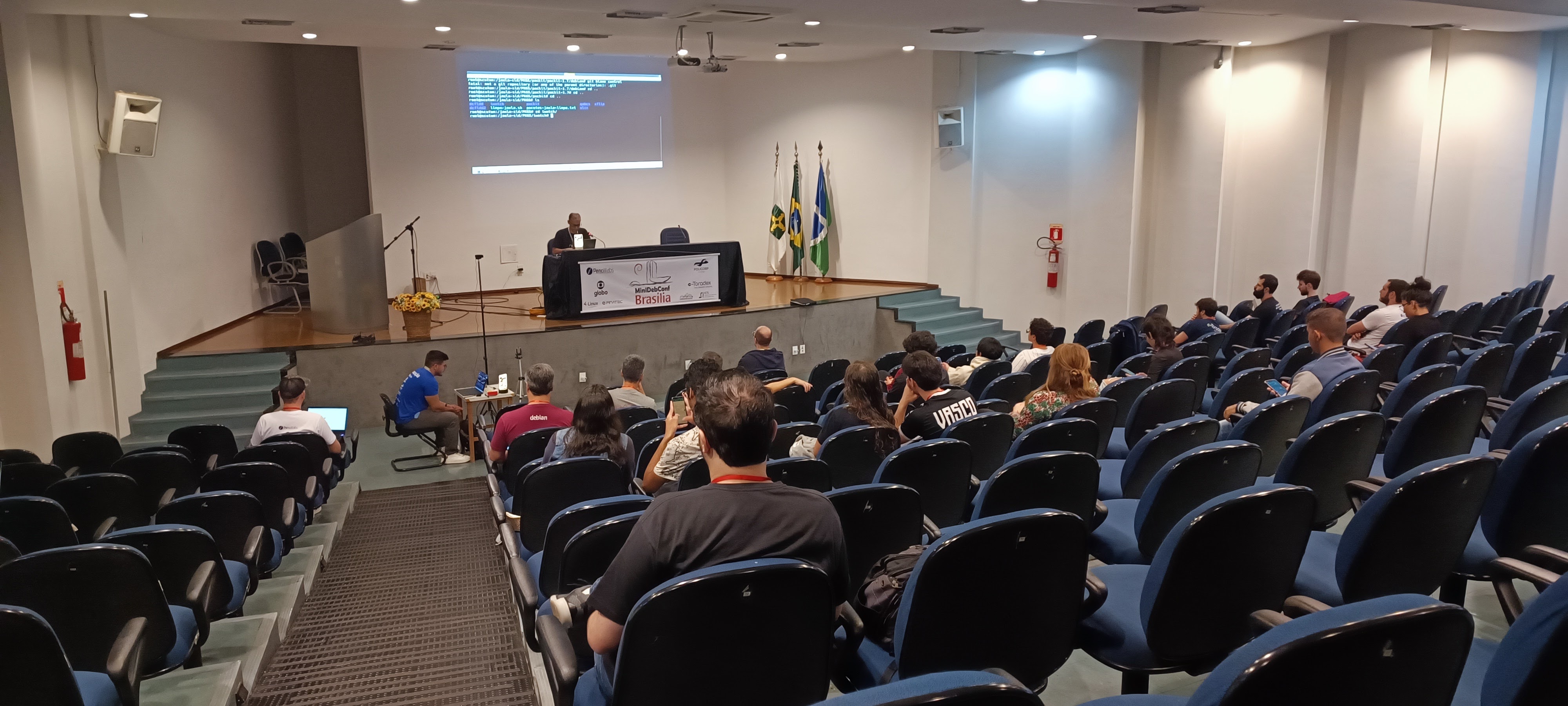
The MiniDebConf program was intense and diverse. On May 25th and 26th (Thursday
and Friday), we had talks, discussions, workshops, and many hands-on activities.
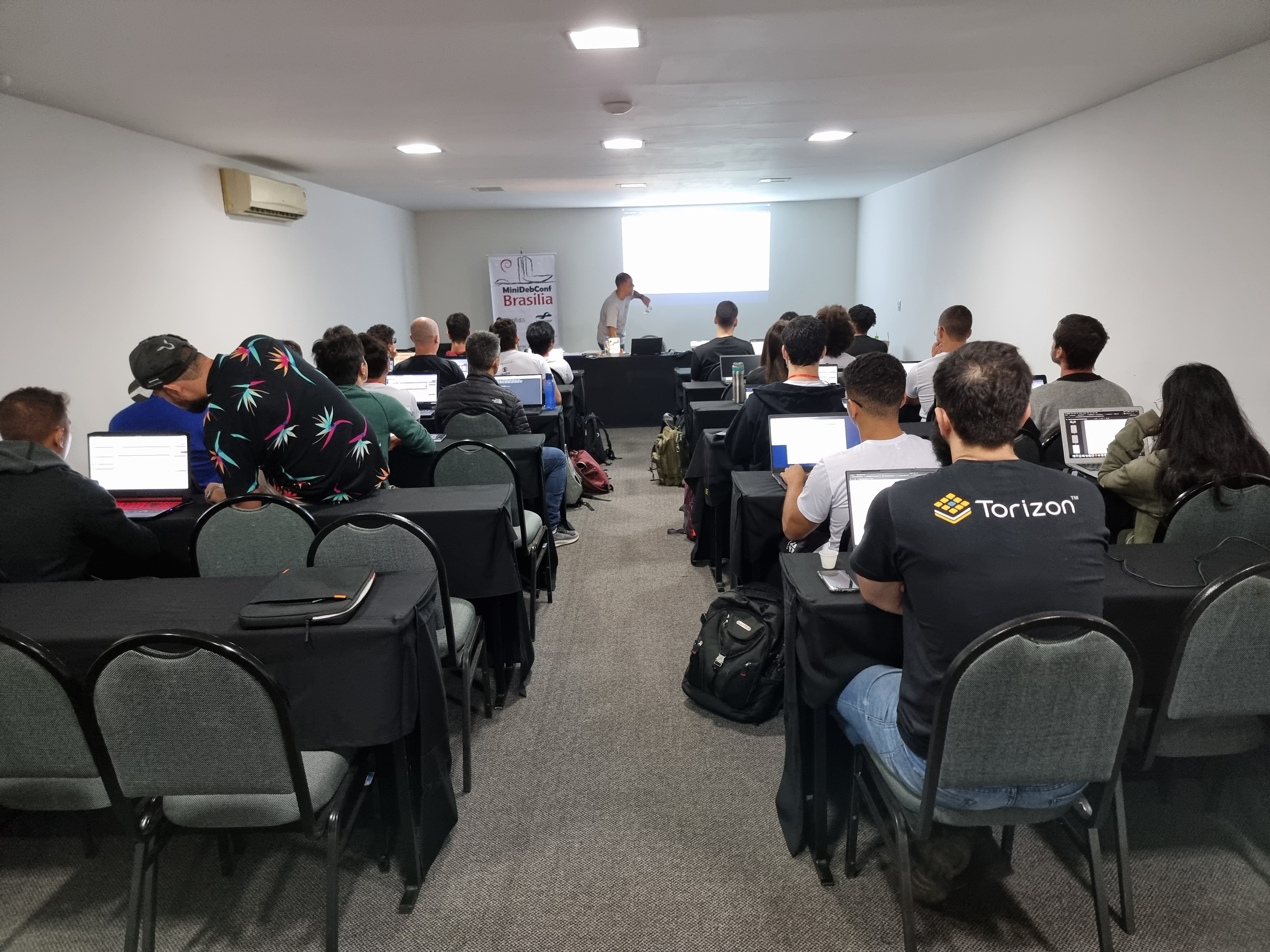
On the 27th (Saturday), the Hacking Day took place, which was a special moment
for Debian contributors to come together and work collaboratively on various
aspects of the project. This was the Brazilian version of Debcamp, a tradition
preceding DebConf. On this day, we prioritized practical activities such as
software packaging, translations, key signing, install fest, and the Bug
Squashing Party.
 Edition numbers
The event numbers are impressive and demonstrate the community's involvement
with Debian. We had 236 registered participants, 20 submitted talks, 14
volunteers, and 125 check-ins. Furthermore, in the hands-on activities, we
achieved significant results, including 7 new installations of Debian GNU/Linux,
the update of 18 packages in the official Debian project repository by
participants, and the inclusion of 7 new contributors to the translation team.
We also highlight the remote participation of the community through live
streams. The analytics data reveals that our website received a total of 7,058
views, with 2,079 views on the homepage (which featured our sponsors' logos),
3,042 views on the program page, and 104 views on the sponsors' page. We
recorded 922 unique users during the event.
On YouTube, the live stream reached 311 views, with 56 likes and a peak of 20
concurrent views. There were an incredible 85.1 hours of watch time, and our
channel gained 30 new subscribers. All this engagement and interest from the
community further strengthen MiniDebConf.
 Photos and videos
To relive the best moments of the event, we have photos and recordings
available. Photos can be accessed at: https://deb.li/pbsb2023. Video recordings
of the talks are available at the following link: https://deb.li/vbsb2023.
To stay updated and connect with the Debian Bras lia community, follow us on
our social media channels:
 MiniDebConf Bras lia 2023 was a milestone for the Debian community,
demonstrating the power of collaboration and Free Software. We hope that
everyone enjoyed this enriching gathering and will continue to actively
participate in future Debian Project initiatives. Together, we can make a
difference!
 No per odo de 25 a 27 de maio, Bras lia foi palco da
MiniDebConf 2023. Esse encontro, composto
por diversas atividades como palestras, oficinas, sprints,
BSP (Bug Squashing Party), assinatura de chaves,
eventos sociais e hacking, teve como principal objetivo reunir a comunidade e
celebrar o maior projeto de Software Livre do mundo: o
Debian.
A MiniDebConf Bras lia 2023 foi um sucesso gra as participa o de todas e
todos, independentemente do n vel de conhecimento sobre o Debian. Valorizamos a
presen a tanto dos(as) usu rios(as) iniciantes que est o se familiarizando com o
sistema quanto dos(as) desenvolvedores(as) oficiais do projeto. O esp rito de
acolhimento e colabora o esteve presente em todos os momentos.
As MiniDebConfs s o encontros locais organizados por membros do Projeto Debian,
visando objetivos semelhantes aos da DebConf, por m em mbito regional. Ao
longo do ano, eventos como esse ocorrem em diferentes partes do mundo,
fortalecendo a comunidade Debian.
Atividades
A programa o da MiniDebConf foi intensa e diversificada. Nos dias 25 e 26
(quinta e sexta-feira), tivemos palestras, debates, oficinas e muitas atividades
pr ticas. J no dia 27 (s bado), ocorreu o Hacking Day, um momento especial em
que os(as) colaboradores(as) do Debian se reuniram para trabalhar em conjunto em
v rios aspectos do projeto. Essa foi a vers o brasileira da Debcamp, tradi o
pr via DebConf. Nesse dia, priorizamos as atividades pr ticas de contribui o
ao projeto, como empacotamento de softwares, tradu es, assinaturas de chaves,
install fest e a Bug Squashing Party.
N meros da edi o
Os n meros do evento impressionam e demonstram o envolvimento da comunidade com
o Debian. Tivemos 236 inscritos(as), 20 palestras submetidas, 14 volunt rios(as)
e 125 check-ins realizados. Al m disso, nas atividades pr ticas, tivemos
resultados significativos, como 7 novas instala es do Debian GNU/Linux, a
atualiza o de 18 pacotes no reposit rio oficial do projeto Debian pelos
participantes e a inclus o de 7 novos contribuidores na equipe de tradu o.
Destacamos tamb m a participa o da comunidade de forma remota, por meio de
transmiss es ao vivo. Os dados anal ticos revelam que nosso site obteve 7.058
visualiza es no total, com 2.079 visualiza es na p gina principal (que contava
com o apoio de nossos patrocinadores), 3.042 visualiza es na p gina de
programa o e 104 visualiza es na p gina de patrocinadores. Registramos 922
usu rios(as) nicos durante o evento.
No YouTube,
a transmiss o ao vivo alcan ou 311 visualiza es, com 56 curtidas e um pico de
20 visualiza es simult neas. Foram incr veis 85,1 horas de exibi o, e nosso
canal conquistou 30 novos inscritos(as). Todo esse engajamento e interesse da
comunidade fortalecem ainda mais a MiniDebConf.
Fotos e v deos
Para revivermos os melhores momentos do evento, temos dispon veis fotos e v deos.
As fotos podem ser acessadas em: https://deb.li/pbsb2023. J os v deos com as
grava es das palestras est o dispon veis no seguinte link:
https://deb.li/vbsb2023. Para manter-se atualizado e conectar-se com a
comunidade Debian Bras lia, siga-nos em nossas redes sociais:
A MiniDebConf Bras lia 2023 foi um marco para a comunidade Debian, demonstrando
o poder da colabora o e do Software Livre. Esperamos que todas e todos tenham
desfrutado desse encontro enriquecedor e que continuem participando ativamente
das pr ximas iniciativas do Projeto Debian. Juntos, podemos fazer a diferen a!
 New month. It's been 15 years since I joined the current company. That's a long time.
Next.