Search Results: "dom"

9 November 2015

Daniel Pocock: debian.org RTC: announcing XMPP, SIP presence and more

Announced 7 November 2015 on the debian-devel-announce mailing list. The Debian Project now has an XMPP service available to all Debian Developers. Your Debian.org email identity can be used as your XMPP address. The SIP service has also been upgraded and now supports presence. SIP and XMPP presence, rosters and messaging are not currently integrated. The Lumicall app has been improved to enable rapid setup for Debian.org SIP users. This announcement concludes the maintenance window on the RTC services. All services are now running on jessie (using packages from jessie-backports). XMPP and SIP enable a whole new world of real-time multimedia communications possibilities: video/webcam, VoIP, chat messaging, desktop sharing and distributed, federated communication are the most common use cases. Details about how to get started and get support are explained in the User Guide in the Debian wiki. As it is a wiki, you are completely welcome to help it evolve. Several of the people involved in the RTC team were also at the Cambridge mini-DebConf (7-8 November). The password for all these real time communication services can be set via the LDAP control panel. Please note that this password needs to be different to any of your other existing debian.org passwords. Please use a strong password and please keep it secure. Some of the infrastructure, like the TURN server, is shared by clients of both SIP and XMPP. Please configure your XMPP and SIP clients to use the TURN server for audio or video streaming to work most reliably through NAT. A key feature of both our XMPP and SIP services is that they support federated inter-connectivity with other domains. Please try it. The FedRTC service for Fedora developers is one example of another SIP service that supports federation. For details of how it works and how we establish trust between domains, please see the RTC Quick Start Guide. Please reach out to other communities you are involved with and help them consider enabling SIP and XMPP federation of their own communities/domains: as Metcalfe's law suggests, each extra person or community who embraces open standards like SIP and XMPP has far more than just an incremental impact on the value of these standards and makes them more pervasive. If you are keen to support and collaborate on the wider use of Free RTC technology, please consider joining the Free RTC mailing list sponsored by FSF Europe. There will also be a dedicated debian-rtc list for discussion of these technologies within Debian and derivatives. This service has been made possible by the efforts of the DSA team in the original SIP+WebRTC project and the more recent jessie upgrades and XMPP project. Real-time communications systems have specific expectations for network latency, connectivity, authentication schemes and various other things. Therefore, it is a great endorsement of the caliber of the team and the quality of the systems they have in place that they have been able to host this largely within their existing framework for Debian services. Feedback from the DSA team has also been helpful in improving the upstream software and packaging to make them convenient for system administrators everywhere. Special thanks to Peter Palfrader and Luca Filipozzi from the DSA team, Matthew Wild from the Prosody XMPP server project, Scott Godin from the reSIProcate project, Juliana Louback for her contributions to JSCommunicator during GSoC 2014, Iain Learmonth for helping get the RTC team up and running, Enrico Tassi, Sergei Golovan and Victor Seva for the Prosody and prosody-modules packaging and also the Debian backports team, especially Alexander Wirt, helping us ensure that rapidly evolving packages like those used in RTC are available on a stable Debian system.

Vasudev Kamath: Taming systemd-nspawn for running containers

I've been trying to run containers using systemd-nspawn for quite some time. I was always bumping to one or other dead end. This is not systemd-nspawn's fault, rather my impatience stopping me from reading manual pages properly lack of good tutorial like article available online. Compared to this LXC has a quite a lot of good tutorials and howto's available online. This article is my effort to create a notes putting all required information in one place.

Creating a Debian Base Install First step is to have a minimal Debian system some where on your hard disk. This can be easily done using debootsrap. I wrote a custom script to avoid reading manual every time I want to run debootstrap. Parts of this script (mostly packages and the root password generation) is stolen from lxc-debian template provided by lxc package.
#!/bin/sh
set -e
set -x
usage ()  
    echo "$ 0##/*  [options] <suite> <target> [<mirror>]"
    echo "Bootstrap rootfs for Debian"
    echo
    cat <<EOF
    --arch         set the architecture to install
    --root-passwd  set the root password for bootstrapped rootfs
    EOF
 
# copied from the lxc-debian template
packages=ifupdown,\
locales,\
libui-dialog-perl,\
dialog,\
isc-dhcp-client,\
netbase,\
net-tools,\
iproute,\
openssh-server,\
dbus
if [ $(id -u) -ne 0 ]; then
    echo "You must be root to execute this command"
    exit 2
fi
if [ $# -lt 2 ]; then
   usage $0
fi
while true; do
    case "$1" in
        --root-passwd --root-passwd=?*)
            if [ "$1" = "--root-passwd" -a -n "$2" ]; then
                ROOT_PASSWD="$2"
                shift 2
            elif [ "$1" != "$ 1#--root-passwd= " ]; then
                ROOT_PASSWD="$ 1#--root-passwd= "
                shift 1
            else
                # copied from lxc-debian template
                ROOT_PASSWD="$(dd if=/dev/urandom bs=6 count=1 2>/dev/null base64)"
                ECHO_PASSWD="yes"
            fi
            ;;
        --arch --arch=?*)
            if [ "$1" = "--arch" -a -n "$2" ]; then
                ARCHITECTURE="$2"
                shift 2
            elif [ "$1" != "$ 1#--arch= " ]; then
                ARCHITECTURE="$ 1#--arch= "
                shift 1
            else
                ARCHITECTURE="$(dpkg-architecture -q DEB_HOST_ARCH)"
            fi
            ;;
        *)
            break
            ;;
    esac
done
release="$1"
target="$2"
if [ -z "$1" ]   [ -z "$2" ]; then
    echo "You must specify suite and target"
    exit 1
fi
if [ -n "$3" ]; then
    MIRROR="$3"
fi
MIRROR=$ MIRROR:-http://httpredir.debian.org/debian 
echo "Downloading Debian $release ..."
debootstrap --verbose --variant=minbase --arch=$ARCHITECTURE \
             --include=$packages \
             "$release" "$target" "$MIRROR"
if [ -n "$ROOT_PASSWD" ]; then
    echo "root:$ROOT_PASSWD"   chroot "$target" chpasswd
    echo "Root password is '$ROOT_PASSWRD', please change!"
fi
It just gets my needs done, if you don't like it feel free to modify or use debootstrap directly. !NB Please install dbus package in the minimal base install, otherwise you will not be able to control the container using machinectl
Manually Running Container and then persisting it Next we need to run the container manually. This is done by using following command.
systemd-nspawn -bD   /path/to/container --network-veth \
     --network-bridge=natbr0 --machine=Machinename
--machine option is not mandatory, if not specified systemd-nspawn will take the directory name as machine name, and if you have characters like - in the directory name it translates to hexcode x2d and controlling container with name becomes difficult. --network-veth specifies the systemd-nspawn to enable virtual ethernet based networking and --network-bridge tells the bridge interface on host system to be used by systemd-nspawn. These options together constitutes private networking for container. If not specified container can use host systems interface there by removing network isolation of container. Once you run this command container comes up. You can now run machinectl to control the container. Container can be persisted using following command
machinectl enable container-name
This will create a symbolic link of /lib/systemd/system/systemd-nspawn@service to /etc/systemd/system/machine.target.wants/. This allows you to start or stop container using machinectl or systemctl command. Only catch here is your base install should be in /var/lib/machines/. What I do in my case is create a symbolic link from my base container to /var/lib/machines/container-name. !NB Note that symbolic link name under /var/lib/machines should be same as the container name you gave using --machine switch or the directory name if you didn't specify --machine
Persisting Container Networking We did persist the container in above step, but this doesn't persist the networking options we provided in command line. systemd-nspawn@.service provides following command to invoke container.
ExecStart=/usr/bin/systemd-nspawn --quiet --keep-unit --boot --link-journal=try-guest --network-veth --settings=override --machine=%I
To persist the bridge networking configuration we did in command line, we need the help of systemd-networkd. So first we need to enable the systemd-networkd.service on both container and the host system.
systemctl enable systemd-networkd.service
Now inside the container, interfaces will be named as hostN. Depending on how many interfaces we have N increments. In our example case we had single interface, hence it will named as host0. By default network interfaces will be down inside container, hence systemd-networkd is needed to put it up. We put the following in /etc/systemd/network/host0.network file inside the container.
[Match]
Name=host0
[Network]
Description=Container wired interface host0
DHCP=yes
And in the host system we just configure the bridge interface using systemd-nspawn. I put following in natbr0.netdev in /etc/systemd/network/
[NetDev]
Description=Bridge natbr0
Name=natbr0
Kind=bridge
In my case I already had configured the bridge using /etc/network/interfaces file for lxc. I think its not really needed to use systemd-networkd in this case. Since systemd-networkd doesn't do anything if network / virtual device is already present I safely put above configuration and enabled systemd-networkd. Just for the notes here is my natbr0 configuration in interfaces file.
auto natbr0
iface natbr0 inet static
   address 172.16.10.1
   netmask 255.255.255.0
   pre-up brctl addbr natbr0
   post-down brctl delbr natbr0
   post-down sysctl net.ipv4.ip_forward=0
   post-down sysctl net.ipv6.conf.all.forwarding=0
   post-up sysctl net.ipv4.ip_forward=1
   post-up sysctl net.ipv6.conf.all.forwarding=1
   post-up iptables -A POSTROUTING -t mangle -p udp --dport bootpc -s 172.16.0.0/16 -j CHECKSUM --checksum-fill
   pre-down iptables -D POSTROUTING -t mangle -p udp --dport bootpc -s 172.16.0.0/16 -j CHECKSUM --checksum-fill
Once this is done just reload the systemd-networkd and make sure you have dnsmasq or any other DHCP server running in your system. Now the last part is to tell systemd-nspawn to use the bridge networking interface we have defined. This is done using container-name.nspawn file. Put this file under /etc/systemd/nspawn folder.
[Exec]
Boot=on
[Files]
Bind=/home/vasudev/Documents/Python/upstream/apt-offline/
[Network]
VirtualEthernet=yes
Bridge=natbr0
Here you can specify networking, and files mounting section of the container. For full list please refer the systemd.nspawn manual page. Now all this is done you can happily do
machinectl start container-name
#or
systemctl start systemd-nspawn@container-name
Resource Control Now all things said and done, one last part remains. Yes what is the point if we can't control how much resource does the container use. Atleast it is more important for me, because I use old and bit low powered laptop. Systemd provides way to control the resource using Control interface. To see all the the interfaces exposed by systemd please refer systemd.resource-control manual page. The way to control the resource is using systemctl. Once container starts running we can run following command.
systemctl set-property container-name CPUShares=200 CPUQuota=30% MemoryLimit=500M
The manual page does say that these things can be put under [Slice] section of unit files. Now I don't have clear idea if this can be put under .nspawn files or not. For the sake of persisting the container I manually wrote the service file for container by copying systemd-nspawn@.service and adding [Slice] section. But if I don't know how to find out if this had any effect or not. If some one knows about this please share your suggestions to me and I will update this section with your provided information.
Conclussion All in all I like systemd-nspawn a lot. I use it to run container for development of apt-offline. I previously used lxc where all can be controlled using a single config file. But I feel systemd-nspawn is more tightly integrated with system than lxc. There is definitely more in systemd-nspawn than I've currently figured out. Only thing is its not as popular as other alternatives and definitely lacks good howto documentation.For now only way out is dig the manual pages, scratch your head, pull your hair out and figure out new possibilities in systemd-nspawn. ;-)

7 November 2015

Stig Sandbeck Mathisen: Let's Encrypt with Hitch and Varnish

Let's Encrypt is now in beta. Here's how to use the automated CA with Hitch TLS proxy, and Varnish HTTP accelerator as a backend for Hitch.
Let's Encrypt Let's Encrypt is a free, automated and open Certificate Authority (CA), run for the public's benefit.
Varnish Varnish is a HTTP accelerator. I use it as a web server, and it serves content from various backends. Varnish is used on a lot of high-traffic web servers, and supports simple and complex web site configurations.
Hitch Hitch is a TLS proxy, by Varnish Software. It terminates TLS connections, and forwards them to a backend, unencrypted. The TLS proxy is simple to configure, and handles many thousands of requests per second on commodity hardware. Hitch was originally called stud and was written by Jamie Turner at Bump.com.
Varnish plugin for Let's Encrypt Let's Encrypt Varnish Plugin is needed for the Let's Encrypt client to authenticate against their service, for getting the certificates. You can skip this if you have the option of temporarily disabling your web service, when registering and renewing your certificates.
Hitch TLS proxy Hitch must be configured to listen on the https port (TCP/443), with a list of strong ciphers. To get Forward Secrecy, we need ciphers with EECDH or EDH. To use these, we need to generate a set of DH Parameters. In /etc/hitch/hitch.conf:
      
# Listening
frontend = "[*]:443"
ciphers  = "EECDH+AESGCM:EDH+AESGCM:AES256+EECDH:AES256+EDH"
      
    
Varnish as backend for Hitch Hitch will forward traffic to Varnish on localhost:6082, using the PROXY protocol. Here's a snippet for /etc/hitch/hitch.conf to do this:
      
# Send traffic to the varnish backend
backend        = "[::1]:6086"
write-proxy-v2 = on
      
    
For varnish, I've added a separate port for the "PROXY" protocol, by adding an extra "-a" argument for port 6086. The -a :80 handles the existing http traffic, while the -a '[::1]:6086,PROXY' adds a listener on localhost, which will be used by hitch.
      
/usr/sbin/varnishd -j unix,user=vcache -a :80 -a '[::1]:6086,PROXY' ...
      
    
Let's Encrypt install letsencrypt First, install the letsencrypt client. The beta program sends you a mail with instructions. When it is generally available, I suspect it'll be something like:
      
apt install letsencrypt
      
    
install varnish plugin Then, get the let's encrypt varnish plugin. The plugin will extend the letsencrypt software to be able to rewrite the VCL and reload Varnish to satisfy the authentication challenge of the Let's Encrypt server.
      
cd /usr/local/src
git clone http://git.sesse.net/letsencrypt-varnish-plugin
. ~/.local/share/letsencrypt/bin/activate
pip install -e /usr/local/src/letsencrypt-varnish-plugin
      
    
get certificate Get certificates. Let's Encrypt is still in beta, so I had to add a few more command line arguments than the documentation specifies:
      
~/.local/share/letsencrypt/bin/letsencrypt --agree-dev-preview \
    --server https://acme-v01.api.letsencrypt.org/directory \
    -a letsencrypt-varnish-plugin:varnish -d example.org certonly
      
    
Adding certificates to Hitch Hitch requires one PEM file per domain we serve. Each .pem file contains the private key, the signed certificate and any required intermediates. Create a file with DH parameters:
      
openssl dhparam -out /etc/hitch/dhparam.pem 2048
      
    
This file may take a long while to generate. Combine the key, the signed certificate, and the dhparam file to something hitch can use:
      
cat \
    /etc/letsencrypt/live/example.org/privkey.pem \
    /etc/letsencrypt/live/example.org/fullchain.pem \
    /etc/hitch/dhparam.pem \
    > /etc/hitch/example.org.pem
chmod 0600 /etc/hitch/example.org.pem
      
    
and configure hitch to use the file, by adding it to /etc/hitch/hitch.conf:
      
# List of PEM files, each with key, certificates and dhparams
pem-file = "/etc/hitch/example.org.pem"
pem-file = "/etc/hitch/www.example.org.pem"
pem-file = "/etc/hitch/example.com.pem"
pem-file = "/etc/hitch/www.example.com.pem"


4 November 2015

Mart n Ferrari: Tales from the SRE trenches: What can SRE do for you?

This is the fourth part in a series of articles about SRE, based on the talk I gave in the Romanian Association for Better Software. Previous articles can be found here: part 1, part 2, and part 3. As a side note, I am writing this from Heathrow Airport, about to board my plane to EZE. Buenos Aires, here I come!

So, what does SRE actually do? Enough about how to keep the holy wars under control and how to get work away from Ops. Let's talk about some of the things that SRE does. Obviously, SRE runs your service, performing all the traditional SysAdmin duties needed for your cat pictures to reach their consumers: provisioning, configuration, resource allocation, etc. They use specialised tools to monitor the service, and get alerted as soon as a problem is detected. They are also the ones waking up to fix your bugs in the middle of the night. But that is not the whole story: reliability is not only impacted by new launches. Suddenly usage grows, hardware fails, networks lose packets, solar flares flip your bits... When working at scale, things are going to break more often than not. You want these breakages to affect your availability as little as possible, there are three strategies you can apply to this end: minimise the impact of each failure, recover quickly, and avoid repetition. And of course, the best strategy of them all: preventing outages from happening at all.

Minimizing the impact of failures A single failure that takes the whole service down will affect severely your availability, so the first strategy as an SRE is to make sure your service is fragmented and distributed across what is called "failure domains". If the data center catches fire, you are going to have a bad day, but it is a lot better if only a fraction of your users depend on that one data center, while the others keep happily browsing cat pictures. SREs spend a lot of their time planning and deploying systems that span the globe to maximise redundancy while keeping latencies at reasonable levels.

Recovering quickly Many times, retrying after a failure is actually the best option. So another strategy is to automatically restart in milliseconds any piece of your system that fails. This way, less users are affected, while a human has time to investigate and fix the real problem. If a human needs to intervene, it is crucial that they get notified as fast as possible, and that they have quick access to all the information that is needed to solve the problem: detailed documentation of the production environment, meaningful and extensive monitoring, play-books1, etc. After all, at 2 AM you probably don't remember in which country the database shard lives, or what were the series of commands to redirect all the traffic to a different location. Implementing monitoring and automated alerts, writing documentation and play-books, and practising for disaster are other areas where SREs devote much effort.

Avoiding repetition Outages happen, pages ring, problems get fixed, but it should always be a chance for learning and improving. A page should require a human to think about a problem and find a solution. If the same problem keeps appearing, the human is not needed any more: the problem needs to be fixed at the root. Another key aspect of dealing with incidents is to write post-mortems2. Every incident should have one, and these should be tools for learning, not finger-pointing. Post-mortems can be an excellent tool, if people are honest about their mistakes, they are not used to blame other people, and issues are followed up by bug reports and discussions.

Preventing outages Of course nobody can prevent hard drives from failing, but there are certain classes of outages that can be forecasted with careful analysis. Usage spikes can bring a service down, but an SRE team will ensure that the systems are load-tested at higher-than-normal rates. They could also be prepared to quickly scale the service, provided the monitoring system will alert as soon as a certain threshold is reached. Monitoring is actually the key part in this: measuring relevant metrics for all the components of a system, and following their trends over time, SREs can completely avoid many outages: latencies growing out of acceptable bounds, disks filling up, progressive degradation of components, are all examples of typical problems automatically monitored (and alerted on) in an SRE team.
This is getting pretty long, so the next post will be the last one of these series, with some extra tips from SRE experience that I am sure can be applied in many places.

  1. A play-book is a document containing critical information needed when dealing with a specific alert: possible causes, hints for troubleshooting, links to more documentation. Some monitoring systems will automatically add a play-book URL to every alert sent, and you should be doing it too.
  2. Similarly to their real-life counterparts, a post-mortem is the process of examining a dead body (the outage), gutting it out and trying to understand what caused its demise.
Comment

Rapha&#235;l Hertzog: My Free Software Activities in October 2015

My monthly report covers a large part of what I have been doing in the free software world. I write it for my donators (thanks to them!) but also for the wider Debian community because it can give ideas to newcomers and it s one of the best ways to find volunteers to work with me on projects that matter to me. Debian LTS This month I have been paid to work 13.25 hours on Debian LTS. During this time I worked on the following things: I also started a conversation about what paid contributors could work on if they have some spare cycle as the current funding level might allow us to invest some time on work outside of just plain security updates. The Debian Administrator s Handbook I spent quite some time finalizing the Jessie book update, both for the content and for the layout of the printed book. Debian Handbook: cover of the jessie edition Misc Debian work GNOME 3.18. I uploaded a new gnome-shell-timer working with GNOME Shell 3.18 and I filed bugs #800660 and #802480 about an annoying gnome-keyring regression I did multiple test rounds with the Debian maintainers (Dmitry Shachnev, kudos to him!) and the upstream developers (see here and here). Apart from those regressions, I like GNOME 3.18! Python-modules team migration to Git. After the Git migration, and since the team policy now imposes usage of git-dpm on all members, I made some tries with it on the python-django package while pushing version 1.8.5 to experimental. And the least I can say is that I m not pleased with the result. I thus filed 3 bugs summarizing the problems I have with git-dpm: #801666 (no way to set the upstream branch names from within the repository), #801667 (no clean way to merge between packaging branches), #801668 (does not create upstream tag immediately on tarball import). That is on top of other randomly stupid bugs that were already reported like #801548 (does not work with perfectly valid pre-existing upstream tags). Django packaging. I filed bugs on all packages build-depending on python-django that fail to build with Django 1.8 and informed them that I would upload Django 1.8 to unstable in early November (it s done already). Then I fixed python-django-jsonfield myself since Distro Tracker relies on this package. Following this small mass-bug filing, I filed a wishlist bug on devscripts to improve the mass-bug helper script (see #801926). And since I used ratt to rebuild the packages, I filed a wishlist issue on this new tool as well. Tryton 3.6 upgrade. I upgraded my own Tryton installation to version 3.6 and filed bug #803066 because the SysV init script was not working properly. That also reminded me that the DD process of Matthias Behrle (the tryton package maintainer) was stalled due to a bug in the NM infrastructure so I pinged the NM team and we sorted out a way for me to advocate him and get his process going Distro Tracker. I continued my work to refactor the way we handle incoming mail processing (branch people/hertzog/mailprocessing). It s now mostly finished and I need to deploy it in a test environment before being able to roll it out on tracker.debian.org. Thanks See you next month for a new summary of my activities.
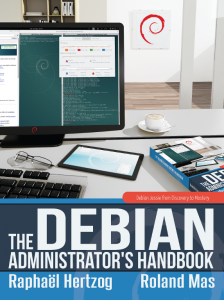
No comment Liked this article? Click here. My blog is Flattr-enabled.

Vincent Sanders: I am not a number I am a free man

Once more the NetSurf developers tried to escape from a mysterious village by writing web browser code.

Michael Drake, Daniel Silverstone, Dave Higton and Vincent Sanders at NetSurf Developer workshop
The sixth developer workshop was an opportunity for us to gather together in person to contribute to NetSurf.

We were hosted by Codethink in their Manchester offices which provided a comfortable and pleasant space to work in.

Four developers managed to attend in person from around the UK: Michael Drake, Daniel Silverstone, Dave Higton and Vincent Sanders.

The main focus of the weekends activities was to work on improving our JavaScript implementation. At the previous workshop we had laid the groundwork for a shift to the Duktape JavaScript engine and since then put several hundred hours of time into completing this transition.

During this weekend Daniel built upon this previous work and managed to get DOM events working. This was a major missing piece of implementation which will mean NetSurf will be capable of interpreting JavaScript based web content in a more complete fashion. This work revealed several issues with our DOM library which were also resolved.

We were also able to merge several improvements provided by the Duktape upstream maintainer Sami Vaarala which addressed performance problems with regular expressions which were causing reports of "hangs" on slow processors.

The responsiveness of Sami and the Ducktape project has been a pleasant surprise making our switch to the library look like an increasingly worthwhile effort.

Overall some good solid progress was made on JavaScript support. Around half of the DOM interfaces in the specifications have now been implemented leaving around fifteen hundred methods and properties remaining. There is an aim to have this under the thousand mark before the new year which should result in a generally useful implementation of the basic interfaces.

Once the DOM interfaces have been addressed our focus will move onto the dynamic layout engine necessary to allow rendering of the changing content.

The 3.4 release is proposed to occur sometime early in the new year and depends on getting the JavaScript work to a suitable stable state.

Dave joined us for the first time, he was principally concerned with dealing with bugs and the bug tracker. It was agreeable to have a new face at the meeting and some enthusiasm for the RISC OS port which has been lacking an active maintainer for some time.

The turnout for this workshop was the same as the previous one and the issues raised then are still true. We still have a very small active core team who can commit only limited time which is making progress very slow and are lacking significant maintenance for several frontends.

Overall we managed to pack 16 hours of work into the weekend and addressed several significant problems.

Johannes Schauer: Let's Encrypt with Pound on Debian

TLDR: mister-muffin.de (and all its subdomains), bootstrap.debian.net and binarycontrol.debian.net are now finally signed by "Let's Encrypt Authority X1" \o/ I just tried out the letsencrypt client Debian packages prepared by Harlan Lieberman-Berg which can be found here: My server setup uses Pound as a reverse proxy in front of a number of LXC based containers running the actual services. Furthermore, letsencrypt only supports Nginx and Apache for now, so I had to manually setup things anyways. Here is how. After installing the Debian packages I built from above git repositories, I ran the following commands:

$ mkdir -p letsencrypt/etc letsencrypt/lib letsencrypt/log
$ letsencrypt certonly --authenticator manual --agree-dev-preview \
    --server https://acme-v01.api.letsencrypt.org/directory --text \
    --config-dir letsencrypt/etc --logs-dir letsencrypt/log \
    --work-dir letsencrypt/lib --email josch@mister-muffin.de \
    --domains mister-muffin.de --domains blog.mister-muffin.de \
    --domains [...]
I created the letsencrypt directory structure to be able to run letsencrypt as a normal user. Otherwise, running this command would require access to /etc/letsencrypt and others. Having to set this up and pass all these parameters is a bit bothersome but there is an upstream issue about making this easier when using the "certonly" option which in princible should not require superuser privileges. The --server option is necessary for now because "Let's Encrypt" is still in beta and one needs to register for it. Without the --server option one will get an untrusted certificate from the "happy hacker fake CA". The letsencrypt program will then ask me for my agreement to the Terms of Service and then, for each domain I specified with the --domains option present me the token content and the location under each domain where it expects to find this content, respectively. This looks like this each time:
-------------------------------------------------------------------------------
NOTE: The IP of this machine will be publicly logged as having requested this
certificate. If you're running letsencrypt in manual mode on a machine that is
not your server, please ensure you're okay with that.
Are you OK with your IP being logged?
-------------------------------------------------------------------------------
(Y)es/(N)o: Y
Make sure your web server displays the following content at
http://mister-muffin.de/.well-known/acme-challenge/XXXX before continuing:
 "header":  "alg": "RS256", "jwk":  "e": "AQAB", "kty": "RSA", "n": "YYYY" , "payload": "ZZZZ", "signature": "QQQQ" 
Content-Type header MUST be set to application/jose+json.
If you don't have HTTP server configured, you can run the following
command on the target server (as root):
mkdir -p /tmp/letsencrypt/public_html/.well-known/acme-challenge
cd /tmp/letsencrypt/public_html
echo -n ' "header":  "alg": "RS256", "jwk":  "e": "AQAB", "kty": "RSA", "n": "YYYY" , "payload": "ZZZZ", "signature": "QQQQ" ' > .well-known/acme-challenge/XXXX
# run only once per server:
$(command -v python2   command -v python2.7   command -v python2.6) -c \
"import BaseHTTPServer, SimpleHTTPServer; \
SimpleHTTPServer.SimpleHTTPRequestHandler.extensions_map =  '': 'application/jose+json' ; \
s = BaseHTTPServer.HTTPServer(('', 80), SimpleHTTPServer.SimpleHTTPRequestHandler); \
s.serve_forever()" 
Press ENTER to continue
For brevity I replaced any large base64 encoded chunks of the messages with YYYY, ZZZZ and QQQQ. The token location is abbreviated with XXXX. After temporarily stopping Pound on my webserver I created the directory /tmp/letsencrypt/public_html/.well-known/acme-challenge and then opened two shells on my server, both at /tmp/letsencrypt/public_html. In one, I kept a tiny HTTP server running (like the suggested Python SimpleHTTPServer which will also work if one has Python installed). In the other I copy pasted the echo line that the letsencrypt program suggested me to run. I had to copypaste that echo command for each domain I wanted to verify. This could easily be automated, so I filed an issue about this with upstream. It seems that the letsencrypt servers query each of these tokens twice: once directly each time after having hit enter after seeing the message above and another time once all tokens are in place. At the end of this ordeal I get:
2015-11-04 11:12:18,409:WARNING:letsencrypt.client:Non-standard path(s), might not work with crontab installed by your operating system package manager
IMPORTANT NOTES:
 - If you lose your account credentials, you can recover through
   e-mails sent to josch@mister-muffin.de.
 - Congratulations! Your certificate and chain have been saved at
   letsencrypt/etc/live/mister-muffin.de/fullchain.pem. Your cert will
   expire on 2016-02-02. To obtain a new version of the certificate in
   the future, simply run Let's Encrypt again.
 - Your account credentials have been saved in your Let's Encrypt
   configuration directory at letsencrypt/etc. You should make a
   secure backup of this folder now. This configuration directory will
   also contain certificates and private keys obtained by Let's
   Encrypt so making regular backups of this folder is ideal.
I can now scp the content of letsencrypt/etc/live/mister-muffin.de/* to my server. Unfortunately, Pound (and also my ejabberd XMPP server) requires the private key to be in the same file as the certificate and the chain, so on the server I also had to do:
cat /etc/ssl/private/privkey.pem /etc/ssl/private/fullchain.pem > /etc/ssl/private/private_fullchain.pem
And edit the Pound config to use /etc/ssl/private/private_fullchain.pem. But that's all, folks! EDIT It seems that manually copying over the echo commands as I described above is not necessary. Instead of using the certonly plugin, I can use the webroot plugin. That plugin takes the --webroot-path option and will copy the tokens to there. Since my webroot is on a remote machine, I could just mount it locally via sshfs and pass the mountpoint as --webroot-path. That I didn't realize that the webroot plugin does what I want (and not the certonly plugin) can easily be explained by the only documentation of the webroot plugin in the help output and the man page generated from it being "Webroot Authenticator" which is not very helpful. Another user seems to have run into similar problems. Better documenting the plugins so that these situations can be prevented in the future is tracked in this upstream bug.

3 November 2015

Daniel Pocock: How much of Linux will be illegal in the UK?

This week I've been in the UK again, giving a talk about Lumicall and JSCommunicator in Manchester last night and a talk about Free Real-Time Communications at the mini-DebConf in Cambridge on the weekend of 7-8 November. An interesting backdrop to these activities has been a national debate about Internet privacy. The UK Government and police are demanding laws to mandate back doors in all communications products and services. It leaves me wondering about a range of issues:
  • Will overzealous UK police, reknowned for singling out and bullying people who don't conform with their idea of normality, start taking a more sinister attitude to people using software like Linux? For example, if airport security asks to inspect a laptop and doesn't see the familiar Windows or Mac OS desktop, will the owner of the laptop be delayed or told to leave it behind? Some people may feel this is extreme, but workers in these roles are known for taking initiative in their own special way, such as the infamous baby pat-down. If the owner of a Linux laptop is a Muslim, like the Texas schoolboy recently arrested because his clock looks suspicious to the untrained eye of a policeman, the chances of a rough encounter with authority probably rise even further.
  • Will developers still be able to use technologies like PGP and ZRTP in the UK? Will PGP key-signing parties become illegal or have to be held 20 miles offshore on a boat like the legendary pirate radio stations of the sixties?
  • Will Linux distributions such as Debian and Fedora have to avoid distributing packages such as Enigmail?
  • Will updates to Android and iOS on smartphones seek to automatically disable or remove apps like Lumicall?
  • Even if a user chooses a secure app like Lumicall for communication, will the vendor of the operating system be required to provide alternative ways to monitor the user, for example, by intercepting audio before it is encrypted by the app?
  • Without strong encryption algorithms, digital signatures will no longer be possible either and it will be impossible for software vendors to securely distribute new versions of their software.
  • Why should the police be the only workers to have their job done for them by Internet snooping? Why shouldn't spouses have a right to all their partner's communications to periodically verify they are not cheating and putting themselves at risk of diseases? Why shouldn't employers be able to check on employee's private communications and home computers to help prevent leaks of customer data? Why shouldn't the NHS be able to go through people's garbage to monitor what they eat given the WHO warning that bacon is more likely to kill you than a terrorist?
  • While the authorities moan about the internet being a "safe" place for terrorists and paedophiles, what is their real motivation for trying to bring in these new laws, even when their best technical advisors must surely be telling them about the risks and negative consequences for compatibility of UK systems in a global Internet? If the terrorist scare story is not so credible, is it more likely they are seeking to snoop on people who may not be paying taxes or to maintain the upper hand over rival political parties like the Greens and the UKIP in a time of prolonged and increasingly punitive austerity?
  • Australia already introduced similar laws a few weeks ago, despite widespread criticism from around the world. With cricket and rugby now over, is the UK just looking to go one up on Australia in the game of snooping?
Island mentality in the Internet age Politics aside, what would this mean from a technical perspective? The overwhelming consensus among experts is that secure technology that people use and expect in many other parts of the world, including the US, simply won't be compatible with the products and services that UK residents will be permitted to use. Bigger companies like Google and Apple may be able to offer differentiated versions of their services for the UK but smaller companies or companies who have built their reputation on technical excellence simply won't be able or willing to offer crippled versions of their products with backdoors for the UK. The UK's island geography will become a metaphor for its relationship with the global marketplace. The first thing to take note of is that encryption and authentication are closely related. Public-key cryptography, for example, simply swaps the public key and private key when being used to authenticate instead of encrypt. An effective and wide-reaching legal ban on encryption would also potentially prohibit the algorithms used for authentication. Many methods of distributing software, including packages distributed through Linux distributions or apps distributed through the Google Play store are authenticated with such algorithms. This is often referred to as a digital signature. Digital signatures help ensure that software is not corrupted, tampered with by hackers or infected by viruses when it is transmitted and stored in the public Internet. To correctly implement these mechanisms for installing software safely, every device running an operating system such as Debian, Ubuntu, Fedora or Android needs to include some software modules implementing the algorithms. In Linux, for example, I'm referring to packages like GnuPG, OpenSSL and GnuTLS. Without these components, it would be hard or even impossible for developers in the UK to contribute or publish new versions of their software. Users of the software would not be able to securely receive vital updates to their systems. An opportunity for free software? Some people say that any publicity can be good publicity. Now the Government has put the ball into play, people promoting secure solutions based on free software have an opportunity to participate in the debate too. While laws may or may not change, principles don't. It is a perfect time to remind users that many of the principles of software freedom were written down many years ago, before the opportunity for mass surveillance came into existence. These principles remain relevant to this day. The experts who developed these principles back then are also far more likely to offer insights and trustworthy solutions for the road ahead. If you'd like to discuss these issues or ask questions, please join the Free-RTC mailing list.

Petter Reinholdtsen: Is Pentagon deciding the Norwegian negotiating position on Internet governance?

In Norway, all government offices are required by law to keep a list of every document or letter arriving and leaving their offices. Internal notes should also be documented. The document list (called a mail journal - "postjournal" in Norwegian) is public information and thanks to the Norwegian Freedom of Information Act (Offentleglova) the mail journal is available for everyone. Most offices even publish the mail journal on their web pages, as PDFs or tables in web pages. The state-level offices even have a shared web based search service (called Offentlig Elektronisk Postjournal - OEP) to make it possible to search the entries in the list. Not all journal entries show up on OEP, and the search service is hard to use, but OEP does make it easier to find at least some interesting journal entries . In 2012 I came across a document in the mail journal for the Norwegian Ministry of Transport and Communications on OEP that piqued my interest. The title of the document was "Internet Governance and how it affects national security" (Norwegian: "Internet Governance og p virkning p nasjonal sikkerhet"). The document date was 2012-05-22, and it was said to be sent from the "Permanent Mission of Norway to the United Nations". I asked for a copy, but my request was rejected with a reference to a legal clause said to authorize them to reject it (offentleglova 20, letter c) and an explanation that the document was exempt because of foreign policy interests as it contained information related to the Norwegian negotiating position, negotiating strategies or similar. I was told the information in the document related to the ongoing negotiation in the International Telecommunications Union (ITU). The explanation made sense to me in early January 2013, as a ITU conference in Dubay discussing Internet Governance (World Conference on International Telecommunications - WCIT-12) had just ended, reportedly in chaos when USA walked out of the negotiations and 25 countries including Norway refused to sign the new treaty. It seemed reasonable to believe talks were still going on a few weeks later. Norway was represented at the ITU meeting by two authorities, the Norwegian Communications Authority and the Ministry of Transport and Communications. This might be the reason the letter was sent to the ministry. As I was unable to find the document in the mail journal of any Norwegian UN mission, I asked the ministry who had sent the document to the ministry, and was told that it was the Deputy Permanent Representative with the Permanent Mission of Norway in Geneva. Three years later, I was still curious about the content of that document, and again asked for a copy, believing the negotiation was over now. This time I asked both the Ministry of Transport and Communications as the receiver and asked the Permanent Mission of Norway in Geneva as the sender for a copy, to see if they both agreed that it should be withheld from the public. The ministry upheld its rejection quoting the same law reference as before, while the permanent mission rejected it quoting a different clause (offentleglova 20 letter b), claiming that they were required to keep the content of the document from the public because it contained information given to Norway with the expressed or implied expectation that the information should not be made public. I asked the permanent mission for an explanation, and was told that the document contained an account from a meeting held in the Pentagon for a limited group of NATO nations where the organiser of the meeting did not intend the content of the meeting to be publicly known. They explained that giving me a copy might cause Norway to not get access to similar information in the future and thus hurt the future foreign interests of Norway. They also explained that the Permanent Mission of Norway in Geneva was not the author of the document, they only got a copy of it, and because of this had not listed it in their mail journal. Armed with this knowledge I asked the Ministry to reconsider and asked who was the author of the document, now realising that it was not same as the "sender" according to Ministry of Transport and Communications. The ministry upheld its rejection but told me the name of the author of the document. According to a government report the author was with the Permanent Mission of Norway in New York a bit more than a year later (2014-09-22), so I guessed that might be the office responsible for writing and sending the report initially and asked them for a copy but I was obviously wrong as I was told that the document was unknown to them and that the author did not work there when the document was written. Next, I asked the Permanent Mission of Norway in Geneva and the Foreign Ministry to reconsider and at least tell me who sent the document to Deputy Permanent Representative with the Permanent Mission of Norway in Geneva. The Foreign Ministry also upheld its rejection, but told me that the person sending the document to Permanent Mission of Norway in Geneva was the defence attach with the Norwegian Embassy in Washington. I do not know if this is the same person as the author of the document. If I understand the situation correctly, someone capable of inviting selected NATO nations to a meeting in Pentagon organised a meeting where someone representing the Norwegian defence attach in Washington attended, and the account from this meeting is interpreted by the Ministry of Transport and Communications to expose Norways negotiating position, negotiating strategies and similar regarding the ITU negotiations on Internet Governance. It is truly amazing what can be derived from mere meta-data. I wonder which NATO countries besides Norway attended this meeting? And what exactly was said and done at the meeting? Anyone know?

30 October 2015

Laura Arjona: Look at that nice looking FreedomBox!

This is a guest post by Alberto Fuentes, Debian contributor. Thanks!! I m rebuilding one my home server and decided to take a look at the FreedomBox project as the base for it. The 0.6 version was recently released and I wasn t aware of how advanced the project is already! They have a virtualbox image ready for some quick test. It took me longer to download it than to start using it. Here s is a pic of what it looks like to entice you to try it :) Selection_175
All this is already on debian right now and you can turn any debian sid installation into a FreedomBox just by installing a package. The setup generates everything private on the first run, so even the virtualbox image can be used as the final thing They use Plinth (Django) to integrate the applications into the web interface. More info on how to help integrate more Debian packages here. A live demo is going to be streamed this Friday 30 Oct 2015 and a hackaton is scheduled for this saturday 31 Oct 2015. Cheers!
Filed under: My experiences and opinion Tagged: Debian, English, Freedom, FreedomBox, selfhosting

29 October 2015

Daniel Pocock: reSIProcate 1.10 release

reSIProcate 1.10.0 was released a few weeks ago and after going through the various QA cycles has become available in packages for Debian jessie-backports, EPEL6 and EPEL7 and the latest releases of Fedora and Ubuntu. Key features of the 1.10.x branch: A 1.10.1 release was tagged yesterday and is not yet widely available in packages. This release is only significant for people using RADIUS authentication and keen to change from the FreeRADIUS-client library to radcli.

26 October 2015

Steve Kemp: It begins - a new mail client, with lua scripting

Once upon a time I wrote a mail-client, which worked in the console directly via Maildir manipulation. My mail client was written in C++, and used Lua for scripting unlike clients such as mutt, alpine, and similar alternatives which don't have complete scripting support. I've pondered several times whether to restart this project, but I think it is the right thing to do. The original lumail client has a rich API, but it is very ad-hoc and random. Functions were added where they seemed like a good idea, but with no real planning, and although there are grouped functions that operate similarly there isn't a lot of consistency. The implementation is clean in places, elegant in others, and horrid in yet more parts. This time round everything is an object, accessible to Lua, with Lua, and for Lua. This time round all the drawing-magic is will be written in Lua. So to display a list of Maildirs I create a bunch of objects, one for each Maildir, and then the Lua function Maildir.to_string is called. That function looks like this:

--
-- This method returns the text which is displayed when a maildir is
-- to be show in maildir-mode.
--
function Maildir.to_string(self)
   local total  = self:total_messages()
   local unread = self:unread_messages()
   local path   = self:path()
   local output = string.format( "[%05d / %05d] - %s", unread, total, path );
   if ( unread > 0 ) then
      output = "$[RED]" .. output
   end
   if ( string.find( output, "Automated." ) ) then
      output = strip_colour( output )
      output = "$[YELLOW]" .. output
   end
   return output
end
The end result is something that looks like this:
[00001 / 00010 ] - Amazon.de
[00000 / 00023 ] - Automated.root
The formatting can thus be adjusted clearly, easily, and without hacking the core of the client. Providing I implement the apporpriate methods to the Maildir object. It's still work in progress. You can view maildirs, view indexes, and view messages. You cannot reply, forward, or scroll properly. That said the hard part is done now, and I'm reasonably happy with it. The sample configuration file is a bit verbose, but a good demonstration regardless. See the code, if you wish, online here:

Simon Josefsson: Combining Dnsmasq and Unbound

For my home office network I have been using Dnsmasq for some time. Dnsmasq provides me with DNS, DHCP, DHCPv6, and IPv6 Router Advertisement. I run dnsmasq on a Debian Jessie server, but it works similar with OpenWRT if you want to use a smaller device. My entire /etc/dnsmasq.d/local configuration used to look like this:
dhcp-authoritative
interface=eth1
read-ethers
dhcp-range=192.168.1.100,192.168.1.150,12h
dhcp-range=2001:9b0:104:42::100,2001:9b0:104:42::1500
dhcp-option=option6:dns-server,[::]
enable-ra
Here dhcp-authoritative enable DHCP. interface=eth1 says to listen on eth1 only, which is my internal (IPv4 NAT) network. I try to keep track of the MAC address of all my devices in a /etc/ethers file, so I use read-ethers to have dnsmasq give stable IP addresses for them. The dhcp-range is used to enable DHCP and DHCPv6 on my internal network. The dhcp-option=option6:dns-server,[::] statement is needed to inform the DHCP clients of the DNS resolver s IPv6 address, otherwise they would only get the IPv4 DNS server address. The enable-ra parameter enables IPv6 router advertisement on the internal network, thereby removing the need to run radvd too useful since I prefer to use copyleft software. Recently I had a desire to use DNSSEC, and enabled it in Dnsmasq using the following statements:
dnssec
trust-anchor=.,19036,8,2,49AAC11D7B6F6446702E54A1607371607A1A41855200FD2CE1CDDE32F24E8FB5
dnssec-check-unsigned
The dnssec keyword enable DNSSEC validation in dnsmasq, using the indicated trust-anchor (get the root-anchors from IANA). The dnssec-check-unsigned deserves some more discussion. The dnsmasq manpage describes it as follows:
As a default, dnsmasq does not check that unsigned DNS replies are legitimate: they are assumed to be valid and passed on (without the authentic data bit set, of course). This does not protect against an attacker forging unsigned replies for signed DNS zones, but it is fast. If this flag is set, dnsmasq will check the zones of unsigned replies, to ensure that unsigned replies are allowed in those zones. The cost of this is more upstream queries and slower performance.
For example, this means that dnsmasq s DNSSEC functionality is not secure against active man-in-the-middle attacks between dnsmasq and the DNS server it is using. Even if example.org used DNSSEC properly, an attacker could fake that it was unsigned to dnsmasq, and I would get potentially incorrect values in return. We all know that the Internet is not a secure place, and your threat model should include active attackers. I believe this mode should be the default in dnsmasq, and users should have to configure dnsmasq to not be in that mode if they really want to (with the obvious security warning). Running with this enabled for a couple of days resulted in frustration about not being able to reach a couple of domains. The behaviour was that my clients would hang indefinitely or get a SERVFAIL, both resulting in lack of service. You can enable query logging in dnsmasq with log-queries and enabling this I noticed three distinct form of error patterns:
jow13gw dnsmasq 460 - -  forwarded www.fritidsresor.se to 213.80.101.3
jow13gw dnsmasq 460 - -  validation result is BOGUS
jow13gw dnsmasq 547 - -  reply cloudflare-dnssec.net is BOGUS DNSKEY
jow13gw dnsmasq 547 - -  validation result is BOGUS
jow13gw dnsmasq 547 - -  reply linux.conf.au is BOGUS DS
jow13gw dnsmasq 547 - -  validation result is BOGUS
The first only happened intermittently, the second did not cause any noticeable problem, and the final one was reproducible. To be fair, I only found the last example after starting to search for problem reports (see post confirming bug). At this point, I had a confirmed bug in dnsmasq that affect my use-case. I want to use official packages from Debian on this machine, so installing newer versions manually is not an option. So I started to look into alternatives for DNS resolving, and quickly found Unbound. Installing it was easy:
apt-get install unbound
unbound-control-setup 
I created a local configuration file in /etc/unbound/unbound.conf.d/local.conf as follows:
server:
	interface: 127.0.0.1
	interface: ::1
	interface: 192.168.1.2
	interface: 2001:9b0:104:42::2
	access-control: 127.0.0.1 allow
	access-control: ::1 allow
	access-control: 192.168.1.2/24 allow
	access-control: 2001:9b0:104:42::2/64 allow
	outgoing-interface: 155.4.17.2
	outgoing-interface: 2001:9b0:1:1a04::2
#	log-queries: yes
#	verbosity: 2
The interface keyword determine which IP addresses to listen on, here I used the loopback interface and the local address of the physical network interface for my internal network. The access-control allows recursive DNS resolving from those networks. And outgoing-interface specify my external Internet-connected interface. log-queries and/or verbosity are useful for debugging. To make things work, dnsmasq has to stop providing DNS services. This can be achieved with the port=0 keyword, however that will also disable informing DHCP clients about the DNS server to use. So this has to be added in manually. I ended up adding the two following lines to /etc/dnsmasq.d/local:
port=0
dhcp-option=option:dns-server,192.168.1.2
Restarting unbound and dnsmasq now leads to working (and secure) internal DNSSEC-aware name resolution over both IPv4 and IPv6. I can verify that resolution works, and that Unbound verify signatures and reject bad domains properly with dig as below, or use online DNSSEC resolver test page although I m not sure how confident you can be in the result from that page.
$ host linux.conf.au
linux.conf.au has address 192.55.98.190
linux.conf.au mail is handled by 1 linux.org.au.
$ host sigfail.verteiltesysteme.net
;; connection timed out; no servers could be reached
$ 
I use Munin to monitor my services, and I was happy to find a nice Unbound Munin plugin. I installed the file in /usr/share/munin/plugins/ and created a Munin plugin configuration file /etc/munin/plugin-conf.d/unbound as follows:
[unbound*]
user root
env.statefile /var/lib/munin-node/plugin-state/root/unbound.state
env.unbound_conf /etc/unbound/unbound.conf
env.unbound_control /usr/sbin/unbound-control
env.spoof_warn 1000
env.spoof_crit 100000
I run munin-node-configure --shell sh to enable it. To work unbound has to be configured as well, so I create a /etc/unbound/unbound.conf.d/munin.conf as follows.
server:
	extended-statistics: yes
	statistics-cumulative: no
	statistics-interval: 0
remote-control:
	control-enable: yes
The graphs may be viewed at my munin instance.

24 October 2015

Vincent Sanders: It takes courage to sit on a jury. How many of us want to decide the fate of another person's life or freedom?

I think Regina Brett has a point although having now experienced being a juror in a British crown court I have a much better understanding of both the process and effectiveness of the jury system.

The actual process of becoming a juror on a case is something I had not been aware of previously. You simply receive a letter telling you to be at the court on a specific date and that you are required to be available for at least ten days, possibly more. The only qualification to receive the letter is to be on the electoral roll and it is an invitation with few options to refuse without serious repercussions.

When you arrive at the court you are directed to the Jury lounge (practical hint: take a book) where you notice there are over forty people, which would seem odd until you realise there are three courtrooms and they each need a jury, even then there are an excess of people which is because of the selection process.

The process of jury selection is fairly simple, an usher for a court comes and calls fourteen names which forms the jury in waiting. The group is taken up to the court waiting room (this room gets terribly familiar over the forthcoming weeks) and then twelve names are called.

As each person is called they enter the jury box in order which persists for the entire trial (practical hint:remember your juror number). Before each person is sworn or affirmed there is the possibility they will be found unsuitable and will be replaced by one of the previously unselected jurors. Any unselected jurors are then sent back to the jury lounge and become available for forming another jury in waiting.

Anyone unselected at the end of the process has to remain available to return to the court to form a jury in waiting when a previous trial ends until they have exhausted their duty. There were a few of these unfortunate people who were kept in a state of limbo for several days and I am relieved this did not happen to me.

Being a juror, from a purely practical perspective, felt like working an office job for ten days. Duties consisting of attending a series of meetings with strange rules and the typically understated British approach to mentioning the result of breaking them.

I participated in two cases, both of which were (almost by definition) unpleasant happenings, these were a case of Grievous bodily harm and an offence under section 7 of the Sexual Offences Act 2003.

Both cases were challenging in their own ways the first because of the way the case was presented and the second because of its subject matter. One of the most important rules is "Do not discuss anything with anyone as it might be perjury" so going along with that I will not be discussing any details. Because I cannot be specific this post has become a little impersonal, you will have to forgive me as I found I had to remove a great deal of more content which was not appropriate.

An important thing to note is that the trials bore no resemblance to TV courtroom drama. The trials proceed in a professional manner with very little theatrics. The prosecution barrister commences outlining the case against the accused, calling witnesses and reading into evidence uncontested material. The defence then gets to present their case, again calling witnesses and placing documents into evidence.

One of the striking things about this process is that if the barristers do not call a witness or present evidence that would seem to be pertinent, the jury must not draw inference from that omission, which is especially bizarre when a central witness referred to by almost everyone involved with the case is not called.

Once the case is presented the jury is sequestered in a room and must come to a unanimous decision on each of the charges. This was, for me, the most challenging part of the whole process. Twelve people with unique views on the information presented have to attempt to discuss the evidence and not simply go with their first impressions based on their preconceptions.

The jury is allowed to ask for some evidence to be repeated and if deliberations take some time the jury may be instructed that a majority of 10 to 2 may be accepted. I imagine at some point the jury will run out of time to make a decision and something else will happen but I did not experience this.

Overall the experience was enlightening if not enjoyable, I understand the process a lot more and am happy to have discharged my duty and am equally glad the responsibility will not come around again for at least a few years.

Russ Allbery: Review: Oathbreakers

Review: Oathbreakers, by Mercedes Lackey
Series: Vows and Honor #2
Publisher: DAW
Copyright: January 1989
ISBN: 0-88677-454-3
Format: Mass market
Pages: 318
The Tarma and Kethry stories tend to be stand-alone and are readable out of order, and this isn't an exception. But if you want their background, consider reading Oathblood or (less recommended) The Oathbound before reading this book. (Reading Oathblood first may require a bit of finesse, since some of the stories in that book come after this novel. Unfortunately, there is no good ordering or collection of these stories that maintains internal chronological order.) This is more like it. This is the Tarma and Kethry story that I remembered when calling them my favorite characters in the Valdemar universe. Following the short stories merged into The Oathbound fixup novel, Tarma and Kethry are still trying to gather the resources required to start a school and to rebuild Tarma's clan. That's led to them signing with a highly-respected mercenary company: Idra's Sunhawks. Idra renounced her claims to the Rethwellen line of royal succession to lead the Sunhawks, creating a mercenary band that's legendary for their quality and battlefield capabilities. The story opens with a campaign in Jkatha, on one side of a civil war, which is mostly an opportunity to get to know the Sunhawks and to see Tarma and Kethry show their competence. The real story starts later, when Idra is called back to Rethwellen for family business and something goes very wrong. I think Lackey is best at two types of stories: misunderstood young people who grow into themselves and their place in the world, and competent people displaying their competence. The Tarma and Kethry stories, and particularly Oathbreakers, are of the latter type. This is clearly wish fulfillment: Lackey's stories often lack nuance, there's rarely any doubt as to who the good and bad guys are, and, although very bad things can happen, you're probably going to get some sort of happy ending. But if you're in the mood for that sort of story, it's so satisfying. The Tarma and Kethry we see here are a mature, experienced fighter and mage team (plus Warrl, who provides vitally important magical and combat assistance, as well as some pointed advice). They know what they're doing, they care deeply for each other, and both their relationship patterns and their capabilities are well-understood. Both do a bit of growing over the course of this novel, but that's not really the point. The point is seeing them take on unfamiliar challenges and tricky investigations while being very good at what they do. In other words, this isn't bildungsroman or high fantasy; it's sword and sorcery, and an excellent example of the genre. Reading these books as part of the overall Valdemar series provides some enjoyable moments with the first explicit contact between Valdemar and its Heralds and Tarma and Kethry's world. The maps here firmly establish their home regions as well to the south of Valdemar and multiple kingdoms away, but Rethwellen (as previously established in earlier Herald-focused trilogies) is on Valdemar's southern border. Seeing Lackey's very separate magic and divinity systems cross and meet, with a bit of initial mutual suspicion, is a rather fun moment (if, at least, you're in the mood for a story in which the world has a vested interest in making sure all the good people like each other). Although I'm wondering why Kethry didn't get extremely uncomfortable when she crossed the border into Valdemar due to the trick that Vanyel pulled in his trilogy. (I seem to recall this is explained away at some point.) Be warned that this novel does contain other elements typical of early Lackey. There is, for example, the inevitable rape, although thankfully off-camera and not quite as central to the plot. (Although in a way that makes it worse since it felt gratuitous. I'm unconvinced that the rape was at all necessary to the story that Lackey was telling.) Revenge and eye-for-an-eye justice are hotly defended by the protagonists. This isn't a series to look to for subtle and complex solutions to political problems; instead, everything gets better if you just kill all the evil people. There isn't anything quite as egregious as the actions of the supposed good guys in The Oathbound, but you still have to read past a certain bloodthirstiness in the stated good side of a very black-and-white morality. That means this isn't a novel for all people or all moods. But within those genre conventions, which aren't that unusual for sword and sorcery, Oathbreakers is a lot of fun. It's one of the few Valdemar novels I've read during this re-read that lived up to my memory of it. Recommended if you like this sort of thing. Rating: 8 out of 10

23 October 2015

Russ Allbery: Review: Watchtower

Review: Watchtower, by Elizabeth A. Lynn
Series: Chronicles of Tornor #1
Publisher: Berkley
Copyright: February 1979
Printing: November 1982
ISBN: 0-425-06195-7
Format: Mass market
Pages: 226
Ryke is a soldier in service to Athor, lord of Tornor Keep. Or, at least, he was. Shortly before the opening lines of this book, Tornor Keep was taken by a southerner named Col Istor, and Athor was killed. Ryke is about to change sides under duress: his service to Col as a watch commander is the price of keeping Errel, Athor's son, alive. Alive does not mean treated with dignity, however; Errel's new place is to become court jester for Col's small domain. At the start of this book, I had no idea who Col Istor was or why he'd want to take over one of the border keeps that guard the country of Arun against its northern neighbor Anhard. At the end of this book, I still had little idea. Watchtower's relationship with world-building is not what you'd normally expect from a fantasy novel. There are only a few locations in this novel, and they're described in close detail but without much historical or strategic context. The narrative, despite being third person, follows Ryke very closely, and Ryke is not interested in thinking much about the history of his world that he knows and the reader doesn't. Or he may not care. Ryke does not come across as a curious or thoughtful person. He's a soldier, he lives to serve his lord, and that service transfers from Athor to Errel and simply stays there, with little discussion or argument. The opening section of this novel shows Ryke trying to take care of Errel while serving Col and listening to his plans to take over the rest of the northern keeps. I found it slow, claustrophobic, and not very interesting. It reads a bit like a day in the life in some grim medieval military, with little world-building or context. Watchtower is technically fantasy, but mostly because the geography and politics are imaginary. Magic is limited to a very tiny bit of (essentially) Tarot card reading and has little impact on the plot. The story does get somewhat more interesting when two green clan messengers enter the story, and Ryke and Errel escape. Lynn introduces another community and another way of life into the story than the one Ryke is used to, one that seemed modeled after monastic orders (but with the religion toned down to nearly nonexistent). I think the intended conflict of the story is between those ways of life, their draws and implications, but even that conflict is never clearly stated. Ryke seems to move from one inevitability to another, and while he does question some of his previous views and seems to open his mind a bit, actual growth is limited in this story. I reached the end of the book feeling the world was largely unchanged from its start. This story won the World Fantasy award for best novel in 1980. I have to admit I'm baffled, although partly that's because this is not really my thing. I prefer my fantasy to have more epic sweep and a lot more world-building. But perhaps the award was for the writing, which is evocative and fills the moments of the story with closely-observed detail. It has a distinctive, choppy feel, full of short declarative sentences:
The wind blew. Like some night creature caught in a trap, Col Istor's banner flapped on its pole. Ryke wondered where his wolfhound was. Sheltering, he hoped, in some warm and windless corner. He thrust his hands beneath his armpits to warm them. He entered the kitchen, nodding at the guard who stood there, and went toward the scullery. The kitchenboys huddled together in sleep like dogs in front of the oven. He stepped over their legs. The iron pots on the walls vibrated softly.
That's a paragraph chosen at random from the start of the book and should give you a good feel for the style. I think I would have liked this novel better if it had followed anyone other than Ryke. Not only did I not care for him and his simplistic loyalties, he's the least interesting character in this story. Everyone else Col, Errel, Sorren, Van, and others is more complex and more thoughtful than he is, and I think many of them would have made a better protagonist. He spends much of the center part of the book being suspicious and closed and incurious, which means the reader can only guess at what's going on between the other characters. I can't really recommend this book, but the writing is solid and it has some interesting properties for late 1970s fantasy, including both a frank look at the role of women in this society and same-sex relationships. If your taste in fantasy leans towards the gritty and realistic, you might like it more than I did. I may try the later books of the series in the hope that they have more interesting protagonists. Followed by Dancers of Arun. Rating: 6 out of 10

18 October 2015

Lunar: Reproducible builds: week 25 in Stretch cycle

What happened in the reproducible builds effort this week: Toolchain fixes Niko Tyni wrote a new patch adding support for SOURCE_DATE_EPOCH in Pod::Man. This would complement or replace the previously implemented POD_MAN_DATE environment variable in a more generic way. Niko Tyni proposed a fix to prevent mtime variation in directories due to debhelper usage of cp --parents -p. Packages fixed The following 119 packages became reproducible due to changes in their build dependencies: aac-tactics, aafigure, apgdiff, bin-prot, boxbackup, calendar, camlmix, cconv, cdist, cl-asdf, cli-common, cluster-glue, cppo, cvs, esdl, ess, faucc, fauhdlc, fbcat, flex-old, freetennis, ftgl, gap, ghc, git-cola, globus-authz-callout-error, globus-authz, globus-callout, globus-common, globus-ftp-client, globus-ftp-control, globus-gass-cache, globus-gass-copy, globus-gass-transfer, globus-gram-client, globus-gram-job-manager-callout-error, globus-gram-protocol, globus-gridmap-callout-error, globus-gsi-callback, globus-gsi-cert-utils, globus-gsi-credential, globus-gsi-openssl-error, globus-gsi-proxy-core, globus-gsi-proxy-ssl, globus-gsi-sysconfig, globus-gss-assist, globus-gssapi-error, globus-gssapi-gsi, globus-net-manager, globus-openssl-module, globus-rsl, globus-scheduler-event-generator, globus-xio-gridftp-driver, globus-xio-gsi-driver, globus-xio, gnome-control-center, grml2usb, grub, guilt, hgview, htmlcxx, hwloc, imms, kde-l10n, keystone, kimwitu++, kimwitu-doc, kmod, krb5, laby, ledger, libcrypto++, libopendbx, libsyncml, libwps, lprng-doc, madwimax, maria, mediawiki-math, menhir, misery, monotone-viz, morse, mpfr4, obus, ocaml-csv, ocaml-reins, ocamldsort, ocp-indent, openscenegraph, opensp, optcomp, opus, otags, pa-bench, pa-ounit, pa-test, parmap, pcaputils, perl-cross-debian, prooftree, pyfits, pywavelets, pywbem, rpy, signify, siscone, swtchart, tipa, typerep, tyxml, unison2.32.52, unison2.40.102, unison, uuidm, variantslib, zipios++, zlibc, zope-maildrophost. The following packages became reproducible after getting fixed: Packages which could not be tested: Some uploads fixed some reproducibility issues but not all of them: Patches submitted which have not made their way to the archive yet: Lunar reported that test strings depend on default character encoding of the build system in ongl. reproducible.debian.net The 189 packages composing the Arch Linux core repository are now being tested. No packages are currently reproducible, but most of the time the difference is limited to metadata. This has already gained some interest in the Arch Linux community. An explicit log message is now visible when a build has been killed due to the 12 hours timeout. (h01ger) Remote build setup has been made more robust and self maintenance has been further improved. (h01ger) The minimum age for rescheduling of already tested amd64 packages has been lowered from 14 to 7 days, thanks to the increase of hardware resources sponsored by ProfitBricks last week. (h01ger) diffoscope development diffoscope version 37 has been released on October 15th. It adds support for two new file formats (CBFS images and Debian .dsc files). After proposing the required changes to TLSH, fuzzy hashes are now computed incrementally. This will avoid reading entire files in memory which caused problems for large packages. New tests have been added for the command-line interface. More character encoding issues have been fixed. Malformed md5sums will now be compared as binary files instead of making diffoscope crash amongst several other minor fixes. Version 38 was released two days later to fix the versioned dependency on python3-tlsh. strip-nondeterminism development strip-nondeterminism version 0.013-1 has been uploaded to the archive. It fixes an issue with nonconformant PNG files with trailing garbage reported by Roland Rosenfeld. disorderfs development disorderfs version 0.4.1-1 is a stop-gap release that will disable lock propagation, unless --share-locks=yes is specified, as it still is affected by unidentified issues. Documentation update Lunar has been busy creating a proper website for reproducible-builds.org that would be a common location for news, documentation, and tools for all free software projects working on reproducible builds. It's not yet ready to be published, but it's surely getting there. Homepage of the future reproducible-builds.org website  Who's involved?  page of the future reproducible-builds.org website Package reviews 103 reviews have been removed, 394 added and 29 updated this week. 72 FTBFS issues were reported by Chris West and Niko Tyni. New issues: random_order_in_static_libraries, random_order_in_md5sums.

17 October 2015

Iustin Pop: Server upgrades and monitoring

Undecided whether the title should be "exercises in Yak shaving" or "paying back technical debt" or "too much complexity for personal systems". Anyway I started hosting my personal website and some other small stuff on a dedicated box (rented from a provider) in early 2008. Even for a relatively cheap box, it worked without issues for a good number of years. A surprising number of years, actually; the only issue was a power supply failure that was solved by the provider automatically and then nothing for many years. Even the harddrive (mechanical) had no issues at all for 7 years (Power_On_Hours: 64380; I probably got it after it had a few months of uptime). I believe it was the longest running harddrive I've ever used (for the record: Seagate Barracuda 7200.10, ST3250310AS). The reason I delayed upgrade for a long time was twofold: first, at the same provider I couldn't get a similar SLA for the same amount of money. I could get better hardware, but with worse SLA and options. This is easily solvable, of course, by just finding a different provider. The other issue was that I never bothered to setup proper configuration management for the host; after all, it was only supposed to run Apache with ikiwiki and some other trivial small other things. The truth was that over time it started pilling up more and more "small things" so actually changing the host is expensive. As the age of the server neared 7 years, I thought to combine upgrade from Wheezy to Jessie with a HW upgrade. Managed to find a different provider that had my desired SLA and HW configuration, got the server and the only thing left was to do the migration. Previous OS upgrades were simple as they were on the same host; i.e. rely on Debian's reliable upgrade and nothing else to, eventually adjust slightly some configs. With a cross-host upgrade (I couldn't just copy the old OS since it was also a 32-to-64 bit change) it's much worse: since there's no previous installation, I had to manually check and port the old configuration for each individual service. This got very tedious, and I realised I have to make it somehow better. "Proper" configuration management aside, I thought that I need proper monitoring first. I already had (for a long while actually) graphing via Munin, but no actual monitoring. Since the host only had few services, this was again supposed to be easy - same mistake again. The problem is that once you have any monitoring system setup, it's very easy to actually add "just one more" host or service to it. First it was only the external box, then it was my firewall, then it was the rest of my home network. Then it was the cloud services that I use for example, checking whether my domain registrar's nameservers still are authoritative for my domain or whether the expiration date it still far in the future. And so on In the end, what was in previous iterations (e.g. Squeeze to Wheezy upgrade) a half-weekend job only, spread out over many weekends (interleaved with other activities, not fully working on it). I had to keep the old machine running for a month more in order to make sure everything was up and running, and I ended up with 80 services monitored across multiple systems; the migrated machine itself has almost half of these. Some of these are light items (e.g. a checking that a single vhost responds) other are aggregates. I still need to add some more checks though, especially more complex (end-to-end) ones. The lesson I learned in all this is that, with or without configuration management in place, having monitoring makes it much easier do to host or service moves, as you know much better when everything is done whether it's "done-done" or just "almost done". The question that remains though: with 80 services for a home network plus external systems (personal use); I'm not sure if I'm doing things right (monitor the stuff I need) or wrong (do I really need these many things)?

Russell Coker: Mail Server Training

Today I ran a hands-on training session on configuring a MTA with Postfix and Dovecot for LUV. I gave each student a virtual machine running Debian/Jessie with full Internet access and instructions on how to configure it as a basic mail server. Here is a slightly modified set of instructions that anyone can do on their own system. Today I learned that documentation that includes passwords on a command-line should have quotes around the password, one student used a semi-colon character in his password which caused some confusion (it s the command separator character in BASH). I also discovered that trying to just tell users which virtual server to login to is prone to errors, in future I ll print out a list of user-names and passwords for virtual servers and tear off one for each student so there s no possibility of 2 users logging in to the same system. I gave each student a sub-domain of unixapropos.com (a zone that I use for various random sysadmin type things). I have changed the instructions to use example.com which is the official address for testing things (or you could use any zone that you use). The test VMs that I setup had a user named auser , the documentation assumes this account name. You could change auser to something else if you wish. Below are all the instructions for anyone who wants to try it at home or setup virtual machines and run their own training session. Basic MTA Configuration
  1. Run apt-get install postfix to install Postfix, select Internet Site for the type of mail configuration and enter the domain name you selected for the mail name.
  2. The main Postfix configuration file is /etc/postfix/main.cf. Change the myhostname setting to the fully qualified name of the system, something like mta.example.com.
    You can edit /etc/postfix/main.cf with vi (or any other editor) or use the postconf command to change it, eg postconf -e myhostname=mta.example.com .
  3. Add home_mailbox=Maildir/ to the Postfix configuration to make it deliver to a Maildir spool in the user s home directory.
  4. Restart Postfix to apply the changes.
  5. Run apt-get install swaks libnet-ssleay-perl to install swaks (a SMTP test tool).
  6. Test delivery by running the command swaks -f auser@example.com -t auser@example.com -s localhost . Note that swaks displays the SMTP data so you can see exactly what happens and if something goes wrong you will see everything about the error.
  7. Inspect /var/log/mail.log to see the messages about the delivery. View the message which is in ~auser/Maildir/new.
  8. When other students get to this stage run the same swaks command but with the -t changed to the address in their domain, check the mail.log to see that the messages were transferred and view the mail with less to see the received lines. If you do this on your own specify a recipient address that s a regular email address of yours (EG a Gmail account).
Basic Pop/IMAP Configuration
  1. Run apt-get install dovecot-pop3d dovecot-imapd to install Dovecot POP and IMAP servers.
    Run netstat -tln to see the ports that have daemons listening on them, observe that ports 110 and 143 are in use.
  2. Edit /etc/dovecot/conf.d/10-mail.conf and change mail_location to maildir:~/Maildir . Then restart Dovecot.
  3. Run the command nc localhost 110 to connect to POP, then run the following commands to get capabilities, login, and retrieve mail:
    user auser
    pass WHATEVERYOUMADEIT
    capa
    list
    retr 1
    quit
  4. Run the command nc localhost 143 to connect to IMAP, then run the following commands to list capabilities, login, and logout:
    a capability
    b login auser WHATEVERYOUMADEIT
    c logout
  5. For the above commands make note of the capabilities, we will refer to that later.
Now you have a basically functional mail server on the Internet! POP/IMAP Over SSL To avoid password sniffing we need to use SSL. To do it properly requires obtaining a signed key for a DNS address but we can do the technical work with the snakeoil certificate that is generated by Debian.
  1. Edit /etc/dovecot/conf.d/10-ssl.conf and change ssl = no to ssl = required . Then add the following 2 lines:
    ssl_cert = </etc/ssl/certs/ssl-cert-snakeoil.pem
    ssl_key = </etc/ssl/private/ssl-cert-snakeoil.key
    1. Run netstat -tln and note that ports 993 and 995 are not in use.
    2. Edit /etc/dovecot/conf.d/10-master.conf and uncomment the following lines:
      port = 993
      ssl = yes
      port = 995
      ssl = yes
    3. Restart Dovecot, run netstat -tln and note that ports 993 and 995 are in use.
  2. Run nc localhost 110 and nc localhost 143 as before, note that the capabilities have changed to include STLS/STARTTLS respectively.
  3. Run gnutls-cli --tofu 127.0.0.1 -p 993 to connect to the server via IMAPS and gnutls-cli --tofu 127.0.0.1 -p 995 to connect via POP3S. The --tofu option means to Trust On First Use , it stores the public key in ~/.gnutls and checks it the next time you connect. This allows you to safely use a snakeoil certificate if all apps can securely get a copy of the key.
Postfix SSL
  1. Edit /etc/postfix/main.cf and add the following 4 lines:
    smtpd_tls_received_header = yes
    smtpd_tls_loglevel = 1
    smtp_tls_loglevel = 1
    smtp_tls_security_level = may
    Then restart Postfix. This makes Postfix log TLS summary messages to syslog and in the Received header. It also permits Postfix to send with TLS.
  2. Run nc localhost 25 to connect to your SMTP port and then enter the following commands:
    ehlo test
    quit
    Note that the response to the EHLO command includes 250-STARTTLS, this is because Postfix was configured with the Snakeoil certificate by default.
  3. Run gnutls-cli --tofu 127.0.0.1 -p 25 -s and enter the following commands:
    ehlo test
    starttls
    ^D
    After the CTRL-D gnutls-cli will establish a SSL connection.
  4. Run swaks -tls -f auser@example.com -t auser@example.com -s localhost to send a message with SSL encryption. Note that swaks doesn t verify the key.
  5. Try using swaks to send messages to other servers with SSL encryption. Gmail is one example of a mail server that supports SSL which can be used, run swaks -tls -f auser@example.com -t YOURADDRESS@gmail.com to send TLS (encapsulated SSL) mail to Gmail via swaks. Also run swaks -tls -f auser@example.com -t YOURADDRESS@gmail.com -s localhost to send via your new mail server (which should log that it was a TLS connection from swaks and a TLS connection to Gmail).
SASL SASL is the system of SMTP authentication for mail relaying. It is needed to permit devices without fixed IP addresses to send mail through a server. The easiest way of configuring Postfix SASL is to have Dovecot provide it s authentication data to Postfix. Among other things if you change Dovecot to authenticate in another way you won t need to make any matching changes to Postfix.
  1. Run mkdir -p /var/spool/postfix/var/spool and ln -s ../.. /var/spool/postfix/var/spool/postfix , this allows parts of Postfix to work with the same configuration regardless of whether they are running in a chroot.
  2. Add the following to /etc/postfix/main.cf and restart Postfix:
    smtpd_sasl_auth_enable = yes
    smtpd_sasl_type = dovecot
    smtpd_sasl_path = /var/spool/postfix/private/auth
    broken_sasl_auth_clients = yes
    smtpd_sasl_authenticated_header = yes
  3. Edit /etc/dovecot/conf.d/10-master.conf, uncomment the following lines, and then restart Dovecot:
    unix_listener /var/spool/postfix/private/auth
    mode = 0666
  4. Edit /etc/postfix/master.cf, uncomment the line for the submission service, and restart Postfix. This makes Postfix listen on port 587 which is allowed through most firewalls.
  5. From another system (IE not the virtual machine you are working on) run swaks -tls -f auser@example.com -t YOURADDRESS@gmail.com -s YOURSERVER and note that the message is rejected with Relay access denied .
  6. Now run swaks -tls --auth-user auser --auth-password WHATEVER -f auser@example.com -t YOURREALADDRESS -s YOURSERVER and observe that the mail is delivered (subject to anti-spam measures at the recipient).
  7. Configuring a MUA If every part of the previous 3 sections is complete then you should be able to setup your favourite MUA. Use auser as the user-name for SMTP and IMAP, mail.example.com for the SMTP/IMAP server and it should just work! Of course you need to use the same DNS server for your MUA to have this just work. But another possibility for testing is to have the MUA talk to the server by IP address not by name.

16 October 2015

Rapha&#235;l Hertzog: Freexian s report about Debian Long Term Support, September 2015

A Debian LTS logoLike each month, here comes a report about the work of paid contributors to Debian LTS. Individual reports In September, 71.50 work hours have been dispatched among 7 paid contributors. Their reports are available: Evolution of the situation October is back to the highest level of funding with 85.5 hours funded. The late sponsors have all caught up now. And next month will again rise to a new record with multiple sponsors having joined up. So far we already have two new silver sponsors (Universit Jean Monnet de Saint- tienne and Univention GmbH) and a new bronze sponsor (Entr ouvert). Many thanks to them! With those sponsors we crossed the 50% mark that was our first objective. \o/ But we still need more support to reach our second goal of funding the equivalent of a full time position. That said the increased level of support already allows us to do a better job in some areas that have been neglected : I asked the paid contributors to work towards providing mysql-5.5 in squeeze since version 5.1 is no longer supported by Oracle. We need beta testers to test the upgrade, see this message on the mailling list. In terms of security updates waiting to be handled, the situation is close to last month: the dla-needed.txt file lists 15 packages awaiting an update (3 less than last month), the list of open vulnerabilities in Squeeze shows about 23 affected packages in total (7 less than last month). Thanks to our sponsors The new sponsors are in bold.

No comment Liked this article? Click here. My blog is Flattr-enabled.

Next.

Previous.


