I had an old Nexus 4 phone that was expanding and decided to test some of the theories about battery combustion.
The first claim that often gets made is that if the plastic seal on the outside of the battery is broken then the battery will catch fire. I tested this by cutting the battery with a craft knife. With every cut the battery sparked a bit and then when I levered up layers of the battery (it seems to be multiple flat layers of copper and black stuff inside the battery) there were more sparks. The battery warmed up, it s plausible that in a confined environment that could get hot enough to set something on fire. But when the battery was resting on a brick in my backyard that wasn t going to happen.
The next claim is that a Li-Ion battery fire will be increased with water. The first thing to note is that Li-Ion batteries don t contain Lithium metal (the Lithium high power non-rechargeable batteries do). Lithium metal will seriously go off it exposed to water. But lots of other Lithium compounds will also react vigorously with water (like Lithium oxide for example). After cutting through most of the center of the battery I dripped some water in it. The water boiled vigorously and the corners of the battery (which were furthest away from the area I cut) felt warmer than they did before adding water. It seems that significant amounts of energy are released when water reacts with whatever is inside the Li-Ion battery. The reaction was probably giving off hydrogen gas but didn t appear to generate enough heat to ignite hydrogen (which is when things would really get exciting). Presumably if a battery was cut in the presence of water while in an enclosed space that traps hydrogen then the sparks generated by the battery reacting with air could ignite hydrogen generated from the water and give an exciting result.
It seems that a CO2 fire extinguisher would be best for a phone/tablet/laptop fire as that removes oxygen and cools it down. If that isn t available then a significant quantity of water will do the job, water won t stop the reaction (it can prolong it), but it can keep the reaction to below 100C which means it won t burn a hole in the floor and the range of toxic chemicals released will be reduced.
The rumour that a phone fire on a plane could do a China syndrome type thing and melt through the Aluminium body of the plane seems utterly bogus. I gave it a good try and was unable to get a battery to burn through it s plastic and metal foil case. A spare battery for a laptop in checked luggage could be a major problem for a plane if it ignited. But a battery in the passenger area seems unlikely to be a big problem if plenty of water is dumped on it to prevent the plastic case from burning and polluting the air.
I was not able to get a result that was even worthy of a photograph. I may do further tests with laptop batteries.
Review: Who Do You Serve, Who Do You Protect?, edited by Maya Schenwar, et al.
Editor:
Maya Schenwar
Editor:
Joe Macar
Editor:
Alana Yu-lan Price
Publisher:
Haymarket Books
Copyright:
June 2016
ISBN:
1-60846-684-1
Format:
Kindle
Pages:
250
Who Do You Serve, Who Do You Protect? is an anthology of essays
about policing in the United States. It's divided into two sections: one
that enumerates ways that police are failing to serve or protect
communities, and one that describes how communities are building
resistance and alternatives. Haymarket Books (a progressive press in
Chicago) has made it
available for free in the aftermath of the George Floyd killing and
resulting protests in the United States.
I'm going to be a bit unfair to this book, so let me start by admitting
that the mismatch between it and the book I was looking for is not
entirely its fault.
My primary goal was to orient myself in the discussion on the left about
alternatives to policing. I also wanted to sample something from
Haymarket Books; a free book was a good way to do that. I was hoping for
a collection of short introductions to current lines of thinking that I
could selectively follow in longer writing, and an essay collection seemed
ideal for that.
What I had not realized (which was my fault for not doing simple research)
is that this is a compilation of articles previously published by
Truthout, a non-profit progressive
journalism site, in 2014 and 2015. The essays are a mix of reporting and
opinion but lean towards reporting. The earliest pieces in this book date
from shortly after the police killing of Michael Brown, when racist police
violence was (again) reaching national white attention.
The first half of the book is therefore devoted to providing evidence of
police abuse and violence. This is important to do, but it's sadly no
longer as revelatory in 2020, when most of us have seen similar things on
video, as it was to white America in 2014. If you live in the United
States today, while you may not be aware of the specific events described
here, you're unlikely to be surprised that Detroit police paid off
jailhouse informants to provide false testimony ("Ring of Snitches" by
Aaron Miguel Cant ), or that Chicago police routinely use excessive deadly
force with no consequences ("Amid Shootings, Chicago Police Department
Upholds Culture of Impunity" by Sarah Macaraeg and Alison Flowers), or
that there is a long history of police abuse and degradation of pregnant
women ("Your Pregnancy May Subject You to Even More Law Enforcement
Violence" by Victoria Law). There are about eight essays along those
lines.
Unfortunately, the people who excuse or disbelieve these stories are
rarely willing to seek out new evidence, let alone read a book like this.
That raises the question of intended audience for the catalog of horrors
part of this book. The answer to that question may also be the
publication date; in 2014, the base of evidence and example for discussion
had not been fully constructed. This sort of reporting is also obviously
relevant in the original publication context of web-based journalism,
where people may encounter these accounts individually through social
media or other news coverage. In 2020, they offer reinforcement and
rhetorical evidence, but I'm dubious that the people who would benefit
from this knowledge will ever see it in this form. Those of us who will
are already sickened, angry, and depressed.
My primary interest was therefore in the second half of the book: the
section on how communities are building resistance and alternatives. This
is where I'm going to be somewhat unfair because the state of that
conversation may have been different in 2015 than it is now in 2020. But
these essays were lacking the depth of analysis that I was looking for.
There is a human tendency, when one becomes aware of an obvious wrong, to
simply publicize the horrible thing that is happening and expect someone
to do something about it. It's obviously and egregiously wrong, so if
more people knew about it, certainly it would be stopped! That has
happened repeatedly with racial violence in the United States. It's also
part of the common (and school-taught) understanding of the Civil Rights
movement in the 1960s: activists succeeded in getting the violence on the
cover of newspapers and on television, people were shocked and appalled,
and the backlash against the violence created political change.
Putting aside the fact that this is too simplistic of a picture of the
Civil Rights era, it's abundantly clear at this point in 2020 that
publicizing racist and violent policing isn't going to stop it. We're
going to have to do something more than draw attention to the problem.
Deciding what to do requires political and social analysis, not just of
the better world that we want to see but of how our current world can
become that world.
There is very little in that direction in this book. Who Do You
Serve, Who Do You Protect? does not answer the question of its title
beyond "not us" and "white supremacy." While those answers are not
exactly wrong, they're also not pushing the analysis in the direction that
I wanted to read.
For example (and this is a long-standing pet peeve of mine in US political
writing), it would be hard to tell from most of the essays in this book
that any country besides the United States exists. One essay ("Killing
Africa" by William C. Anderson) talks about colonialism and draws
comparisons between police violence in the United States and international
treatment of African and other majority-Black countries. One essay talks
about US military behavior oversees ("Beyond Homan Square" by Adam
Hudson). That's about it for international perspective. Notably, there
is no analysis here of what other countries might be doing better.
Police violence against out-groups is not unique to the United States. No
one has entirely solved this problem, but versions of this problem have
been handled with far more success than here. The US has a comparatively
appalling record; many countries in the world, particularly among
comparable liberal democracies in Europe, are doing far better on metrics
of racial oppression by agents of the government and of law enforcement
violence. And yet it's common to approach these problems as if we have to
develop a solution de novo, rather than ask what other countries
are doing differently and if we could do some of those things.
The US has some unique challenges, both historical and with the nature of
endemic violence in the country, so perhaps such an analysis would turn up
too many US-specific factors to copy other people's solutions. But we
need to do the analysis, not give up before we start. Novel solutions can
lead to novel new problems; other countries have tested, working
improvements that could provide a starting framework and some map of
potential pitfalls.
More fundamentally, only the last two essays of this book propose
solutions more complex than "stop." The authors are very clear about
what the police are doing, seem less interested in why, and
are nearly silent on how to change it. I suspect I am largely in
political agreement with most of the authors, but obviously a substantial
portion of the country (let alone its power structures) is not, and
therefore nothing is changing. Part of the project of ending police
violence is understanding why the violence exists, picking apart the
motives and potential fracture lines in the political forces supporting
the status quo, and building a strategy to change the politics. That
isn't even attempted here.
For example, the "who do you serve?" question of the book's title is more
interesting than the essays give it credit. Police are not a monolith.
Why do Black people become police officers? What are their experiences?
Are there police forces in the United States that are doing better than
others? What makes them different? Why do police act with violence in
the moment? What set of cultural expectations, training experiences,
anxieties, and fears lead to that outcome? How do we change those
factors?
Or, to take another tack, why are police not held accountable even when
there is substantial public outrage? What political coalition supports
that immunity from consequences, what are its fault lines and internal
frictions, and what portions of that coalition could be broken off, pealed
away, or removed from power? To whom, institutionally, are police forces
accountable? What public offices can aspiring candidates run for that
would give them oversight capability? This varies wildly throughout the
United States; political approaches that work in large cities may not work
in small towns, or with county sheriffs, or with the FBI, or with prison
guards.
To treat these organizations as a monolith and their motives as uniform is
bad political tactics. It gives up points of leverage.
I thought the best essays of this collection were the last two.
"Community Groups Work to Provide Emergency Medical Alternatives, Separate
from Police," by Candice Bernd, is a profile of several local emergency
response systems that divert emergency calls from the police to
paramedics, mental health experts, or social workers. This is an idea
that's now relatively mainstream, and it seems to be finding modest
success where it has been tried. It's more of a harm mitigation strategy
than an attempt to deal with the root problem, but we're going to need
both.
The last essay, "Building Community Safety" by Ejeris Dixon, is the only
essay in this book that is pushing in the direction that I was hoping to
read. Dixon describes building an alternative system that can intervene
in violent situations without using the police. This is fascinating and
I'm glad that I read it.
It's also frustrating in context because Dixon's essay should be part of a
discussion. Dixon describes spending years learning de-escalation
techniques, doing hard work of community discussion and collective
decision-making, and making deep investment in the skills required to
handle violence without calling in a dangerous outside force. I greatly
admire this approach (also common in parts of the anarchist community) and
the people who are willing to commit to it. But it's an immense amount of
work, and as Dixon points out, that work often falls on the people who are
least able to afford it. Marginalized communities, for whom the police
are often dangerous, are also likely to lack both time and energy to
invest in this type of skill training. And many people simply will not do
this work even if they do have the resources to do it.
More fundamentally, this approach conflicts somewhat with division of
labor. De-escalation and social work are both professional skills that
require significant time and practice to hone, and as much as I too would
love to live in a world where everyone knows how to do some amount of this
work, I find it hard to imagine scaling this approach without trained
professionals. The point of paying someone to do this work as their job
is that the money frees up their time to focus on learning those skills at
a level that is difficult to do in one's free time. But once you have an
organized group of professionals who do this work, you have to find a way
to keep them from falling prey to the problems that plague the police,
which requires understanding the origins of those problems. And that's
putting aside the question of how large the residual of dangerous crime
that cannot be addressed through any form of de-escalation might be, and
what organization we should use to address it.
Dixon's essay is great; I wouldn't change anything about it. But I wanted
to see the next essay engaging with Dixon's perspective and looking for
weaknesses and scaling concerns, and then the next essay that attempts to
shore up those weaknesses, and yet another essay that grapples with the
challenging philosophical question of a government monopoly on force and
how that can and should come into play in violent crime. And then essays
on grass-roots organizing in the context of police reform or abolition,
and on restorative justice, and on the experience of attempting police
reform from the inside, and on how to support public defenders, and on the
merits and weaknesses of focusing on electing reform-minded district
attorneys. Unfortunately, none of those are here.
Overall, Who Do You Serve, Who Do You Protect? was a
disappointment. It was free, so I suppose I got what I paid for, and I
may have had a different reaction if I read it in 2015. But if you're
looking for a deep discussion on the trade-offs and challenges of stopping
police violence in 2020, I don't think this is the place to start.
Rating: 3 out of 10
Old laptop
I ve been meaning to get a new laptop for a while now. My ThinkPad X250 is now 5 years old and even though it s still adequate in many ways, I tend to run out of memory especially when running a few virtual machines. It only has one memory slot, which I maxed out at 16GB shortly after I got it. Memory has been a problem in considering a new machine. Most new laptops have soldered RAM and local configurations tend to ship with 8GB RAM. Getting a new machine with only a slightly better CPU and even just the same amount of RAM as what I have in the X250 seems a bit wasteful. I was eyeing the Lenovo X13 because it s a super portable that can take up to 32GB of RAM, and it ships with an AMD Ryzen 4000 series chip which has great performance. With Lenovo s discount for Debian Developers it became even more attractive. Unfortunately that s in North America only (at least for now) so that didn t work out this time.
Enter Tongfang
I ve been reading a bunch of positive reviews about the Tuxedo Pulse 14 and KDE Slimbook 14. Both look like great AMD laptops, supports up to 64GB of RAM and clearly runs Linux well. I also noticed that they look quite similar, and after some quick searches it turns out that these are made by Tongfang and that its model number is PF4NU1F.
I also learned that a local retailer (Wootware) sells them as the Wootbook. I ve seen one of these before although it was an Intel-based one, but it looked like a nice machine and I was already curious about it back then. After struggling for a while to find a local laptop with a Ryzen CPU and that s nice and compact and that breaks the 16GB memory barrier, finding this one that jumped all the way to 64GB sealed the deal for me.
This is the specs for the configuration I got:
This configuration cost R18 796 ( 947 / $1122). That s significantly cheaper than anything else I can get that even starts to approach these specs. So this is a cheap laptop, but you wouldn t think so by using it.
I used the Debian netinstall image to install, and installation was just another uneventful and boring Debian installation (yay!). Unfortunately it needs the firmware-iwlwifi and firmare-amd-graphics packages for the binary blobs that drives the wifi card and GPU. At least it works flawlessly and you don t need an additional non-free display driver (as is the case with NVidia GPUs). I haven t tested the graphics extensively yet, but desktop graphics performance is very snappy. This GPU also does fancy stuff like VP8/VP9 encoding/decoding, so I m curious to see how well it does next time I have to encode some videos. The wifi upgrade was nice for copying files over. My old laptop maxed out at 300Mbps, this one connects to my home network between 800-1000Mbps. At this speed I don t bother connecting via cable at home.
I read on Twitter that Tuxedo Computers thinks that it s possible to bring Coreboot to this device. That would be yet another plus for this machine.
I ll try to answer some of my own questions about this device that I had before, that other people in the Debian community might also have if they re interested in this device. Since many of us are familiar with the ThinkPad X200 series of laptops, I ll compare it a bit to my X250, and also a little to the X13 that I was considering before. Initially, I was a bit hesitant about the 14 form factor, since I really like the portability of the 12.5 ThinkPad. But because the screen bezel is a lot smaller, the Wootbook (that just rolls off the tongue a lot better than the PF4NU1F ) is just slightly wider than the X250. It weighs in at 1.1KG instead of the 1.38KG of the X250. It s also thinner, so even though it has a larger display, it actually feels a lot more portable. Here s a picture of my X250 on top of the Wootbook, you can see a few mm of Wootbook sticking out to the right.
Card Reader
One thing that I overlooked when ordering this laptop was that it doesn t have an SD card reader. I see that some variations have them, like on this Slimbook review. It s not a deal-breaker for me, I have a USB card reader that s very light and that I ll just keep in my backpack. But if you re ordering one of these machines and have some choice, it might be something to look out for if it s something you care about.
Keyboard/Touchpad
On to the keyboard. This keyboard isn t quite as nice to type on as on the ThinkPad, but, it s not bad at all. I type on many different laptop keyboards and I would rank this keyboard very comfortably in the above average range. I ve been typing on it a lot over the last 3 days (including this blog post) and it started feeling natural very quickly and I m not distracted by it as much as I thought I would be transitioning from the ThinkPad or my mechanical desktop keyboard. In terms of layout, it s nice having an actual Insert button again. This is things normal users don t care about, but since I use mc (where insert selects files) this is a welcome return :). I also like that it doesn t have a Print Screen button at the bottom of my keyboard between alt and ctrl like the ThinkPad has. Unfortunately, it doesn t have dedicated pgup/pgdn buttons. I use those a lot in apps to switch between tabs. At leas the Fn button and the ctrl buttons are next to each other, so pressing those together with up and down to switch tabs isn t that horrible, but if I don t get used to it in another day or two I might do some remapping. The touchpad has en extra sensor-button on the top left corner that s used on Windows to temporarily disable the touchpad. I captured it s keyscan codes and it presses left control + keyscan code 93. The airplane mode, volume and brightness buttons work fine.
I do miss the ThinkPad trackpoint. It s great especially in confined spaces, your hands don t have to move far from the keyboard for quick pointer operations and it s nice for doing something quick and accurate. I painted a bit in Krita last night, and agree with other reviewers that the touchpad could do with just a bit more resolution. I was initially disturbed when I noticed that my physical touchpad buttons were gone, but you get right-click by tapping with two fingers, and middle click with tapping 3 fingers. Not quite as efficient as having the real buttons, but it actually works ok. For the most part, this keyboard and touchpad is completely adequate. Only time will tell whether the keyboard still works fine in a few years from now, but I really have no serious complaints about it.
Display
The X250 had a brightness of 172 nits. That s not very bright, I think the X250 has about the dimmest display in the ThinkPad X200 range. This hasn t been a problem for me until recently, my eyes are very photo-sensitive so most of the time I use it at reduced brightness anyway, but since I ve been working from home a lot recently, it s nice to sometimes sit outside and work, especially now that it s spring time and we have some nice days. At full brightness, I can t see much on my X250 outside. The Wootbook is significantly brighter even (even at less than 50% brightness), although I couldn t find the exact specification for its brightness online.
Ports
The Wootbook has 3x USB type A ports and 1x USB type C port. That s already quite luxurious for a compact laptop. As I mentioned in the specs above, it also has a full-sized ethernet socket. On the new X13 (the new ThinkPad machine I was considering), you only get 2x USB type A ports and if you want ethernet, you have to buy an additional adapter that s quite expensive especially considering that it s just a cable adapter (I don t think it contains any electronics).
It has one hdmi port. Initially I was a bit concerned at lack of displayport (which my X250 has), but with an adapter it s possible to convert the USB-C port to displayport and it seems like it s possible to connect up to 3 external displays without using something weird like display over usual USB3.
Overall remarks
When maxing out the CPU, the fan is louder than on a ThinkPad, I definitely noticed it while compiling the zfs-dkms module. On the plus side, that happened incredibly fast. Comparing the Wootbook to my X250, the biggest downfall it has is really it s pointing device. It doesn t have a trackpad and the touchpad is ok and completely usable, but not great. I use my laptop on a desk most of the time so using an external mouse will mostly solve that.
If money were no object, I would definitely choose a maxed out ThinkPad for its superior keyboard/mouse, but the X13 configured with 32GB of RAM and 128GB of SSD retails for just about double of what I paid for this machine. It doesn t seem like you can really buy the perfect laptop no matter how much money you want to spend, there s some compromise no matter what you end up choosing, but this machine packs quite a punch, especially for its price, and so far I m very happy with my purchase and the incredible performance it provides.
I m also very glad that Wootware went with the gray/black colours, I prefer that by far to the white and silver variants. It s also the first laptop I ve had since 2006 that didn t come with Windows on it.
The Wootbook is also comfortable/sturdy enough to carry with one hand while open. The ThinkPads are great like this and with many other brands this just feels unsafe. I don t feel as confident carrying it by it s display because it s very thin (I know, I shouldn t be doing that with the ThinkPads either, but I ve been doing that for years without a problem :) ).
There s also a post on Reddit that tracks where you can buy these machines from various vendors all over the world.
A few weeks ago I configured a road warrior VPN setup. The
remote end is on a VPS running OpenBSD and OpenIKED, the VPN is
an IKEv2 VPN using x509 authentication, and the local end is
StrongSwan. I also configured an IKEv2 VPN between my VPSs. Here
are the notes for how to do so.
In all cases, to use x509 authentication, you will need to
generate a bunch of certificates and keys:
a CA certificate
a key/certificate pair for each client
Fortunately, OpenIKED provides the ikectl utility to help you do
so. Before going any further, you might find it useful to edit
/etc/ssl/ikeca.cnf to set some reasonable defaults for your
certificates.
Begin by creating and installing a CA certificate:
# ikectl ca vpn create
# ikectl ca vpn install
For simplicity, I am going to assume that the you are managing
your CA on the same host as one of the hosts that you want to
configure for the VPN. If not, see the bit about exporting
certificates at the beginning of the section on persistent
host-host VPNs.
Create and install a key/certificate pair for your server.
Suppose for example your first server is called
server1.example.org:
# ikectl ca vpn certificate server1.example.org create
# ikectl ca vpn certificate server1.example.org install
Persistent host-host VPNs
For each other server that you want to use, you need to also
create a key/certificate pair on the same host as the CA
certificate, and then copy them over to the other server.
Assuming the other server is called server2.example.org:
# ikectl ca vpn certificate server2.example.org create
# ikectl ca vpn certificate server2.example.org export
This last command will produce a tarball
server2.example.org.tgz. Copy it over to server2.example.org and
install it:
# tar -C /etc/iked -xzpvf server2.example.org.tgz
Next, it is time to configure iked. To do so, you will need to
find some information about the certificates you just generated.
On the host with the CA, run
$ cat /etc/ssl/vpn/index.txt
V       210825142056Z           01      unknown /C=US/ST=Pennsylvania/L=Pittsburgh/CN=server1.example.org/emailAddress=rak@example.org
V       210825142208Z           02      unknown /C=US/ST=Pennsylvania/L=Pittsburgh/CN=server2.example.org/emailAddress=rak@example.org
Pick one of the two hosts to play the active role (in this
case, server1.example.org). Using the information you gleaned
from index.txt, add the following to /etc/iked.conf, filling in
the srcid and dstid fields appropriately.
ikev2 'server1_server2_active' active esp from server1.example.org to server2.example.org \
	local server1.example.org peer server2.example.org \
	srcid '/C=US/ST=Pennsylvania/L=Pittsburgh/CN=server1.example.org/emailAddress=rak@example.org' \
	dstid '/C=US/ST=Pennsylvania/L=Pittsburgh/CN=server2.example.org/emailAddress=rak@example.org'
On the other host, add the following to /etc/iked.conf
ikev2 'server2_server1_passive' passive esp from server2.example.org to server1.example.org \
	local server2.example.org peer server1.example.org \
	srcid '/C=US/ST=Pennsylvania/L=Pittsburgh/CN=server2.example.org/emailAddress=rak@example.org' \
	dstid '/C=US/ST=Pennsylvania/L=Pittsburgh/CN=server1.example.org/emailAddress=rak@example.org'
Note that the names 'server1_server2_active' and
'server2_server1_passive' in the two stanzas do not matter and
can be omitted. Reload iked on both hosts:
# ikectl reload
If everything worked out, you should see the negotiated security
associations (SAs) in the output of
# ikectl show sa
On OpenBSD, you should also see some output on success or errors
in the file /var/log/daemon.
For a road warrior
Add the following to /etc/iked.conf on the remote end:
ikev2 'responder_x509' passive esp \
	from 0.0.0.0/0 to 10.0.1.0/24 \
	local server1.example.org peer any \
	srcid server1.example.org \
	config address 10.0.1.0/24 \
	config name-server 10.0.1.1 \
	tag "ROADW"
Configure or omit the address range and the name-server
configurations to suit your needs. See iked.conf(5) for details.
Reload iked:
# ikectl reload
If you are on OpenBSD and want the remote end to have an IP
address, add the following to /etc/hostname.vether0, again
configuring the address to suit your needs:
inet 10.0.1.1 255.255.255.0
Put the interface up:
# ifconfig vether0 up
Now create a client certificate for authentication. In my case,
my road-warrior client was client.example.org:
# ikectl ca vpn certificate client.example.org create
# ikectl ca vpn certificate client.example.org export
A few weeks ago I configured a road warrior VPN setup. The
remote end is on a VPS running OpenBSD and OpenIKED, the VPN is
an IKEv2 VPN using x509 authentication, and the local end is
StrongSwan. I also configured an IKEv2 VPN between my VPSs. Here
are the notes for how to do so.
In all cases, to use x509 authentication, you will need to
generate a bunch of certificates and keys:
a CA certificate
a key/certificate pair for each client
Fortunately, OpenIKED provides the ikectl utility to help you do
so. Before going any further, you might find it useful to edit
/etc/ssl/ikeca.cnf to set some reasonable defaults for your
certificates.
Begin by creating and installing a CA certificate:
# ikectl ca vpn create
# ikectl ca vpn install
For simplicity, I am going to assume that the you are managing
your CA on the same host as one of the hosts that you want to
configure for the VPN. If not, see the bit about exporting
certificates at the beginning of the section on persistent
host-host VPNs.
Create and install a key/certificate pair for your server.
Suppose for example your first server is called
server1.example.org:
# ikectl ca vpn certificate server1.example.org create
# ikectl ca vpn certificate server1.example.org install
Persistent host-host VPNs
For each other server that you want to use, you need to also
create a key/certificate pair on the same host as the CA
certificate, and then copy them over to the other server.
Assuming the other server is called server2.example.org:
# ikectl ca vpn certificate server2.example.org create
# ikectl ca vpn certificate server2.example.org export
This last command will produce a tarball
server2.example.org.tgz. Copy it over to server2.example.org and
install it:
# tar -C /etc/iked -xzpvf server2.example.org.tgz
Next, it is time to configure iked. To do so, you will need to
find some information about the certificates you just generated.
On the host with the CA, run
$ cat /etc/ssl/vpn/index.txt
V       210825142056Z           01      unknown /C=US/ST=Pennsylvania/L=Pittsburgh/CN=server1.example.org/emailAddress=rak@example.org
V       210825142208Z           02      unknown /C=US/ST=Pennsylvania/L=Pittsburgh/CN=server2.example.org/emailAddress=rak@example.org
Pick one of the two hosts to play the active role (in this
case, server1.example.org). Using the information you gleaned
from index.txt, add the following to /etc/iked.conf, filling in
the srcid and dstid fields appropriately.
ikev2 'server1_server2_active' active esp from server1.example.org to server2.example.org \
	local server1.example.org peer server2.example.org \
	srcid '/C=US/ST=Pennsylvania/L=Pittsburgh/CN=server1.example.org/emailAddress=rak@example.org' \
	dstid '/C=US/ST=Pennsylvania/L=Pittsburgh/CN=server2.example.org/emailAddress=rak@example.org'
On the other host, add the following to /etc/iked.conf
ikev2 'server2_server1_passive' passive esp from server2.example.org to server1.example.org \
	local server2.example.org peer server1.example.org \
	srcid '/C=US/ST=Pennsylvania/L=Pittsburgh/CN=server2.example.org/emailAddress=rak@example.org' \
	dstid '/C=US/ST=Pennsylvania/L=Pittsburgh/CN=server1.example.org/emailAddress=rak@example.org'
Note that the names 'server1_server2_active' and
'server2_server1_passive' in the two stanzas do not matter and
can be omitted. Reload iked on both hosts:
# ikectl reload
If everything worked out, you should see the negotiated security
associations (SAs) in the output of
# ikectl show sa
On OpenBSD, you should also see some output on success or errors
in the file /var/log/daemon.
For a road warrior
Add the following to /etc/iked.conf on the remote end:
ikev2 'responder_x509' passive esp \
	from 0.0.0.0/0 to 10.0.1.0/24 \
	local server1.example.org peer any \
	srcid server1.example.org \
	config address 10.0.1.0/24 \
	config name-server 10.0.1.1 \
	tag "ROADW"
Configure or omit the address range and the name-server
configurations to suit your needs. See iked.conf(5) for details.
Reload iked:
# ikectl reload
If you are on OpenBSD and want the remote end to have an IP
address, add the following to /etc/hostname.vether0, again
configuring the address to suit your needs:
inet 10.0.1.1 255.255.255.0
Put the interface up:
# ifconfig vether0 up
Now create a client certificate for authentication. In my case,
my road-warrior client was client.example.org:
# ikectl ca vpn certificate client.example.org create
# ikectl ca vpn certificate client.example.org export
I'm happy to announce I handed out my Master's Thesis last Monday. I'm not
publishing the final copy just yet1, as it still needs to go through
the approval committee. If everything goes well, I should have my Master of
Economics diploma before Christmas!
It sure hasn't been easy, and although I regret nothing, I'm also happy to be
done with university.
Looking for a job
What an odd time to be looking for a job, right? Turns out for the first time
in 12 years, I don't have an employer. It's oddly freeing, but also a little
scary. I'm certainly not bitter about it though and it's nice to have some time
on my hands to work on various projects and read things other than academic
papers. Look out for my next blog posts on using the NeTV2 as an OSHW HDMI
capture card, on hacking at security tokens and much more!
I'm not looking for anything long term (I'm hoping to teach Economics again next
Winter), but for the next few months, my calendar is wide open.
For the last 6 years, I worked as Linux system administrator, mostly using a
LAMP stack in conjunction with Puppet, Shell and Python. Although I'm most
comfortable with Puppet, I also have decent experience with Ansible, thanks to
my work in the DebConf Videoteam.
I'm not the most seasoned Debian Developer, but I have some experience
packaging Python applications and libraries. Although I'm no expert at it,
lately I've also been working on Clojure packages, as I'm trying to get Puppet
6 in Debian in time for the Bullseye freeze. At the rate it's going though, I
doubt we're going to make it...
If your company depends on Puppet and cares about having a version in Debian 11
that is maintained (Puppet 5 is EOL in November 2020), I'm your guy!
Oh, and I guess I'm a soon-to-be Master of Economics specialising in Free and
Open Source Software business models and incentives theory. Not sure I'll ever
get paid putting that in application, but hey, who knows.
If any of that resonates with you, contact me and let's have a chat! I promise
I don't bite :)
The title of the thesis is What are the incentive structures of
Free Software? An economic analysis of Free Software's specific development
model. Once the final copy is approved, I'll be sure to write a longer blog
post about my findings here.
Welcome to the August 2020 report from the Reproducible Builds project.
In our monthly reports, we summarise the things that we have been up to over the past month. The motivation behind the Reproducible Builds effort is to ensure no flaws have been introduced from the original free software source code to the pre-compiled binaries we install on our systems. If you re interested in contributing to the project, please visit our main website.
This month, Jennifer Helsby launched a new reproduciblewheels.com website to address the lack of reproducibility of Python wheels.
To quote Jennifer s accompanying explanatory blog post:
One hiccup we ve encountered in SecureDrop development is that not all Python wheels can be built reproducibly. We ship multiple (Python) projects in Debian packages, with Python dependencies included in those packages as wheels. In order for our Debian packages to be reproducible, we need that wheel build process to also be reproducible
Reproducible builds at DebConf20
There were a number of talks at the recent online-only DebConf20 conference on the topic of reproducible builds.
Holger gave a talk titled Reproducing Bullseye in practice , focusing on independently verifying that the binaries distributed from ftp.debian.org are made from their claimed sources. It also served as a general update on the status of reproducible builds within Debian. The video (145 MB) and slides are available.
There were also a number of other talks that involved Reproducible Builds too. For example, the Malayalam language mini-conference had a talk titled , ? ( I want to join Debian, what should I do? ) presented by Praveen Arimbrathodiyil, the Clojure Packaging Team BoF session led by Elana Hashman, as well as Where is Salsa CI right now? that was on the topic of Salsa, the collaborative development server that Debian uses to provide the necessary tools for package maintainers, packaging teams and so on.
Jonathan Bustillos (Jathan) also gave a talk in Spanish titled Un camino verificable desde el origen hasta el binario ( A verifiable path from source to binary ). (Video, 88MB)
Development work
After many years of development work, the compiler for the Rust programming language now generates reproducible binary code. This generated some general discussion on Reddit on the topic of reproducibility in general.
Paul Spooren posted a request for comments to OpenWrt s openwrt-devel mailing list asking for clarification on when to raise the PKG_RELEASE identifier of a package. This is needed in order to successfully perform rebuilds in a reproducible builds context.
In openSUSE, Bernhard M. Wiedemann published his monthly Reproducible Builds status update.
Chris Lamb provided some comments and pointers on an upstream issue regarding the reproducibility of a Snap / SquashFS archive file. []
Debian
Holger Levsen identified that a large number of Debian .buildinfo build certificates have been tainted on the official Debian build servers, as these environments have files underneath the /usr/local/sbin directory []. He also filed against bug for debrebuild after spotting that it can fail to download packages from snapshot.debian.org [].
This month, several issues were uncovered (or assisted) due to the efforts of reproducible builds.
For instance, Debian bug #968710 was filed by Simon McVittie, which describes a problem with detached debug symbol files (required to generate a traceback) that is unlikely to have been discovered without reproducible builds. In addition, Jelmer Vernooij called attention that the new Debian Janitor tool is using the property of reproducibility (as well as diffoscope when applying archive-wide changes to Debian:
New merge proposals also include a link to the diffoscope diff between a vanilla build and the build with changes. Unfortunately these can be a bit noisy for packages that are not reproducible yet, due to the difference in build environment between the two builds. []
56 reviews of Debian packages were added, 38 were updated and 24 were removed this month adding to our knowledge about identified issues. Specifically, Chris Lamb added and categorised the nondeterministic_version_generated_by_python_param and the lessc_nondeterministic_keys toolchain issues. [][]
Holger Levsen sponsored Lukas Puehringer s upload of the python-securesystemslib pacage, which is a dependency of in-toto, a framework to secure the integrity of software supply chains. []
Lastly, Chris Lamb further refined his merge request against the debian-installer component to allow all arguments from sources.list files (such as [check-valid-until=no]) in order that we can test the reproducibility of the installer images on the Reproducible Builds own testing infrastructure and sent a ping to the team that maintains that code.
Upstream patches
The Reproducible Builds project detects, dissects and attempts to fix as many currently-unreproducible packages as possible. We endeavour to send all of our patches upstream where appropriate. This month, we wrote a large number of these patches, including:
diffoscopediffoscope is our in-depth and content-aware diff utility that can not only locate and diagnose reproducibility issues, it provides human-readable diffs of all kinds. In August, Chris Lamb made the following changes to diffoscope, including preparing and uploading versions 155, 156, 157 and 158 to Debian:
New features:
Support extracting data of PGP signed data. (#214)
Try files named .pgp against pgpdump(1) to determine whether they are Pretty Good Privacy (PGP) files. (#211)
Support multiple options for all file extension matching. []
Bug fixes:
Don t raise an exception when we encounter XML files with <!ENTITY> declarations inside the Document Type Definition (DTD), or when a DTD or entity references an external resource. (#212)
pgpdump(1) can successfully parse some binary files, so check that the parsed output contains something sensible before accepting it. []
Temporarily drop gnumeric from the Debian build-dependencies as it has been removed from the testing distribution. (#968742)
Correctly use fallback_recognises to prevent matching .xsb binary XML files.
Correct identify signed PGP files as file(1) returns data . (#211)
Logging improvements:
Emit a message when ppudump version does not match our file header. []
Don t use Python s repr(object) output in Calling external command messages. []
Include the filename in the not identified by any comparator message. []
Codebase improvements:
Bump Python requirement from 3.6 to 3.7. Most distributions are either shipping with Python 3.5 or 3.7, so supporting 3.6 is not only somewhat unnecessary but also cumbersome to test locally. []
Drop some unused imports [], drop an unnecessary dictionary comprehensions [] and some unnecessary control flow [].
Correct typo of output in a comment. []
Release process:
Move generation of debian/tests/control to an external script. []
Add some URLs for the site that will appear on PyPI.org. []
Update author and author email in setup.py for PyPI.org and similar. []
Testsuite improvements:
Update PPU tests for compatibility with Free Pascal versions 3.2.0 or greater. (#968124)
Mark that our identification test for .ppu files requires ppudump version 3.2.0 or higher. []
Add an assert_diff helper that loads and compares a fixture output. [][][][]
Misc:
Duplicate docker instructions in the Get diffoscope section of the diffoscope website. []
In addition, Mattia Rizzolo documented in setup.py that diffoscope works with Python version 3.8 [] and Frazer Clews applied some Pylint suggestions [] and removed some deprecated methods [].
Clarify & fix a few entries on the who page [][] and ensure that images do not get to large on some viewports [].
Clarify use of a pronoun re. Conservancy. []
Use View all our monthly reports over View all monthly reports . []
Move a is a suffix out of the link target on the SOURCE_DATE_EPOCH age. []
In addition, Javier Jard n added the freedesktop-sdk project [] and Kushal Das added SecureDrop project [] to our projects page. Lastly, Michael P hn added internationalisation and translation support with help from Hans-Christoph Steiner [].
Testing framework
The Reproducible Builds project operate a Jenkins-based testing framework to power tests.reproducible-builds.org. This month, Holger Levsen made the following changes:
System health checks:
Improve explanation how the status and scores are calculated. [][]
Update and condense view of detected issues. [][]
Query the canonical configuration file to determine whether a job is disabled instead of duplicating/hardcoding this. []
Detect several problems when updating the status of reporting-oriented metapackage sets. []
Detect when diffoscope is not installable [] and failures in DNS resolution [].
Mark that the u-boot Universal Boot Loader should not build architecture independent packages on the arm64 architecture anymore. []
Finally, build node maintenance was performed by Holger Levsen [], Mattia Rizzolo [][] and Vagrant Cascadian [][][][]
Mailing list
On our mailing list this month, Leo Wandersleb sent a message to the list after he was wondering how to expand his WalletScrutiny.com project (which aims to improve the security of Bitcoin wallets) from Android wallets to also monitor Linux wallets as well:
If you think you know how to spread the word about reproducibility in the context of Bitcoin wallets through WalletScrutiny, your contributions are highly welcome on this PR []
Julien Lepiller posted to the list linking to a blog post by Tavis Ormandy titled You don t need reproducible builds. Morten Linderud (foxboron) responded with a clear rebuttal that Tavis was only considering the narrow use-case of proprietary vendors and closed-source software. He additionally noted that the criticism that reproducible builds cannot prevent against backdoors being deliberately introduced into the upstream source ( bugdoors ) are decidedly (and deliberately) outside the scope of reproducible builds to begin with.
Chris Lamb included the Reproducible Builds mailing list in a wider discussion regarding a tentative proposal to include .buildinfo files in .deb packages, adding his remarks regarding requiring a custom tool in order to determine whether generated build artifacts are identical in a reproducible context. []
Jonathan Bustillos (Jathan) posted a quick email to the list requesting whether there was a list of To do tasks in Reproducible Builds.
Lastly, Chris Lamb responded at length to a query regarding the status of reproducible builds for Debian ISO or installation images. He noted that most of the technical work has been performed but there are at least four issues until they can be generally advertised as such . He pointed that the privacy-oriented Tails operation system, which is based directly on Debian, has had reproducible builds for a number of years now. []
If you are interested in contributing to the Reproducible Builds project, please visit our Contribute page on our website. However, you can get in touch with us via:
Debconf2020 took place when I was on personal vacations time. But anyway I m lucky enough that my
company, the Wikimedia Foundation, paid the conference registration fee for me and allowed me to
take the time (after my vacations) to watch recordings from the conference.
This is my first time attending (or watching) a full-online conference, and I was curious to see
first hand how it would develop. I was greatly surprised to see it worked pretty nicely, so kudos
to the organization, video team, volunteers, etc!
What follows is my summary of the conference, from the different sessions and talks I watched
(again, none of them live but recordings).
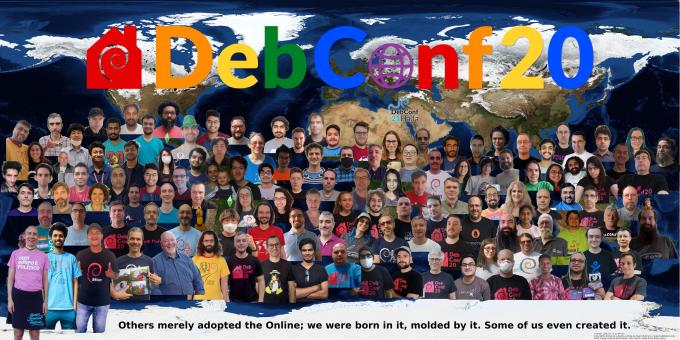
The first thing I saw was the Welcome to Debconf 2020 opening session. It is obvious
the video was made with lots of love, I found it entertaining and useful.
I love it :-)
Then I watched the BoF Can Free Software improve social equality. It was introduced
and moderated by Hong Phuc Dang. Several participants, about 10 people, shared their visions
on the interaction between open source projects and communities. I m pretty much aware of the
interesting social advancement that FLOSS can enable in communities, but sometimes is not so easy,
it may also present challenges and barriers. The BoF was joined by many people from the Asia
Pacific region, and for me, it has been very interesting to take a step back from the usual western
vision of this topic. Anyway, about the session itself, I have the feeling the participants may
have spent too much time on presentations, sharing their local stories (which are interesting,
don t get me wrong), perhaps leaving little room for actual proposal discussions or the like.
Next I watched the Bits from the DPL talk. In the session, Jonathan Carter goes over
several topics affecting the project, both internally and externally. It was interesting to know
more about the status of the project from a high level perspective, as an organization, including
subjects such as money, common project problems, future issues we are anticipating, the social
aspect of the project, etc.
The Lightning Talks session grabbed my attention. It is usually very funny to watch and
not as dense as other talks. I m glad I watched this as it includes some interesting talks, ranging
from HAM radios (I love them!), to personal projects to help in certain tasks, and even some
general reflections about life.
Just when I m writing this very sentence, the video for the
Come and meet your Debian Publicity team! talk has been uploaded. This team does an
incredible work in keeping project information flowing, and social networks up-to-date and alive.
Mind that the work of this team is mostly non-engineering, but still, is a vital part of the
project. The folks in session explain what the team does, and they also discuss how new people can
contribute, the different challenges related to language barriers, etc.
I have to admit I also started watching a couple other sessions that turned out to don t be
interesting to me (and therefore I didn t finish the video). Also, I tried to watch a couple more
sessions that didn t publish their video recording just yet, for example the
When We Virtualize the Whole Internet talk by Sam Hartman. Will check again in a couple of
days.
It is a real pleasure the video recordings from the conference are made available online.
One can join the conference anytime (like I m doing!) and watch the sessions at any pace at any
time. The video archive is big, I won t be able to go over all of it. I won t lie, I still have
some pending videos to watch from last year Debconf2019 :-)
Armadillo is a powerful and expressive C++ template library for linear algebra aiming towards a good balance between speed and ease of use with a syntax deliberately close to a Matlab. RcppArmadillo integrates this library with the R environment and language and is widely used by (currently) 769 other packages on CRAN.
A few days ago, Conrad released a new minor version 9.900.3 of Armadillo which we packaged and tested as usual. Given the incremental release character, we only tested the release and not candidate release. No regressions were found, and, as usual, logs from reverse-depends runs are in the rcpp-logs repo.
All changes in the new release are noted below.
Changes in RcppArmadillo version 0.9.900.3.0 (2020-09-02)
Upgraded to Armadillo release 9.900.3 (Nocturnal Misbehaviour)
More efficient code for initialising matrices with fill::zeros
Ansible ships a lot of modules you can combine for your configuration
management needs. However, the quality of these modules may vary
widely. Sometimes, it may be quicker and more robust to write your own
module instead of shopping and assembling existing
ones.1
In my opinion, a robust module exhibits the following characteristics:
idempotency,
diff support,
check mode compatibility,
correct change signaling, and
lifecycle management.
In a nutshell, it means the module can run with --diff --check and
shows the changes it would apply. When run twice in a row, the second
run won t apply or signal changes. The last bullet point suggests the
module should be able to delete outdated objects configured during
previous runs.2
The module code should be minimal and tailored to your needs. Making
the module generic for use by other users is a non-goal. Less code
usually means less bugs and easier to understand.
I do not cover testing here. It is undeniably a good practice, but it
requires a significant effort. In my opinion, it is preferable to have
a well written module matching the above characteristics rather than a
module that is well tested but without them or a module requiring
further (untested) assembly to meet your needs.
Module skeleton
Ansible documentation contains instructions to build a module,
along with some best practices. As one of our non-goal is to
distribute it, we choose to take some shortcuts and skip some of the
boilerplate. Let s assume we build a module with the following
signature:
There are various locations you can put a module in Ansible. A common
possibility is to include it into a role. In a library/
subdirectory, create an empty __init__.py file and a
custom_module.py file with the following code:3
#!/usr/bin/pythonimportyamlfromansible.module_utils.basicimportAnsibleModuledefmain():# Define options accepted by the module. module_args=dict(user=dict(type='str',required=True),password=dict(type='str',required=True,no_log=True),data=dict(type='str',required=True),)module=AnsibleModule(argument_spec=module_args,supports_check_mode=True)result=dict(changed=False)got=wanted=# Populate both got and wanted . # [...]ifgot!=wanted:result['changed']=Trueresult['diff']=dict(before=yaml.safe_dump(got),after=yaml.safe_dump(wanted))ifmodule.check_modeornotresult['changed']:module.exit_json(**result)# Apply changes. # [...]module.exit_json(**result)if__name__=='__main__':main()
The first part, in , defines the module, with the accepted
options. Refer to the documentation on
argument_spec for more details.
The second part, in , builds the got and wanted variables. got
is the current state while wanted is the target state. For
example, if you need to modify records in a database server, got
would be the current rows while wanted would be the modified rows.
Then, we compare got and wanted. If there is a difference,
changed is switched to True and we prepare the diff object.
Ansible uses it to display the differences between the states. If we
are running in check mode or if no change is detected, we stop here.
The last part, in , applies the changes. Usually, it means
iterating over the two structures to detect the differences and create
the missing items, delete the unwanted ones and update the existing
ones.
Documentation
Ansible provides a fairly complete page on how to document a
module. I advise you to take a more minimal approach by only
documenting each option sparingly,4 skipping the examples
and only documenting return values if it needs to. I usually limit
myself to something like this:
DOCUMENTATION="""---module: custom_module.pyshort_description: Pass provided data to remote servicedescription: - Mention anything useful for your workmate. - Also mention anything you want to remember in 6 months.options: user: description: - user to identify to remote service password: description: - password for authentication to remote service data: description: - data to send to remote service"""
Error handling
If you run into an error, you can stop the execution with
module.fail_json():
module.fail_json(msg=f"remote service answered with code: message",**result)
There is no requirement to intercept all errors. Sometimes, not
swallowing an exception provides better information than replacing it
with a generic message.
Returning additional values
A module may return additional information that can be captured to be
used in another task through the register directive.
For this purpose, you can add arbitrary fields to the result
dictionary. Have a look at the documentation for common return
values. You should try to add these fields before exiting the
module when in check mode. The returned values can be documented.
Examples
Here are several examples of custom modules following the previous
skeleton. Each example highlight why a custom module was written
instead of assembling existing modules.
Syncing RIPE, ARIN and APNIC objects (not released yet)
Syncing GCP IPsec VPNs (not done yet)
Also, when using modules from Ansible Galaxy, you
introduce a dependency to a third-party. This is not something
that should be decided lightly: it may break later, it may only
meet 80% of the needs, it may add bugs.
Some declarative systems, like Terraform, exhibits
all these behaviors.
Do not worry about the shebang. It is hardcoded to
/usr/bin/python. Ansible will modify it to match the chosen
interpreter on the remote host. You can write Python 3 code if
ansible_python_interpreter evaluates to a Python 3 interpreter.
The main issue I have with this non-programmatic
approach to documentation is that it partly repeats the
information contained in argument_spec. I think an
auto-documenting structure would avoid this.
Grow the OSI's membership, and build a more representative organization.
Defend the Open Source Definition and FOSS commons.
Define the future of open source, as part of the larger community.
Now that the OSI has announced hiring an interim General Manager, I
thought it would be a good time to publicly reflect on what I've accomplished
and what I'd like to see next.
As I promised in my campaign pitch, I aim to be publicly
accountable :)
Growing the OSI's membership
I have served as our Membership Committee Chair since the May 2019 board
meeting, tasked with devising and supervising strategy to increase membership
and deliver value to members.
As part of my election campaign last year, I signed up over 50 new individual
members. Since May 2019, we've seen strong 33% growth of individual members, to
reach a new all-time high over 600 (638 when I last checked).
I see the OSI as a relatively neutral organization that occupies a unique
position to build bridges among organizations within the FOSS ecosystem. In
order to facilitate this, we need a representative membership, and we need to
engage those members and provide forums for cross-pollination. As Membership
Committee Chair, I have been running quarterly video calls on Jitsi for our
affiliate members, where we can share updates between many global organizations
and discuss challenges we all face.
But it's not enough just to hold the discussion; we also need to bring fresh
new voices into the conversation. Since I've joined the board, I'm thrilled to
say that 16 new affiliate members joined (in chronological order) for a total
of 81:
I was also excited to run a survey of the OSI's individual and affiliate
membership to help inform the future of the organization that received 58
long-form responses. The survey has been accepted by the board at our August
meeting and should be released publicly soon!
Defending the Open Source Definition
When I joined the board, the first committee I joined was the License
Committee, which is responsible for running the licence review process,
making recommendations on new licenses, and maintaining our existing licenses.
Over the past year, under Pamela Chestek's leadership as Chair, the full
board has approved the following licenses (with SPDX identifiers in brackets)
on the recommendation of the License Committee:
I've also worked to define the scope of work for hiring someone to improve
our license review process, which we have an open RFP for!
Chopping wood and carrying water
I joined the OSI with the goal of improving an organization I didn't think was
performing up to its potential. Its membership and board were not
representative of the wider open source community, its messaging felt outdated,
and it seemed to be failing to rise to today's challenges for FOSS.
But before one can rise to meet these challenges, you need a strong foundation.
The OSI needed the organizational structure, health, and governance in order to
address such questions. Completing that work is essential, but not exactly
glamourous and it's a place that I thrive. Honestly, I don't (yet?) want
to be the public face of the organization, and I apologize to those who've
missed me at events like FOSDEM.
I want to talk a little about some of my behind-the-scenes activities that I've
completed as part of my board service:
Recruiting and encouraging new board members: I helped recruit both our
appointed board members, Deb Bryant and Tracy Hinds,
who now serve as officers, and endorsedMegan Byrd-Sanicki's candidacy, also a board officer
Forming an Incubator Project Working Group to determine graduation criteria
for OSI Incubator Projects and serving as Snowdrift.coop's board
sponsor
All of this work is intended to improve the organization's health and provide
it with an excellent foundation for its mission.
Defining the future of open source
Soon after I was elected to the board, I gave a talk at Brooklyn.js entitled
"The Future of Open Source." In this presentation, I pondered about the
history and future of the free and open source software movement, and the
ethical questions we must face.
In my election campaign, I wrote "Software licenses are a means, not an end, to
open source software. Focusing on licensing is necessary but not sufficient to
ensure a vibrant, thriving open source community. Focus on licensing to the
exclusion of other serious community concerns is to our collective detriment."
My primary goal for my first term on the board was to ensure the OSI would be
positioned to answer wider questions about the open source community and its
future beyond licenses. Over the past two months, I supported Megan
Byrd-Sanicki's suggestion to hold (and then participated in, with the rest of
the board) organizational strategy sessions to facilitate our long-term
planning. My contribution to help inform these sessions was providing the
member survey on behalf of the Membership Committee.
Now, I think we are much better equiped to face the hard questions we'll have
to tackle. In my opinion, the Open Source Initiative is better positioned than
ever to answer them, and I can't wait to see what the future brings.
Hope to see you at our first State of the Source conference next week!
Here s my (eleventh) monthly update about the activities I ve done in the F/L/OSS world.
Debian
This was my 20th month of contributing to Debian.
I became a DM in late March last year and a DD last Christmas! \o/
Well, this month we had DebConf! \o/
(more about this later this week!)
Anyway, here are the following things I did in Debian this month:
Uploads and bug fixes:
rubocop (0.89.1+dfsg-1) - New upstream version for RuboCop::Packaging.
ruby-rubocop-ast (0.3.0+dfsg-1) - New upstream version for RuboCop's latest version.
Also, I log daily updates at gsocwithutkarsh2102.tk.
Since this is a wrap and whilst the daily updates are already available at the above site^, I ll quickly mention the important points and links here.
Continuation of GSoC for other Ruby related stuff!
Whilst working on Rubocop::Packaging, I contributed to more Ruby projects, refactoring their library a little bit and mostly fixing RuboCop issues and fixing issues that the Packaging extension reports as offensive .
Following are the PRs that I raised:
Debian (E)LTS
Debian Long Term Support (LTS) is a project to extend the lifetime of all Debian stable releases to (at least) 5 years. Debian LTS is not handled by the Debian security team, but by a separate group of volunteers and companies interested in making it a success.
And Debian Extended LTS (ELTS) is its sister project, extending support to the Jessie release (+2 years after LTS support).
This was my eleventh month as a Debian LTS and my second as a Debian ELTS paid contributor.
I was assigned 21.75 hours for LTS and 14.25 hours for ELTS and worked on
the following things:
Started working on uwsgi update for CVE-2020-11984. It seems that src:apache2 wasn t affected by that, but src:uwsgi was.
ELTS CVE Fixes and Announcements:
Issued ELA 255-1, fixing CVE-2020-14344, for libx11.
For Debian 8 Jessie, these problems have been fixed in version 2:1.6.2-3+deb8u3.
Issued ELA 259-1, fixing CVE-2020-10177, for pillow.
For Debian 8 Jessie, these problems have been fixed in version 2.6.1-2+deb8u5.
Issued ELA 269-1, fixing CVE-2020-11985, for apache2.
For Debian 8 Jessie, these problems have been fixed in version 2.4.10-10+deb8u17.
Started working on clamAV update, it s a major bump from v0.101.5 to v0.102.4. There were lots of movings parts. Contacted upstream maintainers to help reduce the risk of regression. Came up with a patch to loosen the libcurl version requirement. Hopefully, the update could be rolled out soon!
Other (E)LTS Work:
I spent an additional 11.15 hours working on compiling the responses of the LTS survey and preparing a gist of it for its presentation during the Debian LTS BoF at DebConf20.
Here is another monthly update covering what I have been doing in the free software world during August 2020 (previous month):
Filed a pull request against django-enumfield, a library that provides an enumeration-like model field for the Django web development framework. The classproperty helper has been moved to django.utils.functional in newer versions of Django. [...]
As part of my role of being the assistant Secretary of the Open Source Initiative and a board director of Software in the Public Interest, I attended their respective monthly meetings and participated in various licensing and other discussions occurring on the internet, as well as the usual internal discussions, etc.
Filed a pull request for JSON-C, a reference counting library to allow you to easily manipulate JSON objects from C in order to make the documentation build reproducibly. [...]
Reviewed and merged some changes to my django-auto-one-to-one library for Django from Dan Palmer
(which automatically creates and destroys associated model instances) to not configure signals for models that aren't installed and to honour INSTALLED_APPS during model setup. [...]
Merged a pull request from Michael K. to cleanup the codebase after dropping support for Python 2 and Django 1.x [...] in my django-slack library which provides a convenient wrapper between projects using the Django and the Slack chat platform.
Updated my django-staticfiles-dotd utility that concatenates Debian .d-style directories containing Javascript and CSS to drop unquote usage from the six compatibility library. [...]
I uploaded Lintian versions 2.86.0, 2.87.0, 2.88.0, 2.89.0, 2.90.0, 2.91.0 and 2.92.0, as well as made the following changes:
New features:
Check for StandardOutput= and StandardError= fields that use the deprecated syslog or syslog-consolesystemd facilities. (#966617)
Add support for clzip as an alternative for lzip. (#967083)
Check for User=nobody and Group=nogroup in systemd.service files. (#966623)
Update link to the detagtive web interface code as it has been moved to the lintian salsa namespace. [...]
Drop the misleading "Beta testing" from the webpage header. [...]
Misc:
Add justification for the use of the lzip dependency in a previous debian/changelog entry. (#966817)
Update the generate-tag-summary release script to reflect change of tag definition filename extension change from .desc.tag. [...]
Revert a change to the spelling-error-in-rules-requires-root tag's severity; this is not a "spelling" check in the sense that it does not use our dictionary. [...]
Drop an unused $skip_tag argument in the extract_service_file_values routine. [...]
Reproducible Builds
One of the original promises of open source software is that distributed peer review and transparency of process results in enhanced end-user security. However, whilst anyone may inspect the source code of free and open source software for malicious flaws, almost all software today is distributed as pre-compiled binaries. This allows nefarious third-parties to compromise systems by injecting malicious code into ostensibly secure software during the various compilation and distribution processes.
The motivation behind the Reproducible Builds effort is to ensure no flaws have been introduced during this compilation process by promising identical results are always generated from a given source, thus allowing multiple third-parties to come to a consensus on whether a build was compromised.
The project is proud to be a member project of the Software Freedom Conservancy. Conservancy acts as a corporate umbrella allowing projects to operate as non-profit initiatives without managing their own corporate structure. If you like the work of the Conservancy or the Reproducible Builds project, please consider becoming an official supporter.
Responded at length to a discussion about the status of the reproducibility of ISO images [...], wrote back to the maintainer of WalletScrutiny asking why Android developers appear to be "allergic" to their application not being reproducible [...] and passed on an issue about the diffoscope website being down [...]. I also added a few short remarks on a proposal to bundle .buildinfo files within .deb archives [...].
This month, I:
Filed a pull request for JSON-C, a reference counting library to allow you to easily construct JSON objects from C in order to make the documentation build reproducibly. [...]
Categorised a large number of packages and issues in the Reproducible Builds "notes" repository.
Filed a build-failure bug against the muroar package that was discovered while doing reproducibility testing. (#968189)
We operate a large and many-featured Jenkins-based testing framework that powers tests.reproducible-builds.org. This month, I updated the self-serve package rescheduler to use HTML <pre> tags when dumping any debugging data. [...]
diffoscope
I made the following changes to diffoscope, including preparing and uploading versions 155, 156, 157 and 158 to Debian:
New features:
Support extracting data of PGP signed data. (#214)
Try files named .pgp against pgpdump(1) to determine whether they are Pretty Good Privacy (PGP) files. (#211)
Support multiple options for all file extension matching. [...]
Bug fixes:
Don't raise an exception when we encounter XML files with <!ENTITY> declarations inside the Document Type Definition (DTD), or when a DTD or entity references an external resource. (#212)
pgpdump(1) can successfully parse some binary files, so check that the parsed output contains something sensible before accepting it. [...]
Temporarily drop gnumeric from the Debian build-dependies as it has been removed from the testing distribution. (#968742)
Correctly use fallback_recognises to prevent matching .xsb binary XML files.
Correct identify signed PGP files as file(1) returns "data". (#211)
Logging improvements:
Emit a message when ppudump version does not match our file header. [...]
Don't use Python's repr(object) output in "Calling external command" messages. [...]
Include the filename in the "... not identified by any comparator" message. [...]
Codebase improvements:
Bump Python requirement from 3.6 to 3.7. Most distributions are either shipping with Python 3.5 or 3.7, so supporting 3.6 is not only somewhat unnecessary but also cumbersome to test locally. [...]
Drop some unused imports [...], drop an unnecessary dictionary comprehensions [...] and some unnecessary control flow [...].
Frontdesk duties, responding to user/developer questions, reviewing others' packages, participating in mailing list discussions, attending the Debian LTS BoF at DebConf20 etc.
Issued ELA-263-1 for qtbase-opensource-src and ELA-261-1 for qt4-x11, two components of cross-platform C++ application framework. A specially-crafted XBM image file could have caused a buffer overread.
Issued ELA-268-1 to address unsafe serialisation vulnerabilities that were discovered in the PHP-based squirrelmail webmail client.
Issued DLA 2311-1 for zabbix, the PHP-based monitoring system to fix a potential cross-site scripting vulnerability via <iframe> HTML elements.
Issued DLA 2334-1 to fix a denial of service vulnerability in ruby-websocket-extensions, a library for managing long-lived HTTP 'WebSocket' connections.
Issued DLA 2345-1 for PHP 7.0 as it was discovered that there was a use-after-free vulnerability when parsing PHAR files, a method of putting entire PHP applications into a single file.
I also updated the Extended LTS website to pluralise the "Related CVEs" text in announcement emails [...] and dropped some trailing whitespace [...].
You can find out more about the project via the following video:
What is this thing?
When you first open a command-line (note that I use the terms command-line
and shell interchangably here, they re basically the same, but command-line
is the more general term, and shell is the name for the program that executes
commands for you)
you ll see something like this:
This line is called a command prompt and it tells you four pieces of information:
jaadams: The username of the user that is currently running this shell.
bg7: The name of the computer that this shell is running on, important
for when you start accessing shells on remote machines.
/tmp/thisfolder: The folder or directory that your shell is currently
running in. Like a file explorer (like Window s Explorer or Mac s Finder) a
shell always has a working directory, from which all relative paths (see
sidenote below) are resolved.
When you first opened a shell, however, you might notice that is looks more
like this:
This is a shorthand notation that the shell uses to make this output shorter
when possible. ~ stands for your home directory, usually /home/<username>.
Like C:\Users\<username>\ on Windows or /Users/<username> on Mac,
this directory is where all your files should go by default.
Thus a command prompt like this:
actually tells you that you are currently in the /home/jaadams/Downloads
directory.
Sidenote: The Unix Filesystem and Relative Paths
folders on Linux and other Unix-derived systems like MacOS are usually
called directories.
These directories are represented by paths, strings that indicate where the
directory is on the filesystem.
The one unusual part is the so-called root directory .
All files are stored in this folder or directories under it.
Its path is just / and there are no directories above it.
For example, the directory called home typically contains all user directories.
This is stored in the root directory, and each users specific data
is stored in a directory named after that user under home.
Thus, the home directory of the user jacob is typically /home/jacob,
the directory jacob under the
home directory stored in the root directory /.
If you re interested in more details about what goes in what directory,
man hier has the basics and the
Filesystem Hierarchy Standard
governs the layout of the filesystem on most Linux distributions.
You don t always have to use the full path, however.
If the path does not begin with a /, it is assumed that the path actually
begins with the path of the current directory.
So if you use a path like my/folders/here, and you re in the /home/jacob
directory, the path will be treated like /home/jacob/my/folders/here.
Each folder also contains the symbolic links .. and ..
Symbolic links are a very powerful kind of
file that is actually a reference to another file.
.. always represents the parent directory
of the current directory, so /home/jacob/.. links to /home/.
. always links to the current directory, so /home/jacob/. links to
/home/jacob.
Running commands
To run a command from the command prompt, you type its name and then
usually some arguments to tell it what to do.
For example, the echo command displays the text passed as arguments.
jacob@lovelace/home/jacob$ echo hello world
hello world
Arguments to commands are space-separated, so in the previous example hello
is the first argument and world is the second. If you need an argument to
contain spaces, you ll want to put quotes around it, echo "like so".
Certain arguments are called flags , or options (options if they take another
argument, flags otherwise) usually prefixed with a hyphen,
and they change the way a program operates.
For example, the ls command outputs the contents of a directory passed as
an argument, but if you add -l before the directory, it will give you more
details on the files in that directory.
jacob@lovelace/tmp/test$ ls /tmp/test
1  2  3  4  5  6
jacob@lovelace/tmp/test$ ls -l /tmp/test
total 0
-rw-r--r-- 1 jacob jacob 0 Aug 26 22:06 1
-rw-r--r-- 1 jacob jacob 0 Aug 26 22:06 2
-rw-r--r-- 1 jacob jacob 0 Aug 26 22:06 3
-rw-r--r-- 1 jacob jacob 0 Aug 26 22:06 4
-rw-r--r-- 1 jacob jacob 0 Aug 26 22:06 5
-rw-r--r-- 1 jacob jacob 0 Aug 26 22:06 6
jacob@lovelace/tmp/test$
Most commands take different flags to change their behavior in various ways.
File Management
cd <path>: Change the current directory of the running shell to <path>.
ls <path>: Output the contents of <path>. If no path is passed, it prints
the contents of the current directory.
touch <filename>: create an new empty file called <filename>.
Used on an existing file, it updates the file s last accessed and modified times.
Most text editors can also create a new file for you, which is probably more useful.
mkdir <directory>: Create a new folder/directory at path <directory>.
mv <src> <dest>: Move a file or directory at path <src> to <dest>.
cp <src> <dest>: Copy a file or directory at path <src> to <dest>.
rm <file>: Remove a file at path <file>.
zip -r <zipfile> <contents...>: Create a zip file <zipfile> with contents
<contents>. <contents> can be multiple arguments, and you ll usually want
to use the -r argument when including directories in your zipfile, as otherwise
only the directory will be included and not the files and directories within it.
Searching
grep <thing> <file>: Look for the string <thing> in <file>.
If no <file> is passed it searches standard input.
find <path> -name <name>: Find a file or directory called <name> somwhere
under <path>. This command is actually very powerful, but also very complex.
For example you can delete all files in a directory older than 30 days with:
find -mtime +30 -exec rm \;
locate <name>: A much easier to use command to find a file with a given
name, but it is not usually installed by default.
Outputting Files
cat <files...>: Output (concatenate) all the files passed as arguments.
head <file>: Output the beginning of <file>
tail <file>: Output the end of <file>
How to Find the Right Command
All commands (at least on sane Linux distributions like Debian or Ubuntu)
are documented with a manual page, in man section 1 (for more information on
manual sections, run man intro).
This can be accessed using man <command>
You can search for the right command using the -k flag, as in man -k <search>.
You can also view manual pages in your browser, on sites like https://manpages.debian.org
or https://linux.die.net/man.
This is not always helpful, however, because some command s descriptions are
not particularly useful, and also there are a lot of manual pages, which can
make searching for a specific one difficult. For example, finding the right
command to search inside text files is quite difficult via man (it s grep).
When you can t find what you need with man I recommend falling back to
searching the Internet. There are lots of bad Linux tutorials out there, but
here are some reputable sources I recommend:
Hosting providers like Digital Ocean or Linode: Good intro documentation, but
can sometimes be outdated
https://tldp.org: The Linux Documentation project is great, but it can also be a little
outdated sometimes.
https://stackoverflow.com: Oftentimes has great answers, but quality varies wildly
since anyone can answer.
These are certainly not the only options but they re the sources I would
recommend when available.
How to Read a Manual Page
Manual pages consist of a series of sections, each with a specific purpose.
Instead of attempting to write my own description here, I m going to borrow
the excellent one from The Linux Documentation Project
The NAME section
is the only required section. Man pages without a name section are as useful as refrigerators at the north pole. This section also has a standardized format consisting of a comma-separated list of program or function names, followed by a dash, followed by a short (usually one line) description of the functionality the program (or function, or file) is supposed to provide. By means of makewhatis(8), the name sections make it into the whatis database files. Makewhatis is the reason the name section must exist, and why it must adhere to the format I described.
(Formatting explanation cut for brevity)
The SYNOPSIS section
is intended to give a short overview on available program options. For functions this sections lists corresponding include files and the prototype so the programmer knows the type and number of arguments as well as the return type.
The DESCRIPTION section
eloquently explains why your sequence of 0s and 1s is worth anything at all. Here s where you write down all your knowledge. This is the Hall Of Fame. Win other programmers and users admiration by making this section the source of reliable and detailed information. Explain what the arguments are for, the file format, what algorithms do the dirty jobs.
The OPTIONS section
gives a description of how each option affects program behaviour. You knew that, didn t you?
The FILES section
lists files the program or function uses. For example, it lists configuration files, startup files, and files the program directly operates on.
(Cut details about installing files)
The ENVIRONMENT section
lists all environment variables that affect your program or function and tells how, of course. Most commonly the variables will hold pathnames, filenames or default options.
The DIAGNOSTICS section
should give an overview of the most common error messages from your program and how to cope with them. There s no need to explain system error error messages (from perror(3)) or fatal signals (from psignal(3)) as they can appear during execution of any program.
The BUGS section
should ideally be non-existent. If you re brave, you can describe here the limitations, known inconveniences and features that others may regard as misfeatures. If you re not so brave, rename it the TO DO section ;-)
The AUTHOR section
is nice to have in case there are gross errors in the documentation or program behaviour (Bzzt!) and you want to mail a bug report.
The SEE ALSO section
is a list of related man pages in alphabetical order. Conventionally, it is the last section.
Remote Access
One of the more powerful uses of the shell is through ssh, the secure shell.
This allows you to remotely connect to another computer and run a shell on that
machine:
The prompt changes to reflect the change in user and host,
as you can see in the example above.
This allows you to work in a shell on that machine as if it was right in front
of you.
Moving Files Between Machines
There are several ways you can move files between machines over ssh.
The first and easiest is scp, which works much like the cp command
except that paths can also take a user@host argument to move files across
computers. For example, if you wanted to move a file test.txt to your
home directory on another machine, the command would look like:
scp test.txt other@example.com:
(The home directory is the default path)
Otherwise you can move files by reversing the order of the arguments
and put a path after the colon to move files from another directory on the
remote host. For example, if you wanted to fetch the file /etc/issue.net
from example.com:
scp other@example.com:/etc/issue.net .
Another option is the sftp command, which gives you a very simple shell-like
interface in which you can cd and ls, before either puting files onto
the local machine or geting files off of it.
The final and most powerful option is rsync which syncs the contents of one
directory to another, and doesn t copy files that haven t changed. It s powerful
and complex, however, so I recommend reading the USAGE section of its man page.
Long-Running Commands
The one problem with ssh is that it will stop any command running in your
shell when you disconnect. If you want to leave something on and come back
later then this can be a problem.
This is where terminal multiplexers come in. tmux and screen both allow
you to run a shell in a safe environment where it will continue even if you
disconnect from it. You do this by running the command without any arguments,
i.e. just tmux or just screen.
In tmux you can disconnect from the current session by
pressing Ctrl+b then d, and reattach with the tmux attach command.
screen works similarly, but with Ctrl+a instead of b and screen -r to
reattach.
Command Inputs and Outputs
Arguments are not the only way to pass input to a command. They can also take
input from what s called standard input , which the shell usually connects to
your keyboard.
Output can go to two places, standard output and standard error, both of which
are directed to the screen by default.
Redirecting I/O
Note that I said above that standard input/output/error are only usually
connected to the keyboard and the terminal? This is because you can redirect
them to other places with the shell operators <, > and the very powerful .
File redirects
The operators < and > redirect the input and output of a command to a file.
For example, if you wanted a file called list.txt that contained a list of
all the files in a directory /this/one/here you could use:
ls /this/one/here > list.txt
Pipelines
The pipe character, , allows you to direct the output of one command into
the input of another. This can be very powerful.
For example, the following pipeline lists the contents of the current directory
searches for the string test , then counts the number of results.
(wc -l counts the number of lines in its input)
ls grep test wc -l
For a better, but even more contrived example, say you have a file myfile,
with a bunch of lines of potentially duplicated and unsorted data
test
test
1234
4567
1234
You can sort it and output only the unique lines with sort and uniq:
$ uniq < myfile   sort
1234
1234
4567
test
Save Yourself Some Typing: Globs and Tab-Completion
Sometimes you don t want to type out the whole filename when writing out a
command. The shell can help you here by autocompleting when you press the tab
key.
If you have a whole bunch of files with the same suffix, you can refer to them
when writing arguments as *.suffix. This also works with prefixes, prefix*,
and in fact you can put a * anywhere, *middle*. The shell will expand that
* into all the files in that directory that match your criteria
(ending with a specific suffix, starting with a specific prefix, and so on)
and pass each file as a separate argument to the command.
For example, if I have a series of files called 1.txt, 2.txt, and so on
up to 9, each containing just the number for which it s named, I could use
cat to output all of them like so:
Also the ~ shorthand mentioned above that refers to your home directory
can be used when passing a path as an argument to a command.
Ifs and For loops
The files in the above example were generated with the following shell
commands:
for i in 1 2 3 4 5 6 7 8 9
do
echo $i > $i.txt
done
But I ll have to save variables, conditionals and loops for another day because
this is already too long. Needless to say the shell is a full programming
language, although a very ugly and dangerous one.
[Disclaimer: this has been sitting as a draft for close to three months ; I forgot to publish it, this is now finally done.]
In my previous blog post, I built Firefox in a multiple different number of configurations where I d disable the CPU turbo, some of its cores or some of its threads. That is something that was traditionally done via the BIOS, but rebooting between each attempt is not really a great experience.
Fortunately, the Linux kernel provides a large number of knobs that allow this at runtime.
Turbo
This is the most straightforward:
$ echo 0 > /sys/devices/system/cpu/cpufreq/boost
Re-enable with
$ echo 1 > /sys/devices/system/cpu/cpufreq/boost
CPU frequency throttling
Even though I haven t mentioned it, I might as well add this briefly. There are many knobs to tweak frequency throttling, but assuming your goal is to disable throttling and set the CPU frequency to its fastest non-Turbo frequency, this is how you do it:
where $n is the id of the core you want to do that for, so if you want to do that for all the cores, you need to do that for cpu0, cpu1, etc.
Re-enable with:
(assuming this was the value before you changed it ; ondemand is usually the default)
Cores and Threads
This one requires some attention, because you cannot assume anything about the CPU numbers. The first thing you want to do is to check those CPU numbers. You can do so by looking at the physical id and core id fields in /proc/cpuinfo, but the output from lscpu --extended is more convenient, and looks like the following:
Now, this output is actually the ideal case, where pairs of CPUs (virtual cores) on the same physical core are always n, n+32, but I ve had them be pseudo-randomly spread in the past, so be careful.
To turn off a core, you want to turn off all the CPUs with the same CORE identifier. To turn off a thread (virtual core), you want to turn off one CPU. On machines with multiple sockets, you can also look at the SOCKET column.
Turning off one CPU is done with:
$ echo 0 > /sys/devices/system/cpu/cpu$n/online
Re-enable with:
$ echo 1 > /sys/devices/system/cpu/cpu$n/online
Extra: CPU sets
CPU sets are a feature of Linux s cgroups. They allow to restrict groups of processes to a set of cores.
The first step is to create a group like so:
$ mkdir /sys/fs/cgroup/cpuset/mygroup
Please note you may already have existing groups, and you may want to create subgroups. You can do so by creating subdirectories.
Then you can configure on which CPUs/cores/threads you want processes in this group to run on:
The value you write in this file is a comma-separated list of CPU/core/thread numbers or ranges. 0-3 is the range for CPU/core/thread 0 to 3 and is thus equivalent to 0,1,2,3. The numbers correspond to /proc/cpuinfo or the output from lscpu as mentioned above.
There are also memory aspects to CPU sets, that I won t detail here (because I don t have a machine with multiple memory nodes), but you can start with:
There are a number of tweaks you can do to this setup, I invite you to check out the cpuset(7) manual page.
Disabling a group is a little involved. First you need to move the processes to a different group:
$ while read pid; do echo $pid > /sys/fs/cgroup/cpuset/tasks; done < /sys/fs/cgroup/cpuset/mygroup/tasks
Dealing with the void during MiniDebConf Online #1
Between 28 and 31 May this year, we set out to create our first ever online MiniDebConf for Debian. Many people have been meaning to do something similar for a long time, but it just didn t work out yet. With many of us being in lock down due to COVID-19, and with the strong possibility looming that DebConf20 might have had to become an online event, we rushed towards organising the first ever Online MiniDebConf and put together some form of usable video stack for it.
I could go into all kinds of details on the above, but this post is about a bug that lead to a pretty nifty feature for DebConf20. The tool that we use to capture Jitsi calls is called Jibri (Jitsi Broadcasting Infrustructure). It had a bug (well, bug for us, but it s an upstream feature) where Jibri would hang up after 30s of complete silence, because it would assume that the call has ended and that the worker can be freed up again. This would result in the stream being ended at the end of every talk, so before the next talk, someone would have to remember to press play again in their media player or on the video player on the stream page. Hrmph.
Easy solution on the morning that the conference starts? I was testing a Debian Live image the night before in a KVM and thought that I might as well just start a Jitsi call from there and keep a steady stream of silence so that Jibri doesn t hang up.
It worked! But the black screen and silence on stream was a bit eery. Because this event was so experimental in nature, and because we were on such an incredibly tight timeline, we opted not to seek sponsors for this event, so there was no sponsors loop that we d usually stream during a DebConf event. Then I thought Ah! I could just show the schedule! .
The stream looked bright and colourful (and was even useful!) and Jitsi/Jibri didn t die. I thought my work was done. As usual, little did I know how untrue that was.
The silence was slightly disturbing after the talks, and people asked for some music. Playing music on my VM and capturing the desktop audio in to Jitsi was just a few pulseaudio settings away, so I spent two minutes finding some freely licensed tracks that sounded ok enough to just start playing on the stream. I came across mini-albums by Captive Portal and Cinema Noir, During the course of the MiniDebConf Online I even started enjoying those. Someone also pointed out that it would be really nice to have a UTC clock on the stream. I couldn t find a nice clock in a hurry so I just added a tmux clock in the meantime while we deal with the real-time torrent of issues that usually happens when organising events like this.
Speaking of issues, during our very first talk of the last day, our speaker had a power cut during the talk and abruptly dropped off. Oops! So, since I had a screenshare open from the VM to the stream, I thought I d just pop in a quick message in a text editor to let people know that we re aware of it and trying to figure out what s going on.
In the end, MiniDebConf Online worked out all right. Besides the power cut for our one speaker, and another who had a laptop that was way too under-powered to deal with video, everything worked out very well. Even the issues we had weren t show-stoppers and we managed to work around them.
DebConf20 Moves Online
For DebConf, we usually show a sponsors loop in between sessions. It s great that we give our sponsors visibility here, but in reality people see the sponsors loop and think Talk over! and then they look away. It s also completely silent and doesn t provide any additional useful information. I was wondering how I could take our lessons from MDCO#1 and integrate our new tricks with the sponsors loop. That is, add the schedule, time, some space to type announcements on the screen and also add some loopable music to it.
I used OBS before in making my videos, and like the flexibility it provides when working with scenes and sources. A scene is what you would think of as a screen or a document with its own collection of sources or elements. For example, a scene might contain sources such as a logo, clock, video, image, etc. A scene can also contain another scene. This is useful if you want to contain a banner or play some background music that is shared between scenes.
The above screenshots illustrate some basics of scenes and sources. First with just the DC20 banner, and then that used embedded in another scene.
For MDCO#1, I copied and pasted the schedule into a LibreOffice Impress slide that was displayed on the stream. Having to do this for all 7 days of DebConf, plus dealing with scheduling changes would be daunting. So, I started to look in to generating some schedule slides programmatically. Stefano then pointed me to the Happening Now page on the DebConf website, where the current schedule block is displayed. So all I would need to do in OBS was to display a web page. Nice!
Unfortunately the OBS in Debian doesn t have the ability to display web pages out of the box (we need to figure out CEF in Debian), but fortunately someone provides a pre-compiled version of the plugin called Linux Browser that works just fine. This allowed me to easily add the schedule page in its own scene.
Being able to display a web page solved another problem. I wasn t fond of having to type / manage the announcements in OBS. It would either be a bit prone to user error, and if you want to edit the text while the loop is running, you d have to disrupt the loop, go to the foreground scene, and edit the text before resuming the loop. That s a bit icky. Then I thought that we could probably just get that from a web page instead. We could host some nice html snippet in a repository in salsa, and then anyone could easily commit an MR to update the announcement.
But then I went a step further, use an etherpad! Then anyone in the orga team can quickly update the announcement and it would be instantly changed on the stream. Nice! So that small section of announcement text on the screen is actually a whole web browser with an added OBS filter to crop away all the pieces we don t want. Overkill? Sure, but it gave us a decent enough solution that worked in time for the start of DebConf. Also, being able to type directly on to the loop screen works out great especially in an emergency. Oh, and uhm the clock is also a website rendered in its own web browser :-P
So, I had the ability to make scenes, add elements and add all the minimal elements I wanted in there. Great! But now I had to figure out how to switch scenes automatically. It s probably worth mentioning that I only found some time to really dig into this right before DebConf started, so with all of this I was scrambling to find things that would work without too many bugs while also still being practical.
Now I needed the ability to switch between the scenes automatically / programmatically. I had never done this in OBS before. I know it has some API because there are Android apps that you can use to control OBS with from your phone. I discovered that it had an automatic scene switcher, but it s very basic. It can only switch based on active window, which can be useful in some cases, but since we won t have any windows open other than OBS, this tool was basically pointless.
After some quick searches, I found a plugin called Advanced Scene Switcher. This plugin can do a lot more, but has some weird UI choices, and is really meant for gamers and other types of professional streamers to help them automate their work flow and doesn t seem at all meant to be used for a continuous loop, but, it worked, and I could make it do something that will work for us during the DebConf.
I had a chicken and egg problem because I had to figure out a programming flow, but didn t really have any content to work with, or an idea of all the content that we would eventually have. I ve been toying with the idea in my mind and had some idea that we could add fun facts, postcards (an image with some text), time now in different timezones, Debian news (maybe procured by the press team), cards that contain the longer announcements that was sent to debconf-announce, perhaps a shout out or two and some photos from previous DebConfs like the group photos. I knew that I wouldn t be able to build anything substantial by the time DebConf starts, but adding content to OBS in between talks is relatively easy, so we could keep on building on it during DebConf.
Nattie provided the first shout out, and I made 2 video loops with the DC18/19 pictures and also two Did you know cards. So the flow I ended up with was: Sponsors -> Happening Now -> Random video (which would be any of those clips) -> Back to sponsors. This ended up working pretty well for quite a while. With the first batch of videos the sponsor loop would come up on average about every 2 minutes, but as much shorter clips like shout outs started to come in faster and faster, it made sense to play a few 2-3 shout-outs before going back to sponsors.
So here is a very brief guide on how I set up the sequencing in Advanced Scene Switcher.
If no condition was met, a video would play from the Random tab.
Then in the Random tab, I added the scenes that were part of the random mix. Annoyingly, you have to specify how long it should play for. If you don t, the no condition thingy is triggered and another video is selected. The time is also the length of the video minus one second, because
You can t just say that a random video should return back to a certain scene, you have to specify that in the sequence tab for each video. Why after 1 second? Because, at least in my early tests, and I didn t circle back to this, it seems like 0s can randomly either mean instantly, or never. Yes, this ended up being a bit confusing and tedious, and considering the late hours I worked on this, I m surprised that I didn t manage to screw it up completely at any point.
I also suspected that threads would eventually happen. That is, when people create video replies to other videos. We had 3 threads in total. There was a backups thread, beverage thread and an impersonation thread. The arrow in the screenshot above points to the backups thread. I know it doesn t look that complicated, but it was initially somewhat confusing to set up and make sense out of it.
For the next event, the Advanced Scene Switcher might just get some more taming, or even be replaced entirely. There are ways to drive OBS by API, and even the Advanced Scene Switcher tool can be driven externally to some degree, but I think we definitely want to replace it by the next full DebConf. We had the problem that when a talk ended, we would return to the loop in the middle of a clip, which felt very unnatural and sometimes even confusing. So Stefano helped me with a helper script that could read the socket from Vocto, which I used to write either Loop or Standby to a file, and then the scene switcher would watch that file and keep the sponsors loop ready for start while the talks play. Why not just switch to sponsors when the talk ends? Well, the little bit of delay in switching would mean that you would see a tiny bit of loop every time before switching to sponsors. This is also why we didn t have any loop for the ad-hoc track (that would have probably needed another OBS instance, we ll look more into solutions for this for the future).
Then for all the clips. There were over 50 of them. All of them edited by hand in kdenlive. I removed any hard clicks, tried to improve audibility, remove some sections at the beginning and the end that seemed extra and added some music that would reduce in volume when someone speaks. In the beginning, I had lots of fun with choosing music for the clips. Towards the end, I had to rush them through and just chose the same tune whether it made sense or not. For comparison of what a difference the music can make, compare the original and adapted version for Valhalla s clip above, or this original and adapted video from urbec. This part was a lot more fun than dealing with the video sequencer, but I also want to automate it a bit. When I can fully drive OBS from Python I ll likely instead want to show those cards and control music volume from Python (what could possibly go wrong ).
The loopy name happened when I requested an @debconf.org alias for this. I was initially just thinking about loop@debconf.org but since I wanted to make it clear that the purpose of this loop is also to have some fun, I opted for loopy instead:
I was really surprised by how people took to loopy. I hoped it would be good and that it would have somewhat positive feedback, but the positive feedback was just immense. The idea was that people typically saw it in between talks. But a few people told me they kept it playing after the last talk of the day to watch it in the background. Some asked for the music because they want to keep listening to it while working (and even for jogging!?). Some people also asked for recordings of the loop because they want to keep it for after DebConf. The shoutouts idea proved to be very popular. Overall, I m very glad that people enjoyed it and I think it s safe to say that loopy will be back for the next event.
Also throughout this experiment Loopy Loop turned into yet another DebConf mascot. We gain one about every DebConf, some by accident and some on purpose. This one was not quite on purpose. I meant to make an image for it for salsa, and started with an infinite loop symbol. That s a loop, but by just adding two more solid circles to it, it looks like googly eyes, now it s a proper loopy loop!
I like the progress we ve made on this, but there s still a long way to go, and the ideas keep heaping up. The next event is quite soon (MDCO#2 at the end of November, and it seems that 3 other MiniDebConf events may also be planned), but over the next few events there will likely be significantly better graphics/artwork, better sequencing, better flow and more layout options. I hope to gain some additional members in the team to deal with incoming requests during DebConf. It was quite hectic this time! The new OBS also has a scripting host that supports Python, so I should be able to do some nice things even within OBS without having to drive it externally (like, display a clock without starting a web browser).
The Loopy Loop Music
The two mini albums that mostly played during the first few days were just a copy and paste from the MDCO#1 music, which was:
I have much more things to say about DebConf20, but I ll keep that for another post, and hopefully we can get all the other video stuff in a post from the video team, because I think there s been some real good work done for this DebConf. Also thanks to Infomaniak who was not only a platinum sponsor for this DebConf, but they also provided us with plenty of computing power to run all the video stuff on. Thanks again!
On Saturday 29 August 2020, the annual Debian Developers
and Contributors Conference came to a close.
DebConf20 has been held online for the first time, due to the coronavirus
(COVID-19) disease pandemic.
All of the sessions have been streamed, with a variety of ways of participating:
via IRC messaging, online collaborative text documents,
and video conferencing meeting rooms.
With more than 850 attendees from 80 different countries and a
total of over 100 event talks, discussion sessions,
Birds of a Feather (BoF) gatherings and other activities,
DebConf20 was a large success.
When it became clear that DebConf20 was going to be an online-only
event, the DebConf video team spent much time over the next months to
adapt, improve, and in some cases write from scratch, technology that
would be required to make an online DebConf possible. After lessons
learned from the MiniDebConfOnline in late May, some adjustments were
made, and then eventually we came up with a setup involving Jitsi, OBS,
Voctomix, SReview, nginx, Etherpad, and a newly written web-based
frontend for voctomix as the various elements of the stack.
All components of the video infrastructure are free software, and the
whole setup is configured through their public
ansible repository.
The DebConf20 schedule included
two tracks in other languages than English: the Spanish language MiniConf,
with eight talks in two days,
and the Malayalam language MiniConf, with nine talks in three days.
Ad-hoc activities, introduced by attendees over the course of the entire conference,
have been possible too, streamed and recorded. There have also been several
team gatherings to sprint on certain Debian development areas.
Between talks, the video stream has been showing the usual sponsors on the loop, but also
some additional clips including photos from previous DebConfs, fun facts about Debian
and short shout-out videos sent by attendees to communicate with their Debian friends.
For those who were not able to participate, most of the talks and sessions are already
available through the
Debian meetings archive website,
and the remaining ones will appear in the following days.
The DebConf20 website
will remain active for archival purposes and will continue to offer
links to the presentations and videos of talks and events.
Next year, DebConf21 is planned to be held
in Haifa, Israel, in August or September.
DebConf is committed to a safe and welcome environment for all participants.
During the conference, several teams (Front Desk, Welcome team and Community team)
have been available to help so participants get their best experience
in the conference, and find solutions to any issue that may arise.
See the web page about the Code of Conduct in DebConf20 website
for more details on this.
Debian thanks the commitment of numerous sponsors
to support DebConf20, particularly our Platinum Sponsors:
Lenovo,
Infomaniak,
Google
and
Amazon Web Services (AWS).
About Debian
The Debian Project was founded in 1993 by Ian Murdock to be a truly
free community project. Since then the project has grown to be one of
the largest and most influential open source projects. Thousands of
volunteers from all over the world work together to create and
maintain Debian software. Available in 70 languages, and
supporting a huge range of computer types, Debian calls itself the
universal operating system.
About DebConf
DebConf is the Debian Project's developer conference. In addition to a
full schedule of technical, social and policy talks, DebConf provides an
opportunity for developers, contributors and other interested people to
meet in person and work together more closely. It has taken place
annually since 2000 in locations as varied as Scotland, Argentina, and
Bosnia and Herzegovina. More information about DebConf is available from
https://debconf.org/.
About Lenovo
As a global technology leader manufacturing a wide portfolio of connected products,
including smartphones, tablets, PCs and workstations as well as AR/VR devices,
smart home/office and data center solutions, Lenovo
understands how critical open systems and platforms are to a connected world.
About Infomaniak
Infomaniak is Switzerland's largest web-hosting company,
also offering backup and storage services, solutions for event organizers,
live-streaming and video on demand services.
It wholly owns its datacenters and all elements critical
to the functioning of the services and products provided by the company
(both software and hardware).
About Google
Google is one of the largest technology companies in the
world, providing a wide range of Internet-related services and products such
as online advertising technologies, search, cloud computing, software, and hardware.
Google has been supporting Debian by sponsoring DebConf for more than
ten years, and is also a Debian partner sponsoring parts
of Salsa's continuous integration infrastructure
within Google Cloud Platform.
About Amazon Web Services (AWS)
Amazon Web Services (AWS) is one of the world's
most comprehensive and broadly adopted cloud platforms,
offering over 175 fully featured services from data centers globally
(in 77 Availability Zones within 24 geographic regions).
AWS customers include the fastest-growing startups, largest enterprises
and leading government agencies.
Contact Information
For further information, please visit the DebConf20 web page at
https://debconf20.debconf.org/
or send mail to press@debian.org.
The Debian Janitor is an automated
system that commits fixes for (minor) issues in Debian packages that can be
fixed by software. It gradually started proposing merges in early
December. The first set of changes sent out ran lintian-brush on sid packages maintained in
Git. This post is part of a series about the progress of the
Janitor.
Last week s blog post
documented how there are now over 30,000 lintian issues
that have been fixed in git packaging repositories by the
Janitor.
It's important to note that any fixes from the Janitor that
make it into a Git packaging repository will also need
to be uploaded to the Debian archive. This currently requires
that a Debian packager clones the repository and builds
and uploads the package.
Until a change makes it into the archive, users of Debian
will unfortunately not see the benefits of improvements
made by the Janitor.
82% of the 30,000 changes from the Janitor that have made
it into a Git repository have not yet been uploaded, although
changes do slowly trickle in as maintainers make other
changes to packages and upload them along with the lintian
fixes from the Janitor. This is not just true for changes
from the Janitor, but for all sorts of other smaller improvements
as well.
However, the process of cloning and building git repositories
and uploading the resulting packages to the Debian archive
is fairly time-consuming and it s probably not worth
the time of developers to follow up every change from the
Janitor with a labour-intensive upload to the archive.
It would be great if it was easier to trigger uploads from
git commits. Projects like tag2upload will hopefully help, and
make it more likely that changes end up in the Debian archive.
The majority packages do get at least one new source version
upload per release, so most changes will eventually make
it into the archive.
For more information about the Janitor's lintian-fixes efforts, see the landing page.
A new minor release of the anytime package arrived on CRAN yesterday. This is the twentieth release, but sadly we seem to be spinning our wheels just accomodating CRAN (which the two or three last releases focused on). Code and functionality remain mature and stable, of course.
anytime is a very focused package aiming to do just one thing really well: to convert anything in integer, numeric, character, factor, ordered, format to either POSIXct or Date objects and to do so without requiring a format string as well as accomodating different formats in one input vector. See the anytime page, or the GitHub README.md for a few examples.
This release once again has to play catchup with CRAN as r-devel now changes how tzone propagates when we do as.POSIXct(as.POSIXlt(Sys.time()) which is now no longer equal to as.POSIXct(Sys.time()) even for a fixed, stored Sys.time() call result. Probably for the better, but an issue for now so we effectively just reduced test coverage. Call it progress .
The full list of changes follows.
Changes in anytime version 0.3.9 (2020-08-26)
Skip one test file that is impossible to run across different CRAN setups, and life is definitely too short for these games.
Change remaining http:// to https:// because, well, you know.

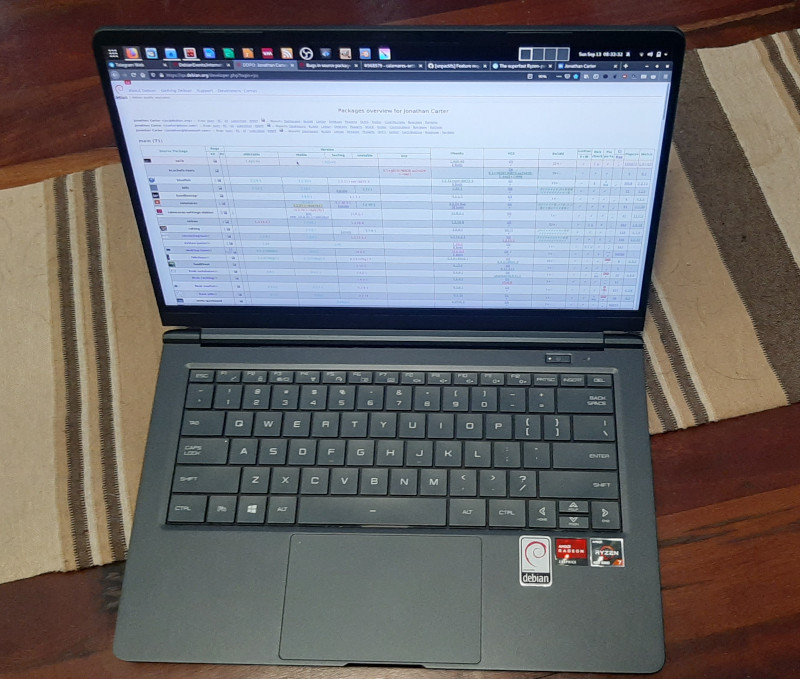

 I'm happy to announce I handed out my Master's Thesis last Monday. I'm not
publishing the final copy just yet
I'm happy to announce I handed out my Master's Thesis last Monday. I'm not
publishing the final copy just yet

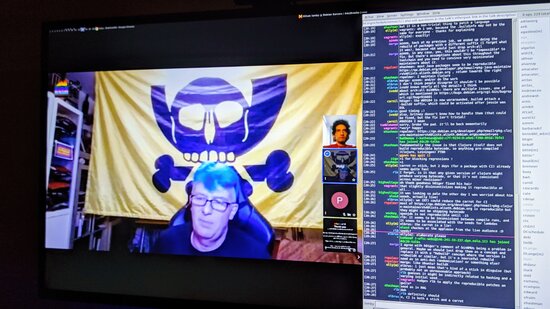








 Debconf2020 took place when I was on personal vacations time. But anyway I m lucky enough that my
company, the Wikimedia Foundation, paid the conference registration fee for me and allowed me to
take the time (after my vacations) to watch recordings from the conference.
This is my first time attending (or watching) a full-online conference, and I was curious to see
first hand how it would develop. I was greatly surprised to see it worked pretty nicely, so kudos
to the organization, video team, volunteers, etc!
What follows is my summary of the conference, from the different sessions and talks I watched
(again, none of them live but recordings).
The first thing I saw was the
Debconf2020 took place when I was on personal vacations time. But anyway I m lucky enough that my
company, the Wikimedia Foundation, paid the conference registration fee for me and allowed me to
take the time (after my vacations) to watch recordings from the conference.
This is my first time attending (or watching) a full-online conference, and I was curious to see
first hand how it would develop. I was greatly surprised to see it worked pretty nicely, so kudos
to the organization, video team, volunteers, etc!
What follows is my summary of the conference, from the different sessions and talks I watched
(again, none of them live but recordings).
The first thing I saw was the 


 In May, I got selected as a


 Here is another monthly update covering what I have been doing in the free software world during August 2020 (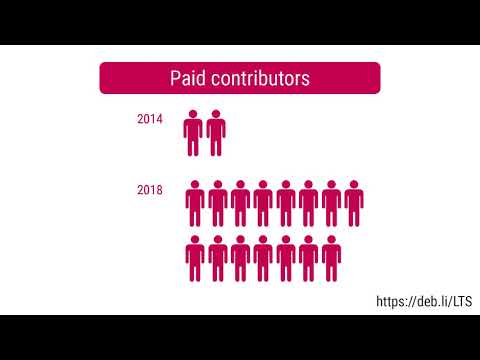
 This line is called a command prompt and it tells you four pieces of information:
 This is a shorthand notation that the shell uses to make this output shorter
when possible.
This is a shorthand notation that the shell uses to make this output shorter
when possible.  actually tells you that you are currently in the