Search Results: "ed"

28 September 2024

Dave Hibberd: EuroBSDCon 2024 Report

This year I attended EuroBSDCon 2024 in Dublin. I always appreciate an excuse to head over to Ireland, and this seemed like a great chance to spend some time in Dublin and learn new things. Due to constraints on my time I didn t go to the 2 day devsummit that precedes the conference, only the main event itself.

The Event EuroBSDCon was attended by about 200-250 people, the hardcore of the BSD community! Attendees came from all over, I met Canadians, USAians, Germanians, Belgians and Irelandians amongst other nationalities! The event was at UCD Dublin, which is a gorgeous university campus about 10km south of Dublin proper in Stillorgan. The speaker hotel was a 20 minute walk (at my ~9min/km pace) from the hotel, or a quick bus journey. It was a pleasant walk, through the leafy campus and then along some pretty broad pavements, albeit beside a dual carriageway. The cycle infrastructure was pretty excellent too, but I sadly was unable to lease a city bike and make my way around on 2 wheels - Dublinbikes don t extend that far out the city. Lunch each day was Irish themed food - Saturday was beef stew (a Frenchman asked me what it was called - his only equivalent words were Beef Bourguignon ) and Sunday was Bangers & Mash! The kitchen struggled a bit - food was brought out in bowls in waves, and that ensured there was artificial scarcity that clearly left anxiety for some that they weren t going to be fed! Everyone I met was friendly from the day I arrived, and that set me very much at ease and made the event much more enjoyable - things are better shared with others. Big shout out to dch and Blake Willis for spending a lot of time talking to me over the weekend!

Talks I Attended

Keynote: Evidence based Policy formation in the EU Tom Smyth This talk given by Tom Smyth was an interesting look into his work with EU Policymakers in ensuring fair competition for his small, Irish ISP. It was an enlightening look into the workings of the EU and the various bodies that set, and manage policy. It truly is a complicated beast, but the feeling I left with was that there are people all through the organisation who are desperate to do the right thing for EU citizens at all costs. Sadly none of it is directly applicable to me living in the UK, but I still get to have a say on policy and vote in polls as an Irish citizen abroad.

10(ish) years of FreeBSD/arm64 Andrew Turner I have been a fan of ARM platforms for a long, long time. I had an early ARM Chromebook and have been equal measures excited and frustrated by the raspberry pi since first contact. I tend to find other ARM people at events and this was no exception! It was an interesting view into one person s dedication to making arm64 a platform for FreeBSD, starting out with no documentation or hardware to becoming a first-class platform. It s interesting to see the roadmap and things upcoming too and makes me hopeful for the future of arm64 in various OSes!

1-800-RC(8)-HELP: Dial Into FreeBSD Service Scripts Mastery! Mateusz Piotrowski rc scripts and startup applications scare me a bit. I m better at systemd units than sysvinit scripts, but that isn t really a transferable skill! This was a deep dive into lots of the functionality that FreeBSD s RC offers, and highlighted things that I only thought were limited to Linux s systemd. I am much more aware of what it s capable of now, but I m still scared to take it on! Afterwards I had a great chat in the hallway with Mateusz about our OS s different approaches to this problem and was impressed with the pragmatic view he had on startup, systemd, rc and the future!

Package management without borders. Using Ravenports on multiple BSDs Michael Reim Ports on the BSDs interest me, but I hadn t realised that outside of each major BSD s collection there were other, cross platform ports collections offered. Ravenports is one of these under developments, and it was good to understand the hows, why and what s happenings of the system. Plus, with my hibbian obsession on building other people s software as my own packages, it s interesting to see how others are doing it!

Building a Modern Packet Radio Network using Open Software me I spoke for 45 minutes to share my passion and frustration for amateur radio, packet radio, the law, the technology and what we re doing in the UK Packet network. This was a lot of fun - it felt like I had a busy room, lots of people interested in the stupid stuff I do with technology and I had lots of conversations after the fact about radio, telecoms, networking and at one point was cornered by what I describe as the Erlang Mafia to talk about how they could help!

Hacking - 30 years ago Walter Belgers This unrecorded talk looked at the history of the Dutch hacker scene, and a young group of hackers explorations of the early internet before modern security was a thing. It was exciting, enrapturing, well presented and a great story of a well spent youth in front of computers.

Social By 1730 I was pretty drained so I took myself back to the hotel missing the last talks, had some down time, and got the DART train to the social event at Brewdog. This invovled about an hour s walking and some train time and that was a nice time to reset my head and just watch the world. The train I was on had a particularly interesting feature where when the motors were not loaded (slowdown or coasting) the lights slowly flickered dim-bright-dim. I don t know if this is across the fleet or just this one, but it was fun to pontificate as I looked out the window at South Dublin passing by. The social was good - a few beer tokens (cider in my case, trying to avoid beer-driven hangovers still), some pleasant junk food and plenty of good company to talk to, lots of people wanting to talk about radio and packet to me! Brewdog struggled a bit - both in bar speed (a linear queue formed despite the staff preferring the crowd-around method of queue) and buffet food appeared in somewhat disjointed waves, meaning that people loitered around the food tables and cleared the plates of wings, sliders, fries, onion rings, mac & cheese as they appeared 4-5 plates at a time. Perhaps a few hundred hungry bodies was a bit too much for them to feed at once. They had shuffleboard that was played all night by various groups! I caught the last bus home, which was relatively painless!

Is our software sustainable? Kent Inge Fagerland Simonsen This was an interesting look into reducing the footprint of software to make it a net benefit. Lots of examples of how little changes can barrel up to big, gigawatthour changes when aggregated over the entire installbase of android or iOS!

A Packet s Journey Through the OpenBSD Network Stack Alexander Bluhm This was an analysis of what happens at each stage of networking in OpenBSD and was pretty interesting to see. Lots of it was out my depth, but it s cool to get an explanation and appreciation for various elements of how software handles each packet that arrives and the differences in the ipv4 and ipv6 stack!

FreeBSD at 30 Years: Its Secrets to Success Kirk McKusick This was a great statistical breakdown of FreeBSD since inception, including top committers, why certain parts of the system and community work so well and what has given it staying power compared to some projects on the internet that peter out after just a few years! Kirk s excitement and passion for the project really shone through, and I want to read his similarly titled article in the FreeBSD Journal now!

Building an open native FreeBSD CI system from scratch with lua, C, jails & zfs Dave Cottlehuber Dave spoke pretty excitedly about his work on a CI system using tools that FreeBSD ships with, and introduced me to the integration of C and Lua which I wasn t fully aware of before. Or I was, and my brain forgot it! With my interest in software build this year, it was quite a timely look at how others are thinking of doing things (I am doing similar stuff with zfs!). I look forward to playing with it when it finally is released to the Real World!

Building an Appliance Allan Jude This was an interesting look into the tools that FreeBSD provides which can be used to make immutable, appliance OSes without too much overhead. Fail safe upgrades and boots with ZFS, running approved code with secure boot, factory resetting and more were discussed! I have had thoughts around this in the recent past, so it was good to have some ideas validated, some challenged and gave me food for thought.

Experience as a speaker I really enjoyed being a speaker at the event! I ve spoken at other things before, but this really was a cut above. The event having money to provide me a hotel was a really welcome surprise, and also receiving a gorgeous scarf as a speaker gift was a great surprise (and it has already been worn with the change of temperature here in Scotland this week!). I would definitely consider returning, either as an attendee or as a speaker. The community of attendees were pragmatic, interesting, engaging and welcoming, the organising committee were spot-on in their work making it happen and the whole event, while turning my brain to mush with all the information, was really enjoyable and I left energised and excited by things instead of ground down and tired.

27 September 2024

Reproducible Builds (diffoscope): diffoscope 278 released

The diffoscope maintainers are pleased to announce the release of diffoscope version 278. This version includes the following changes:
[ Chris Lamb ]
* Temporarily remove procyon-decompiler from Build-Depends as it was removed
  from testing (#1057532). (Closes: #1082636)
* Add a helpful contextual message to the output if comparing Debian .orig
  tarballs within .dsc files without the ability to "fuzzy-match" away the
  leading directory. (Closes: reproducible-builds/diffoscope#386)
* Correctly invert "X% similar" value and do not emit "100% similar".
  (Closes: reproducible-builds/diffoscope#391)
* Update copyright years.
You find out more by visiting the project homepage.

26 September 2024

Vasudev Kamath: Disabling Lockdown Mode with Secure Boot on Distro Kernel

In my previous post, I mentioned that Lockdown mode is activated when Secure Boot is enabled. One way to override this was to use a self-compiled upstream kernel. However, sometimes we might want to use the distribution kernel itself. This post explains how to disable lockdown mode while keeping Secure Boot enabled with a distribution kernel.
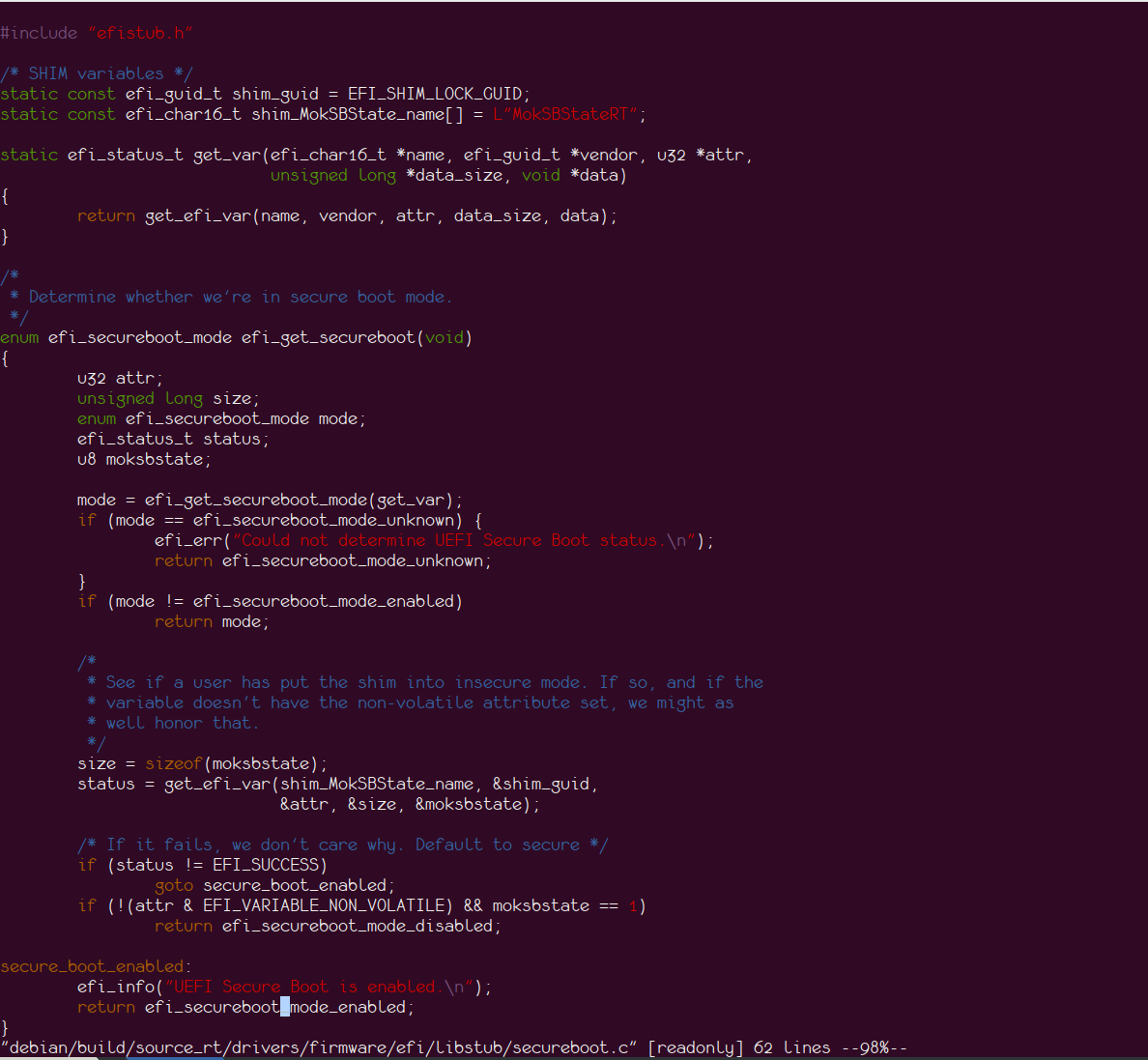
Understanding Secure Boot Detection To begin, we need to understand how the kernel detects if Secure Boot is enabled. This is done by the efi_get_secureboot function, as shown in the image below: Secure Boot status check
Disabling Kernel Lockdown The kernel code uses the value of MokSBStateRT to identify the Secure Boot state, assuming that Secure Boot can only be enabled via shim. This assumption holds true when using the Microsoft certificate for signature validation (as Microsoft currently only signs shim). However, if we're using our own keys, we don't need shim and can sign the bootloader ourselves. In this case, the Secure Boot state of the system doesn't need to be tied to the MokSBStateRT variable. To disable kernel lockdown, we need to set the UEFI runtime variable MokSBStateRT. This essentially tricks the kernel into thinking Secure Boot is disabled when it's actually enabled. This is achieved using a UEFI initializing driver. The code for this was written by an anonymous colleague who also assisted me with various configuration guidance for setting up UKI and Secure Boot on my system. The code is available here.
Implementation Detailed instructions for compiling and deploying the code are provided in the repository, so I won't repeat them here.
Results I've tested this method with the default distribution kernel on my Debian unstable system, and it successfully disables lockdown while maintaining Secure Boot integrity. See the screenshot below for confirmation: Distribution kernel lockdown disabled

Melissa Wen: Reflections on 2024 Linux Display Next Hackfest

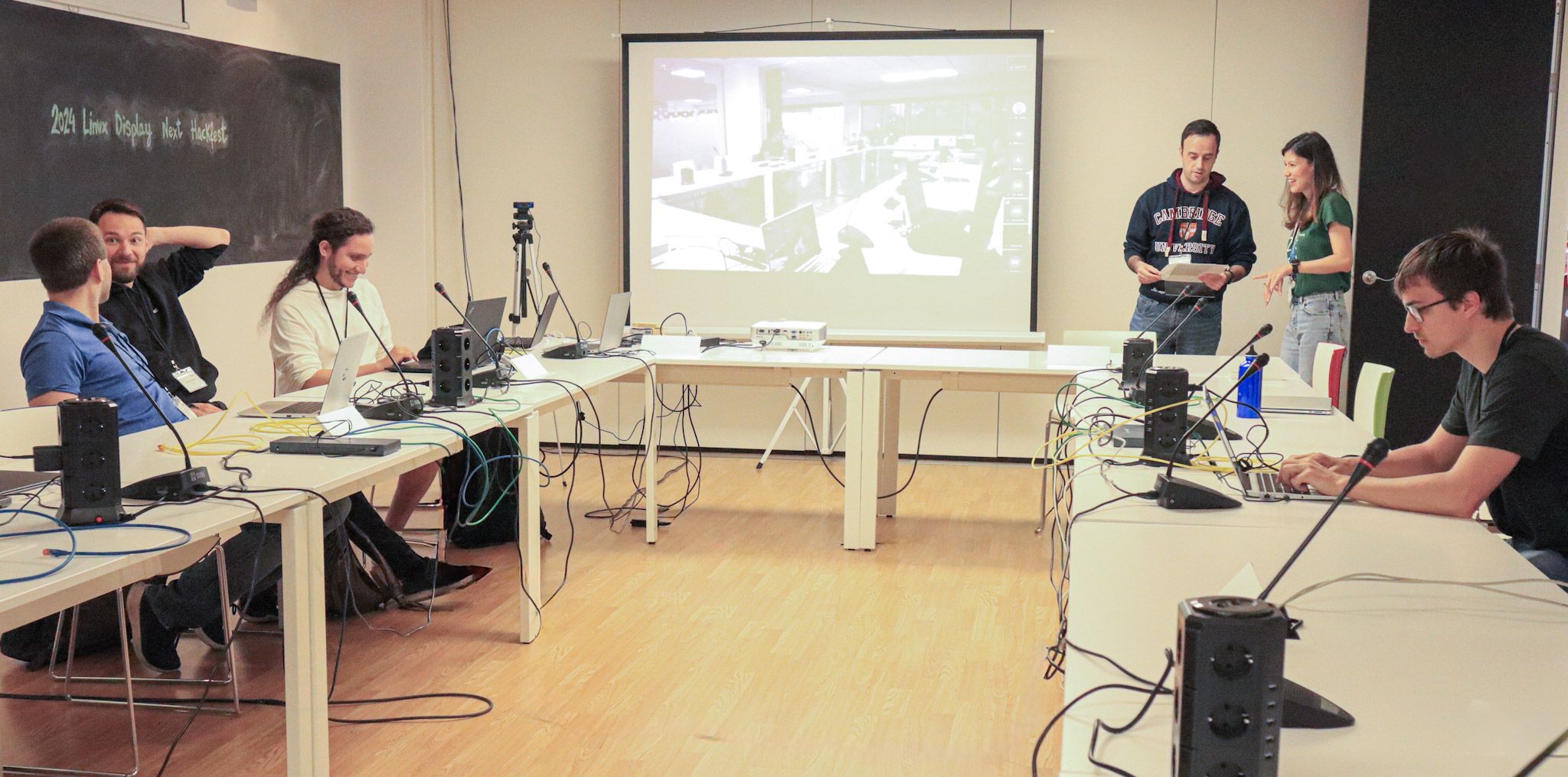
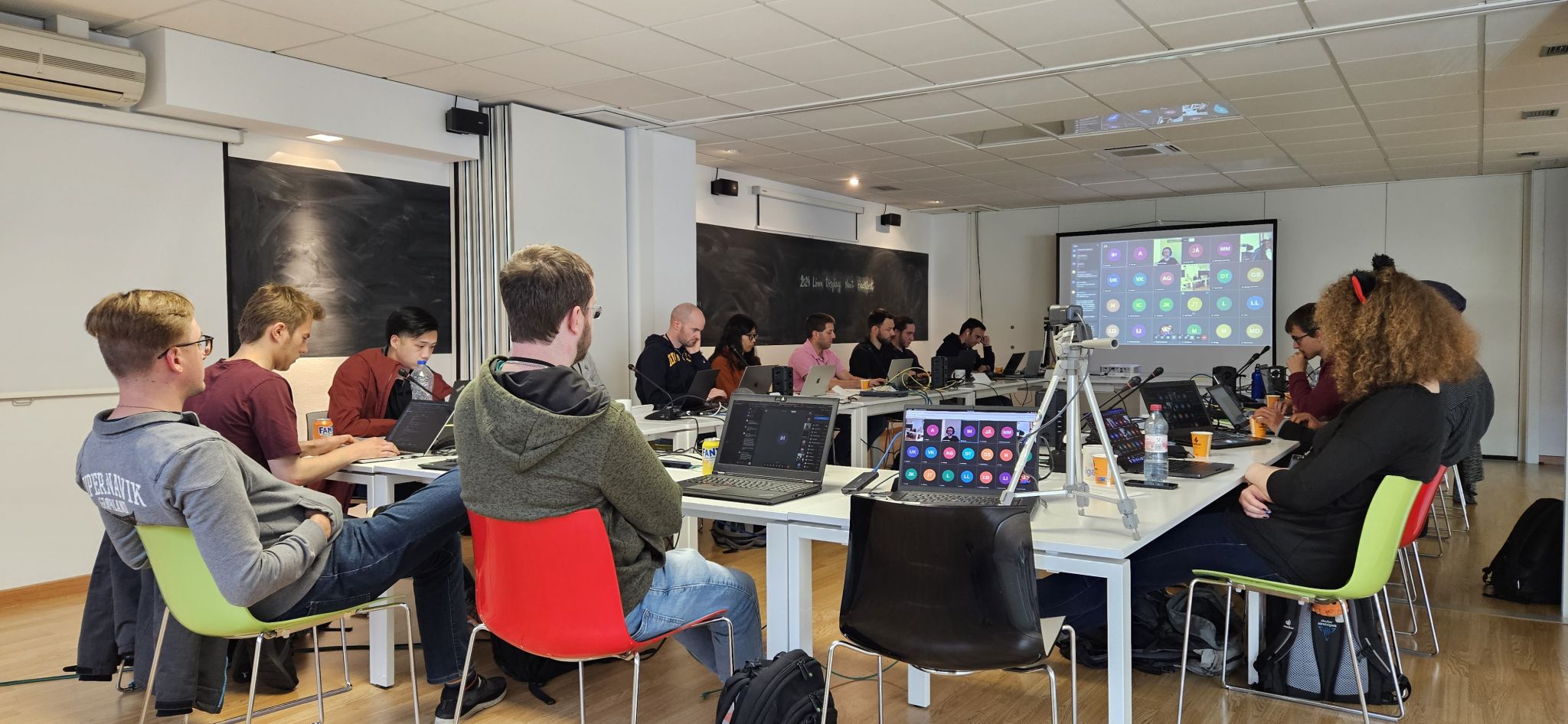
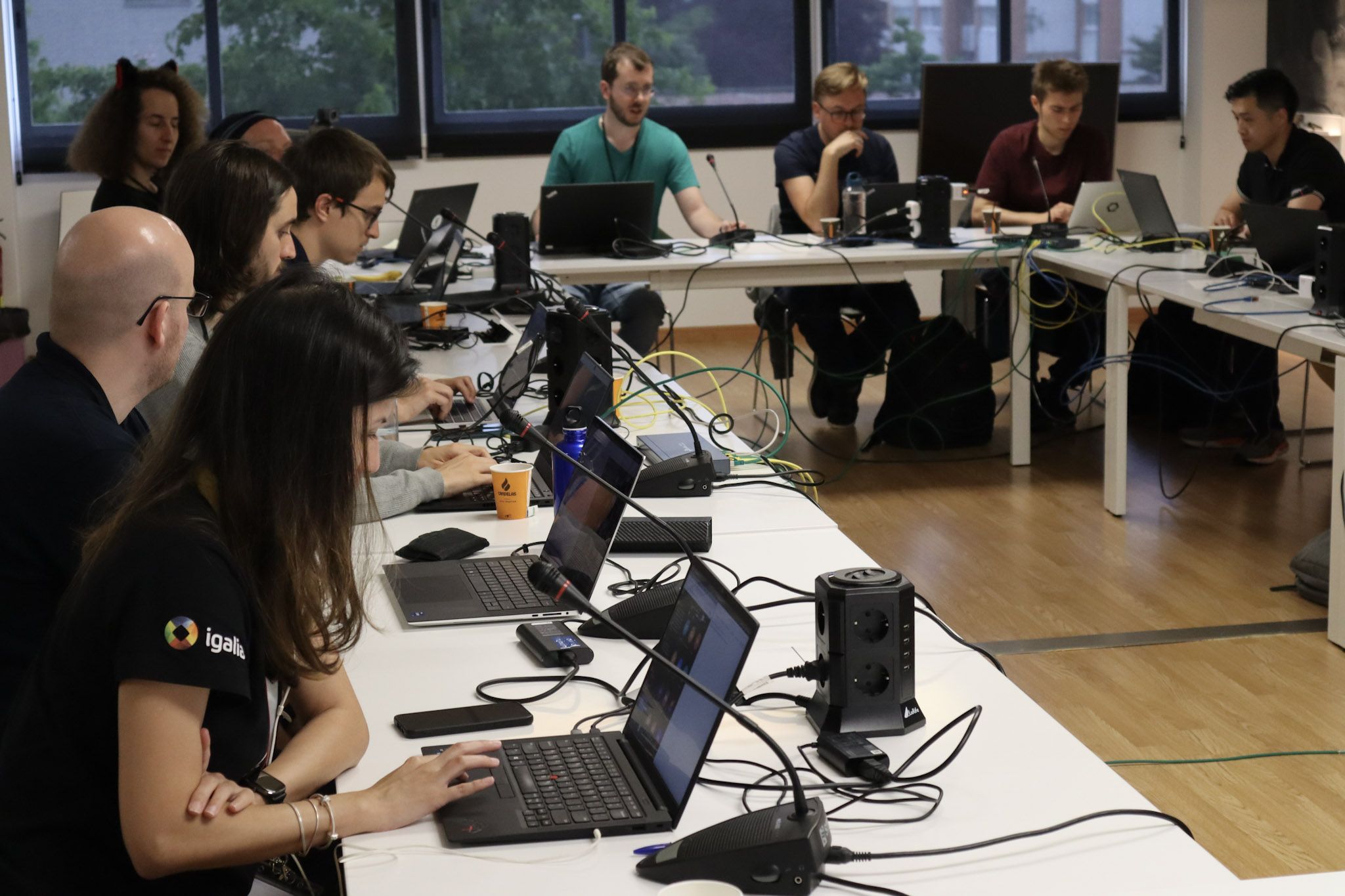
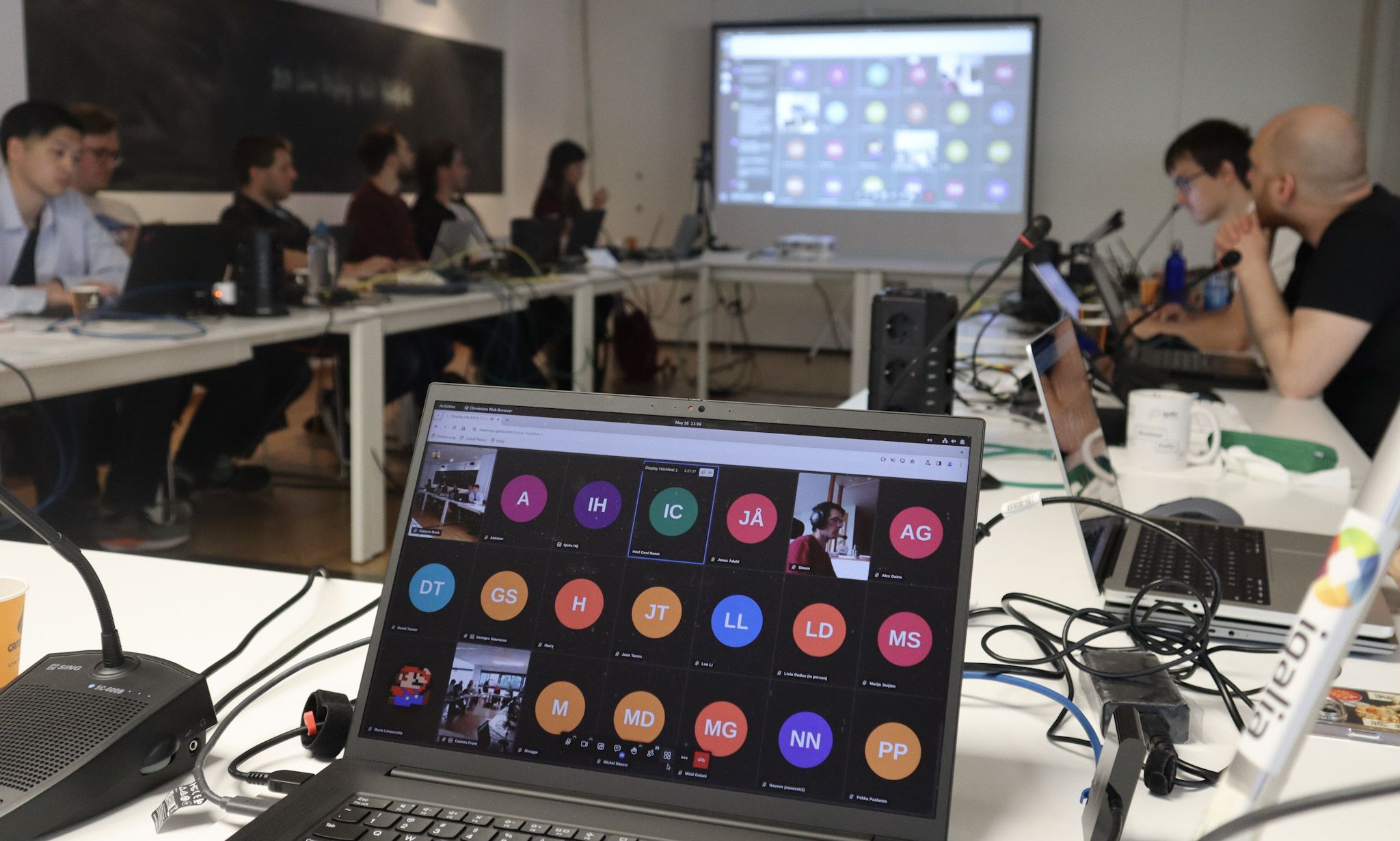
Hey everyone! The 2024 Linux Display Next hackfest concluded in May, and its outcomes continue to shape the Linux Display stack. Igalia hosted this year s event in A Coru a, Spain, bringing together leading experts in the field. Samuel Iglesias and I organized this year s edition and this blog post summarizes the experience and its fruits. One of the highlights of this year s hackfest was the wide range of backgrounds represented by our 40 participants (both on-site and remotely). Developers and experts from various companies and open-source projects came together to advance the Linux Display ecosystem. You can find the list of participants here. The event covered a broad spectrum of topics affecting the development of Linux projects, user experiences, and the future of display technologies on Linux. From cutting-edge topics to long-term discussions, you can check the event agenda here.

Organization Highlights The hackfest was marked by in-depth discussions and knowledge sharing among Linux contributors, making everyone inspired, informed, and connected to the community. Building on feedback from the previous year, we refined the unconference format to enhance participant preparation and engagement. Structured Agenda and Timeboxes: Each session had a defined scope, time limit (1h20 or 2h10), and began with an introductory talk on the topic.
  • Participant-Led Discussions: We pre-selected in-person participants to lead discussions, allowing them to prepare introductions, resources, and scope.
  • Transparent Scheduling: The schedule was shared in advance as GitHub issues, encouraging participants to review and prepare for sessions of interest.
Engaging Sessions: The hackfest featured a variety of topics, including presentations and discussions on how participants were addressing specific subjects within their companies.
  • No Breakout Rooms, No Overlaps: All participants chose to attend all sessions, eliminating the need for separate breakout rooms. We also adapted run-time schedule to keep everybody involved in the same topics.
  • Real-time Updates: We provided notifications and updates through dedicated emails and the event matrix room.
Strengthening Community Connections: The hackfest offered ample opportunities for networking among attendees.
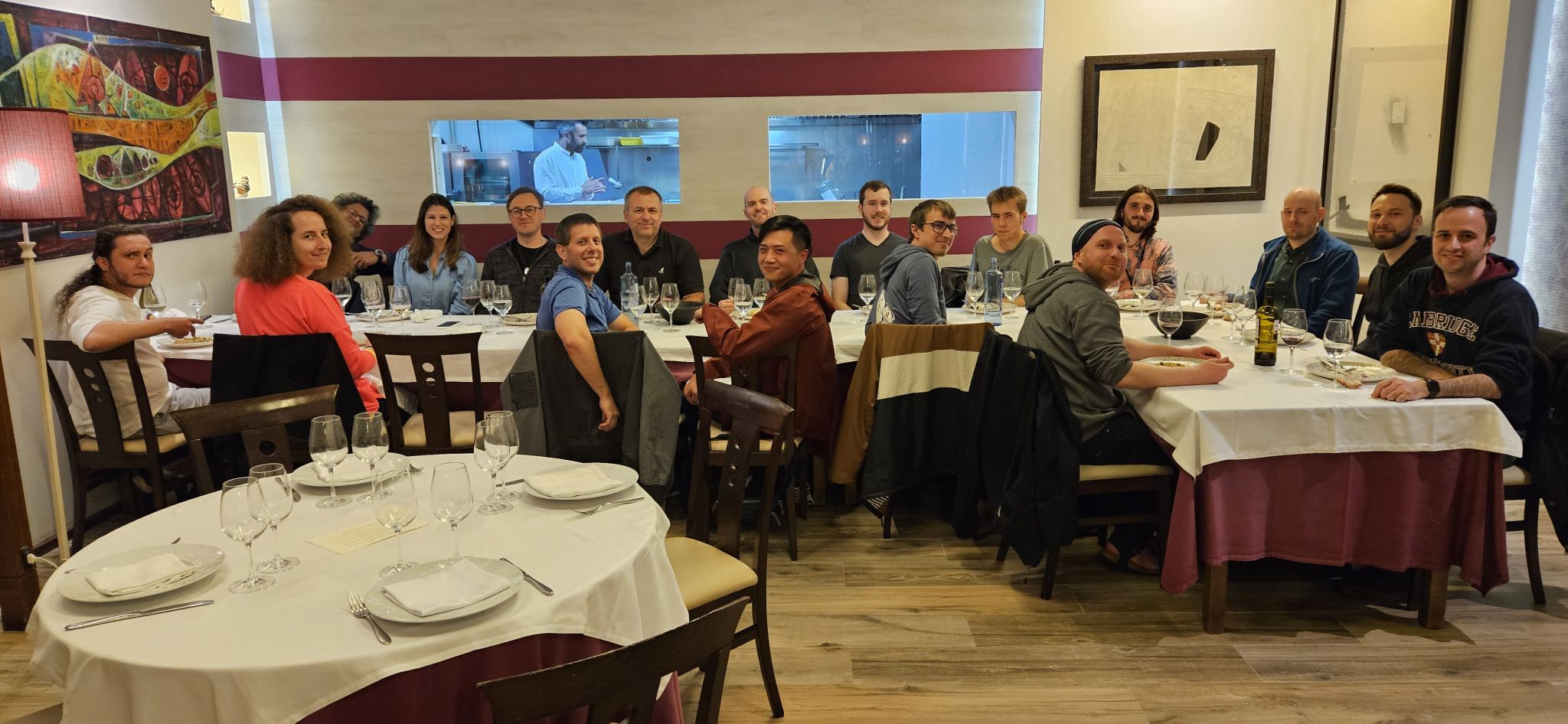
  • Social Events: Igalia sponsored coffee breaks, lunches, and a dinner at a local restaurant.
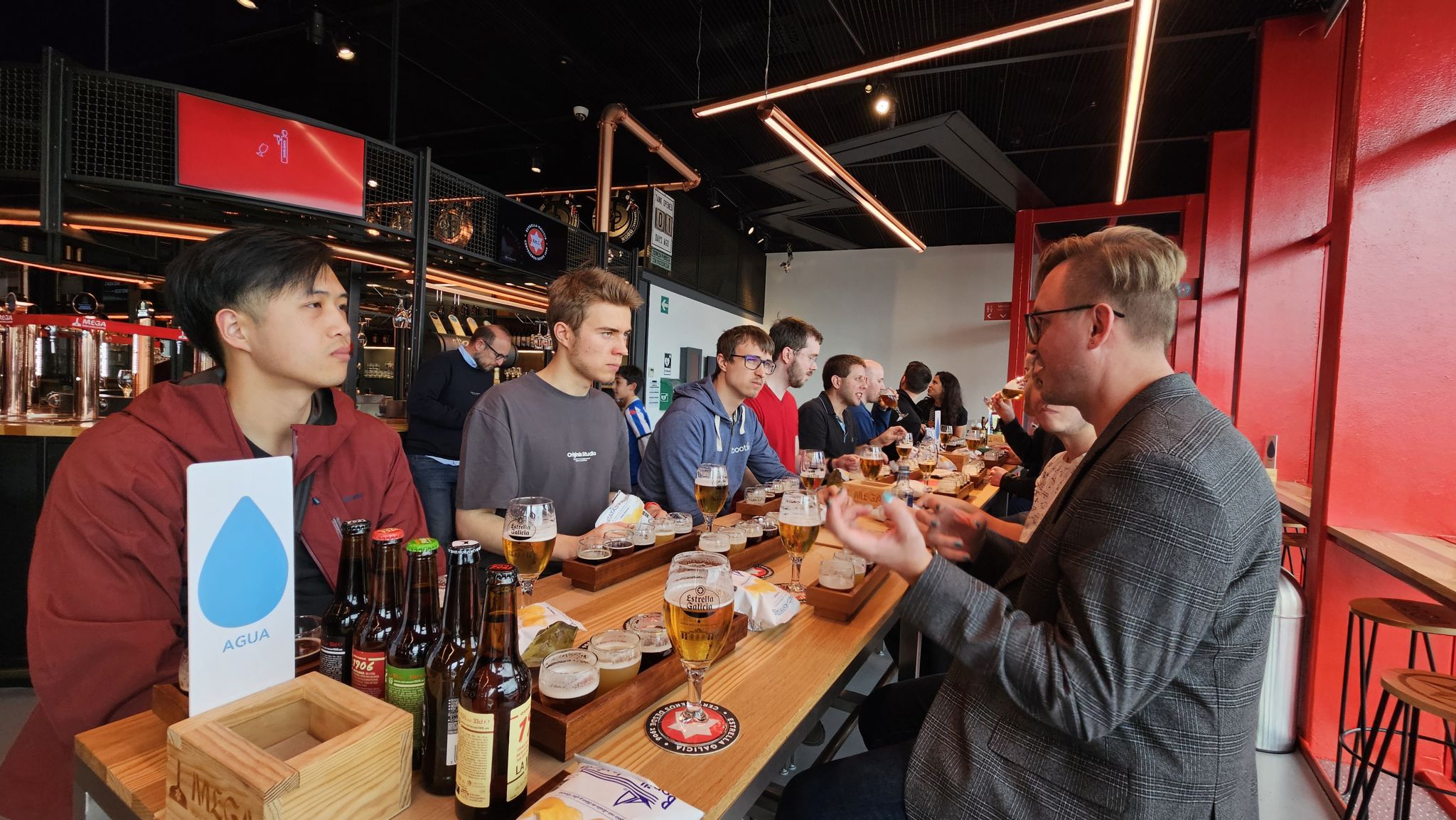
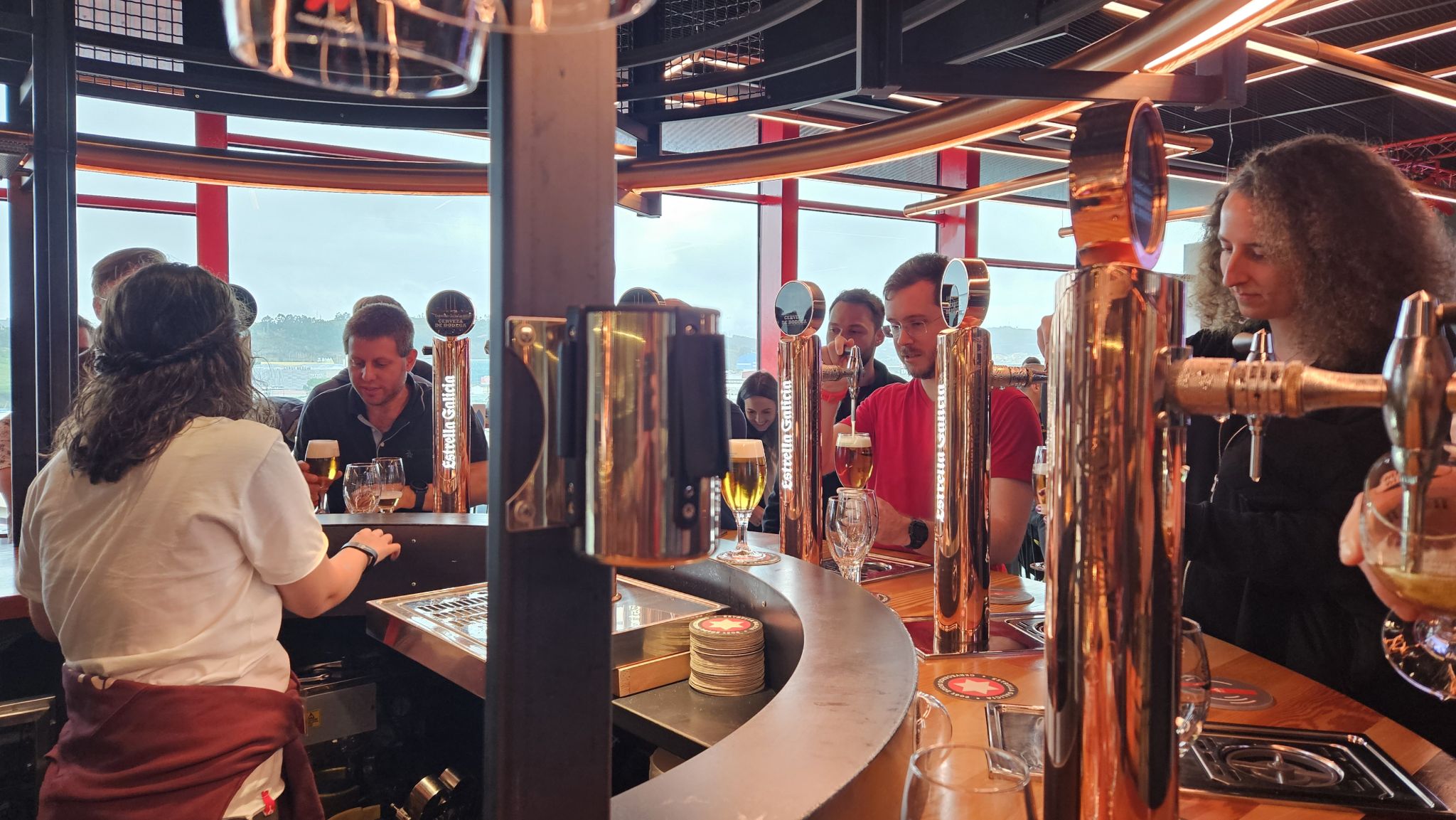
  • Museum Visit: Participants enjoyed a sponsored visit to the Museum of Estrela Galicia Beer (MEGA).

Fruitful Discussions and Follow-up The structured agenda and breaks allowed us to cover multiple topics during the hackfest. These discussions have led to new display feature development and improvements, as evidenced by patches, merge requests, and implementations in project repositories and mailing lists. With the KMS color management API taking shape, we discussed refinements and best approaches to cover the variety of color pipeline from different hardware-vendors. We are also investigating techniques for a performant SDR<->HDR content reproduction and reducing latency and power consumption when using the color blocks of the hardware.

Color Management/HDR Color Management and HDR continued to be the hottest topic of the hackfest. We had three sessions dedicated to discuss Color and HDR across Linux Display stack layers.

Color/HDR (Kernel-Level) Harry Wentland (AMD) led this session. Here, kernel Developers shared the Color Management pipeline of AMD, Intel and NVidia. We counted with diagrams and explanations from HW-vendors developers that discussed differences, constraints and paths to fit them into the KMS generic color management properties such as advertising modeset needs, IN\_FORMAT, segmented LUTs, interpolation types, etc. Developers from Qualcomm and ARM also added information regarding their hardware. Upstream work related to this session:

Color/HDR (Compositor-Level) Sebastian Wick (RedHat) led this session. It started with Sebastian s presentation covering Wayland color protocols and compositor implementation. Also, an explanation of APIs provided by Wayland and how they can be used to achieve better color management for applications and discussions around ICC profiles and color representation metadata. There was also an intensive Q&A about LittleCMS with Marti Maria. Upstream work related to this session:

Color/HDR (Use Cases and Testing) Christopher Cameron (Google) and Melissa Wen (Igalia) led this session. In contrast to the other sessions, here we focused less on implementation and more on brainstorming and reflections of real-world SDR and HDR transformations (use and validation) and gainmaps. Christopher gave a nice presentation explaining HDR gainmap images and how we should think of HDR. This presentation and Q&A were important to put participants at the same page of how to transition between SDR and HDR and somehow emulating HDR. We also discussed on the usage of a kernel background color property. Finally, we discussed a bit about Chamelium and the future of VKMS (future work and maintainership).

Power Savings vs Color/Latency Mario Limonciello (AMD) led this session. Mario gave an introductory presentation about AMD ABM (adaptive backlight management) that is similar to Intel DPST. After some discussions, we agreed on exposing a kernel property for power saving policy. This work was already merged on kernel and the userspace support is under development. Upstream work related to this session:

Strategy for video and gaming use-cases Leo Li (AMD) led this session. Miguel Casas (Google) started this session with a presentation of Overlays in Chrome/OS Video, explaining the main goal of power saving by switching off GPU for accelerated compositing and the challenges of different colorspace/HDR for video on Linux. Then Leo Li presented different strategies for video and gaming and we discussed the userspace need of more detailed feedback mechanisms to understand failures when offloading. Also, creating a debugFS interface came up as a tool for debugging and analysis.

Real-time scheduling and async KMS API Xaver Hugl (KDE/BlueSystems) led this session. Compositor developers have exposed some issues with doing real-time scheduling and async page flips. One is that the Kernel limits the lifetime of realtime threads and if a modeset takes too long, the thread will be killed and thus the compositor as well. Also, simple page flips take longer than expected and drivers should optimize them. Another issue is the lack of feedback to compositors about hardware programming time and commit deadlines (the lastest possible time to commit). This is difficult to predict from drivers, since it varies greatly with the type of properties. For example, color management updates take much longer. In this regard, we discusssed implementing a hw_done callback to timestamp when the hardware programming of the last atomic commit is complete. Also an API to pre-program color pipeline in a kind of A/B scheme. It may not be supported by all drivers, but might be useful in different ways.

VRR/Frame Limit, Display Mux, Display Control, and more and beer We also had sessions to discuss a new KMS API to mitigate headaches on VRR and Frame Limit as different brightness level at different refresh rates, abrupt changes of refresh rates, low frame rate compensation (LFC) and precise timing in VRR more. On Display Control we discussed features missing in the current KMS interface for HDR mode, atomic backlight settings, source-based tone mapping, etc. We also discussed the need of a place where compositor developers can post TODOs to be developed by KMS people. The Content-adaptive Scaling and Sharpening session focused on sharpening and scaling filters. In the Display Mux session, we discussed proposals to expose the capability of dynamic mux switching display signal between discrete and integrated GPUs. In the last session of the 2024 Display Next Hackfest, participants representing different compositors summarized current and future work and built a Linux Display wish list , which includes: improvements to VTTY and HDR switching, better dmabuf API for multi-GPU support, definition of tone mapping, blending and scaling sematics, and wayland protocols for advertising to clients which colorspaces are supported. We closed this session with a status update on feature development by compositors, including but not limited to: plane offloading (from libcamera to output) / HDR video offloading (dma-heaps) / plane-based scrolling for web pages, color management / HDR / ICC profiles support, addressing issues such as flickering when color primaries don t match, etc. After three days of intensive discussions, all in-person participants went to a guided tour at the Museum of Extrela Galicia beer (MEGA), pouring and tasting the most famous local beer.

Feedback and Future Directions Participants provided valuable feedback on the hackfest, including suggestions for future improvements.
  • Schedule and Break-time Setup: Having a pre-defined agenda and schedule provided a better balance between long discussions and mental refreshments, preventing the fatigue caused by endless discussions.
  • Action Points: Some participants recommended explicitly asking for action points at the end of each session and assigning people to follow-up tasks.
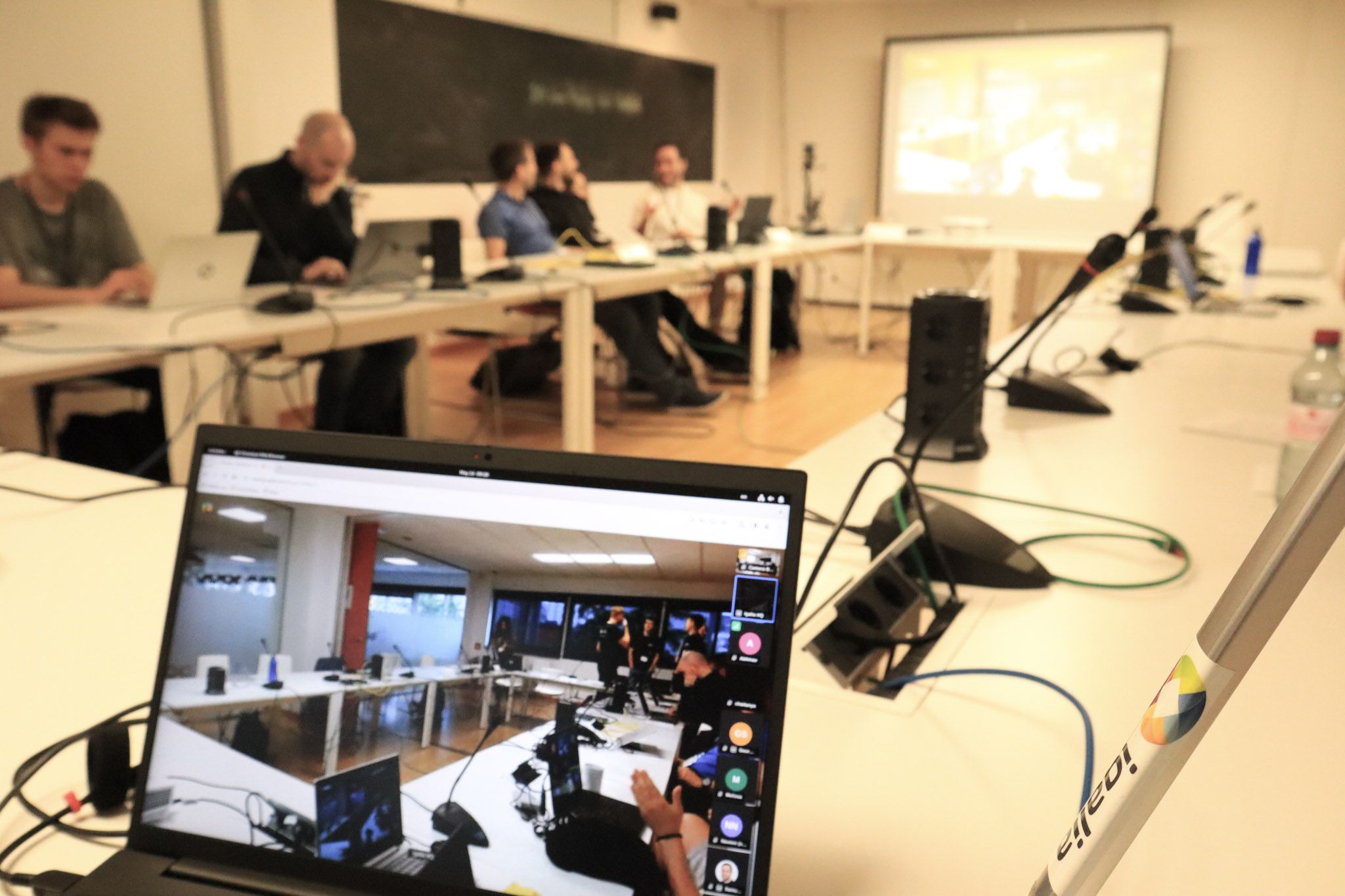
  • Remote Participation: Remote attendees appreciated the inclusive setup and opportunities to actively participate in discussions.
  • Technical Challenges: There were bandwidth and video streaming issues during some sessions due to the large number of participants.

Thank you for joining the 2024 Display Next Hackfest We can t help but thank the 40 participants, who engaged in-person or virtually on relevant discussions, for a collaborative evolution of the Linux display stack and for building an insightful agenda. A big thank you to the leaders and presenters of the nine sessions: Christopher Cameron (Google), Harry Wentland (AMD), Leo Li (AMD), Mario Limoncello (AMD), Sebastian Wick (RedHat) and Xaver Hugl (KDE/BlueSystems) for the effort in preparing the sessions, explaining the topic and guiding discussions. My acknowledge to the others in-person participants that made such an effort to travel to A Coru a: Alex Goins (NVIDIA), David Turner (Raspberry Pi), Georges Stavracas (Igalia), Joan Torres (SUSE), Liviu Dudau (Arm), Louis Chauvet (Bootlin), Robert Mader (Collabora), Tian Mengge (GravityXR), Victor Jaquez (Igalia) and Victoria Brekenfeld (System76). It was and awesome opportunity to meet you and chat face-to-face. Finally, thanks virtual participants who couldn t make it in person but organized their days to actively participate in each discussion, adding different perspectives and valuable inputs even remotely: Abhinav Kumar (Qualcomm), Chaitanya Borah (Intel), Christopher Braga (Qualcomm), Dor Askayo (Red Hat), Jiri Koten (RedHat), Jonas dahl (Red Hat), Leandro Ribeiro (Collabora), Marti Maria (Little CMS), Marijn Suijten, Mario Kleiner, Martin Stransky (Red Hat), Michel D nzer (Red Hat), Miguel Casas-Sanchez (Google), Mitulkumar Golani (Intel), Naveen Kumar (Intel), Niels De Graef (Red Hat), Pekka Paalanen (Collabora), Pichika Uday Kiran (AMD), Shashank Sharma (AMD), Sriharsha PV (AMD), Simon Ser, Uma Shankar (Intel) and Vikas Korjani (AMD). We look forward to another successful Display Next hackfest, continuing to drive innovation and improvement in the Linux display ecosystem!

25 September 2024

Russell Coker: The PiKVM

Hardware I have just setup a PiKVM, here s the Amazon link for the KVM hardware (case and Pi hat etc) and here s an Amazon link for a Pi4 to match. The PiKVM web site has good documentation [1] and they have a YouTube channel with videos showing how to assemble the devices [2]. It s really convenient being able to change the playback speed from low speeds like 1/4 original speed) to double speed when watching such a video. One thing to note is that there are some revisions to the hardware that aren t covered in the videos, the device I received had some improvements that made it easier to assemble which weren t in the video. When you buy the device and Pi you need to also get a SD card of at least 4G in size, a CR1220 battery for real-time clock, and a USB-2/3 to USB-C cable for keyboard/mouse MUST NOT BE USB-C to USB-C! When I first tried using it I used a USB-C to USB-C cable for keyboard and mouse and it didn t work for reasons I don t understand (I welcome comments with theories about this). You also need a micro-HDMI to HDMI cable to get video output if you want to set it up without having to find the IP address and ssh to it. The system has a bright OLED display to show the IP address and some other information which is very handy. The hardware is easy enough for a 12yo to setup. The construction of the parts are solid and well engineered with everything fitting together nicely. It has a PCI/PCIe slot adaptor for controlling power and sending LED status over the connection which I didn t test. I definitely recommend this. Software This is the download link for the RaspberryPi images for the PiKVM [3]. The v3 image matches the hardware from the Amazon link I provided. The default username/password is root/root. Connect it to a HDMI monitor and USB keyboard to change the password etc. If you control the DHCP server you can find the IP address it s using and ssh to it to change the password (it is configured to allow ssh as root with password authentication). If you get the kit to assemble it (as opposed to buying a completed unit already assembled) then you need to run the following commands as root to enable the OLED display. This means that after assembling it you can t get the IP address without plugging in a monitor with a micro-HDMI to HDMI cable or having access to the DHCP server logs.
rw
systemctl enable --now kvmd-oled kvmd-oled-reboot kvmd-oled-shutdown
systemctl enable --now kvmd-fan
ro
The default webadmin username/password is admin/admin. To change the passwords run the following commands:
rw
kvmd-htpasswd set admin
passwd root
ro
It is configured to have the root filesystem mounted read-only which is something I thought had gone out of fashion decades ago. I don t think that modern versions of the Ext3/4 drivers are going to corrupt your filesystem if you have it mounted read-write when you reboot. By default it uses a self-signed SSL certificate so with a Chrome based browser you get an error when you connect where you have to select advanced and then tell it to proceed regardless. I presume you could use the DNS method of Certbot authentication to get a SSL certificate to use on an internal view of your DNS to make it work normally with SSL. The web based software has all the features you expect from a KVM. It shows the screen in any resolution up to 1920*1080 and proxies keyboard and mouse. Strangely lsusb on the machine being managed only reports a single USB device entry for it which covers both keyboard and mouse. Managing Computers For a tower PC disconnect any regular monitor(s) and connect a HDMI port to the HDMI input on the KVM. Connect a regular USB port (not USB-C) to the OTG port on the KVM, then it should all just work. For a laptop connect the HDMI port to the HDMI input on the KVM. Connect a regular USB port (not USB-C) to the OTG port on the KVM. Then boot it up and press Fn-F8 for Dell, Fn-F7 for Lenovo or whatever the vendor code is to switch display output to HDMI during the BIOS initialisation, then Linux will follow the BIOS and send all output to the HDMI port for the early stages of booting. Apparently Lenovo systems have the Fn key mapped in the BIOS so an external keyboard could be used to switch between display outputs, but the PiKVM software doesn t appear to support that. For other systems (probably including the Dell laptops that interest me) the Fn key apparently can t be simulated externally. So for using this to work on laptops in another city I need to have someone local press Fn-F8 at the right time to allow me to change BIOS settings. It is possible to configure the Linux kernel to mirror display to external HDMI and an internal laptop screen. But this doesn t seem useful to me as the use cases for this device don t require that. If you are using it for a server that doesn t have iDRAC/ILO or other management hardware there will be no other monitor and all the output will go through the only connected HDMI device. My main use for it in the near future will be for supporting remote laptops, when Linux has a problem on boot as an easier option than talking someone through Linux commands and for such use it will be a temporary thing and not something that is desired all the time. For the gdm3 login program you can copy the .config/monitors.xml file from a GNOME user session to the gdm home directory to keep the monitor settings. This configuration option is decent for the case where a fixed set of monitors are used but not so great if your requirement is display a login screen on anything that s available . Is there an xdm type program in Debian/Ubuntu that supports this by default or with easy reconfiguration? Conclusion The PiKVM is a well engineered and designed product that does what s expected at a low price. There are lots of minor issues with using it which aren t the fault of the developers but are due to historical decisions in the design of BIOS and Linux software. We need to change the Linux software in question and lobby hardware vendors for BIOS improvements. The feature for connecting to an ATX PSU was unexpected and could be really handy for some people, it s not something I have an immediate use for but is something I could possibly use in future. I like the way they shipped the hardware for it as part of the package giving the user choices about how they use it, many vendors would make it an optional extra that costs another $100. This gives the PiKVM more functionality than many devices that are much more expensive. The web UI wasn t as user friendly as it might have been, but it s a lot better than iDRAC so I don t have a serious complaint about it. It would be nice if there was an option for creating macros for keyboard scancodes so I could try and emulate the Fn options and keys for volume control on systems that support it.

Melissa Wen: Reflections on 2024 Linux Display Next Hackfest

Hey everyone! The 2024 Linux Display Next hackfest concluded in May, and its outcomes continue to shape the Linux Display stack. Igalia hosted this year s event in A Coru a, Spain, bringing together leading experts in the field. Samuel Iglesias and I organized this year s edition and this blog post summarizes the experience and its fruits. One of the highlights of this year s hackfest was the wide range of backgrounds represented by our 40 participants (both on-site and remotely). Developers and experts from various companies and open-source projects came together to advance the Linux Display ecosystem. You can find the list of participants here. The event covered a broad spectrum of topics affecting the development of Linux projects, user experiences, and the future of display technologies on Linux. From cutting-edge topics to long-term discussions, you can check the event agenda here.

Organization Highlights The hackfest was marked by in-depth discussions and knowledge sharing among Linux contributors, making everyone inspired, informed, and connected to the community. Building on feedback from the previous year, we refined the unconference format to enhance participant preparation and engagement. Structured Agenda and Timeboxes: Each session had a defined scope, time limit (1h20 or 2h10), and began with an introductory talk on the topic.
  • Participant-Led Discussions: We pre-selected in-person participants to lead discussions, allowing them to prepare introductions, resources, and scope.
  • Transparent Scheduling: The schedule was shared in advance as GitHub issues, encouraging participants to review and prepare for sessions of interest.
Engaging Sessions: The hackfest featured a variety of topics, including presentations and discussions on how participants were addressing specific subjects within their companies.
  • No Breakout Rooms, No Overlaps: All participants chose to attend all sessions, eliminating the need for separate breakout rooms. We also adapted run-time schedule to keep everybody involved in the same topics.
  • Real-time Updates: We provided notifications and updates through dedicated emails and the event matrix room.
Strengthening Community Connections: The hackfest offered ample opportunities for networking among attendees.
  • Social Events: Igalia sponsored coffee breaks, lunches, and a dinner at a local restaurant.
  • Museum Visit: Participants enjoyed a sponsored visit to the Museum of Estrela Galicia Beer (MEGA).

Fruitful Discussions and Follow-up The structured agenda and breaks allowed us to cover multiple topics during the hackfest. These discussions have led to new display feature development and improvements, as evidenced by patches, merge requests, and implementations in project repositories and mailing lists. With the KMS color management API taking shape, we discussed refinements and best approaches to cover the variety of color pipeline from different hardware-vendors. We are also investigating techniques for a performant SDR<->HDR content reproduction and reducing latency and power consumption when using the color blocks of the hardware.

Color Management/HDR Color Management and HDR continued to be the hottest topic of the hackfest. We had three sessions dedicated to discuss Color and HDR across Linux Display stack layers.

Color/HDR (Kernel-Level) Harry Wentland (AMD) led this session. Here, kernel Developers shared the Color Management pipeline of AMD, Intel and NVidia. We counted with diagrams and explanations from HW-vendors developers that discussed differences, constraints and paths to fit them into the KMS generic color management properties such as advertising modeset needs, IN\_FORMAT, segmented LUTs, interpolation types, etc. Developers from Qualcomm and ARM also added information regarding their hardware. Upstream work related to this session:

Color/HDR (Compositor-Level) Sebastian Wick (RedHat) led this session. It started with Sebastian s presentation covering Wayland color protocols and compositor implementation. Also, an explanation of APIs provided by Wayland and how they can be used to achieve better color management for applications and discussions around ICC profiles and color representation metadata. There was also an intensive Q&A about LittleCMS with Marti Maria. Upstream work related to this session:

Color/HDR (Use Cases and Testing) Christopher Cameron (Google) and Melissa Wen (Igalia) led this session. In contrast to the other sessions, here we focused less on implementation and more on brainstorming and reflections of real-world SDR and HDR transformations (use and validation) and gainmaps. Christopher gave a nice presentation explaining HDR gainmap images and how we should think of HDR. This presentation and Q&A were important to put participants at the same page of how to transition between SDR and HDR and somehow emulating HDR. We also discussed on the usage of a kernel background color property. Finally, we discussed a bit about Chamelium and the future of VKMS (future work and maintainership).

Power Savings vs Color/Latency Mario Limonciello (AMD) led this session. Mario gave an introductory presentation about AMD ABM (adaptive backlight management) that is similar to Intel DPST. After some discussions, we agreed on exposing a kernel property for power saving policy. This work was already merged on kernel and the userspace support is under development. Upstream work related to this session:

Strategy for video and gaming use-cases Leo Li (AMD) led this session. Miguel Casas (Google) started this session with a presentation of Overlays in Chrome/OS Video, explaining the main goal of power saving by switching off GPU for accelerated compositing and the challenges of different colorspace/HDR for video on Linux. Then Leo Li presented different strategies for video and gaming and we discussed the userspace need of more detailed feedback mechanisms to understand failures when offloading. Also, creating a debugFS interface came up as a tool for debugging and analysis.

Real-time scheduling and async KMS API Xaver Hugl (KDE/BlueSystems) led this session. Compositor developers have exposed some issues with doing real-time scheduling and async page flips. One is that the Kernel limits the lifetime of realtime threads and if a modeset takes too long, the thread will be killed and thus the compositor as well. Also, simple page flips take longer than expected and drivers should optimize them. Another issue is the lack of feedback to compositors about hardware programming time and commit deadlines (the lastest possible time to commit). This is difficult to predict from drivers, since it varies greatly with the type of properties. For example, color management updates take much longer. In this regard, we discusssed implementing a hw_done callback to timestamp when the hardware programming of the last atomic commit is complete. Also an API to pre-program color pipeline in a kind of A/B scheme. It may not be supported by all drivers, but might be useful in different ways.

VRR/Frame Limit, Display Mux, Display Control, and more and beer We also had sessions to discuss a new KMS API to mitigate headaches on VRR and Frame Limit as different brightness level at different refresh rates, abrupt changes of refresh rates, low frame rate compensation (LFC) and precise timing in VRR more. On Display Control we discussed features missing in the current KMS interface for HDR mode, atomic backlight settings, source-based tone mapping, etc. We also discussed the need of a place where compositor developers can post TODOs to be developed by KMS people. The Content-adaptive Scaling and Sharpening session focused on sharpening and scaling filters. In the Display Mux session, we discussed proposals to expose the capability of dynamic mux switching display signal between discrete and integrated GPUs. In the last session of the 2024 Display Next Hackfest, participants representing different compositors summarized current and future work and built a Linux Display wish list , which includes: improvements to VTTY and HDR switching, better dmabuf API for multi-GPU support, definition of tone mapping, blending and scaling sematics, and wayland protocols for advertising to clients which colorspaces are supported. We closed this session with a status update on feature development by compositors, including but not limited to: plane offloading (from libcamera to output) / HDR video offloading (dma-heaps) / plane-based scrolling for web pages, color management / HDR / ICC profiles support, addressing issues such as flickering when color primaries don t match, etc. After three days of intensive discussions, all in-person participants went to a guided tour at the Museum of Extrela Galicia beer (MEGA), pouring and tasting the most famous local beer.

Feedback and Future Directions Participants provided valuable feedback on the hackfest, including suggestions for future improvements.
  • Schedule and Break-time Setup: Having a pre-defined agenda and schedule provided a better balance between long discussions and mental refreshments, preventing the fatigue caused by endless discussions.
  • Action Points: Some participants recommended explicitly asking for action points at the end of each session and assigning people to follow-up tasks.
  • Remote Participation: Remote attendees appreciated the inclusive setup and opportunities to actively participate in discussions.
  • Technical Challenges: There were bandwidth and video streaming issues during some sessions due to the large number of participants.

Thank you for joining the 2024 Display Next Hackfest We can t help but thank the 40 participants, who engaged in-person or virtually on relevant discussions, for a collaborative evolution of the Linux display stack and for building an insightful agenda. A big thank you to the leaders and presenters of the nine sessions: Christopher Cameron (Google), Harry Wentland (AMD), Leo Li (AMD), Mario Limoncello (AMD), Sebastian Wick (RedHat) and Xaver Hugl (KDE/BlueSystems) for the effort in preparing the sessions, explaining the topic and guiding discussions. My acknowledge to the others in-person participants that made such an effort to travel to A Coru a: Alex Goins (NVIDIA), David Turner (Raspberry Pi), Georges Stavracas (Igalia), Joan Torres (SUSE), Liviu Dudau (Arm), Louis Chauvet (Bootlin), Robert Mader (Collabora), Tian Mengge (GravityXR), Victor Jaquez (Igalia) and Victoria Brekenfeld (System76). It was and awesome opportunity to meet you and chat face-to-face. Finally, thanks virtual participants who couldn t make it in person but organized their days to actively participate in each discussion, adding different perspectives and valuable inputs even remotely: Abhinav Kumar (Qualcomm), Chaitanya Borah (Intel), Christopher Braga (Qualcomm), Dor Askayo, Jiri Koten (RedHat), Jonas dahl (Red Hat), Leandro Ribeiro (Collabora), Marti Maria (Little CMS), Marijn Suijten, Mario Kleiner, Martin Stransky (Red Hat), Michel D nzer (Red Hat), Miguel Casas-Sanchez (Google), Mitulkumar Golani (Intel), Naveen Kumar (Intel), Niels De Graef (Red Hat), Pekka Paalanen (Collabora), Pichika Uday Kiran (AMD), Shashank Sharma (AMD), Sriharsha PV (AMD), Simon Ser, Uma Shankar (Intel) and Vikas Korjani (AMD). We look forward to another successful Display Next hackfest, continuing to drive innovation and improvement in the Linux display ecosystem!

24 September 2024

Dirk Eddelbuettel: RcppFastAD 0.0.4 on CRAN: Updated Again

A new release 0.0.4 of the RcppFastAD package by James Yang and myself is now on CRAN. RcppFastAD wraps the FastAD header-only C++ library by James which provides a C++ implementation of both forward and reverse mode of automatic differentiation. It offers an easy-to-use header library (which we wrapped here) that is both lightweight and performant. With a little of bit of Rcpp glue, it is also easy to use from R in simple C++ applications. This release updates the quick fix in release 0.0.3 from a good week ago. James took a good look and properly disambiguated the statement that lead clang to complain, so we are back to compiling as C++17 under all compilers which makes for a slightly wider reach. The NEWS file for this release follows.

Changes in version 0.0.4 (2024-09-24)
  • The package now properly addresses a clang warning on empty variadic macros arguments and is back to C++17 (James in #10)

Courtesy of my CRANberries, there is also a diffstat report for the most recent release. More information is available at the repository or the package page. If you like this or other open-source work I do, you can sponsor me at GitHub.

This post by Dirk Eddelbuettel originated on his Thinking inside the box blog. Please report excessive re-aggregation in third-party for-profit settings.

Vasudev Kamath: Note to Self: Enabling Secure Boot with UKI on Debian

Note

This post is a continuation of my previous article on enabling the Unified Kernel Image (UKI) on Debian.

In this guide, we'll implement Secure Boot by taking full control of the device, removing preinstalled keys, and installing our own. For a comprehensive overview of the benefits and process, refer to this excellent post from rodsbooks.
Key Components To implement Secure Boot, we need three essential keys:
  1. Platform Key (PK): The top-level key in Secure Boot, typically provided by the motherboard manufacturer. We'll replace the vendor-supplied PK with our own for complete control.
  2. Key Exchange Key (KEK): Used to sign updates for the Signatures Database and Forbidden Signatures Database.
  3. Database Key (DB): Used to sign or verify binaries (bootloaders, boot managers, shells, drivers, etc.).
There's also a Forbidden Signature Key (dbx), which is the opposite of the DB key. We won't be generating this key in this guide.
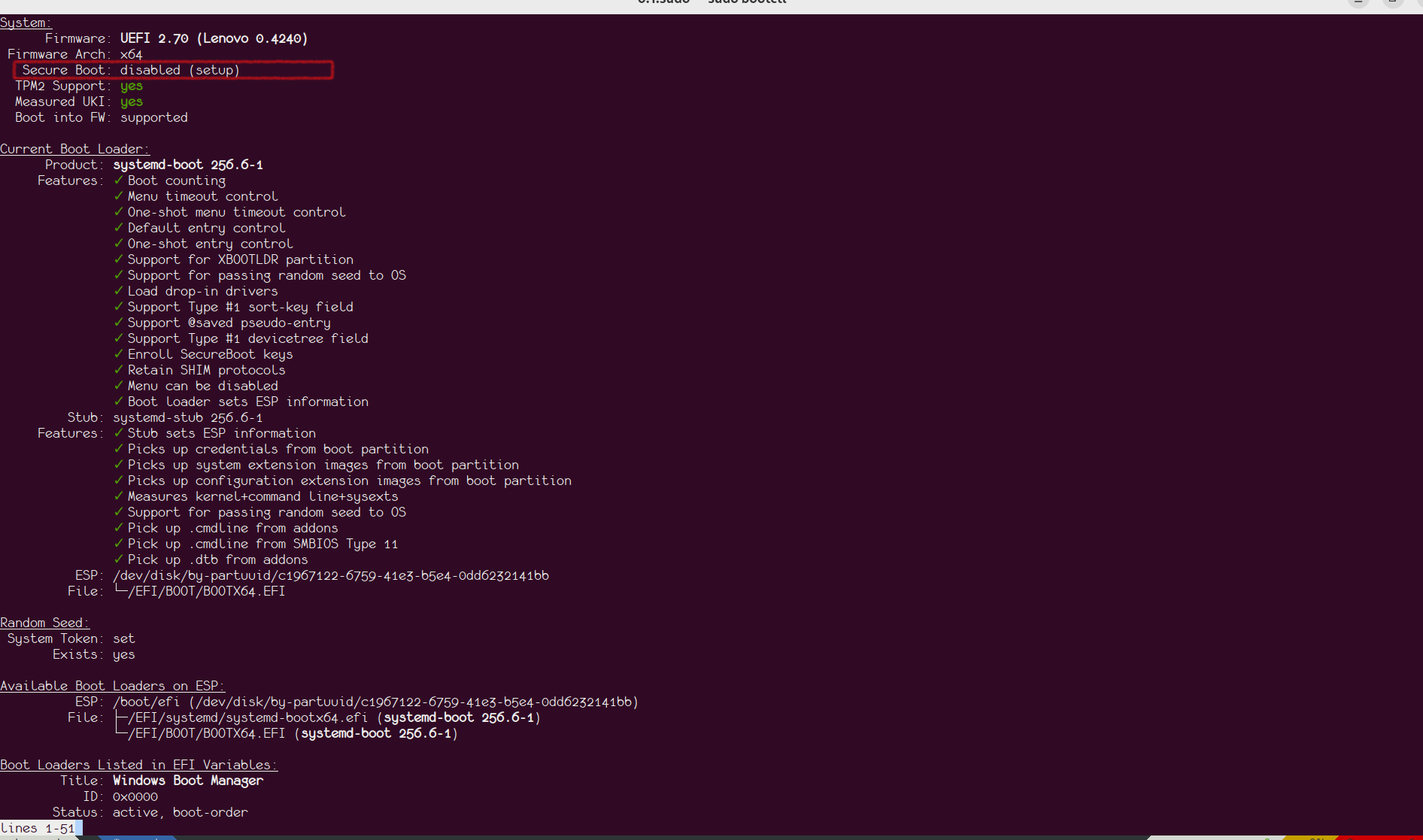
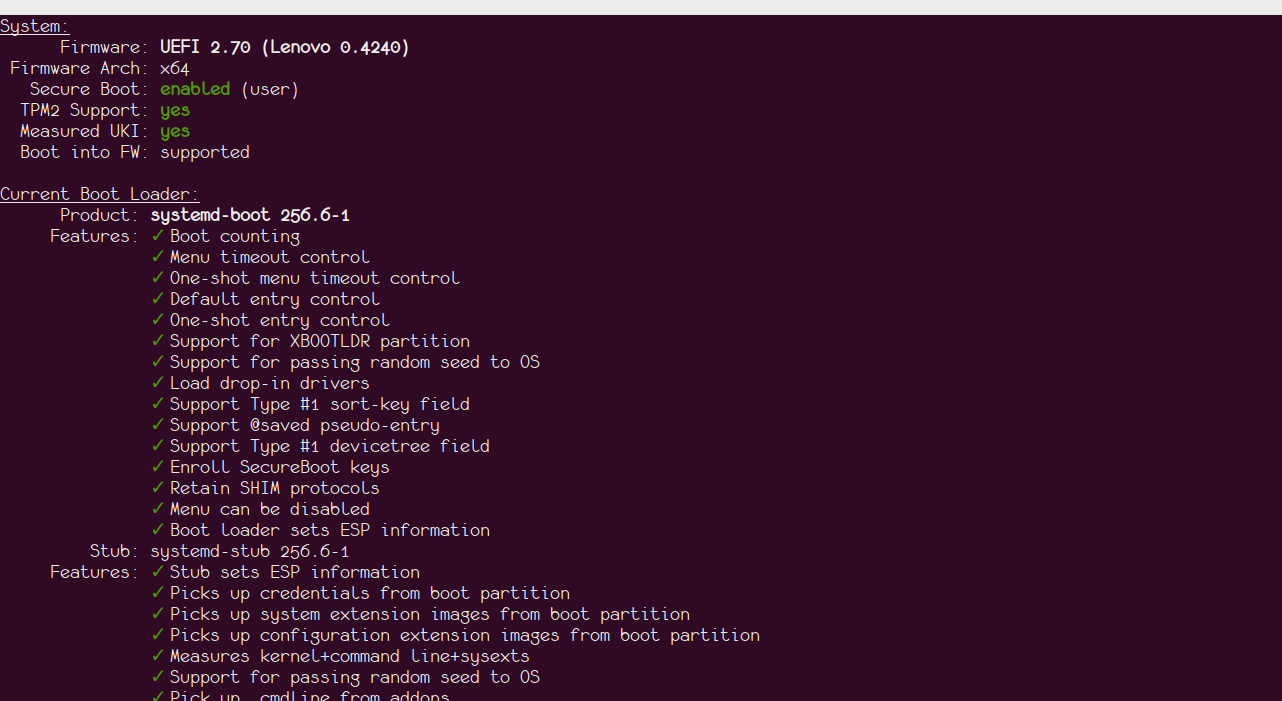
Preparing for Key Enrollment Before enrolling our keys, we need to put the device in Secure Boot Setup Mode. Verify the status using the bootctl status command. You should see output similar to the following image: UEFI Setup mode
Generating Keys Follow these instructions from the Arch Wiki to generate the keys manually. You'll need the efitools and openssl packages. I recommend using rsa:2048 as the key size for better compatibility with older firmware. After generating the keys, copy all .auth files to the /efi/loader/keys/<hostname>/ folder. For example:
  sudo ls /efi/loader/keys/chamunda
db.auth  KEK.auth  PK.auth
Signing the Bootloader Sign the systemd-boot bootloader with your new keys:
sbsign --key <path-to db.key> --cert <path-to db.crt> \
   /usr/lib/systemd/boot/efi/systemd-bootx64.efi
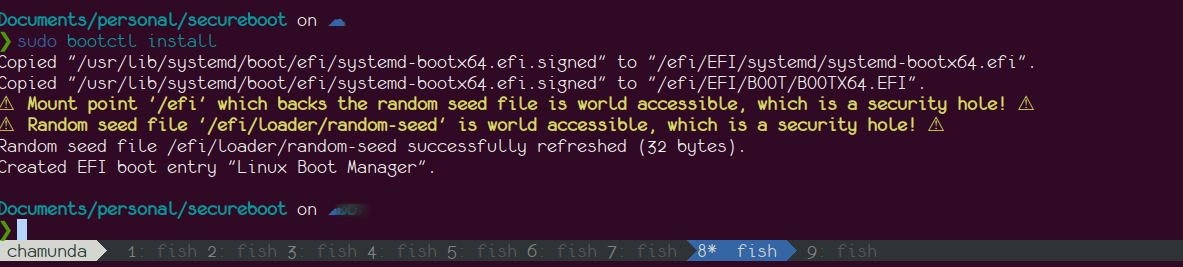
Install the signed bootloader using bootctl install. The output should resemble this: bootctl install

Note

If you encounter warnings about mount options, update your fstab with the umask=0077 option for the EFI partition.

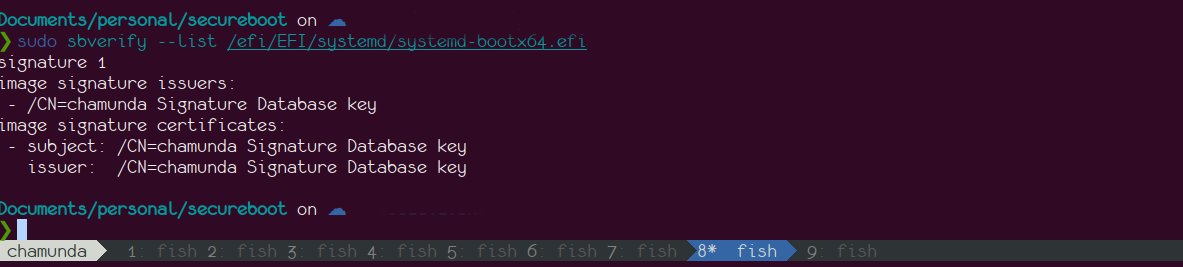
Verify the signature using sbsign --verify: sbsign verify
Configuring UKI for Secure Boot Update the /etc/kernel/uki.conf file with your key paths:
SecureBootPrivateKey=/path/to/db.key
SecureBootCertificate=/path/to/db.crt
Signing the UKI Image On Debian, use dpkg-reconfigure to sign the UKI image for each kernel:
sudo dpkg-reconfigure linux-image-$(uname -r)
# Repeat for other kernel versions if necessary
You should see output similar to this:
sudo dpkg-reconfigure linux-image-$(uname -r)
/etc/kernel/postinst.d/dracut:
dracut: Generating /boot/initrd.img-6.10.9-amd64
Updating kernel version 6.10.9-amd64 in systemd-boot...
Signing unsigned original image
Using config file: /etc/kernel/uki.conf
+ sbverify --list /boot/vmlinuz-6.10.9-amd64
+ sbsign --key /home/vasudeva.sk/Documents/personal/secureboot/db.key --cert /home/vasudeva.sk/Documents/personal/secureboot/db.crt /tmp/ukicc7vcxhy --output /tmp/kernel-install.staging.QLeGLn/uki.efi
Wrote signed /tmp/kernel-install.staging.QLeGLn/uki.efi
/etc/kernel/postinst.d/zz-systemd-boot:
Installing kernel version 6.10.9-amd64 in systemd-boot...
Signing unsigned original image
Using config file: /etc/kernel/uki.conf
+ sbverify --list /boot/vmlinuz-6.10.9-amd64
+ sbsign --key /home/vasudeva.sk/Documents/personal/secureboot/db.key --cert /home/vasudeva.sk/Documents/personal/secureboot/db.crt /tmp/ukit7r1hzep --output /tmp/kernel-install.staging.dWVt5s/uki.efi
Wrote signed /tmp/kernel-install.staging.dWVt5s/uki.efi
Enrolling Keys in Firmware Use systemd-boot to enroll your keys:
systemctl reboot --boot-loader-menu=0
Select the enroll option with your hostname in the systemd-boot menu. After key enrollment, the system will reboot into the newly signed kernel. Verify with bootctl: uefi enabled
Dealing with Lockdown Mode Secure Boot enables lockdown mode on distro-shipped kernels, which restricts certain features like kprobes/BPF and DKMS drivers. To avoid this, consider compiling the upstream kernel directly, which doesn't enable lockdown mode by default. As Linus Torvalds has stated, "there is no reason to tie Secure Boot to lockdown LSM." You can read more about Torvalds' opinion on UEFI tied with lockdown.
Next Steps One thing that remains is automating the signing of systemd-boot on upgrade, which is currently a manual process. I'm exploring dpkg triggers for achieving this, and if I succeed, I will write a new post with details.
Acknowledgments Special thanks to my anonymous colleague who provided invaluable assistance throughout this process.

23 September 2024

Jonathan McDowell: The (lack of a) return-to-office conspiracy

During COVID companies suddenly found themselves able to offer remote working where it hadn t previously been on offer. That s changed over the past 2 or so years, with most places I m aware of moving back from a fully remote situation to either some sort of hybrid, or even full time office attendance. For example last week Amazon announced a full return to office, having already pulled remote-hired workers in for 3 days a week. I ve seen a lot of folk stating they ll never work in an office again, and that RTO is insanity. Despite being lucky enough to work fully remotely (for a role I d been approached about before, but was never prepared to relocate for), I feel the objections from those who are pro-remote often fail to consider the nuances involved. So let s talk about some of the reasons why companies might want to enforce some sort of RTO.

Real estate value Let s clear this one up first. It s not about real estate value, for most companies. City planners and real estate investors might care, but even if your average company owned their building they d close it in an instant all other things being equal. An unoccupied building costs a lot less to maintain. And plenty of companies rent and would save money even if there s a substantial exit fee.

Occupancy levels That said, once you have anyone in the building the equation changes. If you re having to provide power, heating, internet, security/front desk staff etc, you want to make sure you re getting your money s worth. There s no point heating a building that can seat 100 for only 10 people present. One option is to downsize the building, but that leads to not being able to assign everyone a desk, for example. No one I know likes hot desking. There are also scheduling problems about ensuring there are enough desks for everyone who might turn up on a certain day, and you ve ruled out the option of company/office wide events.

Coexistence builds relationships As a remote worker I wish it wasn t true that most people find it easier to form relationships in person, but it is. Some of this can be worked on with specific teambuilding style events, rather than in office working, but I know plenty of folk who hate those as much as they hate the idea of being in the office. I am lucky in that I work with a bunch of folk who are terminally online, so it s much easier to have those casual conversations even being remote, but I also accept I miss out on some things because I m just not in the office regularly enough. You might not care about this ( I just need to put my head down and code, not talk to people ), but don t discount it as a valid reason why companies might want their workers to be in the office. This often matters even more for folk at the start of their career, where having a bunch of experience folk around to help them learn and figure things out ends up working much better in person (my first job offered to let me go mostly remote when I moved to Norwich, but I said no as I knew I wasn t ready for it yet).

Coexistence allows for unexpected interactions People hate the phrase water cooler chat , and I get that, but it covers the idea of casual conversations that just won t happen the same way when people are remote. I experienced this while running Black Cat; every time Simon and I met up in person we had a bunch of useful conversations even though we were on IRC together normally, and had a VoIP setup that meant we regularly talked too. Equally when I was at Nebulon there were conversations I overheard in the office where I was able to correct a misconception or provide extra context. Some of this can be replicated with the right online chat culture, but I ve found many places end up with folk taking conversations to DMs, or they happen in private channels. It happens more naturally in an office environment.

It s easier for bad managers to manage bad performers Again, this falls into the category of things that shouldn t be true, but are. Remote working has increased the ability for people who want to slack off to do so without being easily detected. Ideally what you want is that these folk, if they fail to perform, are then performance managed out of the organisation. That s hard though, there are (rightly) a bunch of rights workers have (I m writing from a UK perspective) around the procedure that needs to be followed. Managers need organisational support in this to make sure they get it right (and folk are given a chance to improve), which is often lacking.

Summary Look, I get there are strong reasons why offering remote is a great thing from the company perspective, but what I ve tried to outline here is that a return-to-office mandate can have some compelling reasons behind it too. Some of those might be things that wouldn t exist in an ideal world, but unfortunately fixing them is a bigger issue than just changing where folk work from. Not acknowledging that just makes any reaction against office work seem ill-informed, to me.

21 September 2024

Jamie McClelland: How do I warm up an IP Address?

After years on the waiting list, May First was just given a /24 block of IP addresses. Excellent. Now we want to start using them for, among other things, sending email. I haven t added a new IP address to our mail relays in a while and things seems to change regularly in the world of email so I m curious: what s the best 2024 way to warm up IP addresses, particularly using postfix? Sendergrid has a nice page on the topic. It establishes the number of messages to send per day. But I m not entirely sure how to fit messages per day into our setup. We use round robin DNS to direct email to one of several dozen email relay servers using postfix. And unfortunately our DNS software (knot) doesn t have a way to add weights to ensure some IPs show up more often than others (much less limit the specific number of messages a given relay should get). Postfix has some nice knobs for rate limiting, particularly: default_destination_recipient_limit and default_destination_rate_delay If default_destination_recipient_limit is over 1, then default_destination_rate_delay is equal to the minimum delay between sending email to the same domain. So, I m staring our IP addresses out at 30m - which prevents any single domain from receiving more than 2 messages per hour. Sadly, there are a lot of different domain names that deliver to the same set of popular corporate MX servers, so I am not sure I can accurately control how many messages a given provider sees coming from a given IP address. But it s a start. A bigger problem is that messages that exceed the limit hang out in the active queue until they can be sent without violating the rate limit. Since I can t fully control the number of messages a given queue receives (due to my inability to control the DNS round robin weights), a lot of messages are going to be severely delayed, especially ones with an @gmail.com domain name. I know I can temporarily set relayhost to a different queue and flush deferred messages, however, as far as I can tell, it doesn t work with active messages. To help mitigate the problem I m only using our bulk mail queue to warm up IPs, but really, this is not ideal. Suggestions welcome!

Update #1 If you are running postfix in a multi-instance setup and you have instances that are already warmed up, you can move active messages between queues with these steps:
# Put the message on hold in the warming up instance
postsuper -c /etc/postfix-warmingup -h $queueid
# Copy to a warmed up instance
cp --preserve=mode,ownership,timestamp /var/spool/postfix-warmingup/hold/$queueid /var/spool/postfix-warmedup/incoming/
# Queue the message
postqueue -c /etc/postfix-warmedup -i $queueid
# Delete from the original queue.
postsuper -c /etc/postfix-warmingup -d $queueid
After just 12 hours we had thousands of messages piling up. This warm up method was never going to work without the ability to move them to a faster queue. [Additional update: be sure to reload the postfix instance after flushing the queue so messages are drained from the active queue on the correct schedule. See update #4.]

Update #2 After 24 hours, most email is being accepted as far as I can tell. I am still getting a small percentage of email deferred by Yahoo with:
421 4.7.0 [TSS04] Messages from 204.19.241.9 temporarily deferred due to unexpected volume or user complaints - 4.16.55.1; see https://postmaster.yahooinc.com/error-codes (in reply
So I will keep it as 30m for another 24 hours or so and then move to 15m. Now that I can flush the backlog of active messages I am in less of a hurry.

Update #3 Well, this doesn t seem to be working the way I want it to. When a message arrives faster than the designated rate limit, it remains in the active queue. I m entirely sure how the timing is supposed to work, but at this point I m down to a 5m rate delay, and the active messages are just hanging out for a lot longer than 5m. I tried flushing the queue, but that only seems to affect the deferred messages. I finally got them re-tried with systemctl reload. I wonder if there is a setting to control this retry? Or better yet, why can t these messages that exceed the rate delayed be deferred instead?

Update #4 I think I see why I was confused in Update #3 about the timing. I suspect that when I move messages out of the active queue it screws up the timer. Reloading the instance resets the timer. Every time you muck with active messages, you should reload.

Gunnar Wolf: 50 years of queries

This post is a review for Computing Reviews for 50 years of queries , a article published in Communications of the ACM
The relational model is probably the one innovation that brought computers to the mainstream for business users. This article by Donald Chamberlin, creator of one of the first query languages (that evolved into the ubiquitous SQL), presents its history as a commemoration of the 50th anniversary of his publication of said query language. The article begins by giving background on information processing before the advent of today s database management systems: with systems storing and processing information based on sequential-only magnetic tapes in the 1950s, adopting a record-based, fixed-format filing system was far from natural. The late 1960s and early 1970s saw many fundamental advances, among which one of the best known is E. F. Codd s relational model. The first five pages (out of 12) present the evolution of the data management community up to the 1974 SIGFIDET conference. This conference was so important in the eyes of the author that, in his words, it is the event that starts the clock on 50 years of relational databases. The second part of the article tells about the growth of the structured English query language (SEQUEL) eventually renamed SQL including the importance of its standardization and its presence in commercial products as the dominant database language since the late 1970s. Chamberlin presents short histories of the various implementations, many of which remain dominant names today, that is, Oracle, Informix, and DB2. Entering the 1990s, open-source communities introduced MySQL, PostgreSQL, and SQLite. The final part of the article presents controversies and criticisms related to SQL and the relational database model as a whole. Chamberlin presents the main points of controversy throughout the years: 1) the SQL language lacks orthogonality; 2) SQL tables, unlike formal relations, might contain null values; and 3) SQL tables, unlike formal relations, may contain duplicate rows. He explains the issues and tradeoffs that guided the language design as it unfolded. Finally, a section presents several points that explain how SQL and the relational model have remained, for 50 years, a winning concept, as well as some thoughts regarding the NoSQL movement that gained traction in the 2010s. This article is written with clear language and structure, making it easy and pleasant to read. It does not drive a technical point, but instead is a recap on half a century of developments in one of the fields most important to the commercial development of computing, written by one of the greatest authorities on the topic.

20 September 2024

Sahil Dhiman: Educational and Research Institutions With Own ASN in India

Another one of the ASN list. This turned out longer than I expected (which is good). If you want to briefly understand what is an ASN, my Personal ASNs From India post carries an introduction to it. Now, here re the Educational and Research Institutions with their own ASN in India, which I could find: Special Mentions Some observations: Let me know if I m missing someone.

19 September 2024

Vasudev Kamath: Note to Self: Enabling Unified Kernel Image on Debian

Note

These steps may not work on your system if you are using the default Debian installation. This guide assumes that your system is using systemd-boot as the bootloader, which is explained in the post linked below.

A unified kernel image (UKI) is a single executable that can be booted directly from UEFI firmware or automatically sourced by bootloaders with little or no configuration. It combines a UEFI boot stub program like systemd-stub(7), a Linux kernel image, an initrd, and additional resources into a single UEFI PE file. systemd-boot already provides a hook for kernel installation via /etc/kernel/postinst.d/zz-systemd-boot. We just need a couple of additional configurations to generate the UKI image.
Installation and Configuration
  1. Install the systemd-ukify package:

    sudo apt-get install systemd-ukify
    
  2. Create the following configuration in /etc/kernel/install.conf:

    layout=uki
    initrd_generator=dracut
    uki_generator=ukify
    
    This configuration specifies how to generate the UKI image for the installed kernel and which generator to use.
  3. Define the kernel command line for the UKI image. Create /etc/kernel/uki.conf with the following content:

    [UKI]
    Cmdline=@/etc/kernel/cmdline
    
Generating the UKI Image To apply these changes, regenerate the UKI image for the currently running kernel:
sudo dpkg-reconfigure linux-image-$(uname -r)
Verification Use the bootctl list command to verify the presence of a "Type #2" entry for the current kernel. The output should look similar to this:
bootctl list
      type: Boot Loader Specification Type #2 (.efi)
     title: Debian GNU/Linux trixie/sid (2d0080583f1a4127ac0b073b1a9d3e61-6.10.9-amd64.efi) (default) (selected)
        id: 2d0080583f1a4127ac0b073b1a9d3e61-6.10.9-amd64.efi
    source: /boot/efi/EFI/Linux/2d0080583f1a4127ac0b073b1a9d3e61-6.10.9-amd64.efi
  sort-key: debian
     linux: /boot/efi/EFI/Linux/2d0080583f1a4127ac0b073b1a9d3e61-6.10.9-amd64.efi
   options: systemd.gpt_auto=no quiet root=LABEL=root_disk ro systemd.machine_id=2d0080583f1a4127ac0b073b1a9d3e61
      type: Boot Loader Specification Type #2 (.efi)
     title: Debian GNU/Linux trixie/sid (2d0080583f1a4127ac0b073b1a9d3e61-6.10.7-amd64.efi)
        id: 2d0080583f1a4127ac0b073b1a9d3e61-6.10.7-amd64.efi
    source: /boot/efi/EFI/Linux/2d0080583f1a4127ac0b073b1a9d3e61-6.10.7-amd64.efi
  sort-key: debian
     linux: /boot/efi/EFI/Linux/2d0080583f1a4127ac0b073b1a9d3e61-6.10.7-amd64.efi
   options: systemd.gpt_auto=no quiet root=LABEL=root_disk ro systemd.machine_id=2d0080583f1a4127ac0b073b1a9d3e61
      type: Automatic
     title: Reboot Into Firmware Interface
        id: auto-reboot-to-firmware-setup
    source: /sys/firmware/efi/efivars/LoaderEntries-4a67b082-0a4c-41cf-b6c7-440b29bb8c4f
Cleanup and Reboot Once the "Type #2" entries are generated, remove any "Type #1" entries using the bootctl unlink command. After this, reboot your system to boot from the UKI-based image.
Future Considerations The primary use case for a UKI image is secure boot. Signing the UKI image can also be configured in the settings above, but this guide does not cover that process as it requires setting up secure boot on your system.

18 September 2024

Dirk Eddelbuettel: Rblpapi 0.3.15: Updated and New BLP Library

bloomberg terminal Version 0.3.15 of the Rblpapi package arrived on CRAN today. Rblpapi provides a direct interface between R and the Bloomberg Terminal via the C++ API provided by Bloomberg (but note that a valid Bloomberg license and installation is required). This is the fifteenth release since the package first appeared on CRAN in 2016. This release updates to the current version 3.24.6 of the Bloomberg API, and rounds out a few corners in the packaging from continuous integration to the vignette. The detailed list of changes follow below.

Changes in Rblpapi version 0.3.15 (2024-09-18)
  • A warning is now issued if more than 1000 results are returned (John in #377 addressing #375)
  • A few typos in the rblpapi-intro vignette were corrected (Michael Streatfield in #378)
  • The continuous integration setup was updated (Dirk in #388)
  • Deprecation warnings over char* where C++ class Name is now preferred have been addressed (Dirk in #391)
  • Several package files have been updated (Dirk in #392)
  • The request formation has been corrected, and an example was added (Dirk and John in #394 and #396)
  • The Bloomberg API has been upgraded to release 3.24.6.1 (Dirk in #397)

Courtesy of my CRANberries, there is also a diffstat report for the this release. As always, more detailed information is at the Rblpapi repo or the Rblpapi page. Questions, comments etc should go to the issue tickets system at the GitHub repo. If you like this or other open-source work I do, you can sponsor me at GitHub.

This post by Dirk Eddelbuettel originated on his Thinking inside the box blog. Please report excessive re-aggregation in third-party for-profit settings.

Jamie McClelland: Gmail vs Tor vs Privacy

A legit email went to spam. Here are the redacted, relevant headers:
[redacted]
X-Spam-Flag: YES
X-Spam-Level: ******
X-Spam-Status: Yes, score=6.3 required=5.0 tests=DKIM_SIGNED,DKIM_VALID,
[redacted]
	*  1.0 RCVD_IN_XBL RBL: Received via a relay in Spamhaus XBL
	*      [185.220.101.64 listed in xxxxxxxxxxxxx.zen.dq.spamhaus.net]
	*  3.0 RCVD_IN_SBL_CSS Received via a relay in Spamhaus SBL-CSS
	*  2.5 RCVD_IN_AUTHBL Received via a relay in Spamhaus AuthBL
	*  0.0 RCVD_IN_PBL Received via a relay in Spamhaus PBL
[redacted]
[very first received line follows...]
Received: from [10.137.0.13] ([185.220.101.64])
        by smtp.gmail.com with ESMTPSA id ffacd0b85a97d-378956d2ee6sm12487760f8f.83.2024.09.11.15.05.52
        for <xxxxx@mayfirst.org>
        (version=TLS1_3 cipher=TLS_AES_128_GCM_SHA256 bits=128/128);
        Wed, 11 Sep 2024 15:05:53 -0700 (PDT)
At first I though a Gmail IP address was listed in spamhaus - I even opened a ticket. But then I realized it wasn t the last hop that Spamaus is complaining about, it s the first hop, specifically the ip 185.220.101.64 which appears to be a Tor exit node. The sender is using their own client to relay email directly to Gmail. Like any sane person, they don t trust Gmail to protect their privacy, so they are sending via Tor. But WTF, Gmail is not stripping the sending IP address from the header. I m a big fan of harm reduction and have always considered using your own client to relay email with Gmail as a nice way to avoid some of the surveillance tax Google imposes. However, it seems that if you pursue this option you have two unpleasant choices: I supposed you could also use a VPN, but I doubt the IP reputation of most VPN exit nodes are going to be more reliable than Tor.

17 September 2024

Benjamin Mako Hill: My Chair

I realize that because I have several chairs, the phrase my chair is ambiguous. To reduce confusion, I will refer to the head of my academic department as my office chair going forward.

Jonathan Dowland: ouch, part 2

Things developed since my last post. Some lesions opened up on my ankle which was initially good news: the pain substantially reduced. But they didn t heal fast enough and so medics decided on surgical debridement. That was last night. It seemed to be successful and I m in recovery from surgery as I write. It s hard to predict the near-future, a lot depends on how well and fast I heal. I ve got a negative-pressure dressing on it, which is incredible: a constantly maintained suction to aid in debridement and healing. Modern medicine feels like a sci fi novel.

Jonathan Dowland: ouch, part 3

The debridement operation was a success: nothing bad grew afterwards. I was discharged after a couple of nights with crutches, instructions not to weight-bear, a remarkable, portable negative-pressure "Vac" pump that lived by my side, and some strong painkillers. About two weeks later, I had a skin graft. The surgeon took some skin from my thigh and stitched it over the debridement wound. I was discharged same-day, again with the Vac pump, and again with instructions not to weight-bear, at least for a few days. This time I only kept the Vac pump for a week, and after a dressing change (the first time I saw the graft), I was allowed to walk again. Doing so is strangely awkward, and sometimes a little painful. I have physio exercises to help me regain strength and understanding about what I can do. The donor site remained bandaged for another week before I saw it. I was expecting a stitched cut, but the surgeons have removed the top few layers only, leaving what looks more like a graze or sun-burn. There are four smaller, tentative-looking marks adjacent, suggesting they got it right on the fifth attempt. I'm not sure but I think these will all fade away to near-invisibility with time, and they don't hurt at all. I've now been off work for roughly 12 weeks, but I think I am returning very soon. I am looking forward to returning to some sense of normality. It's been an interesting experience. I thought about writing more about what I've gone through, in particular my experiences in Hospital, dealing with the bureaucracy and things falling "between the gaps". Hanif Kureishi has done a better job than I could. It's clear that the NHS is staffed by incredibly passionate people, but there are a lot of structural problems that interfere with care.

Russ Allbery: Review: The Book That Broke the World

Review: The Book That Broke the World, by Mark Lawrence
Series: Library Trilogy #2
Publisher: Ace
Copyright: 2024
ISBN: 0-593-43796-9
Format: Kindle
Pages: 366
The Book That Broke the World is high fantasy and a direct sequel to The Book That Wouldn't Burn. You should not start here. In a delightful break from normal practice, the author provides a useful summary of the previous volume at the start of this book to jog your memory. At the end of The Book That Wouldn't Burn, the characters were scattered and in various states of corporeality after some major revelations about the nature of the Library and the first appearance of the insectile Skeer. The Book That Wouldn't Burn picks up where it left off, and there is a lot more contact with the Skeer, but my guess that they would be the next viewpoint characters does not pan out. Instead, we get a new group and a new protagonist: Celcha, whose sees angels who come to visit her brother. I have complaints, but before I launch into those, I should say that I liked this book apart from the totally unnecessary cannibalism. (I'll get to that.) Livira is a bit sidelined, which is regrettable, but Celcha and her brother are interesting new characters, and both Arpix and Clovis, supporting characters in the first book, get some excellent character development. Similar to the first book, this is a puzzle box story full of world-building tidbits with intellectually-satisfying interactions. Lawrence elaborates and complicates his setting in ways that don't contradict earlier parts of the story but create more room and depth for the characters to be creative. I came away still invested in this world and eager to find out how Lawrence pulls the world-building and narrative threads together. The biggest drawback of this book is that it's not new. My thought after finishing the first book of the series was that if Lawrence had enough world-building ideas to fill three books to that same level of density, this had the potential of being one of my favorite fantasy series of all time. By the end of the second book, I concluded that this is not the case. Instead of showing us new twists and complications the way the first book did throughout, The Book That Broke the World mostly covers the same thematic ground from some new angles. It felt like Lawrence was worried the reader of the first book may not have understood the theme or the world-building, so he spent most of the second book nailing down anything that moved. I found that frustrating. One of the best parts of The Book That Wouldn't Burn was that Lawrence trusted the reader to keep up, which for me hit the glorious but rare sweet spot of pacing where I was figuring out the world at roughly the same pace as the characters. It surprised me in some very enjoyable ways. The Book That Broke the World did not surprise me. There are a few new things, which I enjoyed, and a few elaborations and developments of ideas, which I mostly enjoyed, but I saw the big plot twist coming at least fifty pages before it happened and found the aftermath more annoying than revelatory. It doesn't help that the plot rests on character misunderstandings, one of my least favorite tropes. One of the other disappointments of this book is that the characters stop using the Library as a library. The Library at the center of this series is a truly marvelous piece of world-building with numerous fascinating features that are unrelated to its contents, but Livira used it first and foremost as a repository of books. The first book was full of characters solving problems by finding a relevant book and reading it. In The Book That Broke the World, sadly, this is mostly gone. The Library is mostly reduced to a complicated Big Dumb Object setting. It's still a delightful bit of world-building, and we learn about a few new features, but I only remember two places where the actual books are important to the story. Even the book referenced in the title is mostly important as an artifact with properties unrelated to the words that it contains or to the act of reading it. I think this is a huge lost opportunity and something I hope Lawrence fixes in the last book of the trilogy. This book instead focuses on the politics around the existence of the Library itself. Here I'm cautiously optimistic, although a lot is going to depend on the third book. Lawrence has set up a three-sided argument between groups that I will uncharitably describe as the libertarian techbros, the "burn it all down" reactionaries, and the neoliberal centrist technocrats. All three of those positions suck, and Lawrence had better be setting the stage for Livira to find a different path. Her unwillingness to commit to any of those sides gives me hope, but bringing this plot to a satisfying conclusion is going to be tricky. I hope I like what Lawrence comes up with, but it feels far from certain. It doesn't help that he's started delivering some points with a sledgehammer, and that's where we get to the unnecessary cannibalism. Thankfully this is a fairly small part of the tail end of the book, but it was an unpleasant surprise that I did not want in this novel and that I don't think made the story any better. It's tempting to call the cannibalism gratuitous, but it does fit one of the main themes of this story, namely that humans are depressingly good at using any rule-based object in unexpected and nasty ways that are contrary to the best intentions of the designer. This is the fundamental challenge of the Library as a whole and the question that I suspect the third book will be devoted to addressing, so I understand why Lawrence wanted to emphasize his point. The reason why there is cannibalism here is directly related to a profound misunderstanding of the properties of the library, and I detected an echo of one of C.S. Lewis's arguments in The Last Battle about the nature of Hell. The problem, though, is that this is Satanic baby-killerism, to borrow a term from Fred Clark. There are numerous ways to show this type of perversion of well-intended systems, which I know because Lawrence used other ones in the first book that were more subtle but equally effective. One of the best parts of The Book That Wouldn't Burn is that there were few real villains. The conflict was structural, all sides had valid perspectives, and the ethical points of that story were made with some care and nuance. The problem with cannibalism as it's used here is not merely that it's gross and disgusting and off-putting to the reader, although it is all of those things. If I wanted to read horror, I would read horror novels. I don't appreciate surprise horror used for shock value in regular fantasy. But worse, it's an abandonment of moral nuance. The function of cannibalism in this story is like the function of Satanic baby-killers: it's to signal that these people are wholly and irredeemably evil. They are the Villains, they are Wrong, and they cease to be characters and become symbols of what the protagonists are fighting. This is destructive to the story because it's designed to provoke a visceral short-circuit in the reader and let the author get away with sloppy story-telling. If the author needs to use tactics like this to point out who is the villain, they have failed to set up their moral quandary properly. The worst part is that this was entirely unnecessary because Lawrence's story-telling wasn't sloppy and he set up his moral quandary just fine. No one was confused about the ethical point here. I as the reader was following without difficulty, and had appreciated the subtlety with which Lawrence posed the question. But apparently he thought he was too subtle and decided to come back to the point with a pile-driver. I think that seriously injured the story. The ethical argument here is much more engaging and thought-provoking when it's more finely balanced. That's a lot of complaints, mostly because this is a good book that I badly wanted to be a great book but which kept tripping over its own feet. A lot of trilogies have weak second books. Hopefully this is another example of the mid-story sag, and the finale will be worthy of the start of the story. But I have to admit the moral short-circuiting and the de-emphasis of the actual books in the library has me a bit nervous. I want a lot out of the third book, and I hope I'm not asking this author for too much. If you liked the first book, I think you'll like this one too, with the caveat that it's quite a bit darker and more violent in places, even apart from the surprise cannibalism. But if you've not started this series, you may want to wait for the third book to see if Lawrence can pull off the ending. Followed by The Book That Held Her Heart, currently scheduled for publication in April of 2025. Rating: 7 out of 10

Dirk Eddelbuettel: nanotime 0.3.10 on CRAN: Update

A minor update 0.3.10 for our nanotime package is now on CRAN. nanotime relies on the RcppCCTZ package (as well as the RcppDate package for additional C++ operations) and offers efficient high(er) resolution time parsing and formatting up to nanosecond resolution, using the bit64 package for the actual integer64 arithmetic. Initially implemented using the S3 system, it has benefitted greatly from a rigorous refactoring by Leonardo who not only rejigged nanotime internals in S4 but also added new S4 types for periods, intervals and durations. This release updates one S4 methods to very recent changes in r-devel for which CRAN had reached out. This concerns the setdiff() method when applied to two nanotime objects. As it only affected R 4.5.0, due next April, if rebuilt in the last two or so weeks it will not have been visible to that many users, if any. In any event, it now works again for that setup too, and should be going forward. We also retired one demo function from the very early days, apparently it relied on ggplot2 features that have since moved on. If someone would like to help out and resurrect the demo, please get in touch. We also cleaned out some no longer used tests, and updated DESCRIPTION to what is required now. The NEWS snippet below has the full details.

Changes in version 0.3.10 (2024-09-16)
  • Retire several checks for Solaris in test suite (Dirk in #130)
  • Switch to Authors@R in DESCRIPTION as now required by CRAN
  • Accommodate R-devel change for setdiff (Dirk in #133 fixing #132)
  • No longer ship defunction ggplot2 demo (Dirk fixing #131)

Thanks to my CRANberries, there is a diffstat report for this release. More details and examples are at the nanotime page; code, issue tickets etc at the GitHub repository and all documentation is provided at the nanotime documentation site. If you like this or other open-source work I do, you can sponsor me at GitHub.

This post by Dirk Eddelbuettel originated on his Thinking inside the box blog. Please report excessive re-aggregation in third-party for-profit settings.

Next.

Previous.