Search Results: "ana"

19 April 2021

Ian Jackson: Otter - a game server for arbitrary board games

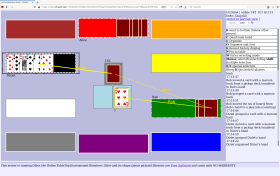
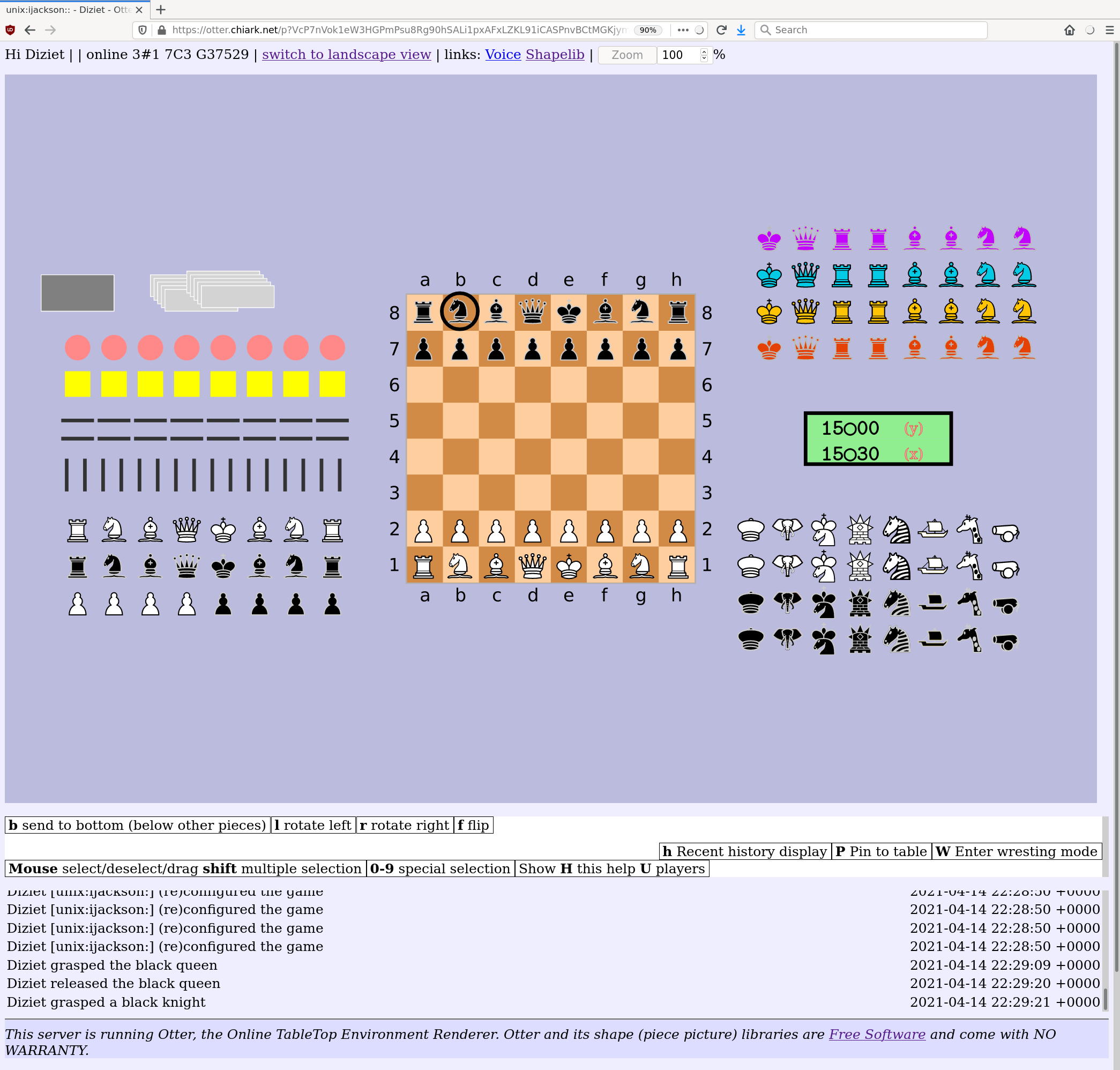
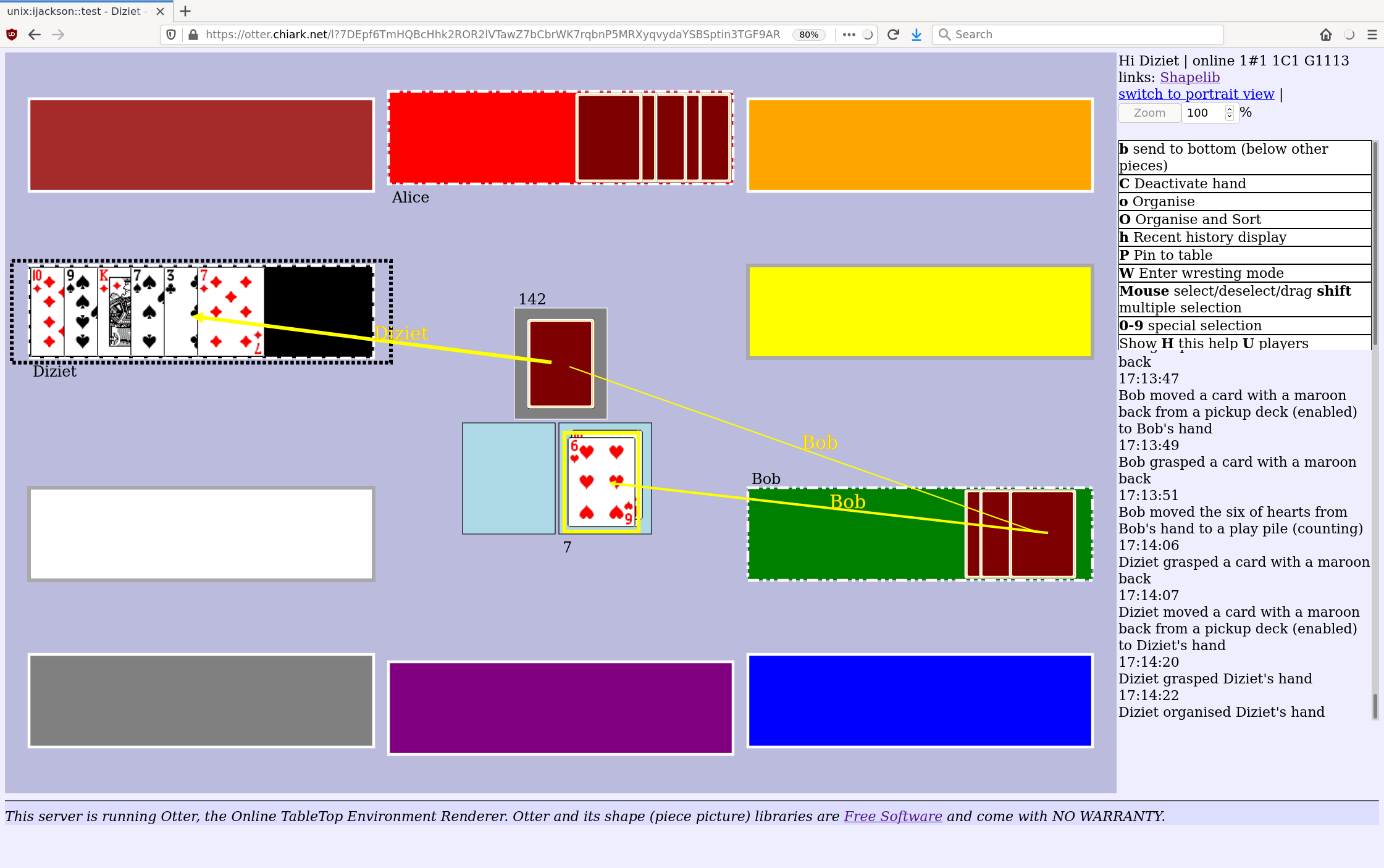
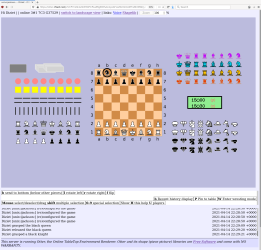
One of the things that I found most vexing about lockdown was that I was unable to play some of my favourite board games. There are online systems for many games, but not all. And online systems cannot support games like Mao where the players make up the rules as we go along. I had an idea for how to solve this problem, and set about implementing it. The result is Otter (the Online Table Top Environment Renderer). We have played a number of fun games of Penultima with it, and have recently branched out into Mao. The Otter is now ready to be released! More about Otter (cribbed shamelessly from the README) Otter, the Online Table Top Environment Renderer, is an online game system. But it is not like most online game systems. It does not know (nor does it need to know) the rules of the game you are playing. Instead, it lets you and your friends play with common tabletop/boardgame elements such as hands of cards, boards, and so on. So it s something like a tabletop simulator (but it does not have any 3D, or a physics engine, or anything like that). This means that with Otter: Installation and usage Otter is fully functional, but the installation and account management arrangements are rather unsophisticated and un-webby. And there is not currently any publicly available instance you can use to try it out. Users on chiark will find an instance there. Other people who who are interested in hosting games (of Penultima or Mao, or other games we might support) will have to find a Unix host or VM to install Otter on, and will probably want help from a Unix sysadmin. Otter is distributed via git, and is available on Salsa, Debian's gitlab instance. There is documentation online. Future plans I have a number of ideas for improvement, which go off in many different directions. Quite high up on my priority list is making it possible for players to upload and share game materials (cards, boards, pieces, and so on), rather than just using the ones which are bundled with Otter itself (or dumping files ad-hoc on the server). This will make it much easier to play new games. One big reason I wrote Otter is that I wanted to liberate boardgame players from the need to implemet their game rules as computer code. The game management and account management is currently done with a command line tool. It would be lovely to improve that, but making a fully-featured management web ui would be a lot of work. Screenshots! (Click for the full size images.)

comment count unavailable comments

17 April 2021

Chris Lamb: Tour d'Orwell: Wallington

Previously in George Orwell travel posts: Sutton Courtenay, Marrakesh, Hampstead, Paris, Southwold & The River Orwell. Wallington is a small village in Hertfordshire, approximately fifty miles north of London and twenty-five miles from the outskirts of Cambridge. George Orwell lived at No. 2 Kits Lane, better known as 'The Stores', on a mostly-permanent basis from 1936 to 1940, but he would continue to journey up from London on occasional weekends until 1947. His first reference to The Stores can be found in early 1936, where Orwell wrote from Lancashire during research for The Road to Wigan Pier to lament that he would very much like "to do some work again impossible, of course, in the [current] surroundings":
I am arranging to take a cottage at Wallington near Baldock in Herts, rather a pig in a poke because I have never seen it, but I am trusting the friends who have chosen it for me, and it is very cheap, only 7s. 6d. a week [ 20 in 2021].
For those not steeped in English colloquialisms, "a pig in a poke" is an item bought without seeing it in advance. In fact, one general insight that may be drawn from reading Orwell's extant correspondence is just how much he relied on a close network of friends, belying the lazy and hagiographical picture of an independent and solitary figure. (Still, even Orwell cultivated this image at times, such as in a patently autobiographical essay he wrote in 1946. But note the off-hand reference to varicose veins here, for they would shortly re-appear as a symbol of Winston's repressed humanity in Nineteen Eighty-Four.) Nevertheless, the porcine reference in Orwell's idiom is particularly apt, given that he wrote the bulk of Animal Farm at The Stores his 1945 novella, of course, portraying a revolution betrayed by allegorical pigs. Orwell even drew inspiration for his 'fairy story' from Wallington itself, principally by naming the novel's farm 'Manor Farm', just as it is in the village. But the allusion to the purchase of goods is just as appropriate, as Orwell returned The Stores to its former status as the village shop, even going so far as to drill peepholes in a door to keep an Orwellian eye on the jars of sweets. (Unfortunately, we cannot complete a tidy circle of references, as whilst it is certainly Napoleon Animal Farm's substitute for Stalin who is quoted as describing Britain as "a nation of shopkeepers", it was actually the maraisard Bertrand Bar re who first used the phrase). "It isn't what you might call luxurious", he wrote in typical British understatement, but Orwell did warmly emote on his animals. He kept hens in Wallington (perhaps even inspiring the opening line of Animal Farm: "Mr Jones, of the Manor Farm, had locked the hen-houses for the night, but was too drunk to remember to shut the pop-holes.") and a photograph even survives of Orwell feeding his pet goat, Muriel. Orwell's goat was the eponymous inspiration for the white goat in Animal Farm, a decidedly under-analysed character who, to me, serves to represent an intelligentsia that is highly perceptive of the declining political climate but, seemingly content with merely observing it, does not offer any meaningful opposition. Muriel's aesthetic of resistance, particularly in her reporting on the changes made to the Seven Commandments of the farm, thus rehearses the well-meaning (yet functionally ineffective) affinity for 'fact checking' which proliferates today. But I digress. There is a tendency to "read Orwell backwards", so I must point out that Orwell wrote several other works whilst at The Stores as well. This includes his Homage to Catalonia, his aforementioned The Road to Wigan Pier, not to mention countless indispensable reviews and essays as well. Indeed, another result of focusing exclusively on Orwell's last works is that we only encounter his ideas in their highly-refined forms, whilst in reality, it often took many years for concepts to fully mature we first see, for instance, the now-infamous idea of "2 + 2 = 5" in an essay written in 1939. This is important to understand for two reasons. Although the ostentatiously austere Barnhill might have housed the physical labour of its writing, it is refreshing to reflect that the philosophical heavy-lifting of Nineteen Eighty-Four may have been performed in a relatively undistinguished North Hertfordshire village. But perhaps more importantly, it emphasises that Orwell was just a man, and that any of us is fully capable of equally significant insight, with to quote Christopher Hitchens "little except a battered typewriter and a certain resilience."
The red commemorative plaque not only limits Orwell's tenure to the time he was permanently in the village, it omits all reference to his first wife, Eileen O'Shaughnessy, whom he married in the village church in 1936.
Wallington's Manor Farm, the inspiration for the farm in Animal Farm. The lower sign enjoins the public to inform the police "if you see anyone on the [church] roof acting suspiciously". Non-UK-residents may be surprised to learn about the systematic theft of lead.

16 April 2021

Dirk Eddelbuettel: Announcing Introductions to Emacs Speaks Statistics

A new website containing introductory videos and slide decks is now available for your perusal at ess-intro.github.io. It provides a series of introductions to the excellent Emacs Speaks Statistics (ESS) mode for the Emacs editor. This effort started following my little tips, tricks, tools and toys series of short videos and slide decks for the command-line and R, broadly-speaking . Which I had mentioned to friends curious about Emacs, and on the ess-help mailing list. And lo and behold, over the fall and winter sixteen of us came together in one GitHub org and are now proud to present the initial batch of videos about first steps, installing, using with spaceemacs, customizing, and org-mode with ESS. More may hopefully fellow, the group is open and you too can join: see the main repo and its wiki. This is in fact the initial announcement post, so it is flattering that we have already received over 350 views, four comments and twenty-one likes. We hope it proves to be a useful starting point for some of you. The Emacs editor is quite uniquely powerful, and coupled with ESS makes for a rather nice environment for programming with data, or analysing, visualising, exploring, data. But we are not zealots: there are many editors and environments under the sun, and most people are perfectly happy with their choice, which is wonderful. We also like ours, and sometimes someone asks tell me more or how do I start . We hope this series satisifies this initial curiousity and takes it from here. With that, my thanks to Fr d ric, Alex, Tyler and Greg for the initial batch, and for everybody else in the org who chipped in with comments and suggestion. We hope it grows from here, so happy Emacsing with R from us!

13 April 2021

Shirish Agarwal: what to write

First up, I am alive and well. I have been receiving calls from friends for quite sometime but now that I have become deaf, it is a pain and the hearing aids aren t all that useful. But moreover, where we have been finding ourselves each and every day sinking lower and lower feels absurd as to what to write and not write about India. Thankfully, I ran across this piece which does tell in far more detail than I ever could. The only interesting and somewhat positive news I had is from south of India otherwise sad days, especially for the poor. The saddest story is that this time Covid has reached alarming proportions in India and surprise, surprise this time the villain for many is my state of Maharashtra even though it hasn t received its share of GST proceeds for last two years and this was Kerala s perspective, different state, different party, different political ideology altogether.
Kerala Finance Minister Thomas Issac views on GST, October 22, 2020 Indian Express.
I briefly also share the death of somewhat liberal Film censorship in India unlike Italy which abolished film censorship altogether. I don t really want spend too much on how we have become No. 2 in Covid cases in the world and perhaps death also. Many people still believe in herd immunity but don t really know what it means. So without taking too much time and effort, bid adieu. May post when I m hopefully emotionally feeling better, stronger

12 April 2021

Clint Adams: Unrivaled technical acumen

Posted on 2021-04-12
Tags: barks

Russell Coker: Storage Trends 2021

The Viability of Small Disks Less than a year ago I wrote a blog post about storage trends [1]. My main point in that post was that disks smaller than 2TB weren t viable then and 2TB disks wouldn t be economically viable in the near future. Now MSY has 2TB disks for $72 and 2TB SSD for $245, saving $173 if you get a hard drive (compared to saving $240 10 months ago). Given the difference in performance and noise 2TB hard drives won t be worth using for most applications nowadays. NVMe vs SSD Last year NVMe prices were very comparable for SSD prices, I was hoping that trend would continue and SSDs would go away. Now for sizes 1TB and smaller NVMe and SSD prices are very similar, but for 2TB the NVMe prices are twice that of SSD presumably partly due to poor demand for 2TB NVMe. There are also no NVMe devices larger than 2TB on sale at MSY (a store which caters to home stuff not special server equipment) but SSDs go up to 8TB. It seems that NVMe is only really suitable for workstation storage and for cache etc on a server. So SATA SSDs will be around for a while. Small Servers There are a range of low end servers which support a limited number of disks. Dell has 2 disk servers and 4 disk servers. If one of those had 8TB SSDs you could have 8TB of RAID-1 or 24TB of RAID-Z storage in a low end server. That covers the vast majority of servers (small business or workgroup servers tend to have less than 8TB of storage). Larger Servers Anandtech has an article on Seagates roadmap to 120TB disks [2]. They currently sell 20TB disks using HAMR technology Currently the biggest disks that MSY sells are 10TB for $395, which was also the biggest disk they were selling last year. Last year MSY only sold SSDs up to 2TB in size (larger ones were available from other companies at much higher prices), now they sell 8TB SSDs for $949 (4* capacity increase in less than a year). Seagate is planning 30TB disks for 2023, if SSDs continue to increase in capacity by 4* per year we could have 128TB SSDs in 2023. If you needed a server with 100TB of storage then having 2 or 3 SSDs in a RAID array would be much easier to manage and faster than 4*30TB disks in an array. When you have a server with many disks you can expect to have more disk failures due to vibration. One time I built a server with 18 disks and took disks from 2 smaller servers that had 4 and 5 disks. The 9 disks which had been working reliably for years started having problems within weeks of running in the bigger server. This is one of the many reasons for paying extra for SSD storage. Seagate is apparently planning 50TB disks for 2026 and 100TB disks for 2030. If that s the best they can do then SSD vendors should be able to sell larger products sooner at prices that are competitive. Matching hard drive prices is not required, getting to less than 4* the price should be enough for most customers. The Anandtech article is worth reading, it mentions some interesting features that Seagate are developing such as having 2 actuators (which they call Mach.2) so the drive can access 2 different tracks at the same time. That can double the performance of a disk, but that doesn t change things much when SSDs are more than 100* faster. Presumably the Mach.2 disks will be SAS and incredibly expensive while providing significantly less performance than affordable SATA SSDs. Computer Cases In my last post I speculated on the appearance of smaller cases designed to not have DVD drives or 3.5 hard drives. Such cases still haven t appeared apart from special purpose machines like the NUC that were available last year. It would be nice if we could get a new industry standard for smaller power supplies. Currently power supplies are expected to be almost 5 inches wide (due to the expectation of a 5.25 DVD drive mounted horizontally). We need some industry standards for smaller PCs that aren t like the NUC, the NUC is very nice, but most people who build their own PC need more space than that. I still think that planning on USB DVD drives is the right way to go. I ve got 4PCs in my home that are regularly used and CDs and DVDs are used so rarely that sharing a single DVD drive among all 4 wouldn t be a problem. Conclusion I m tempted to get a couple of 4TB SSDs for my home server which cost $487 each, it currently has 2*500G SSDs and 3*4TB disks. I would have to remove some unused files but that s probably not too hard to do as I have lots of old backups etc on there. Another possibility is to use 2*4TB SSDs for most stuff and 2*4TB disks for backups. I m recommending that all my clients only use SSDs for their storage. I only have one client with enough storage that disks are the only option (100TB of storage) but they moved all the functions of that server to AWS and use S3 for the storage. Now I don t have any clients doing anything with storage that can t be done in a better way on SSD for a price difference that s easy for them to afford. Affordable SSD also makes RAID-1 in workstations more viable. 2 disks in a PC is noisy if you have an office full of them and produces enough waste heat to be a reliability issue (most people don t cool their offices adequately on weekends). 2 SSDs in a PC is no problem at all. As 500G SSDs are available for $73 it s not a significant cost to install 2 of them in every PC in the office (more cost for my time than hardware). I generally won t recommend that hard drives be replaced with SSDs in systems that are working well. But if a machine runs out of space then replacing it with SSDs in a RAID-1 is a good choice. Moore s law might cover SSDs, but it definitely doesn t cover hard drives. Hard drives have fallen way behind developments of most other parts of computers over the last 30 years, hopefully they will go away soon.

11 April 2021

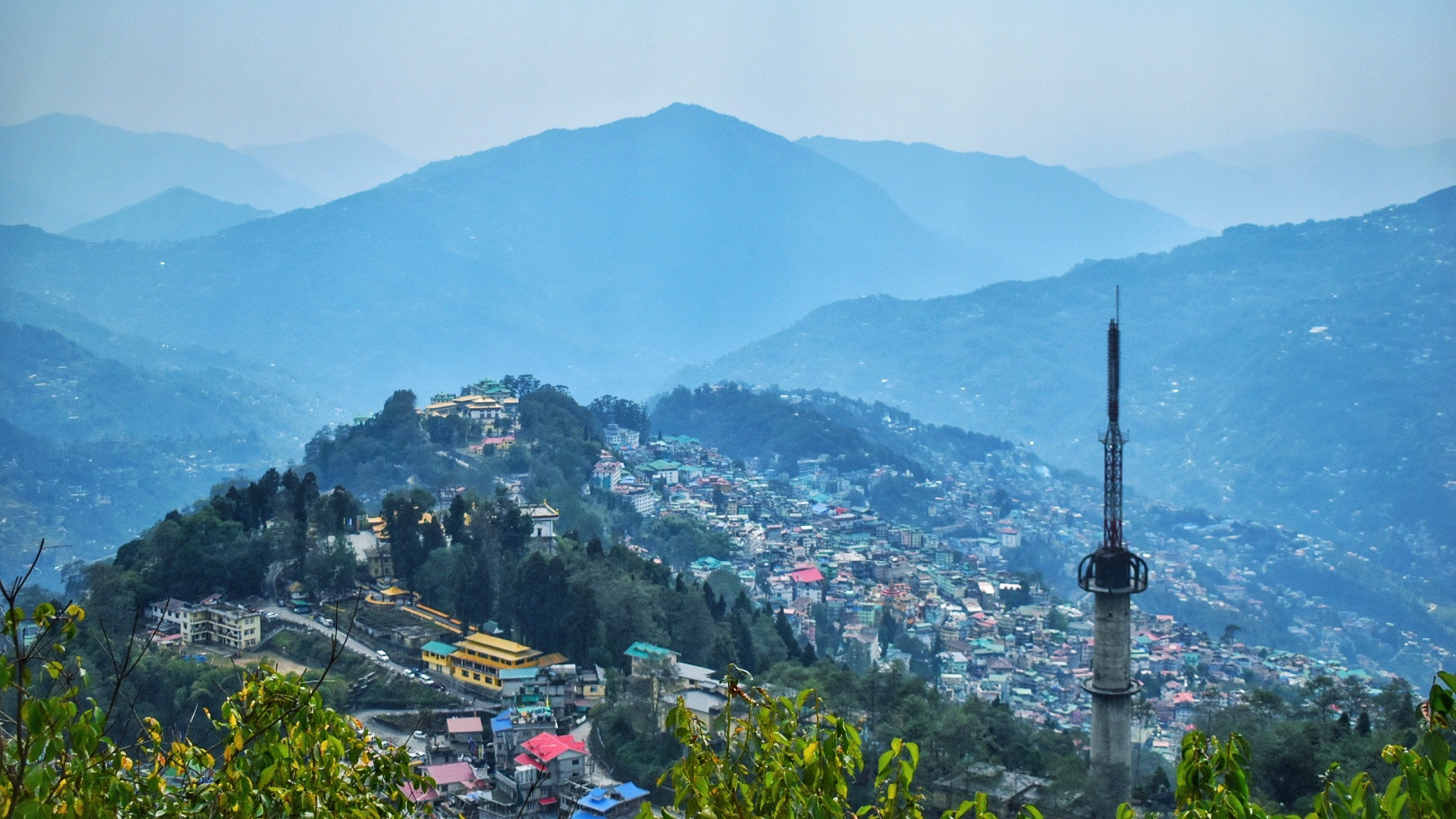
Vishal Gupta: Sikkim 101 for Backpackers

Host to Kanchenjunga, the world s third-highest mountain peak and the endangered Red Panda, Sikkim is a state in northeastern India. Nestled between Nepal, Tibet (China), Bhutan and West Bengal (India), the state offers a smorgasbord of cultures and cuisines. That said, it s hardly surprising that the old spice route meanders through western Sikkim, connecting Lhasa with the ports of Bengal. Although the latter could also be attributed to cardamom (kali elaichi), a perennial herb native to Sikkim, which the state is the second-largest producer of, globally. Lastly, having been to and lived in India, all my life, I can confidently say Sikkim is one of the cleanest & safest regions in India, making it ideal for first-time backpackers.

Brief History
  • 17th century: The Kingdom of Sikkim is founded by the Namgyal dynasty and ruled by Buddhist priest-kings known as the Chogyal.
  • 1890: Sikkim becomes a princely state of British India.
  • 1947: Sikkim continues its protectorate status with the Union of India, post-Indian-independence.
  • 1973: Anti-royalist riots take place in front of the Chogyal's palace, by Nepalis seeking greater representation.
  • 1975: Referendum leads to the deposition of the monarchy and Sikkim joins India as its 22nd state.
Languages
  • Official: English, Nepali, Sikkimese/Bhotia and Lepcha
  • Though Hindi and Nepali share the same script (Devanagari), they are not mutually intelligible. Yet, most people in Sikkim can understand and speak Hindi.
Ethnicity
  • Nepalis: Migrated in large numbers (from Nepal) and soon became the dominant community
  • Bhutias: People of Tibetan origin. Major inhabitants in Northern Sikkim.
  • Lepchas: Original inhabitants of Sikkim

Food
  • Tibetan/Nepali dishes (mostly consumed during winter)
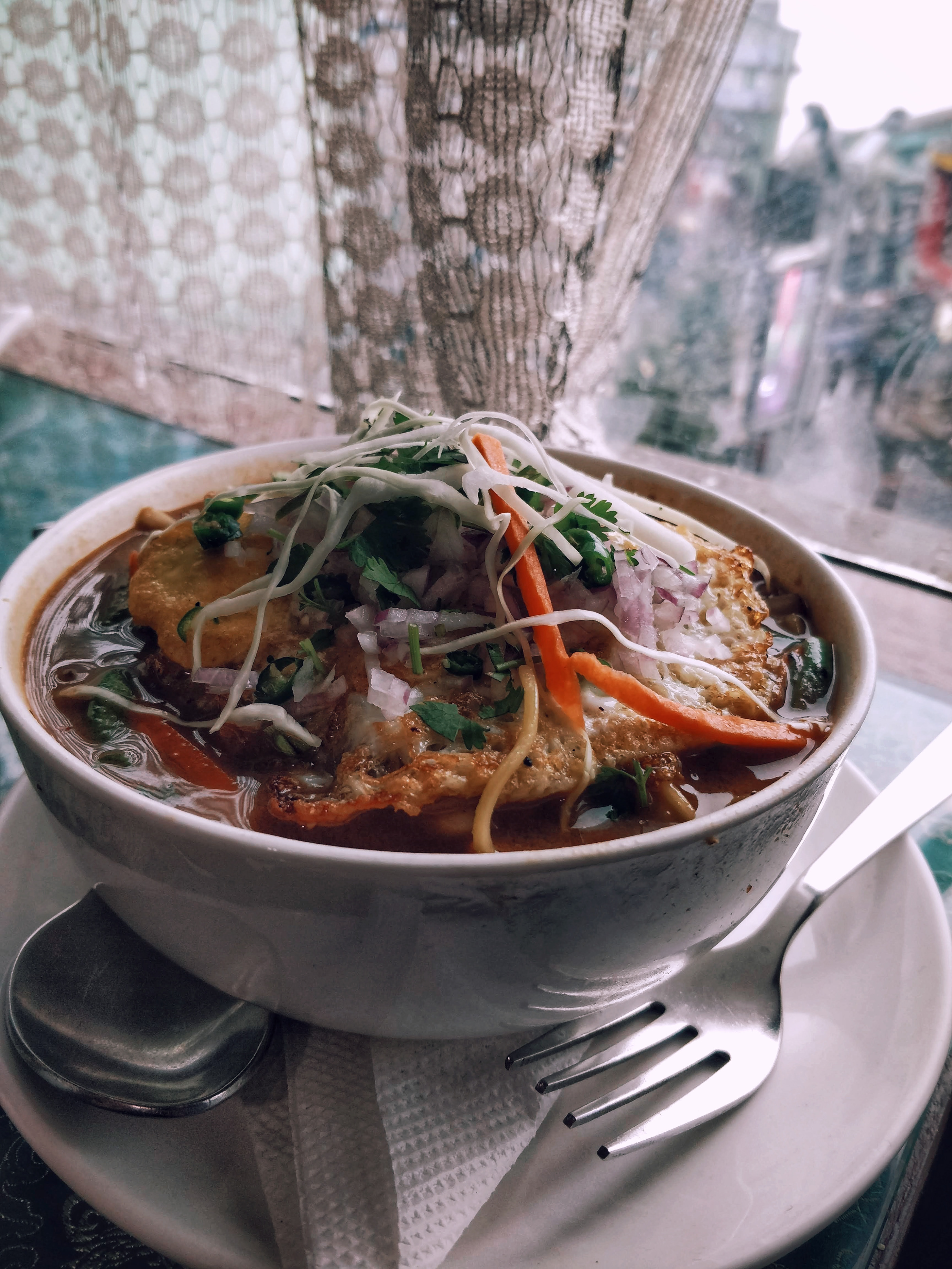
    • Thukpa: Noodle soup, rich in spices and vegetables. Usually contains some form of meat. Common variations: Thenthuk and Gyathuk
    • Momos: Steamed or fried dumplings, usually with a meat filling.
    • Saadheko: Spicy marinated chicken salad.
    • Gundruk Soup: A soup made from Gundruk, a fermented leafy green vegetable.
    • Sinki : A fermented radish tap-root product, traditionally consumed as a base for soup and as a pickle. Eerily similar to Kimchi.
  • While pork and beef are pretty common, finding vegetarian dishes is equally easy.
  • Staple: Dal-Bhat with Subzi. Rice is a lot more common than wheat (rice) possibly due to greater carb content and proximity to West Bengal, India s largest producer of Rice.
  • Good places to eat in Gangtok
    • Hamro Bhansa Ghar, Nimtho (Nepali)
    • Taste of Tibet
    • Dragon Wok (Chinese & Japanese)

Buddhism in Sikkim
  • Bayul Demojong (Sikkim), is the most sacred Land in the Himalayas as per the belief of the Northern Buddhists and various religious texts.
  • Sikkim was blessed by Guru Padmasambhava, the great Buddhist saint who visited Sikkim in the 8th century and consecrated the land.
  • However, Buddhism is said to have reached Sikkim only in the 17th century with the arrival of three Tibetan monks viz. Rigdzin Goedki Demthruchen, Mon Kathok Sonam Gyaltshen & Rigdzin Legden Je at Yuksom. Together, they established a Buddhist monastery.
  • In 1642 they crowned Phuntsog Namgyal as the first monarch of Sikkim and gave him the title of Chogyal, or Dharma Raja.
  • The faith became popular through its royal patronage and soon many villages had their own monastery.
  • Today Sikkim has over 200 monasteries.

Major monasteries
  • Rumtek Monastery, 20Km from Gangtok
  • Lingdum/Ranka Monastery, 17Km from Gangtok
  • Phodong Monastery, 28Km from Gangtok
  • Ralang Monastery, 10Km from Ravangla
  • Tsuklakhang Monastery, Royal Palace, Gangtok
  • Enchey Monastery, Gangtok
  • Tashiding Monastery, 35Km from Ravangla


Reaching Sikkim
  • Gangtok, being the capital, is easiest to reach amongst other regions, by public transport and shared cabs.
  • By Air:
    • Pakyong (PYG) :
      • Nearest airport from Gangtok (about 1 hour away)
      • Tabletop airport
      • Reserved cabs cost around INR 1200.
      • As of Apr 2021, the only flights to PYG are from IGI (Delhi) and CCU (Kolkata).
    • Bagdogra (IXB) :
      • About 20 minutes from Siliguri and 4 hours from Gangtok.
      • Larger airport with flights to most major Indian cities.
      • Reserved cabs cost about INR 3000. Shared cabs cost about INR 350.
  • By Train:
    • New Jalpaiguri (NJP) :
      • About 20 minutes from Siliguri and 4 hours from Gangtok.
      • Reserved cabs cost about INR 3000. Shared cabs from INR 350.
  • By Road:
    • NH10 connects Siliguri to Gangtok
    • If you can t find buses plying to Gangtok directly, reach Siliguri and then take a cab to Gangtok.
  • Sikkim Nationalised Transport Div. also runs hourly buses between Siliguri and Gangtok and daily buses on other common routes. They re cheaper than shared cabs.
  • Wizzride also operates shared cabs between Siliguri/Bagdogra/NJP, Gangtok and Darjeeling. They cost about the same as shared cabs but pack in half as many people in luxury cars (Innova, Xylo, etc.) and are hence more comfortable.

Gangtok
  • Time needed: 1D/1N
  • Places to visit:
    • Hanuman Tok
    • Ganesh Tok
    • Tashi View Point [6,800ft]
    • MG Marg
    • Sikkim Zoo
    • Gangtok Ropeway
    • Enchey Monastery
    • Tsuklakhang Palace & Monastery
  • Hostels: Tagalong Backpackers (would strongly recommend), Zostel Gangtok
  • Places to chill: Travel Cafe, Caf Live & Loud and Gangtok Groove
  • Places to shop: Lal Market and MG Marg

Getting Around
  • Taxis operate on a reserved or shared basis. In case of the latter, you can pool with other commuters your taxis will pick up and drop en-route.
  • Naturally shared taxis only operate on popular routes. The easiest way to get around Gangtok is to catch a shared cab from MG Marg.
  • Reserved taxis for Gangtok sightseeing cost around INR 1000-1500, depending upon the spots you d like to see
  • Key taxi/bus stands :
    • Deorali stand: For Darjeeling, Siliguri, Kalimpong
    • Vajra stand: For North & East Sikkim (Tsomgo Lake & Nathula)
    • Rumtek taxi: For Ravangla, Pelling, Namchi, Geyzing, Jorethang and Singtam.
Exploring Gangtok on an MTB

North Sikkim
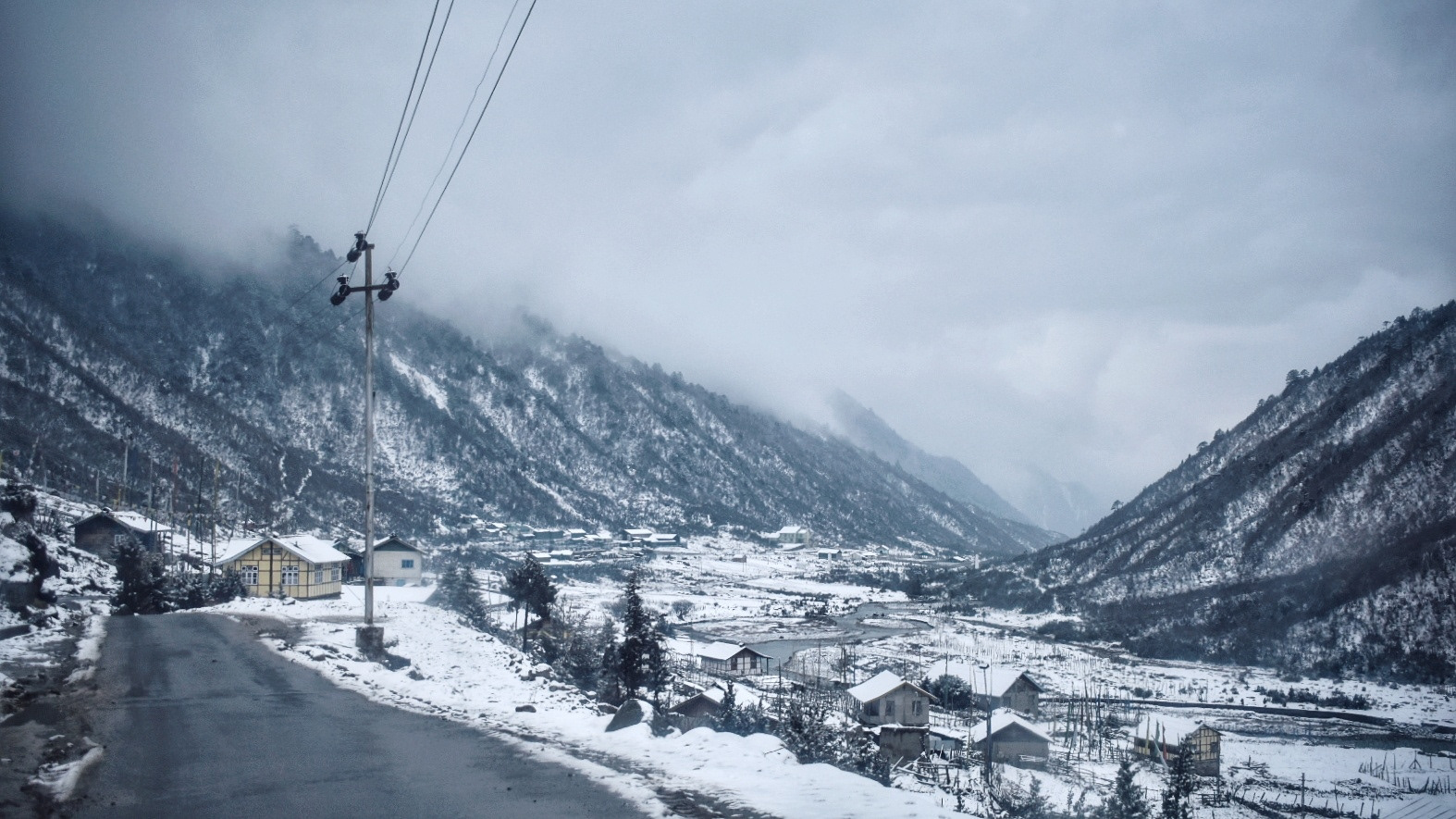
  • The easiest & most economical way to explore North Sikkim is the 3D/2N package offered by shared-cab drivers.
  • This includes food, permits, cab rides and accommodation (1N in Lachen and 1N in Lachung)
  • The accommodation on both nights are at homestays with bare necessities, so keep your hopes low.
  • In the spirit of sustainable tourism, you ll be asked to discard single-use plastic bottles, so please carry a bottle that you can refill along the way.
  • Zero Point and Gurdongmer Lake are snow-capped throughout the year
3D/2N Shared-cab Package Itinerary
  • Day 1
    • Gangtok (10am) - Chungthang - Lachung (stay)
  • Day 2
    • Pre-lunch : Lachung (6am) - Yumthang Valley [12,139ft] - Zero Point - Lachung [15,300ft]
    • Post-lunch : Lachung - Chungthang - Lachen (stay)
  • Day 3
    • Pre-lunch : Lachen (5am) - Kala Patthar - Gurdongmer Lake [16,910ft] - Lachen
    • Post-lunch : Lachen - Chungthang - Gangtok (7pm)
  • This itinerary is idealistic and depends on the level of snowfall.
  • Some drivers might switch up Day 2 and 3 itineraries by visiting Lachen and then Lachung, depending upon the weather.
  • Areas beyond Lachen & Lachung are heavily militarized since the Indo-China border is only a few miles away.

East Sikkim

Zuluk and Silk Route
  • Time needed: 2D/1N
  • Zuluk [9,400ft] is a small hamlet with an excellent view of the eastern Himalayan range including the Kanchenjunga.
  • Was once a transit point to the historic Silk Route from Tibet (Lhasa) to India (West Bengal).
  • The drive from Gangtok to Zuluk takes at least four hours. Hence, it makes sense to spend the night at a homestay and space out your trip to Zuluk

Tsomgo Lake and Nathula
  • Time Needed : 1D
  • A Protected Area Permit is required to visit these places, due to their proximity to the Chinese border
  • Tsomgo/Chhangu Lake [12,313ft]
    • Glacial lake, 40 km from Gangtok.
    • Remains frozen during the winter season.
    • You can also ride on the back of a Yak for INR 300
  • Baba Mandir
    • An old temple dedicated to Baba Harbhajan Singh, a Sepoy in the 23rd Regiment, who died in 1962 near the Nathu La during Indo China war.
  • Nathula Pass [14,450ft]
    • Located on the Indo-Tibetan border crossing of the Old Silk Route, it is one of the three open trading posts between India and China.
    • Plays a key role in the Sino-Indian Trade and also serves as an official Border Personnel Meeting(BPM) Point.
    • May get cordoned off by the Indian Army in event of heavy snowfall or for other security reasons.


West Sikkim
  • Time needed: 3N/1N
  • Hostels at Pelling : Mochilerro Ostillo

Itinerary

Day 1: Gangtok - Ravangla - Pelling
  • Leave Gangtok early, for Ravangla through the Temi Tea Estate route.
  • Spend some time at the tea garden and then visit Buddha Park at Ravangla
  • Head to Pelling from Ravangla

Day 2: Pelling sightseeing
  • Hire a cab and visit Skywalk, Pemayangtse Monastery, Rabdentse Ruins, Kecheopalri Lake, Kanchenjunga Falls.

Day 3: Pelling - Gangtok/Siliguri
  • Wake up early to catch a glimpse of Kanchenjunga at the Pelling Helipad around sunrise
  • Head back to Gangtok on a shared-cab
  • You could take a bus/taxi back to Siliguri if Pelling is your last stop.

Darjeeling
  • In my opinion, Darjeeling is lovely for a two-day detour on your way back to Bagdogra/Siliguri and not any longer (unless you re a Bengali couple on a honeymoon)
  • Once a part of Sikkim, Darjeeling was ceded to the East India Company after a series of wars, with Sikkim briefly receiving a grant from EIC for gifting Darjeeling to the latter
  • Post-independence, Darjeeling was merged with the state of West Bengal.

Itinerary

Day 1 :
  • Take a cab from Gangtok to Darjeeling (shared-cabs cost INR 300 per seat)
  • Reach Darjeeling by noon and check in to your Hostel. I stayed at Hideout.
  • Spend the evening visiting either a monastery (or the Batasia Loop), Nehru Road and Mall Road.
  • Grab dinner at Glenary whilst listening to live music.

Day 2:
  • Wake up early to catch the sunrise and a glimpse of Kanchenjunga at Tiger Hill. Since Tiger Hill is 10km from Darjeeling and requires a permit, book your taxi in advance.
  • Alternatively, if you don t want to get up at 4am or shell out INR1500 on the cab to Tiger Hill, walk to the Kanchenjunga View Point down Mall Road
  • Next, queue up outside Keventers for breakfast with a view in a century-old cafe
  • Get a cab at Gandhi Road and visit a tea garden (Happy Valley is the closest) and the Ropeway. I was lucky to meet 6 other backpackers at my hostel and we ended up pooling the cab at INR 200 per person, with INR 1400 being on the expensive side, but you could bargain.
  • Get lunch, buy some tea at Golden Tips, pack your bags and hop on a shared-cab back to Siliguri. It took us about 4hrs to reach Siliguri, with an hour to spare before my train.
  • If you ve still got time on your hands, then check out the Peace Pagoda and the Darjeeling Himalayan Railway (Toy Train). At INR 1500, I found the latter to be too expensive and skipped it.


Tips and hacks
  • Download offline maps, especially when you re exploring Northern Sikkim.
  • Food and booze are the cheapest in Gangtok. Stash up before heading to other regions.
  • Keep your Aadhar/Passport handy since you need permits to travel to North & East Sikkim.
  • In rural areas and some cafes, you may get to try Rhododendron Wine, made from Rhododendron arboreum a.k.a Gurans. Its production is a little hush-hush since the flower is considered holy and is also the National Flower of Nepal.
  • If you don t want to invest in a new jacket, boots or a pair of gloves, you can always rent them at nominal rates from your hotel or little stores around tourist sites.
  • Check the weather of a region before heading there. Low visibility and precipitation can quite literally dampen your experience.
  • Keep your itinerary flexible to accommodate for rest and impromptu plans.
  • Shops and restaurants close by 8pm in Sikkim and Darjeeling. Plan for the same.

Carry
  • a couple of extra pairs of socks (woollen, if possible)
  • a pair of slippers to wear indoors
  • a reusable water bottle
  • an umbrella
  • a power bank
  • a couple of tablets of Diamox. Helps deal with altitude sickness
  • extra clothes and wet bags since you may not get a chance to wash/dry your clothes
  • a few passport size photographs

Shared-cab hacks
  • Intercity rides can be exhausting. If you can afford it, pay for an additional seat.
  • Call shotgun on the drives beyond Lachen and Lachung. The views are breathtaking.
  • Return cabs tend to be cheaper (WB cabs travelling from SK and vice-versa)

Cost
  • My median daily expenditure (back when I went to Sikkim in early March 2021) was INR 1350.
  • This includes stay (bunk bed), food, wine and transit (shared cabs)
  • In my defence, I splurged on food, wine and extra seats in shared cabs, but if you re on a budget, you could easily get by on INR 1 - 1.2k per day.
  • For a 9-day trip, I ended up shelling out nearly INR 15k, including 2AC trains to & from Kolkata
  • Note : Summer (March to May) and Autumn (October to December) are peak seasons, and thereby more expensive to travel around.

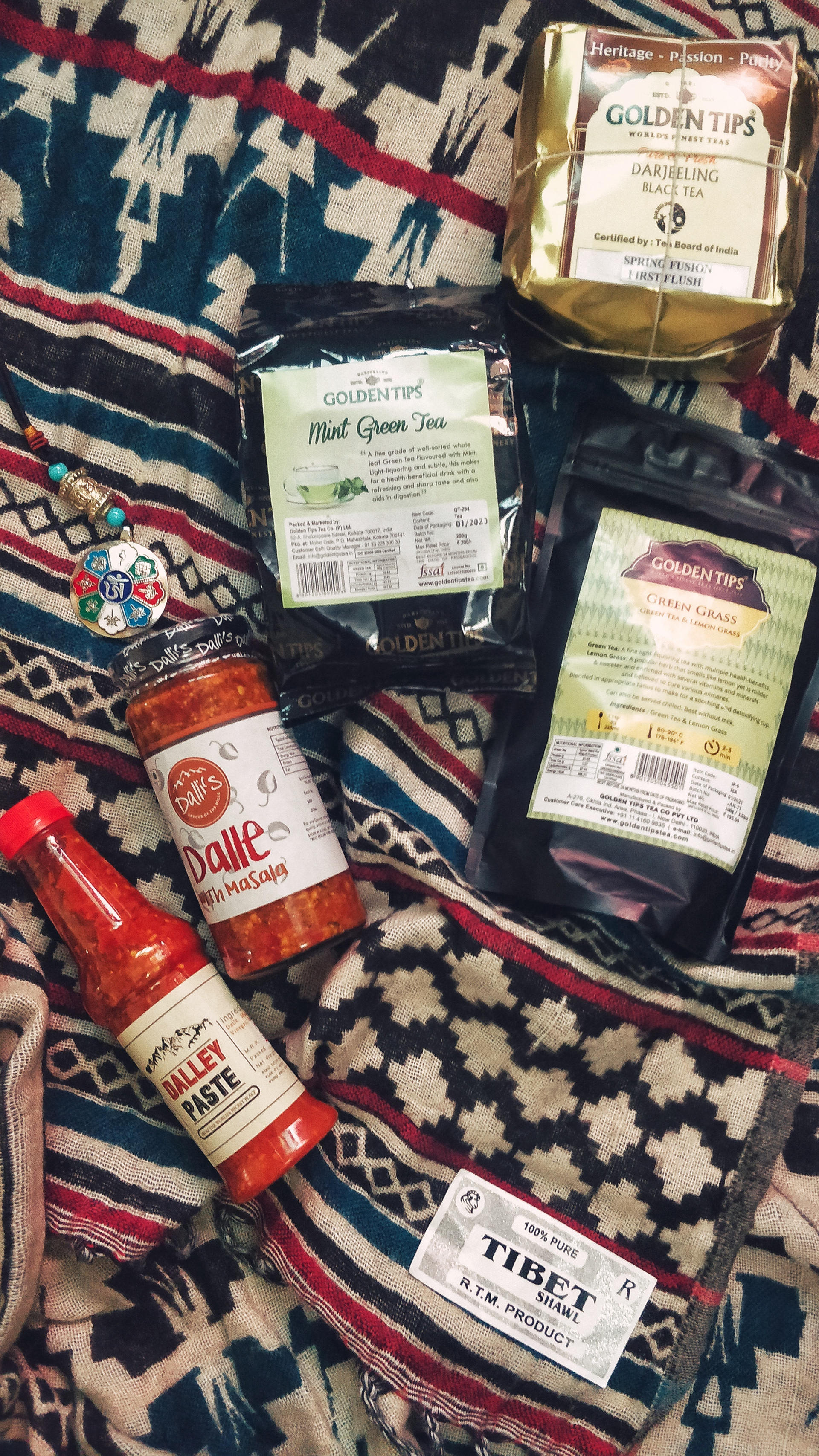
Souvenirs and things you should buy

Buddhist souvenirs :
  • Colourful Prayer Flags (great for tying on bikes or behind car windshields)
  • Miniature Prayer/Mani Wheels
  • Lucky Charms, Pendants and Key Chains
  • Cham Dance masks and robes
  • Singing Bowls
  • Common symbols: Om mani padme hum, Ashtamangala, Zodiac signs

Handicrafts & Handlooms
  • Tibetan Yak Wool shawls, scarfs and carpets
  • Sikkimese Ceramic cups
  • Thangka Paintings

Edibles
  • Darjeeling Tea (usually brewed and not boiled)
  • Wine (Arucha Peach & Rhododendron)
  • Dalle Khursani (Chilli) Paste and Pickle

Header Icon made by Freepik from www.flaticon.com is licensed by CC 3.0 BY

10 April 2021

Charles Plessy: Debian Bullseye: more open

Debian Bullseye will provide the command /usr/bin/open for your greatest comfort at the command line. On a system with a graphical desktop environment, the command should have a similar result as when opening a document from a mouse-and-click file browser. Technically, /usr/bin/open is a symbolic link managed by update-alternatives to point towards xdg-open if available and otherwise run-mailcap.

9 April 2021

Michael Prokop: A Ceph war story

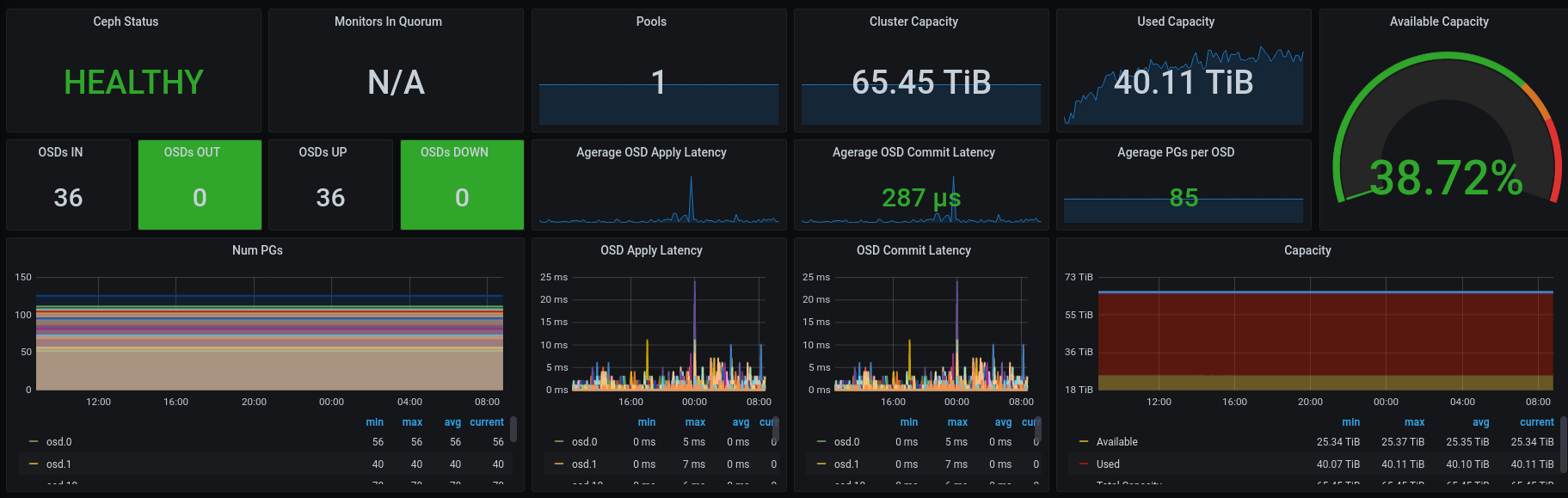
It all started with the big bang! We nearly lost 33 of 36 disks on a Proxmox/Ceph Cluster; this is the story of how we recovered them. At the end of 2020, we eventually had a long outstanding maintenance window for taking care of system upgrades at a customer. During this maintenance window, which involved reboots of server systems, the involved Ceph cluster unexpectedly went into a critical state. What was planned to be a few hours of checklist work in the early evening turned out to be an emergency case; let s call it a nightmare (not only because it included a big part of the night). Since we have learned a few things from our post mortem and RCA, it s worth sharing those with others. But first things first, let s step back and clarify what we had to deal with. The system and its upgrade One part of the upgrade included 3 Debian servers (we re calling them server1, server2 and server3 here), running on Proxmox v5 + Debian/stretch with 12 Ceph OSDs each (65.45TB in total), a so-called Proxmox Hyper-Converged Ceph Cluster. First, we went for upgrading the Proxmox v5/stretch system to Proxmox v6/buster, before updating Ceph Luminous v12.2.13 to the latest v14.2 release, supported by Proxmox v6/buster. The Proxmox upgrade included updating corosync from v2 to v3. As part of this upgrade, we had to apply some configuration changes, like adjust ring0 + ring1 address settings and add a mon_host configuration to the Ceph configuration. During the first two servers reboots, we noticed configuration glitches. After fixing those, we went for a reboot of the third server as well. Then we noticed that several Ceph OSDs were unexpectedly down. The NTP service wasn t working as expected after the upgrade. The underlying issue is a race condition of ntp with systemd-timesyncd (see #889290). As a result, we had clock skew problems with Ceph, indicating that the Ceph monitors clocks aren t running in sync (which is essential for proper Ceph operation). We initially assumed that our Ceph OSD failure derived from this clock skew problem, so we took care of it. After yet another round of reboots, to ensure the systems are running all with identical and sane configurations and services, we noticed lots of failing OSDs. This time all but three OSDs (19, 21 and 22) were down:
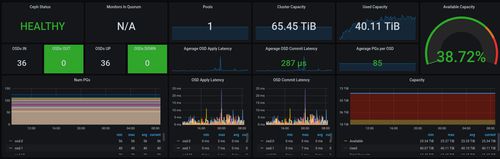
% sudo ceph osd tree
ID CLASS WEIGHT   TYPE NAME      STATUS REWEIGHT PRI-AFF
-1       65.44138 root default
-2       21.81310     host server1
 0   hdd  1.08989         osd.0    down  1.00000 1.00000
 1   hdd  1.08989         osd.1    down  1.00000 1.00000
 2   hdd  1.63539         osd.2    down  1.00000 1.00000
 3   hdd  1.63539         osd.3    down  1.00000 1.00000
 4   hdd  1.63539         osd.4    down  1.00000 1.00000
 5   hdd  1.63539         osd.5    down  1.00000 1.00000
18   hdd  2.18279         osd.18   down  1.00000 1.00000
20   hdd  2.18179         osd.20   down  1.00000 1.00000
28   hdd  2.18179         osd.28   down  1.00000 1.00000
29   hdd  2.18179         osd.29   down  1.00000 1.00000
30   hdd  2.18179         osd.30   down  1.00000 1.00000
31   hdd  2.18179         osd.31   down  1.00000 1.00000
-4       21.81409     host server2
 6   hdd  1.08989         osd.6    down  1.00000 1.00000
 7   hdd  1.08989         osd.7    down  1.00000 1.00000
 8   hdd  1.63539         osd.8    down  1.00000 1.00000
 9   hdd  1.63539         osd.9    down  1.00000 1.00000
10   hdd  1.63539         osd.10   down  1.00000 1.00000
11   hdd  1.63539         osd.11   down  1.00000 1.00000
19   hdd  2.18179         osd.19     up  1.00000 1.00000
21   hdd  2.18279         osd.21     up  1.00000 1.00000
22   hdd  2.18279         osd.22     up  1.00000 1.00000
32   hdd  2.18179         osd.32   down  1.00000 1.00000
33   hdd  2.18179         osd.33   down  1.00000 1.00000
34   hdd  2.18179         osd.34   down  1.00000 1.00000
-3       21.81419     host server3
12   hdd  1.08989         osd.12   down  1.00000 1.00000
13   hdd  1.08989         osd.13   down  1.00000 1.00000
14   hdd  1.63539         osd.14   down  1.00000 1.00000
15   hdd  1.63539         osd.15   down  1.00000 1.00000
16   hdd  1.63539         osd.16   down  1.00000 1.00000
17   hdd  1.63539         osd.17   down  1.00000 1.00000
23   hdd  2.18190         osd.23   down  1.00000 1.00000
24   hdd  2.18279         osd.24   down  1.00000 1.00000
25   hdd  2.18279         osd.25   down  1.00000 1.00000
35   hdd  2.18179         osd.35   down  1.00000 1.00000
36   hdd  2.18179         osd.36   down  1.00000 1.00000
37   hdd  2.18179         osd.37   down  1.00000 1.00000
Our blood pressure increased slightly! Did we just lose all of our cluster? What happened, and how can we get all the other OSDs back? We stumbled upon this beauty in our logs:
kernel: [   73.697957] XFS (sdl1): SB stripe unit sanity check failed
kernel: [   73.698002] XFS (sdl1): Metadata corruption detected at xfs_sb_read_verify+0x10e/0x180 [xfs], xfs_sb block 0xffffffffffffffff
kernel: [   73.698799] XFS (sdl1): Unmount and run xfs_repair
kernel: [   73.699199] XFS (sdl1): First 128 bytes of corrupted metadata buffer:
kernel: [   73.699677] 00000000: 58 46 53 42 00 00 10 00 00 00 00 00 00 00 62 00  XFSB..........b.
kernel: [   73.700205] 00000010: 00 00 00 00 00 00 00 00 00 00 00 00 00 00 00 00  ................
kernel: [   73.700836] 00000020: 62 44 2b c0 e6 22 40 d7 84 3d e1 cc 65 88 e9 d8  bD+.."@..=..e...
kernel: [   73.701347] 00000030: 00 00 00 00 00 00 40 08 00 00 00 00 00 00 01 00  ......@.........
kernel: [   73.701770] 00000040: 00 00 00 00 00 00 01 01 00 00 00 00 00 00 01 02  ................
ceph-disk[4240]: mount: /var/lib/ceph/tmp/mnt.jw367Y: mount(2) system call failed: Structure needs cleaning.
ceph-disk[4240]: ceph-disk: Mounting filesystem failed: Command '['/bin/mount', '-t', u'xfs', '-o', 'noatime,inode64', '--', '/dev/disk/by-parttypeuuid/4fbd7e29-9d25-41b8-afd0-062c0ceff05d.cdda39ed-5
ceph/tmp/mnt.jw367Y']' returned non-zero exit status 32
kernel: [   73.702162] 00000050: 00 00 00 01 00 00 18 80 00 00 00 04 00 00 00 00  ................
kernel: [   73.702550] 00000060: 00 00 06 48 bd a5 10 00 08 00 00 02 00 00 00 00  ...H............
kernel: [   73.702975] 00000070: 00 00 00 00 00 00 00 00 0c 0c 0b 01 0d 00 00 19  ................
kernel: [   73.703373] XFS (sdl1): SB validate failed with error -117.
The same issue was present for the other failing OSDs. We hoped, that the data itself was still there, and only the mounting of the XFS partitions failed. The Ceph cluster was initially installed in 2017 with Ceph jewel/10.2 with the OSDs on filestore (nowadays being a legacy approach to storing objects in Ceph). However, we migrated the disks to bluestore since then (with ceph-disk and not yet via ceph-volume what s being used nowadays). Using ceph-disk introduces these 100MB XFS partitions containing basic metadata for the OSD. Given that we had three working OSDs left, we decided to investigate how to rebuild the failing ones. Some folks on #ceph (thanks T1, ormandj + peetaur!) were kind enough to share how working XFS partitions looked like for them. After creating a backup (via dd), we tried to re-create such an XFS partition on server1. We noticed that even mounting a freshly created XFS partition failed:
synpromika@server1 ~ % sudo mkfs.xfs -f -i size=2048 -m uuid="4568c300-ad83-4288-963e-badcd99bf54f" /dev/sdc1
meta-data=/dev/sdc1              isize=2048   agcount=4, agsize=6272 blks
         =                       sectsz=4096  attr=2, projid32bit=1
         =                       crc=1        finobt=1, sparse=1, rmapbt=0
         =                       reflink=0
data     =                       bsize=4096   blocks=25088, imaxpct=25
         =                       sunit=128    swidth=64 blks
naming   =version 2              bsize=4096   ascii-ci=0, ftype=1
log      =internal log           bsize=4096   blocks=1608, version=2
         =                       sectsz=4096  sunit=1 blks, lazy-count=1
realtime =none                   extsz=4096   blocks=0, rtextents=0
synpromika@server1 ~ % sudo mount /dev/sdc1 /mnt/ceph-recovery
SB stripe unit sanity check failed
Metadata corruption detected at 0x433840, xfs_sb block 0x0/0x1000
libxfs_writebufr: write verifer failed on xfs_sb bno 0x0/0x1000
cache_node_purge: refcount was 1, not zero (node=0x1d3c400)
SB stripe unit sanity check failed
Metadata corruption detected at 0x433840, xfs_sb block 0x18800/0x1000
libxfs_writebufr: write verifer failed on xfs_sb bno 0x18800/0x1000
SB stripe unit sanity check failed
Metadata corruption detected at 0x433840, xfs_sb block 0x0/0x1000
libxfs_writebufr: write verifer failed on xfs_sb bno 0x0/0x1000
SB stripe unit sanity check failed
Metadata corruption detected at 0x433840, xfs_sb block 0x24c00/0x1000
libxfs_writebufr: write verifer failed on xfs_sb bno 0x24c00/0x1000
SB stripe unit sanity check failed
Metadata corruption detected at 0x433840, xfs_sb block 0xc400/0x1000
libxfs_writebufr: write verifer failed on xfs_sb bno 0xc400/0x1000
releasing dirty buffer (bulk) to free list!releasing dirty buffer (bulk) to free list!releasing dirty buffer (bulk) to free list!releasing dirty buffer (bulk) to free list!found dirty buffer (bulk) on free list!bad magic number
bad magic number
Metadata corruption detected at 0x433840, xfs_sb block 0x0/0x1000
libxfs_writebufr: write verifer failed on xfs_sb bno 0x0/0x1000
releasing dirty buffer (bulk) to free list!mount: /mnt/ceph-recovery: wrong fs type, bad option, bad superblock on /dev/sdc1, missing codepage or helper program, or other error.
Ouch. This very much looked related to the actual issue we re seeing. So we tried to execute mkfs.xfs with a bunch of different sunit/swidth settings. Using -d sunit=512 -d swidth=512 at least worked then, so we decided to force its usage in the creation of our OSD XFS partition. This brought us a working XFS partition. Please note, sunit must not be larger than swidth (more on that later!). Then we reconstructed how to restore all the metadata for the OSD (activate.monmap, active, block_uuid, bluefs, ceph_fsid, fsid, keyring, kv_backend, magic, mkfs_done, ready, require_osd_release, systemd, type, whoami). To identify the UUID, we can read the data from ceph --format json osd dump , like this for all our OSDs (Zsh syntax ftw!):
synpromika@server1 ~ % for f in  0..37  ; printf "osd-$f: %s\n" "$(sudo ceph --format json osd dump   jq -r ".osds[]   select(.osd==$f)   .uuid")"
osd-0: 4568c300-ad83-4288-963e-badcd99bf54f
osd-1: e573a17a-ccde-4719-bdf8-eef66903ca4f
osd-2: 0e1b2626-f248-4e7d-9950-f1a46644754e
osd-3: 1ac6a0a2-20ee-4ed8-9f76-d24e900c800c
[...]
Identifying the corresponding raw device for each OSD UUID is possible via:
synpromika@server1 ~ % UUID="4568c300-ad83-4288-963e-badcd99bf54f"
synpromika@server1 ~ % readlink -f /dev/disk/by-partuuid/"$ UUID "
/dev/sdc1
The OSD s key ID can be retrieved via:
synpromika@server1 ~ % OSD_ID=0
synpromika@server1 ~ % sudo ceph auth get osd."$ OSD_ID " -f json 2>/dev/null   jq -r '.[]   .key'
AQCKFpZdm0We[...]
Now we also need to identify the underlying block device:
synpromika@server1 ~ % OSD_ID=0
synpromika@server1 ~ % sudo ceph osd metadata osd."$ OSD_ID " -f json   jq -r '.bluestore_bdev_partition_path'    
/dev/sdc2
With all of this, we reconstructed the keyring, fsid, whoami, block + block_uuid files. All the other files inside the XFS metadata partition are identical on each OSD. So after placing and adjusting the corresponding metadata on the XFS partition for Ceph usage, we got a working OSD hurray! Since we had to fix yet another 32 OSDs, we decided to automate this XFS partitioning and metadata recovery procedure. We had a network share available on /srv/backup for storing backups of existing partition data. On each server, we tested the procedure with one single OSD before iterating over the list of remaining failing OSDs. We started with a shell script on server1, then adjusted the script for server2 and server3. This is the script, as we executed it on the 3rd server. Thanks to this, we managed to get the Ceph cluster up and running again. We didn t want to continue with the Ceph upgrade itself during the night though, as we wanted to know exactly what was going on and why the system behaved like that. Time for RCA! Root Cause Analysis So all but three OSDs on server2 failed, and the problem seems to be related to XFS. Therefore, our starting point for the RCA was, to identify what was different on server2, as compared to server1 + server3. My initial assumption was that this was related to some firmware issues with the involved controller (and as it turned out later, I was right!). The disks were attached as JBOD devices to a ServeRAID M5210 controller (with a stripe size of 512). Firmware state:
synpromika@server1 ~ % sudo storcli64 /c0 show all   grep '^Firmware'
Firmware Package Build = 24.16.0-0092
Firmware Version = 4.660.00-8156
synpromika@server2 ~ % sudo storcli64 /c0 show all   grep '^Firmware'
Firmware Package Build = 24.21.0-0112
Firmware Version = 4.680.00-8489
synpromika@server3 ~ % sudo storcli64 /c0 show all   grep '^Firmware'
Firmware Package Build = 24.16.0-0092
Firmware Version = 4.660.00-8156
This looked very promising, as server2 indeed runs with a different firmware version on the controller. But how so? Well, the motherboard of server2 got replaced by a Lenovo/IBM technician in January 2020, as we had a failing memory slot during a memory upgrade. As part of this procedure, the Lenovo/IBM technician installed the latest firmware versions. According to our documentation, some OSDs were rebuilt (due to the filestore->bluestore migration) in March and April 2020. It turned out that precisely those OSDs were the ones that survived the upgrade. So the surviving drives were created with a different firmware version running on the involved controller. All the other OSDs were created with an older controller firmware. But what difference does this make? Now let s check firmware changelogs. For the 24.21.0-0097 release we found this:
- Cannot create or mount xfs filesystem using xfsprogs 4.19.x kernel 4.20(SCGCQ02027889)
- xfs_info command run on an XFS file system created on a VD of strip size 1M shows sunit and swidth as 0(SCGCQ02056038)
Our XFS problem certainly was related to the controller s firmware. We also recalled that our monitoring system reported different sunit settings for the OSDs that were rebuilt in March and April. For example, OSD 21 was recreated and got different sunit settings:
WARN  server2.example.org  Mount options of /var/lib/ceph/osd/ceph-21      WARN - Missing: sunit=1024, Exceeding: sunit=512
We compared the new OSD 21 with an existing one (OSD 25 on server3):
synpromika@server2 ~ % systemctl show var-lib-ceph-osd-ceph\\x2d21.mount   grep sunit
Options=rw,noatime,attr2,inode64,sunit=512,swidth=512,noquota
synpromika@server3 ~ % systemctl show var-lib-ceph-osd-ceph\\x2d25.mount   grep sunit
Options=rw,noatime,attr2,inode64,sunit=1024,swidth=512,noquota
Thanks to our documentation, we could compare execution logs of their creation:
% diff -u ceph-disk-osd-25.log ceph-disk-osd-21.log
-synpromika@server2 ~ % sudo ceph-disk -v prepare --bluestore /dev/sdj --osd-id 25
+synpromika@server3 ~ % sudo ceph-disk -v prepare --bluestore /dev/sdi --osd-id 21
[...]
-command_check_call: Running command: /sbin/mkfs -t xfs -f -i size=2048 -- /dev/sdj1
-meta-data=/dev/sdj1              isize=2048   agcount=4, agsize=6272 blks
[...]
+command_check_call: Running command: /sbin/mkfs -t xfs -f -i size=2048 -- /dev/sdi1
+meta-data=/dev/sdi1              isize=2048   agcount=4, agsize=6336 blks
          =                       sectsz=4096  attr=2, projid32bit=1
          =                       crc=1        finobt=1, sparse=0, rmapbt=0, reflink=0
-data     =                       bsize=4096   blocks=25088, imaxpct=25
-         =                       sunit=128    swidth=64 blks
+data     =                       bsize=4096   blocks=25344, imaxpct=25
+         =                       sunit=64     swidth=64 blks
 naming   =version 2              bsize=4096   ascii-ci=0 ftype=1
 log      =internal log           bsize=4096   blocks=1608, version=2
          =                       sectsz=4096  sunit=1 blks, lazy-count=1
 realtime =none                   extsz=4096   blocks=0, rtextents=0
[...]
So back then, we even tried to track this down but couldn t make sense of it yet. But now this sounds very much like it is related to the problem we saw with this Ceph/XFS failure. We follow Occam s razor, assuming the simplest explanation is usually the right one, so let s check the disk properties and see what differs:
synpromika@server1 ~ % sudo blockdev --getsz --getsize64 --getss --getpbsz --getiomin --getioopt /dev/sdk
4685545472
2398999281664
512
4096
524288
262144
synpromika@server2 ~ % sudo blockdev --getsz --getsize64 --getss --getpbsz --getiomin --getioopt /dev/sdk
4685545472
2398999281664
512
4096
262144
262144
See the difference between server1 and server2 for identical disks? The getiomin option now reports something different for them:
synpromika@server1 ~ % sudo blockdev --getiomin /dev/sdk            
524288
synpromika@server1 ~ % cat /sys/block/sdk/queue/minimum_io_size
524288
synpromika@server2 ~ % sudo blockdev --getiomin /dev/sdk 
262144
synpromika@server2 ~ % cat /sys/block/sdk/queue/minimum_io_size
262144
It doesn t make sense that the minimum I/O size (iomin, AKA BLKIOMIN) is bigger than the optimal I/O size (ioopt, AKA BLKIOOPT). This leads us to Bug 202127 cannot mount or create xfs on a 597T device, which matches our findings here. But why did this XFS partition work in the past and fails now with the newer kernel version? The XFS behaviour change Now given that we have backups of all the XFS partition, we wanted to track down, a) when this XFS behaviour was introduced, and b) whether, and if so how it would be possible to reuse the XFS partition without having to rebuild it from scratch (e.g. if you would have no working Ceph OSD or backups left). Let s look at such a failing XFS partition with the Grml live system:
root@grml ~ # grml-version
grml64-full 2020.06 Release Codename Ausgehfuahangl [2020-06-24]
root@grml ~ # uname -a
Linux grml 5.6.0-2-amd64 #1 SMP Debian 5.6.14-2 (2020-06-09) x86_64 GNU/Linux
root@grml ~ # grml-hostname grml-2020-06
Setting hostname to grml-2020-06: done
root@grml ~ # exec zsh
root@grml-2020-06 ~ # dpkg -l xfsprogs util-linux
Desired=Unknown/Install/Remove/Purge/Hold
  Status=Not/Inst/Conf-files/Unpacked/halF-conf/Half-inst/trig-aWait/Trig-pend
 / Err?=(none)/Reinst-required (Status,Err: uppercase=bad)
 / Name           Version      Architecture Description
+++-==============-============-============-=========================================
ii  util-linux     2.35.2-4     amd64        miscellaneous system utilities
ii  xfsprogs       5.6.0-1+b2   amd64        Utilities for managing the XFS filesystem
There it s failing, no matter which mount option we try:
root@grml-2020-06 ~ # mount ./sdd1.dd /mnt
mount: /mnt: mount(2) system call failed: Structure needs cleaning.
root@grml-2020-06 ~ # dmesg   tail -30
[...]
[   64.788640] XFS (loop1): SB stripe unit sanity check failed
[   64.788671] XFS (loop1): Metadata corruption detected at xfs_sb_read_verify+0x102/0x170 [xfs], xfs_sb block 0xffffffffffffffff
[   64.788671] XFS (loop1): Unmount and run xfs_repair
[   64.788672] XFS (loop1): First 128 bytes of corrupted metadata buffer:
[   64.788673] 00000000: 58 46 53 42 00 00 10 00 00 00 00 00 00 00 62 00  XFSB..........b.
[   64.788674] 00000010: 00 00 00 00 00 00 00 00 00 00 00 00 00 00 00 00  ................
[   64.788675] 00000020: 32 b6 dc 35 53 b7 44 96 9d 63 30 ab b3 2b 68 36  2..5S.D..c0..+h6
[   64.788675] 00000030: 00 00 00 00 00 00 40 08 00 00 00 00 00 00 01 00  ......@.........
[   64.788675] 00000040: 00 00 00 00 00 00 01 01 00 00 00 00 00 00 01 02  ................
[   64.788676] 00000050: 00 00 00 01 00 00 18 80 00 00 00 04 00 00 00 00  ................
[   64.788677] 00000060: 00 00 06 48 bd a5 10 00 08 00 00 02 00 00 00 00  ...H............
[   64.788677] 00000070: 00 00 00 00 00 00 00 00 0c 0c 0b 01 0d 00 00 19  ................
[   64.788679] XFS (loop1): SB validate failed with error -117.
root@grml-2020-06 ~ # mount -t xfs -o rw,relatime,attr2,inode64,sunit=1024,swidth=512,noquota ./sdd1.dd /mnt/
mount: /mnt: wrong fs type, bad option, bad superblock on /dev/loop1, missing codepage or helper program, or other error.
32 root@grml-2020-06 ~ # dmesg   tail -1
[   66.342976] XFS (loop1): stripe width (512) must be a multiple of the stripe unit (1024)
root@grml-2020-06 ~ # mount -t xfs -o rw,relatime,attr2,inode64,sunit=512,swidth=512,noquota ./sdd1.dd /mnt/
mount: /mnt: mount(2) system call failed: Structure needs cleaning.
32 root@grml-2020-06 ~ # dmesg   tail -14
[   66.342976] XFS (loop1): stripe width (512) must be a multiple of the stripe unit (1024)
[   80.751277] XFS (loop1): SB stripe unit sanity check failed
[   80.751323] XFS (loop1): Metadata corruption detected at xfs_sb_read_verify+0x102/0x170 [xfs], xfs_sb block 0xffffffffffffffff 
[   80.751324] XFS (loop1): Unmount and run xfs_repair
[   80.751325] XFS (loop1): First 128 bytes of corrupted metadata buffer:
[   80.751327] 00000000: 58 46 53 42 00 00 10 00 00 00 00 00 00 00 62 00  XFSB..........b.
[   80.751328] 00000010: 00 00 00 00 00 00 00 00 00 00 00 00 00 00 00 00  ................
[   80.751330] 00000020: 32 b6 dc 35 53 b7 44 96 9d 63 30 ab b3 2b 68 36  2..5S.D..c0..+h6
[   80.751331] 00000030: 00 00 00 00 00 00 40 08 00 00 00 00 00 00 01 00  ......@.........
[   80.751331] 00000040: 00 00 00 00 00 00 01 01 00 00 00 00 00 00 01 02  ................
[   80.751332] 00000050: 00 00 00 01 00 00 18 80 00 00 00 04 00 00 00 00  ................
[   80.751333] 00000060: 00 00 06 48 bd a5 10 00 08 00 00 02 00 00 00 00  ...H............
[   80.751334] 00000070: 00 00 00 00 00 00 00 00 0c 0c 0b 01 0d 00 00 19  ................
[   80.751338] XFS (loop1): SB validate failed with error -117.
Also xfs_repair doesn t help either:
root@grml-2020-06 ~ # xfs_info ./sdd1.dd
meta-data=./sdd1.dd              isize=2048   agcount=4, agsize=6272 blks
         =                       sectsz=4096  attr=2, projid32bit=1
         =                       crc=1        finobt=1, sparse=0, rmapbt=0
         =                       reflink=0
data     =                       bsize=4096   blocks=25088, imaxpct=25
         =                       sunit=128    swidth=64 blks
naming   =version 2              bsize=4096   ascii-ci=0, ftype=1
log      =internal log           bsize=4096   blocks=1608, version=2
         =                       sectsz=4096  sunit=1 blks, lazy-count=1
realtime =none                   extsz=4096   blocks=0, rtextents=0
root@grml-2020-06 ~ # xfs_repair ./sdd1.dd
Phase 1 - find and verify superblock...
bad primary superblock - bad stripe width in superblock !!!
attempting to find secondary superblock...
..............................................................................................Sorry, could not find valid secondary superblock
Exiting now.
With the SB stripe unit sanity check failed message, we could easily track this down to the following commit fa4ca9c:
% git show fa4ca9c5574605d1e48b7e617705230a0640b6da   cat
commit fa4ca9c5574605d1e48b7e617705230a0640b6da
Author: Dave Chinner <dchinner@redhat.com>
Date:   Tue Jun 5 10:06:16 2018 -0700
    
    xfs: catch bad stripe alignment configurations
    
    When stripe alignments are invalid, data alignment algorithms in the
    allocator may not work correctly. Ensure we catch superblocks with
    invalid stripe alignment setups at mount time. These data alignment
    mismatches are now detected at mount time like this:
    
    XFS (loop0): SB stripe unit sanity check failed
    XFS (loop0): Metadata corruption detected at xfs_sb_read_verify+0xab/0x110, xfs_sb block 0xffffffffffffffff
    XFS (loop0): Unmount and run xfs_repair
    XFS (loop0): First 128 bytes of corrupted metadata buffer:
    0000000091c2de02: 58 46 53 42 00 00 10 00 00 00 00 00 00 00 10 00  XFSB............
    0000000023bff869: 00 00 00 00 00 00 00 00 00 00 00 00 00 00 00 00  ................
    00000000cdd8c893: 17 32 37 15 ff ca 46 3d 9a 17 d3 33 04 b5 f1 a2  .27...F=...3....
    000000009fd2844f: 00 00 00 00 00 00 00 04 00 00 00 00 00 00 06 d0  ................
    0000000088e9b0bb: 00 00 00 00 00 00 06 d1 00 00 00 00 00 00 06 d2  ................
    00000000ff233a20: 00 00 00 01 00 00 10 00 00 00 00 01 00 00 00 00  ................
    000000009db0ac8b: 00 00 03 60 e1 34 02 00 08 00 00 02 00 00 00 00  ... .4..........
    00000000f7022460: 00 00 00 00 00 00 00 00 0c 09 0b 01 0c 00 00 19  ................
    XFS (loop0): SB validate failed with error -117.
    
    And the mount fails.
    
    Signed-off-by: Dave Chinner <dchinner@redhat.com>
    Reviewed-by: Carlos Maiolino <cmaiolino@redhat.com>
    Reviewed-by: Darrick J. Wong <darrick.wong@oracle.com>
    Signed-off-by: Darrick J. Wong <darrick.wong@oracle.com>
diff --git fs/xfs/libxfs/xfs_sb.c fs/xfs/libxfs/xfs_sb.c
index b5dca3c8c84d..c06b6fc92966 100644
--- fs/xfs/libxfs/xfs_sb.c
+++ fs/xfs/libxfs/xfs_sb.c
@@ -278,6 +278,22 @@ xfs_mount_validate_sb(
                return -EFSCORRUPTED;
         
        
+       if (sbp->sb_unit)  
+               if (!xfs_sb_version_hasdalign(sbp)  
+                   sbp->sb_unit > sbp->sb_width  
+                   (sbp->sb_width % sbp->sb_unit) != 0)  
+                       xfs_notice(mp, "SB stripe unit sanity check failed");
+                       return -EFSCORRUPTED;
+                 
+         else if (xfs_sb_version_hasdalign(sbp))   
+               xfs_notice(mp, "SB stripe alignment sanity check failed");
+               return -EFSCORRUPTED;
+         else if (sbp->sb_width)  
+               xfs_notice(mp, "SB stripe width sanity check failed");
+               return -EFSCORRUPTED;
+        
+
+       
        if (xfs_sb_version_hascrc(&mp->m_sb) &&
            sbp->sb_blocksize < XFS_MIN_CRC_BLOCKSIZE)  
                xfs_notice(mp, "v5 SB sanity check failed");
This change is included in kernel versions 4.18-rc1 and newer:
% git describe --contains fa4ca9c5574605d1e48
v4.18-rc1~37^2~14
Now let s try with an older kernel version (4.9.0), using old Grml 2017.05 release:
root@grml ~ # grml-version
grml64-small 2017.05 Release Codename Freedatensuppe [2017-05-31]
root@grml ~ # uname -a
Linux grml 4.9.0-1-grml-amd64 #1 SMP Debian 4.9.29-1+grml.1 (2017-05-24) x86_64 GNU/Linux
root@grml ~ # lsb_release -a
No LSB modules are available.
Distributor ID: Debian
Description:    Debian GNU/Linux 9.0 (stretch)
Release:        9.0
Codename:       stretch
root@grml ~ # grml-hostname grml-2017-05
Setting hostname to grml-2017-05: done
root@grml ~ # exec zsh
root@grml-2017-05 ~ #
root@grml-2017-05 ~ # xfs_info ./sdd1.dd
xfs_info: ./sdd1.dd is not a mounted XFS filesystem
1 root@grml-2017-05 ~ # xfs_repair ./sdd1.dd
Phase 1 - find and verify superblock...
bad primary superblock - bad stripe width in superblock !!!
attempting to find secondary superblock...
..............................................................................................Sorry, could not find valid secondary superblock
Exiting now.
1 root@grml-2017-05 ~ # mount ./sdd1.dd /mnt
root@grml-2017-05 ~ # mount -t xfs
/root/sdd1.dd on /mnt type xfs (rw,relatime,attr2,inode64,sunit=1024,swidth=512,noquota)
root@grml-2017-05 ~ # ls /mnt
activate.monmap  active  block  block_uuid  bluefs  ceph_fsid  fsid  keyring  kv_backend  magic  mkfs_done  ready  require_osd_release  systemd  type  whoami
root@grml-2017-05 ~ # xfs_info /mnt
meta-data=/dev/loop1             isize=2048   agcount=4, agsize=6272 blks
         =                       sectsz=4096  attr=2, projid32bit=1
         =                       crc=1        finobt=1 spinodes=0 rmapbt=0
         =                       reflink=0
data     =                       bsize=4096   blocks=25088, imaxpct=25
         =                       sunit=128    swidth=64 blks
naming   =version 2              bsize=4096   ascii-ci=0 ftype=1
log      =internal               bsize=4096   blocks=1608, version=2
         =                       sectsz=4096  sunit=1 blks, lazy-count=1
realtime =none                   extsz=4096   blocks=0, rtextents=0
Mounting there indeed works! Now, if we mount the filesystem with new and proper sunit/swidth settings using the older kernel, it should rewrite them on disk:
root@grml-2017-05 ~ # mount -t xfs -o sunit=512,swidth=512 ./sdd1.dd /mnt/
root@grml-2017-05 ~ # umount /mnt/
And indeed, mounting this rewritten filesystem then also works with newer kernels:
root@grml-2020-06 ~ # mount ./sdd1.rewritten /mnt/
root@grml-2020-06 ~ # xfs_info /root/sdd1.rewritten
meta-data=/dev/loop1             isize=2048   agcount=4, agsize=6272 blks
         =                       sectsz=4096  attr=2, projid32bit=1
         =                       crc=1        finobt=1, sparse=0, rmapbt=0
         =                       reflink=0
data     =                       bsize=4096   blocks=25088, imaxpct=25
         =                       sunit=64    swidth=64 blks
naming   =version 2              bsize=4096   ascii-ci=0, ftype=1
log      =internal log           bsize=4096   blocks=1608, version=2
         =                       sectsz=4096  sunit=1 blks, lazy-count=1
realtime =none                   extsz=4096   blocks=0, rtextents=0
root@grml-2020-06 ~ # mount -t xfs                
/root/sdd1.rewritten on /mnt type xfs (rw,relatime,attr2,inode64,logbufs=8,logbsize=32k,sunit=512,swidth=512,noquota)
FTR: The sunit=512,swidth=512 from the xfs mount option is identical to xfs_info s output sunit=64,swidth=64 (because mount.xfs s sunit value is given in 512-byte block units, see man 5 xfs, and the xfs_info output reported here is in blocks with a block size (bsize) of 4096, so sunit = 512*512 := 64*4096 ). mkfs uses minimum and optimal sizes for stripe unit and stripe width; you can check this e.g. via (note that server2 with fixed firmware version reports proper values, whereas server3 with broken controller firmware reports non-sense):
synpromika@server2 ~ % for i in /sys/block/sd*/queue/ ; do printf "%s: %s %s\n" "$i" "$(cat "$i"/minimum_io_size)" "$(cat "$i"/optimal_io_size)" ; done
[...]
/sys/block/sdc/queue/: 262144 262144
/sys/block/sdd/queue/: 262144 262144
/sys/block/sde/queue/: 262144 262144
/sys/block/sdf/queue/: 262144 262144
/sys/block/sdg/queue/: 262144 262144
/sys/block/sdh/queue/: 262144 262144
/sys/block/sdi/queue/: 262144 262144
/sys/block/sdj/queue/: 262144 262144
/sys/block/sdk/queue/: 262144 262144
/sys/block/sdl/queue/: 262144 262144
/sys/block/sdm/queue/: 262144 262144
/sys/block/sdn/queue/: 262144 262144
[...]
synpromika@server3 ~ % for i in /sys/block/sd*/queue/ ; do printf "%s: %s %s\n" "$i" "$(cat "$i"/minimum_io_size)" "$(cat "$i"/optimal_io_size)" ; done
[...]
/sys/block/sdc/queue/: 524288 262144
/sys/block/sdd/queue/: 524288 262144
/sys/block/sde/queue/: 524288 262144
/sys/block/sdf/queue/: 524288 262144
/sys/block/sdg/queue/: 524288 262144
/sys/block/sdh/queue/: 524288 262144
/sys/block/sdi/queue/: 524288 262144
/sys/block/sdj/queue/: 524288 262144
/sys/block/sdk/queue/: 524288 262144
/sys/block/sdl/queue/: 524288 262144
/sys/block/sdm/queue/: 524288 262144
/sys/block/sdn/queue/: 524288 262144
[...]
This is the underlying reason why the initially created XFS partitions were created with incorrect sunit/swidth settings. The broken firmware of server1 and server3 was the cause of the incorrect settings they were ignored by old(er) xfs/kernel versions, but treated as an error by new ones. Make sure to also read the XFS FAQ regarding How to calculate the correct sunit,swidth values for optimal performance . We also stumbled upon two interesting reads in RedHat s knowledge base: 5075561 + 2150101 (requires an active subscription, though) and #1835947. Am I affected? How to work around it? To check whether your XFS mount points are affected by this issue, the following command line should be useful:
awk '$3 == "xfs" print $2 ' /proc/self/mounts   while read mount ; do echo -n "$mount " ; xfs_info $mount   awk '$0 ~ "swidth" gsub(/.*=/,"",$2); gsub(/.*=/,"",$3); print $2,$3 '   awk '  if ($1 > $2) print "impacted"; else print "OK" ' ; done
If you run into the above situation, the only known solution to get your original XFS partition working again, is to boot into an older kernel version again (4.17 or older), mount the XFS partition with correct sunit/swidth settings and then boot back into your new system (kernel version wise). Lessons learned Thanks: Darshaka Pathirana, Chris Hofstaedtler and Michael Hanscho. Looking for help with your IT infrastructure? Let us know!
8 April 2021

Sean Whitton: consfigurator-live-build

One of my goals for Consfigurator is to make it capable of installing Debian to my laptop, so that I can stop booting to GRML and manually partitioning and debootstrapping a basic system, only to then turn to configuration management to set everything else up. My configuration management should be able to handle the partitioning and debootstrapping, too. The first stage was to make Consfigurator capable of debootstrapping a basic system, chrooting into it, and applying other arbitrary configuration, such as installing packages. That s been in place for some weeks now. It s sophisticated enough to avoid starting up newly installed services, but I still need to add some bind mounting. Another significant piece is teaching Consfigurator how to partition block devices. That s quite tricky to do in a sufficiently general way I want to cleanly support various combinations of LUKS, LVM and regular partitions, including populating /etc/crypttab and /etc/fstab. I have some ideas about how to do it, but it ll probably take a few tries to get the abstractions right. Let s imagine that code is all in place, such that Consfigurator can be pointed at a block device and it will install a bootable Debian system to it. Then to install Debian to my laptop I d just need to take my laptop s disk drive out and plug it into another system, and run Consfigurator on that system, as root, pointed at the block device representing my laptop s disk drive. For virtual machines, it would be easy to write code which loop-mounts an empty disk image, and then Consfigurator could be pointed at the loop-mounted block device, thereby making the disk image file bootable. This is adequate for virtual machines, or small single-board computers with tiny storage devices (not that I actually use any of those, but I want Consfigurator to be able to make disk images for them!). But it s not much good for my laptop. I casually referred to taking out my laptop s disk drive and connecting it to another computer, but this would void my laptop s warranty. And Consfigurator would not be able to update my laptop s NVRAM, as is needed on UEFI systems. What s wanted here is a live system which can run Consfigurator directly on the laptop, pointed at the block device representing its physical disk drive. Ideally this live system comes with a chroot with the root filesystem for the new Debian install already built, so that network access is not required, and all Consfigurator has to do is partition the drive and copy in the contents of the chroot. The live system could be set up to automatically start doing that upon boot, but another option is to just make Consfigurator itself available to be used interactively. The user boots the live system, starts up Emacs, starts up Lisp, and executes a Consfigurator deployment, supplying the block device representing the laptop s disk drive as an argument to the deployment. Consfigurator goes off and partitions that drive, copies in the contents of the chroot, and executes grub-install to make the laptop bootable. This is also much easier to debug than a live system which tries to start partitioning upon boot. It would look something like this:
    ;; melete.silentflame.com is a Consfigurator host object representing the
    ;; laptop, including information about the partitions it should have
    (deploy-these :local ...
      (chroot:partitioned-and-installed
        melete.silentflame.com "/srv/chroot/melete" "/dev/nvme0n1"))
Now, building live systems is a fair bit more involved than installing Debian to a disk drive and making it bootable, it turns out. While I want Consfigurator to be able to completely replace the Debian Installer, I decided that it is not worth trying to reimplement the relevant parts of the Debian Live tool suite, because I do not need to make arbitrary customisations to any live systems. I just need to have some packages installed and some files in place. Nevertheless, it is worth teaching Consfigurator how to invoke Debian Live, so that the customisation of the chroot which isn t just a matter of passing options to lb_config(1) can be done with Consfigurator. This is what I ve ended up with in Consfigurator s source code:
(defpropspec image-built :lisp (config dir properties)
  "Build an image under DIR using live-build(7), where the resulting live
system has PROPERTIES, which should contain, at a minimum, a property from
CONSFIGURATOR.PROPERTY.OS setting the Debian suite and architecture.  CONFIG
is a list of arguments to pass to lb_config(1), not including the '-a' and
'-d' options, which Consfigurator will supply based on PROPERTIES.
This property runs the lb_config(1), lb_bootstrap(1), lb_chroot(1) and
lb_binary(1) commands to build or rebuild the image.  Rebuilding occurs only
when changes to CONFIG or PROPERTIES mean that the image is potentially
out-of-date; e.g. if you just add some new items to PROPERTIES then in most
cases only lb_chroot(1) and lb_binary(1) will be re-run.
Note that lb_chroot(1) and lb_binary(1) both run after applying PROPERTIES,
and might undo some of their effects.  For example, to configure
/etc/apt/sources.list, you will need to use CONFIG not PROPERTIES."
  (:desc (declare (ignore config properties))
         #?"Debian Live image built in $ dir ")
  (let* (...)
    ;; ...
     (eseqprops
      ;; ...
      (on-change
          (eseqprops
           (on-change
               (file:has-content ,auto/config ,(auto/config config) :mode #o755)
             (file:does-not-exist ,@clean)
             (%lbconfig ,dir)
             (%lbbootstrap t ,dir))
           (%lbbootstrap nil ,dir)
           (deploys ((:chroot :into ,chroot)) ,host))
        (%lbchroot ,dir)
        (%lbbinary ,dir)))))
Here, %lbconfig is a property running lb_config(1), %lbbootstrap one which runs lb_bootstrap(1), etc. Those properties all just change directory to the right place and run the command, essentially, with a little extra code to handle failed debootstraps and the like. The ON-CHANGE and ESEQPROPS combinators work together to sequence the interaction of the Debian Live suite and Consfigurator. This way, we only rebuild the chroot if the configuration changed, and we only rebuild the image if the chroot changed. Now over in my personal consfig:
(try-register-data-source
 :git-snapshot :name "consfig" :repo #P"src/cl/consfig/" ...)
(defproplist hybrid-live-iso-built :lisp ()
  "Build a Debian Live system in /srv/live/spw.
Typically this property is not applied in a DEFHOST form, but rather run as
needed at the REPL.  The reason for this is that otherwise the whole image will
get rebuilt each time a commit is made to my dotfiles repo or to my consfig."
  (:desc "Sean's Debian Live system image built")
  (live-build:image-built.
      '("--archive-areas" "main contrib non-free" ...)
      "/srv/live/spw"
    (os:debian-stable "buster" :amd64)
    (basic-props)
    (apt:installed "whatever" "you" "want")
    (git:snapshot-extracted "/etc/skel/src" "dotfiles")
    (file:is-copy-of "/etc/skel/.bashrc" "/etc/skel/src/dotfiles/.bashrc")
    (git:snapshot-extracted "/root/src/cl" "consfig")))
The first argument to LIVE-BUILD:IMAGE-BUILT. is additional arguments to lb_config(1). The third argument onwards are the properties for the live system. The cool thing is GIT:SNAPSHOT-EXTRACTED the calls to this ensure that a copy of my Emacs configuration and my consfig end up in the live image, ready to be used interactively to install Debian, as described above. I ll need to add something like (chroot:host-chroot-bootstrapped melete.silentflame.com "/srv/chroot/melete") too. As with everything Consfigurator-related, Joey Hess s Propellor is the giant upon whose shoulders I m standing.

Ryan Kavanagh: Writing BASIC-8 on the TSS/8

I recently discovered SDF s PiDP-8. You can access it over SSH and watch the blinkenlights over its twitch stream. It runs TSS/8, a time-sharing operating system written in 1967 by Adrian van de Goor while a grad student here at CMU. I ve been having fun tinkering with it, and I just wrote my first BASIC program1 since high school. It plots the graph of some user-specified univariate function. I don t claim that it s elegant or well-engineered, but it works!
10  DEF FNC(X) = 19 * COS(X/2)
20  FOR Y = 20 TO -20 STEP -1
30     FOR X = -25 TO 24
40     LET V = FNC(X)
50     GOSUB 90
60  NEXT X
70  PRINT ""
80  NEXT Y
85  STOP
90  REM SUBROUTINE PRINTS AXES AND PLOT
100 IF X = 0 THEN 150
110 IF Y = 0 THEN 150
120 REM X != 0 AND Y != 0 SO IN QUADRANT
130 GOSUB 290
140 RETURN
150 GOSUB 170
160 RETURN
170 REM SUBROUTINE PRINTS AXES (X = 0 OR Y = 0)
180 IF X + Y = 0 THEN 230
190 IF X = 0 THEN 250
200 IF Y = 0 THEN 270
210 PRINT "AXES INVARIANT VIOLATED"
220 STOP
230 PRINT "+";
240 GOTO 280
250 PRINT "I";
260 GOTO 280
270 PRINT "-";
280 RETURN
290 REM SUBROUTINE PRINTS FUNCTION GRAPH (X != 0 AND Y != 0)
300 IF 0 <= Y THEN 350
310 REM Y < 0
320 IF V <= Y THEN 410
330 REM Y < 0 AND Y < V SO OUTSIDE OF PLOT AREA
340 GOTO 390
350 REM 0 <= Y
360 IF Y <= V THEN 410
370 REM 0 <= Y  AND V < Y SO OUTSIDE OF PLOT AREA
380 GOTO 390
390 PRINT " ";
400 RETURN
410 PRINT "*";
420 RETURN
430 REM COPYRIGHT 2021 RYAN KAVANAGH RAK AT RAK.AC
440 END
It produces the following output:
                         I
                         I
*           **           I           **
**          **          *I*          **          *
**         ***          *I*          ***         *
**         ****         *I*         ****         *
**         ****        **I**        ****         *
***        ****        **I**        ****        **
***       *****        **I**        *****       **
***       ******       **I**       ******       **
***       ******      ***I***      ******       **
-------------------------+------------------------
    ******      ******   I   ******      ******
    ******      ******   I   ******      ******
    *****       ******   I   ******       *****
    *****       ******   I   ******       *****
    *****        *****   I   *****        *****
    *****        *****   I   *****        *****
    *****        *****   I   *****        *****
    *****        ****    I    ****        *****
    *****        ****    I    ****        *****
     ****        ****    I    ****        ****
     ****        ****    I    ****        ****
     ***         ****    I    ****         ***
     ***          ***    I    ***          ***
     ***          ***    I    ***          ***
     ***          ***    I    ***          ***
      **          **     I     **          **
      **          **     I     **          **
      *            *     I     *            *
                         I
                         I
Next up, I am going to try my hand at writing some FORTRAN or some FOCAL69. If you like tinkering with old systems, then you should give the TSS/8 a try.

  1. It s written in the BASIC-8 dialect.

7 April 2021

Emmanuel Kasper: Manually install a single node Kubernetes cluster on Debian

Debian has work-in-progress packages for Kubernetes, which work well enough enough for a testing and learning environement. Bootstraping a cluster with the kubeadm deployer with these packages is not that hard, and is similar to the upstream kubeadm documentation

Install necessary packages in a VMInstall a throwaway VM with Vagrant.
apt install vagrant vagrant-libvirt
vagrant init debian/testing64
Bump the RAM and CPU of the VM, Kubernetes needs at least 2 gigs and 2 cores.
awk  -i inplace '1;/^Vagrant.configure\("2"\) do \ config/  print "  config.vm.provider :libvirt do  vm   vm.memory=2048 end" ' Vagrantfile
awk -i inplace '1;/^Vagrant.configure\("2"\) do \ config/ print " config.vm.provider :libvirt do vm vm.cpus=2 end" ' Vagrantfile
Start the VM, login, update the package index.
vagrant up
vagrant ssh
sudo apt update
Install a container engine, here we use docker.io, we could also use containerd (both are packaged in Debian) or cri-o.
sudo apt install --yes --no-install-recommends docker.io curl
Install kubernetes binaries. This will install kubelet, the system service which will manage the containers, and kubectl the user/admin tool to manage the cluster.
sudo apt install --yes kubernetes- node,client  containernetworking-plugins
Although it is not technically mandatory, we will use kubeadm, the most popular installer to create a Kubernetes cluster. Kubeadm is not packaged in Debian, we have to download an upstream binary.
wget https://dl.k8s.io/v1.20.5/kubernetes-server-linux-amd64.tar.gz

sha512sum kubernetes-server-linux-amd64.tar.gz
28529733bf34f5d5b72eabe30a81df98cc7f8e529590f807745cd67986a2c5c3eb86cebc7ecbcfc3df3c50416306e5d150948f2483933ea46c2aebaeb871ea8f kubernetes-server-linux-arm64.tar.gz

sudo tar --directory=/usr/local/sbin --strip-components 3 -xaf kubernetes-server-linux-amd64.tar.gz kubernetes/server/bin/kubeadm
sudo chmod +x /usr/local/sbin/kubeadm
sudo kubeadm version
kubeadm version: &version.Info Major:"1", Minor:"20", GitVersion:"v1.20.5", GitCommit:"6b1d87acf3c8253c123756b9e61dac642678305f", GitTreeState:"clean", BuildDate:"2021-03-18T01:08:27Z", GoVersion:"go1.15.8", Compiler:"gc", Platform:"linux/amd64"
Add a kubelet systemd unit:
RELEASE_VERSION="v0.4.0"
curl -sSL "https://raw.githubusercontent.com/kubernetes/release/$ RELEASE_VERSION /cmd/kubepkg/templates/latest/deb/kubelet/lib/systemd/system/kubelet.service" sudo tee /etc/systemd/system/kubelet.service
sudo systemctl enable kubelet
and a default config file for kubeadm
RELEASE_VERSION="v0.4.0"
sudo mkdir -p /etc/systemd/system/kubelet.service.d
curl -sSL "https://raw.githubusercontent.com/kubernetes/release/$ RELEASE_VERSION /cmd/kubepkg/templates/latest/deb/kubeadm/10-kubeadm.conf" sudo tee /etc/systemd/system/kubelet.service.d/10-kubeadm.conf
finally we need to help kubelet find the components needed for container networking
echo 'KUBELET_EXTRA_ARGS="--cni-bin-dir=/usr/lib/cni"'   sudo tee /etc/default/kubelet

Create a clusterInitialize a cluster with kubeadm: this will download container images for the Kubernetes control plane (= the brain of the cluster), and start the containers via the kubelet service. Yes a good part of Kubernetes itself run in containers.
sudo kubeadm init --pod-network-cidr=10.244.0.0/16
...
...
Your Kubernetes control-plane has initialized successfully!

To start using your cluster, you need to run the following as a regular user:

mkdir -p $HOME/.kube
sudo cp -i /etc/kubernetes/admin.conf $HOME/.kube/config
sudo chown $(id -u):$(id -g) $HOME/.kube/config
Follow the instructions from the kubeadm output, and verify you have a single node cluster, with the status NotReady.
kubectl get nodes 
NAME STATUS ROLES AGE VERSION
testing NotReady control-plane,master 9m9s v1.20.5
At that point you should also have a bunch of containers running on the node:
sudo docker ps --format ' .Names '
k8s_kube-apiserver_kube-apiserver-testing_kube-system_2711c230d39ccda1e74d1d6386a05cee_0
k8s_POD_kube-apiserver-testing_kube-system_2711c230d39ccda1e74d1d6386a05cee_0
k8s_etcd_etcd-testing_kube-system_4749b1bca3b1a73fd09c8e299d7030fe_0
k8s_POD_etcd-testing_kube-system_4749b1bca3b1a73fd09c8e299d7030fe_0
...
The kubelet service also needs an external network plugin to get the cluster in Ready state.
sudo systemctl status kubelet
...
Mar 28 09:28:43 testing kubelet[9405]: E0328 09:28:43.958059 9405 kubelet.go:2188] Container runtime network not ready: NetworkReady=false reason:NetworkPluginNotReady message:docker: network plugin is not ready: cni config uninitialized
Let s add that network plugin. Download the flannel network plugin definition, and schedule flannel to run on all nodes of your cluster:
wget https://raw.githubusercontent.com/coreos/flannel/master/Documentation/kube-flannel.yml
kubectl apply --filename=kube-flannel.yml
After a dozen of seconds your node should be in ready status.
kubectl get nodes 
NAME STATUS ROLES AGE VERSION
testing Ready control-plane,master 16m v1.20.5

Deploy a test applicationOur node is now in Ready status, but we cannot run application on it, since we only have a master node, an administrative node which by default cannot run user applications.
kubectl describe node testing   grep ^Taints
Taints: node-role.kubernetes.io/master:NoSchedule
Let s allow node testing to run user applications:
kubectl taint node testing node-role.kubernetes.io/master-
Deploy a nginx container:
kubectl run my-nginx-pod --image=docker.io/library/nginx --port=80 --labels="app=http-content" 
Create a Kubernetes service to access this pod externally:
cat service.yaml

apiVersion: v1
kind: Service
metadata:
name: my-k8s-service
spec:
type: NodePort
ports:
- port: 80
nodePort: 30000
selector:
app: http-content

kubectl create --filename service.yaml
Access the service via IP adress:
curl 192.168.121.63:30000
...
Thank you for using nginx.

NotesI will try to get this blog post in a Debian Wiki article, or maybe in the kubernetes-node documentation. Blog posts deprecate and disappear, wiki and project docs live longer.

6 April 2021

Jelmer Vernooij: Automatic Fixing of Debian Build Dependencies

The Debian Janitor is an automated system that commits fixes for (minor) issues in Debian packages that can be fixed by software. It gradually started proposing merges in early December. The first set of changes sent out ran lintian-brush on sid packages maintained in Git. This post is part of a series about the progress of the Janitor. In my last blogpost, I introduced the buildlog consultant - a tool that can identify many reasons why a Debian build failed. For example, here s a fragment of a build log where the Build-Depends lack python3-setuptools:
849
850
851
852
853
854
855
856
857
858
 dpkg-buildpackage: info: host architecture amd64
  fakeroot debian/rules clean
 dh clean --with python3,sphinxdoc --buildsystem=pybuild
    dh_auto_clean -O--buildsystem=pybuild
 I: pybuild base:232: python3.9 setup.py clean
 Traceback (most recent call last):
   File "/<<PKGBUILDDIR>>/setup.py", line 2, in <module>
     from setuptools import setup
 ModuleNotFoundError: No module named 'setuptools'
 E: pybuild pybuild:353: clean: plugin distutils failed with: exit code=1: python3.9 setup.py clean
The buildlog consultant can identify the line in bold as being key, and interprets it:

 % analyse-sbuild-log --json ~/build.log
  
    "stage": "build",
    "section": "Build",
    "lineno": 857,
    "kind": "missing-python-module",
    "details":  "module": "setuptools", "python_version": 3, "minimum_version": null 
  
Automatically acting on buildlog problems A common reason why Debian builds fail is missing dependencies or incorrect versions of dependencies declared in the package build depends. Based on the output of the buildlog consultant, it is possible in many cases to determine what dependency needs to be added to Build-Depends. In the example given above, we can use apt-file to look for the package that contains the path /usr/lib/python3/dist-packages/setuptools/__init__.py - and voila, we find python3-setuptools:
 % apt-file search /usr/lib/python3/dist-packages/setuptools/__init__.py
 python3-setuptools: /usr/lib/python3/dist-packages/setuptools/__init__.py
The deb-fix-build command automates these steps:
  1. It builds the package using sbuild; if the package successfully builds then it just exits successfully
  2. It tries to identify the problem by looking through the build log; if it can t or if it s a problem it has seen before (but apparently failed to resolve), then it exits with a non-zero exit code
  3. It tries to find a dependency that can address the problem
  4. It updates Build-Depends in debian/control or Depends in debian/tests/control
  5. Go to step 1
This takes away the tedious manual process of building a package, discovering that a dependency is missing, updating Build-Depends and trying again. For example, when I ran deb-fix-build while packaging saneyaml, the output looks something like this:
 % deb-fix-build
 Using output directory /tmp/tmpyz0nkgqq
 Using sbuild chroot unstable-amd64-sbuild
 Using fixers:  
 Building debian packages, running 'sbuild --no-clean-source -A -s -v'.
 Attempting to use fixer upstream requirement fixer(apt) to address MissingPythonDistribution('setuptools_scm', python_version=3, minimum_version='4')
 Using apt-file to search apt contents
 Adding build dependency: python3-setuptools-scm (>= 4)
 Building debian packages, running 'sbuild --no-clean-source -A -s -v'.
 Attempting to use fixer upstream requirement fixer(apt) to address MissingPythonDistribution('toml', python_version=3, minimum_version=None)
 Adding build dependency: python3-toml
 Building debian packages, running 'sbuild --no-clean-source -A -s -v'.
 Built 0.5.2-1- changes files at [ saneyaml_0.5.2-1_amd64.changes ].
And in our Git repository, we see these changes as well:
% git log -p
 commit 5a1715f4c7273b042818fc75702f2284034c7277 (HEAD -> master)
 Author: Jelmer Vernoo  <jelmer@jelmer.uk>
 Date:   Sun Apr 4 02:35:56 2021 +0100
     Add missing build dependency on python3-toml.
 diff --git a/debian/control b/debian/control
 index 5b854dc..3b27b73 100644
 --- a/debian/control
 +++ b/debian/control
 @@ -1,6 +1,6 @@
  Rules-Requires-Root: no
  Standards-Version: 4.5.1
 -Build-Depends: debhelper-compat (= 12), dh-sequence-python3, python3-all, python3-setuptools (>= 50), python3-wheel, python3-setuptools-scm (>= 4)
 +Build-Depends: debhelper-compat (= 12), dh-sequence-python3, python3-all, python3-setuptools (>= 50), python3-wheel, python3-setuptools-scm (>= 4), python3-toml
  Testsuite: autopkgtest-pkg-python
  Source: python-saneyaml
  Priority: optional
 commit f03047da80fcd8468ee231fbc4cf8488d7a0acd1
 Author: Jelmer Vernoo  <jelmer@jelmer.uk>
 Date:   Sun Apr 4 02:35:34 2021 +0100
     Add missing build dependency on python3-setuptools-scm (>= 4).
 diff --git a/debian/control b/debian/control
 index a476cc2..5b854dc 100644
 --- a/debian/control
 +++ b/debian/control
 @@ -1,6 +1,6 @@
  Rules-Requires-Root: no
  Standards-Version: 4.5.1
 -Build-Depends: debhelper-compat (= 12), dh-sequence-python3, python3-all, python3-setuptools (>= 50), python3-wheel
 +Build-Depends: debhelper-compat (= 12), dh-sequence-python3, python3-all, python3-setuptools (>= 50), python3-wheel, python3-setuptools-scm (>= 4)
  Testsuite: autopkgtest-pkg-python
  Source: python-saneyaml
  Priority: optional
Using deb-fix-build You can run deb-fix-build by installing the ognibuild package from unstable. The only requirements for using it are that:
  • The package is maintained in Git
  • A sbuild schroot is available for use
Caveats deb-fix-build is fairly easy to understand, and if it doesn t work then you re no worse off than you were without it - you ll have to add your own Build-Depends. That said, there are a couple of things to keep in mind:
  • At the moment, it doesn t distinguish between general, Arch or Indep Build-Depends.
  • It can only add dependencies for things that are actually in the archive
  • Sometimes there are multiple packages that can provide a file, command or python package - it tries to find the right one with heuristics but doesn t always get it right

5 April 2021

Kees Cook: security things in Linux v5.9

Previously: v5.8 Linux v5.9 was released in October, 2020. Here s my summary of various security things that I found interesting: seccomp user_notif file descriptor injection
Sargun Dhillon added the ability for SECCOMP_RET_USER_NOTIF filters to inject file descriptors into the target process using SECCOMP_IOCTL_NOTIF_ADDFD. This lets container managers fully emulate syscalls like open() and connect(), where an actual file descriptor is expected to be available after a successful syscall. In the process I fixed a couple bugs and refactored the file descriptor receiving code. zero-initialize stack variables with Clang
When Alexander Potapenko landed support for Clang s automatic variable initialization, it did so with a byte pattern designed to really stand out in kernel crashes. Now he s added support for doing zero initialization via CONFIG_INIT_STACK_ALL_ZERO, which besides actually being faster, has a few behavior benefits as well. Unlike pattern initialization, which has a higher chance of triggering existing bugs, zero initialization provides safe defaults for strings, pointers, indexes, and sizes. Like the pattern initialization, this feature stops entire classes of uninitialized stack variable flaws. common syscall entry/exit routines
Thomas Gleixner created architecture-independent code to do syscall entry/exit, since much of the kernel s work during a syscall entry and exit is the same. There was no need to repeat this in each architecture, and having it implemented separately meant bugs (or features) might only get fixed (or implemented) in a handful of architectures. It means that features like seccomp become much easier to build since it wouldn t need per-architecture implementations any more. Presently only x86 has switched over to the common routines. SLAB kfree() hardening
To reach CONFIG_SLAB_FREELIST_HARDENED feature-parity with the SLUB heap allocator, I added naive double-free detection and the ability to detect cross-cache freeing in the SLAB allocator. This should keep a class of type-confusion bugs from biting kernels using SLAB. (Most distro kernels use SLUB, but some smaller devices prefer the slightly more compact SLAB, so this hardening is mostly aimed at those systems.) new CAP_CHECKPOINT_RESTORE capability
Adrian Reber added the new CAP_CHECKPOINT_RESTORE capability, splitting this functionality off of CAP_SYS_ADMIN. The needs for the kernel to correctly checkpoint and restore a process (e.g. used to move processes between containers) continues to grow, and it became clear that the security implications were lower than those of CAP_SYS_ADMIN yet distinct from other capabilities. Using this capability is now the preferred method for doing things like changing /proc/self/exe. debugfs boot-time visibility restriction
Peter Enderborg added the debugfs boot parameter to control the visibility of the kernel s debug filesystem. The contents of debugfs continue to be a common area of sensitive information being exposed to attackers. While this was effectively possible by unsetting CONFIG_DEBUG_FS, that wasn t a great approach for system builders needing a single set of kernel configs (e.g. a distro kernel), so now it can be disabled at boot time. more seccomp architecture support
Michael Karcher implemented the SuperH seccomp hooks, Guo Ren implemented the C-SKY seccomp hooks, and Max Filippov implemented the xtensa seccomp hooks. Each of these included the ever-important updates to the seccomp regression testing suite in the kernel selftests. stack protector support for RISC-V
Guo Ren implemented -fstack-protector (and -fstack-protector-strong) support for RISC-V. This is the initial global-canary support while the patches to GCC to support per-task canaries is getting finished (similar to the per-task canaries done for arm64). This will mean nearly all stack frame write overflows are no longer useful to attackers on this architecture. It s nice to see this finally land for RISC-V, which is quickly approaching architecture feature parity with the other major architectures in the kernel. new tasklet API
Romain Perier and Allen Pais introduced a new tasklet API to make their use safer. Much like the timer_list refactoring work done earlier, the tasklet API is also a potential source of simple function-pointer-and-first-argument controlled exploits via linear heap overwrites. It s a smaller attack surface since it s used much less in the kernel, but it is the same weak design, making it a sensible thing to replace. While the use of the tasklet API is considered deprecated (replaced by threaded IRQs), it s not always a simple mechanical refactoring, so the old API still needs refactoring (since that CAN be done mechanically is most cases). x86 FSGSBASE implementation
Sasha Levin, Andy Lutomirski, Chang S. Bae, Andi Kleen, Tony Luck, Thomas Gleixner, and others landed the long-awaited FSGSBASE series. This provides task switching performance improvements while keeping the kernel safe from modules accidentally (or maliciously) trying to use the features directly (which exposed an unprivileged direct kernel access hole). filter x86 MSR writes
While it s been long understood that writing to CPU Model-Specific Registers (MSRs) from userspace was a bad idea, it has been left enabled for things like MSR_IA32_ENERGY_PERF_BIAS. Boris Petkov has decided enough is enough and has now enabled logging and kernel tainting (TAINT_CPU_OUT_OF_SPEC) by default and a way to disable MSR writes at runtime. (However, since this is controlled by a normal module parameter and the root user can just turn writes back on, I continue to recommend that people build with CONFIG_X86_MSR=n.) The expectation is that userspace MSR writes will be entirely removed in future kernels. uninitialized_var() macro removed
I made treewide changes to remove the uninitialized_var() macro, which had been used to silence compiler warnings. The rationale for this macro was weak to begin with ( the compiler is reporting an uninitialized variable that is clearly initialized ) since it was mainly papering over compiler bugs. However, it creates a much more fragile situation in the kernel since now such uses can actually disable automatic stack variable initialization, as well as mask legitimate unused variable warnings. The proper solution is to just initialize variables the compiler warns about. function pointer cast removals
Oscar Carter has started removing function pointer casts from the kernel, in an effort to allow the kernel to build with -Wcast-function-type. The future use of Control Flow Integrity checking (which does validation of function prototypes matching between the caller and the target) tends not to work well with function casts, so it d be nice to get rid of these before CFI lands. flexible array conversions
As part of Gustavo A. R. Silva s on-going work to replace zero-length and one-element arrays with flexible arrays, he has documented the details of the flexible array conversions, and the various helpers to be used in kernel code. Every commit gets the kernel closer to building with -Warray-bounds, which catches a lot of potential buffer overflows at compile time. That s it for now! Please let me know if you think anything else needs some attention. Next up is Linux v5.10.

2021, Kees Cook. This work is licensed under a Creative Commons Attribution-ShareAlike 4.0 License.
CC BY-SA 4.0

Jelmer Vernooij: The Buildlog Consultant

Reading build logs Build logs for Debian packages can be quite long and difficult for a human to read. Anybody who has looked at these logs trying to figure out why a build failed will have spent time scrolling through them and skimming for certain phrases (lines starting with error: for example). In many cases, you can spot the problem in the last 10 or 20 lines of output but it s also quite common that the error is somewhere at the beginning of many pages of error output.
The buildlog consultant The buildlog consultant project attempts to aid in this process by parsing sbuild and non-Debian (e.g. the output of make ) build logs and trying to identify the key line that explains why a build failed. It can then either display this specific line, or a fragment of the log around surrounding the key line.
Classification In addition to finding the key line explaining the failure, it can also classify and parse the error in many cases and return a result code and some metadata. For example, in a failed build of gnss-sdr that has produced 2119 lines of output, the reason for the failure is that log4cpp is missing which is on line 641:
634
635
636
637
638
639
640
641
642
643
644
645
646
647
 -- Required GNU Radio Component: ANALOG missing!
 -- Could NOT find GNURADIO (missing: GNURADIO_RUNTIME_FOUND)
 -- Could NOT find PkgConfig (missing: PKG_CONFIG_EXECUTABLE)
 -- Could NOT find LOG4CPP (missing: LOG4CPP_INCLUDE_DIRS
 LOG4CPP_LIBRARIES)
 CMake Error at CMakeLists.txt:593 (message):
   *** Log4cpp is required to build gnss-sdr
 -- Configuring incomplete, errors occurred!
 See also "/<<PKGBUILDDIR>>/obj-x86_64-linux-gnu/CMakeFiles/
 CMakeOutput.log".
 See also "/<<PKGBUILDDIR>>/obj-x86_64-linux-gnu/CMakeFiles/
 CMakeError.log".
In this case, the buildlog consultant can both figure out line was problematic and what the problem was:
 % analyse-sbuild-log build.log
 Failed stage: build
 Section: build
 Failed line: 641:
   *** Log4cpp is required to build gnss-sdr
 Error: Missing dependency: Log4cpp
Or, if you'd like to do something else with the output, use JSON output:
 % analyse-sbuild-log --json build.log
  "stage": "build", "section": "Build", "lineno": 641, "kind": "missing-dependency", "details":  "name": "Log4cpp"" 
How it works The consultant does some structured parsing (most notably it can parse the sections from a sbuild log), but otherwise is a large set of carefully crafted regular expressions and heuristics. It doesn t always find the problem, but has proven to be fairly accurate. It is constantly improved as part of the Debian Janitor project, and that exposes it to a wide variety of different errors. You can see the classification and error detection in action on the result codes page of the Janitor.
Using the buildlog consultant You can get the buildlog consultant from either pip or Debian unstable (package: python3-buildlog-consultant ). The buildlog consultant comes with two scripts analyse-build-log and analyse-sbuild-log, for analysing build logs and sbuild logs respectively.

Charles Plessy: Debian Analytica

A couple of days ago I wrote on debian-vote@ that a junior analyst could study the tally sheets of our general resolutions and find the cracks in our community. In the end, with a quite na ve approach and a time budget of a few hours, I did not manage anything of interest. The figure below shows one circle per voter and my position as a red dot. The circles are spaces according to the similarity of the vote profiles after I concatenated the results of all GRs until 2010. So if there is something to extract from these data, it will need a more expert analyst This said, I think that our future votes should all be anonymous, and that we should stop distributing that kind of data.

1 April 2021

Rapha&#235;l Hertzog: Challenging times for Freexian (3/4)

Note: This is the continuation of part 1 and part 2. Going forward: growing Freexian Part 2: Extending the team By all accounts, Freexian is still a small company which relies largely on me in many aspects. The growth of its business is however providing enough financial margin to allow looking into ways to recruit external help, be it through direct hiring (for French residents) or via long term contracting (for people based in other countries). If you believe you could be the right person for one of the roles listed below, or if you know someone that we should contact, please reach out to raphael@freexian.com. Project manager I m looking for someone that cares about Debian and that has the following skills:
  • knows how to manage developers and software projects
    • bonus points for any experience in environments mixing volunteers and paid contributors
  • is fluent and experienced enough in Python to be able to do software design and code reviews
    • bonus points for experience with: Django, Test Driven Development
That person would handle (some of) the following tasks:
  • lead the Debian project funding initiative to a success
    • find useful projects to fund, for example by
      • discussing with various Debian teams / contributors (including the DPL)
      • running a survey among Debian developers
      • doing your own analysis
    • help with drafting and specifying the various projects
    • help to find someone to implement and review the projects
    • coordinate with those persons during execution
  • manage other free software projects that Freexian would like to pursue
    • debusine: a software factory tailored for Debian packages
      • participate in design discussions, set milestones and goals
        • start with the short term needs of Freexian
        • but take into account the needs of Debian so that it can replace some aging infrastructure within Debian
      • coordinate with contractors, possibly implement some parts
    • infrastructure to run the various Freexian services and automate most of the administrative work (see Part2: From Debian LTS to Debian for the Enterprise )
  • maybe coordinate the team of paid LTS/ELTS contributors
Debian/Python Developer While the current priority is on the above role, there could also be room for a developer role with the following tasks:
  • Creation and maintenance of Debian packages
  • Technical support
  • Software development in Python (debusine, internal infrastructure)
  • Security support (contributor to Debian LTS)
Sales manager / sales representative Up until now, the growth of Freexian has mostly been organic, through word of mouth and increased awareness of Debian LTS within the Debian community. We never spent a single euro on advertising, except for one promotional video and for Debconf sponsorship (with a flyer and stickers). But if we can manage to make a positive impact on Debian through the funding that Freexian brings, then I m interested to grow the company so that we can pay more people to work on Debian. That growth likely would have to go through some more active sales work. At the same time, it is an opportunity for me to delegate (some of) the administrative work that lies solely on my shoulders (invoicing, day to day customer relationship, etc.). I assume it will be hard to find a member of the Debian community that has an interest in those areas, but who knows This article is to be continued in an upcoming post. Stay tuned!

Paul Wise: FLOSS Activities March 2021

Focus This month I didn't have any particular focus. I just worked on issues in my info bubble.

Changes

Issues

Debugging

Review

Administration
  • Debian packages: migrate flower git repo from alioth-archive to salsa
  • Debian: restart bacula-director after PostgreSQL restart
  • Debian wiki: block spammer, clean up spam, approve accounts

Communication

Sponsors The librecaptcha/libpst/flower/marco work was sponsored by my employers. All other work was done on a volunteer basis.

31 March 2021

Gunnar Wolf: And what does the FSF have, anyway?

Following up with my previous post, it seems the FSF s board is taking good care of undermining the FSF itself. Over few days, it has:
  • Lost support from tens of organizations and companies, several of them important funders for the FSF s activities
  • Alienated long-standing staff within it, leading to many important resignations
  • Divided the overall free software community, gathering several thousand signatures both repudiating its actions and backing it
  • In the Debian project, we have started a General Resolution process, with opinions all over the spectrum, to gauge whether the project will back either of the positions or none.
Now Many people have pointed to the fact that the FSF has been a sort of a moral leader pushing free software awareness But if they lose their moral statre, what s in there? What power do they bear? Why do we care? And the answer, at least one of them, is simple and strong. The General Public License (GPL), both in its v2 and v3 revisions, read:
Each version is given a distinguishing version number.  If the
Program specifies that a certain numbered version of the GNU General
Public License "or any later version" applies to it, you have the
option of following the terms and conditions either of that numbered
version or of any later version published by the Free Software
Foundation.  If the Program does not specify a version number of the
GNU General Public License, you may choose any version ever published
by the Free Software Foundation.
Years ago there was a huge argument on why Linux was licensed as GPLv2 only, without the option to relicense under GPLv3. Of course, by then, Linux had had thousands of authors, and they would all have to agree to change license so it would have been impossible even if it were wanted. But yes, some people decried several terms of GPLv3 not being aligned with their views of freedom. Well, so if the FSF board manages to have it their way, and get everybody mark them as irrelevant, they will still be the stewards of the GPL. Thousands of projects are licensed under the GPL v2 or v3 or later . Will we continue to trust the FSF s stewardship, if it just becomes a board of big egos, with no respect of what happens in the free software ecosystem? My suggestion is, for all project copyright holders that are in a position to do so, to drop the or-later terms and stick to a single, known GPL version.

Chris Lamb: Free software activities in March 2021

Here is my monthly update covering what I have been doing in the free software world during March 2021 (previous month):
  • Reviewed and merged a number of contributions from Dan Palmer for my django-autologin library aimed at applications that use the Django web-development framework that wish to include automatic "login" links in emails (etc.). Changes made include allowing callers to override max-age [...], ensuring we always retrieve the same user account [...] and to improve the usability of the public API [...].
  • Opened a pull request to make the build process for Scrapy (a framework for extracting data from websites) reproducible. [...]
Reproducible Builds One of the original promises of open source software is that distributed peer review and transparency of process results in enhanced end-user security. However, whilst anyone may inspect the source code of free and open source software for malicious flaws, almost all software today is distributed as pre-compiled binaries. This allows nefarious third-parties to compromise systems by injecting malicious code into ostensibly secure software during the various compilation and distribution processes. The motivation behind the Reproducible Builds effort is to ensure no flaws have been introduced during this compilation process by promising identical results are always generated from a given source, thus allowing multiple third-parties to come to a consensus on whether a build was compromised. The project is proud to be a member project of the Software Freedom Conservancy. Conservancy acts as a corporate umbrella allowing projects to operate as non-profit initiatives without managing their own corporate structure. If you like the work of the Conservancy or the Reproducible Builds project, please consider becoming an official supporter. This month, I:
  • Categorised a huge number of packages and issues in the Reproducible Builds "notes" repository.
  • In Debian:
    • Kept isdebianreproducibleyet.com up to date. [...]
    • I submitted 4 patches to fix specific reproducibility issues in cdebootstrap, jalview, php8.0 & python-scrapy.
    • Whilst looking into reproducible builds issues, I noticed that the heudiconv package could not be built reproducibly. This was because the call to help2man fails, so the manual page includes a Python traceback instead of the actual manpage. I filed a bug with a patch as Debian bug #984778.
    • I uploaded flask-peewee (0.6.7-3) to Debian to make the build reproducible (#885326) and did the same for pyvows (3.0.0-3) (#977487) too, refreshing the packaging at the same time.

I also made the following changes to diffoscope, including uploading versions 169, 170 and 171 to Debian:
  • New features:
    • If zipinfo(1) shows a difference but we cannot uncover a difference within the underlying .zip or .apk file, add a comment to the output and actually show the binary comparison. (#246)
    • Ensure all our temporary directories have useful names. [...]
    • Ignore --debug and similar arguments when creating a (hopefully-useful) temporary directory suffix. [...]
  • Optimisations:
    • Avoid frequent long lines in RPM header outputs that cause extremely slow HTML output generation. (#245)
    • Use larger read buffer block sizes when extracting files from archives. [...]
    • Use a much-shorter HTML class name instead of diffponct to optimise HTML output. [...]
  • Output improvements:
    • Make error extracting X, falling back to binary comparison 'Y' error message in diffoscope's output nicer. [...]
    • Don't emit "Unable to stat file" debug messages at all. We have entirely-artificial directory "entries" such as ELF sections which, of course, will never exist as files. [...]
  • Logging improvements:
    • Add the target directory when logging which directory we are extracting containers to. [...]
    • Format report size messages when generating HTML reports. [...]
    • Don't emit a Returning a FooContainer logging message too, as we already emit Instantiating a FooContainer log message. [...]
    • Reduce "Unable to stat file" warnings to debug messages as these are sometimes by design. [...]
  • Misc improvements:
    • Clarify a comment regarding not extracting excluded files. [...]
    • Remove trailing newline from updated test file (re: #243). [...]
    • Fix test_libmix_differences failure on openSUSE Tumbleweed. (#244)
    • Move test_rpm to use the assert_diff utility helper.
Debian Uploads
  • redis:
    • 6.0.12-1 New upstream release.
    • 6.2.1-1 New upstream release.
  • python-django (3.2~rc1-1) New upstream beta release.
  • flask-peewee (0.6.7-3) (via the Debian Python packaging team) Upload to refresh packaging and to make the build reproducible. (#885326)
  • bfs (2.2-1) New upstream release.
  • pyvows (3.0.0-3) (via the Debian Python packaging team) Refresh packaging and make the build reproducible. (#977487)

Debian LTS This month I worked 18 hours on Debian Long Term Support (LTS) and 12 hours on its sister Extended LTS project.
  • Frontdesk duties, responding to user/developer questions, attending monthly meeting, reviewing others' packages, participating in internal mailing list discussions, etc.
  • Investigated and triaged botan1.10 (CVE-2021-24115), busybox (CVE-2021-28831), courier-authlib (CVE-2021-28374), edk2 (CVE-2021-28210 & CVE-2021-28211), netty (CVE-2021-21295), open-build-service (CVE-2020-8031), openjpeg2 (CVE-2020-27844), python2.7 (CVE-2021-23336), rpm (CVE-2021-20248, [CVE-2021-20249](https://security-tracker.debian.org/tracker/CVE-2021-20249), CVE-2021-20266 & CVE-2021-20271), ruby-activerecord-session-store (CVE-2019-25025), ruby-carrierwave (CVE-2021-21288), salt (CVE-2020-28243, etc.), slic3r (CVE-2020-28591), squid3 (CVE-2020-25097 & CVE-2021-28116), velicity-tools (CVE-2020-13959), velocity (CVE-2020-13936) & yara (CVE-2021-3402).
  • Proposed an stable update for python-django in buster. (#983526)
  • Prepared and uploaded a stable update for redis in buster. (#983527)
  • Issued DLA 2595-1 and ELA 380-1 for velocity, a Java-based template engine for writing web applications. Velocity could be exploited to run arbitrary code by applications that allowed untrusted users to upload/modify templates.
  • Issued DLA 2597-1 and ELA 381-1 to address a cross-site scripting (XSS) vulnerability in velocity-tools, a collection of useful tools for the Velocity template engine. The default error page could be exploited to steal session cookies, perform requests in the name of the victim, used for phishing attacks and many other similar attacks.
  • Issued DLA 2600-1 and ELA 384-1 for pygments as it was discovered that there was a series of denial of service vulnerabilities in this syntax highlighting library for Python. A number of regular expressions had cubic (or even exponential) worst-case complexity which could cause a remote denial of service (DoS) when provided with malicious input.
  • Issued DLA 2603-1 to address a number of vulnerabilities in libmediainfo, a library reading metadata such as track names, lengths, etc. from media files.
You can find out more about the Debian LTS via the following video:

Next.

Previous.