Search Results: "nate"

9 June 2020

Dirk Eddelbuettel: Rcpp Webinar Recording Available

As announced in a few tweets leading up to it, I took the date of what would have been the annual R/Finance conference as an opportunity to hold the one-hour tutorial / workshop with introductory Rcpp material which I often present on the first morning preceding the conference as a self-organized webinar. The live-streaming worked actually reasonably well via obs to youtube (even though the comprehensive software by the latter complained at times about insufficient bitstream rates the joys of living with a (near) monopolistic broadband provider whom I should leave for fiber ). Apparently around seventy people connected to the stream which is more than we usually have in the seminar room at UIC for the R/Finance morning. The recording is now available here, and has already been seen over 200 times:

If you like this or other open-source work I do, you can now sponsor me at GitHub. For the first year, GitHub will match your contributions.

This post by Dirk Eddelbuettel originated on his Thinking inside the box blog. Please report excessive re-aggregation in third-party for-profit settings.

7 June 2020

Dirk Eddelbuettel: T^4 #5: More About Byobu

Another video in our T^4 series of video lightning talks with tips, tricks, tools, and toys (where we had seen the announcement, shells sessions one, two, and three, as well as one byobu session) is now up at YouTube. It goes a little deeper in the wonderful byobu and persistent sessions with multiple concurrent accesses illustrating why it is called both a text-based window manager and a terminal multiplexer :

The slides are here. This repo at GitHub support the series: use it to open issues for comments, criticism, suggestions, or feedback. If you like this or other open-source work I do, you can now sponsor me at GitHub. For the first year, GitHub will match your contributions.

This post by Dirk Eddelbuettel originated on his Thinking inside the box blog. Please report excessive re-aggregation in third-party for-profit settings.

6 June 2020

Petter Reinholdtsen: Secure Socket API - a simple and powerful approach for TLS support in software

As a member of the Norwegian Unix User Group, I have the pleasure of receiving the USENIX magazine ;login: several times a year. I rarely have time to read all the articles, but try to at least skim through them all as there is a lot of nice knowledge passed on there. I even carry the latest issue with me most of the time to try to get through all the articles when I have a few spare minutes. The other day I came across a nice article titled "The Secure Socket API: TLS as an Operating System Service" with a marvellous idea I hope can make it all the way into the POSIX standard. The idea is as simple as it is powerful. By introducing a new socket() option IPPROTO_TLS to use TLS, and a system wide service to handle setting up TLS connections, one both make it trivial to add TLS support to any program currently using the POSIX socket API, and gain system wide control over certificates, TLS versions and encryption systems used. Instead of doing this:
int socket = socket(PF_INET, SOCK_STREAM, IPPROTO_TCP);
the program code would be doing this:
int socket = socket(PF_INET, SOCK_STREAM, IPPROTO_TLS);
According to the ;login: article, converting a C program to use TLS would normally modify only 5-10 lines in the code, which is amazing when compared to using for example the OpenSSL API. The project has set up the https://securesocketapi.org/ web site to spread the idea, and the code for a kernel module and the associated system daemon is available from two github repositories: ssa and ssa-daemon. Unfortunately there is no explicit license information with the code, so its copyright status is unclear. A request to solve this about it has been unsolved since 2018-08-17. I love the idea of extending socket() to gain TLS support, and understand why it is an advantage to implement this as a kernel module and system wide service daemon, but can not help to think that it would be a lot easier to get projects to move to this way of setting up TLS if it was done with a user space approach where programs wanting to use this API approach could just link with a wrapper library. I recommend you check out this simple and powerful approach to more secure network connections. :) As usual, if you use Bitcoin and want to show your support of my activities, please send Bitcoin donations to my address 15oWEoG9dUPovwmUL9KWAnYRtNJEkP1u1b.

Russell Coker: Comparing Compression

I just did a quick test of different compression options in Debian. The source file is a 1.1G MySQL dump file. The time is user CPU time on a i7-930 running under KVM, the compression programs may have different levels of optimisation for other CPU families. Facebook people designed the zstd compression system (here s a page giving an overview of it [1]). It has some interesting new features that can provide real differences at scale (like unusually large windows and pre-defined dictionaries), but I just tested the default mode and the -9 option for more compression. For the SQL file zstd -9 provides significantly better compression than gzip while taking only slightly less CPU time than gzip -9 while zstd with the default option (equivalent to zstd -3 ) gives much faster compression than gzip -9 while also being slightly smaller. For this use case bzip2 is too slow for inline compression of a MySQL dump as the dump process locks tables and can hang clients. The lzma and xz compression algorithms provide significant benefits in size but the time taken is grossly disproportionate. In a quick check of my collection of files compressed with gzip I was only able to fine 1 fild that got less compression with zstd with default options, and that file got better compression with zstd -9 . So zstd seems to beat gzip everywhere by every measure. The bzip2 compression seems to be obsolete, zstd -9 is much faster and has slightly smaller output. Both xz and lzma seem to offer a combination of compression and time taken that zstd can t beat (for this file type at least). The ultra compression mode 22 gives 2% smaller output files but almost 28 minutes of CPU time for compression is a bit ridiculous. There is a threaded mode for zstd that could potentially allow a shorter wall clock time for zstd --ultra -22 than lzma/xz while also giving better compression.
Compression Time Size
zstd 5.2s 130m
zstd -9 28.4s 114m
gzip -9 33.4s 141m
bzip2 -9 3m51 119m
lzma 6m20 97m
xz 6m36 97m
zstd -19 9m57 99m
zstd --ultra -22 27m46 95m
Conclusion For distributions like Debian which have large archives of files that are compressed once and transferred a lot the zstd --ultra -22 compression might be useful with multi-threaded compression. But given that Debian already has xz in use it might not be worth changing until faster CPUs with lots of cores become more commonly available. One could argue that for Debian it doesn t make sense to change from xz as hard drives seem to be getting larger capacity (and also smaller physical size) faster than the Debian archive is growing. One possible reason for adopting zstd in a distribution like Debian is that there are more tuning options for things like memory use. It would be possible to have packages for an architecture like ARM that tends to have less RAM compressed in a way that decreases memory use on decompression. For general compression such as compressing log files and making backups it seems that zstd is the clear winner. Even bzip2 is far too slow and in my tests zstd clearly beats gzip for every combination of compression and time taken. There may be some corner cases where gzip can compete on compression time due to CPU features, optimisation for CPUs, etc but I expect that in almost all cases zstd will win for compression size and time. As an aside I once noticed the 32bit of gzip compressing faster than the 64bit version on an Opteron system, the 32bit version had assembly optimisation and the 64bit version didn t at that time. To create a tar archive you can run tar czf or tar cJf to create an archive with gzip or xz compression. To create an archive with zstd compression you have to use tar --zstd -cf , that s 7 extra characters to type. It s likely that for most casual archive creation (EG for copying files around on a LAN or USB stick) saving 7 characters of typing is more of a benefit than saving a small amount of CPU time and storage space. It would be really good if tar got a single character option for zstd compression. The external dictionary support in zstd would work really well with rsync for backups. Currently rsync only supports zlib, adding zstd support would be a good project for someone (unfortunately I don t have enough spare time). Now I will change my database backup scripts to use zstd. Update: The command tar acvf a.zst filenames will create a zstd compressed tar archive, the a option to GNU tar makes it autodetect the compression type from the file name. Thanks Enrico!

5 June 2020

Dirk Eddelbuettel: corels 0.0.2 on CRAN: Initial upload!

Corels is now on CRAN! The package was introduced with an initial tweet which pointed to the GitHub repo. The source code repo has since been relocated from my account to the (upstream) corels org in GitHub. And renamed: as the upstream (C++) repo as well as the existing Python package simply call is corels we now do too. The repo, to be distinguishable as a directory, will remain named rcppcorels. We also describe the package a little on the corels package page. Some more work should go into along with work in the upstream repos, so please follow whichever GitHub repo you are interested in. The work on corels is also what is described in the recent arXiv paper on Rcpp and libraries: If you like this or other open-source work I do, you can now sponsor me at GitHub. For the first year, GitHub will match your contributions.

This post by Dirk Eddelbuettel originated on his Thinking inside the box blog. Please report excessive re-aggregation in third-party for-profit settings.

4 June 2020

Steve McIntyre: Interesting times, and a new job!

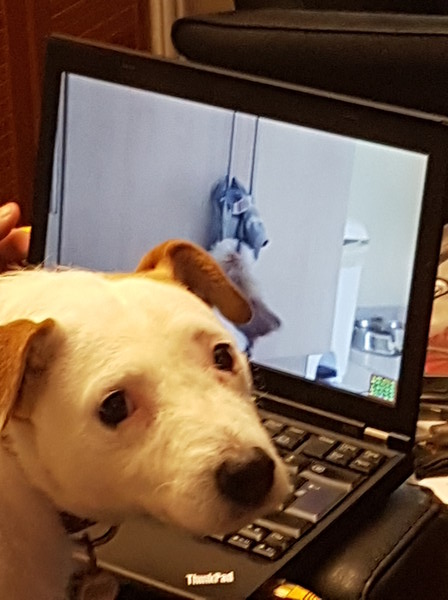
It's (yet again!) been a while since I blogged last, sorry... It's been over ten years since I started in Arm, and nine since I joined Linaro as an assignee. It was wonderful working with some excellent people in both companies, but around the end of last year I started to think that it might be time to look for something new and different. As is the usual way in Cambridge, I ended up mentioning this to friends and things happened! After discussions with a few companies, I decided to accept an interesting-looking offer from a Norwegian company called Pexip. My good friend Vince had been raving for a while about how much he enjoyed his job there, which was a very good sign! He works from his home near Cambridge, and they were very happy to take me on in a similar way. There will be occasional trips to the UK office near Reading, or to the Norway HQ in Oslo. But most of the time I'll be working in my home office with all the home comforts and occasionally even an office dog! Pepper and a laptop! As is common in the UK for senior staff, I had to give 3 months notice with my resignation. When I told my boss in Arm way way back in February that I had decided to leave, I planned for a couple of weeks of down-time in between jobs. Perfect timing! The third week of May in Cambridge is the summer Beer Festival, and my birthday is the week after. All was looking good! Then the world broke... :-( As the "novel coronavirus" swept the world, countries closed down and normal life all-but disappeared for many. I acknowledge I'm very lucky here - I'm employed as a software engineer. I can effectively work from home, and indeed I was already in the habit of doing that anyway. Many people are not so fortunate. :-/ In this period, I've heard of some people in the middle of job moves where their new company have struggled and the new job has gone away. Thankfully, Pexip have continued to grow during this time and were still very keen to have me. I finally started this week! So, what does Pexip do? The company develops and supplies a video conferencing platform, mainly targeting large enterprise customers. We have some really awesome technology, garnering great reviews from customers all over the world. See the website for more information! Pexip logo Where do I fit in? Pexip is a relatively small company with a very flat setup in engineering, so that's a difficult question to answer! I'll be starting working in the team developing and maintaining PexOS, the small Linux-based platform on which other things depend. (No prizes for guessing which distro it's based on!) But there's lots of scope to get involved in all kinds of other areas as needs and interests arise. I can't wait to get stuck in! Although I'm no longer going to be working on Debian arm port issues on work time, I'm still planning to help where I can. Let's see how that works...

Antoine Beaupr : Replacing Smokeping with Prometheus

I've been struggling with replacing parts of my old sysadmin monitoring toolkit (previously built with Nagios, Munin and Smokeping) with more modern tools (specifically Prometheus, its "exporters" and Grafana) for a while now. Replacing Munin with Prometheus and Grafana is fairly straightforward: the network architecture ("server pulls metrics from all nodes") is similar and there are lots of exporters. They are a little harder to write than Munin modules, but that makes them more flexible and efficient, which was a huge problem in Munin. I wrote a Migrating from Munin guide that summarizes those differences. Replacing Nagios is much harder, and I still haven't quite figured out if it's worth it.

How does Smokeping work Leaving those two aside for now, I'm left with Smokeping, which I used in my previous job to diagnose routing issues, using Smokeping as a decentralized looking glass, which was handy to debug long term issues. Smokeping is a strange animal: it's fundamentally similar to Munin, except it's harder to write plugins for it, so most people just use it for Ping, something for which it excels at. Its trick is this: instead of doing a single ping and returning this metrics, it does multiple ones and returns multiple metrics. Specifically, smokeping will send multiple ICMP packets (20 by default), with a low interval (500ms by default) and a single retry. It also pings multiple hosts at once which means it can quickly scan multiple hosts simultaneously. You therefore see network conditions affecting one host reflected in further hosts down (or up) the chain. The multiple metrics also mean you can draw graphs with "error bars" which Smokeping shows as "smoke" (hence the name). You also get per-metric packet loss. Basically, smokeping runs this command and collects the output in a RRD database:
fping -c $count -q -b $backoff -r $retry -4 -b $packetsize -t $timeout -i $mininterval -p $hostinterval $host [ $host ...]
... where those parameters are, by default:
  • $count is 20 (packets)
  • $backoff is 1 (avoid exponential backoff)
  • $timeout is 1.5s
  • $mininterval is 0.01s (minimum wait interval between any target)
  • $hostinterval is 1.5s (minimum wait between probes on a single target)
It can also override stuff like the source address and TOS fields. This probe will complete between 30 and 60 seconds, if my math is right (0% and 100% packet loss).

How do draw Smokeping graphs in Grafana A naive implementation of Smokeping in Prometheus/Grafana would be to use the blackbox exporter and create a dashboard displaying those metrics. I've done this at home, and then I realized that I was missing something. Here's what I did.
  1. install the blackbox exporter:
    apt install prometheus-blackbox-exporter
    
  2. make sure to allow capabilities so it can ping:
    dpkg-reconfigure prometheus-blackbox-exporter
    
  3. hook monitoring targets into prometheus.yml (the default blackbox exporter configuration is fine):
    scrape_configs:
      - job_name: blackbox
          metrics_path: /probe
          params:
            module: [icmp]
          scrape_interval: 5s
          static_configs:
            - targets:
              - octavia.anarc.at
              # hardcoded in DNS
              - nexthop.anarc.at
              - koumbit.net
              - dns.google
          relabel_configs:
            - source_labels: [__address__]
              target_label: __param_target
            - source_labels: [__param_target]
              target_label: instance
            - target_label: __address__
              replacement: 127.0.0.1:9115  # The blackbox exporter's real hostname:port.
    
    Notice how we lower the scrape_interval to 5 seconds to get more samples. nexthop.anarc.at was added into DNS to avoid hardcoding my upstream ISP's IP in my configuration.
  4. use this Grafana panel to graph the results. It was created with this query:
    sum(probe_icmp_duration_seconds phase="rtt" ) by (instance)
    
    • Set the Legend field to instance RTT
    • Set Draw modes to lines and Mode options to staircase
    • Set the Left Y axis Unit to duration(s)
    • Show the Legend As table, with Min, Avg, Max and Current enabled
    Then this query, for packet loss:
    1-avg_over_time(probe_success[$__interval])!=0 or null
    
    • Set the Legend field to instance packet loss
    • Set a Add series override to Lines: false, Null point mode: null, Points: true, Points Radius: 1, Color: deep red, and, most importantly, Y-axis: 2
    • Set the Right Y axis Unit to percent (0.0-1.0) and set Y-max to 1
    Then set the entire thing to Repeat, on target, vertically. And you need to add a target variable like label_values(probe_success, instance).
The result looks something like this:
A plot of RTT and packet loss over time of three nodes Not bad, but not Smokeping
This actually looks pretty good! The resulting dashboard is available in the Grafana dashboard repository.

What is missing? Now, that doesn't exactly look like Smokeping, does it. It's pretty good, but it's not quite what we want. What is missing is variance, the "smoke" in Smokeping. There's a good article about replacing Smokeping with Grafana. They wrote a custom script to write samples into InfluxDB so unfortunately we can't use it in this case, since we don't have InfluxDB's query language. I couldn't quite figure out how to do the same in PromQL. I tried:
stddev(probe_icmp_duration_seconds phase="rtt",instance=~"$instance" )
stddev_over_time(probe_icmp_duration_seconds phase="rtt",instance=~"$instance" [$__interval])
stddev_over_time(probe_icmp_duration_seconds phase="rtt",instance=~"$instance" [1m])
The first two give zero for all samples. The latter works, but doesn't look as good as Smokeping. So there might be something I'm missing. SuperQ wrote a special exporter for this called smokeping_prober that came out of this discussion in the blackbox exporter. Instead of delegating scheduling and target definition to Prometheus, the targets are set in the exporter. They also take a different approach than Smokeping: instead of recording the individual variations, they delegate that to Prometheus, through the use of "buckets". Then they use a query like this:
histogram_quantile(0.9 rate(smokeping_response_duration_seconds_bucket[$__interval]))
This is the rationale to SuperQ's implementation:
Yes, I know about smokeping's bursts of pings. IMO, smokeping's data model is flawed that way. This is where I intentionally deviated from the smokeping exact way of doing things. This prober sends a smooth, regular series of packets in order to be measuring at regular controlled intervals. Instead of 20 packets, over 10 seconds, every minute. You send one packet per second and scrape every 15. This has the same overall effect, but the measurement is, IMO, more accurate, as it's a continuous stream. There's no 50 second gap of no metrics about the ICMP stream. Also, you don't get back one metric for those 20 packets, you get several. Min, Max, Avg, StdDev. With the histogram data, you can calculate much more than just that using the raw data. For example, IMO, avg and max are not all that useful for continuous stream monitoring. What I really want to know is the 90th percentile or 99th percentile. This smokeping prober is not intended to be a one-to-one replacement for exactly smokeping's real implementation. But simply provide similar functionality, using the power of Prometheus and PromQL to make it better. [...] one of the reason I prefer the histogram datatype, is you can use the heatmap panel type in Grafana, which is superior to the individual min/max/avg/stddev metrics that come from smokeping. Say you had two routes, one slow and one fast. And some pings are sent over one and not the other. Rather than see a wide min/max equaling a wide stddev, the heatmap would show a "line" for both routes.
That's an interesting point. I have also ended up adding a heatmap graph to my dashboard, independently. And it is true it shows those "lines" much better... So maybe that, if we ignore legacy, we're actually happy with what we get, even with the plain blackbox exporter. So yes, we're missing pretty "fuzz" lines around the main lines, but maybe that's alright. It would be possible to do the equivalent to the InfluxDB hack, with queries like:
min_over_time(probe_icmp_duration_seconds phase="rtt",instance=~"$instance" [30s])
avg_over_time(probe_icmp_duration_seconds phase="rtt",instance=~"$instance" [5m])
max_over_time(probe_icmp_duration_seconds phase="rtt",instance=~"$instance" [30s])
The output looks something like this:
A plot of RTT and packet loss over time of three nodes, with minimax Looks more like Smokeping!
But there's a problem there: see how the middle graph "dips" sometimes below 20ms? That's the min_over_time function (incorrectly, IMHO) returning zero. I haven't quite figured out how to fix that, and I'm not sure it is better. But it does look more like Smokeping than the previous graph. Update: I forgot to mention one big thing that this setup is missing. Smokeping has this nice feature that you can order and group probe targets in a "folder"-like hierarchy. It is often used to group probes by location, which makes it easier to scan a lot of targets. This is harder to do in this setup. It might be possible to setup location-specific "jobs" and select based on that, but it's not exactly the same.

Credits Credits to Chris Siebenmann for his article about Prometheus and pings which gave me the avg_over_time query idea.

3 June 2020

Debian Project Leader: DPL Activity logs for April/May 2020

First month as DPL I survived my first month as DPL! I agree with previous DPLs who have described it as starting a whole new job. Fortunately it wasn't very stressful, but it certainly was very time consuming. On the very first day my inbox exploded with requests. I dealt with this by deferring anything that wasn't important right away and just started working through it. Fortunately the initial swell subsided as the month progressed. The bulk of my remaining e-mail backlog are a few media outlets who wants to do interviews. I'll catch up with those during this month. Towards the end of the month, most of my focus was on helping to prepare for an online MiniDebConf that we hosted over the last weekend in May. We had lots of fun and we had some great speakers sharing their knowledge and expertise during the weekend. Activity log As I do on my own blog for free software activities, I'll attempt to keep a log of DPL activities on this blog. Here's the log for the period 2020-04-21 to 2020-05-21: 2020-04-19: Handover session with Sam, our outgoing DPL. We covered a lot of questions I had and main areas that the DPL works in. Thanks to Sam for having taken the time to do this. 2020-04-21: First day of term! Thank you to everybody who showed support and have offered to help! 2020-04-21: Request feedback from the trademark team on an ongoing trademark dispute. 2020-04-21: Join the GNOME Advisory Board as a representative from Debian. 2020-04-21: Reply on an ongoing community conflict issue. 2020-04-21: Update Debian project summary for SPI annual report. 2020-04-21: Received a great e-mail introduction from Debian France and followed up on that. 2020-04-21: Posted "Bits from the new DPL" to debian-devel-announce. 2020-04-22: Became Debian's OSI Affilliate representative. 2020-04-22: Reply to a bunch of media inquiries for interviews, will do them later when initial priorities are on track. 2020-04-23: Resign as Debian FTP team trainee and mailing list moderator. In both these areas there are enough people taking care of it and I intend to maximise available time for DPL and technical areas in the project. 2020-04-25: Review outgoing mail for trademark team. 2020-04-25: Answer some questions in preparation for DAM/Front Desk delegation updates. 2020-04-26: Initiated wiki documentation for delegation updates process. 2020-04-27: Update delegation for the Debian Front Desk team. 2020-04-29: Schedule video call with Debian treasurer team. 2020-04-29: OSI affiliate call. Learned about some Open Source projects including OpenDev, OpenSourceMatters, FOSS Responders and Democracy Labs. 2020-05-04: Delivered my first talk session as DPL titled "Mixed Bag of Debian" at "Fique Em Casa Use Debian" (Stay at home and use Debian!), organised by Debian Brazil, where they had a different talk every evening during the month of May. Great initiative I hope other local groups consider copying their ideas! 2020-05-05: Had a 2 hour long call with the treasurer team. Feeling optimistic for the future of Debian's financing although it will take some time and a lot of work to get where we want to be. 2020-05-17: Respond to cloud delegation update.

Andy Simpkins: Getting Co-ap tools working on Debian

At work we have a wonderful pyhon tool that we are able to send CoAP messages to and from our products. Perfect for development work. However recently I needed to install a copy of the tools onto my personal laptop because the only work laptops I have access to have completely dead batteries and so are not suitable for taking out into a field to perform RF range tests .

As a company we have chosen not to package internal development tools I think that this is a mistake, but this is not my decision. So I simply copied across the coap tools directory and tried to run them. Obviously nothing worked! However, the error messages were enough to work out what dependencies I needed to resolve. Error #1 Missing libasan.so.2 shared library
By a process of deduction we found that gcc5 contains libasan2, quite old.
Debian s snapshots was our saviour here:
wget http://snapshot.debian.org/archive/debian/20180412T100152Z/pool/main/g/gcc-5/libasan2_5.5.0-12_amd64.deb

wget http://snapshot.debian.org/archive/debian/20180412T100152Z/pool/main/g/gcc-5/gcc-5-base_5.5.0-12_amd64.deb

dpkg -i ./gcc-5-base_5.5.0-12_amd64.deb ./libasan2_5.5.0-12_amd64.deb

great that was enough to get the port bindings to work
Error #2 google.protobuf When I tried to issue coap requests I ran into missing python3 imports google.protobuf fortunately this is found packaged in Debian buster as party of python3-protobuf
apt-get install python3-protobuf
Done! everything works :-)

Dirk Eddelbuettel: littler 0.3.10: Some more updates

max-heap image The eleventh release of littler as a CRAN package is now available, following in the fourteen-ish year history as a package started by Jeff in 2006, and joined by me a few weeks later. littler is the first command-line interface for R as it predates Rscript. It allows for piping as well for shebang scripting via #!, uses command-line arguments more consistently and still starts faster. It also always loaded the methods package which Rscript only started to do in recent years. littler lives on Linux and Unix, has its difficulties on macOS due to yet-another-braindeadedness there (who ever thought case-insensitive filesystems as a default where a good idea?) and simply does not exist on Windows (yet the build system could be extended see RInside for an existence proof, and volunteers are welcome!). See the FAQ vignette on how to add it to your PATH. A few examples are highlighted at the Github repo, as well as in the examples vignette. This release adds a new helper / example script installBioc.r for BioConductor package installation, generalizes the roxygenize() wrapper roxy.r a little, and polished a couple of other corners. The NEWS file entry is below.

Changes in littler version 0.3.10 (2020-06-02)
  • Changes in examples
    • The update.r script only considers writeable directories.
    • The rcc.r script tries to report full logs by setting _R_CHECK_TESTS_NLINES_=0.
    • The tt.r script has an improved ncpu fallback.
    • Several installation and updating scripts set _R_SHLIB_STRIP_ to TRUE.
    • A new script installBioc.r was added.
    • The --error option to install2.r was generalized (Sergio Oller in #78).
    • The roxy.r script was extended a little.
  • Changes in package
    • Travis CI now uses R 4.0.0 and the bionic distro

CRANberries provides a comparison to the previous release. Full details for the littler release are provided as usual at the ChangeLog page. The code is available via the GitHub repo, from tarballs and now of course also from its CRAN page and via install.packages("littler"). Binary packages are available directly in Debian as well as soon via Ubuntu binaries at CRAN thanks to the tireless Michael Rutter. Comments and suggestions are welcome at the GitHub repo. If you like this or other open-source work I do, you can now sponsor me at GitHub. For the first year, GitHub will match your contributions.

This post by Dirk Eddelbuettel originated on his Thinking inside the box blog. Please report excessive re-aggregation in third-party for-profit settings.

31 May 2020

Dirk Eddelbuettel: T^4 #4: Introducing Byobu

The next video (following the announcement, and shells sessions one, two, and three) is up in the T^4 series of video lightning talks with tips, tricks, tools, and toys. This time we introduce the wonderful byobu tool which is called both a text-based window manager and a terminal multiplexer :

The slides are here. This repo at GitHub support the series: use it to open issues for comments, criticism, suggestions, or feedback. If you like this or other open-source work I do, you can now sponsor me at GitHub. For the first year, GitHub will match your contributions.

This post by Dirk Eddelbuettel originated on his Thinking inside the box blog. Please report excessive re-aggregation in third-party for-profit settings.

30 May 2020

Dirk Eddelbuettel: drat 0.1.6: Rewritten macOS binary support

drat user A new version of drat arrived on CRAN overnight, once again taking advantage of the fully automated process available for such packages with few reverse depends and no open issues. As we remarked at the last release fourteen months ago when we scored the same nice outcome: Being a simple package can have its upsides This release is mostly the work of Felix Ernst who took on what became a rewrite of how binary macOS packages are handled. If you need to distribute binary packages for macOS users, this may help. Two more small updates were made, see below for full details. drat stands for drat R Archive Template, and helps with easy-to-create and easy-to-use repositories for R packages. Since its inception in early 2015 it has found reasonably widespread adoption among R users because repositories with marked releases is the better way to distribute code. As your mother told you: Friends don t let friends install random git commit snapshots. Rolled-up releases it is. drat is easy to use, documented by five vignettes and just works. The NEWS file summarises the release as follows:

Changes in drat version 0.1.6 (2020-05-29)
  • Changes in drat functionality
    • Support for the various (current) macOS binary formats was rewritten (Felix Ernst in #89 fixing #88).
    • Travis CI use was updated to R 4.0.0 and bionic (Dirk).
    • A drat repo was added to the README (Thomas Fuller in #86)

Courtesy of CRANberries, there is a comparison to the previous release. More detailed information is on the drat page. If you like this or other open-source work I do, you can now sponsor me at GitHub. For the first year, GitHub will match your contributions.

This post by Dirk Eddelbuettel originated on his Thinking inside the box blog. Please report excessive re-aggregation in third-party for-profit settings.

28 May 2020

Elana Hashman: Presenter mode in LibreOffice Impress without an external display

I typically use LibreOffice Impress for my talks, much to some folks' surprise. Yes, you can make slides look okay with free software! But there's one annoying caveat that has bothered me for ages. Impress makes it nearly impossible to enter presenter mode with a single display, while also displaying slides. I have never understood this limitation, but it's existed for a minimum of seven years. I've tried all sorts of workarounds over the years, including a macro that forces LibreOffice into presenter mode, which I never was able to figure out how to reverse once I ran it... This has previously been an annoyance but never posed a big problem, because when push came to shove I could leave my house and use an external monitor or screen when presenting at meetups. But now, everything's virtual, I'm in lockdown indefinitely, and I don't have another display available at home. And about 8 hours before speaking at a meetup today, I realized I didn't have a way to share my slides while seeing my speaker notes. Uh oh. So I got this stupid idea. ...why don't I just placate LibreOffice with a FAKE display? Virtual displays with xrandr My GPU had this capability innately, it turns out, if I could just whisper the right incantations to unlock its secrets:
ehashman@red-dot:~$ cat /usr/share/X11/xorg.conf.d/20-intel.conf 
Section "Device"
    Identifier "intelgpu0"
    Driver "intel"
    Option "VirtualHeads" "1"
EndSection
After restarting X to allow this newly created config to take effect, I now could see two new virtual displays available for use:
ehashman@red-dot:~$ xrandr
Screen 0: minimum 8 x 8, current 3840 x 1080, maximum 32767 x 32767
eDP1 connected primary 1920x1080+0+0 (normal left inverted right x axis y axis) 310mm x 170mm
   1920x1080     60.01*+  59.93  
   ...
   640x360       59.84    59.32    60.00  
DP1 disconnected (normal left inverted right x axis y axis)
DP2 disconnected (normal left inverted right x axis y axis)
HDMI1 disconnected (normal left inverted right x axis y axis)
HDMI2 disconnected (normal left inverted right x axis y axis)
VIRTUAL1 disconnected (normal left inverted right x axis y axis)
VIRTUAL2 disconnected (normal left inverted right x axis y axis)
Nice. Now, to actually use it:
ehashman@red-dot:~$ xrandr --addmode VIRTUAL1 1920x1080
ehashman@red-dot:~$ xrandr --output VIRTUAL1 --mode 1920x1080 --right-of eDP1
And indeed, after running these commands, I found myself with a virtual display, very happy to black hole all my windows, available to the imaginary right of my laptop screen. This allowed me to mash that "Present" button in LibreOffice and get my presenter notes on my laptop display, while putting my actual slides in a virtual time-out that I could still screenshare! Wouldn't it be nice if LibreOffice just fixed the actual bug? Well, actually... I must forgive myself for my stage panic. The talk ended up going great, and the immediate problem was solved. But it turns out this bug has been addressed upstream! It's just... not well-documented. A couple years ago, there was a forum post on ask.libreoffice.org that featured this exact question, and a solution was provided!
Yes, use Open Expert Configuration via Tools > Options > LibreOffice > Advanced. Search for StartAlways. You should get a node org.openoffice.Office.PresenterScreen with line Presenter. Double-click that line to toggle the boolean value to true.
I tested this out locally and... yeah that works. But it turns out the bug from 2013 had not been updated with this solution until just a few months ago. There are very limited search results for this configuration property. I wish this was much better documented. But so it goes with free software; here's a hack and a real solution as we all try to improve things :)

27 May 2020

Russ Allbery: Review: Middlegame

Review: Middlegame, by Seanan McGuire
Publisher: Tor
Copyright: May 2019
ISBN: 1-250-19551-9
Format: Kindle
Pages: 528
Roger and Dodger are cuckoo children, alchemical constructs created by other alchemical constructs masquerading as humans. They are halves of the primal force of the universe, the Doctrine of Ethos (which is not what the Doctrine of Ethos is, but that is one of my lesser problems with this book), divided into language and math and kept separate to properly mature. In this case, separate means being adopted by families on opposite coasts of the United States, ignorant of each other's existence and closely monitored by agents Reed controls. None of that prevents Roger and Dodger from becoming each other's invisible friends at the age of seven, effortlessly communicating psychically even though they've never met. That could have been the start of an enjoyable story that hearkened back to an earlier age of science fiction: the secret science experiments discover that they have more power than their creators expected, form a clandestine alliance, and fight back against the people who are trying to control them. I have fond memories of Escape to Witch Mountain and would have happily read that book. Unfortunately, that isn't the story McGuire wanted to tell. The story she told involves ripping Roger and Dodger apart, breaking Dodger, and turning Roger into an abusive asshole. Whooboy, where to start. This book made me very angry, in a way that I would not have been if it didn't contain the bones of a much better novel. Four of them, to be precise: four other books that would have felt less gratuitously cruel and less apparently oblivious to just how bad Roger's behavior is. There are some things to like. One of them is that the structure of this book is clever. I can't tell you how it's clever because the structure doesn't become clear until more than halfway through and it completely changes the story in a way that would be a massive spoiler. But it's an interesting spin on an old idea, one that gave Roger and Dodger a type of agency in the story that has far-ranging implications. I enjoyed thinking about it. That leads me to another element I liked: Erin. She makes only fleeting appearances until well into the story, but I thought she competed with Dodger for being the best character of the book. The second of the better novels I saw in the bones of Middlegame was the same story told from Erin's perspective. I found myself guessing at her motives and paying close attention to hints that led to a story with a much different emotional tone. Viewing the ending of the book through her eyes instead of Roger and Dodger's puts it in a different, more complicated, and more thought-provoking light. Unfortunately, she's not McGuire's protagonist. She instead is one of the monsters of this book, which leads to my first, although not my strongest, complaint. It felt like McGuire was trying too hard to write horror, packing Middlegame with the visuals of horror movies without the underlying structure required to make them effective. I'm not a fan of horror personally, so to some extent I'm grateful that the horrific elements were ineffective, but it makes for some frustratingly bad writing. For example, one of the longest horror scenes in the book features Erin, and should be a defining moment for the character. Unfortunately, it's so heavy on visuals and so focused on what McGuire wants the reader to be thinking that it doesn't show any of the psychology underlying Erin's decisions. The camera is pointed the wrong way; all the interesting storytelling work, moral complexity, and world-building darkness is happening in the character we don't get to see. And, on top of that, McGuire overuses foreshadowing so much that it robs the scene of suspense and terror. Again, I'm partly grateful, since I don't read books for suspense and terror, but it means the scene does only a fraction of the work it could. This problem of trying too hard extends to the writing. McGuire has a bit of a tendency in all of her books to overdo the descriptions, but is usually saved by narrative momentum. Unfortunately, that's not true here, and her prose often seems overwrought. She also resorts to this style of description, which never fails to irritate me:
The thought has barely formed when a different shape looms over him, grinning widely enough to show every tooth in its head. They are even, white, and perfect, and yet he somehow can't stop himself from thinking there's something wrong with them, that they're mismatched, that this assortment of teeth was never meant to share a single jaw, a single terrible smile.
This isn't effective. This is telling the reader how they're supposed to feel about the thing you're describing, without doing the work of writing a description that makes them feel that way. (Also, you may see what I mean by overwrought.) That leads me to my next complaint: the villains. My problem is not so much with Leigh, who I thought was an adequate monster, if a bit single-note. There's some thought and depth behind her arguments with Reed, a few hints of her own motives that were more convincing for not being fully shown. The descriptions of how dangerous she is were reasonably effective. She's a good villain for this type of dark fantasy story where the world is dangerous and full of terrors (and reminded me of some of the villains from McGuire's October Daye series). Reed, though, is a storytelling train wreck. The Big Bad of the novel is the least interesting character in it. He is a stuffed tailcoat full of malicious incompetence who is only dangerous because the author proclaims him to be. It only adds insult to injury that he kills off a far more nuanced and creative villain before the novel starts, replacing her ambiguous goals with Snidely Whiplash mustache-twirling. The reader has to suffer through extended scenes focused on him as he brags, monologues, and obsesses over his eventual victory without an ounce of nuance or subtlety. Worse is the dynamic between him and Leigh, which is only one symptom of the problem with Middlegame that made me the most angry: the degree to this book oozes patriarchy. Every man in this book, including the supposed hero, orders around the women, who are forced in various ways to obey. This is the most obvious between Leigh and Reed, but it's the most toxic, if generally more subtle, between Roger and Dodger. Dodger is great. I had absolutely no trouble identifying with and rooting for her as a character. The nasty things that McGuire does to her over the course of the book (and wow does that never let up) made me like her more when she tenaciously refuses to give up. Dodger is the math component of the Doctrine of Ethos, and early in the book I thought McGuire handled that well, particularly given how difficult it is to write a preternatural genius. Towards the end of this book, her math sadly turns into a very non-mathematical magic (more on this in a moment), but her character holds all the way through. It felt like she carved her personality out of this story through sheer force of will and clung to it despite the plot. I wanted to rescue her from this novel and put her into a better book, such as the one in which her college friends (who are great; McGuire is very good at female friendships when she writes them) stage an intervention, kick a few people out of her life, and convince her to trust them. Unfortunately, Dodger is, by authorial fiat, half of a bound pair, and the other half of that pair is Roger, who is the sort of nice guy everyone likes and thinks is sweet and charming until he turns into an emotional trap door right when you need him the most and dumps you into the ocean to drown. And then somehow makes you do all the work of helping him feel better about his betrayal. The most egregious (and most patriarchal) thing Roger does in this book is late in the book and a fairly substantial spoiler, so I can't rant about that properly. But even before that, Roger keeps doing the the same damn emotional abandonment trick, and the book is heavily invested into justifying it and making excuses for him. Excuses that, I should note, are not made for Dodger; her failings are due to her mistakes and weaknesses, whereas Roger's are natural reactions to outside forces. I got very, very tired of this, and I'm upset by how little awareness the narrative voice showed for how dysfunctional and abusive this relationship is. The solution is always for Dodger to reunite with Roger; it's built into the structure of the story. I have a weakness for the soul-bound pair, in part from reading a lot of Mercedes Lackey at an impressionable age, but one of the dangerous pitfalls of the concept is that the characters then have to have an almost flawless relationship. If not, it can turn abusive very quickly, since the characters by definition cannot leave each other. It's essentially coercive, so as soon as the relationship shows a dark side, the author needs to be extremely careful. McGuire was not. There is an attempted partial patch, late in the book, for the patriarchal structure. One of the characters complains about it, and another says that the gender of the language and math pairs is random and went either way in other pairs. Given that both of the pairs that we meet in this story have the same male-dominant gender dynamic, what I took from this is that McGuire realized there was a problem but wasn't able to fix it. (I'm also reminded of David R. Henry's old line that it's never a good sign when the characters start complaining about the plot.) The structural problems are all the more frustrating because I think there were ways out of them. Roger is supposedly the embodiment of language, not that you'd be able to tell from most scenes in this novel. For reasons that I do not understand, McGuire expressed that as a love of words: lexicography, translation, and synonyms. This makes no sense to me. Those are some of the more structured and rules-based (and hence mathematical) parts of language. If Roger had instead been focused on stories collecting them, telling them, and understanding why and how they're told he would have had a clearer contrast with Dodger. More importantly, it would have solved the plot problem that McGuire solved with a nasty bit of patriarchy. So much could have been done with Dodger building a structure of math around Roger's story-based expansion of the possible, and it would have grounded Dodger's mathematics in something more interesting than symbolic magic. To me, it's such an obvious lost opportunity. I'm still upset about this book. McGuire does a lovely bit of world-building with Asphodel Baker, what little we see of her. I found the hidden alchemical war against her work by L. Frank Baum delightful, and enjoyed every excerpt from the fictional Over the Woodward Wall scattered throughout Middlegame. But a problem with inventing a fictional book to excerpt in a real novel is that the reader may decide that the fictional book sounds a lot better than the book they're reading, and start wishing they could just read that book instead. That was certainly the case for me. I'm sad that Over the Woodward Wall doesn't exist, and am mostly infuriated by Middlegame. Dodger and Erin deserved to live in a better book. Should you want to read this anyway (and I do know people who liked it), serious content warning for self-harm. Rating: 4 out of 10

26 May 2020

Norbert Preining: Multi-device and RAID1 with btrfs

I have been using btrfs, a modern modern copy on write filesystem for Linux, since many years now. But only recently I realized how amateurish my usage has been. Over the last day I switched to multiple devices and threw in a RAID1 level at the same time.
For the last years, I have been using btrfs in a completely naive way, simply creating new filesystems, mounting them, moving data over, linking the directories into my home dir, etc etc. It all became a huge mess over time. I have heard of multi-device support , but always thought that this is for the big players in the data centers not realizing that it works trivially on your home system, too. Thanks to an article by Mark McBride I learned how to better use it! Btrfs has an impressive list of features, and is often compared to (Open)ZFS (btw, they domain openzfs.org has a botched SSL certificate .. umpf, my trust disappears even more) due to the high level of data security. I have been playing around with the idea to use ZFS for quite some time, but first of all it requires compiling extra modules all the time, because ZFS cannot be included in the kernel source. And much more, I realized that ZFS is simply too inflexible with respect to disks of different sizes in a storage pool. Btrfs on the other hand allows adding and removing devices to the filesystem on a running system. I just added a 2TB disk to my rig, and called:
btrfs device add /dev/sdh1 /
and with that alone, my root filesystem grew immediately. At the end I have consolidated data from 4 extra SSDs into this new filesystem spanning multiple disks, and got rid of all the links and loops. For good measure, and since I had enough space left, I also switched to RAID1 for this filesystem. This again, surprisingly, works on a running system!
btrfs balance start -dconvert=raid1 -mconvert=raid1 /
Here, both data and metadata are mirrored on the devices. With 6TB of total disk space, the balancing operation took quite some time, about 6h in my case, but finished without a hiccup. After all that, the filesystem now looks like this:
$ sudo btrfs fi show /
Label: none  uuid: XXXXXX
	Total devices 5 FS bytes used 2.19TiB
	devid    1 size 899.01GiB used 490.03GiB path /dev/sdb3
	devid    2 size 489.05GiB used 207.00GiB path /dev/sdd1
	devid    3 size 1.82TiB used 1.54TiB path /dev/sde1
	devid    4 size 931.51GiB used 649.00GiB path /dev/sdf1
	devid    5 size 1.82TiB used 1.54TiB path /dev/sdc1
and using btrfs fi usage / I can get detailed information about the device usage and status. Stumbling blocks You wouldn t expect such a deep rebuilding of the intestines of a system to go without a few bumps, and indeed, there are a few: First of all, update-grub is broken when device names are used. If you have GRUB_DISABLE_LINUX_UUID=true, so that actual device nodes are used in grub.cfg, the generated entries are broken because they list all the devices. This comes from the fact that grub-mkconfig uses grub-probe --target=device / to determine the root device, and this returns in our case:
# grub-probe --target=device /
/dev/sdb3
/dev/sdd1
/dev/sde1
/dev/sdf1
/dev/sdc1
and thus the grub config file contains entries like:
...
menuentry 'Debian GNU/Linux ...' ...  
  ...
  linux	/boot/vmlinuz-5.7.0-rc7 root=/dev/sdb3
/dev/sdd1
/dev/sde1
/dev/sdf1
/dev/sdc1 ro <other options>
 
This is of course an invalid entry, but fortunately grub still boots, but ignores the rest of the command line options. So I decided to turn back to using UUID for the root entry, which should be better supported. But alas, what happened, I couldn t even boot anymore. Grub gave me very cryptic messages like cannot find UUID device and dropping you into the grub rescue shell, then having the grub rescue shell being unable to read any filesystem at all (not even FAT or ext2!). The most cryptic one was grub header bytenr is not equal node addr, where even Google gave up on it. At the end I booted into a rescue image (you always have something like SystemRescueCD on an USB stick next to you during these operations, right?), mounted the filesystem manually, and reinstalled grub, which fixed the problem, and now the grub config file contains only the UUID for root. I don t blame btrfs for that, this is more like we are, after sooo many years, we still don t have a good boot system  All in all, a very smooth transition, and at least for some time I don t have to worry about which partition has still some space left. Thanks btrfs and Open Source!

24 May 2020

Dirk Eddelbuettel: #3 T^4: Customizing The Shell

The third video (following the announcement, the shell colors) one as well as last week s shell prompt one, is up in the stil new T^4 series of video lightning talks with tips, tricks, tools, and toys. Today we cover customizing the shell some more.

The slides are here. This repo at GitHub support the series: use it to open issues for comments, criticism, suggestions, or feedback. If you like this or other open-source work I do, you can now sponsor me at GitHub. For the first year, GitHub will match your contributions.

This post by Dirk Eddelbuettel originated on his Thinking inside the box blog. Please report excessive re-aggregation in third-party for-profit settings.

Fran ois Marier: Printing hard-to-print PDFs on Linux

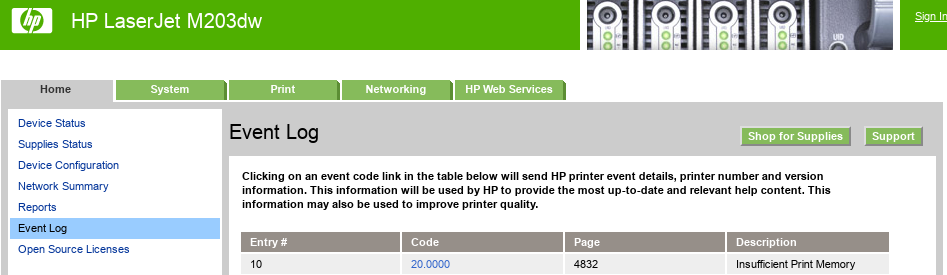
I recently found a few PDFs which I was unable to print due to those files causing insufficient printer memory errors: I found a detailed explanation of what might be causing this which pointed the finger at transparent images, a PDF 1.4 feature which apparently requires a more recent version of PostScript than what my printer supports. Using Okular's Force rasterization option (accessible via the print dialog) does work by essentially rendering everything ahead of time and outputing a big image to be sent to the printer. The quality is not very good however.

Converting a PDF to DjVu The best solution I found makes use of a different file format: .djvu Such files are not PDFs, but can still be opened in Evince and Okular, as well as in the dedicated DjVuLibre application. As an example, I was unable to print page 11 of this paper. Using pdfinfo, I found that it is in PDF 1.5 format and so the transparency effects could be the cause of the out-of-memory printer error. Here's how I converted it to a high-quality DjVu file I could print without problems using Evince:
pdf2djvu -d 1200 2002.04049.pdf > 2002.04049-1200dpi.djvu

Converting a PDF to PDF 1.3 I also tried the DjVu trick on a different unprintable PDF, but it failed to print, even after lowering the resolution to 600dpi:
pdf2djvu -d 600 dow-faq_v1.1.pdf > dow-faq_v1.1-600dpi.djvu
In this case, I used a different technique and simply converted the PDF to version 1.3 (from version 1.6 according to pdfinfo):
ps2pdf13 -r1200x1200 dow-faq_v1.1.pdf dow-faq_v1.1-1200dpi.pdf
This eliminates the problematic transparency and rasterizes the elements that version 1.3 doesn't support.

23 May 2020

Dirk Eddelbuettel: RcppSimdJson 0.0.5: Updated Upstream

A new RcppSimdJson release with updated upstream simdjson code just arrived on CRAN. RcppSimdJson wraps the fantastic and genuinely impressive simdjson library by Daniel Lemire and collaborators. Via some very clever algorithmic engineering to obtain largely branch-free code, coupled with modern C++ and newer compiler instructions, it results in parsing gigabytes of JSON parsed per second which is quite mindboggling. The best-case performance is faster than CPU speed as use of parallel SIMD instructions and careful branch avoidance can lead to less than one cpu cycle use per byte parsed; see the video of the recent talk by Daniel Lemire at QCon (which was also voted best talk). This release brings updated upstream code (thanks to Brendan Knapp) plus a new example and minimal tweaks. The full NEWS entry follows.

Changes in version 0.0.5 (2020-05-23)
  • Add parseExample from earlier upstream announcement (Dirk).
  • Synced with upstream (Brendan in #12) closing #11).
  • Updated example parseExample to API changes (Brendan).

Courtesy of CRANberries, there is also a diffstat report for this release. For questions, suggestions, or issues please use the issue tracker at the GitHub repo. If you like this or other open-source work I do, you can now sponsor me at GitHub. For the first year, GitHub will match your contributions.

This post by Dirk Eddelbuettel originated on his Thinking inside the box blog. Please report excessive re-aggregation in third-party for-profit settings.

17 May 2020

Dirk Eddelbuettel: #2 T^4: Customizing The Shell Prompt

The second video (following the announcement and last week s shell colors) is up in the stil new T^4 series of video lightning talks with tips, tricks, tools, and toys. Today we cover customizing shell prompts.

The slides are available here. Next week we likely continue on shell customization with aliases. This repo at GitHub support the series: use it to open issues for comments, criticism, suggestions, or feedback. If you like this or other open-source work I do, you can now sponsor me at GitHub. For the first year, GitHub will match your contributions.

This post by Dirk Eddelbuettel originated on his Thinking inside the box blog. Please report excessive re-aggregation in third-party for-profit settings.

Dirk Eddelbuettel: RcppArmadillo 0.9.880.1.0

armadillo image Armadillo is a powerful and expressive C++ template library for linear algebra aiming towards a good balance between speed and ease of use with a syntax deliberately close to a Matlab. RcppArmadillo integrates this library with the R environment and language and is widely used by (currently) 719 other packages on CRAN. Conrad released a new upstream version 9.880.1 of Armadillo on Friday which I packaged and tested as usual (result log here in the usual repo). The R package also sports a new OpenMP detection facility once again motivated by macOS which changed its setup yet again. Changes in the new release are noted below.

Changes in RcppArmadillo version 0.9.880.1.0 (2020-05-15)
  • Upgraded to Armadillo release 9.880.1 (Roasted Mocha Detox)
    • expanded qr() to optionally use pivoted decomposition
    • updated physical constants to NIST 2018 CODATA values
    • added ARMA_DONT_USE_CXX11_MUTEX confguration option to disable use of std::mutex
  • OpenMP capability is tested explicitly (Kevin Ushey and Dirk in #294, #295, and #296 all fixing #290).

Courtesy of CRANberries, there is a diffstat report relative to previous release. More detailed information is on the RcppArmadillo page. Questions, comments etc should go to the rcpp-devel mailing list off the R-Forge page. If you like this or other open-source work I do, you can now sponsor me at GitHub. For the first year, GitHub will match your contributions.

This post by Dirk Eddelbuettel originated on his Thinking inside the box blog. Please report excessive re-aggregation in third-party for-profit settings.

Next.

Previous.