Search Results: "ag"

20 June 2011

Pietro Abate: mpm : putting all the pieces together

Recently, all relevant packages needed to run mpm (the mancoosi package manager) landed in debian (thanks ralf and zack !). Now it should be a tad easier to run mpm and to play with it. The code of mpm is available on the mancoosi svn repository (user/pass : mancoosi/mancoosi) . To run it, you also need to install python-apt. These are all cudf solvers you can use as mpm backends. They use different solving techniques and were implemented for the MISC competition : In addition, you need the CUDF solver integration for APT / MPM , that is the component in charge of translating the apt/mpm installation problem to cudf and to provide a solution back to apt/mpm The last (optional) component is the dudf-save that allows you to report an installation problem back to us . mancoosi contest (dudfsave) is avalaible for download at http://mancoosi.debian.net/ the mpm command line is still not very user friendly, but since it is not meant to be used by final users or production systems, I think I'll not spend too much time to add all bells and whistles. enjoy.

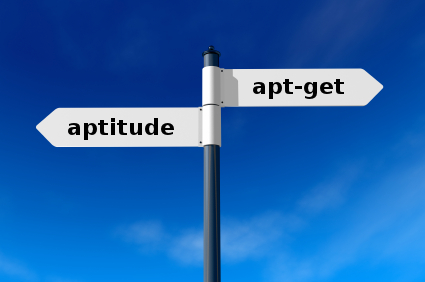
Raphaël Hertzog: apt-get, aptitude, pick the right Debian package manager for you

This is a frequently asked question: What package manager shall I use? . And my answer is the one that suits your needs . In my case, I even use different package managers depending on what I m trying to do. APT vs dpkg, which one is the package manager? In the Debian world, we re usually thinking of APT-based software when we re referring to a package manager . But in truth, the real package manager is dpkg. It s the low-level tool that takes a .deb file and extracts its content on the disk, or that takes the name of a package to remove the associated files, etc. APT is better known because it s the part of the packaging infrastructure that matters to the user. APT makes collection of software available to the user and does the dirty work of downloading all the required packages and installing them by calling dpkg in the correct order to respect the dependencies. But APT is not a simple program, it s a library and several different APT frontends have been developed on top of that library. The most widely known is apt-get since it s the oldest one, and it s provided by APT itself. Graphical APT front-ends update-manager is a simple frontend useful to install security updates and other trivial daily upgrades (if you re using testing or sid). It s the one that you get when you click in the desktop notification that tells you that updates are available. In cases, where the upgrade is too complicated for update-manager, it will suggest to run synaptic which is full featured package manager. You can browse the list on installed/available packages in numerous ways, you can mark packages for installation/upgrade/removal/purge and then run in one go all the recorded actions. software-center aims to be an easy to use application installer, it will hide most of the packaging details and will only present installed/available applications (as defined by a .desktop file). It s very user friendly and has been developed by Ubuntu. Of the graphical front-ends, I use mainly synaptic and only when I m reviewing what I have installed to trim the system down. Console-based GUI APT front-ends In this category, I ll cite only aptitude. Run without parameter, it will start a powerful console-based GUI. Much like synaptic, you can have multiple views of the installed/available packages and mark packages for installation/upgrade/removal/purge before executing everything at once. Command-line based package managers and APT front-ends This is where the well known apt-get fits, but there are several other alternatives: aptitude, cupt, wajig. Wajig and cupt are special cases as they don t use libapt: the former wraps several tools including apt-get, and the latter is a (partial) APT reimplementation (versions 1.x were in Perl, 2.x are now is C++). You re welcome to try them out and find out which one you prefer, but I have never felt the need to use something else than apt-get and aptitude. apt-get or aptitude? First I want to make it clear that you can use both and mix them without problems. It used to be annoying when apt-get did not track which packages were automatically installed while aptitude did, but now that both packages share this list, there s no reason to avoid switching back and forth. I would recommend apt-get for the big upgrades (i.e. dist-upgrade from one stable to the next) because it will always find quickly a relatively good solution while aptitude can find several convoluted solutions (or none) and it s difficult to decide which one should be used. On the opposite for regular upgrades in unstable (or testing), I would recommend aptitude safe-upgrade . It does a better job than apt-get at keeping on hold packages which are temporarily broken due to some not yet finished changes while still installing new packages when required. With aptitude it s also possible to tweak dynamically the suggested operations while apt-get doesn t allow this. And aptitude s command line is probably more consistent: with apt-get you have to switch between apt-get and apt-cache depending on the operation that you want to do, aptitude on the other hand does everything by itself. Take some time to read their respective documentation and to try them.
Click here to subscribe to my free newsletter and get my monthly analysis on what s going on in Debian and Ubuntu. Or just follow along via the RSS feed, Identi.ca, Twitter or Facebook.

11 comments Liked this article? Click here. My blog is Flattr-enabled.

Nathan Handler: Google Summer of Code Report #2

A lot of work has taken place since my last report. First, since my original mentor, Matt Zimmerman, is going to be moving, he helped arrange for Stefano Zacchiroli to fill in for him temporarily. I have had a call with Stefano, and I am looking forward to getting to work with him more over the next couple of weeks. Shortly after my first report, we realized that having the dashboard only display bugs severely limited its usefulness. In our original design, we had it pulling a list of bugs with specific usertags from the BTS. This forced all information to be added to bugs, which we viewed as a good thing since it made the information available to the Debian Maintainers without requiring them to familiarize themselves with DEX. The issue was that when looking back at the ancient-patches project or forward to the big merges project, a large portion of the work will be triaging and determining whether or not the changes are even applicable in Debian. If they aren t, there is no reason for a bug to be filed on the BTS. As a result, I spent a fair amount of time re-writing most of the dashboard. It still supports finding bugs on the BTS that have been tagged with a specific DEX usertag, but it is now task-based rather than bug-based. A task can be a bug number, a package name, a patch name, or anything. It is merely something that needs to be done for a project. Each task will have a name, an assignee, a status, a note, and a bug associated with it. There are two ways to define a list of tasks for a project. The first is to tag bugs on the BTS with a user of debian-derivatives@lists.debian.org and a tag with a format of dex-<distribution>- <project> (i.e. dex-ubuntu-ancient-patches). The script will convert the bugs to tasks and automatically set all of the fields. The second method is to specify the list of tasks in a plain text file on the server the scripts are being run on. Eventually, this list will be able to be specified via a web interface. Currently, you are only able to specify the task name in the file. This means that all of the other fields for a task created in this manner are initially blank. I am still deciding on the best way to specify additional information about each task in the file. Once I decide on a method, it should not be too difficult to modify the script to parse and store that additional information. For the ancient patches DEX project, everyone involved had to update a status file stored in a VCS on alioth. This was rather annoying, so we decided early on that we want to be prevent this from being necessary for future projects. This means that the dashboard needs a way for users to modify the information on it. For tasks that are based on bugs, this is rather easy; you simply use the BTS email interface to adjust the bug. However, for other tasks, we needed the ability to modify them on the dashboard. I have managed to get this partially implemented. Currently, all cells on the table are text input fields (with css being used to hide the boxes). This means that you can click on any cell and edit its contents. Hitting the submit button will execute a script to save these changes. This is the tricky part. The dashboard is a collection of html files generated by a python script. The script is meant to be run by cron every n minutes. When you update something via a web interface, you usually expect to see the changes instantly. This means that we can t wait for the python script to run again and re-generate the html files. As a result, I currently have it setup so that when you submit the form, it will go and modify the html files to reflect the changes. The next time cron runs the python script, the html files will be re-created, and the changes made by the user will be lost. Once I come up with a method for storing additional information about a task, it shouldn t be too hard to make changes made by a user via the web interface permanent. I also did some work on a script to generate graphs. There are two types of graphs I hope to be able to display on the dashboard. One graph will help show which individuals have done the most work on a project. I have not started working on this graph yet. The second type of graph is meant to show the number of open tasks versus time. This will allow people to quickly see the progress of a project, estimate how long the project will take to complete, and notice if things start to slow down. I have some initial code for this graph using matplotlib. However, due to the many changes that were made to the dashboard, I had to hold off a bit on this graph, as it relies on certain information provided by the dashboard. I hope to sort out some of the last few issues with this graph, such as getting the axes to display properly, and then merge it with the dashboard sometime in the next few weeks. Allison Randal approached me a while ago to see if my Summer of Code project might be in a state where it could be used to assist with a Python 2.7 DEX project that she was working on. For a while, I did not think that it would be ready. However, last week, I helped her get the related bugs usertagged appropriately, and they now show up in the DEX dashboard. While the dashboard is still not complete, it does allow her and everyone else working on the project to clearly see the tasks (bugs) that they need to focus on and the current status of each of them. I plan to try and incorporate any feedback I receive from people working on this project into my designs. All of my code is available in a git repository on alioth. Keep in mind that it should not be considered stable at this point. Further status updates will be posted on my blog, and I will try to keep the wiki page updated. I am still trying work out where we will host the actual dashboard. In the meantime, you can try out my testing version of it. During the next few weeks, I will be focusing my efforts on coming up with a method for storing additional task information. That will allow me to support permanently storing changes made by users via the web interface. I also hope to finish the first graph script and merge it with the dashboard. Finally, I hope to find a permanent home for the dashboard, as having it on my personal server is not a viable long-term solution. Finally, if anyone is interested in getting involved with DEX, feel free to join the debian-derivatives mailing list, join #debian-derivatives on OFTC, or contact me via email or on IRC (nhandler).</project></distribution>

Rudy Godoy: Compute Clusters Integration for Debian Development and Building Report 2

Hello, this is the 2nd report regarding my project. I'll offer a brief
summary of how are we doing and then the details, so you don't have to
read everything at all.
I have to start saying that over the last two weeks I made a lot of
progress on the project. The most important part: Debian ARM image
integration with Eucalyptus is now cleared. The work to be done for the
next two weeks is pretty much fully coding to achieve what we've committed:
supporting Debian ARM images for Eucalyptus.
What was done so far
--------------------
- I've have identified and mapped what needs to be modified over the
  eucalyptus source for supporting ARM. I'm puting the details on the
  next section. I think this is the most crucial part that is now
  sucessfully achieved.
- I started a Project Log[1] on the wiki, so anyone can check and
  eventyally use the information I've already gathered. The log is being
  updated constantly. You can also check what I've done and what I'm
  working on.
- We got feeback[2] from Eucalyptus developers and packaging
  team regarding developers and packaging team regarding the ultimate
  source for debian/ packaging bits. This was quite important because
  in the past I've managed to build Eucalyptus from source using the debian/
  included in the upstream tarball. However the people in charge
  told us that they were using a different one, which indeed was
  different and resulted in different output than I expected. I'm
  still working on fixing the bits to get a clean build.
- I've joined the pkg-eucalyptus team and I've been given commit rights
  to the repo[2].
1- http://wiki.debian.org/SummerOfCode2011/BuildWithEucalyptus/ProjectLog
2- http://lists.alioth.debian.org/pipermail/pkg-eucalyptus-maintainers/2011-June/000289.html
What I'll be working over the next two weeks
--------------------------------------------
- Heavily code on the different bits that I've identified and need to be
  changed. They are:
  C code:
  - node/handlers_kvm. c,h  - handles nc creation. nc's are node
  clusters for Eucalyptus, the code is in charge of node creation. It
  prepares the "machine" that is able to run a compatible image.
  - util/data. c,h  - handles instance creation. The code over there
  implements the functions node/handlers_* use, like instance creation
  and libvirt's API parameter passing. Since libvirt's parameters for
  ARM vary from x86's ones, we need to support that.
  Perl code:
  - tools/gen_kvm_libvirt_xml - wrapper tool for creating KVM/QEMU
  libvirt's XML Domain definition. This needs to be heavily
  changed/updated - redesigned, to support ARM architecture.
- Depending on the previous task progress: Modify the Debian packaging
  bits for Eucalyptus and push them to the pkg-eucalyptus's team
  repository. This is not crucial for my project's success but I'd like
  to work with Debian official builds. I've yet to commit the
  Eucalyptus team version to the debian/ dir. I expect to have fixed
  the bits to get a successful and clean build, then commit.
Other plans
-----------
- I expect a slow down on the work pace over the second week due end of
  semester exams on the week from July 3 to July 9. After that week I'm
  on vacations and will be fully dedicated to the project.
- Code changes to Eucalyptus source will be pushed upstream. I would
  not like to keep a separate repo for this. I'll talk about this with
  Steffen. Changes to Debian bits will be pushed to the appropiate repos.
Other bits
----------
When the project started I noted it was too vague for some people and
it's results/output were unclear. This concerned me. However, while the
project started and we got lot of feedback things got much clear and I'd
like to take the opportunity to explain it a bit.
Currently, developers targeting ARM devices are struggling[1] with having
a development environment. There are missing bits that sometimes are not
in place and result on hard time for them. Also, due mobile devices
growth and vendors using Linux-based[2] operating systems it's a nice
opportunity for Debian to keep it's well known fame of: supporting every
arch over the sun. How this project fits, well by offering the ability
for developers to run ARM-based Debian images over x86/x86_64 CPU's
would impact the way they could be more productive and for Debian to be
more adopted as development environment.
I can say that I'm very enthusiast of this opportunity and I'm
certain that the outcome will result in more adoption. Even the Ubuntu
people is now pushing more and more efforts for ARM official support,
due the facts I've stated.
1- http://lists.debian.org/debian-arm/2011/06/msg00020.html
2- http://events.linuxfoundation.org/events/android-builders-summit/back

19 June 2011

DebConf team: Travel Sponsorship for DebConf11 (Posted by Travel Sponsorship team)

Today we had our long-awaited Travel Sponsorship team meeting. It took a little more than 90 minutes but had us check the ratings we did in the past days, discuss various of the people and aspects of our decisions, and then finally we decided on the cutoff levels for this year. Actually an easy step (in theory) cutoff levels, it is always hard. On the one side there are the beancounters and the team working each year to find money for the conference. Doing whatever it takes to have our sponsors happy. Who, of course, can not give us unlimited amounts of money. On the other hand there are all the (possible) attendees. Many of which can not afford the travel if we do not help them. Getting both sides happy is near to impossible. We had about 100 people asking for nearly 60 000 Euros. On the other hand we had 35 000 Euro to give out. Doesn t match, and getting another 25 000 Euro just so is not very likely to happen. Which lead to a Sorry, no money this year for 29 people. We currently have 12 people still waiting for money. They got a maybe, if someone cancels or we are lucky to get another sponsor mail, and we hope we can help them, but we are not sure. We are waiting for another 7800 Euros here. But the nice and shiny side of this all is: We have 56 people who we agreed to sponsor travel for, in total 35 000 Euros.

Philipp Kern: Call for testing: Upcoming Squeeze point release 6.0.2

I just posted a call for testing to the not yet well-known debian-stable-announce mailing list. Please test the packages in squeeze-proposed-updates on some stable machines if possible, so that we don't screw up your production machines with bad updates in a week. The point release is scheduled for June 25th, i.e. next Saturday. Don't forget to copy the debian-release mailing list when you encounter regressions. Thanks for your efforts.

Jonathan Wiltshire: DebConf 11

So, I got enough of the requisite sponsorship and finally booked some flights I'm going to DebConf11
Comments
DebConf 11 is a post from: jwiltshire.org.uk Flattr

Alastair McKinstry: So are we headed for a permanent El Ni o <80><93>?

Maps and Coastlines in Debian #tags enso,climate,paleooceanography #postdate 2011-06-19 18:00 #ignore yes Thanks to Brian Lawrence for a pointer to an interesting review by George Philander: Where are you from? Why are you here? An African perspective on global warming. in the Annual Review of Earth and Planetary Sciences. Scroxton et al. at Oxford, in the latest edition of Paleooceanography published < href="http://www.agu.org/pubs/crossref/2011/2010PA002097.shtm"> Persistent El Ni o Southern Oscillation variation during the Pliocene Epoch Scroxton et al. study fossil foraminera, plankton remains from the mid-Pliacezian warm period (3.26 - 3.03 million years ago). By studying isotope ratios in the carbonate skeletons of these plankton, they can reconstruct the surface water temperatures in the Eastern Pacific, where the El Nino is today. They discover conditions similar to today, with El Nino-like events.

Leo 'costela' Antunes: Importing an Outlook PST into IMAP

Well, every once in a while we re forced to do something that isn t particularly interesting or pleasant. Last week it happened again: I had to import a few pretty big PSTs (most 2Gig, one 10Gig, with about 100.000 emails) into our dovecot IMAP. Doing this with Outlook itself was out of the question: it took way too long, even on the local network (many hours for a 1G file) and was prone to hanging and crashes, which were obviously a pain to debug and start over.
Thunderbird was unfortunately not much better, since at least in our tests it didn t import the read status of the emails (they were all marked as unread) and also wasn t particularly good at handling folders with strange names, containing . , / or some more obscure characters. We had used it before for smaller files, where manually dealing with the problems was acceptable, but this time it required something a bit more elaborate, if we were to keep our sanity. Enter libpst. It includes the handy readpst utility which dumps all emails in usable formats in a directory tree, one directory per folder. Unfortunately the Debian version is somewhat outdated and doesn t support the newer Outlook formats, so I did some packaging and even a little bit of patching. It seems Thunderbird also uses this library, which would explain why it didn t handle the Read-Status (haven t confirmed this though; just read it somewhere). The last step was this not-so-little script, which uses the dumped directories from readpst and imports them in IMAP. It would have probably been a bit more elegant to use libpst directly, but I unfortunately didn t have the time to mess around with that. I did have to mess around a lot with encodings though, ergo the unholy chaos with unicode()s and str.encode()s thrown around like rice at a wedding (I could never really wrap my head around charset problems; the subject boggles my mind to this very day).
#!/usr/bin/env python2.7
#-*- encoding: utf-8 -*-
 
import os, sys, time
import re
 
from argparse import ArgumentParser
from getpass import getpass
 
import imaplib
from email.header import decode_header
from mailbox import mbox
 
from twisted.mail import imap4 # for their imap4-utf7 implementation
 
parser = ArgumentParser(description="""Recursively import mbox files in a directory 
                                        structure to an IMAP server.\n
                                        The expected structure is that generated by 
                                        'readpst -r'.""")
parser.add_argument('-s', dest='imap_server', default='localhost', help='IMAP server to import emails to')
parser.add_argument('-u', dest='imap_user', required=True, help='user for logging in to IMAP')
parser.add_argument('-p', dest='imap_passwd', help="will be prompted for if not provided")
parser.add_argument('-c', dest='charset', default='utf8', help='charset in which the folders are stored (for versions older than 2003)')
parser.add_argument('-f', dest='force', action='store_true', help='import mail even if we think it might be a duplicate')
parser.add_argument('-m', dest='mappings', help='a JSON file with mappings between folder names and mailbox names (no slashes or dots)')
parser.add_argument('folder', nargs='+', help="the base folders to import")
 
args = parser.parse_args()
 
if not args.imap_passwd:
    args.imap_passwd = getpass()
 
 
if args.mappings:
    import json
    folderToMailbox = json.load(open(args.mappings,'r'))
else:
    folderToMailbox =   


def mailboxFromPath(path):
    paths = []
    for p in path.split(os.path.sep):
        p = folderToMailbox.get(p, p)
 
        # only other invalid char besides '/', which can't be created by readpst anyway
        p = p.replace('.','')
 
        paths.append(p)
 
    return '.'.join(paths)
 
def imapFlagsFromMbox(flags):
    # libpst only sets R and O
    f = []
    if 'R' in flags or 'O' in flags:
        f.append(r'\Seen')
    if 'D' in flags:
        f.append(r'\Deleted')
    if 'A' in flags:
        f.append(r'\Answered')
    if 'F' in flags:
        f.append(r'\Flagged')
    return '('+' '.join(f)+')'
 
def utf7encode(s):
    return imap4.encoder(s)[0]
 
def headerToUnicode(s):
    h = decode_header(s)[0]
    try:
        if h[1]: # charset != None
            try:
                return unicode(*h)
            except LookupError:
                return unicode(h[0],'utf8','replace')
        else:
            return unicode(h[0], 'utf8')
    except UnicodeDecodeError:
        try:
            return unicode(h[0], 'cp1252') # the usual culprits for malformed headers
        except UnicodeDecodeError:
            pass
 
        try:
            return unicode(h[0], 'latin1') # the usual culprits for malformed headers
        except UnicodeDecodeError:
            pass
 
        return unicode(h[0], 'ascii', 'ignore') # give up...
 
def main():
    imap = imaplib.IMAP4_SSL(args.imap_server)
    imap.login(args.imap_user, args.imap_passwd)
 
    imap.select()
    for base in args.folder:
        print "importing folder "+base
        for root, dirs, files in os.walk(base):
            if 'mbox' in files:
                folder = unicode(os.path.relpath(root, base), args.charset)
                mailbox = mailboxFromPath(folder)
                print u'importing mbox in  0  to  1 '.format(folder, mailbox)
                mailbox_encoded = utf7encode(mailbox)
                m = mbox(os.path.join(root, 'mbox'), create=False)
                for msg in m:
                    if imap.select(mailbox_encoded)[0] != 'OK':
                        print "creating mailbox "+mailbox
                        r = imap.create(mailbox_encoded)
                        if r[0] != 'OK':
                            sys.stderr.write("Could not create mailbox: "+str(r))
                            continue
                        imap.subscribe(mailbox_encoded)
                        imap.select(mailbox_encoded)
 
 
                    # skip possibly duplicated msgs
                    query = 'FROM " 0 " SUBJECT " 1 "'.format(
                                utf7encode(headerToUnicode(msg['from']).replace('"','')),
                                utf7encode(headerToUnicode(msg['subject']).replace('"',r'\"'))
                            )
                    if msg.has_key('date'):
                        query += ' HEADER DATE " 0 "'.format(utf7encode(msg['date']))
                    if msg.has_key('message-id') and msg['message-id']:
                        query += ' HEADER MESSAGE-ID " 0 "'.format(utf7encode(msg['message-id']))
 
                    r = imap.search(None, '( 0 )'.format(query))
                    if r[1][0] and not args.force:
                        print "skipping "+mailbox+": '"+headerToUnicode(msg['subject'])[:20]+"' (mid: "+str(msg['message-id'])+")"
                        continue
 
                    r = imap.append(mailbox_encoded, '', imaplib.Time2Internaldate(time.time()), str(msg))
                    if r[0] != 'OK':
                        sys.stderr.write("failed to import  0  ( 1 ):  2 ".format(msg['message-id'], msg['date'], r[1]))
                        continue
                    num = re.sub(r'.*APPENDUID \d+ (\d+).*', r'\1', r[1][0])
                    r = imap.uid('STORE', str(num), "FLAGS", imapFlagsFromMbox(msg.get_flags()))
 
                    if r[0] != 'OK':
                        sys.stderr.write("failed to set flags for msg  0  in  1 ".format(num, mailbox))
 
    imap.logout()
 
if __name__ == '__main__':
    main()
Another useful automation is using the mappings file, which looks something like
 
"Deleted items": "Trash",
"Sent items": "Sent"
 
to automatically import in the right destinations, in case you have a standardized structure.

Mesutcan Kurt: Python Multi-Build for Python Extensions Packaging - Report 2

Hello,

This is second report of my GSoC project for Debian. Since my last
report I have done most of things about my project's design. Me and my
mentor are thought about projects API, design etc. this two weeks. Since
preparing API is the most important task of this project two week is not
a long time, and I don't say that API design is over. According to your
comments or requests I can change the API.

If you want to see how the tool's API look like or tool's source code you
can clone project's git repository at [1]. In repository, under template/
directory you can see that.

Under the directory you will see one file and one directory. Only file is
the tool's main file, called py3build. It is a python3 script. It will
build extensions for Python3.

Firstly It will parse arguments. Arguments are:

--system args: (extension will be build for which build system)
--test: (for only test the extension)
--no-clean: (don't try to call clean method)
--configure-args args: (extra configure args)
--build-args args: (extra build args)
--test-args args: (extra test args)
--quiet: (quiet mode)
--verbose: (verbose mode)
--python-version args: (build for that version)
--build-directory args: (build in given directory)

If there is no given Build System then It will try to get Build System
list. This list will be generated from plugins/ directory which you can
find under my git repository's template/ directory.

I want to describe what will BuildSystem's look like.

Under plugins/ directory you will see __init__.py file. It will contain
base BuildSystem class, main Exception class, and other method specific
Exception classes. (f.e. ConfigureError) Main Exception class will be
derived from Exception class and other Exception classes will be derived
from this class, called Error.

Base BuildSystem will be derived from all other Build System classes. It
has __init__ method which gives build_dir, configure_args, build_args,
test_args for parameter. It will set them to self. parameter_name . So,
if they will be needed from another method, can be retrieved from
self. parameter_name , no need to pass every method.

One of the important BuildSystem class method is detect method. This
method will detect the extension's build system. If given directory has
files for building extensions for this build system (or other magical
detecting ways) it will return true.

After that with configure method we can configure extension for the build
system. This method and other methods in build system classes' will also take version parameter. This parameter will
determine that this extension will be build for which Python version. If there is
any error occurs then it will raise ConfigureError exception.

Clean method will cleans (f.e. removing build files) given directory for
that build system. If there is any error occurs then it will raise
CleanError.

Build method will build extension for the build system. It will use
self.version to determine which version it will be built for. If there is
any error, then raises BuildError.

Last method is called test. This method will test the extension for
self.version Python version. If there is any error occurs then raises
TestError.

Every build system plugin should have one class, same name with file. The
class should extend BuildSystem class and override this class' methods
for working correctly.

I also wrote an example plugin, called example. For show how it will be done (It is under
plugin/ directory under project's git repository).

py3build's get_build_system method will retrieve a BuildSystem list. This
method will be used by determine_build_system method. That method will
determine which build system is usable for this extension. After that
this method also returns a list. List is in order to higher probablity to detect.

Main method will invoke clean_for_build_system with a BuildSystem object
argument for clean for that BuildSystem, configure_for_build_system with
a BuildSystem object argument for configure for that BuildSystem,
make_for_build_system with a BuildSystem object argument for build for
that BuildSystem and test_for_build_system a BuildSystem object argument
for test for that BuildSystem. The call sequence is like that.

Every method will return True if everything is OK.

We are still working on API and this one isn't completed, and
discussing about various problems.

[1] git://git.debian.org/~mesutcan-guest/py3multibuild.git

Alastair McKinstry: So are we headed for a permanent El Ni nino?

Maps and Coastlines in Debian #tags enso,climate,paleooceanography #postdate 2011-06-19 18:00 #ignore yes Thanks to Brian Lawrence for a pointer to an interesting review by George Philander: Where are you from? Why are you here? An African perspective on global warming. in the Annual Review of Earth and Planetary Sciences. Scroxton et al. at Oxford PALEOCEANOGRAPHY http://www.agu.org/pubs/crossref/2011/2010PA002097.shtml Persistent El Ni o Southern Oscillation variation during the Pliocene Epoch mid-Piacenzian Warm Period (mPWP) (3.26 3.03 Ma)

Andreas Metzler: pushing release goals

Thanks to the bad weather I have made some progress implementing release-goal in my/our packages: On a sidenote, please keep testing gnutls 2.12.7 (in experimental) to prevent unwanted surprises when we upload to unstable.

18 June 2011

Vincent Bernat: The sorry state of Flash with 64-bit Debian

Even with the availability <video> tag in HTML5, most websites still require the use of Adobe Flash plugin to access some content. If you run a 64-bit (Intel architecture) version of Debian, you can still get this plugin through the flashplugin-nonfree package. Unfortunately, Adobe never commited to a decent support for the 64-bit version of its plugin. The first 64-bit version was provided as late as the fall of 2008. The support was discontinued. Then, we recently got a new preview release but it is still lagging behind the 32-bit version. The 64-bit plugin has two major drawbacks: Even if you fix the second point, you have no way to fix the first one. What are the alternatives?

Lightspark Lightspark is a modern, free, open-source Flash player implementation featuring JIT compilation (with the help of LLVM) and hardware acceleration using OpenGL. It only supports Actionscript 3 (introduced in Flash 9) but it now fallbacks to Gnash if an older version is required. The main problem of Lightspark is that it is optimized for modern hardware and uses OpenGL textures to display video frames. This allows to achieve video compositing with the help of the graphic card. Unfortunately, if you use a video card with poor OpenGL performance, like a NVidia card with Nouveau driver, Lightspark is slow as hell. It works well with an Intel card. Currently, Lightspark is only available in experimental for Debian. Install browser-plugin-lightspark.

Gnash Gnash is a more mature project but does not support Actionscript 3. Youtube works well with Gnash, as well as most other applications unless they use too recent features. If your use of Flash is limited, it is a nice alternative. Unfortunately, more and more content are delivered with an application requiring Actionscript 3 support. On Debian, you can get started by installing browser-plugin-gnash.

32-bit Flash plugin on Debian Ubuntu provides Flash as a 32-bit plugin with the help of nspluginwrapper which is a special plugin that will enable the use of a 32-bit plugin inside a 64-bit browser. This seems a sensible choice since Adobe only really supports the 32-bit version. You can also use nspluginwrapper with Debian. You need to download 32-bit version of Flash, uncompress it and put libflashplayer.so in ~/.mozilla/plugins.
# aptitude purge flashplugin-nonfree
# aptitude install nspluginwrapper lib32asound2-plugins
$ cd ~/.mozilla/plugins
$ nspluginwrapper -i $PWD/libflashplayer.so
Beware that you need to watch for updates yourself. Mozilla provides a website checking if plugins are up-to-date. It works with other browsers than Firefox. This is a pity to still need this kind of hack in 2011 but it seems that this is currently the best solution. UPDATED: In a comment, Paul Rufous tells debian-multimedia.org repository provides flashplayer-mozilla package which is the 32-bit plugin with nspluginwrapper.

HTML5 Thanks to the <video> tag available in HTML5, most videos should be available without the need of a special plugin. Unfortunately, HTML5 does not define a list of video codecs and container formats that should be supported by any browser. Therefore, some browsers support Ogg Theora, some others H264 and some of them also support WebM, the new royalty-free format from Google. You can find a good summary of the problem from Mark Pilgrim. With Chromium as found in Debian, you have Ogg Theora, WebM and H264. Youtube has an opt-in program to enable HTML5 video but most other video content are just unavailable without Flash. Web without Flash is not a reality yet.

Grab video with helper tools UPDATED: Josh Triplett pointed in a comment the existence of several command line tools that could be used to download Flash video from popular websites. Those tools include:
  • youtube-dl
  • get-flash-videos
  • clive
Those tools can be useful even if you have installed a Flash plugin since they allow the use of the video player of your choice (better performance, working fullscreen mode). UPDATED: Another solution provided in a comment: Video DownloadHelper extension allows to extract videos from the current web page. In another comment, this is the extension FlashVideoReplacer which is featured. It replaces the Flash container with a standalone player.

Lars Wirzenius: Chunkwise Debian package downloads

Note: This is an idea I had, not something I'm working on. If it interests you, please work on it. I may come back to this some day, but not anytime soon, but I thought I'd share it anyway. When downloading updates for a Debian package, often much of the data doesn't actually change, or at least not much. Because of this, the debdelta service is a wonderful idea (and Debian should adopt it officially). However, a different way of achieving that might be like this: When downloading updates, apt would look up the chunks ids and checksums, and see if it already has such chunks installed locally. If so, it can reuse those chunks. (Note that apt can look for chunks in the installed files, and does not need to cache things separately.) Now, I have not done the research to verify that this is actually worthwhile. Someone should experiment with different sizes of chunks to see if enough bandwidth could be saved to make this worthwhile, in an upgrade from one Debian release to another (lenny to squeeze, for example). Any takers?

John Goerzen: Music Powerful and Fun

Sometimes there s nothing quite so heartwarming as hearing a 4-year-old that doesn t think anybody is listening. When Jacob is all alone in his room, sometimes he will sing. Maybe it s a song he knows, or fragments of a song he knows. Or maybe it s something he just made up on the fly. It might be about trains, cats, letters, or who knows what. Maybe it will crack him up and he ll keep singing and then laugh. Or maybe it will stop in 30 seconds and he ll go on to something else. Brief and out of tune though it may be, it is still one of the most beautiful sounds I know and I love to hear it. Jacob loves to have other people sing, too. Sometimes I will make up songs while we drive: We are driving, we are driving, we are driving down the road; we are driving down the old country road and we re making some dust, yes a lot of dust Or Jacob likes me to sing the songs in the Winnie the Pooh book he has (the original, pre-Disney version, which has the words for the songs but not a tune, so I make up a little bit different one each time). Very occasionally he will sing with me, but if he does, he doesn t want anybody to comment about it. I sing with the Kansas Mennonite Men s Chorus. We re a group of about 300 singers (all men, though not all Kansan and not all Mennonite) that sing for charity. We ve raised over $600,000 for charity so far. I still remember the first time I went to a KMMC practice 3 years ago. It was my first year singing, and the first practice of the season. We started singing the first song, and wow what a powerful moment. Even at its imperfect first practice state, hearing 300 people sing quietly is a powerful sound and when they get to the top of their lungs, it s indescribable. No CD can ever quite do that justice. Jacob and Oliver come to KMMC concerts sometimes, but this year they took a special interest. Oliver pointed to, hm, perhaps 300 men and said dad for each one. (He was quite far away and probably couldn t pick me out specifically.) Jacob, for the first time, sat quietly engrossed in the concert until we got to Dry Bones (a song involving surprise and lots of homemade instruments) which made him laugh out loud. Then he would hide under his seat from the applause. Last week, KMMC went on tour. This was my first choir tour, and Terah came along while the boys spent time with grandparents in Kansas. We sang in Bloomington, IL, and then in Goshen, IN at the fairly new Sauder Concert Hall. That hall is a few years old, and has been reviewed as once of the best concert halls in the world acoustically. It seats 1100 people and was perfect for this. The 85 or so singers from KMMC that went on tour joined the Indiana and Ohio Men s Choruses to make a combined group of about 200 singers. And what an experience that was. I learned later this was the first event to completely pack Sauder Concert Hall. We ended the concert singing the Mennonite Anthem a souped-up version of the doxology. (You can see a video of a different group singing it to get an idea of what it was). This is often joked about as being part of Mennonite DNA. You can gather a random group of Mennonites and ask to hear 606 (its number in, well, an old hymnbook that we don t use anymore) and you can probably get a fairly well-sounding rendition, from memory, a cappella, complete with 4-part harmony, at the drop of the hat. Mennonite youth have been known to sing it in train stations, airports, soccer stadiums, and with kazoos. At Goshen, we had 200 men on stage, plus a brass band, plus 1100 people in the audience facing us. They were, of course, invited to sing along. (That s one of the rules of 606: you can t exclude anybody because even if you tried, they d still sing, because how can you resist?) So I was up there on stage, singing a song I love, and hearing the 1100 people in the audience sing it to me. I could glance out over the front rows and saw the smiles on so many faces as they sang, and what a moving moment that was. The excitement and thrill of it all hit me so much that I could barely finish the song. The numbers aren t all in yet, but I m guessing that we raised over $15,000 for charity last weekend (the choir members paid their own expenses in advance, so 100% of the money raised goes to international relief efforts.) A 4-year-old singing alone in his room is really heartwarming. I have to say that 1300 people singing a song that touches each one of them is a pretty close second.

Joachim Breitner: Better PDF screenshots with gtk 3

Half a year ago, I experimented with gtk+ and cairo to extract a PDF screenshot out of a progam, i.e. a screenshot of the window that is not a table of colored dots as a regular PNG file would be, but rather a vector graphic that scales perfectly and has selectable text. The main use that I see is documentation: A scalable screenshots looks much better in print, and even in an online-PDF-file, having the full-text-search also find the text in the images is useful. My experiments back then were successful in a proof-of-concept way, but they were very ugly hacks. With the new version 3 of gtk+, though, things become much easier, as only one cairo context is used, instead of each widget creating its own context to draw on. By now, the first gtk-3 applications have reached Debian unstable, so I thought it would be time to re-do the experiment. And the result is very pleasing: The pdf screenshot program comes as a gtk module that you can load by setting an environment variable before launching a gtk-3 program. The application will run as usual, but there is an additional PDF screenshot button. If you click it, you get a Save File dialog (with a nice, live-updated preview of the screenshot, as an additional gimmick) that lets you save a PDF file. Its as easy as that. You can check out the resulting PDF file of gucharmap and a screencast of me creating that file, including copy n pasting from the resulting document.
<video controls="true" height="592" preload="none" src="http://www.joachim-breitner.de/various/pdf_screenshot_3.ogv" tabindex="0" width="800"> Your browser does not support the video tag, but you can still download and view the screencast with the above link. </video>
PS: I would offer the video as well on YouTube, but it seems it does not accept Ogg Theora videos. I hope all of you can make use of the above links. Update: By popular demand, I also created a SVG version. It even looks better because the embedded pixmaps have a higher resolution probably gtk is confused by the resolution of the PDF cairo surface. The code is almost trivially the same. I guess I could add other formats (PNG, PS) as well. Now I just have to find out how to tame GtkFileChooser to offer this feature better.

Joachim Breitner: Better PDF screenshots with gtk 3

Half a year ago, I experimented with gtk+ and cairo to extract a PDF screenshot out of a progam, i.e. a screenshot of the window that is not a table of colored dots as a regular PNG file would be, but rather a vector graphic that scales perfectly and has selectable text. The main use that I see is documentation: A scalable screenshots looks much better in print, and even in an online-PDF-file, having the full-text-search also find the text in the images is useful. My experiments back then were successful in a proof-of-concept way, but they were very ugly hacks. With the new version 3 of gtk+, though, things become much easier, as only one cairo context is used, instead of each widget creating its own context to draw on. By now, the first gtk-3 applications have reached Debian unstable, so I thought it would be time to re-do the experiment. And the result is very pleasing: The pdf screenshot program comes as a gtk module that you can load by setting an environment variable before launching a gtk-3 program. The application will run as usual, but there is an additional PDF screenshot button. If you click it, you get a Save File dialog (with a nice, live-updated preview of the screenshot, as an additional gimmick) that lets you save a PDF file. Its as easy as that. You can check out the resulting PDF file of gucharmap and a screencast of me creating that file, including copy n pasting from the resulting document.
<video controls="true" height="592" preload="none" src="http://www.joachim-breitner.de/various/pdf_screenshot_3.ogv" tabindex="0" width="800"> Your browser does not support the video tag, but you can still download and view the screencast with the above link. </video>
PS: I would offer the video as well on YouTube, but it seems it does not accept Ogg Theora videos. I hope all of you can make use of the above links.

Guillaume Mazoyer: Status report Jigsaw num. 2 for GSoC 2011

code.pngMy internship is now finished, this means that I will be able to work on my GSoC project a lot more than the previous weeks. I hope to make some good progress in the next days.

This last 2 weeks, I was still studying how Jigsaw works. Even if there is no progress on the Jigsaw packaging I have done some packages that will help later.

I ve spend a lot of time trying to package JT Harness and JTReg.
I ve successfully built JT Harness using CDBS but I ve finally rewritten the package using only debhelper and javahelper. Javahelper was really useful to build JAR files, move them to the right directory, put the Javadoc in the right place as well as the examples. The Debian directory of JT Harness can be found on the Java team SVN.

svn co svn+ssh://$ SVN_USER @svn.debian.org/svn/pkg-java/trunk/libjtharness-java

The source package of jtharness build 2 binary packages: libjtharness-java and libjtharness-java-doc. You can see that by looking at the control file in the debian directory. There are some interesting files in this package, let s take a look at them.

First of all, some of the source files needed to be patched for the package to build. So to accomplish this, there is a couple of patches in debian/patches : To generate these patches, I ve used the edit-patch command which is a really awesome tool. This command uses a temporary shell where we can edit files we want to patch. When the job is done, CTRL + D terminates the temporary shell and the patch is generated.

There are 4 interesting files which are used to build the binary packages and put the files in the right directories. These files are: Of course rules is the most important one. This file tells us how packages are built. A good thing is that rules is quite simple in the jtharness case.

#!/usr/bin/make -f
JAVA_HOME = /usr/lib/jvm/default-java

override_dh_auto_build:
ant -f build/build.xml

%:
dh $@ --with javahelper


We just tell where Java is and to use javahelper ( with javahelper). Overriding dh_auto_build is interesting because since the JT Harness uses Ant as build system we need to give to Ant where the build.xml file is. By default Ant is searching it in the current directory but in jtharness the file is in the build directory. Since the Ant build file is correctly written, the build generates JAR files, Javadoc and examples code. And libjtharness-java* files are here to put the generated things in the right places.
The job of libjtharness-java.jlibs is to tell where to find the JAR libraries. In this case, the intesresting JAR files were javatest.jar and jt-junit.jar . So in the .jlibs file we just give where those files are after being built.
The job of libjtharness-java-doc.javadoc is to tell where the Javadoc is and where to put it. So there is only one line that says the generated Javadoc is in jar-build/javadoc and put it in /usr/share/doc/libjtharness-java/api .
And finally, libjtharness-java-doc.install is used to move the examples. The syntax is same as libjtharness-java-doc.javadoc .

The JT Harness package can be found in Sid now thanks to Sylvestre Ledru who uploaded it for me. So the ITP bug that I created is now closed.

Building the package for jtreg is quite similar. In fact, it probably easier but I m still facing a problem. jtharness is just a library, jtreg does have main classes and generate some binaries. The difficulty here is to generate the man pages for the 2 generated binaries: jtdiff and jtreg. These 2 files are shell scripts which just use jtreg.jar with the correct parameters.

I tried several tools to generate the man pages of each script. Sadly, I can t find a way that does not causes any problems.
My first choice was to use help2man. This tool looked like to be perfect for the job. But I couldn t find how to launch the scripts correctly. The scripts needs jtreg.jar but they also need javatest.jar from the libjtharness-java package. The classpath cannot be set correctly due how the scripts are written. So to use help2man I ll probably have to patch and completely rewrite jtdiff.sh and jtreg.sh in the sources.
My second choice was to use txt2man. During the build of jtreg there is a usage.txt file which is generated and which can be used as a man page. txt2man can take this text file and output a man page based on the text. I thought it was working but when building the package, lintian threw some warnings about syntax errors in the man pages.

W: jtreg: manpage-has-bad-whatis-entry usr/share/man/man1/jtdiff.1.gz
W: jtreg: manpage-has-errors-from-man usr/share/man/man1/jtdiff.1.gz 292: warning [p 4, 3.3i]: cannot adjust line


Finally, few days ago I decided to try rst2man. This tool looks cool and easy to use. But the text that I have to convert into a man page is not a reStructured text so it cannot without patching the usage.txt file for example. I was going to do it but there is no such file in the sources of jtreg. Actually this file is generated during the build but the text had to come from somewhere. And it was from two properties files in the source code.
I m still looking for a good solution to generate the man pages. If someone has any idea just let me know ;-)

The debian packaging of jtreg is not in the Java team SVN yet because of the man pages problem. I opened an ITP bug so people know that someone is working on jtreg.

My goal for the next two weeks is to finish the jtreg package, understand how jpkg (which is supposed to create Debian packages) works in Jigsaw and write more examples using the modular JVM.

17 June 2011

John Goerzen: APRS: World s Best Social Mapping and Wide-Area Ad-Hoc Wireless Mesh Network

That was quite a headline, and I m going to try to back it up below. APRS is the Automatic Packet Reporting System. It s a system for exchanging brief packets of information. It is most frequently used for mapping applications, but it really does a lot more than that. It has its biggest home in the amateur radio world, but isn t limited to that, either. The most common way to use APRS is to have some device hooked up to a GPS transmit packets with the GPS information in them. These packets can then be plotted on a map in real-time or with history. That in itself isn t particularly newsworthy these days. An interesting thing about APRS is that it s not just positioning. Let s say that there was a search-and-rescue operation. A person could draw a rectangle on the map indicating the search area, and within about 3 seconds everyone else s map also shows that rectangle. People have even been known to play chess by sharing and moving objects on APRS! The next piece that makes this interesting is that APRS is an ad-hoc mesh network. In its traditional implementation, VHF amateur radio, a radio emits a packet with a geolocation in it (a beacon ) and any other radio within direct range of that can receive it. Radios can display basic information (such as distance to the other radio, heading, etc.) or hooked up to a laptop or mapping device for a better display. So if everyone is within a few miles, APRS works without any pre-existing infrastructure at all. This makes it wonderful for use in disaster areas, and was put to heavy use in Joplin after the tornado there. But what about radios that are too far away? Any APRS station could also be a digipeater. When a packet is transmitted, it has a maximum hop count. A digipeater hears the packet, decrements the maximum hop count, and re-transmits it. With this mechanism, packets can travel hundreds of miles. It creates a highly resilient network, one that can route around trouble without even having to have an explicit backup route. I could bring in a digipeater in my car it can be small enough to hold in my hand and instantly improve APRS reception in an area. One interesting aspect is that packets can be digipeated more than the maximum hop count. For instance, if a packet leaves my radio and is picked up by a digipeater to my west and one to my east, it can keep on traveling in both directions. This is part of what leads to resiliency. APRS also functions over the Internet. There is a large network of interconnected Internet servers that exchange all global APRS traffic amongst themselves. Gateways between the radio (RF) and Internet (APRS-IS) services exist, and are called iGates. They are not generally required, but make useful websites like aprs.fi and email gateways possible. As long as an iGate is within a reasonable number of hops from you, you re effectively linked. And again, if one iGate drops off, another iGate is probably monitoring your traffic too and you never notice. It s an ad-hoc mesh network that is actually reliable how about that? On the PC side, there are many programs for using APRS. The most common one for Windows is called UI-View, but I don t use Windows so I can t comment. On Linux, there are programs (such as aprx) for running your digipeater, but the best-known program is Xastir. Xastir lets you download map files to your local disk, and can interface with the APRS-IS Internet service, radios, weather stations, or simply other arbitrary machines to exchange information. Xastir is a very nice program and is well worth the install, despite its somewhat dated-looking interface. APRS clients, such as APRSDroid, exist for Android and iOS platforms as well. So let s say you re doing something like helping handle food/water stations for a long bike ride. Even if you don t have anybody with an amateur radio license, you can use APRS to great effect. At your headquarters, you can run Xastir and turn on its server mode . This puts everyone on a map. Then you can have everyone turn on APRS on their phone, and have it report to your custom server instead of APRS-IS. Now you have instant visibility into your entire team s location and status. If you have transport people driving supplies between locations, that s especially helpful. In an amateur radio scenario, you would instead have people with radios at each location, and one laptop hooked up to a radio at HQ. This provides an added bonus of not relying on third-party infrastructure such as cellphone towers. APRS also has a messaging system, similar in concept to text messaging. It works the same as other things. If I want to send a message to Jane, my radio simply emits a packet that lists the message and Jane as a recipient. It s digipeated up to its maximum hop count. If Jane is within RF range of one of those digipeaters, she gets the message and her radio ACKs it. Otherwise, it s delivered into the APRS-IS network probably several times, which isn t a problem and the APRS-IS network delivers it to the iGate closest to her, and from there it gets digipeated the rest of the way to her. Here s an example of something created with APRS. While I was on a bus choir tour last weekend, I had a radio with me that was beaconing all the while. Now it was a small handheld radio inside a large metal bus, so it didn t always have a digipeater in range. But still, you can go see a detailed map with the trail and even see exactly what path each packet took before it hit the Internet. If you want to try out Xastir, please grab at least version 2.0 the version in squeeze has some bugs.

Cyril Brulebois: mesa: a disturbance in the Force!

Things aren t exactly going as smoothly as expected. Here are some explanations. First collateral damage: non-free fglrx and nvidia drivers. We have to admit we didn t think of those when we moved libGL.so.1 (and friends) from /usr/lib to /usr/lib/<triplet> (that s the move we call adding multiarch support ). In the mesa 7.10.3-2 upload, some Breaks statements were added to prevent users from installing new mesa packages if they still have old (without multiarch support) fglrx or nvidia packages. Solution: Sticking to the mesa packages in testing is the way to go until fixed fglrx and nvidia packages are uploaded. Second collateral damage: xserver-xorg-core in testing. The plan was to rebuild the server in unstable against the new mesa libraries, so that it would look into the new /usr/lib/<triplet> directory for mesa drivers. Since no source changes were needed, we went for a binNMU as explained in the previous blog post. That s the usual way to deal with libraries, and does the job very nicely. But that failed in this special case, for the following reasons:
  1. The server only has libgl1-mesa-dri in Recommends, so there s no hard dependency here.
  2. Usually, rebuilding a package against a new library means getting a dependency on the new library (typically because the binary compatibility has been broken, so the SONAME got bumped, meaning one depends on libfoo42 instead of libfoo41). And that means going in testing at the same time as the new library.
But in this case, rebuilding against the new library just means having a different search path somewhere in libglx.so. So the rebuilt package (2:1.10.2-1+b1) happily reached testing, which still contains the old mesa packages, which ship their files in the old /usr/lib path! Solution: Stick to 2:1.10.2-1 packages (snapshot.debian.org to the rescue), or wait a bit and get fixed packages. To get fixed packages, two things were needed:
  1. Getting the server package fixed in unstable: that means adding Breaks against old (pre-multiarch) mesa packages, as seen in 2:1.10.2-2. This will ensure that new server package built against new mesa will not be co-installable with old mesa packages, and both mesa and the server should migrate together to testing.
  2. Getting the server built again within testing, so that it gets built against old mesa, so that both mesa and the server in testing remains without multiarch until the packages in unstable are ready to migrate together.
While taking care of that second step, it was discovered that many buildds are still lacking a testing chroot, so there might be some delay until the server is rebuilt in testing (as 2:1.10.2-1+wheezy1). Eager users can use the time travel machine mentioned above to get stuff working again sooner. (As far as I can tell, the last problematic combination which would remain would be 2:1.10.2-1+wheezy1 server with new mesa, but we ll make sure we update the Breaks in the new mesa to make sure that it can t happen. Since it s not as urgent as getting the server in testing fixed, it s only queued for mesa 7.10.3-3 for now.)

Next.

Previous.