Search Results: "tb"

25 October 2016

Russ Allbery: Review: Lord of Emperors

Review: Lord of Emperors, by Guy Gavriel Kay
Series: Sarantine Mosaic #2
Publisher: Eos
Copyright: 2000
Printing: February 2001
ISBN: 0-06-102002-8
Format: Mass market
Pages: 560
Lord of Emperors is the second half of a work that began with Sailing to Sarantium and is best thought of as a single book split for publishing reasons. You want to read the two together and in order. As is typical for this sort of two-part work, it's difficult to review the second half without spoilers. I'll be more vague about the plot and the characters than normal, and will mark one bit that's arguably a bit of a spoiler (although I don't think it would affect the enjoyment of the book). At the end of Sailing to Sarantium, we left Crispin in the great city, oddly and surprisingly entangled with some frighteningly powerful people and some more mundane ones (insofar as anyone is mundane in a Guy Gavriel Kay novel, but more on that in a bit). The opening of Lord of Emperors takes a break from the city to introduce a new people, the Bassanids, and a new character, Rustem of Karakek. While Crispin is still the heart of this story, the thread that binds the entirety of the Sarantine Mosaic together, Rustem is the primary protagonist for much of this book. I had somehow forgotten him completely since my first read of this series many years ago. I have no idea how. I mentioned in my review of the previous book that one of the joys of reading this series is competence porn: watching the work of someone who is extremely good at what they do, and experiencing vicariously some of the passion and satisfaction they have for their work. Kay's handling of Crispin's mosaics is still the highlight of the series for me, but Rustem's medical practice (and Strumosus, and the chariot races) comes close. Rustem is a brilliant doctor by the standards of the time, utterly frustrated with the incompetence of the Sarantine doctors, but also weaving his own culture's belief in omens and portents into his actions. He's more reserved, more laconic than Crispin, but is another character with focused expertise and a deep internal sense of honor, swept unexpectedly into broader affairs and attempting to navigate them by doing the right thing in each moment. Kay fills this book with people like that, and it's compelling reading. Rustem's entrance into the city accidentally sets off a complex chain of events that draws together all of the major characters of Sailing to Sarantium and adds a few more. The stakes are no less than war and control of major empires, and here Kay departs firmly from recorded history into his own creation. I had mentioned in the previous review that Justinian and Theodora are the clear inspirations for this story; that remains true, and many other characters are easy to map, but don't expect history to go here the way that it did in our world. Kay's version diverges significantly, and dramatically. But one of the things I love the most about this book is its focus on the individual acts of courage, empathy, and ethics of each of the characters, even when those acts do not change the course of empires. The palace intrigue happens, and is important, but the individual acts of Kay's large cast get just as much epic narrative attention even if they would never appear in a history book. The most globally significant moment of the book is not the most stirring; that happens slightly earlier, in a chariot race destined to be forgotten by history. And the most touching moment of the book is a moment of connection between two people who would never appear in history, over the life of a third, that matters so much to the reader only because of the careful attention to individual lives and personalities Kay has shown over the course of a hundreds of pages. A minor spoiler follows in the next paragraph, although I don't think it affects the reading of the book. One brilliant part of Kay's fiction is that he doesn't have many villains, and goes to some lengths to humanize the actions of nearly everyone in the book. But sometimes the author's deep dislike of one particular character shows through, and here it's Pertennius (the clear analogue of Procopius). In a way, one could say the entirety of the Sarantine Mosaic is a rebuttal of the Secret History. But I think Kay's contrast between Crispin's art (and Scortius's, and Strumosus's) and Pertennius's history has a deeper thematic goal. I came away from this book feeling like the Sarantine Mosaic as a whole stands in contrast to a traditional history, stands against a reduction of people to dates and wars and buildings and governments. Crispin's greatest work attempts to capture emotion, awe, and an inner life. The endlessly complex human relationships shown in this book running beneath the political events occasionally surface in dramatic upheavals, but in Kay's telling the ones that stay below the surface are just as important. And while much of the other art shown in this book differs from Crispin's in being inherently ephemeral, it shares that quality of being the art of life, of complexity, of people in dynamic, changing, situational understanding of the world, exercising competence in some area that may or may not be remembered. Kay raises to the level of epic the bits of history that don't get recorded, and, in his grand and self-conscious fantasy epic style, encourages the reader to feel those just as deeply as the ones that will have later historical significance. The measure of people, their true inner selves, is often shown in moments that Pertennius would dismiss and consider unworthy of recording in his history. End minor spoiler. I think Lord of Emperors is the best part of the Sarantine Mosaic duology. It keeps the same deeply enjoyable view of people doing things they are extremely good at while correcting some of the structural issues in the previous book. Kay continues to use a large cast, and continues to cut between viewpoint characters to show each event from multiple angles, but he has a better grasp of timing and order here than in Sailing to Sarantium. I never got confused about the timeline, thanks in part to more frequent and more linear scene cuts. And Lord of Emperors passes, with flying colors, the hardest test of a novel with a huge number of viewpoint characters: when Kay cuts to a new viewpoint, my reaction is almost always "yes, I wanted to see what they were thinking!" and almost never "wait, no, go back!". My other main complaint about Sailing to Sarantium was the treatment of women, specifically the irresistibility of female sexual allure. Kay thankfully tones that down a lot here. His treatment of women is still a bit odd one notices that five women seem to all touch the lives of the same men, and little room is left for Platonic friendship between the genders but they're somewhat less persistently sexualized. And the women get a great deal of agency in this book, and a great deal of narrative respect. That said, Lord of Emperors is also emotionally brutal. It's beautifully done, and entirely appropriate to the story, and Kay does provide a denouement that takes away a bit of the sting. But it's still very hard to read in spots if you become as invested in the characters and in the world as I do. Kay is writing epic that borders on tragedy, and uses his full capabilities as a writer to make the reader feel it. I love it, but it's not a book that I want to read too often. As with nearly all Kay, the Sarantine Mosaic as a whole is intentional, deliberate epic writing, wearing its technique on its sleeve and making no apologies. There is constant foreshadowing, constant attempts to draw larger conclusions or reveal great principles of human nature, and a very open, repeated stress on the greatness and importance of events while they're being described. This works for me, but it doesn't work for everyone. If it doesn't work for you, the Sarantine Mosaic is unlikely to change your mind. But if you're in the mood for that type of story, I think this is one of Kay's best, and Lord of Emperors is the best half of the book. Rating: 10 out of 10

24 October 2016

Reproducible builds folks: Reproducible Builds: week 78 in Stretch cycle

What happened in the Reproducible Builds effort between Sunday October 16 and Saturday October 22 2016: Media coverage Upcoming events buildinfo.debian.net In order to build packages reproducibly, you not only need identical sources but also some external definition of the environment used for a particular build. This definition includes the inputs and the outputs and, in the Debian case, are available in a $package_$architecture_$version.buildinfo file. We anticipate the next dpkg upload to sid will create .buildinfo files by default. Whilst it's clear that we also need to teach dak to deal with them (#763822) its not actually clear how to handle .buildinfo files after dak has processed them and how to make them available to the world. To this end, Chris Lamb has started development on a proof-of-concept .buildinfo server to see what issues arise. Source Reproducible work in other projects Packages reviewed and fixed, and bugs filed Reviews of unreproducible packages 99 package reviews have been added, 3 have been updated and 6 have been removed in this week, adding to our knowledge about identified issues. 6 issue types have been added: Weekly QA work During of reproducibility testing, some FTBFS bugs have been detected and reported by: diffoscope development tests.reproducible-builds.org Misc. Our poll to find a good time for an IRC meeting is still running until Tuesday, October 25st; please reply as soon as possible. We need a logo! Some ideas and requirements for a Reproducible Builds logo have been documented in the wiki. Contributions very welcome, even if simply by forwarding this information. This week's edition was written by Chris Lamb & Holger Levsen and reviewed by a bunch of Reproducible Builds folks on IRC.

Russ Allbery: Review: The Design of Everyday Things

Review: The Design of Everyday Things, by Don Norman
Publisher: Basic Books
Copyright: 2013
ISBN: 0-465-05065-4
Format: Trade paperback
Pages: 298
There are several editions of this book (the first under a different title, The Psychology of Everyday Things). This review is for the Revised and Expanded Edition, first published in 2013 and quite significantly revised compared to the original. I probably read at least some of the original for a class in human-computer interaction around 1994, but that was long enough ago that I didn't remember any of the details. I'm not sure how much impact this book has had outside of the computer field, but The Design of Everyday Things is a foundational text of HCI (human-computer interaction) despite the fact that many of its examples and much of its analysis is not specific to computers. Norman's goal is clearly to write a book that's fundamental to the entire field of design; not having studied the field, I don't know if he succeeded, but the impact on computing was certainly immense. This is the sort of book that everyone ends up hearing about, if not necessarily reading, in college. I was looking forward to filling a gap in my general knowledge. Having now read it cover-to-cover, would I recommend others invest the time? Maybe. But probably not. There are several things this book does well. One of the most significant is that it builds a lexicon and a set of general principles that provide a way of talking about design issues. Lexicons are not the most compelling reading material (see also Design Patterns), but having a common language is useful. I still remember affordances from college (probably from this book or something else based on it). Norman also adds, and defines, signifiers, constraints, mappings, and feedback, and talks about the human process of building a conceptual model of the objects with which one is interacting. Even more useful, at least in my opinion, is the discussion of human task-oriented behavior. The seven stages of action is a great systematic way of analyzing how humans perform tasks, where those actions can fail, and how designers can help minimize failure. One thing I particularly like about Norman's presentation here is the emphasis on the feedback cycle after performing a task, or a step in a task. That feedback, and what makes good or poor feedback, is (I think) an underappreciated part of design and something that too often goes missing. I thought Norman was a bit too dismissive of simple beeps as feedback (he thinks they don't carry enough information; while that's not wrong, I think they're far superior to no feedback at all), but the emphasis on this point was much appreciated. Beyond these dry but useful intellectual frameworks, though, Norman seems to have a larger purpose in The Design of Everyday Things: making a passionate argument for the importance of design and for not tolerating poor design. This is where I think his book goes a bit off the rails. I can appreciate the boosterism of someone who feels an aspect of creating products is underappreciated and underfunded. But Norman hammers on the unacceptability of bad design to the point of tedium, and seems remarkably intolerant of, and unwilling to confront, the reasons why products may be released with poor designs for their eventual users. Norman clearly wishes that we would all boycott products with poor designs and prize usability above most (all?) other factors in our decisions. Equally clearly, this is not happening, and Norman knows it. He even describes some of the reasons why not, most notably (and most difficultly) the fact that the purchasers of many products are not the eventual users. Stoves are largely sold to builders, not kitchen cooks. Light switches are laid out for the convenience of the electrician; here too, the motive for the builder to spend additional money on better lighting controls is unclear. So much business software is purchased by people who will never use it directly, and may have little or no contact with the people who do. These layers of economic separation result in deep disconnects of incentive structure between product manufacturers and eventual consumers. Norman acknowledges this, writes about it at some length, and then seems to ignore the point entirely, returning to ranting about the deficiencies of obviously poor design and encouraging people to care more about design. This seems weirdly superficial in this foundational of a book. I came away half-convinced that these disconnects of incentive (and some related problems, such as the unwillingness to invest in proper field research or the elaborate, expensive, and lengthy design process Norman lays out as ideal) are the primary obstacle in the way of better-designed consumer goods. If that's the case, then this is one of the largest, if not the largest, obstacle in the way of doing good design, and I would have expected this foundational of a book to tackle it head-on and provide some guidance for how to fight back against this problem. But Norman largely doesn't. There is some mention of this in the introduction. Apparently much of the discussion of the practical constraints on product design in the business world was added in this revised edition, and perhaps what I'm seeing is the limitations of attempting to revise an existing text. But that also implies that the original took an even harder line against poor design. Throughout, Norman is remarkably high-handed in his dismissal of bad design, focusing more on condemnation than on an investigation of why bad design might happen and what we, as readers, can learn from that process to avoid repeating it. Norman does provide extensive analysis of the design process and the psychology of human interaction, but still left me with the impression that he believes most design failures stem from laziness and stupidity. The negativity and frustration got a bit tedious by the middle of the book. There's quite a lot here that someone working in design, particularly interface design, should be at least somewhat familiar with: affordances, signifiers, the importance of feedback, the psychological model of tasks and actions, and the classification of errors, just to name a few. However, I'm not sure this book is the best medium for learning those things. I found it a bit tedious, a bit too arrogant, and weirdly unconcerned with feasible solutions to the challenge of mismatched incentives. I also didn't learn that much from it; while the concepts here are quite important, most of them I'd picked up by osmosis from working in the computing field for twenty years. In that way, The Design of Everyday Things reminded me a great deal of the Gang of Four's Design Patterns, even though it's a more readable book and less of an exercise in academic classification. The concepts presented are useful and important, but I'm not sure I can recommend the book as a book. It may be better to pick up the same concepts as you go, with the help of Internet searches and shorter essays. Rating: 6 out of 10

23 October 2016

Carl Chenet: PyMoneroWallet: the Python library for the Monero wallet

Do you know the Monero crytocurrency? It s a cryptocurrency, like Bitcoin, focused on the security, the privacy and the untracabily. That s a great project launched in 2014, today called XMR on all cryptocurrency exchange platforms (like Kraken or Poloniex). So what s new? In order to work with a Monero wallet from some Python applications, I just wrote a Python library to use the Monero wallet: PyMoneroWallet monero-logo Using PyMoneroWallet is as easy as:
$ python3
>>> from monerowallet import MoneroWallet
>>> mw = MoneroWallet()
>>> mw.getbalance()
 'unlocked_balance': 2262265030000, 'balance': 2262265030000 
Lots of features are included, you should have a look at the documentation of the monerowallet module to know them all, but quickly here are some of them: And so on. Have a look at the complete documentation for extensive available functions. UPDATE: I m trying to launch a crowdfunding of the PyMoneroWallet project. Feel free to comment in this thread of the official Monero forum to let them know you think that PyMoneroWallet is a great idea  Feel free to contribute to this starting project to help spreading the Monero use by using the PyMoneroWallet project with your Python applications

22 October 2016

Ingo Juergensmann: Automatically update TLSA records on new Letsencrypt Certs

I've been using DNSSEC for some quite time now and it is working quite well. When LetsEncrypt went public beta I jumped on the train and migrated many services to LE-based TLS. However there was still one small problem with LE certs: When there is a new cert, all of the old TLSA resource records are not valid anymore and might give problems to strict DNSSEC checking clients. It took some while until my pain was big enough to finally fix it by some scripts. There are at least two scripts involved: 1) dnssec.sh
This script does all of my DNSSEC handling. You can just do a "dnssec.sh enable-dnssec domain.tld" and everything is configured so that you only need to copy the appropriate keys into the webinterface of your DNS registry.
host:~/bin# dnssec.sh
No parameter given.
Usage: dnsec.sh MODE DOMAIN
MODE can be one of the following:
enable-dnssec : perform all steps to enable DNSSEC for your domain
edit-zone     : safely edit your zone after enabling DNSSEC
create-dnskey : create new dnskey only
load-dnskey   : loads new dnskeys and signs the zone with them
show-ds       : shows DS records of zone
zoneadd-ds    : adds DS records to the zone file
show-dnskey   : extract DNSKEY record that needs to uploaded to your registrar
update-tlsa   : update TLSA records with new TLSA hash, needs old and new TLSA hashes as additional parameters
For updating zone-files just do a "dnssech.sh edit-zone domain.tld" to add new records and such and the script will take care e.g. of increasing the serial of the zone file. I find this very convenient, so I often use this script for non-DNSSEC-enabled domains as well. However you can spot the command line option "update-tlsa". This option needs the old and the new TLSA hashes beside the domain.tld parameter. However, this option is used from the second script: 2) check_tlsa.sh
This is a quite simple Bash script that parses the domains.txt from letsencrypt.sh script, looking up the old TLSA hash in the zone files (structured in TLD/domain.tld directories), compare the old with the new hash (by invoking tlsagen.sh) and if there is a difference in hashes, call dnssec.sh with the proper parameters:
#!/bin/bash
set -e
LEPATH="/etc/letsencrypt.sh"
for i in  cat /etc/letsencrypt.sh/domains.txt   awk ' print $1 '  ; do
  domain= echo $i   awk 'BEGIN  FS="."  ;  print $(NF-1)"."$NF ' 
  #echo -n "Domain: $domain"
  TLD= echo $i   awk 'BEGIN  FS="." ;  print $NF ' 
  #echo ", TLD: $TLD"
  OLDTLSA= grep -i "in.*tlsa" /etc/bind/$ TLD /$ domain    grep $ i    head -n 1   awk ' print $NF ' 
  if [ -n "$ OLDTLSA " ] ; then
  #echo "--> $ OLDTLSA "
  # Usage: tlsagen.sh cert.pem host[:port] usage selector mtype
  NEWTLSA= /path/to/tlsagen.sh $LEPATH/certs/$ i /fullchain.pem $ i  3 1 1   awk ' print $NF ' 
  #echo "==> $NEWTLSA"
  if [ "$ OLDTLSA " != "$ NEWTLSA " ] ; then
  /path/to/dnssec.sh update-tlsa $ domain  $ OLDTLSA  $ NEWTLSA  > /dev/null
  echo "TLSA RR update for $ i "
  fi
  fi
done
So, quite simple and obviously a quick hack. For sure someone else can write a cleaner and more sophisticated implementation to do the same stuff, but at least it works for meTM. Use it on your own risk and do whatever you want with these scripts (licensed under public domain). You can invoke check_tlsa.sh right after your crontab call for letsencrypt.sh. In a more sophisticated way it should be fairly easy to invoke these scripts from letsencrypt.sh post hooks as well.
Please find the files attached to this page (remove the .txt extension after saving, of course).
AttachmentSize
check_tlsa.sh.txt812 bytes
dnssec.sh.txt3.88 KB
Kategorie:

Russell Coker: Another Broken Nexus 5

In late 2013 I bought a Nexus 5 for my wife [1]. It s a good phone and I generally have no complaints about the way it works. In the middle of 2016 I had to make a warranty claim when the original Nexus 5 stopped working [2]. Google s warranty support was ok, the call-back was good but unfortunately there was some confusion which delayed replacement. Once the confusion about the IMEI was resolved the warranty replacement method was to bill my credit card for a replacement phone and reverse the charge if/when they got the original phone back and found it to have a defect covered by warranty. This policy meant that I got a new phone sooner as they didn t need to get the old phone first. This is a huge benefit for defects that don t make the phone unusable as you will never be without a phone. Also if the user determines that the breakage was their fault they can just refrain from sending in the old phone. Today my wife s latest Nexus 5 developed a problem. It turned itself off and went into a reboot loop when connected to the charger. Also one of the clips on the rear case had popped out and other clips popped out when I pushed it back in. It appears (without opening the phone) that the battery may have grown larger (which is a common symptom of battery related problems). The phone is slightly less than 3 years old, so if I had got the extended warranty then I would have got a replacement. Now I m about to buy a Nexus 6P (because the Pixel is ridiculously expensive) which is $700 including postage. Kogan offers me a 3 year warranty for an extra $108. Obviously in retrospect spending an extra $100 would have been a benefit for the Nexus 5. But the first question is whether new phone going to have a probability greater than 1/7 of failing due to something other than user error in years 2 and 3? For an extended warranty to provide any benefit the phone has to have a problem that doesn t occur in the first year (or a problem in a replacement phone after the first phone was replaced). The phone also has to not be lost, stolen, or dropped in a pool by it s owner. While my wife and I have a good record of not losing or breaking phones the probability of it happening isn t zero. The Nexus 5 that just died can be replaced for 2/3 of the original price. The value of the old Nexus 5 to me is less than 2/3 of the original price as buying a newer better phone is the option I want. The value of an old phone to me decreases faster than the replacement cost because I don t want to buy an old phone. For an extended warranty to be a good deal for me I think it would have to cost significantly less than 1/10 of the purchase price due to the low probability of failure in that time period and the decreasing value of a replacement outdated phone. So even though my last choice to skip an extended warranty ended up not paying out I expect that overall I will be financially ahead if I keep self-insuring, and I m sure that I have already saved money by self-insuring all my previous devices.

20 October 2016

H ctor Or n Mart nez: Build a Debian package against Debian 8.0 using Download On Demand (DoD) service

In the previous post Open Build Service software architecture has been overviewed. In the current blog post, a tutorial on setting up a package build with OBS from Debian packages is presented. Steps: Generate a test environment by creating Stretch/SID VM Really, use whatever suits you best, but please create an untrusted test environment for this one. In the current tutorial it assumes $hostname is stretch , which should be stretch or sid suite. Be aware that copy & paste configuration files from current post might lead you into broken characters (i.e. ). Debian Stretch weekly netinst CD Enable experimental repository
# echo "deb http://httpredir.debian.org/debian experimental main" >> /etc/apt/sources.list.d/experimental.list
# apt-get update
Install and setup OBS server, api, worker and osc CLI packages
# apt-get install obs-server obs-api obs-worker osc
In the install process mysql database is needed, therefore if mysql server is not setup, a password needs to be provided.
When OBS API database obs-api is created, we need to pick a password for it, provide opensuse . The obs-api package will configure apache2 https webserver (creating a dummy certificate for stretch ) to serve OBS webui.
Add stretch and obs aliases to localhost entry in your /etc/hosts file.
Enable worker by setting ENABLED=1 in /etc/default/obsworker
Try to connect to the web UI https://stretch/
Login into OBS webui, default login credentials: Admin/opensuse).
From command line tool, try to list projects in OBS
 $ osc -A https://stretch ls
Accept dummy certificate and provide credentials (defaults: Admin/opensuse)
If the install proceeds as expected follow to the next step. Ensure all OBS services are running
# backend services
obsrun     813  0.0  0.9 104960 20448 ?        Ss   08:33   0:03 /usr/bin/perl -w /usr/lib/obs/server/bs_dodup
obsrun     815  0.0  1.5 157512 31940 ?        Ss   08:33   0:07 /usr/bin/perl -w /usr/lib/obs/server/bs_repserver
obsrun    1295  0.0  1.6 157644 32960 ?        S    08:34   0:07  \_ /usr/bin/perl -w /usr/lib/obs/server/bs_repserver
obsrun     816  0.0  1.8 167972 38600 ?        Ss   08:33   0:08 /usr/bin/perl -w /usr/lib/obs/server/bs_srcserver
obsrun    1296  0.0  1.8 168100 38864 ?        S    08:34   0:09  \_ /usr/bin/perl -w /usr/lib/obs/server/bs_srcserver
memcache   817  0.0  0.6 346964 12872 ?        Ssl  08:33   0:11 /usr/bin/memcached -m 64 -p 11211 -u memcache -l 127.0.0.1
obsrun     818  0.1  0.5  78548 11884 ?        Ss   08:33   0:41 /usr/bin/perl -w /usr/lib/obs/server/bs_dispatch
obsserv+   819  0.0  0.3  77516  7196 ?        Ss   08:33   0:05 /usr/bin/perl -w /usr/lib/obs/server/bs_service
mysql      851  0.0  0.0   4284  1324 ?        Ss   08:33   0:00 /bin/sh /usr/bin/mysqld_safe
mysql     1239  0.2  6.3 1010744 130104 ?      Sl   08:33   1:31  \_ /usr/sbin/mysqld --basedir=/usr --datadir=/var/lib/mysql --plugin-dir=/usr/lib/mysql/plugin --log-error=/var/log/mysql/error.log --pid-file=/var/run/mysqld/mysqld.pid --socket=/var/run/mysqld/mysqld.sock --port=3306
# web services
root      1452  0.0  0.1 110020  3968 ?        Ss   08:34   0:01 /usr/sbin/apache2 -k start
root      1454  0.0  0.1 435992  3496 ?        Ssl  08:34   0:00  \_ Passenger watchdog
root      1460  0.3  0.2 651044  5188 ?        Sl   08:34   1:46      \_ Passenger core
nobody    1465  0.0  0.1 444572  3312 ?        Sl   08:34   0:00      \_ Passenger ust-router
www-data  1476  0.0  0.1 855892  2608 ?        Sl   08:34   0:09  \_ /usr/sbin/apache2 -k start
www-data  1477  0.0  0.1 856068  2880 ?        Sl   08:34   0:09  \_ /usr/sbin/apache2 -k start
www-data  1761  0.0  4.9 426868 102040 ?       Sl   08:34   0:29 delayed_job.0
www-data  1767  0.0  4.8 425624 99888 ?        Sl   08:34   0:30 delayed_job.1
www-data  1775  0.0  4.9 426516 101708 ?       Sl   08:34   0:28 delayed_job.2
nobody    1788  0.0  5.7 496092 117480 ?       Sl   08:34   0:03 Passenger RubyApp: /usr/share/obs/api
nobody    1796  0.0  4.9 488888 102176 ?       Sl   08:34   0:00 Passenger RubyApp: /usr/share/obs/api
www-data  1814  0.0  4.5 282576 92376 ?        Sl   08:34   0:22 delayed_job.1000
www-data  1829  0.0  4.4 282684 92228 ?        Sl   08:34   0:22 delayed_job.1010
www-data  1841  0.0  4.5 282932 92536 ?        Sl   08:34   0:22 delayed_job.1020
www-data  1855  0.0  4.9 427988 101492 ?       Sl   08:34   0:29 delayed_job.1030
www-data  1865  0.2  5.0 492500 102964 ?       Sl   08:34   1:09 clockworkd.clock
www-data  1899  0.0  0.0  87100  1400 ?        S    08:34   0:00 /usr/bin/searchd --pidfile --config /usr/share/obs/api/config/production.sphinx.conf
www-data  1900  0.1  0.4 161620  8276 ?        Sl   08:34   0:51  \_ /usr/bin/searchd --pidfile --config /usr/share/obs/api/config/production.sphinx.conf
# OBS worker
root      1604  0.0  0.0  28116  1492 ?        Ss   08:34   0:00 SCREEN -m -d -c /srv/obs/run/worker/boot/screenrc
root      1605  0.0  0.9  75424 18764 pts/0    Ss+  08:34   0:06  \_ /usr/bin/perl -w ./bs_worker --hardstatus --root /srv/obs/worker/root_1 --statedir /srv/obs/run/worker/1 --id stretch:1 --reposerver http://obs:5252 --jobs 1
Create an OBS project for Download on Demand (DoD) Create a meta project file:
$ osc -A https://stretch:443 meta prj Debian:8 -e
<project name= Debian:8 >
<title>Debian 8 DoD</title>
<description>Debian 8 DoD</description>
<person userid= Admin role= maintainer />
<repository name= main >
<download arch= x86_64 url= http://deb.debian.org/debian/jessie/main repotype= deb />
<arch>x86_64</arch>
</repository>
</project>
Visit webUI to check project configuration Create a meta project configuration file:
$ osc -A https://stretch:443 meta prjconf Debian:8 -e
Add the following file, as found at build.opensuse.org
Repotype: debian
# create initial user
Preinstall: base-passwd
Preinstall: user-setup
# required for preinstall images
Preinstall: perl
# preinstall essentials + dependencies
Preinstall: base-files base-passwd bash bsdutils coreutils dash debconf
Preinstall: debianutils diffutils dpkg e2fslibs e2fsprogs findutils gawk
Preinstall: gcc-4.9-base grep gzip hostname initscripts insserv libacl1
Preinstall: libattr1 libblkid1 libbz2-1.0 libc-bin libc6 libcomerr2 libdb5.3
Preinstall: libgcc1 liblzma5 libmount1 libncurses5 libpam-modules
Preinstall: libpcre3 libsmartcols1
Preinstall: libpam-modules-bin libpam-runtime libpam0g libreadline6
Preinstall: libselinux1 libsemanage-common libsemanage1 libsepol1 libsigsegv2
Preinstall: libslang2 libss2 libtinfo5 libustr-1.0-1 libuuid1 login lsb-base
Preinstall: mount multiarch-support ncurses-base ncurses-bin passwd perl-base
Preinstall: readline-common sed sensible-utils sysv-rc sysvinit sysvinit-utils
Preinstall: tar tzdata util-linux zlib1g
Runscripts: base-passwd user-setup base-files gawk
VMinstall: libdevmapper1.02.1
Order: user-setup:base-files
# Essential packages (this should also pull the dependencies)
Support: base-files base-passwd bash bsdutils coreutils dash debianutils
Support: diffutils dpkg e2fsprogs findutils grep gzip hostname libc-bin 
Support: login mount ncurses-base ncurses-bin perl-base sed sysvinit 
Support: sysvinit-utils tar util-linux
# Build-essentials
Required: build-essential
Prefer: build-essential:make
# build script needs fakeroot
Support: fakeroot
# lintian support would be nice, but breaks too much atm
#Support: lintian
# helper tools in the chroot
Support: less kmod net-tools procps psmisc strace vim
# everything below same as for Debian:6.0 (apart from the version macros ofc)
# circular dependendencies in openjdk stack
Order: openjdk-6-jre-lib:openjdk-6-jre-headless
Order: openjdk-6-jre-headless:ca-certificates-java
Keep: binutils cpp cracklib file findutils gawk gcc gcc-ada gcc-c++
Keep: gzip libada libstdc++ libunwind
Keep: libunwind-devel libzio make mktemp pam-devel pam-modules
Keep: patch perl rcs timezone
Prefer: cvs libesd0 libfam0 libfam-dev expect
Prefer: gawk locales default-jdk
Prefer: xorg-x11-libs libpng fam mozilla mozilla-nss xorg-x11-Mesa
Prefer: unixODBC libsoup glitz java-1_4_2-sun gnome-panel
Prefer: desktop-data-SuSE gnome2-SuSE mono-nunit gecko-sharp2
Prefer: apache2-prefork openmotif-libs ghostscript-mini gtk-sharp
Prefer: glib-sharp libzypp-zmd-backend mDNSResponder
Prefer: -libgcc-mainline -libstdc++-mainline -gcc-mainline-c++
Prefer: -libgcj-mainline -viewperf -compat -compat-openssl097g
Prefer: -zmd -OpenOffice_org -pam-laus -libgcc-tree-ssa -busybox-links
Prefer: -crossover-office -libgnutls11-dev
# alternative pkg-config implementation
Prefer: -pkgconf
Prefer: -openrc
Prefer: -file-rc
Conflict: ghostscript-library:ghostscript-mini
Ignore: sysvinit:initscripts
Ignore: aaa_base:aaa_skel,suse-release,logrotate,ash,mingetty,distribution-release
Ignore: gettext-devel:libgcj,libstdc++-devel
Ignore: pwdutils:openslp
Ignore: pam-modules:resmgr
Ignore: rpm:suse-build-key,build-key
Ignore: bind-utils:bind-libs
Ignore: alsa:dialog,pciutils
Ignore: portmap:syslogd
Ignore: fontconfig:freetype2
Ignore: fontconfig-devel:freetype2-devel
Ignore: xorg-x11-libs:freetype2
Ignore: xorg-x11:x11-tools,resmgr,xkeyboard-config,xorg-x11-Mesa,libusb,freetype2,libjpeg,libpng
Ignore: apache2:logrotate
Ignore: arts:alsa,audiofile,resmgr,libogg,libvorbis
Ignore: kdelibs3:alsa,arts,pcre,OpenEXR,aspell,cups-libs,mDNSResponder,krb5,libjasper
Ignore: kdelibs3-devel:libvorbis-devel
Ignore: kdebase3:kdebase3-ksysguardd,OpenEXR,dbus-1,dbus-1-qt,hal,powersave,openslp,libusb
Ignore: kdebase3-SuSE:release-notes
Ignore: jack:alsa,libsndfile
Ignore: libxml2-devel:readline-devel
Ignore: gnome-vfs2:gnome-mime-data,desktop-file-utils,cdparanoia,dbus-1,dbus-1-glib,krb5,hal,libsmbclient,fam,file_alteration
Ignore: libgda:file_alteration
Ignore: gnutls:lzo,libopencdk
Ignore: gnutls-devel:lzo-devel,libopencdk-devel
Ignore: pango:cairo,glitz,libpixman,libpng
Ignore: pango-devel:cairo-devel
Ignore: cairo-devel:libpixman-devel
Ignore: libgnomeprint:libgnomecups
Ignore: libgnomeprintui:libgnomecups
Ignore: orbit2:libidl
Ignore: orbit2-devel:libidl,libidl-devel,indent
Ignore: qt3:libmng
Ignore: qt-sql:qt_database_plugin
Ignore: gtk2:libpng,libtiff
Ignore: libgnomecanvas-devel:glib-devel
Ignore: libgnomeui:gnome-icon-theme,shared-mime-info
Ignore: scrollkeeper:docbook_4,sgml-skel
Ignore: gnome-desktop:libgnomesu,startup-notification
Ignore: python-devel:python-tk
Ignore: gnome-pilot:gnome-panel
Ignore: gnome-panel:control-center2
Ignore: gnome-menus:kdebase3
Ignore: gnome-main-menu:rug
Ignore: libbonoboui:gnome-desktop
Ignore: postfix:pcre
Ignore: docbook_4:iso_ent,sgml-skel,xmlcharent
Ignore: control-center2:nautilus,evolution-data-server,gnome-menus,gstreamer-plugins,gstreamer,metacity,mozilla-nspr,mozilla,libxklavier,gnome-desktop,startup-notification
Ignore: docbook-xsl-stylesheets:xmlcharent
Ignore: liby2util-devel:libstdc++-devel,openssl-devel
Ignore: yast2:yast2-ncurses,yast2-theme-SuSELinux,perl-Config-Crontab,yast2-xml,SuSEfirewall2
Ignore: yast2-core:netcat,hwinfo,wireless-tools,sysfsutils
Ignore: yast2-core-devel:libxcrypt-devel,hwinfo-devel,blocxx-devel,sysfsutils,libstdc++-devel
Ignore: yast2-packagemanager-devel:rpm-devel,curl-devel,openssl-devel
Ignore: yast2-devtools:perl-XML-Writer,libxslt,pkgconfig
Ignore: yast2-installation:yast2-update,yast2-mouse,yast2-country,yast2-bootloader,yast2-packager,yast2-network,yast2-online-update,yast2-users,release-notes,autoyast2-installation
Ignore: yast2-bootloader:bootloader-theme
Ignore: yast2-packager:yast2-x11
Ignore: yast2-x11:sax2-libsax-perl
Ignore: openslp-devel:openssl-devel
Ignore: java-1_4_2-sun:xorg-x11-libs
Ignore: java-1_4_2-sun-devel:xorg-x11-libs
Ignore: kernel-um:xorg-x11-libs
Ignore: tetex:xorg-x11-libs,expat,fontconfig,freetype2,libjpeg,libpng,ghostscript-x11,xaw3d,gd,dialog,ed
Ignore: yast2-country:yast2-trans-stats
Ignore: susehelp:susehelp_lang,suse_help_viewer
Ignore: mailx:smtp_daemon
Ignore: cron:smtp_daemon
Ignore: hotplug:syslog
Ignore: pcmcia:syslog
Ignore: avalon-logkit:servlet
Ignore: jython:servlet
Ignore: ispell:ispell_dictionary,ispell_english_dictionary
Ignore: aspell:aspel_dictionary,aspell_dictionary
Ignore: smartlink-softmodem:kernel,kernel-nongpl
Ignore: OpenOffice_org-de:myspell-german-dictionary
Ignore: mediawiki:php-session,php-gettext,php-zlib,php-mysql,mod_php_any
Ignore: squirrelmail:mod_php_any,php-session,php-gettext,php-iconv,php-mbstring,php-openssl
Ignore: simias:mono(log4net)
Ignore: zmd:mono(log4net)
Ignore: horde:mod_php_any,php-gettext,php-mcrypt,php-imap,php-pear-log,php-pear,php-session,php
Ignore: xerces-j2:xml-commons-apis,xml-commons-resolver
Ignore: xdg-menu:desktop-data
Ignore: nessus-libraries:nessus-core
Ignore: evolution:yelp
Ignore: mono-tools:mono(gconf-sharp),mono(glade-sharp),mono(gnome-sharp),mono(gtkhtml-sharp),mono(atk-sharp),mono(gdk-sharp),mono(glib-sharp),mono(gtk-sharp),mono(pango-sharp)
Ignore: gecko-sharp2:mono(glib-sharp),mono(gtk-sharp)
Ignore: vcdimager:libcdio.so.6,libcdio.so.6(CDIO_6),libiso9660.so.4,libiso9660.so.4(ISO9660_4)
Ignore: libcdio:libcddb.so.2
Ignore: gnome-libs:libgnomeui
Ignore: nautilus:gnome-themes
Ignore: gnome-panel:gnome-themes
Ignore: gnome-panel:tomboy
Substitute: utempter
%ifnarch s390 s390x ppc ia64
Substitute: java2-devel-packages java-1_4_2-sun-devel
%else
 %ifnarch s390x
Substitute: java2-devel-packages java-1_4_2-ibm-devel
 %else
Substitute: java2-devel-packages java-1_4_2-ibm-devel xorg-x11-libs-32bit
 %endif
%endif
Substitute: yast2-devel-packages docbook-xsl-stylesheets doxygen libxslt perl-XML-Writer popt-devel sgml-skel update-desktop-files yast2 yast2-devtools yast2-packagemanager-devel yast2-perl-bindings yast2-testsuite
#
# SUSE compat mappings
#
Substitute: gcc-c++ gcc
Substitute: libsigc++2-devel libsigc++-2.0-dev
Substitute: glibc-devel-32bit
Substitute: pkgconfig pkg-config
%ifarch %ix86
Substitute: kernel-binary-packages kernel-default kernel-smp kernel-bigsmp kernel-debug kernel-um kernel-xen kernel-kdump
%endif
%ifarch ia64
Substitute: kernel-binary-packages kernel-default kernel-debug
%endif
%ifarch x86_64
Substitute: kernel-binary-packages kernel-default kernel-smp kernel-xen kernel-kdump
%endif
%ifarch ppc
Substitute: kernel-binary-packages kernel-default kernel-kdump kernel-ppc64 kernel-iseries64
%endif
%ifarch ppc64
Substitute: kernel-binary-packages kernel-ppc64 kernel-iseries64
%endif
%ifarch s390
Substitute: kernel-binary-packages kernel-s390
%endif
%ifarch s390x
Substitute: kernel-binary-packages kernel-default
%endif
%define debian_version 800
Macros:
%debian_version 800
Visit webUI to check project configuration Create an OBS project linked to DoD
$ osc -A https://stretch:443 meta prj test -e
<project name= test >
<title>test</title>
<description>test</description>
<person userid= Admin role= maintainer />
<repository name= Debian_8.0 >
<path project= Debian:8 repository= main />
<arch>x86_64</arch>
</repository>
</project>
Visit webUI to check project configuration Adding a package to the project
$ osc -A https://stretch:443 co test ; cd test
$ mkdir hello ; cd hello ; apt-get source -d hello ; cd - ; 
$ osc add hello 
$ osc ci -m "New import" hello
The package should go to dispatched state then get in blocked state while it downloads build dependencies from DoD link, eventually it should start building. Please check the journal logs to check if something went wrong or gets stuck. Visit webUI to check hello package build state OBS logging to the journal Check in the journal logs everything went fine:
$ sudo journalctl -u obsdispatcher.service -u obsdodup.service -u obsscheduler@x86_64.service -u obsworker.service -u obspublisher.service
Troubleshooting Currently we are facing few issues with web UI: And there are more issues that have not been reported, please do reportbug obs-api .

Daniel Pocock: Choosing smartcards, readers and hardware for the Outreachy project

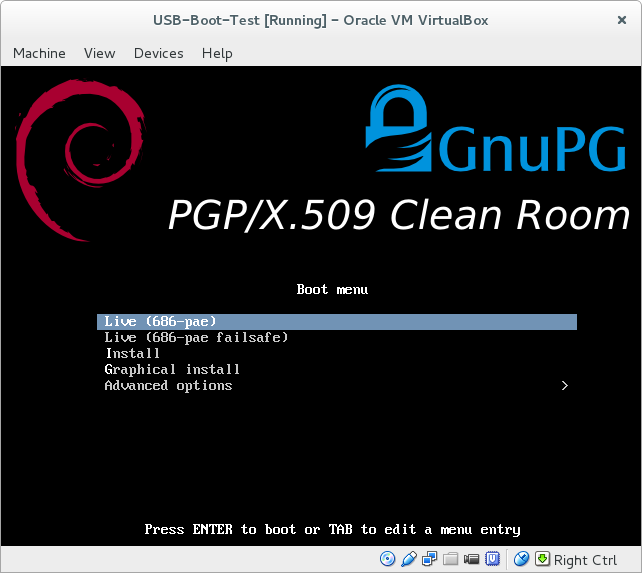
One of the projects proposed for this round of Outreachy is the PGP / PKI Clean Room live image. Interns, and anybody who decides to start using the project (it is already functional for command line users) need to decide about purchasing various pieces of hardware, including a smart card, a smart card reader and a suitably secure computer to run the clean room image. It may also be desirable to purchase some additional accessories, such as a hardware random number generator. If you have any specific suggestions for hardware or can help arrange any donations of hardware for Outreachy interns, please come and join us in the pki-clean-room mailing list or consider adding ideas on the PGP / PKI clean room wiki. Choice of smart card For standard PGP use, the OpenPGP card provides a good choice. For X.509 use cases, such as VPN access, there are a range of choices. I recently obtained one of the SmartCard HSM cards, Card Contact were kind enough to provide me with a free sample. An interesting feature of this card is Elliptic Curve (ECC) support. More potential cards are listed on the OpenSC page here. Choice of card reader The technical factors to consider are most easily explained with a table:
On disk Smartcard reader without PIN-pad Smartcard reader with PIN-pad
Software Free/open Mostly free/open, Proprietary firmware in reader
Key extraction Possible Not generally possible
Passphrase compromise attack vectors Hardware or software keyloggers, phishing, user error (unsophisticated attackers) Exploiting firmware bugs over USB (only sophisticated attackers)
Other factors No hardware Small, USB key form-factor Largest form factor
Some are shortlisted on the GnuPG wiki and there has been recent discussion of that list on the GnuPG-users mailing list. Choice of computer to run the clean room environment There are a wide array of devices to choose from. Here are some principles that come to mind:
  • Prefer devices without any built-in wireless communications interfaces, or where those interfaces can be removed
  • Even better if there is no wired networking either
  • Particularly concerned users may also want to avoid devices with opaque micro-code/firmware
  • Small devices (laptops) that can be stored away easily in a locked cabinet or safe to prevent tampering
  • No hard disks required
  • Having built-in SD card readers or the ability to add them easily
SD cards and SD card readers The SD cards are used to store the master private key, used to sign the certificates/keys on the smart cards. Multiple copies are kept. It is a good idea to use SD cards from different vendors, preferably not manufactured in the same batch, to minimize the risk that they all fail at the same time. For convenience, it would be desirable to use a multi-card reader: although the software experience will be much the same if lots of individual card readers or USB flash drives are used. Other devices One additional idea that comes to mind is a hardware random number generator (TRNG), such as the FST-01. Can you help with ideas or donations? If you have any specific suggestions for hardware or can help arrange any donations of hardware for Outreachy interns, please come and join us in the pki-clean-room mailing list or consider adding ideas on the PGP / PKI clean room wiki.

19 October 2016

Michal &#268;iha&#345;: Gammu 1.37.90

Yesterday Gammu 1.37.90 has been released. This release brings quite a lot of changes and it's for testing purposes. Hopefully stable 1.38.0 will follow soon as soon as I won't get negative feedback on the changes. Besides code changes, there is one news for Windows users - there is Windows binary coming with the release. This was possible to automate thanks to AppVeyor, who does provide CI service where you can download built artifacts. Without this, I'd not be able to do make this as I don't have single Windows computer :-). Full list of changes: Would you like to see more features in Gammu? You an support further Gammu development at Bountysource salt or by direct donation.

Filed under: Debian English Gammu 0 comments

Reproducible builds folks: Reproducible Builds: week 77 in Stretch cycle

What happened in the Reproducible Builds effort between Sunday October 9 and Saturday October 15 2016: Media coverage Documentation update After discussions with HW42, Steven Chamberlain, Vagrant Cascadian, Daniel Shahaf, Christopher Berg, Daniel Kahn Gillmor and others, Ximin Luo has started writing up more concrete and detailed design plans for setting SOURCE_ROOT_DIR for reproducible debugging symbols, buildinfo security semantics and buildinfo security infrastructure. Toolchain development and fixes Dmitry Shachnev noted that our patch for #831779 has been temporarily rejected by docutils upstream; we are trying to persuade them again. Tony Mancill uploaded javatools/0.59 to unstable containing original patch by Chris Lamb. This fixed an issue where documentation Recommends: substvars would not be reproducible. Ximin Luo filed bug 77985 to GCC as a pre-requisite for future patches to make debugging symbols reproducible. Packages reviewed and fixed, and bugs filed The following updated packages have become reproducible - in our current test setup - after being fixed: The following updated packages appear to be reproducible now, for reasons we were not able to figure out. (Relevant changelogs did not mention reproducible builds.) Some uploads have addressed some reproducibility issues, but not all of them: Some uploads have addressed nearly all reproducibility issues, except for build path issues: Patches submitted that have not made their way to the archive yet: Reviews of unreproducible packages 101 package reviews have been added, 49 have been updated and 4 have been removed in this week, adding to our knowledge about identified issues. 3 issue types have been updated: Weekly QA work During of reproducibility testing, some FTBFS bugs have been detected and reported by: tests.reproducible-builds.org Debian: Openwrt/LEDE/NetBSD/coreboot/Fedora/archlinux: Misc. We are running a poll to find a good time for an IRC meeting. This week's edition was written by Ximin Luo, Holger Levsen & Chris Lamb and reviewed by a bunch of Reproducible Builds folks on IRC.

17 October 2016

Russell Coker: Improving Memory

I ve just attended a lecture about improving memory, mostly about mnemonic techniques. I m not against learning techniques to improve memory and I think it s good to teach kids a variety of things many of which won t be needed when they are younger as you never know which kids will need various skills. But I disagree with the assertion that we are losing valuable skills due to digital amnesia . Nowadays we have programs to check spelling so we can avoid the effort of remembering to spell difficult words like mnemonic, calendar apps on our phones that link to addresses and phone numbers, and the ability to Google the world s knowledge from the bathroom. So the question is, what do we need to remember? For remembering phone numbers it seems that all we need is to remember numbers that we might call in the event of a mobile phone being lost or running out of battery charge. That would be a close friend or relative and maybe a taxi company (and 13CABS isn t difficult to remember). Remembering addresses (street numbers etc) doesn t seem very useful in any situation. Remembering the way to get to a place is useful and it seems to me that the way the navigation programs operate works against this. To remember a route you would want to travel the same way on multiple occasions and use a relatively simple route. The way that Google maps tends to give the more confusing routes (IE routes varying by the day and routes which take all shortcuts) works against this. I think that spending time improving memory skills is useful, but it will either take time away from learning other skills that are more useful to most people nowadays or take time away from leisure activities. If improving memory skills is fun for you then it s probably better than most hobbies (it s cheap and provides some minor benefits in life). When I was in primary school it was considered important to make kids memorise their times tables . I m sure that memorising the multiplication of all numbers less than 13 is useful to some people, but I never felt a need to do it. When I was young I could multiply any pair of 2 digit numbers as quickly as most kids could remember the result. The big difference was that most kids needed a calculator to multiply any number by 13 which is a significant disadvantage. What We Must Memorise Nowadays the biggest memory issue is with passwords (the Correct Horse Battery Staple XKCD comic is worth reading [1]). Teaching mnemonic techniques for the purpose of memorising passwords would probably be a good idea and would probably get more interest from the audience. One interesting corner-case of passwords is ATM PIN numbers. The Wikipedia page about PIN numbers states that 4-12 digits can be used for PINs [2]. The 4 digit PIN was initially chosen because John Adrian Shepherd-Barron (who is credited with inventing the ATM) was convinced by his wife that 6 digits would be too difficult to memorise. The fact that hardly any banks outside Switzerland use more than 4 digits suggests that Mrs Shepherd-Barron had a point. The fact that this was decided in the 60 s proves that it s not digital amnesia . We also have to memorise how to use various supposedly user-friendly programs. If you observe an iPhone or Mac being used by someone who hasn t used one before it becomes obvious that they really aren t so user friendly and users need to memorise many operations. This is not a criticism of Apple, some tasks are inherently complex and require some complexity of the user interface. The limitations of the basic UI facilities become more obvious when there are operations like palm-swiping the screen for a screen-shot and a double-tap plus drag for a 1 finger zoom on Android. What else do we need to memorise?

16 October 2016

Steinar H. Gunderson: backup.sh opensourced

It's been said that backup is a bit like flossing; everybody knows you should do it, but nobody does it. If you want to start flossing, an immediate question is what kind of dental floss to get and conversely, for backup, which backup software do you want to rely on? I had some criteria: I looked at basically everything that existed in Debian and then some, and all of them failed. But Samfundet had its own script that's basically just a simple wrapper around tar and ssh, which has worked for 15+ years without a hitch (including several restores), so why not use it? All the authors agreed to a GPLv2+ licensing, so now it's time for backup.sh to meet the world. It does about the simplest thing you can imagine: ssh to the server and use GNU tar to tar down every filesystem that has the dump bit set in fstab. Every 30 days, it does a full backup; otherwise, it does an incremental backup using GNU tar's incremental mode (which makes sure you will also get information about file deletes). It doesn't do inter-file diffs (so if you have huge files that change only a little bit every day, you'll get blowup), and you can't do single-file restores without basically scanning through all the files; tar isn't random-access. So it doesn't do much fancy, but it works, and it sends you a nice little email every day so you can know your backup went well. (There's also a less frequently used mode where the backed-up server encrypts the backup using GnuPG, so you don't even need to trust the backup server.) It really takes fifteen minutes to set up, so now there's no excuse. :-) Oh, and the only good dental floss is this one. :-)

14 October 2016

Antoine Beaupr : Managing good bug reports

Bug reporting is an art form that is too often neglected in software projects. Bug reports allow contributors to participate without deep technical knowledge and at the same time provide a crucial space for developers to be made aware of issues with their software that they could not have foreseen or found themselves, for lack of resources, variety or imagination.

Prior art Unfortunately, there are rarely good guidelines for submitting bug reports. Historically, people have pointed towards How to report bugs effectively or How to ask questions the smart way. While those guides can be useful for motivated people and may seem attractive references for project managers, they suffer from serious issues:
  • they are written by technical people, for non-technical people
  • as a result, they have a deeply condescending attitude such as calling people "stupid" or various animal names like "mongoose"
  • they are also very technical themselves: one starts with a copyright notice and a changelog, the other uses magic words like "Core dumps" and $Id$
  • they are too long: sgtatham's is about 3600 words long, esr's is even longer at about 11800 words. those texts will take about 20 to 60 minutes to read by an average reader, according to research
Individual projects have their own guides as well. Linux has the REPORTING_BUGS file that is a much shorter 1200 that can be read under 5 minutes, provided that you can understand the topic at hand. Interestingly, that guide refers to both esr's and sgtatham's guidelines, which means, in the degenerate case where the user hasn't had the "privilege" of reading esr's prose already, they will have an extra hour and a half of reading to do to have honestly followed the guidelines before reporting the bug. I often find good documentation in the Tails project. Their bug reporting guidelines are easily accessible and quick to read, although they still might be too technical. It could be argued that you need to get technical at some point to get that information out, of course. In the Monkeysign project, I have started a bug reporting guide that doesn't yet address all those issues. I am considering writing a new guide, but I figured I would look at other people's work and get feedback before writing my own standard.

What's the point? Why have those documents been written? Are people really expected to read them before seeking help? It seems to me unlikely that someone would:
  1. be motivated enough to do something about a broken part of their computer
  2. figure out they can do something about it
  3. read a fifteen thousand words novel about how to report a bug...
  4. just to finally write a 20-line bug report that has no warranty of support attached to it
And if I would be a paying customer, I wouldn't want to be forced to waste my time reading that prose either: it's your job to help me fix your broken things, not the reverse. As someone doing consulting these days: I totally understand: it's not you, the user, it's us, the developers, that have a problem. We have been socialized through computers, and it makes us weird and obtuse, but that's no excuse, and we need to clean up our act. Furthermore, it's surprising how often we get (and make!) bug reports that can be difficult to use. The Monkeysign project is very "technical" and I have expected that the bug reports I would get would be well written, with ways to reproduce and so on, but it happened that I received bug reports that were all over the place, didn't have any ways of reproducing or were simply incomplete. Those three bug reports were filed by people that I know to be very technically capable: one is a fellow Debian developer, the second had filed a good bug report 5 days before, and the third one is a contributor that sent good patches before. In all three cases, they knew what they were doing. Those three people probably read the guidelines mentioned in the past. They may have even read the Monkeysign bug reporting guidelines as well. I can only explain those bug reports by the lack of time: people thought the issue was obvious, that it would get fixed rapidly because, obviously, something is broken. We need a better way.

The takeaway What are those guides trying to tell us?
  1. ask questions in the right place
  2. search for similar questions and issues before reporting the bug
  3. try to make the developers reproduce the issues
  4. failing that, try to describe the issue as well as you can
  5. write clearly, be specific and verbose yet concise
There are obviously contradictions in there, like sgtatham telling us to be verbose and esr tells us to, basically, not be verbose. There is definitely a tension in there, and there are many, many more details about how great bug reports can be if done properly. I tend towards the side of terseness in our descriptions: people that will know how to be concise will be, people that don't will most likely not learn by reading a 12 000 words novel that, in itself, didn't manage to be parsimonious. But I am willing to allow for verbosity in bug reports: I prefer too many details instead of missing a key bit of information.

Issue trackers Step 1 is our job: we should send people in the right place, and give them the right tools. Monkeysign used to manage bugs with bugs-everywhere and this turned out to be a terrible idea: you had to understand git and bugs-everywhere to file any bug reports. As a result, there were exactly zero bug reports filed by non-developers during the whole time BE was used, although some bugs were filed in the Debian Bugtracker. So have a good bug tracker. A mailing list or email address is not a good bug tracker: you lose track of old issues, and it's hard for newcomers to search the archives. It does have the advantage of having a unified interface for the support forum and bug tracking, however. Redmine, Gitlab, Github and others are all decent-enough bug trackers. The key point is that the issue tracker should be publicly available, and users should be able to register easily to file new issues. You should also be able to mass-edit tickets and users should be able to discover the tracker's features easily. I am sorry to say that the Debian BTS somewhat falls short on those two features. Step 2 is a shared responsibility: there should be an easy way to search for issues, and we should help the user looking for similar issues. Stackexchange sites do an excellent job at this, by automatically searching for similar questions while you write your question, suggesting similar ones in an attempt to weed out duplicates. Duplicates still happen, but they can then clearly be marked and linked with a distinct mechanism. Most bug trackers do not offer such high level functionality, but should, so I feel the fault lies more on "our" end than at the user's end.

Reproducing the environment Step 3 and 4 are more or less the user's responsibility. We can detail in our documentation how to clearly share the environment where we reproduced the bug, for example, but in the end, the user decides if they want to share that information or not. In Monkeysign, I have finally implemented joeyh's suggestion of shipping the test suite with the program. I can now tell people to run the test suite in their environment to see if this is a regression that is specific to their environment - so a known bug, in a way - or a novel bug for which I can look at writing a new unit test. I also include way more information about the environment in the --version output, an idea I brought forward in the borg project to ease debugging. That way, people can just send the output of monkeysign --test and monkeysign --version, and I have a very good overview of what is happening on their end. Of course, Monkeysign also supports the usual --verbose and --debug flag that users should enable when reproducing issues. Another idea is to report bugs directly from the application. We have all seen Firefox or other software have automatic bug reporting tools, but somehow those seem unsatisfactory for a user: we have no feedback of where the report goes, if it's followed up on. It is useful for larger project to get statistical data, but not so useful for users in the short term. Monkeysign tries to handle exceptions in the code in a graceful way, but could do better. We use a small library to handle exceptions, but that library has since then been improved to directly file bugs against the Github project. This assumes the user is logged into Github, but it is nice to pre-populate bug reports with the relevant information up front.

Issue templates In the meantime, to make sure people provide enough information, I have now moved a lot of the bug reporting guidelines to a separate issue template. That issue template is available through the issue creation form now, although it is not enabled by default, a weird limitation of Gitlab. Issue templates are available in Gitlab and Github. Issue templates somewhat force users in a straight jacket: there is already something to structure their bug report. Those could be distinct form elements that had to be filled in, but I like the flexibility of the template, and the possibility for users to just escape the formalism and just plead for help in their own way.

Issue guidelines In the end, I opted for a short few paragraphs in the style of the Tails documentation, including a reference to sgtatham, as an optional future reference:
  • Before you report a new bug, review the existing issues in the online issue tracker and the Debian BTS for Monkeysign to make sure the bug has not already been reported elsewhere.
  • The first aim of a bug report is to tell the developers exactly how to reproduce the failure, so try to reproduce the issue yourself and describe how you did that.
  • If that is not possible, try to describe what went wrong in detail. Write down the error messages, especially if they have numbers.
  • Take the necessary time to write clearly and precisely. Say what you mean, and make sure it cannot be misinterpreted.
  • Include the output of monkeysign --test, monkeysign --version and monkeysign --debug in your bug reports. See the issue template for more details about what to include in bug reports.
If you wish to read more about issues regarding communication in bug reports, you can read How to Report Bugs Effectively, which takes around 20 to 30 minutes.
Unfortunately, short of rewriting sgtatham's guide, I do not feel there is much more we can do as a general guide. I find esr's guide to be too verbose and commanding, so sgtatham it will be for now.

The prose and literacy In the end, there is a fundamental issue with reporting bugs: it assumes our users are literate and capable of writing amazing prose that we will enjoy reading as the last J.K. Rowling novel (if you're into that kind of thing). It's just an unreasonable expectation: some of your users don't even speak the same language as you, let alone read or write it. This makes for challenging collaboration, to say the least. This is where automated reporting makes sense: it doesn't require user's intervention, and the communication is mediated by machines without human intervention and their pesky culture. But we should, as maintainers, "be liberal in what we accept and conservative in what we send". Be tolerant, and help your users in fixing their issues. It's what you are there for, after all. And in the end, we all fail the same way. In an attempt to improve the situation on bug reporting guides, I seem to have myself written a 2000 short story that will have taken up a hopefully pleasant 10 minutes of your time at minimum. Hopefully I will have succeeded at being clear, specific, verbose and concise all at once and look forward to your feedback on how to improve our bug reporting culture.

12 October 2016

C.J. Adams-Collier: Using SonarQube 5.4, Maven 3.3.9, Jenkins 2.19.1 on systems with both Java 1.7 and 1.8

Hello folks! My team spent hours and hours beating our head against a Sonar deployment problem on Ubuntu Trusty (14.04 LTS). I thought I might share our findings so that you won t have to! As you probably know, Trusty only makes Java Development Kit 1.7 available on the stock installation. The current stable version of the Java is 1.8. The way we install this is to use the OpenJDK PPA, generously uploaded by our dear friend Matthias Klose. To make things even more exciting, a modern Maven is not available on this platform. And so we use the stock Maven 3.3.9 tarball distribution. This tarball distribution does not integrate well with Debian, and so, when we tell the system using sudo update-java-alternatives -s /usr/lib/jvm/java-1.8.0-openjdk-amd64 that we wish to use Java 1.8 as our default system JDK, it does not get the message. The only way to reliably let Maven know which java you wish to use is to set the JAVA_HOME environment variable. In order to do this within the Jenkins environment, one must select the JDK one wishes to use: openjdk8-ubuntu1404-as-jdk To make things worse, this option is not, as one might expect, available for editing in a stock Jenkins 2.x installation. In Jenkins 1.x, one would be able to specify which java one wished to use just by specifying openjdk8 in a field. With Jenkins 2.x, the field does not exist unless a configuration option in an unrelated form is set. So! One should first select Manage Jenkins -> Global Tool Configuration: Jenkins2-Global_Tool_Configuration Once this form is open, look for the JDK installations button: Jenkins2-JDK_installations Click it very thoroughly just once. You ll be presented with a form into which you may enter details about the various JDKs your build executors may have access to. You ll refer to them in your job configuration by the value of their Name field, and when executing the build, Jenkins will set JAVA_HOME to the value of the (you guessed it) JAVA_HOME field: Jenkins2-JDK_installations-expanded Once these entries are made, they can be selected in two place. 1) on the ZMQ Event Publisher: jdk-select-project 2) in the post-build actions under SonarQube analysis with Maven (advanced) postbuild-sonarqube-select-jdk And that s how it s done! Here s the details from my colleague, Thanh: https://lists.fd.io/pipermail/honeycomb-dev/2016-October/000387.html

11 October 2016

Craig Small: Changing Jabber IDs

I ve shuffled some domains around, using less of enc.com.au and more of my new domain dropbear.xyz The website should work with both, but the primary domain is dropbear.xyz Another change is my Jabber ID which used to be csmall at enc but now is same username at dropbear.xyz I think I have done all the required changes in prosody for it to work, even with a certbot certificate!

10 October 2016

Reproducible builds folks: Reproducible Builds: week 76 in Stretch cycle

What happened in the Reproducible Builds effort between Sunday October 2 and Saturday October 8 2016: Media coverage Events Packages reviewed and fixed, and bugs filed Reviews of unreproducible packages 31 package reviews have been added, 27 have been updated and over 20 have been removed in this week, adding to our knowledge about identified issues. 3 issue types have been addded: 1 issue type has been updated: Weekly QA work During of reproducibility testing, some FTBFS bugs have been detected and reported by: tests.reproducible-builds.org Debian: Misc. This week's edition was written by Chris Lamb, Holger Levsen & Vagrant Cascadian and reviewed by a bunch of Reproducible Builds folks on IRC.

9 October 2016

Ben Armstrong: Annual Hike with Ryan: Salt Marsh Trail, 2016

Once again, Ryan Neily and I met last month for our annual hike. This year, to give our aging knees a break, we visited the Salt Marsh Trail for the first time. For an added level of challenge and to access the trail by public transit, we started with the Shearwater Flyer Trail and finished with the Heritage Trail. It was a perfect day both for hiking and photography: cool with cloud cover and a refreshing coastal breeze. The entire hike was over 25 km and took the better part of the day to complete. Good times, great conversations, and I look forward to visiting these beautiful trails again!
Salt Marsh trail hike, 2016. Click to start the slideshow.Salt Marsh trail hike, 2016. Click to start the slideshow.
We start here, on the Shearwater flyer trail.We start here, on the Shearwater flyer trail.
Couldn t ID this bush. The berries are spectacular! A pond to the side of the trail. Different angle for dramatic lighting effect. Rail bridge converted to foot bridge. Cranberries! Reviewing our progress. From the start Map of the Salt Marsh trail ahead. Off we go again! First glimpse through the trees. Appreciating the cloud cover today. Salt-marshy grasses. Never far from rocks in NS. Rocks all laid out in stripes. Lunch & selfie time. Ryan attacking his salad. Vantage point. A bit of causeway coast. Plenty of eel grass. Costal flora. We head for the bridge next. Impressed by the power of the flow beneath. Snapping more marsh shots. Ripples. Gulls, and if you squint, a copter. More ripples. Swift current along this channel. Until it broadens out and slows down. Nearly across. Heron! Sorry it s so tiny. Heron again, before I lost it. Ducks at the head of the Atlantic View trail where we rested and then turned back. Attempt at artsy. Nodding ladies tresses on the way back. Several of them. Sky darkening, but we still have time. A lonely wild rose. The last gasp of late summer. Back across the marshes. A short breather on the Heritage Trail.
Here s the Strava record of our hike:
Facebooktwittergoogle_plusredditpinterestlinkedinmail

Norbert Preining: Reload: Android 7.0 Nougat Root Pokemon Go

Ok, it turned out that a combinations of updates has broken my previous guide on playing Pokemon GO on a rooted Android device. What has happened that the October security update of the Android Nougat has changed the SecurityNet that is used for checking for rooted devices, and at the same time the Magisk rooting system as catapulted itself (hopefully temporarily) into the complete irrelevance by removing the working version and providing an improved version that does neither have SuperSU installed, nor the ability to hide root well done, congratulations. android-nougat-root-poke But there is a way around, and I am now back at the latest security patch level, rooted, and playing Pokemon GO (not very often, no time, though!). My previous guide used Magisk Version 6 to root and hide root. But the recent security updated of Andorid Nougat (October 2016) has rendered Magisk-v6 non-working. I first thought that Magisk-v7 could solve the problem, but I was badly disappointed: After reflashing my device to pristine state, installing Magisk-v7, I suddenly was left with: no SuperSU (that means, X-plore, Titanium Backup etc do not work anymore), nor the ability to hide root for Pokemon Go or banking apps. Great update. Thus, I have decided to remove Magisk completely and make a clean start with SuperSU and suhide (and a GUI for suhide). And it turned out to be more convenient and more standard than Magisk, may it rest in peace (until they fix their stuff together). In the following I assume you have a clean slate Android Nougat device, if not, please see one of the previous guides for hints how to flash back without loosing your user data. Ingredients One need the following few items: Rooting Unzip the CF-Auto-Root-angler-angler-nexus6p.zip and either use the included programs (root-linux.sh, root-mac.sh, root-windows.bat) to root your device, or simply connect your device to your computer, and run (assuming you have adb and fastboot installed):
adb reboot bootloader
sleep 10
fastboot boot image/CF-Auto-Root-angler-angler-nexus6p.img
After that your device will reboot a few times, and you will finally land in your normal Android screen and a new program SuperSU will be available. At this stage you will not be able to play Pokemon GO anymore. Updating SuperSU The version of SuperSU packaged with the CF-AutoRoot is unfortunately too old, so one needs to update using the zip file SR1-SuperSU-v2.78-SR1-20160915123031.zip (or later). Here are two options: Either you use TWRP recovery system, or you install FlashFire (main page, app store page) which allows you to flash zip/ota directly from your Android screen. This time I used for the first time the FlashFire method, and it worked without any problem. Just press the + button in FlashFire, than the Flash zip/ota button, select the SR1-SuperSU-v2.78-SR1-20160915123031.zip, click two times yes, and then wait a bit and a few black screens (don t do anything!) later you will be back in your Nougat environment. Opening the SuperSU app should show you on the Settings tag that the version has been updated to 2.78-SR1. Installing suhide As with the update of SuperSU, install the suhide zip file, smae procedure, nothing special. After this you will be able to add an application (like Pokemon GO) from the command line (shell), but this is not very convenient. Better is to install the suhide GUI from the app store, start it, scroll for Pokemnon GO, add a tick, and you are settled. After that you are free to play Pokemon GO again. At least until the next security update brings again problems. In the long run this is a loosing game, anyway. Enjoy it while you can.

Laura Arjona Reina: New phone: Samsung Galaxy S III phone with Replicant

Thanks to the Bazaar effort of The Guardian Project, I ve been offered a phone to test F-Droid and other free software apps for Android. I accepted the offer, and chose a Samsung Galaxy S III phone with Replicant 4.2.2, installed and shipped by Tehnoetic.
I m using it now as my main phone, and since it uses Android 4.x I m able to install more modern apps than in my old Galaxy Ace (which remains usable with CyanongenMod 7.2 (Android 2.3.7)).
My plans with this new phone are:
  • Test Replicant and free software for Android on it
  • Get more involved in translations of Android apps
  • Get more involved in the F-Droid community
  • Keep an eye on Android tools in Debian
  • Post here in my blog articles about what I ve been doing (and of course report issues and contributions upstream)
Migration to the new phone
I ve migrated my stuff from the old phone to this one. Some notes:
  • Wrote down my list of apps
  • Used Slight Backup for contacts, call logs and messages
  • Periodical has its own backup tool
  • Whatsapp has its own backup tool
  • Exported settings in K-9 Mail
  • Exported Kontalk GPG key
  • Simply Do has its own backup tool
  • I don t use calendars in the phone so I didn t migrate any events (I have Offline Calendar to ad temporary notes/reminders, but that s all)
I moved the SIM card and the SD Card to the new phone and tried the restore tool for each app.
I found out that several apps could not find the backups because they were not looking at the SD Card for the files (seems that they were using internal memory locations). So for recovering my backups, I made new backups in the new phone with the empty apps, then found out where those backups were created (in the internal memory, /storage/emulated/0), and then copied the authentic backup files there (overwriting teh dummy ones), and then used the app to restore the backup.
For some apps (K-9) I had to set again the folder for attachments, since the SD was not anymore in /media/sdcard, now it was in /storage/sdcard1.
Apart from that, everything went well.
I was a bit upset that I could not migrate Kontalk conversations (there is no backup/export tool, and I am not sure where are the files/database stored).
I noticed that although Kontalk is registered using the phone number, and it uses the phone numbers for contacts, it kept working in the old phone (Whatsapp detects when you change to a new phone and kind of deactivates itself in the old one, but that s not the case for Kontalk: it works as any XMPP client (if it s open, it can send/receive messages)).
Replicant 4.2 in a Galaxy S III (i9300)
Here I write some particularities that I found in the phone, mostly bugs or problems. But don t get me wrong: overall I m very happy with it!
I experienced a problem when using the phone to make/receive calls, it seemed that the proximity sensor was not working well. I thought it was a Replicant issue, but later I realized that there was a Tehnoetic sticker that was partially covering the sensor. I removed the sticker and everything worked well.
The phone came with F-Droid installed which is nice. I upgraded to the latest alpha and I m testing the alpha releases since then
I found that I cannot choose where to install apps nor move apps from internal memory to the SD Card: there is no such option in Settings > Apps > Manage Apps (there is such setting in my CyanogenMod 7.2 phone, though). Since my phone is rooted and I have full access to both internal memory and SDCard, and I have plenty of room in the internal memory, I didn t bother too much. I m not sure if this is a bug, a feature, something related to Android 4 or specific to Replicant, o specific to this phone model. Pending to investigate, but low priority.
Replicant is almost fully translated to Spanish, yay!. I only found one untranslated string: You go to Settings > Wireless > Cell Broadcasts, and in the settings page, Cell Broadcasts is untranslated (but the settings themselves are). I still need to find where/how to send a patch for this (not sure if it comes from Android, CyanogenMod, or it s something specific for Replicant. Also, being Android 4.x, I m not sure about the usefulness of reporting such a minimal and unimportant patch upstream ).
When I turn on the phone, I get the Samsung S III splash screen, later the Replicant Splash screen, later the numeric pad to unlock the SIM card. After that, I see the screen lock but when I press the lock to enter the pattern, the screen turns off and on, screen lock appearing again (and I have to press the lock again to enter the pattern). If after unlocking the SIM card I wait a bit, I see the screen lock and again black screen and screen lock, so it s not my tap causing it. Doing like this (waiting a bit for the phone to show the screen lock for 2nd time) is less annoying, but I wonder why this happen and I cannot unlock the screen directly in the first attempt. This is also pending for research, but low priority.
When the phone boots, I find the splash screens too bright (the Samsung Galaxy S III splash, and later the red Replicant one). I don t know if I can change that. I know that other people have created different Replicant splash screens, so maybe I can create one almost black and only the Replicant text in very dark grey. But this is obviously a workaround, not a fix. OTOH, it s an annoying thing just some seconds: when the unlock screen is shown, the phone shows the brightness level that I ve set (usually, the lowest one).
From time to time, I suffer soft reboots:
  1. the phone hangs for 2-3 seconds
  2. then the red Replicant splash screen is shown (the phone is not totally rebooted, because I don t see the Samsung Galaxy S III splash screen and and the SIM card unlock PIN is not requested)
  3. after unlocking the screen, I see a normal desktop (similar to what I see after rebooting the phone: no apps running, and no last used apps history. Time and date are ok, wireless or 3G starts correctly etc).
I ve tried to track the causes of these soft reboots, but I couldn t find anything specific. They are not frequent at all, and when I decide to launch CatLog to try to catch any hint, the phone works perfectly for hours or days :s
Replicant is currently using the fallback Android EGL implementation, which is incomplete. The missing features of this implementation cause multiple issues, which are described in #705. These are the ones that I experience (or I miss):
  • The phone comes with a video editor preinstalled: Movie Studio. I got excited about it, because I was jealous of the small built-in video editor that comes with Whatsapp, but I became sad because Movie Studio does not work
  • The camera does not record video.
  • When I long-press the central button of my phone to see the list of recent apps, I don t see their thumbnails (only the name, and their icons). This is quite unimportant for me, names and icons are enough.
  • The stock Gallery app does not work well: I cannot see thumbnails of the albums. This is not very important, because I installed Gallery.
  • I cannot use Firefox, Orfox and other derivative web browsers (I usually use the stock browser, and I installed Lightning too).
  • I cannot use barcode or QR scanners.
  • My son cannot play Shattered Pixel Dungeon (nor Pixel Dungeon). Fortunately he uses now my old Android 2.x devide for that.
I installed the non-free firmware to be able to use Wifi and tethering, GPS and some other things. This does not fix the graphics problems listed above.
New apps, and translations
Note: when I write about Android apps, I usually link to their pages in the F-Droid website. Here I talk about translations (contributions), so I ll link to their original website or souce code repos. But you can find all those apps in F-Droid too.
As I told before, I installed another gallery app called Gallery and submitted an update to it Spanish translation.
I installed Red Moon to reduce (even more) the screen brightness. At night it s a relieve. Maybe the brightness of the splash screen is not so much, and I perceive them annoying because I got accostumed to Red Moon! I contributed some strings to the Spanish translation.
I liked RadioDroid very much, and I translated the app to Spanish.
I translated Wifi Privacy Police, and I used for some time, but I became tired that it keeps asking all the time that I walk across my workplace (multiple buildings within the same Wifi network, but quite a lot access points ).
I keep on contributing to K-9 Mail to make it 100% translated to Spanish. Now with a modern Android I can move to the development branch (5.1xx releases), and just did it.
I submitted a Spanish translation to DAVDroid, although I m not using it yet (I have to see if my University s Owncloud instance allows to sync contacts and calendar).
I updated the Spanish translation of PassAndroid, although I don t use it yet (I tend to print my train/airplane tickets ). I keep it installed in my phone, just in case.
Other apps that I use
I m testing OwnCloud, NextCloud and NexCloud Beta clients with my University s Owncloud and with Davros in my Sandstorm box (with Davros, I could only make it work installing an old version of Owncloud/Nexcloud client, and then upgrading. See #65).
I didn t get accostumed to Conversations. Not sure why, though. Maybe it s just that I got accostumed to Xabber-Classic, so I upgraded to Xabber. It works like a charm, dark theme, and I can close it easily when I don t want to chat.
I got in love with KDE Connect. Later I realized that I could have been using it in my Android 2.x phone since long
Sometimes I have fun activating Voice Notification and entering the redeslibres XMPP multi user chat at salas.mijabber.es, for example while I m cooking in the kitchen (in that room people talk in Spanish and make many wordplays, mixing Spanish and English, and use tech slang, etc so it s really fun to hear the Spanish-TTS deal with the conversation there!).
More to come
As I told at the beginning of this long post, my plan is to keep on tinkering with the phone, testing and translating apps, and becoming more involved. So expect some more posts about Android in this blog, in the future.
For now, some big things in my TODO:
  • Watching again some videos: DebConf16 videos about Android tools in Debian, FOSDEM talks about Replicant, and some other talks about free software in Android.
  • I track the #fdroid and #fdroid-dev channels in IRC, but I m not very talkative there. I guess I could do more user support.
  • Participate more in the F-Droid (client, server, data) issue trackers (I send reports when the alpha version crashes, and comment on few issues, but I don t triage the issue tracker to find issues that I could reproduce or help to diagnose or contribute to fix).
  • Long time ago I learned to setup an Android development environment and build apps. I would like to re-learn and maybe do some small fixes in unmaintained or near unmaintained apps, and maybe adopt them or join their development teams (I m thinking, for example, in Puma, an Android client for pump.io network, the MediaGoblin app, or the DebianDroid app). And ship new versions of unmaintained apss, including Spanish translations.
We ll see how far I can go!
Comments?
You can comment about this post in this pump.io thread.

Filed under: My experiences and opinion, Tools Tagged: Android, Debian, English, F-Droid

6 October 2016

Arturo Borrero Gonz lez: About Pacemaker HA stack in Debian Jessie

Debian - Pacemaker People keep ignoring the status of the Pacemaker HA stack in Debian Jessie. Most people think that they should stick to Debian Wheezy. Why does this happen? Perhaps little or none publicity of the situation. Since some time now, Debian contains a Pacemaker stack which is ready to use in both Debian Jessie and in Debian Stretch. Anyway, let s see what we have so far:
  1. The pacemaker stack was updated in Debian unstable around Feb 2016.
  2. They migrated to Debian testing by that time as well.
  3. Most of the key packages were backported to jessie-backports (if not all).
  4. Therefore, Stretch is ready for the HA stack, and so is Jessie (using backports).
The packages I m refering to are those which I consider the key components of the stack, and by the time of this blogpost, the versions are:
package jessie-backports stretch sid upstream
corosync 2.3.6 2.3.6 2.3.6 2.4.1
pacemaker 1.1.14 1.1.15 1.1.15 1.1.15
crmsh 2.2.0 2.2.1 2.2.1 2.4.1
libqb 1.0 1.0 1.0 1.0
How can you check this by yourself? Here some pointers: I m sure we even have the chance to improve a bit the packages before the release of stretch. There are some packages which are a bit behind the upstream version. In any case: Yes! you can move from Debian Wheezy to Debian Jessie!

Next.

Previous.