Search Results: "ag"

29 June 2011

Stefano Zacchiroli: debian society track at debconf

Debian/Society at DebConf11 For DebConf11 which, needless to say, I'll be attending I've accepted to coordinate the Debian/Society track, together with dkg. As it's Daniel who has done most of the work up to now, let me pretend I'm catching up with a brief but very important call for papers. The idea of the Debian/Society track is to collect talks and other events that explore two society-related aspects of Debian:
  1. Debian is a society in itself. It is a society formed by a group of people that are connected by relationships, share a (virtual) territory, and are subject to various kinds of self-imposed rules (technical, political, etc.)
  2. Debian relates with larger human societies and has an impact on them, mainly but not only through the Free Software artifacts that Debian produces and distributes.
Several talks and events that have already been submitted to DebConf11 do a very good job at presenting one or both of the above aspects. But we are looking for a few more. In particular, we would like to receive submissions of events about: If you think you can host the event we are looking for, just head to penta and submit your event providing all associated information (event kind, title, abstract, etc.). Please e-mail me or dkg when you've done so. We're way past the general event submission deadline, but if your proposal is just what we need to fill out the track, we can lobby the Talks Team for its acceptance (we can't guarantee acceptance, though). Daniel Kahn Gillmor
Stefano Zacchiroli

Vincent Bernat: Alternate Android firmware on Samsung Galaxy S

I have bought a Samsung Galaxy S Android phone some time ago. One of the first thing that you try to do with such a phone is to switch to some alternate firmware (the coined term is ROM ), like CyanogenMod. Flashing a firmware is a whole new universe. You are told about a lot of proprietary tools, you need to download a lot of things from MegaUpload and friends and nobody really explains what s going on under the hood. I was a bit lost at first. I will not provide a step-by-step guide since I cannot afford to stay up-to-date. Such a guide is usually posted on some forum. It assumes you are running Windows and provides appropriate download links. You must follow it (and check that it is recent enough). I will just provide you some background to understand those guides.

Android firmwares There are several Android firmwares. Most of them are specific to a given phone (or its close variations). They can be sorted in three categories:
  1. Official firmwares from the phone manufacturer include a kernel with appropriate drivers and, usually, a customized interface (HTC Sense for HTC, TouchWiz for Samsung). Some manufacturers will lag a lot behind Android schedule and you may not get all the new shiny features.
  2. Modified firmwares are built from the official firmwares. They usually add a lot of hacks on top of the original firmware, remove some cruft but are still closely related to the official firmware.
  3. Firmwares built from Android Open Source Project (the open source version of Android) do not share nothing with the official firmware except some bits related to the kernel (drivers, hacks).

Darky ROM Darky ROM is a modified firmware. It takes the original firmware from Samsung, adds a custom kernel (based on the source of the official kernel), adds a lot of hacks, some additional applications and removes some unwanted cruft. This is a very nice firmware which is quite snappy. This is a drop-in replacement for the default firmware: you will only get improvements. The latest version is 10.1 and there is a neat guide on how to install it.

CyanogenMod CyanogenMod is a firmware built from AOSP. It supports several devices and provide an unified firmware on all of them. Support for the Samsung Galaxy S is recent and is not present in the stable build. However, some RC build is now available. Be sure to read the FAQ (most notably the part saying that you need to install from Froyo 2.2 because the bootloader provided by Samsung with Gingerbread 2.3 is not compatible). You can also grab some information from the wiki. The major drawback of using this firmware instead of going for a modified firmware like Darky ROM is that the battery life may suck. I now need to charge my phone every day instead of once every two days. On the plus side, you get a very clean firmware with a lot of features and almost no cruft. For example, the notification bar can be customized and OpenVPN is available out of the box. Moreover, almost everything is open source (if you don t install Google apps). You can see this firmware as an open source distribution for your phone. There is no need to download random files linked from a random forum to make it work. There is no package manager, though. Despite the bad battery life, I prefer this firmware.

Prerequisites Before trying to flash a new firmware, there are some tools that you need to have. Note that you don t need root access to flash a new firmware.

Download & recovery mode Before trying to install any firmware, you must check that your phone can access download and recovery modes. The download mode allows to flash any new firmware, even if the current firmware does not boot at all. As long as this mode is available, there is very little chance that you brick your phone. To access those modes, you need to use the three-button combo . Here are the steps (your phone should not be plugged):
  1. Power off the phone (wait for the phone to vibrate).
  2. Hold the Volume down button for download mode. Hold the Volume up button for recovery mode.
  3. Hold the Home button.
  4. Hold the Power button. The phone will start.
  5. Once you have the Samsung logo displayed on the screen, release the Power button.
  6. Only release the two other buttons when you enter the recovery mode or download mode. The recovery mode displays a menu. The download mode displays a big yellow Android logo.
If after ten tries, you are unable to access those modes, maybe they have been disabled. Keep reading, there is a solution.

Heimdall Heimdall is a tool to flash a new firmware to your phone. This is not a mandatory tool but you will have to use it if something goes wrong. Most guides will tell you to use Odin. It is a leaked Samsung tool running on Windows only. You can use Heimdall instead.
$ git clone https://github.com/Benjamin-Dobell/Heimdall.git
Cloning into Heimdall...
remote: Counting objects: 423, done.
remote: Compressing objects: 100% (271/271), done.
remote: Total 423 (delta 220), reused 332 (delta 138)
Receiving objects: 100% (423/423), 5.91 MiB   962 KiB/s, done.
Resolving deltas: 100% (220/220), done.
$ cd Heimdall/heimdall
$ sudo apt-get install libusb-1.0-0-dev
$ ./configure && make
[...]
$ sudo cp 60-heimdall-galaxy-s.rules /etc/udev/rules.d
$ sudo /etc/init.d/udev reload
You need to use this tool while in download mode. You can test it, while in download mode, with:
$ ./heimdall print-pit
This will display the partition table of your phone. This is enlightening to know what it contains:
  • IBL+PBL is the boot loader, be extra careful with it;
  • PIT is the partition table;
  • EFS contains some important data like IEMEI, be extra careful with it;
  • SBL is the second boot loader;
  • SBL2 is the backup of the second boot loader;
  • PARAM contains some images used as various stage of the boot process;
  • KERNEL is the kernel;
  • RECOVERY is the backup of the kernel;
  • FACTORYFS contains /system file system which is some kind of root file system;
  • DBDATA contains /data file system which is the database to store application parameters;
  • CACHE contains /cache file system which contains the Dalvik cache;
  • MODEM contains the firmware for the modem.
As we will see, Heimdall is able to flash any of those partitions with flash subcommand.

adb adb stands for Android Debug Bridge. Among other things, this tool allow you to drive your phone through the USB connection. You can get a shell, reboot into download or recovery mode, push files to your Android device, etc. To get this tool, you need to download the full Android SDK.
$ tar zxvf ~/download/android-sdk_r11-linux_x86.tgz
$ cd android-sdk-linux_x86
$ tools/android update sdk
[select Android SDK Platform-tools]
$ platform-tools/adb shell
# uname -a
Linux localhost 2.6.35.7-I9000XWJVH-CL184813 #Dark_Core_2.4 PREEMPT Mon May 16 15:02:38 EEST 2011 armv7l GNU/Linux
The important commands are:
  • shell to get a shell on the device;
  • reboot recovery to reboot in recovery mode;
  • reboot download to reboot in download mode;
  • push to put a file on the phone;
  • pull to retrieve a file;
  • install to install an application from its APK;
  • logcat to see the logs and what happens, very useful!

Restore download mode If your phone is missing download mode, you can recover it with the help of adb and heimdall. You need to grab some official firmware and extract boot.bin and Sbl.bin from it.
$ adb reboot download
$ heimdall flash --primary-boot ~/download/boot.bin --secondary-boot ~/download/Sbl.bin
Be extra careful here. You may brick your phone. Double check that you grab the correct files and that they are really for your phone (there exists some variants). It worked for me.

Installing a new firmware While you can switch from one firmware to another without losing your data, it is better to wipe your system and your data before switching firmware. This means that you will lose all your applications and the data inside them (list of contacts, SMS, preferences). However, nothing will ever modify your data in the internal SD card or in the external SD card (which are both inside the phone). They usually contains your music and your photos. There are two ways to install a firmware:
  1. via Heimdall, or
  2. using the recovery.

Heimdall When a guide tells you to use Odin, you can use Heimdall instead. Odin takes a TAR file. You should untar it and uses its content with Heimdall. For example:
$ ./heimdall flash --repartition --pit s1_odin_20100512.pit \
>                  --factoryfs factoryfs.rfs \
>                  --cache cache.rfs --dbdata dbdata.rfs \
>                  --param param.lfs --modem modem.bin \
>                  --kernel zImage --secondary-boot Sbl.bin 
Claiming interface again...   Success
Setting up interface...   Success
Beginning session...
Handshaking with Loke...   Success
Uploading PIT
PIT upload successful
Uploading SBL
100%
SBL upload successful
Uploading KERNEL
100%
KERNEL upload successful
Uploading MODEM
100%
MODEM upload successful
Uploading PARAM
100%
PARAM upload successful
Uploading FACTORYFS
100%
FACTORYFS upload successful
Uploading DBDATAFS
100%
DBDATAFS upload successful
Uploading CACHE
100%
CACHE upload successful
Ending session...
Rebooting device...
You may be interested to update your modem using Heimdall. This is usually independent of the firmware you want to use. Also, no need to provide a PIT file if you don t want to repartition. Heimdall can read the current one and flash only one of the partitions.

Recovery mode The base recovery shipped with the Samsung Galaxy S does not have a lot of options. Moreover, it may be locked and will accept to install only signed firmwares. Most firmwares come with ClockWorkMod, a more advanced recovery. Once you get it, you will be able to use any ZIP file to install a new firmware. My advice is to try to get ClockWorkMod as soon as possible. If you are root, you can install ROM Manager that will install it for you. If you are not root, most custom firmwares will provide ClockWorkMod. Therefore, you can just install a custom firmware with Heimdall. There exists special firmwares just for this, like EZbase. If you want to install CyanogenMod, be sure to download a Froyo firmware, not a Gingerbread one. Keep in mind that the recovery is located inside the kernel. It is not self-contained in the bootloader (unlike download mode). If you don t want to flash a whole firmware (and lose everything on your phone) just to get the recovery, you can just flash the kernel. The ClockWorkMod recovery comes with an utility to backup your whole phone. This way, you can easily restore your previous firmware if you don t like the current one. This is what is called a Nandroid backup.

Lagfix A lot of guides will tell you to enable or disable lagfix. Samsung shipped the Galaxy S with some crappy filesystem called RFS (which is some kind of enhanced FAT). It is slow and seems responsible for some lags that may happen on the interface. A lagfix is a way to replace this filesystem by something better, like EXT4 or YAFFS2. The process is pretty straighforward and consist to backup all the partition to the SD card, reformat it with another filesystem and restore the backup. The lagfix may be applied automatically with some firmware (like CyanogenMod) or you may request it in the recovery mode (most modified firmwares work this way). In this case, it will be applied automatically on the next boot. You should disable it before installing another firmware with the recovery mode (no need if you install it with Heimdall).

Applications You can find many free (as in free speech) applications for Android. Unfortunately, Android Market does not allow to use this criteria as a filter. F-Droid is an alternate market featuring only FOSS applications. Here is a short selection of free applications:
  • ADW.Launcher is a home replacement app. It is very configurable and themable.
  • K-9 Mail is a very nice email client.
  • Xabber is a XMPP/Jabber client.
  • ConnectBot is an SSH client (as well as a terminal).
  • DroidWall is an application firewall (using Netfilter). It lets you select which application can access to Internet depending on your connection (wifi or 3G).
  • Barcode Scanner decodes 1D/2D barcode including QR codes.
  • OsmAnd is a replacement for Google Maps using OpenStreetMap. The free version on Android Market is out-dated. Buy the plus version or download it throught F-Droid.
Another must-have application is Titanium Backup which allows to backup any application with data. Unfortunately, this is not a free (as in free speech) application.

Vincent Bernat: Alternate Android firmware on Samsung Galaxy S

I have bought a Samsung Galaxy S Android phone some time ago. One of the first thing that you try to do with such a phone is to switch to some alternate firmware (the coined term is ROM ), like CyanogenMod. Flashing a firmware is a whole new universe. You are told about a lot of proprietary tools, you need to download a lot of things from MegaUpload and friends and nobody really explains what s going on under the hood. I was a bit lost at first. I will not provide a step-by-step guide since I cannot afford to stay up-to-date. Such a guide is usually posted on some forum. It assumes you are running Windows and provides appropriate download links. You must follow it (and check that it is recent enough). I will just provide you some background to understand those guides.

Android firmwares There are several Android firmwares. Most of them are specific to a given phone (or its close variations). They can be sorted in three categories:
  1. Official firmwares from the phone manufacturer include a kernel with appropriate drivers and, usually, a customized interface (HTC Sense for HTC, TouchWiz for Samsung). Some manufacturers will lag a lot behind Android schedule and you may not get all the new shiny features.
  2. Modified firmwares are built from the official firmwares. They usually add a lot of hacks on top of the original firmware, remove some cruft but are still closely related to the official firmware.
  3. Firmwares built from Android Open Source Project (the open source version of Android) do not share nothing with the official firmware except some bits related to the kernel (drivers, hacks).

Darky ROM Darky ROM is a modified firmware. It takes the original firmware from Samsung, adds a custom kernel (based on the source of the official kernel), adds a lot of hacks, some additional applications and removes some unwanted cruft. This is a very nice firmware which is quite snappy. This is a drop-in replacement for the default firmware: you will only get improvements. The latest version is 10.1 and there is a neat guide on how to install it.

CyanogenMod CyanogenMod is a firmware built from AOSP. It supports several devices and provide an unified firmware on all of them. Support for the Samsung Galaxy S is recent and is not present in the stable build. However, some RC build is now available. Be sure to read the FAQ (most notably the part saying that you need to install from Froyo 2.2 because the bootloader provided by Samsung with Gingerbread 2.3 is not compatible). You can also grab some information from the wiki. The major drawback of using this firmware instead of going for a modified firmware like Darky ROM is that the battery life may suck. I now need to charge my phone every day instead of once every two days. On the plus side, you get a very clean firmware with a lot of features and almost no cruft. For example, the notification bar can be customized and OpenVPN is available out of the box. Moreover, almost everything is open source (if you don t install Google apps). You can see this firmware as an open source distribution for your phone. There is no need to download random files linked from a random forum to make it work. There is no package manager, though. Despite the bad battery life, I prefer this firmware.

Prerequisites Before trying to flash a new firmware, there are some tools that you need to have. Note that you don t need root access to flash a new firmware.

Download & recovery mode Before trying to install any firmware, you must check that your phone can access download and recovery modes. The download mode allows to flash any new firmware, even if the current firmware does not boot at all. As long as this mode is available, there is very little chance that you brick your phone. To access those modes, you need to use the three-button combo . Here are the steps (your phone should not be plugged):
  1. Power off the phone (wait for the phone to vibrate).
  2. Hold the Volume down button for download mode. Hold the Volume up button for recovery mode.
  3. Hold the Home button.
  4. Hold the Power button. The phone will start.
  5. Once you have the Samsung logo displayed on the screen, release the Power button.
  6. Only release the two other buttons when you enter the recovery mode or download mode. The recovery mode displays a menu. The download mode displays a big yellow Android logo.
If after ten tries, you are unable to access those modes, maybe they have been disabled. Keep reading, there is a solution.

Heimdall Heimdall is a tool to flash a new firmware to your phone. This is not a mandatory tool but you will have to use it if something goes wrong. Most guides will tell you to use Odin. It is a leaked Samsung tool running on Windows only. You can use Heimdall instead.
$ git clone https://github.com/Benjamin-Dobell/Heimdall.git
Cloning into Heimdall...
remote: Counting objects: 423, done.
remote: Compressing objects: 100% (271/271), done.
remote: Total 423 (delta 220), reused 332 (delta 138)
Receiving objects: 100% (423/423), 5.91 MiB   962 KiB/s, done.
Resolving deltas: 100% (220/220), done.
$ cd Heimdall/heimdall
$ sudo apt-get install libusb-1.0-0-dev
$ ./configure && make
[...]
$ sudo cp 60-heimdall-galaxy-s.rules /etc/udev/rules.d
$ sudo /etc/init.d/udev reload
You need to use this tool while in download mode. You can test it, while in download mode, with:
$ ./heimdall print-pit
This will display the partition table of your phone. This is enlightening to know what it contains:
  • IBL+PBL is the boot loader, be extra careful with it;
  • PIT is the partition table;
  • EFS contains some important data like IEMEI, be extra careful with it;
  • SBL is the second boot loader;
  • SBL2 is the backup of the second boot loader;
  • PARAM contains some images used as various stage of the boot process;
  • KERNEL is the kernel;
  • RECOVERY is the backup of the kernel;
  • FACTORYFS contains /system file system which is some kind of root file system;
  • DBDATA contains /data file system which is the database to store application parameters;
  • CACHE contains /cache file system which contains the Dalvik cache;
  • MODEM contains the firmware for the modem.
As we will see, Heimdall is able to flash any of those partitions with flash subcommand.

adb adb stands for Android Debug Bridge. Among other things, this tool allow you to drive your phone through the USB connection. You can get a shell, reboot into download or recovery mode, push files to your Android device, etc. To get this tool, you need to download the full Android SDK.
$ tar zxvf ~/download/android-sdk_r11-linux_x86.tgz
$ cd android-sdk-linux_x86
$ tools/android update sdk
[select Android SDK Platform-tools]
$ platform-tools/adb shell
# uname -a
Linux localhost 2.6.35.7-I9000XWJVH-CL184813 #Dark_Core_2.4 PREEMPT Mon May 16 15:02:38 EEST 2011 armv7l GNU/Linux
The important commands are:
  • shell to get a shell on the device;
  • reboot recovery to reboot in recovery mode;
  • reboot download to reboot in download mode;
  • push to put a file on the phone;
  • pull to retrieve a file;
  • install to install an application from its APK;
  • logcat to see the logs and what happens, very useful!

Restore download mode If your phone is missing download mode, you can recover it with the help of adb and heimdall. You need to grab some official firmware and extract boot.bin and Sbl.bin from it.
$ adb reboot download
$ heimdall flash --primary-boot ~/download/boot.bin --secondary-boot ~/download/Sbl.bin
Be extra careful here. You may brick your phone. Double check that you grab the correct files and that they are really for your phone (there exists some variants). It worked for me.

Installing a new firmware While you can switch from one firmware to another without losing your data, it is better to wipe your system and your data before switching firmware. This means that you will lose all your applications and the data inside them (list of contacts, SMS, preferences). However, nothing will ever modify your data in the internal SD card or in the external SD card (which are both inside the phone). They usually contains your music and your photos. There are two ways to install a firmware:
  1. via Heimdall, or
  2. using the recovery.

Heimdall When a guide tells you to use Odin, you can use Heimdall instead. Odin takes a TAR file. You should untar it and uses its content with Heimdall. For example:
$ ./heimdall flash --repartition --pit s1_odin_20100512.pit \
>                  --factoryfs factoryfs.rfs \
>                  --cache cache.rfs --dbdata dbdata.rfs \
>                  --param param.lfs --modem modem.bin \
>                  --kernel zImage --secondary-boot Sbl.bin 
Claiming interface again...   Success
Setting up interface...   Success
Beginning session...
Handshaking with Loke...   Success
Uploading PIT
PIT upload successful
Uploading SBL
100%
SBL upload successful
Uploading KERNEL
100%
KERNEL upload successful
Uploading MODEM
100%
MODEM upload successful
Uploading PARAM
100%
PARAM upload successful
Uploading FACTORYFS
100%
FACTORYFS upload successful
Uploading DBDATAFS
100%
DBDATAFS upload successful
Uploading CACHE
100%
CACHE upload successful
Ending session...
Rebooting device...
You may be interested to update your modem using Heimdall. This is usually independent of the firmware you want to use. Also, no need to provide a PIT file if you don t want to repartition. Heimdall can read the current one and flash only one of the partitions.

Recovery mode The base recovery shipped with the Samsung Galaxy S does not have a lot of options. Moreover, it may be locked and will accept to install only signed firmwares. Most firmwares come with ClockWorkMod, a more advanced recovery. Once you get it, you will be able to use any ZIP file to install a new firmware. My advice is to try to get ClockWorkMod as soon as possible. If you are root, you can install ROM Manager that will install it for you. If you are not root, most custom firmwares will provide ClockWorkMod. Therefore, you can just install a custom firmware with Heimdall. There exists special firmwares just for this, like EZbase. If you want to install CyanogenMod, be sure to download a Froyo firmware, not a Gingerbread one. Keep in mind that the recovery is located inside the kernel. It is not self-contained in the bootloader (unlike download mode). If you don t want to flash a whole firmware (and lose everything on your phone) just to get the recovery, you can just flash the kernel. The ClockWorkMod recovery comes with an utility to backup your whole phone. This way, you can easily restore your previous firmware if you don t like the current one. This is what is called a Nandroid backup.

Lagfix A lot of guides will tell you to enable or disable lagfix. Samsung shipped the Galaxy S with some crappy filesystem called RFS (which is some kind of enhanced FAT). It is slow and seems responsible for some lags that may happen on the interface. A lagfix is a way to replace this filesystem by something better, like EXT4 or YAFFS2. The process is pretty straighforward and consist to backup all the partition to the SD card, reformat it with another filesystem and restore the backup. The lagfix may be applied automatically with some firmware (like CyanogenMod) or you may request it in the recovery mode (most modified firmwares work this way). In this case, it will be applied automatically on the next boot. You should disable it before installing another firmware with the recovery mode (no need if you install it with Heimdall).

Applications You can find many free (as in free speech) applications for Android. Unfortunately, Android Market does not allow to use this criteria as a filter. F-Droid is an alternate market featuring only FOSS applications. Here is a short selection of free applications:
  • ADW.Launcher is a home replacement app. It is very configurable and themable.
  • K-9 Mail is a very nice email client.
  • Xabber is a XMPP/Jabber client.
  • ConnectBot is an SSH client (as well as a terminal).
  • DroidWall is an application firewall (using Netfilter). It lets you select which application can access to Internet depending on your connection (wifi or 3G).
  • Barcode Scanner decodes 1D/2D barcode including QR codes.
  • OsmAnd is a replacement for Google Maps using OpenStreetMap. The free version on Android Market is out-dated. Buy the plus version or download it throught F-Droid.
Another must-have application is Titanium Backup which allows to backup any application with data. Unfortunately, this is not a free (as in free speech) application.

Benjamin Mako Hill: Another Summer European Tour

I've been in Europe for the last couple weeks but pretty occupied with things like attending my brother wedding and a series of outdoor excursions in Spain. Today Mika and I arrived in Berlin where I am going to attending and giving a talk at the Open Knowledge Conference on When Free Software Isn't Better. I'll also participate in a session on Wikipedia research facilitated by Mayo Fuster Morrell. On July 2nd, I'll be taking an overnight train to Vienna where I'll be attending the Open and User Innovation Workshop -- an academic conference where I'll presenting some of my research. From there I'll be hitching a ride to Munich with Marcell Mars on July 6th and, after that, a flight back to Boston with a weekend long layover in Reykjavik. Details on the trip are on page on my wiki and I encourage anyone to contact me if you're in Berlin, Vienna, Munich, or Reykjavik and want to meet up for a drink or a chat.

Lars Wirzenius: A tiny step towards TDDD and FreedomBox-NAS

I've taken a tiny step towards getting together a prototype toolset for developing an initial development iteration of the NAS functionality of the FreedomBox. Here's what I am trying to do: In essence, this means I want to specify the functionality of the system I am building using automated tests. As soon as those tests pass, I will write more tests, and make them pass. When I can't think of new relevant tests, I know I'm done. I'm building a simple tool, systest, that will execute the tests. It is built on top of Python's unittest library, because that makes my implementation simple. I've now developed systest far enough that I can almost automatically do this: (The command line would be something like this: ./build-fbxnas && virsh start fbxnas && sleep 30 && ~/systest/systest --target=192.168.122.89 --user=tomjon ~/systest/tests-debian-base-install.py --user-ssh-private-key=tomjon.secret
--log=foo.log --user-password=password1
where build-fbxnas is a wrapper script around vmdebootstrap. But I didn't actually run that command, and it's lacking the virt-install command to actually set up the virtual machine the first time.) systest contains very little code, but to get that far, I had to shave some yaks, and that made writing it rather an unpleasant experience. The tests so far really simple, and don't test NAS stuff at all, just that the basic Debian install works: only the ssh port is open, and basic networking and such things work. However, now that I've gotten this much to work, I can start writing NAS tests. (smbclient may be my next yak. This would be a lot easier if I had ever used Samba for anything real...) systest and vmdebootstrap are on Gitorious. No .debs yet, this stuff is much too raw, but you can run them from the checkouts, no install necessary. PS. If anyone knows how to query KVM or libvirt for the IP address assigned by their internal DHCP server to the virtual machine guest, automatically, without asking the actual virtual machine, please tell.

Mehdi Dogguy: I m going to DebConf 2011

I m really happy to be able to attend DebConf11. It will be my third DebConf. I hope it will be as productive and enjoyable as past editions :) I ll arrive on July 20th and stay until the end of DebConf. See you all there soon!

MJ Ray: Co-operatives Fortnight and Congress 2011 (#coops14 and #cc11)

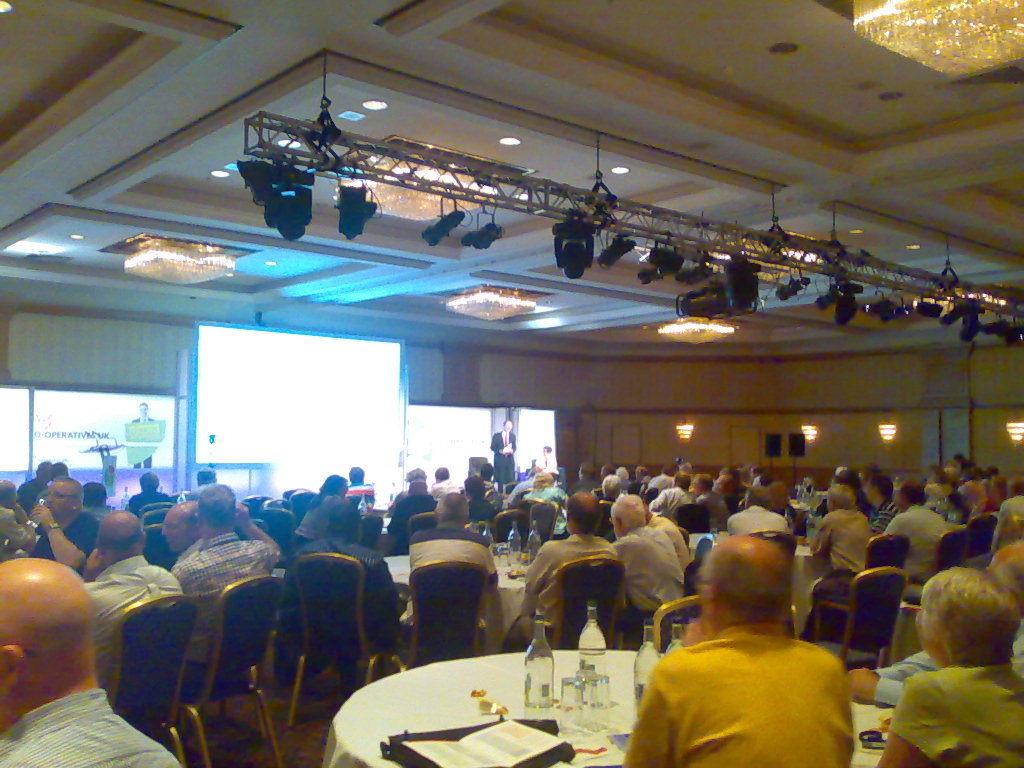
It s Co-operatives Fortnight until 9 July and our co-op is supporting many events: As you may know, we ve already done two events: First, last Friday, Michael attended the Co-operatives UK Annual Meeting on our behalf. Co-operatives UK is our national co-ordinating co-op and the figurehead for the movement in this country. I didn t see the meeting (the live video link didn t work for me, as before), but Michael reports:
The AGM seemed well organized; it was good to hear about the work they re doing and the concerns regarding the co-operative situation in Poland. I think it s important to exercise one s ability to vote, but would have liked more opportunity to speak with people.
We couldn t send anyone to the Mary Portas session on Friday evening, but Paul Dale Smith summarised the session and RuthRosselson described it as Mary Portas tells Co-op Congress how it is . Then on Saturday, I was in Manchester for The Power of Co-operation, thanks to support from software.coop and The Co-operative Bank. The first session I attended, on mutualisting the Post Office was interesting and pretty full, but I found some later sessions rather frustrating. As well as my usual concerns about surrendering to uncritical use of private-sector software, I got quite annoyed by two sessions on member engagement where the presenters seemed to talk for almost the full time without letting the audience engage! Not good for my blood pressure, that, especially when I feel they re missing something! But the real value of the day was in the fascinating discussions I had with many people in the short breaks in the plenary, or while wandering around the exhibition and the marketplace. For example, it was great to see Revolver still selling the T-shirts I mentioned here in 2009 as well as giving out free samples of their brilliant fairtrade coffee. What comes from the various discussions will probably decide whether we attend similar events in future. Were you in Birmingham? How was it for you? Are you supporting Co-operatives Fortnight? How, where, when and why?

Dominique Dumont: New configuration editor for LCDPROC

Hello The last version (1.247, available in Debian unstable as libconfig-model-perl) of Config::Model provides a brand new model for /etc/LCDd.conf. With this model, you can edit or validate your lcdproc configuration. To edit this configuration the first time, you will have to run:
config-edit -application lcdproc -force
The -force option is required to load the file the first time. (because the default LCDd.conf file contains configuration options for all drivers, even though only one them if usefull). You will get this screen:
lcdproc configuration editor

config-edit on lcdproc configuration

In this screen, you can setup the driver for your adress with a right click on Driver parameter. Once youv e selected the driver and clicked on store , the driver will be listed in the left part of the window so you can tune the parameters of this specific driver:

editing imonclcd paramaters

In this screen, I ve turned the backlight off and added a small note to remember why. This small note will be writted in a comment in /etc/LCDd.conf. Once all required modifications are done, it s time to save the configuration file using the menu entry File -> save Now, let s see the resulting file (which is a bit long due to the amount of comments in the original LCDd.conf file):
## This file was written by Config::Model
## You may modify the content of this file. Configuration
## modifications will be preserved. Modifications in
## comments may be mangled.
# LCDd.conf -- configuration file for the LCDproc server daemon LCDd
#
# This file contains the configuration for the LCDd server.
#
# The format is ini-file-like. It is divided into sections that start at
# markers that look like [section]. Comments are all line-based comments,
# and are lines that start with '
#
# The server has a 'central' section named [server]. For the menu there is
# a section called [menu]. Further each driver has a section which
# defines how the driver acts.
#
# The drivers are activated by specifiying them in a driver= line in the
# server section, like:
#
#   Driver=curses
#
# This tells LCDd to use the curses driver.
# The first driver that is loaded and is capable of output defines the
# size of the display. The default driver to use is curses.
# If the driver is specified using the -d  command line option,
# the Driver= options in the config file are ignored.
#
# The drivers read their own options from the respective sections.
[server]
# Where can we find the driver modules ?
# IMPORTANT: Make sure to change this setting to reflect your
#            specific setup! Otherwise LCDd won't be able to find
#            the driver modules and will thus not be able to
#            function properly.
# NOTE: Always place a slash as last character !
DriverPath=/usr/lib/lcdproc/
# Tells the server to load the given drivers. Multiple lines can be given.
# The name of the driver is case sensitive and determines the section
# where to look for further configuration options of the specific driver
# as well as the name of the dynamic driver module to load at runtime.
# The latter one can be changed by giving af File= directive in the
# driver specific section.
#
# The following drivers are supported:
#   bayrad, CFontz, CFontz633, CFontzPacket, curses, CwLnx, ea65,
#   EyeboxOne, g15, glcdlib, glk, hd44780, icp_a106, imon, imonlcd,
#   IOWarrior, irman, joy, lb216, lcdm001, lcterm, lirc, lis, MD8800,
#   mdm166a, ms6931, mtc_s16209x, MtxOrb, mx5000, NoritakeVFD, picolcd,
#   pyramid, sed1330, sed1520, serialPOS, serialVFD, shuttleVFD, sli,
#   stv5730, svga, t6963, text, tyan, ula200, xosd
Driver=imonlcd
# Tells the driver to bind to the given interface
Bind=127.0.0.1
# Listen on this specified port; defaults to 13666.
Port=13666
ReportLevel=3
# Sets the reporting level; defaults to 2 (warnings and errors only).
# ReportLevel=3
# Should we report to syslog instead of stderr ? [default: no; legal: yes, no]
# ReportToSyslog=yes
# User to run as.  LCDd will drop its root priviledges, if any,
# and run as this user instead.
User=nobody
Foreground=no
Hello=    Hello
Hello=    LCDproc!
GoodBye=    GoodBye
GoodBye=    LCDproc!
# The server will stay in the foreground if set to true.
# Foreground=no
# Hello message: each entry represents a display line; default: builtin
# Hello="  Welcome to"
# Hello="   LCDproc!"
# GoodBye message: each entry represents a display line; default: builtin
# GoodBye="Thanks for using"
# GoodBye="   LCDproc!"
# Sets the default time in seconds to displays a screen.
WaitTime=5
# If yes, the the serverscreen will be rotated as a usual info screen. If no,
# it will be a background screen, only visible when no other screens are
# active. The special value 'blank' is similar to no, but only a blank screen
# is displayed. [default: on; legal: on, off, blank]
# ServerScreen=no
# Set master backlight setting. If set to 'open' a client may control the
# backlight for its own screens (only). [default: open; legal: off, open, on]
# Backlight=open
# Set master heartbeat setting. If set to 'open' a client may control the
# heartbeat for its own screens (only). [default: open; legal: off, open, on]
# Heartbeat=open
# set title scrolling speed [default: 10; legal: 0-10]
# TitleSpeed=10
# The "...Key=" lines define what the server does with keypresses that
# don't go to any client.
# These are the defaults:
ToggleRotateKey=Enter
PrevScreenKey=Left
NextScreenKey=Right
ScrollUpKey=Up
ScrollDownKey=Down
# ScrollUpKey=Up
# ScrollDownKey=Down
# If you have only 4 keys, you can choose to use this:
# ToggleRotateKey=Enter
# PrevScreenKey=Up
# NextScreenKey=Down
# If you have only 3 keys, you can choose to use this:
# ToggleRotateKey=Enter
# PrevScreenKey=Up
[menu]
# You can configure what keys the menu should use. Note that the MenuKey
# will be reserved exclusively, the others work in shared mode.
# The following works excellent with 4 keys or more.
MenuKey=Escape
EnterKey=Enter
UpKey=Up
DownKey=Down
LeftKey=Left
RightKey=Right
[imonlcd]
Protocol=0
OnExit=2
Device=/dev/lcd0
# My fishes dont like the glow
Backlight=off
DiscMode=0
You will notice a few things: If you need to update the file, you will have to run:
sudo config-edit -application lcdproc
The -force option is no longer needed. If you don t like to click, you can run:
config-edit -application lcdproc -ui none -save
For instance:
config-edit -application lcdproc -ui none -save 'server driver=imonlcd - imonlcd Device="/dev/lcd1" '
Further reading If you want to know more about lcdproc model, you can view: Under the hood I was too lazy to write myself the models of all drivers (about 3500 lines for them all). All models were generated from the LCDd.conf template file provided by lcdproc project. This blog explains how this was done. But the result is far from perfect. Event though LCDd.conf comments give a lot of semantic information, parameter types could be better adjusted and some of the examples provided in LCDd.conf confuse the model generator.
So the current comments are good, but not enough. In the future, we could decide on better structural conventions for the comments that would give users the information they need and give a model generator enough information to generate better models. This will hopefully be the topic of yet another blog All the best

Charles Plessy: BioPerl and regression tests

Two weeks ago, I updated the packages containing the BioPerl modules bioperl and bioperl-run, which allowed to resume the work done on GBrowse, one of the genome browsers available in Debian. As many Perl modules, BioPerl has extensive regression tests. Some of them need access to external services, and are disabled by default as the Internet is not available in our build farm. Nevertheless, they can be triggered through the environment variable DEB_MAINTAINER_MODE when building the package locally. Bioperl successfully passes all off-line tests, and a part of the on-line tests is already corrected its development branch. In contrary, BioPerl-Run fail the tests for Bowtie, DBA, EMBOSS, Genewise, Hmmer, PAML, SABlastPlus, T-Coffee and gmap-run. In some cases, like EMBOSS, it is because a command has been renamed in Debian. In other cases, in particular DBA et Genewise, it is much more difficult to figure out on which side is the problem. Regression tests are essential to determine if a package works or not on ports others than the one used by the packager (amd64 in my case). Even simple ones can be useful. In the case of T-Coffee, that has a rudimentary test that I have activated recently, it showed that the packages distributed on armel are not working at all. Running regression tests when building packages have advantages, in particular to have the results published for each port automatically as part of the build logs. But is also cause problems. First, a package would need to build-depend on every software it can interact with, in order to test it comprehensively. In the example of bioperl-run, it makes it impossible to build on armel as long as t-coffee is broken there. Second, this approach does not help the user to test similarly a program installed on his computer. Maybe the Debian Enhancement Proposal 8, to test binary packages with material provided by their source packages, will solve these two problems.

28 June 2011

Stefano Zacchiroli: new job

LDAP's "Country" entry reads "France" The correlation among quiet times for a blog and quiet times in its owner's life is often negative. My past two months are no exception. Beside my regular Debian activities, I've used a good chunk of my day time to (try) settle down and stop wandering around Europe, one temporary academic position after another. In the end, it has turned out very well. Starting September 1st, I'll be joinining the PPS laboratory as a Ma tre de Conf rences, a tenured academic position roughly equivalent to US' Associate Professor (at least according to Wikipedia; see the high quality references that tenured people resort to use?). More specifically, I'll continue to work in the context of IRILL (Research and Innovation on Free Software), an exciting new entity that I've helped bootstraping over the past couple of years. Thanks to IRILL and to his director Roberto Di Cosmo, I've been able not only to pursue quite some research on FOSS distros, but I've also been supported (rather than discriminated) in my Debian activities, including acting as DPL around the world. Last but not least, within IRILL I have also been able to offer support to several Free Software communities such as: Debian itself (hosting Sprints and sponsoring DebConf hardware), GNU, OSI, OCaml, Darcs, and many others. I realize how lucky I've been ending up in a place like IRILL and I'm glad to know I'll be around here for quite some time. The main change I'll expect to happen from September on is that I'll get back to do some teaching, trading-off time from research activities. I've been teaching only on and off since I've moved to France in 2008 and I miss that quite a bit. It looks like that next year I'll be teaching various classes on FOSS-related (or at the very least UNIX-y) topics. Time looks scarce, but who knows, maybe I'll also find a way to mix-in the nice packaging tutorial that Lucas has recently put together. Wish me luck!

Tiago Bortoletto Vaz: learning from a mistake

I've pasted here something from an IRC channel which revealed a person's name in a given situation. The "fun part" that I tried to show in the "things i love in debian" post was mainly related to the way we (debian people) use to deal with things in a non-personal way in order to be fair at the end (don't tell me about your life, just give me your username so i check the logs). It had not to do with the individuals involved. I apologize if it has caused any damage to one's life. Of course removing the post doesn't help too much, but at least may reduce a little the noise. Thanks to those who kindly pointed that out to me - btw, kindness is another valuable thing that i like to see in debian community.

Pietro Abate: I'm going to debconf 2011

debconf11_banner.png
Got my tickets, now looking for a place to sleep... My first debconf. It's going to be gooood :)

Matthew Palmer: Water Saving Shower Heads

In a series of experiments performed over the past few days, I've determined that the actual mechanism by which "water saving" shower heads work is not, as you might naively imagine, reducing the amount of water dispersed per unit time. Instead, they make showering such an unpleasant experience that you perform amazing feats of speed washing so you can get out as quickly as possible. In extreme cases, I can imagine you would save even more water by just not washing at all.

Jaldhar Vyas: I'll Take Anal Bum Cover For $7000

Right around the time I immigrated to the US Alex Trebek began a revival of a TV game show originally hosted by Art Fleming called Jeopardy. In fact I believe I saw the first episode or one of the first ones anyway. And ever since I began watching, people have said to me I ought to be a contestant. I've tried to get on every now and again with little success until this year. In February I took the online entrance test not expecting any results as usual. Indeed nothing happened at first then suddenly, a few weeks ago, I was surprised to receive an email inviting me to an audition. So today (or yesterday depending on when you read this. June 27th.) I went to a conference room in the New York Sheraton Towers hotel to show off my telegenic looks, rapier wit and mastery of general knowledge to the Jeopardy producers. I had to bring in a list of five fun facts about myself for the between-round amusing banter. You'll have to wait until I actually appear on the show (if in fact I do. See below.) but let me assure you my banter is very amusing. My spirit flagged a bit when they took a photo of me for their files. I managed to do a convincing impression of Tow Mater from Cars 2 which is not quite the showbiz look I was going for. My morale rose again after the next portion of the audition in which you had to answer 50 trivia questions in about 8 minutes. They don't tell you your score but based on my conversations with fellow auditionees (there were about 20 of us) I think I only got 1 wrong. The next part of the audition was a mock game with a real board and buzzers etc. I was in the first group of three to play which further leads me to believe I got a good score in the questions. Unfortunately I had a bit of bad luck in the categories half of which were not in my strong subjects but I did ok. More importantly I demonstrated a good speaking voice (a lot of people mumble or speak too softly), good buzzer technique and as I may have previously mentioned, amusing banter. Does this mean I am actually going to be on TV? I don't know. Every year they select approximately 2,000 people for auditions and of those, around 400 are selected for the contestant pool. So I have a 1 in 5 chance of making it. The consensus in the group was I had done pretty well for a first timer (Some were making their second or third attempt.) so I am optimistic. All I know is that sometime in the next 18 months I might receive the call to fly to Los Angeles and fulfill my destiny. Btw, in case you were wondering about the title.

Matthew Palmer: Water Saving Shower Heads

In a series of experiments performed over the past few days, I've determined that the actual mechanism by which "water saving" shower heads work is not, as you might naively imagine, reducing the amount of water dispersed per unit time. Instead, they make showering such an unpleasant experience that you perform amazing feats of speed washing so you can get out as quickly as possible. In extreme cases, I can imagine you would save even more water by just not washing at all.

Matthew Palmer: SSL Session Caching (in nginx)

Given that I was responsible for putting together the system architecture for Github when they moved away from their previous services provider to Anchor Systems, I keep an eye on what's going on there even though I've gotten out of professional IT. Recently(ish), Ryan Tomayko blogged about some experiments in using Amazon CloudFront as a CDN for static assets. While discussing as-yet unsolved performance issues, he quoted a tweet from Shopify's CEO (who I would have thought would have known better):
Protip to make SSL fast: terminate in your load balancer, that makes SSL session cookies actually work.
No, no, NO -- a million times NOOOOOO! Load balancers are, by their very nature, performance chokepoints. You can't horizontally scale your load balancer, because if you do (by, say, putting another load balancer in front of it -- don't laugh, I've seen it done) you've just re-introduced all the same problems that putting SSL on the load balancer was supposed to accomplish (that is, getting SSL session caching to work). The only thing you accomplish by putting your SSL sessions onto the load balancer is bring the moment your load balancer melts down through excessive CPU usage that much closer. I dunno, maybe Shopify doesn't actually do that much traffic or something, but I certainly wouldn't be signing up for that headache if it were my infrastructure. (Sidenote: yes, I know that you can get "SSL hardware accelerators", that put the basic crypto operations into dedicated silicon, but they're rarely cheap, and you can't horizontally scale those, either. They're effectively a specialised and outrageously expensive form of "scaling by bigger hardware" -- which is a valid method of scaling, but one with fairly terminal limitations that certainly wouldn't make it practical for Github). The problem you're trying to solve by centralising SSL operations is that SSL includes a mechanism whereby a client making a new TCP connection can say "here's the crypto details from last time I connected to you" and the server can just pull out all of the per-connection data that would otherwise take a long time (several TCP round trips and a smallish chunk of CPU time) to setup. This can make SSL connections a lot snappier (in Ryan's opinion, "We spend roughly as much time handshaking as we do generating the average dynamic request."), so they're a definite win if you can do it (and yes, you can do it). Webservers don't typically do this caching by default, but setting up a simple SSL session cache for a single nginx or Apache webserver is pretty trivial. Testing it is simple, too: just install gnutls-bin and run:
	gnutls-cli -V -r HOSTNAME  grep 'Session ID'
If all three Session IDs are the same, then you've got SSL session caching running. (If you're wondering why I'm using gnutls-cli rather than openssl s_client, it's because openssl is living in the pre-IPv6 dark ages, and I've got IPv6-only services running I wanted to test). So that's great for your little single-server hosting setup, but per-machine caches aren't much use when you're running behind a load balancer, Github style, because each SSL-enabled TCP connection can very well end up on a different server, and a per-machine cache won't help you very much. (If you think the answer to this problem is "session affinity", you're setting yourself up for a whole other world of pain and suffering.) Here's the kicker, though -- the SSL session is just a small, opaque chunk of bytes (OpenSSL appears to store it internally as an ASN.1 string, but that's an irrelevant implementation detail). An SSL session cache is just a mapping of the SSL session ID (a string) to the SSL session data (another string). We know how to do "shared key-value caches" -- we have the technology. There won't be too many large-scale sites out there that aren't using memcached (or something practically equivalent). So, rather than stuff around trying to run a load balancer with enough grunt to handle all your SSL communication for all time, you can continue to horizontally scale the whole site with as many backend webservers as you need. All that's needed is to teach your SSL-using server to talk to a shared key-value cache. Far be it for me to claim any sort of originality in this idea, though -- patches for Apache's mod_ssl to do this have been floating around for a while, and according to the release notes, the 2.4 series will have it all built-in. However, Github uses nginx, to great effect, and nobody's done the work to put this feature into nginx (that I could find, anyway). Until now. I present, for the edification of all, a series of patches to nginx 0.8.x to provide memcached-enabled SSL session caching. Porting them to other versions of nginx hopefully won't be too arduous, and if you ask nicely I might give it a shot. If you don't use memcached (gasp!), my work should at least be a template to allow you to hook into whatever system you prefer. Sharding the memcached calls wouldn't be hard either, but I'm not a huge fan of that when other options are available. I had originally hoped to be able to say "it works at Github!" as a testimonial, but for some reason it hasn't been deployed there yet (go forth and pester!), so instead I'm just releasing it out there for people to try out on a "well, I don't know that it doesn't work" basis. If it breaks anything, it's not my fault; feel free to supply patches if you want to fix anything I've missed.

Sam Hartman: Dream Plug

As part of trying to help with Freedom Box, I gained access to a Dream Plug The Dream Plug is one of the leading possible platforms for Freedom Box. Computationally it s sexy for a low-power device. There s a 1200 mhz arm with 512m of RAM. As a platform to enable people to create novel applications, it s great. It has multiple USB ports, two ethernets, a built-in 802.11B/G access point, bluetooth, audio, ESATA, Micro SD and full-sized SD. So, whether you application needs storage, networking, audio, or some interesting side device, you re covered. With the optional JTAG adapter it s even fairly friendly to developers: there are options for recovering from most failures and full console access. If you re looking at a reference platform that s still nominally embedded, but that allows you to play around thinking about what your application could do, this is a great option. However, especially for Freedom Box, it s important to remember that the reference board a developer wants is not the same as a cost-reduced product on which to actually deploy something for people to buy. The Dream Plug is wrong for every actual deployment I ve imagined. First, it s huge. If you happen to have free power plugs on your wall with lots of space above and below them, it might be an option. If however, you re like everyone I know and have power strips, constrained spacing, etc, then the industrial engineering will disappoint at every turn. I was hoping for something that kind of looked like an Apple Airport Express. It s significantly larger than that in every dimension. Also, the plug is oriented the wrong way for minimizing the fraction of the power strip it takes up. The power supply part of the device can be detached, although even that is way too huge for a power strip, and the cable between the power supply and the computer is fairly short. You can reconfigure the device without its plug nature: running a cord from a normal power outlet to the power supply. But then if you have to detach the power supply for heat management reasons, you get a cord from the outlet to the power supply and another cord from the supply to the device. Add a few USB or ESATA devices and the octopus of cables begins to resemble some arcane mechanism. (So far, no elder gods have appeared though.) The other issue is that you almost never want all the functionality. You pay for the bluetooth, audio and ESATA in terms of cost, heat and space regardless of whether you use them. I don t have a lot of applications that really take advantage of the full array of hardware. The firmware update mechanism is decidedly not targeted at end-users. The version I obtained had a hacked copy of Debian lenny. No mechanism was provided for replacing the image in a safe manner that did not potentially require the optional highly-non-end-user-compatible JTAG board if something got interrupted. You could either unscrew the device and get to the micro SD card containing the image, or run software to replace the image from within Debian lenny. It s possible to configure the boot loader to run an update image off USB or SD until that succeeds, but doing that is also a non-end-user operation. In conclusion, the name is perfect. This is exactly what hackers need to dream about the power of small computers everywhere. However we must not forget that there s a step required to turn dreams into reality. Just as with any fully proprietary product, Freedom Box will require cost reduction steps, semi-custom boards and actual OEMs to truly be usable. The claim in the previous sentence that the Freedom Box may have proprietary elements is disquieting to some. I think we can put together a software stack that is free with the possible exception of some device firmware. However, my suspicion is that anyone who turns that into a fully realized end-user product will add proprietary elements. I suspect some of the results of the cost reduction process such as resulting semi-custom boards will be proprietary. In many cases though, I suspect some proprietary software elements will be introduced.

27 June 2011

Matthew Palmer: SSL Session Caching (in nginx)

Given that I was responsible for putting together the system architecture for Github when they moved away from their previous services provider to Anchor Systems, I keep an eye on what's going on there even though I've gotten out of professional IT. Recently(ish), Ryan Tomayko blogged about some experiments in using Amazon CloudFront as a CDN for static assets. While discussing as-yet unsolved performance issues, he quoted a tweet from Shopify's CEO (who I would have thought would have known better):
Protip to make SSL fast: terminate in your load balancer, that makes SSL session cookies actually work.
No, no, NO -- a million times NOOOOOO! Load balancers are, by their very nature, performance chokepoints. You can't horizontally scale your load balancer, because if you do (by, say, putting another load balancer in front of it -- don't laugh, I've seen it done) you've just re-introduced all the same problems that putting SSL on the load balancer was supposed to accomplish (that is, getting SSL session caching to work). The only thing you accomplish by putting your SSL sessions onto the load balancer is bring the moment your load balancer melts down through excessive CPU usage that much closer. I dunno, maybe Shopify doesn't actually do that much traffic or something, but I certainly wouldn't be signing up for that headache if it were my infrastructure. (Sidenote: yes, I know that you can get "SSL hardware accelerators", that put the basic crypto operations into dedicated silicon, but they're rarely cheap, and you can't horizontally scale those, either. They're effectively a specialised and outrageously expensive form of "scaling by bigger hardware" -- which is a valid method of scaling, but one with fairly terminal limitations that certainly wouldn't make it practical for Github). The problem you're trying to solve by centralising SSL operations is that SSL includes a mechanism whereby a client making a new TCP connection can say "here's the crypto details from last time I connected to you" and the server can just pull out all of the per-connection data that would otherwise take a long time (several TCP round trips and a smallish chunk of CPU time) to setup. This can make SSL connections a lot snappier (in Ryan's opinion, "We spend roughly as much time handshaking as we do generating the average dynamic request."), so they're a definite win if you can do it (and yes, you can do it). Webservers don't typically do this caching by default, but setting up a simple SSL session cache for a single nginx or Apache webserver is pretty trivial. Testing it is simple, too: just install gnutls-bin and run:
	gnutls-cli -V -r HOSTNAME  grep 'Session ID'
If all three Session IDs are the same, then you've got SSL session caching running. (If you're wondering why I'm using gnutls-cli rather than openssl s_client, it's because openssl is living in the pre-IPv6 dark ages, and I've got IPv6-only services running I wanted to test). So that's great for your little single-server hosting setup, but per-machine caches aren't much use when you're running behind a load balancer, Github style, because each SSL-enabled TCP connection can very well end up on a different server, and a per-machine cache won't help you very much. (If you think the answer to this problem is "session affinity", you're setting yourself up for a whole other world of pain and suffering.) Here's the kicker, though -- the SSL session is just a small, opaque chunk of bytes (OpenSSL appears to store it internally as an ASN.1 string, but that's an irrelevant implementation detail). An SSL session cache is just a mapping of the SSL session ID (a string) to the SSL session data (another string). We know how to do "shared key-value caches" -- we have the technology. There won't be too many large-scale sites out there that aren't using memcached (or something practically equivalent). So, rather than stuff around trying to run a load balancer with enough grunt to handle all your SSL communication for all time, you can continue to horizontally scale the whole site with as many backend webservers as you need. All that's needed is to teach your SSL-using server to talk to a shared key-value cache. Far be it for me to claim any sort of originality in this idea, though -- patches for Apache's mod_ssl to do this have been floating around for a while, and according to the release notes, the 2.4 series will have it all built-in. However, Github uses nginx, to great effect, and nobody's done the work to put this feature into nginx (that I could find, anyway). Until now. I present, for the edification of all, a series of patches to nginx 0.8.x to provide memcached-enabled SSL session caching. Porting them to other versions of nginx hopefully won't be too arduous, and if you ask nicely I might give it a shot. If you don't use memcached (gasp!), my work should at least be a template to allow you to hook into whatever system you prefer. Sharding the memcached calls wouldn't be hard either, but I'm not a huge fan of that when other options are available. I had originally hoped to be able to say "it works at Github!" as a testimonial, but for some reason it hasn't been deployed there yet (go forth and pester!), so instead I'm just releasing it out there for people to try out on a "well, I don't know that it doesn't work" basis. If it breaks anything, it's not my fault; feel free to supply patches if you want to fix anything I've missed.

Christoph Egger: Unknown Horizons

What is Unknown Horizons? Unknown Horizons is a Free Strategy game I have written about from time to time about and do from time to time contribute. I also build Packages for Debianoids. Unknown Horizons is not a new thing, it has been there for some years now. It currently gets boosted by 3 very active GSoC Students and evolving steadily. Preparing for 2011.2 Unknown Horizons is Preparing for another Release, 2011.2. As part of the effort I have updated the official Unknown Horizons Debian and Ubuntu weekly archives with new rc builds to get some more testing before the release happens. Please test! Why isn't it in Debian main yet? Unknown Horizons hasn't been uploaded to Debian yet. This is mostly due to 2 factors: The game engine Unknown Horizons build upon, FIFE isn't in Debian, evolving fast and not providing much of a stable interface and therefor Unknown Horizons has traditionally had a strict dependency to some VCS state of approximately the same age. Not good for a Debian package obviously. And second, Unknown Horizons got rid of some content that was not free (as in "main") just recently. Personally I'm hoping we can have some packages soon as the freeness stuff is sorted out now and I haven't seen any troubling breakages with regard to the engine recently.

Philipp Kern: YouTube serving its content over IPv6

In the aftermath of the World IPv6 Day YouTube seems to be serving its content over IPv6 now. Interestingly the frontpage is still served via IPv4 (if you're not in a Google IPv6 whitelisted network). But all the Flash and HTML5 video content is served through IPv6 if available, as the cache servers return proper AAAA DNS records. Apparently that's the case unless your network is blacklisted because of bad IPv6 support and even if Google has some caches at your provider's site (which is the case for Alice DSL in Germany, at least).

I think that's quite some motivation for the providers to at least fix IPv6 connectivity if available and to suppress rogue IPv6 router advertisements in their networks. I had to ensure the former today and the latter is a constant source of grief with the bulk of L2 switches and Wi-Fi access points not being IPv6 ready.

Next.

Previous.