Search Results: "pm"

1 August 2016

Reproducible builds folks: Reproducible builds: week 65 in Stretch cycle

What happened in the Reproducible Builds effort between Sunday July 17 and Saturday July 23 2016: GSoC and Outreachy updates Valerie Young wrote an update about her Outreachy progress on tests.reproducible.org. Packages reviewed and fixed, and bugs filed Patches have been submitted by: Package reviews 17 package reviews have been added and 4 have been updated. adding to our knowledge about identified issues. Some issues have been updated: Weekly QA work FTBFS bugs have been reported by: diffoscope development strip-nondeterminism development reprotest development tests.reproducible-builds.org Misc. This week's edition was written by Chris Lamb and reviewed by a bunch of Reproducible builds folks on IRC.

31 July 2016

Ritesh Raj Sarraf: User Mode Linux

Recently, we had the User-Mode Linux suite out of Debian, which included user-mode-linux, user-mode-linux-doc and uml-utilities package. We are happy that we were able to bring it back into the archvie quick, and hope to maintain it active. For many who may not know about UML, here's a discription from its website:
User-Mode Linux is a safe, secure way of running Linux versions and Linux processes. Run buggy software, experiment with new Linux kernels or distributions, and poke around in the internals of Linux, all without risking your main Linux setup.
User-Mode Linux gives you a virtual machine that may have more hardware and software virtual resources than your actual, physical computer. Disk storage for the virtual machine is entirely contained inside a single file on your physical machine. You can assign your virtual machine only the hardware access you want it to have. With properly limited access, nothing you do on the virtual machine can change or damage your real computer, or its software.
Most of the use cases mentioned here are achievable with Containers today. The big difference UML provides in, is with a separate kernel. UML is an implementation of Linux as an architecture of Linux itself. It supports x86 and x86_64 architecture. And given that it is the port of the kernel, you can do many of the tests and experiments of the regular kernel, safely inside a confined UML environment. As with other virtualization implementations, the limitation comes in if you are working on physical hardware. With its re-entry in Debian, I wanted to revive my local setup. First is the packaging structure and the second is its integration with current standard tools
  • Packaging: For packaging UML in Debian, we rely on the packaged linux-source package provided by the kernel team.
    • linux-source package: We build UML from the linux sources that are provided by the debian kernel team. This works fine for now. Whenever there's a kernel vulnerability, there'll be an updated source package, to which we'll rebuild the UML package.
    • Merge with debian-kernel: In the longer run, we'd like to push UML package into the debian kernel team. UML is a component of the Linux kernel, and that is where it should be built from.
  • Integration: It works fairly well right now. On modern systems with systemd, where (nspawn) containers can easily have a network interface bound to it, UML lacks a bit behind. It'd be nice if we could see some UML integration with systemd.
    • Networking under systemd: Setting up networking, for UML, under systemd is fairly straight. In fact, with systemd, it is much simpler. Below is the host network (tuntap) setup, to which UML can bind for all its network needs.
rrs@learner:~/tidBits (master)$ cat /etc/systemd/network/tap.netdev 
[NetDev]
Name=tap0
Kind=tap
[TAP]
Group=uml-net
User=uml-net
2016-08-01 / 15:41:40       
rrs@learner:~/tidBits (master)$ cat /etc/systemd/network/tap.network 
[Match]
Name=tap0
[Network]
DHCPServer=yes
IPForward=yes
IPMasquerade=yes
Address=172.16.20.2
LLMNR=yes
MulticastDNS=yes
DNS=172.16.20.1
2016-08-01 / 15:41:43       

systemd allows for defining user/group ownership in its file. With this setup, and uml-utilities running, one can simply fire a UML instance as below:

rrs@learner:~/rrs-home/Community/Packaging/user-mode-linux (master)$ linux ubd0=~/rrs-home/NoTrack/uml.img eth0=daemon mem=1024M rw  
Core dump limits :
    soft - 0
    hard - NONE
Checking that ptrace can change system call numbers...OK
Checking syscall emulation patch for ptrace...OK
Checking advanced syscall emulation patch for ptrace...OK
Checking environment variables for a tempdir...none found
Checking if /dev/shm is on tmpfs...OK
Checking PROT_EXEC mmap in /dev/shm...OK
Adding 23609344 bytes to physical memory to account for exec-shield gap
Linux version 4.6.3 (root@chutzpah) (gcc version 5.4.0 20160609 (Debian 5.4.0-6) ) #2 Sat Jul 16 16:22:22 UTC 2016
Built 1 zonelists in Zone order, mobility grouping on.  Total pages: 263721
Kernel command line: ubd0=/home/rrs/rrs-home/NoTrack/uml.img eth0=daemon mem=1024M rw root=98:0
PID hash table entries: 4096 (order: 3, 32768 bytes)
Dentry cache hash table entries: 262144 (order: 9, 2097152 bytes)
Inode-cache hash table entries: 131072 (order: 8, 1048576 bytes)
Memory: 1020852K/1071632K available (4803K kernel code, 1207K rwdata, 1340K rodata, 157K init, 217K bss, 50780K reserved, 0K cma-reserved)
SLUB: HWalign=64, Order=0-3, MinObjects=0, CPUs=1, Nodes=1
NR_IRQS:15
.....snipped.......
root@uml:~# cat /proc/cpuinfo 
processor    : 0
vendor_id    : User Mode Linux
model name    : UML
mode        : skas
host        : Linux learner 4.6.0-1-amd64 #1 SMP Debian 4.6.4-1 (2016-07-18) x86_64
bogomips    : 6048.97
root@uml:~# ping www.debian.org
PING www.debian.org (130.89.148.14) 56(84) bytes of data.
64 bytes from klecker4.snt.utwente.nl (130.89.148.14): icmp_seq=1 ttl=46 time=372 ms
64 bytes from klecker4.snt.utwente.nl (130.89.148.14): icmp_seq=2 ttl=46 time=395 ms
64 bytes from klecker4.snt.utwente.nl (130.89.148.14): icmp_seq=3 ttl=46 time=315 ms
^C
--- www.debian.org ping statistics ---
3 packets transmitted, 3 received, 0% packet loss, time 2002ms
rtt min/avg/max/mdev = 315.550/361.064/395.440/33.556 ms

And here are some (incomplete and non-conclusive) performance numbers

root@uml:~# dd if=/dev/zero of=foo.img bs=1M count=2500 conv=fsync
2500+0 records in
2500+0 records out
2621440000 bytes (2.6 GB, 2.4 GiB) copied, 39.4876 s, 66.4 MB/s
vs
rrs@learner:/var/tmp/Debian-Build/Result$ dd if=/dev/zero of=foo.img bs=1M count=2500 conv=fsync
2500+0 records in
2500+0 records out
2621440000 bytes (2.6 GB, 2.4 GiB) copied, 41.2126 s, 63.6 MB/s
2016-08-01 / 15:59:15       

Categories:

Keywords:

Like:

29 July 2016

Norbert Preining: TUG 2016 Day 4 Books, ooh Books (and Boats)

Talks have been finished, and as a special present to the participants, Pavneet has organized an excursion that probably was one of the best I ever had. First we visited the Toronto Reference Library where we were treated to a delicious collection of rare books (not to mention all the other books and architecture), and then a trip through the Ismaili Centre Toronto and the Aga Khan Museum.
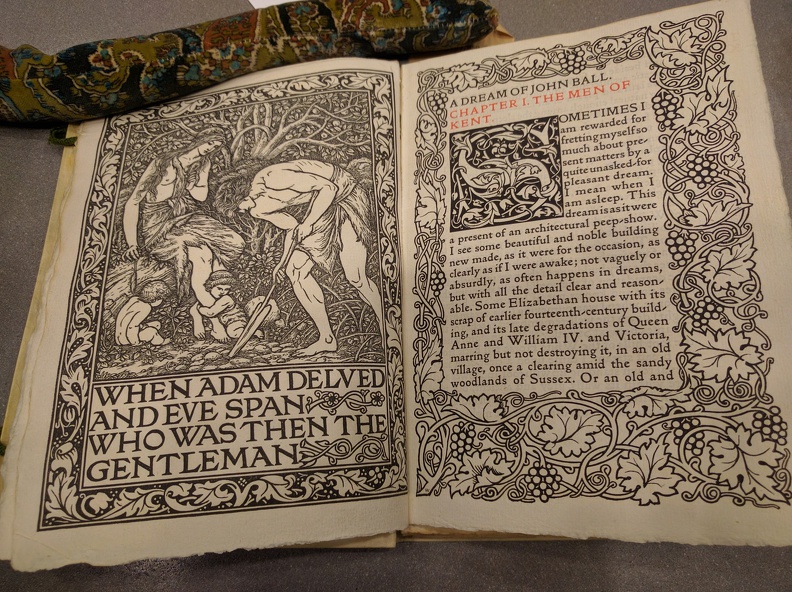
Page from "A Dream of John Ball", Kelmscott Press Edition, 1892.
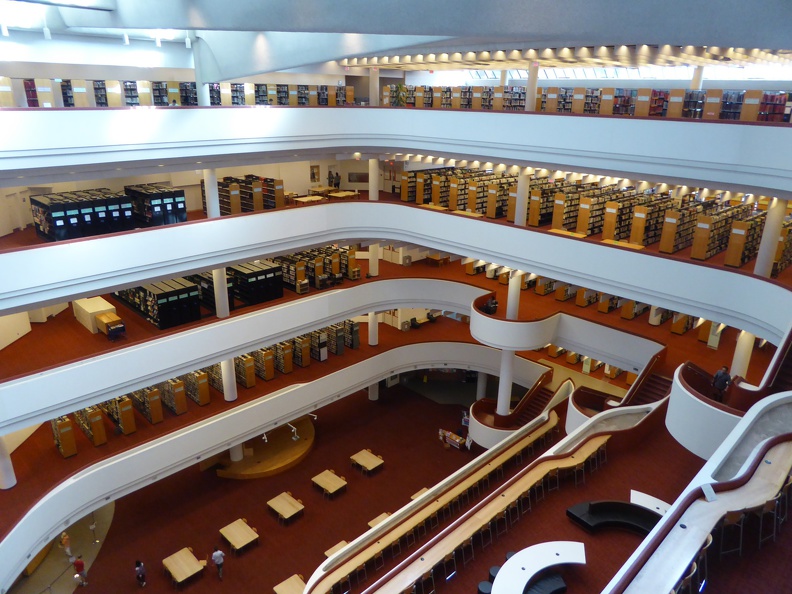
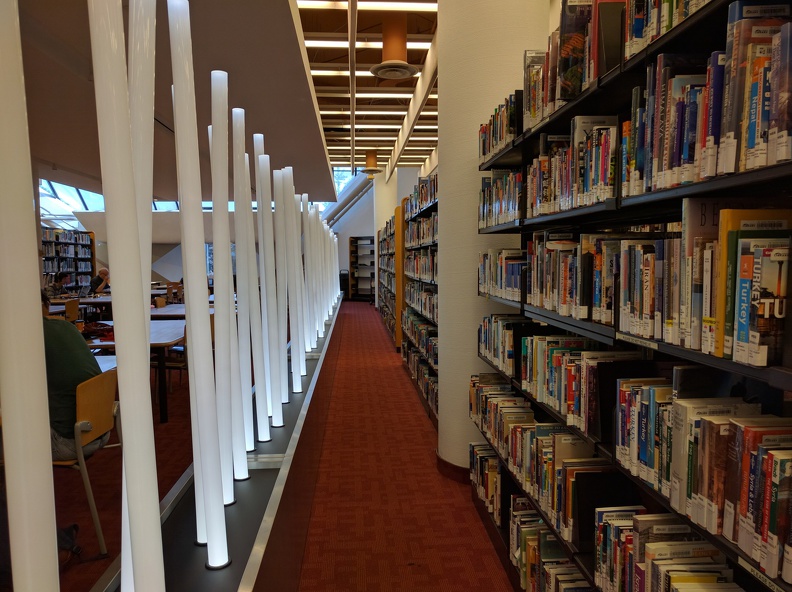
(Kelmscott press edition from 1892 of William Morris A Dream of John Ball.) All these places were great pieces of architecture with excellent samples of the writing and printing art. And after all that and not to be mentioned, the conference dinner evening cruise! Our first stop was the Toronto Reference Library. Designed by Raymond Moriyama, it features a large open atrium with skylights, and it gives the library an open and welcoming feeling. We were told that it resembles a tea cup that needs to be filled with knowledge.
The Toronto Reference Library's atrium
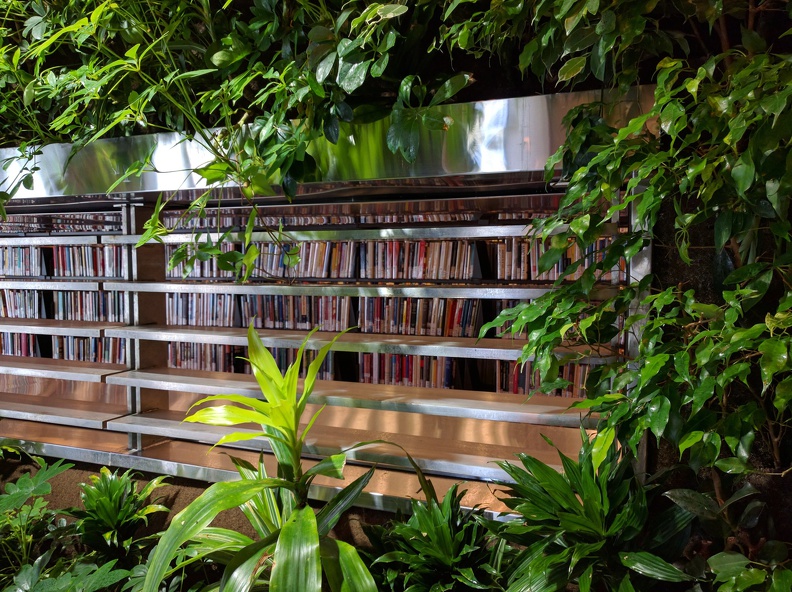
The library also features running water at several places the architect had the idea that natural ambient noise is more natural for a library than the eclectic silence that anyway never happens. Originally there were lots of greens hanging down into the Atrium, resembling the Hanging Gardens, but they have been scrapped due to financial reasons. But there are still green oasis like this beautiful green wall in a corner of the library.
Wall of Green in the middle of the library
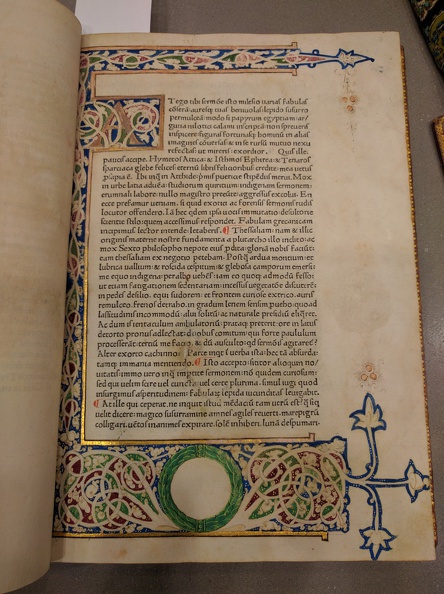
We were guided first to the fifth floor where the special collection is housed. And what a special collection. The librarian in charge has laid out about 20 exquisite books starting from early illuminated manuscripts over incunabula to high pieces of printing art from the 18th and 19th century. Here we have a illuminated script in Carolingian minuscule.
Illuminated script in Carolingian minuscule
What was really surprising for all of us in this special collection that all these books were simply laid out in front of us, that the librarian touched and used it without gloves, and above all, that he told us that if one wants it is common practice to check out these books for study sessions and enjoy them on the spot in the reading room. I don t know any other library that allows you to actually handle these rare and beauty specimens! The library not only featured lots of great books, it also had some art installation like these light rods.
Art Light installation in the Toronto Reference Library
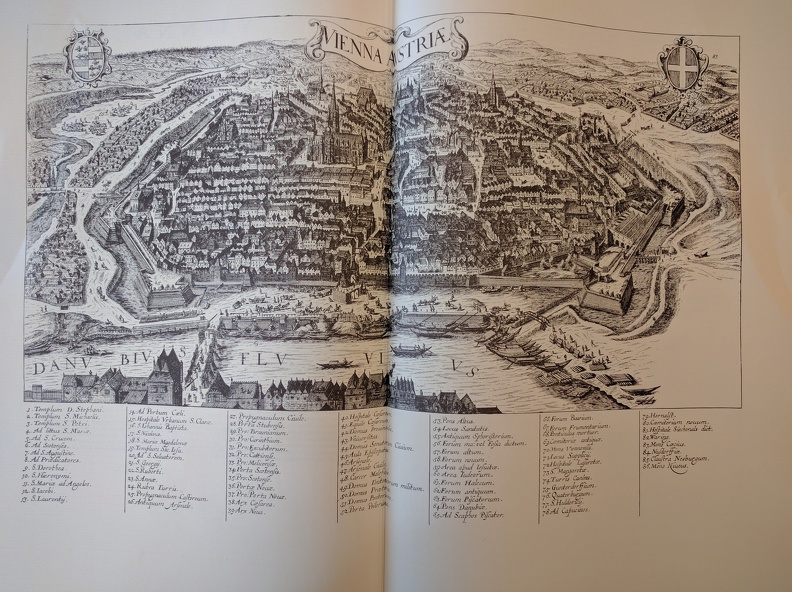
In one of the books I found by chance a map of my hometown of Vienna. Looking at this map from very old times, the place where I grew up is still uninhabited somewhere in the far upper right corner of the map. Times have changed.
Map op Vienna found in the Toronto Reference Library
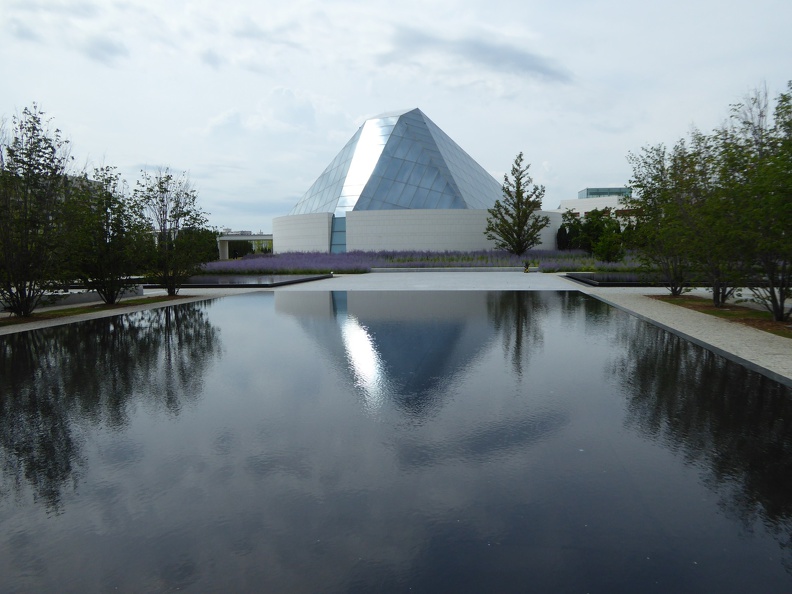
After we left this open and welcoming treasure house of beautiful books, we moved to the Aga Khan Museum and Ismaili Centre Toronto, which are standing face-to-face separated by some water ponds in the Aga Khan park a bit outside of central Toronto. Here we see the Ismaili Centre from the Aga Khan Museum entrance. The big glass dome is the central prayer room, and is illuminated at night. Just one detail one can see in the outer wall one part that looks like glass, too. This is the prayer alcove in the back of the prayer hall, and is made from huge slabs of Onyx that are also lit up in the night.
View onto the Ismaili Centre's Prayer Hall formed by a glass dome
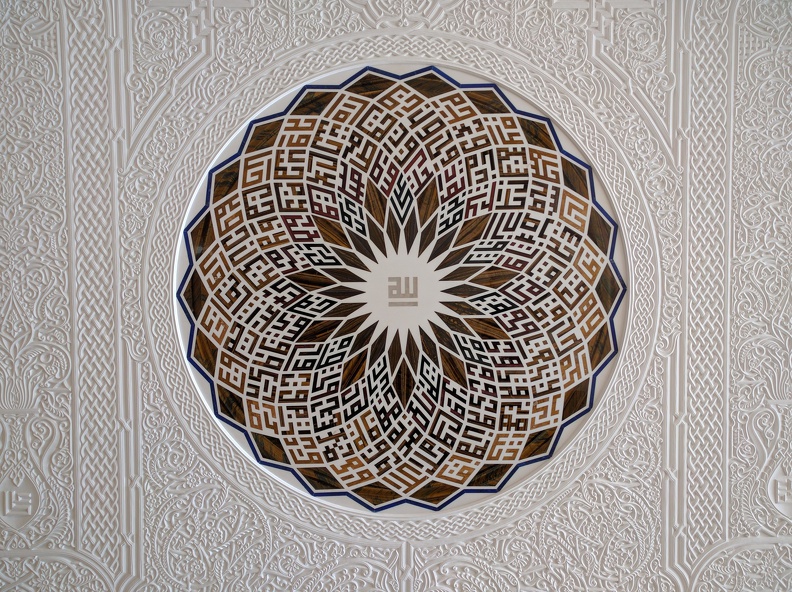
The Ismaili Centre, designed by Charles Correa combines modern functional and simple style with the wonderful ornamental art of the Islam heritage. The inside of the Ismaili Centre features many pieces of exquisite art calligraphy, murals, stone work, etc here is a medallion made from precious stone and set onto a hand-carved wall.
Medaillon made of precious stones in hand carved wall, Ismaili Centre Toronto
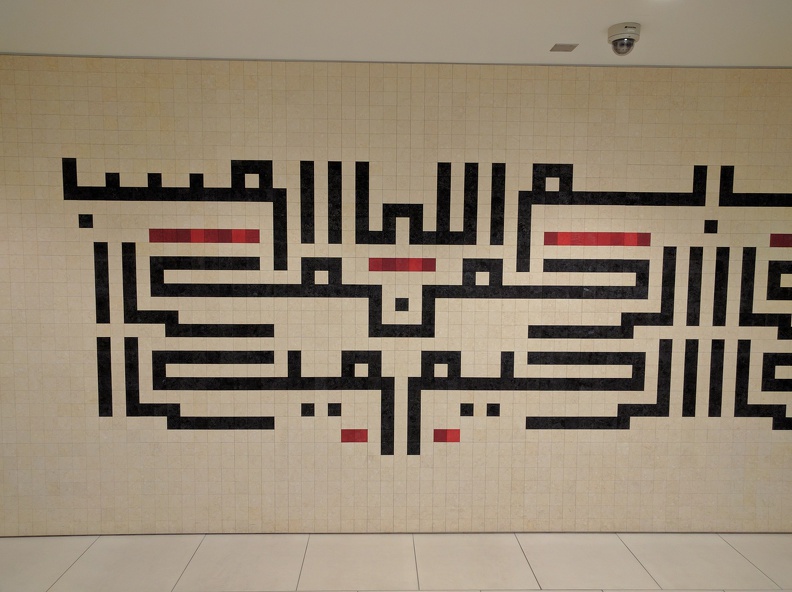
A calligraphy on the wall in the Ismaili Centre
Wall Calligraphy in the Ismaili Centre Toronto
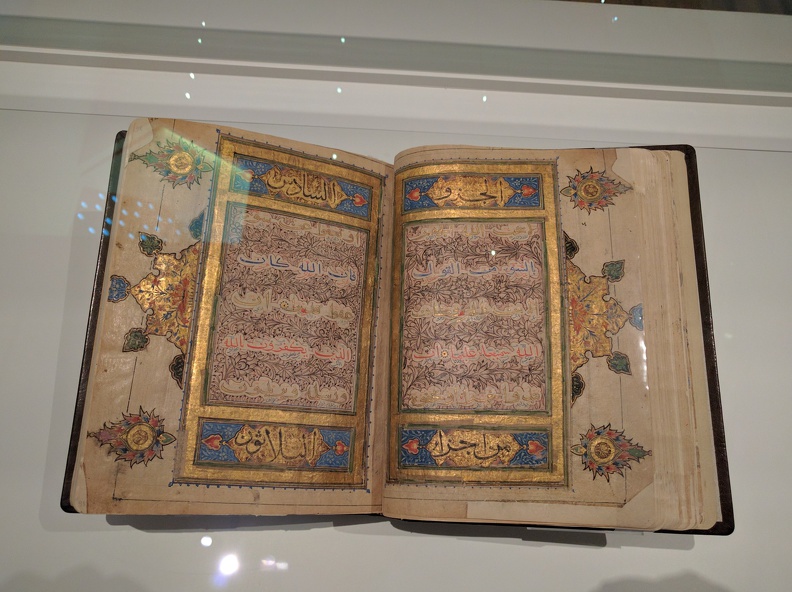
Following the Ismaili Centre we turned to the Aga Khan museum which documents Islamic art, science, and history with an extensive collection. We didn t have much time, and in addition I had to do some fire-fighting over the phone, but the short trip through the permanent collection with samples of excellent calligraphy was amazing.
Koran Calligraphy, Aga Khan Museum Toronto
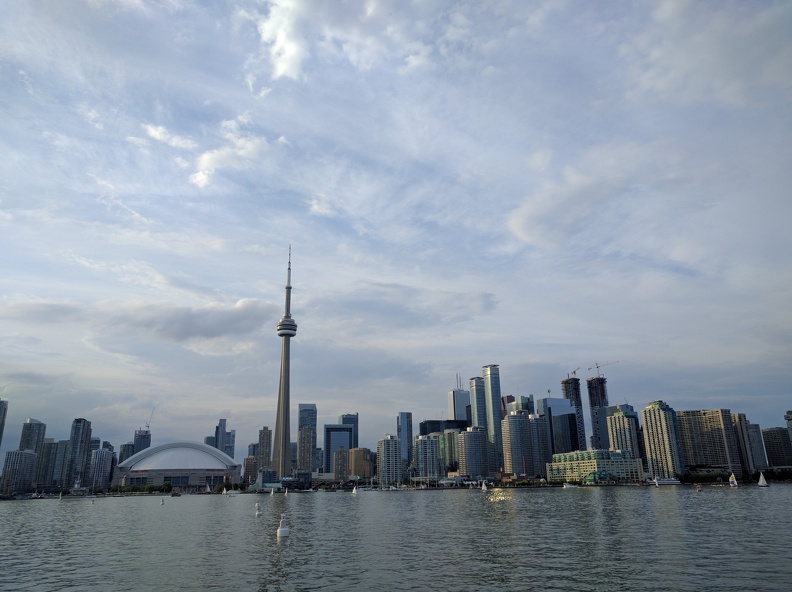
After returning from this lovely excursion and a short break, we set off for the last stop for tonight, the dinner cruise. After a short bus ride we could board our ship and off we go. Although the beer selection was not on par with what we are used from carft breweries, the perfectly sized boat with two decks and lots of places to hang around invited us to many discussions and chitchats. And finally I could enjoy also the skyline of Toronto.
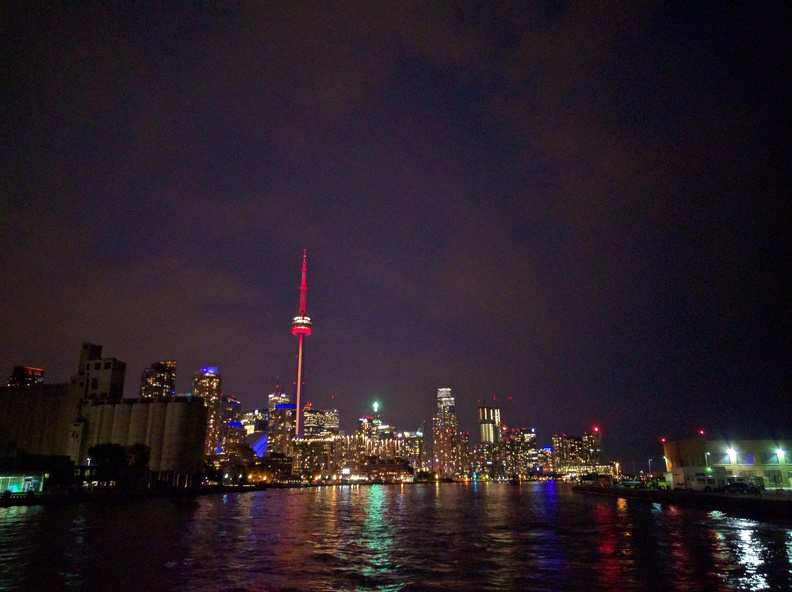
View onto Toronto from the boat
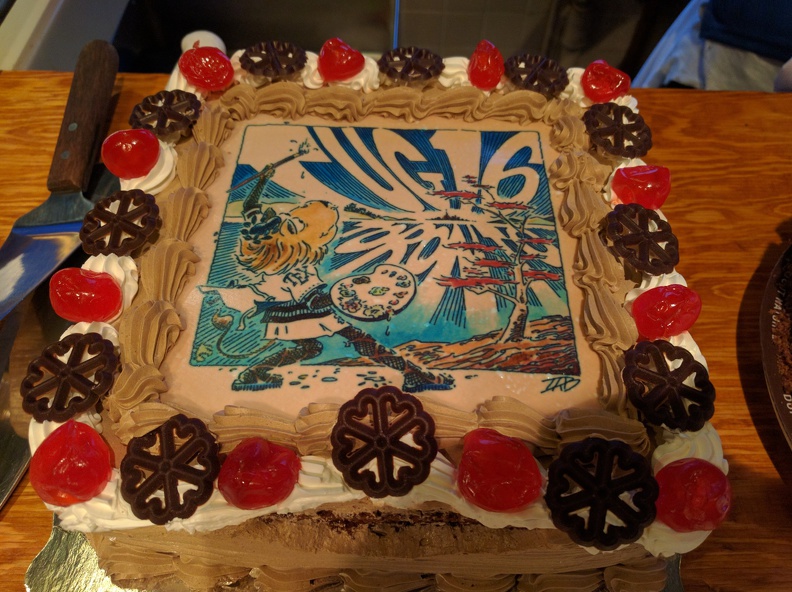
After the dinner we had some sweets, one of which was a specially made cake with the TUG 2016 logo on it. I have to say, it was not only this cake but the whole excellent and overboarding food we had during all these days, that will make me go on diet when I am back in Japan. Pavneet organized for the lunch breaks three different style of kitchens (Thai, Indian, Italian), then the excursions to local brewers and and and If it wouldn t be for TeX, I would call it a Mastkur .
TUG 2016 cake
During the cruise we also had a little ceremony thanking Jim for his work as president of the TUG, but above all Pavneet for this incredible well organized conference. I think everyone agreed that this was the best TUG conference since long.
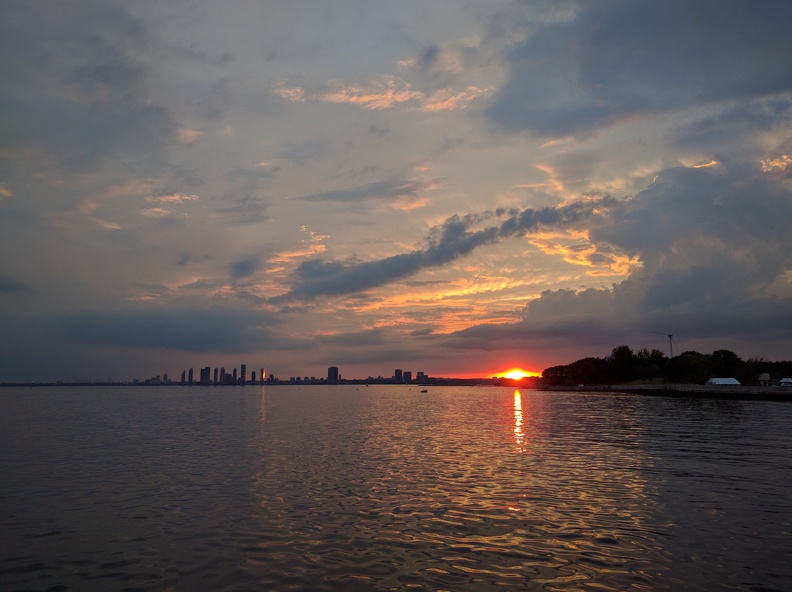
Sunset near Toronto
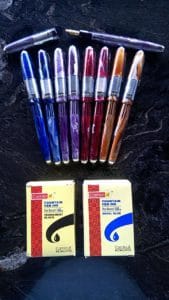
pensDuring the ceremony, Pavneet also announced the winners of the TUG 2016 fountain pen auction. These pens have a long history/travel behind them, see details on the linked page, and were presented to the special guests of the conference. Two remaining pens were auctioned with funds going to the TUG. The first one was handed over to Steve Grathwohl, and to my utter surprise the second one to myself. So now I am a happy owner of a TUG 2016 fountain pen. What a special feature! Just one more detail about these pens: They are traditional style, so without ink capsules, but one needs to insert the ink with a syringe. I guess I need to stack up a bit at home, and more importantly, train my really ugly hand-writing, otherwise it would be a shame to use this exquisite tool. We returned to the harbor around 10pm, and back to the hotel, where there was much greeting and thanking, as many people will return the following day.
Heading back to Toronto
I will also leave on Friday morning to meet with friends, thus I will not be participating in (and not reporting on) the last excursion of the TUG 2016. I will leave Toronto and the TUG 2016 with (nearly) exclusively good memories of excellent talks, great presentations, wonderful excursions, and lots of things I have learned. I hope to see all of the participants on next year s TUG meeting and I hope I will be able to attend it. Thanks a lot to Pavneet, you have done an incredible job. And last but not least, thanks to your lovely wife for letting you do all this, I know how much time we did steal from her. A few more photos can be found at the album Day 4 Books, ooh books.

28 July 2016

Norbert Preining: TUG 2016 Day 3 Stories and Histories

The last day of TUG 2016, or at least the last day of talks, brought four one-hour talks from special guests, and several others, where many talks told us personal stories and various histories.
tug2016-biglow A great finish of a great conference. Jennifer Claudio The case for justified text Due to a strange timezone bug in my calendar program, I completely overslept a morning meeting and breakfast, as well as the first talk, so unfortunately I don t have anything to report about this surely intersting talk comparing justification in various word processors and TeX. Leyla Akhmadeeva, Rinat Gizatullin, Boris Veytsman Are justification and hyphenation good or bad for the reader? Still half dizzy and without coffee, I couldn t really follow this talk, and only woke up till the end when there was a lot of interesting discussion about speed reading and its non-existence (because it is simply skimming over text), and improvements on reading comprehension. Charles Bigelow Looking for legibility Another special guest, Charles Bigelow, presented a huge pool of research and work into readability, and how attitude and usage of fonts change over time. A very involving and well laid out talk, full of interesting background images and personal opinions and thoughts. Charles also touched onto topics of readability on modern devices like e-readers and mobiles. He compared the recent developments in font design for mobile devices with their work on Lucida 20+ years ago, and concluded that both arrived at the same solutions. A very educating and amusing talk packed full with information on readability. I surely will revisit the recording in a study session. David Walden Some notes on the history of digital typography David touches on many topics of the history of digital typography which he has experienced himself over the years: First the development of newspaper production and printing, then the evolvement of editors from simple text editors over word processors to full-fledged DTP programs. Finally he touches on various algorithmic problems that appear in the publishing business. Tim Inkster The beginning of my career Tim, our fanatastic guide through his print shop the Procupine s Quill on the second excursion day, talked about his private ups and downs in the printing business, all filled with an infinite flow of funny stories and surprising anecdotes. Without slides and anything but his voice and his stories, he kept us hanging on his lips without a break. I recommend watching the recording of his talk because one cannot convey the funny comments and great stories he shared with us in this simple blog. Joe Clark Type and tiles on the TTC Joe unveils the history of rise and fall of the underground types and
tiles in Toronto. It is surprising to me that a small metro network as in Toronto can have such a long history of changes of design, layout, presentation. Some of the photos completely stymed me how can anyone put up signs like that? I was thinking. To quote Joe (hopefully I remember correctly):
You see what happens without adult supervision.
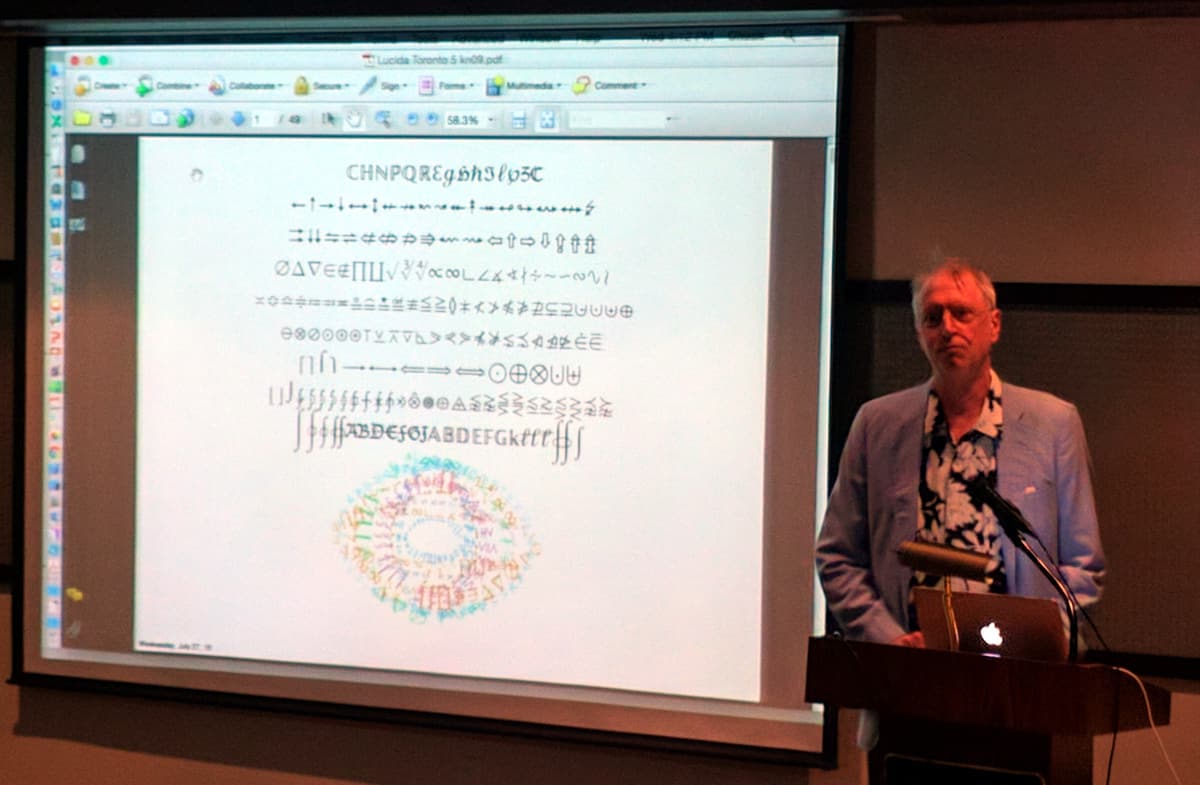
Abdelouahad Bayar Towards an operational (La)TeX package supporting optical scaling of dynamic mathematical symbols A technical talk about a trial in providing optical scaling of mathematical symbols. As far as I understand it tries to improve on the TeX way of doing extensible math symbols by glueing things together. It seems to be highly involved and technically interesting project, but I couldn t completely grasp the aim of it. Michael Cohen, Blanca Mancilla, John Plaice Zebrackets: A score of years and delimiters John introduced us to Zebrackets, stripped parentheses and brackets, to help us keep track of pairing of those beasts. But as we know, Zebras are very elusive animals, and so we saw lots of stripped brackets around. The idea of better markup of matching parentheses is definitely worth developing. Charles Bigelow Probably approximately not quite correct: Revise, repeat The second talk of Charles, this time on the history of the Lucida fonts, from the early beginnings drawn on graph paper to recent developments using FontLab producing OpenType fonts. A truly unique crash course through the development of one of the very big families of fonts, and one of the first outside Computer Modern that had also support for proper math typesetting in TeX.
Aggressively legible!
One of the key phrases that popped up again and again was aggressively legible, mostly in negative connotations as far to fat symbols or far to big Arabic letters. But for me this font family is still close to my heart. I purchased it back than from Y&Y for my PhD thesis, and since then have upgraded to the TUG version including the OpenType fonts, and I use them for most of my presentation. Maybe I like the aggressive legibility! Chuck slided in lots of nice comments about Kris Holmes, the development practice in their cooperation, stories of business contacts, and many more, making this talk a very lively and amusing, and at the same time very educating talk.
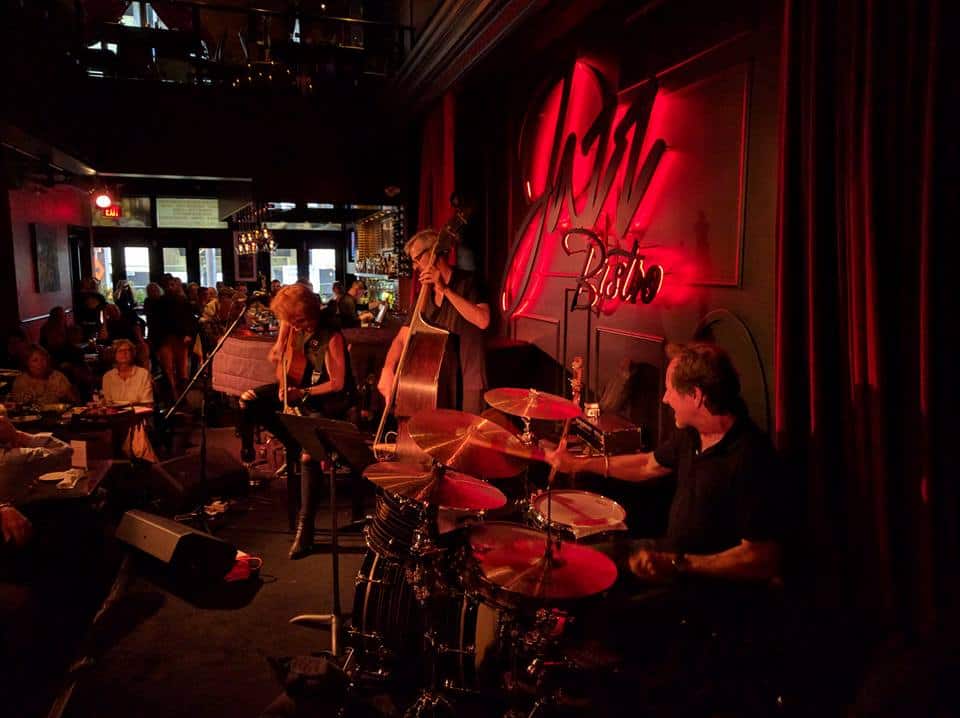
This concluded the TUG conference talks, and we thanked Pavneet for his excellent organization. But since we still have up to two days of excursions, many people dispersed quickly, just to meet again for a optional Type and Tile Tour 3-5 subway stops with discussion of typesetting This guided tour through the underground of Toronto, guided by Joe Clark who spoke in the morning about this topic, was attended by far too many participants. I think there were around 25 when we left. I thought that this will not work out properly, and so decided to leave the group and wander around alone. The last program point for today was dinner with a blues music concert in the near by Jazz Bistro:
jazz-bistro Excellent life music in a bit schick/sophisticated atmosphere was a good finish for this excellent day. With Herb from MacTeX and his wife we killed two bottles of red wine, before slowly tingling back to the hotel. A great finishing day of talks.

27 July 2016

Norbert Preining: TUG 2016 Day 2 Figures to Fonts

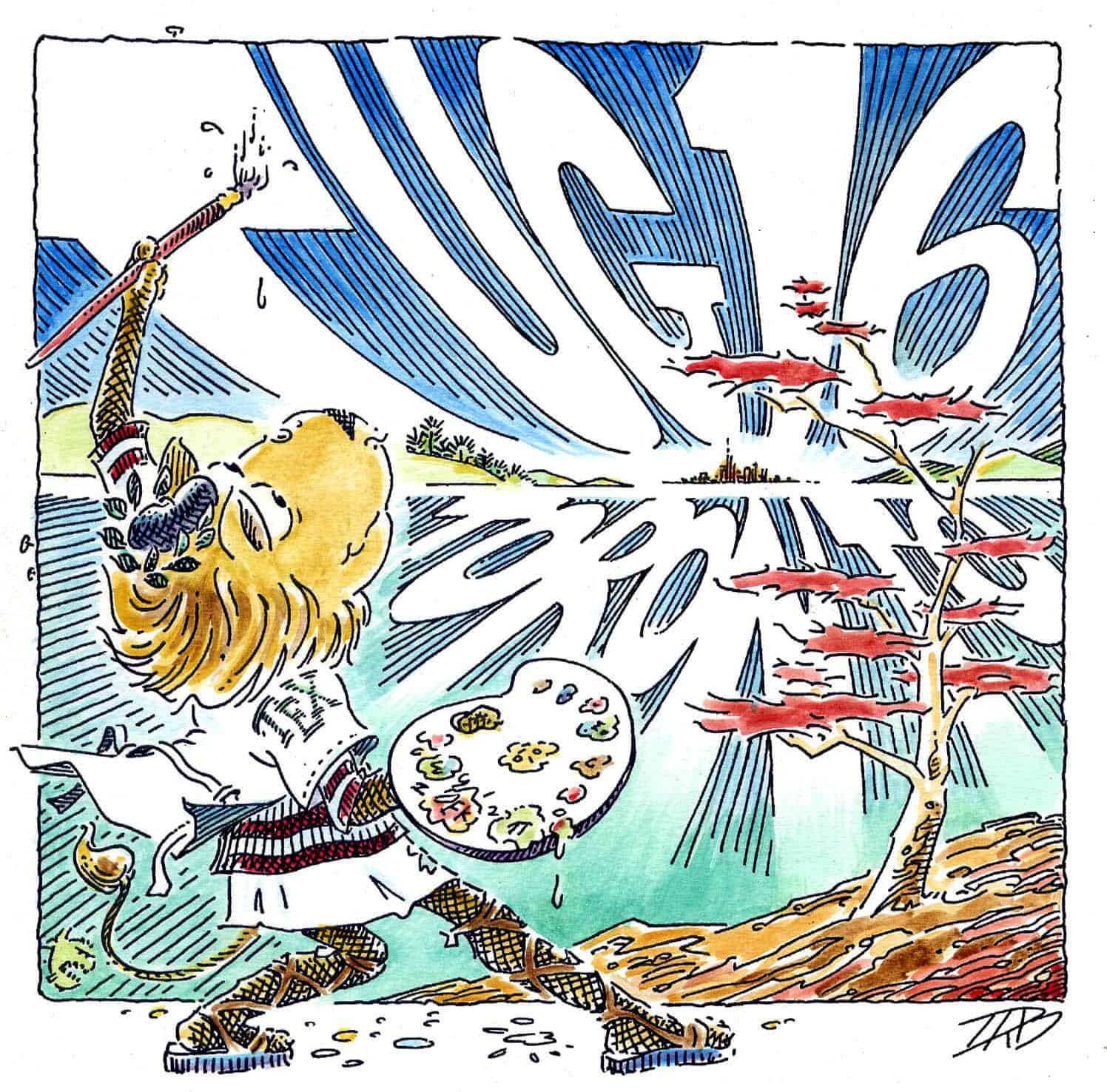
The second day of TUG 2016 was again full of interesting talks spanning from user experiences to highly technical details about astrological chart drawing, and graphical user interfaces to TikZ to the invited talk by Robert Bringhurst on the Palatino family of fonts. tug2016-bringhurst With all these interesting things there is only one thing to compain I cannot get out of the dark basement and enjoy the city After a evening full of sake and a good night s sleep we were ready to dive into the second day of TUG. Kaveh Bazargan A graphical user interface for TikZ The opening speaker of Day 2 was Kaveh. He first gave us a quick run-down on what he is doing for business and what challenges publishers are facing in these times. After that he introduced us to his new development of a command line graphical user interface for TikZ. I wrote command line on purpose, because the editing operations are short commands issued on a kind of command line, which will give an immediate graphical feedback. Basic of the technique is a simplified TikZ-like meta language that is not only easy to write, but also easy to parse. While the amount of supported commands and features of TikZ is still quite small, I think the basic idea is a good one, and there is a good potential in it. Matthew Skala Astrological charts with horoscop and starfont Next up was Matthew who introduced us to the involved task of typesetting astrological charts. He included comparisons with various commercial and open source solutions, where Matthew of course, but me too, felt that his charts came of quite well! As an extra bonus we got some charts of famous singers, as well as the TUG 2016 horoscope. David Tulett Development of an e-textbook using LaTeX and PStricks David reported on his project to develop an e-textbook on decision modeling (lots of math!) using LaTeX and PStricks. His e-book is of course a PDF. There were a lot of very welcoming feedback free (CC-BY-NC-ND) textbooks for sciences are rare and we need more of them. Christian Gagn An Emacs-based writing workflow inspired by TeX and WEB, targeting the Web Christian s talk turned around editing and publishing using org-mode of Emacs and the various levels of macros one can use in this setup. He finished with a largely incomprehensible vision of a future equational logic based notation mode. I have used equational logic in my day-in-day-out job, and I am not completely convinced that this is a good approach for typesetting and publishing but who knows, I am looking forward to a more logic-based approach! Barbara Beeton, Frank Mittelbach In memoriam: Sebastian Rahtz (1955-2016) Frank recalled Sebastian s many contribution to a huge variety of fields, and recalled our much missed colleague with many photos and anecdotes. Jim Hefferon A LaTeX reference manual Jim reported about the current state of a LaTeX reference manual, which tries to provide a documentation orthogonally to the many introduction and user guides available, by providing a straight down-to-earth reference manual with all the technical bells and whistles necessary. As I had to write myself a reference manual for a computer language, it was very interested to see how they dealt with many of the same problems I am facing. Arthur Reutenauer, Mojca Miklavec Hyphenation past and future: hyph-utf8 and patgen Arthur reports about the current statue of the hyphenation pattern project, and in particular the license and usage hell they recently came into with large cooperations simply grabbing the patterns without proper attribution. In a second part he gave a rough sketch of his shot at a reimplementation of patgen. Unfortunately he wrote in rather unreadable hand-writing on a flip-chart, which made only the first line audience to actually see what he was writing. Federico Garcia-De Castro TeXcel? As an artist organizing large festivals Federico has to fight with financial planning and reports. He seemed not content with the abilities of the usual suspects, so he developed a way to do Excel like book-keeping in TeX. Nice idea, I hope I can use that system for the next conference I have to organize! Jennifer Claudio A brief reflection on TeX and end-user needs Last speaker in the morning session was Jennifer who gave us a new and end-user s view onto the TeX environment, and the respective needs. These kind of talks are a very much welcomed contrast to technical talks and hopefully all of us developers take home some of her suggestions. Sungmin Kim, Jaeyoung Choi, Geunho Jeong MFCONFIG: Metafont plug-in module for the Freetype rasterizer Jaeyoung reported about an impressive project to make Metafont fonts available to fontconfig and thus windowing systems. He also explained their development of a new font format Stemfont, which is a Metafont-like system that can work also for CJK fonts, and which they envisage to be built into all kind of mobile devices. Michael Sharpe New font offerings Cochineal, Nimbus15 and LibertinusT1Math Michael reports about his last font projects. The first two being extensions of the half-made half-butchered rereleased URW fonts, as well as his first (?) math font project. I talked to him over lunch one day, and asked him how many man-days he need for these fonts, and his answer was speaking a lot: For the really messed up new URW fonts, like Cochineal, he guessed about 5 man-months of work, while other fonts only needed a few days. I think we all can be deeply thankful to all the work he is investing into all these font projects. Robert Bringhurst The evolution of the Palatino tribe The second invited talk was Robert Bringhurst, famous for his wide contributions to typpography, book culture in general, as well as poetry. He gave a quick historic overview on the development of the Palatino tribe of fonts, with lots of beautiful photos. I was really looking forward to Robert s talk, and my expectations were extremely high. And unfortunately I must say I was quite disappointed. Maybe it is his style of presentation, but the feeling he transfered to me (the audience?) was that he was going through a necessary medical check, not much enjoying the presentation. Also, the content itself was not really full of his own ideas or thoughts, but a rather superficial listing of historical facts. Of course, a person like Robert Bringhurst is so full of anecdotes and background knowledge still was a great pleasure to listen and lots of things to learn, I only hoped for a bit more enthusiasm. TUG Annual General Meeting The afternoon session finished with the TUG Annual General Meeting, reports will be sent out soon to all TUG members. Herbert Schulz Optional workshop: TeXShop tips & tricks After the AGM, Herbert from MacTeX and TeXShop gave an on-the-spot workshop on TeXShop. Since I am not a Mac user, I skipped on that.
Another late afternoon program consisted of an excursion to Eliot s bookshop, where many of us stacked up on great books. This time again I skipped and took a nap. In the evening we had a rather interesting informal dinner in the food court of some building, where only two shops were open and all of us lined up in front of the Japanese Curry shop, and then gulped down from plastic boxes. Hmm, not my style I have to say, not even for informal dinner. But at least I could meet up with a colleague from Debian and get some gpg key signing done. And of course, talking to all kind of people around. The last step for me was in the pub opposite the hotel, with beer and whiskey/scotch selected by specialists in the field.

26 July 2016

Norbert Preining: TUG 2016 Day 1 Routers and Reading

The first day of the real conference started with an excellent overview of what one can do with TeX, spanning from traditional scientific journal styles to generating router configuration for cruising ships.
tug2016-color All this was crowned with an invited talk my Kevin Larson from Microsoft s typography department on how to support reading comprehension. Pavneet Aurora Opening: Passport to the TeX canvas Pavneet, our never-sleeping host and master of organization, opened the conference with a very philosophical introduction, touching upon a wide range of topics ranging from Microsoft, Twitter to the beauty of books, pages, and type. I think at some point he even mentioned TeX, but I can t remember for sure. His words put up a very nice and all-inclusive stage, a community that is open to all kind of influences with any disregard or prejudice. Let us hope that is reflects reality. Thanks Pavneet. Geoffrey Poore Advances in PythonTeX Our first regular talk was by Geoffrey reporting on recent advances in PythonTeX, a package that allows including python code in your TeX document. Starting with an introduction to PythonTeX, Geoggrey reports about an improved verbatim environment, fvextra, which patches fancyvrb, and improved interaction between tikz and PythonTeX. As I am a heavy user of listings for my teaching on algebraic specification languages, I will surely take a look at this package and see how it compares to listings. Stefan Kottwitz TeX in industry I: Programming Cisco network switches using TeX Next was Stefan from Lufthansa Industry Solutions, who reported first about his working environment, Cruise Ships with a very demanding IT infrastructure he has to design and implement. Then he introduced us to his way of generating IP configurations for all the devices using TeX. The reason he chose this method is that it allows him to generate at the same time proper documentation. It was surprising for me to hear that by using TeX he could far more efficiently and quicker produce well designed and easily accessible documentation, which helped both the company as well as made the clients happy! Stefan Kottwitz TeX in industry II: Designing converged network solutions After a coffee break, Stefan continued his exploration into industrial usage of TeX, this time about using tikz to generate graphics representing the network topology on the ships. Boris Veytsman Making ACM LaTeX styles Next up was Boris which brought us back to traditional realms of TeX when he guided us into the abyss of ACM LaTeX styles he tried to maintain for some time, until he plunged into a complete rewrite of the styles. Frank Mittelbach Alice goes floating global optimized pagination including picture placements The last talk before lunch (probably a strategic placement, otherwise Frank would continue for hours and hours) was Frank on global optimization of page breaks. Frank showed us what can and can not be done with current LaTeX, and how to play around with global optimization of pagination, using Alice in Wonderland as running example. We can only hope that his package is soon available in an easily consumable version to play around. Thai lunch Pavneet has organized three different lunch-styles for the three days of the conference, today s was Thai with spring rools, fried noodles, one kind of very interesting orange noodles, and chicken something. Michael Doob baseball rules summary After lunch Michael gave us an accessible explanation of the most arcane rules a game can have the baseball rules by using pseudo code. I think the total number of loc needed to explain the overall rules would fill more pages than the New York phonebook, so I am deeply impressed by all those who can understand these rules. Some of us even wandered off in the late afternoon to see a match with life explanations of Michael. Amartyo Banerjee, S.K. Venkatesan A Telegram bot for printing LaTeX files Next up was Amartyo who showed a Telegram (as in messenger application) bot running on a Raspberry Pi, that receives (La)TeX files and sends back compiled PDF files. While it is not ready for consumption (If you sneeze the bot will crash!), it looks like a promising application. Furthermore, it is nice to see how open APIs (like Telegram) can spur development of useful tools, while closed APIs (including threatening users, like WhatApp) hinders it. Norbert Preining Security improvements in the TeX Live Manager and installer Next up was my own talk about beefing up the security of TeX Live by providing integrity and authenticity checks via GnuPG, a feature that has been introduced with the recent release of TeX Live 2016. The following discussion gave me several good idea on how to further improve security and usability. Arthur Reutenauer -The TeX Live M sub-project (and open discussion) Arthur presented the TeX Live M (where the M stands supposedly for Mojca, who couldn t attend unfortunately) project: Their aim is to provide a curated and quality verified sub-part of TeX Live that is sufficiently complete for many applications, and easier for distributors and packagers. We had a lively discussion after Arthur s short presentation, mostly about why TeX Live does not have a on-the-fly installation like MikTeX. I insisted that this is already possible, using the tex-on-the-fly package which uses the mktextex infrastructure, but also caution against using it by default due to delays induced by repeatably reading the TeX Live database. I think this is a worth-while project for someone interested in learning the internals of TeX Live, but I am not sure whether I want to invest time into this feature. Another discussion point was about a testing infrastructure, which I am currently working on. This is in fact high on my list, to have some automatic minimal functionality testing a LaTeX package should at least load! Kevin Larson Reading between the lines: Improving comprehension for students Having a guest from Microsoft is rather rare in our quite Unix-centered environment, so big thanks to Pavneet again for setting up this contact, and big thanks to Kevin for coming. Kevin gave us a profound introduction to reading disabilities and how to improve reading comprehension. Starting with an excursion into what makes a font readable and how Microsoft develops optimally readable fonts, he than turned to reading disabilities like dyslexia, and how markup of text can increase students comprehension rate. He also toppled my long-term believe that dyslexia is connected to the similar shape of letters which are somehow visually malprocessed this was the scientific status from the 1920ies till the 70ies, but since then all researchers have abandoned this interpretation and dyslexia is now linked to problems linking shape to phonems. Kevin did an excellent job with a slightly difficult audience some people picking about grammer differences between British and US English and permanently derailing the discussion, and even more the high percentage of typographically somehow specially tasted participants. After the talk I had a lengthy discussion with Kevin about if/how this research can be carried over to non-Roman writing systems, in particular Kanji/Hanzi based writing systems, where dyslexia shows itself probably in different context. Kevin also mentioned that they want to add interword space to Chinese to help learners of Chinese (children, foreigners) to better parse, and studies showed that this helps a lot in comprehension. On a meta-level, this talk bracketed with the morning introduction by Pavneet, describing an open environment with stimulus back and forth in all directions. I am very happy that Kevin took the pain to come in his tight schedule, and I hope that the future will bring better cooperation at the end we are all working somehow on the same front only the the tools differ.
izakaya-sake-partyAfter the closing of the session, one part of our group went off to the baseball match, while another group dived into a Japanese-style Izakaya where we managed to kill huge amounts of sake and quite an amount of food. The photo shows me after the first bottle of sake, while just seeping on an intermediate small amount of genshu (kind of strong undiluted sake) before continuing to the next bottle. An interesting and stimulating first day of TUG, and I am sure that everyone was looking forward to day 2.

25 July 2016

Norbert Preining: TUG 2016 Day -1 Wines and Waters

This years TUG is held in Toronto, Canada, and our incredible host Pavneet has managed to put together an busy program of excursions and events around the real conference. The -1st day (yeah, you read right, the minus-first day), that is two days before the actual conference starts, was dedicated to an excursion to enjoying wines at the wine estate Ch teau des Charmes, followed by a visit to the Niagara falls.
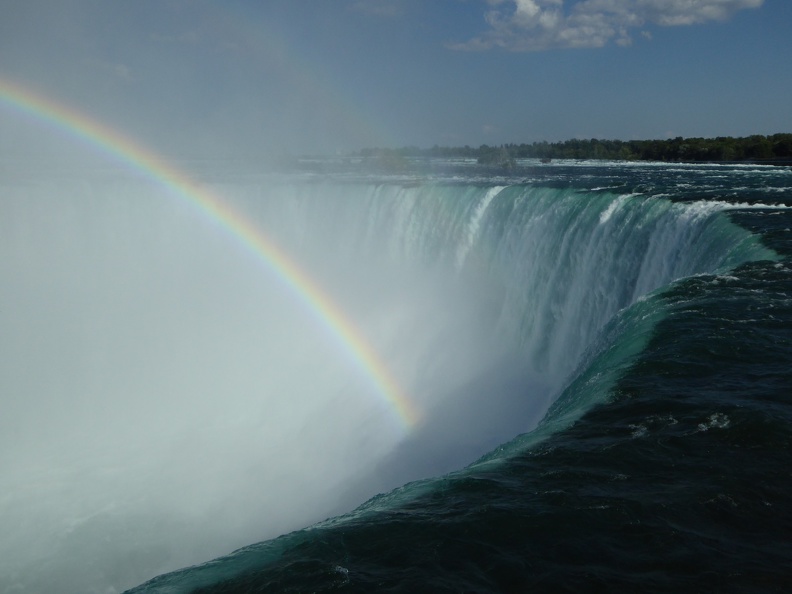
The amount of water running down the Horseshoe Falls is incredible
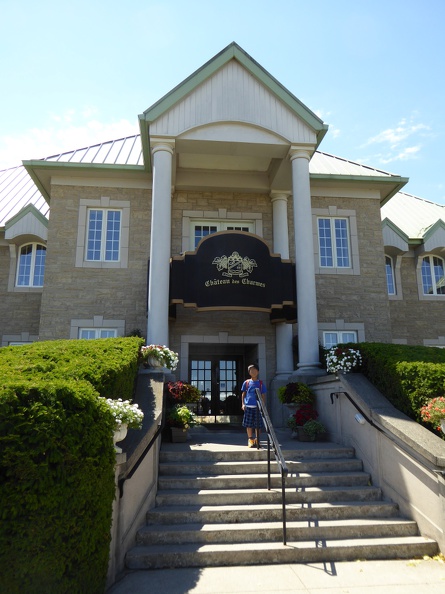
What should I say, if the first thing after getting out of the bus is a good wine, then there is nothing to go wrong I arrived in Toronto already two days earlier in the late afternoon, and spend Friday relaxing, recovering from the long flight, walking the city a bit, trying to fix my cold, and simply going slowly. Saturday morning we met already at a comfortable 10am in the morning (still to early for me, due to jet lag and a slightly late evening before), but the first 2h of bus drive allowed us to relax. Our first stop was the Ch teau des Charmes, and impressive building surrounded by vineyards.
Entrance to the Ch teau des Charmes
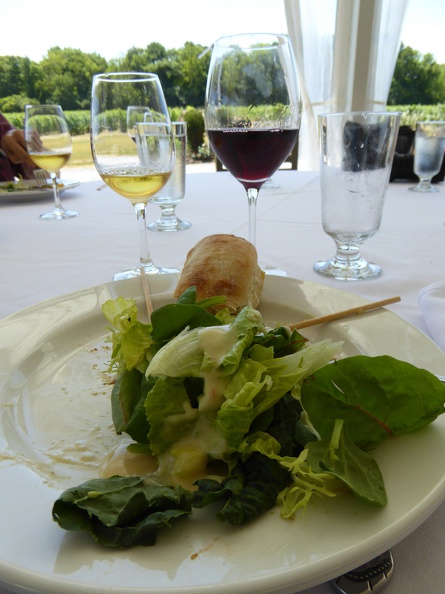
We were immediately handed over to a sandwich lunch with white, red, and ice wine. Good start! And although the breakfast wasn t that long time ago, the delicious sandwiches (at least the vegetarian ones I tried) were good foundation for the wine.
Lunch impressions at Ch teau des Charmes
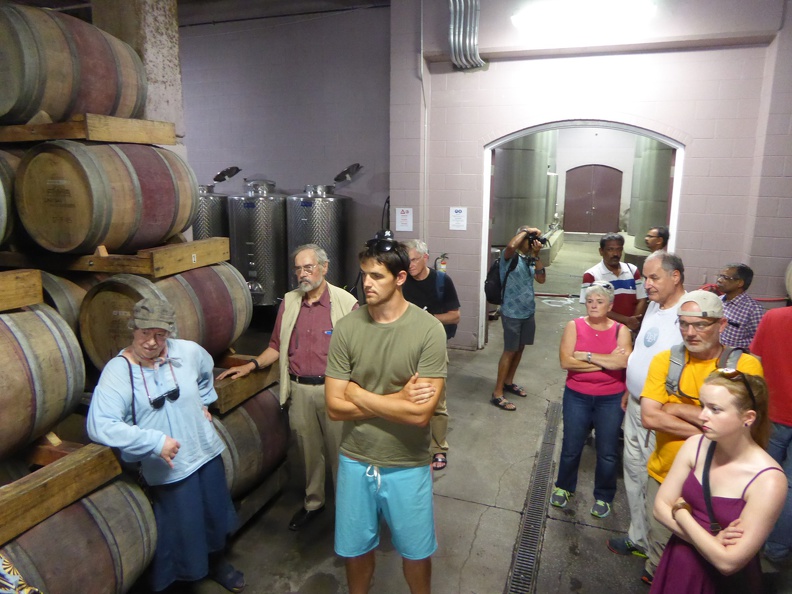
After having refilled our energy reserves, we are ready to start our tour. Our guide, very, if not over, enthusiastic, explains us that practically everything related to wine in Canada has been started at this Ch teau from the current owner the Ch teau system where farmer and wine producer are the same, import of European grapes, winter protection methods, wine making I was close to forgetting our Roman and Greek ancestors. At least she admitted that the Ice wine was brought over by an Austrian but perfection was done here, were the controls of the government are much stricter than anywhere else hmmm, somehow I cannot completely believe all this narrative, but at least it is enjoyable. So now that we know all about the history, we dive into the production process area, and the barrel space, always accompanied with extensive comments and (self-)praise.
Enjoying the explanations of our very enthusiastic guide
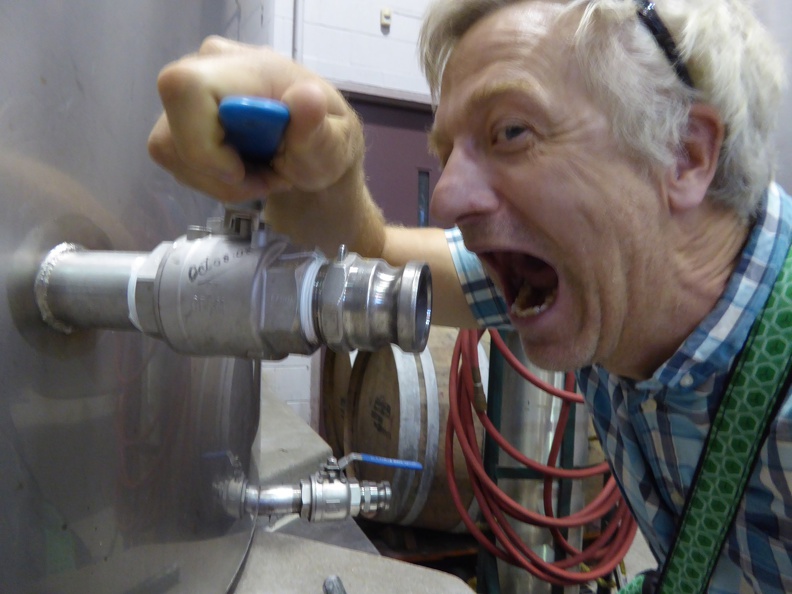
After this exhaustive and exhausting round, we are guided back to the patio to taste another three different wines, a white (bit too warm, not so much my taste), a rose (very good), and a red made from a new grape variety that has mutated first here on the Ch teau (interesting). As I didn t have enough, I tried to get something out of the big containers directly, but without success!
Me trying to get a full load of wine
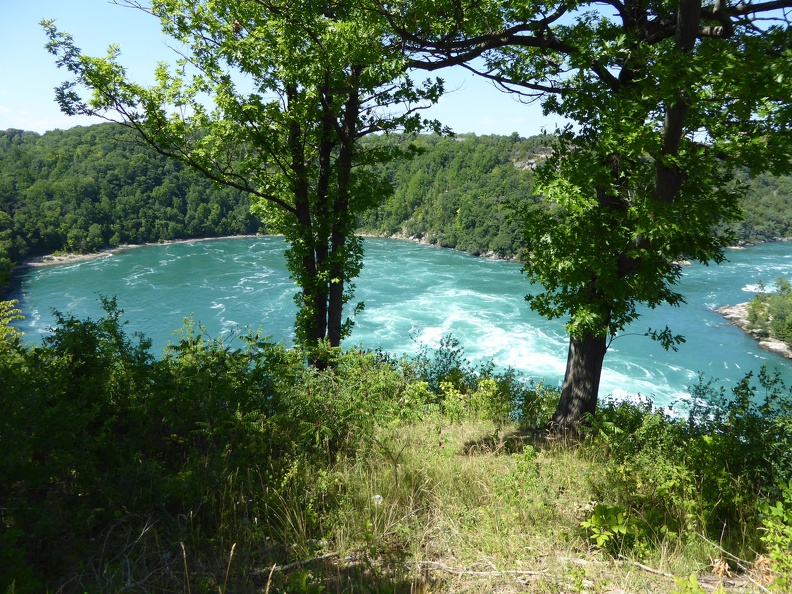
Happy and content, and after passing through the shopping area, we are boarding the bus to continue direction of the Niagara Falls. Passing by at quite some nice houses of definitely quite rich people (although Pavneet told me that houses in Toronto are far more expensive than those here how can someone afford this?), we first have a view onto the lower Niagara river. A bit further one we are let out to see huge whirlpools in the river, where boat tours are bringing sightseers on a rough ride ride into the pool.
Whirlpools along the Niagara river
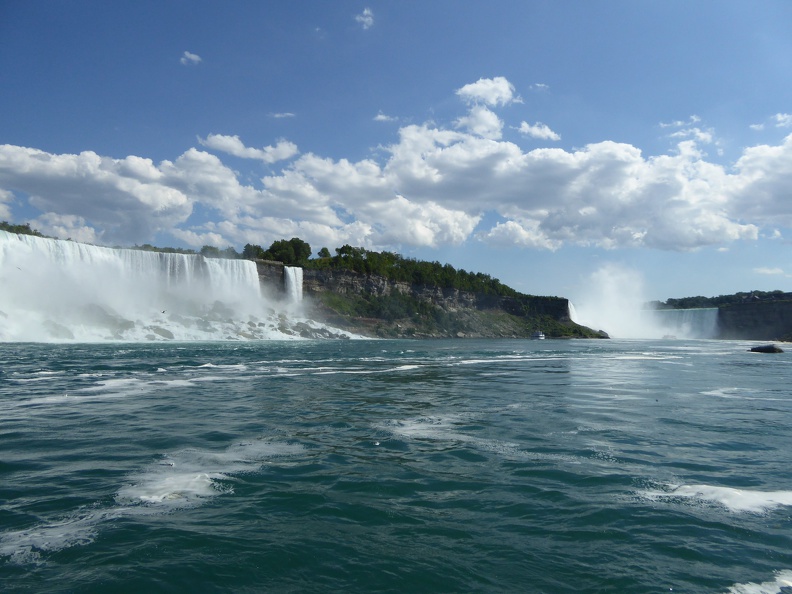
Only a slight bit further on we finally reach the Niagara falls, with the great view onto the American falls in full power, and the Horseshoe Falls further up.
Horseshoe Falls in view
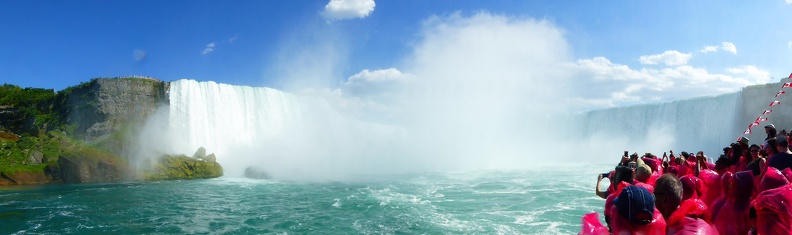
We immediately boarded a boat tour making a short trip to the Horseshoe Fall. Lining up with hundreds and hundreds of other spectators, we prepare for the splash with red rain wear (the US side uses blue, not that any side would rescue a wrong person and create an illegal immigrant!). The trip passes first under the American Falls and continues right into the mist that fills all the area in the middle of the Horseshoe falls. Spectacular impression with walls of water falling down on both sidess.
Panorama of the Horseshoe Falls
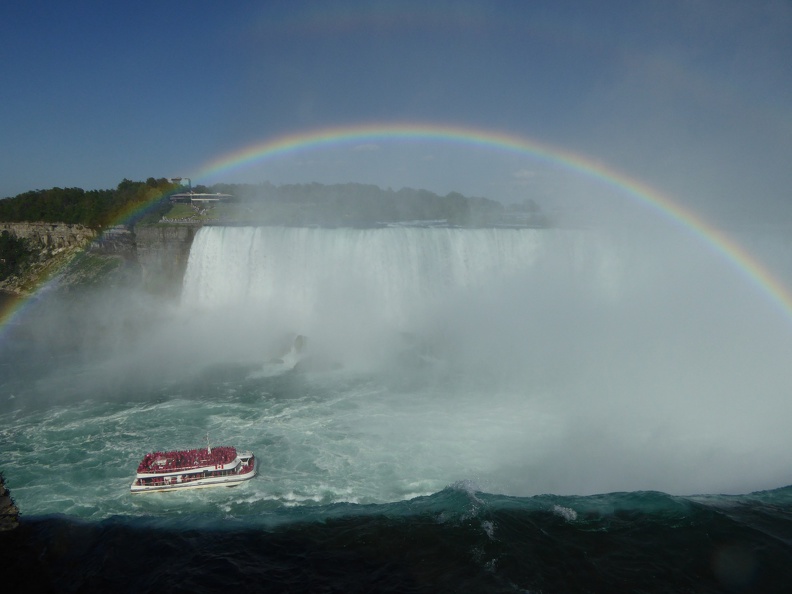
Returned from the splash and having dried our feet, we walk along the ridge to see the Horseshoe falls from close up. The amount of water falling down these falls is incredible, and so is the erosion that creates the brown foam on the water down in the pool, made up from pulverized limestone. Blessed as we were, the sun was laughing all the day and we got a nice rainbow right in the fall.
Horseshoe Falls with boat and rainbow, lovely.
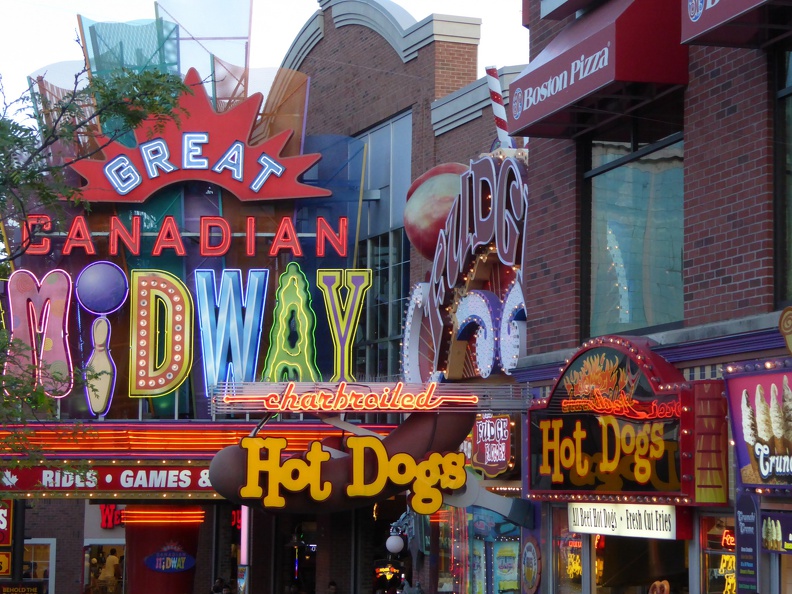
The surroundings of the fall are less impressive Disney land? Horror cabinet? Jodel bar? A wild mixture of amusement park style locations squeezed together and overly full with people as if enjoying the nature itself would not be enough. All immersed by ever blasting loudspeaker music.
Torture around Niagara falls
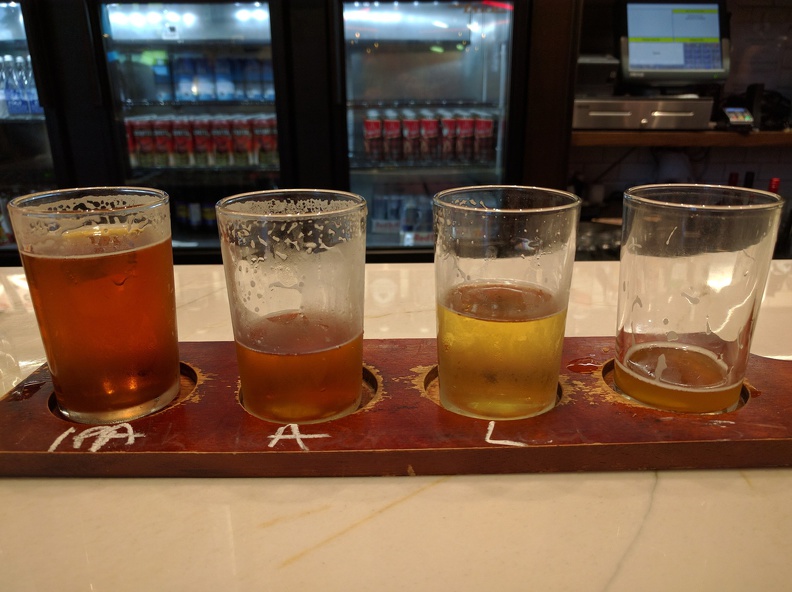
The only plus point I could find in this encampment of forced happiness was a local craft beer brewer where one could taste 8 different beers I made it only to four, though.
Beer tasting at Niagara Brewery, IPA, Amber ale, Lager, and some Light Fruity Radler beer.
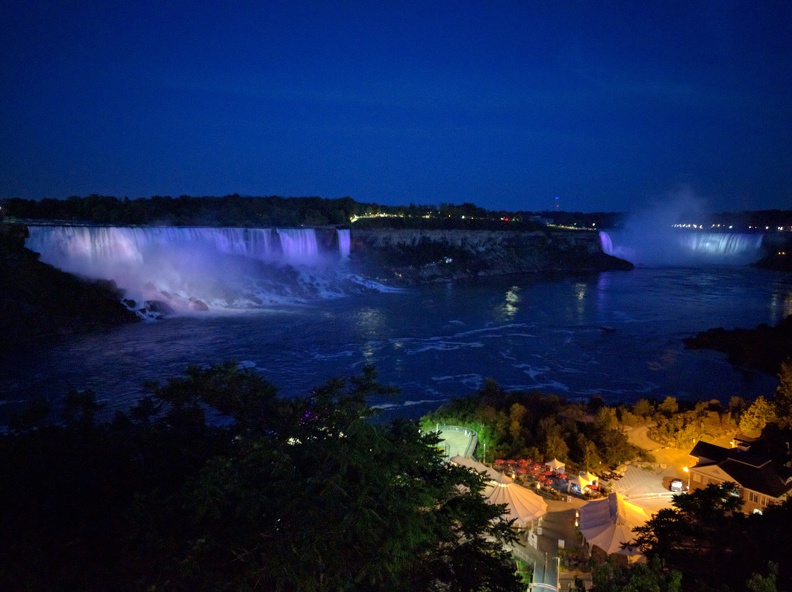
Finally night was falling in and we moved down to the falls again to enjoy the illumination of the falls.
Night view onto Niagara falls
After this wonderful finish we boarded the bus and back to Toronto, where we arrived around mid-night. A long but very pleasurable Day Minus One! Further photos can be seen at the gallery TUG 2016 Day Minus One.

Martin Michlmayr: Debian on Jetson TK1

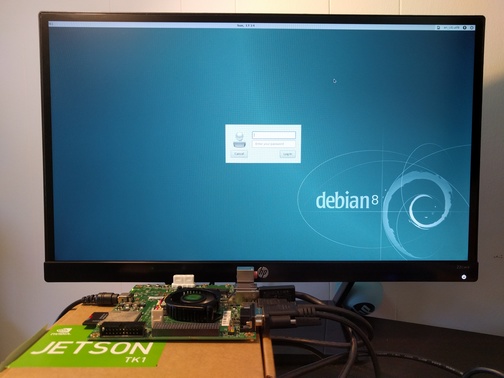
Debian on Jetson TK1 I became interested in running Debian on NVIDIA's Tegra platform recently. NVIDIA is doing a great job getting support for Tegra upstream (u-boot, kernel, X.org and other projects). As part of ensuring good Debian support for Tegra, I wanted to install Debian on a Jetson TK1, a development board from NVIDIA based on the Tegra K1 chip (Tegra 124), a 32-bit ARM chip. Ian Campbell enabled u-boot and Linux kernel support and added support in the installer for this device about a year ago. I updated some kernel options since there has been a lot of progress upstream in the meantime, performed a lot of tests and documented the installation process on the Debian wiki. Wookey made substantial improvements to the wiki as well. If you're interested in a good 32-bit ARM development platform, give Debian on the Jetson TK1 a try. There's also a 64-bit board. More on that later...

24 July 2016

Dirk Eddelbuettel: RcppArmadillo 0.7.200.2.0

armadillo image The second Armadillo release of the 7.* series came out a few weeks ago: version 7.200.2. And RcppArmadillo version 0.7.200.2.0 is now on CRAN and uploaded to Debian. This followed the usual thorough reverse-dependecy checking of by now over 240 packages using it. For once, I let it simmer a little preparing only a package update via the GitHub repo without preparing a CRAN upload to lower the update frequency a little. Seeing that Conrad has started to release 7.300.0 tarballs, the time for a (final) 7.200.2 upload was now right. Just like the previous, it now requires a recent enough compiler. As g++ is so common, we explicitly test for version 4.6 or newer. So if you happen to be on an older RHEL or CentOS release, you may need to get yourself a more modern compiler. R on Windows is now at 4.9.3 which is decent (yet stable) choice; the 4.8 series of g++ will also do. For reference, the current LTS of Ubuntu is at 5.4.0, and we have g++ 6.1 available in Debian testing. This new upstream release adds new indexing helpers, additional return codes on some matrix transformations, increased speed for compound expressions via vectorise, corrects some LAPACK feature detections (affecting principally complex number use under OS X), and a rewritten sample() function thanks to James Balamuta. Armadillo is a powerful and expressive C++ template library for linear algebra aiming towards a good balance between speed and ease of use with a syntax deliberately close to a Matlab. Changes in this release (and the preceding GitHub-only release 0.7.200.1.0 are as follows:
Changes in RcppArmadillo version 0.7.200.2.0 (2016-07-22)
  • Upgraded to Armadillo release 7.200.2
  • The sampling extension was rewritten to use Armadillo vector types instead of Rcpp types (PR #101 by James Balamuta)
Changes in RcppArmadillo version 0.7.200.1.0 (2016-06-06)
  • Upgraded to Armadillo release 7.200.1
    • added .index_min() and .index_max()
    • expanded ind2sub() to handle vectors of indices
    • expanded sub2ind() to handle matrix of subscripts
    • expanded expmat(), logmat() and sqrtmat() to optionally return a bool indicating success
    • faster handling of compound expressions by vectorise()
  • The configure code now (once again) sets the values for the LAPACK feature #define correctly.
Courtesy of CRANberries, there is a diffstat report. More detailed information is on the RcppArmadillo page. Questions, comments etc should go to the rcpp-devel mailing list off the R-Forge page.

This post by Dirk Eddelbuettel originated on his Thinking inside the box blog. Please report excessive re-aggregation in third-party for-profit settings.

Gregor Herrmann: RC bugs 2016/01-29

seems I've neglected both my blog & my RC bug fixing activities in the last months. anyway, since I still keep track of RC bugs I worked on, I thought I might as well publish the list:

22 July 2016

Norbert Preining: Yukio Mishima The Temple of the Golden Pavilion

A masterpiece of modern Japanese literature: Yukio Mishima ( ) The Temple of the Golden Pavilion ( ). The fictional story about the very real arson attack that destroyed the Golden Pavilion in 1950.
mishima-golden-temple A bit different treatise on beauty and ugliness!
How shall I put it? Beauty yes, beauty is like a decayed tooth. It rubs against one s tongue, it hangs there, hurting one, insisting on its own existence, finally [ ] the tooth extracted. Then, as one looks at the small, dirty, brown, blood-stained tooth lying in one s hand, one s thoughts are likely to be as follows: Is this it?
Mizoguchi, a stutterer, is from young years on taken by a near mystical imagination of the Golden Pavilion, influence by his father who considers it the most beautiful object in the world. After his father s death he moves to Kyoto and becomes acolyte in the temple. He develops a friendship with Kashiwagi, who uses his clubfeet to make women feel sorry for him and make them fall in love with his clubfeet, as he puts it. Kashiwagi also puts Mizoguchi onto the first tracks of amorous experiences, but Mizoguchi invariably turns out to be impotent but not due to his stuttering, but due to the image of the Golden Pavilion appearing in the essential moment and destroying every chance.
Yes, this was really the coast of the Sea of Japan! Here was the source of all my unhappiness, of all my gloomy thoughts, the origin of all my ugliness and all my strength. It was a wild sea.
Mizoguchi is getting more and more mentally about his relation with the head monk, neglects his studies, and after a stark reprimand he escapes to the north coast, from where he is brought back by police to the temple. He decides to burn down the Golden Pavilion, which has taken more and more command of his thinking and doing. He carries out the deed with the aim to burn himself in the top floor, but escapes in the last second to retreat into the hills to watch the spectacle.
Closely based on the true story of the arsonist of the Golden Pavilion, whom Mishima even visited in prison, the book is a treatise about beauty and ugly.
At his trial he [the real arsonist] said: I hate myself, my evil, ugly, stammering self. Yet he also said that he did not in any way regret having burned down the Kinkakuji.
Nancy Wilson Ross in the preface
Mishima is master in showing these two extremes by contrasting the refined qualities of Japanese culture flower arrangement, playing the shakuhachi, with immediate outburst of contrasting behavior: cold and brutal recklessness. Take for example the scene were Kashiwagi is arranging flowers, stolen by Mizoguchi from the temple grounds, while Mizoguchi is playing the flute. They also discuss koans and various interpretations. Enters the Ikebana teacher, and mistress of Kashiwagi. She congratulates Kashiwagi to his excellent arrangement, which he answers coldly by quitting their relationship, both as teacher as well as mistress, and telling her not to see him again in a formal style. She, still ceremonially kneeling, suddenly destroys the flower arrangement, only to be beaten and thrown out by Kashiwagi. And the beauty and harmony has turned to ugliness and hate in seconds. Beauty and Ugliness, two sides of the same medal, or inherently the same, because it is only up to the point of view. Mishima ingeniously plays with this duality, and leads us through the slow and painful development of Mizoguchi to the bitter end, which finally gives him freedom, freedom from the force of beauty. Sometimes seeing how our society is obsessed with beauty I cannot get rid of the feeling that there are far more Mizoguchis at heart.

21 July 2016

Reproducible builds folks: Reproducible builds: week 62 in Stretch cycle

What happened in the Reproducible Builds effort between June 26th and July 2nd 2016: Read on to find out why we're lagging some weeks behind ! GSoC and Outreachy updates Toolchain fixes With the doxygen upload we are now down to only 2 modified packages in our repository: dpkg and rdfind. Weekly reports delay and the future of statistics To catch up with our backlog of weekly reports we have decided to skip some of the statistics for this week. We might publish them in a future report, or we might switch to a format where we summarize them more (and which we can create (even) more automatically), we'll see. We are doing these weekly statistics because we believe it's appropriate and useful to credit people's work and make it more visible. What do you think? We would love to hear your thoughts on this matter! Do you read these statistics? Somewhat? Actually, thanks to the power of notmuch, Holger came up with what you can see below, so what's missing for this week are the uploads fixing irreprodubilities. Which we really would like to show for the reasons stated above and because we really really need these uploads to happen ;-) But then we also like to confirm the bugs are really gone, which (atm) requires manual checking, and to look for the words "reproducible" and "deterministic" (and spelling variations) in debian/changelogs of all uploads, to spot reproducible work not tracked via the BTS. And we still need to catch up on the backlog of weekly reports. Bugs submitted with reproducible usertags It seems DebCamp in Cape Town was hugely successful and made some people get a lot of work done: 61 bugs have been filed with reproducible builds usertags and 60 of them had patches: Package reviews 437 new reviews have been added (though most of them were just linking the bug, "only" 56 new issues in packages were found), an unknown number has been been updated and 60 have been removed in this week, adding to our knowledge about identified issues. 4 new issue types have been found: Weekly QA work 98 FTBFS bugs have been reported by Chris Lamb and Santiago Vila. diffoscope development strip-nondeterminism development tests.reproducible-builds.org Misc. This week's edition was written by Mattia Rizzolo, Reiner Herrmann, Ceridwen and Holger Levsen and reviewed by a bunch of Reproducible builds folks on IRC.

20 July 2016

Steinar H. Gunderson: Solskogen 2016 videos

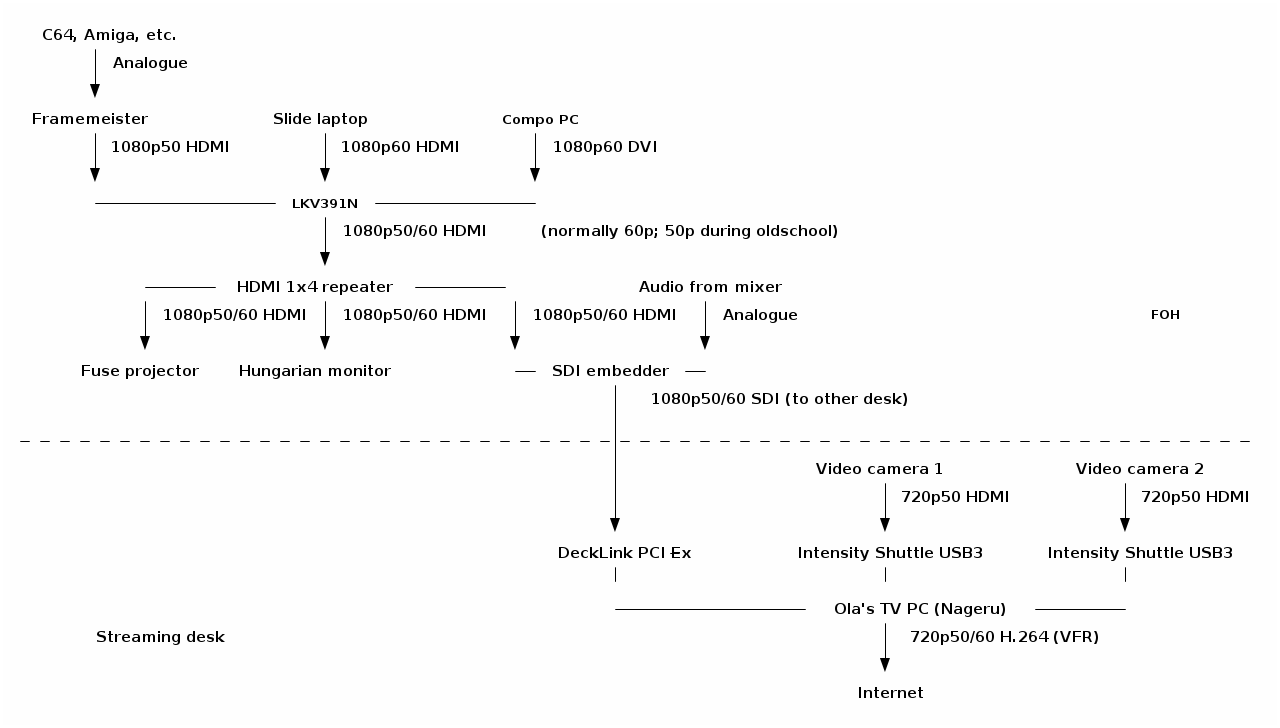
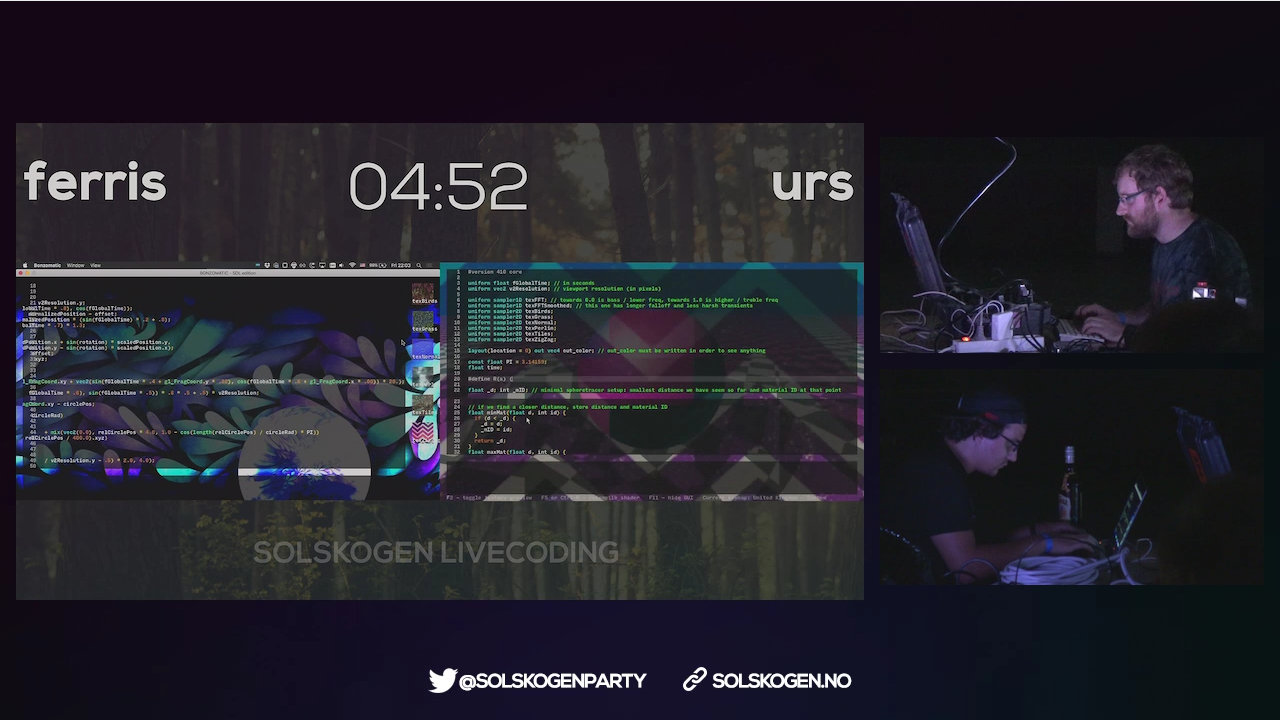
I just published the videos from Solskogen 2016 on Youtube; you can find them all in this playlist. The are basically exactly what was being sent out on the live stream, frame for frame, except that the audio for the live shader compos has been remastered, and of course a lot of dead time has been cut out (the stream was sending over several days, but most of the time, only the information loop from the bigscreen). YouTube doesn't really support the variable 50/60 Hz frame rate we've been using well as far as I can tell, but mostly it seems to go to some 60 Hz upconversion, which is okay enough, because the rest of your setup most likely isn't free-framerate anyway. Solskogen is interesting in that we're trying to do a high-quality stream with essentially zero money allocated to it; where something like Debconf can use 2500 for renting and transporting equipment (granted, for two or three rooms and not our single stream), we're largely dependent on personal equipment as well as borrowing things here and there. (I think we borrowed stuff from more or less ten distinct places.) Furthermore, we're nowhere near the situation of two cameras, a laptop, perhaps a few microphones ; not only do you expect to run full 1080p60 to the bigscreen and switch between that and information slides for each production, but an Amiga 500 doesn't really have an HDMI port, and Commodore 64 delivers an infamously broken 50.12 Hz signal that you really need to deal with carefully if you want it to not look like crap. These two factors together lead to a rather eclectic setup; here, visualized beautifully from my ASCII art by ditaa: Solskogen 2016 A/V setup diagram Of course, for me, the really interesting part here is near the end of the chain, with Nageru, my live video mixer, doing the stream mixing and encoding. (There's also Cubemap, the video reflector, but honestly, I never worry about that anymore. Serving 150 simultaneous clients is just not something to write home about anymore; the only adjustment I would want to make would probably be some WebSockets support to be able to deal with iOS without having to use a secondary HLS stream.) Of course, to make things even more complicated, the live shader compo needs two different inputs (the two coders' laptops) live on the bigscreen, which was done with two video capture cards, text chroma-keyed on top from Chroma, and OBS, because the guy controlling the bigscreen has different preferences from me. I would take his screen in as a dirty feed and then put my own stuff around it, like this: Solskogen 2016 shader compo screenshot (Unfortunately, I forgot to take a screenshot of Nageru itself during this run.) Solskogen was the first time I'd really used Nageru in production, and despite super-extensive testing, there's always something that can go wrong. And indeed there was: First of all, we discovered that the local Internet line was reduced from 30/10 to 5/0.5 (which is, frankly, unusable for streaming video), and after we'd half-way fixed that (we got it to 25/4 or so by prodding the ISP, of which we could reserve about 2 for video demoscene content is really hard to encode, so I'd prefer a lot more) Nageru started crashing. It wasn't even crashes I understood anything of. Generally it seemed like the NVIDIA drivers were returning GL_OUT_OF_MEMORY on things like creating mipmaps; it's logical that they'd be allocating memory, but we had 6 GB of GPU memory and 16 GB of CPU memory, and lots of it was free. (The PC we used for encoding was much, much faster than what you need to run Nageru smoothly, so we had plenty of CPU power left to run x264 in, although you can of course always want more.) It seemed to be mostly related to zoom transitions, so I generally avoided those and ran that night's compos in a more static fashion. It wasn't until later that night (or morning, if you will) that I actually understood the bug (through the godsend of the NVX_gpu_memory_info extension, which gave me enough information about the GPU memory state that I understood I wasn't leaking GPU memory at all); I had set Nageru to lock all of its memory used in RAM, so that it would never ever get swapped out and lose frames for that reason. I had set the limit for lockable RAM based on my test setup, with 4 GB of RAM, but this setup had much more RAM, a 1080p60 input (which uses more RAM, of course) and a second camera, all of which I hadn't been able to test before, since I simply didn't have the hardware available. So I wasn't hitting the available RAM, but I was hitting the amount of RAM that Linux was willing to lock into memory for me, and at that point, it'd rather return errors on memory allocations (including the allocations the driver needed to make for its texture memory backings) than to violate the never swap contract. Once I fixed this (by simply increasing the amount of lockable memory in limits.conf), everything was rock-stable, just like it should be, and I could turn my attention to the actual production. Often during compos, I don't really need the mixing power of Nageru (it just shows a single input, albeit scaled using high-quality Lanczos3 scaling on the GPU to get it down from 1080p60 to 720p60), but since entries come in using different sound levels (I wanted the stream to conform to EBU R128, which it generally did) and different platforms expect different audio work (e.g., you wouldn't put a compressor on an MP3 track that was already mastered, but we did that on e.g. SID tracks since they have nearly zero ability to control the overall volume), there was a fair bit of manual audio tweaking during some of the compos. That, and of course, the live 50/60 Hz switches were a lot of fun: If an Amiga entry was coming up, we'd 1. fade to a camera, 2. fade in an overlay saying we were switching to 50 Hz so have patience, 3. set the camera as master clock (because the bigscreen's clock is going to go away soon), 4. change the scaler from 60 Hz to 50 Hz (takes two clicks and a bit of waiting), 5. change the scaler input in Nageru from 1080p60 to 1080p50, 6. steps 3,2,1 in reverse. Next time, I'll try to make that slightly smoother, especially as the lack of audio during the switch (it comes in on the bigscreen SDI feed) tended to confuse viewers. So, well, that was a lot of fun, and it certainly validated that you can do a pretty complicated real-life stream with Nageru. I have a long list of small tweaks I want to make, though; nothing beats actual experience when it comes to improving processes. :-)

Daniel Stender: Theano in Debian: maintenance, BLAS and CUDA

I'm glad to announce that we have the current release of Theano (0.8.2) in Debian unstable now, it's on its way into the testing branch and the Debian derivatives, heading for Debian 9. The Debian package is maintained in behalf of the Debian Science Team. We have a binary package with the modules in the Python 2.7 import path (python-theano), if you want or need to stick to that branch a little longer (as a matter of fact, in the current popcon stats it's the most installed package), and a package running on the default Python 3 version (python3-theano). The comprehensive documentation is available for offline usage in another binary package (theano-doc). Although Theano builds its extensions on run time and therefore all binary packages contain the same code, the source package generates arch specific packages1 for the reason that the exhaustive test suite could run over all the architectures to detect if there are problems somewhere (#824116). what's this? In a nutshell, Theano is a computer algebra system (CAS) and expression compiler, which is implemented in Python as a library. It is named after a Classical Greek female mathematician and it's developed at the LISA lab (located at MILA, the Montreal Institute for Learning Algorithms) at the Universit de Montr al. Theano tightly integrates multi-dimensional arrays (N-dimensional, ND-array) from NumPy (numpy.ndarray), which are broadly used in Scientific Python for the representation of numeric data. It features a declarative Python based language with symbolic operations for the functional definition of mathematical expressions, which allows to create functions that compute values for them. Internally the expressions are represented as directed graphs with nodes for variables and operations. The internal compiler then optimizes those graphs for stability and speed and then generates high-performance native machine code to evaluate resp. compute these mathematical expressions2. One of the main features of Theano is that it's capable to compute also on GPU processors (graphical processor unit), like on custom graphic cards (e.g. the developers are using a GeForce GTX Titan X for benchmarks). Today's GPUs became very powerful parallel floating point devices which can be employed also for scientific computations instead of 3D video games3. The acronym "GPGPU" (general purpose graphical processor unit) refers to special cards like NVIDIA's Tesla4, which could be used alike (more on that below). Thus, Theano is a high-performance number cruncher with an own computing engine which could be used for large-scale scientific computations. If you haven't came across Theano as a Pythonistic professional mathematician, it's also one of the most prevalent frameworks for implementing deep learning applications (training multi-layered, "deep" artificial neural networks, DNN) around5, and has been developed with a focus on machine learning from the ground up. There are several higher level user interfaces build in the top of Theano (for DNN, Keras, Lasagne, Blocks, and others, or for Python probalistic programming, PyMC3). I'll seek for some of them also becoming available in Debian, too. helper scripts Both binary packages ship three convenience scripts, theano-cache, theano-test, and theano-nose. Instead of them being copied into /usr/bin, which would result into a binaries-have-conflict violation, the scripts are to be found in /usr/share/python-theano (python3-theano respectively), so that both module packages of Theano can be installed at the same time. The scripts could be run directly from these folders, e.g. do $ python /usr/share/python-theano/theano-nose to achieve that. If you're going to heavy use them, you could add the directory of the flavour you prefer (Python 2 or Python 3) to the $PATH environment variable manually by either typing e.g. $ export PATH=/usr/share/python-theano:$PATH on the prompt, or save that line into ~/.bashrc. Manpages aren't available for these little helper scripts6, but you could always get info on what they do and which arguments they accept by invoking them with the -h (for theano-nose) resp. help flag (for theano-cache). running the tests On some occasions you might want to run the testsuite of the installed library, like to check over if everything runs fine on your GPU hardware. There are two different ways to run the tests (anyway you need to have python ,3 -nose installed). One is, you could launch the test suite by doing $ python -c 'import theano; theano.test() (or the same with python3 to test the other flavour), that's the same what the helper script theano-test does. However, by doing it that way some particular tests might fail by raising errors also for the group of known failures. Known failures are excluded from being errors if you run the tests by theano-nose, which is a wrapper around nosetests, so this might be always the better choice. You can run this convenience script with the option --theano on the installed library, or from the source package root, which you could pull by $ sudo apt-get source theano (there you have also the option to use bin/theano-nose). The script accept options for nosetests, so you might run it with -v to increase verbosity. For the tests the configuration switch config.device must be set to cpu. This will also include the GPU tests when a proper accessible device is detected, so that's a little misleading in the sense of it doesn't mean "run everything on the CPU". You're on the safe side if you run it always like this: $ THEANO_FLAGS=device=cpu theano-nose, if you've set config.device to gpu in your ~/.theanorc. Depending on the available hardware and the used BLAS implementation (see below) it could take quite a long time to run the whole test suite through, on the Core-i5 in my laptop that takes around an hour even excluded the GPU related tests (which perform pretty fast, though). Theano features a couple of switches to manipulate the default configuration for optimization and compilation. There is a rivalry between optimization and compilation costs against performance of the test suite, and it turned out the test suite performs a quicker with lesser graph optimization. There are two different switches available to control config.optimizer, the fast_run toggles maximal optimization, while fast_compile runs only a minimal set of graph optimization features. These settings are used by the general mode switches for config.mode, which is either FAST_RUN by default, or FAST_COMPILE. The default mode FAST_RUN (optimizer=fast_run, linker=cvm) needs around 72 minutes on my lower mid-level machine (on un-optimized BLAS). To set mode=FAST_COMPILE (optimizer=fast_compile, linker=py) brings some boost for the performance of the test suite because it runs the whole suite in 46 minutes. The downside of that is that C code compilation is disabled in this mode by using the linker py, and also the GPU related tests are not included. I've played around with using the optimizer fast_compile with some of the other linkers (c py and cvm, and their versions without garbage collection) as alternative to FAST_COMPILE with minimal optimization but also machine code compilation incl. GPU testing. But to my experience, fast_compile without another than the linker py results in some new errors and failures of some tests on amd64, and this might the case also on other architectures, too. By the way, another useful feature is DebugMode for config.mode, which verifies the correctness of all optimizations and compares the C to Python results. If you want to have detailed info on the configuration settings of Theano, do $ python -c 'import theano; print theano.config' less, and check out the chapter config in the library documentation in the documentation. cache maintenance Theano isn't a JIT (just-in-time) compiler like Numba, which generates native machine code in the memory and executes it immediately, but it saves the generated native machine code into compiledirs. The reason for doing it that way is quite practical like the docs explain, the persistent cache on disk makes it possible to avoid generating code for the same operation, and to avoid compiling again when different operations generate the same code. The compiledirs by default are located within $(HOME)/.theano/. After some time the folder becomes quite large, and might look something like this:
$ ls ~/.theano
compiledir_Linux-4.5--amd64-x86_64-with-debian-stretch-sid--2.7.11+-64
compiledir_Linux-4.5--amd64-x86_64-with-debian-stretch-sid--2.7.12-64
compiledir_Linux-4.5--amd64-x86_64-with-debian-stretch-sid--2.7.12rc1-64
compiledir_Linux-4.5--amd64-x86_64-with-debian-stretch-sid--3.5.1+-64
compiledir_Linux-4.5--amd64-x86_64-with-debian-stretch-sid--3.5.2-64
compiledir_Linux-4.5--amd64-x86_64-with-debian-stretch-sid--3.5.2rc1-64
If the used Python version changed like in this example you might to want to purge obsolete cache. For working with the cache resp. the compiledirs, the helper theano-cache comes in handy. If you invoke it without any arguments the current cache location is put out like ~/.theano/compiledir_Linux-4.5--amd64-x86_64-with-debian-stretch-sid--2.7.12-64 (the script is run from /usr/share/python-theano). So, the compiledirs for the old Python versions in this example (11+ and 12rc1) can be removed to free the space they occupy. All compiledirs resp. cache directories meaning the whole cache could be erased by $ theano-cache basecompiledir purge, the effect is the same as by performing $ rm -rf ~/.theano. You might want to do that e.g. if you're using different hardware, like when you got yourself another graphics card. Or habitual from time to time when the compiledirs fill up so much that it slows down processing with the harddisk being very busy all the time, if you don't have an SSD drive available. For example, the disk space of build chroots carrying (mainly) the tests completely compiled through on default Python 2 and Python 3 consumes around 1.3 GB (see here). BLAS implementations Theano needs a level 3 implementation of BLAS (Basic Linear Algebra Subprograms) for operations between vectors (one-dimensional mathematical objects) and matrices (two-dimensional objects) carried out on the CPU. NumPy is already build on BLAS and pulls the standard implementation (libblas3, soure package: lapack), but Theano links directly to it instead of using NumPy as intermediate layer to reduce the computational overhead. For this, Theano needs development headers and the binary packages pull libblas-dev by default, if any other development package of another BLAS implementation (like OpenBLAS or ATLAS) isn't already installed, or pulled with them (providing the virtual package libblas.so). The linker flags could be manipulated directly through the configuration switch config.blas.ldflags, which is by default set to -L/usr/lib -lblas -lblas. By the way, if you set it to an empty value, Theano falls back to using BLAS through NumPy, if you want to have that for some reason. On Debian, there is a very convenient way to switch between BLAS implementations by the alternatives mechanism. If you have several alternative implementations installed at the same time, you can switch from one to another easily by just doing:
$ sudo update-alternatives --config libblas.so
There are 3 choices for the alternative libblas.so (providing /usr/lib/libblas.so).
  Selection    Path                                  Priority   Status
------------------------------------------------------------
* 0            /usr/lib/openblas-base/libblas.so      40        auto mode
  1            /usr/lib/atlas-base/atlas/libblas.so   35        manual mode
  2            /usr/lib/libblas/libblas.so            10        manual mode
  3            /usr/lib/openblas-base/libblas.so      40        manual mode
Press <enter> to keep the current choice[*], or type selection number:
The implementations are performing differently on different hardware, so you might want to take the time to compare which one does it best on your processor (the other packages are libatlas-base-dev and libopenblas-dev), and choose that to optimize your system. If you want to squeeze out all which is in there for carrying out Theano's computations on the CPU, another option is to compile an optimized version of a BLAS library especially for your processor. I'm going to write another blog posting on this issue. The binary packages of Theano ship the script check_blas.py to check over how well a BLAS implementation performs with it, and if everything works right. That script is located in the misc subfolder of the library, you could locate it by doing $ dpkg -L python-theano grep check_blas (or for the package python3-theano accordingly), and run it with the Python interpreter. By default the scripts puts out a lot of info like a huge perfomance comparison reference table, the current setting of blas.ldflags, the compiledir, the setting of floatX, OS information, the GCC version, the current NumPy config towards BLAS, NumPy location and version, if Theano linked directly or has used the NumPy binding, and finally and most important, the execution time. If just the execution time for quick perfomance comparisons is needed this script could be invoked with -q. Theano on CUDA The function compiler of Theano works with alternative backends to carry out the computations, like the ones for graphics cards. Currently, there are two different backends for GPU processing available, one docks onto NVIDIA's CUDA (Compute Unified Device Architecture) technology7, and another one for libgpuarray, which is also developed by the Theano developers in parallel. The libgpuarray library is an interesting alternative for Theano, it's a GPU tensor (multi-dimensional mathematical object) array written in C with Python bindings based on Cython, which has the advantage of running also on OpenCL8. OpenCL, unlike CUDA9, is full free software, vendor neutral and overcomes the limitation of the CUDA toolkit being only available for amd64 and the ppc64el port (see here). I've opened an ITP on libgpuarray and we'll see if and how this works out. Another reason for it would be great to have it available is that it looks like CUDA currently runs into problems with GCC 610. More on that, soon. Here's a litle checklist for setting up your CUDA device so that you don't have to experience something like this:
$ THEANO_FLAGS=device=gpu,floatX=float32 python ./cat_dog_classifier.py 
WARNING (theano.sandbox.cuda): CUDA is installed, but device gpu is not available (error: Unable to get the number of gpus available: no CUDA-capable device is detected)
hardware check For running Theano on CUDA you need an NVIDIA graphics card which is capable of doing that. You can recheck if your device is supported by CUDA here. When the hardware isn't too old (CUDA support started with GeForce 8 and Quadro X series) or too strange I think it isn't working only in exceptional cases. You can check your model and if the device is present in the system on the bare hardware level by doing this:
$ lspci   grep -i nvidia
04:00.0 3D controller: NVIDIA Corporation GM108M [GeForce 940M] (rev a2)
If a line like this doesn't get returned, your device most probably is broken, or not properly connected (ouch). If rev ff appears at the end of the line that means the device is off meaning powered down. This might be happening if you have a laptop with Optimus graphics hardware, and the related drivers have switched off the unoccupied device to safe energy11. kernel module Running CUDA applications requires the proprietary NVIDIA driver kernel module to be loaded into the kernel and working. If you haven't already installed it for another purpose, the NVIDIA driver and the CUDA toolkit are both in the non-free section of the Debian archive, which is not enabled by default. To get non-free packages you have to add non-free (and it's better to do so, also contrib) to your package source in /etc/apt/sources.list, which might then look like this:
deb http://httpredir.debian.org/debian/ testing main contrib non-free
After doing that, perform $ apt-cache update to update the package lists, and there you go with the non-free packages. The headers of the running kernel are needed to compile modules, you can get them together with the NVIDIA kernel module package by running:
$ sudo apt-get install linux-headers-$(uname -r) nvidia-kernel-dkms build-essential
DKMS will then build the NVIDIA module for the kernel and does some other things on the system. When the installation has finished, it's generally advised to reboot the system completely. troubleshooting If you have problems with the CUDA device, it's advised to verify if the following things concerning the NVIDIA driver resp. kernel module are in order: blacklist nouveau Check if the default Nouveau kernel module driver (which blocks the NVIDIA module) for some reason still gets loaded by doing $ lsmod grep nouveau. If nothing gets returned, that's right. If it's still in the kernel, just add blacklist nouveau to /etc/modprobe.d/blacklist.conf, and update the booting ramdisk with sudo update-initramfs -u afterwards. Then reboot once more, this shouldn't be the case then anymore. rebuild kernel module To fix it when the module haven't been properly compiled for some reason you could trigger a rebuild of the NVIDIA kernel module with $ sudo dpkg-reconfigure nvidia-kernel-dkms. When you're about to send your hardware in to repair because everything looks all right but the device just isn't working, that really could help (own experience). After the rebuild of the module or modules (if you have a few kernel packages installed) has completed, you could recheck if the module really is available by running:
$ sudo modinfo nvidia-current
filename:       /lib/modules/4.4.0-1-amd64/updates/dkms/nvidia-current.ko
alias:          char-major-195-*
version:        352.79
supported:      external
license:        NVIDIA
alias:          pci:v000010DEd00000E00sv*sd*bc04sc80i00*
alias:          pci:v000010DEd*sv*sd*bc03sc02i00*
alias:          pci:v000010DEd*sv*sd*bc03sc00i00*
depends:        drm
vermagic:       4.4.0-1-amd64 SMP mod_unload modversions 
parm:           NVreg_Mobile:int
It should be something similiar to this when everything is all right. reload kernel module When there are problems with the GPU, maybe the kernel module isn't properly loaded. You could recheck if the module has been properly loaded by doing
$ lsmod   grep nvidia
nvidia_uvm             73728  0
nvidia               8540160  1 nvidia_uvm
drm                   356352  7 i915,drm_kms_helper,nvidia
The kernel module could be loaded resp. reloaded with $ sudo nvidia-modprobe (that tool is from the package nvidia-modprobe). unsupported graphics card Be sure that you graphics cards is supported by the current driver kernel module. If you have bought new hardware, that's quite possible to come out being a problem. You can get the version of the current NVIDIA driver with:
$ cat /proc/driver/nvidia/version 
NVRM version: NVIDIA UNIX x86_64 Kernel Module 352.79  Wed Jan 13 16:17:53 PST 2016
GCC version:  gcc version 5.3.1 20160528 (Debian 5.3.1-21)
Then, google the version number like nvidia 352.79, this should get you onto an official driver download page like this. There, check for what's to be found under "Supported Products". I you're stuck with that there are two options, to wait until the driver in Debian got updated, or replace it with the latest driver package from NVIDIA. That's possible to do, but something more for experienced users. occupied graphics card The CUDA driver cannot work while the graphical interface is busy like by processing the graphical display of your X.Org server. Which kernel driver actually is used to process the desktop could be examined by this command:12
$ grep '(II).*([0-9]):' /var/log/Xorg.0.log
[    37.700] (II) intel(0): Using Kernel Mode Setting driver: i915, version 1.6.0 20150522
[    37.700] (II) intel(0): SNA compiled: xserver-xorg-video-intel 2:2.99.917-2 (Vincent Cheng <vcheng@debian.org>)
 ... 
[    39.808] (II) intel(0): switch to mode 1920x1080@60.0 on eDP1 using pipe 0, position (0, 0), rotation normal, reflection none
[    39.810] (II) intel(0): Setting screen physical size to 508 x 285
[    67.576] (II) intel(0): EDID vendor "CMN", prod id 5941
[    67.576] (II) intel(0): Printing DDC gathered Modelines:
[    67.576] (II) intel(0): Modeline "1920x1080"x0.0  152.84  1920 1968 2000 2250  1080 1083 1088 1132 -hsync -vsync (67.9 kHz eP)
This example shows that the rendering of the desktop is performed by the graphical device of the Intel CPU, which is just like it's needed for running CUDA applications on your NVIDIA graphics card, if you don't have another one. nvidia-cuda-toolkit With the Debian package of the CUDA toolkit everything pretty much runs out of the box for Theano. Just install it with apt-get, and you're ready to go, the CUDA backend is the default one. Pycuda is also a suggested dependency of the binary packages, it could be pulled together with the CUDA toolkit. The up-to-date CUDA release 7.5 is of course available, with that you have Maxwell architecture support so that you can run Theano on e.g. a GeForce GTX Titan X with 6,2 TFLOPS on single precision13 at an affordable price. CUDA 814 is around the corner with support for the new Pascal architecture15. Like the GeForce GTX 1080 high-end gaming graphics card already has 8,23 TFLOPS16. When it comes to professional GPGPU hardware like the Tesla P100 there is much more computational power available, scalable by multiplication of cores resp. cards up to genuine little supercomputers which fit on a desk, like the DGX-117. Theano can use multiple GPUs for calculations to work with highly scaled hardware, I'll write another blog post on this issue. Theano on the GPU It's not difficult to run Theano on the GPU. Only single precision floating point numbers (float32) are supported on the GPU, but that is sufficient for deep learning applications. Theano uses double precision floats (float64) by default, so you have to set the configuration variable config.floatX to float32, like written on above, either with the THEANO_FLAGS environment variable or better in your .theanorc file, if you're going to use the GPU a lot. Switching to the GPU actually happens with the config.device configuration variable, which must be set to either gpu or gpu0, gpu1 etc., to choose a particular one if multiple devices are available. Here's is a little test script check1.py, it's taken from the docs and slightly altered. You can run that script either with python or python3 (there was a single test failure on the Python 3 package, so the Python 2 library might be a little more stable currently). For comparison, here's an example on how it perfoms on my hardware, one time on the CPU, one more time on the GPU:
$ THEANO_FLAGS=floatX=float32 python ./check1.py 
[Elemwise exp,no_inplace (<TensorType(float32, vector)>)]
Looping 1000 times took 4.481719 seconds
Result is [ 1.23178029  1.61879337  1.52278066 ...,  2.20771813  2.29967761
  1.62323284]
Used the cpu
$ THEANO_FLAGS=floatX=float32,device=gpu python ./check1.py 
Using gpu device 0: GeForce 940M (CNMeM is disabled, cuDNN not available)
[GpuElemwise exp,no_inplace (<CudaNdarrayType(float32, vector)>), HostFromGpu(GpuElemwise exp,no_inplace .0)]
Looping 1000 times took 1.164906 seconds
Result is [ 1.23178029  1.61879349  1.52278066 ...,  2.20771813  2.29967761
  1.62323296]
Used the gpu
If you got a result like this you're ready to go with Theano on Debian, training computer vision classifiers or whatever you want to do with it. I'll write more on for what Theano could be used, soon.

  1. Some ports are disabled because they are currently not supported by Theano. There are NotImplementedErrors and other errors in the tests on the numpy.ndarray object being not aligned. The developers commented on that, see here. And on some ports the build flags -m32 resp. -m64 of Theano aren't supported by g++, the build flags can't be manipulated easily.
  2. Theano Development Team: "Theano: a Python framework for fast computation of mathematical expressions"
  3. Marc Couture: "Today's high-powered GPUs: strong for graphics and for maths". In: RTC magazine June 2015, pp. 22 25
  4. Ogier Maitre: "Understanding NVIDIA GPGPU hardware". In: Tsutsui/Collet (eds.): Massively parallel evolutionary computation on GPGPUs. Berlin, Heidelberg: Springer 2013, pp. 15-34
  5. Geoffrey French: "Deep learing tutorial: advanved techniques". PyData London 2016 presentation
  6. Like the description of the Lintian tag binary-without-manpage says, that's not needed for them being in /usr/share.
  7. Tom. R. Halfhill: "Parallel processing with CUDA: Nvidia's high-performance computing platform uses massive multithreading". In: Microprocessor Report January 28, 2008
  8. Faber et.al: "Parallelwelten: GPU-Programmierung mit OpenCL". In: C't 26/2014, pp. 160-165
  9. For comparison, see: Valentine Sinitsyn: "Feel the taste of GPU programming". In: Linux Voice February 2015, pp. 106-109
  10. https://lists.debian.org/debian-devel/2016/07/msg00004.html
  11. If Optimus (hybrid) graphics hardware is present (like commonly today on PC laptops), Debian launches the X-server on the graphics processing unit of the CPU, which is ideal for CUDA. The problem with Optimus actually is the graphics processing on the dedicated GPU. If you are using Bumblebee, the Python interpreter which you want to run Theano on has be to be started with the launcher primusrun, because Bumblebee powers the GPU down with the tool bbswitch every time it isn't used, and I think also the kernel module of the driver is dynamically loaded.
  12. Thorsten Leemhuis: "Treiberreviere. Probleme mit Grafiktreibern f r Linux l sen": In: C't Nr.2/2013, pp. 156-161
  13. Martin Fischer: "4K-Rakete: Die schnellste Single-GPU-Grafikkarte der Welt". In C't 13/2015, pp. 60-61
  14. http://www.heise.de/developer/meldung/Nvidia-CUDA-8-bringt-Optimierungen-fuer-die-Pascal-Architektur-3164254.html
  15. Martin Fischer: "All In: Nvidia enth llt die GPU-Architektur 'Pascal'". In: C't 9/2016, pp. 30-31
  16. Martin Fischer: "Turbo-Pascal: High-End-Grafikkarte f r Spieler: GeForce GTX 1080". In: C't 13/2016, pp. 100-103
  17. http://www.golem.de/news/dgx-1-nvidias-supercomputerchen-mit-8x-tesla-p100-1604-120155.html

17 July 2016

Lisandro Dami n Nicanor P rez Meyer: KDEPIM ready to be more broadly tested

As was posted a couple of weeks ago, the latest version of KDEPIM has been uploaded to unstable.

All packages are now uploaded and built and we believe this version is ready to be more broadly tested.

If you run unstable but have refrained from installing the kdepim packages up to now, we would appreciate it if you go ahead and install them now, reporting any issues that you may find.

Given that this is a big update that includes quite a number of plugins and libraries, it's strongly recommended that you restart your KDE session after updating the packages.

Happy hacking,

The Debian Qt/KDE Team.

Note lun jul 18 08:58:53 ART 2016: Link fixed and s/KDE/KDEPIM/.

10 July 2016

Michal &#268;iha&#345;: Weblate 2.7

Slightly later than on monthly schedule but Weblate 2.7 is out today. This release brings improvements to the API and is first to officially support wlc a command line client for Weblate. Full list of changes for 2.7: If you are upgrading from older version, please follow our upgrading instructions. You can find more information about Weblate on https://weblate.org, the code is hosted on Github. If you are curious how it looks, you can try it out on demo server. You can login there with demo account using demo password or register your own user. Weblate is also being used https://hosted.weblate.org/ as official translating service for phpMyAdmin, OsmAnd, Aptoide, FreedomBox, Weblate itself and many other projects. Should you be looking for hosting of translations for your project, I'm happy to host them for you or help with setting it up on your infrastructure. Further development of Weblate would not be possible without people providing donations, thanks to everybody who have helped so far! The roadmap for next release is just being prepared, you can influence this by expressing support for individual issues either by comments or by providing bounty for them.

Filed under: Debian English SUSE Weblate 0 comments

Craig Small: procps 3.3.12

The procps developers are happy to announce that version 3.3.12 of procps was released today. This version has a mixture of bug fixes and enhancements. This unfortunately means another API bump but we are hoping this will be fixed with the new library API coming soon. procps is developed on gitlab and the new version of procps can be found at https://gitlab.com/procps-ng/procps/tree/newlib procps 3.3.12 can be found at https://gitlab.com/procps-ng/procps/tags/v3.3.12 From the NEWS file, procps 3.1.12 has the following: We are hoping this will be the last one to use the old API and the new format API ( imaginatively called newlib ) will be used in subsequent releases. Feedback for this and any other version of procps can be sent to either the issue tracker or the development email list.

8 July 2016

Michal &#268;iha&#345;: wlc 0.4

wlc 0.4, a command line utility for Weblate, has been just released. This release doesn't bring much changes, but still worth announcing. The most important change is that development repository has been moved under WeblateOrg organization at GitHub, you can now find it at https://github.com/WeblateOrg/wlc. Another important news is that Debian package is currently waiting in NEW queue and will hopefully soon hit unstable. wlc is built on API introduced in Weblate 2.6 and still being in development. Several commands from wlc will not work properly if executed against Weblate 2.6, first fully supported version will be 2.7 (current git is okay as well, it is now running on both demo and hosting servers). You can usage examples in the wlc documentation.

Filed under: Debian English SUSE Weblate 0 comments

7 July 2016

Markus Koschany: My Free Software Activities in June 2016

My monthly report covers what I have been doing for Debian. I write it for Debian s Long Term Support sponsors but also for the wider free software community in the hope that it might inspire people to get more involved with Debian or free software in general. Debian Android Debian Games Debian Java Debian LTS This was my fifth month as a paid contributor and I have been paid to work 19,75 hours on Debian LTS. In that time I did the following: QA uploads

6 July 2016

Bits from Debian: Debian Perl Sprint 2016

Six members of the Debian Perl team met in Zurich over the weekend from May 19 to May 22 to continue the development around perl for Stretch and to work on QA across 3000+ packages. The participants had a good time, met friends from local groups and even found some geocaches. Obviously, the sprint was productive this time too: The full report was posted to the relevant Debian mailing lists. The participants would like to thank the ETH Zurich for hosting us, and all donors to the Debian project who helped to cover a large part of our expenses.

Next.

Previous.