Search Results: "rul"

26 May 2012

Tanguy Ortolo: Fun with spammers

Email spam is a plague, but sometimes there is at least on category of spammers it is easy to have fun with: naive manual spammers. People that try to do more or less legal business, using Internet in an illegitimate way, for instance (this is a real example, including the spammer's address: spamming bots, please use it ;-) !): Reporting Well, in that case it may or may not be a scam, but even if it is not a criminal activity such as selling fake drugs, it is not a very honest business. Anyway, that lady is using her Google account to send her crap, so neutralizing her is quite easy:
  1. checking that it really comes from Google Mail, using DKIM or SPF;
  2. writing to Google, reporting that spam (and, in that specific case, the abuse they are offering to commit on Google +1);
  3. optional, do not do that with scammers: replying to the spammer explaining that this is spamming, that you reported it and that she can expect to loose her Google account and everything on it.
That should work with any good email provider, that is, any provider that listens to complaints at <abuse@> and takes action on them. For what I have seen, Google and Yahoo! are, but fossils such as traditional national telephonists are not. If the message headers allow you to identify it, you can also report the abuse to the spammer's network operator if it is a good one (this is rarely the case). Consequences With a bit of luck, that can seriously damage the business of the spammer, and if he was really careless (e.g. storing important documents on the same Google account with no local backup), cause serious trouble in his personal stuff. If you replied to the spammer, you can get fun answers such as (these are taken from real examples I got): Conclusion This is too complicated to be done for each spam of course, but it is worth doing for spam messages that are not catch by one's antispam. And the rules for email marketing are well known: only write to people that explicitly allowed you to do so, full stop, so there is no reason to show any mercy for a spammer.

21 May 2012

Cyril Brulebois: Fun with ints, longs, and pointers!

While investigating the case of some packages responsible for uninstallability on the s390x architecture, I stumbled upon one FTBFS on a single architecture, reported as #673590 (<insert some nice words about software shipping with a decent testsuite>). Given the int versus size_t question was asked, I grabbed this old (it s UNIX!) reference: 64-bit and Data Size Neutrality. Among other things, it describes the everything is 32-bit to 64-bit is becoming the new standard slow conversion process, where keeping compatibility with existing applications was a high priority. It has a nice description of so-called C data models, making it possible to refer to them quickly: LP32 and ILP32 in the 32-bit world; ILP64, LLP64, and LP64 in the 64-bit world. I won t go into detail here, this page has a nice table and lots of explanations about pros and cons for those. (On a personal note, I discovered those on xorg-devel@ when I saw patches floating around, which were about optimizing data sizes for this or that data model, by picking the right types.) While standards may be boring, this page makes it really easy to understand which data types to use, to ensure the best 32/64-bit compatibility possible. It s even full of dos and don ts. See the second half (Porting Issues) for details.

20 May 2012

Cyril Brulebois: Busy Release Team

With the sound of the freeze approaching, we have been receiving a few more transition requests lately. Thankfully, a lot of them can apparently be processed at the same time, that's why we have currently the following, crazy tracker summary: Of course there are some transitions that started because maintainers forgot how transitions are supposed to work, but we re trying to get things done anyway.

19 May 2012

Andrew Pollock: [life] Maker Faire 2012 trip report

The Maker Faire is one of those awesome Bay Area things that always fills me with excitement and gets my imagination going. Zoe and I went again this year to check it out, as best we could within the time constraints we had to work within (opening time and her nap time, minus travel time). She definitely enjoyed herself. We took the Caltrain, because historically driving and parking has been a bit of a nightmare. The optimal train to get to get there before it opened (at 10am) was the 9:19 train from Mountain View, which was scheduled to get in at Hayward Park a little before 10am. It just so happened that there was a Giants game on in San Francisco today as well, and the train was absolutely packed. We only got a seat because one kind gentleman was getting off and explicitly gave his seat to us. One lesson learned: don't try and take the BOB stroller on the train. Even when collapsed, it's way too bulky. For future Caltrain outings, I'll take our City Mini stroller instead, as it folds much flatter. I also took our macpac Possum child carrier backpack, and Zoe was pretty happy to just sit in it for the bulk of the time. I think it had novelty value for her, as we haven't used it for a while. I probably could have gotten away without taking a stroller at all. I was very glad I took the backpack, as it gave her a much better vantage point for everything that was going on than she would have gotten from sitting in the stroller. There was supposed to be a free shuttle from the Hayward Park station to the Maker Faire, but there was a huge crowd waiting for it, so I decided to just walk. It didn't take too long. For the return trip, I think I exited from the wrong side of the fairgrounds, and couldn't figure out the shuttles, so I just walked to Hillsdale station. At least the return train wasn't crowded. Overall, using Caltrain to get in and out was successful. Zoe was very well behaved for the ~30 minute train ride each way. The Faire was quite a bit bigger this year, and has spilled out into the parking lot on one side. I'd heard stories that O'Reilly had quadrupled booth prices as well. Trying to abide by the program was too difficult, so we mostly just wandered through the main Expo hall and looked at various booths. I just did a full read through the website of all the exhibitors to see what I missed out on. Here's some of the stuff I saw in person, or discovered via the website: Kickstarter is really becoming huge in the maker community. There were heaps of exhibitors there with (mostly robotics) projects that were past the initial prototyping phase and were seeking funding on Kickstarter to go into mass production. Some of the talks I'd have liked to have seen: Zoe was really well behaved for the entire expedition. I don't think she really gave me any grief at all. There was a brief period where she wanted me to carry her, but I managed to negotiate her back into the stroller after not long. I think her favourite was ArcBotics, which had a robot insect that would dance and wave at her. She kept asking for it to do more dancing.

Richard Hartmann: Motherland's bosom

I read a translated poem about Russia being "the Motherland" and its vast bosom years ago. Having driven through a significant part of it, I can agree on the "vast" part... Also, as I am on a train and without access to the Internet, I will refrain from linking to a lot of pages; sorry. (Turns out I am posting this a week later, but I will still not link to stuff now; no time). Russia in general Moscow Sights Kreml Our remaining time in Moscow was spent with touring the usual suspects; the Kreml is a lot less impressive in real life, the Red Square is tiny when compared to the stories I heard about it and the Chapel ofi St. Basil is even more colorful and impressive in real life. Lenin's body was inaccessible because workers built seats for the May 9th parade to the left and the right of it and they apparently thought it would be a good idea to block access to one of the main tourist attractions while doing so. A river tour of Moscow was a nice cool-off and we got to see quite a few things. We managed to see the weekly military parade within the Kreml grounds, but it was mostly pomp and little substance. The National Treasure which you can access with an extra ticket within the Kreml grounds is nice, but less impressive than the tourist guides would make you believe. That being said... There's another museum within the museum and.... Whoah... Tourists pay extra, visitors go through the only non-security-theater check I encountered in Russia, guards are armed, people can only enter and leave in batches, and the stuff which is presented is mind-boggling. Disregarding the fist-to-calf-sized chunks of gold and platinum which are still in their original form directly from the mine, there is real, actual treasure galore. Little heaps of uncut and cut diamonds, an outline of Russia filled with cut diamonds and other random "we have this stuff" displays can be found as well. Then, you have various tiaras and other jewellery made from various gems. Not incorporating, but largely made of. All that pales in comparison to the crown, royal apple, scepter, etc. It's hard to put the amount of tiny multi-colored light points that shine at you into words. I was just standing there, swaying back and forth to catch the moving pattern of pinpoints. It's said that this collection is equalled only by the ones in the Tower of London and the one Shaw of Iran had and boy do I believe it. TV Tower Getting up there was funny. The old-style Soviet queuing system was used: "Security" for approaching the tower was multi-level, the guards see you approach along a long walkway way in advance and the main guard shed had several small cabins separated by thick glass. So good so menacing. But in a twist that would make Bizarro and Garry Larson proud, I was required, by means of metal detector gate, metal detector wand and even an x-ray machine to remove every shred of metal and other hard objects from myself and the camera bag and put them onto a table. Once I was without anything except my clothes and the bag was completely empty, I could pass. Everything I had had to remove was just laying there, not inspected in the least, for me to stuff back into pockets and bag and to take with me. This "everything" included a Spot Messenger 2 with lots of green and red blinky lights. The guard did not even glance and it. Security theater? Security theater. The view from 364 meters down on Moscow was nice, but there was a lot of Smog so I couldn't see very far. Jumping on the glass floor while looking down was a lot of fun, though. Subway to Thiefing I bet Christopher Nolan rode the subway in Moscow at least once. That unnerving sound you hear during several key scenes in "The Dark Knight"? Two thirds of all subways make the same sound while moving. Also, I had an encounter with a pickpocket down there; very classical, too. Guy approaches quickly, talks loudly and sounds as if it's really important (in Russian... duh... that's sure to keep me interested). His approach made me turn and protect my left leg pocket automatically, most likely marking the target for the tiny woman standing behind me. Now, I have to tell you something about my usual travel layout. As my normal pockets are very deep, it looks as if their content was in the leg pocket. Plus, there's an extra, hidden leg pocket where I keep the passports and train tickets. The outermost leg pocket is protected by a velcro flap, but it contains nothing of value; usually the appropriate phrasebook, local map, maybe a tissue or chewing gum. Due to this layering, the outermost pocket looks as if it's full to the brim with stuff. Also, I took pains to make it a habit to protect said leg pocket with my hand, nothing else. This looks as if that's the target, but what I am actually doing is protect my normal pocket with my forearm. The right side is different, but the most easily accessibly pocket always holds some small change. I pay from that stash but my actual wallet is well out of reach. Anyway, once the guy ran off, talking to several others, most likely marking all them for the actual pickpockets, I wanted to enter the subway. While the Russian-style queuing took place, I felt an unusual tug at the velcro flap. I looked down and saw a tiny woman to the left of me with a jacket held over her right side with the left arm; I look up to check no one is trying to steal from my permanently assigned female, feel another tug, look the woman into the eyes, look up again and around me, look down again and she is gone. All that took maybe three seconds and I had boarded the subway after an additional two. In hindsight, it makes sense to choose the time of entry for attack. It's crowded, you are being pushed around, and once you are in the subway, it will start moving more or less immediately while the thief remains in the station. In this case, she would only have gotten a grubby map of Moscow's subway and an English-Russian phrasebook, but she got nothing at all. Moscow-Novosibirsk Where to begin... If you think a few hours on a train are a long time, try over fifty hours. Things get so bad, you start getting land-sick while not in a moving train. You even start missing the familiar tunk-cachunk, tunk-cachunk, tunk-cachunk... of driving over rails with gaps in them when you are not moving. The defining element of the Trans-Siberian Railway are birch trees. And birch trees. And then more birch trees. You would not believe how many birch trees there are. This is made "worse" by the way the Russian Railway protects their rails. Left and right of the track, there's a cleared area of maybe ten to twenty meters, sometimes as little as three. Outside of that, they plant ten to twenty meters of birch trees, presumably to catch snow during winter. Beyond that protective perimeter, there's the normal landscape.As a result, on top of the near endless stretches of birch woods, you see most if not all scenery through a layer of birch trees. You get sick sick of birch trees after a few hours and you see them for days on end. Bullet points to save myself some typing and you some reading... Novosibirsk The non-existent hostel We arrived at ~0200 local and made our way to the hostel we had booked a room with. Walking to the correct address, we saw several signs but they all turned out to be for a police station and some other state agency. We walked back, forth, double-checked, triple-checked: no hostel. We then walked around the building through some not-quite-nice back alleys, but other than a few entries to private flats, there was nothing. Thankfully, the booking slip included a number which we called and after at least twenty rings (no kidding), when I had given up and wanted to hang up, it stopped ringing. Dead silence. After maybe ten seconds, someone started talking in Russian. I asked him if he spoke English and told him that we could not find the hostel. He mumbled something about being sorry and that we should wait, he would come down. Fast forward a minute or two and someone walked towards us. Again, he mumbled about being sorry, that the hostel "did not work" at the moment and that we would need to sleep in his private apartment. He ushered us into some back alley entrance, into his flat, and proceeded to remove the sheets from the couch on which he had slept; after putting on new sheets, we had our "hostel" bed, ready to sleep on. We briefly considered if he would murder us in our sleep, but him and me even got to talking a bit. Over cheese, sausage and rum (at 0300), he admitted that the hostel did not exist and he merely planned to turn his flat into a hostel for the summer while he and his family moved into their summer house (the Russian term of which escapes me, at the moment) in the countryside. He had accepted our reservation as he thought he would be finished by that time. He did not even get started, though. While he sent us an overbooking notice through booking.com two days before, we were on the train at that time, so... booking.com even called him to check what happenend to us as we did not book another place through them. Good customer service/protection, that. Next morning, he didn't even want to take our money (we paid anyway) and, as a means of compensation, drove us into the city in the morning and to a train museum well outside the city limits, one of the fabled scientist cities, and a large lake which everyone in Novosibirsk claims is an ocean, in the afternoon. Foreigners, foreigners! All in all, Novosibirsk was relatively uneventful, safe for one bizarre episode. We took our lunch in a local fast food joint (why do all the good stories happen there, and not at the various truly local places?) and threw the cashier our well-rehearsed "Niet Russkie; anglisky?" with phrasebook in hand and he actually understood a few words of English (beef, chicken, fries). We told him, in our worst Russian, that we are from Germany wished him a nice day and went to sit down. A few minutes later, a girl approached us, literally hopping from one foot to the other and wringing her hands. She told us that the cashier had told her that we spoke English and if it would be OK if she talked to us. We suspected some sort of elaborate ruse, but went with it. Turns out, she had English at school and really wanted someone to practice English on. Two young men passed our table and exchanged a few words with her, sitting down out of sight. When she told us that she had to leave now but if it would be OK if the two boys joined us we suspected a ruse yet again. But those two were law students, one with a minor in English and one with a minor in German; both of them also extremely nervous, asking us if we would talk to them. When they had to leave, they told us that the three of them worked at the burger joint and that their shift was just about to start when the news that foreigners were here spread amongst staff like wildfire. The girl stopped by several times in between cleaning tables, getting in a sentence or two before being cussed at by her supervisor. All in all, this took about twenty minutes and seeing three people so nervous and grateful to talk with us felt beyond absurd. On the other hand, not a single traveller we met even considered stopping in Novosibirsk during their transit so there really does seem to be a shortage of non-Russians there. Weird, and memorable. Novosibirsk-Irkutsk Irkutsk / Listvianka / Lake Baikal Listvianka Aah, lake Baikal... the oldest and deepest lake on Earth which holds a fifth of the global non-salt water reserves; a must-see in my book. Quad tours at break-neck speeds, dry-suit diving with Russian regulators, walking barefoot in between and across drift ice that made its way onto the shorei, and extended hiking around the lake's coast... All of which I could not do because I was ill and had to spend two solid days in bed. The draft from the open window in between Novosibirsk and Irkutsk was enough to give me a rather bad cold which peaked at Lake Baikal. Still, the area was lovely and we were glad to be out of a train and able to unpack our stuff without having to repack immediately for once. I am not sure where my current losing streak with regards to diving is coming from (Grimsey, diving north of the Arctic circle with birds that plummet into the water and hunt fish: Only guy who does this is on the Icelandic mainland that day; Svalbard, diving north of the Arctic circle in permanent darkness: The few people who do this privately did not reply while I was there; Baikal, oldest, deepest, largest lake on Earth: ill), but I will most likely return to Russia for a week of ice diving in Lake Baikal next winter or the one after that. As an aside, I saw several people walking to Lake Baikal with buckets to get their water. Other people got it from a well which was still half frozen. If you have running water consider yourself lucky... Irkutsk Nice city, largely uneventful. The farther east you get within Russia, the more normal women look. In Moscow, just as in Paris, they are way over-dressed and even service personnel will walk with high heels. Thankfully, I don't have to wear heels, but for the other males out there: Walking and standing in these things hurts and thus most if not all people who stand and walk for a living have flat shoes. We happened upon preparations for a military parade, complete with cordon, viewing podests, at least half a dozen TV cameras etc, but were not sure if it would start soon enough for us to catch our train.We asked someone who told us it would start at 2100 local, at 1945 local it seemed about to start, and sure enough at 1955 sharp, the whole thing went under way. About a dozen groups of 50-100 people each, all in their own, respective uniforms stood against one side of a cordoned-off street and several higher-ups on the other side. Two highest-ups shouted into microphones and the throng of people on the other side shouted back answers. Then, the two highest-ups stood in the back of a jeep each and drove past said throng, stopping in front of each group, shouting into microphones mounted in the back of the jeeps and the groups shouted back once again. After that, all groups marched around the make-shift plaza once, saluting the higher ups. Once they were done, and they took ages, two trucks drove by with soldiers jumping out of the moving trucks and moving into crouching positions. They ran around in a circle a few times and engaged in pretend hand-to-hand combat. I am sure they are skilled at whatever style they wanted to show, but they were overdoing things so badly, they were funny, not imposing. When they jumped over some barriers, the barriers fell to pieces and everyone scrambled to make it look as if that was part of the show. While carrying off the gear, it fell into further pieces which was even more funny. An armoured personnel carrier ended the show; several tougher looking guys jumped off of that one and their mock combat involved fully automatic fire (of blanks), several flashbangs, smoke grenades and, to top things off, the machine gun mounted on the APC moving down the opposing team with blanks. I never witnessed a "real" military parade in person but this one was somewhat disappointing. On the one hand, there was a distinct lack of ballistic missile carriers and tanks like you see in movies, documentaries and games, on the other hand, the whole thing had a make-do feeling to it. The cordoning police had designated spots to stand on, yet walked around. They were standing to attention, yet checking their cell phones. Several people in one uniformed group were wearing track suits and jeans. Another uniformed guy had a grocery bag with him; yet another one was carrying a huge water bottle. Bikers zig-zagged through the cordon and when the whole show was just about to wrap up the police finally started putting up barriers around the unmoving pedestrians, not blocking the bikers. One little girl was standing well within the cordoned area, watching with big eyes and after she did not react to the police talking to her, they just built the barriers in a curve around her. And to top it all off, some guy with a cane walked all through the parade with his personal camcorder, trying to direct the whole show while being ignored by everyone. Still, I am sure he managed to mess up some otherwise perfectly good TV scenes. Irkutsk-Russian border TL;DR 3000 kilometers of birch trees

Pietro Abate: how to create VMs with ganeti / xen and dnsmaq

I'll start here a small series of posts about ganeti, xen and puppet. For my work I run few servers sitting on xen and it has always been a bit of a pain to create a new instance and keep it up to date. Up to now I've used the excellent xen-create-image tool to create my VMs, but I wanted to try something new and more sexy... Last week I finally found some time to learn (and a spare box to run my experiments) how to use ganeti. Ganeti is the only tool I tried out, but it seems to fit the bill for my use and it seems polished and mature project to me... Moreover I've seen a presentation about it in every FLOSS conference I've attended in the last few years and I thought it was time to give it a try. Installing and configuring ganeti is fairly easy, there is a lot of documentation available and this post is not going to be about installing it, but rather how to create a new bare instance with ganeti-deboostrap-instance. There is also a way to create a new instance from an image, but I didn't go that way yet. This first post is about the first problem I've encountered, that is, how to automatically assign a network address and a name to each new instance created by gnt-instance add. Since all my instances should be able to communicate together on the same subnet, I've decided to configure xen to create a NATted private network and add each new instance to this network. The first step is to create an interface in /etc/network/interfaces .
auto xen-br0
iface xen-br0 inet static
address 10.0.0.1
netmask 255.255.255.0
pre-up brctl addbr xen-br0
post-down brctl delbr xen-br0
bridge_stp off
bridge_fd 0
This is the standard debian way but since xen uses a different naming convention (here I'm using ganeti naming convention xenbr0 vs xen-br0), I need to convince tell xen what I intend to do by adding these lines in /etc/xen/xend.config :
(network-script 'network-virtual bridgeip="10.0.0.1/24" brnet="10.0.0.0/24" bridge="xen-br0"')
(vif-script vif-bridge)
Next I have to connect my real network interface to the private network using few iptables rules in /etc/rc.local (probably there is a better place to do this...):
echo 1 > /proc/sys/net/ipv4/ip_forward
/sbin/iptables -t nat -A POSTROUTING -o eth0 -j MASQUERADE
/sbin/iptables -A FORWARD -i eth0 -o xen-br0 -m state --state RELATED,ESTABLISHED -j ACCEPT
/sbin/iptables -A FORWARD -i xen-br0 -o eth0 -j ACCEPT
The xen setup is complete and every new image should have a vif connected to the subbet 10.0.0.0. The xen setup corresponds to the physical wiring of the network. The next step is to configure each instance so to allow them to communicate on this subnet. Since I build my VMs using ganeti-debootstrap-instance, and by default debootstrap does not configure the network, we need to add a new hook in the directory /etc/ganeti/instance-debootstrap/hooks.
#!/bin/bash
if [ -z "$TARGET" -o ! -d "$TARGET" ]; then
echo "Missing target directory"
exit 1
fi

if [ ! -d "$TARGET/etc/network" ]; then
echo "Missing target network directory"
exit 1
fi

if [ -z "$NIC_COUNT" ]; then
echo "Missing NIC COUNT"
exit 1
fi

if [ "$NIC_COUNT" -gt 0 ]; then

cat > $TARGET/etc/network/interfaces <<EOF
# This file describes the network interfaces available on your system
# and how to activate them. For more information, see interfaces(5).

auto lo
iface lo inet loopback

auto eth0
iface eth0 inet dhcp

EOF


fi

DAEMON_PID_FILES="/var/run/dnsmasq.pid /var/run/dnsmasq/dnsmasq.pid"

instance=$INSTANCE_NAME
[ -n "$instance" ] exit 1
nic_count=$((NIC_COUNT - 1))
mac_var="NIC_$ nic_count _MAC"
echo $mac_var
echo $nic_count
mac=$ !mac_var
echo $mac
echo "dhcp-host=$mac,$instance" > /etc/dnsmasq.d/$instance.conf
This hook will do two things. First it will configure the interfaces of the new instance to get configured using dhcp, second, it will add an entry to the dnsmasq configuration file to make this instance known to the world. This basically boils down to add a file in /etc/dnsmasq.d/ with the mac address of the new instance and its designated name. Dnsmasq will then provide an ip address for this instance and add it to the dns. dhcp-host=aa:00:00:24:6c:8a,node1 Configuring dnsmasq is pretty easy as well. First I want it to answer dhcp queries only on the internal network, second I want to configure my clients passing 10.0.0.1 as nameserver and gataway. You can just add the following lines in /etc/dnsmasq.d/general to get it going.
interface=xen-br0
interface=lo
dhcp-range=10.0.0.128,10.0.0.250
domain=localnet.org,10.0.0.128,10.0.0.250
dhcp-option=3,10.0.0.1
bogus-priv
#expand-hosts
local=/localnet.org/
To create your new instance you can just run the following command :
gnt-instance add -t plain -s 5g -B memory=1024 -o debootstrap+unstable --no-ip-check --no-name-check node1
I use --no-ip-check and --no-name-check to skip ip and dns check performed by ganeti and to avoid a sort of chicken-egg problem, where the name and address of this new instance is yet unknown to dnsmasq and that node1 is the name that will be used by the hook to add an entry in the dnsmasq configuration. debootstrap+unstable is a variant of the default configuration and you need to add it to the list of variants used by ganeti-deboostrap-instance. That should be it. The new instance should come up with a dynamically assigned ip address, able to talk to the outside world and automatically known by all the other machine on the subnet via dns. Next post will be about how to add a swap hook for ganete-debootstrap-istance.

Pietro Abate: how to create VMs with ganeti / xen and dnsmasq

I'll start here a small series of posts about ganeti, xen and puppet. For my work I run few servers sitting on xen and it has always been a bit of a pain to create a new instance and keep it up to date. Up to now I've used the excellent xen-create-image tool to create my VMs, but I wanted to try something new and more sexy... Last week I finally found some time to learn (and a spare box to run my experiments) how to use ganeti. Ganeti is the only tool I tried out, but it seems to fit the bill for my use and it seems polished and mature project to me... Moreover I've seen a presentation about it in every FLOSS conference I've attended in the last few years and I thought it was time to give it a try. Installing and configuring ganeti is fairly easy, there is a lot of documentation available and this post is not going to be about installing it, but rather how to create a new bare instance with ganeti-deboostrap-instance. There is also a way to create a new instance from an image, but I didn't go that way yet. This first post is about the first problem I've encountered, that is, how to automatically assign a network address and a name to each new instance created by gnt-instance add. Since all my instances should be able to communicate together on the same subnet, I've decided to configure xen to create a NATted private network and add each new instance to this network. The first step is to create an interface in /etc/network/interfaces .
auto xen-br0
iface xen-br0 inet static
address 10.0.0.1
netmask 255.255.255.0
bridge_stp off
bridge_fd 0
bridge_ports none
This is the standard debian way but since xen uses a different naming convention (here I'm using ganeti naming convention xenbr0 vs xen-br0), I need to convince tell xen what I intend to do by adding these lines in /etc/xen/xend.config :
(network-script 'network-virtual bridgeip="10.0.0.1/24" brnet="10.0.0.0/24" bridge="xen-br0"')
(vif-script vif-bridge)
Next I have to connect my real network interface to the private network using few iptables rules in /etc/rc.local (probably there is a better place to do this...):
echo 1 > /proc/sys/net/ipv4/ip_forward
/sbin/iptables -t nat -A POSTROUTING -o eth0 -j MASQUERADE
/sbin/iptables -A FORWARD -i eth0 -o xen-br0 -m state --state RELATED,ESTABLISHED -j ACCEPT
/sbin/iptables -A FORWARD -i xen-br0 -o eth0 -j ACCEPT
The xen setup is complete and every new image should have a vif connected to the subbet 10.0.0.0. The xen setup corresponds to the physical wiring of the network. The next step is to configure each instance so to allow them to communicate on this subnet. Since I build my VMs using ganeti-debootstrap-instance, and by default debootstrap does not configure the network, we need to add a new hook in the directory /etc/ganeti/instance-debootstrap/hooks.
#!/bin/bash
if [ -z "$TARGET" -o ! -d "$TARGET" ]; then
echo "Missing target directory"
exit 1
fi

if [ ! -d "$TARGET/etc/network" ]; then
echo "Missing target network directory"
exit 1
fi

if [ -z "$NIC_COUNT" ]; then
echo "Missing NIC COUNT"
exit 1
fi

if [ "$NIC_COUNT" -gt 0 ]; then

cat > $TARGET/etc/network/interfaces <<EOF
# This file describes the network interfaces available on your system
# and how to activate them. For more information, see interfaces(5).

auto lo
iface lo inet loopback

auto eth0
iface eth0 inet dhcp

EOF


fi

DAEMON_PID_FILES="/var/run/dnsmasq.pid /var/run/dnsmasq/dnsmasq.pid"

instance=$INSTANCE_NAME
[ -n "$instance" ] exit 1
nic_count=$((NIC_COUNT - 1))
mac_var="NIC_$ nic_count _MAC"
echo $mac_var
echo $nic_count
mac=$ !mac_var
echo $mac
echo "dhcp-host=$mac,$instance" > /etc/dnsmasq.d/$instance.conf
This hook will do two things. First it will configure the interfaces of the new instance to get configured using dhcp, second, it will add an entry to the dnsmasq configuration file to make this instance known to the world. This basically boils down to add a file in /etc/dnsmasq.d/ with the mac address of the new instance and its designated name. Dnsmasq will then provide an ip address for this instance and add it to the dns. dhcp-host=aa:00:00:24:6c:8a,node1 Configuring dnsmasq is pretty easy as well. First I want it to answer dhcp queries only on the internal network, second I want to configure my clients passing 10.0.0.1 as nameserver and gataway. You can just add the following lines in /etc/dnsmasq.d/general to get it going.
interface=xen-br0
interface=lo
dhcp-range=10.0.0.128,10.0.0.250
domain=localnet.org,10.0.0.128,10.0.0.250
dhcp-option=3,10.0.0.1
bogus-priv
#expand-hosts
local=/localnet.org/
To create your new instance you can just run the following command :
gnt-instance add -t plain -s 5g -B memory=1024 -o debootstrap+unstable --no-ip-check --no-name-check node1
If you are running your dom0 on debian squeeze before running this command you should configure ganeti to pass the right xen parameters to the newly created instance :
gnt-cluster modify --hypervisor-parameter xen-pvm:root_path='/dev/xvda1'
gnt-cluster modify --hypervisor-parameter xen-pvm:initrd_path='/boot/initrd-2.6-xenU'
I use --no-ip-check and --no-name-check to skip ip and dns check performed by ganeti and to avoid a sort of chicken-egg problem, where the name and address of this new instance is yet unknown to dnsmasq and that node1 is the name that will be used by the hook to add an entry in the dnsmasq configuration. debootstrap+unstable is a variant of the default configuration and you need to add it to the list of variants used by ganeti-deboostrap-instance. That should be it. The new instance should come up with a dynamically assigned ip address, able to talk to the outside world and automatically known by all the other machine on the subnet via dns. Next post will be about how to add a swap hook for ganete-debootstrap-istance.

16 May 2012

Kees Cook: USB AVR fun

At the recent Ubuntu Developer Summit, I managed to convince a few people (after assurances that there would be no permanent damage) to plug a USB stick into their machines so we could watch Xorg crash and wedge their console. What was this evil thing, you ask? It was an AVR microprocessor connected to USB, acting as a USB HID Keyboard, with the product name set to %n . Recently a Chrome OS developer discovered that renaming his Bluetooth Keyboard to %n would crash Xorg. The flaw was in the logging stack, triggering glibc to abort the process due to format string protections. At first glance, it looks like this isn t a big deal since one would have to have already done a Bluetooth pairing with the keyboard, but it would be a problem for any input device, not just Bluetooth. I wanted to see this in action for a normal (USB) keyboard. I borrowed a Maximus USB AVR from a friend, and then ultimately bought a Minimus. It will let you put anything you want on the USB bus. I added a rule for it to udev:
SUBSYSTEM=="usb", ACTION=="add", ATTR idVendor =="03eb", ATTR idProduct =="*", GROUP="plugdev"
installed the AVR tools:
sudo apt-get install dfu-programmer gcc-avr avr-libc
and pulled down the excellent LUFA USB tree:
git clone git://github.com/abcminiuser/lufa-lib.git
After applying a patch to the LUFA USB keyboard demo, I had my handy USB-AVR-as-Keyboard stick ready to crash Xorg:
-       .VendorID               = 0x03EB,
-       .ProductID              = 0x2042,
+       .VendorID               = 0x045e,
+       .ProductID              = 0x000b,
...
-       .UnicodeString          = L"LUFA Keyboard Demo"
+       .UnicodeString          = L"Keyboard (%n%n%n%n)"
In fact, it was so successfully that after I got the code right and programmed it, Xorg immediately crashed on my development machine. :)
make dfu
After a reboot, I switched it back to programming mode by pressing and holding the H button, press/releasing the R button, and releasing H . The fix to Xorg is winding its way through upstream, and should land in your distros soon. In the meantime, you can disable your external USB ports, as Marc Deslauriers demonstrated for me:
echo "0" > /sys/bus/usb/devices/usb1/authorized
echo "0" > /sys/bus/usb/devices/usb1/authorized_default
Be careful of shared internal/external ports, and having two buses on one port, etc.

2012, Kees Cook. This work is licensed under a Creative Commons Attribution-ShareAlike 3.0 License.
Creative Commons License

13 May 2012

Gregor Herrmann: RC bugs 2012/19

like in the last two weeks, this week's bug squashing was mostly related to the gcc 4.7 FTBFS bugs:

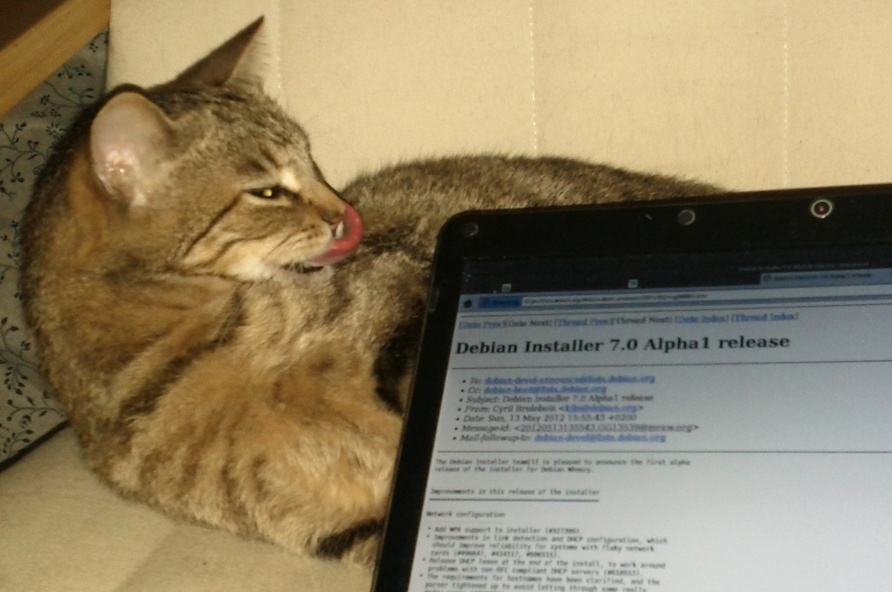
Cyril Brulebois: D-I Wheezy Alpha1

Get it while it s hot: Debian Installer 7.0 Alpha1 release. See how yummy it is:

7 May 2012

Cyril Brulebois: Debian XSF News #12

Time for a DXN#11 follow-up.
  1. The recent xserver-xorg-input-synaptics rc4 upload solved a lot of issues, but the 1.6.0 release (just uploaded) should fix some more. Enjoy!
  2. I ve also uploaded a new xorg-server, merging from upstream server-1.12-branch to get many XI2.2 bug fixes, along with an infinite loop bug fix (also seen with synaptics).
  3. Many drivers can no longer work on ia64 due to the recent changes, so we requested they be removed, which happened promptly!
  4. All XSF-maintained packages build happily against X server 1.12, meaning users can get back to running apt-get dist-upgrade blindly without having to fear the consequences. Pro tip: when you see something like xserver-xorg go away during a dist-upgrade, think twice before confirming!
  5. xf86-input-mtrack was recently fixed; xf86-video-glamo and xf86-video-msm fail to build (#671028, #671806), so they stay uninstallable for now. Thankfully nothing appears to depend on them, so they can be temporarily removed from testing if needs be.
  6. In the meanwhile, xserver-xorg-video-intel 2.19 was released. It will probably land into experimental first, until the new server and its drivers make it into testing.
  7. Andreas Beckmann asked me to mention the status of the binary drivers, so here is my take about them: fglrx still doesn t support X server 1.12 (LOL!). The other, big fat blobby driver is installable, and supposed to work.

6 May 2012

Gregor Herrmann: RC bugs 2012/17-18

as I was mostly offline last week, this is a report covering two weeks. as in the week before, it's mainly a mix of build-arch & gcc 4.7 bugs.

30 April 2012

Cyril Brulebois: Debian XSF News #11

Long time no see Summary Anyway, here are some quick news from the X packaging front, focussing on the past few weeks.
  1. While I was busy doing other things, Julien took care of uploading lots of libraries (making most of them multiarch-aware) along with our usual meta-packages (like x11-apps, x11-utils, etc.), preparing for the upcoming 7.7 katamari.
  2. Mesa 8.0.2 was finally uploaded to experimental, where it seems to be building fine, and working fine, at least for me.
  3. Accordingly, I m planning an upload to unstable very soon, and I won t be disabling wayland support this time, since wayland/weston reached their first milestone with a public release (0.85). There s nothing very interesting to see here, but since wayland support doesn t really hurt, I thought I d just keep it. That s why wayland hit unstable yesterday; weston should follow after mesa. (In case somebody is in a hurry, they have been in experimental for quite some time already.)
  4. Scrolling issues with the synaptics driver seem to be finally fixed thanks to rc4: #665004 was confirmed as fixed by many reporters (thanks everyone for the quick feedback after my ping). Accordingly, I ve pinged the release team to get an age-days 3 to make it migrate faster, and a kind RM added that hint to his file, so testing is getting the fixed package thanks to this midnight s britney run.
  5. libcairo2/server/EXA/ati/nouveau fun: will be added through an edition of this post. Executive summary: downgrade libcairo2 to testing s version if you re seeing text corruptions.
Upcoming X server transition X server 1.12 has been prepared in experimental for a while, from release candidates to the first stable release from server-1.12-branch. Since a bunch of drivers were uploaded to cope with that version when it shows up, we should be able to upload xorg-server 1.12 to unstable VERY SOON. What does that mean? Basically, that s a transition. In details:
  1. We upload xorg-server, and wait for it to be built everywhere, then we trigger binNMUs for all architectures at once when it s ready on all of them.
  2. Unlike shared libraries, there s no old and new library packages (old+new SONAME); instead, the server itself provides different packages (because of the different input and video ABI). That means that drivers won t be installable until they are rebuilt against the new server. Usually, we re talking about a few dinstall runs, meaning less than a day.
Frequently Yelled Phrases:
  1. Upgrades are broken! No, it just means you can t upgrade the server alone, you need the drivers too (see above).
  2. Installations are broken! Well, that s unstable, and you probably know installability-related issues are trivially solved by pulling packages from testing when needed. This is such a case.
Please don t report bugs on this topic, thanks already, and enjoy that new server.

John Goerzen: Review: Amateur Radio Handhelds (HTs), APRS, and Battery Tuning Tips

There are a lot of opinions about handhelds for amateur radio users (these handhelds are often known as HTs). I ve used three of them, two with APRS capability, and thought it s about time I write about them. First, I ll talk about the units in particular, then I ll get to some broader Yaesu vs. Kenwood generalizations and conclusions. Yaesu VX-7R a rugged first HT without APRS Cost: $350 as of 4/30/2012 This was the first HT I got as a ham, at the suggestion of Mike AE0MW. It truly does make a great first handheld for a ham. Radio-wise, one unique feature is a receive that s wideband enough to cover both broadcast FM and broadcast AM, the various ham bands, and plenty of others besides. The battery life quoted in the manual is 6 hours on 2m and 5.5 hours on 440 (using standard 6s TX / 6s RX / 48s squelched metric), and in my experience it seems it must be even better in some cases. The real piece of news about this unit, though, is just how rugged it is. It says submersible across the front and I absolutely believe it. I have personal experience with its ruggedness. I once was at an event and put the radio on my car roof while helping one of my children into the car. I then started driving home and forgot it there. When we got home, I realized what had happened, and also realized what that mysterious CLUNK along the busy county road was. So I drove 45 minutes back to where I heard the clunk, and found the VX-7R still lying in the roadway, where it had been for 1.5 hours on the 55 MPH road. The thing was really beat up. It had obviously been hit by numerous vehicles. The antenna was ripped off, taking the SMA mount with it. But wouldn t you know it, the darn thing still powered up. I took it to a local amateur radio shop, and about $80 later it was repaired. Incredible. The only real problem was the antenna connector. I took this radio with me on my bicycle many days, mounted on my handlebars. It got bounced around, but still worked great. Some days I listened to FM radio from it while riding my bike, monitoring a local repeater while I rode. Other days, I spent most of my ride (about an hour each way) chatting with people on the repeaters I have a mobile antenna mounted on the bike, fed to the VX-7R, and a headset. It all worked fine never a problem at all. The ruggedness has its downside. All of the connectors on the radio, except for DC in, are screw-down even the speaker/mic connector. This obviously helps keep water out, but means that it can take a lot longer than normal to do a simple thing like plug in a speaker/mic. It doesn t need any tools, but can get a little annoying. The radio physically is small (unless you install the belt clip, which has an odd peg-based mechanism that protrudes unnecessarily far and is surprisingly non-rugged). It can easily fit into a pocket. The other downsides of the VX-7R mostly surround its interface. I m not one of the Yaesu haters that seem to be so common. I find the interface usable if you read the manual; it seems a lot of people that complain about it don t. But it is quirky. The SET mode is one long menu in sort of a ring. You scroll with the knob, and when you get to the end, it repeats to the beginning. There are one or two shortcut keys to a specific setting, but overall either you use the thing so much you know exactly where you re going, or you re twisting the knob for awhile until the option you want rolls around. (I know of nobody that uses it so much they know exactly where they re going.) They do have options grouped into categories, but it doesn t help much because there s no quick way to skip between categories. The dual transceivers work less elegantly than on the TH-D72A or VX-8GR. Instead of being two equal transceivers A and B, they are main and sub . The sub transceiver is not broadband receive like the main receiver is. But there are also other limitations that have no apparent logic. For instance, you can program memory groups into the device putting, say, all the local repeaters into a certain group, or all the public safety frequencies (to use as a scanner). You can go to the special set menu, select group, then activate SCAN, and it will scan only the memories in that group. But you can t select the special group mode on the sub transceiver for no apparent reason. One other complaint is that the AC charger introduces so much noise to a transmission that you cannot really use the VX-7R to transmit while the charger is connected. Yaesu sells a programming cable that plugs into the speaker/mic port on one end, and a DB-9 serial port on the other, and includes programming software. For an incredibly high price. For far less, I found a similar cable on eBay that has a USB port on the other end (with a built-in USB/serial converter), and used VX-7R Commander though now that Chirp is available for Linux, I ll probably switch to it. I would probably continue to recommend this transceiver for a new ham. The ruggedness, plus the broadband RX, are features that should make it appealing. It is an excellent emergency preparedness/response radio due to those properties; having TX and RX on ham bands, plus RX on broadcast and public safety could be quite the asset. However, for someone that has any interest in APRS, one of the other two radios I mention is probably a better choice. At only $10 more, the VX-8GR sacrifices ruggedness and broadband receive for APRS functionality and could make a compelling alternative to the VX-7R at the same price point. The very low-power transmit at 50MHz and 220MHz on the VX-7R strikes me as a gimmick feature at best that has very little actual use. Shipped battery: FNB-80LI, 7.4V, 1400 mAh, lithium-ion Kenwood TH-D72A / D72E The Cadillac HT, with APRS and GPS Cost: $464 as of April 30, 2012 It s hard to use any word but incredible to describe this HT, though it does have its own rough edges. Starting with the basics, it has dual transceivers with full duplex (meaning you can be transmitting on one band while receiving on another). Its stored memory system and memory bank scanning system are both a lot easier and faster to use than Yaesu s, and work the same on both transceivers A and B, though perhaps offer slightly less flexibility than Yaesu s (on the VX-7R, a single memory can be a member of more than one group). The quoted operating time is 6 hours, which is probably accurate with APRS and GPS off, matching (or nearly matching) the VX-7R. The TH-D72A has the usual mic and speaker ports. Unlike Yaesu, Kenwood has used the same jack for years, so it is not necessary to purchase new accessories with each upgrade. The unit also has both serial (Kenwood connector) and standard mini USB ports, and even ships with a USB cable. The USB port is designed to interface to a PC, and the radio presents itself as a serial-over-USB device. Kenwood also includes MCP-4A, the programming software for the unit, free. This is one example of several things that Kenwood includes for free but are costly add-ons with Yaesu. Kenwood s configuration menu system is hierarchical. You can scroll through the four top-level menus (RADIO, GPS, APRS, and SKY), then navigate through sub menus. The result is that it s both faster and easier to find what you want than on the Yaesu menus. Plus, as you navigate, the radio shows you the shortcut key to get to a particular option (each level of menu is numbered starting) so, for instance, Menu-1-1-0 takes me directly to the configuration for RX battery saver interval far faster than I could get there on the VX-7R or VX-8GR. Only the APRS menu gets a bit crowded with this setup. The D72A supports Kenwood s Sky Command II an intriguing way of making it essentially a remote for a Kenwood HF rig such as the TS-2000. It works by engaging a crossband repeater for the audio, and setting up a AX.25 packet link for the control. It works, but as the response time to frequency adjustments is measured in seconds, is klunky for tuning around a HF band. A nifty, though perhaps not supremely useful, feature with some hackable potential that I haven t explored yet. The TH-D72A is one of only two shipping general-purpose amateur radios that have a built-in GPS the other is the Yaesu VX-8GR, which I ll review below. The GPS works well, and can get a fix indoors if desired. It has a system of saving waypoints, which you can then navigate back to later (using distance/bearing indicators). It also has a track log. While the track log can t be viewed on the unit, it can be downloaded with the included MCP-4A software and saved in a variety of formats including Google s KML for later importing into Google Maps or Google Earth. I enjoy this feature on trips to see where I went later on. There is also a GPS-only mode, which disables all of the other radio circuitry on the radio for very low power consumption. The GPS navigation screens all support heading-up or north-up indicators. But where this radio really shines is APRS. The D72 has all the basics you d expect sending and receiving beacons, sending and receiving messages and bulletins, etc. It has built-in support for being a digipeater in many different ways, including new-N UI-Trace. Coupled with an MFJ VHF amplifier, this could make a nice temporary (or even permanent) digi. The message interface permits sending, receiving, and shortcuts for replying to messages. Beacon transmission can be completely manual, at set intervals, or using SmartBeaconing. Outbound beacons also support proportional pathing (meaning adjusting via-path to not have wide coverage with every transmission). Also, if not using SmartBeaconing, a decay algorithm can be used to send beacons less frequently when the station s location isn t changing. An alternative tells the system to transmit a beacon every time PTT is released, subject to rate limiting by interval. So lots of choices there. For incoming beacons, there are various filters by callsign pattern, packet type, etc. that control whether they will be processed at all, and what kind of alert (visual or audible) to present. Beacons are also placed in a received beacon list, sorted with the most recent at the top (duplicates from the same station are always removed, so only the most recent is presented.) A long press of the LIST button shows time received and type of device next to the callsign. Selecting a specific beacon shows status text, comment, device type, bearing/distance (with graphical north-up or heading-up display), telemetry (weather information and the like), and a little bit of info about the via-path. Pretty nice to see weather reports from local weather stations on there. You can sort the list by received time, station call, or distance from your position but it doesn t stay sorted by anything other than received time, and takes several seconds to re-sort. Seems like a bit of an oversight there. The D72A supports QSY information in beacons. This can automatically insert the frequency of the other band on the transceiver into your transmitted beacons for you, or give you a quick way to tune to the frequency mentioned on others beacons. Either way, a nice touch. The D72 also supports query packets, such as packets asking your station to transmit its position right now. The TH-D72A can directly interface with several types of weather stations via serial link to read weather sensor information and transmit it into APRS packets directly, with no need for a PC to be in the picture at all. But if you do hook up a PC to it, there are quite a few more possibilities. You can hook it up to PC APRS software (or a hardware device such as the AVMAP) to see locations of other APRS stations on a map. It can emit APRS packets, plus even GPS sentences, down the USB port to the PC. Moreover, in PACKET mode, it acts as a full TNC, with a fairly robust TNC command set. In short, it can do more than APRS; it can also do regular AX.25 such as DX clusters, BBS, nodes, etc. As far as I know, this is the only HT that can interface with a PC in this manner, and only Kenwood s mobile D710 has the same kind of feature set at that. Kenwood includes a lot of documentation with the TH-D72A. The 51-page printed manual is a summary or introductory guide. The included CD-ROM supplies another 75 pages of detailed reference material, and the 92-page in-depth APRS manual has a level of detail that true geeks like me appreciate. I ve referred to Kenwood s documentation more than once while figuring out things about the VX-8GR (which woefully under-documents things like SmartBeaconing). That said, it appears that at least some of the documentation has been copied from the earlier TH-D7A. Page 4 of the printed book is a good example. It talks about the memory effect of the battery, and warns against unplugging and replugging the charger because the charge cycle will be reset and the battery will be over-charged (I find it hard to believe that a Li-Ion charge controller would be that stupid, and furthermore direct observation suggests that it isn t.) Parts of the in-depth APRS guide appear to have been written for the D710, but that s a really minor nit. Unlike Yaesu, Kenwood issues periodic firmware updates to the D72A, which you can apply over USB. They have fixed bugs and added features to the unit over time. Now onto the things that aren t so good about the D72A. I ll start with the battery system, since we were already discussing it. Despite shipping with a much larger battery than the VX-8GR (1800 mAh vs. 1100 mAh), it only manages roughly equal battery life with APRS and GPS engaged. (It will probably do better as a simple voice unit, however.) This has been confirmed by numerous reports on the Internet. I will discuss this topic more below. There is very little else to fault the D72A on, feature-wise. I have a minor nit in that it is impossible to cause the keylock feature to also lock PTT. It would be nice to be able to see raw APRS packets on beacons and messages. Other than that, I can t think of a feature it really lacks. Compared to the VX-7R and VX-8GR, the TH-D72A is significantly larger physically, in every dimension. It is not uncomfortably large, and still fits in my hand fine. But its size is enough different that it feels like the design is dated and could have been more compact if Kenwood would have bothered. It s a nit, sure, but a nontrivial one. With the single exception of the sturdy metal belt clip, the D72 doesn t feel nearly as rugged as the VX-7R, and not even as rugged as the VX-8GR. The keys have a squishy feel to them, the PTT button works fine but has a cheap plastic design (as opposed to the rubberized versions on Yaesu s HTs). The manual doesn t mention it, but one Kenwood brochure mentions and IP54 weatherproofing. That means it is protected against limited ingress of dust and against water sprayed from all directions limited ingress permitted. Contrast that to the VX-7R, which is rated for 30 minutes of submersion at 3ft and has a magnesium case. It seems to be specced similarly to the VX-8GR, though the VX-8GR certainly feels a lot more solid. I have no proof, as I m not about to sacrifice my HTs for science, but I doubt that the TH-D72A would have survived over an hour on a busy road as well as the VX-7R did, and probably not even as well as the VX-8GR would. The case is plastic a stout plastic, but still plastic. Like the VX-8GR, and unlike the VX-7R, the D72A does not have broadband receive. It can receive some bands adjacent to the ham bands it supports, which includes a lot of bands of interest to people with scanners, but still can t receive broadcast FM signals like the VX-7R. Shipped battery: PB-45L, 1800 mAh, lithium-ion Yaesu VX-8GR: Cheaper APRS & GPS Cost: $360 as of 4/30/2012 One could probably call this Yaesu s closest competitor to the D72A. At about $100 cheaper, it doesn t have a featureset that matches Kenwood s, but it does have a few innovations that the D72A lacks. Starting with the basics, it lacks the VX-7R s broadband receive, with the receive roughly matching the TH-D72A s. The 8GR is a dual-transceiver HT, and it works this effectively (moreso than the VX-7R). Yaesu has a bad habit of changing connectors on radios with regularity, and charging an arm and a leg for accessories to boot. Even within the VX-8 line, the 8GR uses different accessories than the 8DR, and of course has different plugs than the 7R (though it appears that the DC power plug is the same, and with some luck you might be able to use a VX-7R speaker/mic on the 8GR, though not the reverse). The menu system on the 8GR is still similar to the 7R, though Yaesu has done several things to improve it. For one, scrolling through the menu now shows several lines of context on the screen at once, making it faster to scan. Also, there are more ways to jump into the menu at a certain location than before and even a small bit of clumsily-implemented hierarchy (there are several settings on the SmartBeaconing page, for instance). The menu key now toggles between various displays: the default frequency/status display, a GPS display, an APRS staion list, and an APRS message list. Just about everything operationally takes more keypresses than the D72A. On the D72A, it s one or two keys (a physical button or F+button) to do almost everything: toggle GPS state, change TNC/APRS state (turn on or off), etc. All of that is in the scrolling menus on the 8GR. The quickest way there, which is documented in the manual, is to press MENU until a certain screen comes up, then press and hold MENU to bring up the settings (defaulting to a certain APRS-related category), then scroll and change settings. It s a pain to turn APRS on and off, because you have to do this process for both the GPS and the APRS modem. Inexplicably, there is a hotkey to change the APRS beacon method (manual, auto, or SmartBeaconing) but not to turn APRS itself on or off. (The D72A has a hotkey to toggle the beaconing, though not to change its method; though in truth, if you do it frequently, the menu shortcuts will get you there rapidly.) Physically, the VX-8GR is closer to the size of the 7R than the size of the D72A, and notably is significantly smaller than the D72A (at least with the standard battery). As noted in the D72A review, the VX-8GR feels more rugged than the D72A, though whether that is actually true or not is hard to pin down. It is definitely less rugged than the VX-7R. The keys require more pressure than the D72A, and in this they are similar to the 7R, but feel satisfyingly solid. Unlike the other radios here, the 8GR does not have a dedicated volume knob, having only one dial on the top. To adjust volume, you hold the volume button on the left while twisting the knob. In practice, this is probably not usually very annoying, but if the radio is on your belt or otherwise not in your hand, this would be a frustration. (I think it would be particularly annoying if using it with a speaker/mic). Setting 99 will let you change the key so you don t have to hold it in, which could probably go a long way to making the situation more tolerable. One unique feature of the VX-8GR, as far as I know completely unique to it, is a vibrating alert. This would most frequently be used with APRS to provide a nearly-silent alert of incoming messages and the like. The screen of the 8G, while similar in size to both the D72A and the 7R, appears to be higher-resolution (or if not, they make better use of it). More information is packed onto the screen at once, and although the D72A does have a small font, it uses it so rarely that lots of scrolling is needed. The 8GR uses a smaller font than the D72A to show content of messages and the like, which makes a much faster experience since there is a lot less scrolling. Neither radio has a setting to change this behavior, so if your eyesight isn t good, you may prefer the D72A anyhow. The VX-8GR supports a heading-up or a north-up view of the received GPS data, but strangely it does not support this when navigating to a received beacon (north-up is the only option). Unlike the TH-D72A, you can engage keylock on the 8GR while someone s beacon is on the display. Also unlike the TH-D72A, you can lock out the PTT key on the 8GR. However, the keylock feature is just a quick press of the power button, which makes me a bit nervous. And worse, if you tell it to lock the PTT key, then it also won t transmit any automatic APRS beacons! There are a lot of things the D72A supports in the APRS area that the 8GR doesn t. Here s a summary of features missing in the 8GR compared to the D72A: voice alert (can t even do it manually since tone/CTCSS are locked out in APRS mode), quick replying to messages, TNC mode (meaning you can t use it with PC-based APRS programs), full AX.25 packet mode, full PC linking, weather station inputs, built-in digipeater mode, heading-up display, GPS track logs, QSY in beacons, quick tuning to others QSY info, responding to position queries, proportional pathing, automatic decay, beaconing on PTT release, sorting of beacon list, hotkey access to many features, and I m sure the list goes on. On the flipside, the only thing feature-wise that you get on the 8GR s APRS implementation that the D72A lacks is ability to inspect raw APRS packets. The VX-8GR has the lowest-capacity battery of the three radios covered in this post, and this is an oft-cited problem for users of the unit. Yeasu does seem to do a much better job of power management than Kenwood, though, so in full APRS and GPS mode, the battery life is roughly the same, amazingly enough. It is unlikely that the talk time on the 8GR would match either the 7R or the D72A, however. Kenwood and Yaesu both have a battery saver feature which cuts power to the RX circuit except for brief checks for signals. Yaesu completely disables this while the APRS modem is on (and STILL matches Kenwood s battery life, despite the smaller battery!) Kenwood doesn t, though recommends changing the signal-check interval from 0.2s to 0.03s in order to avoid truncating APRS packets. Yaesu offers an 1800 mAh extended-life battery which should significantly exceed Kenwood s battery life. Aftermarket vendors have 2000 mAh batteries as well. Either way, expect APRS to be a drain on batteries. More on that below. Although Yaesu includes 168 pages of documentation with the 8GR, don t expect it to match the quality and detail of Kenwood s 218 pages. There are a lot of gimmicky/useless features on the 8GR (WIRES, for one) that get extensive treatment, and there is a fair bit of repetition. I particularly single out the SmartBeaconing documentation on the 8GR as being, at best, woefully incomplete and probably also inaccurate to boot. Read the D72A manuals to figure out how that feature works on your 8GR. I bought the VX-8GR intending it to be something akin to a more versatile TinyTrak. On that score, it mostly succeeds. It may be my go-to rig for use at bicycle rides, marathons, emergencies, etc., while the D72A will probably be the one that goes with me on trips. Shipped battery: FNB-101LI, 7.4V, 1100 mAh, lithium-ion Not covered: VX-8DR poor value for the dollar Cost: $434 ($550 with GPS and GPS connector) Yaesu s top-of-the-line HT is sometimes considered to be the VX-8DR. It maintains the broadband capability of the 7R, is probably almost as rugged as the 7R, and has APRS built in, like the 8GR. It even has an option to add a Bluetooth board. What is doesn t have built-in is a GPS. You can add one on for $77 for the FGPS-2 plus $39 for the CT-136 connector which connects the GPS to the unit. But then you have a unit a lot less rugged than even the D72A (that s a small connector for the GPS), a lot less small, with the same APRS featureset as the 8GR (meaning a lot less than the D72A), which costs about $100 more than the D72A. Frankly I think this makes for a poor APRS package, and would probably only be reasonable for someone that wants other 8DR features and has a desire for some very occasionaly APRS work. Battery Life and APRS One of my first surprises with APRS HTs was the poor battery life I saw. Doing my research seemed to suggest that, contrary to popular opinion, the transmitted beacons were not the culiprit, but the receive circuits were to blame. Because it is not acceptable to cut off the first 200ms of an AX.25 packet like it is with a repeater, the RX circuit is either engaged much more frequently (Kenwood) or continuously (Yaesu), putting a lot more drain on the battery. (This has also been confirmed by multiple others that have done testing) The GPS receiver also adds drain, and on the D72A, so does the TNC, which is always active when APRS is. If you don t care about received beacons, you can dramatically raise the battery life on the D72A by setting the power saver to 1 second or greater as high as 14 hours by one report. On either unit, raising the squelch should have some effect (though not as much; but in any case, weak packets won t decode anyhow, so there s no sense in letting them in.) On the 8GR, getting the extended life 1800 mAh (or aftermarket version) could produce battery life in nearly that same region, without compromising on the RX side of things. Conclusions If you want a HT capable of APRS, seriously think of the TH-D72A before anything else. It is $100 more expensive than the 8GR, but has more than $100 worth of extra features (and included things, like PC link cable and software, that are extra on the 8GR), so it has a better value. If you re particularly budget-conscious or want the most ruggedness you can find, the 7R and 8GR are solid contenders if you can sacrifice the extra APRS features. Update May 1: Clarified what the lack of TNC mode on the VX-8GR means, and also how the VX-8GR PTT keylock also locks out APRS transmissions.

27 April 2012

Riku Voipio

Cross Compiling with MultiArch Congrats to the Ubuntu Folk for the new LTS release. Incidentally this is also the first release where our work on MultiArch bears fruit. We can now cross-compile relatively easily without resorting to hacks like scratchbox, qemu chroot or dpkg-cross/xdeb. Lets show short practical guide on cross-building Qemu for armhf. The instructions refer to precise, but the goodiness is on the way to Debian as well. Biggest missing piece being the cross-compiler packages, which we have an Summer of Code project. The example is operated in a chroot to avoid potentially messing up your working machine. Qemu-linaro is not a shining example, as cross-building it doesn't work out of box. But that is educational, it allows me to show what kind of issues you can bump into, and how to fix them.

$ sudo debootstrap --variant=buildd precise /srv/precise
Edit the /srv/precise/etc/apt.sources.list to the following (replace amd64 with i386 if you made an i386 chroot)

deb [arch=amd64] http://archive.ubuntu.com/ubuntu precise main universe
deb [arch=armhf] http://ports.ubuntu.com/ubuntu-ports precise main universe
deb-src http://archive.ubuntu.com/ubuntu precise main universe
Edit the /srv/precise/etc/dpkg/dpkg.cfg.d/multiarch by adding the following line:

foreign-architecture armhf
Finally disable install of recommends by editing /srv/precise/etc/apt/apt.conf.d/10local:

APT::Install-Recommends "0";
APT::Install-Suggests "0";
Install the armhf crosscompiler the chroot

$ sudo chroot /srv/precise/
# unset LANG LANGUAGE
# mount -t proc proc /proc
# apt-get update
# apt-get install g++-arm-linux-gnueabihf pkg-config-arm-linux-gnueabihf
Get the sources and try to install the cross-buildeps:

# cd /tmp
# apt-get source qemu-linaro
# cd qemu-linaro-*
# apt-get build-dep -aarmhf qemu-linaro
As we see, the build-dep bombs out ugly, with a them of "perl" being unable to be installed. This is because apt-get can't figure out if we should install and armhf or amd64 version of perl. We don't use the required syntax yet in Build-Dep line, "perl:any", as dpkg and apt in previous released don't support it. Thus back porting would no longer be possible. One way to fix it, would be to drop perl build-dep, as perl is already pulled by other build-deps. But lets instead show howto install it the build-deps manually. First we build system build-deps, then target architecture ones:

# apt-get install debhelper texinfo
# apt-get install zlib1g-dev:armhf libasound2-dev:armhf libsdl1.2-dev:armhf libx11-dev:armhf libpulse-dev:armhf libncurses5-dev:armhf libbrlapi-dev:armhf libcurl4-gnutls-dev:armhf libgnutls-dev:armhf libsasl2-dev:armhf uuid-dev:armhf libvdeplug2-dev:armhf libbluetooth-dev:armhf
And try the build[1]:

# dpkg-buildpackage -aarmhf -B
Which sadly errors out. Turns out the cross-build support in debian/rules is broken. Instead of --cc we need to feed an --cross-prefix to the ./configure of qemu. Edit the debian/rules with replacing

- conf_arch += --cc=$(DEB_HOST_GNU_TYPE)-gcc --cpu=$(QEMU_CPU)
+ conf_arch += --cross-prefix=$(DEB_HOST_GNU_TYPE)-
Optional: Since we are cross-compiling from a multicore machine, lets also add parallel building support, by changing the override_dh_auto_build: rule to have --parallel flags in debian/rules as well:

override_dh_auto_build:
# system build
dh_auto_build -B system-build --parallel
ifeq ($(DEB_HOST_ARCH_OS),linux)
# user build
dh_auto_build -B user-build --parallel

# static user build
dh_auto_build -B user-static-build --parallel

Try the build again:

# export DEB_BUILD_OPTIONS=parallel=4 # I have dual-core hyperthreading machine, build with all four threads
# time dpkg-buildpackage -aarmhf -B
...
dpkg-buildpackage: binary only upload (no source included)

real 18m53.425s
user 65m42.570s
sys 2m50.383s
The Native build of qemu-linaro took 4h 11min. [1] You should not build as root - but to keep instructions short, I'm not explaining howto add and use a unprivileged user in a chroot. Do as I *say*, not as I *do*!

26 April 2012

Olly Betts: Xapian GSoC 2012 Projects

At the end of the previous episode, you may remember our gallant heroes had a pile of 30 proposals to review. We soon spotted one more to mark as invalid (just a paste with our ideas list plus a some biographical details), and another got withdrawn by the student without explanation (but was low quality anyway), so that left us with 28. We had six volunteers for mentoring, and in the initial allocation we received five student slots from Google, but we asked nicely if we could have an extra one, and were lucky enough to get it. Last year we had four students, so that's a 50% increase. Here's those 28, broken down by the project idea:
  • 8 - Weighting Schemes
  • 6 - Learning to Rank
  • 3 - Dynamic Snippets
  • 2 - Lucene Backend
  • 2 - QueryParser improvements
  • 1 - Erlang Bindings
  • 1 - Improve C# and Java bindings
  • 1 - Improve PHP Bindings
  • 1 - Improve Python Bindings
  • 1 - Improving Japanese Support
  • 1 - Node.js Bindings
  • 1 - Postlist encodings
I find it interesting that the most popular three ideas have closer connections to Information Retrieval theory than most - probably these appeal to students who have taken IR courses and already have an interest and some knowledge of the project area. I think we should aim to get more ideas like these on the list in future years. It's worth noting that in several cases students had taken an idea in sufficiently different directions that there wasn't much overlap, so we didn't just pick the best proposal for each project idea to narrow things down. Also, the proposal isn't the only factor - we like to see applicants work on patch, and to interact with us on IRC and/or email. But in the end it happens we ended up with proposals which were all from different ideas - here are those we selected:
My congratulations to the lucky six, and my commiserations to those we weren't able to select. It wasn't an easy selection to make, and we truly appreciate the time you spent writing your proposal, working on patches, and on the rest of the application process. We'd encourage you to remain involved with Xapian, and to apply to us again next year if you're still eligible for GSoC.

25 April 2012

Vincent Bernat: XBMC Eden on Debian Wheezy

I bought some HTPC a few years ago to run XBMC, a neat media center solution. At the time, to avoid any problems, I installed it on top of a minimal Ubuntu Lucid installation with the official packages from the team XBMC. Recently, XBMC Eden has been released and XBMC has landed into Debian unstable. It was a good occasion to make the switch. Unofficial XBMC logo for Eden TL;DR: Installing XBMC on Debian Wheezy is quite easy: it almost works out of the box. The big difficulty is the configuration of the remote control: either it works as you expect or you will have to scratch your head over the pile of layers needed to work with a remote control. The configuration of my HTPC is as follows:

Installation

Installing Debian Wheezy Installing Debian Wheezy2 is pretty easy. Nowadays, getting a bootable USB key from a netinst image of Debian Installer for Wheezy is simplified:
$ sudo dd if=debian-testing-i386-netinst.iso \
>         of=/dev/disk/by-id/usb...
The installation was smooth with the exception of GRUB which was unable to install itself on the disk. This is a known bug when dealing with LVM and it comes with a simple workaround. I hope it will be corrected in time for Wheezy release. While this has little to do with the installation of XBMC, I wanted to test systemd which may become the default init in Debian (at least in Debian GNU/Linux). From README.Debian:
systemd can be installed alongside sysvinit and will not change the behaviour of the system out of the box. This is intentional. To test systemd, add init=/bin/systemd to the kernel command line and then rebooting, or install the systemd-sysv package.
The final system boots in about 15 seconds.

Configuring X Because video decoding in nouveau driver is still a work in progress, the use of the proprietary NVIDIA drivers is mandatory to be able to watch high resolution videos. Therefore, /etc/apt/sources.list should be completed with contrib and non-free repository. Then, you can install the appropriate packages: xserver-xorg-video-nvidia, nvidia-vdpau-driver and xserver-xorg. Here is my /etc/X11/xorg.conf.d/nvidia.conf:
Section "Device"
    Identifier     "NVidia ION"
    Driver         "nvidia"
    VendorName     "NVIDIA Corporation"
    Option         "HWCursor" "False"
    Option         "NoFlip" "False"
    Option         "FlatPanelProperties" "Scaling = Native"
    Option         "DynamicTwinView" "False"
    Option         "ConnectedMonitor" "DFP-1"
    Option         "CustomEDID" "DFP-1:/etc/X11/edid.bin"
    Option         "NoLogo" "True"
EndSection
Section "Extensions"
    Option "Composite" "false"
EndSection
The CustomEDID option allows the driver to get an appropriate EDID even when the AV receiver is off. You can get yours, free of charge, with get-edid from read-edid package.

Installing XBMC Thanks to the work of Andr s Mej a, XBMC is now available in Debian Wheezy. To install it, just type aptitude install xbmc. I have dropped the following xbmc.service in /etc/systemd/system directory:
[Unit]
Description = XBMC media center
After = syslog.target
[Service]
User = xbmc
Group = xbmc
Type = simple
ExecStart = /usr/bin/xinit /usr/bin/xbmc-standalone -- :0
Restart = on-failure
[Install]
WantedBy = multi-user.target
Enable this service on boot with systemctl enable xbmc.service. You need to allow xbmc user to run X. The simplest way is to run dpkg-reconfigure -plow x11-common and to allow anybody to run X. sudo may be an alternative.

Configuration

Sound While I wanted to use PulseAudio, I want the AV receiver to be able to upmix stereo streams itself. With PulseAudio, it would always receive a 6-channel signal. Therefore, I directly use ALSA. First, unmute the appropriate outputs:
$ amixer scontrols   grep IEC958
Simple mixer control 'IEC958',0
Simple mixer control 'IEC958 Default PCM',0
Simple mixer control 'IEC958',1
$ amixer sset 'IEC958',0 unmute
$ amixer sset 'IEC958 Default PCM',0 unmute
$ amixer sset 'IEC958',1 unmute
$ sudo systemctl stop alsa-utils.service
The order of channels is incorrect. With the following /etc/asound.conf, we declare a new output, hdmi2, with a different mapping:
pcm.hdmi2  
  type asym
  playback.pcm  
    type plug
    slave.pcm "remap-surround51"
   
 
pcm.!remap-surround51  
  type route
  slave.pcm "hdmi"
  ttable  
    0.0= 1
    1.1= 1
    2.4= 1
    3.5= 1
    4.2= 1
    5.3= 1
   
 
In XBMC, this output should be used instead of the default one. hdmi should still be used for passthrough. To check if each speaker is mapped correctly, one can use speaker-test -D hdmi2 -c 6.

LCD display The LCD display integrated into the SoundGraph iMON is supported by the imon kernel module and the lcdproc package. I have only modified a few lines of /etc/LCDd.conf to make it work:
[server]
Driver=imonlcd
ServerScreen=off
[imonlcd]
Protocol=1
OnExit=2
Contrast=400

Remote control This is the most difficult part. I have a Logitech Harmony remote which is a great universal remote. Its support in Linux is acceptable: you can configure through Logitech website and use congruity to push the new configuration.

Remote controls and Linux Before Linux 2.6.36, most remote controls would need LIRC to work:
  • The driver receives the signal from the IR receiver and make it available through /dev/lirc.
  • lircd, with the help of a configuration file describing the protocol used by the remote control, will read the signal and turn it into the appropriate LIRC code.
  • XBMC connects to lircd and receives incoming LIRC codes. It will translate them to an XBMC command. This translation is specified in Lircmap.xml.
  • XBMC maps each command to an action (like Play, Fullscreen, ) using a keymap. This keymap can handle commands received by a remote control, but also by a keyboard, a mouse or a joystick.
Since Linux 2.6.36, remote controls will be mapped as a generic input device (just like a keyboard):
  • The driver receives the signal from the IR receiver.
  • The signal will be handled by a decoder. The configuration of this decoder is done in userland by ir-keytable. The decoder will turn the signal into the appropriate event (usually, some keypress).
  • X will listen to those events and turn them into X key events.
  • XBMC will receive them and use the appropriate keymap to turn them into actions.
And to add more complexity to the mix, in this last case, you can still use LIRC: lircd will listen to events generated by the kernel and turn them into LIRC codes. This can be very confusing. Moreover, the SoundGraph iMON IR receiver accepts two IR protocols: the iMON protocol and the RC-6 one. The Linux driver accepts both of them but uses the first one by default. The RC-6 protocol is the protocol used by many MCE remote controls. I hope you are still with me here.

The easy way To get a reasonable configuration out of the box, here is how to configure each layer:
Logitech Harmony remote
Configure it as a Microsoft branded Media Center PC: Windows Media Center SE.
iMON IR receiver
It must use RC-6 protocol. See below for more details.
LIRC
In /etc/lirc/hardware.conf, put DEVICE=/dev/input/by-id/usb-15c2_0038-event-if00 and DRIVER=devinput. In /etc/lirc/lircd.conf, just put include "/usr/share/lirc/remotes/devinput/lircd.conf.devinput".
XBMC
With the previous bits done, it should just work out of the box.
To switch to RC-6 protocol, install the ir-keytable package and use the following commands:
$ sudo modprobe rc-imon-mce
$ sudo ir-keytable -s rc0 -p rc-6 -c -w /lib/udev/rc_keymaps/imon_mce
Read imon_mce table
Old keytable cleared
Wrote 77 keycode(s) to driver
Protocols changed to RC-6
To make the change permanent, add the rc-imon-mce module to /etc/modules and create /etc/udev/rules.d/90-imon.rules with the following content:
# Override the keytable for iMON
ACTION=="add change", SUBSYSTEM=="rc", DRV_NAME="imon", \
   RUN+="/usr/bin/ir-keytable -s $name -p rc-6 -c -w /lib/udev/rc_keymaps/imon_mce"

The hard way Now, you may want to bind custom actions to some (physical or virtual) buttons. Basically, you are left with two solutions:
  1. Start from the basic configuration with LIRC and add more buttons at each levels (there are five of them!).
  2. Remove LIRC and start with the Logitech Harmony acting as a Microsoft MCE keyboard.
The first option can be quite difficult. You need to find an unused code for the Logitech Harmony. You can try to make it learn a new code if you have some RC-6 remote control. Then, you need to ensure that this code will be present in the keytable used by ir-keytable. If not, you need to add it. That s not easy since you need a to enable some debug stuff in the kernel to find the appropriate scancode. After that, the code needs to be translated in lircd.conf. You will then have to translate it again in Lircmap.xml. At least, you need to add it to a keymap in XBMC. The other way is not ideal but seems less cumbersome. The first step is to configure the Logitech Harmony as a Microsoft MCE keyboard: it has a lot of available keys. Because of the lack of multimedia keys, let s match the keyboard configuration of XBMC:
Button Command Button Command
Channel Down PageDown Stop X
Channel Up PageUp Skip back Comma
Prev Backspace Skip forward .
Up DirectionUp Play P
Down DirectionDown Rewind R
Left DirectionLeft Fast forward F
Right DirectionRight Star Delete
OK Enter Pound W
Menu C Red F1
Exit Esc Green F2
Guide Tab Yellow F3
Info I Blue F4
Unfortunately, the keytables provided with ir-keytable are not complete enough. I have built a more complete table3. With this table and the bindings described above, most functions will work out of the box without LIRC. Additional keys can be configured in a dedicated keymap4. Here is an excerpt of mine:
<keymap>
 <global>
  <keyboard>
    <end>XBMC.ShutDown()</end>
    <f1>XBMC.ActivateWindow(MusicLibrary)</f1>
    <f2>XBMC.ActivateWindow(Videos,TvShowTitles)</f2>
    <f3>XBMC.ActivateWindow(Videos,MovieTitles)</f3>
    <f4>XBMC.ActivateWindow(Weather)</f4>
  </keyboard>
 </global>
 <FullscreenVideo>
  <keyboard>
   <opensquarebracket>SubtitleDelayMinus</opensquarebracket>
   <closesquarebracket>SubtitleDelayPlus</closesquarebracket>
   <f6>xbmc.runscript(script.xbmc.subtitles)</f6>
  </keyboard>
 </FullscreenVideo>
</keymap>

FTP Instead of using SSH, I prefer to drop new files with anonymous FTP. vsftpd fits this purpose. Here is my configuration file:
listen=YES
xferlog_enable=YES
use_localtime=YES
setproctitle_enable=YES
secure_chroot_dir=/var/run/vsftpd/empty
nopriv_user=ftp
ftpd_banner=XBMC
hide_ids=YES
ftp_username=xbmc
anon_umask=022
anon_root=/home/xbmc/media
anonymous_enable=YES
write_enable=YES
anon_upload_enable=YES
anon_world_readable_only=YES
It is currently not compatible with systemd (see bug #670308). I have removed the symlink in /etc/rc2.d and I have used the following unit file:
[Unit]
Description=Vsftpd ftp daemon
After=syslog.target network.target
[Service]
Type=simple
ExecStart=/usr/sbin/vsftpd /etc/vsftpd.conf
ExecReload=/bin/kill -HUP $MAINPID
ExecStartPre=-/bin/mkdir -p /var/run/vsftpd/empty
[Install]
WantedBy=multi-user.target

Miscellaneous
  1. In /etc/default/grub, reduce TIMEOUT to 0 to shorten the boot time.
  2. Enabling dirty regions can help speed up XBMC.
  3. aptitude install upower pm-utils to be able to shutdown/suspend from XBMC. Since XBMC was configured to be started outside any session, you need to explicitely give the appropriate rights by creating the following /var/lib/polkit-1/localauthority/50-local.d/xbmc.pkla:
    [Actions for xbmc user]
    Identity=unix-user:xbmc
    Action=org.freedesktop.upower.*;org.freedesktop.consolekit.system.*
    ResultAny=yes
    ResultInactive=yes
    ResultActive=yes
    

  1. The readibility of the LCD screen is very bad. You should look at the VFD version. The IR receiver reception is poor. The provided remote control is a joke.
  2. Debian Wheezy is not yet released. If you are unfamiliar with Debian, it may be cumbersome to maintain it until the freeze happens in a few months.
  3. Some keys are missing from the provided table. For example, there is no exclamation mark. While there is a scan code for such a key in RC-6 protocol, there is no appropriate key code to translate to: on a QWERTY keyboard, the exclamation mark is on the same key as the number 1. It is possible to map it to some other key code, but the mapping would have been difficult to use.
  4. For example, in ~/.xbmc/userdata/keymaps/harmony.xml.

23 April 2012

Clint Adams: Work in advertising!

The marketing industry divides itself up into a number of businesses. Some are boutique agencies, but most are owned by one of the world's four major holding companies. These conglomerates pursue an aggressive M&A strategy, snapping up smaller companies all the time. There are other sets of services, as well as variations on the above, particularly in terms of targeting certain age groups or ethnic groups, but also particular industries or sectors (movies, politics). There is direct marketing (spamming) through all the imaginable media. There is also paying people to blog about certain things without disclosing their sponsorship.

Julien Danjou: OpenStack Swift eventual consistency analysis & bottlenecks

Swift is the software behind the OpenStack Object Storage service. This service provides a simple storage service for applications using RESTful interfaces, providing maximum data availability and storage capacity. I explain here how some parts of the storage and replication in Swift works, and show some of its current limitations. If you don't know Swift and want to read a more "shallow" overview first, you can read John Dickinson's Swift Tech Overview. How Swift storage works If we refer to the CAP theorem, Swift chose availability and partition tolerance and dropped consistency. That means that you'll always get your data, they will be dispersed on many places, but you could get an old version of them (or no data at all) in some odd cases (like some server overload or failure). This compromise is made to allow maximum availability and scalability of the storage platform. But there are mechanisms built into Swift to minimize the potential data inconsistency window: they are responsible for data replication and consistency. The official Swift documentation explains the internal storage in a certain way, but I'm going to write my own explanation here about this. Consistent hashing Swift uses the principle of consistent hashing. It builds what it calls a ring. A ring represents the space of all possible computed hash values divided in equivalent parts. Each part of this space is called a partition. The following schema (stolen from the Riak project) shows the principle nicely: Consistent hashing ring In a simple world, if you wanted to store some objects and distribute them on 4 nodes, you would split your hash space in 4. You would have 4 partitions, and computing hash(object) modulo 4 would tell you where to store your object: on node 0, 1, 2 or 3. But since you want to be able to extend your storage cluster to more nodes without breaking the whole hash mapping and moving everything around, you need to build a lot more partitions. Let's say we're going to build 210 partitions. Since we have 4 nodes, each node will have 210 4 = 256 partitions. If we ever want to add a 5th node, it's easy: we just have to re-balance the partitions and move 1 4 of the partitions from each node to this 5th node. That means all our nodes will end up with 210 5 204 partitions. We can also define a weight for each node, in order for some nodes to get more partitions than others. With 210 partitions, we can have up to 210 nodes in our cluster. Yeepee. For reference, Gregory Holt, one of the Swift authors, also wrote an explanation post about the ring. Concretely, when building one Swift ring, you'll have to say how much partitions you want, and this is what this value is really about. Data duplication Now, to assure availability and partitioning (as seen in the CAP theorem) we also want to store replicas of our objects. By default, Swift stores 3 copies of every objects, but that's configurable. In that case, we need to store each partition defined above not only on 1 node, but on 2 others. So Swift adds another concept: zones. A zone is an isolated space that does not depends on other zone, so in case of an outage on a zone, the other zones are still available. Concretely, a zone is likely to be a disk, a server, or a whole cabinet, depending on the size of your cluster. It's up to you to chose anyway. Consequently, each partitions has not to be mapped to 1 host only anymore, but to N hosts. Each node will therefore store this number of partitions:
number of partition stored on one node = number of replicas   total number of partitions   number of node
Examples:
We split the ring in 210 = 1024 partitions. We have 3 nodes. We want 3 replicas of data.
Each node will store a copy of the full partition space: 3 210 3 = 210 = 1024 partitions.
We split the ring in 211 = 2048 partitions. We have 5 nodes. We want 3 replicas of data.
Each node will store 211 3 5 1129 partitions.
We split the ring in 211 = 2048 partitions. We have 6 nodes. We want 3 replicas of data.
Each node will store 211 3 6 = 1024 partitions.
Three rings to rule them all In Swift, there is 3 categories of thing to store: account, container and objects. An account is what you'd expect it to be, a user account. An account contains containers (the equivalent of Amazon S3's buckets). Each container can contains user-defined key and values (just like a hash table or a dictionary): values are what Swift call objects. Swift wants you to build 3 different and independent rings to store its 3 kind of things (accounts, containers and objects). Internally, the two first categories are stored as SQLite databases, whereas the last one is stored using regular files. Note that this 3 rings can be stored and managed on 3 completely different set of servers. Swift storage schema Data replication Now that we have our storage theory in place (accounts, containers and objects distributed into partitions, themselves stored into multiple zones), let's go the replication practice. When you put something in one of the 3 rings (being an account, a container or an object) it is uploaded into all the zones responsible for the ring partition the object belongs to. This upload into the different zones is the responsibility of the swift-proxy daemon. Swift proxy schema But if one of the zone is failing, you can't upload all your copies in all zones at the upload time. So you need a mechanism to be sure the failing zone will catch up to a correct state at some point. That's the role of the swift- container,account,object -replicator processes. This processes are running on each node part of a zone and replicates their contents to nodes of the other zones. When they run, they walk through all the contents from all the partitions on the whole file system and for each partition, issue a special REPLICATE HTTP request to all the other zones responsible for that same partition. The other zone responds with information about the local state of the partition. That allows the replicator process to decide if the remote zone has an up-to-date version of the partition. In case of account and containers, it doesn't check at the partition level, but check each account/container contained inside each partition. If something is not up-to-date, it will be pushed using rsync by the replicator process. This is why you'll read that the replication updates are "push based" in Swift documentation.
# Pseudo code describing replication process for accounts
# The principle is exactly the same for containers
for account in accounts:
    # Determine the partition used to store this account
    partition = hash(account) % number_of_partitions
    # The number of zone is the number of replicas configured
    for zone in partition.get_zones_storing_this_partition():
        # Send a HTTP REPLICATE command to the remote swift-account-server process
        version_of_account = zone.send_HTTP_REPLICATE_for(account):
        if version_of_account < account.version()
            account.sync_to(zone)
This replication process is O(number of account number of replicas). The more your number of account will increase and the more you will want replicas for your data, the more the replication time for your accounts will grow. The same rule applies for containers.
# Pseudo code describing replication process for objects
for partition in partitions_storing_objects:
    # The number of zone is the number of replicas configured
    for zone in partition.get_zones_storing_this_partition():
        # Send a HTTP REPLICATE command to the remote swift-object-server process
        verion_of_partition = zone.send_HTTP_REPLICATE_for(partition):
        if version_of_partition < partition.version()
            # Use rsync to synchronize the whole partition
            # and all its objects
            partition.rsync_to(zone)
This replication process is O(number of objects partitions number of replicas). The more your number of objects partitions will increase, and the more you will want replicas for your data, the more the replication time for your objects will grow. I think this is something important to know when deciding how to build your Swift architecture. Choose the right number the number of replicas, partitions and nodes. Replication process bottlenecks Copycat File accesses The problem, as you might have guessed, is that to replicate, it walks through every damn things, things being accounts, containers, or object's partition hash files. This means it need to open and read (part of) a every file your node stores to check that data need or not to be replicated! For accounts & containers replication, this is done every 30 seconds by default, but it will likely take more than 30 seconds as soon as you hit around 12 000 containers on a node (see measurements below). Therefore you'll end up checking consistency of accounts & containers on each all node all the time, using obviously a lot of CPU time. For reference, Alex Yang also did an analysis of that same problem. TCP connections Worst, the HTTP connections used to send the REPLICATE commands are not pooled: a new TCP connection is established each time something has to be checked against the same thing stored on a remote zone. This is why you'll see in the Swift's Deployment Guide this lines listed under "general system tuning":
# disable TIME_WAIT.. wait..
net.ipv4.tcp_tw_recycle=1
net.ipv4.tcp_tw_reuse=1
# double amount of allowed conntrack
net.ipv4.netfilter.ip_conntrack_max = 262144
In my humble opinion, this is more an ugly hack than a tuning. If you don't activate this and if you have a lot of containers on your node, you'll end up soon with thousands of connections in TIME_WAIT state, and you indeed risk to overload the IP conntrack module. Container deletion We also should talk about container deletion. When a user deletes a container from its account, the container is marked as deleted. And that's it. It's not deleted. Therefore the SQLite database file representing the container will continue to be checked for synchronization, over and over. The only way to have a container permanently deleted is to mark an account as deleted. This way the swift-account-reaper will delete all its containers and, finally, the account. Measurement On a pretty big server, I measured the replications to be done at a speed of around 350 account,container,object-partitions /second, which can be a real problem if you chose to build a lots of partition and you have a low number_of_node number_of_replicas ratio. For example, the default parameters runs the container replication every 30 seconds. To check replication status of 12 000 containers stored on one node at the speed of 350 containers/seconds, you'll need around 34 seconds to do so. In the end, you'll never stop checking replication of your containers, and the more you'll have containers, the more your inconsistency window will increase. Conclusion Until some of the code is fixed (the HTTP connection pooling probably being the "easiest" one), I warmly recommend to chose correctly the different Swift parameters for your setup. The replication process optimization consists in having the minimum amount of partitions per node, which can be done by: For very large setups, some code to speed up accounts and containers synchronization, and remove deleted containers will be required, but this does not exist yet, as far as I know.

22 April 2012

Gregor Herrmann: RC bugs 2012/16

this week I've started to look at the (not yet release critical) gcc 4.7 bugs. luckily there are still enough patches for them in the BTS but at the time of writing, at least 138 are not fixed & don't have a patch yet. so still some work ahead.

& for those who prefer to fix debian/rules files, lucas' last archive rebuild (where build-arch was used) still leaves enough work, & many bugs are not difficult to fix with a basic understanding of makefiles & debian build sytems.

Next.

Previous.