Search Results: "tca"

29 June 2015

Lunar: Reproducible builds: week 9 in Stretch cycle

What happened about the reproducible builds effort this week: Toolchain fixes Norbert Preining uploaded texinfo/6.0.0.dfsg.1-2 which makes texinfo indices reproducible. Original patch by Chris Lamb. Lunar submitted recently rebased patches to make the file order of files inside .deb stable. akira filled #789843 to make tex4ht stop printing timestamps in its HTML output by default. Dhole wrote a patch for xutils-dev to prevent timestamps when creating gzip compresed files. Reiner Herrmann sent a follow-up patch for wheel to use UTC as timezone when outputing timestamps. Mattia Rizzolo started a discussion regarding the failure to build from source of subversion when -Wdate-time is added to CPPFLAGS which happens when asking dpkg-buildflags to use the reproducible profile. SWIG errors out because it doesn't recognize the aforementioned flag. Trying to get the .buildinfo specification to more definitive state, Lunar started a discussion on storing the checksums of the binary package used in dpkg status database. akira discovered while proposing a fix for simgrid that CMake internal command to create tarballs would record a timestamp in the gzip header. A way to prevent it is to use the GZIP environment variable to ask gzip not to store timestamps, but this will soon become unsupported. It's up for discussion if the best place to fix the problem would be to fix it for all CMake users at once. Infrastructure-related work Andreas Henriksson did a delayed NMU upload of pbuilder which adds minimal support for build profiles and includes several fixes from Mattia Rizzolo affecting reproducibility tests. Neils Thykier uploaded lintian which both raises the severity of package-contains-timestamped-gzip and avoids false positives for this tag (thanks to Tomasz Buchert). Petter Reinholdtsen filled #789761 suggesting that how-can-i-help should prompt its users about fixing reproducibility issues. Packages fixed The following packages became reproducible due to changes in their build dependencies: autorun4linuxcd, libwildmagic, lifelines, plexus-i18n, texlive-base, texlive-extra, texlive-lang. The following packages became reproducible after getting fixed: Some uploads fixed some reproducibility issues but not all of them: Untested uploaded as they are not in main: Patches submitted which have not made their way to the archive yet: debbindiff development debbindiff/23 includes a few bugfixes by Helmut Grohne that result in a significant speedup (especially on larger files). It used to exhibit the quadratic time string concatenation antipattern. Version 24 was released on June 23rd in a hurry to fix an undefined variable introduced in the previous version. (Reiner Herrmann) debbindiff now has a test suite! It is written using the PyTest framework (thanks Isis Lovecruft for the suggestion). The current focus has been on the comparators, and we are now at 93% of code coverage for these modules. Several problems were identified and fixed in the process: paths appearing in output of javap, readelf, objdump, zipinfo, unsqusahfs; useless MD5 checksum and last modified date in javap output; bad handling of charsets in PO files; the destination path for gzip compressed files not ending in .gz; only metadata of cpio archives were actually compared. stat output was further trimmed to make directory comparison more useful. Having the test suite enabled a refactoring of how comparators were written, switching from a forest of differences to a single tree. This helped removing dust from the oldest parts of the code. Together with some other small changes, version 25 was released on June 27th. A follow up release was made the next day to fix a hole in the test suite and the resulting unidentified leftover from the comparator refactoring. (Lunar) Documentation update Ximin Luo improved code examples for some proposed environment variables for reference timestamps. Dhole added an example on how to fix timestamps C pre-processor macros by adding a way to set the build date externally. akira documented her fix for tex4ht timestamps. Package reviews 94 obsolete reviews have been removed, 330 added and 153 updated this week. Hats off for Chris West (Faux) who investigated many fail to build from source issues and reported the relevant bugs. Slight improvements were made to the scripts for editing the review database, edit-notes and clean-notes. (Mattia Rizzolo) Meetings A meeting was held on June 23rd. Minutes are available. The next meeting will happen on Tuesday 2015-07-07 at 17:00 UTC. Misc. The Linux Foundation announced that it was funding the work of Lunar and h01ger on reproducible builds in Debian and other distributions. This was further relayed in a Bits from Debian blog post.

16 June 2015

Simon Josefsson: SSH Host Certificates with YubiKey NEO

If you manage a bunch of server machines, you will undoubtedly have run into the following OpenSSH question:
The authenticity of host 'host.example.org (1.2.3.4)' can't be established.
RSA key fingerprint is 1b:9b:b8:5e:74:b1:31:19:35:48:48:ba:7d:d0:01:f5.
Are you sure you want to continue connecting (yes/no)?
If the server is a single-user machine, where you are the only person expected to login on it, answering yes once and then using the ~/.ssh/known_hosts file to record the key fingerprint will (sort-of) work and protect you against future man-in-the-middle attacks. I say sort-of, since if you want to access the server from multiple machines, you will need to sync the known_hosts file somehow. And once your organization grows larger, and you aren t the only person that needs to login, having a policy that everyone just answers yes on first connection on all their machines is bad. The risk that someone is able to successfully MITM attack you grows every time someone types yes to these prompts. Setting up one (or more) SSH Certificate Authority (CA) to create SSH Host Certificates, and have your users trust this CA, will allow you and your users to automatically trust the fingerprint of the host through the indirection of the SSH Host CA. I was surprised (but probably shouldn t have been) to find that deploying this is straightforward. Even setting this up with hardware-backed keys, stored on a YubiKey NEO, is easy. Below I will explain how to set this up for a hypothethical organization where two persons (sysadmins) are responsible for installing and configuring machines. I m going to assume that you already have a couple of hosts up and running and that they run the OpenSSH daemon, so they have a /etc/ssh/ssh_host_rsa_key* public/private keypair, and that you have one YubiKey NEO with the PIV applet and that the NEO is in CCID mode. I don t believe it matters, but I m running a combination of Debian and Ubuntu machines. The Yubico PIV tool is used to configure the YubiKey NEO, and I will be using OpenSC s PKCS#11 library to connect OpenSSH with the YubiKey NEO. Let s install some tools:
apt-get install yubikey-personalization yubico-piv-tool opensc-pkcs11 pcscd
Every person responsible for signing SSH Host Certificates in your organization needs a YubiKey NEO. For my example, there will only be two persons, but the number could be larger. Each one of them will have to go through the following process. The first step is to prepare the NEO. First mode switch it to CCID using some device configuration tool, like yubikey-personalization.
ykpersonalize -m1
Then prepare the PIV applet in the YubiKey NEO. This is covered by the YubiKey NEO PIV Introduction but I ll reproduce the commands below. Do this on a disconnected machine, saving all files generated on one or more secure media and store that in a safe.
user=simon
key= dd if=/dev/random bs=1 count=24 2>/dev/null   hexdump -v -e '/1 "%02X"' 
echo $key > ssh-$user-key.txt
pin= dd if=/dev/random bs=1 count=6 2>/dev/null   hexdump -v -e '/1 "%u"' cut -c1-6 
echo $pin > ssh-$user-pin.txt
puk= dd if=/dev/random bs=1 count=6 2>/dev/null   hexdump -v -e '/1 "%u"' cut -c1-8 
echo $puk > ssh-$user-puk.txt
yubico-piv-tool -a set-mgm-key -n $key
yubico-piv-tool -k $key -a change-pin -P 123456 -N $pin
yubico-piv-tool -k $key -a change-puk -P 12345678 -N $puk
Then generate a RSA private key for the SSH Host CA, and generate a dummy X.509 certificate for that key. The only use for the X.509 certificate is to make PIV/PKCS#11 happy they want to be able to extract the public-key from the smartcard, and do that through the X.509 certificate.
openssl genrsa -out ssh-$user-ca-key.pem 2048
openssl req -new -x509 -batch -key ssh-$user-ca-key.pem -out ssh-$user-ca-crt.pem
You import the key and certificate to the PIV applet as follows:
yubico-piv-tool -k $key -a import-key -s 9c < ssh-$user-ca-key.pem
yubico-piv-tool -k $key -a import-certificate -s 9c < ssh-$user-ca-crt.pem
You now have a SSH Host CA ready to go! The first thing you want to do is to extract the public-key for the CA, and you use OpenSSH's ssh-keygen for this, specifying OpenSC's PKCS#11 module.
ssh-keygen -D /usr/lib/x86_64-linux-gnu/opensc-pkcs11.so -e > ssh-$user-ca-key.pub
If you happen to use YubiKey NEO with OpenPGP using gpg-agent/scdaemon, you may get the following error message:
no slots
cannot read public key from pkcs11
The reason is that scdaemon exclusively locks the smartcard, so no other application can access it. You need to kill scdaemon, which can be done as follows:
gpg-connect-agent SCD KILLSCD SCD BYE /bye
The output from ssh-keygen may look like this:
ssh-rsa AAAAB3NzaC1yc2EAAAADAQABAAABAQCp+gbwBHova/OnWMj99A6HbeMAGE7eP3S9lKm4/fk86Qd9bzzNNz2TKHM7V1IMEj0GxeiagDC9FMVIcbg5OaSDkuT0wGzLAJWgY2Fn3AksgA6cjA3fYQCKw0Kq4/ySFX+Zb+A8zhJgCkMWT0ZB0ZEWi4zFbG4D/q6IvCAZBtdRKkj8nJtT5l3D3TGPXCWa2A2pptGVDgs+0FYbHX0ynD0KfB4PmtR4fVQyGJjJ0MbF7fXFzQVcWiBtui8WR/Np9tvYLUJHkAXY/FjLOZf9ye0jLgP1yE10+ihe7BCxkM79GU9BsyRgRt3oArawUuU6tLgkaMN8kZPKAdq0wxNauFtH
Now all your users in your organization needs to add a line to their ~/.ssh/known_hosts as follows:
@cert-authority *.example.com ssh-rsa AAAAB3NzaC1yc2EAAAADAQABAAABAQCp+gbwBHova/OnWMj99A6HbeMAGE7eP3S9lKm4/fk86Qd9bzzNNz2TKHM7V1IMEj0GxeiagDC9FMVIcbg5OaSDkuT0wGzLAJWgY2Fn3AksgA6cjA3fYQCKw0Kq4/ySFX+Zb+A8zhJgCkMWT0ZB0ZEWi4zFbG4D/q6IvCAZBtdRKkj8nJtT5l3D3TGPXCWa2A2pptGVDgs+0FYbHX0ynD0KfB4PmtR4fVQyGJjJ0MbF7fXFzQVcWiBtui8WR/Np9tvYLUJHkAXY/FjLOZf9ye0jLgP1yE10+ihe7BCxkM79GU9BsyRgRt3oArawUuU6tLgkaMN8kZPKAdq0wxNauFtH
Each sysadmin needs to go through this process, and each user needs to add one line for each sysadmin. While you could put the same key/certificate on multiple YubiKey NEOs, to allow users to only have to put one line into their file, dealing with revocation becomes a bit more complicated if you do that. If you have multiple CA keys in use at the same time, you can roll over to new CA keys without disturbing production. Users may also have different policies for different machines, so that not all sysadmins have the power to create host keys for all machines in your organization. The CA setup is now complete, however it isn't doing anything on its own. We need to sign some host keys using the CA, and to configure the hosts' sshd to use them. What you could do is something like this, for every host host.example.com that you want to create keys for:
h=host.example.com
scp root@$h:/etc/ssh/ssh_host_rsa_key.pub .
gpg-connect-agent "SCD KILLSCD" "SCD BYE" /bye
ssh-keygen -D /usr/lib/x86_64-linux-gnu/opensc-pkcs11.so -s ssh-$user-ca-key.pub -I $h -h -n $h -V +52w ssh_host_rsa_key.pub
scp ssh_host_rsa_key-cert.pub root@$h:/etc/ssh/
The ssh-keygen command will use OpenSC's PKCS#11 library to talk to the PIV applet on the NEO, and it will prompt you for the PIN. Enter the PIN that you set above. The output of the command would be something like this:
Enter PIN for 'PIV_II (PIV Card Holder pin)': 
Signed host key ssh_host_rsa_key-cert.pub: id "host.example.com" serial 0 for host.example.com valid from 2015-06-16T13:39:00 to 2016-06-14T13:40:58
The host now has a SSH Host Certificate installed. To use it, you must make sure that /etc/ssh/sshd_config has the following line:
HostCertificate /etc/ssh/ssh_host_rsa_key-cert.pub
You need to restart sshd to apply the configuration change. If you now try to connect to the host, you will likely still use the known_hosts fingerprint approach. So remove the fingerprint from your machine:
ssh-keygen -R $h
Now if you attempt to ssh to the host, and using the -v parameter to ssh, you will see the following:
debug1: Server host key: RSA-CERT 1b:9b:b8:5e:74:b1:31:19:35:48:48:ba:7d:d0:01:f5
debug1: Host 'host.example.com' is known and matches the RSA-CERT host certificate.
Success! One aspect that may warrant further discussion is the host keys. Here I only created host certificates for the hosts' RSA key. You could create host certificate for the DSA, ECDSA and Ed25519 keys as well. The reason I did not do that was that in this organization, we all used GnuPG's gpg-agent/scdaemon with YubiKey NEO's OpenPGP Card Applet with RSA keys for user authentication. So only the host RSA key is relevant. Revocation of a YubiKey NEO key is implemented by asking users to drop the corresponding line for one of the sysadmins, and regenerate the host certificate for the hosts that the sysadmin had created host certificates for. This is one reason users should have at least two CAs for your organization that they trust for signing host certificates, so they can migrate away from one of them to the other without interrupting operations.

17 May 2015

Lunar: Reproducible builds: week 2 in Stretch cycle

What happened about the reproducible builds effort for this week: Media coverage Debian's effort on reproducible builds has been covered in the June 2015 issue of Linux Magazin in Germany. Cover of Linux Magazin June 2015 Article about reproducible builds in Linux Magazin June 2015 Toolchain fixes josch rebased the experimental version of debhelper on 9.20150507. Packages fixed The following 515 packages became reproducible due to changes of their build dependencies: airport-utils, airspy-host, all-in-one-sidebar, ampache, aptfs, arpack, asciio, aspell-kk, asused, balance, batmand, binutils-avr, bioperl, bpm-tools, c2050, cakephp-instaweb, carton, cbp2make, checkbot, checksecurity, chemeq, chronicle, cube2-data, cucumber, darkstat, debci, desktop-file-utils, dh-linktree, django-pagination, dosbox, eekboek, emboss-explorer, encfs, exabgp, fbasics, fife, fonts-lexi-saebom, gdnsd, glances, gnome-clocks, gunicorn, haproxy, haskell-aws, haskell-base-unicode-symbols, haskell-base64-bytestring, haskell-basic-prelude, haskell-binary-shared, haskell-binary, haskell-bitarray, haskell-bool-extras, haskell-boolean, haskell-boomerang, haskell-bytestring-lexing, haskell-bytestring-mmap, haskell-config-value, haskell-mueval, haskell-tasty-kat, itk3, jnr-constants, jshon, kalternatives, kdepim-runtime, kdevplatform, kwalletcli, lemonldap-ng, libalgorithm-combinatorics-perl, libalgorithm-diff-xs-perl, libany-uri-escape-perl, libanyevent-http-scopedclient-perl, libanyevent-perl, libanyevent-processor-perl, libapache-session-wrapper-perl, libapache-sessionx-perl, libapp-options-perl, libarch-perl, libarchive-peek-perl, libaudio-flac-header-perl, libaudio-wav-perl, libaudio-wma-perl, libauth-yubikey-decrypter-perl, libauthen-krb5-simple-perl, libauthen-simple-perl, libautobox-dump-perl, libb-keywords-perl, libbarcode-code128-perl, libbio-das-lite-perl, libbio-mage-perl, libbrowser-open-perl, libbusiness-creditcard-perl, libbusiness-edifact-interchange-perl, libbusiness-isbn-data-perl, libbusiness-tax-vat-validation-perl, libcache-historical-perl, libcache-memcached-perl, libcairo-gobject-perl, libcarp-always-perl, libcarp-fix-1-25-perl, libcatalyst-action-serialize-data-serializer-perl, libcatalyst-controller-formbuilder-perl, libcatalyst-dispatchtype-regex-perl, libcatalyst-plugin-authentication-perl, libcatalyst-plugin-authorization-acl-perl, libcatalyst-plugin-session-store-cache-perl, libcatalyst-plugin-session-store-fastmmap-perl, libcatalyst-plugin-static-simple-perl, libcatalyst-view-gd-perl, libcgi-application-dispatch-perl, libcgi-application-plugin-authentication-perl, libcgi-application-plugin-logdispatch-perl, libcgi-application-plugin-session-perl, libcgi-application-server-perl, libcgi-compile-perl, libcgi-xmlform-perl, libclass-accessor-classy-perl, libclass-accessor-lvalue-perl, libclass-accessor-perl, libclass-c3-adopt-next-perl, libclass-dbi-plugin-type-perl, libclass-field-perl, libclass-handle-perl, libclass-load-perl, libclass-ooorno-perl, libclass-prototyped-perl, libclass-returnvalue-perl, libclass-singleton-perl, libclass-std-fast-perl, libclone-perl, libconfig-auto-perl, libconfig-jfdi-perl, libconfig-simple-perl, libconvert-basen-perl, libconvert-ber-perl, libcpan-checksums-perl, libcpanplus-dist-build-perl, libcriticism-perl, libcrypt-cracklib-perl, libcrypt-dh-gmp-perl, libcrypt-mysql-perl, libcrypt-passwdmd5-perl, libcrypt-simple-perl, libcss-packer-perl, libcss-tiny-perl, libcurses-widgets-perl, libdaemon-control-perl, libdancer-plugin-database-perl, libdancer-session-cookie-perl, libdancer2-plugin-database-perl, libdata-format-html-perl, libdata-uuid-libuuid-perl, libdata-validate-domain-perl, libdate-jd-perl, libdate-simple-perl, libdatetime-astro-sunrise-perl, libdatetime-event-cron-perl, libdatetime-format-dbi-perl, libdatetime-format-epoch-perl, libdatetime-format-mail-perl, libdatetime-tiny-perl, libdatrie, libdb-file-lock-perl, libdbd-firebird-perl, libdbix-abstract-perl, libdbix-class-datetime-epoch-perl, libdbix-class-dynamicdefault-perl, libdbix-class-introspectablem2m-perl, libdbix-class-timestamp-perl, libdbix-connector-perl, libdbix-oo-perl, libdbix-searchbuilder-perl, libdbix-xml-rdb-perl, libdevel-stacktrace-ashtml-perl, libdigest-hmac-perl, libdist-zilla-plugin-emailnotify-perl, libemail-date-format-perl, libemail-mime-perl, libemail-received-perl, libemail-sender-perl, libemail-simple-perl, libencode-detect-perl, libexporter-tidy-perl, libextutils-cchecker-perl, libextutils-installpaths-perl, libextutils-libbuilder-perl, libextutils-makemaker-cpanfile-perl, libextutils-typemap-perl, libfile-counterfile-perl, libfile-pushd-perl, libfile-read-perl, libfile-touch-perl, libfile-type-perl, libfinance-bank-ie-permanenttsb-perl, libfont-freetype-perl, libfrontier-rpc-perl, libgd-securityimage-perl, libgeo-coordinates-utm-perl, libgit-pureperl-perl, libgnome2-canvas-perl, libgnome2-wnck-perl, libgraph-readwrite-perl, libgraphics-colornames-www-perl, libgssapi-perl, libgtk2-appindicator-perl, libgtk2-gladexml-simple-perl, libgtk2-notify-perl, libhash-asobject-perl, libhash-moreutils-perl, libhtml-calendarmonthsimple-perl, libhtml-display-perl, libhtml-fillinform-perl, libhtml-form-perl, libhtml-formhandler-model-dbic-perl, libhtml-html5-entities-perl, libhtml-linkextractor-perl, libhtml-tableextract-perl, libhtml-widget-perl, libhtml-widgets-selectlayers-perl, libhtml-wikiconverter-mediawiki-perl, libhttp-async-perl, libhttp-body-perl, libhttp-date-perl, libimage-imlib2-perl, libimdb-film-perl, libimport-into-perl, libindirect-perl, libio-bufferedselect-perl, libio-compress-lzma-perl, libio-compress-perl, libio-handle-util-perl, libio-interface-perl, libio-multiplex-perl, libio-socket-inet6-perl, libipc-system-simple-perl, libiptables-chainmgr-perl, libjoda-time-java, libjsr305-java, libkiokudb-perl, liblemonldap-ng-cli-perl, liblexical-var-perl, liblingua-en-fathom-perl, liblinux-dvb-perl, liblocales-perl, liblog-dispatch-configurator-any-perl, liblog-log4perl-perl, liblog-report-lexicon-perl, liblwp-mediatypes-perl, liblwp-protocol-https-perl, liblwpx-paranoidagent-perl, libmail-sendeasy-perl, libmarc-xml-perl, libmason-plugin-routersimple-perl, libmasonx-processdir-perl, libmath-base85-perl, libmath-basecalc-perl, libmath-basecnv-perl, libmath-bigint-perl, libmath-convexhull-perl, libmath-gmp-perl, libmath-gradient-perl, libmath-random-isaac-perl, libmath-random-oo-perl, libmath-random-tt800-perl, libmath-tamuanova-perl, libmemoize-expirelru-perl, libmemoize-memcached-perl, libmime-base32-perl, libmime-lite-tt-perl, libmixin-extrafields-param-perl, libmock-quick-perl, libmodule-cpanfile-perl, libmodule-load-conditional-perl, libmodule-starter-pbp-perl, libmodule-util-perl, libmodule-versions-report-perl, libmongodbx-class-perl, libmoo-perl, libmoosex-app-cmd-perl, libmoosex-attributehelpers-perl, libmoosex-blessed-reconstruct-perl, libmoosex-insideout-perl, libmoosex-relatedclassroles-perl, libmoosex-role-timer-perl, libmoosex-role-withoverloading-perl, libmoosex-storage-perl, libmoosex-types-common-perl, libmoosex-types-uri-perl, libmoox-singleton-perl, libmoox-types-mooselike-numeric-perl, libmousex-foreign-perl, libmp3-tag-perl, libmysql-diff-perl, libnamespace-clean-perl, libnet-bonjour-perl, libnet-cli-interact-perl, libnet-daap-dmap-perl, libnet-dbus-glib-perl, libnet-dns-perl, libnet-frame-perl, libnet-google-authsub-perl, libnet-https-any-perl, libnet-https-nb-perl, libnet-idn-encode-perl, libnet-idn-nameprep-perl, libnet-imap-client-perl, libnet-irc-perl, libnet-mac-vendor-perl, libnet-openid-server-perl, libnet-smtp-ssl-perl, libnet-smtp-tls-perl, libnet-smtpauth-perl, libnet-snpp-perl, libnet-sslglue-perl, libnet-telnet-perl, libnhgri-blastall-perl, libnumber-range-perl, libobject-signature-perl, libogg-vorbis-header-pureperl-perl, libopenoffice-oodoc-perl, libparse-cpan-packages-perl, libparse-debian-packages-perl, libparse-fixedlength-perl, libparse-syslog-perl, libparse-win32registry-perl, libpdf-create-perl, libpdf-report-perl, libperl-destruct-level-perl, libperl-metrics-simple-perl, libperl-minimumversion-perl, libperl6-slurp-perl, libpgobject-simple-perl, libplack-middleware-fixmissingbodyinredirect-perl, libplack-test-externalserver-perl, libplucene-perl, libpod-tests-perl, libpoe-component-client-ping-perl, libpoe-component-jabber-perl, libpoe-component-resolver-perl, libpoe-component-server-soap-perl, libpoe-component-syndicator-perl, libposix-strftime-compiler-perl, libposix-strptime-perl, libpostscript-simple-perl, libproc-processtable-perl, libprotocol-osc-perl, librcs-perl, libreadonly-xs-perl, libreturn-multilevel-perl, librivescript-perl, librouter-simple-perl, librrd-simple-perl, libsafe-isa-perl, libscope-guard-perl, libsemver-perl, libset-tiny-perl, libsharyanto-file-util-perl, libshell-command-perl, libsnmp-info-perl, libsoap-lite-perl, libstat-lsmode-perl, libstatistics-online-perl, libstring-compare-constanttime-perl, libstring-format-perl, libstring-toidentifier-en-perl, libstring-tt-perl, libsub-recursive-perl, libsvg-tt-graph-perl, libsvn-notify-perl, libswish-api-common-perl, libtap-formatter-junit-perl, libtap-harness-archive-perl, libtemplate-plugin-number-format-perl, libtemplate-plugin-yaml-perl, libtemplate-tiny-perl, libtenjin-perl, libterm-visual-perl, libtest-block-perl, libtest-carp-perl, libtest-classapi-perl, libtest-cmd-perl, libtest-consistentversion-perl, libtest-data-perl, libtest-databaserow-perl, libtest-differences-perl, libtest-file-sharedir-perl, libtest-hasversion-perl, libtest-kwalitee-perl, libtest-lectrotest-perl, libtest-module-used-perl, libtest-object-perl, libtest-perl-critic-perl, libtest-pod-coverage-perl, libtest-script-perl, libtest-script-run-perl, libtest-spelling-perl, libtest-strict-perl, libtest-synopsis-perl, libtest-trap-perl, libtest-unit-perl, libtest-utf8-perl, libtest-without-module-perl, libtest-www-selenium-perl, libtest-xml-simple-perl, libtest-yaml-perl, libtex-encode-perl, libtext-bibtex-perl, libtext-csv-encoded-perl, libtext-csv-perl, libtext-dhcpleases-perl, libtext-diff-perl, libtext-quoted-perl, libtext-trac-perl, libtext-vfile-asdata-perl, libthai, libthread-conveyor-perl, libthread-sigmask-perl, libtie-cphash-perl, libtie-ical-perl, libtime-stopwatch-perl, libtk-dirselect-perl, libtk-pod-perl, libtorrent, libturpial, libunicode-japanese-perl, libunicode-maputf8-perl, libunicode-stringprep-perl, libuniversal-isa-perl, libuniversal-moniker-perl, liburi-encode-perl, libvi-quickfix-perl, libvideo-capture-v4l-perl, libvideo-fourcc-info-perl, libwiki-toolkit-plugin-rss-reader-perl, libwww-mechanize-formfiller-perl, libwww-mechanize-gzip-perl, libwww-mechanize-perl, libwww-opensearch-perl, libx11-freedesktop-desktopentry-perl, libxc, libxml-dtdparser-perl, libxml-easy-perl, libxml-handler-trees-perl, libxml-libxml-iterator-perl, libxml-libxslt-perl, libxml-rss-perl, libxml-validator-schema-perl, libxml-xpathengine-perl, libxml-xql-perl, llvm-py, madbomber, makefs, mdpress, media-player-info, meta-kde-telepathy, metamonger, mmm-mode, mupen64plus-audio-sdl, mupen64plus-rsp-hle, mupen64plus-ui-console, mupen64plus-video-z64, mussort, newpid, node-formidable, node-github-url-from-git, node-transformers, nsnake, odin, otcl, parsley, pax, pcsc-perl, pd-purepd, pen, prank, proj, proot, puppet-module-puppetlabs-postgresql, python-async, python-pysnmp4, qrencode, r-bioc-graph, r-bioc-hypergraph, r-bioc-iranges, r-bioc-xvector, r-cran-pscl, rbenv, rlinetd, rs, ruby-ascii85, ruby-cutest, ruby-ejs, ruby-factory-girl, ruby-hdfeos5, ruby-kpeg, ruby-libxml, ruby-password, ruby-zip-zip, sdl-sound1.2, stterm, systemd, taktuk, tcc, tryton-modules-account-invoice, ttf-summersby, tupi, tuxpuck, unknown-horizons, unsafe-mock, vcheck, versiontools, vim-addon-manager, vlfeat, vsearch, xacobeo, xen-tools, yubikey-personalization-gui, yubikey-personalization. The following packages became reproducible after getting fixed: Some uploads fixed some reproducibility issues but not all of them: Patches submitted which did not make their way to the archive yet: reproducible.debian.net Alioth now hosts a script that can be used to redo builds and test for a package. This was preliminary done manually through requests over the IRC channel. This should reduce the number of interruptions for jenkins' maintainers The graph of the oldest build per day has been fixed. Maintainance scripts will not error out when they are no files to remove. Holger Levsen started work on being able to test variations of CPU features and build date (as in build in another month of 1984) by using virtual machines. debbindiff development Version 18 has been released. It will uses proper comparators for pk3 and info files. Tar member names are now assumed to be UTF-8 encoded. The limit for the maximum number of different lines has been removed. Let's see on reproducible.debian.net how it goes for pathological cases. It's now possible to specify both --html and --text output. When neither of them is specified, the default will be to print a text report on the standard output (thanks to Paul Wise for the suggestion). Documentation update Nicolas Boulenguez investigated Ada libraries. Package reviews 451 obsolete reviews have been removed and 156 added this week. New identified issues: running kernel version getting captured, random filenames in GHC debug symbols, and timestamps in headers generated by qdbusxml2cpp. Misc. Holger Levsen went to re:publica and talked about reproducible builds to developers and users there. Holger also had a chance to meet FreeBSD developers and discuss the status of FreeBSD. Investigations have started on how it could be made part of our current test system. Laurent Guerby gave Lunar access to systems in the GCC Compile Farm. Hopefully access to these powerful machines will help to fix packages for GCC, Iceweasel, and similar packages requiring long build times.

31 March 2015

Jonathan McDowell: Shipping my belongings across the globe

I previously wrote about tracking a ship around the world, but never followed up with the practical details involved with shipping my life from the San Francisco Bay Area back to Belfast. So here they are, in the hope they provide a useful data point for anyone considering a similar move. Firstly, move out. I was in a one bedroom apartment in Fremont, CA. At the time I was leaving the US I didn t have anywhere for my belongs to go - the hope was I d be back in the Bay Area, but there was a reasonable chance I was going to end up in Belfast or somewhere in England. So on January 24th 2014 I had my all of my belongings moved out and put into storage, pending some information about where I might be longer term. When I say all of my belongings I mean that; I took 2 suitcases and everything else went into storage. That means all the furniture for probably a 2 bed apartment (I d moved out of somewhere a bit larger) - the US doesn t really seem to go in for the concept of a furnished lease the same way as the UK does. I had deliberately picked a moving company that could handle the move out, the storage and the (potential) shipping. They handed off to a 3rd party for the far end bit, but that was to be expected. Having only one contact to deal with throughout the process really helped. Fast forward 8 months and on September 21st I contacted my storage company to ask about getting some sort of rough shipping quote and timescales to Belfast. The estimate came back as around a 4-6 week shipping time, which was a lot faster than I was expecting. However it turned out this was the slow option. On October 27th (delay largely due to waiting for confirmation of when I d definitely have keys on the new place) I gave the go ahead. Container pickup (I ended up with exclusive use of a 20ft container - not quite full, but not worth part shipment) from the storage location was originally due on November 7th. Various delays at the Port of Oakland meant this didn t happen until November 17th. It then sat in Oakland until December 2nd. At that point the ETA into Southampton was January 8th. Various other delays, including a week off the coast of LA (yay West Coast Port Backups) meant that the ship finally arrived in Southampton on January 13th. It then had to get to Belfast and clear customs. On January 22nd 2015, 2 days shy of a year since I d seen them, my belongings and I were reunited. So, on the face of it, the actual time on the ship was only slightly over 6 weeks, but all of the extra bits meant that the total time from Ship it to I have it was nearly 3 months. Which to be honest is more like what I was expecting. The lesson: don t forget to factor in delays at every stage. The relocation cost in the region of US$8000. It was more than I d expected, but far cheaper than the cost of buying all my furniture again (plus the fact there were various things I couldn t easily replace that were in storage). That cost didn t cover the initial move into storage or the storage fees - it covered taking things out, packing them up for shipment and everything after that. Including delivery to a (UK) 3rd floor apartment at the far end and insurance. It s important to note that I d included this detail before shipment - the quote specifically mentioned it, which was useful when the local end tried to levy an additional charge for the 3rd floor aspect. They were fine once I showed them the quote as including that detail. Getting an entire apartment worth of things I hadn t seen in so long really did feel a bit like a second Christmas. I d forgotten a lot of the things I had, and it was lovely to basically get a home in a container delivered.

Dirk Eddelbuettel: R / Finance 2015 Open for Registration

The annoucement below just went to the R-SIG-Finance list. More information is as usual at the R / Finance page.
Registration for R/Finance 2015 is now open! The conference will take place on May 29 and 30, at UIC in Chicago. Building on the success of the previous conferences in 2009-2014, we expect more than 250 attendees from around the world. R users from industry, academia, and government will joining 30+ presenters covering all areas of finance with R. We are very excited about the four keynote presentations given by Emanuel Derman, Louis Marascio, Alexander McNeil, and Rishi Narang.
The conference agenda (currently) includes 18 full presentations and 19 shorter "lightning talks". As in previous years, several (optional) pre-conference seminars are offered on Friday morning. There is also an (optional) conference dinner at The Terrace at Trump Hotel. Overlooking the Chicago river and skyline, it is a perfect venue to continue conversations while dining and drinking. Registration information and agenda details can be found on the conference website as they are being finalized.
Registration is also available directly at the registration page. We would to thank our 2015 sponsors for the continued support enabling us to host such an exciting conference: International Center for Futures and Derivatives at UIC Revolution Analytics
MS-Computational Finance and Risk Management at University of Washington Ketchum Trading
OneMarketData
RStudio
SYMMS On behalf of the committee and sponsors, we look forward to seeing you in Chicago! For the program committee:
Gib Bassett, Peter Carl, Dirk Eddelbuettel, Brian Peterson,
Dale Rosenthal, Jeffrey Ryan, Joshua Ulrich
See you in Chicago in May!

This post by Dirk Eddelbuettel originated on his Thinking inside the box blog. Please report excessive re-aggregation in third-party for-profit settings.

24 March 2015

Simon Josefsson: Laptop indecision

I wrote last month about buying a new laptop and I still haven t made a decision. One reason for this is because Dell doesn t seem to be shipping the E7250. Some online shops claim to be able to deliver it, but aren t clear on what configuration it has and I really don t want to end up with Dell Wifi. Another issue has been the graphic issues with the Broadwell GPU (see the comment section of my last post). It seems unlikely that this will be fixed in time for Debian Jessie. I really want a stable OS on this machine, as it will be a work-horse and not a toy machine. I haven t made up my mind whether the graphics issue is a deal-breaker for me. Meanwhile, a couple of more sub-1.5kg (sub-3.3lbs) Broadwell i7 s have hit the market. Some of these models were suggested in comments to my last post. I have decided that the 5500U CPU would also be acceptable to me, because some newer laptops doesn t come with the 5600U. The difference is that the 5500U is a bit slower (say 5-10%) and lacks vPro, which I have no need for and mostly consider a security risk. I m not aware of any other feature differences. Since the last round, I have tightened my weight requirement to be sub-1.4kg (sub-3lbs), which excludes some recently introduced models, and actually excludes most of the models I looked at before (X250, X1 Carbon, HP 1040/810). Since I m leaning towards the E7250, with the X250 as a reliable fallback option, I wanted to cut down on the number of further models to consider. Weigth is a simple distinguisher. The 1.4-1.5kg (3-3.3lbs) models I am aware that of that is excluded are the Asus Zenbook UX303LN, the HP Spectre X360, and the Acer TravelMate P645. The Acer Aspire S7-393 (1.3kg) and Toshiba Kira-107 (1.26kg) would have been options if they had RJ45 ports. They may be interesting to consider for others. The new models I am aware of are below. I m including the E7250 and X250 for comparison, since they are my preferred choices from the first round. A column for maximum RAM is added too, since this may be a deciding factor for me. Higher weigth is with touch screens.
Toshiba Z30-B 1.2-1.34kg 16GB 13.3 1920 1080
Fujitsu Lifebook S935 1.24-1.36kg 12GB 13.3 1920 1080
HP EliteBook 820 G2 1.34-1.52kg 16GB 12.5 1920 1080
Dell Latitude E7250 1.25kg 8/16GB? 12.5 1366 768
Lenovo X250 1.42kg 8GB 12.5 1366 768
It appears unclear whether the E7250 is memory upgradeable, some sites say max 8GB some say max 16GB. The X250 and 820 has DisplayPort, the S935 and Z30-B has HDMI, and the E7250 has both DisplayPort/HDMI. The E7250 does not have VGA which the rest has. All of them have 3 USB 3.0 ports except for X250 that only has 2 ports. The E7250 and 820 claims NFC support, but Debian support is not given. Interestingly, all of them have a smartcard reader. All support SDXC memory cards. The S935 has an interesting modular bay which can actually fit a CD reader or an additional battery. There is a detailed QuickSpec PDF for the HP 820 G2, haven t found similar detailed information for the other models. It mentions support for Ubuntu, which is nice. Comparing these laptops is really just academic until I have decided what to think about the Broadwell GPU issues. It may be that I ll go back to a fourth-gen i7 laptop, and then I ll probably pick a cheap reliable machine such as the X240.

13 March 2015

Wouter Verhelst: New toy: Fujitsu Lifebook e734

My Lenovo x220, which I've owned for almost four years now (I remember fetching it from the supplier shortly before driving off to Banja Luka), was getting somewhat worn out. The keyboard and the screen had both been replaced at some point already, and the wwan interface had given up as well. The case was all cracked, and the NIC connector wasn't doing very well anymore either; there have been a few cases of me trying to configure the wireless network at a customer, but this being harder than it needs to be because the NIC will only work if I put in the network cable just so, and someone dropped a piece of paper onto the cable. In other words, it was time for a new one. At first I wanted to buy a Lenovo x250, but then I noticed that the Fujitsu came with an i7 4712MQ, which I liked (as today it is still quite exceptional for an ultrabook to have a quadcore processor). Fujitsu also claims up to 9 hours of battery life, but it's not clear to me whether this is supposed to be the case with the default battery only. They also have a battery for the modular bay, which I bought as well (to replace the optical drive whic I sometimes use, but only rarely), and on top of that it came with a free port replicator. Not all is well, however. In the x220, getting the WWAN interface to work involved some creative use of chat against /dev/ttyACM0 wherein I issue a few AT commands to put the WWAN interface into a particular mode, and from then on the WWAN interface is just a regular Ethernet interface on which I can do DHCP. The new laptop has a "Sierra Wireless, Inc." WWAN interface (USB id 1199:9041) which annoyingly doesn't seem to expose the ttyACM (or similar) devices, and I'm not sure what to use instead. Just trying to do DHCP doesn't work -- yes, I tried. Unfortunately, the keyboard isn't very good; it's of the bubble gum type, and I keep getting annoyed at it not picking up my keystrokes all the time. When I'm at home or at my main customer, I have a Das Keyboard Ultimate S (3rd (customer) and 4th (home) generation), so it's only a problem when I'm not at home, but it's still extremely annoying. There is a "backlight" function in that keyboard, but that's not something I think I'll ever use (hint: "das keyboard ultimate s"). The display can't do more than 1366x768, which is completely and utterly wrong for a computer -- but it's the same thing as my x220, so it's not really a regression. The "brightness" ACPI keys don't seem to work. I may have to fiddle with some ACPI settings at some point, I suppose, but it's not a major problem. When I plugged it in, I noticed that fdpowermon ignored the second battery. I had originally written fdpowermon with support for such a second battery, but as my x220 had only one, I never tested it. Apparently there was a bug, but that's been fixed now -- at least in unstable. On the good side of the equation, it has three USB3 ports in the laptop, and four in the port replicator, with no USB2; this is a major leap forwards from the one USB3 and six USB2 in the x220. A positive surprise was the CCID smartcard reader that I somehow missed while reading the specs, but which -- given my current major customer, is very welcome, indeed. Update: After having used it a few days, there were a few minor annoyances:

23 February 2015

Simon Josefsson: Laptop Buying Advice?

My current Lenovo X201 laptop has been with me for over four years. I ve been looking at new laptop models over the years thinking that I should upgrade. Every time, after checking performance numbers, I ve always reached the conclusion that it is not worth it. The most performant Intel Broadwell processor is the the Core i7 5600U and it is only about 1.5 times the performance of my current Intel Core i7 620M. Meanwhile disk performance has increased more rapidly, but changing the disk on a laptop is usually simple. Two years ago I upgraded to the Samsung 840 Pro 256GB disk, and this year I swapped that for the Samsung 850 Pro 1TB, and both have been good investments. Recently my laptop usage patterns have changed slightly, and instead of carrying one laptop around, I have decided to aim for multiple semi-permanent laptops at different locations, coupled with a mobile device that right now is just my phone. The X201 will remain one of my normal work machines. What remains is to decide on a new laptop, and there begins the fun. My requirements are relatively easy to summarize. The laptop will run a GNU/Linux distribution like Debian, so it has to work well with it. I ve decided that my preferred CPU is the Intel Core i7 5600U. The screen size, keyboard and mouse is mostly irrelevant as I never work longer periods of time directly on the laptop. Even though the laptop will be semi-permanent, I know there will be times when I take it with me. Thus it has to be as lightweight as possible. If there would be significant advantages in going with a heavier laptop, I might reconsider this, but as far as I can see the only advantage with a heavier machine is bigger/better screen, keyboard (all of which I find irrelevant) and maximum memory capacity (which I would find useful, but not enough of an argument for me). The sub-1.5kg laptops with the 5600U CPU on the market that I have found are:
Lenovo X250 1.42kg 12.5 1366 768
Lenovo X1 Carbon (3rd gen) 1.44kg 14 2560 1440
Dell Latitude E7250 1.25kg 12.5 1366 768
Dell XPS 13 1.26kg 13.3 3200 1800
HP EliteBook Folio 1040 G2 1.49kg 14 1920 1080
HP EliteBook Revolve 810 G3 1.4kg 11.6 1366 768
I find it interesting that Lenovo, Dell and HP each have two models that meets my 5600U/sub-1.5kg criteria. Regarding screen, possibly there exists models with other screen resolutions. The XPS 13, HP 810 and X1 models I looked had touch screens, the others did not. As screen is not important to me, I didn t evaluate this further. I think all of them would suffice, and there are only subtle differences. All except the XPS 13 can be connected to peripherals using one cable, which I find convenient to avoid a cable mess. All of them have DisplayPort, but HP uses DisplayPort Standard and the rest uses miniDP. The E7250 and X1 have HDMI output. The X250 boosts a 15-pin VGA connector, none of the others have it I m not sure if that is a advantage or disadvantage these days. All of them have 2 USB v3.0 ports except the E7250 which has 3 ports. The HP 1040, XPS 13 and X1 Carbon do not have RJ45 Ethernet connectors, which is a significant disadvantage to me. Ironically, only the smallest one of these, the HP 810, can be memory upgraded to 12GB with the others being stuck at 8GB. HP and the E7250 supports NFC, although Debian support is not certain. The E7250 and X250 have a smartcard reader, and again, Debian support is not certain. The X1, X250 and 810 have a 3G/4G card. Right now, I m leaning towards rejecting the XPS 13, X1 and HP 1040 because of lack of RJ45 ethernet port. That leaves me with the E7250, X250 and the 810. Of these, the E7250 seems like the winner: lightest, 1 extra USB port, HDMI, NFC, SmartCard-reader. However, it has no 3G/4G-card and no memory upgrade options. Looking for compatibility problems, it seems you have to be careful to not end up with the Dell Wireless card and the E7250 appears to come in a docking and non-docking variant but I m not sure what that means. Are there other models I should consider? Other thoughts?

23 January 2015

Jaldhar Vyas: Mini-Debconf Mumbai 2015

Last weekend I went to Mumbai to attend the Mini-Debconf held at IIT-Bombay. These are my impressions of the trip. Arrival and Impressions of Mumbai Getting there was a quite an adventure in itself. Unlike during my ill-fated attempt to visit a Debian event in Kerala last year when a bureaucratic snafu left me unable to get a visa, the organizers started the process much earlier at their end this time and with proper permissions. Yet in India, the wheels only turn as fast as they want to turn so despite their efforts, it was only literally at the last minute that I actually managed to secure my visa. I should note however that Indian government has done a lot to improve the process compared to the hell I remember from, say, a decade ago. It's fairly straightforward for tourist visas now and I trust they will get around to doing the same for conference visas in the fullness of time. I didn't want to commit to buying a plane ticket until I had the visa so I became concerned that the only flights left would be either really expensive or on the type of airline that flies you over Syria or under the Indian Ocean. I lucked out and got a good price on a Swiss Air flight, not non-stop but you can't have everything. So Thursday afternoon I set off for JFK. With only one small suitcase getting there by subway was no problem and I arrived and checked in with plenty of time. Even TSA passed me through with only a minimal amount of indignity. The first leg of my journey took me to Zurich in about eight hours. We were only in Zurich for an hour and then (by now Friday) it was another 9 hours to Mumbai. Friday was Safala Ekadashi but owing to the necessity of staying hydrated on a long flight I drank a lot of water and ate some fruit which I don't normally do on a fasting day. It was tolerable but not too pleasant; I definitely want to try and make travel plans to avoid such situations in the future. Friday evening local time I got to Mumbai. Chhattrapati Shivaji airport has improved a lot since I saw t last and now has all the amenities an international traveller needs including unrestricted free wifi (Zurich airport are you taking notes?) But here my first ominous piece of bad luck began. No sign of my suitcase. Happily some asking around revealed that it had somehow gotten on some earlier Swiss Air flight instead of the one I was on and was actually waiting for me. I got outside and Debian Developer Praveen Arimbrathodiyil was waiting to pick me up. Normally I don't lke staying in Mumbai very much even though I have relatives there but that's because we usually went during July-August the monsoon season when Mumbai reverts back to the swampy archipelago it was originally built on. This time the weather was nice, cold by local standards, but lovely and spring-like to someone from snowy New Jersey. There have been a lot of improvements to the road infrastructure and people are actually obeying the traffic laws. (Within reason of course. Whether or not a family of six can arrange themselves on one Bajaj scooter is no business of the cops.) The Hotel Tuliip (yes, two i's. Manager didn't know why.) Residency where I was to stay while not quite a five star establishment was adequate for my needs with a bed, hot water shower, and air conditioning. And a TV which to the bellhops great confusion I did not want turned on. (He asked about five times.) There was no Internet access per se but the manager offered to hook up a wireless router to a cable. Which on closer inspection turned out to have been severed at the base. He assured me it would be fixed tomorrow so I didn't complain and decided to do something more productive thank checking my email like sleeping. The next day I woke up in total darkness. Apparently there had been some kind of power problem during the night which tripped a fuse or something. A call to the front desk got them to fix that and then the second piece of bad luck happened. I plugged my Thinkpad in and woke it up from hibernation and a minute later there was a loud pop from the power adapter. Note I have a travel international plug adapter with surge protector so nothing bad ought to have happened but the laptop would on turning on display the message "critical low battery error" and immediately power off. I was unable to google what that meant without Internet access but I decided not to panic and continue getting ready. I would have plenty of opportunity to troubleshoot at the conference venue. Or so I thought... I took an autorickshaw to IIT. There also there have been positive improvements. Being quite obviously a foreigner I was fully prepared to be taken along the "scenic route." But now there are fair zones and the rickshaws all have (tamperproof!) digital fare meters so I was deposited at the main gate without fuss. After reading a board with a scary list of dos and don'ts I presented myself at security only to be inexplicably waved through without a second glance. Later I found out they've abandoned all the security theatre but not got around to updating the signs yet. Mumbai is one of the biggest, densely populated cities in the world but the IIT campus is an oasis of tranquility on the shores of Lake Powai. It's a lot bigger than it looked on the map so I had to wander around a bit before I reached the conference venue but I did make for the official registration time. Registration I was happy to meet several old friends (Such as Kartik Mistry and Kumar Appiah who along with Praveen and myself were the other DDs there,) people who I've corresponded with but never met, and many new people. I'm told 200+ people registered altogether. Most seemed to be students from IIT and elsewhere in Mumbai but there were also some Debian enthusiasts from further afield and most hearteningly some "civilians" who wanted to know what this was all about. With the help of a borrowed Thinkpad adapter I got my laptop running again. (Thankfully, despite the error message, the battery itself was unharmed.) However, my streak of bad luck was not yet over. It was that very weekend that IIT had a freak campus-wide network outage something that had never happened before. And as the presentation for the talk I was to give had apparently been open when I hibernated my laptop the night before, the sudden forced shutdown had trashed the file. (ls showed it as 0 length. An fsck didn't help.) I possibly had a backup on my server but with no Internet access I had no way to retrieve it. I still remained cool. The talk was scheduled for the second day so I could recover it at the hotel. Keynotes Professor Kannan Maudgalya of the FOSSEE (Free and Open Source Software for Education) Project which is part of the central government Ministry for Human Resource Development spoke about various activities of his project. Of particular interest to us are: FOSSEE is well funded, backed by the government and has enthusiastic staff so we should be seeing a lot more from them in the future. Veteran Free Software activist Venky Hariharan spoke about his experiences in lobbying the government on tech issues. He noted that there has been a sea change in attitudes towards Linux and Open source in the bureacracy of late. Several states have been aggressively mandating the use of it as have several national ministries and agencies. We the community can provide a valuable service by helping them in the transition. They also need to be educated on how to work with the community (contributing changes back, not working behind closed doors etc.) Debian History and Debian Cycle Shirish Agarwal spoke about the Debian philosophy and foundational documents such as the social contract and DFSG and how the release cycle works. Nothing new to an experienced user but informative to the newcomers in the audience and sparked some questions and discussion. Keysigning One of my main missions in attending was to help get as many isolated people as possible into the web of trust. Unfortunately the keysigning was not adequately publicized and few people were ready. I would have led them through the process of creating a new key there and then but with the lack of connectivity that idea had to be abandoned. I did manage to sign about 8-10 keys during other times. Future Directions for Debian-IN BOF I led this one. Lots of spirited discussion and I found feedback from new users in particular to be very helpful. Some take aways are: Lil' Debi Kumar Sukhani was a Debian GSoC student and his project which he demonstrated was to be able to install Debian on an Android phone. Why would you want to do this? Apart from the evergreen "Because I can", you can run server software such as sshd on your phone or even use it as an ARM development board. Unfortunately my phone uses Blackberry 10 OS which can run android apps (emulated under QNX) but wouldn't be able to use this. When I get a real Android phone I will try it out. Debian on ARM Siji Sunny gave this talk which was geared more towards hardware types which I am not but one thing I learned was thee difference between all the different ARM subarchitectures. I knew Siji first from a previous incarnation when he worked at CDAC with the late and much lamented Prof. R.K. Joshi. We had a long conversation about those days. Prof. Joshi/CDAC had developed an Indic rendering system called Indix which alas became the Betamax to Pango's VHS but he was also very involved in other Indic computing issues such as working with the Unicode Consortium and the preseration of Sanskrit manuscripts which is also an interest of mine. One good thing that cameout of Indix was some rather nice fonts. I had thought they were still buried in the dungeons of CDAC but apparently they were freed at one point. That's one more thing for me to look into. Evening/Next morning< My cousin met me and we had a leisurely dinner together. It was quite late by the time I got back to the hotel. FOSSEE had kindly lent me one of their tablets (which incidently are powerful enough to run LibreOffice comfortably.) so I thought I might be able to quickly redo my presentation before bedtime. Well, wouldn't you know it the wifi was not fixed. As I should have guessed but all the progress I'd had made me giddily optimistic. There was an option of trying to find an Internet cafe in a commercial area 15-20 minutes walk away. If this had been Gujarat I would have tried it but although I can more or less understand Hindi I can barely put together two sentences and Marathi I don't know at all. So I gave up that idea. I redid the slides from memory as best I could and went to sleep. In the morning I checked out and ferried myself and my suitcase via rickshaw back to the IIT campus. This time I got the driver to take me all the way in to the conference venue. Prof. Maudgalya kindly offered to let me keep the tablet to develop stuff on. I respectfully had to decline because although I love to collect bits of tech the fact it is it would have just gathered dust and ought to go to someone who can make a real contribution with it. I transferred my files to a USB key and borrowed a loaner laptop for my talk. Debian Packaging Workshop While waiting to do my talk I sat in on a workshop Praveen ran taking participants through the whole process of creating a Debian package (a ruby gem was the example.) He's done this before so it was a good presentation and well attended but the lack of connectivity did put a damper on things. Ask Me Anything It turned out the schedule had to be shuffled a bit so my talk was moved later from the announced time. A few people had already showed up so I took some random questions about Debian from them instead. GNOME Shell Accessibility With Orca Krishnakant Mane is remarkable. Although he is blind, he is a developer and a major contributor to Open Source projects. He talked about the Accessibility features of GNOME and compared them (favorably I might add) with proprietary screen readers. Not a subject that's directly useful to me but I found it interesting nonetheless. Rust: The memory safe language Manish Goregaokar talked about one of the new fad programming languages that have gotten a lot of buzz lately. This one is backed by Mozilla and it's interesting enough but I'll stick with C++ and Perl until one of the new ones "wins." Building a Mail Server With Debian Finally I got to give my talk and, yup, the video out on my borrowed laptop was incompatible with the projector. A slight delay to transfer everything to another laptop and I was able to begin. I talked about setting up BIND, postfix, and of course dovecot along with spamassassin, clamav etc. It turned out I had more than enough material and I went atleast 30 minutes over time and even then I had to rush at the end. People said they liked it so I'm happy. The End I gave the concluding remarks. Various people were thanked (including myself) mementos were given and pictures were taken. Despite a few mishaps I enjoyed myself and I am glad I attended. The level of enthusiasm was very high and lessons were learned so the next Debian-IN event should be even better. My departing flight wasn't due to leave until 1:20AM so I killed a few hours with my family before the flight. Once again I was stopping in Zurich, this time for most of a day. The last of my blunders was not to take my coat out of my suitcase and the temperature outside was 29F so I had to spend that whole time enjoing the (not so) many charms of Zurich airport. Atleast the second flight took me to Newark instead of JFK so I was able to get home a little earlier on Monday evening, exhausted but happy I made the trip.

2 January 2015

Simon Josefsson: OpenPGP Smartcards and GNOME

The combination of GnuPG and a OpenPGP smartcard (such as the YubiKey NEO) has been implemented and working well for around a decade. I recall starting to use it when I received a FSFE Fellowship card long time ago. Sadly there has been some regressions when using them under GNOME recently. I reinstalled my laptop with Debian Jessie (beta2) recently, and now took the time to work through the issue and write down a workaround. To work with GnuPG and smartcards you install GnuPG agent, scdaemon, pscsd and pcsc-tools. On Debian you can do it like this:
apt-get install gnupg-agent scdaemon pcscd pcsc-tools
Use the pcsc_scan command line tool to make sure pcscd recognize the smartcard before continuing, if that doesn t recognize the smartcard nothing beyond this point will work. The next step is to make sure you have the following line in ~/.gnupg/gpg.conf:
use-agent
Logging out and into GNOME should start gpg-agent for you, through the /etc/X11/Xsession.d/90gpg-agent script. In theory, this should be all that is required. However, when you start a terminal and attempt to use the smartcard through GnuPG you would get an error like this:
jas@latte:~$ gpg --card-status
gpg: selecting openpgp failed: unknown command
gpg: OpenPGP card not available: general error
jas@latte:~$
The reason is that the GNOME Keyring hijacks the GnuPG agent s environment variables and effectively replaces gpg-agent with gnome-keyring-daemon which does not support smartcard commands (Debian bug #773304). GnuPG uses the environment variable GPG_AGENT_INFO to find the location of the agent socket, and when the GNOME Keyring is active it will typically look like this:
jas@latte:~$ echo $GPG_AGENT_INFO 
/run/user/1000/keyring/gpg:0:1
jas@latte:~$ 
If you use GnuPG with a smartcard, I recommend to disable GNOME Keyring s GnuPG and SSH agent emulation code. This used to be easy to achieve in older GNOME releases (e.g., the one included in Debian Wheezy), through the gnome-session-properties GUI. Sadly there is no longer any GUI for disabling this functionality (Debian bug #760102). The GNOME Keyring GnuPG/SSH agent replacement functionality is invoked through the XDG autostart mechanism, and the documented way to disable system-wide services for a normal user account is to invoke the following commands.
jas@latte:~$ mkdir ~/.config/autostart
jas@latte:~$ cp /etc/xdg/autostart/gnome-keyring-gpg.desktop ~/.config/autostart/
jas@latte:~$ echo 'Hidden=true' >> ~/.config/autostart/gnome-keyring-gpg.desktop 
jas@latte:~$ cp /etc/xdg/autostart/gnome-keyring-ssh.desktop ~/.config/autostart/
jas@latte:~$ echo 'Hidden=true' >> ~/.config/autostart/gnome-keyring-ssh.desktop 
jas@latte:~$ 
You now need to logout and login again. When you start a terminal, you can look at the GPG_AGENT_INFO environment variable again and everything should be working again.
jas@latte:~$ echo $GPG_AGENT_INFO 
/tmp/gpg-dqR4L7/S.gpg-agent:1890:1
jas@latte:~$ echo $SSH_AUTH_SOCK 
/tmp/gpg-54VfLs/S.gpg-agent.ssh
jas@latte:~$ gpg --card-status
Application ID ...: D2760001240102000060000000420000
...
jas@latte:~$ ssh-add -L
ssh-rsa AAAAB3NzaC1yc2EAAAADAQABAAABAQDFP+UOTZJ+OXydpmbKmdGOVoJJz8se7lMs139T+TNLryk3EEWF+GqbB4VgzxzrGjwAMSjeQkAMb7Sbn+VpbJf1JDPFBHoYJQmg6CX4kFRaGZT6DHbYjgia59WkdkEYTtB7KPkbFWleo/RZT2u3f8eTedrP7dhSX0azN0lDuu/wBrwedzSV+AiPr10rQaCTp1V8sKbhz5ryOXHQW0Gcps6JraRzMW+ooKFX3lPq0pZa7qL9F6sE4sDFvtOdbRJoZS1b88aZrENGx8KSrcMzARq9UBn1plsEG4/3BRv/BgHHaF+d97by52R0VVyIXpLlkdp1Uk4D9cQptgaH4UAyI1vr cardno:006000000042
jas@latte:~$ 
That s it. Resolving this properly involves 1) adding smartcard code to the GNOME Keyring, 2) disabling the GnuPG/SSH replacement code in GNOME Keyring completely, 3) reorder the startup so that gpg-agent supersedes gnome-keyring-daemon instead of vice versa, so that people who installed the gpg-agent really gets it instead of the GNOME default, or 4) something else. I don t have a strong opinion on how to solve this, but 3) sounds like a simple way forward.

1 November 2014

Riku Voipio: Using networkd for kvm tap networking

Setting up basic systemd-network was recently described by Joachim, and the post inspired me to try it as well. The twist is that in my case I need a bridge for my KVM with Lava server and arm/aarch64 qemu system emulators...For background, qemu/kvm support a few ways to provide network to guests. The default is user networking, which requires no privileges, but is slow and based on ancient SLIRP code. The other common option is tap networking, which is fast, but complicated to set up. Turns out, with networkd and qemu bridge helper, tap is easy to set up.

$ for file in /etc/systemd/network/*; do echo $file; cat $file; done
/etc/systemd/network/eth.network
[Match]
Name=eth1
[Network]
Bridge=br0

/etc/systemd/network/kvm.netdev
[NetDev]
Name=br0
Kind=bridge

/etc/systemd/network/kvm.network
[Match]
Name=br0
[Network]
DHCP=yes

Diverging from Joachims simple example, we replaced "DHCP=yes" with "Bridge=br0". Then we proceed to define the bridge (in the kvm.netdev) and give it an ip via dhcp in kvm.network. From the kvm side, if you haven't used the bridge helper before, you need to give the helper permissions (setuid root or cap_net_admin) to create a tap device to attach on the bridge. The helper needs an configuration file to tell what bridge it may meddle with.

# cat > /etc/qemu/bridge.conf <<__END__
allow br0
__END__
# setcap cap_net_admin=ep /usr/lib/qemu/qemu-bridge-helper
Now we can start kvm with bridge networking as easily as with user networking:

$ kvm -m 2048 -drive file=jessie.img,if=virtio -net bridge -net nic,model=virtio -serial stdio
The manpages systemd.network(5) and systemd.netdev(5) do a great job explaining the files. Qemu/kvm networking docs are unfortunately not as detailed.

14 October 2014

Julian Andres Klode: Key transition

I started transitioning from 1024D to 4096R. The new key is available at: https://people.debian.org/~jak/pubkey.gpg and the keys.gnupg.net key server. A very short transition statement is available at: https://people.debian.org/~jak/transition-statement.txt and included below (the http version might get extended over time if needed). The key consists of one master key and 3 sub keys (signing, encryption, authentication). The sub keys are stored on an OpenPGP v2 Smartcard. That s really cool, isn t it? Somehow it seems that GnuPG 1.4.18 also works with 4096R keys on this smartcard (I accidentally used it instead of gpg2 and it worked fine), although only GPG 2.0.13 and newer is supposed to work.
-----BEGIN PGP SIGNED MESSAGE-----
Hash: SHA1,SHA512
Because 1024D keys are not deemed secure enough anymore, I switched to
a 4096R one.
The old key will continue to be valid for some time, but i prefer all
future correspondence to come to the new one.  I would also like this
new key to be re-integrated into the web of trust.  This message is
signed by both keys to certify the transition.
the old key was:
pub   1024D/00823EC2 2007-04-12
      Key fingerprint = D9D9 754A 4BBA 2E7D 0A0A  C024 AC2A 5FFE 0082 3EC2
And the new key is:
pub   4096R/6B031B00 2014-10-14 [expires: 2017-10-13]
      Key fingerprint = AEE1 C8AA AAF0 B768 4019  C546 021B 361B 6B03 1B00
-----BEGIN PGP SIGNATURE-----
Version: GnuPG v2
iEYEARECAAYFAlQ9j+oACgkQrCpf/gCCPsKskgCgiRn7DoP5RASkaZZjpop9P8aG
zhgAnjHeE8BXvTSkr7hccNb2tZsnqlTaiQIcBAEBCgAGBQJUPY/qAAoJENc8OeVl
gLOGZiMP/1MHubKmA8aGDj8Ow5Uo4lkzp+A89vJqgbm9bjVrfjDHZQIdebYfWrjr
RQzXdbIHnILYnUfYaOHUzMxpBHya3rFu6xbfKesR+jzQf8gxFXoBY7OQVL4Ycyss
4Y++g9m4Lqm+IDyIhhDNY6mtFU9e3CkljI52p/CIqM7eUyBfyRJDRfeh6c40Pfx2
AlNyFe+9JzYG1i3YG96Z8bKiVK5GpvyKWiggo08r3oqGvWyROYY9E4nLM9OJu8EL
GuSNDCRJOhfnegWqKq+BRZUXA2wbTG0f8AxAuetdo6MKmVmHGcHxpIGFHqxO1QhV
VM7VpMj+bxcevJ50BO5kylRrptlUugTaJ6il/o5sfgy1FdXGlgWCsIwmja2Z/fQr
ycnqrtMVVYfln9IwDODItHx3hSwRoHnUxLWq8yY8gyx+//geZ0BROonXVy1YEo9a
PDplOF1HKlaFAHv+Zq8wDWT8Lt1H2EecRFN+hov3+lU74ylnogZLS+bA7tqrjig0
bZfCo7i9Z7ag4GvLWY5PvN4fbws/5Yz9L8I4CnrqCUtzJg4vyA44Kpo8iuQsIrhz
CKDnsoehxS95YjiJcbL0Y63Ed4mkSaibUKfoYObv/k61XmBCNkmNAAuRwzV7d5q2
/w3bSTB0O7FHcCxFDnn+tiLwgiTEQDYAP9nN97uibSUCbf98wl3/
=VRZJ
-----END PGP SIGNATURE-----

Filed under: Uncategorized

8 October 2014

Steve Kemp: Writing your own e-books is useful

Before our recent trip to Poland I took the time to create my own e-book, containing the names/addresses of people to whom we wanted to send postcards. Authoring ebooks is simple, and this was a useful use. (Ordinarily I'd have my contacts on my phone, but I deliberately left it at home ..) I did mean to copy and paste some notes from wikipedia about transport, tourist destinations, etc, into a brief guide. But I forgot. In other news the toy virtual machine I hacked together got a decent series of updates, allowing you to embed it and add your own custom opcode(s) easily. That was neat, and fell out naturely from the switch to using function-pointers for the opcode implementation.

12 September 2014

Jonathan McDowell: Back from DebConf 14

I previously forgot to mention that I was planning to attend DebConf14, having missed DebConf13. This year the conference was held in Portland, OR. This is a city I've been to many times before, and enjoy, but I hadn't spent any time wandering around its city centre as a pedestrian. I have to say I really prefer DebConfs that are held in middle of city. It always seems a bit of a shame to travel some distance to somewhere new and spend all the time there in a conference venue. Plus these days I have the added lure of going out and playing Ingress in a new location. DebConf14 didn't disappoint in these respects; the location was super easy to get to from the airport via public transportation, all of the evening social events were within reasonable walking distance (I'll tend to default to walking when possible) and the talk venue/accommodation were close to each other and various eating + drinking options. Throw in the fact at Portland managed to produce some excellent weather (modulo my Ingress session on the last Saturday morning, when rained on me) and it's impossible to fault the physicalities of DebConf this year. This year the conference format was a bit different; previous years have had a week long DebConf before the week of the conference itself. This year went for a 9 day talk schedule (Saturday -> Sunday) with various gaps of hacking time interspersed. I've found it hard to justify a full two weeks away in the past, so this setup worked a lot better from my viewpoint. Also I rarely go to DebConf with a predetermined list of things to do; the stuff I work on naturally falls out of talks I attend and informal discussions I have. Having hack time throughout the conference helped me avoid feeling I was having to trade off hacking vs talks. Naturally enough a lot of my involvement at DebConf was around OpenPGP. Gunnar and I spent a fair bit of time getting Daniel up to speed with the keyring-maint team (Gunnar more than I, I'll confess). We finally set a hard timeframe for freeing Debian of older 1024 bit keys. I was introduced to the Gnuk, which is a particularly interesting piece of open specification hardware with a completely Free software stack on top if it that implements the OpenPGP smartcard spec. Currently it's limited to 2K keys but it's hoped that 4K support can be added (and I ended up spending a couple of hours after the closing talk hacking on the source and seeing how much needs to change for 4K support, aided by the very patient Niibe). These are the sort of things that really benefit from the face time that DebConf offers to the Debian project. I've said it before, but I think it's worth saying again: Debian is a bit like a huge telecommuting organization and it's my opinion that any such organization should try and ensure its members actually spend some time together on a regular basis. It improves the ability to work remotely a hell of a lot if you can actually put a face to the entity you're emailing / IRCing and have some sort of idea where they're coming from because you've spent some time with them, whether that's in talks or over dinner or just casual hallway chats. For once I also found myself considering alternative employment while at DebConf and it was incredibly useful to be able to have various conversations with both old friends and people who were there with an eye on recruitment. Thanks to all those whose ears I bent about the subject (and more on the outcome in a future post). Thank you also to the many people involved with the organization of DebConf; I've been on the periphery a few times over the years and it's given me a glimpse into the amount of hard work all of the volunteers (be they global team, local organizing team, video team or just random volunteers) put into making DebConf one of my must-attend yearly conferences. If you're at all involved in Debian and haven't attended I strongly urge you to do so - I'll see you all next year at DebConf15 in Heidelberg!

30 August 2014

John Goerzen: 2AM to Seattle

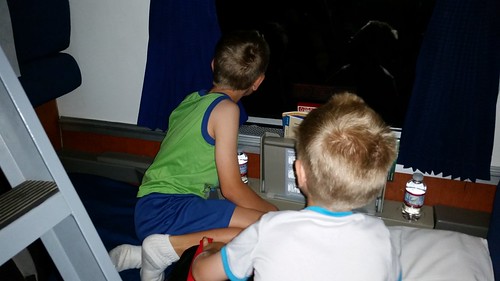
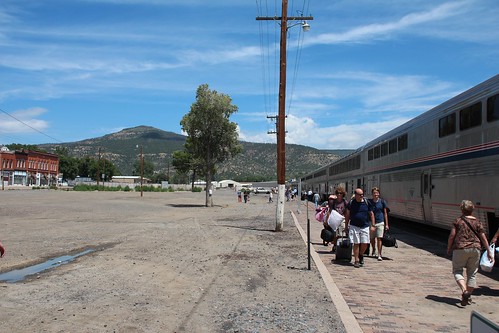
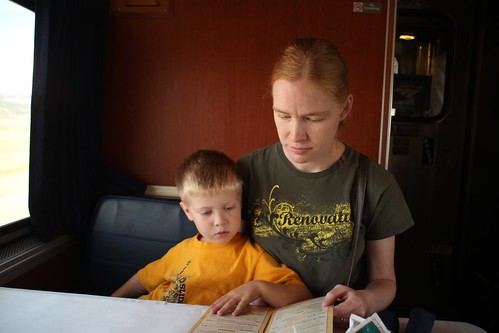
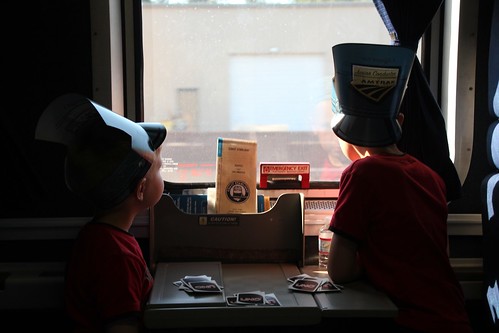
Monday morning, 1:45AM. Laura and I walk into the boys room. We turn on the light. Nothing happens. (They re sound sleepers.) Boys, it s time to get up to go get on the train! Four eyes pop open. Yay! Oh I m so excited! And then, Meow! (They enjoy playing with their stuffed cats that Laura got them for Christmas.) Before long, it was out the door to the train station. We even had time to stop at a donut shop along the way. We climbed into our family bedroom (a sleeping car room on Amtrak specifically designed for families of four), and as the train started to move, the excitement of what was going on crept in. Yes, it s 2:42AM, but these are two happy boys: 2014-08-04 02 Jacob and Oliver love trains, and this was the beginning of a 3-day train trip from Newton to Seattle that would take us through Kansas, Colorado, the Rocky Mountains of New Mexico, Arizona, Los Angeles, up the California coast, through the Cascades, and on to Seattle. Whew! Here we are later that morning before breakfast: IMG_3776 Here s our train at a station stop in La Junta, CO: IMG_3791 And at the beautiful small mountain town of Raton, NM: IMG_3805 Some of the passing scenery in New Mexico: IMG_3828 Through it all, we found many things to pass the time. I don t think anybody was bored. I took the boys exploring the train several times we d walk from one end to the other and see what all was there. There was always the dining car for our meals, the lounge car for watching the passing scenery, and on the Coast Starlight, the Pacific Parlor Car. Here we are getting ready for breakfast one morning. IMG_3830 Getting to select meals and order in the train restaurant was a big deal for the boys. IMG_3832 Laura brought one of her origami books, which even managed to pull the boys away from the passing scenery in the lounge car for quite some time. IMG_3848 Origami is serious business: IMG_3869 They had some fun wrapping themselves around my feet and challenging me to move. And were delighted when I could move even though they were trying to weight me down! IMG_3880 Several games of Uno were played, but even those sometimes couldn t compete with the passing scenery: IMG_3898 The Coast Starlight features the Pacific Parlor Car, which was built over 50 years ago for the Santa Fe Hi-Level trains. They ve been updated; the upper level is a lounge and small restaurant, and the lower level has been turned into a small theater. They show movies in there twice a day, but most of the time, the place is empty. A great place to go with little boys to run around and play games. IMG_3896 The boys and I sort of invented a new game: roadrunner and coyote, loosely based on the old Looney Tunes cartoons. Jacob and Oliver would be roadrunners, running around and yelling MEEP MEEP! Meanwhile, I was the coyote, who would try to catch them even briefly succeeding sometimes but ultimately fail in some hilarious way. It burned a lot of energy. And, of course, the parlor car was good for scenery-watching too: IMG_3908 We were right along the Pacific Ocean for several hours sometimes there would be a highway or a town between us and the beach, but usually there was nothing at all between us and the coast. It was beautiful to watch the jagged coastline go by, to gaze out onto the ocean, watching the birds apparently so beautiful that I didn t even think to take some photos. Laura s parents live in California, and took a connecting train. I had arranged for them to have a sleeping car room near ours, so for the last day of the trip, we had a group of 6. Here are the boys with their grandparents at lunch Wednesday: 2014-08-06 11 We stepped off the train in Seattle into beautiful King Street Station. P8100197 Our first day in Seattle was a quiet day of not too much. Laura s relatives live near Lake Washington, so we went out there to play. The boys enjoyed gathering black rocks along the shore. IMG_3956 We went blackberry picking after that filled up buckets for a cobbler. The next day, we rode the Seattle Monorail. The boys have been talking about this for months a kind of train they ve never been on. That was the biggest thing in their minds that they were waiting for. They got to ride in the very front, by the operator. P8080073 Nice view from up there. P8080078 We walked through the Pike Market I hadn t been in such a large and crowded place like that since I was in Guadalajara: P8080019 At the Seattle Aquarium, we all had a great time checking out all the exhibits. The please touch one was a particular hit. P8080038 Walking underneath the salmon tank was fun too. We spent a couple of days doing things closer to downtown. Laura s cousin works at MOHAI, the Museum of History and Industry, so we spent a morning there. The boys particularly enjoyed the old periscope mounted to the top of the building, and the exhibit on chocolate (of course!) P8100146 They love any kind of transportation, so of course we had to get a ride on the Seattle Streetcar that comes by MOHAI. P8090094 All weekend long, we had been noticing the seaplanes taking off from Lake Washington and Lake Union (near MOHAI). So finally I decided to investigate, and one morning while Laura was doing things with her cousin, the boys and I took a short seaplane ride from one lake to another, and then rode every method of transportation we could except for ferries (we did that the next day). Here is our Kenmore Air plane: P8100100 The view of Lake Washington from 1000 feet was beautiful: P8100109 I think we got a better view than the Space Needle, and it probably cost about the same anyhow. P8100117 After splashdown, we took the streetcar to a place where we could eat lunch right by the monorail tracks. Then we rode the monorail again. Then we caught a train (it went underground a bit so it was a subway to them!) and rode it a few blocks. There is even scenery underground, it seems. P8100151 We rode a bus back, and saved one last adventure for the next day: a ferry to Bainbridge Island. 2014-08-11 14 2014-08-11 16 Laura and I even got some time to ourselves to go have lunch at an amazing Greek restaurant to celebrate a year since we got engaged. It s amazing to think that, by now, it s only a few months until our wedding anniversary too! There are many special memories of the weekend I could mention visiting with Laura s family, watching the boys play with her uncle s pipe organ (it s in his house!), watching the boys play with their grandparents, having all six of us on the train for a day, flying paper airplanes off the balcony, enjoying the cool breeze on the ferry and the beautiful mountains behind the lake. One of my favorites is waking up to high-pitched Meow? Meow meow meow! Wake up, brother! sorts of sounds. There was so much cat-play on the trip, and it was cute to hear. I have the feeling we won t hear things like that much more. So many times on the trip I heard, Oh dad, I am so excited! I never get tired of hearing that. And, of course, I was excited, too.

28 August 2014

Bernhard R. Link: Where key expiry dates are useful and where they are not.

Some recent blog (here and here) suggest short key expiry times. Then also highlight some thing many people forget: The expiry time of a key can be changed every time with just a new self-signature. Especially that can be made retroactively (you cannot avoid that, if you allow changing it: Nothing would stop an attacker from just changing the clock of one of his computers). (By the way: did you know you can also reduce the validity time of a key? If you look at the resulting packets in your key, this is simply a revocation packet of the previous self-signature followed by a new self-signature with a shorter expiration date.) In my eyes that fact has a very simple consequence: An expiry date on your gpg main key is almost totally worthless. If you for example lose your private key and have no revocation certificate for it, then a expiry time will not help at all: Once someone else got the private key (for example by brute forcing it, as computers got faster over the years or because they could brute-force the pass-phrase for your backup they got somehow), they can just extend the expiry date and make it look like it is still valid. (And if they do not have the private key, there is nothing they can do anyway). There is one place where expiration dates make much more sense, though: subkeys. As the expiration date of a subkey is part of the signature of that subkey with the main key, someone having access to only the subkey cannot change the date. This also makes it feasible to use new subkeys over the time, as you can let the previous subkey expire and use a new one. And only someone having the private main key (hopefully you), can extend its validity (or sign a new one). (I generally suggest to always have a signing subkey and never ever use the main key except off-line to sign subkeys or other keys. The fact that it can sign other keys just makes the main key just too precious to operate it on-line (even if it is on some smartcard the reader cannot show you what you just sign)).

26 August 2014

Simon Josefsson: The Case for Short OpenPGP Key Validity Periods

After I moved to a new OpenPGP key (see key transition statement) I have received comments about the short life length of my new key. When I created the key (see my GnuPG setup) I set it to expire after 100 days. Some people assumed that I would have to create a new key then, and therefore wondered what value there is to sign a key that will expire in two months. It doesn t work like that, and below I will explain how OpenPGP key expiration works; how to extend the expiration time of your key; and argue why having a relatively short validity period can be a good thing.
The OpenPGP message format has a sub-packet called the Key Expiration Time, quoting the RFC:
5.2.3.6. Key Expiration Time
   (4-octet time field)
   The validity period of the key.  This is the number of seconds after
   the key creation time that the key expires.  If this is not present
   or has a value of zero, the key never expires.  This is found only on
   a self-signature.
You can print the sub-packets in your OpenPGP key with gpg --list-packets. See below an output for my key, and notice the created 1403464490 (which is Unix time for 2014-06-22 21:14:50) and the subpkt 9 len 4 (key expires after 100d0h0m) which adds up to an expiration on 2014-09-26. Don t confuse the creation time of the key ( created 1403464321 ) with when the signature was created ( created 1403464490 ).
jas@latte:~$ gpg --export 54265e8c   gpg --list-packets  head -20
:public key packet:
	version 4, algo 1, created 1403464321, expires 0
	pkey[0]: [3744 bits]
	pkey[1]: [17 bits]
:user ID packet: "Simon Josefsson "
:signature packet: algo 1, keyid 0664A76954265E8C
	version 4, created 1403464490, md5len 0, sigclass 0x13
	digest algo 10, begin of digest be 8e
	hashed subpkt 27 len 1 (key flags: 03)
	hashed subpkt 9 len 4 (key expires after 100d0h0m)
	hashed subpkt 11 len 7 (pref-sym-algos: 9 8 7 13 12 11 10)
	hashed subpkt 21 len 4 (pref-hash-algos: 10 9 8 11)
	hashed subpkt 30 len 1 (features: 01)
	hashed subpkt 23 len 1 (key server preferences: 80)
	hashed subpkt 2 len 4 (sig created 2014-06-22)
	hashed subpkt 25 len 1 (primary user ID)
	subpkt 16 len 8 (issuer key ID 0664A76954265E8C)
	data: [3743 bits]
:signature packet: algo 1, keyid EDA21E94B565716F
	version 4, created 1403466403, md5len 0, sigclass 0x10
jas@latte:~$ 
So the key will simply stop being valid after that time? No. It is possible to update the key expiration time value, re-sign the key, and distribute the key to people you communicate with directly or indirectly to OpenPGP keyservers. Since that date is a couple of weeks away, now felt like the perfect opportunity to go through the exercise of taking out my offline master key and boot from a Debian LiveCD and extend its expiry time. See my earlier writeup for LiveCD and USB stick conventions.
user@debian:~$ export GNUPGHOME=/media/FA21-AE97/gnupghome
user@debian:~$ gpg --edit-key 54265e8c
gpg (GnuPG) 1.4.12; Copyright (C) 2012 Free Software Foundation, Inc.
This is free software: you are free to change and redistribute it.
There is NO WARRANTY, to the extent permitted by law.
Secret key is available.
pub  3744R/54265E8C  created: 2014-06-22  expires: 2014-09-30  usage: SC  
                     trust: ultimate      validity: ultimate
sub  2048R/32F8119D  created: 2014-06-22  expires: 2014-09-30  usage: S   
sub  2048R/78ECD86B  created: 2014-06-22  expires: 2014-09-30  usage: E   
sub  2048R/36BA8F9B  created: 2014-06-22  expires: 2014-09-30  usage: A   
[ultimate] (1). Simon Josefsson 
[ultimate] (2)  Simon Josefsson 
gpg> expire
Changing expiration time for the primary key.
Please specify how long the key should be valid.
         0 = key does not expire
        = key expires in n days
      w = key expires in n weeks
      m = key expires in n months
      y = key expires in n years
Key is valid for? (0) 150
Key expires at Fri 23 Jan 2015 02:47:48 PM UTC
Is this correct? (y/N) y
You need a passphrase to unlock the secret key for
user: "Simon Josefsson "
3744-bit RSA key, ID 54265E8C, created 2014-06-22
pub  3744R/54265E8C  created: 2014-06-22  expires: 2015-01-23  usage: SC  
                     trust: ultimate      validity: ultimate
sub  2048R/32F8119D  created: 2014-06-22  expires: 2014-09-30  usage: S   
sub  2048R/78ECD86B  created: 2014-06-22  expires: 2014-09-30  usage: E   
sub  2048R/36BA8F9B  created: 2014-06-22  expires: 2014-09-30  usage: A   
[ultimate] (1). Simon Josefsson 
[ultimate] (2)  Simon Josefsson 
gpg> key 1
pub  3744R/54265E8C  created: 2014-06-22  expires: 2015-01-23  usage: SC  
                     trust: ultimate      validity: ultimate
sub* 2048R/32F8119D  created: 2014-06-22  expires: 2014-09-30  usage: S   
sub  2048R/78ECD86B  created: 2014-06-22  expires: 2014-09-30  usage: E   
sub  2048R/36BA8F9B  created: 2014-06-22  expires: 2014-09-30  usage: A   
[ultimate] (1). Simon Josefsson 
[ultimate] (2)  Simon Josefsson 
gpg> expire
Changing expiration time for a subkey.
Please specify how long the key should be valid.
         0 = key does not expire
        = key expires in n days
      w = key expires in n weeks
      m = key expires in n months
      y = key expires in n years
Key is valid for? (0) 150
Key expires at Fri 23 Jan 2015 02:48:05 PM UTC
Is this correct? (y/N) y
You need a passphrase to unlock the secret key for
user: "Simon Josefsson "
3744-bit RSA key, ID 54265E8C, created 2014-06-22
pub  3744R/54265E8C  created: 2014-06-22  expires: 2015-01-23  usage: SC  
                     trust: ultimate      validity: ultimate
sub* 2048R/32F8119D  created: 2014-06-22  expires: 2015-01-23  usage: S   
sub  2048R/78ECD86B  created: 2014-06-22  expires: 2014-09-30  usage: E   
sub  2048R/36BA8F9B  created: 2014-06-22  expires: 2014-09-30  usage: A   
[ultimate] (1). Simon Josefsson 
[ultimate] (2)  Simon Josefsson 
gpg> key 2
pub  3744R/54265E8C  created: 2014-06-22  expires: 2015-01-23  usage: SC  
                     trust: ultimate      validity: ultimate
sub* 2048R/32F8119D  created: 2014-06-22  expires: 2015-01-23  usage: S   
sub* 2048R/78ECD86B  created: 2014-06-22  expires: 2014-09-30  usage: E   
sub  2048R/36BA8F9B  created: 2014-06-22  expires: 2014-09-30  usage: A   
[ultimate] (1). Simon Josefsson 
[ultimate] (2)  Simon Josefsson 
gpg> key 1
pub  3744R/54265E8C  created: 2014-06-22  expires: 2015-01-23  usage: SC  
                     trust: ultimate      validity: ultimate
sub  2048R/32F8119D  created: 2014-06-22  expires: 2015-01-23  usage: S   
sub* 2048R/78ECD86B  created: 2014-06-22  expires: 2014-09-30  usage: E   
sub  2048R/36BA8F9B  created: 2014-06-22  expires: 2014-09-30  usage: A   
[ultimate] (1). Simon Josefsson 
[ultimate] (2)  Simon Josefsson 
gpg> expire
Changing expiration time for a subkey.
Please specify how long the key should be valid.
         0 = key does not expire
        = key expires in n days
      w = key expires in n weeks
      m = key expires in n months
      y = key expires in n years
Key is valid for? (0) 150
Key expires at Fri 23 Jan 2015 02:48:14 PM UTC
Is this correct? (y/N) y
You need a passphrase to unlock the secret key for
user: "Simon Josefsson "
3744-bit RSA key, ID 54265E8C, created 2014-06-22
pub  3744R/54265E8C  created: 2014-06-22  expires: 2015-01-23  usage: SC  
                     trust: ultimate      validity: ultimate
sub  2048R/32F8119D  created: 2014-06-22  expires: 2015-01-23  usage: S   
sub* 2048R/78ECD86B  created: 2014-06-22  expires: 2015-01-23  usage: E   
sub  2048R/36BA8F9B  created: 2014-06-22  expires: 2014-09-30  usage: A   
[ultimate] (1). Simon Josefsson 
[ultimate] (2)  Simon Josefsson 
gpg> key 3
pub  3744R/54265E8C  created: 2014-06-22  expires: 2015-01-23  usage: SC  
                     trust: ultimate      validity: ultimate
sub  2048R/32F8119D  created: 2014-06-22  expires: 2015-01-23  usage: S   
sub* 2048R/78ECD86B  created: 2014-06-22  expires: 2015-01-23  usage: E   
sub* 2048R/36BA8F9B  created: 2014-06-22  expires: 2014-09-30  usage: A   
[ultimate] (1). Simon Josefsson 
[ultimate] (2)  Simon Josefsson 
gpg> key 2
pub  3744R/54265E8C  created: 2014-06-22  expires: 2015-01-23  usage: SC  
                     trust: ultimate      validity: ultimate
sub  2048R/32F8119D  created: 2014-06-22  expires: 2015-01-23  usage: S   
sub  2048R/78ECD86B  created: 2014-06-22  expires: 2015-01-23  usage: E   
sub* 2048R/36BA8F9B  created: 2014-06-22  expires: 2014-09-30  usage: A   
[ultimate] (1). Simon Josefsson 
[ultimate] (2)  Simon Josefsson 
gpg> expire
Changing expiration time for a subkey.
Please specify how long the key should be valid.
         0 = key does not expire
        = key expires in n days
      w = key expires in n weeks
      m = key expires in n months
      y = key expires in n years
Key is valid for? (0) 150
Key expires at Fri 23 Jan 2015 02:48:23 PM UTC
Is this correct? (y/N) y
You need a passphrase to unlock the secret key for
user: "Simon Josefsson "
3744-bit RSA key, ID 54265E8C, created 2014-06-22
pub  3744R/54265E8C  created: 2014-06-22  expires: 2015-01-23  usage: SC  
                     trust: ultimate      validity: ultimate
sub  2048R/32F8119D  created: 2014-06-22  expires: 2015-01-23  usage: S   
sub  2048R/78ECD86B  created: 2014-06-22  expires: 2015-01-23  usage: E   
sub* 2048R/36BA8F9B  created: 2014-06-22  expires: 2015-01-23  usage: A   
[ultimate] (1). Simon Josefsson 
[ultimate] (2)  Simon Josefsson 
gpg> save
user@debian:~$ gpg -a --export 54265e8c > /media/KINGSTON/updated-key.txt
user@debian:~$ 
I remove the transport USB stick from the offline computer, and back on my laptop I can inspect the new updated key. Let s use the same command as before. The key creation time is the same ( created 1403464321 ), of course, but the signature packet has a new time ( created 1409064478 ) since it was signed now. Notice created 1409064478 and subpkt 9 len 4 (key expires after 214d19h35m) . The expiration time is computed based on when the key was generated, not when the signature packet was generated. You may want to double-check the pref-sym-algos, pref-hash-algos and other sub-packets so that you don t accidentally change anything else. (Btw, re-signing your key is also how you would modify those preferences over time.)
jas@latte:~$ cat /media/KINGSTON/updated-key.txt  gpg --list-packets   head -20
:public key packet:
	version 4, algo 1, created 1403464321, expires 0
	pkey[0]: [3744 bits]
	pkey[1]: [17 bits]
:user ID packet: "Simon Josefsson "
:signature packet: algo 1, keyid 0664A76954265E8C
	version 4, created 1409064478, md5len 0, sigclass 0x13
	digest algo 10, begin of digest 5c b2
	hashed subpkt 27 len 1 (key flags: 03)
	hashed subpkt 11 len 7 (pref-sym-algos: 9 8 7 13 12 11 10)
	hashed subpkt 21 len 4 (pref-hash-algos: 10 9 8 11)
	hashed subpkt 30 len 1 (features: 01)
	hashed subpkt 23 len 1 (key server preferences: 80)
	hashed subpkt 25 len 1 (primary user ID)
	hashed subpkt 2 len 4 (sig created 2014-08-26)
	hashed subpkt 9 len 4 (key expires after 214d19h35m)
	subpkt 16 len 8 (issuer key ID 0664A76954265E8C)
	data: [3744 bits]
:user ID packet: "Simon Josefsson "
:signature packet: algo 1, keyid 0664A76954265E8C
jas@latte:~$ 
Being happy with the new key, I import it and send it to key servers out there.
jas@latte:~$ gpg --import /media/KINGSTON/updated-key.txt 
gpg: key 54265E8C: "Simon Josefsson " 5 new signatures
gpg: Total number processed: 1
gpg:         new signatures: 5
jas@latte:~$ gpg --send-keys 54265e8c
gpg: sending key 54265E8C to hkp server keys.gnupg.net
jas@latte:~$ gpg --keyserver keyring.debian.org  --send-keys 54265e8c
gpg: sending key 54265E8C to hkp server keyring.debian.org
jas@latte:~$ 
Finally: why go through this hassle, rather than set the key to expire in 50 years? Some reasons for this are:
  1. I don t trust myselt to keep track of a private key (or revocation cert) for 50 years.
  2. I want people to notice my revocation certificate as quickly as possible.
  3. I want people to notice other changes to my key (e.g., cipher preferences) as quickly as possible.
Let s look into the first reason a bit more. What would happen if I lose both the master key and the revocation cert, for a key that s valid 50 years? I would start from scratch and create a new key that I upload to keyservers. Then there would be two keys out there that are valid and identify me, and both will have a set of signatures on it. None of them will be revoked. If I happen to lose the new key again, there will be three valid keys out there with signatures on it. You may argue that this shouldn t be a problem, and that nobody should use any other key than the latest one I want to be used, but that s a technical argument and at this point we have moved into usability, and that s a trickier area. Having users select which out of a couple of apparently all valid keys that exist for me is simply not going to work well. The second is more subtle, but considerably more important. If people retrieve my key from keyservers today, and it expires in 50 years, there will be no need to refresh it from key servers. If for some reason I have to publish my revocation certificate, there will be people that won t see it. If instead I set a short validity period, people will have to refresh my key once in a while, and will then either get an updated expiration time, or will get the revocation certificate. This amounts to a CRL/OCSP-like model. The third is similar to the second, but deserves to be mentioned on its own. Because the cipher preferences are expressed (and signed) in my key, and that ciphers come and go, I would expect that I will modify those during the life-time of my long-term key. If I have a long validity period of my key, people would not refresh it from key servers, and would encrypt messages to me with ciphers I may no longer want to be used. The downside of having a short validity period is that I have to do slightly more work to get out the offline master key once in a while (which I have to once in a while anyway because I m signing other peoples keys) and that others need to refresh my key from the key servers. Can anyone identify other disadvantages? Also, having to explain why I m using a short validity period used to be a downside, but with this writeup posted that won t be the case any more. :-) flattr this!

23 August 2014

Daniel Pocock: Want to be selected for Google Summer of Code 2015?

I've mentored a number of students in 2013 and 2014 for Debian and Ganglia and most of the companies I've worked with have run internships and graduate programs from time to time. GSoC 2014 has just finished and with all the excitement, many students are already asking what they can do to prepare and be selected in 2015. My own observation is that the more time the organization has to get to know the student, the more confident they can be selecting that student. Furthermore, the more time that the student has spent getting to know the free software community, the more easily they can complete GSoC. Here I present a list of things that students can do to maximize their chance of selection and career opportunities at the same time. These tips are useful for people applying for GSoC itself and related programs such as GNOME's Outreach Program for Women or graduate placements in companies. Disclaimers There is no guarantee that Google will run the program again in 2015 or any future year. There is no guarantee that any organization or mentor (including myself) will be involved until the official list of organizations is published by Google. Do not follow the advice of web sites that invite you to send pizza or anything else of value to prospective mentors. Following the steps in this page doesn't guarantee selection. That said, people who do follow these steps are much more likely to be considered and interviewed than somebody who hasn't done any of the things in this list. Understand what free software really is You may hear terms like free software and open source software used interchangeably. They don't mean exactly the same thing and many people use the term free software for the wrong things. Not all open source projects meet the definition of free software. Those that don't, usually as a result of deficiencies in their licenses, are fundamentally incompatible with the majority of software that does use genuinely free licenses. Google Summer of Code is about both writing and publishing your code and it is also about community. It is fundamental that you know the basics of licensing and how to choose a free license that empowers the community to collaborate on your code well after GSoC has finished. Please review the definition of free software early on and come back and review it from time to time. The The GNU Project / Free Software Foundation have excellent resources to help you understand what a free software license is and how it works to maximize community collaboration. Don't look for shortcuts There is no shortcut to GSoC selection and there is no shortcut to GSoC completion. The student stipend (USD $5,500 in 2014) is not paid to students unless they complete a minimum amount of valid code. This means that even if a student did find some shortcut to selection, it is unlikely they would be paid without completing meaningful work. If you are the right candidate for GSoC, you will not need a shortcut anyway. Are you the sort of person who can't leave a coding problem until you really feel it is fixed, even if you keep going all night? Have you ever woken up in the night with a dream about writing code still in your head? Do you become irritated by tedious or repetitive tasks and often think of ways to write code to eliminate such tasks? Does your family get cross with you because you take your laptop to Christmas dinner or some other significant occasion and start coding? If some of these statements summarize the way you think or feel you are probably a natural fit for GSoC. An opportunity money can't buy The GSoC stipend will not make you rich. It is intended to make sure you have enough money to survive through the summer and focus on your project. Professional developers make this much money in a week in leading business centers like New York, London and Singapore. When you get to that stage in 3-5 years, you will not even be thinking about exactly how much you made during internships. GSoC gives you an edge over other internships because it involves publicly promoting your work. Many companies still try to hide the potential of their best recruits for fear they will be poached or that they will be able to demand higher salaries. Everything you complete in GSoC is intended to be published and you get full credit for it. Imagine a young musician getting the opportunity to perform on the main stage at a rock festival. This is how the free software community works. It is a meritocracy and there is nobody to hold you back. Having a portfolio of free software that you have created or collaborated on and a wide network of professional contacts that you develop before, during and after GSoC will continue to pay you back for years to come. While other graduates are being screened through group interviews and testing days run by employers, people with a track record in a free software project often find they go straight to the final interview round. Register your domain name and make a permanent email address Free software is all about community and collaboration. Register your own domain name as this will become a focal point for your work and for people to get to know you as you become part of the community. This is sound advice for anybody working in IT, not just programmers. It gives the impression that you are confident and have a long term interest in a technology career. Choosing the provider: as a minimum, you want a provider that offers DNS management, static web site hosting, email forwarding and XMPP services all linked to your domain. You do not need to choose the provider that is linked to your internet connection at home and that is often not the best choice anyway. The XMPP foundation maintains a list of providers known to support XMPP. Create an email address within your domain name. The most basic domain hosting providers will let you forward the email address to a webmail or university email account of your choice. Configure your webmail to send replies using your personalized email address in the From header. Update your ~/.gitconfig file to use your personalized email address in your Git commits. Create a web site and blog Start writing a blog. Host it using your domain name. Some people blog every day, other people just blog once every two or three months. Create links from your web site to your other profiles, such as a Github profile page. This helps reinforce the pages/profiles that are genuinely related to you and avoid confusion with the pages of other developers. Many mentors are keen to see their students writing a weekly report on a blog during GSoC so starting a blog now gives you a head start. Mentors look at blogs during the selection process to try and gain insight into which topics a student is most suitable for. Create a profile on Github Github is one of the most widely used software development web sites. Github makes it quick and easy for you to publish your work and collaborate on the work of other people. Create an account today and get in the habbit of forking other projects, improving them, committing your changes and pushing the work back into your Github account. Github will quickly build a profile of your commits and this allows mentors to see and understand your interests and your strengths. In your Github profile, add a link to your web site/blog and make sure the email address you are using for Git commits (in the ~/.gitconfig file) is based on your personal domain. Start using PGP Pretty Good Privacy (PGP) is the industry standard in protecting your identity online. All serious free software projects use PGP to sign tags in Git, to sign official emails and to sign official release files. The most common way to start using PGP is with the GnuPG (GNU Privacy Guard) utility. It is installed by the package manager on most Linux systems. When you create your own PGP key, use the email address involving your domain name. This is the most permanent and stable solution. Print your key fingerprint using the gpg-key2ps command, it is in the signing-party package on most Linux systems. Keep copies of the fingerprint slips with you. This is what my own PGP fingerprint slip looks like. You can also print the key fingerprint on a business card for a more professional look. Using PGP, it is recommend that you sign any important messages you send but you do not have to encrypt the messages you send, especially if some of the people you send messages to (like family and friends) do not yet have the PGP software to decrypt them. If using the Thunderbird (Icedove) email client from Mozilla, you can easily send signed messages and validate the messages you receive using the Enigmail plugin. Get your PGP key signed Once you have a PGP key, you will need to find other developers to sign it. For people I mentor personally in GSoC, I'm keen to see that you try and find another Debian Developer in your area to sign your key as early as possible. Free software events Try and find all the free software events in your area in the months between now and the end of the next Google Summer of Code season. Aim to attend at least two of them before GSoC. Look closely at the schedules and find out about the individual speakers, the companies and the free software projects that are participating. For events that span more than one day, find out about the dinners, pub nights and other social parts of the event. Try and identify people who will attend the event who have been GSoC mentors or who intend to be. Contact them before the event, if you are keen to work on something in their domain they may be able to make time to discuss it with you in person. Take your PGP fingerprint slips. Even if you don't participate in a formal key-signing party at the event, you will still find some developers to sign your PGP key individually. You must take a photo ID document (such as your passport) for the other developer to check the name on your fingerprint but you do not give them a copy of the ID document. Events come in all shapes and sizes. FOSDEM is an example of one of the bigger events in Europe, linux.conf.au is a similarly large event in Australia. There are many, many more local events such as the Debian France mini-DebConf in Lyon, 2015. Many events are either free or free for students but please check carefully if there is a requirement to register before attending. On your blog, discuss which events you are attending and which sessions interest you. Write a blog during or after the event too, including photos. Quantcast generously hosted the Ganglia community meeting in San Francisco, October 2013. We had a wild time in their offices with mini-scooters, burgers, beers and the Ganglia book. That's me on the pink mini-scooter and Bernard Li, one of the other Ganglia GSoC 2014 admins is on the right. Install Linux GSoC is fundamentally about free software. Linux is to free software what a tree is to the forest. Using Linux every day on your personal computer dramatically increases your ability to interact with the free software community and increases the number of potential GSoC projects that you can participate in. This is not to say that people using Mac OS or Windows are unwelcome. I have worked with some great developers who were not Linux users. Linux gives you an edge though and the best time to gain that edge is now, while you are a student and well before you apply for GSoC. If you must run Windows for some applications used in your course, it will run just fine in a virtual machine using Virtual Box, a free software solution for desktop virtualization. Use Linux as the primary operating system. Here are links to download ISO DVD (and CD) images for some of the main Linux distributions: If you are nervous about getting started with Linux, install it on a spare PC or in a virtual machine before you install it on your main PC or laptop. Linux is much less demanding on the hardware than Windows so you can easily run it on a machine that is 5-10 years old. Having just 4GB of RAM and 20GB of hard disk is usually more than enough for a basic graphical desktop environment although having better hardware makes it faster. Your experiences installing and running Linux, especially if it requires some special effort to make it work with some of your hardware, make interesting topics for your blog. Decide which technologies you know best Personally, I have mentored students working with C, C++, Java, Python and JavaScript/HTML5. In a GSoC program, you will typically do most of your work in just one of these languages. From the outset, decide which language you will focus on and do everything you can to improve your competence with that language. For example, if you have already used Java in most of your course, plan on using Java in GSoC and make sure you read Effective Java (2nd Edition) by Joshua Bloch. Decide which themes appeal to you Find a topic that has long-term appeal for you. Maybe the topic relates to your course or maybe you already know what type of company you would like to work in. Here is a list of some topics and some of the relevant software projects:


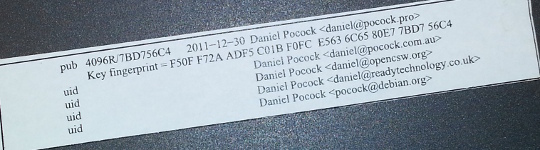
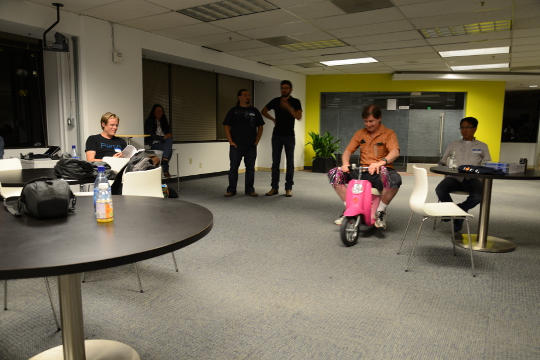
  • System administration, servers and networking: consider projects involving monitoring, automation, packaging. Ganglia is a great community to get involved with and you will encounter the Ganglia software in many large companies and academic/research networks. Contributing to a Linux distribution like Debian or Fedora packaging is another great way to get into system administration.
  • Desktop and user interface: consider projects involving window managers and desktop tools or adding to the user interface of just about any other software.
  • Big data and data science: this can apply to just about any other theme. For example, data science techniques are frequently used now to improve system administration.
  • Business and accounting: consider accounting, CRM and ERP software.
  • Finance and trading: consider projects like R, market data software like OpenMAMA and connectivity software (Apache Camel)
  • Real-time communication (RTC), VoIP, webcam and chat: look at the JSCommunicator or the Jitsi project
  • Web (JavaScript, HTML5): look at the JSCommunicator
Before the GSoC application process begins, you should aim to learn as much as possible about the theme you prefer and also gain practical experience using the software relating to that theme. For example, if you are attracted to the business and accounting theme, install the PostBooks suite and get to know it. Maybe you know somebody who runs a small business: help them to upgrade to PostBooks and use it to prepare some reports. Make something Make some small project, less than two week's work, to demonstrate your skills. It is important to make something that somebody will use for a practical purpose, this will help you gain experience communicating with other users through Github. For an example, see the servlet Juliana Louback created for fixing phone numbers in December 2013. It has since been used as part of the Lumicall web site and Juliana was selected for a GSoC 2014 project with Debian. There is no better way to demonstrate to a prospective mentor that you are ready for GSoC than by completing and publishing some small project like this yourself. If you don't have any immediate project ideas, many developers will also be able to give you tips on small projects like this that you can attempt, just come and ask us on one of the mailing lists. Ideally, the project will be something that you would use anyway even if you do not end up participating in GSoC. Such projects are the most motivating and rewarding and usually end up becoming an example of your best work. To continue the example of somebody with a preference for business and accounting software, a small project you might create is a plugin or extension for PostBooks. Getting to know prospective mentors Many web sites provide useful information about the developers who contribute to free software projects. Some of these developers may be willing to be a GSoC mentor. For example, look through some of the following: Getting on the mentor's shortlist Once you have identified projects that are interesting to you and developers who work on those projects, it is important to get yourself on the developer's shortlist. Basically, the shortlist is a list of all students who the developer believes can complete the project. If I feel that a student is unlikely to complete a project or if I don't have enough information to judge a student's probability of success, that student will not be on my shortlist. If I don't have any student on my shortlist, then a project will not go ahead at all. If there are multiple students on the shortlist, then I will be looking more closely at each of them to try and work out who is the best match. One way to get a developer's attention is to look at bug reports they have created. Github makes it easy to see complaints or bug reports they have made about their own projects or other projects they depend on. Another way to do this is to search through their code for strings like FIXME and TODO. Projects with standalone bug trackers like the Debian bug tracker also provide an easy way to search for bug reports that a specific person has created or commented on. Once you find some relevant bug reports, email the developer. Ask if anybody else is working on those issues. Try and start with an issue that is particularly easy and where the solution is interesting for you. This will help you learn to compile and test the program before you try to fix any more complicated bugs. It may even be something you can work on as part of your academic program. Find successful projects from the previous year Contact organizations and ask them which GSoC projects were most successful. In many organizations, you can find the past students' project plans and their final reports published on the web. Read through the plans submitted by the students who were chosen. Then read through the final reports by the same students and see how they compare to the original plans. Start building your project proposal now Don't wait for the application period to begin. Start writing a project proposal now. When writing a proposal, it is important to include several things:
  • Think big: what is the goal at the end of the project? Does your work help the greater good in some way, such as increasing the market share of Linux on the desktop?
  • Details: what are specific challenges? What tools will you use?
  • Time management: what will you do each week? Are there weeks where you will not work on GSoC due to vacation or other events? These things are permitted but they must be in your plan if you know them in advance. If an accident or death in the family cut a week out of your GSoC project, which work would you skip and would your project still be useful without that? Having two weeks of flexible time in your plan makes it more resilient against interruptions.
  • Communication: are you on mailing lists, IRC and XMPP chat? Will you make a weekly report on your blog?
  • Users: who will benefit from your work?
  • Testing: who will test and validate your work throughout the project? Ideally, this should involve more than just the mentor.
If your project plan is good enough, could you put it on Kickstarter or another crowdfunding site? This is a good test of whether or not a project is going to be supported by a GSoC mentor. Learn about packaging and distributing software Packaging is a vital part of the free software lifecycle. It is very easy to upload a project to Github but it takes more effort to have it become an official package in systems like Debian, Fedora and Ubuntu. Packaging and the communities around Linux distributions help you reach out to users of your software and get valuable feedback and new contributors. This boosts the impact of your work. To start with, you may want to help the maintainer of an existing package. Debian packaging teams are existing communities that work in a team and welcome new contributors. The Debian Mentors initiative is another great starting place. In the Fedora world, the place to start may be in one of the Special Interest Groups (SIGs). Think from the mentor's perspective After the application deadline, mentors have just 2 or 3 weeks to choose the students. This is actually not a lot of time to be certain if a particular student is capable of completing a project. If the student has a published history of free software activity, the mentor feels a lot more confident about choosing the student. Some mentors have more than one good student while other mentors receive no applications from capable students. In this situation, it is very common for mentors to send each other details of students who may be suitable. Once again, if a student has a good Github profile and a blog, it is much easier for mentors to try and match that student with another project. GSoC logo generic Conclusion Getting into the world of software engineering is much like joining any other profession or even joining a new hobby or sporting activity. If you run, you probably have various types of shoe and a running watch and you may even spend a couple of nights at the track each week. If you enjoy playing a musical instrument, you probably have a collection of sheet music, accessories for your instrument and you may even aspire to build a recording studio in your garage (or you probably know somebody else who already did that). The things listed on this page will not just help you walk the walk and talk the talk of a software developer, they will put you on a track to being one of the leaders. If you look over the profiles of other software developers on the Internet, you will find they are doing most of the things on this page already. Even if you are not selected for GSoC at all or decide not to apply, working through the steps on this page will help you clarify your own ideas about your career and help you make new friends in the software engineering community.


17 August 2014

Matt Brown: GPG Key Transition

Firstly, thanks to all who responded to my previous rant. It turns out exactly what I wanted does exist in the form of a ID-000 format smartcard combined with a USB reader. Perfect. No idea why I couldn t find that on my own prior to ranting, but very happy to have found it now. Secondly, now that I ve got my keys and management practices in order, it is time to begin transitioning to my new key. Click this link to find the properly signed, full transition statement. I m not going to paste the full statement into this post, but my new key is:
pub   4096R/A48F065A 2014-07-27 [expires: 2016-07-26]
      Key fingerprint = DBB7 64A1 797D 2E21 C799  3CD7 A628 CB5F A48F 065A
uid                  Matthew Brown <matt @mattb.net.nz>
uid                  Matthew Brown <mattb @debian.org>
sub   4096R/1937883F 2014-07-27 [expires: 2016-07-26]
If you signed my old key, I d very much appreciate a signature on my new key, details and instructions in the transition statement. I m happy to reciprocate if you have a similarly signed transition statement to present.

Next.

Previous.