Search Results: "ed"

27 May 2012

Petter Reinholdtsen: Debian Edu interview: Ralf Gesellensetter

In 2003, a German teacher showed up on the Debian Edu and Skolelinux mailing list with interesting problems and reports proving he setting up Linux for a (for us at the time) lot of pupils. His name was Ralf Gesellensetter, and he has been an important tester and contributor since then, helping to make sure the Debian Edu Squeeze release became as good as it is.. Who are you, and how do you spend your days? I am a teacher from Germany, and my subjects are Geography, Mathematics, and Computer Science ("Informatik"). During the past 12 years (since 2000), I have been working for a comprehensive (and soon, also inclusive) school leading to all kind of general levels, such as O- or A-level ("Abitur"). For quite as long, I've been taking care of our computer network. Now, in my early 40s, I enjoy the privilege of spending a lot of my spare time together with my wife, our son (3 years) and our daughter (4 months). How did you get in contact with the Skolelinux/Debian Edu project? We had tried different Linux based school servers, when members of my local Linux User Group (LUG OWL) detected Skolelinux. I remember very well, being part of a party celebrating the Linux New Media Award ("Best Newcomer Distribution", also nominated: Ubuntu) that was given to Skolelinux at Linux World Exposition in Frankfurt, 2005 (IIRC). Few months later, I had the chance to join a developer meeting in Ulsrud (Oslo) and to hand out the award to Knut Yrvin and others. For more than 7 years, Skolelinux is part of our schools infrastructure, namely our main server (tjener), one LTSP (today without thin clients), and approximately 50 work stations. Most of these have the option to boot a locally installed Skolelinux image. As a consequence, I joined quite a few events dealing with free software or Linux, and met many Debian (Edu) developers. All of them seemed quite nice and competent to me, one more reason to stick to Skolelinux. What do you see as the advantages of Skolelinux/Debian Edu? Debian driven, you are given all the advantages of a community project including well maintained updates. Once, you are familiar with the network layout, you can easily roll out an entire educational computer infrastructure, from just one installation media. As only free software (FOSS) is used, that supports even elderly hardware, up-sizing your IT equipment is only limited by space (i.e. available labs). Especially if you run a LTSP thin client server, your administration costs tend towards zero. What do you see as the disadvantages of Skolelinux/Debian Edu? While Debian's stability has loads of advantages for servers, this might be different in some cases for clients: Schools with unlimited budget might buy new hardware with components that are not yet supported by Debian stable, or wish to use more recent versions of office packages or desktop environments. These schools have the option to run Debian testing or other distributions - if they have the capacity to do so. Another issue is that Debian release cycles include a wide range of changes; therefor a high percentage of human power seems to be absorbed by just keeping the features of Skolelinux within the new setting of the version to come. During this process, the cogs of Debian Edu are getting more and more professional, i.e. harder to understand for novices. Which free software do you use daily? LibreOffice, Wikipedia, Openstreetmap, Iceweasel (Mozilla Firefox), KMail, Gimp, Inkscape - and of course the Linux Kernel (not only on PC, Laptop, Mobile, but also our SAT receiver) Which strategy do you believe is the right one to use to get schools to use free software?
  1. Support computer science as regular subject in schools to make people really "own" their hardware, to make them understand the difference between proprietary software products, and free software developing.
  2. Make budget baskets corresponding: In Germany's public schools there are more or less fixed budgets for IT equipment (including licenses), so schools won't benefit from any savings here. This privilege is left to private schools which have consequently a large share among German Skolelinux schools.
  3. Get free software in the seminars where would-be teachers are trained. In many cases, teachers' software customs are respected by decision makers rather than the expertise of any IT experts.
  4. Don't limit ourself to free software run natively. Everybody uses free software or free licenses (for instance Wikipedia), and this general concept should get expanded to free educational content to be shared world wide (school books e.g.).
  5. Make clear where ever you can that the market share of free (libre) office suites is much above 20 p.c. today, and that you pupils don't need to know the "ribbon menu" in order to get employed.
  6. Talk about the difference between freeware and free software.
  7. Spread free software, or even collections of portable free apps for USB pen drives. Endorse students to get a legal copy of Libreoffice rather than accepting them to use illegal serials. And keep sending documents in ODF formats.

Andrew Pollock: [life] Dear World, Sarah's Twitter account is okay

I've received two separate emails now about a spammy looking tweet from Sarah's Twitter account, so I thought I'd attempt to head off any more. Yes, it appears her account got hacked (weak password), but surprisingly the password didn't get changed. Sarah has changed her password to a stronger one and deleted the offending tweet. All is right with the world.

Ingo Juergensmann: DaviCal and Addressbook Sync

After exchanging my rusted Nokia N97 against an iPhone I was in need to setup calendar and addressbook syncing again. Addressbook syncing wasn't possible with N97 anyways, or I haven't found out how to do it. Previously I synced my N97 by using iSync, but iSync doesn't sync anymore with iPhone, although iPhone now syncs with iTunes. Weird? Yes. But that's how it works. The iPhone syncs now via WLAN instead of Bluetooth, which is an improvement, but I don't really want to fire up iTunes everytime I want to sync my calendar or addressbook. And using iCloud is really not an option as well, because of privacy concerns. I'm a big fan of selfhosting and already have a running DaviCal instance running on my server. DaviCal is a great piece of software from Debian maintainer Andrew McMillan, who is doing a survey on Davical, so there's, of course, a Debian package for it. Anyway, one problem with OSX and addressbook sync via carddav is that it is not working out of the box with Addressbook.app on OSX, although the documentation in the DaviCal wiki is quite useful. When you try to enter a new account in Addressbook.app the sync will not work. The solution can be found on the private blog of Harald Nikolisin, which is in German. He writes (German, English translation follows)
Mac OS X Adressbuch anschliessen
Oh ja wenn man mittels SSL drauzugreift, dann gibts Probleme.
Im der Applikation Adressbuch kann man zwar ein CardDAV Account anlegen bei dem man die Authorisierungsdaten und den kompletten Serverpfad (s.o.) eingeben kann, man l uft aber immer auf eine Fehlermeldung hinaus.
Die L sung ist, zweimal Create anzuklicken um den fehlerhaften Account anzulegen. Dann editiert man manuell folgende Datei: ~/Library/Application Support/AddressBook/Sources/UNIQUE-ID/Configuration.plist
Dort tr gt man unter Server String die komplette URL ein.
https://SERVERNAME/davical/caldav.php/USERNAME/contacts
Am besten modifiziert man noch das Feld HaveWriteAccess auf den Wert auf 1
English translation: 
Connecting Mac OS X addressbook
Oh, yes - there are problems when accessing via SSL.
In Addressbook.app you can add a CardDAV account where you can define authentication and 
server path, but you'll always get an error message.
The solution is to click twice on "Create" in order to create the faulty entry.
Then you can edit the following file:
~/Library/Application Support/AddressBook/Sources/UNIQUE-ID/Configuration.plist
There you enter your complete URL under Server String.
https://SERVERNAME/davical/caldav.php/USERNAME/contacts 
It's best to modify the field HaveWriteAccess to the value "1"
After following this advice my Addressbook.app did successfully stored the contacts into DaviCals CardDAV from where I can sync with my iPhone. Maybe Andrew want to include this to the DaviCal wiki, maybe I'll do this myself by registering in the Wiki for that purpose... Oh, and I forgot: Using the Roundcube plugin from graviox is working nice as well with DaviCals CardDAV!
Kategorie:

Lars Wirzenius: Obnam 0.29 (backup software)

I've just pushed out Obnam 0.29, my backup program. NEWS snippet below. This is a RELEASE CANDIDATE for 1.0, since there are no known bugs that would block a 1.0 release. I'm not entirely happy with Obnam's performance over sftp with small files, but it's not something I am prepared to let block 1.0. I am going to try a few things to improve things, but I want this release out first. Please test and report any problems via this mailing list or as bugs on the website or via IRC. I am on IRC only intermittently until 1.0 is released, so e-mail and bug reports are best options.

Lars Wirzenius: Larch 1.20120527 (Python B-tree library)

It has been a long time since I announced a version of Larch on my blog: about 14 months. A fair bit has happened since then: see the NEWS file for details. Below is the snippet for today's release. This is an implementation of particular kind of B-tree, based on research by Ohad Rodeh. See "B-trees, Shadowing, and Clones" (copied here with permission of author) for details on the data structure. This is the same data structure that btrfs uses. Note that my implementation is independent from the btrfs one, and might differ from what the paper describes. The distinctive feature of this B-tree is that a node is never modified (sort-of). Instead, all updates are done by copy-on-write. Among other things, this makes it easy to clone a tree, and modify only the clone, while other processes access the original tree. This is utterly wonderful for my backup application, and that's the reason I wrote larch in the first place. See the home page and README for more information; the API docs may be amusingly sparse. Version 1.20120527, released 2012-05-27

Andrew Cater: Raspberry Pi - its's here in volume

The Raspberry Pi's are now shipping in volume and are gradually spreading. The site at raspberrypi.org has links to a map showing the spread worldwide. This post is being edited from a Pi on my desk and using Midori as a lightweight browser.

After all the hype: it works, it runs Debian Squeeze well and can update from Debian apt repositories. Graphics drivers are non-free but I'd hope there would be a way to work together with the development team to get them put into the non-free repositories.

Blogger doesn't like the browser and suggests an update to Google Chrome but that's life, I suppose :(

Bartosz Feński: cowbuilder with sid under Ubuntu/Mint

Just for reference cause I had to figured it out again after upgrade from Mint Lisa to Mint Maya (which in Mint world means reinstalling whole system). This is the way to create cowbuilder environment with Debian Sid/unstable under Linux Mint Maya or any Ubuntu based system:
sudo sed -ie 's/MIRRORSITE.*/MIRRORSITE=http://ftp.debian.org/debian/g' /etc/pbuilderrc
sudo apt-get install debian-archive-keyring
sudo cowbuilder --create --distribution sid --debootstrapopts --keyring=/usr/share/keyrings/debian-archive-keyring.gpg

26 May 2012

Vincent Sanders: Each morning sees some task begun, each evening sees it close; Something attempted, something done, has earned a night's repose.

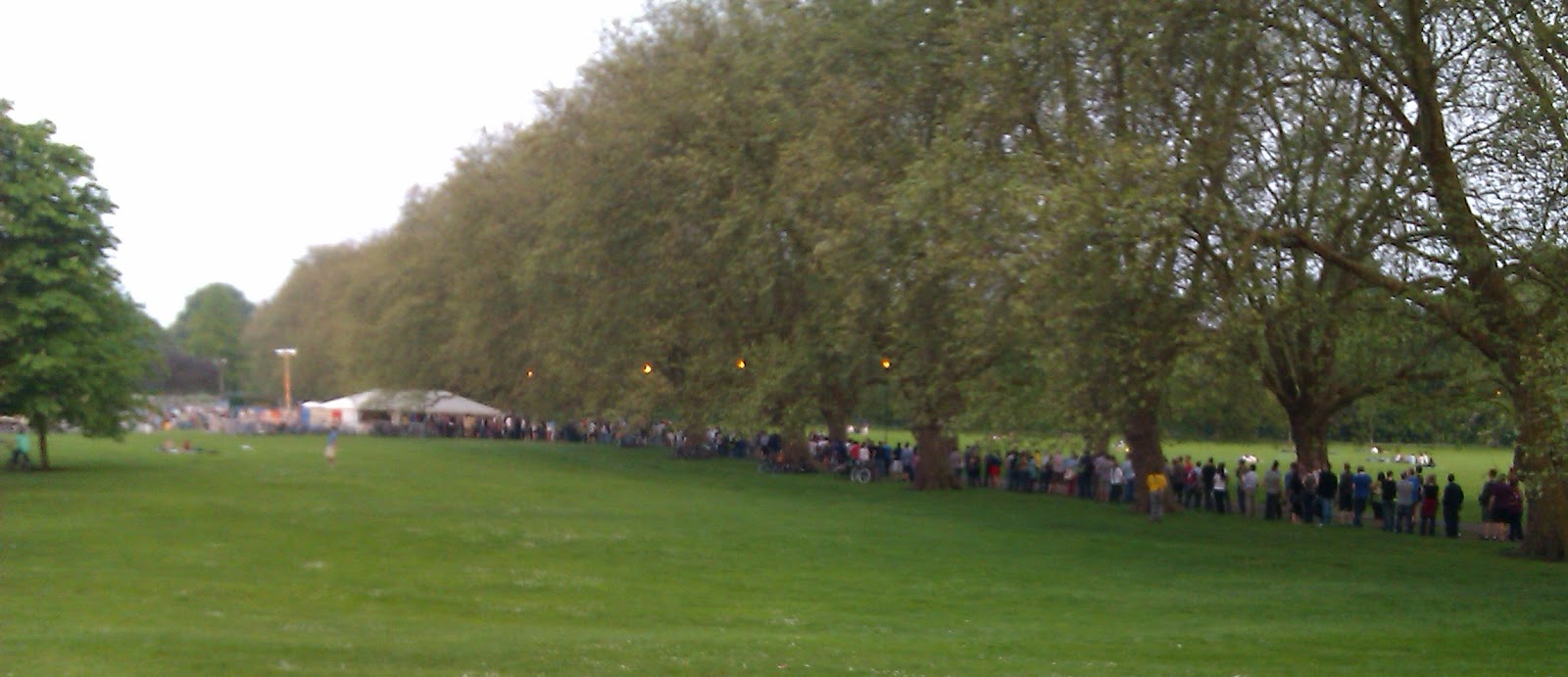
Thursday saw all the Collabora employees at Cambridge office go out and socialise at the beer festival. They seemed to have selected a wonderful day for it, the sun was shining and it was warm and blue sky day.

Alas, I had to attend some customer conference calls and work on some time sensitive research so I could not go to the ball as it were. At about eight my brain had run out of steam so I decided to call it a day and go and meetup with people at the festival for an hour or two.

The queue when I arrived dissuaded me from that notion. I asked one of the stewards and they indicated it would take at least an hour from where the queue finished.

So I decided to wend my way home along the bank of the Cam. I proceeded slowly along and to my utter surprise bumped into Ben Hutchings and his Solarflare work colleagues having their own soiree. I was immediately invited to sit and converse. Pretty quickly I was inveigled into accepting a glass of wine by John Aspden from his floating bar (AKA houseboat).

From here on my evening was a pleasant one of amusing new people, easy conversation and a definite pondering if the host would be discovering the delights of Cam swimming as he became progressively inebriated!

So although I missed the festival I did manage to have an enjoyable time. A big thanks to the solarflare guys and especially John who was the consummate host and provided me with far too much alcohol.

Petter Reinholdtsen: The cost of ODF and OOXML

I just come across a blog post from Glyn Moody reporting the claimed cost from Microsoft on requiring ODF to be used by the UK government. I just sent him an email to let him know that his assumption are most likely wrong. Sharing it here in case some of my blog readers have seem the same numbers float around in the UK.
Hi. I just noted your http://blogs.computerworlduk.com/open-enterprise/2012/04/does-microsoft-office-lock-in-cost-the-uk-government-500-million/index.htm comment:
"They're all in Danish, not unreasonably, but even with the help of Google Translate I can't find any figures about the savings of "moving to a flexible two standard" as claimed by the Microsoft email. But I assume it is backed up somewhere, so let's take it, and the 500 million figure for the UK, on trust."
I can tell you that the Danish reports are inflated. I believe it is the same reports that were used in the Norwegian debate around 2007, and Gisle Hannemyr (a well known IT commentator in Norway) had a look at the content. In short, the reason it is claimed that using ODF will be so costly, is based on the assumption that this mean every existing document need to be converted from one of the MS Office formats to ODF, transferred to the receiver, and converted back from ODF to one of the MS Office formats, and that the conversion will cost 10 minutes of work time for both the sender and the receiver. In reality the sender would have a tool capable of saving to ODF, and the receiver would have a tool capable of reading it, and the time spent would at most be a few seconds for saving and loading, not 20 minutes of wasted effort. Microsoft claimed all these costs were saved by allowing people to transfer the original files from MS Office instead of spending 10 minutes converting to ODF. :) See http://hannemyr.com/no/ms12_vl02.php and http://hannemyr.com/no/ms12.php for background information. Norwegian only, sorry. :)

Tanguy Ortolo: Fun with spammers

Email spam is a plague, but sometimes there is at least on category of spammers it is easy to have fun with: naive manual spammers. People that try to do more or less legal business, using Internet in an illegitimate way, for instance (this is a real example, including the spammer's address: spamming bots, please use it ;-) !): Reporting Well, in that case it may or may not be a scam, but even if it is not a criminal activity such as selling fake drugs, it is not a very honest business. Anyway, that lady is using her Google account to send her crap, so neutralizing her is quite easy:
  1. checking that it really comes from Google Mail, using DKIM or SPF;
  2. writing to Google, reporting that spam (and, in that specific case, the abuse they are offering to commit on Google +1);
  3. optional, do not do that with scammers: replying to the spammer explaining that this is spamming, that you reported it and that she can expect to loose her Google account and everything on it.
That should work with any good email provider, that is, any provider that listens to complaints at <abuse@> and takes action on them. For what I have seen, Google and Yahoo! are, but fossils such as traditional national telephonists are not. If the message headers allow you to identify it, you can also report the abuse to the spammer's network operator if it is a good one (this is rarely the case). Consequences With a bit of luck, that can seriously damage the business of the spammer, and if he was really careless (e.g. storing important documents on the same Google account with no local backup), cause serious trouble in his personal stuff. If you replied to the spammer, you can get fun answers such as (these are taken from real examples I got): Conclusion This is too complicated to be done for each spam of course, but it is worth doing for spam messages that are not catch by one's antispam. And the rules for email marketing are well known: only write to people that explicitly allowed you to do so, full stop, so there is no reason to show any mercy for a spammer.

Craig Small: JFFNMS 0.9.3

jffnms version 0.9.3 has been released today. This is a vast improvement over the 0.9.x releases and anyone using that train is strongly recommended to upgrade.So what changed? What didn t change! A nice summary would be fixing a lot of things that were broken or needed some tweaking. A really, really big thanks to Marek for all the testing and bug reports and also patient just run this and tell me what it says tests he did too. If something wasn t right before and works now, it is quite likely it is working because Marek told me how it broke. A brief overview of what has changed: You can download the file off sourceforge at https://sourceforge.net/projects/jffnms/files/JFFNMS%20Releases/

Joey Hess: the rocket

The best thing about rockets is when they go up successfully, and don't come back down. graph My git-annex Kickstarter reached escape velocity 24 hours after launch, and is now past 200% funded. This is great news, because it gives me more time to spend hacking on git-annex, and will let me add more features and polish it better. I had set the goal at a minimal amount because I'd have hated not to get funded at all if this hadn't taken off. But the current funding is much more comfortable, and the further up it goes, the more scope the project can have. screenshot At the point shown above, the project had started to be highlighted as popular, based largely on kind and generous readers of this blog and git-annex users who chipped in. For a while, I personally knew around 1/3rd of contributors. That was enough to get it noticed by Kickstarter staff, which in turn has led to more growth. I love the juxtaposition of geeky tech project with other stuff here. screenshot I have 17 days remaining until the Kickstarter is finished. I really had worried it might take that long to get funded. As it is, I can't wait to see where the rocket's trajectory takes it in that time!

Charles Plessy: Cloud-init uploaded to Debian.

Each instance (virtual machine) started from the same image is configured identically. The same account and the same procedure will be used to connect to it. If the machine image is public and if the instance is open to the Internet, which is common when using commercial providers such as Amazon, an attacker could connect randomly to known IPs from the cloud, and eventually access to an instance before its owner. To individualise the connection to each instance, one can pass informations at startup, called instance metadata, which will be available to this instance only at a fixed HTTP URL. If the owner provides a public SSH key, this can be used to ensure that only the owner of the private key can connect. After the next update of network-console, this method of connection will be available for the Debian Installer. Likewise for the Debian images produced, by installing the cloud-init packages, that I uploaded to the experimental section of our archive. This package is far from ready. It lacks init scripts, it is not translated, and to be honest, I have not tested it. But to have it in Debian makes me benefit from the package and bugs tracking systems. Do not hesitate to report some, or better, to participate to the maintenance of this package. Cloud-init has many other interesting functionalities. I would like to thank Scott Moser, the upstream developer and maintainer of the Ubuntu package, for his cooperation during the creation of the Debian package, as I made large modifications, in particular the removal of the part managing the menu.lst for pv-grub, which will have its own package or will be transferred somewhere else.

25 May 2012

Alexander Reichle-Schmehl: Release Critical Bug report for Week 21

The bug webinterface of the Ultimate Debian Database currently knows about the following release critical bugs:
In Total:1534
Affecting Wheezy:1095
Wheezy only:238
Remaining to be fixed in Wheezy:857
Of these 857 bugs, the following tags are set:
Pending in Wheezy:82
Patched in Wheezy:175
Duplicates in Wheezy:62
Can be fixed in a security Update:27
Contrib or non-free in Wheezy:11
Claimed in Wheezy:2
Delayed in Wheezy:18
Otherwise fixed in Wheezy:86
Ignoring all the above (multiple tags possible) 500 bugs need to be fixed by Debian Contributors to get Debian 7.0 Wheezy released. However, with the view of the Release Managers, 975 need to be dealt with for the release to happen. Please see Interpreting the release critical bug statistics for an explanation of the different numbers.

Johannes Schauer: setting up mailman, postfix, lighttpd

I was worried about having to learn hundreds of configuration options to properly set up mailman, postfix and lighttpd on Debian Squeeze. Turned out, that except for lighttpd it all works out of the box.

apt-get install postfix
When asked by debconf, I specified lists.mister-muffin.de as the fully qualified domain name.
apt-get install mailman
newlist mailman
The newlist command reminds me that I have to add its output to /etc/aliases. After doing so, I have to run:
newaliases
From now on, I can add any mailinglist by running newlist, editing /etc/aliases and running newaliases. Mailinglists can also be added through the mailman webinterface but one still has to put the according entries into /etc/aliases. Following is a working lighttpd configuration that works out of the box with the default settings of mailman on Debian squeeze. This was the only part that caused me some headaches.
server.modules += ("mod_alias", "mod_cgi", "mod_accesslog")
$HTTP["host"] == "lists.mister-muffin.de"   accesslog.filename =
    accesslog.filename = "/var/log/lighttpd/lists-access-log"
    alias.url += (
        "/cgi-bin/mailman/private/" => "/var/lib/mailman/archives/private/",
        "/cgi-bin/mailman/public/" => "/var/lib/mailman/archives/public/",
        "/pipermail/" => "/var/lib/mailman/archives/public/",
        "/cgi-bin/mailman/"=> "/var/lib/mailman/cgi-bin/",
        "/images/mailman/" => "/usr/share/images/mailman/",
    )
    cgi.assign = (
        "/admin" => "",
        "/admindb" => "",
        "/confirm" => "",
        "/create" => "",
        "/edithtml" => "",
        "/listinfo" => "",
        "/options" => "",
        "/private" => "",
        "/rmlist" => "",
        "/roster" => "",
        "/subscribe" => "")
 
server.document-root        = "/var/www"
server.errorlog             = "/var/log/lighttpd/error.log"
server.pid-file             = "/var/run/lighttpd.pid"
server.username             = "www-data"
server.groupname            = "www-data"
index-file.names            = ( "index.html" )
server.dir-listing          = "disable"
include_shell "/usr/share/lighttpd/create-mime.assign.pl"
As a bonus, I wanted to import my existing email exchange with my GSoC mentors into the mailinglist. First I was planning on manually sending the email messages to the list, but a much easier option is to just import them in mbox format. To extract all email messages, I first wrote the following python snippet:
import mailbox, itertools
box = mailbox.mbox('~/out')
for message in itertools.chain(mailbox.mbox('~/sent'), mailbox.Maildir('~/Mail/Web/', factory=None)):
if (("wookey" in message.get('to', "").lower()
or "wookey" in message.get('cc', "").lower()
or "wookey" in message.get('from', "").lower()
or "abate" in message.get('to', "").lower()
or "abate" in message.get('cc', "").lower()
or "abate" in message.get('from', "").lower())
and not message['subject'][0] == '['
and not message['subject'] == "multistrap"):
box.add(message)
box.close()
It iterates through messages in my mbox and maildir mailboxes, filters them for emails by wookey or pietro, strips away some messages I found to not be relevant and then saves the filtered result into the mbox mailbox ~/out. It is important to specify factory=None for the Maildir parser, because it otherwise defaults to rfc822.Message instead of MaildirMessage. Also do not forget to call box.close(). I initially forgot to do so and ended up with missing messages in ~/out. I then copy the archive in its place:
scp out lists.mister-muffin.de:/var/lib/mailman/archives/private/debian-bootstrap.mbox/debian-bootstrap.mbox
Another thing that initially caused me trouble, was that the mbox didnt have the correct permissions due to the scp. Fixing them:
chown -R list:www-data /var/lib/mailman/archives/private/
chmod 664 /var/lib/mailman/archives/private/debian-bootstrap.mbox/debian-bootstrap.mbox
And update the mailman archive like this:
sudo -u list /usr/lib/mailman/bin/arch debian-bootstrap /var/lib/mailman/archives/private/debian-bootstrap.mbox/debian-bootstrap.mbox
Initially I was running the above command as root which screws up permissions as well.

Matthew Garrett: Fedora 17 and Mac support

Fedora 17 will be shipping next week. It's got a bunch of new features, none of which I contributed to in the slightest. What I did work on was improving our support for installation on x86 Apple hardware. There's still a few shortcomings in this so it's not an announced or supported feature, but it's sufficient progress that it's worth writing about.

There's a few ways that Apple platforms differs from normal PC hardware. The first is that Apples are very much intended to be EFI first and BIOS second, while that's still not really true for commodity PC hardware. Apple launched Boot Camp shortly after they started shipping x86 Macs (and shortly after I'd got Ubuntu running on one for the first time[1]) but the focus of Boot Camp has always been to be good enough to boot Windows and not much else[2]. The other is the integration with the boot environment. You can boot Linux easily enough by setting the standard EFI boot variables, but if you ever boot back into OS X it's easy to trigger deletion of those. There's then no straightforward way of resetting them, and you're left having to recover your installation.

The other difficult bit has been actually starting the installer at all. If you're happy to use BIOS emulation than this can be done without too much misery, but you're then left with dealing with Apple's custom synchronised GPT/MBR. More modern Macs will boot via the standard EFI mechanisms, but there's a range of problems that can be caused that way. Fedora 17 is the first Linux distribution to ship install media that will EFI boot a Mac when either written to optical media or a USB stick[3]. Put the install media in your system and then either select it in the OS X Startup Disk preferences menu and reboot, or reboot and hold down the alt key. In the latter case there'll be a nice Fedora logo. Click on it and it'll boot.

The biggest difference between Apple hardware and anyone else is that we'd normally put the bootloader in a FAT partition that's shared with any other installed operating systems. That does actually work on Apples, but then you run into the earlier point I mentioned. The Apple startup picker that you get by holding down the alt key doesn't pay any attention to the standard EFI boot variables, so it won't show a FAT partition merely because it's got an EFI bootloader on it. The same is true of the OS X Startup Disk preferences. The best way to get a drive to appear in the menu is to make it look like an OS X drive.

This was problematic in a few ways, due to the requirement for an OS X drive to be HFS+. The first was that we didn't have any support for that in our installer, so work had to be done there. The second was that the state of HFS+ was woefully poor in Linux[4]. Linux will refuse to write to an HFS+ filesystem if it hasn't been cleanly unmounted or fscked, and since we can't rely on everyone always shutting their machine down cleanly that means a working fsck.hfsplus. In theory we were shipping one of those. In practice, it reliably segfaulted on 64-bit systems[5]. So I had to package the latest version of Apple's code, and doing that involved dealing with the fact that Apple now use blocks almost as much as Grub 2 uses nested functions, and that meant using Clang and that meant dealing with a bug where Clang segfaulted if it had been built with gcc 4.7[6], but finally once all of those yaks had been shaven we could trust our filesystem.

Of course, more problems existed. You can't just drop a bootloader onto an HFS+ partition and expect it to work. You need to write its inode value into the superblock. Trivial, except that if you do this from userspace then the kernel kindly overwrites your update when you unmount the disk and it updates the superblock. That required a mechanism for updating that data via the kernel, which meant adding an ioctl. This would have been fine, except the OS X Startup Disk preference looks for a bootloader in a location other than where Fedora installs it. Changing our bootloader install path wasn't a great option, so the easiest thing to do was just to link them together. Except HFS+ doesn't really support hardlinks. When you hardlink something the original file gets moved into a magic directory in the filesystem root and the links are special files that refer to it. And it turns out that it's not actually the inode that the firmware wants when finding the bootloader, it's the catalogue ID, and these aren't the same when hardlinks are involved. So, another kernel patch.

All that was left for the boot partition then was adding an icon and a drive label. We already had code for generating the icon, and the drive label wasn't that difficult. Hurrah!

Ok, so we can construct a filesystem that (a) appears in the bootpicker, and (b) appears in the OS X Startup Disk preferences. We can even put a bootloader on it. This led to the next problem. The bootloader started without any trouble. But the bootloader couldn't read any files off the boot partition, including its configuration. This should have been obvious with hindsight - the problem was simply that grub legacy[7] doesn't support HFS+. Writing an HFS+ driver seemed like an excessive amount of work, especially since the firmware already supported reading HFS+, so instead I wrote a simple grub filesystem driver that uses the UEFI interfaces to read files.

A working bootloader! One more problem there. grub looks in its startup directory to find its configuration file. We have two "copies" of grub hardlinked to each other, each looking in a different directory for configuration. Hardlinking the config files together worked fine, except that most tools that update config files have this irritating habit of writing to a temporary file and moving that over the original, thus breaking the hardlink. Easily solved by using a symlink instead, except that the UEFI filesystem semantics don't really support symlinks because UEFI only really envisaged using FAT. If you use Apple's UEFI HFS+ driver to open a symlink, you get a short file containing the target path of the symlink. Rather less than ideal, and a rather gross hack to cope with it.

All set now, other than a bug in some older Mac firmware where read would return BUFFER_TOO_SMALL without returning the real buffersize and the odd way that Apple treat CDs. Oh, and a bug in Apple's Broadcom wifi driver that could overwrite the kernel, and case-sensitivity, something that obviously isn't something you often hit on UEFI when all you usually see is FAT.

Kernel-side, we had a couple of things. Obviously there the bugs I'd mentioned in the past, but those had already been dealt with. New issues included the fact that we were frequently picking the wrong framebuffer address, especially on machines with multiple GPUs. Fixed now, along with another issue where we'd sometimes get confused by models with different GPU configurations. And at that point, most of the implementation work was done.

Of course, there was also the work of integrating this into the tools that we use to generate our install media, and I'd like to thank Will Woods, Brian Lane and Dennis Gilmore for the work they put into that, along with anyone I've forgotten. Tom Calloway handled getting the device label graphics generated right before deadline. A cast of thousands helped with testing.

So why did I mention shortcomings? First, this only works on machines with 64-bit firmware. Early 64-bit Apples still had 32-bit firmware. In theory we can support that case - in practice it's a moderate amount of writing, including some mildly awkward kernel code. But anything later than mid-2007 should have 64-bit firmware, so it's not a massive concern. Second, we seem to have fairly significant trouble with Radeon hardware on a lot of Macs. We fixed one bug there, but something's still going wrong in setup and you'll frequently end up with a black screen. And thirdly, I'm sure there's some other machines that still don't work for (as yet) undetermined reasons.

With luck we'll get these things dealt with by Fedora 18. But even with these flaws, Fedora 17 will work fine on a lot of Apple hardware, and testing it is as simple as downloading and booting a live image. Bugs go in the usual place.

[1] Note my charming belief that the Ubuntu installer would fully support this hardware via EFI in the near future. 6 years ago. It still doesn't.
[2] This can be fairly easily seen from little things like the name "Windows" being hardcoded into every UI that sees a Boot Camp drive.
[3] I cover this in more depth here
[4] To be fair, it mostly still is - there's plenty of work to be done there.
[5] Approximately nobody had noticed this, which is all kinds of unreassuring.
[6] Thanks to Kalev Lember for dealing with that
[7] Still the EFI bootloader in Fedora 17. We've already swapped Fedora 18 over to grub 2.

comment count unavailable comments

Paul Tagliamonte: playing with non-lintian lintian checks

Crazy title, I know. Over the past $WHILE, I ve found myself checking for the same things. Some of these are fit for inclusion into lintian it s self others, not so much. Here s a rundown on what my lintian wrapper (tragically also called lintian and just higher up on my $PATH. I know it s a hack.) Since I only use lintian on .changes files - it pre-processes for some information that is stuffed in the changes. The first step is to get all the bugs that the package closes. It then takes these bugs, and queries the BTS to see what package they re filed against. If the bug is filed against a different bug then the package s source, it ll emit a warning. It has a greylist for stuff like WNPP . This will fail if something s filed against it s binary package rather then it s source :) Next, the wrapper will get other info from the changes. It checks if the suite is in the blacklist ( UNRELEASED , and testing , (stable for me as well, since I don t usually deal with SRUs often)). It ll also check for the changed-by and maintainer, ensuring they re the same. This will fail for co-maint d packages. If you ve not guessed by now, this system relies on false-positives :) Nextly, if there are .debs in the Files, it ll go through and check the control of each. It ll print out a stanza with the short-description inside a template, to see if the description works . After that, it ll attempt to make HTTP requests to the Homepage (and eventually URLs in the description and VCS-Browse) If the package has python in the source name anywhere, or in any of it s binary packages, it ll trigger jwilk s lintian4python over the source as well. After this, it passes through to regular lintian. Oh, and it colorizes all the output :) Here is a (mostly lint-free) package: As you can see, it s very (very) verbose, but i d rather cross stuff off a checklist then worry about something being off. Anyway, it s a work in progress. Not even a serious one, at that. It s a bunch of hacks put together, so I can t really endorse anyone else using this stuff. If you feel crazy enough to do so, all the tools are found on my dot-bin repo on GitHub

24 May 2012

Vincent Sanders: Interrupt Service Routines

Something a little low level for this post. I have been asked recently how to "test" for the maximum duration of an Interrupt Service Routine (ISR) in Linux

To do this I probably ought to explain what the heck an ISR is!

A CPU executes one instruction after another and runs your programs. However early in the history of the electronic computer it soon became apparent that sometimes there were events happening, generally caused by a hardware peripheral, that required some other code to be executed without having to wait for the running program to check for the event.

This could have been solved by having a second processor to look after those exceptional events but that would have been expensive, difficult to synchronize and the designers took the view that there was a perfectly good processor already sat there just running some users program. This Interruption in the code flow became known as, well, an Interrupt (and the other approach as polling).

The hardware for supporting interrupts started out very simply, the processor would complete execution of the current instruction and when the Program Counter (PC) was about to be incremented if an Interrupt ReQest (IRQ) was pending the PC would be stored somewhere (often a "special" IRQ stack or register) and then execution started at some fixed address.

The interrupting event would be dealt with by some code and execution returned to the original program without it ever knowing the CPU just wandered off to do something else. The code that deals with the interrupt is known as the Interrupt Service Routine (ISR).

Now I have glossed over a lot of issues here (sufficient to say there are a huge number of details in which to hide the devil) but the model is good enough for my purpose. A modern CPU has a extraordinarily complex system of IRQ controllers to deal with numerous peripherals requesting the CPU stop what its doing and look after something else.

This system of controllers will ultimately cause program execution to be delivered to an ISR for that device. If we were living in the old single thread of execution world we could measure how long execution remains within an ISR, perhaps by using a physical I/O line as a semaphore and an external oscilloscope to monitor the line.

You may well ask "Why measure this?" well historically while the ISR was running nothing else could interrupt it executing which meant even if there was an event that was more important it would not get the CPU until the first ISR was complete. This was known as IRQ latency which was undesirable if you were doing something that required an IRQ to be serviced in a timely manner (like playing audio)

This is no longer how things are done while the top half runs with IRQ disabled many are threaded interrupt handlers and are preemptable (I.e. can be interrupted themselves) which leads to the first issue with measuring ISR time in that the ISR may be executed in multiple chunks if something more important interrupts. Indeed it may appear an ISR has taken many times longer one time than another because the CPU has been off servicing multiple other IRQ.

Then we have the issue that Linux kernel drivers often do as little as possible within their ISR, often only as much as is required to clear the physical interrupt line. Processing is then continued in a "bottom half" handler this leads to ISR which take practically no time to execute but processing is still being caused elsewhere in the system.

The next issue is the world is not uniprocessor any more, how many processors does a machine have these days? even a small ARM SoC can often have two or even four cores. This makes our timing harder because it is now possible to be servicing multiple interrupts from a single peripheral on separate cores at the same time!

In summary measuring ISR execution time is not terribly enlightening and almost certainly not what you are interested in. The actual question is much more likely that you really want to be examining something that the ISR time was an historical proxy for like IRQ latency or system overheads in locking.

Mark Brown: Anne Brown (1946-2012)

BROWN Anne After a long illness bravely fought, Anne Margaret (n e Wilson), wife of Fred and mother to Mark, enthusiastic Scottish country dancer. Service to be held at Borders Crematorium, on Friday, May 25, 2012, at 11 am. Donations, if desired, to Marie Curie Cancer Support. Family flowers only.

Junichi Uekawa: A few weeks ago, my sony VAIO type P that I have been using for the past 2 years have died.

A few weeks ago, my sony VAIO type P that I have been using for the past 2 years have died. I've now got my MacBook Air and back to being productive again. One thing is that I probably lost your mail since I recovered from my home directory backup from 5 May. Not that I read mail all that often, but your mail will certainly be lost if you've sent me a mail in the meanwhile.

Next.

Previous.