With the help of
open clipart, I made my first webcomic!

On a related note, Mika and I will be holding something of a mead market
this Saturday to celebrate moving into our new place and the grand
opening of the
Acetarium 2.0 (and its new Web 2.0 webpage). We'll
also be celebrating my finishing up my degree at MIT and the end of
Mika's first semester at
HSPH. If you know us, are local to
Boston/Camberville, and haven't been invited yet, it's probably an
oversight.
Contact me first and we'll work it out.
Russel Coker
blogs
about securing a daemon using a chroot, and offsets it against SE Linux.
He argues that SE Linux provides better security; no doubt.
One downside about SE Linux, however, is that it's far more difficult
to configure correctly than a chroot. Setting up a chroot involves
creating a directory, copying or bind mounting stuff in there, and then
just using the chroot system call (either from a shell script or from a
daemon). Setting up a non-standard daemon using SE Linux involves a very
fine-grained process of allowing access to files and system calls that
many people inexperienced with SE Linux will find too hard to do.
OTOH, he's right that it's possible to break out of a chroot, and
thus a chroot system isn't totally safe.
This is why the FreeBSD developers implemented the
jail system call
since FreeBSD 4: basically a chroot on steroids, it implements a basic
form of virtualization -- your "chroot" gets an IP address assigned, and
jailed processes cannot communicate with processes outside the jail
other than through TCP/IP or some other form of networking. Processes
outside the jail can modify stuff inside it, of course (it remains a
simple directory).
Of course, Linux doesn't have anything like the jail system call, but
it's easy to set up a similar level of security using virtualization, in
a way that is far easier for the uninitiated than when using SE Linux.
That's not to say that jails or virtualization will give you the same
level of security that SE Linux can offer (e.g., with jails or
virtualization a user can still exploit a bug in a network-facing daemon
to turn your machine into a zombie; SE Linux can make this impossible),
but it's a different option.
Battle Tanks is a GPL’ed multiplayer game with
original cartoon-like graphics, cool music and inspired in the old arcade games. You can choose one of three vehicles (tank, Shilka, and rocket launcher) to try to eliminate your enemy using the whole arsenal of
weapons you have available (four types of ammo, six types of rockets, landing troops, mines and so on). The game supports keyboard as well as a gamepad.
There are ten multiplayer maps (seven for deathmatch and three for cooperative mode) in different locations (city, village, forest, desert,…) and a game world that reacts on player. Roads have traffic, buildings can be destroyed, weather effects are simulated, etc.
I’m not usually into packaging war games, but I think this is cute enought to make an exception, and in any case I don’t think playing it will hurt anyone, apart from some prides, if they find out they’re not as smart and quick as the enemy.
I hope that the game enters Debian repositories soon, but meanwhile you can find some
packages for the game already built for SID for i386, powerpc and amd64 architectures (the source for the packages is
here).
When I was about 11 years old I decided that I wanted a career related to computers. My first computer was the
TEC-1 single-board Z80 based kit computer from Talking Electronics magazine (see the photo below). I think that I built this when I was 10.

The computer is 16cm high and 25cm wide. The six
seven segment displays are the only built-in output device (there were optional kits for other output devices). The keypad has the hexadecimal number keys, an “ad” button for entering addresses, a “go” button for executing programs, and “+” and “-” keys for incrementing and decrementing the address. Below the reset button (labelled “R“) you will see the optional function key (of which I can’t remember the purpose). Programming this computer required entering the hexadecimal code on the keypad with the “+” and “-” keys being the main method of editing (the “ad” key was used to jump to a different section of RAM). In editing mode the first four seven-segment displays showed the address (the Z80 could only address 64K of RAM) and the other two showed the memory contents (the word size was one byte). In terms of user-friendlyness it was probably about equal to punched cards - apart from the lack of non-volatile storage (unless you built the optional NVRAM kit).
My TEC-1 has 2K of RAM (the 83251R chip is equivalent to an Intel 16kilo-bit 6116 static RAM chip) and 2K of ROM (the chip with the orange sticker labeled Mon1 is a 2716
EPROM - 16kilo-bit).
Not long after that my parents bought the first serious computer for the family, a
Microbee Z80 based system with a tape drive that used a monochrome monitor of resolution approximately equal to
CGA and which had either 16K or 32K of RAM (I can’t recall). The next family computer was a Microbee Premium series 128K which is probably the same model as the one depicted on the
Microbee Wikipedia page (a serious omission of the Wikipedia page is that it has no picture of the box containing the PSU and the floppy drives for the Premium Series). My first published article in a computer magazine was when I was about 15 years old and I wrote a long email on a
Fidonet echo (mailing list) reviewing a 3rd party update to the
CP/M system for the Premium Series Microbee and was surprised by having it published in the Microbee club magazine (in those days we didn’t bother much about copyright so no-one asked for my permission before publishing).
I wonder if starting with computers at such an age is typical for people who now contribute to free software development. I think it would be interesting to see some blog posts from other people in the community about how old they were when they started with computers and what type of computer they started with.
I also wonder about the correlation between the age of starting with computers and career success in the computer industry. One significant benefit of starting early was that I could learn things that would be useful for my career in later decades while other children were wasting time studying what teachers told them to study. It also meant that in later years of high-school I could relax knowing that I could get straight B’s without effort which was more than was required to enter a CS degree program at that time. Until half-way through year 12 I tried to avoid ever doing home-work at home - home-time was computer time! Do you think that the age at which you chose your career significantly affected your success? If so in what way?
If you were asked for advice by parents as to when their child should be given it’s first computer what age would you suggest? Unfortunately I usually get asked for advice about such things by people who have children aged 16+ (which is way too late IMHO).
Share This
No, I am not confusing version numbers. Yes, xserver-xorg-video-ati 6.7.191 follows 6.6.193. Upstream thought it was useless to try fixing the dead-end 6.7 branch (where 6.6.193 came from) since they were already mostly working on the randr-1.2 branch. So 6.7 will probably never happen. The randr-1.2 support has been merged in master and will be released as driver 6.8. 6.7.191 is its first release candidate.
With RandR-1.2 support, you get mode auto-detection and so, as in the Intel driver 2.x. So you may clean your xorg.conf as described
here. If you don't get your desired resolution at startup, see
here. However, the old dual-head support code (zaphod) is dead, so some people might have to get used to xrandr instead.
Several people will also be happy that the GATOS TV-output support code has been merged and improved to support more cards. You will see a S-video output and you can enable it as usual with xrandr. Not sure how well tested it has been, but at least it seems to work fine on my rv370 (Mobility X300).
Don't forget that this is a release candidate. I personally consider the code as highly experimental since I seem to get more GPU lockups when playing xmoto than in 6.6.193. The code is still under heavy development. Multiple ATI boards have strange behaviors that may not be supported yet (but it shouldn't be worse than in 6.6.193). Fortunately, upstream people are very responsive and doing a great job at fixing bugs, so feel free to ping them on IRC or report a bug directly on http://bugzilla.freedesktop.org.
The package is in now in debian experimental. But the Xserver release candidate is there too. So you will need to upgrade xserver-xorg-core too. If you don't want to do so, just rebuild the driver against unstable, you should just need to downgrade xserver-xorg-dev build-depend to 1.3.0 or so.
A good read eval print loop for perl has been on my Wanted list for a long time. Matt S Trout’s
Devel::REPL has been looking promissing but I didn’t want to fiddle with installing the dependencies. Thanks to Alexis Sukrieh and the Debian Perl Group
Devel::REPL will enter unstable. Yeahhh…
Another thing on my wanted list was Debian packages of Perl::Critic. Couldn’t find a ITP, but looking around at the Debian Perl Group’s website to find out how to package it I discovered that Joey Hess allready did the work.
I’ve been using the morning installing the above from the subversion repository on pkg-perl.alioth.debian.org. Only problem was that I needed a newer package of libppi-perl which wasn’t maintained in subversion.
What’s next? Looking at my ~/.perl Perl::Tidy seems to be a candidate.
Yesterday I noticed two particular headlines standing out in the financial news. The oldest, which was actually from tuesday, read that the European Central Bank was again injecting money into the financial markets. The other one was that home confiscations in the US were way up.
I think the ECB is sending a very bad message to financial institutions here, not by intervening in the market in the first place, but by continuing to provide shelter after a couple of weeks: “act however irresponsibly that you wish to, we'll help you out if you get into trouble anyway.”
While they bear a large part of the responsibility by financing the US mortgage crisis in the first place, big institutions will get out largely unharmed in the long run. At the same time real persons — often lured by overly bullish financial news undoubtedly — will get burned, together with some of the smaller lenders who cannot get enough money back in time.
Capitalist protectionism, at its worst.
Thanks to
Riku Voipio's advice, my slug now runs an EABI kernel with OABI compat support. As a bonus I have the latest 2.6.18-5 abi kernel :-) .
Things to remember when trying to do the same with your slug:
- running make menuconfig (somehow) with the debian/arch/arm/config-ixp4xx file as config will, most definitely disable the compilation of the internal driver
- before flashing a new linux image, check that the drivers for the network interfaces you expect to be up after reboot are present in the deb
- arm iptables will fail with an eabi kernel, even if it has oabi compat support, you will need to install iptables in the armel chroot; so if you use iptables at all, you need to pass that invocation to the iptables binary from the armel chroot
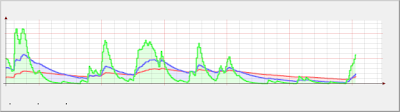
I just chroot-ed into an armel chroot and rrdtool made some nice and meaningful graphs.
Instead of:
I got:
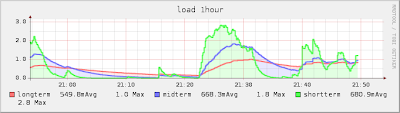
Some complaints:
- migrating to armel will probably be a pain, if care is not taken to migrate settings, scripts and everything in /etc
- the load spikes up just to make these graphs :-(
It’s interesting to see that
Audi is releasing a car with LEDs for all lights including the headlights. This is being promoted as an environmental benefit, however a quick google search revealed that my Volkswagen
Passat apparently takes 55W headlights (giving a total of 110W of electricity used). Even allowing for some inefficiency in the alternator this would make a very small impact on the fuel use of a engine rated at 140KW. The Audi in question is the
R8 (wikipedia link because the Audi web site is badly broken) and has a 300KW engine…
A simple implementation of LED headlights will do some good for plug-in hybrid cars and all-electric vehicles where saving power is more important - when the technology filters down to cheaper vehicles. Also one possible use for the technology is to dim the headlights by turning off some of the LEDs in the bank (according to the
LED Wikipedia page it is currently impossible to create a single LED that takes more than 1W of power, so a bank of LEDs would be used). Currently you have a choice of using “parking lights” or “head-lights” when driving, and when driving just before sun-set or at night in the city (where the street lights are bright) you need head-lights to allow other drivers to clearly see you but don’t need them as bright as they have to be when driving at night in the country. So a range of levels of luminosity could be effectively used in headlights to increase efficiency in some situations and increase light levels in others.
According to the
Luminous efficiency Wikipedia page current LEDs are up to three times as efficient as quartz halogen incandescent globes and future developments are likely to increase that to six times the efficiency. Combine that with more effective use of headlights to provide the light at the location and level that’s needed and the result could be using at little as 10% of the electricity for headlights on average!
Another thing that I would like to see is the Adaptive Headlights feature of the better BMWs (which I referenced in a previous post about the
BM 5 and 7 series) implemented in a cheaper and more reliable manner. The feature in question is that the headlights will turn when driving around a corner to show the road ahead instead of just shining off the edge of the corner. Implementing such a feature with incandescent lights is difficult because they have to be physically turned and moving parts tend to break (which increases maintenance costs and decreases the overall reliability of the vehicle). An obvious alternate design is to have a set of LEDs pointing in different directions and which LEDs get power would determine where the light goes (this would also react faster than physically moving a light). Once LED headlights become common the Adaptive Headlights feature could be implemented in the cheapest cars on the road with minimal extra cost - currently it’s a feature that would be expensive to implement and would increase the sale price of a small car and probably the service price too.
Share This
emacs-snapshot is now taken from the CVS trunk rather than from the Emacs 22 release branch. You may want to put your current version on hold, or use the emacs22 packages from Debian. However, if you feel adventurous and choose to upgrade, you will have:
- SVG support,
- Tramp 2.1,
- isearch in minibuffer history (addictive),
- M-x kill-matching-buffers (but you should use Ibuffer anyway),
- mb-depth.el,
- other minor things.
It's been a while since I've posted here; I've had a busy two weeks, and posting on my blog hasn't been a priority. Something I should do more often. Of course, as time backs up it seems harder and harder to actually get around to posting.
I wanted to bring the attention of my friends and colleagues, though, to a notice that
Maj put on the
Wikitravel shared logbook. As of 15 August 2007,
Maj is no longer working on Wikitravel. In addition, my time has been curtailed quite a bit, and I'm concentrating only on community and content issues -- no more programming or sysadmin work.
This is all coming about for several reasons. The main one is that
Internet Brands, the company that now owns wikitravel.org, wanted to have their own staff do the programming and sysadmin work. The end of our service contract seemed like an ideal time to effect this change.
On our side, it's been challenging for us to work with a large organization not specialized in
Open Content and wiki sites. We've gotten along really well with the IB people, but we haven't always seen eye-to-eye on the best way to grow and develop the site. As the decision was made to remove us from our technical roles, Maj decided it was a good time to opt out entirely.
I'm going to miss her tremendously. As most people reading this already know, we started the Wikitravel project together, and over the last 4 years it's been a constant important part of our family life. Maj's information-architecture skills and dedication to travel have been crucial to the development of the site. She's been a strategizer, a spokesperson, a content organizer and a content builder. Probably most important for the future of the project, she developed almost single-handedly the
Wikitravel Extra personal experience component of the site.
We've got a lot to keep us busy, though. We recently launched
Keiki, a project to create an Open Content parenting guide. For myself, I've also started
Vinismo, an Open Content wine guide (sensing a pattern here...?). And we'll be working with our partner Jani P. on
Wikitravel Press, an independent project to publish printed travel guidebooks based on Wikitravel articles.
Despite the shakeups, I anticipate that the future of Wikitravel will be good. We have an incredibly strong and smart community, dedicated to an important and noble purpose. I'll remain involved on a part-time basis. We've got a lot of traction in public opinion and great Web traffic. I don't think that IB is going to make any bad decisions about the site, but if they do there's a local and global community of people that take Wikitravel and Open Content travel guides extremely seriously. I think things are probably going to be OK.
tags:
wiki wikitravel opencontent maj work ib
On the subject of wiki
The South by Southwest 2008 Panel Picker app is up for public review right now. SXSW Interactive, in Austin, is one of the best tech conferences of the year. I've got a panel proposal up, on Wiki 2.0 -- I really want to talk about some of the interesting new wiki apps, new wikis, and new wiki business models coming up.
There are a couple of other wiki-related panels proposed -- including one on commercial wikis, which I presented about last year (Talks/SXSW07). Folks who are interested in wikis, or in SXSW, should take some time to give their feedback on the proposed panels and improved the level of discussion for 2008.
tags: sxsw wiki vote panel sxsw08
It’s official: I will be representing my team at USENIX’s
21st Large Installation System Administration Conference (LISA) in Dallas (TX), speaking about the project we’re working on!
My talk will be on Thursday 15th November! Check out the program:
http://www.usenix.org/events/lisa07/tech/#thursday
Wow, I’m so happy! :)
gedit can be a real pain sometimes - mainly through what it still lacks: code folding, bookmarks and the ability to run two instances of gedit side by side (each with their own tabs) without having to start the second in a different workspace and then move it. Of these, code folding and bookmarks and the biggest problems with how I wanted to use gedit - for Perl source code.
Anjuta is overkill for perl (and doesn't support perl particularly well) and bluefish perl syntax highlighting is plain broken - it gets the syntax wrong frequently (especially when using copy and paste and then requires you to edit the line at which the syntax failed before it will move on and fail a few lines later. Bah!
So I've turned to geany - never used it before but it's great for Perl. It identifies all the objects in a Perl script or module and allows me to click on any object to go to that part of the file. It has code folding (and it works). It has bookmarks (although it would be nice to be able to click on a button to go from one mark to the next). It handles "projects" quite well too. It also makes no complaints about running in a second instance. This is really helpful because I can have apt-cross in one instance of geany - with all the relevant files in tabs - and dpkg-cross in another, with its files.
There's a 'scribble' area in geany too which is neat - no need to have an "untitled document" tab that takes up more space on the tab bar than it deserves AND nags you when you eventually close gedit.
I'll still use gedit for some things but I guess it's about time that I moved away from a simple but powerful text editor and used a proper IDE that can cope with Perl. For me, that is geany.
My itinerant brother, presently in Tucson, Arizona is trying to visit
my less-itinerant brother in Tahoe, California. (The latter is an editor and photographer for the
Tahoe Daily Tribune, now available online in
full print-like layout). Later this week, the itinerant brother flies from Tucson to Sacramento, the least expensive airport closest to Tahoe.
Amtrak has a route from Sacramento to Tahoe (actually nearby Truckee), but it is actually a bus. Having made his plane reservations, my brother waited until today to order his Amtrak tickets online, only to discover the following:

Yes, it’s true, you can’t actually board that bus (the only way to get to Tahoe after my brother’s plane arrives), unless you’ve at least set foot on a train first.
Some research suggests that California State Law prohibits Amtrak from offering bus-only services within the state, apparently so it won’t compete with bus companies.
I did figure out what I hope is a clever workaround: the next closest train stop on one of the lines to Sacramento is Davis. Amtrak allows you to buy a ticket from Davis to Truckee via Sacramento for basically the same price as the bus from Truckee to Sacramento. Hopefully no one will check to make sure he actually traveled from Davis to Sacramento before getting on the bus to Truckee.
There must be some profound lesson here. I would love to have been a fly on the wall during the floor debate in the state legislature when this law was enacted.
Share This
(I had to omit some of the smaller changes - it should all be in the ChangeLog but ask if you spot something major that I haven't mentioned here.)
IMPORTANT! dpkg-cross_1.99+2.0.0pre1 will BREAK things!
(hence it is going into experimental)
- BREAKAGES!
The changes in dpkg-cross are so extensive that apt-cross and emdebian-tools are broken. Current SVN for emdebian-tools builds 0.3.9 which works with pre1. There is a branch of apt-cross (apt-nc-cross) that builds 0.2.9 which works with dpkg-cross pre1. HOWEVER apt-cross 0.2.9 has VERY limited functionality (even --get is incomplete) so dpkg-cross pre1 should only be installed in a chroot or on a system that does not need apt-cross or emdebian-tools. There's little point adding a NEWS.Debian comment on this because it would be too late but Conflicts: are in place:
Conflicts: apt-cross ( 0.2.9), emdebian-tools ( 0.3.9)
(The watchful will note that the previous Conflict on pkg-config has been dropped because the conflicting version is no longer in stable or oldstable.)
The dpkg-cross pre-releases will all go into experimental and no upload will be made to unstable until apt-cross 0.2.9 is available as a package in Emdebian and is also ready to go into Debian as v0.3.0. emdebian-tools needs less changes, some of which can be done AFTER dpkg-cross 2.0.0 reaches unstable.
I anticipate at least three pre-releases, maybe more.
- REMOVED PERL FILE:
/usr/share/perl5/dpkg-cross.pl
Replaced by:
use Debian::DpkgCross;
There are some functions not universally exported but which can be brought in manually:
gccross : use Debian::DpkgCross qw(simplify_path);
dpkg-shlibdeps : use Debian::DpkgCross qw(dpkgcross_application);
dpkg-buildpackage : use Debian::DpkgCross qw(setup_cross_env);
The universally exported functions are:
read_config setup get_architecture create_tmpdir convert_path get_keepdeps get_removedeps get_config get_version detect_arch convert_ld_library_path get_tool rewrite_pkg_name dump_debug_data check_arch
- Perl changes:
use strict;
use warnings;
All scripts and the new module are now fully strict and -w compliant. Some perl modules have also been added to the dependency list.
- MAKEFLAGS are no longer exported!
This is a big change and could affect a lot of packages but the honest
reason is this:
We should not be exporting MAKEFLAGS ourselves. (in the context of debian-embedded) Packages that were buggy with MAKEFILES are now non-buggy and packages that relied on MAKEFLAGS are now buggy.
CDBS packages have a single line fix in debian/rules:
DEB_CONFIGURE_SCRIPT_ENV =
I'll be filing a bug in due course.
This allows packages like libx11-6 to build internal tools using CC_FOR_BUILD (set to gcc) and run them to make certain generated source files during the cross-build. I expect it to also work for fontconfig. This method is far preferable to either creating patches for the generated content or trying to replicate the generation process in an interpreted language.
- New function:
&read_config();
&setup();
$config = &get_config;
get_config is new because the configuration is now an internal variable within the module and is not in scope for the scripts. It is a hash table:
	$config 'crossbase'  = $crossbase;

	$config 'crossprefix'  = $crossprefix;

	$config 'crossdir'  = $crossdir;

	$config 'crossbin'  = $crossbin;

	$config 'crosslib'  = $crosslib;

	$config 'crosslib64'  = $crosslib64;

	$config 'crossinc'  = $crossinc;

	$config 'crossroot'  = $crossroot;
The values from the two config files:
$conffile = "/etc/dpkg-cross/cross-compile";

my $home = File::HomeDir->my_home;

$private_conffile = "$ home /.dpkg-cross/cross-compile";
are read in using Config::Auto which removes all the syntax problems of the previous bespoke parser. Comments are ignored as before.
Everything you specify in either of the config files is now available within the module but only "recognised" options are exported. Config file values are merged - data from /etc/ is read first and data from /home/ is overlaid so that any data not in /home/ comes from /etc/ and any data from /etc/ is overwritten if it also exists in /home/
@removedeps and @keepdeps need to be sorted out still.
- REMOVED CONFFILES:
/etc/dpkg-cross/cross-config.common obsolete

/etc/dpkg-cross/cross-config.gnu obsolete

/etc/dpkg-cross/cross-config.linux obsolete

/etc/dpkg-cross/cross-config.w32 obsolete

/etc/dpkg-cross/crosstools obsolete
- TESTING
Ah, yes, testing. So far, only two packages have been tested. I plan to test more tomorrow. Please check for regressions and other brokenness and report via the BTS. (I may forget if it's only done via the debian-embedded list.) Please tag all pre1 issues 'experimental'. Ta.
- Speaking of bugs - 6 closed so far, a few more possible. I would like
to close all but one of the current dpkg-cross bugs. (I'm not sure how
to fix #285569 )
- Debian::DpkgCross.3 manpage - new but horribly incomplete.
- %pkgvars - currently disabled. I will merge scope: into the existing %config which then leaves no place for %pkgvars or crosstools but this is pending for pre2.
- debug output.
You now get two debug files in /tmp/:
gccross2.log : Details the environment, %config and check process of the last call (the last failed call if the build breaks).
dpkg-cross2.log : Actually misnamed, this is a dpkg-buildpackage log file that contains %config, PATH changes, $ENV changes and the contents of the gccross temporary directory for the last build, including variables set and modified via the module. I'll change the name in pre2.
The debug output is meant for debian-embedded, not other users. To this end, I'm experimenting with debian/buscript which could go into /usr/share/bugs/ to prompt users reporting bugs for the content of these logs and other configuration details, exactly as with apt. If this works, I'll ditch the idea of turning --debug off and leave it enabled for all builds.
debian/bugscript is not enabled in pre1. There again, because the module is a new package, pre1 will spend some time in the NEW queue. All changes for pre1 are now in CVS so it should be easy for everyone to build their own packages until pre1 clears NEW and enters experimental. Just be careful where you install dpkg-cross_1.99+2.0.0pre1_all.deb !!!
(And remember: install libdebian-dpkgcross-perl_1.99+2.0.0pre1_all.deb)
I looked at the Foleo and played with one while I was at Linux World a few weeks ago, but it is so restrictive in what it can do that I was completely unimpressed.
First of all, according to one of the people at the booth, it will only work with a select set of Treo's; mostly the newer ones. A colleague I was with had just gotten a Treo 650, and the person at the booth said that it wouldn't work with that model of Treo. (WTF?) Furthermore, it will only do e-mail (POP or IMAP) by linking with the Treo over bluetooth connection and letting the Treo pull down the e-mail and store it on the Treo. Given that it only has 128 megs of RAM and 256 megs of Flash, it just doesn't have enough storage apparently to run a stand-alone e-mail application, which is a little bit scary. The limited amount of memory is probably why it is using Opera as a web browser, which previous experience on the N800 has largely unimpressed me in terms of compatibility with Web 2.0 sites that aggressively use AJAX or flash.
So OK, it's not supposed to be a laptop. But the problem is, for 0.2 pounds more, I can get a laptop. Let's review the critical statistics, shall we? The Foleo costs $499, weighs 2.5 pounds, and has a size of 10.5" by 6.7" by 0.9". As stated before it has 128 megs of RAM and 256 megs of flash, with a SD slot for expansion purposes, and it has a claimed 5-6 hours of battery life. But let's compare that with my IBM X41 which I recently purchased off of eBay for $800. It has 1.5 gigs of memory, and 60 gigs of hard disk. It has two batteries; with the 4 cell battery it weighs 2.7 pounds and delivers 2 hours of battery life, and with the 8 cell battery it weighs 3.2 pounds and delivers 4 hours of battery life. So true, even with the 8 cell battery the X41 is 1.7 pounds heavier and still has slightly less battery life. But you can do a lot more with the X41! Furthermore, the Foleo's weight advantage is somewhat nullified by the fact that you have to bring the Treo around to do certain activities, and the Treo has to be powered on since the Foleo is mostly designed around being a remote large screen for the Treo.
At the end of the day it's all about tradeoffs. Perhaps if enough companies created enough killer apps that could fit in 128 meg of ram for the Foleo, it might be useful enough to justifying buying it. I hear for example, that even though the Foleo doesn't have any kind of PIM functionality, a 3rd party ISV is planning on making a product available that will provide calendar and contact functionality that can sync Palm PDA's. No word on how much it will cost or how usable it will be, but with enough applications, maybe Foleo could be useful enough to justify its size/weight. I imagine that these apps will probably be commercial ones, since open source apps like Evolution will probably have difficulty fitting in the Foleo's constrained environment. :-)
And, of course, it's a lot cheaper than my used X41 laptop, never mind a brand-new Lenovo X61s, which could run 2 or 3 kilobucks fully outfitted with the 4 gigs of memory and 160 gig/7200 rpm drive. However, as a road warrior, my priorities are not just weight, but functionality. A 2.5 pound solid-state laptop with only 128 megs of memory which massively restricts what I can do is not a good use of the space in my laptop bag. What I'm waiting for is the next generation of the Thinkpad X series which has a solid state disk --- which shouldn't be that far off --- and the elimination of the spinning magnetic media would mean that we should have something with Foleo's battery life without the Foleo's limited usefulness. Sure, maybe I will need to wait another year or two for my perfect laptop (12", 1024x768 LED display, at least 60 gigs solid state disk, at least 2-4 gigs memory, Intel core 2 or follow-on processor, < 3 pounds, > 5 hours useful lifetime) to become available, but the technology to do this exists today; it's just a matter of making it affordable. But given that kind of long-term future, I'm willing to settle for now with either 2 or 4 hour battery life, and a slightly heavier laptop, than to use something today with a desperately slow ARM processor and only 128 megs of memory. The weight/size savings and the increased battery life of the Foleo isn't a fair tradeoff given its very limited capabilities.
This is all really too bad, because if Palm is counting on the Foleo to allow it to succeed, I think the concept has some massive shortcomings, much like their claimed LifeDrive product, which didn't last very long. And I really like the Palm company; I still haven't found better PDA functionality on a decade-old Palm design compared to what is available on all of the Nokia phones I've looked at, the WinCE phones/PDA's, the N800, etc. So I want Palm as a company to stick around. But with Treo getting eclipsed by newer smart phones, and the Foleo not getting particularly good buzz by folks reviewing it --- and after I played with it, I have to agree with the majority of the reviewers that this is not the Next Big Thing --- I'm not sure how much longer Palm is going to be around.
Sean Moss-Pultz from OpenMoko
announces
the new interface:
We went back to the drawing board with OpenedHand -- lead by their vast
experience with GTK+, Matchbox, and mobile user interfaces -- and
redesigned an incredibly promising new interface.
I finally got my hands on a GTA01 last week, which was promptly flashed
with the latest software. The new interface is pretty damn cool, with
smooth colours, clear icons and subtle gradients. I'm sure Thomas will
blog with more details and screenshots at some point.
Finally, a new Postr release. Nothing amazing here, just some internal
refactoring and better error handling. If an error occurs when talking to
Flickr a dialog box will popup, which will help a great deal.
The
tarball is
here, and packages for Debian/Ubuntu are building now.
NP: Sleep, DJ Olive
Recently someone asked on IRC whether they should use SE Linux on a web server machine (that is being used for no other purpose) and then went on to add “since the webserver is installed as root anyway“.
If a machine is used to run a single non-root application then the potential benefits of using SE Linux are significantly reduced, the issue will be whether the application could exploit a setuid program to gain root access if SE Linux was not there to prevent it.
The interesting point in this case is that the user notes that the webserver runs as root. It was not made clear whether the entire service ran as root or whether the parent ran as root while child processes ran as a different UID (a typical Apache configuration). In the case where the child processes run as non-root it is still potentially possible for a bug in Apache to be used to exploit the parent process and assume it’s privileges. So it’s reasonable to consider that SE Linux will protect the integrity of the base OS from a web server running as root - even for the most basic configuration (without cgi-bin scripts). If a root owned process that is confined by SE Linux is compromised then as long as there is no kernel vulnerability the base OS should keep it’s integrity and the sys-admin should be able to login and discover what happened.
If the web server is more complex and runs cgi-bin scripts then there is a further benefit for system integrity in that a cgi-bin script could be compromised but the main Apache process (which runs in a different domain) would run without interruption.
When a daemon that runs as non-root is cracked on a non-SE system it will have the ability to execute setuid programs - some of which may have exploitable bugs. Also on a non-SE system every daemon has unrestricted network access in a typical configuration (there is a Net Filter module to control access by UID and GID, but it is very rarely used and won’t work in the case of multiple programs running with the same UID/GID). With SE Linux a non-root daemon will usually have no access to run setuid programs (and if it can run them it will be without a domain transition so they gain no extra privileges). Also SE Linux permits controls over which network ports an application may talk to. So the ability of a compromised server process to attack other programs is significantly reduced on a SE Linux system.
In summary the more complex your installation is and the more privileges that are required by various server processes the more potential there is to increase the security of your system by using SE Linux. But even on a simple server running only a single daemon as non-root there is potential for SE Linux to provide real benefits to system security.
Share This
Problems for shared desktop computers.
I share a home desktop computer with my wife. Our computer
use is probably
pretty typical of a home computer shared between a small
number of users,
where only one user is logged in at a time, and users have
some shared files
and some private files.
I've found many things that don't work as well as they could
in this
situation. We use Gnome on Debian GNU/Linux, but most other
desktops have
similar problems. I know fixes or workarounds for most of
the problems below,
but novice users would probably have a hard time finding them.
Some of the problems below are relatively easy to fix. Most
already have bugs
filed in the appropriate places, and some already have
patches available. A
few problems may require hard work or fundamental design
changes to solve.
Here is the complete list of problems:
User Switching:
- If I select my name from FUSA while I'm not already
logged in, GDM appears
and I have to type my username. (The username should be
filled in
automatically.)
- When GDM is started by FUSA, the X server has slightly
settings, causing the
fonts on the login screen to be a different size than my
normal settings.
- When I log out, I am taken either to a login screen or
to another user's
session, depending on the order in which users originally
logged in. This
is arbitrary and unpredictable.
- If I switch to another user, my screen is locked.
Later, if the computer is
displaying a login screen and I type my username and
password, I need to
type my password a second time to unlock the screen.
- When I shut down the computer, it does not warn me if
other users are still
logged in.
Filesystem:
- By default, users can read all of each other's files,
and write to none of
each other's files (umask 0002). This is a reasonably
sensible default, but
most users on shared systems will want to change this to
some degree.
- It's very difficult for a user to change which other
users can read which of
her files. (Some strategies include making some or all
files world
writeable; adding the other users to her primary group;
creating a new
shared group and a share setgid directory owned by that
group; changing her
umask; and/or manually changing permissions of individual
files.)
- There is no good location by default for shared files.
Various programs
complain (correctly) about insecurity if my home directory is
group-writeable, so I must create a world- or
group-writeable (and setgid)
directory elsewhere.
- Copying from other locations, or using programs that do
not respect umask,
can cause users to inadvertently put non-group-writeable
files in shared
setgid directories. Other users of the shared directory
have no easy way to
fix this.
- Some programs modify permissions or groups of files when
overwriting them.
(Usually this happens if the program moves the original
file to a backup
location, then writes a new version using the default
settings instead of
the original file's settings.)
Application data:
- Applications that maintain a database of files (e.g.
photo managers, music
players) must be updated for each user when one user adds
new files to a
shared directory. For example, when I rip a CD to our
shared music
directory, my wife can't see the songs in her music player
until she
adds the new files to her database.
- Applications that store their data in hard-coded
locations in user home
directories (e.g. Tomboy, Miro) can't share files between
users. There is
no setting or permission that will let my wife open Tomboy
and view my
Tomboy notes, for example.
Installing software:
- When I install software using the system admin tools, it
changes the
application menu for all other users too.


