Search Results: "mt"

1 August 2010

Thibaut Girka: Sixth GSoC report

Hi! First, sorry not to have posted anything in the last two weeks! I was on vacation, and so, did less work on the project. But in no means it is dead, and development continues! First week of my vacation was (apart from resting, and vacation stuff) almost entirely dedicated to make my build environment work without internet access. Here, I was lucky to have made a complete debian/main mirror using reprepro before leaving! However, I had to fight a bit with debian-installer: first, for an unknown reason (if someone knows why, speak up!) it didn't search for the debian-installer section and I had to specify 'main/debian-installer' instead of 'main' in sources.list.udeb.local. Second, because I'm lazy, my reprepo repo isn't signed, and so, I had to pass some apt options to make when building d-i. After this first week, I've been able to work on uboot-installer, that you can find in pkg-fso/d-i.git. Originally written by my co-mentor Per, this package/script is meant to update the device's U-Boot env so it can boot Debian. It installs the uboot-envtools package, tries to read the U-Boot environment to make sure everything is ok, determines the new boot command, and shows/write it in the uboot env. When working on uboot env modification, I ran in a strange issue: I can read the env without problem using fwprintenv, modify it, and read it back, but U-Boot then fails, saying the environment is corrupted. In fact, this is because I've enabled CONFIGMTDNANDS3C2410_HWECC in config.s3c24xx, and it appears to cause invalid ECC values to be written on the flash. Switching it off solved the issue. Apart from that, I've made some minor modifications in the installation script, and I've (re)installed Debian countless times on my FR, and everything seems to work fine so far (although my kernel is non-installable at the moment because of version mismatch with what's in my repo). Building d-i for the FR So, you're welcome to test! Everything is available in the three (pkg-fso/d-i.git, pkg-fso/linux-2.6.git, and usbboot (hg)) repositories. You can rebuild the d-i image and packages the following way:
mkdir ~/incoming/
cd d-i.git/packages/
cd flash-kernel && debuild -uc -us && cd .. && mv *.*deb ~/incoming
cd base-installer && debuild -uc -us && cd .. && mv *.*deb ~/incoming
cd hw-detect && debuild -uc -us && cd .. && mv *.*deb ~/incoming
cd libdebian-installer && autoreconf -i -v && debuild -uc -us && cd .. && mv *.*deb ~/incoming
cd partman/partman-auto && debuild -uc -us && cd .. && mv *.*deb ~/incoming && cd ..
cd arch/armel/uboot-installer && debuild -uc -us && cd .. && mv *.*deb ~/incoming && cd ../..
# For some reason, I had to rebuild installation-locale too
cd installation-locale && debuild -uc -us && cd .. && mv *.*deb ~/incoming
Then, copy everything that is in ~/incoming to your repo. Alternatively, you can use localudebs and add the following lines to pkg-lists/netboot/network-console/armel/s3c24xx.cfg:
mmc-modules-$ kernel:Version 
mmc-core-modules-$ kernel:Version 
crc-modules-$ kernel:Version 
md-modules-$ kernel:Version 
ext2-modules-$ kernel:Version 
ext3-modules-$ kernel:Version 
flash-kernel-installer
base-installer
hw-detect
libdebian-installer4-udeb
partman-auto
uboot-installer
installation-locale
# For some reason, flash-kernel-installer brings live-installer in,
# disable it explicitly as we don't want it
live-installer -
Now that you have built every needed package, you can build the d-i image:
make clean_s3c24xx_network-console
# The SECOPTS thing is only needed if you are using an unsigned repository
make build_s3c24xx_network-console SECOPTS="--allow-unauthenticated"
Now, you can find the ready-to-use u-boot image in dest/s3c24xx/network-console/uImage-multi! There are a few differences between the pre-built image and the one you have generated. Those differences are: the kernel in use (2.6.32 for the pre-built image, 2.6.34 if you follow the steps above), the network config (192.168.42.202 for the pre-built image, 192.168.0.202 for your own), security (unauthenticated repositories are allowed in the pre-built image!), and uboot-installer (some changes are still staging on my local working copy). Testing d-i on your FR Beware, those images are only for testing (especially the pre-built one, which accepts unauthenticated repositories). It should not harm your device, but use with care anyway. Now that you have built your u-boot image multi (if you don't want to, you can use the pre-built one), you are welcome to follow the steps described in the How to Boot article. Now, follow the instructions that appears on the FR screen and you should be able to install Debian like you would on any machine. The equivalent of grub-installer is divided into two steps (the two are needed, but each provides bootable-system, yes, that's a bug): flash-kernel ("Make the system bootable") and uboot-installer ("Modify U-Boot environment on flash"). (Note: SSH password is "install") What's coming next/has to be done? I've just arrived at DebConf 10, and some intensive testing should be done here. Apart from that, there are quite a few things left to do (right now, or in a distant future):

30 July 2010

Lucas Nussbaum: Debcamp+Debconf again!

As I did since 2007, I will be attending Debconf again this year. I have been quite busy recently, and am lagging behind in some of my Debian work, so I plan to use Debconf to get stuff done, not just socialize and attend talks. Here is my TODO list, basically by order of willingness to do the work . It s probably too much for 9 days, so don t hesitate to talk to me if you want to help with some items.

29 July 2010

Christian Perrier: First day at DebConf10

Yesterday late evening, Jean-Baptiste and I arrived in NYC after about a 16 hours trip. Amazingly, he mentioned to me that we entered a train in the station close to our home....and then never went outside until we exited the 1 line subway at 116th street on Broadway Ave.: It's indeed quite typical to notice that, these days, you can travel 1/4 of the planet, using 9 different trnsportation systems and never go outside. We made a quick appearance in the Hacklab yesterday, enough to say "hi" to a dozen of people around and mostlysee how things are organized. Then bed, which is probably the best way to avoid jetlag. This morning, I of course woke up quite early (Debian grandfathers, blah blah) and of course I went out running..:-) The initial plan was to do a short enough run in Central Park. However, I managed to get partly lost and, indeed, after entering the Park in the NW corner, I managed to read Columbus circle...in the SW corner after wandering around the large alleys. So, my only choice was then to come back through the westernmost part of the Park back to Columbia..and thus ended up with a 13km run (for running junkies, the pace was 5'31"/km (8'52"/mile for local runners). And now, I'm in the hacklab with JB (did I already say that I'm proud of this? Yes, dozens of times...OK...). And they're waiting for me to go to lunch....so, end of this blog post..:)

27 July 2010

Petter Reinholdtsen: First Debian Edu test release (alpha0) based on Squeeze is released

I just posted this announcement culminating several months of work with the next Debian Edu release. Not nearly done, but one major step completed.
This is the first test release based on Squeeze. The focus of this release is to test the user application selection. To have a look, install the standalone profile and let the developers know if the set of installed packages i.e. applications should be modified. If some user application is missing, or if there are some applications that no longer make sense to be included in Debian Edu, please let us know. Also, if a useful application is missing the translation for your language of choice, please let us know too. In addition, feedback and help to polish the desktop (menus, artwork, starters, etc.) is appreciated. We would like to ship a nice and handy KDE4 desktop targeted for schools out of the box. The other profiles should be installable, but there is a lot more work left to be done before they are ready, so do not expect to much. Changes compared to the lenny based version
  • Everything from Debian Squeeze
    • Desktop environment KDE 4.4 => the new KDE desktop in combination with some new artwork
    • Web browser Iceweasel 3.5
    • OpenOffice.org 3.2
    • Educational toolbox GCompris 9.3
    • Music creator Rosegarden 10.04.2
    • Image editor Gimp 2.6.10
    • Virtual universe Celestia 1.6.0
    • Virtual stargazer Stellarium 0.10.4
    • 3D modeler Blender 2.49.2 (new application)
    • Video editor Kdenlive 0.7.7 (new application)
  • Now using Kerberos for password checking (migration not finished). Enabled for:
    • PAM
    • LDAP
    • IMAP
    • SMTP (sender verification)
  • New experimental roaming workstation profile for laptops.
  • Show welcome page to users when they first log in. The URL is fetched from LDAP.
  • New LXDE desktop option, in addition to KDE (default) and Gnome.
  • General cleanup (not finished)
The following features are not working as they should
  • No web based administration tool for creating users and groups. The scripts ldap-createuser-krb and ldap-add-user-to-group can be used for testing.
  • DVD installs are missing debian-installer images for the PXE boot, and do not set up the PXE menu on eth0 because of this. LTSP clients should still boot from eth1 on thin client servers.
  • The restructured KDE menu is not implemented.
  • The LDAP server setup need to be reviewed for security.
  • The LDAP directory structure need to be reworked.
  • Different sets of packages are installed when using the DVD and the netinst CD. More packages are installed using the netinst CD.
  • The jackd package fail to install. This is believed to be caused by some ongoing transition, and hopefully should be solved soon. The jackd1 package can be installed manually for those that need it.
  • Some packages lack translations. See http://wiki.debian.org/DebianEdu/Status/Squeeze for updated status, and help out with translations.
To download this multiarch netinstall release you can use To download this multiarch dvd release you can use There is no source DVD available yet. It will be prepared when we get closer to the final release. The MD5SUM of these images are
  • 3dbf45d59f42a53518b6e3c9ec3b5eb6 debian-edu-6.0.0+edua0-CD.iso
  • 22f2cbfce281d1c6e478be452638675d debian-edu-6.0.0+edua0-DVD.iso
The SHA1SUM of these images are
  • c53d1b69b40cf37cd27aefaf33f6f6a3821bedf0 debian-edu-6.0.0+edua0-CD.iso
  • 2ec29d7db676d59d32197b05c277ffe16348376c debian-edu-6.0.0+edua0-DVD.iso
How to report bugs: http://wiki.debian.org/DebianEdu/HowTo/ReportBugsInBugzilla Please direct replies to debian-edu@lists.debian.org

25 July 2010

Jon Dowland: office decoration

Whilst re-organising offices, I found a collection of ancient X programming books. They seem like perfect book shelf ornaments for a (former?) UNIX hacker.
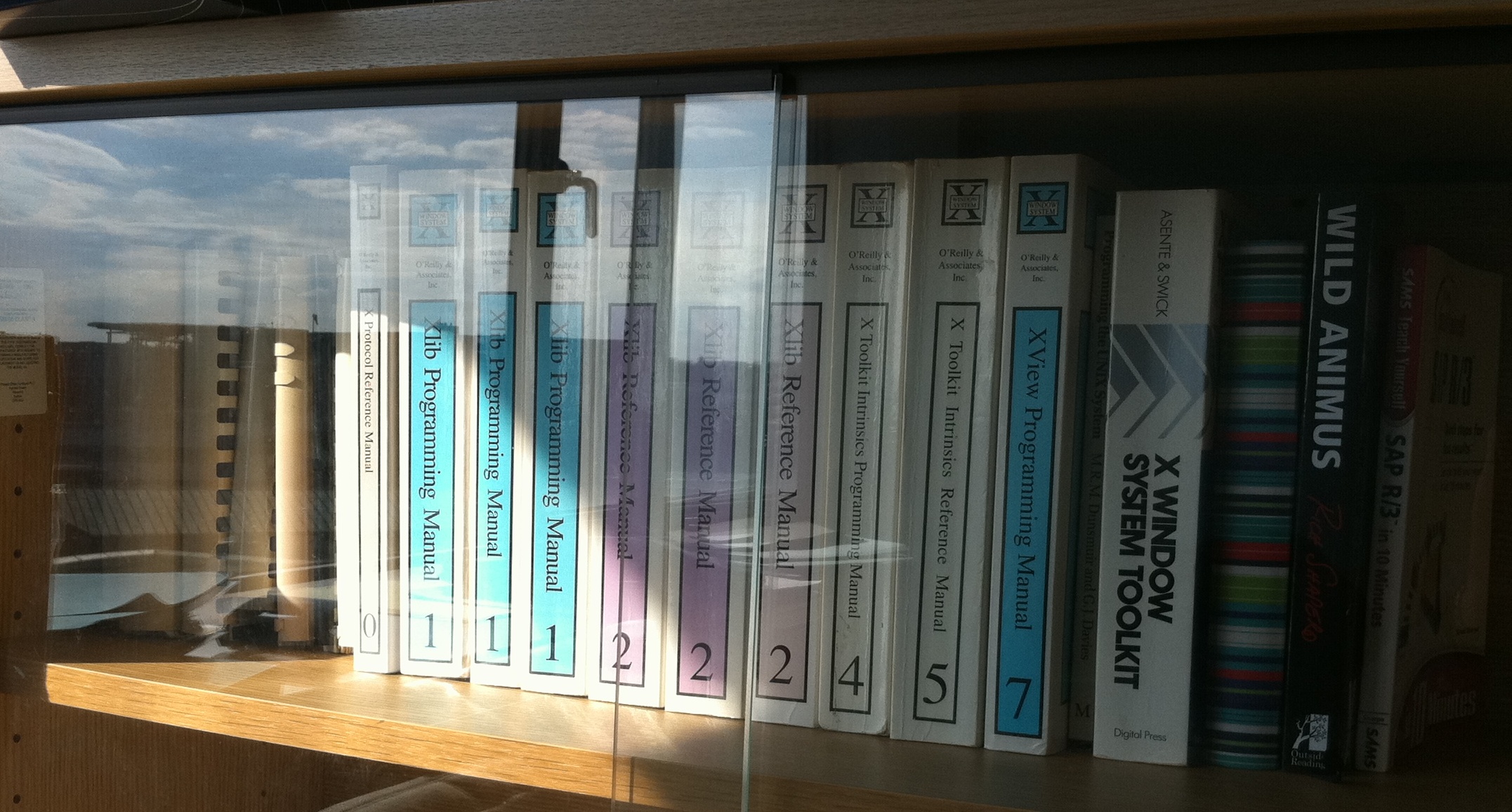
A series of X programming books. Full size 768K.

Petter Reinholdtsen: One step closer to single signon in Debian Edu

The last few months me and the other Debian Edu developers have been working hard to get the Debian/Squeeze based version of Debian Edu/Skolelinux into shape. This future version will use Kerberos for authentication, and services are slowly migrated to single signon, getting rid of password questions one at the time. It will also feature a roaming workstation profile with local home directory, for laptops that are only some times on the Skolelinux network, and for this profile a shortcut is created in Gnome and KDE to gain access to the users home directory on the file server. This shortcut uses SMB at the moment, and yesterday I had time to test if SMB mounting had started working in KDE after we added the cifs-utils package. I was pleasantly surprised how well it worked. Thanks to the recent changes to our samba configuration to get it to use Kerberos for authentication, there were no question about user password when mounting the SMB volume. A simple click on the shortcut in the KDE menu, and a window with the home directory popped up. :) One step closer to a single signon solution out of the box in Debian Edu. We already had PAM, LDAP, IMAP and SMTP in place, and now also Samba. Next step is Cups and hopefully also NFS. We had planned a alpha0 release of Debian Edu for today, but thanks to the autobuilder administrators for some architectures being slow to sign packages, we are still missing the fixed LTSP package we need for the release. It was uploaded three days ago with urgency=high, and if it had entered testing yesterday we would have been able to test it in time for a alpha0 release today. As the binaries for ia64 and powerpc still not uploaded to the Debian archive, we need to delay the alpha release another day. If you want to help out with implementing Kerberos for Debian Edu, please contact us on debian-edu@lists.debian.org.

21 July 2010

Maximilian Attems: Solid bases in Theoretical Physics

Landau, L. D.; Lifshitz, E. M. (1976). Course of Theoretical Physics is still the most interesting and solid base that is to be considered as a reference and inspiration in Theoretical Physics. The reference for "Classical Electrodynamics" is the book by J.D. Jackson. "Advanced Quantum Mechanics" by J.J. Sakurai is a popular student choice. Compendium of Relations contains various formulas and relations of the Standard Model. The Lecture Notes on General Relativity by S. Carroll are a solid introduction for an initiate relativist. "Quantum Field Theory in a Nutshell" by A. Zee is amazing. Quantum electrodynamics can be explored in the books by "The Quantum Theory of Fields" by S. Weinberg or "Quantum field theory" by L.H. Ryder or Quantum Chromodynamics in M.E. Peskin & D.V. Schroeder "An Introduction to Quantum Field Theory". The lecture notes on Quantum Chromodynamics (QCD) might be interesting for people diving into the particle physics standard model. "Finite-temperature field theory: Principles and Application" discusses systems in equilibrium but at finite temperatures and chemical potentials and thus connects to cosmology of the early universe. The field of Statistical Field Theory has the classic "Quantum Many-Particle Systems" by J.W. Negele and H. Orland or the more recent "Quantum Field Theory of Many-Body Systems" by X-G. Wen or "Ultracold Quantum Fields" by H.T.C Stoof, D.B.M. Dickerscheid, K. Gubbels. String Theory is so diverse that you'll find lots of different approaches, recommendations are Graduate Course in String Theory by A. Uranga, Applied Conformal Field Theory by P. Ginsparg, Lectures on String Theory by D. Tong or more introductory the book "A First Course in String Theory " by B. Zwiebach or the dense "Superstring Theory" by M. Green, J. Schwarz and E. Witten, "String Theory" by J. Polchinski. "Quantum Field Theory of Point Particles and Strings" by B. Hatfield assumes no previous stringy background and is known for excellent explanation of the path integral formalism. M. Nakahara wrote the wonderfull bridge to maths: "Geometry, Topology and Physics". So please when looking for "references" in theoretical physics venture on solid grounds and don't get distracted by sketchy notes. Update: Peter West pointed out that the The Feynman Lectures on Physics are missing as a timeless reference.

17 July 2010

Petter Reinholdtsen: What are they searching for - PowerDNS and ISC DHCP in LDAP

This is a followup on my previous work on merging all the computer related LDAP objects in Debian Edu. As a step to try to see if it possible to merge the DNS and DHCP LDAP objects, I have had a look at how the packages pdns-backend-ldap and dhcp3-server-ldap in Debian use the LDAP server. The two implementations are quite different in how they use LDAP. To get this information, I started slapd with debugging enabled and dumped the debug output to a file to get the LDAP searches performed on a Debian Edu main-server. Here is a summary. powerdns Clues on how to set up PowerDNS to use a LDAP backend is available on the web. PowerDNS have two modes of operation using LDAP as its backend. One "strict" mode where the forward and reverse DNS lookups are done using the same LDAP objects, and a "tree" mode where the forward and reverse entries are in two different subtrees in LDAP with a structure based on the DNS names, as in tjener.intern and 2.2.0.10.in-addr.arpa. In tree mode, the server is set up to use a LDAP subtree as its base, and uses a "base" scoped search for the DNS name by adding "dc=tjener,dc=intern," to the base with a filter for "(associateddomain=tjener.intern)" for the forward entry and "dc=2,dc=2,dc=0,dc=10,dc=in-addr,dc=arpa," with a filter for "(associateddomain=2.2.0.10.in-addr.arpa)" for the reverse entry. For forward entries, it is looking for attributes named dnsttl, arecord, nsrecord, cnamerecord, soarecord, ptrrecord, hinforecord, mxrecord, txtrecord, rprecord, afsdbrecord, keyrecord, aaaarecord, locrecord, srvrecord, naptrrecord, kxrecord, certrecord, dsrecord, sshfprecord, ipseckeyrecord, rrsigrecord, nsecrecord, dnskeyrecord, dhcidrecord, spfrecord and modifytimestamp. For reverse entries it is looking for the attributes dnsttl, arecord, nsrecord, cnamerecord, soarecord, ptrrecord, hinforecord, mxrecord, txtrecord, rprecord, aaaarecord, locrecord, srvrecord, naptrrecord and modifytimestamp. The equivalent ldapsearch commands could look like this:
ldapsearch -h ldap \
  -b dc=tjener,dc=intern,ou=hosts,dc=skole,dc=skolelinux,dc=no \
  -s base -x '(associateddomain=tjener.intern)' dNSTTL aRecord nSRecord \
  cNAMERecord sOARecord pTRRecord hInfoRecord mXRecord tXTRecord \
  rPRecord aFSDBRecord KeyRecord aAAARecord lOCRecord sRVRecord \
  nAPTRRecord kXRecord certRecord dSRecord sSHFPRecord iPSecKeyRecord \
  rRSIGRecord nSECRecord dNSKeyRecord dHCIDRecord sPFRecord modifyTimestamp
ldapsearch -h ldap \
  -b dc=2,dc=2,dc=0,dc=10,dc=in-addr,dc=arpa,ou=hosts,dc=skole,dc=skolelinux,dc=no \
  -s base -x '(associateddomain=2.2.0.10.in-addr.arpa)'
  dnsttl, arecord, nsrecord, cnamerecord soarecord ptrrecord \
  hinforecord mxrecord txtrecord rprecord aaaarecord locrecord \
  srvrecord naptrrecord modifytimestamp
In Debian Edu/Lenny, the PowerDNS tree mode is used with ou=hosts,dc=skole,dc=skolelinux,dc=no as the base, and these are two example LDAP objects used there. In addition to these objects, the parent objects all th way up to ou=hosts,dc=skole,dc=skolelinux,dc=no also exist.
dn: dc=tjener,dc=intern,ou=hosts,dc=skole,dc=skolelinux,dc=no
objectclass: top
objectclass: dnsdomain
objectclass: domainrelatedobject
dc: tjener
arecord: 10.0.2.2
associateddomain: tjener.intern
dn: dc=2,dc=2,dc=0,dc=10,dc=in-addr,dc=arpa,ou=hosts,dc=skole,dc=skolelinux,dc=no
objectclass: top
objectclass: dnsdomain2
objectclass: domainrelatedobject
dc: 2
ptrrecord: tjener.intern
associateddomain: 2.2.0.10.in-addr.arpa
In strict mode, the server behaves differently. When looking for forward DNS entries, it is doing a "subtree" scoped search with the same base as in the tree mode for a object with filter "(associateddomain=tjener.intern)" and requests the attributes dnsttl, arecord, nsrecord, cnamerecord, soarecord, ptrrecord, hinforecord, mxrecord, txtrecord, rprecord, aaaarecord, locrecord, srvrecord, naptrrecord and modifytimestamp. For reverse entires it also do a subtree scoped search but this time the filter is "(arecord=10.0.2.2)" and the requested attributes are associateddomain, dnsttl and modifytimestamp. In short, in strict mode the objects with ptrrecord go away, and the arecord attribute in the forward object is used instead. The forward and reverse searches can be simulated using ldapsearch like this:
ldapsearch -h ldap -b ou=hosts,dc=skole,dc=skolelinux,dc=no -s sub -x \
  '(associateddomain=tjener.intern)' dNSTTL aRecord nSRecord \
  cNAMERecord sOARecord pTRRecord hInfoRecord mXRecord tXTRecord \
  rPRecord aFSDBRecord KeyRecord aAAARecord lOCRecord sRVRecord \
  nAPTRRecord kXRecord certRecord dSRecord sSHFPRecord iPSecKeyRecord \
  rRSIGRecord nSECRecord dNSKeyRecord dHCIDRecord sPFRecord modifyTimestamp
ldapsearch -h ldap -b ou=hosts,dc=skole,dc=skolelinux,dc=no -s sub -x \
  '(arecord=10.0.2.2)' associateddomain dnsttl modifytimestamp
In addition to the forward and reverse searches , there is also a search for SOA records, which behave similar to the forward and reverse lookups. A thing to note with the PowerDNS behaviour is that it do not specify any objectclass names, and instead look for the attributes it need to generate a DNS reply. This make it able to work with any objectclass that provide the needed attributes. The attributes are normally provided in the cosine (RFC 1274) and dnsdomain2 schemas. The latter is used for reverse entries like ptrrecord and recent DNS additions like aaaarecord and srvrecord. In Debian Edu, we have created DNS objects using the object classes dcobject (for dc), dnsdomain or dnsdomain2 (structural, for the DNS attributes) and domainrelatedobject (for associatedDomain). The use of structural object classes make it impossible to combine these classes with the object classes used by DHCP. There are other schemas that could be used too, for example the dnszone structural object class used by Gosa and bind-sdb for the DNS attributes combined with the domainrelatedobject object class, but in this case some unused attributes would have to be included as well (zonename and relativedomainname). My proposal for Debian Edu would be to switch PowerDNS to strict mode and not use any of the existing objectclasses (dnsdomain, dnsdomain2 and dnszone) when one want to combine the DNS information with DHCP information, and instead create a auxiliary object class defined something like this (using the attributes defined for dnsdomain and dnsdomain2 or dnszone):
objectclass ( some-oid NAME 'dnsDomainAux'
    SUP top
    AUXILIARY
    MAY ( ARecord $ MDRecord $ MXRecord $ NSRecord $ SOARecord $ CNAMERecord $
          DNSTTL $ DNSClass $ PTRRecord $ HINFORecord $ MINFORecord $
          TXTRecord $ SIGRecord $ KEYRecord $ AAAARecord $ LOCRecord $
          NXTRecord $ SRVRecord $ NAPTRRecord $ KXRecord $ CERTRecord $
          A6Record $ DNAMERecord
    ))
This will allow any object to become a DNS entry when combined with the domainrelatedobject object class, and allow any entity to include all the attributes PowerDNS wants. I've sent an email to the PowerDNS developers asking for their view on this schema and if they are interested in providing such schema with PowerDNS, and I hope my message will be accepted into their mailing list soon. ISC dhcp The DHCP server searches for specific objectclass and requests all the object attributes, and then uses the attributes it want. This make it harder to figure out exactly what attributes are used, but thanks to the working example in Debian Edu I can at least get an idea what is needed without having to read the source code. In the DHCP server configuration, the LDAP base to use and the search filter to use to locate the correct dhcpServer entity is stored. These are the relevant entries from /etc/dhcp3/dhcpd.conf:
ldap-base-dn "dc=skole,dc=skolelinux,dc=no";
ldap-dhcp-server-cn "dhcp";
The DHCP server uses this information to nest all the DHCP configuration it need. The cn "dhcp" is located using the given LDAP base and the filter "(&(objectClass=dhcpServer)(cn=dhcp))". The search result is this entry:
dn: cn=dhcp,dc=skole,dc=skolelinux,dc=no
cn: dhcp
objectClass: top
objectClass: dhcpServer
dhcpServiceDN: cn=DHCP Config,dc=skole,dc=skolelinux,dc=no
The content of the dhcpServiceDN attribute is next used to locate the subtree with DHCP configuration. The DHCP configuration subtree base is located using a base scope search with base "cn=DHCP Config,dc=skole,dc=skolelinux,dc=no" and filter "(&(objectClass=dhcpService)( (dhcpPrimaryDN=cn=dhcp,dc=skole,dc=skolelinux,dc=no)(dhcpSecondaryDN=cn=dhcp,dc=skole,dc=skolelinux,dc=no)))". The search result is this entry:
dn: cn=DHCP Config,dc=skole,dc=skolelinux,dc=no
cn: DHCP Config
objectClass: top
objectClass: dhcpService
objectClass: dhcpOptions
dhcpPrimaryDN: cn=dhcp, dc=skole,dc=skolelinux,dc=no
dhcpStatements: ddns-update-style none
dhcpStatements: authoritative
dhcpOption: smtp-server code 69 = array of ip-address
dhcpOption: www-server code 72 = array of ip-address
dhcpOption: wpad-url code 252 = text
Next, the entire subtree is processed, one level at the time. When all the DHCP configuration is loaded, it is ready to receive requests. The subtree in Debian Edu contain objects with object classes top/dhcpService/dhcpOptions, top/dhcpSharedNetwork/dhcpOptions, top/dhcpSubnet, top/dhcpGroup and top/dhcpHost. These provide options and information about netmasks, dynamic range etc. Leaving out the details here because it is not relevant for the focus of my investigation, which is to see if it is possible to merge dns and dhcp related computer objects. When a DHCP request come in, LDAP is searched for the MAC address of the client (00:00:00:00:00:00 in this example), using a subtree scoped search with "cn=DHCP Config,dc=skole,dc=skolelinux,dc=no" as the base and "(&(objectClass=dhcpHost)(dhcpHWAddress=ethernet 00:00:00:00:00:00))" as the filter. This is what a host object look like:
dn: cn=hostname,cn=group1,cn=THINCLIENTS,cn=DHCP Config,dc=skole,dc=skolelinux,dc=no
cn: hostname
objectClass: top
objectClass: dhcpHost
dhcpHWAddress: ethernet 00:00:00:00:00:00
dhcpStatements: fixed-address hostname
There is less flexiblity in the way LDAP searches are done here. The object classes need to have fixed names, and the configuration need to be stored in a fairly specific LDAP structure. On the positive side, the invidiual dhcpHost entires can be anywhere without the DN pointed to by the dhcpServer entries. The latter should make it possible to group all host entries in a subtree next to the configuration entries, and this subtree can also be shared with the DNS server if the schema proposed above is combined with the dhcpHost structural object class. Conclusion The PowerDNS implementation seem to be very flexible when it come to which LDAP schemas to use. While its "tree" mode is rigid when it come to the the LDAP structure, the "strict" mode is very flexible, allowing DNS objects to be stored anywhere under the base cn specified in the configuration. The DHCP implementation on the other hand is very inflexible, both regarding which LDAP schemas to use and which LDAP structure to use. I guess one could implement ones own schema, as long as the objectclasses and attributes have the names used, but this do not really help when the DHCP subtree need to have a fairly fixed structure. Based on the observed behaviour, I suspect a LDAP structure like this might work for Debian Edu:
ou=services
  cn=machine-info (dhcpService) - dhcpServiceDN points here
    cn=dhcp (dhcpServer)
    cn=dhcp-internal (dhcpSharedNetwork/dhcpOptions)
      cn=10.0.2.0 (dhcpSubnet)
        cn=group1 (dhcpGroup/dhcpOptions)
    cn=dhcp-thinclients (dhcpSharedNetwork/dhcpOptions)
      cn=192.168.0.0 (dhcpSubnet)
        cn=group1 (dhcpGroup/dhcpOptions)
    ou=machines - PowerDNS base points here
      cn=hostname (dhcpHost/domainrelatedobject/dnsDomainAux)
This is not tested yet. If the DHCP server require the dhcpHost entries to be in the dhcpGroup subtrees, the entries can be stored there instead of a common machines subtree, and the PowerDNS base would have to be moved one level up to the machine-info subtree. The combined object under the machines subtree would look something like this:
dn: dc=hostname,ou=machines,cn=machine-info,dc=skole,dc=skolelinux,dc=no
dc: hostname
objectClass: top
objectClass: dhcpHost
objectclass: domainrelatedobject
objectclass: dnsDomainAux
associateddomain: hostname.intern
arecord: 10.11.12.13
dhcpHWAddress: ethernet 00:00:00:00:00:00
dhcpStatements: fixed-address hostname.intern
One could even add the LTSP configuration associated with a given machine, as long as the required attributes are available in a auxiliary object class.

Gregory Colpart: Network connection with HTC Hero and Debian

I have an HTC Hero, an Android phone, for one year. But I never tried to share his network connection with my Debian laptop. To prepare my trip to Debconf10, I try it today and I m surprised because it s so easy! 1. Plug your phone on USB

2. Active Share your phone network on phone (in french: Partage du r seau mobile )
3. You see now an usb0 ethernet device:
usb0  Link encap:Ethernet  HWaddr a2:17:af:4f:fa:da
BROADCAST MULTICAST  MTU:1500  Metric:1
RX packets:0 errors:0 dropped:0 overruns:0 frame:0
TX packets:0 errors:0 dropped:0 overruns:0 carrier:0
collisions:0 lg file transmission:1000
RX bytes:0 (0.0 B)  TX bytes:0 (0.0 B)
4. Configure usb0 to have the network configuration 192.168.100.100/24 with your favorite tool (ifconfig for example).
5. Now you can ping your phone with 192.168.100.254. Use it as gateway and enjoy: your laptop is now connected with Wi-Fi, GPRS or 3G+! Note: I use HTC Hero with Android 1.5 (build number: 2.73.61.5) and the french mobile phone provider Orange.

10 July 2010

Enrico Zini: Importing OSM nodes into Spatialite

Importing OSM nodes into Spatialite Second step of my SoTM10 pet project: creating a searchable database with the points. What a fantastic opportunity to learn Spatialite. Learning Spatialite is easy. For example, you can use the two tutorials with catchy titles that assume your best wish in life is to create databases out of shapefiles using a pre-built, i386-only executable GUI binary downloaded over an insecure HTTP connection. To be fair, the second of those tutorials is called "An almost Idiot's Guide", thus expliciting the requirement of being an almost idiot in order to happily acquire and run software in that way. Alternatively, you can use A quick tutorial to SpatiaLite which is so quick it has examples that lead you to write SQL queries that trigger all sorts of vague exceptions at insert time. But at least it brought me a long way forward, at which point I could just cross reference things with PostGIS documentation to find out the right way of doing things. So, here's the importer script, which will probably become my reference example for how to get started with Spatialite, and how to use Spatialite from Python:
#!/usr/bin/python
#
# poiimport - import nodes from OSM into a spatialite DB
#
# Copyright (C) 2010  Enrico Zini <enrico@enricozini.org>
#
# This program is free software; you can redistribute it and/or modify
# it under the terms of the GNU General Public License as published by
# the Free Software Foundation; either version 2 of the License, or
# (at your option) any later version.
#
# This program is distributed in the hope that it will be useful,
# but WITHOUT ANY WARRANTY; without even the implied warranty of
# MERCHANTABILITY or FITNESS FOR A PARTICULAR PURPOSE.  See the
# GNU General Public License for more details.
#
# You should have received a copy of the GNU General Public License
# along with this program; if not, write to the Free Software
# Foundation, Inc., 59 Temple Place, Suite 330, Boston, MA  02111-1307  USA
#
import xml.sax
import xml.sax.handler
from pysqlite2 import dbapi2 as sqlite
import simplejson
import sys
import os
class OSMPOIReader(xml.sax.handler.ContentHandler):
    '''
    Filter SAX events in a OSM XML file to keep only nodes with names
    '''
    def __init__(self, consumer):
        self.consumer = consumer
    def startElement(self, name, attrs):
        if name == "node":
            self.attrs = attrs
            self.tags = dict()
        elif name == "tag":
            self.tags[attrs["k"]] = attrs["v"]
    def endElement(self, name):
        if name == "node":
            lat = float(self.attrs["lat"])
            lon = float(self.attrs["lon"])
            id = int(self.attrs["id"])
            #dt = parse(self.attrs["timestamp"])
            uid = self.attrs.get("uid", None)
            uid = int(uid) if uid is not None else None
            user = self.attrs.get("user", None)
            self.consumer(lat, lon, id, self.tags, user=user, uid=uid)
class Importer(object):
    '''
    Create the spatialite database and populate it
    '''
    TAG_WHITELIST = set(["amenity", "shop", "tourism", "place"])
    def __init__(self, filename):
        self.db = sqlite.connect(filename)
        self.db.enable_load_extension(True)
        self.db.execute("SELECT load_extension('libspatialite.so')")
        self.db.execute("SELECT InitSpatialMetaData()")
        self.db.execute("INSERT INTO spatial_ref_sys (srid, auth_name, auth_srid,"
                        " ref_sys_name, proj4text) VALUES (4326, 'epsg', 4326,"
                        " 'WGS 84', '+proj=longlat +ellps=WGS84 +datum=WGS84"
                        " +no_defs')")
        self.db.execute("CREATE TABLE poi (id int not null unique primary key,"
                        " name char, data text)")
        self.db.execute("SELECT AddGeometryColumn('poi', 'geom', 4326, 'POINT', 2)")
        self.db.execute("SELECT CreateSpatialIndex('poi', 'geom')")
        self.db.execute("CREATE TABLE tag (id integer primary key autoincrement,"
                        " name char, value char)")
        self.db.execute("CREATE UNIQUE INDEX tagidx ON tag (name, value)")
        self.db.execute("CREATE TABLE poitag (poi int not null, tag int not null)")
        self.db.execute("CREATE UNIQUE INDEX poitagidx ON poitag (poi, tag)")
        self.tagid_cache = dict()
    def tagid(self, k, v):
        key = (k, v)
        res = self.tagid_cache.get(key, None)
        if res is None:
            c = self.db.cursor()
            c.execute("SELECT id FROM tag WHERE name=? AND value=?", key)
            for row in c:
                self.tagid_cache[key] = row[0]
                return row[0]
            self.db.execute("INSERT INTO tag (id, name, value) VALUES (NULL, ?, ?)", key)
            c.execute("SELECT last_insert_rowid()")
            for row in c:
                res = row[0]
            self.tagid_cache[key] = res
        return res
    def __call__(self, lat, lon, id, tags, user=None, uid=None):
        # Acquire tag IDs
        tagids = []
        for k, v in tags.iteritems():
            if k not in self.TAG_WHITELIST: continue
            for val in v.split(";"):
                tagids.append(self.tagid(k, val))
        # Skip elements that don't have the tags we want
        if not tagids: return
        geom = "POINT(%f %f)" % (lon, lat)
        self.db.execute("INSERT INTO poi (id, geom, name, data)"
                        "     VALUES (?, GeomFromText(?, 4326), ?, ?)",
                (id, geom, tags["name"], simplejson.dumps(tags)))
        for tid in tagids:
            self.db.execute("INSERT INTO poitag (poi, tag) VALUES (?, ?)", (id, tid))
    def done(self):
        self.db.commit()
# Get the output file name
filename = sys.argv[1]
# Ensure we start from scratch
if os.path.exists(filename):
    print >>sys.stderr, filename, "already exists"
    sys.exit(1)
# Import
parser = xml.sax.make_parser()
importer = Importer(filename)
handler = OSMPOIReader(importer)
parser.setContentHandler(handler)
parser.parse(sys.stdin)
importer.done()
Let's run it:
$ ./poiimport pois.db < pois.osm 
SpatiaLite version ..: 2.4.0    Supported Extensions:
        - 'VirtualShape'        [direct Shapefile access]
        - 'VirtualDbf'          [direct Dbf access]
        - 'VirtualText'         [direct CSV/TXT access]
        - 'VirtualNetwork'      [Dijkstra shortest path]
        - 'RTree'               [Spatial Index - R*Tree]
        - 'MbrCache'            [Spatial Index - MBR cache]
        - 'VirtualFDO'          [FDO-OGR interoperability]
        - 'SpatiaLite'          [Spatial SQL - OGC]
PROJ.4 Rel. 4.7.1, 23 September 2009
GEOS version 3.2.0-CAPI-1.6.0
$ ls -l --si pois*
-rw-r--r-- 1 enrico enrico 17M Jul  9 23:44 pois.db
-rw-r--r-- 1 enrico enrico 37M Jul  9 16:20 pois.osm
$ spatialite pois.db
SpatiaLite version ..: 2.4.0    Supported Extensions:
        - 'VirtualShape'        [direct Shapefile access]
        - 'VirtualDbf'          [direct DBF access]
        - 'VirtualText'         [direct CSV/TXT access]
        - 'VirtualNetwork'      [Dijkstra shortest path]
        - 'RTree'               [Spatial Index - R*Tree]
        - 'MbrCache'            [Spatial Index - MBR cache]
        - 'VirtualFDO'          [FDO-OGR interoperability]
        - 'SpatiaLite'          [Spatial SQL - OGC]
PROJ.4 version ......: Rel. 4.7.1, 23 September 2009
GEOS version ........: 3.2.0-CAPI-1.6.0
SQLite version ......: 3.6.23.1
Enter ".help" for instructions
spatialite> select id from tag where name="amenity" and value="fountain";
24
spatialite> SELECT poi.name, poi.data, X(poi.geom), Y(poi.geom) FROM poi, poitag WHERE poi.rowid IN (SELECT pkid FROM idx_poi_geom WHERE (xmin >= 2.56 AND xmax <= 2.90 AND ymin >= 41.84 AND ymax <= 42.00) ) AND poitag.tag = 24 AND poitag.poi = poi.id;
Font Picant de la Cellera "amenity": "fountain", "name": "Font Picant de la Cellera" 2.616045 41.952449
Font de Can Pla "amenity": "fountain", "name": "Font de Can Pla" 2.622354 41.974724
Font de Can Ribes "amenity": "fountain", "name": "Font de Can Ribes" 2.62311 41.979193
It's impressive: I've got all sort of useful information for the whole of Spain in just 17Mb! Let's put it to practice: I'm thirsty, is there any water fountain nearby?
spatialite> SELECT count(1) FROM poi, poitag WHERE poi.rowid IN (SELECT pkid FROM idx_poi_geom WHERE (xmin >= 2.80 AND xmax <= 2.85 AND ymin >= 41.97 AND ymax <= 42.00) ) AND poitag.tag = 24 AND poitag.poi = poi.id;
0
Ouch! No water fountains mapped in Girona... yet. Problem 2 solved: now on to the next step, trying to show the results in some usable way.

8 July 2010

Ritesh Raj Sarraf: SystemTap in Debian

The latest kernel upload (2.6.32-16) brings goodies to SystemTap in Debian. This version has added support for kprobes, on which systemtap has a major dependency, for many of its features.Most of the systemtap instrumentation should work now and all of this will be part of the Squeeze release. Instrumenting the kernel modules still needs some work (DBTS: #555549) but can be done.

Michael Banck: 8 Jul 2010

Bug-Squashing-Party in Munich We are organizing another BSP in Munich on the weekend of 17th/18th July. Like the last BSP, it will take place in the LiMux office in the city center. See the coordination page for further information and directions and in order to sign up for it. Food and drinks for the event are partly sponsored by the City of Munich and this amount (100 ) has been again matched by credativ GmbH. Contributions by non-DDs are welcome as always; the BSP will be attended by several Debian Developers who will be able to upload fixes. Attending BSPs is a great way to get involved in the Debian community! We cannot guarantee crash space to people from outside Munich at this point, so if you want to attend please contact the Munich list (area-muc@teams.debian.net) beforehand or arrange your own accomodation. We probably start the BSP at some point after 6PM on Friday evening already, but the main action will be on Saturday and Sunday. As usual, people should bring their notebooks and possibly an ethernet cable. Wireless will be present as well, but a certain bandwidth cannot be guaranteed. Bug-Squashing Introduction I also plan to give an introduction to bug-squashing at this month's Garching Debian Stammtisch, which will take place next Wednesday, July 14th in the campus-cneipe (or its beergarden) as usual (the monthly Stammtisch is always on the second Wednesday of the month). If you study/work in Garching and would like to attend the BSP, come to the Stammtisch for a tutorial (and beer)! Debian Packaging Tutorial Some time ago, I gave a tutorial on Debian packaging in the TechTalk series of the Open-Source- School. The audience seemed to be pleased with the talk, and as more people requested to attend than there were seats in the room, we decided to reprise the event on September 7th. Attendence is free, but you have to register (see the event page). There are still some places left at this point.

Aigars Mahinovs: Phoning it in

Currently I own and use an iPhone 3G. I bought it almost two years ago, when the local phone provider LMT started offering the iPhone legally. I had a pretty good experience with it most of the time, but now it is showing its age: I will try to send my iPhone in for repair hoping to extend its usefulness, but frankly it looks that I might have to get a new phone at or before Debconf. So I am considering my options for a new phone and so far I have 3 main options each with some sub-options. The main options are: iPhone 4, MeeGo and Android. Each choice has its benefits and drawbacks and each also has several sub-options related either to specific phone models or to purchase methods. What I need is a phone with: calling function, contact information synchronised to Google, support for Google Mail/Contacts/Calendar simultaneously with one Exchange account also providing mail/contacts/calendars, music, audiobooks saving my place in the audio book and in the list of books, fully featured Twitter client with Twitpic and location support, encrypted password storage application (preferably open source), GPS with maps, ability to download maps for offline use, Geocaching support with offline cache info and logging, Skype client, ability to write in Latvian, English and Russian in all applications, reliable backup and restore of phones data including settings and data of installed apps. Optional features: last.fm streaming and reporting support, ebook applications with purchasable ebooks, high quality video and photo recording (for a phone), ability for me to write applications on the phone, ssh client, wireless data upload to the phone, ability to change the phones battery without loosing data in the phone (on the go), compass, physical keyboard, confidence in getting software upgrades and developer interest for the next 2 years. I ll try to describe all of the options here to organise my thoughts and maybe also help someone else make the choice. Option 1: iPhone 4 To get the iPhone 4 I have two options: LMT and unlocked. The official arrival of iPhone 4 to Latvia is expected in September and it will likely be sold by LMT for the same prices as iPhone 3GS is now. If I choose this scenario, I will need to survive with my semi-broken iPhone for 2-3 more months. Total price over 2 years (LVL): 131 (purchase price) + 24 * 8 (surcharge) = 323 LVL. Note: the surcharge is the extra cost of the iPhone call plan compared to a comparable regular plan (Vien dais 7 + Internets telefon 5). If I go and purchase an unlocked iPhone 4 in a country where such units are sold (UK is the most easily accessible choice, because a few of my workmates travel weekly to and from UK) then the total price over 2 years would be the purchase price: 499 GBP + 65 GBP (2 year warranty extension) = 505 LVL Now lets go over the general benefits and downsides of the iPhone 4, first the positives: Drawbacks: Option 2: Maemo/MeeGo Some of my colleagues at work (in the Riga office of Accenture) have N900 phones and I have been exposed to people with raw enthusiasm towards the Maemo platform ever since the Debconf in Helsinki, where we saw the first N700 devices in the hands of some lucky Debian/Nokia people using it as an Internet tablet. N900 has been a strong leap forward for the platform, before its head was teleported sideways by the whole MeeGo merger/debackle. Again I have two options here: Get a N900 either here in Latvia for 325 LVL (that would be the total cost over 2 years) or get it from USA during Debconf for 399 USD (+129 USD for 2 year warranty) = 317 LVL. And additional option would be to wait until October/November and then buy the new Nokia MeeGo device, rumoured to be N9-00 and likely to be around the same price as N900 was when it was introduced (around 500 LVL). Benefits: Drawbacks: Option 3 Android After looking trough the options for Android phones, I ve narrowed the selection to the ones that are either available from local carriers or can be easily gotten unlocked also the phones need to have announced plans to have at least Android 2.2 version. Currently the choice is limited to HTC Desire (from carrier or unlocked) and Samsung Galaxy S (unlocked). The prices over 2 years break down as follows: HTC Desire (locked to LMT): 69 + 9*24 = 285 LVL
HTC Desire (locked to Bite): 199 + 2*24 = 247 LVL (Note: only 500Mb of data per month available)
HTC Desire (locked to Tele2): 179 + 6*24 = 323 LVL
Note: all the above options would also require me to pay a 45 LVL early termination fee on my current iPhone contract if I choose to do this before September.
HTC Desire (unlocked): 311 LVL
Samsung Galaxy S (unlocked): 350 LVL (import from Germany) Benefits: Drawbacks: Please correct me if I am wrong with something!!! And also it would be cool if you expressed your own opinions in the comments. Currently I am very undecided about what I am going to do, but after completing this entry I am leaning towards an unlocked HTC Desire. Update:
Olivier Cr te shares a N900 vs. Nexus One experience Edit 01-07-2010: Handed my iPhone in for a warranty repair, got a dumbphone Nokia as a loaner during repairs. Very surprised about how long a battery can last on a low powered and cheap phone. In the mean time from all the comments here and elsewhere I am starting to see that I am too annoyed with the iPhone platform (mostly iTunes) to stay there and that I am also not convinced in the direction MeeGo is going (a lot of community developers are annoyed and are jumping ship), so N900 is also out. I will need to see 2-3 MeeGo smartphones and also see how Nokia will treat their smartphone users and developers on this platform, in the long term, before I ll be ready to trust them with my money. Therefore, my choice is becoming pretty clear look for the best Android phone (after my iPhone dies). We have this thing at Accenture, where we can get company phones at a discount and HTC Desire is on that list. If I can get that, it would slash 100 LVL (almost a third of the price!) off it, but to get there I either need to get a promotion (rather rare after just one year with the company) or prove the necessity of the phone for the needs of my project (kinda hard currently). Well, the situation will be a bit clearer next week when I get my iPhone back. (Apparently the Latvia s largest holiday Midsummer Festivities or J i/L go with tons of traditional outdoor activities, caused a lot of phones to become broken and there is a backlog of warranty service :) ) So at this point my plan is: get my iPhone repaired and get a promotion or a project where I can justify a company-paid HTC Desire and then hope that Nokia/Intel really get their stuff together and make MeeGo a great smartphone platform over the next year or two. Update: Got my iPhone 3G back from the warranty . It is in quotes because they just gave me a new iPhone 3G. The battery lasts for 3 days of minimal use and it has not crashed yet. The recovery process was a pain again caused by iTunes: iTunes refused to restore my backup onto the new phone, because my backup was made on a iOS 4.0, while the new phone I got from the warranty has 3.1.3 on it. So I had to set this phone as a new phone, initialise it, make a backup, upgrade to 4.0, restore from the (empty) backup, then reset the phone to factory settings again and only then I could start restoring data from my original (pre-warranty) backup and start copying my data on to the device. All in all it took nearly 3 hours if iTunes doing something and almost a dozen reboots of the phone. Almost half of that time was spent doing completely unnecessary steps to work around the fact that iTunes is braindead. I ll continue using my iPhone for now, keeping my eyes on the newest Android phones and also waiting for the long-promised first MeeGo phone from Nokia.

7 July 2010

Clint Adams: Lazy backup

% sudo fw_printenv sed 's/^/sudo fw_setenv /;s/=/ "/;s/$/"/;'
sudo fw_setenv bootcmd "setenv ethact egiga0; $ x_bootcmd_ethernet ; setenv ethact egiga1; $ x_bootcmd_ethernet ; $ x_bootcmd_usb ; $ x_bootcmd_kernel ; setenv bootargs $ x_bootargs  $ x_bootargs_root ; bootm 0x6400000;"
sudo fw_setenv bootdelay "3"
sudo fw_setenv baudrate "115200"
sudo fw_setenv x_bootcmd_ethernet "ping 192.168.2.1"
sudo fw_setenv x_bootcmd_usb "usb start"
sudo fw_setenv x_bootcmd_kernel "nand read.e 0x6400000 0x100000 0x400000"
sudo fw_setenv x_bootargs "console=ttyS0,115200"
sudo fw_setenv x_bootargs_root "ubi.mtd=2 root=ubi0:rootfs rootfstype=ubifs"
sudo fw_setenv stdin "serial"
sudo fw_setenv stdout "serial"
sudo fw_setenv stderr "serial"
sudo fw_setenv ethact "egiga0"
sudo fw_setenv ethaddr "00:99:99:99:99:99"
sudo fw_setenv eth1addr "00:99:99:99:99:98"

3 July 2010

Petter Reinholdtsen: Lenny->Squeeze upgrades, apt vs aptitude with the Gnome desktop

Here is a short update on my my Debian Lenny->Squeeze upgrade testing. Here is a summary of the difference for Gnome when it is upgraded by apt-get and aptitude. I'm not reporting the status for KDE, because the upgrade crashes when aptitude try because of missing conflicts (#584861 and #585716). At the end of the upgrade test script, dpkg -l is executed to get a complete list of the installed packages. Based on this I see these differences when I did a test run today. As usual, I do not really know what the correct set of packages would be, but thought it best to publish the difference. Installed using apt-get, missing with aptitude
at-spi cpp-4.3 finger gnome-spell gstreamer0.10-gnomevfs libatspi1.0-0 libcupsys2 libeel2-data libgail-common libgdl-1-common libgnomeprint2.2-data libgnomeprintui2.2-common libgnomevfs2-bin libgtksourceview-common libpt-1.10.10-plugins-alsa libpt-1.10.10-plugins-v4l libservlet2.4-java libxalan2-java libxerces2-java openoffice.org-writer2latex openssl-blacklist p7zip python-4suite-xml python-eggtrayicon python-gtkhtml2 python-gtkmozembed svgalibg1 xserver-xephyr zip
Installed using apt-get, removed with aptitude
bluez-utils dhcdbd djvulibre-desktop epiphany-gecko gnome-app-install gnome-mount gnome-vfs-obexftp gnome-volume-manager libao2 libavahi-compat-libdnssd1 libavahi-core5 libbind9-50 libbluetooth2 libcamel1.2-11 libcdio7 libcucul0 libcurl3 libdirectfb-1.0-0 libdvdread3 libedata-cal1.2-6 libedataserver1.2-9 libeel2-2.20 libepc-1.0-1 libepc-ui-1.0-1 libexchange-storage1.2-3 libfaad0 libgd2-noxpm libgda3-3 libgda3-common libggz2 libggzcore9 libggzmod4 libgksu1.2-0 libgksuui1.0-1 libgmyth0 libgnome-desktop-2 libgnome-pilot2 libgnomecups1.0-1 libgnomeprint2.2-0 libgnomeprintui2.2-0 libgpod3 libgraphviz4 libgtkhtml2-0 libgtksourceview1.0-0 libgucharmap6 libhesiod0 libicu38 libisccc50 libisccfg50 libiw29 libkpathsea4 libltdl3 liblwres50 libmagick++10 libmagick10 libmalaga7 libmtp7 libmysqlclient15off libnautilus-burn4 libneon27 libnm-glib0 libnm-util0 libopal-2.2 libosp5 libparted1.8-10 libpisock9 libpisync1 libpoppler-glib3 libpoppler3 libpt-1.10.10 libraw1394-8 libsensors3 libsmbios2 libsoup2.2-8 libssh2-1 libsuitesparse-3.1.0 libswfdec-0.6-90 libtalloc1 libtotem-plparser10 libtrackerclient0 libvoikko1 libxalan2-java-gcj libxerces2-java-gcj libxklavier12 libxtrap6 libxxf86misc1 libzephyr3 mysql-common swfdec-gnome totem-gstreamer wodim
Installed using aptitude, missing with apt-get
gnome gnome-desktop-environment hamster-applet python-gnomeapplet python-gnomekeyring python-wnck rhythmbox-plugins xorg xserver-xorg-input-all xserver-xorg-input-evdev xserver-xorg-input-kbd xserver-xorg-input-mouse xserver-xorg-input-synaptics xserver-xorg-video-all xserver-xorg-video-apm xserver-xorg-video-ark xserver-xorg-video-ati xserver-xorg-video-chips xserver-xorg-video-cirrus xserver-xorg-video-dummy xserver-xorg-video-fbdev xserver-xorg-video-glint xserver-xorg-video-i128 xserver-xorg-video-i740 xserver-xorg-video-mach64 xserver-xorg-video-mga xserver-xorg-video-neomagic xserver-xorg-video-nouveau xserver-xorg-video-nv xserver-xorg-video-r128 xserver-xorg-video-radeon xserver-xorg-video-radeonhd xserver-xorg-video-rendition xserver-xorg-video-s3 xserver-xorg-video-s3virge xserver-xorg-video-savage xserver-xorg-video-siliconmotion xserver-xorg-video-sis xserver-xorg-video-sisusb xserver-xorg-video-tdfx xserver-xorg-video-tga xserver-xorg-video-trident xserver-xorg-video-tseng xserver-xorg-video-vesa xserver-xorg-video-vmware xserver-xorg-video-voodoo
Installed using aptitude, removed with apt-get
deskbar-applet xserver-xorg xserver-xorg-core xserver-xorg-input-wacom xserver-xorg-video-intel xserver-xorg-video-openchrome
I was told on IRC that the xorg-xserver package was changed in git today to try to get apt-get to not remove xorg completely. No idea when it hits Squeeze, but when it does I hope it will reduce the difference somewhat.

Joachim Breitner: Free Groups Formalized

Since a few months, I have been playing around with Isabelle, a theorem prover system. I find it very intriguing to have proofs of mathematical statements checked by something as pendantic and comprehensive as a machine. Mathematicians always claim that their statements are true in all eternity, but the proofs are just checked by error-prone human beings. Especially with complex, large proofs that are only read by a handful of people, I doubt that these are always fully correct. Note that this does not imply that I doubt that the results are correct. They probably are. But a bit of doubt remains. A computer-checked proof, in contrast, can not accidentially omit corner cases, leave out seemingly trivial assumtions of used theorems or be misled by slightly differing definition from different sources. I was hoping to check at least parts of my diploma thesis using Isabelle, but it turns out that the standard algebra library shipped with Isabelle is not complete enough. Even free groups were missing. This was motivation enough to try to formalize them and prove the universal property and some isomorphisms (The free group over the empty set is the unit group, the free group over one generator is the additive group of integers and free groups over sets of same cardinality are isomophic). I submitted the resulting theory to the Archive of Formal Proofs and it was accepted. You can view the complete document or the document without proofs. I did not formalize the fact that isomorphic free groups have bases of same cardinality. As far as I know there is no simple argument that works directly with free groups. The proofs I have seen pass to the abelianization of the free group, i.e. the free module over and apply the well known proof from the analogous statement about vector spaces. But if someone knows an elementary proof of this fact, I d like to hear about it.

1 July 2010

Sylvain Le Gall: 5 years old CD-RW...

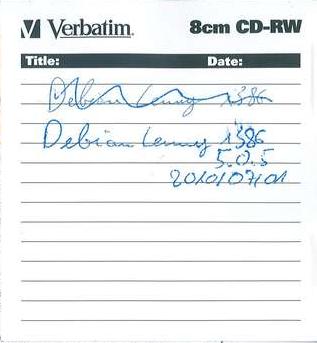
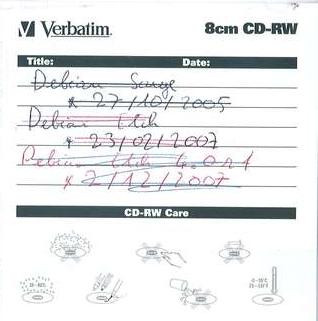
This blog post is a kind of followup of a previous blog post about reading 10 years old CD-R. Today, I get a new shiny ASRock ION 330 to play with, in itself this PC has nothing particular. As usual, I begin by using System Rescue CD to check bad blocks on the hard drive, before working with it (badblocks -v -s -w -c 4096 /dev/sda). Once done, I will check the memory (memtest). This is my standard procedure when receiving a new PC. But I don't have my System Rescue CD at hand. No problem, I download it and and write it on an old CD-RW, bought 5 years ago but still sealed into his blister. For your information, this is a Memorex CD-RW 700MB 16-24x. I blank it (wodim blank=all). I write it at speed 16x, because I don't know how to lower the speed. After writing the CD, I re-read it to check everything is fine (readom dev=/dev/cdrw1 f=test.iso). Ooops:

$ readom dev=/dev/cdrw1 f=test.iso
[...] 
Errno: 5 (Input/output error), read_g1 scsi sendcmd: no error
CDB:  28 00 00 01 3C 00 00 00 40 00
status: 0x2 (CHECK CONDITION)
Sense Bytes: 70 00 03 00 00 00 00 0A 00 00 00 00 11 05 00 00
Sense Key: 0x3 Medium Error, Segment 0
Sense Code: 0x11 Qual 0x05 (l-ec uncorrectable error) Fru 0x0
Sense flags: Blk 0 (not valid) 
cmd finished after 6.614s timeout 40s
readom: Input/output error. Cannot read source disk
readom: Retrying from sector 80896.
.............
readom: Error on sector 80908 corrected after 9 tries. Total of 0 errors.
..............---
OK, I re-blank it (wodim blank=fast) and rewrite it. The CD seems to be readable this time. But when I try to boot with it my new ASRock, it fails. Enough is enough, I get an heavy used Verbatim 8cm CD-RW. Just to show you how old he is: the first ISO written on it was "Debian Sarge". And the magic happens: it works on the first try!!!! You will probably think that I work for Verbatim. This is not true but I must admit that first-price CD-RW/CD-R seems to be very low quality and don't hold data in time. This is probably related to the chemical compounds of the CD. The failing Memorex CD-RW will end up in a trash and I will continue to use my 5 years old Verbatim CD-RW. Dear reader, in order to find a way not to dump this failing CD-RW, do you know a way to make it to work? What you should now about the failing CD-RW:

30 June 2010

Ingo Juergensmann: Getting hit by a spammer with Exim

Yesterday I was warned by Nagios that something is going on with my server. The number of processes has been gone beyond the limit. The reason for this were a bunch of Exim processes trying to deliver a lot of mails. Apparently a spammer made it happen to send spams via my server. How could this happen? I was seeing a lot of those log entries:
2010-06-28 16:29:25 1OTFKt-0004cZ-1R <= vsvc@euhu.com H=(qknlvj.com) [58.212.194.230] P=esmtpa A=cram_md5:inna S=1455 id=0ec5ff00b06c43369e2582fc4269839e@e12c17c51ec546bf9e7a23e6f9875941
2010-06-28 16:29:27 1OTFKw-0004cZ-KZ <= ebms@ylmdbm.com H=(qknlvj.com) [58.212.194.230] P=esmtpa A=cram_md5:inna S=1520 id=58913c34bde64e908310db7e1280eff5@2dc8ed5998b64e8485c472cae5ef98c3
2010-06-28 16:29:28 1OTFKy-0004cZ-1p <= wiyscy@hegyogz.com H=(qknlvj.com) [58.212.194.230] P=esmtpa A=cram_md5:inna S=1436 id=814a7bdcbe85447a9283d4a0a074830b@0ada3cde4a4c41c38c65bc912639afb6
Apparently the spammer has successfully found a way to bypass the authenticators in Exim. By default only authenticated users can send mails via my mailserver, of course. But this spammer found a way around that problem. A user "inna" is not known, so the spammer shouldn't be able to send mails at all. But he can. Something is broken apparently. The spammer sent an empty password ('') and the database didn't find an user by this name and returned an empty resultset (''). Both sides of the comparison matches and the mail is allowed in. Let's have a look at my Exim config:
cram_md5:
server_debug_print = "running smtp auth $1 $2"
driver = cram_md5
public_name = CRAM-MD5
server_secret = $ lookup pgsql select clear from passwd where passwd.usr='$1' limit 1 $value
server_set_id = $1
On #exim@freenode there was just another user with the very same problem with exactly the same spammer. Apparently the lookup is true for empty passwords or users. The solution is to add a "fail" in the lookup statement:
server_secret = $ lookup pgsql select clear from passwd where passwd.usr='$1' limit 1 $value fail
That's pretty all to do to prevent the spamming. But how could this happen at all? Back then when I was configuring my mailserver (around 2003 or so) I can remember that I tried a "fail" statement in the server_secret as it is described in the Exim documentation, but it didn't work as expected. So I ended up with no "fail". This worked fairly well over the years and I remember that I tested this lookup by trying to send with user/password combinations of all different sorts. So it went into "production". Apparently it doesn't work anymore today. The other guy on the #exim channel said that he found no database lookup example with "fail" at all. Even the example in one of his books was without "fail". So I believe that something changed either in Exim or in PostgreSQL to make submitting an empty password string a positive match for bypassing authentication nowadays. For the records: the spammer send approx. >10.000 mails. Another bunch of 8000 mails were rejected, but this is just slightly over the daily average.

24 June 2010

Uwe Hermann: Using the Oasis UMO19 MCU003 400x USB microscope on Linux via luvcview

Oasis UMO19 MCU003 digital USB microscope I've been buying quite a lot of (usually cheapo) gadgets recently, which I'll probably introduce / review in various blog posts sooner or later. Let me start with a fun little gadget, a digital USB-based microscope. I found out about it via this thread over at lostscrews.com. You can get this (or a very similar device) e.g. on eBay for roughly 50 Euros. Mine seems to be from a company called Oasis (though they're probably just the reseller, not sure). The device doesn't seem to have a nice name, but I can see UMO19 MCU003 on the microscope, so I guess that's the name or model number. It can focus on magnifications of 20x or 400x. The image resolution is said to be a max. of 1600x1200, but in practice most of my images are 640x480, maybe I have to change some settings and/or the resolution depends on the magnification factor and lighting conditions. The device acts as a simple UVC webcam when attached to USB, so you can view the images easily via any compatible webcam software, e.g. luvcview and also save screenshots of the magnified areas (see images). UMO19 chip
UMO19 fabric
UMO19 LED First three from left to right: SMD LED (400x), clothes/jacket (400x), random PCB (20x). The other two below: A via on a PCB (400x), and the "pixels" of a TFT screen (400x). It worked out of the box on Linux for me, the uvcvideo kernel driver was loaded automatically.
 $ lsusb
 Bus 001 Device 013: ID 0ac8:3610 Z-Star Microelectronics Corp.
I set up a wiki page for more details (including full lsusb -vvv) and sample images at: http://randomprojects.org/wiki/Oasis_UMO19_MCU003_USB_microscope I will also post some more images there over the next few days. UMO19 TFT
UMO19 via
This is a really fun device for having a look at stuff you'd normally not see (or not well enough), and also useful for e.g. checking PCB solder joints, checking all kinds of electronics for errors or missing/misaligned parts, finding the chip name / model number of very tiny chips etc. etc. I can also imagine it's quite nice for biological use-cases, e.g. for studying insects, tissue, plants, and so on. Anyway, definately a nice toy for relatively low price, I can highly recommend a device like this. Check eBay (search for e.g. "usb mikroskop 400") and various online shops for similar devices, there seem to be a large number of them with different names and from different vendors. Just make sure it has at least 400x magnification, there are also some with only 80x or 200x which is not as useful as 400x, of course.

20 June 2010

Francois Marier: Reducing website bandwidth usage

There are lots of excellent tools to help web developers optimise their websites.

Here are two simple things you have no excuse for overlooking on your next project.
HTML, XML, Javascript and CSS filesOne of the easiest ways to speed up a website (often to a surprising degree) is to turn on compression of plaintext content through facilities like mod_deflate or the Gzip Module.

Here's the Apache configuration file I normally use:
<ifmodule>AddOutputFilterByType DEFLATE text/html text/plain text/css text/javascript text/xml application/x-javascript application/javascript
BrowserMatch ^Mozilla/4 gzip-only-text/html
BrowserMatch "MSIE 6" no-gzip dont-vary
BrowserMatch ^Mozilla/4\.0[678] no-gzip</ifmodule>
ImagesAs far as images go, the following tools will reduce file sizes through lossless compression (i.e. with no visual changes at all):
(An alternative to optipng is pngcrush.)

Note that the --strip-all argument to jpegoptim will remove any EXIF/comments tags that may be present.

Next.

Previous.