Reproducible Builds: Reproducible Builds in November 2023
 Welcome to the November 2023 report from the Reproducible Builds project! In these reports we outline the most important things that we have been up to over the past month. As a rather rapid recap, whilst anyone may inspect the source code of free software for malicious flaws, almost all software is distributed to end users as pre-compiled binaries (more).
Reproducible Builds Summit 2023
Between October 31st and November 2nd, we held our seventh Reproducible Builds Summit in Hamburg, Germany! Amazingly, the agenda and all notes from all sessions are all online many thanks to everyone who wrote notes from the sessions.
As a followup on one idea, started at the summit, Alexander Couzens and Holger Levsen started work on a cache (or tailored front-end) for the snapshot.debian.org service. The general idea is that, when rebuilding Debian, you do not actually need the whole ~140TB of data from snapshot.debian.org; rather, only a very small subset of the packages are ever used for for building. It turns out, for amd64, arm64, armhf, i386, ppc64el, riscv64 and s390 for Debian trixie, unstable and experimental, this is only around 500GB ie. less than 1%. Although the new service not yet ready for usage, it has already provided a promising outlook in this regard. More information is available on https://rebuilder-snapshot.debian.net and we hope that this service becomes usable in the coming weeks.
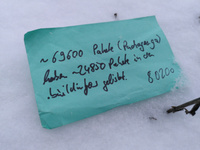 The adjacent picture shows a sticky note authored by Jan-Benedict Glaw at the summit in Hamburg, confirming Holger Levsen s theory that rebuilding all Debian packages needs a very small subset of packages, the text states that 69,200 packages (in Debian sid) list 24,850 packages in their
.buildinfo files, in 8,0200 variations. This little piece of paper was the beginning of rebuilder-snapshot and is a direct outcome of the summit!
The Reproducible Builds team would like to thank our event sponsors who include Mullvad VPN, openSUSE, Debian, Software Freedom Conservancy, Allotropia and Aspiration Tech.
Beyond Trusting FOSS presentation at SeaGL
 On November 4th, Vagrant Cascadian presented Beyond Trusting FOSS at SeaGL in Seattle, WA in the United States. Founded in 2013, SeaGL is a free, grassroots technical summit dedicated to spreading awareness and knowledge about free source software, hardware and culture. The summary of Vagrant s talk mentions that it will:
[ ] introduce the concepts of Reproducible Builds, including best practices for developing and releasing software, the tools available to help diagnose issues, and touch on progress towards solving decades-old deeply pervasive fundamental security issues Learn how to verify and demonstrate trust, rather than simply hoping everything is OK!
Germane to the contents of the talk, the slides for Vagrant s talk can be built reproducibly, resulting in a PDF with a SHA1 of cfde2f8a0b7e6ec9b85377eeac0661d728b70f34 when built on Debian bookworm and c21fab273232c550ce822c4b0d9988e6c49aa2c3 on Debian sid at the time of writing.
Human Factors in Software Supply Chain Security
 Marcel Fourn , Dominik Wermke, Sascha Fahl and Yasemin Acar have published an article in a Special Issue of the IEEE s Security & Privacy magazine. Entitled A Viewpoint on Human Factors in Software Supply Chain Security: A Research Agenda, the paper justifies the need for reproducible builds to reach developers and end-users specifically, and furthermore points out some under-researched topics that we have seen mentioned in interviews. An author pre-print of the article is available in PDF form.
Community updates
On our mailing list this month:
-
Julien Lepiller mentioned that they were interested in translating our website, and provided offered GNU Guix s translation framework (Weblate) as a potential model to emulate.
-
Bernhard M. Wiedemann posted a positive LibreOffice success story documenting that, after some work:
[ ] today I hold in my hands the first two bit-identical LibreOffice rpm packages. And this is the success I wanted to share with you all today [and] it makes me feel as if we can solve anything.
-
kpcyrd reported on their excellent results with making
esp32c3 microcontroller firmware reproducible with Rust, repro-env and Arch Linux:
I chose the esp32c3 [board] because it has good Rust support from the esp-rs project, and you can get a dev board for about 6-8 . To document my build environment I used repro-env together with Arch Linux because its archive is very reliable and contains all the different Rust development tools I needed.
-
Separate to their work on LibreOffice however, Bernhard M. Wiedemann also requested assistance with a number of packages that so far refuse to build reproducibly. He writes that the common theme around them is that they use scheme or lisp to produce binaries with a
dump command and hopes that someone may be able to help.
-
Finally, Fay Stegerman regrettably reports that she will no longer be able to work on Android reproducible builds nor update the Reproducible Builds community with the status of reproducibility within F-Droid.
openSUSE updates
 Bernhard M. Wiedemann has created a wiki page outlining an proposal to create a general-purpose Linux distribution which consists of 100% bit-reproducible packages albeit minus the embedded signature within RPM files. It would be based on openSUSE Tumbleweed or, if available, its Slowroll-variant.
In addition, Bernhard posted another monthly update for his work elsewhere in openSUSE.
Reproducibility-related changes in Debian
 As recently reported in the most recent Debian Developer News, Paul Gevers has integrated a package s reproducibility status into the way Debian migrates packages into the next stable release. For the
amd64, arm64, i386 and armhf architectures, data is collected from the Reproducible Builds testing framework is collected by this migration software even though, at the time of writing, it neither causes nor migration bonuses nor blocks migration. Indeed, the information only results are visible on Britney s excuses as well as on individual packages pages on tracker.debian.org.
Ubuntu Launchpad now supports .buildinfo files
Back in 2017, Steve Langasek filed a bug against Ubuntu s Launchpad code hosting platform to report that .changes files (artifacts of building Ubuntu and Debian packages) reference .buildinfo files that aren t actually exposed by Launchpad itself. This was causing issues when attempting to process .changes files with tools such as Lintian. However, it was noticed last month that, in early August of this year, Simon Quigley had resolved this issue, and .buildinfo files are now available from the Launchpad system.
PHP reproducibility updates
There have been two updates from the PHP programming language this month.
 Firstly, the widely-deployed PHPUnit framework for the PHP programming language have recently released version 10.5.0, which introduces the inclusion of a
composer.lock file, ensuring total reproducibility of the shipped binary file. Further details and the discussion that went into their particular implementation can be found on the associated GitHub pull request.
In addition, the presentation Leveraging Nix in the PHP ecosystem has been given in late October at the PHP International Conference in Munich by Pol Dellaiera. While the video replay is not yet available, the (reproducible) presentation slides and speaker notes are available.
diffoscope changes
 diffoscope is our in-depth and content-aware diff utility that can locate and diagnose reproducibility issues. This month, Chris Lamb made a number of changes, including:
- Improving DOS/MBR extraction by adding support for
7z. [ ]
- Adding a missing
RequiredToolNotFound import. [ ]
- As a UI/UX improvement, try and avoid printing an extended traceback if diffoscope runs out of memory. [ ]
- Mark diffoscope as stable on PyPI.org. [ ]
- Uploading version
252 to Debian unstable. [ ]
Website updates
 A huge number of notes were added to our website that were taken at our recent Reproducible Builds Summit held between October 31st and November 2nd in Hamburg, Germany. In particular, a big thanks to Arnout Engelen, Bernhard M. Wiedemann, Daan De Meyer, Evangelos Ribeiro Tzaras, Holger Levsen and Orhun Parmaks z.
In addition to this, a number of other changes were made, including:
-
Chris Lamb migrated the website s homepage to a hero image [ ], improved the documentation related to
SOURCE_DATE_EPOCH and CMake [ ], added iomart (ne Bytemark) and DigitalOcean to our sponsors page [ ] and dropped an unnecessary link on some horizontal navigation buttons [ ].
-
Holger Levsen also made a large number of notes pages from our 2022 summit in Venice [ ], migrated the website s syntax highlighter from [Pygments]https://pygments.org/() to Rouge [ ], fixed some grammar on our donate page [ ][ ][ ] and did a lot of updates to the Hamburg Summit s general information page [ ][ ].
Upstream patches
The Reproducible Builds project detects, dissects and attempts to fix as many currently-unreproducible packages as possible. We endeavour to send all of our patches upstream where appropriate. This month, we wrote a large number of such patches, including:
-
Bernhard M. Wiedemann:
amber-cli (date-related issue)bin86 (FTBFS-2038)buildah (timestamp)colord (CPU)google-noto-fonts (file modification issue)grub2 (directory-related metadata)guile-fibers (parallelism issue)guile-newt (parallelism issue)gutenprint (embedded date/hostname)hub (random build path)ipxe (nondeterministic behavoiour)joker / jokerkopete (undefined behaviour)kraft (embedde hostname)libcamera (signature)libguestfs (embeds build host file)llvm (toolchain/Rust-related issue)nfdump (date-related issue)ovmf (unknown cause)quazip (missing fonts)rdflib (nondeterminstic behaviour)rpm (toolchain)tigervnc (embedded an RSA signature)whatsie (date-related issue)xen (time-related issue)
-
Cathy Hu:
policycoreutils (sort-related issue)
-
Chris Lamb:
- #1055919 filed against
python-ansible-pygments.
- #1055920 filed against
bidict.
- #1056117 filed against
meson.
- #1056118 filed against
radsecproxy.
- #1056119 filed against
taffybar.
- #1056398 filed against
php-doc.
- #1056571 filed against
pelican.
- #1056572 filed against
maildir-utils.
- #1056573 filed against
openmrac-data.
- #1056649 filed against
vectorscan.
-
Vagrant Cascadian:
Reproducibility testing framework
 The Reproducible Builds project operates a comprehensive testing framework (available at tests.reproducible-builds.org) in order to check packages and other artifacts for reproducibility. In October, a number of changes were made by Holger Levsen:
-
Debian-related changes:
- Track packages marked as
Priority: important in a new package set. [ ][ ]
- Stop scheduling packages that fail to build from source in bookworm [ ] and bullseye. [ ].
- Add old releases dashboard link in web navigation. [ ]
- Permit re-run of the
pool_buildinfos script to be re-run for a specific year. [ ]
- Grant jbglaw access to the
osuosl4 node [ ][ ] along with lynxis [ ].
- Increase RAM on the
amd64 Ionos builders from 48 GiB to 64 GiB; thanks IONOS! [ ]
- Move buster to archived suites. [ ][ ]
- Reduce the number of
arm64 architecture workers from 24 to 16 in order to improve stability [ ], reduce the workers for amd64 from 32 to 28 and, for i386, reduce from 12 down to 8 [ ].
- Show the entire build history of each Debian package. [ ]
- Stop scheduling already tested package/version combinations in Debian bookworm. [ ]
-
Snapshot service for rebuilders
-
System-health:
-
Misc-related changes:
- do install systemd-ommd on jenkins. [ ]
- fix harmless typo in squid.conf for codethink04. [ ]
- fixup: reproducible Debian: add gunicorn service to serve /api for rebuilder-snapshot.d.o. [ ]
- Increase codethink04 s Squid
cache_dir size setting to 16 GiB. [ ]
- Don t install
systemd-oomd as it unfortunately kills sshd [ ]
- Use
debootstrap from backports when commisioning nodes. [ ]
- Add the
live_build_debian_stretch_gnome, debsums-tests_buster and debsums-tests_buster jobs to the zombie list. [ ][ ]
- Run
jekyll build with the --watch argument when building the Reproducible Builds website. [ ]
- Misc node maintenance. [ ][ ][ ]
Other changes were made as well, however, including Mattia Rizzolo fixing rc.local s Bash syntax so it can actually run [ ], commenting away some file cleanup code that is (potentially) deleting too much [ ] and fixing the html_brekages page for Debian package builds [ ]. Finally, diagnosed and submitted a patch to add a AddEncoding gzip .gz line to the tests.reproducible-builds.org Apache configuration so that Gzip files aren t re-compressed as Gzip which some clients can t deal with (as well as being a waste of time). [ ]
If you are interested in contributing to the Reproducible Builds project, please visit our Contribute page on our website. However, you can get in touch with us via:
-
IRC:
#reproducible-builds on irc.oftc.net.
-
Mailing list:
rb-general@lists.reproducible-builds.org
-
Mastodon: @reproducible_builds
-
Twitter: @ReproBuilds
On November 4th, Vagrant Cascadian presented Beyond Trusting FOSS at SeaGL in Seattle, WA in the United States. Founded in 2013, SeaGL is a free, grassroots technical summit dedicated to spreading awareness and knowledge about free source software, hardware and culture. The summary of Vagrant s talk mentions that it will:
[ ] introduce the concepts of Reproducible Builds, including best practices for developing and releasing software, the tools available to help diagnose issues, and touch on progress towards solving decades-old deeply pervasive fundamental security issues Learn how to verify and demonstrate trust, rather than simply hoping everything is OK!Germane to the contents of the talk, the slides for Vagrant s talk can be built reproducibly, resulting in a PDF with a SHA1 of
cfde2f8a0b7e6ec9b85377eeac0661d728b70f34 when built on Debian bookworm and c21fab273232c550ce822c4b0d9988e6c49aa2c3 on Debian sid at the time of writing.
Human Factors in Software Supply Chain Security
Marcel Fourn , Dominik Wermke, Sascha Fahl and Yasemin Acar have published an article in a Special Issue of the IEEE s Security & Privacy magazine. Entitled A Viewpoint on Human Factors in Software Supply Chain Security: A Research Agenda, the paper justifies the need for reproducible builds to reach developers and end-users specifically, and furthermore points out some under-researched topics that we have seen mentioned in interviews. An author pre-print of the article is available in PDF form.
Community updates
On our mailing list this month:
-
Julien Lepiller mentioned that they were interested in translating our website, and provided offered GNU Guix s translation framework (Weblate) as a potential model to emulate.
-
Bernhard M. Wiedemann posted a positive LibreOffice success story documenting that, after some work:
[ ] today I hold in my hands the first two bit-identical LibreOffice rpm packages. And this is the success I wanted to share with you all today [and] it makes me feel as if we can solve anything.
-
kpcyrd reported on their excellent results with making
esp32c3 microcontroller firmware reproducible with Rust, repro-env and Arch Linux:
I chose the esp32c3 [board] because it has good Rust support from the esp-rs project, and you can get a dev board for about 6-8 . To document my build environment I used repro-env together with Arch Linux because its archive is very reliable and contains all the different Rust development tools I needed.
-
Separate to their work on LibreOffice however, Bernhard M. Wiedemann also requested assistance with a number of packages that so far refuse to build reproducibly. He writes that the common theme around them is that they use scheme or lisp to produce binaries with a
dump command and hopes that someone may be able to help.
-
Finally, Fay Stegerman regrettably reports that she will no longer be able to work on Android reproducible builds nor update the Reproducible Builds community with the status of reproducibility within F-Droid.
openSUSE updates
Bernhard M. Wiedemann has created a wiki page outlining an proposal to create a general-purpose Linux distribution which consists of 100% bit-reproducible packages albeit minus the embedded signature within RPM files. It would be based on openSUSE Tumbleweed or, if available, its Slowroll-variant.
In addition, Bernhard posted another monthly update for his work elsewhere in openSUSE.
Reproducibility-related changes in Debian
As recently reported in the most recent Debian Developer News, Paul Gevers has integrated a package s reproducibility status into the way Debian migrates packages into the next stable release. For the amd64, arm64, i386 and armhf architectures, data is collected from the Reproducible Builds testing framework is collected by this migration software even though, at the time of writing, it neither causes nor migration bonuses nor blocks migration. Indeed, the information only results are visible on Britney s excuses as well as on individual packages pages on tracker.debian.org.
Ubuntu Launchpad now supports .buildinfo files
Back in 2017, Steve Langasek filed a bug against Ubuntu s Launchpad code hosting platform to report that .changes files (artifacts of building Ubuntu and Debian packages) reference .buildinfo files that aren t actually exposed by Launchpad itself. This was causing issues when attempting to process .changes files with tools such as Lintian. However, it was noticed last month that, in early August of this year, Simon Quigley had resolved this issue, and .buildinfo files are now available from the Launchpad system.
PHP reproducibility updates
There have been two updates from the PHP programming language this month.
Firstly, the widely-deployed PHPUnit framework for the PHP programming language have recently released version 10.5.0, which introduces the inclusion of a composer.lock file, ensuring total reproducibility of the shipped binary file. Further details and the discussion that went into their particular implementation can be found on the associated GitHub pull request.
In addition, the presentation Leveraging Nix in the PHP ecosystem has been given in late October at the PHP International Conference in Munich by Pol Dellaiera. While the video replay is not yet available, the (reproducible) presentation slides and speaker notes are available.
diffoscope changes
diffoscope is our in-depth and content-aware diff utility that can locate and diagnose reproducibility issues. This month, Chris Lamb made a number of changes, including:
- Improving DOS/MBR extraction by adding support for
7z. [ ]
- Adding a missing
RequiredToolNotFound import. [ ]
- As a UI/UX improvement, try and avoid printing an extended traceback if diffoscope runs out of memory. [ ]
- Mark diffoscope as stable on PyPI.org. [ ]
- Uploading version
252 to Debian unstable. [ ]
Website updates
A huge number of notes were added to our website that were taken at our recent Reproducible Builds Summit held between October 31st and November 2nd in Hamburg, Germany. In particular, a big thanks to Arnout Engelen, Bernhard M. Wiedemann, Daan De Meyer, Evangelos Ribeiro Tzaras, Holger Levsen and Orhun Parmaks z.
In addition to this, a number of other changes were made, including:
-
Chris Lamb migrated the website s homepage to a hero image [ ], improved the documentation related to
SOURCE_DATE_EPOCH and CMake [ ], added iomart (ne Bytemark) and DigitalOcean to our sponsors page [ ] and dropped an unnecessary link on some horizontal navigation buttons [ ].
-
Holger Levsen also made a large number of notes pages from our 2022 summit in Venice [ ], migrated the website s syntax highlighter from [Pygments]https://pygments.org/() to Rouge [ ], fixed some grammar on our donate page [ ][ ][ ] and did a lot of updates to the Hamburg Summit s general information page [ ][ ].
Upstream patches
The Reproducible Builds project detects, dissects and attempts to fix as many currently-unreproducible packages as possible. We endeavour to send all of our patches upstream where appropriate. This month, we wrote a large number of such patches, including:
-
Bernhard M. Wiedemann:
amber-cli (date-related issue)bin86 (FTBFS-2038)buildah (timestamp)colord (CPU)google-noto-fonts (file modification issue)grub2 (directory-related metadata)guile-fibers (parallelism issue)guile-newt (parallelism issue)gutenprint (embedded date/hostname)hub (random build path)ipxe (nondeterministic behavoiour)joker / jokerkopete (undefined behaviour)kraft (embedde hostname)libcamera (signature)libguestfs (embeds build host file)llvm (toolchain/Rust-related issue)nfdump (date-related issue)ovmf (unknown cause)quazip (missing fonts)rdflib (nondeterminstic behaviour)rpm (toolchain)tigervnc (embedded an RSA signature)whatsie (date-related issue)xen (time-related issue)
-
Cathy Hu:
policycoreutils (sort-related issue)
-
Chris Lamb:
- #1055919 filed against
python-ansible-pygments.
- #1055920 filed against
bidict.
- #1056117 filed against
meson.
- #1056118 filed against
radsecproxy.
- #1056119 filed against
taffybar.
- #1056398 filed against
php-doc.
- #1056571 filed against
pelican.
- #1056572 filed against
maildir-utils.
- #1056573 filed against
openmrac-data.
- #1056649 filed against
vectorscan.
-
Vagrant Cascadian:
Reproducibility testing framework
The Reproducible Builds project operates a comprehensive testing framework (available at tests.reproducible-builds.org) in order to check packages and other artifacts for reproducibility. In October, a number of changes were made by Holger Levsen:
-
Debian-related changes:
- Track packages marked as
Priority: important in a new package set. [ ][ ]
- Stop scheduling packages that fail to build from source in bookworm [ ] and bullseye. [ ].
- Add old releases dashboard link in web navigation. [ ]
- Permit re-run of the
pool_buildinfos script to be re-run for a specific year. [ ]
- Grant jbglaw access to the
osuosl4 node [ ][ ] along with lynxis [ ].
- Increase RAM on the
amd64 Ionos builders from 48 GiB to 64 GiB; thanks IONOS! [ ]
- Move buster to archived suites. [ ][ ]
- Reduce the number of
arm64 architecture workers from 24 to 16 in order to improve stability [ ], reduce the workers for amd64 from 32 to 28 and, for i386, reduce from 12 down to 8 [ ].
- Show the entire build history of each Debian package. [ ]
- Stop scheduling already tested package/version combinations in Debian bookworm. [ ]
-
Snapshot service for rebuilders
-
System-health:
-
Misc-related changes:
- do install systemd-ommd on jenkins. [ ]
- fix harmless typo in squid.conf for codethink04. [ ]
- fixup: reproducible Debian: add gunicorn service to serve /api for rebuilder-snapshot.d.o. [ ]
- Increase codethink04 s Squid
cache_dir size setting to 16 GiB. [ ]
- Don t install
systemd-oomd as it unfortunately kills sshd [ ]
- Use
debootstrap from backports when commisioning nodes. [ ]
- Add the
live_build_debian_stretch_gnome, debsums-tests_buster and debsums-tests_buster jobs to the zombie list. [ ][ ]
- Run
jekyll build with the --watch argument when building the Reproducible Builds website. [ ]
- Misc node maintenance. [ ][ ][ ]
Other changes were made as well, however, including Mattia Rizzolo fixing rc.local s Bash syntax so it can actually run [ ], commenting away some file cleanup code that is (potentially) deleting too much [ ] and fixing the html_brekages page for Debian package builds [ ]. Finally, diagnosed and submitted a patch to add a AddEncoding gzip .gz line to the tests.reproducible-builds.org Apache configuration so that Gzip files aren t re-compressed as Gzip which some clients can t deal with (as well as being a waste of time). [ ]
If you are interested in contributing to the Reproducible Builds project, please visit our Contribute page on our website. However, you can get in touch with us via:
-
IRC:
#reproducible-builds on irc.oftc.net.
-
Mailing list:
rb-general@lists.reproducible-builds.org
-
Mastodon: @reproducible_builds
-
Twitter: @ReproBuilds
- Julien Lepiller mentioned that they were interested in translating our website, and provided offered GNU Guix s translation framework (Weblate) as a potential model to emulate.
-
Bernhard M. Wiedemann posted a positive LibreOffice success story documenting that, after some work:
[ ] today I hold in my hands the first two bit-identical LibreOffice rpm packages. And this is the success I wanted to share with you all today [and] it makes me feel as if we can solve anything.
-
kpcyrd reported on their excellent results with making
esp32c3microcontroller firmware reproducible with Rust, repro-env and Arch Linux:I chose the
esp32c3[board] because it has good Rust support from theesp-rsproject, and you can get a dev board for about 6-8 . To document my build environment I usedrepro-envtogether with Arch Linux because its archive is very reliable and contains all the different Rust development tools I needed. -
Separate to their work on LibreOffice however, Bernhard M. Wiedemann also requested assistance with a number of packages that so far refuse to build reproducibly. He writes that the common theme around them is that they use scheme or lisp to produce binaries with a
dumpcommand and hopes that someone may be able to help. - Finally, Fay Stegerman regrettably reports that she will no longer be able to work on Android reproducible builds nor update the Reproducible Builds community with the status of reproducibility within F-Droid.
openSUSE updates
Bernhard M. Wiedemann has created a wiki page outlining an proposal to create a general-purpose Linux distribution which consists of 100% bit-reproducible packages albeit minus the embedded signature within RPM files. It would be based on openSUSE Tumbleweed or, if available, its Slowroll-variant.
In addition, Bernhard posted another monthly update for his work elsewhere in openSUSE.
Reproducibility-related changes in Debian
As recently reported in the most recent Debian Developer News, Paul Gevers has integrated a package s reproducibility status into the way Debian migrates packages into the next stable release. For the amd64, arm64, i386 and armhf architectures, data is collected from the Reproducible Builds testing framework is collected by this migration software even though, at the time of writing, it neither causes nor migration bonuses nor blocks migration. Indeed, the information only results are visible on Britney s excuses as well as on individual packages pages on tracker.debian.org.
Ubuntu Launchpad now supports .buildinfo files
Back in 2017, Steve Langasek filed a bug against Ubuntu s Launchpad code hosting platform to report that .changes files (artifacts of building Ubuntu and Debian packages) reference .buildinfo files that aren t actually exposed by Launchpad itself. This was causing issues when attempting to process .changes files with tools such as Lintian. However, it was noticed last month that, in early August of this year, Simon Quigley had resolved this issue, and .buildinfo files are now available from the Launchpad system.
PHP reproducibility updates
There have been two updates from the PHP programming language this month.
Firstly, the widely-deployed PHPUnit framework for the PHP programming language have recently released version 10.5.0, which introduces the inclusion of a composer.lock file, ensuring total reproducibility of the shipped binary file. Further details and the discussion that went into their particular implementation can be found on the associated GitHub pull request.
In addition, the presentation Leveraging Nix in the PHP ecosystem has been given in late October at the PHP International Conference in Munich by Pol Dellaiera. While the video replay is not yet available, the (reproducible) presentation slides and speaker notes are available.
diffoscope changes
diffoscope is our in-depth and content-aware diff utility that can locate and diagnose reproducibility issues. This month, Chris Lamb made a number of changes, including:
- Improving DOS/MBR extraction by adding support for
7z. [ ]
- Adding a missing
RequiredToolNotFound import. [ ]
- As a UI/UX improvement, try and avoid printing an extended traceback if diffoscope runs out of memory. [ ]
- Mark diffoscope as stable on PyPI.org. [ ]
- Uploading version
252 to Debian unstable. [ ]
Website updates
A huge number of notes were added to our website that were taken at our recent Reproducible Builds Summit held between October 31st and November 2nd in Hamburg, Germany. In particular, a big thanks to Arnout Engelen, Bernhard M. Wiedemann, Daan De Meyer, Evangelos Ribeiro Tzaras, Holger Levsen and Orhun Parmaks z.
In addition to this, a number of other changes were made, including:
-
Chris Lamb migrated the website s homepage to a hero image [ ], improved the documentation related to
SOURCE_DATE_EPOCH and CMake [ ], added iomart (ne Bytemark) and DigitalOcean to our sponsors page [ ] and dropped an unnecessary link on some horizontal navigation buttons [ ].
-
Holger Levsen also made a large number of notes pages from our 2022 summit in Venice [ ], migrated the website s syntax highlighter from [Pygments]https://pygments.org/() to Rouge [ ], fixed some grammar on our donate page [ ][ ][ ] and did a lot of updates to the Hamburg Summit s general information page [ ][ ].
Upstream patches
The Reproducible Builds project detects, dissects and attempts to fix as many currently-unreproducible packages as possible. We endeavour to send all of our patches upstream where appropriate. This month, we wrote a large number of such patches, including:
-
Bernhard M. Wiedemann:
amber-cli (date-related issue)bin86 (FTBFS-2038)buildah (timestamp)colord (CPU)google-noto-fonts (file modification issue)grub2 (directory-related metadata)guile-fibers (parallelism issue)guile-newt (parallelism issue)gutenprint (embedded date/hostname)hub (random build path)ipxe (nondeterministic behavoiour)joker / jokerkopete (undefined behaviour)kraft (embedde hostname)libcamera (signature)libguestfs (embeds build host file)llvm (toolchain/Rust-related issue)nfdump (date-related issue)ovmf (unknown cause)quazip (missing fonts)rdflib (nondeterminstic behaviour)rpm (toolchain)tigervnc (embedded an RSA signature)whatsie (date-related issue)xen (time-related issue)
-
Cathy Hu:
policycoreutils (sort-related issue)
-
Chris Lamb:
- #1055919 filed against
python-ansible-pygments.
- #1055920 filed against
bidict.
- #1056117 filed against
meson.
- #1056118 filed against
radsecproxy.
- #1056119 filed against
taffybar.
- #1056398 filed against
php-doc.
- #1056571 filed against
pelican.
- #1056572 filed against
maildir-utils.
- #1056573 filed against
openmrac-data.
- #1056649 filed against
vectorscan.
-
Vagrant Cascadian:
Reproducibility testing framework
The Reproducible Builds project operates a comprehensive testing framework (available at tests.reproducible-builds.org) in order to check packages and other artifacts for reproducibility. In October, a number of changes were made by Holger Levsen:
-
Debian-related changes:
- Track packages marked as
Priority: important in a new package set. [ ][ ]
- Stop scheduling packages that fail to build from source in bookworm [ ] and bullseye. [ ].
- Add old releases dashboard link in web navigation. [ ]
- Permit re-run of the
pool_buildinfos script to be re-run for a specific year. [ ]
- Grant jbglaw access to the
osuosl4 node [ ][ ] along with lynxis [ ].
- Increase RAM on the
amd64 Ionos builders from 48 GiB to 64 GiB; thanks IONOS! [ ]
- Move buster to archived suites. [ ][ ]
- Reduce the number of
arm64 architecture workers from 24 to 16 in order to improve stability [ ], reduce the workers for amd64 from 32 to 28 and, for i386, reduce from 12 down to 8 [ ].
- Show the entire build history of each Debian package. [ ]
- Stop scheduling already tested package/version combinations in Debian bookworm. [ ]
-
Snapshot service for rebuilders
-
System-health:
-
Misc-related changes:
- do install systemd-ommd on jenkins. [ ]
- fix harmless typo in squid.conf for codethink04. [ ]
- fixup: reproducible Debian: add gunicorn service to serve /api for rebuilder-snapshot.d.o. [ ]
- Increase codethink04 s Squid
cache_dir size setting to 16 GiB. [ ]
- Don t install
systemd-oomd as it unfortunately kills sshd [ ]
- Use
debootstrap from backports when commisioning nodes. [ ]
- Add the
live_build_debian_stretch_gnome, debsums-tests_buster and debsums-tests_buster jobs to the zombie list. [ ][ ]
- Run
jekyll build with the --watch argument when building the Reproducible Builds website. [ ]
- Misc node maintenance. [ ][ ][ ]
Other changes were made as well, however, including Mattia Rizzolo fixing rc.local s Bash syntax so it can actually run [ ], commenting away some file cleanup code that is (potentially) deleting too much [ ] and fixing the html_brekages page for Debian package builds [ ]. Finally, diagnosed and submitted a patch to add a AddEncoding gzip .gz line to the tests.reproducible-builds.org Apache configuration so that Gzip files aren t re-compressed as Gzip which some clients can t deal with (as well as being a waste of time). [ ]
If you are interested in contributing to the Reproducible Builds project, please visit our Contribute page on our website. However, you can get in touch with us via:
-
IRC:
#reproducible-builds on irc.oftc.net.
-
Mailing list:
rb-general@lists.reproducible-builds.org
-
Mastodon: @reproducible_builds
-
Twitter: @ReproBuilds
7z. [ ]RequiredToolNotFound import. [ ]252 to Debian unstable. [ ]
A huge number of notes were added to our website that were taken at our recent Reproducible Builds Summit held between October 31st and November 2nd in Hamburg, Germany. In particular, a big thanks to Arnout Engelen, Bernhard M. Wiedemann, Daan De Meyer, Evangelos Ribeiro Tzaras, Holger Levsen and Orhun Parmaks z.
In addition to this, a number of other changes were made, including:
-
Chris Lamb migrated the website s homepage to a hero image [ ], improved the documentation related to
SOURCE_DATE_EPOCHand CMake [ ], added iomart (ne Bytemark) and DigitalOcean to our sponsors page [ ] and dropped an unnecessary link on some horizontal navigation buttons [ ]. - Holger Levsen also made a large number of notes pages from our 2022 summit in Venice [ ], migrated the website s syntax highlighter from [Pygments]https://pygments.org/() to Rouge [ ], fixed some grammar on our donate page [ ][ ][ ] and did a lot of updates to the Hamburg Summit s general information page [ ][ ].
Upstream patches
The Reproducible Builds project detects, dissects and attempts to fix as many currently-unreproducible packages as possible. We endeavour to send all of our patches upstream where appropriate. This month, we wrote a large number of such patches, including:
-
Bernhard M. Wiedemann:
amber-cli (date-related issue)bin86 (FTBFS-2038)buildah (timestamp)colord (CPU)google-noto-fonts (file modification issue)grub2 (directory-related metadata)guile-fibers (parallelism issue)guile-newt (parallelism issue)gutenprint (embedded date/hostname)hub (random build path)ipxe (nondeterministic behavoiour)joker / jokerkopete (undefined behaviour)kraft (embedde hostname)libcamera (signature)libguestfs (embeds build host file)llvm (toolchain/Rust-related issue)nfdump (date-related issue)ovmf (unknown cause)quazip (missing fonts)rdflib (nondeterminstic behaviour)rpm (toolchain)tigervnc (embedded an RSA signature)whatsie (date-related issue)xen (time-related issue)
-
Cathy Hu:
policycoreutils (sort-related issue)
-
Chris Lamb:
- #1055919 filed against
python-ansible-pygments.
- #1055920 filed against
bidict.
- #1056117 filed against
meson.
- #1056118 filed against
radsecproxy.
- #1056119 filed against
taffybar.
- #1056398 filed against
php-doc.
- #1056571 filed against
pelican.
- #1056572 filed against
maildir-utils.
- #1056573 filed against
openmrac-data.
- #1056649 filed against
vectorscan.
-
Vagrant Cascadian:
Reproducibility testing framework
The Reproducible Builds project operates a comprehensive testing framework (available at tests.reproducible-builds.org) in order to check packages and other artifacts for reproducibility. In October, a number of changes were made by Holger Levsen:
-
Debian-related changes:
- Track packages marked as
Priority: important in a new package set. [ ][ ]
- Stop scheduling packages that fail to build from source in bookworm [ ] and bullseye. [ ].
- Add old releases dashboard link in web navigation. [ ]
- Permit re-run of the
pool_buildinfos script to be re-run for a specific year. [ ]
- Grant jbglaw access to the
osuosl4 node [ ][ ] along with lynxis [ ].
- Increase RAM on the
amd64 Ionos builders from 48 GiB to 64 GiB; thanks IONOS! [ ]
- Move buster to archived suites. [ ][ ]
- Reduce the number of
arm64 architecture workers from 24 to 16 in order to improve stability [ ], reduce the workers for amd64 from 32 to 28 and, for i386, reduce from 12 down to 8 [ ].
- Show the entire build history of each Debian package. [ ]
- Stop scheduling already tested package/version combinations in Debian bookworm. [ ]
-
Snapshot service for rebuilders
-
System-health:
-
Misc-related changes:
- do install systemd-ommd on jenkins. [ ]
- fix harmless typo in squid.conf for codethink04. [ ]
- fixup: reproducible Debian: add gunicorn service to serve /api for rebuilder-snapshot.d.o. [ ]
- Increase codethink04 s Squid
cache_dir size setting to 16 GiB. [ ]
- Don t install
systemd-oomd as it unfortunately kills sshd [ ]
- Use
debootstrap from backports when commisioning nodes. [ ]
- Add the
live_build_debian_stretch_gnome, debsums-tests_buster and debsums-tests_buster jobs to the zombie list. [ ][ ]
- Run
jekyll build with the --watch argument when building the Reproducible Builds website. [ ]
- Misc node maintenance. [ ][ ][ ]
Other changes were made as well, however, including Mattia Rizzolo fixing rc.local s Bash syntax so it can actually run [ ], commenting away some file cleanup code that is (potentially) deleting too much [ ] and fixing the html_brekages page for Debian package builds [ ]. Finally, diagnosed and submitted a patch to add a AddEncoding gzip .gz line to the tests.reproducible-builds.org Apache configuration so that Gzip files aren t re-compressed as Gzip which some clients can t deal with (as well as being a waste of time). [ ]
If you are interested in contributing to the Reproducible Builds project, please visit our Contribute page on our website. However, you can get in touch with us via:
-
IRC:
#reproducible-builds on irc.oftc.net.
-
Mailing list:
rb-general@lists.reproducible-builds.org
-
Mastodon: @reproducible_builds
-
Twitter: @ReproBuilds
amber-cli(date-related issue)bin86(FTBFS-2038)buildah(timestamp)colord(CPU)google-noto-fonts(file modification issue)grub2(directory-related metadata)guile-fibers(parallelism issue)guile-newt(parallelism issue)gutenprint(embedded date/hostname)hub(random build path)ipxe(nondeterministic behavoiour)joker/jokerkopete(undefined behaviour)kraft(embedde hostname)libcamera(signature)libguestfs(embeds build host file)llvm(toolchain/Rust-related issue)nfdump(date-related issue)ovmf(unknown cause)quazip(missing fonts)rdflib(nondeterminstic behaviour)rpm(toolchain)tigervnc(embedded an RSA signature)whatsie(date-related issue)xen(time-related issue)
policycoreutils(sort-related issue)
- #1055919 filed against
python-ansible-pygments. - #1055920 filed against
bidict. - #1056117 filed against
meson. - #1056118 filed against
radsecproxy. - #1056119 filed against
taffybar. - #1056398 filed against
php-doc. - #1056571 filed against
pelican. - #1056572 filed against
maildir-utils. - #1056573 filed against
openmrac-data. - #1056649 filed against
vectorscan.
The Reproducible Builds project operates a comprehensive testing framework (available at tests.reproducible-builds.org) in order to check packages and other artifacts for reproducibility. In October, a number of changes were made by Holger Levsen:
-
Debian-related changes:
- Track packages marked as
Priority: importantin a new package set. [ ][ ] - Stop scheduling packages that fail to build from source in bookworm [ ] and bullseye. [ ].
- Add old releases dashboard link in web navigation. [ ]
- Permit re-run of the
pool_buildinfosscript to be re-run for a specific year. [ ] - Grant jbglaw access to the
osuosl4node [ ][ ] along with lynxis [ ]. - Increase RAM on the
amd64Ionos builders from 48 GiB to 64 GiB; thanks IONOS! [ ] - Move buster to archived suites. [ ][ ]
- Reduce the number of
arm64architecture workers from 24 to 16 in order to improve stability [ ], reduce the workers foramd64from 32 to 28 and, fori386, reduce from 12 down to 8 [ ]. - Show the entire build history of each Debian package. [ ]
- Stop scheduling already tested package/version combinations in Debian bookworm. [ ]
- Track packages marked as
- Snapshot service for rebuilders
- System-health:
-
Misc-related changes:
- do install systemd-ommd on jenkins. [ ]
- fix harmless typo in squid.conf for codethink04. [ ]
- fixup: reproducible Debian: add gunicorn service to serve /api for rebuilder-snapshot.d.o. [ ]
- Increase codethink04 s Squid
cache_dirsize setting to 16 GiB. [ ] - Don t install
systemd-oomdas it unfortunately killssshd[ ] - Use
debootstrapfrom backports when commisioning nodes. [ ] - Add the
live_build_debian_stretch_gnome,debsums-tests_busteranddebsums-tests_busterjobs to the zombie list. [ ][ ] - Run
jekyll buildwith the--watchargument when building the Reproducible Builds website. [ ] - Misc node maintenance. [ ][ ][ ]
rc.local s Bash syntax so it can actually run [ ], commenting away some file cleanup code that is (potentially) deleting too much [ ] and fixing the html_brekages page for Debian package builds [ ]. Finally, diagnosed and submitted a patch to add a AddEncoding gzip .gz line to the tests.reproducible-builds.org Apache configuration so that Gzip files aren t re-compressed as Gzip which some clients can t deal with (as well as being a waste of time). [ ]
If you are interested in contributing to the Reproducible Builds project, please visit our Contribute page on our website. However, you can get in touch with us via:
-
IRC:
#reproducible-buildsonirc.oftc.net. -
Mailing list:
rb-general@lists.reproducible-builds.org - Mastodon: @reproducible_builds
- Twitter: @ReproBuilds
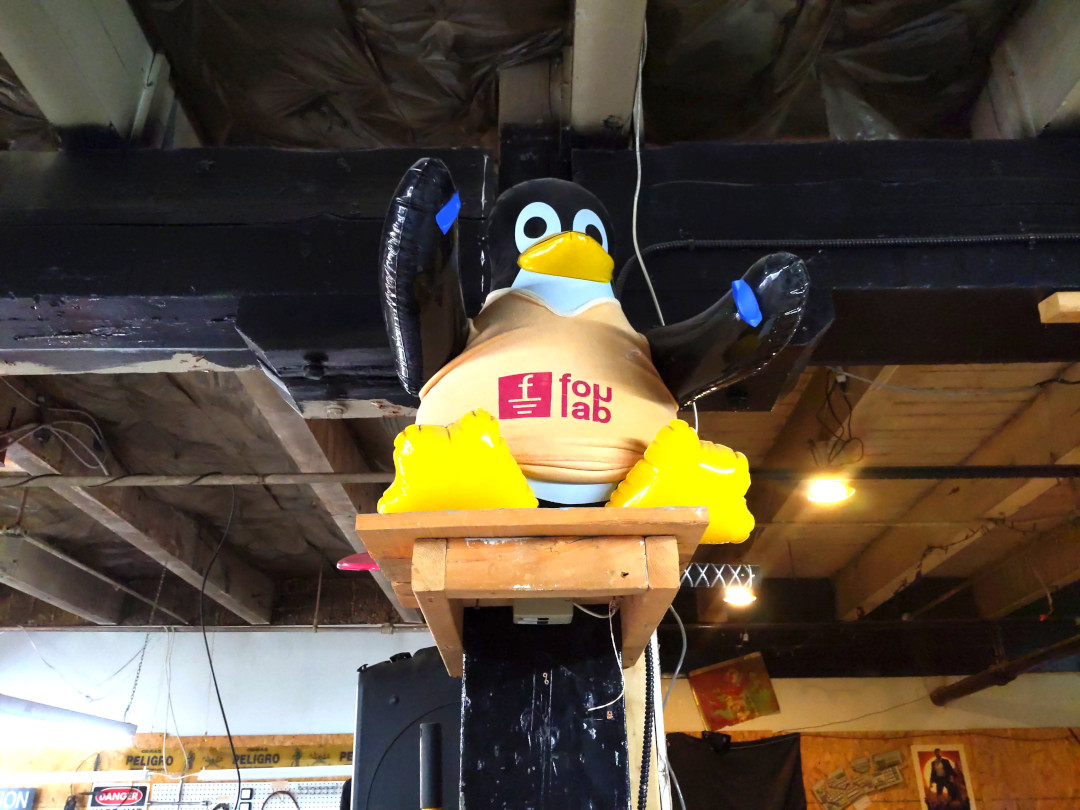
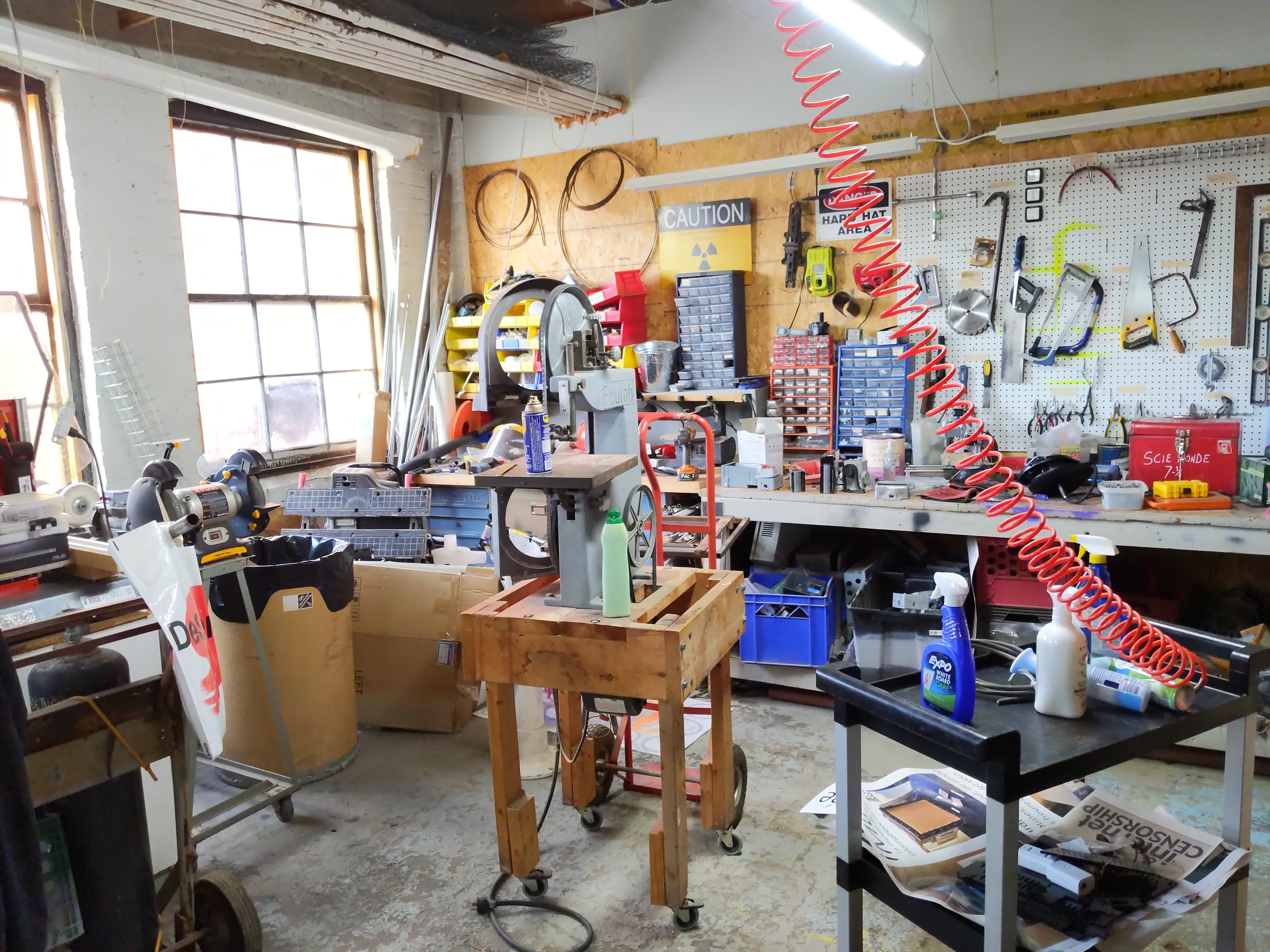
 Hello from a snowy Montr al! My life has been pretty busy lately

 There's a decent number of laptops with fingerprint readers that are supported by Linux, and Gnome has some nice integration to make use of that for authentication purposes. But if you log in with a fingerprint, the moment you start any app that wants to access stored passwords you'll get a prompt asking you to type in your password, which feels like it somewhat defeats the point. Mac users don't have this problem - authenticate with TouchID and all your passwords are available after login. Why the difference?




 The proposed and previously