Search Results: "ah"

23 August 2014

Daniel Pocock: Want to be selected for Google Summer of Code 2015?

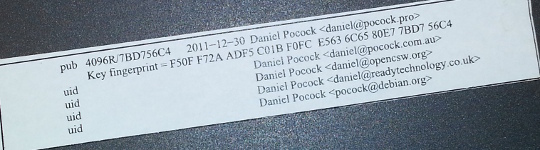
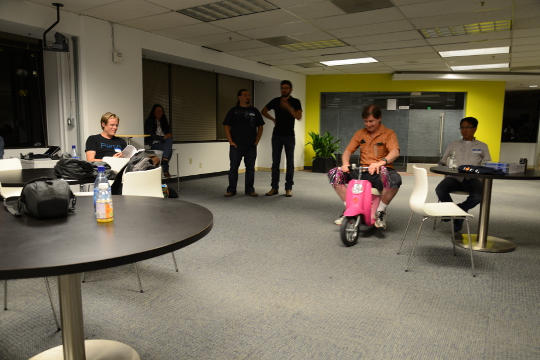
I've mentored a number of students in 2013 and 2014 for Debian and Ganglia and most of the companies I've worked with have run internships and graduate programs from time to time. GSoC 2014 has just finished and with all the excitement, many students are already asking what they can do to prepare and be selected in 2015. My own observation is that the more time the organization has to get to know the student, the more confident they can be selecting that student. Furthermore, the more time that the student has spent getting to know the free software community, the more easily they can complete GSoC. Here I present a list of things that students can do to maximize their chance of selection and career opportunities at the same time. These tips are useful for people applying for GSoC itself and related programs such as GNOME's Outreach Program for Women or graduate placements in companies. Disclaimers There is no guarantee that Google will run the program again in 2015 or any future year. There is no guarantee that any organization or mentor (including myself) will be involved until the official list of organizations is published by Google. Do not follow the advice of web sites that invite you to send pizza or anything else of value to prospective mentors. Following the steps in this page doesn't guarantee selection. That said, people who do follow these steps are much more likely to be considered and interviewed than somebody who hasn't done any of the things in this list. Understand what free software really is You may hear terms like free software and open source software used interchangeably. They don't mean exactly the same thing and many people use the term free software for the wrong things. Not all open source projects meet the definition of free software. Those that don't, usually as a result of deficiencies in their licenses, are fundamentally incompatible with the majority of software that does use genuinely free licenses. Google Summer of Code is about both writing and publishing your code and it is also about community. It is fundamental that you know the basics of licensing and how to choose a free license that empowers the community to collaborate on your code well after GSoC has finished. Please review the definition of free software early on and come back and review it from time to time. The The GNU Project / Free Software Foundation have excellent resources to help you understand what a free software license is and how it works to maximize community collaboration. Don't look for shortcuts There is no shortcut to GSoC selection and there is no shortcut to GSoC completion. The student stipend (USD $5,500 in 2014) is not paid to students unless they complete a minimum amount of valid code. This means that even if a student did find some shortcut to selection, it is unlikely they would be paid without completing meaningful work. If you are the right candidate for GSoC, you will not need a shortcut anyway. Are you the sort of person who can't leave a coding problem until you really feel it is fixed, even if you keep going all night? Have you ever woken up in the night with a dream about writing code still in your head? Do you become irritated by tedious or repetitive tasks and often think of ways to write code to eliminate such tasks? Does your family get cross with you because you take your laptop to Christmas dinner or some other significant occasion and start coding? If some of these statements summarize the way you think or feel you are probably a natural fit for GSoC. An opportunity money can't buy The GSoC stipend will not make you rich. It is intended to make sure you have enough money to survive through the summer and focus on your project. Professional developers make this much money in a week in leading business centers like New York, London and Singapore. When you get to that stage in 3-5 years, you will not even be thinking about exactly how much you made during internships. GSoC gives you an edge over other internships because it involves publicly promoting your work. Many companies still try to hide the potential of their best recruits for fear they will be poached or that they will be able to demand higher salaries. Everything you complete in GSoC is intended to be published and you get full credit for it. Imagine a young musician getting the opportunity to perform on the main stage at a rock festival. This is how the free software community works. It is a meritocracy and there is nobody to hold you back. Having a portfolio of free software that you have created or collaborated on and a wide network of professional contacts that you develop before, during and after GSoC will continue to pay you back for years to come. While other graduates are being screened through group interviews and testing days run by employers, people with a track record in a free software project often find they go straight to the final interview round. Register your domain name and make a permanent email address Free software is all about community and collaboration. Register your own domain name as this will become a focal point for your work and for people to get to know you as you become part of the community. This is sound advice for anybody working in IT, not just programmers. It gives the impression that you are confident and have a long term interest in a technology career. Choosing the provider: as a minimum, you want a provider that offers DNS management, static web site hosting, email forwarding and XMPP services all linked to your domain. You do not need to choose the provider that is linked to your internet connection at home and that is often not the best choice anyway. The XMPP foundation maintains a list of providers known to support XMPP. Create an email address within your domain name. The most basic domain hosting providers will let you forward the email address to a webmail or university email account of your choice. Configure your webmail to send replies using your personalized email address in the From header. Update your ~/.gitconfig file to use your personalized email address in your Git commits. Create a web site and blog Start writing a blog. Host it using your domain name. Some people blog every day, other people just blog once every two or three months. Create links from your web site to your other profiles, such as a Github profile page. This helps reinforce the pages/profiles that are genuinely related to you and avoid confusion with the pages of other developers. Many mentors are keen to see their students writing a weekly report on a blog during GSoC so starting a blog now gives you a head start. Mentors look at blogs during the selection process to try and gain insight into which topics a student is most suitable for. Create a profile on Github Github is one of the most widely used software development web sites. Github makes it quick and easy for you to publish your work and collaborate on the work of other people. Create an account today and get in the habbit of forking other projects, improving them, committing your changes and pushing the work back into your Github account. Github will quickly build a profile of your commits and this allows mentors to see and understand your interests and your strengths. In your Github profile, add a link to your web site/blog and make sure the email address you are using for Git commits (in the ~/.gitconfig file) is based on your personal domain. Start using PGP Pretty Good Privacy (PGP) is the industry standard in protecting your identity online. All serious free software projects use PGP to sign tags in Git, to sign official emails and to sign official release files. The most common way to start using PGP is with the GnuPG (GNU Privacy Guard) utility. It is installed by the package manager on most Linux systems. When you create your own PGP key, use the email address involving your domain name. This is the most permanent and stable solution. Print your key fingerprint using the gpg-key2ps command, it is in the signing-party package on most Linux systems. Keep copies of the fingerprint slips with you. This is what my own PGP fingerprint slip looks like. You can also print the key fingerprint on a business card for a more professional look. Using PGP, it is recommend that you sign any important messages you send but you do not have to encrypt the messages you send, especially if some of the people you send messages to (like family and friends) do not yet have the PGP software to decrypt them. If using the Thunderbird (Icedove) email client from Mozilla, you can easily send signed messages and validate the messages you receive using the Enigmail plugin. Get your PGP key signed Once you have a PGP key, you will need to find other developers to sign it. For people I mentor personally in GSoC, I'm keen to see that you try and find another Debian Developer in your area to sign your key as early as possible. Free software events Try and find all the free software events in your area in the months between now and the end of the next Google Summer of Code season. Aim to attend at least two of them before GSoC. Look closely at the schedules and find out about the individual speakers, the companies and the free software projects that are participating. For events that span more than one day, find out about the dinners, pub nights and other social parts of the event. Try and identify people who will attend the event who have been GSoC mentors or who intend to be. Contact them before the event, if you are keen to work on something in their domain they may be able to make time to discuss it with you in person. Take your PGP fingerprint slips. Even if you don't participate in a formal key-signing party at the event, you will still find some developers to sign your PGP key individually. You must take a photo ID document (such as your passport) for the other developer to check the name on your fingerprint but you do not give them a copy of the ID document. Events come in all shapes and sizes. FOSDEM is an example of one of the bigger events in Europe, linux.conf.au is a similarly large event in Australia. There are many, many more local events such as the Debian France mini-DebConf in Lyon, 2015. Many events are either free or free for students but please check carefully if there is a requirement to register before attending. On your blog, discuss which events you are attending and which sessions interest you. Write a blog during or after the event too, including photos. Quantcast generously hosted the Ganglia community meeting in San Francisco, October 2013. We had a wild time in their offices with mini-scooters, burgers, beers and the Ganglia book. That's me on the pink mini-scooter and Bernard Li, one of the other Ganglia GSoC 2014 admins is on the right. Install Linux GSoC is fundamentally about free software. Linux is to free software what a tree is to the forest. Using Linux every day on your personal computer dramatically increases your ability to interact with the free software community and increases the number of potential GSoC projects that you can participate in. This is not to say that people using Mac OS or Windows are unwelcome. I have worked with some great developers who were not Linux users. Linux gives you an edge though and the best time to gain that edge is now, while you are a student and well before you apply for GSoC. If you must run Windows for some applications used in your course, it will run just fine in a virtual machine using Virtual Box, a free software solution for desktop virtualization. Use Linux as the primary operating system. Here are links to download ISO DVD (and CD) images for some of the main Linux distributions: If you are nervous about getting started with Linux, install it on a spare PC or in a virtual machine before you install it on your main PC or laptop. Linux is much less demanding on the hardware than Windows so you can easily run it on a machine that is 5-10 years old. Having just 4GB of RAM and 20GB of hard disk is usually more than enough for a basic graphical desktop environment although having better hardware makes it faster. Your experiences installing and running Linux, especially if it requires some special effort to make it work with some of your hardware, make interesting topics for your blog. Decide which technologies you know best Personally, I have mentored students working with C, C++, Java, Python and JavaScript/HTML5. In a GSoC program, you will typically do most of your work in just one of these languages. From the outset, decide which language you will focus on and do everything you can to improve your competence with that language. For example, if you have already used Java in most of your course, plan on using Java in GSoC and make sure you read Effective Java (2nd Edition) by Joshua Bloch. Decide which themes appeal to you Find a topic that has long-term appeal for you. Maybe the topic relates to your course or maybe you already know what type of company you would like to work in. Here is a list of some topics and some of the relevant software projects:



  • System administration, servers and networking: consider projects involving monitoring, automation, packaging. Ganglia is a great community to get involved with and you will encounter the Ganglia software in many large companies and academic/research networks. Contributing to a Linux distribution like Debian or Fedora packaging is another great way to get into system administration.
  • Desktop and user interface: consider projects involving window managers and desktop tools or adding to the user interface of just about any other software.
  • Big data and data science: this can apply to just about any other theme. For example, data science techniques are frequently used now to improve system administration.
  • Business and accounting: consider accounting, CRM and ERP software.
  • Finance and trading: consider projects like R, market data software like OpenMAMA and connectivity software (Apache Camel)
  • Real-time communication (RTC), VoIP, webcam and chat: look at the JSCommunicator or the Jitsi project
  • Web (JavaScript, HTML5): look at the JSCommunicator
Before the GSoC application process begins, you should aim to learn as much as possible about the theme you prefer and also gain practical experience using the software relating to that theme. For example, if you are attracted to the business and accounting theme, install the PostBooks suite and get to know it. Maybe you know somebody who runs a small business: help them to upgrade to PostBooks and use it to prepare some reports. Make something Make some small project, less than two week's work, to demonstrate your skills. It is important to make something that somebody will use for a practical purpose, this will help you gain experience communicating with other users through Github. For an example, see the servlet Juliana Louback created for fixing phone numbers in December 2013. It has since been used as part of the Lumicall web site and Juliana was selected for a GSoC 2014 project with Debian. There is no better way to demonstrate to a prospective mentor that you are ready for GSoC than by completing and publishing some small project like this yourself. If you don't have any immediate project ideas, many developers will also be able to give you tips on small projects like this that you can attempt, just come and ask us on one of the mailing lists. Ideally, the project will be something that you would use anyway even if you do not end up participating in GSoC. Such projects are the most motivating and rewarding and usually end up becoming an example of your best work. To continue the example of somebody with a preference for business and accounting software, a small project you might create is a plugin or extension for PostBooks. Getting to know prospective mentors Many web sites provide useful information about the developers who contribute to free software projects. Some of these developers may be willing to be a GSoC mentor. For example, look through some of the following: Getting on the mentor's shortlist Once you have identified projects that are interesting to you and developers who work on those projects, it is important to get yourself on the developer's shortlist. Basically, the shortlist is a list of all students who the developer believes can complete the project. If I feel that a student is unlikely to complete a project or if I don't have enough information to judge a student's probability of success, that student will not be on my shortlist. If I don't have any student on my shortlist, then a project will not go ahead at all. If there are multiple students on the shortlist, then I will be looking more closely at each of them to try and work out who is the best match. One way to get a developer's attention is to look at bug reports they have created. Github makes it easy to see complaints or bug reports they have made about their own projects or other projects they depend on. Another way to do this is to search through their code for strings like FIXME and TODO. Projects with standalone bug trackers like the Debian bug tracker also provide an easy way to search for bug reports that a specific person has created or commented on. Once you find some relevant bug reports, email the developer. Ask if anybody else is working on those issues. Try and start with an issue that is particularly easy and where the solution is interesting for you. This will help you learn to compile and test the program before you try to fix any more complicated bugs. It may even be something you can work on as part of your academic program. Find successful projects from the previous year Contact organizations and ask them which GSoC projects were most successful. In many organizations, you can find the past students' project plans and their final reports published on the web. Read through the plans submitted by the students who were chosen. Then read through the final reports by the same students and see how they compare to the original plans. Start building your project proposal now Don't wait for the application period to begin. Start writing a project proposal now. When writing a proposal, it is important to include several things:
  • Think big: what is the goal at the end of the project? Does your work help the greater good in some way, such as increasing the market share of Linux on the desktop?
  • Details: what are specific challenges? What tools will you use?
  • Time management: what will you do each week? Are there weeks where you will not work on GSoC due to vacation or other events? These things are permitted but they must be in your plan if you know them in advance. If an accident or death in the family cut a week out of your GSoC project, which work would you skip and would your project still be useful without that? Having two weeks of flexible time in your plan makes it more resilient against interruptions.
  • Communication: are you on mailing lists, IRC and XMPP chat? Will you make a weekly report on your blog?
  • Users: who will benefit from your work?
  • Testing: who will test and validate your work throughout the project? Ideally, this should involve more than just the mentor.
If your project plan is good enough, could you put it on Kickstarter or another crowdfunding site? This is a good test of whether or not a project is going to be supported by a GSoC mentor. Learn about packaging and distributing software Packaging is a vital part of the free software lifecycle. It is very easy to upload a project to Github but it takes more effort to have it become an official package in systems like Debian, Fedora and Ubuntu. Packaging and the communities around Linux distributions help you reach out to users of your software and get valuable feedback and new contributors. This boosts the impact of your work. To start with, you may want to help the maintainer of an existing package. Debian packaging teams are existing communities that work in a team and welcome new contributors. The Debian Mentors initiative is another great starting place. In the Fedora world, the place to start may be in one of the Special Interest Groups (SIGs). Think from the mentor's perspective After the application deadline, mentors have just 2 or 3 weeks to choose the students. This is actually not a lot of time to be certain if a particular student is capable of completing a project. If the student has a published history of free software activity, the mentor feels a lot more confident about choosing the student. Some mentors have more than one good student while other mentors receive no applications from capable students. In this situation, it is very common for mentors to send each other details of students who may be suitable. Once again, if a student has a good Github profile and a blog, it is much easier for mentors to try and match that student with another project. GSoC logo generic Conclusion Getting into the world of software engineering is much like joining any other profession or even joining a new hobby or sporting activity. If you run, you probably have various types of shoe and a running watch and you may even spend a couple of nights at the track each week. If you enjoy playing a musical instrument, you probably have a collection of sheet music, accessories for your instrument and you may even aspire to build a recording studio in your garage (or you probably know somebody else who already did that). The things listed on this page will not just help you walk the walk and talk the talk of a software developer, they will put you on a track to being one of the leaders. If you look over the profiles of other software developers on the Internet, you will find they are doing most of the things on this page already. Even if you are not selected for GSoC at all or decide not to apply, working through the steps on this page will help you clarify your own ideas about your career and help you make new friends in the software engineering community.

5 August 2014

Hideki Yamane: one init system rules all...

At a linuxfoundation blog "A Haiku Poem Dedicated to Systemd" says...
List-units, start, stop
enable and disable
goodbye to init
But I prefer is
Systemd: All your process are belong to us
or

WE ARE THE SYSTEMD:
You will be assimilated - logging/dhcp/ntp... Resistance is futile


4 August 2014

Russ Allbery: Review: Parasite

Review: Parasite, by Mira Grant
Series: Parasitology #1
Publisher: Orbit
Copyright: October 2013
ISBN: 0-316-21893-6
Format: Kindle
Pages: 504
It's 2027, and a company named Symbogen has revolutionized medicine and health. They manufacture a genetically-engineered parasite based on a tapeworm that can stabilize and protect the health of just about anyone. It can synthesize medication, fix chronic medical problems, and be adapted to different conditions. (Yes, I know biological systems don't work this way. That's not going to be the only suspension of disbelief problem.) This has made Symbogen one of the most powerful corporations in the country, aided by the skill at marketing and self-promotion shown by one of the founders. Sal, the protagonist of the novel, is one of Symbogen's most famous success stories. Sally was the victim of a horrible car crash that put her into an apparently irreversible coma. But as her family was debating whether to turn off life support, she woke up. She had no memory of her previous life at all, and had to relearn fine motor control, reading, and many other skills. She was essentially a new person. But she was alive; her symbiont had saved her. When the story proper starts, Sal is still a ward of her parents. She has generally adult skills despite still struggling with reading, but she still has occasional attacks and is under intensive monitoring by Symbogen. That means periodic mandatory appointments with Symbogen, which she hates, but she's otherwise started building a life for herself: a job in an animal shelter, an interest in exotic predatory plants, and, most notably, a boyfriend. There are things about her life she doesn't like, and she wants to be free of Symbogen, but she doesn't have a bad life. But then a mysterious illness begins sweeping through the population, causing people to go blank, apparently lose their minds, and then start attacking those near them. Some of you have doubtless already figured out the key plot revelation. It's not hard; even if you didn't from the summary, you will probably figure it out shortly into the book. And therein lies a large problem with this novel: it's hopelessly predictable. Creepy evil corporation that supposedly has your best interests at heart, check. Plucky mad scientist opposition who understands exactly what's going on, check. Well-meaning but heavy-handed government agents who try to get involved but mostly make everything worse, check. (Although it's unusual to have those agents as part of the protagonist's family, and I thought that added some additional depth.) Mostly clueless protagonist sucked into the plot and becoming critical to its resolution, check. Very few readers are going to be surprised by this story. This is not, by itself, a fatal flaw. Predictable story structures can carry satisfying variations, or introduce the reader to enjoyable characters. And I think Grant manages both here. Seanan McGuire, both as herself and under her Mira Grant pseudonym, tends to write damaged and struggling characters. Both her Newsflesh and October Daye series feature protagonists that have been hurt badly, but are coping and muddling through in their own ways. In Parasite, I think she takes a more daring and intriguing approach: a protagonist that other people in the story perceive as damaged and struggling, but who actually isn't. Sal is not a badly injured Sally, and she's quite a bit healthier than those around her think she is. Her thought processes don't work quite the same as those around her, but that's not because she's hurt. That's because she's a different person. This makes Parasite partly a novel about identity, about Sal claiming ownership of her own life. Grant drags this out longer than I wish she had, but I liked the idea. In Sal, she strikes a good balance between gratitude and genuine affection for her family and the need to become her own person unconstrained by other people's expectations. As with the Newsflesh series, Grant uses quotes and excerpts from interviews to fill in the world background: a few at the start of each chapter, and more around each part boundary. I like this technique, and Grant uses it well. By the end of the book, the Rolling Stone interview with the head of Symbogen has added a lot of insight into how Symbogen manages its public relations. Grant also throws in a few of her trademark dangerously off-beat characters: hyper-competent, wise-cracking, but eerily skewed. I loved those in Blackout and I loved Tansy and Dr. Cale here. (Adam was much less successful.) A whole book from Tansy's perspective wouldn't work, since she needs Sal as a straight woman, but I thought she stole every scene she was in. However, I agree wholeheartedly with Tansy on another point: Sal is remarkably, irritatingly dim about what is apparently intended to be the critical revelation of the book. I won't state it outright; given its significant presence in the final scene, apparently it is intended to be a spoiler. But I figured it out about 50 pages into the book. Grant telegraphs this revelation heavily, and Tansy considers it painfully obvious (with quite a bit of justification). But Sal doesn't figure it out for the entire book, ignores all the signs, and is apparently willfully blind. In a book written from the first-person perspective by an otherwise-reliable narrator, this is highly annoying. It significantly undermined my enjoyment of the book. I spent much of the novel ahead of the narrator in my understanding of the plot and waiting, in vain, for her to get on with it already. That unfortunately makes Parasite a mixed bag. I really liked many of the characters, and I think Grant did some interesting things with family dynamics and with claiming one's own identity. But this is undermined by a very predictable plot, the protagonist deciding to be dumber than a sack of hammers about a critical plot point, and some rather dubious world logic. (For example, why is Sal terrified of bad driving? It makes sense as a post-traumatic stress reaction... except it's a critical point to her characterization that she never went through that stress.) Sometimes I wanted to like this book and sometimes I wanted to shake it, and sometimes I felt both reactions at the same time. I like Grant's writing and characterization well enough that I will probably read the sequel, but this is more like the later books in the Newsflesh series than it is like the spectacular Feed. Worth reading, at least for me, but it could have been better. Rating: 7 out of 10

1 August 2014

Raphaël Hertzog: My Free Software Activities in July 2014

This is my monthly summary of my free software related activities. If you re among the people who made a donation to support my work (548.59 , thanks everybody!), then you can learn how I spent your money. Otherwise it s just an interesting status update on my various projects. Distro Tracker Now that tracker.debian.org is live, people reported bugs (on the new tracker.debian.org pseudo-package that I requested) faster than I could fix them. Still I spent many, many hours on this project, reviewing submitted patches (thanks to Christophe Siraut, Joseph Herlant, Dimitri John Ledkov, Vincent Bernat, James McCoy, Andrew Starr-Bochicchio who all submitted some patches!), fixing bugs, making sure the code works with Django 1.7, and started the same with Python 3. I added a tox.ini so that I can easily run the test suite in all 4 supported environments (created by tox as virtualenv with the combinations of Django 1.6/1.7 and Python 2.7/3.4). Over the month, the git repository has seen 73 commits, we fixed 16 bugs and other issues that were only reported over IRC in #debian-qa. With the help of Enrico Zini and Martin Zobel, we enabled the possibility to login via sso.debian.org (Debian s official SSO) so that Debian developers don t even have to explicitly create their account. As usual more help is needed and I ll gladly answer your questions and review your patches. Misc packaging work Publican. I pushed a new upstream release of publican and dropped a useless build-dependency that was plagued by a difficult to fix RC bug (#749357 for the curious, I tried to investigate but it needs major work for make 4.x compatibility). GNOME 3.12. With gnome-shell 3.12 hitting unstable, I had to update gnome-shell-timer (and filed an upstream ticket at the same time), a GNOME Shell extension to start some run-down counters. Django 1.7. I packaged python-django 1.7 release candidate 1 in experimental (found a small bug, submitted a ticket with a patch that got quickly merged) and filed 85 bugs against all the reverse dependencies to ask their maintainers to test their package with Django 1.7 (that we want to upload before the freeze obviously). We identified a pain point in upgrade for packages using South and tried to discuss it with upstream, but after closer investigation, none of the packages are really affected. But the problem can hit administrators of non-packaged Django applications. Misc stuff. I filed a few bugs (#754282 against git-import-orig uscan, #756319 against wnpp to see if someone would be willing to package loomio), reviewed an updated package for django-ratelimit in #755611, made a non-maintainer upload of mairix (without prior notice) to update the package to a new upstream release and bring it to modern packaging norms (Mako failed to make an upload in 4 years so I just went ahead and did what I would have done if it were mine). Kali work resulting in Debian contributions Kali wants to switch from being based on stable to being based on testing so I did try to setup britney to manage a new kali-rolling repository and encountered some problems that I reported to debian-release. Niels Thykier has been very helpful and even managed to improve britney thanks to the very specific problem that the kali setup triggered. Since we use reprepro, I did write some Python wrapper to transform the HeidiResult file in a set of reprepro commands but at the same time I filed #756399 to request proper support of heidi files in reprepro. While analyzing britney s excuses file, I also noticed that the Kali mirrors contains many source packages that are useless because they only concern architectures that we don t host (and I filed #756523 against reprepro). While trying to build a live image of kali-rolling, I noticed that libdb5.1 and db5.1-util were still marked as priority standard when in fact Debian already switched to db5.3 and thus should only be optional (I filed #756623 against ftp.debian.org). When doing some upgrade tests from kali (wheezy based) to kali-rolling (jessie based) I noticed some problems that were also affecting Debian Jessie. I filed #756629 against libfile-fcntllock-perl (with a patch), and also #756618 against texlive-base (missing Replaces header). I also pinged Colin Watson on #734946 because I got a spurious base-passwd prompt during upgrade (that was triggered because schroot copied my unstable s /etc/passwd file in the kali chroot and the package noticed a difference on the shell of all system users). Thanks See you next month for a new summary of my activities.

One comment Liked this article? Click here. My blog is Flattr-enabled.

31 July 2014

Russell Coker: Links July 2014

Dave Johnson wrote an interesting article for Salon about companies ripping off the tax system by claiming that all their income is produced in low tax countries [1]. Seb Lee-Delisle wrote an insightful article about how to ask to get paid to speak [2]. I should do that. Daniel Pocock wrote an informative article about the reConServer simple SIP conferencing server [3]. I should try it out, currently most people I want to conference with are using Google Hangouts, but getting away from Google is a good thing. Fran ois Marier wrote an informative post about hardening ssh servers [4]. S. E. Smith wrote an interesting article I Am Tired of Hearing Programmers Defend Gender Essentialism [5]. Bert Archer wrote an insightful article about lazy tourism [6]. His initial example of love locks breaking bridges was a bit silly (it s not difficult to cut locks off a bridge) but his general point about lazy/stupid tourism is good. Daniel Pocock wrote an insightful post about new developments in taxis, the London Taxi protest against Uber, and related changes [7]. His post convinced me that Uber is a good thing and should be supported. I checked the prices and unfortunately Uber is more expensive than normal taxis for my most common journey. Cory Doctorow wrote an insightful article for The Guardian about the moral issues related to government spying [8]. The Verge has an interesting review of the latest Lytro Lightbox camera [9]. Not nearly ready for me to use, but interesting technology. Prospect has an informative article by Kathryn Joyce about the Protestant child sex abuse scandal in the US [10]. Billy Graham s grandson is leading the work to reform churches so that they protect children instead of pedophiles. Prospect also has an article by Kathryn Joyce about Christians home-schooling kids to try and program them to be zealots and how that hurts kids [11]. The Daily Beast has an interesting article about the way that the extreme right wing in the US are trying to kill people, it s the right wing death panel [12]. Jay Michaelson wrote an informative article for The Daily Beast about right-wing hate groups in the US who promote the extreme homophobic legislation in Russia and other countries [13]. It also connects to the Koch brothers who seem to be associated with most evil. Elias Isquith wrote an insightful article for Salon about the current right-wing obsession with making homophobic discrimination an issue of religious liberty will hurt religious people [14]. He also describes how stupid the right-wing extremists are in relation to other issues too. EconomixComix.com has a really great comic explaning the economics of Social Security in the US [15]. They also have a comic explaining the TPP which is really good [16]. They sell a comic book about economics which I m sure is worth buying. We need to have comics explaining all technical topics, it s a good way of conveying concepts. When I was in primary school my parents gave me comic books covering nuclear physics and other science topics which were really good. Mia McKenzie wrote an insightful article for BlackGirlDangerous.com about dealing with racist white teachers [17]. I think that it would be ideal to have a school dedicated to each minority group with teachers from that group.

29 July 2014

Russell Coker: Happiness and Lecture Questions

I just attended a lecture about happiness comparing Australia and India at the Australia India Institute [1]. The lecture was interesting but the questions were so bad that it makes a good case for entirely banning questions from public lectures. Based on this and other lectures I ve attended I ve written a document about how to recognise worthless questions and cut them off early [2]. As you might expect from a lecture on happiness there were plenty of stupid comments from the audience about depression, as if happiness is merely the absence of depression. Then they got onto stupidity about suicide. One question claimed that Australia has a high suicide rate, Wikipedia however places Australia 49th out of 110 countries, that means Australia is slightly above the median for suicide rates per country. Given some of the dubious statistics in the list (for example the countries claiming to have no suicides and the low numbers reported by some countries with extreme religious policies) I don t think we can be sure that Australia would be above the median if we had better statistics. Another question claimed that Sweden had the highest suicide rate in Europe, while Greenland, Belgium, Finland, Austria, France, Norway, Denmark, Iceland, and most of Eastern Europe are higher on the list. But the bigger problem in regard to discussing suicide is that the suicide rate isn t about happiness. When someone kills themself because they have a terminal illness that doesn t mean that they were unhappy for the majority of their life and doesn t mean that they were any unhappier than the terminally ill people who don t do that. Some countries have a culture that is more positive towards suicide which would increase the incidence, Japan for example. While people who kill themselves in Japan are probably quite unhappy at the time I don t think that there is any reason to believe that they are more unhappy than people in other countries who only keep living because suicide is considered to be wrong. It seems to me that the best strategy when giving or MCing a lecture about a potentially contentious topic is to plan ahead for what not to discuss. For a lecture about happiness it would make sense to rule out all discussion of suicide, anti-depressants, and related issues as they aren t relevant to the discussion and can t be handled in an appropriate manner in question time.

Christian Perrier: [life] Running update July 26th 2014

Dog, long time since I blogged about my running activities. Apparently, I didn't since.....I posted a summary for 2013. So, well, that will be a long update as many things happened during the first half of 2014 when it comes at running, for me. January: I was recovering from a fatigue fracture injury inherited from last races in 2013. As a consequence, I resumed running only on Jan 7th. Therefore I cancelled my participation to the "Semi Raid 28", an night orienteering raid of about 50-60km in southern neighbourhood of Paris. Instead, I actually offerred my help to organizers in collecting orienteering signs after the race (the longest one : 120km). So, I ended up spending over 24 hours running in woods and hunting down hidden signs with the same information than runners. My only advantage was that I was able to use my car to go from one point to another. Still, I ended up running over 70km in many small parts, often alone in the dark woods with my headlamp, on very muddy areas...and collecting nearly 80 huge signs. February: Everything was going well and I for instance ran a great half-marathon in Bullion (south of Paris) in 1h3821" (great for a quite hilly race)....until I twisted my left ankle while running back from work. A quite severe twist, though no bone damage, thankfully. I had to stop running, again, for 3 years. Biking to/from work was the replacement activity.... March: I resumed running on March 10th, one week before a quite difficult trail race in my neighbourhood (30km "only" but up to 800 meters positive climb). That race was a preparation (and a test after the injury) for my 3rd participation to "Paris Ecotrail", a 80km trail race in woods of the South-West area of Paris, ending in the Eiffel Tower area. Indeed, both went very well, though I was very careful with my ankle. I finally broke my record at Ecotrail, finishing the race in 9h08 (to be compared to 9h36 last year and 11h15 the year before). April: Paris marathon was scheduled one week after Ecotrail. Everybody will tell you that running a marathon one week after a 80km race is kinda crazy.....which is why I made it..:-). That was my 3rd Paris marathon and my 12th marathon overall. However, this year, no record in sight. The challenge was running the marathon....dressed as SpongeBob (you know me, right?). I actually had great fun doing that and was happy to get zillions of cheering all over the race, from the crowd. I finally completed the race in 4h30, which is, after all, not that far from the time of my very first marathon (4h12). The only drawback was that the succession of quite very long distance runs made my left knee suffer as it never happened before. As a consequence, I (again) had to stop running for nearly one month before we found that I was quite sensitive to pronation, which the succession of long and slow races made worse. May: so finally afterthese (very) long weeks, I could gradually resume running, which finally culminated in mid-May with the 50km race "trail des Cerfs", in the Rambouillet Forest, closed to our place. This quite long but not too difficult trail race ("only" 800 meters positive climb overall) was completed in 5h16, which was completely unexpected, given the low training during the previous weeks. June: no race during that month. The entire month was focused on preparing the Montagn'hard race of July 5th: so several training sessions with a lot of climbing either by running or by fast walking (nordic style) as well as downhill run training (always important for moutain trail). July: the second "big peak" of my 2014 season was scheduled for July 5th: "La Montagn'hard", a moutain trail race close to Les Contamines in the neighbourhood of Chamonix, the french moutaineering Mekkah. "Only" 60 kilometers....but close to 5000 meters positive climb. Montagn'hard is among the thoughest moutain trail races in France and therefore a "must do" for trail runners. This race week-end includes also a 105km ultra-race, which is often said to be as hard, even maybe harder, than the very famous "Ultra Trail du Mont-Blanc" trail in Chamonix. Still, for my second only season in moutain trail running, I decided to be "wise" and stick with the "medium" version (after all, my experience, as of now with moutain trails were only two quite "short" ones). Needless to say, it has indeed been a GREAT race. The environment is wonderful ("Miage" side of the Mont-Blanc range), the race goes through great place (Col de Tricot, noticeably) and I made a great result by finishing80th out of 325+ runners, in 12h18, while my target time was around 13 hours. This is where I am now. Nearly one month after Montagn'hard, I'm deeply training for my next Big Goal: The "Sur la Trace des Ducs de Savoie" or "TDS", one of the 4 races of the Ultra Trail du Mont-Blanc week, in end August (during DebConf): 120km, nearly 7500m positive climp, between Courmayeur and Chamonix, through several passes, up to 2600m height. Yet another challenge: my first "over 24h" race, with a full night out in the moutains. You'll certainly hear again from me about that...:-)

28 July 2014

Daniel Pocock: Secure that Dictaphone

2014 has been a big year for dictaphones so far. First, it was France and the secret recordings made by Patrick Buisson during the reign of President Sarkozy. Then, a US court ordered the release of the confidential Boston College tapes, part of an oral history project. Originally, each participant had agreed their recording would only be released after their death. Sinn Fein leader Gerry Adams was arrested and questioned over a period of 100 hours and released without charge. Now Australia is taking its turn. In #dictagate down under, a senior political correspondent from a respected newspaper recorded (most likely with consent) some off-the-record comments of former conservative leader Ted Baillieu. Unfortunately, this journalist misplaced the dictaphone at the state conference of Baillieu's arch-rivals, the ALP. A scandal quickly errupted. Secure recording technology There is no question that electronic voice recordings can be helpful for people, including journalists, researchers, call centers and many other purposes. However, the ease with which they can now be distributed is only dawning on people. Twenty years ago, you would need to get the assistance of a radio or TV producer to disseminate such recordings so widely. Today there is email and social media. The Baillieu tapes were emailed directly to 400 people in a matter of minutes. Just as technology brings new problems, it also brings solutions. Encryption is one of them. Is encryption worthwhile? Coverage of the Snowden revelations has revealed that many popular security technologies are not one hundred percent safe. In each of these dictaphone cases, however, NSA-level expertise was not a factor. Even the most simplistic encryption would have caused endless frustration to the offenders who distributed the Baillieu tape. How can anybody be sure encryption is reliable? Part of the problem is education. Everybody using the technology needs to be aware of the basic concepts, for example, public key cryptography. Another big question mark is back doors. There is ongoing criticism of Apple iPhone/iPod devices and the many ways that their encryption can be easily disabled by Apple engineers and presumably many former staff, security personnel and others. The message is clear: proprietary, closed-source solutions should be avoided. Free and open source technologies are the alternative. If a company does not give you the source code, how can anybody independently audit their code for security? With encryption software, what use is it if nobody has verified it? What are the options? However, given that the majority of people don't have a PhD in computer science or mathematics, are there convenient ways to get started with encryption? Reading is a good start. The Code Book by Simon Singh (author of other popular science books like Fermat's Last Theorem) is very accessible, not classified and assumes no formal training in mathematics. Even for people who do know these topics inside out, it is a good book to share with friends and family. The Guardian Project (no connection with Guardian Media of Edward Snowden fame) aims to provide a secure and easy to use selection of apps for pocket devices. This project has practical applications in business, journalism and politics alike. How should a secure dictaphone app work? Dictaphone users typically need to take their dictaphones in the field, so there is a risk of losing it or having it stolen. A strong security solution in this situation may involve creating an RSA key pair on a home/office computer, keeping the private key on the home computer and putting the public key on the dictaphone device. Configured this way, the dictaphone will not be able to play back any of the recordings itself - the user will always have to copy them to the computer for decryption.

27 July 2014

Christian Perrier: [life] Running update July 26th 2014

Dog, long time since I blogged about my running activities. Apparently, I didn't since...... So, well, that will be a long update as many things happened during the first half of 2014 when it comes at running, for me. January: I was recovering from a fatigue fracture injury inherited from last races in 2013. As a consequence, I resumed running only on Jan 7th. Therefore I cancelled my participation to the "Semi Raid 28", an night orienteering raid of about 50-60km in southern neighbourhood of Paris. Instead, I actually offerred my help to organizers in collecting orienteering signs after the race (the longest one : 120km). So, I ended up spending over 24 hours running in woods and hunting down hidden signs with the same information than runners. My only advantage was that I was able to use my car to go from one point to another. Still, I ended up running over 70km in many small parts, often alone in the dark woods with my headlamp, on very muddy areas...and collecting nearly 80 huge signs. February: Everything was going well and I for instance ran a great half-marathon in Bullion (south of Paris) in 1h3821" (great for a quite hilly race)....until I twisted my left ankle while running back from work. A quite severe twist, though no bone damage, thankfully. I had to stop running, again, for 3 years. Biking to/from work was the replacement activity.... March: I resumed running on March 10th, one week before a quite difficult trail race in my neighbourhood (30km "only" but up to 800 meters positive climb). That race was a preparation (and a test after the injury) for my 3rd participation to "Paris Ecotrail", a 80km trail race in woods of the South-West area of Paris, ending in the Eiffel Tower area. Indeed, both went very well, though I was very careful with my ankle. I finally broke my record at Ecotrail, finishing the race in 9h08 (to be compared to 9h36 last year and 11h15 the year before). April: Paris marathon was scheduled one week after Ecotrail. Everybody will tell you that running a marathon one week after a 80km race is kinda crazy.....which is why I made it..:-). That was my 3rd Paris marathon and my 12th marathon overall. However, this year, no record in sight. The challenge was running the marathon....dressed as SpongeBob (you know me, right?). I actually had great fun doing that and was happy to get zillions of cheering all over the race, from the crowd. I finally completed the race in 4h30, which is, after all, not that far from the time of my very first marathon (4h12). The only drawback was that the succession of quite very long distance runs made my left knee suffer as it never happened before. As a consequence, I (again) had to stop running for nearly one month before we found that I was quite sensitive to pronation, which the succession of long and slow races made worse. May: so finally afterthese (very) long weeks, I could gradually resume running, which finally culminated in mid-May with the 50km race "trail des Cerfs", in the Rambouillet Forest, closed to our place. This quite long but not too difficult trail race ("only" 800 meters positive climb overall) was completed in 5h16, which was completely unexpected, given the low training during the previous weeks. June: no race during that month. The entire month was focused on preparing the Montagn'hard race of July 5th: so several training sessions with a lot of climbing either by running or by fast walking (nordic style) as well as downhill run training (always important for moutain trail). July: the second "big peak" of my 2014 season was scheduled for July 5th: "La Montagn'hard", a moutain trail race close to Les Contamines in the neighbourhood of Chamonix, the french moutaineering Mekkah. "Only" 60 kilometers....but close to 5000 meters positive climb. Montagn'hard is among the thoughest moutain trail races in France and therefore a "must do" for trail runners. This race week-end includes also a 105km ultra-race, which is often said to be as hard, even maybe harder, than the very famous "Ultra Trail du Mont-Blanc" trail in Chamonix. Still, for my second only season in moutain trail running, I decided to be "wise" and stick with the "medium" version (after all, my experience, as of now with moutain trails were only two quite "short" ones). Needless to say, it has indeed been a GREAT race. The environment is wonderful ("Miage" side of the Mont-Blanc range), the race goes through great place (Col de Tricot, noticeably) and I made a great result by finishing80th out of 3250+ runners, in 12h18, while my target time was around 13 hours. This is where I am now. Nearly one month after Montagn'hard, I'm deeply training for my next Big Goal: The "Sur la Trace des Ducs de Savoie" or "TDS", one of the 4 races of the Ultra Trail du Mont-Blanc week, in end August (during DebConf): 120km, nearly 7500m positive climp, between Courmayeur and Chamonix, through several passes, up to 2600m height. Yet another challenge: my first "over 24h" race, with a full night out in the moutains. You'll certainly hear again from me about that...:-)

25 July 2014

Juliana Louback: Extending an xTuple Business Object

xTuple is in my opinion incredibly well designed; the code is clean and the architecture ahderent to a standardized structure. All this makes working with xTuple software quite a breeze. I wanted to integrate JSCommunicator into the web-based xTuple version. JSCommunicator is a SIP communication tool, so my first step was to create an extension for the SIP account data. Luckily for me, the xTuple development team published an awesome tutorial for writing an xTuple extension. xTuple cleverly uses model based business objects for the various features available. This makes customizing xTuple very straightforward. I used the tutorial mentioned above for writing my extension, but soon noticed my goals were a little different. A SIP account has 3 data fields, these being the SIP URI, the account password and an optional display name. xTuple currently has a business object in the core code for a User Account and it would make a lot more sense to simply add my 3 fields to this existing business object rather than create another business object. The tutorial very clearly shows how to extend a business object with another business object, but not how to extend a business object with only new fields (not a whole new object). Now maybe I m just a whole lot slower than most people, but I had a ridiculously had time figuring this out. Mind you, this is because I m slow, because the xTuple documentation and code is understandable and as self-explanatory as it gets. I think it just takes a bit to get used to. Either way, I thought this just might be useful to others so here is how I went about it. Setup First you ll have to set up your xTuple development environment and fork the xtuple and xtuple-extesions repositories as shown in this handy tutorial. A footnote I d like to add is please verify that your version of Vagrant (and anything else you install) is the one listed in the tutorial. I think I spent like two entire days or more on a wild goose (bug) chase trying to set up my environment when the cause of all the errors was that I somehow installed an older version of Vagrant - 1.5.4 instead of 1.6.3. Please don t make the same mistake I did. Actually if for some reason you get the following error when you try using node:
<<ERROR 2014-07-10T23:52:46.948Z>> Unrecoverable exception. Cannot call method 'extend' of undefined
    at /home/vagrant/dev/xtuple/lib/backbone-x/source/model.js:37:39
    at Object.<anonymous> (/home/vagrant/dev/xtuple/lib/backbone-x/source/model.js:1364:3)
    ...
chances are, you have the wrong version. That s what happened to me. The Vagrant Virtual Development Environment automatically installs and configures everything you need, it s ready to go. So if you find yourself installing and updating and apt-gets and etc, you probably did something wrong. Coding So by now we should have the Vagrant Virtual Development Environment set up and the web app up and running and accessible at localhost:8443. So far so good. Disclaimer: You will note that much of this is similar - or rather, nearly identical - to xTuple s tutorial but there are some small but important differences and a few observations I think might be useful. Other Disclaimer: I m describing how I did it, which may or may not be up to snuff . Works for me though. Schema First let s make a schema for the table we will create with the new custom fields. Be sure to create the correct directory stucture, aka /path/to/xtuple-extensions/source/<YOUR EXTENSION NAME>/database/source or in my case /path/to/xtuple-extensions/source/sip_account/database/source, and create the file create_sa_schema.sql, sa is the name of my schema. This file will contain the following lines:
do $$
  /* Only create the schema if it hasn't been created already */
  var res, sql = "select schema_name from information_schema.schemata where schema_name = 'sa'",
  res = plv8.execute(sql);
  if (!res.length)  
    sql = "create schema sa; grant all on schema sa to group xtrole;"
    plv8.execute(sql);
   
$$ language plv8;
Of course, feel free to replace sa with your schema name of choice. All the code described here can be found in my xtuple-extensions fork, on the sip_ext branch. Table We ll create a table containing your custom fields and a link to an existing table - the table for the existing business object you want to extend. If you re wondering why make a whole new table for a few extra fields, here s a good explanation, the case in question is adding fields to the Contact business object. You need to first figure out what table you want to link to. This might not be uber easy. I think the best way to go about it is to look at the ORMs. The xTuple ORMs are a JSON mapping between the SQL tables and the object-oriented world above the database, they re .json files found at path/to/xtuple/node_modules/xtuple/enyo-client/database/orm/models for the core business objects and at path/to/xtuplenyo-client/extensions/source/<EXTENSION NAME>/database/orm/models for exension business objects. I ll give two examples. If you look at contact.json you will see that the Contact business object refers to the table cntct . Look for the type : Contact on the line above, so we know it s the Contact business object. In my case, I wanted to extend the UserAccount and UserAccountRelation business objects, so check out user_account.json. The table listed for UserAccount is xt.usrinfo and the table listed for UserAccountRelation is xt.usrlite. A closer look at the sql files for these tables (usrinfo.sql and usrlite.sql) revealed that usrinfo is in fact a view and usrlite is A light weight table of user information used to avoid punishingly heavy queries on the public usr view . I chose to refer to xt.usrlite - that or I received error messages when trying the other table names. Now I ll make the file /path/to/xtuple-extensions/source/sip_account/database/source/usrlitesip.sql, to create a table with my custom fields plus the link to the urslite table. Don t quote me on this, but I m under the impression that this is the norm for naming the sql file joining tables: the name of the table you are referring to ( usrlite in this case) and your extension s name. Content of usrlitesip.sql:
select xt.create_table('usrlitesip', 'sa');
select xt.add_column('usrlitesip','usrlitesip_id', 'serial', 'primary key', 'sa');
select xt.add_column('usrlitesip','usrlitesip_usr_username', 'text', 'references xt.usrlite (usr_username)', 'sa');
select xt.add_column('usrlitesip','usrlitesip_uri', 'text', '', 'sa');
select xt.add_column('usrlitesip','usrlitesip_name', 'text', '', 'sa');
select xt.add_column('usrlitesip','usrlitesip_password', 'text', '', 'sa');
comment on table sa.usrlitesip is 'Joins User with SIP account';
Breaking it down, line 1 creates the table named usrlitesip (no duh), line 2 is for the primary key (self-explanatory). You can then add any columns you like, just be sure to add one that references the table you want to link to. I checked usrlite.sql and saw the primary key is usr_username, be sure to use the primary key of the table you are referencing. You can check what you made by executing the .sql files like so:
$ cd /path/to/xtuple-extensions/source/sip_account/database/source
$ psql -U admin -d dev -f create_sa_schema.sql
$ psql -U admin -d dev -f usrlitesip.sql
After which you will see the table with the columns you created if you enter:
$ psql -U admin -d dev -c "select * from sa.usrlitesip;"
Now create the file /path/to/xtuple-extensions/source/sip_account/database/source/manifest.js to put the files together and in the right order. It should contain:
 
  "name": "sip_account",
  "version": "1.4.1",
  "comment": "Sip Account extension",
  "loadOrder": 999,
  "dependencies": ["crm"],
  "databaseScripts": [
    "create_sa_schema.sql",
    "usrlitesip.sql",
    "register.sql"
  ]
 
I think the name has to be the same you named your extension directory as in /path/to/xtuple-extensions/source/<YOUR EXTENSION NAME>. I think the comment can be anything you like and you want your loadOrder to be high so it s the last thing installed (as it s an add on.) So far we are doing exactly what s instructed in the xTuple tutorial. It s repetitive, but I think you can never have too many examples to compare to. In databaseScripts you will list the two .sql files you just created for the schema and the table, plus another file to be made in the same directory named register.sql. I m not sure why you have to make the register.sql or even if you indeed have to. If you leave the file empty, there will be a build error, so put a ; in the register.sql or remove the line register.sql from manifest.js as I think for now we are good without it. Now let s update the database with our new extension:
$ cd /path/to/xtuple
$ ./scripts/build_app.js -d dev -e ../xtuple-extensions/source/sip_account
$ psql -U admin -d dev -c "select * from xt.ext;"
That last command should display a table with a list of extensions; the ones already in xtuple like crm and billing and some others plus your new extension, in this case sip_account . When you run build_app.js you ll probably see a message along the lines of <Extension name> has no client code, not building client code and that s fine because yeah, we haven t worked on the client code yet. ORM Here s where things start getting different. So ORMs link your object to an SQL table. But we DON T want to make a new business object, we want to extend an existing business object, so the ORM we will make will be a little different than the xTuple tutorial. Steve Hackbarth kindly explained this new business object/existing business object ORM concept here. First we ll create the directory /path/to/xtuple-extensions/source/sip_account/database/orm/ext, according to xTuple convention. ORMs for new business objects would be put in /path/to/xtuple-extensions/source/sip_account/database/orm/models. Now we ll create the .json file /path/to/xtuple-extensions/source/sip_account/database/orm/ext/user_account.jscon for our ORM. Once again, don t quote me on this, but I think the name of the file should be the name of the business object you are extending, as is done in the turorial example extending the Contact object. In our case, UserAccount is defined in user_account.json and that s what I named my extension ORM too. Here s what you should place in it:
 1 [
 2    
 3     "context": "sip_account",
 4     "nameSpace": "XM",
 5     "type": "UserAccount",
 6     "table": "sa.usrlitesip",
 7     "isExtension": true,
 8     "isChild": false,
 9     "comment": "Extended by Sip",
10     "relations": [
11        
12         "column": "usrlitesip_usr_username",
13         "inverse": "username"
14        
15     ],
16     "properties": [
17        
18         "name": "uri",
19         "attr":  
20           "type": "String",
21           "column": "usrlitesip_uri",
22           "isNaturalKey": true
23          
24        ,
25        
26         "name": "displayName",
27         "attr":  
28           "type": "String",
29           "column": "usrlitesip_name"
30          
31        ,
32        
33         "name": "sipPassword",
34         "attr":  
35           "type": "String",
36           "column": "usrlitesip_password"
37          
38        
39     ],
40     "isSystem": true
41    ,
42    
43     "context": "sip_account",
44     "nameSpace": "XM",
45     "type": "UserAccountRelation",
46     "table": "sa.usrlitesip",
47     "isExtension": true,
48     "isChild": false,
49     "comment": "Extended by Sip",
50     "relations": [
51        
52         "column": "usrlitesip_usr_username",
53         "inverse": "username"
54        
55     ],
56     "properties": [
57        
58         "name": "uri",
59         "attr":  
60           "type": "String",
61           "column": "usrlitesip_uri",
62           "isNaturalKey": true
63          
64        ,
65        
66         "name": "displayName",
67         "attr":  
68           "type": "String",
69           "column": "usrlitesip_name"
70          
71        ,
72        
73         "name": "sipPassword",
74         "attr":  
75           "type": "String",
76           "column": "usrlitesip_password"
77          
78        
79     ],
80     "isSystem": true
81    
82 ]
Note the context is my extension name, because the context + nameSpace + type combo has to be unique. We already have a UserAccount and UserAccountRelation object in the XM namespace in the xtuple context in the original user_account.json, now we will have a UserAccount and UserAccountRelation object in the XM namespace in the sip_account conext. What else is important? Note that isExtension is true on lines 7 and 47 and the relations item contains the column of the foreign key we referenced. This is something you might want to verify: column (lines 12 and 52) is the name of the attribute on your table. When we made a reference to the primary key usr_usrname from the xt.usrlite table we named that column usrlitesip_usr_usrname. But the inverse is the attribute name associated with the original sql column in the original ORM. Did I lose you? I had a lot of trouble with this silly thing. In the original ORM that created a new UserAccount business object, the primary key attribute is named username , as can be seen here. That is what should be used for the inverse value. Not the sql column name (usr_username) but the object attribute name (username). I m emphasizing this because I made that mistake and if I can spare you the pain I will. If we rebuild our extension everything should come along nicely, but you won t see any changes just yet in the web app because we haven t created the client code. Client Create the directory /path/to/xtuple-extensions/source/sip_account/client which is where we ll keep all the client code. Extend Workspace View I want the fields I added to show up on the form to create a new User Account, so I need to extend the view for the User Account workspace. I ll start by creating a directory /path/to/xtuple-extensions/source/sip_account/client/views and in it creating a file named workspace.js containing this code:
XT.extensions.sip_account.initWorkspace = function ()  
	var extensions = [
  	 kind: "onyx.GroupboxHeader", container: "mainGroup", content: "_sipAccount".loc() ,
  	 kind: "XV.InputWidget", container: "mainGroup", attr: "uri"  ,
  	 kind: "XV.InputWidget", container: "mainGroup", attr: "displayName"  ,
  	 kind: "XV.InputWidget", container: "mainGroup", type:"password", attr: "sipPassword"  
	];
	XV.appendExtension("XV.UserAccountWorkspace", extensions);
 ;
So I m initializing my workspace and creating an array of items to add (append) to view XV.UserAccountWorkspace. The first item is this onyx.GroupboxHeader which is a pretty divider for my new form fields, the kind you find in the web app at Setup > User Accounts, like Overview . I have no idea what other options there are for container other than mainGroup , so let s stick to that. I ll explain content: _sipAccount .loc() in a bit. Next I created three input fields of the XV.InputWidget kind. This also confused me a bit as there are different kinds of input to be used, like dropdowns and checkboxes. The only advice I can give is snoop around the webapp, find an input you like and look up the corresponding workspace.js file to see what was used. What we just did is (should be) enough for the new fields to show up on the User Account form. But before we see things change, we have to package the client. Create the file /path/to/xtuple-extensions/source/sip_account/client/views/package.js. This file is needed to package groups of files and indicates the order the files should be loaded (for more on that, see this). For now, all the file will contain is:
enyo.depends(
"workspace.js"
);
You also need to package the views directory containing workspace.js, so create the file Create the file /path/to/xtuple-extensions/source/sip_account/client/package.js and in it show that the directory views and its contents must be part of the higher level package:
enyo.depends(
"views"
);
I like to think of it as a box full of smaller boxes. This will sound terrible, but apparently you also need to create the file /path/to/xtuple-extensions/source/sip_account/client/core.js containing this line:
XT.extensions.icecream =  ;
I don t know why. As soon as I find out I ll be sure to inform you. As we ve added a file to the client directory, be sure to update /path/to/xtuple-extensions/source/sip_account/client/package.js so it included the new file:
enyo.depends(
"core.js",
"views"
);
Translations Remember _sipAccount .loc() in our workspace.js file? xTuple has great internationalization support and it s easy to use. Just create the directory and file /path/to/xtuple-extensions/source/sip_account/client/en/strings.js and in it put key-value pairs for labels and their translation, like this:
(function ()  
  "use strict";
  var lang = XT.stringsFor("en_US",  
    "_sipAccount": "Sip Account",
    "_uri": "Sip URI",
    "_displayName": "Display Name",
    "_sipPassword": "Password"
   );
  if (typeof exports !== 'undefined')  
    exports.language = lang;
   
 ());
So far I included all the labels I used in my Sip Account form. If you write the wrong label (key) or forget to include a corresponding key-value pair in strings.js, xTuple will simply name your lable _lableName , underscore and all. Now build your extension and start up the server:
$ cd /path/to/xtuple 
$ ./scripts/build_app.js -d dev -e ../xtuple-extensions/source/sip_account
$ node node-datasource/main.js
If the server is already running, just stop it and restart it to reflect your changes. Now if you go to Setup > User Accounts and click the + button, you should see a nice little addition to the form with a Sip Account divider and three new fields. Nice, eh? Extend Parameters Currently you can search your User Accounts list using any of the User Account fields. It would be nice to be able to search with the Sip account fields we added as well. To do that, let s create the directory /path/to/xtuple-extensions/source/sip_account/client/widgets and there create the file parameter.js to extend XV.UserAccountListParameters. One again, you ll have to look this up. In the xTuple code you ll find the application s parameter.js in /path/to/xtuple/enyo-client/application/source/widgets. Search for the business object you are extending (for example, XV.UserAccount) and look for some combination of the business object name and Parameters . If there s more than one, try different ones. Not a very refined method, but it worked for me. Here s the content of our parameter.js:
XT.extensions.sip_account.initParameterWidget = function ()  
  var extensions = [
     kind: "onyx.GroupboxHeader", content: "_sipAccount".loc() ,
     name: "uri", label: "_uri".loc(), attr: "uri", defaultKind: "XV.InputWidget" ,
     name: "displayName", label: "_displayName".loc(), attr: "displayName", defaultKind: "XV.InputWidget" 
  ];
  XV.appendExtension("XV.UserAccountListParameters", extensions);
 ;
Node that I didn t include a search field for the password attribute for obvious reasons. Now once again, we package this new code addition by creating a /path/to/xtuple-extensions/source/sip_account/client/widgets/package.js file:
enyo.depends(
"parameter.js"
);
We also have to update /path/to/xtuple-extensions/source/sip_account/client/package.js:
enyo.depends(
"core.js",
"widgets"
"views"
);
Rebuild the extension (and restart the server) and go to Setup > User Accounts. Press the magnifying glass button on the upper left side of the screen and you ll see many options for filtering the User Accounts, among them the SIP Uri and Display Name. Extend List View You might want your new fields to show up on the list of User Accounts. There s a bit of an issue here because unlike what we did in workspace.js and parameter.js, we can t append new things to the list of UserAccounts with the funciton XV.appendExtension(args). First I tried overwriting the original UserAccountList, which works but it s far from ideal as this could result in a loss of data from the core implementation. After some discussion with the xTuple dev community, now there s a better alternative: Create the file /path/to/xtuple-extensions/source/sip_account/client/views/list.js and add the following:
1 var oldUserAccountListCreate = XV.UserAccountList.prototype.create;
2 
3 XV.UserAccountList.prototype.create = function ()  
4   oldUserAccountListCreate.apply(this, arguments);
5   this.createComponent(
6    kind: "XV.ListColumn", container: this.$.listItem, components: [
7         kind: "XV.ListAttr", attr: "uri" 
8    ] )
9  ;
To understand what I m doing, check out the XV.UserAccountList implementation in /path/to/xtuple/enyo-client/application/source/views/list.js the entire highlighted part. What we are doing is extending XV.UserAccountList through prototype-chaining ; this is how inheritance works with Enyo. In line 1 we create a prototype and in line 4 we inherit the features including original components array which the list is based on. We then create an additional component immitating the setup shown in XV.UserAccountList: An XV.ListColumn containing an XV.ListAttr, which should be placed in the XV.ListItem components array as is done with the existing columns (refer to implementation). Components can or should (?) have names which are used to access said components. You d refer to a specific component by the this.$.componentName hash. The components in XV.UserAccountList don t have names, so Enyo automatically names them (apparently) based on the kind name, for example something of the kind ListItem is named listItem. I found this at random after a lot of trial and error and it s not a bullet proof solution. Can be bettered. It s strange because if you encapsulate that code with
XT.extensions.sip_account.initList = function ()  
 //Code here
 ;
as is done with parameter.js and workspace.js (and in the xTuple tutorial you are supposed to do that with a new business object), it doesn t work. I have no idea why. This might be wrong or against xTuple coding norms; I will find out and update this post ASAP. But it does work this way. * shrugs * That said, as we ve created the list.js file, we need to ad it to our package by editing /path/to/xtuple-extensions/source/sip_account/client/views/package.js:
enyo.depends(
"list.js",
"workspace.js"
);
That s all. Rebuild the app and restart your server and when you select Setup > User Accounts in the web app you should see the Sip URI displayed on the User Accounts that have the Sip Account data. Add a new User Account to try this out.

22 July 2014

Andrew Pollock: [debian] Day 174: Kindergarten, startup stuff, tennis

I picked up Zoe from Sarah this morning and dropped her at Kindergarten. Traffic seemed particularly bad this morning, or I'm just out of practice. I spent the day powering through the last two parts of the registration block of my real estate licence training. I've got one more piece of assessment to do, and then it should be done. The rest is all dead-tree written stuff that I have to mail off to get marked. Zoe's doing tennis this term as her extra-curricular activity, and it's on a Tuesday afternoon after Kindergarten at the tennis court next door. I'm not sure what proportion of the class is continuing on from previous terms, and so how far behind the eight ball Zoe will be, but she seemed to do okay today, and she seemed to enjoy it. Megan's in the class too, and that didn't seem to result in too much cross-distraction. After that, we came home and just pottered around for a bit and then Zoe watched some TV until Sarah came to pick her up.

21 July 2014

Ian Campbell: sunxi-tools now available in Debian

I've recently packaged the sunxi tools for Debian. These are a set of tools produce by the Linux Sunxi project for working with the Allwinner "sunxi" family of processors. See the package page for details. Thanks to Steve McIntyre for sponsoring the initial upload. The most interesting component of the package are the tools for working with the Allwinner processors' FEL mode. This is a low-level processor mode which implements a simple USB protocol allowing for initial programming of the device and recovery which can be entered on boot (usually be pressing a special 'FEL button' somewhere on the device). It is thanks to FEL mode that most sunxi based devices are pretty much unbrickable. The most common use of FEL is to boot over USB. In the Debian package the fel and usb-boot tools are named sunxi-fel and sunxi-usb-boot respectively but otherwise can be used in the normal way described on the sunxi wiki pages. One enhancement I made to the Debian version of usb-boot is to integrate with the u-boot packages to allow you to easily FEL boot any sunxi platform supported by the Debian packaged version of u-boot (currently only Cubietruck, more to come I hope). To make this work we take advantage of Multiarch to install the armhf version of u-boot (unless your host is already armhf of course, in which case just install the u-boot package):
# dpkg --add-architecture armhf
# apt-get update
# apt-get install u-boot:armhf
Reading package lists... Done
Building dependency tree       
Reading state information... Done
The following NEW packages will be installed:
  u-boot:armhf
0 upgraded, 1 newly installed, 0 to remove and 1960 not upgraded.
Need to get 0 B/546 kB of archives.
After this operation, 8,676 kB of additional disk space will be used.
Retrieving bug reports... Done
Parsing Found/Fixed information... Done
Selecting previously unselected package u-boot:armhf.
(Reading database ... 309234 files and directories currently installed.)
Preparing to unpack .../u-boot_2014.04+dfsg1-1_armhf.deb ...
Unpacking u-boot:armhf (2014.04+dfsg1-1) ...
Setting up u-boot:armhf (2014.04+dfsg1-1) ...
With that done FEL booting a cubietruck is as simple as starting the board in FEL mode (by holding down the FEL button when powering on) and then:
# sunxi-usb-boot Cubietruck -
fel write 0x2000 /usr/lib/u-boot/Cubietruck_FEL/u-boot-spl.bin
fel exe 0x2000
fel write 0x4a000000 /usr/lib/u-boot/Cubietruck_FEL/u-boot.bin
fel write 0x41000000 /usr/share/sunxi-tools//ramboot.scr
fel exe 0x4a000000
Which should result in something like this on the Cubietruck's serial console:
U-Boot SPL 2014.04 (Jun 16 2014 - 05:31:24)
DRAM: 2048 MiB
U-Boot 2014.04 (Jun 16 2014 - 05:30:47) Allwinner Technology
CPU:   Allwinner A20 (SUN7I)
DRAM:  2 GiB
MMC:   SUNXI SD/MMC: 0
In:    serial
Out:   serial
Err:   serial
SCSI:  SUNXI SCSI INIT
Target spinup took 0 ms.
AHCI 0001.0100 32 slots 1 ports 3 Gbps 0x1 impl SATA mode
flags: ncq stag pm led clo only pmp pio slum part ccc apst 
Net:   dwmac.1c50000
Hit any key to stop autoboot:  0 
sun7i# 
As more platforms become supported by the u-boot packages you should be able to find them in /usr/lib/u-boot/*_FEL. There is one minor inconvenience which is the need to run sunxi-usb-boot as root in order to access the FEL USB device. This is easily resolved by creating /etc/udev/rules.d/sunxi-fel.rules containing either:
SUBSYSTEMS=="usb", ATTR idVendor =="1f3a", ATTR idProduct =="efe8", OWNER="myuser"
or
SUBSYSTEMS=="usb", ATTR idVendor =="1f3a", ATTR idProduct =="efe8", GROUP="mygroup"
To enable access for myuser or mygroup respectively. Once you have created the rules file then to enable:
# udevadm control --reload-rules
As well as the FEL mode tools the packages also contain a FEX (de)compiler. FEX is Allwinner's own hardware description language and is used with their Android SDK kernels and the fork of that kernel maintained by the linux-sunxi project. Debian's kernels follow mainline and therefore use Device Tree.

Francois Marier: Creating a modern tiling desktop environment using i3

Modern desktop environments like GNOME and KDE involving a lot of mousing around and I much prefer using the keyboard where I can. This is why I switched to the Ion tiling window manager back when I interned at Net Integration Technologies and kept using it until I noticed it had been removed from Debian. After experimenting with awesome for 2 years and briefly considering xmonad , I finally found a replacement I like in i3. Here is how I customized it and made it play nice with the GNOME and KDE applications I use every day.

Startup script As soon as I log into my desktop, my startup script starts a few programs, including: Because of a bug in gnome-settings-daemon which makes the mouse cursor disappear as soon as gnome-settings-daemon is started, I had to run the following to disable the offending gnome-settings-daemon plugin:
dconf write /org/gnome/settings-daemon/plugins/cursor/active false

Screensaver In addition, gnome-screensaver didn't automatically lock my screen, so I installed xautolock and added it to my startup script:
xautolock -time 30 -locker "gnome-screensaver-command --lock" &
to lock the screen using gnome-screensaver after 30 minutes of inactivity. I can also trigger it manually using the following shortcut defined in my ~/.i3/config:
bindsym Ctrl+Mod1+l exec xautolock -locknow

Keyboard shortcuts While keyboard shortcuts can be configured in GNOME, they don't work within i3, so I added a few more bindings to my ~/.i3/config:
# volume control
bindsym XF86AudioLowerVolume exec /usr/bin/pactl set-sink-volume @DEFAULT_SINK@ -- '-5%'
bindsym XF86AudioRaiseVolume exec /usr/bin/pactl set-sink-volume @DEFAULT_SINK@ -- '+5%'
# brightness control
bindsym XF86MonBrightnessDown exec xbacklight -steps 1 -time 0 -dec 5
bindsym XF86MonBrightnessUp exec xbacklight -steps 1 -time 0 -inc 5
bindsym XF86AudioMute exec /usr/bin/pactl set-sink-mute @DEFAULT_SINK@ toggle
# show battery stats
bindsym XF86Battery exec gnome-power-statistics
to make volume control, screen brightness and battery status buttons work as expected on my laptop. These bindings require the following packages:

Keyboard layout switcher Another thing that used to work with GNOME and had to re-create in i3 is the ability to quickly toggle between two keyboard layouts using the keyboard. To make it work, I wrote a simple shell script and assigned a keyboard shortcut to it in ~/.i3/config:
bindsym $mod+u exec /home/francois/bin/toggle-xkbmap

Suspend script Since I run lots of things in the background, I have set my laptop to avoid suspending when the lid is closed by putting the following in /etc/systemd/login.conf:
HandleLidSwitch=lock
Instead, when I want to suspend to ram, I use the following keyboard shortcut:
bindsym Ctrl+Mod1+s exec /home/francois/bin/s2ram
which executes a custom suspend script to clear the clipboards (using xsel), flush writes to disk and lock the screen before going to sleep. To avoid having to type my sudo password every time pm-suspend is invoked, I added the following line to /etc/sudoers:
francois  ALL=(ALL)  NOPASSWD:  /usr/sbin/pm-suspend

Window and workspace placement hacks While tiling window managers promise to manage windows for you so that you can focus on more important things, you will most likely want to customize window placement to fit your needs better.

Working around misbehaving applications A few applications make too many assumptions about window placement and are just plain broken in tiling mode. Here's how to automatically switch them to floating mode:
for_window [class="VidyoDesktop"] floating enable
You can get the Xorg class of the offending application by running this command:
xprop   grep WM_CLASS
before clicking on the window.

Keeping IM windows on the first workspace I run Pidgin on my first workspace and I have the following rule to keep any new window that pops up (e.g. in response to a new incoming message) on the same workspace:
assign [class="Pidgin"] 1

Automatically moving workspaces when docking Here's a neat configuration blurb which automatically moves my workspaces (and their contents) from the laptop screen (eDP1) to the external monitor (DP2) when I dock my laptop:
# bind workspaces to the right monitors
workspace 1 output DP2
workspace 2 output DP2
workspace 3 output DP2
workspace 4 output DP2
workspace 5 output DP2
workspace 6 output eDP1
You can get these output names by running:
xrandr --display :0   grep " connected"
Finally, because X sometimes fail to detect my external monitor when docking/undocking, I also wrote a script to set the displays properly and bound it to the appropriate key on my laptop:
bindsym XF86Display exec /home/francois/bin/external-monitor

Andrew Pollock: [debian] Day 173: Investigation for bug #749410 and fixing my VMs

I have a couple of virt-manager virtual machines for doing DHCP-related work. I have one for the DHCP server and one for the DHCP client, and I have a private network between the two so I can simulate DHCP requests without messing up anything else. It works nicely. I got a bit carried away, and I use LVM to snapshots for the work I do, so that when I'm done I can throw away the virtual machine's disks and work with a new snapshot next time I want to do something. I have a cron job, that on a good day, fires up the virtual machines using the master logical volumes and does a dist-upgrade on a weekly basis. It seems to have varying degrees of success though. So I fired up my VMs to do some investigation of the problem for #749410 and discovered that they weren't booting, because the initramfs couldn't find the root filesystem. Upon investigation, the problem seemed to be that the logical volumes weren't getting activated. I didn't get to the bottom of why, but a manual activation of the logical volumes allowed the instances to continue booting successfully, and after doing manual dist-upgrades and kernel upgrades, they booted cleanly again. I'm not sure if I got hit by a passing bug in unstable, or what the problem was. I did burn about 2.5 hours just fixing everything up though. Then I realised that there'd been more activity on the bug since I'd last read it while I was on vacation, and half the investigation I needed to do wasn't necessary any more. Lesson learned. I haven't got to the bottom of the bug yet, but I had a fun day anyway.

19 July 2014

Vasudev Kamath: Stop messing with my settings Network Manager

I use a laptop with Atheros wifi card with ath9k driver. I use hostapd to convert my laptop wifi into AP (Access point) so I can share network with my Nexus 7 and Kindle. This has been working fine for quite some time till my recent update. After recent system update (I use Debian Sid), I couldn't for some reason convert my wifi into AP so my device can connect. I can't find anything in log nor in hostapd debug messages which is useful to trouble shoot the issue. Every time I start the laptop my wifi card will be blocked by RF-KILL and I have manually unblock (both hard and soft). The script which I use to convert my Wifi into AP is below
#Initial wifi interface configuration
ifconfig "$1" up 192.168.2.1 netmask 255.255.255.0
sleep 2
# start dhcp
sudo systemctl restart dnsmasq.service
iptables --flush
iptables --table nat --flush
iptables --delete-chain
iptables -t nat -A POSTROUTING -o "$2" -j MASQUERADE
iptables -A FORWARD -i "$1" -j ACCEPT
sysctl -w net.ipv4.ip_forward=1
#start hostapd
hostapd /etc/hostapd/hostapd.conf  &> /dev/null &
I tried rebooting the laptop and for some time I managed to convert my wifi into AP, I noticed at same time that Network Manager is not started once laptop is booted, yeah this also started happening after recent upgrade which I guess is the black magic of systemd. After some time I noticed wifi has went down and now I can't bring it up because its blocked by RF-KILL. After checking the syslog I noticed following lines.
Jul 18 23:09:30 rudra kernel: [ 1754.891060] IPv6: ADDRCONF(NETDEV_CHANGE): wlan0: link becomes ready
Jul 18 23:09:30 rudra NetworkManager[5485]: <info> (mon.wlan0): using nl80211 for WiFi device control
Jul 18 23:09:30 rudra NetworkManager[5485]: <info> (mon.wlan0): driver supports Access Point (AP) mode
Jul 18 23:09:30 rudra NetworkManager[5485]: <info> (mon.wlan0): new 802.11 WiFi device (driver: 'ath9k' ifindex: 10)
Jul 18 23:09:30 rudra NetworkManager[5485]: <info> (mon.wlan0): exported as /org/freedesktop/NetworkManager/Devices/8
Jul 18 23:09:30 rudra NetworkManager[5485]: <info> (mon.wlan0): device state change: unmanaged -> unavailable (reason 'managed') [10 20 2]
Jul 18 23:09:30 rudra NetworkManager[5485]: <info> (mon.wlan0): preparing device
Jul 18 23:09:30 rudra NetworkManager[5485]: <info> devices added (path: /sys/devices/pci0000:00/0000:00:1c.1/0000:04:00.0/net/mon.wlan0, iface: mon.wlan0)
Jul 18 23:09:30 rudra NetworkManager[5485]: <info> device added (path: /sys/devices/pci0000:00/0000:00:1c.1/0000:04:00.0/net/mon.wlan0, iface: mon.wlan0): no ifupdown configuration found.
Jul 18 23:09:33 rudra ModemManager[891]: <warn>  Couldn't find support for device at '/sys/devices/pci0000:00/0000:00:1c.1/0000:04:00.0': not supported by any plugin
Well I couldn't figure out much but it looks like NetworkManager has come up and after seeing interface mon.wlan0, a monitoring interface created by hostapd to monitor the AP goes mad and tries to do something with it. I've no clue what it is doing and don't have enough patience to debug that. Probably some expert can give me hints on this. So as a last resort I purged the NetworkManager completely from the system and settled back to good old wicd and rebooted the system. After reboot wifi card is happy and is not blocked by RF-KILL and now I can convert it AP and use it as long as I wish without any problems. Wicd is not a great tool but its good enough to get the job done and does only what is asked to it unlike the NetworkManager. So in short
NetworkManager please stop f***ing with my settings and stop acting oversmart.

18 July 2014

Mario Lang: Croudsourced accessibility: Self-made digital menus

Something straight out from the real world: Menu cards in restaurants are not nice to deal with if you are blind. It is an old problem we grow used to ignoring over time, but still something that can be quite nagging. There are a lot of psychological issues involved in this one. Of course, you can ask for the menu to be read out to you by the staff. While they usually do their best, you end up missing out on some things most of the time. First of all, depending on the current workload in the restaurant, the staff will usually try to cut some time and not read everything to you. What they usually do is to try to understand what type of meal you are interested in, and just read the choices from that category to you. While this can be considered a service in some situations (human preprocessing), there are situations were you will definitely miss a highlight on the menu that you would have liked to choose if you knew that it was there. And even if the staff decides to read the complete menu to you (which is rare), you are confronted with the 7-things-in-my-head-at-once problem. It is usually rather hard to decide amongst a list of more then 7 items, because our short-term memory is sort of limited. What the sighted restaurant goers do, is to skip back and forth between the available options, until they hit a decisive moment. True, that can take a while, but it is definitely a lot easier if you can perform "random access reads" to the list of choices yourself. However, if someone presents a substantial number of choices to you in a row, as sequential speech, you loose the random access ability. You either remember every choice from the beginning and do your choosing mentaully (if you do have extraordinary mental abilities), or you end up asking the staff to read previous items aloud again. This can work, but usually it doesn't. At some point, you do not want to bother the staff anymore, and you even start to feel stupid for asking again and again, while this is something totally normal to every sighted person, just that "they" do their "random access browsing" on their own, so "they" have no need to feel bad about how long it takes them to decide, minus the typical social pressure that arises after a a certain time for everyone, at least if you are dining in a group. In very rare cases, you happen to meet staff that is truly "awake", doing their best to not let you feel that they might be pressed on time, and really taking as much time as necessary to help you make the perfect decision. This is rare, but if it happens, it is almost a magical moment. One of these moments, where there are no "artificial" barriers between humans doing communcation. Anyway, I am drifting away. The perfect solution to this problem is to provide random access browsing of a restaurant menu with the help of digital devices. Trying to make braille menus available in all restaurants is a goal which is not realistically reachable. Menus go out of date, and need changing. And getting a physical braille copy updated and reprinted is considerably more involved as with digital media. Restaurant owners will also likely not see the benefit to rpvide a braille card for a very small circle of customers. With a digital online menu, that is a completely different story. These days, almost every blind person in at least my social circles owns an iOS (or similar) device. These devices have speech synthesis and web browsers. Of course, some restaurants especially in urban areas do already have a menu online. I have found them manually with google and friends sometimes in the past, which has already given me the ability to actually sit back, and really comfortably choose amongst the available offerings myself, without having to bother a human, and without having to feel bad about (ab)using their time. However, the case where a restaurant really has their menu online is rather rare still in the area where I am. And, it can be tedious to google for a restaurant website. Sometimes, the website itself is just marginally accessible, which makes it even more frustrating to get a relaxed dinner-experience. I have discovered a location-based solution for the restaurant-menu problem recently. Foursquare offers the ability to provide a direct link to the menu in a restaurant-entry. I figured, since all you need to do is write a single webpage where the (common) menu items are listed per restaurant, that I could begin to create restaurant menus for my favourite locations, on my own. Well, not quite, but almost. I will sometimes need help from others to get the menu digitized, but that's just a one-time piece of work I hopefully can outsource :-). Once the actual content is in my INBUX, I create a nice HTML page listing the menu in a rather speech-based browser friendly way. I have begun to do this today, with the menu of a restaurant just about 500 meters away from my apartment. Unterm goldenen Dachl now has a menu online, and the foursquare change request to publish the corresponsing URL is already pending. I don't fully understand how the Foursquare change review process works yet, but I hope the URL should be published in the upcoming days/weeks. I am using Foursquare because it is the backend of a rather popular mobile navigation App for blind people, called Blindsquare. Blindsquare lets you comfortably use Open Street Map and Foursquare data to get an overview of your surroundingds. If a food place has a menu entry listed in Foursquare, Blindsquare conveniently shows it to you and opens a browser if you tap it. So there is no need to actually search for the restaurant, you can just use the location based search of Blindsquare to discover the restaurant entry and its menu link directly from within Blindsquare. Actually, you could even find a restaurant by accident, and with a little luck, find the menu for it by location, without even knowing how the restaurant is called. Isn't that neat? Yeah, that's how it is supposed to work, that's as much independence as you can get. And, it is, as the title suggests, croudsourced accessibility. Becuase while it is nice if a restaurant owner cares to publish their menu themselves, if they haven't, you can do it yourself. Either as a user of assistive technologies, to scratch your own itch. Or as a friend of a person with a need for assistive technologies. Next time you go to lunch with your blind friend, consider making available the menu to them digitally in advance, instead of reading it. Other people will likely thank you for that, and you have actually achieved something today. And if you happne to put a menu online, make sure to submit a change request to Foursquare. Many blind people are using blindsquare these days, which makes it super-easy for them to discover the menu.
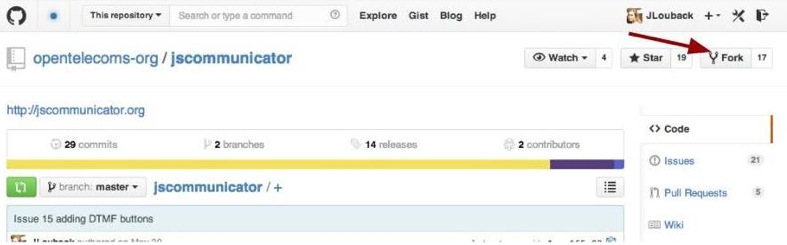
17 July 2014

Juliana Louback: Contribute a JSCommunicator Translation

To those who don t know, JSCommunicator is a SIP communication tool developed in HTML and JavaScript, currently supporting audio/video calls and SIP SIMPLE instant messaging. We ve recently added i18n internationalization support for English, Portuguese, Spanish, French and now Hebrew. We would like to have support for other languages and it s a pretty straightforward process to add a translation, so even if you do not have a tech background you can contribute! Setup First, create and account in Github. Github is a hosting service for git repositories and open source projects get to use Github for FREE! As a result, many open source project repositories are hosted on Github, including but not limited to JSCommunicator. Once you have created your git account, follow steps 1-4 in the section Setting up git listed in Github s setup tutorial. This will help you install git and configure anything you need. Fork Now fork the JSCommunicator repo. I really like the word fork . Great term. If this is your first fork, know that this will make a copy of the JSCommunicator repo and all its respective code to your Github account. Here s how we go about it:
  1. Sign in to Github
  2. Browse to https://github.com/JLouback/jscommunicator
  3. Somewhere around the upper left corner, you will see a button labeled Fork . Click that.
fork You should now have your own JSCommunicator repository on your Github account. On your main page select the tab Repositories . It should be the first on the list. The url will be https://github.com/YOUR-USERNAME/jscommunicator. My Github username is JLouback, so my jscommunicator repo can be found at https://github.com/JLouback/jscommunicator. Clone Now you should download all that code to your local machine so you can edit it. On your JSCommunicator page somewhere around the lower right corner you ll see a field entitled HTTPS clone URL: clone I don t know if this is correct, but you can just copy the URL on your browser too. I do that. Now on your terminal, navigate to the directory you d like to place your repository and enter
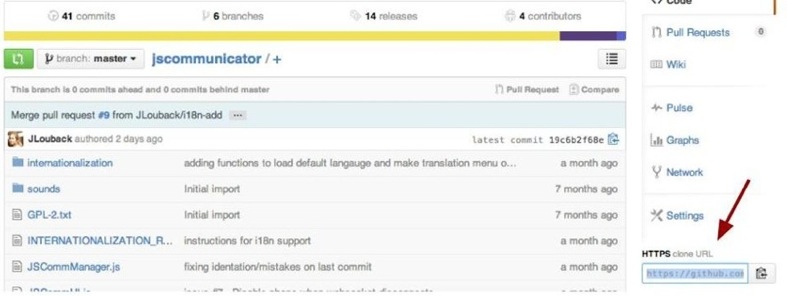
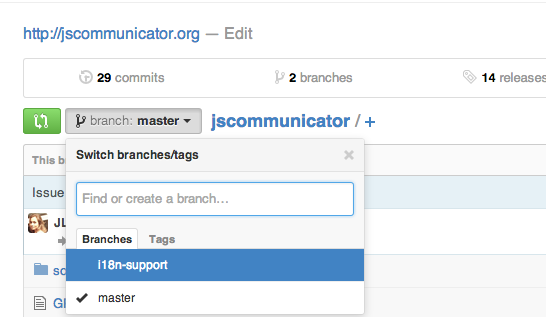
git clone https://github.com/YOUR-USERNAME/jscommunicator
The current directory should now have a folder named jscommunicator and in it is all the JSCommunicator code. Switch branches The JSCommunicator repo has a branch for the i18n support. A branch is basically a copy of the code that you can modify without changing the original code. It s great for adding new features, once everything is done and tested you can add the new feature to the original code. A more detailed explanation of branches can be found here. On the terminal, enter
cd jscommunicator
git branch -a
This will list all the branches in the repository, both local and remote. There should be a branch named remotes/origin/i18n-support . Switch to this branch by entering
git checkout --track origin/i18n-support
This will create a local branch named i18n-support with all the contents of the remote i18n-branch in https://github.com/opentelecoms-org/jscommunicator. Create a .properties file Now your jscommunicator directory will have some new files for the internationalization functionality. Among them you should find an INTERNATIONALIZATION_README file with instructions for adding a JSCommunicator translation. It s a less detailed version of this post, but it s worth a read in case I ve missed something here. Go to the directory internationalization . You ll see a few .properties files with different language codes. Choose the language of your preference for the translation base and make a copy of it in the internationalization directory. Your copy should be named Messages_LANGUAGECODE.properties . For example, the language code for german is de , so the german file should be named Messages_de.properties . If you re not sure about the code for your language, please check out this list of ISO 639-1 language codes so you re using the same code as (most) browsers. The .properties file is list of key-value pairs, a word or a few words joined by _ which is the key, the equals sign = then a word or phrase which is the value. Do not change anything to the left of the equals sign. Translate what is on the right of the equals sign. Modify available_languages.xml Go back to the root directory (jscommunicator) and open the file named available_languages.ruby . This .ruby has a series of language elements. At the end of the last </language> add a new language element with your language display name and code, copying the previous languge elements. You actually can put your language element anwhere, as long as it s after the ' and before the , as well as not cutting into any of the other language elements. Your display name should be the name of the language in its native language, for example for a french translation we ll put Fran ais (I think). And the code is the code we used for the .properties file. Here s how it should look:
<language>
    <display>Deutsch</display>
    <code>de</code>
</language>
Save your changes and voila! Test your work Once you ve made a .properties file, JSCommunicator will automatically load your translation if you ve set your browser preference to that language. If your browser preference is french, it will load the Messages_fr.properties. If your browser preference is a language we don t have a translation for (let s say german), JScommunicator will load the default Messages.properties file which is in english. The available_languages.ruby is used to build a language selection menu. If you add a language element without a corresponding .properties file, JSCommunicator will throw a JS error and load the default (english) translation. The same happens if you use different language codes in the .properties file name and the available_languages.ruby. The error won t disturb your use of JSCommunicator, it just won t load the language you selected. No harm, no foul. But if you want others to use your translation, do take care to do this correctly. If you read the INTERNATIONALIZATION_README, you will have seen that we need the jquery.i18n.properties.js file that s included in the .html pages. You can download that code here. Be sure to place it in the jscommunicator directory. This is only necessary if you want to see your addition at work, you don t need this file to contribute your translation. There are other 3rd party code dependencies to run JSCommunicator too as you may have noticed. Just creating the .properties file and adding a language element to available_languages.ruby, if done correctly, is enough to make a pull request. Commit Here s the part where we load all your local changes to your remote repository. In the terminal, navigate to the root directory (jscommunicator) and enter
git add internationalization/Messages_de.properties
git add available_languages.ruby
Of course, please replace Messages_de.properties with the name of your new .properties file. And mind you, we don t have a german translation yet! Then enter
git commit -m "German translation"
You can enter whatever you d like in the part, it s a good idea to explain what language you are adding. Now we can push the changes:
git push -u origin i18n-support
You should now see the changes you made in your Github account page at github.com/YOUR_USER/jscommunicator. The message you put in double quotations ( ) in the commit will be beside each modified file. This push also creates a new branch in your jscommunicator repository, now you will have a master and a i18n-support branch. Pull Now it s time to share your translation with everyone else if you feel so inclined. Your version of JSCommunicator has a new translation but not the official version. First navigate to you jscommunicator repo at github.com/YOUR_USER/jscommunicator and make sure you are on the i18n-branch as that will contain your changes. branches Click the green button directly to the left of the branch drop down menu shown above. This will create a pull request to add your new code to the official jscommunicator code. Once you click that button, you should see this: pull Make sure that the base repo (the first on the line above the green Create pull request button) is opentelecoms-org:i18n-support and not opentelecoms-org:master or another branch name. If it is, just click Edit on the right and you ll be able to select the branch from a dropdown like so: pullEdit If first repo is opentelecoms-org:i18n-support and the second is YOUR_USER:i18n-support and you ve verified (scroll down) that there are 2 files changed which are your new .properties file and the added element to the available_languages.xml, go ahead and press create pull request. It ll open a window with a text box you can add an explanation to with one final Create pull request button. Click that and you re done! You ve kindly contributed with a translation for JSCommunicator!
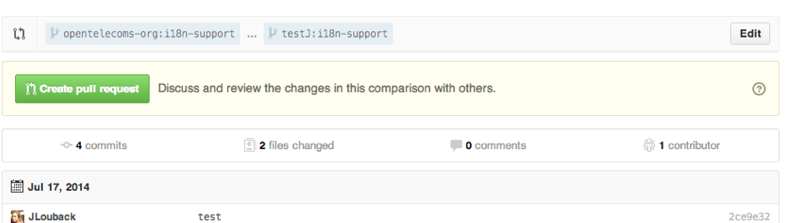
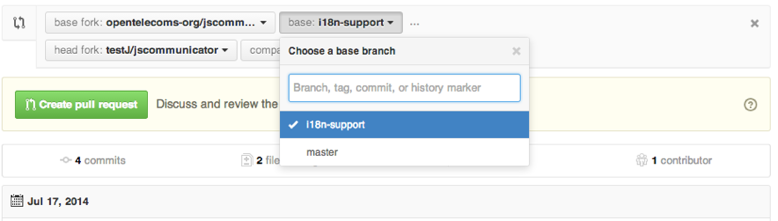
16 July 2014

Jon Dowland: Mac

My job exposes me to a large variety of computing systems and I regularly use Mac, Windows and Linux desktops. My main desktop environment at home and work has been Debian GNU/Linux for over 10 years. However every now and then I take a little "holiday" and use something else for a few weeks. Often I'm spurred on by some niggle or other on the GNOME desktop, or burn-out with whatever the current contentious issue of the moment is in Debian. Usually I switched to Windows and I used it as an excuse to play some computer games. Last November I had just such an excuse to take a holiday but this time I opted to go for Mac. I had a back-log of Mac issues to investigate at work anyway. I haven't looked back. It appears I have switched for good. I've been meaning to write about this for some time, but I couldn't quite get the words right. I doubted I could express my frustrations in a constructive, helpful way, even if I think that my experiences are useful and my discoveries valuable, perhaps I would put them across in a way that seemed inciteful rather than insightful. I wasn't sure anyone cared. Certainly the GNOME community doesn't seem interested in feedback. I turns out that one person that doesn't care is me: I didn't realise just how broken the F/OSS desktop is. The straw that broke the camel's back was the file manager replacing type-ahead find with a search but (to seemlessly switch metaphor) it turns out I'd been cut a thousand times already. I'm not just on the other side of the fence, I'm several fields away. Sometimes community people write about their concerns with whether they're going in the right direction, or how to tell the difference between legitimate complaints, trolls and whiners. When I look at conferences now, the sea of Thinkpads was replaced with a sea of Apple Macs a long time ago now, and the Thinkpads haven't come back. I'd suggest: don't worry about the whiners. Worry about the leavers. What does this mean for my Debian involvement? Well, you can't help but have noticed that I've done very little this year. I've written nearly exclusively about music so far. the good news is: I still regularly use Debian, and I still intend to stay involved, just not on the desktop. I'm essentially only maintaining two packages now, lhasa and squishyball. I might pick up a few more (possibly archivemail if the situation doesn't improve) but I'm happy with a low package load; I'd like to make sure the ones I do maintain are maintained well. The sum of all my Debian efforts this year have been to get these two (or three) ship-shape. I have a bunch of other things I'd like to achieve in Debian which are not packages, and a larger package load would just distract from them. (We really are too package-oriented in Debian).

13 July 2014

Steve Kemp: A brief twitter experiment

So I've recently posted a few links on Twitter, and I see followers clicking them. But also I see random hits. Tonight I posted a link to http://transient.email/, a domain I use for "anonymous" emailing, specifically to see which bots hit the URL. Within two minutes I had 15 visitors the first few of which were:
IP User-Agent Request
199.16.156.124Twitterbot/1.0;GET /robots.txt
199.16.156.126Twitterbot/1.0;GET /robots.txt
54.246.137.243python-requests/1.2.3 CPython/2.7.2+ Linux/3.0.0-16-virtualHEAD /
74.112.131.243Mozilla/5.0 ();GET /
50.18.102.132Google-HTTP-Java-Client/1.17.0-rc (gzip)HEAD /
199.16.156.125Twitterbot/1.0;GET /robots.txt
185.20.4.143Mozilla/5.0 (compatible; TweetmemeBot/3.0; +http://tweetmeme.com/)GET /
23.227.176.34MetaURI API/2.0 +metauri.comGET /
74.6.254.127Mozilla/5.0 (compatible; Yahoo! Slurp; http://help.yahoo.com/help/us/ysearch/slurp);GET /robots.txt
So what jumps out? The twitterbot makes several requests for /robots.txt, but never actually fetches the page itself which is interesting because there is indeed a prohibition in the supplied /robots.txt file. A surprise was that both Google and Yahoo seem to follow Twitter links in almost real-time. Though the Yahoo site parsed and honoured /robots.txt the Google spider seemed to only make HEAD requests - and never actually look for the content or the robots file. In addition to this a bunch of hosts from the Amazon EC2 space made requests, which was perhaps not a surprise. Some automated processing, and classification, no doubt. Anyway beer. It's been a rough weekend.

11 July 2014

Steve Kemp: A partial perl-implementation of Redis

So recently I got into trouble running Redis on a host, because the data no-longer fits into RAM. As an interim measure I fixed this by bumping the RAM allocated to the guest, but a real solution was needed. I figure there are three real alternatives: Looking around I found a couple of Redis-alternatives, but I was curious to see how hard it would be to hack something useful myself, as a creative solution. This evening I spotted Protocol::Redis, which is a perl module for decoding/encoding data to/from a Redis server. Thinking "Ahah" I wired this module up to AnyEvent::Socket. The end result was predis - A perl-implementation of Redis. It's a limited implementation which stores data in an SQLite database, and currently has support for: It isn't hugely fast, but it is fast enough, and it should be possible to use alternative backends in the future. I suspect I'll not add sets/hashes, but it could be done if somebody was keen.

Next.

Previous.


