Russell Coker: LicheePi 4A (RISC-V) First Look
I Just bought a LicheePi 4A RISC-V embedded computer (like a RaspberryPi but with a RISC-V CPU) for $322.68 from Aliexpress (the official site for buying LicheePi devices). Here is the Sipheed web page about it and their other recent offerings [1]. I got the version with 16G of RAM and 128G of storage, I probably don t need that much storage (I can use NFS or USB) but 16G of RAM is good for VMs. Here is the Wiki about this board [2].
Configuration
When you get one of these devices you should make setting up ssh server your first priority. I found the HDMI output to be very unreliable. The first monitor I tried was a Samsung 4K monitor dating from when 4K was a new thing, the LicheePi initially refused to operate at a resolution higher than 1024*768 but later on switched to 4K resolution when resuming from screen-blank for no apparent reason (and the window manager didn t support this properly). On the Dell 4K monitor I use on my main workstation it sometimes refused to talk to it and occasionally worked. I got it running at 1920*1080 without problems and then switched it to 4K and it lost video sync and never talked to that monitor again. On my Desklab portabable 4K monitor I got it to display in 4K resolution but only the top left 1/4 of the screen displayed.
The issues with HDMI monitor support greatly limit the immediate potential for using this as a workstation. It doesn t make it impossible but would be fiddly at best. It s quite likely that a future OS update will fix this. But at the moment it s best used as a server.
The LicheePi has a custom Linux distribution based on Ubuntu so you want too put something like the following in /etc/network/interfaces to make it automatically connect to the ethernet when plugged in:
auto end0
iface end0 inet dhcp
Then to get sshd to start you have to run the following commands to generate ssh host keys that aren t zero bytes long:
rm /etc/ssh/ssh_host_*
systemctl restart ssh.service
It appears to have wifi hardware but the OS doesn t recognise it. This isn t a priority for me as I mostly want to use it as a server. Performance For the first test of performance I created a 100MB file from /dev/urandom and then tried compressing it on various systems. With zstd -9 it took 16.893 user seconds on the LicheePi4A, 0.428s on my Thinkpad X1 Carbon Gen5 with a i5-6300U CPU (Debian/Unstable), 1.288s on my E5-2696 v3 workstation (Debian/Bookworm), 0.467s on the E5-2696 v3 running Debian/Unstable, 2.067s on a E3-1271 v3 server, and 7.179s on the E3-1271 v3 system emulating a RISC-V system via QEMU running Debian/Unstable. It s very impressive that the QEMU emulation is fast enough that emulating a different CPU architecture is only 3.5* slower for this test (or maybe 10* slower if it was running Debian/Unstable on the AMD64 code)! The emulated RISC-V is also more than twice as fast as real RISC-V hardware and probably of comparable speed to real RISC-V hardware when running the same versions (and might be slightly slower if running the same version of zstd) which is a tribute to the quality of emulation. One performance issue that most people don t notice is the time taken to negotiate ssh sessions. It s usually not noticed because the common CPUs have got faster at about the same rate as the algorithms for encryption and authentication have become more complex. On my i5-6300U laptop it takes 0m0.384s to run ssh -i ~/.ssh/id_ed25519 localhost id with the below server settings (taken from advice on ssh-audit.com [3] for a secure ssh configuration). On the E3-1271 v3 server it is 0.336s, on the QMU system it is 28.022s, and on the LicheePi it is 0.592s. By this metric the LicheePi is about 80% slower than decent x86 systems and the QEMU emulation of RISC-V is 73* slower than the x86 system it runs on. Does crypto depend on instructions that are difficult to emulate?
HostKey /etc/ssh/ssh_host_ed25519_key
KexAlgorithms -ecdh-sha2-nistp256,ecdh-sha2-nistp384,ecdh-sha2-nistp521,diffie-hellman-group14-sha256
MACs -umac-64-etm@openssh.com,hmac-sha1-etm@openssh.com,umac-64@openssh.com,umac-128@openssh.com,hmac-sha2-256,hmac-sha2-512,hmac-sha1
I haven t yet tested the performance of Ethernet (what routing speed can you get through the 2 gigabit ports?), emmc storage, and USB. At the moment I ve been focused on using RISC-V as a test and development platform. My conclusion is that I m glad I don t plan to compile many kernels or anything large like LibreOffice. But that for typical development that I do it will be quite adequate. The speed of Chromium seems adequate in basic tests, but the video output hasn t worked reliably enough to do advanced tests. Hardware Features Having two Gigabit Ethernet ports, 4 USB-3 ports, and Wifi on board gives some great options for using this as a router. It s disappointing that they didn t go with 2.5Gbit as everyone seems to be doing that nowadays but Gigabit is enough for most things. Having only a single HDMI port and not supporting USB-C docks (the USB-C port appears to be power only) limits what can be done for workstation use and for controlling displays. I know of people using small ARM computers attached to the back of large TVs for advertising purposes and that isn t going to be a great option for this. The CPU and RAM apparently uses a lot of power (which is relative the entire system draws up to 2A at 5V so the CPU would be something below 5W). To get this working a cooling fan has to be stuck to the CPU and RAM chips via a layer of thermal stuff that resembles a fine sheet of blu-tack in both color and stickyness. I am disappointed that there isn t any more solid form of construction, to mount this on a wall or ceiling some extra hardware would be needed to secure this. Also if they just had a really big copper heatsink I think that would be better. 80386 CPUs with similar TDP were able to run without a fan. I wonder how things would work with all USB ports in use. It s expected that a USB port can supply a minimum of 2.5W which means that all the ports could require 10W if they were active. Presumably something significantly less than 5W is available for the USB ports. Other Devices Sipheed has a range of other devices in the works. They currently sell the LicheeCluster4A which support 7 compute modules for a cluster in a box. This has some interesting potential for testing and demonstrating cluster software but you could probably buy an AMD64 system with more compute power for less money. The Lichee Console 4A is a tiny laptop which could be useful for people who like the 7 laptop form factor, unfortunately it only has a 1280*800 display if it had the same resolution display as a typical 7 phone I would have bought one. The next device that appeals to me is the soon to be released Lichee Pad 4A which is a 10.1 tablet with 1920*1200 display, Wifi6, Bluetooth 5.4, and 16G of RAM. It also has 1 USB-C connection, 2*USB-3 sockets, and support for an external card with 2*Gigabit ethernet. It s a tablet as a laptop without keyboard instead of the more common larger phone design model. They are also about to release the LicheePadMax4A which is similar to the other tablet but with a 14 2240*1400 display and which ships with a keyboard to make it essentially a laptop with detachable keyboard. Conclusion At this time I wouldn t recommend that this device be used as a workstation or laptop, although the people who want to do such things will probably do it anyway regardless of my recommendations. I think it will be very useful as a test system for RISC-V development. I have some friends who are interested in this sort of thing and I can give them VMs. It is a bit expensive. The Sipheed web site boasts about the LicheePi4 being faster than the RaspberryPi4, but it s not a lot faster and the RaspberryPi4 is much cheaper ($127 or $129 for one with 8G of RAM). The RaspberryPi4 has two HDMI ports but a limit of 8G of RAM while the LicheePi has up to 16G of RAM and two Gigabit Ethernet ports but only a single HDMI port. It seems that the RaspberryPi4 might win if you want a cheap low power desktop system. At this time I think the reason for this device is testing out RISC-V as an alternative to the AMD64 and ARM64 architectures. An open CPU architecture goes well with free software, but it isn t just people who are into FOSS who are testing such things. I know some corporations are trying out RISC-V as a way of getting other options for embedded systems that don t involve paying monopolists. The Lichee Console 4A is probably a usable tiny laptop if the resolution is sufficient for your needs. As an aside I predict that the tiny laptop or pocket computer segment will take off in the near future. There are some AMD64 systems the size of a phone but thicker that run Windows and go for reasonable prices on AliExpress. Hopefully in the near future this device will have better video drivers and be usable as a small and quiet workstation. I won t rule out the possibility of making this my main workstation in the not too distant future, all it needs is reliable 4K display and the ability to decode 4K video. It s performance for web browsing and as an ssh client seems adequate, and that s what matters for my workstation use. But for the moment it s just for server use.
 Now that I m
 Happy 2024!

 I can t actually think of a meme with this GIF, that the internal
 As well as the collection and distribution of
 In 2022 I read a post on the fediverse by somebody who mentioned that
they had bought on a whim a cute tiny book years ago, and that it
had been a companion through hard times. Right now I can t find the
post, but it was pretty aaaaawwww.
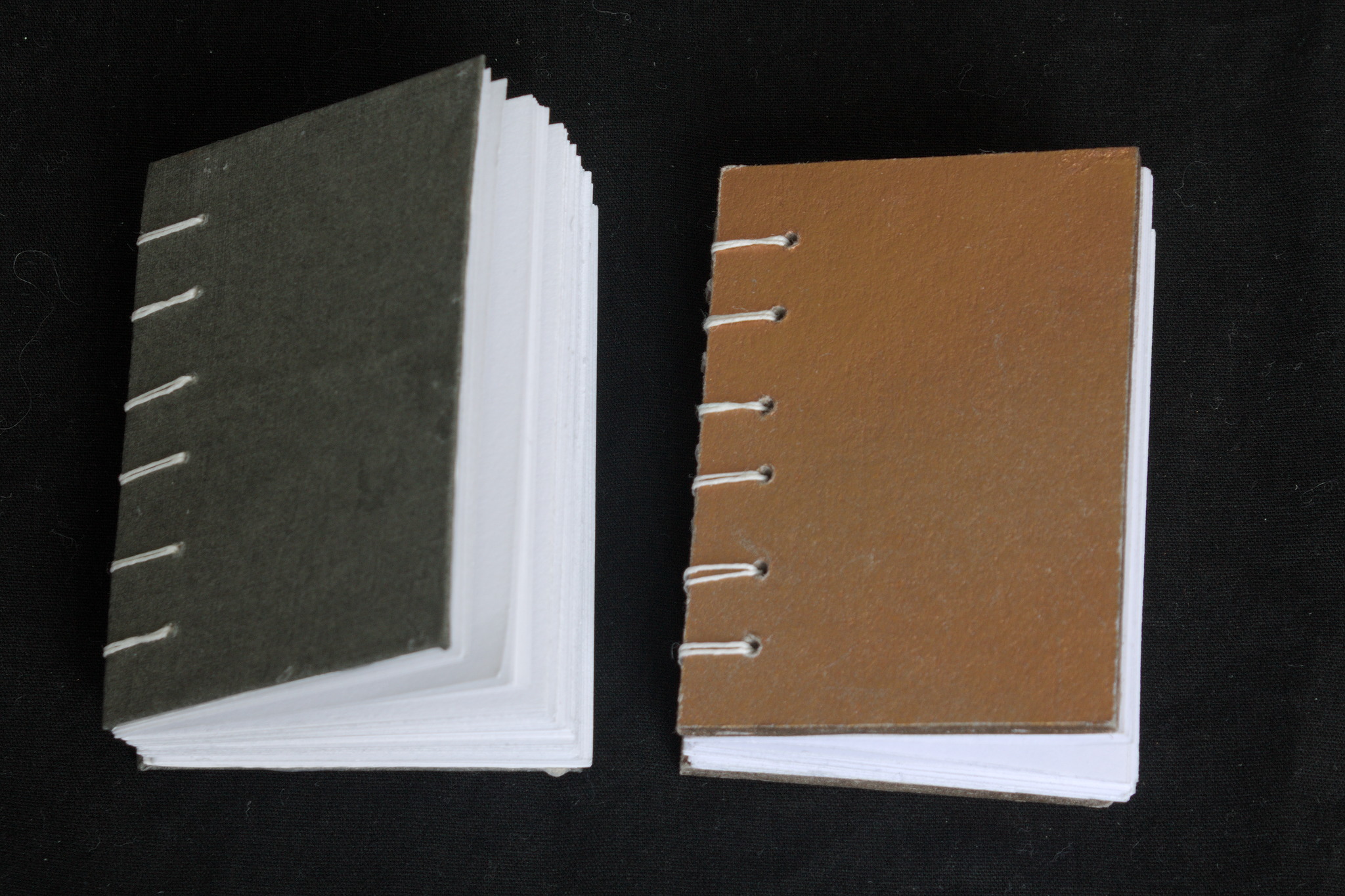 At the same time, I had discovered Coptic binding, and I wanted to do
some exercise to let my hands learn it, but apparently there is a limit
to the number of notebooks and sketchbooks a person needs (I m not 100%
sure I actually believe this, but I ve heard it is a thing).
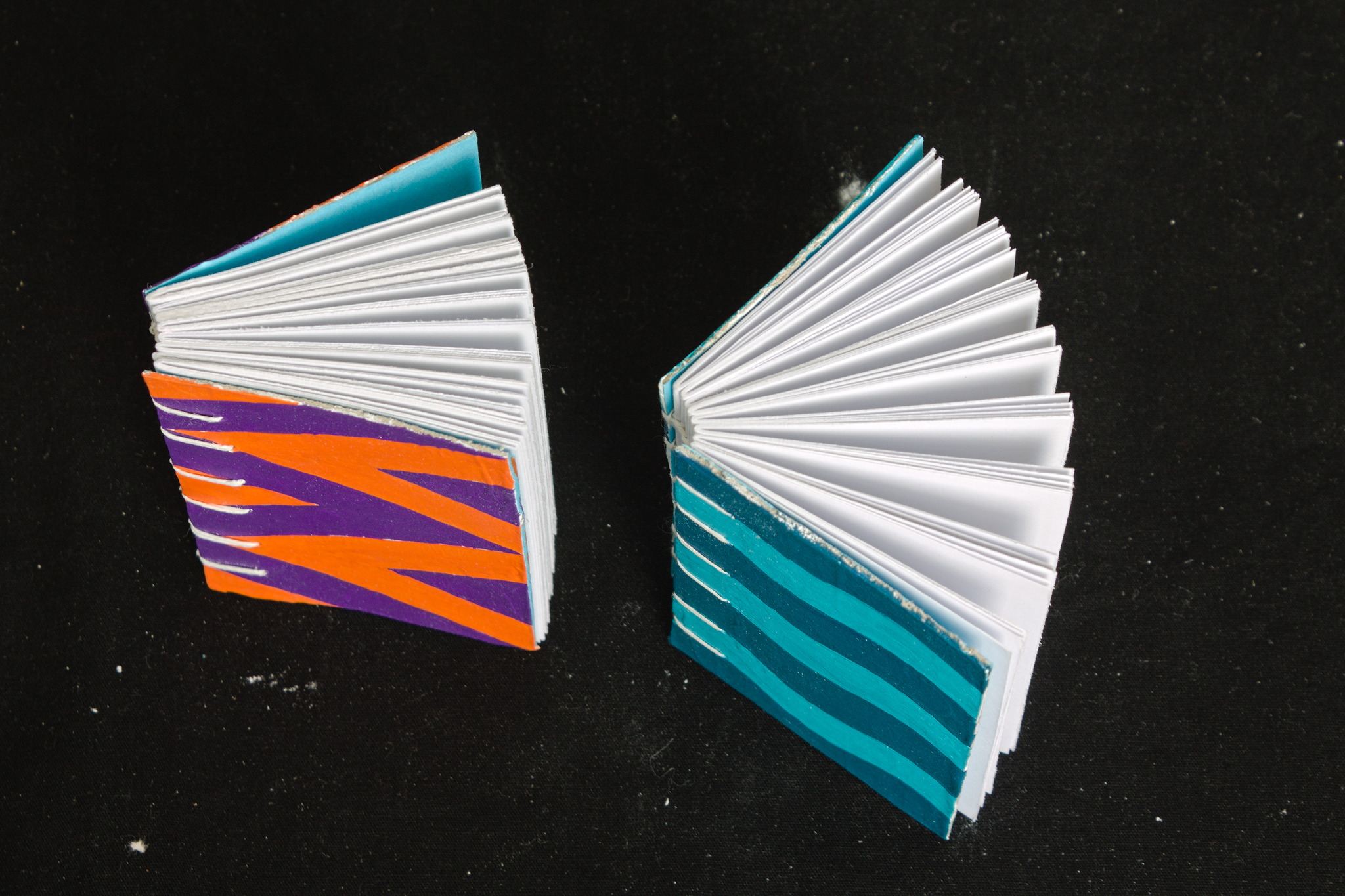
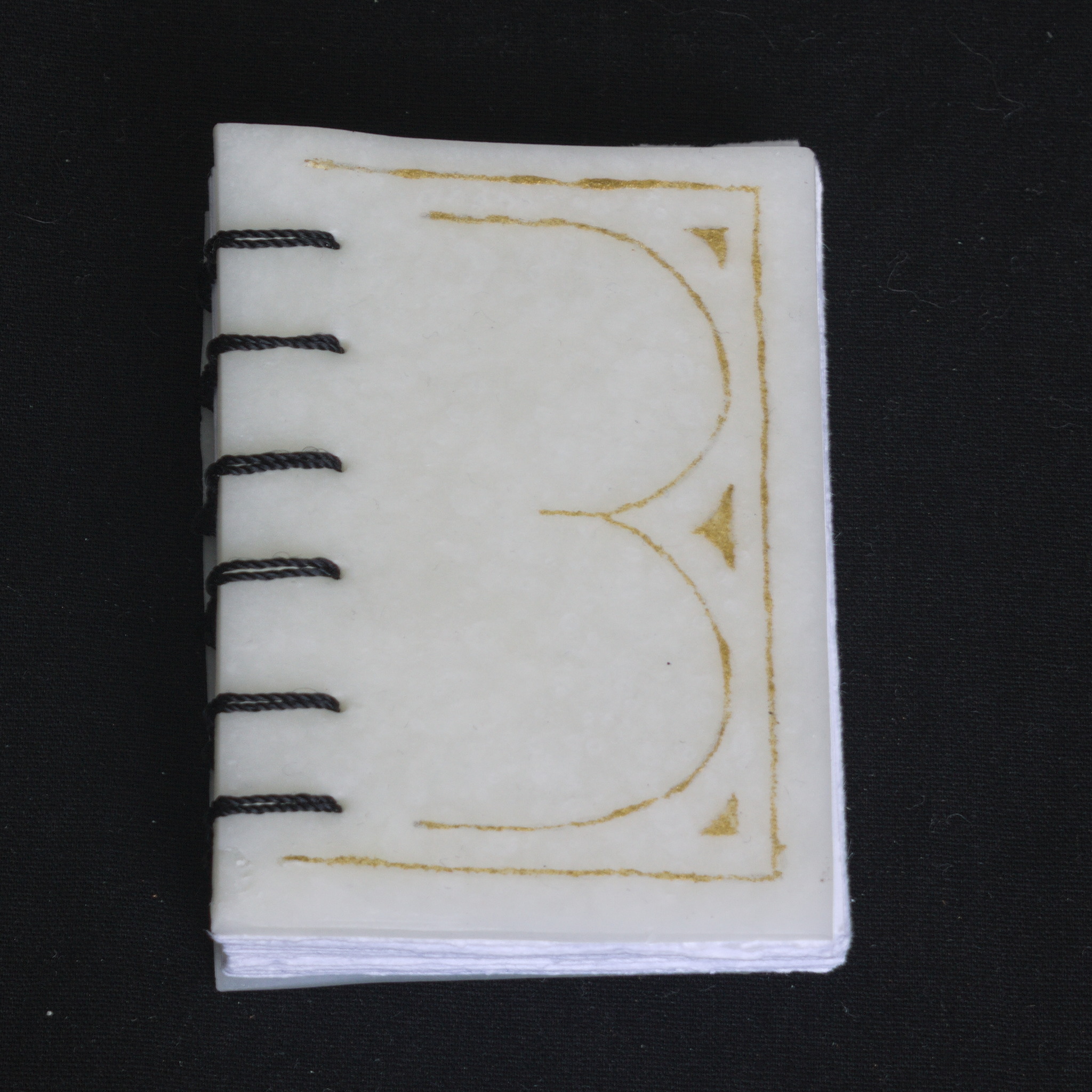 So I decided to start making minibooks with the intent to give them
away: I settled (mostly) on the A8 size, and used a combination of found
materials, leftovers from bigger projects and things I had in the Stash.
As for paper, I ve used a variety of the ones I have that are at the
very least good enough for non-problematic fountain pen inks.
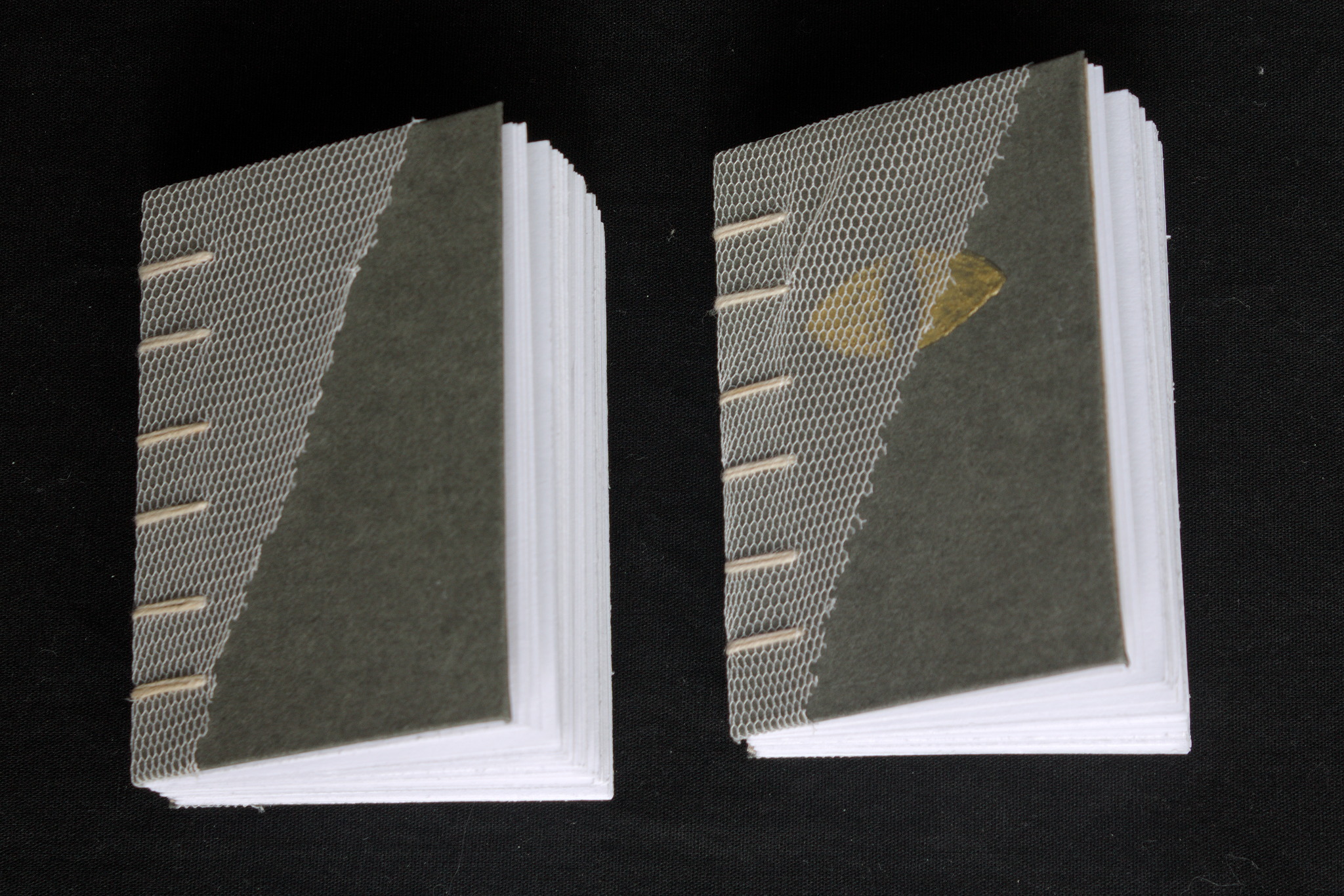
 Thanks to the small size, and the way coptic binding works, I ve been
able to play around with the covers, experimenting with different styles
beyond the classic bookbinding cloth / paper covered cardboard,
including adding lace, covering food box cardboard with gesso and
decorating it with acrylic paints, embossing designs by gluing together
two layers of cardboard, one of which has holes, making covers
completely out of cernit, etc. Some of these I will probably also use in
future full-scale projects, but it s nice to find out what works and
what doesn t on a small scale.
 Now, after a year of sporadically making these I have to say that the
making went quite well: I enjoyed the making and the creativity in
making different covers. The giving away was a bit more problematic, as
I didn t really have a lot of chances to do so, so I believe I still
have most of them. In 2024 I ll try to look for more opportunities (and
if you live nearby and want one or a few feel free to ask!)

 Release 0.6.34 of the






 I think while developing Wayland-as-an-ecosystem we are now entrenched into narrow concepts of how a desktop should work. While discussing Wayland protocol additions, a lot of concepts clash, people from different desktops with different design philosophies debate the merits of those over and over again never reaching any conclusion (just as you will never get an answer out of humans whether sushi or pizza is the clearly superior food, or whether CSD or SSD is better). Some people want to use Wayland as a vehicle to force applications to submit to their desktop s design philosophies, others prefer the smallest and leanest protocol possible, other developers want the most elegant behavior possible. To be clear, I think those are all very valid approaches.
But this also creates problems: By switching to Wayland compositors, we are already forcing a lot of porting work onto toolkit developers and application developers. This is annoying, but just work that has to be done. It becomes frustrating though if Wayland provides toolkits with absolutely no way to reach their goal in any reasonable way. For Nate s Photoshop analogy: Of course Linux does not break Photoshop, it is Adobe s responsibility to port it. But what if Linux was missing a crucial syscall that Photoshop needed for proper functionality and Adobe couldn t port it without that? In that case it becomes much less clear on who is to blame for Photoshop not being available.
A lot of Wayland protocol work is focused on the environment and design, while applications and work to port them often is considered less. I think this happens because the overlap between application developers and developers of the desktop environments is not necessarily large, and the overlap with people willing to engage with Wayland upstream is even smaller. The combination of Windows developers porting apps to Linux and having involvement with toolkits or Wayland is pretty much nonexistent. So they have less of a voice.
 I will also bring my two protocol MRs to their conclusion for sure, because as application developers we need clarity on what the platform (either all desktops or even just a few) supports and will or will not support in future. And the only way to get something good done is by contribution and friendly discussion.


 The Rcpp Core Team is once again thrilled to announce a new release
1.0.12 of the