Having recently acquired a Samsung Series 9 laptop, I'd like to update
the BIOS. This is proving rather difficult without Windows.
The first thing you download from the Samsung website isn't actually
BIOS update at all; it's a Windows application which then goes and
finds a BIOS update for your machine.
Some time with a Windows VM, tcpdump and you'll end up at
http://sbuservice.samsungmobile.com/. I'll leave interested
parties to play around at that website, but with a little fiddling you
can find the BIOS you're looking for. In this case, it is
ITEM_20121024_754_WIN_P08AAH.exe
which is the latest version, P08AAH.
Unfortunately, this still won't run in any useful way -- in a
virtual-machine it errors out saying the battery isn't connected. On
previous endeavors such as this, running various incarnations of
zip on the
.exe file has found interesting components, but not
in this case. Not to be deterred, some work with
strings will
yield the following
$ strings ./ITEM_20121024_754_WIN_P08AAH.exe   grep Copyright
inflate 1.2.7 Copyright 1995-2012 Mark Adler
deflate 1.2.7 Copyright 1995-2012 Jean-loup Gailly and Mark Adler
Now this is interesting, because it tells us that the components
aren't using some fancy compression scheme we have no hope of figuring
out. Checking
RFC1952 we see
the following header mentioned
Each member has the following structure:
+---+---+---+---+---+---+---+---+---+---+
 ID1 ID2 CM  FLG      MTIME      XFL OS   (more-->)
+---+---+---+---+---+---+---+---+---+---+
We can easily look for that in the file. Expanding the values, what
we're looking for is
0x1f 0x8b 0x08 0x0 0x0 0x0 0x0 0x0 0x0 0x0
which represents the compressed stream (the
OS byte is
0xb for
NTFS which we can just ignore). A quick
hack
will get that done and give us the offsets we need
$ ./look-for-headers
Found potential header at 455212
Found potential header at 677136
Found potential header at 1293930
Found potential header at 1294980
Found potential header at 2771193
Found potential header at 2779874
Found potential header at 2789142
Found potential header at 2935778
Found potential header at 3078639
Found potential header at 3083039
Found potential header at 3338552
Found potential header at 3339443
Found potential header at 3352440
Found potential header at 3366757
Found potential header at 3391734
Found potential header at 3444255
Found potential header at 3494372
So, we can feed this into a shell script and extract the streams
FILE=ITEM_20121024_754_WIN_P08AAH.exe
for offset in 455212 677136 1293930 1294980 \
    2771193 2779874 2789142 2935778 3078639 \
    3083039 3338552 3339443 3352440 3366757 \
    3391734 3444255 3494372
do
    echo "create $offset.gz"
    dd if=$FILE  bs=1 skip=$offset   zcat > $offset.data
done
We don't have to worry about the end-point, because
zcat will
handily stop outputting and ignore junk at the end of the stream.
That will yield the following output files:
$ md5sum *
c014e900b02ae39d6e574c63154809b2  1293930.data
982747cd5215c7d51fa1fba255557fef  1294980.data
942c6a8332d5dd06d8f4b2a9cb386ff4  2771193.data
d98d2f80b94f70780b46d1f079a38d93  2779874.data
33ce3174b0e205f58c7cedc61adc6f32  2789142.data
1d6851288f40fa95895b2fadee8a8b82  2935778.data
3a0a9b2fa9b40bdf5721068acde351ce  3078639.data
fc166141d06934e9c7238326f18a4e68  3083039.data
8cf7f86f84afa81363d3cef44b257d50  3338552.data
85e09e18fd495599041e13b4197e1746  3339443.data
0c72004eae0131d52817f23faf8a46a7  3352440.data
26347f93721e7ac49134a17104f56090  3366757.data
26973e301da4948a0016765e40700e8c  3391734.data
c8e4675cda3aa367d523a471bb205fba  3444255.data
7bf5ea753d4cc056b9462a02ac51b160  3494372.data
a2c6562f7f43aaa0e636cc1995b7ee3d  455212.data
d5c91b007dac3a5c6317f8a8833f9304  677136.data
65c0dcd1e7e9f8f87a8e9fb706eb8768  ITEM_20121024_754_WIN_P08AAH.exe
$ file *
1293930.data:                     MS-DOS executable
1294980.data:                     data
2771193.data:                     PE32 executable (native) Intel 80386, for MS Windows
2779874.data:                     PE32+ executable (native) x86-64, for MS Windows
2789142.data:                     PE32 executable (console) Intel 80386 (stripped to external PDB), for MS Windows
2935778.data:                     PE32+ executable (console) x86-64 (stripped to external PDB), for MS Windows
3078639.data:                     MS-DOS executable
3083039.data:                     PE32 executable (GUI) Intel 80386, for MS Windows
3338552.data:                     ASCII text, with CRLF line terminators
3339443.data:                     PE32 executable (native) Intel 80386, for MS Windows
3352440.data:                     PE32+ executable (native) x86-64, for MS Windows
3366757.data:                     PE32 executable (DLL) (GUI) Intel 80386, for MS Windows
3391734.data:                     PE32 executable (GUI) Intel 80386, for MS Windows
3444255.data:                     PE32 executable (GUI) Intel 80386, for MS Windows
3494372.data:                     PE32 executable (DLL) (GUI) Intel 80386, for MS Windows
455212.data:                      PE32 executable (DLL) (console) Intel 80386, for MS Windows
677136.data:                      data
ITEM_20121024_754_WIN_P08AAH.exe: PE32 executable (GUI) Intel 80386, for MS Windows
This is where I get a bit stuck. There is clearly a bunch of WinFlash
stuff that Wine kind-of recognises, but so far I haven't managed to
figure out how I might go about flashing this from a DOS boot disk.
So far I know it's a "Phoenix SecureCore Tiano" based BIOS, and there
is some indication that there is a UEFI app to flash the BIOS, but
unfortunately I didn't set the laptop up with UEFI (note to anyone
setting this up; probably a good idea to do that).
I believe that if you have Windows, you can halt the install part-way
through and see these files extracted in a temp directory. Possibly
if we can put some file-names to the blobs it might help.
There may also be a much easier way to do this that I'm completely
missing. If anything comes up, I'll update this post; hopefully a
future Googlenaut who enjoys BIOS hacking will drop a comment...
Update 2012-11-27 I'm unfortunately less optimistic about being
able to update this.
Certainly the files identified above as
MS-DOS executable are EFI
binaries; however they are both 32-bit binaries. You can easily get
an EFI shell up and running by putting a 64-bit
EFI shell binary
on a FAT formatted USB disk in the
efi/boot/bootx64.efi but it
will not run either of those binaries, presumably because they're
32-bit. A 32-bit EFI binary doesn't seem to be recognised for boot,
so no luck there.
A comment also mentioned some issues with Samsung's and UEFI boot
in
this bug
though it's not clear what models are affected.
Another comment mentioned
binwalk which also does a nice job of
finding the embedded zip streams.
$ strings ./1293930.data
...
RSDS
D:\flash\Source\ENV\src\Efi863\edk\phoenix\edk\Sample\Platform\DUET\ldr16\IA32\oemslp20.pdb
oemslp20.dll
InitializeDriver
2n3u3
$ strings ./3078639.data
en-us;zh-Hans
slp20.marker
slp20.size
slp20.offset
slp20.offset2
read marker fail!
Marker file '%s''s size(%d)!=%d
Not a valided OemMarker!
Update image data error.
marker file is updated.
marker file size too big!
Not a valided OemMarker in ROM.
Update image data error.
SLP marker is reserved.
-PROT
Prot flag is found, mProgFlag is true.
Prot flag is not found, mProgFlag is false.
Please specify input file name.
-PROT
slpFile
OEM Activation 2.0 processing
Failed to Locate Flash Support protocol.
...
D:\flash\Source\ENV\src\Efi863\edk\phoenix\edk\Sample\Platform\DUET\ldr16\IA32\SLP20.pdb
 Mobile devices
A number of people are using small mobile devices to read Web pages.
These devices have small screens, which make it hard to read pages
designed for a large screen width.CSS Media types to the rescue
Good news: the W3C thought of that fourteen years ago, when they
introduced the concept of media types in CSS
2:
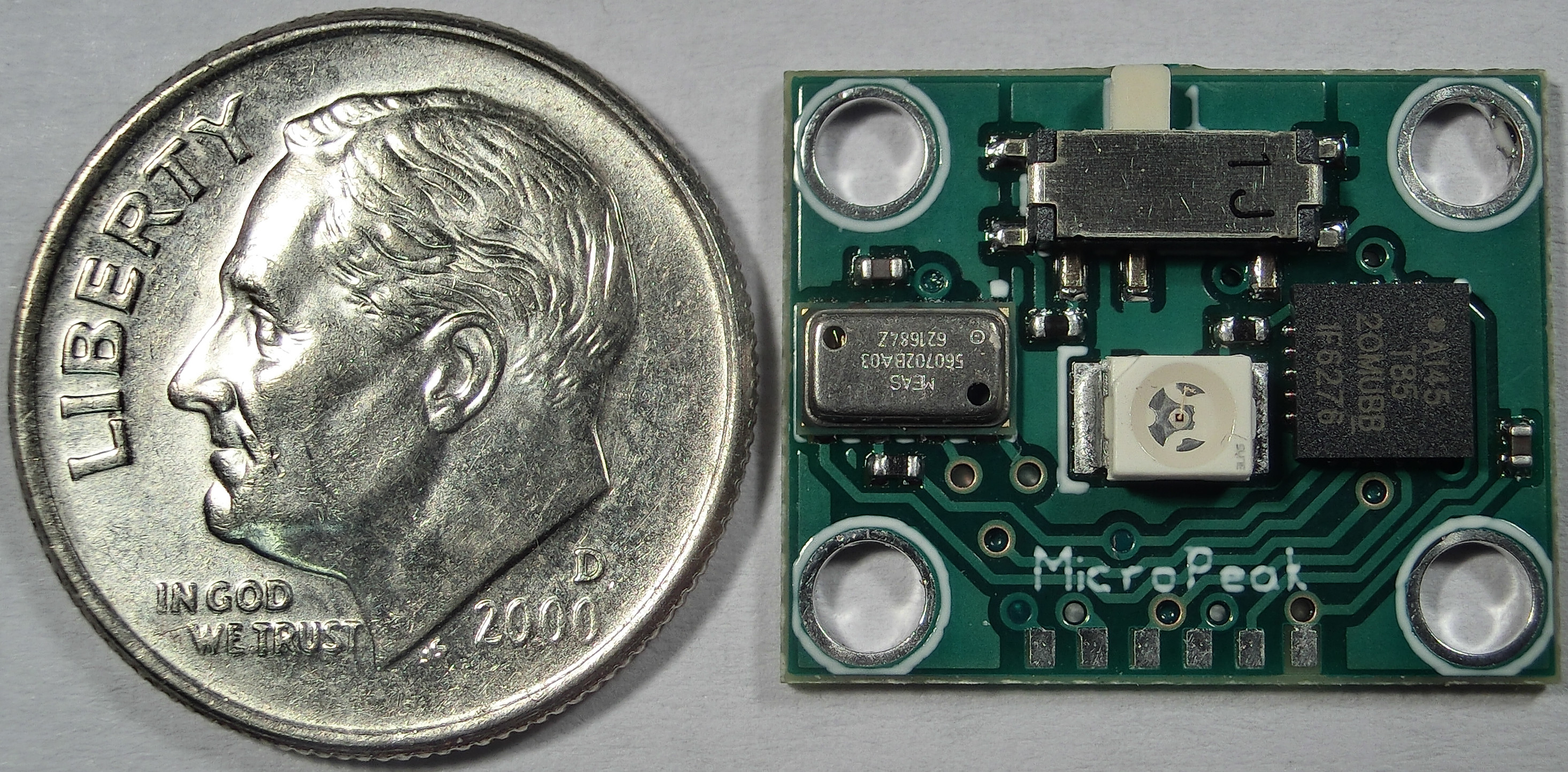
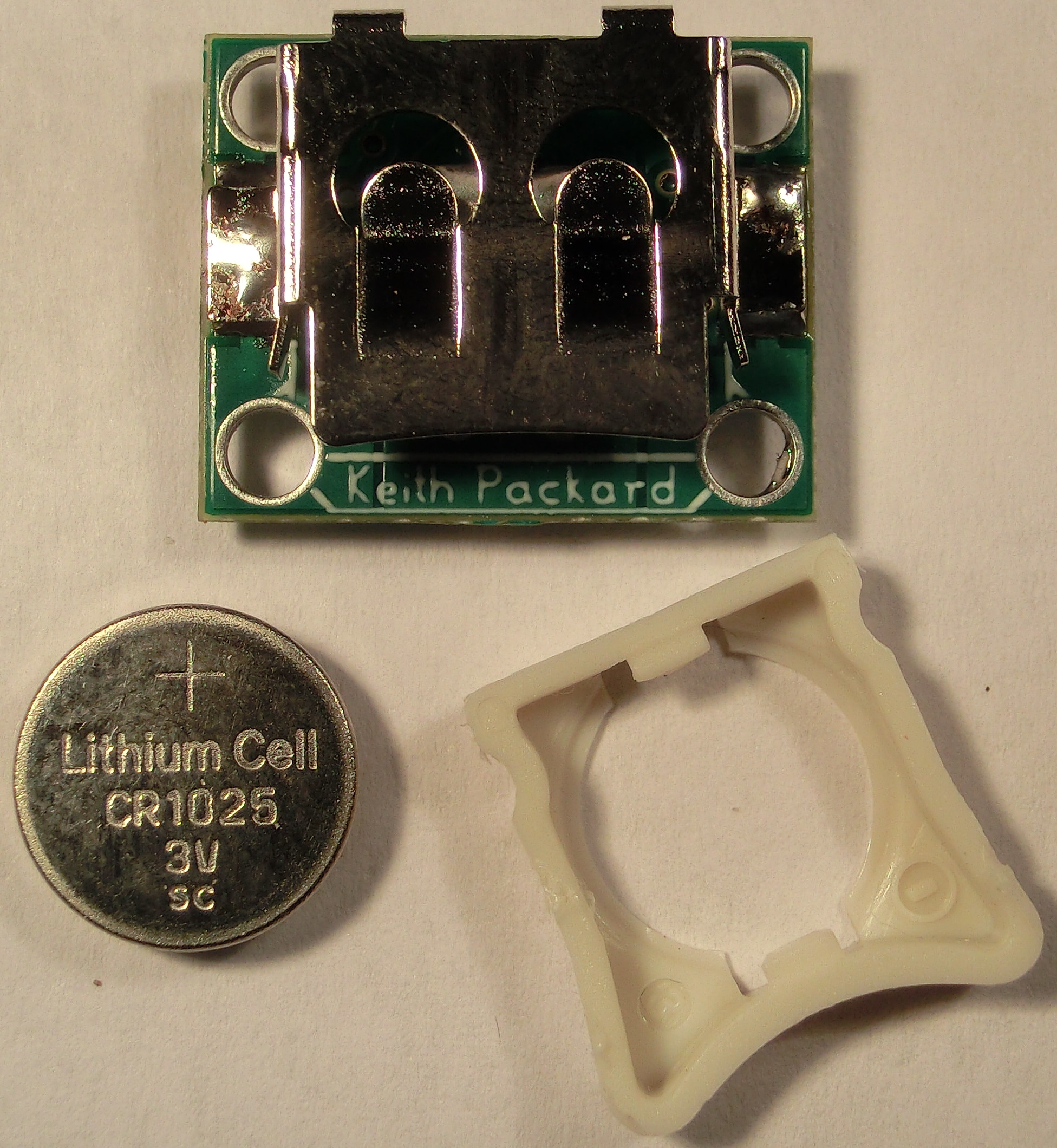
 MicroPeak tiny peak-recording altimeter now available
MicroPeak is a miniature peak-recording altimeter. About the same size
and weight as a US dime (with battery), MicroPeak offers fabulous
accuracy (20cm or 8in at sea level) and wide range (up to 31km or
101k ).

 The Free and Open successor to the
 So, after just having run 10K, I'm going to sit on a train for 20 hours and
completely seize up. I've got me some stretching to do!
I'm getting away to Portland for a few days. I'm taking the
 I live in a little village close to the city and one of the houses close to my property is for rent since more than ten years. A lot of families and people succeeded in that house and every time someone new joined my Linux evangelist hat jumped in my head.
I ve always presented myself as a Linux geek to my neighbours and it has been nice seeing how the Linux word evolved (with funny and surprising quotes) during the past ten years in their minds. A friend of mine (

 Today I tried to translate a German sentence posted by mistake on an English IRC channel.
For that, I used
 I think there is a message here about what country KDE comes from
 I ve been working (although; slowly) on dput-ng. I need to finish
 Thanks to

 Hello world,
it's been a long time since I last posted something. Today, I want to
let the world know about the availability of Debian packages for
 but, since I myself
use these autobuilt packages, I usually try to fix problems as soon as I
notice them.
If you find bugs, or have proposals to improve wicd, please report them


 Now, a vectorized version (drawing
 In May this year, in a desperate bid to bail water out of a
sinking ship,