Search Results: "ag"

21 March 2012

Axel Beckert: Tools for CLI Road Warriors: Remote Shells

Most of my private online life happens on netbooks and besides the web browser, SSH is my most used program especially on netbooks. Accordingly I also have hosts on the net to which I connect via SSH. My most used program there is GNU Screen. So yes, for things like e-mail, IRC, and Jabber I connect to a running screen session on some host with a permanent internet connection. On those hosts there is usually one GNU Screen instance running permanently with either mutt or irssi (which is also my Jabber client via a Bitlbee gateway). But there are some other less well-known tools which I regard as useful in such a setup. The following two tools can both be seen as SSH for special occassions. autossh I already blogged about autossh, even twice, so I ll just recap the most important features here: autossh is a wrapper around SSH which regularily checks via two tunnels connect to each other on the remote side if the connection is still alive, and if not, it kills the ssh and starts a new one with the same parameters (i.e. tunnels, port forwardings, commands to call, etc.). It s quite obvious that this is perfect to be combined with screen s -R and -d options. I use autossh so often that I even adopted its Debian package. mosh Since last week there s a new kid in town^WDebian Unstable: mosh targets the same problems as autossh (unreliable networks, roaming, suspending the computer, etc.) just with a completely different approach which partially even obsoletes the usage of GNU Screen or tmux: While mosh uses plain SSH for authentication, authorization and key exchange the final connection is an AES-128 encrypted UDP connection on a random port and is independent of the client s IP address. This allows mosh to have the following advantages: The connection stays even if you re switching networks or suspending your netbook. So if you re just running a single text-mode application you don t even need GNU Screen or tmux. (You still do if you want the terminal multiplexing feature of GNU Screen or tmux.) Another nice feature, especially on unreliable WLAN connections or laggy GSM or UMTS connections is mosh s output prediction based on its input (i.e. what is typed). Per line it tries to guess which server reaction a key press would cause and if it detects a lagging connection, it shows the predicted result underlined until it gets the real result from the server. This eases writing mails in a remote mutt or chatting in a remote irssi, especially if you noticed that you made a typo, but can t remember how many backspaces you would have to type to fix it. Mosh needs to be installed on both, client and server, but the server is only activated via SSH, so it has no port open unless a connection is started. And despite that (in Debian) mosh is currently just available in Unstable, the package builds fine on Squeeze, too. There s also an PPA for Ubuntu and of course you can also get the source code, e.g. as git checkout from GitHub. mosh is still under heavy development and new features and bug fixes get added nearly every day. Thanks to Christine Spang for sponsoring and mentoring Keith s mosh package in Debian.

Steve Kemp: My code makes it into GNU Screen, and now you can use it. Possibly.

Via Axel Beckert I learned today that GNU Screen is 25 years old, and although development is slow it has not ceased. Back in 2008 I started to post about some annoyances with GNU Screen. At the time I posted a simple patch to implement the unbindall primitive. I posted some other patches and fixed a couple of bugs, but although there was some positive feedback initially over time that ceased completely. Regretably I didn't have the feeling there was the need to maintain a fork properly, so I quietly sighed, cried, and ceased. In 2009 my code was moved upstream into the GNU Screen repository (+documentation update). We're now in 2012. It looks like there might be a stable release of GNU Screen in the near future, which makes my code live "for real", but in the meantime the recent snapshot upload to Debian Experimental makes it available to the brave. 2008 - 2012. Four years to make my change visible to end-users. If I didn't use screen every day, and still have my own local version, I'd have forgotten about that entirely. Still I guess this makes today a happy day! Wheee! ObQuote: "Thanks. For a while there I thought you were keeping it a secret. " - Escape To Victory

Axel Beckert: aptitude-gtk will likely vanish

As Christian already wrote, there s an Aptitude revival ongoing. We already saw this young team releasing aptitude 0.6.5 about 6 weeks ago, more commits have been made, and now we re heading towards an 0.6.6 release quickly. But this revival mostly covers the well-known and loved curses interface (TUI) of aptitude and not the seldomly installed GTK interface, which unfortunately never really took off: While aptitude itself (i.e. the curses and commandline interface) is installed on nearly 99% of all Debian installations which take part in Debian s Popularity Contest statistics, aptitude-gtk is only installed on 0.42% of all these installations. One reason is likely that aptitude-gtk still hasn t all the neat features of the curses interface. And another reason is probably that it s still quite buggy. Since nobody from the current Aptitude Team has the experience, leisure or time to resurrect (or even complete) aptitude-gtk, the plan is to stop building aptitude-gtk from the aptitude source package soon, i.e. to remove it from Debian for now. Like the even less finished Qt interface of aptitude, its code will stay in the VCS, but will be unmaintained unless someone steps up to continue aptitude-gtk (or aptitude-qt, or both), maybe even as its own source package. So if you like aptitude-gtk so much that you re still using it and want to continue using it, please think about contributing by joining the Aptitude Team and getting aptitude s GUI interface(s) back in shape. Another option would be to find a mentor so that resurrecting (one of) aptitude s GUI interfaces could become (again) a potential project at Debian s participation at Google s Summer of Code. Please direct any questions about aptitude-gtk or aptitude-qt to the Aptitude Development Mailing List. Or even better, join the discussion in this thread.

20 March 2012

Axel Beckert: Happy Birthday GNU Screen!

According to this Usenet posting, GNU Screen became 25 years old today. (Found via Fefe.) And no, it s not dead. In contrary, the reaction on the mailing list to bug fixes with patches is usually impressingly prompt. :-) I took this occassion and uploaded a current git snapshot of GNU Screen to Debian Experimental. Bug #644788 (screen 4.1.0 can t attach to a running or detached screen 4.0.3 session) is still an issue with that snapshot, but gladly upstream seems to work on a solution for it. There s even talk about a 4.1.0 beta release soon although that hasn t happened yet. Have fun!

Andreas Barth: Traveling to DebConf 11 - in Sarajevo

Sarajevo gave a rainy look the next morning. That wasn't too bad, as I was able to walk around a bit without it being too crowded. Incidently I also saw the corner where Franz Ferdinand was shot in 1914, which started the first world war - Europe has many links beyond todays state borders, in good and bad times. It's not like transeuropean politics (or communications) are something too new.
Bazar in Sarajevo
Franz Ferdinand was shot here in 1914
Trolley buses
River, tram and city
nice building hidden by cars - should our cities be dominated that way?
more of the old city After having spent the morning exploring the old part of Sarajevo and along the river, I used the time after hotel checkout to use the tram link and take a few more pictures. I arrived at the train station as planned, but the train I wanted to take didn't go that day (in spite of checking it within the hotel in the morning). So, I ended with another bus trip (this time unplanned) to Banja Luca. Again, bus trips are worse than train trips - one cannot move in the vehicle, and there are delays for every stop. The events in Banja Luca are discussed elsewhere, so nothing about that here (except that DebConf was great - I enjoyed it very much).

Christoph Berg: Cool Unix Features: /usr/bin/time

Ever wondered how much memory a program needed? Install the "time" package:
$ /usr/bin/time ls
[...]
0.00user 0.00system 0:00.00elapsed 0%CPU (0avgtext+0avgdata 4000maxresident)k
0inputs+0outputs (0major+311minor)pagefaults 0swaps
Unfortunately the "time" bash built-in makes it necessary to use the full path. Thanks to youam for the tip. Update: aba notes that calling \time works as well. Thanks!

Russell Coker: An Introduction to Android

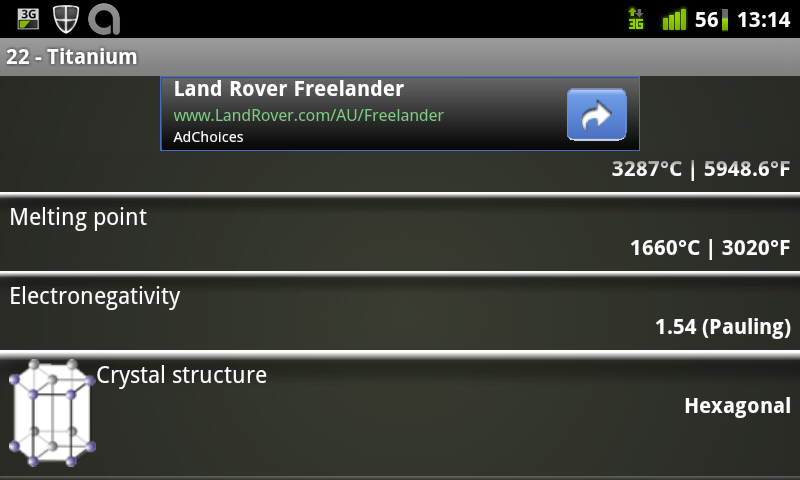
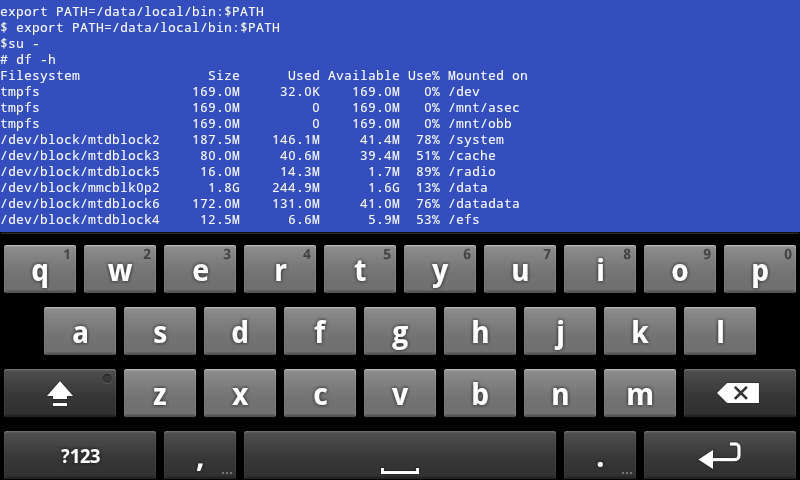
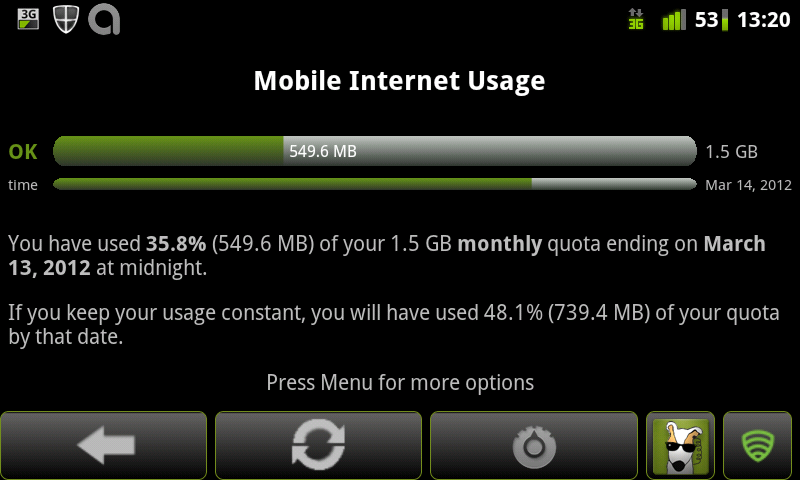
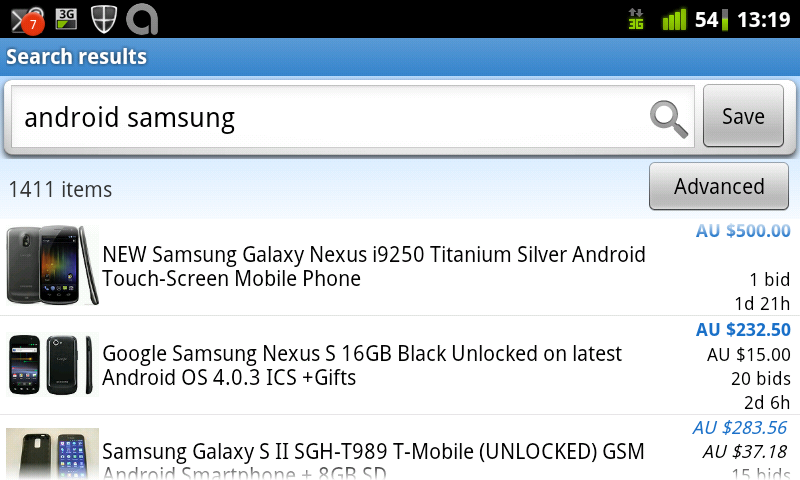
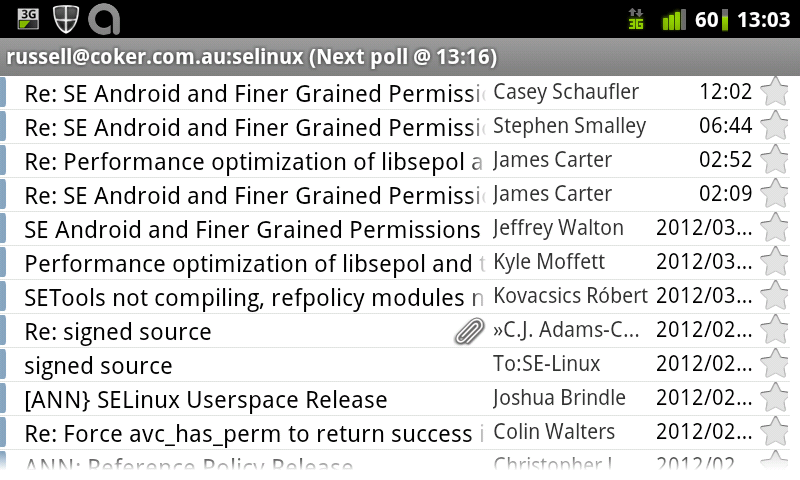
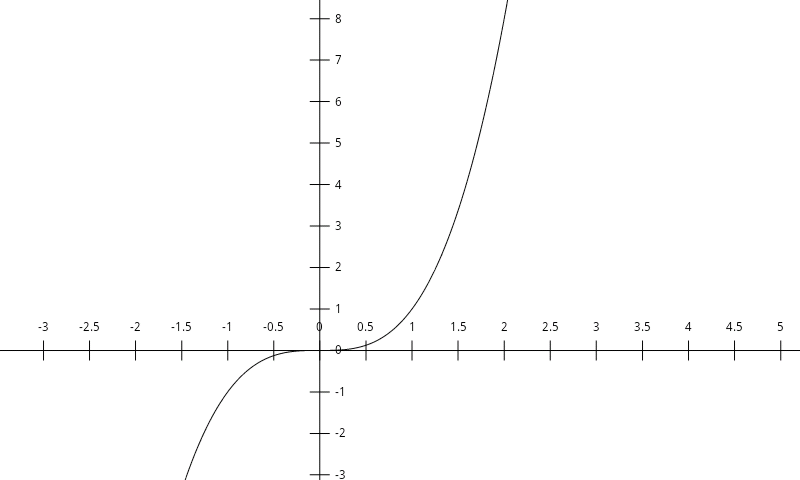
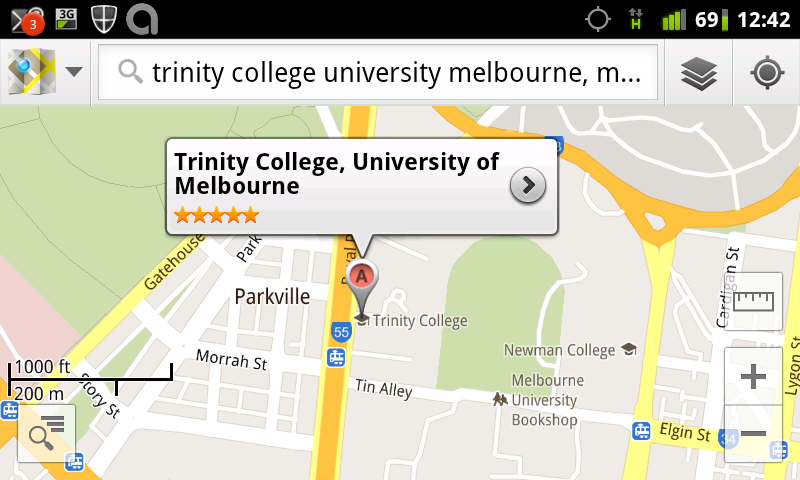
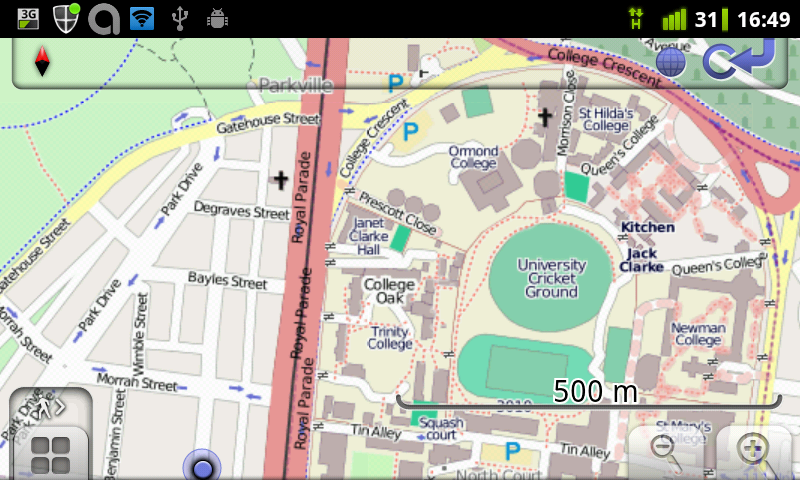
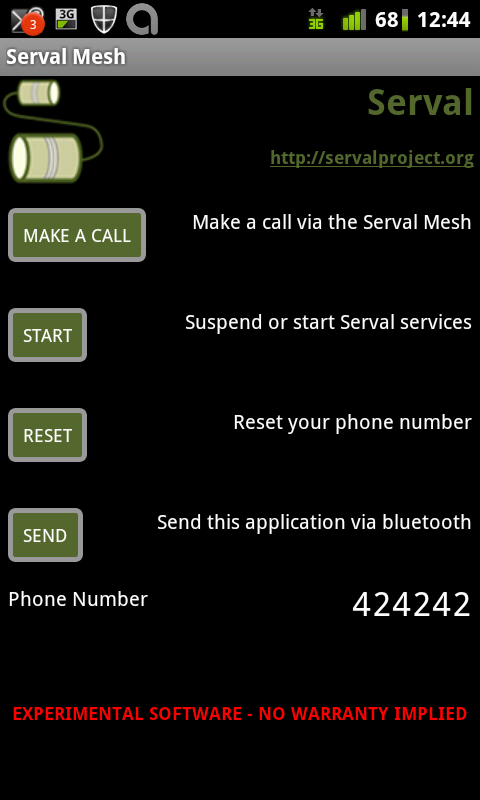
I gave a brief introductory talk about Android at this month s LUV meeting. Here are the slides with a brief description. All the screen-shots were made on a Samsung Galaxy S running Cyanogenmod version 7.1 [1] (Android version 2.3.7). With that build of Cyanogenmod you can press the power button for about 1.5 seconds to get a menu which gives an option to take a screen shot. The aim of the talk was to give an overview of what Android can do. I also gave some random commentary about Android such as explaining why it doesn t make a good phone. Most of the pictures in this post have links to the Android applications in question. Essential and Important Apps picture of root shell access running df I started by explaining why having root access to your system is really important, including the issue of backing up an Android phone [2]. Cyanogenmod includes a terminal program which allows you to run su - . Running a shell as root isn t generally that useful, what you really want is to be able to run programs such as Titanium Backup which can only work properly if given root access. When you run an OS that allows root access you can run su - at a terminal prompt and you can also have an application use a GUI to request root access. I recommend rooting and modding an Android phone immediately after buying it. However that takes some time which is somewhat equivalent to money and is a significant hidden cost to purchasing an Android phone. picture of 3g watchdog bandwidth monitor The business models of telephone companies seem to involve hidding users for unexpected fees and extra fees for excess bandwidth can be really expensive. 3G Watchdog is one app that can monitor bandwidth and disable data transfers if too much is used. Onavo is an alternative that allows tracking data use on a per-application basis, but it only runs on Android 2.3.x while 3G Watchdog works on Android 2.1. Official EBay app searching for Samsung Android phones EBay has an official app which is handy for searching for items. So far I ve only used it to get price estimates and have used a PC for buying. K9 viewing my SE Linux mailing list email K9 seems to be the best MUA for Android. The MUA that ships with Android 2.1 isn t nearly as good and K9 is good enough that I didn t even bother testing the MUA from Cyanogenmod. The above picture shows a list of mail in my SE Linux folder. graph by opticron grapher The Opticron Grapher is a good graphing calculator. I won t claim it s the best because I didn t seriously test such programs, but for the basic tests I ve done it has worked well. Google map of LUV location The Google Maps client comes with every Android system, the above shows the location of the LUV meeting. Open Street Map location of the LUV meeting Osmand is an Android client for the Open Street Map project. Here is the web site for the Open Street Map project [3]. One significant advantage of OSM over the Google Maps is that OSM is free, the data is all contributed by users like Wikipedia. Another significant advantage is that you can download as much data as you need to your phone, for example the entire dataset for Australia is about 200M. Storing 200M of data on your phone is no big deal when you consider the availability of phones with more than 16G of storage and the ability to use a map when offline is a real benefit. So far I ve used Osmand while waiting for a train at an underground station and I plan to use it to track my progress the next time I m on a cruise. serval mesh networking and VOIP Serval is a mesh networking application for Android that supports VOIP phone calls and distributing messages and files. It s designed to be used in disaster areas, but there are lots of other potential uses of the technology. The Serval Project blog has an article about the presentation they gave at LCA 2012 [4]. periodic table
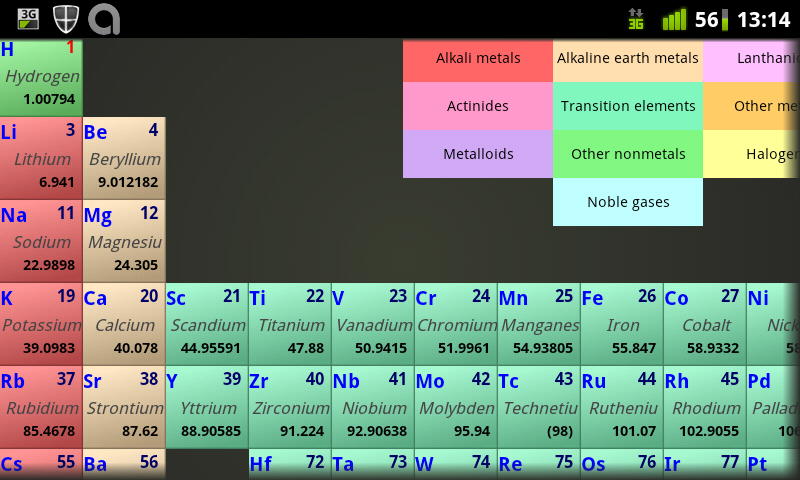
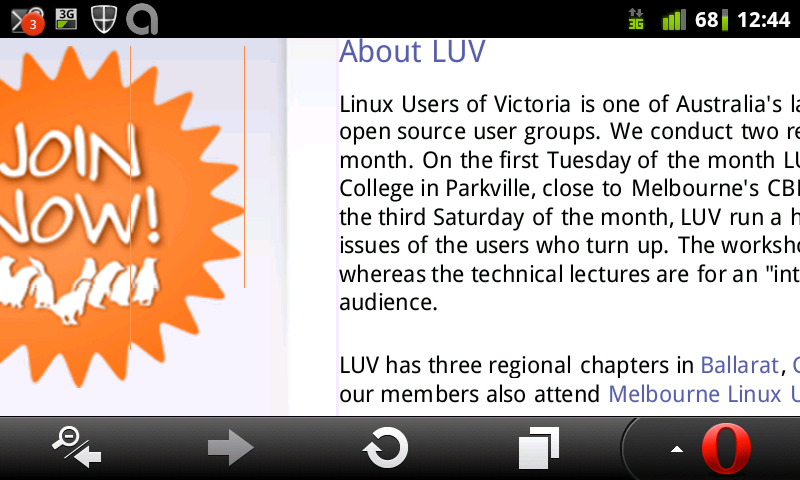
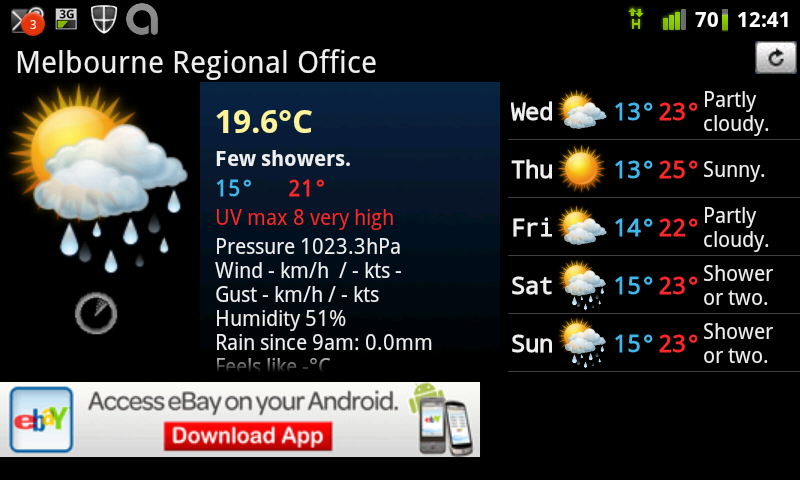
details about Titanium Periodic Droid is my favorite Periodic Table viewing program. tomfusion Au Weather forecast app The Tomfusion AU Weather forecast app seemed to be better than the one from the BoM last time I checked. It s probably the best weather app for Australia. screen-shot of LUV web site
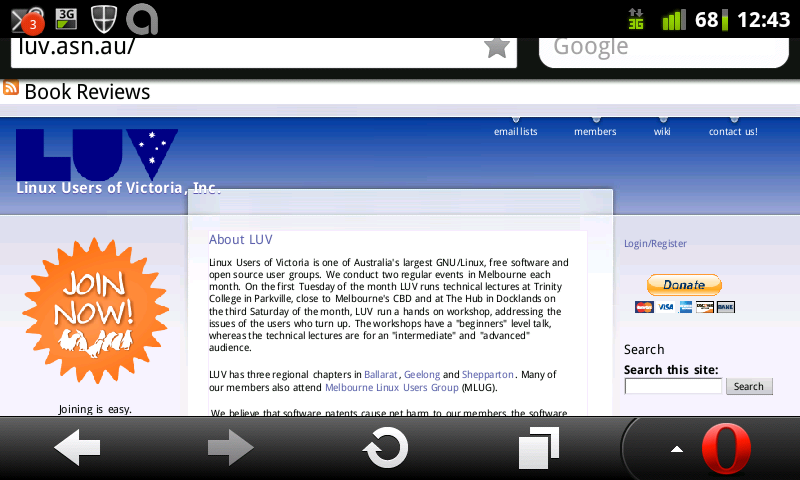
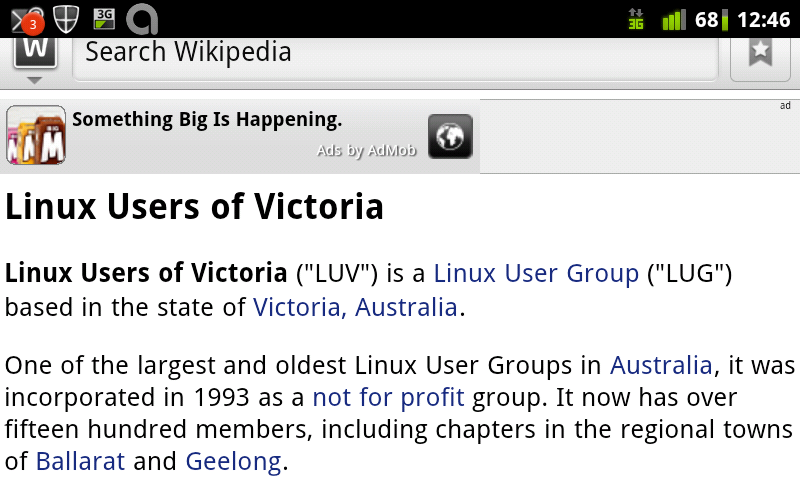
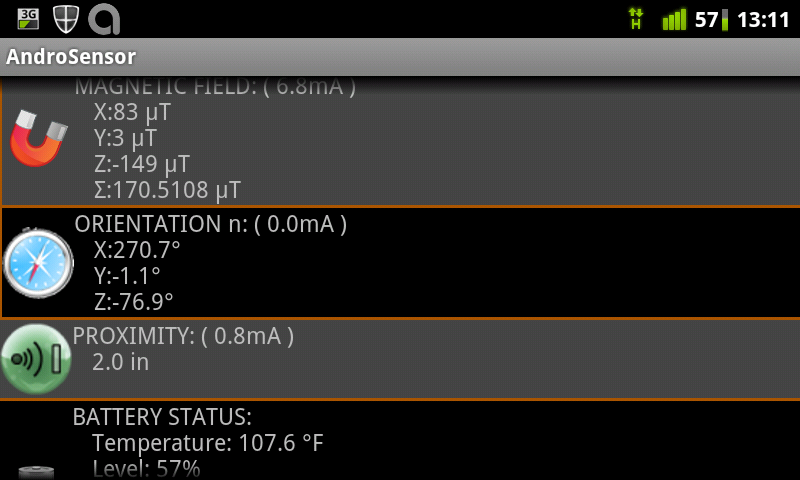
LUV web site zoomed in The Opera Mini browser is often faster than other browsers because it uses a compressing proxy run by Opera. It s not so good for privacy though LUV page on Wikipedia I have been using Wapedia for browsing Wikipedia. Since giving the talk I discovered the Official Wikipedia browser from the Wikimedia foundation [5] which is a better fit for my needs and I ve uninstalled Wapedia. As an aside modern phones have 16G of storage or more and could easily have a copy of the entire English text of Wikipedia on internal storage. It would be good if someone like Jason King (who is known for work on stand-alone DVD images for Wikipedia) was to write an Android program to do this. Handy Apps Androsensor showing GPS, accelleration, and light intensity
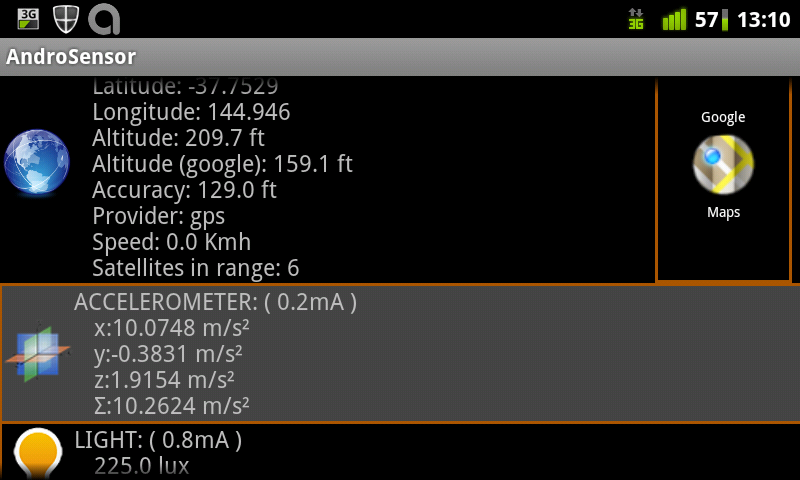
Androsensor showing magnetic field, orientation, and battery Androsensor is a program to display output from most (all?) of the sensors on your phone. The results aren t as accurate as one would hope, for example Earth s gravity is 9.81m/s^2 not the 10.26m/s^2 my phone registered. But they are a useful indication. picture of Coke can, scanning the barcode
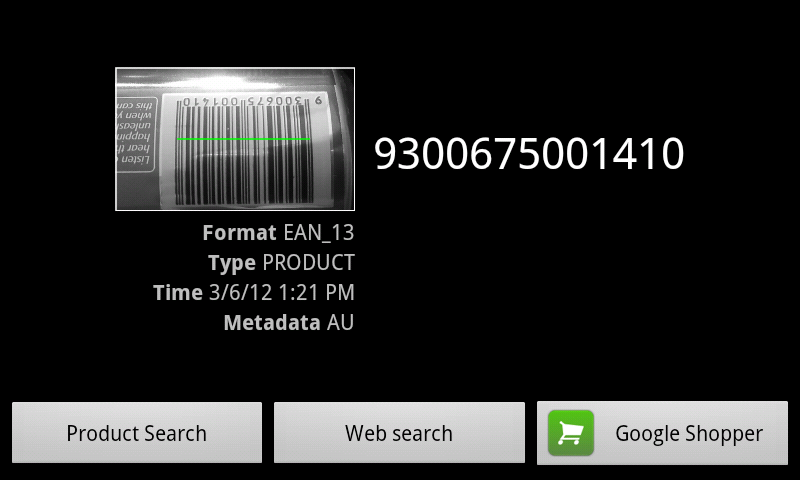
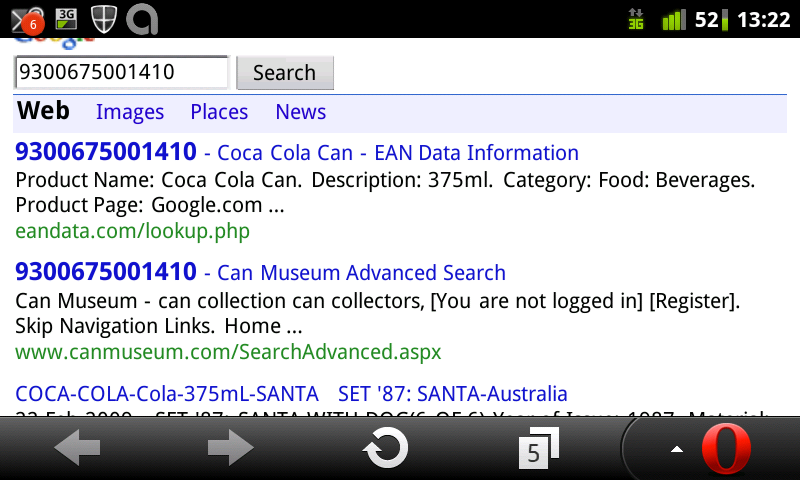
Google search on Coke can barcode
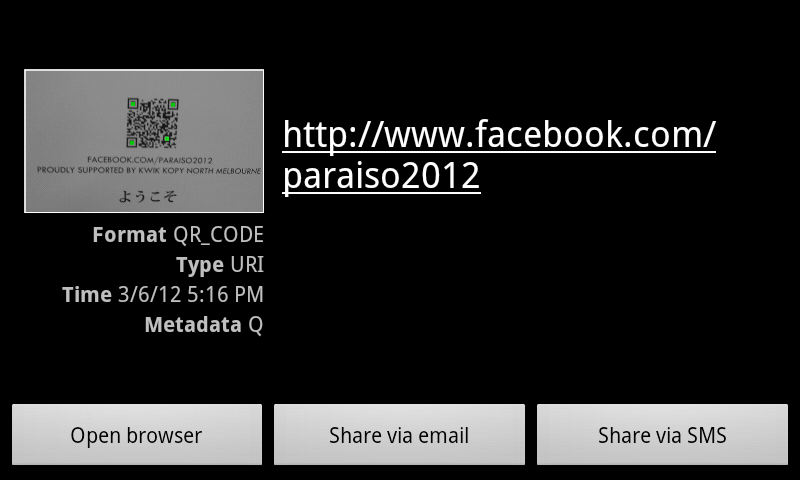
QR Code lookup of Facebook page The Zxing Barcode scanner is one of many programs that will scan barcodes with the camera in an Android phone. It can launch a Google search on a product code or open a URL from a
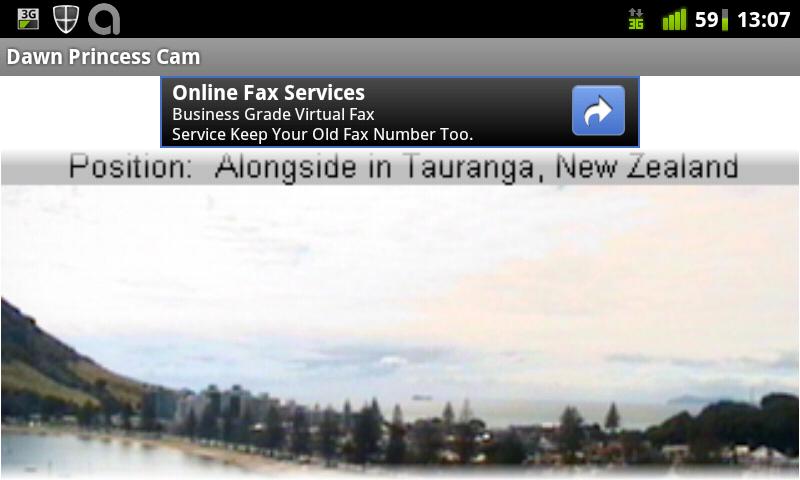
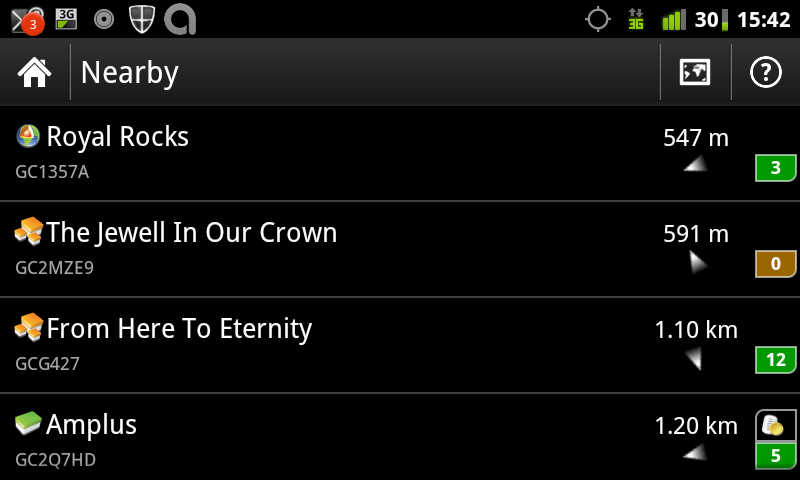
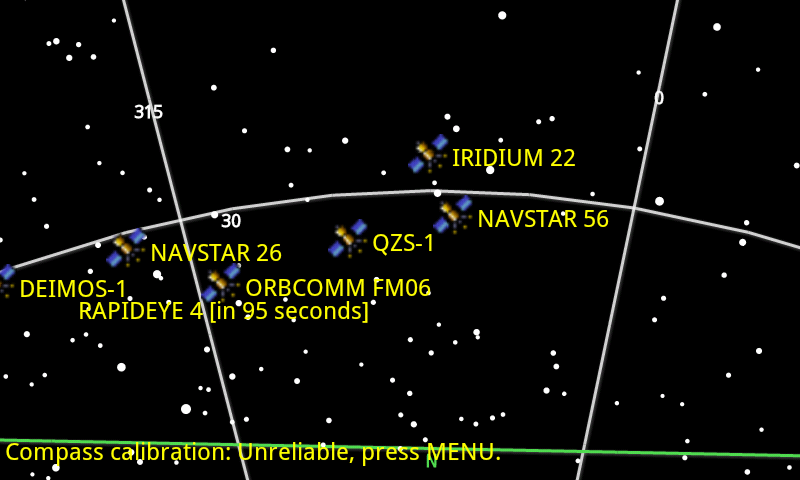
QR Code. The above pictures show it scanning a Coke can (the can and other background was displayed on the full screen before the screen capture program activated), doing a Google search on the can barcode, and looking up a QR code that was on an advertisment outside the LUV venue. picture from the bridge of the Dawn Princess in Tauranga NZ Cruise Cams allows you to download pictures from cruise ships. Some cruise ships have several cameras on different parts of the ship uploading pictures regularly so that people around the world can see what s happening. list of geo-caches near the park where I prepared most of my notes The c:geo opensource program allows you to get information on Geocaches and see a compass or map showing the location. This program has been getting an increasing number of features to do everything you might want to do related to Geocaching. The above picture shows some caches that are close to where I made the screen-shot, in a park a couple of Km from the meeting location. picture of Google Sky Map in the direction of Andromeda The Google Sky map uses augmented reality techniques to display stars in the direction that your phone is pointing along with their names and the names of the constellations. Marine Traffic showing ships near me

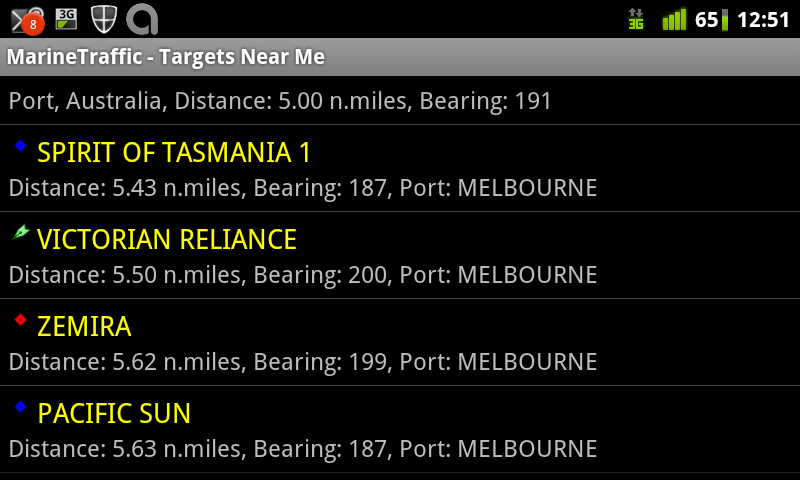
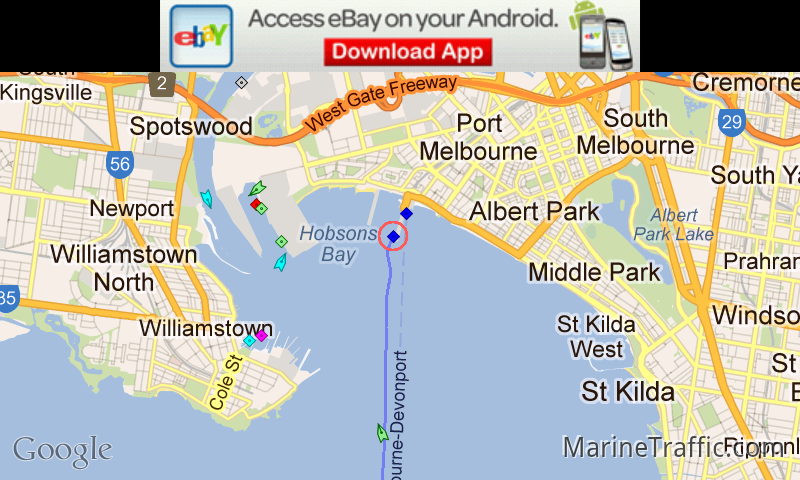
Marine Traffic showing the Pacific Sun highlighted on a Google Map
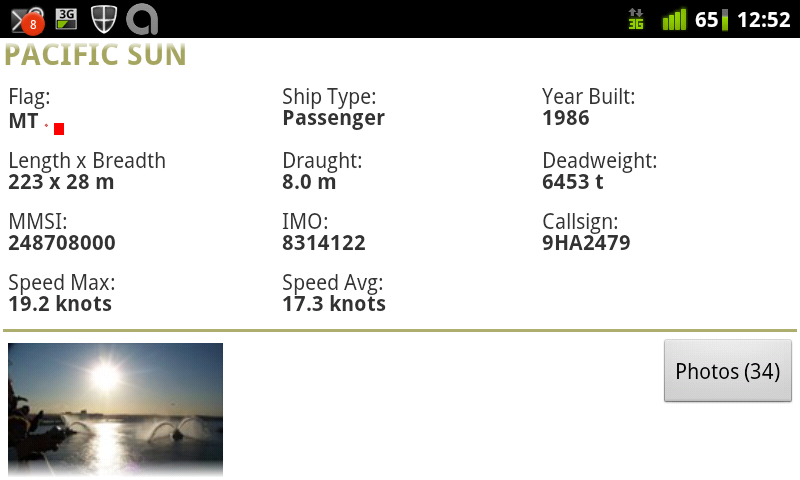
Marine Traffic showing details of the Pacific Sun
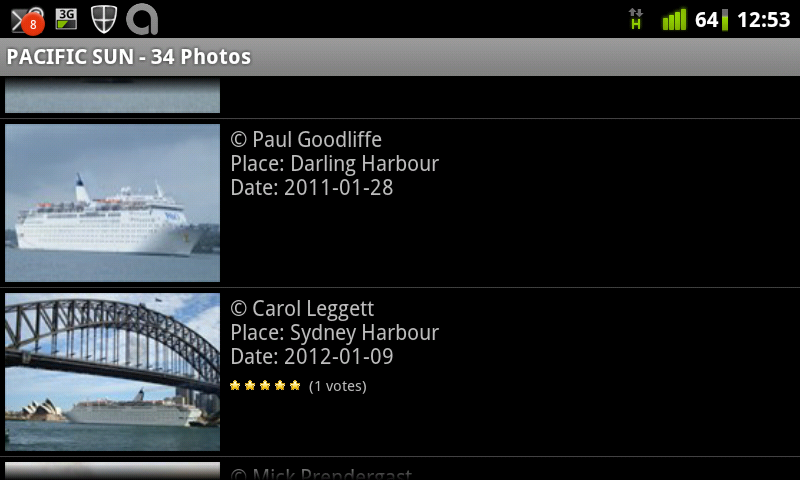
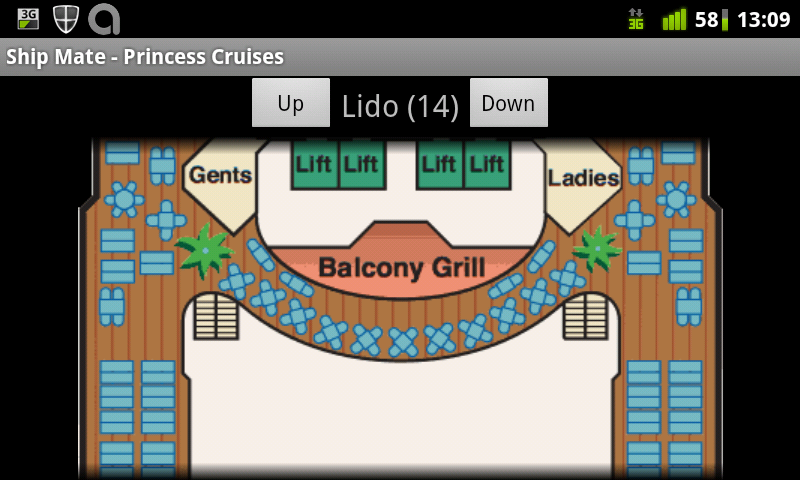
Photos of the Pacific sun taken by fans and shown by Marine Traffic The Marine Traffic program shows the locations of ships as well as lots of information about them. The above pictures show me discovering that the Pacific Sun was nearby, viewing it s location on Google Maps, seeing the details, and then viewing fan pictures. The developer s web site allows viewing all the same data without an Android phone [6]. Anyone can join the project by buying an Automatic Identification System (AIS) receiver and configuring a PC to take data from AIS and send it to the MarineTraffic.com servers. As an aside they seem to be missing coverage in western Victoria, so it would be good if someone near Apollo Bay or Warrnambool could install an AIS receiver and help out. Satellite map from Satellite AR Satellite AR uses augmented reality to show the location of satellites and other things in spare. Unfortunately the screen capture process turned off the camera as I had a sign advertising fast food positioned in an amusing location in the background. Shipmate overview of Dawn Princess
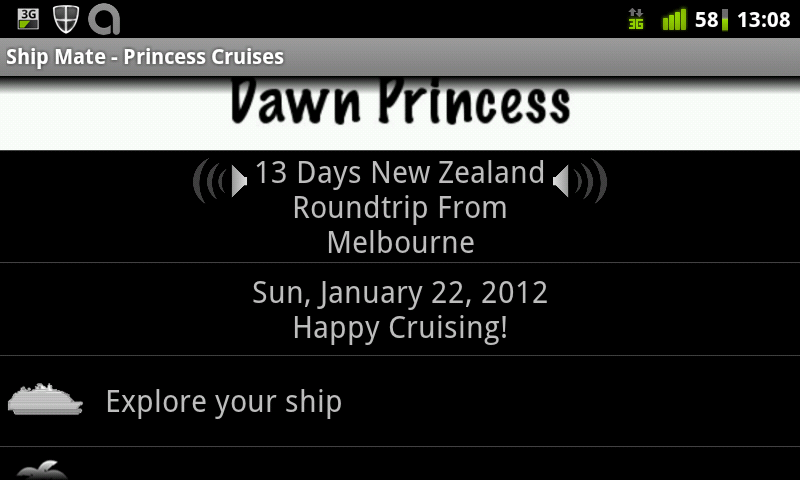
Shipmate map of Dawn Princess Shipmate publishes a set of programs giving information on cruise ships, they have one program for each cruise line. Above is the program for the Princess cruise line, the above pictures give information on the Dawn Princess. Unfortunately the program wasn t usable without net access when I tried to use it on a cruise ship. Games Air Attack HD game, clone of 1942 Air Attack HD is an entertaining game that demonstrates the capability of Android phones to run action games. Like many Android games it has a free version and paid versions if you want more. picture of Angry Birds Angry Birds is one of the most well known games for touch-screen devices. It has also spawned a huge line of merchandise. Labyrinth Lite
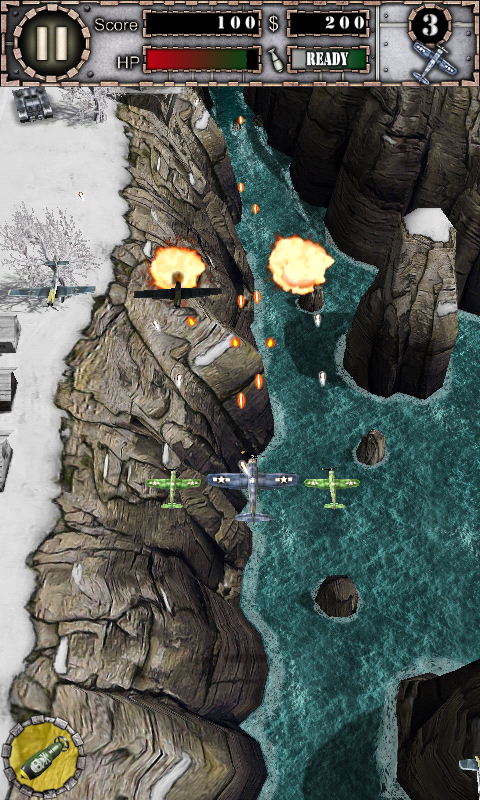


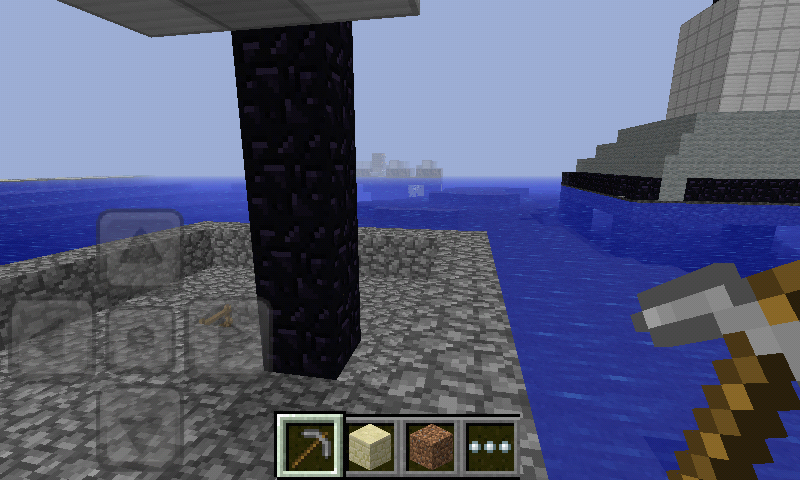
Labyrinth Lite from a different angle Labyrinth Lite is one of the many Android games based on the old mechanical game where you tilt a toy to roll a ball-bearing through a maze. It s free and is better than most of the free games in that genre. Minecraft Pocket Edtion Minecraft Pocket Edition allows you to play Minecraft on your phone. The demo version doesn t allow saving the game, you have to buy the game for about $5 if you want to do that. It also lacked the full features of the game last time I checked, it didn t have monsters. Paradise Island overview
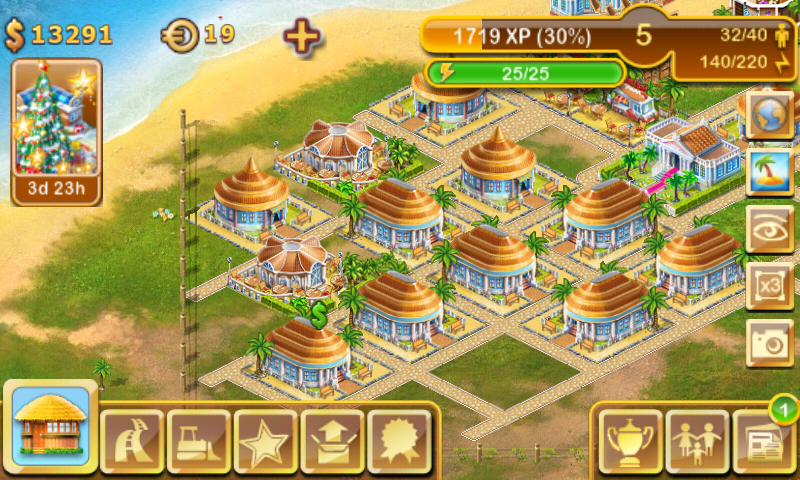
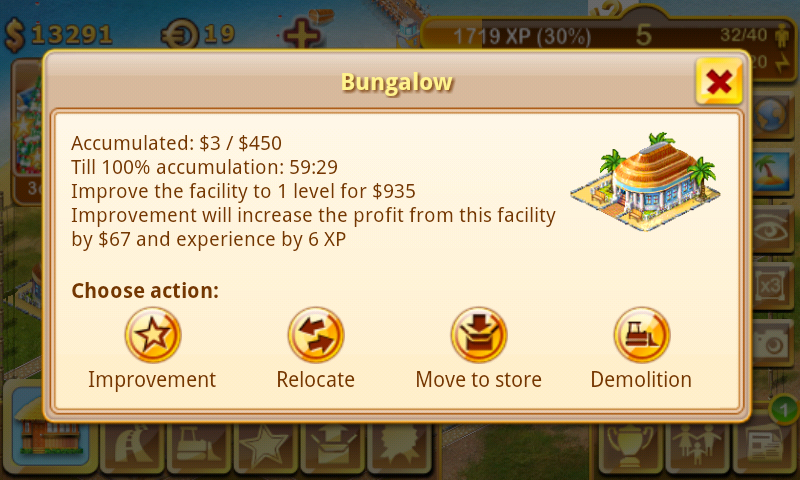
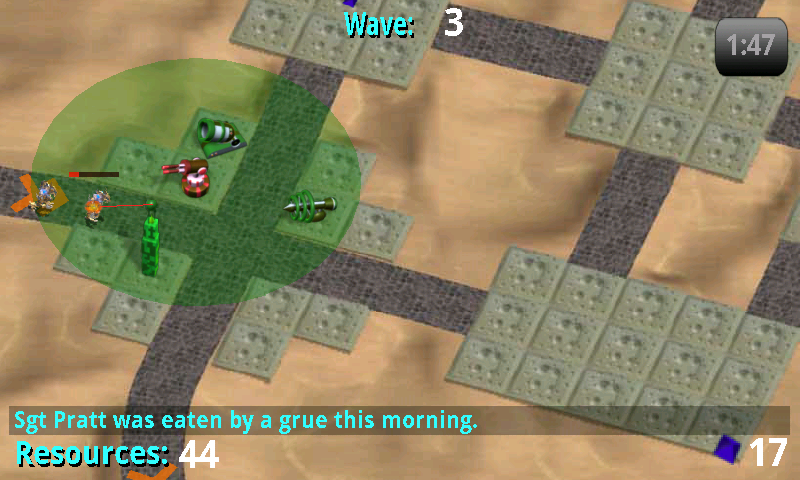
Paradise Island details of Bungalow Paradise Island is one of many business simulation games for Android. It s more playable than most and has very detailed graphics, but the down-side is that it s a memory hog and will crash if you don t have enough RAM. It s one of the games that are free to download but encourage you to pay money to level up, for some players it s probably a very expensive game. Tower Raiders 2, Pratt was eaten by a Grue Tower Raiders 2 is one of the better tower defense games for Android. Related posts:
  1. Choosing an Android Phone My phone contract ends in a few months, so I m...
  2. Galaxy S vs Xperia X10 and Android Network Access Galaxy S Review I ve just been given an indefinite loan...
  3. Standardising Android Don Marti wrote an amusing post about the lack of...

Dirk Eddelbuettel: R / Finance 2012 Open for Registration

The annoucement below just went to the R-SIG-Finance list. More information is as usual the the R / Finance page:
Now open for registrations: R / Finance 2012: Applied Finance with R
May 11 and 12, 2012
Chicago, IL, USA
The registration for R/Finance 2012 -- which will take place May 11 and 12 in Chicago -- is NOW OPEN! Building on the success of the three previous conferences in 2009, 2010, and 2011, we expect more than 250 attendees from around the world. R users from industry, academia, and government will join 40+ presenters covering all areas of finance with R. This year's conference will start earlier in the day on Friday, to accommodate the tremendous line up of speakers for 2012, as well as to provide more time between talks for networking. We are very excited about the four keynotes by Paul Gilbert, Blair Hull, Rob McCulloch, and Simon Urbanek. The main agenda includes nineteen full presentations and eighteen shorter "lightning talks". We are also excited to offer six optional pre-conference seminars on Friday morning. Once again, we are hosting the R/Finance conference dinner on Friday evening, where you can continue conversations while dining and drinking atop a West Loop restaurant overlooking the Chicago skyline. More details of the agenda are available at:
http://www.RinFinance.com/agenda/
Registration information is available at
http://www.RinFinance.com/register/
and can also be directly accessed by going to
http://www.regonline.com/RFinance2012
On behalf of the committee and sponsors, we look forward to seeing you in Chicago!
Gib Bassett, Peter Carl, Dirk Eddelbuettel, Brian Peterson,
Dale Rosenthal, Jeffrey Ryan, Joshua Ulrich
Our 2012 Sponsors:
International Center for Futures and Derivatives at UIC Revolution Analytics
Sybase
MS-Computational Finance at University of Washington Google
lemnica
OpenGamma
OneTick
RStudio
Tick Data
See you in Chicago in May!!

19 March 2012

Petter Reinholdtsen: Debian Edu interview: John Ingleby

Debian Edu / Skolelinux users are spread all across the globe. The second inteview after the Squeeze release was publised is with John Ingleby, a teacher and long time Linux user in United Kingdom. Who are you, and how do you spend your days? I teach ICT part time at the Rudolf Steiner School in Kings Langley, near London, UK. Previously I worked as a technical author/trainer while my children attended the school, and I also contributed to the Schoolforge UK community with the aim of encouraging UK schools to adopt free/open source software. Five or six years ago we had about 50 schools interested in some way, but we weren't able to convert many of them into sustainable installations. How did you get in contact with the Skolelinux/Debian Edu project? Skolelinux had two representatives at an early Edubuntu meeting in London which I attended. However at that time our school network had just been installed using CentOS, LTSP 4 and GNOME. When LTSP 5 came along we switched to Edubuntu thin client servers so now we have a mixed environment which includes Windows PCs and student laptops, as well as their MacBooks and iPads. However, the proprietary systems have always been rather problematic, and we never built a GUI for the LDAP server, so when I discovered Skolelinux is configured for all these things we decided to try it. What do you see as the advantages of Skolelinux/Debian Edu? By far the biggest advantage is the Debian Edu community. Apart from that I have always believed in the same "sustainable computing" goals that Skolelinux is built on: installing Linux on computers which would otherwise be thrown away, to provide a reliable, secure and low-cost IT environment for schools. From my own experience I know that a part-time person can teach and manage a network of about 25 Linux computers, but it would take much more of my time if we had proprietary software everywhere. What do you see as the disadvantages of Skolelinux/Debian Edu? As a newcomer I'm just finding out who's who in the community and how you're organised, and what your procedures are for dealing with various things such as editing manual pages and so-on. The only English language mailing list seems to be for developers as well as users, so my inbox needs heavy pruning each day! Which free software do you use daily? Besides the software already mentioned at school we use Samba, OpenLDAP, CUPS, Nagios and Dansguardian for the network, and on the desktops we have LibreOffice, Firefox, GIMP and Inkscape. At home I use Ubuntu and an Android 4 eePad Transformer (but I'm not sure if that counts...) Which strategy do you believe is the right one to use to get schools to use free software? That's a tough question! For very many years UK schools installed and taught only proprietary software, so that at the highest levels the notion of "computer" means simply "proprietary office applications". However, schools today are experiencing budget constraints, and many are having to think hard about upgrading Windows XP. At the same time, we have students showing teachers how to use iPads, MacBooks and Android, so the choice of operating system is no longer quite so automatic. What is more, our government at last realised that we need people with programming skills, so they're putting coding back in the curriculum! And it's encouraging that the first 10,000 Raspberry Pi units sold out in 2 hours. I don't really know what strategy is going to get UK schools to use free software, but building an active community of Skolelinux/Debian Edu users in this country has to be part of it.

Benjamin Mako Hill: A Manhattan Project for Clich Collection

This weekend, I launched an extremely ambitious effort to collect evidence of extremely ambitious efforts. The result was a short program that searched the web and revealed the: [Previously in this series: frailty, the invisible hand, science as dance.]

Cosimo Alfarano: Facebook provider for GNOME Online Accounts

Following Xavier's steps, last week a new patch set has been commited to GNOME Online Account master repo, this time to add support for Facebook client-side auth flow, which does not require secret keys to work.

This means that since GNOME 3.4 it will be possible to enable Facebook support at configure time (yep, by default it's still disabled. Distributions will explicitly need to enable it for now). Currently only chat is supported.


The steps to enable it are easy:
Use --enable-facebook at configure time and compile+install as usual.A default FB application id is used, so you don't need to provide it.
Using the freshly updated goa-daemon (use --replace in case you're unsure) select online accounts from the control panel, add a facebook account (which should be now possible to select, along with at Google and Windows live if you've enabled it) and follow the on-screen instruction.
You'll need to authenticate yourself against Facebook and authorize the GNOME application.
Once your account has been created, set your presence to Available using Empathy or gnome-shell.
Now chat with your Facebook buddies \o/

It requires empathy (>=3.3.2), telepathy-gabble (>= 0.15.0) and of course gnome-online-accounts (the soon soon to be released 3.4.0, or directly git master)

Thanks to Xavier who backported to 3.4 my patches, originally meant for 3.6, and to Collabora who allowed us to improve Gnome Online Accounts!

Jan Wagner: Chemnitzer Linuxtage 2012

As announced 3 weeks ago, the Debian project was present at Chemnitzer Linuxtage. Several talks and workshops where held by people related to the Debian project. At the booth we had talks and discussions with exhibitors and visitors, unfortunately I didn t had much time to visit more than small parts of two lectures. Unfortunately (for the visitors) we didn t had any merchandising on board, while we received several requests. On Sunday Axel surprised us with some leftovers from fosdem of debian.ch merch. At the booth we had a demo machine running Babelbox and xpenguins, which attracted visitors very well. Booth Babelbox We received also more than one Just thank you by satisfied users. :) Four different talks and one workshop were held by Debian people, but they were not specific to the Debian. The workshop was about OpenStreetMap, lectures was about commandline helpers, grep everything, quality analyzing and team management in opensource projects and Conkeror and other keyboard based webbrowsers. Many thanks to Jan Dittberner, Andreas Tille, Christian Hoffmann, Florian Baumann, Christoph Egger, Axel Beckert, Adam Schmalhofer, Markus Schnalke, Sebastian Harl and Patrick Matth i for running the booth, answering a wide range of questions or just chatting with visitors . A special thank to TMT GmbH & Co. KG for providing the complete equipment and sponsoring it s transportation. At the end we have to send a big thank to the organizing team of the Chemnitzer Linuxtage. It was fun and a pleasure to find new friends and meet old ones of the Free Software community. A small sidenote was anybody aware that OpenSuSE Package search is using screenshots.debian.net?

Mark Brown: regmap updates in 3.3

After the rush of new features in version 3.2 this has been a fairly quiet cycle for the regmap API, the main change being the wider usage by drivers. In terms of development of the subsystem itself this release sees:
  • Introduction of a generic interrupt controller for regmap based devices, this is already used by a few drivers with more coming.
  • Support for 10 bit register 14 bit value devices.
  • Removal of the indexed cache type devices which would have used it should use rbtree instead. If anything the rbtree cache is expected to be faster for small devices as where registers are grouped together into blocks it will usually be cheaper to search the rbtree.
  • Some improvements to the coverage of the tracepoints..
  • Diagnostics showing the number and size of nodes in an rbtree cache.

Russell Coker: Long Term Adverts

I ve just seen a mailing list post from someone who needs an ancient printer to work with their old software. As the printer is no longer manufactured and changing the software is expensive this puts them in a difficult situation which can be profitable for someone who happens to own an ancient printer that still works. This sort of thing is not uncommon at all. Ebay is a nice auction and online store site but it doesn t cater for long term personal adverts. I ve got a lot of old computer equipment that I keep because it might be useful at some time and it s a shame to throw away working equipment. I d like to be able to list that stuff on a sale site and have the adverts stay online for years just in case someone wants to pay a decent amount of money for it. If there was such a site I would also list all the systems in my test network, I can test software just as well with different hardware if someone wants to pay decent money for what I ve currently got. Storage space is pretty cheap and searching for keywords isn t that difficult either. The cost of running an online personal sale site for items that sell every few years isn t going to be much greater than running one that sells items after 10 days. But the profit in many cases will be a lot greater, an old printer that sells for $10 on Ebay could go for $200 or more if the seller could wait for a buyer who had some enterprise software that absolutely depended on that particular printer. Does anyone know of such an online sale site? If not does anyone want to start one? Related posts:
  1. Dear Magazines Please Publish Your Adverts Online When reading a magazine I often see an advert for...
  2. Friends and Adverts For some time I have been running Google Adsense adverts...
  3. Used Car Prices There is an interesting article in The Age about the...

18 March 2012

Jan Wagner: Is using Octopress a good idea?

Octopress seems to become more popular these days. As it looks great at a first view, I see two problems. Ruby 1.9.2 All documentations and howtos requires to install ruby 1.9.2 via rvm. Maybe anybody can tell me, why I could not just install the ruby1.9.1 package which is in fact 1.9.2.0? Comments Optopress doesn t support comments itself. I found 2 solutions for this problem. The most used is just to use Disqus, the other one to live without comments. I dislike the idea to embed external resources for privacy reasons and to rely on stuff I don t have under my own control. Is there any alternative solution beside disqus which isn t hosted offside?

Aurelien Jarno: 10 years ago

Date: Mon, 18 Mar 2002 18:22:10 +0000

From: James Troup <troup@samosa.debian.org>
To: Aurelien Jarno <aurelien@aurel32.net>
Cc: da-manager@debian.org
Subject: New Debian maintainer Aurelien Jarno [ This is a long (automatically-generated) mail, but it contains
important information, please read it all carefully. ] Dear Aurelien Jarno! An account has been created for you on developer-accessible machines with username aurel32 . The password for this account can be found encrypted with your PGP or GPG key and appended to this message. A list of machines available to Debian developers can be found at <URL:http://db.debian.org/machines.cgi>. Please take a minute now to familiarize yourself with the Debian Machine Usage Policy, available at <URL:http://www.debian.org/devel/dmup> You have been subscribed to the debian-private mailing list as <aurel32@debian.org>. Please respect the privacy of that list and don t forward mail from it elsewhere. E-mail to <aurel32@debian.org> will be forwarded to <aurelien@aurel32.net>. To change this, please see <URL:http://db.debian.org/forward.html> Also, please subscribe to debian-devel-announce, if you haven t done so already. We strongly suggest that you use your aurel32@debian.org address for the maintainer field in your packages, because that one will be valid as long as you are a Debian developer, even if you change jobs, leave university or change Internet Service providers. If you do so, please add that address to your PGP/GPG key(s) (using gpg edit-key YOUR USER ID ) and send it to the keyring server at keyring.debian.org with gpg keyserver keyring.debian.org send-keys YOUR USER ID . You can find more information useful to developers at <URL:http://www.debian.org/devel/> (in particular, see the subsection titled Debian Developer s reference ). We suggest that you subscribe to debian-mentors@lists.debian.org. This list is for new maintainers who seek help with initial packaging and other developer-related issues. Those who prefer one-on-one help can also post to the list, and an experienced developer may volunteer to help you. You can get online help on IRC, too, if you join the channel #debian-devel on irc.debian.org. Take a look at the support section on www.debian.org in order to find out more information. You should have read these documents before working on your packages. o The Debian Social Contract
<URL:http://www.debian.org/social_contract.html> o The Debian Policy Manual
<URL:http://www.debian.org/doc/debian-policy/> If you have some spare time and want to contribute it to Debian you may wish to take a look at the Work-Needing and Prospective Packages for Debian GNU/Linux also known as WNPP that can be found at <URL:http://www.debian.org/devel/wnpp/> If you plan to make a Debian package from a not yet packaged piece of software you *must* announce your intention on the debian-devel mailing list to make sure nobody else is working on them. The machine ftp-master.debian.org is our main archive server. Every uploaded package finds it s way there (except for Packages covered by US crypto laws which go to non-us.debian.org) eventually. master.debian.org is the home of our bug tracking system. Project web pages and CVS archives are hosted on klecker.debian.org (aka cvs/www.debian.org), klecker is also our general shell server. Web pages should be placed in public_html on klecker and refered to by http://people.debian.org/~aurel32 You should use ssh to log into the machines instead of regular telnet or rlogin. Our LDAP directory is able to share ssh RSA keys among machines, please see <URL:http://db.debian.org/doc-mail.html> Otherwise when you first login a ~/.ssh directory will be created with the appropriate permissions. Please be aware of the security implications of using RSA authentication and ssh agents. Finally, please take a minute to visit <URL:http://db.debian.org/>.
Login using the password information appended to this email, and update your personal information. The information is used to maintain your accounts on various Debian machines, and also to allow other developers and general users to find out more about you. Many of the fields are only visible to other registered Debian developers. This is also the only way to change your password. The passwd program does not yet work. Welcome to the project!
The Debian New Maintainer Team

Gustavo Franco: Debian testing (wheezy) keyboardless install

I couldn't find an end-to-end document online about this just bits and pieces here and there. Let me describe how to install Debian testing (wheezy) without a keyboard using an USB flash drive and ssh.

I've got an HP Microserver a month or so ago and this is the step by step of my second install. The first one was also keyboardless but didn't involve an USB flash drive to bootstrap. I've used tftpd and dhcp from my laptop, but forgot to capture the notes to make a blog post. Shame on me.

Here's what you need:
The last two requirements are optional for hardcore preseeders. If you don't know what I mean. You aren't one of them. :)

Here's the step by step to install using SSH:
At this point you have all that you need to do a regular install using an USB flash drive and it's kinda of well documented. Well, we still need to change it to make it work without a keyboard and give you the ability to ssh into the installer.

Create a preseed.cfg in the root directory of the USB flash drive containing the following:
d-i netcfg/get_hostname string HOSTNAME
d-i netcfg/get_domain string DOMAIN
d-i anna/choose_modules string network-console
d-i network-console/password password INSERT_A_PASSWORD_HERE
d-i network-console/password-again password INSERT_A_PASSWORD_HERE

Edit syslinux.cfg in the root directory of the USB flash drive to look like this:
default netinst
prompt 0
timeout 5
label netinst
menu label netinst
 kernel linux
 append auto=true vga=normal file=/preseed.cfg initrd=initrd.gz priority=critical
My wishlist to the d-i hackers out there:
  • A boot-ssh.img.gz with the syslinux.cfg and preeseed.cfg above. In this case, it would be much more trivial to document in the installer manual how to use such a great feature.

Pablo Lorenzzoni: Time to change Window Manager again?

Ten years ago I was a fan of NEXTSTEP desktops and a die hard user of Window Maker. I love dockapps, and used to collect them. Things changed, and, as I moved from Desktops to Laptops, I began using simpler Window Managers. The powerful keyboard-shortcuts Fluxbox along with its capability to join windows with tabbing won me over and I began using it in my Laptop, while preserving Window Maker in my Desktop. In time, Fluxbox were used in both sides. Then the netbooks came and I bought an EeePC. The screen was so small that even the non-obstructive nature of Fluxbox were not enough. I began to try tiling window managers and I settle for Awesome. I was using Fluxbox in my Desktop and my Laptop, but Awesome was running in my Netbook. Tiling was making a lot of more sense and I could be productive, even in a small Netbook. Eventually, I started using Bluetile in my Laptop. Also, Bluetile was written in Haskell, and I was interested in Functional Languages by that time Now I got a new Laptop, and, since it features a Realtek 8191SE Wi-fi card, I had to install Wheezy (in my laptop, I usually run stable). Wheezy comes with the new GNOME 3 desktop, of which I read a lot. I decided to give it a try. I am missing advanced tiling (it seems that GNOME3 tiling works just in the side-by-side approach) and I also think that creating custom launchers should be improved but so far I am not disliking it, which is a good step toward adopting it. I ll give it a week to convince me. Let s see how it works its charm on me :-)

Andrew Pollock: [life] Guantanamo: My Journey

I first learned that David Hicks had written an autobiography when I saw some press coverage of there being an attempt by the Australian Government to ban the sale of it, so I asked my sister if she could get me a copy for my birthday before any ban happened. The book doesn't appear to be available on Amazon. I sat down and tried to read it almost immediately, but at the time found his writing style to be rather inarticulate, so I put the book down for a month or so. When I next had a platelet donation to make, I took it along with me, and forced myself to read it for duration of the donation. On the second reading, I managed to engage with the book, and from that point on, once I made it through his early years in that initial forced reading session, it ended up being quite enthralling. I plugged my way through the 456 pages in a bit over a month I guess. We'll never truly know the full story of David Hicks, because I'm sure that unless there's some sort of inquiry (and even then, there's multiple country's governments involved), the full story won't come out. I was always sympathetic to Hicks' plight, since I don't believe that anyone should be held without due process let alone for anywhere near as long as he was. Certainly, the way the book reads, Hicks comes across as a very young, naive, but principled individual. Like many Australians, he got the travel bug, and by way of it, got to interact with some different cultures, which awakened a hunger for social justice in him (at least that's my interpretation of his portrayal). I guess I have a different mental image of torture than Hicks did, because I didn't really find any incidences of what I'd consider torture in his story. There was plenty of despicable, inhumane treatment though, so I can see how the line might get blurry, particularly if you're the one experiencing it. Specifically on the (mis)treatment of the detainees: it was pretty bad, based on the book. I'm surprised there haven't been more whistle blowers that have come out. I can't believe that the many soldiers who were stationed there could treat detainees the way Hicks says they were treated and then can look themselves in the mirror. The ICRC seemed well apprised of the detainees conditions (since they seemed to have the most access to them of any non-military people). I don't know what confidentiality is imposed on them in return for that access, though. The fact that he's able to string a sentence together at all after the treatment he describes for the length of time he received it, I think is pretty amazing. I couldn't imagine having to endure what he says he went through. I did feel quite appalled by my own country's complete disregard for his plight, and similarly in the way the US Government treated these detainees for as long as they did. Given there are still 171 detainees in Guantanamo today, it makes me wonder what the conditions and treatment are like there now. It certainly seems to have fallen out of the mainstream press. Overall, not the most well written book, but a fascinating and shocking account of what happened to one person. I think Hicks should be congratulated for the courage to relive his experiences to get them down on paper, and Random House should also be congratulated for publishing his work, which I'm sure put them under some political pressure. I have no idea how well the book has sold, or how widely it has been read, but I certainly recommend it.

Gregor Herrmann: RC bugs 2012/10-11

since I was travelling in the pre-ultimate week for a few days, there was no report about my RC bugs fixing activities. so here we go with an overview covering two weeks:

Next.

Previous.