Two weeks ago I decided to make myself a combined birthday and Christmas present and upgrade my coffee gear.
I ve got my first espresso machine back in 2013, it was a cheap Saeco Philips Poemia, which made reasonably
drinkable coffee, but not being able to make good coffee made me increasingly unhappy about it. However,
since it worked, I wasn t motivated enough to change anything until it stopped working. One day the nut holding
the shower screen broke, and I couldn t replace it.
Having no coffee machine is arguably worse than having a mediocre one, so I started looking for a new one in the budget
range. Having spent about two months reading reviews for all sorts of manual espresso machines, I realised the best
thing I can probably do for the money I was willing to spend at the time was to buy a second-hand Gaggia Classic.
Which is what I did: I paid 260 to a person who apparently decided they prefer to press a button to get their espresso
rather than have to prepare it themselves.
My first attempts at making espresso weren t very much successful, as my hand grinder couldn t produce the right grind for
espresso (without using pressurised baskets), so I quickly upgraded it to the 50 De Longhi electric grinder, which was much
better for espresso.
Gaggia Classic 2015 and De Longhi grinder
This setup has worked for me for nearly 4 years, but over the time the Gaggia started malfunctioning.
See, this particular Gaggia Classic is the 2015 model, which resulted in the overhaul of the design after Gaggia was acquired by
Philips. They replaced the boiler, changed the exterior design a bit, and importantly for me replaced the fully metal group
head with the metal and plastic version typically found in cheap espresso machines like my old Poemia.
The Gaggia Classic 2015 group head
The trouble with this one is that the plastic bit (barely seen on the picture, but it s inserted into the notches on the sides
of the group head) is that it gets damaged over the time, especially when the portafilter is inserted very tightly. The more
damaged it gets, the tigher it is necessary to insert the portafilter to avoid leakage, the more damaged it gets and so on.
At one point, the Gaggia was leaking water every time I was making coffee, affecting the quality of the brew and making a mess
in the kitchen. I made a mistake and removed the plastic bit only to realise it cannot be purchased separately and nobody knows
how to put it back once it s been removed; I ended up paying more than a hundred euro to replace the group head as a whole.
Once I ve got the Gaggia back, I became too conscious of the potential damage I can make by overengaging the portafilter, I decided
it s probably the time to get a new coffee machine.
Gaggia Classic 2015 vs 2019
The makers of Gaggia listened to the critics and undid the 2015 changes to the Gaggia Classic design, reverting to the previous one
and fixing it they basically merged the fixes many of the owners of the old Gaggia did themselves. The group head is now without
any plastic, so I don t have to worry that much about damaging it accidentally.
A friend pointed out that my grinder is probably not good enough and recommended a couple of models to me; I checked
Kev s Coffee Blog and found a grinder, Sage Dose Control Pro,
which was available on sale in my local shop for a reasonable price.
I ve also got a portafilter holder to make tamping more comfortable I used to tamp against an edge of the sink:
The final setup:
Gaggia Classic 2019 and Sage BCG600 Dose Control Pro
What I learnt from this is that the grinder does indeed make a huge difference. I am now able to consistently produce brews I would only occasionally
get with the old De Longhi grinder. There is one downside to the new grinder.
Happy with my new purchase, I went to read this review and thought to myself: lucky me, my grinder is absolutely quiet! And then I realised that
the noise in my kitchen is not, in fact, produced by the fridge, but the grinder. Well, a cheap switched plug solved the issue completely (I wish
sockets here each had a switch like they usually to in the UK!)
Debian security is pretty good, but there s always scope for improvement. Here are some ideas that I think could be used to improve things.
A security wizard , basically a set of scripts with support for plugins that will investigate your system and look for things that can be improved. It could give suggestions on LSMs that could be used, sysctl settings, lists of daemons running as root that possibly don t need root privs, etc. Plugins could be for different daemons, so there could be a plugin for Apache that looks for potential issues with Apache configuration. It wouldn t be possible to cover everything, but it would be possible to cover many common cases. It appears that we used to have a harden package to do some of these things which disappeared. It appears that the only remnant of that is the hardening-runtime package.
Kali Linux [1] is a distribution designed for penetration testing, I recently tried out many of it s features and I was very impressed. While I don t think that the aim should be to copy all Kali features into Debian there are probably some that are worthy of inclusion. Most Kali features run well in a VM, but the Wifi penetration testing tools need access to the hardware, so they could be a good candidate for inclusion in Debian (license permitting).
We have a Securing Debian Manual [2] that is really good. It s a little out of date and needs some contributions, it also needs to be better known.
The Security Management page of the Debian wiki [3] has links to a number of pages about improving system security. It needs some updates, it doesn t have a link to a page about SE Linux so there s some work for me to do there.
Can training help people? I would be happy to run some Debian SE Linux training sessions over Matrix or Jitsi. We can probably find people to offer training on other aspects of Linux security that are implemented in Debian if there is an audience. I don t think that I and other DDs (Debian Developers) can train everyone, but we could train people who then go on to run other training sessions and make the session notes etc available under the GPL.
There would also be some benefits to training other DDs as probably no-one has a good overview of all the security features that are supported.
Any other ideas? Feel free to comment here or start a thread on a public mailing list. If you start a mailing list discussion please email me or comment here with the URL if it s a list that I m not on so I can track it via the archives. This post was inspired by a discussion on a private list of a related topic. I think it s better to have a public discussion instead.
Advent of Code 2021Advent of Code, for those not in the know,
is a yearly Advent calendar (since 2015) of coding puzzles many people
participate in for a plenary of reasons ranging from speed coding to code
golf with stops at learning a new language or practicing already known
ones.
I usually write boring C++, but any language and then some can be used.
There are reports of people implementing it in hardware, solving them by
hand on paper or using Microsoft Excel
so, after solving a puzzle the easy way yesterday, this time
I thought: CHALLENGE ACCEPTED! as I somehow remembered an old 2008
article about solving Sudoku with aptitude
(Daniel Burrows via archive.org as the blog is long gone)
and the good same old a package management system that can solve [puzzles] based on package dependency rules is not something that I think would be useful or worth having (Russell Coker).
Day 8 has a rather lengthy
problem description and can reasonably be approached in a bunch of
different way. One unreasonable approach might be to massage the
problem description into Debian packages and let apt help me solve the
problem (specifically Part 2, which you unlock by solving Part 1. You
can do that now, I will wait here.)
Be warned: I am spoiling Part 2 in the following, so solve it yourself
first if you are interested.
I will try to be reasonable consistent in naming things in the following
and so have chosen: The input we get are lines like acedgfb cdfbe gcdfa fbcad dab cefabd cdfgeb eafb cagedb ab cdfeb fcadb cdfeb cdbaf.
The letters are wires mixed up and connected to the segments of the
displays: A group of these letters is hence a digit (the first 10)
which represent one of the digits 0 to 9 and (after the pipe) the four
displays which match (after sorting) one of the digits which means
this display shows this digit. We are interested in which digits are
displayed to solve the puzzle. To help us we also know which segments
form which digit, we just don't know the wiring in the back.
So we should identify which wire maps to which segment!
We are introducing the packages wire-X-connects-to-Y for this which
each provide & conflict1 with the virtual packages segment-Y and
wire-X-connects.
The later ensures that for a given wire we can only pick one segment and
the former ensures that not multiple wires map onto the same segment.
As an example: wire a's possible association with segment b is
described as:
Note that we do not know if this is true! We generate packages for
all possible (and then some) combinations and hope dependency resolution
will solve the problem for us. So don't worry, the hard part will be
done by apt, we just have to provide all (im)possibilities!
What we need now is to translate the 10 digits (and 4 outputs) from
something like acedgfb into digit-0-is-eight and not, say
digit-0-is-one. A clever solution might realize that a one consists
only of two segments so a digit wiring up seven segments can not be
a 1 (and must be 8 instead), but again we aren't here to be clever:
We want apt to figure that out for us! So what we do is simply making
every digit-0-is-N (im)possible choice available as a package and
apply constraints: A given digit-N can only display one number and
each N is unique as digit so for both we deploy Provides
& Conflicts again.
We also need to reason about the segments in the digits: Each of the
digit packages gets Depends on wire-X-connects-to-Y where X is each
possible wire (e.g. acedgfb) and Y each segment forming the digit
(e.g. cf for one). The different choices for X are or'ed together,
so that either of them satisfies the Y.
We know something else too through: The segments which are not used by
the digit can not be wired to any of the Xs. We model this with
Conflicts on wire-X-connects-to-Y.
As an example: If digit-0s acedgfb would be displaying a one
(remember, it can't) the following package would be installable:
Repeat such stanzas for all 10 possible digits for digit-0 and then
repeat this for all the other nine digit-N. We produce pretty much the
same stanzas for display-0(-is-one), just that we omit the second
Provides & Conflicts from above (digit-is-one) as in the display
digits can be repeated. The rest is the same (modulo using display
instead of digit as name of course).
Lastly we create a package dubbed solution which depends on all 10
digit-N and 4 display-N all of them virtual packages apt will have
to choose an installable provider from and we are nearly done!
The resulting Packages file2 we can give to apt while requesting to
install the package solution and it will spit out not only the display
values we are interested in but also which number each digit represents
and which wire is connected to which segment. Nifty!
$ ./skip-aoc 'acedgfb cdfbe gcdfa fbcad dab cefabd cdfgeb eafb cagedb ab   cdfeb fcadb cdfeb cdbaf'
[ ]
The following additional packages will be installed:
  digit-0-is-eight digit-1-is-five digit-2-is-two digit-3-is-three
  digit-4-is-seven digit-5-is-nine digit-6-is-six digit-7-is-four
  digit-8-is-zero digit-9-is-one display-1-is-five display-2-is-three
  display-3-is-five display-4-is-three wire-a-connects-to-c
  wire-b-connects-to-f wire-c-connects-to-g wire-d-connects-to-a
  wire-e-connects-to-b wire-f-connects-to-d wire-g-connects-to-e
[ ]
0 upgraded, 22 newly installed, 0 to remove and 0 not upgraded.
We are only interested in the numbers on the display through, so grepping
the apt output (-V is our friend here) a bit should let us end up with
what we need as calculating3 is (unsurprisingly) not a strong suit of
our package relationship language so we need a few shell commands to
help us with the rest.
$ ./skip-aoc 'acedgfb cdfbe gcdfa fbcad dab cefabd cdfgeb eafb cagedb ab   cdfeb fcadb cdfeb cdbaf' -qq
5353
I have written the skip-aoc script as a testcase for apt,
so to run it you need to place it in
/path/to/source/of/apt/test/integration and built apt first, but that
is only due to my laziness. We could write a standalone script
interfacing with the system installed apt directly and in any apt
version since
~2011.
To hand in the solution for the puzzle we just need to run this on each
line of the input (~200 lines) and add all numbers together. In other
words: Behold this beautiful shell one-liner:
parallel -I ' ' ./skip-aoc ' ' -qq < input.txt paste -s -d'+' - bc
(You may want to run parallel with -P to properly grill your CPU as
that process can take a while otherwise and it still does anyhow as
I haven't optimized it at all the testing framework does a lot of
pointless things wasting time here, but we aren't aiming for the
leaderboard so )
That might or even likely will fail through as I have so far omitted a
not unimportant detail: The default APT resolver is not able to solve
this puzzle with the given problem description we need another solver!
Thankfully that is as easy as installing apt-cudf (and with it aspcud)
which the script is using via --solver aspcud to make apt hand over the
puzzle to a "proper" solver (or better: A solver who is supposed to be
good at "answering set" questions). The buildds are using this for
experimental and/or backports builds and also for installability checks
via dose3 btw, so you might have encountered it before.
Be careful however: Just because aspcud can solve this puzzle doesn't
mean it is a good default resolver for your day to day apt. One of the
reasons the default resolver has such a hard time solving this here is
that or-groups have usually an order in which the first is preferred over
every later option and so fort. This is of no concern here as all these
alternatives will collapse to a single solution anyhow, but if there are
multiple viable solutions (which is often the case) picking the "wrong"
alternative can have bad consequences. A classic example would be
exim4 postfix nullmailer. They are all MTAs
but behave very different. The non-default solvers also tend to lack
certain features like keeping track of auto-installed packages or
installing Recommends/Suggests. That said, Julian is working on
another solver
as I write this which might deal with more of these issues.
And lastly: I am also relatively sure that with a bit of massaging the
default resolver could be made to understand the problem, but I can't
play all day with this maybe some other day.
Disclaimer: Originally posted in the daily megathread
on reddit, the version here is just slightly better understandable as
I have hopefully renamed all the packages to have more conventional
names and tried to explain what I am actually doing.
No cows were harmed in this improved version, either.
If you would upload those packages somewhere, it would be good
style to add Replaces as well, but it is of minor concern for apt
so I am leaving them out here for readability.
We have generated 49 wires, 100 digits, 40 display and 1 solution
package for a grant total of 190 packages. We are also making use of
a few purely virtual ones, but that doesn't add up to many packages
in total. So few packages are practically childs play for apt given it
usually deals with thousand times more. The instability for those
packages tends to be a lot better through as only 22 of 190 packages
we generated can (and will) be installed. Britney will hate you if
your uploads to Debian unstable are even remotely as bad as this.
What we could do is introduce 10.000 packages which denote every
possible display value from 0000 to 9999. We would then need to
duplicate our 10.190 packages for each line (namespace them) and then
add a bit more than a million packages with the correct dependencies
for summing up the individual packages for apt to be able to display
the final result all by itself. That would take a while through as at
that point we are looking at working with ~22 million packages with
a gazillion amount of dependencies probably overworking every solver
we would throw at it a bit of shell glue seems the better option for
now.
This article was written by David Kalnischkies on apt-get a life and republished here by pulling it from a syndication feed. You should check there for updates and more articles about apt and EDSP.
One might think, this blog is exclusively about weirdlanguage behavior and yelling at computers Well, welcome to another episode of Jackass!
Today's opponent is Ruby, or maybe minitest , or maybe Mocha. I'm not exactly sure, but it was a rather amusing exercise and I like to share my nightmares ;)
It all started with the classical "you're using old and unmaintained software, please switch to something new".
The first attempt was to switch from the ci_reporter_minitest plugin to the minitest-ci plugin. While the change worked great for Foreman itself, it broke the reporting in Katello - the tests would run but no junit.xml was generated and Jenkins rightfully complained that it got no test results.
While investigating what the hell was wrong, we realized that Katello was already using a minitest reporting plugin: minitest-reporters. Loading two different reporting plugins seemed like a good source for problems, so I tried using the same plugin for Foreman too.
Guess what? After a bit of massaging (mostly to disable the second minitest-reporters initialization in Katello) reporting of test results from Katello started to work like a charm. But now the Foreman tests started to fail. Not fail to report, fail to actually run. WTH
The failure was quite interesting too:
test/unit/parameter_filter_test.rb:5:in  block in <class:ParameterFilterTest>':
  Mocha methods cannot be used outside the context of a test (Mocha::NotInitializedError)
Yes, this is a single test file failing, all others were fine.
The failing code doesn't look problematic on first glance:
The failing line (5) is mock('Example').tap and for some reason Mocha thinks it's not initialized here.
This certainly has something to do with how the various reporting plugins inject themselves, but I really didn't want to debug how to run two reporting plugins in parallel (which, as you remember, didn't expose this behavior). So the only real path forward was to debug what's happening here.
Calling the test on its own, with one of the working reporter was the first step:
Wait, what? #<Mocha::Mock: >? Shouldn't this read more like ParameterFilterTest:: as it happens for every single other test in our test suite? It definitely should! That's actually great, as it tells us that there is really something wrong with the test and the change of the reporting plugin just makes it worse.
What comes next is sheer luck. Well, that, and years of experience in yelling at computers.
We use let(:klass) to define an object called klass and this object is a Mocha::Mock that we'll use in our tests later. Now klass is a very common term in Ruby when talking about classes and needing to store them mostly because one can't use class which is a keyword. Is something else in the stack using klass and our let is overriding that, making this whole thing explode?
It was! The moment we replaced klass with klass1 (silly, I know, but there also was a klass2 in that code, so it did fit), things started to work nicely.
I really liked Tomer's comment in the PR: "no idea why, but I am not going to dig into mocha to figure that out."
Turns out, I couldn't let (HAH!) the code rest and really wanted to understand what happened there.
What I didn't want to do is to debug the whole Foreman test stack, because it is massive.
So I started to write a minimal reproducer for the issue.
All starts with a Gemfile, as we need a few dependencies:
And a test! I took the liberty to replace ActiveSupport::TestCase with Minitest::Test, as the test won't be using any Rails features and I wanted to keep my environment minimal.
Wait, I didn't change anything and it's already failing?! Fuck! I mean, cool!
But the test isn't minimal yet. What can we reduce? let is just a fancy, lazy def, right? So instead of let(:klass) we should be able to write def class and achieve a similar outcome and drop that Minitest::Spec.
$ bundle exec rake testTESTOPTS=-v
/home/evgeni/Devel/minitest-wtf/test/parameter_filter_test.rb:5:in klass': Mocha methods cannot be used outside the context of a test (Mocha::NotInitializedError) from /home/evgeni/Devel/minitest-wtf/vendor/bundle/ruby/3.0.0/gems/railties-6.1.4.1/lib/rails/test_unit/reporter.rb:68:in format_line' from /home/evgeni/Devel/minitest-wtf/vendor/bundle/ruby/3.0.0/gems/railties-6.1.4.1/lib/rails/test_unit/reporter.rb:15:in record' from /home/evgeni/Devel/minitest-wtf/vendor/bundle/ruby/3.0.0/gems/minitest-5.10.3/lib/minitest.rb:682:in block in record' from /home/evgeni/Devel/minitest-wtf/vendor/bundle/ruby/3.0.0/gems/minitest-5.10.3/lib/minitest.rb:681:in each' from /home/evgeni/Devel/minitest-wtf/vendor/bundle/ruby/3.0.0/gems/minitest-5.10.3/lib/minitest.rb:681:in record' from /home/evgeni/Devel/minitest-wtf/vendor/bundle/ruby/3.0.0/gems/minitest-5.10.3/lib/minitest.rb:324:in run_one_method' from /home/evgeni/Devel/minitest-wtf/vendor/bundle/ruby/3.0.0/gems/minitest-5.10.3/lib/minitest.rb:311:in block (2 levels) in run' from /home/evgeni/Devel/minitest-wtf/vendor/bundle/ruby/3.0.0/gems/minitest-5.10.3/lib/minitest.rb:310:in each' from /home/evgeni/Devel/minitest-wtf/vendor/bundle/ruby/3.0.0/gems/minitest-5.10.3/lib/minitest.rb:310:in block in run' from /home/evgeni/Devel/minitest-wtf/vendor/bundle/ruby/3.0.0/gems/minitest-5.10.3/lib/minitest.rb:350:in on_signal' from /home/evgeni/Devel/minitest-wtf/vendor/bundle/ruby/3.0.0/gems/minitest-5.10.3/lib/minitest.rb:337:in with_info_handler' from /home/evgeni/Devel/minitest-wtf/vendor/bundle/ruby/3.0.0/gems/minitest-5.10.3/lib/minitest.rb:309:in run' from /home/evgeni/Devel/minitest-wtf/vendor/bundle/ruby/3.0.0/gems/minitest-5.10.3/lib/minitest.rb:159:in block in __run' from /home/evgeni/Devel/minitest-wtf/vendor/bundle/ruby/3.0.0/gems/minitest-5.10.3/lib/minitest.rb:159:in map' from /home/evgeni/Devel/minitest-wtf/vendor/bundle/ruby/3.0.0/gems/minitest-5.10.3/lib/minitest.rb:159:in __run' from /home/evgeni/Devel/minitest-wtf/vendor/bundle/ruby/3.0.0/gems/minitest-5.10.3/lib/minitest.rb:136:in run' from /home/evgeni/Devel/minitest-wtf/vendor/bundle/ruby/3.0.0/gems/minitest-5.10.3/lib/minitest.rb:63:in block in autorun'rake aborted!
Oh nice, this is even better! Instead of the mangled class name, we now get the very same error the Foreman tests aborted with, plus a nice stack trace! But wait, why is it pointing at railties? We're not loading that! Anyways, lets look at railties-6.1.4.1/lib/rails/test_unit/reporter.rb, line 68
defformat_line(result)klass=result.respond_to?(:klass)?result.klass:result.class"%s#%s = %.2f s = %s"%[klass,result.name,result.time,result.result_code]end
Heh, this is touching result.klass, which we just messed up. Nice!
But quickly back to railties What if we only add that to the Gemfile, not full blown Rails?
Yepp, same failure. Also happens with require => false added to the line, so it seems railties somehow injects itself into rake even if nothing is using it?! "Cool"!
By the way, why are we still pinning minitest to < 5.11? Oh right, this was the original reason to look into that whole topic. And, uh, it's pointing at klass there already! 4 years ago!
So lets remove that boundary and funny enough, now tests are passing again, even if we use klass!
Minitest 5.11 changed how Minitest::Test is structured, and seems not to rely on klass at that point anymore. And I guess Rails also changed a bit since the original pin was put in place four years ago.
I didn't want to go another rabbit hole, finding out what changed in Rails, but I did try with 5.0 (well, 5.0.7.2) to be precise, and the output with newer (>= 5.11) Minitest was interesting:
It's leaking Minitest::Result as klass now, instead of Mocha::Mock. So probably something along these lines was broken 4 years ago and triggered this pin.
What do we learn from that?
klass is cursed and shouldn't be used in places where inheritance and tooling might decide to use it for some reason
inheritance is cursed - why the heck are implementation details of Minitest leaking inside my tests?!
tooling is cursed - why is railties injecting stuff when I didn't ask it to?!
dependency pinning is cursed - at least if you pin to avoid an issue and then forget about said issue for four years
Last week I attended the UK Systems Research
2021 conference in County Durham, my first
conference in nearly two years (since FOSDEM 2020,
right on the cusp of the Pandemic). The Systems conference community
is very pleasant and welcoming and so when I heard it was going to
take place "physically" again this year I was so keen to attend I
decided to hedge my bets and submit two talk proposals. I wasn't
expecting them both to be accepted
As well as the regular talks (more on those in another post) there is
a tradition for people to give short, impromptu lightning talks after
dinner on the second night. I've given two of these before, and I'd
been considering whether to offer to one this time or not, but with
two talks to deliver (and finish writing) I wasn't sure. Usually
people talk about something interesting that they have been doing
besides their research or day-jobs, but the last two years have been
somewhat difficult and I didn't really think I had a topic to talk
about. Then I wondered if that was a topic in itself
During the first day of the conference (and especially one I'd got
past one of my talks) I started to outline a lightning talk idea and
it seemed to come out well enough that I thought I'd give it a go.
Unusually I therefore had something written down and I was surprised
how well it was received, so I thought I'd share it. Here it is:
I was anticipating the lightning talks and being cajoled into talking
about something. I've done it twice before. So I've been racking my
brains to figure out if I've done anything interesting enough to talk
about.
in 2018 I talked about some hack I'd made to the classic computer game
Doom from 1993. I've done several hacks to Doom that I could probably
talk about except I've become a bit uncomfortable about increasingly
being thought of as "that doom guy". I'd been reflecting on why it was
that I continued to mess about with that game in the first place and I
realised it was a form of expression: I was treating Doom like a canvas.
I've spent most of my career thinking about what I do in the frame of
either science or engineering. I suffer from the creative urge and I've
often expressed (and sated) that through my work. And that's possible
because there's a craft in what we do.
In 2019 I talked about a project I'd embarked on to resurrect my
childhood computer, a Commodore Amiga 500, in order to rescue my
childhood drawings and digital paintings. (There's the artistic thing
again). I'd achieved that and I have ambitions to do some more Amiga
stuff but again that's a work in progress and there's nothing much to
talk about.
In recent years I've been thinking more and more about art and became
interested in the works and writings of people like Grayson Perry,
Laurie Anderson and Brian Eno. I first learned about Eno through his
music but he's also a visual artist. and a music producer. As a producer
in the 70s he co-invented a system to try and break out of writer's
block called "oblique strategies": A deck of cards with oblique
suggestions written on them. When you're stuck, you pull a card and it
might help you to reframe what you are working on and think about it in
a completely different way.
I love this idea and I think we should use more things like that in
software engineering at least.
So back to casting about for something to talk about. What have I been
doing in the last couple of years? Frankly, surviving - I've just about
managed to keep doing my day job, and keep working on the PhD, at home
with two young kids and home schooling and the rest of it. Which is an
achievement but makes for a boring lightning talk. But I'd like to say
that for anyone here who might have been worrying similarly: I think
surviving is more than enough.
I'll close on the subject of thinking like an artist and not an
engineer. I brought some of the Oblique Strategies deck with me and I
thought I'd draw a card to perhaps help you out of a creative dilemma if
you're in one. And I kid you not, the first card I drew was this one:
On the road to AppStream 1.0, a lot of items from the long todo list have been done so far only one major feature is remaining, external release descriptions, which is a tricky one to implement and specify. For AppStream 1.0 it needs to be present or be rejected though, as it would be a major change in how release data is handled in AppStream.
Besides 1.0 preparation work, the recent 0.15 release and the releases before it come with their very own large set of changes, that are worth a look and may be interesting for your application to support. But first, for a change that affects the implementation and not the XML format:
1. Completely rewritten caching code
Keeping all AppStream data in memory is expensive, especially if the data is huge (as on Debian and Ubuntu with their large repositories generated from desktop-entry files as well) and if processes using AppStream are long-running. The latter is more and more the case, not only does GNOME Software run in the background, KDE uses AppStream in KRunner and Phosh will use it too for reading form factor information. Therefore, AppStream via libappstream provides an on-disk cache that is memory-mapped, so data is only consuming RAM if we are actually doing anything with it.
Previously, AppStream used an LMDB-based cache in the background, with indices for fulltext search and other common search operations. This was a very fast solution, but also came with limitations, LMDB s maximum key size of 511 bytes became a problem quite often, adjusting the maximum database size (since it has to be set at opening time) was annoyingly tricky, and building dedicated indices for each search operation was very inflexible. In addition to that, the caching code was changed multiple times in the past to allow system-wide metadata to be cached per-user, as some distributions didn t (want to) build a system-wide cache and therefore ran into performance issues when XML was parsed repeatedly for generation of a temporary cache. In addition to all that, the cache was designed around the concept of one cache for data from all sources , which meant that we had to rebuild it entirely if just a small aspect changed, like a MetaInfo file being added to /usr/share/metainfo, which was very inefficient.
To shorten a long story, the old caching code was rewritten with the new concepts of caches not necessarily being system-wide and caches existing for more fine-grained groups of files in mind. The new caching code uses Richard Hughes excellent libxmlb internally for memory-mapped data storage. Unlike LMDB, libxmlb knows about the XML document model, so queries can be much more powerful and we do not need to build indices manually. The library is also already used by GNOME Software and fwupd for parsing of (refined) AppStream metadata, so it works quite well for that usecase. As a result, search queries via libappstream are now a bit slower (very much depends on the query, roughly 20% on average), but can be mmuch more powerful. The caching code is a lot more robust, which should speed up startup time of applications. And in addition to all of that, the AsPool class has gained a flag to allow it to monitor AppStream source data for changes and refresh the cache fully automatically and transparently in the background.
All software written against the previous version of the libappstream library should continue to work with the new caching code, but to make use of some of the new features, software using it may need adjustments. A lot of methods have been deprecated too now.
2. Experimental compose support
Compiling MetaInfo and other metadata into AppStream collection metadata, extracting icons, language information, refining data and caching media is an involved process. The appstream-generator tool does this very well for data from Linux distribution sources, but the tool is also pretty heavyweight with lots of knobs to adjust, an underlying database and a complex algorithm for icon extraction. Embedding it into other tools via anything else but its command-line API is also not easy (due to D s GC initialization, and because it was never written with that feature in mind). Sometimes a simpler tool is all you need, so the libappstream-compose library as well as appstreamcli compose are being developed at the moment. The library contains building blocks for developing a tool like appstream-generator while the cli tool allows to simply extract metadata from any directory tree, which can be used by e.g. Flatpak. For this to work well, a lot of appstream-generator s D code is translated into plain C, so the implementation stays identical but the language changes.
Ultimately, the generator tool will use libappstream-compose for any general data refinement, and only implement things necessary to extract data from the archive of distributions. New applications (e.g. for new bundling systems and other purposes) can then use the same building blocks to implement new data generators similar to appstream-generator with ease, sharing much of the code that would be identical between implementations anyway.
2. Supporting user input controls
Want to advertise that your application supports touch input? Keyboard input? Has support for graphics tablets? Gamepads? Sure, nothing is easier than that with the new control relation item and supports relation kind (since 0.12.11 / 0.15.0, details):
3. Defining minimum display size requirements
Some applications are unusable below a certain window size, so you do not want to display them in a software center that is running on a device with a small screen, like a phone. In order to encode this information in a flexible way, AppStream now contains a display_length relation item to require or recommend a minimum (or maximum) display size that the described GUI application can work with. For example:
This will make the application require a display length greater or equal to 300 logical pixels. A logical pixel (also device independent pixel) is the amount of pixels that the application can draw in one direction. Since screens, especially phone screens but also screens on a desktop, can be rotated, the display_length value will be checked against the longest edge of a display by default (by explicitly specifying the shorter edge, this can be changed).
This feature is available since 0.13.0, details. See also Tobias Bernard s blog entry on this topic.
4. Tags
This is a feature that was originally requested for the LVFS/fwupd, but one of the great things about AppStream is that we can take very project-specific ideas and generalize them so something comes out of them that is useful for many. The new tags tag allows people to tag components with an arbitrary namespaced string. This can be useful for project-internal organization of applications, as well as to convey certain additional properties to a software center, e.g. an application could mark itself as featured in a specific software center only. Metadata generators may also add their own tags to components to improve organization. AppStream gives no recommendations as to how these tags are to be interpreted except for them being a strictly optional feature. So any meaning is something clients and metadata authors need to negotiate. It therefore is a more specialized usecase of the already existing custom tag, and I expect it to be primarily useful within larger organizations that produce a lot of software components that need sorting. For example:
This feature is available since 0.15.0, details.
5. MetaInfo Creator changes
The MetaInfo Creator (source) tool is a very simple web application that provides you with a form to fill out and will then generate MetaInfo XML to add to your project after you have answered all of its questions. It is an easy way for developers to add the required metadata without having to read the specification or any guides at all.
Recently, I added support for the new control and display_length tags, resolved a few minor issues and also added a button to instantly copy the generated output to clipboard so people can paste it into their project. If you want to create a new MetaInfo file, this tool is the best way to do it!
The creator tool will also not transfer any data out of your webbrowser, it is strictly a client-side application.
And that is about it for the most notable changes in AppStream land! Of course there is a lot more, additional tags for the LVFS and content rating have been added, lots of bugs have been squashed, the documentation has been refined a lot and the library has gained a lot of new API to make building software centers easier. Still, there is a lot to do and quite a few open feature requests too. Onwards to 1.0!
This post is part of a series called "PACKRAT". If this is the first post
you've found, it'd be worth reading the
intro post first and then looking over
all posts in the series.
In the last post, we left off at being able to send and recieve PACKRAT frames
to and from devices. Since we can transport IPv4 packets over the network,
let s go ahead and see if we can read/write
Ethernet frames from a Linux network
interface, and on the backend, read and write PACKRAT frames over the air.
This has the benifit of continuing to allow Linux userspace tools to work (like
cURL, as we ll try!), which means we don t have to do a lot of work to
implement higher level protocols or tactics to get a connection established
over the link.
Given that this post is less RF and more Linuxy, I m going to include more code
snippits than in prior posts, and those snippits are closer to runable Go, but
still not complete examples. There s also a lot of different ways to do this,
I ve just picked the easiest one for me to implement and debug given my
existing tooling for you, you may find another approach easier to implement!
Again, deviation here is very welcome, and since this segment is the least
RF centric post in the series, the pace and tone is going to feel different.
If you feel lost here, that s OK. This isn t the most important part of
the series, and is mostly here to give a concrete ending to the story arc.
Any way you want to finish your own journy is the best way for you to finish
it!
Implement Ethernet conversion code
This assumes an importable package with a Frame struct, which we can use to
convert a Frame to/from Ethernet. Given that the PACKRAT frame has a field that
Ethernet doesn t (namely, Callsign), that will need to be explicitly passed
in when turning an Ethernet frame into a PACKRAT Frame.
...// ToPackrat will create a packrat frame from an Ethernet frame.
funcToPackrat(callsign [8]byte, frame*ethernet.Frame) (*packrat.Frame, error)
varframeTypepackrat.FrameTypeswitchframe.EtherTypecaseethernet.EtherTypeIPv4:
frameType = packrat.FrameTypeIPv4default:
returnnil, fmt.Errorf("ethernet: unsupported ethernet type %x", frame.EtherType)
return&packrat.FrameDestination: frame.Destination,
Source: frame.Source,
Type: frameType,
Callsign: callsign,
Payload: frame.Payload,
, nil// FromPackrat will create an Ethernet frame from a Packrat frame.
funcFromPackrat(frame*packrat.Frame) (*ethernet.Frame, error)
varetherTypeethernet.EtherTypeswitchframe.Typecasepackrat.FrameTypeRaw:
returnnil, fmt.Errorf("ethernet: unsupported packrat type 'raw'")
casepackrat.FrameTypeIPv4:
etherType = ethernet.EtherTypeIPv4default:
returnnil, fmt.Errorf("ethernet: unknown packrat type %x", frame.Type)
// We lose the Callsign here, which is sad.
returnðernet.FrameDestination: frame.Destination,
Source: frame.Source,
EtherType: etherType,
Payload: frame.Payload,
, nil
Our helpers, ToPackrat and FromPackrat can now be used to transmorgify
PACKRAT into Ethernet, or Ethernet into PACKRAT. Let s put them into use!
Implement a TAP interface
On Linux, the networking stack can be exposed to userland using TUN or
TAP interfaces. TUN devices allow a
userspace program to read and write data at the Layer 3 / IP layer. TAP devices
allow a userspace program to read and write data at the Layer 2 Data Link /
Ethernet layer. Writing data at Layer 2 is what we want to do, since we re
looking to transform our Layer 2 into Ethernet s Layer 2 Frames. Our first job
here is to create the actual TAP interface, set the MAC address, and set the IP
range to our pre-coordinated IP range.
...import (
"net""github.com/mdlayher/ethernet""github.com/songgao/water""github.com/vishvananda/netlink"
)
...config:=water.ConfigDeviceType: water.TAPconfig.Name = "rat0"iface, err:=water.New(config)
...netIface, err:=netlink.LinkByName("rat0")
...// Pick a range here that works for you!
//
// For my local network, I'm using some IPs
// that AMPR (ampr.org) was nice enough to
// allocate to me for ham radio use. Thanks,
// AMPR!
//
// Let's just use 10.* here, though.
//
ip, cidr, err:=net.ParseCIDR("10.0.0.1/24")
...cidr.IP = iperr = netlink.AddrAdd(netIface, &netlink.AddrIPNet: cidr,
Peer: cidr,
)
...// Add all our neighbors to the ARP table
for_, neighbor:=rangeneighborsnetlink.NeighAdd(&netlink.NeighLinkIndex: netIface.Attrs().Index,
Type: netlink.FAMILY_V4,
State: netlink.NUD_PERMANENT,
IP: neighbor.IP,
HardwareAddr: neighbor.MAC,
)
// Pick a MAC that is globally unique here, this is
// just used as an example!
addr, err:=net.ParseMAC("FA:DE:DC:AB:LE:01")
...netlink.LinkSetHardwareAddr(netIface, addr)
...err = netlink.LinkSetUp(netIface)
varframe = ðernet.Framevarbuf = make([]byte, 1500)
forn, err:=iface.Read(buf)
...err = frame.UnmarshalBinary(buf[:n])
...// process frame here (to come)
...
Now that our network stack can resolve an IP to a MAC Address (via ip neigh
according to our pre-defined neighbors), and send that IP packet to our daemon,
it s now on us to send IPv4 data over the airwaves. Here, we re going to take
packets coming in from our TAP interface, and marshal the Ethernet frame into a
PACKRAT Frame and transmit it. As with the rest of the RF code, we ll leave
that up to the implementer, of course, using what was built during Part 2:
Transmitting BPSK symbols and Part 4: Framing
data.
...for// continued from above
n, err:=iface.Read(buf)
...err = frame.UnmarshalBinary(buf[:n])
...switchframe.EtherTypecase0x0800:
// ipv4 packet
pack, err:=ToPackrat(
// Add my callsign to all Frames, for now
[8]byte'K', '3', 'X', 'E', 'C' ,
frame,
)
...err = transmitPacket(pack)
......
Now that we have transmitting covered, let s go ahead and handle the recieve
path here. We re going to listen on frequency using the code built in
Part 3: Receiving BPSK symbols and
Part 4: Framing data. The Frames we decode from
the airwaves are expected to come back from the call
packratReader.Next in the code below, and the exact way that works
is up to the implementer.
...for// pull the next packrat frame from
// the symbol stream as we did in the
// last post
packet, err:=packratReader.Next()
...// check for CRC errors and drop invalid
// packets
err = packet.Check()
...ifbytes.Equal(packet.Source, addr)
// if we've heard ourself transmitting
// let's avoid looping back
continue// create an ethernet frame
frame, err:=FromPackrat(packet)
...buf, err:=frame.MarshalBinary()
...// and inject it into the tap
err = iface.Write(buf)
......
Phew. Right. Now we should be able to listen for PACKRAT frames on the
air and inject them into our TAP interface.
Putting it all Together
After all this work weeks of work! we can finally get around to putting
some real packets over the air. For me, this was an incredibly satisfying
milestone, and tied together months of learning!
I was able to start up a UDP server on a remote machine with an RTL-SDR dongle
attached to it, listening on the TAP interface s host IP with my defined MAC
address, and send UDP packets to that server via PACKRAT using my laptop,
/dev/udp and an Ettus B210, sending packets into the TAP interface.
Now that UDP was working, I was able to get TCP to work using two PlutoSDRs,
which allowed me to run the cURL command I pasted in the first post (both
simultaneously listen and transmit on behalf of my TAP interface).
It s my hope that someone out there will be inspired to implement their own
Layer 1 and Layer 2 as a learning exercise, and gets the same sense of
gratification that I did! If you re reading this, and at a point
where you ve been able to send IP traffic over your own Layer 1 / Layer 2,
please get in touch! I d be thrilled to hear all about it. I d love to link
to any posts or examples you publish here!
Welcome to the November 2021 report from the Reproducible Builds project.
As a quick recap, whilst anyone may inspect the source code of free software for malicious flaws, almost all software is distributed to end users as pre-compiled binaries. The motivation behind the reproducible builds effort is therefore to ensure no flaws have been introduced during this compilation process by promising identical results are always generated from a given source, thus allowing multiple third-parties to come to a consensus on whether a build was compromised. If you are interested in contributing to our project, please visit our Contribute page on our website.
On November 6th, Vagrant Cascadian presented at this year s edition of the SeaGL conference, giving a talk titled Debugging Reproducible Builds One Day at a Time:
I ll explore how I go about identifying issues to work on, learn more about the specific issues, recreate the problem locally, isolate the potential causes, dissect the problem into identifiable parts, and adapt the packaging and/or source code to fix the issues.
In the role of a packager, updating packages is a recurring task. For some projects, a packager is involved in upstream maintenance, or well written release notes make it easy to figure out what changed between the releases. This isn t always the case, for instance with some small project maintained by one or two people somewhere on GitHub, and it can be useful to verify what exactly changed. Diffoscope can help determine the changes between package releases. []
diffoscopediffoscope is our in-depth and content-aware diff utility. Not only can it locate and diagnose reproducibility issues, it can provide human-readable diffs from many kinds of binary formats. This month, Chris Lamb made the following changes, including preparing and uploading versions 190, 191, 192, 193 and 194 to Debian:
New features:
Continue loading a .changes file even if the referenced files do not exist, but include a comment in the returned diff. []
Log the reason if we cannot load a Debian .changes file. []
Bug fixes:
Detect XML files as XML files if file(1) claims if they are XML files or if they are named .xml. (#999438)
Don t duplicate file lists at each directory level. (#989192)
Don t raise a traceback when comparing nested directories with non-directories. []
Re-enable test_android_manifest. []
Don t reject Debian .changes files if they contain non-printable characters. []
Codebase improvements:
Avoid aliasing variables if we aren t going to use them. []
Use isinstance over type. []
Drop a number of unused imports. []
Update a bunch of %-style string interpolations into f-strings or str.format. []
When pretty-printing JSON, mark the difference as being reformatted, additionally avoiding including the full path. []
Import itertools top-level module directly. []
Chris Lamb also made an update to the command-line client to trydiffoscope, a web-based version of the diffoscope in-depth and content-aware diff utility, specifically only waiting for 2 minutes for try.diffoscope.org to respond in tests. (#998360)
In addition Brandon Maier corrected an issue where parts of large diffs were missing from the output [], Zbigniew J drzejewski-Szmek fixed some logic in the assert_diff_startswith method [] and Mattia Rizzolo updated the packaging metadata to denote that we support both Python 3.9 and 3.10 [] as well as a number of warning-related changes[][]. Vagrant Cascadian also updated the diffoscope package in GNU Guix [][].
Software development
The Reproducible Builds project detects, dissects and attempts to fix as many currently-unreproducible packages as possible. We endeavour to send all of our patches upstream where appropriate. This month, we wrote a large number of such patches, including:
Elsewhere, in software development, Jonas Witschel updated strip-nondeterminism, our tool to remove specific non-deterministic results from a completed build so that it did not fail on JAR archives containing invalid members with a .jar extension []. This change was later uploaded to Debian by Chris Lamb.
reprotest is the Reproducible Build s project end-user tool to build the same source code twice in widely different environments and checking whether the binaries produced by the builds have any differences. This month, Mattia Rizzolo overhauled the Debian packaging [][][] and fixed a bug surrounding suffixes in the Debian package version [], whilst Stefano Rivera fixed an issue where the package tests were broken after the removal of diffoscope from the package s strict dependencies [].
Testing framework
The Reproducible Builds project runs a testing framework at tests.reproducible-builds.org, to check packages and other artifacts for reproducibility. This month, the following changes were made:
Holger Levsen:
Document the progress in setting up snapshot.reproducible-builds.org. []
Extend testing to include Debian bookworm too.. []
Automatically create the Jenkins view to display jobs related to building the Live images. []
Vagrant Cascadian:
Add a Debian package set group for the packages and tools maintained by the Reproducible Builds maintainers themselves. []
If you are interested in contributing to the Reproducible Builds project, please visit our Contribute page on our website. However, you can get in touch with us via:
This post is part of a series called "PACKRAT". If this is the first post
you've found, it'd be worth reading the
intro post first and then looking over
all posts in the series.
In the last post, we we were able to build a functioning
Layer 1 PHY where we can encode symbols to transmit, and receive symbols on the
other end, we re now at the point where we can encode and decode those symbols
as bits and frame blocks of data, marking them with a Sender and a Destination
for routing to the right host(s). This is a Layer 2 scheme in the OSI model,
which is otherwise known as the Data Link
Layer. You re using one to
view this website right now I m willing to bet your data is going
through an Ethernet layer 2 as well as WiFi or maybe a cellular data
protocol like 5G or LTE.
Given that this entire exercise is hard enough without designing a complex
Layer 2 scheme, I opted for simplicity in the hopes this would free me from the
complexity and research that has gone into this field for the last 50 years. I
settled on stealing a few ideas from Ethernet Frames namely, the use of MAC
addresses to identify parties, and
the EtherType field to indicate the Payload type. I also stole the idea of
using a CRC at the end of the Frame to check for corruption, as well as the
specific CRC method (crc32 using 0xedb88320 as the polynomial).
Lastly, I added a callsign field to make life easier on ham radio frequencies
if I was ever to seriously attempt to use a variant of this protocol over the
air with multiple users. However, given this scheme is not a commonly used
scheme, it s best practice to use a nearby radio to identify your transmissions
on the same frequency while testing or use a Faraday box to test without
transmitting over the airwaves. I added the callsign field in an effort to lean
into the spirit of the Part 97 regulations, even if I relied on a phone
emission to identify the Frames.
As an aside, I asked the ARRL for input here, and their stance to me over email
was I d be OK according to the regs if I were to stick to UHF and put my
callsign into the BPSK stream using a widely understood encoding (even with no
knowledge of PACKRAT, the callsign is ASCII over BPSK and should be easily
demodulatable for followup with me). Even with all this, I opted to use FM
phone to transmit my callsign when I was active on the air (specifically, using
an SDR and a small bash script to automate transmission while I watched for
interference or other band users).
Right, back to the Frame:
sync
dest
source
callsign
type
payload
crc
With all that done, I put that layout into a struct, so that we can marshal
and unmarshal bytes to and from our Frame objects, and work with it
in software.
Time to pick some consts
I picked a unique and distinctive sync sequence, which the sender
will transmit before the Frame, while the receiver listens for that
sequence to know when it s in byte alignment with the symbol stream.
My sync sequence is [3]byte 'U', 'f', '~' which works out to be a
very pleasant bit sequence of 01010101 01100110 01111110. It s important
to have soothing preambles for your Frames. We need all the good energy
we can get at this point.
var (
FrameStart = [3]byte'U', 'f', '~'FrameMaxPayloadSize = 1500
)
Next, I defined some FrameType values for the type field,
which I can use to determine what is done with that data next,
something Ethernet was originally missing, but has since grown
to depend on (who needs Length anyway? Not me. See below!)
FrameType
Description
Bytes
Raw
Bytes in the Payload field are opaque and not to be parsed.
[2]byte 0x00, 0x01
IPv4
Bytes in the Payload field are an IPv4 packet.
[2]byte 0x00, 0x02
And finally, I decided on a maximum length of the Payload, and decided on
limiting it to 1500 bytes to align with the MTU of Ethernet.
var (
FrameTypeRaw = FrameType0, 1FrameTypeIPv4 = FrameType0, 2
)
Given we know how we re going to marshal and unmarshal binary data to and from
Frames, we can now move on to looking through the bit stream for our Frames.
Why is there no Length field?
I was initially a bit surprised that Ethernet Frames didn t have a Length field
in use, but the more I thought about it, the more it seemed like a big ole'
failure mode without a good implementation outcome. Either the Length is right
(resulting in no action and used bits on every packet) or the Length is not the
length of the Payload and the driver needs to determine what to do with the
packet does it try and trim the overlong payload and ignore the rest? What
if both the end of the read bytes and the end of the subset of the packet
denoted by Length have a valid CRC? Which is used? Will everyone agree? What
if Length is longer than the Payload but the CRC is good where we detected a
lost carrer?
I decided on simplicity. The end of a Frame is denoted by the loss of the BPSK
carrier when the signal is no longer being transmitted (or more correctly,
when the signal is no longer received), we know we ve hit the end of a packet.
Missing a single symbol will result in the Frame being finalized. This can
cause some degree of corruption, but it s also a lot easier than doing tricks
like bit stuffing to create an end of symbol stream delimiter.
Finding the Frame start in a Symbol Stream
First thing we need to do is find our sync bit pattern in the symbols we re
receiving from our BPSK demodulator. There s some smart ways to do this, but
given that I m not much of a smart man, I again decided to go for simple
instead. Given our incoming vector of symbols (which are still float values)
prepend one at a time to a vector of floats that is the same length as the
sync phrase, and compare against the sync phrase, to determine if we re in
sync with the byte boundary within the symbol stream.
The only trick here is that because we re using BPSK to modulate and demodulate
the data, post phaselock we can be 180 degrees out of alignment (such that a +1
is demodulated as -1, or vice versa). To deal with that, I check against both
the sync phrase as well as the inverse of the sync phrase (both [1, -1, 1] as well as [-1, 1, -1]) where if the inverse sync is matched, all symbols
to follow will be inverted as well. This effectively turns our symbols back
into bits, even if we re flipped out of phase. Other techniques like
NRZI will represent a 0 or
1 by a change in phase state which is great, but can often cascade into long
runs of bit errors, and is generally more complex to implement. That
representation isn t ambiguous, given you look for a phase change, not the
absolute phase value, which is incredibly compelling.
Here s a notional example of how I ve been thinking about the phrase sliding
window and how I ve been thinking of the checks. Each row is a new symbol
taken from the BPSK receiver, and pushed to the head of the sliding window,
moving all symbols back in the vector by one.
Given the pseudocode above, let s step through what the checks would be doing
at each step:
Buffer
Sync
Inverse Sync
[ ]float 0, ,0
[ ]float -1, ,-1
[ ]float 1, ,1
[ ]float 0, ,1
[ ]float -1, ,-1
[ ]float 1, ,1
[more bits in]
[ ]float -1, ,-1
[ ]float 1, ,1
[ ]float 1, ,1
[ ]float -1, ,-1
[ ]float 1, ,1
After this notional set of comparisons, we know that at the last step, we are
now aligned to the frame and byte boundary the next symbol / bit will be the
MSB of the 0th Frame byte. Additionally, we know we re also 180 degrees out of
phase, so we need to flip the symbol s sign to get the bit. From this point on
we can consume 8 bits at a time, and re-assemble the byte stream. I don t know
what this technique is called or even if this is used in real grown-up
implementations, but it s been working for my toy implementation.
Next Steps
Now that we can read/write Frames to and from PACKRAT, the next steps here are
going to be implementing code to encode and decode Ethernet traffic into
PACKRAT, coming next in Part 5!
This post is part of a series called "PACKRAT". If this is the first post
you've found, it'd be worth reading the
intro post first and then looking over
all posts in the series.
In the last post, we worked through how to generate
a BPSK signal, and hopefully transmit it using one of our SDRs.
Let s take that and move on to Receiving BPSK and turning that back
into symbols!
Demodulating BPSK data is a bit more tricky than transmitting BPSK data, mostly
due to tedious facts of life such as space, time, and hardware built with
compromises because not doing that makes the problem impossible. Unfortunately,
it s now our job to work within our imperfect world to recover perfect data. We
need to handle the addition of noise, differences in frequency, clock
synchronization and interference in order to recover our information. This
makes life a lot harder than when we transmit information, and as a result, a
lot more complex.
Coarse Sync
Our starting point for this section will be working from a capture of a number
of generated PACKRAT packets
as heard by a PlutoSDR at (xz compressed interleaved int16, 2,621,440 samples per second)
Every SDR has its own oscillator, which eventually controls a number of
different components of an SDR, such as the IF (if it s a superheterodyne
architecture) and the sampling rate. Drift in oscillators lead to drifts in
frequency such that what one SDR may think is 100MHz may be 100.01MHz for
another radio. Even if the radios were perfectly in sync, other artifacts such
as doppler time dilation due to motion
can cause the frequency to appear higher or lower in frequency than it was
transmitted.
All this is a long way of saying, we need to determine when we see a strong
signal that s close-ish to our tuned frequency, and take steps to roughly
correct it to our center frequency (in the order of 100s of Hz to kHz) in order
to acquire a phase lock on the signal to attempt to decode information contained
within.
The easiest way of detecting the loudest signal of interest is to use an
FFT. Getting into how
FFTs work is out of scope of this post, so if this is the first time you re
seeing mention of an FFT, it may be a good place to take a quick break to learn
a bit about the time domain (which is what the IQ data we ve been working with
so far is), frequency domain, and how the FFT and iFFT operations can convert
between them.
Lastly, because FFTs average power over the window, swapping phases such that
the transmitted wave has the same number of in-phase and inverted-phase symbols
the power would wind up averaging to zero. This is not helpful, so I took a tip
from Dr. Marc Lichtman s PySDR
project
and used complex squaring to drive
our BPSK signal into a single detectable carrier by squaring the IQ data.
Because points are on the unit circle and at tau/2 (specifically, tau/(2^1)
for BPSK, 2^2 for QPSK) angles, and given that squaring has the effect of
doubling the angle, and angles are all mod tau, this will drive our wave
comprised of two opposite phases back into a continuous wave effectively
removing our BPSK modulation, making it much easier to detect in the
frequency domain. Thanks to Tom Bereknyei
for helping me with that!
...variq []complexvarfreq []complexfori:=rangeiqiq[i] = iq[i] *iq[i]
// perform an fft, computing the frequency
// domain vector in freq given the iq data
// contained in iq .
fft(iq, freq)
// get the array index of the max value in the
// freq array given the magnitude value of the
// complex numbers.
varbinIdx = max(abs(freq))
...
Now, most FFT operations will lay the frequency domain data out a bit
differently than you may expect (as a human), which is that the 0th element of
the FFT is 0Hz, not the most negative number (like in a waterfall). Generally
speaking, zero first is the most common frequency domain layout (and
generally speaking the most safe assumption if there s no other documentation
on fft layout). Negative first is usually used when the FFT is being rendered
for human consumption such as a waterfall plot.
Given that we now know which FFT bin (which is to say, which index into the
FFT array) contains the strongest signal, we ll go ahead and figure out what
frequency that bin relates to.
In the time domain, each complex number is the next time instant. In the
frequency domain, each bin is a discrete frequency or more specifically a
frequency range. The bandwidth of the bin is a function of the sampling rate
and number of time domain samples used to do the FFT operation. As you increase
the amount of time used to preform the FFT, the more precise the FFT
measurement of frequency can be, but it will cover the same bandwidth, as
defined by the sampling rate.
...varsampleRate = 2,621,440// bandwidth is the range of frequencies
// contained inside a single FFT bin,
// measured in Hz.
varbandwidth = sampleRate/len(freq)
...
Now that we know we have a zero-first layout and the bin bandwidth,
we can compute what our frequency offset is in Hz.
...// binIdx is the index into the freq slice
// containing the frequency domain data.
varbinIdx = 0// binFreq is the frequency of the bin
// denoted by binIdx
varbinFreq = 0ifbinIdx > len(freq)/2// This branch covers the case where the bin
// is past the middle point - which is to say,
// if this is a negative frequency.
binFreq = bandwidth* (binIdx- len(freq))
else// This branch covers the case where the bin
// is in the first half of the frequency array,
// which is to say - if this frequency is
// a positive frequency.
binFreq = bandwidth*binIdx...
However, sice we squared the IQ data, we re off in frequency by twice the
actual frequency if we are reading 12kHz, the bin is actually 6kHz. We
need to adjust for that before continuing with processing.
...varbinFreq = 0...// [compute the binFreq as above]
...// Adjust for the squaring of our IQ data
binFreq = binFreq/2...
Finally, we need to shift the frequency by the inverse of the binFreq
by generating a carrier wave at a specific frequency and rotating every
sample by our carrier wave so that a wave at the same frequency will
slow down (or stand still!) as it approaches 0Hz relative to the carrier
wave.
vartau = pi*2// ts tracks where in time we are (basically: phase)
vartsfloat// inc is the amount we step forward in time (seconds)
// each sample.
varincfloat = (1/sampleRate)
// amount to shift frequencies, in Hz,
// in this case, shift +12 kHz to 0Hz
varshift = -12,000fori:=rangeiqts+=incifts > tau// not actually needed, but keeps ts within
// 0 to 2*pi (since it is modulus 2*pi anyway)
ts-=tau// Here, we're going to create a carrier wave
// at the provided frequency (in this case,
// -12kHz)
cwIq = complex(cos(tau*shift*ts), sin(tau*shift*ts))
iq[i] = iq[i] *cwIq
Now we ve got the strong signal we ve observed (which may or may not be
our BPSK modulated signal!) close enough to 0Hz that we ought to be able
to Phase Lock the signal in order to begin demodulating the signal.
Filter
After we re roughly in the neighborhood of a few kHz, we can now take some
steps to cut out any high frequency components (both positive high frequencies
and negative high frequencies). The normal way to do this would be to do an
FFT, apply the filter in the frequency domain, and then do an iFFT to turn it
back into time series data. This will work in loads of cases, but I ve
found it to be incredibly tricky to get right when doing PSK. As such, I ve
opted to do this the old fashioned way in the time domain.
I ve again opted to go simple rather than correct, and haven t used
nearly any of the advanced level trickery I ve come across for fear of using
it wrong. As a result, our process here is going to be generating a
sinc filter by computing a
number of taps, and applying that in the time domain directly on the IQ
stream.
...// Apply sinc taps to an IQ stream
variq []complex// taps as created in dst above
vartaps []floatvardelay = make([]complex, len(taps))
fori:=rangeiq// let's shift the next sample into
// the delay buffer
copy(delay[1:], delay)
delay[0] = iq[i]
varphasorcomplexforj:=rangedelay// for each sample in the buffer, let's
// weight them by the tap values, and
// create a new complex number based on
// filtering the real and imag values.
phasor+= complex(
taps[j] * real(delay[j]),
taps[j] * imag(delay[j]),
)
// now that we've run this sample
// through the filter, we can go ahead
// and scale it back (since we multiply
// above) and drop it back into the iq
// buffer.
iq[i] = complex(
real(phasor) / len(taps),
imag(phasor) / len(taps),
)
...
After running IQ samples through the taps and back out, we ll have a signal
that s been filtered to the shape of our designed Sinc filter which will
cut out captured high frequency components (both positive and negative).
Astute observers will note that we re using the real (float) valued taps
on both the real and imaginary values independently. I m sure there s a way
to apply taps using complex numbers, but it was a bit confusing to work
through without being positive of the outcome. I may revisit this in the
future!
Downsample
Now, post-filter, we ve got a lot of extra RF bandwidth being represented in
our IQ stream at our high sample rate All the high frequency values are now
filtered out, which means we can reduce our sampling rate without losing much
information at all. We can either do nothing about it and process at the fairly
high sample rate we re capturing at, or we can drop the sample rate down and
help reduce the volume of numbers coming our way.
There s two big ways of doing this; either you can take every Nth sample (e.g.,
take every other sample to half the sample rate, or take every 10th to decimate
the sample stream to a 10th of what it originally was) which is the easiest to
implement (and easy on the CPU too), or to average a number of samples to
create a new sample.
A nice bonus to averaging samples is that you can trade-off some CPU time for a
higher effective number of bits
(ENOB) in your IQ
stream, which helps reduce noise, among other things. Some hardware does
exactly this (called Oversampling ), and like many things, it has
some pros and some cons.
I ve opted to treat our IQ stream like an oversampled IQ stream
and average samples to get a marginal bump in ENOB.
Taking a group of 4 samples and averaging them results in a bit of added
precision. That means that a stream of IQ data at 8 ENOB can be bumped to 9
ENOB of precision after the process of oversampling and averaging. That
resulting stream will be at 1/4 of the sample rate, and this process can be
repeated 4 samples can again be taken for a bit of added precision; which is
going to be 1/4 of the sample rate (again), or 1/16 of the original sample
rate. If we again take a group of 4 samples, we ll wind up with another bit and
a sample rate that s 1/64 of the original sample rate.
Phase Lock
Our starting point for this section is the same capture as above, but
post-coarse sync, filtering downsampling (xz compressed interleaved float32, 163,840 samples per second)
The PLL in PACKRAT was one
of the parts I spent the most time stuck on. There s no shortage of discussions
of how hardware PLLs work, or even a few software PLLs, but very little by way
of how to apply them and/or troubleshoot them. After getting frustrated trying
to follow the well worn path, I decided to cut my own way through the bush
using what I had learned about the concept, and hope that it works well enough
to continue on.
PLLs, in concept are fairly simple you generate a carrier wave at a
frequency, compare the real-world SDR IQ sample to where your carrier wave is
in phase, and use the difference between the local wave and the observed wave
to adjust the frequency and phase of your carrier wave. Eventually, if all goes
well, that delta is driven as small as possible, and your carrier wave can be
used as a reference clock to determine if the observed signal changes in
frequency or phase.
In reality, tuning PLLs is a total pain, and basically no one outlines how to
apply them to BPSK signals in a descriptive way. I ve had to steal an approach
I ve seen in hardware to implement my software PLL, with any hope it s close
enough that this isn t a hazard to learners. The concept is to generate the
carrier wave (as above) and store some rolling averages to tune the carrier
wave over time. I use two constants, alpha and beta (which appear to be
traditional PLL variable names for this function) which control how quickly the
frequency and phase is changed according to observed mismatches. Alpha is set
fairly high, which means discrepancies between our carrier and observed data
are quickly applied to the phase, and a lower constant for Beta, which will
take long-term errors and attempt to use that to match frequency.
This is all well and good. Getting to this point isn t all that obscure, but
the trouble comes when processing a BPSK signal. Phase changes kick the PLL
out of alignment and it tends to require some time to get back into phase lock,
when we really shouldn t even be loosing it in the first place. My attempt is
to generate two predicted samples, one for each phase of our BPSK signal. The
delta is compared, and the lower error of the two is used to adjust the PLL,
but the carrier wave itself is used to rotate the sample.
varalpha = 0.1varbeta = (alpha*alpha) /2varphase = 0.0varfrequency = 0.0...fori:=rangeiqpredicted = complex(cos(phase), sin(phase))
sample = iq[i] *conj(predicted)
delta = phase(sample)
predicted2 = complex(cos(phase+pi), sin(phase+pi))
sample2 = iq[i] *conj(predicted2)
delta2 = phase(sample2)
ifabs(delta2) < abs(delta)
// note that we do not update 'sample'.
delta = delta2phase+=alpha*deltafrequency+=beta*delta// adjust the iq sample to the PLL rotated
// sample.
iq[i] = sample...
If all goes well, this loop has the effect of driving a BPSK signal s imaginary
values to 0, and the real value between +1 and -1.
Average Idle / Carrier Detect
Our starting point for this section is the same capture as above, but
post-PLL (xz compressed interleaved float32, 163,840 samples per second)
When we start out, we have IQ samples that have been mostly driven to an
imaginary component of 0 and real value range between +1 and -1 for each symbol
period. Our goal now is to determine if we re receiving a signal, and if so,
determine if it s +1 or -1. This is a deceptively hard problem given it spans a
lot of other similarly entertaining hard problems. I ve opted to not solve the
hard problems involved and hope that in practice my very haphazard
implementation works well enough. This turns out to be both good (not solving a
problem is a great way to not spend time on it) and bad (turns out it does
materially impact performance). This segment is the one I plan on revisiting,
first. Expect more here at some point!
Given that I want to be able to encapsulate three states in the output from
this section (our Symbols are no carrier detected ( 0 ), real value 1 ( 1 ) or
real value -1 ("-1")), which means spending cycles to determine what the
baseline noise is to try and identify when a signal breaks through the noise
becomes incredibly important.
varidleThresholdvarthresholdFactor = 10...// sigThreshold is used to determine if the symbol
// is -1, +1 or 0. It's 1.3 times the idle signal
// threshold.
varsigThreshold = (idleThreshold*0.3) +idleThreshold// iq contains a single symbol's worth of IQ samples.
// clock alignment isn't really considered; so we'll
// get a bad packet if we have a symbol transition
// in the middle of this buffer. No attempt is made
// to correct for this yet.
variq []complex// avg is used to average a chunk of samples in the
// symbol buffer.
varavgfloatvarmid = len(iq) /2// midNum is used to determine how many symbols to
// average at the middle of the symbol.
varmidNum = len(iq) /50forj:=mid; j < mid+midNum; j++avg+= real(iq[j])
avg/=midNumvarsymbolfloatswitchcaseavg > sigThreshold:
symbol = 1caseavg < -sigThreshold:
symbol = -1default:
symbol = 0// update the idleThreshold using the thresholdFactor
// to average the idleThreshold over more samples to
// get a better idea of average noise.
idleThreshold = (
(idleThreshold*(thresholdFactor-1) +symbol) \
/thresholdFactor
)
// write symbol to output somewhere
...
Next Steps
Now that we have a stream of values that are either +1, -1 or 0, we
can frame / unframe the data contained in the stream, and decode Packets
contained inside, coming next in Part 4!
This post is part of a series called "PACKRAT". If this is the first post
you've found, it'd be worth reading the
intro post first and then looking over
all posts in the series.
In the last post, we worked through what IQ is,
and different formats that it may be sent or received in. Let s take that
and move on to Transmitting BPSK using IQ data!
When we transmit and receive information through RF using an SDR, data is
traditionally encoded into a stream of
symbols
which are then used by a program to modulate the IQ stream, and sent over
the airwaves.
PACKRAT uses BPSK to
encode Symbols through RF. BPSK is the act of modulating the phase of a
sine wave to carry information. The transmitted wave swaps between two
states in order to convey a 0 or a 1. Our symbols modulate the transmitted
sine wave s phase, so that it moves between in-phase with the SDR s transmitter
and 180 degrees (or radians) out of phase with the SDR s transmitter.
The difference between a Bit and a Symbol in PACKRAT is not incredibly
meaningful, and I ll often find myself slipping up when talking about them.
I ve done my best to try and use the right word at the right stage, but it s
not as obvious where the line between bit and symbol is at least not as
obvious as it would be with QPSK or QAM. The biggest difference is that there
are three meaningful states for PACKRAT over BPSK - a 1 (for In phase ), -1
(for 180 degrees out of phase ) and 0 (for no carrier ). For my
implementation, a stream of all zeros will not transmit data over the airwaves,
a stream of all 1s will transmit all 1 bits over the airwaves, and a stream
of all -1s will transmit all 0 bits over the airwaves.
We re not going to cover turning a byte (or bit) into a symbol yet I m going
to write more about that in a later section. So for now, let s just worry about
symbols in, and symbols out.
Transmitting a Sine wave at 0Hz
If we go back to thinking about IQ data as a precisely timed measurements of
energy over time at some particular specific frequency, we can consider what
a sine wave will look like in IQ. Before we dive into antennas and RF, let s go
to something a bit more visual.
For the first example, you can see an example of a camera who s frame rate (or
Sampling Rate!) matches the exact number of rotations per second (or
Frequency!) of the propeller and it appears to stand exactly
still. Every time the Camera
takes a frame, it s catching the propeller in the exact same place in space,
even though it s made a complete rotation.
The second example is very similar, it s a light strobing (in this case, our
sampling rate, since the darkness is ignored by our brains) at the same rate
(frequency) as water dropping from a
faucet and the video creator
is even nice enough to change the sampling frequency to have the droplets move
both forward and backward (positive and negative frequency) in comparison to the
faucet.
IQ works the same way. If we catch something in perfect frequency alignment
with our radio, we ll wind up with readings that are the same for the entire
stream of data. This means we can transmit a sine wave by setting all of the
IQ samples in our buffer to 1+0i, which will transmit a pure sine wave at
exactly the center frequency of the radio.
Alternatively, we can transmit a Sine wave (but with the opposite phase) by
flipping the real value from 1 to -1. The same Sine wave is transmitted on
the same Frequency, except when the wave goes high in the example above, the
wave will go low in the example below.
In fact, we can make a carrier wave at any phase angle and amplitude by using a
bit of trig.
// angle is in radians - here we have
// 1.5 Pi (3 Tau) or 270 degrees.
varangle = pi*1.5// amplitude controls the transmitted
// strength of the carrier wave.
varamplitude = 1.0// output buffer as above
varsine []complexfori:=rangesinesine[i] = complex(
amplitude*cos(angle),
amplitude*sin(angle),
)
The amplitude of the transmitted wave is the absolute value of the IQ
sample (sometimes called magnitude), and the phase can be computed as the
angle (or argument). The amplitude remains constant (at 1) in both cases.
Remember back to the airplane propeller or water droplets we re controlling
where we re observing the sine wave. It looks like a consistent value
to us, but in reality it s being transmitted as a pure carrier wave at the
provided frequency. Changing the angle of the number we re transmitting will
control where in the sine wave cycle we re observing it at.
Generating BPSK modulated IQ data
Modulating our carrier wave with our symbols is fairly straightforward to
do we can multiply the symbol by 1 to get the real value to be used
in the IQ stream. Or, more simply - we can just use the symbol directly in
the constructed IQ data.
varsampleRate = 2,621,440varbaudRate = 1024// This represents the number of IQ samples
// required to send a single symbol at the
// provided baud and sample rate. I picked
// two numbers in order to avoid half samples.
// We will transmit each symbol in blocks of
// this size.
varsamplesPerSymbol = sampleRate/baudRatevarsamples = make([]complex, samplesPerSymbol)
// symbol is one of 1, -1 or 0.
foreachsymbolinsymbolsfori:=rangesamplessamples[i] = complex(symbol, 0)
// write the samples out to an output file
// or radio.
write(samples)
Next Steps
Now that we can transmit data, we ll start working on a receive path in Part 3,
in order to check our work when transmitting the packets, as well as being
able to hear packets we transmit from afar, coming up next in
Part 3!!
The sixteenth release of littler as a CRAN package just landed, following in the now fifteen year history (!!) as a package started by Jeff in 2006, and joined by me a few weeks later.
littler is the first command-line interface for R as it predates Rscript. It allows for piping as well for shebang scripting via #!, uses command-line arguments more consistently and still starts faster. It also always loaded the methods package which Rscript only started to do in recent years.
littler lives on Linux and Unix, has its difficulties on macOS due to yet-another-braindeadedness there (who ever thought case-insensitive filesystems as a default were a good idea?) and simply does not exist on Windows (yet the build system could be extended see RInside for an existence proof, and volunteers are welcome!). See the FAQ vignette on how to add it to your PATH. A few examples are highlighted at the Github repo, as well as in the examples vignette.
This release brings a more robust and featureful install2.r script (thanks to Gergely Dar czi), corrects some documentation typos (thanks to John Kerl), and now compacts pdf vignette better when using the build.r helper. It also one more updates the URLs for the two RStudio downloaders, and adds a simplermarkdown wrapper. Next, we removed the YAML file (and badge) for the disgraced former continuous integration service we shall not name (yet that we all used to use). And, following digest two days ago and drat yesterday, we converted the vignettes from using the minidown package to the (fairly new) simplermarkdown package which is so much more appropriate for our use of the minimal water.css style.
The full change description follows.
Changes in littler version 0.3.15 (2021-12-03)
Changes in examples
The install2 script can select download methods, and cope with errors from parallel download (thanks to Gergely Daroczi)
The build.r now uses both as argument to --compact-vignettes
The RStudio download helper were once again updated for changed URLs
New caller for simplermarkdown::mdweave_to_html
Changes in package
Several typos were correct (thanks to John Kerl)
Travis artifacts and badges have been pruned
Vignettes now use simplermarkdown
My CRANberries service provides a comparison to the previous release. Full details for the littler release are provided as usual at the ChangeLog page, and also on the package docs website. The code is available via the GitHub repo, from tarballs and now of course also from its CRAN page and via install.packages("littler"). Binary packages are available directly in Debian as well as soon via Ubuntu binaries at CRAN thanks to the tireless Michael Rutter.
Comments and suggestions are welcome at the GitHub repo.
If you like this or other open-source work I do, you can now sponsor me at GitHub.
It s been over 20 months since the first COVID lockdown kicked in here in Northern Ireland and I started working from home. Even when the strict lockdown was lifted the advice here has continued to be If you can work from home you should work from home . I ve been into the office here and there (for new starts given you need to hand over a laptop and sort out some login details it s generally easier to do so in person, and I ve had a couple of whiteboard sessions that needed the high bandwidth face to face communication), but day to day is all from home.
Early on I commented that work had taken over my study. This has largely continued to be true. I set my work laptop on the stand on a Monday morning and it sits there until Friday evening, when it gets switched for the personal laptop. I have a lovely LG 34UM88 21:9 Ultrawide monitor, and my laptops are small and light so I much prefer to use them docked. Also my general working pattern is to have a lot of external connections up and running (build machine, test devices, log host) which means a suspend/resume cycle disrupts things. So I like to minimise moving things about.
I spent a little bit of time trying to find a dual laptop stand so I could have both machines setup and switch between them easily, but I didn t find anything that didn t seem to be geared up for DJs with a mixer + laptop combo taking up quite a bit of desk space rather than stacking laptops vertically. Eventually I realised that the right move was probably a desktop machine.
Now, I haven t had a desktop machine since before I moved to the US, realising at the time that having everything on my laptop was much more convenient. I decided I didn t want something too big and noisy. Cheap GPUs seem hard to get hold of these days - I m not a gamer so all I need is something that can drive a ~ 4K monitor reliably enough. Looking around the AMD Ryzen 7 5700G seemed to be a decent CPU with one of the better integrated GPUs. I spent some time looking for a reasonable Mini-ITX case + motherboard and then I happened upon the ASRock DeskMini X300. This turns out to be perfect; I ve no need for a PCIe slot or anything more than an m.2 SSD. I paired it with a Noctua NH-L9a-AM4 heatsink + fan (same as I use in the house server), 32GB DDR4 and a 1TB WD SN550 NVMe SSD. Total cost just under 650 inc VAT + delivery (and that s a story for another post).
A desktop solves the problem of fitting both machines on the desk at once, but there s still the question of smoothly switching between them. I read Evgeni Golov s article on a simple KVM switch for 30. My monitor has multiple inputs, so that s sorted. I did have a cheap USB2 switch (all I need for the keyboard/trackball) but it turned out to be pretty unreliable at the host detecting the USB change. I bought a UGREEN USB 3.0 Sharing Switch Box instead and it s turned out to be pretty reliable. The problem is that the LG 32UM88 turns out to have a poor DDC implementation, so while I can flip the keyboard easily with the UGREEN box I also have to manually select the monitor input. Which is a bit annoying, but not terrible.
The important question is whether this has helped. I built all this at the end of October, so I ve had a month to play with it. Turns out I should have done it at some point last year. At the end of the day instead of either sitting at work for a bit longer, or completely avoiding the study, I m able to lock the work machine and flick to my personal setup. Even sitting in the same seat that disconnect , and the knowledge I won t see work Slack messages or emails come in and feeling I should respond, really helps. It also means I have access to my personal setup during the week without incurring a hit at the start of the working day when I have to set things up again. So it s much easier to just dip in to some personal tech stuff in the evening than it was previously. Also from the point of view I don t need to setup the personal config, I can pick up where I left off. All of which is really nice.
It s also got me thinking about other minor improvements I should make to my home working environment to try and improve things. One obvious thing now the winter is here again is to improve my lighting; I have a good overhead LED panel but it s terribly positioned for video calls, being just behind me. So I think I m looking some sort of strip light I can have behind the large monitor to give a decent degree of backlight (possibly bouncing off the white wall). Lots of cheap options I m not convinced about, and I ve had a few ridiculously priced options from photographer friends; suggestions welcome.
This post is part of a series called "PACKRAT". If this is the first post
you've found, it'd be worth reading the
intro post first and then looking over
all posts in the series.
When working with SDRs, information about the signals your radio is receiving
are communicated by streams of
IQ
data. IQ is short for In-phase and Quadrature , which means 90 degrees
out of phase. Values in the IQ stream are
complex numbers, so
converting them to a native complex type in your language
helps greatly when processing the IQ data for meaning.
I won t get too deep into what IQ is or why complex numbers (mostly since I
don t think I fully understand it well enough to explain it yet), but here s
some basics in case this is your first interaction with IQ data before
going off and reading more.
Before we get started
at any point, if you feel lost in this post, it's OK to take a break to do
a bit of learning elsewhere in the internet. I'm still new to this, so I'm
sure my overview in one paragraph here won't help clarify things too much.
This took me months to sort out on my own. It's not you, really! I particularly
enjoyed reading
visual-dsp.switchb.org
when it came to learning about how IQ represents signals, and
Software-Defined Radio for Engineers
for a more general reference.
Each value in the stream is taken at a precisely spaced sampling interval
(called the sampling rate of the radio). Jitter in that sampling interval, or a
drift in the requested and actual sampling rate (usually represented in PPM, or
parts per million how many samples out of one million are missing) can cause
errors in frequency. In the case of a PPM error, one radio may think it s
100.1MHz and the other may think it s 100.2MHz, and jitter will result in added
noise in the resulting stream.
A single IQ sample is both the real and imaginary values, together. The complex
number (both parts) is the sample. The number of samples per second is the
number of real and imaginary value pairs per second.
Each sample is reading the electrical energy coming off the antenna at that
exact time instant. We re looking to see how that goes up and down over time to
determine what frequencies we re observing around us. If the IQ stream is only
real-valued measures (e.g., float values rather than complex values reading
voltage from a wire), you can still send and receive signals, but those signals
will be mirrored across your 0Hz boundary. That means if you re tuned to
100MHz, and you have a nearby transmitter at 99.9MHz, you d see it at 100.1MHz.
If you want to get an intuitive understanding of this concept before getting
into the heavy math, a good place to start is looking at how Quadrature
encoders
work. Using complex numbers means we can see up in frequency as well as
down in frequency, and understand that those are different signals.
The reason why we need negative frequencies is that our 0Hz is the center of
our SDR s tuned frequency, not actually at 0Hz in nature. Generally speaking,
it s doing loads in hardware (and firmware!) to mix the raw RF signals with a
local oscillator to a frequency that can be sampled at the requested rate
(fundamentally the same concept as a superheterodyne
receiver), so a
frequency of -10MHz means that signal is 10 MHz below the center of our SDR s
tuned frequency.
The sampling rate dictates the amount of frequency representable in the data
stream. You ll sometimes see this called the
Nyquist frequency. The Nyquist
Frequency is one half of the sampling rate. Intuitively, if you think about the
amount of bandwidth observable as being 1:1 with the sampling rate of the stream,
and the middle of your bandwidth is 0 Hz, you would only have enough space to
go up in frequency for half of your bandwidth or half of your sampling rate.
Same for going down in frequency.
Float 32 / Complex 64
IQ samples that are being processed by software are commonly processed as
an interleaved pair of 32 bit floating point numbers, or a 64 bit complex
number. The first float32 is the real value, and the second is the imaginary
value.
I#0
Q#0
I#1
Q#1
I#2
Q#2
The complex number 1+1i is represented as 1.0 1.0 and the complex number
-1-1i is represented as -1.0 -1.0. Unless otherwise specified, all the
IQ samples and pseudocode to follow assumes interleaved float32 IQ data
streams.
Example interleaved float32 file (10Hz Wave at 1024 Samples per Second)
RTL-SDR
IQ samples from the RTL-SDR are encoded as a stream of interleaved unsigned
8 bit integers (uint8 or u8). The first sample is the real (in-phase or I)
value, and the second is the imaginary (quadrature or Q) value. Together each
pair of values makes up a complex number at a specific time instant.
I#0
Q#0
I#1
Q#1
I#2
Q#2
The complex number 1+1i is represented as 0xFF 0xFF and the complex number
-1-1i is represented as 0x00 0x00. The complex number 0+0i is not easily
representable since half of 0xFF is 127.5.
Complex Number
Representation
1+1i
[]uint8 0xFF, 0xFF
-1+1i
[]uint8 0x00, 0xFF
-1-1i
[]uint8 0x00, 0x00
0+0i
[]uint8 0x80, 0x80 or []uint8 0x7F, 0x7F
And finally, here s some pseudocode to convert an rtl-sdr style IQ sample
to a floating point complex number:
HackRF
IQ samples from the HackRF are encoded as a stream of interleaved signed
8 bit integers (int8 or i8). The first sample is the real (in-phase or I)
value, and the second is the imaginary (quadrature or Q) value. Together each
pair of values makes up a complex number at a specific time instant.
I#0
Q#0
I#1
Q#1
I#2
Q#2
Formats that use signed integers do have one quirk due to
two s complement,
which is that the smallest negative number representable s absolute
value is one more than the largest positive number. int8 values can
range between -128 to 127, which means there s bit of ambiguity in
how +1, 0 and -1 are represented. Either you can create perfectly symmetric
ranges of values between +1 and -1, but 0 is not representable, have more
possible values in the negative range, or allow values above (or just below)
the maximum in the range to be allowed.
Within my implementation, my approach has been to scale based on the max
integer value of the type, so the lowest possible signed value is actually
slightly smaller than -1. Generally, if your code is seeing values that low
the difference in step between -1 and slightly less than -1 isn t very
significant, even with only 8 bits. Just a curiosity to be aware of.
Complex Number
Representation
1+1i
[]int8 127, 127
-1+1i
[]int8 -128, 127
-1-1i
[]int8 -128, -128
0+0i
[]int8 0, 0
And finally, here s some pseudocode to convert a hackrf style IQ sample to a
floating point complex number:
PlutoSDR
IQ samples from the PlutoSDR are encoded as a stream of interleaved signed
16 bit integers (int16 or i16). The first sample is the real (in-phase or I)
value, and the second is the imaginary (quadrature or Q) value. Together each
pair of values makes up a complex number at a specific time instant.
Almost no SDRs capture at a 16 bit depth natively, often you ll see 12 bit
integers (as is the case with the PlutoSDR) being sent around as 16 bit
integers. This leads to the next possible question, which is are values LSB
or MSB aligned? The PlutoSDR sends data LSB aligned (which is to say, the
largest real or imaginary value in the stream will not exceed 4095), but
expects data being transmitted to be MSB aligned (which is to say the lowest
set bit possible is the 5th bit in the number, or values can only be set in
increments of 16).
As a result, the quirk observed with the HackRF (that the range of values
between 0 and -1 is different than the range of values between 0 and +1) does
not impact us so long as we do not use the whole 16 bit range.
Complex Number
Representation
1+1i
[]int16 32767, 32767
-1+1i
[]int16 -32768, 32767
-1-1i
[]int16 -32768, -32768
0+0i
[]int16 0, 0
And finally, here s some pseudocode to convert a PlutoSDR style IQ sample to a
floating point complex number, including moving the sample from LSB to MSB
aligned:
...in = []int16-15072, 496// shift left 4 bits (16 bits - 12 bits = 4 bits)
// to move from LSB aligned to MSB aligned.
in[0] = in[0] <<4in[1] = in[1] <<4real = (float(in[0]))/32767imag = (float(in[1]))/32767out = complex(real, imag)
....
Next Steps
Now that we can read (and write!) IQ data, we can get started first on the
transmitter, which we can (in turn) use to test receiving our own BPSK signal,
coming next in Part 2!
A World Without Email is the latest book by computer science
professor and productivity writer Cal Newport. After a detour to comment
on the drawbacks of social media in Digital Minimalism, Newport is back to writing about focus and
concentration in the vein of Deep Work.
This time, though, the topic is workplace structure and collaborative
process rather than personal decisions.
This book is a bit hard for me to review because I spoiled myself for the
contents by listening to a lot of Newport's podcast, where he covers the
same material. I therefore didn't enjoy it as much as I otherwise would
have because the ideas were familiar. I recommend the book over the
podcast, though; it's tighter, more coherent, and more comprehensive.
The core contention of this book is that knowledge work (roughly, jobs
where one spends significant time working on a computer processing
information) has stumbled into a superficially tempting but inefficient
and psychologically harmful structure that Newport calls the hyperactive
hive mind. This way of organizing work is a local maxima: it feels
productive, it's flexible and very easy to deploy, and most minor changes
away from it make overall productivity worse. However, the incentive
structure is all wrong. It prioritizes quick responses and coordination
overhead over deep thinking and difficult accomplishments.
The characteristic property of the hyperactive hive mind is free-flowing,
unstructured communication between co-workers. If you need something from
someone else, you ask them for it and they send it to you. The "email" in
the title is not intended literally; Slack and related instant messaging
apps are even more deeply entrenched in the hyperactive hive mind than
email is. The key property of this workflow is that most collaborative
work is done by contacting other people directly via ad hoc, unstructured
messages.
Newport's argument is that this workflow has multiple serious problems,
not the least of which is that it makes us miserable. If you have read
his previous work, you will correctly expect this to tie into his concept
of deep work. Ad hoc, unstructured communication creates a constant
barrage of unimportant small tasks and interrupts, most of which require
several asynchronous exchanges before your brain can stop tracking the
task. This creates constant context-shifting, loss of focus and
competence, and background stress from ever-growing email inboxes, unread
message notifications, and the semi-frantic feeling that you're forgetting
something you need to do.
This is not an original observation, of course. Many authors have
suggested individual ways to improve this workflow: rules about how often
to check one's email, filtering approaches, task managers, and other
personal systems. Newport's argument is that none of these individual
approaches can address the problem due to social effects. It's all well
and good to say that you should unplug from distractions and ignore
requests while you concentrate, but everyone else's workflow assumes that
their co-workers are responsive to ad hoc requests. Ignoring this social
contract makes the job of everyone still stuck in the hyperactive hive
mind harder. They won't appreciate that, and your brain will not be able
to relax knowing that you're not meeting your colleagues' expectations.
In Newport's analysis, the necessary solution is a comprehensive redesign
of how we do knowledge work, akin to the redesign of factory work that
came with the assembly line. It's a collective problem that requires a
collective solution. In other industries, organizing work for efficiency
and quality is central to the job of management, but in knowledge work
(for good historical reasons) employees are mostly left to organize their
work on their own. That self-organization has produced a system that
doesn't require centralized coordination or decisions and provides a lot
of superficial flexibility, but which may be significantly inferior to a
system designed for how people think and work.
Even if you find this convincing (and I think Newport makes a good case),
there are reasons to be suspicious of corporations trying to make people
more productive. The assembly line made manufacturing much more
efficient, but it also increased the misery of workers so much that
Henry Ford had to offer substantial raises to retain workers. As one of
Newport's knowledge workers, I'm not enthused about that happening to my
job.
Newport recognizes this and tries to address it by drawing a distinction
between the workflow (how information moves between workers) and the work
itself (how individual workers solve problems in their area of expertise).
He argues that companies need to redesign the former, but should leave the
latter to each worker. It's a nice idea, and it will probably work in
industries like tech with substantial labor bargaining power. I'm more
cynical about other industries.
The second half of the book is Newport's specific principles and
recommendations for designing better workflows that don't rely on
unstructured email. Some of this will be familiar (and underwhelming) to
anyone who works in tech; Newport recommends ticket systems and thinks
agile, scrum, and kanban are pointed in the right direction. But there
are some other good ideas in here, such as embracing specialization.
Newport argues (with some evidence) that the drastic reduction in
secretarial jobs, on the grounds that workers with computers can do the
same work themselves, was a mistake. Even with new automation, this
approach increased the range of tasks required in every other job. Not
only was this a drain on the time of other workers, it caused more context
switching, which made everyone less efficient and undermined work quality.
He argues for reversing that trend: where the work cannot be automated,
hire more support workers and more specialized workers in general, stop
expecting everyone to be their own generalist admin, and empower support
workers to create better systems rather than using the hyperactive hive
mind model to answer requests.
There's more here, ranging from specifics of how to develop a structured
process for a type of work to the importance of enabling sustained
concentration on a task. It's a less immediately actionable book than
Newport's previous writing, but I welcome the partial shift in focus to
more systemic issues. Newport continues to be relentlessly apolitical,
but here it feels less like he's eliding important analysis and more like
he thinks the interests of workers and good employers are both served by
the approach he's advocating.
I will warn that Newport leans heavily on evolutionary psychology in his
argument that the hyperactive hive mind is bad for us. I think he has
some good arguments about the anxiety that comes with not responding to
requests from others, but I'm not sure intrusive experiments on
spectacularly-unusual remnant hunter-gatherer groups, who are treated like
experimental animals, are the best way of making that case. I realize
this isn't Newport's research, but I think he could have made his point
with more directly relevant experiments.
He also continues his obsession with the superiority of in-person
conversation over written communication, and while he has a few good
arguments, he has a tendency to turn them into sweeping generalizations
that are directly contradicted by, well, my entire life. It would be nice
if he were more willing to acknowledge that it's possible to express deep
emotional nuance and complex social signaling in writing; it simply
requires a level of practice and familiarity (and shared vocabulary)
that's often missing from the workplace.
I was muttering a lot near the start of this book, but thankfully those
sections are short, and I think the rest of his argument sits on a
stronger foundation.
I hope Newport continues moving in the direction of more systemic
analysis. If you enjoyed Deep Work, you will probably find A
World Without Email interesting. If you're new to Newport, this is not a
bad place to start, particularly if you have influence on how
communication is organized in your workplace. Those who work in tech will
find some bits of this less interesting, but Newport approaches the topic
from a different angle than most agile books and covers a broader range if
ideas.
Recommended if you like reading this sort of thing.
Rating: 7 out of 10
TL;DR: adding features after the fact is hard, normalizing names is hard, it's patched, carry on.
I promise, the longer version is more interesting and fun to read!
Recently, I was poking around Ansible Galaxy and almost accidentally got access to someone else's namespace. I was actually looking for something completely different, but accidental finds are the best ones!
If you're asking yourself: "what the heck is he talking about?!", let's slow down for a moment:
Ansible is a great automation engine built around the concept of modules that do things (mostly written in Python) and playbooks (mostly written in YAML) that tell which things to do
Ansible Galaxy is a place where people can share their playbooks and modules for others to reuse
Galaxy Namespaces are a way to allow users to distinguish who published what and reduce name clashes to a minimum
That means that if I ever want to share how to automate installing vim, I can publish evgeni.vim on Galaxy and other people can download that and use it. And if my evil twin wants their vim recipe published, it will end up being called evilme.vim. Thus while both recipes are called vim they can coexist, can be downloaded to the same machine, and used independently.
How do you get a namespace? It's automatically created for you when you login for the first time. After that you can manage it, you can upload content, allow others to upload content and other things. You can also request additional namespaces, this is useful if you want one for an Organization or similar entities, which don't have a login for Galaxy.
Apropos login, Galaxy uses GitHub for authentication, so you don't have to store yet another password, just smash that octocat!
Did anyone actually click on those links above? If you did (you didn't, right?), you might have noticed another section in that document: Namespace Limitations. That says:
Namespace names in Galaxy are limited to lowercase word characters (i.e., a-z, 0-9) and _ , must have a minimum length of 2 characters, and cannot start with an _ . No other characters are allowed, including . , - , and space.
The first time you log into Galaxy, the server will create a Namespace for you, if one does not already exist, by converting your username to lowercase, and replacing any - characters with _ .
For my login evgeni this is pretty boring, as the generated namespace is also evgeni. But for the GitHub user Evil-Pwnwil-666 it will become evil_pwnwil_666. This can be a bit confusing.
Another confusing thing is that Galaxy supports two types of content: roles and collections, but namespaces are only for collections! So it is Evil-Pwnwil-666.vim if it's a role, but evil_pwnwil_666.vim if it's a collection.
I think part of this split is because collections were added much later and have a much more well thought design of both the artifact itself and its delivery mechanisms.
This is by the way very important for us! Due to the fact that collections (and namespaces!) were added later, there must be code that ensures that users who were created before also get a namespace.
Galaxy does this (and I would have done it the same way) by hooking into the login process, and after the user is logged in it checks if a Namespace exists and if not it creates one and sets proper permissions.
And this is also exactly where the issue was!
The old code looked like this:
# Create lowercase namespace if case insensitive search does not find matchqs=models.Namespace.objects.filter(name__iexact=sanitized_username).order_by('name')ifqs.exists():namespace=qs[0]else:namespace=models.Namespace.objects.create(**ns_defaults)namespace.owners.add(user)
See how namespace.owners.add is always called? Even if the namespace already existed? Yepp!
But how can we exploit that? Any user either already has a namespace (and owns it) or doesn't have one that could be owned. And given users are tied to GitHub accounts, there is no way to confuse Galaxy here. Now, remember how I said one could request additional namespaces, for organizations and stuff? Those will have owners, but the namespace name might not correspond to an existing user!
So all we need is to find an existing Galaxy namespace that is not a "default" namespace (aka a specially requested one) and get a GitHub account that (after the funny name conversion) matches the namespace name.
Thankfully Galaxy has an API, so I could dump all existing namespaces and their owners. Next I filtered that list to have only namespaces where the owner list doesn't contain a username that would (after conversion) match the namespace name. I found a few. And for one of them (let's call it the_target), the corresponding GitHub username (the-target) was available! Jackpot!
I've registered a new GitHub account with that name, logged in to Galaxy and had access to the previously found namespace.
This felt like sufficient proof that my attack worked and I mailed my findings to the Ansible Security team. The issue was fixed in d4f84d3400f887a26a9032687a06dd263029bde3 by moving the namespace.owners.add call to the "new namespace" branch.
And this concludes the story of how I accidentally got access to someone else's Galaxy namespace (which was revoked after the report, no worries).
Soul Music is the sixteenth Discworld novel and something of a plot
sequel to Reaper Man (although more of a
sequel to the earlier Mort). I would
not start reading the Discworld books here.
Susan is a student in the Quirm College for Young Ladies with an uncanny
habit of turning invisible. Well, not invisible exactly; rather, people
tend to forget that she's there, even when they're in the middle of
talking to her. It's disconcerting for the teachers, but convenient when
one is uninterested in Literature and would rather read a book.
She listened with half an ear to what the rest of the class was doing.
It was a poem about daffodils.
Apparently the poet had liked them very much.
Susan was quite stoic about this. It was a free country. People
could like daffodils if they wanted to. They just should not, in
Susan's very definite opinion, be allowed to take up more than a page
to say so.
She got on with her education. In her opinion, school kept on trying
to interfere with it.
Around her, the poet's vision was being taken apart with inexpert
tools.
Susan's determinedly practical education is interrupted by the Death of
Rats, with the help of a talking raven and Binky the horse, and without a
lot of help from Susan, who is decidedly uninterested in being the sort of
girl who goes on adventures. Adventures have a different opinion, since
Susan's grandfather is Death. And Death has wandered off again.
Meanwhile, the bard Imp y Celyn, after an enormous row with his father,
has gone to Ankh-Morpork. This is not going well; among other things, the
Guild of Musicians and their monopoly and membership dues came as a
surprise. But he does meet a dwarf and a troll in the waiting room of the
Guild, and then buys an unusual music instrument in the sort of mysterious
shop that everyone knows has been in that location forever, but which no
one has seen before.
I'm not sure there is such a thing as a bad Discworld novel, but there is
such a thing as an average Discworld novel. At least for me, Soul
Music is one of those. There are some humorous bits, a few good jokes,
one great character, and some nice bits of philosophy, but I found the
plot forgettable and occasionally annoying. Susan is great. Imp is...
not, which is made worse by the fact the reader is eventually expected to
believe Susan cares enough about Imp to drive the plot.
Discworld has always been a mix of parody and Pratchett's own original
creation, and I have always liked the original creation substantially more
than the parody. Soul Music is a parody of rock music, complete
with Cut-Me-Own-Throat Dibbler as an unethical music promoter. The troll
Imp meets makes music by beating rocks together, so they decide to call
their genre "music with rocks in it." The magical instrument Imp buys has
twelve strings and a solid body. Imp y Celyn means "bud of the holly."
You know, like Buddy Holly. Get it?
Pratchett's reference density is often on the edge of overwhelming the
book, but for some reason the parody references in this one felt unusually
forced and obvious to me. I did laugh occasionally, but by the end of the
story the rock music plot had worn out its welcome. This is not helped by
the ending being a mostly incoherent muddle of another parody (admittedly
featuring an excellent motorcycle scene). Unlike
Moving Pictures, which is a similar
parody of Hollywood, Pratchett didn't seem to have much insightful to say
about music. Maybe this will be more your thing if you like constant
Blues Brothers references.
Susan, on the other hand, is wonderful, and for me is the reason to read
this book. She is a delightfully atypical protagonist, and her
interactions with the teachers and other students at the girl's school are
thoroughly enjoyable. I would have happily read a whole book about her,
and more broadly about Death and his family and new-found curiosity about
the world. The Death of Rats was also fun, although more so in
combination with the raven to translate. I wish this part of her story
had a more coherent ending, but I'm looking forward to seeing her in
future books.
Despite my complaints, the parody part of this book wasn't bad. It just
wasn't as good as the rest of the book. I wanted a better platform for
Susan's introduction than a lot of music and band references. If you
really like Pratchett's parodies, your mileage may vary. For me, this
book was fun but forgettable.
Followed, in publication order, by Interesting Times. The next
Death book is Hogfather.
Rating: 7 out of 10
I ve spent a bit of time playing with
vxlan - which is very neat, but also incredibly insecure by default.When using vxlan, be very careful to understand how the host is connected to the internet. The kernel will listen on all interfaces for packets, which means hosts accessable to VMs it s hosting (e.g., by bridged interface or a private LAN will accept packets from VMs and inject them into arbitrary VLANs, even ones it s not on.I reported this to the kernel mailing list to no reply with more technical details.The tl;dr is:
  $ ip link add vevx0a type veth peer name vevx0z
  $ ip addr add 169.254.0.2/31 dev vevx0a
  $ ip addr add 169.254.0.3/31 dev vevx0z
  $ ip link add vxlan0 type vxlan id 42 \
    local 169.254.0.2 dev vevx0a dstport 4789
  $ # Note the above 'dev' and 'local' ip are set here
  $ ip addr add 10.10.10.1/24 dev vxlan0
results in vxlan0 listening on all interfaces, not just vevx0z or vevx0a. To prove it to myself, I spun up a docker container (using a completely different network bridge with no connection to any of the interfaces above), and ran a Go program to send VXLAN UDP packets to my bridge host:
When using vxlan, be absolutely sure all hosts that can address any interface on the host are authorized to send arbitrary packets into any VLAN that box can send to, or there s very careful and specific controls and firewalling. Note this includes public interfaces (e.g., dual-homed private network / internet boxes), or any type of dual-homing (VPNs, etc).
After recovering from my latest email
crash
(previously,
previously), I had to figure out
which tool I should be using. I had many options but I figured I would
start with a popular one (mbsync).
But I also evaluated OfflineIMAP which was resurrected from the Python
2 apocalypse, and because I had used it before, for a long time.
Read on for the details.
Benchmark setup
All programs were tested against a Dovecot 1:2.3.13+dfsg1-2 server,
running Debian bullseye.
The client is a Purism 13v4 laptop with a Samsung
SSD 970 EVO 1TB NVMe drive.
The server is a custom build with a AMD
Ryzen 5 2600 CPU, and a RAID-1 array made of two NVMe drives (Intel
SSDPEKNW010T8 and WDC WDS100T2B0C).
The mail spool I am testing against has almost 400k messages and takes
13GB of disk space:
The baseline we are comparing against is SMD (syncmaildir) which
performs the sync in about 7-8 seconds locally (3.5 seconds for each
push/pull command) and about 10-12 seconds remotely.
Anything close to that or better is good enough. I do not have recent
numbers for a SMD full sync baseline, but the setup
documentation
mentions 20 minutes for a full sync. That was a few years ago, and the
spool has obviously grown since then, so that is not a reliable
baseline.
A baseline for a full sync might be also set with rsync, which copies
files at nearly 40MB/s, or 317Mb/s!
As an extra curiosity, here's the performance with tar, pretty
similar with rsync, minus incremental which I cannot be bothered to
figure out right now:
Interesting that rsync manages to almost beat a plain tar on file
transfer, I'm actually surprised by how well it performs here,
considering there are many little files to transfer.
(But then again, this maybe is exactly where rsync shines: while
tar needs to glue all those little files together, rsync can just
directly talk to the other side and tell it to do live
changes. Something to look at in another article maybe?)
Since both ends are NVMe drives, those should easily saturate a
gigabit link. And in fact, a backup of the server mail spool achieves
much faster transfer rate on disks:
anarcat@marcos:~$ tar fc - Maildir   pv -s 13G > Maildir.tar
15,0GiO 0:01:57 [ 131MiB/s] [===================================] 115%
That's 131Mibyyte per second, vastly faster than the gigabit
link. The client has similar performance:
anarcat@angela:~(main)$ tar fc - Maildir   pv -s 17G > Maildir.tar
16,2GiO 0:02:22 [ 116MiB/s] [==================================] 95%
So those disks should be able to saturate a gigabit link, and they are
not the bottleneck on fast links. Which begs the question of what is
blocking performance of a similar transfer over the gigabit link, but
that's another question altogether, because no sync program ever
reaches the above performance anyways.
Finally, note that when I migrated to SMD, I wrote a small
performance
comparison that
could be interesting here. It show SMD to be faster than OfflineIMAP,
but not as much as we see here. In fact, it looks like OfflineIMAP
slowed down significantly since then (May 2018), but this could be due
to my larger mail spool as well.
mbsync
The isync (AKA mbsync) project is written in C and supports
syncing Maildir and IMAP folders, with possibly multiple replicas. I
haven't tested this but I suspect it might be possible to sync between
two IMAP servers as well. It supports partial mirorrs, message flags,
full folder support, and "trash" functionality.
Complex configuration file
I started with this .mbsyncrc configuration file:
SyncState *
Sync New ReNew Flags
IMAPAccount anarcat
Host imap.anarc.at
User anarcat
PassCmd "pass imap.anarc.at"
SSLType IMAPS
CertificateFile /etc/ssl/certs/ca-certificates.crt
IMAPStore anarcat-remote
Account anarcat
MaildirStore anarcat-local
# Maildir/top/sub/sub
#SubFolders Verbatim
# Maildir/.top.sub.sub
SubFolders Maildir++
# Maildir/top/.sub/.sub
# SubFolders legacy
# The trailing "/" is important
#Path ~/Maildir-mbsync/
Inbox ~/Maildir-mbsync/
Channel anarcat
# AKA Far, convert when all clients are 1.4+
Master :anarcat-remote:
# AKA Near
Slave :anarcat-local:
# Exclude everything under the internal [Gmail] folder, except the interesting folders
#Patterns * ![Gmail]* "[Gmail]/Sent Mail" "[Gmail]/Starred" "[Gmail]/All Mail"
# Or include everything
Patterns *
# Automatically create missing mailboxes, both locally and on the server
#Create Both
Create slave
# Sync the movement of messages between folders and deletions, add after making sure the sync works
#Expunge Both
Long gone are the days where I would spend a long time reading a
manual page to figure out the meaning of every option. If that's your
thing, you might like this one. But I'm more of a "EXAMPLES
section" kind of person now, and I somehow couldn't find a sample file
on the website. I started from the Arch wiki one but it's
actually not great because it's made for Gmail (which is not a usual
Dovecot server). So a sample config file in the manpage would be a
great addition. Thankfully, the Debian packages ships one in
/usr/share/doc/isync/examples/mbsyncrc.sample but I only found that
after I wrote my configuration. It was still useful and I recommend
people take a look if they want to understand the syntax.
Also, that syntax is a little overly complicated. For example, Far
needs colons, like:
Far :anarcat-remote:
Why? That seems just too complicated. I also found that sections are
not clearly identified: IMAPAccount and Channel mark section
beginnings, for example, which is not at all obvious until you learn
about mbsync's internals. There are also weird ordering issues: the
SyncState option needs to be before IMAPAccount, presumably
because it's global.
Using a more standard format like .INI or TOML could improve that
situation.
Stellar performance
A transfer of the entire mail spool takes 56 minutes and 6 seconds,
which is impressive.
It's not quite "line rate": the resulting mail spool was 12GB (which
is a problem, see below), which turns out to be about 29Mbit/s and
therefore not maxing the gigabit link, and an order of magnitude
slower than rsync.
The incremental runs are roughly 2 seconds, which is even more
impressive, as that's actually faster than rsync:
===> multitime results
1: mbsync -a
            Mean        Std.Dev.    Min         Median      Max
real        2.015       0.052       1.930       2.029       2.105
user        0.660       0.040       0.592       0.661       0.722
sys         0.338       0.033       0.268       0.341       0.387
Those tests were performed with isync 1.3.0-2.2 on Debian
bullseye. Tests with a newer isync release originally failed because
of a corrupted message that triggered bug 999804 (see
below). Running 1.4.3 under valgrind works around the bug, but adds a
50% performance cost, the full sync running in 1h35m.
Once the upstream patch is applied, performance with 1.4.3 is fairly
similar, considering that the new sync included the register folder
with 4000 messages:
That is ~13GB in ~60 minutes, which gives us 28.3Mbps. Incrementals
are also pretty similar to 1.3.x, again considering the double-connect
cost:
===> multitime results
1: mbsync -a
            Mean        Std.Dev.    Min         Median      Max
real        2.500       0.087       2.340       2.491       2.629
user        0.718       0.037       0.679       0.711       0.793
sys         0.322       0.024       0.284       0.320       0.365
Those tests were all done on a Gigabit link, but what happens on a
slower link? My server uplink is slow: 25 Mbps down, 6 Mbps up. There
mbsync is worse than the SMD baseline:
===> multitime results
1: mbsync -a
Mean        Std.Dev.    Min         Median      Max
real        31.531      0.724       30.764      31.271      33.100
user        1.858       0.125       1.721       1.818       2.131
sys         0.610       0.063       0.506       0.600       0.695
That's 30 seconds for a sync, which is an order of magnitude slower
than SMD.
Great user interface
Compared to OfflineIMAP and (ahem) SMD, the mbsync UI is kind of neat:
anarcat@angela:~(main)$ mbsync -a
Notice: Master/Slave are deprecated; use Far/Near instead.
C: 1/2  B: 204/205  F: +0/0 *0/0 #0/0  N: +1/200 *0/0 #0/0
(Note that nice switch away from slavery-related terms too.)
The display is minimal, and yet informative. It's not obvious what
does mean at first glance, but the manpage is useful at least for
clarifying that:
This represents the cumulative progress over channels,
boxes, and messages affected on the far and near side,
respectively. The message counts represent added messages,
messages with updated flags, and trashed messages,
respectively. No attempt is made to calculate the totals in
advance, so they grow over time as more information is
gathered. (Emphasis mine).
In other words:
C 2/2: channels done/total (2 done out of 2)
B 204/205: mailboxes done/total (204 out of 205)
F: changes on the far side
N: +10/200 *0/0 #0/0: changes on the "near" side:
+10/200: 10 out of 200 messages downloaded
*0/0: no flag changed
#0/0: no message deleted
You get used to it, in a good way. It does not, unfortunately, show up
when you run it in systemd, which is a bit annoying as I like to see
a summary mail traffic in the logs.
Interoperability issue
In my notmuch setup, I have bound key
S to "mark spam", which basically assigns the tag spam to the
message and removes a bunch of others. Then I have a
notmuch-purge script which moves that message to the spam folder,
for training purposes. It basically does this:
When using the more efficient default UID mapping scheme, it is
important that the MUA renames files when moving them between
Maildir fold ers. Mutt always does that, while mu4e needs to be
configured to do it:
(setq mu4e-change-filenames-when-moving t)
So it seems I would need to fix my script. It's unclear how the
paths should be renamed, which is unfortunate, because I would need to
change my script to adapt to mbsync, but I can't tell how just from
reading the above.
(A manual fix is actually to rename the file to remove the U= field:
mbsync will generate a new one and then sync correctly.)
Fortunately, someone else already fixed that issue: afew, a
notmuch tagging script (much puns, such hurt), has a move mode
that can rename files correctly, specifically designed to deal
with mbsync. I had already been told about afew, but it's one more
reason to standardize my notmuch hooks on that project, it looks like.
Update: I have tried to use afew and found it has significantperformance issues. It also has a completely different paradigm
to what I am used to: it assumes all incoming mail has a new and
lays its own tags on top of that (inbox, sent, etc). It can only
move files from one folder at a time (see this bug) which
breaks my spam training workflow. In general, I sync my tags into
folders (e.g. ham, spam, sent) and message flags (e.g. inbox
is F, unread is "not S", etc), and afew is not well suited for
this (although there are hacks that try to fix this). I have
worked hard to make my tagging scripts idempotent, and it's something
afew doesn't currently have. Still, it would be better to have
that code in Python than bash, so maybe I should consider my options
here.
Stability issues
The newer release in Debian bookworm (currently at 1.4.3) has
stability issues on full sync. I filed bug 999804 in Debian about
this, which lead to a thread on the upstream mailing list. I have
found at least three distinct crashes that could be double-free bugs
"which might be exploitable in the worst case", not a reassuring
prospect.
The thing is: mbsync is really fast, but the downside of that is that
it's written in C, and with that comes a whole set of security
issues. The Debian security tracker has only three CVEs on
isync, but the above issues show there could be many more.
Reading the source code certainly did not make me very comfortable
with trusting it with untrusted data. I considered sandboxing it with
systemd (below) but having systemd run as a --user process makes
that difficult. I also considered using an apparmor profile but
that is not trivial because we need to allow SSH and only some parts
of it...
Thankfully, upstream has been diligent at addressing the issues I have
found. They provided a patch within a few days which did fix the sync
issues.
Update: upstream actually took the issue very seriously. They not only
got CVE-2021-44143 assigned for my bug report, they also
audited the code and found several more issues collectively identified
as CVE-2021-3657, which actually also affect 1.3 (ie. Debian
11/bullseye/stable). Somehow my corpus doesn't trigger that issue, but
it was still considered serious enough to warrant a CVE. So one the
one hand: excellent response from upstream; but on the other hand: how
many more of those could there be in there?
Automation with systemd
The Arch wiki has instructions on how to setup mbsync as a
systemd service. It suggests using the --verbose (-V) flag which
is a little intense here, as it outputs 1444 lines of messages.
I have used the following .service file:
[Unit]
Description=Mailbox synchronization service
ConditionHost=!marcos
Wants=network-online.target
After=network-online.target
Before=notmuch-new.service
[Service]
Type=oneshot
ExecStart=/usr/bin/mbsync -a
Nice=10
IOSchedulingClass=idle
NoNewPrivileges=true
[Install]
WantedBy=default.target
Note that we trigger notmuch through systemd, with the Before and
also by adding mbsync.service to the notmuch-new.service file:
[Unit]
Description=notmuch new
After=mbsync.service
[Service]
Type=oneshot
Nice=10
ExecStart=/usr/bin/notmuch new
[Install]
WantedBy=mbsync.service
An improvement over polling repeatedly with a .timer would be to
wake up only on IMAP notify, but neither imapnotify nor
goimapnotify seem to be packaged in Debian. It would also not
cover for the "sent folder" use case, where we need to wake up on
local changes.
Password-less setup
The sample file suggests this should work:
Add BatchMode, restrict to IdentitiesOnly, provide a password-less
key just for this, add compression (-C), find the Dovecot imap
binary, and you get this:
It's a bit noisy, however. dovecot/imap doesn't have a "usage" to
speak of, but even the source code doesn't hint at a way to disable
that Error message, so that's unfortunate. That socket is owned by
root:dovecot so presumably Dovecot runs the imap process as
$user:dovecot, which we can't do here. Oh well?
Interestingly, the SSH setup is not faster than IMAP.
With IMAP:
===> multitime results
1: mbsync -a
Mean Std.Dev. Min Median Max
real 2.367 0.065 2.220 2.376 2.458
user 0.793 0.047 0.731 0.776 0.871
sys 0.426 0.040 0.364 0.434 0.476
With SSH:
===> multitime results
1: mbsync -a
Mean Std.Dev. Min Median Max
real 2.515 0.088 2.274 2.532 2.594
user 0.753 0.043 0.645 0.766 0.804
sys 0.328 0.045 0.212 0.340 0.393
Basically: 200ms slower. Tolerable.
Migrating from SMD
The above was how I migrated to mbsync on my first workstation. The
work on the second one was more streamlined, especially since the
corruption on mailboxes was fixed:
install isync, with the patch:
dpkg -i isync_1.4.3-1.1~_amd64.deb
copy all files over from previous workstation to avoid a full
resync (optional):
rsync -a --info=progress2 angela:Maildir/ Maildir-mbsync/
rename all files to match new hostname (optional):
find Maildir-mbsync/ -type f -name '*.angela,*' -print0 rename -0 's/\.angela,/\.curie,/'
add to .ssh/authorized_keys on the server, like this:
command="/usr/lib/dovecot/imap",restrict ssh-ed25519 AAAAC...
move old files aside, if present:
mv Maildir Maildir-smd
move new files in place (CRITICAL SECTION BEGINS!):
mv Maildir-mbsync Maildir
run a test sync, only pulling changes:
mbsync --create-near --remove-none --expunge-none --noop anarcat-register
if that works well, try with all mailboxes:
mbsync --create-near --remove-none --expunge-none --noop -a
if that works well, try again with a full sync:
mbsync register
mbsync -a
reindex and restore the notmuch database, this should take ~25
minutes:
notmuch new
pv notmuch.dump notmuch restore
enable the systemd services and retire the smd-* services:
systemctl --user enable mbsync.timer notmuch-new.service
systemctl --user start mbsync.timer
rm ~/.config/systemd/user/smd*
systemctl daemon-reload
During the migration, notmuch helpfully told me the full list of those
lost messages:
[...]
Warning: cannot apply tags to missing message: CAN6gO7_QgCaiDFvpG3AXHi6fW12qaN286+2a7ERQ2CQtzjSEPw@mail.gmail.com
Warning: cannot apply tags to missing message: CAPTU9Wmp0yAmaxO+qo8CegzRQZhCP853TWQ_Ne-YF94MDUZ+Dw@mail.gmail.com
Warning: cannot apply tags to missing message: F5086003-2917-4659-B7D2-66C62FCD4128@gmail.com
[...]
Warning: cannot apply tags to missing message: mailman.2.1316793601.53477.sage-members@mailman.sage.org
Warning: cannot apply tags to missing message: mailman.7.1317646801.26891.outages-discussion@outages.org
Warning: cannot apply tags to missing message: notmuch-sha1-000458df6e48d4857187a000d643ac971deeef47
Warning: cannot apply tags to missing message: notmuch-sha1-0079d8e0c3340e6f88c66f4c49fca758ea71d06d
Warning: cannot apply tags to missing message: notmuch-sha1-0194baa4cfb6d39bc9e4d8c049adaccaa777467d
Warning: cannot apply tags to missing message: notmuch-sha1-02aede494fc3f9e9f060cfd7c044d6d724ad287c
Warning: cannot apply tags to missing message: notmuch-sha1-06606c625d3b3445420e737afd9a245ae66e5562
Warning: cannot apply tags to missing message: notmuch-sha1-0747b020f7551415b9bf5059c58e0a637ba53b13
[...]
As detailed in the crash report,
all of those were actually innocuous and could be ignored.
Also note that we completely trash the notmuch database because it's
actually faster to reindex from scratch than let notmuch slowly
figure out that all mails are new and all the old mails are
gone. The fresh indexing took:
nov 19 15:08:54 angela notmuch[2521117]: Processed 384679 total files in 23m 41s (270 files/sec.).
nov 19 15:08:54 angela notmuch[2521117]: Added 372610 new messages to the database.
While a reindexing on top of an existing database was going twice as
slow, at about 120 files/sec.
Current config file
Putting it all together, I ended up with the following configuration file:
SyncState *
Sync All
# IMAP side, AKA "Far"
IMAPAccount anarcat-imap
Host imap.anarc.at
User anarcat
PassCmd "pass imap.anarc.at"
SSLType IMAPS
CertificateFile /etc/ssl/certs/ca-certificates.crt
IMAPAccount anarcat-tunnel
Tunnel "ssh -o BatchMode=yes -o IdentitiesOnly=yes -i ~/.ssh/id_ed25519_mbsync -o HostKeyAlias=shell.anarc.at -C anarcat@imap.anarc.at /usr/lib/dovecot/imap"
IMAPStore anarcat-remote
Account anarcat-tunnel
# Maildir side, AKA "Near"
MaildirStore anarcat-local
# Maildir/top/sub/sub
#SubFolders Verbatim
# Maildir/.top.sub.sub
SubFolders Maildir++
# Maildir/top/.sub/.sub
# SubFolders legacy
# The trailing "/" is important
#Path ~/Maildir-mbsync/
Inbox ~/Maildir/
# what binds Maildir and IMAP
Channel anarcat
Far :anarcat-remote:
Near :anarcat-local:
# Exclude everything under the internal [Gmail] folder, except the interesting folders
#Patterns * ![Gmail]* "[Gmail]/Sent Mail" "[Gmail]/Starred" "[Gmail]/All Mail"
# Or include everything
#Patterns *
Patterns * !register !.register
# Automatically create missing mailboxes, both locally and on the server
Create Both
#Create Near
# Sync the movement of messages between folders and deletions, add after making sure the sync works
Expunge Both
# Propagate mailbox deletion
Remove both
IMAPAccount anarcat-register-imap
Host imap.anarc.at
User register
PassCmd "pass imap.anarc.at-register"
SSLType IMAPS
CertificateFile /etc/ssl/certs/ca-certificates.crt
IMAPAccount anarcat-register-tunnel
Tunnel "ssh -o BatchMode=yes -o IdentitiesOnly=yes -i ~/.ssh/id_ed25519_mbsync -o HostKeyAlias=shell.anarc.at -C register@imap.anarc.at /usr/lib/dovecot/imap"
IMAPStore anarcat-register-remote
Account anarcat-register-tunnel
MaildirStore anarcat-register-local
SubFolders Maildir++
Inbox ~/Maildir/.register/
Channel anarcat-register
Far :anarcat-register-remote:
Near :anarcat-register-local:
Create Both
Expunge Both
Remove both
Note that it may be out of sync with my live (and private)
configuration file, as I do not publish my "dotfiles" repository
publicly for security reasons.
OfflineIMAP
I've used OfflineIMAP for a long time before switching to SMD. I
don't exactly remember why or when I started using it, but I do
remember it became painfully slow as I started using notmuch, and
would sometimes crash mysteriously. It's been a while, so my memory is
hazy on that.
It also kind of died in a fire when Python 2 stop being
maintained. The main author moved on to a different project,
imapfw which could serve as a framework to build IMAP clients,
but never seemed to implement all of the OfflineIMAP features and
certainly not configuration file compatibility. Thankfully, a new team
of volunteers ported OfflineIMAP to Python 3 and we can now test that
new version to see if it is an improvement over mbsync.
Crash on full sync
The first thing that happened on a full sync is this crash:
Copy message from RemoteAnarcat:junk:
 ERROR: Copying message 30624 [acc: Anarcat]
  decoding with 'X-EUC-TW' codec failed (AttributeError: 'memoryview' object has no attribute 'decode')
Thread 'Copy message from RemoteAnarcat:junk' terminated with exception:
Traceback (most recent call last):
  File "/usr/share/offlineimap3/offlineimap/imaputil.py", line 406, in utf7m_decode
    for c in binary.decode():
AttributeError: 'memoryview' object has no attribute 'decode'
The above exception was the direct cause of the following exception:
Traceback (most recent call last):
  File "/usr/share/offlineimap3/offlineimap/threadutil.py", line 146, in run
    Thread.run(self)
  File "/usr/lib/python3.9/threading.py", line 892, in run
    self._target(*self._args, **self._kwargs)
  File "/usr/share/offlineimap3/offlineimap/folder/Base.py", line 802, in copymessageto
    message = self.getmessage(uid)
  File "/usr/share/offlineimap3/offlineimap/folder/IMAP.py", line 342, in getmessage
    data = self._fetch_from_imap(str(uid), self.retrycount)
  File "/usr/share/offlineimap3/offlineimap/folder/IMAP.py", line 908, in _fetch_from_imap
    ndata1 = self.parser['8bit-RFC'].parsebytes(data[0][1])
  File "/usr/lib/python3.9/email/parser.py", line 123, in parsebytes
    return self.parser.parsestr(text, headersonly)
  File "/usr/lib/python3.9/email/parser.py", line 67, in parsestr
    return self.parse(StringIO(text), headersonly=headersonly)
  File "/usr/lib/python3.9/email/parser.py", line 56, in parse
    feedparser.feed(data)
  File "/usr/lib/python3.9/email/feedparser.py", line 176, in feed
    self._call_parse()
  File "/usr/lib/python3.9/email/feedparser.py", line 180, in _call_parse
    self._parse()
  File "/usr/lib/python3.9/email/feedparser.py", line 385, in _parsegen
    for retval in self._parsegen():
  File "/usr/lib/python3.9/email/feedparser.py", line 298, in _parsegen
    for retval in self._parsegen():
  File "/usr/lib/python3.9/email/feedparser.py", line 385, in _parsegen
    for retval in self._parsegen():
  File "/usr/lib/python3.9/email/feedparser.py", line 256, in _parsegen
    if self._cur.get_content_type() == 'message/delivery-status':
  File "/usr/lib/python3.9/email/message.py", line 578, in get_content_type
    value = self.get('content-type', missing)
  File "/usr/lib/python3.9/email/message.py", line 471, in get
    return self.policy.header_fetch_parse(k, v)
  File "/usr/lib/python3.9/email/policy.py", line 163, in header_fetch_parse
    return self.header_factory(name, value)
  File "/usr/lib/python3.9/email/headerregistry.py", line 601, in __call__
    return self[name](name, value)
  File "/usr/lib/python3.9/email/headerregistry.py", line 196, in __new__
    cls.parse(value, kwds)
  File "/usr/lib/python3.9/email/headerregistry.py", line 445, in parse
    kwds['parse_tree'] = parse_tree = cls.value_parser(value)
  File "/usr/lib/python3.9/email/_header_value_parser.py", line 2675, in parse_content_type_header
    ctype.append(parse_mime_parameters(value[1:]))
  File "/usr/lib/python3.9/email/_header_value_parser.py", line 2569, in parse_mime_parameters
    token, value = get_parameter(value)
  File "/usr/lib/python3.9/email/_header_value_parser.py", line 2492, in get_parameter
    token, value = get_value(value)
  File "/usr/lib/python3.9/email/_header_value_parser.py", line 2403, in get_value
    token, value = get_quoted_string(value)
  File "/usr/lib/python3.9/email/_header_value_parser.py", line 1294, in get_quoted_string
    token, value = get_bare_quoted_string(value)
  File "/usr/lib/python3.9/email/_header_value_parser.py", line 1223, in get_bare_quoted_string
    token, value = get_encoded_word(value)
  File "/usr/lib/python3.9/email/_header_value_parser.py", line 1064, in get_encoded_word
    text, charset, lang, defects = _ew.decode('=?' + tok + '?=')
  File "/usr/lib/python3.9/email/_encoded_words.py", line 181, in decode
    string = bstring.decode(charset)
AttributeError: decoding with 'X-EUC-TW' codec failed (AttributeError: 'memoryview' object has no attribute 'decode')
Last 1 debug messages logged for Copy message from RemoteAnarcat:junk prior to exception:
thread: Register new thread 'Copy message from RemoteAnarcat:junk' (account 'Anarcat')
ERROR: Exceptions occurred during the run!
ERROR: Copying message 30624 [acc: Anarcat]
  decoding with 'X-EUC-TW' codec failed (AttributeError: 'memoryview' object has no attribute 'decode')
Traceback:
  File "/usr/share/offlineimap3/offlineimap/folder/Base.py", line 802, in copymessageto
    message = self.getmessage(uid)
  File "/usr/share/offlineimap3/offlineimap/folder/IMAP.py", line 342, in getmessage
    data = self._fetch_from_imap(str(uid), self.retrycount)
  File "/usr/share/offlineimap3/offlineimap/folder/IMAP.py", line 908, in _fetch_from_imap
    ndata1 = self.parser['8bit-RFC'].parsebytes(data[0][1])
  File "/usr/lib/python3.9/email/parser.py", line 123, in parsebytes
    return self.parser.parsestr(text, headersonly)
  File "/usr/lib/python3.9/email/parser.py", line 67, in parsestr
    return self.parse(StringIO(text), headersonly=headersonly)
  File "/usr/lib/python3.9/email/parser.py", line 56, in parse
    feedparser.feed(data)
  File "/usr/lib/python3.9/email/feedparser.py", line 176, in feed
    self._call_parse()
  File "/usr/lib/python3.9/email/feedparser.py", line 180, in _call_parse
    self._parse()
  File "/usr/lib/python3.9/email/feedparser.py", line 385, in _parsegen
    for retval in self._parsegen():
  File "/usr/lib/python3.9/email/feedparser.py", line 298, in _parsegen
    for retval in self._parsegen():
  File "/usr/lib/python3.9/email/feedparser.py", line 385, in _parsegen
    for retval in self._parsegen():
  File "/usr/lib/python3.9/email/feedparser.py", line 256, in _parsegen
    if self._cur.get_content_type() == 'message/delivery-status':
  File "/usr/lib/python3.9/email/message.py", line 578, in get_content_type
    value = self.get('content-type', missing)
  File "/usr/lib/python3.9/email/message.py", line 471, in get
    return self.policy.header_fetch_parse(k, v)
  File "/usr/lib/python3.9/email/policy.py", line 163, in header_fetch_parse
    return self.header_factory(name, value)
  File "/usr/lib/python3.9/email/headerregistry.py", line 601, in __call__
    return self[name](name, value)
  File "/usr/lib/python3.9/email/headerregistry.py", line 196, in __new__
    cls.parse(value, kwds)
  File "/usr/lib/python3.9/email/headerregistry.py", line 445, in parse
    kwds['parse_tree'] = parse_tree = cls.value_parser(value)
  File "/usr/lib/python3.9/email/_header_value_parser.py", line 2675, in parse_content_type_header
    ctype.append(parse_mime_parameters(value[1:]))
  File "/usr/lib/python3.9/email/_header_value_parser.py", line 2569, in parse_mime_parameters
    token, value = get_parameter(value)
  File "/usr/lib/python3.9/email/_header_value_parser.py", line 2492, in get_parameter
    token, value = get_value(value)
  File "/usr/lib/python3.9/email/_header_value_parser.py", line 2403, in get_value
    token, value = get_quoted_string(value)
  File "/usr/lib/python3.9/email/_header_value_parser.py", line 1294, in get_quoted_string
    token, value = get_bare_quoted_string(value)
  File "/usr/lib/python3.9/email/_header_value_parser.py", line 1223, in get_bare_quoted_string
    token, value = get_encoded_word(value)
  File "/usr/lib/python3.9/email/_header_value_parser.py", line 1064, in get_encoded_word
    text, charset, lang, defects = _ew.decode('=?' + tok + '?=')
  File "/usr/lib/python3.9/email/_encoded_words.py", line 181, in decode
    string = bstring.decode(charset)
Folder junk [acc: Anarcat]:
 Copy message UID 30626 (29008/49310) RemoteAnarcat:junk -> LocalAnarcat:junk
Command exited with non-zero status 100
5252.91user 535.86system 3:21:00elapsed 47%CPU (0avgtext+0avgdata 846304maxresident)k
96344inputs+26563792outputs (1189major+2155815minor)pagefaults 0swaps
That only transferred about 8GB of mail, which gives us a transfer
rate of 5.3Mbit/s, more than 5 times slower than mbsync. This bug is
possibly limited to the bullseye version of offlineimap3 (the
lovely 0.0~git20210225.1e7ef9e+dfsg-4), while the current sid
version (the equally gorgeous 0.0~git20211018.e64c254+dfsg-1) seems
unaffected.
Tolerable performance
The new release still crashes, except it does so at the very end,
which is an improvement, since the mails do get transferred:
 *** Finished account 'Anarcat' in 511:12
ERROR: Exceptions occurred during the run!
ERROR: Exception parsing message with ID (<20190619152034.BFB8810E07A@marcos.anarc.at>) from imaplib (response type: bytes).
 AttributeError: decoding with 'X-EUC-TW' codec failed (AttributeError: 'memoryview' object has no attribute 'decode')
Traceback:
  File "/usr/share/offlineimap3/offlineimap/folder/Base.py", line 810, in copymessageto
    message = self.getmessage(uid)
  File "/usr/share/offlineimap3/offlineimap/folder/IMAP.py", line 343, in getmessage
    data = self._fetch_from_imap(str(uid), self.retrycount)
  File "/usr/share/offlineimap3/offlineimap/folder/IMAP.py", line 910, in _fetch_from_imap
    raise OfflineImapError(
ERROR: Exception parsing message with ID (<40A270DB.9090609@alternatives.ca>) from imaplib (response type: bytes).
 AttributeError: decoding with 'x-mac-roman' codec failed (AttributeError: 'memoryview' object has no attribute 'decode')
Traceback:
  File "/usr/share/offlineimap3/offlineimap/folder/Base.py", line 810, in copymessageto
    message = self.getmessage(uid)
  File "/usr/share/offlineimap3/offlineimap/folder/IMAP.py", line 343, in getmessage
    data = self._fetch_from_imap(str(uid), self.retrycount)
  File "/usr/share/offlineimap3/offlineimap/folder/IMAP.py", line 910, in _fetch_from_imap
    raise OfflineImapError(
ERROR: IMAP server 'RemoteAnarcat' does not have a message with UID '32686'
Traceback:
  File "/usr/share/offlineimap3/offlineimap/folder/Base.py", line 810, in copymessageto
    message = self.getmessage(uid)
  File "/usr/share/offlineimap3/offlineimap/folder/IMAP.py", line 343, in getmessage
    data = self._fetch_from_imap(str(uid), self.retrycount)
  File "/usr/share/offlineimap3/offlineimap/folder/IMAP.py", line 889, in _fetch_from_imap
    raise OfflineImapError(reason, severity)
Command exited with non-zero status 1
8273.52user 983.80system 8:31:12elapsed 30%CPU (0avgtext+0avgdata 841936maxresident)k
56376inputs+43247608outputs (811major+4972914minor)pagefaults 0swaps
"offlineimap  -o " took 8 hours 31 mins 15 secs
This is 8h31m for transferring 12G, which is around 3.1Mbit/s. That is
nine times slower than mbsync, almost an order of magnitude!
Now that we have a full sync, we can test incremental
synchronization. That is also much slower:
===> multitime results
1: sh -c "offlineimap -o   true"
            Mean        Std.Dev.    Min         Median      Max
real        24.639      0.513       23.946      24.526      25.708
user        23.912      0.473       23.404      23.795      24.947
sys         1.743       0.105       1.607       1.729       2.002
That is also an order of magnitude slower than mbsync, and
significantly slower than what you'd expect from a sync process. ~30
seconds is long enough to make me impatient and distracted; 3 seconds,
less so: I can wait and see the results almost immediately.
Integrity check
That said: this is still on a gigabit link. It's technically
possible that OfflineIMAP performs better than mbsync over a slow
link, but I Haven't tested that theory.
The OfflineIMAP mail spool is missing quite a few messages as well:
anarcat@angela:~(main)$ find Maildir-offlineimap -type f -type f -a \! -name '.*'   wc -l
381463
anarcat@angela:~(main)$ find Maildir -type f -type f -a \! -name '.*'   wc -l
385247
... although that's probably all either new messages or the
register folder, so OfflineIMAP might actually be in a better
position there. But digging in more, it seems like the actual
per-folder diff is fairly similar to mbsync: a few messages missing
here and there. Considering OfflineIMAP's instability and poor
performance, I have not looked any deeper in those discrepancies.
Other projects to evaluate
Those are all the options I have considered, in alphabetical order
fdm: fetchmail replacement, IMAP/POP3/stdin/Maildir/mbox,NNTP
support, SOCKS support (for Tor), complex rules for delivering to
specific mailboxes, adding headers, piping to commands,
etc. discarded because no (real) support for keeping mail on the
server, and written in C
interimap: syncs two IMAP servers, apparently faster than
doveadm and offlineimap, but requires running an IMAP server
locally, Perl
isync/mbsync: TLS client certs and SSH tunnels, fast,
incremental, IMAP/POP/Maildir support, multiple mailbox, trash and
recursion support, and generally has good words from multiple
Debian and notmuch people (Arch tutorial), written in C,
review above
mail-sync: notify support, happens over any piped transport
(e.g. ssh), diff/patch system, requires binary on both ends,
mentions UUCP in the manpage, mentions rsmtp which is a nice name
for rsendmail. not evaluated because it seems awfully complex to
setup, Haskell
nncp: treat the local spool as another mail server, not really
compatible with my "multiple clients" setup, Golang
offlineimap3: requires IMAP, used the py2 version in the past,
might just still work, first sync painful (IIRC), ways to tunnel
over SSH, review above, Python
Most projects were not evaluated due to lack of time.
Conclusion
I'm now using mbsync to sync my mail. I'm a little disappointed by
the synchronisation times over the slow link, but I guess that's on
par for the course if we use IMAP. We are bound by the network speed
much more than with custom protocols. I'm also worried about the C
implementation and the crashes I have witnessed, but I am encouraged
by the fast upstream response.
Time will tell if I will stick with that setup. I'm certainly curious
about the promises of interimap and mail-sync, but I have ran out of
time on this project.
My syncmaildir (SMD) setup failed
me one too many times
(previously,
previously). In an attempt to migrate
to an alternative mail synchronization tool, I looked into using my
IMAP server again, and found out my mail spool was in a pretty bad
shape. I'm comparing mbsync and offlineimap in the next
post but this post talks about how
I recovered the mail spool so that tools like those could correctly
synchronise the mail spool again.
The latest crash
On Monday, SMD just started failing with this error:
nov 15 16:12:19 angela systemd[2305]: Starting pull emails with syncmaildir...
nov 15 16:12:22 angela systemd[2305]: smd-pull.service: Succeeded.
nov 15 16:12:22 angela systemd[2305]: Finished pull emails with syncmaildir.
nov 15 16:14:08 angela systemd[2305]: Starting pull emails with syncmaildir...
nov 15 16:14:11 angela systemd[2305]: smd-pull.service: Main process exited, code=exited, status=1/FAILURE
nov 15 16:14:11 angela systemd[2305]: smd-pull.service: Failed with result 'exit-code'.
nov 15 16:14:11 angela systemd[2305]: Failed to start pull emails with syncmaildir.
nov 15 16:16:14 angela systemd[2305]: Starting pull emails with syncmaildir...
nov 15 16:16:17 angela smd-pull[27178]: smd-client: ERROR: Network error.
nov 15 16:16:17 angela smd-pull[27178]: smd-client: ERROR: Unable to get any data from the other endpoint.
nov 15 16:16:17 angela smd-pull[27178]: smd-client: ERROR: This problem may be transient, please retry.
nov 15 16:16:17 angela smd-pull[27178]: smd-client: ERROR: Hint: did you correctly setup the SERVERNAME variable
nov 15 16:16:17 angela smd-pull[27178]: smd-client: ERROR: on your client? Did you add an entry for it in your ssh
nov 15 16:16:17 angela smd-pull[27178]: smd-client: ERROR: configuration file?
nov 15 16:16:17 angela smd-pull[27178]: smd-client: ERROR: Network error
nov 15 16:16:17 angela smd-pull[27188]: register: smd-client@localhost: TAGS: error::context(handshake) probable-cause(network) human-intervention(avoidable) suggested-actions(retry)
nov 15 16:16:17 angela systemd[2305]: smd-pull.service: Main process exited, code=exited, status=1/FAILURE
nov 15 16:16:17 angela systemd[2305]: smd-pull.service: Failed with result 'exit-code'.
nov 15 16:16:17 angela systemd[2305]: Failed to start pull emails with syncmaildir.
What is frustrating is that there's actually no network error
here. Running the command by hand I did see a different message, but
now I have lost it in my backlog. It had something to do with a
filename being too long, and I gave up debugging after a while. This
happened suddenly too, which added to the confusion.
In a fit of rage I started this blog post and experimenting with
alternatives, which led me down a lot of rabbit holes.
Reviewing my previous mail crash
documentation, it seems most
solutions involve talking to an IMAP server, so I figured I would just
do that. Wanting to try something new, i gave isync (AKA
mbsync) a try. Oh dear, I did not expect how much trouble just
talking to my IMAP server would be, which wasn't not isync's fault,
for what that's worth. It was the primary tool I used to debug things,
and served me well in that regard.
Mailbox corruption
The first thing I found out is that certain messages in the IMAP spool
were corrupted. mbsync would stop on a FETCH command and Dovecot
would give me those errors on the server side.
"wrong W value"
nov 16 15:31:27 marcos dovecot[3621800]: imap(anarcat)<3630489><wAmSzO3QZtfAqAB1>: Error: Mailbox junk: Maildir filename has wrong W value, renamed the file from /home/anarcat/Maildir/.junk/cur/1454623938.M101164P22216.marcos,S=2495,W=2578:2,S to /home/anarcat/Maildir/.junk/cur/1454623938.M101164P22216.marcos,S=2495:2,S
nov 16 15:31:27 marcos dovecot[3621800]: imap(anarcat)<3630489><wAmSzO3QZtfAqAB1>: Error: Mailbox junk: Deleting corrupted cache record uid=1582: UID 1582: Broken virtual size in mailbox junk: read(/home/anarcat/Maildir/.junk/cur/1454623938.M101164P22216.marcos,S=2495,W=2578:2,S): FETCH BODY[] got too little data: 2540 vs 2578
At least this first error was automatically healed by Dovecot (by
renaming the file without the W= flag). The problem is that the
FETCH command fails and mbsync exits noisily. So you need to
constantly restart mbsync with a silly command like:
while ! mbsync -a; do sleep 1; done
"cached message size larger than expected"
nov 16 13:53:08 marcos dovecot[3520770]: imap(anarcat)<3594402><M5JHb+zQ3NLAqAB1>: Error: Mailbox Sent: UID=19288: read(/home/anarcat/Maildir/.Sent/cur/1224790447.M898726P9811V000000000000FE06I00794FB1_0.marvin,S=2588:2,S) failed: Cached message size larger than expected (2588 > 2482, box=Sent, UID=19288) (read reason=mail stream)
nov 16 13:53:08 marcos dovecot[3520770]: imap(anarcat)<3594402><M5JHb+zQ3NLAqAB1>: Error: Mailbox Sent: Deleting corrupted cache record uid=19288: UID 19288: Broken physical size in mailbox Sent: read(/home/anarcat/Maildir/.Sent/cur/1224790447.M898726P9811V000000000000FE06I00794FB1_0.marvin,S=2588:2,S) failed: Cached message size larger than expected (2588 > 2482, box=Sent, UID=19288)
nov 16 13:53:08 marcos dovecot[3520770]: imap(anarcat)<3594402><M5JHb+zQ3NLAqAB1>: Error: Mailbox Sent: UID=19288: read(/home/anarcat/Maildir/.Sent/cur/1224790447.M898726P9811V000000000000FE06I00794FB1_0.marvin,S=2588:2,S) failed: Cached message size larger than expected (2588 > 2482, box=Sent, UID=19288) (read reason=)
nov 16 13:53:08 marcos dovecot[3520770]: imap-login: Panic: epoll_ctl(del, 7) failed: Bad file descriptor
This second problem is much harder to fix, because dovecot does not
recover automatically. This is Dovecot complaining that the cached
size (the S= field, but also present in Dovecot's metadata files)
doesn't match the file size.
I wonder if at least some of those messages were corrupted in the
OfflineIMAP to syncmaildir migration
because part of that procedure is to run the strip_header script
to remove content from the emails. That could easily have broken
things since the files do not also get renamed.
Workaround
So I read a lot of the Dovecot documentation on the maildir
format, and wrote an extensive fix script for those two
errors. The script worked and mbsync was able to sync the entire mail
spool.
And no, rebuilding the index files didn't work. Also tried
doveadm force-resync -u anarcat which didn't do anything.
In the end I also had to do this, because the wrong cache values were
also stored elsewhere.
service dovecot stop ; find -name 'dovecot*' -delete; service dovecot start
This would have totally broken any existing clients, but thankfully
I'm starting from scratch (except maybe webmail, but I'm hoping it
will self-heal as well, assuming it only has a cache and not a full
replica of the mail spool).
Incoherence between Maildir and IMAP
Unfortunately, the first mbsync was incomplete as it was missing about
15,000 mails:
anarcat@angela:~(main)$ find Maildir -type f -type f -a \! -name '.*'   wc -l
384836
anarcat@angela:~(main)$ find Maildir-mbsync/ -type f -a \! -name '.*'   wc -l
369221
As it turns out, mbsync was not at fault here either: this was yet
more mail spool corruption.
It's actually 26 folders (out of 205) with inconsistent sizes, which can
be found with:
for folder in * .[^.]* ; do
  printf "%s\t%d\n" $folder $(find "$folder" -type f -a \! -name '.*'   wc -l );
done
The special \! -name '.*' bit is to ignore the mbsync metadata,
which creates .uidvalidity and .mbsyncstate in every folder. That
ignores about 200 files but since they are spread around all folders,
which was making it impossible to review where the problem was.
Here is what the diff looks like:
Misfiled messages
It's a bit all over the place, but we can already notice some huge
differences between mailboxes, for example in the Archives
folders. As it turns out, at least 12,000 of those missing mails were
actually misfiled: instead of being in the
Maildir/.Archives.2012/cur/ folder, they were directly in
Maildir/.Archives.2012/. This is something that doesn't matter for
SMD (and possibly for notmuch? it does matter, notmuch suddenly
found 12,000 new mails) but that definitely matters to Dovecot and
therefore mbsync...
After moving those files around, we still have 4,000 message missing:
anarcat@angela:~(main)$ find Maildir-mbsync/  -type f -a \! -name '.*'   wc -l
381196
anarcat@angela:~(main)$ find Maildir/  -type f -a \! -name '.*'   wc -l
385053
The problem is that those 4,000 missing mails are harder to
track. Take, for example, .Archives.2011, which has a single message
missing, out of 3,582. And the files are not identical: the checksums
don't match after going through the IMAP transport, so we can't use a
tool like hashdeep to compare the trees and find why any single
file is missing.
"register" folder
One big chunk of the 4,000, however, is a special folder called
register in my spool, which I am syncing separately (see Securing
registration email for details on that setup). That actually
covers 3,700 of those messages, so I actually have a more modest 300
messages to figure out, after (easily!) configuring mbsync to sync
that folder separately:
 @@ -30,9 +33,29 @@ Slave :anarcat-local:
  # Exclude everything under the internal [Gmail] folder, except the interesting folders
  #Patterns * ![Gmail]* "[Gmail]/Sent Mail" "[Gmail]/Starred" "[Gmail]/All Mail"
  # Or include everything
 -Patterns *
 +#Patterns *
 +Patterns * !register  !.register
  # Automatically create missing mailboxes, both locally and on the server
  #Create Both
  Create slave
  # Sync the movement of messages between folders and deletions, add after making sure the sync works
  #Expunge Both
 +
 +IMAPAccount anarcat-register
 +Host imap.anarc.at
 +User register
 +PassCmd "pass imap.anarc.at-register"
 +SSLType IMAPS
 +CertificateFile /etc/ssl/certs/ca-certificates.crt
 +
 +IMAPStore anarcat-register-remote
 +Account anarcat-register
 +
 +MaildirStore anarcat-register-local
 +SubFolders Maildir++
 +Inbox ~/Maildir-mbsync/.register/
 +
 +Channel anarcat-register
 +Master :anarcat-register-remote:
 +Slave :anarcat-register-local:
 +Create slave
"tmp" folders and empty messages
After syncing the "register" messages, I end up with the measly
little 160 emails out of sync:
anarcat@angela:~(main)$ find Maildir-mbsync/  -type f -a \! -name '.*'   wc -l
384900
anarcat@angela:~(main)$ find Maildir/  -type f -a \! -name '.*'   wc -l
385059
Argh. After more digging, I have found 131 mails in the tmp/
directories of the client's mail spool. Mysterious! On the server
side, it's even more files, and not the same ones. Possible that
those were mails that were left there during a failed delivery of some
sort, during a power failure or some sort of crash? Who knows. It
could be another race condition in SMD if it runs while mail is being
delivered in tmp/...
The first thing to do with those is to cleanup a bunch of empty files
(21 on angela):
find .[^.]*/tmp -type f -empty -delete
As it turns out, they are all duplicates, in the sense that
notmuch can easily find a copy of files with the same message ID in
its database. In other words, this hairy command returns nothing
find .[^.]*/tmp -type f   while read path; do
  msgid=$(grep -m 1  -i ^message-id "$path"   sed 's/Message-ID: //i;s/[<>]//g');
  if notmuch count --exclude=false  "id:$msgid"   grep -q 0; then
    echo "$path <$msgid> not in notmuch" ;
  fi;
done
... which is good. Or, to put it another way, this is safe:
find .[^.]*/tmp -type f -delete
Poof! 314 mails cleaned on the server side. Interestingly, SMD doesn't
pick up on those changes at all and still sees files in tmp/
directories on the client side, so we need to operate the same twisted
logic there.
notmuch to the rescue again
After cleaning that on the client, we get:
anarcat@angela:~(main)$ find Maildir/  -type f -a \! -name '.*'   wc -l
384928
anarcat@angela:~(main)$ find Maildir-mbsync/  -type f -a \! -name '.*'   wc -l
384901
Ha! 27 mails difference. Those are the really sticky, unclear ones. I
was hoping a full sync might clear that up, but after deleting the
entire directory and starting from scratch, I end up with:
anarcat@angela:~(main)$ find Maildir -type f -type f -a \! -name '.*'   wc -l
385034
anarcat@angela:~(main)$ find Maildir-mbsync -type f -type f -a \! -name '.*'   wc -l
384993
That is: even more messages missing (now 37). Sigh.
Thankfully, this is something notmuch can help with:
it can index all files by Message-ID (which I learned is
case-insensitive, yay) and tell us which messages don't make it
through.
Considering the corruption I found in the mail spool, I wouldn't be
the least surprised those messages are just skipped by the IMAP
server. Unfortunately, there's nothing on the Dovecot server logs that
would explain the discrepancy.
Here again, notmuch comes to the rescue. We can list all message IDs
to figure out that discrepancy:
That's 29 messages. Oddly, it doesn't exactly match the find output:
anarcat@angela:~(main)$ find Maildir-mbsync -type f -type f -a \! -name '.*'   wc -l
385204
anarcat@angela:~(main)$ find Maildir -type f -type f -a \! -name '.*'   wc -l
385241
That is 10 more messages. Ugh. But actually, I know what those are:
more misfiled messages (in a .folder/draft/ directory, bizarrely, so
the totals actually match.
In the notmuch output, there's a lot of stuff like this:
Those are messages without a valid Message-ID. Notmuch (presumably)
constructs one based on the file's checksum. Because the files differ
between the IMAP server and the local mail spool (which is
unfortunate, but possibly inevitable), those do not match. There are
exactly the same number of those on both sides, so I'll go ahead and
assume those are all accounted for.
What remains is:
ie. 21 missing from mbsync, and, surprisingly, 2 missing from the
original mail spool.
Further inspection also showed they were all messages with some sort
of "corruption": no body and only headers. I am not sure that is a
legal email format in the first place. Since they were mostly spam or
administrative emails ("You have been unsubscribed from mailing
list..."), it seems fairly harmless to ignore those.
Conclusion
As we'll see in the next article,
SMD has stellar performance. But that comes at a huge cost: it
accesses the mail storage directly. This can (and has) created
significant problems on the mail server. It's unclear exactly why
those things happen, but Dovecot expects a particular storage format
on its file, and it seems unwise to bypass that.
In the future, I'll try to remember to avoid that, especially since
mechanisms like SMD require special server access (SSH) which, in the
long term, I am not sure I want to maintain or expect.
In other words, just talking with an IMAP server opens up a lot more
possibilities of hosting than setting up a custom synchronisation
protocol over SSH. It's also safer and more reliable, as we have
seen. Thankfully, I've been able to recover from all the errors I
could find, but it could have gone differently and it would have been
possible for SMD to permanently corrupt significant part of my mail
archives.
In the end, however, the last drop was just another weird bug which,
ironically, SMD mysteriously recovered from on its own while I was
writing this documentation and migrating away from it.
In any case, I recommend SMD users start looking for alternatives. The
project has been archived upstream, and the Debian package has
been orphaned. I have seen significant mail box corruption,
including entire mail spool destruction, mostly due to incorrect
locking code. I have filed a release-critical bug in Debian
to make sure it doesn't ship with Debian bookworm.
Alternatives like mbsync provide fast and reliable transport,
including over SSH. See the next
article for further discussion of
the alternatives.
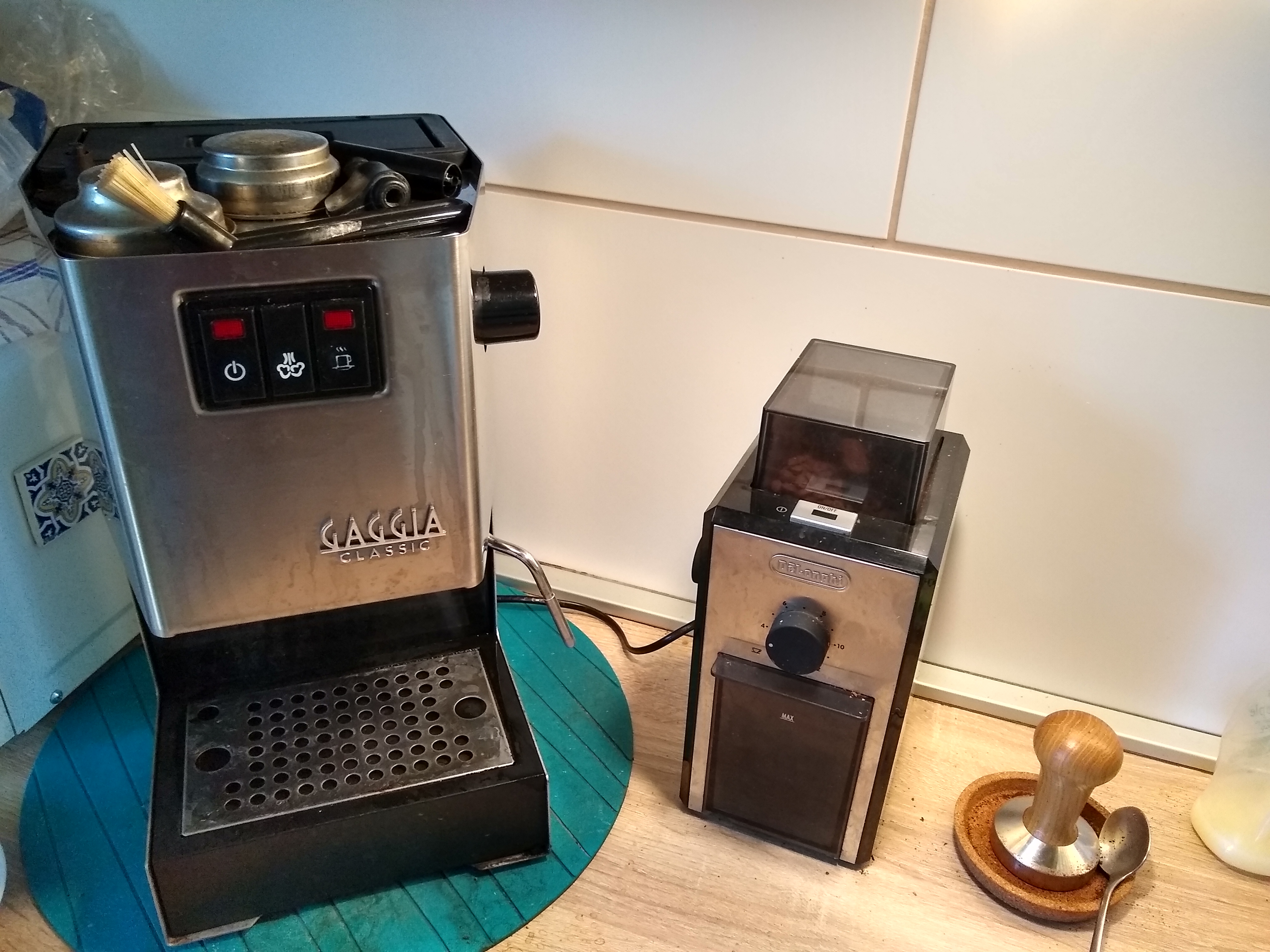 Gaggia Classic 2015 and De Longhi grinder
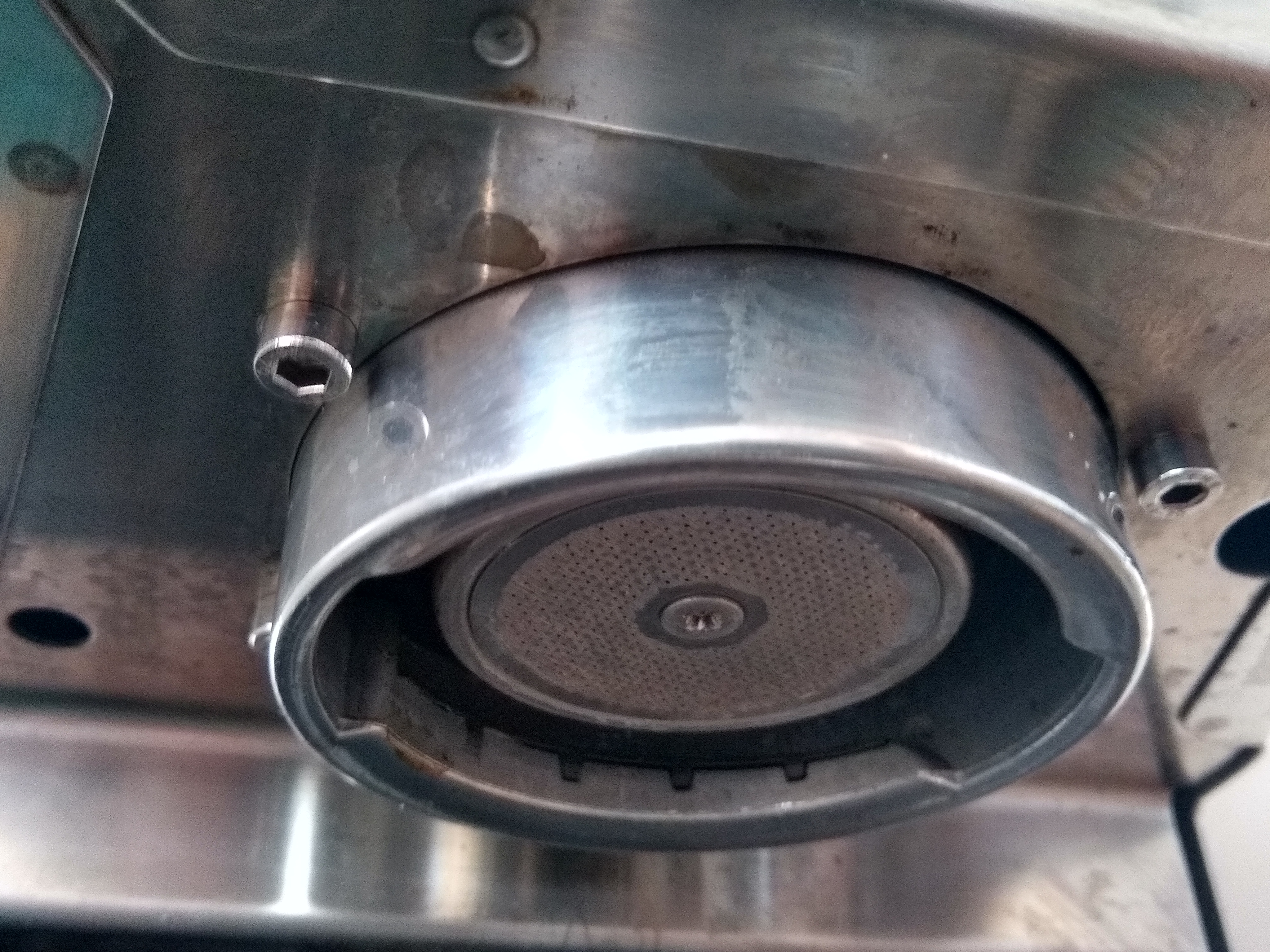 The Gaggia Classic 2015 group head
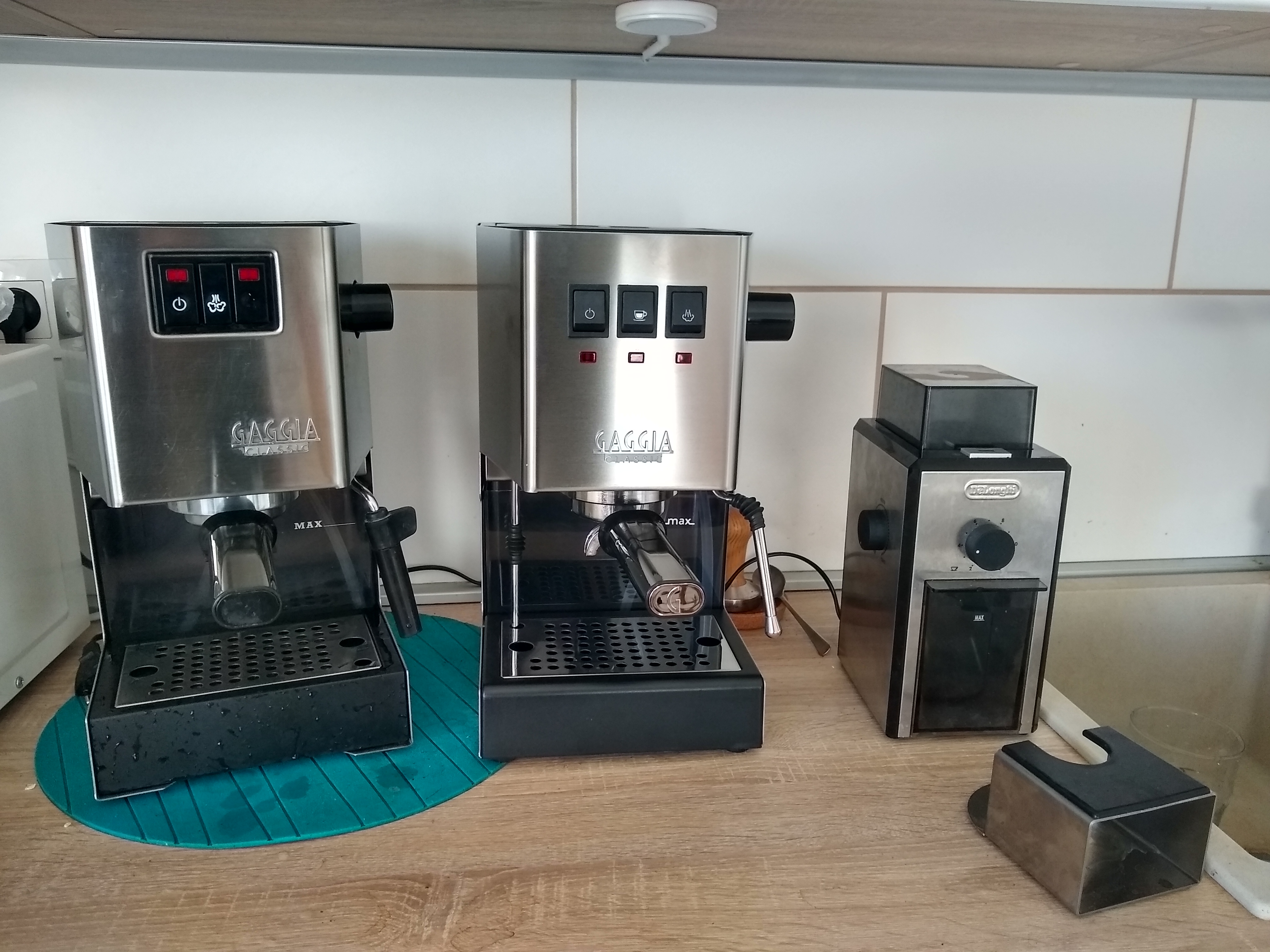 Gaggia Classic 2015 vs 2019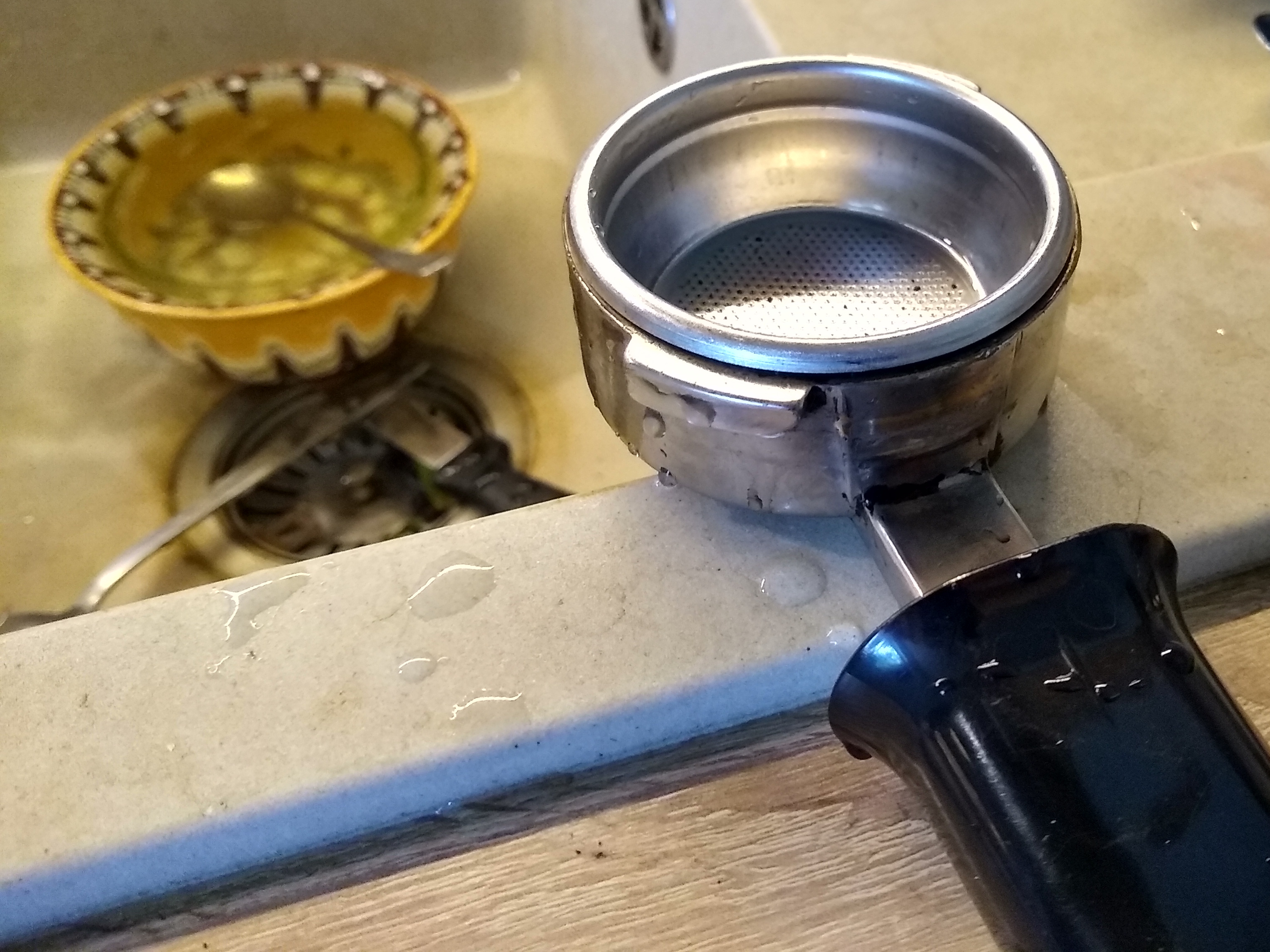
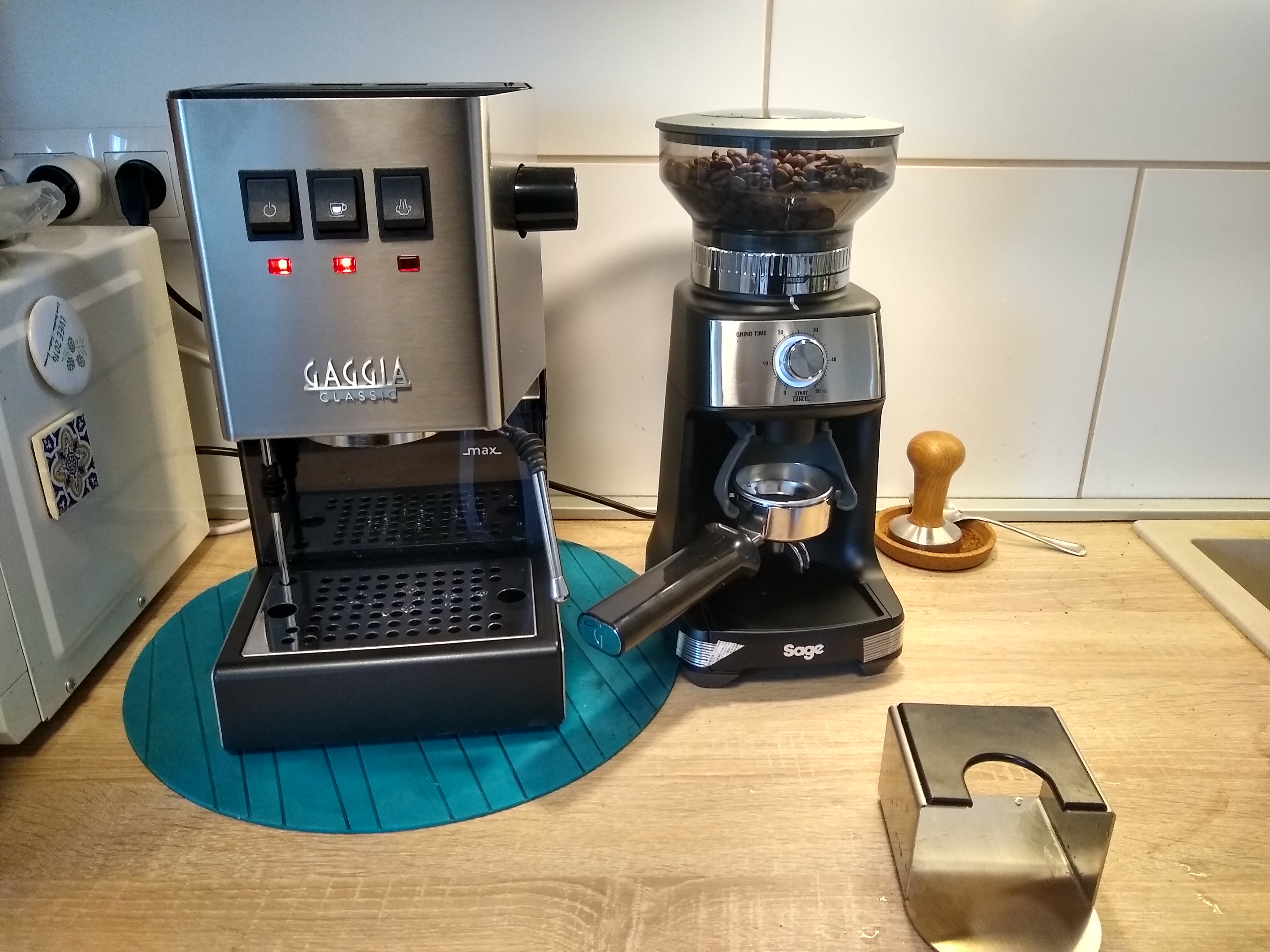 Gaggia Classic 2019 and Sage BCG600 Dose Control Pro
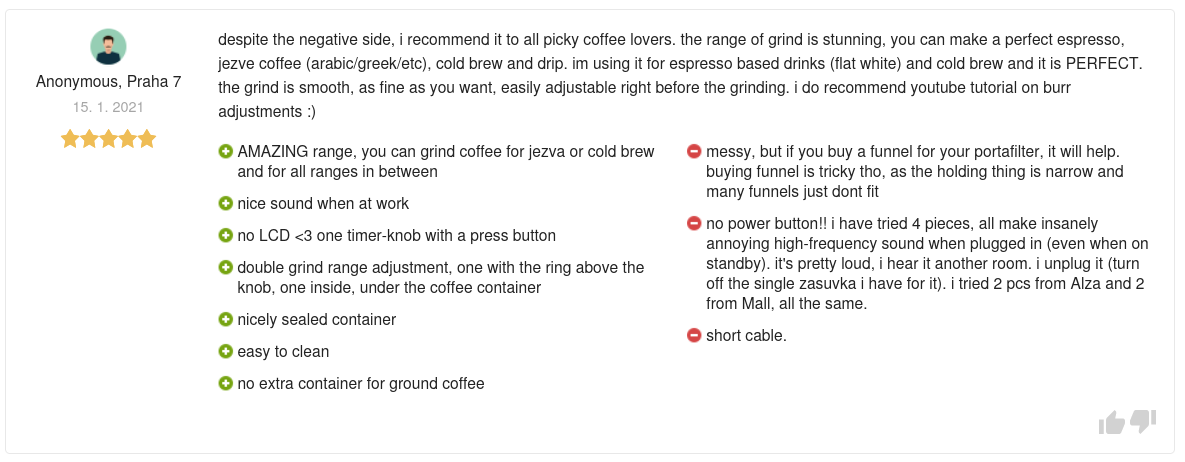 Happy with my new purchase, I went to read this review and thought to myself: lucky me, my grinder is absolutely quiet! And then I realised that
the noise in my kitchen is not, in fact, produced by the fridge, but the grinder. Well, a cheap switched plug solved the issue completely (I wish
sockets here each had a switch like they usually to in the UK!)
Happy with my new purchase, I went to read this review and thought to myself: lucky me, my grinder is absolutely quiet! And then I realised that
the noise in my kitchen is not, in fact, produced by the fridge, but the grinder. Well, a cheap switched plug solved the issue completely (I wish
sockets here each had a switch like they usually to in the UK!)
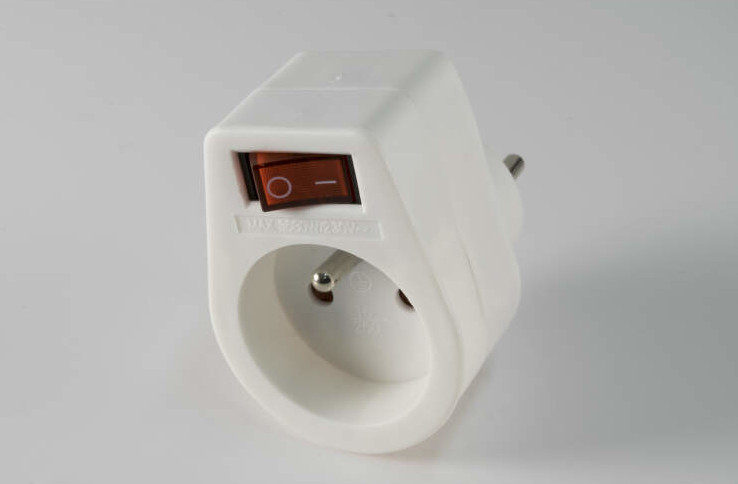
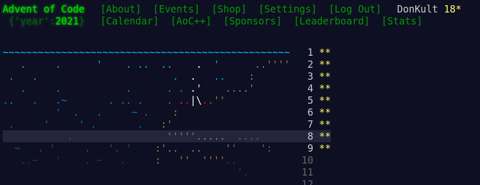


](https://jmtd.net/log/lightning/tweet.jpg)


 Now that UDP was working, I was able to get TCP to work using two PlutoSDRs,
which allowed me to run the cURL command I pasted in the first post (both
simultaneously listen and transmit on behalf of my TAP interface).
It s my hope that someone out there will be inspired to implement their own
Layer 1 and Layer 2 as a learning exercise, and gets the same sense of
gratification that I did! If you re reading this, and at a point
where you ve been able to send IP traffic over your own Layer 1 / Layer 2,
please get in touch! I d be thrilled to hear all about it. I d love to link
to any posts or examples you publish here!
Now that UDP was working, I was able to get TCP to work using two PlutoSDRs,
which allowed me to run the cURL command I pasted in the first post (both
simultaneously listen and transmit on behalf of my TAP interface).
It s my hope that someone out there will be inspired to implement their own
Layer 1 and Layer 2 as a learning exercise, and gets the same sense of
gratification that I did! If you re reading this, and at a point
where you ve been able to send IP traffic over your own Layer 1 / Layer 2,
please get in touch! I d be thrilled to hear all about it. I d love to link
to any posts or examples you publish here!







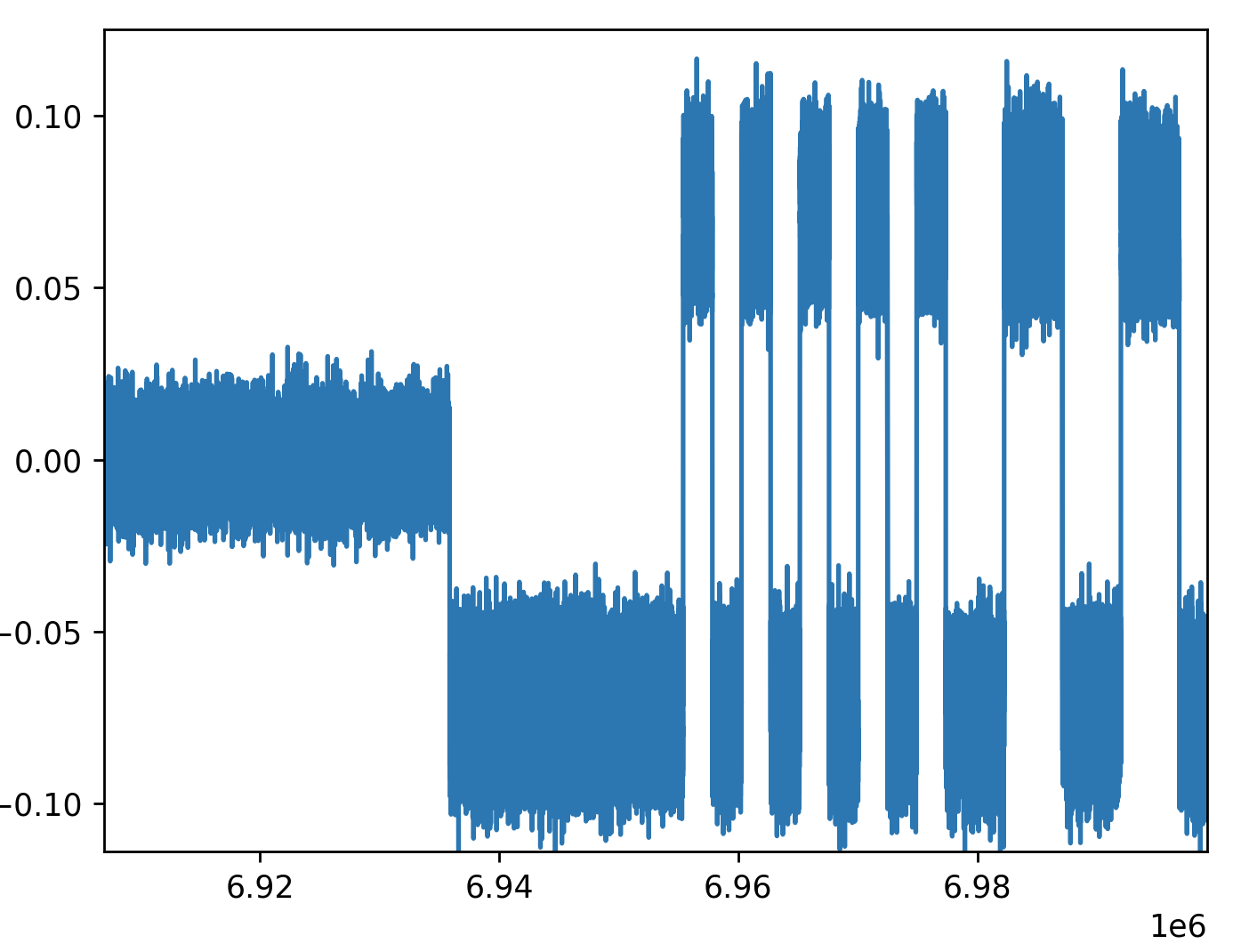

 The sixteenth release of
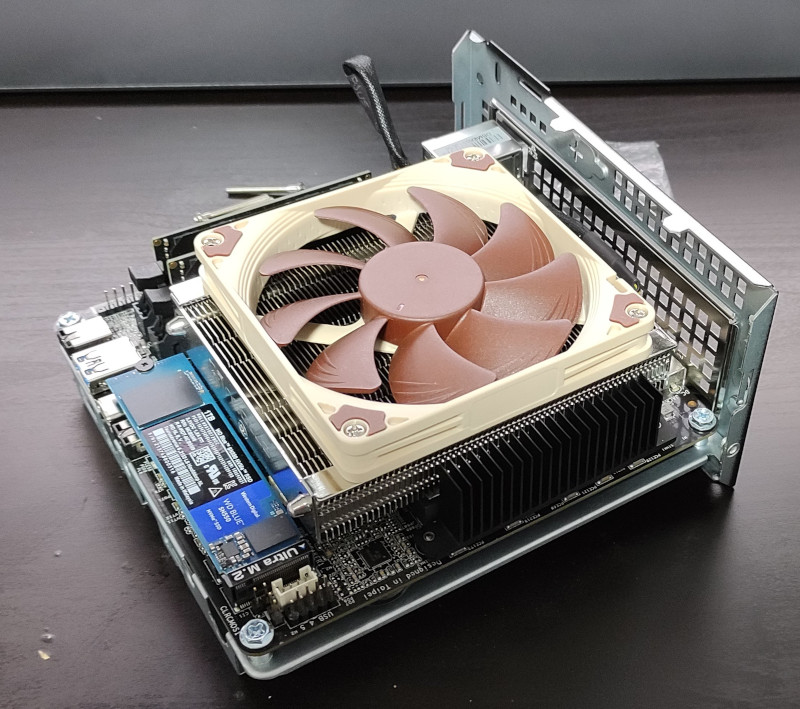 It s been over 20 months since the first COVID lockdown kicked in here in Northern Ireland and I started working from home. Even when the strict lockdown was lifted the advice here has continued to be If you can work from home you should work from home . I ve been into the office here and there (for new starts given you need to hand over a laptop and sort out some login details it s generally easier to do so in person, and I ve had a couple of whiteboard sessions that needed the high bandwidth face to face communication), but day to day is all from home.