Search Results: "tar"

29 August 2007

John Goerzen: Desktop Linux: Gnome

I had been intending to write an entire series of posts about our corporate switch to Linux on the Desktop. To date, I wrote only one introducing the project and our reasons for switching from Windows. That was back in April.

Today I'd like to start talking about it all some more.

We have standardized on Gnome for our desktops. Given the Windows background of our user base, it was pretty much a given that we would have to use either Gnome or KDE. Something like fvwm or a non-integrated environment just wouldn't be a good option.

We evaluated both Gnome and KDE. The very "clean" appearance of Gnome was a nice thing for us. KDE seemed to be to "chatty", talked about entering in audiocd:/ when it shouldn't have needed to, and generally violated the KISS and principle of least surprise too often. That said, I continue to run KDE for my personal desktop because Gnome just doesn't have the flexibility that KDE does. It is too bad that Gnome has gone on this remove functionality kick, and KDE hasn't gotten the KISS religion yet.

Anyway, Gnome worked well for the most part. We have set some defaults in gconf for things like panel icons. We also set a few mandatory defaults. I fixed a couple of bugs in the vfs system related to nfs4 support, which manifested themselves as icons for files newly saved to the desktop never showing up.

We wanted to present a customized menu to people based on what their job function is. That is, we are using a single system image, so all apps will be installed on all machines. But we didn't want people to have to see a ton of software that they don't use. That was easily enough accomplished for custom apps by creating desktop files with mode 0640 and setting the group to the set of people that should see the program on their menu. We removed a few stock programs (such as the terminal) from the menu as well, using dpkg-statoverride. That was also quite easily done. However, I will say that the entire Gnome XDG menu thing is woefully under-documented.

We use Firefox for the standard web browser. It is integrated well enough with Gnome and we have no problems there, aside from sites that are IE-only. We solve that with a Windows terminal server, which I'll discuss later.

Our network printing was already based on Cups. The individual machines are set up as Cups clients only, which works fine. We did find, however, that gnome-cups-manager automatically installs a tray monitor for cups. This monitor puts little printer icons on the tray when printers are in use. Unfortunately, it figures out which printers are in use by polling the server, and it is turned on by default out of the box, with no good way to disable it short of dpkg-statoverriding it to 0000. You can imagine that hundreds of users times dozens of printers times numerous polls per minute created quite the load on the server. This was a really braindead design and the people that wrote it should have known better. It is also quite useless to have icons coming on for all the printers on the network, which on some networks could be thousands, and not even on the same continent as the user.

Printing is generally a bit iffy in Gnome. They seem to be transitioning between about 3 different printing toolkits, all of which have different print dialog boxes with different supported features and different ways of selecting printers. One chief annoyance is that the print box in evince (the document/PDF viewer) does not let people access printer-specific features such as hole punching and stapling. So we installed gtklp and xpdf for people. The people that print heavy PDFs are huge fans of gtklp these days; it's a nicer solution than we had in Windows. Nobody really likes evince. We also have had some trouble with evince generating PostScript output that some printers can't grok. It sounds like all this should be much better in newer versions of Gnome, which if true, would be welcome news.

The Gnome screenshot tool makes it easy to save off a screenshot to a file, or to drag it into an email, but it is difficult to print it (you have to save it first). That was a common complaint around here, so I wrote a little wrapper around xwd and gtklp for printing screenshots. People really like that because gtklp gives them lots of options about orientation and size of the image if they want it, or a simple "Print" button to click if they don't care. We set a gconf default to bind this to Ctrl-PrintScr and it works well. KDE's screenshot tool is much more capable, and if we were using KDE, we wouldn't have had any problem with screenshots.

The bottom line on Gnome is that we, and are users, are happy with it after we've made these customizations. But we have had to do more customization that we should have. I still think that Gnome has been better for our users than KDE, but I do wonder how long we'll be able to survive with our "no KDE libraries" policy, as people want ksnapshot, kolour, etc.
Gunnar Wolf: At YAPC::EU 2007!

So here I am, sitting at a talk at YAPC::EU 2007, in the beautiful Vienna. It is too early to start thinking about a status report for what I've done and talked about, but I can say in advance that I'm very positively impressed - I expected my talk on the integration between CPAN and Debian that the Debian pkg-perl group is carrying out (presentation, full article) to be marginally interesting to a couple of people. Turns out, as YAPC drew closer, I heard from several people interested in attending it. Ok, maybe it is just for courtesy? Lets not get excited about no big deal...
Well, yesterday was the first day of CPAN - Man, after getting used to Debconf, three days of an interesting conference is just way too short! YAPC guys, for the next time... More time, please? :-
I knew I would be meeting pkg-perl members Zamoxles and Jeremiah - Very nice to finally meet you guys! And a very welcome surprise (although we have been barely even able to talk) was to find another fellow DD, Daniel Ruoso, one of the agitators that started the pkg-perl group. He is not active (in the group) anymore, but he is still one of The Patriarchs ;-)
Ok, on with the talk: Contrary to what I expected, the talk room was quite full. I am used to longer talk slots (20 minutes is just about enough to spell my name, damnit! I presented 24 slides, and jumped only two of them - But made it just in time for the very strict Austrian staff to prepare but not wave the __END__ signal ;-) Would they show a die 'argh'; afterwards?), so I had to keep the limit from the very beginning.
Of course, there was no time for questions as part of the session. However, I've since then been approached by several people and discussed several aspects of our work and ideas for the future. I'll post more about this after YAPC is over...
My warmest kudos to the very orangy, mohawk-wearing orga team. Not only they came up with a great conference and are invariably good-mooded and nice (hey, I should learn from them!), they even have the presence of mind to be very nice, to go out with us to have a good time yesterday night!
Anyway, it shows the conference's topic is Social Perl. Nice social geeks are no longer a novelty to me, but still: The Perl community is warm, welcoming and in general, very nice. I'm quite happy to have made it here!

Russell Coker: A Strange Attempt to Trick Google

I just noticed that my post about LED Headlights in an Audi Sports Car was linked from audi.host4blogs.com. Strangely they took some of the words from my post, added some other apparently random words to make it look like a response, and then linked to my post. Having summaries of my blog posts appear on splogs is nothing new. I don’t have any objection to it normally as summaries will in a small way promote my blog as long as they are intelligible. The host4blogs.com site has a couple of other car blogs that link to each other with content of the same quality. I guess I can’t file a DMCA take-down request as the text is not a summary of mine. I hope that Google will start taking action against the sploggers soon.

Joachim Breitner: Internet Trading Game Idea

Reviving parts of my old MuMer idea, I thought of this trading game yesterday. Before I start hacking: What do you think? Who would want to be beta-tester? Any other things to consider?The idea is to freely trade goods (think wood, stone, gold as currency etc.) online, on your trading partners website. The whole point will be that you will more or less stumble across other people to trade, e.g. on their blog, on some wiki page or their myspace or StudiVZ page. There you will see that he wants to trade MuMer goods, maybe with a list of things he d sell and buy, and for what price. From there (and only from there) it is only one click to the MuMer page where you can actually trade, maybe leaving a message as well.On the MuMer page itself, there would be no list of users or so. To find someone to trade you ll actually have to look somewhere else and trade again you have to go to the other persons blog again. (I imagine this can be reasonable enforced by checking the referrer.) So taking part in the game, you also draw some people to your web site.For the reward I could imaging that once you have a certain amount of specific resources, you can buy special items or even buy the skill to manufacture more special and hopefully attractive items.This is the rough sketch. What do you think?

28 August 2007

Russell Coker: The Silly BMW 745h

BMW has released a new prototype hydrogen powered car. The bmwworld.com web page about it claims the cruising range is 190 miles. Added to the 400-mile range of the normal fuel tank, the 745h can go 600 miles between fill-ups. The first issue is that 10 miles are not accounted for (maybe it finishes the 190 miles of hydrogen power at the top of a hill). But more seriously the hydrogen needed to drive for 190 miles would take as much space as petrol needed to drive for 646 miles (hydrogen needs 3.4* the volume to store an equivalent amount of energy). I wonder if that BMW has any space left in the boot/trunk? Now we have some green bloggers praising BMW. An internal combustion engine that burns hydrogen will not give no emissions other than water vapour, it will produce some nitrogen oxides. The processes to produce hydrogen for fuel all consume unreasonable amounts of energy (more than is required to charge a plug-in hybrid). BMW demonstrates their level of interest by giving the cars to some celebrities. This gets some PR but no analysis of the performance. They also introduce the prototype based on one of the most expensive models (the 745) which you almost never see on the roads. If they produced a 318 or 520 that ran on hydrogen it would demonstrate some level of interest in getting this working for the mass market. If BMW wanted to make their cars more environmentally friendly they would start by adopting some of the technology from the Prius. Rumour has it that part of Toyota’s plan to make money from Prius development is in licensing the technology that they patent. A couple of years ago I test drove a BMW 316 and a Prius. The Prius was very quiet and gave a smooth ride (you might call these luxury features), and also gave decent performance (it’s widely regarded that luxury cars should perform well - pity the BMW 316 is a slug). In Australia the concept of “badge engineering” of cars is well established. When government subsidies favoured large manufacturing runs the Ford Laser and Mazda 323 were essentially the same car. Maybe BMW could adopt this concept and sell a re-badged Prius i-tech with a few extra luxury features as a BMW 4 series (it’s a much better car than the 3 series BMW).

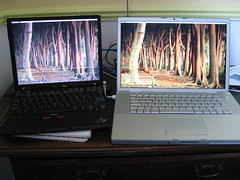
Kai Hendry: MBP versus X40

Thinkpad X40 vs MBP I’ve spent a bit of the bank holiday weekend by probably violating the warranty of a new 15” Macbook Pro (MBP) from work. I also was at the Debian bbq 2007 in Cambridge and met some friendly faces. :) More MBP & X40 porn So now I can boot into MacOSX and run Ubuntu or boot straight into Ubuntu from rEFIt. There are a couple of problems. There are some things I quite like about the MBP compared to the X40: Currently I remain not totally convinced about the Apple MBP. I’ll keep my Debian X40 my personal machine and the MBP for work. Now I can compile Webkit on Apple OSX (Debian can too) and see what’s happening in Ubuntu.

Joerg Jaspert: UMTS (3G) in Linux - very simple, better than in Windows!

I got my UMTS (3G) card on monday and started to play with it. And from what I could read about the windows software that comes with the card - I am glad to have Linux. After all the only thing I had to figure out was the fact that everything just works and I just have to point my dialup app at the right interface… In Windows you have to install tons of megabytes of bullshit, possibly with ten reboots. Ha. For future reference, mainly for me but possibly others too - lets write down what I have: I got a Vodafone Option card, Model GE0201. It’s one for the new-style ExpressCard Slots, so it ships with an adapter to the older CardBus standard. Inserting the card into its slot (already in the adapter) the following dmesg output appears:
[15930.197929] pccard: CardBus card inserted into slot 0
[15930.198371] PCI: Enabling device 0000:06:00.0 (0000 -> 0002)
[15930.198385] ACPI: PCI Interrupt 0000:06:00.0[A] -> GSI 18 (level,low) -> IRQ 18
[15930.198416] PCI: Setting latency timer of device 0000:06:00.0 to 64
[15930.198424] ohci_hcd 0000:06:00.0: OHCI Host Controller
[15930.198480] ohci_hcd 0000:06:00.0: new USB bus registered, assigned bus number 6
[15930.198507] ohci_hcd 0000:06:00.0: irq 18, io mem 0x8c000000
[15930.764279] usb usb6: configuration #1 chosen from 1 choice
[15930.764308] hub 6-0:1.0: USB hub found
[15930.764320] hub 6-0:1.0: 2 ports detected
[15931.276444] PCI: Enabling device 0000:06:00.2 (0000 -> 0002)
[15931.276460] ACPI: PCI Interrupt 0000:06:00.2[A] -> GSI 18 (level,low) -> IRQ 18
[15931.276827] PCI: Setting latency timer of device 0000:06:00.2 to 64
[15931.276836] ehci_hcd 0000:06:00.2: EHCI Host Controller
[15931.277145] ehci_hcd 0000:06:00.2: new USB bus registered, assigned bus number 7
[15931.299893] ehci_hcd 0000:06:00.2: irq 18, io mem 0x8c001000
[15931.299916] ehci_hcd 0000:06:00.2: USB 2.0 started, EHCI 1.00, driver 10 Dec 2004
[15931.300351] usb usb7: configuration #1 chosen from 1 choice
[15931.300523] hub 7-0:1.0: USB hub found
[15931.300535] hub 7-0:1.0: 2 ports detected
[15934.837567] usb 6-1: new full speed USB device using ohci_hcd and address 2
[15935.033681] usb 6-1: configuration #1 chosen from 1 choice
[15935.036577] option 6-1:1.0: GSM modem (1-port) converter detected
[15935.036751] usb 6-1: GSM modem (1-port) converter now attached to ttyUSB0
[15935.039703] option 6-1:1.1: GSM modem (1-port) converter detected
[15935.039813] usb 6-1: GSM modem (1-port) converter now attached to ttyUSB1
[15935.043067] option 6-1:1.2: GSM modem (1-port) converter detected
[15935.043482] usb 6-1: GSM modem (1-port) converter now attached to ttyUSB2
Inserting the adapter alone already gives the output up to timecode 15931.300535, so it doesn’t seem to be a simple adapter only. I wonder what I get when I use it with random ExpressCard devices. (Not that I have any other than the option card atm). Looks like the card registers 3 GSM modem ports. Only 2 are usable, so don’t try to use ttyUSB1, doesn’t work anyway. In case the system doesn’t like the ports one may need to reload the usbserial module telling it the vendor and product id it should work for, but I did not need to do it. Now, getting online. The actual act is very simple, just let me write down some more detailed text as background info: There are 2 usable “modem” interfaces one can use. I chosed to use ttyUSB0 for internet connections, leaving ttyUSB2 to other apps. Like - getting status information or sending/receiving short messages. The first step one has to do is unlocking the card with your pin. The command for this is AT+CPIN=xxxx, replacing xxxx with the actual pin. (Type it into a minicom if you want). The card will “login” into the mobile system and change its flashing lights from “both lights flash” to “only umts light flashes”. Its also useful to tell your card which net to use for future connections. So type AT+CGDCONT=1,”IP”,”web.vodafone.de” and you did select the Vodafone net. There are a few other AT commands where you can tell the card the preferred way of operation, ie. should it prefer UMTS(3G) or GPRS connections or should it only support one of those:
at_opsys=0,2Only GPRS
at_opsys=1,2Only UMTS(3g)
at_opsys=2,2Prefer GPRS over UMTS(3G)
at_opsys=3,2Prefer UMTS(3G) over GPRS
I did use the 3,2 setting, but there may be situations where you want other settings. Type AT+CSQ to see your current signal strength. After having done all those preparations we want to get connected. Simple. Dial *99***1# and the card will connect. You only need to talk a bit of PPP and you have net. Of course noone wants to do all this by hand, so lets use wvdial for it. Its simple. Take the following config:
[Dialer Defaults]
Init1 = ATZ
Init2 = ATQ0 V1 E1 S0=0 &C1 &D2 +FCLASS=0
Modem Type = Analog Modem
Baud = 460800
New PPPD = yes
Modem = /dev/ttyUSB0
ISDN = 0
[Dialer pin]
Init3 = AT+CPIN=xxxx
[Dialer umts]
Dial Command = ATD
Carrier Check = no
Phone = *99***1#
Password = doesntmatter
Username = noonecares
Stupid Mode = 1
Init4 = AT+CGDCONT=1,"IP","web.vodafone.de"
Dial Attempts = 2
With it you type wvdial pin, wait a second and type wvdial umts and you have a working internet connection. Hit Ctrl-C to disconnect. Yes, thats all thats needed. Plugin card, type wvdial pin && sleep 1 && wvdial umts and have fun. Now, what to do with the second “modem” on the card. You could use it to get status info about your connection, like signal strenght. You could also point wammu/gammu at it and send or receive SMS. Ok, well. Wammu has a little bug currently and doesn’t really like the option card. I mailed its maintainer already and got a patch back, which fixes half of the problem, so full support should be there soon. (Guessing with the time he needed for the initial patch it should be there within days at max… :) ). Trying a KDE app (*shudder* :) ) named kmobiletools one can read SMS without any patch. One can even send SMS. But kmobiletools can’t delete SMS stored on the card.). Finally - testing the stuff in a real life situation: My trip to work, which is about 1.5hours in a german train (ICE). I am impressed, it’s way better than I feared. I was online for the whole trip, about 90% of the time with UMTS (3G), 8-9% GPRS and for 2% the card didn’t had any signal. Which was to be expected, having a multi-kilometre tunnel soon after trip starts. The card never lost its PPP connection and all applications did run fine. The card does have *huge* buffers for data, the 2% nothing did give me a ping time maximum of 150.000 ms but not a single lost package. Thats also what one experiences when the card switches from UMTS to GPRS - ping time goes up for some time until GPRS takes over, then it continues without any trouble and every pending stuff is send. (Except that GPRS ping times are slightly larger, of course). Soooo, summary for me is: It’s worth the money, as I can use it for about 3 hours every day I go to work. Sometimes thats 4 hours, depending on the time I leave work (bad train times). Having a price of about 40EUR per month for a real flat it sounds acceptable for me. PS: The only thing one should never try is to run pccardctl eject. While the kernel tells you it eject a card - you will end up with a zombie process, forever. And also unable to get the card working again, you have to reboot. So - just stop the apps accessing the card and then just unplug it. Sounds bad, but is the working way…

Biella Coleman: Conversing about Open Access

Karl Fogel’s recent comment asking why Samir Chopra and Scott Dexter did not publish Decoding Liberation with some sort of open licenses, especially since they are such unabashed advocates of open licensing, spurred a flurry of further comments from the authors on my blog as well as some more thought out blog posts and commentary. I don’t have too much to add except perhaps to state the obvious: the economics of book publishing and software are quite distinct creatures. When it comes to software, one can pull in revenue from support and services, while this is pretty much impossible for most books. Software also has a much shorter shelf life, which is why making it open access, fast, is key. Books however have a longer shelf life, which is why I am personally not opposed to some sort of limited copyright for books (around 5 years, give or take a couple) so that publishers can recoup their costs (and in academic publishing, no one is making a bundle of money, that is sure) but then it should be made free to the world, never to die that awful death of “out of print” (in so far as it can be thrown on the web, legally). Journal publishing is another matter and I firmly believe that articles should spread far and wide and quick because of their shorter shelf life, which tends to be shorter mostly because there are just so many articles… As Alex Golub has informed us, my own professional association has really failed not only in providing more open access journals, they are not even allowing the members of the organization any say in the matter. But thankfully other disciplines and academics are taking open access and the possibilities afforded by new media a little more seriously and here is an edited volume by CT Watch Quarterly The Coming Revolution in Scholarly Communications & Cyberinfrastructure that provides an important node in what is an important conversation.

Zak B. Elep: Weekend Hacks: growl-notify and weeter for WeeChat

This weekend, a rather long one due to the observance of the National Heroes’ day, got me started into doing some little hacks for WeeChat, an IRC client that I have been using in place of Colloquy on the Macbook which I use at work. I have been using WeeChat originally because I’ve been using TOR to connect to the ‘Net, but later on I found out about WeeChat’s extensibility via script plugins that can be written in either Ruby, Lua, or Perl. And, being the Perl monger that I am, and having lots of idle time (hey, this was a weekend ;) I looked for some way to better integrate my WeeChat to my Mac setup. The first thing I came up with was a way to get the app to send event notifications via the Growl framework (which I got from Adium,) since the WeeChat I have here is a console-only app (there is an ongoing GTK/wxWidgets UI port, but not available yet in MacPorts, where I got WeeChat.) A quick look at the Growl developer documentation, however, got me looking into Mac::Growl, which provides a very simple Perl interface to Growl. And thus, I came up with growl-notify, which now keeps me up to date on what’s going on in IRC while I’m doing something else. The other thing that I got to work on with was a simple way to do Twitter status updates while on IRC. Of course, I do have the excellent Twitterific for Mac installed, but again I was raring for some quick hack to do at the weekend, so I decided to do this one too. In IRC, one can pretty much indicate his/her status by using the /me command (which is really a shortcut for doing a CTCP ACTION message, but I digress.) This particular command seemed to be a fairly natural command to tie a Twitter updater with, so it only took a while for me to look up Net::Twitter, write a modifier for the /me command, and come up with weeter. Now, the week’s back, and I look forward to my work and its pending tasks (currently something involving PostgreSQL, GlusterFS, and lots of Amazon EC2 nodes ;) with a renewed zest for tackling problems. And when weekend comes again, its yet another time to recharge, and perhaps hack some more on better integrating the apps that I use in my workflow (and thus helping my productivity.)

Clint Adams: I cans driving down the intarwebs. Lol

(clara) Oh really? My brother used to spray my butt with lysol when we used to go camping. (carol) did it burn? (clara) Yes, it was cold and then burned. Lol (clara) My brother used to sneak up behind me when I was in the woods pooping over a fallen tree. Lol. I know it sounds funny but he would do that. He also used to threaten me by putting my blanket out the window when driving down the interstate. Disclaimer: This is not the carol of the hallucinatory libtool reacharound.

27 August 2007

Matt Brubeck: 27 Aug 2007

vim-addons Joey wonders why vim addons are not enabled by default using the new Debian infrastructure. For single-user systems, Joey is right: enabling addons by default would be best. But for multi-user systems, I think disabled-by-default is better. Otherwise, installing an add-on would change vim's behavior unexpectedly for all users. (Unlike a daemon, which runs once per system; a vim addon is run by each user, every time they start vim.) This is especially bad because vim users tend to have carefully personalized configurations. Should the defaults cater to multi-user systems at the expense of single-user ones? Probably not, since admins of large multi-user systems are generally willing and able to figure out how to change their configurations, while many single-user machine owners need something that "just works". Perhaps the default configuration should load all installed addons, but local admins should be able to easily change this to load only addons enabled by the current user.

Steve Kemp: walking on the moon

According to popcon I have just under 1000 users of xen-tools. That was quite a suprise to discover via a random google search, although I guess there have been a lot of bugs filed against the package during its lifetime. Funny how some things which start as random hacks (this was originally a quick and dirty hack for a Xen introduction article) become quite useful/popular, whereas other tools which were planned and designed go virtually unnoticed...

Romain Francoise: More fun with md5sums: collisions

During my experiments with file duplication in the Debian archive, it occurred to me that having a list of files with identical MD5 hashes was a good starting point for finding MD5 collisions in the archive. If any of those files were different but had the same hash as computed by MD5, I'd have a collision.

Unfortunately, checking if the files differ involves extracting the data tarball of each affected package and computing another hash for the files (I used SHA-1), which takes a while. 3h32m and 47GB of extracted files later, I now have the results and there is no MD5 collision in the Debian archive. The chances were slim if not null, but at least now I'm sure.

(In fact I did find one occurrence, but it turned out that the file's MD5 hash in DEBIAN/md5sums was incorrect, for some reason.)

Raphaël Hertzog: Planet debian CVS repo superseded by SVN repository

When I discussed the deprecation of cvs.debian.org, I forgot to mention that planet’s CVS repository was also part of the last users of this service. Thanks to mako, the move to Alioth is underway. The CVS repository has been disabled (crude hack, if you know a proper way to forbid commits to a CVS repository, please leave a comment) and its history has been imported in a new SVN repository As usual DD have write-access on this repository so that they can add/update their feeds and hackergotchis. Mako will change the live setup from CVS to SVN somewhat later today. Please start updating any documentation that refers to the CVS repository.

Russell Coker: Writing a CV for a Contract Position

There is a lot of career advice related to writing CVs in books and floating around the net. Unfortunately almost all of it is tailored to permanent positions. Some advice that I have seen includes researching the company you are applying for and emphasising your experience in related fields. This probably makes some sense if you have targetted a major company to be your employer for the rest of your life. But if you are after contract work (which incidentally tends to pay better than permanent positions) then it’s not going to work. About half the time when applying for contract work you won’t know the name of the company that is receiving your CV until after they have decided whether to grant you an interview. Contractors therefore need to write their CVs to have broad appeal (emphasising common technologies such as C programming and skills such as debugging), and to appeal to a recruiting agent. Some people recommend writing your CV in MS-Word to support agencies and potential employers who are not competent enough to open other file formats (such as PDF and HTML). I strongly disagree with this advice, most contract positions are advertised by multiple recruiting agencies and it would be best for you to be represented by the most competent agency. Therefore having an agency staffed by incompetent people not represent you because they can’t figure out how to read a HTML or PDF file is a good thing! The same applies for employers, while applying for the best paying contracts will often result in some strange and unpleasant working conditions having a manager who can’t open a PDF or HTML file is likely to result in something that is unusually bad - run away! Recruiting agents will often give specific requirements for a CV. Sometimes these requirements are a little odd (such as demanding that references to C programming be removed from a CV when applying for a Unix sys-admin job), but being merely a little odd is no reason to boycot the agency. To solve this I wrote my CV in M4 macros to generate HTML code. When I wanted to apply for a position I would just type make to compile the M4 source into five or more different CVs. Sometimes a recruiting agent would request two versions when applying for one position, it’s a strange request but when five versions were compiled in one pass it was easy to satisfy it. If I liked PDF I could have written M4 macros that generate TeX and have the make process convert TeX to PS and then PS to PDF. Unfortunately I can’t share any macros because the code was not of particularly high quality (which is a little ironic) and because it’s tightly tied in to my CV. The best piece of advice that I can give to anyone trying this is to get columns sorted out as the first issue. If you want to have some lists of programming languages, lists of OSs, and lists of hardware, etc in your CV then it usually works best to have two columns in the page. If the largest list is removed then the other lists need to be shuffled around to get the column lengths to match. Doing this in HTML required some ugly M4 macros. There probably is a better way of doing this in TeX (but I’m really not good at TeX and can’t give advice about it). James has some interesting advice about writing CVs. I think that his most useful points are:
  1. Use file names based on your name so that agents can find your CV in the directory full of CVs

  2. Include complete contact details. One thing he doesn’t mention is that you should buy a mobile phone for the purpose of getting a job even if you don’t want one for any other reason. A 5% difference in pay for a year’s work would cover the cost of many mobile phones and the difference between a good job and a bad one is likely to be more than 5%. If you are afraid of brain cancer then don’t worry, if you only spend a few minutes a month talking to recruiting agents then you are at no risk.

  3. Don’t start a sentence in the career history section with the word worked - everything in that section will be related to where you worked in the past. It seems obvious in retrospect but I realised that I have made this mistake on my CV.

Michal Čihař: Photo album generator wanted

After (again) searching for some good photo album generator, I'm more and more inclined to writing yet another tool to do this. Maybe I just want too much from this, but I haven't found solution that would fit my needs: So far I'm using a bit customised Matew which really does not fulfil everything, but at least works reasonably good (but extremely slow). However the more and more pictures are in my album, the slower this beast seems to be, so it's probably time to switch to something new. So far I haven't found anything that would actually fit, but PyAC seems to be usable as starting point for my new project for generating albums. Or is there a working solution?

26 August 2007

Miriam Ruiz: D compiler in Debian

gdc has finally entered Debian repositories (thanks Arthur Loiret, Matthias Klose, thanks GCC folks!). It’s time to start putting the rest of Kenta Cho’s games into Debian. Two of them, A7Xpg and Gunroar, are already in the NEW queue, some others are on the way. Kenta Cho is most famous for his shmups or shoot ‘em ups, mostly featuring abstract reinterpretations of retro classics with each game having a specific unique feature and using randomly generated levels. rRootage and Noiz2sa are already in the archive, since they were coded in C++. Thanks to Javier Candeira, who introduced me to Kenta Cho’s world.

Russell Coker: Never IRC as Root

Ben Fowler blogs about the issues related to running IRC as root. Google searches for (irc client exploit) and (irc client “buffer overflow”) give a number of interesting web pages. Many of the exploits require the user to perform an action that’s slightly unusual, but why take a chance? The advice to not run as root while generally sensible (run everything with minimum privileges as much as possible) is IMHO not very useful in recent times (and probably was never very useful). Generally when a user is worried about system compromise they are not worried about attackers having direct hardware access, the ability to corrupt system files, etc. They are worried that the attacker might read their email and access other personal files. Therefore the instruction should be “don’t run IRC as root or as any account that has access to data which is important to you“. It’s not difficult to start an X-term that runs “exec su - ircuser irc” or “ssh -t ircuser@localhost irc“. Note that the -t option is required for ssh to make it allocate a pty even when receiving a command to run. Note also that in the case of su you need the exec option so that if the irc client is compromised and tries to perform a ioctl(0, TIOCSTI… based attack then it won’t succeed. In any of these methods make sure that X access is not granted. Until we get Security Enhanced X working in a viable manner any process that can display an X window on your screen can own you totally. There are of course relatively safe ways of doing X, I have previously documented how to configure the Xephyr X server (replacement for Xnest) to allow a process with a different security context to safely display a graphical window on your desktop. Generally I recommend not using a graphical X client on an untrusted network (IE anything other than an Intranet IRC server). I prefer to do my IRC in an account that’s not even on a machine that I care about and have it run screen so I can disconnect and re-connect from anywhere in the world. When I first got SE Linux in Debian to be useful (when I could boot and run all programs without problem) I logged on to some IRC channels related to Debian with the security context of root:user_r:user_t. I admit that my actions in this regard could possibly be described as trolling, but I wanted to demonstrate what SE Linux can do. Unfortunately of the many people who told me off for logging in to IRC as root, none of them wanted to hear an explanation of why user_r is safe in this regard. I expect that most of them were running their IRC client in the same Unix account that was used for their email etc (and probably most of them had GPG keys accessible from such an account). Sigh, it’s so easy to run IRC as a different user - in fact it’s probably the easiest of all network client programs to run in such a manner. There’s no reason not to.

Roland Mas: Gforge in Debian, August 2007

As I type this, debs for a current snapshot of upstream Subversion are on their way to Debian Sid. They are taken from the Subversion trunk and not from the yet-to-be-released 4.6 branch, because a few important changes have taken place on the trunk only, and the 4.6 branch is merged anyway. Hence the version number, 4.6.99+svn6078-1. These packages did spend some time in experimental, and I didn't get any bug reports, but that doesn't mean they're bug-free. Use with caution. One of the big changes is that Gforge now uses Gettext rather than its home-made internationalisation system. Which means probably fewer problems, and a more standard system allowing more people to get involved. Can you guess what I'm hinting at? Yes, it's a call for translations! Anyone interested in getting involved should bzr branch http://alioth.debian.org/~lolando/bzr/gforge/upstream-svn/trunk/, and start poking the existing *.po files (or creating new ones!). Why the private repo and not the upstream Subversion repository? Rationale follows. My job as a freelancer as well as my role as an Alioth admin involve maintaining separate branches of the Gforge code (different clients have different needs and patches). In order to facilitate patch migration, I therefore need a distributed VCS, and I've been using Bazaar for a few years, with a manual gatewaying between upstream CVS first, then Subversion, and a few private Bazaar branches. Now that Bazaar (as in Arch) is dead, I'm using Bazaar (as in Bazaar-NG, Bazaar-2, or bzr), which seems to be approaching a 1.0 release, and which provides a plugin to interoperate easily with Subversion repositories. And since the upstream Subversion repository is not accessible anonymously anyway, I decided to publish my gateway branch. I'll probably publish more branches as time passes (probably the Alioth branch, and quite possibly feature branches too). Note: if you want to share a bzr repository of a project containing PHP scripts with Apache, you may encounter a problem, because the bzr repository contains files named *.php.knit and *.php.kndx. And Apache will happily give these files to the PHP interpreter when serving them, and that's not what you want. My trick to fix that is to add a .htaccess file somewhere where the repository is stored, with the following contents:
AddHandler None .knit .kndx
This will ensure that these files will be sent straight to the HTTP client, and not through the PHP interpreter.

Cameron Dale: DebTorrent Usage: details of a successful dist-upgrade

I just completed a very successful and long overdue dist-upgrade of my unstable machine, using mainly DebTorrent for downloading the packages, so I thought I'd post some of my thoughts and experiences. The download consisted of 1294 packages to upgrade, totalling 1350 MB and taking 2h12m to download. Here are some of the good and bad things I observed. Good things There was a single other peer with me in the same torrent, and I managed to download 182 MB from him, which is about 13.5% of the total download. This is the first time I have noticed this downloading from peers occurring, as usually there are too few peers, too many torrents and too many possible packages to download for any sharing to occur. This will hopefully change in the future when more people start using DebTorrent, and when unique piece numbers are introduced to make the torrents last longer. However, it does show how the use of the backup HTTP downloader can seamlessly integrate with downloading from peers to provide a good user experience, even for early adopters. The CPU time used was only 10m46s, which translates to an average CPU usage of 8%, which is very reasonable. The average download speed was 174 KB/s, which is 58% of my maximum download speed. Though this may seem like a bad thing, my goal all along has been to make sure that the download time would not be more than twice as long as using HTTP. Of course, using DebTorrent may never be as fast as a straight HTTP download from a well-provisioned server, but that it not the point. The idea is to reduce the bandwidth needs of hosting a debian archive. But in the future, when there are many peers in a single torrent the download speed may be even faster than using HTTP, especially for peers with very high download rates that could not be matched by a single server. Things that need improvement The completion percentage reported by APT during the download was fairly inaccurate. Here are some sample readings I noted, compared with the actual completion percentage from the DebTorrent status page:
APT Reports Actual Completion
10% 40%
20% 70%
30% 85%
40% 90%
50% 93%
60% 96%
70% 97.5%
80% 98%
90% 99%
The discrepancy occurs because larger packages are broken up into pieces, so they can be partially downloaded without APT knowing about it (since only fully downloaded packages are passed to APT). Clearly this situation is far from ideal, and can lead to the user feeling that the download is progressing very slowly, or not at all. There are some plans to add status updates to the communication between APT and the DebTorrent client, but they require changes to the APT code to support them, so it may take some time to implement. Another problem is the memory usage I saw during the download, which was approximately 213 MB. This is obviously unnecessarily large, though the metainfo that DebTorrent needs to be aware of is quite large (stored in a text file it is about 3 MB). There does seem to be a memory allocation bug in Python 2.4 which causes increased memory usage, so moving to python 2.5 might help. However, my preliminary tests show this only saves you about 20% for DebTorrent. I think I will have to delve deeper into which parts are using all this memory, and unfortunately python doesn't seem to have a good memory profiler to help with this. I will be looking at both PySizer and Guppy/Heapy to start, but if anyone knows of a better solution, please let me know.

Next.

Previous.