Search Results: "sten"

25 October 2015

Russ Allbery: git-pbuilder 1.37

A couple more simple fixes in the continuing failure of this script to get rewritten in Python and integrated properly with the git-buildpackage distribution.... (But hey, I'm caught up on writing book reviews!) When used with qemubuilder, it was checking for the existence of entirely the wrong file. Thanks to James Clarke for the patch. Running git-pbuilder with a command requires sudo and an appropriate sudo configuration. There's not much we can do to detect the latter, but Guido G nther suggested at least detecting the former. git-pbuilder now does so and prints out a hopefully informative error. This is also better-documented in the man page. You can get the latest release from my scripts page.

24 October 2015

Dirk Eddelbuettel: rfoaas 0.1.8

A new release rfoaas is now on CRAN following up on the recent upstream release 0.1.8 of FOAAS. The rfoaas package provides an interface for R to the most excellent FOAAS service--which provides a modern, scalable and RESTful web service for the frequent need to tell someone to f$#@ off. Release 0.1.8 brings over a handfull new access points relative to the previous release 0.1.6: bday(), family_(), shutup(), zayn(), dalton(), dosomething(), retard(), and thumbs(). One of these may make a fine addition for beloved post-test comments in testthat:
R> library(rfoaas)
R> dosomething("Fix", "function", "testthat")
[1] "Fix the fucking function! - testthat"
R>
We did not make a release following version 0.1.7 of FOAAS: my testing revealed somewhat less consistent results for the language / i18n filter added in 0.1.6. So I filed issue ticket #95, but as it still lingers unanswered, I consider this feature to be unsupported for now; the tests for the language filter were disabled for now as well. As usual, CRANberries provides a diff to the previous CRAN release. Questions, comments etc should go to the GitHub issue tracker.

This post by Dirk Eddelbuettel originated on his Thinking inside the box blog. Please report excessive re-aggregation in third-party for-profit settings.

23 October 2015

Russ Allbery: Review: Watchtower

Review: Watchtower, by Elizabeth A. Lynn
Series: Chronicles of Tornor #1
Publisher: Berkley
Copyright: February 1979
Printing: November 1982
ISBN: 0-425-06195-7
Format: Mass market
Pages: 226
Ryke is a soldier in service to Athor, lord of Tornor Keep. Or, at least, he was. Shortly before the opening lines of this book, Tornor Keep was taken by a southerner named Col Istor, and Athor was killed. Ryke is about to change sides under duress: his service to Col as a watch commander is the price of keeping Errel, Athor's son, alive. Alive does not mean treated with dignity, however; Errel's new place is to become court jester for Col's small domain. At the start of this book, I had no idea who Col Istor was or why he'd want to take over one of the border keeps that guard the country of Arun against its northern neighbor Anhard. At the end of this book, I still had little idea. Watchtower's relationship with world-building is not what you'd normally expect from a fantasy novel. There are only a few locations in this novel, and they're described in close detail but without much historical or strategic context. The narrative, despite being third person, follows Ryke very closely, and Ryke is not interested in thinking much about the history of his world that he knows and the reader doesn't. Or he may not care. Ryke does not come across as a curious or thoughtful person. He's a soldier, he lives to serve his lord, and that service transfers from Athor to Errel and simply stays there, with little discussion or argument. The opening section of this novel shows Ryke trying to take care of Errel while serving Col and listening to his plans to take over the rest of the northern keeps. I found it slow, claustrophobic, and not very interesting. It reads a bit like a day in the life in some grim medieval military, with little world-building or context. Watchtower is technically fantasy, but mostly because the geography and politics are imaginary. Magic is limited to a very tiny bit of (essentially) Tarot card reading and has little impact on the plot. The story does get somewhat more interesting when two green clan messengers enter the story, and Ryke and Errel escape. Lynn introduces another community and another way of life into the story than the one Ryke is used to, one that seemed modeled after monastic orders (but with the religion toned down to nearly nonexistent). I think the intended conflict of the story is between those ways of life, their draws and implications, but even that conflict is never clearly stated. Ryke seems to move from one inevitability to another, and while he does question some of his previous views and seems to open his mind a bit, actual growth is limited in this story. I reached the end of the book feeling the world was largely unchanged from its start. This story won the World Fantasy award for best novel in 1980. I have to admit I'm baffled, although partly that's because this is not really my thing. I prefer my fantasy to have more epic sweep and a lot more world-building. But perhaps the award was for the writing, which is evocative and fills the moments of the story with closely-observed detail. It has a distinctive, choppy feel, full of short declarative sentences:
The wind blew. Like some night creature caught in a trap, Col Istor's banner flapped on its pole. Ryke wondered where his wolfhound was. Sheltering, he hoped, in some warm and windless corner. He thrust his hands beneath his armpits to warm them. He entered the kitchen, nodding at the guard who stood there, and went toward the scullery. The kitchenboys huddled together in sleep like dogs in front of the oven. He stepped over their legs. The iron pots on the walls vibrated softly.
That's a paragraph chosen at random from the start of the book and should give you a good feel for the style. I think I would have liked this novel better if it had followed anyone other than Ryke. Not only did I not care for him and his simplistic loyalties, he's the least interesting character in this story. Everyone else Col, Errel, Sorren, Van, and others is more complex and more thoughtful than he is, and I think many of them would have made a better protagonist. He spends much of the center part of the book being suspicious and closed and incurious, which means the reader can only guess at what's going on between the other characters. I can't really recommend this book, but the writing is solid and it has some interesting properties for late 1970s fantasy, including both a frank look at the role of women in this society and same-sex relationships. If your taste in fantasy leans towards the gritty and realistic, you might like it more than I did. I may try the later books of the series in the hope that they have more interesting protagonists. Followed by Dancers of Arun. Rating: 6 out of 10

18 October 2015

Lunar: Reproducible builds: week 25 in Stretch cycle

What happened in the reproducible builds effort this week: Toolchain fixes Niko Tyni wrote a new patch adding support for SOURCE_DATE_EPOCH in Pod::Man. This would complement or replace the previously implemented POD_MAN_DATE environment variable in a more generic way. Niko Tyni proposed a fix to prevent mtime variation in directories due to debhelper usage of cp --parents -p. Packages fixed The following 119 packages became reproducible due to changes in their build dependencies: aac-tactics, aafigure, apgdiff, bin-prot, boxbackup, calendar, camlmix, cconv, cdist, cl-asdf, cli-common, cluster-glue, cppo, cvs, esdl, ess, faucc, fauhdlc, fbcat, flex-old, freetennis, ftgl, gap, ghc, git-cola, globus-authz-callout-error, globus-authz, globus-callout, globus-common, globus-ftp-client, globus-ftp-control, globus-gass-cache, globus-gass-copy, globus-gass-transfer, globus-gram-client, globus-gram-job-manager-callout-error, globus-gram-protocol, globus-gridmap-callout-error, globus-gsi-callback, globus-gsi-cert-utils, globus-gsi-credential, globus-gsi-openssl-error, globus-gsi-proxy-core, globus-gsi-proxy-ssl, globus-gsi-sysconfig, globus-gss-assist, globus-gssapi-error, globus-gssapi-gsi, globus-net-manager, globus-openssl-module, globus-rsl, globus-scheduler-event-generator, globus-xio-gridftp-driver, globus-xio-gsi-driver, globus-xio, gnome-control-center, grml2usb, grub, guilt, hgview, htmlcxx, hwloc, imms, kde-l10n, keystone, kimwitu++, kimwitu-doc, kmod, krb5, laby, ledger, libcrypto++, libopendbx, libsyncml, libwps, lprng-doc, madwimax, maria, mediawiki-math, menhir, misery, monotone-viz, morse, mpfr4, obus, ocaml-csv, ocaml-reins, ocamldsort, ocp-indent, openscenegraph, opensp, optcomp, opus, otags, pa-bench, pa-ounit, pa-test, parmap, pcaputils, perl-cross-debian, prooftree, pyfits, pywavelets, pywbem, rpy, signify, siscone, swtchart, tipa, typerep, tyxml, unison2.32.52, unison2.40.102, unison, uuidm, variantslib, zipios++, zlibc, zope-maildrophost. The following packages became reproducible after getting fixed: Packages which could not be tested: Some uploads fixed some reproducibility issues but not all of them: Patches submitted which have not made their way to the archive yet: Lunar reported that test strings depend on default character encoding of the build system in ongl. reproducible.debian.net The 189 packages composing the Arch Linux core repository are now being tested. No packages are currently reproducible, but most of the time the difference is limited to metadata. This has already gained some interest in the Arch Linux community. An explicit log message is now visible when a build has been killed due to the 12 hours timeout. (h01ger) Remote build setup has been made more robust and self maintenance has been further improved. (h01ger) The minimum age for rescheduling of already tested amd64 packages has been lowered from 14 to 7 days, thanks to the increase of hardware resources sponsored by ProfitBricks last week. (h01ger) diffoscope development diffoscope version 37 has been released on October 15th. It adds support for two new file formats (CBFS images and Debian .dsc files). After proposing the required changes to TLSH, fuzzy hashes are now computed incrementally. This will avoid reading entire files in memory which caused problems for large packages. New tests have been added for the command-line interface. More character encoding issues have been fixed. Malformed md5sums will now be compared as binary files instead of making diffoscope crash amongst several other minor fixes. Version 38 was released two days later to fix the versioned dependency on python3-tlsh. strip-nondeterminism development strip-nondeterminism version 0.013-1 has been uploaded to the archive. It fixes an issue with nonconformant PNG files with trailing garbage reported by Roland Rosenfeld. disorderfs development disorderfs version 0.4.1-1 is a stop-gap release that will disable lock propagation, unless --share-locks=yes is specified, as it still is affected by unidentified issues. Documentation update Lunar has been busy creating a proper website for reproducible-builds.org that would be a common location for news, documentation, and tools for all free software projects working on reproducible builds. It's not yet ready to be published, but it's surely getting there. Homepage of the future reproducible-builds.org website  Who's involved?  page of the future reproducible-builds.org website Package reviews 103 reviews have been removed, 394 added and 29 updated this week. 72 FTBFS issues were reported by Chris West and Niko Tyni. New issues: random_order_in_static_libraries, random_order_in_md5sums.

17 October 2015

Russell Coker: Mail Server Training

Today I ran a hands-on training session on configuring a MTA with Postfix and Dovecot for LUV. I gave each student a virtual machine running Debian/Jessie with full Internet access and instructions on how to configure it as a basic mail server. Here is a slightly modified set of instructions that anyone can do on their own system. Today I learned that documentation that includes passwords on a command-line should have quotes around the password, one student used a semi-colon character in his password which caused some confusion (it s the command separator character in BASH). I also discovered that trying to just tell users which virtual server to login to is prone to errors, in future I ll print out a list of user-names and passwords for virtual servers and tear off one for each student so there s no possibility of 2 users logging in to the same system. I gave each student a sub-domain of unixapropos.com (a zone that I use for various random sysadmin type things). I have changed the instructions to use example.com which is the official address for testing things (or you could use any zone that you use). The test VMs that I setup had a user named auser , the documentation assumes this account name. You could change auser to something else if you wish. Below are all the instructions for anyone who wants to try it at home or setup virtual machines and run their own training session. Basic MTA Configuration
  1. Run apt-get install postfix to install Postfix, select Internet Site for the type of mail configuration and enter the domain name you selected for the mail name.
  2. The main Postfix configuration file is /etc/postfix/main.cf. Change the myhostname setting to the fully qualified name of the system, something like mta.example.com.
    You can edit /etc/postfix/main.cf with vi (or any other editor) or use the postconf command to change it, eg postconf -e myhostname=mta.example.com .
  3. Add home_mailbox=Maildir/ to the Postfix configuration to make it deliver to a Maildir spool in the user s home directory.
  4. Restart Postfix to apply the changes.
  5. Run apt-get install swaks libnet-ssleay-perl to install swaks (a SMTP test tool).
  6. Test delivery by running the command swaks -f auser@example.com -t auser@example.com -s localhost . Note that swaks displays the SMTP data so you can see exactly what happens and if something goes wrong you will see everything about the error.
  7. Inspect /var/log/mail.log to see the messages about the delivery. View the message which is in ~auser/Maildir/new.
  8. When other students get to this stage run the same swaks command but with the -t changed to the address in their domain, check the mail.log to see that the messages were transferred and view the mail with less to see the received lines. If you do this on your own specify a recipient address that s a regular email address of yours (EG a Gmail account).
Basic Pop/IMAP Configuration
  1. Run apt-get install dovecot-pop3d dovecot-imapd to install Dovecot POP and IMAP servers.
    Run netstat -tln to see the ports that have daemons listening on them, observe that ports 110 and 143 are in use.
  2. Edit /etc/dovecot/conf.d/10-mail.conf and change mail_location to maildir:~/Maildir . Then restart Dovecot.
  3. Run the command nc localhost 110 to connect to POP, then run the following commands to get capabilities, login, and retrieve mail:
    user auser
    pass WHATEVERYOUMADEIT
    capa
    list
    retr 1
    quit
  4. Run the command nc localhost 143 to connect to IMAP, then run the following commands to list capabilities, login, and logout:
    a capability
    b login auser WHATEVERYOUMADEIT
    c logout
  5. For the above commands make note of the capabilities, we will refer to that later.
Now you have a basically functional mail server on the Internet! POP/IMAP Over SSL To avoid password sniffing we need to use SSL. To do it properly requires obtaining a signed key for a DNS address but we can do the technical work with the snakeoil certificate that is generated by Debian.
  1. Edit /etc/dovecot/conf.d/10-ssl.conf and change ssl = no to ssl = required . Then add the following 2 lines:
    ssl_cert = </etc/ssl/certs/ssl-cert-snakeoil.pem
    ssl_key = </etc/ssl/private/ssl-cert-snakeoil.key
    1. Run netstat -tln and note that ports 993 and 995 are not in use.
    2. Edit /etc/dovecot/conf.d/10-master.conf and uncomment the following lines:
      port = 993
      ssl = yes
      port = 995
      ssl = yes
    3. Restart Dovecot, run netstat -tln and note that ports 993 and 995 are in use.
  2. Run nc localhost 110 and nc localhost 143 as before, note that the capabilities have changed to include STLS/STARTTLS respectively.
  3. Run gnutls-cli --tofu 127.0.0.1 -p 993 to connect to the server via IMAPS and gnutls-cli --tofu 127.0.0.1 -p 995 to connect via POP3S. The --tofu option means to Trust On First Use , it stores the public key in ~/.gnutls and checks it the next time you connect. This allows you to safely use a snakeoil certificate if all apps can securely get a copy of the key.
Postfix SSL
  1. Edit /etc/postfix/main.cf and add the following 4 lines:
    smtpd_tls_received_header = yes
    smtpd_tls_loglevel = 1
    smtp_tls_loglevel = 1
    smtp_tls_security_level = may
    Then restart Postfix. This makes Postfix log TLS summary messages to syslog and in the Received header. It also permits Postfix to send with TLS.
  2. Run nc localhost 25 to connect to your SMTP port and then enter the following commands:
    ehlo test
    quit
    Note that the response to the EHLO command includes 250-STARTTLS, this is because Postfix was configured with the Snakeoil certificate by default.
  3. Run gnutls-cli --tofu 127.0.0.1 -p 25 -s and enter the following commands:
    ehlo test
    starttls
    ^D
    After the CTRL-D gnutls-cli will establish a SSL connection.
  4. Run swaks -tls -f auser@example.com -t auser@example.com -s localhost to send a message with SSL encryption. Note that swaks doesn t verify the key.
  5. Try using swaks to send messages to other servers with SSL encryption. Gmail is one example of a mail server that supports SSL which can be used, run swaks -tls -f auser@example.com -t YOURADDRESS@gmail.com to send TLS (encapsulated SSL) mail to Gmail via swaks. Also run swaks -tls -f auser@example.com -t YOURADDRESS@gmail.com -s localhost to send via your new mail server (which should log that it was a TLS connection from swaks and a TLS connection to Gmail).
SASL SASL is the system of SMTP authentication for mail relaying. It is needed to permit devices without fixed IP addresses to send mail through a server. The easiest way of configuring Postfix SASL is to have Dovecot provide it s authentication data to Postfix. Among other things if you change Dovecot to authenticate in another way you won t need to make any matching changes to Postfix.
  1. Run mkdir -p /var/spool/postfix/var/spool and ln -s ../.. /var/spool/postfix/var/spool/postfix , this allows parts of Postfix to work with the same configuration regardless of whether they are running in a chroot.
  2. Add the following to /etc/postfix/main.cf and restart Postfix:
    smtpd_sasl_auth_enable = yes
    smtpd_sasl_type = dovecot
    smtpd_sasl_path = /var/spool/postfix/private/auth
    broken_sasl_auth_clients = yes
    smtpd_sasl_authenticated_header = yes
  3. Edit /etc/dovecot/conf.d/10-master.conf, uncomment the following lines, and then restart Dovecot:
    unix_listener /var/spool/postfix/private/auth
    mode = 0666
  4. Edit /etc/postfix/master.cf, uncomment the line for the submission service, and restart Postfix. This makes Postfix listen on port 587 which is allowed through most firewalls.
  5. From another system (IE not the virtual machine you are working on) run swaks -tls -f auser@example.com -t YOURADDRESS@gmail.com -s YOURSERVER and note that the message is rejected with Relay access denied .
  6. Now run swaks -tls --auth-user auser --auth-password WHATEVER -f auser@example.com -t YOURREALADDRESS -s YOURSERVER and observe that the mail is delivered (subject to anti-spam measures at the recipient).
  7. Configuring a MUA If every part of the previous 3 sections is complete then you should be able to setup your favourite MUA. Use auser as the user-name for SMTP and IMAP, mail.example.com for the SMTP/IMAP server and it should just work! Of course you need to use the same DNS server for your MUA to have this just work. But another possibility for testing is to have the MUA talk to the server by IP address not by name.

16 October 2015

Jonathan Dowland: Ikiwiki-in-a-box Docker container

For a while I've been wanting to tidy up some of my existing ikiwiki hacks, as well as test some changes I'd like to make to this site, but I hadn't had much success with setting up environments to play with it. That was until earlier in the year, when as a bit of an experiment I tried to put ikiwiki in docker. I've put up a preliminary image for anyone who is curious. It's in a very early state. When you start up the image, you get a HTTP daemon listening on port 8080 and serving a basic ikiwiki from /. A single administrative user is defined, user admin and password password. The CGI is set up (path /cgi) and websetup is enabled. The ikiwiki instance is configured with git as the vcs backend and the git HTTP backend is also enabled at path /git. It is set up for anonymous pull and HTTP basic authentication for push, with admin/password. There's still a lot to do before this is useful for what I want to do with it, and I would strongly advise against using it for anything except testing yourself, unless you are going to layer on some changes (HTTPS and change the credentials at the very least!) but I thought I'd put it out there. If you have any suggestions for it, please either file an issue or leave a comment here. It's built on top of the stuff I mentioned last time but it should rebase on top of the "semi-official" Debian images without problems.

Rapha&#235;l Hertzog: Freexian s report about Debian Long Term Support, September 2015

A Debian LTS logoLike each month, here comes a report about the work of paid contributors to Debian LTS. Individual reports In September, 71.50 work hours have been dispatched among 7 paid contributors. Their reports are available: Evolution of the situation October is back to the highest level of funding with 85.5 hours funded. The late sponsors have all caught up now. And next month will again rise to a new record with multiple sponsors having joined up. So far we already have two new silver sponsors (Universit Jean Monnet de Saint- tienne and Univention GmbH) and a new bronze sponsor (Entr ouvert). Many thanks to them! With those sponsors we crossed the 50% mark that was our first objective. \o/ But we still need more support to reach our second goal of funding the equivalent of a full time position. That said the increased level of support already allows us to do a better job in some areas that have been neglected : I asked the paid contributors to work towards providing mysql-5.5 in squeeze since version 5.1 is no longer supported by Oracle. We need beta testers to test the upgrade, see this message on the mailling list. In terms of security updates waiting to be handled, the situation is close to last month: the dla-needed.txt file lists 15 packages awaiting an update (3 less than last month), the list of open vulnerabilities in Squeeze shows about 23 affected packages in total (7 less than last month). Thanks to our sponsors The new sponsors are in bold.

No comment Liked this article? Click here. My blog is Flattr-enabled.

Norbert Preining: Debian/TeX Live multiarch update

A big update of all related packages (tex-common 6.04, texlive-bin 2015.20150524.37493-7, texlive-base/lang/extra package 2015.20151016-1) due to the move to support multi-arch. Of course, the regular updates of the TeX Live are included, too. With this change it should be possible to run a multi-arch system with only one TeX Live installed. Debian - TeX Live 2015 Thanks to the excellent support and testing of the Multi-arch guys, in particular Thorsten Glaser, Helmut Grohne, Johannes Schauer, and Wookey, I learned a lot about multi-arch, and I hope that the current setup is safe. All the packages but the various lib* packages are tagged as Multi-Arch: foreign, while the lib packages are tagged Multi-Arch: same. Anyway, if you find a bug concerning multi-arch, that is that some of the programs exhibit architecture information, please let us know via a bug report. Updated packages acro, alegreya, amiri, assoccnt, attachfile, babel-french, babel-hungarian, barr, beebe, biblatex-philosophy, bidi, bnumexpr, caption, chemfig, chemformula, chemmacros, cjk-gs-integrate, csplain, dantelogo, dataref, dtxgen, dvipdfmx-def, dvips, eledmac, elements, fcolumn, fithesis, fontspec, genealogytree, gradstudentresume, gtl, jfontmaps, knuth-local, koma-script, kotex-oblivoir, kotex-plain, kotex-utf, kpathsea, l3build, l3experimental, l3kernel, l3packages, latex, latexconfig, ledmac, ltxfileinfo, lualatex-math, luamplib, luatex, luatexbase, luatexja, luatexko, make4ht, mcf2graph, mflogo, modiagram, multiexpand, newtx, odsfile, old-arrows, paracol, pdfpages, pdftex, plain, pst-stru, pxchfon, randomwalk, reledmac, resumecls, rubik, selnolig, showhyphens, siunitx, suftesi, tetex, teubner, tex4ebook, tex4ht, texlive-scripts, tikzsymbols, tipfr, tools, tudscr, uassign, unicode-math, unravel, visualfaq, xepersian, xetex-def, xint. New packages archaeologie, ctablestack, dynamicnumber, exercises, fibeamer, h2020proposal, imfellenglish, lstbayes, tempora, xellipsis. Enjoy.

14 October 2015

Norbert Preining: On Lars Wirzenius, Mart n Ferrari, and Debian

Now that the tsunami that followed my recent blog post has passed, I can read through all the nice comments and blogs of other people. I didn t expect that just writing up some links to posts on LKML, plus adding my personal opinion on what has happened and about my interpretation concerning Debian could gather so much attention. Anyway, let us look at the blog posts written in the aftermath. debian-newspeak-coc In particular do I want to answer to two blogs: Lars Wirzenius blog and Mart n Ferrari s blog, both of which are excellent examples of insults. I also want to mention that although the previous two are bad examples, there are fortunately also those who are able to resist primitive insults, in particular Gunnar Wolf (direct link to the blog does not work), and Miriam Ruiz blog, which contradict my blog and propose a different view, without pulling the knife. Lars Wirzenius Let us start with Lars (ah sorry, I have to call him Wirzenius here, strange custom has suddenly popped up in Debian!):
I think Preining mis-characterises what happens on the Linux kernel mailing list, and in Debian, in free software development in general, and what Sarah Sharp has said and done. I continue to think he is wrong about everything on this topic.
I am very surprised that Lars^WWirzenius is in possession of a crystal ball that allows him to see and evaluate my attitude towards all these items, considering that I have presented links to posts on the LKML, and yes, my interpretation of the matter. Mind that the whole text amounts to about 130 lines on my screen, while my personal opinion was stated in two paragraphs of total 9 lines plus some interspersed comments. And in these maybe 20 lines I didn t make general statements about open source, kernel development etc etc. Lars, I know you have closed your blog for comments so I couldn t ask you but please, can you send me one of your crystal balls if you have more of them? At least he has managed to keep a bit of proper writing and disagreed with my statement on Debian (whether there is fun or not in Debian). He is of course free to do that, but please, don t rob me the right to state that I think Debian has changed. All this dispute centers around people not being capable to distinguish two things: One, being against the Code of Conduct due to the inclusion of administrative actions without clear definitions, and Two, being pro offensive behavior and and insults. Now, dear Lars^WWirzenius, please listen: I never advocated abusive behavior or insults, nor do I defend it. (Did you hear that!) I simply opposed the Code of Conduct as ruling instrument. And what kind of emails I got due to my opposition was far outside the Code of Conduct you are so strongly defending. So please, stay at the facts, and stop insulting me. Thanks. Mart n Ferrari Concerning Mart n I don t have much to say but please, stop spreading lies. You stated:
Once again, he s complaining about how the fun from Debian has been lost because making sexist jokes, or treating other people like shit is not allowed any more.
Could you please come up with a reference to this? Or are you just interpreting? I am very disappointed about this level of discussion between Debian Developers. You not even cared to answer my comment on your blog. Should I say something clear here you should be happy that this has not been written on a Debian mailing list, otherwise I hope the Code of Conduct hammer would hit you.
So yes, it seems that at least these two blogs underline exactly what my opinion is: Communication culture in Debian has changed to be more company-like. Probably due to the ever increasing amount of developers that are paid for their work on Debian (Ubuntu), the pressure to follow US company codes has taken a firm grip, so firm that even stating my diverging opinion is already enough to get branded. Good Future!

13 October 2015

Norbert Preining: (Kim Doo Soo) ( , Free Spirit)

On the recently reviewed album International Sad Hits Vol 1 I wrote that Kim Doo Soo was the great surprise of the CD for me. So I went ahead and bought (not that easy, import from US!) one of his most recommended album, the Free Spirit. Kim_Doo_Soo-Free_Spirit Sad songs, full of melancholy, speaking of desperation, isolation, destroyed love. The music and singing is simple, mainly based on guitar and voice only, at times harmonica, strings and others are added. In contrast to the Crying Philosopher Tomokawa Kazuki, the songs are all very melodic and easy to listen, but still carrying a strong impact. After listening to these songs, the melodies wander around my brain resonating again and again, like (mis)guiding lights in a dark forest. kim-doo-soo-japanese-textAll the songs are in Korean, but fortunately the accompanying booklet carries a Japanese translation for the Korean incapables like me. In the future I will provide some translations into English, since I believe that this artist should be more known outside this small area. While a friend of mine said I don t like (bimbokusai) music, I have to say I enjoy reading through the sad stories while listening to this special music.
This is the 2002 fourth album by Korea s true cult folk/singer-songwriter hero, Kim Doo Soo. Kim Doo Soo is perhaps the deepest and most introspective of Korea s acid folk singers. Legends surround his songs political oppression, alcoholism, suicide, a 10-year period of mountain seclusion. [ ] On Free Spirit he mines productive veins of profound melancholy, animistic nature, and unfathomable, hermetic affection. These songs are couched in a veil of gorgeous, still melodicism, Kim s quavering vocals and guitar shaded with subtle accordion, cello, organ and harmonica. A reflective and unearthly masterpiece.
Forced Exposure
To this I cannot add anything more eloquent! The songs on this CD are as follows, the English translation is taken from Kim Doo Soo s official web page.
  1. (Wild flower)
  2. (Boat for the shore)
  3. (Butterfly)
  4. (Sweetbrier)
  5. (Bohemian)
  6. (Dawn rain)
  7. 19 Blues (Blues of 19th street)
  8. (Mountain)
  9. (As time goes by)
  10. Romantic Horizon
  11. ( ) (Reminiscence)
  12. (Evening river)
  13. ( ) (Bohemian poetry)
  14. , (Dandelion, dandelion)
My favorites under these songs are Boat for the shore ( You aren t coming any more onto a wild sea I am leaving ), Bohemian ( I m going to the shores of emptiness, my free spirit flows down the river probably his most famous song, assumed to be responsible for his retreat to the mountains), Dawn rain (A lovely song, and the only one without Japanese translation! Very strange.), Mountain ( Mountains Mountains my dream, mountains ). But I can recommend each and every song on this CD. To close this short review, if you are interested in something else but the usual happy-pappy KPop or JPop or USPop, and are searching for inspiring and songs with Tiefgang (deep meaning, as we say it in German), give this special artist a try! Some links concerning Kim Doo Soo that might be useful:

12 October 2015

Jonathan Dowland: Johnny Marr

Last night I saw Johnny Marr play at Newcastle University Student's Union. This is the first time I've been to a gig at the refurbished NUSU. I think the last gig I saw there was Nouvelle Vague in around 2007. It was a great gig! The accoustics in the Union are pretty good. I seem to recall they've always been pretty good. It used to be very cheap, too, which is sadly no longer true. Johnny Marr is an eminently likeable character. He did a set with a fairly balanced mix of his solo work from across two albums, Smiths songs and a few other bits and pieces, including a surprise cover of "Crash" by the Primitives, which by a seeming coincidence I had re-discovered a few weeks ago and can't stop listening to. The stand-out tracks for me were * Strikingly similar to Gary Numan's Metal. I think this must be intentional, because the guitar work at the end of the verses also sounds a lot like Numan's Complex, which is the track that immediately follows Metal on The Pleasure Principle. Speak Out Reach Out is a great song, and not just due to the similarity.)

Ben Armstrong: Learning Nova Scotia Plants with Anki Flashcards

plants_of_nova_scotiaOne of the greatest pleasures of walking and hiking is to appreciate all of the many living things encountered along the way. A big part of that appreciation for me is to be able to identify individual species and learn the relationships among them. To that end, I would like to introduce a flashcard deck I created, based on the glossary of the excellent, and also free, Nova Scotia Plants, by Marian C. Munro, Ruth E. Newell, and Nicholas M. Hill, so that I could more effectively use the book as an amateur student of our local flora. Creating the Nova Scotia Plants glossary for Anki I authored the deck on Debian, using the free software utility pdftotext (from poppler-utils), the small shell script below to produce a rough draft, and a text editor to clean up any errors, inconsistencies, and artefacts caused by the conversion process, such as descriptions which wrapped to a second line.
#!/bin/sh
pdftotext -f 40 -l 55 \
  'Print Nova Scotia Plants complete manuscript.pdf' \
  glossary_raw.txt
egrep -v '^[ixvl]+$' glossary_raw.txt   \
  grep -P '^\f?[ a-z]+'   \
  sed -re 's/^\f?([^ ]+)( [- ]+ ? [- ]+ )( ?(.+))/\1\t\4/' \
  > glossary_import.txt
Nova Scotia Plants The Anki flashcard deck is intended as a companion for studying Nova Scotia Plants, linked above, and available either as a single PDF file, or multiple, smaller PDFs per section or family. This ebook has been a constant companion to me on my tablet during my walks and to study in quiet moments of the day. It has enriched my enjoyment of nature in Nova Scotia immeasurably. I am indebted to the authors for the years of work they put into it, and for making it available to the public for free. I hope you get as much out of it as I have. Anki for devices One of the criteria I used in selecting Anki as my flashcard software is that it is available for Debian, but also should work on my devices. I use the free software, AnkiDroid, on my Android phone and tablet, available both in F-Droid and the Google Play store. I understand there is also AnkiMobile for iOS, but that is not free. Feedback Please take the time to give me feedback. I spent an afternoon and a morning putting these materials together to share, and am eager to hear if my work has benefited you. Let me know if you have any suggestions for improvements, and don t forget to leave a review at ankiweb.net. facebooktwittergoogle_plusredditpinterestlinkedinmail

7 October 2015

Emanuele Rocca: systemd is your friend

Today I want to talk a bit about some cool features of systemd, the default Debian init system since the release of Jessie. Ubuntu has also adopted systemd in 15.04, meaning that you are going to find it literally everywhere.
Logging The component responsible for logging in systemd is called journal. It collects and stores logs in a structured, indexed journal (hence the name). The journal can replace traditional syslog daemons such as rsyslog and syslog-ng, or work together with them. By default Debian keeps on using rsyslog, but if you don't need to ship logs to a centralized server (or do other fancy things) it is possible to stop using rsyslog right now and rely on systemd-journal instead. The obvious question is: why would anybody use a binary format for logs instead of a bunch of tried and true plain-text files? As it turns out, there are quite a lot of good reasons to do so. The killer features of systemd-journald for me are:
  • Index tons of logs while being able to search with good performance: O(log(n)) instead of O(n) which is what you get with text files
  • No need to worry about log rotation anymore, in any shape or form
The last point in particular is really critical in my opinion. Traditional log rotation implementations rely on cron jobs to check how much disk space is used by logs, compressing/removing old files. Log rotation is usually: 1) annoying to configure; 2) hard to get right; 3) prone to DoS attacks. With journald, there is pretty much nothing to configure. Log rotation is built into the daemon disk space allocation logic itself. This also allows to avoid vulnerability windows due to time-based rotation, which is what you get with logrotate and friends. Enough high-level discussions though, here is how to use the journal! Check if you already have the directory /var/log/journal, otherwise create it (as root). Then restart systemd-journald as follows: sudo systemctl restart systemd-journald You can get all messages produced since the last boot with journalctl -b. All messages produced today can get extracted using journalctl --since=today. Want to get all logs related to ssh? Try with journalctl _SYSTEMD_UNIT=ssh.service. There are many more filtering options available, you can read all about them with man journalctl. journald's configuration file is /etc/systemd/journald.conf. Two of the most interesting options are SystemMaxUse and SystemKeepFree, which can be used to change the amount of disk space dedicated to logging. They default to 10% and 15% of the /var filesystem respectively. Here is a little cheatsheet:
journalctl -b                # Show all messages since last boot
journalctl -f                # Tail your logs
journalctl --since=yesterday # Show all messages produced since yesterday
journalctl -pcrit            # Filter messages by priority
journalctl /bin/su           # Filter messages by program
journalctl --disk-usage      # The amount of space in use for journaling
Further reading:
Containers A relatively little known component of systemd is systemd-nspawn. It is a small, straightforward container manager. If you don't already have a chroot somewhere, here is how to create a basic Debian Jessie chroot under /srv/chroots/jessie:
$ debootstrap jessie /srv/chroots/jessie http://http.debian.net/debian/
With systemd-nspawn you can easily run a shell inside the chroot:
$ sudo systemd-nspawn -D /srv/chroots/jessie
Spawning container jessie on /srv/chroots/jessie.
Press ^] three times within 1s to kill container.
/etc/localtime is not a symlink, not updating container timezone.
root@jessie:~#
Done. Everything works out of the box: no need for you to mount /dev, /run and friends, systemd-nspawn took care of that. Networking also works. If you want to actually boot the system, just add the -b switch to the previous command:
$ sudo systemd-nspawn -b -D /srv/chroots/jessie
Spawning container jessie on /srv/chroots/jessie.
Press ^] three times within 1s to kill container.
/etc/localtime is not a symlink, not updating container timezone.
systemd 215 running in system mode. (+PAM +AUDIT +SELINUX +IMA +SYSVINIT +LIBCRYPTSETUP +GCRYPT +ACL +XZ -SECCOMP -APPARMOR)
Detected virtualization 'systemd-nspawn'.
Detected architecture 'x86-64'.
Welcome to Debian GNU/Linux jessie/sid!
Set hostname to <orion>.
[  OK  ] Reached target Remote File Systems (Pre).
[  OK  ] Reached target Encrypted Volumes.
[  OK  ] Reached target Paths.
[  OK  ] Reached target Swap.
[  OK  ] Created slice Root Slice.
[  OK  ] Created slice User and Session Slice.
[  OK  ] Listening on /dev/initctl Compatibility Named Pipe.
[  OK  ] Listening on Delayed Shutdown Socket.
[  OK  ] Listening on Journal Socket (/dev/log).
[  OK  ] Listening on Journal Socket.
[  OK  ] Created slice System Slice.
[  OK  ] Created slice system-getty.slice.
[  OK  ] Listening on Syslog Socket.
         Mounting POSIX Message Queue File System...
         Mounting Huge Pages File System...
         Mounting FUSE Control File System...
         Starting Copy rules generated while the root was ro...
         Starting Journal Service...
[  OK  ] Started Journal Service.
[  OK  ] Reached target Slices.
         Starting Remount Root and Kernel File Systems...
[  OK  ] Mounted Huge Pages File System.
[  OK  ] Mounted POSIX Message Queue File System.
[  OK  ] Mounted FUSE Control File System.
[  OK  ] Started Copy rules generated while the root was ro.
[  OK  ] Started Remount Root and Kernel File Systems.
         Starting Load/Save Random Seed...
[  OK  ] Reached target Local File Systems (Pre).
[  OK  ] Reached target Local File Systems.
         Starting Create Volatile Files and Directories...
[  OK  ] Reached target Remote File Systems.
         Starting Trigger Flushing of Journal to Persistent Storage...
[  OK  ] Started Load/Save Random Seed.
         Starting LSB: Raise network interfaces....
[  OK  ] Started Create Volatile Files and Directories.
         Starting Update UTMP about System Boot/Shutdown...
[  OK  ] Started Trigger Flushing of Journal to Persistent Storage.
[  OK  ] Started Update UTMP about System Boot/Shutdown.
[  OK  ] Started LSB: Raise network interfaces..
[  OK  ] Reached target Network.
[  OK  ] Reached target Network is Online.
[  OK  ] Reached target System Initialization.
[  OK  ] Listening on D-Bus System Message Bus Socket.
[  OK  ] Reached target Sockets.
[  OK  ] Reached target Timers.
[  OK  ] Reached target Basic System.
         Starting /etc/rc.local Compatibility...
         Starting Login Service...
         Starting LSB: Regular background program processing daemon...
         Starting D-Bus System Message Bus...
[  OK  ] Started D-Bus System Message Bus.
         Starting System Logging Service...
[  OK  ] Started System Logging Service.
         Starting Permit User Sessions...
[  OK  ] Started /etc/rc.local Compatibility.
[  OK  ] Started LSB: Regular background program processing daemon.
         Starting Cleanup of Temporary Directories...
[  OK  ] Started Permit User Sessions.
         Starting Console Getty...
[  OK  ] Started Console Getty.
[  OK  ] Reached target Login Prompts.
[  OK  ] Started Login Service.
[  OK  ] Reached target Multi-User System.
[  OK  ] Reached target Graphical Interface.
         Starting Update UTMP about System Runlevel Changes...
[  OK  ] Started Cleanup of Temporary Directories.
[  OK  ] Started Update UTMP about System Runlevel Changes.
Debian GNU/Linux jessie/sid orion console
orion login:
That's it! Just one command to start a shell in your chroot or boot the container, again zero configuration needed. Finally, systemd provides a command called machinectl that allows you to introspect and control your container:
$ sudo machinectl status jessie
jessie
           Since: Wed 2015-10-07 11:22:56 CEST; 55min ago
          Leader: 32468 (systemd)
         Service: nspawn; class container
            Root: /srv/chroots/jessie
         Address: fe80::8e70:5aff:fe81:2290
                  192.168.122.1
                  192.168.1.13
              OS: Debian GNU/Linux jessie/sid
            Unit: machine-jessie.scope
                   32468 /lib/systemd/systemd
                   system.slice
                     dbus.service
                       32534 /usr/bin/dbus-daemon --system --address=systemd: --nofork --nopidfile -...
                     cron.service
                       32539 /usr/sbin/cron
                     systemd-journald.service
                       32487 /lib/systemd/systemd-journald
                     systemd-logind.service
                       32532 /lib/systemd/systemd-logind
                     console-getty.service
                       32544 /sbin/agetty --noclear --keep-baud console 115200 38400 9600 vt102
                     rsyslog.service
                       32540 /usr/sbin/rsyslogd -n
With machinectl you can also reboot, poweroff, terminate your containers and more. There are so many things to learn about systemd and containers! Here are some references. This stuff is pretty exciting. Now that all major distributions use systemd by default, we can expect to have access to tools like journalctl and systemd-nspawn everywhere!

6 October 2015

Thorsten Alteholz: My Debian Activities in September 2015

FTP assistant Another month passed and another statistic arrives: This month I marked 341 packages for accept and rejected only 48 of them. Almost like last month I had to send 14 emails to maintainers. Squeeze LTS This was my fifteenth month that I did some work for the Squeeze LTS initiative, started by Raphael Hertzog at Freexian. This month I only got a workload of 14.5h. I finally uploaded a new version of php5. Unfortunately in one library a parameter to a function call introduced new values. As a result all running processes that used the old version of that library produced an error message until they got restarted. As complaints showed up on all channels, I rechecked my patches again and again but could not find an error. I wonder whether this happened once before. At least the php package does not have a mechanism to restart something
Altogether I uploaded those DLAs:
  • [DLA 307-1] php5 security update
  • [DLA 309-1] openldap security update
  • [DLA 311-1] rpcbind security update
  • [DLA 312-1] libtorrent-rasterbar security update
I also started to work on an upload of freeimage and the next upload of php5. This month I also had another term of doing frontdesk work. So I answered questions on the IRC channel and looked for CVEs that are important for Squeeze LTS or could be ignored. Other stuff Some time ago someone mentioned pump.io and that it would be nice to have it in Debian. I found a Wiki page listing dependencies, with lots of stuff already done and just a few holes. It didn t look like much work todo until I realized that this page showed only the surface and the shoals are hidden below. Anyway, I started to work on it and up to now
  • node-boolbase
  • node-domelementtype
  • node-eventsource
  • node-querystringify
  • node-rai
  • node-requires-port
  • node-url-parse
  • node-wrappy
  • node-xoauth2
are uploaded and
  • node-schlock
  • node-array-parallel
  • node-css-what
  • node-bufferjs
  • node-exit
are still in NEW. Luckily most of them could be handled by npm2deb, so it was mainly routine piece of work. So, expect more to come I also polished some smaller packages and could even close some bugs:
  • dict-elements
  • rplay -> #741567 #597152
  • setserial -> #786976 #761951 #761951
  • siggen -> #772364
  • texify

4 October 2015

Lunar: Reproducible builds: week 23 in Stretch cycle

What happened in the reproducible builds effort this week: Toolchain fixes Andreas Metzler uploaded autogen/1:5.18.6-1 in experimental with several patches for reproducibility issues written by Valentin Lorentz. Groovy upstream has merged a change proposed by Emmanuel Bourg to remove timestamps generated by groovydoc. Ben Hutchings submitted a patch to add support for SOURCE_DATE_EPOCH in linux-kbuild as an alternate way to specify the build timestamp. Reiner Herrman has sent a patch adding support for SOURCE_DATE_EPOCH in docbook-utils. Packages fixed The following packages became reproducible due to changes in their build dependencies: commons-csv. fest-reflect, sunxi-tools, xfce4-terminal, The following packages became reproducible after getting fixed: Some uploads fixed some reproducibility issues but not all of them: Patches submitted which have not made their way to the archive yet: Tomasz Rybak uploaded pycuda/2015.1.3-1 which should fix reproducibility issues. The package has not been tested as it is in contrib. akira found an embedded code copy of texi2html in fftw. reproducible.debian.net Email notifications are now only sent once a day per package, instead of on each status change. (h01ger) disorderfs has been temporarily disabled to see if it had any impact on the disk space issues. (h01ger) When running out of disk space, build nodes will now automatically detect the problem. This means test results will not be recorded as FTBFS and the problem will be reported to Jenkins maintainers. (h01ger) The navigation menu of package pages has been improved. (h01ger) The two amd64 builders now use two different kernel versions: 3.16 from stable and 4.1 from backports on the other. (h01ger) We now graph the number of packages which needs to be fixed. (h01ger) Munin now creates graphs on how many builds were performed by build nodes (example). (h01ger) A migration plan has been agreed with DSA on how to turn Jenkins into an official Debian service. A backport of jenkins-job-builder for Jessie is currently missing. (h01ger) Package reviews 119 reviews have been removed, 103 added and 45 updated this week. 16 fail to build from source issues were reported by Chris Lamb and Mattia Rizzolo. New issue this week: timestamps_in_manpages_generated_by_docbook_utils. Misc. Allan McRae has submitted a patch to make ArchLinux pacman record a .BUILDINFO file.

Jonathan Carter: Long Overdue Debconf 15 Post

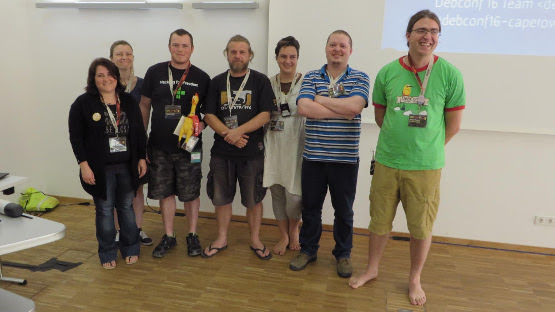
Debconf 15 In August (that was 2 months ago, really!?) I attended DebCamp and DebConf in Heidelberg, Germany. This blog post is somewhat belated due to the debbug (flu obtained during DebConf) and all the catching up I had to do since then. Debcamp Debcamp was great, I got to hack on some of my Python related packages that were in need of love for a long time and also got to spend a lot of time tinkering with VLC for the Video Team. Even better than that, I caught up with a lot of great people I haven t seen in ages (and met new ones) and stayed up waaaaay too late drinking beer, playing Mao and watching meteor showers. Debconf At Debconf, I gave a short talk about AIMS Desktop (slides) but also expanded on the licensing problems we ve had with Ubuntu on that project. Not all was bleak on the Ubuntu front though, some Ubuntu/Canonical folk were present at DebConf and said that they d gladly get involved with porting Ubiquity (the Ubuntu installer, a front-end to d-i) to Debian. That would certainly be useful to many derivatives including potentiall AIMS Desktop if it were to move over to Debian. AIMS Desktop talk slides: We re hosting DebConf in Cape Town next year and did an introduction during a plenary (slides). It was interesting spending some time with the DC15 team and learning how they work, it s amazing all the detail they have to care about and how easy they made it look from the outside, I hope the DC16 team will pull that off as well. Debconf 16 Slides: DC16 at DC15 talk DebConf 16 team members present at DebConf16 during DC16 presentation: I uploaded my photos to DebConf Gallery, Facebook and Google, take your pick ;-), many sessions were recorded, catch them on video.debian.net. If I had to summarize everything that I found interesting I d have to delay posting this entry even further, topics that were particularly interesting were:
  • Reproducible Builds (project page on wiki)
  • Trademark Issues (general logo use discussion, and what can call itself Debian )
  • Many Derivative discussions
  • PPAs for Debian
  • Many packaging and workflow related talks and discussions where I was only qualified to listen and tried to take in as much as possible
Pollito s First Trip to Africa In my state of flu with complete lack of concentration for anything work related, I went ahead and made a little short story documenting Pollito s (the DebConf mascot chicken) first trip to Africa. It s silly but it was fun to make and some people enjoyed it ^_^ Well, what else can I say? DebConf 15 was a blast! Hope to see you at Debconf 16!

30 September 2015

Dominique Dumont: Using custom cache object with AngularJS $http

Hello At work, I ve been bitten by the way AngularJS handles cache by default when using $https service. This post will show a simple way to improve cache handling with $http service. The service I m working on must perform the followings tasks:
  • retrieve data from a remote server.
  • save data to the same server.
  • retrieve the saved data and some extra information generated by the server to update a UI
At first, I ve naively used $http.get cache parameter to enable or disable caching using a sequence like:
  1. $http.get(url, cache: true )
  2. $http.post(url)
  3. $http.get(url, cache: false )
  4. $http.get(url, cache: true )
Let s say the calls above use the following data:
  1. $http.get(url, cache: true ) returns foo
  2. $http.post(url) stores bar
  3. $http.get(url, cache: false ) returns bar
I expected the next call $http.get(url, cache: false ) to return bar . But no, I got foo , i.e. the obsolete data. Turns out that cache object is completely left alone when cache: false is passed to $http.get. ok. Fair enough. But this means that the value of the cache parameter should not change for a given URL. The default cache provided by $https cannot be cleared. (Well, actually, you can clear the cache under AngularJS s hood, but that will probably not improve the readability of your code). The naive approach does not work. Let s try another solution by using a custom cache object as suggested by AngularJS doc. This cache object should be created by $cacheFactory service. This cache object can then be passed to $http.get to be used as cache. When needed, the cache can be cleared. In the example above, the cache must be cleared after saving some data to the remote service. There s 2 possibilities to clear a cache:
  • Completely flush the cache using removeAll() function.
  • Clear the cache for the specific URL using remove(key) function. The only hitch is that the key used by $http is not documented.
So, we have to use the first solution and create a cache object for each API entry point:
angular.module('app').factory('myService', function ($http, $cacheFactory)  
  var myFooUrl = '/foo-rest-service';
  
  // create cache object. The cache id must be unique
  var fooCache = $cacheFactory('myService.foo'); 
  function getFooData ()  
    return $http.get( myFooUrl,   cache: fooCache  );
   ;
 
  function saveFooData(data)  
    return $http.post( myFooUrl,   cache: fooCache  ).then(function()  
      myCache.removeAll() ;
     );
   
 );
The code above ensures that:
  • cached data for foo service is always consistent
  • http get requests are not sent more than necessary
This simple approach has the following limitations:
  • cache is not refreshed if the data on the server are updated by another client
  • cache is flushed when only the browser page is reloaded
If you need more a more advance cache mechanism, you may want to check jmdobry s angular cache project All the best

29 September 2015

Norbert Preining: Multi-boot stick update: TAILS 1.6, SysresCD 4.6.0, GParted 0.23, Debian 8.2

Updates for my multi-boot/multi-purpose USB stick: All components have been updated to the latest versions and I have confirmed that all of them still boot properly although changes in the grub.cfg file are necessary. So going through these explanations one will end up with a usable USB stick that can boot you into TAILS, System Rescue CD, GNU Parted Live CD, GRML, and also can boot into an installation of Debian 8.2 Jessie installation. All this while still being able to use the USB stick as normal media. multi-usb-disk Since there have been a lot of updates, and also changes in the setup and grub config file, I include the full procedure here, that is, merging and updating these previous posts: USB stick with Tails and SystemRescueCD, Tails 1.2.1, Debian jessie installer, System Rescue CD on USB, USB stick update: TAILS 1.4, GParted 0.22, SysResCD 4.5.2, Debian Jessie, and USB stick update: Debian is back, plus GRML. Let us repeat some things from the original post concerning the wishlist and the main players: I have a long wishlist of items a boot stick should fulfill
  • boots into Tails, SystemRescueCD, GParted, and GRML
  • boots on both EFI and legacy systems
  • uses the full size of the USB stick (user data!)
  • allows installation of Debian
  • if possible, preserve already present user data on the stick
Requirements A USB stick, the iso images of TAILS 1.6, SystemRescueCD 4.6.0, GParted Lice CD 0.23.0, GRML 2014.11, and some tool to access iso images, for example ISOmaster (often available from your friendly Linux distribution). I assume that you have already an USB stick prepared as described previously. If this is not the case, please go there and follow the section on preparing your usb stick. Three types of boot options We will employ three different approaches to boot special systems: the one is directly from an iso image (easiest, simple to update), the other via extraction of the necessary kernels and images (bit painful, needs some handwork), and the last one is a mixture necessary to get Debian booting (most painful, needs additional downloads and handwork). At the moment we have the following status with respect to boot methods:
  • Booting directly from ISO image: System Rescue CD, GNOME Parted Live CD, GRML
  • Extraction of kernels/images: TAILS
  • Mixture: Debian Jessie install
Booting from ISO image Grub has gained quite some time ago the ability to boot directly from an ISO image. In this case the iso image is mounted via loopback, and the kernel and initrd are specified relatively to the iso image root. This system makes it extremely easy to update the respective boot option: just drop the new iso image onto the USB stick, and update the isofile setting. One could even use some -latest method, but I prefer to keep the exact name. For both SystemRescueCD, GNOME Partition Live CD, and GRML, just drop the iso files into /boot/iso/, in my case /boot/iso/systemrescuecd-x86-4.6.0.iso and /boot/iso/gparted-live-0.23.0-1-i586.iso. After that, entries like the following have to be added to grub.cfg. For the full list see grub.cfg:
submenu "System Rescue CD 4.6.0 (via ISO) ---> "  
  set isofile="/boot/iso/systemrescuecd-x86-4.6.0.iso"
  menuentry "SystemRescueCd (64bit, default boot options)"  
        set gfxpayload=keep
        loopback loop (hd0,1)$isofile
        linux   (loop)/isolinux/rescue64 isoloop=$isofile
        initrd  (loop)/isolinux/initram.igz
   
  ...
 
 
submenu "GNU/Gnome Parted Live CD 0.23.0 (via ISO) ---> "  
  set isofile="/boot/iso/gparted-live-0.23.0-1-i586.iso"
  menuentry "GParted Live (Default settings)" 
    loopback loop (hd0,1)$isofile
    linux (loop)/live/vmlinuz boot=live union=overlay username=user config components quiet noswap noeject  ip= net.ifnames=0 nosplash findiso=$isofile
    initrd (loop)/live/initrd.img
   
  ...
 
 
submenu "GRML 2014.11 ---> "  
  menuentry "Grml Rescue System 64bit"  
        iso_path="/boot/iso/grml64-full_2014.11.iso"
        export iso_path
        loopback loop (hd0,1)$iso_path
        set root=(loop)
        kernelopts=" ssh=foobarbaz toram  "
        export kernelopts
        configfile /boot/grub/loopback.cfg
    
 
Note the added isoloop=$isofile and findiso=$isofile that helps the installer find the iso images. Booting via extraction of kernels and images This is a bit more tedious, but still not too bad. Installation of TAILS files Assuming you have access to the files on the TAILS CD via the directory ~/tails, execute the following commands:
mkdir -p /usbstick/boot/tails
cp -a ~/tails/live/* /usbstick/boot/tails/
The grub.cfg entries look now similar to the following:
submenu "TAILS Environment 1.6 ---> "  
  menuentry "Tails64 Live System"  
        linux   /boot/tails/vmlinuz2 boot=live live-media-path=/boot/tails config live-media=removable nopersistent noprompt timezone=Etc/UTC block.events_dfl_poll_msecs=1000 splash noautologin module=Tails
        initrd  /boot/tails/initrd2.img
 
   
  ...
 
The important part here is the live-media-path=/boot/tails, otherwise TAILS will not find the correct files for booting. The rest of the information was extracted from the boot setup of TAILS itself. Mixture of iso image and extraction Debian jessie As mentioned in the previous post, booting Debian/Jessie installation images via any method laid out above didn t work, since the iso images is never found. It turned out that the current installer iso images do not contain the iso-scan package, which is responsible for searching and loading of iso images. But with a small trick one can overcome this: One needs to replace the initrd that is on the ISO image with one that contains the iso-scan package. And we do not need to create these initrd by ourselves, but simply use the ones from hd-media type installer. I downloaded the following four gzipped initrds from one of the Debian mirrors: i386/initrd text mode, i386/initrd gui mode, amd64/initrd text mode, amd64/initrd gui mode, and put them into the USB stick s boot/debian/install.386, boot/debian/install.386/gtk, boot/debian/install.amd, boot/debian/install.amd/gtk, respectively. Finally, I added entries similar to this one (rest see the grub.cfg file):
submenu "Debian 8.2 Jessie NetInstall ---> "  
    set isofile="/boot/iso/firmware-8.2.0-amd64-i386-netinst.iso"
    menuentry '64 bit Install'  
        set background_color=black
        loopback loop (hd0,1)$isofile
        linux    (loop)/install.amd/vmlinuz iso-scan/ask_second_pass=true iso-scan/filename=$isofile vga=788 -- quiet 
        initrd   /boot/debian/install.amd/initrd.gz
     
    ...
 
Again an important point, don t forget the two kernel command line options: iso-scan/ask_second_pass=true iso-scan/filename=$isofile, otherwise you probably will have to make the installer scan all disks and drives completely, which might take ages. Current status of USB stick Just to make sure, the usb stick should contain at the current stage the following files:
/boot/
    iso/
        firmware-8.2.0-amd64-i386-netinst.iso
        gparted-live-0.23.0-1-i586.iso
        grml64-full_2014.11.iso
        systemrescuecd-x86-4.6.0.iso
    tails/
        vmlinuz Tails.module initrd.img ....
    grub/
        fonts/
            lots of files
        locale/
            lots of files
        x86_64-efi/
            lots of files
        font.pf2
        grubenv
        grub.cfg            *this file we create in the next step!!*
/EFI
    BOOT/
        BOOTX64.EFI
The Grub config file grub.cfg The final step is to provide a grub config file in /usbstick/boot/grub/grub.cfg. I created one by looking at the isoboot.cfg files both in the SystemRescueCD, TAILS iso images, GParted iso image, and the Debian/Jessie image, and converting them to grub syntax. Excerpts have been shown above in the various sections. I spare you all the details, grab a copy here: grub.cfg Conclusion That s it. Now you can anonymously provide data about your evil government, rescue your friends computer, fix a forgotten Windows password, and above all, install a proper free operating system. If you have any comments, improvements or suggestions, please drop me a comment. I hope this helps a few people getting a decent USB boot stick running. Enjoy.

27 September 2015

Niels Thykier: There is nothing like (missing) iptables (rules) to make you use tor

I have been fiddling with setting up both iptables and tor on my local machine. Most of it was fairly easy to do, once I dedicated the time to actually do it. Configuring both at the same time also made things easier for me, but YMMV. Regardless, it did take quite a while researching, tweaking and testing most of that time was spent on the iptables front for me. I ended up doing this incrementally. The major 5 steps I went through were:
  1. Created a basic incoming (INPUT) firewall enforcing
  2. Installed tor + torsocks and aliased a few commands to run with torsocks
  3. Created a basic outgoing (OUTPUT) firewall permissive
  4. Make the outgoing firewall enforcing
  5. Migrate the majority of programs and services to use tor.
Some of these overlapped time-wise and I certainly revisited the configuration a couple of times. A couple of things, that I learned:
  • You probably want to have a look at netstat --listen -put --numeric when you write your INPUT firewall.
  • The tor developers have tried a lot to make things easy. It is scary how often torsocks program [args] just works(tm).
    • That said, it does not always work.
  • Tor and iptables (OUTPUT) can have a synergy effect on each other.
    • Notably, when it is easier to just torsocks a program than adding the necessary iptables rules.
  • Writing iptables rules become a lot easier once:
    • You learn how to iptables s LOG rule
    • You use sensible-editor + iptables-restore or something like puppet s firewall module

Filed under: Debian

Ben Armstrong: Annual Bluff Hike, 2015

Here is a photo journal of our hike on the Bluff Wilderness Trail with my friend, Ryan Neily, as is our tradition at this time of year. Rather than hike all four loops, as we achieved last year, we chose to cover only the Pot Lake and Indian Hill loops. Like our meandering pace, our conversations were enjoyable and far ranging, with Nature doing her part, stimulating our minds and bodies and refreshing our spirits.
A break at the summit of Pot Lake loop. Click to start slideshow.A break at the summit of Pot Lake loop. Click to start slideshow.
Northern bayberry A few showers quickly dissipated into light mist on the first leg of the hike Ryan, enjoying one of the many beautiful views Cormorant or shag. Hard to say from this poor, zoomed cellphone shot. Darkened pool amongst the rugged trees Late summer colours A riot of life shoots up in every crevice Large boulders and trees, forming a non-concrete alley along the trail margin Huckleberries still plentiful on the Indian Hill loop Sustenance to keep us going Not at all picked over, like the Pot Lake loop We break here for lunch Just about ready to embark on the last half We are surprised by the productivity of these short, scrubby huckleberries Barely rising from the reindeer moss, each huckleberry twig provides sweet, juicy handfuls A small pond on the trip back A break on the home stretch Common juniper, which nevertheless is not so common out here Immature green common juniper berries (actually cones)
facebooktwittergoogle_plusredditpinterestlinkedinmail

Next.

Previous.