Search Results: "rul"

30 August 2013

Joey Hess: best DebConf ever

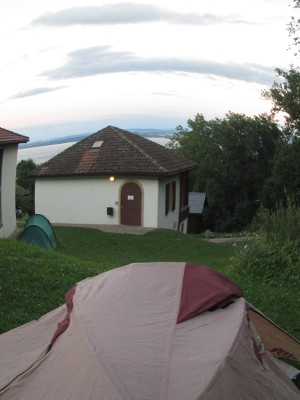
For me, DebConf13 in Switzerland was a perfect DebConf, and generally an great developer meeting and conference. I've attended several past DebConfs in Canada, Norway, Brazil, Finland, Mexico, Scotland, Spain, NYC, Bosnia, and Nicaragua. I have special memories of each. DebConf13 was ideal in every way. Let's start with the camping. Only a minority of us did it, and my campsite was located in a small field behind a bar that was often noisy late into the night, when I was trying to rest and preserve my European jetlag remedy of inverted sleeping schedule. Still, I love sleeping cocooned in a tent, and going through the routines of camping and spending time alone there was a good counterpoint to DebConf. I generally find myself retreating for a day or two in the middle of a week-long conference, burnt out with social interactions. That didn't happen this time. I need to find way to camp at future DebConfs. (Also special shout out to wonderful people who lent me a warmer sleeping bag, and bought me a pillow while on a trip to town! Upgraded my first backpacking in Europe experience's comfort level a lot!) The next perfect thing for me were the talks I gave at DebConf. I always enjoy presenting at DebConf, and barely remember when I'd get nervous doing it. But I really felt comfortable giving these talks in a way I've not before. I'm pleased with how the Debian Cosmology talk turned out; I'd worried it would be a downer talk, or too light, or not well received, and none of those problems surfaced. I was especially happy with my dh_busfactor session, which I prepared for all of 10 minutes and was structured entirely to benefit me by talking over my thoughts and getting feedback, and in which I probably drove the camerapeople crazy running my own mic into the audience. Despite all that, I think it succeeded being interesting for the participants as well as for me. Hope to follow up on it soon.. But beyond the two talks I submitted, there were a series of ad-hoc scheduled talks. It seemed that every day I spent at least an hour discussing something I'm deeply involved in. This started with the Ikiwiki bof, and then there was an epic series of (unrecorded) BoFs about git stuff, which basically turned into an unofficial git track at DebConf. Much, much discussion of git-annex and other things I'm involved in. BTW, I really like that DebConf, as well as being a formal conference on top, is really an un-conference underneath, with new BoFs and things popping up on the schedule all week long. You can even have completely unscheduled meetings that somehow get just the right mix of people to make something awesome happen.
But it wasn't all about talks. Indeed, I only attended 2 or 3 sessions a day. The DebConf13 venue was controversial, but I found it excellent for getting things done. Rather than one or two massive rooms that get too noisy to think in, this venue had many little nooks and crannies suited for different types of work. There were so many I only discovered some while walking down the hill as I was leaving the venue! Anchoring it all was the excellent view, and I particularly enjoyed the "scenic hacklab". I was particularly impressed with the flexability of the venue's management. Someone asked if we could have cheese for breakfast, and every breakfast thereafter had not one but often three excellent cheeses. One day we'd be complaining that there were not enough vegetables in the food, and the next we'd be eating an excellent vegetarian Swiss lunch. They even apparently relaxed stringent Swiss rules on not allowing tents in sightlines visible from people further up the hill. They were clearly happy to welcome our crazy gathering to Le Camp. They let a DD borrow and use a chain saw and build a bonfire! The venue also encouraged getting out and exploring the surrounding countryside. Too often I end up spending the whole DebConf without seeing much of the area around. This time I at least got down the hill to see the castle in Vaumarcus a few times, and enjoyed many evening walks amoung the grape fields. The conference dinner (on a boat!) tied into this well too. And the daytrip to CERN was a great addition. We got to poke around the control center for a massive particle accellerator! My only regret is we didn't get a chance to actually go inside the LHC tunnels. Back to DebConf, another thing I really liked about this one was that its location allowed several upstream authors of software in Debian (other than the usual suspects who are both upstreams and Debian Developers) to attend. I don't know if Lennart Poettering changed any minds about systemd with his talk, but I was happy for the opportunity to buy him a beer. I didn't get to Monty's talk, but it was excellent to see him attend as well. Finally, I got to meet old friends I'd not seen in years, and new ones I've not met in real life before. We're still not sure where this whole DebConf thing is going -- will it be all about the cheese and wine party and greybeards in 20 years time? But one thing we know is we enjoy our little slice of the year where kilts and coding are equally unremarkable, where problems that seem intractable online somehow solve themselves in person, where we come away with ideas for an entire year and memories for a lifetime.

27 August 2013

John Goerzen: Engaged!

Today I have the delightful chance to write about a deep and wonderful joy. Yes, Laura and I are engaged! There are no words adequate for this kind of occasion, but there is a picture that gets close: I never imagined a person could find a friend so wonderful, a person that enjoys so much in common, someone that understands me and that I understand so well. And yet, here I am, engaged to that friend. Amazing only begins to describe the feeling. One of the first things Laura and I talked about was a hymn I was tinkering with, typesetting with GNU LilyPond. That hymn ends like this: Since Love is Lord of heav n and earth, how can I keep from singing? It is a wonderful thought, and very true. Even literally true; I often find myself singing, humming, or playing the penny whistle during my day. One of my good friends once told me, I am completely sure that your happiest days lie ahead of you. And he was right. I have already experienced them. This is a wonderful time, and every day brings plentiful reasons to be thankful. And as Laura and I prepare for a life together, I know that it is true not only that my friend was right, but that he is right my happiest days are yet to come, and our happiest days are yet to come, too. I have been blessed in many ways, and feel like the luckiest man alive. To be loved, and to love, a person so wonderful is truly a remarkable gift.

25 August 2013

Francesca Ciceri: Some things I learnt at DebConf13

My self-tagged badge

24 August 2013

Marko Lalic: PTS Rewrite Project Status

The rewrite has already achieved some of the major goals which have been set in the beginning, as well as made some changes and improvements along the way. Some of the major points of the new system implemented so far will be presented here.

    Tasks framework
    The current PTS implementation regenerates the HTML pages for all packages a few times per day. A goal of the rewrite was to make smaller incremental updates possible so that the information displayed for each package can be much more dynamic.

    In order to allow incremental updates, it is necessary to consider the situation where updating some information should trigger an update of other information.

    This is where the tasks framework comes in. It allows developers to define a task with a list of "events" that it produces. An event can be triggered by any change to shared information or anything else the task would like to signal. Each event is identified by a simple unique string name. Events can also contain arbitrary (JSON-serializable) objects. Other than events that it produces, a task defines a list of dependencies events it depends on.

    When a single task should be executed, the tasks framework uses this information to build a dependency graph (a DAG) and executes the tasks in topological sort order, making sure each task runs only after all tasks which could raise an event it depends on have finished. It automatically makes the raised events available to the task so that it can access the extra data. Tasks for which no event was raised are skipped.

    Such execution of a task along with all its dependencies is called a Job. A Job's state is persisted to the database after each task completes its operation. This allows Jobs to be continued if there is an unexpected error causing it to terminate.

    So far, the tasks framework has already proven useful. For example, there are tasks which extract some package information to a denormalized model suited for directly displaying the data in the package page after a new package version is detected in a repository. Other examples are tasks which update standards-version warnings (after a new package version is detected) and the news generation task based on various detected changes to the packages (new source version, version removed from repository, version migrated to another repository).

    Vendor-specific customizationAnother goal of the rewrite was to make the PTS less Debian-specific. This is so that derivatives could easily deploy their own versions of the PTS. The idea is to have a number of core PTS services which alternative deployments can customize and augment.

    The simplest way vendors can customize PTS is by changing some of the local settings values. An example of this would be changing the PTS_VENDOR_NAME which leads to this name being displayed in any part of the system.

    This is fairly uninteresting since the information is always static. What is more interesting is when the vendor should provide different information based on some context, e.g. package name, received message, etc. This requirement led to the concept of the vendor app with a rules module.

    Various core parts of the PTS specify hook functions which different vendors can implement to provide customized behavior of the core component. Some examples are:
    • providing URLs to a developer information site (e.g. http://qa.debian.org/developer.php in Debian's case) based on a developer's email
    • providing a URL to a bug tracker for a particular package (based on the package type and bug category type)
    • providing additional rules to tag received package mails with keywords
    • providing additional headers to be injected in the forwarded package mails
    • providing a list of bugs which should be displayed in the bugs panel
    A settings value is set giving the full dotted path to the Python module containing the implementation of these hook functions.

    Vendor-specific featuresA step beyond customizing core features is for vendors to include their own specific functionality. The already described tasks framework allows for implementing custom data update/generation processes (optionally depending on core events). Furthermore, since a vendor-specific Django app is expected, it can contain any vendor-specific models which are managed just as the core models are (syncdb, migrations, etc. all work as expected). The last piece of the puzzle is displaying this information on the package page.

    Currently, all package information is provided in various boxes (general, bugs, links, etc.) which were named panels. The rewrite has made it possible to implement additional panels in a really elegant way.

    It is required to implement a class with some properties giving:
    • the panel's title
    • position in the page (left, center, right)
    • panel importance (higher importance panels are placed above lower importance ones in the same column)
    To generate the HTML for a package, two alternatives are allowed. The first is to provide a property which gives (explicitly marked safe) HTML output which is then included in the correct position verbatim. The second alternative, which is what should cover most needs and should be preferred, is to provide a property giving a template name and a property giving the additional context variables necessary to render this template. By using the power of Python properties, the context can be dynamically generated for each package by the panel. The PTS then makes sure to pass the correct panel's context when rendering its template and to include the rendered result in the final package page.

    Various convenience classes are implemented in the panel API, but those are better left to be read about in the panels API documentation.

    Changes from current PTSSome existing features of PTS were not simply rewritten to fit into a Django project, but also improved upon.

    One of the first such changes was reducing the number of confirmation mails sent by the email control bot to only one per received control mail (as per a wishlist PTS bug).

    Work started by Markus Wanner (see this bug) was expanded on and integrated with the new News model so that any inline GPG signatures found in the content of a news item are automatically extracted and the signers name displayed in the package page.

    The existing TODO and Probems panels have been merged into a single Action Needed panel. However, besides merging their representation in the package page, all the package issues are now represented as an ActionItem Django model which provides additional meta-data (item type, date created/updated, severity level) which could be used in the future to provide additional functionality (such as all packages with a certain issue type).

    The descriptions of the action items were also shortened from their current rendition, with the detailed description being moved to a dedicated item page. If Javascript is enabled in the user's browser, it can also be displayed in a popup.

    GUIThe graphical interface has seen some changes, however I hesitate to claim improvements. In my opinion, some of it is definitely better, more polished and more "modern" (for what it's worth).

    Still, this could benefit from more people getting involved in testing and providing feedback so that the design is polished to suit the largest number of users. For example, the padding between the panels is increased, which to me definitely looks better, however, it is possible that this introduces too much whitespace and reduces the information density below what some may expect.

    RecapOverall, I am quite pleased with where the project is currently. Most of the information provided by the current PTS has been reimplemented, with only a few smaller ones remaining. For now, since we are nearly entering the final month of GSoC, the development will switch focus from porting old features to the new PTS to adding in some new ones. Namely, user registration and account management is in the pipeline for the coming week. It entails features such as managing package subscriptions via the online interface (for multiple emails associated with the account) and sso.debian.org integration for Debian Developers.

    This post aimed to provide the most notable changes and improvements made so far to the PTS. In reality, there has been quite a lot of them and not everything is covered here. For more information, check out the PTS documentation which is updated weekly (corresponding to the weekly deployments) or the source code repository.

    The latest iteration of the PTS can always be found at http://pts.debian.net. The mail control interface bot responds to mails sent to control@pts.debian.net.

    Stay tuned for updates and be sure to check out pts.debian.net on at least a weekly basis to see new deployments in action!

    22 August 2013

    Matthew Garrett: Re: Default offerings, target audiences, and the future of Fedora

    Eric (a fellow Fedora board member) has a post describing his vision for what Fedora as an end goal should look like. It's essentially an assertion that since we have no idea who our users are or what they want, we should offer them everything on an equal footing.

    Shockingly enough, I disagree.

    At the most basic level, the output of different Special Interest Groups is not all equal. We've had issues over the past few releases where various spins have shipped in a broken state, because the SIG responsible for producing them doesn't have the resources to actually test them. We're potentially going to end up shipping F20 with old Bluetooth code because the smaller desktops aren't able to port to the new API in time[1]. Promoting these equally implies that they're equal, and doing so when we know it isn't the case is a disservice to our users.

    But it's not just about our users. Before I joined the Fedora project, I'd worked on both Debian and Ubuntu. Debian is broadly similar to the current state of Fedora - no strong idea about what is actually being produced, and a desire among many developers to cater to every user's requirements. Ubuntu's pretty much the direct opposite, with a strongly defined goal and a willingness to sacrifice some use cases in order to achieve that goal.

    This leads to an interestingly different social dynamic. Ubuntu contributors know what they're working on. If a change furthers the well-defined aim of the project, that change happens. Moving from Ubuntu to Fedora was a shock to me - there were several rough edges in Fedora that simply couldn't be smoothed out because fixing them for one use case would compromise another use case, and nobody could decide which was more important[2]. It's basically unthinkable that such a situation could arise in Ubuntu, not just because there was a self appointed dictator but because there was an explicit goal and people could prioritise based on that[3].

    Bluntly, if you have a well-defined goal, people are more likely to either work towards that goal or go and do something else. If you don't, people will just do whatever they want. The risk of defining that goal is that you'll lose some of your existing contributors, but the benefit is that the existing contributors will be more likely to work together rather than heading off in several different directions.

    But perhaps more importantly, having a goal can attract people. Ubuntu's Bug #1 was a solid statement of intent. Being freer than Microsoft wasn't enough. Ubuntu had to be better than Microsoft products on every axis, and joining Ubuntu meant that you were going to be part of that. Now it's been closed and Ubuntu's wandered off into convergence land, and signing up to spend your free time on producing something to help someone sell phones is much less compelling than doing it to produce a product you can give to your friends.

    Fedora should be the obvious replacement, but it's not because it's unclear to a casual observer what Fedora actually is. The website proudly leads with a description of Fedora as a fast, stable and powerful operating system, but it's obvious that many of the community don't think of Fedora that way - instead it's a playground to produce a range of niche derivatives, with little consideration as to whether contributing to Fedora in that way benefits the project as a whole. Codifying that would actively harm our ability to produce a compelling product, and in turn reduce our ability to attract new contributors even further.

    Which is why I think the current proposal to produce three first-class products is exciting. Offering several different desktops on the download page is confusing. Offering distinct desktop, server and cloud products isn't. It makes it clear to our users what we care about, and in turn that makes it easier for users to be excited about contributing to Fedora. Let's not make the mistake of trying to be all things to all people.

    [1] Although clearly in this case the absence of a stable ABI in BlueZ despite it having had a dbus interface for the best part of a decade is a pretty fundamental problem.
    [2] See the multi-year argument over default firewall rules and the resulting lack of working SMB browsing or mDNS resolving
    [3] To be fair, one of the reasons I was happy to jump ship was because of the increasingly autocratic way Ubuntu was being run. By the end of my involvement, significant technical decisions were being made in internal IRC channels - despite being on the project's Technical Board, I had no idea how or why some significant technical changes were being made. I don't think this is a fundamental outcome of having a well-defined goal, though. A goal defined by the community (or their elected representatives) should function just as well.

    comment count unavailable comments

    20 August 2013

    Erich Schubert: Google turning evil

    I used to be a fan of the Google company. I used to think of this as a future career opportunity, as I've received a number of invitations to apply for a job with them.
    But I am no longer a fan.
    Recently, the company has in my opinion turned to the "evil" side; they probably became worse than Microsoft ever was and the "do no evil" principle is long gone.
    So what has changed? In my perception, Google:
    • Is much more focused on making money now, than making technology happen.
    • Instead of making cool technology, it tries more and more to be a "hipster" thing and following the classic old 80-20 rule: get 80% of the users with 20% of the effort. Think of the GMail changes that received so much hate and the various services it shuts down (Code search, Reader, Googlecode downloads) and how much Google is becoming a walled garden.
    • Google leverages its search market dominance as well as Android to push their products that don't perform as good as desired. Plus for example. There is a lot of things I like about plus. In particular when you use it as a "blog" type of conversation tool instead of a site for sharing your private data, then it's much better than Facebook because of the search function and communities. (And I definitely wouldn't cry if a Facebook successor emerges). But what I hate is how Google tries hard to leverage their Android and YouTube power to force people to Plus. And now they are spreading even further, into TV (ChromeCast) and ISP (Google Fiber) markets.
    • Hangups, oops, Hangouts is another such example. I've been using XMPP for a long time. At some point, Google started operating an XMPP server, and it would actually "federate" with other servers, and it worked quite nicely. But at some point they decided they need to have more "hipster" features, like ponies. Or more likely, they decided that they want all these users to use Plus. So now they are moving it away from an open standard towards a walled garden. But since 90% of my use is XMPP outside of Google, I will instead just move away from them. Worse.
    • Reader. They probably shut this down to support Currents and on the long run move people over to Plus, too. Fortunately here, there now exist a number of good alternatives such as Feedly. But again: Google failed my needs.
    • Maps. Again an example where they moved from "works good" to "hipster crap". The first thing the new maps always greets me with is a gray screen. The new 3D view looks like an earthquake happened, without offering any actual benefit over the classic (and fast) satellite imagery. Worse. In fact my favorite map service right now is an OpenStreetmap offline map.
    • Google Glass is pure hipsterdom crap. I have yet to see an actual use case for it. People use it to show off, and that's about it. If you are serious about photos, you use a DSLR camera with a large objective and sensor. But face it: it's just distraction. If you want productive, it's actually best to turn of all chat and email and focus. Best productivity tip ever: Turn off email notifications. And turn of chat, always-on and Glass, too.
    • Privacy. When privacy-aware US providers actually recommend against anyone trusting their private data to a company with physical ties to the United States, then maybe it's time to look out for services in countries that value freedom higher than spying. I cannot trust Google on keeping my data private.
    We are living in worrisome times. The U.S.A., once proud defenders of freedom, have become the most systematic spies in the world, even on their own people. The surveillance in the Eastern Bloc is no match for this machinery built the last decade. Say hello to Nineteen Eighty-Four. Surveillance, in a mixture of multi-state and commercial surveillance has indeed become omnipresent. Wireless sensors in trash cans track your device MACs. Your email is automatically scanned both by the NSA and Google. Your social friendships are tracked by Facebook and your iPhone.
    I'm not being paranoid. These things are real, and it can only be explained with a "brainwashing" with both the constantly raised fear of terror (note that you are much more likely to be killed in a traffic accident or by a random gun crazy in the U.S.A. than by terrorists) and the constant advertisement for useless technology such as Google Glass. Why have so many people stopped fighting for their freedom?
    So what now? I will look into options to move away stuff from Google (that is mostly, my email -- although I'd really like to see a successor to email finally emerge). Maybe I can find a number of good services located e.g. in Switzerland or Norway (who still seem to hold freedom in high respect - neither the UK nor Germany are an alternative these days). And I hope that some politicians will have the courage to openly discuss whether it may be necessary to break up Google into "Boogles" (Baby-Googles), just as Reagan did with AT&T. But unfortunately, todays politicians are really bad at such decisions, in particular when it might lower their short-run popularity. They are only good at making excuses.

    16 August 2013

    Gerfried Fuchs: Twenty Years

    Happy twentieth birthday, Debian! For the celebration at this year's debconf I wrote this litte haiku. I hope you like it!
    Debian OS
    Twenty years, still relevant
    This is what we are The base of many
    But without our great work
    They could not exist It is an honor
    To be reused in that way
    Be proud of your work Enjoy the evening
    Celebrate with us all night
    There be poetry
    Hope you had a nice celebration, I truly enjoyed this year's Poetry Night.
    Enjoy!

    /debian permanent link Comments: 0 Flattr this

    15 August 2013

    Daniel Leidert: HP N54L Microserver - energy efficiency and power management

    I recently worked on activating power management functions, reduce energy consumption and noise of my little HP N54L "toy". During this process I tried to avoid the usage of /etc/rc.local and set things by udev, hdparm and friends. Below are my results. Actual resultsWith the following steps my system (N54L + 3xWD20EFRX HDD +1xWD5003AZEX HDD + LCD-mod + case fan mod + Debian Wheezy) uses 27W in idle mode. The USB W-LAN card uses another 10W. In active mode, e.g. compiling source code, the system runs (and boots) with around 57W. The highest power consumption observed is during startup phase with 88W. First things firstFor the following steps it might be necessary to have some packages installed, that maybe do not occur in this post. If I missed something, I appreciate a hint. Further the following steps might produce even better results with a custom kernel. I'm using the stock linux-image-3.2.0-4-amd64 kernel image as the time of writing and I have these packages installed: amd64-microcode, firmware-linux, firmware-linux-free, firmware-linux-nonfree and firmware-atheros (the latter for my WLAN card). ASPM and ACPIFirst I enabled PCIE ASPM in my (non-modded) BIOS and forced it together with ACPI via grub by changing GRUB_CMDLINE_LINUX_DEFAULT in /etc/default/grub so it looks like this:

    GRUB_CMDLINE_LINUX_DEFAULT="quiet splash acpi=force pcie_aspm=force nmi_watchdog=0"
    ASPM has now been enabled as lspci prooves:

    00:04.0 PCI bridge: Advanced Micro Devices, Inc. [AMD] RS780/RS880 PCI to PCI bridge (PCIE port 0) (prog-if 00 [Normal decode])
    [..]
    LnkCap: Port #1, Speed 5GT/s, Width x1, ASPM L0s L1, Latency L0 <64ns, L1 <1us
    ClockPM- Surprise- LLActRep+ BwNot+
    LnkCtl: ASPM L0s L1 Enabled; RCB 64 bytes Disabled- Retrain- CommClk+
    ExtSynch- ClockPM- AutWidDis- BWInt- AutBWInt-
    [..]
    00:06.0 PCI bridge: Advanced Micro Devices, Inc. [AMD] RS780 PCI to PCI bridge (PCIE port 2) (prog-if 00 [Normal decode])
    [..]
    LnkCap: Port #3, Speed 5GT/s, Width x1, ASPM L0s L1, Latency L0 <64ns, L1 <1us
    ClockPM- Surprise- LLActRep+ BwNot+
    LnkCtl: ASPM L0s L1 Enabled; RCB 64 bytes Disabled- Retrain- CommClk+
    ExtSynch- ClockPM- AutWidDis- BWInt- AutBWInt-
    02:00.0 USB controller: Renesas Technology Corp. uPD720201 USB 3.0 Host Controller (rev 03) (prog-if 30 [XHCI])
    [..]
    LnkCap: Port #0, Speed 5GT/s, Width x1, ASPM L0s L1, Latency L0 <4us, L1 unlimited
    ClockPM+ Surprise- LLActRep- BwNot-
    LnkCtl: ASPM L0s L1 Enabled; RCB 64 bytes Disabled- Retrain- CommClk+
    ExtSynch- ClockPM- AutWidDis- BWInt- AutBWInt-
    [..]
    03:00.0 Ethernet controller: Broadcom Corporation NetXtreme BCM5723 Gigabit Ethernet PCIe (rev 10)
    [..]
    LnkCap: Port #0, Speed 2.5GT/s, Width x1, ASPM L0s L1, Latency L0 <1us, L1 <64us
    ClockPM+ Surprise- LLActRep- BwNot-
    LnkCtl: ASPM L0s L1 Enabled; RCB 64 bytes Disabled- Retrain- CommClk+
    ExtSynch- ClockPM- AutWidDis- BWInt- AutBWInt-
    [..]
    Even so /sys/module/pcie_aspm/parameters/policy will still show as below:

    [default] performance powersave
    I'll show how to set the powersave value in /sys/module/pcie_aspm/parameters/policy in the next section.JFTR: These are my ACPI related packages installed: acpi, acpid, acpi-support and acpi-support-base. Enable powersaving via UDEVThe following rules file /etc/udev/rules.d/90-local-n54l.rules has been inspired by a blog post. It enables powersaving modes for all PCI, SCSI and USB devices and ASPM. Further the internal RADEON cards power profile is set to the low value. There is no monitor connected usually. The file contains these rules:

    SUBSYSTEM=="module", KERNEL=="pcie_aspm", ACTION=="add", TEST=="parameters/policy", ATTR parameters/policy ="powersave"

    SUBSYSTEM=="i2c", ACTION=="add", TEST=="power/control", ATTR power/control ="auto"
    SUBSYSTEM=="pci", ACTION=="add", TEST=="power/control", ATTR power/control ="auto"
    SUBSYSTEM=="usb", ACTION=="add", TEST=="power/control", ATTR power/control ="auto"
    SUBSYSTEM=="usb", ACTION=="add", TEST=="power/autosuspend", ATTR power/autosuspend ="2"
    SUBSYSTEM=="scsi", ACTION=="add", TEST=="power/control", ATTR power/control ="auto"
    SUBSYSTEM=="spi", ACTION=="add", TEST=="power/control", ATTR power/control ="auto"

    SUBSYSTEM=="drm", KERNEL=="card*", ACTION=="add", DRIVERS=="radeon", TEST=="power/control", TEST=="device/power_method", ATTR device/power_method ="profile", ATTR device/power_profile ="low"

    SUBSYSTEM=="scsi_host", KERNEL=="host*", ACTION=="add", TEST=="link_power_management_policy", ATTR link_power_management_policy ="min_power"
    Set harddrives spindown timeoutI decided to sent my system drive to standby after 20 minutes and the RAID drives after 15 minutes. This is usually ok, because the RAID isn't always used. hdparm is the right tool to realize this. Many people use the /dev/disk/by-uuid/... syntax here, to avoid having to touch the configuration file if some system configuration changes. Because I'm running a RAID, I couldn't use this syntax, although it might be possible to use /dev/disk/by-id/... instead. Well for the moment I stay with the configuration below. The relevant part of /etc/hdparm.conf is:

    [..]

    # system harddrive
    /dev/sda
    spindown_time = 240


    # below are the WD20EFRX drives
    /dev/sdb
    spindown_time = 180


    /dev/sdc
    spindown_time = 180


    /dev/sdd
    spindown_time = 180

    Idle modeWhen there is nothing to do for the system, all I hear is the (still a bit noisy) fan of the power supply, which I might replace in the future too. Either by testing a different fan or by replacing the whole power supply unit by the fanless FORTRON FSP150-50TNF or (even better) a picoPSU.The system currently shows a power consumption of around 37W in idle mode whereas the USB W-LAN card itself needs around 10W. There is a possibility to enable power savings mode for this card too. I could add this entry to /etc/udev/rules.d/90-local-n54l.rules:

    SUBSYSTEM=="net", ACTION=="add", KERNEL=="wlan*" RUN+="/usr/bin/iw dev %k set power_save on"
    But it turned out that the connection became a bit unstable after it. So I don't use this rule. More on the roadThere are a lot more options one can easily find via $search_engine. The N54L system could be brought to sleep and woken up by LAN via Wake-on-LAN (WOL). This is a feature I don't use. I've also read rumors about enabling different sleep/suspend states of the system, which seems to require to install a modded BIOS. Well, I'll post news and changes if they happen to come;)

    Bits from Debian: Happy 20th birthday Debian!

    Today is Debian's 20 anniversary. This anniversary would have been impossible without a strong community of users and developers. That's why for its commemoration, we asked the Debian community what Debian meant to them. Below you have a selection of the answers we got.
    Since I run Debian on my computers, I do not play anymore to 3D shooting games, not because of the lack of Free 3D drivers, but because developing Debian is more fun and addictive. Debian is a truly community based distro which is devoted to FOSS ideas and standards. It perfectly works on high variety of hardware. Users from all over the world have been using Debian and contributing to it during 20 years. And I am proud to be one of them. Happy Birthday, Debian! When I considered switching to Linux I asked friends which distribution to choose. I was told skip other distributions that were considered more newbie-friendly at the time and go straight to Debian instead. It might be more work initially, they said, but it would save me the hassle of switching to Debian later on, which I would inevitably do. Turns out they were right. I started my Linux experience more than ten years ago with Debian and have yet to see a better Linux distribution. [...] You are a worldwide community of volunteers working together for 20 years now. To me this is an encouraging example and, given the sorry state of the world we live in, more important than the technical quality of the operating system. I wish you another successful twenty years and to stay as independent as you are. I initially started in Debian as it was an interesting technical challenge. Over the years the community and having good standards around what Free Software is has become more important. As a user of Debian for 14 years, and a former Debian Developer for 10, I would like to wish a happy birthday to the best project on the internet, and the best Linux distribution ever. Thanks for all of your support over the years! "Rock Solid Stability and Absolute Freedom" Thats what Debian means to me. Debian gives me a feeling that I am using the best linux has to offer. You know your machine is in safe hands. As a long time Debian user and sometimes supporter [...] I wish Debian all the best for next 20 years and beyond! Debian is the universal operating system. And it's free (and not just as in beer ;-) Debian is an awesome combination of obsessive high quality software and software freedom. It's a pleasure to be able to use and contribute to this project. Thanks to all for their excellent work! Cheers to 2**20 years more! [...] I am so very thankful to all of the people who have contributed to and continue to contribute to such a wonderful ecosystem of tools. I love the commitment to the long term goals of security, freedom and transparency with respect to the computer systems that we all use and rely upon and the information that we store on them. Debian is the operating system that makes me free. Debian is a family gathered around great idea. Its pure love.

    12 August 2013

    Sylvain Le Gall: Migrating a puppet maintained computer from Squeeze to Wheezy

    This blog post is a little recipe to do a Debian migration for a node using Puppet and some other good practices. We do all the following commands as root, which on of the exceptional situation where you should have a real root session (login through console, or su -). I tend to avoid using the X server while doing an upgrade, so my 'best' setup is to have a laptop to take note and check things on the internet and a session to the computer to upgrade (ssh + su - or login as root into console). In both case, I use screen during the upgrade so that I can handle disconnection. Create or update your admin-syscheck script First of all, a good practice is to have a script that runs various test on the system that checks everything is ok. This is not only for upgrade but in general. But in the case of upgrade, it can be particularly useful. I call this script admin-syscheck. This is a simple bash script. This script check various aspect of the system and serve me as my external worker to check the most advanced knowledge I have gathered about setting up a service. For example, I know that having *.bak or *.dpkg-dist in /etc/ means that something needs to be merged and a file should be deleted. Another example is about setting up the right alias for 127.0.0.1 and ::1 (which you can differentiate using getent ahostsv4 and getent ahostsv6). I have packaged this script and distributed it using a specific apt-get repository. You can just distribute it using puppet. I recommend to run it daily to track changes (e.g. after an apt-get dist-upgrade) and to check that my setup is aligned with my most up-to-date knowledge about setting up a service (i.e. this is my external worker). In our case we are interested in checking presence of old and new configuration files, before and after upgrading. Here is this specific section of my script:
    if ! $IS_ROOT; then
      warning "Not trying to detect dpkg leftover file in /etc/."
    else
      LEFTOVER_FILES=( $(find /etc/ \
          -name "*.dpkg-dist" -o \
          -name "*.dpkg-old" -o \
          -name "*.ucf-old" -o \
          -name "*.ucf-dist" -o \
          -name "*.bak") )
      for i in "$ LEFTOVER_FILES[@] "; do
        if [ "$i" = "/etc/hosts.deny.purge.bak" ]; then
          continue
        fi
        if $fix; then
          BASE=$ i%.* 
          cond_exec vim -d $BASE $i
          read -p "Delete $i (y/N)? " ans
          if [ "$ans" = "y" ]; then
            cond_exec rm $i
          fi
        else
           report_error "dpkg leftover file: '$i'."
        fi
      done
    fi
    (cond_exec allows to do a dry run, you can just remove it). Setting $fix to true will spawn a vim -d old new command where you can edit and then delete the leftover file. This is extremly handy. Upgrading to Wheezy I strongly recommend to read first the upgrade chapter of the release notes. This gives you a more complete overview of the upgrade procedure. I just go through the basic step here. 1. Update everything on the system:
    $> apt-get update 
    $> apt-get dist-upgrade
    2. Check that the current configuration apply cleanly:
    $> puppet agent --test
    3. Run admin-syscheck:
    $> admin-syscheck
    And fix all the problems. 4. Disable puppet: I use a cronjob to run puppet, so I just comment the line for the job (/etc/cron.d/puppet-custom). You should disable puppet by stopping the daemon and preventing it to run by editing /etc/default/puppet and set START=no. 4. Fix your sources and pinning: Change squeeze to wheezy in /etc/apt/sources.list and remove useless files in /etc/apt/sources.lists.d/. (You may keep certain sources that refers to stable, like google-chrome.list).
    $> rm /etc/apt/sources.list.d/* # Check if this ok to do this with your system.
    Although, I tend to fully purge /etc/apt/sources.list expect for the main line (removing backports and security is fine for a short time). The first run of puppet after upgrade will anyway reset this file.
    $> rm /etc/apt/preferences.d/* # (at least the ones that do pin some version)
    You can although remove all pinning from /etc/apt/preferences. 5. Now you start the real upgrade:
    $> apt-get update 
    $> apt-get dist-upgrade
    6. During the upgrade you will be asked if you want to keep old configuration files or install the newer one from the maintainer. I have always wondered what to answer to this. But here is the answer after a few major upgrade: always install configuration files from maintainer if the service has no ultra-specific settings that could break during the upgrade. The only file, that I should not upgrade on my system, is /etc/sudoers. In this very specific case, you need to make sure before the upgrade that the old and new configuration can coexist. In the squeeze to wheezy case, I have just setup a few extra augeas rules to set the secure_path before the upgrade and it was fine. This is typically the kind of situation where you are thankful to have a real root session. 7. The upgrade can be long and require various fixing to remove/re-add packages to circumvent problems. At the end you will have a set of file *.dpkg-old and *.ucf-old (and some *.dpkg-dist and *.ucf-dist). The *-old files are your old version of the file, while the corresponding files match the maintainer version of it. The *-dist files are the maintainer version of the file and the corresponding files match your old version of it. Starting from here you have 2 options:
    • This is one of the first computer you upgrade, go to 'first upgrade'.
    • Your puppet configuration for wheezy is already bullet proof, go to 'further upgrade'.
    First upgrade This is the tricky part, you'll have to spend a little time on it: 1. Go over all *. ucf,dpkg - old,dist and merge them with the corresponding configuration file. Use admin-syscheck with fix=true 2. Make a copy of your /etc directory into /etc.new:
    $> cp -rp /etc /etc.new
    3. Run puppet again:
    $> puppet agent --test
    4. Disable again the automatic run of puppet, if the previous command has re-enabled it. 5. Make a diff between /etc and /etc.new. Since you have a run of puppet, you know what has changed and should not have changed.
    $> diff -Nurd /etc.new /etc
    Everytime you find some files that doesn't match your expectation for the upgrade with puppet, change the corresponding puppet manifest to have what you expect. For example, if this is a file:
    if ($lsbdistcodename == 'wheezy')  
      file  
        "/etc/foo":
            source => "puppet:///files/foo.wheezy"
        
      else  
      file  
        "/etc/foo":
            source => "puppet:///files/foo.squeeze"
        
     
    People working with augeas and puppet, will appreciate the fact that they probably have 0 changes to make for this to work (since it only does a few replacement in configuration files). 6. Once you are happy with the changes, copy back /etc.new to /etc and go to step 3 until the difference is almost 0. 7. Re-enable automatic run of puppet. Do this procedure for a least each computer category you have (e.g. Desktop and Server nodes). Once you are fully confident your new puppet setup works, you will be able to use 'further upgrade' for the other nodes. Further upgrade. This one is super easy compare to a first upgrade: 1. Re-enable puppet and have it run at least once:
    $> puppet agent --test
    2. Merge *. dpkg,ucf - dist,old with corresponding files (you can run admin-syscheck with fix=true). This is mostly a sanity check since you should have already solved most problem with the 'first upgrade' procedure. That's it. Enjoy your upgrade to Wheezy with puppet.

    11 August 2013

    Lisandro Dami&aacute;n Nicanor P&eacute;rez Meyer: Qt in Debian: using Qt4 and/or Qt5 in your packages

    Hi everyone! We now have both Qt4 and Qt5 in the archive. Those using Qt4 should not need to make any changes in their packages, although you can be extra-safe with a few steps. Don't rush, just read below.

    Some backgroundSune took the time some months ago to consult upstream for a sane way to allow both SDKs to coexist without us distros having to reinvent the wheel choosing which tools have to be in use in each case.

    After a long discussion, upstream decided to write qtchooser (already in the archive) to be able to select between Qt4, Qt5 and even special user's cases like cross-platform builds.

    So instead of going trough Debian's alternatives as we did with Qt3/Qt4, we will make use of this new tool.
    My package uses Qt, how should I proceed?There are many ways of choosing either of the versions of Qt:

    - Using any qtchooser method (preferred):

    * Exporting QT_SELECT with 4, qt4, 5 or qt5 as a value in debian/rules.
    * Call the tool using the '-qtx' parameter, where x can be replaced with any of the options above.

    - Build-depending on qt4-default or qt5-default. You can't B-D on both of them, as they can't coexist.

    It is good to notice that:

    - any qtchooser method will take precedence over build depending on qtX-default.
    - If you export XDG_CONFIG_DIRS it will ignore the default paths to qtchooser's configs we setted up in the packages.

    We have also provided qt4-[arch-triplet] and qt5-[arch-triplet] options for special cases.

    Once again, if you are already using Qt4, there is no need to rush. See below.

    Can is use both Qt4 and Qt5 in my package?You can't mix Qt4 and Qt5 in the same binary, but you may provide libraries compiled against one or the other. For example, your source package foo could provide both libqt4foo1 and libqt5foo1. You need to mangle your debian/rules and/or build system accordingly to achieve this. At the time of this writing I don't know of any examples yet.

    So are you going to break the archive with a big transition?No, we have done our best to avoid having to make any changes to existing Qt4 packages. Qt tools should default to Qt4 except if overriden by any method described above.

    My package uses Qt4, can I leave it as it is?While there is no need to apply the changes in this case, explicitly setting the Qt version will surely not hurt at all. But don't rush ;-)

    8 August 2013

    Neil McGovern: IT recruitment sexism is alive and well

    sexismWith the number of female software engineers standing at 20.9% [1], recruitment of females into the industry is a major concern. A friend of mine, Rosemary Francis who's MD of Ellexus, has a great talk about this issue. It mentions various methods you can use to tailor your job applications to be more attractive to females, by simply being careful not to exclude or put off potential applicants. However, there is also a very poor way of doing so, which is highly sexist and plays to stereotypes. As we can see from Bloopark's hiring page, this is exactly what they have done.
    Web developer (m)
    Need for programming
    You are addicted to PHP, MySQL and Javascript since years? Your life makes no sence without programming? Your girlfriend doesn't understand, why you start learning the fifth php framework and your parents say, your head is full of unix and linux. Do you want to talk to us about this? We want to invite you to an anonymous or maybe very personal meeting. No worries, we will bring you to a team that understands you and will support your passion of programming. Web developer (f)
    Beautiful und sexy code wanted
    We are convinced that woman are great programmers. Woman write sexy code: neat and clean. Many of them have long relationship... with PHP5, MySQL and Javascript. They like to talk and communication is essential in our work. Female programmers get along with customers very well and take such a good care of code quality, as if it is a pair of their new shoes. The best thing is that their detailed documentation and code organisation match the rules of Feng-Shui. Are you a female programmer with passion? May we invite you for coffee?
    Really? New pair of shoes? Pictures of nail varnish? They're in a relationship with code? And why does the male version need to have a girlfriend rather than a boyfriend? [1] US Bureau of Labor Statistics (BLS) - ftp://ftp.bls.gov/pub/special.requests/lf/aa2010/aat11.txt

    Francois Marier: Server Migration Plan

    I recently had to migrate the main Libravatar server to a new virtual machine. In order to minimize risk and downtime, I decided to write a migration plan ahead of time. I am sharing this plan here in case it gives any ideas to others who have to go through a similar process.

    Prepare DNS
    • Change the TTL on the DNS entry for libravatar.org to 3600 seconds.
    • Remove the mirrors I don't control from the DNS load balancer (cdn and seccdn).
    • Remove the main server from cdn and seccdn in DNS.

    Preparing the new server
    • Setup the new server.
    • Copy the database from the old site and restore it.
    • Copy /var/lib/libravatar from the old site.
    • Hack my local /etc/hosts file to point to the new server's IP address:
      xxx.xxx.xxx.xxx www.libravatar.org stats.libravatar.org cdn.libravatar.org
      
    • Test all functionality on the new site.

    Preparing the old server
    • Prepare a static "under migration" Apache config in /etc/apache2/sites-enables.static/:
      <VirtualHost *:80>
          RewriteEngine On
          RewriteRule ^ https://www.libravatar.org [redirect=301,last]
      </VirtualHost>
      <VirtualHost *:443>
          SSLEngine on
          SSLProtocol TLSv1
          SSLHonorCipherOrder On
          SSLCipherSuite RC4-SHA:HIGH:!kEDH
          SSLCertificateFile /etc/libravatar/www.crt
          SSLCertificateKeyFile /etc/libravatar/www.pem
          SSLCertificateChainFile /etc/libravatar/www-chain.pem
          RewriteEngine On
          RewriteRule ^ /var/www/migration.html [last]
          <Directory /var/www>
              Allow from all
              Options -Indexes
          </Directory>
      </VirtualHost>
      
    • Put this static file in /var/www/migration.html:
      <html>
      <body>
      <p>We are migrating to a new server. See you soon!</p>
      <p>- <a href="http://identi.ca/libravatar">@libravatar</a></p>
      </body>
      </html>
      
    • Enable the rewrite module:
      a2enmod rewrite
      
    • Prepare an Apache config proxying to the new server in /etc/apache2/sites-enabled.proxy/:
      <VirtualHost *:80>
          RewriteEngine On
          RewriteRule ^ https://www.libravatar.org [redirect=301,last]
      </VirtualHost>
      <VirtualHost *:443>
          SSLEngine on
          SSLProtocol TLSv1
          SSLHonorCipherOrder On
          SSLCipherSuite RC4-SHA:HIGH:!kEDH
          SSLCertificateFile /etc/libravatar/www.crt
          SSLCertificateKeyFile /etc/libravatar/www.pem
          SSLCertificateChainFile /etc/libravatar/www-chain.pem
          SSLProxyEngine on
          ProxyPass / https://www.libravatar.org/
          ProxyPassReverse / https://www.libravatar.org/
      </VirtualHost>
      
    • Enable the proxy-related modules for Apache:
      a2enmod proxy
      a2enmod proxy_connect
      a2enmod proxy_http
      

    Migrating servers
    • Tweet and dent about the upcoming migration.
    • Enable the static file config on the old server (disabling the Django app).
    • Copy the database from the old server and restore it on the new server.
    • Copy /var/lib/libravatar from the old server to the new one.

    Disable mirror sync
    • Log into each mirror and comment out the sync cron jobs in /etc/cron.d/libravatar-slave.
    • Make sure mirrors are no longer able to connect to the old server by deleting /var/lib/libravatar/master/.ssh/authorized_keys on the old server.

    Testing the main site
    • Hack my local /etc/hosts file to point to the new server's IP address:
      xxx.xxx.xxx.xxx www.libravatar.org stats.libravatar.org cdn.libravatar.org
      
    • Test all functionality on the new site.
    • If testing is successful, update DNS to point to the new server with a short TTL (in case we need to revert).
    • Enable the proxy config on the old server.
    • Hack my local /etc/hosts file to point to the old server's IP address.
    • Test basic functionality going through the proxy.
    • Remove local /etc/hosts/ hacks.

    Re-enable mirror sync
    • Build a new libravatar-slave package with an updated known_hosts file for the new server.
    • Log into each server I control and update that package.
    • Test the connection to the master (hacking /etc/hosts on the mirror if needed):
      sudo -u libravatar-slave ssh libravatar-master@0.cdn.libravatar.org
      
    • Uncomment the sync cron jobs in /etc/cron.d/libravatar-slave.
    • An hour later, make sure that new images are copied over and that the TLS certs are still working.
    • Remove /etc/hosts hacks from all mirrors.

    Post migration steps
    • Tweet and dent about the fact that the migration was successful.
    • Send a test email to the support address included in the tweet/dent.
    • Take a backup of config files and data on the old server in case I forgot to copy something to the new one.
    • Get in touch with mirror owners to tell them to update libravatar-slave package and test ssh configuration.
    • Add third-party controlled mirrors back to the DNS load-balancer once they are up to date.
    • A few days later, change the TTL for the main site back to 43200 seconds.
    • A week later, kill the proxy on the old server by shutting it down.

    6 August 2013

    Craig Small: Careful with apache upgrades

    You might (or not if you don t visit) notice all my websites were down. A rushed apt-get dist-upgrade and I found two problems:
    1. PHP5 got removed, which is bad if you run a wordpress site that uses PHP to run
    2. The apache configuration has changed.
    Yes, the NEWS entries did warn me, if I read them fully. Yes, I didn t read them enough. Apache now ignores configuration files that don t end in .conf To give a completely non-theoretical example, if you have your virtual hosts in files such as /etc/apache2/sites-enabled/enc.com.au then this will not be recognised and your sites will show the default It works page. Stuff that doesn t fall in the usual places where website stuff should go, which for my setup is a lot of things, will also be denied as the developers have tightened up the rules around what is permitted. Pretty simple to fix with a few <Directory blah> clauses. This isn t a criticism of the Debian apache developers. They do an awesome job of keeping the package workable, flexible but secure which isn t easy. Now it s all back working, I actually agree with the changes they have made. It is just that the latest changes are, well, tricky so be forewarned.

    5 August 2013

    Daniel Pocock: Effectively supporting virtual domains with Mailman

    When I first decided to run my own list server, I was well aware of the popularity of Mailman but I was deterred from using it by the complexity of setting up virtual hosts. In particular, 99% of the software I use for servers is packaged. Whenever I choose a new piece of software, using something that is packaged and supported is high on my list of priorities. Mailman's distribution tarball and the packages built from it only have limited support for virtual hosting. My own objective is to host lists for open source projects. As some of these projects don't have dedicated budgets, it is particularly important to find lightweight, low-maintenance solutions. Furthermore, it is important that those solutions don't detract from the time I want to invest in the projects themselves. I've developed some scripts to solve the problem: to start using them quickly, please see the README file. Here I provide a more detailed overview of the logic behind this approach. Mailman's limitations and workarounds For me, the biggest limitation of Mailman is that the site list is always linked to a single domain, which has to be chosen arbitrarily from the list of domains being hosted. Although it is not emphasized in the documentation, there is also the inconvenience of having all the lists from potentially unrelated projects appearing together on Mailman's main index page. Another limitation is that each list name must be globally unique across all domains. Some existing workarounds exist but they have limitations too. There is a virtual domain patch, but it is not clear how this handles the site list or the site index page. There is also the postfix-to-mailman script distributed by Debian and Ubuntu: using a transport-based solution looks elegant at first, but when you realise that you need to whitelist the addresses (to ensure messages are rejected at ingress rather than bounced), it becomes just as much work to maintain as the alternatives it aims to avoid: Mailman's authors do not endorse this approach. Experimenting with Sympa Deterred by Mailman's limitations, I initially went with Sympa and that seemed to run quite well for a number of years. In particular, it supports full virtual hosting out-of-the-box and all this is standard in the convenient Debian packages. From time-to-time, users have complained about the use of JavaScript in the web UI, but that was not something I could immediately resolve. However, when I upgraded to Debian 7 (wheezy), more serious problems appeared. Initially, the web UI (used for subscribing or browsing the archives) was completely broken. Anybody accessing the site would be given a download of the wws binary rather than the page that was supposed to be generated by the binary. I discovered errors about this in Apache's error.log and tried installing libapache2-mod-fcgid. The problem was resolved, but from then on, my whole web server became unstable and at least once every day I would have to restart the Apache process or it would become inaccessible. I put the details into a bug report and after not getting any feedback, decided to go and have another look at Mailman. A closer look at Mailman Looking at Mailman again, it appeared that the only way to achieve a relatively "pure" virtual hosting solution would be to run multiple installations of Mailman in different directory trees. Initially, I hoped this could be done by sharing copies of the binaries and just creating replicas of the structure under /var/lib/mailman. Looking under the hood, I discovered that the paths were compiled into the binaries and could not be easily overriden. It appears that this limitation could be overcome with some trivial patches to read directory names from the environment. The main aims of using shared binaries are disk space efficiency and also being able to benefit from security updates for the binary packages. However, if I had to patch the binaries, then I wouldn't be able to benefit from the security update packages anyway. So, it became inevitable that I would have to build binaries from source one way or another: either with a patch or by building multiple copies of each binary, each hardcoded with a different path. Putting it into practice Looking over the Mailman architecture, there are four things to be replicated for each installation:
    • init script to start a standalone qrunner per domain
    • cron jobs
    • CGI configuration from Apache (easily isolated by using a different ScriptAlias inside each Apache <VirtualHost>
    • Invocation of the Mailman binary from the mailer's aliases file
    The init scripts and crontabs can be easily generated from a template (I used Debian's copies of these files as a base for that). Some of the Apache configuration can be handled by putting wildcards in the <Directory> specifications and the rest can be easily cut-and-pasted into <VirtualHost> definitions. Based on all of the above, all I had to do was run Mailman's configure script and make once for each virtual domain. I've scripted the whole process - my script is available here Managing the aliases file One particular limitation of my mailer (Postfix) is that the Mailman message processor can't be invoked directly from a rule in the virtual alias map. Scripts like this can only be invoked from the normal /etc/aliases file. This problem is not unique to Mailman: for Sympa, I also had to deal with this. The most common solution is to use the virtual file to translate all the virtual list addresses into very verbose usernames within the local domain:
    Address Mapped to
    widget-users@lists.example.org lists.example.org-widget-users@my-local-domain
    The local part, lists.example.org-widget-users can then be used in the regular /etc/aliases file. This approach is described in the Sympa documentation and also in one of the virtual domain patches for Mailman. I've included a script for generating these alias mappings in the repository with my other scripts for building virtual Mailman installations. It would also be possible to patch Mailman itself to generate such files dynamically when new lists are created. Conclusion and next steps Using the techniques described and these small scripts, I successfully built independent virtual hosts for two of my domains, lists.lumicall.org and lists.dynalogin.org on a single mail host. Notice how each of them has the appearance of a clean, standalone Mailman installation? Going forward, I believe it would not be hard for the 2.x branch of Mailman to support this approach to virtual hosting with three changes:
    • Allowing the binaries to take their directory tree name from an environment variable or command line option or by inspecting argv[0] to discover their own location,
    • Generating the aliases file in the more verbose format and
    • Providing some convenient init script and crontab that iterates over all the domains

    3 August 2013

    Steve Langasek: Network services and Upstart

    So Debian bug #710747 led to an interesting discussion the other night on IRC which made me realize there are a lot of people who have yet to understand why sysvinit needs replacing. I can't speak to whether upstart solves this bug in particular. The tftpd-hpa package in Ubuntu (and in Debian experimental) does have an upstart job, and I have used tftpd-hpa on systems whose network interfaces are managed entirely with NetworkManager, and I have not seen this bug; but I can't say that this is more than coincidence. However, I can speak to how upstart provides facilities that address the general problem of starting services that require a working network connection to be present before they start up. Traditionally on Linux systems, init scripts could assume that the network connection is up before starting any services for the target runlevel. With LSB dependencies, you could also express this as
    Required-Start:    $network
    
    The trouble with both of these approaches is that they assume that there is a single point in time, early in the boot of the system, when the "network" is up. This was an ok assumption 15 years ago, when the Linux kernel initialized all devices serially and all our network configuration was static. But nowadays, you simply cannot rely on systems booting in such a way that the network is fully up shortly after boot - or in a way that you can block the system boot waiting for the network to be up. If all of our services would cope gracefully with being started without the network, this would be a non-issue. Unfortunately, not all network services are written in such a way as to work without a network; nor do they all cope with dynamic changes to interfaces or addresses. While it would be better if these services were written more robustly, since there's no shortage of daemons written this way, it's convenient that upstart provides tools for coping with this behavior in the meantime. Here's a real (simplified) example of an upstart job for a service that needs to wait for a non-loopback interface before it starts:
    start on (local-filesystems and net-device-up IFACE!=lo)
    stop on runlevel [!2345]
    expect fork
    respawn
    exec nmbd -D
    
    Now, you might also have a service that you only want to start up when a particular network device comes up. This is easily expressed in upstart, and might look like this hypothetical job:
    start on net-device-up IFACE=wlan0
    stop on net-device-down IFACE=wlan0
    expect daemon
    respawn
    exec mydaemon
    
    If you need to restart a daemon whenever the set of active network connections changes, that's less straightforward. Upstart doesn't have the notion of a 'restart' rule, so you would need two jobs to handle this - one for the daemon itself that starts on the first network connection, and a second job to trigger a restart of the daemon when the network status changes. For the tftpd-hpa case in the abovementioned bug, this might look like:
    $ cat /etc/init/tftpd-hpa.conf
    start on runlevel [2345]
    stop on runlevel [!2345]
    expect fork
    respawn
    script
            if [ -f $ DEFAULTS  ]; then
                    . $ DEFAULTS 
            fi
            exec /usr/sbin/in.tftpd --listen  --user $ TFTP_USERNAME  --address $ TFTP_ADDRESS  $ TFTP_OPTIONS  $ TFTP_DIRECTORY 
    end script
    $ cat /etc/init/tftpd-hpa-restart.conf
    start on net-device-up
    task
    instance $IFACE
    script
            status tftpd-hpa   grep -q start/   stop
            restart tftpd-hpa
    end script
    
    For this case, upstart doesn't provide quite so great an advantage. It's nice to be able to use upstart natively for both pieces, but you can do the same thing with an init script plus an if-up.d script for ifupdown, which is what maintainers do today. I think adding a restart on stanza to upstart in the future to address this would be a good idea. Though in any event, this is far simpler to do with upstart than with any if-up.d script I've ever seen for managing an initscript-based service. Between the more friendly declarative syntax, and the enhanced semantics for expressing when to run (or restart) a job, upstart offers clear advantages over other init systems.

    R&#233;mi Vanicat: Xorg and special keys

    Xorg and special keys: one solution for keycode>255 An historic I've buy an IR receiver, and an universal controller to control my multimedia computer, my TV, my ADSL box and my 2.1 Home cinema. I've been pleased to see that my universal controller do now more control than the remote that was sold with my IR receiver. But a lot of those control didn't work with Xorg, so I had to find someway to use them. At first, my logs where spamed with line like:
    imon 4-4:1.0: imon_incoming_packet: unknown keypress, code 0x100000e
    
    (imon is the real builder of the IR receiver). I looked for this on the internet and found
    • the problem was known
    • the fix was in the Linus kernel git repository
    • but not in any released kernel
    So I waited, and Linux 3.10 was released, and the Debian Kernel Team did include it in debian sid, so I could easily use it. But some command was still unrecognized as key by Xorg, so I had to find how to let X know them. Reading documentation on internet, and trying some command lead nowhere: the kernel did in fact understood very well the command, but X did ignore them. After two day of trying to understood XKB, I found this bug: those key was unavailable to X and XKB because their keycode was bigger than 255. The first solution to this problem is this patch, but I prefer to use standard tool. I finally found that udev can remap key, hence my solution: The Solution To use key that have keycode bigger than 255, you need to have keycode smaller than 255. keycode are determined by a map in the kernel, that udev can set when the receiver is plugged. You need a keymap. input-kbd from the input-utils package will list the available scancode, and their current keycode (to know the number of your input device, use lsinput):
    % sudo input-kbd 6
    0x100007f = 106  # KEY_RIGHT
    0x1000080 = 105  # KEY_LEFT
    0x1007f00 = 108  # KEY_DOWN
    0x1008000 = 103  # KEY_UP
    0x1010000 = 272  # BTN_LEFT
    0x1010080 = 272  # BTN_LEFT
    0x1020000 = 273  # BTN_RIGHT
    0x1020080 = 273  # BTN_RIGHT
    0x200001e = 513  # KEY_NUMERIC_1
    0x200001f = 514  # KEY_NUMERIC_2
    
    (There is more, I just cut it there). Putting this in some file (say keymap), editing it, and running sudo input-kbd -f keymap 6 should change the kernel mapping. But it don't. It's not a problem, because the best solution is to use udev. Wrote a keyboard mapping in say /etc/udev/imon:
    0x200001e  KP1
    0x200001f  KP2
    0x2000020  KP3
    0x2000021  KP4
    0x2000022  KP5
    0x2000023  KP6
    0x2000024  KP7
    0x2000025  KP8
    0x2000026  KP9
    0x2000027  KP0
    0x2800000  MENU
    0x288795b7 PAGEDOWN
    0x289395b7 PAGEUP
    
    • You don't need to put there the scancode and keycode you don't divert,
    • the interesting scancode are found by input-kbd
    • you can also use input-events to find which scancode correspond to one key
    • the interesting keycode are in /usr/include/linux/input.h, note that this is not the same thing than X keycode...
    You then need to tell udev to load this mapping, with /etc/udev/rules.d/96-local-keymap.rules:
    ACTION=="remove", GOTO="mykeyboard_end"
    KERNEL!="event*", GOTO="mykeyboard_end"
    ENV ID_INPUT_KEY =="", GOTO="mykeyboard_end"
    SUBSYSTEMS=="bluetooth", GOTO="mykeyboard_end"
    SUBSYSTEMS=="usb", IMPORT builtin ="usb_id"
    ENV ID_VENDOR =="15c2", ENV ID_MODEL_ID =="0042", RUN+="keymap $name /etc/udev/imon"
    LABEL="mykeyboard_end"
    
    You will need to adapt 15c2 and 0042 to you own remote. I've found those using lsusb
    Bus 004 Device 014: ID 15c2:0042 SoundGraph Inc.
    
    I could now use xkb to further refine the way those key are used by xorg...

    Paul Tagliamonte: Hy: The survival guide

    One of my new favorite languages is a peppy little lisp called hy. I like it a lot since it's a result of a hilarious idea I had while talking with some coworkers over mexican food. Since I'm the most experienced Hypster on the planet, I figured I should write a survival guide. This will go a lot easier if you already know Lisp, but you can get away with quite a bit of Python. The Tao of Hy We don't have many rules (yet), but we do have quite a bit of philosophy. The collective Hyve Mind has spent quite a bit of time working out Hy's internals, and we do spend a bit of time looking at how the language feels . The following is a brief list of some of the design decisions we've picked out.
    1. Look like a lisp, DTRT with it (e.g. dashes turn to underscores, earmuffs turn to all-caps.)
    2. We're still Python. Most of the internals translate 1:1 to Python internals.
    3. Use unicode everywhere.
    4. Tests or it doesn't exist.
    5. Fix the bad decisions in Python 2 when we can (see true_division)
    6. When in doubt, defer to Python.
    7. If you're still unsure, defer to Clojure
    8. If you're even more unsure, you're fucked (see also: defer to Common Lisp)
    Naturally, this doesn't cover everything, but if you can drop into that mindset, things start to make quite a bit of sense. The Style of Hy Although I am perhaps the least qualified person to do so (I still don't write idiomatic Lisp all the time), I'm going to set up a few ground-rules when it comes to idiomatic Hy code. We borrow quite a bit of syntax from Common Lisp and Clojure, so again, feel free to defer to either if you're not working on Hy internals. I prefer the Clojure Style Guidelines myself. As such, these are what we will defer to in the case that the Hy style is undefined. Clojure-isms Hy has quite a few Clojure-isms that I rather prefer, such as the threading macro, and dot-notation (for accessing methods on an Object), which I would rather see used throught the hylands.
    ;; good:
    (with [fd (open "/etc/passwd")]
        (print (.readlines fd)))
    ;; bad:
    (with [fd (open "/etc/passwd")]
        (print (fd.readlines)))
    
    Some other hy devs very much disagree, and there's nothing syntactically invalid about the latter, and it will continue to be supported (in fact, it makes some things easier!), but it will not be considered for Hy internal code. We also very much encourage use of the threading macro throughout code where it makes sense.
    ;; good:
    (import [sh [cat grep]])
    (-> (cat "/usr/share/dict/words") (grep "-E" "tag$"))
    ;; bad:
    (import [sh [cat grep]])
    (grep (cat "/usr/share/dict/words") "-E" "tag$")
    
    However, do use it when it helps aid in clarity, like all things, there are cases where it makes a mess out of something that ought to not be futzed with. Python-isms In addition to stealing quite a bit of syntax from Clojure, I'm going to take a few Python rules from PEP8 that apply to Hy as well. These are taken because PEP8 is a really great set of rules, and Hy code ends up pretty, well, Pythonic. The following are a collection of Pythonic rules that explicitly apply to Hy code. Trailing spaces is a huge one. Never ever ever shall it be OK to have trailing spaces on internal Hy code. For they suck. As with Python, you shall always double-space module-level definitions if seperated with a newline. All public functions must always contain docstrings. Inline comments shall be two spaces from the end of the code, if they are inline comments. They must always have a space between the comment character and the start of the comment. Hy-isms Indentation shall be two spaces, except where matching the indentation of the previous line.
    ;; good (and prefered):
    (defn fib [n]
      (if (<= n 2)
          n
          (+ (fib (- n 1)) (fib (- n 2)))))
    ;; still OK:
    (defn fib [n]
      (if (<= n 2) n (+ (fib (- n 1)) (fib (- n 2)))))
    ;; still OK:
    (defn fib [n]
      (if (<= n 2)
        n
        (+ (fib (- n 1)) (fib (- n 2)))))
    ;; Stupid as hell
    (defn fib [n]
        (if (<= n 2)
                n
          (+ (fib (- n 1)) (fib (- n 2)))))
    
    Parens must never be alone, sad, all by their lonesome on their own line.
    ;; good (and prefered):
    (defn fib [n]
      (if (<= n 2)
          n
          (+ (fib (- n 1)) (fib (- n 2)))))
    ;; Stupid as hell
    (defn fib [n] 
        (if (<= n 2)
          n
          (+ (fib (- n 1)) (fib (- n 2)))
        )
    )  ; GAH, BURN IT WITH FIRE
    
    Don't use S-Expression syntax where vector syntax is really required. For instance, the fact that:
    ;; bad (and evil)
    (defn foo (x) (print x))
    (foo 1)
    
    works is just because the compiler isn't overly strict. In reality, the correct syntax in places such as this is:
    ;; good (and prefered):
    (defn foo [x] (print x))
    (foo 1)
    
    Notice This guide is, above all, a guide. This is also only truely binding for working on Hy code internally. This post is also super subject to change in the future, whenever I can be bothered to ensure that we have more of the de facto rules written down.

    1 August 2013

    Brett Parker: Of hosting companies that are completely opaque...

    So, my current place of employ (for another 3 weeks and 1 day) have a bunch of dedicated servers from a large hosting company in the UK, occasionally they break their already truly broken internal networking (yes, it defaults to blocking nearly all TCP ports between servers in their own data center, but if you want to hit those same ports from outside their network, that's absolutely fine!), I get to deal with the same thread at least once a quarter, when something in their network decides to block one of the few ports that are allowed... that port is 22, and ssh is used "rather a lot" between the approx 50 servers we have with them. Just for shits and giggles, all of their infrastructure filters ICMP making traceroute mostly totally useless. tcptraceroute ain't no better. Repeating the same question, asking for what they did when it magically all then works again, and getting a "we didn't do anything!" response is somewhat taxing, almost as taxing as watching them run commands on the servers and them not actually know what they're doing, but appear to have a vague grasp on iptables being a firewall, and that they can maybe read the rules and go, "oh, you weren't lying.". Their support is also so far lagged that it's ridiculous, other than an auto response, it took 3 hours (during office hours) to get a "oh, yeah, what you've said, that all looks good, now give us access so that we can diagnose further..." when you do give them that... it'll be between 4 and 6 hours before they bother logging in, and closer to 8 to 10 hours for them to go "oh, it works now, but I don't know why!". NYARGH. These guys make bedroom ISPs look professional to the max. The only thing they have almost going for them is that if you order a new dedicated server it is usually spun up within the hour. And here endeth the vent.

    24 July 2013

    Daniel Leidert: Moving from (software) RAID 1 to RAID 5 and testing performance

    Finally I finished migrating my new N54L from a 2-disk software RAID 1 (2x2TB WD20EFRX) to 3-disk RAID 5 (3x2TB WD20EFRX) using mdadm. I got an excellent mini HOWTO I followed. Resyncing and reshaping the RAID took several days ... top speed was 110.000K/s ... but left my data untouched. Finally growing the RAID now I have two partitions; one with 0.5GB (md0) and the other with 3.4GB (md1) which both host an EXT4 file system, whereas the first one is encrypted via LUKS and the second one is not. RAID device and file system configuration Below is a summary of the setup and the values I found working well for my system.
    3-disk RAID 5 devicefile system
    devicechunkstripe_cache_sizeread_ahead_kbtypeencryptionstridestripe-width
    /dev/md064409632768ext4luks1632
    /dev/md15121638432768ext4no128256
    I've played around with the system a bit. Changing the chunk size on the fly however took a long time. /dev/md0 will contain some backups, so there probably will be a mixture of small and large files. So I've chosen to only test the values 64K, 128K and 512K (default) for this device. I left the other untouched as it will mainly contain large files. Performance measurement Below are the results using hdparm to measure performance. First lets take a look at the drives ...

    $ hdparm -tT /dev/sd[bcd]
    /dev/sdb:
    Timing cached reads: 3268 MB in 2.00 seconds = 1634.54 MB/sec
    Timing buffered disk reads: 438 MB in 3.00 seconds = 145.87 MB/sec

    /dev/sdc:
    Timing cached reads: 3292 MB in 2.00 seconds = 1646.32 MB/sec
    Timing buffered disk reads: 392 MB in 3.01 seconds = 130.22 MB/sec

    /dev/sdd:
    Timing cached reads: 3306 MB in 2.00 seconds = 1653.18 MB/sec
    Timing buffered disk reads: 436 MB in 3.00 seconds = 145.26 MB/sec

    $ hdparm --direct -tT /dev/sd[bcd]
    /dev/sdb:
    Timing O_DIRECT cached reads: 468 MB in 2.01 seconds = 233.17 MB/sec
    Timing O_DIRECT disk reads: 442 MB in 3.00 seconds = 147.15 MB/sec

    /dev/sdc:
    Timing O_DIRECT cached reads: 468 MB in 2.00 seconds = 233.69 MB/sec
    Timing O_DIRECT disk reads: 392 MB in 3.01 seconds = 130.36 MB/sec

    /dev/sdd:
    Timing O_DIRECT cached reads: 468 MB in 2.00 seconds = 233.94 MB/sec
    Timing O_DIRECT disk reads: 442 MB in 3.01 seconds = 146.93 MB/sec
    ... and now at the RAID devices ...

    $ hdparm -tT /dev/md?
    /dev/md0:
    Timing cached reads: 3320 MB in 2.00 seconds = 1660.37 MB/sec
    Timing buffered disk reads: 770 MB in 3.01 seconds = 256.05 MB/sec

    /dev/md1:
    Timing cached reads: 3336 MB in 2.00 seconds = 1668.07 MB/sec
    Timing buffered disk reads: 742 MB in 3.01 seconds = 246.89 MB/sec

    $ hdparm --direct -tT /dev/md?
    /dev/md0:
    Timing O_DIRECT cached reads: 974 MB in 2.00 seconds = 487.08 MB/sec
    Timing O_DIRECT disk reads: 770 MB in 3.01 seconds = 256.17 MB/sec

    /dev/md1:
    Timing O_DIRECT cached reads: 784 MB in 2.00 seconds = 391.18 MB/sec
    Timing O_DIRECT disk reads: 742 MB in 3.01 seconds = 246.42 MB/sec
    ... and now lets see, which actual speed we reach using dd. First lets check the encrypted device:

    RAID-5 /dev/md0 (LUKS encrypted EXT4): chunk=64K, stripe_cache_size=4096,
    readahead(blockdev)=65536, stride=16, stripe-width=32 ...

    $ dd if=/dev/zero of=/mnt/md0/10g.img bs=1k count=10000000
    10000000+0 Datens tze ein
    10000000+0 Datens tze aus
    10240000000 Bytes (10 GB) kopiert, 64,1227 s, 160 MB/s

    $ dd if=/mnt/md0/10g.img of=/dev/null bs=1k count=10000000
    10000000+0 Datens tze ein
    10000000+0 Datens tze aus
    10240000000 Bytes (10 GB) kopiert, 85,768 s, 119 MB/s
    Well, read speed is consistently lower than write speed for the encrypted file system. Lets take a look at the non-encrypted device:

    RAID-5 /dev/md1 (EXT4): chunk=512K, stripe_cache_size=16384,
    readahead(blockdev)=65536, stride=128, stripe-width=256 ...

    $ dd if=/dev/zero of=/mnt/md1/10g.img bs=1k count=10000000
    10000000+0 Datens tze ein
    10000000+0 Datens tze aus
    10240000000 Bytes (10 GB) kopiert, 37,0016 s, 277 MB/s

    $ dd if=/mnt/md1/10g.img of=/dev/null bs=1k count=10000000
    10000000+0 Datens tze ein
    10000000+0 Datens tze aus
    10240000000 Bytes (10 GB) kopiert, 33,5901 s, 305 MB/s
    Looks nice to me. How to set these values I use a mixture of udev, util-linux and e2fsprogs to set the values. First I checked, which values for stripe_cache_size and read_ahead_kb are working best for me. For the LUKS encrypted EXT4 I got varying results showing best performances with values of 4096, 8192 and 16384 for stripe_cache_size. I decided for the first value, because it appeared more often with the best performance than the others.

    $ less /etc/udev/rules.d/90-local-n54l.rules grep stripe_cache
    SUBSYSTEM=="block", KERNEL=="md0", ACTION=="add", TEST=="md/stripe_cache_size", TEST=="queue/read_ahead_kb", ATTR md/stripe_cache_size ="4096", ATTR queue/read_ahead_kb ="32768", ATTR bdi/read_ahead_kb ="32768"
    SUBSYSTEM=="block", KERNEL=="md1", ACTION=="add", TEST=="md/stripe_cache_size", TEST=="queue/read_ahead_kb", ATTR md/stripe_cache_size ="16384", ATTR queue/read_ahead_kb ="32768", ATTR bdi/read_ahead_kb ="32768"
    The read_ahead_kb value can also be set using blockdev. Note that this command expects a value of 512-byte sectors whereas read_ahead_kb is the size in kbyte. Therefor the difference in values:

    $ blockdev --setra 65536 /dev/md[01]
    Tuning the EXT4 file system performance with calculated values using tune2fs:

    $ tune2fs -E stride=16,stripe-width=32 -O dir_index /dev/mapper/_dev_md0
    $ tune2fs -E stride=128,stripe-width=256 -O dir_index /dev/md1
    Disabling NCQ reduced the speed a lot for me, so I left the values as is and did not struggle with it:

    $ cat /sys/block/sd[bcd]/device/queue_depth
    31
    31
    31

    Next.

    Previous.