Search Results: "pm"

31 May 2017

Lars Wirzenius: Using a Yubikey 4 for ensafening one's encryption

Introduction I've written before about using a U2F key with PAM. This post continues the theme and explains how to use a smartcard with GnuPG for storing OpenPGP private keys. Specifically, a Yubikey 4 card, because that's what I have, but any good GnuPG compatible card should work. The Yubikey is both a GnuPG compatible smart card, and a U2F card. The Yubikey 4 can handle keys up to 4096 bits. Older Yubikeys can only handle keys up to 2095 bits. The reason to do this is to make it harder for an attacker to steal your encryption keys. I will assume you don't already have an OpenPGP key, or are willing to generate a new one. I will also assume you run Debian stretch; some of the desktop environment setup details may differ between Debian versions or between Linux distributions. You will need: Terminology Some terminology: Outline The process outline is:
  1. Create a new, signing-only master key with GnuPG.
  2. Create three "subkeys", one each for encryption, signing, and authentication. These subkeys are what everyone else uses.
  3. Export copies of the master key pair and the subkey pairs and put them in a safe place.
  4. Put the subkeys on the Yubikey.
  5. GnuPG will automatically use the keys from the card. You have to have the card plugged into a USB port for things to work. If someone steals your laptop, they won't get the private subkeys. Even if they steal your Yubikey, they won't get them (the smartcard is physically designed to prevent that), and can't even use them (because there's PIN codes or passphrases and getting them wrong several times locks up the smartcard).
  6. Use gpg-agent as your SSH agent, and the authentication-only subkey on the Yubikey is used as your ssh key.
Configure GnuPG The process in more detail: Create new keys
$ gpg --full-generate-key
gpg (GnuPG) 2.1.18; Copyright (C) 2017 Free Software Foundation, Inc.
This is free software: you are free to change and redistribute it.
There is NO WARRANTY, to the extent permitted by law.

Please select what kind of key you want:
(1) RSA and RSA (default)
(2) DSA and Elgamal
(3) DSA (sign only)
(4) RSA (sign only)
Your selection? 4
RSA keys may be between 1024 and 4096 bits long.
What keysize do you want? (2048) 4096
Requested keysize is 4096 bits
Please specify how long the key should be valid.
0 = key does not expire
= key expires in n days
w = key expires in n weeks
m = key expires in n months
y = key expires in n years
Key is valid for? (0) 1y
Key expires at Tue 29 May 2018 06:43:54 PM EEST
Is this correct? (y/N) y

GnuPG needs to construct a user ID to identify your key.

Real name: Lars Wirzenius
Email address: liw@liw.fi
Comment: test key
You selected this USER-ID:
"Lars Wirzenius (test key) <liw@liw.fi>>"

Change (N)ame, (C)omment, (E)mail or (O)kay/(Q)uit? o
We need to generate a lot of random bytes. It is a good idea to perform
some other action (type on the keyboard, move the mouse, utilize the
disks) during the prime generation; this gives the random number
generator a better chance to gain enough entropy.
gpg: key 25FB738D6EE435F7 marked as ultimately trusted
gpg: directory '/home/liw/.gnupg/openpgp-revocs.d' created
gpg: revocation certificate stored as '/home/liw/.gnupg/openpgp-revocs.d/A734C10BF2DF39D19DC0F6C025FB738D6EE435F7.rev'
public and secret key created and signed.

Note that this key cannot be used for encryption. You may want to use
the command "--edit-key" to generate a subkey for this purpose.
pub rsa4096 2017-05-29 [SC] [expires: 2018-05-29]
A734C10BF2DF39D19DC0F6C025FB738D6EE435F7
uid Lars Wirzenius (test key) <liw@liw.fi>
  • Note that I set a 1-year expiration for they key. The expiration can be extended at any time (if you have the master secret key), but unless you do, the key won't accidentally live longer than the chosen time.
  • Review the key:
$ gpg --list-secret-keys
/home/liw/.gnupg/pubring.kbx
----------------------------
sec rsa4096 2017-05-29 [SC] [expires: 2018-05-29]
A734C10BF2DF39D19DC0F6C025FB738D6EE435F7
uid [ultimate] Lars Wirzenius (test key) <liw@liw.fi>
  • You now have the signing-only master key. You should now create three subkeys (keyid is the key identifier shown in the key listing, A734C10BF2DF39D19DC0F6C025FB738D6EE435F7 above). Use the --expert option to be able to add an authentication-only subkey.
$ gpg --edit-key --expert A734C10BF2DF39D19DC0F6C025FB738D6EE435F7z
gpg (GnuPG) 2.1.18; Copyright (C) 2017 Free Software Foundation, Inc.
This is free software: you are free to change and redistribute it.
There is NO WARRANTY, to the extent permitted by law.

Secret key is available.

sec rsa4096/25FB738D6EE435F7
created: 2017-05-29 expires: 2018-05-29 usage: SC
trust: ultimate validity: ultimate
[ultimate] (1). Lars Wirzenius (test key) <liw@liw.fi>

gpg> addkey
Please select what kind of key you want:
(3) DSA (sign only)
(4) RSA (sign only)
(5) Elgamal (encrypt only)
(6) RSA (encrypt only)
(7) DSA (set your own capabilities)
(8) RSA (set your own capabilities)
(10) ECC (sign only)
(11) ECC (set your own capabilities)
(12) ECC (encrypt only)
(13) Existing key
Your selection? 4
RSA keys may be between 1024 and 4096 bits long.
What keysize do you want? (2048) 4096
Requested keysize is 4096 bits
Please specify how long the key should be valid.
0 = key does not expire
= key expires in n days
w = key expires in n weeks
m = key expires in n months
y = key expires in n years
Key is valid for? (0) 1y
Key expires at Tue 29 May 2018 06:44:52 PM EEST
Is this correct? (y/N) y
Really create? (y/N) y
We need to generate a lot of random bytes. It is a good idea to perform
some other action (type on the keyboard, move the mouse, utilize the
disks) during the prime generation; this gives the random number
generator a better chance to gain enough entropy.

sec rsa4096/25FB738D6EE435F7
created: 2017-05-29 expires: 2018-05-29 usage: SC
trust: ultimate validity: ultimate
ssb rsa4096/05F88308DFB71774
created: 2017-05-29 expires: 2018-05-29 usage: S
[ultimate] (1). Lars Wirzenius (test key) <liw@liw.fi>

gpg> addkey
Please select what kind of key you want:
(3) DSA (sign only)
(4) RSA (sign only
(5) Elgamal (encrypt only)
(6) RSA (encrypt only)
(7) DSA (set your own capabilities)
(8) RSA (set your own capabilities)
(10) ECC (sign only)
(11) ECC (set your own capabilities)
(12) ECC (encrypt only)
(13) Existing key
Your selection? 6
RSA keys may be between 1024 and 4096 bits long.
What keysize do you want? (2048) 4096
Requested keysize is 4096 bits
Please specify how long the key should be valid
0 = key does not expire
= key expires in n days
w = key expires in n weeks
m = key expires in n months
y = key expires in n years
Key is valid for? (0) 1y
Key expires at Tue 29 May 2018 06:45:22 PM EEST
Is this correct? (y/N) y
Really create? (y/N) y
We need to generate a lot of random bytes. It is a good idea to perform
some other action (type on the keyboard, move the mouse, utilize the
disks) during the prime generation; this gives the random number
generator a better chance to gain enough entropy.

sec rsa4096/25FB738D6EE435F7
created: 2017-05-29 expires: 2018-05-29 usage: SC
trust: ultimate validity: ultimate
ssb rsa4096/05F88308DFB71774
created: 2017-05-29 expires: 2018-05-29 usage: S
ssb rsa4096/2929E8A96CBA57C7
created: 2017-05-29 expires: 2018-05-29 usage: E
[ultimate] (1). Lars Wirzenius (test key) <liw@liw.fi>

gpg> addkey
Please select what kind of key you want:
(3) DSA (sign only)
(4) RSA (sign only)
(5) Elgamal (encrypt only)
(6) RSA (encrypt only)
(7) DSA (set your own capabilities)
(8) RSA (set your own capabilities)
(10) ECC (sign only)
(11) ECC (set your own capabilities)
(12) ECC (encrypt only)
(13) Existing key
Your selection? 8

Possible actions for a RSA key: Sign Encrypt Authenticate
Current allowed actions: Sign Encrypt

(S) Toggle the sign capability
(E) Toggle the encrypt capability
(A) Toggle the authenticate capability
(Q) Finished

Your selection? a

Possible actions for a RSA key: Sign Encrypt Authenticate
Current allowed actions: Sign Encrypt Authenticate

(S) Toggle the sign capability
(E) Toggle the encrypt capability
(A) Toggle the authenticate capability
(Q) Finished

Your selection? s

Possible actions for a RSA key: Sign Encrypt Authenticate
Current allowed actions: Encrypt Authenticate

(S) Toggle the sign capability
(E) Toggle the encrypt capability
(A) Toggle the authenticate capability
(Q) Finished

Your selection? e

Possible actions for a RSA key: Sign Encrypt Authenticate
Current allowed actions: Authenticate

(S) Toggle the sign capability
(E) Toggle the encrypt capability
(A) Toggle the authenticate capability
(Q) Finished

Your selection? q
RSA keys may be btween 1024 and 4096 bits long.
What keysize do you want? (2048) 4096
Requested keysize is 4096 bits
Please specify how long the key should be valid.
0 = key does not expire
= key expires in n days
w = key expires in n weeks
m = key expires in n months
y = key expires in n years
Key is valid for? (0) 1y
Key expires at Tue 29 May 2018 06:45:56 PM EEST
Is this correct? (y/N) y
Really create? (y/N) y
We need to generate a lot of random bytes. It is a good idea to perform
some other action (type on the keyboard, move the mouse, utilize the
disks) during the prime generation; this gives the random number
generator a better chance to gain enough entropy.

sec rsa4096/25FB738D6EE435F7
created: 2017-05-29 expires: 2018-05-29 usage: SC
trust: ultimate validity: ultimate
ssb rsa4096/05F88308DFB71774
created: 2017-05-29 expires: 2018-05-29 usage: S
ssb rsa4096/2929E8A96CBA57C7
created: 2017-05-29 expires: 2018-05-29 usage: E
ssb rsa4096/4477EB0AEF1C440A
created: 2017-05-29 expires: 2018-05-29 usage: A
[ultimate] (1). Lars Wirzenius (test key) <liw@liw.fi>

gpg> save
Export secret keys to files, make a backup
  • You now have a master key and three subkeys. They are hidden in the ~/.gnupg directory. It is time to "export" the secret keys out from there.
$ gpg --export-secret-key --armor keyid > master.key
$ gpg --export-secret-subkeys --armor keyid > subkeys.key
  • You should keep these files safe. You don't want to lose them, and you don't want anyone else to get access to them. I recommend you format two USB memory sticks, format them using full-disk encryption, and copy the exported files to both of them. Then keep them somewhere safe. There's ways of making this part more sophisticated, but that's for another time.
  • The next step involves some hoop-jumping. What we want is to have the master secret key NOT on you machine, so we tell GnuPG to remove it. We exported it above, so we won't lose it. However, deleting the master secret key also removes the secret subkeys. But we can import those without importing the master secret key.
$ gpg --delete-secret-key keyid
$ gpg --import subkeys.key
  • Now verify that you have the secret subkeys, but not the master key. There should be one line starting with sec# (note the hash mark, which indicates the key isn't available), and three lines starting with ssb (no hash mark).
$ gpg -K
/home/liw/.gnupg/pubring.kbx
----------------------------
sec# rsa4096 2017-05-29 [SC] [expires: 2018-05-29]
A734C10BF2DF39D19DC0F6C025FB738D6EE435F7
uid [ultimate] Lars Wirzenius (test key) <liw@liw.fi>
ssb rsa4096 2017-05-29 [S] [expires: 2018-05-29]
ssb rsa4096 2017-05-29 [E] [expires: 2018-05-29]
ssb rsa4096 2017-05-29 [A] [expires: 2018-05-29]
Install subkeys on a Yubikey
  • Now insert the Yubikey in a USB slot. We can start transferring the secret subkeys to the Yubikey. If you want, you can set your name and other information, and change PIN codes. There's several types of PIN codes: normal use, unblocking a locked card, and a third PIN code for admin operations. Changing the PIN codes is a good idea, otherwise everyone will just try the default of 123456 (admin 12345678). However, I'm skipping that in the interest of brevity.
$ gpg -card-edit
...
  • Actually move the subkeys to the card. Note that this does a move, not a copy, and the subkeys will be removed from your ~/.gnupg (check with gpg -K).
$ gpg --edit-key liw
gpg (GnuPG) 2.1.18; Copyright (C) 2017 Free Software Foundation, Inc.
This is free software: you are free to change and redistribute it.
There is NO WARRANTY, to the extent permitted by law.

Secret key is available.

pub rsa4096/25FB738D6EE435F7
created: 2017-05-29 expires: 2018-05-29 usage: SC
trust: ultimate validity: ultimate
ssb rsa4096/05F88308DFB71774
created: 2017-05-29 expires: 2018-05-29 usage: S
ssb rsa4096/2929E8A96CBA57C7
created: 2017-05-29 expires: 2018-05-29 usage: E
ssb rsa4096/4477EB0AEF1C440A
created: 2017-05-29 expires: 2018-05-29 usage: A
[ultimate] (1). Lars Wirzenius (test key) <liw@liw.fi>

gpg> key 1

pub rsa4096/25FB738D6EE435F7
created: 2017-05-29 expires: 2018-05-29 usage: SC
trust: ultimate validity: ultimate
ssb* rsa4096/05F88308DFB71774
created: 2017-05-29 expires: 2018-05-29 usage: S
ssb rsa4096/2929E8A96CBA57C7
created: 2017-05-29 expires: 2018-05-29 usage: E
ssb rsa4096/4477EB0AEF1C440A
created: 2017-05-29 expires: 2018-05-29 usage: A
[ultimate] (1). Lars Wirzenius (test key) <liw@liw.fi>

gpg> keytocard
Please select where to store the key:
(1) Signature key
(3) Authentication key
Your selection? 1

pub rsa4096/25FB738D6EE435F7
created: 2017-05-29 expires: 2018-05-29 usage: SC
trust: ultimate validity: ultimate
ssb* rsa4096/05F88308DFB71774
created: 2017-05-29 expires: 2018-05-29 usage: S
ssb rsa4096/2929E8A96CBA57C7
created: 2017-05-29 expires: 2018-05-29 usage: E
ssb rsa4096/4477EB0AEF1C440A
created: 2017-05-29 expires: 2018-05-29 usage: A
[ultimate] (1). Lars Wirzenius (test key) <liw@liw.fi>

gpg> key 1

pub rsa4096/25FB738D6EE435F7
created: 2017-05-29 expires: 2018-05-29 usage: SC
trust: ultimate validity: ultimate
ssb rsa4096/05F88308DFB71774
created: 2017-05-29 expires: 2018-05-29 usage: S
ssb rsa4096/2929E8A96CBA57C7
created: 2017-05-29 expires: 2018-05-29 usage: E
ssb rsa4096/4477EB0AEF1C440A
created: 2017-05-29 expires: 2018-05-29 usage: A
[ultimate] (1). Lars Wirzenius (test key) <liw@liw.fi>

gpg> key 2

pub rsa4096/25FB738D6EE435F7
created: 2017-05-29 expires: 2018-05-29 usage: SC
trust: ultimate validity: ultimate
ssb rsa4096/05F88308DFB71774
created: 2017-05-29 expires: 2018-05-29 usage: S
ssb* rsa4096/2929E8A96CBA57C7
created: 2017-05-29 expires: 2018-05-29 usage: E
ssb rsa4096/4477EB0AEF1C440A
created: 2017-05-29 expires: 2018-05-29 usage: A
[ultimate] (1). Lars Wirzenius (test key) <liw@liw.fi>

gpg> keytocard
Please select where to store the key:
(2) Encryption key
Your selection? 2

pub rsa4096/25FB738D6EE435F7
created: 2017-05-29 expires: 2018-05-29 usage: SC
trust: ultimate validity: ultimate
ssb rsa4096/05F88308DFB71774
created: 2017-05-29 expires: 2018-05-29 usage: S
ssb* rsa4096/2929E8A96CBA57C7
created: 2017-05-29 expires: 2018-05-29 usage: E
ssb rsa4096/4477EB0AEF1C440A
created: 2017-05-29 expires: 2018-05-29 usage: A
[ultimate] (1). Lars Wirzenius (test key) <liw@liw.fi>

gpg> key 2

pub rsa4096/25FB738D6EE435F7
created: 2017-05-29 expires: 2018-05-29 usage: SC
trust: ultimate validity: ultimate
ssb rsa4096/05F88308DFB71774
created: 2017-05-29 expires: 2018-05-29 usage: S
ssb rsa4096/2929E8A96CBA57C7
created: 2017-05-29 expires: 2018-05-29 usage: E
ssb rsa4096/4477EB0AEF1C440A
created: 2017-05-29 expires: 2018-05-29 usage: A
[ultimate] (1). Lars Wirzenius (test key) <liw@liw.fi>

gpg> key 3

pub rsa4096/25FB738D6EE435F7
created: 2017-05-29 expires: 2018-05-29 usage: SC
trust: ultimate validity: ultimate
ssb rsa4096/05F88308DFB71774
created: 2017-05-29 expires: 2018-05-29 usage: S
ssb rsa4096/2929E8A96CBA57C7
created: 2017-05-29 expires: 2018-05-29 usage: E
ssb* rsa4096/4477EB0AEF1C440A
created: 2017-05-29 expires: 2018-05-29 usage: A
[ultimate] (1). Lars Wirzenius (test key) <liw@liw.fi>

gpg> keytocard
Please select where to store the key:
(3) Authentication key
Your selection? 3

pub rsa4096/25FB738D6EE435F7
created: 2017-05-29 expires: 2018-05-29 usage: SC
trust: ultimate validity: ultimate
ssb rsa4096/05F88308DFB71774
created: 2017-05-29 expires: 2018-05-29 usage: S
ssb rsa4096/2929E8A96CBA57C7
created: 2017-05-29 expires: 2018-05-29 usage: E
ssb* rsa4096/4477EB0AEF1C440A
created: 2017-05-29 expires: 2018-05-29 usage: A
[ultimate] (1). Lars Wirzenius (test key) <liw@liw.fi>

gpg> save
  • If you want to use several Yubikeys, or have a spare one just in case, repeat the previous four steps (starting from importing subkeys back into ~/.gnupg).
  • You're now done, as far GnuPG use is concerned. Any time you need to sign, encrypt, or decrypt something, GnuPG will look for your subkeys on the Yubikey, and will tell you to insert it in a USB port if it can't find the key.
Use subkey on Yubikey as your SSH key
  • To actually use the authentication-only subkey on the Yubikey for ssh, you need to configure your system to use gpg-agent as the SSH agent. Add the following line to .gnupg/gpg-agent.conf:
     enable-ssh-support
    
  • On a Debian stretch system with GNOME, edit /etc/xdg/autostart/gnome-keyring-ssh.desktop to have the following line, to prevent the GNOME ssh agent from starting up:
     Hidden=true
    
  • Edit /etc/X11/Xsession.options and remove or comment out the line that says use-ssh-agent. This stops a system-started ssh-agent from being started when the desktop start.
  • Create the file ~/.config/autostart/gpg-agent.desktop with the following content:
     [Desktop Entry]
     Type=Application
     Name=gpg-agent
     Comment=gpg-agent
     Exec=/usr/bin/gpg-agent --daemon
     OnlyShowIn=GNOME;Unity;MATE;
     X-GNOME-Autostart-Phase=PreDisplayServer
     X-GNOME-AutoRestart=false
     X-GNOME-Autostart-Notify=true
     X-GNOME-Bugzilla-Bugzilla=GNOME
     X-GNOME-Bugzilla-Product=gnome-keyring
     X-GNOME-Bugzilla-Component=general
     X-GNOME-Bugzilla-Version=3.20.0
    
  • To test, log out, and back in again, run the following in a terminal:
$ ssh-add -l
The output should contain a line that looks like this:
    4096 SHA256:PDCzyQPpd9tiWsELM8LwaLBsMDMm42J8/eEfezNgnVc cardno:000604626953 (RSA)
  • You need to export the authentication-only subkey in the SSH key format. You need this for adding to .ssh/authorized_keys, if nothing else.
$ gpg --export-ssh-key keyid > ssh.pub
  • Happy hacking.
See also See also the following links. I've used them to learn enough to write the above. Edited to fix:
  • Output of gpg -K after removing secret master key.

30 May 2017

Reproducible builds folks: Reproducible Builds: week 109 in Stretch cycle

Here's what happened in the Reproducible Builds effort between Sunday May 21 and Saturday May 27 2017: Past and upcoming events Bernhard M. Wiedemann gave a short talk on reproducible builds in openSUSE at the openSUSE Conference 2017. Slides and video recordings are available on that page. Chris Lamb will present at the Hong Kong Open Source Conference 2017 on reproducible builds on June 9th. Our next IRC meeting has been scheduled for Thursday June 1 at 16:00 UTC with this agenda. Academia Justin Cappos continued his work on the reproducible builds paper, with text and suggestions from Ximin Luo integrated. Toolchain developments #863470: "ftp.debian.org: security sync must not exclude .buildinfo" - while this bug isn't fixed, you need to make sure not to build jessie updates with stretch's dpkg, or else the upload will be rejected. Ximin Luo built GCC twice and ran diffoscope on them. Unfortunately the results were 1.7 GB in size and it can't be displayed in a web browser. 99/171 of the .debs are reproducible, though. He's now working on diffoscope (see below) to make it generate output more intelligently for such large size diffs. Here is a summary diff where the recursion depth cut-off was set low, so the size is reasonable and one can still see the outlines of where to look next. debuerreotype was newly added to Debian unstable. It is a reproducible, snapshot-based Debian rootfs builder. Patches and bugs filed Reviews of unreproducible packages 29 package reviews have been added, 49 have been updated and 23 have been removed in this week, adding to our knowledge about identified issues. Weekly QA work During our reproducibility testing, FTBFS bugs have been detected and reported by:
  • Adrian Bunk (10)
  • Chris Lamb (2)
  • James Clarke (1)
diffoscope development Development continued in git, with commits from:
  • Ximin Luo:
    • Refactor container-related logic to make the code clearer.
    • Various improvements to the progress bar, making it behave more accurately and make it compatible with --debug logging output.
    • Fix --exclude control.tar.gz.
    • When enforcing max-container-depth, show which internal files differ, without showing their details.
    • Add --max-container-depth CLI option.
strip-nondeterminism development Version 0.034-1 was uploaded to unstable by Chris Lamb. It included previous weeks' contributions from:
  • Chris Lamb
    • Only print log messages by default if the file was actually modified. (Closes: #863033)
  • Bernhard M. Wiedemann
    • zip: make sure we have permissions on extracted file
    • Add function prototypes.
tests.reproducible-builds.org:
  • Alexander Couzens
    • Use Alexander's LEDE git repo to test his mksquashfs patches.
  • Daniel Shahaf
    • Refactored reproducible_remote_scheduler.py to add support for multiple suites in one invocation.
  • Holger Levsen
    • Prevent the two fdroid jobs from running together by using the Build Blocker Plugin.
    • A niceness variation was also added (see #863440) to the Debian tests, but this change was reverted for now, as it was breaking stuff and needs to be readded properly.
    • Some adjustments to the Debian scheduler, still due to the improve performance through the new build services.
  • Mattia Rizzolo
    • Update dsa-check-running-kernel from dsa-nagios (to support kernel 4.x as present in stretch) on all jenkins nodes.
Misc. This week's edition was written by Ximin Luo, Bernhard M. Wiedemann, Chris Lamb and Holger Levsen & reviewed by a bunch of Reproducible Builds folks on IRC & the mailing lists.

Sean Whitton: Corbyn and May

Since arriving back in the UK I ve found myself appreciating Sheffield, and indeed British life more generally, far more than I expected, and far more than I have on any previous return, during the time I ve been working and now studying abroad. On Sunday, John Prescott came to give a speech to those of us campaigning for Labour, before we set to work. A heckler came over and shouted at Prescott: how could he vote for Labour with Corbyn in charge? Prescott did not break his stride, shouting something in response to the man and then returning to his speech, and someone went to the man and said, he came here to speak to us, please don t interrupt, come over here and let s talk about Corbyn. And the man did. Real democracy on a street corner, where people are able to fully express themselves without watching their words, or being told they re being uncivil, and without any hint of police or security (note, for those outside the UK reading this post, that John Prescott was the Deputy Prime Minister for 8 years he arrived in a squat people carrier). I think that living in the US had made me believe that this kind of engagement with politics was over. Since I value these battles for ideas so highly, it makes me want to leave Arizona sooner rather than later. In last night s Corbyn vs. May , in which each of the two answered audience questions and were then interviewed by the aggressive Jeremy Paxman May has refused to engage in a head-to-head debate we saw Corbyn at his best. I don t think that there was a clear loser, but there was an opportunity to see that Corbyn is quite capable of oratory. For me, there were two highlights. A small businessman asked Corbyn how he could vote for someone who was raising both corporation tax and the minimum wage. Without showing a grain of disrespect, Corbyn challenged him to reconsider his position on the grounds that we are all better off if everyone is better off. The second highlight was Corbyn s firm response to Paxman going on and on about why abolishing the monarchy was not in the manifesto, while Corbyn is a known republican: we re not going to abolish the monarchy because I m fighting this election for social justice (paraphrased). This is the slightly old-fashioned sense of social justice : truly universal entitlement to health and education, because that is the mark of a civilised nation. What a privilege it is to be able to both campaign and vote for such a man. I ve been thinking about the responses we should make to neo-liberals who say that pouring money into health and education for those who can already afford it results in inefficiency and waste, rendering everyone worse off. There are many such people in the Arizona philosophy department. I do not believe that this economic argument has yet been won by the neo-liberals. A different response, though, is to think about the opportunities for the development of virtue that are lost when we introduce markets. I think that fear is one of the greatest barriers to the development of the virtues. It closes us down. Fundamentally, social justice is about the removal of fear, so that people are able to flourish. The neo-liberals would rather encourage and exploit fear, in all stratas of society (they want themselves to be afraid of being a bit less rich, and respond accordingly).

28 May 2017

Russ Allbery: Debian Policy 4.0.0.0

Today, about a month later than I had intended due to having three consecutive work weeks that mostly drained me of energy, I finally uploaded Debian Policy 4.0.0.0 to Debian experimental. This went to experimental rather than unstable for two reasons:
  • Policy 4.0.0.0 is not targeted for Debian stretch. We're getting ready for the start of the buster development cycle. Please don't prioritize updating your packages until stretch is released. Please don't include Standards-Version changes in your uploads targeted for stretch.
  • This release finally converts Policy from DebianDoc-SGML to DocBook. Many thanks to Osamu Aoki and Guillem Jover for their hard work on this conversion. This is a significant change with downstream impact on all the rendered versions. There will be bugs and formatting problems, and there will be unexpected impact on downstream consumers of Policy. It will take a bit to sort those out.
I expect there to be a few more point-release changes to packaging and formatting uploaded to experimental before uploading to unstable for the start of the buster development cycle. (I've indeed already noticed about six minor bugs, including the missing release date in the upgrading checklist....) Due to the DocBook conversion, and the resources rightly devoted to the stretch release instead, it may be a bit before the new Policy version shows up properly in all the places it's published. As you might expect from it having been more than a year since the previous release, there were a lot of accumulated changes. I posted the full upgrading-checklist entries to debian-devel-announce, or of course you can install the debian-policy package from experimental and review them in /usr/share/doc/debian-policy/upgrading-checklist.txt.gz.

24 May 2017

Michal &#268;iha&#345;: Weblate 2.14.1

Weblate 2.14.1 has been released today. It is bugfix release fixing possible migration issues, search results navigation and some minor security issues. Full list of changes:
  • Fixed possible error when paginating search results.
  • Fixed migrations from older versions in some corner cases.
  • Fixed possible CSRF on project watch and unwatch.
  • The password reset no longer authenticates user.
  • Fixed possible captcha bypass on forgotten password.
If you are upgrading from older version, please follow our upgrading instructions. You can find more information about Weblate on https://weblate.org, the code is hosted on Github. If you are curious how it looks, you can try it out on demo server. You can login there with demo account using demo password or register your own user. Weblate is also being used on https://hosted.weblate.org/ as official translating service for phpMyAdmin, OsmAnd, Turris, FreedomBox, Weblate itself and many other projects. Should you be looking for hosting of translations for your project, I'm happy to host them for you or help with setting it up on your infrastructure. Further development of Weblate would not be possible without people providing donations, thanks to everybody who have helped so far! The roadmap for next release is just being prepared, you can influence this by expressing support for individual issues either by comments or by providing bounty for them.

Filed under: Debian English SUSE Weblate

23 May 2017

Reproducible builds folks: Reproducible Builds: week 108 in Stretch cycle

Here's what happened in the Reproducible Builds effort between Sunday May 14 and Saturday May 20 2017: News and Media coverage
  • We've reached 94.0% reproducible packages on testing/amd64! (NB. without build path variation)
  • Maria Glukhova was interviewed on It's FOSS about her involvement with Reproducible Builds with respect to Outreachy.
IRC meeting Our next IRC meeting has been scheduled for Thursday June 1 at 16:00 UTC. Packages reviewed and fixed, bugs filed, etc. Bernhard M. Wiedemann: Chris Lamb: Reviews of unreproducible packages 35 package reviews have been added, 28 have been updated and 12 have been removed in this week, adding to our knowledge about identified issues. 2 issue types have been added: diffoscope development strip-nondeterminism development tests.reproducible-builds.org Holger wrote a new systemd-based scheduling system replacing 162 constantly running Jenkins jobs which were slowing down job execution in general:
  • Nothing fancy really, just 370 lines of shell code in two scripts, out of these 370 lines 80 are comments and 162 are node defitions for those 162 "jobs".
  • Worker logs not yet as good as with Jenkins but usually we dont need realitime log viewing of specific builds. Or rather, its a waste of time to do it. (Actual package build logs remain unchanged.)
  • Builds are a lot faster for the fast archs, but not so much difference on armhf.
  • Since April 12 for i386 (and a week later for the rest), the images below are ordered with i386 on top, then amd64, armhf and arm64. Except for armhf it's pretty visible when the switch was made.
Misc. This week's edition was written by Chris Lamb, Holver Levsen, Bernhard M. Wiedemann, Vagrant Cascadian and Maria Glukhova & reviewed by a bunch of Reproducible Builds folks on IRC & the mailing lists.

21 May 2017

Adnan Hodzic: Automagically deploy & run containerized WordPress (PHP7 FPM, Nginx, MariaDB) using Ansible + Docker on AWS

In this blog post, I ve described what started as simple migration of WordPress blog to AWS, ended up as automation project consisting of publishing multiple Ansible roles deploying and running multiple Docker images. If you re not interested in reading about my entire journey, cognition gains and how this process came to be, please skim down to Birth of: containerized-wordpress-project (TL;DR) section. Migrating WordPress blog to AWS (EC2, Lightsail?) Since I ve been sold on Amazon s AWS idea of cloud computing services for couple of years now. I ve wanted, and been trying to migrate this (WordPress) blog to AWS, but somehow it never worked out. Moving it to EC2 instance, with its own ELB volumes, AMI, EIP, Security Group it just seemed as an overkill. When AWS Lightsail was first released, it seemed that was an answer to all my problems. But it wasn t, disregarding its bit restrictive/dumbed down versions of original features. Living in Amsterdam, my main problem with it was that it was only available in a single US region. Regardless, I thought it had everything I needed for WordPress site, and as a new service, it had great potential. Its regional limitations were also good in a sense that they made me realize one important thing. And that s once I migrate my blog to AWS, I want to be able to seamlessly move/migrate it across different EC2 s and different regions once they were available. If done properly, it meant I could even have it moved across different clouds (I m talking to you Google Cloud). P.S: AWS Lightsail is now available in couple of different regions across Europe. Rollout which was almost smoothless. Fundamental problem of every migration is migration

Phase 1: Don t reinvent the wheel? When you have a WordPress site that s not self hosted. You want everything to work, but yet you really don t want to spend any time managing infrastructure it s on. And as soon as I started looking what could fit this criteria, I found that there were pre-configured, running out of box WordPress EC2 images available on AWS Marketplace, great! But when I took a look, although everything was running out of box, I wasn t happy with software stack it was all built on. Namely Ubuntu 14.04 and Apache, and all of the services were started using custom scripts. Yuck. With this setup, when it was time to upgrade (and it s already that time) you wouldn t be thinking about upgrade. You d only be thinking about another migration. Phase 2: What if I built everything myself? Installing and configuring everything manually, and then writing huge HowTo which I would follow when I needed to re-create whole stack was not an option. Same case with was scripting whole process, as overhead of changes that had to be tracked was too way too big. Being a huge Ansible fan, automating this step was a natural next step. I even found an awesome Ansible role which seemed like it s going to do everything I need. Except, I realized I needed to update all software that s deployed with it, and customize it since configuration it was deployed on wasn t as generic. So I forked it and got to work. But soon enough, I was knee deep in making and fiddling with various system changes. Something I was trying to get away in this case, and most importantly something I was trying to avoid when it was time for next update. Phase 3: Marriage made in heaven: Ansible + Docker + AWS Idea to have everything Dockerized was around from very start. However, it never made a lot of sense until I put Ansible into same picture. And it was at this point where my final idea and requirements become crystal clear. Use Ansible to configure and setup host ready for Docker ecosystem. Ecosystem consisting of multiple separate containers for each required service (WordPress + Nginx + MariaDB). Link them all together as a single service using Docker Compose. Idea was backed by thought to spend minimum to no time (and effort) on manual configuration of anything on the server. Level of attachment to this server was so low that I didn t even want to SSH to it. If there was something wrong, I could just nuke the whole thing and deploy code on a new healthy rolled out server with everything working out of box. After it was clear what needed to be done, I got to work.

Birth of: containerized-wordpress-project (TL;DR)

After a lot of work, end result is project which allows you to automagically deploy & run containerized WordPress instance which consists of 3 separate containers running:

  • WordPress (PHP7 FPM)
  • Nginx
  • MariaDB

Once run, containerized-wordpress playbook will guide you through interactive setup of all 3 containers, after which it will run all Ansible roles created for this project. End result is that host you have never even SSH-ed to will be fully configured and running containerized WordPress instace out of box.

Most importantly, this whole process will be completed in <= 5 minutes and doesn t require any Docker or Ansible knowledge! containerized-wordpress demo Console output of running containerized-wordpress Ansible Playbook: Console output of running "containerized-wordpress" Ansible Playbook

Accessing WordPress instance created from containerized-wordpress Ansible Playbook:

Accessing WordPress instance created from "containerized-wordpress" Ansible Playbook Did I end up migrating to AWS in the end? You bet. Thanks to efforts made in containerized-wordpress-project, I m happy to report my whole WordPress migration to AWS was completed in matter of minutes and that this blog is now running on Docker and on AWS! I hope this same project will help you take a leap in your migration. Happy hacking!

20 May 2017

Neil Williams: Software, service, data and freedom

Free software, free services but what about your data? I care a lot about free software, not only as a Debian Developer. The use of software as a service matters as well because my principle free software development is on just such a project, licensed under the GNU Affero General Public License version 3. The AGPL helps by allowing anyone who is suitably skilled to install their own copy of the software and run their own service on their own hardware. As a project, we are seeing increasing numbers of groups doing exactly this and these groups are actively contributing back to the project. So what is the problem? We've got an active project, an active community and everything is under a free software licence and regularly uploaded to Debian main. We have open code review with anonymous access to our own source code CI and anonymous access to project planning, open mailing list archives as well as an open bug tracker and a very active IRC channel (#linaro-lava on OFTC). We develop in the open, we respond in the open and we publish frequently (monthly, approximately). The code we write defaults to public visibilty at runtime with restrictions available for certain use cases. What else can we be doing? Well it was a simple question which started me thinking.
The lava documentation has various example test scripts e.g. https://validation.linaro.org/static/docs/v2/examples/test-jobs/qemu-kernel-standard-sid.yaml these have no licence information, we've adapted them for a Linux Foundation project, what licence should apply to these files? Robert Marshall
Those are our own examples, contributed as part of the documentation and covered by the AGPL like the rest of the documentation and the software which it documents, so I replied with the same. However, what about all the other submissions received by the service?
Data Freedom LAVA acts by providing a service to authenticated users. The software runs your test code on hardware which might not be available to the user or which is simply inconvenient for the test writer to setup themselves. The AGPL covers this nicely. What about the data contributed by the users? We make this available to other users who will, naturally, copy and paste for their own tests. In most cases, because the software defaults to public access, anonymous users also get to learn from the contributions of other test writers. This is a good thing and to be encouraged. (One reason why we moved to YAML for all submissions was to allow comments to help other users understand why the submission does specific things.) Writing a test job submission or a test shell definition from scratch is a non-trivial amount of work. We've written dozens of pages of documentation covering how and how not to do it but the detail of how a test job runs exactly what the test writer requires can involve substantial effort. (Our documentation recommends using version control for each of these works for exactly these reasons.) At what point do these works become software? At what point do these need licensing? How could that be declared?
Perils of the Javascript Trap approach When reading up on the AGPL, I also read about Service as a Software Substitute (SaaSS) and this led to The Javascript Trap. I don't consider LAVA to be SaaSS although it is Software as a Service (SaaS). (Distinguishing between those is best left to the GNU document as it is an almighty tangle at times.) I did look at the GNU ideas for licensing Javascript but it seems cumbersome and unnecessary - a protocol designed for the specific purposes of their own service rather than as a solution which could be readily adopted by all such services. The same problems affect trying to untangle sharing the test job data within LAVA.
Adding Licence text The traditional way, of course, is simply to add twenty lines or so of comments at the top of every file. This works nicely for source code because the comments are hidden from the final UI (unless an explicit reference is made in the --help output or similar). It is less nice for human readable submissions where the first thing someone has to do is scroll passed the comments to get to what they want to see. At that point, it starts to look like a popup or a nagging banner - blocking the requested content on a website to try and get the viewer to subscribe to a newsletter or pay for the rest of the content. Let's not actively annoy visitors who are trying to get things done.
Adding Licence files This can be done in the remote version control repository - then a single line in the submitted file can point at the licence. This is how I'm seeking to solve the problem of our own repositories. If the reference URL is included in the metadata of the test job submission, it can even be linked into the test job metadata and made available to everyone through the results API.
metadata:
  licence.text: http://mysite/lava/git/COPYING
  licence.name: BSD 3 clause
Metadata in LAVA test job submissions is free-form but if the example was adopted as a convention for LAVA submissions, it would make it easy for someone to query LAVA for the licences of a range of test submissions. Currently, LAVA does not store metadata from the test shell definitions except the URL of the git repo for the test shell definition but that may be enough in most cases for someone to find the relevant COPYING or LICENCE file.
Which licence? This could be a problem too. If users contribute data under unfriendly licences, what is LAVA to do? I've used the BSD 3 clause in the above example as I expect it to be the most commonly used licence for these contributions. A copyleft licence could be used, although doing so would require additional metadata in the submission to declare how to contribute back to the original author (because that is usually not a member of the LAVA project).
Why not Creative Commons? Although I'm referring to these contributions as data, these are not pieces of prose or images or audio. These are instructions (with comments) for a specific piece of software to execute on behalf of the user. As such, these objects must comply with the schema and syntax of the receiving service, so a code-based licence would seem correct.
Results Finally, a word about what comes back from your data submission - the results. This data cannot be restricted by any licence affecting either the submission or the software, it can be restricted using the API or left as the default of public access. If the results and the submission data really are private, then the solution is to take advantage of the AGPL, take the source code of LAVA and run it internally where the entire service can be placed within a firewall.
What happens next?
  1. Please consider editing your own LAVA test job submissions to add licence metadata.
  2. Please use comments in your own LAVA test job submissions, especially if you are using some form of template engine to generate the submission. This data will be used by others, it is easier for everyone if those users do not have to ask us or you about why your test job does what it does.
  3. Add a file to your own repositories containing LAVA test shell definitions to declare how these files can be shared freely.
  4. Think about other services to which you submit data which is either only partially machine generated or which is entirely human created. Is that data free-form or are you essentially asking the service to do a precise task on your behalf as if you were programming that server directly? (Jenkins is a classic example, closely related to LAVA.)
    • Think about how much developer time was required to create that submission and how the service publishes that submission in ways that allow others to copy and paste it into their own submissions.
    • Some of those submissions can easily end up in documentation or other published sources which will need to know about how to licence and distribute that data in a new format (i.e. modification.) Do you intend for that useful purpose to be defeated by releasing your data under All Rights Reserved?
Contact I don't enable comments on this blog but there are enough ways to contact me and the LAVA project in the body of this post, it really shouldn't be a problem for anyone to comment.

19 May 2017

Michael Prokop: Debian stretch: changes in util-linux #newinstretch

We re coming closer to the Debian/stretch stable release and similar to what we had with #newinwheezy and #newinjessie it s time for #newinstretch! Hideki Yamane already started the game by blogging about GitHub s Icon font, fonts-octicons and Arturo Borrero Gonzalez wrote a nice article about nftables in Debian/stretch. One package that isn t new but its tools are used by many of us is util-linux, providing many essential system utilities. We have util-linux v2.25.2 in Debian/jessie and in Debian/stretch there will be util-linux >=v2.29.2. There are many new options available and we also have a few new tools available. Tools that have been taken over from other packages
  • last: used to be shipped via sysvinit-utils in Debian/jessie
  • lastb: used to be shipped via sysvinit-utils in Debian/jessie
  • mesg: used to be shipped via sysvinit-utils in Debian/jessie
  • mountpoint: used to be shipped via initscripts in Debian/jessie
  • sulogin: used to be shipped via sysvinit-utils in Debian/jessie
New tools
  • lsipc: show information on IPC facilities, e.g.:
  • root@ff2713f55b36:/# lsipc
    RESOURCE DESCRIPTION                                              LIMIT USED  USE%
    MSGMNI   Number of message queues                                 32000    0 0.00%
    MSGMAX   Max size of message (bytes)                               8192    -     -
    MSGMNB   Default max size of queue (bytes)                        16384    -     -
    SHMMNI   Shared memory segments                                    4096    0 0.00%
    SHMALL   Shared memory pages                       18446744073692774399    0 0.00%
    SHMMAX   Max size of shared memory segment (bytes) 18446744073692774399    -     -
    SHMMIN   Min size of shared memory segment (bytes)                    1    -     -
    SEMMNI   Number of semaphore identifiers                          32000    0 0.00%
    SEMMNS   Total number of semaphores                          1024000000    0 0.00%
    SEMMSL   Max semaphores per semaphore set.                        32000    -     -
    SEMOPM   Max number of operations per semop(2)                      500    -     -
    SEMVMX   Semaphore max value                                      32767    -     -
    
  • lslogins: display information about known users in the system, e.g.:
  • root@ff2713f55b36:/# lslogins 
      UID USER     PROC PWD-LOCK PWD-DENY LAST-LOGIN GECOS
        0 root        2        0        1            root
        1 daemon      0        0        1            daemon
        2 bin         0        0        1            bin
        3 sys         0        0        1            sys
        4 sync        0        0        1            sync
        5 games       0        0        1            games
        6 man         0        0        1            man
        7 lp          0        0        1            lp
        8 mail        0        0        1            mail
        9 news        0        0        1            news
       10 uucp        0        0        1            uucp
       13 proxy       0        0        1            proxy
       33 www-data    0        0        1            www-data
       34 backup      0        0        1            backup
       38 list        0        0        1            Mailing List Manager
       39 irc         0        0        1            ircd
       41 gnats       0        0        1            Gnats Bug-Reporting System (admin)
      100 _apt        0        0        1            
    65534 nobody      0        0        1            nobody
    
  • lsns: list system namespaces, e.g.:
  • root@ff2713f55b36:/# lsns
            NS TYPE   NPROCS PID USER COMMAND
    4026531835 cgroup      2   1 root bash
    4026531837 user        2   1 root bash
    4026532473 mnt         2   1 root bash
    4026532474 uts         2   1 root bash
    4026532475 ipc         2   1 root bash
    4026532476 pid         2   1 root bash
    4026532478 net         2   1 root bash
    
  • setpriv: run a program with different privilege settings
  • zramctl: tool to quickly set up zram device parameters, to reset zram devices, and to query the status of used zram devices
New features/options addpart (show or change the real-time scheduling attributes of a process):
--reload reload prompts on running agetty instances
blkdiscard (discard the content of sectors on a device):
-p, --step <num>    size of the discard iterations within the offset
-z, --zeroout       zero-fill rather than discard
chrt (show or change the real-time scheduling attributes of a process):
-d, --deadline            set policy to SCHED_DEADLINE
-T, --sched-runtime <ns>  runtime parameter for DEADLINE
-P, --sched-period <ns>   period parameter for DEADLINE
-D, --sched-deadline <ns> deadline parameter for DEADLINE
fdformat (do a low-level formatting of a floppy disk):
-f, --from <N>    start at the track N (default 0)
-t, --to <N>      stop at the track N
-r, --repair <N>  try to repair tracks failed during the verification (max N retries)
fdisk (display or manipulate a disk partition table):
-B, --protect-boot            don't erase bootbits when creating a new label
-o, --output <list>           output columns
    --bytes                   print SIZE in bytes rather than in human readable format
-w, --wipe <mode>             wipe signatures (auto, always or never)
-W, --wipe-partitions <mode>  wipe signatures from new partitions (auto, always or never)
New available columns (for -o):
 gpt: Device Start End Sectors Size Type Type-UUID Attrs Name UUID
 dos: Device Start End Sectors Cylinders Size Type Id Attrs Boot End-C/H/S Start-C/H/S
 bsd: Slice Start End Sectors Cylinders Size Type Bsize Cpg Fsize
 sgi: Device Start End Sectors Cylinders Size Type Id Attrs
 sun: Device Start End Sectors Cylinders Size Type Id Flags
findmnt (find a (mounted) filesystem):
-J, --json             use JSON output format
-M, --mountpoint <dir> the mountpoint directory
-x, --verify           verify mount table content (default is fstab)
    --verbose          print more details
flock (manage file locks from shell scripts):
-F, --no-fork            execute command without forking
    --verbose            increase verbosity
getty (open a terminal and set its mode):
--reload               reload prompts on running agetty instances
hwclock (query or set the hardware clock):
--get            read hardware clock and print drift corrected result
--update-drift   update drift factor in /etc/adjtime (requires --set or --systohc)
ldattach (attach a line discipline to a serial line):
-c, --intro-command <string>  intro sent before ldattach
-p, --pause <seconds>         pause between intro and ldattach
logger (enter messages into the system log):
-e, --skip-empty         do not log empty lines when processing files
    --no-act             do everything except the write the log
    --octet-count        use rfc6587 octet counting
-S, --size <size>        maximum size for a single message
    --rfc3164            use the obsolete BSD syslog protocol
    --rfc5424[=<snip>]   use the syslog protocol (the default for remote);
                           <snip> can be notime, or notq, and/or nohost
    --sd-id <id>         rfc5424 structured data ID
    --sd-param <data>    rfc5424 structured data name=value
    --msgid <msgid>      set rfc5424 message id field
    --socket-errors[=<on off auto>] print connection errors when using Unix sockets
losetup (set up and control loop devices):
-L, --nooverlap               avoid possible conflict between devices
    --direct-io[=<on off>]    open backing file with O_DIRECT 
-J, --json                    use JSON --list output format
New available --list column:
DIO  access backing file with direct-io
lsblk (list information about block devices):
-J, --json           use JSON output format
New available columns (for --output):
HOTPLUG  removable or hotplug device (usb, pcmcia, ...)
SUBSYSTEMS  de-duplicated chain of subsystems
lscpu (display information about the CPU architecture):
-y, --physical          print physical instead of logical IDs
New available column:
DRAWER  logical drawer number
lslocks (list local system locks):
-J, --json             use JSON output format
-i, --noinaccessible   ignore locks without read permissions
nsenter (run a program with namespaces of other processes):
-C, --cgroup[=<file>]      enter cgroup namespace
    --preserve-credentials do not touch uids or gids
-Z, --follow-context       set SELinux context according to --target PID
rtcwake (enter a system sleep state until a specified wakeup time):
--date <timestamp>   date time of timestamp to wake
--list-modes         list available modes
-r, --reorder <dev>  fix partitions order (by start offset)
sfdisk (display or manipulate a disk partition table):
New Commands:
-J, --json <dev>                  dump partition table in JSON format
-F, --list-free [<dev> ...]       list unpartitioned free areas of each device
-r, --reorder <dev>               fix partitions order (by start offset)
    --delete <dev> [<part> ...]   delete all or specified partitions
--part-label <dev> <part> [<str>] print or change partition label
--part-type <dev> <part> [<type>] print or change partition type
--part-uuid <dev> <part> [<uuid>] print or change partition uuid
--part-attrs <dev> <part> [<str>] print or change partition attributes
New Options:
-a, --append                   append partitions to existing partition table
-b, --backup                   backup partition table sectors (see -O)
    --bytes                    print SIZE in bytes rather than in human readable format
    --move-data[=<typescript>] move partition data after relocation (requires -N)
    --color[=<when>]           colorize output (auto, always or never)
                               colors are enabled by default
-N, --partno <num>             specify partition number
-n, --no-act                   do everything except write to device
    --no-tell-kernel           do not tell kernel about changes
-O, --backup-file <path>       override default backup file name
-o, --output <list>            output columns
-w, --wipe <mode>              wipe signatures (auto, always or never)
-W, --wipe-partitions <mode>   wipe signatures from new partitions (auto, always or never)
-X, --label <name>             specify label type (dos, gpt, ...)
-Y, --label-nested <name>      specify nested label type (dos, bsd)
Available columns (for -o):
 gpt: Device Start End Sectors Size Type Type-UUID Attrs Name UUID
 dos: Device Start End Sectors Cylinders Size Type Id Attrs Boot End-C/H/S Start-C/H/S
 bsd: Slice Start  End Sectors Cylinders Size Type Bsize Cpg Fsize
 sgi: Device Start End Sectors Cylinders Size Type Id Attrs
 sun: Device Start End Sectors Cylinders Size Type Id Flags
swapon (enable devices and files for paging and swapping):
-o, --options <list>     comma-separated list of swap options
New available columns (for --show):
UUID   swap uuid
LABEL  swap label
unshare (run a program with some namespaces unshared from the parent):
-C, --cgroup[=<file>]                              unshare cgroup namespace
    --propagation slave shared private unchanged   modify mount propagation in mount namespace
-s, --setgroups allow deny                         control the setgroups syscall in user namespaces
Deprecated / removed options sfdisk (display or manipulate a disk partition table):
-c, --id                  change or print partition Id
    --change-id           change Id
    --print-id            print Id
-C, --cylinders <number>  set the number of cylinders to use
-H, --heads <number>      set the number of heads to use
-S, --sectors <number>    set the number of sectors to use
-G, --show-pt-geometry    deprecated, alias to --show-geometry
-L, --Linux               deprecated, only for backward compatibility
-u, --unit S              deprecated, only sector unit is supported

17 May 2017

Daniel Pocock: Hacking the food chain in Switzerland

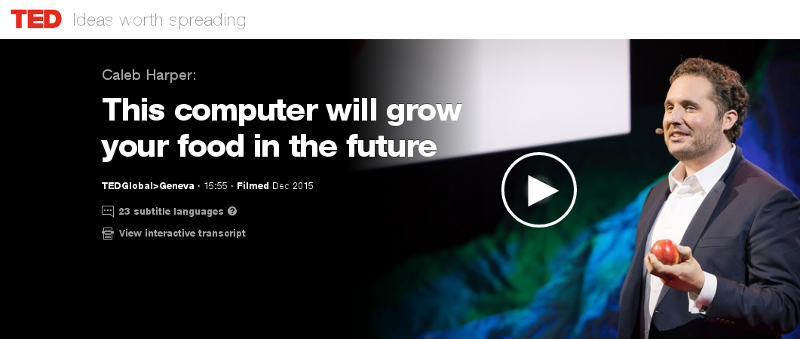
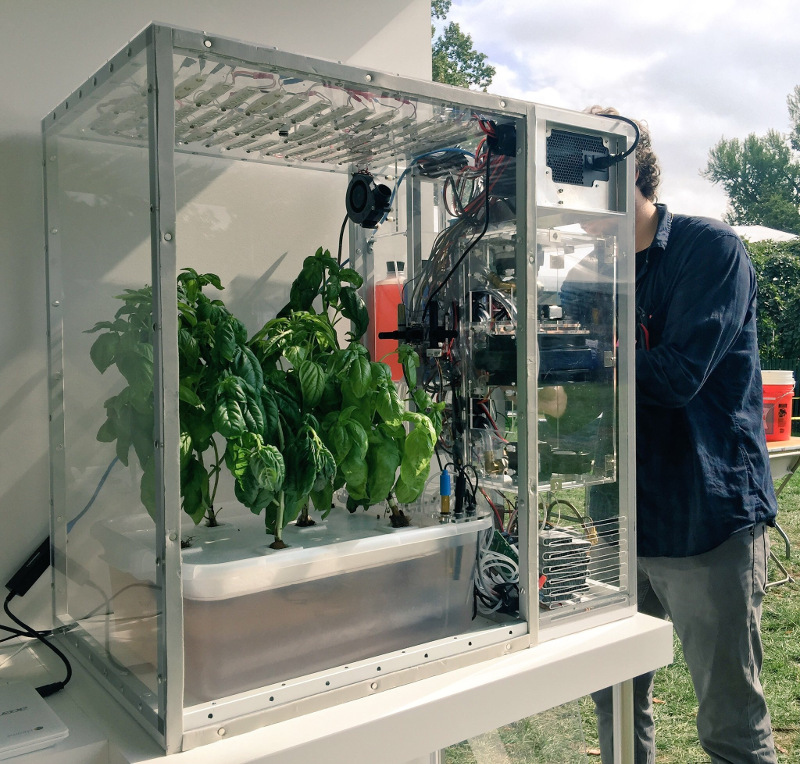
A group has recently been formed on Meetup seeking to build a food computer in Zurich. The initial meeting is planned for 6:30pm on 20 June 2017 at ETH, (Zurich Centre/Zentrum, R mistrasse 101). The question of food security underlies many of the world's problems today. In wealthier nations, we are being called upon to trust a highly opaque supply chain and our choices are limited to those things that major supermarket chains are willing to stock. A huge transport and storage apparatus adds to the cost and CO2 emissions and detracts from the nutritional value of the produce that reaches our plates. In recent times, these problems have been highlighted by the horsemeat scandal, the Guacapocalypse and the British Hummus crisis. One interesting initiative to create transparency and encourage diversity in our diets is the Open Agriculture (OpenAg) Initiative from MIT, summarised in this TED video from Caleb Harper. The food produced is healthier and fresher than anything you might find in a supermarket and has no exposure to pesticides. An open source approach to food An interesting aspect of this project is the promise of an open source approach. The project provides hardware plans, a a video of the build process, source code and the promise of sharing climate recipes (scripts) to replicate the climates of different regions, helping ensure it is always the season for your favour fruit or vegetable. Do we need it? Some people have commented on the cost of equipment and electricity. Carsten Agger recently blogged about permaculture as a cleaner alternative. While there are many places where people can take that approach, there are also many overpopulated regions and cities where it is not feasible. Some countries, like Japan, have an enormous population and previously productive farmland contaminated by industry, such as the Fukushima region. Growing our own food also has the potential to reduce food waste, as individual families and communities can grow what they need. Whether it is essential or not, the food computer project also provides a powerful platform to educate people about food and climate issues and an exciting opportunity to take the free and open source philosophy into many more places in our local communities. The Zurich Meetup group has already received expressions of interest from a diverse group including professionals, researchers, students, hackers, sustainability activists and free software developers. Next steps People who want to form a group in their own region can look in the forum topic "Where are you building your Food Computer?" to find out if anybody has already expressed interest. Which patterns from the free software world can help more people build more food computers? I've already suggested using Debian's live-wrapper to distribute a runnable ISO image that can boot from a USB stick, can you suggest other solutions like this? Can you think of any free software events where you would like to see a talk or exhibit about this project? Please suggest them on the OpenAg forum. There are many interesting resources about the food crisis, an interesting starting point is watching the documentary Food, Inc. If you are in Switzerland, please consider attending the meeting on at 6:30pm on 20 June 2017 at ETH (Centre/Zentrum), Zurich. One final thing to contemplate: if you are not hacking your own food supply, who is?

Reproducible builds folks: Reproducible Builds: week 107 in Stretch cycle

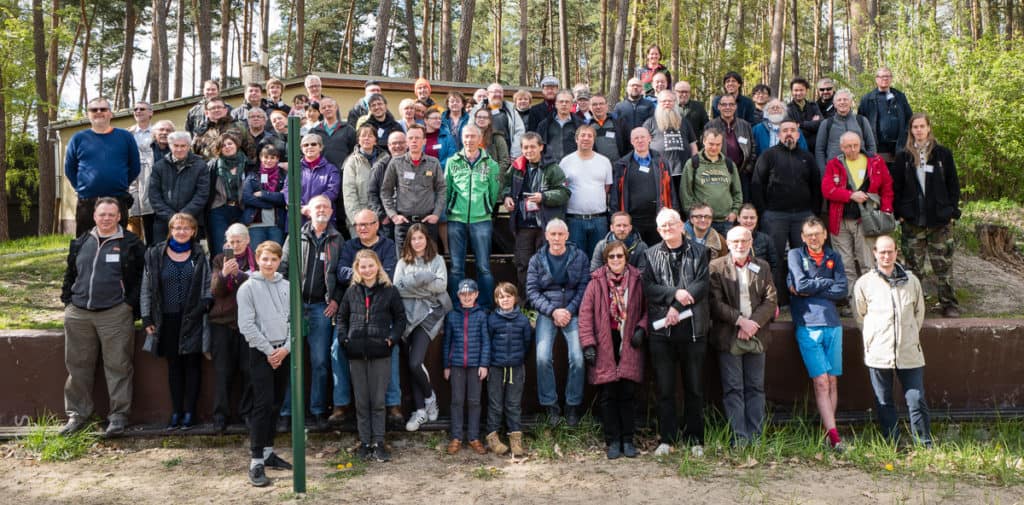
Here's what happened in the Reproducible Builds effort between Sunday May 7 and Saturday May 13 2017: Report from Reproducible Builds Hamburg Hackathon We were 16 participants from 12 projects: 7 Debian, 2 repeatr.io, 1 ArchLinux, 1 coreboot + LEDE, 1 F-Droid, 1 ElectroBSD + privoxy, 1 GNU R, 1 in-toto.io, 1 Meson and 1 openSUSE. Three people came from the USA, 3 from the UK, 2 Finland, 1 Austria, 1 Denmark and 6 from Germany, plus we several guests from our gracious hosts at the CCCHH hackerspace as well as a guest from Australia We had four presentations: Some of the things we worked on:
  • h01ger did orga stuff for this very hackathon, discussed tests.r-b.o with various non-Debian contributors, filed some bugs and restarted the policy discussion in #844431. He also did some polishing work on tests.r-b.o which shall be covered in next issue of our weekly blog.
  • Justin Cappos involved many of us in interesting discussions and started to write an academic paper about Reproducible Builds of which he shared an early beta on our mailinglist.
  • Chris Lamb (lamby) filed a number of patches for individual packages, worked on diffoscope, merged many changes to strip-nondeterminism and also filed #862073 against dak to upload buildinfo files to external services.
  • Maria Glukhova (siamezzze) fixed a bug with plots on tests.reproducible-builds.org and worked on diffoscope test coverage.
  • Lynxis worked on a new squashfs upstream release improving support for reproducible squashfs filesystems and also had some time to hack on coreboot and show others how to install coreboot on real hardware.
  • Michael Poehn worked on integrating F-Droid builds into tests.reproducible-builds.org, on the F-Droid verification utility and also ran some app reproducibility tests.
  • Bernhard worked on various unreproducible issues upstream and submitted fixes for curl, bzr, ant.
  • Erin Myhre worked on bootstrapping cleanroom builds of compiler components in Repeatr sandboxes.
  • Calvin Behling merged improvements to reppl for a cleaner storage format and better error handling and did design work for next version of repeatr pipeline execution. Calvin also lead the reproducibility testing of restaurant mood lighting.
  • Eric and Calvin also claim to have had all sorts of useful exchanges about the state of other projects, and learned a lot about where to look for more info about debian bootstrap and archive mirroring from steven and lamby :)
  • Phil Hands came by to say hi and worked on testing d-i on jenkins.debian.net.
  • Chris West (Faux) worked on extending misc.git:has-only.py, and started looking at Britney.
We had a Debian focussed meeting where we discussed a number of topics:
  • IRC meetings: yes, we want to try again to have them, monthly, a poll for a good date is being held.
  • Debian tests post Stretch: we'll add tests for stable/Stretch.
  • .buildinfo files, how forward: we need sourceful uploads for any arch:all packages. dak should send .buildinfo files to buildinfo.debian.net.
  • (pre?) Stretch release press release: we should do that, esp. as our achievements are largely unrelated to Stretch.
  • Reproducible Builds Summit 3: yes, we want that.
  • what to do (in notes.git) with resolved issues: keep the issues.
  • strip-nondeterminism quo vadis: Justin reminded us that strip-nondeterminism is a workaround we want to get rid off.
And then we also had a lot of fun in the hackerspace, enjoying some of their gimmicks, such as being able to open physical doors with ssh or controlling light and music with an webbrowser without authentication (besides being in the right network). Not quite the hackathon (This wasn't the hackathon per-se, but some of us appreciated these sights and so we thought you would too.) Many thanks to:
  • Debian for sponsoring food and accomodation!
  • Dock Europe for providing us with really nice accomodation in the house!
  • CCC Hamburg for letting us use their hackerspace for >3 days non-stop!
News and media coverage openSUSE has had a security breach in their infrastructure, including their build services. As of this writing, the scope and impact are still unclear, however the incident illustrates that no one should rely on being able to secure their infrastructure at all times. Reproducible Builds help mitigate this by allowing independent verification of build results, by parties that are unaffected by the compromise. (Whilst this can happen to anyone. Kudos to openSUSE for being open about it. Now let's continue working on Reproducible Builds everywhere!) On May 13th Chris Lamb gave a talk on Reproducible Builds at OSCAL 2017 in Tirana, Albania. OSCAL 2017 Toolchain bug reports and fixes Packages' bug reports Reviews of unreproducible packages 11 package reviews have been added, 2562 have been updated and 278 have been removed in this week, adding to our knowledge about identified issues. Most of the updates were to move ~1800 packages affected by the generic catch-all captures_build_path (out of ~2600 total) to the more specific gcc_captures_build_path, fixed by our proposed patches to GCC. 5 issue types have been updated: Weekly QA work During our reproducibility testing, FTBFS bugs have been detected and reported by:
  • Adrian Bunk (1)
  • Chris Lamb (2)
  • Chris West (1)
diffoscope development diffoscope development continued on the experimental branch:
  • Maria Glukhova:
    • Code refactoring and more tests.
  • Chris Lamb:
    • Add safeguards against unpacking recursive or deeply-nested archives. (Closes: #780761)
strip-nondeterminism development
  • strip-nondeterminism 0.033-1 and -2 were uploaded to unstable by Chris Lamb. It included contributions from:
  • Bernhard M. Wiedemann:
    • Add cpio handler.
    • Code quality improvements.
  • Chris Lamb:
    • Add documentation and increase verbosity, in support of the long-term aim of removing the need for this tool.
reprotest development
  • reprotest 0.6.1 and 0.6.2 were uploaded to unstable by Ximin Luo. It included contributions from:
  • Ximin Luo:
    • Add a documentation section on "Known bugs".
    • Move developer documentation away from the man page.
    • Mention release instructions in the previous changelog.
    • Preserve directory structure when copying artifacts. Otherwise hash output on a successful reproduction sometimes fails, because find(1) can't find the artifacts using the original artifact_pattern.
  • Chris Lamb
    • Add proper release instructions and a keyring.
trydiffoscope development
  • Chris Lamb:
    • Uses the diffoscope from Debian experimental if possible.
Misc. This week's edition was written by Ximin Luo, Holger Levsen and Chris Lamb & reviewed by a bunch of Reproducible Builds folks on IRC & the mailing lists.

Jamie McClelland: Late to the Raspberry Pi party

I finally bought my first raspberry pi to setup as a router and wifi access point. It wasn't easy. I first had to figure out what to buy. I think that was the hardest part. I ended up with:
  • Raspberry PI 3 Model B A1.2GHz 64-bit quad-core ARMv8 CPU, 1GB RAM (Model number: RASPBERRYPI3-MODB-1GB)
  • Transcend USB 3.0 SDHC / SDXC / microSDHC / SDXC Card Reader, TS-RDF5K (Black). I only needed this because I don't have one already and I will need a way to copy a raspbian image from my laptop to a micro SD card.
  • Centon Electronics Micro SD Card 16 GB (S1-MSDHC4-16G). This is the micro sd card.
  • Smraza Clear case for Raspberry Pi 3 2 Model B with Power Supply,2pcs Heatsinks and Micro USB with On/Off Switch. And this is the box to put it all in.
I already have a cable matters USB to ethernet device, which will provide the second ethernet connection so this device can actually work as a router. I studiously followed the directions to download the raspbian image and copy it to my micro sd card. I also touched a file on the boot partition called ssh so ssh would start automatically. Note: I first touched the ssh file on the root partition (sdb2) before realizing it belonged on the boot partition (sdb1). And, despite ambiguous directions found on the Internet, lowercase 'ssh' for the filename seems to do the trick. Then, I found the IP address with the help of NMAP (sudo nmap -sn 192.168.69.*) and tried to ssh in but alas...
Connection reset by 192.168.69.116 port 22
No dice. So, I re-mounted the sdb2 partition of the micro sd card and looked in var/log/auth.log and found:
May  5 19:23:00 raspberrypi sshd[760]: error: Could not load host key: /etc/ssh/ssh_host_ed25519_key
May  5 19:23:00 raspberrypi sshd[760]: fatal: No supported key exchange algorithms [preauth]
May  5 19:23:07 raspberrypi sshd[762]: error: key_load_public: invalid format
May  5 19:23:07 raspberrypi sshd[762]: error: Could not load host key: /etc/ssh/ssh_host_rsa_key
May  5 19:23:07 raspberrypi sshd[762]: error: key_load_public: invalid format
May  5 19:23:07 raspberrypi sshd[762]: error: Could not load host key: /etc/ssh/ssh_host_dsa_key
May  5 19:23:07 raspberrypi sshd[762]: error: key_load_public: invalid format
May  5 19:23:07 raspberrypi sshd[762]: error: Could not load host key: /etc/ssh/ssh_host_ecdsa_key
May  5 19:23:07 raspberrypi sshd[762]: error: key_load_public: invalid format
How did that happen? And wait a minute...
0 jamie@turkey:~$ ls -l /mnt/etc/ssh/ssh_host_ecdsa_key
-rw------- 1 root root 0 Apr 10 05:58 /mnt/etc/ssh/ssh_host_ecdsa_key
0 jamie@turkey:~$ date
Fri May  5 15:44:15 EDT 2017
0 jamie@turkey:~$
Are the keys embedded in the image? Isn't that wrong? I fixed with:
0 jamie@turkey:mnt$ sudo rm /mnt/etc/ssh/ssh_host_*
0 jamie@turkey:mnt$ sudo ssh-keygen -q -f /mnt/etc/ssh/ssh_host_rsa_key -N '' -t rsa
0 jamie@turkey:mnt$ sudo ssh-keygen -q -f /mnt/etc/ssh/ssh_host_dsa_key -N '' -t dsa
0 jamie@turkey:mnt$ sudo ssh-keygen -q -f /mnt/etc/ssh/ssh_host_ecdsa_key -N '' -t ecdsa
0 jamie@turkey:mnt$ sudo ssh-keygen -q -f /mnt/etc/ssh/ssh_host_ed25519_key -N '' -t ed25519
0 jamie@turkey:mnt$
NOTE: I just did a second installation and this didn't happen. Maybe something went wrong as I experiment with SSH vs ssh on the boot partition? Then I could ssh in. I removed the pi user account and added my ssh key to /root/.ssh/authorized_keys and put a new name "mondragon" in the /etc/hostname file. And... I upgraded to Debian stretch and rebooted. Then, I followed these instructions for fixing the wifi (replacing the firmware does still work for me). I plugged my cable matters USB/Ethernet adapter into the device so it would be recognized, but left it dis-connected. Next I started to configure the device to be a wifi access point using this excellend tutorial, but decided I wanted to setup my networks using systemd-networkd instead. Since /etc/network/interaces already had eth0 set to manual (because apparently it is controlled by dhcpcd instead), I didn't need any modifications there. However, I wanted to use the dhcp client built-in to systemd-networkd, so to prevent dhcpcd from obtaining an IP address, I purged dhcpcd:
apt-get purge dhcpcd5
I was planning to also use systemd-networkd to name the devices (using *.link files) but nothing I could do could convince systemd to rename them, so I gave up and added /etc/udev/rules.d/70-persistent-net.rules:
    SUBSYSTEM=="net", ACTION=="add", DRIVERS=="?*", ATTR address =="b8:27:eb:ce:b5:c3", ATTR dev_id =="0x0", ATTR type =="1", NAME:="wan"
    SUBSYSTEM=="net", ACTION=="add", DRIVERS=="?*", ATTR address =="a0:ce:c8:01:20:7d", ATTR dev_id =="0x0", ATTR type =="1", NAME:="lan"
    SUBSYSTEM=="net", ACTION=="add", DRIVERS=="?*", ATTR address =="b8:27:eb:9b:e0:96", ATTR dev_id =="0x0", ATTR type =="1", NAME:="wlan"
(If you are copying and pasting the mac addresses will have to change.) Then I added the following files:
root@mondragon:~# head /etc/systemd/network/*
==> /etc/systemd/network/50-lan.network <==
[Match]
Name=lan
[Network]
Address=192.168.69.1/24
==> /etc/systemd/network/55-wlan.network <==
[Match]
Name=wlan
[Network]
Address=10.0.69.1/24
==> /etc/systemd/network/60-wan.network <==
[Match]
Name=wan
[Network]
DHCP=v4
IPForward=yes
IPMasquerade=yes
root@mondragon:~#
Sadly, IPMasquerade doesn't seem to work either for some reason, so...
root@mondragon:~# cat /etc/systemd/system/masquerade.service 
[Unit]
Description=Start masquerading because Masquerade=yes not working in wan.network.
[Service]
Type=oneshot
ExecStart=/sbin/iptables -t nat -A POSTROUTING -o wan -j MASQUERADE
[Install]
WantedBy=network.target
root@mondragon:~#
And, systemd DHCPServer worked, but then it didn't and I couldn't figure out how to debug, so...
apt-get install dnsmasq
Followed by:
root@mondragon:~# cat /etc/dnsmasq.d/mondragon.conf 
# Don't provide DNS services (unbound does that).
port=0
interface=lan
interface=wlan
# Only provide dhcp services since systemd-networkd dhcpserver seems
# flakey.
dhcp-range=set:cable,192.168.69.100,192.168.69.150,255.255.255.0,4h
dhcp-option=tag:cable,option:dns-server,192.168.69.1
dhcp-option=tag:cable,option:router,192.168.69.1
dhcp-range=set:wifi,10.0.69.100,10.0.69.150,255.255.255.0,4h
dhcp-option=tag:wifi,option:dns-server,10.0.69.1
dhcp-option=tag:wifi,option:router,10.0.69.1
root@mondragon:~#
It would probably be simpler to have dnsmasq provide DNS service also, but I happen to like unbound:
apt-get install unbound
And...
root@mondragon:~# cat /etc/unbound/unbound.conf.d/server.conf 
server:
    interface: 127.0.0.1
    interface: 192.168.69.1
    interface: 10.0.69.1
    access-control: 192.168.69.0/24 allow
    access-control: 10.0.69.0/24 allow
    # We do query localhost for our stub zone: loc.cx
    do-not-query-localhost: no
    # Up this level when debugging.
    log-queries: no
    logfile: ""
    #verbosity: 1
    # Settings to work better with systemcd
    do-daemonize: no
    pidfile: ""
root@mondragon:~# 
Now on to the wifi access point.
apt-get install hostapd
And the configuration file:
root@mondragon:~# cat /etc/hostapd/hostapd.conf
# This is the name of the WiFi interface we configured above
interface=wlan
# Use the nl80211 driver with the brcmfmac driver
driver=nl80211
# This is the name of the network
ssid=peacock
# Use the 2.4GHz band
hw_mode=g
# Use channel 6
channel=6
# Enable 802.11n
ieee80211n=1
# Enable WMM
wmm_enabled=1
# Enable 40MHz channels with 20ns guard interval
ht_capab=[HT40][SHORT-GI-20][DSSS_CCK-40]
# Accept all MAC addresses
macaddr_acl=0
# Use WPA authentication
auth_algs=1
# Require clients to know the network name
ignore_broadcast_ssid=0
# Use WPA2
wpa=2
# Use a pre-shared key
wpa_key_mgmt=WPA-PSK
# The network passphrase
wpa_passphrase=xxxxxxxxxxxx
# Use AES, instead of TKIP
rsn_pairwise=CCMP
root@mondragon:~#
The hostapd package doesn't have a systemd start up file so I added one:
root@mondragon:~# cat /etc/systemd/system/hostapd.service 
[Unit]
Description=Hostapd IEEE 802.11 AP, IEEE 802.1X/WPA/WPA2/EAP/RADIUS Authenticator
Wants=network.target
Before=network.target
Before=network.service
[Service]
ExecStart=/usr/sbin/hostapd /etc/hostapd/hostapd.conf
[Install]
WantedBy=multi-user.target
root@mondragon:~#
My last step was to modify /etc/ssh/sshd_config so it only listens on the lan and wlan interfaces (listening on wlan is a bit of a risk, but also useful when mucking with the lan network settings to ensure I don't get locked out).

Michal &#268;iha&#345;: Weblate 2.14

Weblate 2.14 has been released today slightly ahead of the schedule. There are quite a lot of security improvements based on reports we got from HackerOne program, API extensions and other minor improvements. Full list of changes:
  • Add glossary entries using AJAX.
  • The logout now uses POST to avoid CSRF.
  • The API key token reset now uses POST to avoid CSRF.
  • Weblate sets Content-Security-Policy by default.
  • The local editor URL is validated to avoid self-XSS.
  • The password is now validated against common flaws by default.
  • Notify users about imporant activity with their account such as password change.
  • The CSV exports now escape potential formulas.
  • Various minor improvements in security.
  • The authentication attempts are now rate limited.
  • Suggestion content is stored in the history.
  • Store important account activity in audit log.
  • Ask for password confirmation when removing account or adding new associations.
  • Show time when suggestion has been made.
  • There is new quality check for trailing semicolon.
  • Ensure that search links can be shared.
  • Included source string information and screenshots in the API.
  • Allow to overwrite translations through API upload.
If you are upgrading from older version, please follow our upgrading instructions. You can find more information about Weblate on https://weblate.org, the code is hosted on Github. If you are curious how it looks, you can try it out on demo server. You can login there with demo account using demo password or register your own user. Weblate is also being used on https://hosted.weblate.org/ as official translating service for phpMyAdmin, OsmAnd, Turris, FreedomBox, Weblate itself and many other projects. Should you be looking for hosting of translations for your project, I'm happy to host them for you or help with setting it up on your infrastructure. Further development of Weblate would not be possible without people providing donations, thanks to everybody who have helped so far! The roadmap for next release is just being prepared, you can influence this by expressing support for individual issues either by comments or by providing bounty for them.

Filed under: Debian English SUSE Weblate

15 May 2017

Gunnar Wolf: Starting a project on private and anonymous network usage

I am starting a work with the students of LIDSOL (Laboratorio de Investigaci n y Desarrollo de Software Libre, Free Software Research and Development Laboratory) of the Engineering Faculty of UNAM:

We want to dig into the technical and social implications of mechanisms that provide for anonymous, private usage of the network. We will have our first formal work session this Wednesday, for which we have invited several interesting people to join the discussion and help provide a path for our oncoming work. Our invited and confirmed guests are, in alphabetical order:
  • Salvador Alc ntar (Wikimedia M xico)
  • Sandino Araico (1101)
  • Gina Gallegos (ESIME Culhuac n)
  • Juliana Guerra (Derechos Digitales)
  • Jacobo N jera (Enjambre Digital)
  • Ra l Ornelas (Instituto de Investigaciones Econ micas)

  • As well as LIDSOL's own teachers and students.
    This first session is mostly exploratory, we should keep notes and decide which directions to pursue to begin with. Do note that by "research" we are starting from the undergraduate student level Not that we want to start by changing the world. But we do want to empower the students who have joined our laboratory to change themselves and change the world. Of course, helping such goals via the knowledge and involvement of projects (not just the tools!) such as Tor.

11 May 2017

Norbert Preining: BachoTeX 2017

A week of typesetting, typography, bookbinding, bibliophily, not to forget long chats with good friends and loads of beer. That is BachoTeX, the best series of conferences I have ever been. This year BachoTeX was held for the 25th time, and was merged with the TUG Meeting for a firework of excellent presentations and long hours of brain storming, hacking, music making, dancing, and simply enjoying life!

Symphony of Green
And while it was a bit less relaxing for me than in the last years, mostly due to the presence of my little daughter who requested presence quite often, it is still the place to be during the Golden Week! Of course I also gave a talk at BachoTeX about our latest changes in the upcoming TeX Live 2017 release: fmtutil and updmap past & future changes (or: cleaning up the mess). Big thanks to my company Accelia Inc. for allowing me to attend the conference. We arrived after a long trip, first via train and plane to Vienna, then two days break (including research with a colleague), followed by a night train ride to Warsaw and another train ride to Torun and a taxi ride to Bachotek. All in all far too long to be done with a 14 month old girl. Finally arrived we went directly to our hut and found it freezing. Fortunately we could organize a heater so that the rest of the week we didn t have to live in 5-10 degrees
Our log house in Bachotek
The second day brought already the traditional bonfire. After a small (for Polish standard) dinner we ignored the rain and met at the fireplace for BBQ, beer, and lots of live music.
Bonfire on the second evening
The rain stopped during the bonfire, probably due to my horrible singing, and the following days we were blessed with sunshine and warmer temperatures. The forest sparked in all kinds of greens.
Sunny days in Bachotek
For our daughter the trip was a great experience lots of wild play grounds, many other kids, and a lake she really wanted to go swimming in. Normally I go swimming there, but this year I had a bad cold so I refrained from it, and with me also our daughter, to her great disappointment.
Ready to go swimming
Another day has passed, and the sunset lights up the beautiful lake Bachotek. I cannot imagine a better place for concentrated work paired with great relaxation!
Sunset along the lake
During the days the temperatures were really nice, but the mornings were cold, and our morning walk to the breakfast place was quite chilly.
Enjoying a fresh morning on the lake
Ample coffee breaks and lunch breaks left us enough time to discuss new developments. But the single most important thing that brought people to talk a lot was the horrible internet connection, a big plus in BachoTeX (but as far as rumors go it might have been the last time with that advantage!).
Beautiful and peaceful lake Bachotek
The last evening we had a banquet honoring 25 years of BachoTeX, one of the oldest TeX conference. Live music and dancing, lots of good food and drinks, and outside the perfect evening atmosphere.
Sunset around the lake
Too fast the time has passed and we had to return to Vienna, retracing the long trip. How far it may be, taking the burden to come from Japan is worth every drop of sweat, the time at BachoTeX is probably one of the most productive, and at the same time most relaxing for me. Big thanks to all our Polish friends for organizing the event.
BachoTeX conference photo

(photo by Frans Goddijn)


9 May 2017

Reproducible builds folks: Reproducible Builds: week 106 in Stretch cycle

Here's what happened in the Reproducible Builds effort between Sunday April 30 and Saturday May 6 2017: Past and upcoming events Between May 5th-7th the Reproducible Builds Hackathon 2017 took place in Hamburg, Germany. On May 6th Mattia Rizzolo gave a talk on Reproducible Builds at DUCC-IT 17 in Vicenza, Italy. On May 13th Chris Lamb will give a talk on Reproducible Builds at OSCAL 2017 in Tirana, Albania. Media coverage Toolchain development and fixes Packages reviewed and fixed, and bugs filed Chris Lamb: Reviews of unreproducible packages 93 package reviews have been added, 12 have been updated and 98 have been removed in this week, adding to our knowledge about identified issues. The following issues have been added: 2 issue types have been updated: The following issues have been removed: Weekly QA work During our reproducibility testing, FTBFS bugs have been detected and reported by:
  • Chris Lamb (3)
diffoscope development strip-nondeterminism development
This week's edition was written by Chris Lamb, Holger Levsen and Ximin Luo & reviewed by a bunch of Reproducible Builds folks on IRC & the mailing lists.

5 May 2017

Hideki Yamane: New in Debian stable Stretch: GitHub's Icon font, fonts-octicons


As a member of Debian pkg-fonts-devel team, I added some new packages to Debian. Today I'll introduce "fonts-octicons" in Debian9 "Stretch".

Octicons is GitHub's Icon font. If you want to use it with LibreOffice Impress:
  1. Install fonts-octicons package
  2. Start LibreOffice Impress
  3. Select "Insert" from menu
  4. Select "Special Characters"
  5. Select "octicons" from Fonts
  6. Select and insert it


Enjoy!


Joey Hess: announcing debug-me

Today I'm excited to release debug-me, a program for secure remote debugging.
Debugging a problem over email/irc/BTS is slow, tedious, and hard. The developer needs to see your problem to understand it. Debug-me aims to make debugging fast, fun, and easy, by letting the developer access your computer remotely, so they can immediately see and interact with the problem. Making your problem their problem gets it fixed fast. debug-me session is logged and signed with the developer's GnuPG key, producing a chain of evidence of what they saw and what they did. So the developer's good reputation is leveraged to make debug-me secure.
I've recorded a short screencast demoing debug-me. And here's a screencast about debug-me's chain of evidence. The idea for debug-me came from Re: Debugging over email, and then my Patreon supporters picked debug-me in a poll as a project I should work on. It's been a fun month, designing the evidence chain, building a custom efficient protocol with space saving hacks, using websockets and protocol buffers and ed25519 for the first time, and messing around with low-level tty details. The details of debug-me's development are in my devblog. Anyway, I hope debug-me makes debugging less of a tedious back and forth, at least some of the time. PS: Since debug-me's protocol lets multiple people view the same shell session, and optionally interact with it, there could be uses for it beyond debugging, including live screencasting, pair programming, etc. PPS: There needs to be a debug-me server not run by me, so someone please run one..

Daniel Silverstone: Yarn architecture discussion

Recently Rob and I visited Soile and Lars. We had a lovely time wandering around Helsinki with them, and I also spent a good chunk of time with Lars working on some design and planning for the Yarn test specification and tooling. You see, I wrote a Rust implementation of Yarn called rsyarn "for fun" and in doing so I noted a bunch of missing bits in the understanding Lars and I shared about how Yarn should work. Lars and I filled, and re-filled, a whiteboard with discussion about what the 'Yarn specification' should be, about various language extensions and changes, and also about what functionality a normative implementation of Yarn should have. This article is meant to be a write-up of all of that discussion, but before I start on that, I should probably summarise what Yarn is.
Yarn is a mechanism for specifying tests in a form which is more like documentation than code. Yarn follows the concept of BDD story based design/testing and has a very Cucumberish scenario language in which to write tests. Yarn takes, as input, Markdown documents which contain code blocks with Yarn tests in them; and it then runs those tests and reports on the scenario failures/successes. As an example of a poorly written but still fairly effective Yarn suite, you could look at Gitano's tests or perhaps at Obnam's tests (rendered as HTML). Yarn is not trying to replace unit testing, nor other forms of testing, but rather seeks to be one of a suite of test tools used to help validate software and to verify integrations. Lars writes Yarns which test his server setups for example. As an example, lets look at what a simple test might be for the behaviour of the /bin/true tool:
SCENARIO true should exit with code zero
WHEN /bin/true is run with no arguments
THEN the exit code is 0
 AND stdout is empty
 AND stderr is empty
Anyone ought to be able to understand exactly what that test is doing, even though there's no obvious code to run. Yarn statements are meant to be easily grokked by both developers and managers. This should be so that managers can understand the tests which verify that requirements are being met, without needing to grok python, shell, C, or whatever else is needed to implement the test where the Yarns meet the metal. Obviously, there needs to be a way to join the dots, and Yarn calls those things IMPLEMENTS, for example:
IMPLEMENTS WHEN (\S+) is run with no arguments
set +e
"$ MATCH_1 " > "$ DATADIR /stdout" 2> "$ DATADIR /stderr"
echo $? > "$ DATADIR /exitcode"
As you can see from the example, Yarn IMPLEMENTS can use regular expressions to capture parts of their invocation, allowing the test implementer to handle many different scenario statements with one implementation block. For the rest of the implementation, whatever you assume about things will probably be okay for now.
Given all of the above, we (Lars and I) decided that it would make a lot of sense if there was a set of Yarn scenarios which could validate a Yarn implementation. Such a document could also form the basis of a Yarn specification and also a manual for writing reasonable Yarn scenarios. As such, we wrote up a three-column approach to what we'd need in that test suite. Firstly we considered what the core features of the Yarn language are:
  • Scenario statements themselves (SCENARIO, GIVEN, WHEN, THEN, ASSUMING, FINALLY, AND, IMPLEMENTS, EXAMPLE, ...)
  • Whitespace normalisation of statements
  • Regexp language and behaviour
  • IMPLEMENTS current directory, data directory, home directory, and also environment.
  • Error handling for the statements, or for missing IMPLEMENTS
  • File (and filename) encoding
  • Labelled code blocks (since commonmark includes the backtick code block kind)
  • Exactly one IMPLEMENTS per statement
We considered unusual (or corner) cases and which of them needed defining in the short to medium term:
  • Statements before any SCENARIO or IMPLEMENTS
  • Meaning of split code blocks (concatenation?)
  • Meaning of code blocks not at the top level of a file (ignore?)
  • Meaning of HTML style comments in markdown files
  • Odd scenario ordering (e.g. ASSUMING at the end, or FINALLY at the start)
  • Meaning of empty lines in code blocks or between them.
All of this comes down to how to interpret input to a Yarn implementation. In addition there were a number of things we felt any "normative" Yarn implementation would have to handle or provide in order to be considered useful. It's worth noting that we don't specify anything about an implementation being a command line tool though...
  • Interpreter for IMPLEMENTS (and arguments for them)
  • "Library" for those implementations
  • Ability to require that failed ASSUMING statements lead to an error
  • A way to 'stop on first failure'
  • A way to select a specific scenario to run, from a large suite.
  • Generation of timing reports (per scenario and also per statement)
  • A way to 'skip' missing IMPLEMENTS
  • A clear way to identify the failing step in a scenario.
  • Able to treat multiple input files as a single suite.
There's bound to be more, but right now with the above, we believe we have two roughly conformant Yarn implementations. Lars' Python based implementation which lives in cmdtest (and which I shall refer to as pyyarn for now) and my Rust based one (rsyarn).
One thing which rsyarn supports, but pyyarn does not, is running multiple scenarios in parallel. However when I wrote that support into rsyarn I noticed that there were plenty of issues with running stuff in parallel. (A problem I'm sure any of you who know about threads will appreciate). One particular issue was that scenarios often need to share resources which are not easily sandboxed into the $ DATADIR provided by Yarn. For example databases or access to limited online services. Lars and I had a good chat about that, and decided that a reasonable language extension could be:
USING database foo
with its counterpart
RESOURCE database (\S+)
LABEL database-$1
GIVEN a database called $1
FINALLY database $1 is torn down
The USING statement should be reasonably clear in its pairing to a RESOURCE statement. The LABEL statement I'll get to in a moment (though it's only relevant in a RESOURCE block, and the rest of the statements are essentially substituted into the calling scenario at the point of the USING. This is nowhere near ready to consider adding to the specification though. Both Lars and I are uncomfortable with the $1 syntax though we can't think of anything nicer right now; and the USING/RESOURCE/LABEL vocabulary isn't set in stone either. The idea of the LABEL is that we'd also require that a normative Yarn implementation be capable of specifying resource limits by name. E.g. if a RESOURCE used a LABEL foo then the caller of a Yarn scenario suite could specify that there were 5 foos available. The Yarn implementation would then schedule a maximum of 5 scenarios which are using that label to happen simultaneously. At bare minimum it'd gate new users, but at best it would intelligently schedule them. In addition, since this introduces the concept of parallelism into Yarn proper, we also wanted to add a maximum parallelism setting to the Yarn implementation requirements; and to specify that any resource label which was not explicitly set had a usage limit of 1.
Once we'd discussed the parallelism, we decided that once we had a nice syntax for expanding these sets of statements anyway, we may as well have a syntax for specifying scenario language expansions which could be used to provide something akin to macros for Yarn scenarios. What we came up with as a starter-for-ten was:
CALLING write foo
paired with
EXPANDING write (\S+)
GIVEN bar
WHEN $1 is written to
THEN success was had by all
Again, the CALLING/EXPANDING keywords are not fixed yet, nor is the $1 type syntax, though whatever is used here should match the other places where we might want it.
Finally we discussed multi-line inputs in Yarn. We currently have a syntax akin to:
GIVEN foo
... bar
... baz
which is directly equivalent to:
GIVEN foo bar baz
and this is achieved by collapsing the multiple lines and using the whitespace normalisation functionality of Yarn to replace all whitespace sequences with single space characters. However this means that, for example, injecting chunks of YAML into a Yarn scenario is a pain, as would be including any amount of another whitespace-sensitive input language. After a lot of to-ing and fro-ing, we decided that the right thing to do would be to redefine the ... Yarn statement to be whitespace preserving and to then pass that whitespace through to be matched by the IMPLEMENTS or whatever. In order for that to work, the regexp matching would have to be defined to treat the input as a single line, allowing . to match \n etc. Of course, this would mean that the old functionality wouldn't be possible, so we considered allowing a \ at the end of a line to provide the current kind of behaviour, rewriting the above example as:
GIVEN foo \
bar \
baz
It's not as nice, but since we couldn't find any real uses of ... in any of our Yarn suites where having the whitespace preserved would be an issue, we decided it was worth the pain.
None of the above is, as of yet, set in stone. This blog posting is about me recording the information so that it can be referred to; and also to hopefully spark a little bit of discussion about Yarn. We'd welcome emails to our usual addresses, being poked on Twitter, or on IRC in the common spots we can be found. If you're honestly unsure of how to get hold of us, just comment on this blog post and I'll find your message eventually. Hopefully soon we can start writing that Yarn suite which can be used to validate the behaviour of pyyarn and rsyarn and from there we can implement our new proposals for extending Yarn to be even more useful.

3 May 2017

Vincent Bernat: VXLAN: BGP EVPN with Cumulus Quagga

VXLAN is an overlay network to encapsulate Ethernet traffic over an existing (highly available and scalable, possibly the Internet) IP network while accomodating a very large number of tenants. It is defined in RFC 7348. For an uncut introduction on its use with Linux, have a look at my VXLAN & Linux post. VXLAN deployment In the above example, we have hypervisors hosting a virtual machines from different tenants. Each virtual machine is given access to a tenant-specific virtual Ethernet segment. Users are expecting classic Ethernet segments: no MAC restrictions1, total control over the IP addressing scheme they use and availability of multicast. In a large VXLAN deployment, two aspects need attention:
  1. discovery of other endpoints (VTEPs) sharing the same VXLAN segments, and
  2. avoidance of BUM frames (broadcast, unknown unicast and multicast) as they have to be forwarded to all VTEPs.
A typical solution for the first point is using multicast. For the second point, this is source-address learning.

Introduction to BGP EVPN BGP EVPN (RFC 7432 and draft-ietf-bess-evpn-overlay for its application to VXLAN) is a standard control protocol to efficiently solves those two aspects without relying on multicast nor source-address learning. BGP EVPN relies on BGP (RFC 4271) and its MP-BGP extensions (RFC 4760). BGP is the routing protocol powering the Internet. It is highly scalable and interoperable. It is also extensible and one of its extension is MP-BGP. This extension can carry reachability information (NLRI) for multiple protocols (IPv4, IPv6, L3VPN and in our case EVPN). EVPN is a special family to advertise MAC addresses and the remote equipments they are attached to. There are basically two kinds of reachability information a VTEP sends through BGP EVPN:
  1. the VNIs they have interest in (type 3 routes), and
  2. for each VNI, the local MAC addresses (type 2 routes).
The protocol also covers other aspects of virtual Ethernet segments (L3 reachability information from ARP/ND caches, MAC mobility and multi-homing2) but we won t describe them here. To deploy BGP EVPN, a typical solution is to use several route reflectors (both for redundancy and scalability), like in the picture below. Each VTEP opens a BGP session to at least two route reflectors, sends its information (MACs and VNIs) and receives others . This reduces the number of BGP sessions to configure. VXLAN deployment with route reflectors Compared to other solutions to deploy VXLAN, BGP EVPN has three main advantages:
  • interoperability with other vendors (notably Juniper and Cisco),
  • proven scalability (a typical BGP routers handle several millions of routes), and
  • possibility to enforce fine-grained policies.
On Linux, Cumulus Quagga is a fairly complete implementation of BGP EVPN (type 3 routes for VTEP discovery, type 2 routes with MAC or IP addresses, MAC mobility when a host changes from one VTEP to another one) which requires very little configuration. This is a fork of Quagga and currently used in Cumulus Linux, a network operating system based on Debian powering switches from various brands. At some point, BGP EVPN support will be contributed back to FRR, a community-maintained fork of Quagga3. It should be noted the BGP EVPN implementation of Cumulus Quagga currently only supports IPv4.

Route reflector setup Before configuring each VTEP, we need to configure two or more route reflectors. There are many solutions. I will present three of them:
  • using Cumulus Quagga,
  • using GoBGP, an implementation of BGP in Go,
  • using Juniper JunOS.
For reliability purpose, it s possible (and easy) to use one implementation for some route reflectors and another implementation for the other ones. The proposed configurations are quite minimal. However, it is possible to centralize policies on the route reflectors (e.g. routes tagged with some community can only be readvertised to some group of VTEPs).

Using Quagga The configuration is pretty simple. We suppose the configured route reflector has 203.0.113.254 configured as a loopback IP.
router bgp 65000
  bgp router-id 203.0.113.254
  bgp cluster-id 203.0.113.254
  bgp log-neighbor-changes
  no bgp default ipv4-unicast
  neighbor fabric peer-group
  neighbor fabric remote-as 65000
  neighbor fabric capability extended-nexthop
  neighbor fabric update-source 203.0.113.254
  bgp listen range 203.0.113.0/24 peer-group fabric
  !
  address-family evpn
   neighbor fabric activate
   neighbor fabric route-reflector-client
  exit-address-family
  !
  exit
!
A peer group fabric is defined and we leverage the dynamic neighbor feature of Cumulus Quagga: we don t have to explicitely define each neighbor. Any client from 203.0.113.0/24 and presenting itself as part of AS 65000 can connect. All sent EVPN routes will be accepted and reflected to the other clients. You don t need to run Zebra, the route engine talking with the kernel. Instead, start bgpd with the --no_kernel flag.

Using GoBGP GoBGP is a clean implementation of BGP in Go4. It exposes an RPC API for configuration (but accepts a configuration file and comes with a command-line client). It doesn t support dynamic neighbors, so you ll have to use the API, the command-line client or some templating language to automate their declaration. A configuration with only one neighbor is like this:
global:
  config:
    as: 65000
    router-id: 203.0.113.254
    local-address-list:
      - 203.0.113.254
neighbors:
  - config:
      neighbor-address: 203.0.113.1
      peer-as: 65000
    afi-safis:
      - config:
          afi-safi-name: l2vpn-evpn
    route-reflector:
      config:
        route-reflector-client: true
        route-reflector-cluster-id: 203.0.113.254
More neighbors can be added from the command line:
$ gobgp neighbor add 203.0.113.2 as 65000 \
>         route-reflector-client 203.0.113.254 \
>         --address-family evpn
GoBGP won t try to interact with the kernel which is fine as a route reflector.

Using Juniper JunOS A variety of Juniper products can be a BGP route reflector, notably: The main factor is the CPU and the memory. The QFX5100 is low on memory and won t support large deployments without some additional policing. Here is a configuration similar to the Quagga one:
interfaces  
    lo0  
        unit 0  
            family inet  
                address 203.0.113.254/32;


protocols  
    bgp  
        group fabric  
            family evpn  
                signaling  
                    /* Do not try to install EVPN routes */
                    no-install;
                 
             
            type internal;
            cluster 203.0.113.254;
            local-address 203.0.113.254;
            allow 203.0.113.0/24;


routing-options  
    router-id 203.0.113.254;
    autonomous-system 65000;
 

VTEP setup The next step is to configure each VTEP/hypervisor. Each VXLAN is locally configured using a bridge for local virtual interfaces, like illustrated in the below schema. The bridge is taking care of the local MAC addresses (notably, using source-address learning) and the VXLAN interface takes care of the remote MAC addresses (received with BGP EVPN). Bridged VXLAN device VXLANs can be provisioned with the following script. Source-address learning is disabled as we will rely solely on BGP EVPN to synchronize FDBs between the hypervisors.
for vni in 100 200; do
    # Create VXLAN interface
    ip link add vxlan$ vni  type vxlan
        id $ vni  \
        dstport 4789 \
        local 203.0.113.2 \
        nolearning
    # Create companion bridge
    brctl addbr br$ vni 
    brctl addif br$ vni  vxlan$ vni 
    brctl stp br$ vni  off
    ip link set up dev br$ vni 
    ip link set up dev vxlan$ vni 
done
# Attach each VM to the appropriate segment
brctl addif br100 vnet10
brctl addif br100 vnet11
brctl addif br200 vnet12
The configuration of Cumulus Quagga is similar to the one used for a route reflector, except we use the advertise-all-vni directive to publish all local VNIs.
router bgp 65000
  bgp router-id 203.0.113.2
  no bgp default ipv4-unicast
  neighbor fabric peer-group
  neighbor fabric remote-as 65000
  neighbor fabric capability extended-nexthop
  neighbor fabric update-source dummy0
  ! BGP sessions with route reflectors
  neighbor 203.0.113.253 peer-group fabric
  neighbor 203.0.113.254 peer-group fabric
  !
  address-family evpn
   neighbor fabric activate
   advertise-all-vni
  exit-address-family
  !
  exit
!
If everything works as expected, the instances sharing the same VNI should be able to ping each other. If IPv6 is enabled on the VMs, the ping command shows if everything is in order:
$ ping -c10 -w1 -t1 ff02::1%eth0
PING ff02::1%eth0(ff02::1%eth0) 56 data bytes
64 bytes from fe80::5254:33ff:fe00:8%eth0: icmp_seq=1 ttl=64 time=0.016 ms
64 bytes from fe80::5254:33ff:fe00:b%eth0: icmp_seq=1 ttl=64 time=4.98 ms (DUP!)
64 bytes from fe80::5254:33ff:fe00:9%eth0: icmp_seq=1 ttl=64 time=4.99 ms (DUP!)
64 bytes from fe80::5254:33ff:fe00:a%eth0: icmp_seq=1 ttl=64 time=4.99 ms (DUP!)
--- ff02::1%eth0 ping statistics ---
1 packets transmitted, 1 received, +3 duplicates, 0% packet loss, time 0ms
rtt min/avg/max/mdev = 0.016/3.745/4.991/2.152 ms

Verification Step by step, let s check how everything comes together.

Getting VXLAN information from the kernel On each VTEP, Quagga should be able to retrieve the information about configured VXLANs. This can be checked with vtysh:
# show interface vxlan100
Interface vxlan100 is up, line protocol is up
  Link ups:       1    last: 2017/04/29 20:01:33.43
  Link downs:     0    last: (never)
  PTM status: disabled
  vrf: Default-IP-Routing-Table
  index 11 metric 0 mtu 1500
  flags: <UP,BROADCAST,RUNNING,MULTICAST>
  Type: Ethernet
  HWaddr: 62:42:7a:86:44:01
  inet6 fe80::6042:7aff:fe86:4401/64
  Interface Type Vxlan
  VxLAN Id 100
  Access VLAN Id 1
  Master (bridge) ifindex 9 ifp 0x56536e3f3470
The important points are:
  • the VNI is 100, and
  • the bridge device was correctly detected.
Quagga should also be able to retrieve information about the local MAC addresses :
# show evpn mac vni 100
Number of MACs (local and remote) known for this VNI: 2
MAC               Type   Intf/Remote VTEP      VLAN
50:54:33:00:00:0a local  eth1.100
50:54:33:00:00:0b local  eth2.100

BGP sessions Each VTEP has to establish a BGP session to the route reflectors. On the VTEP, this can be checked by running vtysh:
# show bgp neighbors 203.0.113.254
BGP neighbor is 203.0.113.254, remote AS 65000, local AS 65000, internal link
 Member of peer-group fabric for session parameters
  BGP version 4, remote router ID 203.0.113.254
  BGP state = Established, up for 00:00:45
  Neighbor capabilities:
    4 Byte AS: advertised and received
    AddPath:
      L2VPN EVPN: RX advertised L2VPN EVPN
    Route refresh: advertised and received(new)
    Address family L2VPN EVPN: advertised and received
    Hostname Capability: advertised
    Graceful Restart Capabilty: advertised
[...]
 For address family: L2VPN EVPN
  fabric peer-group member
  Update group 1, subgroup 1
  Packet Queue length 0
  Community attribute sent to this neighbor(both)
  8 accepted prefixes

  Connections established 1; dropped 0
  Last reset never
Local host: 203.0.113.2, Local port: 37603
Foreign host: 203.0.113.254, Foreign port: 179
The output includes the following information:
  • the BGP state is Established,
  • the address family L2VPN EVPN is correctly advertised, and
  • 8 routes are received from this route reflector.
The state of the BGP sessions can also be checked from the route reflectors. With GoBGP, use the following command:
# gobgp neighbor 203.0.113.2
BGP neighbor is 203.0.113.2, remote AS 65000, route-reflector-client
  BGP version 4, remote router ID 203.0.113.2
  BGP state = established, up for 00:04:30
  BGP OutQ = 0, Flops = 0
  Hold time is 9, keepalive interval is 3 seconds
  Configured hold time is 90, keepalive interval is 30 seconds
  Neighbor capabilities:
    multiprotocol:
        l2vpn-evpn:     advertised and received
    route-refresh:      advertised and received
    graceful-restart:   received
    4-octet-as: advertised and received
    add-path:   received
    UnknownCapability(73):      received
    cisco-route-refresh:        received
[...]
  Route statistics:
    Advertised:             8
    Received:               5
    Accepted:               5
With JunOS, use the below command:
> show bgp neighbor 203.0.113.2
Peer: 203.0.113.2+38089 AS 65000 Local: 203.0.113.254+179 AS 65000
  Group: fabric                Routing-Instance: master
  Forwarding routing-instance: master
  Type: Internal    State: Established
  Last State: OpenConfirm   Last Event: RecvKeepAlive
  Last Error: None
  Options: <Preference LocalAddress Cluster AddressFamily Rib-group Refresh>
  Address families configured: evpn
  Local Address: 203.0.113.254 Holdtime: 90 Preference: 170
  NLRI evpn: NoInstallForwarding
  Number of flaps: 0
  Peer ID: 203.0.113.2     Local ID: 203.0.113.254     Active Holdtime: 9
  Keepalive Interval: 3          Group index: 0    Peer index: 2
  I/O Session Thread: bgpio-0 State: Enabled
  BFD: disabled, down
  NLRI for restart configured on peer: evpn
  NLRI advertised by peer: evpn
  NLRI for this session: evpn
  Peer supports Refresh capability (2)
  Stale routes from peer are kept for: 300
  Peer does not support Restarter functionality
  NLRI that restart is negotiated for: evpn
  NLRI of received end-of-rib markers: evpn
  NLRI of all end-of-rib markers sent: evpn
  Peer does not support LLGR Restarter or Receiver functionality
  Peer supports 4 byte AS extension (peer-as 65000)
  NLRI's for which peer can receive multiple paths: evpn
  Table bgp.evpn.0 Bit: 20000
    RIB State: BGP restart is complete
    RIB State: VPN restart is complete
    Send state: in sync
    Active prefixes:              5
    Received prefixes:            5
    Accepted prefixes:            5
    Suppressed due to damping:    0
    Advertised prefixes:          8
  Last traffic (seconds): Received 276  Sent 170  Checked 276
  Input messages:  Total 61     Updates 3       Refreshes 0     Octets 1470
  Output messages: Total 62     Updates 4       Refreshes 0     Octets 1775
  Output Queue[1]: 0            (bgp.evpn.0, evpn)
If a BGP session cannot be established, the logs of each BGP daemon should mention the cause.

Sent routes From each VTEP, Quagga needs to send:
  • one type 3 route for each local VNI, and
  • one type 2 route for each local MAC address.
The best place to check the received routes is on one of the route reflectors. If you are using JunOS, the following command will display the received routes from the provided VTEP:
> show route table bgp.evpn.0 receive-protocol bgp 203.0.113.2
bgp.evpn.0: 10 destinations, 10 routes (10 active, 0 holddown, 0 hidden)
  Prefix                  Nexthop              MED     Lclpref    AS path
  2:203.0.113.2:100::0::50:54:33:00:00:0a/304 MAC/IP
*                         203.0.113.2                  100        I
  2:203.0.113.2:100::0::50:54:33:00:00:0b/304 MAC/IP
*                         203.0.113.2                  100        I
  3:203.0.113.2:100::0::203.0.113.2/304 IM
*                         203.0.113.2                  100        I
  3:203.0.113.2:200::0::203.0.113.2/304 IM
*                         203.0.113.2                  100        I
There is one type 3 route for VNI 100 and another one for VNI 200. There are also two type 2 routes for two MAC addresses on VNI 100. To get more information, you can add the keyword extensive. Here is a type 3 route advertising 203.0.113.2 as a VTEP for VNI 1008:
> show route table bgp.evpn.0 receive-protocol bgp 203.0.113.2 extensive
bgp.evpn.0: 11 destinations, 11 routes (11 active, 0 holddown, 0 hidden)
* 3:203.0.113.2:100::0::203.0.113.2/304 IM (1 entry, 1 announced)
     Accepted
     Route Distinguisher: 203.0.113.2:100
     Nexthop: 203.0.113.2
     Localpref: 100
     AS path: I
     Communities: target:65000:268435556 encapsulation:vxlan(0x8)
[...]
Here is a type 2 route announcing the location of the 50:54:33:00:00:0a MAC address for VNI 100:
> show route table bgp.evpn.0 receive-protocol bgp 203.0.113.2 extensive
bgp.evpn.0: 11 destinations, 11 routes (11 active, 0 holddown, 0 hidden)
* 2:203.0.113.2:100::0::50:54:33:00:00:0a/304 MAC/IP (1 entry, 1 announced)
     Accepted
     Route Distinguisher: 203.0.113.2:100
     Route Label: 100
     ESI: 00:00:00:00:00:00:00:00:00:00
     Nexthop: 203.0.113.2
     Localpref: 100
     AS path: I
     Communities: target:65000:268435556 encapsulation:vxlan(0x8)
[...]
With Quagga, you can get a similar output with vtysh:
# show bgp evpn route
BGP table version is 0, local router ID is 203.0.113.1
Status codes: s suppressed, d damped, h history, * valid, > best, i - internal
Origin codes: i - IGP, e - EGP, ? - incomplete
EVPN type-2 prefix: [2]:[ESI]:[EthTag]:[MAClen]:[MAC]
EVPN type-3 prefix: [3]:[EthTag]:[IPlen]:[OrigIP]
   Network          Next Hop            Metric LocPrf Weight Path
Route Distinguisher: 203.0.113.2:100
*>i[2]:[0]:[0]:[48]:[50:54:33:00:00:0a]
                    203.0.113.2                   100      0 i
*>i[2]:[0]:[0]:[48]:[50:54:33:00:00:0b]
                    203.0.113.2                   100      0 i
*>i[3]:[0]:[32]:[203.0.113.2]
                    203.0.113.2                   100      0 i
Route Distinguisher: 203.0.113.2:200
*>i[3]:[0]:[32]:[203.0.113.2]
                    203.0.113.2                   100      0 i
[...]
With GoBGP, use the following command:
# gobgp global rib -a evpn   grep rd:203.0.113.2:200
    Network  Next Hop             AS_PATH              Age        Attrs
*>  [type:macadv][rd:203.0.113.2:100][esi:single-homed][etag:0][mac:50:54:33:00:00:0a][ip:<nil>][labels:[100]]203.0.113.2                               00:00:17   [ Origin: i   LocalPref: 100   Extcomms: [VXLAN], [65000:268435556] ]
*>  [type:macadv][rd:203.0.113.2:100][esi:single-homed][etag:0][mac:50:54:33:00:00:0b][ip:<nil>][labels:[100]]203.0.113.2                               00:00:17   [ Origin: i   LocalPref: 100   Extcomms: [VXLAN], [65000:268435556] ]
*>  [type:macadv][rd:203.0.113.2:200][esi:single-homed][etag:0][mac:50:54:33:00:00:0a][ip:<nil>][labels:[200]]203.0.113.2                               00:00:17   [ Origin: i   LocalPref: 100   Extcomms: [VXLAN], [65000:268435656] ]
*>  [type:multicast][rd:203.0.113.2:100][etag:0][ip:203.0.113.2]203.0.113.2                               00:00:17   [ Origin: i   LocalPref: 100   Extcomms: [VXLAN], [65000:268435556] ]
*>  [type:multicast][rd:203.0.113.2:200][etag:0][ip:203.0.113.2]203.0.113.2                               00:00:17   [ Origin: i   LocalPref: 100   Extcomms: [VXLAN], [65000:268435656] ]

Received routes Each VTEP should have received the type 2 and type 3 routes from its fellow VTEPs, through the route reflectors. You can check with the show bgp evpn route command of vtysh. Does Quagga correctly understand the received routes? The type 3 routes are translated to an assocation between the remote VTEPs and the VNIs:
# show evpn vni
Number of VNIs: 2
VNI        VxLAN IF              VTEP IP         # MACs   # ARPs   Remote VTEPs
100        vxlan100              203.0.113.2     4        0        203.0.113.3
                                                                   203.0.113.1
200        vxlan200              203.0.113.2     3        0        203.0.113.3
                                                                   203.0.113.1
The type 2 routes are translated to an association between the remote MACs and the remote VTEPs:
# show evpn mac vni 100
Number of MACs (local and remote) known for this VNI: 4
MAC               Type   Intf/Remote VTEP      VLAN
50:54:33:00:00:09 remote 203.0.113.1
50:54:33:00:00:0a local  eth1.100
50:54:33:00:00:0b local  eth2.100
50:54:33:00:00:0c remote 203.0.113.3

FDB configuration The last step is to ensure Quagga has correctly provided the received information to the kernel. This can be checked with the bridge command:
# bridge fdb show dev vxlan100   grep dst
00:00:00:00:00:00 dst 203.0.113.1 self permanent
00:00:00:00:00:00 dst 203.0.113.3 self permanent
50:54:33:00:00:0c dst 203.0.113.3 self
50:54:33:00:00:09 dst 203.0.113.1 self
All good! The two first lines are the translation of the type 3 routes (any BUM frame will be sent to both 203.0.113.1 and 203.0.113.3) and the two last ones are the translation of the type 2 routes.

Interoperability One of the strength of BGP EVPN is the interoperability with other network vendors. To demonstrate it works as expected, we will configure a Juniper vMX to act as a VTEP. First, we need to configure the physical bridge9. This is similar to the use of ip link and brctl with Linux. We only configure one physical interface with two old-school VLANs paired with matching VNIs.
interfaces  
    ge-0/0/1  
        unit 0  
            family bridge  
                interface-mode trunk;
                vlan-id-list [ 100 200 ];


routing-instances  
    switch  
        instance-type virtual-switch;
        interface ge-0/0/1.0;
        bridge-domains  
            vlan100  
                domain-type bridge;
                vlan-id 100;
                vxlan  
                    vni 100;
                    ingress-node-replication;
                 
             
            vlan200  
                domain-type bridge;
                vlan-id 200;
                vxlan  
                    vni 200;
                    ingress-node-replication;


Then, we configure BGP EVPN to advertise all known VNIs. The configuration is quite similar to the one we did with Quagga:
protocols  
    bgp  
        group fabric  
            type internal;
            multihop;
            family evpn signaling;
            local-address 203.0.113.3;
            neighbor 203.0.113.253;
            neighbor 203.0.113.254;


routing-instances  
    switch  
        vtep-source-interface lo0.0;
        route-distinguisher 203.0.113.3:1; #  
        vrf-import EVPN-VRF-VXLAN;
        vrf-target  
            target:65000:1;
            auto;
         
        protocols  
            evpn  
                encapsulation vxlan;
                extended-vni-list all;
                multicast-mode ingress-replication;


routing-options  
    router-id 203.0.113.3;
    autonomous-system 65000;
 
policy-options  
    policy-statement EVPN-VRF-VXLAN  
        then accept;
     
 
We also need a small compatibility patch for Cumulus Quagga10. The routes sent by this configuration are very similar to the routes sent by Quagga. The main differences are:
  • on JunOS, the route distinguisher is configured statically (in ), and
  • on JunOS, the VNI is also encoded as an Ethernet tag ID.
Here is a type 3 route, as sent by JunOS:
> show route table bgp.evpn.0 receive-protocol bgp 203.0.113.3 extensive
bgp.evpn.0: 13 destinations, 13 routes (13 active, 0 holddown, 0 hidden)
* 3:203.0.113.3:1::100::203.0.113.3/304 IM (1 entry, 1 announced)
     Accepted
     Route Distinguisher: 203.0.113.3:1
     Nexthop: 203.0.113.3
     Localpref: 100
     AS path: I
     Communities: target:65000:268435556 encapsulation:vxlan(0x8)
     PMSI: Flags 0x0: Label 6: Type INGRESS-REPLICATION 203.0.113.3
[...]
Here is a type 2 route:
> show route table bgp.evpn.0 receive-protocol bgp 203.0.113.3 extensive
bgp.evpn.0: 13 destinations, 13 routes (13 active, 0 holddown, 0 hidden)
* 2:203.0.113.3:1::200::50:54:33:00:00:0f/304 MAC/IP (1 entry, 1 announced)
     Accepted
     Route Distinguisher: 203.0.113.3:1
     Route Label: 200
     ESI: 00:00:00:00:00:00:00:00:00:00
     Nexthop: 203.0.113.3
     Localpref: 100
     AS path: I
     Communities: target:65000:268435656 encapsulation:vxlan(0x8)
[...]
We can check that the vMX is able to make sense of the routes it receives from its peers running Quagga:
> show evpn database l2-domain-id 100
Instance: switch
VLAN  DomainId  MAC address        Active source                  Timestamp        IP address
     100        50:54:33:00:00:0c  203.0.113.1                    Apr 30 12:46:20
     100        50:54:33:00:00:0d  203.0.113.2                    Apr 30 12:32:42
     100        50:54:33:00:00:0e  203.0.113.2                    Apr 30 12:46:20
     100        50:54:33:00:00:0f  ge-0/0/1.0                     Apr 30 12:45:55
On the other end, if we look at one of the Quagga-based VTEP, we can check the received routes are correctly understood:
# show evpn vni 100
VNI: 100
 VxLAN interface: vxlan100 ifIndex: 9 VTEP IP: 203.0.113.1
 Remote VTEPs for this VNI:
  203.0.113.3
  203.0.113.2
 Number of MACs (local and remote) known for this VNI: 4
 Number of ARPs (IPv4 and IPv6, local and remote) known for this VNI: 0
# show evpn mac vni 100
Number of MACs (local and remote) known for this VNI: 4
MAC               Type   Intf/Remote VTEP      VLAN
50:54:33:00:00:0c local  eth1.100
50:54:33:00:00:0d remote 203.0.113.2
50:54:33:00:00:0e remote 203.0.113.2
50:54:33:00:00:0f remote 203.0.113.3
Get in touch if you have some success with other vendors!

  1. For example, they may use bridges to connect containers together.
  2. Such a feature can replace proprietary implementations of MC-LAG allowing several VTEPs to act as a endpoint for a single link aggregation group. This is not needed on our scenario where hypervisors act as VTEPs.
  3. The development of Quagga is slow and closed . New features are often stalled. FRR is placed under the umbrella of the Linux Foundation, has a GitHub-centered development model and an election process. It already has several interesting enhancements (notably, BGP add-path, BGP unnumbered, MPLS and LDP).
  4. I am unenthusiastic about projects whose the sole purpose is to rewrite something in Go. However, while being quite young, GoBGP is quite valuable on its own (good architecture, good performance).
  5. The 48-port version is around $10,000 with the BGP license.
  6. An empty chassis with a dual routing engine (RE-S-1800X4-16G) is around $30,000.
  7. I don t know how pricey the vRR is. For evaluation purposes, it can be downloaded for free if you are a customer.
  8. The value 100 used in the route distinguishier (203.0.113.2:100) is not the one used to encode the VNI. The VNI is encoded in the route target (65000:268435556), in the 24 least signifiant bits (268435556 & 0xffffff equals 100). As long as VNIs are unique, we don t have to understand those details.
  9. For some reason, the use of a virtual switch is mandatory. This is specific to this platform: a QFX doesn t require this.
  10. The encoding of the VNI into the route target is being standardized in draft-ietf-bess-evpn-overlay. Juniper already implements this draft.

Next.

Previous.