Scarlett Gately Moore: KDE: A Day in the Life the KDE Snapcrafter Part 2
 KDE MascotKDE Mascot
Gamescope/SteamDeck. Even with the challenges of being external developers,
we have been working on mapping AMD GPU color capabilities to the Linux
kernel color management interface, which is a combination of DRM and AMD
driver-specific color properties. This more extensive color management pipeline
includes pre-defined Transfer Functions, 1-Dimensional LookUp Tables (1D
LUTs), and 3D LUTs before and after the plane composition/blending.
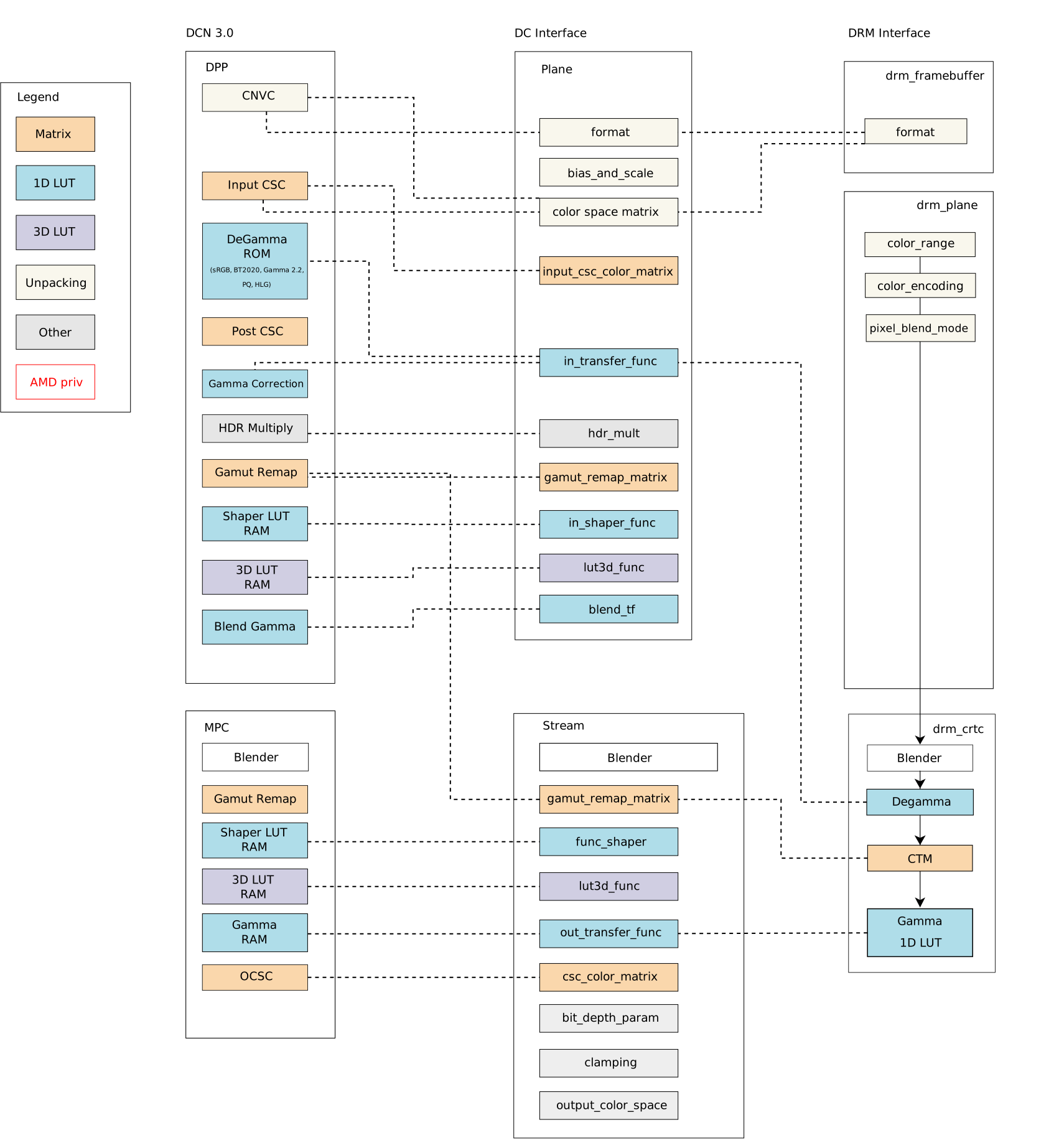
DCN 3.0 family color caps
and mapping
diagram below shows the Linux/DRM color interface without
driver-specific color properties [*]:
 Bearing in mind that we need to know the variety of color pipelines in the
subsystem to be clear about a generic solution, we decided to approach the
issue from a different perspective and worked on enabling a set of
Bearing in mind that we need to know the variety of color pipelines in the
subsystem to be clear about a generic solution, we decided to approach the
issue from a different perspective and worked on enabling a set of
Driver-Specific Color Properties for AMD Display Drivers. As a result, I
recently sent another round of the AMD driver-specific color mgmt
API.
For those who have been following the AMD driver-specific proposal since the
beginning (see
[RFC][V1]),
the main new features of the latest version
[v2]
are the addition of pre-blending Color Transformation Matrix (plane CTM) and
the differentiation of Pre-defined Transfer Functions (TF) supported by color
blocks. For those who just got here, I will recap this work in two blog posts.
This one describes the current status of the AMD display driver in the Linux
kernel/DRM subsystem and what changes with the driver-specific properties. In
the next post, we go deeper to describe the features of each color block and
provide a better picture of what is available in terms of color management for
Linux.
AMD Display Manager (DM) intermediates requests between the
AMD Display Core component (DC) and the Linux/DRM kernel interface for
color management features. It also describes the relevant function to call the
AMD color module in building curves for content space transformations.
A subsection also describes hardware color capabilities and how they evolve
between versions. This subsection, DC Color Capabilities between DCN
generations,
is a good starting point to understand what we have been doing on the kernel
side to provide a broader color management API with AMD driver-specific
properties.
wide color gamut (WCG), convert High-Dynamic-Range (HDR)
content to Standard-Dynamic-Range (SDR) content (and vice-versa). With a
GPU-accelerated display color management pipeline, we can use hardware blocks
for color conversions and color mapping and support advanced color management.
The current DRM color management API enables us to perform some color
conversions after blending, but there is no interface to calibrate input space
by planes. Note that here I m not considering some workarounds in the AMD
display manager mapping of DRM CRTC de-gamma and DRM CRTC CTM property to
pre-blending DC de-gamma and gamut remap block, respectively. So, in more
detail, it only exposes three post-blending features:
DCN 3.0 family color caps and mapping diagram
closer and present it here again:
Mixing AMD driver-specific color properties with DRM generic color properties,
we have a broader Linux color management system with the following features
exposed by properties in the plane and CRTC interface, as summarized by this
updated diagram:
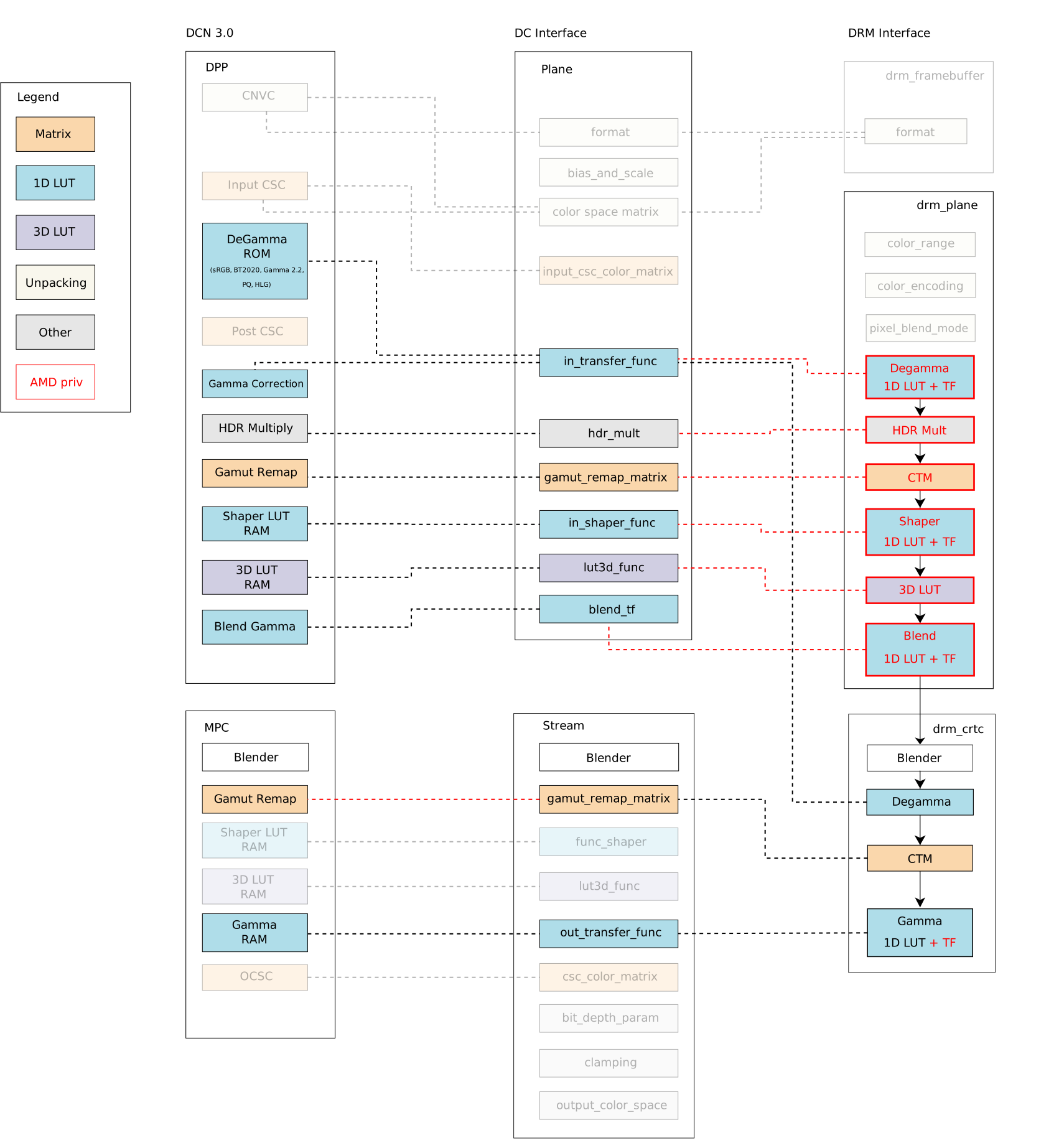 The blocks highlighted by
 red lines are the new properties in the
driver-specific interface developed by me (Igalia) and Joshua (Valve). The red
dashed lines are new links between API and AMD driver components implemented by
us to connect the Linux/DRM interface to AMD hardware blocks, mapping
components accordingly. In short, we have the following color management
properties exposed by the DRM/AMD display driver:
stream gamut remap matrixes from the DPP gamut remap block. That
means mapping AMD plane CTM directly to DPP/pre-blending gamut remap block and
DRM CRTC CTM to MPC/post-blending gamut remap block. In this sense, I also
limited plane CTM properties to those hardware versions with MPC/post-blending
gamut_remap capabilities since older versions cannot support this feature
without clashes with DRM CRTC CTM.
Unfortunately, I couldn t prevent conflict between AMD plane de-gamma and DRM
plane de-gamma since post-blending de-gamma isn t available in any AMD hardware
versions until now. The fact is that a post-blending de-gamma makes little
sense in the AMD color pipeline, where plane blending works better in a linear
space, and there are enough color blocks to linearize content before blending.
To deal with this conflict, the driver now rejects atomic commits if users try
to set both AMD plane de-gamma and DRM CRTC de-gamma simultaneously.
Finally, we had no other clashes when enabling other AMD driver-specific color
properties for our use case, Gamescope/SteamDeck. Our main work for the
remaining properties was understanding the data flow of each property, the
hardware capabilities and limitations, and how to shape the data for
programming the registers - AMD color block capabilities (and limitations) are
the topics of the next blog post. Besides that, we fixed some driver bugs along
the way since it was the first Linux use case for most of the new color
properties, and some behaviors are only exposed when exercising the engine.
Take a look at the Gamescope/Steam Deck Color
Pipeline[**],
and see how Gamescope uses the new API to manage color space conversions
and calibration (please click on the image for a better view):
 In the next blog post, I ll describe the implementation and technical details
of each pre- and post-blending color block/property on the AMD display driver.
* Thank Harry Wentland for helping with diagrams, color concepts and AMD capabilities.
** Thank Joshua Ashton for providing and explaining Gamescope/Steam Deck color pipeline.
*** Thanks to the Linux Graphics community - explicitly Harry, Joshua,
Pekka, Simon, Sebastian, Siqueira, Alex H. and Ville - to all the learning
during this Linux DRM/AMD color journey. Also, Carlos and Tomas for organizing
the 2023 Display/HDR Hackfest where we have a great and immersive opportunity
to discuss Color & HDR on Linux.
In the next blog post, I ll describe the implementation and technical details
of each pre- and post-blending color block/property on the AMD display driver.
* Thank Harry Wentland for helping with diagrams, color concepts and AMD capabilities.
** Thank Joshua Ashton for providing and explaining Gamescope/Steam Deck color pipeline.
*** Thanks to the Linux Graphics community - explicitly Harry, Joshua,
Pekka, Simon, Sebastian, Siqueira, Alex H. and Ville - to all the learning
during this Linux DRM/AMD color journey. Also, Carlos and Tomas for organizing
the 2023 Display/HDR Hackfest where we have a great and immersive opportunity
to discuss Color & HDR on Linux.
| Publisher: | Tordotcom |
| Copyright: | 2023 |
| ISBN: | 1-250-83499-6 |
| Format: | Kindle |
| Pages: | 438 |
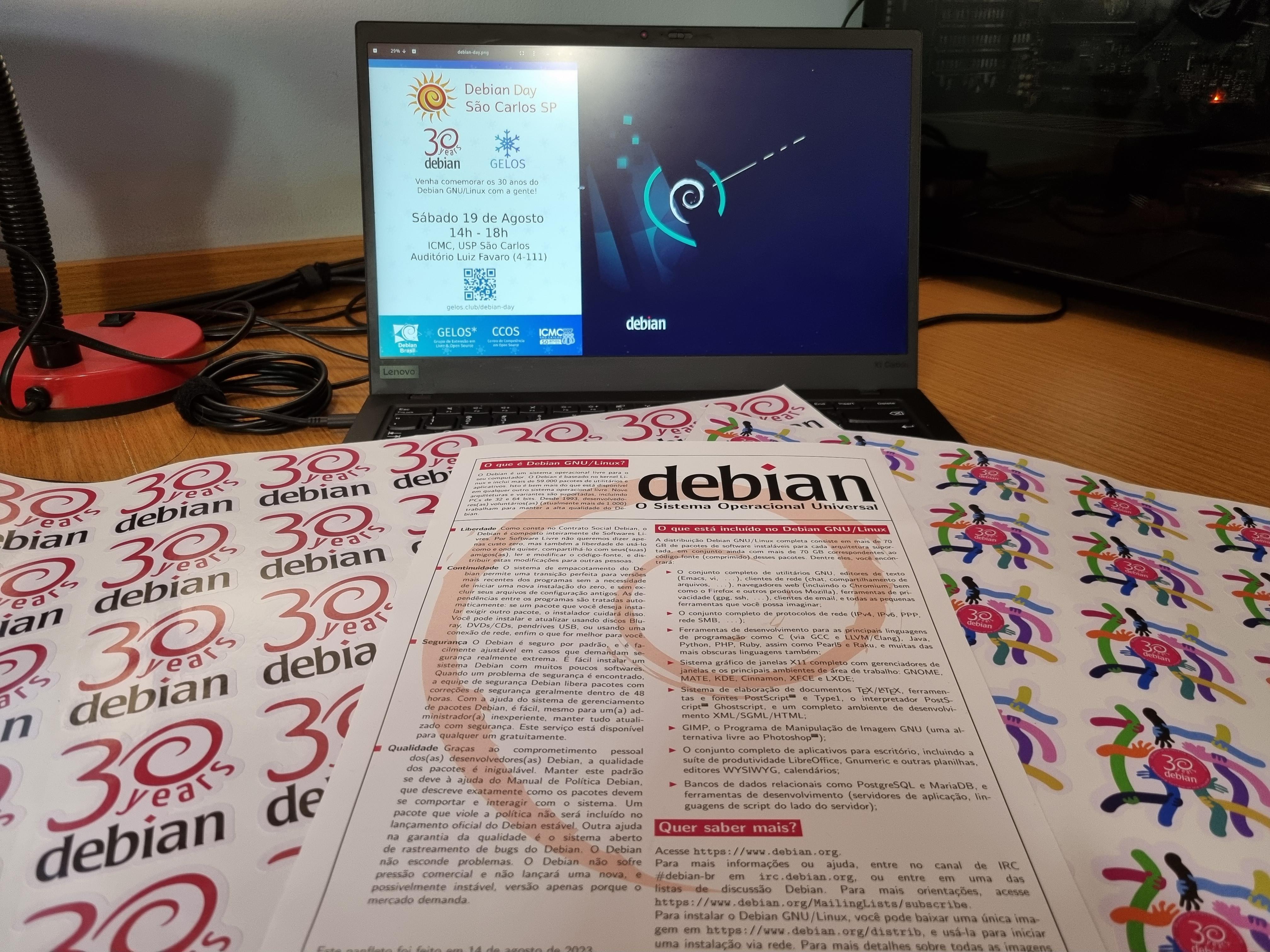
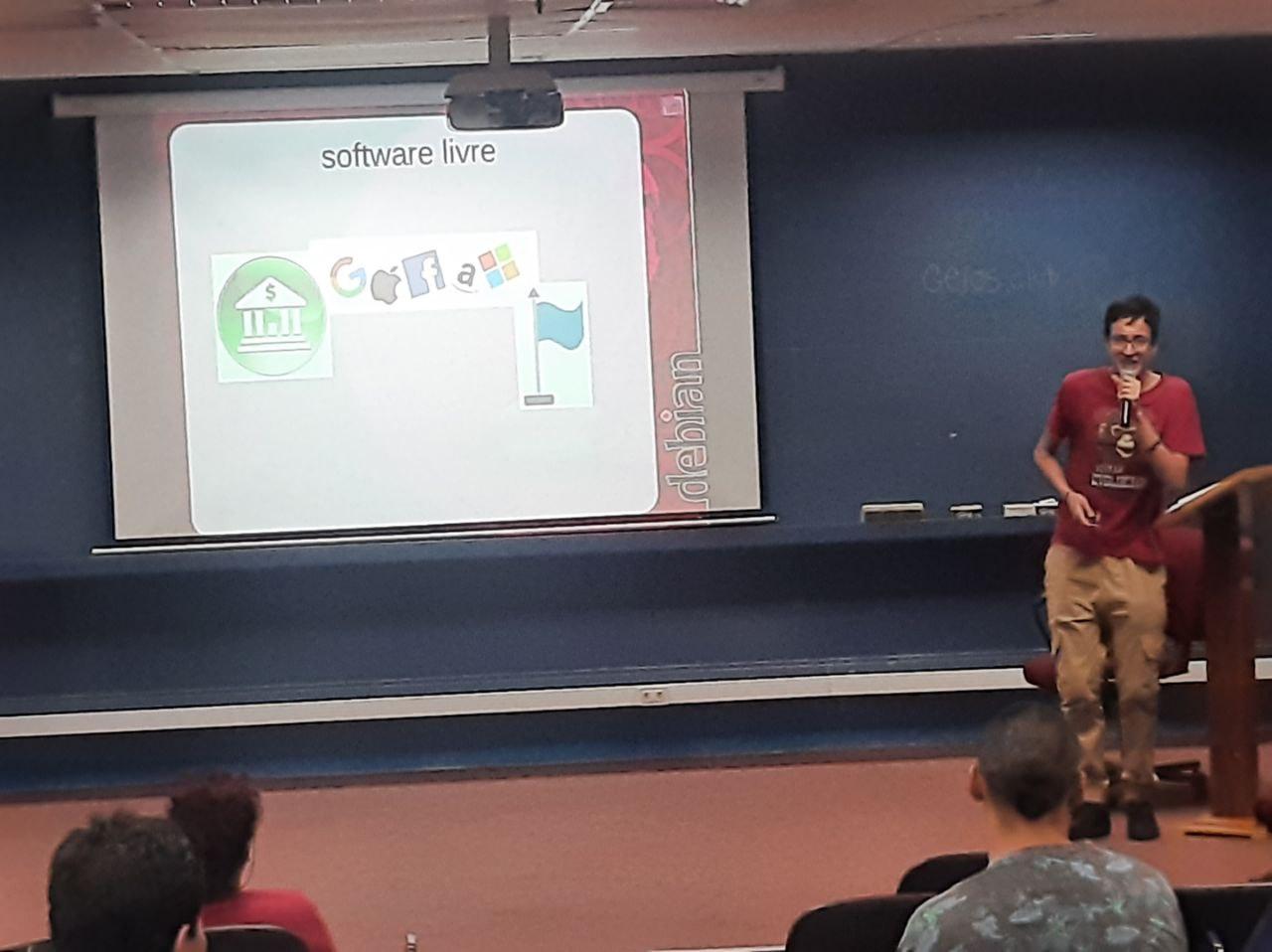
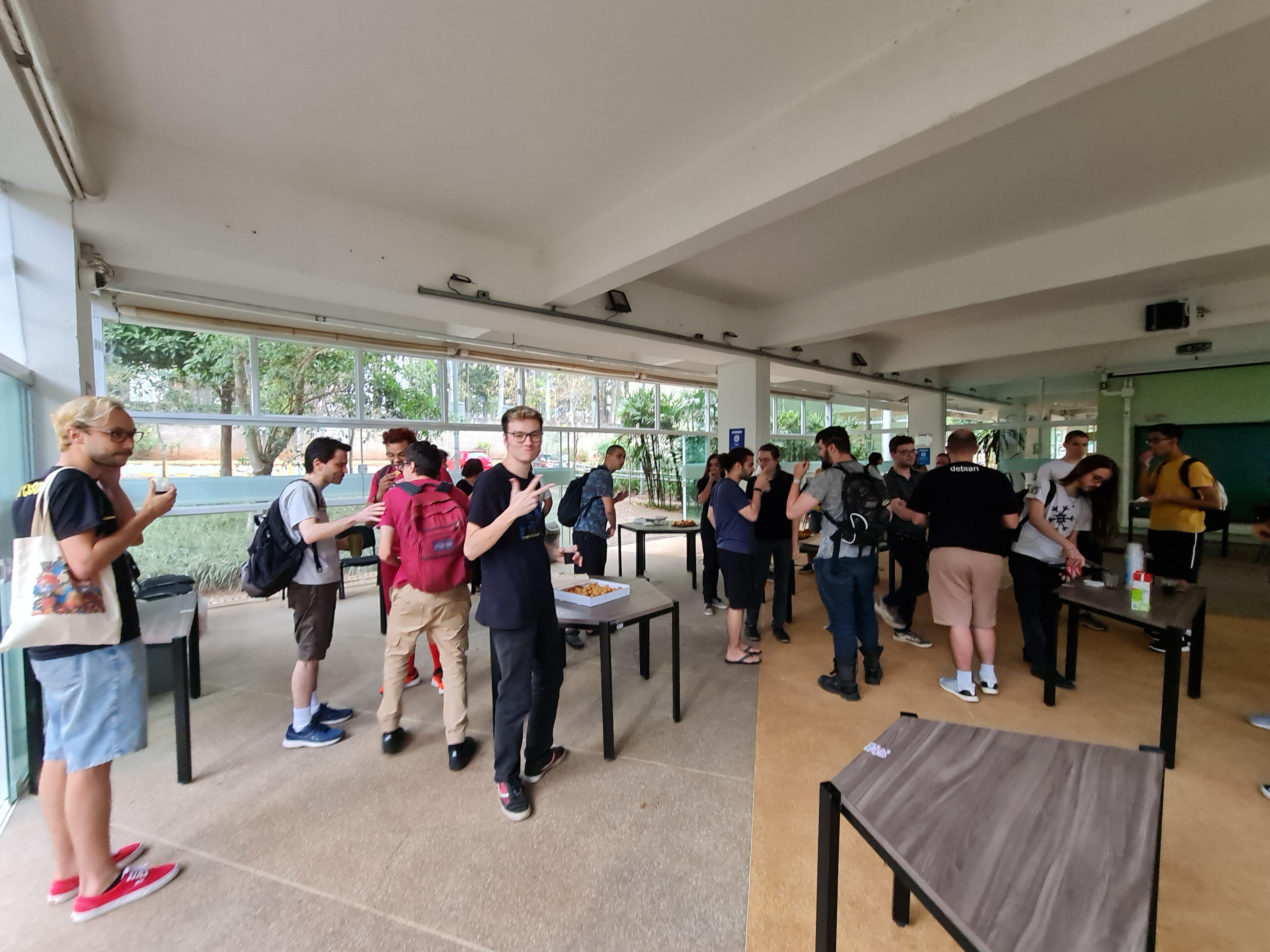
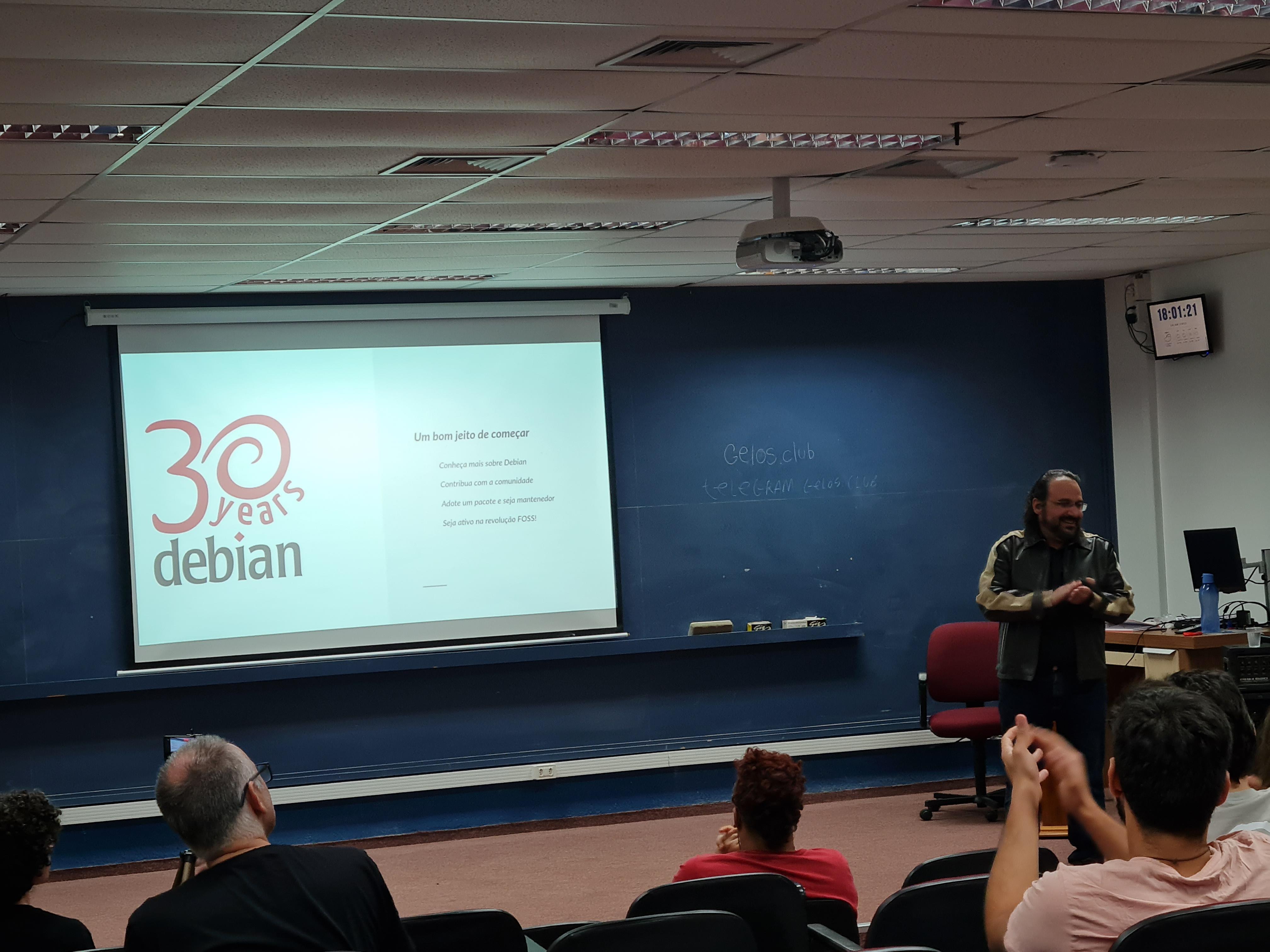
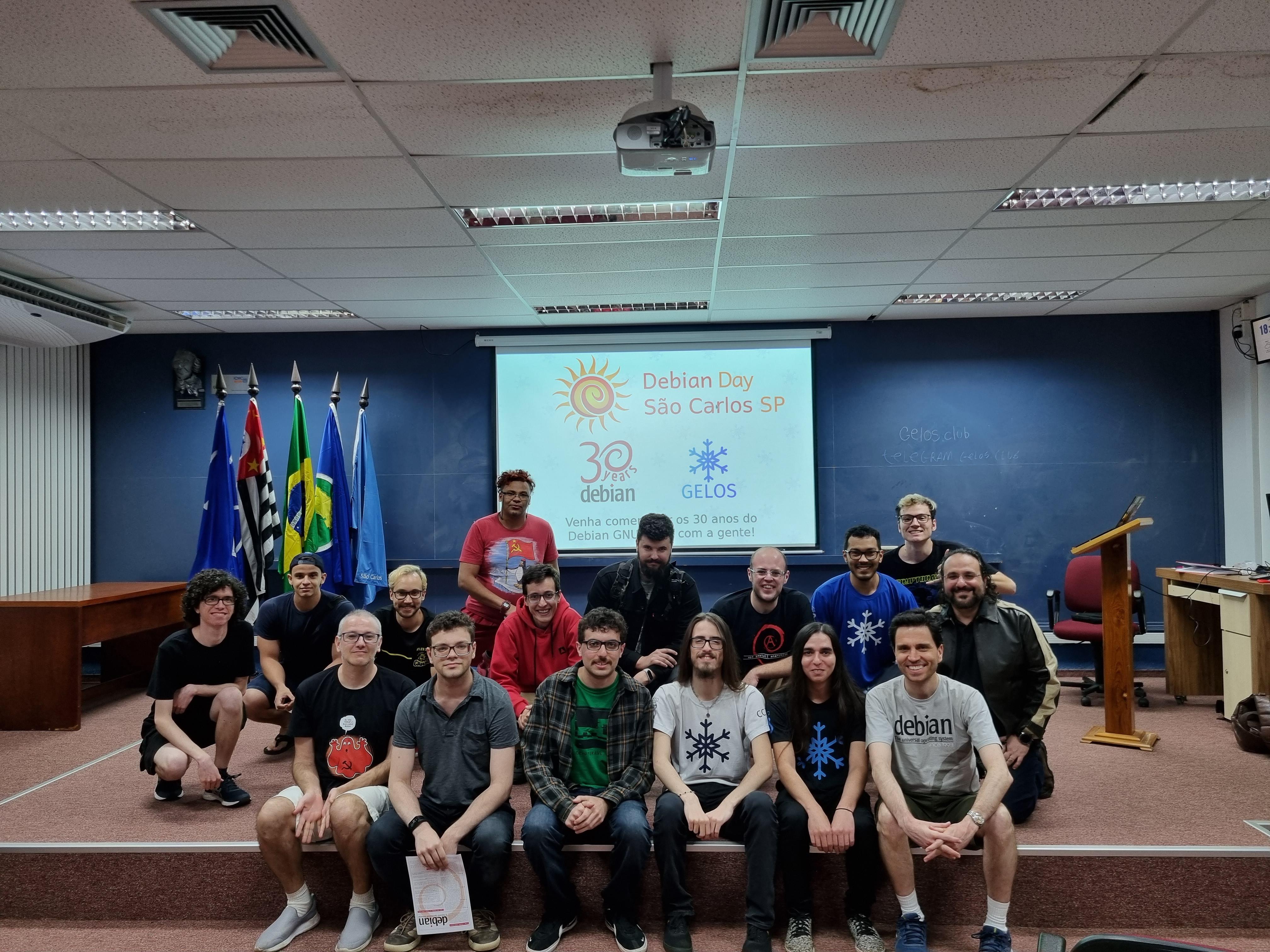
 This year's Debian day was a pretty special one, we are celebrating 30 years!
Giving the importance of this event, the Brazilian community planned a very
special week. Instead of only local gatherings, we had a week of online talks
streamed via Debian Brazil's youtube channel (soon the recordings will be
uploaded to Debian's peertube instance). Nonetheless the local celebrations
happened around the country and I've organized one in S o Carlos with the help
of GELOS, the FLOSS group at University of S o Paulo.
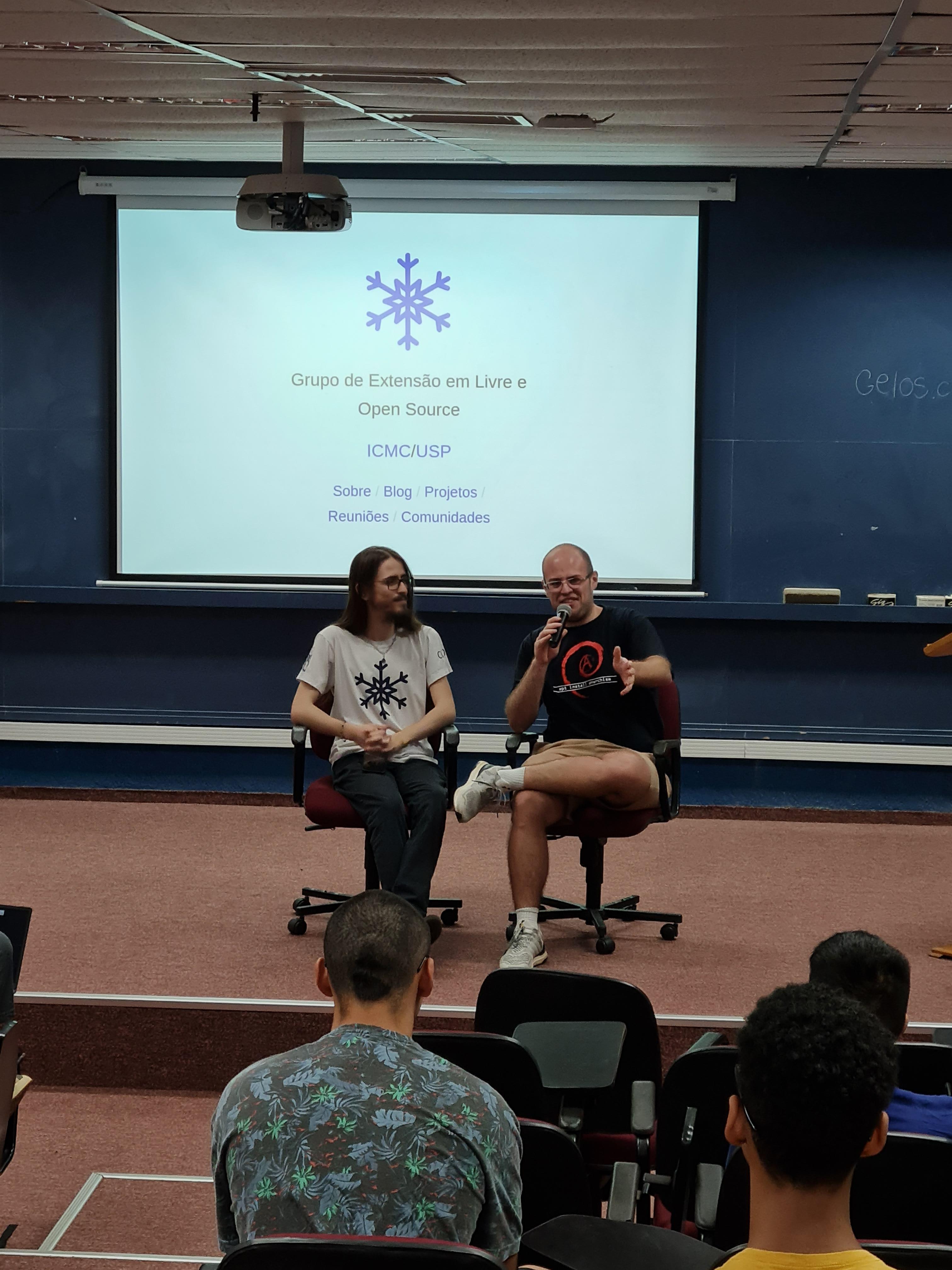
The event happened on August 19th and went on the whole afternoon. We had some
talks about Debian and free software (see table below), a coffee break where we
had the chance to talk, and finished with a group photo (check this one and
many others below). Actually, it wasn't the end, we carried on the conversation
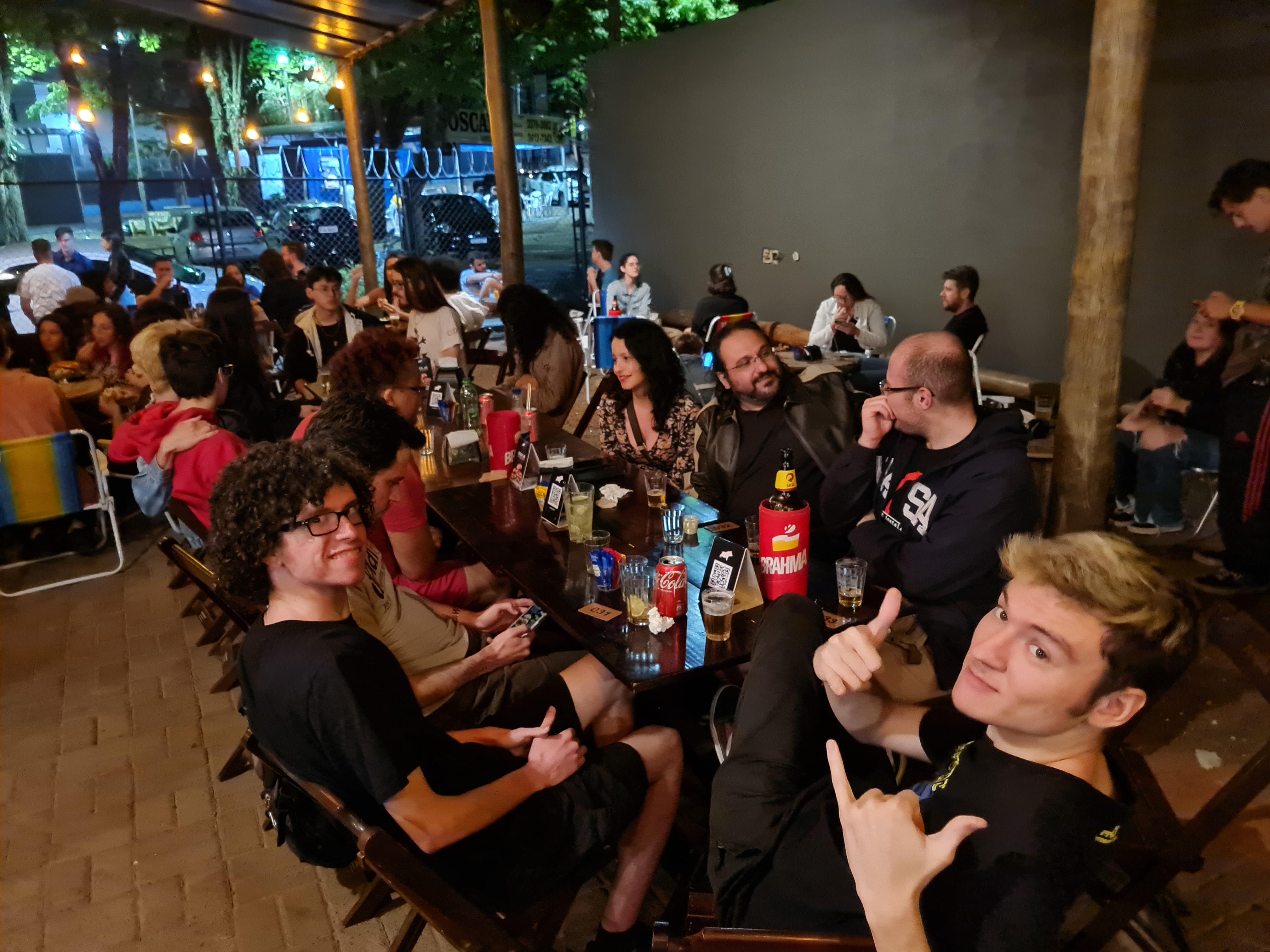
about Debian and free software in a local bar :-)
We had around 30 people in the event and reached a greater audience via the
announcements across the university's press releases and emails sent to our
Brazilian mailing lists. You can check some of them below.
This year's Debian day was a pretty special one, we are celebrating 30 years!
Giving the importance of this event, the Brazilian community planned a very
special week. Instead of only local gatherings, we had a week of online talks
streamed via Debian Brazil's youtube channel (soon the recordings will be
uploaded to Debian's peertube instance). Nonetheless the local celebrations
happened around the country and I've organized one in S o Carlos with the help
of GELOS, the FLOSS group at University of S o Paulo.
The event happened on August 19th and went on the whole afternoon. We had some
talks about Debian and free software (see table below), a coffee break where we
had the chance to talk, and finished with a group photo (check this one and
many others below). Actually, it wasn't the end, we carried on the conversation
about Debian and free software in a local bar :-)
We had around 30 people in the event and reached a greater audience via the
announcements across the university's press releases and emails sent to our
Brazilian mailing lists. You can check some of them below.
| Time | Author | Title |
|---|---|---|
| 14:10 | GELOS | Intro to GELOS |
| 14:30 | Carlos Melara (Charles) | A |
| 15:15 | Guilherme Paix o | Debian and the Free Culture |
| 15:45 | z | Free Software: the paths to a free life |
| 16:15 | -- | Coffee Break |
| 17:15 | Prof. Dr. Francisco Jos Monaco | The FOSS Ecosystem and You |
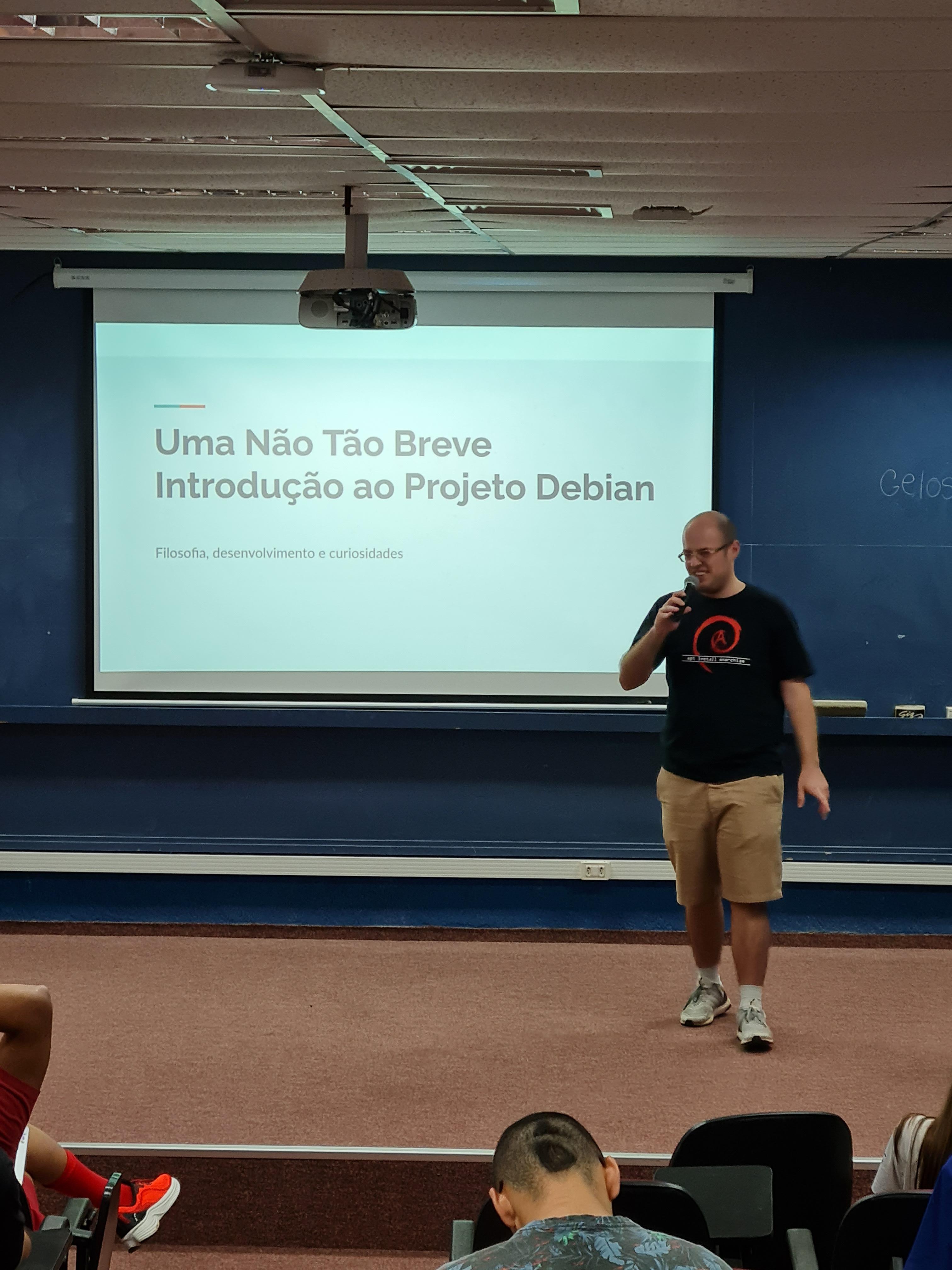
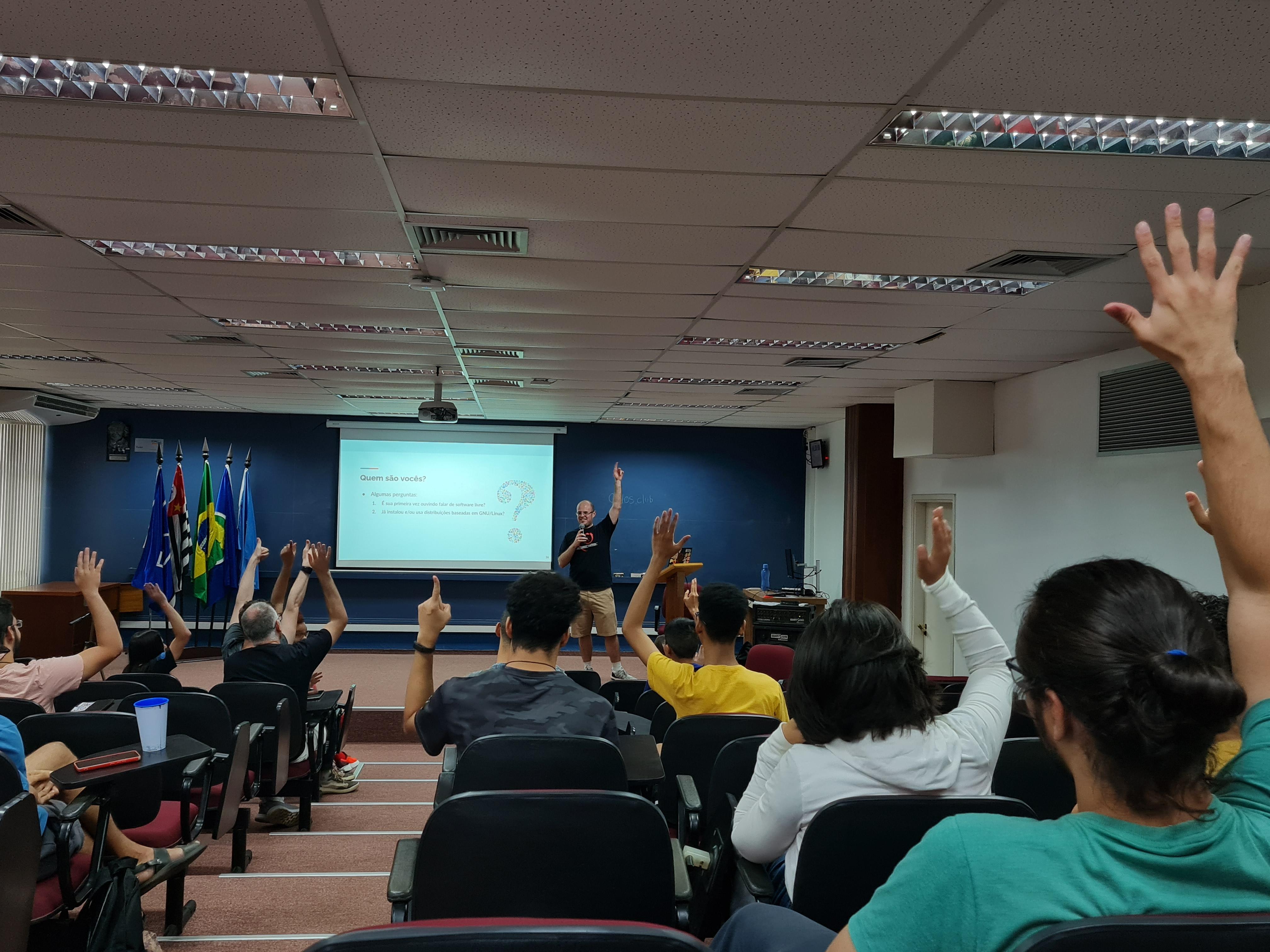
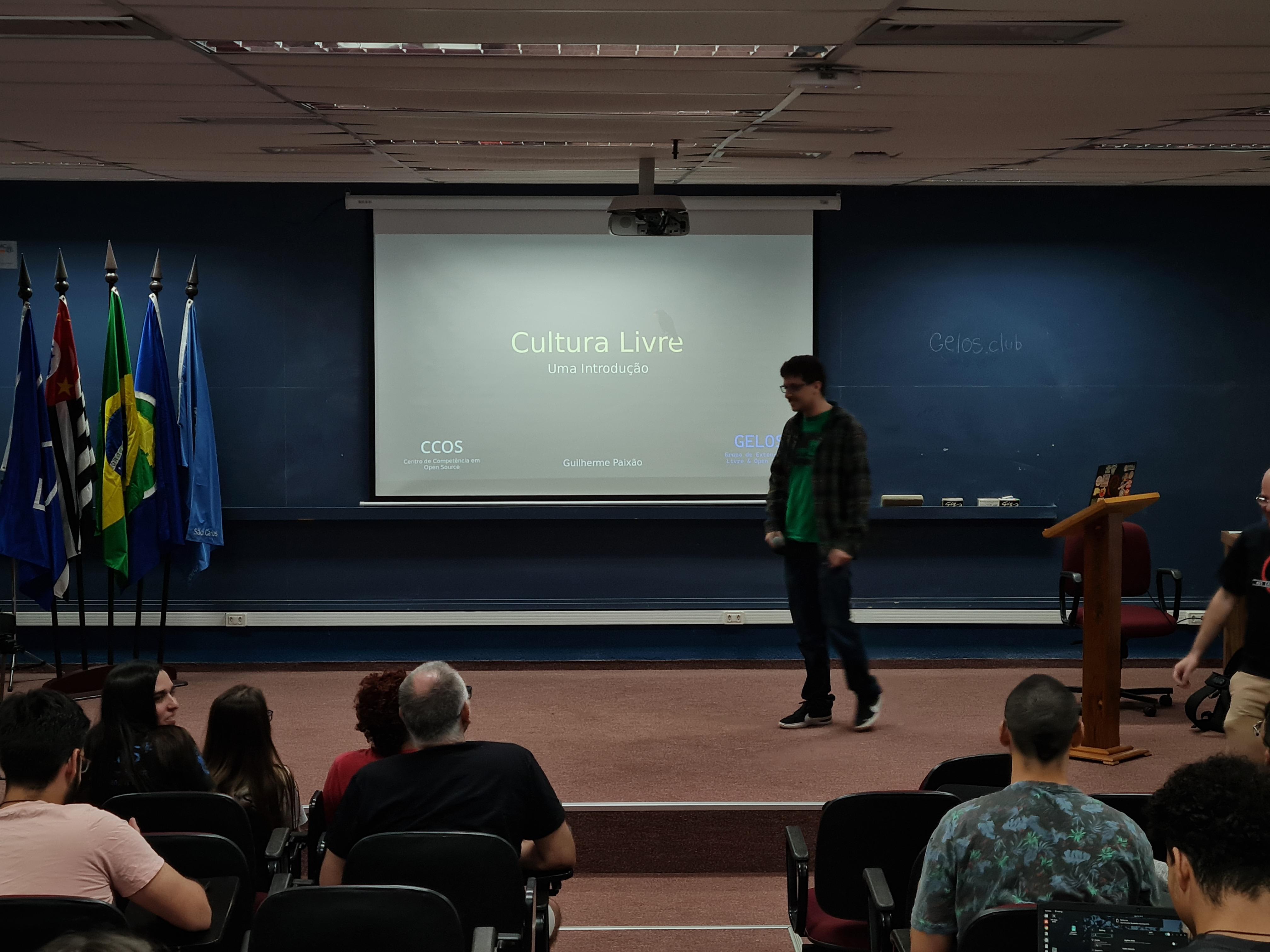
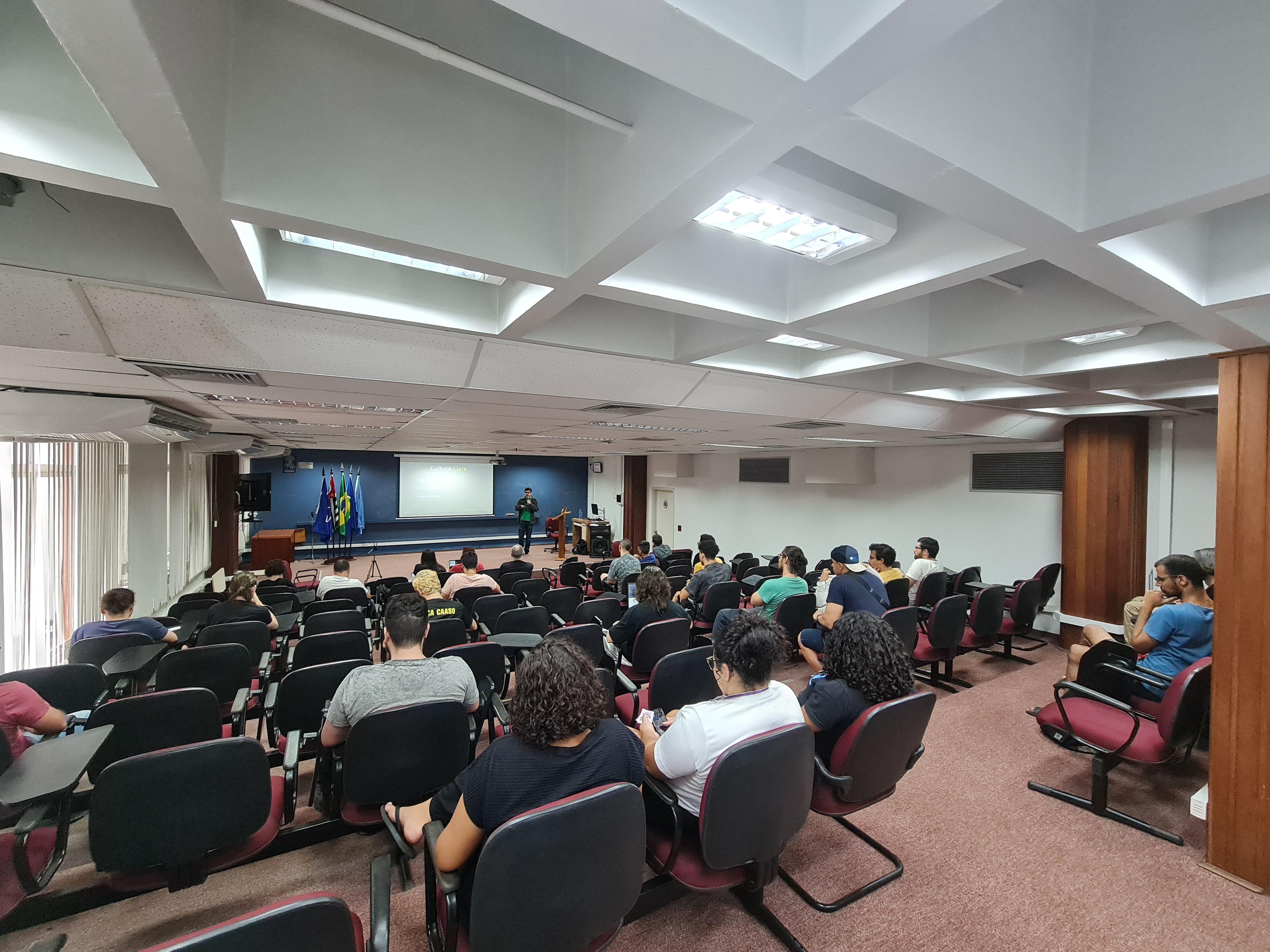
 KDE Mascot
 Welcome to the 43th post in the $R^4 series.
And with that, a good laugh. When I set up Sunday s
post, I was excited enough about the (indeed exciting !!) topic of
r2u via browser or vscode that I mistakenly
labeled it as the 41th post. And overlooked the existing 41th
post from July! So it really is as if Douglas Adams, Arthur Dent,
and, for good measure, Dirk Gently, looked over my shoulder and declared
there shall not be a 42th post!! So now we have two 41th post:
Sunday s
and July s.
Back the current topic, which is of course r2u. Earlier this week we
had a failure in (an R based) CI run (using a default action which I had
not set up). A package was newer in source than binary, so a build from
source was attempted. And of course failed as it was a package needing a
system dependency to build. Which the default action did not
install.
I am familiar with the problem via my general use of r2u (or my r-ci which uses it under
the hood). And there we use a bspm variable to
prefer binary over possibly newer source. So I was curious how
one would address this with the default actions. It so happens that the
same morning I spotted a StackOverflow
question on the same topic, where the original poster had suffered
the exact same issue!
I offered my approach (via r2u) as a comment and was
later notified of a follow-up answer by the OP. Turns our there is a new,
more powerful action that does all this, potentially flipping to a
newer version and building it, all while using a cache.
Now I was curious, and in the evening cloned the repo to study the
new approach and compare the new
action to what r2u
offers. In particular, I was curious if a use of caches would be
benficial on repeated runs. A screenshot of the resulting Actions and
their times follows.
Welcome to the 43th post in the $R^4 series.
And with that, a good laugh. When I set up Sunday s
post, I was excited enough about the (indeed exciting !!) topic of
r2u via browser or vscode that I mistakenly
labeled it as the 41th post. And overlooked the existing 41th
post from July! So it really is as if Douglas Adams, Arthur Dent,
and, for good measure, Dirk Gently, looked over my shoulder and declared
there shall not be a 42th post!! So now we have two 41th post:
Sunday s
and July s.
Back the current topic, which is of course r2u. Earlier this week we
had a failure in (an R based) CI run (using a default action which I had
not set up). A package was newer in source than binary, so a build from
source was attempted. And of course failed as it was a package needing a
system dependency to build. Which the default action did not
install.
I am familiar with the problem via my general use of r2u (or my r-ci which uses it under
the hood). And there we use a bspm variable to
prefer binary over possibly newer source. So I was curious how
one would address this with the default actions. It so happens that the
same morning I spotted a StackOverflow
question on the same topic, where the original poster had suffered
the exact same issue!
I offered my approach (via r2u) as a comment and was
later notified of a follow-up answer by the OP. Turns our there is a new,
more powerful action that does all this, potentially flipping to a
newer version and building it, all while using a cache.
Now I was curious, and in the evening cloned the repo to study the
new approach and compare the new
action to what r2u
offers. In particular, I was curious if a use of caches would be
benficial on repeated runs. A screenshot of the resulting Actions and
their times follows.
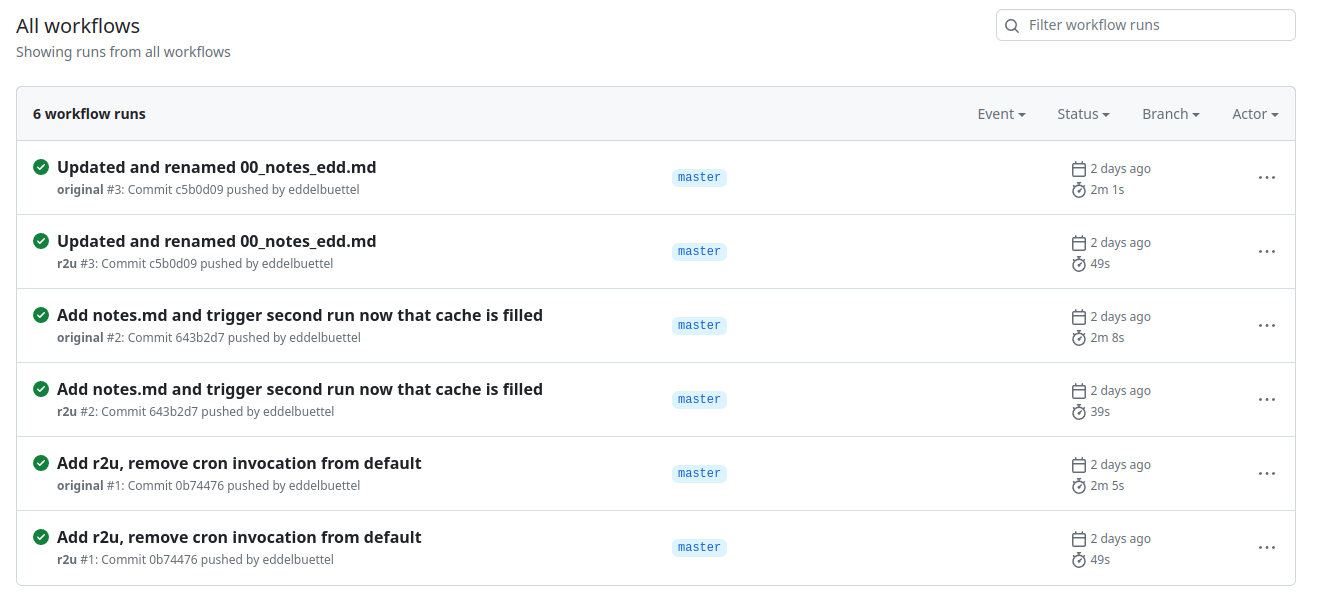 Turns out maybe not so much (yet ?). As the actions
page of my cloned comparison repo shows in this screenshot, r2u is consistently faster
at always below one minute compared to new entrant at
always over two minutes. (I should clarify that the original
actions sets up dependencies, then scrapes, and commits. I am timing
only the setup of dependencies here.)
We can also extract the six datapoints and quickly visualize
them.
Turns out maybe not so much (yet ?). As the actions
page of my cloned comparison repo shows in this screenshot, r2u is consistently faster
at always below one minute compared to new entrant at
always over two minutes. (I should clarify that the original
actions sets up dependencies, then scrapes, and commits. I am timing
only the setup of dependencies here.)
We can also extract the six datapoints and quickly visualize
them.
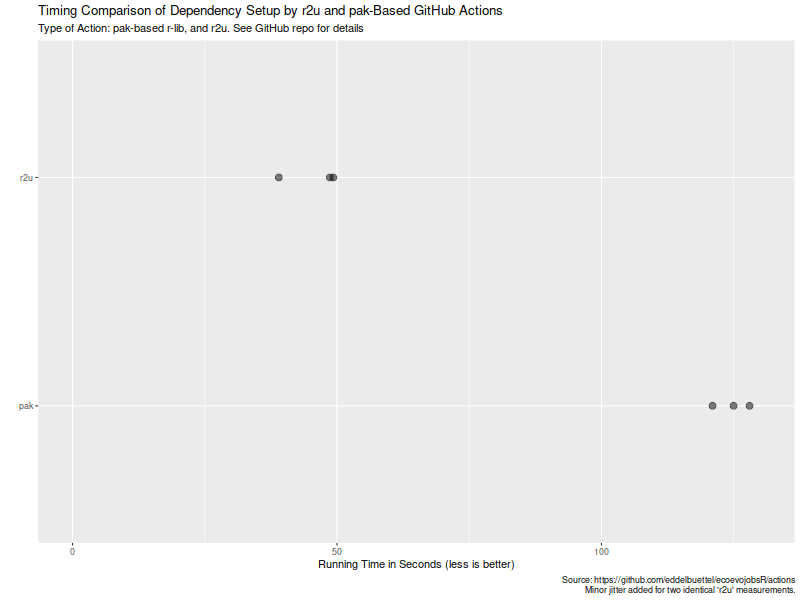 Now, this is of course entirely possibly that not all possible venues
for speedups were exploited in how the action setup was setup. If so,
please file an issue at the repo and I will
try to update accordingly. But for now it seems that a default
of setup r2u is easily
more than twice as fast as an otherwise very compelling alternative
(with arguably much broader scope). However, where r2u choses to play, on the
increasingly common, popular and powerful Ubuntu LTS setup, it clearly
continues to run circles around alternate approaches. So the saying
remains:
r2u: fast, easy, reliable.
If you like this or other open-source work I do, you can now sponsor me at
GitHub.
Now, this is of course entirely possibly that not all possible venues
for speedups were exploited in how the action setup was setup. If so,
please file an issue at the repo and I will
try to update accordingly. But for now it seems that a default
of setup r2u is easily
more than twice as fast as an otherwise very compelling alternative
(with arguably much broader scope). However, where r2u choses to play, on the
increasingly common, popular and powerful Ubuntu LTS setup, it clearly
continues to run circles around alternate approaches. So the saying
remains:
r2u: fast, easy, reliable.
If you like this or other open-source work I do, you can now sponsor me at
GitHub.
This post by Dirk Eddelbuettel originated on his Thinking inside the box blog. Please report excessive re-aggregation in third-party for-profit settings.
Originally posted 2023-08-13, minimally edited 2023-08-15 which changed the timestamo and URL.
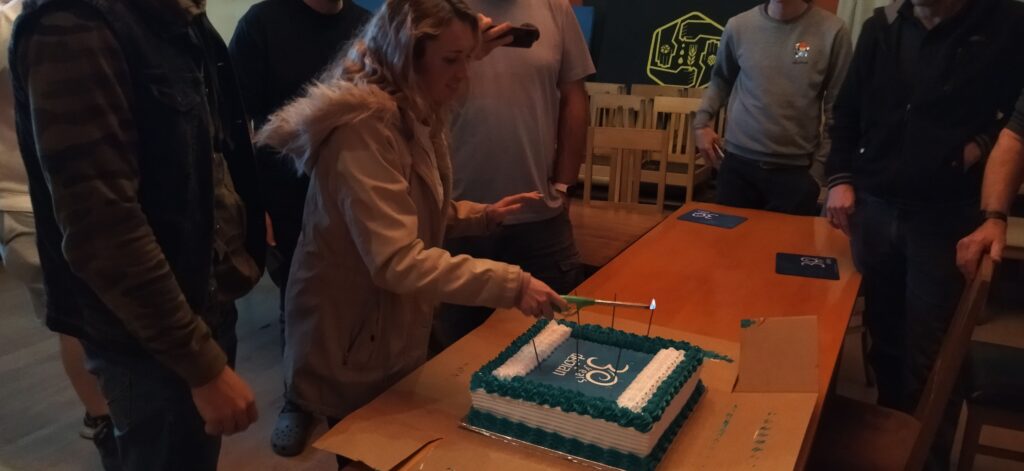
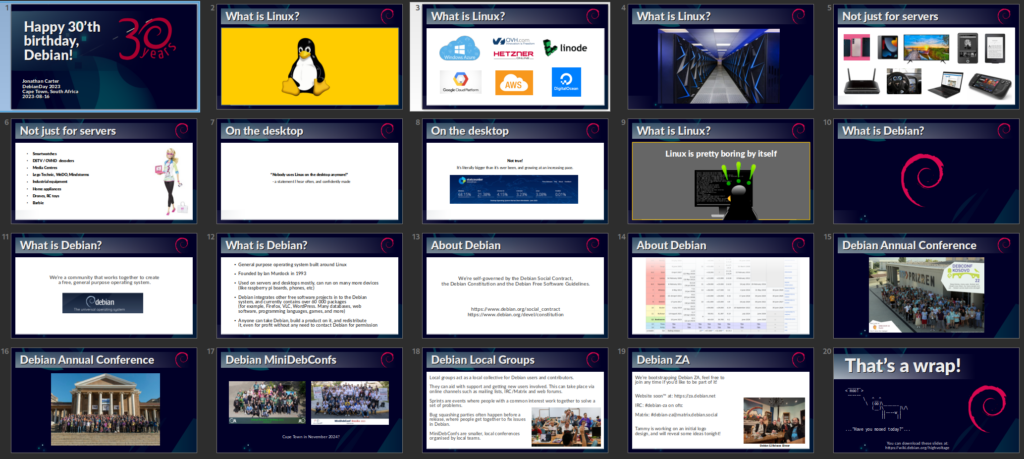
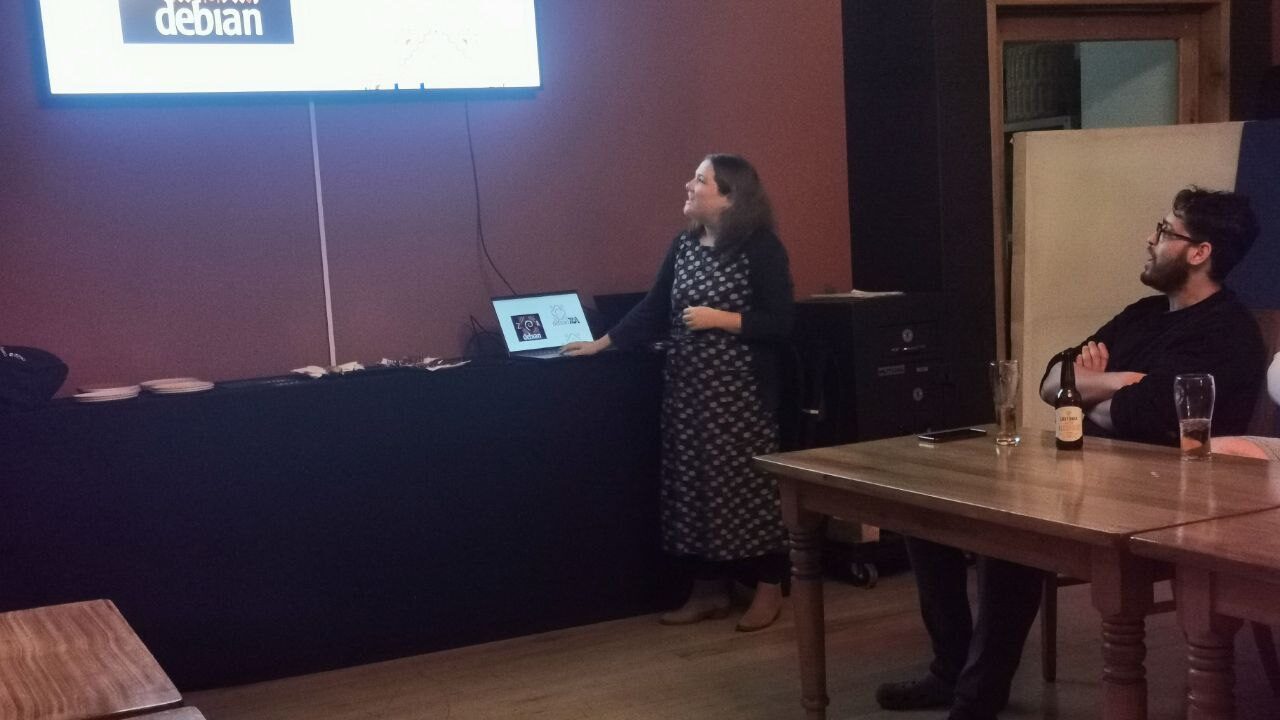
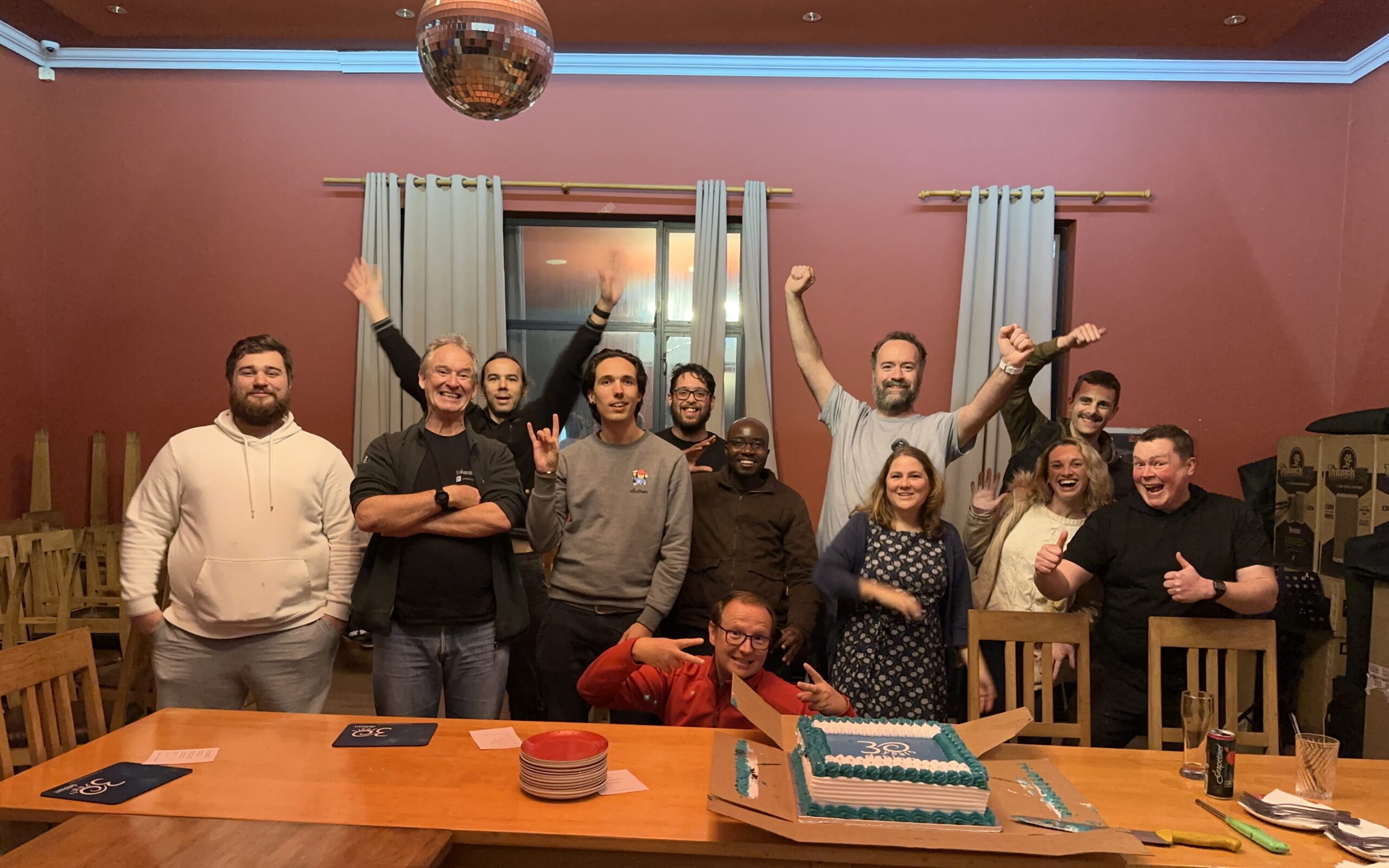
 Inspired by the fine Debian Local Groups all over the world, I ve long since wanted to start one in Cape Town. Unfortunately, there s been many obstacles over the years. Shiny distractions, an epidemic, DPL terms these are just some of the things that got in the way.
Fortunately, things are starting to gain traction, and we re well on our way to forming a bona fide local group for South Africa.
We got together at Woodstock Grill, they have both a nice meeting room, and good food and beverage, also reasonably central for most of us.
Inspired by the fine Debian Local Groups all over the world, I ve long since wanted to start one in Cape Town. Unfortunately, there s been many obstacles over the years. Shiny distractions, an epidemic, DPL terms these are just some of the things that got in the way.
Fortunately, things are starting to gain traction, and we re well on our way to forming a bona fide local group for South Africa.
We got together at Woodstock Grill, they have both a nice meeting room, and good food and beverage, also reasonably central for most of us.
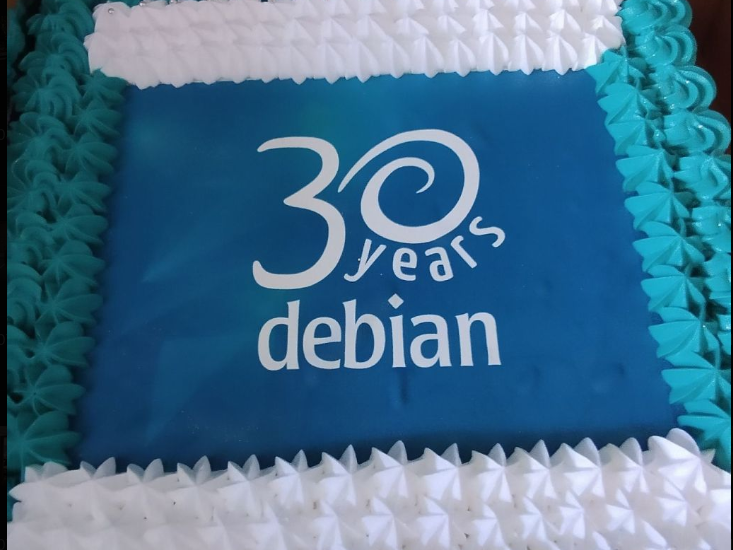
Yes, cake.

--wrap-always --short-indent --trailing-comma --sort-binary-package options (or -satb for short). Every time, I also wish that I could automate this and have it always be invoked to keep my debian/ directory tidy, so I don t have to do this manually once every blue moon. I haven t found a way to achieve this automation in a non-obtrusive way that interacts well with my git-based packaging workflow. Ideally I would like for something like the lintian-hook during gbp buildpackage to check for this ideas?
Meanwhile, I have come up with a way to make sure I don t forget to run wrap-and-sort for long, and that others who work on the same package won t either: create an autopkgtest which is invoked during the Salsa CI/CD pipeline using the following as debian/tests/wrap-and-sort:
#!/bin/sh
set -eu
TMPDIR=$(mktemp -d)
trap "rm -rf $TMPDIR" 0 INT QUIT ABRT PIPE TERM
cp -a debian $TMPDIR
cd $TMPDIR
wrap-and-sort -satb
diff -ur $OLDPWD/debian debian
debian/tests/control to invoke it which is intentionally not indented properly so that the self-test will fail so you will learn how it behaves.
Tests: wrap-and-sort
Depends: devscripts, python3-debian
Restrictions: superficialwrap-and-sort with the parameters I settled with.
While autopkgtest is intended to test the installed package, the tooling around autopkgtest is powerful and easily allows this mild abuse of its purpose for a pleasant QA improvement.
Thoughts? Happy hacking!
 I've been maintaining a number of Perl software packages recently.
There's SReview,
my video review and transcoding system of which I split off
Media::Convert a while
back; and as of about a year ago, I've also added
PtLink, an RSS aggregator
(with future plans for more than just that).
All these come with extensive test suites which can help me ensure that
things continue to work properly when I play with things; and all of
these are hosted on salsa.debian.org, Debian's gitlab instance. Since
we're there anyway, I configured GitLab CI/CD to run a full test suite
of all the software, so that I can't forget, and also so that I know
sooner rather than later when things start breaking.
GitLab has extensive support for various test-related reports, and while
it took a while to be able to enable all of them, I'm happy to report
that today, my perl test suites generate all three possible reports.
They are:
I've been maintaining a number of Perl software packages recently.
There's SReview,
my video review and transcoding system of which I split off
Media::Convert a while
back; and as of about a year ago, I've also added
PtLink, an RSS aggregator
(with future plans for more than just that).
All these come with extensive test suites which can help me ensure that
things continue to work properly when I play with things; and all of
these are hosted on salsa.debian.org, Debian's gitlab instance. Since
we're there anyway, I configured GitLab CI/CD to run a full test suite
of all the software, so that I can't forget, and also so that I know
sooner rather than later when things start breaking.
GitLab has extensive support for various test-related reports, and while
it took a while to be able to enable all of them, I'm happy to report
that today, my perl test suites generate all three possible reports.
They are:
coverage regex, which captures the total reported coverage for
all modules of the software; it will show the test coverage on the
right-hand side of the job page (as in this
example), and
it will show what the delta in that number is in merge request
summaries (as in this
exampletest:
stage: test
image: perl:latest
coverage: '/^Total.* (\d+.\d+)$/'
before_script:
- cpanm ExtUtils::Depends Devel::Cover TAP::Harness::JUnit Devel::Cover::Report::Cobertura
- cpanm --notest --installdeps .
- perl Makefile.PL
script:
- cover -delete
- HARNESS_PERL_SWITCHES='-MDevel::Cover' prove -v -l -s --harness TAP::Harness::JUnit
- cover
- cover -report cobertura
artifacts:
paths:
- cover_db
reports:
junit: junit_output.xml
coverage_report:
path: cover_db/cobertura.xml
coverage_format: cobertura
test; we start it in the test
stage, and we run it in the perl:latest docker image. Nothing
spectacular here.
The coverage line contains a regular expression. This is applied by
GitLab to the output of the job; if it matches, then the first bracket
match is extracted, and whatever that contains is assumed to contain the
code coverage percentage for the code; it will be reported as such in
the GitLab UI for the job that was ran, and graphs may be drawn to show
how the coverage changes over time. Additionally, merge requests will
show the delta in the code coverage, which may help deciding whether to
accept a merge request. This regular expression will match on a line of
that the cover program will generate on standard output.
The before_script section installs various perl modules we'll need
later on. First, we intall
ExtUtils::Depends. My code
uses
ExtUtils::MakeMaker,
which ExtUtils::Depends depends on (no pun intended); obviously, if your
perl code doesn't use that, then you don't need to install it. The next
three modules -- Devel::Cover,
TAP::Harness::JUnit and
Devel::Cover::Report::Cobertura
are necessary for the reports, and you should include them if you want
to copy what I'm doing.
Next, we install declared dependencies, which is probably a good idea
for you as well, and then we run perl Makefile.PL, which will generate
the Makefile. If you don't use ExtUtils::MakeMaker, update that part to
do what your build system uses. That should be fairly straightforward.
You'll notice that we don't actually use the Makefile. This is because
we only want to run the test suite, which in our case (since these are
PurePerl modules) doesn't require us to build the software first. One
might consider that this makes the call of perl Makefile.PL useless,
but I think it's a useful test regardless; if that fails, then obviously
we did something wrong and shouldn't even try to go further.
The actual tests are run inside a script snippet, as is usual for
GitLab. However we do a bit more than you would normally expect; this is
required for the reports that we want to generate. Let's unpack what we
do there:
cover -delete
HARNESS_PERL_SWITCHES='-MDevel::Cover'
cover_db directory, and allows you to generate all kinds of
reports on the code coverage later (but we don't do that here, yet).
prove -v -l -s
verbose output, shuffling (aka,
randomizing) the test suite, and adding the lib directory to perl's
include path. This works for us, again, because we don't actually need
to compile anything; if you do, then -b (for blib) may be required.
ExtUtils::MakeMaker creates a test target in its Makefile, and usually
this is how you invoke the test suite. However, it's not the only way to
do so, and indeed if you want to generate a JUnit XML report then you
can't do that. Instead, in that case, you need to use the prove, so
that you can tell it to load the TAP::Harness::JUnit module by way of
the --harness option, which will then generate the JUnit XML report.
By default, the JUnit XML report is generated in a file
junit_output.xml. It's possible to customize the filename for this
report, but GitLab doesn't care and neither do I, so I don't. Uploading
the JUnit XML format tells GitLab which tests were run and
Finally, we invoke the cover script twice to generate two coverage
reports; once we generate the default report (which generates HTML files
with detailed information on all the code that was triggered in your
test suite), and once with the -report cobertura parameter, which
generates the cobertura XML format.
Once we've generated all our reports, we then need to upload them to
GitLab in the right way. The native perl report, which is in the
cover_db directory, is uploaded as a regular job artifact, which we
can then look at through a web browser, and the two XML reports are
uploaded in the correct way for their respective formats.
All in all, I find that doing this makes it easier to understand how my
code is tested, and why things go wrong when they do.
Welcome to the 41th post in the $R^4 series. This
post draws on joint experiments first started by Grant building on the
lovely work done by Eitsupi as
part of our Rocker Project. In
short, r2u is an ideal
match for Codespaces, a
Microsoft/GitHub service to run code locally but in the cloud via
browser or Visual Studio
Code. This posts co-serves as the README.md in the .devcontainer
directory as well as a vignette
for r2u.
So let us get into it. Starting from the r2u repository, the .devcontainer
directory provides a small self-containted file
devcontainer.json to launch an executable environment R
using r2u. It is based on the example in Grant
McDermott s codespaces-r2u repo and reuses its documentation. It is
driven by the Rocker
Project s Devcontainer Features repo creating a fully functioning R
environment for cloud use in a few minutes. And thanks to r2u you can add easily to
this environment by installing new R packages in a fast and failsafe
way.
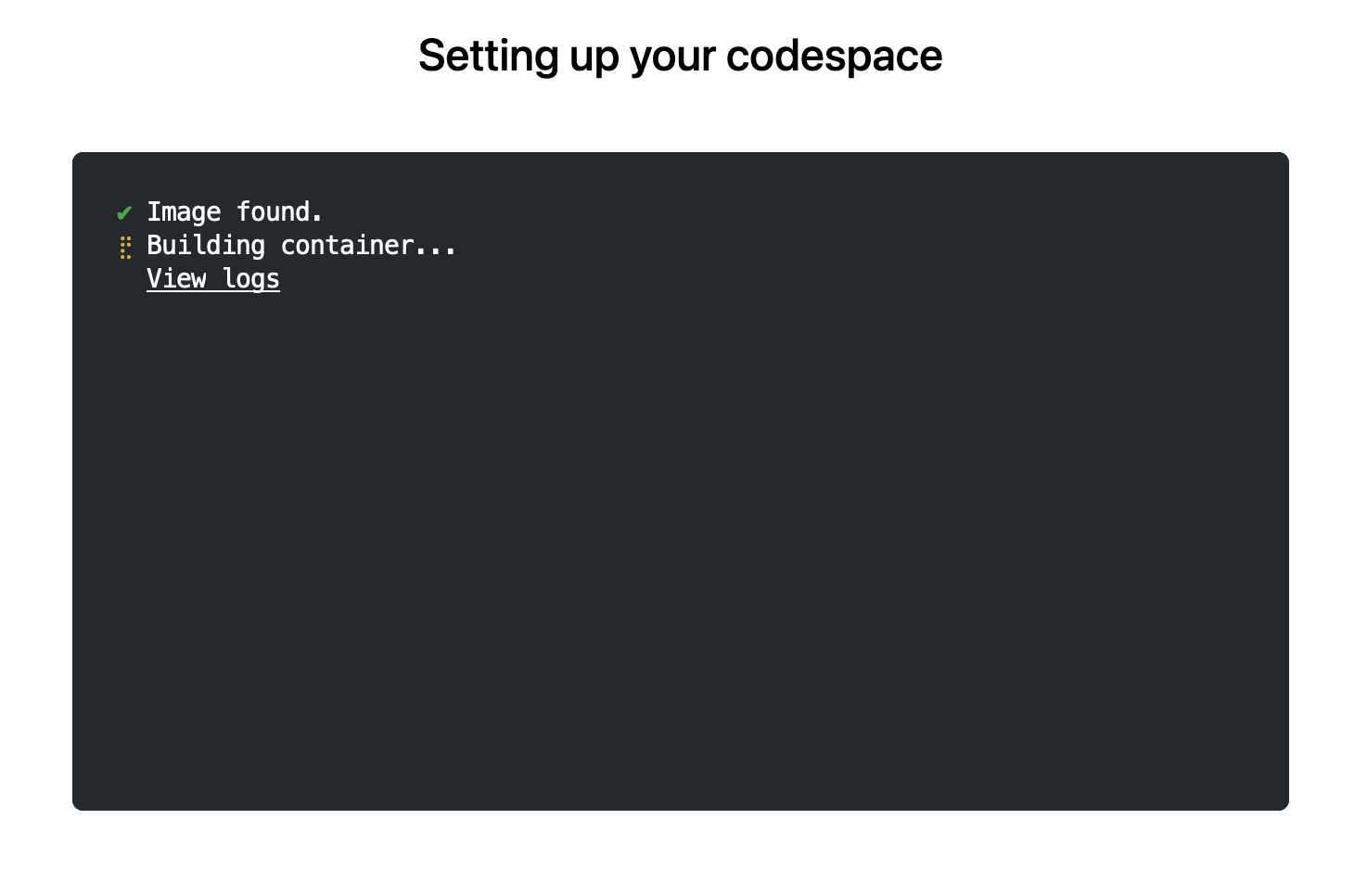
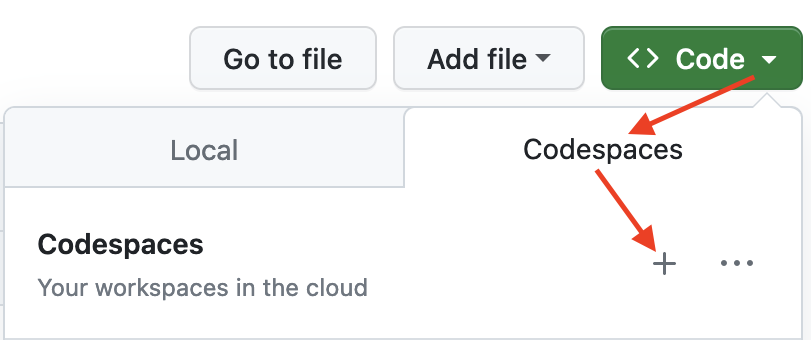 The first time you do this, it will open up a new browser tab where
your Codespace is being instantiated. This first-time instantiation
will take a few minutes (feel free to click View logs to see how
things are progressing) so please be patient. Once built, your Codespace
will deploy almost immediately when you use it again in the future.
The first time you do this, it will open up a new browser tab where
your Codespace is being instantiated. This first-time instantiation
will take a few minutes (feel free to click View logs to see how
things are progressing) so please be patient. Once built, your Codespace
will deploy almost immediately when you use it again in the future.
 After the VS Code editor opens up in your browser, feel free to open
up the
After the VS Code editor opens up in your browser, feel free to open
up the examples/sfExample.R
file. It demonstrates how r2u enables us install
packages and their system-dependencies with ease, here
installing packages sf (including all its
geospatial dependencies) and ggplot2 (including
all its dependencies). You can run the code easily in the browser
environment: Highlight or hover over line(s) and execute them by hitting
Cmd+Return (Mac) /
Ctrl+Return (Linux / Windows).
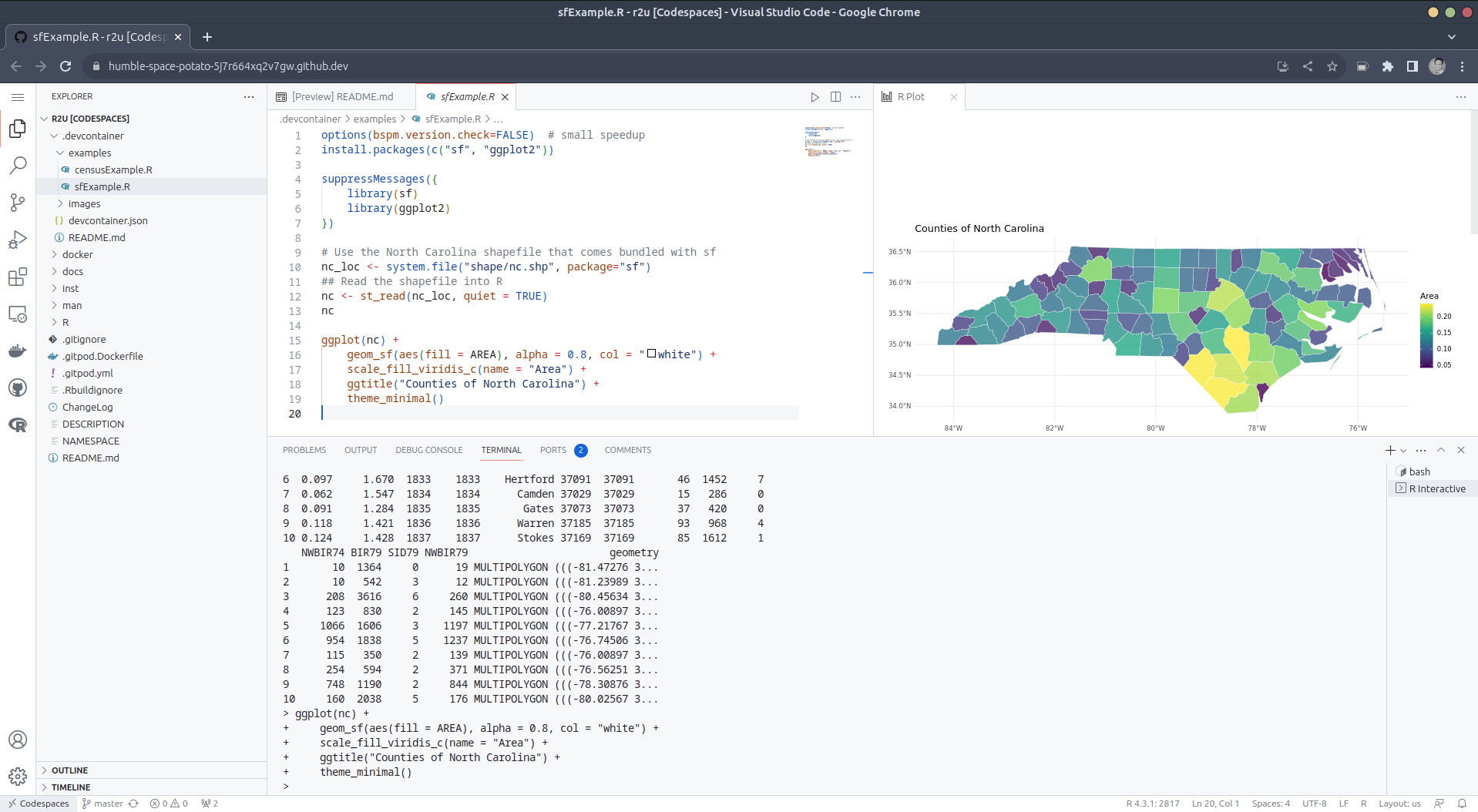 (Both example screenshots reflect the initial codespaces-r2u
repo as well as personal scratchspace one which we started with, both of
course work here too.)
Do not forget to close your Codespace once you have finished using
it. Click the Codespaces tab at the very bottom left of your code
editor / browser and select Close Current Codespace in the resulting
pop-up box. You can restart it at any time, for example by going to
https://github.com/codespaces and clicking on your instance.
(Both example screenshots reflect the initial codespaces-r2u
repo as well as personal scratchspace one which we started with, both of
course work here too.)
Do not forget to close your Codespace once you have finished using
it. Click the Codespaces tab at the very bottom left of your code
editor / browser and select Close Current Codespace in the resulting
pop-up box. You can restart it at any time, for example by going to
https://github.com/codespaces and clicking on your instance.
examples/censusExample.R
which install both the cellxgene-census
and tiledbsoma R
packages as binaries from r-universe (along with about 100
dependencies), downloads single-cell data from Census and uses Seurat to create PCA and
UMAP decomposition plots. Note that in order run this you have to
change the Codespaces default instance from small (4gb ram) to large
(16gb ram).
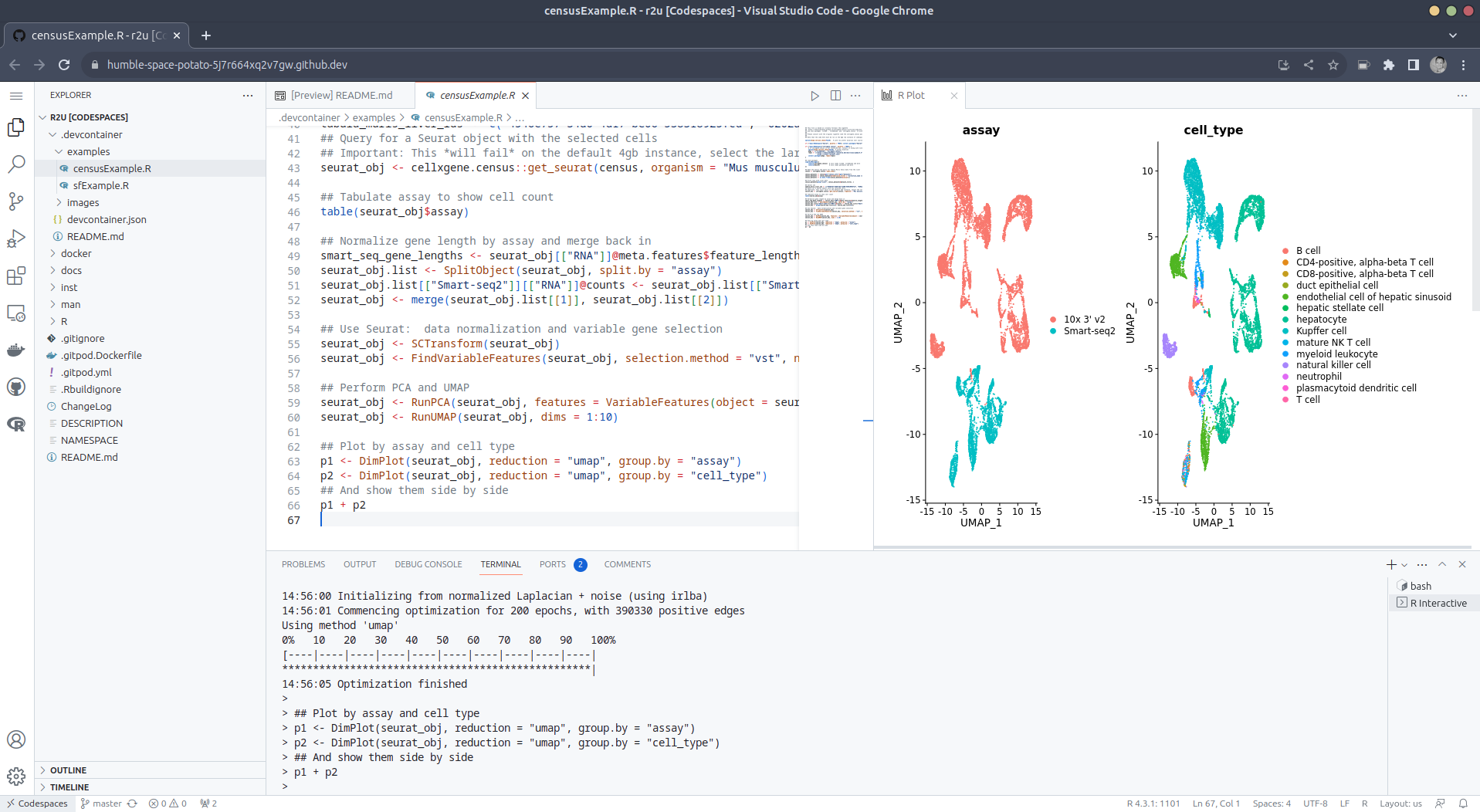
>< tab at the
very bottom left of your VS Code editor and select this option. To shut
down the container, simply click the same button and choose Reopen
Folder Locally . You can always search for these commands via the
command palette too (Cmd+Shift+p /
Ctrl+Shift+p).
.devcontainers in your selected repo, and add the file .devcontainers/devcontainer.json.
You can customize it by enabling other feature, or use the
postCreateCommand field to install packages (while taking
full advantage of r2u).
bspm making
package installation to the sysstem so seamless.This post by Dirk Eddelbuettel originated on his Thinking inside the box blog. Please report excessive re-aggregation in third-party for-profit settings.
Originally posted 2023-08-13, minimally edited 2023-08-15 which changed the timestamo and URL.

 Like each month, have a look at the work funded by Freexian s Debian LTS offering.
 One of the annoyances I had when I upgraded from Buster to Bullseye (yes, I m talking about an upgrade I did at the end of 2021) is that I ended up moving from Mailman 2 to Mailman 3. Which is fine, I guess, but it meant I could no longer use listadmin to deal with messages held for moderation. At the time I looked around, couldn t find anything, shrugged, and became incredibly bad at performing my list moderation duties.
Last week I finally accepted what I should have done at least a year ago and wrote some hopefully not too bad Python to web scrape the Mailman 3 admin interface. It then presents a list of subscribers and held messages that might need approved or discarded. It s heavily inspired by listadmin, but not a faithful copy (partly because it s been so long since I used it that I m no longer familiar with its interface). Despite that I ve called it listadmin3.
It currently meets the bar of extremely useful to me so I ve tagged v0.1. You can get it on Github. I d be interested in knowing if it actually works for / is useful to anyone else (I suspect it won t be happy with interfaces configured to not be in English, but that should be solvable). Comment here or reply to my Fediverse announcement.
Example usage, cribbed directly from the README:
One of the annoyances I had when I upgraded from Buster to Bullseye (yes, I m talking about an upgrade I did at the end of 2021) is that I ended up moving from Mailman 2 to Mailman 3. Which is fine, I guess, but it meant I could no longer use listadmin to deal with messages held for moderation. At the time I looked around, couldn t find anything, shrugged, and became incredibly bad at performing my list moderation duties.
Last week I finally accepted what I should have done at least a year ago and wrote some hopefully not too bad Python to web scrape the Mailman 3 admin interface. It then presents a list of subscribers and held messages that might need approved or discarded. It s heavily inspired by listadmin, but not a faithful copy (partly because it s been so long since I used it that I m no longer familiar with its interface). Despite that I ve called it listadmin3.
It currently meets the bar of extremely useful to me so I ve tagged v0.1. You can get it on Github. I d be interested in knowing if it actually works for / is useful to anyone else (I suspect it won t be happy with interfaces configured to not be in English, but that should be solvable). Comment here or reply to my Fediverse announcement.
Example usage, cribbed directly from the README:
$ listadmin3
fetching data for partypeople@example.org ... 200 messages
(1/200) 5303: omgitsspam@example.org / March 31, 2023, 6:39 a.m.:
  The message is not from a list member: TOP PICK
(a)ccept, (d)iscard, (b)ody, (h)eaders, (s)kip, (q)uit? q
Moving on...
fetching data for admins@example.org ... 1 subscription requests
(1/1) "The New Admin" <newadmin@example.org>
(a)ccept, (d)iscard, (r)eject, (s)kip, (q)uit? a
1 messages
(1/1) 6560: anastyspamer@example.org / Aug. 13, 2023, 3:15 p.m.:
  The message is not from a list member: Buy my stuff!
(a)ccept, (d)iscard, (b)ody, (h)eaders, (s)kip, (q)uit? d
0 to accept, 1 to discard, proceed? (y/n) y
fetching data for announce@example.org ... nothing in queue
$
dpkg-buildpackage -uc -us -b will spit you out a .deb) but I m holding off on filing an ITP + actually uploading until I know if it s useful enough for others before doing so. You only really need the listadmin3 file and to ensure you have Python3 + MechanicalSoup installed.
(Yes, I still run mailing lists. Hell, I still run a Usenet server.)
 Mexico s education sector had one of the longest lockdowns due to COVID: As
everybody, we went virtual in March 2020, and it was only by late February
2022 that I went back to teach presentially at the University.
But for the semester starting next Tuesday, I m going back to a full-online
mode. Why? Because me and my family will be travelling to Argentina for six
months, starting this October and until next March. When I went to ask for my
teaching to be frozen for two semesters, the Head of Division told me he was
actually looking for teachers wanting to do distance-teaching With a student
population of >380,000 students, and not being able to grow the physical
infrastructure, and with such a big city as Mexico City, where a person can take
ove 2hr to commute daily It only makes sense to offer part of the courses
online.
To be honest, I m a bit nervous about this. The past couple of days, I ve been
setting up again the technological parts (i.e. spinning up a Jitsi instance,
remembering my usual practices and programs). But Well, I know that being
videoconference-bound, my teaching will lose the dynamism that comes from
talking face to face with students. I think I will miss it!
(but at the same time, I m happy to try this anew: to go virtual, but where
students choosing this modality do so by choice rather than because the world
forced them to)
Welcome to the 41th post in the $R^4 series. This
post draws on joint experiments first started by Grant building on the
lovely work Eitsupi as part of
our Rocker Project. In short,
r2u is an ideal match
for Codesspaces, a
Microsoft/GitHub service to run code locally but in the cloud via
browser or Visual Studio
Code. This posts co-serves as the README.md in the
Mexico s education sector had one of the longest lockdowns due to COVID: As
everybody, we went virtual in March 2020, and it was only by late February
2022 that I went back to teach presentially at the University.
But for the semester starting next Tuesday, I m going back to a full-online
mode. Why? Because me and my family will be travelling to Argentina for six
months, starting this October and until next March. When I went to ask for my
teaching to be frozen for two semesters, the Head of Division told me he was
actually looking for teachers wanting to do distance-teaching With a student
population of >380,000 students, and not being able to grow the physical
infrastructure, and with such a big city as Mexico City, where a person can take
ove 2hr to commute daily It only makes sense to offer part of the courses
online.
To be honest, I m a bit nervous about this. The past couple of days, I ve been
setting up again the technological parts (i.e. spinning up a Jitsi instance,
remembering my usual practices and programs). But Well, I know that being
videoconference-bound, my teaching will lose the dynamism that comes from
talking face to face with students. I think I will miss it!
(but at the same time, I m happy to try this anew: to go virtual, but where
students choosing this modality do so by choice rather than because the world
forced them to)
Welcome to the 41th post in the $R^4 series. This
post draws on joint experiments first started by Grant building on the
lovely work Eitsupi as part of
our Rocker Project. In short,
r2u is an ideal match
for Codesspaces, a
Microsoft/GitHub service to run code locally but in the cloud via
browser or Visual Studio
Code. This posts co-serves as the README.md in the .devcontainer
directory as well as a vignette
for r2u.
So let us get into it. Starting from the r2u repository, the .devcontainer
directory provides a small self-containted file
devcontainer.json to launch an executable environment R
using r2u. It is based on the example in Grant
McDermott s codespaces-r2u repo and reuses its documentation. It is
driven by the Rocker
Project s Devcontainer Features repo creating a fully functioning R
environment for cloud use in a few minutes. And thanks to r2u you can add easily to
this environment by installing new R packages in a fast and failsafe
way.
The first time you do this, it will open up a new browser tab where
your Codespace is being instantiated. This first-time instantiation
will take a few minutes (feel free to click View logs to see how
things are progressing) so please be patient. Once built, your Codespace
will deploy almost immediately when you use it again in the future.
After the VS Code editor opens up in your browser, feel free to open
up the examples/sfExample.R
file. It demonstrates how r2u enables us install
packages and their system-dependencies with ease, here
installing packages sf (including all its
geospatial dependencies) and ggplot2 (including
all its dependencies). You can run the code easily in the browser
environment: Highlight or hover over line(s) and execute them by hitting
Cmd+Return (Mac) /
Ctrl+Return (Linux / Windows).
(Both example screenshots reflect the initial codespaces-r2u
repo as well as personal scratchspace one which we started with, both of
course work here too.)
Do not forget to close your Codespace once you have finished using
it. Click the Codespaces tab at the very bottom left of your code
editor / browser and select Close Current Codespace in the resulting
pop-up box. You can restart it at any time, for example by going to
https://github.com/codespaces and clicking on your instance.
examples/censusExample.R
which install both the cellxgene-census
and tiledbsoma R
packages as binaries from r-universe (along with about 100
dependencies), downloads single-cell data from Census and uses Seurat to create PCA and
UMAP decomposition plots. Note that in order run this you have to
change the Codespaces default instance from small (4gb ram) to large
(16gb ram).
>< tab at the
very bottom left of your VS Code editor and select this option. To shut
down the container, simply click the same button and choose Reopen
Folder Locally . You can always search for these commands via the
command palette too (Cmd+Shift+p /
Ctrl+Shift+p).
.devcontainers in your selected repo, and add the file .devcontainers/devcontainer.json.
You can customize it by enabling other feature, or use the
postCreateCommand field to install packages (while taking
full advantage of r2u).
bspm making
package installation to the sysstem so seamless.This post by Dirk Eddelbuettel originated on his Thinking inside the box blog. Please report excessive re-aggregation in third-party for-profit settings.
Contributing to Debian
is part of Freexian s mission. This article
covers the latest achievements of Freexian and their collaborators. All of this
is made possible by organizations subscribing to our
Long Term Support contracts and
consulting services.
Autocrypt: addr=anarcat@torproject.org; prefer-encrypt=nopreference;
 keydata=xsFNBEogKJ4BEADHRk8dXcT3VmnEZQQdiAaNw8pmnoRG2QkoAvv42q9Ua+DRVe/yAEUd03EOXbMJl++YKWpVuzSFr7IlZ+/lJHOCqDeSsBD6LKBSx/7uH2EOIDizGwfZNF3u7X+gVBMy2V7rTClDJM1eT9QuLMfMakpZkIe2PpGE4g5zbGZixn9er+wEmzk2mt20RImMeLK3jyd6vPb1/Ph9+bTEuEXi6/WDxJ6+b5peWydKOdY1tSbkWZgdi+Bup72DLUGZATE3+Ju5+rFXtb/1/po5dZirhaSRZjZA6sQhyFM/ZhIj92mUM8JJrhkeAC0iJejn4SW8ps2NoPm0kAfVu6apgVACaNmFb4nBAb2k1KWru+UMQnV+VxDVdxhpV628Tn9+8oDg6c+dO3RCCmw+nUUPjeGU0k19S6fNIbNPRlElS31QGL4H0IazZqnE+kw6ojn4Q44h8u7iOfpeanVumtp0lJs6dE2nRw0EdAlt535iQbxHIOy2x5m9IdJ6q1wWFFQDskG+ybN2Qy7SZMQtjjOqM+CmdeAnQGVwxowSDPbHfFpYeCEb+Wzya337Jy9yJwkfa+V7e7Lkv9/OysEsV4hJrOh8YXu9a4qBWZvZHnIO7zRbz7cqVBKmdrL2iGqpEUv/x5onjNQwpjSVX5S+ZRBZTzah0w186IpXVxsU8dSk0yeQskblrwARAQABzSlBbnRvaW5lIEJlYXVwcsOpIDxhbmFyY2F0QHRvcnByb2plY3Qub3JnPsLBlAQTAQgAPgIbAwULCQgHAwUVCgkICwUWAgMBAAIeAQIXgBYhBI3JAc5kFGwEitUPu3khUlJ7dZIeBQJihnFIBQkacFLiAAoJEHkhUlJ7dZIeXNAP/RsX+27l9K5uGspEaMH6jabAFTQVWD8Ch1om9YvrBgfYtq2k/m4WlkMh9IpT89Ahmlf0eq+V1Vph4wwXBS5McK0dzoFuHXJa1WHThNMaexgHhqJOs
 S60bWyLH4QnGxNaOoQvuAXiCYV4amKl7hSuDVZEn/9etDgm/UhGn2KS3yg0XFsqI7V/3RopHiDT+k7+zpAKd3st2V74w6ht+EFp2Gj0sNTBoCdbmIkRhiLyH9S4B+0Z5dUCUEopGIKKOSbQwyD5jILXEi7VTZhN0CrwIcCuqNo7OXI6e8gJd8McymqK4JrVoCipJbLzyOLxZMxGz8Ki0b9O844/DTzwcYcg9I1qogCsGmZfgVze2XtGxY+9zwSpeCLeef6QOPQ0uxsEYSfVgS+onCesSRCgwAPmppPiva+UlGuIMun87gPpQpV2fqFg/V8zBxRvs6YTGcfcQjfMoBHmZTGb+jk1//QAgnXMO7fGG38YH7iQSSzkmodrH2s27ZKgUTHVxpBL85ptftuRqbR7MzIKXZsKdA88kjIKKXwMmez9L1VbJkM4k+1Kzc5KdVydwi+ujpNegF6ZU8KDNFiN9TbDOlRxK5R+AjwdS8ZOIa4nci77KbNF9OZuO3l/FZwiKp8IFJ1nK7uiKUjmCukL0od/6X2rJtAzJmO5Co93ZVrd5r48oqUvjklzzsBNBFmeC3oBCADEV28RKzbv3dEbOocOsJQWr1R0EHUcbS270CrQZfb9VCZWkFlQ/1ypqFFQSjmmUGbNX2CG5mivVsW6Vgm7gg8HEnVCqzL02BPY4OmylskYMFI5Bra2wRNNQBgjg39L9XU4866q3BQzJp3r0fLRVH8gHM54Jf0FVmTyHotR/Xiw5YavNy2qaQXesqqUv8HBIha0rFblbuYI/cFwOtJ47gu0QmgrU0ytDjlnmDNx4rfsNylwTIHS0Oc7Pezp7MzLmZxnTM9b5VMprAXnQr4rewXCOUKBSto+j4rD5/77DzXw96bbueNruaupb2Iy2OHXNGkB0vKFD3xHsXE2x75NBovtABEBAAHCwqwEGAEIACAWIQSNyQHOZBRsBIrVD7t5IVJSe3WSHgUCWZ4LegIbAgFACRB5IV
 JSe3WSHsB0IAQZAQgAHRYhBHsWQgTQlnI7AZY1qz6h3d2yYdl7BQJZngt6AAoJED6h3d2yYdl7CowH/Rp7GHEoPZTSUK8Ss7crwRmuAIDGBbSPkZbGmm4bOTaNs/gealc2tsVYpoMx7aYgqUW+t+84XciKHT+bjRv8uBnHescKZgDaomDuDKc2JVyx6samGFYuYPcGFReRcdmH0FOoPCn7bMW5mTPztV/wIA80LZD9kPKIXanfUyI3HLP0BPwZG4WTpKzJaalR1BNwu2oF6kEK0ymH3LfDiJ5Sr6emI2jrm4gH+/19ux/x+ST4tvm2PmH3BSQOPzgiqDiFd7RZoAIhmwr3FW4epsK9LtSxsi9gZ2vATBKO1oKtb6olW/keQT6uQCjqPSGojwzGRT2thEANH+5t6Vh0oDPZhrKUXRAAxHMBNHEaoo/M0sjZo+5OF3Ig1rMnI6XbKskLv6hu13cCymW0w/5E4XuYnyQ1cNC3pLvqDQbDx5mAPfBVHuqxJdRLQ3yDM/D2QIsxnkzQwi0FsJuni4vuJzWK/NHHDCvxMCh0YmSgbptUtgW8/niatd2Y6MbfRGxUHoctKtzqzivC8hKMTFrj4AbZhg/e9QVCsh5zSXtpWP0qFDJsxRMx0/432n9d4XUiy4U672r9Q09SsynB3QN6nTaCTWCIxGxjIb+8kJrRqTGwy/PElHX6kF0vQUWZNf2ITV1sd6LK/s/7sH+x4rzgUEHrsKr/qPvY3rUY/dQLd+owXesY83ANOu6oMWhSJnPMksbNa4tIKKbjmw3CFIOfoYHOWf3FtnydHNXoXfj4nBX8oSnkfhLILTJgf6JDFXfw6mTsv/jMzIfDs7PO1LK2oMK0+prSvSoM8bP9dmVEGIurzsTGjhTOBcb0zgyCmYVD3S48vZlTgHszAes1zwaCyt3/tOwrzU5JsRJVns+B/TUYaR/u3oIDMDygvE5ObWxXaFVnCC59r+zl0FazZ0ouyk2AYIR
 zHf+n1n98HCngRO4FRel2yzGDYO2rLPkXRm+NHCRvUA/i4zGkJs2AV0hsKK9/x8uMkBjHAdAheXhY+CsizGzsKjjfwvgqf84LwAzSDdZqLVE2yGTOwU0ESiArJwEQAJhtnC6pScWjzvvQ6rCTGAai6hrRiN6VLVVFLIMaMnlUp92EtgVSNpw6kANtRTpKXUB5fIPZVUrVdfEN06t96/6LE42tgifDAFyFTZY5FdHHri1GG/Cr39MpW2VqCDCtTTPVWHTUlU1ZG631BJ+9NB+ce58TmLr6wBTQrT+W367eRFBC54EsLNb7zQAspCn9pw1xf1XNHOGnrAQ4r9BXhOW5B8CzRd4nLRQwVgtw/c5M/bjemAOoq2WkwN+0mfJe4TSfHwFUozXuN274X+0Gr10fhp8xEDYuQM0qu6W3aDXMBBwIu0jTNudEELsTzhKUbqpsBc9WjwNMCZoCuSw/RTpFBV35mXbqQoQgbcU7uWZslLl9Wvv/C6rjXgd+GeX8SGBjTqq1ZkTv5UXLHTNQzPnbkNEExzqToi/QdSjFMIACnakeOSxc0ckfnsd9pfGv1PUyPyiwrHiqWFzBijzGIZEHxhNGFxAkXwTJR7Pd40a7RDxwbO6p/TSIIum41JtteehLHwTRDdQNMoyfLxuNLEtNYS0uR2jYI1EPQfCNWXCdT2ZK/l6GVP6jyB/olHBIOr+oVXqJh+48ki8cATPczhq3fUr7UivmguGwD67/4omZ4PCKtz1hNndnyYFS9QldEGo+AsB3AoUpVIA0XfQVkxD9IZr+Zu6aJ6nWq4M2bsoxABEBAAHCwXYEGAEIACACGwwWIQSNyQHOZBRsBIrVD7t5IVJSe3WSHgUCWPerZAAKCRB5IVJSe3WSHkIgEACTpxdn/FKrwH0/LDpZDTKWEWm4416l13RjhSt9CUhZ/Gm2GNfXcVTfoF/jKXXgjHcV1DHjfLUPmPVwMdqlf5ACOiFqIUM2ag/OEARh356w
 YG7YEobMjX0CThKe6AV2118XNzRBw/S2IO1LWnL5qaGYPZONUa9Pj0OaErdKIk/V1wge8Zoav2fQPautBcRLW5VA33PH1ggoqKQ4ES1hc9HC6SYKzTCGixu97mu/vjOa8DYgM+33TosLyNy+bCzw62zJkMf89X0tTSdaJSj5Op0SrRvfgjbC2YpJOnXxHr9qaXFbBZQhLjemZi6zRzUNeJ6A3Nzs+gIc4H7s/bYBtcd4ugPEhDeCGffdS3TppH9PnvRXfoa5zj5bsKFgjqjWolCyAmEvd15tXz5yNXtvrpgDhjF5ozPiNp/1EeWX4DxbH2i17drVu4fXwauFZ6lcsAcJxnvCA28RlQlmEQu/gFOx1axVXf6GIuXnQSjQN6qJbByUYrdc/cFCxPO2/lGuUxnufN9Tvb51Qh54laPgGLrlD2huQeSD9Sxa0MNUjNY0qLqaReT99Ygb2LPYGSLoFVx9iZz6sZNt07LqCx9qNgsJwsdmwYsNpMuFbc7nkWjtlEqzsXZHTvYN654p43S+hcAhmmOzQZcew6h71fAJLciiqsPBnCEdgCGFAWhZZdPkMA==
Autocrypt: addr=anarcat@torproject.org; prefer-encrypt=nopreference;
 keydata=xjMEZHZPzhYJKwYBBAHaRw8BAQdAWdVzOFRW6FYVpeVaDo3sC4aJ2kUW4ukdEZ36UJLAHd7NKUFudG9pbmUgQmVhdXByw6kgPGFuYXJjYXRAdG9ycHJvamVjdC5vcmc+wpUEExYIAD4WIQS7ts1MmNdOE1inUqYCKTpvpOU0cwUCZHZgvwIbAwUJAeEzgAULCQgHAwUVCgkICwUWAgMBAAIeAQIXgAAKCRACKTpvpOU0c47SAPdEqfeHtFDx9UPhElZf7nSM69KyvPWXMocu9Kcu/sw1AQD5QkPzK5oxierims6/KUkIKDHdt8UcNp234V+UdD/ZB844BGR2UM4SCisGAQQBl1UBBQEBB0CYZha2IMY54WFXMG4S9/Smef54Pgon99LJ/hJ885p0ZAMBCAfCdwQYFggAIBYhBLu2zUyY104TWKdSpgIpOm+k5TRzBQJkdlDOAhsMAAoJEAIpOm+k5TRzBg0A+IbcsZhLx6FRIqBJCdfYMo7qovEo+vX0HZsUPRlq4HkBAIctCzmH3WyfOD/aUTeOF3tY+tIGUxxjQLGsNQZeGrQI
sq autocrypt decode gpg --import
$ sudo apt install -t bookworm-backports freedombox
We are also planning to update the version of FreedomBox in bookworm to have the fix. Once this update is available, then running the above command won t be necessary to receive FreedomBox feature updates.
[1] https://salsa.debian.org/freedombox-team/freedombox/-/issues/2368
[2] https://salsa.debian.org/freedombox-team/freedombox/-/merge_requests/2409
Next.
