Search Results: "tach"

16 September 2007

MJ Ray: Tour of Britain

ToB Taunton BannerJust a quick reminder that the BBC’s only Tour of Britain highlights show is on BBC 2 at 12:30 today (Astra 2D at 28 east, the same satellite as Sky UK+IE, but no subscription required). Official listings say this is highlights of the final stage but hopefully it will cover the other stages too. Hopefully, live coverage will get better next year, either online as cyclingfans editor Pete predicts or on TV.

12 September 2007

MJ Ray: Tour of Britain - stage 2: Taunton

ToB Taunton BannerAs mentioned yesterday, I went to watch the Tour of Britain for real in Taunton. It’s taken me a while to encode these (I’ll write about the technical details on another page soon), but here are the videos. They’re in the super-cool Ogg Theora format, in case that helps you update your media player with filters like these. (I probably should do some clever tricks to embed these videos in the page, but it’s taken me long enough to get this far, so please either download the files or drag-and-drop the links to your media player. If anyone can explain how to embed videos simply, please leave me a comment…) First of all, I went to Staplegrove Road, where I thought the peloton might slow slightly to get past a roundabout on their first pass through Taunton (Ogg, 514K) a bit after 11am, but they didn’t really. Then I got a brilliant position in the second row just by the finish line, which meant I didn’t see the big crash of the day until I saw the TV news in the evening, but I did see both the main sprints, for the stage win (Ogg 919K) and the yellow-jersey group (Ogg 382K). Finally, I went and watched the presentations - the yellow jersey (Ogg 1.3M) and the champagne spray (Ogg 643K) are shown here. The BBC has the broadcast rights to the tour of Britain and seem to be doing a terrible job: Live race news seems to be limited to a quick mention in the half-hourly sports bulletins on Radio Five (on satellite Astra 2D at 28 east to much of north-west Europe, or Medium Wave 909 and 693kHz). Each night, there’s a short (3 minutes?) summary report in the BBC1 TV news of that stage’s region, some time after 18:30 BST (so tonight in West Midlands, tomorrow Yorkshire and North Midlands, Friday North-west and Saturday Scotland, all Astra 2D). This is not shown on BBC News 24, as far as I’ve seen, not even in the Sportsday show. There will be one national highlights show on BBC 2 at 14:30 on Sunday (again, Astra 2D), the day after the race has finished. Official listings say this is highlights of the final stage but hopefully it will cover the other stages too. I feel they should take the rights away from the BBC and give ITV a chance. We had better coverage of this year’s Tour of Ireland (from itv4) than we have of the Tour of Britain - this is silly. For non-TV coverage details, including Twitter, see CyclingFans.com

7 September 2007

Russell Coker: Duplicating a Xen DomU

A fairly common request is to be able to duplicate a Xen instance. For example you might have a DomU for the purpose of running Wordpress and want another DomU to run MediaWiki. The difference in configuration between two DomU’s for running web based services that are written in PHP and talking to a MySQL back-end is quite small, so copying the configuration is easier than a clean install. It is a commonly held opinion that a clean install should be done every time and that Kickstart on Red Hat, FAI on Debian and comparable technologies on other distributions can be used for a quick automatic install. I have not yet got FAI working correctly or got Kickstart working on Xen (it’s on my todo list - I’ll blog about it when it’s done). Regardless of whether it’s a good idea to copy a Xen DomU, there are often situations where clients demand it or when it’s impractically difficult to do a fresh install. I believe that the most sensible way to store block devices with Xen is to use LVM. It is a requirement for a Xen system that you can easily create new block devices while the machine is running and that the size of block devices can be changed with minimal effort. This rules out using Linux partitions and makes it unreasonably difficult to use LUNs on a fiber-channel SAN or partitions on a hardware RAID. LVM allows creating new block devices and changing the size of block devices with minimal effort. Another option would be to use files on a regular filesystem to store the filesystem data for Xen DomU’s, if choosing this option I recommend using XFS [1] filesystem (which delivers good performance with large filesystems and large files). If you use XFS to store the block devices for the DomU that you want to copy then you will need to halt the DomU for the duration of the copy as there is no other way of getting an atomic copy of the filesystem while it’s in use. The way of doing this would be to run the command “xm console foo ; cp /mnt/whatever/foo-root /mnt/whatever/bar-root ; xm create -c foo” where “foo” is the name of the DomU and “/mnt/whatever/foo-root” is the file that is used to store the root device for the DomU (note that multiple cp commands would be needed if there are multiple block devices). The reason for having the two xm commands on the one line is that you initially login to the DomU from the console and type halt and then the xm command will terminate when the DomU is destroyed. This means that there is no delay from the time the domain is destroyed to the time that the copy starts. If you use LVM to store the block device then things are a little easier (and you get no down-time). You simply run the command “lvcreate -s -L 300m -n foo-snap /dev/V0/foo-root” to create a snapshot with the device name /dev/V0/foo-snap which contains a snapshot the of the LV (Logical Volume) /dev/V0/foo-root. The “-L 300m” option means to use 300Meg of storage space for the snapshot - if the writes to /dev/V0/foo-root exceed 300Meg of data then your snapshot breaks. There is no harm in setting the allocated space for the snapshot to be the same as the size of the volume that you are going to copy - it merely means that more disk space is reserved and unavailable for other LVM operations. Note that V0 needs to be replaced by the name of the LVM VG (Volume Group) Once you have created the snapshot you can create a new LV with the command “lvcreate -n new-root -L X /dev/V0” where X is the size of the device (must be at least as big as the device you are copying) and then copy the data across with a command similar to “dd if=/dev/V0/foo-snap of=/dev/V0/new-root bs=1024k“. After the copy is finished you must remove the snapshot with the command “lvremove /dev/V0/foo-snap” (please be very careful when running this command - you really don’t want to remove an LV that has important data). Note that in normal operation lvremove will always give a prompt “Do you really want to remove active logical volume“. If you made the new device bigger then you must perform the operations that are appropriate for your filesystem to extend it’s size to use the new space. There is no need to copy a swap device, it’s easier to just create a new device and run mkswap on it. After copying the data you will need to create the new Xen config (by copying /etc/xen/foo to the new name). Make sure that you edit the Xen config file to use the correct block devices and if you are specifying the MAC address [2] by a “vif” line in the config file make sure that you change them to unique addresses for your LAN segment (reference [2] has information on how to select addresses). Now you must mount the filesystem temporarily to change the IP address (you really don’t want two DomU’s with the same IP address). If your Dom0 has untrusted users or services that are accessed by untrusted users (IE any Internet facing service) then you want to mount the filesystem in question with the options nosuid and nodev so that if the DomU has been cracked it won’t allow cracking of the Dom0. After changing the configuration files to change the IP address(es) of the DomU you can then umount the filesystem and start it with the xm create command. If instead of creating the clone DomU on the same Dom0 you want to put it on a different system you can copy the block devices to files on a regular filesystem on removable media (EG an IDE disk with USB attachment). When copying the block devices you also need to copy the Xen configuration and edit it to reflect the new paths to block devices for the data once it’s copied to the new server, but you won’t necessarily need to change the MAC address if you are copying it to a different LAN segment. References:
  1. http://en.wikipedia.org/wiki/XFS

  2. http://en.wikipedia.org/wiki/MAC_address

4 September 2007

Miriam Ruiz: Kenta Cho games, as promised

Peter De Wachter and I have been packaging most of Kenta Cho’s games in the latest weeks. As it might take a while for them to reach Debian repositories, mostly because they’ll have to wait for libbulletml to go through NEW queue, and afterwards they’ll have to go through the NEW queue themselves, I thought it might make sense to have them available online. Some of them will need libbulletml, you might as well download it too if you’re interested. So far, the following games are available: I hope to finish Val & Rick soon too. We probably won’t package Suzuri and Masashikun Hi!, as they’d probably be quite difficult to port to Linux. Noiz2sa is already packaged in Debian (well, so is rRootage, but I will upload the newer version soon, I just don’t want to harass my sponsors too much, so please be patient). The games can be temporarily downloaded here, and libbulletml here. libbulletml has been coded in C++ by shinichiro.h, while BulletML design is Kenta Cho’s. You also have packages available for 360 degree barrages (bulletss) and White barrage (sdmkun) by shinichiro.h. The former is a small demo for libbulletml, while the latter lets you see and experiment the power of the language.

30 August 2007

John Goerzen: Technology

Two days ago, I was out by the road digging a hole for our mailbox.

Along comes a guy on a tractor. The tractor was built in maybe the 1960s. It had no cab, and was loud, as tractors are. Attached to the back was a mower. It had long since lost any part of paint that was on it, and appeared to be made of rust.

The farmer driving this tractor was wearing a bluetooth earpiece for his cellphone.

(I don't think there would be any way to use a phone while driving that tractor due to the noise, but hey.)

Now, the rest of the story...

This being rural Kansas, the farmer saw me and stopped to chat, turning off the tractor first, of course. He introduced himself as "that crazy guy from south of town", and of course had a pretty good idea of who I was. After all, he's lived around here for decades and knew my grandpa.

I told him why I was digging the hole for the mailbox. There's going to be a second house down our mile, so now the post office will actually deliver to a mailbox at our driveway, rather than one almost a mile away. I thought he looked confused, so I pointed down the road and said that's our mailbox on the corner.

"Oh, I know. I probably shouldn't say this, but I knew when you moved in because I checked your mailbox one day and it didn't have 40-year-old ads piling up anymore."

We chatted a few more minutes, about the neighbor's goats, how annoying it is that he can't get DSL, why he wishes he could still use DOS instead of Windows. Then he went off towards home.

He had stopped his tractor in the middle of the road. But it wasn't a problem. Nobody drove by that whole time anyway.

28 August 2007

Joerg Jaspert: UMTS (3G) in Linux - very simple, better than in Windows!

I got my UMTS (3G) card on monday and started to play with it. And from what I could read about the windows software that comes with the card - I am glad to have Linux. After all the only thing I had to figure out was the fact that everything just works and I just have to point my dialup app at the right interface… In Windows you have to install tons of megabytes of bullshit, possibly with ten reboots. Ha. For future reference, mainly for me but possibly others too - lets write down what I have: I got a Vodafone Option card, Model GE0201. It’s one for the new-style ExpressCard Slots, so it ships with an adapter to the older CardBus standard. Inserting the card into its slot (already in the adapter) the following dmesg output appears:
[15930.197929] pccard: CardBus card inserted into slot 0
[15930.198371] PCI: Enabling device 0000:06:00.0 (0000 -> 0002)
[15930.198385] ACPI: PCI Interrupt 0000:06:00.0[A] -> GSI 18 (level,low) -> IRQ 18
[15930.198416] PCI: Setting latency timer of device 0000:06:00.0 to 64
[15930.198424] ohci_hcd 0000:06:00.0: OHCI Host Controller
[15930.198480] ohci_hcd 0000:06:00.0: new USB bus registered, assigned bus number 6
[15930.198507] ohci_hcd 0000:06:00.0: irq 18, io mem 0x8c000000
[15930.764279] usb usb6: configuration #1 chosen from 1 choice
[15930.764308] hub 6-0:1.0: USB hub found
[15930.764320] hub 6-0:1.0: 2 ports detected
[15931.276444] PCI: Enabling device 0000:06:00.2 (0000 -> 0002)
[15931.276460] ACPI: PCI Interrupt 0000:06:00.2[A] -> GSI 18 (level,low) -> IRQ 18
[15931.276827] PCI: Setting latency timer of device 0000:06:00.2 to 64
[15931.276836] ehci_hcd 0000:06:00.2: EHCI Host Controller
[15931.277145] ehci_hcd 0000:06:00.2: new USB bus registered, assigned bus number 7
[15931.299893] ehci_hcd 0000:06:00.2: irq 18, io mem 0x8c001000
[15931.299916] ehci_hcd 0000:06:00.2: USB 2.0 started, EHCI 1.00, driver 10 Dec 2004
[15931.300351] usb usb7: configuration #1 chosen from 1 choice
[15931.300523] hub 7-0:1.0: USB hub found
[15931.300535] hub 7-0:1.0: 2 ports detected
[15934.837567] usb 6-1: new full speed USB device using ohci_hcd and address 2
[15935.033681] usb 6-1: configuration #1 chosen from 1 choice
[15935.036577] option 6-1:1.0: GSM modem (1-port) converter detected
[15935.036751] usb 6-1: GSM modem (1-port) converter now attached to ttyUSB0
[15935.039703] option 6-1:1.1: GSM modem (1-port) converter detected
[15935.039813] usb 6-1: GSM modem (1-port) converter now attached to ttyUSB1
[15935.043067] option 6-1:1.2: GSM modem (1-port) converter detected
[15935.043482] usb 6-1: GSM modem (1-port) converter now attached to ttyUSB2
Inserting the adapter alone already gives the output up to timecode 15931.300535, so it doesn’t seem to be a simple adapter only. I wonder what I get when I use it with random ExpressCard devices. (Not that I have any other than the option card atm). Looks like the card registers 3 GSM modem ports. Only 2 are usable, so don’t try to use ttyUSB1, doesn’t work anyway. In case the system doesn’t like the ports one may need to reload the usbserial module telling it the vendor and product id it should work for, but I did not need to do it. Now, getting online. The actual act is very simple, just let me write down some more detailed text as background info: There are 2 usable “modem” interfaces one can use. I chosed to use ttyUSB0 for internet connections, leaving ttyUSB2 to other apps. Like - getting status information or sending/receiving short messages. The first step one has to do is unlocking the card with your pin. The command for this is AT+CPIN=xxxx, replacing xxxx with the actual pin. (Type it into a minicom if you want). The card will “login” into the mobile system and change its flashing lights from “both lights flash” to “only umts light flashes”. Its also useful to tell your card which net to use for future connections. So type AT+CGDCONT=1,”IP”,”web.vodafone.de” and you did select the Vodafone net. There are a few other AT commands where you can tell the card the preferred way of operation, ie. should it prefer UMTS(3G) or GPRS connections or should it only support one of those:
at_opsys=0,2Only GPRS
at_opsys=1,2Only UMTS(3g)
at_opsys=2,2Prefer GPRS over UMTS(3G)
at_opsys=3,2Prefer UMTS(3G) over GPRS
I did use the 3,2 setting, but there may be situations where you want other settings. Type AT+CSQ to see your current signal strength. After having done all those preparations we want to get connected. Simple. Dial *99***1# and the card will connect. You only need to talk a bit of PPP and you have net. Of course noone wants to do all this by hand, so lets use wvdial for it. Its simple. Take the following config:
[Dialer Defaults]
Init1 = ATZ
Init2 = ATQ0 V1 E1 S0=0 &C1 &D2 +FCLASS=0
Modem Type = Analog Modem
Baud = 460800
New PPPD = yes
Modem = /dev/ttyUSB0
ISDN = 0
[Dialer pin]
Init3 = AT+CPIN=xxxx
[Dialer umts]
Dial Command = ATD
Carrier Check = no
Phone = *99***1#
Password = doesntmatter
Username = noonecares
Stupid Mode = 1
Init4 = AT+CGDCONT=1,"IP","web.vodafone.de"
Dial Attempts = 2
With it you type wvdial pin, wait a second and type wvdial umts and you have a working internet connection. Hit Ctrl-C to disconnect. Yes, thats all thats needed. Plugin card, type wvdial pin && sleep 1 && wvdial umts and have fun. Now, what to do with the second “modem” on the card. You could use it to get status info about your connection, like signal strenght. You could also point wammu/gammu at it and send or receive SMS. Ok, well. Wammu has a little bug currently and doesn’t really like the option card. I mailed its maintainer already and got a patch back, which fixes half of the problem, so full support should be there soon. (Guessing with the time he needed for the initial patch it should be there within days at max… :) ). Trying a KDE app (*shudder* :) ) named kmobiletools one can read SMS without any patch. One can even send SMS. But kmobiletools can’t delete SMS stored on the card.). Finally - testing the stuff in a real life situation: My trip to work, which is about 1.5hours in a german train (ICE). I am impressed, it’s way better than I feared. I was online for the whole trip, about 90% of the time with UMTS (3G), 8-9% GPRS and for 2% the card didn’t had any signal. Which was to be expected, having a multi-kilometre tunnel soon after trip starts. The card never lost its PPP connection and all applications did run fine. The card does have *huge* buffers for data, the 2% nothing did give me a ping time maximum of 150.000 ms but not a single lost package. Thats also what one experiences when the card switches from UMTS to GPRS - ping time goes up for some time until GPRS takes over, then it continues without any trouble and every pending stuff is send. (Except that GPRS ping times are slightly larger, of course). Soooo, summary for me is: It’s worth the money, as I can use it for about 3 hours every day I go to work. Sometimes thats 4 hours, depending on the time I leave work (bad train times). Having a price of about 40EUR per month for a real flat it sounds acceptable for me. PS: The only thing one should never try is to run pccardctl eject. While the kernel tells you it eject a card - you will end up with a zombie process, forever. And also unable to get the card working again, you have to reboot. So - just stop the apps accessing the card and then just unplug it. Sounds bad, but is the working way…

22 August 2007

Lucas Nussbaum: Opening mutt s HTML attachments with epiphany?

I just ran into a rather funny problem. I’d like to use epiphany to open text/html attachments or mail parts. Mutt uses mailcap, so I added an entry in ~/.mailcap:
text/html; epiphany-browser '%s'; description=HTML Text; nametemplate=%s.html This should work fine, but the problem is that mutt creates a temporary file (/tmp/mutt.html) and removes it when the command terminates, which is nearly immediately with epiphany. And epiphany has a really nice feature: it monitors local files for changes and reload them when they change. Which results in seeing the page briefly, then a File "/tmp/mutt.html" not found. error page. Anyone using mutt and epiphany together successfully?

19 August 2007

Kai Hendry: Sharing multimedia

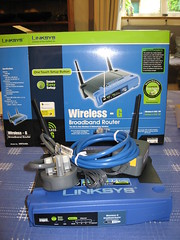
Every home should have a WRT54G-L Ok, I have the slug. It’s great because it allows me to easily & reliably share my multimedia collection. So I’ve moved my multimedia collection to a massive hard drive attached to the slug and now that hard drive is full. I could buy an even bigger NAS, though wait a minute… I have GIGs of (wasted) free space across my (flat mate’s) machines. Wtf happened to P2P? I need something like what Google has. I distantly recall mounting NFS shares of each of my (friend’s) machines and then mounting them on the central slug and trying to re-share them. I don’t think that works. I remember in University dorms (I’m not telling where!), students had a massive multimedia share with Windows file sharing. It actually worked quite well, including search. Any tips lazyweb? Or are centralised services really the future?

17 August 2007

Maximilian Attems: Huawei E220 HSDPA usb modem

The usb modem works out of the box with current Linux 2.6.23-rc2 (why would you use older ;-).
usb 2-2: new full speed USB device using uhci_hcd and address 8
usb 2-2: configuration #1 chosen from 1 choice
option 2-2:1.0: GSM modem (1-port) converter detected
usb 2-2: GSM modem (1-port) converter now attached to ttyUSB0
option 2-2:1.1: GSM modem (1-port) converter detected
usb 2-2: GSM modem (1-port) converter now attached to ttyUSB1
For lazy guys wvdial drei the wvdial.conf for 3 connectivity (hint - fix pin):
[Dialer drei]
Modem = /dev/ttyUSB0
SetVolume = 0
Dial Command = ATDT
Init1 = ATZ
;Init2 = AT+CPIN=1234
Init3 = ATE1V1&D2&C1S0=0+IFC=2,2
Init4 = AT+IPR=115200
Init5 = ATE1
Phone = *99#
Stupid Mode = 1
Init8 = AT+CGDCONT=1,"IP","drei.at","0.0.0.0",0,0
Dial Attempts = 2
Username = xx
Password = xx
Current mood very happy. :) Aboves means connectivity almost everywhere in Austria due to A1 network fallback.

7 August 2007

Evan Prodromou: 19 Thermidor CCXV

I'm on the plane down from Vancouver to San Francisco this morning. My flight from Taipei hit Vancouver around 8PM last night, so I stayed at the Fairmont Hotel at the airport. It was definitely a special treat -- the Fairmont's pretty pricey -- but this trip has been really low-budget and I needed a lot of rest and recharge. I had a good room with a view of the airport and the city beyond. My flight over was uneventful -- sleep, eat, Spiderman 3 -- which was good since I'd had such a big last day in Taipei. In the morning, I'd gone out to see Taipei 101, which claims to be the tallest building in the world by some standards. I think there are lots of ways to slice the "tallest building" category -- the CN Tower has a strong claim, but that's only counting the huge antenna on top. And there's an unfinished tower in Dubai that's already close to, or taller than, Taipei 101. Regardless, Taipei 101 is a real interesting site. The elevators are the fastest in the world -- 38 seconds to go from floor 5 to floor 87. The windowed observation deck is interesting, and there's an outdoor deck two flights above it. The outdoor deck is racked by Taipei's scorching heat -- when I was there, it was 31C, up above the city's protective smog belt. The sun and empty sky make for an otherworldly experience. After 101, I took Taipei's local subway, the MRT, to the National Palace Museum. I've found the MRT easy to get around on -- most of the information was available in English as well as Chinese -- but I got a little lost looking for the museum. I was disappointed that the information booth in the Taiwan Main Station had so little tourism information, and all of it in Chinese. (Yeah, I forgot to print out the Wikitravel Taipei guide before leaving the hotel. My bad.) But I managed to wend my way out to Shilin Station and took a cab to the museum. It was worth the search. When the Chinese Nationalists left the mainland for Taiwan, they took with them many of the treasures of the Imperial Palace (much to the chagrin of the victorious Communists). These form the core of the museum's collection, and they're really quite amazing -- articles in bronze, ivory and gold from the Neolithic era to the modern day. While Western culture has gone through so many distinct and discontinuous phases -- Egypt and Mesopotamia, Greco-Roman, Medieval and Modern -- China's has varied much more smoothly and continuously. It's a little disconcerting to see artistic themes from 4000BC that are echoed in items for sale in the stores today. I had to get back to the Wikimania site -- by then almost empty -- to do a GChat conference with Niko. There were a passel of Wikimaniacs still around after the conference looking around Taiwan like I was, and after consulting Wikitravel we decided to go to Taipei's most famous restaurant, Din Something Something. It's got a short menu of delicious steamed dumplings -- pork, veggie, crab and shrimp. The shop's claim to fame is the elastic skin that keeps a pocket of hot broth inside the dumplings. Hey: if you do something well, why vary the menu? It was the best meal I've had in a long time. The dumplings themselves were incredibly good -- moist and rich with complex flavors. But the company was even better -- about 14 Wikimedians from all continents and walks of life, some of the most fascinating and important people on the planet. We were a big enough group to be stowed in our own party room, and with basket after basket of steamed dumplings piled onto the table, washed down with shared bottles of the ubiquitous Taiwan Beer, we had a crazy chaotic and fun time. I'm so glad I took an extra day after the conference to see a bit of the city. I think there's a lot more that I missed, but I'm glad that I got a taste. tags:

Wikimania 2008 Inevitably the conversation at Din Something Something turned to Wikimania 2008 and possible venues for it. Right now, the only serious bid is from Alexandria, Egypt, home of the Biblioteca Alexandrina. This is a modern reconstruction of the famous Library of Alexandria, centre of learning for the ancient world and repository of all of its knowledge. The bid is to use the sleek, glamourous conference centre attached to the Biblioteca -- offered to us free of charge. You couldn't put together a more powerful metaphor -- Wikimedia being itself a project to capture the world's knowledge and share it with all humanity. Having our event on the African continent would also send a great message about the Foundation's commitment to making free information accessible to the developing world. North Africa is definitely the most accessible part of the continent for Europeans and North Americans -- many of whom balked at the price and distance of travel to Taipei. The big problem with planning Wikimanias (Wikimaniae?) in the past has been the short time-frame. Typically bids for the event don't start until after the previous one, and the bidding process takes several months. By the time a venue is selected, there may be only 6-8 months of planning time available. For an international conference of several hundred people, this is a stressful, breakneck schedule. The idea was floated to do a little stutter-step and put Wikimania on a more long-term planning schedule. The event committee would short-circuit the bidding process this year, and declare Alexandria the site for Wikimania 2008 unless other groups insisted on bids for other cities. Then, bidding for Wikimania 2009 would start in September or October, with a decision made by the end of 2007. This would give 20 months for the Wikimania 2009 organizing team to prepare. Most importantly, they'd be able to shadow the 2008 team, learn how the job is done, attend the 2008 conference, and present about their venue for the next year. I think this is a really good idea. The Biblioteca conference centre staff will be able to provide us some professional services, making the shorter schedule (still about 11 months) a lot easier. There are some concerns about fairness of the process, or appearance of same, but my guess is that if the 2009 bid process starts soon after, people won't have a big beef. There are two major concerns with going to Alexandria, though. First is Egypt's worrying problem with human rights -- specifically gay rights. Homosexual Egyptian men are subject to arrest, and the laws are occasionally enforced. One foreigner was arrested in 2002. That's enough to put Egypt on a no-visit list with some gay-rights groups. Depressing as it is, I think it might be too much to hope for a venue in a country with an absolutely spotless human rights record. Maybe parts of Scandinavia...? There's a cruel calculus needed to evaluate which national human rights abuses can be reluctantly overlooked, and which are unacceptable. It's also clear that my personal judgment might be clouded, since this particular human rights issue is not one I would be directly targeted by. My hope is that an official statement by the Foundation would make it clear to the Egyptian government that this kind of policy is not conducive to attracting overseas business and tourism. The second concern is that Egypt and the Arab world in general have only embryonic local Wikimedian communities. While there are many people who contribute to Arabic Wikipedia, there is not a Wikimedia chapter in Egypt, nor are there regular meetups in the country or region. This might be a chicken-and-egg problem: choosing Alexandria would probably kick-start local groups. I hope that ar: Wikimedians pick up the mantle of leadership that the world Wikimedia community is offering them. tags:

Andrew Pollock: [tech] Squid 2.6 redirector API change pain

So it seems that Squid changed its redirector API with 2.6. This pissed me off no end once I got to the bottom of a problem related to it at work last week. Squid's had redirector functionality since, oh, last century, and it's a really handy feature, if you want to intercept URLs that Squid's handling, and change them to something else. I've used it in a past life at an ISP to force people to use a local mirror for various things, regardless of where they think they want to go. So for the longest time, the API has been documented that an external program, which Squid will attach to the stdin and stdout of, will receive on stdin four words on a line, pertaining to the URL being requested: the IP address/FQDN of the client requesting it, the username of the user, if they've authenticated to the cache, and the HTTP method being used. All good. So we had an in-house redirector script, which used a regex (^(\S+) \S+ \S+ \S+)$) to determine if it should apply any logic to the URL at all, or just output a newline, meaning no redirection should occur. So along comes Squid 2.6, which changes that API. It now passes in five things on stdin. The changelog has an innocuous "Added to the redirectors interface the support for SSL client certificate" entry, so I presume on a good day, that's what is passed in as the fifth word instead of a hyphen. Anyway, our redirector script started not rewriting anything at all, which made some other stuff break spectacularly. It was most fun in one location, where we had four proxy servers behind a load balancer, and two were running Squid 2.5 and two were running Squid 2.6. Yay for non-deterministic behaviour. So once I'd tracked down the problem, I swore a lot, and changed the regex to be ^(\S+) \S+ \S+ \S+( \S+)?$ and proceeded to rant at anyone and everyone within earshot on how messed up this whole situation was. The thing that is irritating me the most is that this seems to have been a fairly poorly communicated change, as best I can determine. It happened between Squid.2.6.STABLE1 and Squid.2.6.STABLE2 (hmm, stable?). I mean, the FAQ hasn't even been updated. This clearly caught out other projects like jesred that provide generic extensible Squid redirectors, looking at #381984. I wonder if SquidGuard in Debian Etch is busted? So, whilst Squid 2.6 (the release that changed this behaviour anyway) is just over 12 months old, if you haven't upgraded yet, and you have custom redirectors, consider this rant a head's up.

6 August 2007

Martin F. Krafft: Sending email via IMAP (or not?)

I am playing with the thought of using IMAP to send email from my mobile clients. The way this works is that mail is actually placed into a Maildir locally and synchronised with the IMAP server using a tool such as offlineimap. The Courier IMAP server supports such an outbox feature, for other servers you can use inotify or a cron job (I am planning to publish a writeup about my new mail setup sometime soon, so no scripts linked here yet). Anyway, it's trivial to get it working, and Dann Frazier has written it all up. The question is more whether I want to, or not. I am soliciting feedback. The advantages of using an IMAP-synchronised outbox are: Any solution with advantages comes with disadvantages, and these are: Can you think of any other advantages or disadvantages? Do you use an IMAP-synchronised outbox and would like to share your experiences with me? Or do you have yet another solution? Write to me! NP: OSI: Free

3 August 2007

Julien Blache: PowerTOP: demystifying Intel s latest marketing coup

A couple of weeks ago, Intel has released the PowerTOP utility for Linux, a tool similar to the well known top(1) utility that can help you understand why your laptop battery runtime is as low as 1 hour. You need a tickless kernel (2.6.21 at least on i386, 2.6.22 + hrt patchset on amd64) for that to work, and timer statistics must be enabled. This is an extremely bright marketing coup from Intel, for essentially two reasons: In that, PowerTOP is an incredible PR spinning tool that can shift the blame away from the Intel CPU in your machine to about everything else in your machine - including software! They’ve done extensive and intensive internal testing, which turned up some bugs and misbehaviours here and there, which is truly great. They’re also announcing incredibly low “CPU wakeups per second” values, so low that there is no way you can reach such low values on any kind of real world setup. These numbers must be seen in the context of lab testing on otherwise idle machines. On the “CPU wakeups per second” front, you’ll most probably see that the #1 offender is your UHCI USB controller. A UHCI USB controller produces a thousand interrupts per second, effectively waking up the CPU a thousand times per second even when nothing happens. So, now it’s all the USB controller’s fault! Ah, wait, UHCI is an Intel spec! (UHCI is a joint effort by Intel and others, Intel being the lead) Fortunately, to be able to put the USB host controller to sleep, you need to put all the USB devices attached to it to sleep too. Here comes the (in)famous CONFIG_USB_SUSPEND kernel option introduced six or so months ago, the one that makes (made, I’ve worked around it in SANE last week-end) your scanner produce only “black scans” and prevents your printer from working properly. So now it’s all the USB devices’ fault. Brilliant, isn’t it ? To be honest and complete, once again, CONFIG_USB_SUSPEND exposed a lot of hardware bugs. The USB spec is probably one of the most violated spec these days (together with ACPI I’d say, though it looks like this one is improving lately). Please don’t get me wrong: PowerTOP is a very useful tool that has its uses, the tickless kernel is of course a very important feature, and CONFIG_USB_SUSPEND would be the icing on the cake if USB devices weren’t so ignorant of the spec. But the Intel marketing crap behind that really needs to stop. Produce better chips which consume less power, period. My PowerBook G4 could run 4h30 on battery (a machine designed 7 years ago). My Core2 Duo MacBook Pro, with a slightly bigger battery, can only run 1h40 with the same software and workload, with cpufreq enabled etc, etc. Granted, the ATI video card is a big sucker here too. (I wrote this entry to share my thoughts on the matter, as a reaction to the many mails I’m getting about PowerTOP and the MacBooks, so as to have a reference to point people to, instead of rewriting the same things again and again.)

Andrew McMillan: IPv6 Burninating all the Peasants

A recent thread which started on the Debian Release mailing list caught my eye this week. I attempted to aid the migration of this thread to the debian-ipv6 mailing list, which is really a better place for this and sorely in need of controversial topics for discussion. It is interesting how people can so blindly decide that broken things should be destroyed. Repair often appears not to be an option, even for a long-term, wide-reaching effort like this, though we are all working on open-source software! In this case there are an unknown number of less fortunate people in the world who are located behind some kinds of broken DNS infrastructure which discards 'AAAA' lookups. Of course 'AAAA' lookups are attempts to resolve a name to an IPv6 address, and the resolver in a 'modern' libc (i.e. one from the last five years or so :-) will try to retrieve an IPv6 address before it attempts to resolve a name as IPv4 with an 'A' lookup. That is how the standard is written, so if you want to comply with the standard you have to do it that way. Other things also interfere, but this element of the specified behaviour seems to cause the most annoying and pointless whingeing I have heard. I suppose that the people who want working IPv6 make it so, and do not have problems with this behaviour. But it seems that people who are behind this kind of broken DNS either disable IPv6, or they have to whine about IPv6 being turned on by default, and can't we please all go back to the good old days. What's wrong with IPv4 anyway? Doesn't NAT solve all of it's problems? Are we sure this new (heh!) technology is safe? Fortunately some people are so good at making their pain felt by other people that they can get other people to do their work for them. So Mithrandir has written a nice elegant patch for libc6 so that it won't do the IPv6 lookups unless you have a usable IPv6 configuration. I've filed bug #435646 against Debian to get this included, but Aurelian Jarno justifiably wants a few people to test it a bit harder... So I've taken the original patch and tweaked it to apply against current libc6 sources (2.6-5) and tested it for myself. It works as desired, as far as I can see, when comparing behaviour with an unpatched system. The patch is attached to the bug report, of course. Perhaps some other people out there can put a wee bit of CPU into testing this for other environments so that we can make life easier for those people with no time / inclination to use IPv6, to ensure that they don't just disable it because it is making life too painful for them in it's current form? How to build libc6 for fun and proft If you have appropriate deb-src URLs configured, and are running Sid, then the following will let you build a local copy of libc6 with the patch. This is probably better testing than if I just make my packages available (which are only i386 in any case).
apt-get build-dep glibc
apt-get source glibc
cd glibc-2.6
debian/rules unpack
cd build-tree/glibc-2.6
wget http://tinyurl.com/3xzm3o
patch -p0 <glibc-only-lookup-ipv6-if-it-makes-sense-debian.patch
cd -
dch --newversion 2.6-5+v6 "Apply IPv6 Resolver Sanity"
fakeroot debian/rules binary
Wait a few hours for it to build... Install... And then confirm that this only does 'AAAA' lookups if (when) you actually have a global or site scoped IPv6 address. When you only have a loopback or link local IPv6 address then you should only see 'A' record lookups. Step 3: profit! Whoops! I forgot the fun bit: please update the bug report :-) What the patch does In my opinion this is quite an elegant solution from Tolleff. He has picked a single characteristic of the IPv6 interfaces to further refine whether the IPv6 configuration of some interface is actually usable. With IPv6 it is much more common to have multiple addresses assigned to a single interface. Interfaces are automatically configured with a link-local address which is not globally routable, and the loopback interface is also configured with the IPv6 equivalent of 127.0.0.1 (which is "::1"). To get a usable IPv6 setup you will also end up with a more widely usable address. In most cases this will be a global address, meaning that it is (in theory) globally routable from other people who also have global addresses, or you could have a "site" address, which is the IPv6 equivalent of RFC1918 addressing. The patch considers that for the purposes of name resolution, it will be pointless to do AAAA lookups unless you have an address of the second kind. This means that people behind broken DNS won't be impacted unless the try and set up IPv6, and people who don't try and set up IPv6 won't get the 'hesitation' while their system attempts to resolve each address in IPv6 space first. It will also mean that when people start to enable IPv6 around them, their setup will continue to work correctly.

Uwe Hermann: RAID5 + dm-crypt + LVM + ext3 Debian install and benchmarks

OK, so I've setup a RAID5 at home because I'm getting tired of failed disk drives and data losses. Some notes: Some stats from bonnie++ if anybody cares:
Version  1.03       ------Sequential Output------ --Sequential Input- --Random-
                    -Per Chr- --Block-- -Rewrite- -Per Chr- --Block-- --Seeks--
Machine        Size K/sec %CP K/sec %CP K/sec %CP K/sec %CP K/sec %CP  /sec %CP
bonsai           2G 26727  72 39426  19 16690   7 28725  65 34164   7 215.3   0
                    ------Sequential Create------ --------Random Create--------
                    -Create-- --Read--- -Delete-- -Create-- --Read--- -Delete--
              files  /sec %CP  /sec %CP  /sec %CP  /sec %CP  /sec %CP  /sec %CP
                 16 +++++ +++ +++++ +++ +++++ +++ +++++ +++ +++++ +++ +++++ +++
bonsai,2G,26727,72,39426,19,16690,7,28725,65,34164,7,215.3,0,16,+++++,+++,+++++,+++,+++++,+++,+++++,+++,+++++,+++,+++++,+++
(Now, if I only knew what all those figures mean ;-) No, neither the software RAID5, nor the dm-crypt layer nor LVM cause any measurable performance degradation whatsoever (from my subjective feeling). I don't care enough to measure anything. The CPU is idling all the time. Power consumption is rather high (partly due to the mainboard and CPU, but also because of the disks + fans) and the system is pretty loud, which both sucks on the long run. I plan an ultra-silent, ultra-low-power RAID5 with 2.5" disks attached via USB to a (silent, low-power) NSLU2 for later.

28 July 2007

Joerg Jaspert: The DM GR

So, let’s join the postings about the currently running Debian maintainers GR. The short text of this post is I am against the proposal as it is right now and think it does more harm than good and so I did vote for Further Discussion. See below for a bit more about my reasoning, or just skip if you are already bored. :) The current proposal does look like a “yay, we have an idea thats not really thought through. And we do not want to get it into the currently existing procedures, that would involve more work and discussions. And anyway, everyone is ranting about the current procedures anyway, so lets take that bad mood against it to get this done”. (And yes, this is a bit exaggerated, so don’t take it personal, please). As you may have noticed I wrote that I am against the current proposal when it first was on vote. I was mostly on vacation back then and didnt want to read the whole thread, so I stayed mostly quiet. I am not against the DM concept itself. I am against it being seperate to the existing NM procedure. For me a proper solution has to be integrated with the existing procedures, not seperated. The main reasons why some support this proposal seem to be
  1. Slow NM process.
  2. Someone doesn’t want to go through NM
  3. Someone doesn’t want to be in the Debian community

Slow NM process I am part of this, and not a small one. And yes, I feel (very) bad about it, but already think about ways this can be changed, after I got the current backlog done. Anyway, for this DM thing my backlog isn’t the main reason that people feel NM is slow. It seems to be the general “I have to wait for an application manager and then answer to a lot of questions and between that wait and wait and wait”.
True. People have to wait at some points, and those waiting periods can be frustrating. We should do our best to eliminate those waiting places. The other point is that of the lot of questions. Yes, we have a really big set of questions in the templates, that cover a whole lot of the possibly areas a future Developer can work in. And most of those questions got added after a large set of existing Developers showed that they completly do not know something. That way the templates are constantly growing and still intend to give the future Developers the possibility to learn about things in Debian they might never have heard about. And there is the thought that, if you read about a topic and had to answer to it in the past, you will at least remember that there is something if you encounter it in the future. But - there is also the fact that an AM is NOT forced to use the templates for their process. AMs are, and have always been, free to do the process on their own. There are some questions every AM has to ask, but thats a minority. If you look at the templates you will spot the needed ones easily. Other than those every AM can freely do whatever he wants to do with his applicant (as long as the applicant agrees to do that stuff and its legal :) ). The AM only has to keep the following in mind: Both, FrontDesk and DAM, usually do not work together with the applicant. They might have heard the applicants name at some point, in some bugreport or some packages Maintainer: field. But they usually did not interact with them. Which means that the AM has to make sure that FD and DAM are able to build up their opinion of the applicant just by reading the mailbox of the AM->NM communication. Which usually means: read between 20 - 70 mails of a communication someone else had before you decide if someone should or should not enter Debian. (Leaving alone checking packages.qa, lintian, bug lists and a bit of google).
Someone doesn’t want to go through NM Erm. Well. Then use sponsors for your packages. Or is it because you think NM is too hard? NM isn’t that hard, everyone that can read and write english texts (even if the english is bad) and use google is able to pass NM. (For the bad english - if you fear joining NM because of that: Well. If I go and reread my own report from back when I joined - ugh. I hate my english. And I know native people still hate my english texts, its named en_GANNEFF for a reason. :) It is not necessary for your English to be perfect; you only have to be able to make yourself understood. If an AM doesn’t understand what you wrote they can simply ask for clarification). DM also doesn’t help for people that don’t want to pass NM. They have to pass the advocate, the ID check and the same minimum set of of questions NMs have (as written a bit above). So you already have a large part of NM for the future DMs.
Someone doesn’t want to be in the Debian community Then they shouldn’t be able to upload on their own. They can use sponsors. After all the only thing you must do as a DD is to read debian-devel-announce. And thats something a DM also must do, or you can’t seriously consider to package anything. And then DD only adds rights for you, like taking part in votes and so expressing your opinion and getting things changed in Debian that you may not like.
How to integrate a concept of DM then? First - by starting in the right area - getting it into the NM system by talking to all those involved. There is FrontDesk, DAM and also the NM-Committee, the latter should be the right point for a proposal and discussion. What I can imagine that would work and do something good is a system integrated into NM that gives future Developers upload privileges after they passed a few steps with their AM. That way they can upload early in the process, which can then be part of the T&S set, and the following steps in their NM process “just” slowly add more rights to the NM until its the set of rights every DD has. Seen from the current layout of the process it would be somewhere after the ID check and the first set of P&P, ie. at the time the AM sends the second P&P part. After that point the AM could recommend to those maintaining the DM list that the applicant should be added to it, together with a list of packages where the applicant is allowed to upload them. The maintainers of that DM list could be FrontDesk + DAM + maybe someone else, but thats something to discuss. And list of packages - while one could take the current limits the GR wants to set or simply a plain list, that can be amended during the time someone is a DM. Now, one can add a turnoff for people that do not want to pass through the rest of the process at this place. Im not sure its such a good idea, but thats something one can discuss. But if so it should be attached to some rules like - must read our debian-devel-announce list, is included in regular pings of activity similar to the wat ping.

26 July 2007

Russell Coker: A Support Guide for Xen

Here’s a guide to supporting Xen servers for people who are not Linux experts. If your job means that you have root access to a Xen server that someone else installed for the purpose of fixing problems when they are not available then this will help you solve some common problems. Xen is a virtualization system that is primarily used for running Linux virtual machines under a Linux host. It is mostly used as a Paravirtualization system in that the virtual machine knows that it is running in a virtual environment - this allows some performance benefits. The host environment is known as Dom0 and root in that domain has the ability to control the other domains (which are known as DomU domains). If you perform an orderly shutdown of the Dom0 (via the shutdown or reboot commands or notification from the UPS of an impending power failure) then when the machine is booted again the DomU’s will be automatically restarted (if the on_reboot setting has the value restart - a common configuration). If you run the command shutdown in a DomU then the domain will be destroyed, and the command reboot will restart the DomU with the same settings - if you want to change the settings for a DomU you need to shut it down and create a new instance. The main sys-admin command related to Xen is xm. Here are the main xm options that are useful in support:

  1. xm list provides a list of running domains. For each domain it gives the name of the domain, the ID number, the memory allocated to it, the number of virtual CPUs allocated to it, the state, and the amount of CPU time used in execution. The ID numbers are allocated sequentially, if you reboot a DomU by running the command “reboot” inside it then it will get a new ID number when it re-starts. Many xm operations that may take the name of a domain will also take a Domain ID number. Generally you never use an ID number and ignore it - the only relevant thing about an ID is whether it is 0.
Here is a sample of the output of xm list:
# xm list
Name        ID Mem(MiB) VCPUs State  Time(s)
Domain-0    0    1236    4 r---–  14116.3
wind        13    2999    3 -b----  60114.1
wind-f7    52      519    1 -b----  3329.9 You can see from this output that the domain named wind has 2999M of RAM, 3 virtual CPUs (out of 4 physical CPUs in the machine) and has 60,114 seconds of CPU time used (that is 114 minutes of CPU use - the equivalent of almost two hours for a single CPU). Here are the values you might see in the state field (from the man page xm(1)):

If you see domains that are running which normally aren’t busy then make a note of this. If you see domains that are paused, crashed, or dying then contact the sys-admin. Also know which domains are expected to be running so that if a domain is missing then you will recognise it as a problem!

  • xm top is similar to the top command in Unix but displays Xen data, by default it displays the same information as xm list but also includes the amount of data read and written from network devices and disks. If your terminal is less than about 145 columns wide the lines will wrap and it will be confusing - stretch the width of your xterm before running it.
  • If you have multiple network interfaces then you can see the transfer counts for each of them separately by pressing the N key. If you have multiple network interfaces in DomU’s then this can help diagnose some network problems (although you may find that tcpdump is more useful). If you have multiple disk devices in a DomU then you can see their transfer counts separately by pressing the B key. One problem that can be partially diagnosed through this is excessively poor performance. If a DomU is running extremely slowly then it may be impossible to login to diagnose and/or fix the problem (it could take tens of minutes to login), in that case seeing where the disk access is going from outside the DomU can shed some light on the problem. VBD  768 [ 3: 0]
    VBD  832 [ 3:40]
    VBD 5632 [16: 0]
    VBD 5696 [16:40] Above is the identification of the virtual devices /dev/hda and /dev/hdb in a DomU. The numbers inside the brackets are the device node numbers in hexadecimal, so 16:40 means the device 22,64 as a pair of decimal numbers (22*256+64=5696). # ls -l /dev/hd?
    brw-r---– 1 root disk  3,  0 Jul 23 17:24 /dev/hda
    brw-r---– 1 root disk  3, 64 Jul 23 17:24 /dev/hdb
    brw-r---– 1 root disk 22,  0 Jul 23 17:24 /dev/hdc
    brw-r---– 1 root disk 22, 64 Jul 23 17:24 /dev/hdd Above is the result of a ls -l on the devices in question from inside the DomU. When I set up a Xen DomU I generally use /dev/hda for the root filesystem and /dev/hdb for swap. So if the machine is performing poorly and /dev/hdb ([3:40]) is being accessed excessively then it indicates that the machine has some memory hungry programs running and is paging heavily.
  • xm list –long [domain] gives detailed information on all domains, or it can be run with the name of a domain such as xm list –long wind to give the detailed information on only one domain. Generally this is something that you will log to a disk file before restarting domains, in the short-term there is little use for this.

  • xm console <domain> gives you the console of a domain. If a domain is not working correctly and it is impossible to login via ssh (either due to a network problem or a problem with ssh) then you can access the console (equivalent to a serial-port login on physical hardware) to diagnose the problem. Often the kernel will log messages to the console, such messages will be stored by the Xen system until they are read. If you suspect that there may be many such messages then use script(1) to log the output to disk, if you are unsure then use script to make sure that you don’t miss any data. Even if you don’t understand it the sys-admin probably will!
  • If the system is half-working then you can login as root to investigate problems. You can escape from the console by pressing CTRL-].
  • xm dmesg gives Xen logging data comparable to the dmesg command in Linux. If you ever have to reboot the machine (run reboot from Dom0) due to a problem with Xen then you MUST save the output of xm dmesg to a file for later review by the sys-admin.

  • xm destroy <domain> will kill a specified domain. It’s a last resort for stopping a domain that is not working correctly - it is greatly preferrable to login to the domain via ssh or xm console and give an orderly shutdown.

  • xm create [-c] <domain> creates a new domain. The configuration for the domain will be taken from a file of the same name in the current directory or in the /etc/xen directory - if /etc/xen is not the current directory when you run xm create then make sure that there is no file-name conflict. You can use this command after destroying a domain or to start a domain that was not previously run.
  • If you want to change a configuration option of a domain (such as the amount of RAM used) then the usual procedure is to edit the configuration file, run halt or shutdown from within the domain, and then create the domain again with xm create. Note that the -c option is used to attach to the console after starting the domain (you usually want to do this).
    I will probably update this post when I get some feedback. I may write more posts of a similar nature if there are requests.

    24 July 2007

    Martin F. Krafft: A user-space filesystem for mail labeling

    I am still looking for a solution that allows me to tag my mails similar to what Gmail offers. Having thought about this for quite a bit now, I can see three solutions, implemented at different levels in the mail flow: as filesystem, patch to the IMAP server (Dovecot), or patch to mutt. Since this post is about the filesystem, I'll concentrate on that, but I'll also touch upon the other two solutions briefly.
    A bit of theory First, let's dig into the theory and requirements for a bit. Instead of sorting mails into folders (one mail can only ever live in one folder), I want to tag my mails, such that a single message can have multiple tags and hence be relevant to multiple categories. If you want to think in terms of folders, then a single message could be attached to multiple folders, e.g. via hard links. This is what Mairix approximates. The problem with this approach is that simple operations, such as deleting a message (removing it from the enclosing folder) or marking it as read (renaming the file) only affect the message in the current folder, not its duplicates/clones in the other folders. So it's best to stay with a single file per message and to associate tags with it. Here, two approaches seem plausible: (a) extracting tags from the individual message files, and (b) storing tags/message pairs in a separate database. I have a gut feeling that (a) is the better approach, especially since the files we're dealing with all have the same format. And in fact, there is a semi-standard header for email messages to store such tags: X-Label. One more paragraph of theory: instead of simple tags, like Gmail provides, I want hierarchical tags, for instance:
    X-Label: Debian::pkg::mdadm
    X-Label: Debian::popcon, PhD::Debian::stats
    
    Hierarchical tags work similar to folders in that any message tagged as Debian::pkg::mdadm also belongs to the Debian::pkg and Debian categories. No rocket science.
    mutt Now it would probably be trivial to hack mutt and add a new layer of I mentioned earlier that this could be implemented in various places, and I'll start at the highest level, with mutt, the mail reader. For quite a while now, mutt provides search operators for the X-Label header, such that you can search or limit your mailbox e.g. like so: ~y \\<PhD::Debian\\> ~y \\<popcon\\>. The problem with this approach is that it reuses existing functionality, which I need on a regular basis: searching and limiting. Furthermore, I think this approach is hackish and brittle and exposes too much of the underlying workings. filters, which would be used in addition to the user-specified limit. On a high-level, the user would set a tag expression, like PhD::Debian ::popcon, and may additionally choose to limit the display of messages to those sent from the debian.org domain: ~f debian.org$. mutt would then assemble the pieces and apply the filter (~y \\<PhD::Debian\\> ~y \\<popcon\\>) ~f debian.org$ to the current view. With a reasonable user interface to specify or pick labels, as well as a simple label editor, this would almost cut the mustard. Thanks to the header_cache patch (which also indexes the X-Label header), mutt fares reasonably well on Maildirs with thousands of messages (well, not always), and binding keys like s (save) and d (delete) to appropriate actions to add and remove labels determined from the destination or the current tags filter, would make mutt a force to be reckoned with.
    Dovecot Unfortunately, implementing this in mutt would mean that I'd be bound to the mail reader forever (and I like to pretend that's not the case, haha!). An alternative would be to implement this on the IMAP server, which already provides IMAP folders which are not necessarily bound to physical, filesystem folders and can intercept all commands that manipulate messages or their status. But while in theory this works fine, it'll break when offline tools, such as offlineimap come into play, as those (need to) instantiate every message they download, which brings us right back to the problem with duplicate/cloned files discussed before.
    A filesystem idea Trying to stay independent of the tools I use, I started playing with the idea of implementing mail message tagging at the filesystem level, using Fuse. The user would run a daemon process against a given Maildir holding all mail (the base store) and export a virtual directory hierarchy in which tags become Maildirs, backed by a cache of X-Label:filename pairs.
    • the root folder contains one Maildir dor every tag present in all messages in the base store.
    • each of those Maildirs, in addition to the new/cur/tmp directories, provides a subdirectory for every tag minus the ones already in the path, recursively. Navigating to /PhD/Debian::pkg would result in a logical-AND query for all messages tagged PhD (and thus PhD::*) and Debian::pkg. I am not sure how to implement OR and NOT queries yet.
    • every Maildir in the entire hierarchy contains the messages satisfying the query inherent in the path.
    • the special directory /INCOMING can be used to write messages to the hierarchy in such a way that the cache gets updated. Alternatively, one could register inotify hooks with the kernel on the base store and let others write to it as usual.
    • the special directory /::UNTAGGED might enumerate all messages without any tags.
    The virtual directory hierarchy should also export the familiar filesystem semantics:
    • creating a file automatically adds the tags encoded in the file's path.
    • copying, linking, and symlinking a file within the hierarchy are all equivalent and cause the tag associated with the destination to be added to the file.
    • copying, linking, and symlinking into the hierarchy should probably result in an error, unless the source is clearly an RFC822 message.
    • mkdir creates a new tag in the cache, but without any files associated with it.
    • rmdir removes tags without any associated files.
    • rm on a file removes a tag from a file. rm -r on a directory removes the associated tag from all files (and the cache).
    • moving files is equivalent to copy-remove, but needs to be atomic.
    Unlike tagfs, which uses an external SQLite database for tags, this filesystem should not use an external database for tags, but rather a run-time cache. That way, tags can be propagated to other machines with IMAP synchronisation tools. Initially, I thought such a fileystem could even be deployed "underneath" the IMAP server, but then we obviously run into the same problems with offline tools as before. Potentially, such a filesystem could be incredibly powerful as it could do its work for any user agent directly dealing with Maildirs (such as mutt), and it could also be used as basis for an IMAP server which is only ever accessed synchronously (in online vs. offline mode). In the latter case, one would have to ensure that filenames don't change across IMAP operations, or use the message IDs instead from the start. But as good as it may sound, getting it to work right will require quite some attention, I think. Especially guaranteeing filesystem atomicity, as required for Maildirs, might be impossible through the Fuse layer.
    The sad end Unfortunately, I don't have the time to implement any of the above, but if I did, I would probably try to patch mutt first, even though such a patch may not make it into the upstream source any time soon. The filesystem idea sounds cooler and cleaner, but it does not yet support OR/NOT queries, and it will be quite a task to implement and debug. On the other hand, dealing with Maildirs of several thousand messages in mutt is a bit of a pain if those Maildirs are being updated externally (e.g. mail is delivered to them). At least the idea is out now. If you are interested and want to work on this, please let me know so that I can link you up with other interested people. And if you have any other input, please let me know. And no, I don't really want to install emacs to read my mail. NP: Dream Theater: Train of Thought Update: I've created a mailing list for public discussion of this topic, so please subscribe if you're interested. Thomas Viemann suggested to use IMAP flags for the task, as these are standardised. However, I see two show-stoppers here: first, I am not sure whether it would be possible to set those flags from procmail on delivery (sieve can supposedly do it, but I consider sieve not adequate for my needs). And second, offline tools, such as offlineimap, which map IMAP folders to filesystem Maildirs, would have exactly the same problem with representing affiliation of a single message with multiple tags. You can read up on the discussion in the archives of the offlineimap mailing list, and soon the new mailtags list. Martin Scholl had the idea to extend dbmail with the concepts of virtual folders (or stored searches). Naturally, as database-backed mail system, it would be trivial and fast to implement, but this approach bears two problems for me: first, it also falls short with respect to offline tools (see above), and second it would require me to replace my entire mail infrastructure. I am not even considering the implications of using a database for mail storage.

    Rapha&#235;l Hertzog: Assembling bits of history with git

    The dpkg team has a nice history of changing VCS over time. At the beginning, Ian Jackson simply uploaded new tarballs, then CVS was used during a few years, then Arch got used and up to now Subversion was used. When the subversion repository got created, the arch history has not been integrated as somehow the conversion tools didn’t work. Now we’re likely to move over git for various reasons and we wanted to get back the various bits of history stored in the different VCS. Unfortunately we lost the arch repository. So we have disjoints bits of history and we want to put them all in a single nice git branch… git comes with git-cvsimport, git-archimport and git-svnimport, so converting CVS/SVN/Arch repositories is relatively easy. But you end up with several repositories and several branches. Git comes with a nice feature called “git rebase” which is able to replay history over another branch, but for this to work you need to have a common ancestor in the branch used for the rebase. That’s not the case… so let’s try to create that common ancestor! Extracting the first tree from the newest branch and committing it on top on the oldest branch will give that common ancestor because two identical trees will have the same identifier. Using git_load_dirs you can easily load a tree in your git repository, and “git archive” will let you extract the first tree too. In short, let’s see how I attach the “master” branch of my “git-svn” repository to the “master” branch of my “git-cvs” repository:
    $ cd git-svn
    $ git-rev-list --all   tail -1
    0d6ec86c5d05f7e60a484c68d37fb5fc31146c40
    $ git-archive --prefix=dpkg-1.13.11/ 0d6ec86c5d05f7e60a484c68d37fb5fc31146c40   (cd /tmp && tar xf -)
    $ cd ../git-cvs
    $ git checkout master
    $ git_load_dirs -L"Fake commit to link SVN to older CVS history" /tmp/dpkg-1.13.11
    [...]
    $ git fetch ../git-svn master:svn
    $ git checkout svn
    $ git rebase master
    
    That’s it, your svn branch now contains the old cvs history. Repeat as many times as necessary…

    23 July 2007

    Ross Burton: Katachi Update

    It appears that some people actually want to see Katachi in action before they try it. I can't imagine why, it only requires two libraries to be installed from version management, both of which are slightly obscure. So, here is a screenshot. Katachi Also some other people don't know where to get GVFS and GtkImageView from. This is the git tree for GVFS, and GtkImageView is here. GtkImageView 1.1.0 should work fine if you fix the trivial compile warnings, so maybe I should ditch my local SVN checkout and use the release for now.

    Next.

    Previous.