Search Results: "ed"

14 August 2013

Raphael Geissert: A bashism a week is back

After a while without posts on the a bashism a week series, it is coming back!

Next week, at the usual time and day of the week, the series of blog posts about bashisms will be back for at least one more month. Subscribe via Atom and don't miss any post and check all the previous posts.

The a bashism a week series cover some of the differences between bash and the behavior of other shells, and the requirements by the POSIX standard regarding shell scripting. Or put simply: they are a guide to common bashisms, allowing you to identify them and avoid their use for a more compatible and portable code.

Happy reading!

13 August 2013

Kees Cook: TPM providing /dev/hwrng

A while ago, I added support for the TPM s pRNG to the rng-tools package in Ubuntu. Since then, Kent Yoder added TPM support directly into the kernel s /dev/hwrng device. This means there s no need to carry the patch in rng-tools any more, since I can use /dev/hwrng directly now:
# modprobe tpm-rng
# echo tpm-rng >> /etc/modules
# grep -v ^# /etc/default/rng-tools
RNGDOPTIONS="--fill-watermark=90%"
# service rng-tools restart
And as before, once it s been running a while (or you send SIGUSR1 to rngd), you can see reporting in syslog:
# pkill -USR1 rngd
# tail -n 15 /var/log/syslog
Aug 13 09:51:01 linux rngd[39114]: stats: bits received from HRNG source: 260064
Aug 13 09:51:01 linux rngd[39114]: stats: bits sent to kernel pool: 216384
Aug 13 09:51:01 linux rngd[39114]: stats: entropy added to kernel pool: 216384
Aug 13 09:51:01 linux rngd[39114]: stats: FIPS 140-2 successes: 13
Aug 13 09:51:01 linux rngd[39114]: stats: FIPS 140-2 failures: 0
Aug 13 09:51:01 linux rngd[39114]: stats: FIPS 140-2(2001-10-10) Monobit: 0
Aug 13 09:51:01 linux rngd[39114]: stats: FIPS 140-2(2001-10-10) Poker: 0
Aug 13 09:51:01 linux rngd[39114]: stats: FIPS 140-2(2001-10-10) Runs: 0
Aug 13 09:51:01 linux rngd[39114]: stats: FIPS 140-2(2001-10-10) Long run: 0
Aug 13 09:51:01 linux rngd[39114]: stats: FIPS 140-2(2001-10-10) Continuous run: 0
Aug 13 09:51:01 linux rngd[39114]: stats: HRNG source speed: (min=10.433; avg=10.442; max=10.454)Kibits/s
Aug 13 09:51:01 linux rngd[39114]: stats: FIPS tests speed: (min=73.360; avg=75.504; max=86.305)Mibits/s
Aug 13 09:51:01 linux rngd[39114]: stats: Lowest ready-buffers level: 2
Aug 13 09:51:01 linux rngd[39114]: stats: Entropy starvations: 0
Aug 13 09:51:01 linux rngd[39114]: stats: Time spent starving for entropy: (min=0; avg=0.000; max=0)us
I m pondering getting this running in Chrome OS too, but I want to make sure it doesn t suck too much battery.

2013, Kees Cook. This work is licensed under a Creative Commons Attribution-ShareAlike 3.0 License.
Creative Commons License

Rémi Vanicat: Git annex and Calibre

The debconf BoF about gitify all things make we to want to report some of my git-annex use cases. The problem Calibre is a ebook manager that is available in debian. I use it to maintain my library, but also to dowload every day an epub version of a French newspaper and then put it on my kobo. Configuring git annex for this I wanted to use git-annex, so
    $ git init
    $ git annex init "some useful name"
But I don't want every thing in annex, because Calibre use some text file to save some metadata, so I used:
    $ git config annex.largefiles "include=* exclude=*.opf exclude=*.json"
then lets add everything
    $ git annex add *
    $ git add *
    $ git commit -m "first commit"
Calibre need read and write access on the its database, so let unlock it:
    $ git annex unlock metadata.db
On my other computer I only need to do
    $ git clone $user@$host:Calibre\ library
    $ cd Calibre\ library
    $ git annex init "another useful name"
    $ git annex get .
    $ git annex unlock metadata.db
The problem is that every time you will git annex sync, git annex will lock again the metadata.db, so lets unlock it automatically. I use git hooks, in .git/hooks/post-commit I have
    #!/bin/bash
    git annex edit metadata.db
don't forget to make this file executable
    $ chmod a+x .git/hooks/post-commit
Day to day operation
    $ git annex add .
Will put new file into the annex
    $ git add .
Will take care of the files that should no go into annex
    $ git annex sync
Will make the repositories exchange informations about all this, and make remote change local
    $ git annex get .
Will make remote book locally available Merge conflict You should not run calibre on the two computer simultaneously, or without syncing before it. If you do, you will have a conflict that git-annex will automatically solve by rename both of the file. You can then either: Checking the library You can use calibredb check_library to check you library is correct. If you use git for it, it will always tell you that it is not correct: there is this author ".git" it doesn't know about. Just don't care about it. Maybe this can be solved by using vcsh but apparently vcsh+git annex it not well tested yet. Automatic stuff I use mr to automatically run all this, but some config could be done (I believe) to have git annex copy --auto do what it should. There are also the git annex assistant for this kind of automatic synchronizations of contents, but I don't know if my automatic unlocking of one file will break this. It might be interesting to find someway to unlock and lock the library only when running calibre, a simple script to launch calibre will do that. Note that each time you will lock and unlock, you will have a new commit in git.

Martín Ferrari: DebConf 13

On Sunday I arrived to DebConf 13. It has been so much fun that I didn't have the time to post anything about it! As usual, I really enjoy meeting old friends and putting faces to nick names. Last night the Cheese and Wine party was once again great. Not everything has been partying, though. I've been discussing with Enrico ideas for recognising Debian Contributors, as he presented on his talk on Sunday. We still have to discuss further, and obviously, sit down and write a lot of code :-) Yesterday we also met with Luk, and discussed what to do with the ancient net-tools package. We had had the idea of writing compatibility wrappers using iproute2, but that turned out to be too complicated and brittle. After looking a the current state of net-tools, and its reverse dependencies, we decided that the best way to go is to deprecate it by asking rdepends to migrate to iproute2 (for most of them it should be trivial), and then downgrade net-tools to optional. It won't be removed from the archive, as people will still want it, but it will not be required by any core functionality any more. In the next few days, we will be sending an email to debian-devel, and filling about 80 bugs to get rid of the dependency on net-tools, many with patches.

Wouter Verhelst: Bloody spammers

2013-08-13 14:51:38 H=<censored>.hinet.net (ylmf-pc) [<also censored>] rejected AUTH LOGIN: Please use encryption for authentication!
2013-08-13 14:51:44 H=<censored>.hinet.net (ylmf-pc) [<also censored>] rejected AUTH LOGIN: Please use encryption for authentication!
2013-08-13 14:51:51 H=<censored>.hinet.net (ylmf-pc) [<also censored>] rejected AUTH LOGIN: Please use encryption for authentication!
2013-08-13 14:51:58 H=<censored>.hinet.net (ylmf-pc) [<also censored>] rejected AUTH LOGIN: Please use encryption for authentication!
2013-08-13 14:52:04 H=<censored>.hinet.net (ylmf-pc) [<also censored>] rejected AUTH LOGIN: Please use encryption for authentication!
2013-08-13 14:52:11 H=<censored>.hinet.net (ylmf-pc) [<also censored>] rejected AUTH LOGIN: Please use encryption for authentication!
2013-08-13 14:52:18 H=<censored>.hinet.net (ylmf-pc) [<also censored>] rejected AUTH LOGIN: Please use encryption for authentication!
2013-08-13 14:52:25 H=<censored>.hinet.net (ylmf-pc) [<also censored>] rejected AUTH LOGIN: Please use encryption for authentication!
2013-08-13 14:52:32 H=<censored>.hinet.net (ylmf-pc) [<also censored>] rejected AUTH LOGIN: Please use encryption for authentication!
Thank god for firewalls.

Russell Coker: Nexus 4 Ringke Fusion Case

LG Nexus 4 phone with Ringke Fusion case I ve been using Android phones for 2.5 years and for all my phones (Sony-Ericsson Xperia X10, Samsung Galaxy S, Samsung Galaxy S3, and LG Nexus 4) I ve bought gel cases. The gel cases are made of soft rubber which allows phones to bounce rather than break if dropped and also provide better grip (both for holding the phone and for resting it on a vibrating surface such as a tray in a car or plane). The cases have cost me between $12.50 and $15, I haven t felt inclined to pay any more because a case has always seemed like a needless expense, something that merely compensates for deficiencies in phone design. There are some problems with the gel cases, the first one is that they are rather ugly, while I m not really interested in decorating my phones it seems a waste to have a nice phone like the Nexus 4 which has a neat sparkling pattern on the back and then use a case that entirely covers it. The next problem is the fact that the gel cases tend to restrict access to the buttons on the outside of the case. I have been given a Rearth Ringke Fusion case for my Nexus 4 by MobileZap (this is a link for the Nexus 4 cases they sell) [1]. The case features a transparent layer of plastic at the back which protects the phone against having the rear glass of the case break (a known risk with the Nexus 4) while still allowing the user to admire it. With good lighting the sparkling pattern on the back of the phone can still be enjoyed, unfortunately this doesn t show up at all in my photo. It s impossible for a photo to capture a shimmering effect although other photographers have done a better job at showing off a Nexus 4. Also the transparent back to the case gives the option of putting any form of decoration between the phone and the case, for example one could print the logo of their Ingress team and put it between the phone and the case. One thing that is visible in the photo is the feet on the back of the case. With small feet at the corners the transparent back usually won t touch a surface that it rests on, this should prevent unsightly scratches to the back of the case. Also the feet can get some grip on the surface that it rests on, my car has a tray suitable for resting a phone which has a pattern of dimples that catch the feet of the Ringke case and prevent it from sliding. Finally the external buttons for power and volume control are not obstructed in any way. After using 7 phones of 4 different models with gel cases I ve become accustomed to buttons either being difficult to press or easy to press accidentally. The Ringke case allows the buttons to be pressed easily when needed but doesn t seem prone to accidental presses. I m not about to buy a new case for my Galaxy Note 2 (my main phone at the moment) because I don t like paying to replace something that works. But next time I buy a case I ll look for something better than a plain gel case, it s worth paying an extra $9 to get a good case for a phone that costs $350 (the current discount rate for a Nexus 4) or more. I definitely recommend the Ringke case for a Nexus 4.

12 August 2013

Sylvain Le Gall: Migrating a puppet maintained computer from Squeeze to Wheezy

This blog post is a little recipe to do a Debian migration for a node using Puppet and some other good practices. We do all the following commands as root, which on of the exceptional situation where you should have a real root session (login through console, or su -). I tend to avoid using the X server while doing an upgrade, so my 'best' setup is to have a laptop to take note and check things on the internet and a session to the computer to upgrade (ssh + su - or login as root into console). In both case, I use screen during the upgrade so that I can handle disconnection. Create or update your admin-syscheck script First of all, a good practice is to have a script that runs various test on the system that checks everything is ok. This is not only for upgrade but in general. But in the case of upgrade, it can be particularly useful. I call this script admin-syscheck. This is a simple bash script. This script check various aspect of the system and serve me as my external worker to check the most advanced knowledge I have gathered about setting up a service. For example, I know that having *.bak or *.dpkg-dist in /etc/ means that something needs to be merged and a file should be deleted. Another example is about setting up the right alias for 127.0.0.1 and ::1 (which you can differentiate using getent ahostsv4 and getent ahostsv6). I have packaged this script and distributed it using a specific apt-get repository. You can just distribute it using puppet. I recommend to run it daily to track changes (e.g. after an apt-get dist-upgrade) and to check that my setup is aligned with my most up-to-date knowledge about setting up a service (i.e. this is my external worker). In our case we are interested in checking presence of old and new configuration files, before and after upgrading. Here is this specific section of my script:
if ! $IS_ROOT; then
  warning "Not trying to detect dpkg leftover file in /etc/."
else
  LEFTOVER_FILES=( $(find /etc/ \
      -name "*.dpkg-dist" -o \
      -name "*.dpkg-old" -o \
      -name "*.ucf-old" -o \
      -name "*.ucf-dist" -o \
      -name "*.bak") )
  for i in "$ LEFTOVER_FILES[@] "; do
    if [ "$i" = "/etc/hosts.deny.purge.bak" ]; then
      continue
    fi
    if $fix; then
      BASE=$ i%.* 
      cond_exec vim -d $BASE $i
      read -p "Delete $i (y/N)? " ans
      if [ "$ans" = "y" ]; then
        cond_exec rm $i
      fi
    else
       report_error "dpkg leftover file: '$i'."
    fi
  done
fi
(cond_exec allows to do a dry run, you can just remove it). Setting $fix to true will spawn a vim -d old new command where you can edit and then delete the leftover file. This is extremly handy. Upgrading to Wheezy I strongly recommend to read first the upgrade chapter of the release notes. This gives you a more complete overview of the upgrade procedure. I just go through the basic step here. 1. Update everything on the system:
$> apt-get update 
$> apt-get dist-upgrade
2. Check that the current configuration apply cleanly:
$> puppet agent --test
3. Run admin-syscheck:
$> admin-syscheck
And fix all the problems. 4. Disable puppet: I use a cronjob to run puppet, so I just comment the line for the job (/etc/cron.d/puppet-custom). You should disable puppet by stopping the daemon and preventing it to run by editing /etc/default/puppet and set START=no. 4. Fix your sources and pinning: Change squeeze to wheezy in /etc/apt/sources.list and remove useless files in /etc/apt/sources.lists.d/. (You may keep certain sources that refers to stable, like google-chrome.list).
$> rm /etc/apt/sources.list.d/* # Check if this ok to do this with your system.
Although, I tend to fully purge /etc/apt/sources.list expect for the main line (removing backports and security is fine for a short time). The first run of puppet after upgrade will anyway reset this file.
$> rm /etc/apt/preferences.d/* # (at least the ones that do pin some version)
You can although remove all pinning from /etc/apt/preferences. 5. Now you start the real upgrade:
$> apt-get update 
$> apt-get dist-upgrade
6. During the upgrade you will be asked if you want to keep old configuration files or install the newer one from the maintainer. I have always wondered what to answer to this. But here is the answer after a few major upgrade: always install configuration files from maintainer if the service has no ultra-specific settings that could break during the upgrade. The only file, that I should not upgrade on my system, is /etc/sudoers. In this very specific case, you need to make sure before the upgrade that the old and new configuration can coexist. In the squeeze to wheezy case, I have just setup a few extra augeas rules to set the secure_path before the upgrade and it was fine. This is typically the kind of situation where you are thankful to have a real root session. 7. The upgrade can be long and require various fixing to remove/re-add packages to circumvent problems. At the end you will have a set of file *.dpkg-old and *.ucf-old (and some *.dpkg-dist and *.ucf-dist). The *-old files are your old version of the file, while the corresponding files match the maintainer version of it. The *-dist files are the maintainer version of the file and the corresponding files match your old version of it. Starting from here you have 2 options: First upgrade This is the tricky part, you'll have to spend a little time on it: 1. Go over all *. ucf,dpkg - old,dist and merge them with the corresponding configuration file. Use admin-syscheck with fix=true 2. Make a copy of your /etc directory into /etc.new:
$> cp -rp /etc /etc.new
3. Run puppet again:
$> puppet agent --test
4. Disable again the automatic run of puppet, if the previous command has re-enabled it. 5. Make a diff between /etc and /etc.new. Since you have a run of puppet, you know what has changed and should not have changed.
$> diff -Nurd /etc.new /etc
Everytime you find some files that doesn't match your expectation for the upgrade with puppet, change the corresponding puppet manifest to have what you expect. For example, if this is a file:
if ($lsbdistcodename == 'wheezy')  
  file  
    "/etc/foo":
        source => "puppet:///files/foo.wheezy"
    
  else  
  file  
    "/etc/foo":
        source => "puppet:///files/foo.squeeze"
    
 
People working with augeas and puppet, will appreciate the fact that they probably have 0 changes to make for this to work (since it only does a few replacement in configuration files). 6. Once you are happy with the changes, copy back /etc.new to /etc and go to step 3 until the difference is almost 0. 7. Re-enable automatic run of puppet. Do this procedure for a least each computer category you have (e.g. Desktop and Server nodes). Once you are fully confident your new puppet setup works, you will be able to use 'further upgrade' for the other nodes. Further upgrade. This one is super easy compare to a first upgrade: 1. Re-enable puppet and have it run at least once:
$> puppet agent --test
2. Merge *. dpkg,ucf - dist,old with corresponding files (you can run admin-syscheck with fix=true). This is mostly a sanity check since you should have already solved most problem with the 'first upgrade' procedure. That's it. Enjoy your upgrade to Wheezy with puppet.

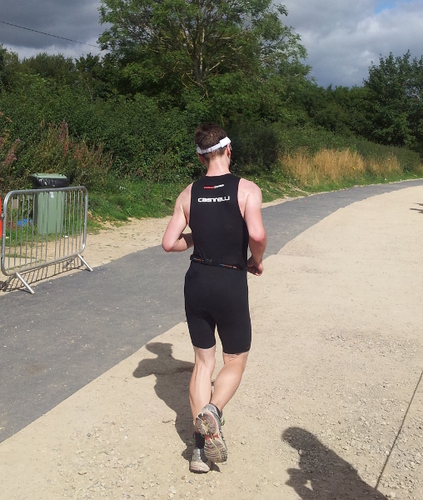
Chris Lamb: Cotswold Classic Middle Distance triathlon

https://chris-lamb.co.uk/wp-content/2013/cotswold_course.jpg Since becoming interested in triathlon in October of last year, my goal in 2013 was not to just finish a "70.3" (or "Half-Ironman"), but to complete one in under 5 hours. At the time, each discipline was woefully inadequate; I had not swum in over a decade, my cycling was average and I had only begun running again after years away from exercise. The somewhat arbitrary target time would dictate my training. For example, the high proportion of time spent on the bike combined with the injury-sensitive nature of running meant that cycling would have a highest return on investment of the three disciplines. Despite that, I would need to take the run seriously but carefully - I decided to enter a series of monthly 10K races where I could steadily reduce my times over the year. Races themselves formed a crucial part of my preparation and a carefully balanced race calendar was surprisingly important, balancing upcoming milestones that would provide an achievable goal as well as uncovering weaknesses in enough time so they could be worked on. Whilst I did post about my first triathlon, I felt no compulsion with the interleaving five or six races as I was evaluating them in the context of the 70.3 rather than as races in their own right.

Swim
Distance
1900m
Time
37:42
Whilst this wasn't my worst open water swim, it was certainly not my best. The first 500m was straightforward, but I lost my form over the next 500m and I overcompensated with excessive kick. My calves responded by cramping badly two or three times after that, losing both momentum and time. Curiously, whenever I could identify my speed relative to my effort (for example, by some underwater reeds) I could use that as feedback and my rotation (etc.) would temporarily return. Pool swimming always has markers of this kind, whilst a murky lake does not. In conclusion, my lack of open water training outside of races held me back more than I expected.
Bike https://chris-lamb.co.uk/wp-content/2013/cotswold_bike.jpg
Distance
52 miles
Time
2:22 (21.9 mph average)
I had thoroughly absorbed the advice that you should prepare for your primary race so that it feels like another day at the office. On this criterion, the bike leg was almost perfect. My nutrition strategy energy drink every 5 minutes, gel every 30 minutes worked fine until mile 35 where I felt like I had taken on too much fluid (and no time to take a bathroom break). I had a temporary hiccup with my rear derailleur but my "tame" 52/34 12x28 gearing was vindicated on the climbs, although in retrospect that might mostly be schadenfreude. Tens of hours acclimatising to a time trial bike was rewarded by being able to spend the entire leg in "aero" position (ignoring 90-degree turns or serious gradients), improving efficiency.
Run https://chris-lamb.co.uk/wp-content/2013/cotswold_run.jpg
Distance
13.1 miles (21km)
Time
1:54:18 (5:25/km)
I had prepared a chart which provided the pace I required based on the race time at the start of the run. I would then only need to monitor my run pace instead of repeatedly extrapolating a finish time as even basic arithmetic can become impossible when fatigued. This strategy was chosen as I was too risk-adverse to aim for a faster time than strictly required; the downside of missing the target from aiming too high and "blowing up" outweighed going a few minutes faster overall. Despite that, I ran half-marathon personal best. Unfortunately, due to pressing the wrong watch button after the swim, the chart was worthless unless I could assume the race started exactly at 6:30AM. With no other option I decided to trust that with some padding, but the uncertainly it added was unsettling. Adding to that feeling, my left hip started to twinge at 7K, something it has never done before. My plan was to get to 16K, take a caffeine gel and then keep ratcheting up the pace until the finish. In my long run training I could speed up to a 4:10/km pace but after 5 hours of racing and being reasonably sure I was going to reach my goal, the best I could summon was 4:45/km. My form completely shot, I crossed the finish line and got into a fetal position in the shade behind a tent, scaring the race organisers for a few minutes.
Overall
Total time
4:56:50
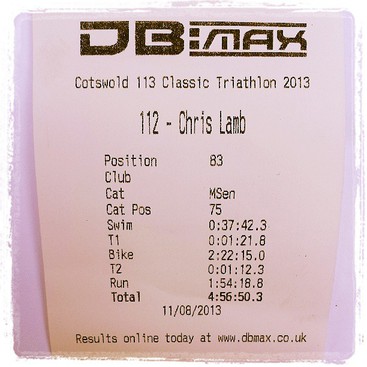
Writing this the day after the race, I am still a little unsure of how I feel. I am obviously extremely content that I reached my goal but given the volume and detail of preparation it was not a huge surprise to me on race day that I did so. This combined with the "real" work and progress being achieved throughout the training seems to have robbed the event of some element of triumph it could have had, but that in itself was somewhat expected. Where next? I had always dismissed the consensus view of needing to take a decent break after the season has ended but now I am looking forward to putting triathlon-specific training on hold for a while and explore other things. I highly doubt this will be my last triathlon though. https://chris-lamb.co.uk/wp-content/2013/cotswold_result.jpg (Full results)

Richard Hartmann: DebConf13 I

DebConf! The venue here at Le Camp is pretty much perfect. Short walking distances, organic layout of the buildings, and a stunning view of the lake. I would be hard pressed to think of other venues which could be as nice... After arriving Fri/Sat night at 0330, Saturday was spent setting up the Access points: Me prior to pull-ups on the roof beams Access Point in pillow cases This little green valve caused a power outage in the server room, messing with servers, and resetting several switches to old configs. Xtaran had a lot of fun as a result of this. The valve of evil. And water. The ikiwiki BoF on sunday was rather interesting. I will try to publish some notes from this BoF and the other Git-related ones towards the end of the week. The Gitify ALL the things BoF managed to fill the room from "full-ish" over "good thing we don't need the beamer and can use the space in front of the whitescreen" over "out of chairs" over "the chairs from other rooms won't fit any more" to the final state of "people stand around near the walls and in the doors". At a total of 54 people, turnout has been... unexpectedly high.. The BoF started at 1130 and usually, slots are 45 minutes long. We extended our BoF into lunch time (I chose the slot just prior to lunch for precisely that reason) and finally finished at around 1245, i.e. 30 minutes late. After a quick show of hands on if there's interest in another BoF, I applied for and got the next slot, tomorrow at 11:30, once again in BoF room 1 and just before lunch. It's called Gitify EVEN MORE of the things and will expand on use cases and best practices. At a guess, we will focus on managing configurations and photos in default and complex situations. Sadly, neither of those BoF are taped. Afterwards, I had a chance to sit down with Lucas Nussbaum to talk over some points regarding the Debian Trademark Team. Finally, during Why Debian should (or should not) make systemd the default (it probably should not, but that's a different story), my kernel panicked. 3.9 and 3.10 have been less than ideal on my new X1 Carbon, but this was the first panic. I was not even done cussing and Ben Hutchings suddenly appeared on my side, telling me that yes, this particular module (mei) has been causing issues recently. Kernel panic As a closing note, I am really enjoying my first DebConf. Great venue, great people, great content, winebeer and cheese party tonight, and I found out that we have a fire place and fire wood...

Ian Campbell: Heading to DebConf 13

Going to DebConf13! Seems like DebConf 13 is in full swing, I'm not heading over until tomorrow because I spent the weekend at the Bloodstock Festival. As sad as I am to miss the Cheese and Wine party tonight, having seen a dozen or so excellent bands since Friday, lubricated by a few gallons of Hobgoblin, and rounded off by Exodus, Anthrax & Slayer last night I think I made the right call! So I got home around lunchtime today, unpacked my rucksack, scrubbed myself clean, repacked again for Switzerland (no tent this time). Next up is a curry with my parents tonight and then catching the Eurostar tomorrow morning, I'll have plenty of time for hacking on my cubieboard2 on the train and finally arrive in Vaumarcus tomorrow evening. See everyone soon!

Sylvestre Ledru: Merchandising at Debconf

Debian France and Debian Swiss associations are now selling products at Debconf. We are now selling
Buff
23 CHF / 18 euros
Black polo
31 CHF / 25 euros
Rugby polo
50 CHF / 40 euros
Mousepad
13 CHF / 10 euros
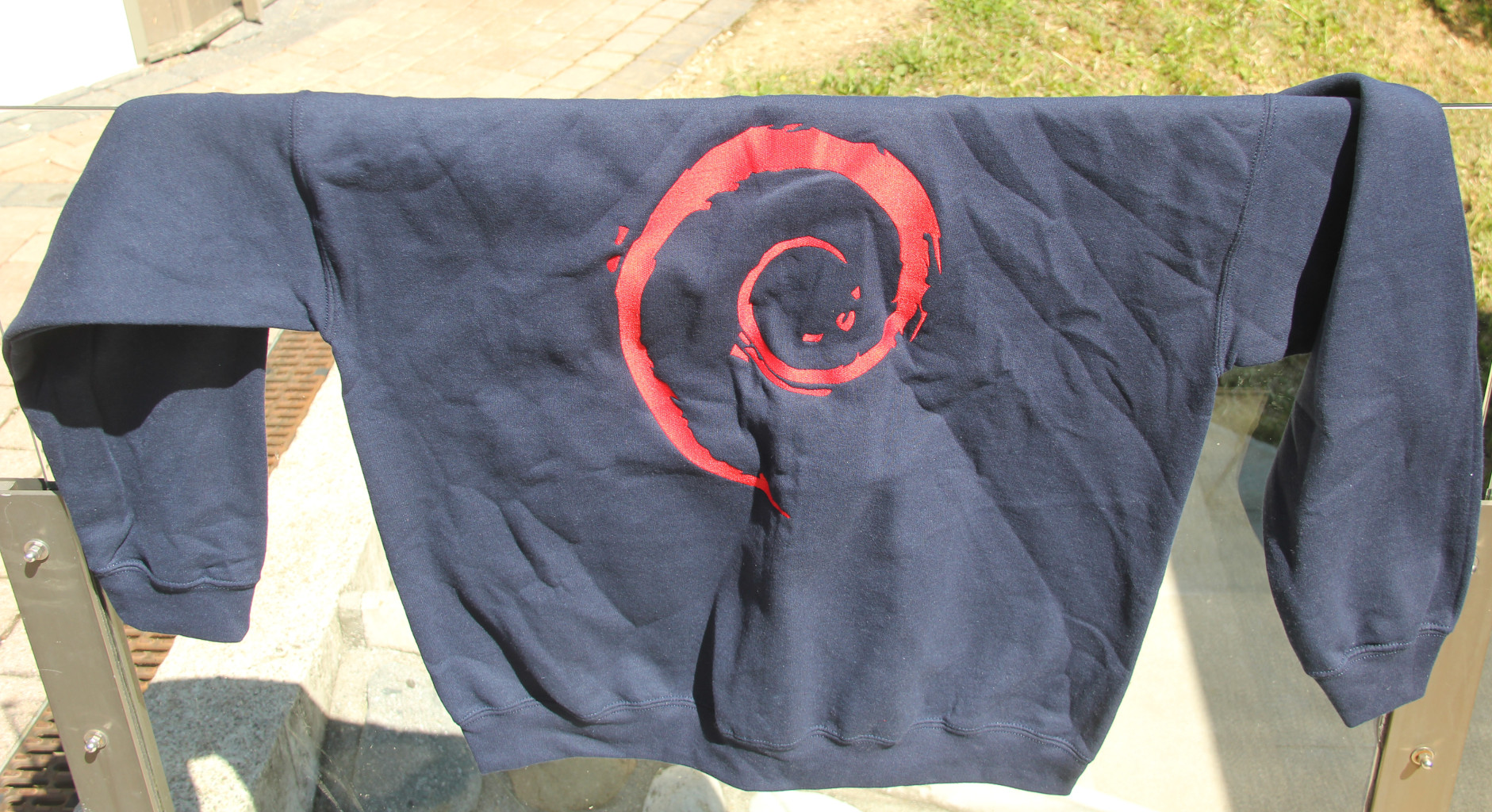
We have also some new hoodies.
They come in 4 colors: black, white, grey and dark blue.
With or without zip:
Without zip: 44 CHF / 35 euros
With zip: 50 CHF / 40 euros With also have hats:
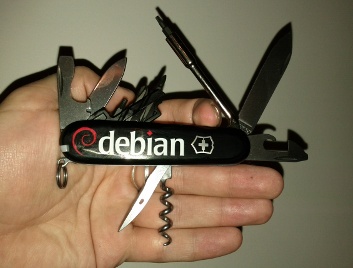
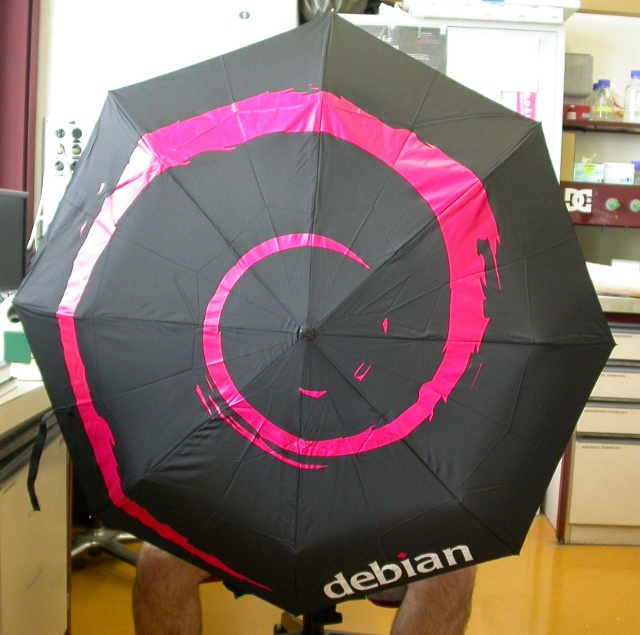
Price: 10 CHF / 9 euros We have also the Debian umbrellas and knifes.

Photo credit Kibi
For those who are at Debconf, they are for sell at the Debconf front desk from 4 to 6 and will be probably available for sell on enventelibre after the event.

Joey Hess: please build a haskell to perl compiler

The Fay compiler is a simple way to build fairly comprehensible javascript code from Haskell source. It occurs to me that it should be rather easy to modify Fay to emit perl code rather than javascript. This would allow contributing things like plugins to various perl programs, without writing perl. Of course, the same idea could probably be used to compile Haskell to other languages like python, but perl seems particularly well suited as a second Fay target, since javascript and it have quite similar syntax and similar support for features like closures which Fay relies on. I do not have time to work on this idea myself. It would be a good project for a beginning Haskell programmer. You probably don't even need to fully understand monads to do it! Essentially, look at Fay output examples, translate them from javascript to perl, and then much of the code changes in Fay would probably be in simple string generation code.
I will forward any bitcoins sent to the address 149eBtWS6i8cwQdPQJJ8hAGpDuEqNidyTj to whoever makes this. If it doesn't happen in 1 year, any donations will be forwarded to the EFF instead.

Joey Hess: good morning

panorama of sunrise Woken at 3 am by fil singing "Join Us Now And Share The Software" (all verses!) I could not get back to sleep and spent 3 hours thinking up a new take on the hopelessly blocked dpkg-source v3 (git) format. A diagram of the new plan, which should meet all ftpmaster requirements, is posted in Hacklab 1. I am looking for reviewers. A rather hard to read photo (DebConf needs mandatory whiteboards!) is available here: Fil has paid me back in full for his drunken carousing by gifting me a Rhombus-Tech system on a chip on a PCMCIA card. I've checked this new computer, which features a modern multicore ARM CPU, into my wallet. And that's 10% of what went on today at DebConf for me, and we've not even gotten to the cheese and wine party tonight.

Joachim Breitner: A song about Isabelle (the theorem prover)

For the final dinner of the Marktoberdorf Summer School 2013 I created the song This is a theorem about working with the theorem prover Isabelle, to the lyrics of Boomtown Rat s I don t like mondays . Nice-to-print PDF version available as well. Enjoy, and if you like it, have a look at other song texts that I wrote.

Tanguy Ortolo: grep --only-matching

Magnifying glass over a sheet of text grep is designed to print lines matching a given pattern, but I often need to print only the matching part, discarding the remaining. I used to do that with sed, but it involves several actions: match, replace the line by only the matching pattern and print. Fortunately, GNU grep has an option to do just that:
-o, --only-matching
Print only the matched (non-empty) parts of a matching line, with each such part on a separate output line.
Unfortunately it is not a standard option, so it may be missing on non-GNU systems.

Aigars Mahinovs: Soon to be on my way to Debconf too

Going to Debconf13
I also soon will be on my way to Debconf13 and those who asked for more photos from the place on Planet Debian will soon start getting their fill ;) Privacy note: as always, I will be trying to balance the need for people to get lots of pictures as fast as possible with privacy of people, who do not want to be in published photos. The way this has been done before and will be done this time (at least from my side) is that: Update: http://www.aigarius.com/blog/2013/08/12/not-going-after-all/

Aigars Mahinovs: Not going after all

I was very excited to go to Debconf13, but in the last minute I caught some kind of virus and went down with fever in the night before the flight. I am sure Wouter will take over group photo duties. And I will just take this week of vacation to rest up and check out the video streaming :)

11 August 2013

Steve Kemp: Lumail now uses GMime

A hectic day and now we use GMime for all MIME-fu. This has allowed me to decode headers correctly, setup MIME parts properly in outgoing mails with attachments, and cleanup the code-base. The next release of Lumail will contain basically just this change, as it is pretty drastic. But first I need to work out how to make binaries for Squeeze compiled against the back-ported version of gmime-2.6.x. (Previously we used libmimetic. Which was awesome in its way, but caused me some pain with RFC 2047 header-decoding.)

B lint R czey: Heading to DebConf!

I m heading to DebConf! Hooray! :-) Going to DebConf13!

Lior Kaplan: Getting patches into PHP (take two)

Two months ago I complained about how hard it was to get patches into PHP as the core member didn t give much attention for pull requests on github. After posting it on the blog, I raised the issue in the developers mailing list and was suggested to join and help. A month ago, I started sending a weekly report about new / pending / merged / closed pull requests and got cooperation from the community with reviewing the pull requests and processing them. In this period 40 requests were dealt with (obviously not all merged), and much more are work in progress while the developers are commenting on the requests. The credit is obviously for the contributors for the patches and the core developers for the work. Stas Malyshev was of special help with this change. You re welcome to follow at https://github.com/php/php-src/pulls
Filed under: PHP

Next.

Previous.