Search Results: "ean"

12 August 2022

Wouter Verhelst: Upgrading a Windows 10 VM to Windows 11

I run Debian on my laptop (obviously); but occasionally, for $DAYJOB, I have some work to do on Windows. In order to do so, I have had a Windows 10 VM in my libvirt configuration that I can use. A while ago, Microsoft issued Windows 11. I recently found out that all the components for running Windows 11 inside a libvirt VM are available, and so I set out to upgrade my VM from Windows 10 to Windows 11. This wasn't as easy as I thought, so here's a bit of a writeup of all the things I ran against, and how I fixed them. Windows 11 has a number of hardware requirements that aren't necessary for Windows 10. There are a number of them, but the most important three are: So let's see about all three.

A modern enough processor If your processor isn't modern enough to run Windows 11, then you can probably forget about it (unless you want to use qemu JIT compilation -- I dunno, probably not going to work, and also not worth it if it were). If it is, all you need is the "host-passthrough" setting in libvirt, which I've been using for a long time now. Since my laptop is less than two months old, that's not a problem for me.

A TPM 2.0 module My Windows 10 VM did not have a TPM configured, because it wasn't needed. Luckily, a quick web search told me that enabling that is not hard. All you need to do is:
  • Install the swtpm and swtpm-tools packages
  • Adding the TPM module, by adding the following XML snippet to your VM configuration:
    <devices>
      <tpm model='tpm-tis'>
        <backend type='emulator' version='2.0'/>
      </tpm>
    </devices>
    
    Alternatively, if you prefer the graphical interface, click on the "Add hardware" button in the VM properties, choose the TPM, set it to Emulated, model TIS, and set its version to 2.0.
You're done! Well, with this part, anyway. Read on.

Secure boot Here is where it gets interesting. My Windows 10 VM was old enough that it was configured for the older i440fx chipset. This one is limited to PCI and IDE, unlike the more modern q35 chipset (which supports PCIe and SATA, and does not support IDE nor SATA in IDE mode). There is a UEFI/Secure Boot-capable BIOS for qemu, but it apparently requires the q35 chipset, Fun fact (which I found out the hard way): Windows stores where its boot partition is somewhere. If you change the hard drive controller from an IDE one to a SATA one, you will get a BSOD at startup. In order to fix that, you need a recovery drive. To create the virtual USB disk, go to the VM properties, click "Add hardware", choose "Storage", choose the USB bus, and then under "Advanced options", select the "Removable" option, so it shows up as a USB stick in the VM. Note: this takes a while to do (took about an hour on my system), and your virtual USB drive needs to be 16G or larger (I used the libvirt default of 20G). There is no possibility, using the buttons in the virt-manager GUI, to convert the machine from i440fx to q35. However, that doesn't mean it's not possible to do so. I found that the easiest way is to use the direct XML editing capabilities in the virt-manager interface; if you edit the XML in an editor it will produce error messages if something doesn't look right and tell you to go and fix it, whereas the virt-manager GUI will actually fix things itself in some cases (and will produce helpful error messages if not). What I did was:
  • Take backups of everything. No, really. If you fuck up, you'll have to start from scratch. I'm not responsible if you do.
  • Go to the Edit->Preferences option in the VM manager, then on the "General" tab, choose "Enable XML editing"
  • Open the Windows VM properties, and in the "Overview" section, go to the "XML" tab.
  • Change the value of the machine attribute of the domain.os.type element, so that it says pc-q35-7.0.
  • Search for the domain.devices.controller element that has pci in its type attribute and pci-root in its model one, and set the model attribute to pcie-root instead.
  • Find all domain.devices.disk.target elements, setting their dev=hdX to dev=sdX, and bus="ide" to bus="sata"
  • Find the USB controller (domain.devices.controller with type="usb", and set its model to qemu-xhci. You may also want to add ports="15" if you didn't have that yet.
  • Perhaps also add a few PCIe root ports:
    <controller type="pci" index="1" model="pcie-root-port"/>
    <controller type="pci" index="2" model="pcie-root-port"/>
    <controller type="pci" index="3" model="pcie-root-port"/>
    
I figured out most of this by starting the process for creating a new VM, on the last page of the wizard that pops up selecting the "Modify configuration before installation" option, going to the "XML" tab on the "Overview" section of the new window that shows up, and then comparing that against what my current VM had. Also, it took me a while to get this right, so I might have forgotten something. If virt-manager gives you an error when you hit the Apply button, compare notes against the VM that you're in the process of creating, and copy/paste things from there to the old VM to make the errors go away. As long as you don't remove configuration that is critical for things to start, this shouldn't break matters permanently (but hey, use your backups if you do break -- you have backups, right?) OK, cool, so now we have a Windows VM that is... unable to boot. Remember what I said about Windows storing where the controller is? Yeah, there you go. Boot from the virtual USB disk that you created above, and select the "Fix the boot" option in the menu. That will fix it. Ha ha, only kidding. Of course it doesn't. I honestly can't tell you everything that I fiddled with, but I think the bit that eventually fixed it was where I chose "safe mode", which caused the system to do a hickup, a regular reboot, and then suddenly everything was working again. Meh. Don't throw the virtual USB disk away yet, you'll still need it. Anyway, once you have it booting again, you will now have a machine that theoretically supports Secure Boot, but you're still running off an MBR partition. I found a procedure on how to convert things from MBR to GPT that was written almost 10 years ago, but surprisingly it still works, except for the bit where the procedure suggests you use diskmgmt.msc (for one thing, that was renamed; and for another, it can't touch the partition table of the system disk either). The last step in that procedure says to restart your computer!, which is fine, except at this point you obviously need to switch over to the TianoCore firmware, otherwise you're trying to read a UEFI boot configuration on a system that only supports MBR booting, which obviously won't work. In order to do that, you need to add a loader element to the domain.os element of your libvirt configuration:
<loader readonly="yes" type="pflash">/usr/share/OVMF/OVMF_CODE_4M.ms.fd</loader>

When you do this, you'll note that virt-manager automatically adds an nvram element. That's fine, let it. I figured this out by looking at the documentation for enabling Secure Boot in a VM on the Debian wiki, and using the same trick as for how to switch chipsets that I explained above. Okay, yay, so now secure boot is enabled, and we can install Windows 11! All good? Well, almost. I found that once I enabled secure boot, my display reverted to a 1024x768 screen. This turned out to be because I was using older unsigned drivers, and since we're using Secure Boot, that's no longer allowed, which means Windows reverts to the default VGA driver, and that only supports the 1024x768 resolution. Yeah, I know. The solution is to download the virtio-win ISO from one of the links in the virtio-win github project, connecting it to the VM, going to Device manager, selecting the display controller, clicking on the "Update driver" button, telling the system that you have the driver on your computer, browsing to the CD-ROM drive, clicking the "include subdirectories" option, and then tell Windows to do its thing. While there, it might be good to do the same thing for unrecognized devices in the device manager, if any. So, all I have to do next is to get used to the completely different user interface of Windows 11. Sigh. Oh, and to rename the "w10" VM to "w11", or some such. Maybe.

Guido G nther: On a road to Prizren with a Free Software Phone

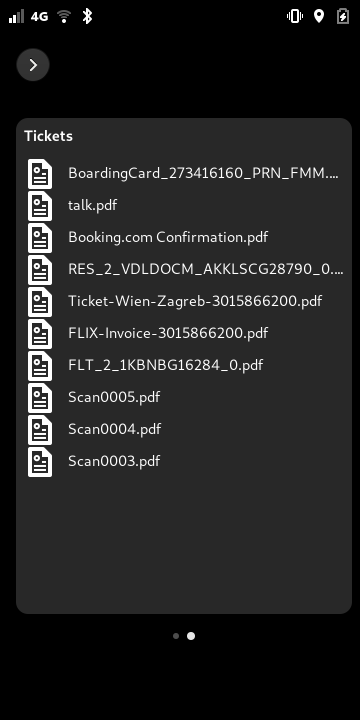
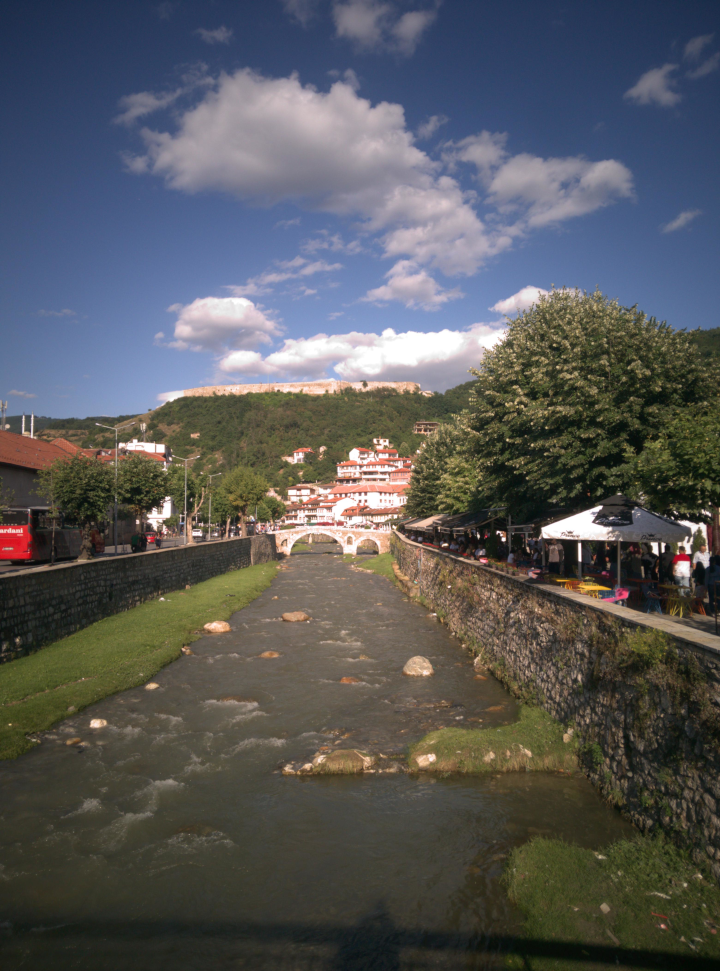
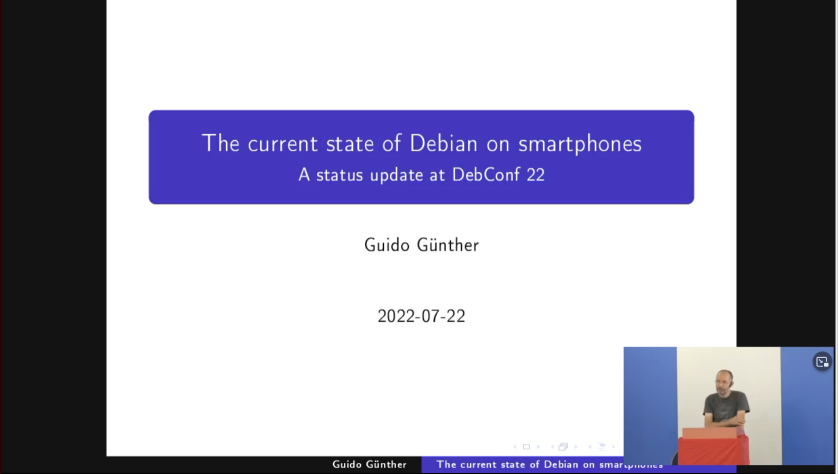
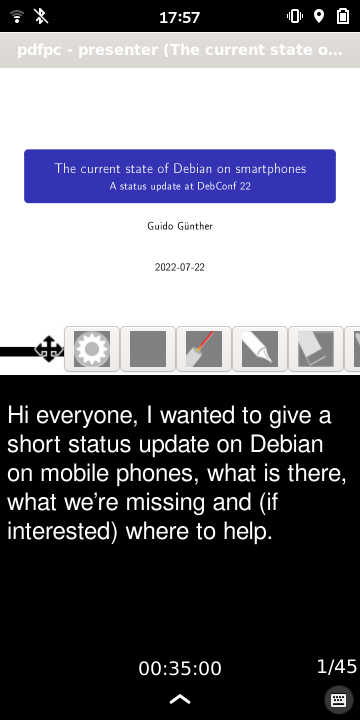
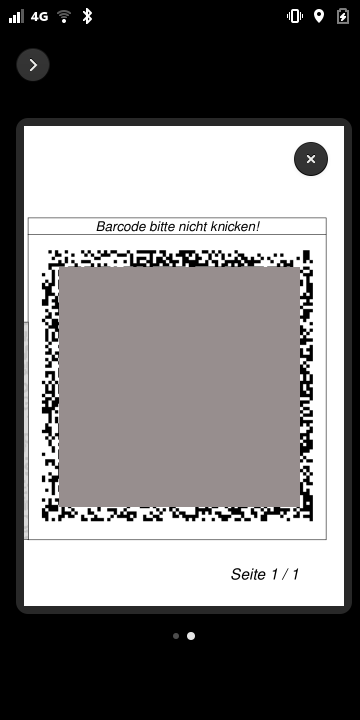
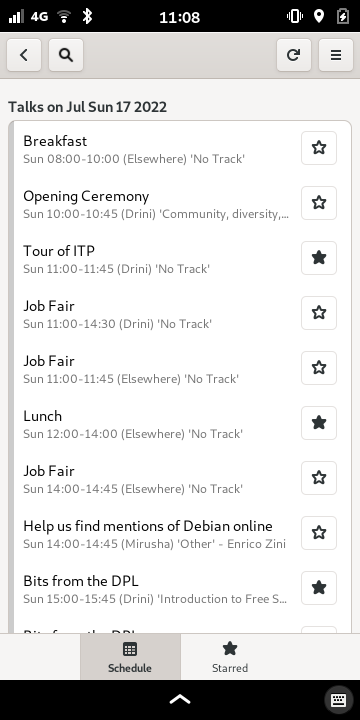
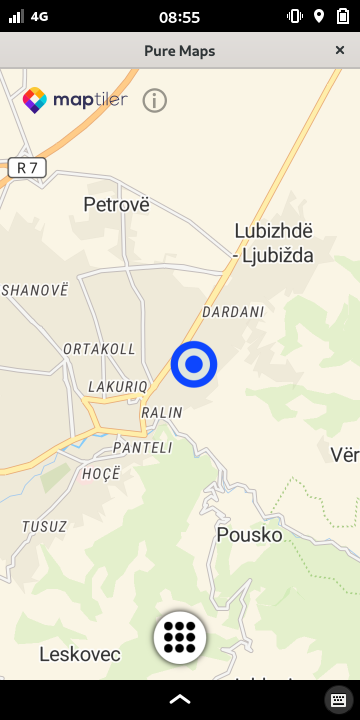
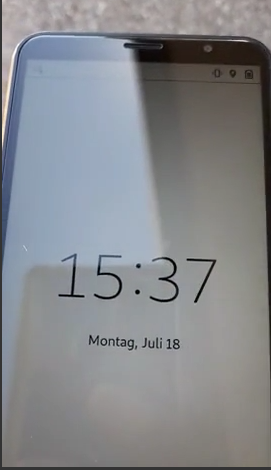
Since people are sometimes slightly surprised that you can go onto a multi week trip with a smartphone running free sofware so only I wanted to share some impressions from my recent trip to Prizren/Kosovo to attend Debconf 22 using a Librem 5. It's a mix of things that happend and bits that got improved to hopefully make things more fun to use. And, yes, there won't be any big surprises like being stranded without the ability to do phone calls in this read because there weren't and there shouldn't be. After two online versions Debconf 22 (the annual Debian Conference) took place in Prizren / Kosovo this year and I sure wanted to go. Looking for options I settled for a train trip to Vienna, to meet there with friends and continue the trip via bus to Zagreb, then switching to a final 11h direct bus to Prizren. When preparing for the trip and making sure my Librem 5 phone has all the needed documents I noticed that there will be quite some PDFs to show until I arrive in Kosovo: train ticket, bus ticket, hotel reservation, and so on. While that works by tapping unlocking the phone, opening the file browser, navigating to the folder with the PDFs and showing it via evince this looked like a lot of steps to repeat. Can't we have that information on the Phone Shell's lockscreen? This was a good opportunity to see if the upcoming plugin infrastructure for the lock screen (initially meant to allow for a plugin to show upcoming events) was flexible enough, so I used some leisure time on the train to poke at this and just before I reached Vienna I was able to use it for the first time. It was the very last check of that ticket, it also was a bit of cheating since I didn't present the ticket on the phone itself but from phosh (the phones graphical shell) running on my laptop but still. PDF barcode on phosh's lockscreen List of tickets on phosh's lockscreen This was possible since phosh is written in GTK and so I could just leverage evince's EvView. Unfortunately the hotel check in didn't want to see any documents . For the next day I moved the code over to the Librem 5 and (being a bit nervous as the queue to get on the bus was quite long) could happily check into the Flixbus by presenting the barcode to the barcode reader via the Librem 5's lockscreen. When switching to the bus to Prizren I didn't get to use that feature again as we bought the tickets at a counter but we got a nice krem banana after entering the bus - they're not filled with jelly, but krem - a real Kosovo must eat!). Although it was a rather long trip we had frequent breaks and I'd certainly take the same route again. Here's a photo of Prizren taken on the Librem 5 without any additional postprocessing: Prizren What about seeing the conference schedule on the phone? Confy(a conferences schedule viewer using GTK and libhandy) to the rescue: Confy with Debconf's schedule Since Debian's confy maintainer was around too, confy saw a bunch of improvements over the conference. For getting around Puremaps(an application to display maps and show routing instructions) was very helpful, here geolocating me in Prizren via GPS: Puremaps Puremaps currently isn't packaged in Debian but there's work onging to fix that (I used the flatpak for the moment). We got ourselves sim cards for the local phone network. For some reason mine wouldn't work (other sim cards from the same operator worked in my phone but this one just wouldn't). So we went to the sim card shop and the guy there was perfectly able to operate the Librem 5 without further explanation (including making calls, sending USSD codes to query balance, ). The sim card problem turned out to be a problem on the operator side and after a couple of days they got it working. We had nice, sunny weather about all the time. That made me switch between high contrast mode (to read things in bright sunlight) and normal mode (e.g. in conference rooms) on the phone quite often. Thankfully we have a ambient light sensor in the phone so we can make that automatic. Phosh in HighContrast See here for a video. Jathan kicked off a DebianOnMobile sprint during the conference where we were able to improve several aspects of mobile support in Debian and on Friday I had the chance to give a talk about the state of Debian on smartphones. pdf-presenter-console is a great tool for this as it can display the current slide together with additional notes. I needed some hacks to make it fit the phone screen but hopefully we figure out a way to have this by default. Debconf talk Pdf presenter console on a phone I had two great weeks in Prizren. Many thanks to the organizers of Debconf 22 - I really enjoyed the conference.
10 August 2022

Shirish Agarwal: Mum, Samsung Galaxy M-52

Mum I dunno from where to start. While I m not supposed to announce it, mum left this earth a month ago (thirteen days when I started to write this blog post) ago. I am still in part denial, part shock, and morose. Of all the seasons in a year, the rainy season used to be my favorite, now would I ever be able to look and feel other than the emptiness that this season has given me? In some senses, it is and was very ironic, when she became ill about last year, I had promised myself I would be by her side for 5-6 years, not go anywhere either Hillhacks or Debconf or any meetup and I was ok with that. Now that she s no more I have no clue why am I living. What is the purpose, the utility? When she was alive, the utility was understandable. We had an unspoken agreement, I would like after her, and she was supposed to look after me. A part of me self-blames as I am sure, I have done thousands of things wrong otherwise the deal was that she was going to be for another decade. But now that she has left not even halfway, I dunno what to do. I don t have someone to fight with anymore  It s mostly a robotic existence atm. I try to distract myself via movies, web series, the web, books, etc. whatever can take my mind off. From the day she died to date, I have a lower back pain which acts as a reminder. It s been a month, I eat, drink, and am surviving but still feel empty. I do things suggested by extended family but within there is no feeling, just emptiness :(. I have no clue if things will get better and even if I do want the change. I clearly have no idea, so let me share a little about what I know.

Samsung Galaxy M-52G Just a couple of days before she died, part of our extended family had come and she chose that opportunity to gift me Samsung Galaxy M-52G even though my birthday was 3 months away. Ironically, after I purchased it, the next day, one of the resellers of the phone cut the price from INR 28k to 20k. If a day more, I could have saved another 8k/- but what s done is done  To my mind, the phone is middling yet a solid phone. I had the phone drop accidentally at times but not a single scratch or anything like that. One can look at the specs in greater detail on fccd.io. Before the recent price drop, as I shared it was a mid-range phone so am gonna review it on that basis itself. One of the first things I did is to buy a plastic cover as well as a cover shield even though the original one is meant to work for a year or more. This was simply for added protection and it has served me to date. Even with the additional weight, I can easily use it with one hand. It only becomes problematic when using chatting apps. such as Whatsapp, Telegram, Quicksy and a few others where it comes with Samsung keyboard with the divided/split keyboard. The A.I. for guessing words and sentences are spot-on when you are doing it in English but if you try a mixture of Hinglish (Hindi and English) that becomes a bit of a nightmare. Tryng to each A.I; new words is something of a task. I wish there was an interface in which I could train the A.I. so it could be served for Hinglish words also. I do think it does, but it s too rudimentary as it is to be any useful at least where it is now.

WiFi Direct While my previous phone did use wifi direct but it that ancient android version wasn t wedded to Wifi Direct as this one is. You have essentially two ways to connect to any system outside. One is through Wi-Fi Direct and the more expensive way is through mobile data. One of the strange things I found quite a number of times, that Wifi would lose it pairings. Before we get into it, Wikipedia has a good explanation of what Wifi direct is all about. Apparently, either my phone or my modem loses the pairing, which of the two is the culprit, I really don t know. There are two apps from the Play Store that do help in figuring out what the issue is (although it is limited in what it gives out in info. but still good.) The first one is Wifi Signal Meter and the other one is WifiAnalyzer (open-source). I have found that pairing done through Wifi Signal Meter works better than through Google s own implementation which feels lacking. The whole universe of Android seems to be built on apps and games and many of these can be bought for money, but many of these can also be played using a combination of micro-transactions and ads. For many a game, you cannot play for more than 5 minutes before you either see an ad or wait for something like 2-3 hrs. before you attempt again. Hogwarts Mystery, for e.g., is an example of that. Another one would be Explore Lands . While Hogwarts Mystery is more towards the lore created by J.K.Rowling and you can really get into the thick of things if you know the lore, Explore lands is more into Exploration of areas. In both the games, you are basically looking to gain energy over a period of time, which requires either money or viewing ads or a combination of both Sadly most ads and even Google don t seem to have caught up that I m deaf so most ads do not have subtitles, so more often than not they are useless to me. I have found also that many games share screenshots or videos that have nothing to do with how the game is. So there is quite a bit of misleading going on. I did read that Android had been having issues with connecting with developers after their app. is in the Play Store. Most apps. ask and require a whole lot of permissions that aren t needed by that app.

F-Droid Think Pirate Praveen had introduced me to F-Droid and a whole lot of things have happened in F-Droid, lot more apps. games etc. the look of F-Droid has been pulled back. In fact, I found Neo Store to be a better skin to see F-Droid. I have yet to explore more of F-Droid before sharing any recommendations and spending some time on it. I do find that many of foss apps. do need to work on how we communicate with our users. For e.g. one app. that Praveen had shared with me recently was Quicksy. And while it is better, it uses a double negative while asking permission whether it should or not to use more of the phone s resources. It is an example of that sort of language that we need to be aware of and be better. I know this post is more on the mobile rather than the desktop but that is where I m living currently.

8 August 2022

Ian Jackson: dkim-rotate - rotation and revocation of DKIM signing keys

Background Internet email is becoming more reliant on DKIM, a scheme for having mail servers cryptographically sign emails. The Big Email providers have started silently spambinning messages that lack either DKIM signatures, or SPF. DKIM is arguably less broken than SPF, so I wanted to deploy it. But it has a problem: if done in a naive way, it makes all your emails non-repudiable, forever. This is not really a desirable property - at least, not desirable for you, although it can be nice for someone who (for example) gets hold of leaked messages obtained by hacking mailboxes. This problem was described at some length in Matthew Green s article Ok Google: please publish your DKIM secret keys. Following links from that article does get you to a short script to achieve key rotation but it had a number of problems, and wasn t useable in my context. dkim-rotate So I have written my own software for rotating and revoking DKIM keys: dkim-rotate. I think it is a good solution to this problem, and it ought to be deployable in many contexts (and readily adaptable to those it doesn t already support). Here s the feature list taken from the README: Complications It seems like it should be a simple problem. Keep N keys, and every day (or whatever), generate and start using a new key, and deliberately leak the oldest private key. But, things are more complicated than that. Considerably more complicated, as it turns out. I didn t want the DKIM key rotation software to have to edit the actual DNS zones for each relevant mail domain. That would tightly entangle the mail server administration with the DNS administration, and there are many contexts (including many of mine) where these roles are separated. The solution is to use DNS aliases (CNAME). But, now we need a fixed, relatively small, set of CNAME records for each mail domain. That means a fixed, relatively small set of key identifiers ( selectors in DKIM terminology), which must be used in rotation. We don t want the private keys to be published via the DNS because that makes an ever-growing DNS zone, which isn t great for performance; and, because we want to place barriers in the way of processes which might enumerate the set of keys we use (and the set of keys we have leaked) and keep records of what status each key had when. So we need a separate publication channel - for which a webserver was the obvious answer. We want the private keys to be readily noticeable and findable by someone who is verifying an alleged leaked email dump, but to be hard to enumerate. (One part of the strategy for this is to leave a note about it, with the prospective private key url, in the email headers.) The key rotation operations are more complicated than first appears, too. The short summary, above, neglects to consider the fact that DNS updates have a nonzero propagation time: if you change the DNS, not everyone on the Internet will experience the change immediately. So as well as a timeout for how long it might take an email to be delivered (ie, how long the DKIM signature remains valid), there is also a timeout for how long to wait after updating the DNS, before relying on everyone having got the memo. (This same timeout applies both before starting to sign emails with a new key, and before deliberately compromising a key which has been withdrawn and deadvertised.) Updating the DNS, and the MTA configuration, are fallible operations. So we need to cope with out-of-course situations, where a previous DNS or MTA update failed. In that case, we need to retry the failed update, and not proceed with key rotation. We mustn t start the timer for the key rotation until the update has been implemented. The rotation script will usually be run by cron, but it might be run by hand, and when it is run by hand it ought not to jump the gun and do anything too early (ie, before the relevant timeout has expired). cron jobs don t always run, and don t always run at precisely the right time. (And there s daylight saving time, to consider, too.) So overall, it s not sufficient to drive the system via cron and have it proceed by one unit of rotation on each run. And, hardest of all, I wanted to support post-deployment configuration changes, while continuing to keep the whole the system operational. Otherwise, you have to bake in all the timing parameters right at the beginning and can t change anything ever. So for example, I wanted to be able to change the email and DNS propagation delays, and even the number of selectors to use, without adversely affecting the delivery of already-sent emails, and without having to shut anything down. I think I have solved these problems. The resulting system is one which keeps track of the timing constraints, and the next event which might occur, on a per-key basis. It calculates on each run, which key(s) can be advanced to the next stage of their lifecycle, and performs the appropriate operations. The regular key update schedule is then an emergent property of the config parameters and cron job schedule. (I provide some example config.) Exim Integrating dkim-rotate itself with Exim was fairly easy. The lsearch lookup function can be used to fish information out of a suitable data file maintained by dkim-rotate. But a final awkwardness was getting Exim to make the right DKIM signatures, at the right time. When making a DKIM signature, one must choose a signing authority domain name: who should we claim to be? (This is the SDID in DKIM terms.) A mailserver that handles many different mail domains will be able to make good signatures on behalf of many of them. It seems to me that domain to be the mail domain in the From: header of the email. (The RFC doesn t seem to be clear on what is expected.) Exim doesn t seem to have anything builtin to do that. And, you only want to DKIM-sign emails that are originated locally or from trustworthy sources. You don t want to DKIM-sign messages that you received from the global Internet, and are sending out again (eg because of an email alias or mailing list). In theory if you verify DKIM on all incoming emails, you could avoid being fooled into signing bad emails, but rejecting all non-DKIM-verified email would be a very strong policy decision. Again, Exim doesn t seem to have cooked machinery. The resulting Exim configuration parameters run to 22 lines, and because they re parameters to an existing config item (the smtp transport) they can t even easily be deployed as a drop-in file via Debian s split config Exim configuration scheme. (I don t know if the file written for Exim s use by dkim-rotate would be suitable for other MTAs, but this part of dkim-rotate could easily be extended.) Conclusion I have today released dkim-rotate 0.4, which is the first public release for general use. I have it deployed and working, but it s new so there may well be bugs to work out. If you would like to try it out, you can get it via git from Debian Salsa. (Debian folks can also find it freshly in Debian unstable.)

comment count unavailable comments

31 July 2022

Russell Coker: Links July 2022

Darren Hayes wrote an interesting article about his battle with depression and his journey to accepting being gay [1]. Savage Garden had some great songs, Affirmation is relevant to this topic. Rorodi wrote an interesting article about the biggest crypto lending company being a Ponzi scheme [2]. One thing I find particularly noteworthy is how obviously scammy it is, even to the extent of having an ex porn star as an executive! Celsuis is now in the process of going bankrupt, 7 months after that article was published. Quora has an interesting discussion about different type casts in C++ [3]. C style casts shouldn t be used! MamaMia has an interesting article about Action Faking which means procrastination by doing tasks marginally related to the end goal [3]. This can mean include excessive study about the topic, excessive planning for the work, and work on things that aren t on the critical path first (EG thinking of a name for a project). Apple has a new Lockdown Mode to run an iPhone in a more secure configuration [4]. It would be good if more operating systems had a feature like this. Informative article about energy use of different organs [5]. The highest metabolic rates (in KCal/Kg/day) are for the heart and kidneys. The brain is 3rd on the list and as it s significantly more massive than the heart and kidneys it uses more energy, however this research was done on people who were at rest. Scientific American has an interesting article about brain energy use and exhaustion from mental effort [6]. Apparently it s doing things that aren t fun that cause exhaustion, mental effort that s fun can be refreshing.

30 July 2022

Ian Jackson: chiark s skip-skip-cross-up-grade

Two weeks ago I upgraded chiark from Debian jessie i386 to bullseye amd64, after nearly 30 years running Debian i386. This went really quite well, in fact! Background chiark is my colo - a server I run, which lives in a data centre in London. It hosts ~200 users with shell accounts, various websites and mailing lists, moderators for a number of USENET newsgroups, and countless other services. chiark s internal setup is designed to enable my users to do a maximum number of exciting things with a minimum of intervention from me. chiark s OS install dates to 1993, when I installed Debian 0.93R5, the first version of Debian to advertise the ability to be upgraded without reinstalling. I think that makes it one of the oldest Debian installations in existence. Obviously it s had several new hardware platforms too. (There was a prior install of Linux on the initial hardware, remnants of which can maybe still be seen in some obscure corners of chiark s /usr/local.) chiark s install is also at the very high end of the installation complexity, and customisation, scale: reinstalling it completely would be an enormous amount of work. And it s unique. chiark s upgrade history chiark s last major OS upgrade was to jessie (Debian 8, released in April 2015). That was in 2016. Since then we have been relying on Debian s excellent security support posture, and the Debian LTS and more recently Freexian s Debian ELTS projects and some local updates, The use of ELTS - which supports only a subset of packages - was particularly uncomfortable. Additionally, chiark was installed with 32-bit x86 Linux (Debian i386), since that was what was supported and available at the time. But 32-bit is looking very long in the tooth. Why do a skip upgrade So, I wanted to move to the fairly recent stable release - Debian 11 (bullseye), which is just short of a year old. And I wanted to crossgrade (as its called) to 64-bit. In the past, I have found I have had greater success by doing direct upgrades, skipping intermediate releases, rather than by following the officially-supported path of going via every intermediate release. Doing a skip upgrade avoids exposure to any packaging bugs which were present only in intermediate release(s). Debian does usually fix bugs, but Debian has many cautious users, so it is not uncommon for bugs to be found after release, and then not be fixed until the next one. A skip upgrade avoids the need to try to upgrade to already-obsolete releases (which can involve messing about with multiple snapshots from snapshot.debian.org. It is also significantly faster and simpler, which is important not only because it reduces downtime, but also because it removes opportunities (and reduces the time available) for things to go badly. One downside is that sometimes maintainers aggressively remove compatibility measures for older releases. (And compatibililty packages are generally removed quite quickly by even cautious maintainers.) That means that the sysadmin who wants to skip-upgrade needs to do more manual fixing of things that haven t been dealt with automatically. And occasionally one finds compatibility problems that show up only when mixing very old and very new software, that no-one else has seen. Crossgrading Crossgrading is fairly complex and hazardous. It is well supported by the low level tools (eg, dpkg) but the higher-level packaging tools (eg, apt) get very badly confused. Nowadays the system is so complex that downloading things by hand and manually feeding them to dpkg is impractical, other than as a very occasional last resort. The approach, generally, has been to set the system up to want to be the new architecture, run apt in a download-only mode, and do the package installation manually, with some fixing up and retrying, until the system is coherent enough for apt to work. This is the approach I took. (In current releases, there are tools that will help but they are only in recent releases and I wanted to go direct. I also doubted that they would work properly on chiark, since it s so unusual.) Peril and planning Overall, this was a risky strategy to choose. The package dependencies wouldn t necessarily express all of the sequencing needed. But it still seemed that if I could come up with a working recipe, I could do it. I restored most of one of chiark s backups onto a scratch volume on my laptop. With the LVM snapshot tools and chroots. I was able to develop and test a set of scripts that would perform the upgrade. This was a very effective approach: my super-fast laptop, with local caches of the package repositories, was able to do many edit, test, debug cycles. My recipe made heavy use of snapshot.debian.org, to make sure that it wouldn t rot between testing and implementation. When I had a working scheme, I told my users about the planned downtime. I warned everyone it might take even 2 or 3 days. I made sure that my access arrangemnts to the data centre were in place, in case I needed to visit in person. (I have remote serial console and power cycler access.) Reality - the terrible rescue install My first task on taking the service down was the check that the emergency rescue installation worked: chiark has an ancient USB stick in the back, which I can boot to from the BIOS. The idea being that many things that go wrong could be repaired from there. I found that that install was too old to understand chiark s storage arrangements. mdadm tools gave very strange output. So I needed to upgrade it. After some experiments, I rebooted back into the main install, bringing chiark s service back online. I then used the main install of chiark as a kind of meta-rescue-image for the rescue-image. The process of getting the rescue image upgraded (not even to amd64, but just to something not totally ancient) was fraught. Several times I had to rescue it by copying files in from the main install outside. And, the rescue install was on a truly ancient 2G USB stick which was terribly terribly slow, and also very small. I hadn t done any significant planning for this subtask, because it was low-risk: there was little way to break the main install. Due to all these adverse factors, sorting out the rescue image took five hours. If I had known how long it would take, at the beginning, I would have skipped it. 5 hours is more than it would have taken to go to London and fix something in person. Reality - the actual core upgrade I was able to start the actual upgrade in the mid-afternoon. I meticulously checked and executed the steps from my plan. The terrifying scripts which sequenced the critical package updates ran flawlessly. Within an hour or so I had a system which was running bullseye amd64, albeit with many important packages still missing or unconfigured. So I didn t need the rescue image after all, nor to go to the datacentre. Fixing all the things Then I had to deal with all the inevitable fallout from an upgrade. Notable incidents: exim4 has a new tainting system This is to try to help the sysadmin avoid writing unsafe string interpolations. ( Little Bobby Tables. ) This was done by Exim upstream in a great hurry as part of a security response process. The new checks meant that the mail configuration did not work at all. I had to turn off the taint check completely. I m fairly confident that this is correct, because I am hyper-aware of quoting issues and all of my configuration is written to avoid the problems that tainting is supposed to avoid. One particular annoyance is that the approach taken for sqlite lookups makes it totally impossible to use more than one sqlite database. I think the sqlite quoting operator which one uses to interpolate values produces tainted output? I need to investigate this properly. LVM now ignores PVs which are directly contained within LVs by default chiark has LVM-on-RAID-on-LVM. This generally works really well. However, there was one edge case where I ended up without the intermediate RAID layer. The result is LVM-on-LVM. But recent versions of the LVM tools do not look at PVs inside LVs, by default. This is to help you avoid corrupting the state of any VMs you have on your system. I didn t know that at the time, though. All I knew was that LVM was claiming my PV was unusable , and wouldn t explain why. I was about to start on a thorough reading of the 15,000-word essay that is the commentary in the default /etc/lvm/lvm.conf to try to see if anything was relevant, when I received a helpful tipoff on IRC pointing me to the scan_lvs option. I need to file a bug asking for the LVM tools to explain why they have declared a PV unuseable. apache2 s default config no longer read one of my config files I had to do a merge (of my changes vs the maintainers changes) for /etc/apache2/apache2.conf. When doing this merge I failed to notice that the file /etc/apache2/conf.d/httpd.conf was no longer included by default. My merge dropped that line. There were some important things in there, and until I found this the webserver was broken. dpkg --skip-same-version DTWT during a crossgrade (This is not a fix all the things - I found it when developing my upgrade process.) When doing a crossgrade, one often wants to say to dpkg install all these things, but don t reinstall things that have already been done . That s what --skip-same-version is for. However, the logic had not been updated as part of the work to support multiarch, so it was wrong. I prepared a patched version of dpkg, and inserted it in the appropriate point in my prepared crossgrade plan. The patch is now filed as bug #1014476 against dpkg upstream Mailman Mailman is no longer in bullseye. It s only available in the previous release, buster. bullseye has Mailman 3 which is a totally different system - requiring basically, a completely new install and configuration. To even preserve existing archive links (a very important requirement) is decidedly nontrivial. I decided to punt on this whole situation. Currently chiark is running buster s version of Mailman. I will have to deal with this at some point and I m not looking forward to it. Python Of course that Mailman is Python 2. The Python project s extremely badly handled transition includes a recommendation to change the meaning of #!/usr/bin/python from Python 2, to Python 3. But Python 3 is a new language, barely compatible with Python 2 even in the most recent iterations of both, and it is usual to need to coinstall them. Happily Debian have provided the python-is-python2 package to make things work sensibly, albeit with unpleasant imprecations in the package summary description. USENET news Oh my god. INN uses many non-portable data formats, which just depend on your C types. And there are complicated daemons, statically linked libraries which cache on-disk data, and much to go wrong. I had numerous problems with this, and several outages and malfunctions. I may write about that on a future occasion.
(edited 2022-07-20 11:36 +01:00 and 2022-07-30 12:28+01:00 to fix typos)


comment count unavailable comments

29 July 2022

Bits from Debian: New Debian Developers and Maintainers (May and June 2022)

The following contributors got their Debian Developer accounts in the last two months: The following contributors were added as Debian Maintainers in the last two months: Congratulations!

28 July 2022

Matthew Garrett: UEFI rootkits and UEFI secure boot

Kaspersky describes a UEFI-implant used to attack Windows systems. Based on it appearing to require patching of the system firmware image, they hypothesise that it's propagated by manually dumping the contents of the system flash, modifying it, and then reflashing it back to the board. This probably requires physical access to the board, so it's not especially terrifying - if you're in a situation where someone's sufficiently enthusiastic about targeting you that they're reflashing your computer by hand, it's likely that you're going to have a bad time regardless.

But let's think about why this is in the firmware at all. Sophos previously discussed an implant that's sufficiently similar in some technical details that Kaspersky suggest they may be related to some degree. One notable difference is that the MyKings implant described by Sophos installs itself into the boot block of legacy MBR partitioned disks. This code will only be executed on old-style BIOS systems (or UEFI systems booting in BIOS compatibility mode), and they have no support for code signatures, so there's no need to be especially clever. Run malicious code in the boot block, patch the next stage loader, follow that chain all the way up to the kernel. Simple.

One notable distinction here is that the MBR boot block approach won't be persistent - if you reinstall the OS, the MBR will be rewritten[1] and the infection is gone. UEFI doesn't really change much here - if you reinstall Windows a new copy of the bootloader will be written out and the UEFI boot variables (that tell the firmware which bootloader to execute) will be updated to point at that. The implant may still be on disk somewhere, but it won't be run.

But there's a way to avoid this. UEFI supports loading firmware-level drivers from disk. If, rather than providing a backdoored bootloader, the implant takes the form of a UEFI driver, the attacker can set a different set of variables that tell the firmware to load that driver at boot time, before running the bootloader. OS reinstalls won't modify these variables, which means the implant will survive and can reinfect the new OS install. The only way to get rid of the implant is to either reformat the drive entirely (which most OS installers won't do by default) or replace the drive before installation.

This is much easier than patching the system firmware, and achieves similar outcomes - the number of infected users who are going to wipe their drives to reinstall is fairly low, and the kernel could be patched to hide the presence of the implant on the filesystem[2]. It's possible that the goal was to make identification as hard as possible, but there's a simpler argument here - if the firmware has UEFI Secure Boot enabled, the firmware will refuse to load such a driver, and the implant won't work. You could certainly just patch the firmware to disable secure boot and lie about it, but if you're at the point of patching the firmware anyway you may as well just do the extra work of installing your implant there.

I think there's a reasonable argument that the existence of firmware-level rootkits suggests that UEFI Secure Boot is doing its job and is pushing attackers into lower levels of the stack in order to obtain the same outcomes. Technologies like Intel's Boot Guard may (in their current form) tend to block user choice, but in theory should be effective in blocking attacks of this form and making things even harder for attackers. It should already be impossible to perform attacks like the one Kaspersky describes on more modern hardware (the system should identify that the firmware has been tampered with and fail to boot), which pushes things even further - attackers will have to take advantage of vulnerabilities in the specific firmware they're targeting. This obviously means there's an incentive to find more firmware vulnerabilities, which means the ability to apply security updates for system firmware as easily as security updates for OS components is vital (hint hint if your system firmware updates aren't available via LVFS you're probably doing it wrong).

We've known that UEFI rootkits have existed for a while (Hacking Team had one in 2015), but it's interesting to see a fairly widespread one out in the wild. Protecting against this kind of attack involves securing the entire boot chain, including the firmware itself. The industry has clearly been making progress in this respect, and it'll be interesting to see whether such attacks become more common (because Secure Boot works but firmware security is bad) or not.

[1] As we all remember from Windows installs overwriting Linux bootloaders
[2] Although this does run the risk of an infected user booting another OS instead, and being able to see the implant

comment count unavailable comments

26 July 2022

Rapha&#235;l Hertzog: Freexian s report about Debian Long Term Support, June 2022

A Debian LTS logo
Like each month, have a look at the work funded by Freexian s Debian LTS offering. Debian project funding No any major updates on running projects.
Two 1, 2 projects are in the pipeline now.
Tryton project is in a review phase. Gradle projects is still fighting in work. In June, we put aside 2254 EUR to fund Debian projects. We re looking forward to receive more projects from various Debian teams! Learn more about the rationale behind this initiative in this article. Debian LTS contributors In June, 15 contributors have been paid to work on Debian LTS, their reports are available: Evolution of the situation In June we released 27 DLAs.

This is a special month, where we have two releases (stretch and jessie) as ELTS and NO release as LTS. Buster is still handled by the security team and will probably be given in LTS hands at the beginning of the August. During this month we are updating the infrastructure, documentation and improve our internal processes to switch to a new release.
Many developers have just returned back from Debconf22, hold in Prizren, Kosovo! Many (E)LTS members could meet face-to-face and discuss some technical and social topics! Also LTS BoF took place, where the project was introduced (link to video).
Thanks to our sponsors Sponsors that joined recently are in bold. We are pleased to welcome Alter Way where their support of Debian is publicly acknowledged at the higher level, see this French quote of Alterway s CEO.

23 July 2022

Wouter Verhelst: Planet Grep now running PtLink

Almost 2 decades ago, Planet Debian was created using the "planetplanet" RSS aggregator. A short while later, I created Planet Grep using the same software. Over the years, the blog aggregator landscape has changed a bit. First of all, planetplanet was abandoned, forked into Planet Venus, and then abandoned again. Second, the world of blogging (aka the "blogosphere") has disappeared much, and the more modern world uses things like "Social Networks", etc, making blogs less relevant these days. A blog aggregator community site is still useful, however, and so I've never taken Planet Grep down, even though over the years the number of blogs that was carried on Planet Grep has been reducing. In the past almost 20 years, I've just run Planet Grep on my personal server, upgrading its Debian release from whichever was the most recent stable release in 2005 to buster, never encountering any problems. That all changed when I did the upgrade to Debian bullseye, however. Planet Venus is a Python 2 application, which was never updated to Python 3. Since Debian bullseye drops support for much of Python 2, focusing only on Python 3 (in accordance with python upstream's policy on the matter), that means I have had to run Planet Venus from inside a VM for a while now, which works as a short-term solution but not as a long-term one. Although there are other implementations of blog aggregation software out there, I wanted to stick with something (mostly) similar. Additionally, I have been wanting to add functionality to it to also pull stuff from Social Networks, where possible (and legal, since some of these have... scary Terms Of Use documents). So, as of today, Planet Grep is no longer powered by Planet Venus, but instead by PtLink. Rather than Python, it was written in Perl (a language with which I am more familiar), and there are plans for me to extend things in ways that have little to do with blog aggregation anymore... There are a few other Planets out there that also use Planet Venus at this point -- Planet Debian and Planet FSFE are two that I'm currently already aware of, but I'm sure there might be more, too. At this point, PtLink is not yet on feature parity with Planet Venus -- as shown by the fact that it can't yet build either Planet Debian or Planet FSFE successfully. But I'm not stopping my development here, and hopefully I'll have something that successfully builds both of those soon, too. As a side note, PtLink is not intended to be bug compatible with Planet Venus. For one example, the configuration for Planet Grep contains an entry for Frederic Descamps, but somehow Planet Venus failed to fetch his feed. With the switch to PtLink, that seems fixed, and now some entries from Frederic seem to appear. I'm not going to be "fixing" that feature... but of course there might be other issues that will appear. If that's the case, let me know. If you're reading this post through Planet Grep, consider this a public service announcement for the possibility (hopefully a remote one) of minor issues.

20 July 2022

Enrico Zini: Deconstruction of the DAM hat

Further reading Talk notes Intro Debian Account Managers Responsibility for official membership What DAM is not Unexpected responsibilities DAM warnings DAM warnings? House rules Interpreting house rules Governance by bullying How about the Community Team? How about DAM? How about the DPL? Concentrating responsibility Empowering developers What needs to happen

19 July 2022

Craig Small: Linux Memory Statistics

Pretty much everyone who has spent some time on a command line in Linux would have looked at the free command. This command provides some overall statistics on the memory and how it is used. Typical output looks something like this:
             total        used        free      shared  buff/cache  available
Mem:      32717924     3101156    26950016      143608     2666752  29011928
Swap:      1000444           0     1000444
Memory sits in the first row after the headers then we have the swap statistics. Most of the numbers are directly fetched from the procfs file /proc/meminfo which are scaled and presented to the user. A good example of a simple stat is total, which is just the MemTotal row located in that file. For the rest of this post, I ll make the rows from /proc/meminfo have an amber background. What is Free, and what is Used? While you could say that the free value is also merely the MemFree row, this is where Linux memory statistics start to get odd. While that value is indeed what is found for MemFree and not a calculated field, it can be misleading. Most people would assume that Free means free to use, with the implication that only this amount of memory is free to use and nothing more. That would also mean the used value is really used by something and nothing else can use it. In the early days of free and Linux statistics in general that was how it looked. Used is a calculated field (there is no MemUsed row) and was, initially, Total - Free. The problem was, Used also included Buffers and Cached values. This meant that it looked like Linux was using a lot of memory for something. If you read old messages before 2002 that are talking about excessive memory use, they quite likely are looking at the values printed by free. The thing was, under memory pressure the kernel could release Buffers and Cached for use. Not all of the storage but some of it so it wasn t all used. To counter this, free showed a row between Memory and Swap with Used having Buffers and Cached removed and Free having the same values added:
             total       used       free     shared    buffers     cached
Mem:      32717924    6063648   26654276          0     313552    2234436
-/+ buffers/cache:    3515660   29202264
Swap:      1000444          0    1000444
You might notice that this older version of free from around 2001 shows buffers and cached separately and there s no available column (we ll get to Available later.) Shared appears as zero because the old row was labelled MemShared and not Shmem which was changed in Linux 2.6 and I m running a system way past that version. It s not ideal, you can say that the amount of free memory is something above 26654276 and below 29202264 KiB but nothing more accurate. buffers and cached are almost never all-used or all-unused so the real figure is not either of those numbers but something in-between. Cached, just not for Caches That appeared to be an uneasy truce within the Linux memory statistics world for a while. By 2014 we realised that there was a problem with Cached. This field used to have the memory used for a cache for files read from storage. While this value still has that component, it was also being used for tmpfs storage and the use of tmpfs went from an interesting idea to being everywhere. Cheaper memory meant larger tmpfs partitions went from a luxury to something everyone was doing. The problem is with large files put into a tmpfs partition the Free would decrease, but so would Cached meaning the free column in the -/+ row would not change much and understate the impact of files in tmpfs. Lucky enough in Linux 2.6.32 the developers added a Shmem row which was the amount of memory used for shmem and tmpfs. Subtracting that value from Cached gave you the real cached value which we call main_cache and very briefly this is what the cached value would show in free. However, this caused further problems because not all Shem can be reclaimed and reused and probably swapped one set of problematic values for another. It did however prompt the Linux kernel community to have a look at the problem. Enter Available There was increasing awareness of the issues with working out how much memory a system has free within the kernel community. It wasn t just the output of free or the percentage values in top, but load balancer or workload placing systems would have their own view of this value. As memory management and use within the Linux kernel evolved, what was or wasn t free changed and all the userland programs were expected somehow to keep up. The kernel developers realised the best place to get an estimate of the memory not used was in the kernel and they created a new memory statistic called Available. That way if how the memory is used or set to be unreclaimable they could change it and userland programs would go along with it. procps has a fallback for this value and it s a pretty complicated setup.
  1. Find the min_free_kybtes setting in sysfs which is the minimum amount of free memory the kernel will handle
  2. Add a 25% to this value (e.g. if it was 4000 make it 5000), this is the low watermark
  3. To find available, start with MemFree and subtract the low watermark
  4. If half of both Inactive(file) and Active(file) values are greater than the low watermark, add that half value otherwise add the sum of the values minus the low watermark
  5. If half of Slab Claimable is greater than the low watermark, add that half value otherwise add Slab Claimable minus the low watermark
  6. If what you get is less than zero, make available zero
  7. Or, just look at Available in /proc/meminfo
For the free program, we added the Available value and the +/- line was removed. The main_cache value was Cached + Slab while Used was calculated as Total - Free - main_cache - Buffers. This was very close to what the Used column in the +/- line used to show. What s on the Slab? The next issue that came across was the use of slabs. At this point, main_cache was Cached + Slab, but Slab consists of reclaimable and unreclaimable components. One part of Slab can be used elsewhere if needed and the other cannot but the procps tools treated them the same. The Used calculation should not subtract SUnreclaim from the Total because it is actually being used. So in 2015 main_cache was changed to be Cached + SReclaimable. This meant that Used memory was calculated as Total - Free - Cached - SReclaimable - Buffers. Revenge of tmpfs and the return of Available The tmpfs impacting Cached was still an issue. If you added a 10MB file into a tmpfs partition, then Free would reduce by 10MB and Cached would increase by 10MB meaning Used stayed unchanged even though 10MB had gone somewhere. It was time to retire the complex calculation of Used. For procps 4.0.1 onwards, Used now means not available . We take the Total memory and subtract the Available memory. This is not a perfect setup but it is probably going to be the best one we have and testing is giving us much more sensible results. It s also easier for people to understand (take the total value you see in free, then subtract the available value). What does that mean for main_cache which is part of the buff/cache value you see? As this value is no longer in the used memory calculation, it is less important. Should it also be reverted to simply Cached without the reclaimable Slabs? The calculated fields In summary, what this means for the calculated fields in procps at least is: Almost everything else, with the exception of some bounds checking, is what you get out of /proc/meminfo which is straight from the kernel.

17 July 2022

Russ Allbery: Review: Trang

Review: Trang, by Mary Sisson
Series: Trang #1
Publisher: Mary Sisson
Copyright: 2011
Printing: December 2013
ASIN: B004I6DAQ8
Format: Kindle
Pages: 374
In 2113, a radio mapping satellite near the Titan station disappeared. It then reappeared five days later, apparently damaged and broadcasting a signal that made computers crash. The satellite was immediately sent back to the Space Authority base in Beijing for careful examination, but the techs on the station were able to decode the transmission: a request for the contents of databases. The general manager of the station sent a probe to the same location and it too vanished, returning two days later with a picture of a portal, followed shortly by an alien probe. Five years later, Philippe Trang has been assigned as the first human diplomat to an alien space station in intergalactic space at the nexus of multiple portals. Humans will apparently be the eighth type of intelligent life to send a representative to the station. He'll have a translation system, a security detail, and the groundwork of five years of audiovisual communications with the aliens, including one that was able to learn English. But he'll be the first official diplomatic representative physically there. The current style in SF might lead you to expect a tense thriller full of nearly incomprehensible aliens, unexplained devices, and creepy mysteries. This is not that sort of book. The best comparison point I could think of is James White's Sector General novels, except with a diplomat rather than a doctor. The aliens are moderately strange (not just humans in prosthetic makeup), but are mostly earnest, well-meaning, and welcoming. Trang's security escort is more military than he expects, but that becomes a satisfying negotiation rather than an ongoing problem. There is confusion, misunderstandings, and even violence, but most of it is sorted out by earnest discussion and attempts at mutual understanding. This is, in other words, diplomat competence porn (albeit written by someone who is not a diplomat, so I wouldn't expect too much realism). Trang defuses rather than confronts, patiently sorts through the nuances of a pre-existing complex dynamic between aliens without prematurely picking sides, and has the presence of mind to realize that the special forces troops assigned to him are another culture he needs to approach with the same skills. Most of the book is low-stakes confusion, curiosity, and careful exploration, which could have been boring but wasn't. It helps that Sisson packs a lot of complexity into the station dynamics and reveals it in ways that I found enjoyably unpredictable. Some caveats: This is a self-published first novel (albeit by an experienced reporter and editor) and it shows. The book has a sort of plastic Technicolor feel that I sometimes see in self-published novels, where the details aren't quite deep enough, the writing isn't quite polished, and the dialog isn't quite as tight as I'm used to. It also meanders in a way that few commercial novels do, including slice-of-life moments and small asides that don't go anywhere. This can be either a bug or a feature depending on what you're in the mood for. I found it relaxing and stress-relieving, which is what I was looking for, but you may have a different experience. I will warn that the climax features a sudden escalation of stakes that I don't think was sufficiently signaled by the tone of the writing, and thus felt a bit unreal. Sisson also includes a couple deus ex machina twists that felt a bit predictable and easy, and I didn't find the implied recent history of one of the alien civilizations that believable. The conclusion is therefore not the strongest part of the book; if you're not enjoying the journey, it probably won't get better. But, all that said, this was fun, and I've already bought the second book in the series. It's low-stakes, gentle SF with a core of discovery and exploration rather than social dynamics, and I haven't run across much of that recently. The worst thing in the book is some dream glimpses at a horrific event in Trang's past that's never entirely on camera. It's not as pacifist as James White, but it's close. Recommended, especially if you liked Sector General. White's series is so singular that I previously would have struggled to find a suggestion for someone who wanted more exactly like that (but without the Bewitched-era sexism). Now I have an answer. Score another one for Susan Stepney, who is also how I found Julie Czerneda. Trang is also currently free for Kindle, so you can't beat the price. Followed by Trust. Rating: 8 out of 10

15 July 2022

Steve Kemp: So we come to Lisp

Recently I've been working with simple/trivial scripting languages, and I guess I finally reached a point where I thought "Lisp? Why not". One of the reasons for recent experimentation was thinking about the kind of minimalism that makes implementing a language less work - being able to actually use the language to write itself. FORTH is my recurring example, because implementing it mostly means writing a virtual machine which consists of memory ("cells") along with a pair of stacks, and some primitives for operating upon them. Once you have that groundwork in place you can layer the higher-level constructs (such as "for", "if", etc). Lisp allows a similar approach, albeit with slightly fewer low-level details required, and far less tortuous thinking. Lisp always feels higher-level to me anyway, given the explicit data-types ("list", "string", "number", etc). Here's something that works in my toy lisp:

;; Define a function,  fact , to calculate factorials (recursively).
(define fact (lambda (n)
  (if (<= n 1)
    1
      (* n (fact (- n 1))))))
;; Invoke the factorial function, using apply
(apply (list 1 2 3 4 5 6 7 8 9 10)
  (lambda (x)
    (print "%s! => %s" x (fact x))))
The core language doesn't have helpful functions to filter lists, or build up lists by applying a specified function to each member of a list, but adding them is trivial using the standard car, cdr, and simple recursion. That means you end up writing lots of small functions like this:
(define zero? (lambda (n) (if (= n 0) #t #f)))
(define even? (lambda (n) (if (zero? (% n 2)) #t #f)))
(define odd?  (lambda (n) (! (even? n))))
(define sq    (lambda (x) (* x x)))
Once you have them you can use them in a way that feels simple and natural:
(print "Even numbers from 0-10: %s"
  (filter (nat 11) (lambda (x) (even? x))))
(print "Squared numbers from 0-10: %s"
  (map (nat 11) (lambda (x) (sq x))))
This all feels very sexy and simple, because the implementations of map, apply, filter are all written using the lisp - and they're easy to write. Lisp takes things further than some other "basic" languages because of the (infamous) support for Macros. But even without them writing new useful functions is pretty simple. Where things struggle? I guess I don't actually have a history of using lisp to actually solve problems - although it's great for configuring my editor.. Anyway I guess the journey continues. Having looked at the obvious "minimal core" languages I need to go further afield: I'll make an attempt to look at some of the esoteric programming languages, and see if any of those are fun to experiment with.

13 July 2022

Reproducible Builds: Reproducible Builds in June 2022

Welcome to the June 2022 report from the Reproducible Builds project. In these reports, we outline the most important things that we have been up to over the past month. As a quick recap, whilst anyone may inspect the source code of free software for malicious flaws, almost all software is distributed to end users as pre-compiled binaries.

Save the date! Despite several delays, we are pleased to announce dates for our in-person summit this year: November 1st 2022 November 3rd 2022
The event will happen in/around Venice (Italy), and we intend to pick a venue reachable via the train station and an international airport. However, the precise venue will depend on the number of attendees. Please see the announcement mail from Mattia Rizzolo, and do keep an eye on the mailing list for further announcements as it will hopefully include registration instructions.

News David Wheeler filed an issue against the Rust programming language to report that builds are not reproducible because full path to the source code is in the panic and debug strings . Luckily, as one of the responses mentions: the --remap-path-prefix solves this problem and has been used to great effect in build systems that rely on reproducibility (Bazel, Nix) to work at all and that there are efforts to teach cargo about it here .
The Python Security team announced that:
The ctx hosted project on PyPI was taken over via user account compromise and replaced with a malicious project which contained runtime code which collected the content of os.environ.items() when instantiating Ctx objects. The captured environment variables were sent as a base64 encoded query parameter to a Heroku application [ ]
As their announcement later goes onto state, version-pinning using hash-checking mode can prevent this attack, although this does depend on specific installations using this mode, rather than a prevention that can be applied systematically.
Developer vanitasvitae published an interesting and entertaining blog post detailing the blow-by-blow steps of debugging a reproducibility issue in PGPainless, a library which aims to make using OpenPGP in Java projects as simple as possible . Whilst their in-depth research into the internals of the .jar may have been unnecessary given that diffoscope would have identified the, it must be said that there is something to be said with occasionally delving into seemingly low-level details, as well describing any debugging process. Indeed, as vanitasvitae writes:
Yes, this would have spared me from 3h of debugging But I probably would also not have gone onto this little dive into the JAR/ZIP format, so in the end I m not mad.

Kees Cook published a short and practical blog post detailing how he uses reproducibility properties to aid work to replace one-element arrays in the Linux kernel. Kees approach is based on the principle that if a (small) proposed change is considered equivalent by the compiler, then the generated output will be identical but only if no other arbitrary or unrelated changes are introduced. Kees mentions the fantastic diffoscope tool, as well as various kernel-specific build options (eg. KBUILD_BUILD_TIMESTAMP) in order to prepare my build with the known to disrupt code layout options disabled .
Stefano Zacchiroli gave a presentation at GDR S curit Informatique based in part on a paper co-written with Chris Lamb titled Increasing the Integrity of Software Supply Chains. (Tweet)

Debian In Debian in this month, 28 reviews of Debian packages were added, 35 were updated and 27 were removed this month adding to our knowledge about identified issues. Two issue types were added: nondeterministic_checksum_generated_by_coq and nondetermistic_js_output_from_webpack. After Holger Levsen found hundreds of packages in the bookworm distribution that lack .buildinfo files, he uploaded 404 source packages to the archive (with no meaningful source changes). Currently bookworm now shows only 8 packages without .buildinfo files, and those 8 are fixed in unstable and should migrate shortly. By contrast, Debian unstable will always have packages without .buildinfo files, as this is how they come through the NEW queue. However, as these packages were not built on the official build servers (ie. they were uploaded by the maintainer) they will never migrate to Debian testing. In the future, therefore, testing should never have packages without .buildinfo files again. Roland Clobus posted yet another in-depth status report about his progress making the Debian Live images build reproducibly to our mailing list. In this update, Roland mentions that all major desktops build reproducibly with bullseye, bookworm and sid but also goes on to outline the progress made with automated testing of the generated images using openQA.

GNU Guix Vagrant Cascadian made a significant number of contributions to GNU Guix: Elsewhere in GNU Guix, Ludovic Court s published a paper in the journal The Art, Science, and Engineering of Programming called Building a Secure Software Supply Chain with GNU Guix:
This paper focuses on one research question: how can [Guix]((https://www.gnu.org/software/guix/) and similar systems allow users to securely update their software? [ ] Our main contribution is a model and tool to authenticate new Git revisions. We further show how, building on Git semantics, we build protections against downgrade attacks and related threats. We explain implementation choices. This work has been deployed in production two years ago, giving us insight on its actual use at scale every day. The Git checkout authentication at its core is applicable beyond the specific use case of Guix, and we think it could benefit to developer teams that use Git.
A full PDF of the text is available.

openSUSE In the world of openSUSE, SUSE announced at SUSECon that they are preparing to meet SLSA level 4. (SLSA (Supply chain Levels for Software Artifacts) is a new industry-led standardisation effort that aims to protect the integrity of the software supply chain.) However, at the time of writing, timestamps within RPM archives are not normalised, so bit-for-bit identical reproducible builds are not possible. Some in-toto provenance files published for SUSE s SLE-15-SP4 as one result of the SLSA level 4 effort. Old binaries are not rebuilt, so only new builds (e.g. maintenance updates) have this metadata added. Lastly, Bernhard M. Wiedemann posted his usual monthly openSUSE reproducible builds status report.

diffoscope diffoscope is our in-depth and content-aware diff utility. Not only can it locate and diagnose reproducibility issues, it can provide human-readable diffs from many kinds of binary formats. This month, Chris Lamb prepared and uploaded versions 215, 216 and 217 to Debian unstable. Chris Lamb also made the following changes:
  • New features:
    • Print profile output if we were called with --profile and we were killed via a TERM signal. This should help in situations where diffoscope is terminated due to some sort of timeout. [ ]
    • Support both PyPDF 1.x and 2.x. [ ]
  • Bug fixes:
    • Also catch IndexError exceptions (in addition to ValueError) when parsing .pyc files. (#1012258)
    • Correct the logic for supporting different versions of the argcomplete module. [ ]
  • Output improvements:
    • Don t leak the (likely-temporary) pathname when comparing PDF documents. [ ]
  • Logging improvements:
    • Update test fixtures for GNU readelf 2.38 (now in Debian unstable). [ ][ ]
    • Be more specific about the minimum required version of readelf (ie. binutils), as it appears that this patch level version change resulted in a change of output, not the minor version. [ ]
    • Use our @skip_unless_tool_is_at_least decorator (NB. at_least) over @skip_if_tool_version_is (NB. is) to fix tests under Debian stable. [ ]
    • Emit a warning if/when we are handling a UNIX TERM signal. [ ]
  • Codebase improvements:
    • Clarify in what situations the main finally block gets called with respect to TERM signal handling. [ ]
    • Clarify control flow in the diffoscope.profiling module. [ ]
    • Correctly package the scripts/ directory. [ ]
In addition, Edward Betts updated a broken link to the RSS on the diffoscope homepage and Vagrant Cascadian updated the diffoscope package in GNU Guix [ ][ ][ ].

Upstream patches The Reproducible Builds project detects, dissects and attempts to fix as many currently-unreproducible packages as possible. We endeavour to send all of our patches upstream where appropriate. This month, we wrote a large number of such patches, including:

Testing framework The Reproducible Builds project runs a significant testing framework at tests.reproducible-builds.org, to check packages and other artifacts for reproducibility. This month, the following changes were made:
  • Holger Levsen:
    • Add a package set for packages that use the R programming language [ ] as well as one for Rust [ ].
    • Improve package set matching for Python [ ] and font-related [ ] packages.
    • Install the lz4, lzop and xz-utils packages on all nodes in order to detect running kernels. [ ]
    • Improve the cleanup mechanisms when testing the reproducibility of Debian Live images. [ ][ ]
    • In the automated node health checks, deprioritise the generic kernel warning . [ ]
  • Roland Clobus (Debian Live image reproducibility):
    • Add various maintenance jobs to the Jenkins view. [ ]
    • Cleanup old workspaces after 24 hours. [ ]
    • Cleanup temporary workspace and resulting directories. [ ]
    • Implement a number of fixes and improvements around publishing files. [ ][ ][ ]
    • Don t attempt to preserve the file timestamps when copying artifacts. [ ]
And finally, node maintenance was also performed by Mattia Rizzolo [ ].

Mailing list and website On our mailing list this month: Lastly, Chris Lamb updated the main Reproducible Builds website and documentation in a number of small ways, but primarily published an interview with Hans-Christoph Steiner of the F-Droid project. Chris Lamb also added a Coffeescript example for parsing and using the SOURCE_DATE_EPOCH environment variable [ ]. In addition, Sebastian Crane very-helpfully updated the screenshot of salsa.debian.org s request access button on the How to join the Salsa group. [ ]

Contact If you are interested in contributing to the Reproducible Builds project, please visit our Contribute page on our website. However, you can get in touch with us via:

12 July 2022

Matthew Garrett: Responsible stewardship of the UEFI secure boot ecosystem

After I mentioned that Lenovo are now shipping laptops that only boot Windows by default, a few people pointed to a Lenovo document that says:

Starting in 2022 for Secured-core PCs it is a Microsoft requirement for the 3rd Party Certificate to be disabled by default.

"Secured-core" is a term used to describe machines that meet a certain set of Microsoft requirements around firmware security, and by and large it's a good thing - devices that meet these requirements are resilient against a whole bunch of potential attacks in the early boot process. But unfortunately the 2022 requirements don't seem to be publicly available, so it's difficult to know what's being asked for and why. But first, some background.

Most x86 UEFI systems that support Secure Boot trust at least two certificate authorities:

1) The Microsoft Windows Production PCA - this is used to sign the bootloader in production Windows builds. Trusting this is sufficient to boot Windows.
2) The Microsoft Corporation UEFI CA - this is used by Microsoft to sign non-Windows UEFI binaries, including built-in drivers for hardware that needs to work in the UEFI environment (such as GPUs and network cards) and bootloaders for non-Windows.

The apparent secured-core requirement for 2022 is that the second of these CAs should not be trusted by default. As a result, drivers or bootloaders signed with this certificate will not run on these systems. This means that, out of the box, these systems will not boot anything other than Windows[1].

Given the association with the secured-core requirements, this is presumably a security decision of some kind. Unfortunately, we have no real idea what this security decision is intended to protect against. The most likely scenario is concerns about the (in)security of binaries signed with the third-party signing key - there are some legitimate concerns here, but I'm going to cover why I don't think they're terribly realistic.

The first point is that, from a boot security perspective, a signed bootloader that will happily boot unsigned code kind of defeats the point. Kaspersky did it anyway. The second is that even a signed bootloader that is intended to only boot signed code may run into issues in the event of security vulnerabilities - the Boothole vulnerabilities are an example of this, covering multiple issues in GRUB that could allow for arbitrary code execution and potential loading of untrusted code.

So we know that signed bootloaders that will (either through accident or design) execute unsigned code exist. The signatures for all the known vulnerable bootloaders have been revoked, but that doesn't mean there won't be other vulnerabilities discovered in future. Configuring systems so that they don't trust the third-party CA means that those signed bootloaders won't be trusted, which means any future vulnerabilities will be irrelevant. This seems like a simple choice?

There's actually a couple of reasons why I don't think it's anywhere near that simple. The first is that whenever a signed object is booted by the firmware, the trusted certificate used to verify that object is measured into PCR 7 in the TPM. If a system previously booted with something signed with the Windows Production CA, and is now suddenly booting with something signed with the third-party UEFI CA, the values in PCR 7 will be different. TPMs support "sealing" a secret - encrypting it with a policy that the TPM will only decrypt it if certain conditions are met. Microsoft make use of this for their default Bitlocker disk encryption mechanism. The disk encryption key is encrypted by the TPM, and associated with a specific PCR 7 value. If the value of PCR 7 doesn't match, the TPM will refuse to decrypt the key, and the machine won't boot. This means that attempting to attack a Windows system that has Bitlocker enabled using a non-Windows bootloader will fail - the system will be unable to obtain the disk unlock key, which is a strong indication to the owner that they're being attacked.

The second is that this is predicated on the idea that removing the third-party bootloaders and drivers removes all the vulnerabilities. In fact, there's been rather a lot of vulnerabilities in the Windows bootloader. A broad enough vulnerability in the Windows bootloader is arguably a lot worse than a vulnerability in a third-party loader, since it won't change the PCR 7 measurements and the system will boot happily. Removing trust in the third-party CA does nothing to protect against this.

The third reason doesn't apply to all systems, but it does to many. System vendors frequently want to ship diagnostic or management utilities that run in the boot environment, but would prefer not to have to go to the trouble of getting them all signed by Microsoft. The simple solution to this is to ship their own certificate and sign all their tooling directly - the secured-core Lenovo I'm looking at currently is an example of this, with a Lenovo signing certificate. While everything signed with the third-party signing certificate goes through some degree of security review, there's no requirement for any vendor tooling to be reviewed at all. Removing the third-party CA does nothing to protect the user against the code that's most likely to contain vulnerabilities.

Obviously I may be missing something here - Microsoft may well have a strong technical justification. But they haven't shared it, and so right now we're left making guesses. And right now, I just don't see a good security argument.

But let's move on from the technical side of things and discuss the broader issue. The reason UEFI Secure Boot is present on most x86 systems is that Microsoft mandated it back in 2012. Microsoft chose to be the only trusted signing authority. Microsoft made the decision to assert that third-party code could be signed and trusted.

We've certainly learned some things since then, and a bunch of things have changed. Third-party bootloaders based on the Shim infrastructure are now reviewed via a community-managed process. We've had a productive coordinated response to the Boothole incident, which also taught us that the existing revocation strategy wasn't going to scale. In response, the community worked with Microsoft to develop a specification for making it easier to handle similar events in future. And it's also worth noting that after the initial Boothole disclosure was made to the GRUB maintainers, they proactively sought out other vulnerabilities in their codebase rather than simply patching what had been reported. The free software community has gone to great lengths to ensure third-party bootloaders are compatible with the security goals of UEFI Secure Boot.

So, to have Microsoft, the self-appointed steward of the UEFI Secure Boot ecosystem, turn round and say that a bunch of binaries that have been reviewed through processes developed in negotiation with Microsoft, implementing technologies designed to make management of revocation easier for Microsoft, and incorporating fixes for vulnerabilities discovered by the developers of those binaries who notified Microsoft of these issues despite having no obligation to do so, and which have then been signed by Microsoft are now considered by Microsoft to be insecure is, uh, kind of impolite? Especially when unreviewed vendor-signed binaries are still considered trustworthy, despite no external review being carried out at all.

If Microsoft had a set of criteria used to determine whether something is considered sufficiently trustworthy, we could determine which of these we fell short on and do something about that. From a technical perspective, Microsoft could set criteria that would allow a subset of third-party binaries that met additional review be trusted without having to trust all third-party binaries[2]. But, instead, this has been a decision made by the steward of this ecosystem without consulting major stakeholders.

If there are legitimate security concerns, let's talk about them and come up with solutions that fix them without doing a significant amount of collateral damage. Don't complain about a vendor blocking your apps and then do the same thing yourself.

[Edit to add: there seems to be some misunderstanding about where this restriction is being imposed. I bought this laptop because I'm interested in investigating the Microsoft Pluton security processor, but Pluton is not involved at all here. The restriction is being imposed by the firmware running on the main CPU, not any sort of functionality implemented on Pluton]

[1] They'll also refuse to run any drivers that are stored in flash on Thunderbolt devices, which means eGPU setups may be more complicated, as will netbooting off Thunderbolt-attached NICs
[2] Use a different leaf cert to sign the new trust tier, add the old leaf cert to dbx unless a config option is set, leave the existing intermediate in db

comment count unavailable comments

9 July 2022

Dirk Eddelbuettel: Rcpp 1.0.9 on CRAN: Regular Updates

rcpp logo The Rcpp team is please to announce the newest release 1.0.9 of Rcpp which hit CRAN late yesterday, and has been uploaded to Debian as well. Windows and macOS builds should appear at CRAN in the next few days, as will builds in different Linux distribution and of course at r2u. The release was prepared om July 2, but it took a few days to clear a handful of spurious errors as false positives with CRAN this can when the set of reverse dependencies is so large, and the CRAN team remains busy. This release continues with the six-months cycle started with release 1.0.5 in July 2020. (This time, CRAN had asked for an interim release to silence a C++ warning; we then needed a quick follow-up to tweak tests.) As a reminder, interim dev or rc releases should generally be available in the Rcpp drat repo. These rolling release tend to work just as well, and are also fully tested against all reverse-dependencies. Rcpp has become the most popular way of enhancing R with C or C++ code. Right now, around 2559 packages on CRAN depend on Rcpp for making analytical code go faster and further, along with 252 in BioConductor. On CRAN, 13.9% of all packages depend (directly) on CRAN, and 58.5% of all compiled packages do. From the cloud mirror of CRAN (which is but a subset of all CRAN downloads), Rcpp has been downloaded 61.5 million times. This release is incremental and extends Rcpp with a number of small improvements all detailed in the NEWS file as well as below. We want to highlight the external contributions: a precious list tag is cleared on removal, and a move constructor and assignment for strings has been added (thanks to Dean Scarff), and (thanks to Bill Denney and Marco Colombo) two minor errors are corrected in the vignette documentation. A big Thank You! to everybody who contributed pull request, opened or answered issues, or questions at StackOverflow or on the mailing list. The full list of details follows.
Changes in Rcpp hotfix release version 1.0.9 (2022-07-02)
  • Changes in Rcpp API:
    • Accomodate C++98 compilation by adjusting attributes.cpp (Dirk in #1193 fixing #1192)
    • Accomodate newest compilers replacing deprecated std::unary_function and std::binary_function with std::function (Dirk in #1202 fixing #1201 and CRAN request)
    • Upon removal from precious list, the tag is set to null (I aki in #1205 fixing #1203)
    • Move constructor and assignment for strings have been added (Dean Scarff in #1219).
  • Changes in Rcpp Documentation:
    • Adjust one overflowing column (Bill Denney in #1196 fixing #1195)
    • Correct a typo in the FAQ (Marco Colombo in #1217)
  • Changes in Rcpp Deployment:
    • Accomodate four digit version numbers in unit test (Dirk)
    • Do not run complete test suite to limit test time to CRAN preference (Dirk in #1206)
    • Small updates to the CI test containers have been made
    • Some of changes also applied to an interim release 1.0.8.3 made for CRAN on 2022-03-14.

Thanks to my CRANberries, you can also look at a diff to the previous release. Questions, comments etc should go to the rcpp-devel mailing list off the R-Forge page. Bugs reports are welcome at the GitHub issue tracker as well (where one can also search among open or closed issues); questions are also welcome under rcpp tag at StackOverflow which also allows searching among the (currently) 2886 previous questions. If you like this or other open-source work I do, you can sponsor me at GitHub.

This post by Dirk Eddelbuettel originated on his Thinking inside the box blog. Please report excessive re-aggregation in third-party for-profit settings.

8 July 2022

Matthew Garrett: Lenovo shipping new laptops that only boot Windows by default

I finally managed to get hold of a Thinkpad Z13 to examine a functional implementation of Microsoft's Pluton security co-processor. Trying to boot Linux from a USB stick failed out of the box for no obvious reason, but after further examination the cause became clear - the firmware defaults to not trusting bootloaders or drivers signed with the Microsoft 3rd Party UEFI CA key. This means that given the default firmware configuration, nothing other than Windows will boot. It also means that you won't be able to boot from any third-party external peripherals that are plugged in via Thunderbolt.

There's no security benefit to this. If you want security here you're paying attention to the values measured into the TPM, and thanks to Microsoft's own specification for measurements made into PCR 7, switching from booting Windows to booting something signed with the 3rd party signing key will change the measurements and invalidate any sealed secrets. It's trivial to detect this. Distrusting the 3rd party CA by default doesn't improve security, it just makes it harder for users to boot alternative operating systems.

Lenovo, this isn't OK. The entire architecture of UEFI secure boot is that it allows for security without compromising user choice of OS. Restricting boot to Windows by default provides no security benefit but makes it harder for people to run the OS they want to. Please fix it.

comment count unavailable comments

6 July 2022

Russ Allbery: Review: A Master of Djinn

Review: A Master of Djinn, by P. Dj l Clark
Series: Dead Djinn Universe #1
Publisher: Tordotcom
Copyright: 2021
ISBN: 1-250-26767-6
Format: Kindle
Pages: 391
A Master of Djinn is the first novel in the Dead Djinn Universe, but (as you might guess from the series title) is a direct sequel to the novelette "A Dead Djinn in Cairo". The novelette is not as good as the novel, but I recommend reading it first for the character introductions and some plot elements that carry over. Reading The Haunting of Tram Car 015 first is entirely optional. In 1912 in a mansion in Giza, a secret society of (mostly) British men is meeting. The Hermetic Brotherhood of Al-Jahiz is devoted to unlocking the mysteries of the Soudanese mystic al-Jahiz. In our world, these men would likely be colonialist plunderers. In this world, they still aspire to that role, but they're playing catch-up. Al-Jahiz bored into the Kaf, releasing djinn and magic into the world and making Egypt a world power in its own right. Now, its cities are full of clockwork marvels, djinn walk the streets as citizens, and British rule has been ejected from India and Africa by local magic. This group of still-rich romantics and crackpots hopes to discover the knowledge lost when al-Jahiz disappeared. They have not had much success. This will not save their lives. Fatma el-Sha'arawi is a special investigator for the Ministry of Alchemy, Enchantments, and Supernatural Entities. Her job is sorting out the problems caused by this new magic, such as a couple of young thieves with a bottle full of sleeping djinn whose angry reaction to being unexpectedly woken has very little to do with wishes. She is one of the few female investigators in a ministry that is slowly modernizing with the rest of society (Egyptian women just got the vote). She's also the one called to investigate the murder of a secret society of British men and a couple of Cairenes by a black-robed man in a golden mask. The black-robed man claims to be al-Jahiz returned, and proves to be terrifyingly adept at manipulating crowds and sparking popular dissent. Fatma and the Ministry's first attempt to handle him is a poorly-judged confrontation stymied by hostile crowds, the man's duplicating bodyguard, and his own fighting ability. From there, it's a race between Fatma's pursuit of linear clues and the black-robed man's efforts to destabilize society. This, like the previous short stories, is a police procedural, but it has considerably more room to breathe at novel length. That serves it well, since as with "A Dead Djinn in Cairo" the procedural part is a linear, reactive vehicle for plot exposition. I was more invested in Fatma's relationships with the supporting characters. Since the previous story, she's struck up a romance with Siti, a highly competent follower of the old Egyptian gods (Hathor in particular) and my favorite character in the book. She's also been assigned a new partner, Hadia, a new graduate and another female agent. The slow defeat of Fatma's irritation at not being allowed to work alone by Hadia's cheerful competence and persistence (and willingness to do paperwork) adds a lot to the characterization. The setting felt a bit less atmospheric than The Haunting of Tram Car 015, but we get more details of international politics, and they're a delight. Clark takes obvious (and warranted) glee in showing how the reintroduction of magic has shifted the balance of power away from the colonial empires. Cairo is a bustling steampunk metropolis and capital of a world power, welcoming envoys from West African kingdoms alongside the (still racist and obnoxious but now much less powerful) British and other Europeans. European countries were forced to search their own mythology for possible sources of magic power, which leads to the hilarious scene of the German Kaiser carrying a sleepy goblin on his shoulder to monitor his diplomacy. The magic of the story was less successful for me, although still enjoyable. The angels from "A Dead Djinn in Cairo" make another appearance and again felt like the freshest bit of world-building, but we don't find out much more about them. I liked the djinn and their widely-varied types and magic, but apart from them and a few glimpses of Egypt's older gods, that was the extent of the underlying structure. There is a significant magical artifact, but the characters are essentially handed an instruction manual, use it according to its instructions, and it then does what it was documented to do. It was a bit unsatisfying. I'm the type of fantasy reader who always wants to read the sourcebook for the magic system, but this is not that sort of a book. Instead, it's the kind of book where the investigator steadily follows a linear trail of clues and leads until they reach the final confrontation. Here, the confrontation felt remarkably like cut scenes from a Japanese RPG: sudden vast changes in scale, clockwork constructs, massive monsters, villains standing on mobile platforms, and surprise combat reversals. I could almost hear the fight music and see the dialog boxes pop up. This isn't exactly a complaint I love Japanese RPGs but it did add to the feeling that the plot was on rails and didn't require many decisions from the protagonist. Clark also relies on an overused plot cliche in the climactic battle, which was a minor disappointment. A Master of Djinn won the Nebula for best 2021 novel, I suspect largely on the basis of its setting and refreshingly non-European magical system. I don't entirely agree; the writing is still a bit clunky, with unnecessary sentences and stock phrases showing up here and there, and I think it suffers from the typical deficiencies of SFF writers writing mysteries or police procedurals without the plot sophistication normally found in that genre. But this is good stuff for a first novel, with fun supporting characters (loved the librarian) and some great world-building. I would happily read more in this universe. Rating: 7 out of 10

5 July 2022

Alberto Garc a: Running the Steam Deck s OS in a virtual machine using QEMU

SteamOS desktop Introduction The Steam Deck is a handheld gaming computer that runs a Linux-based operating system called SteamOS. The machine comes with SteamOS 3 (code name holo ), which is in turn based on Arch Linux. Although there is no SteamOS 3 installer for a generic PC (yet), it is very easy to install on a virtual machine using QEMU. This post explains how to do it. The goal of this VM is not to play games (you can already install Steam on your computer after all) but to use SteamOS in desktop mode. The Gamescope mode (the console-like interface you normally see when you use the machine) requires additional development to make it work with QEMU and will not work with these instructions. A SteamOS VM can be useful for debugging, development, and generally playing and tinkering with the OS without risking breaking the Steam Deck. Running the SteamOS desktop in a virtual machine only requires QEMU and the OVMF UEFI firmware and should work in any relatively recent distribution. In this post I m using QEMU directly, but you can also use virt-manager or some other tool if you prefer, we re emulating a standard x86_64 machine here. General concepts SteamOS is a single-user operating system and it uses an A/B partition scheme, which means that there are two sets of partitions and two copies of the operating system. The root filesystem is read-only and system updates happen on the partition set that is not active. This allows for safer updates, among other things. There is one single /home partition, shared by both partition sets. It contains the games, user files, and anything that the user wants to install there. Although the user can trivially become root, make the root filesystem read-write and install or change anything (the pacman package manager is available), this is not recommended because A simple way for the user to install additional software that survives OS updates and doesn t touch the root filesystem is Flatpak. It comes preinstalled with the OS and is integrated with the KDE Discover app. Preparing all necessary files The first thing that we need is the installer. For that we have to download the Steam Deck recovery image from here: https://store.steampowered.com/steamos/download/?ver=steamdeck&snr= Once the file has been downloaded, we can uncompress it and we ll get a raw disk image called steamdeck-recovery-4.img (the number may vary). Note that the recovery image is already SteamOS (just not the most up-to-date version). If you simply want to have a quick look you can play a bit with it and skip the installation step. In this case I recommend that you extend the image before using it, for example with truncate -s 64G steamdeck-recovery-4.img or, better, create a qcow2 overlay file and leave the original raw image unmodified: qemu-img create -f qcow2 -F raw -b steamdeck-recovery-4.img steamdeck-recovery-extended.qcow2 64G But here we want to perform the actual installation, so we need a destination image. Let s create one: $ qemu-img create -f qcow2 steamos.qcow2 64G Installing SteamOS Now that we have all files we can start the virtual machine:
$ qemu-system-x86_64 -enable-kvm -smp cores=4 -m 8G \
    -device usb-ehci -device usb-tablet \
    -device intel-hda -device hda-duplex \
    -device VGA,xres=1280,yres=800 \
    -drive if=pflash,format=raw,readonly=on,file=/usr/share/ovmf/OVMF.fd \
    -drive if=virtio,file=steamdeck-recovery-4.img,driver=raw \
    -device nvme,drive=drive0,serial=badbeef \
    -drive if=none,id=drive0,file=steamos.qcow2
Note that we re emulating an NVMe drive for steamos.qcow2 because that s what the installer script expects. This is not strictly necessary but it makes things a bit easier. If you don t want to do that you ll have to edit ~/tools/repair_device.sh and change DISK and DISK_SUFFIX. SteamOS installer shortcuts Once the system has booted we ll see a KDE Plasma session with a few tools on the desktop. If we select Reimage Steam Deck and click Proceed on the confirmation dialog then SteamOS will be installed on the destination drive. This process should not take a long time. Now, once the operation finishes a new confirmation dialog will ask if we want to reboot the Steam Deck, but here we have to choose Cancel . We cannot use the new image yet because it would try to boot into the Gamescope session, which won t work, so we need to change the default desktop session. SteamOS comes with a helper script that allows us to enter a chroot after automatically mounting all SteamOS partitions, so let s open a Konsole and make the Plasma session the default one in both partition sets:
$ sudo steamos-chroot --disk /dev/nvme0n1 --partset A
# steamos-readonly disable
# echo '[Autologin]' > /etc/sddm.conf.d/zz-steamos-autologin.conf
# echo 'Session=plasma.desktop' >> /etc/sddm.conf.d/zz-steamos-autologin.conf
# steamos-readonly enable
# exit
$ sudo steamos-chroot --disk /dev/nvme0n1 --partset B
# steamos-readonly disable
# echo '[Autologin]' > /etc/sddm.conf.d/zz-steamos-autologin.conf
# echo 'Session=plasma.desktop' >> /etc/sddm.conf.d/zz-steamos-autologin.conf
# steamos-readonly enable
# exit
After this we can shut down the virtual machine. Our new SteamOS drive is ready to be used. We can discard the recovery image now if we want. Booting SteamOS and first steps To boot SteamOS we can use a QEMU line similar to the one used during the installation. This time we re not emulating an NVMe drive because it s no longer necessary.
$ cp /usr/share/OVMF/OVMF_VARS.fd .
$ qemu-system-x86_64 -enable-kvm -smp cores=4 -m 8G \
   -device usb-ehci -device usb-tablet \
   -device intel-hda -device hda-duplex \
   -device VGA,xres=1280,yres=800 \
   -drive if=pflash,format=raw,readonly=on,file=/usr/share/ovmf/OVMF.fd \
   -drive if=pflash,format=raw,file=OVMF_VARS.fd \
   -drive if=virtio,file=steamos.qcow2 \
   -device virtio-net-pci,netdev=net0 \
   -netdev user,id=net0,hostfwd=tcp::2222-:22
(the last two lines redirect tcp port 2222 to port 22 of the guest to be able to SSH into the VM. If you don t want to do that you can omit them) If everything went fine, you should see KDE Plasma again, this time with a desktop icon to launch Steam and another one to Return to Gaming Mode (which we should not use because it won t work). See the screenshot that opens this post. Congratulations, you re running SteamOS now. Here are some things that you probably want to do: Updating the OS to the latest version The Steam Deck recovery image doesn t install the most recent version of SteamOS, so now we should probably do a software update. Note: if the last step fails after reaching 100% with a post-install handler error then go to Connections in the system settings, rename Wired Connection 1 to something else (anything, the name doesn t matter), click Apply and run steamos-update again. This works around a bug in the update process. Recent images fix this and this workaround is not necessary with them. As we did with the recovery image, before rebooting we should ensure that the new update boots into the Plasma session, otherwise it won t work:
$ sudo steamos-chroot --partset other
# steamos-readonly disable
# echo '[Autologin]' > /etc/sddm.conf.d/zz-steamos-autologin.conf
# echo 'Session=plasma.desktop' >> /etc/sddm.conf.d/zz-steamos-autologin.conf
# steamos-readonly enable
# exit
After this we can restart the system. If everything went fine we should be running the latest SteamOS release. Enjoy! Reporting bugs SteamOS is under active development. If you find problems or want to request improvements please go to the SteamOS community tracker. Edit 06 Jul 2022: Small fixes, mention how to install the OS without using NVMe.

Next.

Previous.