Search Results: "angel"

23 November 2009

Holger Levsen: munin 1.4.0 in experimental

Saturday I have uploaded munin 1.4.0~beta-1 to experimental, though it is currently awaiting NEW processing, as it introduces new binary packages. This upload is due to the awesome work of Tom Feiner who joined the munin maintainers team following up on the RFH bug I filed in July 2009. At first, Tom helped out with some bug triaging and worked on some patches. So he then got commit access (to the svn repo which hosts both upstream code as well as the debian packaging), which quite soon he also used to fix issues in upstreams trunk too and finally prepared this release mostly on his own, with me just doing some mentoring work. Overall, I'm totally impressed and happy with his work on the package. Tom, kudos & thanks a lot!

Munin 1.4.0 comes with a lot of new features (the most important ones being SSL and multigraph support) and new plugins, and of course, lots of bugfixes too. If you're curious, read the upstream changelog. Also noteworthy, the number of (Debian) patches has gone down from 64 to 8!

Please report bugs and experiences to munin-users@lists.sourceforge.net unless they are specific to the Debian package, in that case, please use the BTS as usual. The final 1.4.0 release is scheduled for this friday, unless real blockers are dicovered :-) Expect it to hit unstable on friday or saturday too, unless real life or other blockers prevent it :-)

If this post has made you curious and you cannot wait for the package to leave NEW, svn-buildpackage it yourself from the debian experimental branch.

16 November 2009

John Goerzen: Droid Review Update

It s now been nearly a week since I started using the Droid, and I have some updates from my initial review. Browser First, I, like many reviewers, complained about the lack of multi-touch in the browser, thinking it inferior to the iPhone/iPod Touch as a result. I think I, and all those other reviewers, were mistaken. The great part about the Droid browser is that I can just double-tap on the content column, and it automatically zooms in to the width of that column (hiding left/right navigation or whatever else may be there). Moreover, the Droid browser also seems to render these columns narrower than the iPhone/Touch browser does. So some websites aren t viewable on the iPhone even in landscape mode without horizontal scrolling, but work great on the Droid even in portrait. Perhaps multi-touch pinching is missed in the map, but the utility of it seems far less important now that I ve played with it some. Vibration I complained that the shortcut on the lock screen puts the device into silent mode, with no corresponding shortcut to put it in vibrate mode. That s true, but there s another annoyance: if you enable a lock pattern the Droid version of a power-on password even the shortcut to silent mode is gone. Doh. Now you have to unlock the device before you can put it on silent or vibrate. Cool Stuff in Settings There s some nifty stuff in settings that some reviewers seem to have missed. You can see what services are running, and kill any of them. Even niftier, in the about the device screen, it can show you what s using battery power, and how much. It lists apps, cell modem, wifi, OS, etc. It would be nice if the iPod Touch, with its worse battery life, had this feature; my Android, at least, doesn t seem to really need it, as the battery life is fine. I also appreciate that just about everything on the Droid has more options than on the iPhone/Touch. I was in the Wifi menu on Terah s iPod Touch today, trying to figure out where the rest of the settings where. Then I realized they aren t anywhere; the iPod Touch doesn t have those as configurable options. Consistency and Duplication I get rather annoyed with UIs or devices put similar functionality multiple places. The Droid has a habit of doing this sometimes. Here s an example. Say you want to remove an app. You can, as I did, go to Settings, then Applications, and remove it from there. But later, I was wondering how you can rate applications. I noticed a Downloads screen available from the menu in the Market. That s where you rate it. You can remove apps from there too. Strangely, removing apps from the Downloads screen asks you why you re removing it, but the other screen doesn t. Wonder why that is? Camera I did check out the camera. I have very little experience using cell phone cameras. So I guess I ll say the Droid s camera is far better than the Blackberry Pearl s and far worse than my Digital Rebel. Compared to the Digital Rebel, or even an ancient 35mm camera, it s terrible. Maybe it s typical for a cell phone, and I guess it works in a pinch. I wouldn t rely on it for anything I want a print of.

15 November 2009

John Goerzen: Jacob and I Visit Wichita

Today didn t exactly go as planned. Terah woke up feeling sick, and by mid-morning was really wanting a nap. Not that that is likely to happen with a 3-year-old and a 4-month-old in the house. I needed to visit the WSU bookstore sometime anyhow, so I suggested I d take Jacob to Wichita for awhile. Jacob had been talking of seeing the trains again for awhile, so he chose these overalls for the day: 2009-11-14 11.23.26.jpg He wanted me to sing Home On The Range several times as we drove. We stopped at WSU first, and he enjoyed running down the wide sidewalks and trying to hide behind bushes. Then it was on to lunch at HuHot Mongolian Grill. Jacob chose his own ingredients (with some help from me). He chose fish, which noodles he wanted, and of course had some baby corn and carrots. He got a full bowl of ingredients, and of course his favorite part was watching them grill it. He polished off most of his plate, too. 2009-11-14 13.28.22.jpg He had been talking about ice cream all day. In fact, mention Wichita to Jacob, and he ll almost immediately say, Shall we get some ice cream? I wonder who he gets that from Terah usually takes him to Cold Stone Creamery, but we didn t have enough time to go there. So we went to The Old Mill Tasy Shop, something of along-time local legend in downtown Wichita. Jacob enjoyed noticing that the old brick wall had holes in it while they scooped out his chocolate ice cream and my strawberry sundae. He was too busy devouring his ice cream to notice it came in a metal bowl until I pointed it out to him. 2009-11-14 14.16.43.jpg Then it was off to the Great Plains Transportation Museum. It was a quiet afternoon in November; not the packed crowd like the last time we were there. He went for the old Santa Fe diesel passenger locomotive first (which he insists is a freight train ). Of course you get to go inside almost everything, and he enjoyed going inside that one, sitting on the engineer s chair, and playing with handles and knobs. We went in several of the cabooses, and he noticed the train potty in one. It s the old open to the ground type, and if you look down inside it, you see the rocks that are underneath the caboose. Jacob thought it was very interesting that the train potty has rocks in it. The museum is right next to some active freight tracks, and Jacob was very much hoping that there d be a freight train going past. He wasn t disappointed; we saw two, plus an airplane and a helicopter. A successful visit, I d say. <object classid="clsid:D27CDB6E-AE6D-11cf-96B8-444553540000" data="http://www.flickr.com/apps/video/stewart.swf?v=71377" height="267" type="application/x-shockwave-flash" width="400"><param name="flashvars" value="intl_lang=en-us&amp;photo_secret=8517185815&amp;photo_id=4104904370"><param name="movie" value="http://www.flickr.com/apps/video/stewart.swf?v=71377"><param name="bgcolor" value="#000000"><param name="allowFullScreen" value="true"><embed allowfullscreen="true" bgcolor="#000000" flashvars="intl_lang=en-us&amp;photo_secret=8517185815&amp;photo_id=4104904370" height="267" src="http://www.flickr.com/apps/video/stewart.swf?v=71377" type="application/x-shockwave-flash" width="400"></embed></object> So I didn t really get done anything I had planned to today, but in spite of being behind on stuff, it s a better day than I had planned. I really enjoy going off and doing things with Jacob. While we were eating lunch, I asked him if he had fun at the bookstore. Yeah! I have fun EVERYWHERE! What a fun perspective, huh?

11 November 2009

Steve Kemp: You're not even trying

I've spent the past 24 hours playing with my new phone, and so far have enjoyed it. I've put together very very rough documentation on what I've done so far which is just: So far I've not had any major problems, and my biggest issue is the lack of TAB, arrows, and ctrl keys on the keyboard. I've put together a local packages for the novacom/precom USB connection utility, and will share if there's any interest. Happily it "just works" and was trivial to compile so theres probably not really any point in uploading as such. ObFilm: Dark Angel (TV Series)

John Goerzen: In-Depth Review: Motorola Droid (with some iPhone comparisons)

The Motorola Droid A855 is the first Android 2.0 phone. I have been using one since Monday, having switched from a BlackBerry Pearl. I also wrote about Terah s iPod Touch recently, so I ll be making comparisons to it too. Here s my review. Hardware Physically, the device is very nice. It fits well in my hand. It comes in a fairly small box. It s surprisingly heavy for such a small device, but it isn t so heavy as to be a problem. It feels solid, sturdy, and durable throughout. Terah has the most recent iPod Touch 8GB, and compared to that, the Droid is thicker and heavier. The Droid s screen is awesome; a little longer but not as wide as the iPod Touch s. The iPod Touch screen seemed to offer less friction as I d slide my finger over it, which was nice but not a terribly big deal. I don t share some other people s annoyance with the keyboard. It is far better than the BlackBerry Pearl, or many other BlackBerries I ve seen. Along the bottom of the screen are some silkscreened buttons. My gripe with them is that they are easy to accidentally press. I ve done that more than once while using the phone in speakerphone mode, but you can lock the phone keyboard while you re on a call. I also don t share the complaint about battery life. It is excellent compared to the Pearl. Despite having a long-life battery, if I had it charged fully when leaving work at 5PM, by the next morning at 7AM it would often be completely discharged (though sometimes only half discharged). I believe that has to do with my home being in a poor reception area, and it spending a lot of energy looking for signals. In any case, the Droid has impressed me with its battery life and I have no complaints there. The screen, as I said, is brilliant and sharp. It is readable in various lighting conditions. By default, its brightness adjusts with the brightness of the ambient light. That s normally fine, but it can be annoying to stand in front of a light with the Droid in a shadow, watch its screen darken, and then shift a bit and it becomes bright again. There is a setting to disable automatic brightness. Button-wise, it has four physical buttons: the power/lock button at the top, volume up/down on the side, and a camera button on the side. The camera button only works when the phone isn t suspended (locked), and disappointingly can t be remapped to something actually useful. Just beneath the screen are four touch buttons: back, menu, home, and search. These are the ones I complained were easy to accidentally press. MicroSD and USB The Droid comes by default with a 16GB MicroSD card already installed. This is one huge advantage over the iPhone or iPod Touch: you can actually put things on the phone yourself, directly, without having to use iTunes and its limited features. I have, for instance, downloaded a PDF on the Droid and later copied it to my PC. I also copied a KeePassX encrypted password database from my Linux computer to the Android, for use with KeePassDroid. The iPhone/iPod Touch password programs don t support this kind of copying of files from your PC to the device, though one will let you put a database up on a webserver you control and download it from there. Plugging in a MicroUSB cable will start charging the Droid automatically. In order to make the SD card mountable, you must simply drag down the notification bar (which is how you get detail about what it s telling you normally) and touch the USB icon. When the SD is mounted on the computer, the Droid won t see it, of course. Touch the USB icon again to mount it on the Droid again, or just unplug USB. Wireless and Wifi The wifi support works like you might expect: pretty well. The cell phone reception works well, as does its Bluetooth support. It has an easily-activated airplane mode which disables all wireless features, which can then later be re-enabled. You can also individually disable wifi and Bluetooth. Oddly, you can t disable the cell phone network individually. The only way I could find to disable it is via Airplane Mode. User Interface The user interface, overall, is very slick and polished. However, I would have to say it is not as slick and polished as the iPhone/Touch interface. A few of the animated effects have a low framerate, which isn t really a big deal. More of a big deal is that settings and options can be scattered in many different locations, making them hard to track down at times. The device also offers fewer visual cues than the iPhone/Touch, though that is perhaps not significant. Like Apple s device, the Android 2.0 UI offers you three home panels, which you switch between by dragging your finger left and right. The iPhone shows some dots at the bottom of the screen, a standard UI indicator on that device that you can flick left/right, while there is no such indication on the Android. This is somewhat nitpicky though. I would put Android 2.0 and iPhone in the same general class of user interfaces, way above any other such device I ve tried. The Droid has an on-screen keyboard similar to the iPhone/Touch, though somehow it felt like the keys were smaller or easier to mistype. I m not sure why that is; maybe they really are smaller. The physical keyboard can be used at any point too, of course. Background Apps This is an area where Android really shines over iPhone. Android supports background apps everywhere. That means that your weather widget can be always correct, instead of being hardcoded at the factory to show 73 degrees as iPhone s weather icon does until you tap to open it. It means that more apps remember where you were and what you were doing when you switch to/from them. And it means that you can do things while that PDF downloads. Finally, it means that you can have native Jabber clients on the Android without having to do some mess with Apple push notifications plus third party servers, significantly reducing the complexity of such apps. Browser Now moving on to the applications preloaded on the phone, I ll start with the browser. It is, in a word, awesome. It is far faster and reliable than the browser in my N810. Compared to BlackBerries, of course, this is a real browser, not their limited one; and even so, it is still faster. It is also faster than the iPhone/Touch browser, sometimes significantly so. The pinch to zoom feature of the iPhone/Touch is lacking, and it must be said is both useful and pretty. Zooming softkeys appear on the screen when you tap, and do work well. It also automatically zooms if you tap on the page to fill out a form, for instance. The bookmarks save thumbnail images similar to the iPhone, and you can put bookmarks on your home screens as well. Rotating the Droid to landscape orientation causes the browser to also rotate, and on most websites it will also zoom in by default at that point, since it s got a wider orientation and doesn t have to shrink stuff to fit as much. The physical keyboard is very nice for filling in usernames and passwords. iPhone-optimized sites, such as Bloglines, work great on the Android. Though many of them fail to autodetect the Android as an iPhone-like device, and thus you have to manually ferret out their iPhone-optimized URLs. Email This is both a strong and a weak spot of the Droid. First off, it comes with two email client apps preinstalled: one for Gmail, and one for everything else. I haven t used the Gmail one, so this review doesn t consider it. You can connect the email program to your IMAP, POP, SMTP, or Exchange (ActiveSync) accounts in the predictable way. Each account can be configured with its own notification preferences, so you can easily see an icon, vibration, or beep when you get new mail on one account and not the other. All folders on an IMAP account are accessible, which is a very nice feature that is not shared by the BlackBerry. You can view your mail as a unified INBOX if you prefer. In such a few, a thin color bar to the left of each message summary tells you which account it came from by its color. This is a nice way to quickly deal with all new email, wherever it may be from, and ought to be emulated by some desktop clients. You can, of course, also view each account individually. The email program supports attachments, both viewing and sending. It does not appear to have the iPhone/Touch bug if failing to display emails forwarded as attachments. Now to the drawbacks. First of all, it inexplicably doesn t support the IMAP IDLE command. As a result, IMAP accounts are polling-only; there is no near-instant notification of new mail as there is with Exchange accounts, even though IMAP supports that trivially. Like the iPhone/Touch, Android 2.0 s mail program has a great deal of trouble with self-signed SSL certs, or SSL certs that are unusual in any way. Both devices refuse, by default, to talk to mail servers with self-signed SSL certs. Neither one offers to let you add an exception to recognize a particular cert in the manner that the built-in web browser on these devices would do. On the iPhone/Touch, at this point you need to obtain the cert by other means, stick it up on a web server, browse to it from the device, and add it that way. This trick doesn t work on Android 2.0, nor does adding it using the import from SD option. There appears to be absolutely no way to teach the mail program to use a self-signed cert on Android. The good(?) news is that you can choose to have Android accept any certificate. Many people in forums suggest that, and it does let it connect. Of course, it also removes much of the security benefit of using SSL/TLS in the first place, and is a terrible excuse for the lack of proper self-signed cert support. Both iPhone and Android devices have a horrible user experience in this area Quickoffice The Droid comes with some sort of Quickoffice software pre-installed. It can be used to view PDF, Word, and Excel files (at least; maybe more). But it is a rather strange beast. It has no icon on the applications screen. The only way to open Quickoffice is by opening a file that it supports in another app. So, for instance, tap on a PDF in the browser or open a Word attachment in email. I haven t played with it much, but I can say that it s read-only but seems to have high-quality rendering of all document types. Its PDF viewer is glacially slow on any page that has graphics. Flip the page to one with graphics and up pops a progress bar. And good thing too, because it might take 15-30 seconds to render a page. I will be looking for better PDF viewers in the Market; there are quite a few. Lack of file manager And that brings us to the next surprising limitation: there is no built-in file manager. I downloaded a PDF from the browser, and saved it to the SD card, but there was no way to look at it from the phone! Absolutely none. No way to delete it, rename it, etc. Several people recommended Astro, which solved all of those problems. Not having such a program built in is a weird glaring oversight. Of course, the iPhone/Touch doesn t have one built in, but in their case the glaring oversight is not having any files to manage Calender, Contacts, and PIM features This is an area of exceptional strength for the Android. I believe it s got the best PIM features of any mobile device out there, though it s not without its quirks. There are two calendar apps on the Droid, and they both have virtually identical interfaces and feature sets. I am rather at a loss as to why we are burdened with two separate apps. In any case, the app called Calendar works with a local calendar, or with Google Calendar syncing. It supports all the features you d expect, and plenty you wouldn t, including excellent support for meetings, viewing other people s calendars that you ve configured access to on google.com/calendar, viewing subscribed iCal calendars, etc. It has push syncing with Google Calendar, so new events appear in about 10 seconds. It is well-executed and completely flawless in every way I could see. Corporate Calendar is the same, but for hooking into Exchange or Exchange-compatible calendars via ActiveSync. We are evaluating groupware, and have so far tested it with Zimbra and Scalix. It worked well with Zimbra, and not so well with Scalix. That s not to say there were no problems. The meeting invitation emails Corporate Calendar generated appeared to have no body in the Zimbra mail client, or in Thunderbird (though if you look at the raw email, you see it does have a vcal entry in it). Meeting invitations sent to the Android can be displayed in the Email program, but the Email program doesn t offer accept/decline buttons, so you have to manually pull up the event on your calendar to accept or decline it. Other than that, it worked flawlessly with Zimbra. Scalix exhibited several data integrity issues that will probably make it unsuitable for syncing with an Android at this time. There is a built-in Calendar widget you can put on your home screen. It will show you the date and info about your next appointment. I miss the BlackBerry Pearl theme that showed me the next two appointments. There are some apps that claim to do this, but none of them work well. Contacts are also quite powerful. The contacts viewer aggregates your contacts from multiple sources into a single view, which is nice. It can sync in Gmail contacts, ActiveSync, and Facebook contacts. (How s that for a device with corporate and personal appeal?) The viewer works better than Apple s, and creating a new contact lets you choose which source you d like to add it to if you have more than one available. Continuing the trend of many recent devices, the Droid has no task/todo list support built in. Maps I ve heard people be all excited about Google Maps, saying it s the best maps ever in a phone (though I suspect they have forgotten that Garmin has added on a phone to their GPS products in the past). In general, they are probably right. And also they are probably irrelevant. The first thing that must be said is that the maps on the Android, like the iPhone/Touch and other such devices, are not actually installed on the Android. Consequently, for mapping or navigation to work, you must have a data signal, either wifi or CDMA. That immediately turns this into a GPS accessory, not a go-to device, because who wants to be stuck without a working GPS someplace without cell phone reception? (Such as several areas right near my house) I have a Garmin Nuvi 500 (see my review), and despite not being a terribly expensive GPS, it runs circles around the mapping in Android 2.0 (or iPhone for that matter). The 3D display on the Nuvi is very helpful for driving in dense city streets, and that s not available on Android or iPhone. The Nuvi has nice features such as one-touch detour calculation, excellent geocaching integration, accurate and sensitive receiver, etc. I will not be leaving it at home for trips just because the Android supports maps. That said, there is something to be said for having maps of Android s quality. It can be a nice crutch if you re somewhere unfamiliar but didn t expect to be, and thus left your GPS at home. It also can give you routing on transit sources, which Garmin can t, so if you re in an urban area with bus/subway options, the Android maps could be very helpful. I will probably try that out when we re in Chicago next and still pack the Garmin unit for driving around rural Indiana. The Phone The last built-in app to discuss is the phone feature. Yes, the Android is a phone. As expected, the phone integrates well with the system. There is not much of any great interest to discuss here. It s a phone. It integrates with contacts. It works. I use Google Voice, and have had their BlackBerry app for some time now. The Google Voice android app is far nicer. You have the option to make all calls via Google Voice, none via Google Voice, prompt each time, or only international calls via GV (which is presumably cheaper for such than your carrier). A couple of annoyances, though. One is that you have to touch a button to activate the keypad (to send touch-tone digits while you re on a call). It should be activated by default. Android Market vs. App Store I know some people love it, but to me the Apple App Store is like a cross between the sleazy guy selling watches from his car trunk and the tourist trap strip malls that sell 50-cent useless plastic memorabilia for $20. Yes, there are some quality apps in the App Store that aren t overpriced, don t violate your privacy, and do something useful. But you ll have to look hard. It still boggles the mind that most of the secure password storage tools for Android think they need access to the GPS, Internet, and at least one of your contacts, phone number, logs, etc. Yes, you heard me right. A password storage tool wants GPS and Internet access. And, being Apple, we all know how tight they ve locked down the App Store. Emulators are banned. Useful apps get arbitrarily banned at various points. Now, the Android App Market is better than the Apple App Store in the sense that it has a lower percentage of the crappy apps, and perhaps more useful apps, at least to my taste. That s not to say it s without crappy apps. It boggles my mind why most weather applets on the Market think they need to know my phone s status and identity, and why some apps that have nothing to do with the Internet or location services want to know all of the above. I don t install such apps. But there are gems out there. The small 400K weather applets that do what they advertise, and do it well. My absolute favorite is droid48, an emulator for my beloved HP 48GX calculator. Yes, an emulator. You can also find various NES, SNES, and C-64 emulators on the Market; Apple famously removed the latter from their App Store recently. And you re not tied to the Market either; you can install apps from wherever you like. KeePassDroid is another one. It reads the same database as KeePassX for Linux or KeePass (.kdb format only) for Windows. It s a secure password management system, and I can periodically copy the file from my desktop over to the Droid and have all my passwords at my fingertips but encrypted, of course. There is simply nothing that convenient for the iPhone/Touch because the device doesn t permit it. Music and Video I haven t played with these much, but the music player seems to just see MP3s placed anywhere on the SD and presents them as you d expect a music player to do. It looks fully-functional and easy to use. Conclusion Overall, I think the Droid is a very nice phone. It isn t perfect, but it bests the iPhone in a number of areas. I think it s probably the best phone for many right now, and the iPhone for some others. Update Nov 11: Two other annoyances I forgot to mention. One is that the power-button shortcut menu, as well as the lock screen, have a quick shortcut to put the phone into silent mode. Very well. Except, confusingly, these buttons not only enable silent mode but also disable vibrate mode while checking the silent mode checkbox in settings does nothing to vibrate mode. There is no built-in shortcut to enable vibrate mode; you d have to unlock the device, use the volume keys to go down the vibrate. The app Silent Mode Jammer helps with this. Second is that the documentation is as poor as any other cell phone around. For instance, there s a setting that says Voice Privacy. It s a checkbox. The description is Enable enhanced privacy mode. Thanks, but that tells me nothing. Nobody online seems to know either. A few overconfident forum posters claim it s encryption, linking to posts from 2003 about a Sony phone with a checkbox with the same name. Maybe it is encryption, but that is hardly definitive. The bottom line is it s not documented anywhere. Neither of these change my conclusion above though.

2 November 2009

Michael Prokop: Grml 2009.10 Codename Hello-Wien

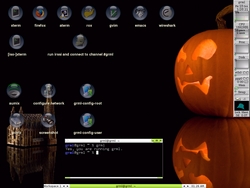
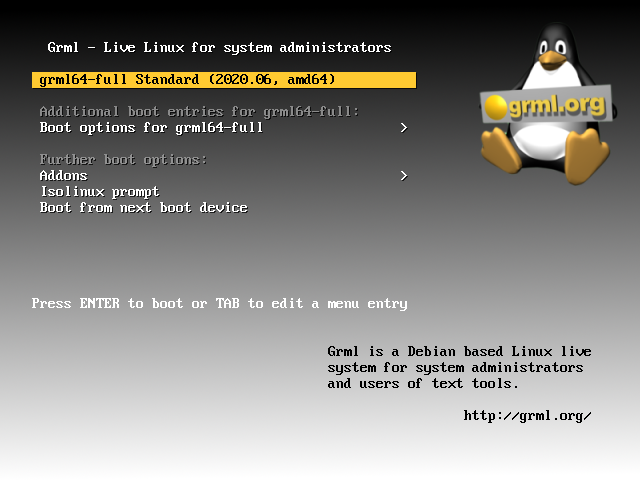
Screenshot of Grml 2009.10 Distrowatch, Heise, Pro-Linux, Symlink, Golem & CO already have the news: a new version of the Debian based Live system for system administrators has been released: Grml 2009.10 Codename Hello-Wien . One visible new feature is the new bootsplash which should lead you through the most important boot options. The new release features kernel 2.6.31.5 with various patches and extra modules. We ve an automatic hostname configuration via DHCP & rDNS, improved network boot capabilities, extensive documentation to Grml s Z Shell features and configuration, support for GRUB2 and directory-specific Z Shell configuration. Amongst the new software packages are Google s stressapptest, btrfs-tools and guymager. A full changelog and release notes can be found at http://grml.org/changelogs/README-grml-2009.10/. As always, images for 32 bit and 64 bit x86 architectures are provided in the sizes grml (~700 MiB), medium (~200 MiB) and small (~100 MiB). They can be downloaded via HTTP, FTP, rsync and Bittorrent. Thanks to all the contributors for being part of this rocking release! *

1 November 2009

John Goerzen: First impressions of the iPod Touch

So far, our household has resisted any piece of the iPhone onslaught. Yes, I carry an iPod Classic, but that s different. Terah s old Palm m100 is becoming a problem. The platform is dead, and the desktop sync drivers for it are decaying rapidly in every operating system. Not only that, but we would really like to be able to share calendars between us. Terah doesn t need a phone or a mobile data plan. After thinking about it a bit and getting some advice, we decided to get her the $200 8GB iPod Touch. And it arrived Friday. I ve used portable devices plenty before. I had my share of PalmOS devices: III, V, Clie; an HP 200LX DOS-based err netbook; a Zaurus; and an N810. The first thing that struck me about the iPod Touch was beauty no surprise there. The interface exuded an air of stability, like it wasn t going to just crash when something went wrong. It felt solid and well-planned. Physically, it s thin. Really thin. That s perhaps the most impressive thing about it of all. Sometimes the GUI masked underlying performance issues. For instance, it may take awhile to draw a web page. On the N810, you get to watch as different bits of the screen appear. On the iPod Touch, you sit there staring at a white screen with a spinning wheel for awhile, and then suddenly poof, the webpage is there. I d have to say the Apple approach feels better. Terah and I decided to sync with Google Calendar, and that setup was easy and well-done on the iPod Touch easier than on the Blackberry with Google s own app, in fact. The only question was that Contacts was a bit counter-intuitive; select the Google account and nothing shows up, but everything is there under the generic Contacts bucket. The Calendar worked very well, even properly handling meetings and invitations. The mail app works well, though it takes a long very long time to scroll through a lengthy email to get to the attachment at the bottom. There s no go to bottom of message feature that I could see, and my idea of pinching the screen to make the text tiny to make scrolling faster didn t work. The mail setup, though, is a complete and utter pain. There is no way anybody that doesn t know a lot of details about SSL certs could have made this work. When you add a mail account, it requires you to have an IMAP and SMTP server defined. It would like to use SSL/TLS with these, which is great. But if it can t validate the cert, it pops up a dialog box asking if you want to continue. You can say yes, but it just sits there for a couple of minutes and then fails with a mysterious error. I had to put my cert up on a webserver, point Safari at it, and install the cert to the device before it would talk to it. That solved IMAP. SMTP was another matter too. Strangely, on the initial account setup, there is no way to put in the port number for SMTP server. Yet it won t save your account until it can connect to one. Of course, most ISPs block the smtp port, so this was bound to fail. Finally I pointed it at a server on my local network temporarily, then went in and edited the account to point it to the real server with the second non-25 port it listens on for just such situations. Safari works really well. It s probably the best mobile browser I ve seen yet (I haven t seen Android or Palm Pre yet.) It is far better than the N810 browser, both in terms of speed and in terms of ability to reformat pages to fit the device. The tabbed browsing is a lot faster switching than the N810 s separate windows, and nicer too. The app store essentially lived up to my expectations. It was very easy to use, and obviously a closed proprietary ecosystem. The free apps that existed there mostly were adware. I looked for a Jabber client, and wasn t happy with any option. Some of them required Apple Push Notifications, with a complex network of two servers between the device and the Jabber server. No thanks to that invasion of privacy. And that brings me to the topic of weird limitations. iPod Touch apps, in general, can t run in the background. You exit Safari, and when you get back in, it s reloading that webpage. Now many apps are good at remembering their state, but this feels very PalmOS to me. You can t use the iPod Touch at all until you first sync it with iTunes. That is incredibly weird. The device has Wifi, people. Plus, why should I have to register it with Apple anyhow? And then there s the lack of a file manager, or anything like it. I can t scp a file from my computer to the iPod Touch like I can my N810, nor the other way round. It is generally unclear how much of the 8GB is in use, and by what. Terah needs a password-keeping program. There are several in the app store. I d really like one that uses Bruce Schneier s standard Password Safe format which is supported on just about any platform you care to name. Couldn t find one. Even if I could, I guess it wouldn t do me any good, since you can t copy the file to a PC anyhow. Sigh. Overall, Terah is very excited with the device, and I must admit to being so too. Its faster web browser means it s probably a good replacement for the N810 especially if you want a calendar, which the N810 completely lacks. It makes an excellent PDA, perhaps the first PDA I ve seen that equals the usability of the old PalmOS. On the other hand, it isn t really a power user s device. There are a lot of surprising limitations and missing features that competing devices have had for years.

31 October 2009

Romain Beauxis: Liquidsoap 0.9.2 is out !

The savonet team is proud to announce the release of liquidsoap [1] 0.9.2. This release is a snapshot of upcoming features, but it also brings several important bugfixes. As a snapshot, it contains experimental and unpolished features, and also slightly breaks compatibility with previous 0.9.x versions. The interesting features in this release are:
  • Switched to a custom implementation of the shout protocols. This allows in particular AAC+ output support, using either the external aacpluenc [2] binary or the native libaacplus [3] [4].
  • New scheduling algorithm for request-based sources which avoids queueing multiple songs at once.
  • Support for libre.fm [5].
  • Built-in support for extracting replay gain [6] metadata.
  • Supports for fallible outputs.
  • MANY bugfixes !
You can read a detailed changelog there [7]. This release is a milestone on our way to liquidsoap 1.0.0. Major changes are going to be merged into the main development branch now. We keep getting closer! The Debian package for sid/unstable will soon be available too. Additionally, a stable debian backport should be available anytime soon.

[1] http://savonet.sourceforge.net/ [2] http://teknoraver.net/software/mp4tools/ [3] http://tipok.org.ua/ru/taxonomy/term/36 [4] Output using libaacplus is still experimental and bug prone and both outputs suffer from the limitations of the same codebase, in particlar when streaming at low bitrate such as 32Kbps.. [5] http://libre.fm/ [6] http://en.wikipedia.org/wiki/Replay_Gain [7] http://savonet.rastageeks.org/brows...

John Goerzen: Where to go in Europe

I ve wanted to visit Europe for years, and just haven t quite made it. School, jobs, kids, all got in the way. Well, it looks like Terah and I may have a chance to spend a week there in March. We re trying to figure out where to go. There are two main reasons I want to go: history, and experiencing different cultures. I m especially interested in old buildings: anything from castles to old country churches and everything in between. Terah would really prefer to avoid too much adventure. Something that feels not too different would be her preference for our first trip. That means probably proper private hotel rooms or B&B. We prefer to avoid having to rent cars when we travel, but would if we had to. We usually like to stay in one hotel for a whole trip, rather than a day in 5 different places. Between us, we know English (of course), and a few bits of Spanish and German. Right now, I think we re leaning towards England or Wales. That can satisfy Terah s not too adventurous criteria (yes, we do know that many Europeans speak English), while also my history criteria. Of all the cultures in Europe, though, I m probably most familiar with Britain already. But I have also long wanted to see other parts of Europe too. I m ready to stock up with Lonely Planet books in my (sadly US-only) Kindle, but would gladly accept any suggestions people have too.

30 October 2009

John Goerzen: FedEx Is Trying To Contact Me For My Package

Most of us probably get spams with subject lines like contact courier company for you package. Yesterday the courier company contacted me. The FedEx driver called me because it had been raining. He saw my name on the package he was to deliver, and remembered the last time he tried to deliver a package to us (maybe a month ago). It was raining then too. He called to say he was afraid he d get stuck, and could he please bring the package to me somewhere else? I told him where I work, and it turned out he was sitting about a mile from there anyway. So he brought me the package at work and all was fine. Last time he came to our place, he told Terah, I almost got stuck getting here on the road I took. What s the good one? That IS the good road. Followed by a look of panic. The UPS driver, on the other hand, drives a truck bigger and less maneuverable than the FedEx driver. I told him about the FedEx guy, and he laughed and said, This isn t bad! You should see the roads in Butler County! Perhaps, but I did get some laughter from my coworkers the day I called in because I was late due to being stuck in the mud, and had never left the roadway. Of course, I say that if the propane guy can make it down our roads in his giant truck which he always can then FedEx should have nothing to worry about. Ah well.

29 October 2009

John Goerzen: Apache Update

Thanks everyone for the helpful comments yesterday on Apache vs. lighttpd. I ve taken the first few steps towards improving things. I ve eliminated mod_php5, switched all PHP to FastCGI, and switched from the prefork to the event MPM. The event MPM docs say that it s incompatible with mod_ssl, but it worked, and googling for that turned up mailing list posts from 2006 saying it was fixed. The only real glitch was that egroupware inexplicably depends on libapache2-mod-php5. It works fine without it, but I had to create a fakelibapache2-mod-php5 that provides libapache2-mod-php5 to convince the system not to remove egroupware when I switched to the event MPM. I went from 28 Apache processes to 4 Apache processes plus an average of around 2 php5-cgi processes which, despite the name, actually do grok FastCGI. Three of my Apache processes now have an RSS of about 20M, and the other of about 30M. The php5-cgi processes are at around 40M. My old Apache processes ranged from 18M to over 40M. So there is some memory savings here, though not drastic. My Redmine processes, two of them, each use over 50M. Ruby on Rails still is leaving me with a bad taste. At least it s not a Java app; it seems a lot of those allocate 2GB before they ever start accepting connections. I ll see how this goes for awhile, but for now I doubt that moving to lighttpd (or similar) will yield enough benefit to make it worth the effort. But there may be some benefit in inserting a caching proxy in front of Apache, so I may yet do that.

27 October 2009

John Goerzen: Apache vs. lighttpd

I ve had a somewhat recurring problem that Apache on my server is a memory hog. The machine has a full GB of RAM now, but even so, heavy activity from spidering bots or reddit can bring it to its knees. I ve been trying to figure out what to do about it. I run Apache on there, and here s an idea of what it hosts: Due to PHP limitations, it will only work with the Apache prefork or itk MPMs. That constrains the entire rest of the system to those particular MPMs. Other than PHP, most of the rest of these sites are running using FastCGI that includes redmine and MoinMoin, although gitweb is a plain cgi. Many of these sites, such as this blog, have changed underlying software over the years, and I use mod_rewrite to issue permanent redirects from old URLs to their corresponding new ones as much as possible. I do have two IPs allocated to the server, and so I can run multiple webservers if desired. lighttpd is a lightweight webserver. I ve browsed their documentation some, and I m having a lot of trouble figuring out whether it would help me any. The way I see it, I have four options:
  1. Keep everything as it is now
  2. Stick with Apache, discard mod_php and use FastCGI for PHP, and pick some better MPM (whatever that might be)
  3. Keep Apache for PHP and move the rest to lighttpd
  4. Move everything to lighttpd, with FastCGI for PHP
I know Apache pretty well, and lighttpd not at all, so if all else is equal, I d want to stick with Apache. But I m certainly not above trying something else. One other wrinkle is that right now everything runs as www-data PHP, MoinMoin, static sites, everything. That makes me nervous, and I d like to run some sites under different users for security. I m not sure if Apache or lighttpd is better for that. If anybody has thoughts, I m all ears.

John Goerzen: Ahh, updates

It s been awhile since I ve made a blog post, and it will probably soon be evident why. For myself, I am taking two college classes philosophy and gerontology this semester, and still working full time. That s busy right there. I m really enjoying them, and in particular enjoying the philosophy class. I will, at long last, graduate this December. Oliver is about 3 months old now. He s starting to smile at us more, make his cute little baby noises more, and is very interested in taking in all of his surroundings. He has his opinions about things, but isn t expressing them too loudly just yet. Jacob, on the other hand, is sometimes. Our person from Parents As Teachers was talking to him for his 3-year-old evaluation. She said, Jacob, are you a boy or a girl? I a kitty. Are you a boy kitty or a girl kitty? I just a PLAIN kitty. Meow. He seems to delight in catching someone saying or doing something in a manner he considers wrong. No, not like THAT! is heard a lot in our house these days. Or perhaps, No, not RAILROAD tracks. They TRAIN tracks, dad! Jacob s imagination is very active. Sometimes if it is time to go use the potty, he will insist that we all stop because a freight train is going through the kitchen, the crossing guard lights are flashing, so we have to STOP. He pretends to be kitties, runaway bunnies (he has a book called Runaway Bunny), and occasionally other things.

Mauro Lizaur: Re: Will the last to leave kindly turn out the light? / geociti.es

Geocities may be closing today, but there's still Angelfire

Thank you Reddit
(sort-of-SFW, BTW)

25 October 2009

Julien Valroff: Start compiz (or any non-default WM) automatically with GNOME

I have just noticed the latest gnome-session package doesn t use compiz as default WM if installed. I have had to found the right way starting it for my session, anf finally found the following was the easiest and cleanest solution:
echo export WINDOW_MANAGER=/usr/bin/compiz >> ~/.gnomerc
Writing it here so that I can find it again

20 October 2009

Dirk Eddelbuettel: RPostgreSQL 0.1-6

A quick bug fix released of RPostgreSQL was uploaded to CRAN earlier today; it updates last week's 0.1-5 release. An editing error left one of the helper functions broken. I also updated a few of the test scripts to also allow for optional environment variable for the port at which the PostgreSQL server is listening. This is handy when you have parallel installations of different PostgreSQL versions which Debian makes really easy. As always, all the details (including the full ChangeLog) are at the local RPostgreSQL page, the RPostgreSQL package page at CRAN and of course the Google Code repository for RPostgreSQL.

14 October 2009

Dirk Eddelbuettel: RPostgreSQL 0.1-5

A new version of RPostgreSQL just went out to CRAN and should propagate via the mirrors over the next few days. This is a maintenance and bug fix release that addresses four of the seven issue at the Google Code page. Two more are really enhancement requests for which we encourage patches as we are unlikely to have to write them, and the last issue I have been unable to replicate. This release has benefitted greatly from the generous help of Neil Tiffin who now looks after all things OS X and keeps a good eye on the Google Code site (where I had, ahem. overlooked the existence of these open issue tickets for a few months), Joe Conway who we can count on for hard-core PostgreSQL issues as well as Jeff Horner for general R, DBI and database smarts. Some more details (including the full ChangeLog) are at the local RPostgreSQL page, the RPostgreSQL package page at CRAN and of course the Google Code repository for RPostgreSQL.

10 October 2009

David Paleino: Bash-completion 1.1 released

Here we go, another release has been cooked for your enjoyment: bash-completion 1.1 is here! This release's development cycle has seen the release of bash4: this introduced a number of bugs, which have been hopefully fixed. Blame us if you find any other Smile Many completions were split out of bash_completion: this prepares the road to dynamic loading of needed completions (in a future major release), resulting in a smaller and faster completion! Furthermore, like each release, many new completions have been added, many old ones were improved, and some bugs have been fixed (more than 20). For more info, look at the changelog file. Still there? Go download bash-completion-1.1! For any bug you might find, please contact us at our mailing list, or directly file it at the Alioth tracker. For the Debian users out there: package coming soon! Happy installation!

8 October 2009

Rapha&#235;l Hertzog: 3-way merge of Debian changelog files

I ve been considering for some time now to create a merge tool specifically suited for debian/changelog files. My goal was to let Git use it automatically thanks to gitattributes. I ve just gone ahead, so let me introduce you git-merge-dch. Grab it with git clone git://git.debian.org/~hertzog/git-merge-dch.git, you can build a package if you wish. Beware, you need to have a dpkg-dev 1.15.5 that is not yet published (so you need to build dpkg from its git repository, git clone git://git.debian.org/dpkg/dpkg.git) as I rely on features that I introduced recently you will also need the libalgorithm-merge-perl package. Using it in a git repository requires two changes: Now you can safely maintain two branches of a package with changelog files evolving separately and merge one into the other without creating undue conflicts. Suppose you created an experimental branch for version 2.28 (you use a version 2.28-1~exp1) when 2.26.2 was current stable in the master branch. In the mean time, 2.26.3 got out and was packaged in master. Next time you merge stable into experimental, the changelog entries for 2.28 and 2.26.3 won t collide despite being at the same place in the changelog file compared to the common ancestor. Let s continue with this example, 2.28 is out. Instead of adding a new changelog entry with New upstream release without further changes, you keep the current changelog entry and simply change the version into 2.28-1. While preparing this you discover a branch with fixes that was based on 2.28-1~exp1, if you merge it it will reintroduce a 2.28-1~exp1 entry that you don t want. Fortunately you can use the --merge-prereleases (-m) option of git-merge-dch so that it strip the prerelease part of the version string and considers 2.28-1~exp1 and 2.28-1 to be the same entry really. The only limitation is that this merge tool will remove any lines which are not parsed by Dpkg::Changelog (and which in theory are not supposed to be there). Feel free to test, share your comments, report bugs and send patches! Partagez cet article / Share This

3 October 2009

Tiago Bortoletto Vaz: Big Jay McNeely playing on his back, Los Angeles, 1951


Big Jay McNeely playing on his back, Los Angeles, 1951

Upload feito originalmente por Bob Willoughby
Great moments should be shared.
Posted in english

Next.

Previous.