Search Results: "ana"

19 October 2022

Petter Reinholdtsen: Managing and using ONVIF IP cameras with Linux

Recently I have been looking at how to control and collect data from a handful IP cameras using Linux. I both wanted to change their settings and to make their imagery available via a free software service under my control. Here is a summary of the tools I found. First I had to identify the cameras and their protocols. As far as I could tell, they were using some SOAP looking protocol and their internal web server seem to only work with Microsoft Internet Explorer with some proprietary binary plugin, which in these days of course is a security disaster and also made it impossible for me to use the camera web interface. Luckily I discovered that the SOAP looking protocol is actually following the ONVIF specification, which seem to be supported by a lot of IP cameras these days. Once the protocol was identified, I was able to find what appear to be the most popular way to configure ONVIF cameras, the free software Windows tool named ONVIF Device Manager. Lacking any other options at the time, I tried unsuccessfully to get it running using Wine, but was missing a dotnet 40 library and I found no way around it to run it on Linux. The next tool I found to configure the cameras were a non-free Linux Qt client ONVIF Device Tool. I did not like its terms of use, so did not spend much time on it. To collect the video and make it available in a web interface, I found the Zoneminder tool in Debian. A recent version was able to automatically detect and configure ONVIF devices, so I could use it to set up motion detection in and collection of the camera output. I had initial problems getting the ONVIF autodetection to work, as both Firefox and Chromium refused the inter-tab communication being used by the Zoneminder web pages, but managed to get konqueror to work. Apparently the "Enhanced Tracking Protection" in Firefox cause the problem. I ended up upgrading to the Bookworm edition of Zoneminder in the process to try to fix the issue, and believe the problem might be solved now. In the process I came across the nice Linux GUI tool ONVIF Viewer allowing me to preview the camera output and validate the login passwords required. Sadly its author has grown tired of maintaining the software, so it might not see any future updates. Which is sad, as the viewer is sightly unstable and the picture tend to lock up. Note, this lockup might be due to limitations in the cameras and not the viewer implementation. I suspect the camera is only able to provide pictures to one client at the time, and the Zoneminder feed might interfere with the GUI viewer. I have asked for the tool to be included in Debian. Finally, I found what appear to be very nice Linux free software replacement for the Windows tool, named libonvif. It provide a C library to talk to ONVIF devices as well as a command line and GUI tool using the library. Using the GUI tool I was able to change the admin passwords and update other settings of the cameras. I have asked for the package to be included in Debian. As usual, if you use Bitcoin and want to show your support of my activities, please send Bitcoin donations to my address 15oWEoG9dUPovwmUL9KWAnYRtNJEkP1u1b. Update 2022-10-20: Since my initial publication of this text, I got several suggestions for more free software Linux tools. There is a ONVIF python library (already requested into Debian) and a python 3 fork using a different SOAP dependency. There is also support for ONVIF in Home Assistant, and there is an alternative to Zoneminder called Shinobi. The latter two are not included in Debian either. I have not tested any of these so far.

17 October 2022

Jeremy Bicha: Ubuntu bug fix anniversary

I first installed Ubuntu when Ubuntu 6.06 LTS Dapper Drake was released. I was brand new to Linux. This was Ubuntu s first LTS release; the very first release of Ubuntu was only a year and a half before. I was impressed by how usable and useful the system was. It soon became my primary home operating system and I wanted to help make it better. On October 15, 2009, I was helping test the release candidates ISOs for the Ubuntu 9.10 release. Specifically, I tested Edubuntu. Edubuntu has since been discontinued but at the time it was an official Ubuntu flavor preloaded with lots of education apps. One of those education apps was Moodle, an e-learning platform. When testing Moodle, I found that a default installation would make Moodle impossible to use locally. I figured out how to fix this issue. This was really exciting: I finally found an Ubuntu bug I knew how to fix. I filed the bug report. This was very late in the Ubuntu 9.10 release process and Ubuntu was in the Final Freeze state. In Final Freeze, every upload to packages included in the default install need to be individually approved by a member of the Ubuntu Release Team. Also, I didn t have upload rights to Ubuntu. Jordan Mantha (LaserJock), an Edubuntu maintainer, sponsored my bug fix upload. I also forwarded my patch to Debian. While trying to figure out what wasn t working with Moodle, I stumbled across a packaging bug. Edubuntu provided a choice of MySQL or PostgreSQL for the system default database. MySQL was the default, but if PostgreSQL were chosen instead, Moodle wouldn t work. I figured out how to fix this bug too a week later. Jordan sponsored this upload and Steve Langasek from the Release Team approved it so it also was able to be fixed before 9.10 was released. Although the first bug was new to 9.10 because of a behavior change in a low-level dependency, this PostgreSQL bug existed in stable Ubuntu releases. Therefore, I prepared Stable Release Updates for Ubuntu 9.04 and Ubuntu 8.04 LTS. Afterwards Six months later, I was able to attend my first Ubuntu Developer Summit. I was living in Bahrain (in the Middle East) at the time and a trip to Belgium seemed easier to me than if I were living in the United States where I usually live. This was the Ubuntu Developer Summit where planning for Ubuntu 10.10 took place. I like to believe that I helped with the naming since I added Maverick to the wiki page where people contribute suggestions. I did not apply for financial sponsorship to attend and I stayed in a budget hotel on the other side of Brussels. The event venue was on the outskirts of Brussels so there wasn t a direct bus or metro line to get there. I rented a car. I didn t yet have a smartphone and I had a LOT of trouble navigating to and from the site every day. I learned then that it s best to stay close to the conference site since a lot of the event is actually in the unstructured time in the evenings. Fortunately, I managed to arrive in time for Mark Shuttleworth s keynote where the Unity desktop was first announced. This was released in Ubuntu 10.10 in the Ubuntu Netbook Remix and became the default for Ubuntu Desktop in Ubuntu 11.04. Ubuntu s switch to Unity provided me with a huge opportunity. In April 2011, GNOME 3.0 was released. I wanted to try it but it wasn t yet packaged in Ubuntu or Debian. It was suggested that I could help work on packaging the major new version in a PPA. The PPA was convenient because I was able to get permission to upload there easier than being able to upload directly to Ubuntu. My contributions there then enabled me to get upload rights to the Ubuntu Desktop packages later that year. At a later Ubuntu Developer Summit, it was suggested that I start an official Ubuntu flavor for GNOME. So along with Tim Lunn (darkxst), I co-founded Ubuntu GNOME. Years later, Canonical stopped actively developing Unity; instead, Ubuntu GNOME was merged into Ubuntu Desktop. Along the way, I became an Ubuntu Core Developer and a Debian Developer. And in January 2022, I joined Canonical on the Desktop Team. This all still feels amazing to me. It took me a long time to be comfortable calling myself a developer! Conclusion My first Ubuntu bugfix was 13 years ago this week. Because Ubuntu historically uses alphabetical adjective animal release names, 13 years means that we have rolled around to the letter K again! Later today, we begin release candidate ISO testing for Ubuntu 22.10 Kinetic Kudu . I encourage you to help us test the release candidates and report bugs that you find. If you figure out how to fix a bug, we still sponsor bug fixes. If you are an Ubuntu contributor, I highly encourage you to attend an Ubuntu Summit if you can. The first Ubuntu Summit in years will be in 3 weeks in Prague, but the intent is for the Ubuntu Summits to be recurring events again.

16 October 2022

Vincent Fourmond: Tutorial: analysis of multiwavelength fast kinetics data

The purpose of this post is to demonstrate a first approach to the analysis of multiwavelength kinetic data, like those obtained using stopped-flow data. To practice, we will use data that were acquired during the stopped flow practicals of the MetBio summer school from the FrenchBIC. During the practicals, the student monitored the reaction of myoglobin (in its Fe(III) state) with azide, which yields a fast and strong change in the absorbance spectrum of the protein, which was monitored using a diode array. The data is publicly available on zenodo. Aims of this tutorial The purpose of this tutorial is to teach you to use the free softwareQSoas to run a simple, multiwavelength exponential fit on the data, and to look at the results. This is not a kinetics lecture, so that it will not go in depth about the use of the exponential fit and its meaning. Getting started: loading the file First, make sure you have a working version of QSoas, you can download them (for free) there. Then download the data files from zenodo. We will work only on the data file Azide-1.25mm_001.dat, but of course, the purpose of this tutorial is to enable you to work on all of them. The data files contain the time evolution of the absorbance for all wavelengths, in a matrix format, in which each row correpond to a time point and each column to a wavelength. Start QSoas, and launch the command:
QSoas> load /comments='"'
Then, choose the Azide-1.25mm_001.dat data file. This should bring up a horizontal red line at the bottom of the data display, with X values between about 0 and 2.5. If you zoom on the red line with the mouse wheel, you'll realize it is data. The /comments='"' part is very important since it allows the extraction of the wavelength from the data. We will look at what it means another day. At this stage, you can look at the loaded data using the command:
QSoas> edit
You should have a window looking like this:
The rows each correspond to a data point displayed on the window below. The first column correspond to the X values, the second the Y values, and all the other ones to extra Y columns (they are not displayed by default). What is especially interesting is the first row, which contains a nan as the X value and what is obviously the wavelength for all the Y values. To tell that QSoas should take this line as the wavelength (which will be the perpendicular coordinate, the coordinate of the other direction of the matrix), first close the edit window and run:
QSoas> set-perp /from-row=0
Splitting and fitting Now, we have a single dataset containing a lot of Y columns. We want to fit all of them simultaneously with a (mono) exponential fit. For that, we first need to split the big matrix into a series of X,Y datasets (because fitting only works on the first Y). This is possible by running:
QSoas> expand /style=red-to-blue /flags=kinetics
Your screen should now look like this:
You're looking at the kinetics at all wavelengths at the same time (this may take some time to display on your computer, it is after all a rather large number of data points). The /style=red-to-blue is not strictly necessary, but it gives the red to blue color gradient which makes things easier to look at (and cooler !). The /flags=kinetics is there to attach a label (a flag) to the newly created datasets so we can easily manipulate all of them at the same time. Then it's time to fit, with the following command:
QSoas> mfit-exponential-decay flagged:kinetics
This should bring up a new window. After resizing it, you should have something that looks like this:
The bottom of the fit window is taken by the parameters, each with two checkboxes on the right to set them fixed (i.e. not determined by the fitting mechanism) and/or global (i.e. with a single value for all the datasets, here all the wavelengths). The top shows the current dataset along with the corresponding fit (in green), and, below, the residuals. You can change the dataset by clicking on the horizontal arrows or using Ctrl+PgUp or Ctrl+PgDown (keep holding it to scan fast). See the Z = 728.15 showing that QSoas has recognized that the currently displayed dataset corresponds to the wavelength 728.15. The equation fitted to the data is: $$y(x) = A_\infty + A_1 \times \exp -(x - x_0)/\tau_1$$ In this case, while the \(A_1\) and \(A_\infty\) parameters clearly depend on the wavelength, the time constant of evolution should be independent of wavelength (the process happens at a certain rate regardless of the wavelength we're analyzing), so that the \(\tau_1\) parameter should be common for all the datasets/wavelengths. Just click on the global checkbox at the right of the tau_1 parameter, make sure it is checked, and hit the Fit button... The fit should not take long (less than a minute), and then you end up with the results of the fits: all the parameters. The best way to look at the non global parameters like \(A_1\) and \(A_\infty\) is to use the Show Parameters item from the Parameters menu. Using it and clicking on A_inf too should give you a display like this one:
The A_inf parameter corresponds to the spectum at infinite time (of azide-bound heme), while the A_1 parameter corresponds to the difference spectrum between the initial (azide-free) and final (azide-bound) states. Now, the fit is finished, you can save the parameters if you want to reload them in a later fit by using the Parameters/Save menu item or export them in a form more suitable for plotting using Parameters/Export (although QSoas can also display and the parameters saved using Save). This concludes this first approach to fitting the data. What you can do is How to read the code above All the lines starting by QSoas> in the code areas above are meant to be typed into the QSoas command line (at the bottom of the window), and started by pressing enter at the end. You must remove the QSoas> bit. The other lines (when applicable) show you the response of QSoas, in the terminal just above the command-line. You may want to play with the QSoas tutorial to learn more about how to interact with QSoas. About QSoas QSoas is a powerful open source data analysis program that focuses on flexibility and powerful fitting capacities. It is released under the GNU General Public License. It is described in Fourmond, Anal. Chem., 2016, 88 (10), pp 5050 5052. Current version is 3.1. You can freely (and at no cost) download its source code or precompiled versions for MacOS and Windows there. Alternatively, you can clone from the GitHub repository.
Contact: find my email address there, or contact me on LinkedIn.

kpcyrd: updlockfiles: Manage lockfiles in PKGBUILDs for upstreams that don't ship them

I ve released a new tool to manage lockfiles for Arch Linux packages that can t use a lockfile from the official upstream release. It integrates closely with other Arch Linux tooling like updpkgsums that s already used to pin the content of build inputs in PKGBUILD. To use this, the downstream lockfile becomes an additional source input in the source= array of our PKGBUILD (this is already the case for some packages).
source=("git+https://github.com/vimeo/psalm.git#commit=$ _commit "
        "composer.lock")
You would then add a new function named updlockfiles that can generate new lockfiles and copies them into $outdir, and a prepare function to copy the lockfile in the right place:
 prepare()  
   cd $ pkgname 
   cp ../composer.lock .
 
updlockfiles()  
  cd $ pkgname 
  rm -f composer.lock
  composer update
  cp composer.lock "$ outdir /"
 
To update the package to the latest (compatible) patch level simply run:
updlockfiles
This can also be used in case upstreams lockfile has vulnerable dependencies that you want to patch downstream. For more detailed instructions see the readme.

Thanks This work is currently crowd-funded on github sponsors. I d like to thank @SantiagoTorres, @repi and @rgacogne for their support in particular.

10 October 2022

Ian Jackson: Skipping releases when upgrading Debian systems

Debian does not officially support upgrading from earlier than the previous stable release: you re not supposed to skip releases. Instead, you re supposed to upgrade to each intervening major release in turn. However, skipping intervening releases does, in fact, often work quite well. Apparently, this is surprising to many people, even Debian insiders. I was encouraged to write about it some more. My personal experience I have three conventionally-managed personal server systems (by which I mean systems which aren t reprovisioned by some kind of automation). Of these at least two have been skip upgraded at least once: The one I don t think I ve skip-upgraded (at least, not recently) is my house network manager (and now VM host) which I try to keep to a minimum in terms of functionality and which I keep quite up to date. It was crossgraded from i386 (32-bit) to amd64 (64-bit) fairly recently, which is a thing that Debian isn t sure it supports. The crossgrade was done a hurry and without any planning, prompted by Spectre et al suddenly requiring big changes to Xen. But it went well enough. My home does random stuff server (media server, web cache, printing, DNS, backups etc.), has etckeeper records starting in 2015. I upgraded directly from jessie (Debian 8) to buster (Debian 10). I think it has probably had earlier skip upgrade(s): the oldest file in /etc is from December 1996 and I have been doing occasional skip upgrades as long as I can remember. And of course there s chiark, which is one of the oldest Debian installs in existence. I wrote about the most recent upgrade, where I went directly from jessie i386 ELTS (32-bit Debian 8) to bulleye amd64 (64-bit Debian 11). That was a very extreme case which required significant planning and pre-testing, since the package dependencies were in no way sufficient for the proper ordering. But, I don t normally go to such lengths. Normally, even on chiark, I just edit the sources.list and see what apt proposes to do. I often skip upgrade chiark because I tend to defer risky-looking upgrades partly in the hope of others fixing the bugs while I wait :-), and partly just because change is disruptive and amortising it is very helpful both to me and my users. I have some records of chiark s upgrades from my announcements to users. As well as the recent skip skip up cross grade, direct , I definitely did a skip upgrade of chiark from squeeze (Debian 6) to jessie (Debian 8). It appears that the previous skip upgrade on chiark was rex (Debian 1.2) to hamm (Debian 2.0). I don t think it s usual for me to choose to do a multi-release upgrade the officially supported way, in two (or more) stages, on a server. I have done that on systems with a GUI desktop setup, but even then I usually skip the intermediate reboot(s). When to skip upgrade (and what precautions to take) I m certainly not saying that everyone ought to be doing this routinely. Most users with a Debian install that is older than oldstable probably ought to reinstall it, or do the two-stage upgrade. Skip upgrading almost always runs into some kind of trouble (albeit, usually trouble that isn t particularly hard to fix if you know what you re doing). However, officially supported non-skip upgrades go wrong too. Doing a two-or-more-releases upgrade via the intermediate releases can expose you to significant bugs in the intermediate releases, which were later fixed. Because Debian s users and downstreams are cautious, and Debian itself can be slow, it is common for bugs to appear for one release and then be fixed only in the next. Paradoxically, this seems to be especially true with the kind of big and scary changes where you d naively think the upgrade mechanisms would break if you skipped the release where the change first came in. I would not recommend a skip upgrade to someone who is not a competent Debian administrator, with good familiarity with Debian package management, including use of dpkg directly to fix things up. You should have a mental toolkit of manual bug workaround techniques. I always should make sure that I have rescue media (and in the case of a remote system, full remote access including ability to boot a different image), although I don t often need it. And, when considering a skip upgrade, you should be aware of the major changes that have occurred in Debian. Skip upgrading is more likely to be a good idea with a complex and highly customised system: a fairly vanilla install is not likely to encounter problems during a two-stage update. (And, a vanilla system can be upgraded by reinstalling.) I haven t recently skip upgraded a laptop or workstation. I doubt I would attempt it; modern desktop software seems to take a much harder line about breaking things that are officially unsupported, and generally trying to force everyone into the preferred mold. A request to Debian maintainers I would like to encourage Debian maintainers to defer removing upgrade compatibility machinery until it is actually getting in the way, or has become hazardous, or many years obsolete. Examples of the kinds of things which it would be nice to keep, and which do not usually cause much inconvenience to retain, are dependency declarations (particularly, alternatives), and (many) transitional fragments in maintainer scripts. If you find yourself needing to either delete some compatibility feature, or refactor/reorganise it, I think it is probably best to delete it. If you modify it significantly, the resulting thing (which won t be tested until someone uses it in anger) is quite likely to have bugs which make it go wrong more badly (or, more confusingly) than the breakage that would happen without it. Obviously this is all a judgement call. I m not saying Debian should formally support skip upgrades, to the extent of (further) slowing down important improvements. Nor am I asking for any change to the routine approach to (for example) transitional packages (i.e. the technique for ensuring continuity of installation when a package name changes). We try to make release upgrades work perfectly; but skip upgrades don t have to work perfectly to be valuable. Retaining compatibility code can also make it easier to provide official backports, and it probably helps downstreams with different release schedules. The fact that maintainers do in practice often defer removing compatibility code provides useful flexibility and options to at least some people. So it would be nice if you d at least not go out of your way to break it. Building on older releases I would also like to encourage maintainers to provide source packages in Debian unstable that will still build on older releases, where this isn t too hard and the resulting binaries might be basically functional. Speaking personally, it s not uncommon for me to rebuild packages from unstable and install them on much older releases. This is another thing that is not officially supported, but which often works well. I m not saying to contort your build system, or delay progress. You ll definitely want to depend on a recentish debhelper. But, for example, retaining old build-dependency alternatives is nice. Retaining them doesn t constitute a promise that it works - it just makes life slightly easier for someone who is going off piste. If you know you have users on multiple distros or multiple releases, and wish to fully support them, you can go further, of course. Many of my own packages are directly buildable, or even directly installable, on older releases.

comment count unavailable comments

Joachim Breitner: rec-def: Minesweeper case study

I m on the train back from MuniHac, where I gave a talk about the rec-def library that I have excessively blogged about recently (here, here, here and here). I got quite flattering comments about that talk, so if you want to see if they were sincere, I suggest you watch the recording of Getting recursive definitions off their bottoms (but it s not necessary for the following). After the talk, Franz Thoma approached me and told me a story of how we was once implementing the game Minesweeper in Haskell, and in particular the part of the logic where, after the user has uncovered a field, the game would automatically uncover all fields that are next to a neutral field, i.e. one with zero adjacent bombs. He was using a comonadic data structure, which makes a context-dependent parallel computation such as uncovering one field quite natural, and was hoping that using a suitable fix-point operator, he can elegantly obtain not just the next step, but directly the result of recursively uncovering all these fields. But, much to his disappointment, that did not work out: Due to the recursion inherent in that definition, a knot-tying fixed-point operator will lead to a cyclic definition.
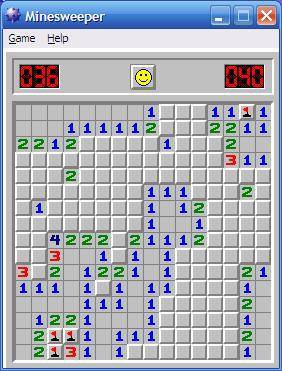
Microsoft Minesweeper Microsoft Minesweeper
He was wondering if the rec-def library could have helped him, and we sat down to find out, and this is the tale of this blog post. I will avoid the comonadic abstractions and program it more naively, though, to not lose too many readers along the way. Maybe read Chris Penner s blog post and Finch s functional pearl Getting a Quick Fix on Comonads if you are curious about that angle.

Minesweeper setup Let s start with defining a suitable data type for the grid of the minesweeper board. I ll use the Array data type, it s Ix-based indexing is quite useful for grids: The library lacks a function to generate an array from a generating function, but it is easy to add: Let s also fix the size of the board, as a pair of lower and upper bounds (this is the format that the Ix type class needs): Now board is simply a grid of boolean values, with True indicating that a bomb is there: It would be nice to be able to see these board in a nicer way. So let us write A function that prints a grid, including a frame, given a function that prints something for each coordinate. Together with a function that prints a bomb (as *), we can print the board: The expression b ! c looks up a the coordinate in the array, and is True when there is a bomb at that coordinate. So here is our board, with two bombs:
ghci> putStrLn $ pBombs board1
######
#    #
#*   #
#*   #
#    #
######
But that s not what we want to show to the user: Every field should have have a number that indicates the number of bombs in the surrounding fields. To that end, we first define a function that takes a coordinate, and returns all adjacent coordinates. This also takes care of the border, using inRange: With that, we can calculate what to display in each cell a bomb, or a number: With a suitable printing function, we can now see the full board: And here it is:
ghci> putStrLn $ pBoard board1
######
#11  #
#*2  #
#*2  #
#11  #
######
Next we have to add masks: We need to keep track of which fields the user already sees. We again use a grid of booleans, and define a function to print a board with the masked fields hidden behind ?:
So this is what the user would see
ghci> putStrLn $ pMasked board1 mask1
######
#11 ?#
#????#
#????#
#????#
######

Uncovering some fields With that setup in place, we now implement the piece of logic we care about: Uncovering all fields that are next to a neutral field. Here is the first attempt: The idea is that we calculate the new mask m1 from the old one m0 by the following logic: A field is visible if it was visible before (m0 ! c), or if any of its neighboring, neutral fields are visible. This works so far: I uncovered the three fields next to the one neutral visible field:
ghci> putStrLn $ pMasked board1 $ solve0 board1 mask1
######
#11  #
#?2  #
#????#
#????#
######
But that s not quite what we want: We want to keep doing that to uncover all fields.

Uncovering all fields So what happens if we change the logic to: A field is visible if it was visible before (m0 ! c), or if any of its neighboring, neutral fields will be visible. In the code, this is just a single character change: Instead of looking at m0 to see if a neighbor is visible, we look at m1: (This is roughly what happened when Franz started to use the kfix comonadic fixed-point operator in his code, I believe.) Does it work? It seems so:
ghci> putStrLn $ pMasked board1 $ solve1 board1 mask1
######
#11  #
#?2  #
#?2  #
#?1  #
######
Amazing, isn t it! Unfortunately, it seems to work by accident. If I start with a different mask: which looks as follows:
ghci> putStrLn $ pMasked board1 mask2
######
#11??#
#????#
#????#
#??? #
######
Then our solve1 function does not work, and just sits there:
ghci> putStrLn $ pMasked board1 $ solve1 board1 mask2
######
#11^CInterrupted.
Why did it work before, but now now? It fails to work because as the code tries to figure out if a field, it needs to know if the next field will be uncovered. But to figure that out, it needs to know if the present field will be uncovered. With the normal boolean connectives ( and or), this does not make progress. It worked with mask1 more or less by accident: None of the fields on in the first column don t have neutral neighbors, so nothing happens there. And for all the fields in the third and forth column, the code will know for sure that they will be uncovered based on their upper neighbors, which come first in the neighbors list, and due to the short-circuting properties of , it doesn t have to look at the later cells, and the vicious cycle is avoided.

rec-def to the rescue This is where rec-def comes in: By using the RBool type in m1 instead of plain Bool, the recursive self-reference is not a problem, and it simply works: Note that I did not change the algorithm, or the self-reference through m1; I just replaced Bool with RBool, with RB. and or with RB.or. And used RB.get at the end to get a normal boolean out. And , here we go:
ghci> putStrLn $ pMasked board1 $ solve2 board1 mask2
######
#11  #
#?2  #
#?2  #
#?1  #
######
That s the end of this repetition of let s look at a tying-the-knot-problem and see how rec-def helps , which always end up a bit anti-climatic because it just works , at least in these cases. Hope you enjoyed it nevertheless.

9 October 2022

Sergio Talens-Oliag: Shared networking for Virtual Machines and Containers

This entry explains how I have configured a linux bridge, dnsmasq and iptables to be able to run and communicate different virtualization systems and containers on laptops running Debian GNU/Linux. I ve used different variations of this setup for a long time with VirtualBox and KVM for the Virtual Machines and Linux-VServer, OpenVZ, LXC and lately Docker or Podman for the Containers.

Required packagesI m running Debian Sid with systemd and network-manager to configure the WiFi and Ethernet interfaces, but for the bridge I use bridge-utils with ifupdown (as I said this setup is old, I guess ifupdow2 and ifupdown-ng will work too). To start and stop the DNS and DHCP services and add NAT rules when the bridge is brought up or down I execute a script that uses:
  • ip from iproute2 to get the network information,
  • dnsmasq to provide the DNS and DHCP services (currently only the dnsmasq-base package is needed and it is recommended by network-manager, so it is probably installed),
  • iptables to configure NAT (for now docker kind of forces me to keep using iptables, but at some point I d like to move to nftables).
To make sure you have everything installed you can run the following command:
sudo apt install bridge-utils dnsmasq-base ifupdown iproute2 iptables

Bridge configurationThe bridge configuration for ifupdow is available on the file /etc/network/interfaces.d/vmbr0:
# Virtual servers NAT Bridge
auto vmbr0
iface vmbr0 inet static
    address         10.0.4.1
    network         10.0.4.0
    netmask         255.255.255.0
    broadcast       10.0.4.255
    bridge_ports    none
    bridge_maxwait  0
    up              /usr/local/sbin/vmbridge $ IFACE  start nat
    pre-down        /usr/local/sbin/vmbridge $ IFACE  stop nat
Warning: To use a separate file with ifupdown make sure that /etc/network/interfaces contains the line:
source /etc/network/interfaces.d/*
or add its contents to /etc/network/interfaces directly, if you prefer.
This configuration creates a bridge with the address 10.0.4.1 and assumes that the machines connected to it will use the 10.0.4.0/24 network; you can change the network address if you want, as long as you use a private range and it does not collide with networks used in your Virtual Machines all should be OK. The vmbridge script is used to start the dnsmasq server and setup the NAT rules when the interface is brought up and remove the firewall rules and stop the dnsmasq server when it is brought down.

The vmbridge scriptThe vmbridge script launches an instance of dnsmasq that binds to the bridge interface (vmbr0 in our case) that is used as DNS and DHCP server. The DNS server reads the /etc/hosts file to publish local DNS names and forwards all the other requests to the the dnsmasq server launched by NetworkManager that is listening on the loopback interface. As this server already does catching we disable it for our server, with the added advantage that, if we change networks, new requests go to the new resolvers because the DNS server handled by NetworkManager gets restarted and flushes its cache (this is useful if we connect to a new network that has internal DNS servers that are configured to do split DNS for internal services; if we use this model all requests get the internal address as soon as the DNS server is queried again). The DHCP server is configured to provide IPs to unknown hosts for a sub range of the addresses on the bridge network and use fixed IPs if the /etc/ethers file has a MAC with a matching hostname on the /etc/hosts file. To make things work with old DHCP clients the script also adds checksums to the DHCP packets using iptables (when the interface is not linked to a physical device the kernel does not add checksums, but we can fix it adding a rule on the mangle table). If we want external connectivity we can pass the nat argument and then the script creates a MASQUERADE rule for the bridge network and enables IP forwarding. The script source code is the following:
/usr/local/sbin/vmbridge
#!/bin/sh
set -e
# ---------
# VARIABLES
# ---------
LOCAL_DOMAIN="vmnet"
MIN_IP_LEASE="192"
MAX_IP_LEASE="223"
# ---------
# FUNCTIONS
# ---------
get_net()  
  NET="$(
    ip a ls "$ BRIDGE " 2>/dev/null   sed -ne 's/^.*inet \(.*\) brd.*$/\1/p'
  )"
  [ "$NET" ]   return 1
 
checksum_fix_start()  
  iptables -t mangle -A POSTROUTING -o "$ BRIDGE " -p udp --dport 68 \
    -j CHECKSUM --checksum-fill 2>/dev/null   true
 
checksum_fix_stop()  
  iptables -t mangle -D POSTROUTING -o "$ BRIDGE " -p udp --dport 68 \
    -j CHECKSUM --checksum-fill 2>/dev/null   true
 
nat_start()  
  [ "$NAT" = "yes" ]   return 0
  # Configure NAT
  iptables -t nat -A POSTROUTING -s "$ NET " ! -d "$ NET " -j MASQUERADE
  # Enable forwarding (just in case)
  echo 1 >/proc/sys/net/ipv4/ip_forward
 
nat_stop()  
  [ "$NAT" = "yes" ]   return 0
  iptables -t nat -D POSTROUTING -s "$ NET " ! -d "$ NET " \
    -j MASQUERADE 2>/dev/null   true
 
do_start()  
  # Bridge address
  _addr="$ NET%%/* "
  # DNS leases (between .MIN_IP_LEASE and .MAX_IP_LEASE)
  _dhcp_range="$ _addr%.* .$ MIN_IP_LEASE ,$ _addr%.* .$ MAX_IP_LEASE "
  # Bridge mtu
  _mtu="$(
    ip link show dev "$ BRIDGE "  
      sed -n -e '/mtu/   s/^.*mtu \([0-9]\+\).*$/\1/p  '
  )"
  # Compute extra dnsmasq options
  dnsmasq_extra_opts=""
  # Disable gateway when not using NAT
  if [ "$NAT" != "yes" ]; then
    dnsmasq_extra_opts="$dnsmasq_extra_opts --dhcp-option=3"
  fi
  # Adjust MTU size if needed
  if [ -n "$_mtu" ] && [ "$_mtu" -ne "1500" ]; then
    dnsmasq_extra_opts="$dnsmasq_extra_opts --dhcp-option=26,$_mtu"
  fi
  # shellcheck disable=SC2086
  dnsmasq --bind-interfaces \
    --cache-size="0" \
    --conf-file="/dev/null" \
    --dhcp-authoritative \
    --dhcp-leasefile="/var/lib/misc/dnsmasq.$ BRIDGE .leases" \
    --dhcp-no-override \
    --dhcp-range "$ _dhcp_range " \
    --domain="$ LOCAL_DOMAIN " \
    --except-interface="lo" \
    --expand-hosts \
    --interface="$ BRIDGE " \
    --listen-address "$ _addr " \
    --no-resolv \
    --pid-file="$ PIDF " \
    --read-ethers \
    --server="127.0.0.1" \
    $dnsmasq_extra_opts
  checksum_fix_start
  nat_start
 
do_stop()  
  nat_stop
  checksum_fix_stop
  if [ -f "$ PIDF " ]; then
    kill "$(cat "$ PIDF ")"   true
    rm -f "$ PIDF "
  fi
 
do_status()  
  if [ -f "$ PIDF " ] && kill -HUP "$(cat "$ PIDF ")"; then
    echo "dnsmasq RUNNING"
  else
    echo "dnsmasq NOT running"
  fi
 
do_reload()  
  [ -f "$ PIDF " ] && kill -HUP "$(cat "$ PIDF ")"
 
usage()  
  echo "Uso: $0 BRIDGE (start stop [nat]) status reload"
  exit 1
 
# ----
# MAIN
# ----
[ "$#" -ge "2" ]   usage
BRIDGE="$1"
OPTION="$2"
shift 2
NAT="no"
for arg in "$@"; do
  case "$arg" in
  nat) NAT="yes" ;;
  *) echo "Unknown arg '$arg'" && exit 1 ;;
  esac
done
PIDF="/var/run/vmbridge-$ BRIDGE -dnsmasq.pid"
case "$OPTION" in
start) get_net && do_start ;;
stop) get_net && do_stop ;;
status) do_status ;;
reload) get_net && do_reload ;;
*) echo "Unknown command '$OPTION'" && exit 1 ;;
esac
# vim: ts=2:sw=2:et:ai:sts=2

NetworkManager ConfigurationThe default /etc/NetworkManager/NetworkManager.conf file has the following contents:
[main]
plugins=ifupdown,keyfile
[ifupdown]
managed=false
Which means that it will leave interfaces managed by ifupdown alone and, by default, will send the connection DNS configuration to systemd-resolved if it is installed. As we want to use dnsmasq for DNS resolution, but we don t want NetworkManager to modify our /etc/resolv.conf we are going to add the following file (/etc/NetworkManager/conf.d/dnsmasq.conf) to our system:
/etc/NetworkManager/conf.d/dnsmasq.conf
[main]
dns=dnsmasq
rc-manager=unmanaged
and restart the NetworkManager service:
$ sudo systemctl restart NetworkManager.service
From now on the NetworkManager will start a dnsmasq service that queries the servers provided by the DHCP servers we connect to on 127.0.0.1:53 but will not touch our /etc/resolv.conf file.

Configuring systemd-resolvedIf we start using our own name server but our system has systemd-resolved installed we will no longer need or use the DNS stub; programs using it will use our dnsmasq server directly now, but we keep running systemd-resolved for the host programs that use its native api or access it through /etc/nsswitch.conf (when libnss-resolve is installed). To disable the stub we add a /etc/systemd/resolved.conf.d/disable-stub.conf file to our machine with the following content:
# Disable the DNS Stub Listener, we use our own dnsmasq
[Resolve]
DNSStubListener=no
and restart the systemd-resolved to make sure that the stub is stopped:
$ sudo systemctl restart systemd-resolved.service

Adjusting /etc/resolv.confFirst we remove the existing /etc/resolv.conf file (it does not matter if it is a link or a regular file) and then create a new one that contains at least the following line (we can add a search line if is useful for us):
nameserver 10.0.4.1
From now on we will be using the dnsmasq server launched when we bring up the vmbr0 for multiple systems:
  • as our main DNS server from the host (if we use the standard /etc/nsswitch.conf and libnss-resolve is installed it is queried first, but the systemd-resolved uses it as forwarder by default if needed),
  • as the DNS server of the Virtual Machines or containers that use DHCP for network configuration and attach their virtual interfaces to our bridge,
  • as the DNS server of docker containers that get the DNS information from /etc/resolv.conf (if we have entries that use loopback addresses the containers that don t use the host network tend to fail, as those addresses inside the running containers are not linked to the loopback device of the host).

TestingAfter all the configuration files and scripts are in place we just need to bring up the bridge interface and check that everything works:
$ # Bring interface up
$ sudo ifup vmbr0
$ # Check that it is available
$ ip a ls dev vmbr0
4: vmbr0: <NO-CARRIER,BROADCAST,MULTICAST,UP> mtu 1500 qdisc noqueue state DOWN
          group default qlen 1000
    link/ether 0a:b8:ef:b8:07:6c brd ff:ff:ff:ff:ff:ff
    inet 10.0.4.1/24 brd 10.0.4.255 scope global vmbr0
       valid_lft forever preferred_lft forever
$ # View the listening ports used by our dnsmasq servers
$ sudo ss -tulpan   grep dnsmasq
udp UNCONN 0 0  127.0.0.1:53     0.0.0.0:* users:(("dnsmasq",pid=1733930,fd=4))
udp UNCONN 0 0  10.0.4.1:53      0.0.0.0:* users:(("dnsmasq",pid=1705267,fd=6))
udp UNCONN 0 0  0.0.0.0%vmbr0:67 0.0.0.0:* users:(("dnsmasq",pid=1705267,fd=4))
tcp LISTEN 0 32 10.0.4.1:53      0.0.0.0:* users:(("dnsmasq",pid=1705267,fd=7))
tcp LISTEN 0 32 127.0.0.1:53     0.0.0.0:* users:(("dnsmasq",pid=1733930,fd=5))
$ # Verify that the DNS server works on the vmbr0 address
$ host www.debian.org 10.0.4.1
Name: 10.0.4.1
Address: 10.0.4.1#53
Aliases:
www.debian.org has address 130.89.148.77
www.debian.org has IPv6 address 2001:67c:2564:a119::77

Managing running systemsIf we want to update DNS entries and/or MAC addresses we can edit the /etc/hosts and /etc/ethers files and reload the dnsmasq configuration using the vmbridge script:
$ sudo /usr/local/sbin/vmbridge vmbr0 reload
That call sends a signal to the running dnsmasq server and it reloads the files; after that we can refresh the DHCP addresses from the client machines or start using the new DNS names immediately.

7 October 2022

Reproducible Builds: Reproducible Builds in September 2022

Welcome to the September 2022 report from the Reproducible Builds project! In our reports we try to outline the most important things that we have been up to over the past month. As a quick recap, whilst anyone may inspect the source code of free software for malicious flaws, almost all software is distributed to end users as pre-compiled binaries. If you are interested in contributing to the project, please visit our Contribute page on our website.
David A. Wheeler reported to us that the US National Security Agency (NSA), Cybersecurity and Infrastructure Security Agency (CISA) and the Office of the Director of National Intelligence (ODNI) have released a document called Securing the Software Supply Chain: Recommended Practices Guide for Developers (PDF). As David remarked in his post to our mailing list, it expressly recommends having reproducible builds as part of advanced recommended mitigations . The publication of this document has been accompanied by a press release.
Holger Levsen was made aware of a small Microsoft project called oss-reproducible. Part of, OSSGadget, a larger collection of tools for analyzing open source packages , the purpose of oss-reproducible is to:
analyze open source packages for reproducibility. We start with an existing package (for example, the NPM left-pad package, version 1.3.0), and we try to answer the question, Do the package contents authentically reflect the purported source code?
More details can be found in the README.md file within the code repository.
David A. Wheeler also pointed out that there are some potential upcoming changes to the OpenSSF Best Practices badge for open source software in relation to reproducibility. Whilst the badge programme has three certification levels ( passing , silver and gold ), the gold level includes the criterion that The project MUST have a reproducible build . David reported that some projects have argued that this reproducibility criterion should be slightly relaxed as outlined in an issue on the best-practices-badge GitHub project. Essentially, though, the claim is that the reproducibility requirement doesn t make sense for projects that do not release built software, and that timestamp differences by themselves don t necessarily indicate malicious changes. Numerous pragmatic problems around excluding timestamps were raised in the discussion of the issue.
Sonatype, a pioneer of software supply chain management , issued a press release month to report that they had found:
[ ] a massive year-over-year increase in cyberattacks aimed at open source project ecosystems. According to early data from Sonatype s 8th annual State of the Software Supply Chain Report, which will be released in full this October, Sonatype has recorded an average 700% jump in repository attacks over the last three years.
More information is available in the press release.
A number of changes were made to the Reproducible Builds website and documentation this month, including Chris Lamb adding a redirect from /projects/ to /who/ in order to keep old or archived links working [ ], Jelle van der Waa added a Rust programming language example for SOURCE_DATE_EPOCH [ ][ ] and Mattia Rizzolo included Protocol Labs amongst our project-level sponsors [ ].

Debian There was a large amount of reproducibility work taking place within Debian this month:
  • The nfft source package was removed from the archive, and now all packages in Debian bookworm now have a corresponding .buildinfo file. This can be confirmed and tracked on the associated page on the tests.reproducible-builds.org site.
  • Vagrant Cascadian announced on our mailing list an informal online sprint to help clear the huge backlog of reproducible builds patches submitted by performing NMU (Non-Maintainer Uploads). The first such sprint took place on September 22nd with the following results:
    • Holger Levsen:
      • Mailed #1010957 in man-db asking for an update and whether to remove the patch tag for now. This was subsequently removed and the maintainer started to address the issue.
      • Uploaded gmp to DELAYED/15, fixing #1009931.
      • Emailed #1017372 in plymouth and asked for the maintainer s opinion on the patch. This resulted in the maintainer improving Vagrant s original patch (and uploading it) as well as filing an issue upstream.
      • Uploaded time to DELAYED/15, fixing #983202.
    • Vagrant Cascadian:
      • Verify and updated patch for mylvmbackup (#782318)
      • Verified/updated patches for libranlip. (#788000, #846975 & #1007137)
      • Uploaded libranlip to DELAYED/10.
      • Verified patch for cclive. (#824501)
      • Uploaded cclive to DELAYED/10.
      • Vagrant was unable to reproduce the underlying issue within #791423 (linuxtv-dvb-apps) and so the bug was marked as done .
      • Researched #794398 (in clhep).
    The plan is to repeat these sprints every two weeks, with the next taking place on Thursday October 6th at 16:00 UTC on the #debian-reproducible IRC channel.
  • Roland Clobus posted his 13th update of the status of reproducible Debian ISO images on our mailing list. During the last month, Roland ensured that the live images are now automatically fed to openQA for automated testing after they have been shown to be reproducible. Additionally Roland asked on the debian-devel mailing list about a way to determine the canonical timestamp of the Debian archive. [ ]
  • Following up on last month s work on reproducible bootstrapping, Holger Levsen filed two bugs against the debootstrap and cdebootstrap utilities. (#1019697 & #1019698)
Lastly, 44 reviews of Debian packages were added, 91 were updated and 17 were removed this month adding to our knowledge about identified issues. A number of issue types have been updated too, including the descriptions of cmake_rpath_contains_build_path [ ], nondeterministic_version_generated_by_python_param [ ] and timestamps_in_documentation_generated_by_org_mode [ ]. Furthermore, two new issue types were created: build_path_used_to_determine_version_or_package_name [ ] and captures_build_path_via_cmake_variables [ ].

Other distributions In openSUSE, Bernhard M. Wiedemann published his usual openSUSE monthly report.

diffoscope diffoscope is our in-depth and content-aware diff utility. Not only can it locate and diagnose reproducibility issues, it can provide human-readable diffs from many kinds of binary formats. This month, Chris Lamb prepared and uploaded versions 222 and 223 to Debian, as well as made the following changes:
  • The cbfstools utility is now provided in Debian via the coreboot-utils package so we can enable that functionality within Debian. [ ]
  • Looked into Mach-O support.
  • Fixed the try.diffoscope.org service by addressing a compatibility issue between glibc/seccomp that was preventing the Docker-contained diffoscope instance from spawning any external processes whatsoever [ ]. I also updated the requirements.txt file, as some of the specified packages were no longer available [ ][ ].
In addition Jelle van der Waa added support for file version 5.43 [ ] and Mattia Rizzolo updated the packaging:
  • Also include coreboot-utils in the Build-Depends and Test-Depends fields so that it is available for tests. [ ]
  • Use pep517 and pip to load the requirements. [ ]
  • Remove packages in Breaks/Replaces that have been obsoleted since the release of Debian bullseye. [ ]

Reprotest reprotest is our end-user tool to build the same source code twice in widely and deliberate different environments, and checking whether the binaries produced by the builds have any differences. This month, reprotest version 0.7.22 was uploaded to Debian unstable by Holger Levsen, which included the following changes by Philip Hands:
  • Actually ensure that the setarch(8) utility can actually execute before including an architecture to test. [ ]
  • Include all files matching *.*deb in the default artifact_pattern in order to archive all results of the build. [ ]
  • Emit an error when building the Debian package if the Debian packaging version does not patch the Python version of reprotest. [ ]
  • Remove an unneeded invocation of the head(1) utility. [ ]

Upstream patches The Reproducible Builds project detects, dissects and attempts to fix as many currently-unreproducible packages as possible. We endeavour to send all of our patches upstream where appropriate. This month, we wrote a large number of such patches, including:

Testing framework The Reproducible Builds project runs a significant testing framework at tests.reproducible-builds.org in order to check packages and other artifacts for reproducibility. This month, however, the following changes were made:
  • Holger Levsen:
    • Add a job to build reprotest from Git [ ] and use the correct Git branch when building it [ ].
  • Mattia Rizzolo:
    • Enable syncing of results from building live Debian ISO images. [ ]
    • Use scp -p in order to preserve modification times when syncing live ISO images. [ ]
    • Apply the shellcheck shell script analysis tool. [ ]
    • In a build node wrapper script, remove some debugging code which was messing up calling scp(1) correctly [ ] and consquently add support to use both scp -p and regular scp [ ].
  • Roland Clobus:
    • Track and handle the case where the Debian archive gets updated between two live image builds. [ ]
    • Remove a call to sudo(1) as it is not (or no longer) required to delete old live-build results. [ ]

Contact As ever, if you are interested in contributing to the Reproducible Builds project, please visit our Contribute page on our website. However, you can get in touch with us via:

6 October 2022

Matthew Garrett: Cloud desktops aren't as good as you'd think

Fast laptops are expensive, cheap laptops are slow. But even a fast laptop is slower than a decent workstation, and if your developers want a local build environment they're probably going to want a decent workstation. They'll want a fast (and expensive) laptop as well, though, because they're not going to carry their workstation home with them and obviously you expect them to be able to work from home. And in two or three years they'll probably want a new laptop and a new workstation, and that's even more money. Not to mention the risks associated with them doing development work on their laptop and then drunkenly leaving it in a bar or having it stolen or the contents being copied off it while they're passing through immigration at an airport. Surely there's a better way?

This is the thinking that leads to "Let's give developers a Chromebook and a VM running in the cloud". And it's an appealing option! You spend far less on the laptop, and the VM is probably cheaper than the workstation - you can shut it down when it's idle, you can upgrade it to have more CPUs and RAM as necessary, and you get to impose all sorts of additional neat security policies because you have full control over the network. You can run a full desktop environment on the VM, stream it to a cheap laptop, and get the fast workstation experience on something that weighs about a kilogram. Your developers get the benefit of a fast machine wherever they are, and everyone's happy.

But having worked at more than one company that's tried this approach, my experience is that very few people end up happy. I'm going to give a few reasons here, but I can't guarantee that they cover everything - and, to be clear, many (possibly most) of the reasons I'm going to describe aren't impossible to fix, they're simply not priorities. I'm also going to restrict this discussion to the case of "We run a full graphical environment on the VM, and stream that to the laptop" - an approach that only offers SSH access is much more manageable, but also significantly more restricted in certain ways. With those details mentioned, let's begin.

The first thing to note is that the overall experience is heavily tied to the protocol you use for the remote display. Chrome Remote Desktop is extremely appealing from a simplicity perspective, but is also lacking some extremely key features (eg, letting you use multiple displays on the local system), so from a developer perspective it's suboptimal. If you read the rest of this post and want to try this anyway, spend some time working with your users to find out what their requirements are and figure out which technology best suits them.

Second, let's talk about GPUs. Trying to run a modern desktop environment without any GPU acceleration is going to be a miserable experience. Sure, throwing enough CPU at the problem will get you past the worst of this, but you're still going to end up with users who need to do 3D visualisation, or who are doing VR development, or who expect WebGL to work without burning up every single one of the CPU cores you so graciously allocated to their VM. Cloud providers will happily give you GPU instances, but that's going to cost more and you're going to need to re-run your numbers to verify that this is still a financial win. "But most of my users don't need that!" you might say, and we'll get to that later on.

Next! Video quality! This seems like a trivial point, but if you're giving your users a VM as their primary interface, then they're going to do things like try to use Youtube inside it because there's a conference presentation that's relevant to their interests. The obvious solution here is "Do your video streaming in a browser on the local system, not on the VM" but from personal experience that's a super awkward pain point! If I click on a link inside the VM it's going to open a browser there, and now I have a browser in the VM and a local browser and which of them contains the tab I'm looking for WHO CAN SAY. So your users are going to watch stuff inside their VM, and re-compressing decompressed video is going to look like shit unless you're throwing a huge amount of bandwidth at the problem. And this is ignoring the additional irritation of your browser being unreadable while you're rapidly scrolling through pages, or terminal output from build processes being a muddy blur of artifacts, or the corner case of "I work for Youtube and I need to be able to examine 4K streams to determine whether changes have resulted in a degraded experience" which is a very real job and one that becomes impossible when you pass their lovingly crafted optimisations through whatever codec your remote desktop protocol has decided to pick based on some random guesses about the local network, and look everyone is going to have a bad time.

The browser experience. As mentioned before, you'll have local browsers and remote browsers. Do they have the same security policy? Who knows! Are all the third party services you depend on going to be ok with the same user being logged in from two different IPs simultaneously because they lost track of which browser they had an open session in? Who knows! Are your users going to become frustrated? Who knows oh wait no I know the answer to this one, it's "yes".

Accessibility! More of your users than you expect rely on various accessibility interfaces, be those mechanisms for increasing contrast, screen magnifiers, text-to-speech, speech-to-text, alternative input mechanisms and so on. And you probably don't know this, but most of these mechanisms involve having accessibility software be able to introspect the UI of applications in order to provide appropriate input or expose available options and the like. So, I'm running a local text-to-speech agent. How does it know what's happening in the remote VM? It doesn't because it's just getting an a/v stream, so you need to run another accessibility stack inside the remote VM and the two of them are unaware of each others existence and this works just as badly as you'd think. Alternative input mechanism? Good fucking luck with that, you're at best going to fall back to "Send synthesized keyboard inputs" and that is nowhere near as good as "Set the contents of this text box to this unicode string" and yeah I used to work on accessibility software maybe you can tell. And how is the VM going to send data to a braille output device? Anyway, good luck with the lawsuits over arbitrarily making life harder for a bunch of members of a protected class.

One of the benefits here is supposed to be a security improvement, so let's talk about WebAuthn. I'm a big fan of WebAuthn, given that it's a multi-factor authentication mechanism that actually does a good job of protecting against phishing, but if my users are running stuff inside a VM, how do I use it? If you work at Google there's a solution, but that does mean limiting yourself to Chrome Remote Desktop (there are extremely good reasons why this isn't generally available). Microsoft have apparently just specced a mechanism for doing this over RDP, but otherwise you're left doing stuff like forwarding USB over IP, and that means that your USB WebAuthn no longer works locally. It also doesn't work for any other type of WebAuthn token, such as a bluetooth device, or an Apple TouchID sensor, or any of the Windows Hello support. If you're planning on moving to WebAuthn and also planning on moving to remote VM desktops, you're going to have a bad time.

That's the stuff that comes to mind immediately. And sure, maybe each of these issues is irrelevant to most of your users. But the actual question you need to ask is what percentage of your users will hit one or more of these, because if that's more than an insignificant percentage you'll still be staffing all the teams that dealt with hardware, handling local OS installs, worrying about lost or stolen devices, and the glorious future of just being able to stop worrying about this is going to be gone and the financial benefits you promised would appear are probably not going to work out in the same way.

A lot of this falls back to the usual story of corporate IT - understand the needs of your users and whether what you're proposing actually meets them. Almost everything I've described here is a corner case, but if your company is larger than about 20 people there's a high probability that at least one person is going to fall into at least one of these corner cases. You're going to need to spend a lot of time understanding your user population to have a real understanding of what the actual costs are here, and I haven't seen anyone do that work before trying to launch this and (inevitably) going back to just giving people actual computers.

There are alternatives! Modern IDEs tend to support SSHing out to remote hosts to perform builds there, so as long as you're ok with source code being visible on laptops you can at least shift the "I need a workstation with a bunch of CPU" problem out to the cloud. The laptops are going to need to be more expensive because they're also going to need to run more software locally, but it wouldn't surprise me if this ends up being cheaper than the full-on cloud desktop experience in most cases.

Overall, the most important thing to take into account here is that your users almost certainly have more use cases than you expect, and this sort of change is going to have direct impact on the workflow of every single one of your users. Make sure you know how much that's going to be, and take that into consideration when suggesting it'll save you money.

comment count unavailable comments

4 October 2022

Abhijith PA: Laptop refreshment

(Sorry if you have read this already, due to a tag mistake, my draft copy got published) laptop I recently bought a refurbished thinkpad x260. If you have read my post of my <a href= <!DOCTYPE html> Laptop refreshment