Search Results: "sten"

30 May 2016

Daniel Stender: My work for Debian in May

No double posting this time ;-) I've got not so much spare time this month to spend on Debian, but I could work on the following packages: This series of blog postings also includes little introductions of and into new packages in the archive. This month there is: Pyinfra Pyinfra is a new project which is currently still in development state. It has been already pointed out in an interesting German article1, and is now available as package maintained within the Python Applications Team. It's currently a one man production by Nick Barrett, and eagerly developed in the past weeks (we're currently at 0.1~dev24). Pyinfra is a remote server configuration/provisioning/service deployment tool which belongs in the same software category like Puppet or Ansible2. It's for provisioning one or an array of remote servers with software packages and to configure them. Pyinfra runs agentless like Ansible, that means for using it nothing special (like a daemon) has to run on targeted servers. It's written to be used for provisioning POSIX compatible Linux systems and has alternatives when it comes to special features like package managers (e.g. supports apt as well as yum). The documentation could be found in usr/share/doc/pyinfra/html/. Here's a little crash course on how to use Pyinfra: The pyinfra CLI tool is used on the command line like this, deploy scripts, single operations or facts (see below) could be used on a single server or a multitude of remote servers:
$ pyinfra -i <inventory script/single host> <deploy script>
$ pyinfra -i <inventory script/single host> --run <operation>
$ pyinfra -i <inventory script/single host> --facts <fact>
Remote servers which are operated on must provide a working shell and they must be reachable by SSH. For connecting, --port, --user, --password, --key/--key-password and --sudo flags are available, --sudo to gain superuser rights. Root access or sudo rights of course have to be already set up. By the way, localhost could be operated on the same way. Single operations are organized in modules like "apt", "files", "init", "server" etc. With the --run option they could be used individually on servers like follows, e.g. server.user adds a new user on a single targeted system (-v adds verbosity to the pyinfra run):
$ pyinfra -i 192.0.2.10 --run server.user sam --user root --key ~/.ssh/sshkey --key-password 123456 -v
Multiple servers can be grouped in inventories, which hold the targeted hosts and data associated with them, like e.g. an inventory file farm1.py would contain lists like this:
COMPUTE_SERVERS = ['192.0.2.10', '192.0.2.11']
DATABASE_SERVERS = ['192.0.2.20', '192.0.2.21']
Group designators must be all caps. A higher level of grouping are the file names of inventory scripts, thus COMPUTE_SERVERS and DATABASE_SERVERS can be referenced to at the same time by the group designator farm1. Plus, all servers are automatically added to the group all. And, inventory scripts should be stored in the subfolder inventory/ in the project directory. Inventory files then could be used instead of specific IP addresses like this, the single operation then gets performed on all given machines in farm1.py:
$ pyinfra -i inventory/farm1.py  --run server.user sam --user root --key ~/.ssh/sshkey --key-password=123456 -v
Deployment scripts could be used together with group data files in the subfolder group_data/ in the project directory. For example, a group_data/farm1.py designates all servers given in inventory/farm1.py (by the way, all.py designates all servers), and contains the random attribute user_name (attributes must be lowercase), next to authentication data for the whole inventory group:
user_name = 'sam'
ssh_user = 'root'
ssh_key = '~/.ssh/sshkey'
ssh_key_password = '123456'
The random attribute can be picked up by a deployment script using host.data() like follows, user_name could be used again for e.g. server.user(), like this:
from pyinfra import host
from pyinfra.modules import server
server.user(host.data.user_name)
This deploy, the ensemble of inventory file, group data file and deployment script (usually placed top level in the project folder) then could be run that way:
$ pyinfra -i inventory/farm1.py deploy.py
You have guessed it, since deployment scripts are Python scripts they are fully programmable (please regard that Pyinfra is build & runs on Python 3 on Debian), and that's the main advantage point with this piece of software. Quite handy for that come Pyinfra facts, functions which check different things on remote systems and return information as Python data. Like e.g. deb_packages returns a dictionary of installed packages from a remote apt based server:
$ pyinfra -i 192.0.2.10 --fact deb_packages --user root --key ~/.ssh/sshkey --key-password=123456
 
    "192.0.2.10":  
        "libdebconfclient0": "0.192",
        "python-debian": "0.1.27",
        "libavahi-client3": "0.6.31-5",
        "dbus": "1.8.20-0+deb8u1",
        "libustr-1.0-1": "1.0.4-3+b2",
        "sed": "4.2.2-4+b1",
Using facts, Pyinfra reveals its full potential. For example, a deployment script could go like this, linux.distribution() returns a dict containing the installed distribution:
from pyinfra import host
from pyinfra.modules import apt
if host.fact.linux_distribution['name'] == 'Debian':
   apt.packages(packages='gummi', present=True, update=True)
elif host.fact.linux_distribution['name'] == 'CentOS':
   pass
I'll spare more sophisticated examples to keep this introduction simple. Beyond fancy deployment scripts, Pyinfra features an own API by which it could be programmed from the outside, and much more. But maybe that's enough to introduce Pyinfra. That are the usage basics. Pyinfra is a brand new project and it remains to be seen whether the developer can keep on further developing the tool like he does these days. For a private project it's insane to attempt to become a contender for the established "big" free configuration management tools and frameworks, but, if Puppet has become too complex in the meanwhile or not3, I really don't think that's the point here. Pyinfra follows an own approach in being programmable the way which it is. And it's definitely not harm to have it in the toolbox already, not trying to replace nothing. Brainstorm After the first package has been in experimental, the Brainstorm library from Swiss AI research institute IDSIA4 is now available as python3-brainstorm in unstable. Brainstorm is a lean, easy-to-use library for setting up deep learning networks (multiple layered artificial neural networks) for machine learning applications like for image and speech recognition or natural language processing. To set up a working training network for a classifier for handwritten digits like the MNIST dataset (a usual "hello world") just takes a couple of lines, like an example demonstrates. The package is maintained within the Debian Python Modules Team. The Debian package ships a couple of examples in /usr/share/python3-brainstorm/examples (the data/ and examples/ folders of the upstream tarball are combined here). Among them there are5: The current documentation in /usr/share/doc/python3-brainstorm/html/ isn't complete yet (several chapters are under construction), but there's a walkthrough on the CIFAR-10 example. The MNIST example has been extended by Github user pinae, and has been explained in German C't recently6. What are the perspectives for further development? Like Zhou Mo confirmed, there are a couple of deep learning frameworks around having a rather poor outlook since there have been abandoned after being completed as PhD projects. There's really no point for thriving to have them all in Debian, like the ITP of Minerva has been given up partly for this reason, there weren't any commits since 08/2015 (and because cuDNN isn't available and most likely won't). Brainstorm, 0.5 have been released 05/2015, also was a PhD project as IDSIA. It's stated on Github that the project is "under active development", but the rather sparse project page on the other side expresses the "hope the community will help us to further improve Brainstorm". This sentence much often implies that the developers are not actively working on the project. But there are recent commits and it looks that upstream is active and could be reached when there are problems, and that the project is active. So I don't think we're riding a dead horse, here. The downside for Brainstorm in Debian is, it seems that the libraries which are needed for GPU accelerated processing can't be fully provided. Pycuda is available, but scikit-cuda (an additional library which provides wrappers for CUDA features like CUBLAS, CUFFT and CUSOLVER) is not and won't be, because the CULA Dense Toolkit (scikit-cuda also contains wrappers for also that) is not available freely as source. Because of that, a dependency against pycuda, not even as Suggests (it's non-free), has been spared. Without GPU acceleration, Brainstorm computes the matrices on openBLAS using a Cython wrapper on the NumpyHandler, and the PyCudaHandler couldn't be used. openBLAS makes pretty good use of the available hardware (it distributes over all available CPU cores), but it's not yet possible to run Brainstorm full throttle using available floating point devices to reduce training times, which becomes crucial when the projects are getting bigger. Brainstorm belongs to the number of deep learning frameworks already being or becoming available in Debian. Currently there is: I've checked over Microsoft's CNTK, but although it's also set free recently I have my doubts if that could be included. Apparently there are dependencies against non-free software and most likely other issues. So much for a little update on the state of deep learning in Debian, please excuse if my radar misses something.

  1. Tim Sch rmann: "Schlangen l: Automatisiertes Service-Deployment mit Pyinfra". In: IT-Administrator 05/2016, pp. 90-95.
  2. For a comparison of configuration management software like this, see B wetter/Johannsen/Steig: "Baukastensysteme: Konfigurationsmanagement mit Open-Source-Software". In: iX 04/2016, pp. 94-99 (please excuse the prevalence of German articles in the pointers, I've just have them at hand).
  3. On the points of critique on Puppet, see Martin Loschwitz: "David gegen Goliath Zwei Welten treffen aufeinander: Puppet und Ansible". In Linux-Magazin 01/2016, 50-54.
  4. See the interview with IDSIA's deep learning guru J rgen Schmidhuber in German C't 2014/09, p. 148
  5. The examples scripts need some more finetuning. To run the data creation scripts in place the environment variable BRAINSTORM_DATA_DIR could be set, but the trained networks are currently tried to write in place. So please copy the scripts into some workspace if you want to try them out. I'll patch the example scripts to run out-of-the-box, soon.
  6. Johannes Merkert: "Ziffernlerner. Ein k nstliches neuronales Netz selber gebaut". In: C't 2016/06, p. 142-147. Web: http://www.heise.de/ct/ausgabe/2016-6-Ein-kuenstliches-neuronales-Netz-selbst-gebaut-3118857.html.
  7. See Ramon Wartala: "Tiefensch rfe: Deep learning mit NVIDIAs Jetson-TX1-Board und dem Caffe-Framework". In: iX 06/2016, pp. 100-103
  8. https://lists.debian.org/debian-science/2016/03/msg00016.html

Sean Whitton: Skype inside Firejail version 0.9.40-rc1

Since my PGP key is on its way into the Debian Maintainers keyring, I feel that I should be more careful about computer security. This week I find that I need to run Skype in order to make some calls to some landlines. With the new release candidate of Firejail, it s really easy to minimise the threat from its non-free code. Firstly, check that the Skype .deb you download from their website merely installs files and does not run any prerm or postinst scripts. You can run dpkg-deb --control skype-debian_4.3.0.37-1_i386.deb and confirm that there s nothing executable in there. You should also list the contents with dpkg-deb --contents skype-debian_4.3.0.37-1_i386.deb, and confirm that it doesn t install anything to places that will be executed by the system, such as to /etc/cron.d. For my own reference the safe .deb has sha256 hash a820e641d1ee3fece3fdf206f384eb65e764d7b1ceff3bc5dee818beb319993c, but you should perform these checks yourself. Then install Firejail and Xephyr. You can hook Firejail and Xephyr together manually, but Firejail version 0.9.40-rc1 can do it for you, which is very convenient, so we install that from the Debian Experimental archive:
# apt-get install xserver-xephyr firejail/experimental
Here s an invocation to use the jail:
$ firejail --x11=xephyr --private --private-tmp openbox
$ DISPLAY=$(firemon --x11   grep "DISPLAY"   sed 's/   DISPLAY //') \
  firejail --private --private-tmp skype
This takes advantage of Firejail s existing jail profile for Skype. We get the following: This isn t perfect. An annoyance is that the Xephyr window sticks around when you close Skype. More seriously, computer security is always an attacker s advantage game, so this is just an attempt at reducing (optimistically: minimising) the threat posed by non-free code. Update 2016/vi/1: use openbox

29 May 2016

Iustin Pop: Mind versus body: time perception

Mind versus body: time perception Since mid-April I'm playing a new game. It's really awesome, and I learned some surprising things. The game Zwift is quite different from the games I'm usually playing. While it does have all or most of the elements of a game, more precisely an MMO, the main point of the game if physical exercise (in the real world). The in-game performance if the result of the (again, real-world) power output. Playing the game is more or less like many other games: very nice graphics, varied terrain (or not), interaction, or better said competition, with other players, online leader boards, races, gear "upgrade" (only cosmetic AFAIK), etc. The game more or less progresses like usual, but the fact that the main driver is body changes, to my surprise, the time component of the game. For me, with a normal game let's say one of Bioware's Dragon Age games, or one of CD Red's Witcher games a short gaming session is 2-3 hours, a reasonable session 6-8 hours, and longer ones are for "marathon" gaming sessions. Playing a good game for one hour feels like you've been cheated one barely starts and has to stop. On Zwift, things are different. A short session is 20-30 minutes, but this already feels good. A good one is more than one hour, and for me, the longest rides I had were three hours. A three hour session, if done at or near Functional Threshold Power (see here for another article about it), leaves me spent. I just had today such a long ride (at around 85% FTP) and it took me an hour afterwards (and eating) to recover. The interesting part is that, body exertion aside, the brain sees a 3 hour Zwift equivalent to an 8-10 hour gaming session. Both are tiring, and the perception of passed time is the same (long). Same with shorter sessions: if I do a 40 minutes ride, it feels subjectively as rewarding as a 2-3 hour normal gaming session. I wonder what mechanism is that influences this perception. Is it just effort level? But there's no real effort (as in increased heart rate) for computer games. Is it the fact that so much blood is needed for the muscles when cycling that the brain gets comparatively little, so it enters slow-speed mode (hey, who pressed the Turbo button)? In any case, using Zwift results in a much more efficient use of my time when I'm playing just to decompress/relax. Another interesting difference is how much importance a good night sleep has on body performance. With computer games, it makes a difference, but not a huge one, and it usually goes away a couple of hours in the game, at least subjectively. With cycling, a bad night results in persistent lower performance all around (for me at least), and one that you easily feel (e.g. for max 5-second average power). And the last thing I learned, although this shouldn't be a surprise: my FTP is way lower than it's supposed to be (according to the internet). I guess the hundreds of hours I put into pure computer games didn't do anything to my fitness, to my "surprise". I'm curious to see, if I can keep this going on, how things will look like in ~6 months or so.

26 May 2016

Iustin Pop: First run in 2016

Today I finally ran a bit outside, for the first time in 2016. Actually, for even longer the first run since May 2015. I have been only biking in the last year, so this was a very pleasant change of pace (hah), even if just a short run (below 4K). The funny thing is that since I've been biking consistently (and hard) in the last two months, my fitness level is reasonable, so I managed to beat my all-time personal records for 1 Km and 1 mile (I never sprint, so these are just 'best of' segments out of longer runs). It's probably because I only did ~3.8Km, but still, I was very surprised, since I planned and did an easy run. How could I beat my all-time PR, even better than the times back in 2012 when I was doing regular running? Even the average pace over the entire run was better than my last training runs (~5Km) back in April/May 2015, by 15-45s. I guess cross-training does work after all, at least when competing against myself

24 May 2016

Thorsten Alteholz: Debian and the Internet of Things

Everybody is talking about the Internet of Things. Unfortunately there is no sign of it in Debian yet. Besides some smaller packages like sispmctl, usbrelay or the 1-wire support in digitemp and owfs, there is not much software to control devices over a network. With the recent upload of alljoyn-core-1504 this might change. The Alljoyn Framework, where the Alljoyn Core is just one of several modules, lets devices and applications detect each other and communicate with one another over a D-Bus like message bus. The development of the framework has been started by Qualcomm some years ago and is meanwhile managed by the AllSeen Alliance, a nonprofit consortium. The software is licensed under the ISC license. This first upload is just the first step of a long journey. Other modules that compose the framework and already have a released tarball are related to lightning products, gateways to overcome the boundaries of the local network and much more. In the near future it is also planned to have modules that attach Z-Wave-, ZigBee- or Bluetooth-devices to the Alljoyn bus. So all in all, this looks like an exciting task and everybody is invited to help maintaining the software in Debian.

17 May 2016

Reproducible builds folks: Reproducible builds: week 55 in Stretch cycle

What happened in the Reproducible Builds effort between May 8th and May 14th 2016: Documentation updates Toolchain fixes Packages fixed The following 28 packages have become newly reproducible due to changes in their build dependencies: actor-framework ask asterisk-prompt-fr-armelle asterisk-prompt-fr-proformatique coccinelle cwebx d-itg device-tree-compiler flann fortunes-es idlastro jabref konclude latexdiff libint minlog modplugtools mummer mwrap mxallowd mysql-mmm ocaml-atd ocamlviz postbooks pycorrfit pyscanfcs python-pcs weka The following 9 packages had older versions which were reproducible, and their latest versions are now reproducible again due to changes in their build dependencies: csync2 dune-common dune-localfunctions libcommons-jxpath-java libcommons-logging-java libstax-java libyanfs-java python-daemon yacas The following packages have become newly reproducible after being fixed: The following packages had older versions which were reproducible, and their latest versions are now reproducible again after being fixed: Some uploads have fixed some reproducibility issues, but not all of them: Patches submitted that have not made their way to the archive yet: Package reviews 344 reviews have been added, 125 have been updated and 20 have been removed in this week. 14 FTBFS bugs have been reported by Chris Lamb. tests.reproducible-builds.org Misc. Dan Kegel sent a mail to report about his experiments with a reproducible dpkg PPA for Ubuntu. According to him sudo add-apt-repository ppa:dank/dpkg && sudo apt-get update && sudo apt-get install dpkg should be enough to get reproducible builds on Ubuntu 16.04. This week's edition was written by Ximin Luo and Holger Levsen and reviewed by a bunch of Reproducible builds folks on IRC.

Rapha&#235;l Hertzog: Freexian s report about Debian Long Term Support, April 2016

A Debian LTS logoLike each month, here comes a report about the work of paid contributors to Debian LTS. Individual reports In April, 116.75 work hours have been dispatched among 9 paid contributors. Their reports are available: Many contributors did not use all their allocated hours. This is partly explained by the fact that in April Wheezy was still under the responsibility of the security team and they were not able to drive updates from start to finish. In any case, this means that they have more hours available over May and since the LTS period started, they should hopefully be able to make a good dent in the backlog of security updates. Evolution of the situation The number of sponsored hours reached a new record with 132 hours per month, thanks to two new gold sponsors (Babiel GmbH and Plat Home). Plat Home s sponsorship was aimed to help us maintain Debian 7 Wheezy on armel and armhf (on top of already supported amd64 and i386). Hopefully the trend will continue so that we can reach our objective of funding the equivalent of a full-time position. The security tracker currently lists 45 packages with a known CVE and the dla-needed.txt file lists 44 packages awaiting an update. This is a bit more than the 15-20 open entries that we used to have at the end of the Debian 6 LTS period. Thanks to our sponsors New sponsors are in bold.

No comment Liked this article? Click here. My blog is Flattr-enabled.

12 May 2016

Antoine Beaupr : Notmuch, offlineimap and Sieve setup

I've been using Notmuch since about 2011, switching away from Mutt to deal with the monstrous amount of emails I was, and still am dealing with on the computer. I have contributed a few patches and configs on the Notmuch mailing list, but basically, I have given up on merging patches, and instead have a custom config in Emacs that extend it the way I want. In the last 5 years, Notmuch has progressed significantly, so I haven't found the need to patch it or make sweeping changes.

The huge INBOX of death The one thing that is problematic with my use of Notmuch is that I end up with a ridiculously large INBOX folder. Before the cleanup I did this morning, I had over 10k emails in there, out of about 200k emails overall. Since I mostly work from my laptop these days, the Notmuch tags are only on the laptop, and not propagated to the server. This makes accessing the mail spool directly, from webmail or simply through a local client (say Mutt) on the server, really inconvenient, because it has to load a very large spool of mail, which is very slow in Mutt. Even worse, a bunch of mail that was archived in Notmuch shows up in the spool because it's just removed tags in Notmuch: the mails are still in the inbox, even though they are marked as read. So I was hoping that Notmuch would help me deal with the giant inbox of death problem, but in fact, when I don't use Notmuch, it actually makes the problem worse. Today, I did a bunch of improvements to my setup to fix that. The first thing I did was to kill procmail, which I was surprised to discover has been dead for over a decade. I switched over to Sieve for filtering, having already switched to Dovecot a while back on the server. I tried to use the procmail2sieve.pl conversion tool but it didn't work very well, so I basically rewrote the whole file. Since I was mostly using Notmuch for filtering, there wasn't much left to convert.

Sieve filtering But this is where things got interesting: Sieve is so simpler to use and more intuitive that I started doing more interesting stuff in bridging the filtering system (Sieve) with the tagging system (Notmuch). Basically, I use Sieve to split large chunks of emails off my main inbox, to try to remove as much spam, bulk email, notifications and mailing lists as possible from the larger flow of emails. Then Notmuch comes in and does some fine-tuning, assigning tags to specific mailing lists or topics, and being generally the awesome search engine that I use on a daily basis.

Dovecot and Postfix configs For all of this to work, I had to tweak my mail servers to talk sieve. First, I enabled sieve in Dovecot:
--- a/dovecot/conf.d/15-lda.conf
+++ b/dovecot/conf.d/15-lda.conf
@@ -44,5 +44,5 @@
 protocol lda  
   # Space separated list of plugins to load (default is global mail_plugins).
-  #mail_plugins = $mail_plugins
+  mail_plugins = $mail_plugins sieve
  
Then I had to switch from procmail to dovecot for local delivery, that was easy, in Postfix's perennial main.cf:
#mailbox_command = /usr/bin/procmail -a "$EXTENSION"
mailbox_command = /usr/lib/dovecot/dovecot-lda -a "$RECIPIENT"
Note that dovecot takes the full recipient as an argument, not just the extension. That's normal. It's clever, it knows that kind of stuff. One last tweak I did was to enable automatic mailbox creation and subscription, so that the automatic extension filtering (below) can create mailboxes on the fly:
--- a/dovecot/conf.d/15-lda.conf
+++ b/dovecot/conf.d/15-lda.conf
@@ -37,10 +37,10 @@
 #lda_original_recipient_header =
 # Should saving a mail to a nonexistent mailbox automatically create it?
-#lda_mailbox_autocreate = no
+lda_mailbox_autocreate = yes
 # Should automatically created mailboxes be also automatically subscribed?
-#lda_mailbox_autosubscribe = no
+lda_mailbox_autosubscribe = yes
 protocol lda  
   # Space separated list of plugins to load (default is global mail_plugins).

Sieve rules Then I had to create a Sieve ruleset. That thing lives in ~/.dovecot.sieve, since I'm running Dovecot. Your provider may accept an arbitrary ruleset like this, or you may need to go through a web interface, or who knows. I'm assuming you're running Dovecot and have a shell from now on. The first part of the file is simply to enable a bunch of extensions, as needed:
# Sieve Filters
# http://wiki.dovecot.org/Pigeonhole/Sieve/Examples
# https://tools.ietf.org/html/rfc5228
require "fileinto";
require "envelope";
require "variables";
require "subaddress";
require "regex";
require "vacation";
require "vnd.dovecot.debug";
Some of those are not used yet, for example I haven't tested the vacation module yet, but I have good hopes that I can use it as a way to announce a special "urgent" mailbox while I'm traveling. The rationale is to have a distinct mailbox for urgent messages that is announced in the autoreply, that hopefully won't be parsable by bots.

Spam filtering Then I filter spam using this fairly standard expression:
########################################################################
# spam 
# possible improvement, server-side:
# http://wiki.dovecot.org/Pigeonhole/Sieve/Examples#Filtering_using_the_spamtest_and_virustest_extensions
if header :contains "X-Spam-Flag" "YES"  
  fileinto "junk";
  stop;
  elsif header :contains "X-Spam-Level" "***"  
  fileinto "greyspam";
  stop;
 
This puts stuff into the junk or greyspam folder, based on the severity. I am very aggressive with spam: stuff often ends up in the greyspam folder, which I need to check from time to time, but it beats having too much spam in my inbox.

Mailing lists Mailing lists are generally put into a lists folder, with some mailing lists getting their own folder:
########################################################################
# lists
# converted from procmail
if header :contains "subject" "FreshPorts"  
    fileinto "freshports";
  elsif header :contains "List-Id" "alternc.org"  
    fileinto "alternc";
  elsif header :contains "List-Id" "koumbit.org"  
    fileinto "koumbit";
  elsif header :contains ["to", "cc"] ["lists.debian.org",
                                       "anarcat@debian.org"]  
    fileinto "debian";
# Debian BTS
  elsif exists "X-Debian-PR-Message"  
    fileinto "debian";
# default lists fallback
  elsif exists "List-Id"  
    fileinto "lists";
 
The idea here is that I can safely subscribe to lists without polluting my mailbox by default. Further processing is done in Notmuch.

Extension matching I also use the magic +extension tag on emails. If you send email to, say, foo+extension@example.com then the emails end up in the foo folder. This is done with the help of the following recipe:
########################################################################
# wildcard +extension
# http://wiki.dovecot.org/Pigeonhole/Sieve/Examples#Plus_Addressed_mail_filtering
if envelope :matches :detail "to" "*"  
  # Save name in $ name  in all lowercase except for the first letter.
  # Joe, joe, jOe thus all become 'Joe'.
  set :lower "name" "$ 1 ";
  fileinto "$ name ";
  #debug_log "filed into mailbox $ name  because of extension";
  stop;
 
This is actually very effective: any time I register to a service, I try as much as possible to add a +extension that describe the service. Of course, spammers and marketers (it's the same really) are free to drop the extension and I suspect a lot of them do, but it helps with honest providers and this actually sorts a lot of stuff out of my inbox into topically-defined folders. It is also a security issue: someone could flood my filesystem with tons of mail folders, which would cripple the IMAP server and eat all the inodes, 4 times faster than just sending emails. But I guess I'll cross that bridge when I get there: anyone can flood my address and I have other mechanisms to deal with this. The trick is to then assign tags to all folders so that they appear in the Notmuch-emacs welcome view:
echo tagging folders
for folder in $(ls -ad $HOME/Maildir/$ PREFIX */   egrep -v "Maildir/$ PREFIX (feeds.* Sent.* INBOX/ INBOX/Sent)\$"); do
    tag=$(echo $folder   sed 's#/$##;s#^.*/##')
    notmuch tag +$tag -inbox tag:inbox and not tag:$tag and folder:$ PREFIX $tag
done
This is part of my notmuch-tag script that includes a lot more fine-tuned filtering, detailed below.

Automated reports filtering Another thing I get a lot of is machine-generated "spam". Well, it's not commercial spam, but it's a bunch of Nagios, cron jobs, and god knows what software thinks it's important to send me emails every day. I get a lot less of those these days since I'm off work at Koumbit, but still, those can be useful for others as well:
if anyof (exists "X-Cron-Env",
          header :contains ["subject"] ["security run output",
                                        "monthly run output",
                                        "daily run output",
                                        "weekly run output",
                                        "Debian Package Updates",
                                        "Debian package update",
                                        "daily mail stats",
                                        "Anacron job",
                                        "nagios",
                                        "changes report",
                                        "run output",
                                        "[Systraq]",
                                        "Undelivered mail",
                                        "Postfix SMTP server: errors from",
                                        "backupninja",
                                        "DenyHosts report",
                                        "Debian security status",
                                        "apt-listchanges"
                                        ],
           header :contains "Auto-Submitted" "auto-generated",
           envelope :contains "from" ["nagios@",
                                      "logcheck@"])
     
    fileinto "rapports";
 
# imported from procmail
elsif header :comparator "i;octet" :contains "Subject" "Cron"  
  if header :regex :comparator "i;octet"  "From" ".*root@"  
        fileinto "rapports";
   
 
elsif header :comparator "i;octet" :contains "To" "root@"  
  if header :regex :comparator "i;octet"  "Subject" "\\*\\*\\* SECURITY"  
        fileinto "rapports";
   
 
elsif header :contains "Precedence" "bulk"  
    fileinto "bulk";
 

Refiltering emails Of course, after all this I still had thousands of emails in my inbox, because the sieve filters apply only on new emails. The beauty of Sieve support in Dovecot is that there is a neat sieve-filter command that can reprocess an existing mailbox. That was a lifesaver. To run a specific sieve filter on a mailbox, I simply run:
sieve-filter .dovecot.sieve INBOX 2>&1   less
Well, this doesn't do anything. To really execute the filters, you need the -e flags, and to write to the INBOX for real, you need the -w flag as well, so the real run looks something more like this:
sieve-filter -e -W -v .dovecot.sieve INBOX > refilter.log 2>&1
The funky output redirects are necessary because this outputs a lot of crap. Also note that, unfortunately, the fake run output differs from the real run and is actually more verbose, which makes it really less useful than it could be.

Archival I also usually archive my mails every year, rotating my mailbox into an Archive.YYYY directory. For example, now all mails from 2015 are archived in a Archive.2015 directory. I used to do this with Mutt tagging and it was a little slow and error-prone. Now, i simply have this Sieve script:
require ["variables","date","fileinto","mailbox", "relational"];
# Extract date info
if currentdate :matches "year" "*"   set "year" "$ 1 ";  
if date :value "lt" :originalzone "date" "year" "$ year "  
  if date :matches "received" "year" "*"  
    # Archive Dovecot mailing list items by year and month.
    # Create folder when it does not exist.
    fileinto :create "Archive.$ 1 ";
   
 
I went from 15613 to 1040 emails in my real inbox with this process (including refiltering with the default filters as well).

Notmuch configuration My Notmuch configuration is a in three parts: I have small settings in ~/.notmuch-config. The gist of it is:
[new]
tags=unread;inbox;
ignore=
#[maildir]
# synchronize_flags=true
# tentative patch that was refused upstream
# http://mid.gmane.org/1310874973-28437-1-git-send-email-anarcat@koumbit.org
#reckless_trash=true
[search]
exclude_tags=deleted;spam;
I omitted the fairly trivial [user] section for privacy reasons and [database] for declutter. Then I have a notmuch-tag script symlinked into ~/Maildir/.notmuch/hooks/post-new. It does way too much stuff to describe in details here, but here are a few snippets:
if hostname   grep angela > /dev/null; then
    PREFIX=Anarcat/
else
    PREFIX=.
fi
This sets a variable that makes the script work on my laptop (angela), where mailboxes are in Maildir/Anarcat/foo or the server, where mailboxes are in Maildir/.foo. I also have special rules to tag my RSS feeds, which are generated by feed2imap, which is documented shortly below:
echo tagging feeds
( cd $HOME/Maildir/ && for feed in $ PREFIX feeds.*; do
    name=$(echo $feed   sed "s#$ PREFIX feeds\\.##")
    notmuch tag +feeds +$name -inbox folder:$feed and not tag:feeds
done )
Another example that would be useful is how to tag mailing lists, for example, this removes the inbox tag and adds the notmuch tags to emails from the notmuch mailing list.
notmuch tag +lists +notmuch      -inbox tag:inbox and "to:notmuch@notmuchmail.org"
Finally, I have a bunch of special keybindings in ~/.emacs.d/notmuch-config.el:
;; autocompletion
(eval-after-load "notmuch-address"
  '(progn
     (notmuch-address-message-insinuate)))
; use fortune for signature, config is in custom
(add-hook 'message-setup-hook 'fortune-to-signature)
; don't remember what that is
(add-hook 'notmuch-show-hook 'visual-line-mode)
;;;;;;;;;;;;;;;;;;;;;;;;;;;;;;;;;;;;;;;;;;;;;;;;;;;;;;;;;;;;;;;;;;;;;;;;
;;; keymappings
;;;;;;;;;;;;;;;;;;;;;;;;;;;;;;;;;;;;;;;;;;;;;;;;;;;;;;;;;;;;;;;;;;;;;;;;
(define-key notmuch-show-mode-map "S"
  (lambda ()
    "mark message as spam and advance"
    (interactive)
    (notmuch-show-tag '("+spam" "-unread"))
    (notmuch-show-next-open-message-or-pop)))
(define-key notmuch-search-mode-map "S"
  (lambda (&optional beg end)
    "mark message as spam and advance"
    (interactive (notmuch-search-interactive-region))
    (notmuch-search-tag (list "+spam" "-unread") beg end)
    (anarcat/notmuch-search-next-message)))
(define-key notmuch-show-mode-map "H"
  (lambda ()
    "mark message as spam and advance"
    (interactive)
    (notmuch-show-tag '("-spam"))
    (notmuch-show-next-open-message-or-pop)))
(define-key notmuch-search-mode-map "H"
  (lambda (&optional beg end)
    "mark message as spam and advance"
    (interactive (notmuch-search-interactive-region))
    (notmuch-search-tag (list "-spam") beg end)
    (anarcat/notmuch-search-next-message)))
(define-key notmuch-search-mode-map "l" 
  (lambda (&optional beg end)
    "undelete and advance"
    (interactive (notmuch-search-interactive-region))
    (notmuch-search-tag (list "-unread") beg end)
    (anarcat/notmuch-search-next-message)))
(define-key notmuch-search-mode-map "u"
  (lambda (&optional beg end)
    "undelete and advance"
    (interactive (notmuch-search-interactive-region))
    (notmuch-search-tag (list "-deleted") beg end)
    (anarcat/notmuch-search-next-message)))
(define-key notmuch-search-mode-map "d"
  (lambda (&optional beg end)
    "delete and advance"
    (interactive (notmuch-search-interactive-region))
    (notmuch-search-tag (list "+deleted" "-unread") beg end)
    (anarcat/notmuch-search-next-message)))
(define-key notmuch-show-mode-map "d"
  (lambda ()
    "delete current message and advance"
    (interactive)
    (notmuch-show-tag '("+deleted" "-unread"))
    (notmuch-show-next-open-message-or-pop)))
;; https://notmuchmail.org/emacstips/#index17h2
(define-key notmuch-show-mode-map "b"
  (lambda (&optional address)
    "Bounce the current message."
    (interactive "sBounce To: ")
    (notmuch-show-view-raw-message)
    (message-resend address)
    (kill-buffer)))
;;;;;;;;;;;;;;;;;;;;;;;;;;;;;;;;;;;;;;;;;;;;;;;;;;;;;;;;;;;;;;;;;;;;;;;;
;;; my custom notmuch functions
;;;;;;;;;;;;;;;;;;;;;;;;;;;;;;;;;;;;;;;;;;;;;;;;;;;;;;;;;;;;;;;;;;;;;;;;
(defun anarcat/notmuch-search-next-thread ()
  "Skip to next message from region or point
This is necessary because notmuch-search-next-thread just starts
from point, whereas it seems to me more logical to start from the
end of the region."
  ;; move line before the end of region if there is one
  (unless (= beg end)
    (goto-char (- end 1)))
  (notmuch-search-next-thread))
;; Linking to notmuch messages from org-mode
;; https://notmuchmail.org/emacstips/#index23h2
(require 'org-notmuch nil t)
(message "anarcat's custom notmuch config loaded")
This is way too long: in my opinion, a bunch of that stuff should be factored in upstream, but some features have been hard to get in. For example, Notmuch is really hesitant in marking emails as deleted. The community is also very strict about having unit tests for everything, which makes writing new patches a significant challenge for a newcomer, which will often need to be familiar with both Elisp and C. So for now I just have those configs that I carry around. Emails marked as deleted or spam are processed with the following script named notmuch-purge which I symlink to ~/Maildir/.notmuch/hooks/pre-new:
#!/bin/sh
if hostname   grep angela > /dev/null; then
    PREFIX=Anarcat/
else
    PREFIX=.
fi
echo moving tagged spam to the junk folder
notmuch search --output=files tag:spam \
        and not folder:$ PREFIX junk \
        and not folder:$ PREFIX greyspam \
        and not folder:Koumbit/INBOX \
        and not path:Koumbit/** \
      while read file; do
          mv "$file" "$HOME/Maildir/$ PREFIX junk/cur"
      done
echo unconditionnally deleting deleted mails
notmuch search --output=files tag:deleted   xargs -r rm
Oh, and there's also customization for Notmuch:
;; -*- mode: emacs-lisp; auto-recompile: t; -*-
(custom-set-variables
 ;; from https://anarc.at/sigs.fortune
 '(fortune-file "/home/anarcat/.mutt/sigs.fortune")
 '(message-send-hook (quote (notmuch-message-mark-replied)))
 '(notmuch-address-command "notmuch-address")
 '(notmuch-always-prompt-for-sender t)
 '(notmuch-crypto-process-mime t)
 '(notmuch-fcc-dirs
   (quote
    ((".*@koumbit.org" . "Koumbit/INBOX.Sent")
     (".*" . "Anarcat/Sent"))))
 '(notmuch-hello-tag-list-make-query "tag:unread")
 '(notmuch-message-headers (quote ("Subject" "To" "Cc" "Bcc" "Date" "Reply-To")))
 '(notmuch-saved-searches
   (quote
    ((:name "inbox" :query "tag:inbox and not tag:koumbit and not tag:rt")
     (:name "unread inbox" :query "tag:inbox and tag:unread")
     (:name "unread" :query "tag:unred")
     (:name "freshports" :query "tag:freshports and tag:unread")
     (:name "rapports" :query "tag:rapports and tag:unread")
     (:name "sent" :query "tag:sent")
     (:name "drafts" :query "tag:draft"))))
 '(notmuch-search-line-faces
   (quote
    (("deleted" :foreground "red")
     ("unread" :weight bold)
     ("flagged" :foreground "blue"))))/
 '(notmuch-search-oldest-first nil)
 '(notmuch-show-all-multipart/alternative-parts nil)
 '(notmuch-show-all-tags-list t)
 '(notmuch-show-insert-text/plain-hook
   (quote
    (notmuch-wash-convert-inline-patch-to-part notmuch-wash-tidy-citations notmuch-wash-elide-blank-lines notmuch-wash-excerpt-citations)))
 )
I think that covers it.

Offlineimap So of course the above works well on the server directly, but how do run Notmuch on a remote machine that doesn't have access to the mail spool directly? This is where OfflineIMAP comes in. It allows me to incrementally synchronize a local Maildir folder hierarchy with a a remote IMAP server. I am assuming you already have an IMAP server configured, since you already configured Sieve above. Note that other synchronization tools exist. The other popular one is isync but I had trouble migrating to it (see courriels for details) so for now I am sticking with OfflineIMAP. The configuration is fairly simple:
[general]
accounts = Anarcat
ui = Blinkenlights
maxsyncaccounts = 3
[Account Anarcat]
localrepository = LocalAnarcat
remoterepository = RemoteAnarcat
# refresh all mailboxes every 10 minutes
autorefresh = 10
# run notmuch after refresh
postsynchook = notmuch new
# sync only mailboxes that changed
quick = -1
## possible optimisation: ignore mails older than a year
#maxage = 365
# local mailbox location
[Repository LocalAnarcat]
type = Maildir
localfolders = ~/Maildir/Anarcat/
# remote IMAP server
[Repository RemoteAnarcat]
type = IMAP
remoteuser = anarcat
remotehost = anarc.at
ssl = yes
# without this, the cert is not verified (!)
sslcacertfile = /etc/ssl/certs/DST_Root_CA_X3.pem
# do not sync archives
folderfilter = lambda foldername: not re.search('(Sent\.20[01][0-9]\..*)', foldername) and not re.search('(Archive.*)', foldername)
# and only subscribed folders
subscribedonly = yes
# don't reconnect all the time
holdconnectionopen = yes
# get mails from INBOX immediately, doesn't trigger postsynchook
idlefolders = ['INBOX']
Critical parts are:
  • postsynchook: obviously, we want to run notmuch after fetching mail
  • idlefolders: receives emails immediately without waiting for the longer autorefresh delay, which means that most mailboxes don't see new emails until 10 minutes in the worst case. unfortunately, doesn't run the postsynchook so I need to hit G in Emacs to see new mail
  • quick=-1, subscribedonly, holdconnectionopen: makes most runs much, much faster as it skips unchanged or unsubscribed folders and keeps the connection to the server
The other settings should be self-explanatory.

RSS feeds I gave up on RSS readers, or more precisely, I merged RSS feeds and email. The first time I heard of this, it sounded like a horrible idea, because it means yet more emails! But with proper filtering, it's actually a really nice way to process emails, since it leverages the distributed nature of email. For this I use a fairly standard feed2imap, although I do not deliver to an IMAP server, but straight to a local Maildir. The configuration looks like this:
---
include-images: true
target-refix: &target "maildir:///home/anarcat/Maildir/.feeds."
feeds:
- name: Planet Debian
  url: http://planet.debian.org/rss20.xml
  target: [ *target, 'debian-planet' ]
I have obviously more feeds, the above is just and example. This will deliver the feeds as emails in one mailbox per feed, in ~/Maildir/.feeds.debian-planet, in the above example.

Troubleshooting You will fail at writing the sieve filters correctly, and mail will (hopefully?) fall through to your regular mailbox. Syslog will tell you things fail, as expected, and details are in your .dovecot.sieve.log file in your home directory. I also enabled debugging on the Sieve module
--- a/dovecot/conf.d/90-sieve.conf
+++ b/dovecot/conf.d/90-sieve.conf
@@ -51,6 +51,7 @@ plugin  
        # deprecated imapflags extension in addition to all extensions were already
   # enabled by default.
   #sieve_extensions = +notify +imapflags
+  sieve_extensions = +vnd.dovecot.debug
   # Which Sieve language extensions are ONLY available in global scripts. This
   # can be used to restrict the use of certain Sieve extensions to administrator
This allowed me to use debug_log function in the rulesets to output stuff directly to the logfile.

Further improvements Of course, this is all done on the commandline, but that is somewhat expected if you are already running Notmuch. Of course, it would be much easier to edit those filters through a GUI. Roundcube has a nice Sieve plugin, and Thunderbird also has such a plugin as well. Since Sieve is a standard, there's a bunch of clients available. All those need you to setup some sort of thing on the server, which I didn't bother doing yet. And of course, a key improvement would be to have Notmuch synchronize its state better with the mailboxes directly, instead of having the notmuch-purge hack above. Dovecot and Maildir formats support up to 26 flags, and there were discussions about using those flags to synchronize with notmuch tags so that multiple notmuch clients can see the same tags on different machines transparently. This, however, won't make Notmuch work on my phone or webmail or any other more generic client: for that, Sieve rules are still very useful. I still don't have webmail setup at all: so to read email, I need an actual client, which is currently my phone, which means I need to have Wifi access to read email. "Internet Caf s" or "this guy's computer" won't work as well, although I can always use ssh to login straight to the server and read mails with Mutt. I am also considering using X509 client certificates to authenticate to the mail server without a passphrase. This involves configuring Postfix, which seems simple enough. Dovecot's configuration seems a little more involved and less well documented. It seems that both [OfflimeIMAP][] and K-9 mail support client-side certs. OfflineIMAP prompts me for the password so it doesn't get leaked anywhere. I am a little concerned about building yet another CA, but I guess it would not be so hard... The server side of things needs more documenting, particularly the spam filters. This is currently spread around this wiki, mostly in configuration.

Security considerations The whole purpose of this was to make it easier to read my mail on other devices. This introduces a new vulnerability: someone may steal that device or compromise it to read my mail, impersonate me on different services and even get a shell on the remote server. Thanks to the two-factor authentication I setup on the server, I feel a little more confident that just getting the passphrase to the mail account isn't sufficient anymore in leveraging shell access. It also allows me to login with ssh on the server without trusting the machine too much, although that only goes so far... Of course, sudo is then out of the question and I must assume that everything I see is also seen by the attacker, which can also inject keystrokes and do all sorts of nasty things. Since I also connected my email account on my phone, someone could steal the phone and start impersonating me. The mitigation here is that there is a PIN for the screen lock, and the phone is encrypted. Encryption isn't so great when the passphrase is a PIN, but I'm working on having a better key that is required on reboot, and the phone shuts down after 5 failed attempts. This is documented in my phone setup. Client-side X509 certificates further mitigates those kind of compromises, as the X509 certificate won't give shell access. Basically, if the phone is lost, all hell breaks loose: I need to change the email password (or revoke the certificate), as I assume the account is about to be compromised. I do not trust Android security to give me protection indefinitely. In fact, one could argue that the phone is already compromised and putting the password there already enabled a possible state-sponsored attacker to hijack my email address. This is why I have an OpenPGP key on my laptop to authenticate myself for critical operations like code signatures. The risk of identity theft from the state is, after all, a tautology: the state is the primary owner of identities, some could say by definition. So if a state-sponsored attacker would like to masquerade as me, they could simply issue a passport under my name and join a OpenPGP key signing party, and we'd have other problems to deal with, namely, proper infiltration counter-measures and counter-snitching.

9 May 2016

Mike Gabriel: Recent progress in NXv3 development

This is to give a comprehensive overview on the recent progress made in NXv3 (aka nx-libs) development. The upstream sources of nx-libs can be found at / viewed on / cloned from Github:
https://github.com/ArcticaProject/nx-libs A great portion of the current work is sponsored by the Qindel Group [1] in Spain (QINDEL FORMACI N Y SERVICIOS, S.L.). Thanks for making this possible. Planned release date: 2nd July, 2016 We aim at releasing a completely tidied up nx-libs code tree versioned 3.6.0 on July 2nd, 2016. There is still a whole bunch of work to do for this, but I am positive that we can make this release date. Goals of our Efforts There are basically two major goals for spending a considerable amount of time, money and energy on NXv3 hacking: The efforts undertaken always have the various existing use cases in mind (esp. the framework of the coming-up Arctica Project, TheQVD and X2Go). Overview on Recent Development Progress General Code Cleanups Making this beast maintainable means first of all: identifying code redundancies, unused code passages, etc. and remove them. This is where we came from (NoMachine's NX 3.5.x, including nxcomp, nxcompext, nxcompshad, nx-X11 and nxagent): 1,757,743 lines of C/C++ code.
[mike@minobo nx-libs.35 (3.5.0.x)]$ cloc --match-f '.*\.(c cpp h)$' .
    5624 text files.
    5614 unique files.                                          
    2701 files ignored.
http://cloc.sourceforge.net v 1.60  T=18.59 s (302.0 files/s, 132847.4 lines/s)
-------------------------------------------------------------------------------
Language                     files          blank        comment           code
-------------------------------------------------------------------------------
C                             3134         231180         252893        1326393
C/C++ Header                  2274          78062         116132         349743
C++                            206          20037          13312          81607
-------------------------------------------------------------------------------
SUM:                          5614         329279         382337        1757743
-------------------------------------------------------------------------------
On the current 3.6.x branch of nx-libs (at commit 6c6b6b9), this is where we are now: 662,635 lines of C/C++ code, amount of code reduced to a third of the original code lines.
[mike@minobo nx-libs (3.6.x)]$ cloc --match-f '.*\.(c cpp h)' .
    2012 text files.
    2011 unique files.                                          
    1898 files ignored.
http://cloc.sourceforge.net v 1.60  T=5.63 s (341.5 files/s, 161351.5 lines/s)
-------------------------------------------------------------------------------
Language                     files          blank        comment           code
-------------------------------------------------------------------------------
C                             1015          74605          81625         463244
C/C++ Header                   785          26992          34354         138063
C++                            122          16984          10804          61328
-------------------------------------------------------------------------------
SUM:                          1922         118581         126783         662635
-------------------------------------------------------------------------------
The latest development branch currently has these statistics: 619,353 lines of C/C++ code, another 40,000 lines could be dropped.
[mike@minobo nx-libs (pr/libnx-xext-drop-unused-extensions)]$ cloc --match-f '.*\.(c cpp h)' .
    1932 text files.
    1931 unique files.                                          
    1898 files ignored.
http://cloc.sourceforge.net v 1.60  T=5.66 s (325.4 files/s, 150598.1 lines/s)
-------------------------------------------------------------------------------
Language                     files          blank        comment           code
-------------------------------------------------------------------------------
C                              983          69474          77186         426564
C/C++ Header                   738          25616          33048         131599
C++                            121          16984          10802          61190
-------------------------------------------------------------------------------
SUM:                          1842         112074         121036         619353
-------------------------------------------------------------------------------
Dropping various libNX_X* shared libraries (and using X.org shared client libraries instead) At first, various bundled libraries could be dropped from the nx-X11 code tree. Secondly, several of the bundled X.org libraries could be dropped, because we managed to build against those libraries as provided system-wide. Then, and this undertaking is much trickier, we could drop nearly all Xlib extension libraries that are used by nxagent with its role of being an X11 client. We could sucessfully drop these Xlib extension libraries from nx-X11, because we managed to build nxagent against the matching libraries in X.org: libNX_Xdmcp, libNX_Xfixes, libNX_XComposite, libNX_Xdamage, libNX_Xtst, libNX_Xinerama, libNX_Xfont, libNX_xkbui, and various others. All these droppings happened without a loss of functionality. However, some shared X client libraries are not easy to remove without loss of functionality, or rather not removable at all. Dropping libNX_Xrender We recently dropped libNX_Xrender [2] and now build nxagent against X.org's libXrender. However, this cost us a compression feature in NX. The libNX_Xrender code has passages that do zero padding of the unused memory portions in non-32bit-depth glyphs (the NX_RENDER_CLEANUP feature). However, we have hope for being able to reintroduce that feature again later, but current efforts [3] still fail at run-time. Dropping libNX_Xext is not possible... ...the libNX_Xext / Xserver Xext code has been cleaned up instead. Quite an amount of research and testing has been spent on removing the libNX_Xext library from the build workflow of nxagent. However, it seems that building against X.org's libXext will require us to update the Xext part of the nxagent Xserver at the same time. While taking this deep look into Xext code, we dropped various Xext extensions from the nx-X11 Xserver code. The extensions that got dropped [5] are all extensions that already have been dropped from X.org's Xserver code, as well. Further investigation, however, showed, that actually the only used client side extension code from libNX_Xext is the XShape extension. Thus, all other client side extension got dropped now in a very recent pull request [4]. Dropping libNX_X11 not easy, research summary given here For the sake of dropping the Xlib library bundled with nx-libs, we have attempted at writing a shared library called libNX_Xproxy. This library is supposed to contain a subset of the NXtrans related Xlib code that NoMachine patched into X.org's libX11 (and libxtrans). Results of this undertaking [6] so far: Over the weekend, I thought this all through once more and I am pretty sure right now, that we can actually make libNX_Xproxy work and drop all of libNX_X11 from nx-libs soon. Although we have to port (i.e. copy) various functions related to the NX transport from libNX_X11 into libNX_Xproxy, this change will allow us to drop all Xlib drawing routines and use those provided by X.org's Xlib shared library directly. Composite extension backport in nxagent to version 0.4 Mihai Moldovan looked at what it needs to make the Composite extension functional in nxagent. Unfortunately, the exact answer cannot be given, yet. As a start, Mihai backported latest Composite extension (v0.4) code from X.org's Xserver into the nxagent Xserver [7]. The currently shipped Composite extension version in nxagent is v0.2. Work on the NX Compression shared library (aka nxcomp v3) Fernando Carvajal and Salvador Fandi o from the Qindel Group [1] filed three pull requests against the nxcomp part of nx-libs recently, two of them have been code cleanups (done by Fernando), the third one is a feature enhancement regarding channels in nxcomp (provided by Salva). Protocol clean-up: drop pre-3.5 support With the release of nx-libs 3.6.x, we will drop support for nxcomp versions earlier than 3.5. Thus, if you are still on nxcomp 3.4, be prepared for upgrading at least to version 3.5.x. The code removal had been issued as pull request #111 ("Remove compatibility code for nxcomp before 3.5.0") [8]. The PR has already been reviewed and merged. Fernando filed another code cleanup PR (#119 [9]) against nx-libs that also already got merged into the 3.6.x branch. UNIX Socket Support for Channels The nxcomp library (and thus, nxproxy) provides a feature called "channels". Channels in nxcomp can be used for forwarding traffic between NX client side and the NX server side (along the graphical X11 transport that nxcomp is designed for). Until version 3.5.x, nxcomp was only able to use local TCP sockets for providing / connecting to channel endpoints. We consider local TCP sockets as insecure and aim at adding UNIX file socket support to nxcomp whereever a connection is established. Salva provided a patch against nxcomp that provides UNIX socket support to channel endpoints. The initial use case for this patch is: connect to client side pulseaudio socket file and avoid enabling the TCP listening socket in pulseaudio. The traffic then is channeled to the server side, so that pulse clients can connect to a UNIX socket file rather than to a local TCP port. The channel support patch has already been reviewed and merged into the 3.6.x branch of nx-libs. Rebasing nxagent against latest X.org Ulrich Sibiller spent a considerable amount of time and energy on providing a build chain that allows building nxagent against a modularized X.org 7.0 (rather than against the monolithic build tree of X.org 6.9, like we still do in nx-libs 3.6.x). We plan to adapt and minimize this build workflow for nx-libs 3.7.x (scheduled for summer 2017). A short howto that shows how to build nxagent with that new workflow will be posted on this blog within the next days. So stay tuned. Further work accomplished Quite a lot of code cleanup PRs have been filed by myself against nx-libs. Most of them target at removal of unnecessary code from the nx-X11 Xserver code base and the nxagent DDX: The third one (PR #120) in the list requires some detailled explanation: We discovered that nxagent ships overrides some symbols from the original Xserver code base. These overrides are induced by copies of some files from some Xserver sub-directory placed into the hw/nxagent/ DDX path. All those files' names match the pattern NX*.c. These copies of code are done in a way that the C compiler suppresses throwing its 'symbol "" redefined: first defined in ""; redefined in ""' errors. The approach taken, however, requires to have quite a few 10.000 lines of redundant code in hw/nxagent/NX*.c that also gets shipped in some Xserver sub-directory (mostly dix/ and render/). With pull request #120, we have identified all code passages in hw/nxagent/NX*.c that must be considered as NX'ish. We differentiated the NX'ish functions from functions that never got changed by NoMachine when developing nxagent. I then came up with four different approaches ([13,14,15,16]) of dropping redundant code from those hw/nxagent/NX*.c files. We (Mihai Moldovan and myself) discussed the various approaches and favoured the disable-Xserver-code-and-include-into-NX*.c variant [14] over the others for the following reasons: In the long run, the Xserver portion of the patches provided via this pull request #120 are required to be upstreamed into X.org's Xserver. The discussion around this will be started when we fully dive into rebasing nxagent's Xserver code base against latest X.org Xserver. Tasks ahead before the 3.6.x Release Various tasks we face before 3.6.x can be released. Here is a probably incomplete list: Tasks ahead after the 3.6.x Release (i.e., for 3.7.x) Here is an even rougher and probably highly incomplete list for tasks after the 3.6.x release: Credits Some people have to be named here that give their heart and love to this project. Thank you guys for supporting the development efforts around nx-libs and the Arctica Project: Thanks to Nico Arenas Alonso from and on behalf of the Qindel Group for coordinating the current funding project around nx-libs. Thanks to Ulrich Sibiller for giving a great amount of spare time to working on the nxagent-rebase-against-X.org effort. Thanks to Mihai Moldovan for doing endless code reviews and being available for contracted work via BAUR-ITCS UG [17] on NXv3, as well. Thanks to Mario Becroft for providing a patch that allows us to hook into nxagent X11 sessions with VNC and have the session fully available over VNC while the NX transport is in suspended state. Also Mario is pouring some fancy UDP ideas into the re-invention of remote desktop computing process performed in the Arctica Project. Mario has been an NX supporter for years, I am glad to have him still around after so many years (although he was close to abandoning NX usage at least once). Thanks to Fernando Carvajal from Qindel (until April 2016) for cleaning up nxcomp code. Thanks to Orion Poplawski from the Fedora Project for working on the first bundled libraries removal patches and being a resource on RPM packaging. Thanks to my friend Lee for working behind the scenes on the Arctica Core code and constantly pouring various of his ideas into my head. Thanks for regularly reminding me on benchmarking things.
Folks, thanks to all of you for all your various efforts on this huge beast of software. You are a great resource of expertise and it's a pleasure and honour working with you all.
New Faces Last but not least, I'd like to let everyone know that the Qindel Group sponsors another developer joining in on NXv3 development: Vadim Troshchinskiy (aka vatral on Github). Vadim has worked on NXv3 before and we are looking forward to having him and his skills in the team soon (probably end of May 2016). Welcome on board of the team, Vadim.
[1] http://www.qindel.com
[2] https://github.com/ArcticaProject/nx-libs/pull/93
[3] https://github.com/sunweaver/nx-libs/commit/be41bde7efc46582b442706dfb85...
[4] https://github.com/ArcticaProject/nx-libs/pull/121
[5] https://github.com/ArcticaProject/nx-libs/pull/106
[6] https://github.com/sunweaver/nx-libs/tree/wip/libnx-x11-full-removal
[7] https://github.com/sunweaver/nx-libs/tree/pr/composite-0_4
[8] https://github.com/ArcticaProject/nx-libs/pull/111
[9] https://github.com/ArcticaProject/nx-libs/pull/119
[10] https://github.com/ArcticaProject/nx-libs/pull/102
[11] https://github.com/ArcticaProject/nx-libs/pull/106
[12] https://github.com/ArcticaProject/nx-libs/pull/120
[13] https://github.com/sunweaver/nx-libs/commit/9692e6a7045b3ab5cb0daaed187e... (include NX'ish code into Xserver)
[14] https://github.com/sunweaver/nx-libs/commit/3d359bfc2b6d021c1ae9c6e19e96... (include Xserver code into NX*.c)
[15] https://github.com/sunweaver/nx-libs/commit/af72ee5624a15d21c610528e37b6... (use weak symbols and non-static symbols)
[16] https://github.com/sunweaver/nx-libs/commit/7205bb8848c49ee3e78a82fde906... (override symbols with interceptions)
[17] http://www.baur-itcs.de/20-x2go/20-x2gosupport/

6 May 2016

Norbert Preining: Yubikey NEO

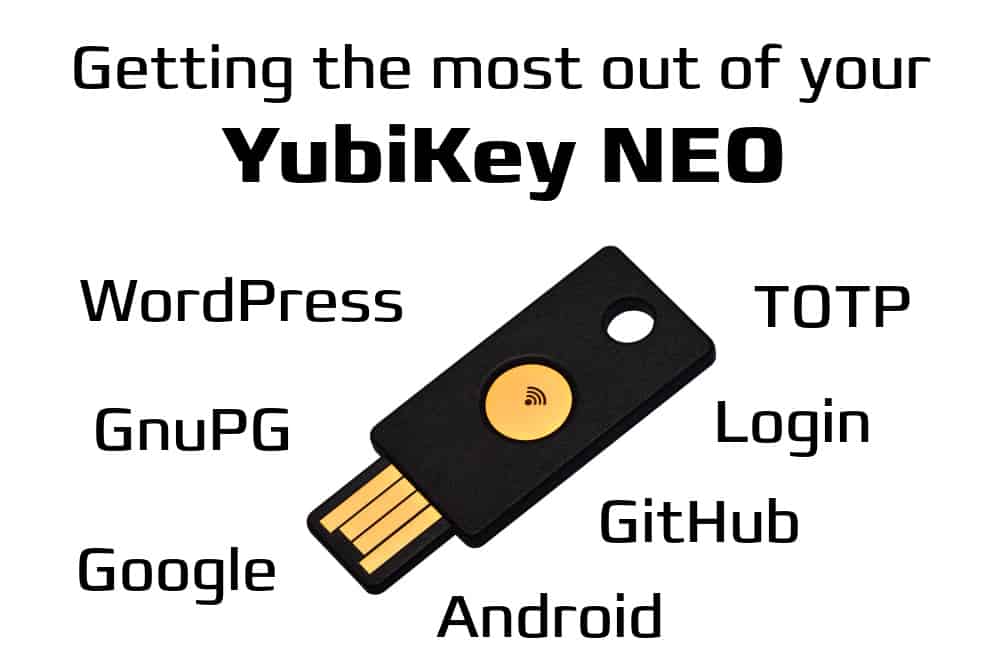
Two Factor authentication and general improvement of my security infrastructure was long on my todo list. Some month ago I finally purchased a Yubikey NEO from Yubico and try to consistently use it as second factor, as well as gpg signing/encrypting device. yubikey-neo I am trying to get the best out of my Yubikey NEO by using as many of its functionality, in particular: Smartcard for my GNuPG keys, OTP similar to Google Authenticator and similar, as well as challenge-response for additional login security, as well as all that over NFC to not keep keys/passwords on my mobile phone. While there are loads of guides (see the previous article on GnuPG for some of them), many of them are out-of-date for current distributions and GnuPG etc. So I tried to collect all I could find not the least to have a place to look it up in case I forget it again. The Hardware The Yubikey NEO is a great peace of hardware. I not even remotely understand how they manage that this little beast can do all these things and still work out without mixing things up. As far as I understand (please correct me) it has three independent circuits of communication: On top of these circuit of communication there is a variety of applications to make the most out of your Yubikey: Yubikey mode setup There are several modes, and using the ykpersonalize tool (readily available for Windows, Mac, Linux, and in the Debian package yubikey-personalization) one can program the key to work in a variety of modes. I chose to activate all options by passing in -m86 which stand for OTP/U2F/CCID composite device with MODE_FLAG_EJECT.
$ ykpersonalize -m86
Firmware version 3.4.3 Touch level 1792 Unconfigured
 
The USB mode will be set to: 0x86
 
Commit? (y/n) [n]: y
$
It is a good idea to unplug and replug the key after this operation. Yubikey udev rules for user access To allow users but root to use the Yubikey, additional udev rules are necessary:
SUBSYSTEMS=="usb", ATTRS idVendor =="1050", ATTRS idProduct =="0116", TAG+="uaccess"
which I put into /etc/udev/rules.d/99-yubikeys.rules on Debian. After that another unplug and replug should allow normal user to access the key. This can be checked by calling getfacl on the newly created /dev/hidraw? device. Using the HID/Challenge-Response mode (slot 2) If you want to secure your login with an additional second factor, there are several options documented on the Yubico site concerning yubico-pam. Since I cannot be sure to be always online with my laptop, I choose Challenge-Response authentication, and followed one-to-one Yubico s docs Local Authentication Using Challenge Response. Basically it boils down to install libpam-yubico, select mode-challenge-response when asked for configuration. Then one needs to personalizing the key (in particular slot 2) for challenge response with:
$ ykpersonalize -2 -ochal-resp -ochal-hmac -ohmac-lt64 -oserial-api-visible
...
Commit? (y/n) [n]: y
$
Next we need to save the challenge and expected response to the user s directory:
$ mkdir $HOME/.yubico
$ ykpamcfg -2 -v
...
Stored initial challenge and expected response in '/home/norbert/.yubico/challenge-123456'.
$
It might be a good idea to try this out, and if it works, activate it also for root. But be careful no key no login  Challenge: I am currently searching for a method to replace the second factor of they key optionally with a different authentication method, like a very difficult passphrase. This way I could log in even without my key, but in this case would need the complicated passphrase. From my reading of the pam manuals it seems to be possible, and I am planning to use pam_ssh and a specific login key with a complicated passphrase. I will report back when this is done. YubiOATH (TOTP) Time based One Time Passwords (aka Google Authenticator style) Without any setup whatsoever this worked out of the box. I use the Yubico Authenticator on my Android phone, and the dedicated application for the Linux desktop to create second factors for all kind of applications. Currently I am using it with Google login, Github, DropbBox, and WordPress (via the Two Factor plugin which can also be tweaked to use the NEO key as USB key via the FIDO U2F). Challenge: If I start the Yubico Personalization GUI, I see two free slots so where are the TOTPs computed? That also means that I have one slot free and for now I don t know what to do with it  Yubikey OpenGPG applet setup The Yubikeys support OpenPGP, and the applet is pre-installed (afaik), meaning you can directly configure the key and upload your keys. Here I use gpg2 (2.1) as it seems to better support card operations. To not interfere with the current gpg setup I use a temporary gpg home:
$ mkdir gpgtmp
$ chmod go-rwx gpgtmp
$ gpg2 --homedir gpgtmp --list-keys
gpg: keybox 'gpgtmp/pubring.kbx' created
gpg: gpgtmp/trustdb.gpg: trustdb created
Warning: The YubiKey NEO only supports 2048bit keys. If you want 4096bit keys you need to use one of the newer YubiKey 4, which gives you this option, but does not have support for NFC, and thus no way to interact with an Android (or other) mobile phone. Check the correct version of the applet There has been a bug in an older version of the applet, but since 2 years all keys sold should have a correct applet. You can check by:
$ gpg-connect-agent --homedir gpgtmp --hex "scd apdu 00 f1 00 00" /bye"
gpg-connect-agent: no running gpg-agent - starting '/usr/bin/gpg-agent'
gpg-connect-agent: waiting for the agent to come up ... (5s)
gpg-connect-agent: connection to agent established
D[0000]  01 00 10 90 00                                     .....           
OK
Looking at the output one sees D[0000] 01 00 10 which means applet version 1.0.10, which is the first version fixed. Replace pins of the key The standard pins are 123456 for the user pin, and 12345678 for the admin pin. These need immediate change! Warning: When changing the ping the normal pin must be 6 (at least?) digits, and the admin pin 8 (at least?), other gpg2 cannot use the key anymore. No idea why.
$ gpg2 --homedir gpgtmp --card-edit
 
Reader ...........: 1050:0116:X:0
Application ID ...: D2760001240102000006036457190000
Version ..........: 2.0
Manufacturer .....: Yubico
Serial number ....: 03645719
Name of cardholder: [not set]
Language prefs ...: [not set]
Sex ..............: unspecified
URL of public key : [not set]
Login data .......: [not set]
Signature PIN ....: forced
Key attributes ...: rsa2048 rsa2048 rsa2048
Max. PIN lengths .: 127 127 127
PIN retry counter : 3 3 3
Signature counter : 0
Signature key ....: [none]
Encryption key....: [none]
Authentication key: [none]
General key info..: [none]
 
gpg/card> admin
Admin commands are allowed
 
gpg/card> passwd
gpg: OpenPGP card no. D2760001240102000006036457190000 detected
 
1 - change PIN
2 - unblock PIN
3 - change Admin PIN
4 - set the Reset Code
Q - quit
 
Your selection? 3
PIN changed.
 
1 - change PIN
2 - unblock PIN
3 - change Admin PIN
4 - set the Reset Code
Q - quit
 
Your selection? 1
PIN changed.
 
1 - change PIN
2 - unblock PIN
3 - change Admin PIN
4 - set the Reset Code
Q - quit
 
Your selection? q
 
gpg/card> quit
After this you need to use the new pins for all changes. Setup basic data The key can also save some basic data about yourself, like name, sex, language preferences, login name, and url to obtain the public key. As before start gpg2 and then change these infos in the following way>
gpg/card> name
Cardholder's surname: Preining
Cardholder's given name: Norbert
 
gpg/card> sex
Sex ((M)ale, (F)emale or space): M
 
gpg/card> lang
Language preferences: de
 
gpg/card> login
Login data (account name): norbert
 
gpg/card> url
URL to retrieve public key: https://www.preining.info/preining-norbert.asc
 
gpg/card> list
 
Reader ...........: 1050:0116:X:0
Application ID ...: D2760001240102000006036457190000
Version ..........: 2.0
Manufacturer .....: Yubico
Serial number ....: 03645719
Name of cardholder: Norbert Preining
Language prefs ...: de
Sex ..............: male
URL of public key : https://www.preining.info/preining-norbert.asc
Login data .......: norbert
Signature PIN ....: forced
Key attributes ...: rsa2048 rsa2048 rsa2048
Max. PIN lengths .: 127 127 127
PIN retry counter : 3 3 3
Signature counter : 0
Signature key ....: [none]
Encryption key....: [none]
Authentication key: [none]
General key info..: [none]
 
gpg/card> quit
Move sub keys to Yubikey As laid out in the article on GnuPG subkeys, we are having three subkeys for signing, encryption, and authentication. In reality I will practically only use the signing key, but upload all three keys to the card. In the following I expect that you have a setup more or less similar to the one described in the article linked before. Again, we use GnuPG v2, mostly because it was the version that worked out of the box. In addition, if you are setting up a similar stage like in my GNuPG article with gpg1 keys on the mail server, then you don t want the gpg1 keys being removed. Basically you must have the Yubikey plugged in and call keytocard after selecting each key in turn (and deselecting it afterwards). Warning: There is another bug in the GnuPG applet that was fixed in later versions (but not in 1.0.10), namely that not all keys are accepted. This is a bit a pain. I needed to recreate a subkey to obtain a key that can be loaded onto the Yubikey. Unfortunately, Yubico has also stopped/disabled the ability to update applets (although I have to say their documentation is an incredible rubbish with respect to applets and upgrades ). As before, assume that $MASTERKEY contains the hex id of your master key.
$ gpg2 --edit-key $MASTERKEY
gpg (GnuPG) 2.1.11; Copyright (C) 2016 Free Software Foundation, Inc.
This is free software: you are free to change and redistribute it.
There is NO WARRANTY, to the extent permitted by law.
 
Secret key is available.
 
sec  rsa4096/0x6CACA448860CDC13
     created: 2010-09-14  expires: 2017-02-06  usage: SC  
     trust: ultimate      validity: ultimate
ssb  rsa4096/0xD1D2BD14810F62B3
     created: 2010-09-14  expires: 2017-02-06  usage: E   
ssb  rsa2048/0xEC00B8DAD32266AA
     created: 2016-02-07  expires: 2017-02-06  usage: S   
ssb  rsa2048/0xBF361ED434425B4C
     created: 2016-02-07  expires: 2017-02-06  usage: E   
ssb  rsa2048/0x9C7CA4E294F04D49
     created: 2016-02-07  expires: 2017-02-06  usage: A   
[ultimate] (1). Norbert Preining <norbert@preining.info>
[ultimate] (2)  Norbert Preining <preining@logic.at>
[ultimate] (3)  Norbert Preining <preining@debian.org>
[ultimate] (4)  Norbert Preining <preining@jaist.ac.jp>
[ultimate] (5)  [jpeg image of size 4185]
 
gpg> key 2
 
sec  rsa4096/0x6CACA448860CDC13
     created: 2010-09-14  expires: 2017-02-06  usage: SC  
     trust: ultimate      validity: ultimate
ssb  rsa4096/0xD1D2BD14810F62B3
     created: 2010-09-14  expires: 2017-02-06  usage: E   
ssb* rsa2048/0xEC00B8DAD32266AA
     created: 2016-02-07  expires: 2017-02-06  usage: S   
ssb  rsa2048/0xBF361ED434425B4C
     created: 2016-02-07  expires: 2017-02-06  usage: E   
ssb  rsa2048/0x9C7CA4E294F04D49
     created: 2016-02-07  expires: 2017-02-06  usage: A   
[ultimate] (1). Norbert Preining <norbert@preining.info>
[ultimate] (2)  Norbert Preining <preining@logic.at>
[ultimate] (3)  Norbert Preining <preining@debian.org>
[ultimate] (4)  Norbert Preining <preining@jaist.ac.jp>
[ultimate] (5)  [jpeg image of size 4185]
 
gpg> keytocard
Please select where to store the key:
   (1) Signature key
   (3) Authentication key
Your selection? 1
 
sec  rsa4096/0x6CACA448860CDC13
     created: 2010-09-14  expires: 2017-02-06  usage: SC  
     trust: ultimate      validity: ultimate
ssb  rsa4096/0xD1D2BD14810F62B3
     created: 2010-09-14  expires: 2017-02-06  usage: E   
ssb* rsa2048/0xEC00B8DAD32266AA
     created: 2016-02-07  expires: 2017-02-06  usage: S   
ssb  rsa2048/0xBF361ED434425B4C
     created: 2016-02-07  expires: 2017-02-06  usage: E   
ssb  rsa2048/0x9C7CA4E294F04D49
     created: 2016-02-07  expires: 2017-02-06  usage: A   
[ultimate] (1). Norbert Preining <norbert@preining.info>
[ultimate] (2)  Norbert Preining <preining@logic.at>
[ultimate] (3)  Norbert Preining <preining@debian.org>
[ultimate] (4)  Norbert Preining <preining@jaist.ac.jp>
[ultimate] (5)  [jpeg image of size 4185]
 
gpg> key 2
 
sec  rsa4096/0x6CACA448860CDC13
     created: 2010-09-14  expires: 2017-02-06  usage: SC  
     trust: ultimate      validity: ultimate
ssb  rsa4096/0xD1D2BD14810F62B3
     created: 2010-09-14  expires: 2017-02-06  usage: E   
ssb  rsa2048/0xEC00B8DAD32266AA
     created: 2016-02-07  expires: 2017-02-06  usage: S   
ssb  rsa2048/0xBF361ED434425B4C
     created: 2016-02-07  expires: 2017-02-06  usage: E   
ssb  rsa2048/0x9C7CA4E294F04D49
     created: 2016-02-07  expires: 2017-02-06  usage: A   
[ultimate] (1). Norbert Preining <norbert@preining.info>
[ultimate] (2)  Norbert Preining <preining@logic.at>
[ultimate] (3)  Norbert Preining <preining@debian.org>
[ultimate] (4)  Norbert Preining <preining@jaist.ac.jp>
[ultimate] (5)  [jpeg image of size 4185]
 
gpg> key 3
 
sec  rsa4096/0x6CACA448860CDC13
     created: 2010-09-14  expires: 2017-02-06  usage: SC  
     trust: ultimate      validity: ultimate
ssb  rsa4096/0xD1D2BD14810F62B3
     created: 2010-09-14  expires: 2017-02-06  usage: E   
ssb  rsa2048/0xEC00B8DAD32266AA
     created: 2016-02-07  expires: 2017-02-06  usage: S   
ssb* rsa2048/0xBF361ED434425B4C
     created: 2016-02-07  expires: 2017-02-06  usage: E   
ssb  rsa2048/0x9C7CA4E294F04D49
     created: 2016-02-07  expires: 2017-02-06  usage: A   
[ultimate] (1). Norbert Preining <norbert@preining.info>
[ultimate] (2)  Norbert Preining <preining@logic.at>
[ultimate] (3)  Norbert Preining <preining@debian.org>
[ultimate] (4)  Norbert Preining <preining@jaist.ac.jp>
[ultimate] (5)  [jpeg image of size 4185]
 
gpg> keytocard
Please select where to store the key:
   (2) Encryption key
Your selection? 2
 
sec  rsa4096/0x6CACA448860CDC13
     created: 2010-09-14  expires: 2017-02-06  usage: SC  
     trust: ultimate      validity: ultimate
ssb  rsa4096/0xD1D2BD14810F62B3
     created: 2010-09-14  expires: 2017-02-06  usage: E   
ssb  rsa2048/0xEC00B8DAD32266AA
     created: 2016-02-07  expires: 2017-02-06  usage: S   
ssb* rsa2048/0xBF361ED434425B4C
     created: 2016-02-07  expires: 2017-02-06  usage: E   
ssb  rsa2048/0x9C7CA4E294F04D49
     created: 2016-02-07  expires: 2017-02-06  usage: A   
[ultimate] (1). Norbert Preining <norbert@preining.info>
[ultimate] (2)  Norbert Preining <preining@logic.at>
[ultimate] (3)  Norbert Preining <preining@debian.org>
[ultimate] (4)  Norbert Preining <preining@jaist.ac.jp>
[ultimate] (5)  [jpeg image of size 4185]
 
gpg> key 3
 
sec  rsa4096/0x6CACA448860CDC13
     created: 2010-09-14  expires: 2017-02-06  usage: SC  
     trust: ultimate      validity: ultimate
ssb  rsa4096/0xD1D2BD14810F62B3
     created: 2010-09-14  expires: 2017-02-06  usage: E   
ssb  rsa2048/0xEC00B8DAD32266AA
     created: 2016-02-07  expires: 2017-02-06  usage: S   
ssb  rsa2048/0xBF361ED434425B4C
     created: 2016-02-07  expires: 2017-02-06  usage: E   
ssb  rsa2048/0x9C7CA4E294F04D49
     created: 2016-02-07  expires: 2017-02-06  usage: A   
[ultimate] (1). Norbert Preining <norbert@preining.info>
[ultimate] (2)  Norbert Preining <preining@logic.at>
[ultimate] (3)  Norbert Preining <preining@debian.org>
[ultimate] (4)  Norbert Preining <preining@jaist.ac.jp>
[ultimate] (5)  [jpeg image of size 4185]
 
gpg> key 4
 
sec  rsa4096/0x6CACA448860CDC13
     created: 2010-09-14  expires: 2017-02-06  usage: SC  
     trust: ultimate      validity: ultimate
ssb  rsa4096/0xD1D2BD14810F62B3
     created: 2010-09-14  expires: 2017-02-06  usage: E   
ssb  rsa2048/0xEC00B8DAD32266AA
     created: 2016-02-07  expires: 2017-02-06  usage: S   
ssb  rsa2048/0xBF361ED434425B4C
     created: 2016-02-07  expires: 2017-02-06  usage: E   
ssb* rsa2048/0x9C7CA4E294F04D49
     created: 2016-02-07  expires: 2017-02-06  usage: A   
[ultimate] (1). Norbert Preining <norbert@preining.info>
[ultimate] (2)  Norbert Preining <preining@logic.at>
[ultimate] (3)  Norbert Preining <preining@debian.org>
[ultimate] (4)  Norbert Preining <preining@jaist.ac.jp>
[ultimate] (5)  [jpeg image of size 4185]
 
gpg> keytocard
Please select where to store the key:
   (3) Authentication key
Your selection? 3
 
sec  rsa4096/0x6CACA448860CDC13
     created: 2010-09-14  expires: 2017-02-06  usage: SC  
     trust: ultimate      validity: ultimate
ssb  rsa4096/0xD1D2BD14810F62B3
     created: 2010-09-14  expires: 2017-02-06  usage: E   
ssb  rsa2048/0xEC00B8DAD32266AA
     created: 2016-02-07  expires: 2017-02-06  usage: S   
ssb  rsa2048/0xBF361ED434425B4C
     created: 2016-02-07  expires: 2017-02-06  usage: E   
ssb* rsa2048/0x9C7CA4E294F04D49
     created: 2016-02-07  expires: 2017-02-06  usage: A   
[ultimate] (1). Norbert Preining <norbert@preining.info>
[ultimate] (2)  Norbert Preining <preining@logic.at>
[ultimate] (3)  Norbert Preining <preining@debian.org>
[ultimate] (4)  Norbert Preining <preining@jaist.ac.jp>
[ultimate] (5)  [jpeg image of size 4185]
 
gpg> key 4
 
sec  rsa4096/0x6CACA448860CDC13
     created: 2010-09-14  expires: 2017-02-06  usage: SC  
     trust: ultimate      validity: ultimate
ssb  rsa4096/0xD1D2BD14810F62B3
     created: 2010-09-14  expires: 2017-02-06  usage: E   
ssb  rsa2048/0xEC00B8DAD32266AA
     created: 2016-02-07  expires: 2017-02-06  usage: S   
ssb  rsa2048/0xBF361ED434425B4C
     created: 2016-02-07  expires: 2017-02-06  usage: E   
ssb  rsa2048/0x9C7CA4E294F04D49
     created: 2016-02-07  expires: 2017-02-06  usage: A   
[ultimate] (1). Norbert Preining <norbert@preining.info>
[ultimate] (2)  Norbert Preining <preining@logic.at>
[ultimate] (3)  Norbert Preining <preining@debian.org>
[ultimate] (4)  Norbert Preining <preining@jaist.ac.jp>
[ultimate] (5)  [jpeg image of size 4185]
 
gpg> save
After that your keys are on the Yubikey (and only there!), and GNuPG will require the PIN (user pin) to sign/encrypt documents. Usage Many things have been said above, but to sum up when and how I am using the YubiKey now: Conclusions With this setup I am now quite content, but not completely. What I still want to do is full disk encryption where I need the Yubikey to boot and again, with an alternative for a very long passphrase. At the end, adding a second factor to the login is not really optimal, and only protects you against quick hacks. If the laptop is actually stolen, only full disc protection helps. Access to the hardware always guarantees that one has access to everything on the disc. Another thing I want to do is re-use the GnuPG key on the Yubikey as ssh key for logging into remote systems. That would mean that I get rid of even more keys on my laptop. But this is still in the work  The other open question is what to use the other available slot of the Yubikey for? I thought about some passwords (possible), but I don t feel to happy about having my password issued with the press of a key. But all in all, I like the setup much more than before and not having any GnuPG key on the laptop is a big plus.

1 May 2016

Thorsten Alteholz: My Debian Activities in April 2016

FTP assistant This month I marked 171 packages for accept and rejected 42. I also sent 3 emails to maintainers asking questions. It seems to be that another quiet month is behind us. Nevertheless the flood of strange things in NEW continued this month. Hmm, weird world .. Debian LTS This was my twenty-second month that I did some work for the Debian LTS initiative, started by Raphael Hertzog at Freexian. This month my all in all workload had been 15.75h. After getting the permission of the security team I changed the temporary-issues to meanwhile assigned CVEs and uploaded fuseiso. This resulted in DSA 3551-1. I also prepared new packages for asterisk and asked for testers on the LTS mailing list. Luckily Gabriel Filion really tried these packages and found a regression with manager connections. Dear reader, the new packages are waiting for your tests now :-) . Further I used the upload of poppler (DLA 446-1) to test the workflow of the new wheezy-security upload. Uploading and building packages worked perfectly. Unfortunately the push to the security mirrors was a bit delayed (it only happened after an upload of the security team). But this seems to be fixed by Ansgar now. Last but not least I had a look at PHP5. I think I will start my regular uploads in May. Other stuff As I had to deal with non-Debian stuff this month, I didn t do lots of other things. I only uploaded node-uml

Russ Allbery: Review: The Oath

Review: The Oath, by Jeffrey Toobin
Publisher: Anchor
Copyright: 2012
Printing: June 2013
ISBN: 0-307-39071-3
Format: Trade paperback
Pages: 298
Jeffrey Toobin is a legal analyst for CNN and The New Yorker and plays a similar role for the intricacies of the legal system as popular science writers play for physics. I'd previously read and reviewed his The Nine, an excellent history of the Rehnquist Supreme Court. The Oath is half sequel and half extension, bringing the same analysis to the first four years of the Obama presidency and the appointments of Sonia Sotomayor and Elena Kagan. Sequels to popular history books that are not explicitly multi-volume works are a tricky publishing niche. People expect them to stand alone; I doubt it would work to tell people "read The Nine before reading this book," and regardless, Toobin did not take that approach. But the court profiled in The Oath only differs by two justices than that in The Nine. There was therefore a fair bit of repetition, since Toobin felt obligated to repeat his profiles of the five members of the court he had already deeply analyzed in the previous book. He even retold the story of Sandra Day O'Conner leaving the court despite it falling outside the focus of this book. I think these 300 pages could have been 150 pages of additional material in The Nine if Toobin had started this project later. That said, if you enjoyed The Nine (and I very much did), this is more of the same. Toobin picks up with Obama's inauguration ceremony and a fascinating bit of legal trivia over the oath of office, and then provides a detailed profile of the Roberts court and the major decisions of the first four years of Obama's presidency. His discussion of the nomination process and Obama's judicial philosophy rang very true following the death of Scalia: Obama's nomination of Merrick Garland is exactly what one would predict from Toobin's discussion. And, as with the previous book, I discovered that I had a lot of misconceptions about both Sotomayor and Kagan that Toobin cleared up. He does a great job showing the complexities of the interplay between law, politics, apparently unlikely friendships (such as Scalia and Ginsburg), and the executive and judicial branch. Worth particular mention is Toobin's discussion of the office of Solicitor General of the United States. I had no idea the role it plays in Supreme Court decisions. If I had given it any thought at all, I would have assumed it was essentially a variation on White House Counsel crossed with the Attorney General's office. But it's quite a bit more than that, as Elena Kagan's profile shows. If you, like I, raised an eyebrow at Obama's nomination of Elena Kagan to the Supreme Court from Solicitor General, wondering if that was at all similar to Bush's nomination of Harriet Miers, this section will be very informative. White House Counsel and Solicitor General are very, very different positions. However, The Oath has one major drawback that The Nine didn't: it's partisan. Now, Toobin is a liberal, with a clear preference towards the progressive side of the court. This was also true in The Nine, and I don't think that's a serious problem. Everyone writes from a particular perspective; stating it is more honest than concealing it, and it's the reader's responsibility to weigh multiple sides. But I thought Toobin was largely fair to those he disagreed with in The Nine. Even Thomas received some defense against popular misconceptions. It probably helped that much of that book focuses on conservatives who became liberals as the court shifted, people like Sandra Day O'Conner for whom Toobin has clear respect. I commented in my review of the previous book that it didn't feel quite balanced, but it felt like Toobin was trying hard to be fair. The Oath does not give that same feeling. Toobin hates the direction of the Roberts court, hates most of its 5-4 decisions, and strongly disagrees with the judicial philosophies of both Roberts and Alito. But more than that, he is clearly dubious that they even have coherent judicial philosophies. Maybe that's a legitimate critique, maybe it's not; regardless, I don't think he proves his case. The tone of much of the book is disgusted and angry rather than deliberate and relentless. Where Toobin engages with the thought process of Alito or, particularly, Roberts, the primary focus is to disagree with it rather than explain it. This happens to match my own emotional reaction, but I doubt it will be persuasive to someone who doesn't already agree with Toobin, and it hurts the quality of the history. I suspect this would have been a better book if Toobin had waited ten years before writing it (still covering the same time frame). Some distance from the subject helps provide a more complete and thoughtful history. But, of course, it likely wouldn't have sold as well. That said, one of the themes of this book is how the conservatives on the Roberts court are currently playing the role of radicals from the perspective of the judicial tradition, overturning settled case law and calling into question precedents that have been used to decide numerous cases. The liberals, in contrast, are currently mostly playing the role of conservatives: standing up for the principle of stare decisis, trying to maintain consistency with past decisions, trying to minimize disruptive change. Conservatives will argue (correctly) that this depends on one's time frame and that they're trying to overturn radical past decisions, but those radical decisions, whatever their merits, are now often more than fifty years into the past. I hadn't thought about the current Supreme Court ideological battles from that perspective and found it eye-opening. It also ties in well with Obama's judicial philosophy as Toobin presents it: preferring democracy, laws, and change from the ballot box, and with little appetite for controversial court decisions. Obama is a judicial conservative. He therefore favors the liberal wing as the court is currently constructed, but not because he has much appetite for pushing forward civil rights in the courts. This is not the book The Nine was. It's repetitive if you've read the previous book (which you should, as it's the better book of the two), and I thought Toobin's critical balance was off. But it has a lot of interesting things to say about Obama's approach to the law, how the executive branch interacts with the Supreme Court, and the philosophy and approaches of the newer justices on the court. Recommended, although not as strongly. Rating: 7 out of 10

30 April 2016

Daniel Stender: What I've worked on for Debian this month

This month I've worked on the following things for Debian: To begin with that, I've set up a Debhelper sequencer script for dh-buildinfo1, this add-on now can be used with dh $@ --with buildinfo in deb/rules instead of having to explicitly call it somewhere in an override. Debops I've set up initial Debian packages of Debops2, a collection of fine crafted Ansible roles and playbooks especially for Debian servers, shipped with a couple of convenience and wrapper scripts in Python3. There are two binary packages, one for the toolset (debops), and the other for the playbooks and roles of the project (debops-playbooks). The application is easy to use, just initialize a new project with debops-init foo and add your server(s) to foo/ansible/inventory/hosts belonging to groups representing services and things you want to employ on them. Like the group [debops_gitlab] automatically installs a complete running Gitlab setup on one or a multitude of servers in the same run with the debops command4. Use other groups like [debops_mariadb_server] accordingly in the same host inventory. Ansible runs agent less, so you don't have to prepare freshly setup servers with nothing special to use that tool randomly (like on localhost). The list of things you could deploy with Debops is quite amazing and you've got dozens of services at your hand. The new packages are currently in experimental because they need some more fine tuning, like there are a couple of minor error messages which recently occur using it, but it works well. The (early staged) documentation unfortunately couldn't be packaged because of the scattered resp. collective nature of the project (all parts have their own Github repositories)5, and also how to generate the upstream tarball remains a bit of a challenge (currently, it's the outcome of debops-init)6. I'll have this package in unstable soon. More info on Debops is coming up, then. Hashicorp's Packer I'm very glad to announce that Packer7 is ready being available in unstable, and the two year old RFP bug could be finally closed8. It's another great and much convenient devops tool which does a lot of different things in an automated fashion using only a single "one-argument" CLI tool in combination with a couple of lines in a configuration script (thanks to Yaroslav Halchenko for the tip). Packer helps creating machine images for different platforms. This is like when you use e.g. Debian installations in a Qemu box for testing or development purposes. Instead of setting up a new virtual machine manually like installing Debian on another computer this process could be automated with Packer, like I've written about in this blog entry here9. You just need a template containing instructions for the included Qemu-builder and a preseeding script for the Debian installer, and there you go drinking your coffee while Packer does all the work for you: downloading the installation ISO image, creating the new virtual harddrive, booting the emulator, running the whole installation process automatically like answering questions, selecting things, rebooting without ISO image to complete the installation etc. A couple of minutes and you have a new pre-baked virtual machine image like from a vendoring machine, a fresh one everytime you need it. Packer10 supports a number of builders for different target platforms (desktop virtualization solutions as much as public cloud providers and private cloud software), can build in parallel, and also the full range of common provisioners can be employed in the process to equip the newly installed OSs. Vagrant boxes could be generated by one of the included postprocessors. I'll write more on Packer here on this blog, soon. There were more then two dozens of packages missing to complete Packer11, which is the achievement of combined forces within the pkg-go group. Much thanks esp. to Alexandre Viau who have worked on the most of the needed new packages. Thanks also to the FTP-masters which were always very quick in reviewing the Go packages, so that it could be proceeded to build and package the sub dependent new ones always consecutively. Squirrel3 I've didn't had the most work with it and just sponsored this for Fabian Wolff, but want to highlight here that there's a new package of Squirrel12 now available in Debian13. Squirrel is a lightweight scripting language, somewhat comparable to Lua. It's fully object-oriented and highly embeddable, it's used in a lot of commerical computer games under the hood for implementing intelligence for bots next to other things14, but also for the Internet of Things (it's embedded in hardware from Electric Imp). Squirrel functions could be called from C++15. I've filed an ITP bug for Squirrel already in 2011 (#651195), but always something else got in the way, and it ended up being an RFP. I'm really glad that it got picked up and completed. misc There were a couple of uploads on updated upstream tarballs and for fixing bugs, namely afl/2.10b-1 and 2.11b-1, python-afl/0.5.3-1, pyutilib/5.3.2-1, pyomo/4.3.11327-1, libvigraimpex/1.10.0+git20160211.167be93dfsg-2 (fix of #820429, thanks for Tobias Frost), and gamera/3.4.2+svn1454-1. For the pkg-go group, I've set up a new package of github-mitchellh-ioprogress (which is needed by the official DigitalOcean CLI tool doctl, now RFP #807956 instead of ITP due to the lack of time - again facing a lot of missing packages), and provided a little patch for dh-make-golang updating some standards16. For Packer I've also updated azure-go-autorest and azure-sdk as team upload (#821938, #821832), but it came out that the project which is currently under heavy development towards a new official release broke a lot in the past weeks (and no Git branching have been used), so that Packer as a matter of fact needed a vendored snapshot, although there have been only a couple of commits in between. Docker-registry hat the same problem with the new package of azure-sdk/2.1.1~beta1, so that it needed to be fixed, too (#822146). By the way, the tool ratt17 comes very handy for automatically test building down all reverse dependencies, not only for Go packages (thanks to Tianon Gravi for the tip). Finally, I've posted the needed reverse depencies as RFP bugs for Terraform18 (again quite a lot), Vuls19, and cve-dictionary20, which is needed for Vuls. I'll let them rest a while waiting to get picked up before working anything down.

Daniel Stender: My work for Debian in April

This month I've worked on the these things for Debian: To begin with that, I've set up a Debhelper sequencer script for dh-buildinfo1, this add-on now can be used with dh $@ --with buildinfo in deb/rules instead of having to explicitly call it somewhere in an override. Debops I've set up initial Debian packages of Debops2, a collection of fine crafted Ansible roles and playbooks especially for Debian servers (servers which run on Debian), which are shipped with a couple of helper and wrapper scripts in Python3. There are two binary packages, one for the toolset (debops), and the other for the playbooks and roles of the project (debops-playbooks). The application is easy to use, just initialize a new project with debops-init foo and add your server(s) to foo/ansible/inventory/hosts belonging to groups representing services and things you want to employ on them. For example, the group [debops_gitlab] automatically installs a complete running Gitlab setup on one or a multitude of servers in the same run with the debops command4. Other groups like [debops_mariadb_server] could be used accordingly in the same host inventory. Ansible works without agent, so you don't have to prepare freshly setup servers with nothing special to use that tool randomly (like on localhost). The list of things you could deploy with Debops is quite amazing and dozens of services are at hand. The new Debian packages are currently in experimental because they need some more fine tuning, e.g. there are a couple of minor error messages which recently occur using it, but it works well. The (early staged) documentation unfortunately couldn't be packaged because of the scattered resp. collective nature of the project (all parts have their own Github repositories)5, and also how to generate the upstream tarball remains a bit of a challenge (currently, it's the outcome of debops-init)6. I'll have this package in unstable soon. More info on Debops is coming up, then. HashiCorp's Packer I'm very glad to announce that Packer7 is ready being available in unstable, and the RFP bug could be finally closed after I've taken it over8. It's another great and much convenient devops tool which does a lot of different things in an automated fashion using only a single "one-argument" CLI tool in combination with a couple of lines in a configuration script (thanks to Yaroslav Halchenko for the tip). Packer helps creating machine images for different platforms. This is like when you use e.g. Debian installations in a Qemu box for testing or development purposes. Instead of setting up a new virtual machine manually the same way as installing Debian on another computer this process can be completely automated with Packer, like I've written about in this blog entry here9. You just need a template which contains instructions for the included Qemu builder and a preseeding script for the Debian installer, and there you go drinking your coffee while Packer does all the work: download the ISO image for installation, create the new virtual harddrive, boot the emulator, run the whole installation process automatically like with answering questions, selecting things, reboot without ISO image to complete the installation etc. A couple of minutes and you have a new pre-baked virtual machine image like from a vendoring machine, another fresh one could be created anytime. Packer10 supports a number of builders for different target platforms (desktop virtualization solutions as much as public cloud providers and private cloud software), can build in parallel, and also the full range of common provisioners can be employed in the process to equip the newly installed OSs with services and programs. Vagrant boxes could be generated by one of the included postprocessors. I'll write more on Packer here on this blog, soon. There were more then two dozens of packages missing to complete Packer11, which is the achievement of combined forces within the pkg-go group. Much thanks esp. to Alexandre Viau who have worked on the most of the needed new packages. Thanks also to the FTP masters which were always very quick in reviewing the Go packages, so that it could be proceeded to build and package the sub dependent new ones always consecutively. Squirrel3 I've didn't had the major work of that and just sponsored this for Fabian Wolff, but want to highlight here that there's a new package of Squirrel12 now available in Debian13. Squirrel is a lightweight scripting language, somewhat comparable to Lua. It's fully object-oriented and highly embeddable, it's used in a lot of commerical computer games under the hood for implementing intelligence for bots next to other things14, but also for the Internet of Things (it's embedded in hardware from Electric Imp). Squirrel functions could be called from C++15. I've filed an ITP bug for Squirrel already in 2011 (#651195), but always something else had a higher priority, and it ended up being an RFP. I'm really glad that it got picked up and completed quickly afterwards. misc There were a couple of uploads on updated upstream tarballs and for fixing bugs, namely afl/2.10b-1 and 2.11b-1, python-afl/0.5.3-1, pyutilib/5.3.2-1, pyomo/4.3.11327-1, libvigraimpex/1.10.0+git20160211.167be93dfsg-2 (fix of #820429, thanks to Tobias Frost), and gamera/3.4.2+svn1454-1. For the pkg-go group, I've set up a new package of github-mitchellh-ioprogress (which is needed by the official DigitalOcean CLI tool doctl, now RFP #807956 instead of ITP due to the lack of time, again a lot of missing packages are missing for that), and provided a little patch for dh-make-golang updating some standards16. For Packer I've also updated azure-go-autorest and azure-sdk as team upload (#821938, #821832), but it came out that the project which is currently under heavy development towards a new official release broke a lot in the past weeks (no Git branching have been used), so that Packer as a matter of fact needed a vendored snapshot, although there have been only a couple of commits in between. Docker-registry has the same problem with the new package of azure-sdk/2.1.1~beta1, so that it needed to be fixed, too (#822146). By the way, the tool ratt17 comes very handy for automatically test building down all reverse dependencies, not only for Go packages (thanks to Tianon Gravi for the tip). Finally, I've posted the needed reverse depencies as RFP bugs for Terraform18 (again quite a lot), Vuls19, and cve-dictionary20, which is needed for Vuls. I'll let them rest a while waiting to get picked up before working anything down.

28 April 2016

Dirk Eddelbuettel: RcppRedis 0.1.7

A new release of RcppRedis arrived on CRAN today. And just like for the previous release, Russell Pierce contributed a lot of changes via several pull requests which make for more robust operations. In addition, we have started to add support for MessagePack by relying on our recently-announced RcppMsgPack package.
Changes in version 0.1.7 (2016-04-27)
  • Added support for timeout constructor argument (PR #14 by Russell Pierce)
  • Added new commands exists, ltrim, expire and pexpire along with unit tests (PR #16 by Russell Pierce)
  • Return NULL for empty keys in serialized get for consistency with lpop and rpop (also PR #16 by Russell Pierce)
  • Minor corrections to get code and hget and hset documentation (also PR #16 by Russell Pierce)
  • Error conditions are now properly forwarded as R errors (PR #22 by Russell Pierce)
  • Results from Redis commands are now checked for NULL (PR #23 by Russell Pierce)
  • MessagePack encoding can now be used which requires MessagePackage headers of version 1.0 or later; the (optional) RcppMsgPack package can be used.
Courtesy of CRANberries, there is also a diffstat report for the most recent release. More information is on the RcppRedis page.

This post by Dirk Eddelbuettel originated on his Thinking inside the box blog. Please report excessive re-aggregation in third-party for-profit settings.

27 April 2016

Niels Thykier: auto-decrufter in top 5 after 10 months

About 10 months ago, we enabled an auto-decrufter in dak. Then after 3 months it had become the top 11th remover . Today, there are only 3 humans left that have removed more packages than the auto-decrufter impressively enough, one of them is not even an active FTP-master (anymore). The current score board:
 5371 Luca Falavigna
 5121 Alexander Reichle-Schmehl
 4401 Ansgar Burchardt
 3928 DAK's auto-decrufter
 3257 Scott Kitterman
 2225 Joerg Jaspert
 1983 James Troup
 1793 Torsten Werner
 1025 Jeroen van Wolffelaar
  763 Ryan Murray
For comparison, here is the number removals by year for the past 6 years:
 5103 2011
 2765 2012
 3342 2013
 3394 2014
 3766 2015  (1842 removed by auto-decrufter)
 2845 2016  (2086 removed by auto-decrufter)
Which tells us that in 2015, the FTP masters and the decrufter performed on average over 10 removals a day. And by the looks of it, 2016 will surpass that. Of course, the auto-decrufter has a tendency to increase the number of removed items since it is an advocate of remove early, remove often! .:) Data is from https://ftp-master.debian.org/removals-full.txt. Scoreboard computed as:
  grep ftpmaster: removals-full.txt   \
   perl -pe 's/.*ftpmaster:\s+//; s/\]$//;'   \
   sort   uniq -c   sort --numeric --reverse   head -n10
Removals by year computed as:
 grep ftpmaster: removals-full.txt   \
   perl -pe 's/.* (\d 4 ) \d 2 :\d 2 :\d 2 .*/$1/'   uniq -c   tail -n6
(yes, both could be done with fewer commands)
Filed under: Debian

25 April 2016

Gunnar Wolf: Passover / Pesaj, a secular viewpoint, a different viewpoint... And slowly becoming history!

As many of you know (where "you" is "people reading this who actually know who I am), I come from a secular Jewish family. Although we have some religious (even very religious) relatives, neither my parents nor my grandparents were religious ever. Not that spirituality wasn't important to them My grandparents both went deep into understanding by and for themselves the different spiritual issues that came to their mind, and that's one of the traits I most remember about them while I was growing up. But formal, organized religion was never much welcome in the family; again, each of us had their own ways to concile our needs and fears with what we thought, read and understood. This week is the Jewish celebration of Passover, or Pesaj as we call it (for which Passover is a direct translation, as Pesaj refers to the act of the angel of death passing over the houses of the sons of Israel during the tenth plague in Egypt; in Spanish, the name would be Pascua, which rather refers to the ritual sacrifice of a lamb that was done in the days of the great temple)... Anyway, I like giving context to what I write, but it always takes me off the main topic I want to share. Back to my family. I am a third-generation member of the Hashomer Hatzair zionist socialist youth movement; my grandmother was among the early Hashomer Hatzair members in Poland in the 1920s, both my parents were active in the Mexico ken in the 1950s-1960s (in fact, they met and first interacted there), and I was a member from 1984 until 1996. It was also thanks to Hashomer that my wife and I met, and if my children get to have any kind of Jewish contact in their lifes, I hope it will be through Hashomer as well. Hashomer is a secular, nationalist movement. A youth movement with over a century of history might seem like a contradiction. Over the years, of course, it has changed many details, but as far as I know, the essence is still there, and I hope it will continue to be so for good: Helping shape integral people, with identification with Judaism as a nation and not as a religion; keeping our cultural traits, but interpreting them liberally, and aligned with a view towards the common good Socialism, no matter how the concept seems pass nowadays. Colectivism. Inclusion. Peaceful coexistence with our neighbours. Acceptance of the different. I could write pages on how I learnt about each of them during my years in Hashomer, how such concepts striked me as completely different as what the broader Jewish community I grew up in understood and related to them... But again, I am steering off the topic I want to pursue. Every year, we used to have a third Seder (that is, a third Passover ceremony) at Hashomer. A third one, because as tradition mandates two ceremonies to be held outside Israel, and a movement comprised of people aged between 7 and 21, having a seder competing with the familiar one would not be too successful, we held a celebration on a following day. But it would never be the same as the "formal" Pesaj: For the Seder, the Jewish tradition mandates following the Hagada The Seder always follows a predetermined order (literally, Seder means order), and the Hagad (which means both legend and a story that is spoken; you can find full Hagadot online if you want to see what rites are followed; I found a seemingly well done, modern, Hebrew and English version, a more traditional one, in Hebrew and Spanish, and Wikipedia has a description including its parts and rites) is, quite understandably, full with religious words, praises for God, and... Well, many things that are not in line with Hashomer's values. How could we be a secular movement and have a big celebration full with praises for God? How could we yearn for life in the kibbutz distance from the true agricultural meaning of the celebration? The members of Hashomer Hatzair repeatedly took on the task (or, as many would see it, the heresy) of adapting the Hagada to follow their worldview, updated it for the twentieth century, had it more palatable for our peculiarities. Yesterday, when we had our Seder, I saw my father still has together with the other, more traditional Hagadot we use two copies of the Hagad he used at Hashomer Hatzair's third Seder. And they are not only beautiful works showing what they, as very young activists thought and made solemn, but over time, they are becoming historic items by themselves (one when my parents were still young janijim, in 1956, and one when they were starting to have responsabilities and were non-formal teachers or path-showers, madrijim, in 1959). He also had a copy of the Hagad we used in the 1980s when I was at Hashomer; this last one was (sadly?) not done by us as members of Hashomer, but prepared by a larger group between Hashomer Hatzair and the Mexican friends of Israeli's associated left wing party, Mapam. This last one, I don't know which year it was prepared and published on, but I remember following it in our ceremony. So, I asked him to borrow me the three little books, almost leaflets, and scanned them to be put online. Of course, there is no formal licensing information in them, much less explicit authorship information, but they are meant to be shared So I took the liberty of uploading them to the Internet Archive, tagging them as CC-0 licensed. And if you are interested in them, flowing over and back between Spanish and Hebrew, with many beautiful texts adapted for them from various sources, illustrated by our own with the usual heroic, socialist-inspired style, and lovingly hand-reproduced using the adequate technology for their day... Here they are: I really enjoyed the time I took scanning and forming them, reading some passages, imagining ourselves and my parents as youngsters, remembering the beautiful work we did at such a great organization. I hope this brings this joy to others like it did to me. , . Once shomer, always shomer.

20 April 2016

Jonathan Dowland: mount-on-demand backups

Last week, someone posted a request for help on the popular Server Fault Q&A site: they had apparently accidentally deleted their entire web hosting business, and all their backups. The post (now itself deleted) was a reasonably obvious fake, but mainstream media reported on it anyway, and then life imitated art and 123-reg went and did actually delete all their hosted VMs, and their backups. I was chatting to some friends from $job-2 and we had a brief smug moment that we had never done anything this bad, before moving on to incredulity that we had never done anything this bad in the 5 years or so we were running the University web servers. Some time later I realised that my personal backups were at risk from something like this because I have a permanently mounted /backup partition on my home NAS. I decided to fix it. I already use Systemd to manage mounting the /backup partition (via a backup.mount file) and its dependencies. I'll skip the finer details of that for now. I planned to define some new Systemd units for each backup job which was previously scheduled via Cron in order that I could mark them as depending on the /backup mount. I needed to adjust that mount definition by adding StopWhenUnneeded=true. This ensures that /backup will be unmounted when it is not in use by another job, and not at risk of a stray rm -rf. The backup jobs are all simple shell scripts that convert quite easily into services. An example: backup-home.service:

[Unit]
Requires=backup.mount
After=backup.mount
[Service]
User=backupuser
Group=backupuser
ExecStart=/home/backupuser/bin/phobos-backup-home
To schedule this, I also need to create a timer: backup-home.timer:
[Timer]
OnCalendar=*-*-* 04:01:00
[Install]
WantedBy=timers.target
To enable the timer, you have to both enable and start it:
systemctl enable backup-home.timer
systemctl start backup-home.timer
I created service and timer units for each of my cron jobs. The other big difference to driving these from Cron is that by default I won't get any emails if the jobs generate output - in particular, if they fail. I definitely do want mail if things fail. The Arch Wiki has an interesting proposed solution to this which I took a look at. It's a bit clunky, and my initial experiments with a derivation from this (using mail(1) not sendmail(1)) have not yet generated any mail. Pros and Cons The Systemd timespec is more intuitive than Cron's. It's a shame you need a minimum of three more lines of boilerplate for the simplest of timers. I think WantedBy=timers.target should probably be an implicit default for all .timer type units. Here I think clarity suffers in the name of consistency. With timers, start doesn't kick-off the job, it really means "enable" in the context of timers, which is clumsy considering the existing enable verb, which seems almost superfluous, but is necessary for consistency, since Systemd units need to be enabled before they can be started As Simon points out in the comments, this is not true. Rather, "enable" is needed for the timer to be active upon subsequent boots, but won't enable it in the current boot. "Start" will enable it for the current boot, but not for subsequent ones. Since I need a .service and a .unit file for each active line in my crontab, that's a lot of small files (twice as many as the number of jobs being defined) and they're all stored in system-wide folder because of the dependency on the necessarily system-level units defining the mount. It's easy to forget the After= line for the backup services. On the one hand, it's a shame that After= doesn't imply Require=, so you don't need both; or alternatively there was a convenience option that did both. On the other hand, there are already too many Systemd options and adding more conjoined ones would just make it even more complicated. It's a shame I couldn't use user-level units to achieve this, but they could not depend on the system-level ones, nor activate /backup. This is a sensible default, since you don't want any user to be able to start any service on-demand, but some way of enabling it for these situations would be good. I ruled out systemd.automount because a stray rm -rf would trigger the mount which defeats the whole exercise. Apparently this might be something you solve with Polkit, as the Arch Wiki explains, which looks like it has XML disease. I need to get mail-on-error working reliably.

Ben Hutchings: Experiments with signed kernels and modules in Debian

I've lately been working on support for Secure Boot in Debian, mostly in the packages maintained by the kernel team. My instructions for setting up UEFI Secure Boot are based on OVMF running on KVM/QEMU. All 'Designed for Windows' PCs should allow reconfiguration of SB, but it may not be easy to do so. They also assume that the firmware includes an EFI shell. Updated: Robert Edmonds pointed out that the 'Designed for Windows' requirements changed with Windows 10: The ability to reconfigure SB is indeed now optional for devices which are designed to always boot with a specific Secure Boot configuration. I also noticed that the requirements say that OEMs should not sign an EFI shell binary. Therefore I've revised the instructions to use efibootmgr instead. Background UEFI Secure Boot, when configured and enabled (which it is on most new PCs) requires that whatever it loads is signed with a trusted key. The one common trusted key for PCs is held by Microsoft, and while they will sign other people's code for a nominal fee, they require that it also validates the code it loads, i.e. the kernel or next stage boot loader. The kernel in turn is responsible for validating any code that could compromise its integrity (kernel modules, kexec images). Currently there are no such signed boot loaders in Debian, though the shim and grub-signed packages included in many other distributions should be usable. However it's possible to load an appropriately configured Linux kernel directly from the UEFI firmware (typically through the shell) which is what I'm doing at the moment. Packaging signed kernels Signing keys obviously need to be protected against disclosure; the private keys can't be included in a source package. We also won't install them on buildds separately, and generating signatures at build time would of course be unreproducible. So I've created a new source package, linux-signed, which contains detached signatures prepared offline. Currently the binary packages built from linux-signed also contain only detached signatures, which are applied as necessary at installation time. The signed kernel image (only on x86 for now) is named /boot/vmlinuz-kversion.efi.signed. However, since packages must not modify files owned by another package and I didn't want to dpkg-divert thousands of modules, the module signatures remain detached. Detached module signatures are a new invention of mine, and require changes in kmod and various other packages to support them. (An alternate might be to put signed modules under a different directory and drop a configuration file in /lib/depmod.d to make them higher priority. But then we end up with two copies of every module installed, which can be a substantial waste of space.) Preparation The packages you need to repeat the experiment: For Secure Boot, you'll then need to copy the signed kernel and the initrd onto the EFI system partition, normally mounted at /boot/efi. SB requires a Platform Key (PK) which will already be installed on a real PC. You can replace it but you don't need to. If you're using OVMF, there are no persistent keys so you do need to generate your own:
openssl req -new -x509 -newkey rsa:2048 -keyout pk.key -out pk.crt \
    -outform der -nodes
You'll also need to install the certificate for my kernel image signing key, which is under debian/certs in the linux-signed package. OVMF requires this in DER format:
openssl x509 -in linux-signed-1~exp3/debian/certs/linux-image-benh@debian.org.cert.pem \
    -out linux.crt -outform der 
You'll need to copy the certificate(s) to a FAT-formatted partition such as the EFI system partition, so that the firmware can read it. Use efibootmgr to add a boot entry for the kernel, for example:
efibootmgr -c -d /dev/sda -L linux-signed -l '\vmlinuz.efi' -u 'initrd=initrd.img root=/dev/sda2 ro quiet'
You should use the same kernel parameters as usual, except that you also need to specify the initrd filename using the initrd= parameter. The EFI stub code at the beginning of the kernel will load the initrd using EFI boot services. Enabling Secure Boot
  1. Reboot the system and enter UEFI setup
  2. Find the menu entry for Secure Boot customisation (in OVMF, it's under 'Device Manager' for some reason)
  3. In OVMF, enrol the PK from pk.crt
  4. Add linux.crt to the DB (whitelist database)
  5. Ensure that Secure Boot is enabled and in 'User Mode'
Booting the kernel in Secure Boot If all went well, Linux will boot as normal. You can confirm that Secure Boot was enabled by reading /sys/kernel/security/securelevel, which will contain 1 if it was. Module signature validation Module signatures are now always checked and unsigned modules will be given the 'E' taint flag. If Secure Boot is used or you add the kernel parameter module.sig_enforce=1, unsigned modules will be rejected. You can also turn on signature enforcement and turn off various other methods of modifying kernel code (such as kexec) by writing 1 to /sys/kernel/security/securelevel.

15 April 2016

Rapha&#235;l Hertzog: Freexian s report about Debian Long Term Support, March 2016

A Debian LTS logoLike each month, here comes a report about the work of paid contributors to Debian LTS. Individual reports In February, 111.75 work hours have been dispatched among 10 paid contributors. Their reports are available: Evolution of the situation The number of sponsored hours started to increase for April (116.75 hours, thanks to Sonus Networks) and should increase even further for May (with a new Gold sponsor currently joining us, Babiel GmbH). Hopefully the trend will continue so that we can reach our objective of funding the equivalent of a full-time position. At the end of the month the LTS team will be fully responsible of all Debian 7 Wheezy updates. For now paid contributors are still helping the security team by fixing packages that were fixed in squeeze already but that are still outstanding in wheezy. They are also looking for ways to ensure that some of the most complicated packages can be supported over the wheezy LTS timeframe. It is likely that we will seek external help (possibly from credativ which is already handling support of PostgreSQL) for the maintenance of Xen and that some other packages (like libav, vlc, maybe qemu?) will be upgraded to newer versions which are still maintained (either upstream or in Debian Jessie by the Debian maintainers). Thanks to our sponsors New sponsors are in bold.

No comment Liked this article? Click here. My blog is Flattr-enabled.

Next.

Previous.
