Search Results: "ed"

22 January 2014

Daniel Pocock: Launching FreePhoneBox.net

The https://freephonebox.net service has now gone live. This is a great way for people without a SIP account to call those who do have one (like all the Debian Developers who got SIP on Saturday) using nothing more than a web browser (no plugin required). Not just voice, webcams too The freephonebox.net supports voice and video calls from leading web browsers with WebRTC support. Free calls made possible by free software The service itself runs on free software, including some of the following components: SIP users who want to receive calls from freephonebox.net users simply need to make sure they have SIP over TLS enabled for their domain. Calls from the phone box are anonymous but will always appear to come from the SIP address sip:anonymous@freephonebox.net. For Debian SIP users To make and receive WebRTC calls quickly and reliably:

Gunnar Wolf: Finally: A student once again

Formally, today is my first day as a student on a formal, scholarized institution Basically for the first time in almost twenty years! Yes, those that know me know that I aspire to live the life of academia. I have worked at public universities for almost all of my adult life (between 1997 and 1999 I worked at a local ISP and at a private school), and have had a minor academic position ( T cnico Acad mico ) for almost ten years. And not having a proper degree limited me from pursuing anything further. Then, in early 2010 I presented the written exam. By late 2010, the corresponding oral exam. That allowed me to get my formal diploma in December 2010. By the end of 2011, I requested to be a teacher in the Engineering Faculty of UNAM, and started teaching Operating Systems a year ago, in January 2012. So, a good advance in the last few years... But I know that if I just sit here, I won't be able to advance my position towards really entering the Sacred Halls of Academia. And there are some rituals I have to comply with. One of those rituals is... Devoting some long time to studying under the formal structures. Ok, so I'm finally a postgraduate student I have enrolled in Especialidad en Seguridad Inform tica y Tecnolog as de la Informaci n, a short (one year) postgraduate program in ESIME Culhuac n, of Instituto Polit cnico Nacional (a small campus of Mexico's second-largest university). Some friends have asked me, why am I starting with a Specialization and not a Masters degree. Some simple reasons: Just as when I went to Tijuana in 2010 to do my written exam, once I got and started with the paperwork, I didn't want to let it go If I postpone it, I will probably lose the push to do it by May-July, when the Masters admission process starts. Also, this specialization can be linked with the masters degree on the same topic given at the same campus. This program is one year long, and the masters two But having them both takes 2.5 years. So, not such a bad deal after all. And finally, because, after such a long time without being scholarized, I fear not having an easy time getting to grips with the discipline. I can commit to overworking myself for a year If it's too much for me, I'll just stay with that degree and give up. I expect to like it and continue... But it's also a safe bet :-) Now, there has to be a downside to picking up this path: Of course, my free time will be harshly reduced. I have reduced my Debian involvement in the last year, as I devoted a huge chunk of my time to teaching and book-writing... This year... We shall see what happens. I can for now only confirm what I have said publicly but inside our team only: I have requested to my peers and to our DPL to step down as a DebConf chair. I love organizing DebConf, but I don't want to be formally committed to a position I just cannot fulfill as I did when I started with it. As for package maintenance, by far most of my packges are team maintained, and those that are not are relatively easy to keep track of. And of course, I'll keep an eye on my keyring-maint duties as well Will even try to link that work with what I do at school! Anyway, lets see what comes now!

21 January 2014

John Goerzen: Married!

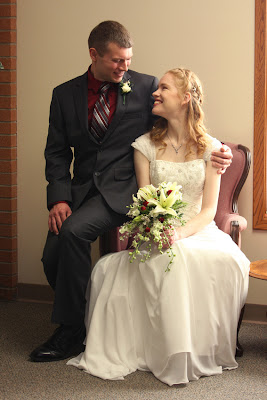
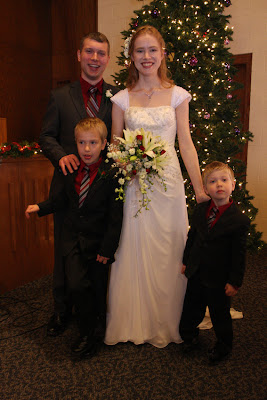
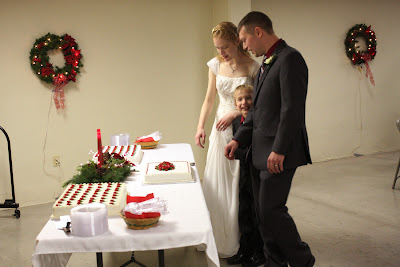
One week before the wedding, to Laura: Mono won t just clear up right away. One week before the wedding, to me: That s going to need stitches. Yes, not long before the wedding, Laura had come down with mononucleosis and I had cut into my finger with a very sharp knife while cutting bread requiring a trip to the emergency room to get stitches. Two days before we got married, instead of moving furniture, I was getting stitches out of my finger. It wasn t the kind of week we had planned. But it was the happiest, most amazing occasion I could have ever imagined. As I wrote last month, I am richly blessed indeed. Our wedding was three days after Christmas. The church was still decorated for Christmas, with the tree in on corner, glittering stars suspended in mid-air on cables from the walls, wreaths and candles in the windows, and it was a joy-filled day. Before the ceremony, we took pictures the only part of the day Jacob and Oliver weren t thrilled with. Nevertheless, we got some fun ones. Laura and I seem to know quite a few pastors between us and not just because Laura is a pastor. My brother officiated with the wedding vows, his wife with scripture and a prayer of blessing, and the church s pastor gave the message. Laura and I wrote in our wedding program, Music has long been a thread running through both our lives. We have enjoyed singing together, playing piano and pennywhistle duets, attending concerts, and even exploring old hymnals. Music is also one of the best ways to have a conversation even a conversation with God. We wrote a page in the program about each of the hymns that were a part of the wedding, and why we picked them. The combined church choirs of my home church and Laura s church sang John Rutter s beautiful arrangement of For the Beauty of the Earth (click here to listen to a different choir). Hearing For the beauty of each hour , For the joy of human love , and Lord of all, to thee we raise this our joyful hymn of praise was perfect for the day. It was with such great happiness that we walked out of the sanctuary, a married couple, to the sound of the congregation singing Joy to the World! Jacob and Oliver were so very excited on our wedding day. They happily explored the church while waiting for things to happen. We had them help us light our unity candle, and they were pleased with that. Jacob loved his suit, which made him look just like me. And they were, of course, delighted with the cake and in the middle of it all. For our honeymoon, we managed to get two weeks of vacation, and spent about half of it at home. We had looked at various options for retreats in the country, but eventually concluded that our house is a retreat in the country, so might as well enjoy it at home. We also went to the Palo Duro Canyon area near Amarillo in the Texas panhandle, staying in a small B&B in Canyon, TX. Palo Duro is the second-largest canyon in North America, and quite colorful year-round. What a beautiful place to go for our honeymoon! By the time we got there, Laura was getting past mono, and we went for hikes in the canyon on two different days hiking a total of 10 miles, including a hike up the side of the canyon. After we got back home, on the last weekday of our honeymoon, we went back to the Flint Hills of Kansas, to some of the same places we had spent our third date. We climbed the windy staircase at the Chase County Courthouse, the oldest courthouse still in use in Kansas. And peered out its famous oval window. We found the last remnant of the old ghost town of Elk, ate at the same restaurant we had that day. It brought back wonderful memories, and it was a good day in itself. Because even though it was a gold, drizzly, overcast day in January, this time, we were married. And this year, Thanksgiving is all year.

20 January 2014

Wouter Verhelst: On the init system debate

The decision on which init system to use has plagued Debian for a fairly long time now. We've had people talking about it as early as debconf11 in Banja Luka, and we still haven't got a decision. Instead, the decision has been going round in circles, in a typical bikeshed fashion. Originally, my opinion on the subject was "sysv-rc is good enough for everyone, and it's portable, which other alternatives aren't". By now, however, I've become convinced that the first part of that statement isn't true, and that as a result a switch of a default init system is indeed appropriate; that we should indeed switch to "something else", at least for our Linux ports. Once I came to that conclusion, my opinion on what, exactly, we should use turned out to be nonexistent. That is, I don't care. Anything will be fine. What is bothering me, though, is that things keep dragging on and on and on and on and on and on and on, ad infinitum. We should just pick one and be done with it, dammit. The fact that sysv-rc is replaced by "something else" does not mean people must stop using sysv init scripts. Even if the maintainer of some random package "foo" refuses to accept patches to support sysv-rc for his package, there's nothing stopping anyone from providing a package "sysv-support" containing init scripts (and nothing else) for sysv-rc. The same goes for a hypothetical upstart-support or systemd-support package, of course: if you want to continue living in the stone age and keep using sysv-rc forever, then there is nothing stopping you. Even if we decide to use something else for our Linux ports. Ideally the non-Linux ports would move to something more modern too; but there really really really isn't any reason why it would be a problem if they didn't. Can we stop painting the bikeshed now? If we don't, soon we'll have to call it "hunk of paint with some bikes inside" rather than "bikeshed". Thanks.

Thorsten Glaser: FOSDEM preparations done.

I ve produced several pin-on buttons to take with me to FOSDEM for giving away (as long as there are any left): Several pin-on buttons I made First row (nice projects), from left to right: MidnightBSD; Glenda, the Plan 9 bunny; Teckids e.V. Second row (The MirOS Project): mksh; the Shilouette D mon; the Triforce (Live+Install CDs for i386 and sparc, with MirGrml); the m (alternative logo, vector) Third row (things originating from tarent): Freedroidz (now a Teckids project); OSIAM (Identity and Access Management); tarent (tarent AG, tarent GmbH), who sponsored production of these buttons Hm jupp needs a button able logo!
FOSDEM meetup

Enrico Zini: terminal-emulators

Quest for a terminal emulator The requirements I need a terminal emulator. This is a checklist of the features that I need: My experience is that getting all of this to work is not being as easy as it seems, so I'm creating this page to track progress. gnome-terminal I've been happily using this for years, and it did everything I needed, until some months ago it started to open new tabs in the terminal's working directory instead of the last tab's working directory. This is a big point of frustration for me. It also started opening https urls with Firefox, although the preferred browser was Chromium. There seemed to be no way to control it: I looked for firefox or iceweasel in all gconf and dconf settings and found nothing. The browser issue was fixed by accident when I used Xfce4's settings application to change the browser from Chromium to Firefox and then back to Chromium. update, thanks to Mathieu Parent, Josh Triplett, Peter De Wachter, Julien Cristau, and Charles Plessy: It is also possible to restore the "new tab opened inside the same directory of the last tab I was in" behaviour, by enabling "run command as a login shell" so that /etc/profile.d/vte.sh is run (thanks Mathieu Parent for the link). That in turn spawned extra cleanup work in my .bashrc/.bash_profile/.profile setup, which has been randomly evolving since even before my first Debian "buzz" system. I found that it was setting PROMPT_COMMAND to something else to set the terminal title, conflicting with what vte.sh wants to do. With regards to loading /etc/profile.d/vte.sh by default, Peter De Watcher sent pointers to relevant bugs: here, here, and here. An alternative strategy is to work using the prompt rather than PROMPT_COMMAND; an example is in Josh Triplett's .bashrc from git://joshtriplett.org/git/home. Josh Triplett also said:
To fix the browser launched for URLs, you either need to use a desktop environment following GNOME's mechanism for setting the default browser, or edit ~/.local/share/applications/mimeapps.list and make sure x-scheme-handler/http, x-scheme-handler/https, and x-scheme-handler/ftp are set to your preferred browser's desktop file basename under [Added Associations].
All my issues with gnome-terminal are now gone and I'm only too happy to go back to it. rxvt-unicode-256color urxvt took some work. This is where I got with configuration:
URxvt.font: xft:Monospace-10:antialias=true
URxvt.foreground: #aaaaaa
URxvt.background: black
URxvt.scrollBar_right: true
URxvt.cursorBlink: true
URxvt.perl-ext-common: default,matcher,tabbedex
URxvt.url-launcher: /usr/bin/x-www-browser
URxvt.matcher.button: 1
URxvt.perl-lib: /home/enrico/.urxvt/perl
URxvt.color0: black
URxvt.color1: #aa0000
URxvt.color2: #00aa00umask
URxvt.color3: #aa5500
URxvt.color4: #0000aa
URxvt.color5: #aa00aa
URxvt.color6: #00aaaa
URxvt.color7: #aaaaaa
URxvt.color8: #555555
URxvt.color9: #ff5555
URxvt.color10: #55ff55
URxvt.color11: #ffff55
URxvt.color12: #5555ff
URxvt.color13: #ff55ff
URxvt.color14: #55ffff
URxvt.color15: #ffffff
I got all of the tab behaviour that I need by "customizing" the tab script (yuck github :( ). Missing sakura Configuration is in .config/sakura/sakura.conf and these bits help:
colorset1_fore=rgb(170,170,170)
colorset1_back=rgb(0,0,0)
colorset1_opacity=99
colorset2_fore=rgb(0,0,0)
colorset2_back=rgb(254,254,254)
colorset2_opacity=99
font=Monospace 10
show_always_first_tab=No
scrollbar=false
fullscreen_key=F11
palette=linux
Missing lxterminal Configuration is in .config/lxterminal/lxterminal.conf and this is relevant to me:
[general]
fontname=DejaVu Sans Mono 10
fgcolor=#aaaaaaaaaaaa
disallowbold=false
cursorblinks=true
tabpos=top
hidescrollbar=false
hidemenubar=true
hideclosebutton=true
disablef10=true
disablealt=true
Also, to open a url directly you control+click it. Missing terminator Configuration is in .config/terminator/config and this is relevant to me:
[global_config]
  use_custom_url_handler = True
  custom_url_handler = x-www-browser
  inactive_color_offset = 1.0
[keybindings]
  close_term = None
  close_window = None
  copy = None
  cycle_next = None
  cycle_prev = None
  go_down = None
  go_next = None
  go_prev = None
  go_up = None
  group_all = None
  group_tab = None
  hide_window = None
  move_tab_left = None
  move_tab_right = None
  new_tab = None
  new_terminator = None
  new_window = None
  next_tab = None
  paste = None
  prev_tab = None
  reset_clear = None
  reset = None
  resize_down = None
  resize_left = None
  resize_right = None
  resize_up = None
  rotate_ccw = None
  rotate_cw = None
  scaled_zoom = None
  search = None
  split_horiz = None
  split_vert = None
  switch_to_tab_1 = <Alt>F1
  switch_to_tab_2 = <Alt>F2
  switch_to_tab_3 = <Alt>F3
  switch_to_tab_4 = <Alt>F4
  switch_to_tab_5 = <Alt>F5
  switch_to_tab_6 = <Alt>F6
  switch_to_tab_7 = <Alt>F7
  switch_to_tab_8 = <Alt>F8
  switch_to_tab_9 = <Alt>F9
  switch_to_tab_10 = <Alt>F10
  toggle_scrollbar = None
  toggle_zoom = None
  ungroup_all = None
  ungroup_tab = None
[profiles]
  <span class="createlink">default</span>
    palette = "#000000:#aa0000:#00aa00:#aa5500:#0000aa:#aa00aa:#00aaaa:#aaaaaa:#555555:#ff5555:#55ff55:#ffff55:#5555ff:#ff55ff:#55ffff:#ffffff"
    copy_on_selection = True
    icon_bell = False
    background_image = None
    show_titlebar = False
Missing update: Richard Hartmann pointed out that terminator's upstream maintainer now changed after the old one didn't have time any more, and it should have a release with a ton of improvements anytime soon. xfce4-terminal Configuration is in .config/xfce4/terminal, and this is relevant to me: terminalrc:
[Configuration]
FontName=Monospace 10
MiscAlwaysShowTabs=FALSE
MiscBell=FALSE
MiscBordersDefault=TRUE
MiscCursorBlinks=FALSE
MiscCursorShape=TERMINAL_CURSOR_SHAPE_BLOCK
MiscDefaultGeometry=80x24
MiscInheritGeometry=FALSE
MiscMenubarDefault=FALSE
MiscMouseAutohide=FALSE
MiscToolbarDefault=FALSE
MiscConfirmClose=TRUE
MiscCycleTabs=TRUE
MiscTabCloseButtons=TRUE
MiscTabCloseMiddleClick=TRUE
MiscTabPosition=GTK_POS_TOP
MiscHighlightUrls=TRUE
ShortcutsNoMenukey=TRUE
ShortcutsNoMnemonics=TRUE
ColorForeground=#aaaaaaaaaaaa
accels.scm:
(gtk_accel_path "<Actions>/terminal-window/goto-tab-1" "<Alt>F1")
(gtk_accel_path "<Actions>/terminal-window/goto-tab-2" "<Alt>F2")
(gtk_accel_path "<Actions>/terminal-window/goto-tab-3" "<Alt>F3")
(gtk_accel_path "<Actions>/terminal-window/goto-tab-4" "<Alt>F4")
(gtk_accel_path "<Actions>/terminal-window/goto-tab-5" "<Alt>F5")
(gtk_accel_path "<Actions>/terminal-window/goto-tab-6" "<Alt>F6")
(gtk_accel_path "<Actions>/terminal-window/goto-tab-7" "<Alt>F7")
(gtk_accel_path "<Actions>/terminal-window/goto-tab-8" "<Alt>F8")
(gtk_accel_path "<Actions>/terminal-window/goto-tab-9" "<Alt>F9")
(gtk_accel_path "<Actions>/terminal-window/goto-tab-10" "<Alt>F10")
(gtk_accel_path "<Actions>/terminal-window/goto-tab-11" "<Alt>F11")
(gtk_accel_path "<Actions>/terminal-window/goto-tab-12" "<Alt>F12")
update: Yves-Alexis Perez points out that to disable the F1 for help in the terminal, you need to remove the accelerator. I tried this and this and didn't have success, but I confess I did not dig too much into it. Although xfce4-terminal -e does not work as I expect, xfce4-terminal registers a wrapper for x-terminal-emulator that does the right thing with respect to -e (also thanks Yves-Alexis Perez). Missing roxterm Configuration is in .config/roxterm.sourceforge.net/ split in several files corresponding to profiles. This is a reasonable starting point for me: Profiles/Default:
[roxterm profile]
colour_scheme=Default
disable_menu_access=1
disable_menu_shortcuts=1
disable_tab_menu_shortcuts=0
tab_close_btn=0
hide_menubar=1
always_show_tabs=0
Colours/Default:
[roxterm colour scheme]
0=#000000000000
1=#aaaa00000000
2=#0000aaaa0000
3=#aaaa55550000
4=#00000000aaaa
5=#aaaa0000aaaa
6=#0000aaaaaaaa
7=#aaaaaaaaaaaa
8=#555555555555
9=#ffff55555555
10=#5555ffff5555
11=#ffffffff5555
12=#55555555ffff
13=#ffff5555ffff
14=#5555ffffffff
15=#ffffffffffff
palette_size=16
foreground=#aaaaaaaaaaaa
background=#000000000000
cursor=#cccccccccccc
bold=
dim=
Shortcuts/Default:
[roxterm shortcuts scheme]
File/New Window=
File/New Tab=
File/Close Window=
File/Close Tab=
Tabs/Previous Tab=
Tabs/Next Tab=
Edit/Copy=
Edit/Paste=
View/Zoom In=<Control>plus
View/Zoom Out=<Control>minus
View/Normal Size=<Control>0
View/Full Screen=F11
View/Scroll Up One Line=
View/Scroll Down One Line=
Help/Help=
Edit/Copy & Paste=
Search/Find...=
Search/Find Next=
Search/Find Previous=
File/New Window With Profile/Default=
File/New Tab With Profile/Default=
Tabs/Select_Tab_0=<Alt>F1
Tabs/Select_Tab_1=<Alt>F2
Tabs/Select_Tab_2=<Alt>F3
Tabs/Select_Tab_3=<Alt>F4
Tabs/Select_Tab_4=<Alt>F5
Tabs/Select_Tab_5=<Alt>F6
Tabs/Select_Tab_6=<Alt>F7
Tabs/Select_Tab_7=<Alt>F8
Tabs/Select_Tab_8=<Alt>F9
Tabs/Select_Tab_9=<Alt>F9
Tabs/Select_Tab_10=<Alt>F10
Tabs/Select_Tab_11=<Alt>F11
Tabs/Select_Tab_12=<Alt>F12
Global:
[roxterm options]
edit_shortcuts=0
prefer_dark_theme=1
colour_scheme=Default
warn_close=1
Missing Nothing of my initial requirements seems to be missing, really, so I'm sticking to it for a while to see what happens. The first itch to scratch is that when the menubar is hidden, the popup menu becomes the entire menubar contents, which does not fit the general use case to have a contextual menu with the most common shortcuts. I'll just declare it useless and get myself used to some new hotkey for starting a new terminal. update: after fixing my issues with gnome-terminal I've switched back to gnome-terminal: its interface feels less clunky as I'm already used to it. Other references Guillem Jover made a similar analysis in 2009, it can be found here. Thomas Koch mentioned that termit should be able to do all I need, and is scriptable in Lua. I like the sound of that, and it's definitely one I should look next time I find myself shopping for terminal emulators.

Matthew Garrett: Not all CLAs are equal

Contributor License Agreements ("CLAs") are a mechanism for an upstream software developer to insist that contributors grant the upstream developer some additional set of rights. These range in extent - some CLAs require that the contributor reassign their copyright over the contribution to the upstream developer, some merely provide the upstream developer with a grant of rights that aren't explicit in the software license (such as an explicit patent grant for a contribution licensed under a BSD-style license).

CLAs aren't new. FSF-copyrighted projects have been using copyright assignment since at least 1985 - in return, the FSF promise that the software will always be distributed under a copyleft-style license. For over a decade, Apache Software Foundation projects have required that contributors sign a CLA that allows them to retain copyright, but grants the ASF the right to relicense the work as it wishes. For the most part, this hasn't been terribly controversial.

So why do people object so much when Canonical do it? I've written about this in the context of Mir before, but it's worth expanding on the general case. The FSF's copyright assignment ensures that contributions to GPLed software will only be distributed under GPL-style licenses. The Apache CLA permits the ASF to relicense a contribution under a proprietary license, but the Apache license allows anyone to do that anyway. Going through Wikipedia's list of CLA users, the majority cover projects that are under BSD- or Apache-style licenses, with a couple of cases covering GPLed projects with a promise that any contributions will only be distributed under GPL-like licenses[1]. Either everyone can produce proprietary derivative works, or nobody can.

In contrast, Canonical ship software under the GPLv3 family of licenses (GPL, AGPL and LGPL) but require that contributors sign an agreement that permits Canonical to relicense their contributions under a proprietary license. This is a fundamentally different situation to almost all widely accepted CLAs, and it's disingenuous for Canonical to defend their CLA by pointing out the broad community uptake of, for instance, the Apache CLA.

Canonical could easily replace their CLA with one that removed this asymmetry - Project Harmony, the basis of Canonical's CLA, permits you to specify an "inbound equals outbound" agreement that prevents upstream from relicensing under a proprietary license[2]. Canonical's deliberate choice not to do so just strengthens the argument that the CLA is primarily about wanting to produce proprietary versions of software rather than wanting to strengthen their case in any copyright or patent disputes. It's unsurprising that people feel disinclined to contribute to projects under those circumstances, and it's difficult to understand why Canonical simultaneously insist on this hostile behaviour and bemoan the lack of community contribution to Canonical projects.

[1] The one major exception is the Digia/Qt project CLA, which covers an LGPLed work but makes it entirely clear that Digia will ship your contributions under proprietary licenses as well. At least they're honest.

[2] See the various options in section 2.1(d) here. Canonical chose option five. If they'd chosen option one instead, this wouldn't be a problem.

comment count unavailable comments

Dirk Eddelbuettel: RProtoBuf 0.4.0: A whole lot of goodies and Windoze support

A new major release 0.4.0 of RProtoBuf, is now on CRAN. RProtoBuf provides GNU R bindings for the Google Protocol Buffers ("Protobuf") data encoding library used and released by Google, and deployed as a language and operating-system agnostic protocol by numerous projects. With this release, we are welcoming Jeroen Ooms to the team. Jeroen had already worked on some RProtoBuf extensions in the context of his OpenCPU project; we have now integrated those Protocol Buffers functions. And Jeroen pushed all the right buttons to finally get RProtoBuf built on everybody's least-favourite operating system by provding a static library for use by win-builder and CRAN. Murray once again did a lot of work on internals. His use of the LLVM tool llvm-format was particular helpful to make our coding style a little more consistent. The complete NEWS file entry for this release follows:
Changes in RProtoBuf version 0.4.0 (2014-01-14)
  • Changes to support CRAN builds for MS Windows.
  • Added functions serialize_pb, unserialize_pb, and can_serialize_pb plus documentation from Jeroen Ooms RProtoBufUtils package.
  • New dir inst/python with some Python examples.
  • Added Jeroen Ooms as author.
  • Vignettes have been converted to the R 3.0.0 or later use of external vignette builders, no longer need a Makefile
  • Added missing methods to dollar completion list for Message, Descriptor, EnumValueDescriptor, and FileDescriptor classes.
  • Add missing export for .DollarNames EnumValueDescriptor to allow completion on that class.
  • Add more than 15 additional pages to the main Intro vignette documenting better all of the S4 classes implemented by RProtoBuf, updating the type mapping tables to take into account 64-bit support, and documenting advanced features such as Extensions.
  • Added better error checking in EnumDescriptors to catch the case when wrong types are provided.
  • Updated the FileDescriptor name() method to accept a boolean for full paths just like the generic name() method.
  • Correct a bug that incorrectly dispatched as.character() when as.list() was called on Descriptor objects.
  • Update FileDescriptor $ dispatch to work properly for the names of fields defined in the FileDescriptor, instead of just returning NULL even for types returned by $ completion.
  • Added a reservation for extension fields in the example tutorial.Person schema.
  • Support setting int32 fields with character representations and raise an R-level stop() error if the provided string can not be parsed as a 32-bit integer, rather than crashing the R instance.
  • Update the project TODO file.
  • Add better documentation and tests for all of the above.
  • Corrected the handling of uint32 and fixed32 types in protocol buffers to ensure that they work with numbers as large as 2^32 - 1, which is larger than an integer can hold in R since R does not have an unsigned integer class. These values are stored as doubles internally now to avoid losing precision.
  • Added unit tests to verify behavior of RProtoBuf with extreme values for uint32 types.
  • Removed old exception handling code and instead rely on the more modern Rcpp::stop method maintained in Rcpp.
  • Add better error messages when setting a repeated field of messages to inform the user which element index was of the wrong type and what the expected type was.
  • Add an optional 'partial' argument to readASCII allowing uninitialized message fragments to be read in.
  • (internal) Added const qualifiers in more places throughout the C++ code for type safety.
  • (internal) Standardize coding conventions of the C++ files and run them through clang-format for consistency. A STYLE file has been submitted to R-Forge with details about the coding standards and how they are enforced with Emacs and clang-format.
  • Applied changes suggested by Kevin Ushey to the S4 class handling to support both the currently released Rcpp as well as the currently pending next version.
CRANberries also provides a diff to the previous release 0.3.2. More information is at the RProtoBuf page which has a draft package vignette, a 'quick' overview vignette and a unit test summary vignette. Questions, comments etc should go to the rprotobuf mailing list off the RProtoBuf page at R-Forge.

This post by Dirk Eddelbuettel originated on his Thinking inside the box blog. Please report excessive re-aggregation in third-party for-profit settings.

Michal &#268;iha&#345;: Going to FOSDEM

Same as in past year, I'm attending FOSDEM 2014. This is the best opportunity to meet with free software world in Europe and get in touch with people you know only from mailing lists. If you want to meet me in person and discuss anything, just get in touch with me and we'll arrange it.

Filed under: English phpMyAdmin SUSE Weblate 0 comments Flattr this!

B lint R czey: XBMC 12.3 Frodo has arrived to Debian Wheezy, Jessie and Sid

Q: How to install latest XBMC on Debian?
A: Just run apt-get install xbmc Well, it actually installs XBMC from Debian and to get the 12.3 you also have to enable backports on Wheezy, but I guess you can forgive me for those nuances. :-) Many thanks to the Debian Multimedia team, Modestas Vainius and Ron Lee who kindly backported XBMC s dependencies and also many thanks to the XBMC Developers for XBMC itself! The package is well tested on amd64, i386 and armhf, and it is now built on powerpc and armel, too. If you would like to see your favorite architecture running XBMC, please check the build logs and submit a patch fixing the build to the BTS. Happy hacking!

19 January 2014

Daniel Pocock: Debian solving Drupal's third-party library challenge

The tremendously successful Drupal community observes stringent requirements about many things, in particular, licensing and the prohibition of bundling third-party JavaScript. While these policies may seem onerous at first glance, it turns out there is another project with a written guarantee to provide third-party code in a form that meets the expectations of Drupal and does so in a way that completely automates all that tedious effort into one-click oblivion. I'm talking about the Debian GNU/Linux operating system. Drupal's libraries module The libraries module for Drupal appeared as an initial attempt to help track third-party JavaScript. The module has been available in Debian for almost a year and has recently been provided in the wheezy-backports distribution for people running the stable version of Debian. The library provides a standard way for other modules to reference third-party JavaScript but it still leaves the web master with some manual work to go out and download all the necessary JavaScript and copy it into the right place. This is where Debian comes to the rescue. Using the module in practice I've recently uploaded JSCommunicator to Debian and wanted to provide a convenient way for people to get it in Drupal. Therefore, in addition to providing the JSCommunicator packages, I created an extra package, drupal7-mod-jscommunicator. JSCommunicator itself depends on other JavaScript, specifically, the JsSIP library. I repeated the same process for JsSIP. This gives us the following collection of four related packages:
Third-party library Library itself Drupal module, packaged
JSCommunicator libjs-jscommunicator drupal7-mod-jscommunicator
JsSIP libjs-jssip drupal7-mod-jssip
If you explore the package details in Debian's package catalog you will notice that each package depends on the other packages it requires. Debian's package management utility, apt-get, can transitively resolve all the relationships between this set of packages. In fact, on a newly built server, you can simply run the command:
apt-get install drupal7-mod-jscommunicator
and the apt-get utility will install Apache, MySQL, Drupal itself, the libraries module, all the related JavaScript libraries and the final Drupal module of JSCommunicator itself. It really is that easy. Here is an example of the output displayed by the command on a freshly built server:
# apt-get -d install drupal7-mod-jscommunicator
Reading package lists... Done
Building dependency tree       
Reading state information... Done
The following extra packages will be installed:
  apache2 apache2-bin apache2-data curl dbconfig-common drupal7
  drupal7-mod-jssip drupal7-mod-libraries fontconfig-config fonts-dejavu-core
  javascript-common libaio1 libapache2-mod-php5 libapr1 libaprutil1
  libaprutil1-dbd-sqlite3 libaprutil1-ldap libarchive-extract-perl libc6
  libcurl3 libdbd-mysql-perl libdbi-perl libedit2 libfontconfig1 libgcrypt11
  libgd3 libhtml-template-perl libjbig0 libjpeg8 libjs-jssip libjson-c2
  liblocale-gettext-perl liblog-message-simple-perl liblua5.1-0
  libmodule-pluggable-perl libmysqlclient18 libonig2 libperl4-corelibs-perl
  libpng12-0 libpod-latex-perl libqdbm14 librtmp0 libssh2-1 libterm-ui-perl
  libtext-charwidth-perl libtext-iconv-perl libtext-soundex-perl libtiff5
  libuuid-perl libvpx1 libxml2 libxpm4 locales mysql-client mysql-client-5.5
  mysql-common mysql-server mysql-server-5.5 mysql-server-core-5.5 perl
  perl-base perl-modules php5 php5-cli php5-common php5-gd php5-json
  php5-mysql php5-readline ssl-cert wwwconfig-common
Suggested packages:
  apache2-doc apache2-suexec-pristine apache2-suexec-custom apache2-utils
  php-pear glibc-doc libclone-perl libmldbm-perl libnet-daemon-perl
  libplrpc-perl libsql-statement-perl rng-tools libgd-tools
  libipc-sharedcache-perl libterm-readkey-perl tinyca perl-doc
  libterm-readline-gnu-perl libterm-readline-perl-perl make libb-lint-perl
  libcpanplus-dist-build-perl libcpanplus-perl libfile-checktree-perl
  liblog-message-perl libobject-accessor-perl php5-user-cache
  openssl-blacklist postgresql-client
The following NEW packages will be installed:
  apache2 apache2-bin apache2-data curl dbconfig-common drupal7
  drupal7-mod-jscommunicator drupal7-mod-jssip drupal7-mod-libraries
  fontconfig-config fonts-dejavu-core javascript-common libaio1
  libapache2-mod-php5 libapr1 libaprutil1 libaprutil1-dbd-sqlite3
  libaprutil1-ldap libarchive-extract-perl libcurl3 libdbd-mysql-perl
  libdbi-perl libfontconfig1 libgd3 libhtml-template-perl libjbig0 libjpeg8
  libjs-jssip libjson-c2 liblog-message-simple-perl liblua5.1-0
  libmodule-pluggable-perl libmysqlclient18 libonig2 libperl4-corelibs-perl
  libpng12-0 libpod-latex-perl libqdbm14 librtmp0 libssh2-1 libterm-ui-perl
  libtext-soundex-perl libtiff5 libvpx1 libxpm4 mysql-client mysql-client-5.5
  mysql-common mysql-server mysql-server-5.5 mysql-server-core-5.5 php5
  php5-cli php5-common php5-gd php5-json php5-mysql php5-readline ssl-cert
  wwwconfig-common
The following packages will be upgraded:
  libc6 libedit2 libgcrypt11 liblocale-gettext-perl libtext-charwidth-perl
  libtext-iconv-perl libuuid-perl libxml2 locales perl perl-base perl-modules
12 upgraded, 60 newly installed, 0 to remove and 222 not upgraded.
Need to get 37.2 MB of archives.
After this operation, 152 MB of additional disk space will be used.
Do you want to continue [Y/n]? 
Libraries API in Drupal 8 Contrary to an earlier version of this blog, the libraries module is not joining the core in Drupal 8 however its use has been strongly encouraged for any new modules submitted through the Drupal community approval process. This means there will be further opportunity for Drupal users to consolidate on their use of Debian to completely automate the management of all third-party libraries and modules throughout their Drupal system(s).

Matthias Klumpp: Tanglu Beta2 now available!

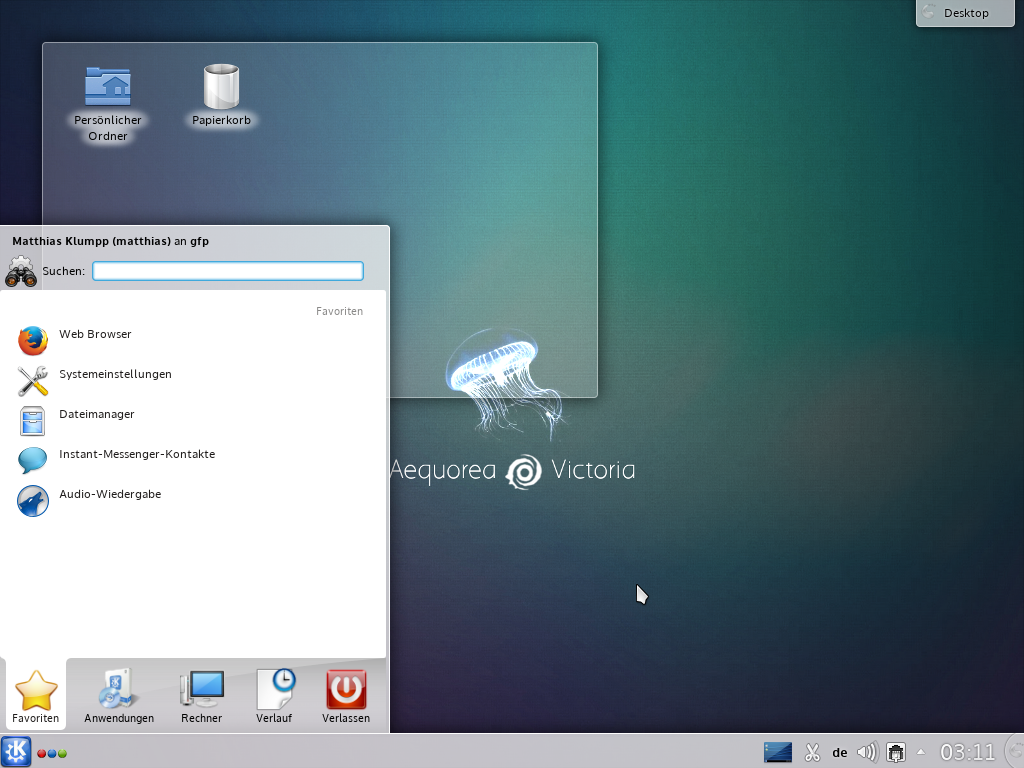
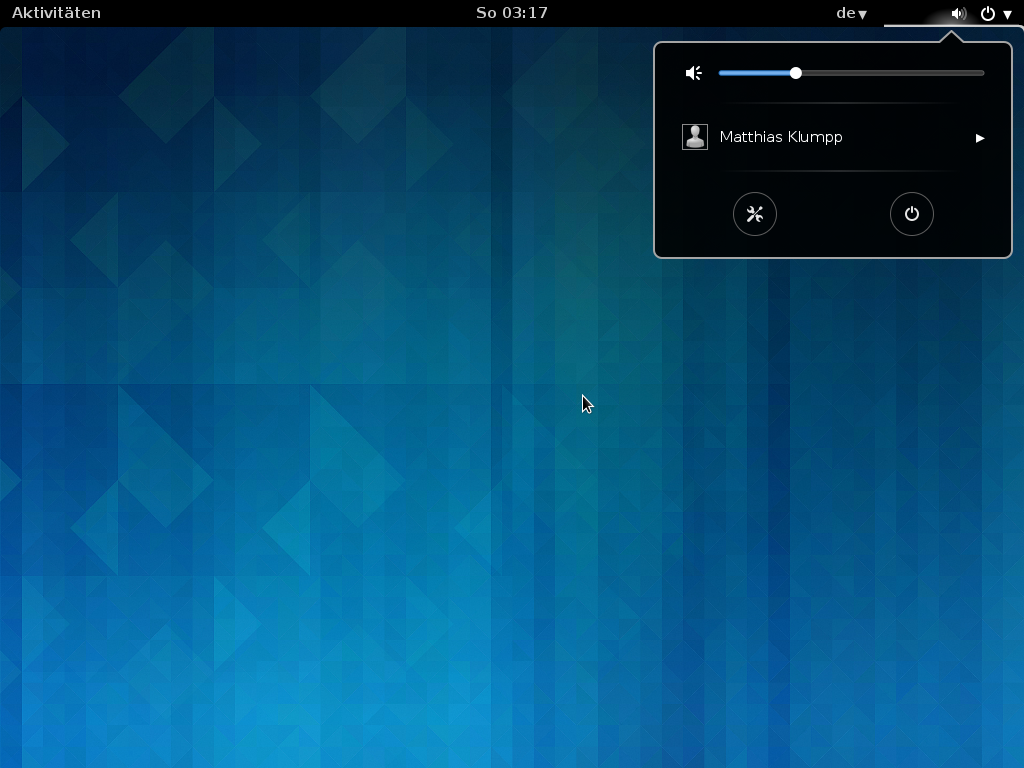
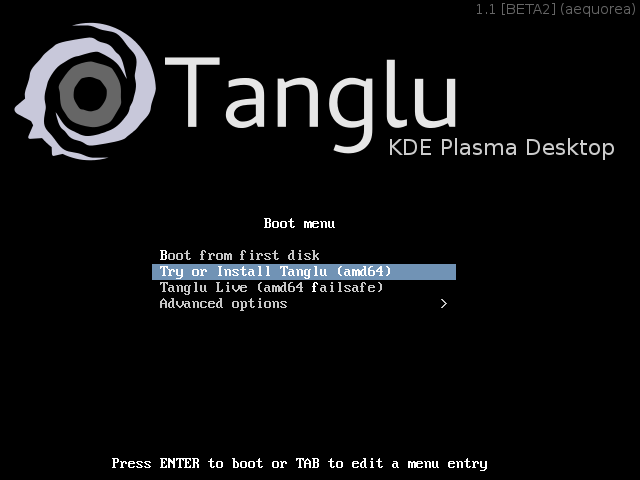
While writing this post, I recognize that we might need a news-blog for tanglu logo pureTanglu :-) Since yesterday, we have an (installable!) Beta2 release of Tanglu! Compared to the previous snapshot, it comes with a huge amount of improvements and bugfixes: Known issues: You can download the release from one of these mirrors: Mirror1 Mirror2 Mirror3 Additionally, there is now a release schedule for Tanglu Aequorea, and we will do a vote on the name for the next release soon (proposed names). As a note to Debian: systemd is working pretty well for Tanglu so far ;-) I am pretty happy with this Beta2 release, because Tanglu is shaping out to be the distribution we imagined in the beginning. Have fun! And as bonus, here are some images from Beta2: tanglu-beta2-kde0 tanglu-beta2-kde1 tanglu-beta2-kde2 tanglu-beta2-gnome2tanglu-beta2-gnome1
18 January 2014

Miriam Ruiz: L ve is a changing project


I have just uploaded a newer version of L ve to Debian, 0.9.0. As usual, this version breaks compatibility with the API of previous versions. Literally: L VE 0.9.0 breaks compatibility with nearly every 0.8.0 game . It s a hard to fix situation from a package maintainer s point of view, at least until they agree on a stable API, hopefully in a 1.0 version sometime. L ve has been in Debian official repositories since 2008. As major changes, we can see that it s using SDL2 and LuaJIT now. Depending on where the bottlenecks were in some of the demos and games, the performance might have improved a lot. The improvements have been a lot, and the structure of the API is more consistent and clean. Congratulations to everyone that has made it possible. On the bitter part, well, most of the previous games and demos will most likely not work any more without some changes in the code. As we don t have any reverse dependencies in the archive (yet), this won t cause any severe problems. But, of course, Debian is not an isolated island, and people might need to execute some old code without being able to migrate it. I have prepared some packages for older versions of L ve that might make the situation more bearable for some, until code is migrated to the new API. These versions can be co-installed with the latest version in the archive (0.9.0). I m not sure if it will be needed, but if it was, I might consider putting previous 0.8 version in the official repositories. I would prefer not to do it, though, as that would make me the de facto maintainer of the upstream code, as L ve community is moving forwards with newer versions.

Daniel Pocock: Debian.org enabled for SIP federation, who will be next?

The Debian community has announced the availability of SIP for all of approximately 1,000 Debian Developers who comprise the membership of the organisation. Benefits for the wider free software community This means packages providing SIP (and soon XMPP/Jabber) will hopefully be under much more scrutiny from developers in the lead up to the next major Debian release, codename jessie, expected early 2015. Although the user guide provides setup details for several packages and softphones, including Jitsi and Lumicall, the developers of the core SIP server have not indicated that any specific package should be preferred and it is up to each user to choose the client that best suits their needs. Who will be next? Discussion has already started about replicating this technology for the Fedora community. Users of the Lumicall softphone on Android are already able to make federated SIP calls, so just dialing username@debian.org from Lumicall is sufficient to make a call to a Debian Developer and see federated SIP working. People who want to try SIP federation for their workplace or any other organisation are encouraged to see the Real-time Communications (RTC) Quick start guide

Steve Kemp: Some software releases to change the topic.

Now it is time for me to go silent for a while, and not talk about jobs, unemployment, or puppies. This past week has also been full of software releases. Some of the public ones include:

Lumail - My console mail client, with integrated lua scripting
After three months of slow work I've issued a new release today. This release features several bugfixes for dealing with malformed MIME messages, and similar fun. The core set of lua primitives hasn't changed very much for a good six months now, which means I guess rightly what kind of things would be useful.
Templer - My perl-based static-site generator.
This was recently updated to add two new plugins to the core:
  • A redis plugin to allow you to set variables to values retrieved from redis.
  • An RSS plugin to allow you to inline (remote) RSS feeds into your static HTML. Useful for building news-pages, etc.
Although there are a million static-site generators I still think mine has value, and I am consistently using it.
Months ago when I said "I'm writing a mail-client", all I need to do is handle three cases: Then some new things like "Compose", "Reply", "Forward", I remember somebody commented along the lines of "Yeah, but MIME will make you hate your life" I laughed. Now I know better. Still it works, it works well, and I'm glad I did it.

Jonathan McDowell: Fixing my parents' ADSL

I was back at my parents' over Christmas, like usual. Before I got back my Dad had mentioned they'd been having ADSL stability issues. Previously I'd noticed some issues with keeping a connection up for more than a couple of days, but it had got so bad he was noticing problems during the day. The eventual resolution isn't going to surprise anyone who's dealt with these things before, but I went through a number of steps to try and improve things. Firstly, I arranged for a new router to be delivered before I got back. My old Netgear DG834G was still in use and while it didn't seem to have been the problem I'd been meaning to get something with 802.11n instead of the 802.11g it supports for a while. I ended up with a TP-Link TD-W8980, which has dual band wifi, ADSL2+, GigE switch and looked to have some basic OpenWRT support in case I want to play with that in the future. Switching over was relatively simple and as part of that procedure I also switched the ADSL microfilter in use (I've seen these fail before with no apparent cause). Once the new router was up I looked at trying to get some line statistics from it. Unfortunately although it supports SNMP I found it didn't provide the ADSL MIB, meaning I ended up doing some web scraping to get the upstream/downstream sync rates/SNR/attenuation details. Examination of these over the first day indicated an excessive amount of noise on the line. The ISP offer the ability in their web interface to change the target SNR for the line. I increased this from 6db to 9db in the hope of some extra stability. This resulted in a 2Mb/s drop in the sync speed for the line, but as this brought it down to 18Mb/s I wasn't too worried about that. Watching the stats for a further few days indicated that there were still regular periods of excessive noise, so I removed the faceplate from the NTE5 master BT socket, removing all extensions from the line. This resulted in regaining the 2Mb/s that had been lost from increasing the SNR target, and after watching the line for a few days confirmed that it had significantly decreased the noise levels. It turned out that the old external ringer that was already present on the line when my parents' moved in was still connected, although it had stopped working some time previously. Also there was an unused and much spliced extension in place. Removed both of these and replacing the NTE5 faceplate led to a line that was still stable. At the time of writing the connection has been up since before the new year, significantly longer than it had managed for some time. As I said at the start I doubt this comes as a surprise to anyone who's dealt with this sort of line issue before. It wasn't particularly surprising to me (other than the level of the noise present), but I went through each of the steps to try and be sure that I had isolated the root cause and could be sure things were actually better. It turned out that doing the screen scraping and graphing the results was a good way to verify this. Observe: adsl-noise.png The blue/red lines indicate the SNR for the upstream and downstream links - the initial lower area is when this was set to a 6db target, then later is a 9db target. Green are the forward error correction errors divided by 100 (to make everything fit better on the same graph). These are correctable, but still indicate issues. Yellow are CRC errors, indicating something that actually caused a problem. They can be clearly seen to correlate with the FEC errors, which makes sense. Notice the huge difference removing the extensions makes to both of these numbers. Also notice just how clear graphing the data makes things - it was easy to show my parents' the graph and indicate how things had been improved and should thus be better.

James Bromberger: Linux.conf.au 2014: LCA TV

The radio silence here on my blog has been not from lack of activity, but the inverse. Linux.conf.au chewed up the few remaining spare cycles I have had recently (after family and work), but not from organising the conference (been there, got the T-Shirt and the bag). So, let s do a run through of what has happened LCA2014 Perth has come and gone in pretty smooth fashion. A remarkable effort from the likes of the Perth crew of Luke, Paul, Euan, Leon, Jason, Michael, and a slew of volunteers who stepped up not to mention our interstate firends of Steve and Erin, Matthew, James I, Tim the Streaming guy and others, and our pro organisers at Manhattan Events. It was a reasonably smooth ride: the UWA campus was beautiful, the leacture theatres were workable, and the Octogon Theatre was at its best when filled with just shy of 500 like minded people and an accomplished person gracing the stage. What was impressive (to me, at least) was the effort of the AV team (which I was on the extreme edges of); videos of keynotes hit the Linux Australia mirror within hours of the event. Recording and live streaming of all keynotes and sessions happend almost flawlessly. Leon had built a reasonably robust video capture management system (eventstreamer on github) to ensure that people fresh to DVswitch had nothing break so bad it didn t automatically fix itself and all of this was monitored from the Operations Room (called the TAVNOC, which would have been the AV NOC, but somehow a loose reference to the UWA Tavern the Tav crept in there). Some 167 videos were made and uploaded most of this was also mirrored on campus before th end of the conference so attendees could load up their laptops with plenty of content for the return trip home. Euan s quick Blender work meant there was a nice intro and outro graphic, and Leon s scripting ensured that Zookeepr, the LCA conference manegment software, was the source of truth in getting all videos processed and tagged correctly. I was scheduled (and did give) a presentation at LCA 2014 about Debian on Amazon Web Services (on Thursday), and attended as many of the sessions as possible, but my good friend Michael Davies (LCA 2004 chair, and chair of the LCA Papers Committee for a good many years) had another role for this year. We wanted to capture some of the hallway track of Linux.conf.au that is missed in all the videos of presentations. And thus was born LCA TV. LCA TV consisted of the video equipment for an additional stream mixer host, cameras, cables and switches, hooking into the same streaming framework as the rest of the sessions. We took over a corner of the registration room (UWA Undercroft), brought in a few stage lights, a couch, coffee table, seat, some extra mics, and aimed to fill the session gaps with informal chats with some of the people at Linux.conf.au speakers, attendees, volunteers alike. And come they did. One or two interviews didn t succeed (this was an experiment), but in the end, we ve got over 20 interviews with some interesting people. These streamed out live to the people watching LCA from afar; those unable to make it to Perth in early January; but they were recorded too and we can start to watch them (see below) I was also lucky enough to mix the video for the three keynotes as well as the opening and closing, with very capable crew around the Octogon Theatre. As the curtain came down, and the 2014 crew took to the stage to be congratulated by the attendees, I couldn t help but feel a little bit proud and a touch nostalgic memories from 11 years earlier when LCA 2003 came to a close in the very same venue. So, before we head into the viewing season for LCA TV, let me thank all the volunteers who organised, the AV volunteers, the Registration volunteers, the UWA team who helped with Octogon, Networking, awesome CB Radios hooked up to the UWA repeated that worked all the way to the airport. Thanks to the Speakers who submitted proposals. The Speakers who were accepted, made the journey and took to the stage. The people who attended. The sponsors who help make this happen. All of the above helps share the knowledge, and ultimately, move the community forward. But my thanks to Luke and Paul for agreeing to stand there in the middle of all this madness and hive of semi structured activity that just worked. Please remember this was experimental; the noise was the buzz of the conference going on around us. There was pretty much only one person on the AV kit my thanks to Andrew Cooks who I ll dub as our sound editor, vision director, floor manager, and anything else. So who did we interview? One or two talks did not work, so appologies to those that are missing. Here s the playlist to start you off! Enjoy.

Colin Watson: Testing wanted: GRUB 2.02~beta2 Debian/Ubuntu packages

This is mostly a repost of my ubuntu-devel mail for a wider audience, but see below for some additions. I'd like to upgrade to GRUB 2.02 for Ubuntu 14.04; it's currently in beta. This represents a year and a half of upstream development, and contains many new features, which you can see in the NEWS file. Obviously I want to be very careful with substantial upgrades to the default boot loader. So, I've put this in trusty-proposed, and filed a blocking bug to ensure that it doesn't reach trusty proper until it's had a reasonable amount of manual testing. If you are already using trusty and have some time to try this out, it would be very helpful to me. I suggest that you only attempt this if you're comfortable driving apt-get directly and recovering from errors at that level, and if you're willing to spend time working with me on narrowing down any problems that arise. Please ensure that you have rescue media to hand before starting testing. The simplest way to upgrade is to enable trusty-proposed, upgrade ONLY packages whose names start with "grub" (e.g. use apt-get dist-upgrade to show the full list, say no to the upgrade, and then pass all the relevant package names to apt-get install), and then (very important!) disable trusty-proposed again. Provided that there were no errors in this process, you should be safe to reboot. If there were errors, you should be able to downgrade back to 2.00-22 (or 1.27+2.00-22 in the case of grub-efi-amd64-signed). Please report your experiences (positive and negative) with this upgrade in the tracking bug. I'm particularly interested in systems that are complex in any way: UEFI Secure Boot, non-trivial disk setups, manual configuration, that kind of thing. If any of the problems you see are also ones you saw with earlier versions of GRUB, please identify those clearly, as I want to prioritise handling regressions over anything else. I've assigned myself to that bug to ensure that messages to it are filtered directly into my inbox. I'll add a couple of things that weren't in my ubuntu-devel mail. Firstly, this is all in Debian experimental as well (I do all the work in Debian and sync it across, so the grub2 source package in Ubuntu is a verbatim copy of the one in Debian these days). There are some configuration differences applied at build time, but a large fraction of test cases will apply equally well to both. I don't have a definite schedule for pushing this into jessie yet - I only just finished getting 2.00 in place there, and the release schedule gives me a bit more time - but I certainly want to ship jessie with 2.02 or newer, and any test feedback would be welcome. It's probably best to just e-mail feedback to me directly for now, or to the pkg-grub-devel list. Secondly, a couple of news sites have picked this up and run it as "Canonical intends to ship Ubuntu 14.04 LTS with a beta version of GRUB". This isn't in fact my intent at all. I'm doing this now because I think GRUB 2.02 will be ready in non-beta form in time for Ubuntu 14.04, and indeed that putting it in our development release will help to stabilise it; I'm an upstream GRUB developer too and I find the exposure of widely-used packages very helpful in that context. It will certainly be much easier to upgrade to a beta now and a final release later than it would be to try to jump from 2.00 to 2.02 in a month or two's time. Even if there's some unforeseen delay and 2.02 isn't released in time, though, I think nearly three months of stabilisation is still plenty to yield a boot loader that I'm comfortable with shipping in an LTS. I've been backporting a lot of changes to 2.00 and even 1.99, and, as ever for an actively-developed codebase, it gets harder and harder over time (in particular, I've spent longer than I'd like hunting down and backporting fixes for non-512-byte sector disks). While I can still manage it, I don't want to be supporting 2.00 for five more years after upstream has moved on; I don't think that would be in anyone's best interests. And I definitely want some of the new features which aren't sensibly backportable, such as several of the new platforms (ARM, ARM64, Xen) and various networking improvements; I can imagine a number of our users being interested in things like optional signature verification of files GRUB reads from disk, improved Mac support, and the TrueCrypt ISO loader, just to name a few. This should be a much stronger base for five-year support.

17 January 2014

Rog rio Brito: Developing for Android with Debian

I have just enrolled in a MOOC to learn about programming with Android. There are many tutorials and reports of people using Linux for the development of the apps out there, but, unfortunately, many of them are outdated or contain misleading information. You will find bazillion instructions out there telling you to install JDK6. (Even the instructions in the MOOCs say so, and Google says that it is the only supported version of Java). Even more than that, some of them will tell you that you should not use OpenJDK, but use Oracle's JDK instead. So, if you have a pure amd64 system and you try to install the x86-64 version of Google's Android Developer Tools (ADT), you are going to have a surprise: you will have all sorts of programs telling you that you have file not found, even though the required binaries are there. (This is, of course, besides install openjdk-7-jdk, if you wish to use the integrated Eclipse environment). Turns out that the so-called 64-bit ADT/SDK actually has many 32-bit executables(!) and they aren't statically linked. Inspecting them, I needed the following packages:
    gcc-4.8-base:i386
    libc6-i686:i386
    libc6:i386
    libgcc1:i386
    libstdc++6:i386
    zlib1g:i386
It is worth observing that: Given the above, and given that the version of the GCC libraries can vary a lot, it is perhaps better to simply do something like:
apt-get install libstdc++6:i386 zlib1g:i386
Although not necessary, since you are using an amd64 machine, your computer already supports many more recent instructions that will be used if you install the package libc6-i686:i386. To avoid the emulator from spitting out error messages related to libGL.so, install libgl1-mesa-dev (note: not i386 here). This way, you will be able to run the embedded QEMU with full KVM acceleration if you pass the options -qemu -m 1024 -enable-kvm on Eclipse's "Run > Run Configurations... > Target > Additional Emulator Command Line Options". After that, you are probably good to go.

Michael Stapelberg: debmirror 6x speed-up, or how to fill a 1 GBps Rackspace link

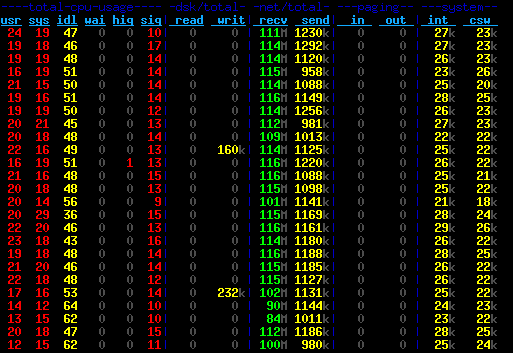
As explained in more detail in my my last blog post, Rackspace is providing hosting for Debian Code Search. For those of you who don t know, Rackspace is a cloud company that provides (among other services) a public cloud based on OpenStack. That means you can easily (and programmatically, if you want) bring up virtual servers, block storage volumes, configure the network between them, etc. As part of my initial performance experiments, I was running debmirror to clone a full Debian source mirror, and I noticed this took about one hour. Given that the peak network and storage write rates I have observed in my benchmarks are much higher, I wondered why it took so long. About 43 GB (that s how big the Debian sid sources are) in 60 minutes means 12 MB/s download rate, which is a bit more than a sustained 100 MBit/s connection. Luckily, at least the Rackspace servers I looked at are connected with 1 GBit/s to the internet, so more should be possible. Note that these are the old Rackspace servers. There is a new generation of servers, which I have not yet tried, that apparently offer even higher performance. After a brief look at the debmirror source code, I concluded that it can only use a single mirror and downloads files sequentially. There is some obvious potential for improvement here, and the fact that I could come up with a proof of concept written in Go to determine the files to download in a couple of minutes encouraged me to spend my saturday on this problem :-). About 7 hours later, my prototype had gone through various iterations and the code could sustain about 115 MB/s incoming bandwidth for most of the time. Here is a screenshot of dstat measuring the performance: Another 3 hours later, the most obvious bugs were weeded out and the code successfully cloned an entire mirror for the first time. I verified the correctness by running debmirror afterwards, and no files were downloaded that had not actually arrived on the mirror in the meantime. Features
  1. Parallel downloading from multiple mirrors.
    Of course, it is not guaranteed that the mirrors are consistent, but that is a solvable problem: whenever a non-200 HTTP response is encountered, the file is put back into the queue and gets rescheduled onto any mirror. Eventually, it will be rescheduled onto the mirror from which the sources.gz was downloaded, and that mirror has to have it.
  2. HTTP keep-alive and pipelining.
    debmirror also does HTTP keep-alive (I read that in the source, did not verify it), but it downloads files sequentially, i.e. it downloads one file, then sends the request for the next file. This means that after one file was received, no data is being received until another round-trip finished. For a lot of small files (think of .dsc and .debian.tar.gz files or small orig tarballs) that really adds up.
    Therefore, I use HTTP pipelining: I send 99 requests and then just receive all the responses at full speed. The magic number 99 comes from the fact that this is the smallest common denominator that all mirrors I have tested allow. nginx by default allows 100 requests.
  3. Request ordering.
    Instead of sending requests at random, I sort the download queue by size and make sure that the first request on each connection is for a big file. The intention is that TCP will adapt to that quickly and use a bigger window size as soon as possible instead of ramping up slower later on. Note that I have not actually measured the window sizes, so this is just a hunch.
    Another nice side-effect of the ordering is that the amount of data that is being sent through each connection is roughly equal. This means we don t waste TCP connections by sending 99 requests for small files only.
  4. (Goroutines).
    I m a bit hesitant to even write about it, so let s make it quick: Perl (and thus debmirror) is typically single-threaded, whereas Goroutines scale nicely on multi-core systems. I don t think it makes a big difference on the machines I am running this on as they have only two cores and are not maxed out on CPU usage at all. But maybe this will be more important for saturating 10 GBit/s? :-)
  5. (Mirror selection).
    It s not a feature of the code, but certainly relevant: of course I selected mirrors that are connected to the internet with at least a Gigabit link, serve files reasonably fast and have low latency to Rackspace s Chicago presence.
    Interestingly, while I used to think that universities have access to big uplinks and beefy machines, none of the mirrors that I use are located at a university. In fact, every mirror ending in .edu that I tried was really slow most of them providing something like 2-4 MB/s.
Results With the latest iteration of the code, I can clone an entire Debian source mirror with 43 GB of data in about 11.5 minutes, which corresponds to a 63 MB/s download rate:
GOMAXPROCS=20 ./dcs-debmirror -num_workers=20
68,24s user 384,90s system 66% cpu 11:25,97 total
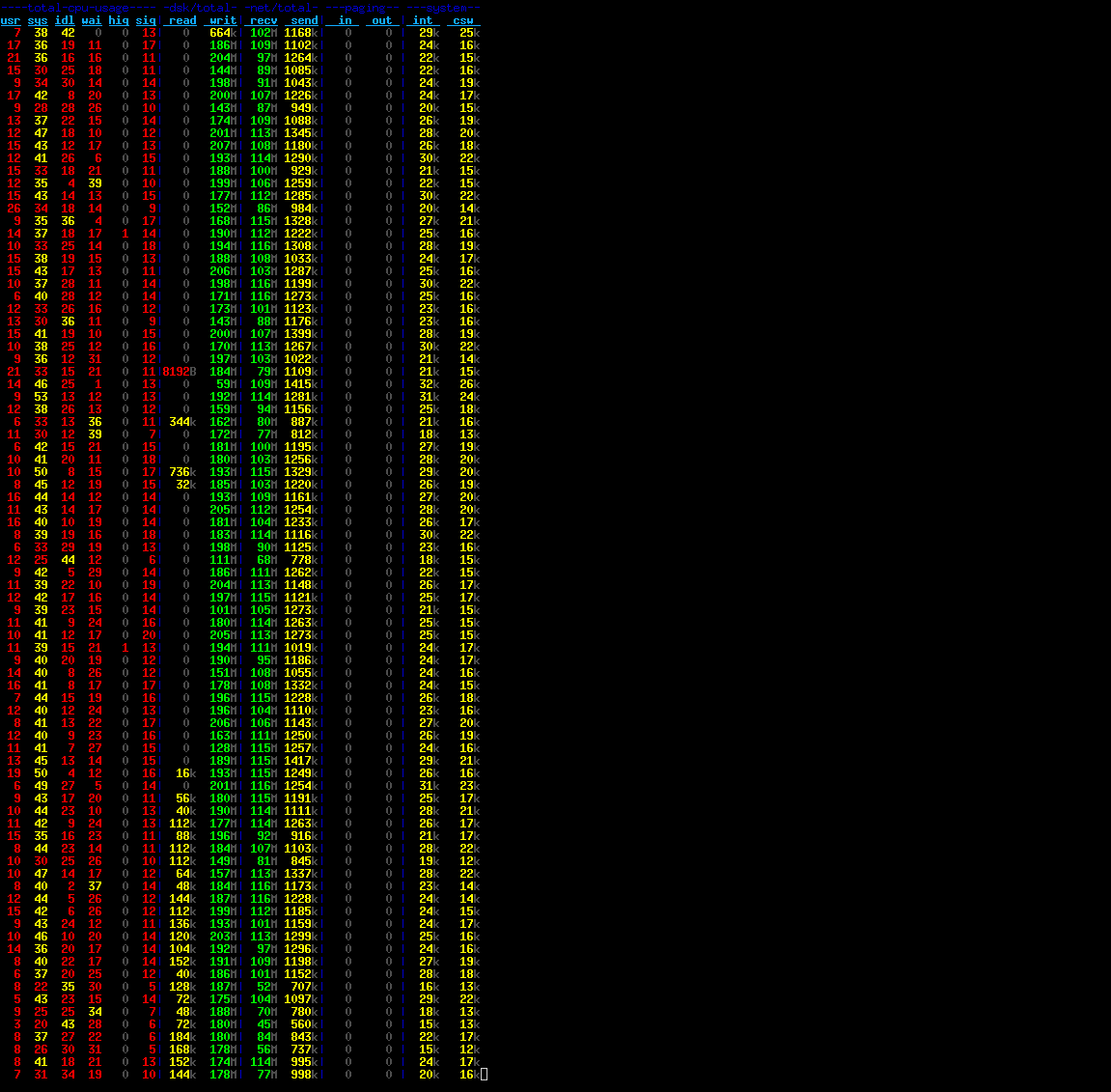
It should be noted that the download rate is very low in the first couple of seconds since the sources.gz file is downloaded from a single mirror, then unpacked and analyzed. The peak download rate is about 115 MB/s (= 920 MBit/s) which is reasonably close at what you can achieve with a Gigabit link, I think. If the entire uplink was available to me at all time, the Rackspace hardware would be able to saturate that easily, both in terms of reading from the network and in terms of writing to block storage. I tested this on an SSD volume, but I see about 113 MB/s throughput with the internal hard disk, so I think that should work, too. There is another dstat screenshot of the final version (writing to disk). Perhaps even more interesting to some readers is the time for an incremental update:
GOMAXPROCS=20 ./dcs-debmirror -tcp_conns=20
2013/10/13 11:09:55 Downloading 307 files (447 MB total)
 
2013/10/13 11:10:04 All 307 files downloaded in 9.105605931s. Download rate is 49.186567 MB/s
4,91s user 3,99s system 67% cpu 13,205 total
The wall clock time is higher than the time reported by the code because the code does not count the time for downloading and parsing the sources.gz file. The entire program is about 400 lines (not SLOC) of Go code. It s part of the Debian Code Search source. If you re interested, you can read dcs-debmirror.go in your browser. Conclusions The outcome of this experiment is that I now know (and have shown!) that there are significantly more efficient ways of cloning a Debian mirror than what debmirror does. Furthermore, I have a good grasp on what kind of performance the Rackspace cloud offers and I am fairly happy with the numbers :-). My code is useful to me in context of Debian Code Search, but unless you need a sid-only source-only mirror, it will not be useful to you directly. Of course you can take the ideas that I implemented and implement them elsewhere personally, I don t plan to do that. If you have hardware, bandwidth and a use-case for 10 GBit/s+ mirroring, I d like to hear about it! :-)

Next.

Previous.