Search Results: "tach"

14 August 2008

Uwe Hermann: Physical memory attacks via Firewire/DMA - Part 1: Overview and Mitigation

This is part 1 of a series on articles about the Firewire security issues mentioned below. For many years now, attacks via Firewire / i.LINK / IEEE 1394 have been a known security issue. Basically, if you gain physical access to a PC or laptop which has Firewire ports (or PCMCIA/Cardbus/ExpressCard, more on that later) you can All of this is done by exploiting a "feature" of the Firewire spec (OHCI-1394) (PDF), namely that it allows read/write access to physical memory (via DMA) for external Firewire devices. Worse, as this is DMA, the CPU/OS will not even know what's going on. Even worse, this works regardless of whether you have locked your screen with a password-protected screensaver, or xlock, or vlock, or whatever. As long as the system is running, you're vulnerable. In this article, I intend to give a fairly complete overview of the available papers published on this issue, tools for testing the attacks, as well as mitigation techniques for various OSes. If I'm missing some important papers or tools, please post a comment! Papers, Attacks, and Tools Over the years a number of presentations and papers have been released with information about these Firewire issues. Maximilian Dornseif et. al. The first publication that I know of was done by Maximilian Dornseif, Michael Becher, and Christian Klein. They gave a number of talks on various security conferences on this topic: They also released a number of tools, Firewire libraries for Mac OS X and Linux, as well as small demo scripts which use those libs: Adam Boileau In 2006 Adam Boileau (a.k.a. Metlstorm) gave a talk called Hit by a Bus: Physical Access Attacks with Firewire (PDF) at Ruxcon 2006. In 2008 he then released a set of tools: Peter Panholzer As of early 2008 Peter Panholzer from sec-consult.com published a two-page whitepaper which says they were able to run a winlockpwn-like attack on Windows Vista via Firewire. There's not much information in the PDF unfortunately, and no tools were released, as far as I know. David R. Piegdon The most recent toolset and papers I know of are from David R. Piegdon (a.k.a. IosTrace), who gave a number of talks in 2007/2008 about the issue, and also released a toolset called SEAT1394. I'll go into much more detail on how the tools are used and what they can do in another follow-up article. Mitigation There are ways to eliminate or at least mitigate these attack vectors. The simplest and most secure way is to not have any Firewire ports installed (don't put Firewire PCI/PCIe cards in your PC, don't use Firewire PCMCIA/Cardbus/ExpressCard cards). Now, if you have a laptop with built-in Firewire ports, you have a problem, of course. In that case you could still physically destroy the port (by opening the laptop and cutting/desoldering stuff, or by putting glue/epoxy in the port in order to prevent any Firewire cables being attached). These are slightly drastic (but effective!) measures. Note: Even if you don't have any Firewire ports, you're not automatically safe and secure. If your laptop has a PCMCIA/Cardbus/ExpressCard slot, an attacker can simply insert a PCMCIA Firewire card (for instance) in that slot. Chances are, that your OS will automatically load the driver for that card and also the Firewire drivers you'll need if you want to use the card for attaching Firewire devices. Game over. Your "secure" laptop is now vulnerable... If you cannot (or don't want to) remove/destroy/disable your Firewire ports, the next best thing is to ensure that nobody except yourself ever gets physical access to your PC/laptop. This is hard to do for a PC, and almost impossible for a laptop, mind you. Finally, there are some software measures you can use to prevent at least physical DMA access for Firewire devices: Mitigation: Linux Pretty much every Linux system with the "old" Firewire drivers loaded (kernel module ohci1394 et. al.) is vulnerable to these issues. Newer kernels now also ship with a new Firewire stack called "juju" (kernel module firewire_ohci et. al.) which may or may not have the same issues (not fully tested by me so far, will report back later). Per default, all recent kernels, e.g. 2.6.26, are vulnerable, but see below. Under Linux, simply using a kernel which doesn't have any Firewire support (neither built-in, nor as a module) is the most secure option. If you must have Firewire support you can load the ohci1394 module with the phys_dma=0 parameter to at least disable physical DMA support:
  $ modprobe ohci1394 phys_dma=0
I have personally tested this on some boxes and I can confirm that it renders the currently published tools useless. As for the new "juju" Firewire stack, I'm not so sure. A few quick tests showed that the currently available tools don't work with the new stack, but you shouldn't feel too secure! AFAIK the new stack does support (or will support soon) physical DMA for Firewire, so it's probably just a matter of adapting the tools a bit (I'll do some testing/research on this later, as time permits). Mitigation: Mac OS On Mac OS you might also be able to completely remove Firewire support from the kernel (but I don't know if/how that can be done, not sure if you can easily recompile Mac OS kernels, and/or if you even have buildable source code and toolchains for that). However, you can at least remove the Firewire support in the default Mac OS installation by unloading AppleFWOHCI.kext:
  $ sudo kextunload /System/Library/Extensions/IOFireWireFamily.kext/Contents/PlugIns/AppleFWOHCI.kext
Thanks to a Daniel Reutter for letting me abuse his MacBook via Firewire and for finding the above kextunload command line. We have successfully tested that after unloading AppleFWOHCI.kext the current tools won't work anymore. The tests were done on a Mac OS X Tiger (I think) with all recent security updates applied. Please leave a comment if you can test other versions of Mac OS X... Mitigation: Windows As for Windows, well, I guess you're screwed. While Windows XP does implement sort of "protection" in that it only allows physical DMA access via Firewire to devices which "deserve it", e.g. iPods (or any other Firewire mass storage device, I guess) this can be easily defeated by having your attack PC/laptop pretend to be an iPod (see the romtool Python script by Adam Boileau). The only remaining option I know of (short of removing/destroying Firewire ports or preventing physical access alltogether) is to disable the Firewire ports/drivers in the device manager (untested by me so far). If you do that, remember to also disable all PCMCIA/Cardbus/ExpressCard controllers, of course (see above). So far I've tested Windows XP SP2/SP3 successfully with Adam Boileau's tools. I haven't yet been able to test Windows 95/98/Vista, if you can verify one of them, please leave a comment. Mitigation: OpenBSD/FreeBSD/NetBSD/OpenSolaris/... On OpenBSD you're likely not vulnerable as OpenBSD doesn't have any Firewire drivers at all, as far as I know ;-) As for FreeBSD, NetBSD, OpenSolaris, and other OSes I don't have any information. I might be able to test one or two of them in the nearer future, but please leave a comment if you have some information about whether they are vulnerable and/or how you can secure your system... Conclusion That's it for now. I hope you now have a good overview of these issues and how to protect. I can only urge you to take this problem seriously! Three or four minutes of leaving your laptop unattended are fully sufficient for an attacker to get a full forensic image of all your RAM contents for later analysis. This is at least as critical as the Cold Boot attacks, if not worse. I will follow-up with more articles about some more interesting details on these Firewire issues, how to use the above tools, and I'll report on some of the stuff I was able to find in RAM dumps gathered via Firewire...

13 August 2008

Obey Arthur Liu: State of the Aptitude (week 12)

Hi folks! We’re almost done for the official Summer of Code program and I thought that I couldn’t let it end without another update, so here we are (you may thank Daniel Burrows for additional poking). The Gtk+ interface for Aptitude is making great progress. The product is not final yet but already implements many of the planned ideas, with others to come. Here are the screenies: aptitude-20080813-1 aptitude-20080813-2 aptitude-20080813-3 So, let’s see the tasks presented in my previous update: In some more details: we are now much closer to the final interface. Some things are not done yet, for example, notification bars la Iceweasel (or is it Firefox ?) are in the works for unobtrusive notifications about important things and a little guidance. We are much more reliable now. We eliminated lots of memory management problems that resulted from, mmh, imperfect coding discipline. We also lock the interface when important backend stuff reload to prevent the user from shooting himself in the foot when triggering an install when the APT cache is reloading for example.. The backend refactoring took a sizable part of this second term but it was worth it. The code is now much cleaner and uses no more (at least much fewer) ugly unscalable hacks. One very important feature of Aptitude is the ability to easily display all kinds of dependencies and navigate through them by hyperlinking. It’s now working in the Gtk+ interface as well. Feel free to click on whatever looks like a package or a package version. We now support the powerful Aptitude package searching syntax. Daniel Burrows is talking with Enrico Zini to bring the power of apt-xapian-index to Aptitude: autocompletion! lightning fast full-text searches! tag clouds! ponies! There is still a lot to be done. I’m not going away after the GSoC program. I’m here to stay, for Aptitude and Debian. Daniel Burrows has been very helpful and supportive. The Debian community is as awesome as I knew it before participating in the program. Daniel Burrows is planning to merge the Gtk+ interface into the main branch in September and packages may appear into Experimental. With the very interesting evolutions of the upcoming Adept-3, Lenny+1 will show very interesting changes in the area of packages managers. Now for you. I need you to test my interface. All necessary instructions are on the development trac : http://dev.graffit.net/aptitude/trac.

3 August 2008

loldebian - Can I has a RC bug?: p0wned!


p0wned!

p0wned!

31 July 2008

Jacobo Tarrío Barreiro: Translating debconf templates

You can approach debconf translation work in two ways: you can be active and seek out packages to translate and update, or you can be reactive and translate and update packages when someone requests it to be done. Usually, nobody takes a purely active or reactive stance; for example, lately I used to react to calls for translation updates, but when I had some spare time I would go translate a couple of new packages. When you work actively, the web page whose URL you need to know is http://www.debian.org/intl/l10n/po-debconf/. There you have links to all languages for which there are translations. Click on yours, and you’ll see a page listing the state of every source package’s debconf template translations for your language. First, you see the partially-translated packages, then the fully translated packages, and finally a list of packages which are not translated to your language. For each package in the first two sections you can download the .POT and .PO files; the names of the packages in the last section just link to a big webpage from which you can download every package’s .POT file. In the top part of the page you have links to other useful pages. An interesting one is the ranking page, which lists all the languages in order of completeness. For working reactively, you need to subscribe to the debian-i18n mailing list, because when there is a call for updates or for translations it is always sent to that mailing list. Also, if there already is a translation for your language, another email will be sent to the translation group’s mailing list, as well as to the file’s latest translator. Calls for translations include information on the deadline and the package maintainer’s preferred methods for submitting the translation. There may also be some notes from the package maintainer. Finally, the .POT file is attached to the call for translations sent to debian-i18n, while the old .PO file is attached to the call for translations sent to the group and the latest translator. Calls for translations can be sent by the package maintainer when the debconf templates have been modified and the translations need to be updated, but they can also be sent by other people for many other reasons. For example, for the last months there’s been a campaign to upload packages for which there were newer translations that hadn’t been uploaded yet, so NMUs for these packages (non-maintainer uploads) were announced, including a call for translations. Also, there was a campaign to review all packages’ debconf templates, make them more consistent, improve their grammar, etc., and a call for translations was issued for every package after the review.

26 July 2008

Matthew Garrett: Further Foxconn fun

Ryan kindly sent me a copy of the ACPI tables for his motherboard, so I've had the opportunity to look at them in a little more detail. There's nothing especially surprising. The first method of interest is OSFL, which I've annotated below:
   Method (OSFL, 0, NotSerialized)
     
        If (LNotEqual (OSVR, Ones))
         
            Return (OSVR)
         
This block simply skips the checks if they've already been evaluated and returns the cached value
        If (LEqual (PICM, Zero))
         
            Store (0xAC, DBG8)
         
If the programmable interrupt controller has been set up in PIC mode rather than APIC mode, 0xAC is written to i/o port 0x80. This would then show up on a plug-in card if one were attached. Simply debug code
        Store (One, OSVR)
Set OSVR to 1, which in this case clearly means "Unknown OS"
        If (CondRefOf (_OSI, Local1))
This checks whether the OS supports the _OSI method. If it does, the following block is executed. If not, the older _OS method is used to detect the OS
         
            If (_OSI ("Windows 2000"))
             
                Store (0x04, OSVR)
             
Newer versions of Windows will also claim to support the interfaces defined in older versions, so this set of checks is done in release order
            If (_OSI ("Windows 2001"))
             
                Store (Zero, OSVR)
             
            If (_OSI ("Windows 2001 SP1"))
             
                Store (Zero, OSVR)
             
            If (_OSI ("Windows 2001 SP2"))
             
                Store (Zero, OSVR)
             
            If (_OSI ("Windows 2001.1"))
             
                Store (Zero, OSVR)
             
            If (_OSI ("Windows 2001.1 SP1"))
             
                Store (Zero, OSVR)
             
            If (_OSI ("Windows 2006"))
             
                Store (Zero, OSVR)
             
If we've got this far, OSVR is now set to 0. Linux will claim to support all of these interfaces, and so OSVR should be 0 on Linux systems. Note that there is no _OSI check for Linux - the 2.6.24 change to remove Linux from the set of claimed interfaces is therefore irrelevant
         
        Else
         
Linux supports _OSI, so we should never be here. But if we somehow are...
            If (MCTH (_OS, "Microsoft Windows NT"))
             
                Store (0x04, OSVR)
             
Linux has responded to _OS with "Microsoft Windows NT" since 2.6.9. MCTH is simply a string matching routine defined elsewhere in the DSDT. So, worst case here is that OSVR is 4
            Else
             
                If (MCTH (_OS, "Microsoft WindowsME: Millennium Edition"))
                 
                    Store (0x02, OSVR)
                 
                If (MCTH (_OS, "Linux"))
                 
                    Store (0x03, OSVR)
                 
..because this could never be true unless you're running 2.6.8.1 or earlier. But even so, getting here would still indicate failure - we've supported _OSI since before then, and so should never come anywhere near this code block.
             
         
        Return (OSVR)
     
In summary, we end up with the following values:
ValueOS
0Windows XP, 2003 or Vista. Linux (assuming absence of bugs)
1Unknown OS
2Windows ME
3A version of Linux that doesn't implement _OSI and is from before 2.6.9
4Windows NT 4 and 2000. A version of Linux that doesn't implement _OSI and is 2.6.9 or later (I don't believe any such version exists

Now, where is this used? The majority of the OSFL checks only check whether the return value is 1 or 2, which will only be true for an OS that (a) doesn't claim to be Windows or (b) is Windows ME. Linux doesn't fall into either of these categories, so we can ignore them. The first interesting hit we have is in the HPET code, where _STA will return 0xf (device present and working) if OSFL is 0 and 0xb (device present and working, but should not be shown in the UI) otherwise. This is just to keep the HPET from showing up in versions of Windows that don't know what it is. The only other interesting hit is the following code from the PCI bus initialisation pathway:
 
                               If (LEqual (OSFL (), Zero))
                                 
                                    Store (0x59, SMIC)
                                 
                                Else
                                 
                                    If (LEqual (OSFL (), 0x04))
                                     
                                        Store (0x5A, SMIC)
                                     
                                    Else
                                     
                                        Store (0x58, SMIC)
                                     
                                 
This writes different values to SMIC (which turns out to be i/o port 0xb2) depending on the OS. 0xb2 is the standard(ish) way to trigger a system management interrupt, which causes the CPU to execute some code from a memory region that can't be accessed by the OS. This isn't that unusual, but it's a little weird. In any case, note that there's no check for whether OSFL is 3 here (which would be true if the _OS call returned Linux), and so Linux is being treated identically to Windows ME and any unknown OS. In reality, Linux will be treated identically to either Vista or 2000. This block provides no evidence of conspiracy. Finally, the OS version flag is written to a region of memory before suspend and read back afterwards. Nothing appears to be done with this information - it's conceivable that the low-level resume code in the BIOS has conditionals based on this, but I suspect that it's just boilerplate code that's ignored.

To summarise:What's the problem, then? I've no idea. The only "significant" issue is that the OEMB table provided by the BIOS has an incorrect checksum. Given that the OEMB table is never used by Linux (it's a vendor extension of some kind, with the best hint I've been able to find being that it can be used to pass information from the BIOS to the OS - kind of like the rest of ACPI, then...), this is pretty unimportant. And given that the OEMB table isn't part of the ACPI spec, it's certainly entirely irrelevant when it comes to determining whether the system is ACPI compliant or not.

Are there ACPI issues with Ryan's system? It sounds like it. The "Error attaching device data" complaints indicate some kind of failure on the part of the kernel to work out how the devices correspond to the ACPI namespace, but I strongly suspect that this is a Linux bug. Failure to reboot after suspend? Could be anything (I'd need direct access to the hardware to figure it out properly), but again it's almost certainly a Linux bug. The standard way Linux reboots systems is to bang the keyboard controller, and it's conceivable that something we're doing on resume is leaving the keyboard controller in a slightly confused state. We're clearly doing something wrong there, given that my Dell comes up without a keyboard about one resume in twenty - I just haven't had time to look into it yet.

The only remaining thing is the mutex handwaving. I've got no clue what's going on there. Ryan's suggested change (from Acquire (MUTE, 0x03E8) to Acquire (MUTE, 0xFFFF)) simply means that the OS will wait forever until it acquires the mutex - in the past it would only wait a second. The reason the compiler generates a warning here is that the firmware never checks whether it acquired the mutex or not! Bumping the timeout to infinity obviously fixes this warning (there's no need to check the return code if you're happy to wait forever rather than failing), but the original code is merely stupid as opposed to a spec violation.

Take home messages? There's no evidence whatsoever that the BIOS is deliberately targeting Linux. There's also no obvious spec violations, but some further investigation would be required to determine for sure whether the runtime errors are due to a Linux bug or a firmware bug. Ryan's modifications should result in precisely no reasonable functional change to the firmware (if it's ever hitting the mutex timeout, something has already gone horribly wrong), and if they do then it's because Linux isn't working as it's intended to. I can't find any way in which the code Foxconn are shipping is worse than any other typical vendor. This entire controversy is entirely unjustified.

21 July 2008

Matthew Garrett: The fallacy of the completely inclusive community

Emma Jane Hogbin gave a presentation on the gender gap in free software at Lugradio Live this weekend. One of the central messages was that a great deal of how to avoid putting women off computing can be distilled down to "Don't be a dick". This ties in well with Mako's restatement of the Ubuntu code of conduct as "Be excellent to each other" (a wonderful phrasing which demonstrates that Bill and Ted's Excellent Adventure is the most philosophically worthwhile film that Keanu Reeves has ever appeared in, and certainly not The fucking Matrix) and led to my 5 minute rant on why I hate the Linux community slightly later in the day, but does leave a certain problem. What standards are used to define whether given behaviour is dickish or not? The comments here show that there's disagreement even within a single sub-community of the larger free software world. Ben suggests that the reaction to perceived inappropriate behaviour is perhaps even more discouraging than the original behaviour, suggesting that bitching about things that offend you is dickish behaviour in and of itself. How do we decide whether someone is being a dick or helping the community? Is lack of tolerance a form of exclusionary behaviour?

This topic is actually one of the issues discussed in the Geek Social Fallacies, but here's a nice easy example. Would tolerating planet posts encouraging the eradication of the Jewish population be inclusive or exclusive? I suspect that most people would agree that it wouldn't be acceptable behaviour, which leads us to the next question. Why? There's two obvious arguments here. The first is that at a community level we have some form of rough moral consensus that advocating genocide is Just Wrong, and so criticising Nazis is obviously the right thing to do. The second argument is more pragmatic than philosophical - alienating millions of people in order to avoid alienating hate groups could be considered to reduce our potential contributor base in an unfortunate way.

I'm a fan of the second argument. The example I gave is emotive and relatively recent history has resulted in people tending to be pretty uniform in considering genocide to be a bad thing, but many other cases aren't clear cut. What I consider to be objectification of women is seen by others as appreciation of natural beauty. What I think of as sexist jokes are perceived by others as acceptable humour. When I advocate intolerance of certain behaviour, people are going to see me not having enough tolerance. So we end up in a situation where people make the "We should all just get along and be tolerant of each other" argument, which sounds fine but is fundamentally flawed in one significant way.

Advocating tolerance excludes the intolerant.

The reason people fail to see this is that it doesn't sound like a flaw. If you ask people whether we need to support intolerance, the immediate answer is probably no. But by advocating exclusion of intolerance, you're excluding all those who have good reasons to be intolerant. You're excluding the women who don't want to feel that the community sees them as a pair of breasts attached to some legs. You're excluding the ethnic groups who would prefer to avoid racist slurs or ethnic stereotyping. Telling anti-fascism protestors that they're being intolerant isn't likely to endear you to them. Advocating tolerance is telling the intolerant that they're wrong and should just deal with whatever it is that makes them unhappy.

So, ironically, tolerating certain types of intolerance is probably required in order to avoid alienating many potential contributors. That means some way of deciding what kinds of behaviour are acceptable and which are unacceptable. In the absence of either pre-existing community consensus or some philosophical breakthrough that allows unambiguous determination of the "rightness" of a given action, I'm going to suggest that we look at it from a pragmatic viewpoint. How many potential contributors do we discourage by criticising a certain type of behaviour? How many do we discourage by tolerating it?

The fallacy of the completely inclusive community is the idea that it includes everyone. The reality is that a certain level of social exclusion is required in order to include a wider range of people. So don't criticise people purely for criticising someone else's behaviour - make an argument for why that behaviour benefits the community. And when you see behaviour that you think discourages others, call people on it. Even if nobody's behaviour changes as a result, you're sending a signal that not everyone in the community agrees. Sometimes all people want is to know that there'll be some people on their side.

But, above all, try not to be a dick.

20 July 2008

Russell Coker: Review of the EeePC 701

I have just bought a EeePC 701 [1], I chose the old model because it’s significantly smaller than the 90x series and a bit lighter too and it had Linux pre-loaded. Also it was going cheap, while I am not paying for it I give the same attention to saving my clients’ money as to saving my own. I ruled out everything that was heavier or larger than an EeePC 901 and everything that cost more than $700. That left only the Linux version of the EeePC 901 (which I couldn’t find on sale) and the EeePC 701 as my options. I also excluded the EeePC 900 because it is bigger and heavier than the 701 but has the same CPU (and therefore can’t run Xen). In terms of it’s prime purpose (a SSH client) 96*22 characters is the size of a konsole screen with the default (medium) font size when the window is maximised, that is 5% more characters than the standard terminal size of 80*25 but the smaller number of lines is a problem. When using the small font I can get 129*29 which I find quite comfortable to read (it would be impossible for me to read withut glasses - which means having almost average vision for someone in their 30’s). Then I can get 129*31 if I dismiss the tool bar at the bottom of the screen and could probably get another couple of rows if I removed the tabs that Konsole uses to switch between sessions. That would only be viable if using screen extensively as a single session without the ability to switch between programs is not particularly useful (I don’t think that ALT-TAB is adequate for switching between terminal sessions). When running Debian I can get 130*32 with the same font due to smaller window controls, but I’ll write more about converting to Debian in another post. Note that while the OS that ships with the Linux based EeePC machines is based on Debian, it is heavily customised and has some notable differences from a typical Debian install. It has some proprietary software, and uses unionfs for the root and /home filesystems. The first issue is that Console (the KDE terminal program) can only be accessed from the file manager (via the tools menu or ^t), the machine clearly doesn’t have defaults for someone like me. In principle it’s a multi-user system that can be fully customised, but in practice it’s configured as a single-user machine. Once you have a Console window open you can run “su -” and the root password is the password for the “user” account. I wonder whether I could get more than 42 rows or more than 140 columns of text that is readable. If so then I could have two console windows fully displayed on screen. The screen is bright and clear, this is essential as the number of pixels per character is going to be low for any reasonable amount of text to be displayed on screen. The password that you set when you first use the machine also works for “su -” (in fact that is the only real use as I expect that almost everyone will choose the automatic login option). The display comprises a significant portion of the weight, if the screen is fully open (about 150 degrees) then it will tip over. Even when the screen is not as far open it will tip due to bumps if resting on your lap on a tram. It’s a pity that the screen is connected at the very back of the base, if the attachment point was a bit closer then it would balance better and also be easy to hold with one hand. The depth of the machine combined with the angle at the back makes it impossible for me to get a good one-handed grip from the base, so typing while standing on a moving tram or bus will be extremely difficult (unlike my iPaQ which I can use at full speed on any form of public transport). Inidentally it would be good if there was an attachment point for a wrist-strap, every camera and most mobile phones have them so it would be good to have the same safety feature in a laptop to facilitate use on public transport. Another reason for not using it as a PDA is the fact that it takes about 7 seconds to resume after hibernating (when the lid is closed). The PSU is almost as small as that of a mobile phone! This is a major benefit as in the past I have often stored a Thinkpad PSU at a client site for 9-5 jobs as it is heavy enough that I didn’t want to carry it on public transport. The EeePC PSU is light enough that it won’t be unpleasant to carry, and small enough to fit easily into a jacket pocket. The OS installation is very well done for the basics. It’s easy to launch applications and there is a good selection of educational programs (including the periodic table, planetarium, typing, letters, and hangman, drawing, and a link to www.skoool.com). It’s a pity that they organised the folders according to the area rather than the age, but generally the OS is very well done. Most of the reviews focus on the speed of the CPU, the RAM expansion options, etc, but miss the fact that it is a really nice machine for using as-is. It is a much better machine for teaching children than any of the machines I’ve seen which are sold specifically for children (see my previous post about an awful computer for kids [2]). I believe that you could give an EeePC to any 3yo and have them doing something useful in a matter of minutes! The ability to freely install new software should not be overlooked when considering a computer for children to use. Someone who buys one now could use it for a few years as an ssh client and then reinstall the original OS and give it to a child as an educational toy. It has a program to create OGG video files from it’s built-in camera and mic, at this moment it’s the only device I own that can create OGG files (this is a good thing). OGG compression takes a really long time, the Atom CPU in the 901 and 1000x series would be good for this. It’s a pity that the microphone is directly below the mouse buttons, it clearly records the mouse click used to finish recording. The version of mplayer which is installed to play OGG files can also play FLV files downloaded from youtube with youtube-dl (althrough the file association is not set). When I tried to play a MP4 file from ted.com it only gave audio (the video works on a full Debian/Etch installation). There is a full set of office software, OpenOffice.org, Thunderbird email client, and all the other stuff you might expect. I find that the biggest problem for using it is the size of the keyboard, I don’t think I’ll ever be able to touch-type properly on it. Not only are the keys small but the positions of non-alphabetical keys are slightly different from most keyboards. Another problem is that the space-bar needs to be pressed near the centre, I usually like to press near the end but that doesn’t work. Those issues are all trade-offs of the small size. My T series Thinkpad is reasonably portable and has a great keyboard so I have the serious typing while travelling angle covered. One real mistake in the keyboard design is the lack of a LED to indicate whether caps-lock is enabled (there are four status LEDs, adding number five couldn’t be that expensive), this is a real problem when using the vi editor (which uses letters as editor commands and is case-sensitive). It will also occasionally cause problems when entering passwords. There is a caps-lock indicator on screen, but that is in the toolbar at the bottom of the scren (which I like to dismiss to gain an extra two lines of text). It would be good if I could display the status of the caps and num lock keys in the right side of the title-bar of the active window (the only bit of unused space on the screen). The cooling fan makes an annoying buzz. It’s significantly louder than Thinkpads which dissipate a lot more heat. The other problems are all software, which is OK as I plan to reinstall it. Firstly it is using Debian and shipped with the broken openssl library. There is a GUI for installing upgrades, but it recommends rebooting after installing each one! Naturally I didn’t choose to reboot, I installed the security update #1. Then I clicked on the button to install a BIOS update. It told me that it had to reboot to apply the update and gave only one button (OK), I tried closing the window but it rebooted anyway (fortunately the vi swap file allowed me to recover this post - which I am entirely writing on the EeePC). Aftere booting up again I discovered that the libssl bug still wasn’t fixed and that there was a second udate to apply! Why can’t they have a “apply all updates” button and also have it not automatically reboot? This must be the only Debian-based distribution that forces Windows-style reboots. But that said, while they made some mistakes in their software it generally provides a good user experience

19 July 2008

Luciano Bello: Exploiting DSA-1571: How to break PFS in SSL with EDH

( I love acronyms :-D )

At this point, all of you should know and see how the H D Moore s toys work. Those toys attack SSH public-key authentication using clone keys and online brute force.

Furthermore, many of you know that there are other effects produced by a biased PRNG besides this one.

Strangely, I could not find more of those toys exploiting these aspects. So, I would like to show you a Wireshark patch which attacks Perfect Forward Secrecy (PFS) provided by Ephemeral Diffie Hellman (EDH).
Introduction to EDHLet s put it in plain words (if you know what we are talking about, ignore this and jump to the next heading):
In an insecure communications channel the parties agree a common key to cipher their dialog. This is what happens in SSL (in most of the cases, depending on the cipher suite):
The exploit If an eavesdropper can explore the complete private key space (the all possible numbers for Xc or Xs), he/she will be able to get access to the shared secret. With it all the communication can be deciphered. That s what this patch can do.

A Wireshark with this patch and a list of possible private keys will try to brute force the share secret. If one of the parties is using the vulnerable OpenSSL package the communication is totally insecure and will be decrypted.


The patch was submitted in order to be committed on the Wireshark trunk. There you can find the patch against the on-develop source revision 25765.
Issues that can be improvedWe (the other developers and myself) detected few things to be improved. But we will do nothing for them. So, if you want to contribute with some code, start from these items and submit the patches to the Wireshark s bugzilla:CreditsPaolo Abeni <paolo.abeni at email.it>
Luciano Bello <luciano at debian.org>
Maximiliano Bertacchini <mbertacchini at citefa.gov.ar>

This work was partially supported by Si6 Labs at CITEFA, Argentina.

UPDATE Jul. 21st: See more and updated info here, especially this.

Luciano Bello: Exploiting DSA-1571: How to break PFS in SSL with EDH

( I love acronyms :-D )

At this point, all of you should know and see how the H D Moore s toys work. Those toys attack SSH public-key authentication using clone keys and online brute force.

Furthermore, many of you know that there are other effects produced by a biased PRNG besides this one.

Strangely, I could not find more of those toys exploiting these aspects. So, I would like to show you a Wireshark patch which attacks Perfect Forward Secrecy (PFS) provided by Ephemeral Diffie Hellman (EDH).
Introduction to EDHLet s put it in plain words (if you know what we are talking about, ignore this and jump to the next tittle):
In an insecure communications channel the parties agree a common key to cipher their dialog. This is what happens in SSL (in most of the cases, depending on the cipher suite):
The exploit If an eavesdropper can explore the complete private key space (the all possible numbers for Xc or Xs), he/she will be able to get access to the share secret. With it all the communication can be deciphered. That s what this patch can do.

A Wireshark with this patch and a list of possible private keys will try to brute force the share secret. If one of the parties is using the vulnerable OpenSSL package the communication is totally insecure and will be decrypted.


The patch was submitted in order to be committed on the Wireshark trunk. There you can find the patch against the on-develop source revision 25765.
Issues that can be improvedWe (the other developers and myself) detected few things to be improved. But we will do nothing for them. So, If you want to contribute with some code, start from these items and submit the patches to the Wireshark s bugzilla:CreditsPaolo Abeni <paolo.abeni at email.it>
Luciano Bello <luciano at debian.org>
Maximiliano Bertacchini <mbertacchini at citefa.gov.ar>

This work was partially supported by Si6 Labs at CITEFA, Argentina.

17 July 2008

Stefano Zacchiroli: paper about mancoosi at debconf8

Mancoosi paper for DebConf8 now available As previously announced, I'll be attending DebConf this year, as I did for the past 3 years. Beside the usual projects and ideas one carries with himself on his way to a DebConf, this time I will also be there to present part of my everyday work in the Mancoosi project. Very briefly (and a bit too simplistic) Mancoosi is working on pushing forward the research and technology needed to deliver better package managers to the users of open source software distributions. The project presentation event proposed by me and Ralf Treinen has been accepted in the DebConf main track. The presentation will discuss what the former EDOS project did, what Mancoosi is doing right now, trying to focus on their relationships with Debian. In case you are interested I suggest to attend the talk which will be delivered by yours truly (what else can I suggest? :) ) In the meantime, the accompanying paper is now available, you can take a sneak peek if you are interested in knowing more about Mancoosi right ahead. The paper is available in .pdf format from both my homepage and from the Pentabarf event page as an attachment (the latter, as all Pentabarf events, needs login for reasons that I still fail to understand ...). Download

13 July 2008

Jonathan McDowell: Too many secrets

FFS. If you're running a forum site (Ubuntu Forums, I'm currently looking at you, though you're not the only offender), please don't require logins to download attachments. It's really annoying and I'm fed up of having to create user accounts I'll only ever use once.

Obey Arthur Liu: Back from Zurich

I finally got back from Switzerland. Google invited all the Summer of Code students to visit their offices. I chose to go to the Zurich one. It wasn’t the closest (London was) but it was the largest and it had more engineers than MBAs. img_0164medium It has been very interesting meeting other Summer of Code participants from all Europe and a lot of other people of the free software community. There were about 40 people overall for the meeting at Google, along with free beer, cake and nice food. img_0161medium I gave a talk about Aptitude, how it could be useful and how I worked so far. It was nice to see that nearly a third of the audience used Debian or a derivative. By the way, the proprietary Nvidia X driver seriously messed up with the projector. It just wouldn’t detect the external display at more than 640×480, which Impress didn’t like at all. I didn’t feel like hacking around my xorg.conf while on stage so I went without the slides (well, you could see about a half of each slide actually). I heard that it was because of my old GPU (GeForce 7400) that I had poor support and the impossibility of, for example, doing RandR correctly. I had to restart X and stuff… The talk went smoothly otherwise and Google staff graced some of us with a guided visit of the 6 stories building, complete with slides, cable-cars and 18th century-themed rooms. I had to sign a NDA over whatever secrets I may see and surender my DSLR, but you can find pretty pictures in this blog post from Valleywag.
025_f0
The Google office really lived up to the hype. I wondered: do people actually work in there ? I guess they must do, and very well.

12 July 2008

David Pashley: Rebuilding a RAID array

I recently had a failed drive in my RAID1 array. I've just installed the replacement drive and thought I'd share the method. Let's look at the current situation:
root@ace:~# cat /proc/mdstat 
Personalities : [linear] [multipath] [raid0] [raid1] [raid6] [raid5] [raid4] [raid10] 
md1 : active raid1 sda3[1]
      483403776 blocks [2/1] [_U]
      
md0 : active raid1 sda1[1]
      96256 blocks [2/1] [_U]
      
unused devices: <none>
So we can see we have two mirrored arrays with one drive missing in both. Let's see that we've recognised the second drive:
root@ace:~# dmesg   grep sd
[   21.465395] Driver 'sd' needs updating - please use bus_type methods
[   21.465486] sd 2:0:0:0: [sda] 976773168 512-byte hardware sectors (500108 MB)
[   21.465496] sd 2:0:0:0: [sda] Write Protect is off
[   21.465498] sd 2:0:0:0: [sda] Mode Sense: 00 3a 00 00
[   21.465512] sd 2:0:0:0: [sda] Write cache: enabled, read cache: enabled, doesn't support DPO or FUA
[   21.465562] sd 2:0:0:0: [sda] 976773168 512-byte hardware sectors (500108 MB)
[   21.465571] sd 2:0:0:0: [sda] Write Protect is off
[   21.465573] sd 2:0:0:0: [sda] Mode Sense: 00 3a 00 00
[   21.465587] sd 2:0:0:0: [sda] Write cache: enabled, read cache: enabled, doesn't support DPO or FUA
[   21.465590]  sda: sda1 sda2 sda3
[   21.487248] sd 2:0:0:0: [sda] Attached SCSI disk
[   21.487303] sd 2:0:1:0: [sdb] 976773168 512-byte hardware sectors (500108 MB)
[   21.487314] sd 2:0:1:0: [sdb] Write Protect is off
[   21.487317] sd 2:0:1:0: [sdb] Mode Sense: 00 3a 00 00
[   21.487331] sd 2:0:1:0: [sdb] Write cache: enabled, read cache: enabled, doesn't support DPO or FUA
[   21.487371] sd 2:0:1:0: [sdb] 976773168 512-byte hardware sectors (500108 MB)
[   21.487381] sd 2:0:1:0: [sdb] Write Protect is off
[   21.487382] sd 2:0:1:0: [sdb] Mode Sense: 00 3a 00 00
[   21.487403] sd 2:0:1:0: [sdb] Write cache: enabled, read cache: enabled, doesn't support DPO or FUA
[   21.487407]  sdb: unknown partition table
[   21.502763] sd 2:0:1:0: [sdb] Attached SCSI disk
[   21.506690] sd 2:0:0:0: Attached scsi generic sg0 type 0
[   21.506711] sd 2:0:1:0: Attached scsi generic sg1 type 0
[   21.793835] md: bind<sda1>
[   21.858027] md: bind<sda3>
So, sda has three partitions, sda1, sda2 and sda3, and sdb has no partition table. Let's give it one the same as sda. The easiest way to do this is using sfdisk:
root@ace:~# sfdisk -d /dev/sda   sfdisk /dev/sdb
Checking that no-one is using this disk right now ...
OK
Disk /dev/sdb: 60801 cylinders, 255 heads, 63 sectors/track
sfdisk: ERROR: sector 0 does not have an MSDOS signature
 /dev/sdb: unrecognised partition table type
Old situation:
No partitions found
New situation:
Units = sectors of 512 bytes, counting from 0
   Device Boot    Start       End   #sectors  Id  System
/dev/sdb1   *        63    192779     192717  fd  Linux RAID autodetect
/dev/sdb2        192780   9960299    9767520  82  Linux swap / Solaris
/dev/sdb3       9960300 976768064  966807765  fd  Linux RAID autodetect
/dev/sdb4             0         -          0   0  Empty
Successfully wrote the new partition table
Re-reading the partition table ...
If you created or changed a DOS partition, /dev/foo7, say, then use dd(1)
to zero the first 512 bytes:  dd if=/dev/zero of=/dev/foo7 bs=512 count=1
(See fdisk(8).)
If we check dmesg now to check it's worked, we'll see:
root@ace:~# dmesg   grep sd
...
[  224.246102] sd 2:0:1:0: [sdb] 976773168 512-byte hardware sectors (500108 MB)
[  224.246322] sd 2:0:1:0: [sdb] Write Protect is off
[  224.246325] sd 2:0:1:0: [sdb] Mode Sense: 00 3a 00 00
[  224.246547] sd 2:0:1:0: [sdb] Write cache: enabled, read cache: enabled, doesn't support DPO or FUA
[  224.246686]  sdb: unknown partition table
[  227.326278] sd 2:0:1:0: [sdb] 976773168 512-byte hardware sectors (500108 MB)
[  227.326504] sd 2:0:1:0: [sdb] Write Protect is off
[  227.326507] sd 2:0:1:0: [sdb] Mode Sense: 00 3a 00 00
[  227.326703] sd 2:0:1:0: [sdb] Write cache: enabled, read cache: enabled, doesn't support DPO or FUA
[  227.326708]  sdb: sdb1 sdb2 sdb3
So, now we have identical partition tables. The next thing to do is to add the new partitions to the array:
root@ace:~# mdadm /dev/md0 --add /dev/sdb1
mdadm: added /dev/sdb1
root@ace:~# mdadm /dev/md1 --add /dev/sdb3
mdadm: added /dev/sdb3
Everything looks good. Let's check dmesg:
[  323.941542] md: bind<sdb1>
[  324.038183] RAID1 conf printout:
[  324.038189]  --- wd:1 rd:2
[  324.038192]  disk 0, wo:1, o:1, dev:sdb1
[  324.038195]  disk 1, wo:0, o:1, dev:sda1
[  324.038300] md: recovery of RAID array md0
[  324.038303] md: minimum _guaranteed_  speed: 1000 KB/sec/disk.
[  324.038305] md: using maximum available idle IO bandwidth (but not more than 200000 KB/sec) for recovery.
[  324.038310] md: using 128k window, over a total of 96256 blocks.
[  325.417219] md: md0: recovery done.
[  325.453629] RAID1 conf printout:
[  325.453632]  --- wd:2 rd:2
[  325.453634]  disk 0, wo:0, o:1, dev:sdb1
[  325.453636]  disk 1, wo:0, o:1, dev:sda1
[  347.970105] md: bind<sdb3>
[  348.004566] RAID1 conf printout:
[  348.004571]  --- wd:1 rd:2
[  348.004573]  disk 0, wo:1, o:1, dev:sdb3
[  348.004574]  disk 1, wo:0, o:1, dev:sda3
[  348.004657] md: recovery of RAID array md1
[  348.004659] md: minimum _guaranteed_  speed: 1000 KB/sec/disk.
[  348.004660] md: using maximum available idle IO bandwidth (but not more than 200000 KB/sec) for recovery.
[  348.004664] md: using 128k window, over a total of 483403776 blocks.
Everything still looks good. Let's sit back and watch it rebuild using the wonderfully useful watch command:
root@ace:~# watch -n 1 cat /proc/mdstat
Personalities : [linear] [multipath] [raid0] [raid1] [raid6] [raid5] [raid4] [raid10] 
md1 : active raid1 sdb3[2] sda3[1]
      483403776 blocks [2/1] [_U]
      [=====>...............]  recovery = 26.0% (126080960/483403776) finish=96.2min speed=61846K/sec
      
md0 : active raid1 sdb1[0] sda1[1]
      96256 blocks [2/2] [UU]
      
unused devices: <none>
The Ubuntu and Debian installers will allow you create RAID1 arrays with less drives than you actually have, so you can use this technique if you plan to add an additional drive after you've installed the system. Just tell it the eventual number of drives, but only select the available partitions during RAID setup. I used this method when a new machine recent didn't have enough SATA power cables and had to wait for an adaptor to be delivered. (Why did no one tell me about watch until recently. I wonder how many more incredibly useful programs I've not discovered even after 10 years of using Linux)
Read Comments (3)

11 July 2008

Martin-&#201;ric Racine: Ah, the wonders of e-commerce!

After excruciatingly long months of waiting for all pieces of the puzzle to fall into place, I am pleased to announce that the dayjob finally rolled out its very first online shop! The process of putting this together has been quite an experience: I had to learn about the wonders of payment authorization gateways, different taxation jurisdictions, etc. For instance, we have to deal with 4 taxation jurisdictions:

  1. Estonian corporates and individuals: always add 18% VAT.
  2. Other EU individuals: always add 18% VAT.
  3. Other EU corporates: can be exempted from VAT, if their EU tax registration number is valid. Otherwise, add 18% VAT.
  4. Corporates and individuals from outside EU: always exempted from VAT.
As much as we looked around, we could not find any e-commerce site engine that can handle all the intricacies of dealing with EU corporate customers who may or may not have a valid EU taxation exemption number so, for now, our online shop only handles cases 1, 2 and 4 properly. What can you find on our online shop? Anyhow, I'm really happy to finally see this online shop deployed. So many people had wanted to purchase a ThinCan using a credit card or from countries for which shipping costs were difficult to determine and we unfortunately could not easily accommodate them. This is now resolved. Enjoy!

10 July 2008

Andrew Pollock: [tech] What is a good RAID reconstruction speed?

I'm in the process of converting my poor-man's SAN from IDE disks attached to the host by IDE-USB adapters to SATA disks attached by eSATA to SATA cables. I had some spare time tonight, so I thought I'd prepare the new RAID-10 on brutus. The intent is to then take the 4-port USB 2.0 card out of minotaur during a lull in recordings on Saturday, and put it in brutus as well, and do a giant pvmove, then put the 4-port eSATA card back in minotaur with the new disks attached. So I've got the 4-port eSATA card (a Silicon Image SiI 3124) in brutus, and I've built the RAID-10 with mdadm and it's busily reconstructing. I'm getting a reconstruction speed of around 60Mb per second (/proc/mdstat says 60254K/sec right now). I have no idea if that's good, bad, or indifferent. I do know that output of hdparm -tT is very nice by comparison:
apollock@brutus:~$ sudo hdparm -tT /dev/sda
/dev/sda:
 Timing cached reads:   260 MB in  2.01 seconds = 129.06 MB/sec
 Timing buffered disk reads:  222 MB in  3.01 seconds =  73.77 MB/sec
compared to
apollock@minotaur:~$ sudo hdparm -tT /dev/sda
/dev/sda:
 Timing cached reads:   162 MB in  2.02 seconds =  80.20 MB/sec
 Timing buffered disk reads:   48 MB in  3.04 seconds =  15.78 MB/sec
Those times are with a reconstruction running on brutus and a recording being written to the array on minotaur, so not the most controlled benchmarking environment. If I can sit on my hands long enough, I'll try some benchmarks from the MythTV machine, comparing the performance of the SAN before and after switching disks.

9 July 2008

Obey Arthur Liu: Going to Google Europe HQ, Zurich, Switzerland

google_zurich_hq_1 I’m going to the Google Europe Headquarters in Zerich, Switzerland, tomorrow (July 10th). Google is inviting us Summer of Code students, which is really nice. I should be there in the middle of the afternoon from Paris. I’ll be wearing a Slashdot tshirt. Drop me a mail or a comment if you go too so we can meet!

Obey Arthur Liu: State of the Aptitude (week 7)

New status update! Here’s what Aptitude looks like: aptitude-20080709-9 (more screenshots after the break) I’ve been exploring how the APT libraries work and how to interact with the aptitude back-end and here’s what it can do now: What’s missing: Basic functions of a package manager are already covered. We’re still at the APT API exploration phase although we’re almost done with it. I will soon start working on the final user interface and the real code design. The current code is about 2000 lines of hastily hacked together C++ and XML. I’ll have to restart the coding with a more elaborate Object design. Something that will be easier to work with in the future. The code is on http://dev.graffit.net/aptitude/trac. You can try to compile it and play with it. On the other hand I’m going to scrape most of the code soon for the restart so if you’re bored.. A walkthrough and more screenshots after the break. Here’s a walkthrough of what you can do right now: aptitude-20080709-2 aptitude-20080709-3 aptitude-20080709-4 aptitude-20080709-5 aptitude-20080709-6 aptitude-20080709-7 aptitude-20080709-8 aptitude-20080709-9

8 July 2008

Steve Kemp: When I was your age, television was called books

There are few programs I use with so much combined love & loathing than GNU screen. Yesterday I spent a while adding another feature I've been wanting for so long, the unbindall primitive. In many cases I find myself using screen as a wrapper around other things. But usually I end up having to disable dangerous keybindings, to gain security or to protect users from themselves. Typically this leads to a screenrc file looking like this:
#
#  Disable these bindings.
#
bind :
bind s
bind S
bind Z
bind ^\
bind c
bind ^c
bind z
bind Z
bind B
...
Instead it would be better if I could just say:
#
#  Unbind *all* keystrokes
#
unbindall
#
#  Restore actions we need/want/love.
#
bind x quit
bind d detach
bind c screen
..
Anyway, thanks to a small patch I can now. ObQuote: The Princess Bride

Russell Coker: Label vs UUID vs Device

Someone asked on a mailing list about the issues related to whether to use a label, UUID, or device name for /etc/fstab. The first thing to consider is where the names come from. The UUID is assigned automatically by mkfs or mkswap, so you have to discover it after the filesystem or swap space has been made (or note it during the mkfs/mkswap process). For the ext2/3 filesystems the command “tune2fs -l DEVICE” will display the UUID and label (strangely mke2fs uses the term “label” while the output of tune2fs uses the term “volume name“). For a swap space I don’t know of any tool that can extract the UUID and name. On Debian (Etch and Unstable) the file command does not display the UUID for swap spaces or ext2/3 filesystems and does not display the label for ext2/3 filesystems. After I complete this blog post I will file a bug report. If you are using a version of Debian earlier than Lenny (or a version of Unstable with this bug fixed) then you will be able to easily determine the label and UUID of a filesystem or swap space. Other than that the inconvenience of determining the UUID and label will be a reason for not using them in /etc/fstab (keep in mind that sys-admin work sometimes needs to be done at 3AM). One problem with mounting by UUID or label is that it doesn’t work well with snapshots and block device backups. If you have a live filesystem on /dev/sdc and an image from a backup on /dev/sdd then there is a lot of potential for excitement when mounting by UUID or label. Snapshots can be made by a volume manager (such as LVM), a SAN, or an iSCSI server. Another problem is that if a file-based backup is made (IE tar or cpio) then you lose the UUID and label. tune2fs allows setting the UUID, but that seems like a potential recipe for disaster. So this means that if mounting by UUID then you would potentially need to change /etc/fstab after doing a full filesystem restore from a file-based backup, this is not impossible but might not be what you desire. Setting the label is not difficult, but it may be inconvenient. When using old-style IDE disks the device names were of the form /dev/hda for the first disk on the first controller (cable) and /dev/hdd for the second disk on the second controller. This was quite unambiguous, adding an extra disk was never going to change the naming. With SCSI disks the naming issue has always been more complex, and which device gets the name /dev/sda was determined by the order in which the SCSI HAs were discovered. So if a SCSI HA which had no disks attached suddenly had a disk installed then the naming of all the other disks would change on the next boot! To make things more exciting Fedora 9 is using the same naming scheme for IDE devices as for SCSI devices, I expect that other distributions will follow soon and then even with IDE disks permanent names will not be available. In this situation the use of UUIDs or LABELS is required for the use of partitions. However a common trend is towards using LVM for all storage, in this case LVM manages labels and UUIDs internally (with some excitement if you do a block device backup of an LVM PV). So LV names such as /dev/vg0/root then become persistent and there is no need for mounting via UUID or label. The most difficult problem then becomes the situation where a FC SAN has the ability to create snapshots and make them visible to the same machine. UUID or label based mounting won’t work unless you can change them when creating the snapshot (which is not impossible but is rather difficult when you use a Windows GUI to create snapshots on a FC SAN for use by Linux systems). I have had some interesting challenges with this in the past when using a FC based SAN with Linux blade servers, and I never devised a good solution. When using iSCSI I expect that it would be possible to force an association between SCSI disk naming and names on the server, but I’ve never had time to test it out. Update: I have submitted Debian bug #489865 with a suggested change to the magic database. Below are /etc/magic entries for displaying the UUID and label on swap spaces and ext2/3 filesystems:
The following magic entry will display the UUID of a swap space as well as displaying the label in the same manner as the mkswap program:
# according to man page of mkswap (8) March 1999
# volume label and UUID Russell Coker
# http://etbe.coker.com.au/2008/07/08/label-vs-uuid-vs-device/
4086 string SWAPSPACE2 Linux/i386 swap file (new style),
>0×400 long x version %d (4K pages),
>0×404 long x size %d pages,
>1052 string \0 no label,
>1052 string >\0 LABEL=%s,
>0×40c belong x UUID=%x
>0×410 beshort x \b-%x
>0×412 beshort x \b-%x
>0×414 beshort x \b-%x
>0×416 belong x \b-%x
>0×41a beshort x \b%x The following magic entry will display the UUID and label (AKA volume name) of an ext2/3/4 filesystem:
# ext2/ext3 filesystems - Andreas Dilger <adilger@dilger.ca>
# ext4 filesystem - Eric Sandeen <sandeen@sandeen.net>
# volume label and UUID Russell Coker
# http://etbe.coker.com.au/2008/07/08/label-vs-uuid-vs-device/
0×438 leshort 0xEF53 Linux
>0×44c lelong x rev %d
>0×43e leshort x \b.%d
# No journal? ext2
>0×45c lelong ^0×0000004 ext2 filesystem data
>>0×43a leshort ^0×0000001 (mounted or unclean)
# Has a journal? ext3 or ext4
>0×45c lelong &0×0000004
# and small INCOMPAT?
>>0×460 lelong <0×0000040
# and small RO_COMPAT?
>>>0×464 lelong <0×0000008 ext3 filesystem data
# else large RO_COMPAT?
>>>0×464 lelong >0×0000007 ext4 filesystem data
# else large INCOMPAT?
>>0×460 lelong >0×000003f ext4 filesystem data
>0×468 belong x \b, UUID=%x
>0×46c beshort x \b-%x
>0×46e beshort x \b-%x
>0×470 beshort x \b-%x
>0×472 belong x \b-%x
>0×476 beshort x \b%x
>0×478 string >0 \b, volume name "%s"
# General flags for any ext* fs
>0×460 lelong &0×0000004 (needs journal recovery)
>0×43a leshort &0×0000002 (errors)
# INCOMPAT flags
>0×460 lelong &0×0000001 (compressed)
#>0×460 lelong &0×0000002 (filetype)
#>0×460 lelong &0×0000010 (meta bg)
>0×460 lelong &0×0000040 (extents)
>0×460 lelong &0×0000080 (64bit)
#>0×460 lelong &0×0000100 (mmp)
#>0×460 lelong &0×0000200 (flex bg)
# RO_INCOMPAT flags
#>0×464 lelong &0×0000001 (sparse super)
>0×464 lelong &0×0000002 (large files)
>0×464 lelong &0×0000008 (huge files)
#>0×464 lelong &0×0000010 (gdt checksum)
#>0×464 lelong &0×0000020 (many subdirs)
#>0×463 lelong &0×0000040 (extra isize)

6 July 2008

John Goerzen: Look out Nebraska, Here Comes Jacob!

img_5195.jpg

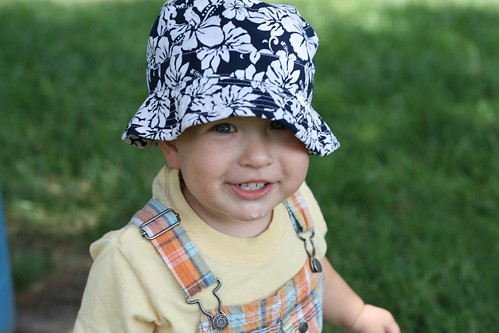
This weekend, the three of us got in the car and drove up to Tekamah, NE for Blogstock 08 at Cliff's. That's Jacob when we were stopped at a park halfway there. Sure looks like he's about to do something ornery, doesn't it? I think he looks even more ornery than the photo of Cliff. That's saying something.

We all really enjoyed Blogstock. Ralph, Cliff, and the rest of the Morrows sure know how to have an event. Ralph said that Cliff's BBQ smoked chicken is the best we'll ever have, and he may just have been right.

I'm going to include a few of my photos in this post; you can see all of my 200+ Blogstock photos on Flickr. (In case anyone else uploads Blogstock photos, you might tag them blogstock08).

Jacob had a blast, and I think he took special pleasure in keeping Terah and me busy. I recall saying something like this, all strung together:

"Jacob, please stop throwing dirt at the cat. That cat doesn't like to have dirt thrown on it. Jacob, stop throwing grass on the cat. Jacob, stop hitting the cat. The cat doesn't like to be hit. Can you pet the cat gently like this? Good job! Jacob, stop sitting on the cat. That hurts the cat. Stop throwing dirt at the cat. Would you like to go play in the corn?"

The Morrow cat was the most tolerant cat I've ever seen, and didn't really seem to mind having a toddler sit on its head. However, we noticed this morning that Jacob's legs mysteriously have some scratches that look very much like cat scratches. We didn't see anything happen, and Jacob didn't come crying to us or anything. I suspect the cat found a way to communicate that it doesn't very much like to have someone sit on it. I also suspect that Jacob understood the message.

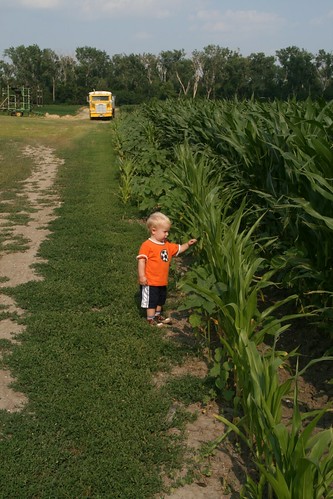
img_4996.jpg

As for corn -- Jacob loves corn. He first noticed it within the past week or two, and always gets excited when we drove past some. He calls it "koh!", and particularly tall corn is "koh-koh" or "ah-koh". Cliff has tall corn, and when I first asked Jacob if he wanted to see it, he immediately stopped pestering the cat, yelled "KOOHHHHH!!! KOH KOH KOH KOH!!!" and started running towards it. He started by carefully inspecting the corn from the edge of the field. (I can't help but thinking he looks a bit like is great-grandpa Yoder in this picture.) I can almost hear him saying "yep, this corn looks pretty good" in a couple of years.

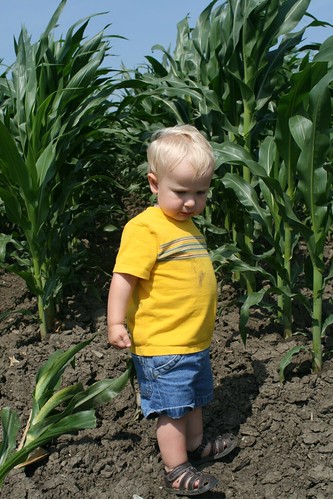
img_5051.jpg

The real fun begins when you get into the corn, apparently. With a little bit of holding my hand to balance while walking over the rows of dirt, he'd get between the rows of corn and have a blast. That means mainly picking up a full handful of dirt, running to another random corn plant somewhere, throwing the dirt in the general direction of the corn, and cackling like this was the best thing ever. I had to watch out with the camera, because I didn't really care for it to be hit by dirt, and well, I was in the general direction of corn, too.

img_5062.jpg

And, in case you didn't know, having fun in the corn is serious business.

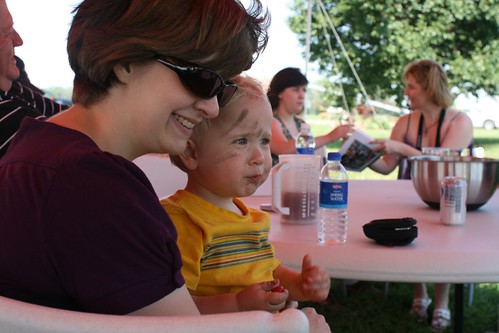
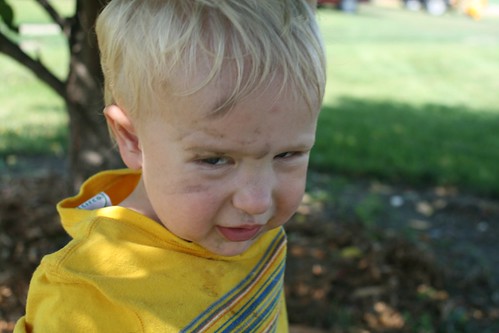
Now, what can a toddler possibly do after playing in the corn, eating some cherries off a tree, and smearing some dirt on his face with cherry juice?

img_5088.jpg

Well, plan his next activity, of course! From the look on his face, it will be another one to keep Terah and me busy.

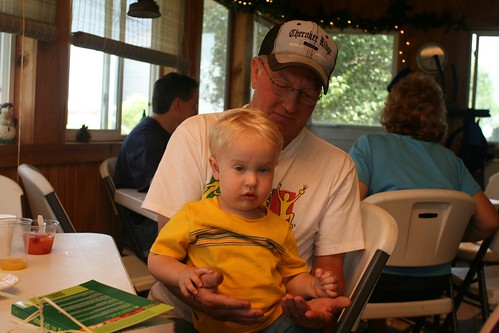
Jacob seemed to get along really well with everyone. But Ralph said that everytime he came close, Jacob would give him a nasty glare. Here's Ralph holding Jacob. Was this the look, Ralph?

img_5078.jpg

Or maybe it was this:

img_5116.jpg

Friday evening, Cliff and Ralph made up some great hamburgers, hot dogs, and sausages. We all ate under the big tent, and had a nice time visiting. It was sort of an unusual thing -- meeting people you already know for the first time -- but very nice. We left somewhere around 8. Jacob enjoyed the hotel room, too.

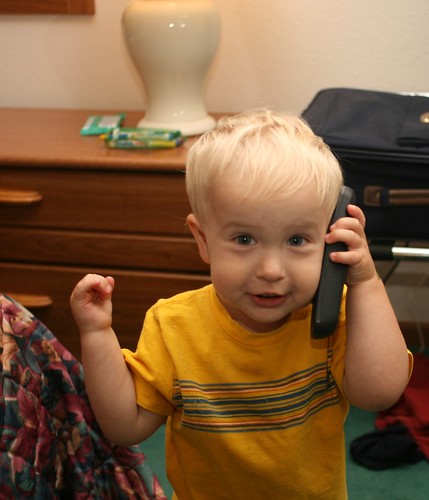
img_5027r.jpg

That's Jacob talking on the telephone. Well, I would normally use it as a TV remote, but to Jacob it looks like a phone, so a phone it is. (I can see his point.) This is Jacob answering the phone by saying Hi! Jacob's word for a phone, by the way, is "hi." He'll find a remote by the TV in the room, point to it, and yell "hi!"

Jacob's usual bedtime is 6:30PM. He normally falls asleep fairly easily and sleeps soundly until 6:30AM. Well, we got him in bed well after 6:30PM. Then he made the discovery that the hotel crib/playpen has a mattress that is not attached to the bottom like our mattresses at home are. This was good for at least an hour of excited playing. As Terah and I were trying to sleep, we'd hear these cackles from Jacob's crib, and the noises of a very active boy. I'd peek around and see him using the mattress as a tent, as a peek-a-boo toy, or just as something to throw. I think he fell asleep at about 11.

And woke up promptly at 6:30 on Saturday, just like clockwork, ready to make some phone calls and start the day.

Now, just a tidbit for anyone that doesn't have kids: a toddler, low on sleep, and endless excitement all combine to make for busy parents. Jacob did pretty well, and got in a good long nap in the afternoon. We did take several trips to the corn field.

For most of us, Saturday was a day for brunch, for sitting around and visiting under the tent, for horse rides, and maybe a massage for those that wanted it. Terah got to ride a horse, and Jacob got to ride a pony, too.

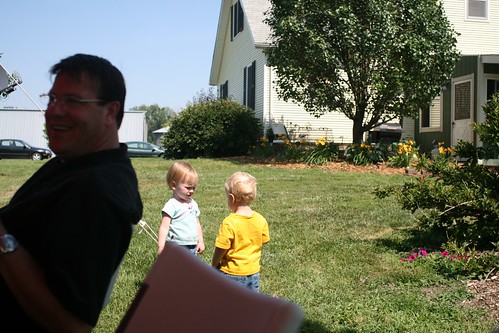
For Jacob, it was a day to make new friends, too.

img_5095.jpg

I took this picture just a second after she had given him a hug. I was just a little too slow whipping out the camera.

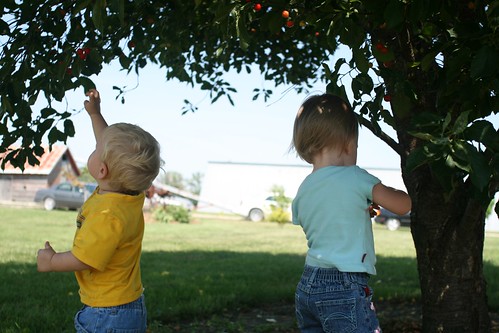
But when it comes to cherry picking, it's all serious business once again.

img_5098.jpg

Jacob loved eating these sour cherries. At first, he would pick one cherry off the tree, run over to the tent, give it to Terah for her to get the pit out, eat it, then go back to the tree for another one. He must have decided this was inefficient not long after I did. After a few roundtrips, he started trying to get the closest adult, whoever that might be, to pit the cherry for him. When he found one that would do it, he'd keep bringing cherries back to that person.

And then he was under the tree for a long time. Terah and I noticed, and had a conversation about just how many cherry pits it's OK to swallow. But when I checked it out, I found out that Jacob had figured out how to pit cherries himself. He did lose about half a cherry each time he did it, but I guess that was more efficient than pestering adults to do it for him. Though it may have also worked to carry two cherries to the tent at a time.

img_5123.jpg

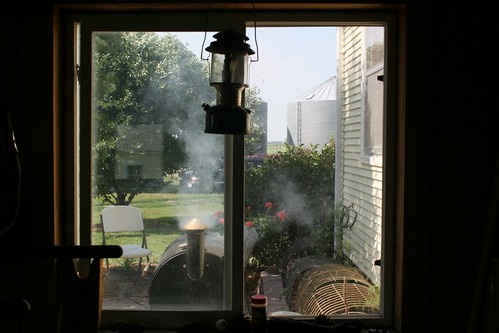
Late in the afternoon, Cliff started up the smoker for the chicken. He had rented a big smoker for the occasion, but it wasn't working, so he made do with his regular smoker, ovens for the corn, and an array of dutch ovens or side grills for everything else. I couldn't keep track of it all, and I was just watching, but somehow it all turned out perfect.

img_5140.jpg

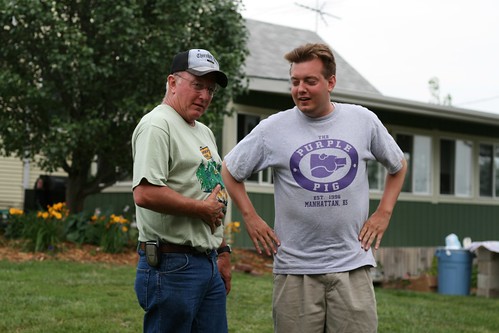
While the chicken was cooking, Ralph and son-of-Ralph (SOR) were having a conversation and patting their bellies. I couldn't hear, and didn't ask questions, so I'm choosing to believe that they were discussing how many pieces of chicken they could eat. When they heard my camera click, Ralph said, "He didn't just take a photo, did he?" Thereby guaranteeing a spot on my blog.

I had the distinction, I think, of being the least-read blogger at Blogstock. I can't quite remember how many times I'd meet someone, and they'd say, "Oh, you're the computer guy, right? I tried reading your blog, but I didn't understand it, sorry!" Completely understandable, I assure you!

After dinner Saturday, we talked about how we got started blogging (hi, Marty and Andy if you're reading), why we were there. Cliff said some very kind things about Terah and me, which really meant a lot.

Later, Cliff told me how Terah showed up in the kitchen with her tray of deviled eggs. Cliff saw them, and said, "Terah, I love you." Later, Cliff said "I love you" to someone else. From the next room, Terah piped up, "What food did she bring?"

Saturday evening, Terah took her horse ride. Jacob was quite tired by that point, and threw a tantrum about not being able to go with mom and ride a horse, too. We were talking about it when Rachel came over. Jacob asked her to pick him up, she did, and he instantly stopped fussing. Maybe it was a "so there" to me, since I had been holding him a minute before, and he took the opportunity to scream in my ear. But in any case, Jacob loved Rachel. She let him sit on a pony, carried him all around the yard, and he managed to hold it together until Terah came back at 9:30.

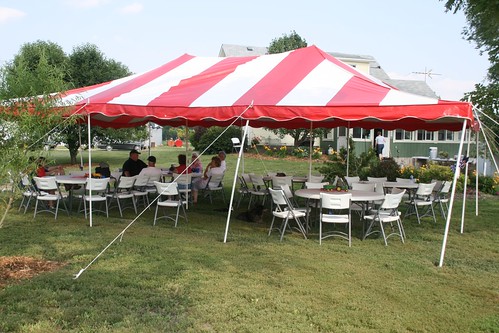
Saturday evening it was time for goodbyes. We all had a blast and I'm sure we'll do this again. If you weren't there, here's what Blogstock looks like:

img_4991.jpg

A bunch of friends sitting around chatting under a tent pretty well sums it up.

(There was a full tent of people; some were just elsewhere when this particular photo was taken.)

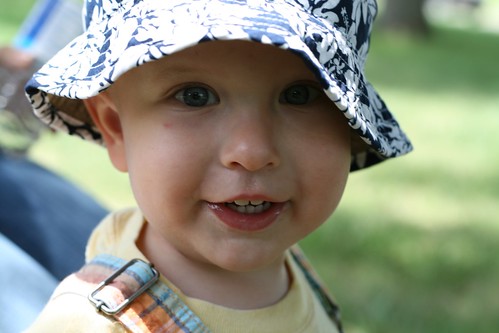
Jacob shared his thoughts on the whole trip on the way home, too. Well put, Jacob.

img_5202.jpg

Next.

Previous.