Search Results: "mak"

19 December 2023

Matthew Garrett: Making SSH host certificates more usable

Earlier this year, after Github accidentally committed their private RSA SSH host key to a public repository, I wrote about how better support for SSH host certificates would allow this sort of situation to be handled in a user-transparent way without any negative impact on security. I was hoping that someone would read this and be inspired to fix the problem but sadly that didn't happen so I've actually written some code myself.

The core part of this is straightforward - if a server presents you with a certificate associated with a host key, then make the trust in that host be whoever signed the certificate rather than just trusting the host key. This means that if someone needs to replace the host key for any reason (such as, for example, them having published the private half), you can replace the host key with a new key and a new certificate, and as long as the new certificate is signed by the same key that the previous certificate was, you'll trust the new key and key rotation can be carried out without any user errors. Hurrah!

So obviously I wrote that bit and then thought about the failure modes and it turns out there's an obvious one - if an attacker obtained both the private key and the certificate, what stops them from continuing to use it? The certificate isn't a secret, so we basically have to assume that anyone who possesses the private key has access to it. We may have silently transitioned to a new host key on the legitimate servers, but a hostile actor able to MITM a user can keep on presenting the old key and the old certificate until it expires.

There's two ways to deal with this - either have short-lived certificates (ie, issue a new certificate every 24 hours or so even if you haven't changed the key, and specify that the certificate is invalid after those 24 hours), or have a mechanism to revoke the certificates. The former is viable if you have a very well-engineered certificate issuing operation, but still leaves a window for an attacker to make use of the certificate before it expires. The latter is something SSH has support for, but the spec doesn't define any mechanism for distributing revocation data.

So, I've implemented a new SSH protocol extension that allows a host to send a key revocation list to a client. The idea is that the client authenticates to the server, receives a key revocation list, and will no longer trust any certificates that are contained within that list. This seems simple enough, but a naive implementation opens the client to various DoS attacks. For instance, if you simply revoke any key contained within the received KRL, a hostile server could revoke any certificates that were otherwise trusted by the client. The easy way around this is for the client to ensure that any revoked keys are associated with the same CA that signed the host certificate - that way a compromised host can only revoke certificates associated with that CA, and can't interfere with anyone else.

Unfortunately that still means that a single compromised host can still trigger revocation of certificates inside that trust domain (ie, a compromised host a.test.com could push a KRL that invalidated the certificate for b.test.com), because there's no way in the KRL format to indicate that a given revocation is associated with a specific hostname. This means we need a mechanism to verify that the KRL update is legitimate, and the easiest way to handle that is to sign it. The KRL format specifies an in-band signature but this was deprecated earlier this year - instead KRLs are supposed to be signed with the sshsig format. But we control both the server and the client, which means it's easy enough to send a detached signature as part of the extension data.

Putting this all together: you ssh to a server you've never contacted before, and it presents you with a host certificate. Instead of the host key being added to known_hosts, the CA key associated with the certificate is added. From now on, if you ssh to that host and it presents a certificate signed by that CA, it'll be trusted. Optionally, the host can also send you a KRL and a signature. If the signature is generated by the CA key that you already trust, any certificates in that KRL associated with that CA key will be incorporated into local storage. The expected flow if a key is compromised is that the owner of the host generates a new keypair, obtains a new certificate for the new key, and adds the old certificate to a KRL that is signed with the CA key. The next time the user connects to that host, they receive the new key and new certificate, trust it because it's signed by the same CA key, and also receive a KRL signed with the same CA that revokes trust in the old certificate.

Obviously this breaks down if a user is MITMed with a compromised key and certificate immediately after the host is compromised - they'll see a legitimate certificate and won't receive any revocation list, so will trust the host. But this is the same failure mode that would occur in the absence of keys, where the attacker simply presents the compromised key to the client before trust in the new key has been created. This seems no worse than the status quo, but means that most users will seamlessly transition to a new key and revoke trust in the old key with no effort on their part.

The work in progress tree for this is here - at the point of writing I've merely implemented this and made sure it builds, not verified that it actually works or anything. Cleanup should happen over the next few days, and I'll propose this to upstream if it doesn't look like there's any showstopper design issues.

comment count unavailable comments

Jonathan Dowland: William Basinski, Gateshead, 2022

I was looking over the list of live music I'd seen this year and realised that avante-garde composer William Basinski was actually last year and I had forgotten to write about it! In November 2022, Basinski headlined a night of performances which otherwise featured folk from the venue's "Arists in Residence" programme, with some affiliation to Newcastle's DIY music scene. Unfortunately we arrived too late to catch any of the other acts: partly because of the venue's sometimes doggiest insistence that people can only enter or leave the halls during intervals, and partly because the building works surrounding it had made the southern entrance effectively closed, so we had to walk to the north side of the building to get in1. Basinski was performing work from Lamentations. Basinski himself presented very unexpectedly to how I imagined him: he's got the Texas drawl, mediated through a fair amount of time spent in New York; very camp, in a glittery top; he kicked off the gig complaining about how tired he was, before a mini rant about the state of the world, riffing on a title from the album: Please, This Shit Has Got To Stop. We were in Hall 1, the larger of the two, and it was sparsely attended; a few people walked out mid performance. My gig-buddy Rob (a useful barometer for me on how things have gone) remarked that it was one of the most unique and unusual gigs he'd been to. I recognised snatches of the tracks from the album, but I'm hard-placed to name or sequence them, and they flowed into each other. I don't know how much of what we were hearing was "live" or what, if anything, was being decided during the performance, but Basinski's set-up included what looked like archaic tape equipment, with exposed loops of tape running between spools that could be interfered with by other tools. The encore was a unique, unreleased mix of Melancholia (II), which (making no apologies) Basinski hit play on before retiring backstage. I didn't take any photos. From memory, I think the venue had specifically stated filming or photos were not allowed for this performance. People at prior shows in New York and London filmed some of their shows; which were substantially similar: I've included embeds of them above. Lots of Basinski's work is on Bandcamp; the three pieces I particularly enjoy are Lamentations, Lamentations by William Basinski On Time Out of Time, On Time Out of Time by William Basinski and his best-known work, The Disintegration Loops. The Disintegration Loops by William Basinski

  1. I don't want to speak ill of the venue, though: The Sage, as it was, and the Glasshouse, as it is now known, has ended up being the venue I've attended most this year (2023), and it's such a civilised place: plenty of bars, great drinks selection (both alcoholic and not, hot and cold), loads of clean toilets, a free cloakroom, fantastic accoustics, polite staff; the list goes on.

Antoine Beaupr : (Re)introducing screentest

I have accidentally rewritten screentest, an old X11/GTK2 program that I was previously using to, well, test screens.

Screentest is dead It was removed from Debian in May 2023 but had already missed two releases (Debian 11 "bullseye" and 12 "bookworm") due to release critical bugs. The stated reason for removal was:
The package is orphaned and its upstream is no longer developed. It depends on gtk2, has a low popcon and no reverse dependencies.
So I had little hope to see this program back in Debian. The git repository shows little activity, the last being two years ago. Interestingly, I do not quite remember what it was testing, but I do remember it to find dead pixels, confirm native resolution, and various pixel-peeping. Here's a screenshot of one of the screentest screens: screentest screenshot showing a white-on-black checkered background, with some circles in the corners, shades of gray and colors in the middle Now, I think it's safe to assume this program is dead and buried, and anyways I'm running wayland now, surely there's something better? Well, no. Of course not. Someone would know about it and tell me before I go on a random coding spree in a fit of procrastination... riiight? At least, the Debconf video team didn't seem to know of any replacement. They actually suggested I just "invoke gstreamer directly" and "embrace the joy of shell scripting".

Screentest reborn So, I naively did exactly that and wrote a horrible shell script. Then I realized the next step was to write an command line parser and monitor geometry guessing, and thought "NOPE, THIS IS WHERE THE SHELL STOPS", and rewrote the whole thing in Python. Now, screentest lives as a ~400-line Python script, half of which is unit test data and command-line parsing.

Why screentest Some smarty pants is going to complain and ask why the heck one would need something like that (and, well, someone already did), so maybe I can lay down a list of use case:
  • testing color output, in broad terms (answering the question of "is it just me or this project really yellow?")
  • testing focus and keystone ("this looks blurry, can you find a nice sharp frame in that movie to adjust focus?")
  • test for native resolution and sharpness ("does this projector really support 4k for 30$? that sounds like bullcrap")
  • looking for dead pixels ("i have a new monitor, i hope it's intact")

What does screentest do? Screentest displays a series of "patterns" on screen. The list of patterns is actually hardcoded in the script, copy-pasted from this list from the videotestsrc gstreamer plugin, but you can pass any pattern supported by your gstreamer installation with --patterns. A list of patterns relevant to your installation is available with the gst-inspect-1.0 videotestsrc command. By default, screentest goes through all patterns. Each pattern runs indefinitely until the you close the window, then the next pattern starts. You can restrict to a subset of patterns, for example this would be a good test for dead pixels:
screentest --patterns black,white,red,green,blue
This would be a good sharpness test:
screentest --patterns pinwheel,spokes,checkers-1,checkers-2,checkers-4,checkers-8
A good generic test is the classic SMPTE color bars and is the first in the list, but you can run only that test with:
screentest --patterns smpte
(I will mention, by the way, that as a system administrator with decades of experience, it is nearly impossible to type SMPTE without first typing SMTP and re-typing it again a few times before I get it right. I fully expect this post to have numerous typos.)
Here's an example of the SMPTE pattern from Wikipedia: SMPTE color bars For multi-monitor setups, screentest also supports specifying which output to use as a native resolution, with --output. Failing that, it will try to look at the outputs and use the first it will find. If it fails to find anything, you can specify a resolution with --resolution WIDTHxHEIGHT. I have tried to make it go full screen by default, but stumbled a bug in Sway that crashes gst-launch. If your Wayland compositor supports it, you can possibly enable full screen with --sink waylandsink fullscreen=true. Otherwise it will create a new window that you will have to make fullscreen yourself. For completeness, there's also an --audio flag that will emit the classic "drone", a sine wave at 440Hz at 40% volume (the audiotestsrc gstreamer plugin. And there's a --overlay-name option to show the pattern name, in case you get lost and want to start with one of them again.

How this works Most of the work is done by gstreamer. The script merely generates a pipeline and calls gst-launch to show the output. That both limits what it can do but also makes it much easier to use than figuring out gst-launch. There might be some additional patterns that could be useful, but I think those are better left to gstreamer. I, for example, am somewhat nostalgic of the Philips circle pattern that used to play for TV stations that were off-air in my area. But that, in my opinion, would be better added to the gstreamer plugin than into a separate thing. The script shows which command is being ran, so it's a good introduction to gstreamer pipelines. Advanced users (and the video team) will possibly not need screentest and will design their own pipelines with their own tools. I've previously worked with ffmpeg pipelines (in another such procrastinated coding spree, video-proxy-magic), and I found gstreamer more intuitive, even though it might be slightly less powerful. In retrospect, I should probably have picked a new name, to avoid crashing the namespace already used by the project, which is now on GitHub. Who knows, it might come back to life after this blog post; it would not be the first time. For now, the project lives along side the rest of my scripts collection but if there's sufficient interest, I might move it to its own git repositories. Comments, feedback, contributions are as usual welcome. And naturally, if you know something better for this kind of stuff, I'm happy to learn more about your favorite tool! So now I have finally found something to test my projector, which will likely confirm what I've already known all along: that it's kind of a piece of crap and I need to get a proper one.

15 December 2023

Scarlett Gately Moore: KDE: Snaps, KDEneon, Debian and my future.

First I want to thank KDE for this wonderful write up on LinkedIn. https://www.linkedin.com/posts/kde_akademy-2023-over-a-million-reasons-why-activity-7139965489153208320-PNem?utm_source=share&utm_medium=member_desktop It made my heart explode with happiness as I prepped for my interview on Monday. I didn t get the job ( Just the usual we were very impressed with your experience, but we went with another candidate ). I think the cosmos is determined for me to hold out for the project even though it is only part time work, it is work and if I have learned nothing else this year, I have learned how to live on a very tight budget! It turns out many of the things we think we need, we don t. So with hard work of Kevin Ottens ( Thank you!!!! ), this should be finalized after the first of the year. This plan also allows me time for KDEneon and Debian work. I am happy with it and look forward to the coming year and the exciting things to come. My holiday plans are to help the Debian KDE team with the KF6 packaging, On-going KDEneon efforts, and continue to make sure the snaps Qt6 transition is a painless as possible. I will also be working on the qt6 kde-neon extension. In closing, despite my terrible luck with job-hunting, I am in an amazing community and I am truly grateful to each and every one of you. It has been a great year and I have added many new things to my skillset and I look forward to many more next year. As usual, it is that time of month where I have not raised enough to pay my internet bill ( phone company taking an extra 200.00 didn t help ) If you can spare any change ( any amount helps! ) please consider a donation https://gofund.me/b74e4c6f Thank you! I hope everyone has a wonderful <insert your holiday here> !!!!! ~ Scarlett

14 December 2023

Arturo Borrero Gonz lez: OpenTofu: handcrafted include-file mechanism with YAML

Post logo I recently started playing with Terraform/OpenTofu almost on a daily basis. The other day I was working with Amazon Managed Prometheus (or AMP), and wanted to define prometheus alert rules on YAML files. I decided that I needed a way to put the alerts on a bunch of files, and then load them by the declarative code, on the correct AMP workspace. I came up with this code pattern that I m sharing here, for my future reference, and in case it is interesting to someone else. The YAML file where I specify the AMP workspace, and where the alert rule files live:
---
alert_files:
  my_alerts_production:
    amp:
      workspace: "production"
    files: "alert_rules/production/*.yaml"
  my_alerts_staging:
    amp:
      workspace: "staging"
    files: "alert_rules/staging/*.yaml"
Note the files entry contains a file pattern. I will later expand the pattern using the fileset() function. Each rule file would be something like this:
---
name: "my_rule_namespace"
rule_data:  
  # this is prometheus-specific config
  groups:
    - name: "example_alert_group"
      rules:
      - alert: Example_Alert_Cpu
        # just arbitrary values, to produce an example alert
        expr: avg(rate(ecs_cpu_seconds_total container=~"something" [2m])) > 1
        for: 10s
        annotations:
          summary: "CPU usage is too high"
          description: "The container average CPU usage is too high."
I m interested in the data structure mutating into something similar to this:
---
alert_files:
  my_alerts_production:
    amp:
      workspace: "production"
    alerts_data:
      - name: rule_namespace_1
        rule_data:  
          # actual alert definition here
          [..]
      - name: rule_namespace_2
        rule_data:  
          # actual alert definition here
          [..]
  my_alerts_staging:
    amp:
      workspace: "staging"
    alerts_data:
      - name: rule_namespace_1
        rule_data:  
          # actual alert definition here
          [..]
      - name: rule_namespace_2
        rule_data:  
          # actual alert definition here
          [..]
This is the algorithm that does the trick:
locals  
  alerts_config =  
    for x, y in  
      for k, v in local.config.alert_files :
      k =>  
        amp : (v.amp),
        files : fileset("", v.files)
       
        : x =>  
      amp : (y.amp),
      alertmanager_data : [
        for z in(y.files) :
        yamldecode(file(z))
      ]


Because the declarative nature of the Terraform/OpenTofu language, I needed to implement 3 different for loops. Each loop reads the map and transforms it in some way, passing the result into the next loop. A bit convoluted if you ask me. To explain the logic, I think it makes more sense to read it from inside out. First loop:
    for k, v in local.config.alert_files :
    k =>  
        amp : (v.amp),
        files : fileset("", v.files)
     
This loop iterates the input YAML map in key-value pairs, remapping each amp entry, and expanding the file globs using the fileset() into a temporal files entry. Second loop:
    for x, y in  
        # previous fileset() loop
        : x =>  
      amp : (y.amp),
      alertmanager_data : [
        # yamldecode() loop
      ]
     
This intermediate loop is responsible for building the final data structure. It iterates the previous fileset() loop to remap it calling the next loop, the yamldecode() one. Note how the amp entry is being rebuilt in each remap (first loop and this one), otherwise we would lose it! Third loop:
    alertmanager_data : [
        for z in(y.files) :
        yamldecode(file(z))
    ]
And finally, this is maybe the easiest loop of the 3, we iterate the temporal file entry that was created in the first loop, calling yamldecode() for each of the file names generated by fileset(). The resulting data structure should allow you to easily create resources later in a for_each loop.

Russell Coker: Fat Finger Shell

I ve been trying out the Fat Finger Shell which is a terminal emulator for Linux on touch screen devices where the keyboard is overlayed with the terminal output. This means that instead of having a tiny keyboard and a tiny terminal output you have the full screen for both. There is a YouTube video showing how the Fat Finger Shell works [1]. Here is a link to the Github page [2], which hasn t changed much in the last 11 years. Currently the shell is hard-coded to a 80*24 terminal and a 640*480 screen which doesn t match any modern hardware. Some parts of this are easy to change but then there s the comment I ran once XGetGeometry and I am harcoded (bad) values for x, y, etc.. which is followed by some magic numbers that are not easy to change which are hacked into the source of xvt. The configuration of this is almost great. It has a plain text file where each line has 4 numbers representing the X and Y coordinates of opposite corners of a rectangle and additional information on what the key is, which is relatively easy to edit. But then it has an image which has to match that, the obvious improvement would be to not have an image but to just display rectangles for each pair of corner coordinates and display the glyph of the character in question inside it. I think there is a real need for a terminal like this for use on devices like the PinePhonePro, it won t be to everyone s taste but the people who like it will really like it. The features that such a shell needs for modern use are being based on Wayland, supporting a variety of screen resolutions and particularly the commonly used ones like 720*1440 and 1920*1080 (with terminal resolution matching the combination of screen resolution and font), and having code derived from a newer terminal emulator. As a final note it would be good for such a terminal to also take input from a regular keyboard so when you plug your Linux phone into a dock you don t need to close your existing terminal sessions. There is a Debian RFP/ITP bug for this [3] which I think should be closed due to nothing happening for 11 years and the fact that so much work is required to make this usable. The current Fat Finger Shell code is a good demonstration of the concept, but I don t think it makes sense to move on with this code base. One of the many possible ways of addressing this with modern graphics technology might be to have a semi transparent window overlaying the screen and generating virtual keyboard events for whichever window happens to be below it so instead of being limited to one terminal program by the choice of input method have that input work for any terminal that the user may choose as well as any other text based program (email, IM, etc).

12 December 2023

Raju Devidas: Nextcloud AIO install with docker-compose and nginx reverse proxy

Nextcloud AIO install with docker-compose and nginx reverse proxyNextcloud is a popular self-hosted solution for file sync and share as well as cloud apps such as document editing, chat and talk, calendar, photo gallery etc. This guide will walk you through setting up Nextcloud AIO using Docker Compose. This blog post would not be possible without immense help from Sahil Dhiman a.k.a. sahilisterThere are various ways in which the installation could be done, in our setup here are the pre-requisites.
Step 1 : The docker-compose file for nextcloud AIOThe original compose.yml file is present in nextcloud AIO&aposs git repo here . By taking a reference of that file, we have own compose.yml here.
services:
  nextcloud-aio-mastercontainer:
    image: nextcloud/all-in-one:latest
    init: true
    restart: always
    container_name: nextcloud-aio-mastercontainer # This line is not allowed to be changed as otherwise AIO will not work correctly
    volumes:
      - nextcloud_aio_mastercontainer:/mnt/docker-aio-config # This line is not allowed to be changed as otherwise the built-in backup solution will not work
      - /var/run/docker.sock:/var/run/docker.sock:ro # May be changed on macOS, Windows or docker rootless. See the applicable documentation. If adjusting, don&apost forget to also set &aposWATCHTOWER_DOCKER_SOCKET_PATH&apos!
    ports:
      - 8080:8080
    environment: # Is needed when using any of the options below
      # - AIO_DISABLE_BACKUP_SECTION=false # Setting this to true allows to hide the backup section in the AIO interface. See https://github.com/nextcloud/all-in-one#how-to-disable-the-backup-section
      - APACHE_PORT=32323 # Is needed when running behind a web server or reverse proxy (like Apache, Nginx, Cloudflare Tunnel and else). See https://github.com/nextcloud/all-in-one/blob/main/reverse-proxy.md
      - APACHE_IP_BINDING=127.0.0.1 # Should be set when running behind a web server or reverse proxy (like Apache, Nginx, Cloudflare Tunnel and else) that is running on the same host. See https://github.com/nextcloud/all-in-one/blob/main/reverse-proxy.md
      # - BORG_RETENTION_POLICY=--keep-within=7d --keep-weekly=4 --keep-monthly=6 # Allows to adjust borgs retention policy. See https://github.com/nextcloud/all-in-one#how-to-adjust-borgs-retention-policy
      # - COLLABORA_SECCOMP_DISABLED=false # Setting this to true allows to disable Collabora&aposs Seccomp feature. See https://github.com/nextcloud/all-in-one#how-to-disable-collaboras-seccomp-feature
      - NEXTCLOUD_DATADIR=/opt/docker/cloud.raju.dev/nextcloud # Allows to set the host directory for Nextcloud&aposs datadir.   Warning: do not set or adjust this value after the initial Nextcloud installation is done! See https://github.com/nextcloud/all-in-one#how-to-change-the-default-location-of-nextclouds-datadir
      # - NEXTCLOUD_MOUNT=/mnt/ # Allows the Nextcloud container to access the chosen directory on the host. See https://github.com/nextcloud/all-in-one#how-to-allow-the-nextcloud-container-to-access-directories-on-the-host
      # - NEXTCLOUD_UPLOAD_LIMIT=10G # Can be adjusted if you need more. See https://github.com/nextcloud/all-in-one#how-to-adjust-the-upload-limit-for-nextcloud
      # - NEXTCLOUD_MAX_TIME=3600 # Can be adjusted if you need more. See https://github.com/nextcloud/all-in-one#how-to-adjust-the-max-execution-time-for-nextcloud
      # - NEXTCLOUD_MEMORY_LIMIT=512M # Can be adjusted if you need more. See https://github.com/nextcloud/all-in-one#how-to-adjust-the-php-memory-limit-for-nextcloud
      # - NEXTCLOUD_TRUSTED_CACERTS_DIR=/path/to/my/cacerts # CA certificates in this directory will be trusted by the OS of the nexcloud container (Useful e.g. for LDAPS) See See https://github.com/nextcloud/all-in-one#how-to-trust-user-defined-certification-authorities-ca
      # - NEXTCLOUD_STARTUP_APPS=deck twofactor_totp tasks calendar contacts notes # Allows to modify the Nextcloud apps that are installed on starting AIO the first time. See https://github.com/nextcloud/all-in-one#how-to-change-the-nextcloud-apps-that-are-installed-on-the-first-startup
      # - NEXTCLOUD_ADDITIONAL_APKS=imagemagick # This allows to add additional packages to the Nextcloud container permanently. Default is imagemagick but can be overwritten by modifying this value. See https://github.com/nextcloud/all-in-one#how-to-add-os-packages-permanently-to-the-nextcloud-container
      # - NEXTCLOUD_ADDITIONAL_PHP_EXTENSIONS=imagick # This allows to add additional php extensions to the Nextcloud container permanently. Default is imagick but can be overwritten by modifying this value. See https://github.com/nextcloud/all-in-one#how-to-add-php-extensions-permanently-to-the-nextcloud-container
      # - NEXTCLOUD_ENABLE_DRI_DEVICE=true # This allows to enable the /dev/dri device in the Nextcloud container.   Warning: this only works if the &apos/dev/dri&apos device is present on the host! If it should not exist on your host, don&apost set this to true as otherwise the Nextcloud container will fail to start! See https://github.com/nextcloud/all-in-one#how-to-enable-hardware-transcoding-for-nextcloud
      # - NEXTCLOUD_KEEP_DISABLED_APPS=false # Setting this to true will keep Nextcloud apps that are disabled in the AIO interface and not uninstall them if they should be installed. See https://github.com/nextcloud/all-in-one#how-to-keep-disabled-apps
      # - TALK_PORT=3478 # This allows to adjust the port that the talk container is using. See https://github.com/nextcloud/all-in-one#how-to-adjust-the-talk-port
      # - WATCHTOWER_DOCKER_SOCKET_PATH=/var/run/docker.sock # Needs to be specified if the docker socket on the host is not located in the default &apos/var/run/docker.sock&apos. Otherwise mastercontainer updates will fail. For macos it needs to be &apos/var/run/docker.sock&apos
    # networks: # Is needed when you want to create the nextcloud-aio network with ipv6-support using this file, see the network config at the bottom of the file
      # - nextcloud-aio # Is needed when you want to create the nextcloud-aio network with ipv6-support using this file, see the network config at the bottom of the file
      # - SKIP_DOMAIN_VALIDATION=true
    # # Uncomment the following line when using SELinux
    # security_opt: ["label:disable"]
volumes: # If you want to store the data on a different drive, see https://github.com/nextcloud/all-in-one#how-to-store-the-filesinstallation-on-a-separate-drive
  nextcloud_aio_mastercontainer:
    name: nextcloud_aio_mastercontainer # This line is not allowed to be changed as otherwise the built-in backup solution will not work
I have not removed many of the commented options in the compose file, for a possibility of me using them in the future.If you want a smaller cleaner compose with the extra options, you can refer to
services:
  nextcloud-aio-mastercontainer:
    image: nextcloud/all-in-one:latest
    init: true
    restart: always
    container_name: nextcloud-aio-mastercontainer
    volumes:
      - nextcloud_aio_mastercontainer:/mnt/docker-aio-config
      - /var/run/docker.sock:/var/run/docker.sock:ro
    ports:
      - 8080:8080
    environment:
      - APACHE_PORT=32323
      - APACHE_IP_BINDING=127.0.0.1
      - NEXTCLOUD_DATADIR=/opt/docker/nextcloud
volumes:
  nextcloud_aio_mastercontainer:
    name: nextcloud_aio_mastercontainer
I am using a separate directory to store nextcloud data. As per nextcloud documentation you should be using a separate partition if you want to use this feature, however I did not have that option on my server, so I used a separate directory instead. Also we use a custom port on which nextcloud listens for operations, we have set it up as 32323 above, but you can use any in the permissible port range. The 8080 port is used the setup the AIO management interface. Both 8080 and the APACHE_PORT do not need to be open on the host machine, as we will be using reverse proxy setup with nginx to direct requests. once you have your preferred compose.yml file, you can start the containers using
$ docker-compose -f compose.yml up -d 
Creating network "clouddev_default" with the default driver
Creating volume "nextcloud_aio_mastercontainer" with default driver
Creating nextcloud-aio-mastercontainer ... done
once your container&aposs are running, we can do the nginx setup.

Step 2: Configuring nginx reverse proxy for our domain on host. A reference nginx configuration for nextcloud AIO is given in the nextcloud git repository here . You can modify the configuration file according to your needs and setup. Here is configuration that we are using

map $http_upgrade $connection_upgrade  
    default upgrade;
    &apos&apos close;
 
server  
    listen 80;
    #listen [::]:80;            # comment to disable IPv6
    if ($scheme = "http")  
        return 301 https://$host$request_uri;
     
    listen 443 ssl http2;      # for nginx versions below v1.25.1
    #listen [::]:443 ssl http2; # for nginx versions below v1.25.1 - comment to disable IPv6
    # listen 443 ssl;      # for nginx v1.25.1+
    # listen [::]:443 ssl; # for nginx v1.25.1+ - keep comment to disable IPv6
    # http2 on;                                 # uncomment to enable HTTP/2        - supported on nginx v1.25.1+
    # http3 on;                                 # uncomment to enable HTTP/3 / QUIC - supported on nginx v1.25.0+
    # quic_retry on;                            # uncomment to enable HTTP/3 / QUIC - supported on nginx v1.25.0+
    # add_header Alt-Svc &aposh3=":443"; ma=86400&apos; # uncomment to enable HTTP/3 / QUIC - supported on nginx v1.25.0+
    # listen 443 quic reuseport;       # uncomment to enable HTTP/3 / QUIC - supported on nginx v1.25.0+ - please remove "reuseport" if there is already another quic listener on port 443 with enabled reuseport
    # listen [::]:443 quic reuseport;  # uncomment to enable HTTP/3 / QUIC - supported on nginx v1.25.0+ - please remove "reuseport" if there is already another quic listener on port 443 with enabled reuseport - keep comment to disable IPv6
    server_name cloud.example.com;
    location /  
        proxy_pass http://127.0.0.1:32323$request_uri;
        proxy_set_header X-Forwarded-For $proxy_add_x_forwarded_for;
        proxy_set_header X-Forwarded-Port $server_port;
        proxy_set_header X-Forwarded-Scheme $scheme;
        proxy_set_header X-Forwarded-Proto $scheme;
        proxy_set_header X-Real-IP $remote_addr;
        proxy_set_header Accept-Encoding "";
        proxy_set_header Host $host;
    
        client_body_buffer_size 512k;
        proxy_read_timeout 86400s;
        client_max_body_size 0;
        # Websocket
        proxy_http_version 1.1;
        proxy_set_header Upgrade $http_upgrade;
        proxy_set_header Connection $connection_upgrade;
     
    ssl_certificate /etc/letsencrypt/live/cloud.example.com/fullchain.pem; # managed by Certbot
    ssl_certificate_key /etc/letsencrypt/live/cloud.example.com/privkey.pem; # managed by Certbot
    ssl_session_timeout 1d;
    ssl_session_cache shared:MozSSL:10m; # about 40000 sessions
    ssl_session_tickets off;
    ssl_protocols TLSv1.2 TLSv1.3;
    ssl_ciphers ECDHE-ECDSA-AES128-GCM-SHA256:ECDHE-RSA-AES128-GCM-SHA256:ECDHE-ECDSA-AES256-GCM-SHA384:ECDHE-RSA-AES256-GCM-SHA384:ECDHE-ECDSA-CHACHA20-POLY1305:ECDHE-RSA-CHACHA20-POLY1305:DHE-RSA-AES128-GCM-SHA256:DHE-RSA-AES256-GCM-SHA384:DHE-RSA-CHACHA20-POLY1305;
    ssl_prefer_server_ciphers on;
    # Optional settings:
    # OCSP stapling
    # ssl_stapling on;
    # ssl_stapling_verify on;
    # ssl_trusted_certificate /etc/letsencrypt/live/<your-nc-domain>/chain.pem;
    # replace with the IP address of your resolver
    # resolver 127.0.0.1; # needed for oscp stapling: e.g. use 94.140.15.15 for adguard / 1.1.1.1 for cloudflared or 8.8.8.8 for google - you can use the same nameserver as listed in your /etc/resolv.conf file
 
Please note that you need to have valid SSL certificates for your domain for this configuration to work. Steps on getting valid SSL certificates for your domain are beyond the scope of this article. You can give a web search on getting SSL certificates with letsencrypt and you will get several resources on that, or may write a blog post on it separately in the future.once your configuration for nginx is done, you can test the nginx configuration using
$ sudo nginx -t 
nginx: the configuration file /etc/nginx/nginx.conf syntax is ok
nginx: configuration file /etc/nginx/nginx.conf test is successful
and then reload nginx with
$ sudo nginx -s reload

Step 3: Setup of Nextcloud AIO from the browser.To setup nextcloud AIO, we need to access it using the web browser on URL of our domain.tld:8080, however we do not want to open the 8080 port publicly to do this, so to complete the setup, here is a neat hack from sahilister
ssh -L 8080:127.0.0.1:8080 username:<server-ip>
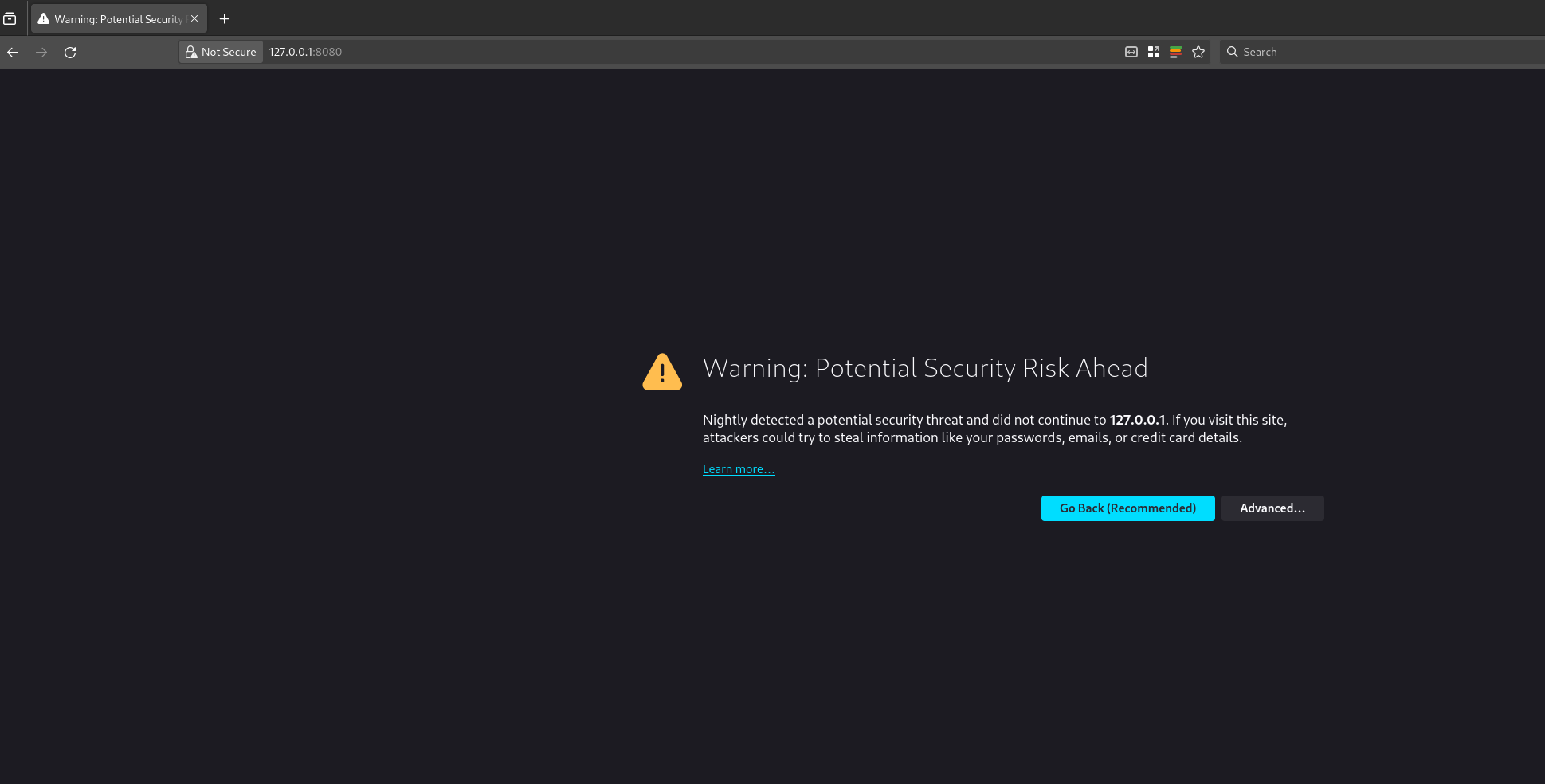
you can bind the 8080 port of your server to the 8080 of your localhost using Unix socket forwarding over SSH.The port forwarding only last for the duration of your SSH session, if the SSH session breaks, your port forwarding will to. So, once you have the port forwarded, you can open the nextcloud AIO instance in your web browser at 127.0.0.1:8080
Nextcloud AIO install with docker-compose and nginx reverse proxy
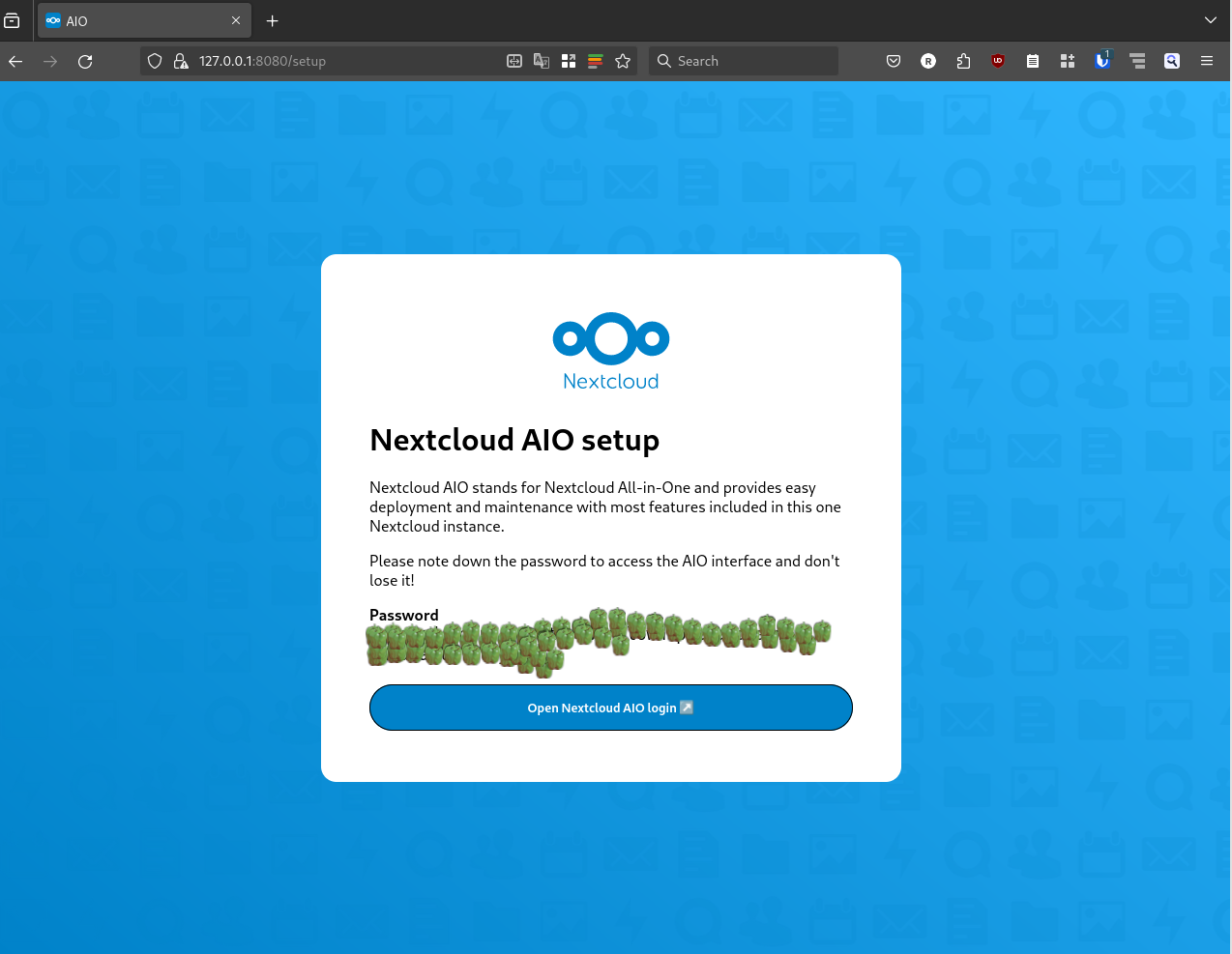
you will get this error because you are trying to access a page on localhost over HTTPS. You can click on advanced and then continue to proceed to the next page. Your data is encrypted over SSH for this session as we are binding the port over SSH. Depending on your choice of browser, the above page might look different.once you have proceeded, the nextcloud AIO interface will open and will look something like this.
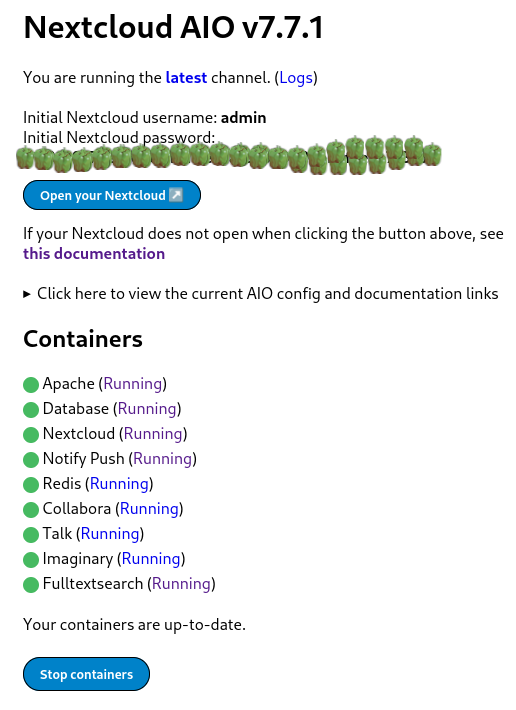
Nextcloud AIO install with docker-compose and nginx reverse proxynextcloud AIO initial screen with capsicums as password
It will show an auto generated passphrase, you need to save this passphrase and make sure to not loose it. For the purposes of security, I have masked the passwords with capsicums. once you have noted down your password, you can proceed to the Nextcloud AIO login, enter your password and then login. After login you will be greeted with a screen like this.
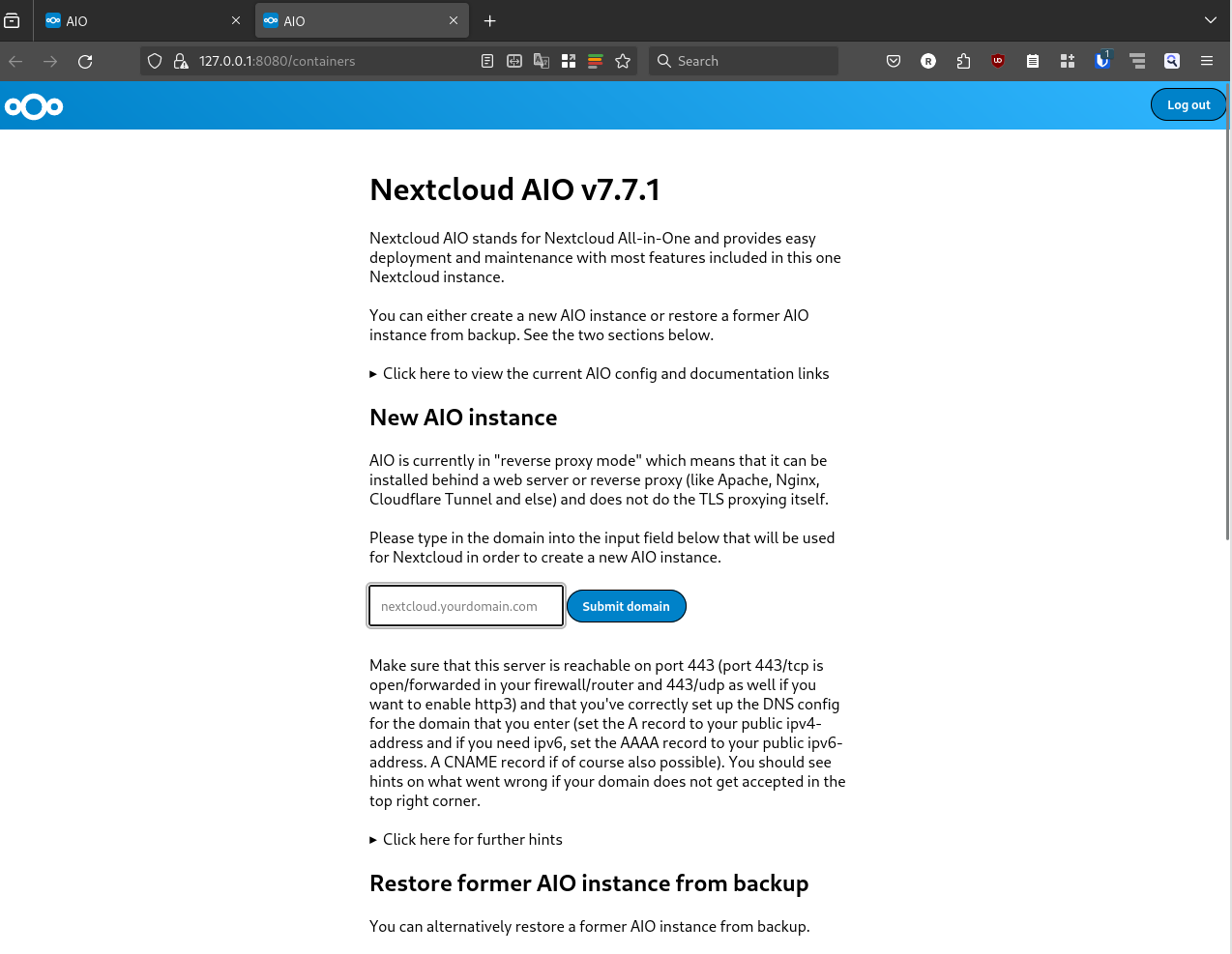
Nextcloud AIO install with docker-compose and nginx reverse proxy
now you can put the domain that you want to use in the Submit domain field. Once the domain check is done, you will proceed to the next step and see another screen like this
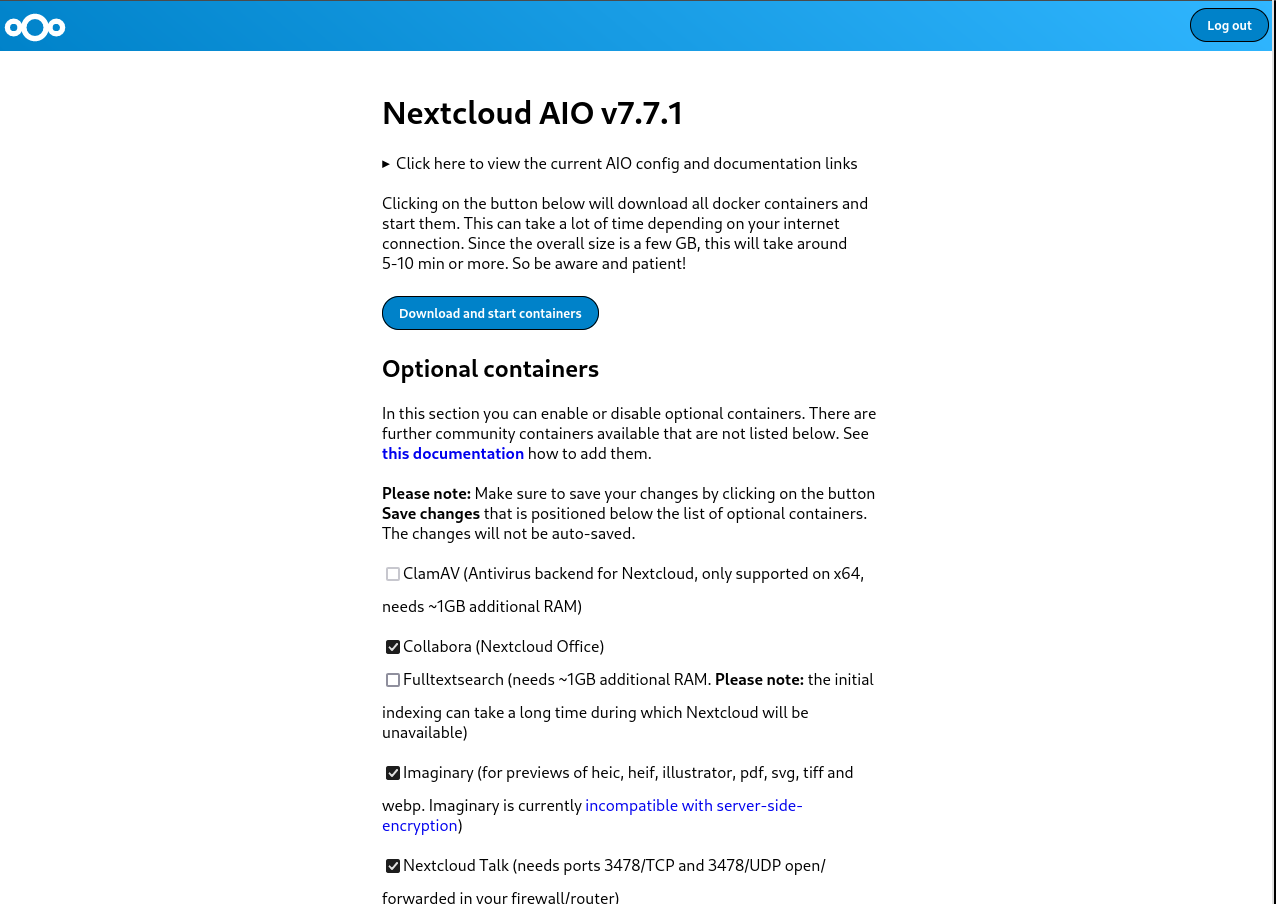
Nextcloud AIO install with docker-compose and nginx reverse proxy
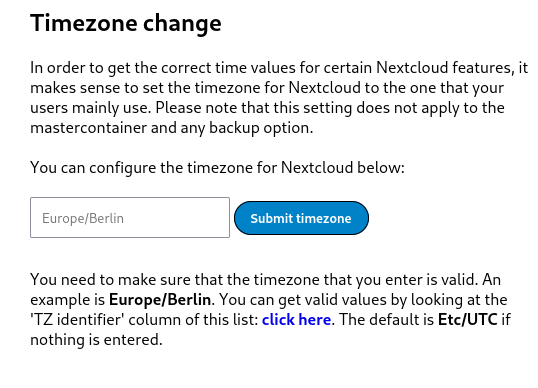
here you can select any optional containers for the features that you might want. IMPORTANT: Please make sure to also change the time zone at the bottom of the page according to the time zone you wish to operate in.
Nextcloud AIO install with docker-compose and nginx reverse proxy
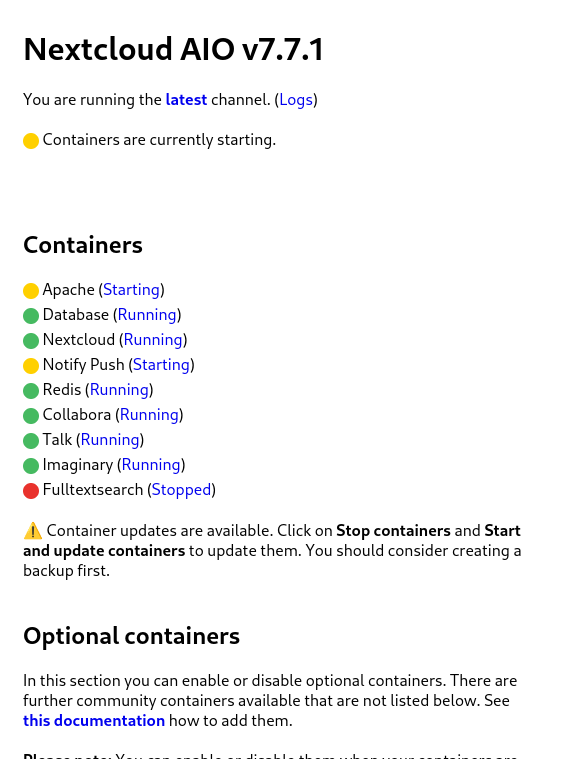
The timezone setup is also important because the data base will get initialized according to the set time zone. This could result in wrong initialization of database and you ending up in a startup loop for nextcloud. I faced this issue and could only resolve it after getting help from sahilister . Once you are done changing the timezone, and selecting any additional features you want, you can click on Download and start the containersIt will take some time for this process to finish, take a break and look at the farthest object in your room and take a sip of water. Once you are done, and the process has finished you will see a page similar to the following one.
Nextcloud AIO install with docker-compose and nginx reverse proxy
wait patiently for everything to turn green.
Nextcloud AIO install with docker-compose and nginx reverse proxy
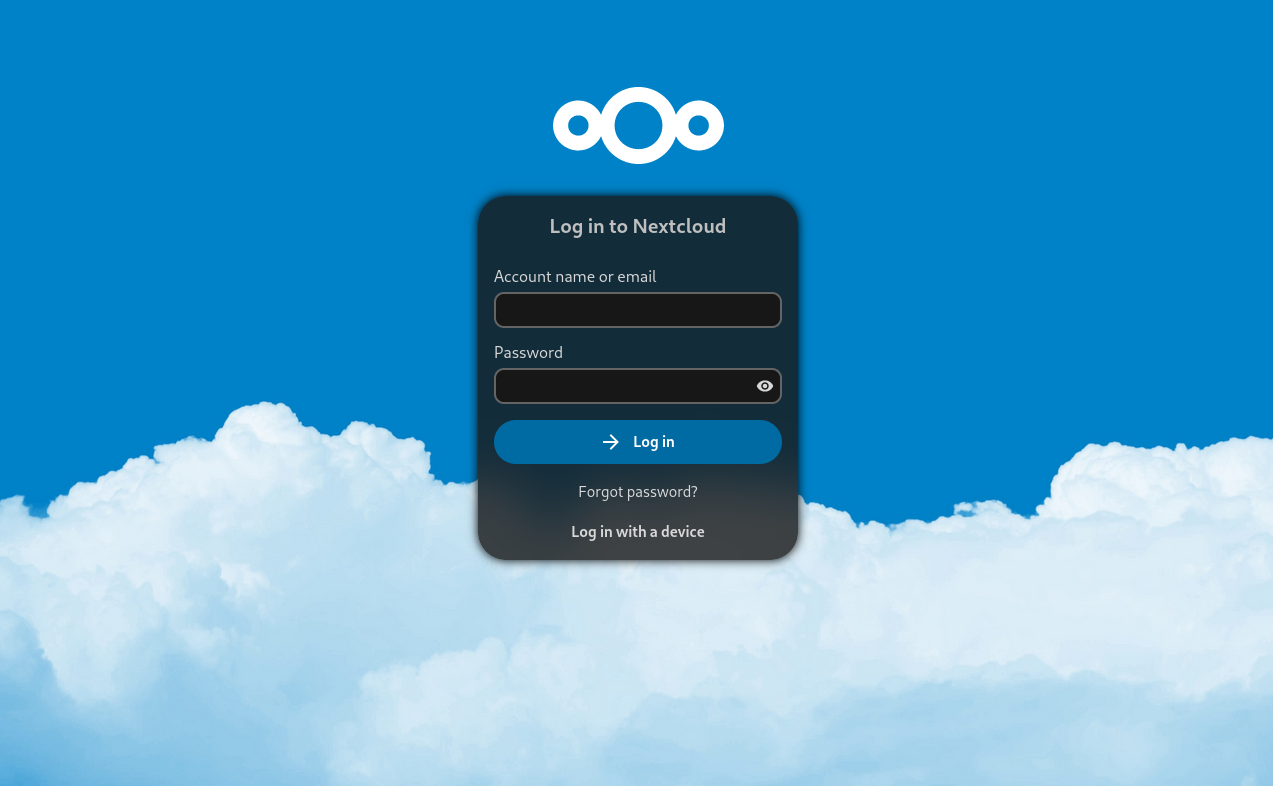
once all the containers have started properly, you can open the nextcloud login interface on your configured domain, the initial login details are auto generated as you can see from the above screenshot. Again you will see a password that you need to note down or save to enter the nextcloud interface. Capsicums will not work as passwords. I have masked the auto generated passwords using capsicums.Now you can click on Open your Nextcloud button or go to your configured domain to access the login screen.
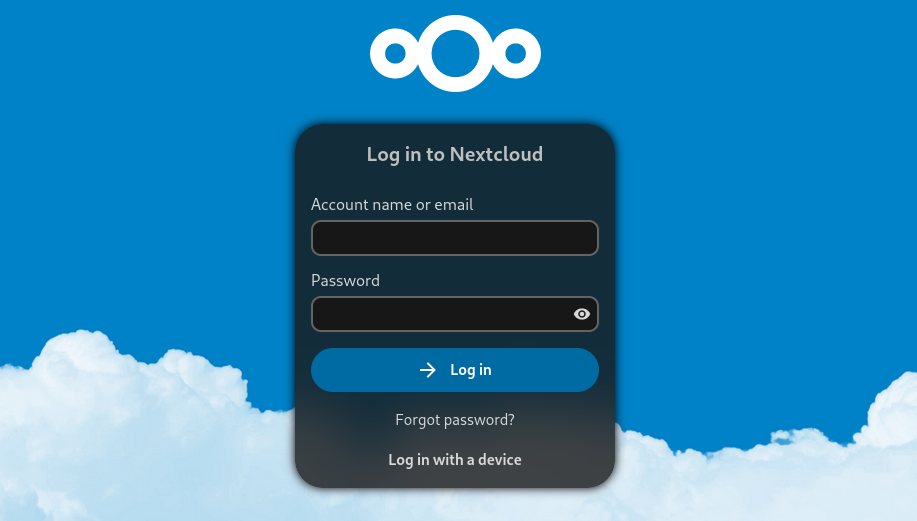
Nextcloud AIO install with docker-compose and nginx reverse proxy
You can use the login details from the previous step to login to the administrator account of your Nextcloud instance. There you have it, your very own cloud!

Additional Notes:

How to properly reset Nextcloud setup?While following the above steps, or while following steps from some other tutorial, you may have made a mistake, and want to start everything again from scratch. The instructions for it are present in the Nextcloud documentation here . Here is the TLDR for a docker-compose setup. These steps will delete all data, do not use these steps on an existing nextcloud setup unless you know what you are doing.
  • Stop your master container.
docker-compose -f compose.yml down -v
The above command will also remove the volume associated with the master container
  • Stop all the child containers that has been started by the master container.
docker stop nextcloud-aio-apache nextcloud-aio-notify-push nextcloud-aio-nextcloud nextcloud-aio-imaginary nextcloud-aio-fulltextsearch nextcloud-aio-redis nextcloud-aio-database nextcloud-aio-talk nextcloud-aio-collabora
  • Remove all the child containers that has been started by the master container
docker rm nextcloud-aio-apache nextcloud-aio-notify-push nextcloud-aio-nextcloud nextcloud-aio-imaginary nextcloud-aio-fulltextsearch nextcloud-aio-redis nextcloud-aio-database nextcloud-aio-talk nextcloud-aio-collabora
  • If you also wish to remove all images associated with nextcloud you can do it with
docker rmi $(docker images --filter "reference=nextcloud/*" -q)
  • remove all volumes associated with child containers
docker volume rm <volume-name>
  • remove the network associated with nextcloud
docker network rm nextcloud-aio

Additional references.
  1. Nextcloud Github
  2. Nextcloud reverse proxy documentation
  3. Nextcloud Administration Guide
  4. Nextcloud User Manual
  5. Nextcloud Developer&aposs manual

11 December 2023

Jonathan Dowland: Talks: why?

I'd planned to write some private mail on the subject of preparing and delivering conference talks. However, each time I try to write that mail, I've managed to somehow contrive to lose it. So I thought I'd try as a blog post instead, to break the curse. The first aspect I wanted to write about is the pre-planning phase, or, the bit where you decide to give a talk in the first place. But first a bit about me. I don't talk all that regularly. I think I'm averaging one talk a year. I don't consider myself to be a natural talk-giver: I don't particularly enjoy it and I still get quite nervous. So the first question is: why do it? One motivation is that you want to attend a particular conference, and presenting at it makes it much easier to get institutional support for doing so (i.e., travel and accommodation covered). At the moment, I've written some talk proposals for FOSDEM because I want to attend, and it increases my chances if I'm delivering a talk. Another reason, pertinent to academia, is you wish to have a paper published. Last year I attended a conference in Portland that I had a paper accepted to. A condition of the paper being accepted is you attend and do a presentation about it. Obviously, the presentation itself is a useful form of dissemination for your work, but the paper has the potential to reach more people. You may wish to promote what you're talking about: academic work, but perhaps a piece of open source software that would benefit from wider awareness, more adoption, more bug reports, testing, and patches. You may wish to support the venue. There are a some of small-scale conferences that I enjoy participating in which don't receive a lot of submissions and so I tend to send one or more in order to help make sure there are enough possible talks to keep the whole thing viable. Finally, you may wish to promote yourself: certainly, some Software Engineers I've met seem to spend as much time on talks and travelling as writing software. It's a good way to see a lot of the world, and might be a good way to get your name known and increase your employment prospects. I feel lucky I haven't had to rely on this.

9 December 2023

Simon Josefsson: Classic McEliece goes to IETF and OpenSSH

My earlier work on Streamlined NTRU Prime has been progressing along. The IETF document on sntrup761 in SSH has passed several process points. GnuPG s libgcrypt has added support for sntrup761. The libssh support for sntrup761 is working, but the merge request is stuck mostly due to lack of time to debug why the regression test suite sporadically errors out in non-sntrup761 related parts with the patch. The foundation for lattice-based post-quantum algorithms has some uncertainty around it, and I have felt that there is more to the post-quantum story than adding sntrup761 to implementations. Classic McEliece has been mentioned to me a couple of times, and I took some time to learn it and did a cut n paste job of the proposed ISO standard and published draft-josefsson-mceliece in the IETF to make the algorithm easily available to the IETF community. A high-quality implementation of Classic McEliece has been published as libmceliece and I ve been supporting the work of Jan Moj to package libmceliece for Debian, alas it has been stuck in the ftp-master NEW queue for manual review for over two months. The pre-dependencies librandombytes and libcpucycles are available in Debian already. All that text writing and packaging work set the scene to write some code. When I added support for sntrup761 in libssh, I became familiar with the OpenSSH code base, so it was natural to return to OpenSSH to experiment with a new SSH KEX for Classic McEliece. DJB suggested to pick mceliece6688128 and combine it with the existing X25519+sntrup761 or with plain X25519. While a three-algorithm hybrid between X25519, sntrup761 and mceliece6688128 would be a simple drop-in for those that don t want to lose the benefits offered by sntrup761, I decided to start the journey on a pure combination of X25519 with mceliece6688128. The key combiner in sntrup761x25519 is a simple SHA512 call and the only good I can say about that is that it is simple to describe and implement, and doesn t raise too many questions since it is already deployed. After procrastinating coding for months, once I sat down to work it only took a couple of hours until I had a successful Classic McEliece SSH connection. I suppose my brain had sorted everything in background before I started. To reproduce it, please try the following in a Debian testing environment (I use podman to get a clean environment).
# podman run -it --rm debian:testing-slim
apt update
apt dist-upgrade -y
apt install -y wget python3 librandombytes-dev libcpucycles-dev gcc make git autoconf libz-dev libssl-dev
cd ~
wget -q -O- https://lib.mceliece.org/libmceliece-20230612.tar.gz   tar xfz -
cd libmceliece-20230612/
./configure
make install
ldconfig
cd ..
git clone https://gitlab.com/jas/openssh-portable
cd openssh-portable
git checkout jas/mceliece
autoreconf
./configure # verify 'libmceliece support: yes'
make # CC="cc -DDEBUG_KEX=1 -DDEBUG_KEXDH=1 -DDEBUG_KEXECDH=1"
You should now have a working SSH client and server that supports Classic McEliece! Verify support by running ./ssh -Q kex and it should mention mceliece6688128x25519-sha512@openssh.com. To have it print plenty of debug outputs, you may remove the # character on the final line, but don t use such a build in production. You can test it as follows:
./ssh-keygen -A # writes to /usr/local/etc/ssh_host_...
# setup public-key based login by running the following:
./ssh-keygen -t rsa -f ~/.ssh/id_rsa -P ""
cat ~/.ssh/id_rsa.pub > ~/.ssh/authorized_keys
adduser --system sshd
mkdir /var/empty
while true; do $PWD/sshd -p 2222 -f /dev/null; done &
./ssh -v -p 2222 localhost -oKexAlgorithms=mceliece6688128x25519-sha512@openssh.com date
On the client you should see output like this:
OpenSSH_9.5p1, OpenSSL 3.0.11 19 Sep 2023
...
debug1: SSH2_MSG_KEXINIT sent
debug1: SSH2_MSG_KEXINIT received
debug1: kex: algorithm: mceliece6688128x25519-sha512@openssh.com
debug1: kex: host key algorithm: ssh-ed25519
debug1: kex: server->client cipher: chacha20-poly1305@openssh.com MAC: <implicit> compression: none
debug1: kex: client->server cipher: chacha20-poly1305@openssh.com MAC: <implicit> compression: none
debug1: expecting SSH2_MSG_KEX_ECDH_REPLY
debug1: SSH2_MSG_KEX_ECDH_REPLY received
debug1: Server host key: ssh-ed25519 SHA256:YognhWY7+399J+/V8eAQWmM3UFDLT0dkmoj3pIJ0zXs
...
debug1: Host '[localhost]:2222' is known and matches the ED25519 host key.
debug1: Found key in /root/.ssh/known_hosts:1
debug1: rekey out after 134217728 blocks
debug1: SSH2_MSG_NEWKEYS sent
debug1: expecting SSH2_MSG_NEWKEYS
debug1: SSH2_MSG_NEWKEYS received
debug1: rekey in after 134217728 blocks
...
debug1: Sending command: date
debug1: pledge: fork
debug1: permanently_set_uid: 0/0
Environment:
  USER=root
  LOGNAME=root
  HOME=/root
  PATH=/usr/bin:/bin:/usr/sbin:/sbin:/usr/local/bin
  MAIL=/var/mail/root
  SHELL=/bin/bash
  SSH_CLIENT=::1 46894 2222
  SSH_CONNECTION=::1 46894 ::1 2222
debug1: client_input_channel_req: channel 0 rtype exit-status reply 0
debug1: client_input_channel_req: channel 0 rtype eow@openssh.com reply 0
Sat Dec  9 22:22:40 UTC 2023
debug1: channel 0: free: client-session, nchannels 1
Transferred: sent 1048044, received 3500 bytes, in 0.0 seconds
Bytes per second: sent 23388935.4, received 78108.6
debug1: Exit status 0
Notice the kex: algorithm: mceliece6688128x25519-sha512@openssh.com output. How about network bandwidth usage? Below is a comparison of a complete SSH client connection such as the one above that log in and print date and logs out. Plain X25519 is around 7kb, X25519 with sntrup761 is around 9kb, and mceliece6688128 with X25519 is around 1MB. Yes, Classic McEliece has large keys, but for many environments, 1MB of data for the session establishment will barely be noticeable.
./ssh -v -p 2222 localhost -oKexAlgorithms=curve25519-sha256 date 2>&1   grep ^Transferred
Transferred: sent 3028, received 3612 bytes, in 0.0 seconds
./ssh -v -p 2222 localhost -oKexAlgorithms=sntrup761x25519-sha512@openssh.com date 2>&1   grep ^Transferred
Transferred: sent 4212, received 4596 bytes, in 0.0 seconds
./ssh -v -p 2222 localhost -oKexAlgorithms=mceliece6688128x25519-sha512@openssh.com date 2>&1   grep ^Transferred
Transferred: sent 1048044, received 3764 bytes, in 0.0 seconds
So how about session establishment time?
date; i=0; while test $i -le 100; do ./ssh -v -p 2222 localhost -oKexAlgorithms=curve25519-sha256 date > /dev/null 2>&1; i= expr $i + 1 ; done; date
Sat Dec  9 22:39:19 UTC 2023
Sat Dec  9 22:39:25 UTC 2023
# 6 seconds
date; i=0; while test $i -le 100; do ./ssh -v -p 2222 localhost -oKexAlgorithms=sntrup761x25519-sha512@openssh.com date > /dev/null 2>&1; i= expr $i + 1 ; done; date
Sat Dec  9 22:39:29 UTC 2023
Sat Dec  9 22:39:38 UTC 2023
# 9 seconds
date; i=0; while test $i -le 100; do ./ssh -v -p 2222 localhost -oKexAlgorithms=mceliece6688128x25519-sha512@openssh.com date > /dev/null 2>&1; i= expr $i + 1 ; done; date
Sat Dec  9 22:39:55 UTC 2023
Sat Dec  9 22:40:07 UTC 2023
# 12 seconds
I never noticed adding sntrup761, so I m pretty sure I wouldn t notice this increase either. This is all running on my laptop that runs Trisquel so take it with a grain of salt but at least the magnitude is clear. Future work items include: Happy post-quantum SSH ing! Update: Changing the mceliece6688128_keypair call to mceliece6688128f_keypair (i.e., using the fully compatible f-variant) results in McEliece being just as fast as sntrup761 on my machine. Update 2023-12-26: An initial IETF document draft-josefsson-ssh-mceliece-00 published.

8 December 2023

Jonathan Dowland: The scourge of Electron, the nostalgia of Pidgin

For reasons I won't go into right now, I've spent some of this year working on a refurbished Lenovo Thinkpad Yoga 260. Despite it being relatively underpowered, I love almost everything about it. Unfortunately the model I bought has 8G RAM which turned out to be more limiting than I thought it would be. You can do incredible things with 8G of RAM: incredible, wondrous things. And most of my work, whether that's wrangling containers, hacking on OpenJDK, or complex Haskell projects, are manageable. Where it falls down is driving the modern scourge: Electron, and by proxy, lots of modern IM tools: Slack (urgh), Discord (where one of my main IRC social communities moved to), WhatsApp Web1 and even Signal Desktop. For that reason, I've (temporarily) looked at alternatives, and I was pleasantly surprised to find serviceable plugins for Pidgin, the stalwart Instant Messenger multiplexer. I originally used Pidgin (then called Gaim) back in the last century, at the time to talk to ICQ, MSN Messenger and AIM (all but ICQ2 long dead). It truly is an elegant weapon from a more civilized age.
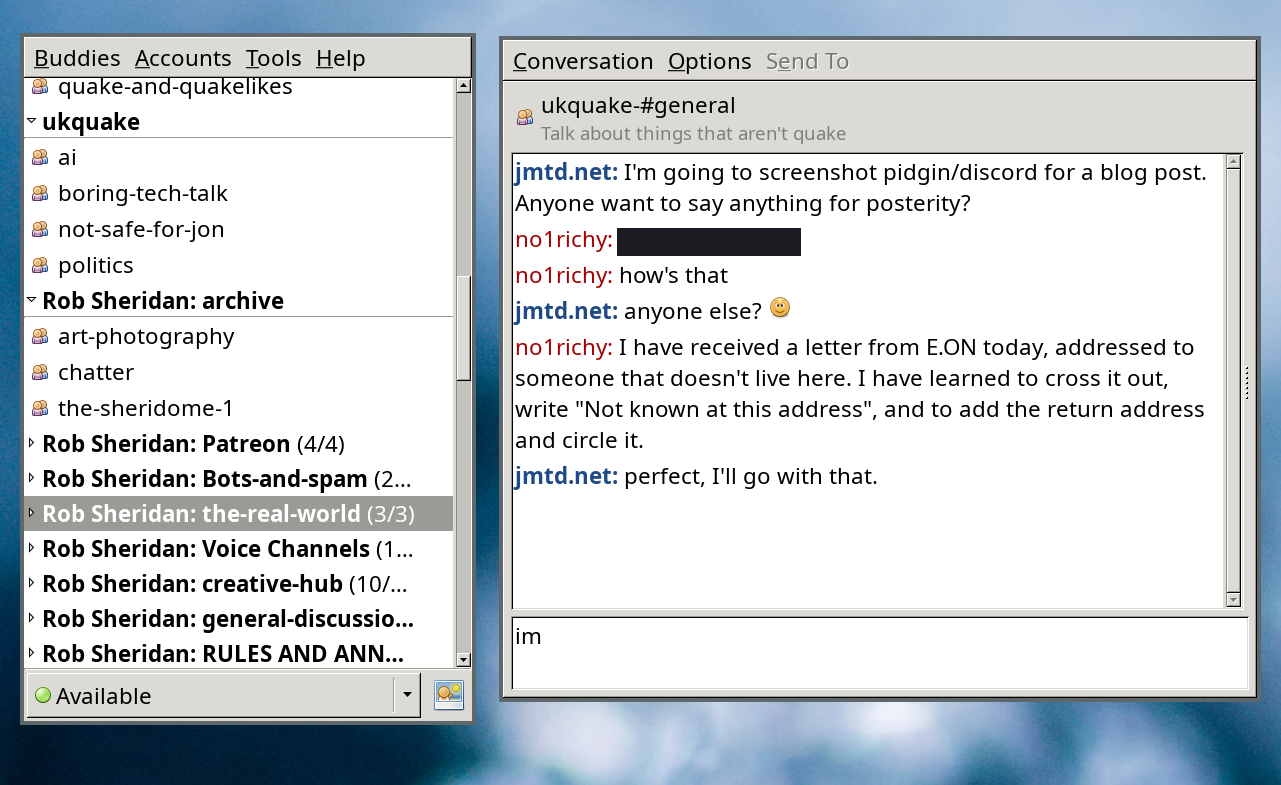
Discord from within Pidgin Discord from within Pidgin
The plugins are3: Pidgin with all of these plugins loaded runs perfectly well and consumes fractions of the RAM that each of those Electron apps did prior. A side-effect of moving these into Pidgin (in particular Discord) is a refocussing of the content. Fewer distractions around the text. The lack of auto-link embedding, and other such things, make it a cleaner, purer experience. This made me think of the Discord community I am in (I'm really only active in one). It used to be an IRC channel of people that I met through a mutual friend. Said friend recently departed Discord, due to the signal to noise ratio being too poor, and the incessant nudge to click on links, engage, engage, engage. I wonder if the experience mediated by Pidgin would be more tolerable to them?
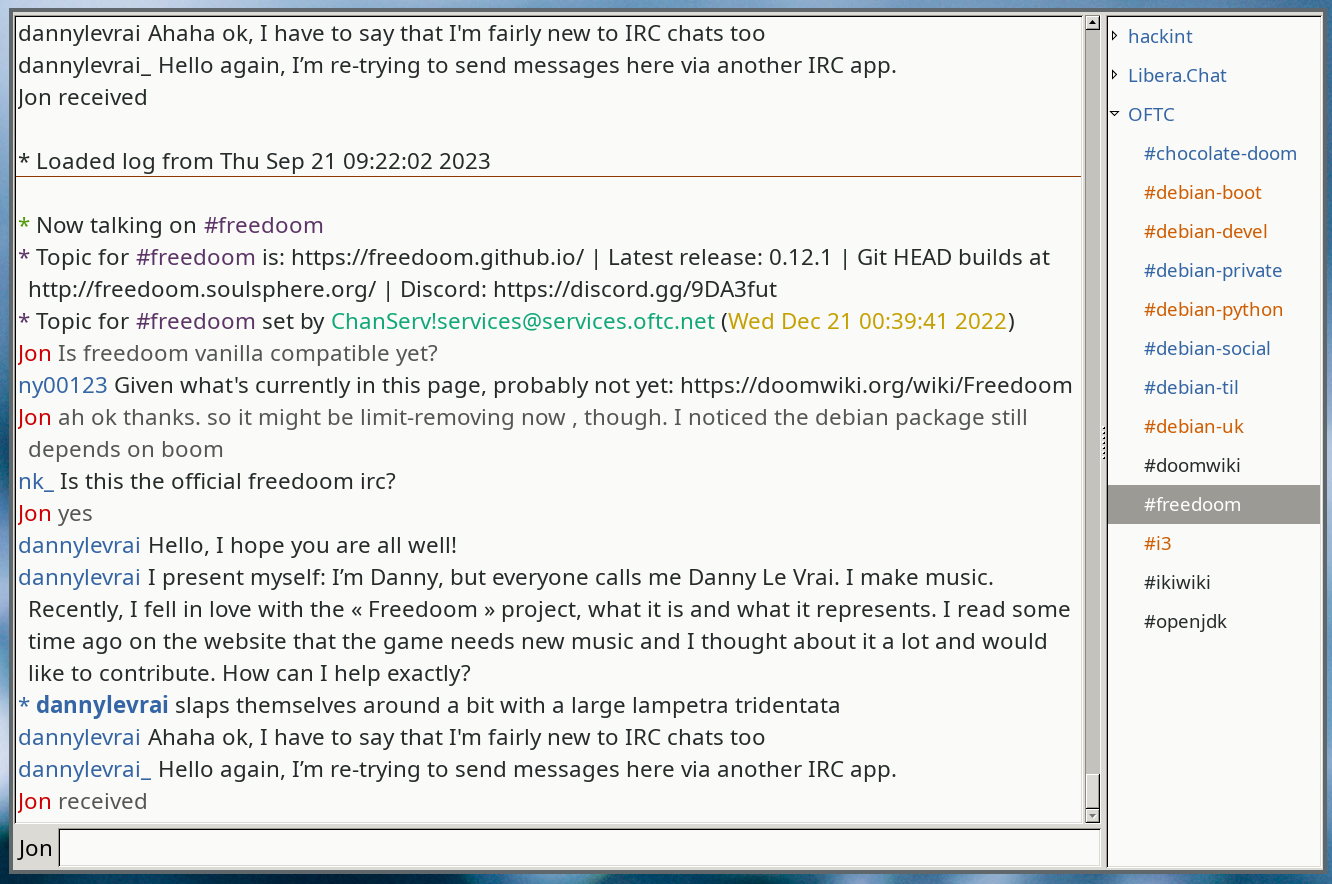
What my hexchat looks like What my hexchat looks like
I'm still active in one IRC channel (and inactive in many more). I could consider moving IRC into Pidgin as well. At the moment, my IRC client of choice is hexchat, which (like Pidgin) is still using GTK2 for the UI. There's something perversely pleasant about that.

  1. if you go to the trouble of trying to run it as an application distinct from your web browser.
  2. I'm still somewhat surprised ICQ is still going. I might try and recover my old ID.
  3. There may or may not be similar plugins for Slack, but as I (am forced to) use that for corporate stuff, I'm steering clear of them.

7 December 2023

Dima Kogan: roslanch and =LD_PRELOAD=

This is part 2 of our series entitled "ROS people don't know how to use computers". This is about ROS1. ROS2 is presumably broken in some completely different way, but I don't know. Unlike normal people, the ROS people don't "run" applications. They "launch" "nodes" from "packages" (these are "ROS" packages; obviously). You run
roslaunch PACKAGE THING.launch
Then it tries to find this PACKAGE (using some rules that nobody understands), and tries to find the file THING.launch within this package. The .launch file contains inscrutable xml, which includes other inscrutable xml. And if you dig, you eventually find stuff like
<node pkg="PACKAGE"
      name="NAME"
      type="TYPE"
      args="...."
      ...>
This defines the thing that runs. Unexpectedly, the executable that ends up running is called TYPE. I know that my particular program is broken, and needs an LD_PRELOAD (exciting details described in another rant in the near future). But the above definition doesn't have a clear way to add that. Adding it to the type fails (with a very mysterious error message). Reading the docs tells you about launch-prefix, which sounds exactly like what I want. But when I add LD_PRELOAD=/tmp/whatever.so I get
RLException: Roslaunch got a 'No such file or directory' error while attempting to run:
LD_PRELOAD=/tmp/whatever.so ..../TYPE .....
But this is how you're supposed to be attaching gdb and such! Presumably it looks at the first token, and makes sure it's a file, instead of simply prepending it to the string it passes to the shell. So your options are: I'm expert-enough. You do this:
launch-prefix="/lib64/ld-linux-x86-64.so.2 --preload /tmp/whatever.so"

Daniel Kahn Gillmor: New OpenPGP certificate for dkg, December 2023

dkg's New OpenPGP certificate in December 2023 In December of 2023, I'm moving to a new OpenPGP certificate. You might know my old OpenPGP certificate, which had an fingerprint of C29F8A0C01F35E34D816AA5CE092EB3A5CA10DBA. My new OpenPGP certificate has a fingerprint of: D477040C70C2156A5C298549BB7E9101495E6BF7. Both certificates have the same set of User IDs:
  • Daniel Kahn Gillmor
  • <dkg@debian.org>
  • <dkg@fifthhorseman.net>
You can find a version of this transition statement signed by both the old and new certificates at: https://dkg.fifthhorseman.net/2023-dkg-openpgp-transition.txt The new OpenPGP certificate is:
-----BEGIN PGP PUBLIC KEY BLOCK-----
xjMEZXEJyxYJKwYBBAHaRw8BAQdA5BpbW0bpl5qCng/RiqwhQINrplDMSS5JsO/Y
O+5Zi7HCwAsEHxYKAH0FgmVxCcsDCwkHCRC7fpEBSV5r90cUAAAAAAAeACBzYWx0
QG5vdGF0aW9ucy5zZXF1b2lhLXBncC5vcmfUAgfN9tyTSxpxhmHA1r63GiI4v6NQ
mrrWVLOBRJYuhQMVCggCmwECHgEWIQTUdwQMcMIValwphUm7fpEBSV5r9wAAmaEA
/3MvYJMxQdLhIG4UDNMVd2bsovwdcTrReJhLYyFulBrwAQD/j/RS+AXQIVtkcO9b
l6zZTAO9x6yfkOZbv0g3eNyrAs0QPGRrZ0BkZWJpYW4ub3JnPsLACwQTFgoAfQWC
ZXEJywMLCQcJELt+kQFJXmv3RxQAAAAAAB4AIHNhbHRAbm90YXRpb25zLnNlcXVv
aWEtcGdwLm9yZ4l+Z3i19Uwjw3CfTNFCDjRsoufMoPOM7vM8HoOEdn/vAxUKCAKb
AQIeARYhBNR3BAxwwhVqXCmFSbt+kQFJXmv3AAALZQEAhJsgouepQVV98BHUH6Sv
WvcKrb8dQEZOvHFbZQQPNWgA/A/DHkjYKnUkCg8Zc+FonqOS/35sHhNA8CwqSQFr
tN4KzRc8ZGtnQGZpZnRoaG9yc2VtYW4ubmV0PsLACgQTFgoAfQWCZXEJywMLCQcJ
ELt+kQFJXmv3RxQAAAAAAB4AIHNhbHRAbm90YXRpb25zLnNlcXVvaWEtcGdwLm9y
ZxLvwkgnslsAuo+IoSa9rv8+nXpbBdab2Ft7n4H9S+d/AxUKCAKbAQIeARYhBNR3
BAxwwhVqXCmFSbt+kQFJXmv3AAAtFgD4wqcUfQl7nGLQOcAEHhx8V0Bg8v9ov8Gs
Y1ei1BEFwAD/cxmxmDSO0/tA+x4pd5yIvzgfGYHSTxKS0Ww3hzjuZA7NE0Rhbmll
bCBLYWhuIEdpbGxtb3LCwA4EExYKAIAFgmVxCcsDCwkHCRC7fpEBSV5r90cUAAAA
AAAeACBzYWx0QG5vdGF0aW9ucy5zZXF1b2lhLXBncC5vcmd7X4TgiINwnzh4jar0
Pf/b5hgxFPngCFxJSmtr/f0YiQMVCggCmQECmwECHgEWIQTUdwQMcMIValwphUm7
fpEBSV5r9wAAMuwBAPtMonKbhGOhOy+8miAb/knJ1cIPBjLupJbjM+NUE1WyAQD1
nyGW+XwwMrprMwc320mdJH9B0jdokJZBiN7++0NoBM4zBGVxCcsWCSsGAQQB2kcP
AQEHQI19uRatkPSFBXh8usgciEDwZxTnnRZYrhIgiFMybBDQwsC/BBgWCgExBYJl
cQnLCRC7fpEBSV5r90cUAAAAAAAeACBzYWx0QG5vdGF0aW9ucy5zZXF1b2lhLXBn
cC5vcmfCopazDnq6hZUsgVyztl5wmDCmxI169YLNu+IpDzJEtQKbAr6gBBkWCgBv
BYJlcQnLCRB3LRYeNc1LgUcUAAAAAAAeACBzYWx0QG5vdGF0aW9ucy5zZXF1b2lh
LXBncC5vcmcQglI7G7DbL9QmaDkzcEuk3QliM4NmleIRUW7VvIBHMxYhBHS8BMQ9
hghL6GcsBnctFh41zUuBAACwfwEAqDULksr8PulKRcIP6N9NI/4KoznyIcuOHi8q
Gk4qxMkBAIeV20SPEnWSw9MWAb0eKEcfupzr/C+8vDvsRMynCWsDFiEE1HcEDHDC
FWpcKYVJu36RAUlea/cAAFD1AP0YsE3Eeig1tkWaeyrvvMf5Kl1tt2LekTNWDnB+
FUG9SgD+Ka8vfPR8wuV8D3y5Y9Qq9xGO+QkEBCW0U1qNypg65QHOOARlcQnLEgor
BgEEAZdVAQUBAQdAWTLEa0WmnhUmDBdWXX0ZlYAa4g1CK/fXg0NPOQSteA4DAQgH
wsAABBgWCgByBYJlcQnLCRC7fpEBSV5r90cUAAAAAAAeACBzYWx0QG5vdGF0aW9u
cy5zZXF1b2lhLXBncC5vcmexrMBZe0QdQ+ZJOZxFkAiwCw2I7yTSF2Ox9GVFWKmA
mAKbDBYhBNR3BAxwwhVqXCmFSbt+kQFJXmv3AABcJQD/f4ltpSvLBOBEh/C2dIYa
dgSuqkCqq0B4WOhFRkWJZlcA/AxqLWG4o8UrrmwrmM42FhgxKtEXwCSHE00u8wR4
Up8G
=9Yc8
-----END PGP PUBLIC KEY BLOCK-----
When I have some reasonable number of certifications, i'll update the certificate associated with my e-mail addresses on https://keys.openpgp.org, in DANE, and in WKD. Until then, those lookups should continue to provide the old certificate.

6 December 2023

Reproducible Builds: Reproducible Builds in November 2023

Welcome to the November 2023 report from the Reproducible Builds project! In these reports we outline the most important things that we have been up to over the past month. As a rather rapid recap, whilst anyone may inspect the source code of free software for malicious flaws, almost all software is distributed to end users as pre-compiled binaries (more).

Reproducible Builds Summit 2023 Between October 31st and November 2nd, we held our seventh Reproducible Builds Summit in Hamburg, Germany! Amazingly, the agenda and all notes from all sessions are all online many thanks to everyone who wrote notes from the sessions. As a followup on one idea, started at the summit, Alexander Couzens and Holger Levsen started work on a cache (or tailored front-end) for the snapshot.debian.org service. The general idea is that, when rebuilding Debian, you do not actually need the whole ~140TB of data from snapshot.debian.org; rather, only a very small subset of the packages are ever used for for building. It turns out, for amd64, arm64, armhf, i386, ppc64el, riscv64 and s390 for Debian trixie, unstable and experimental, this is only around 500GB ie. less than 1%. Although the new service not yet ready for usage, it has already provided a promising outlook in this regard. More information is available on https://rebuilder-snapshot.debian.net and we hope that this service becomes usable in the coming weeks. The adjacent picture shows a sticky note authored by Jan-Benedict Glaw at the summit in Hamburg, confirming Holger Levsen s theory that rebuilding all Debian packages needs a very small subset of packages, the text states that 69,200 packages (in Debian sid) list 24,850 packages in their .buildinfo files, in 8,0200 variations. This little piece of paper was the beginning of rebuilder-snapshot and is a direct outcome of the summit! The Reproducible Builds team would like to thank our event sponsors who include Mullvad VPN, openSUSE, Debian, Software Freedom Conservancy, Allotropia and Aspiration Tech.

Beyond Trusting FOSS presentation at SeaGL On November 4th, Vagrant Cascadian presented Beyond Trusting FOSS at SeaGL in Seattle, WA in the United States. Founded in 2013, SeaGL is a free, grassroots technical summit dedicated to spreading awareness and knowledge about free source software, hardware and culture. The summary of Vagrant s talk mentions that it will:
[ ] introduce the concepts of Reproducible Builds, including best practices for developing and releasing software, the tools available to help diagnose issues, and touch on progress towards solving decades-old deeply pervasive fundamental security issues Learn how to verify and demonstrate trust, rather than simply hoping everything is OK!
Germane to the contents of the talk, the slides for Vagrant s talk can be built reproducibly, resulting in a PDF with a SHA1 of cfde2f8a0b7e6ec9b85377eeac0661d728b70f34 when built on Debian bookworm and c21fab273232c550ce822c4b0d9988e6c49aa2c3 on Debian sid at the time of writing.

Human Factors in Software Supply Chain Security Marcel Fourn , Dominik Wermke, Sascha Fahl and Yasemin Acar have published an article in a Special Issue of the IEEE s Security & Privacy magazine. Entitled A Viewpoint on Human Factors in Software Supply Chain Security: A Research Agenda, the paper justifies the need for reproducible builds to reach developers and end-users specifically, and furthermore points out some under-researched topics that we have seen mentioned in interviews. An author pre-print of the article is available in PDF form.

Community updates On our mailing list this month:

openSUSE updates Bernhard M. Wiedemann has created a wiki page outlining an proposal to create a general-purpose Linux distribution which consists of 100% bit-reproducible packages albeit minus the embedded signature within RPM files. It would be based on openSUSE Tumbleweed or, if available, its Slowroll-variant. In addition, Bernhard posted another monthly update for his work elsewhere in openSUSE.

Ubuntu Launchpad now supports .buildinfo files Back in 2017, Steve Langasek filed a bug against Ubuntu s Launchpad code hosting platform to report that .changes files (artifacts of building Ubuntu and Debian packages) reference .buildinfo files that aren t actually exposed by Launchpad itself. This was causing issues when attempting to process .changes files with tools such as Lintian. However, it was noticed last month that, in early August of this year, Simon Quigley had resolved this issue, and .buildinfo files are now available from the Launchpad system.

PHP reproducibility updates There have been two updates from the PHP programming language this month. Firstly, the widely-deployed PHPUnit framework for the PHP programming language have recently released version 10.5.0, which introduces the inclusion of a composer.lock file, ensuring total reproducibility of the shipped binary file. Further details and the discussion that went into their particular implementation can be found on the associated GitHub pull request. In addition, the presentation Leveraging Nix in the PHP ecosystem has been given in late October at the PHP International Conference in Munich by Pol Dellaiera. While the video replay is not yet available, the (reproducible) presentation slides and speaker notes are available.

diffoscope changes diffoscope is our in-depth and content-aware diff utility that can locate and diagnose reproducibility issues. This month, Chris Lamb made a number of changes, including:
  • Improving DOS/MBR extraction by adding support for 7z. [ ]
  • Adding a missing RequiredToolNotFound import. [ ]
  • As a UI/UX improvement, try and avoid printing an extended traceback if diffoscope runs out of memory. [ ]
  • Mark diffoscope as stable on PyPI.org. [ ]
  • Uploading version 252 to Debian unstable. [ ]

Website updates A huge number of notes were added to our website that were taken at our recent Reproducible Builds Summit held between October 31st and November 2nd in Hamburg, Germany. In particular, a big thanks to Arnout Engelen, Bernhard M. Wiedemann, Daan De Meyer, Evangelos Ribeiro Tzaras, Holger Levsen and Orhun Parmaks z. In addition to this, a number of other changes were made, including:

Upstream patches The Reproducible Builds project detects, dissects and attempts to fix as many currently-unreproducible packages as possible. We endeavour to send all of our patches upstream where appropriate. This month, we wrote a large number of such patches, including:

Reproducibility testing framework The Reproducible Builds project operates a comprehensive testing framework (available at tests.reproducible-builds.org) in order to check packages and other artifacts for reproducibility. In October, a number of changes were made by Holger Levsen:
  • Debian-related changes:
    • Track packages marked as Priority: important in a new package set. [ ][ ]
    • Stop scheduling packages that fail to build from source in bookworm [ ] and bullseye. [ ].
    • Add old releases dashboard link in web navigation. [ ]
    • Permit re-run of the pool_buildinfos script to be re-run for a specific year. [ ]
    • Grant jbglaw access to the osuosl4 node [ ][ ] along with lynxis [ ].
    • Increase RAM on the amd64 Ionos builders from 48 GiB to 64 GiB; thanks IONOS! [ ]
    • Move buster to archived suites. [ ][ ]
    • Reduce the number of arm64 architecture workers from 24 to 16 in order to improve stability [ ], reduce the workers for amd64 from 32 to 28 and, for i386, reduce from 12 down to 8 [ ].
    • Show the entire build history of each Debian package. [ ]
    • Stop scheduling already tested package/version combinations in Debian bookworm. [ ]
  • Snapshot service for rebuilders
    • Add an HTTP-based API endpoint. [ ][ ]
    • Add a Gunicorn instance to serve the HTTP API. [ ]
    • Add an NGINX config [ ][ ][ ][ ]
  • System-health:
    • Detect failures due to HTTP 503 Service Unavailable errors. [ ]
    • Detect failures to update package sets. [ ]
    • Detect unmet dependencies. (This usually occurs with builds of Debian live-build.) [ ]
  • Misc-related changes:
    • do install systemd-ommd on jenkins. [ ]
    • fix harmless typo in squid.conf for codethink04. [ ]
    • fixup: reproducible Debian: add gunicorn service to serve /api for rebuilder-snapshot.d.o. [ ]
    • Increase codethink04 s Squid cache_dir size setting to 16 GiB. [ ]
    • Don t install systemd-oomd as it unfortunately kills sshd [ ]
    • Use debootstrap from backports when commisioning nodes. [ ]
    • Add the live_build_debian_stretch_gnome, debsums-tests_buster and debsums-tests_buster jobs to the zombie list. [ ][ ]
    • Run jekyll build with the --watch argument when building the Reproducible Builds website. [ ]
    • Misc node maintenance. [ ][ ][ ]
Other changes were made as well, however, including Mattia Rizzolo fixing rc.local s Bash syntax so it can actually run [ ], commenting away some file cleanup code that is (potentially) deleting too much [ ] and fixing the html_brekages page for Debian package builds [ ]. Finally, diagnosed and submitted a patch to add a AddEncoding gzip .gz line to the tests.reproducible-builds.org Apache configuration so that Gzip files aren t re-compressed as Gzip which some clients can t deal with (as well as being a waste of time). [ ]

If you are interested in contributing to the Reproducible Builds project, please visit our Contribute page on our website. However, you can get in touch with us via:

5 December 2023

Louis-Philippe V ronneau: Montreal's Debian & Stuff - November 2023

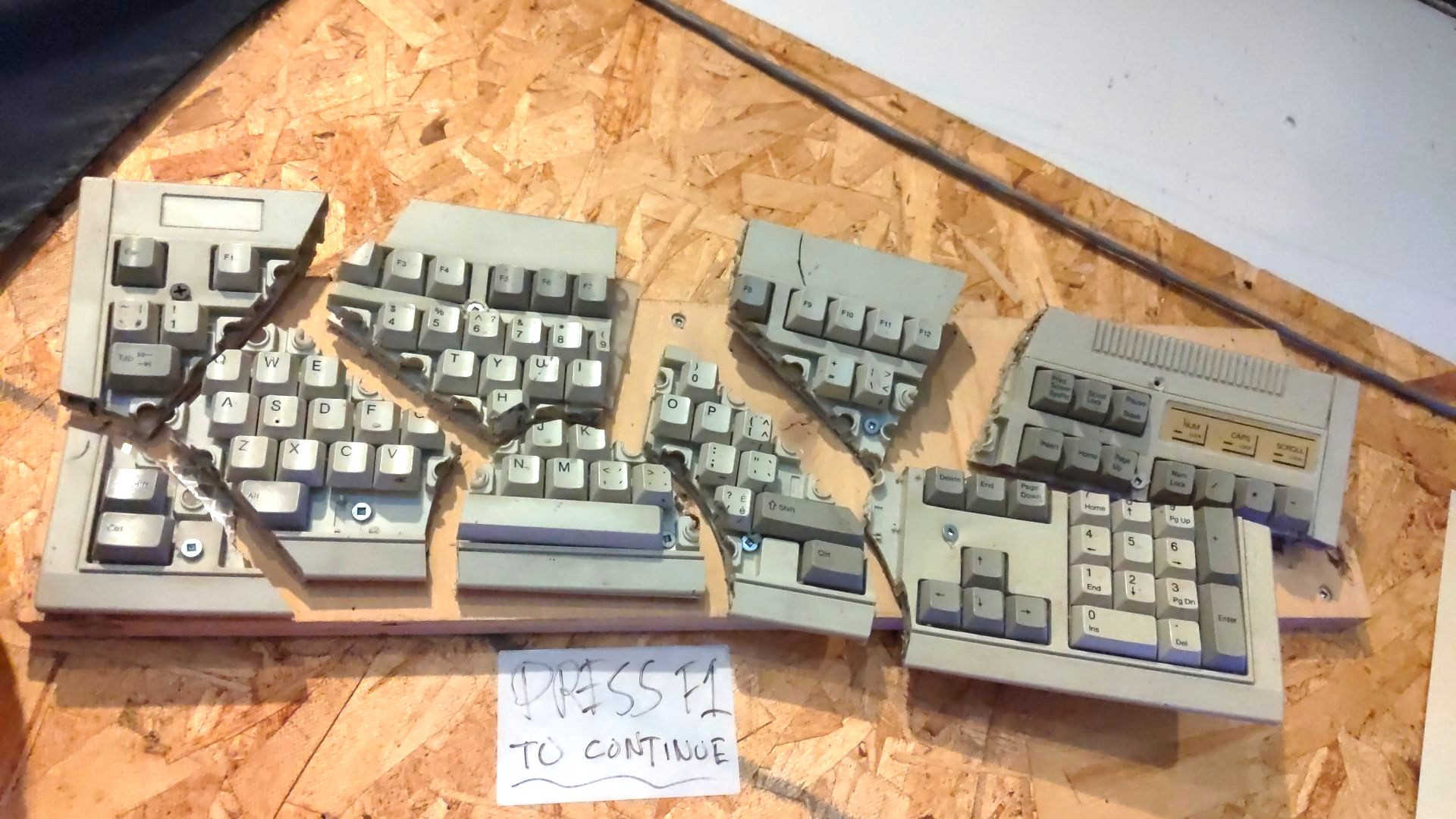
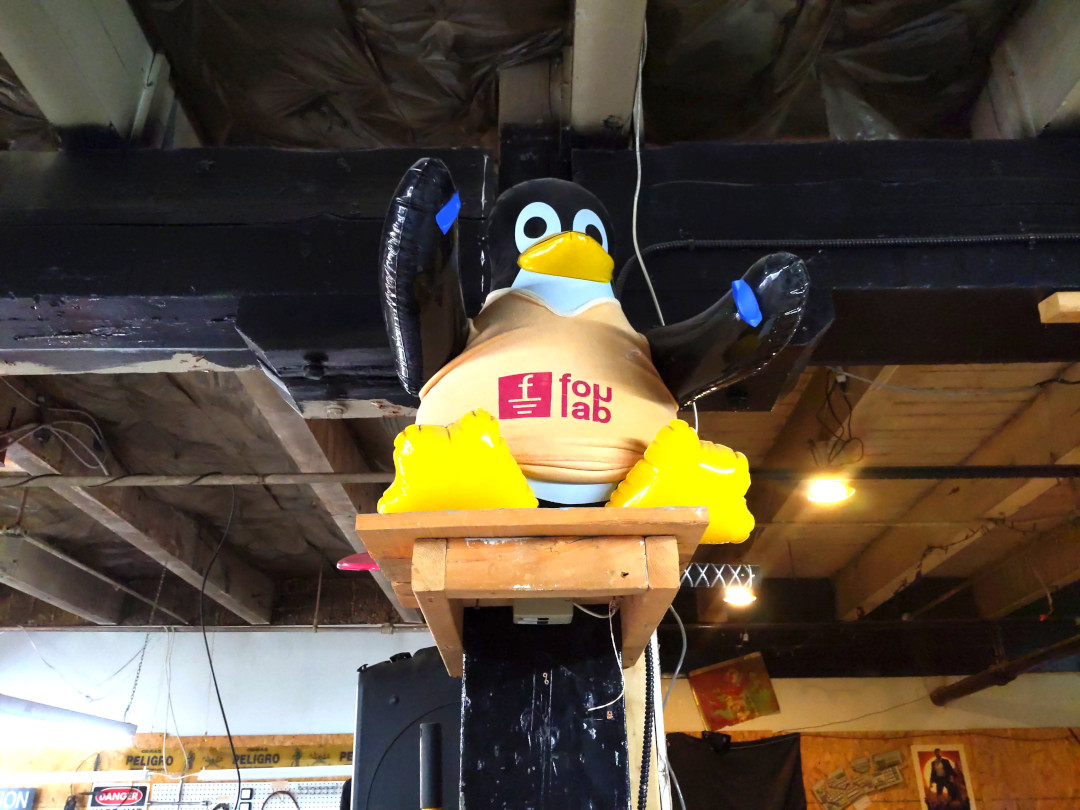
Hello from a snowy Montr al! My life has been pretty busy lately1 so please forgive this late report. On November 19th, our local Debian User Group met at Montreal's most prominent hackerspace, Foulab. We've been there a few times already, but since our last visit, Foulab has had some membership/financial troubles. Happy to say things are going well again and a new team has taken over the space. This meetup wasn't the most productive day for me (something about being exhausted apparently makes it hard to concentrate), but other people did a bunch of interesting stuff :) Pictures Here are a bunch of pictures I took! Foulab is always a great place to snap quirky things :) A sign on a whiteboard that says 'Bienvenue aux laboratoires qui rends fou' The entrance of the bio-hacking house, with a list of rules An exploded keyboard with a 'Press F1 to continue' sign An inflatable Tux with a Foulab T-Shirt A picture of the woodworking workshop

  1. More busy than the typical end of semester rush... At work, we are currently renegotiating our collective bargaining agreement and things aren't going so well. We went on strike for a few days already and we're planning on another 7 days starting on Friday 8th.

Matthew Garrett: Why does Gnome fingerprint unlock not unlock the keyring?

There's a decent number of laptops with fingerprint readers that are supported by Linux, and Gnome has some nice integration to make use of that for authentication purposes. But if you log in with a fingerprint, the moment you start any app that wants to access stored passwords you'll get a prompt asking you to type in your password, which feels like it somewhat defeats the point. Mac users don't have this problem - authenticate with TouchID and all your passwords are available after login. Why the difference?

Fingerprint detection can be done in two primary ways. The first is that a fingerprint reader is effectively just a scanner - it passes a graphical representation of the fingerprint back to the OS and the OS decides whether or not it matches an enrolled finger. The second is for the fingerprint reader to make that determination itself, either storing a set of trusted fingerprints in its own storage or supporting being passed a set of encrypted images to compare against. Fprint supports both of these, but note that in both cases all that we get at the end of the day is a statement of "The fingerprint matched" or "The fingerprint didn't match" - we can't associate anything else with that.

Apple's solution involves wiring the fingerprint reader to a secure enclave, an independently running security chip that can store encrypted secrets or keys and only release them under pre-defined circumstances. Rather than the fingerprint reader providing information directly to the OS, it provides it to the secure enclave. If the fingerprint matches, the secure enclave can then provide some otherwise secret material to the OS. Critically, if the fingerprint doesn't match, the enclave will never release this material.

And that's the difference. When you perform TouchID authentication, the secure enclave can decide to release a secret that can be used to decrypt your keyring. We can't easily do this under Linux because we don't have an interface to store those secrets. The secret material can't just be stored on disk - that would allow anyone who had access to the disk to use that material to decrypt the keyring and get access to the passwords, defeating the object. We can't use the TPM because there's no secure communications channel between the fingerprint reader and the TPM, so we can't configure the TPM to release secrets only if an associated fingerprint is provided.

So the simple answer is that fingerprint unlock doesn't unlock the keyring because there's currently no secure way to do that. It's not intransigence on the part of the developers or a conspiracy to make life more annoying. It'd be great to fix it, but I don't see an easy way to do so at the moment.

comment count unavailable comments

Dirk Eddelbuettel: RcppArmadillo 0.12.6.6.1 on CRAN: No More Deprecation

armadillo image Armadillo is a powerful and expressive C++ template library for linear algebra and scientific computing. It aims towards a good balance between speed and ease of use, has a syntax deliberately close to Matlab, and is useful for algorithm development directly in C++, or quick conversion of research code into production environments. RcppArmadillo integrates this library with the R environment and language and is widely used by (currently) 1126 other packages on CRAN, downloaded 31.7 million times (per the partial logs from the cloud mirrors of CRAN), and the CSDA paper (preprint / vignette) by Conrad and myself has been cited 569 times according to Google Scholar. This release ends the practice on asking Armadillo to suppress deprecation warnings. RcppArmadillo, as noted, has a large user base. Sometimes Conrad sometimes made changes without too much of a heads-up so at times it was opportune to not bring those warnings to dozens (or maybe hundreds) of packages at CRAN. Yet we need to balance this with the demonstrable need to call out older deprecated code use. So sixteen months ago, with GitHub issue #391, we started to alert author of 30+ affected packages and supplied either pull requests or emailed patches to all. Eleven months ago GitHub issues #402 was added for a second deprecation. And the time of making the switch has come. Release 0.12.6.6.1 no longer defines ARMA_IGNORE_DEPRECATED_MARKER. So among the over 1100 packages using RcppArmadillo at CRAN, around a good dozen or so were flagged in the upload but CRAN concurred and let the package migrate to CRAN. If you maintain an affected package, consider applying the patch or pull request now. A simple stop-gap measure also exists by adding -DARMA_IGNORE_DEPRECATED_MARKER to src/Makevars as either PKG_CPPFLAGS or PKG_CXXFLAGS to reactivate it. But a proper code update, which is generally simple, may be better. If you are unsure, do not hesitate to get in touch. The set of changes since the last CRAN release follows.

Changes in RcppArmadillo version 0.12.6.6.1 (2023-12-03)
  • Following the extendeded transition in #391 and #402, this release no longer sets ARMA_IGNORE_DEPRECATED_MARKER. Maintainers of affected packages have received pull requests or patches and can set -DARMA_IGNORE_DEPRECATED_MARKER as PKG_CPPFLAGS.

Courtesy of my CRANberries, there is a diffstat report relative to previous release. More detailed information is on the RcppArmadillo page. Questions, comments etc should go to the rcpp-devel mailing list off the Rcpp R-Forge page. If you like this or other open-source work I do, you can sponsor me at GitHub.

This post by Dirk Eddelbuettel originated on his Thinking inside the box blog. Please report excessive re-aggregation in third-party for-profit settings.

4 December 2023

Ian Jackson: Don t use apt-get source; use dgit

tl;dr: If you are a Debian user who knows git, don t work with Debian source packages. Don t use apt source, or dpkg-source. Instead, use dgit and work in git. Also, don t use: VCS links on official Debian web pages, debcheckout, or Debian s (semi-)official gitlab, Salsa. These are suitable for Debian experts only; for most people they can be beartraps. Instead, use dgit. > Struggling with Debian source packages? A friend of mine recently asked for help on IRC. They re an experienced Debian administrator and user, and were trying to: make a change to a Debian package; build and install and run binary packages from it; and record that change for their future self, and their colleagues. They ended up trying to comprehend quilt. quilt is an ancient utility for managing sets of source code patches, from well before the era of modern version control. It has many strange behaviours and footguns. Debian s ancient and obsolete tarballs-and-patches source package format (which I designed the initial version of in 1993) nowadays uses quilt, at least for most packages. You don t want to deal with any of this nonsense. You don t want to learn quilt, and suffer its misbehaviours. You don t want to learn about Debian source packages and wrestle dpkg-source. Happily, you don t need to. Just use dgit One of dgit s main objectives is to minimise the amount of Debian craziness you need to learn. dgit aims to empower you to make changes to the software you re running, conveniently and with a minimum of fuss. You can use dgit to get the source code to a Debian package, as a git tree, with dgit clone (and dgit fetch). The git tree can be made into a binary package directly. The only things you really need to know are:
  1. By default dgit fetches from Debian unstable, the main work-in-progress branch. You may want something like dgit clone PACKAGE bookworm,-security (yes, with a comma).
  2. You probably want to edit debian/changelog to make your packages have a different version number.
  3. To build binaries, run dpkg-buildpackage -uc -b.
  4. Debian package builds are often disastrously messsy: builds might modify source files; and the official debian/rules clean can be inadequate, or crazy. Always commit before building, and use git clean and git reset --hard instead of running clean rules from the package.
Don t try to make a Debian source package. (Don t read the dpkg-source manual!) Instead, to preserve and share your work, use the git branch. dgit pull or dgit fetch can be used to get updates. There is a more comprehensive tutorial, with example runes, in the dgit-user(7) manpage. (There is of course complete reference documentation, but you don t need to bother reading it.) Objections But I don t want to learn yet another tool One of dgit s main goals is to save people from learning things you don t need to. It aims to be straightforward, convenient, and (so far as Debian permits) unsurprising. So: don t learn dgit. Just run it and it will be fine :-). Shouldn t I be using official Debian git repos? Absolutely not. Unless you are a Debian expert, these can be terrible beartraps. One possible outcome is that you might build an apparently working program but without the security patches. Yikes! I discussed this in more detail in 2021 in another blog post plugging dgit. Gosh, is Debian really this bad? Yes. On behalf of the Debian Project, I apologise. Debian is a very conservative institution. Change usually comes very slowly. (And when rapid or radical change has been forced through, the results haven t always been pretty, either technically or socially.) Sadly this means that sometimes much needed change can take a very long time, if it happens at all. But this tendency also provides the stability and reliability that people have come to rely on Debian for. I m a Debian maintainer. You tell me dgit is something totally different! dgit is, in fact, a general bidirectional gateway between the Debian archive and git. So yes, dgit is also a tool for Debian uploaders. You should use it to do your uploads, whenever you can. It s more convenient and more reliable than git-buildpackage and dput runes, and produces better output for users. You too can start to forget how to deal with source packages! A full treatment of this is beyond the scope of this blog post.

comment count unavailable comments

Russ Allbery: Cumulative haul

I haven't done one of these in quite a while, long enough that I've already read and reviewed many of these books. John Joseph Adams (ed.) The Far Reaches (sff anthology)
Poul Anderson The Shield of Time (sff)
Catherine Asaro The Phoenix Code (sff)
Catherine Asaro The Veiled Web (sff)
Travis Baldree Bookshops & Bonedust (sff)
Sue Burke Semiosis (sff)
Jacqueline Carey Cassiel's Servant (sff)
Rob Copeland The Fund (nonfiction)
Mar Delaney Wolf Country (sff)
J.S. Dewes The Last Watch (sff)
J.S. Dewes The Exiled Fleet (sff)
Mike Duncan Hero of Two Worlds (nonfiction)
Mike Duncan The Storm Before the Storm (nonfiction)
Kate Elliott King's Dragon (sff)
Zeke Faux Number Go Up (nonfiction)
Nicola Griffith Menewood (sff)
S.L. Huang The Water Outlaws (sff)
Alaya Dawn Johnson The Library of Broken Worlds (sff)
T. Kingfisher Thornhedge (sff)
Naomi Kritzer Liberty's Daughter (sff)
Ann Leckie Translation State (sff)
Michael Lewis Going Infinite (nonfiction)
Jenna Moran Magical Bears in the Context of Contemporary Political Theory (sff collection)
Ari North Love and Gravity (graphic novel)
Ciel Pierlot Bluebird (sff)
Terry Pratchett A Hat Full of Sky (sff)
Terry Pratchett Going Postal (sff)
Terry Pratchett Thud! (sff)
Terry Pratchett Wintersmith (sff)
Terry Pratchett Making Money (sff)
Terry Pratchett Unseen Academicals (sff)
Terry Pratchett I Shall Wear Midnight (sff)
Terry Pratchett Snuff (sff)
Terry Pratchett Raising Steam (sff)
Terry Pratchett The Shepherd's Crown (sff)
Aaron A. Reed 50 Years of Text Games (nonfiction)
Dashka Slater Accountable (nonfiction)
Rory Stewart The Marches (nonfiction)
Emily Tesh Silver in the Wood (sff)
Emily Tesh Drowned Country (sff)
Valerie Vales Chilling Effect (sff)
Martha Wells System Collapse (sff)
Martha Wells Witch King (sff)

3 December 2023

Ben Hutchings: FOSS activity in November 2023

Ben Hutchings: FOSS activity in September 2023

Next.

Previous.