Search Results: "weasel"

29 August 2011

Mike Hommey: Extreme tab browsing

I have a pathological use of browser tabs: I use a lot of them. A lot is probably an understatement. We could say I use them as bookmarks of things I need to track. A couple weeks ago, I was saying I had around two hundred tabs opened. I now actually have much more. It affected startup until I discovered that setting the browser.sessionstore.max_concurrent_tabs pref to 0 was making things much better by only loading tabs when they are selected. This preference has/will become browser.sessionstore.restore_on_demand. However, since I only start my main browser once a day, while other applications start and while I begin to read email, I hadn t noticed that this was still heavily affecting startup time: about:startup tells me reaching the sessionRestored state takes seven seconds, even on a warm startup. It also affects memory usage, because even when tabs are only loaded on demand, there is a quite big overhead for each tab. And more importantly, it gets worse with time. And I think the user interface is actively making it worse. So, to get an idea how bad things were in my session, I wrote a little restartless extension. After installing it, you can go to the about:tabs url to see the damage on your session. Please note that the number of groups is currently wrong until you open the tab grouping interface. This is what the extension has to say about my session 2 days ago, right after a startup: The first thing to note is that when I filed the memory bug 4 days earlier, I had a bit more than 470 tabs in that session. You can see 4 days later, I now have 555 tabs (if excluding the about:tabs tab). The second thing to note is something I suspected because it s so easy to get there: a lot of the tabs are opened on the same address. Since Firefox 4.0, if I m not mistaken, there is a great feature in the awesomebar, that allows to jump to an existing tab matching what you type in the urlbar. That is very useful, and I use it a lot. However, there are a lot of cases where it s not as useful as it could be. One of the addresses I visit a lot is http://buildd.debian.org/iceweasel. It gives me the build status of the latest iceweasel package I uploaded to Debian unstable. That url is particularly known in my browsing history, and is the first hit when I type buildd in the urlbar (actually, even typing b brings it first). Unfortunately, that url redirects to https://buildd.debian.org/status/package.php?p=iceweasel through an HTTP redirection. I say unfortunately because when I type buildd in the urlbar, I get 6 suggestions for urls in the form http://buildd.debian.org/package (I also watch other packages build status), and the suggestion to switch to the existing tab for what the first hit would get me to is 7th. Guess what? The suggestion list only shows 6 items ; you have to scroll to see the 7th. The result is that I effectively have fifteen tabs open on that url. I also keep a lot of bugzilla.mozilla.org bugs open in different tabs. The extension tells me there are 255 of them for 166 unique bugs. Largely, the duplicate bug tabs are due to having these bugs open in some tab, but accessing the same bugs from somewhere else, usually a dependent bug or TBPL. I also have 5 tabs opened on my request queue. I usually get there by going to the bugzilla home page and clicking on the My Requests link. And I have several tabs opened on the same bug lists. For the same reason. When I started using tab groups, I splitted in very distinct groups. Basically, one for Mozilla, one for Debian, one for stuff I want to follow (usually blog posts I want to follow comments from), and one for the rest. While I was keeping up with grouping at the beginning, I don t anymore, and the result is that each group is now a real mess. Firefox has hundreds of millions users. It s impossible to create a user experience that works for everyone. One thing is sure, it doesn t work for me. My usage is probably very wrong at different levels, but I don t feel my browser is encouraging me to use it better, except by making my number of opened tabs explode to an unmanageable level (I already have 30 tabs more than when I started writing this post 2 days ago). There are a few other things I would like to know about my usage that my extension hasn t told me yet, either because it doesn t tell, or because I haven t looked: Reflecting on my usage patterns, I think a few improvements, either in the stock browser, or through extensions, could make my browsing easier: Maybe these exist as extensions, I don t know. It s hard to find very specific things like that through an add-on search (though I haven t searched very hard). [Looks like there is an experiment for the auto tab grouping part] I think it would also be interesting to have something like Test Pilot, but for users that want to know the answer to How do I use my browser? . As I understand it, Test Pilot can show individual user data, but it only can do so if there is such data, and you can t get data for past studies you didn t take. In my case, I m not entirely sure that, apart from the pinned tabs, I use the tab bar a lot. And even for pinned tabs, most of the time I use keyboard shortcuts. I m not using the menu button that much either. I already removed the url and search bar (most of the time) with LessChrome HD. Maybe I could go further and use the full window for web browsing.

28 August 2011

Axel Beckert: Useful but Unknown Unix Tools: watch

Yet another useful tool of which at least I heard quite late in my Unix career is watch . For a long time I wrote one-liners like this to monitor the output of a command:
while :; do echo -n " date  "; host bla nameserver; sleep 2; done
But it s way shorter and less error-prone to use watch from Debian s procps package and just write
watch host bla nameserver
The only relevant difference is that I don t have some kind of history when the output of the command changed, e.g. to calculate the rate with which a file grows. You can even track the output of more than one command:
watch 'ps aux   grep resize2fs; df -hl'
Also a nice way to use watch is to run it inside GNU Screen (or tmux or splitvt) and split up the terminal horizontally, i.e. show the output of watch in one window and the process you re tracking with the commands run by watch in the other window and see both running at the same time. Update, Sunday, 28th of August 2011, 17:13h I never found a useful case for watch s -d option which highlights changes to the previous run (by inverting the changed bytes), but until now three people pointed out the -d option in response to this blog-posting and weasel also had some nice examples, so here are they: Keep an eye on the current network routes (once per second) of a host and quickly notice when they change:
watch -n1 -d ip r
Watch the current directory for size or time stamp changes of its files:
watch -d ls -l
The option -d only highlights changes from the previous run to the next run. If you want to see all bytes which ever changed since the first run, use --differences=cumulative. Thanks to Klaus Mowgli Ethgen, Ulrich mru Dangel, Uli youam Martens and Peter weasel Palfrader for comments and suggestions.

18 August 2011

Raphaël Hertzog: People behind Debian: Peter Palfrader, Debian System Administrator

You might not know who Peter is because he s not very visible on Debian mailing lists. He s very active however and in particular on IRC. He was an admin of the OFTC IRC network at the time Debian switched from Freenode to OFTC. Nowadays he s a member of the Debian System Administration team who runs all the debian.org servers. If you went to a Debconf you probably met him since he s always looking for new signatures of his GPG key. He owns the best connected key in the PGP web of trust. He also wrote caff a popular GPG key signing tool. Raphael: Who are you? Peter: I m Peter Palfrader, also known as weasel. I m in my early 30s, born and raised in Innsbruck, Austria and am now living and working in Salzburg, Austria. In my copious free time, other than help running Debian s servers I also help maintaining the Tor project s infrastructure. Away from the computer I enjoy reading fiction (mostly English language Science Fiction and Fantasy), playing board games and going to the movies. Weather permitting, I also occasionally do some cycling. Raphael: How did you start contributing to Debian? Peter: I installed my first Debian the week slink came out. That was Debian 2.1 for the youngsters, in early 1999. The one thing I immediately liked about slink was that Debian s pppd supported RAS authentication which my university s dial-up system required. No way I d go back to SuSE 5.3 when I had working Internet with my Debian box. :) During that year I started getting involved in the German language Debian channel on IRCnet which got me in contact with some DDs. Christian Kurz (<shorty>) was working on Debian QA at the time and he asked my help in writing a couple of scripts. Some of that work, debcheck, still produces parts of the qa.d.o website, tho the relevance of that nowadays is probably negligible. While trying to learn more Perl earlier, I had written a program to produce syntax highlighted HTML for code snippets in various languages. I didn t really know what I was doing but it kinda worked, and probably still does since I still get mail from users every now and then. I figured that it would be really nice if people could just get my software together with Debian. According to code2html s Debian changelog the initial release of the package was done on a weekday at 2:30 in the morning early in 2000, and if my memory serves me correctly, shorty uploaded it shortly afterwards. I started packaging a couple of other piece of software and in the same year I sent my mail to the debian account managers to register my intent to become a DD. No new developers where being accepted at that time since the DAMs wanted to overhaul the entire process so I wasn t surprised to not get any immediate reply. Of course what the silence also meant was that the mail had been lost, but I only learned of that later when I took all my courage to ask DAM about the status of application a couple months later. Once that was sorted out I was assigned an AM, did the usual dance, and got my account late in November 2000. Raphael: Four years ago, the Debian System Administration team was a real bottleneck for the project and personal conflicts made it almost impossible to find solutions. You were eager to help and at some point you got dropped as a new member in that team. Can you share your story and how you managed the transition in the difficult climate at that time? Peter: Ah, that was quite the surprise for an awful lot of people, me included. Branden Robinson, who was our DPL for the 2005-2006 term, tried to get some new blood added to DSA who were at the time quite divided. He briefly talked to me on IRC some time in summer 2005, telling me I had come recommended for a role on the sysadmin team . In the course of these 15 minutes he outlined some of the issues he thought a new member of DSA would face and asked me if I thought I could help. My reply was cautiously positive, saying that I didn t want to step on anybody s toes but maybe I could be of some assistance. And that was the first and last of it, until some fine November day two years later I got an email from Phil Hands saying I ve just added you to the adm group, and added you to the debian-admin@d.o alias. and welcome on board . *blink* What!? My teammates at the time were James Troup (elmo), Phil Hands (fil), Martin Joey Schulze and Ryan Murray (neuro). The old team, while apparently not on good terms with one another, was however still around to do heavy lifting when required. I still remember when on my first or second day on the team two disks failed in the raid5 of ftp-master.debian.org aka ries. Neuro did the reinstall once new disks had arrived at Brown University. I m sure I d have been way out of my league had this job fallen to me. Fortunately my teammates were all willing and able to help me find whatever pieces of information existed that might help me learn how debian.org does its stuff. Unfortunately a lot of it only existed in various heads, or when lucky, in one of the huge mbox archives of the debian-admin alias or list. Anyway, soon I was able to get my hands dirty with upgrading from sarge to etch, which had been released about half a year earlier. Raphael: I know the DSA team has accomplished a lot over the last few years. Can you share some interesting figures? Peter: Indeed we have accomplished a lot. In my opinion the most important of these accomplishment is that we re actually once again a team nowadays. A team where people talk to one another and where nobody should be a SPoF. Since this year s debconf we are six people in the admin team: Tollef Fog Heen (Mithrandir) and Faidon Liambotis (paravoid) joined the existing members: Luca Filipozzi, Stephen Gran, Martin Zobel-Helas, and myself. Growing a core team, especially one where membership comes with uid0 on all machines, is not easy and that s why I m very glad we managed to actually do this step. I also think the infrastructure and our workflows have matured well over the last four years. We now have essential monitoring as a matter of course: Nagios not only checks whether all daemons that should be running are in fact running, but it also monitors hardware health of disks, fans, etc. where possible. We are alerted of outstanding security updates that need to be installed and of changes made to our systems that weren t then explicitly acked by one of us. We have set up a centralized configuration system, puppet, for some of our configuration that is the same, or at least similar, on all our machines. Most, if not all, pieces of software, scripts and helpers that we use on debian.org infrastructure is in publicly accessible git repositories. We have good communication with other teams in Debian that need our support, like the ftp folks or the buildd people. As for figures, I don t think there s anything spectacular. As of the time of our BoF at this year s DebConf, we take care of approximately 135 systems, about 100 of them being real iron, the other virtual machines (KVM). They are hosted at over 30 different locations, tho we are trying to cut down on that number, but that s a long and difficult process. We don t really collect a lot of other figures like web hits on www.debian.org or downloads from the ftp archive. The web team might do the former and the latter is pretty much impossible due to the distributed nature of our mirrors, as you well know. Raphael: The DSA team has a policy of eating its own dog food, i.e. you re trying to rely only on what s available in Debian. How does that work out and what are the remaining gaps? Peter: Mostly Debian, the OS, just meets our needs. Sure, the update frequency is a bit high, we probably wouldn t mind a longer release cycle. But on the other hand most software is recent enough. And when it s not, that s easy to fix with backports. If they aren t on backports.debian.org already, we ll just put them there (or ask somebody else to prepare a backport for us) and so everybody else benefits from that work too. Some things we need just don t, and probably won t, exist in Debian. These are mainly proprietary hardware health checks like HP s tools for their servers, or various vendors programs to query their raid controller. HP actually makes packages for their stuff which is very nice, but other things we just put into /usr/local, or if we really need it on a number of machines, package ourselves. The push to cripple our installers and kernels by removing firmware was quite annoying, since it made installing from the official media next to impossible in some cases. Support for working around these limitations has improved with squeeze so that s probably ok now. One of the other problems is that especially on embedded platforms most of the buildd work happens on some variation of development boards, usually due to increased memory and hard disk requirements than the intended market audience. This often implies that the kernel shipped with Debian won t be usable on our own debian.org machines. This makes keeping up with security and other kernel fixes way more error prone and time intensive. We keep annoying the right people in Debian to add kernel flavors that actually boot on our machines, and things are getting better, so maybe in the future this will no longer be a problem. Raphael: If you could spend all your time on Debian, what would you work on? Peter: One of the things that I think is a bit annoying for admins that maintain machines all over the globe is mirror selection. I shouldn t have to care where my packages come from, apt-get should just fetch them from a mirror, any mirror, that is close by, fast and recent. I don t need to know which one it was. We have deployed geodns for security.debian.org a while ago, and it seems to work quite well for the coarse granularity we desired for that setup, but geodns is an ugly hack (I think it is a layer violation), it might not scale to hundreds or thousands of mirrors, and it doesn t play well with DNSSEC. What I d really like to see is Debian support apt s mirror method that I think (and I apologize if I m wronging somebody) Michael Vogt implemented recently. The basic idea is that you simply add deb mirror://mirror.debian.org/ or something like that to your sources.list, and apt goes and asks that server for a list of mirrors it should use right now. The client code exists, but I don t know how well tested it is. What is missing is the server part. One that gives clients a mirror, or list of mirrors, that are close to them, current, and carry their architecture. It s probably not a huge amount of work, but at the same time it s also not entirely trivial. If I had more time on my hands this is something that I d try to do. Hopefully somebody will pick it up. Raphael: What motivates you to continue to contribute year after year? Peter: It s fun, mostly. Sure, there are things that need to be done regularly that are boring or become so after a while, but as a sysadmin you tend to do things once or twice and then seek to automate it. DSA s users, i.e. DDs, constantly want to play with new services or approaches to make Debian better and often they need our support or help in their endeavors. So that s a constant flow of interesting challenges. Another reason is that Debian is simply where some of my friends are. Working on Debian with them is interacting with friends. I not only use Debian at debian.org. I use it at work, I use it on my own machines, on the servers of the Tor project. When I was with OFTC Debian is what we put on our machines. Being a part of Debian is one way to ensure what Debian releases is actually usable to me, professionally and with other projects. Raphael: Is there someone in Debian that you admire for their contributions? Peter: That s a hard one. There are certainly people who I respect greatly for their technical or other contributions to Debian, but I don t want to single anybody out in particular. I think we all, everyone who ever contributed to Debian with code, support or a bug report, can be very proud of what we are producing one of the best operating systems out there.
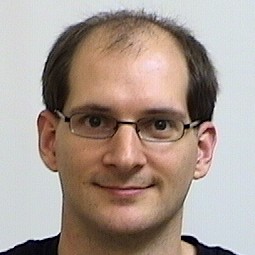
Thank you to Peter for the time spent answering my questions. I hope you enjoyed reading his answers as I did. Subscribe to my newsletter to get my monthly summary of the Debian/Ubuntu news and to not miss further interviews. You can also follow along on Identi.ca, Twitter and Facebook.

No comment Liked this article? Click here. My blog is Flattr-enabled.

21 July 2011

Rapha&#235;l Hertzog: People behind Debian: Martin Michlmayr, former Debian Project Leader

Martin Michlmayr is a Debian developer since 2000 and I share quite a few things with him, starting with his age and involvement in the quality assurance team. He managed to be elected Debian Project Leader in 2003 and 2004. He s no longer as active as he used to be but his input is always very valuable and he continues to do very interesting things in particular concerning the support of NAS devices. Read on for the details. Raphael: Who are you? Martin: I m Martin Michlmayr. I m 32, originally from Austria, and currently living in the UK. I ve contributed to various free software projects over the years but Debian is without doubt the one I m most passionate about. I joined Debian in 2000 when I was a student. I worked on Debian more or less full time for a few years while I was pretending to study. Later I started a PhD to do research about quality and management aspects of volunteer free software projects. I investigated the release process in several free software projects, in particular looking at time-based releases. After finishing my PhD in 2007, I joined Hewlett-Packard. I m part of HP s Open Source Program Office and work on various free software and open source activities, both internally and within the community. Raphael: How did you start contributing to Debian? Martin: I first used Debian in the days of 0.93R6, some time around the end of 1995. The 0.93R6 release was still based on a.out but I needed an ELF-based system for some application, so I moved to Slackware. I then quickly moved to Red Hat Linux where I stayed for several years. I rediscovered Debian in 2000 and quickly decided to join the project. I cannot recall how I rediscovered Debian but when I did, it was clear to me that Debian was the ideal project for me: I could identify with its philosophy, I liked the volunteer nature of the project, and I found the size and diversity of Debian interesting since a large project offers a lot of different challenges and opportunities. I remember how many new things there were to learn and back then the documentation and other resources for new contributors were nowhere as good as they are today. My application manager, Julian Gilbey, was a great help he was incredibly friendly and passionate about Debian. I also remember meeting up with Peter Palfrader (weasel) for key signing when we were both in the New Maintainer queue. I was incredibly lucky with my New Maintainer process and soon became an official Debian Developer. Because there was a shortage of application managers, my first major contribution in Debian was to become an application manager myself and help other people join the project. Debian is a large project with a long history and a rich culture, so new contributors should expect that it will take some time to become familiar with everything. Fortunately, there are many resources, such as documentation and the debian-mentors list, for new contributors. Another great way to become familiar with the way things are done in Debian is to subscribe to various Debian mailing lists and ideally to read some mailing list archives. It s also a great idea to attend the Debian Conference or other conferences since meeting people in real life is a great way to integrate. I remember attending Debian Conference 1 in Bordeaux where I gave my first public talk. Finally, new contributors should find an area where they can make a unique contribution. Most people in Debian maintain packages but there are so many other ways to contribute. For example, most of my contributions were not technical but were about coordination and other organizational activities. Raphael: What s your biggest achievement within Debian? Martin: I m particularly proud of a number of achievements: Raphael: Speaking about NAS devices: what exactly are you doing on this topic and how can people help? Martin: There are plenty of instructions on the Internet to install Linux distributions on NAS or various embedded devices by connecting a serial console and then typing in hundreds of commands. What I found is that such instructions significantly limit the user base because they are way too complicated for most users. There are just too many steps that can go wrong. So instead, in Debian, we provide a solution that just works: usually, you download a firmware image for your NAS device from Debian and when you upgrade you get the Debian installer. You connect to the installer via SSH and perform a normal installation. The installer knows about the device and will prepare everything for you automatically for example, it knows if the device has requirements for the partition layout and it will install the kernel where the device expects to find it; unfortunately, NAS devices are not like PCs, so the requirements are different for almost every device and therefore you need special code to support a new device. Finally, there are detailed installation guides and we provide help on our mailing lists. There are a number of technical areas for improvement. The installation could be made even easier, and it would be nice to support new platforms and devices. A bigger problem is that while we ve implemented a great solution for NAS devices, we haven t really extended this work to support other classes of devices. For example, tablets and mobile phones are getting incredibly popular and we don t have a compelling solution for such devices, mostly because of the lack of an appropriate GUI. Raphael: What are your plans for Debian Wheezy? Martin: I ve recently been asked by Stefano Zacchiroli, our current Debian Project Leader, to coordinate the care-taking of Debian finances. Debian, as a volunteer project, relies on donations and in-kind gifts (e.g. hardware) to maintain its infrastructure and to support various development efforts, such as funding sprints and other developer gatherings. Debian s money and other assets are held by affiliate organizations around the world. My responsibility will be to keep track of money and other assets (e.g. hardware and trademarks), work with the DPL to establish procedures related to the use of Debian s assets, and make sure that the procedures are followed. Finally, we want to publish public statements so our donors know how we use their donations to further improve Debian. I just started working on this and this will be my main activity in Debian in the coming months. Raphael: Speaking of money, I plan to run a fundraising to get the Debian book I wrote with Roland Mas translated (cf. http://debian-handbook.info). Is this something Debian should support? Martin: First of all, I should make it clear that I don t decide how Debian spends its money. This is up to the DPL to decide together with the project at a whole. I ll just make sure that procedures are followed and expenses tracked and reported properly. Having said that, in my opinion, it s unlikely that Debian as a project will fund this effort. It would be inconsistent with the position of the project not to fund work directly (only some related expenses, such as travel costs to allow Debian teams to organize face-to-face meetings). Whether Debian should support the fundraising effort by helping to promote it is another question and that s probably not as clear cut. It looks like a worthwhile effort, but on the other hand it would be unfair for authors of other Debian books for Debian to put its weight behind one and there are many other efforts that are worth promoting if you promote one, where do you stop? So while it sounds worthwhile, it s probably better for Debian to stay out of it. But somehow related to this, I sometimes worry about the fact that there are so few paid opportunities around Debian. If you contribute to the Linux kernel for a while, you have an excellent chance to get hired by someone and to work on the kernel full time. The kernel may be an extreme example but there are a lot of projects that have more paid opportunities than Debian, e.g. Mono, GNOME, OpenOffice/LibreOffice and KDE. Obviously, there are some Debian Developers who can spend some time on Debian as part of their job. I know that some Canonical employees contribute to Debian, that support companies like credativ improve Debian as part of their work, and that system administrators fix bugs or package new software as they deploy Debian. But I think this is a minority of contributors and even they don t work full time on Debian. Instead what I see is that a lot of people leave university, get a job and then no longer have time for Debian or people start a family and no longer have time. I can take myself as an example since I don t have nearly as much time as I did in the past when I was a student. I guess there are different ways to deal with this problem one would be to create more paid opportunities around Debian outside the project, another one might be to make it easier for new volunteers to join the project. I don t have the answers to these questions but it s something I wonder about, and I also wonder whether pure volunteer projects can still keep up with projects with a lot of full time contributors. Raphael: What motivates you to continue to contribute year after year? Martin: Debian is a great project with a great mission, goals and people. I contribute to make Debian a better solution and to promote the free software philosophy. Finally, the community around Debian provides a lot of motivation. It s amazing how much I ve learned about other cultures because of my involvement in Debian and how many friends I ve made over the years all around the world. Raphael: Do you have wishes for Debian Wheezy? Martin: Not really. I m pretty happy with the way things are going at the moment. We have made a lot of organizational changes in the last few years from which the project has greatly benefited. I m particularly pleased about the plans to adopt a time-based freeze. Raphael: Is there someone in Debian that you admire for their contributions? Martin: There are many people I admire greatly. I d like to mention Joey Hess because he s a great example to follow. He doesn t get involved in politics, is easy to work with and does great technical work. In fact, he has made not one but several contributions that have completely changed Debian (debconf, debhelper, and debian-installer). Furthermore, Debian has a lot of contributors who have done great work over the years but who are not very vocal about it. People like Colin Watson or Peter Palfrader. Debian has many unique contributors and the list of people I admire is much longer than the few people I just mentioned.

Thank you to Martin for the time spent answering my questions. I hope you enjoyed reading his answers as I did. He raised some interesting questions. Subscribe to my newsletter to get my monthly summary of the Debian/Ubuntu news and to not miss further interviews. You can also follow along on Identi.ca, Twitter and Facebook.

No comment Liked this article? Click here. My blog is Flattr-enabled.

12 July 2011

John Goerzen: First Look at Google Plus

Seems like everybody s writing Google+ reviews these days, but most of the ones I ve found seem to be fluff pieces. I haven t used it long, but have some initial impressions to share. First, an analogy. Facebook reminds me of the sleazy guy selling stuff from his car down the street. They do things like change privacy defaults when they think it s good for Facebook, rather than good for you. Google+ reminds me of an Apple product. It s beautiful, easy to learn, but locks everything down and is lacking some critical features. So here goes with the details. The good I think that this can be best summed up by: it s not Facebook. Facebook has, perhaps, set an incredibly low bar but still, this holds. Facebook is the only website I can ever remember using that changes things so much, so often, and so completely that I keep having this feeling of not knowing how to do things. Try maintaining a Facebook page or two and you ll especially feel my pain then. But even the basics: how many times have I accidentally posted a partial comment because I pressed Enter to start a new paragraph (that has only been the button used for that for, hmm, let s see now, decades), and instead it posted the comment. Principle of least surprise, anyone? Google+ has a simple and, on the surface anyway, intuitive interface. However, it does get muddy; more on that below. I m going to spend a lot more space on the bad below, but don t let that diminish my excitement about having a viable alternative to Facebook. I am keen to get rid of that monster. The Bad I ll start of this section with the fact that Google+ is a tightly-controlled walled garden. There is no way to take a copy of your status updates, comments, etc. and back them up with your own devices. If your Google account goes away, so do all your updates about your kids first words. Facebook does have this feature these days. It has broken half the time, but it exists, works, and I use it. Twitter doesn t have the feature built in, but its API makes it pretty easy; you could easily use my twidge program to do this, for instance. But whatever you put in G+ stays in G+. There is no autoposting it to twitter or Facebook, no backups, nothing. I m disappointed in that, given Google s prior attitude about openness to individual data ownership. (Update 7/12/2011: There is a way to get a backup, which I hadn t noticed; see comments below.) Almost as bad, there s also no way to get data in. So I now have identi.ca, twitter, Facebook, and now also G+ accounts. When I post an item in identi.ca, it autoposts to twitter, and then it autoposts from twitter to Facebook. Handy one place to notify people of my public activities. My uploads to Flickr and blog posts also auto-post to Facebook, so people I m friends with there get a picture of what I m doing outside of Facebook without me manually having to link it in. Not so with G+. There is no way to even add an RSS feed for my blog to auto-post to G+ as there is with Facebook. If you use G+, the only way to get stuff into it is with a keyboard. Poor integration with other Google apps is also an issue. G+ is nowhere near Google s first social app. They also have Blogger, Google Reader, Buzz, Gmail, etc. So here s the rub. These aren t integrated well, and when they have tried to integrate them, they ve done an exceedingly poor job of it. As an example: Buzz is a twitter-like service for posting updates. Very similar to what G+ does, right? Well, the best you can do is link your Buzz account to a separate tab on your profile. You can t even have your Buzz updates flow straight into G+, from what I can see. You have a separate list of followers in Buzz from G+. Reader is even worse; it has a sharing feature, but it s not G+ aware, so it goes to a reader inbox. But what takes the cake is the integration with Gmail Contacts. Sounds easy? Not entirely. When you add someone to G+, apparently it sometimes links the record with their entry in Contacts. And the help gives you the handy warning that when you remove them from G+, you have the option of removing them from Contacts, which could impact what you see on a mobile device. It is unclear what happens when it doesn t link the record, or how it decides which record to link (some people have more than one person in a family sharing phone numbers and email addresses, for instance.) One very nice feature of G+ is you can add email addresses, even if they aren t G+ members. Then when you post updates to the circle you ve added them to, G+ offers to send them an email with an update. Very handy. Except the undocumented part is that if you select Your circles (meaning all your circles), rather than individually ticking the box by each circle, they don t get the email. And they also don t get it if you set it Public. You have to select their specific circle, which is a significant difference from how people with G+ accounts are treated. And that s just an example. There are a ton of things that work one way 95% of the time, but have non-obvious exceptions. Some of these exceptions are documented in the help, and some aren t. I m still confused about the integration with Picasa. G+ help says that you can upload unlimited numbers of photos for free (though they will be downscaled at a certain point). Picasa has definite storage limits. But G+ uploads are showing up in Picasa. Do I really get free storage by uploading to the same place via a different tool? Very odd. And finally, a gripe about web standards. I ve been using Firefox/Iceweasel 3.5, which came out in Debian squeeze and is still supported there. It is also pretty darn new by corporate IT standards. And Google Plus refuses to let me log in with it, saying it s incompatible. Perhaps it can t do some fancy animation, but then again I don t really care. Seems Google has forgotten the old RFC adage: be liberal in what you accept and conservative in what you generate. If you can detect that my browser won t animate something right, then you could give me a stripped-down version of the page rather than an error message.

7 July 2011

Mike Hommey: Prepare yourself for the upcoming changes on the mozilla.debian.net repository

With the upcoming changes in the beta and aurora channels (6.0 is going to reach beta, and 7.0 to reach aurora), the mozilla.debian.net repository is going to adapt, and drop versioned archives in favor of channel archives. The channel archives for beta and aurora already existed, however what is new is the release channel. Currently, that channel contains Iceweasel 5.0, but as soon as 6.0 is released, that s what the release channel will contain. To summarize, if you added lines containing iceweasel-x.0 where x is 4, 5, or 6 in your /etc/apt/sources.list, you need to update it to the corresponding channel (don t forget 4.0 is dead, you should use release instead). The iceweasel-5.0 and iceweasel-6.0 archives still exist at the moment but will be dropped as soon as the new aurora and beta releases are ready, which should be real soon now (only waiting for actual upstream releases). As a somehow related note, it should be noted that Iceweasel 5.0 should (finally) enter Debian unstable on the 15th of July, at which point the latest 6.0 beta will also be uploaded to Debian experimental. It is still unclear how long it will take for Iceweasel 5.0 to reach Debian testing/wheezy, because of all the reverse dependencies, but when that happens, we ll also be able to push it to backports.debian.org.

Lars Wirzenius: Instapaper versus MAFF

I recently heard about Instapaper on the Stack Exchange podcast. It's a service that makes it easy (they say) to save web pages for reading later, possibly on another machine or device. I've been doing that for some years now, using the "File/Save" feature in my browser. Last year, this became lots better, when I found the MAFF add-on to Firefox. MAFF saves the page, and any images it includes, in a zipped file, which can later be viewed directly in Firefox. Or Iceweasel, in my case. It's much handier to have everything in one file, rather than a foo.html file plus a foo_files/ directory, which is what Firefox usually saves as. This does not make it possible to, for example, read the page on my phone, since I've saved the file on my laptop, but I can live with that. However, the complete autonomy of this solution is much to my liking. I have a "read and review" folder for things I need to read. After I'm done with something, I can easily delete it. If I want to keep it permanently, I can move it to an archive folder. I haven't got a solution for full text searching through my growing archive of MAFF files, but I'll figure that out some day, too, I'm sure.

30 June 2011

Mike (stew) O'Connor: Trademarks and free software do not mix

Today I was made aware of bug #607839, and it makes me sad. I think its a great example about how trademarks and free software do not coexist well together. This bug started out as a question of the copyright license of a file, but quickly turned into a discussion about the GNOME [0] trademark, and the GNOME Foundation Trademark Usage Guidelines for Third Parties I believe that the GNOME project would be standing on solid legal ground if they wanted to actually try to aggressively protect their trademark. It is easy for me to find hundreds of places we use their mark in ways that are expressly forbidden by their trademark license. Here are some examples:
grep -i "gnome's" /var/lib/dpkg/available  # many package descriptions invalidly using a possessive
grep -i "gnome[^ ]" /var/lib/dpkg/availabe # returns nothing, trademark symbol is required
Probably to be in strict compliance, we would need to allow uppercase letters in package names. (I doubt this would happen, especially not for a reason like this). I am sure that a lawyer would tell us that the safest legal place for Debian would be to abandon all use of their marks. This would unfortunately be a herculean effort on Debian's part; we'd have to rename tons of packages, create and maintain tons of patches, create new logos, etc. And, I believe it would have the unfortunate side-effect of having a negative impact on both projects from a publicity standpoint. As with the firefox/iceweasel situation, the company trying to protect its trademark looks like a bully, and Debian looks like out-of-touch zealots. From the tone of the conversation in the bug report, I do not believe that this is something that the GNOME Foundation would force on us, and I certainly don't believe it would be an outcome they would hope for. They could give us written permission to use their marks in the ways we are already using them, however, lots of people would point at DFSG#8, and this would fail the 'tentacles of evil' test. (We are, of course, already under the grasp of these tentacles, as their current trademark license is subject to change) Better for us would be if they modified their trademark license agreement in order to allow our current usages of their mark. I feel that this quite unlikely to happen. It would certainly weaken their hold on the mark. Trying to apply the DFSG in these situations also doesn't work as well as it should. The DFSG is written with copyrights in mind and not patents and trademarks. This feels to me similar to situations we have with patent encumbered software which is under a perfectly free license. We can distribute the software without fear of a claim that we are violating copyrights, but the software is still not perfectly free since as I user, my rights to use and distribute the software might be severely limited from a legal standpoint. Also by Debian choosing to distribute software which has these kinds of potential problems, we might be putting a legal liability on members of the project and people that run mirrors for us. Of course, to add to the conflict I feel, Debian has its own trademarks, which it is poor at enforcing. On one hand, its bad for all the reasons that this situation is bad. On the other hand I sometimes wish that Debian did a better job of protecting its own trademark. It's clear from how many people show up in #debian expecting support for linuxmint or aptosid claiming "linux mint debian edition IS Debian, it says so on linuxmint.org" that we have allowed our mark to be diluted. NOTE: I became aware of this bug because of Zack CCing the FTP team. I serve on this team as an assistant, however, My comments here come from me personally without any discussion with other members of FTP team and should not be taken as any kind of offical word from the FTP team. [0] I suddently feel compelled to mention that The GNOME name is a registered trademark of GNOME Foundation in the United States or other countries.

24 June 2011

Rapha&#235;l Hertzog: People behind Debian: Sam Hartman, Kerberos package maintainer

Sam Hartman is a Debian developer since 2000. He has never taken any sort of official role within Debian (that is besides package maintainer), yet I know him for his very thoughtful contributions to discussions both on mailing lists and IRL during Debconf. Until I met him at Debconf, I didn t know that he was blind, and the first reaction was to be impressed because it must be some tremendous effort to read the volume of information that Debian generates on mailing lists. In truth he s at ease with his computer much like I am although he uses it in a completely different way. Read on to learn more, my questions are in bold, the rest is by Sam. Raphael: Who are you? Sam: I m Sam Hartman. I m a 35-year-old software engineer. I am a principal consultant and co-owner of a small consulting company, called Painless Security. I started using Debian in the mid 1990 s around the time of the bo release. I ended up deciding to join the project as a developer in 2000. Raphael: You re blind and yet you re using your computer as effectively as I am. Can you explain us how you setup your computer ? Sam: I gave a talk at Debconf9 on how my computer is set up; you can watch the video for full details. My main laptop runs Debian. I use the gnome-orca package as my primary screen reader. It speaks the Gnome desktop. It does a relatively good job of speaking Iceweasel/Firefox and Libreoffice. While it does speak gnome-terminal, it s not really good enough at speaking terminal programs that I am comfortable using it. So, I run Emacs with the Emacspeak package. Within that, I run the Emacs terminal emulator, and within that, I tend to run Screen. For added fun, I often run additional instances of Emacs within the inner screens. Raphael: Are there important problems in Debian in terms of accessibility to blind people? KDE documentation talks a lot about accessibility, but at least for blind users, the code completely fails to deliver. That means there are a lot of good packages a blind user cannot use. The non-free Adobe Flash player has some accessibility, but it could be a lot better. The free alternatives have none. The free PDF readers have basically no accessibility. You can use pdftotext, but you cannot actually read a PDF in a graphical application. It s way too easy for a misbehaving program to lock up the entire accessibility infrastructure. Gnash is a big culprit here: if my Iceweasel starts Gnash, there s a good chance that either Iceweasel or the entire desktop will appear to hang from an accessibility standpoint. Other programs, including gksu tend to fail in this way. Some of the more dynamic website features like pop up menus or selection lists are really difficult to find and click without causing them to disappear. This gets better and worse over time as the accessibility support in Iceweasel changes and as websites change. Raphael: What s your biggest achievement within Debian? Sam: I decided to be a Debian developer because I thought that in 2000, Debian support for using enterprise security and infrastructure software was lacking. Back then, any software that included crypto functionality was segregated into a special non-us archive. Some of the software was missing; I started by packaging MIT Kerberos for Debian. Other software had security or enterprise features disabled in the packages. At the height of working on this, I was maintaining krb5, some SASL modules, PAM, some PAM modules,OpenAFS, a version of and Ssh with Kerberos support. I was also involved in the effort to resolve the legal issues so that we could move security software into the main archive. I think this work has been a huge success. In fact, it s been such a success that other people are now doing most of the work. I still maintain the krb5 package. When I started I felt like I was pushing against the flow trying to get people to add patches, sometimes even having to fork a package. However, now, I can maintain just one component and there are enough others who shared my original goal that the work continues. These days, I m working on something that s an evolution of this enterprise security work. I m packaging Project Moonshot for Debian and Ubuntu. Project Moonshot is a response to the wide variety of identity management systems such as OpenID, Oauth, SAML, and the like. Moonshot works to create an identity management approach that works well both for the web and for client-server and other applications. The project is a lot of fun, but the role of Debian in the project is also interesting. One of the things we want to show with Moonshot is how our technology can be effective when it is integrated throughout a platform. To really show the potential it needs to work with as many applications in a given platform as possible. The open and collaborative nature of the Debian community makes it possible to introduce a new technology and have that technology evaluated based on its merits. We don t need huge business relationships or marketing deals to integrate our technology: we need some combination of doing the work ourselves and showing others the benefits of working with us. For someone trying to do innovative work, the Debian model is powerful. Raphael: If you could spend all your time on Debian, what would you work on? Sam: I d really love to work with the embedded Debian folks. The vision of a single source base that could be the stack from devices from small embedded devices all the way up to high-end servers is very appealing. Doing that with Debian involves a number of challenges. However with the right people working on meeting these challenges full-time, I think we could offer something promising. I d also love to have the time to contribute to project infrastructure: working on the release team, helping ftpmaster, that sort of thing. However I don t. I m just happy that so much of my consulting practice involves working on open-source software. Raphael: What s the biggest problem of Debian? Sam: There s something really not right about how we transition libraries from unstable to testing. Every time I get involved in a library transition I m shocked at how complicated it is and how disruptive it is both to testing and unstable. We need to look at technology and processes to break up the dependency snarles. For example we don t have good archive tools for keeping old versions of libraries around to ease transitions. If you haven t thought about this issue you ll probably say that I m being overly picky and this can t be the major problem for Debian. However, if you think about how much this impacts our ability to introduce things into unstable around the times of the freeze or about how much it slows the release process, you may begin to appreciate how big of an issue this is. Raphael: Is there someone in Debian that you admire for their contributions? Sam: There are a number of people who have been role models for me over the years. Anthony Towns really helped me understand a lot of what drives free-software projects and what needs to be true for positive motivation. Joey Hess showed us all that sometimes, social problems do have technical solutions. If the tools are so good that doing the right thing is far easier than any other course of action, quality improves.

Thank you to Sam for the time spent answering my questions. I hope you enjoyed reading his answers as I did. Subscribe to my newsletter to get my monthly summary of the Debian/Ubuntu news and to not miss further interviews. You can also follow along on Identi.ca, Twitter and Facebook.

5 comments Liked this article? Click here. My blog is Flattr-enabled.

23 June 2011

Steve Kemp: So you want to install the most recent firefox?

If you've been following new releases you'll see there is a new Firefox browser out, version 5.0. This will almost certainly make its way into Debian's experimental tree soon, but that doesn't help users of the Debian Stable release. The only sane option for those users (such as myself), without a backport, is to install locally. So I did the obvious thing, I made /opt/firefox then installed the binary release into it. Then I found that it was good, lovely and fast. Unfortunately the system firefox and the local firefox are not really compatible. Run the local one, then click on a link in the gnome terminal and it wants to open the system one. Ho hum. The solution: Of course this being Debian we don't want to do that. So instead here is a package that will let you do that: Download. Build. Install. If you install your local package to a location different than /opt/firefox update the configuration file /etc/firefox/firefox.conf to point to it. Possibly useful? ObQuote: "I could help you cross your yard." - Up

22 June 2011

Mike Hommey: Iceweasel 5.0 in experimental

I just pushed Iceweasel 5.0 to Debian experimental. Why not unstable, some will ask? Well, because we still need to give some time after a first notice before breaking plenty of packages (Thanks to Julien Cristau for the MBF, by the way). I also discontinued the Iceweasel 4.0 backport for Squeeze, as Iceweasel 4.0 won t be receiving security updates. Speaking of security updates, 3.6.18 was also made available on mozilla.debian.net for Wheezy, Squeeze and Lenny. However, I still have to backport the necessary patches to 3.5 in Squeeze and 3.0 in Lenny. My real life schedule wasn t compatible with the security release schedule, so I got late on the security backport train. In the coming weeks, there will also be some additional changes to the mozilla.debian.net repository, but I ll give more details when that happens.

21 May 2011

Mike Hommey: Iceweasel 5.0b2

would have been released today if mozilla.debian.net was responding. But it s moving to a new server.

2 May 2011

Mike Hommey: Installing Iceweasel 5.0a2 on Debian GNU/Linux

Only amd64 and i386 packages are available. Note that there is another Iceweasel version available there: aurora . Currently, this is the same as 5.0 , but whenever Firefox 5.0 will reach the beta stage, aurora will be 6.0a2. Please feel free to use aurora if you want to keep using these pre-beta builds.

28 April 2011

Daniel Kahn Gillmor: USAA Deposit@Home: bad engineering and terrible UX

I use USAA for some of my finances. They specialize in remote banking (i've never been in a physical branch). Sadly, they can still be pretty clueless about how to use the web properly. My latest frustration with them was trying to use their Deposit@Home service, where you scan your checks and upload them. No problem, right? I've got a scanner and a web browser and i know how to use them both. Ha ha. Upon first connecting, i'm rejected, and i find the absurd System Requirements -- only Windows and Mac, and only certain versions of certain browsers. You also need Sun's Java plugin, apparently. Deliberately na ve, i call their helpdesk and ask them if they could just give me a link to let me upload my scanned checks. They tell me that they want 200dpi images, and then give an absurd runaround that includes references to the Gramm-Leach-Bliley Act as the reason they need to limit the system to Windows or Mac, and that security is the reason they need to control the scanner directly (apparently your browser can control your local scanner on Windows? yikes). But they let slip that Mac users don't have the scanner controlled directly, and can just upload images (apparently the federal law doesn't cover them or something). Preposterous silliness. The Workaround Of course, it turns out you can get it working on Debian GNU/Linux, mainly by telling them what they want to hear ("yes sir, i'm running Mac OS"), but you'll also have to run Sun's Java (non-free software) to do it, since their Java uploader fails with nasty errors when using icedtea6-plugin. I set up a dedicated system user for this goofiness, since i'm going to be running apparently untrustworthy applets on top of non-free software. I run a separate instance of iceweasel as that user; all configuration described is for that user's homedir. If you do this yourself, You'll need to decide if you want the same level of isolation for yourself. So i have the choice of installing sun-java6-plugin from non-free and having the plugin installed for all web browsers, or just doing a per-user install of java for my dedicated user (and avoiding the plugin for my normal user). I opted for the latter. As the dedicated user, I fetched the self-extracting variant from java.com, unpacked it, and added it to the iceweasel plugins:
chmod a+x ~/Download/jre-6u25-linux-i586.bin
mkdir -p ~/lib ~/.mozilla/plugins
cd ~/lib
~/Download/jre-6u25-linux-i586.bin
ln -s ~/lib/jre*/lib/*/libnpjp2.so ~/.mozilla/plugins/
Then i closed iceweasel and restarted it. In the relaunched iceweasel sesson, I told Iceweasel 4 to pretend that it was actually Firefox 3.6 on a Mac. I did this by going to about:config (checking the box that says i know what i'm doing), right-clicking, and choosing "new >> string". The new variable name is general.useragent.override and i found that setting it to the following (insane, false) value worked for me:
Mozilla/5.0 (Macintosh; U; PPC Mac OS X Mach-O; en-US; rv:1.9.2.3) Gecko/20060426 Firefox/3.5.18
Note that this configuration might make hotmail think that you are a mobile device. :P If you try to use this browser profile for anything other than visiting USAA, you might want to remove this setting, or install xul-ext-useragentswitcher to be able to set it more easily than using about:config. Once these changes were made, I was able to log into USAA, use the Deposit@Home service to upload my 200dpi grayscale scans. I guess they think i'm a Mac user now. The Followup After completing the upload, I wrote them this review (i doubt they'll post it):
The Deposit@Home service has great potential. Unfortunately, it currently appears to be overengineered and unnecessarily restrictive. The service requires two scans (front and back) of the deposited check, at 200dpi, in grayscale or black-and-white, in jpeg format, reasonably-cropped. The simplest way to do this would be to show some examples of good scans and bad scans, and provide two file upload forms. Once the user uploaded their images, the web site could run its own verification, and display them back for the user to confirm, optionally using a simple javascript-based image-cropper if any image seems wrong-sized. This would work fine with any reasonable browser on any OS. Instead, Deposit@Home requires the user to present a User-Agent header claiming to be from specific versions of Mac or Windows, running certain (older) versions of certain browsers, and requires the use of Sun's Java plugin. Entirely unnecessary system requirements to do a simple task. Disappointing. :(
Acknowledgements I found good background for this approach on the ubuntu forums. The Takeaway I continue to be frustrated and annoyed by organizations that haven't yet embraced the benefits of the open web. Clearly, USAA has spent a lot of money engineering what they think is a certain experience for their users. However, they didn't design with standard web browsers in mind, so they appear to have boxed themselves into a corner where they think they have to test and approve of the entire software stack running on the end-user's machine. This is not only foolish -- it's impossible. When you're designing a web-based application, just design it for the web. Keep it simple. If you want to offer some snazzy java-hooked-into-your-scanner insanity, i will only have a mild objection: it seems like a waste of time and engineering effort. My objection is much stronger if your snazzy/incompatible absurdity is the only way to use your service. A simple, web-based, browser-agnostic interface should be available to all your clients. Even more aggravating is the claim that they don't think they should engineer for everyone. I was told during the runaround that they would only support Linux if 4% of their users were using Linux (which they don't think is the case at the moment -- if you are a USAA customer, and you use something other than Mac and Windows, please tell them so). I tried to tell them that I wasn't asking for Linux support; i was asking for everyone support. If you just use generic engineering in the first place, there's no extra expense for special-casing other users. But they couldn't understand. And now, since i'll need to lie to them in my User Agent string every time i want to deposit a check online, those visits won't even show up in their logs to be counted. "Our web site deliberately disables itself for $foo users; we haven't written it for them; but that's OK, we don't have any $foo users anyway" is a nasty self-fulfilling prophecy. Why would you do that?

23 April 2011

Mike Hommey: Coming soon

18 April 2011

Rapha&#235;l Hertzog: Status update of GNOME 3 in Debian experimental

Last week s post generated a lot of interest so I will make a small update to keep you posted on the status of GNOME 3 in Debian experimental. Experimental is not for everybody But first let me reiterate this: GNOME 3 is in Debian experimental because it s a work in progress. You should not install it if you can t live with problems and glitches. Beware: once you upgraded to GNOME 3 it will be next to impossible to go back to GNOME 2.32 (you can try it, but it s not officially supported by Debian). Even with the fallback mode, you won t get the same experience than what you had with GNOME 2.32. Many applets are not yet ported to the newest gnome-panel API. So do not upgrade to it if you re not ready to deal with the consequences. It will come to Debian unstable and to Debian testing over time and it should be in a better shape at this point. Good progress made Most of the important modules have been updated to 3.0. You can see the progress here. The exception is gdm, it still needs to be updated, the login screen looks quite ugly right now when using GNOME 3. Frequently Asked Questions and Common Problems Why do links always open in epiphany instead of iceweasel? You need to upgrade to the latest version on libglib2.0-0, gvfs and gnome-control-center in experimental. Then you can customize the default application used in the control center (under System Information > Default applications ). You might need to switch to iceweasel 4.0 in experimental to have iceweasel appear in the list of browsers. Or you can edit ~/.local/share/applications/mimeapps.list and put x-scheme-handler/http=iceweasel.desktop;epiphany.desktop; in the Added Associations section (replace the corresponding line if it already exists and lists epiphany only). The theme looks ugly, and various icons are missing. Ensure that you have installed the latest version of gnome-themes-standard, gnome-icon-theme and gnome-icon-theme-symbolic. The network icon in the Shell does not work. Ensure you have upgraded both network-manager-gnome and network-manager to the experimental version. Some applications do not start at all. If an application loads GTK2 and GTK3, it exits immediately with a clear message on the standard error output (Gtk-ERROR **: GTK+ 2.x symbols detected. Using GTK+ 2.x and GTK+ 3 in the same process is not supported.). It usually means that one of the library used by that application uses a different version of GTK+ than the application itself. You should report those problems to the Debian bug tracking system if you find any. Some people also reported failures of all GTK+ applications while using the Oxygen themes. Switching to another theme should help. BTW, the default theme in GNOME 3 is called Adwaita. Where are my icons on the desktop? They are gone, it s by design. But you can reenable them with gsettings set org.gnome.desktop.background show-desktop-icons true and starting nautilus (if it s not already running). (Thanks to bronte for the information) Why do I see all applications twice in the shell? The package menu-xdg generates a desktop file from the Debian menu information, those are in a menu entry that is hidden by default in the old GNOME menu. Gnome Shell doesn t respect those settings and displays all .desktop files. Remove menu-xdg and you will get a cleaner list of applications. APT pinning file for the brave Since last week, we got APT 0.8.14 in unstable and it supports pattern matching for package name in pinning files. So I can give you a shorter and more complete pinning file thanks to this:
Package: *gnome* libglib2.0* *vte* *pulse* *peas* libgtk* *gjs* *gconf* *gstreamer* alacarte *brasero* cheese ekiga empathy* gdm3 gcalctool baobab *gucharmap* gvfs* hamster-applet *nautilus* seahorse* sound-juicer *totem* remmina vino gksu xdg-user-dirs-gtk dmz-cursor-theme eog epiphany* evince* evolution* file-roller gedit* metacity *mutter* yelp* rhythmbox* banshee* system-config-printer transmission-* tomboy network-manager* libnm-* update-notifier shotwell liferea *software-properties* libunique-3.0-0 libseed-gtk3-0 libnotify* libpanel-applet-4-0 libgdata11 libcamel* libcanberra* libchamplain* libebackend* libebook* libecal* libedata* libegroupwise* libevent* gir1.2-*
Pin: release experimental
Pin-Priority: 500
Package: *
Pin: release experimental
Pin-Priority: 150
Putting the file above in /etc/apt/preferences.d/gnome and having experimental enabled in /etc/apt/sources.list should be enough to enable apt-get dist-upgrade to upgrade to GNOME 3 in experimental. But if you have packages depending on libimobiledevice1, you might have to wait until #620065 is properly fixed so that libimobiledevice2 is co-installable with libimobiledevice1. Update: integrated the explanation to reenable the desktop icons thanks to bronte s comment.

15 comments Liked this article? Click here. My blog is Flattr-enabled.

31 March 2011

Ana Beatriz Guerrero Lopez: Apply for Debian s GSoC projects!

The student application period for applying to GSoC opened last Monday and we already have a couple of very good applications from students. We are still missing yours! The list of Debian projects includes a nice variety of projects: There is only one week left, so do not leave it for last minute. Get in touch with the mentors of the projects you are interested in and add your proposal to the Debian wiki and in Google Melange. If you are a Debian contributor wanting to mentor a project, you still can. Please read this email with some hints.

9 March 2011

Rog rio Brito: (Some) Solutions with Chromium

In my previous post, I was pointing out some of my frustrations with Chromium/Chrome. A very kind reader, Timo Juhani Lindfors, gave me answers to many of the problems that I pointed out and got me straight on some issues:
  • I can disable full zoom in Iceweasel (i.e., I only want to zoom the text, not the images). According to Chromium's project BTS, it seems that this will be a WONTFIX bug, despite many people asking for it (and it having a lot of duplicates).
Timo told me that there is an extension called "Font Size Increase" (ID: ombpcpigmndepfckcifdblemkabaoihk) that adds a button on the side of the URL bar that you can click to increase the size of the text, without affecting the size of the images. Highly recommended. Not that I need this one as much as "Font Size Increase", but there is also a "Font Size Decrease" (ID: mpajngnpcmjjeoflljdjpnehcfaldcia) that, as the name implies, decreases the size of the text. It is nice to have this one when you clicked on the button to increase the size of the font one or two times too many.
  • In Iceweasel, I have a way (without resorting to many extensions or hackish solutions) to use the equivalent of Firefox's "View > Page Style > No Style" (i.e., to ignore any CSS sheet that the document author may have specified on the page).
Timo also told me that there is a very cool extension called "Chrome Page Style" (ID: ddpkgkegfklikkmfmneldonhldahhacb) that allows you to alternate between stylesheets provided by the page (see Joey Hess's ikiwiki's CSS Market for an example of that). It also has the possibility of disabling all the CSS'es that a page may have, which, in many cases around the web actually improves the readability of the pages, for many "fancy" things detract from readability, especially if you have poor eyesight. Although I had said that I didn't want to resort to extensions, this was a simple solution enough that made me consider revisit my requirements. I do, though, wonder why some frequently used extensions are not built into the programs from stock.
  • In Iceweasel, I can press Ctrl+Q and make the damn browser quit, instead of me having to use the mouse/trackpad/pointing device. This is probably a lack of my understanding on how to associate key bindings to Chromium, but the problem still stands.
Of course, Timo also set me straight and told me about Ctrl+Shift+Q for that purpose, which I had missed completely.
  • Similarly, when there is only one tab open, pressing Ctrl+W in Chromium does not close the tab (say, presenting me a blank tab or the list of most visited sites), nor it closes the application.
As a poor writing of my part, Ctrl+W does close the tabs. But when there is only one tab present, it doesn't close the window. I'm OK with that, since I now know the way to close the window. Thanks again Timo. Oh, and one point that may not be known by many is that using about:flags in Chrome does something analogue to Firefox's about:config (even with the warning). And tweaking with it you can try to see if you can enable hardware acceleration of some parts of your pages, as present in newer releases of Chromium. So, there I am: way more satisfied than with earlier with Chromium, but still having Firefox/Iceweasel as my primary browser. Good to have two usable browsers now.

5 March 2011

Mike Hommey: More graphs for the Debian Bug Tracking System

I have been maintaining Debian Bug Tracking System graphs for a few years, now, though not very actively. They initially were available on people.debian.org/~glandium/bts/, but there have been some recent changes. A while ago, I started experimenting with brand new graphs on merkel.debian.org/~glandium/bts/, and when merkel was announced to be dying a few months ago, I got in touch with the QA team to know what to do with them, and it was decided we d put them on qa.debian.org. I unfortunately didn t follow up much on this and only recently actually worked on the migration, which took place 2 weeks ago. The result is that the graphs have officially moved to qa.debian.org/data/bts/graphs/, and links on the Package Tracking System have been updated accordingly. There is now also an additional graph tracking all open bugs in the BTS, across all packages: Today, I added a new feature, allowing to consolidate data for multiple arbitrary packages in a single graph. Such graphs can be generated with the following URL scheme (please don t over-abuse of it):
http://qa.debian.org/data/bts/graphs/multi/name0,name1,name2,etc.png
As an example, here is a graph for all the bugs on the packages I (co-)maintain:
http://qa.debian.org/data/bts/graphs/multi/dehydra,diggler,iceape,iceweasel,libxml2,libxslt,livehttpheaders,mozilla-dom-inspector,nspr,nss,pyxpcom,venkman,vmfs-tools,webkit,xulrunner,zfs-fuse.png
And here are the bugs affecting Mozilla-related packages:
http://qa.debian.org/data/bts/graphs/multi/iceape,icedove,iceowl,iceweasel,nspr,nss,xulrunner.png
I guess the next step is to allow per-maintainer consolidation through URLs such as
http://qa.debian.org/data/bts/graphs/by-maint/address.png
Update: per-maintainer consolidation has been added. (Hidden message here: please help triaging these bugs)

26 February 2011

Rog rio Brito: My problems with Chromium

Given that Chromium/Chrome is used more and more (as became apparent with the discussion of including it in Debian's squeeze), I decided to give it some tries, mainly Giuseppe Iuculano's version. I occasionally install Chromium from Fabien Tassin's daily builds. And, to be honest, I have also contributed a good amount (about 400) of translated strings to the Brazilian Portuguese part of Chromium. As a matter of fact, I have even done some "activism" and incentivated other people to create their accounts on Launchpad and help with the projects. But I always come back to Iceweasel/Firefox, especially with Mike Hommey's frequently updated repository. What are my reasons for staying with Iceweasel, and not with Chromium? I would be satisfied if any of the above were fixed or better documented, but it seems that some of those are, at best, going to wait a long time.

Next.

Previous.