Search Results: "pabs"

26 April 2012

Paul Wise: What happens when a Debian derivative shuts down?

Over the past months we have seen the end of two Debian derivatives. In January the news came that Junta de Extremadura (Spain) were abandoning the development of LinEx and switching to Debian itself. Early in March the Debian derivatives census scripts noted that the Vanillux apt repository was down. Fabrice Quenneville then confirmed that he had to put a hold on the Vanillux project due to the cost of bandwidth and servers. In addition the future of StormOS is in doubt after Illumian was created. StormOS is a port of Debian to the OpenSolaris kernel and Illumian is similar but uses only apt/dpkg and repackages everything else. The LinEx page in the Debian derivatives census did not reveal much information about the project that would have been useful to Debian, in particular it does not list any apt repositories. As a result it is quite hard to say what has potentially been lost. Two mails from people close to or involved in the project indicate that much of the LinEx distribution was already merged into Debian. It is probably safe to say that everything of value has been merged into Debian, including at least one of the developers involved in LinEx. Vanillux was a small distribution with few developers according to the Google caches of their website. If we look at the patches created by the derivatives census scripts, we can see that the 5 source packages that were possibly derived from Debian source packages were simply imported from Christian Marillat's repository of non-free, patented, legally restricted and multimedia-related packages. The patches indicate that 3 source packages were forked from Debian and that 2 source packages were done from scratch. The forked packages seem to be mainly about enabling support for proprietary and patented codecs in several programs. This is a surprisingly small number of altered/differing packages, so what else could Vanillux folks have been working on? It appears that there were 12 new source packages that were not derived from Debian source packages. These appear to be mainly multimedia-related packages, one font imported from an Ubuntu PPA, some syslinux themes and a metapackage. The multimedia packages are all from Christian Marillat's repository. The Debian multimedia team is working hard on bringing multimedia related software to Debian and welcomes help with that. The font (Cantarell) is now in Debian under a different source package name. The metapackage appears to be very similar to from the ubuntu-meta source package from Ubuntu that uses germinate. So at first glance, the contribution of Vanillux to the world of Linux distributions appears to be in the area of artwork and package selection. The artwork produced is basically Vanillux branding and is thus not usable by Debian, although we would like more artists involved in Debian. The meta-package is not easily useful to Debian since we use a different mechanism for our task packages and our task packages have already been updated for the GNOME 3 transition. Still, the amount of difference between to source packages is relatively small. So, what else? Perusing the diff between the list of source packages exposed by the Packages and Sources files, I noted that a number of binary packages in the Packages files reference source packages not listed in the Sources files. When I saw picasa in that list, it occurred to me that Vanillux might have directly imported some binary packages without their corresponding source packages. Perusing their apt metadata confirms that they have imported some binary packages of non-free software directly from vendors. These include Google Desktop, Opera, Picasa and VirtualBox 3.2. The rest of the packages in the diff appear to be caused by some sort of issue with the import process from Debian and other apt repos. Most of the above could be achieved by adding some external commerical repositories to a normal Debian system or by merging some of those repositories (such as the Opera one) into Debian. The interesting thing about the Debian derivatives census is that it allows us to perform analyses like these and figure out what patches and packages we might like to integrate into Debian. In this way we can salvage some of the value of our derivatives if they abandon ship. If you have any ideas or code for improving the census or are running a Debian derivative, please join us at the Debian derivatives frontdesk.

16 March 2012

Paul Wise: Report from the recent Debian bug squashing party in Perth

We recently held a Debian bug squashing party (BSP) in Perth, Western Australia. Over the weekend we had about 10 or so people show up to participate, learn about fixing bugs in Debian and try to fix some. The BSP co-incided with a weekend heat wave with temperatures reaching 38 C and the venue lacked air conditioning. Most of the attendees were new to Debian development but were Debian users. Our focus was on release critical bugs highlighted by rc-alert and the UDD bugs list, but we also discussed IPv6 bugs in CUPS and some bugs that were affecting UCC infrastructure. The UCC president also worked on fixing their door-locking system, replacing the broken system based on an ancient modem with an Arduino board. We managed to fix, work on or investigate 12 or more bugs. I was hoping we would get through more, but the weather and the average experience level conspired against us. After we were done on Sunday a few of us went down to the local pub to have a meal, a beer and some geeky conversation. All in all we had a good time and got some bugs fixed. The UCC president seemed to be keen on doing another BSP, hopefully we can do another one before the freeze happens. There were a few people who missed the BSP so it would be good to give them a chance to work on some bugs. Thanks go to the UCC folks for the venue and to PLUG folks for helping with organisation and promotion of the event.

28 February 2012

Paul Wise: Debian/Ubuntu games screenshot party results

The Debian/Ubuntu games team recently organised a half-day screenshots party for creating screenshots for all the games that are available in Debian/Ubuntu. Unfortunately, only 5 people participated in the screenshots party, I had hoped that we would get more folks turn up. Only one of those was not already involved in the games team and that one person found out via our spam on the #debian-mentors IRC channel. This means that most of our promotion of the event was ineffective. Hopefully for future games parties we can improve this, please let us know if you have any ideas about that. We also had 7 other people on the channel during the party lurking, discussing and or working on other things, in particular Ben Armstrong was working on a games live CD. Over the 7 hours of the party, we uploaded 100 screenshots for 40 different packages. Of the packages, 2 are available only in Debian (auralquiz, cutechess), one is available only in Ubuntu (plasma-widget-tictactoe) and the rest are available in both. I think we got quite a bit done for such a small group. Some of us could not resist filing some bugs on packages that had issues preventing or delaying us from taking screenshots. I also suggested to one maintainer that his package (acm4) be removed from Debian, since it is obsoleted by acm and unusable. If you want to play some games, check out goplay, which is a tool for browsing available games using debtags that displays screenshots from the games-thumbnails package, which has just been updated with the screenshots created during the party. goplay needs some more development, if you would like to help out with that, you would be most welcome. If you are interested to see our screenshots, they are all on the screenshots.debian.net website and the packages are auralquiz, cardstories, londonlaw, cube2font, ardentryst, cutechess, pianobooster, emacs-chess, xye, flare, tmw, garden-of-coloured-lights, flight-of-the-amazon-queen, geekcode, glpeces, fofix, unknown-horizons, klickety, polygen, tictactoe, xscreensaver-screensaver-dizzy, goban-original-games, xjokes, mudlet, xabacus, xtux-client, connectagram, crystalspace, pescetti, purity-ng, qstat, slashem, sudoku, minetest, xscavenger, plasma-widget-tictactoe, xbomb, xfrisk, xpilot-ng and xsok.

7 February 2012

Gerfried Fuchs: Games Screenshot Party

The following announce is lazily copied from Paul Wise's announce. There is only one thing I like to add: the screenshots that are submitted and collected on screenshots.debian.net are visible on the packages websites (both Debian and Ubuntu) and are also used by the software-center package, so they help people to get a first impression of the package they might want to install. Have you ever wondered how to start getting involved in Debian/Ubuntu? Do you enjoy discovering new games and playing them? You might want to come to the games screenshot party! We hope that the party will be a fun, easy, low-commitment way to get involved. The Debian/Ubuntu Games Team is organizing a half-day screenshots party on the weekend of 25th-26th February for creating screenshots for all the games that are available in Debian/Ubuntu. If you are interested in attending, please add your availability to the poll linked from the announcement so that we can get some idea of attendance and when is a good time for the people who are interested. Look forward to lots of game playing, screenshots and merry time, hope to see you all there!

/debian permanent link Comments: 0 Flattr this

3 February 2012

Paul Wise: Debian/Ubuntu games screenshot party!

Have you ever wondered how to start getting involved in Debian/Ubuntu? Do you enjoy discovering new games and playing them? You might want to come to the games screenshot party! We hope that the party will be a fun, easy, low-commitment way to get involved. The Debian/Ubuntu games team is organising a half-day screenshots party on the weekend of 25th-26th February for creating screenshots for all the games that are available in Debian/Ubuntu. If you are interested in attending, please add your availability to the poll linked from the announcement so that we can get some idea of attendance and when is a good time for the people who are interested. Look forward to lots of game playing, screenshots and a merry time, hope to see you all there!

2 February 2012

Paul Wise: Debian bug squashing party in Perth

There is a Debian bug squashing party (BSP) in Perth, Western Australia being organised for the weekend of 10-11th of March. It will be held at the University of Western Australia in loft of the University Computer Club (UCC) in the student guild building. Sadly it is a bit far to travel for the majority of Debian contributors (and they probably wouldn't enjoy being upside down) but hopefully we can attract some locals and get them addicted to fixing bugs and contributing to Debian and the FLOSS community in general. Come one, come all, lets squish some bugs and get Debian into better shape for the coming freeze in June for the release of Debian 7 (wheezy). Thanks go to the UCC folks for the venue and to PLUG folks for helping with organisation and promotion of the event.

7 January 2012

Paul Wise: apt-get purge defoma

Debian is finally transitioning from the unmaintained and Debian-specific font manager called defoma. The replacement is called fontconfig and it is maintained upstream and in Debian (by upstream) and is cross-distribution with wide support from our upstreams and other distributions. With the upload of libwmf 0.2.8.4-9 (thanks Lo c!) the last package in Debian sid declaring a strict dependency on defoma has removed this dependency. There is still more to do, some more bugs to file and some lenny->squeeze->wheezy upgrade testing to do. Thanks go to Christian PERRIER for slogging through and providing encouragement, bug reports and NMUs. The transition is unfortunately not without loss of functionality; TeX uses a different directory for fonts to the rest of the system. Fonts used by TeX cannot be used by the rest of the system and vice versa. This issue has always existed in Debian and other distributions and is unrelated to the removal of defoma. If your software doesn't use one of the text renderers (such as Pango, Qt or QuesoGLC) that find fonts on their own and fall back on other fonts where needed (due to missing fonts or glyphs), please switch text rendering systems. If you are unable to switch, please use fontconfig to search for font filenames rather than hard-coding them at build time. This message brought to you by the Debian Fonts Task Force. We welcome people who want to help us maintain font packages or improve support and quality assurance for fonts and font related software.

21 November 2011

Paul Wise: Debian/Ubuntu games team meeting #6

The Debian/Ubuntu games team is organizing another meeting, if you're into developing and/or packaging of games, or just generally curious about games in Debian/Ubuntu, you should join! It will be held next Saturday, on the 26th of November, in the #debian-games channel on irc.debian.org (also know as irc.oftc.net). More information is available on the meeting wiki page. The agenda starts off with the usual round of introductions, so if you're new to the team, say hi! Then we'll be going through the action items from the last meeting, including work on the Debian Games LiveCD, and what's up with the /usr/games/ path anyways? Next we'll be moving onto how the games team is faring in terms of members: are new recruits finding it comfortable, should we advertise more? Next up it's the squeeky penguin: Wheezy is somewhere in the not-completely-distant future, how does that affect the games team, should we be scuffling to get specific tasks done? Then onto the recurring question of sponsoring, and how to improve it, should we be utilising DebExpo more? What about our favourite PET? Lastly, PlayDeb is doing some really neat stuff, would it make sense for our team to push some changes to PlayDeb? Would it make sense for PlayDeb to push changes to Debian Games? Hopes are for a good discussion, and a merry time, hope to see you all there! (This text provided by Martin Erik Werner)

4 November 2011

Paul Wise: Migrating from Galeon to Iceweasel/Firefox

I have been a long-time user of the Galeon web browser, which, while powerful for its time, is getting a bit long in the teeth and has been abandoned for a long time. As a result I need to find something new. As Galeon uses the Mozilla engine I figure switching to Iceweasel/Firefox will be the least amount of pain since they share similar formats for lots of the user configuration and data (with the exception of history). Switching to Firefox also gives me access to a lot of configurability and a vast sea of extensions all written in RDF, JavaScript and zoooool (ahem, XUL). Another plus was that I was already using Firebug for the occasional web development project. Looking at the Mozilla addons site is like entering someone's shed. There will be the few beautiful unfinished projects still being worked on, one polished finished scuplture gathering dust but still admirable, things with power plugs from a bygone era, some things that have a coin slot on them, some cryptic machines with no visible screws or manuals, some spiders and their cobwebs and a few rats and mice chewing through things. A place where you can find some excellent, well documented, useful and Free Software extensions alongside lots of crud. Luckily for me the good stuff that I wanted to use was already in Debian or the friendly Debian Mozilla extension maintainers team was willing to package them for me. In my quest for freedom from Galeon I first noticed that there is no up button in Iceweasel. Bummer, I use that a lot so I went searching for extensions. I soon found one extension, but it hadn't kept up with the ever-changing Mozilla APIs so it fell by the wayside. Thanks to the leavers of breadcrumbs I picked up the trail to a new shiny and working extension. Lo-and-behold I found Uppity, which was all about going up and as it turns out, much better at that than Galeon. Thanks to MozExt team, thats solved, next! The next glaring problem was the lack of Galeon-style smart bookmarks. Before you ask, yes, Firefox smart keyword bookmarks are not the same thing. This was rediculously hard to search for due to the wording used by both projects being same same but different. Some folks switched to Epiphany to get the extra search boxes on their toolbars. Like this guy I was not interested in that, mainly due to the addons I would be missing out on. I tried a few different tacks, even searching for a way to have multiple search boxes in the Firefox toolbars. I soon gave up on finding an extension that would do this like Galeon does so I figured its time to roll up the sleeves and learn some zzzoooool. I already know a little bit about JavaScript and CSS so... First slap a dash of a tutorial about adding toolbar buttons, add a slither of adding extensions without installing them, stare down some Mozilla reference manuals, thrown in a pinch of favicons, give up on a wild goose chase or two, add a big fat blob of zoooool and sautee in fugly hacks. Soon enough you will have something hardcoded that works like Galeon smart bookmarks but looks even better. A screenshot of hacky galeon smart bookmarks in Iceweasel I may eventually turn this into a proper and functionally equivalent extension for Galeon-stlye smart bookmarks but for now it will remain a useful hack. If you want to get your hands dirty with zzzoooooool and try this out after modifying it to use your personal search URLs, please feel free to contact me. For now the only remaining issue I can see is that the forward/back buttons in Iceweasel don't have the explict menu buttons. This is a minor issue for me so now it is time for me to figure out how to migrate my data and config1 before permanently switching away from Galeon. Wish me luck! 1. Of course the data and config are fugly, but that is a something for another, much broader and more complicated hack

2 November 2011

Paul Wise: Convenient login to Debian porterboxen

Whenever I want to login to a Debian porterbox to figure out some architecture-specific issue I typically do not care which particular host I am going to login to, just what architecture the host is. After discovering that it is not yet easy for the Debian sysadmins (DSA) to add aliases to DNS for this purpose, I whipped up a quick script to grab the relevant data about Debian machines from the Debian LDAP server and work around this in my OpenSSH config. To use the script you should run the script and place the magic comment lines suggested by the script into your ~/.ssh/config file and then run the script again, which will contact the Debian LDAP server using python-ldap, download the relevant information and replace the relevant part of your ~/.ssh/config file with some OpenSSH configuration directives to map Debian architecture names to hostnames. Within just a few seconds you will be able to login to armel, powerpc.port or kfreebsd-amd64.port.debian.org instead of needing to manually look up which servers to login for a particular architecture. Update: paravoid mentioned his dsa-porterbox script (see below) which is much simpler, does not need to modify your OpenSSH configuration and can be run as like ssh $(dsa-porterbox armel head -n1). I'm hoping we can add this and a possible ssh-porterbox to the devscripts package.
#!/bin/sh
test -z $1 && exit 1
exec ldapsearch -LLL -x -h db.debian.org -b ou=hosts,dc=debian,dc=org \
 "(&(purpose=porterbox)(architecture=$1))" hostname   \
 sed -n 's/^hostname: //p'

18 September 2011

Paul Wise: Revisiting personal software freedom

Since it was Software Freedom Day again, I figured I should revisit my personal software freedom and see what has changed since my post two years ago. There hasn't been a vrms meme again this year so I don't have anyone else to compare with. A small survey on IRC indicates folks still need non-free nVidia drivers, embedded software, GNU documentation, Java and more. Since then I have switched my laptop from the Dell Inspiron 6400 to the Thinkpad X201 Tablet. Nothing really changed with my laptop, GNU documentation is still non-free and the new Intel WiFi chip on my new laptop still uses non-free embedded software. To remind myself of the non-free bits embedded in the hardware (CPU microcode, BIOS, EC etc), I have installed intel-microcode and microcode.ctl. Since then I didn't get any new phone, still the same OpenMoko FreeRunner. I'm now using QtMoko on a 4GB microSD card and Debian and SHR on other cards for testing. QtMoko is based on Debian and is the latest incarnation of Qtopia. It is probably free but I haven't done any audit of it. One interesting thing that changed with the FreeRunner in the past two years is that Harald Welte and friends started OsmocomBB, a project to create free software for the GSM modem built into the FreeRunner and many old feature-phones. I haven't tried it yet due to lack of time. While at the Chaos Communication Camp 2011 I learnt about the blackbox that SIM cards are (video), which hopefully OsmocomBB has a chance to protect against. AFAIK nothing else has changed to improve software freedom on the FreeRunner, the WiFi, GPS and other parts still contain non-free software with no chance of a replacement in sight. Since then I am still using the same wireless router and ADSL modem and I wasn't brave enough to try replacing their software. I still use gmail out of intertia, but I at least have started using offlineimap to prepare for the day when I will move away from it. I still use Google Maps, mainly for searching for public transport routes. With my recent travels in Europe I encountered many places where OpenStreetMap has much better coverage than Google. One nice thing about Google Maps adding public transport information is that public transport organisations have been publishing public data feeds for Google to consume. Apparently there is also a realtime variant. I also found one website using a JSON API for Google street view. The combination of these gives me hope for better support for spatial data in free software. The data (aerial and streets) will obviously remain a much longer term freeness issue though. For flash video on the web get-flash-videos appeared and made it even easier to ignore flash, especially since I got a few patches added to it. In addition Swfdec died but Gnash improved enough to replace it. Lightspark was also created but has so far been pretty buggy and unstable. Free RAR v3 format support appeared in the form of TheUnarchiver. The Voxware audio codec and DigiTrakker MDL files are still not supported by Rhythmbox. Unicode has been updated and so now Debian doesn't support every script fully. I still manage to avoid Skype. The nouveau drivers have matured enough to provide 3D support, multi-monitor support and general stability for the one nVidia card I used in the past two years. Overall, I'm reasonably happy with my level of software freedom. My main strategy for preventing regressions in my software freedom remains to just avoid doing things that require non-free software. The most problematic FLOSS issues for me are embedded software, spatial data support and Flash support. Please feel free to contact me with any comments or questions. Happy Software Freedom Day everyone!

23 August 2011

Nathan Handler: Google Summer of Code Report #5

This is my fifth and final report about dextools for the 2011 Google Summer of Code program. During the summer, I worked with Matt Zimmerman and Stefano Zacchiroli to create a replacement web dashboard for the Debian Derivatives Exchange (DEX). The dashboard displays a list of projects and their respective tasks and then allows users to easily update the status of these tasks. The dashboard also contains two graphs for tracking the progress of projects and providing instant recognition of all contributions to a project. At the start of the summer, I knew that I wanted to to work on improving the DEX infrastructure. I had worked with the team on the ancient-merges project, and while a lot of good work was accomplished, the process for tracking our progress was a bit clunky and difficult to interact with. Anyone who read my initial proposal for the Summer of Code would probably agree that it was quite vague. I really did not have a solid plan for what I wanted to accomplish. This began to change after my initial phone call with my mentor, Matt Zimmerman. We decided that the first thing I would work on would be a basic dashboard. Our plan was to have all of the data stored on the Debian BTS. This would allow Debian Maintainers to benefit from DEX without needing to learn about DEX s tools and workflows. The dashboard would support multiple derivatives and multiple projects for each derivative. Each project would be made up of a list of tasks, where each task is linked to a BTS bug. I prepared a mockup and some initial code based on that plan. The dashboard was able to successfully display a list of BTS bugs and their information. It generated the lists by assuming that bugs would be usertagged with a user of debian-derivatives@lists.debian.org and a tag in the format of dex

. At this point, we started trying to make sure that the dashboard would work for things like the ancient-patches, python2.7, and the upcoming large-merges projects. It did not take long to determine that it would not work for all of these things. The ancient-patches project started with a simple list of patch names. While most of these patches eventually ended up as bugs on the BTS, they did not start this way. The dashboard would need to support specifying a list of task names. This meant that it would also need to store data itself and that not all data could be located on the BTS. This is when we first started to define what a task is. The dashboard tracks tasks. It does not directly track bugs or patches. A task is nothing more than a title and status with an optional assignee, note, and bug. This made it simple to convert a list of patch names or a list of bug numbers to a list of tasks. During the early early stages of the project, the dashboard moved around a lot. We hoped to have it end up on dex.alioth.debian.org, but we were not sure whether Alioth would meet all of our needs. This was right around the time of the Alioth migration. Thanks to some tips, I figured out that I could use a simple cronjob on wagner to pull the git repository for vasks. This would allow the running instance of the dashboard to always be up-to-date. The Alioth admins have also been quite supportive. They have installed several additional packages for me that were necessary to keep the dashboard running. From the start, Matt felt it was important to have some public documentation about the project. This would allow us to point people to something other than my blog posts. I decided to put this information on the wiki. At one point, I also had a copy of the wiki page stored in the git repository. This file was updated via a cronjob, and I then committed and pushed it when I had code changes. I ultimately decided that the best approach would be to maintain the page on the wiki. A basic README file is included in the git repository that simply links to the wiki page. On wagner, I have a cronjob running to pull a copy of the wiki page so that it can be accessed via the web. Since Matt was traveling/moving this Summer, he arranged for Stefano Zacchiroli to fill in for him as my mentor temporarily. It was at this point in the summer that I began working on the first graph script. The goal was to have a script to parse the list of tasks and generate a graph showing the number of open tasks versus time. This would allow us to easily track our progress, estimate when a project will be complete, and detect periods of slowing down. We decided that while we liked the Ubuntu burndown charts, they were a bit more complex than we needed, so we did not reuse their code. A dashboard that can t be modified is not that useful. An early goal of this project was to allow users to update the dashboard via the web. This proved to be a bit more difficult than I initially thought. First, all of the html files that make up the dashboard are generated by a script. This means that if you modify one of the html files directly, all changes will be lost the next time the script runs. When you make a change on a web form and hit submit, you usually expect to see the changes the next time you visit the page. In order to accomplish this, I made the form processing script directly modify the html files. However, at this point, we did not have a way to locally store extended information about tasks, causing the python script to delete all changes made via the web form. This issue was rectified fairly quickly. There is now a changes file that stores all information submitted via the web form. The python script reads this file and applies the changes when it is generating the html files. A second problem concerned the text inputs that were being used in most of the cells on the table. By default, some fields would have text cut-off if the string was too long. Text inputs have a size attribute that is meant to specify the number of visible characters. I attempted to set this attribute in a script to the length of the input s value. Strangely, the inputs ended up with a lot of extra whitespace following the text. This resulted in the table being stretched horizontally. After many hours of research and testing, I was unable to find a solution to this problem. We ultimately decided to simply remove the size attribute and accept that text will be cut-off. My code got some early testing from Allison Randal and other people working on the dex-ubuntu-python2.7 project. They were a huge help in providing feedback and finding bugs in the code. While the dashboard was unable to meet all of their needs (due to being in the early stages of development), I hope that it at least helped to make it easier to track the project s status. Whenever a script is accepting input from a user, it is important to validate it. Although the dashboard uses a select box to limit the choices for the status , it is still trivial to submit an arbitrary status for a task. That is why I added some validation to the form processing script. It will ignore any unknown values, ensuring that all tasks have a valid status. The other fields are a bit more tricky. They were designed to be arbitrary text fields. As a result, almost anything can be entered. There is no way to tell if something is a title or a person. We thought of a few ways we could change this, but most of them involved locking down the dashboard and restricting changes. The old dashboard treated the fields as arbitrary text, so we decided to not include any validation in the new one. One popular feature request was the ability to link directly to a project. Early versions of the dashboard had one main dex.html page that used javascript to pull in the various projects. To get around this, I first trying using the query string to allow users to specify a distribution and project. While this worked, it resulted in long and ugly URLs. It took a while for me to be able to implement a cleaner solution. However, I eventually split each project into its own static HTML file. This meant that people could simply copy the URL from the address bar to link to a particular project. The main reason for doing this was that we felt the typical person would be interested in working on a specific project; most people won t be interested in navigating between the different projects. This change also allowed links that utilized the #graph anchor to function properly. Before, due to the way the page went about loading the project, trying to specify a specific project and #graph in the URL did not work properly. There is a plugin for jquery that allows tables to be sorted by particular columns. For tables that just contain text, this works fine without any issues. However, once I started using select boxes and text inputs, things got a bit messed up. After some research, I finally figured out how to use addParser to instruct the tablesorter plugin in how to sort each column in the table. In some of the earlier versions, I used some zebra stripes to make the table easy to read. Thanks to a suggestion from Paul Wise (pabs), I got rid of this striping and modified the code to color the rows based on the task s status. Complete tasks are green, in progress tasks are yellow, and incomplete tasks are red. This makes it very easy to find tasks that still need work as well as measure the overall status of a project. Sometimes, a large task list can feel very intimidating. That is why I added the ability to hide completed tasks with the check of a box. Matt wanted to take this one step farther; he wanted the ability to also hide tasks with a closed bug. This is why you will find 2 checkboxes at the top of the dashboard that allow you to custimize which tasks are visible. Eventually, I might add support for specifying this in the URL to allow groups to link to a particular view of the dashboard. In order to make it as easy as possible for new contributors to get involved with DEX projects, I wanted to have a way to document what a project is about and how to handle tasks. I decided to use the wiki for this. All of the per-project documentation lives at http://wiki.debian.org/DEX//
. You can even take advantage of wiki markup to format the documentation. The script will parse the HTML files generated by the wiki, do some minor cleanup, and then display the documentation at the top of the page. My original plan was to use the ?action=raw output, but the lack of formatting proved too restrictive. My second plan was to try and use something like BeautifulSoup or a regex to filter non-whitelisted tags out of the wiki-generated html. This failed and proved to be unnecessary. The wiki does a pretty decent job of preventing malicious markup from ending up on the dashboard. There is a second graph that is displayed on the dashboard. This graph shows the number of tasks each person has completed. The graph is sorted so that the tallest bars on the left, and the goal is to provide some immediate recognition of work done by contributors. Since we essentially allow anyone to go ahead and modify the dashboard, we knew it was important to have a method in place for dealing with abuse. Any malicious edits made on the wiki can easily be reverted. This idea of reverting to an earlier revision is what inspired me to use a second local git repository to store the projects/ directory. This directory stores all of the changes made via the web interface. Whenever the form is submitted or the script runs to update the list of tasks, any changes made to the projects/ directory are committed. This means that if a malicious user decides to delete everything on the dashboard, we can quickly and easily revert the changes. The revision history might also be interesting to analyze at a future date. When multiple people are collaborating on a project, an issue tracker can be quite useful. For some reason, we did not set one up until quite late into the project. Despite that, we are still using it to track known bugs and feature requests. The issue tracker will become even more useful once the dashboard starts to be utilized by more people. I spent a fair bit of time working on having the dashboard immediately respond to changes. For example, if you change the status of a task, the row color will instantly update. The form will also be submitted in the background, eliminating the need to hit submit to save the change. I also use ajax in some new dialogs that allow the user to create new projects and/or tasks via the web. While these forms are submitted in the background via ajax, I am unable to have the changes show up on the dashboard immediately. The generation of the task list is a bit slow, so having the script run more often is not really a good idea. The next step for the dashboard is to really open it up for testing. We hope to start up a new DEX project shortly. This will allow us to see which features work and which need fixing. It will also help us find some of the bugs that are probably hiding in the code. Finally, if you are interested in helping out with DEX or dextools, my code is available in a git repository (http://anonscm.debian.org/gitweb/?p=dex/gsoc2011.git) on alioth. There is also the issue tracker (https://alioth.debian.org/tracker/index.php?group_id=100600&atid=413120) where you can report bugs and request new features. Finally, you can join the debian-derivatives mailing list, join #debian-derivatives on OFTC, or contact me directly via email or on IRC (nhandler). I have really enjoyed working on dextools this summer. I would like to thank Matt Zimmerman, Stefano Zacchiroli, and everyone else who helped with the project. I look forward to working with all of you more in the future.

21 August 2011

Chris Lamb: Timezone bingo in debian/changelog files

Tim pointed out that it's worth travelling simply for the new timezone in your debian/changelog entries. We can use AptFs to work out who has collected the most so far:
import os
import glob
import itertools
import collections
from dateutil.parser import parse
from debian.changelog import Changelog
data = collections.defaultdict(set)
for package in glob.glob('/apt/*'):
    if os.path.islink(package):
        continue # Consider source packages only
    try:
        changelog = Changelog(open('%s/debian/changelog' % package))
    except:
        continue # Ignore invalid changelogs
    for entry in changelog:
        try:
            data[entry.author].add(parse(entry.date).strftime('%z'))
        except ValueError:
            pass # Ignore invalid dates
fn = lambda x: len(x[1])
top = sorted(data.items(), key=fn, reverse=True)
for k, g in itertools.groupby(top, key=fn):
    print "\n%d timezone(s):" % k
    for author, timezones in sorted(g):
        print " * %s (%s)" % (
            author.encode('utf8', 'ignore'),
            ', '.join(sorted(timezones, reverse=True)),
        )
14 timezone(s):
 * Bdale Garbee <bdale@gag.com> (-0800, -0700, -0600, -0500, -0400, -0300,
   +1300, +1100, +1030, +0900, +0300, +0200, +0100, +0000)
12 timezone(s):
 * Joey Hess <joeyh@debian.org> (-1000, -0900, -0800, -0700, -0500, -0400,
   -0300, -0200, +0300, +0200, +0100, +0000)
11 timezone(s):
 * Paul Wise <pabs@debian.org> (-0400, -0300, +1300, +1100, +1000, +0930,
   +0900, +0800, +0200, +0100, +0000)
9 timezone(s):
 * Barak A. Pearlmutter <bap@debian.org> (-0700, -0600, -0500, -0400, +0500,
   +0300, +0200, +0100, +0000)
 * Martin Michlmayr <tbm@cyrius.com> (-1000, -0700, -0300, +1100, +1000,
   +0300, +0200, +0100, +0000)
 * Martin Pitt <mpitt@debian.org> (-0800, -0700, -0600, -0500, -0400, +0300,
   +0200, +0100, +0000)
 * Sam Hocevar (Debian packages) <sam+deb@zoy.org> (-0700, -0500, -0400, -0300,
   +0930, +0300, +0200, +0100, +0000)
Full output. However, something tells me we aren't going to see widespread gamification of Debian development.

1 August 2011

Nathan Handler: Google Summer of Code Report #4

Due to the midterm evaluation, this report will cover a span of 4 weeks. As a result, it will be quite a bit longer than my previous reports. One of the first things I did after my last report was create a FAQ for the project. At first, the FAQ was a plain text file living only in the git repository. Then, it moved to being maintained on the Debian wiki with a cronjob pulling it into my local repository for me to commit and push. Finally, the cronjob moved to wagner. The FAQ is not actually committed to the git repository, but it is available in the dextools instance running on wagner or on the wiki. There is also now a basic README file that is part of the git repository that simply points people to the FAQ on the wiki (so people who branch the repository can easily find the documentation). For those of you who have been reading my other reports and/or testing the dashboard, you have probably noticed the problems I was having getting the text boxes sized properly. After spending countless hours researching and testing different solutions, we finally decided to give up on this for the time being. Therefore, all of the size attributes have been removed from the text inputs, and the background color has been reset to its default value. This means that we will no longer experience the issue of very wide text boxes and a horizontally stretched table. However, it also means that long strings will get cut-off when displayed in a text input. Since my initial mockup design at the start of the summer, I have had the rows of the table zebra-striped. Based on some feedback from Paul Wise (pabs), I changed this so that the row colors are based on the status of the task. Open tasks are red, closed tasks are green, and in progress tasks are yellow. This makes it much easier to quickly see the progress of the project and find tasks you are interested in. My original dashboard consisted of one main dex.html file. This file used some javascript to pull in each project s task list. We felt that a much more common use case would involve a user only interested in one particular project. As a result, they would not be likely to use the select boxes to change projects. This ultimately led to me creating standalone dex.html dashboards for each project. These per-project dashboards were identical to the original dex.html, except they did not include the select boxes at the top for changing projects. Eventually, I decided to completely get rid of the original dex.html dashboard. That file now consists of a simple list of links to all of the projects sorted by distribution. Another advantage of this change is that it is much easier to link to a specific project. For example, you might now link to /projects/dex-ubuntu-ancient-patches/dex.html (you can get the URL by simply copying it from the address bar). Another advantage is that you can now link directly to a specific project s graphs (just append #graph). Another feature that I am still working on is per-project documentation. From the start, we wanted to make it easy for new contributors to get involved in DEX. One way we can do this is by having clear documentation about what the project is and how to deal with tasks. I decided that the easiest approach would be to have this documentation live on the wiki. This allows users to use the familiar wiki markup language to format their text, and it gives us all of the other benefits a wiki provides. Documentation will live at /DEX/<distribution>/ <project>. The dashboard will then take care of pulling in this documentation and displaying it at the top of the proper page. For a while, I was thinking that it would be necessary to filter the HTML produced by the wiki to prevent malicious code from ending up on the dashboard. However, after playing around for a bit, I think that it should be pretty safe to just use the HTML as-is (if someone spams the wiki, we can always revert the change). I am currently finishing up some of the code to handle this, and it should be live sometime this week (a partially working version is live on wagner). There are also two new checkboxes at the top of each dashboard. These allow users to add completed tasks and/or tasks with completed bugs. This is useful for projects that are close to being complete, as it allows users to quickly view the few remaining tasks. This feature was requested by several people, and I am glad to finally be able to implement it for them. There is also a second graph on each page. This graph is a bar graph that shows the number of tasks each person has completed. It gets the people from the assignee column for the project, and it only counts tasks with a status of Complete . The graph is updated whenever the getbugs.py script runs to update the task listing (currently every 10 minutes). The bars are sorted from tallest to shortest. The idea behind this graph is to recognize the people working on a project. The form processing script has not worked on wagner. This was mainly due to a permission issue. Thanks to a hint from Rapha l Hertzog, I was able to use setfacl to fix this. The form can now be submitted, and it should successfully save all changes made via the web form. This involved some updates to support the per-project dex.html files. The form processing script will also ignore any status that is not complete , in progress , or incomplete , which prevents people from messing up the dashboard by submitting invalid information. Finally, the script will now try to use the HTTP_REFERER header to send the user back to the correct page. If this header is not set, the user will be sent back to the main dex.html index page. Sorting the table has been partially broken since I started including text inputs. I finally got this issue resolved, and I should now be able to sort by text inputs, select boxes, or anything else I might end up including in the table. You can test this by clicking on any header in the table. I will probably add a tiny image to make it more clear which header is being used to sort the table. By default, it is sorted based on the status and then the task name. The status column now has a select box for setting the status. Since the row coloring is done via javascript, the minute you change the status in the select box, the row color will change to reflect the new status. Keep in mind, for the time being, any change you make via the web form will be lost if you do not hit the Submit button at the top of the form. That covers most of the dashboard changes that have taken place since my last report. However, there were also some other changes that are worth noting. Matt Zimmerman, my original mentor, settled down from his traveling and resumed serving as my mentor for the project. I would like to thank Stefano Zacchiroli for all of his help this summer. I look forward to working with him more in the future. I have also started using the issue tracker feature on alioth for dextools. Right now, it is mainly being used to help me keep track of bugs and features that I need to deal with. I am hoping that as dextools starts to be used by more people that they will also help report issues on the tracker. This issue tracker is a good source of information for people interested in knowing what I will be working on in the future. I will briefly talk about some of the more important features that I will be working on. The first issue is one that I have already touched upon in this report. I want to sort out the per-project documentation. This is rather important, as it will most likely be utilized by all projects using the dashboard. It is also essential if we are to get new contributors involved in DEX projects. Second, I want to setup some method for backing up the projects/ directory on wagner. This directory is not maintained in the git repository, and it contains all of the information submitted via the web form and generated by the scripts. My current plan is to have this directory maintained in its own VCS. Every time getbugs.py runs or the form is submitted, a new commit will be made. This will allow us to easily revert any changes (spam) made to the dashboard. Since we do not foresee the dashboard being the target of much abuse, any user will be able to modify data via the web form. I also want to add the ability for users to create new projects and task via the web. I envision this as a separate form where they enter the distribution name, project name, a list of BTS bug numbers, and a list of any additional tasks. The script will then take care of applying the necessary usertag to the bugs and/or creating a tasks file in the projects directory for the non-bts tasks. Doing this will make starting a new project trivial, and will eliminate the need for VCS access to create projects that do not utilize BTS bugs. Finally, I want to eliminate the need for the user to hit the Submit button to save their changes. Any change the user makes should be submitted and saved instantly using AJAX. This will also help eliminate some confusion that was caused by the row color instantly changing when the status is changed. Some users thought that the color change meant that the change was saved when it really was not. Matt asked me the other day what features I think need to get added before the dashboard is really ready for public use. While the features and issues I mentioned above will help make the dashboard easier to use, the dashboard is still perfectly usable without them. There are only a few more weeks left in the Google Summer of Code 2011. By that time, all of these features and bugs should be sorted out, and we should be able to properly announce the dashboard and make it available for use on all DEX projects. That does not mean that the dashboard will be done . Instead, it will probably result in many new bugs and feature requests being submitted. However, at that point, I will make a very strong effort to keep the dashboard stable and to prevent data loss. I am looking forward to the finally finishing up this project and seeing it used by the DEX team. As always, if you are interested in helping out with DEX or dextools, my code is available in a git repository on alioth. There is also the new issue tracker where you can report bugs and request new features. Finally, you can join the debian-derivatives mailing list, join #debian-derivatives on OFTC, or contact me directly via email or on IRC (nhandler).</project></distribution>

11 July 2011

Paul Wise: Looking at the logos of Debian derivatives

The logos of the Debian derivatives registered in the derivatives census are overwhelmingly stored in PNG format, with a handful of JPEG and GIF images. One derivative (LMDE) doesn't have a logo registered in the census. Half of the logo image files have some embedded indication of which program was used to create them or which program they passed through last. Just over half of these were created with some proprietary Adobe or Macromedia program. The one that surprised me was Emdebian's logo indicating it was created in Adobe Photoshop 3.0, but to be fair it looks like several of the Debian logo files were also created in Adobe Photoshop 3.0 so that might just be copied from the Debian logos. Two of the logos have an easter-egg reminding everyone who looks about the obsession some part of Adobe has with rubber ducks. Just under half of them were created using Free Software, with most of those being produced in the GIMP and a few in Inkscape. One of them looks like a derivative work of the KDE logo. Two of them incorporate the Debian swirl indicating their Debian heritage. Two of them in some way incorporate the Tux Linux mascot indicating that they use Linux. One of the logos contains the word Debian and one contains "sid". Three of the logos mention both GNU and Linux and another mentions only GNU. One of them mentions the government organisation sponsoring the distro (LinEx). A few logos consist solely of text and a few have no text, but most combine both elements. Three have some indication of a URL in them. Several of them have some sort of indication of what the distribution's focus is. One has Adobe's XMP XML cruft embedded in it indicating document identifiers and two logos have an embedded ICC profile. One logo has the author's name in it.

16 June 2011

Paul Wise: Announcing Planet Debian Derivatives!

The first concrete outcome from the Debian derivatives census is the creation of Planet Debian Derivatives. For those of you who are interested in the activities of distributions derived from Debian, it aggregates the blogs and planets of all the distributions represented in the derivatives census. The list of feeds will be expanded semi-automatically as more distributions participate in the census and maintainers of census pages add new blog and planet URLs. Many thanks to Joerg Jaspert for doing the necessary setup procedures for the addition of the new sub-planet to Planet Debian. I'm glad that it was accepted alongside the sole language-based sub-planet (Planet Debian Spanish). I plan further integration of information about derivatives with Debian infrastructure. My next target will be integration of information about the packages in Debian derivatives into Debian. I hope to work on getting that information into UDD (and rmadison) and the packages.d.o site during DebConf11 and DebCamp. If you are interested in helping out, please add your ideas to the integration wiki page, check out the code and add more scripts to it. If you have any comments or questions about this or any other activities related to Debian derivatives, please direct them to the debian-derivatives list and the #debian-derivatives IRC channel on OFTC. Those of you interested in the other side of the software stream might want to take a look at Planet Debian Upstream, which is run by the excellent Joey Hess. He is also on the lookout for interesting blogs by people writing software that is packaged in Debian. The site is created using ikiwiki, hosted on branchable and editable with an OpenID account.

16 March 2011

Gerfried Fuchs: Games Team IRC Meeting

As Paul Wise already blogged, there is going to be a IRC meeting of the Debian/Ubuntu Games Team on the upcoming friday night. It will be held at 18th of March at 21:00 UTC in #debian-games on irc.oftc.net, so if you are interested in bringing the Games Team up to pace again, want to join and wonder how you could help, please attend. The agenda isn't final yet, the doodle poll about it is still open, if you want to put your preferences in.

/debian permanent link Comments: 0 Flattr this

Paul Wise: Debian/Ubuntu games team meeting

The Debian/Ubuntu games team has been less active over the past few years, so we are having an IRC meeting at the end of the week as part of an attempt to revive the team a bit. Some of you might have seen the announcement in the Debian Misc Developer News issue 26. So if you have an interest in gaming and Debian/Ubuntu, please join us on the IRC channel. Gamers and lurkers welcome, come one come all! The agenda for the meeting is not yet finalised so if you would like to influence it please take a look at the poll. The primary focus of the meeting looks like it will be reviving the team and looking forward to our goals for Debian wheezy.

21 February 2011

Steve Langasek: How you can help with multiarch today

Paul Wise called attention recently to the fact that there's renewed activity around multiarch in the face of the squeeze release. Although I fervently wish we could have gotten multiarch support into squeeze, it's better late than never; and real progress is being made now, thanks mostly to the efforts of wonderful package management experts like Raphael Hertzog, Guillem Jover, and David Kalnischkies. Don't believe it's finally coming? Here's some output from my amd64 multiarch chroot:
$ dpkg -l '*:i386'
Desired=Unknown/Install/Remove/Purge/Hold
  Status=Not/Inst/Conf-files/Unpacked/halF-conf/Half-inst/trig-aWait/Trig-pend
 / Err?=(none)/Reinst-required (Status,Err: uppercase=bad)
 / Name           Version        Description
+++-==============-==============-============================================
ii  gcc-4.5-base   4.5.2-3ubuntu2 The GNU Compiler Collection (base package)
ii  libc6          2.13-0ubuntu1+ Embedded GNU C Library: Shared libraries
ii  libdb4.8       4.8.30-5multia Berkeley v4.8 Database Libraries [runtime]
ii  libgcc1        1:4.5.2-3ubunt GCC support library
in  libpam-modules <none>         (no description available)
ii  libpam0g       1.1.2-2ubuntu1 Pluggable Authentication Modules library
ii  libselinux1    2.0.96-1multia SELinux runtime shared libraries
ii  libstdc++6     4.5.2-3ubuntu2 The GNU Standard C++ Library v3
iU  libuuid1       2.17.2-9.1ubun Universally Unique ID library
ii  selinux-utils  2.0.96-1multia SELinux utility programs
ii  zlib1g         1:1.2.3.4.dfsg compression library - runtime
If you're as excited about this making its way into Debian as I am, you might be wondering what you can do to help. That's great, because I'd love to tell you! Perhaps you happen to maintain a package that provides executables; and perhaps other packages depend on your package exclusively to use those executables; and perhaps some of those packages depending on your package are shared libraries. If all of the above is true, please consider declaring this package to be Multi-Arch: foreign as defined here. Note: it is very important that you not use this on any package that will provide architecture-dependent interfaces to its reverse-dependencies. So if you're shipping both shared libraries and executables in the same binary package, don't do this. But if your package does fit this description, this is one part of multiarch that you can safely start implementing today. This will go a long way towards getting the system ready to handle multiarch libraries when they land. My own efforts to help with getting Multi-Arch: foreign packages documented in the archive are trackable here.

20 February 2011

Evgeni Golov: Desktop in a shell

People are using computers, everywhere, really! ;)
As you might guess correctly, so do I.Basically, I am using three computers: my laptop (ThinkPad X201s, awesome machine, but pabs told me not to post any more adverts for ThinkPads on Planet Debian *g*), my smartphone (Motorola Milestone, yes, that counts as a computer) and random_pc (for random as in my girlfriends or some other trusted (!!!) friends computer).
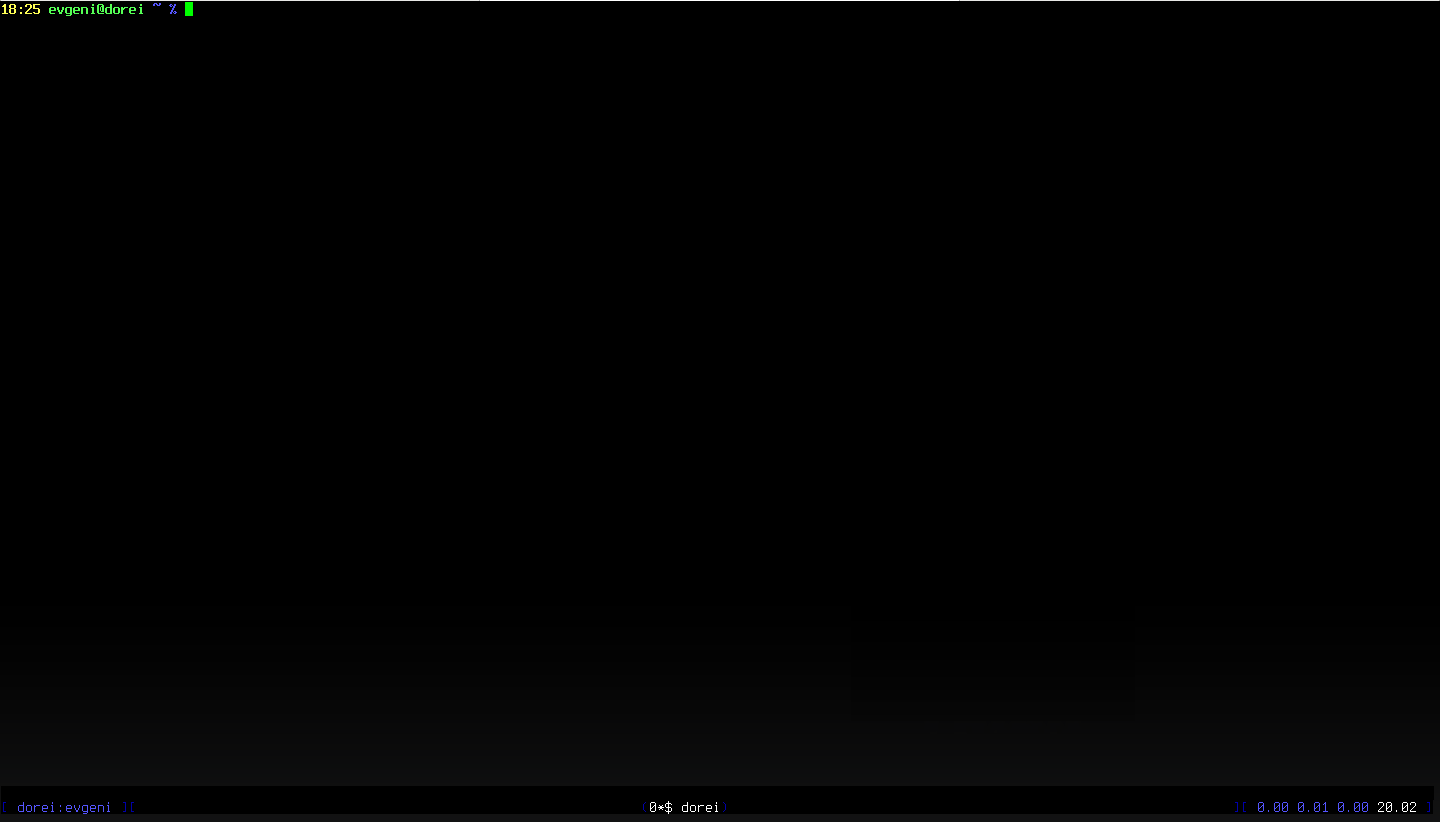
My laptop is running Debian GNU/Linux unstable with Xfce4.6, my smartphone is running Android 2.2.1 Froyo, my girlfriend has Ubuntu with GNOME, a friend runs Debian unstable with GNOME, another one Arch Linux with KDE4 and so on. And on all these machines I want be able to work, which means I have to read mail and rss, chat via IRC, JabberXMPP and ICQ, have a look at my to-do list, ssh into different machines, write some code, tweet and dent etc.In the following series of posts I will describe how I can handle about 90% of my work on every (trusted) computer out there, using ssh, screen, mutt, irssi, BitlBee, newsbeuter etc.As I am describing the setup as a Desktop in a shell , let s start with a login- and desktop/window-manager: ssh+screen.sshObviously, you need a machine to ssh into it, where the Desktop will live on. For me, that s my home router/fileserver/vm-server dorei, running Debian GNU/Linux LennySqueeze with OpenSSH as a kind of login manager ;)Yes, my user is allowed to login with a password instead of a public key. And well, that s all for the login-manager, no extra configuration needed.screenAfter logging in, I start my window-manager with screen -rd, -r for reattach a running screen session, -d for detach it if it is already attached somewhere else. Or I can start a new session by just typing screen. Inside the screen I have multiple windows (one can create new ones with ^A c) with all the needed software running. I can switch windows by pressing ^A N, N being the number of the window, ^A n for the next window, ^A p for the previous one or ^A ^a for the last one. Or I can get a window-list with ^A w. If needed, I can rename windows with ^A A, followed by the new name. That should be enough for almost everyone. Let s just add a window-list to the bottom (as you might have seen on GNOME, Xfce, KDE and even Windows ;) by adding the following to the ~/.screenrc:
caption always " "                    # clear line before hardstatus
hardstatus alwayslastline "% = kb [ % B %H:$USER % b ][ %=% w %?%-Lw%?% b (% W %n*%f %t%?(%u)%?% b )% w %?%+Lw%?%?%= % b ][% B  %l % B % W %d.%0m % b ]"
You get the current host- and username, the machine load and the date for free ;)Even if it is possible, I do not have any autostart like stuff in my .screenrc as the machine is running stable and I start the screen and the apps inside maybe once a year after a reboot.screenrcMy .screenrc looks like this:
# detach on hangup
  autodetach on
# don't display the copyright page
  startup_message off
# set scrollback to 2000 lines, default 100
  defscrollback 2000
# set silencewait to 15 seconds, default 30
  silencewait 15
# new shells should be started as login-shells
  shell -$SHELL
# make a fancy statusline
  caption always " "                    # clear line before hardstatus
  hardstatus alwayslastline "% = kb [ % B %H:$USER % b ][ %=% w %?%-Lw%?% b (% W %n*%f %t%?(%u)%?% b )% w %?%+Lw%?%?%= % b ][% B  %l % B % W %d.%0m % b ]"
# make higlighting bold, black on blue background
  sorendition +b bk
# some fixes, no I do not know where they come from :)
  termcap  xterm hs@:cs=\E[%i%d;%dr:im=\E[4h:ei=\E[4l
  terminfo xterm hs@:cs=\E[%i%p1%d;%p2%dr:im=\E[4h:ei=\E[4l
  termcapinfo  xterm Z0=\E[?3h:Z1=\E[?3l:is=\E[r\E[m\E[2J\E[H\E[?7h\E[?1;4;6l
  termcapinfo xterm* OL=100
  termcapinfo xterm 'VR=\E[?5h:VN=\E[?5l'
  termcapinfo xterm 'k1=\E[11~:k2=\E[12~:k3=\E[13~:k4=\E[14~'
  termcapinfo xterm 'kh=\EOH:kI=\E[2~:kD=\E[3~:kH=\EOF:kP=\E[5~:kN=\E[6~'
  termcapinfo xterm 'hs:ts=\E]2;:fs=\007:ds=\E]2;screen\007'
  termcapinfo xterm 'vi=\E[?25l:ve=\E[34h\E[?25h:vs=\E[34l'
  termcapinfo xterm 'XC=K%,%\E(B,[\304,\\\\\326,]\334, \344, \366, \374,~\337'
  termcapinfo xterm* be
  termcapinfo xterm xterms xs ti@:te=\E[2J
  termcapinfo wy75-42 xo:hs@
  termcapinfo wy* CS=\E[?1h:CE=\E[?1l:vi=\E[?25l:ve=\E[?25h:VR=\E[?5h:VN=\E[?5l:cb=\E[1K:CD=\E[1J
  termcapinfo  hp700 'Z0=\E[?3h:Z1=\E[?3l:hs:ts=\E[62"p\E[0$~\E[2$~\E[1$ :fs=\E[0 \E[61"p:ds=\E[62"p\E[1$~\E[61"p:ic@'
  termcap  vt100* ms:AL=\E[%dL:DL=\E[%dM:UP=\E[%dA:DO=\E[%dB:LE=\E[%dD:RI=\E[%dC
  terminfo vt100* ms:AL=\E[%p1%dL:DL=\E[%p1%dM:UP=\E[%p1%dA:DO=\E[%p1%dB:LE=\E[%p1%dD:RI=\E[%p1%dC
  termcapinfo linux C8
# some bindings
  bind k
  bind ^k
  bind .
  bind ^\
  bind \\
  bind ^h
  bind h
  bind 'w' windowlist -b
  bind 'W' windows
  bind 'K' kill
  bind 'I' login on
  bind 'O' login off
  bind ' ' history
  bind = resize =
  bind + resize +3
  bind - resize -3
# Mutt demands this
# http://wiki.mutt.org/?MuttFaq/Appearance
 defbce on
 term screen-bce
That s all for my screen setup. The obvious, boring screenshot follows:See you next time, when I will present my mutt setup here.

Next.

Previous.
