Search Results: "mika"

3 April 2010

Michael Prokop: I am going to DebConf 10

* Just booked my ticket for DebConf10. See you in New York.

7 March 2010

Daniel Burrows: Installing OpenWRT on a Linksys WRT54GL v1.1

I finally got a few hours free this morning to check an item off my home system administration checklist: upgrading the wireless router's firmware to OpenWRT. There were a couple motivations for this, including the fact that my SoundBridge Radio couldn't maintain a connection to my firefly server using the built-in firmware, and I had read that OpenWRT would work better. Since this is posted on Planet Debian, I should mention why I didn't use DebianWRT. The basic answer is this text at the top of the DebianWRT homepage:
Currently the most common methods used to run Debian on these systems is to install OpenWRT or a similar firmware, add disk space either by USB storage or NFS, create a debian chroot by either running cdebootstrap from inside OpenWRT or debootstrap --foreign on a PC, and running Debian from this chroot. For example, instructions for the WLHDD.
I'm not sure whether this is because DebianWRT is experimental, or because its goal is to use routers as cheap general computers. Either way, it sounds way too complicated and/or fragile for what I'm interested in (i.e., a wireless router with better software). The goal here is to get something that does a better job than the built-in WRT firmware, but doesn't require too much tinkering to get working or to maintain. I have plenty of outlets for my tinkering urges already. Nothing here was exactly difficult, but it was hard to find all the information I needed to get things working. Hopefully documenting the steps I went through here will save someone else some time. Step 1: acquire the firmware This was trickier than you might think. If you click on the download link at the OpenWRT web site, you end up at the top of an FTP server populated with a vast quantity of stuff. Worse, when you find the actual firmware images, you'll quickly discover that there are piles and piles of them divided between sixteen directories, and no guidance as to which one to pick. And picking the wrong one will turn your beautiful router into a doorstop. Luckily, the OpenWRT documentation contains a section called "Getting Started". Unluckily, that section consists of the following text:
1.1 Getting started 1.1.1 Installation 1.1.2 Initial configuration 1.1.3 Failsafe mode
Whoops, someone forgot to execute on a TODO. :-) Undeterred, I consulted the usual fallback reference, Google. It pointed me at several references, some of which were hidden on other parts of the OpenWRT site. Armed with these, I was able to determine that:
  1. My WRT54GL v1.1 probably uses a Broadcom 5352 chipset.
  2. The correct firmware, according to multiple sources, is probably in the kamikaze top-level director, the latest version's subdirectory, and the bcrm-2.4 directory under the version (the link is to 8.09.2, which is current as of March 6, 2010). Apparently the bcrm47xx directory doesn't have wireless support; it helpfully contains a file called NO-BROADCOM-WIRELESS to warn you off, but unhelpfully doesn't include any additional information in that file (like what exactly is broken or that you can find a working firmware in a sibling directory) ... oh well.
  3. The firmware file that you want is openwrt-wrt54g-squashfs.bin, even though it doesn't match the model number of the router. This directory could use a README file explaining which hardware is supported by each of the dozen or so firmware files it contains.
Step 2: install the firmware After Step 1, this was a real relief. I just used the built-in Linksys firmware installer, pointed it at the .bin file, and it went. Step 3: configure the router The installation guide I followed was pretty much silent about what to do after I got the firmware on. Luckily, this is just a software problem, meaning it's much more familiar territory for me.
  1. First things first: I checked that I could still get a DHCP lease. It worked.
  2. Armed with that, I tried telneting to the router. I used the resulting root prompt to set a password on the root account.
  3. I logged out and tried telneting in. Apparently the router is configured to disallow root logins over telnet if you don't have a password. Good for them (although why allow telnet at all?); oops for me.
  4. Luckily, an ssh server was installed by default. I like using keys to log in, so I tracked down the documentation on configuring the server to use public-key authentication; it turns out there's a single global key file named /etc/dropbear/authorized_keys that's exactly like OpenSSH's per-user authorized_keys file. No idea what would happen if I had multiple users, but I won't.
  5. The next obstacle: I didn't have an Internet connection. For some reason, my cable modem didn't want to give the router a DHCP lease. On the off-chance that it was remembering too much, I rebooted it and ran ifup wan. That fixed the problem. I still don't know why.
  6. Not a step, but a useful note: in the process of figuring the above out, I found readlog. It's basically dmesg for syslog files; it shows the most recent lines written to syslog. This is useful because there isn't a real syslog file, due to the fact that there would be no room to store it on the 54GL.
  7. Finally, I had to get wireless working. The documentation is very helpful when it comes to describing the syntax of the wireless configuration. Unfortunately, I read the list of encryption options and missed the section right below where their meanings are explained (although, to be honest, I might not have understood the implications of the explanation without the research I did anyway).
    option encryption none, wep, psk, psk2, wpa, wpa2
    I wanted WPA2 encryption, so I entered wpa2. And nothing worked. After a good hour of trying different options on the client, swapping software components in and out on the router, experimenting with the encryption key syntax, and crawling Google, I finally found my answer. If you just want WPA2 encryption, you must not use wpa2 as the encryption type. Instead, use psk2. It turns out out that wpa2 actually means use WPA2 and also use an external RADIUS server for authentication. psk2 is the system you're familiar with from a typical consumer wireless router.
Step 4: enjoy And with that, it works. Unfortunately, contrary to what I wrote here originally, my Roku still doesn't work. On the other hand, having a real Linux installation is helpful for debugging it. Currently my suspicion is that the router isn't passing multicast packets between the wired and wireless interfaces (broadcast works fine, multicast doesn't). That said, it seems like if I restart Firefly just before I start playing music, I can play reasonably reliably -- as long as I don't stop, because if I do, the Roku forgets that the music server is there. Either way, I've spent about as much time fighting this as I can afford. :-/ One lingering worry I have is security; unlike Debian, which has both a security mailing list and tools to inform me when I need to install a security update, the OpenWRT firmware doesn't seem to have any mechanism for distributing security notices. True, there is an openwrt-security-announce list, but it appears to be entirely unused, as is openwrt-announce. Something to keep an eye on, then. Also (file under note to self), I need to remember to verify that the router isn't exposing services to the outside world. The default iptables configuration is hideously complex; with just a quick glance, it could be setting up a floral shop for all I can tell. I'll need to test this empirically and maybe analyze the rules in more depth.

26 February 2010

Andrew McMillan: DAViCal 0.9.8.3 - A return to stability

After a whole bunch of drastic changes, lots of bugfixes, rewriting and refactoring, I released DAViCal 0.9.8 on Christmas day last year. I didn't release it very publicly, because I knew it sucked significantly. In an increasingly fast turnaround I've subsequently released 0.9.8.1 to a somewhat wider audience while I was at the recent Calendaring and Scheduling Consortium meeting in Costa Mesa at the beginning of the month. Earlier this week I released 0.9.8.2 to the more interested of the DAViCal userbase. So finally, yesterday, I released DAViCal 0.9.8.3 to fix the few significant problems that were left with that, and this is the release that I'm telling everyone about, because I believe it should be a good stable platform to people who want to upgrade their production DAViCal servers, or who have been hanging back from using DAViCal until the platform was a little more stable.
<!--break-->
This release marks some significant departures from previous DAViCal. I've decided to walk away from some of the more ancient legacy software I tried to work with in the past (PHP4 & PostgreSQL 7.x), to move to support the most ancient-but-not-superseded legacy Linux release I know of, which is CentOS / RHEL, so DAViCal now has a minimum requirement of PHP 5.1 & PostgreSQL 8.1. The biggest changes to DAViCal are under the covers. It is server software, after all, so the largest changes often are not visible on the surface. What has changed is that the architecture for constructing responses as been refactored into a core object which is used to access any DAV resource in the system. This greatly simplifies the general coding and reduces a fair bit of code duplication which had been happening. Another long overdue change is to get rid of the old arcane & obtuse permissions model, replacing it with something which will be radically faster in installations with more than a few hundred users, as well as being more consistent, easier for people to control, and directly in alignment with the DAV ACL specification. Some of the work here was assisted by NZ Registry Services who gave me a Macbook to help with my compatibility testing. Not all of the changes are under the covers though. The new DAViCal also has a thoroughly revised administrative interface, and over the last couple of releases I've gone through the system trying to uncover all the places which were not properly localisable, too, so if you see DAViCal displaying strings in a language you didn't configure it for, it should be a fixable thing. I'd like to particularly thank Masahiro Mikami for turning around some Japanese translations very quickly which enabled me to quickly and visually see what was not properly translatable. There's still more work to do (there's always more work to do) but a fully translated DAViCal should, I hope, be quite usable by non-English speakers now. The new DAViCal also supports some rather significant extra functionality beyond the CalDAV standard, in particular we can thank Rob 'Cave' Ostensen for providing an implementation of pub/sub event change notifications. This version also supports draft 2 of the proposed WebDAV synchronisation standard - that's still under development, but we expect to track pretty close to released versions of that. Of course with all of this work there are some areas that didn't get changed. I didn't manage to finish an implementation of the scheduling extensions draft, much as I would have liked, but that is going to become very much a focus in the coming couple of months, and I'll be calling it "1.0" when things settle down after we get that done. Other things I will be working on include a ticketing system for providing targeted, controlled access to a specific collection or event, and making a start on CardDAV support for addressbook storage. DAViCal seems to be fitting a need for people, and I know there are several thousand installations around the world, even if I'm not sure where they all are. I know some people are running DAViCal on their 8-way server, where I've no doubt it gurgles along pretty happily, and that there are some people running it on their OpenWRT installation, with some tiny amount of resources - just enough for a family calendar. Traffic on the wiki has increased to several hundred thousand hits per month, perhaps three times what it was a year ago, and I hope that I can continue to provide a valuable and useful piece of infrastructure for that little calendaring corner of your organisation. What heartens me the most in this ongoing experience is the nascent community that appears to be forming around my software, with people writing 'tip sheets' and helping to answer questions on the IRC channel and mailing list. These small contributions made by many people - people whom I have never met, for the most part - are enabling me to put more time into feature development and expansion, and that's what I really love.

13 December 2009

Benjamin Mako Hill: Upcoming Travel

As is becoming my custom, I'm planning to spend much of December and January on the road. This time I'll be in Seattle, Japan and Wellington, New Zealand. Here's the rough schedule: Mika will also be around for everything but the NZ leg and SJ seems likely to make an appearance in Japan during the first week of January. Feel free to get in contact if you'd like to meet up in any of the places above for a coffee or beer. I'm also open to hanging out with giving talks at LUGs, GLUGs, Wikipedia groups, free culture groups, colleges or Universities along the way. Most of my time in Japan is still basically unstructured so I'm quite open to suggestions during the first couple weeks of January.

8 December 2009

Christian Perrier: Bug #560000

Mika Tiainen reported the Debian bug #560000 on Tuesday December 8th, against the ferm package. Bug #550000 was reported as of October 7th 2009. So, again, no matter what, we're still keeping up with the very regular "10,000 bugs in 2 months" pace This time, I would like to highlight a specific bug that missed to be #560000 by very few hours: namely "#559980: aptitude: Totally broken on GNU/kFreeBSD". Please read that bug report and take time to send Cyril "KiBi" Brulebois a nice "Chapeau" ("hat off") for the time he invested in analyzing this bug and providing a good workaround. Update: KiBi told me that his workaround is broken. Still, the "hat off" still stands as what impressed me is more the nice investigation work than the workaround itself. Of course, admittedly, Cyril is not alone doing such work but it never hurts telling good people they are doing good work. To all Planet readers: <Teletubbies mode ON>from time to time, please remember putting more light on those people doing great and sometimes obscure work in our project</Teletubbies>. After all, blogs are not only about ranting, right? :)

2 November 2009

Michael Prokop: Grml 2009.10 Codename Hello-Wien

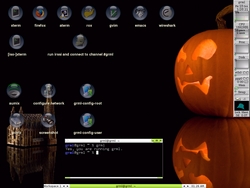
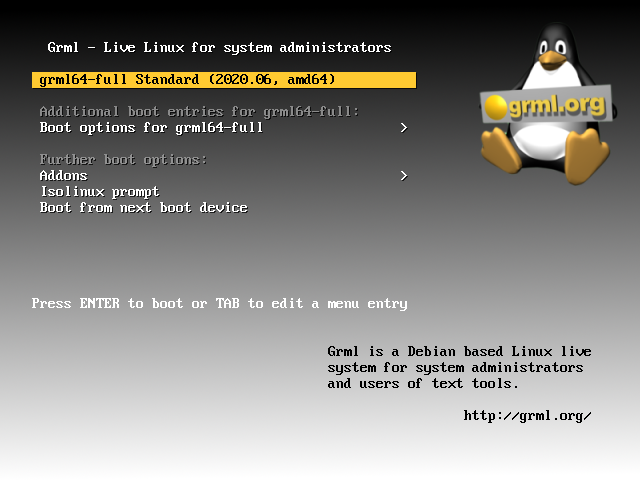
Screenshot of Grml 2009.10 Distrowatch, Heise, Pro-Linux, Symlink, Golem & CO already have the news: a new version of the Debian based Live system for system administrators has been released: Grml 2009.10 Codename Hello-Wien . One visible new feature is the new bootsplash which should lead you through the most important boot options. The new release features kernel 2.6.31.5 with various patches and extra modules. We ve an automatic hostname configuration via DHCP & rDNS, improved network boot capabilities, extensive documentation to Grml s Z Shell features and configuration, support for GRUB2 and directory-specific Z Shell configuration. Amongst the new software packages are Google s stressapptest, btrfs-tools and guymager. A full changelog and release notes can be found at http://grml.org/changelogs/README-grml-2009.10/. As always, images for 32 bit and 64 bit x86 architectures are provided in the sizes grml (~700 MiB), medium (~200 MiB) and small (~100 MiB). They can be downloaded via HTTP, FTP, rsync and Bittorrent. Thanks to all the contributors for being part of this rocking release! *

1 November 2009

Dirk Eddelbuettel: Adventures with Comcast: Part ohnoesnotanotherone in an ongoing series

Regular readers of this blog (yes, both of you!) may remember the computer/broadband/ directory that this post appears in as the collection of my Comcastic (yeah right) experiences with my ISP. But I think this week may top everything. I'll just try to jot down some notes before I forget all the gory details:

25 October 2009

Jan Wagner: OpenWRT WDS works like charm

A try with OpenWRT 8.09 in April to setup a WDS with additional AP functionality and encryption, like described in the documentation, failed. So I keeped with my halfbroken solution running on DD-WRT, which is going a bit too commercial these days in my eyes.
Now I have found time to try OpenWRT again for this purpose, since the issue was fixed really fast. I just did setup a stock 8.09.1 installation and then dropped the following into /etc/config/wireless:

config wifi-device wl0
option type broadcom
option channel 5
option disabled 0
config wifi-iface
option device wl0
option network lan
option mode ap
option ssid OpenWrt
option encryption psk2
option key keyforclients
config wifi-iface
option device wl0
option network lan
option mode wds
option bssid 00:16:B6:19:63:C8
option ssid OpenWrtWDS
option encryption psk2
option key pskforWDS And guess what? It worked like a charm! So I could replace the odd DD-WRT boxes. Anyways ... does anybody have an idea where to find the sourcecode of anything > v23 SP1?

11 September 2009

Michael Prokop: Debian: considerations regarding redesign of live-initramfs

Live-initramfs is a fork of Ubuntu s casper for use within Debian. Nowadays several Debian based live systems are using live-initramfs to build an initramfs suited to boot live systems. Besides debian-live and all its users that s at least Grml (and its derivates) and FAI. I m maintaining live-initramfs for Grml so I know the limitations of live-initramfs. Yes, it has some design flaws but upstream finally decided to take the time to redesign it. That s why I m posting this: I would like to see even more Debian based systems adopting live-initramfs (hello Sidux!). This would improve compatibility with regards to similar bootoptions and features as well as better cooperation among the teams. Of course this will be possible only if live-initramfs is capable of handling all the necessary customization and configuration tasks that different live systems require nowadays. So this are my current considerations regarding the redesign of live-initramfs: If you re interested in adopting live-initramfs in your distribution/system feel free to contact me (mika [at] debian.org). If you do have any further wishes for the redesign please let me know so I can forward them to upstream.

30 May 2009

Michael Prokop: Directory specific shell configuration with Zsh

Now being an official Debian developer I ve the possibility to use $DEBEMAIL=mika@debian.org for my Debian packages. But whereas I want to use that for all my official Debian packages I still want to use $DEBEMAIL=mika@grml.org for my grml related packages. I m a lazy sysadmin and don t want to manually adjust my changelogs depending on the type of package (especially since this might be error-prone) so I needed a generic solution. Grml s Zsh configuration (Debian package grml-etc-core >=0.3.71) provides a solution for Zsh (version 4.3.3 or later): based on directories you can set your own profiles. Demonstration:
% cd /grml/git-grml
chpwd(): Switching to profile: grml
% echo $DEBEMAIL
mika@grml.org
% cd /grml/git-debian
chpwd(): Switching to profile: debian
% echo $DEBEMAIL
mika@debian.org
The configuration is pretty simple:
# define profiles based on directories:
zstyle ':chpwd:profiles:/grml/git-grml( / /*)'       profile grml
zstyle ':chpwd:profiles:/grml/git-debian( / /*)'     profile debian
zstyle ':chpwd:profiles:/home/mika/Customers( / /*)' profile customers
# configuration for profile 'grml':
chpwd_profile_grml()
 
  [[ $ profile  == $ CHPWD_PROFILE  ]] && return 1
  print "chpwd(): Switching to profile: $profile"
  export DEBEMAIL=mika@grml.org
  export GIT_AUTHOR_EMAIL="mika@grml.org"
  export GIT_COMMITTER_EMAIL="mika@grml.org"
 
# configuration for profile 'debian':
chpwd_profile_debian()
 
  [[ $ profile  == $ CHPWD_PROFILE  ]] && return 1
  print "chpwd(): Switching to profile: $profile"
  export DEBEMAIL=mika@debian.org
  export GIT_AUTHOR_EMAIL="mika@debian.org"
  export GIT_COMMITTER_EMAIL="mika@debian.org"
 
# configuration for profile 'customers':
chpwd_profile_customers()
 
  [[ $ profile  == $ CHPWD_PROFILE  ]] && return 1
  print "chpwd(): Switching to profile: $profile"
  export TELEPHONE=[...]
  export MAIL=[...]
 
Kudos to Frank for implementing this lovely feature in grml s zshrc. Look for chpwd_profiles() in grml s zsh config for further documentation on this feature.

28 May 2009

Michael Prokop: Debian.Developer->add_member( mika )

Since 2009-05-28 I m an official Debian Developer. Thanks to all involved people. Special thanks to Gerfried Rhonda Fuchs for being my advocate and a helpful package sponsor, to Alexander formorer Wirt for being a helpful package sponsor, to Christoph Myon Berg and Bernd bzed Zeimetz from the frontdesk and to Marc he Brockschmidt for being a great Application Manager.

25 May 2009

Michael Prokop: Boot an ISO via Grub2

With grub2 you can directly boot an (iso9660) ISO using its loopback option. This is great because it provides another nice rescue scenario - for example when using grml (the Debian based Linux Live-CD for sysadmins). You no longer need to extract kernel and initrd from the ISO to be able to boot it using the isofrom bootoption. All you need to do is put a plain grml ISO to your harddisk. I ve tested it with grml-small 2008.11 and grml-small 2009.05-rc1 using grub2 from Debian/unstable (1.96+20090317-1). In the following example the ISO file grml-small_2008.11.iso is available in directory grml on device /dev/sda1. You can boot it from the interactive grub shell using:
loopback loop (hd0,1)/grml/grml-small_2008.11.iso
linux    (loop)/boot/grmlsmall/linux26 isofrom=/dev/sda1/grml/grml-small_2008.11.iso boot=live quiet vga=791 noeject noprompt
initrd   (loop)/boot/grmlsmall/initrd.gz
boot
So if you are using grub2 already consider adding an entry like the following to your grub config (/boot/grub/grub.cfg):
menuentry "grml-rescue system from harddisk (ISO = grml-small_2008.11.iso)"  
  loopback loop (hd0,1)/grml/grml-small_2008.11.iso
  linux    (loop)/boot/grmlsmall/linux26 isofrom=/dev/sda1/grml/grml-small_2008.11.iso boot=live quiet vga=791 noeject noprompt
  initrd   (loop)/boot/grmlsmall/initrd.gz
 
This entry gives you the option to boot grml from your harddisk even if you don t have the possibility to boot via CD/USB/PXE/ . Tip: starting with grml 2009.05(-rc1) you can also use findiso=/path/to/grml.iso instead of isofrom=/dev/sdX/path/to/grml.iso. findiso is a dynamic version of isofrom as it looks for the specified ISO file on all disks where it usually looks for the .squashfs file (so you don t have to know the device name compared to isofrom= ). The above configuration using findiso is even easier to set up and would look like this:
menuentry "grml-rescue system from harddisk (ISO = grml-small_2008.11.iso)"  
  loopback loop (hd0,1)/grml/grml-small_2008.11.iso
  linux    (loop)/boot/grmlsmall/linux26 findiso=/grml/grml-small_2008.11.iso boot=live quiet vga=791 noeject noprompt
  initrd   (loop)/boot/grmlsmall/initrd.gz
 

15 April 2009

Clint Adams: Inva

baldo, mika misses you.

15 February 2009

Michael Prokop: Debian GNU/Linux 5.0 codename Lenny - News for sysadmins

Alright, Debian GNU/Linux 5.0 AKA as Lenny has been released. Time for a Debian unstable unfreeze party! 8-) What does the new stable release bring for system administrators? I ll give an overview what news you might expect when upgrading from Debian GNU/Linux 4.0, codename Etch (released on 8th April 2007) to the current version Debian GNU/Linux 5.0, codename Lenny (released on 14th February 2009). I try to avoid duplicated information so make sure to read the release announcement and the official release notes for Lenny beforehand. Noteworthy Changes Virtualisation Virtualisation related new tools: Desktop oriented packages like virtualbox and qemu are available as well of course. Noteworthy Updates This is a (selective) list of some noteworthy updates: New packages Lenny ships over 7000 new packages. Lists of new/removed/replaced packages are available online. I ll name 238 sysadmin related packages that might be worth a look. (Note: I don t list addon stuff like optional server-modules, docs-only and kernel-source related packages. I plan to present some of the following packages in more detail in separate blog entries.) Further Ressources

24 December 2008

Benjamin Mako Hill: European Tour

Mika and I are going to be in Europe for the next few weeks. The tentative plan seems to include these stops: I've got very little planned in the ways of talks or meetings with free software folks and would, as always, be open to arranging these. If you are in or near any of these places and want to plan a dinner, drinks, keysigning, talk, etc., don't hesitate to get in contact with me. I'll try to keep this wiki page updated with details on the latest plans.

1 December 2008

Michael Prokop: Schluchtenscheisser!

grml release delayed through a CBS commedy series. News at 11<Rhonda /> There we go: there’s a new grml release (you know, the Debian based Linux Live-CD for sysadmins and texttool users). The release with codename Schluchtenscheisser and version number 2008.11 is available in different variants. The 32bit versions grml, grml-medium and grml-small as well as grml64, grml64-medium and (new!) grml64-small are available through grml.org/download/. For details regarding the changes in the new release check out the release announcements. Happy grml-ing, dear Schluchtenscheissers - and to the rest of the world. 8-)

30 November 2008

Benjamin Mako Hill: Kosher

This bottle was found in Mika's biosafety level 2 laboratory. Isoamyl alcohol Certified Kosher To address any confusion, isoamyl alcohol is not drinking alcohol and this bottle was bought for use in a scientific lab from a scientific lab supply company. Explanations are welcome.

31 October 2008

Marc 'Zugschlus' Haber: No password no more

I apologize for inadvertently password protecting last night’s article about Nagios, Parent Hosts and traceroute on the Internet. Somehow, my Iceweasel has the firm opinion to enter my Blog’s admin password in all form fields labeled “password” on blog.zugschlus.de, and the article entry form happens to have one like that. And last night, I forgot to delete it. Sorry. Thanks to mika for making me aware of that.

9 September 2008

Michal &#268;iha&#345;: White Russian and Aiccu problems

Today, I wanted to finish something what looked like easy task from beginning. To bing IPv6 connectivity to my home using tunnel from Sixxs. As I have an OpenWRT, I expected it should not be harder than setting up same thing on my Debian notebook. There exists several howtos on the net, we can take the one on Sixxs wiki as a good starting point. Just follow the instructions and you should get it working right? Unfortunately not. Aiccu connects, IPv6 addresses are assigned, subnet is correctly distributed over network using radvd, but IPv6 connectivity does not work. Going deeper into this issue, I found out that some packets go out, but nothing comes back. When comparing results with Aiccu set up on my Debian notebook, I noticed that packets from OpenWRT router are few bytes larger, but I didn't though it could be a reason. Unfortunately it was -- OpenWRT contains wrongly compiled Aiccu, which does not strip ethernet headers from outgoing packets and gateway then throws them out. This is a well known bug, but unfortunately nobody fixed it for White Russian. Anyway I'm not going to reinstall whole system to Kamikaze just to make the thing work, so I compiled the Aiccu package on my own and now the tunnel works fine. If you are interested, you can get the package here.

8 September 2008

Michael Prokop: FAI developer meeting in Extremadura/Spain

For the last few days I’ve been in the city Badajoz in region Extremadura of Spain at the FAI developer meeting. Check out the Linex Euronews Video at youtube to get a short impression of Linux in the region. Lessions learnt: <insider>
FAI Comic - Image
</insider>

Next.

Previous.