Search Results: "andy"

11 January 2022

Ritesh Raj Sarraf: ThinkPad AMD Debian

After a hiatus of 6 years, it was nice to be back with the ThinkPad. This blog post briefly touches upon my impressions with the current generation ThinkPad T14 Gen2 AMD variant.
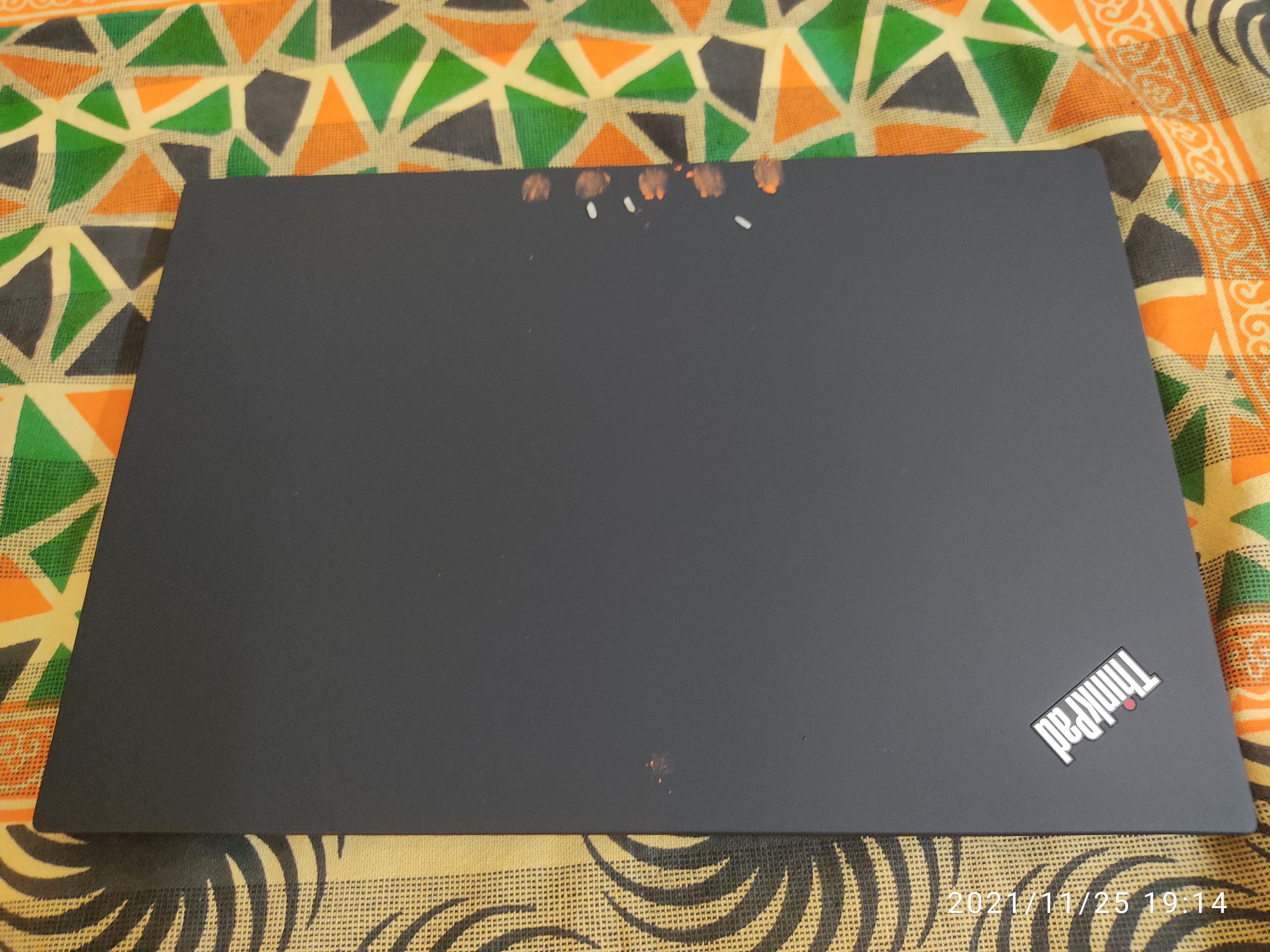
ThinkPad T14 Gen2 AMD

Lenovo It took 8 weeks to get my hands on the machine. Given the pandemic, restrictions and uncertainities, not sure if I should call it an ontime delivery. This was a CTO - Customise-to-order; so was nice to get rid of things I really didn t care/use much. On the other side, it also meant I could save on some power. It also came comparatively cheaper overall.
  • No fingerprint reader
  • No Touch screen
There s still parts where Lenovo could improve. Or less frustate a customer. I don t understand why a company would provide a full customization option on their portal, while at the same time, not provide an explicit option to choose the make/model of the hardware one wants. Lenovo deliberately chooses to not show/specify which WiFi adapter one could choose. So, as I suspected, I ended up with a MEDIATEK Corp. Device 7961 wifi adapter.

AMD For the first time in my computing life, I m now using AMD at the core. I was pretty frustrated with annoying Intel Graphics bugs, so decided to take the plunge and give AMD/ATI a shot, knowing that the radeon driver does have decent support. So far, on the graphics side of things, I m glad that things look bright. The stock in-kernel radeon driver has been working perfect for my needs and I haven t had to tinker even once so far, in my 30 days of use. On the overall system performance, I have not done any benchmarks nor do I want to do. But wholly, the system performance is smooth.

Power/Thermal This is where things need more improvement on the AMD side. This AMD laptop terribly draws a lot of power in suspend mode. And it isn t just this machine, but also the previous T14 Gen1 which has similar problems. I m not sure if this is a generic ThinkPad problem, or an AMD specific problem. But coming from the Dell XPS 13 9370 Intel, this does draw a lot lot more power. So much, that I chose to use hibernation instead. Similarly, on the thermal side, this machine doesn t cool down well as compared the the Dell XPS Intel one. On an idle machine, its temperature are comparatively higher. Looking at powertop reports, it does show to consume an average of 10 watts power even while idle. I m hoping these are Linux ingeration issues and that Lenovo/AMD will improve things in the coming months. But given the user feedback on the ThinkPad T14 Gen1 thread, it may just be wishful thinking.

Linux The overall hardware support has been surprisingly decent. The MediaTek WiFi driver had some glitches but with Linux 5.15+, things have considerably improved. And I hope the trend will continue with forthcoming Linux releases. My previous device driver experience with MediaTek wasn t good but I took the plunge, considering that in the worst scenario I d have the option to swap the card. There s a lot of marketing about Linux + Intel. But I took a jibe with Linux + AMD. There are glitches but nothing so far that has been a dealbreaker. If anything, I wish Lenovo/AMD would seriously work on the power/thermal issues.

Migration Other than what s mentioned above, I haven t had any serious issues. I may have had some rare occassional hangs but they ve been so infrequent that I haven t spent time to investigate those. Upon receiving the machine, my biggest requirement was how to switch my current workstation from Dell XPS to Lenovo ThinkPad. I ve been using btrfs for some time now. And over the years, built my own practise on how to structure it. Things like, provisioning [sub]volumes, based on use cases is one thing I see. Like keeping separate subvols for: cache/temporary data, copy-on-write data , swap etc. I wish these things could be simplified; either on the btrfs tooling side or some different tool on top of it. Below is filtered list of subvols created over years, that were worthy of moving to the new machine.
rrs@priyasi:~$ cat btrfs-volume-layout 
ID 550 gen 19166 top level 5 path home/foo/.cache
ID 552 gen 1522688 top level 5 path home/rrs
ID 553 gen 1522688 top level 552 path home/rrs/.cache
ID 555 gen 1426323 top level 552 path home/rrs/rrs-home/Libvirt-Images
ID 618 gen 1522672 top level 5 path var/spool/news
ID 634 gen 1522670 top level 5 path var/tmp
ID 635 gen 1522688 top level 5 path var/log
ID 639 gen 1522226 top level 5 path var/cache
ID 992 gen 1522670 top level 5 path disk-tmp
ID 1018 gen 1522688 top level 552 path home/rrs/NoBackup
ID 1196 gen 1522671 top level 5 path etc
ID 23721 gen 775692 top level 5 path swap
18:54                      

btrfs send/receive This did come in handy but I sorely missed some feature. Maybe they aren t there, or are there and I didn t look close enough. Over the years, different attributes were set to different subvols. Over time I forget what feature was added where. But from a migration point of view, it d be nice to say, Take this volume and take it with all its attributes . I didn t find that functionality in send/receive. There s get/set-property which I noticed later but by then it was late. So some sort of tooling, ideally something like btrfs migrate or somesuch would be nicer. In the file system world, we already have nice tools to take care of similar scenarios. Like with rsync, I can request it to carry all file attributes. Also, iirc, send/receive works only on ro volumes. So there s more work one needs to do in:
  1. create ro vol
  2. send
  3. receive
  4. don t forget to set rw property
  5. And then somehow find out other properties set on each individual subvols and [re]apply the same on the destination
I wish this all be condensed into a sub-command. For my own sake, for this migration, the steps used were:
user@debian:~$ for volume in  sudo btrfs sub list /media/user/TOSHIBA/Migrate/   cut -d ' ' -f9   grep -v ROOTVOL   grep -v etc   grep -v btrbk ; do echo $volume; sud
o btrfs send /media/user/TOSHIBA/$volume   sudo btrfs receive /media/user/BTRFSROOT/ ; done            
Migrate/snapshot_disk-tmp
At subvol /media/user/TOSHIBA/Migrate/snapshot_disk-tmp
At subvol snapshot_disk-tmp
Migrate/snapshot-home_foo_.cache
At subvol /media/user/TOSHIBA/Migrate/snapshot-home_foo_.cache
At subvol snapshot-home_foo_.cache
Migrate/snapshot-home_rrs
At subvol /media/user/TOSHIBA/Migrate/snapshot-home_rrs
At subvol snapshot-home_rrs
Migrate/snapshot-home_rrs_.cache
At subvol /media/user/TOSHIBA/Migrate/snapshot-home_rrs_.cache
At subvol snapshot-home_rrs_.cache
ERROR: crc32 mismatch in command
Migrate/snapshot-home_rrs_rrs-home_Libvirt-Images
At subvol /media/user/TOSHIBA/Migrate/snapshot-home_rrs_rrs-home_Libvirt-Images
At subvol snapshot-home_rrs_rrs-home_Libvirt-Images
ERROR: crc32 mismatch in command
Migrate/snapshot-var_spool_news
At subvol /media/user/TOSHIBA/Migrate/snapshot-var_spool_news
At subvol snapshot-var_spool_news
Migrate/snapshot-var_lib_machines
At subvol /media/user/TOSHIBA/Migrate/snapshot-var_lib_machines
At subvol snapshot-var_lib_machines
Migrate/snapshot-var_lib_machines_DebianSidTemplate
..... snipped .....
And then, follow-up with:
user@debian:~$ for volume in  sudo btrfs sub list /media/user/BTRFSROOT/   cut -d ' ' -f9 ; do echo $volume; sudo btrfs property set -ts /media/user/BTRFSROOT/$volume ro false; done
ROOTVOL
ERROR: Could not open: No such file or directory
etc
snapshot_disk-tmp
snapshot-home_foo_.cache
snapshot-home_rrs
snapshot-var_spool_news
snapshot-var_lib_machines
snapshot-var_lib_machines_DebianSidTemplate
snapshot-var_lib_machines_DebSidArmhf
snapshot-var_lib_machines_DebianJessieTemplate
snapshot-var_tmp
snapshot-var_log
snapshot-var_cache
snapshot-disk-tmp
And then finally, renaming everything to match proper:
user@debian:/media/user/BTRFSROOT$ for x in snapshot*; do vol=$(echo $x   cut -d '-' -f2   sed -e "s _ / g"); echo $x $vol; sudo mv $x $vol; done
snapshot-var_lib_machines var/lib/machines
snapshot-var_lib_machines_Apertisv2020ospackTargetARMHF var/lib/machines/Apertisv2020ospackTargetARMHF
snapshot-var_lib_machines_Apertisv2021ospackTargetARM64 var/lib/machines/Apertisv2021ospackTargetARM64
snapshot-var_lib_machines_Apertisv2022dev3ospackTargetARMHF var/lib/machines/Apertisv2022dev3ospackTargetARMHF
snapshot-var_lib_machines_BusterArm64 var/lib/machines/BusterArm64
snapshot-var_lib_machines_DebianBusterTemplate var/lib/machines/DebianBusterTemplate
snapshot-var_lib_machines_DebianJessieTemplate var/lib/machines/DebianJessieTemplate
snapshot-var_lib_machines_DebianSidTemplate var/lib/machines/DebianSidTemplate
snapshot-var_lib_machines_DebianSidTemplate_var_lib_portables var/lib/machines/DebianSidTemplate/var/lib/portables
snapshot-var_lib_machines_DebSidArm64 var/lib/machines/DebSidArm64
snapshot-var_lib_machines_DebSidArmhf var/lib/machines/DebSidArmhf
snapshot-var_lib_machines_DebSidMips var/lib/machines/DebSidMips
snapshot-var_lib_machines_JenkinsApertis var/lib/machines/JenkinsApertis
snapshot-var_lib_machines_v2019 var/lib/machines/v2019
snapshot-var_lib_machines_v2019LinuxSupport var/lib/machines/v2019LinuxSupport
snapshot-var_lib_machines_v2020 var/lib/machines/v2020
snapshot-var_lib_machines_v2021dev3Slim var/lib/machines/v2021dev3Slim
snapshot-var_lib_machines_v2021dev3SlimTarget var/lib/machines/v2021dev3SlimTarget
snapshot-var_lib_machines_v2022dev2OspackMinimal var/lib/machines/v2022dev2OspackMinimal
snapshot-var_lib_portables var/lib/portables
snapshot-var_log var/log
snapshot-var_spool_news var/spool/news
snapshot-var_tmp var/tmp

snapper Entirely independent of this, but indirectly related. I use snapper as my snapshotting tool. It worked perfect on my previous machine. While everything got migrated, the only thing that fell apart was snapper. It just wouldn t start/run proper. Funny thing is that I just removed the snapper configs and reinitialized with the exact same config again, and voila snapper was happy.

Conclusion That was pretty much it. With the above and then also migrating /boot and then just chroot to install the boot loader. At some time, I d like to explore other boot options but given that that is such a non-essential task, it is low on the list. The good part was that I booted into my new machine with my exact workstation setup as it was. All the way to the user cache and the desktop session. So it was nice on that part. But I surely think there s room for a better migration experience here. If not directly as btrfs migrate, then maybe as an independent tool. The problem is that such a tool is going to be used once in years, so I didn t find the motivation to write one. But this surely would be a good use case for the distribution vendors.


4 January 2022

Russell Coker: Big Smart TVs

Recently a relative who owned a 50 Plasma TV asked me for advice on getting a new TV. Looking at the options all the TVs seem to be smart TVs (running Android with built in support for YouTube and Netflix) and most of them seem to be 4K resolution. 4K doesn t provide much benefit now as most people don t have BlueRay DVD players and discs, there aren t a lot of 4K YouTube videos, and most streaming services don t offer 4K resolution. But as 4K doesn t cost much more it doesn t make sense not to get it. I gave my relative a list of good options from Kogan (the Australian company that has the cheapest consumer electronics) and they chose a 65 4K Smart TV from Kogan. That only cost $709 plus delivery which is reasonably affordable for something that will presumably last for a long time and be used by many people. Netflix on a web browser won t do more than FullHD resolution unless you use Edge on Windows 10. But Netflix on the smart tv has a row advertising 4K shows which indicates that 4K is supported. There are some 4K videos on YouTube but not a lot at this time. Size It turns out that 65 is very big. It didn t fit on the table that had been used for the 50 Plasma TV. Rtings.com has a good article about TV size vs distance [1]. According to their calculations if you want to sit 2 meters away from a TV and have a 30 degree field of view (recommended for mixed use) then a 45 TV is ideal. According to their calculations on pixel sizes, if you have a FullHD display (or the common modern case a FullHD signal displayed on a 4K monitor) that is between 1.8 and 2.5 meters away from you then a 45 TV is the largest that will be useful. To take proper advantage of a monitor larger than 45 at a distance of 2 meters you need a 4K signal. If you have a 4K signal then you can get best results by having a 45 monitor less than 1.8 meters away from you. As most TV watching involves less than 3 people it shouldn t be inconvenient to be less than 1.8 meters away from the TV. The 65 TV weighs 21Kg according to the specs, that isn t a huge amount for something small, but for something a large and inconvenient as a 65 TV it s impossible for one person to safely move. Kogan sells 43 TVs that weigh 6KG, that s something that most adults could move with one hand. I think that a medium size TV that can be easily moved to a convenient location would probably give an equivalent viewing result to an extremely large TV that can t be moved at all. I currently have a 40 LCD TV, the only reason I have that is because a friend didn t need it, the previous 32 TV that I used was adequate for my needs. Most of my TV viewing is on a 28 monitor, which I find adequate for 2 or 3 people. So I generally wouldn t recommend a 65 TV for anyone. Android for TVs Android wasn t designed for TVs and doesn t work that well on them. Having buttons on the remote for Netflix and YouTube is handy, but it would be nice if there were programmable buttons for other commonly used apps or a way to switch between the last few apps (like ALT-TAB on a PC). One good feature of Android for TV is that it can display a set of rows of shows (similar to the Netflix method of displaying) where each row is from a different app. The apps I ve installed on that TV which support the row view are Netflix, YouTube, YouTube Music, ABC iView (that s Australian ABC), 7plus, 9now, and SBS on Demand. That s nice, now we just need channel 10 s app to support that to have coverage for all Australian free TV stations in the Android TV interface. Conclusion It s a nice TV and it generally works well. Android is OK for TV use but far from great. It is running Android version 9, maybe a newer version of Android works better on TVs. It s too large for reasonable people to use in a home. I ve seen smaller TVs used for 20 people in an office in a video conference. It s cheap enough that most people can afford it, but it s easier and more convenient to have something smaller and lighter.

6 November 2021

Vincent Bernat: How to rsync files between two remotes?

scp -3 can copy files between two remote hosts through localhost. This comes in handy when the two servers cannot communicate directly or if they are unable to authenticate one to the other.1 Unfortunately, rsync does not support such a feature. Here is a trick to emulate the behavior of scp -3 with SSH tunnels. When syncing with a remote host, rsync invokes ssh to spawn a remote rsync --server process. It interacts with it through its standard input and output. The idea is to recreate the same setup using SSH tunnels and socat, a versatile tool to establish bidirectional data transfers. The first step is to connect to the source server and ask rsync the command-line to spawn the remote rsync --server process. The -e flag overrides the command to use to get a remote shell: instead of ssh, we use echo.
$ ssh web04
$ rsync -e 'sh -c ">&2 echo $@" echo' -aLv /data/. web05:/data/.
web05 rsync --server -vlogDtpre.iLsfxCIvu . /data/.
rsync: connection unexpectedly closed (0 bytes received so far) [sender]
rsync error: error in rsync protocol data stream (code 12) at io.c(228) [sender=3.2.3]
The second step is to connect to the destination server with local port forwarding. When connecting to the local port 5000, the TCP connection is forwarded through SSH to the remote port 5000 and handled by socat. When receiving the connection, socat spawns the rsync --server command we got at the previous step and connects its standard input and output to the incoming TCP socket.
$ ssh -L 127.0.0.1:5000:127.0.0.1:5000 web05
$ socat tcp-listen:5000,reuseaddr exec:"rsync --server -vlogDtpre.iLsfxCIvu . /data/."
The last step is to connect to the source with remote port forwarding. socat is used in place of a regular SSH connection and connects its standard input and output to a TCP socket connected to the remote port 5000. Thanks to the remote port forwarding, SSH forwards the data to the local port 5000. From there, it is relayed back to the destination, as described in the previous step.
$ ssh -R 127.0.0.1:5000:127.0.0.1:5000 web04
$ rsync -e 'sh -c "socat stdio tcp-connect:127.0.0.1:5000"' -aLv /data/. remote:/data/.
sending incremental file list
haproxy.debian.net/
haproxy.debian.net/dists/buster-backports-1.8/Contents-amd64.bz2
haproxy.debian.net/dists/buster-backports-1.8/Contents-i386.bz2
[ ]
media.luffy.cx/videos/2021-frnog34-jerikan/progressive.mp4
sent 921,719,453 bytes  received 26,939 bytes  7,229,383.47 bytes/sec
total size is 7,526,872,300  speedup is 8.17
This little diagram may help understand how everything fits together:
Diagram showing how all processes are connected together: rsync, socat and ssh
How each process is connected together. Arrows labeled stdio are implemented as two pipes connecting the process to the left to the standard input and output of the process to the right. Don't be fooled by the apparent symmetry!
The rsync manual page prohibits the use of --server. Use this hack at your own risk!
The options --server and --sender are used internally by rsync, and should never be typed by a user under normal circumstances. Some awareness of these options may be needed in certain scenarios, such as when setting up a login that can only run an rsync command. For instance, the support directory of the rsync distribution has an example script named rrsync (for restricted rsync) that can be used with a restricted ssh login.

Addendum I was hoping to get something similar with a one-liner. But this does not work!
$ socat \
>  exec:"ssh web04 rsync --server --sender -vlLogDtpre.iLsfxCIvu . /data/." \
>  exec:"ssh web05 rsync --server -vlogDtpre.iLsfxCIvu /data/. /data/." \
over-long vstring received (511 > 255)
rsync error: requested action not supported (code 4) at compat.c(387) [sender=3.2.3]
rsync error: requested action not supported (code 4) at compat.c(387) [Receiver=3.2.3]
socat[878291] E waitpid(): child 878292 exited with status 4
socat[878291] E waitpid(): child 878293 exited with status 4

  1. And SSH agent forwarding is dangerous. Don t use it if you can.

23 October 2021

Antoine Beaupr : The Neo-Colonial Internet

I grew up with the Internet and its ethics and politics have always been important in my life. But I have also been involved at other levels, against police brutality, for Food, Not Bombs, worker autonomy, software freedom, etc. For a long time, that all seemed coherent. But the more I look at the modern Internet -- and the mega-corporations that control it -- and the less confidence I have in my original political analysis of the liberating potential of technology. I have come to believe that most of our technological development is harmful to the large majority of the population of the planet, and of course the rest of the biosphere. And now I feel this is not a new problem. This is because the Internet is a neo-colonial device, and has been from the start. Let me explain.

What is Neo-Colonialism? The term "neo-colonialism" was coined by Kwame Nkrumah, first president of Ghana. In Neo-Colonialism, the Last Stage of Imperialism (1965), he wrote:
In place of colonialism, as the main instrument of imperialism, we have today neo-colonialism ... [which] like colonialism, is an attempt to export the social conflicts of the capitalist countries. ... The result of neo-colonialism is that foreign capital is used for the exploitation rather than for the development of the less developed parts of the world. Investment, under neo-colonialism, increases, rather than decreases, the gap between the rich and the poor countries of the world.
So basically, if colonialism is Europeans bringing genocide, war, and its religion to the Africa, Asia, and the Americas, neo-colonialism is the Americans (note the "n") bringing capitalism to the world. Before we see how this applies to the Internet, we must therefore make a detour into US history. This matters, because anyone would be hard-pressed to decouple neo-colonialism from the empire under which it evolves, and here we can only name the United States of America.

US Declaration of Independence Let's start with the United States declaration of independence (1776). Many Americans may roll their eyes at this, possibly because that declaration is not actually part of the US constitution and therefore may have questionable legal standing. Still, it was obviously a driving philosophical force in the founding of the nation. As its author, Thomas Jefferson, stated:
it was intended to be an expression of the American mind, and to give to that expression the proper tone and spirit called for by the occasion
In that aging document, we find the following pearl:
We hold these truths to be self-evident, that all men are created equal, that they are endowed by their Creator with certain unalienable Rights, that among these are Life, Liberty and the pursuit of Happiness.
As a founding document, the Declaration still has an impact in the sense that the above quote has been called an:
"immortal declaration", and "perhaps [the] single phrase" of the American Revolutionary period with the greatest "continuing importance." (Wikipedia)
Let's read that "immortal declaration" again: "all men are created equal". "Men", in that context, is limited to a certain number of people, namely "property-owning or tax-paying white males, or about 6% of the population". Back when this was written, women didn't have the right to vote, and slavery was legal. Jefferson himself owned hundreds of slaves. The declaration was aimed at the King and was a list of grievances. A concern of the colonists was that the King:
has excited domestic insurrections amongst us, and has endeavoured to bring on the inhabitants of our frontiers, the merciless Indian Savages whose known rule of warfare, is an undistinguished destruction of all ages, sexes and conditions.
This is a clear mark of the frontier myth which paved the way for the US to exterminate and colonize the territory some now call the United States of America. The declaration of independence is obviously a colonial document, having being written by colonists. None of this is particularly surprising, historically, but I figured it serves as a good reminder of where the Internet is coming from, since it was born in the US.

A Declaration of the Independence of Cyberspace Two hundred and twenty years later, in 1996, John Perry Barlow wrote a declaration of independence of cyberspace. At this point, (almost) everyone has a right to vote (including women), slavery was abolished (although some argue it still exists in the form of the prison system); the US has made tremendous progress. Surely this text will have aged better than the previous declaration it is obviously derived from. Let's see how it reads today and how it maps to how the Internet is actually built now.

Borders of Independence One of the key ideas that Barlow brings up is that "cyberspace does not lie within your borders". In that sense, cyberspace is the final frontier: having failed to colonize the moon, Americans turn inwards, deeper into technology, but still in the frontier ideology. And indeed, Barlow is one of the co-founder of the Electronic Frontier Foundation (the beloved EFF), founded six years prior. But there are other problems with this idea. As Wikipedia quotes:
The declaration has been criticized for internal inconsistencies.[9] The declaration's assertion that 'cyberspace' is a place removed from the physical world has also been challenged by people who point to the fact that the Internet is always linked to its underlying geography.[10]
And indeed, the Internet is definitely a physical object. First controlled and severely restricted by "telcos" like AT&T, it was somewhat "liberated" from that monopoly in 1982 when an anti-trust lawsuit broke up the monopoly, a key historical event that, one could argue, made the Internet possible. (From there on, "backbone" providers could start competing and emerge, and eventually coalesce into new monopolies: Google has a monopoly on search and advertisement, Facebook on communications for a few generations, Amazon on storage and computing, Microsoft on hardware, etc. Even AT&T is now pretty much as consolidated as it was before.) The point is: all those companies have gigantic data centers and intercontinental cables. And those are definitely prioritizing the western world, the heart of the empire. Take for example Google's latest 3,900 mile undersea cable: it does not connect Argentina to South Africa or New Zealand, it connects the US to UK and Spain. Hardly a revolutionary prospect.

Private Internet But back to the Declaration:
Do not think that you can build it, as though it were a public construction project. You cannot. It is an act of nature and it grows itself through our collective actions.
In Barlow's mind, the "public" is bad, and private is good, natural. Or, in other words, a "public construction project" is unnatural. And indeed, the modern "nature" of development is private: most of the Internet is now privately owned and operated. I must admit that, as an anarchist, I loved that sentence when I read it. I was rooting for "us", the underdogs, the revolutionaries. And, in a way, I still do: I am on the board of Koumbit and work for a non-profit that has pivoted towards censorship and surveillance evasion. Yet I cannot help but think that, as a whole, we have failed to establish that independence and put too much trust in private companies. It is obvious in retrospect, but it was not, 30 years ago. Now, the infrastructure of the Internet has zero accountability to traditional political entities supposedly representing the people, or even its users. The situation is actually worse than when the US was founded (e.g. "6% of the population can vote"), because the owners of the tech giants are only a handful of people who can override any decision. There's only one Amazon CEO, he's called Jeff Bezos, and he has total control. (Update: Bezos actually ceded the CEO role to Andy Jassy, AWS and Amazon music founder, while remaining executive chairman. I would argue that, as the founder and the richest man on earth, he still has strong control over Amazon.)

Social Contract Here's another claim of the Declaration:
We are forming our own Social Contract.
I remember the early days, back when "netiquette" was a word, it did feel we had some sort of a contract. Not written in standards of course -- or barely (see RFC1855) -- but as a tacit agreement. How wrong we were. One just needs to look at Facebook to see how problematic that idea is on a global network. Facebook is the quintessential "hacker" ideology put in practice. Mark Zuckerberg explicitly refused to be "arbiter of truth" which implicitly means he will let lies take over its platforms. He also sees Facebook as place where everyone is equal, something that echoes the Declaration:
We are creating a world that all may enter without privilege or prejudice accorded by race, economic power, military force, or station of birth.
(We note, in passing, the omission of gender in that list, also mirroring the infamous "All men are created equal" claim of the US declaration.) As the Wall Street Journal's (WSJ) Facebook files later shown, both of those "contracts" have serious limitations inside Facebook. There are VIPs who systematically bypass moderation systems including fascists and rapists. Drug cartels and human traffickers thrive on the platform. Even when Zuckerberg himself tried to tame the platform -- to get people vaccinated or to make it healthier -- he failed: "vaxxer" conspiracies multiplied and Facebook got angrier. This is because the "social contract" behind Facebook and those large companies is a lie: their concern is profit and that means advertising, "engagement" with the platform, which causes increased anxiety and depression in teens, for example. Facebook's response to this is that they are working really hard on moderation. But the truth is that even that system is severely skewed. The WSJ showed that Facebook has translators for only 50 languages. It's a surprisingly hard to count human languages but estimates range the number of distinct languages between 2500 and 7000. So while 50 languages seems big at first, it's actually a tiny fraction of the human population using Facebook. Taking the first 50 of the Wikipedia list of languages by native speakers we omit languages like Dutch (52), Greek (74), and Hungarian (78), and that's just a few random nations picks from Europe. As an example, Facebook has trouble moderating even a major language like Arabic. It censored content from legitimate Arab news sources when they mentioned the word al-Aqsa because Facebook associates it with the al-Aqsa Martyrs' Brigades when they were talking about the Al-Aqsa Mosque... This bias against Arabs also shows how Facebook reproduces the American colonizer politics. The WSJ also pointed out that Facebook spends only 13% of its moderation efforts outside of the US, even if that represents 90% of its users. Facebook spends three more times moderating on "brand safety", which shows its priority is not the safety of its users, but of the advertisers.

Military Internet Sergey Brin and Larry Page are the Lewis and Clark of our generation. Just like the latter were sent by Jefferson (the same) to declare sovereignty over the entire US west coast, Google declared sovereignty over all human knowledge, with its mission statement "to organize the world's information and make it universally accessible and useful". (It should be noted that Page somewhat questioned that mission but only because it was not ambitious enough, Google having "outgrown" it.) The Lewis and Clark expedition, just like Google, had a scientific pretext, because that is what you do to colonize a world, presumably. Yet both men were military and had to receive scientific training before they left. The Corps of Discovery was made up of a few dozen enlisted men and a dozen civilians, including York an African American slave owned by Clark and sold after the expedition, with his final fate lost in history. And just like Lewis and Clark, Google has a strong military component. For example, Google Earth was not originally built at Google but is the acquisition of a company called Keyhole which had ties with the CIA. Those ties were brought inside Google during the acquisition. Google's increasing investment inside the military-industrial complex eventually led Google to workers organizing a revolt although it is currently unclear to me how much Google is involved in the military apparatus. Other companies, obviously, do not have such reserve, with Microsoft, Amazon, and plenty of others happily bidding on military contracts all the time.

Spreading the Internet I am obviously not the first to identify colonial structures in the Internet. In an article titled The Internet as an Extension of Colonialism, Heather McDonald correctly identifies fundamental problems with the "development" of new "markets" of Internet "consumers", primarily arguing that it creates a digital divide which creates a "lack of agency and individual freedom":
Many African people have gained access to these technologies but not the freedom to develop content such as web pages or social media platforms in their own way. Digital natives have much more power and therefore use this to create their own space with their own norms, shaping their online world according to their own outlook.
But the digital divide is certainly not the worst problem we have to deal with on the Internet today. Going back to the Declaration, we originally believed we were creating an entirely new world:
This governance will arise according to the conditions of our world, not yours. Our world is different.
How I dearly wished that was true. Unfortunately, the Internet is not that different from the offline world. Or, to be more accurate, the values we have embedded in the Internet, particularly of free speech absolutism, sexism, corporatism, and exploitation, are now exploding outside of the Internet, into the "real" world. The Internet was built with free software which, fundamentally, was based on quasi-volunteer labour of an elite force of white men with obviously too much time on their hands (and also: no children). The mythical writing of GCC and Emacs by Richard Stallman is a good example of this, but the entirety of the Internet now seems to be running on random bits and pieces built by hit-and-run programmers working on their copious free time. Whenever any of those fails, it can compromise or bring down entire systems. (Heck, I wrote this article on my day off...) This model of what is fundamentally "cheap labour" is spreading out from the Internet. Delivery workers are being exploited to the bone by apps like Uber -- although it should be noted that workers organise and fight back. Amazon workers are similarly exploited beyond belief, forbidden to take breaks until they pee in bottles, with ambulances nearby to carry out the bodies. During peak of the pandemic, workers were being dangerously exposed to the virus in warehouses. All this while Amazon is basically taking over the entire economy. The Declaration culminates with this prophecy:
We will spread ourselves across the Planet so that no one can arrest our thoughts.
This prediction, which first felt revolutionary, is now chilling.

Colonial Internet The Internet is, if not neo-colonial, plain colonial. The US colonies had cotton fields and slaves, we have disposable cell phones and Foxconn workers. Canada has its cultural genocide, Facebook has his own genocides in Ethiopia, Myanmar, and mob violence in India. Apple is at least implicitly accepting the Uyghur genocide. And just like the slaves of the colony, those atrocities are what makes the empire run. The Declaration actually ends like this, a quote which I have in my fortune cookies file:
We will create a civilization of the Mind in Cyberspace. May it be more humane and fair than the world your governments have made before.
That is still inspiring to me. But if we want to make "cyberspace" more humane, we need to decolonize it. Work on cyberpeace instead of cyberwar. Establish clear code of conduct, discuss ethics, and question your own privileges, biases, and culture. For me the first step in decolonizing my own mind is writing this article. Breaking up tech monopolies might be an important step, but it won't be enough: we have to do a culture shift as well, and that's the hard part.

Appendix: an apology to Barlow I kind of feel bad going through Barlow's declaration like this, point by point. It is somewhat unfair, especially since Barlow passed away a few years ago and cannot mount a response (even humbly assuming that he might read this). But then again, he himself recognized he was a bit too "optimistic" in 2009, saying: "we all get older and smarter":
I'm an optimist. In order to be libertarian, you have to be an optimist. You have to have a benign view of human nature, to believe that human beings left to their own devices are basically good. But I'm not so sure about human institutions, and I think the real point of argument here is whether or not large corporations are human institutions or some other entity we need to be thinking about curtailing. Most libertarians are worried about government but not worried about business. I think we need to be worrying about business in exactly the same way we are worrying about government.
And, in a sense, it was a little naive to expect Barlow to not be a colonist. Barlow is, among many things, a cattle rancher who grew up on a colonial ranch in Wyoming. The ranch was founded in 1907 by his great uncle, 17 years after the state joined the Union, and only a generation or two after the Powder River War (1866-1868) and Black Hills War (1876-1877) during which the US took over lands occupied by Lakota, Cheyenne, Arapaho, and other native American nations, in some of the last major First Nations Wars.

Appendix: further reading There is another article that almost has the same title as this one: Facebook and the New Colonialism. (Interestingly, the <title> tag on the article is actually "Facebook the Colonial Empire" which I also find appropriate.) The article is worth reading in full, but I loved this quote so much that I couldn't resist reproducing it here:
Representations of colonialism have long been present in digital landscapes. ( Even Super Mario Brothers, the video game designer Steven Fox told me last year. You run through the landscape, stomp on everything, and raise your flag at the end. ) But web-based colonialism is not an abstraction. The online forces that shape a new kind of imperialism go beyond Facebook.
It goes on:
Consider, for example, digitization projects that focus primarily on English-language literature. If the web is meant to be humanity s new Library of Alexandria, a living repository for all of humanity s knowledge, this is a problem. So is the fact that the vast majority of Wikipedia pages are about a relatively tiny square of the planet. For instance, 14 percent of the world s population lives in Africa, but less than 3 percent of the world s geotagged Wikipedia articles originate there, according to a 2014 Oxford Internet Institute report.
And they introduce another definition of Neo-colonialism, while warning about abusing the word like I am sort of doing here:
I m loath to toss around words like colonialism but it s hard to ignore the family resemblances and recognizable DNA, to wit, said Deepika Bahri, an English professor at Emory University who focuses on postcolonial studies. In an email, Bahri summed up those similarities in list form:
  1. ride in like the savior
  2. bandy about words like equality, democracy, basic rights
  3. mask the long-term profit motive (see 2 above)
  4. justify the logic of partial dissemination as better than nothing
  5. partner with local elites and vested interests
  6. accuse the critics of ingratitude
In the end, she told me, if it isn t a duck, it shouldn t quack like a duck.
Another good read is the classic Code and other laws of cyberspace (1999, free PDF) which is also critical of Barlow's Declaration. In "Code is law", Lawrence Lessig argues that:
computer code (or "West Coast Code", referring to Silicon Valley) regulates conduct in much the same way that legal code (or "East Coast Code", referring to Washington, D.C.) does (Wikipedia)
And now it feels like the west coast has won over the east coast, or maybe it recolonized it. In any case, Internet now christens emperors.

20 September 2021

Andy Simpkins: COVID-19

Nearly 4 weeks after contracting COVID-19 I am finally able to return to work Yes I have had both Jabs (my 2nd dose was back in June), and this knocked me for six. I spent most of the time in bed, and only started to get up and about 10 days ago. I passed this on to both my wife and daughter (my wife has also been double jabbed), fortunately they didn t get it as bad as me and have been back at work / school for the last week. I also passed it on to a friend at the UK Debian BBQ, hosted once again by Sledge and Randombird, before I started showing symptoms. Fortunately (after a lot of PCR tests for attendees) it doesn t look like I passed it to anyone else I wouldn t wish this on anyone. I went on holiday back in August (still in England) thinking that having both jabs we would be fine. We stayed in self catering accommodation and we spent our time outside, we visited open air museums, walked around gardens etc, however we did eat out in relatively empty pubs and restaurants. And yes we did all have face masks on when we went indoors (although obviously we removed them whilst eating). I guess that is when I caught this, but have no idea exactly when or where. Even after vaccination, it is still possible to both catch and spread this virus. Fortunately having been vaccinated my resulting illness was (statistically) less bad than it would otherwise have been. I dread to think how bad I would have been if I had not already been vaccinated, I suspect that I would have ended up in ICU. I am still very tired, and have been told it may take many more weeks to get back to my former self. Other than being overweight, prior to this I have been in good health. If you are reading this and have NOT yet had a vaccine and one is available for you, please, please get it done.

6 September 2021

Vincent Bernat: Switching to the i3 window manager

I have been using the awesome window manager for 10 years. It is a tiling window manager, configurable and extendable with the Lua language. Using a general-purpose programming language to configure every aspect is a double-edged sword. Due to laziness and the apparent difficulty of adapting my configuration about 3000 lines to newer releases, I was stuck with the 3.4 version, whose last release is from 2013. It was time for a rewrite. Instead, I have switched to the i3 window manager, lured by the possibility to migrate to Wayland and Sway later with minimal pain. Using an embedded interpreter for configuration is not as important to me as it was in the past: it brings both complexity and brittleness.
i3 dual screen setup
Dual screen desktop running i3, Emacs, some terminals, including a Quake console, Firefox, Polybar as the status bar, and Dunst as the notification daemon.
The window manager is only one part of a desktop environment. There are several options for the other components. I am also introducing them in this post.

i3: the window manager i3 aims to be a minimal tiling window manager. Its documentation can be read from top to bottom in less than an hour. i3 organize windows in a tree. Each non-leaf node contains one or several windows and has an orientation and a layout. This information arbitrates the window positions. i3 features three layouts: split, stacking, and tabbed. They are demonstrated in the below screenshot:
Example of layouts
Demonstration of the layouts available in i3. The main container is split horizontally. The first child is split vertically. The second one is tabbed. The last one is stacking.
Tree representation of the previous screenshot
Tree representation of the previous screenshot.
Most of the other tiling window managers, including the awesome window manager, use predefined layouts. They usually feature a large area for the main window and another area divided among the remaining windows. These layouts can be tuned a bit, but you mostly stick to a couple of them. When a new window is added, the behavior is quite predictable. Moreover, you can cycle through the various windows without thinking too much as they are ordered. i3 is more flexible with its ability to build any layout on the fly, it can feel quite overwhelming as you need to visualize the tree in your head. At first, it is not unusual to find yourself with a complex tree with many useless nested containers. Moreover, you have to navigate windows using directions. It takes some time to get used to. I set up a split layout for Emacs and a few terminals, but most of the other workspaces are using a tabbed layout. I don t use the stacking layout. You can find many scripts trying to emulate other tiling window managers but I did try to get my setup pristine of these tentatives and get a chance to familiarize myself. i3 can also save and restore layouts, which is quite a powerful feature. My configuration is quite similar to the default one and has less than 200 lines.

i3 companion: the missing bits i3 philosophy is to keep a minimal core and let the user implements missing features using the IPC protocol:
Do not add further complexity when it can be avoided. We are generally happy with the feature set of i3 and instead focus on fixing bugs and maintaining it for stability. New features will therefore only be considered if the benefit outweighs the additional complexity, and we encourage users to implement features using the IPC whenever possible. Introduction to the i3 window manager
While this is not as powerful as an embedded language, it is enough for many cases. Moreover, as high-level features may be opinionated, delegating them to small, loosely coupled pieces of code keeps them more maintainable. Libraries exist for this purpose in several languages. Users have published many scripts to extend i3: automatic layout and window promotion to mimic the behavior of other tiling window managers, window swallowing to put a new app on top of the terminal launching it, and cycling between windows with Alt+Tab. Instead of maintaining a script for each feature, I have centralized everything into a single Python process, i3-companion using asyncio and the i3ipc-python library. Each feature is self-contained into a function. It implements the following components:
make a workspace exclusive to an application
When a workspace contains Emacs or Firefox, I would like other applications to move to another workspace, except for the terminal which is allowed to intrude into any workspace. The workspace_exclusive() function monitors new windows and moves them if needed to an empty workspace or to one with the same application already running.
implement a Quake console
The quake_console() function implements a drop-down console available from any workspace. It can be toggled with Mod+ . This is implemented as a scratchpad window.
back and forth workspace switching on the same output
With the workspace back_and_forth command, we can ask i3 to switch to the previous workspace. However, this feature is not restricted to the current output. I prefer to have one keybinding to switch to the workspace on the next output and one keybinding to switch to the previous workspace on the same output. This behavior is implemented in the previous_workspace() function by keeping a per-output history of the focused workspaces.
create a new empty workspace or move a window to an empty workspace
To create a new empty workspace or move a window to an empty workspace, you have to locate a free slot and use workspace number 4 or move container to workspace number 4. The new_workspace() function finds a free number and use it as the target workspace.
restart some services on output change
When adding or removing an output, some actions need to be executed: refresh the wallpaper, restart some components unable to adapt their configuration on their own, etc. i3 triggers an event for this purpose. The output_update() function also takes an extra step to coalesce multiple consecutive events and to check if there is a real change with the low-level library xcffib.
I will detail the other features as this post goes on. On the technical side, each function is decorated with the events it should react to:
@on(CommandEvent("previous-workspace"), I3Event.WORKSPACE_FOCUS)
async def previous_workspace(i3, event):
    """Go to previous workspace on the same output."""
The CommandEvent() event class is my way to send a command to the companion, using either i3-msg -t send_tick or binding a key to a nop command. The latter is used to avoid spawning a shell and a i3-msg process just to send a message. The companion listens to binding events and checks if this is a nop command.
bindsym $mod+Tab nop "previous-workspace"
There are other decorators to avoid code duplication: @debounce() to coalesce multiple consecutive calls, @static() to define a static variable, and @retry() to retry a function on failure. The whole script is a bit more than 1000 lines. I think this is worth a read as I am quite happy with the result.

dunst: the notification daemon Unlike the awesome window manager, i3 does not come with a built-in notification system. Dunst is a lightweight notification daemon. I am running a modified version with HiDPI support for X11 and recursive icon lookup. The i3 companion has a helper function, notify(), to send notifications using DBus. container_info() and workspace_info() uses it to display information about the container or the tree for a workspace.
Notification showing i3 tree for a workspace
Notification showing i3 s tree for a workspace

polybar: the status bar i3 bundles i3bar, a versatile status bar, but I have opted for Polybar. A wrapper script runs one instance for each monitor. The first module is the built-in support for i3 workspaces. To not have to remember which application is running in a workspace, the i3 companion renames workspaces to include an icon for each application. This is done in the workspace_rename() function. The icons are from the Font Awesome project. I maintain a mapping between applications and icons. This is a bit cumbersome but it looks great.
i3 workspaces in Polybar
For CPU, memory, brightness, battery, disk, and audio volume, I am relying on the built-in modules. Polybar s wrapper script generates the list of filesystems to monitor and they get only displayed when available space is low. The battery widget turns red and blinks slowly when running out of power. Check my Polybar configuration for more details.
Various modules for Polybar
Polybar displaying various information: CPU usage, memory usage, screen brightness, battery status, Bluetooth status (with a connected headset), network status (connected to a wireless network and to a VPN), notification status, and speaker volume.
For Bluetooh, network, and notification statuses, I am using Polybar s ipc module: the next version of Polybar can receive an arbitrary text on an IPC socket. The module is defined with a single hook to be executed at the start to restore the latest status.
[module/network]
type = custom/ipc
hook-0 = cat $XDG_RUNTIME_DIR/i3/network.txt 2> /dev/null
initial = 1
It can be updated with polybar-msg action "#network.send.XXXX". In the i3 companion, the @polybar() decorator takes the string returned by a function and pushes the update through the IPC socket. The i3 companion reacts to DBus signals to update the Bluetooth and network icons. The @on() decorator accepts a DBusSignal() object:
@on(
    StartEvent,
    DBusSignal(
        path="/org/bluez",
        interface="org.freedesktop.DBus.Properties",
        member="PropertiesChanged",
        signature="sa sv as",
        onlyif=lambda args: (
            args[0] == "org.bluez.Device1"
            and "Connected" in args[1]
            or args[0] == "org.bluez.Adapter1"
            and "Powered" in args[1]
        ),
    ),
)
@retry(2)
@debounce(0.2)
@polybar("bluetooth")
async def bluetooth_status(i3, event, *args):
    """Update bluetooth status for Polybar."""
The middle of the bar is occupied by the date and a weather forecast. The latest also uses the IPC mechanism, but the source is a Python script triggered by a timer.
Date and weather in Polybar
Current date and weather forecast for the day in Polybar. The data is retrieved with the OpenWeather API.
I don t use the system tray integrated with Polybar. The embedded icons usually look horrible and they all behave differently. A few years back, Gnome has removed the system tray. Most of the problems are fixed by the DBus-based Status Notifier Item protocol also known as Application Indicators or Ayatana Indicators for GNOME. However, Polybar does not support this protocol. In the i3 companion, The implementation of Bluetooth and network icons, including displaying notifications on change, takes about 200 lines. I got to learn a bit about how DBus works and I get exactly the info I want.

picom: the compositor I like having slightly transparent backgrounds for terminals and to reduce the opacity of unfocused windows. This requires a compositor.1 picom is a lightweight compositor. It works well for me, but it may need some tweaking depending on your graphic card.2 Unlike the awesome window manager, i3 does not handle transparency, so the compositor needs to decide by itself the opacity of each window. Check my configuration for details.

systemd: the service manager I use systemd to start i3 and the various services around it. My xsession script only sets some environment variables and lets systemd handles everything else. Have a look at this article from Micha G ral for the rationale. Notably, each component can be easily restarted and their logs are not mangled inside the ~/.xsession-errors file.3 I am using a two-stage setup: i3.service depends on xsession.target to start services before i3:
[Unit]
Description=X session
BindsTo=graphical-session.target
Wants=autorandr.service
Wants=dunst.socket
Wants=inputplug.service
Wants=picom.service
Wants=pulseaudio.socket
Wants=policykit-agent.service
Wants=redshift.service
Wants=spotify-clean.timer
Wants=ssh-agent.service
Wants=xiccd.service
Wants=xsettingsd.service
Wants=xss-lock.service
Then, i3 executes the second stage by invoking the i3-session.target:
[Unit]
Description=i3 session
BindsTo=graphical-session.target
Wants=wallpaper.service
Wants=wallpaper.timer
Wants=polybar-weather.service
Wants=polybar-weather.timer
Wants=polybar.service
Wants=i3-companion.service
Wants=misc-x.service
Have a look on my configuration files for more details.

rofi: the application launcher Rofi is an application launcher. Its appearance can be customized through a CSS-like language and it comes with several themes. Have a look at my configuration for mine.
Rofi as an application launcher
It can also act as a generic menu application. I have a script to control a media player and another one to select the wifi network. It is quite a flexible application.
Rofi as a wifi network selector
Rofi to select a wireless network

xss-lock and i3lock: the screen locker i3lock is a simple screen locker. xss-lock invokes it reliably on inactivity or before a system suspend. For inactivity, it uses the XScreenSaver events. The delay is configured using the xset s command. The locker can be invoked immediately with xset s activate. X11 applications know how to prevent the screen saver from running. I have also developed a small dimmer application that is executed 20 seconds before the locker to give me a chance to move the mouse if I am not away.4 Have a look at my configuration script.
Demonstration of xss-lock, xss-dimmer and i3lock with a 4 speedup.

The remaining components
  • autorandr is a tool to detect the connected display, match them against a set of profiles, and configure them with xrandr.
  • inputplug executes a script for each new mouse and keyboard plugged. This is quite useful to load the appropriate the keyboard map. See my configuration.
  • xsettingsd provides settings to X11 applications, not unlike xrdb but it notifies applications for changes. The main use is to configure the Gtk and DPI settings. See my article on HiDPI support on Linux with X11.
  • Redshift adjusts the color temperature of the screen according to the time of day.
  • maim is a utility to take screenshots. I use Prt Scn to trigger a screenshot of a window or a specific area and Mod+Prt Scn to capture the whole desktop to a file. Check the helper script for details.
  • I have a collection of wallpapers I rotate every hour. A script selects them using advanced machine learning algorithms and stitches them together on multi-screen setups. The selected wallpaper is reused by i3lock.

  1. Apart from the eye candy, a compositor also helps to get tear-free video playbacks.
  2. My configuration works with both Haswell (2014) and Whiskey Lake (2018) Intel GPUs. It also works with AMD GPU based on the Polaris chipset (2017).
  3. You cannot manage two different displays this way e.g. :0 and :1. In the first implementation, I did try to parametrize each service with the associated display, but this is useless: there is only one DBus user session and many services rely on it. For example, you cannot run two notification daemons.
  4. I have only discovered later that XSecureLock ships such a dimmer with a similar implementation. But mine has a cool countdown!

30 August 2021

Andrew Cater: Oh, my goodness, where's the fantastic barbeque [OMGWTFBBQ 2021]

I'm guessing the last glasses will be through the dishwasher (again) and Pepper the dog can settle down without having to cope with so many people.For those who don't know - Steve and his wife Jo (Sledge and Randombird) hold a barbeque in their garden every August Bank Holiday weekend [UK Bank Holiday on the last Monday in August]. The barbeque is not small - it's the dominating feature in the suburban garden, brick built, with a dedication stone, lights, electricity. The garden is small, generally made smaller by forty or so Debian friends and allies standing and sitting around. People are talking, arguing, hugging people they've not seen for (literal) years and putting the world to rights. This is Debian central point - with large quantities of meat and salads, an amount of beer/alcohol and "Cambridge gin" and general goodwill. This year was more than usually atmospheric because for some of us it was the first time with a large group of people in a while. Side conversations abound: for me it was learning something about the high energy particle physics community, how to precision build helicopters, fly quadcopters and precision 3D print anything, the maths of Isy counting crochet stitches to sew together randomly sized squares ... and, of course, obligatory things like how random is random and what's good enough entropy. And a few sessions of the game of our leader.
This is also a place for stuff to get done: I was unashamedly using this to upgrade the storage in my laptop while there were sensible engineers around. A corner of the table, a RattusRattus and it was quickly sorted - then a discussion around the internals of Thinkpads as he took his apart. Then getting a full install - Gb Ethernet to the Debian mirror in the cupboard six feet away is faster bandwidth than a jumbo jet full of tapes. Then getting mail to work again - it's handy when the mailserver owner is next to you, having come in from the garden to help, and finally IRC. And not just me: "You need a GPG key signed - there's three DPLs here, there's a release manager - but you've just missed one of the DAMs." plus an in-depth GPG how-to session on the other side of the table.I was the luckiest one with the most comfortable bed in the house overnight but I couldn't stay for last night. Thanks once again to all involved but especially Steve and Jo who do this for the love of it, and the fun, and the community and the family. Oh, and thanks to Lenovo - not just for being a platinum sponsor of Debconf but also for providing the official laptop of this and most Debian occasions

14 August 2021

Andy Simpkins: Debian Bullseye Released

Wow. It is 21:49 in the evening here (I am with isy and sledge in Cambridge) and image testing has completed! The images are being signed, and sledge is running through the final steps to push them out to our servers, and from there out onto the mirror and torrent networks to be available for public download.

We have had help testing installation images from the regular team; amacater and schweer. With schweer, as ever, covering the edu images. Thank you. This release we were joined by bitin who kindly ran through a couple of tests of the default netinst image with both UEFI and BIOS based VMs, before joining a release party. Moving onto the live images, linux-fan once again spent time testing i386 images on vintage hardware. Getting a desktop environment to work on a Pentium (4?) machine with 1GiB RAM from a live-image sees the number of desktops that will run in this environment get fewer all the time. Again highvoltage was around to run tests on some of the images.

liz, contributed for the first time indeed raised her first bug report as well. I hope that you had fun thanks for joining us today. smcv, also joined in the testing fun a long time DD is this the first time you have run through image smoke tests on release day? thanks! Many thanks to everyone taking time to test installation and live images. Of cause building and testing images doesn t happen in isolation. There is a huge team that puts together and releases the project that is Debin .
On a release day there are many teams working flat out: dsa, ftp, publicity, release, web, and ourselves as the cd/images team.
But that is just activity on a release day
There are all the other teams that are needed to produce the distribution, who work tirelessly day in, day out. Curating the 1,152,960,944 lines of code in Debian bullseye are over more than 6,208 people!!
Some of the contributors are shown in https://contributors.debian.org/contributors/flat
THANK YOU In the 15 minutes it has taken me to compile this post (many thanks to cnote and jmw for facts and figures they published on debian micronews), the last of the image release process has completed by sledge and that s it. Installation images for Debian 11 Bullseye are out in the big wide world, joining the official archives that became available at 10:35 this morning.

Andy Simpkins: Bullseye release part 1

And so it begins
Release of Debian 11 Bullseye is in progress. Building install media is underway, and we ll be downloading and smoke testing these images just as soon as they become available. Want to help test some images? see https://wiki.debian.org/Teams/DebianCD/ReleaseTesting/Bullseye_r0 We expect to be at this until the small hours of Sunday morning
watching the build progress, awaiting images to test

Gunnar Wolf: Bullseye arrives. Private ARM64 install fest!

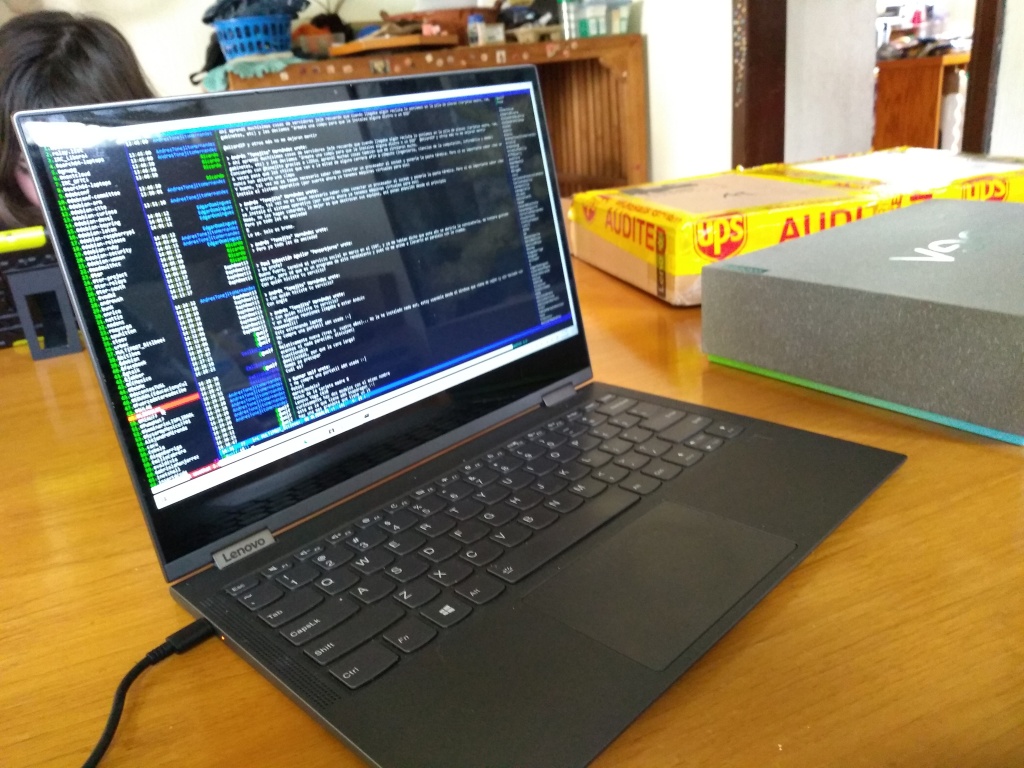
So today is the day when a new Debian release comes out! Congratulations to everybody, and thanks a lot mainly to the Release Team. Lots of very hard work was put into making Debian 11 Bullseye a reality! My very personal way to celebrate this was to do a somewhat different Debian install at home. Why different? Well, I have quite a bit of old, older and frankly elderly laptops at home. And as many of you know, I have done more than my fair share of Raspberry Pi installs I have played and worked with assorted ARM machines at least since 2013, and I cannot consider myself a newbie with them by any means. But this is the first time I installed Debian on a mass-market, decently-specced ARM64-based laptop. Yes, I know the Pinebook has been there like for ages, but it really does feel like a computer to show off and not to use seriously (and I ve seen probably too many people fiddling with it, unable to get $foo to work). So I got myself a used Lenovo Yoga C630. Yes, a discontinued product it seems Lenovo was not able to properly market this machine, and it had a pretty short shelf life the machine was available for samples in late 2018 and for general sale in 2019! The specs are quite decent: Installing it via an almost-standard debian-installer is almost straightforward does require the installer to know what he is doing but is not too different from a regular Debian install. The AArch64 laptops project has done quite a feat in getting a d-i image ready to be inserted as a USB drive, and comprehensive instructions to help through the process. The shipped scripts even reap the Windows partition for the firmware images! I have reduced Windows to 25GB, but having only a 128GB drive, it still is a little bit too much.. I guess I ll blow it away sooner rather than later. The installer image has a regular GNOME install, which works beautifully, but I promptly replaced it with i3, as it s fundamental for me to work happily. Of course, the computer has quirks, more than I d expect from a regular x86 system, but well within what I expected to achieve during my first day with it. The issues I have most noted are: Of course, more quirks will surely appear with use. And I ll start trying to address some of them. So Happy Bullseye! Happy Debian 11! Enjoy a great release! \o/
17 July 2021

Andy Simpkins: Duel boot Debian and Windows

Installing a new laptop New is a 2nd hand Thinkpad T470p laptop that I intend to duel boot with windows.
I have been a Debian user for over 20 years, I use windows at work for the proprietary EDA Altium , but I have never had a windows installation on my laptop. This machine will to be different it is the first laptop that I have owned that has sufficient GPU to realistically run Altium.. I will try it in a VM later (if that works it will be my preferred choice), but for now I want to try a duel boot system. So where to start? Step one Debian wiki https://wiki.debian.org/DimentionedDualBoot/Windows My laptop was purchased from a dealer / refurbisher. This means that they had confirmed that the hardware was functional, wiped it down and then installed a clean copy of Windows on the whole system. What it doesn t mean is that the system was set for UEFI boot and that the EFI partition is set correctly . I turned on UEFI and made sure that Legacy BIOS mode was disabled. Next I re-installed Windows, making sure to leave enough disk space for may later Debian install. (if you already have UEFI / secure boot enabled then you could skip the reinstall and instead re-size your disk) Eeew! Windows now wants to show me adverts, it doesn t give me the option to never show me ads, but at least I could insist that it doesn t display tailored ads based on the obvious snooping of my web browsing habits just another reason to use Debian. Now to install Debian I want an encrypted file system, and because I want to dual boot I can t just follow the guided installation in the Debian installer. So I shall detail what I did here. Indeed I took several attempts at this and eventually asked for help as I had still messed up (I thought I was doing it correctly but had missed out a step) First the boiler plate DI Now for the interesting bit Partitioning the disk(s) Select MANUAL disk partitioning I have the following partitions: /dev/nvmen0p1
1.0MB FREE SPACE
#1 536.9 MB B K ESP
400.0 GB FREE SPACE
#3 16.8 MB Microsoft reserved partition
#4 111.6 GB ntfs Basic data partition
335.4 kB FREE SPACE Set use I now have the following partitions: LVM VG VG-Skink
#1 32 GB f swap swap
LVM VG VG-System
#1 367.5 GB f ext4 /
Encrypted volume
#1 399.5 GB K lvm
/dev/nvmen0p1
1.0MB FREE SPACE
#1 536.9 MB B K ESP
#2 500.2 MB F ext2 /boot
#5 399.2 GB K crypto skink
#3 16.8 MB Microsoft reserved partition
#4 111.6 GB ntfs Basic data partition
335.4 kB FREE SPACE Boiler plate debian install continues The system will install a base system Sit back and wait a for the system to install Well that didn t take very long Damn this new laptop is quick. I suspect that is nvme solid state storage, no longer limited to SATA bus speeds (and even that wasn t slow)

1 July 2021

Paul Wise: FLOSS Activities June 2021

Focus This month I didn't have any particular focus. I just worked on issues in my info bubble.

Changes

Issues

Review
  • Spam: reported 3 Debian bug reports and 135 Debian mailing list posts
  • Debian wiki: RecentChanges for the month
  • Debian BTS usertags: changes for the month
  • Debian screenshots:
    • approved php-horde endless-sky claws-mail memtester
    • rejected python-gdal/weboob-qt (unrelated software)

Administration
  • Debian: restart bacula director
  • Debian wiki: approve accounts

Communication
  • This month I left freenode, an IRC network I had been on for at least 16 years, for reasons that you probably all read about. I think the biggest lesson I take from this situation and ones happening around the same time is that proper governance in peer production projects is absolutely critical.
  • Respond to queries from Debian users and contributors on the mailing lists and IRC

Sponsors The purple-discord/flower work was sponsored by my employers. All other work was done on a volunteer basis.

30 June 2021

Enrico Zini: Systemd containers with unittest

This is part of a series of posts on ideas for an ansible-like provisioning system, implemented in Transilience. Unit testing some parts of Transilience, like the apt and systemd actions, or remote Mitogen connections, can really use a containerized system for testing. To have that, I reused my work on nspawn-runner. to build a simple and very fast system of ephemeral containers, with minimal dependencies, based on systemd-nspawn and btrfs snapshots: Setup To be able to use systemd-nspawn --ephemeral, the chroots needs to be btrfs subvolumes. If you are not running on a btrfs filesystem, you can create one to run the tests, even on a file:
fallocate -l 1.5G testfile
/usr/sbin/mkfs.btrfs testfile
sudo mount -o loop testfile test_chroots/
I created a script to setup the test environment, here is an extract:
mkdir -p test_chroots
cat << EOF > "test_chroots/CACHEDIR.TAG"
Signature: 8a477f597d28d172789f06886806bc55
# chroots used for testing transilience, can be regenerated with make-test-chroot
EOF
btrfs subvolume create test_chroots/buster
eatmydata debootstrap --variant=minbase --include=python3,dbus,systemd buster test_chroots/buster
CACHEDIR.TAG is a nice trick to tell backup software not to bother backing up the contents of this directory, since it can be easily regenerated. eatmydata is optional, and it speeds up debootstrap quite a bit. Running unittest with sudo Here's a simple helper to drop root as soon as possible, and regain it only when needed. Note that it needs $SUDO_UID and $SUDO_GID, that are set by sudo, to know which user to drop into:
class ProcessPrivs:
    """
    Drop root privileges and regain them only when needed
    """
    def __init__(self):
        self.orig_uid, self.orig_euid, self.orig_suid = os.getresuid()
        self.orig_gid, self.orig_egid, self.orig_sgid = os.getresgid()
        if "SUDO_UID" not in os.environ:
            raise RuntimeError("Tests need to be run under sudo")
        self.user_uid = int(os.environ["SUDO_UID"])
        self.user_gid = int(os.environ["SUDO_GID"])
        self.dropped = False
    def drop(self):
        """
        Drop root privileges
        """
        if self.dropped:
            return
        os.setresgid(self.user_gid, self.user_gid, 0)
        os.setresuid(self.user_uid, self.user_uid, 0)
        self.dropped = True
    def regain(self):
        """
        Regain root privileges
        """
        if not self.dropped:
            return
        os.setresuid(self.orig_suid, self.orig_suid, self.user_uid)
        os.setresgid(self.orig_sgid, self.orig_sgid, self.user_gid)
        self.dropped = False
    @contextlib.contextmanager
    def root(self):
        """
        Regain root privileges for the duration of this context manager
        """
        if not self.dropped:
            yield
        else:
            self.regain()
            try:
                yield
            finally:
                self.drop()
    @contextlib.contextmanager
    def user(self):
        """
        Drop root privileges for the duration of this context manager
        """
        if self.dropped:
            yield
        else:
            self.drop()
            try:
                yield
            finally:
                self.regain()
privs = ProcessPrivs()
privs.drop()
As soon as this module is loaded, root privileges are dropped, and can be regained for as little as possible using a handy context manager:
   with privs.root():
       subprocess.run(["systemd-run", ...], check=True, capture_output=True)
Using the chroot from test cases The infrastructure to setup and spin down ephemeral machine is relatively simple, once one has worked out the nspawn incantations:
class Chroot:
    """
    Manage an ephemeral chroot
    """
    running_chroots: Dict[str, "Chroot"] =  
    def __init__(self, name: str, chroot_dir: Optional[str] = None):
        self.name = name
        if chroot_dir is None:
            self.chroot_dir = self.get_chroot_dir(name)
        else:
            self.chroot_dir = chroot_dir
        self.machine_name = f"transilience- uuid.uuid4() "
    def start(self):
        """
        Start nspawn on this given chroot.
        The systemd-nspawn command is run contained into its own unit using
        systemd-run
        """
        unit_config = [
            'KillMode=mixed',
            'Type=notify',
            'RestartForceExitStatus=133',
            'SuccessExitStatus=133',
            'Slice=machine.slice',
            'Delegate=yes',
            'TasksMax=16384',
            'WatchdogSec=3min',
        ]
        cmd = ["systemd-run"]
        for c in unit_config:
            cmd.append(f"--property= c ")
        cmd.extend((
            "systemd-nspawn",
            "--quiet",
            "--ephemeral",
            f"--directory= self.chroot_dir ",
            f"--machine= self.machine_name ",
            "--boot",
            "--notify-ready=yes"))
        log.info("%s: starting machine using image %s", self.machine_name, self.chroot_dir)
        log.debug("%s: running %s", self.machine_name, " ".join(shlex.quote(c) for c in cmd))
        with privs.root():
            subprocess.run(cmd, check=True, capture_output=True)
        log.debug("%s: started", self.machine_name)
        self.running_chroots[self.machine_name] = self
    def stop(self):
        """
        Stop the running ephemeral containers
        """
        cmd = ["machinectl", "terminate", self.machine_name]
        log.debug("%s: running %s", self.machine_name, " ".join(shlex.quote(c) for c in cmd))
        with privs.root():
            subprocess.run(cmd, check=True, capture_output=True)
        log.debug("%s: stopped", self.machine_name)
        del self.running_chroots[self.machine_name]
    @classmethod
    def create(cls, chroot_name: str) -> "Chroot":
        """
        Start an ephemeral machine from the given master chroot
        """
        res = cls(chroot_name)
        res.start()
        return res
    @classmethod
    def get_chroot_dir(cls, chroot_name: str):
        """
        Locate a master chroot under test_chroots/
        """
        chroot_dir = os.path.abspath(os.path.join(os.path.dirname(__file__), "..", "test_chroots", chroot_name))
        if not os.path.isdir(chroot_dir):
            raise RuntimeError(f" chroot_dir  does not exists or is not a chroot directory")
        return chroot_dir
# We need to use atextit, because unittest won't run
# tearDown/tearDownClass/tearDownModule methods in case of KeyboardInterrupt
# and we need to make sure to terminate the nspawn containers at exit
@atexit.register
def cleanup():
    # Use a list to prevent changing running_chroots during iteration
    for chroot in list(Chroot.running_chroots.values()):
        chroot.stop()
And here's a TestCase mixin that starts a containerized systems and opens a Mitogen connection to it:
class ChrootTestMixin:
    """
    Mixin to run tests over a setns connection to an ephemeral systemd-nspawn
    container running one of the test chroots
    """
    chroot_name = "buster"
    @classmethod
    def setUpClass(cls):
        super().setUpClass()
        import mitogen
        from transilience.system import Mitogen
        cls.broker = mitogen.master.Broker()
        cls.router = mitogen.master.Router(cls.broker)
        cls.chroot = Chroot.create(cls.chroot_name)
        with privs.root():
            cls.system = Mitogen(
                    cls.chroot.name, "setns", kind="machinectl",
                    python_path="/usr/bin/python3",
                    container=cls.chroot.machine_name, router=cls.router)
    @classmethod
    def tearDownClass(cls):
        super().tearDownClass()
        cls.system.close()
        cls.broker.shutdown()
        cls.chroot.stop()
Running tests Once the tests are set up, everything goes on as normal, except one needs to run nose2 with sudo:
sudo nose2-3
Spin up time for containers is pretty fast, and the tests drop root as soon as possible, and only regain it for as little as needed. Also, dependencies for all this are minimal and available on most systems, and the setup instructions seem pretty straightforward

27 June 2021

Louis-Philippe V ronneau: Writing QA Scripts for Debian Teams

Since I joined the Debian Python Team, I have had a lot of fun working on different QA issues. Although I'm still a Perl illiterate1, I've for example contributed to a few Lintian tags. There are multiple ways to make mass QA changes to team-managed packages. Projects like the Debian Janitor are more than fantastic: they make for a robust, thorough and automated way to fix QA issues in the archive and I don't have enough good words to describe the amazing work of Jelmer Vernooij on the toolsuite the Janitor uses. But with robustness comes complexity. The Janitor is currently based on 10 different subtools (silver-platter, ognibuild, lintian-brush, ...) and if you want to use it to fix a bug, you first need to make sure there's a Lintian tag that flags the issue you're working on. Then you need to write a lintian-brush fixer to fix said issue. Sadly, sometimes writing a new Lintian tag to flag a trivial changes is not the appropriate course of action and only creates clutter. All this to say until now, I was a missing a "quick and somewhat dirty2" way to make simple one-off changes to a bunch of packages. 200 lines of Python later, I'm happy to report I have a simple way to replace the old Clojure Team email in d/control by the new one for all of our packages. Even better, although this script doesn't aim to be a versatile tool like the Janitor is, most of the functions can be reused for other similar one-off scripts. Many thanks to Felix Lechner showing me the very handy Lintian Query JSON interface!

  1. I don't really enjoy coding in Perl, but it makes up so much of the current Debian infrastructure that I wish I did. I keep telling myself I should buy an "Introduction to Perl" book...
  2. A quick and dirty way to make those changes would've been to write a shell script, but one of my 2021 resolution is to use Python for all my scripting needs.

22 June 2021

Lisandro Dami n Nicanor P rez Meyer: Creating an app with QML: a heater control

Last week I took the ICS course "Building an Embedded Application with Qt" and now it's time to put the gained knowledge into action. I decided to create an application to (simulate?) a heater control. Why? Because I have a very basic one at home, and I always dreamed of getting something better. So time to implement it.
Requirements General Try to do the business logic in C++ as much as possible. Thermostat Temperature profiles Profile selection The system should be able to configure the desired profile in slots of 15' for each day (Monday to Sunday). So 96 slots per day. Manual button Sometimes I want to override the predefined configuration for a special situation. This button should allow me to set a new target temperature in a time slot from 15 minutes to 3 hours. Heater on indicator We want to know when the heater is being commanded to turn on. Temperature sensor This is not strictly decided, so the ability to use different kinds of sensors, one at a time, would be just nice.
User interface I did some sketches on what I would want as a UI. But I'm not a graphic designer, so I will first do a very simple but yet functional UI and then try to switch to a better designed UI. I dream on emulating an horizontal disc gauge, those where the user sees the border of the disc and the center of it shows the current temperature, perhaps even with a magnifier in the middle. Something like this, but with the needle fixed in the center.
Implementing the idea The backend Code repository at GitLab. My first steps where to implement the C++ backend: a Settings class and a TemperatureEngine class. For the temperature sensor I decided to make a very simple AbstractTemperatureSensor class and also implement a FakeTemperatureSensor. The later will come handy in order to be able to run tests. Later on I can implement other temperature sources like reading an analog voltage from some GPIO, getting the data trough MQTT, etc. The GUI That's definitely Work In Progress :-)

21 June 2021

Lisandro Dami n Nicanor P rez Meyer: Firsts steps into QML

After years of using and maintaining Qt there was a piece of the SDK that I never got to use as a developer: QML. Thanks to ICS I've took the free (in the sense of cost) QML Programming Fundamentals and Beyond. It consists of seven sessions, which can be easily done in a few days. I did them all in 4 days, but with enough time available you can do them even faster. Of course some previous knowledge of Qt comes handy. The only drawback was the need of a corporate e-mail in order to register (or at least the webpage says so). Apart from that it is really worth the effort. So, if you are planning into getting into QML this is definitely a nice way to start.

28 April 2021

Russ Allbery: Review: Beyond Shame

Review: Beyond Shame, by Kit Rocha
Series: Beyond #1
Publisher: Kit Rocha
Copyright: December 2013
ASIN: B00GIA4GN8
Format: Kindle
Pages: 270
I read this book as part of the Beyond Series Bundle (Books 1-3), which is what the sidebar information is for. Noelle is a child of Eden, the rich and technologically powerful city of a post-apocalyptic world. As the daughter of a councilman, she had everything she wanted except the opportunity to feel. Eden's religious elite embrace a doctrine of strict Puritanism: Even hugging one's children was frowned upon, let alone anything related to sex. Noelle was too rebellious to settle for that, which is why this book opens with her banished from Eden, ejected into Sector Four. The sectors are the city slums, full of gangs and degenerates and violence, only a slight step up from the horrific farming communes. Luckily for her, she literally stumbles into one of the lieutenants of the O'Kane gang, who are just as violent as their reputations but who have surprising sympathy for a helpless city girl. My shorthand distinction between romance and erotica is that romance mixes some sex into the plot and erotica mixes some plot into the sex. Beyond Shame is erotica, specifically BDSM erotica. The forbidden sensations that Noelle got kicked out of Eden for pursuing run strongly towards humiliation, which is tangled up in the shame she was taught to feel about anything sexual. There is a bit of a plot surrounding the O'Kanes who take her in, their leader, some political skulduggery that eventually involves people she knows, and some inter-sector gang warfare, but it's quite forgettable (and indeed I've already forgotten most of it). The point of the story is Noelle navigating a relationship with Jasper (among others) that involves a lot of very graphic sex. I was of two minds about reviewing this. Erotica is tricky to review, since to an extent it's not trying to do what most books are doing. The point is less to tell a coherent story (although that can be a bonus) than it is to turn the reader on, and what turns the reader on is absurdly personal and unpredictable. Erotica is arguably more usefully marked with story codes (which in this case would be something like MF, MMFF, FF, Mdom, Fdom, bd, ds, rom, cons, exhib, humil, tattoos) so that the reader has an idea whether the scenarios in the story are the sort of thing they find hot. This is particularly true of BDSM erotica, since the point is arousal from situations that wouldn't work or might be downright horrifying in a different sort of book. Often the forbidden or taboo nature of the scene is why it's erotic. For example, in another genre I would complain about the exaggerated and quite sexist gender roles, where all the men are hulking cage fighters who want to control the women, but in male-dominant BDSM erotica that's literally the point. As you can tell, I wrote a review anyway, primarily because of how I came to read this book. Kit Rocha (which is a pseudonym for the writing team of Donna Herren and Bree Bridges) recently published Deal with the Devil, a book about mercenary librarians in a post-apocalyptic future. Like every right-thinking person, I immediately wanted to read a book about mercenary librarians, but discovered that it was set in an existing universe. I hate not starting at the beginning of things, so even though there was probably no need to read the earlier books first, I figured out Beyond Shame was the first in this universe and the bundle of the first three books was only $2. If any of you are immediately hooked by mercenary librarians but are back-story completionists, now you know what you'll be getting into. That said, there are a few notable things about this book other than it has a lot of sex. The pivot of the romantic relationship was more interesting and subtle than most erotica. Noelle desperately wants a man to do all sorts of forbidden things to her, but she starts the book unable to explain or analyze why she wants what she wants, and both Jasper and the story are uncomfortable with that and unwilling to leave it alone. Noelle builds up a more coherent theory of herself over the course of the book, and while it's one that's obviously designed to enable lots of erotic scenes, it's not a bad bit of character development. Even better is Lex, the partner (sort of) of the leader of the O'Kane gang and by far the best character in the book. She takes Noelle under her wing from the start, and while that relationship is sexualized like nearly everything in this book, it also turns into an interesting female friendship that I would have also enjoyed in a different genre. I liked Lex a lot, and the fact she's the protagonist of the next book might keep me reading. Beyond Shame also has a lot more female gaze descriptions of the men than is often the case in male-dominant BDSM. The eye candy is fairly evenly distributed, although the gender roles are very much not. It even passes the Bechdel test, although it is still erotica and nearly all the conversations end up being about sex partners or sex eventually. I was less fond of the fact that the men are all dangerous and violent and the O'Kane leader frequently acts like a controlling, abusive psychopath. A lot of that was probably the BDSM setup, but it was not my thing. Be warned that this is the sort of book in which one of the (arguably) good guys tortures someone to death (albeit off camera). Recommendations are next to impossible for erotica, so I won't try to give one. If you want to read the mercenary librarian novel and are dubious about this one, it sounds like (although I can't confirm) that it's a bit more on the romance end of things and involves a lot fewer group orgies. Having read this book, I suspect it was entirely unnecessary to have done so for back-story. If you are looking for male-dominant BDSM, Beyond Shame is competently written, has a more thoughtful story than most, and has a female friendship that I fully enjoyed, which may raise it above the pack. Rating: 6 out of 10

25 April 2021

Russell Coker: Scanning with a MFC-9120CN on Bullseye

I previously wrote about getting a Brother MFC-9120CN multifunction printer/scanner to print on Linux [1]. I had also got it scanning which I didn t blog about.
found USB scanner (vendor=0x04f9, product=0x021d) at libusb:003:002
I recently upgraded that Linux system to Debian/Testing (which will soon be released as Debian/Bullseye) and scanning broke. The command sane-find-scanner would find the USB connected scanner (with the above output), but scanimage -L didn t. It turned out that I had to edit /etc/sane.d/dll.d/hplip which had a single uncommented line of hpaio and replace that with brother3 to make SANE load the driver /usr/lib64/sane/libsane-brother3.so from the brscan3 package (which Brother provided from their web site years ago). I have the following script to do the scanning (which can run as non-root):
#!/bin/bash
set -e
if [ "$1" == "" ]; then
  echo "specify output filename"
  exit 1
fi
TMP=$(mktemp)
scanimage > $TMP
convert $TMP $1
rm $TMP
Final Note This blog post doesn t describe everything that needs to be done to setup a scanner, I already had part of it setup from 10 years ago. But for anyone who finds this after having trouble, /etc/sane.d/dll.d is one place you should look for important configuration (especially if sane-find-scanner works and scanimage -L fails). Also the Brother drivers are handy to have although I apparently had it working in the past with the hpaio driver from HP (the Brother device emulates a HP device).

14 April 2021

Russell Coker: Basics of Linux Kernel Debugging

Firstly a disclaimer, I m not an expert on this and I m not trying to instruct anyone who is aiming to become an expert. The aim of this blog post is to help someone who has a single kernel issue they want to debug as part of doing something that s mostly not kernel coding. I welcome comments about the second step to kernel debugging for the benefit of people who need more than this (which might include me next week). Also suggestions for people who can t use a kvm/qemu debugger would be good. Below is a command to run qemu with GDB. It should be run from the Linux kernel source directory. You can add other qemu options for a blog device and virtual networking if necessary, but the bug I encountered gave an oops from the initrd so I didn t need to go further. The nokaslr is to avoid address space randomisation which deliberately makes debugging tasks harder (from a certain perspective debugging a kernel and compromising a kernel are fairly similar). Loading the bzImage is fine, gdb can map that to the different file it looks at later on.
qemu-system-x86_64 -kernel arch/x86/boot/bzImage -initrd ../initrd-$KERN_VER -curses -m 2000 -append "root=/dev/vda ro nokaslr" -gdb tcp::1200
The command to run GDB is gdb vmlinux , when at the GDB prompt you can run the command target remote localhost:1200 to connect to the GDB server port 1200. Note that there is nothing special about port 1200, it was given in an example I saw and is as good as any other port. It is important that you run GDB against the vmlinux file in the main directory not any of the several stripped and packaged files, GDB can t handle a bzImage file but that s OK, it ends up much the same in RAM. When the target remote command is processed the kernel will be suspended by the debugger, if you are looking for a bug early in the boot you may need to be quick about this. Using qemu-system-x86_64 instead of kvm slows things down and can help in that regard. The bug I was hunting happened 1.6 seconds after kernel load with KVM and 7.8 seconds after kernel load with qemu. I am not aware of all the implications of the kvm vs qemu decision on debugging. If your bug is a race condition then trying both would be a good strategy. After the target remote command you can debug the kernel just like any other program. If you put a breakpoint on print_modules() that will catch the operation of printing an Oops which can be handy.

11 April 2021

Vishal Gupta: Sikkim 101 for Backpackers

Host to Kanchenjunga, the world s third-highest mountain peak and the endangered Red Panda, Sikkim is a state in northeastern India. Nestled between Nepal, Tibet (China), Bhutan and West Bengal (India), the state offers a smorgasbord of cultures and cuisines. That said, it s hardly surprising that the old spice route meanders through western Sikkim, connecting Lhasa with the ports of Bengal. Although the latter could also be attributed to cardamom (kali elaichi), a perennial herb native to Sikkim, which the state is the second-largest producer of, globally. Lastly, having been to and lived in India, all my life, I can confidently say Sikkim is one of the cleanest & safest regions in India, making it ideal for first-time backpackers.

Brief History
  • 17th century: The Kingdom of Sikkim is founded by the Namgyal dynasty and ruled by Buddhist priest-kings known as the Chogyal.
  • 1890: Sikkim becomes a princely state of British India.
  • 1947: Sikkim continues its protectorate status with the Union of India, post-Indian-independence.
  • 1973: Anti-royalist riots take place in front of the Chogyal's palace, by Nepalis seeking greater representation.
  • 1975: Referendum leads to the deposition of the monarchy and Sikkim joins India as its 22nd state.
Languages
  • Official: English, Nepali, Sikkimese/Bhotia and Lepcha
  • Though Hindi and Nepali share the same script (Devanagari), they are not mutually intelligible. Yet, most people in Sikkim can understand and speak Hindi.
Ethnicity
  • Nepalis: Migrated in large numbers (from Nepal) and soon became the dominant community
  • Bhutias: People of Tibetan origin. Major inhabitants in Northern Sikkim.
  • Lepchas: Original inhabitants of Sikkim

Food
  • Tibetan/Nepali dishes (mostly consumed during winter)
    • Thukpa: Noodle soup, rich in spices and vegetables. Usually contains some form of meat. Common variations: Thenthuk and Gyathuk
    • Momos: Steamed or fried dumplings, usually with a meat filling.
    • Saadheko: Spicy marinated chicken salad.
    • Gundruk Soup: A soup made from Gundruk, a fermented leafy green vegetable.
    • Sinki : A fermented radish tap-root product, traditionally consumed as a base for soup and as a pickle. Eerily similar to Kimchi.
  • While pork and beef are pretty common, finding vegetarian dishes is equally easy.
  • Staple: Dal-Bhat with Subzi. Rice is a lot more common than wheat (rice) possibly due to greater carb content and proximity to West Bengal, India s largest producer of Rice.
  • Good places to eat in Gangtok
    • Hamro Bhansa Ghar, Nimtho (Nepali)
    • Taste of Tibet
    • Dragon Wok (Chinese & Japanese)

Buddhism in Sikkim
  • Bayul Demojong (Sikkim), is the most sacred Land in the Himalayas as per the belief of the Northern Buddhists and various religious texts.
  • Sikkim was blessed by Guru Padmasambhava, the great Buddhist saint who visited Sikkim in the 8th century and consecrated the land.
  • However, Buddhism is said to have reached Sikkim only in the 17th century with the arrival of three Tibetan monks viz. Rigdzin Goedki Demthruchen, Mon Kathok Sonam Gyaltshen & Rigdzin Legden Je at Yuksom. Together, they established a Buddhist monastery.
  • In 1642 they crowned Phuntsog Namgyal as the first monarch of Sikkim and gave him the title of Chogyal, or Dharma Raja.
  • The faith became popular through its royal patronage and soon many villages had their own monastery.
  • Today Sikkim has over 200 monasteries.

Major monasteries
  • Rumtek Monastery, 20Km from Gangtok
  • Lingdum/Ranka Monastery, 17Km from Gangtok
  • Phodong Monastery, 28Km from Gangtok
  • Ralang Monastery, 10Km from Ravangla
  • Tsuklakhang Monastery, Royal Palace, Gangtok
  • Enchey Monastery, Gangtok
  • Tashiding Monastery, 35Km from Ravangla


Reaching Sikkim
  • Gangtok, being the capital, is easiest to reach amongst other regions, by public transport and shared cabs.
  • By Air:
    • Pakyong (PYG) :
      • Nearest airport from Gangtok (about 1 hour away)
      • Tabletop airport
      • Reserved cabs cost around INR 1200.
      • As of Apr 2021, the only flights to PYG are from IGI (Delhi) and CCU (Kolkata).
    • Bagdogra (IXB) :
      • About 20 minutes from Siliguri and 4 hours from Gangtok.
      • Larger airport with flights to most major Indian cities.
      • Reserved cabs cost about INR 3000. Shared cabs cost about INR 350.
  • By Train:
    • New Jalpaiguri (NJP) :
      • About 20 minutes from Siliguri and 4 hours from Gangtok.
      • Reserved cabs cost about INR 3000. Shared cabs from INR 350.
  • By Road:
    • NH10 connects Siliguri to Gangtok
    • If you can t find buses plying to Gangtok directly, reach Siliguri and then take a cab to Gangtok.
  • Sikkim Nationalised Transport Div. also runs hourly buses between Siliguri and Gangtok and daily buses on other common routes. They re cheaper than shared cabs.
  • Wizzride also operates shared cabs between Siliguri/Bagdogra/NJP, Gangtok and Darjeeling. They cost about the same as shared cabs but pack in half as many people in luxury cars (Innova, Xylo, etc.) and are hence more comfortable.

Gangtok
  • Time needed: 1D/1N
  • Places to visit:
    • Hanuman Tok
    • Ganesh Tok
    • Tashi View Point [6,800ft]
    • MG Marg
    • Sikkim Zoo
    • Gangtok Ropeway
    • Enchey Monastery
    • Tsuklakhang Palace & Monastery
  • Hostels: Tagalong Backpackers (would strongly recommend), Zostel Gangtok
  • Places to chill: Travel Cafe, Caf Live & Loud and Gangtok Groove
  • Places to shop: Lal Market and MG Marg

Getting Around
  • Taxis operate on a reserved or shared basis. In case of the latter, you can pool with other commuters your taxis will pick up and drop en-route.
  • Naturally shared taxis only operate on popular routes. The easiest way to get around Gangtok is to catch a shared cab from MG Marg.
  • Reserved taxis for Gangtok sightseeing cost around INR 1000-1500, depending upon the spots you d like to see
  • Key taxi/bus stands :
    • Deorali stand: For Darjeeling, Siliguri, Kalimpong
    • Vajra stand: For North & East Sikkim (Tsomgo Lake & Nathula)
    • Rumtek taxi: For Ravangla, Pelling, Namchi, Geyzing, Jorethang and Singtam.
Exploring Gangtok on an MTB

North Sikkim
  • The easiest & most economical way to explore North Sikkim is the 3D/2N package offered by shared-cab drivers.
  • This includes food, permits, cab rides and accommodation (1N in Lachen and 1N in Lachung)
  • The accommodation on both nights are at homestays with bare necessities, so keep your hopes low.
  • In the spirit of sustainable tourism, you ll be asked to discard single-use plastic bottles, so please carry a bottle that you can refill along the way.
  • Zero Point and Gurdongmer Lake are snow-capped throughout the year
3D/2N Shared-cab Package Itinerary
  • Day 1
    • Gangtok (10am) - Chungthang - Lachung (stay)
  • Day 2
    • Pre-lunch : Lachung (6am) - Yumthang Valley [12,139ft] - Zero Point - Lachung [15,300ft]
    • Post-lunch : Lachung - Chungthang - Lachen (stay)
  • Day 3
    • Pre-lunch : Lachen (5am) - Kala Patthar - Gurdongmer Lake [16,910ft] - Lachen
    • Post-lunch : Lachen - Chungthang - Gangtok (7pm)
  • This itinerary is idealistic and depends on the level of snowfall.
  • Some drivers might switch up Day 2 and 3 itineraries by visiting Lachen and then Lachung, depending upon the weather.
  • Areas beyond Lachen & Lachung are heavily militarized since the Indo-China border is only a few miles away.

East Sikkim

Zuluk and Silk Route
  • Time needed: 2D/1N
  • Zuluk [9,400ft] is a small hamlet with an excellent view of the eastern Himalayan range including the Kanchenjunga.
  • Was once a transit point to the historic Silk Route from Tibet (Lhasa) to India (West Bengal).
  • The drive from Gangtok to Zuluk takes at least four hours. Hence, it makes sense to spend the night at a homestay and space out your trip to Zuluk

Tsomgo Lake and Nathula
  • Time Needed : 1D
  • A Protected Area Permit is required to visit these places, due to their proximity to the Chinese border
  • Tsomgo/Chhangu Lake [12,313ft]
    • Glacial lake, 40 km from Gangtok.
    • Remains frozen during the winter season.
    • You can also ride on the back of a Yak for INR 300
  • Baba Mandir
    • An old temple dedicated to Baba Harbhajan Singh, a Sepoy in the 23rd Regiment, who died in 1962 near the Nathu La during Indo China war.
  • Nathula Pass [14,450ft]
    • Located on the Indo-Tibetan border crossing of the Old Silk Route, it is one of the three open trading posts between India and China.
    • Plays a key role in the Sino-Indian Trade and also serves as an official Border Personnel Meeting(BPM) Point.
    • May get cordoned off by the Indian Army in event of heavy snowfall or for other security reasons.


West Sikkim
  • Time needed: 3N/1N
  • Hostels at Pelling : Mochilerro Ostillo

Itinerary

Day 1: Gangtok - Ravangla - Pelling
  • Leave Gangtok early, for Ravangla through the Temi Tea Estate route.
  • Spend some time at the tea garden and then visit Buddha Park at Ravangla
  • Head to Pelling from Ravangla

Day 2: Pelling sightseeing
  • Hire a cab and visit Skywalk, Pemayangtse Monastery, Rabdentse Ruins, Kecheopalri Lake, Kanchenjunga Falls.

Day 3: Pelling - Gangtok/Siliguri
  • Wake up early to catch a glimpse of Kanchenjunga at the Pelling Helipad around sunrise
  • Head back to Gangtok on a shared-cab
  • You could take a bus/taxi back to Siliguri if Pelling is your last stop.

Darjeeling
  • In my opinion, Darjeeling is lovely for a two-day detour on your way back to Bagdogra/Siliguri and not any longer (unless you re a Bengali couple on a honeymoon)
  • Once a part of Sikkim, Darjeeling was ceded to the East India Company after a series of wars, with Sikkim briefly receiving a grant from EIC for gifting Darjeeling to the latter
  • Post-independence, Darjeeling was merged with the state of West Bengal.

Itinerary

Day 1 :
  • Take a cab from Gangtok to Darjeeling (shared-cabs cost INR 300 per seat)
  • Reach Darjeeling by noon and check in to your Hostel. I stayed at Hideout.
  • Spend the evening visiting either a monastery (or the Batasia Loop), Nehru Road and Mall Road.
  • Grab dinner at Glenary whilst listening to live music.

Day 2:
  • Wake up early to catch the sunrise and a glimpse of Kanchenjunga at Tiger Hill. Since Tiger Hill is 10km from Darjeeling and requires a permit, book your taxi in advance.
  • Alternatively, if you don t want to get up at 4am or shell out INR1500 on the cab to Tiger Hill, walk to the Kanchenjunga View Point down Mall Road
  • Next, queue up outside Keventers for breakfast with a view in a century-old cafe
  • Get a cab at Gandhi Road and visit a tea garden (Happy Valley is the closest) and the Ropeway. I was lucky to meet 6 other backpackers at my hostel and we ended up pooling the cab at INR 200 per person, with INR 1400 being on the expensive side, but you could bargain.
  • Get lunch, buy some tea at Golden Tips, pack your bags and hop on a shared-cab back to Siliguri. It took us about 4hrs to reach Siliguri, with an hour to spare before my train.
  • If you ve still got time on your hands, then check out the Peace Pagoda and the Darjeeling Himalayan Railway (Toy Train). At INR 1500, I found the latter to be too expensive and skipped it.


Tips and hacks
  • Download offline maps, especially when you re exploring Northern Sikkim.
  • Food and booze are the cheapest in Gangtok. Stash up before heading to other regions.
  • Keep your Aadhar/Passport handy since you need permits to travel to North & East Sikkim.
  • In rural areas and some cafes, you may get to try Rhododendron Wine, made from Rhododendron arboreum a.k.a Gurans. Its production is a little hush-hush since the flower is considered holy and is also the National Flower of Nepal.
  • If you don t want to invest in a new jacket, boots or a pair of gloves, you can always rent them at nominal rates from your hotel or little stores around tourist sites.
  • Check the weather of a region before heading there. Low visibility and precipitation can quite literally dampen your experience.
  • Keep your itinerary flexible to accommodate for rest and impromptu plans.
  • Shops and restaurants close by 8pm in Sikkim and Darjeeling. Plan for the same.

Carry
  • a couple of extra pairs of socks (woollen, if possible)
  • a pair of slippers to wear indoors
  • a reusable water bottle
  • an umbrella
  • a power bank
  • a couple of tablets of Diamox. Helps deal with altitude sickness
  • extra clothes and wet bags since you may not get a chance to wash/dry your clothes
  • a few passport size photographs

Shared-cab hacks
  • Intercity rides can be exhausting. If you can afford it, pay for an additional seat.
  • Call shotgun on the drives beyond Lachen and Lachung. The views are breathtaking.
  • Return cabs tend to be cheaper (WB cabs travelling from SK and vice-versa)

Cost
  • My median daily expenditure (back when I went to Sikkim in early March 2021) was INR 1350.
  • This includes stay (bunk bed), food, wine and transit (shared cabs)
  • In my defence, I splurged on food, wine and extra seats in shared cabs, but if you re on a budget, you could easily get by on INR 1 - 1.2k per day.
  • For a 9-day trip, I ended up shelling out nearly INR 15k, including 2AC trains to & from Kolkata
  • Note : Summer (March to May) and Autumn (October to December) are peak seasons, and thereby more expensive to travel around.

Souvenirs and things you should buy

Buddhist souvenirs :
  • Colourful Prayer Flags (great for tying on bikes or behind car windshields)
  • Miniature Prayer/Mani Wheels
  • Lucky Charms, Pendants and Key Chains
  • Cham Dance masks and robes
  • Singing Bowls
  • Common symbols: Om mani padme hum, Ashtamangala, Zodiac signs

Handicrafts & Handlooms
  • Tibetan Yak Wool shawls, scarfs and carpets
  • Sikkimese Ceramic cups
  • Thangka Paintings

Edibles
  • Darjeeling Tea (usually brewed and not boiled)
  • Wine (Arucha Peach & Rhododendron)
  • Dalle Khursani (Chilli) Paste and Pickle

Header Icon made by Freepik from www.flaticon.com is licensed by CC 3.0 BY

Next.

Previous.