Michael Prokop: grml 1.0, grml64 0.1 and grml-small 0.4
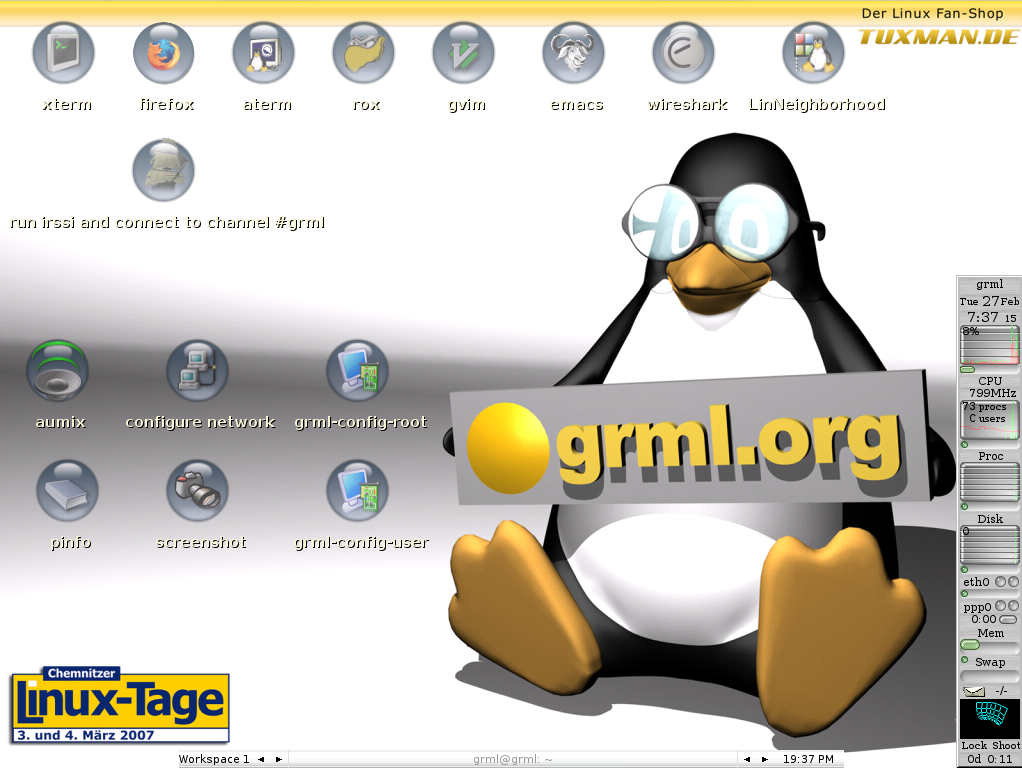
It’s done. grml 1.0 is available. New features? Tons of them.
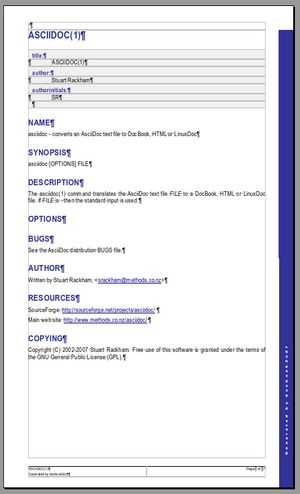
It’s done. grml 1.0 is available. New features? Tons of them. % cp /usr/share/doc/asciidoc/examples/website/manpage.txt . % a2x -f odt manpage.txt % ooffice manpage.odtJust to get an idea how the result looks like in OpenOffice:
Just ‘apt-get install docbook2odf’ if you are using Debian/unstable, thanks to the work of formorer we could include the toolchain in the upcoming grml release.
As formorer mentioned already we have new release candidates of grml: grml 1.0-rc1 with codename Meilenschwein is available as well as grml-small 0.4-rc1 with codename Springinkerl. We are proud to be able to present a 64bit version of grml as well: grml 64 0.1-rc1 with codename LiveShell which is based on the amd64 port of Debian.
New features? Tons of new features. So what are you waiting for? Ah, that the mirrors are getting in sync, right. So grab the ISOs in the meanwhile from the master or the slave or even better use bittorrent (torrents for: grml, grml64 and grml-small) instead. We are waiting for your bug reports.
vnamespace -e repos mount -t tmpfs -o remount,size=32m,mode=1777 \
none /var/lib/vservers/repos/tmp
I just talked to mercurial devs, quoting them:
00:24 < mpm> It finds the tmp dir based on the standard environment variables. 00:24 < mpm> We'll probably move it to .hg/ [...] 00:33 < brendan> defaults to /tmp if unsetExcellent.
ran out of input data System haltedReason: everything OK, except for the filesystem used on your usb device. So instead of fat16 you use for example fat32. Fix: use the appropriate filesystem (fat16 for usb pens usually).
Invalid operating systemPossible reason: the partition layout is not ok. Very probably there’s no primary partition or none has the flag ‘bootable’ set. (Read on for further details.)
No operating system found.Possible reason: you forgot to set the boot-flag on the partition. Or you did not install an operating system at all.
FATAL ERROR: Bad primary partition 0: Partition ends in the final partial cylinderReason: the partition layout is not ok. Either use fdisk (requires detailed knowledge about partition setup!) or better: use a fronted of libparted, like gparted. gparted does an excellent job at setting up an appropriate partition layout for booting from USB (read on for details about the correct setup). As long as cfdisk has problems with the layout - it will exit on errors - your usb pen very probably does not have a valid partition setup for booting. Please notice that fdisk very often uses defaults which are not OK, whereas gparted uses the appropriate heads, sectors/track and cylinders settings. So if you really want to use fdisk for setting up the appropriate partition layout you might have to enter the ‘extra functionality (experts only)’ menu of fdisk.
kernel-panic: unable to mount root-fs...Yes? Then the root= argument in your kernel commandline (specified in the bootloader, usually lilo, grub or isolinux/syslinux) is pointing to the wrong device. Solution: adjust the root=-option in your bootmanager’s configuration. Tip: use root=UUID instead of root=/dev/[hs]d…
# fdisk -l -u /dev/sda Disk /dev/sda: 1039 MB, 1039663104 bytes 255 heads, 63 sectors/track, 126 cylinders, total 2030592 sectors Units = sectors of 1 * 512 = 512 bytes Device Boot Start End Blocks Id System /dev/sda1 * 63 2024189 1012063+ 6 FAT16 # fdisk -l /dev/sda Disk /dev/sda: 1039 MB, 1039663104 bytes 255 heads, 63 sectors/track, 126 cylinders Units = cylinders of 16065 * 512 = 8225280 bytes Device Boot Start End Blocks Id System /dev/sda1 * 1 126 1012063+ 6 FAT16 # sfdisk -d /dev/sda # partition table of /dev/sda unit: sectors /dev/sda1 : start= 63, size= 2024127, Id= 6, bootable /dev/sda2 : start= 0, size= 0, Id= 0 /dev/sda3 : start= 0, size= 0, Id= 0 /dev/sda4 : start= 0, size= 0, Id= 0Tip: if you have a working stick, store your partition layout using ’sfdisk -d /dev/sda > sfdisk.sda’ for later restore (via ’sfdisk /dev/sda < sfdisk.sda’). This is also very useful for cloning a working setup to other devices (though you might have to adjust cylinder/units later on). And of course you can use it as backup if you ran [sc]fdisk-commands on the wrong device.
What is this? Some kind of grep bitten by a radioactive spider?Want to get a calculator using crm114? No problem:
— apocryphal CRM114 isn’t ugly like PERL. It’s a whole different kind of ugly.
— John Bowker
% cat > calc << EOF eval (:_dw:) /:@: :*:_dw: :/ output /:*:_dw: \n/ EOF % crm calc (42*23)+(11/3.14) # press return and EOF (ctrl-d) at this stage and get the result: 969.50318There’s a crm114 book (PDF, 283 pages!) available for free download. Just apt-get crm114, the installed-size is less than 1MB. Thanks Maddi for pointing me to it again, it was on my todolist for ages.
cd /etc hg init chmod og-rwx .hgIgnore a few files:
cat > .hgignore << EOF syntax: regexp (^)*.dpkg-new (^)*.dpkg-old (^)blkid.tab( .old) (^)mtab # add other files if necessary, depends on your setup... EOFNow commit the current state:
hg add hg ci -m "initial checkin"We want to commit the changes automatically when using apt-get/aptitude so let’s write and include a wrapper for it:
cat > /etc/apt/hg-snapshot-script << EOF
#!/bin/sh
set -e
caller=$(ps axww mawk '/aptitude apt-get/ for (i=5; i<=NF ; i++) printf ("%s ",$i); printf ("n") ' head -1)
hg add 1>/dev/null
STATUS="$(hg st)"
if [ -n "$STATUS" ] ; then
echo "hg-snapshot-script: found changed files:"
hg st
hg ci -m "snapshot from $LOGNAME after: $caller"
else
echo "hg-snapshot-script: nothing to be done"
fi
EOF
chmod +x /etc/apt/hg-snapshot-script
cat >> /etc/apt/apt.conf << EOF
DPkg
Post-Invoke "cd /etc ; ./apt/hg-snapshot-script"; ;
EOF
Finally track the two files too:
hg add hg commit -m "apt will track /etc automagically using hg"That’s it.
Ok, a little bit delayed due to busy days… - anyway. Last weekend Chemnitzer Linuxdays 2007 took place and as already written in the grml-develblog I’ve been there. As every year Chemnitzer Linuxdays were great. I really enjoyed meeting people, hacking and giving support at the grml-booth, though it was quite stressful for me overall. On saturday I visited only one talk, it was Meike’s one - a very nice talk.
Several grml developers will be there and I’m looking forward to meet formorer for the first time in RL. % tar zcf stats_2005.tar.gz stats_2005* zsh: argument list too long: tarThe reason? Too many files for the ARG_MAX limit. ARG_MAX defines the maximum length of arguments to the exec function (more precise: bytes of args plus environment for exec), defined in /usr/include/linux/limits.h on your Linux system:
% ls -la grep -c stats_2005 9037 % getconf ARG_MAX 131072 % cpp << EOF tail -1 #include <limits.h> ARG_MAX EOF 131072 %Ok. But how to work around the issue? Possible solution for GNU:
% find . -name 'stats_2005*' > filelist % tar zcf stats_2005.tar.gz --files-from filelistWithout the temporary file (filelist in our example):
% find . -name 'stats_2005*' -print tar zcf stats_2005.tar.gz --files-from -zsh provides zargs (but AFAIK it doesn’t work with gzip in the same command line due to the way zargs works, so create the archive in one step and compress it in another step later):
% autoload zargs % zargs -- stats_2005* -- tar --ignore-failed-read -rpf stats_2005.tarThe approach works with other tools than tar as well of course, usage example for afio:
find . -name 'stats_2005*' -print afio -o -Z stats_2005.afioDepending on the type of problem (rm, cp, mv,…) you can choose differented approaches as well, some further examples:
% for file in stats_2005* ; do rm -f -- "$file" ; done % perl -e 'unlink <stats_2005*>' % zsh -c 'zmodload zsh/files && rm -f -- stats_2005*' % zsh -c 'autoload -U zargs; zargs -r ./stats_2005* -- rm -f' % ksh93 -c 'command -x rm -f -- stats_2005*' % find . -maxdepth 1 -name 'stats_2005*' -print0 xargs -r0 rm -f % find . -name 'stats_2005*' -print0 xargs -0 mv -i --target-dir=/destination % zmodload zsh/files ; mv -- stats_2005* /destination
autoload insert-unicode-char zle -N insert-unicode-char bindkey '^Xi' insert-unicode-charFigure out the character’s code (take a look at unicode.org/charts/ for example) and press ‘ctrl-x i’, followed by the character’s code and press ‘ctrl-x i’ once more. Usage example: ‘ctrl-x i 00A7 ctrl-x i’ will give you an ‘ ’.
Next.