Search Results: "John Goerzen"

16 June 2016

John Goerzen: Mud, Airplanes, Arduino, and Fun

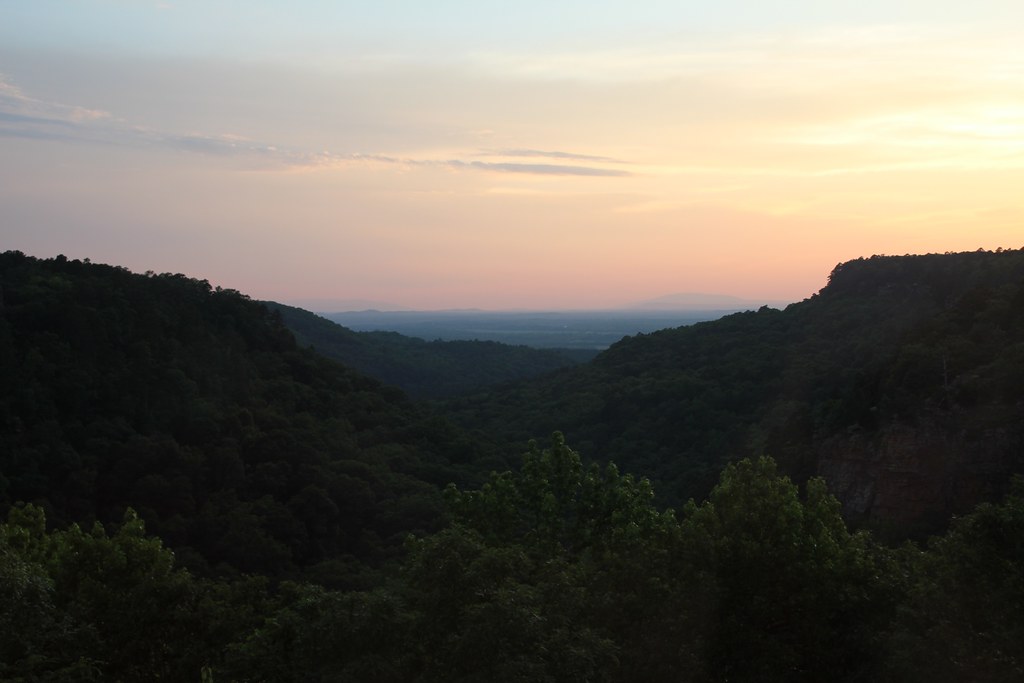
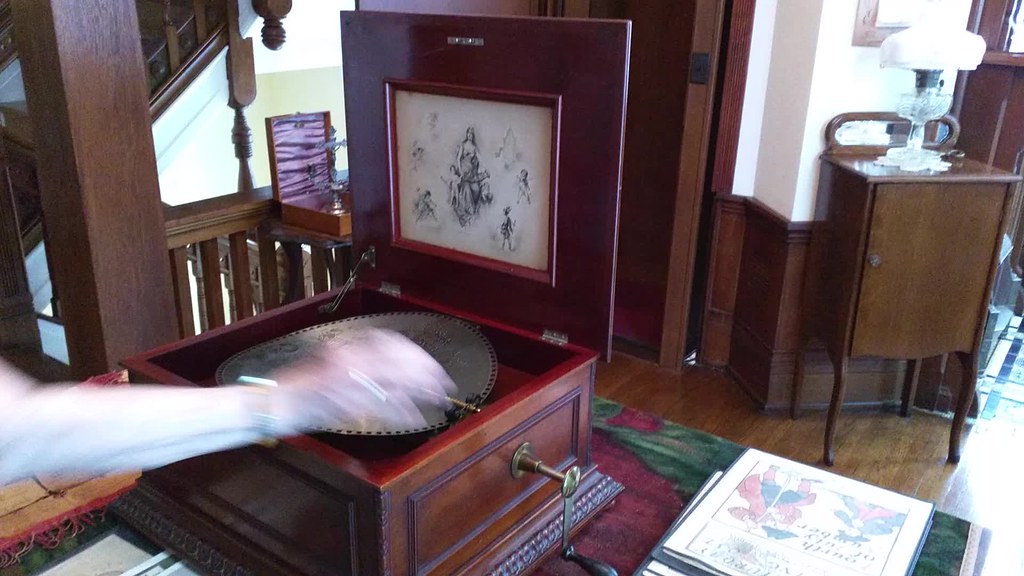
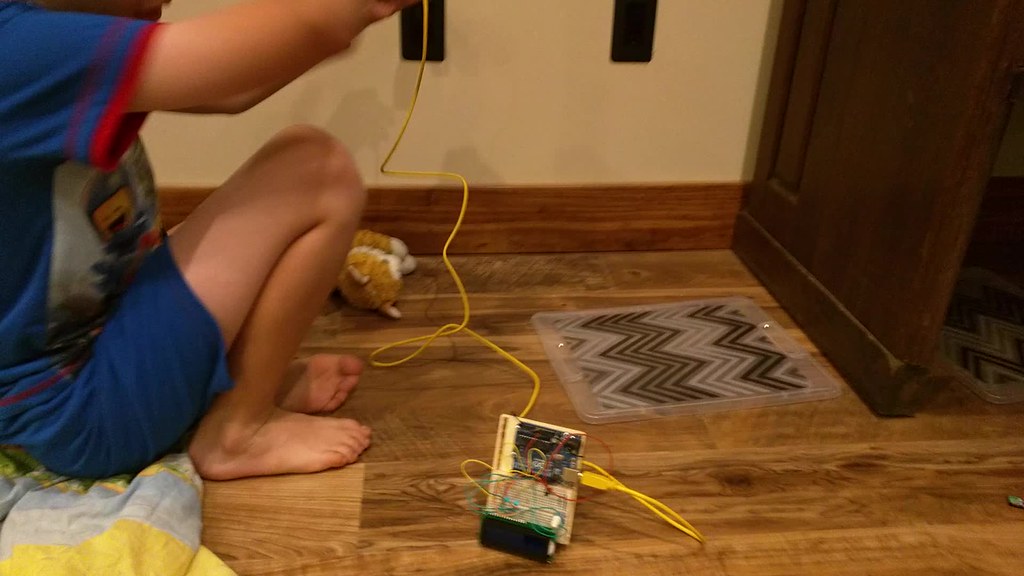
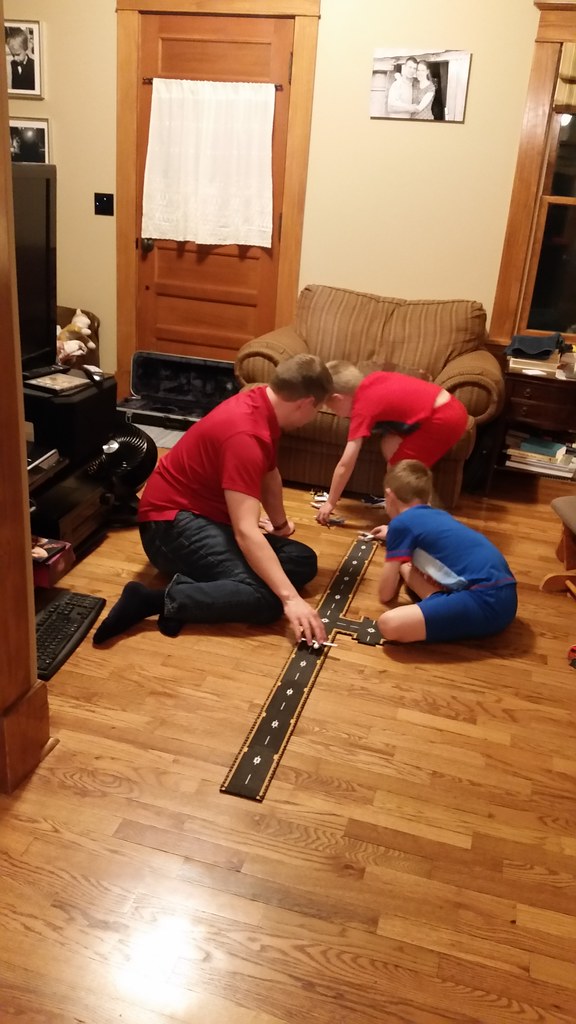
The last few weeks have been pretty hectic in their way, but I ve also had the chance to take some time off work to spend with family, which has been nice. Memorial Day: breakfast and mud For Memorial Day, I decided it would be nice to have a cookout for breakfast rather than for dinner. So we all went out to the fire ring. Jacob and Oliver helped gather kindling for the fire, while Laura chopped up some vegetables. Once we got a good fire going, I cooked some scrambled eggs in a cast iron skillet, mixed with meat and veggies. Mmm, that was tasty. Then we all just lingered outside. Jacob and Oliver enjoyed playing with the cats, and the swingset, and then . water. They put the hose over the slide and made a water slide (more mud slide maybe). IMG_7688 Then we got out the water balloon fillers they had gotten recently, and they loved filling up water balloons. All in all, we all just enjoyed the outdoors for hours. MVI_7738 Flying to Petit Jean, Arkansas Somehow, neither Laura nor I have ever really been to Arkansas. We figured it was about time. I had heard wonderful things about Petit Jean State Park from other pilots: it s rather unique in that it has a small airport right in the park, a feature left over from when Winthrop Rockefeller owned much of the mountain. And what a beautiful place it was! Dense forests with wonderful hiking trails, dotted with small streams, bubbling springs, and waterfalls all over; a nice lake, and a beautiful lodge to boot. Here was our view down into the valley at breakfast in the lodge one morning: IMG_7475 And here s a view of one of the trails: IMG_7576 The sunset views were pretty nice, too: IMG_7610 And finally, the plane we flew out in, parked all by itself on the ramp: IMG_20160522_171823 It was truly a relaxing, peaceful, re-invigorating place. Flying to Atchison Last weekend, Laura and I decided to fly to Atchison, KS. Atchison is one of the oldest cities in Kansas, and has quite a bit of history to show off. It was fun landing at the Amelia Earhart Memorial Airport in a little Cessna, and then going to three museums and finding lunch too. Of course, there is the Amelia Earhart Birthplace Museum, which is a beautifully-maintained old house along the banks of the Missouri River. IMG_20160611_134313 I was amused to find this hanging in the county historical society museum: IMG_20160611_153826 One fascinating find is a Regina Music Box, popular in the late 1800s and early 1900s. It operates under the same principles as those that you might see that are cylindrical. But I am particular impressed with the effort that would go into developing these discs in the pre-computer era, as of course the holes at the outer edge of the disc move faster than the inner ones. It would certainly take a lot of careful calculation to produce one of these. I found this one in the Cray House Museum: VID_20160611_151504 An Arduino Project with Jacob One day, Jacob and I got going with an Arduino project. He wanted flashing blue lights for his police station , so we disassembled our previous Arduino project, put a few things on the breadboard, I wrote some code, and there we go. Then he noticed an LCD in my Arduino kit. I hadn t ever gotten around to using it yet, and of course he wanted it immediately. So I looked up how to connect it, found an API reference, and dusted off my C skills (that was fun!) to program a scrolling message on it. Here is Jacob showing it off: VID_20160614_074802.mp4

8 June 2016

Reproducible builds folks: Reproducible builds: week 58 in Stretch cycle

What happened in the Reproducible Builds effort between May 29th and June 4th 2016: Media coverage Ed Maste will present Reproducible Builds in FreeBSD at BDSCan 2016 in Ottawa, Canada on June 11th. GSoC and Outreachy updates Toolchain fixes Other upstream fixes Packages fixed The following 53 packages have become reproducible due to changes in their build-dependencies: angband blktrace code-saturne coinor-symphony device-tree-compiler mpich rtslib ruby-bcrypt ruby-bson-ext ruby-byebug ruby-cairo ruby-charlock-holmes ruby-curb ruby-dataobjects-sqlite3 ruby-escape-utils ruby-ferret ruby-ffi ruby-fusefs ruby-github-markdown ruby-god ruby-gsl ruby-hdfeos5 ruby-hiredis ruby-hitimes ruby-hpricot ruby-kgio ruby-lapack ruby-ldap ruby-libvirt ruby-libxml ruby-msgpack ruby-ncurses ruby-nfc ruby-nio4r ruby-nokogiri ruby-odbc ruby-oj ruby-ox ruby-raindrops ruby-rdiscount ruby-redcarpet ruby-redcloth ruby-rinku ruby-rjb ruby-rmagick ruby-rugged ruby-sdl ruby-serialport ruby-sqlite3 ruby-unicode ruby-yajl ruby-zoom thin The following packages have become reproducible after being fixed: Some uploads have addressed some reproducibility issues, but not all of them: Uploads with an unknown result because they fail to build: Patches submitted that have not made their way to the archive yet: Package reviews 45 reviews have been added, 25 have been updated and 25 have been removed in this week. 12 FTBFS bugs have been reported by Chris Lamb and Niko Tyni. diffoscope development strip-nondeterminism development Mattia uploaded strip-nondeterminism 0.018-1 which improved support for *.epub files. tests.reproducible-builds.org Misc. Last week we also learned about progress of reproducible builds in FreeBSD. Ed Maste announced a change to record the build timestamp during ports building, which is required for later reproduction. This week's edition was written by Reiner Herrman, Holger Levsen and Chris Lamb and reviewed by a bunch of Reproducible builds folks on IRC.

6 June 2016

John Goerzen: How git-annex replaces Dropbox + encfs with untrusted providers

git-annex has been around for a long time, but I just recently stumbled across some of the work Joey has been doing to it. This post isn t about it s traditional roots in git or all the features it has for partial copies of large data sets, but rather for its live syncing capabilities like Dropbox. It takes a bit to wrap your head around, because git-annex is just a little different from everything else. It s sort of like a different-colored smell. The git-annex wiki has a lot of great information both low-level reference and a high-level 10-minute screencast showing how easy it is to set up. I found I had to sort of piece together the architecture between those levels, so I m writing this all down hoping it will benefit others that are curious. Ir you just want to use it, you don t need to know all this. But I like to understand how my tools work. Overview git-annex lets you set up a live syncing solution that requires no central provider at all, or can be used with a completely untrusted central provider. Depending on your usage pattern, this central provider could require only a few MBs of space even for repositories containing gigabytes or terabytes of data that is kept in sync. Let s take a look at the high-level architecture of the tool. Then I ll illustrate how it works with some scenarios. Three Layers Fundamentally, git-annex takes layers that are all combined in Dropbox and separates them out. There is the storage layer, which stores the literal data bytes that you are interested in. git-annex indexes the data in storage by a hash. There is metadata, which is for things like a filename-to-hash mapping and revision history. And then there is an optional layer, which is live signaling used to drive the real-time syncing. git-annex has several modes of operation, and the one that enables live syncing is called the git-annex assistant. It runs as a daemon, and is available for Linux/POSIX platforms, Windows, Mac, and Android. I ll be covering it here. The storage layer The storage layer simply is blobs of data. These blobs are indexed by a hash, and can be optionally encrypted at rest at remote backends. git-annex has a large number of storage backends; some examples include rsync, a remote machine with git-annex on it that has ssh installed, WebDAV, S3, Amazon Glacier, removable USB drive, etc. There s a huge list. One of the git-annex features is that each client knows the state of each storage repository, as well as the capability set of each storage repository. So let s say you have a workstation at home and a laptop you take with you to work or the coffee shop. You d like changes on one to be instantly recognized on another. With something like Dropbox or OwnCloud, every file in the set you want synchronized has to reside on a server in the cloud. With git-annex, it can be configured such that the server in the cloud only contains a copy of a file until every client has synced it up, at which point it gets removed. Think about it that is often what you want anyhow, so why maintain an unnecessary copy after it s synced everywhere? (This behavior is, of course, configurable.) git-annex can also avoid storing in the cloud entirely if the machines are able to reach each other directly at least some of the time. The metadata layer Metadata about your files includes a mapping from the file names to the storage location (based on hashes), change history, and information about the status of each machine that participates in the syncing. On your clients, git-annex stores this using git. This detail is very useful to some, and irrelevant to others. Some of the git-annex storage backends can support only storage (S3, for instance). Some can support both storage and metadata (rsync, ssh, local drives, etc.) You can even configure a backend to support only metadata (more on why that may be useful in a bit). When you are working with a git-backed repository for git-annex, it can hold data, metadata, or both. So, to have a working sync system, you must have a way to transport both the data and the metadata. The transport for the metadata is generally rsync or git, but it can also be XMPP in which Git changesets are basically wrapped up in XMPP presence messages. Joey says, however, that there are some known issues with XMPP servers sometimes dropping or reordering some XMPP messages, so he doesn t encourage that method currently. The live signaling layer So once you have your data and metadata, you can already do syncs via git annex sync --contents. But the real killer feature here will be automatic detection of changes, both on the local and the remote. To do that, you need some way of live signaling. git-annex supports two methods. The first requires ssh access to a remote machine where git-annex is installed. In this mode of operation, when the git-annex assistant fires up, it opens up a persistent ssh connection to the remote and runs the git-annex-shell over there, which notifies it of changes to the git metadata repository. When a change is detected, a sync is initiated. This is considered ideal. A substitute can be XMPP, and git-annex actually converts git commits into a form that can be sent over XMPP. As I mentioned above, there are some known reliability issues with this and it is not the recommended option. Encryption When it comes to encryption, you generally are concerned about all three layers. In an ideal scenario, the encryption and decryption happens entirely on the client side, so no service provider ever has any details about your data. The live signaling layer is encrypted pretty trivially; the ssh sessions are, of course, encrypted and TLS support in XMPP is pervasive these days. However, this is not end-to-end encryption; those messages are decrypted by the service provider, so a service provider could theoretically spy on metadata, which may include change times and filenames, though not the contents of files themselves. The data layer also can be encrypted very trivially. In the case of the dumb backends like S3, git-annex can use symmetric encryption or a gpg keypair and all that ever shows up on the server are arbitrarily-named buckets. You can also use a gcrypt-based git repository. This can cover both data and metadata and, if the target also has git-annex installed, the live signalling layer. Using a gcrypt-based git repository for the metadata and live signalling is the only way to accomplish live syncing with 100% client-side encryption. All of these methods are implemented in terms of gpg, and can support symmetric of public-key encryption. It should be noted here that the current release versions of git-annex need a one-character patch in order to fix live syncing with a remote using gcrypt. For those of you running jessie, I recommend the version in jessie-backports, which is presently 5.20151208. For your convenience, I have compiled an amd64 binary that can drop in over /usr/bin/git-annex if you have this version. You can download it and a gpg signature for it. Note that you only need this binary on the clients; the server can use the version from jessie-backports without issue. Putting the pieces together: some scenarios Now that I ve explained the layers, let s look at how they fit together. Scenario 1: Central server In this scenario, you might have a workstation and a laptop that sync up with each other by way of a central server that also has a full copy of the data. This is the scenario that most closely resembles Dropbox, box, or OwnCloud. Here you would basically follow the steps in the git-assistant screencast: install git-annex on a server somewhere, and point your clients to it. If you want full end-to-end encryption, I would recommend letting git-annex generate a gpg keypair for you, which you would then need to copy to both your laptop and workstation (but not the server). Every change you make locally will be synced to the server, and then from the server to your other PC. All three systems would be configured in the client transfer group. Scenario 1a: Central server without a full copy of the data In this scenario, everything is configured the same except the central server is configured with the transfer transfer group. This means that the actual data synced to it is deleted after it has been propagated to all clients. Since git-annex can verify which repository has received a copy of which data, it can easily enough delete the actual file content from the central server after it has been copied to all the clients. Many people use something like Dropbox or OwnCloud as a multi-PC syncing solution anyhow, so once the files have been synced everywhere, it makes sense to remove them from the central server. This is often a good ideal for people. There are some obvious downsides that are sometimes relevant. For instance, to add a third sync client, it must be able to initially copy down from one of the existing clients. Or, if you intend to access the data from a device such as a cell phone where you don t intend for it to have a copy of all data all the time, you won t have as convenient way to download your data. Scenario 1b: Split data/metadata central servers Imagine that you have a shell or rsync account on some remote system where you can run git-annex, but don t have much storage space. Maybe you have a cheap VPS or shell account somewhere, but it s just not big enough to hold your data. The answer to this would be to use this shell or rsync account for the metadata, but put the data elsewhere. You could, for instance, store the data in Amazon S3 or Amazon Glacier. These backends aren t capable of storing the git-annex metadata, so all you need is a shell or rsync account somewhere to sync up the metadata. (Or, as below, you might even combine a fully distributed approach with this.) Then you can have your encrypted data pushed up to S3 or some such service, which presumably will grow to whatever size you need. Scenario 2: Fully distributed Like git itself, git-annex does not actually need a central server at all. If your different clients can reach each other directly at least some of the time, that is good enough. Of course, a given client will not be able to do fully automatic live sync unless it can reach at least one other client, so changes may not propagate as quickly. You can simply set this up by making ssh connections available between your clients. git-annex assistant can automatically generate appropriate ~/.ssh/authorized_keys entries for you. Scenario 2a: Fully distributed with multiple disconnected branches You can even have a graph of connections available. For instance, you might have a couple machines at home and a couple machines at work with no ability to have a direct connection between them (due to, say, firewalls). The two machines at home could sync with each other in real-time, as could the two machines at work. git-annex also supports things like USB drives as a transport mechanism, so you could throw a USB drive in your pocket each morning, pop it in to one client at work, and poof both clients are synced up over there. Repeat when you get home in the evening, and you re synced there. The USB drive s repository can, of course, be of the transport type so data is automatically deleted from it once it s been synced everywhere. Scenario 3: Hybrid git-annex can support LAN sync even if you have a central server. If your laptop, say, travels around but is sometimes on the same LAN as your PC, git-annex can easily sync directly between the two when they are reachable, saving a round-trip to the server. You can assign a cost to each remote, and git-annex will always try to sync first to the lowest-cost path that is available. Drawbacks of git-annex There are some scenarios where git-annex with the assistant won t be as useful as one of the more traditional instant-sync systems. The first and most obvious one is if you want to access the files without the git-annex client. For instance, many of the other tools let you generate a URL that you can email to people, and then they can download files without any special client software. This is not directly possible with git-annex. You could, of course, make something like a public_html directory be managed with git-annex, but it wouldn t provide things like obfuscated URLs, password-protected sharing, time-limited sharing, etc. that you get with other systems. While you can share your repositories with others that have git-annex, you can t share individual subdirectories; for a given repository, it is all or nothing. The Android client for git-annex is a pretty interesting thing: it is mostly a small POSIX environment, providing a terminal, git, gpg, and the same web interface that you get on a standalone machine. This means that the git-annex Android client is fully functional compared to a desktop one. It also has a quick setup process for syncing off your photos/videos. On the other hand, the integration with the Android ecosystem is poor compared to most other tools. Other git-annex features git-annex has a lot to offer besides the git-annex assistant. Besides the things I ve already mentioned, any given git-annex repository including your client repository can have a partial copy of the full content. Say, for instance, that you set up a git-annex repository for your music collection, which is quite large. You want some music on your netbook, but don t have room for it all. You can tell git-annex to get or drop files from the netbook s repository without deleting them remotely. git-annex has quite a few ways to automate and configure this, including making sure that at least a certain number of copies of a file exist in your git-annex ecosystem. Conclusion I initially started looking at git-annex due to the security issues with encfs, and the difficulty with setting up ecryptfs in this way. (I had been layering encfs atop OwnCloud). git-annex certainly ticks the box for me security-wise, and obviously anything encrypted with encfs wasn t going to be shared with others anyhow. I ll be using git-annex more in the future, I m sure.

30 May 2016

John Goerzen: That was satisfying

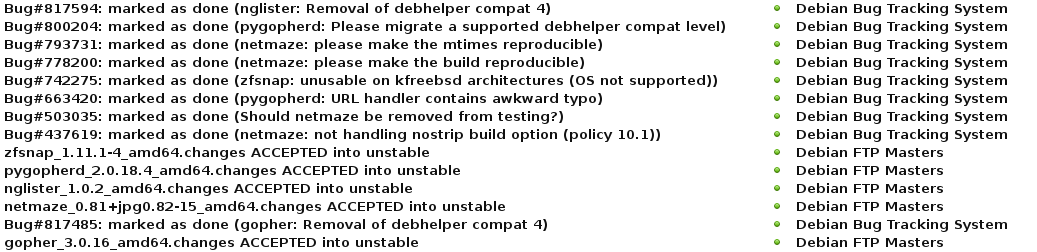
It s been awhile due to all sorts of other stuff going on. Nice to see this clogging my inbox again: screenshot It really is satisfying to close bugs!

8 May 2016

John Goerzen: The Simple Joys of the Plains

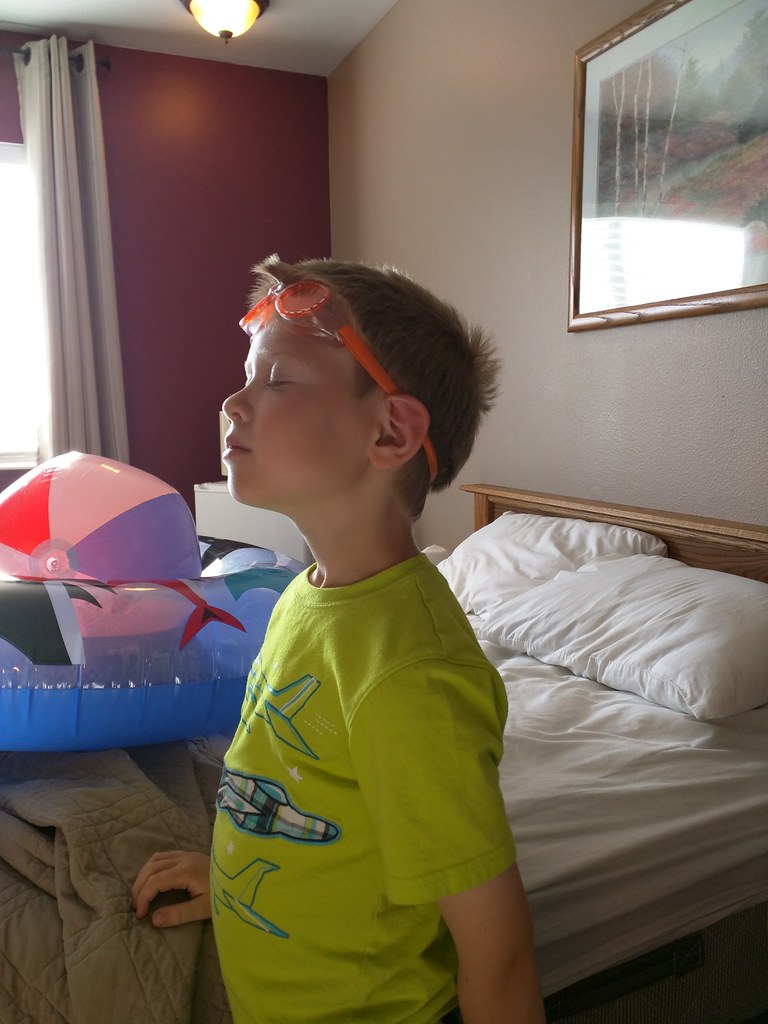
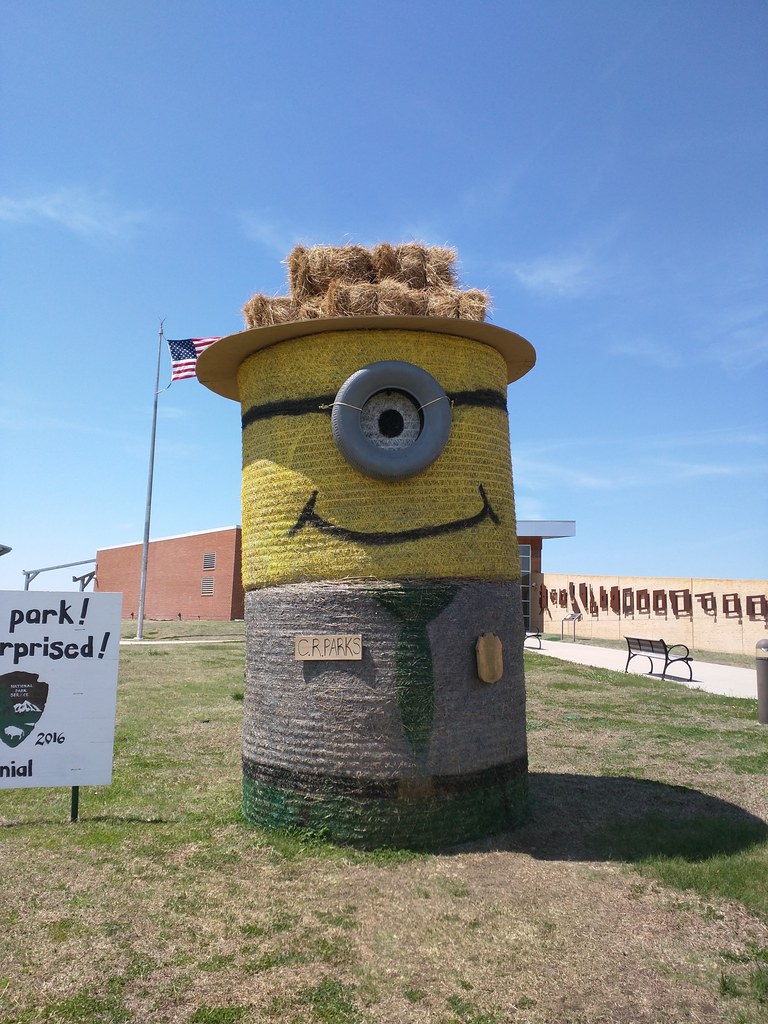
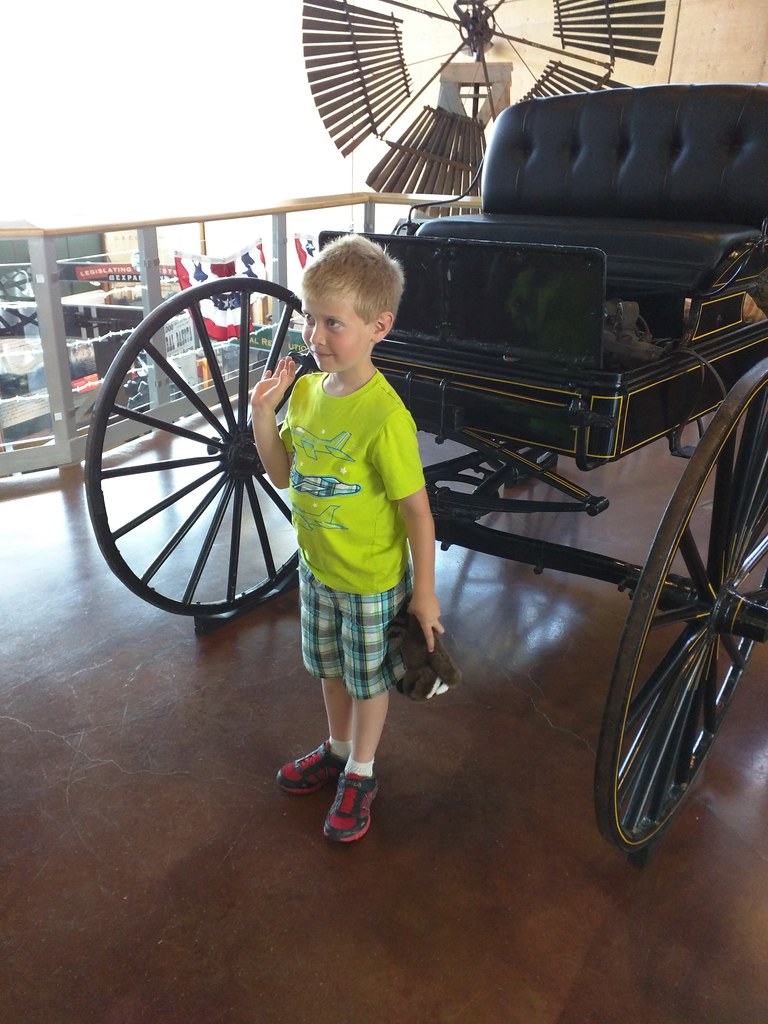
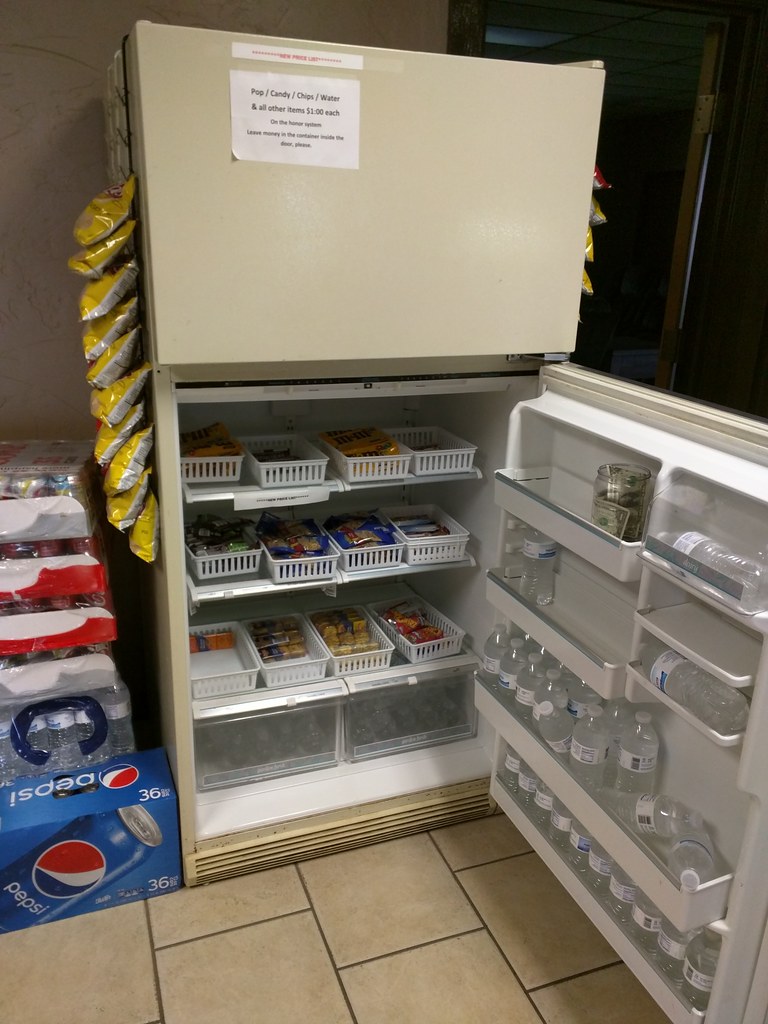
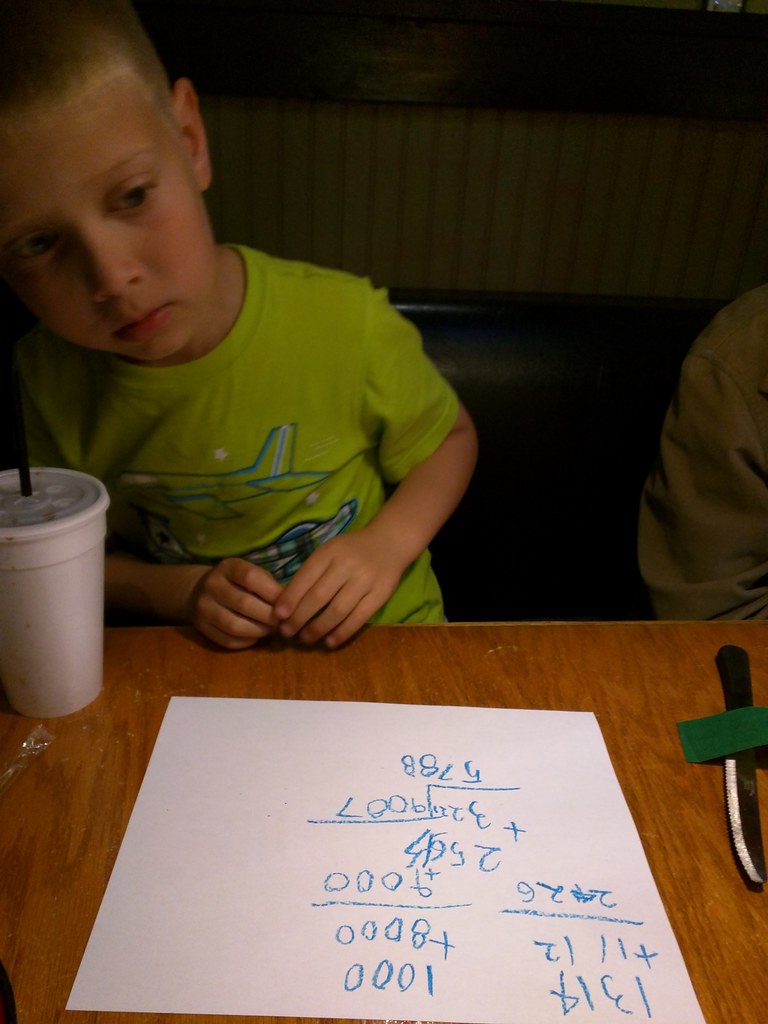
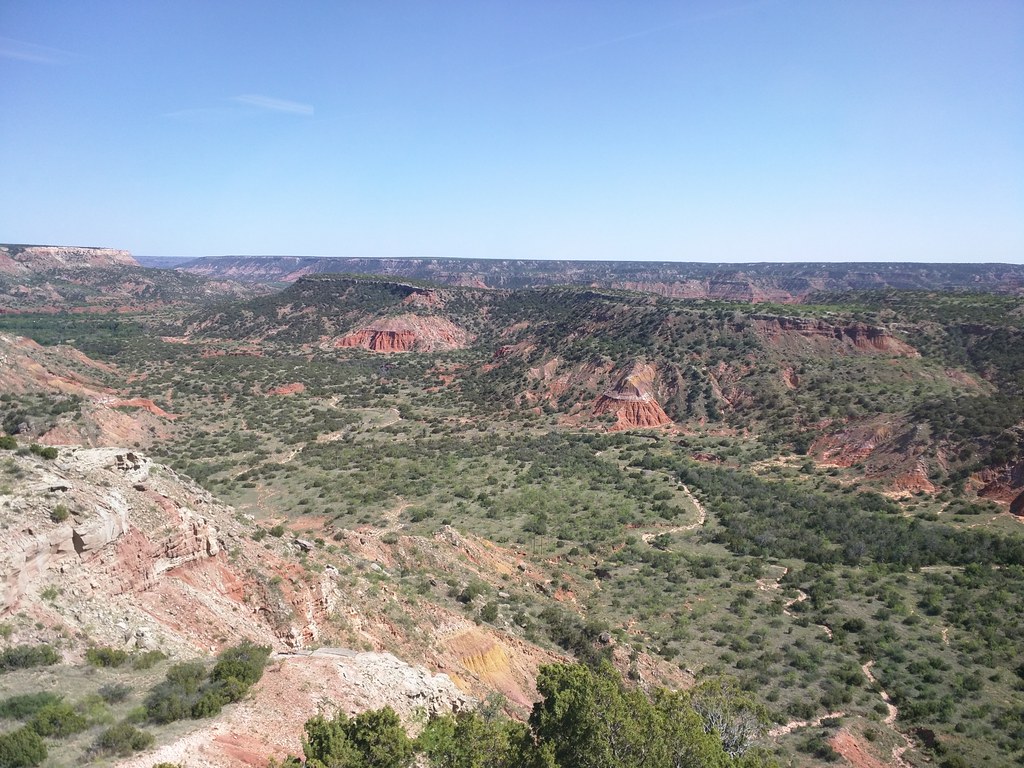
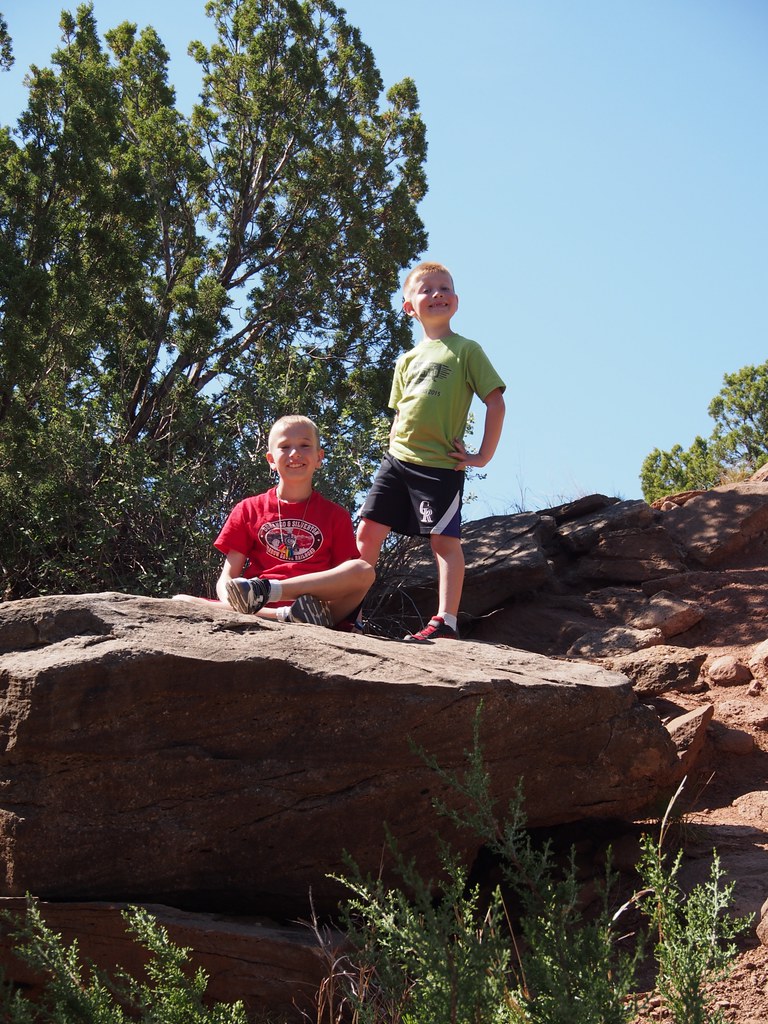
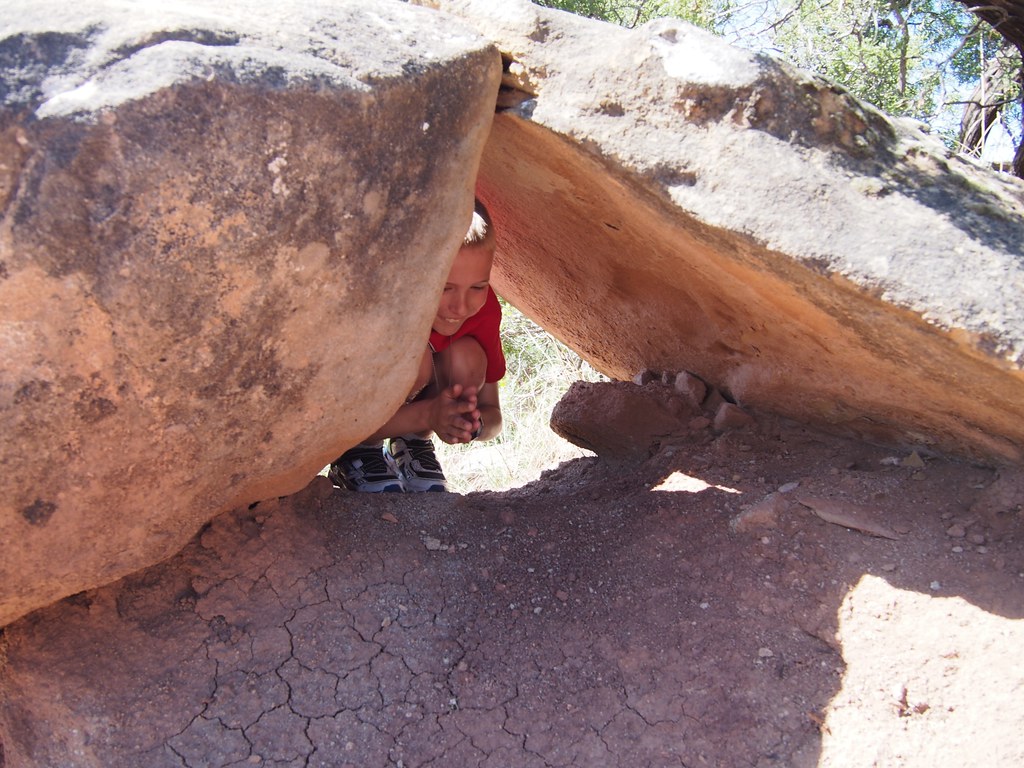
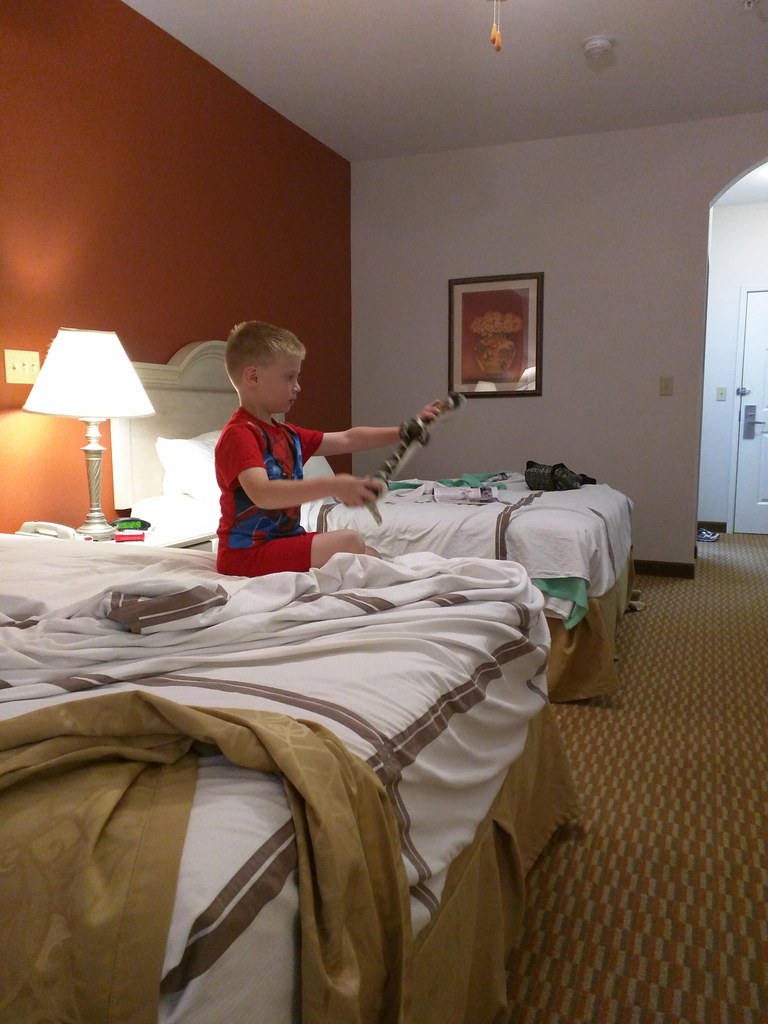
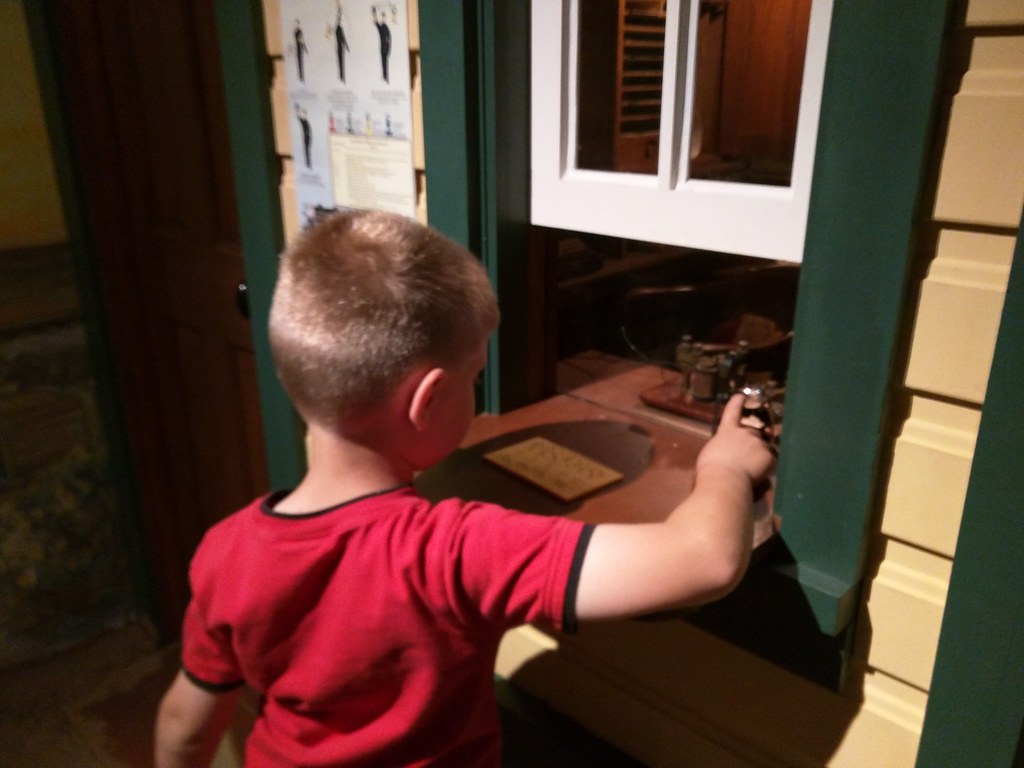
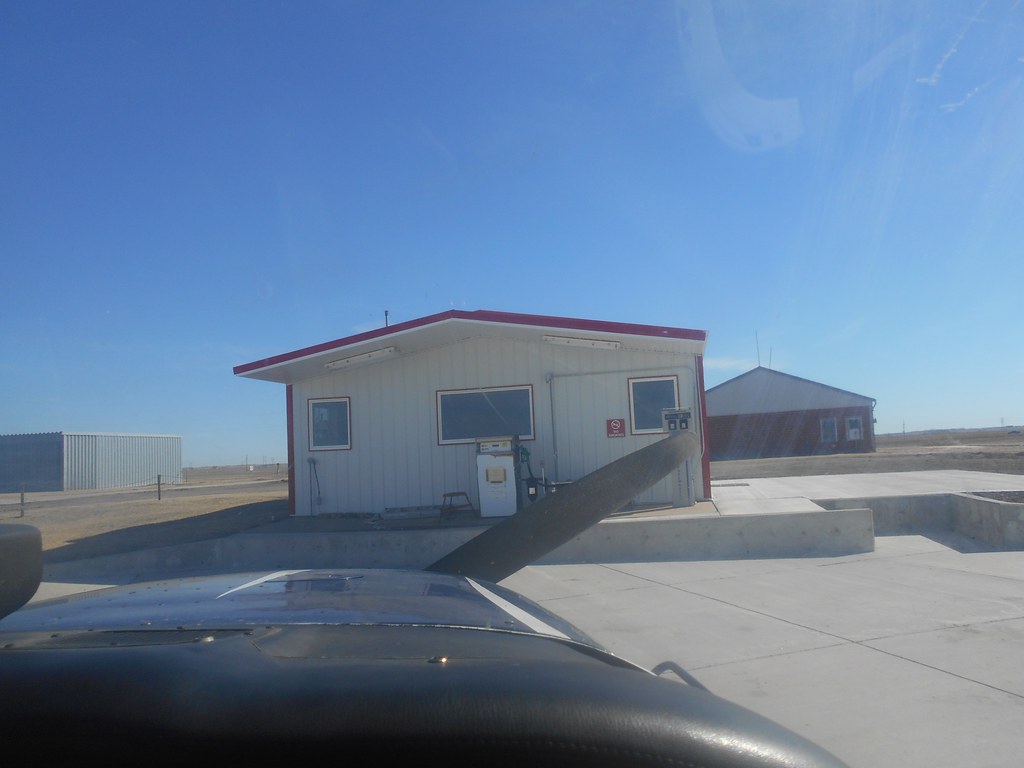
We love to go exploring as a family. Last year, we gave Jacob and Oliver a theme: find places older than Grandpa. They got creative really quick, realizing that any state park counts ( dirt is older than grandpa! ) as did pretty much any museum. Probably our hit from last year was the visit to the tunnels under Ellinwood, KS. Beatrice, NE This year, our theme is places we can fly to . A couple of weeks ago, Laura had a conference in the beautiful small town of Beatrice, NE. So all four of us flew up, and Jacob, Oliver, and I found fun activities while Laura was at her conference. IMG_20160423_125238 We walked around Beatrice a bit, and I noticed this rails-to-trails area. Jacob and Oliver were immediately interested (since it was railroad-related). They quickly turned it into a game of kick-the-dandelion, trying to kick dandelions off their stems and see how high in the air they could get them. The answer: pretty high. IMG_20160423_082343 Of course, you can t go wrong with swimming. Here s Oliver getting ready for some swimming. IMG_20160423_132125 Right near Beatrice is the Homestead National Monument. Of course, the bales decorated like a minion got their attention. IMG_20160423_135141 Like the other national parks, this one has a junior ranger program. You complete a few things in an activity book and take a pledge to protect the park, and then you get a badge and some stickers. Here s Oliver proudly taking his pledge, holding the new raccoon he bought in their gift shop. Canyon, TX Laura and I have been to Canyon, TX, twice the first was for our honeymoon. Yes, we did get some strange looks when we told people we were going to Amarillo for our honeymoon. But it was absolutely perfect for us. We both enjoy the simple gifts of nature. We kept thinking we ve got to take the boys here . So this weekend, we did. We flew a Cessna out there. IMG_20160505_180409 Almost every little general aviation airport seems to have a bowl of candy, a plate of cookies, or some such thing for people that are flying through. I often let Jacob and Oliver choose ONE item. They hit the jackpot when we stopped at West Woodward, Oklahoma for fuel and a break. Two whole fridges stocked with stuff: cans of pop in one, and all sorts of snacks in the other. In typical GA fashion, there was a jar in the fridge asking for $1 if you took something. And it clearly hadn t been emptied in awhile. They also had a nice lounge and a patio. Perfect for munching while watching the activities on the ramp. IMG_20160505_211110 After landing at the beautiful little Tradewind Airport in Amarillo, we ate dinner at Feldman s Wrong-Way Diner in Canyon, TX. Oh my, was that ever popular with the boys. The eagerly looked around to find anything that was wrong a plane hanging upside down from the ceiling, a direction sign saying Tattoine 30 parsecs , movie posters hung upside down, whatever it might be. The fact that model trains were whirring past overhead certainly didn t hurt either. IMG_20160505_214127 They had a giant bin of crayons by the entrance. Jacob and Oliver each grabbed a fistful, and decided it would be fun to do some math problems while we wait. Oliver particularly got into that, and was quite accurate on his large addition problems. Impressive for a first-grader! IMG_20160506_163801 Of course, the big highlight of the area is Palo Duro Canyon. Jacob and Oliver were so eager to explore the canyon that they were just about bubbling over with excitement the night before. They decided that we should explore one of the most difficult trails in the canyon one that would take us from the bottom of the canyon all the way to the top and back, about 2.5 miles each way. P5060008 And they LOVED it. We d stop every few minutes to climb on some rocks, smash up some pieces of sandstone, munch on a snack, or even watch a lizard scurry past. P5060003 IMG_20160506_203218 At the trading post in the canyon, both boys explored the gift shop. Jacob happily purchased a Texas magnet and Palo Duro Canyon keychain, which he carried around the rest of the weekend. Oliver loves stuffed animals, and he bought a cuddly little (but long) snake. When we got back to the hotel, he tied a couple of knots in it, and it became snake airlines . Here is the snake airline taking off. He named it Rattletail the friendly snake , which I thought was a pretty nifty name. IMG_20160507_075730 The hotel s waffle maker made Texas-shaped waffles, clearly a hit! IMG_20160507_101653 Saturday, we explored the absolutely massive Panhandle-Plains Historical Museum. (How does something that huge wind up in Canyon, TX?) Both boys enjoyed spending hours there. Here s Oliver in Pioneer Town (an indoor recreation of a 1900s town) sending a telegraph message. Oliver wanted to help with the plane. He helped me tie it down in Amarillo, helped check it over during preflight, basically got involved in every part of it. Jacob studied aviation maps (sectionals) with me, planning our flight, figuring out how fast we d go. I loaded Avare (an Android app) on an old tablet for him, so he had aviation maps in the cockpit just like me. He would be telling us how fast we were going every so often, pointing out landmarks, etc. When it was time to head back home, both boys wanted to stay longer a sure sign of a good trip. They wanted to hike another trail in the canyon, go back to the museum, and eat at Feldman s 18 more times. (We got there twice, which was plenty for Laura and me!) On our drive home, Oliver said, Dad-o, will you teach me to be a pilot? You should be my flight instructor. Then I could fly everywhere with you. Now that just makes a dad s day.

21 April 2016

John Goerzen: Count me as a systemd convert

Back in 2014, I wrote about some negative first impressions of systemd. I also had a plea to debian-project to end all the flaming, pointing out that jessie will still boot , noting that my preference was for sysvinit but things are what they are and it wasn t that big of a deal. Although I still have serious misgivings about the systemd upstream s attitude, I ve got to say I find the system rather refreshing and useful in practice. Here s an example. I was debugging the boot on a server recently. It mounts a bunch of NFS filesystems and runs a third-party daemon that is started from an old-style /etc/init.d script. We had a situation where the NFS filesystems the daemon required didn t mount on boot. The daemon then was started, and unfortunately it basically does a mkdir -p on startup. So it started running and processing requests with negative results. So there were two questions: why did the NFS filesystems fail to start, and how could we make sure the daemon wouldn t start without them mounted? For the first, journalctl -xb was immensely helpful. It logged the status of each individual mount, and it turned out that it looked like a modprobe or kernel race condition when a bunch of NFS mounts were kicked off in parallel and all tried to load the nfsv4 module at the same time. That was easy enough to work around by adding nfsv4 to /etc/modules. Now for the other question: refusing to start the daemon if the filesystems weren t there. With systemd, this was actually trivial. I created /etc/systemd/system/mydaemon.service.requires (I ll call the service mydaemon here), and in it I created a symlink to /lib/systemd/system/remote-fs.target. Then systemctl daemon-reload, and boom, done. systemctl list-dependencies mydaemon will even show the the dependency tree, color-coded status of each item on it, and will actually show every single filesystem that remote-fs requires and the status of it in one command. Super handy. In a non-systemd environment, I d probably be modifying the init script and doing a bunch of manual scripting to check the filesystems. Here, one symlink and one command did it, and I get tools to inspect the status of the mydaemon prerequisites for free. I ve got to say, as someone that has occasionally had to troubleshoot boot ordering and update-rc.d symlink hell, troubleshooting this stuff in systemd is considerably easier and the toolset is more powerful. Yes, it has its set of poorly-documented complexity, but then so did sysvinit. I never thought the world is falling folks were right, but by now I can be counted among those that feels like systemd has matured to the point where it truly is superior to sysvinit. Yes, in 2014 it had some bugs, but by here in 2016 it looks pretty darn good and I feel like Debian s decision has been validated through my actual experience with it.

16 April 2016

John Goerzen: A Year of Flight

Dad-o, I m so glad you re a pilot! My 9-year-old son Jacob has been saying that, always with a big hug and his fond nickname for me ( dad-o ). It has now been a year since the first time I sat in the pilot s seat of a plane, taking my first step towards exploring the world from the sky. And now, one year after I first sat in the pilot s seat of an airborne plane, it s prompted me to think back to my own memories. vlcsnap-2015-07-24-20h35m16s96_1

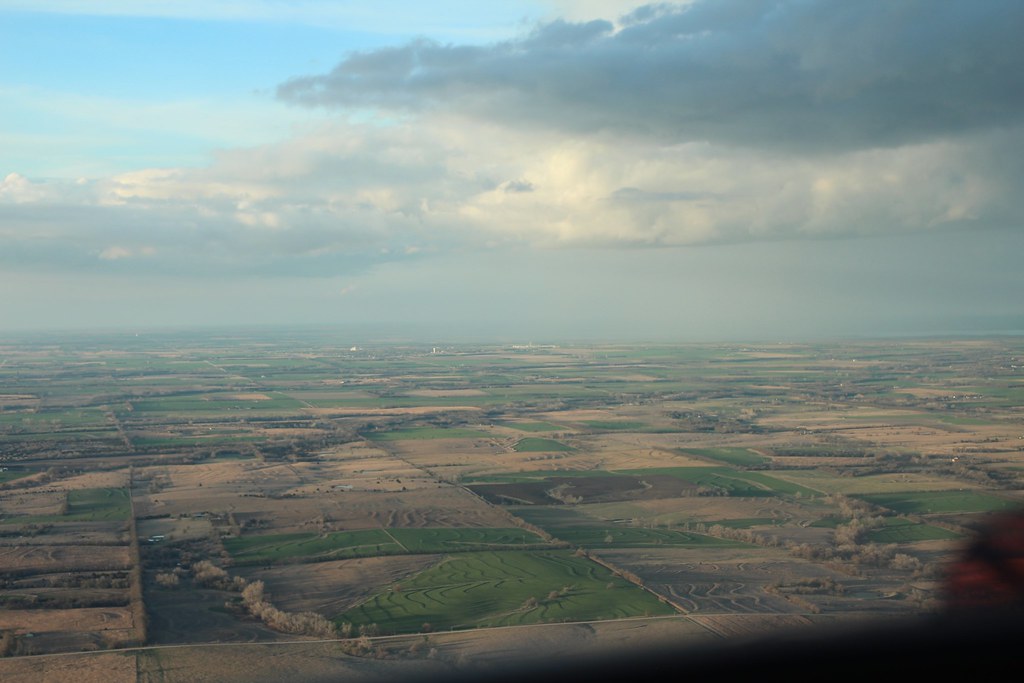
Flying over the airport at Moundridge, KS Memories Back when I was a child, maybe about the age my children are now, I d be outside in the evening and see this orange plane flying overhead. Our neighbor Don had a small ultralight plane and a grass landing strip next to his house. I remember longing to be up in the sky with Don, exploring the world from up there. At that age, I didn t know all the details of why that wouldn t work I just knew I wanted to ride in it. It wasn t until I was about 11 that I flew for the first time. I still remember that TWA flight with my grandma, taking off early in the morning and flying just a little ways above the puffy clouds lit up all yellow and orange by the sunrise. Even 25 years later, that memory still holds as one of the most beautiful scenes I have ever seen. Exploring I have always been an explorer. When I go past something interesting, I love to go see what it looks like inside. I enjoy driving around Kansas with Laura, finding hidden waterfalls, old county courthouses, ghost towns, beautiful old churches, even small-town restaurants. I explore things around me, too once taking apart a lawnmower engine as a child, nowadays building HF antennas in my treetops or writing code for Linux. If there is little to learn about something, it becomes less interesting to me. I see this starting to build in my children, too. Since before they could walk, if we were waiting for something in a large building, we d go exploring. IMG_7231

A patch of rain over Hillsboro, KS The New World A pilot once told me, Nobody can become a pilot without it changing the way they see the world and then, changing their life. I doubted that. But it was true. One of the most poetic sights I know is flying a couple thousand feet above an interstate highway at night, following it to my destination. All those red and white lights, those metal capsules of thousands of lives and thousands of stories, stretching out as far as the eye can see in either direction. IMG_7099

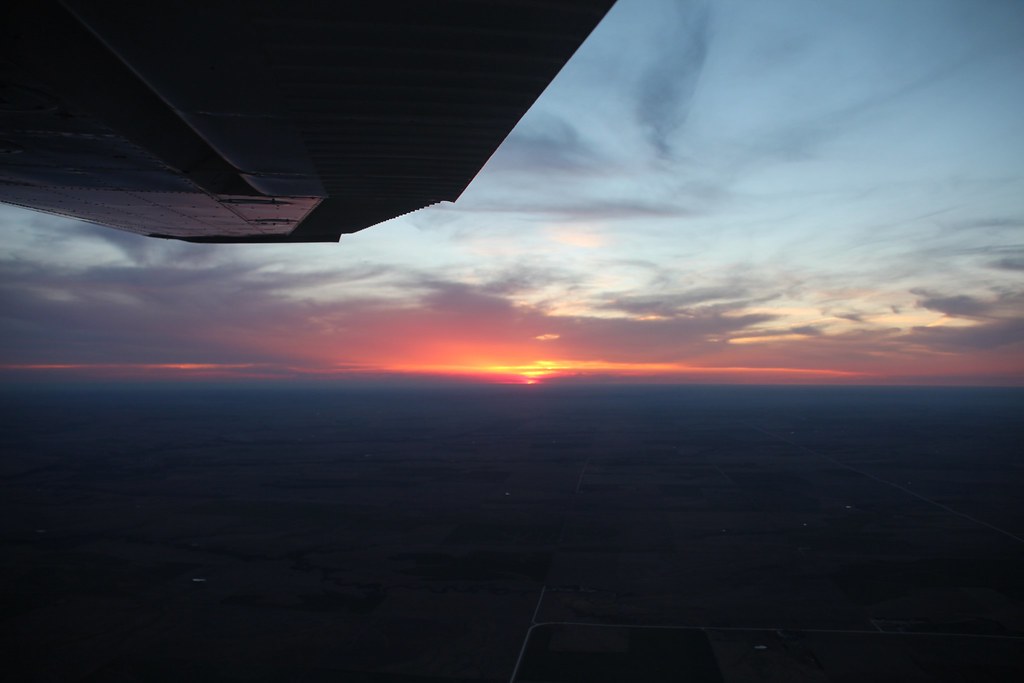
Kansas sunset from the plane When you re in a plane, that small town nowhere near a freeway that always seemed so far away suddenly is only a 15-minute flight away, not even enough time to climb up to a high cruise altitude. Two minutes after takeoff, any number of cities that are an hour s drive away are visible simultaneously, their unique features already recognizable: a grain elevator, oil refinery, college campus, lake, whatever. And all the houses you fly over each with people in them. Some pretty similar to you, some apparently not. But pretty soon you realize that we all are humans, and we aren t all that different. You can t tell a liberal from a conservative from the sky, nor a person s race or religion, nor even see the border between states. Towns and cities are often nameless from the sky, unless you re really low; only your navigation will tell you where you are. I ve had the privilege to fly to small out-of-the-way airports, the kind that have a car that pilots can use for free to go into town and get lunch, and leave the key out for them. There I ve met many friendly people. I ve also landed my little Cessna at a big commercial airport where I probably used only 1/10th of the runway, on a grass runway that was barely maintained at all. I ve flown to towns I d driven to or through many times, discovering the friendly folks at the small airport out of town. I ve flown to parts of Kansas I ve never been to before, discovered charming old downtowns and rolling hills, little bursts of rain and beautiful sunsets that seem to turn into a sea. Smith Center, KS airport terminal

Parked at the Smith Center, KS airport terminal, about to meet some wonderful people For a guy that loves exploring the nooks and crannies of the world that everyone else drives by on their way to a major destination, being a pilot has meant many soul-filling moments. Hard Work I knew becoming a pilot would be a lot of hard work, and thankfully I remembered stories like that when I finally concluded it would be worth it. I found that I had an aptitude for a lot of things that many find difficult about being a pilot: my experience with amateur radio made me a natural at talking to ATC, my fascination with maps and navigation meant I already knew how to read aviation sectional maps before I even started my training and knew how to process that information in the cockpit, my years as a system administrator and programmer trained me with a careful and methodical decision-making process. And, much to the surprise of my flight instructor, I couldn t wait to begin the part of training about navigating using VORs (VHF radio beacons). I guess he, like many student pilots, had struggled with that, but I was fascinated by this pre-GPS technology (which I still routinely use in my flight planning, as a backup in case the GPS constellation or a GPS receiver fails). So that left the reflexes of flight, the art of it, as the parts I had to work on the hardest. The exam with the FAA is not like getting your driver s license. It s a multi-stage and difficult process. So when the FAA Designated Pilot Examiner said congratulations, pilot! and later told my flight instructor that you did a really good job with this one, I felt a true sense of accomplishment. IMG_20151021_193137

Some of my prep materials Worth It Passengers in a small plane can usually hear all the radio conversations going on. My family has heard me talking to air traffic control, to small and big planes. My 6-year-old son Oliver was playing yesterday, and I saw him pick up a plane and say this: Two-four-niner-golf requesting to land on runway one-seven . Two-four-niner-golf back-taxi on one-seven Two-four-niner-golf ready to takeoff on runway one-seven! That was a surprisingly accurate representation of some communication a pilot might have (right down to the made-up tailnumber with the spelling alphabet!) 20160408_203110

It just got more involved from there! Jacob and Oliver love model train shows. I couldn t take them to one near us, but there was one in Joplin, MO. So the day before Easter, while Laura was working on her Easter sermon, two excited boys and I (frankly also excited) climbed into a plane and flew to Joplin. We had a great time at the train show, discovered a restaurant specializing in various kinds of hot dogs (of course they both wanted to eat there), played in a park, explored the city, and they enjoyed the free cookies at the general aviation terminal building while I traded tips on fun places to fly with other pilots. When it comes right down to it, the smiles of the people I fly with are the most beautiful thing in the air. IMG_20151205_183440

Jacob after his first father-son flight with me

23 March 2016

John Goerzen: Free cars, sunsets, and Kansas

Will you have a car I can borrow? I asked. Sure. No charge. There s a sign telling you where to find the key. It is pretty common for small airports to have a car for a pilot to borrow when flying in. This lets a person go into town for lunch, or visit friends. And it s usually free, with a can to donate a few bucks or a polite request to fill up the tank when you re done. Still, when I had called ahead to ask about flying into the airport in a small town in north-central Kansas, I hadn t expected to be told to just waltz into the place and take the key. But they had no staff at the airport most of the time. So, to me another person from a small town it made perfect sense. Somehow, because of that phone call, this town I had visited once, maybe 25 years ago, seemed instantly familiar. My mom grew up in a small town near there. She wanted me to see where she grew up, to meet some people that meant a lot to her. As it s quite a distance from home, I offered to fly her there. So, Laura, mom, and I climbed into a Cessna one morning for the flight northwest. We touched down at the airport, and I pulled the plane up to the little terminal building. Smith Center, KS airport terminal After I took care of parking the plane, I went to find the car. Except the car was missing. Some other pilot had flown in the same day and was using it, according to the logbook on the desk. I called the number on a sign which rang to the sheriff s office and they confirmed it. According to the logbook, this was only the third time that car had been driven since Thanksgiving. Were we stuck at the airport a few miles out of down? Nope. Mom called the people we were going to meet, a wonderful couple in their upper 80s. They drove out to pick us up. I m rather glad the car was gone, because I had such a great time visiting with them. Norris told me about the days when the state highways were gravel how they d have to re-blade them every few days due to all the traffic. I heard about what happened when the people in that community heard of some folks in Africa in need of car equipment they modified a tractor to fit in a shipping container and shipped it to Africa, along with a lot of books, blankets, supplies, and anything else needed to fill up a huge shipping container. Sounds like something people around here would do. We drove around a couple of the small towns. The town my mom grew up in has seen better days. Its schools closed years ago, the old hotel whose owner gave her piano lessons is condemned, and many houses have been lost. But the town lives on. A new community center was built a few years ago. The grain elevator is expanding. Every time a business on Main Street closes, the grocery store expands a little bit: it s now a grocery store with a little hardware store and a little restaurant mixed in. The mall , as the locals jokingly call it. And, of course, two beautiful small churches still meet every Sunday. Here s the one my mom attended as a child. IMG_7085 We drove past the marker at the geographic center of the contiguous United States. Norris saw some other visitors, rolled down his windows, and treated them and us to an unexpected story of the time thousands of people banded together to completely build a house in a single day, just down the road. Smiles all around. So here I was, nearly 200 miles from home, in an unfamiliar town but one where I could just feel the goodness. After spending a few hours with these people, I felt like they were old friends. As I flew us home, I spotted one of my favorite Kansas sights: a beautiful sunset. From the plane, it almost looks like the land at the horizon turns blue like the ocean, and above it the last hint of sun paints the canvas-sky. In this week of controversy, politics, and reports of violence, it reminds me that we all get the privilege of sharing this beautiful Earth. I didn t ask anybody on that trip about their politics, religion, or opinions on any of the divisive issues of the day. Whether they agree with me on those things or not is irrelevant. I got to spend a day with good-hearted and delightful people, so I flew back with a smile. IMG_7099

27 January 2016

John Goerzen: Bach, Dot Matrix Printers, and Dinner

Dinner last night started out all normal. Then Jacob and Oliver started asking me about printers. First they wanted to know how an ink jet printer works. Then they wanted to know how a laser printer works. Then they wanted to know what would happen if you d put ink in a laser printer or toner in an ink jet. They were fascinated as I described the various kinds of clogging and ruining that would inevitably occur. Then these words: What other kinds of printers are there? So our dinner conversation started to resolve around printers. I talked about daisy wheel printers, line printers, dot matrix printers. I explained the type chain of line printers, the pins of dot matrix. More printers! I had to dig deeper into my memory: wax transfer printers, thermal printers, dye sublimation, always describing a bit about how each one worked except for dye sublimation, which I couldn t remember many details about. More printers! So we went onwards towards the printing press, offset printing, screen printing, mimeograph, and photocopiers. Although I could give them plenty of details about most of the printers, I also failed under their barrage of questions about offset printing. So I finally capitulated, and said should I go get my phone and look it up while you finish eating? YEAH! So I looked up the misty details of dye sublimation and offset printing and described how they worked. That seemed to satisfy them. Then they asked me what my favorite kind of printer was. I said dot matrix, because it makes the best sound. That had their attention. They stopped eating to ask the vitally important question: Dad, what sound does it make? At this point, I did my best dot matrix impression at the dinner table, to much laughter and delight. Before long, they wanted to see videos of dot matrix printers. They were fascinated by them. And then I found this gem of a dot matrix printer playing a famous Bach tune, which fascinated me also: I guess it must have all sunk in, because this morning before school Jacob all of a sudden begged to see the fuser in my laser printer. So we turned it around, opened up the back panel to his obvious excitement and then I pointed to the fuser, with its hot label. I even heard a breathy wow from him.

4 January 2016

John Goerzen: Hiking a mountain with Ian Murdock

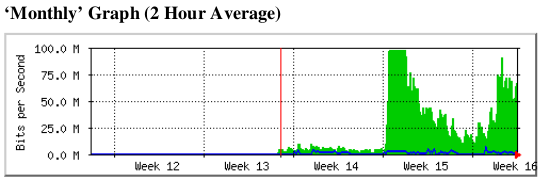
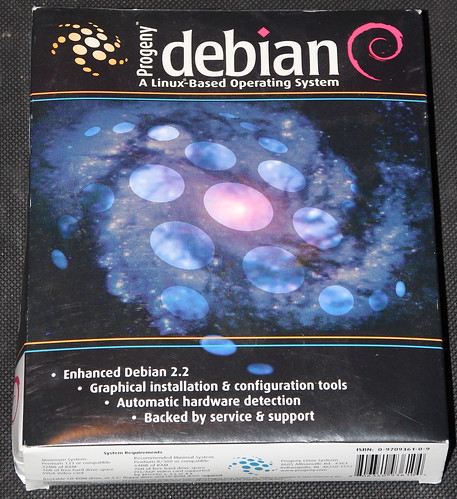
Would you like to hike a mountain? That question caught me by surprise. It was early in 2000, and I had flown to Tucson for a job interview. Ian Murdock was starting a new company, Progeny, and I was being interviewed for their first hire. Well, I thought, hiking will be fun. So we rode a bus or something to the top of the mountain and then hiked down. Our hike was full of well, everything. Ian talked about Tucson and the mountains, about his time as the Debian project leader, about his college days. I asked about the plants and such we were walking past. We talked about the plans for Progeny, my background, how I might fit in. It was part interview, part hike, part two geeks chatting. Ian had no HR telling him you can t go hiking down a mountain with a job candidate, as I m sure HR would have. And I am glad of it, because even 16 years later, that is still by far the best time I ever had at a job interview, despite the fact that it ruined the only pair of shoes I had brought along I had foolishly brought dress shoes for a, well, job interview. I guess it worked, too, because I was hired. Ian wanted to start up the company in Indianapolis, so over the next little while there was the busy work of moving myself and setting up an office. I remember those early days Ian and I went computer shopping at a local shop more than once to get the first workstations and servers for the company. Somehow he had found a deal on some office space in a high-rent office building. I still remember the puzzlement on the faces of accountants and lawyers dressed up in suits riding in the elevators with us in our shorts and sandals, or tie-die, next to them. Progeny s story was to be a complicated one. We set out to rock the world. We didn t. We didn t set out to make lasting friendships, but we often did. We set out to accomplish great things, and we did some of that, too. We experienced a full range of emotions there elation when we got hardware auto-detection working well or when our downloads looked very popular, despair when our funding didn t come through as we had hoped, being lost when our strategy had to change multiple times. And, as is the case everywhere, none of us were perfect. I still remember the excitement after we published our first release on the Internet. Our little server that could got pegged at 100Mb of outbound bandwidth (that was something for a small company in those days.) The moment must have meant something, because I still have the mrtg chart from that day on my computer, 15 years later. Progeny's Bandwidth Chart We made a good Linux distribution, an excellent Debian derivative, but commercial success did not flow from it. In the succeeding months, Ian and the company tried hard to find a strategy that would stick and make our big break. But that never happened. We had several rounds of layoffs when hoped-for funding never materialized. Ian eventually lost control of the company, and despite a few years of Itanium contract work after I left, closed for good. Looking back, Progeny was life compressed. During the good times, we had joy, sense of accomplishment, a sense of purpose at doing something well that was worth doing. I had what was my dream job back then: working on Debian as I loved to do, making the world a better place through Free Software, and getting paid to do it. And during the bad times, different people at Progeny experienced anger, cynicism, apathy, sorrow for the loss of our friends or plans, or simply a feeling to soldier on. All of the emotions, good or bad, were warranted in their own way. Bruce Byfield, one of my co-workers at Progeny, recently wrote a wonderful memoriam of Ian. He wrote, More than anything, he wanted to repeat his accomplishment with Debian, and, naturally he wondered if he could live up to his own expectations of himself. That, I think, was Ian s personal tragedy that he had succeeded early in life, and nothing else he did with his life could quite measure up to his expectations and memories. Ian was not the only one to have some guilt over Progeny. I, for years, wondered if I should have done more for the company, could have saved things by doing something more, or different. But I always came back to the conclusion I had at the time: that there was nothing I could do a terribly sad realization. In the years since, I watched Ubuntu take the mantle of easy-to-install Debian derivative. I saw them reprise some of the ideas we had, and even some of our mistakes. But by that time, Progeny was so thoroughly forgotten that I doubt they even realized they were doing it. I had long looked at our work at Progeny as a failure. Our main goal was never accomplished, our big product never sold many copies, our company eventually shuttered, our rock-the-world plan crumpled and forgotten. And by those traditional measurements, you could say it was a failure. But I have come to learn in the years since that success is a lot more that those things. Success is also about finding meaning and purpose through our work. As a programmer, success is nailing that algorithm that lets the application scale 10x more than before, or solving that difficult problem. As a manager, success is helping team members thrive, watching pieces come together on projects that no one person could ever do themselves. And as a person, success comes from learning from our experiences, and especially our mistakes. As J. Michael Straczynski wrote in a Babylon 5 episode, loosely paraphrased: Maybe this experience will be a good lesson. Too bad it was so painful, but there ain t no other kind. The thing about Progeny is this Ian built a group of people that wanted to change the world for the better. We gave it our all. And there s nothing wrong with that. Progeny did change the world. As us Progeny alumni have scattered around the country, we benefit from the lessons we learned there. And many of us were different , sort of out of place before Progeny, and there we found others that loved C compilers, bootloaders, and GPL licenses just as much as we did. We belonged, not just online but in life, and we went on to pull confidence and skill out of our experience at Progeny and use them in all sorts of ways over the years. And so did Ian. Who could have imagined the founder of Debian and Progeny would one day lead the cause of an old-guard Unix turning Open Source? I run ZFS on my Debian system today, and Ian is partly responsible for that and his time at Progeny is too. So I can remember Ian, and Progeny, as a success. And I leave you with a photo of my best memento from the time there: an original unopened boxed copy of Progeny Linux. IMG_6197_v1

22 December 2015

John Goerzen: Amtrak Airlines

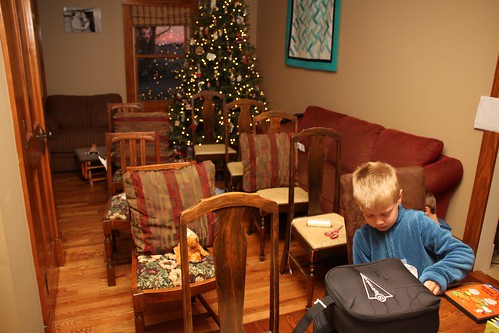
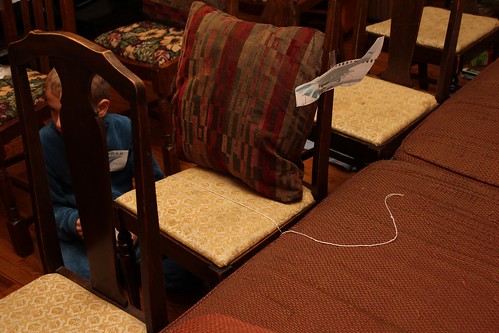
I came downstairs this morning and found a surprise waiting for me. Chairs from all over had been gathered up and arranged in rows, airline style. Taped to the wall was a food court sign. At the front was a picture of an airplane, decked out with the Amtrak logo of all things, and a timetable taped to our dining room table. IMG_6123 Jacob soon got out string to be seatbelts, too. And, using his copy machine, printed out a picture of a wing to tape to the side of the airplane . IMG_6128 And here is the food court sign Oliver made: IMG_6126 This plane was, according to the boys, scheduled to leave at 9:30. It left a fashionable 2 hours late or so. They told me I would be the pilot, and had me find headphones to be my headset . (I didn t wear my real headset on the grounds that then I wouldn t be able to hear them.) Jacob decided he would be a flight attendant, his grandma would be the co-pilot, and Oliver would be the food court worker. The food court somehow seemed to travel with the plane. Oliver made up a menu for the food court. It consisted of, and I quote: trail mix, banana, trail mix, half banana, trail mix, trail mix, trail mix . He s already got the limited selection of airport food down pat, I can see. Jacob said the flight would be from Chicago to Los Angeles, and so it was. Since it was Amtrak Airlines, we were supposed to pretend to fly over the train tracks the whole way. If it s not Christmas yet, we just invent some fun, eh? Pretty clever.

1 December 2015

John Goerzen: Where does a person have online discussions anymore?

Back in the day, way back in the day perhaps, there were interesting places to hang out online. FidoNet provided some discussion groups some local, some more national or international. Then there was Usenet, with the same but on a more grand scale. There were things I liked about both of them. They fostered long-form, and long-term, discussion. Replies could be thoughtful, and a person could think about it for a day before replying. Socially, you would actually get to know the people in the communities you participated in. There would be regulars, and on FidoNet at least, you might bump into them in different groups or even in real life. There was a sense of community. Moreover, there was a slight barrier to entry and that was, perhaps, a good thing; there were quite a lot of really interesting people and not so many people that just wanted answers to homework questions. Technologically, you got to bring your own client. They were also decentralized, without any one single point of failure, and could be downloaded and used offline. You needed very little in terms of Internet connection. They both had some downsides; Usenet, in particular, often lacked effective moderation. Not everyone wrote thoughtful posts. Is there anything like it these days? I ve sometimes heard people suggest Reddit. It shares some of those aspects, and even has some clients capable of offline operation. However, what it doesn t really have is long-form discussion. I often find that if I am 6 hours late to a thread, nobody will bother to read my reply because it s off their radar already. This happens so often that I rarely bother to participate anymore; I am not going to sit at reddit hitting refresh all day long. There are a few web forums, but they suffer from all sorts of myriad problems; no cohesive community, the hot topic vanishing issue of Reddit, the single point of failure, etc. For awhile, Google+ looked like it might head this way. But I don t think it really has. I still feel as if there is a vacuum out there. Any thoughts?

20 November 2015

John Goerzen: I do not fear

I am so saddened by the news this week. The attacks in Paris, Beirut, and Mali. The reaction of fear, anger, and hate. Governors racing to claim they will keep out refugees, even though they lack the power to do so. Congress voting to keep out refugees. Emotions are a powerful thing. They can cause people to rise up and accomplish stunning things that move humanity forward. And they can move us back. Fear, and the manipulation of it, is one of those. What have I to fear? Even if the United States accepted half a million Syrian refugees tomorrow, I would be far more likely to die in a car accident than at the hands of a Syrian terrorist. I am a careful and cautious person, but I understand that life is not lived unless risk is balanced. I know there is a risk of being in a car crash every time I drive somewhere but if that kept me at home, I would never see my kids violin concert, the beautiful painted canyon of Texas, or the Flint Hills of Kansas. So I drive smart and carefully, but I still drive without fear. I accept this level of risk as necessary to have a life worth living in this area (where there are no public transit options and the nearest town is miles away). I have had pain in my life. I ve seen grandparents pass away, I ve seen others with health scares. These things are hard to think about, but they happen to us all at some point. What have I to fear? I do not fear giving food to the hungry, shelter to the homeless, comfort to those that have spent the last years being shot at. I do not fear helping someone that is different than me. If I fail to do these things for someone because of where they come from or what their holy book is, then I have become less human. I have become consumed by fear. I have let the terrorists have control over my life. And I refuse to do that. If governors really wanted to save lives, they would support meaningful mass transit alternatives that would prevent tens of thousands of road deaths a year. They would support guaranteed health care for all. They would support good education, science-based climate change action, clean water and air, mental health services for all, and above all, compassion for everyone. By supporting Muslim registries, we look like Hitler to them. By discriminating against refugees based on where they re from or their religion, we support the terrorists, making it easy for them to win hearts and minds. By ignoring the fact that entering the country as a refugee takes years, as opposed to entering as a tourist taking only minutes, we willfully ignore the truth about where dangers lie. So what do I have to fear? Only, as the saying goes, fear. Fear is making this country turn its backs on the needy. Fear is making not just the US but much of Europe turn its backs on civil liberties and due process. Fear gives the terrorists control, and that helps them win. I refuse. I simply refuse to play along. No terrorist, no politician, no bigot gets to steal MY humanity. Ultimately, however, I know that the long game is not one of fear. The arc of the universe bends towards justice, and ultimately, love wins. It takes agonizingly long sometimes, but in the end, love wins. So I do not fear.

13 November 2015

John Goerzen: Memories of a printer

I have a friend who hates printers. I ll call him Mark , because that, incidentally, is his name. His hatred for printers is partly my fault, but that is, ahem, a story for another time that involves him returning from a battle with a printer with a combination of weld dust, toner, and a deep scowl on his face. I also tend to hate printers. Driver issues, crinkled paper, toner spilling all over the place . everybody hates printers. But there is exactly one printer that I have never hated. It s almost 20 years old, and has some stories to tell. Nearly 20 years ago, I was about to move out of my parents house, and I needed a printer. I bought a LaserJet 6MP. This printer ought to have been made by Nokia. It s still running fine, 18 years later. It turned out to be one of the best investments in computing equipment I ve ever made. Its operating costs, by now, are cheaper than just about any printer you can buy today less than one cent per page. It has been supported by every major operating system for years. PostScript was important, because back then running Ghostscript to convert to PCL was both slow and a little error-prone. PostScript meant I didn t need a finicky lpr/lprng driver on my Linux workstation to print. It just printed. (Hat tip to anyone else that remembers the trial and error of constructing an /etc/printcap that would print both ASCII and PostScript files correctly!) Out of this printer have come plane and train tickets, taking me across the country to visit family and across the world to visit friends. It s printed resumes and recipes, music and university papers. I even printed wedding invitations and envelopes on them two years ago, painstakingly typeset in LaTeX and TeXmacs. I remember standing at the printer in the basement one evening, feeding envelope after envelope into the manual feed slot. (OK, so it did choke on a couple of envelopes, but overall it all worked great.) The problem, though, is that it needs a parallel port. I haven t had a PC with one of those in a long while. A few years ago, in a moment of foresight, I bought a little converter box that has an Ethernet port and a parallel port, with the idea that it would be pay for itself by letting me not maintain some old PC just to print. Well, it did, but now the converter box is dying! And they don t make them anymore. So I finally threw in the towel and bought a new LaserJet. It cost a third of what the 6MP did, has a copier, scanner, prints in color, does duplexing, has wifi and, yes, still supports PostScript strangely enough, a deciding factor in going with HP over Brother once again. (The other was image quality) We shall see if I am still using it when I m 50.

10 November 2015

John Goerzen: Wow. I did that!

It s now official: I m a pilot. This has been one of the most challenging, and also most rewarding, journeys I ve been on. It had its moments of struggle, moments of joy, moments of poetry. I wrote about the poetry of flying at night recently. Here is the story of my first landing on a grass runway, a few months ago. Grass
Where the air is so pure, the zephyrs so free,
The breezes so balmy and light,
That I would not exchange my home on the range
For all of the cities so bright. John A. Lomax
We are used to seeing planes in these massive palaces of infrastructure we call airports. We have huge parking garages, giant terminals, security lines hundreds of people deep, baggage carts, jetways, video screens, restaurants, and miles and miles of concrete. But most of the world s airports are not like that. A pilot of a small plane gets to see the big airports, sure, but we also get to use the smaller airports hidden in plain sight to most. Have you ever taken off from a strip of grass? As I told my flight instructor when I tried it for the first time, I know this will work, but somehow I will still be amazed if it actually does. I took off from a strip of grass not long ago. The airport there had one paved runway, and the rest were grass. Short runways, narrow runways, grass runways. No lights. No paint. No signs. No trucks, no jetways, nothing massive. In fact, no people. Just a mowed path and a couple of yellow or white markers. I taxied down the grass runway, being careful to never let the plane s wheels stop moving lest the nose gear get stuck in a pothole. I felt all the bumps in the ground as we moved. End of runway. Turn the plane around. A little bit of flap for more lift, full throttle, mind the centerline imaginary centerline, this time. It starts picking up speed, slower than usual, bump bump bump. Those buildings at the end of the runway are staring me down. More speed, and suddenly the runway feels smooth; it has enough lift to keep from falling into every bump. Then we lift off just a touch; I carefully keep the plane down until we pick up enough speed to ascend farther, then up we go. I keep a watchful eye on those buildings straight ahead and that water tower just slightly off to the one side. We climb over a lake as I watch that water tower pass safely below and to the side of the plane. It had worked, and I had a smile of amazement. With a half mile of grass, you really can go anywhere. Many times I had driven within half a mile of that runway, but never seen it. Never wondered where people go after using it. Never realizing that, although it s a 45-minute drive from my house, it s really pretty close. Never understanding that where people go after taking off from that runway is everywhere .

28 October 2015

John Goerzen: The Train to Galesburg

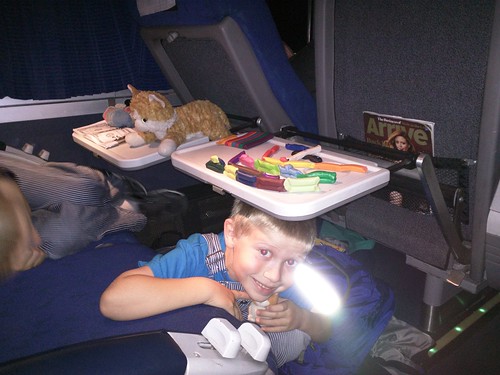
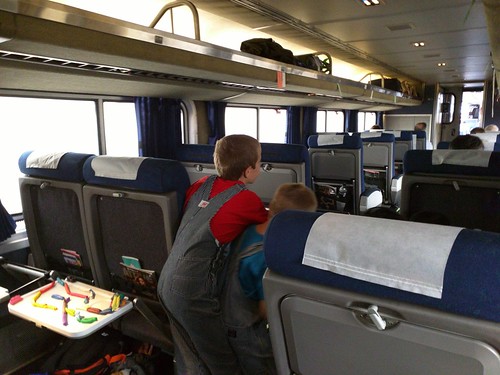
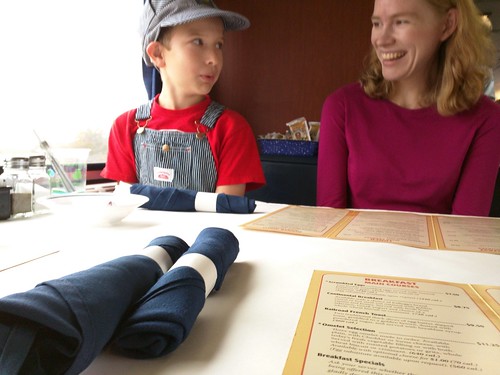
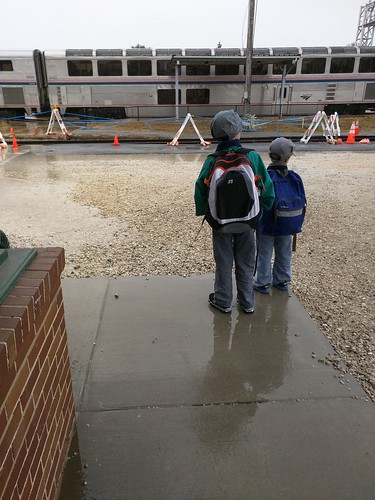
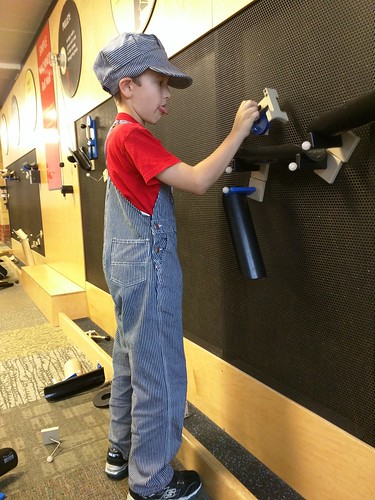
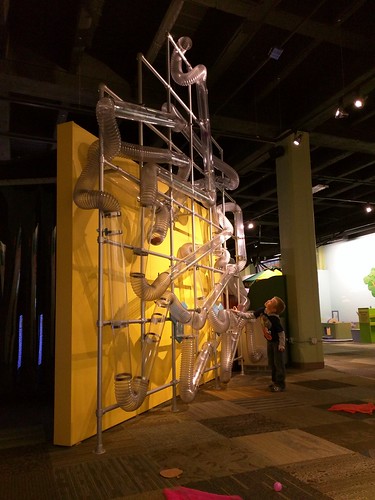
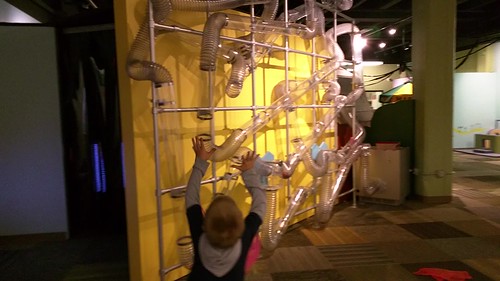
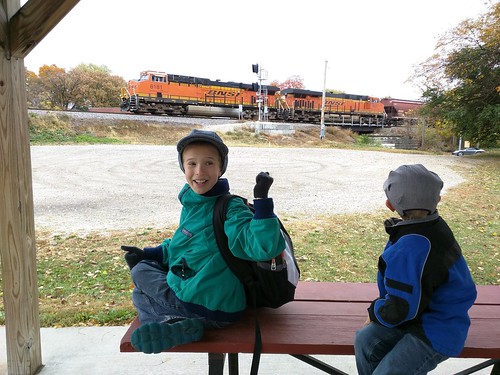
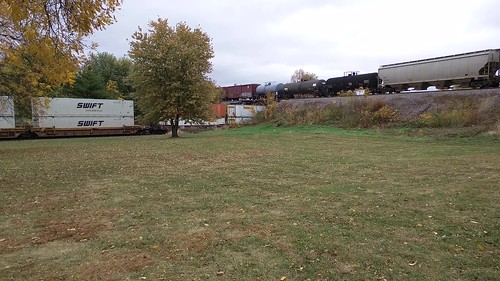
Sometimes, children are so excited you just can t resist. Jacob and Oliver have been begging for a train trip for awhile now, so Laura and I took advantage of a day off school to take them to the little town of Galesburg, IL for a couple days. Galesburg is a special memory for me; nearly 5 years ago, it was the first time Jacob and I took an Amtrak trip somewhere, just the two of us. And, separately, Laura s first-ever train trip had been to Galesburg to visit friends. There was excitement in the air. I was asked to supply a bedtime story about trains I did. On the way to the train station in the middle of the night there was excited jabbering about trains. Even when I woke them up, they lept out of bed and raced downstairs, saying, Dad, why aren t you ready yet? As the train was passing through here at around 4:45AM, and we left home with some time to spare, we did our usual train trip thing of stopping at the one place open at such a time: Druber s Donuts. IMG_20151023_040731 Much as Laura and I might have enjoyed some sleep once we got on the train, Jacob and Oliver weren t having it. Way too much excitement was in the air. Jacob had his face pressed against the window much of the time, while Oliver was busy making snake trains from colored clay complete with eyes. IMG_20151023_062304 The boys were dressed up in their train hats and engineer overalls, and Jacob kept musing about what would happen if somebody got confused and thought that he was the real engineer. When an Amtrak employee played along with that later, he was quite thrilled! We were late enough into Galesburg that we ate lunch in the dining car. A second meal there what fun! Here they are anxiously awaiting the announcement that the noon reservations could make their way to the dining car. Oh, and jockeying for position to see who would be first and get to do the all-important job of pushing the button to open the doors between train cars. IMG_20151023_120143 Even waiting for your food can be fun. IMG_20151023_120728 Upon arriving, we certainly couldn t leave the train station until our train did, even though it was raining. IMG_20151023_145755 Right next to the train station is the Discovery Depot Children s Museum. It was a perfect way to spend a few hours. Jacob really enjoyed the building wall, where you can assemble systems that use gravity (really a kinetic/potential energy experiment wall) to funnel rubber balls all over the place. He sticks out his tongue when he s really thinking. Fun to watch. IMG_20151023_153113 Meanwhile, Oliver had a great time with the air-powered tube system, complete with several valves that can launch things through a complicated maze of transparent tubes. IMG_20151024_150309 VID_20151024_150159 They both enjoyed pretending I was injured and giving me rides in the ambulance. I was diagnosed with all sorts of maladies a broken leg, broken nose. One time Jacob held up the pretend stethoscope to me, and I said ribbit. He said, Dad, you ve got a bad case of frog! You will be in the hospital 190 days! Later I would make up things like I think my gezotnix is all froibled and I was ordered to never leave the ambulance again. He told the story of this several times. After the museum closed, we ate supper. Keep in mind the boys had been up since the middle of the night without sleeping and were still doing quite well! They did start to look a bit drowsy I thought Oliver was about to fall asleep, but then their food came. And at the hotel, they were perfectly happy to invent games involving jumping off the bed. Saturday, we rode over to Peck Park. We had heard about this park from members of our church in Kansas, but oddly even the taxi drivers hadn t ever heard of it. It s well known as a good place to watch trains, as it has two active lines that cross each other at a rail bridge. And sure enough, in only a little while, we took in several trains. IMG_20151024_110035 VID_20151024_110229 The rest of that morning, we explored Galesburg. We visited an antique mall and museum, saw the square downtown, and checked out a few of the shops my favorite was the Stray Cat, featuring sort of a storefront version of Etsy with people selling art from recycled objects. But that wasn t really the boys thing, so we drifted out of there on our way to lunch at Baked, where we had some delicious deep-dish pizza. After that, we still had some time to kill before getting back on the train. We discussed our options. And what do you know we ended up back at the children s museum. We stopped at a bakery to get the fixins for a light supper on the train, and ate a nice meal in the dining car once we got on. Then, this time, they actually slept. Before long, it was 3AM again and time to get back off the train. Oliver was zonked out sleepy. Somehow I managed to get his coat and backpack on him despite him being totally limp, and carried him downstairs to get off the train. Pretty soon we walked to our car and drove home. We tucked them in, and then finally tucked ourselves in. Sometimes being really tired is well worth it.

6 October 2015

John Goerzen: Objects On Earth Are Closer Than They Appear

We all live beneath the great Big Dipper. So goes a line in a song I once heard the great Tony Brown sing. As I near the completion of my private pilot s training, I ve had more and more opportunities to literally see the wisdom in those words. Here s a story of one of them. Night
A shining beacon in space all alone in the night. Babylon 5
A night cross-country flight, my first, taking off from a country airport. The plane lifts into the dark sky. The bright white lights of the runway get smaller, and disappear as I pass the edge of the airport. Directly below me, it looks like a dark sky; pitch black except for little pinpoints of light at farmhouses and the occasional car. But seconds later, an expanse of light unfolds, from a city it takes nearly an hour to reach by car. Already it is in sight, and as I look off to other directions, other cities even farther away are visible, too. The ground shows a square grid, the streets of the city visible for miles. There are no highway signs in the sky. There are no wheels to keep my plane pointed straight. Even if I point the plane due south, if there is an east wind, I will actually be flying southwest. I use my eyes, enhanced by technology like a compass, GPS, and VHF radio beacons, to find my way. Before ever getting into the airplane, I have carefully planned my route, selecting both visual and technological waypoints along the way to provide many ways to ensure I am on course and make sure I don t get lost. Soon I see a flash repeating every few seconds in the distance an airport beacon. Then another, and another. Little pinpoints of light nestled in the square orange grid. Wichita has many airports, each with its beacon, and one of them will be my first visual checkpoint of the night. I make a few clicks in the cockpit, and soon the radio-controlled lights at one of the airports spring to life, illuminating my first checkpoint. More than a mile of white lights there to welcome any plane that lands, and to show a point on the path of any plane that passes. I continue my flight, sometimes turning on lights at airports, other times pointing my plane at lights from antenna towers (that are thousands of feet below me), sometimes keeping a tiny needle on my panel centered on a radio beacon. I land at a tiny, deserted airport, and then a few minutes later at a large commercial airport. On my way back home, I fly solely by reference to the ground directly over a freeway. I have other tools at my disposal, but don t need them; the steady stream of red and white lights beneath me are all I need. From my plane, there is just red and white. One after another, passing beneath me as I fly over them at 115 MPH. There is no citizen or undocumented immigrant, no rich or poor, no atheist or Christian or Muslim, no Democrat or Replubican, no American or Mexican, no adult or child, no rich or poor, no Porsche or Kia. Just red and white points of light, each one the same as the one before and the one after, stretching as far as I can see into the distance. All alike in the night. You only need to get a hundred feet off the ground before you realize how little state lines, national borders, and the machinery of politics and exclusion really mean. From the sky, the difference between a field of corn and a field of wheat is far more significant than the difference between Kansas and Missouri. This should be a comforting reminder to us. We are all unique, and beautiful in our uniqueness, but we are all human, each as valuable as the next. Up in the sky, even though my instructor was with me, during quiet times it is easy to feel all alone in the night. But I know it is not the case. Only a few thousand feet separate my plane from those cars. My plane, too, has red and white lights.
How often at night, when the heavens were bright,
With the light of the twinkling stars
Have I stood here amazed, and asked as I gazed,
If their glory exceed that of ours. John A. Lomax

3 September 2015

John Goerzen: There s still a chance to save WiFi

You may not know it, but wifi is under assault in the USA due to proposed FCC regulations about modifications to devices with modular radios. In short, it would make it illegal for vendors to sell devices with firmware that users can replace. This is of concern to everyone, because Wifi routers are notoriously buggy and insecure. It is also of special concern to amateur radio hobbyists, due to the use of these devices in the Amateur Radio Service (FCC Part 97). I submitted a comment to the FCC about this, which I am pasting in here. This provides a background and summary of the issues for those that are interested. Here it is: My comment has two parts: one, the impact on the Amateur Radio service; and two, the impact on security. Both pertain primarily to the 802.11 ( Wifi ) services typically operating under Part 15. The Amateur Radio Service (FCC part 97) has long been recognized by the FCC and Congress as important to the nation. Through it, amateurs contribute to scientific knowledge, learn skills that bolster the technological competitiveness of the United States, and save lives through their extensive involvement in disaster response. Certain segments of the 2.4GHz and 5GHz Wifi bands authorized under FCC Part 15 also fall under the frequencies available to licensed amateurs under FCC Part 97 [1]. By scrupulously following the Part 97 regulations, many amateur radio operators are taking devices originally designed for Part 15 use and modifying them for legal use under the Part 97 Amateur Radio Service. Although the uses are varied, much effort is being devoted to fault-tolerant mesh networks that provide high-speed multimedia communications in response to a disaster, even without the presence of any traditional infrastructure or Internet backbone. One such effort [2] causes users to replace the firmware on off-the-shelf Part 15 Wifi devices, reconfiguring them for proper authorized use under Part 97. This project has many vital properties, particularly the self-discovery of routes between nodes and self-healing nature of the mesh network. These features are not typically available in the firmware of normal Part 15 devices. It should also be noted that there is presently no vendor of Wifi devices that operate under Part 97 out of the box. The only route available to amateurs is to take Part 15 devices and modify them for Part 97 use. Amateur radio users of these services have been working for years to make sure they do not cause interference to Part 15 users [3]. One such effort takes advantage of the modular radio features of consumer Wifi gear to enable communication on frequencies that are within the Part 97 allocation, but outside (though adjacent) to the Part 15 allocation. For instance, the chart at [1] identifies frequencies such as 2.397GHz or 5.660GHz that will never cause interference to Part 15 users because they lie entirely outside the Part 15 Wifi allocation. If the FCC prevents the ability of consumers to modify the firmware of these devices, the following negative consequences will necessarily follow: 1) The use of high-speed multimedia or mesh networks in the Amateur Radio service will be sharply curtailed, relegated to only outdated hardware. 2) Interference between the Amateur Radio service which may use higher power or antennas with higher gain and Part 15 users will be expanded, because Amateur Radio service users will no longer be able to intentionally select frequencies that avoid Part 15. 3) The culture of inventiveness surrounding wireless communication will be curtailed in an important way. Besides the impact on the Part 97 Amateur Radio Service, I also wish to comment on the impact to end-user security. There have been a terrible slew of high-profile situations where very popular consumer Wifi devices have had incredible security holes. Vendors have often been unwilling to address these issues [4]. Michael Horowitz maintains a website tracking security bugs in consumer wifi routers [5]. Sadly these bugs are both severe and commonplace. Within just the last month, various popular routers have been found vulnerable to remote hacking [6] and platforms for launching Distributed Denial-of-Service (DDoS) attacks [7]. These impacted multiple models from multiple vendors. To make matters worse, most of these issues should have never happened in the first place, and were largely the result of carelessness or cluelessness on the part of manufacturers. Consumers should not be at the mercy of vendors to fix their own networks, nor should they be required to trust unauditable systems. There are many well-regarded efforts to provide better firmware for Wifi devices, which still keep them operating under Part 15 restrictions. One is OpenWRT [8], which supports a wide variety of devices with a system built upon a solid Linux base. Please keep control of our devices in the hands of consumers and amateurs, for the benefit of all. References: [1] https://en.wikipedia.org/wiki/High-speed_multimedia_radio [2] http://www.broadband-hamnet.org/just-starting-read-this.html [3] http://www.qsl.net/kb9mwr/projects/wireless/modify.html [4] http://www.tomsitpro.com/articles/netgear-routers-security-hole,1-2461.html [5] http://routersecurity.org/bugs.php [6] https://www.kb.cert.org/vuls/id/950576 [7] https://www.stateoftheinternet.com/resources-cloud-security-2015-q2-web-security-report.html [8] https://openwrt.org/

16 August 2015

John Goerzen: First steps: Debian on an Asus t100, and some negative experience with Gnome

The Asus t100 tablet is this amazing and odd little thing: it sells for under $200, yet has a full-featured Atom 64-bit CPU, 2GB RAM, 32 or 64GB SSD, etc. By default, it ships with Windows 8.1. It has a detachable keyboard, so it can be used as a tablet or a very small 10 laptop. I have never been a fan of Windows on it. It does the trick for web browsing and email, but I d like to ssh into my machines sometimes, and I just can t bring myself to type sensitive passwords into Windows. I decided to try installing Debian on it. After a lot of abortive starts due to the UEFI-only firmware, I got jessie installed. (The installer was fine; it was Debian Live that wouldn t boot.) I got wifi and battery status working via an upgrade to the 4.1 kernel. A little $10 Edimax USB adapter was handy to spare a bunch of copying via USB disks. I have been using XFCE with XMonad for so many years that I am somewhat a stranger to other desktop environments. XMonad isn t really suitable for a tablet, however, so I thought I d try Gnome, especially after a fairly glowing review about its use on a tablet. I am already disappointed after just a few minutes. There is no suspend button on the menu. Some Googling showed that holding Alt while hovering over the power off button will change it to a suspend button. And indeed it does. But uh, what? That is so common and so non-obvious. And pushing the power button does nothing. That s right, nothing. Apparently the way to enable some action when you push the power button is to type in a settings command in a terminal. There s no setting in the settings panel. I initially ditched Gnome some years ago due to its penchant for removing features. I had hoped that this much time later, it would have passed that stage, but I m already disappointed. I was hoping for some really nice integration with the system. But my XFCE setup has a very clear When power button is pressed setting. I have no idea why Gnome doesn t. Also, the touch screen works fine and it registers my touches, but whenever I touch anywhere, the cursor disappears. Weird, eh? There are some things to fix yet on the tablet (sound, brightness adjustment, and making suspend reliable) but others have solved these in Ubuntu so I don t think it ll be too hard. In the meantime, any suggestions regarding Gnome? Is it just going to annoy me? Maybe I should try KDE also. I ve heard good things about Plasma Active, but don t see it in Debian though.

7 August 2015

John Goerzen: Detailed Smart Card Cryptographic Token Security Guide

After my first post about smartcards under Linux, I thought I would share some information I ve been gathering. This post is already huge, so I am not going to dive into much specific commands, but I am linking to many sources with detailed instructions. I ve reviewed several types of cards. For this review, I will focus on the OpenPGP card and the Yubikey NEO, since the Cardomatic Smartcard-HSM is not supported by the gpg version in Jessie. Both cards are produced by people with strong support for the Free Software ecosystem and have strong cross-platform support with source code. OpenPGP card: Basics with GnuPG The OpenPGP card is well-known as one of the first smart cards to work well on Linux. It is a single-application card focused on use with GPG. Generally speaking, by the way, you want GPG2 for use with smartcards. Basically, this card contains three slots: decryption, signing, and authentication slots. The concept is that the private key portions of the keys used for these items are stored only on the card, can never be extracted from the card, and the cryptographic operations are performed on the card. There is more information in my original post. In a fairly rare move for smartcards, this card supports 4096-byte RSA keys; most are restricted to 2048-byte keys. The FSF Europe hands these out to people and has a lot of good information about them online, including some HOWTOs. The official GnuPG smart card howto is 10 years old, and although it has some good background, I d suggest using the FSFE instructions instead. As you ll see in a bit, most of this information also pertains to the OpenPGP mode of the Yubikey Neo. OpenPGP card: Other uses Of course, this is already pretty great to enhance your GPG security, but there s a lot more that you can do with this card to add two-factor authentication (2FA) to a lot of other areas. Here are some pointers: OpenPGP card: remote authentication with ssh You can store the private part of your ssh key on the card. Traditionally, this was only done by using the ssh agent emulation mode of gnupg-agent. This is still possible, of course. Now, however, the OpenSC project now supports the OpenPGP card as a PKCS#11 and PKCS#15 card, which means it works natively with ssh-agent as well. Try just ssh-add -s /usr/lib/x86_64-linux-gnu/pkcs11/opensc-pkcs11.so if you ve put a key in the auth slot with GPG. ssh-add -L will list its fingerprint for insertion into authorized_keys. Very simple! As an aside: Comments that you need scute for PKCS#11 support are now outdated. I do not recommend scute. It is quite buggy. OpenPGP card: local authentication with PAM You can authenticate logins to a local machine by using the card with libpam-poldi here are some instructions. Between the use with ssh and the use with PAM, we have now covered 2FA for both local and remote use in Unix environments. OpenPGP card: use on Windows Let s move on to Windows environments. The standard suggestion here seems to be the mysmartlogon OpenPGP mini-driver. It works with some sort of Windows CA system, or the local accounts using EIDAuthenticate. I have not yet tried this. OpenPGP card: Use with X.509 or Windows Active Directory You can use the card in X.509 mode via these gpgsm instructions, which apparently also work with Windows Active Directory in some fashion. You can also use it with web browsers to present a certificate from a client for client authentication. For example, here are OpenSC instructions for Firefox. OpenPGP card: Use with OpenVPN Via the PKCS#11 mode, this card should be usable to authenticate a client to OpenVPN. See the official OpenVPN HOWTO or these other instructions for more. OpenPGP card: a note on PKCS#11 and PKCS#15 support You ll want to install the opensc-pkcs11 package, and then give the path /usr/lib/x86_64-linux-gnu/pkcs11/opensc-pkcs11.so whenever something needs the PKCS#11 library. There seem to be some locking/contention issues between GPG2 and OpenSC, however. Usually killing pcscd and scdaemon will resolve this. I would recommend doing manipulation operations (setting PINs, generating or uploading keys, etc.) via GPG2 only. Use the PKCS#11 tools only to access. OpenPGP card: further reading Kernel Concepts also has some nice readers; you can get this card in a small USB form-factor by getting the mini-card and the Gemalto reader. Yubikey Neo Introduction The Yubikey Neo is a fascinating device. It is a small USB and NFC device, a little smaller than your average USB drive. It is a multi-application device that actually has six distinct modes: There is a ton to digest with this device. Yubikey Neo Basics By default, the Yubikey Neo is locked to only a subset of its features. Using the yubikey-personalization tool (you ll need the version in stretch; jessie is too old), you can use ykpersonalize -m86 to unlock the full possibilities of the card. Run that command, then unplug and replug the device. It will present itself as a USB keyboard as well as a PC/SC-compatible card reader. It has a capacitive button, which is used to have it generate keystrokes to input validation information for HOTP or HMAC validation. It has two slots that can be configured with HMAC and HOTP; a short button press selects the default slot #1 and a long press selects slot #2. But before we get into that, let s step back at some basics. opensc-tool list-algorithms claims this card supports RSA with 1024, 2048, and 3072 sizes, and EC with 256 and 384-bit sizes. I haven t personally verified anything other than RSA-2048 though. Yubikey Neo: OpenPGP support In this mode, the card is mostly compatible with the physical OpenPGP card. I say mostly because there are a few protocol differences I ll get into later. It is also limited to 2048-byte keys. Support for this is built into GnuPG and the GnuPG features described above all work fine. In this mode, it uses firmware from the Yubico fork of the JavaCard OpenPGP Card applet. There are Yubico-specific tutorials available, but again, most of the general GPG stuff applies. You can use gnupg-agent to use the card with SSH as before. However, due to some incompatibilities, the OpenPGP applet on this card cannot be used as a PKCS#11 card with either scute or OpenSC. That is not exactly a huge problem, however, as the card has another applet (PIV) that is compatible with OpenSC and so this still provides an avenue for SSH, OpenVPN, Mozilla, etc. It should be noted that the OpenPGP applet on this card can also be used with NFC on Android with the OpenKeychain app. Together with pass (or its Windows, Mac, or phone ports), this makes a nicely secure system for storing passwords. Yubikey Neo: PKCS#11 with the PIV applet There is also support for the PIV standard on the Yubikey Neo. This is supported by default on Linux (via OpenSC) and Windows and provides a PKCS#11-compabible store. It should, therefore, be compatible with ssh-agent, OpenVPN, Active Directory, and all the other OpenPGP card features described above. The only difference is that it uses storage separate from the OpenPGP applet. You will need one of the Yubico PIV tools to configure the key for it; in Debian, the yubico-piv-tool from stretch does this. Here are some instructions on using the Yubikey Neo in PIV mode: A final note: for security, it s important to change the management key and PINs before deploying the PIV mode. I couldn t get this to work with Firefox, but it worked pretty much everywhere else. Yubikey Neo: HOTP authentication This is the default mode for your Yubikey; all other modes require enabling with ykpersonalize. In this mode, a 128-bit AES key stored on the Yubikey is used to generate one-time passwords (OTP). (This key was shared in advance with the authentication server.) A typical pattern would be for three prompts: username, password, and Yubikey HOTP. The user clicks in the Yubikey HOTP field, touches the Yubikey, and their one-time token is pasted in. In the background, the service being authenticated to contacts an authentication server. This authentication server can be either your own (there are several open source implementations in Debian) or the free Yubicloud. Either way, the server decrypts the encrypted part of the OTP, performs validity checks (making sure that the counter is larger than any counter it s seen before, etc) and returns success or failure back to the service demanding authentication. The first few characters of the posted auth contain the unencrypted key ID, and thus it can also be used to provide username if desired. Yubico has provided quite a few integrations and libraries for this mode. A few highlights: You can also find some details on the OTP mode. Here s another writeup. This mode is simple to implement, but it has a few downsides. One is that it is specific to the Yubico line of products, and thus has a vendor lock-in factor. Another is the dependence on the authentication server; this creates a potential single point of failure and can be undesireable in some circumtances. Yubikey Neo: OATH and HOTP and TOTP First, a quick note: OATH and OAuth are not the same. OATH is an authentication protocol, and OAuth is an authorization protocol. Now then Like Yubikey HOTP, OATH (both HOTP and TOTP) modes rely on a pre-shared key. (See details in the Yubico article.) Let s talk about TOTP first. With TOTP, there is a pre-shared secret with each service. Each time you authenticate to that service, your TOTP generator combines the timestamp with the shared secret using a HMAC algorithm and produces a OTP that changes every 30 seconds. Google Authenticator is a common example of this protocol, and this is a drop-in replacement for it. Gandi has a nice description of it that includes links to software-only solutions on various platforms as well. With the Yubikey, the shared secrets are stored on the card and processed within it. You cannot extract the shared secret from the Yubikey. Of course, if someone obtains physical access to your Yubikey they could use the shared secret stored on it, but there is no way they can steal the shared secret via software, even by compromising your PC or phone. Since the Yubikey does not have a built-in clock, TOTP operations cannot be completed solely on the card. You can use a PC-based app or the Android application (Play store link) with NFC to store secrets on the device and generate your TOTP codes. Command-line users can also use the yubikey-totp tool in the python-yubico package. OATH can also use HOTP. With HOTP, an authentication counter is used instead of a clock. This means that HOTP passwords can be generated entirely within the Yubikey. You can use ykpersonalize to configure either slot 1 or 2 for this mode, but one downside is that it can really only be used with one service per slot. OATH support is all over the place; for instance, there s libpam-oath from the OATH toolkit for Linux platforms. (Some more instructions on this exist.) Note: There is another tool from Yubico (not in Debian) that can apparently store multiple TOTP and HOTP codes in the Yubikey, although ykpersonalize and other documentation cannot. It is therefore unclear to me if multiple HOTP codes are supported, and how.. Yubikey Neo: Challenge-Response Mode This can be useful for doing offline authentication, and is similar to OATH-HOTP in a sense. There is a shared secret to start with, and the service trying to authenticate sends a challenge to the token, which must supply an appropriate response. This makes it only suitable for local authentication, but means it can be done fairly automatically and optionally does not even require a button press. To muddy the waters a bit, it supports both Yubikey OTP and HMAC-SHA1 challenge-response modes. I do not really know the difference. However, it is worth noting that libpam-yubico works with HMAC-SHA1 mode. This makes it suitable, for instance, for logon passwords. Yubikey Neo: U2F U2F is a new protocol for web-based apps. Yubico has some information, but since it is only supported in Chrome, it is not of interest to me right now. Yubikey Neo: Further resources Yubico has a lot of documentation, and in particular a technical manual that is actually fairly detailed. Closing comments Do not think a hardware security token is a panacea. It is best used as part of a multi-factor authentication system; you don t want a lost token itself to lead to a breach, just as you don t want a compromised password due to a keylogger to lead to a breach. These things won t prevent someone that has compromised your PC from abusing your existing ssh session (or even from establishing new ssh sessions from your PC, once you ve unlocked the token with the passphrase). What it will do is prevent them from stealing your ssh private key and using it on a different PC. It won t prevent someone from obtaining a copy of things you decrypt on a PC using the Yubikey, but it will prevent them from decrypting other things that used that private key. Hopefully that makes sense. One also has to consider the security of the hardware. On that point, I am pretty well satisfied with the Yubikey; large parts of it are open source, and they have put a lot of effort into hardening the hardware. It seems pretty much impervious to non-government actors, which is about the best guarantee a person can get about anything these days. I hope this guide has been helpful.

Next.

Previous.