Arnaud Rebillout: Firefox: Moving from the Debian package to the Flatpak app (long-term?)
First, thanks to Samuel Henrique for giving notice of recent Firefox
CVEs in Debian
testing/unstable.
At the time I didn't want to upgrade my system (Debian Sid) due to the ongoing
t64 transition transition,
so I decided I could install the Firefox Flatpak app instead, and why not stick
to it long-term?
This blog post details all the steps, if ever others want to go the same road.
Flatpak Installation
Disclaimer: this section is hardly anything more than a copy/paste of the
official documentation, and with time it
will get outdated, so you'd better follow the official doc.
First thing first, let's install Flatpak:
Then the next step is to add the Flathub remote
repository, from where we'll get our Flatpak applications:
And that's all there is to it! Now come the optional steps.
For GNOME and KDE users, you might want to install a plugin for the software
manager specific to your desktop, so that it can support and manage Flatpak
apps:
And here's an additional check you can do, as it's something that did bite me
in the past: missing
Install the Firefox Flatpak app
This is trivial, but still, there's a question I've always asked myself: should
I install applications system-wide (aka.
And that's about it! We can give it a go already:
Data migration
At this point, running Firefox via Flatpak gives me an "empty" Firefox. That's
not what I want, instead I want my usual Firefox, with a gazillion of tabs
already opened, a few extensions, bookmarks and so on.
As it turns out, Mozilla provides a brief doc for data
migration,
and it's as simple as moving Firefox data directory around!
To clarify, we'll be copying data:
To avoid confusing myself, it's also a good idea to rename the local data
directory:
At this point,
And now I can just hit
The downside of introducing Flatpak, ie. introducing another package manager,
is that I'll need to learn new commands to update the software that comes via
this channel.
Fortunately, there's really not much to learn. From
flatpak-update(1):
Going forward, my options are:
$ sudo apt update
$ sudo apt install flatpak
$ flatpak remote-add --if-not-exists flathub https://dl.flathub.org/repo/flathub.flatpakrepo
$ which -s gnome-software  && sudo apt install gnome-software-plugin-flatpak
$ which -s plasma-discover && sudo apt install plasma-discover-backend-flatpak
xdg-portal-* packages, that are required for Flatpak
applications to communicate with the desktop environment. Just to be sure, you
can check the output of apt search '^xdg-desktop-portal' to see what's
available, and compare with the output of dpkg -l grep xdg-desktop-portal.
As you can see, if you're a GNOME or KDE user, there's a portal backend for
you, and it should be installed. For reference, this is what I have on my GNOME
desktop at the moment:
$ dpkg -l   grep xdg-desktop-portal   awk ' print $2 '
xdg-desktop-portal
xdg-desktop-portal-gnome
xdg-desktop-portal-gtk
flatpak --system, the default) or
per-user (aka. flatpak --user)? Turns out, this questions is answered in the
Flatpak documentation:
Flatpak commands are run system-wide by default. If you are installing applications for day-to-day usage, it is recommended to stick with this default behavior.Armed with this new knowledge, let's install the Firefox app:
$ flatpak install flathub org.mozilla.firefox
$ flatpak run org.mozilla.firefox
- from
~/.mozilla/-- where the Firefox Debian package stores its data - into
~/.var/app/org.mozilla.firefox/.mozilla/-- where the Firefox Flatpak app stores its data
# BEWARE! Below I'm erasing data!
$ rm -fr ~/.var/app/org.mozilla.firefox/.mozilla/firefox/
$ cp -a ~/.mozilla/firefox/ ~/.var/app/org.mozilla.firefox/.mozilla/
$ mv ~/.mozilla/firefox ~/.mozilla/firefox.old.$(date --iso-8601=date)
flatpak run org.mozilla.firefox takes me to my "usual"
everyday Firefox, with all its tabs opened, pinned, bookmarked, etc.
More integration?
After following all the steps above, I must say that I'm 99% happy. So far,
everything works as before, I didn't hit any issue, and I don't even notice
that Firefox is running via Flatpak, it's completely transparent.
So where's the 1% of unhappiness? The Run a Command dialog from GNOME, the
one that shows up via the keyboard shortcut <Alt+F2>. This is how I start my
GUI applications, and I usually run two Firefox instances in parallel (one for
work, one for personal), using the firefox -p <profile> command.
Given that I ran apt purge firefox before (to avoid confusing myself with two
installations of Firefox), now the right (and only) way to start Firefox from a
command-line is to type flatpak run org.mozilla.firefox -p <profile>. Typing
that every time is way too cumbersome, so I need something quicker.
Seems like the most straightforward is to create a wrapper script:
$ cat /usr/local/bin/firefox
#!/bin/sh
exec flatpak run org.mozilla.firefox "$@"
<Alt+F2> and type firefox -p <profile> to start
Firefox with the profile I want, just as before. Neat!
Looking forward: system updates
I usually update my system manually every now and then, via the well-known pair
of commands:
$ sudo apt update
$ sudo apt full-upgrade
flatpak update [OPTION...] [REF...] Updates applications and runtimes. [...] If no REF is given, everything is updated, as well as appstream info for all remotes.Could it be that simple? Apparently yes, the Flatpak equivalent of the two
apt
commands above is just:
$ flatpak update
- Teach myself to run
flatpak updateadditionally toapt update, manually, everytime I update my system. - Go crazy: let something automatically update my Flatpak apps, in my back and without my consent.
gnome-software-plugin-flatpak,
and that I checked Software Updates -> Automatic in the Settings (which I
did).
However, I didn't find any documentation regarding what this setting really
does, so I can't say if it will only download updates, or if it will also
install it. I'd be happy if it automatically installs new version of Flatpak
apps, but at the same time I'd be very unhappy if it automatically upgrades my
Debian system...
So we'll see. Enough for today, hope this blog post was useful!
 Dear Debianites
This morning I decided to just start writing Bits from DPL and send
whatever I have by 18:00 local time. Here it is, barely proof read,
along with all it's warts and grammar mistakes! It's slightly long and
doesn't contain any critical information, so if you're not in the mood,
don't feel compelled to read it!
Get ready for a new DPL!
Soon, the voting period will start to elect our next DPL, and my time
as DPL will come to an end. Reading the questions posted to the new
candidates on
Dear Debianites
This morning I decided to just start writing Bits from DPL and send
whatever I have by 18:00 local time. Here it is, barely proof read,
along with all it's warts and grammar mistakes! It's slightly long and
doesn't contain any critical information, so if you're not in the mood,
don't feel compelled to read it!
Get ready for a new DPL!
Soon, the voting period will start to elect our next DPL, and my time
as DPL will come to an end. Reading the questions posted to the new
candidates on  My Debian contributions this month were all
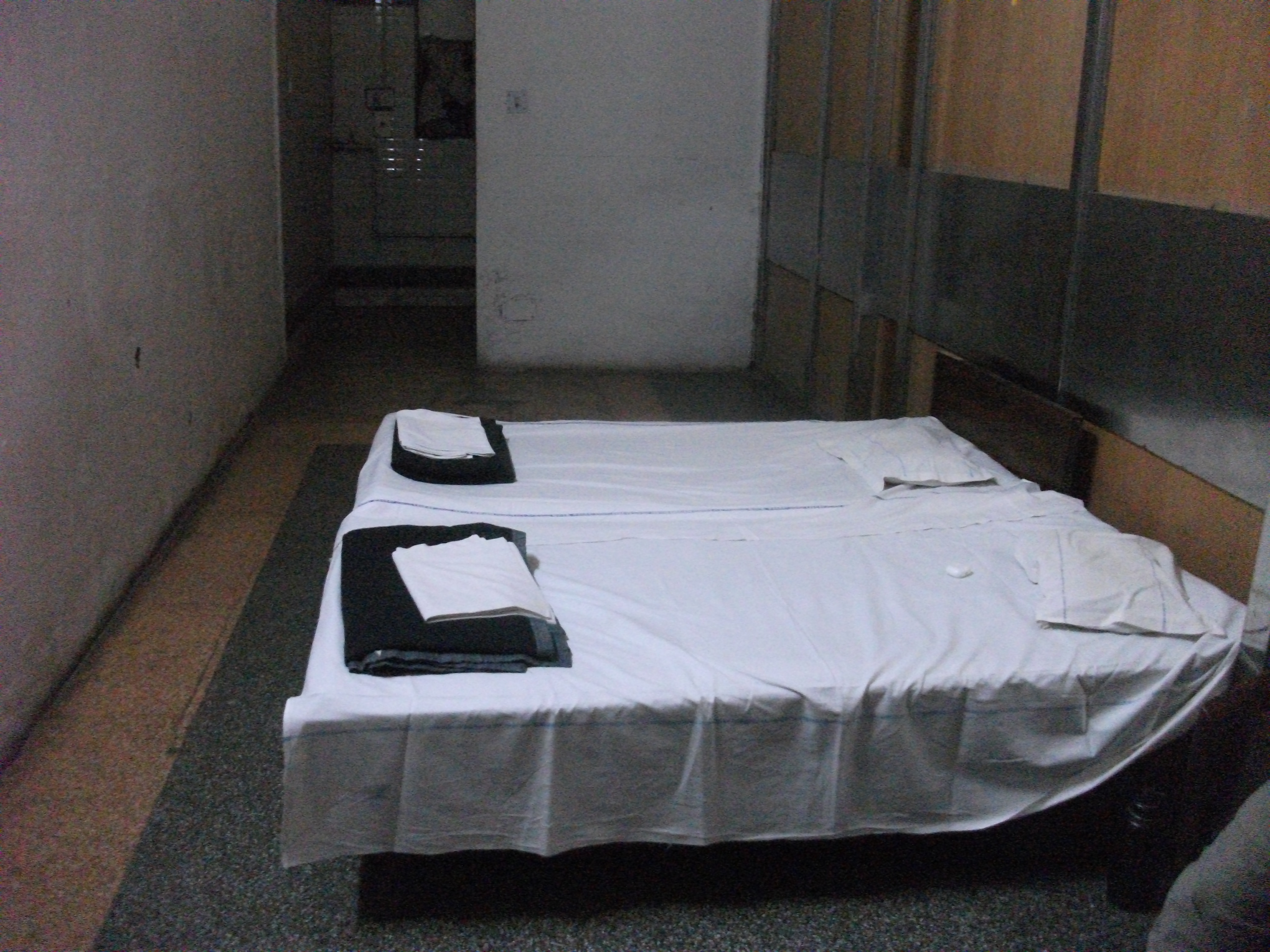 Our retiring room at the Old Delhi Railway Station.
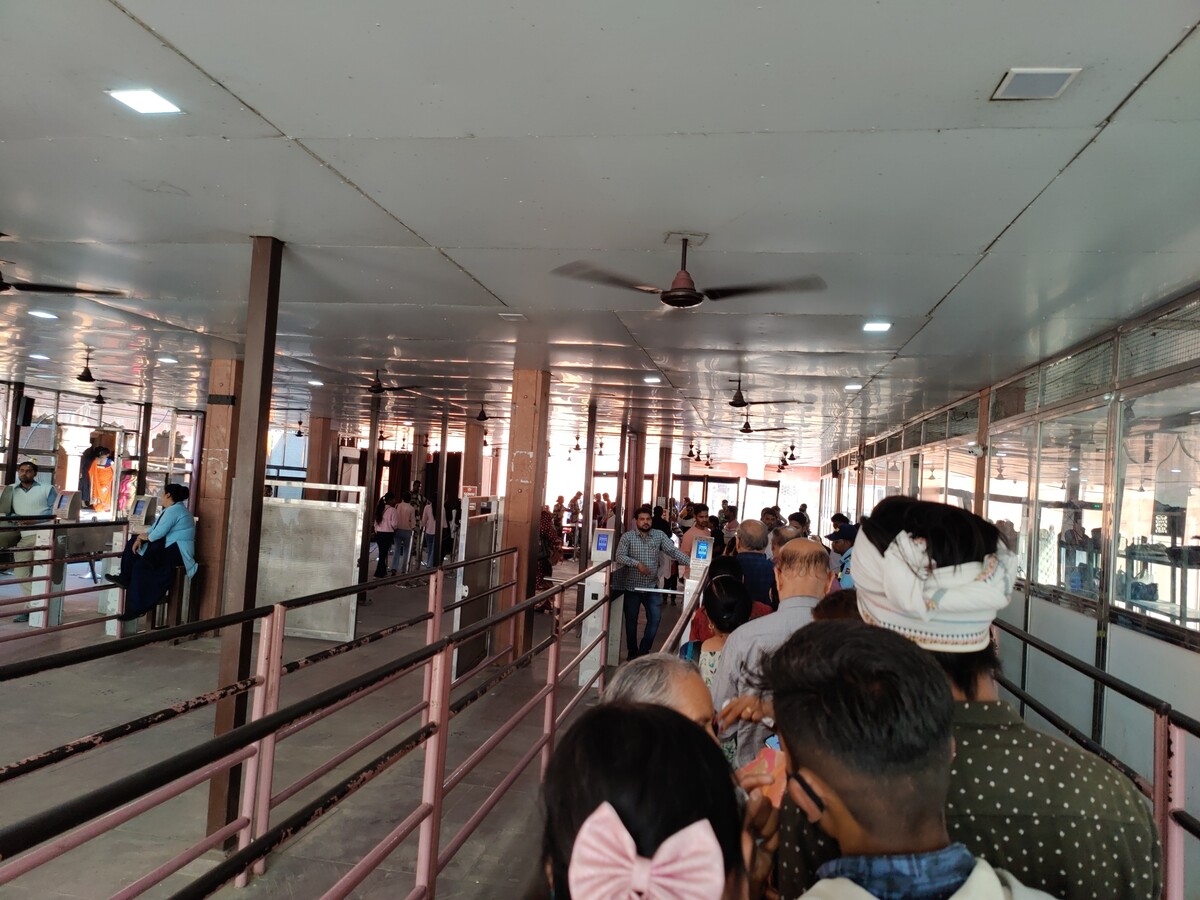 Security outside the Taj Mahal complex.
 This red colored building is entrance to where you can see the Taj Mahal.
 Taj Mahal.
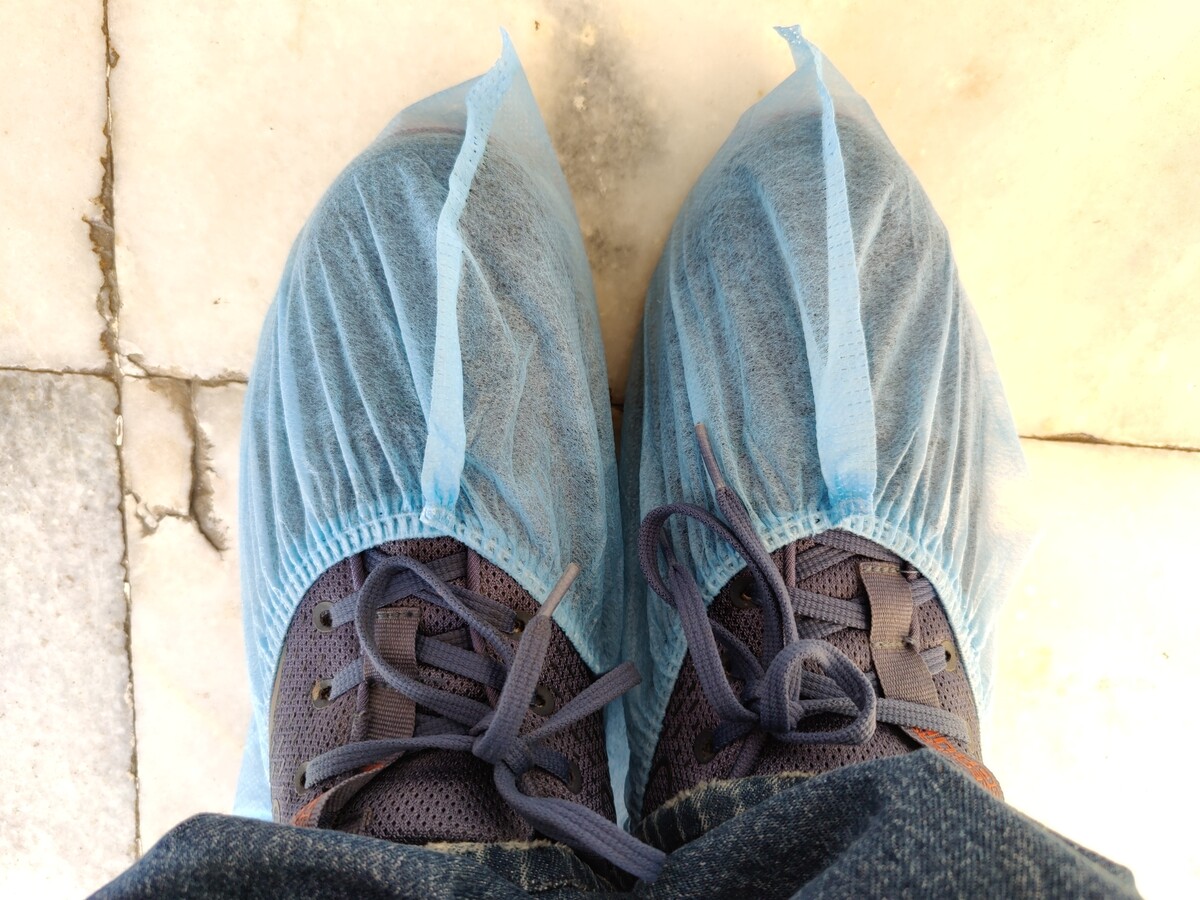 Shoe covers for going inside the mausoleum.
 Taj Mahal from side angle.
 Turns out that VPS provider Vultr's

 Thanks to All Saints Day, I ve just had a 5 days weekend. One of those
days I woke up and decided I absolutely needed a cartonnage box for the
cardboard and linocut
Thanks to All Saints Day, I ve just had a 5 days weekend. One of those
days I woke up and decided I absolutely needed a cartonnage box for the
cardboard and linocut  One of the boxes was temporarily used for the plastic piecepack I got
with the
One of the boxes was temporarily used for the plastic piecepack I got
with the  A few days ago
 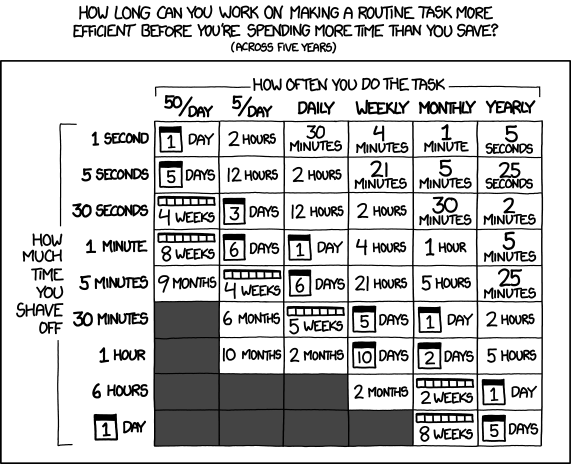 One of the most common fallacies programmers fall into is that we will jump
to automating a solution before we stop and figure out how much time it would even save.
In taking a slow improvement route to solve this problem for myself,
I ve managed not to invest too much time
One of the most common fallacies programmers fall into is that we will jump
to automating a solution before we stop and figure out how much time it would even save.
In taking a slow improvement route to solve this problem for myself,
I ve managed not to invest too much time
 The twentyfirst release of
  This article is cross-posting from grow-your-ideas. This is just an idea.

 The Amazon Kids parental controls are extremely insufficient, and I strongly advise against getting any of the Amazon Kids series.
The initial permise (and some older reviews) look okay: you can set some time limits, and you can disable anything that requires buying.
With the hardware you get one year of the Amazon Kids+ subscription, which includes a lot of interesting content such as books and audio,
but also some apps. This seemed attractive: some learning apps, some decent games.
Sometimes there seems to be a special Amazon Kids+ edition , supposedly one that has advertisements reduced/removed and no purchasing.
However, there are so many things just wrong in Amazon Kids:
The Amazon Kids parental controls are extremely insufficient, and I strongly advise against getting any of the Amazon Kids series.
The initial permise (and some older reviews) look okay: you can set some time limits, and you can disable anything that requires buying.
With the hardware you get one year of the Amazon Kids+ subscription, which includes a lot of interesting content such as books and audio,
but also some apps. This seemed attractive: some learning apps, some decent games.
Sometimes there seems to be a special Amazon Kids+ edition , supposedly one that has advertisements reduced/removed and no purchasing.
However, there are so many things just wrong in Amazon Kids: