Happy 2024!
DAIS have continued their programme of posthumous Coil remasters and re-issues.
Constant Shallowness Leads To
Evil
was remastered by Josh Bonati in 2021 and re-released in 2022 in a dizzying
array of different packaging variants. The original releases in 2000 had barely
any artwork, and given that void I think Nathaniel Young has done a great job
of creating something compelling.
A limited number of the original re-issue have special lenticular covers, although
these were not sold by any distributors outside the US. I tried to find a copy on
my trip to Portland in 2022, to no avail.
Last year DAIS followed Constant with Queens Of The Circulating
Library,
same deal: limited lenticular covers, US only.
Both are also available digital-only, e.g. on Bandcamp:
Constant ,
Queens .
The original, pre-remastered releases have been freely available on archive.org for a long time:
Constant ,
Queens
Both of these releases feel to me that they were made available by the group
somewhat as an afterthought, having been produced primarily as part of their
live efforts. (I'm speculating freely here, it might not be true). Live takes
of some of this material exist in the form of Coil Presents Time
Machines, which
has not (yet) been reissued. In my opinion this is a really compelling
recording. I vividly remember listening to this whilst trying to get an hour's
rest in a hotel somewhere on a work trip. It took me to some strange places!
I'll leave you from one of my favourite moments from "Colour Sound Oblivion",
Coil's video collection of live backdrops. When this was performed live it
was also called "Constant Shallowness Leads To Evil", although it's distinct
from the material on the LP:
also available on
archive.org. A version of
this Constant made it onto a Russian live bootleg, which is available on
Spotifyand Bandcamp
complete with some John Balance banter: we only do this on religious holidays Constant Shallowness Leads to Evil by Coil
As well as the collection and distribution of compromised keys, the pwnedkeys project also matches those pwned keys against issued SSL certificates.
I m excited to announce that, as of the beginning of 2024, all matched certificates are now being published on the Fediverse, thanks to the botsin.space Mastodon server.
Want to know which sites are susceptible to interception and interference, in (near-)real time?
Do you have a burning desire to know who is issuing certificates to people that post their private keys in public?
Now you can.
How It Works
The process for publishing pwned certs is, roughly, as follows:
All the certificates in Certificate Transparency (CT) logs are hoovered up (using my scrape-ct-log tool, the fastest log scraper in the west!), and the fingerprint of the public key of each certificate is stored in an LMDB datafile.
As new private keys are identified as having been compromised, the fingerprint of that key is checked against all the LMDB files, which map key fingerprints to certificates (actually to CT log entry IDs, from which the certificates themselves are retrieved).
This makes it sound all very straightforward, and it is in theory.
The trick comes in optimising the pipeline so that the five million or so new certificates every day can get indexed on the one slightly middle-aged server I ve got, without getting backlogged.
Why Don t You Just Have the Certificates Revoked?
Funny story about that
I used to notify CAs of certificates they d issued using compromised keys, which had the effect of requiring them to revoke the associated certificates.
However, several CAs disliked having to revoke all those certificates, because it cost them staff time (and hence money) to do so.
They went so far as to change their procedures from the standard way of accepting problem reports (emailing a generic attestation of compromise), and instead required CA-specific hoop-jumping to notify them of compromised keys.
Since the effectiveness of revocation in the WebPKI is, shall we say, homeopathic at best, I decided I couldn t be bothered to play whack-a-mole with CAs that just wanted to be difficult, and I stopped sending compromised key notifications to CAs.
Instead, now I m publishing the details of compromised certificates to everyone, so that users can protect themselves directly should they choose to.
Further Work
The astute amongst you may have noticed, in the above How It Works description, a bit of a gap in my scanning coverage.
CAs can (and do!) issue certificates for keys that are already compromised, including weak keys that have been known about for a decade or more (1, 2, 3).
However, as currently implemented, the pwnedkeys certificate checker does not automatically find such certificates.
My plan is to augment the CT scraping / cert processing pipeline to check all incoming certificates against the existing (2M+) set of pwned keys.
Though, with over five million new certificates to check every day, it s not necessarily as simple as just hit the pwnedkeys API for every new cert .
The poor old API server might not like that very much.
Support My Work
If you d like to see this extra matching happen a bit quicker, I ve setup a ko-fi supporters page, where you can support my work on pwnedkeys and the other open source software and projects I work on by buying me a refreshing beverage.
I would be very appreciative, and your support lets me know I should do more interesting things with the giant database of compromised keys I ve accumulated.
Apparently I got an honour from OpenUK.
There are a bunch of people I know on that list. Chris Lamb and Mark Brown
are familiar names from Debian. Colin King and
Jonathan Riddell are people I know from past work in
Ubuntu. I ve admired David MacIver s work on
Hypothesis and Richard Hughes work on
firmware updates from afar. And there are a bunch of
other excellent projects represented there:
OpenStreetMap,
Textualize, and my alma mater of
Cambridge to name but a few.
My friend Stuart Langridge
wrote about
being on a similar list a few years ago, and I can t do much better than to
echo it: in particular he wrote about the way the open source development
community is often at best unwelcoming to people who don t look like Stuart
and I do. I can t tell a whole lot about demographic distribution just by
looking at a list of names, but while these honours still seem to be skewed
somewhat male, I m fairly sure they re doing a lot better in terms of gender
balance than my home project of Debian is, for one. I hope this is a sign
of improvement for the future, and I ll do what I can to pay it forward.
Tobias Frost
did 10.25h (out of 12.0h assigned), thus carrying over 1.75h to the next month.
Utkarsh Gupta
did 18.75h (out of 11.25h assigned and 13.5h from previous period), thus carrying over 6.0h to the next month.
Evolution of the situation
In December, we have released 29 DLAs.
A particularly notable update in December was prepared by LTS contributor
Santiago Ruano Rinc n for the openssh package. The updated produced
DLA-3694-1 and included a
fix for the Terrapin Attack (CVE-2023-48795), which was a rather serious flaw in
the SSH protocol itself. The package bluez was the subject of another notable
update by LTS contributor Chris Lamb, which resulted in
DLA-3689-1 to address an
insecure default configuration which allowed attackers to inject keyboard
commands over Bluetooth without first authenticating.
The LTS team continues its efforts to have a positive impact beyond the
boundaries of LTS. Several contributors worked on packages, preparing LTS
updates, but also preparing patches or full updates which were uploaded to the
unstable, stable, and oldstable distributions, including: Guilhem Moulin s
update of tinyxml (uploads to LTS and unstable and patches submitted to the
security team for stable and oldstable); Guilhem Moulin s update of xerces-c
(uploads to LTS and unstable and patches submitted to the security team for
oldstable); Thorsten Alteholz s update of libde265 (uploads to LTS and stable
and additional patches submitted to the maintainer for stable and oldstable);
Thorsten Alteholz s update of cjson (upload to LTS and patches submitted to the
maintainer for stable and oldstable); and Tobias Frost s update of opendkim
(sponsor maintainer-prepared upload to LTS and additionally prepared updates for
stable and oldstable).
Going beyond Debian and looking to the broader community, LTS contributor
Bastien Roucari s was contacted by SUSE concerning an update he had prepared for
zbar. He was able to assist by coordinating with the former organization of the
original zbar author to secure for SUSE access to information concerning the
exploits. This has enabled another distribution to benefit from the work done in
support of LTS and from the assistance of Bastien in coordinating the access to
information.
Finally, LTS contributor Santiago Ruano Rinc n continued work relating to how
updates for packages in statically-linked language ecosystems (e.g., Go, Rust,
and others) are handled. The work is presently focused on more accurately and
reliably identifying which packages are impacted in a given update scenario to
enable notifications to be published so that users will be made aware of these
situations as they occur. As the work continues, it will eventually result in
improvements to Debian infrustructure so that the LTS team and Security team are
able to manage updates of this nature in a more consistent way.
Thanks to our sponsors
Sponsors that joined recently are in bold.
Welcome to the December 2023 report from the Reproducible Builds project! In these reports we outline the most important things that we have been up to over the past month. As a rather rapid recap, whilst anyone may inspect the source code of free software for malicious flaws, almost all software is distributed to end users as pre-compiled binaries (more).
Reproducibility to affect package migration policy in Debian
In a post summarising the activities of the Debian Release Team at a recent in-person Debian event in Cambridge, UK, Paul Gevers announced a change to the way packages are migrated into the staging area for the next stable Debian release based on its reproducibility status:
The folks from the Reproducibility Project have come a long way since they started working on it 10 years ago, and we believe it s time for the next step in Debian. Several weeks ago, we enabled a migration policy in our migration software that checks for regression in reproducibility. At this moment, that is presented as just for info, but we intend to change that to delays in the not so distant future. We eventually want all packages to be reproducible. To stimulate maintainers to make their packages reproducible now, we ll soon start to apply a bounty [speedup] for reproducible builds, like we ve done with passing autopkgtests for years. We ll reduce the bounty for successful autopkgtests at that moment in time.
Speranza: Usable, privacy-friendly software signing
Kelsey Merrill, Karen Sollins, Santiago Torres-Arias and Zachary Newman have developed a new system called Speranza, which is aimed at reassuring software consumers that the product they are getting has not been tampered with and is coming directly from a source they trust. A write-up on TechXplore.com goes into some more details:
What we have done, explains Sollins, is to develop, prove correct, and demonstrate the viability of an approach that allows the [software] maintainers to remain anonymous. Preserving anonymity is obviously important, given that almost everyone software developers included value their confidentiality. This new approach, Sollins adds, simultaneously allows [software] users to have confidence that the maintainers are, in fact, legitimate maintainers and, furthermore, that the code being downloaded is, in fact, the correct code of that maintainer. []
Nondeterministic Git bundles
Paul Baecher published an interesting blog post on Reproducible git bundles. For those who are not familiar with them, Git bundles are used for the offline transfer of Git objects without an active server sitting on the other side of a network connection. Anyway, Paul wrote about writing a backup system for his entire system, but:
I noticed that a small but fixed subset of [Git] repositories are getting backed up despite having no changes made. That is odd because I would think that repeated bundling of the same repository state should create the exact same bundle. However [it] turns out that for some, repositories bundling is nondeterministic.
Paul goes on to to describe his solution, which involves forcing git to be single threaded makes the output deterministic . The article was also discussed on Hacker News.
Rework the generate-id() function to return deterministic values. We use
a simple incrementing counter and store ids in the 'psvi' member of
nodes which was freed up by previous commits. The presence of an id is
indicated by a new "source node" flag.
This fixes long-standing problems with reproducible builds, see
https://bugzilla.gnome.org/show_bug.cgi?id=751621
This also hardens security, as the old implementation leaked the
difference between a heap and a global pointer, see
https://bugs.chromium.org/p/chromium/issues/detail?id=1356211
The old implementation could also generate the same id for dynamically
created nodes which happened to reuse the same memory. Ids for namespace
nodes were completely broken. They now use the id of the parent element
together with the hex-encoded namespace prefix.
Community updates
There were made a number of improvements to our website, including Chris Lamb fixing the generate-draft script to not blow up if the input files have been corrupted today or even in the past [], Holger Levsen updated the Hamburg 2023 summit to add a link to farewell post [] & to add a picture of a Post-It note. [], and Pol Dellaiera updated the paragraph about tar and the --clamp-mtime flag [].
On our mailing list this month, Bernhard M. Wiedemann posted an interesting summary on some of the reasons why packages are still not reproducible in 2023.
diffoscope is our in-depth and content-aware diff utility that can locate and diagnose reproducibility issues. This month, Chris Lamb made a number of changes, including processing objdump symbol comment filter inputs as Python byte (and not str) instances [] and Vagrant Cascadian extended diffoscope support for GNU Guix [] and updated the version in that distribution to version 253 [].
Challenges of Producing Software Bill Of Materials for Java
Musard Balliu, Benoit Baudry, Sofia Bobadilla, Mathias Ekstedt, Martin Monperrus, Javier Ron, Aman Sharma, Gabriel Skoglund, C sar Soto-Valero and Martin Wittlinger (!) of the KTH Royal Institute of Technology in Sweden, have published an article in which they:
deep-dive into 6 tools and the accuracy of the SBOMs they produce for complex open-source Java projects. Our novel insights reveal some hard challenges regarding the accurate production and usage of software bills of materials.
Debian Non-Maintainer campaign
As mentioned in previousreports, the Reproducible Builds team within Debian has been organising a series of online and offline sprints in order to clear the huge backlog of reproducible builds patches submitted by performing so-called NMUs (Non-Maintainer Uploads).
During December, Vagrant Cascadian performed a number of such uploads, including:
In addition, Holger Levsen performed three no-source-change NMUs in order to address the last packages without .buildinfo files in Debian trixie, specifically lorene (0.0.0~cvs20161116+dfsg-1.1), maria (1.3.5-4.2) and ruby-rinku (1.7.3-2.1).
Reproducibility testing framework
The Reproducible Builds project operates a comprehensive testing framework (available at tests.reproducible-builds.org) in order to check packages and other artifacts for reproducibility. In December, a number of changes were made by Holger Levsen:
Detect failures due to rename of the vmlinuz file. []
Improve the grammar of an error message. []
Document that freebsd-jenkins.debian.net has been updated to FreeBSD 14.0. []
In addition, node maintenance was performed by Holger Levsen [] and Vagrant Cascadian [].
Upstream patches
The Reproducible Builds project detects, dissects and attempts to fix as many currently-unreproducible packages as possible. We endeavour to send all of our patches upstream where appropriate. This month, we wrote a large number of such patches, including:
If you are interested in contributing to the Reproducible Builds project, please visit our Contribute page on our website. However, you can get in touch with us via:
This post is in part a response to an aspect of Nate s post Does Wayland really break everything? , but also my reflection on discussing Wayland protocol additions, a unique pleasure that I have been involved with for the past months1.
Some facts
Before I start I want to make a few things clear: The Linux desktop will be moving to Wayland2 this is a fact at this point (and has been for a while), sticking to X11 makes no sense for future projects. From reading Wayland protocols and working with it at a much lower level than I ever wanted to, it is also very clear to me that Wayland is an exceptionally well-designed core protocol, and so are the additional extension protocols (xdg-shell & Co.). The modularity of Wayland is great, it gives it incredible flexibility and will for sure turn out to be good for the long-term viability of this project (and also provides a path to correct protocol issues in future, if one is found). In other words: Wayland is an amazing foundation to build on, and a lot of its design decisions make a lot of sense!
The shift towards people seeing Linux more as an application developer platform, and taking PipeWire and XDG Portals into account when designing for Wayland is also an amazing development and I love to see this this holistic approach is something I always wanted!
Furthermore, I think Wayland removes a lot of functionality that shouldn t exist in a modern compositor and that s a good thing too! Some of X11 s features and design decisions had clear drawbacks that we shouldn t replicate. I highly recommend to read Nate s blog post, it s very good and goes into more detail. And due to all of this, I firmly believe that any advancement in the Wayland space must come from within the project.
But!
But! Of course there was a but coming I think while developing Wayland-as-an-ecosystem we are now entrenched into narrow concepts of how a desktop should work. While discussing Wayland protocol additions, a lot of concepts clash, people from different desktops with different design philosophies debate the merits of those over and over again never reaching any conclusion (just as you will never get an answer out of humans whether sushi or pizza is the clearly superior food, or whether CSD or SSD is better). Some people want to use Wayland as a vehicle to force applications to submit to their desktop s design philosophies, others prefer the smallest and leanest protocol possible, other developers want the most elegant behavior possible. To be clear, I think those are all very valid approaches.
But this also creates problems: By switching to Wayland compositors, we are already forcing a lot of porting work onto toolkit developers and application developers. This is annoying, but just work that has to be done. It becomes frustrating though if Wayland provides toolkits with absolutely no way to reach their goal in any reasonable way. For Nate s Photoshop analogy: Of course Linux does not break Photoshop, it is Adobe s responsibility to port it. But what if Linux was missing a crucial syscall that Photoshop needed for proper functionality and Adobe couldn t port it without that? In that case it becomes much less clear on who is to blame for Photoshop not being available.
A lot of Wayland protocol work is focused on the environment and design, while applications and work to port them often is considered less. I think this happens because the overlap between application developers and developers of the desktop environments is not necessarily large, and the overlap with people willing to engage with Wayland upstream is even smaller. The combination of Windows developers porting apps to Linux and having involvement with toolkits or Wayland is pretty much nonexistent. So they have less of a voice.
A quick detour through the neuroscience research lab
I have been involved with Freedesktop, GNOME and KDE for an incredibly long time now (more than a decade), but my actual job (besides consulting for Purism) is that of a PhD candidate in a neuroscience research lab (working on the morphology of biological neurons and its relation to behavior). I am mostly involved with three research groups in our institute, which is about 35 people. Most of us do all our data analysis on powerful servers which we connect to using RDP (with KDE Plasma as desktop). Since I joined, I have been pushing the envelope a bit to extend Linux usage to data acquisition and regular clients, and to have our data acquisition hardware interface well with it. Linux brings some unique advantages for use in research, besides the obvious one of having every step of your data management platform introspectable with no black boxes left, a goal I value very highly in research (but this would be its own blogpost).
In terms of operating system usage though, most systems are still Windows-based. Windows is what companies develop for, and what people use by default and are familiar with. The choice of operating system is very strongly driven by application availability, and WSL being really good makes this somewhat worse, as it removes the need for people to switch to a real Linux system entirely if there is the occasional software requiring it. Yet, we have a lot more Linux users than before, and use it in many places where it makes sense. I also developed a novel data acquisition software that even runs on Linux-only and uses the abilities of the platform to its fullest extent. All of this resulted in me asking existing software and hardware vendors for Linux support a lot more often. Vendor-customer relationship in science is usually pretty good, and vendors do usually want to help out. Same for open source projects, especially if you offer to do Linux porting work for them But overall, the ease of use and availability of required applications and their usability rules supreme. Most people are not technically knowledgeable and just want to get their research done in the best way possible, getting the best results with the least amount of friction.
KDE/Linux usage at a control station for a particle accelerator at Adlershof Technology Park, Germany, for reference (by 25years of KDE)3
Back to the point
The point of that story is this: GNOME, KDE, RHEL, Debian or Ubuntu: They all do not matter if the necessary applications are not available for them. And as soon as they are, the easiest-to-use solution wins. There are many facets of easiest : In many cases this is RHEL due to Red Hat support contracts being available, in many other cases it is Ubuntu due to its mindshare and ease of use. KDE Plasma is also frequently seen, as it is perceived a bit easier to onboard Windows users with it (among other benefits). Ultimately, it comes down to applications and 3rd-party support though.
Here s a dirty secret: In many cases, porting an application to Linux is not that difficult. The thing that companies (and FLOSS projects too!) struggle with and will calculate the merits of carefully in advance is whether it is worth the support cost as well as continuous QA/testing. Their staff will have to do all of that work, and they could spend that time on other tasks after all.
So if they learn that porting to Linux not only means added testing and support, but also means to choose between the legacy X11 display server that allows for 1:1 porting from Windows or the new Wayland compositors that do not support the same features they need, they will quickly consider it not worth the effort at all. I have seen this happen.
Of course many apps use a cross-platform toolkit like Qt, which greatly simplifies porting. But this just moves the issue one layer down, as now the toolkit needs to abstract Windows, macOS and Wayland. And Wayland does not contain features to do certain things or does them very differently from e.g. Windows, so toolkits have no way to actually implement the existing functionality in a way that works on all platforms. So in Qt s documentation you will often find texts like works everywhere except for on Wayland compositors or mobile 4.
Many missing bits or altered behavior are just papercuts, but those add up. And if users will have a worse experience, this will translate to more support work, or people not wanting to use the software on the respective platform.
What s missing?
Window positioning
SDI applications with multiple windows are very popular in the scientific world. For data acquisition (for example with microscopes) we often have one monitor with control elements and one larger one with the recorded image. There is also other configurations where multiple signal modalities are acquired, and the experimenter aligns windows exactly in the way they want and expects the layout to be stored and to be loaded upon reopening the application. Even in the image from Adlershof Technology Park above you can see this style of UI design, at mega-scale. Being able to pop-out elements as windows from a single-window application to move them around freely is another frequently used paradigm, and immensely useful with these complex apps.
It is important to note that this is not a legacy design, but in many cases an intentional choice these kinds of apps work incredibly well on larger screens or many screens and are very flexible (you can have any window configuration you want, and switch between them using the (usually) great window management abilities of your desktop).
Of course, these apps will work terribly on tablets and small form factors, but that is not the purpose they were designed for and nobody would use them that way.
I assumed for sure these features would be implemented at some point, but when it became clear that that would not happen, I created the ext-placement protocol which had some good discussion but was ultimately rejected from the xdg namespace. I then tried another solution based on feedback, which turned out not to work for most apps, and now proposed xdg-placement (v2) in an attempt to maybe still get some protocol done that we can agree on, exploring more options before pushing the existing protocol for inclusion into the ext Wayland protocol namespace. Meanwhile though, we can not port any application that needs this feature, while at the same time we are switching desktops and distributions to Wayland by default.
Window position restoration
Similarly, a protocol to save & restore window positions was already proposed in 2018, 6 years ago now, but it has still not been agreed upon, and may not even help multiwindow apps in its current form. The absence of this protocol means that applications can not restore their former window positions, and the user has to move them to their previous place again and again.
Meanwhile, toolkits can not adopt these protocols and applications can not use them and can not be ported to Wayland without introducing papercuts.
Window icons
Similarly, individual windows can not set their own icons, and not-installed applications can not have an icon at all because there is no desktop-entry file to load the icon from and no icon in the theme for them. You would think this is a niche issue, but for applications that create many windows, providing icons for them so the user can find them is fairly important. Of course it s not the end of the world if every window has the same icon, but it s one of those papercuts that make the software slightly less user-friendly. Even applications with fewer windows like LibrePCB are affected, so much so that they rather run their app through Xwayland for now.
I decided to address this after I was working on data analysis of image data in a Python virtualenv, where my code and the Python libraries used created lots of windows all with the default yellow W icon, making it impossible to distinguish them at a glance. This is xdg-toplevel-icon now, but of course it is an uphill battle where the very premise of needing this is questioned. So applications can not use it yet.
Limited window abilities requiring specialized protocols
Firefox has a picture-in-picture feature, allowing it to pop out media from a mediaplayer as separate floating window so the user can watch the media while doing other things. On X11 this is easily realized, but on Wayland the restrictions posed on windows necessitate a different solution. The xdg-pip protocol was proposed for this specialized usecase, but it is also not merged yet. So this feature does not work as well on Wayland.
Automated GUI testing / accessibility / automation
Automation of GUI tasks is a powerful feature, so is the ability to auto-test GUIs. This is being worked on, with libei and wlheadless-run (and stuff like ydotool exists too), but we re not fully there yet.
Wayland is frustrating for (some) application authors
As you see, there is valid applications and valid usecases that can not be ported yet to Wayland with the same feature range they enjoyed on X11, Windows or macOS. So, from an application author s perspective, Wayland does break things quite significantly, because things that worked before can no longer work and Wayland (the whole stack) does not provide any avenue to achieve the same result.
Wayland does break screen sharing, global hotkeys, gaming latency (via no tearing ) etc, however for all of these there are solutions available that application authors can port to. And most developers will gladly do that work, especially since the newer APIs are usually a lot better and more robust. But if you give application authors no path forward except use Xwayland and be on emulation as second-class citizen forever , it just results in very frustrated application developers.
For some application developers, switching to a Wayland compositor is like buying a canvas from the Linux shop that forces your brush to only draw triangles. But maybe for your avant-garde art, you need to draw a circle. You can approximate one with triangles, but it will never be as good as the artwork of your friends who got their canvases from the Windows or macOS art supply shop and have more freedom to create their art.
Triangles are proven to be the best shape! If you are drawing circles you are creating bad art!
Wayland, via its protocol limitations, forces a certain way to build application UX often for the better, but also sometimes to the detriment of users and applications. The protocols are often fairly opinionated, a result of the lessons learned from X11. In any case though, it is the odd one out Windows and macOS do not pose the same limitations (for better or worse!), and the effort to port to Wayland is orders of magnitude bigger, or sometimes in case of the multiwindow UI paradigm impossible to achieve to the same level of polish. Desktop environments of course have a design philosophy that they want to push, and want applications to integrate as much as possible (same as macOS and Windows!). However, there are many applications out there, and pushing a design via protocol limitations will likely just result in fewer apps.
The porting dilemma
I spent probably way too much time looking into how to get applications cross-platform and running on Linux, often talking to vendors (FLOSS and proprietary) as well. Wayland limitations aren t the biggest issue by far, but they do start to come come up now, especially in the scientific space with Ubuntu having switched to Wayland by default. For application authors there is often no way to address these issues. Many scientists do not even understand why their Python script that creates some GUIs suddenly behaves weirdly because Qt is now using the Wayland backend on Ubuntu instead of X11. They do not know the difference and also do not want to deal with these details even though they may be programmers as well, the real goal is not to fiddle with the display server, but to get to a scientific result somehow.
Another issue is portability layers like Wine which need to run Windows applications as-is on Wayland. Apparently Wine s Wayland driver has some heuristics to make window positioning work (and I am amazed by the work done on this!), but that can only go so far.
A way out?
So, how would we actually solve this? Fundamentally, this excessively long blog post boils down to just one essential question:
Do we want to force applications to submit to a UX paradigm unconditionally, potentially loosing out on application ports or keeping apps on X11 eternally, or do we want to throw them some rope to get as many applications ported over to Wayland, even through we might sacrifice some protocol purity?
I think we really have to answer that to make the discussions on wayland-protocols a lot less grueling. This question can be answered at the wayland-protocols level, but even more so it must be answered by the individual desktops and compositors.
If the answer for your environment turns out to be Yes, we want the Wayland protocol to be more opinionated and will not make any compromises for application portability , then your desktop/compositor should just immediately NACK protocols that add something like this and you simply shouldn t engage in the discussion, as you reject the very premise of the new protocol: That it has any merit to exist and is needed in the first place. In this case contributors to Wayland and application authors also know where you stand, and a lot of debate is skipped. Of course, if application authors want to support your environment, you are basically asking them now to rewrite their UI, which they may or may not do. But at least they know what to expect and how to target your environment.
If the answer turns out to be We do want some portability , the next question obviously becomes where the line should be drawn and which changes are acceptable and which aren t. We can t blindly copy all X11 behavior, some porting work to Wayland is simply inevitable. Some written rules for that might be nice, but probably more importantly, if you agree fundamentally that there is an issue to be fixed, please engage in the discussions for the respective MRs! We for sure do not want to repeat X11 mistakes, and I am certain that we can implement protocols which provide the required functionality in a way that is a nice compromise in allowing applications a path forward into the Wayland future, while also being as good as possible and improving upon X11. For example, the toplevel-icon proposal is already a lot better than anything X11 ever had. Relaxing ACK requirements for the ext namespace is also a good proposed administrative change, as it allows some compositors to add features they want to support to the shared repository easier, while also not mandating them for others. In my opinion, it would allow for a lot less friction between the two different ideas of how Wayland protocol development should work. Some compositors could move forward and support more protocol extensions, while more restrictive compositors could support less things. Applications can detect supported protocols at launch and change their behavior accordingly (ideally even abstracted by toolkits).
You may now say that a lot of apps are ported, so surely this issue can not be that bad. And yes, what Wayland provides today may be enough for 80-90% of all apps. But what I hope the detour into the research lab has done is convince you that this smaller percentage of apps matters. A lot. And that it may be worthwhile to support them.
To end on a positive note: When it came to porting concrete apps over to Wayland, the only real showstoppers so far5 were the missing window-positioning and window-position-restore features. I encountered them when porting my own software, and I got the issue as feedback from colleagues and fellow engineers. In second place was UI testing and automation support, the window-icon issue was mentioned twice, but being a cosmetic issue it likely simply hurts people less and they can ignore it easier.
What this means is that the majority of apps are already fine, and many others are very, very close! A Wayland future for everyone is within our grasp!
I will also bring my two protocol MRs to their conclusion for sure, because as application developers we need clarity on what the platform (either all desktops or even just a few) supports and will or will not support in future. And the only way to get something good done is by contribution and friendly discussion.
Footnotes
Apologies for the clickbait-y title it comes with the subject
When I talk about Wayland I mean the combined set of display server protocols and accepted protocol extensions, unless otherwise clarified.
I would have picked a picture from our lab, but that would have needed permission first
Qt has awesome platform issues pages, like for macOS and Linux/X11 which help with porting efforts, but Qt doesn t even list Linux/Wayland as supported platform. There is some information though, like window geometry peculiarities, which aren t particularly helpful when porting (but still essential to know).
Besides issues with Nvidia hardware CUDA for simulations and machine-learning is pretty much everywhere, so Nvidia cards are common, which causes trouble on Wayland still. It is improving though.
I ve mentioned this in a
couple of
other
places, but I realized I never got round to posting about it on my own blog
rather than on other people s services. How remiss of me.
Anyway: after much soul-searching, I decided a few months ago that it was
time for me to move on from Canonical and the
Launchpad team there. Nearly 20 years is a long
time to spend at any company, and although there are a bunch of people I ll
miss, Launchpad is in a reasonable state where I can let other people have a turn.
I m now in business for myself as a freelance developer! My new company is
Columbiform, and I m focusing on Debian
packaging and custom Python development. My
services page has some
self-promotion on the sorts of things I can do.
My first gig, and the one that made it viable to make this jump, is at
Freexian where I m helping with an exciting
infrastructure project that we hope will start making Debian developers
lives easier in the near future. This is likely to take up most of my time
at least through to the end of 2024, but I may have some spare cycles.
Drop me a line if you have
something where you think I could be a good fit, and we can have a talk
about it.
Having had success running Trisquel on the ppc64 Talos II, I felt ready to get an arm64 machine running Trisquel. I have a Ampere Altra Developer Platform from ADLINK, which is a fairly powerful desktop machine. While there were some issues during installation, I m happy to say the machine is stable and everything appears to work fine.
ISO images for non-amd64 platforms are unfortunately still hidden from the main Trisquel download area, so you will have to use the following procedure to download and extract a netinst ISO image (using debian-installer) and write it to a USB memory device. Another unfortunate problem is that there are no OpenPGP signatures or hash checksums, but below I publish one checksum.
Insert the USB stick in a USB slot in the machine, and power up. Press ESCAPE at the BIOS prompt and select the USB device as the boot device. The first problem that hit me was that translations didn t work, I selected Swedish but the strings were garbled. Rebooting and selecting the default English worked fine. For installation, you need Internet connectivity and I use the RJ45 port closest to VGA/serial which is available as enP5p1s0 in the installer. I wouldn t connect the BMC RJ45 port to anything unless you understand the security implications.
During installation you have to create a EFI partition for booting, and I ended up with one 1GB EFI partition, one 512GB ext4 partition for / with discard/noatime options, and a 32GB swap partition. The installer did not know about any Trisquel mirrors, but only had the default archive.trisquel.org, so if you need to use a mirror, take a note of the necessary details. The installation asks me about which kernel to install, and I went with the default linux-generic which results in a 5.15 linux-libre kernel. At the end of installation, unfortunately grub failed with a mysterious error message: Unable to install GRUB in dummy. Executing 'grub-install dummy' failed. On another console there is a better error message: failed to register the EFI boot entry. There are some references to file descriptor issues. Perhaps I partitioned the disk in a bad way, or this is a real bug in the installer for this platform. I continued installation, and it appears the installer was able to write GRUB to the device, but not add the right boot menu. So I was able to finish the installation properly, and then reboot and manually type the following GRUB commands: linux (hd0,gpt2)/boot/vmlinuz initrd (hd0,gpt2)/boot/initrd.img boot. Use the GRUB ls command to find the right device. See images below for more information.
Booting and installing GRUB again manually works fine:
root@ampel:~# update-grub
Sourcing file  /etc/default/grub'
Sourcing file  /etc/default/grub.d/background.cfg'
Sourcing file  /etc/default/grub.d/init-select.cfg'
Generating grub configuration file ...
Found linux image: /boot/vmlinuz-5.15.0-91-generic
Found initrd image: /boot/initrd.img-5.15.0-91-generic
Found linux image: /boot/vmlinuz-5.15.0-58-generic
Found initrd image: /boot/initrd.img-5.15.0-58-generic
Warning: os-prober will not be executed to detect other bootable partitions.
Systems on them will not be added to the GRUB boot configuration.
Check GRUB_DISABLE_OS_PROBER documentation entry.
Adding boot menu entry for UEFI Firmware Settings ...
done
root@ampel:~#
During installation I tend to avoid selecting any tasksel components, in part because it didn t use a local mirror to gain network speed, and in part because I don t want to generate OpenSSH keys in a possibly outdated environment that is harder to audit and reproducible rebuild than the finally installed system. When I selected the OpenSSH and GNOME tasksel, I get an error, but fortunately using apt get directly is simple.
Graphics in GNOME was slow using the built-in ASPEED AST2500 VGA controller with linux-libre 5.15. There are kernels labeled 64k but I haven t tested them, and I m not sure they would bring any significant advantage. I simply upgraded to a more recent linux-libre 6.2 kernel via the linux-image-generic-hwe-11.0 virtual package. After a reboot, graphics in GNOME is usable.
There seems to be some issue with power-saving inside GNOME, since the machine becomes unresponsive after 20 minutes, and I m unable to make it resume via keyboard or power button. Disabling the inactivity power setting in GNOME works fine to resolve this.
I will now put this machine to some more heavy use and see how it handles it. I hope to find more suitable arm64-based servers to complement my ppc64el-based servers in the future, as this ADLINK Ampere Altra Developer Platform with liquid-cooling is more of a toy than a serious server for use in a datacentre.
Happy Trisquel-on-arm64 Hacking!
SAS and SATA are electrically compatible to a degree that allows connecting a SATA storage device to a SAS controller. The SAS controller understands the SATA protocol so this works. A SAS device can t be physically connected to a SATA controller and if you did manage to connect it then it wouldn t work.
Some SAS RAID controllers don t permit mixing SAS and SATA devices in the same array, this is a software issue and could be changed. I know that the PERC controllers used by Dell (at least the older versions) do this and it might affect many/most MegaRAID controllers (which is what PERC is).
If you have a hardware RAID array of SAS disks and one fails then you need a spare SAS disk and as the local computer store won t have any you need some on hand.
The Linux kernel has support for the MegaRAID/PERC superblocks so for at least some of the RAID types supported by MegaRAID/PERC you can just connect the disks to a Linux system and have it work (I ve only tested on JBOD AKA a single-disk RAID-0). So if you have a server from Dell or IBM or any other company that uses MegaRAID which fails you can probably just put the disks into a non-RAID SAS controller and have them work. As Linux doesn t care about the difference between SAS and SATA at the RAID level you could then add a SATA disk to an array of SAS disks. If you want to move an array from a dead Dell to a working IBM server or the other way around then you need it to be all SATA or all SAS. You can use a Linux system to mount an array used by Windows or any other OS and then migrate the data to a different array.
If you have an old array of SAS disks and one fails then it might be a reasonable option to just migrate the data to a new array of SATA SSDs. EG if you had 6*600G SAS disks you could move to 2*4TB SATA SSDs and get more storage, much higher performance, less power use, and less noise for a cost of $800 or so (you can spend more to get better performance) and some migration time.
Having a spare SAS controller for data recovery is convenient. Having a spare SAS disk for any RAID-5/RAID-6 is a good thing. Having lots of spare SAS disks probably isn t useful as migrating to SATA is a better choice. SATA SSDs are bigger and faster than most SAS disks that are in production. I m sure that someone uses SAS SSDs but I haven t yet seen them in production, if you have a SAS system and need the performance that SSDs can give then a new server with U.2 (the SAS equivalent of NVMe) is the way to go). SATA hard drives are also the solution for seriously large storage, 16TB SATA hard drives are cheap and work in all the 3.5 SAS systems.
It s hard to sell old SAS disks as there isn t much use for them.
The Language Server Protocol (LSP) standardizes communication between editors and so called language servers for different programming languages. This reduces the old problem that every editor had to implement many different plugins for all different programming languages. With LSP an editor just needs to talk LSP and can immediately provide typicall IDE features.
I already packaged the Emacs packages lsp-mode and lsp-haskell for Debian bullseye. Now lsp-java is waiting in the NEW queue.
I m always worried about downloading and executing binaries from random places of the internet. It should be a matter of hygiene to only run binaries from official Debian repositories. Unfortunately this is not feasible when programming and many people don t see a problem with running multiple curl-sh pipes to set up their programming environment.
I prefer to do such stuff only in virtual machines. With Emacs and LSP I can finally have a lightweight textmode programming environment even for Java.
Unfortunately the lsp-java mode does not yet work over tramp. Once this is solved, I could run emacs on my host and only isolate the code and language server inside the VM.
The next step would be to also keep the code on the host and mount it with Virtio FS in the VM. But so far the necessary daemon is not yet in Debian (RFP: #1007152).
In Detail I uploaded these packages:
I ended 2022 with a musical retrospective and very much enjoyed writing
that blog post. As such, I have decided to do the same for 2023! From now on,
this will probably be an annual thing :)
Albums
In 2023, I added 73 new albums to my collection nearly 2 albums every three
weeks! I listed them below in the order in which I acquired them.
I purchased most of these albums when I could and borrowed the rest at
libraries. If you want to browse though, I added links to the album covers
pointing either to websites where you can buy them or to Discogs when digital
copies weren't available.
Once again this year, it seems that Punk (mostly O !) and Metal dominate my
list, mostly fueled by Angry Metal Guy and the amazing Montr al
Skinhead/Punk concert scene.
Concerts
A trend I started in 2022 was to go to as many concerts of artists I like as
possible. I'm happy to report I went to around 80% more concerts in 2023 than
in 2022! Looking back at my list, April was quite a busy month...
Here are the concerts I went to in 2023:
March 8th: Godspeed You! Black Emperor
April 11th: Alexandra Str liski
April 12th: Bikini Kill
April 21th: Brigada Flores Magon, Union Thugs
April 28th: Komintern Sect, The Outcasts, Violent Way, Ultra Razzia, Over the
Hill
May 3rd: First Fragment
May 12th: Rhapsody of Fire, Wind Rose
May 13th: Aeternam
June 2nd: Mortier, La Gachette
June 17th: Ultra Razzia, Total Nada, BLEMISH
June 30th: Avishai Cohen Trio
July 9th: Richard Galliano
August 18th: Gojira, Mastodon, Lorna Shore
September 14th: Jinjer
September 22nd: CUIR, Salvaje Punk, Hysteric Polemix, Perestroika, Ultra Razzia, Ilusion, Over the Hill, Asbestos
October 6th: Rancoeur, Street Code, Tenaz, Mortimer, Guernica, High Anxiety
Although metalfinder continues to work as intended, I'm very glad to have
discovered the Montr al underground scene has departed from Facebook/Instagram
and adopted en masseGancio, a FOSS community agenda that supports
ActivityPub. Our local instance, askapunk.net
is pretty much all I could ask for :)
That's it for 2023!
So this blog is now celebrating its 21st birthday (or 20 if you count
from zero, or 18 if you want to be pedantic), and I figured I would do
this yearly thing of reviewing how that went.
Number of posts
2022 was the official 20th
anniversary in any case, and
that was one of my best years on record, with 46 posts, surpassed only
by the noisy 2005 (62) and matching 2006 (46). 2023, in comparison,
was underwhelming: a feeble 11 posts! What happened!
Well, I was busy with other things, mostly away from keyboard, that I
will not bore you with here...
The other thing that happened is that the one-liner I used to collect
stats was broken (it counted folders and other unrelated files) and
wildly overestimated 2022! Turns out I didn't write that much then:
But even that is inaccurate because, in ikiwiki, I can tag any page as
being featured on the blog. So we actually need to process the HTML
itself because we don't have much better on hand without going through
ikiwiki's internals:
Anyway. 2023 is certainly not a glorious year in that regard, in any case.
Visitors
In terms of visits, however, we had quite a few hits. According to
Goatcounter, I had 122 300 visits in 2023! 2022, in comparison,
had 89 363, so that's quite a rise.
What you read
I seem to have hit the Hacker News front page at least twice. I say
"seem" because it's actually pretty hard to tell what the HN
frontpage actually is on any given day. I had 22k visits on
2023-03-13, in any case, and you can't see me on the front that
day. We do see a post of mine on 2023-09-02, all the way down
there, which seem to have generated another 10k visits.
In any case, here were the most popular stories for you fine visitors:
Framework 12th gen laptop
review: 24k visits, which is
surprising for a 13k words article "without images", as some
critics have complained. 15k referred by Hacker News. Good
reference and time-consuming benchmarks, slowly bit-rotting.
That is, by far, my most popular article ever. A popular article in
2021 or 2022 was around 6k to 9k, so that's a big one. I suspect it
will keep getting traffic for a long while.
Calibre replacement considerations:
15k visits, most of which without a referrer. Was actually an old
article, but I suspect HN brought it back to light. I keep updating
that wiki page regularly when I find new things, but I'm still
using Calibre to import ebooks.
Hacking my Kobo Clara HD: is not
new but always gathering more and more hits, it had 1800 hits in
the first year, 4600 hits last year and now brought 6400 visitors
to the blog! Not directly related, but this iFixit
battery replacement guide I wrote also seem to be quite popular
Where you've been
People send less and less private information when they browse the
web. The number of visitors without referrers was 41% in 2021, it rose
to 44% in 2023. Most of the remaining traffic comes from Google, but
Hacker News is now a significant chunk, almost as big as Google.
In 2021, Google represented 23% of my traffic, in 2022, it was down to
15% so 18% is actually a rise from last year, even if it seems much
smaller than what I usually think of.
Ratio
Referrer
Visits
18%
Google
22 098
13%
Hacker News
16 003
2%
duckduckgo.com
2 640
1%
community.frame.work
1 090
1%
missing.csail.mit.edu
918
Note that Facebook and Twitter do not appear at all in my referrers.
Where you are
Unsurprisingly, most visits still come from the US:
Ratio
Country
Visits
26%
United States
32 010
14%
France
17 046
10%
Germany
11 650
6%
Canada
7 425
5%
United Kingdom
6 473
3%
Netherlands
3 436
Those ratios are nearly identical to last year, but quite different
from 2021, where Germany and France were more or less reversed.
Back in 2021, I mentioned there was a long tail of countries with at
least one visit, with 160 countries listed. I expanded that and
there's now 182 countries in that list, almost all of the 193 member
states in the UN.
What you were
Chrome's dominance continues to expand, even on readers of this blog,
gaining two percentage points from Firefox compared to 2021.
Ratio
Browser
Visits
49%
Firefox
60 126
36%
Chrome
44 052
14%
Safari
17 463
1%
Others
N/A
It seems like, unfortunately, my Lynx and Haiku users have not visited
in the past year. It seems like trying to read those metrics is like
figuring out tea leaves...
In terms of operating systems:
Ratio
OS
Visits
28%
Linux
34 010
23%
macOS
28 728
21%
Windows
26 303
17%
Android
20 614
10%
iOS
11 741
Again, Linux and Mac are over-represented, and Android and iOS are
under-represented.
What is next
I hope to write more next year. I've been thinking about a few posts I
could write for work, about how things work behind the scenes at Tor,
that could be informative for many people. We run a rather old setup,
but things hold up pretty well for what we throw at it, and it's worth
sharing that with the world...
So anyway, thanks for coming, faithful reader, and see you in the
coming 2024 year...
FTP master
This month I accepted 235 and rejected 13 packages. The overall number of packages that got accepted was 249. I also handled lots of RM bugs and almost stopped the increase in packages this month :-). Please be aware, if you don t want your package to be removed, take care of it and keep it in good shape!
Debian LTS
This was my hundred-fourteenth month that I did some work for the Debian LTS initiative, started by Raphael Hertzog at Freexian.
During my allocated time I uploaded:
[DLA 3686-1] xorg-server security update for two CVEs to fix privilege escalation
[DLA 3686-2] xorg-server security update for one CVE to really fix privilege escalation. Unfortunately the first patches provided by upstream did not really solve the problem, so here we are in round 2
[DLA 3699-1] libde265 security update for three CVEs to fix heap buffer or global buffer overflows
[DLA 3700-1] cjson security update for one CVE to fix a segmentation violation
[#1056934] Bookworm PU-bug for libde265; I could finally upload the package
[#1056737] Bookworm PU-bug for minizip; I could finally upload the package
[libde265]For the next round of CVEs of libde265 I prepared debdiffs for Bullseye and Bookworm and sent them to the maintainer.
[cjson]I prepared debdiffs for Bullseye and Bookworm and sent them to the maintainer.
This month was rather calm and no unexpected things happened. The web team now automatically creates all webpages from data found in the security tracker. So I could deactivate my web-dla script again which created the webpages from the contents of the announcement mailing list.
Last but not least I also did two weeks of frontdesk duties.
Debian ELTS
This month was the sixty-fifth ELTS month. During my allocated time I uploaded:
[ELA-1019-1]xorg-server security update for two CVEs to fix privilege escalation
[ELA-1019-2]xorg-server security update for to really fix privilege escalation. As with the DLAs above, the first patches provided by upstream did not really solve the problem, so here we are in round 2
[ELA 1027-1] libde265 security update for three CVEs in Stretch to fix heap buffer or global buffer overflows
Last but not least I also did two weeks of frontdesk duties.
Debian Printing
This month I uploaded a package to fix bugs:
cups/Bookworm to fix a bug related to color printing
Other stuff
This month I uploaded new upstream version of packages, did a source upload for the transition or uploaded it to fix one or the other issue:
This year was hard from a personal and work point of view, which impacted the amount of Free Software bits I ended up doing - even when I had the time I often wasn t in the right head space to make progress on things. However writing this annual recap up has been a useful exercise, as I achieved more than I realised. For previous years see 2019, 2020, 2021 + 2022.
Conferences
The only Free Software related conference I made it to this year was DebConf23 in Kochi, India. Changes with projects at work meant I couldn t justify anything work related. This year I m planning to make it to FOSDEM, and haven t made a decision on DebConf24 yet.
Debian
Most of my contributions to Free software continue to happen within Debian.
I started the year working on retrogaming with Kodi on Debian. I got this to a much better state for bookworm, with it being possible to run the bsnes-mercury emulator under Kodi using RetroArch. There are a few other libretro backends available for RetroArch, but Kodi needs some extra controller mappings packaged up first.
Plenty of uploads were involved, though some of this was aligning all the dependencies and generally cleaning things up in iterations.
I continued to work on a few packages within the Debian Electronics Packaging Team. OpenOCD produced a new release in time for the bookworm release, so I uploaded 0.12.0-1. There were a few minor sigrok cleanups - sigrok 0.3, libsigrokdecode 0.5.3-4 + libsigrok 0.5.2-4 / 0.5.2-5.
While I didn t manage to get the work completed I did some renaming of the ESP8266 related packages - gcc-xtensa-lx106 (which saw a 13 upload pre-bookworm) has become gcc-xtensa (with 14) and binutils-xtensa-lx106 has become binutils-xtensa (with 6). Binary packages remain the same, but this is intended to allow for the generation of ESP32 compiler toolchains from the same source.
onak saw 0.6.3-1 uploaded to match the upstream release. I also uploaded libgpg-error 1.47-1 (though I can claim no credit for any of the work in preparing the package) to help move things forward on updating gnupg2 in Debian.
I NMUed tpm2-pkcs11 1.9.0-0.1 to fix some minor issues pre-bookworm release; I use this package myself to store my SSH key within my laptop TPM, so I care about it being in a decent state.
sg3-utils also saw a bit of love with 1.46-2 + 1.46-3 - I don t work in the storage space these days, but I m still listed as an uploaded and there was an RC bug around the library package naming that I was qualified to fix and test pre-bookworm.
Related to my retroarch work I sponsored uploads of mgba for Ryan Tandy: 0.10.0+dfsg-1, 0.10.0+dfsg-2, 0.10.1+dfsg-1, 0.10.2+dfsg-1, mgba 0.10.1+dfsg-1+deb12u1.
As part of the Data Protection Team I responded to various inbound queries to that team, both from project members and those external to the project.
I continue to keep an eye on Debian New Members, even though I m mostly inactive as an application manager - we generally seem to have enough available recently. Mostly my involvement is via Front Desk activities, helping out with queries to the team alias, and contributing to internal discussions as well as our panel at DebConf23.
Finally the 3 month rotation for Debian Keyring continues to operate smoothly. I dealt with 2023.03.24, 2023.06.26, 2023.06.29, 2023.09.10, 2023.09.24 + 2023.12.24.
Personal projects
2023 saw another minor release of onak, 0.6.3, which resulted in a corresponding Debian upload (0.6.3-1). It has a couple of bug fixes (including a particularly annoying, if minor, one around systemd socket activation that felt very satisfying to get to the bottom of), but I still lack the time to do any of the major changes I would like to.
I wrote listadmin3 to allow easy manipulation of moderation queues for Mailman3. It s basic, but it s drastically improved my timeliness on dealing with held messages.
Work related
This year only involved a single upstream related submission; a fix for tpm_tis interrupts with the Lenovo P620 that then got dropped when the change that caused the issue was reverted.
That wraps up 2023. I ve got no particular goals for this year; looking around my desk I ve a few ARM based devices I d like to get running a mainline kernel. I need to play about a bit more with the retroarch bits (if I really had time I d do the migration for Kodi to PCRE2, as that s currently causing testing migration issues), perhaps getting some more controller mappings packaged. But no promises.
Posted on January 7, 2024
Tags: madeof:atoms, craft:sewing, period:victorian, FreeSoftWear
CW for body size change mentions
I needed a corset, badly.
Years ago I had a chance to have my measurements taken by a former
professional corset maker and then a lesson in how to draft an underbust
corset, and that lead to me learning how nice wearing a well-fitted
corset feels.
Later I tried to extend that pattern up for a midbust corset, with
success.
And then my body changed suddenly, and I was no longer able to wear
either of those, and after a while I started missing them.
Since my body was still changing (if no longer drastically so), and I
didn t want to use expensive materials for something that had a risk of
not fitting after too little time, I decided to start by making myself a
summer lightweight corset in aida cloth and plastic boning (for which I
had already bought materials). It fitted, but not as well as the first
two ones, and I ve worn it quite a bit.
I still wanted back the feeling of wearing a comfy, heavy contraption of
coutil and steel, however.
After a lot of procrastination I redrafted a new pattern, scrapped
everything, tried again, had my measurements taken by a dressmaker
[#dressmaker], put them in the draft, cut a first mock-up in cheap
cotton, fixed the position of a seam, did a second mock-up in denim
[#jeans] from an old pair of jeans, and then cut into the cheap
herringbone coutil I was planning to use.
And that s when I went to see which one of the busks in my stash would
work, and realized that I had used a wrong vertical measurement and the
front of the corset was way too long for a midbust corset.
Luckily I also had a few longer busks, I basted one to the denim mock up
and tried to wear it for a few hours, to see if it was too long to be
comfortable. It was just a bit, on the bottom, which could be easily
fixed with the Power Tools1.
Except, the more I looked at it the more doing this felt wrong: what I
needed most was a midbust corset, not an overbust one, which is what
this was starting to be.
I could have trimmed it down, but I knew that I also wanted this corset
to be a wearable mockup for the pattern, to refine it and have it
available for more corsets. And I still had more than half of the cheap
coutil I was using, so I decided to redo the pattern and cut new panels.
And this is where the or two comes in: I m not going to waste the
overbust panels: I had been wanting to learn some techniques to make
corsets with a fashion fabric layer, rather than just a single layer of
coutil, and this looks like an excellent opportunity for that, together
with a piece of purple silk that I know I have in the stash. This will
happen later, however, first I m giving priority to the underbust.
Anyway, a second set of panels was cut, all the seam lines marked with
tailor tacks, and I started sewing by inserting the busk.
And then realized that the pre-made boning channel tape I had was too
narrow for the 10 mm spiral steel I had plenty of. And that the 25 mm
twill tape was also too narrow for a double boning channel.
On the other hand, the 18 mm twill tape I had used for the waist tape
was good for a single channel, so I decided to put a single bone on each
seam, and then add another piece of boning in the middle of each panel.
Since I m making external channels, making them in self fabric would
have probably looked better, but I no longer had enough fabric, because
of the cutting mishap, and anyway this is going to be a strictly
underwear only corset, so it s not a big deal.
Once the boning channel situation was taken care of, everything else
proceeded quite smoothly and I was able to finish the corset during the
Christmas break, enlisting again my SO to take care of the flat steel
boning while I cut the spiral steels myself with wire cutters.
I could have been a bit more precise with the binding, as it doesn t
align precisely at the front edge, but then again, it s underwear,
nobody other than me and everybody who reads this post is going to see
it and I was in a hurry to see it finished. I will be more careful with
the next one.
I also think that I haven t been careful enough when pressing the seams
and applying the tape, and I ve lost about a cm of width per part, so
I m using a lacing gap that is a bit wider than I planned for, but that
may change as the corset gets worn, and is still within tolerance.
Also, on the morning after I had finished the corset I woke up and
realized that I had forgotten to add garter tabs at the bottom edge.
I don t know whether I will ever use them, but I wanted the option, so
maybe I ll try to add them later on, especially if I can do it without
undoing the binding.
The next step would have been flossing, which I proceeded to postpone
until I ve worn the corset for a while: not because there is any reason
for it, but because I still don t know how I want to do it :)
What was left was finishing and uploading the pattern and instructions,
that are now on my sewing pattern website
as #FreeSoftWear, and finally I could post this on the blog.
i.e. by asking my SO to cut and sand it, because I m lazy
and I hate doing that part :D
Posted on January 5, 2024
Tags: madeof:atoms
Lately I ve seen people on the internet talking about victorian crazy
quilting. Years ago I had watched a Numberphile video about Hitomezashi
Stitch Patterns based on numbers, words or randomness.
Few weeks ago I had cut some fabric piece out of an old pair of jeans
and I had a lot of scraps that were too small to do anything useful on
their own.
It easy to see where this can go, right?
I cut a pocket shape out of old garment mockups (this required some
piecing), drew a square grid, arranged scraps of jeans to cover the
other side, kept everything together with a lot of pins, carefully
avoided basting anything, and started covering everything in sashiko /
hitomezashi stitches, starting each line with a stitch on the front or
the back of the work based on the result of:
import random
random.choice(["front", "back"])
For the second piece I tried to use a piece of paper with the square
grid instead of drawing it on the fabric: it worked, mostly, I would not
do it again as removing the paper was more of a hassle than drawing the
lines in the first place. I suspected it, but had to try it anyway.
Then I added a lining from some plain black cotton from the stash; for
the slit I put the lining on the front right sides together, sewn
at 2 mm from the marked slit, cut it, turned the lining to the back
side, pressed and then topstitched as close as possible to the slit from
the front.
I bound everything with bias tape, adding herringbone tape loops at the
top to hang it from a belt (such as one made from the waistband of one
of the donor pair of jeans) and that was it.
I like the way the result feels; maybe it s a bit too stiff for a
pocket, but I can see it work very well for a bigger bag, and maybe even
a jacket or some other outer garment.
At the end of the last part of this,
we got a Home Assistant OS installation that contains in itself a Firefly III instance and that
contains all the current financial information. They are communicating and calculating predictions
for me.
The only part that I was not 100% happy with was accounting of cash transactions. You see payments
in cash are mostly made away from computer and sometimes even in areas without a mobile Internet
connection. And all Firefly III apps that I tried failed at the task of creating a new transaction
when offline. Even the one recommended Telegram bot from Firefly III page used a dialog-based
approach for creating even a simplest transaction. Issue asking for a one-shot transaction creation
option stands as unresolved.
Theoretically it would have been best if I could simply contribute that feature to that particular
Telegram bot ... but it's written in Javascript. By mapping the API onto tasks somehow. After about
4 hours I still could not figure out where in the code anything actually happens. It all looked like
just sugar or spagetty. Connectors on connectors on mappers.
So I did the real open-source thing and just wrote my own tool.
firefly3_telegram_oneshot is a maximally simple
Telegram bot based on python-telegram-bot library.
So what does it do? The primary usage for me is to simply send a message to the bot at any time with
text like "23.2 coffee and cake" and when the message eventually reaches the bot, it then should
create a new transaction from my "cash" account to "Unknown" account in amount of 23.20 and
description "coffee and cake".
That is the key. Everything else in the bot is comfort.
For example "/undo" command deletes the last transaction in cash account (presumably added by error)
and "/last" shows which transaction the "/undo" would delete.
And to help with expense categorisation one can also do a message like "6.1 beer, dest=Edeka, cat=alcohol"
that would search for a destination account that would fuzzy match to "Edeka" (a supermarket in Germany)
and add the transation to the category fuzzy matched to "alcohol", like "Shopping - alcoholic drinks".
And to make that fuzzy matching more reliable I also added "/cat something" and "/dest something" commands
that would show which category or destination account would be matched with a given string.
All of that in around 250 lines of Python code and executed by a 17 line Dockerfile (via the Portainer
on my Home Assistant OS). One remaining function that could be nice is creating a category or destination
account on request (for example when the first character of the supplied string is "+").
I am really plesantly surprised about how much can be done with how little code using the above Python
library. And you never need to have any open incoming ports anywhere to runs such bots, so the attack
surface for such bot-based service is much tighter.
All in all the system works and works well. The only exception is that for my particual bank there is
still no automatic way of extracting data about credit card transactions. For those I still have to manually
log into the Internet bank, export a CSV file and then feed that into the Firefly III importer. Annoying.
And I am not really motivated to try to hack my bank :D
Has this been useful to any of you? Any ideas to expand or improve what I have? Just find me as "aigarius" on
any social media and speak up :)
I ve been getting annoyed with Raspberry Pi OS (Raspbian) for years now. It s a fork of Debian, but manages to omit some of the most useful things. So I ve decided to migrate all of my Pis to run pure Debian. These are my reasons:
Raspberry Pi OS has, for years now, specified that there is no upgrade path. That is, to get to a newer major release, it s a reinstall. While I have sometimes worked around this, for a device that is frequently installed in hard-to-reach locations, this is even more important than usual. It s common for me to upgrade machines for a decade or more across Debian releases and there s no reason that it should be so much more difficult with Raspbian.
As I noted in Consider Security First, the security situation for Raspberry Pi OS isn t as good as it is with Debian.
Raspbian lags behind Debian often times by 6 months or more for major releases, and days or weeks for bug fixes and security patches.
Raspbian uses a custom kernel without initramfs support
It turns out it is actually possible to do an in-place migration from Raspberry Pi OS bullseye to Debian bookworm. Here I will describe how. Even if you don t have a Raspberry Pi, this might still be instructive on how Raspbian and Debian packages work.
WARNINGS
Before continuing, back up your system. This process isn t for the neophyte and it is entirely possible to mess up your boot device to the point that you have to do a fresh install to get your Pi to boot. This isn t a supported process at all.
Architecture Confusion
Debian has three ARM-based architectures:
armel, for the lowest-end 32-bit ARM devices without hardware floating point support
armhf, for the higher-end 32-bit ARM devices with hardware float (hence hf )
arm64, for 64-bit ARM devices (which all have hardware float)
Although the Raspberry Pi 0 and 1 do support hardware float, they lack support for other CPU features that Debian s armhf architecture assumes. Therefore, the Raspberry Pi 0 and 1 could only run Debian s armel architecture.
Raspberry Pi 3 and above are capable of running 64-bit, and can run both armhf and arm64.
Prior to the release of the Raspberry Pi 5 / Raspbian bookworm, Raspbian only shipped the armhf architecture. Well, it was an architecture they called armhf, but it was different from Debian s armhf in that everything was recompiled to work with the more limited set of features on the earlier Raspberry Pi boards. It was really somewhere between Debian s armel and armhf archs. You could run Debian armel on those, but it would run more slowly, due to doing floating point calculations without hardware support. Debian s raspi FAQ goes into this a bit.
What I am going to describe here is going from Raspbian armhf to Debian armhf with a 64-bit kernel. Therefore, it will only work with Raspberry Pi 3 and above. It may theoretically be possible to take a Raspberry Pi 2 to Debian armhf with a 32-bit kernel, but I haven t tried this and it may be more difficult. I have seen conflicting information on whether armhf really works on a Pi 2. (If you do try it on a Pi 2, ignore everything about arm64 and 64-bit kernels below, and just go with the linux-image-armmp-lpae kernel per the ARMMP page)
There is another wrinkle: Debian doesn t support running 32-bit ARM kernels on 64-bit ARM CPUs, though it does support running a 32-bit userland on them. So we will wind up with a system with kernel packages from arm64 and everything else from armhf. This is a perfectly valid configuration as the arm64 like x86_64 is multiarch (that is, the CPU can natively execute both the 32-bit and 64-bit instructions).
(It is theoretically possible to crossgrade a system from 32-bit to 64-bit userland, but that felt like a rather heavy lift for dubious benefit on a Pi; nevertheless, if you want to make this process even more complicated, refer to the CrossGrading page.)
Prerequisites and Limitations
In addition to the need for a Raspberry Pi 3 or above in order for this to work, there are a few other things to mention.
If you are using the GPIO features of the Pi, I don t know if those work with Debian.
I think Raspberry Pi OS modified the desktop environment more than other components. All of my Pis are headless, so I don t know if this process will work if you use a desktop environment.
I am assuming you are booting from a MicroSD card as is typical in the Raspberry Pi world. The Pi s firmware looks for a FAT partition (MBR type 0x0c) and looks within it for boot information. Depending on how long ago you first installed an OS on your Pi, your /boot may be too small for Debian. Use df -h /boot to see how big it is. I recommend 200MB at minimum. If your /boot is smaller than that, stop now (or use some other system to shrink your root filesystem and rearrange your partitions; I ve done this, but it s outside the scope of this article.)
You need to have stable power. Once you begin this process, your pi will mostly be left in a non-bootable state until you finish. (You did make a backup, right?)
Basic idea
The basic idea here is that since bookworm has almost entirely newer packages then bullseye, we can just switch over to it and let the Debian packages replace the Raspbian ones as they are upgraded. Well, it s not quite that easy, but that s the main idea.
Preparation
First, make a backup. Even an image of your MicroSD card might be nice. OK, I think I ve said that enough now.
It would be a good idea to have a HDMI cable (with the appropriate size of connector for your particular Pi board) and a HDMI display handy so you can troubleshoot any bootup issues with a console.
Preparation: access
The Raspberry Pi OS by default sets up a user named pi that can use sudo to gain root without a password. I think this is an insecure practice, but assuming you haven t changed it, you will need to ensure it still works once you move to Debian. Raspberry Pi OS had a patch in their sudo package to enable it, and that will be removed when Debian s sudo package is installed. So, put this in /etc/sudoers.d/010_picompat:
pi ALL=(ALL) NOPASSWD: ALL
Also, there may be no password set for the root account. It would be a good idea to set one; it makes it easier to log in at the console. Use the passwd command as root to do so.
Preparation: bluetooth
Debian doesn t correctly identify the Bluetooth hardware address. You can save it off to a file by running hcitool dev > /root/bluetooth-from-raspbian.txt. I don t use Bluetooth, but this should let you develop a script to bring it up properly.
Package first steps
From here on, we are making modifications to the system that can leave it in a non-bootable state.
Examine /etc/apt/sources.list and all the files in /etc/apt/sources.list.d. Most likely you will want to delete or comment out all lines in all files there. Replace them with something like:
deb http://deb.debian.org/debian/ bookworm main non-free-firmware contrib non-free
deb http://security.debian.org/debian-security bookworm-security main non-free-firmware contrib non-free
deb https://deb.debian.org/debian bookworm-backports main non-free-firmware contrib non-free
(you might leave off contrib and non-free depending on your needs)
Now, we re going to tell it that we ll support arm64 packages:
dpkg --add-architecture arm64
And finally, download the bookworm package lists:
apt-get update
If there are any errors from that command, fix them and don t proceed until you have a clean run of apt-get update.
Moving /boot to /boot/firmware
The boot FAT partition I mentioned above is mounted at /boot by Raspberry Pi OS, but Debian s scripts assume it will be at /boot/firmware. We need to fix this. First:
umount /boot
mkdir /boot/firmware
Now, edit fstab and change the reference to /boot to be to /boot/firmware. Now:
mount -v /boot/firmware
cd /boot/firmware
mv -vi * ..
This mounts the filesystem at the new location, and moves all its contents back to where apt believes it should be. Debian s packages will populate /boot/firmware later.
Installing the first packages
Now we start by installing the first of the needed packages. Eventually we will wind up with roughly the same set Debian uses.
If you get errors relating to firmware-brcm80211 from any commands, run that install firmware-brcm80211 command and then proceed. There are a few packages that Raspbian marked as newer than the version in bookworm (whether or not they really are), and that s one of them.
Configuring the bootloader
We need to configure a few things in /etc/default/raspi-firmware before proceeding. Edit that file.
First, uncomment (or add) a line like this:
KERNEL_ARCH="arm64"
Next, in /boot/cmdline.txt you can find your old Raspbian boot command line. It will say something like:
root=PARTUUID=...
Save off the bit starting with PARTUUID. Back in /etc/default/raspi-firmware, set a line like this:
ROOTPART=PARTUUID=abcdef00
(substituting your real value for abcdef00).
This is necessary because the microSD card device name often changes from /dev/mmcblk0 to /dev/mmcblk1 when switching to Debian s kernel. raspi-firmware will encode the current device name in /boot/firmware/cmdline.txt by default, which will be wrong once you boot into Debian s kernel. The PARTUUID approach lets it work regardless of the device name.
Resolving firmware package version issues
If it gives an error about the installed version of a package, you may need to force it to the bookworm version. For me, this often happened with firmware-atheros, firmware-libertas, and firmware-realtek.
Here s how to resolve it, with firmware-realtek as an example:
apt list '?narrow(?installed, ?not(?origin(Debian)))'
Deal with them; mostly you will need to force the installation of a bookworm version using the procedure in the section Resolving firmware package version issues above (even if it s not for a firmware package). For non-firmware packages, you might possibly want to add --mark-auto to your apt-get install command line to allow the package to be autoremoved later if the things depending on it go away.
If you aren t going to use Bluetooth, I recommend apt-get --purge remove bluez as well. Sometimes it can hang at boot if you don t fix it up as described above.
Set up networking
We ll be switching to the Debian method of networking, so we ll create some files in /etc/network/interfaces.d. First, eth0 should look like this:
allow-hotplug eth0
iface eth0 inet dhcp
iface eth0 inet6 auto
Raspbian is inconsistent about using eth0/wlan0 or renamed interface. Run ifconfig or ip addr. If you see a long-named interface such as enx<something> or wlp<something>, copy the eth0 file to the one named after the enx interface, or the wlan0 file to the one named after the wlp interface, and edit the internal references to eth0/wlan0 in this new file to name the long interface name.
If using wifi, verify that your SSIDs and passwords are in /etc/wpa_supplicant/wpa_supplicant.conf. It should have lines like:
network=
   ssid="NetworkName"
   psk="passwordHere"
(This is where Raspberry Pi OS put them).
Deal with DHCP
Raspberry Pi OS used dhcpcd, whereas bookworm normally uses isc-dhcp-client. Verify the system is in the correct state:
Set up LEDs
To set up the LEDs to trigger on MicroSD activity as they did with Raspbian, follow the Debian instructions. Run apt-get install sysfsutils. Then put this in a file at /etc/sysfs.d/local-raspi-leds.conf:
Prepare for boot
To make sure all the /boot/firmware files are updated, run update-initramfs -u. Verify that root in /boot/firmware/cmdline.txt references the PARTUUID as appropriate. Verify that /boot/firmware/config.txt contains the lines arm_64bit=1 and upstream_kernel=1. If not, go back to the section on modifying /etc/default/raspi-firmware and fix it up.
The moment arrives
Cross your fingers and try rebooting into your Debian system:
reboot
For some reason, I found that the first boot into Debian seems to hang for 30-60 seconds during bootstrap. I m not sure why; don t panic if that happens. It may be necessary to power cycle the Pi for this boot.
Troubleshooting
If things don t work out, hook up the Pi to a HDMI display and see what s up. If I anticipated a particular problem, I would have documented it here (a lot of the things I documented here are because I ran into them!) So I can t give specific advice other than to watch boot messages on the console. If you don t even get kernel messages going, then there is some problem with your partition table or /boot/firmware FAT partition. Otherwise, you ve at least got the kernel going and can troubleshoot like usual from there.
I write this in the context of my decision to ditch Raspberry Pi OS and move everything I possibly can, including my Raspberry Pi devices, to Debian. I will write about that later.
But for now, I wanted to comment on something I think is often overlooked and misunderstood by people considering distributions or operating systems: the huge importance of getting security updates in an automated and easy way.
Background
Let s assume that these statements are true, which I think are well-supported by available evidence:
Every computer system (OS plus applications) that can do useful modern work has security vulnerabilities, some of which are unknown at any given point in time;
During the lifetime of that computer system, some of these vulnerabilities will be discovered. For a (hopefully large) subset of those vulnerabilities, timely patches will become available.
Now then, it follows that applying those timely patches is a critical part of having a system that it as secure as possible. Of course, you have to do other things as well good passwords, secure practices, etc but, fundamentally, if your system lacks patches for known vulnerabilities, you ve already lost at the security ballgame.
How to stay patched
There is something of a continuum of how you might patch your system. It runs roughly like this, from best to worst:
All components are kept up-to-date automatically, with no intervention from the user/operator
The operator is automatically alerted to necessary patches, and they can be easily installed with minimal intervention
The operator is automatically alerted to necessary patches, but they require significant effort to apply
The operator has no way to detect vulnerabilities or necessary patches
It should be obvious that the first situation is ideal. Every other situation relies on the timeliness of human action to keep up-to-date with security patches. This is a fallible situation; humans are busy, take trips, dismiss alerts, miss alerts, etc. That said, it is rare to find any system living truly all the way in that scenario, as you ll see.
What is your system ?
A critical point here is: what is your system ? It includes:
Your kernel
Your base operating system
Your applications
All the libraries needed to run all of the above
Some OSs, such as Debian, make little or no distinction between the base OS and the applications. Others, such as many BSDs, have a distinction there. And in some cases, people will compile or install applications outside of any OS mechanism. (It must be stressed that by doing so, you are taking the responsibility of patching them on your own shoulders.)
How do common systems stack up?
Debian, with its support for unattended-upgrades, needrestart, debian-security-support, and such, is largely category 1. It can automatically apply security patches, in most cases can restart the necessary services for the patch to take effect, and will alert you when some processes or the system must be manually restarted for a patch to take effect (for instance, a kernel update). Those cases requiring manual intervention are category 2. The debian-security-support package will even warn you of gaps in the system. You can also use debsecan to scan for known vulnerabilities on a given installation.
FreeBSD has no way to automatically install security patches for things in the packages collection. As with many rolling-release systems, you can t automate the installation of these security patches with FreeBSD because it is not safe to blindly update packages. It s not safe to blindly update packages because they may bring along more than just security patches: they may represent major upgrades that introduce incompatibilities, etc. Unlike Debian s practice of backporting fixes and thus producing narrowly-tailored patches, forcing upgrades to newer versions precludes a minimal intervention install. Therefore, rolling release systems are category 3.
Things such as Snap, Flatpak, AppImage, Docker containers, Electron apps, and third-party binaries often contain embedded libraries and such for which you have no easy visibility into their status. For instance, if there was a bug in libpng, would you know how many of your containers had a vulnerability? These systems are category 4 you don t even know if you re vulnerable. It s for this reason that my Debian-based Docker containers apply security patches before starting processes, and also run unattended-upgrades and friends.
The pernicious library problem
As mentioned in my last category above, hidden vulnerabilities can be a big problem. I ve been writing about this for years. Back in 2017, I wrote an article focused on Docker containers, but which applies to the other systems like Snap and so forth. I cited a study back then that Over 80% of the :latest versions of official images contained at least one high severity vulnerability. The situation is no better now. In December 2023, it was reported that, two years after the critical Log4Shell vulnerability, 25% of apps were still vulnerable to it. Also, only 21% of developers ever update third-party libraries after introducing them into their projects.
Clearly, you can t rely on these images with embedded libraries to be secure. And since they are black box, they are difficult to audit.
Debian s policy of always splitting libraries out from packages is hugely beneficial; it allows finegrained analysis of not just vulnerabilities, but also the dependency graph. If there s a vulnerability in libpng, you have one place to patch it and you also know exactly what components of your system use it.
If you use snaps, or AppImages, you can t know if they contain a deeply embedded vulnerability, nor could you patch it yourself if you even knew. You are at the mercy of upstream detecting and remedying the problem a dicey situation at best.
Who makes the patches?
Fundamentally, humans produce security patches. Often, but not always, patches originate with the authors of a program and then are integrated into distribution packages. It should be noted that every security team has finite resources; there will always be some CVEs that aren t patched in a given system for various reasons; perhaps they are not exploitable, or are too low-impact, or have better mitigations than patches.
Debian has an excellent security team; they manage the process of integrating patches into Debian, produce Debian Security Advisories, maintain the Debian Security Tracker (which maintains cross-references with the CVE database), etc.
Some distributions don t have this infrastructure. For instance, I was unable to find this kind of tracker for Devuan or Raspberry Pi OS. In contrast, Ubuntu and Arch Linux both seem to have active security teams with trackers and advisories.
Implications for Raspberry Pi OS and others
As I mentioned above, I m transitioning my Pi devices off Raspberry Pi OS (Raspbian). Security is one reason. Although Raspbian is a fork of Debian, and you can install packages like unattended-upgrades on it, they don t work right because they use the Debian infrastructure, and Raspbian hasn t modified them to use their own infrastructure. I don t see any Raspberry Pi OS security advisories, trackers, etc. In short, they lack the infrastructure to support those Debian tools anyhow.
Not only that, but Raspbian lags behind Debian in both new releases and new security patches, sometimes by days or weeks.
Live Migrating from Raspberry Pi OS bullseye to Debian bookworm contains instructions for migrating Raspberry Pis to Debian.
For an embarassingly long time, my shell has unnecessarily tried to
initialize a console font in every kind of interactive terminal.
This leaves the following error message in my terminal:
Couldn't get a file descriptor referring to the console.
It even shows up twice when running tmux!
Clearly I ve done something horrible to my configuration,
and now I ve got to clean it up.
How does Shell Initialization Work?
The precise files a shell reads at start-up is somewhat complex, and defined
by this excellent chart 1:
For the purposes of what I m trying to fix, there are two paths that matter.
Interactive login shell startup
Interactive non-login shell startup
As you can see from the above, trying to distinguish these two paths in bash
is an absolute mess.
zsh, in contrast, is much cleaner and allows for a clear distinction
between these two cases, with login shell configuration files as a superset of
configuration files used by non-login shells.
How did we get here?
I keep my configuration files in a config
repository.
Some time ago I got quite frustrated at this whole shell initialization thing,
and just linked everything together in one profile file:
Move to ZSH
I ve wanted to move to zsh for a while, and took this opportunity to do so.
So my new configuration files are .zprofile and .zshrc instead of .mkshrc
and .profile
(though I m going to retain those symlinks to allow my old configurations to
continue working).
mksh is a nice simple shell,
but using zsh here allows for more consistency
between my home and $WORK environments, and will allow a lot more powerful
extensions.
Updating my Prompt
ZSH prompts use a totally different configuration via variable expansion.
However, it also uses the PROMPT variable, so I set that to the needed
values for zsh.
There s an excellent ZSH prompt generator at
https://zsh-prompt-generator.site
that I used to get these variables, though I m sure they re in the zsh
documentation somewhere as well.
I wanted a simple prompt with user (%n), host (%m), and path (%d).
I also wanted a % at the end to distinguish this from other shells.
PROMPT="%n@%m%d%% "
Fixing mksh prompts
This worked but surprisingly mksh also looks at PROMPT,
leaving my mksh prompt as the literal prompt string without expansion.
Fixing this requires setting up a proper shrc and linking it to
.mkshrc and .zshrc.
I chose to move my existing aliases script to this file,
as it also broke in non-login shells when moved to profile.
Within this new shrc file we can check what shell we re running via $0:
I chose to add plain zsh here in case I run it manually for whatever reason.
I also added -zsh to support tmux as that s what it presents as $0.
This also means you ll need to be careful to quote $0 or you ll get fun shell
errors.
There s probably a better way to do this, but I couldn t find something that
was compatible with POSIX shell, which is what most of this has to be written
in to be compatible with mksh and zsh2.
We can then setup different prompts for each:
if [ "$0" = "/bin/zsh" ]   [ "$0" = "zsh" ]   [ "$0" = "-zsh" ]
then
	PROMPT="%n@%m%d%% "
else
	# Borrowed from
	# http://www.unixmantra.com/2013/05/setting-custom-prompt-in-ksh.html
	PS1='$(id -un)@$(hostname -s)$PWD$ '
fi
Setting Console Font in a Better Way
I ve been setting console font via setfont in my .profile for a while.
I m not sure where I picked this up, but it s not the right way.
I even tried to only run this in a console with -t but that only
checks that output is a terminal, not specifically a console.
if [ -t 1 ]
then
	setfont /usr/share/consolefonts/Lat15-Terminus20x10.psf.gz
fi
This also only runs once the console is logged into,
instead of initializing it on boot.
The correct way to set this up, on Debian-based systems,
is reconfiguring console-setup like so:
dpkg-reconfigure console-setup
From there you get a menu of encoding, character set, font, and then font size
to configure for your consoles.
VIM mode
To enable VIM mode for ZSH, you simply need to set:
bindkeys -v
This allows you to edit your shell commands with basic VIM keybinds.
Getting back Ctrl + Left Arrow and Ctrl + Right Arrow
Moving around one word at a time with Ctrl and the arrow keys is broken by
vim mode unfortunately, so we ll need to re-enable it:
Better History Search
But of course we re now using zsh so we can do better than just the same
configuration as we had before.
There s an excellent substring history search plugin that we can just
source without a plugin manager3
source $HOME/config/zsh-history-substring-search.zsh
# Keys are weird, should be ^[[ but it's not
bindkey '^[[A' history-substring-search-up
bindkey '^[OA' history-substring-search-up
bindkey '^[[B' history-substring-search-down
bindkey '^[OB' history-substring-search-down
For some reason my system uses ^[OA and ^[OB as up and down keys.
It seems ^[[A and ^[[B are the defaults, so I ve left them in,
but I m confused as to what differences would lead to this.
If you know, please let me know
and I ll add a footnote to this article explaining it.
Back to history search.
For this to work, we also need to setup history logging:
Why did it show up twice for tmux?
Because tmux creates a login shell.
Adding:
echo PROFILE
to profile and:
echo SHRC
to shrc confirms this with:
PROFILE
SHRC
SHRC
For now, profile sources shrc so that running twice is expected.
But after this exploration and diagram,
it s clear we don t need that for zsh.
Removing this will break remote bash shells (see above diagram),
but I can live without those on my development laptop.
Removing that line results in the expected output for a new terminal:
SHRC
And the full output for a new tmux session or console:
PROFILE
SHRC
So finally we re back to a normal state!
This post is a bit unfocused but I hope it helps someone else repair or enhance
their shell environment.
If you liked this4, or know of any other ways to manage this I could use,
let me know at fixmyshell@tookmund.com.
This chart comes from the excellent Shell Startup Scripts article by Peter Ward. I ve generated the SVG from the graphviz source linked in the article.
Technically it has be compatible with Korn shell, but a quick google seems to suggest that that s actually a subset of POSIX shell.
I use oh-my-zsh at $WORK but for now I m going to simplify my personal configuration. If I end up using a lot of plugins I ll reconsider this.
Or if you ve found any typos or other issues that I should fix.
 Happy 2024!
DAIS have continued their programme of posthumous Coil remasters and re-issues.
Constant Shallowness Leads To
Evil
was remastered by Josh Bonati in 2021 and re-released in 2022 in a dizzying
array of different packaging variants. The original releases in 2000 had barely
any artwork, and given that void I think Nathaniel Young has done a great job
of creating something compelling.
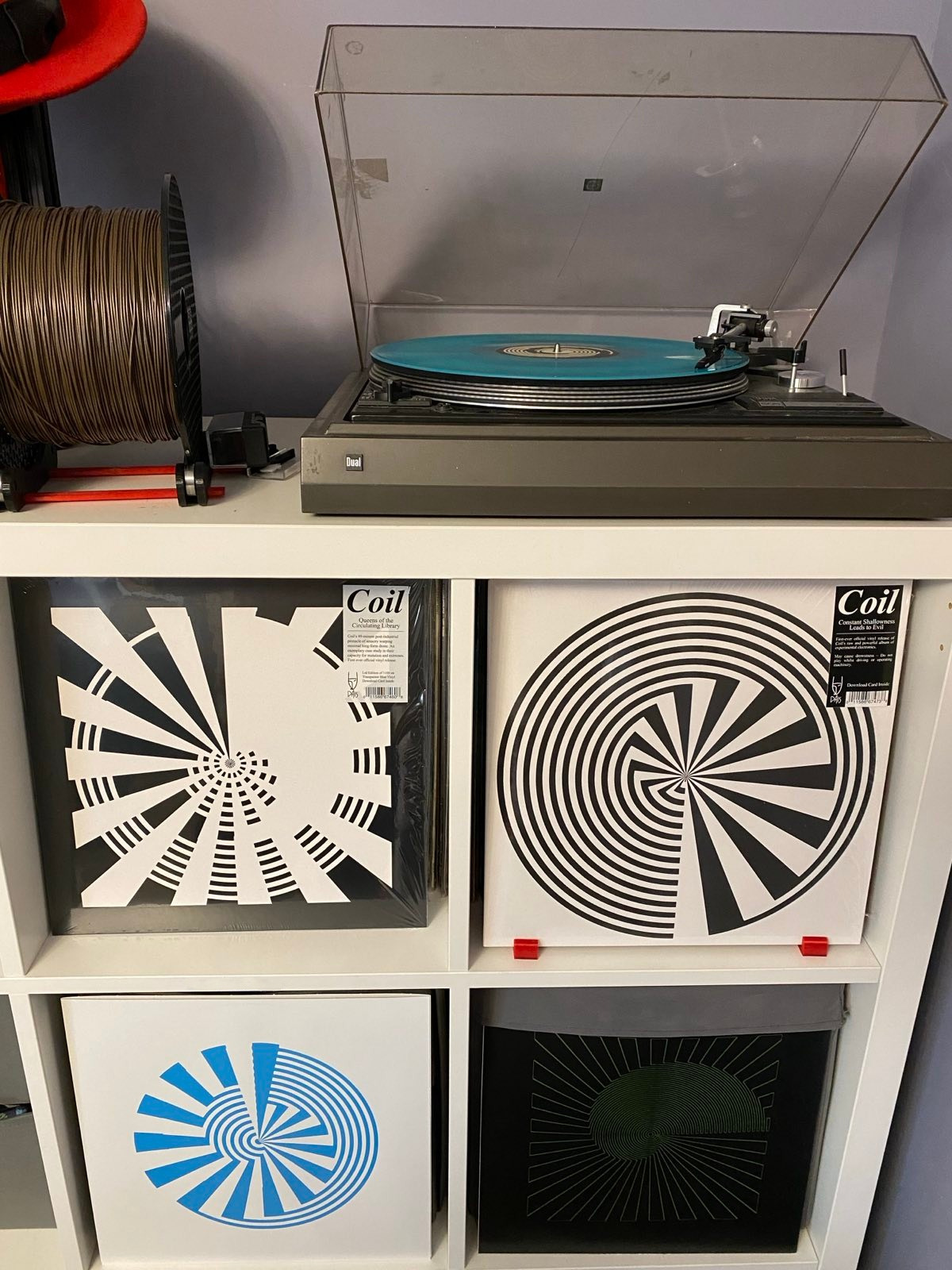
 As well as the collection and distribution of
 Apparently I got an

 Like each month, have a look at the work funded by






 I think while developing Wayland-as-an-ecosystem we are now entrenched into narrow concepts of how a desktop should work. While discussing Wayland protocol additions, a lot of concepts clash, people from different desktops with different design philosophies debate the merits of those over and over again never reaching any conclusion (just as you will never get an answer out of humans whether sushi or pizza is the clearly superior food, or whether CSD or SSD is better). Some people want to use Wayland as a vehicle to force applications to submit to their desktop s design philosophies, others prefer the smallest and leanest protocol possible, other developers want the most elegant behavior possible. To be clear, I think those are all very valid approaches.
But this also creates problems: By switching to Wayland compositors, we are already forcing a lot of porting work onto toolkit developers and application developers. This is annoying, but just work that has to be done. It becomes frustrating though if Wayland provides toolkits with absolutely no way to reach their goal in any reasonable way. For Nate s Photoshop analogy: Of course Linux does not break Photoshop, it is Adobe s responsibility to port it. But what if Linux was missing a crucial syscall that Photoshop needed for proper functionality and Adobe couldn t port it without that? In that case it becomes much less clear on who is to blame for Photoshop not being available.
A lot of Wayland protocol work is focused on the environment and design, while applications and work to port them often is considered less. I think this happens because the overlap between application developers and developers of the desktop environments is not necessarily large, and the overlap with people willing to engage with Wayland upstream is even smaller. The combination of Windows developers porting apps to Linux and having involvement with toolkits or Wayland is pretty much nonexistent. So they have less of a voice.
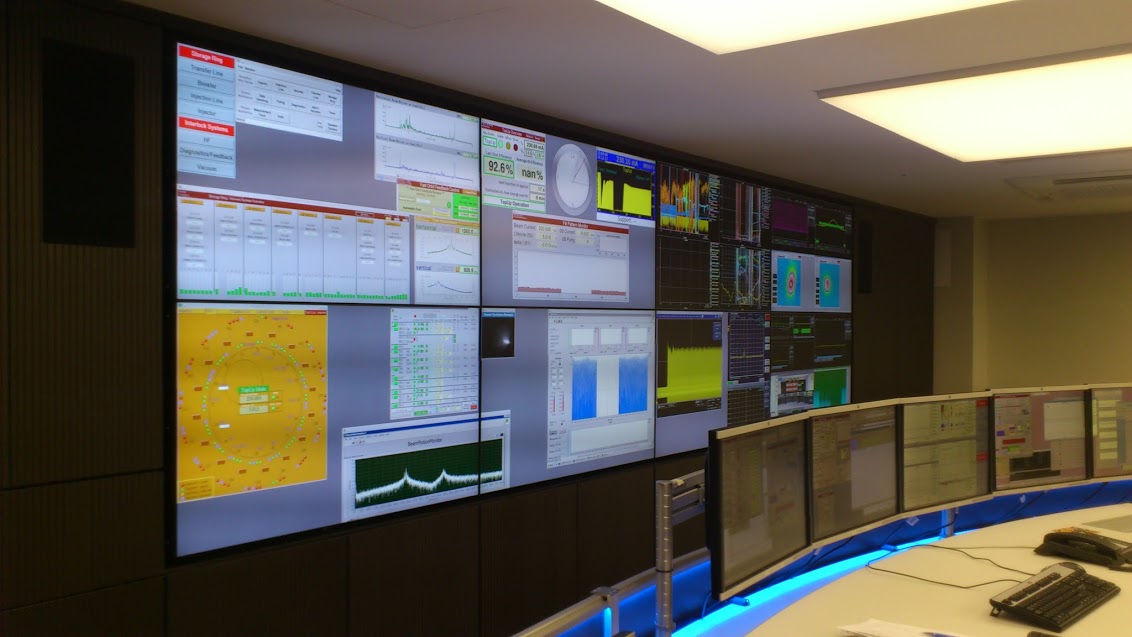
 I will also bring my two protocol MRs to their conclusion for sure, because as application developers we need clarity on what the platform (either all desktops or even just a few) supports and will or will not support in future. And the only way to get something good done is by contribution and friendly discussion.

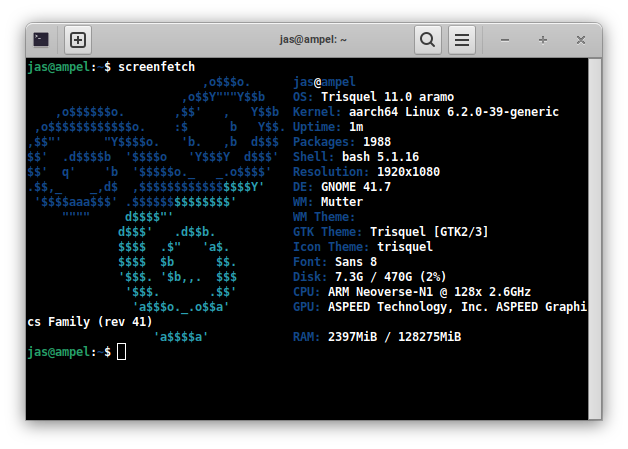
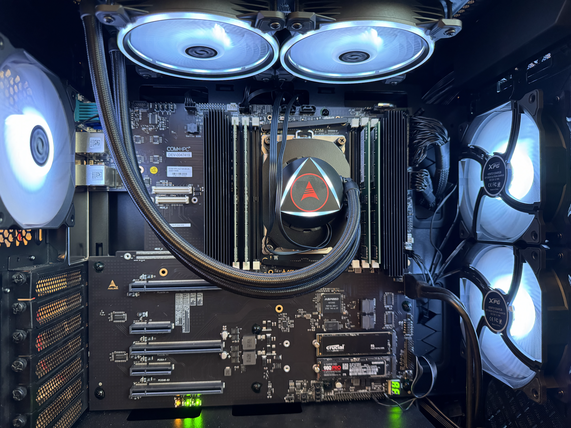
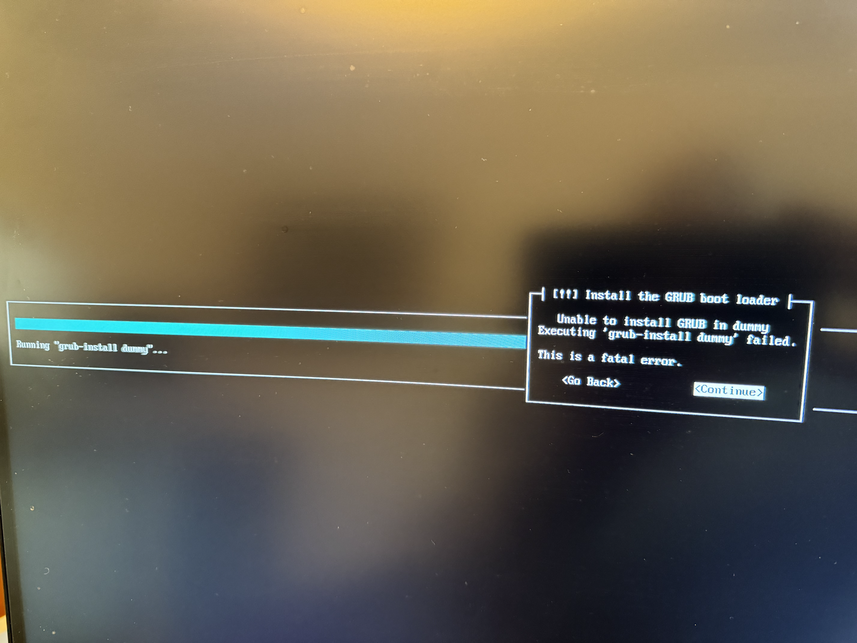
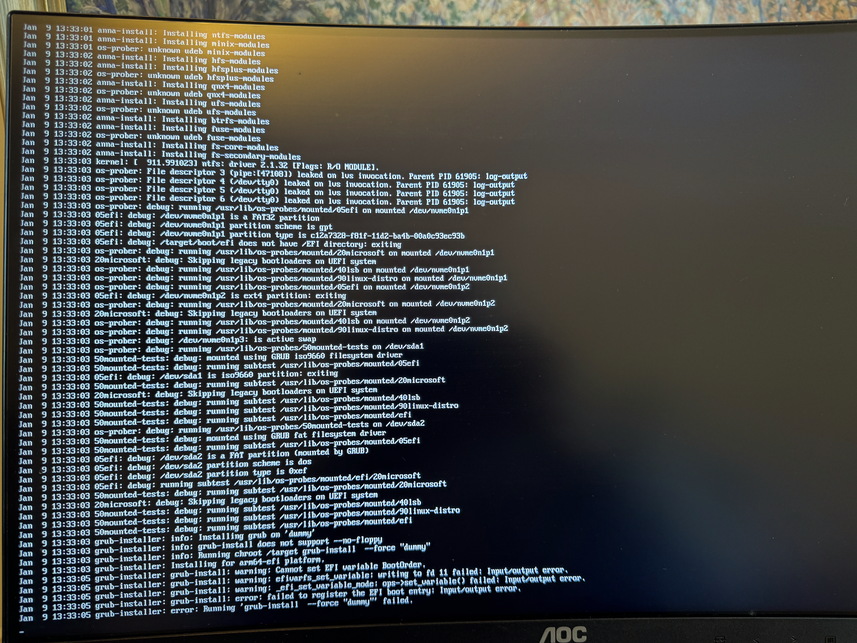
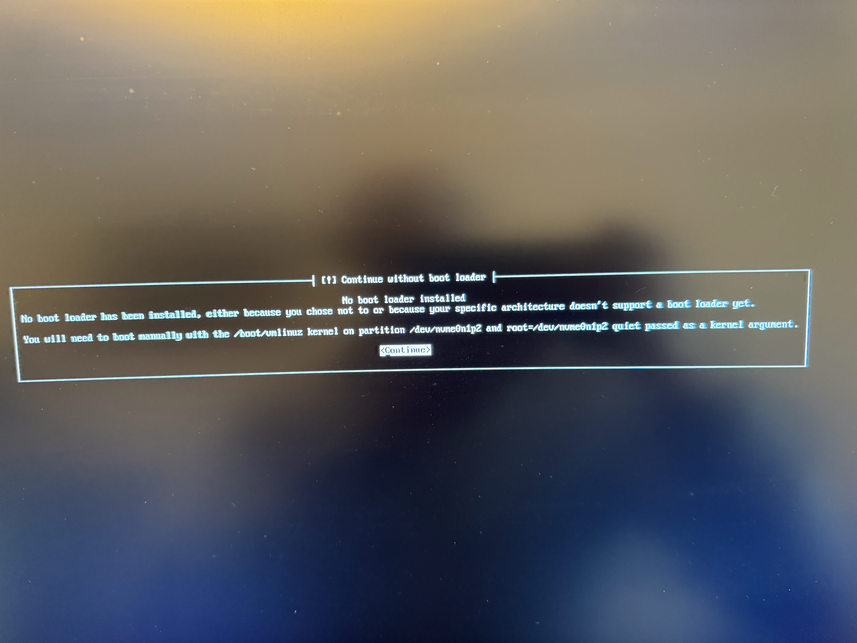
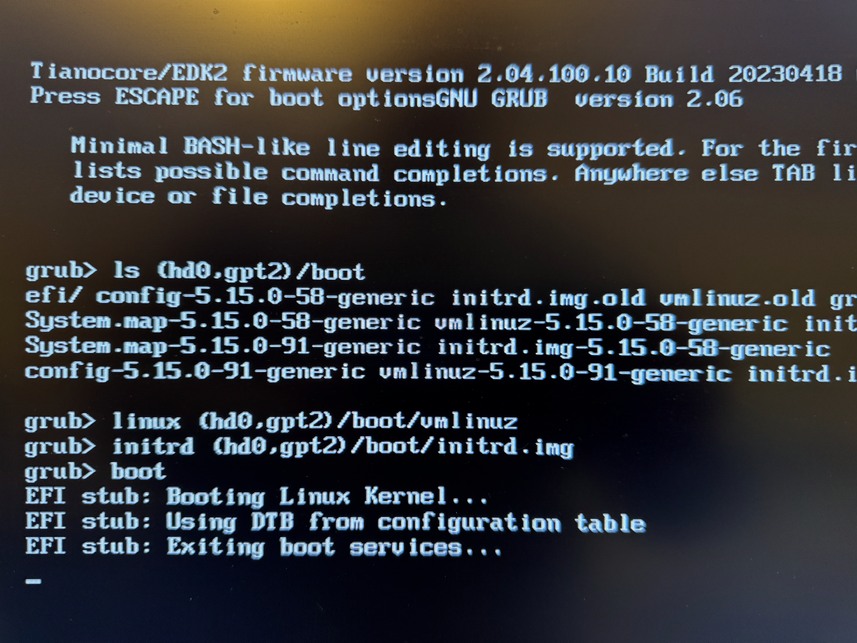












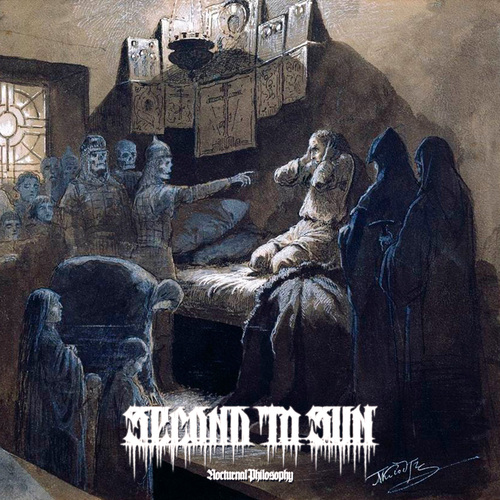
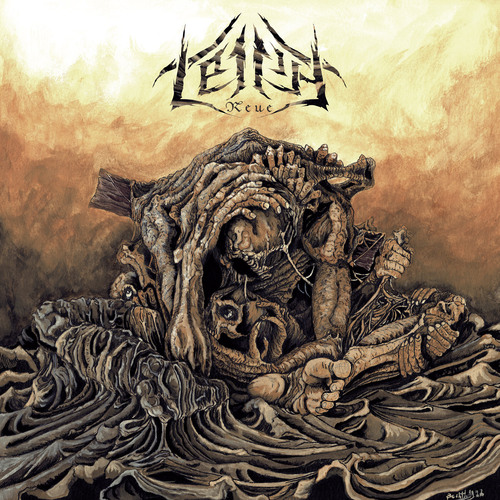
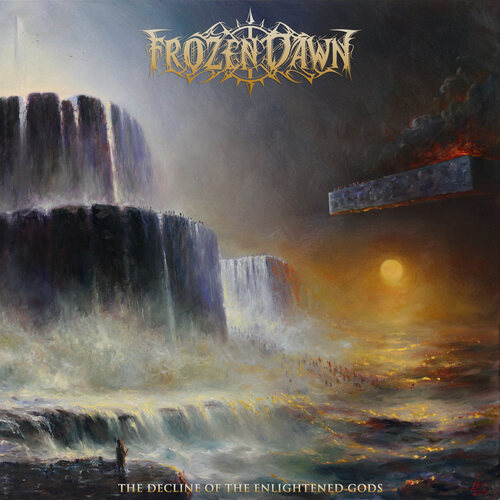


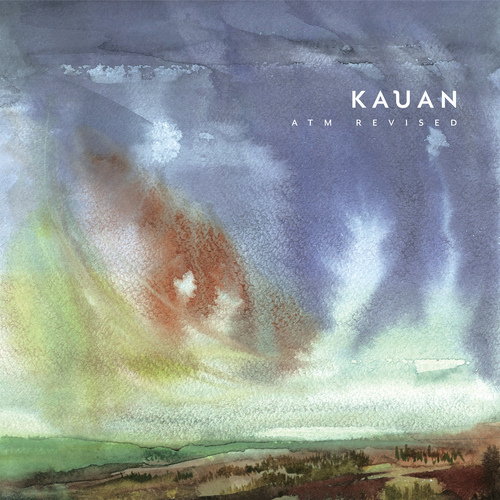







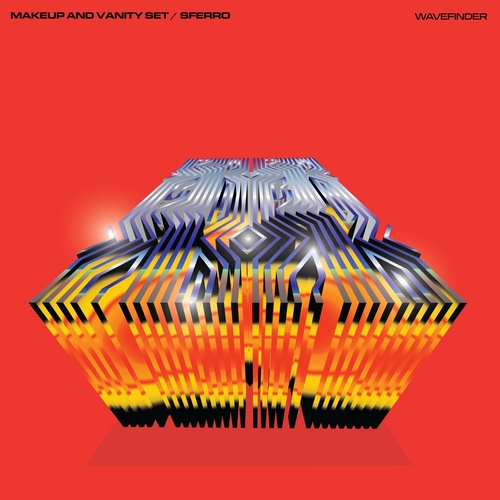
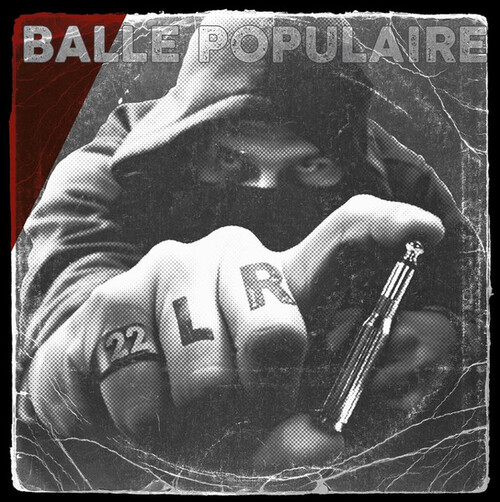







































 This year was hard from a personal and work point of view, which impacted the amount of Free Software bits I ended up doing - even when I had the time I often wasn t in the right head space to make progress on things. However writing this annual recap up has been a useful exercise, as I achieved more than I realised. For previous years see
 CW for body size change mentions
I needed a corset, badly.
Years ago I had a chance to have my measurements taken by a former
professional corset maker and then a lesson in how to draft an underbust
corset, and that lead to me learning how nice wearing a well-fitted
corset feels.
Later I tried to extend that pattern up for a midbust corset, with
success.
And then my body changed suddenly, and I was no longer able to wear
either of those, and after a while I started missing them.
Since my body was still changing (if no longer drastically so), and I
didn t want to use expensive materials for something that had a risk of
not fitting after too little time, I decided to start by making myself a
summer lightweight corset in aida cloth and plastic boning (for which I
had already bought materials). It fitted, but not as well as the first
two ones, and I ve worn it quite a bit.
I still wanted back the feeling of wearing a comfy, heavy contraption of
coutil and steel, however.
After a lot of procrastination I redrafted a new pattern, scrapped
everything, tried again, had my measurements taken by a dressmaker
[#dressmaker], put them in the draft, cut a first mock-up in cheap
cotton, fixed the position of a seam, did a second mock-up in denim
[#jeans] from an old pair of jeans, and then cut into the cheap
herringbone coutil I was planning to use.
And that s when I went to see which one of the busks in my stash would
work, and realized that I had used a wrong vertical measurement and the
front of the corset was way too long for a midbust corset.
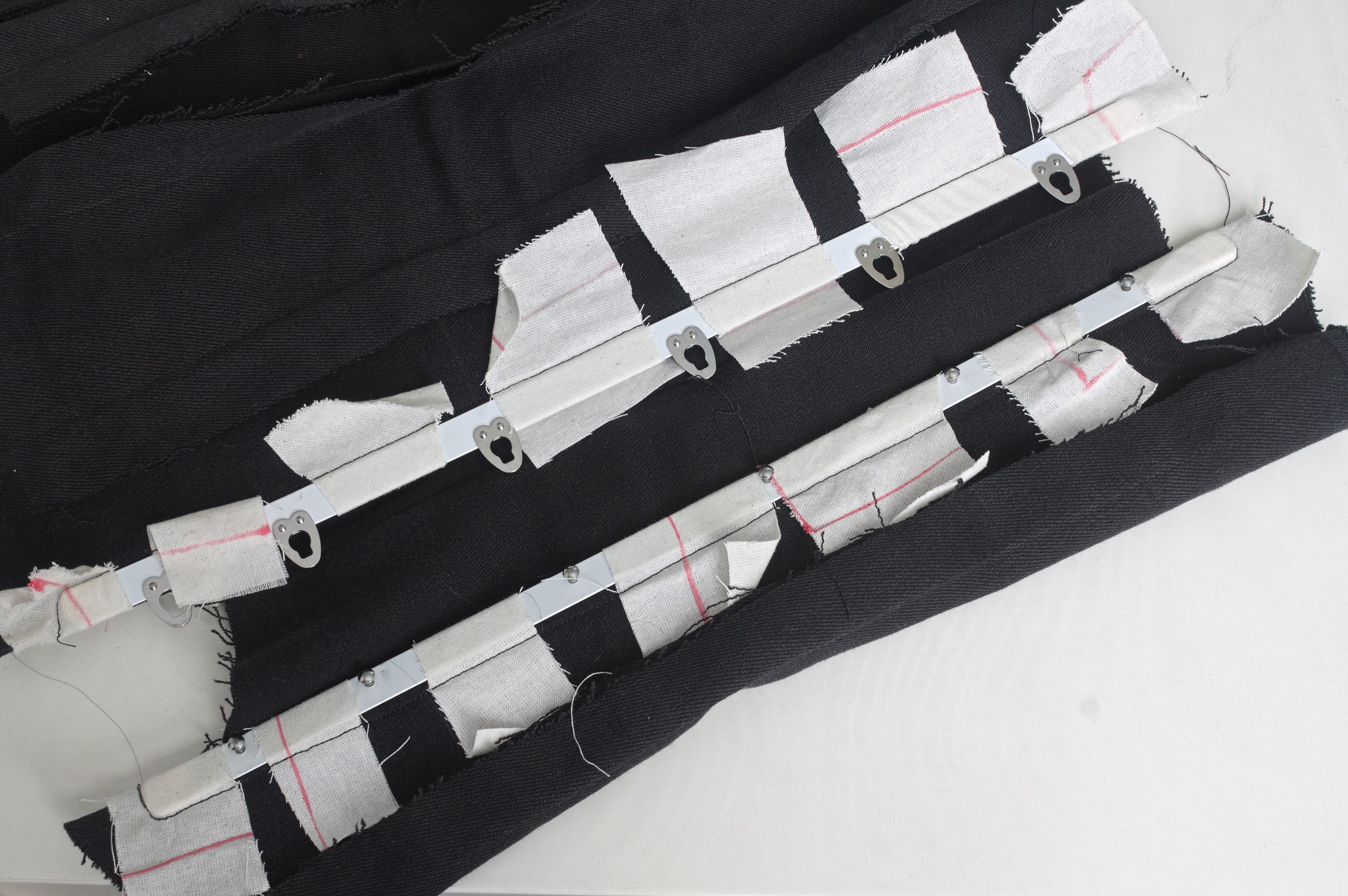 Luckily I also had a few longer busks, I basted one to the denim mock up
and tried to wear it for a few hours, to see if it was too long to be
comfortable. It was just a bit, on the bottom, which could be easily
fixed with the Power Tools
 I could have been a bit more precise with the binding, as it doesn t
align precisely at the front edge, but then again, it s underwear,
nobody other than me and everybody who reads this post is going to see
it and I was in a hurry to see it finished. I will be more careful with
the next one.
 I also think that I haven t been careful enough when pressing the seams
and applying the tape, and I ve lost about a cm of width per part, so
I m using a lacing gap that is a bit wider than I planned for, but that
may change as the corset gets worn, and is still within tolerance.
Also, on the morning after I had finished the corset I woke up and
realized that I had forgotten to add garter tabs at the bottom edge.
I don t know whether I will ever use them, but I wanted the option, so
maybe I ll try to add them later on, especially if I can do it without
undoing the binding.
The next step would have been flossing, which I proceeded to postpone
until I ve worn the corset for a while: not because there is any reason
for it, but because I still don t know how I want to do it :)
What was left was finishing and uploading the
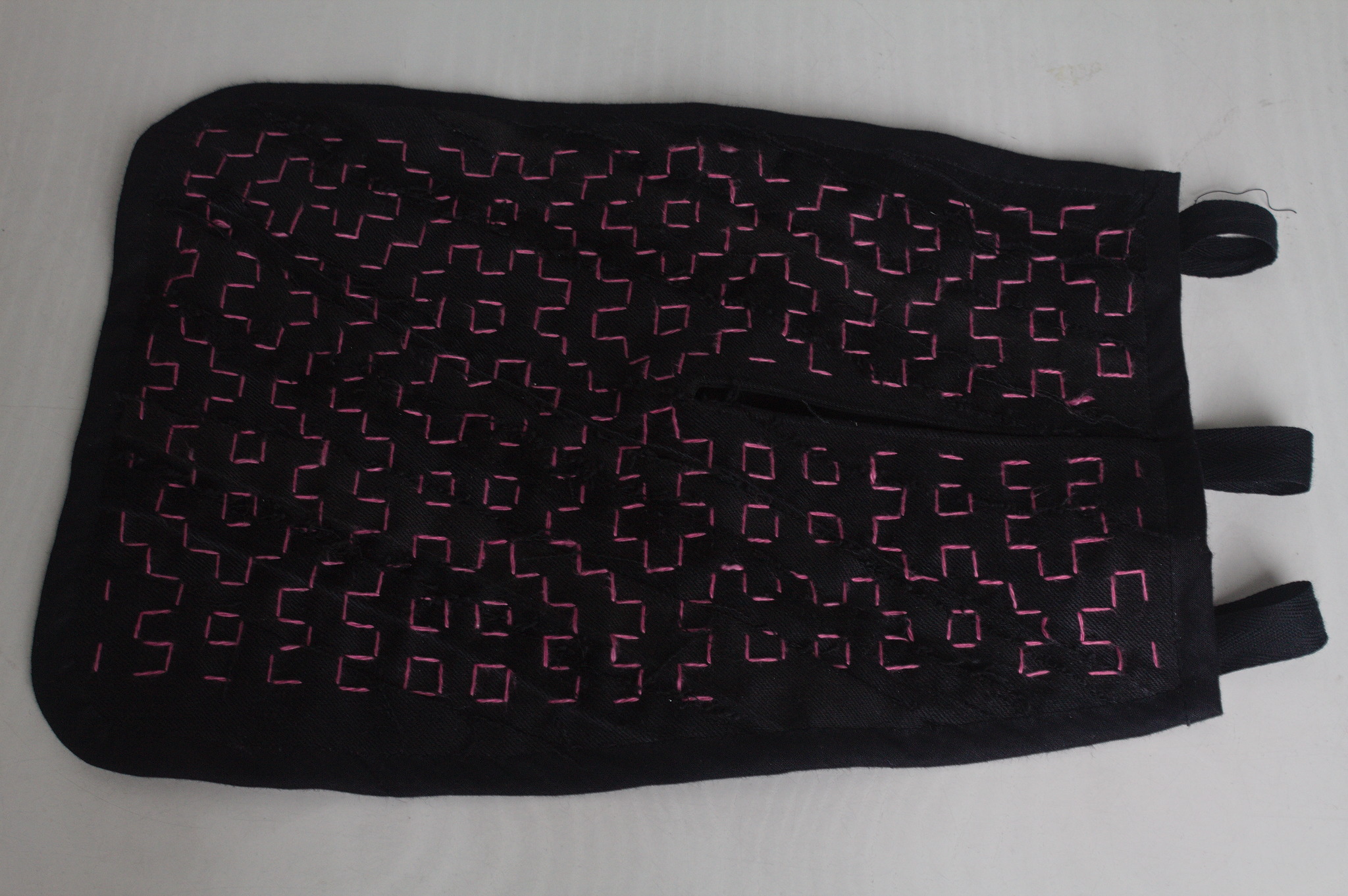 Lately I ve seen people on the internet talking about victorian crazy
quilting. Years ago I had watched a
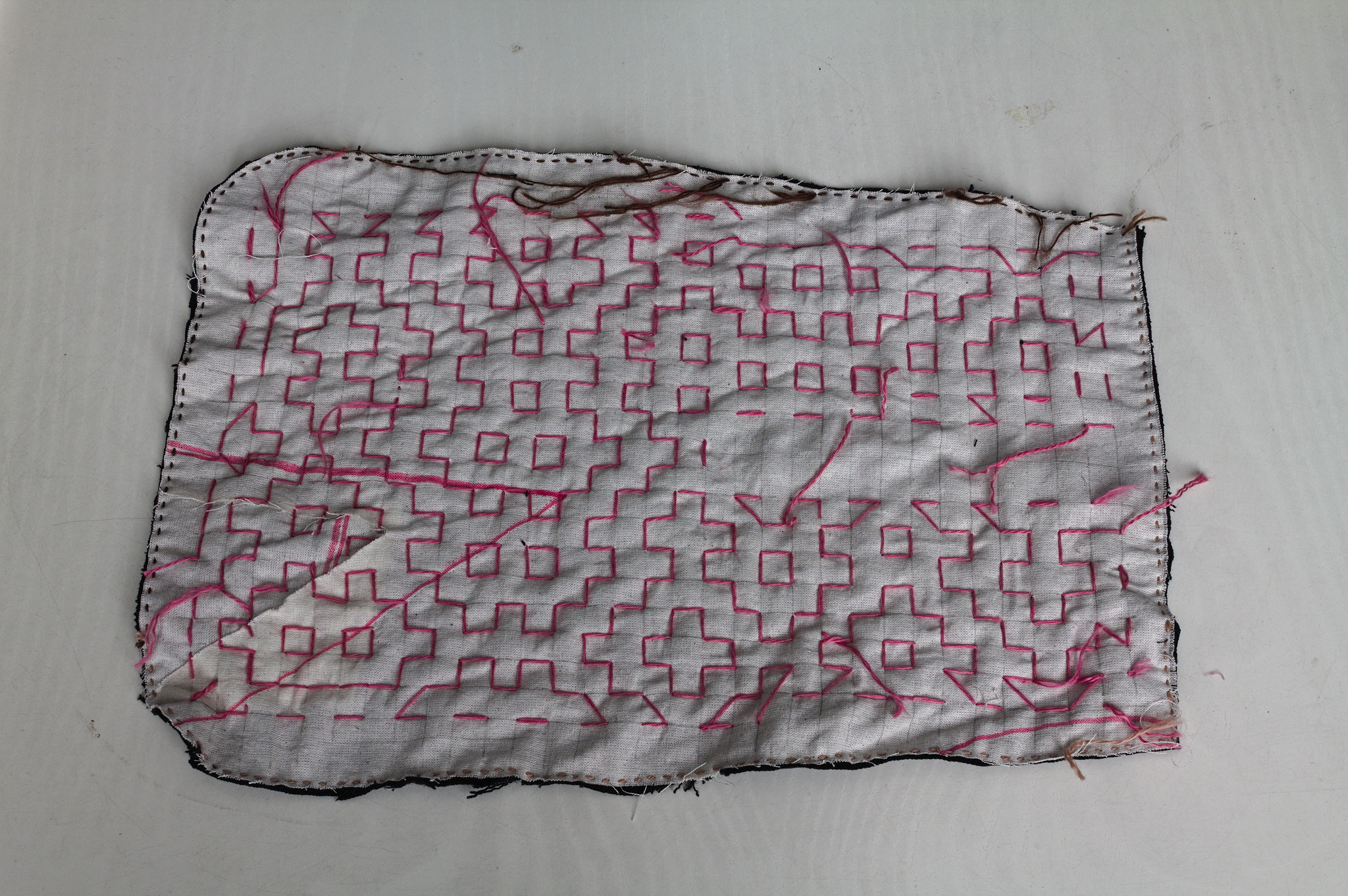 I cut a
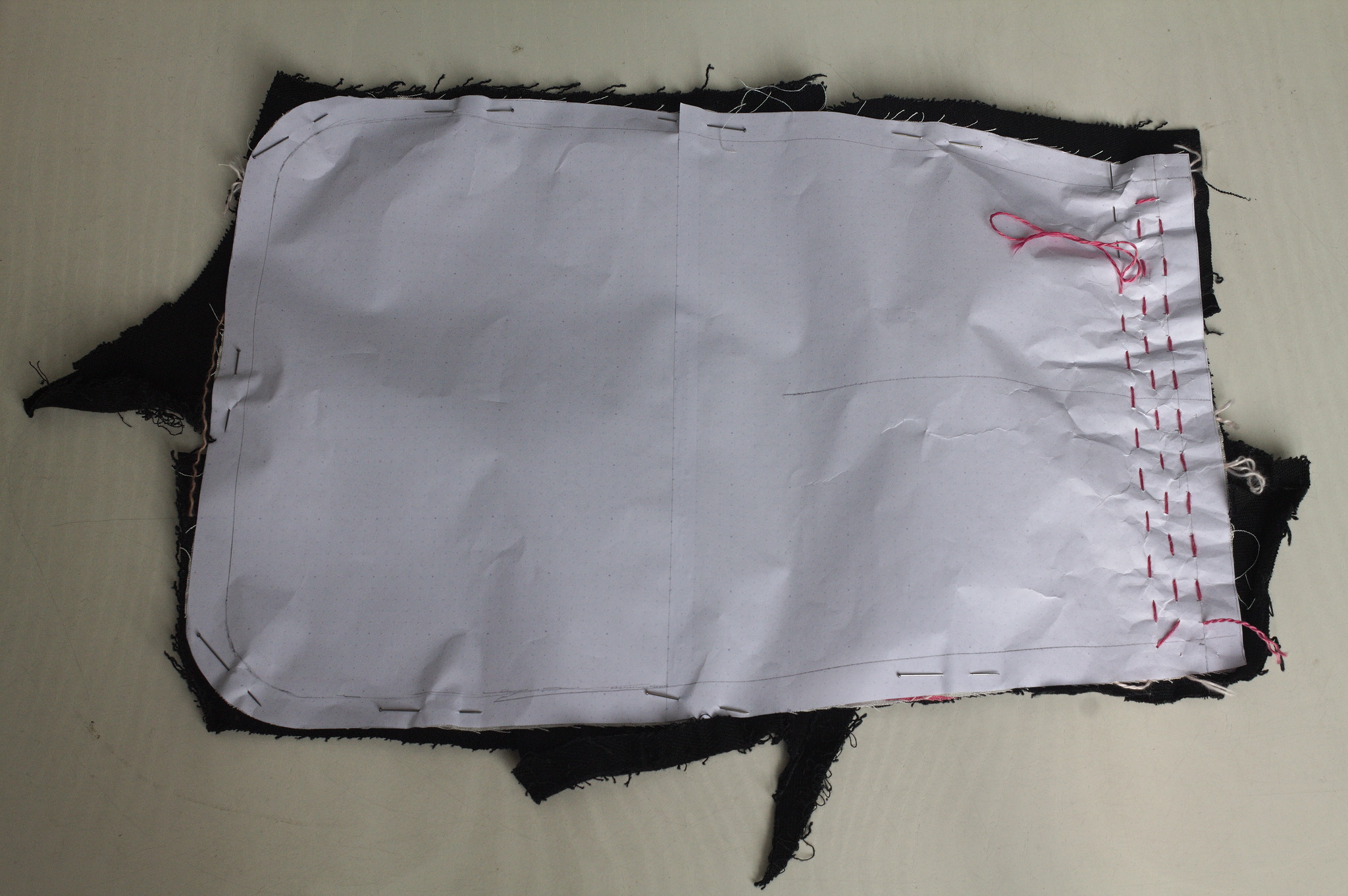 For the second piece I tried to use a piece of paper with the square
grid instead of drawing it on the fabric: it worked, mostly, I would not
do it again as removing the paper was more of a hassle than drawing the
lines in the first place. I suspected it, but had to try it anyway.
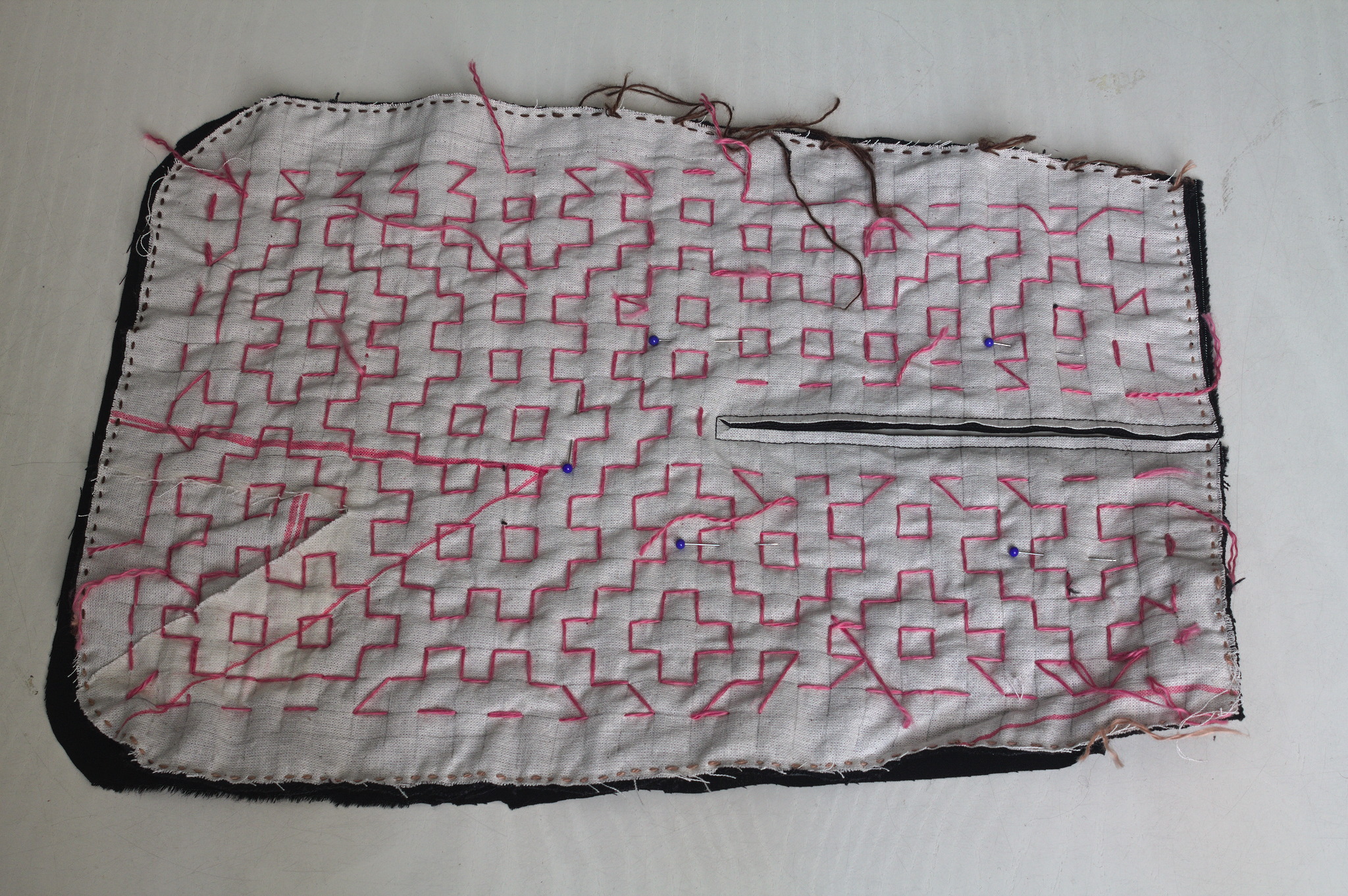 Then I added a lining from some plain black cotton from the stash; for
the slit I put the lining on the front right sides together, sewn
at 2 mm from the marked slit, cut it, turned the lining to the back
side, pressed and then topstitched as close as possible to the slit from
the front.
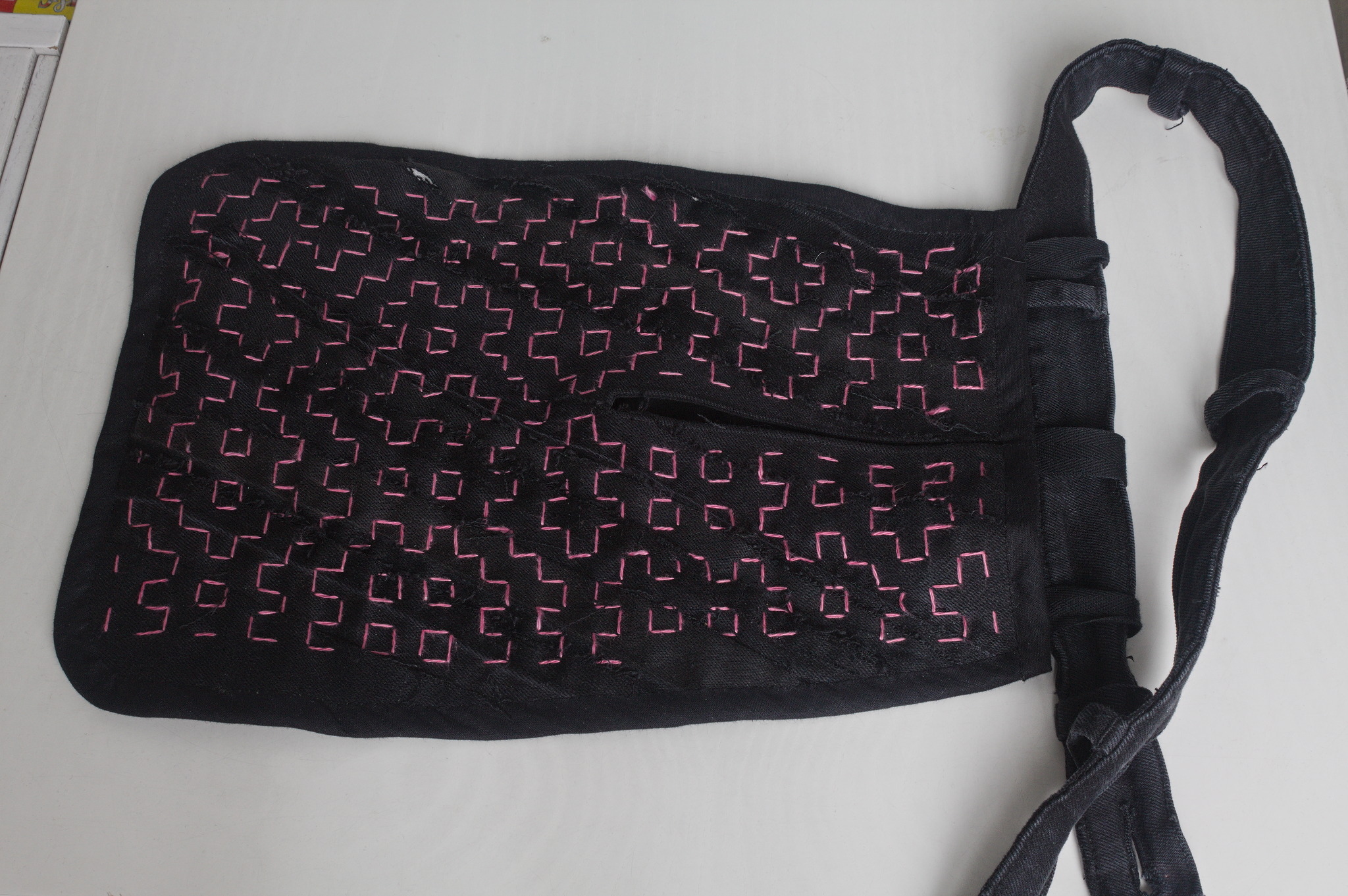 I bound everything with bias tape, adding herringbone tape loops at the
top to hang it from a belt (such as one made from the waistband of one
of the donor pair of jeans) and that was it.
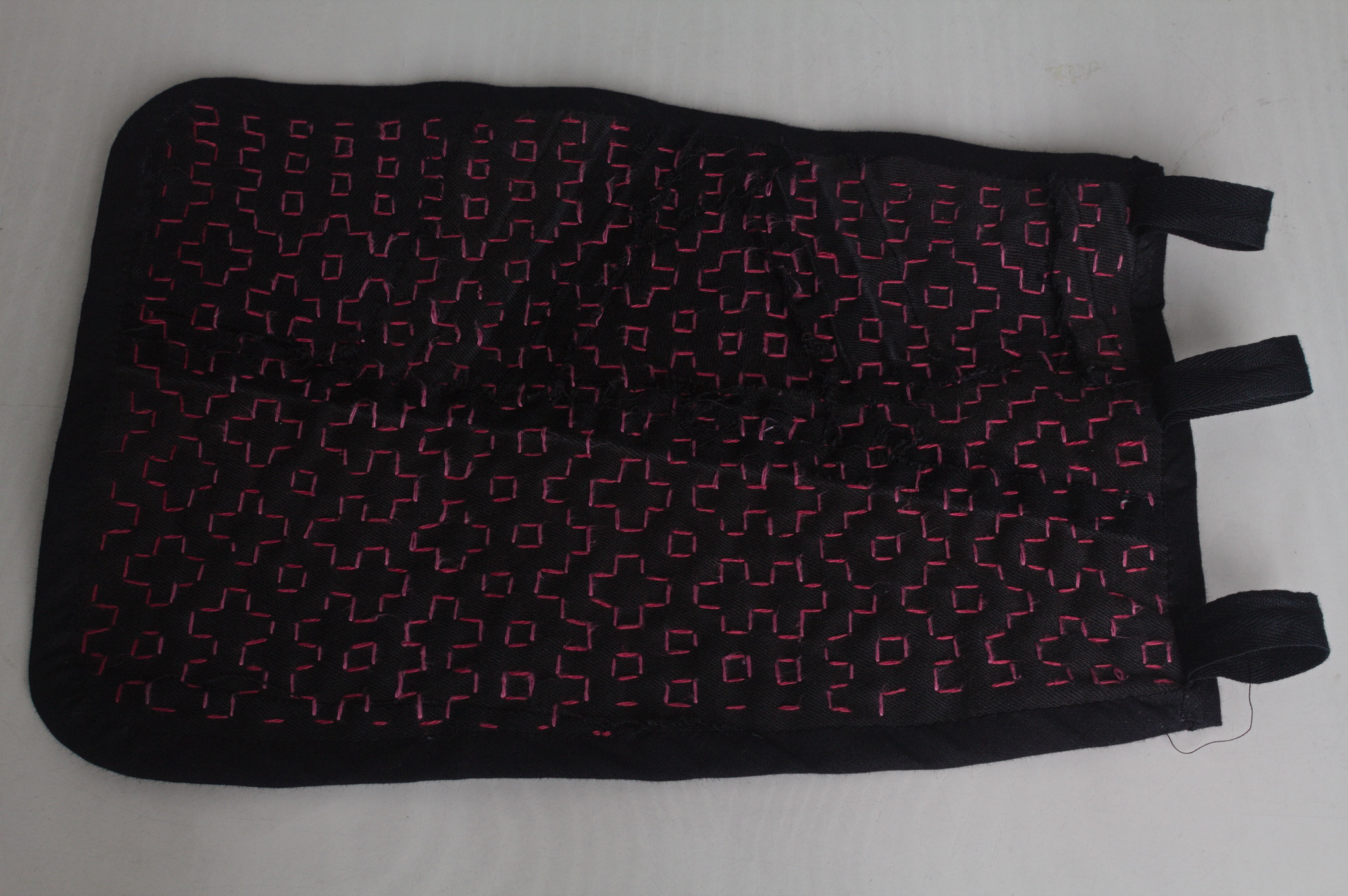 I like the way the result feels; maybe it s a bit too stiff for a
pocket, but I can see it work very well for a bigger bag, and maybe even
a jacket or some other outer garment.

 For the purposes of what I m trying to fix, there are two paths that matter.