Search Results: "cas"

8 February 2023

Stephan Lachnit: Setting up fast Debian package builds using sbuild, mmdebstrap and apt-cacher-ng

In this post I will give a quick tutorial on how to set up fast Debian package builds using sbuild with mmdebstrap and apt-cacher-ng. The usual tool for building Debian packages is dpkg-buildpackage, or a user-friendly wrapper like debuild, and while these are geat tools, if you want to upload something to the Debian archive they lack the required separation from the system they are run on to ensure that your packaging also works on a different system. The usual candidate here is sbuild. But setting up a schroot is tedious and performance tuning can be annoying. There is an alternative backend for sbuild that promises to make everything simpler: unshare. In this tutorial I will show you how to set up sbuild with this backend. Additionally to the normal performance tweaking, caching downloaded packages can be a huge performance increase when rebuilding packages. I do rebuilds quite often, mostly when a new dependency got introduced I didn t specify in debian/control yet or lintian notices a something I can easily fix. So let s begin with setting up this caching.

Setting up apt-cacher-ng Install apt-cacher-ng:
sudo apt install apt-cacher-ng
A pop-up will appear, if you are unsure how to answer it select no, we don t need it for this use-case. To enable apt-cacher-ng on your system, create /etc/apt/apt.conf.d/02proxy and insert:
Acquire::http::proxy "http://127.0.0.1:3142";
Acquire::https::proxy "DIRECT";
In /etc/apt-cacher-ng/acng.conf you can increase the value of ExThreshold to hold packages for a shorter or longer duration. The length depends on your specific use case and resources. A longer threshold takes more disk space, a short threshold like one day effecitvely only reduces the build time for rebuilds. If you encounter weird issues on apt update at some point the future, you can try to clean the cache from apt-cacher-ng. You can use this script:

Setting up mmdebstrap Install mmdebstrap:
sudo apt install mmdebstrap
We will create a small helper script to ease creating a chroot. Open ~/.local/bin/mmupdate and insert:
#!/bin/sh
mmdebstrap \
  --variant=buildd \
  --aptopt='Acquire::http::proxy "http://127.0.0.1:3142";' \
  --arch=amd64 \
  --components=main,contrib,non-free \
  unstable \
  ~/.cache/sbuild/unstable-amd64.tar.xz \
  http://deb.debian.org/debian
Notes:
  • aptopt enables apt-cacher-ng inside the chroot.
  • --arch sets the CPU architecture (see Debian Wiki).
  • --components sets the archive components, if you don t want non-free pacakges you might want to remove some entries here.
  • unstable sets the Debian release, you can also set for example bookworm-backports here.
  • unstable-amd64.tar.xz is the output tarball containing the chroot, change accordingly to your pick of the CPU architecture and Debian release.
  • http://deb.debian.org/debian is the Debian mirror, you should set this to the same one you use in your /etc.apt/sources.list.
Make mmupdate executable and run it once:
chmod +x ~/.local/bin/mmupdate
mkdir -p ~/.cache/sbuild
~/.local/bin/mmupdate
If you execute mmupdate again you can see that the downloading stage is much faster thanks to apt-cacher-ng. For me the difference is from about 115s to about 95s. Your results may vary, this depends on the speed of your internet, Debian mirror and disk. If you have used the schroot backend and sbuild-update before, you probably notice that creating a new chroot with mmdebstrap is slower. It would be a bit annoying to do this manually before we start a new Debian packaging session, so let s create a systemd service that does this for us. First create a folder for user services:
mkdir -p ~/.config/systemd/user
Create ~/.config/systemd/user/mmupdate.service and add:
[Unit]
Description=Run mmupdate
Wants=network-online.target
[Service]
Type=oneshot
ExecStart=%h/.local/bin/mmupdate
Start the service and test that it works:
systemctl --user daemon-reload
systemctl --user start mmupdate
systemctl --user status mmupdate
Create ~/.config/systemd/user/mmupdate.timer:
[Unit]
Description=Run mmupdate daily
[Timer]
OnCalendar=daily
Persistent=true
[Install]
WantedBy=timers.target
Enable the timer:
systemctl --user enable mmupdate.timer
Now every day mmupdte will be run automatically. You can adjust the period if you think daily rebuilds are a bit excessive. A neat advantage of period rebuilds is that they the base files in your apt-cacher-ng cache warm every time they run.

Setting up sbuild: Install sbuild and (optionally) autopkgtest:
sudo apt install --no-install-recommends sbuild autopkgtest
Create ~/.sbuildrc and insert:
# backend for using mmdebstrap chroots
$chroot_mode = 'unshare';
# build in tmpfs
$unshare_tmpdir_template = '/dev/shm/tmp.sbuild.XXXXXXXX';
# upgrade before starting build
$apt_update = 1;
$apt_upgrade = 1;
# build everything including source for source-only uploads
$build_arch_all = 1;
$build_arch_any = 1;
$build_source = 1;
$source_only_changes = 1;
# go to shell on failure instead of exiting
$external_commands =   "build-failed-commands" => [ [ '%SBUILD_SHELL' ] ]  ;
# always clean build dir, even on failure
$purge_build_directory = "always";
# run lintian
$run_lintian = 1;
$lintian_opts = [ '-i', '-I', '-E', '--pedantic' ];
# do not run piuparts
$run_piuparts = 0;
# run autopkgtest
$run_autopkgtest = 1;
$autopkgtest_root_args = '';
$autopkgtest_opts = [ '--apt-upgrade', '--', 'unshare', '--release', '%r', '--arch', '%a', '--prefix=/dev/shm/tmp.autopkgtest.' ];
# set uploader for correct signing
$uploader_name = 'Stephan Lachnit <stephanlachnit@debian.org>';
You should adjust uploader_name. If you don t want to run autopkgtest or lintian by default you can also disable it here. Note that for packages that need a lot of space for building, you might want to comment the unshare_tmpdir_template line to prevent a OOM build failure. You can now build your Debian packages with the sbuild command :)

Finishing touches You can add these variables to your ~/.bashrc as bonus (with adjusted name / email):
export DEBFULLNAME="<your_name>"
export DEBEMAIL="<your_email>"
export DEB_BUILD_OPTIONS="parallel=<threads>"
In particular adjust the value of parallel to ensure parallel builds. If you are new to signing / uploading your package, first install the required tools:
sudo apt install devscripts dput-ng
Create ~/.devscripts and insert:
DEBSIGN_KEYID=<your_gpg_fingerpring>
USCAN_SYMLINK=rename
You can now sign the .changes file with:
debsign ../<pkgname_version_arch>.changes
And for source-only uploads with:
debsign -S ../<pkgname_version_arch>_source.changes
If you don t introduce a new binary package, you always want to go with source-only changes. You can now upload the package to Debian with
dput ../<filename>.changes

Update Feburary 22nd Jochen Sprickerhof, who originally advised me to use the unshare backend, commented that one can also use --include=auto-apt-proxy instead of the --aptopt option in mmdebstrap to detect apt proxies automatically. He also let me know that it is possible to use autopkgtest on tmpfs (config in the blog post is updated) and added an entry on the sbuild wiki page on how to setup sbuild+unshare with ccache if you often need to build a large package. Further, using --variant=apt and --include=build-essential will produce smaller build chroots if wished. On the contrary, one can of course also use the --include option to include debhelper and lintian (or any other packages you like) to further decrease the setup time. However, staying with buildd variant is a good choice for official uploads.

Resources for further reading https://wiki.debian.org/sbuild
https://www.unix-ag.uni-kl.de/~bloch/acng/html/index.html
https://wiki.ubuntu.com/SimpleSbuild
https://wiki.archlinux.org/title/Systemd/Timers
https://manpages.debian.org/unstable/autopkgtest/autopkgtest-virt-unshare.1.en.html
Thanks for reading!

7 February 2023

Stephan Lachnit: Installing Debian on F2FS rootfs with deboostrap and systemd-boot

I recently got a new NVME drive. My plan was to create a fresh Debian install on an F2FS root partition with compression for maximum performance. As it turns out, this is not entirely trivil to accomplish. For one, the Debian installer does not support F2FS (here is my attempt to add it from 2021). And even if it did, grub does not support F2FS with the extra_attr flag that is required for compression support (at least as of grub 2.06). Luckily, we can install Debian anyway with all these these shiny new features when we go the manual road with debootstrap and using systemd-boot as bootloader. We can break down the process into several steps:
  1. Creating the partition table
  2. Creating and mounting the root partition
  3. Bootstrapping with debootstrap
  4. Chrooting into the system
  5. Configure the base system
  6. Define static file system information
  7. Installing the kernel and bootloader
  8. Finishing touches
Warning: Playing around with partitions can easily result in data if you mess up! Make sure to double check your commands and create a data backup if you don t feel confident about the process.

Creating the partition partble The first step is to create the GPT partition table on the new drive. There are several tools to do this, I recommend the ArchWiki page on this topic for details. For simplicity I just went with the GParted since it has an easy GUI, but feel free to use any other tool. The layout should look like this:
Type         Partition        Suggested size
 
EFI          /dev/nvme0n1p1           512MiB
Linux swap   /dev/nvme0n1p2             1GiB
Linux fs     /dev/nvme0n1p3        remainder
Notes:
  • The disk names are just an example and have to be adjusted for your system.
  • Don t set disk labels, they don t appear on the new install anyway and some UEFIs might not like it on your boot partition.
  • The size of the EFI partition can be smaller, in practive it s unlikely that you need more than 300 MiB. However some UEFIs might be buggy and if you ever want to install an additional kernel or something like memtest86+ you will be happy to have the extra space.
  • The swap partition can be omitted, it is not strictly needed. If you need more swap for some reason you can also add more using a swap file later (see ArchWiki page). If you know you want to use suspend-to-RAM, you want to increase the size to something more than the size of your memory.
  • If you used GParted, create the EFI partition as FAT32 and set the esp flag. For the root partition use ext4 or F2FS if available.

Creating and mounting the root partition To create the root partition, we need to install the f2fs-tools first:
sudo apt install f2fs-tools
Now we can create the file system with the correct flags:
mkfs.f2fs -O extra_attr,inode_checksum,sb_checksum,compression,encrypt /dev/nvme0n1p3
For details on the flags visit the ArchWiki page. Next, we need to mount the partition with the correct flags. First, create a working directory:
mkdir boostrap
cd boostrap
mkdir root
export DFS=$(pwd)/root
Then we can mount the partition:
sudo mount -o compress_algorithm=zstd:6,compress_chksum,atgc,gc_merge,lazytime /dev/nvme0n1p3 $DFS
Again, for details on the mount options visit the above mentioned ArchWiki page.

Bootstrapping with debootstrap First we need to install the debootstrap package:
sudo apt install debootstrap
Now we can do the bootstrapping:
debootstrap --arch=amd64 --components=main,contrib,non-free,non-free-firmware unstable $DFS http://deb.debian.org/debian
Notes:
  • --arch sets the CPU architecture (see Debian Wiki).
  • --components sets the archive components, if you don t want non-free pacakges you might want to remove some entries here.
  • unstable is the Debian release, you might want to change that to testing or bookworm.
  • $DFS points to the mounting point of the root partition.
  • http://deb.debian.org/debian is the Debian mirror, you might want to set that to http://ftp.de.debian.org/debian or similar if you have a fast mirror in you area.

Chrooting into the system Before we can chroot into the newly created system, we need to prepare and mount virtual kernel file systems. First create the directories:
sudo mkdir -p $DFS/dev $DFS/dev/pts $DFS/proc $DFS/sys $DFS/run $DFS/sys/firmware/efi/efivars $DFS/boot/efi
Then bind-mount the directories from your system to the mount point of the new system:
sudo mount -v -B /dev $DFS/dev
sudo mount -v -B /dev/pts $DFS/dev/pts
sudo mount -v -B /proc $DFS/proc
sudo mount -v -B /sys $DFS/sys
sudo mount -v -B /run $DFS/run
sudo mount -v -B /sys/firmware/efi/efivars $DFS/sys/firmware/efi/efivars
As a last step, we need to mount the EFI partition:
sudo mount -v -B /dev/nvme0n1p1 $DFS/boot/efi
Now we can chroot into new system:
sudo chroot $DFS /bin/bash

Configure the base system The first step in the chroot is setting the locales. We need this since we might leak the locales from our base system into the chroot and if this happens we get a lot of annoying warnings.
export LC_ALL=C.UTF-8 LANG=C.UTF-8
apt install locales console-setup
Set your locales:
dpkg-reconfigure locales
Set your keyboard layout:
dpkg-reconfigure keyboard-configuration
Set your timezone:
dpkg-reconfigure tzdata
Now you have a fully functional Debian chroot! However, it is not bootable yet, so let s fix that.

Define static file system information The first step is to make sure the system mounts all partitions on startup with the correct mount flags. This is done in /etc/fstab (see ArchWiki page). Open the file and change its content to:
# file system                               mount point   type   options                                                            dump   pass
# NVME efi partition
UUID=XXXX-XXXX                              /boot/efi     vfat   umask=0077                                                         0      0
# NVME swap
UUID=XXXXXXXX-XXXX-XXXX-XXXX-XXXXXXXXXXXX   none          swap   sw                                                                 0      0
# NVME main partition
UUID=XXXXXXXX-XXXX-XXXX-XXXX-XXXXXXXXXXXX   /             f2fs   compress_algorithm=zstd:6,compress_chksum,atgc,gc_merge,lazytime   0      1
You need to fill in the UUIDs for the partitions. You can use
ls -lAph /dev/disk/by-uuid/
to match the UUIDs to the more readable disk name under /dev.

Installing the kernel and bootloader First install the systemd-boot and efibootmgr packages:
apt install systemd-boot efibootmgr
Now we can install the bootloader:
bootctl install --path=/boot/efi
You can verify the procedure worked with
efibootmgr -v
The next step is to install the kernel, you can find a fitting image with:
apt search linux-image-*
In my case:
apt install linux-image-amd64
After the installation of the kernel, apt will add an entry for systemd-boot automatically. Neat! However, since we are in a chroot the current settings are not bootable. The first reason is the boot partition, which will likely be the one from your current system. To change that, navigate to /boot/efi/loader/entries, it should contain one config file. When you open this file, it should look something like this:
title      Debian GNU/Linux bookworm/sid
version    6.1.0-3-amd64
machine-id 2967cafb6420ce7a2b99030163e2ee6a
sort-key   debian
options    root=PARTUUID=f81d4fae-7dec-11d0-a765-00a0c91e6bf6 ro systemd.machine_id=2967cafb6420ce7a2b99030163e2ee6a
linux      /2967cafb6420ce7a2b99030163e2ee6a/6.1.0-3-amd64/linux
initrd     /2967cafb6420ce7a2b99030163e2ee6a/6.1.0-3-amd64/initrd.img-6.1.0-3-amd64
The PARTUUID needs to point to the partition equivalent to /dev/nvme0n1p3 on your system. You can use
ls -lAph /dev/disk/by-partuuid/
to match the PARTUUIDs to the more readable disk name under /dev. The second problem is the ro flag in options which tell the kernel to boot in read-only mode. The default is rw, so you can just remove the ro flag. Once this is fixed, the new system should be bootable. You can change the boot order with:
efibootmgr --bootorder
However, before we reboot we might add well add a user and install some basic software.

Finishing touches Add a user:
useradd -m -G sudo -s /usr/bin/bash -c 'Full Name' username
Debian provides a TUI to install Desktop Environment. To open it, run:
tasksel
Now you can finally reboot into your new system:
reboot

Resources for further reading https://ivanb.neocities.org/blogs/y2022/debootstrap
https://www.debian.org/releases/stable/amd64/apds03.en.html
https://www.addictivetips.com/ubuntu-linux-tips/set-up-systemd-boot-on-arch-linux/
https://p5r.uk/blog/2020/using-systemd-boot-on-debian-bullseye.html
https://www.linuxfromscratch.org/lfs/view/stable/chapter07/kernfs.html
Thanks for reading!

6 February 2023

Vincent Bernat: Fast and dynamic encoding of Protocol Buffers in Go

Protocol Buffers are a popular choice for serializing structured data due to their compact size, fast processing speed, language independence, and compatibility. There exist other alternatives, including Cap n Proto, CBOR, and Avro. Usually, data structures are described in a proto definition file (.proto). The protoc compiler and a language-specific plugin convert it into code:
$ head flow-4.proto
syntax = "proto3";
package decoder;
option go_package = "akvorado/inlet/flow/decoder";
message FlowMessagev4  
  uint64 TimeReceived = 2;
  uint32 SequenceNum = 3;
  uint64 SamplingRate = 4;
  uint32 FlowDirection = 5;
$ protoc -I=. --plugin=protoc-gen-go --go_out=module=akvorado:. flow-4.proto
$ head inlet/flow/decoder/flow-4.pb.go
// Code generated by protoc-gen-go. DO NOT EDIT.
// versions:
//      protoc-gen-go v1.28.0
//      protoc        v3.21.12
// source: inlet/flow/data/schemas/flow-4.proto
package decoder
import (
        protoreflect "google.golang.org/protobuf/reflect/protoreflect"
Akvorado collects network flows using IPFIX or sFlow, decodes them with GoFlow2, encodes them to Protocol Buffers, and sends them to Kafka to be stored in a ClickHouse database. Collecting a new field, such as source and destination MAC addresses, requires modifications in multiple places, including the proto definition file and the ClickHouse migration code. Moreover, the cost is paid by all users.1 It would be nice to have an application-wide schema and let users enable or disable the fields they need. While the main goal is flexibility, we do not want to sacrifice performance. On this front, this is quite a success: when upgrading from 1.6.4 to 1.7.1, the decoding and encoding performance almost doubled!
goos: linux
goarch: amd64
pkg: akvorado/inlet/flow
cpu: AMD Ryzen 5 5600X 6-Core Processor
                              initial.txt                 final.txt               
                                 sec/op        sec/op     vs base                 
Netflow/with_encoding-12      12.963    2%   7.836    1%  -39.55% (p=0.000 n=10)
Sflow/with_encoding-12         19.37    1%   10.15    2%  -47.63% (p=0.000 n=10)

Faster Protocol Buffers encoding I use the following code to benchmark both the decoding and encoding process. Initially, the Decode() method is a thin layer above GoFlow2 producer and stores the decoded data into the in-memory structure generated by protoc. Later, some of the data will be encoded directly during flow decoding. This is why we measure both the decoding and the encoding.2
func BenchmarkDecodeEncodeSflow(b *testing.B)  
    r := reporter.NewMock(b)
    sdecoder := sflow.New(r)
    data := helpers.ReadPcapPayload(b,
        filepath.Join("decoder", "sflow", "testdata", "data-1140.pcap"))
    for _, withEncoding := range []bool true, false   
        title := map[bool]string 
            true:  "with encoding",
            false: "without encoding",
         [withEncoding]
        var got []*decoder.FlowMessage
        b.Run(title, func(b *testing.B)  
            for i := 0; i < b.N; i++  
                got = sdecoder.Decode(decoder.RawFlow 
                    Payload: data,
                    Source: net.ParseIP("127.0.0.1"),
                 )
                if withEncoding  
                    for _, flow := range got  
                        buf := []byte 
                        buf = protowire.AppendVarint(buf, uint64(proto.Size(flow)))
                        proto.MarshalOptions .MarshalAppend(buf, flow)


         )
     
 
The canonical Go implementation for Protocol Buffers, google.golang.org/protobuf is not the most efficient one. For a long time, people were relying on gogoprotobuf. However, the project is now deprecated. A good replacement is vtprotobuf.3
goos: linux
goarch: amd64
pkg: akvorado/inlet/flow
cpu: AMD Ryzen 5 5600X 6-Core Processor
                              initial.txt               bench-2.txt              
                                sec/op        sec/op     vs base                 
Netflow/with_encoding-12      12.96    2%   10.28    2%  -20.67% (p=0.000 n=10)
Netflow/without_encoding-12   8.935    2%   8.975    2%        ~ (p=0.143 n=10)
Sflow/with_encoding-12        19.37    1%   16.67    2%  -13.93% (p=0.000 n=10)
Sflow/without_encoding-12     14.62    3%   14.87    1%   +1.66% (p=0.007 n=10)

Dynamic Protocol Buffers encoding We have our baseline. Let s see how to encode our Protocol Buffers without a .proto file. The wire format is simple and rely a lot on variable-width integers. Variable-width integers, or varints, are an efficient way of encoding unsigned integers using a variable number of bytes, from one to ten, with small values using fewer bytes. They work by splitting integers into 7-bit payloads and using the 8th bit as a continuation indicator, set to 1 for all payloads except the last.
Variable-width integers encoding in Protocol Buffers: conversion of 150 to a varint
Variable-width integers encoding in Protocol Buffers
For our usage, we only need two types: variable-width integers and byte sequences. A byte sequence is encoded by prefixing it by its length as a varint. When a message is encoded, each key-value pair is turned into a record consisting of a field number, a wire type, and a payload. The field number and the wire type are encoded as a single variable-width integer called a tag.
Message encoded with Protocol Buffers: three varints, two sequences of bytes
Message encoded with Protocol Buffers
We use the following low-level functions to build the output buffer: Our schema abstraction contains the appropriate information to encode a message (ProtobufIndex) and to generate a proto definition file (fields starting with Protobuf):
type Column struct  
    Key       ColumnKey
    Name      string
    Disabled  bool
    // [ ]
    // For protobuf.
    ProtobufIndex    protowire.Number
    ProtobufType     protoreflect.Kind // Uint64Kind, Uint32Kind,  
    ProtobufEnum     map[int]string
    ProtobufEnumName string
    ProtobufRepeated bool
 
We have a few helper methods around the protowire functions to directly encode the fields while decoding the flows. They skip disabled fields or non-repeated fields already encoded. Here is an excerpt of the sFlow decoder:
sch.ProtobufAppendVarint(bf, schema.ColumnBytes, uint64(recordData.Base.Length))
sch.ProtobufAppendVarint(bf, schema.ColumnProto, uint64(recordData.Base.Protocol))
sch.ProtobufAppendVarint(bf, schema.ColumnSrcPort, uint64(recordData.Base.SrcPort))
sch.ProtobufAppendVarint(bf, schema.ColumnDstPort, uint64(recordData.Base.DstPort))
sch.ProtobufAppendVarint(bf, schema.ColumnEType, helpers.ETypeIPv4)
For fields that are required later in the pipeline, like source and destination addresses, they are stored unencoded in a separate structure:
type FlowMessage struct  
    TimeReceived uint64
    SamplingRate uint32
    // For exporter classifier
    ExporterAddress netip.Addr
    // For interface classifier
    InIf  uint32
    OutIf uint32
    // For geolocation or BMP
    SrcAddr netip.Addr
    DstAddr netip.Addr
    NextHop netip.Addr
    // Core component may override them
    SrcAS     uint32
    DstAS     uint32
    GotASPath bool
    // protobuf is the protobuf representation for the information not contained above.
    protobuf      []byte
    protobufSet   bitset.BitSet
 
The protobuf slice holds encoded data. It is initialized with a capacity of 500 bytes to avoid resizing during encoding. There is also some reserved room at the beginning to be able to encode the total size as a variable-width integer. Upon finalizing encoding, the remaining fields are added and the message length is prefixed:
func (schema *Schema) ProtobufMarshal(bf *FlowMessage) []byte  
    schema.ProtobufAppendVarint(bf, ColumnTimeReceived, bf.TimeReceived)
    schema.ProtobufAppendVarint(bf, ColumnSamplingRate, uint64(bf.SamplingRate))
    schema.ProtobufAppendIP(bf, ColumnExporterAddress, bf.ExporterAddress)
    schema.ProtobufAppendVarint(bf, ColumnSrcAS, uint64(bf.SrcAS))
    schema.ProtobufAppendVarint(bf, ColumnDstAS, uint64(bf.DstAS))
    schema.ProtobufAppendIP(bf, ColumnSrcAddr, bf.SrcAddr)
    schema.ProtobufAppendIP(bf, ColumnDstAddr, bf.DstAddr)
    // Add length and move it as a prefix
    end := len(bf.protobuf)
    payloadLen := end - maxSizeVarint
    bf.protobuf = protowire.AppendVarint(bf.protobuf, uint64(payloadLen))
    sizeLen := len(bf.protobuf) - end
    result := bf.protobuf[maxSizeVarint-sizeLen : end]
    copy(result, bf.protobuf[end:end+sizeLen])
    return result
 
Minimizing allocations is critical for maintaining encoding performance. The benchmark tests should be run with the -benchmem flag to monitor allocation numbers. Each allocation incurs an additional cost to the garbage collector. The Go profiler is a valuable tool for identifying areas of code that can be optimized:
$ go test -run=__nothing__ -bench=Netflow/with_encoding \
>         -benchmem -cpuprofile profile.out \
>         akvorado/inlet/flow
goos: linux
goarch: amd64
pkg: akvorado/inlet/flow
cpu: AMD Ryzen 5 5600X 6-Core Processor
Netflow/with_encoding-12             143953              7955 ns/op            8256 B/op        134 allocs/op
PASS
ok      akvorado/inlet/flow     1.418s
$ go tool pprof profile.out
File: flow.test
Type: cpu
Time: Feb 4, 2023 at 8:12pm (CET)
Duration: 1.41s, Total samples = 2.08s (147.96%)
Entering interactive mode (type "help" for commands, "o" for options)
(pprof) web
After using the internal schema instead of code generated from the proto definition file, the performance improved. However, this comparison is not entirely fair as less information is being decoded and previously GoFlow2 was decoding to its own structure, which was then copied to our own version.
goos: linux
goarch: amd64
pkg: akvorado/inlet/flow
cpu: AMD Ryzen 5 5600X 6-Core Processor
                              bench-2.txt                bench-3.txt              
                                 sec/op        sec/op     vs base                 
Netflow/with_encoding-12      10.284    2%   7.758    3%  -24.56% (p=0.000 n=10)
Netflow/without_encoding-12    8.975    2%   7.304    2%  -18.61% (p=0.000 n=10)
Sflow/with_encoding-12         16.67    2%   14.26    1%  -14.50% (p=0.000 n=10)
Sflow/without_encoding-12      14.87    1%   13.56    2%   -8.80% (p=0.000 n=10)
As for testing, we use github.com/jhump/protoreflect: the protoparse package parses the proto definition file we generate and the dynamic package decodes the messages. Check the ProtobufDecode() method for more details.4 To get the final figures, I have also optimized the decoding in GoFlow2. It was relying heavily on binary.Read(). This function may use reflection in certain cases and each call allocates a byte array to read data. Replacing it with a more efficient version provides the following improvement:
goos: linux
goarch: amd64
pkg: akvorado/inlet/flow
cpu: AMD Ryzen 5 5600X 6-Core Processor
                              bench-3.txt                bench-4.txt              
                                 sec/op        sec/op     vs base                 
Netflow/with_encoding-12       7.758    3%   7.365    2%   -5.07% (p=0.000 n=10)
Netflow/without_encoding-12    7.304    2%   6.931    3%   -5.11% (p=0.000 n=10)
Sflow/with_encoding-12        14.256    1%   9.834    2%  -31.02% (p=0.000 n=10)
Sflow/without_encoding-12     13.559    2%   9.353    2%  -31.02% (p=0.000 n=10)
It is now easier to collect new data and the inlet component is faster!

Notice Some paragraphs were editorialized by ChatGPT, using editorialize and keep it short as a prompt. The result was proofread by a human for correctness. The main idea is that ChatGPT should be better at English than me.


  1. While empty fields are not serialized to Protocol Buffers, empty columns in ClickHouse take some space, even if they compress well. Moreover, unused fields are still decoded and they may clutter the interface.
  2. There is a similar function using NetFlow. NetFlow and IPFIX protocols are less complex to decode than sFlow as they are using a simpler TLV structure.
  3. vtprotobuf generates more optimized Go code by removing an abstraction layer. It directly generates the code encoding each field to bytes:
    if m.OutIfSpeed != 0  
        i = encodeVarint(dAtA, i, uint64(m.OutIfSpeed))
        i--
        dAtA[i] = 0x6
        i--
        dAtA[i] = 0xd8
     
    
  4. There is also a protoprint package to generate proto definition file. I did not use it.

Reproducible Builds: Reproducible Builds in January 2023

Welcome to the first report for 2023 from the Reproducible Builds project! In these reports we try and outline the most important things that we have been up to over the past month, as well as the most important things in/around the community. As a quick recap, the motivation behind the reproducible builds effort is to ensure no malicious flaws can be deliberately introduced during compilation and distribution of the software that we run on our devices. As ever, if you are interested in contributing to the project, please visit our Contribute page on our website.


News In a curious turn of events, GitHub first announced this month that the checksums of various Git archives may be subject to change, specifically that because:
the default compression for Git archives has recently changed. As result, archives downloaded from GitHub may have different checksums even though the contents are completely unchanged.
This change (which was brought up on our mailing list last October) would have had quite wide-ranging implications for anyone wishing to validate and verify downloaded archives using cryptographic signatures. However, GitHub reversed this decision, updating their original announcement with a message that We are reverting this change for now. More details to follow. It appears that this was informed in part by an in-depth discussion in the GitHub Community issue tracker.
The Bundesamt f r Sicherheit in der Informationstechnik (BSI) (trans: The Federal Office for Information Security ) is the agency in charge of managing computer and communication security for the German federal government. They recently produced a report that touches on attacks on software supply-chains (Supply-Chain-Angriff). (German PDF)
Contributor Seb35 updated our website to fix broken links to Tails Git repository [ ][ ], and Holger updated a large number of pages around our recent summit in Venice [ ][ ][ ][ ].
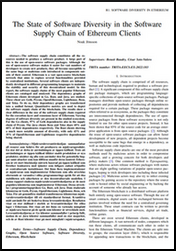
Noak J nsson has written an interesting paper entitled The State of Software Diversity in the Software Supply Chain of Ethereum Clients. As the paper outlines:
In this report, the software supply chains of the most popular Ethereum clients are cataloged and analyzed. The dependency graphs of Ethereum clients developed in Go, Rust, and Java, are studied. These client are Geth, Prysm, OpenEthereum, Lighthouse, Besu, and Teku. To do so, their dependency graphs are transformed into a unified format. Quantitative metrics are used to depict the software supply chain of the blockchain. The results show a clear difference in the size of the software supply chain required for the execution layer and consensus layer of Ethereum.

Yongkui Han posted to our mailing list discussing making reproducible builds & GitBOM work together without gitBOM-ID embedding. GitBOM (now renamed to OmniBOR) is a project to enable automatic, verifiable artifact resolution across today s diverse software supply-chains [ ]. In addition, Fabian Keil wrote to us asking whether anyone in the community would be at Chemnitz Linux Days 2023, which is due to take place on 11th and 12th March (event info). Separate to this, Akihiro Suda posted to our mailing list just after the end of the month with a status report of bit-for-bit reproducible Docker/OCI images. As Akihiro mentions in their post, they will be giving a talk at FOSDEM in the Containers devroom titled Bit-for-bit reproducible builds with Dockerfile and that my talk will also mention how to pin the apt/dnf/apk/pacman packages with my repro-get tool.
The extremely popular Signal messenger app added upstream support for the SOURCE_DATE_EPOCH environment variable this month. This means that release tarballs of the Signal desktop client do not embed nondeterministic release information. [ ][ ]

Distribution work

F-Droid & Android There was a very large number of changes in the F-Droid and wider Android ecosystem this month: On January 15th, a blog post entitled Towards a reproducible F-Droid was published on the F-Droid website, outlining the reasons why F-Droid signs published APKs with its own keys and how reproducible builds allow using upstream developers keys instead. In particular:
In response to [ ] criticisms, we started encouraging new apps to enable reproducible builds. It turns out that reproducible builds are not so difficult to achieve for many apps. In the past few months we ve gotten many more reproducible apps in F-Droid than before. Currently we can t highlight which apps are reproducible in the client, so maybe you haven t noticed that there are many new apps signed with upstream developers keys.
(There was a discussion about this post on Hacker News.) In addition:
  • F-Droid added 13 apps published with reproducible builds this month. [ ]
  • FC Stegerman outlined a bug where baseline.profm files are nondeterministic, developed a workaround, and provided all the details required for a fix. As they note, this issue has now been fixed but the fix is not yet part of an official Android Gradle plugin release.
  • GitLab user Parwor discovered that the number of CPU cores can affect the reproducibility of .dex files. [ ]
  • FC Stegerman also announced the 0.2.0 and 0.2.1 releases of reproducible-apk-tools, a suite of tools to help make .apk files reproducible. Several new subcommands and scripts were added, and a number of bugs were fixed as well [ ][ ]. They also updated the F-Droid website to improve the reproducibility-related documentation. [ ][ ]
  • On the F-Droid issue tracker, FC Stegerman discussed reproducible builds with one of the developers of the Threema messenger app and reported that Android SDK build-tools 31.0.0 and 32.0.0 (unlike earlier and later versions) have a zipalign command that produces incorrect padding.
  • A number of bugs related to reproducibility were discovered in Android itself. Firstly, the non-deterministic order of .zip entries in .apk files [ ] and then newline differences between building on Windows versus Linux that can make builds not reproducible as well. [ ] (Note that these links may require a Google account to view.)
  • And just before the end of the month, FC Stegerman started a thread on our mailing list on the topic of hiding data/code in APK embedded signatures which has been made possible by the Android APK Signature Scheme v2/v3. As part of this, they made an Android app that reads the APK Signing block of its own APK and extracts a payload in order to alter its behaviour called sigblock-code-poc.

Debian As mentioned in last month s report, Vagrant Cascadian has been organising a series of online sprints in order to clear the huge backlog of reproducible builds patches submitted by performing NMUs (Non-Maintainer Uploads). During January, a sprint took place on the 10th, resulting in the following uploads: During this sprint, Holger Levsen filed Debian bug #1028615 to request that the tracker.debian.org service display results of reproducible rebuilds, not just reproducible CI results. Elsewhere in Debian, strip-nondeterminism is our tool to remove specific non-deterministic results from a completed build. This month, version 1.13.1-1 was uploaded to Debian unstable by Holger Levsen, including a fix by FC Stegerman (obfusk) to update a regular expression for the latest version of file(1) [ ]. (#1028892) Lastly, 65 reviews of Debian packages were added, 21 were updated and 35 were removed this month adding to our knowledge about identified issues.

Other distributions In other distributions:

diffoscope diffoscope is our in-depth and content-aware diff utility. Not only can it locate and diagnose reproducibility issues, it can provide human-readable diffs from many kinds of binary formats. This month, Chris Lamb made the following changes to diffoscope, including preparing and uploading versions 231, 232, 233 and 234 to Debian:
  • No need for from __future__ import print_function import anymore. [ ]
  • Comment and tidy the extras_require.json handling. [ ]
  • Split inline Python code to generate test Recommends into a separate Python script. [ ]
  • Update debian/tests/control after merging support for PyPDF support. [ ]
  • Correctly catch segfaulting cd-iccdump binary. [ ]
  • Drop some old debugging code. [ ]
  • Allow ICC tests to (temporarily) fail. [ ]
In addition, FC Stegerman (obfusk) made a number of changes, including:
  • Updating the test_text_proper_indentation test to support the latest version(s) of file(1). [ ]
  • Use an extras_require.json file to store some build/release metadata, instead of accessing the internet. [ ]
  • Updating an APK-related file(1) regular expression. [ ]
  • On the diffoscope.org website, de-duplicate contributors by e-mail. [ ]
Lastly, Sam James added support for PyPDF version 3 [ ] and Vagrant Cascadian updated a handful of tool references for GNU Guix. [ ][ ]

Upstream patches The Reproducible Builds project attempts to fix as many currently-unreproducible packages as possible. This month, we wrote a large number of such patches, including:

Testing framework The Reproducible Builds project operates a comprehensive testing framework at tests.reproducible-builds.org in order to check packages and other artifacts for reproducibility. In January, the following changes were made by Holger Levsen:
  • Node changes:
  • Debian-related changes:
    • Only keep diffoscope s HTML output (ie. no .json or .txt) for LTS suites and older in order to save diskspace on the Jenkins host. [ ]
    • Re-create pbuilder base less frequently for the stretch, bookworm and experimental suites. [ ]
  • OpenWrt-related changes:
    • Add gcc-multilib to OPENWRT_HOST_PACKAGES and install it on the nodes that need it. [ ]
    • Detect more problems in the health check when failing to build OpenWrt. [ ]
  • Misc changes:
    • Update the chroot-run script to correctly manage /dev and /dev/pts. [ ][ ][ ]
    • Update the Jenkins shell monitor script to collect disk stats less frequently [ ] and to include various directory stats. [ ][ ]
    • Update the real year in the configuration in order to be able to detect whether a node is running in the future or not. [ ]
    • Bump copyright years in the default page footer. [ ]
In addition, Christian Marangi submitted a patch to build OpenWrt packages with the V=s flag to enable debugging. [ ]
If you are interested in contributing to the Reproducible Builds project, please visit the Contribute page on our website. You can get in touch with us via:

5 February 2023

James Valleroy: A look back at FreedomBox project in 2022

This post is very late, but better late than never! I want to take a look back at the work that was done on FreedomBox during 2022. Several apps were added to FreedomBox in 2022. The email server app (that was developed by a Google Summer of Code student back in 2021) was finally made available to the general audience of FreedomBox users. You will find it under the name Postfix/Dovecot , which are the main services configured by this app. Another app that was added is Janus, which has the description video room . It is called video room instead of video conference because the room itself is persistent. People can join the room or leave, but there isn t a concept of calling or ending the call . Actually, Janus is a lightweight WebRTC server that can be used as a backend for many different types of applications. But as implemented currently, there is just the simple video room app. In the future, more advanced apps such as Jangouts may be packaged in Debian and made available to FreedomBox. RSS-Bridge is an app that generates RSS feeds for websites that don t provide their own (for example, YouTube). It can be used together with any RSS news feed reader application, such as TT-RSS which is also available in FreedomBox. There is now a Privacy page in the System menu, which allows enabling or disabling the Debian popularity-contest tool. If enabled, it reports the Debian packages that are installed on the system. The results can be seen at https://popcon.debian.org, which currently shows over 400 FreedomBoxes are reporting data. A major feature added to FreedomBox in 2022 is the ability to uninstall apps. This feature is still considered experimental (it won t work for every app), but many issues have been fixed already. There is an option to take a backup of the app s data before uninstalling. There is also now an operations queue in case the user starts multiple install or uninstall operations concurrently. XEP-0363 (HTTP File Upload) has been enabled for Ejabberd Chat Server. This allows files to be transferred between XMPP clients that support this feature. There were a number of security improvements to FreedomBox, such as adding fail2ban jails for Dovecot, Matrix Synapse, and WordPress. Firewall rules were added to ensure that authentication and authorization for services proxied through Apache web server cannot be bypassed by programs running locally on the system. Also, we are no longer using libpam-tmpdir to provide temporary folder isolation, because it causes issues for several packages. Instead we use systemd s sandboxing features, which provide even better isolation for services. Some things were removed in 2022. The ez-ipupdate package is no longer used for Dynamic DNS, since it is replaced by a Python implementation of GnuDIP. An option to restrict who can log in to the system was removed, due to various issues that arose from it. Instead there is an option to restrict who can login through SSH. The DNSSEC diagnostic test was removed, because it caused confusion for many users (although use of DNSSEC is still recommended). Finally, some statistics. There were 31 releases in 2022 (including
point releases). There were 68 unique contributors to the git
repository; this includes code contributions and translations (but not
contributions to the manual pages). In total, there were 980 commits to the git repository.

Jonathan Dowland: 2022 in reading

In 2022 I read 34 books (-19% on last year). In 2021 roughly a quarter of the books I read were written by women. I was determined to push that ratio in 2022, so I made an effort to try and only read books by women. I knew that I wouldn't manage that, but by trying to, I did get the ratio up to 58% (by page count). I'm not sure what will happen in 2023. My to-read pile has some back-pressure from books by male authors I postponed reading in 2022 (in particular new works by Christopher Priest and Adam Roberts). It's possible the ratio will swing back the other way, which would mean it would not be worth repeating the experiment. At least if the ratio is the point of the exercise. But perhaps it isn't: perhaps the useful outcome is more qualitative than quantitative. I tried to read some new (to me) authors. I really enjoyed Shirley Jackson (The Haunting of Hill House, We Have Always Lived In The Castle). I Struggled with Angela Carter's Heroes and Villains although I plan to return to her other work, in particular, The Bloody Chamber. I also got through Donna Tartt's The Secret History on the recommendation of a friend. I had to push through the first 15% or so but it turned out to be worth it.
a book cover for Shirley Jackson's 'We have always lived in the castle'
a book cover for Margaret Atwood's 'The Handmaid's Tale'
a book cover for Adam Roberts' 'The This'
a book cover for Emily St. John Mandel's 'Sea of Tranquility'

I finally read (and loved) The Handmaid's Tale, which I had never read despite loving Atwood. My top non-fiction book was The Nanny State Made Me by Stuart Maconie. I still read far more fiction than non-fiction. Or perhaps I'm not keeping track of non- fiction as well. I feel non-fiction requires a different approach to reading: not necessarily linear; it's not always important to read the whole book; it's often important to re-read sections. It might not make sense to consider them in the same bracket. My favourite novels this year were Sea of Tranquility by Emily St. John Mandel, a standalone sort-of sequel to The Glass House but in a very different genre; and The This by Adam Roberts, which was equally remarkable. The This has an interesting narrative device in the first third where a stream of tweets is presented in parallel with the main text. This works well, and does a good job of capturing the figurative river of tweet-like stuff that is woven into our lives at the moment. But I can't help but wonder how they tackle that in the audiobook.

Russell Coker: Wayland in Bookworm

We are getting towards the freeze for Debian/Bookworm so the current state of packages isn t going to change much before the release. Bugs will get fixed but missing features will mostly be missing until the next release. Anarcat wrote an excellent blog post about using Wayland with the Sway window manager [1]. It seems pretty good if you like Sway, but I like KDE and plan to continue using it. Several of the important utility programs referenced by Anarcat won t run with KDE/Wayland and give errors such as Compositor doesn t support wlr-output-management-unstable-v1 . One noteworthy thing about Wayland is the the Window manager and the equivalent to the X server are the same program so KDE has different Wayland code than Sway and doesn t support some features. The lack of these features limits my ability to manage multiple displays and therefore makes KDE/Wayland unsuitable for many laptop uses. My work laptop runs Ubuntu 22.04 with KDE and wouldn t correctly display on the pair of monitors on a USB-C dock that s the standard desktop configuration where I work. In my previous post about Wayland [2] I wrote about converting 2 of my systems to Wayland. Since then I had changed them back to X because of problems with supporting strange monitor configurations on laptops and also due to the KDE window manager crashing occasionally which terminates the session in Wayland but merely requires restarting the window manager in X. More recently I had a problem with the GPU in my main workstation sometimes not being recognised by the system (reporting no PCIe device), when I got a new one I couldn t get X to work with the error Cannot run in framebuffer mode. Please specify busIDs for all framebuffer devices so I tried Wayland again. Now in the later stage of the Bookworm development process it seems that the problem with the KDE window manager crashing has been solved or mitigates and there is a new problem of the plasmashell process crashing. As I can restart plasmashell without logging out that s much less annoying. So now my main workstation is running on Wayland with a slower GPU than I previously had while also giving a faster user experience so Wayland is providing a definite performance benefit. Maybe for Trixie (the next release of Debian after Bookworm) we should have a release goal of having full Wayland support in all the major GUI systems.

C.J. Collier: IPv6 with CenturyLink Fiber

In case you want to know how to configure IPv6 using CenturyLink s 6rd tunneling service. There are four files to update with my script: There are a couple of environment variables in /etc/default/centurylink-6rd that you will want to set. Mine looks like this:
LAN_IFACE="ens18,ens21,ens22"
HEADER_FILE=/etc/radvd.conf.header
The script will configure radvd to advertise v6 routes to a /64 of clients on each of the interfaces delimited by a comma in LAN_IFACE. Current interface limit is 9. I can patch something to go up to 0xff, but I don t want to at this time. If you have some static configuration that you want to preserve, place them into the file pointed to by $ HEADER_FILE and it will be prepended to the generated /etc/radvd.conf file. The up script will remove the file and re-create it every time your ppp link comes up, so keep that in mind and don t manually modify the file and expect it to perist. You ve been warned :-) So here s the script. It s also linked above if you want to curl it.
#!/bin/bash
#
# Copyright 2023 Collier Technologies LLC
# https://wp.c9h.org/cj/?p=1844
#
# # These variables are for the use of the scripts run by run-parts
# PPP_IFACE="$1"
# PPP_TTY="$2"
# PPP_SPEED="$3"
# PPP_LOCAL="$4"
# PPP_REMOTE="$5"
# PPP_IPPARAM="$6"
$ PPP_IFACE:="ppp0" 
if [[ -z $ PPP_LOCAL  ]]; then
    PPP_LOCAL=$(curl -s https://icanhazip.com/)
fi
6rd_prefix="2602::/24"
#printf "%x%x:%x%x\n" $(echo $PPP_LOCAL   tr . ' ')
# This configuration option came from CenturyLink:
# https://www.centurylink.com/home/help/internet/modems-and-routers/advanced-setup/enable-ipv6.html
border_router=205.171.2.64
TUNIFACE=6rdif
first_ipv6_network=$(printf "2602:%02x:%02x%02x:%02x00::" $(echo $ PPP_LOCAL    tr . ' '))
ip tunnel del $ TUNIFACE  2>/dev/null
ip -l 5 -6 addr flush scope global dev $ IFACE 
ip tunnel add $ TUNIFACE  mode sit local $ PPP_LOCAL  remote $ border_router 
ip tunnel 6rd dev $ TUNIFACE  6rd-prefix "$ first_ipv6_network 0/64" 6rd-relay_prefix $ border_router /32
ip link set up dev $ TUNIFACE 
ip -6 route add default dev $ TUNIFACE 
ip addr add $ first_ipv6_network 1/64 dev $ TUNIFACE 
rm /etc/radvd.conf
i=1
DEFAULT_FILE="/etc/default/centurylink-6rd"
if [[ -f $ DEFAULT_FILE  ]]; then
    source $ DEFAULT_FILE 
    if [[ -f $ HEADER_FILE  ]]; then
	cp $ HEADER_FILE  /etc/radvd.conf
    fi
else
    LAN_IFACE="setThis"
fi
   
for IFACE in $( echo $ LAN_IFACE    tr , ' ' ) ; do
    ipv6_network=$(printf "2602:%02x:%02x%02x:%02x0$ i ::" $(echo $ PPP_LOCAL    tr . ' '))
    ip addr add $ ipv6_network 1/64 dev $ TUNIFACE 
    ip -6 route replace "$ ipv6_network /64" dev $ IFACE  metric 1
    echo "
interface $ IFACE   
   AdvSendAdvert on;
   MinRtrAdvInterval 3;
   MaxRtrAdvInterval 10;
   AdvLinkMTU 1280;
   prefix $ ipv6_network /64  
     AdvOnLink on;
     AdvAutonomous on;
     AdvRouterAddr on;
     AdvValidLifetime 86400;
     AdvPreferredLifetime 86400;
    ;
 ;
" >> /etc/radvd.conf
    let "i=i+1"
done
systemctl restart radvd

2 February 2023

Matt Brown: 2023 Writing Plan

To achieve my goal of publishing one high-quality piece of writing per week this year, I ve put together a draft writing plan and a few organisational notes. Please let me know what you think - what s missing? what would you like to read more/less of from me? I aim for each piece of writing to generate discussion, inspire further writing, and raise my visibility and profile with potential customers and peers. Some of the writing will be opinion, but I expect a majority of it will take a learning by teaching approach - aiming to explain and present useful information to the reader while helping me learn more!

Topic Backlog The majority of my writing is going to fit into 4 series, allowing me to plan out a set of posts and narrative rather than having to come up with something novel to write about every week. To start with for Feb, my aim is to get an initial post in each series out the door. Long-term, it s likely that the order of posts will reflect my work focus (e.g. if I m spending a few weeks deep-diving into a particular product idea then expect more writing on that), but I will try and maintain some variety across the different series as well. This backlog will be maintained as a living page at https://www.mattb.nz/w/queue. Thoughts on SRE This series of posts will be pitched primarily at potential consulting customers who want to understand how I approach the development and operations of distributed software systems. Initial topics to cover include:
  • What is SRE? My philosophy on how it relates to DevOps, Platform Engineering and various other hot terms.
  • How SRE scales up and down in size.
  • My approach to managing oncall responsibilities, toil and operational work.
  • How to grow an SRE team, including the common futility of SRE transformations .
  • Learning from incidents, postmortems, incident response, etc.
Business plan drafts I have an ever-growing list of potential software opportunities and products which I think would be fun to build, but which generally don t ever leave my head due to lack of time to develop the idea, or being unable to convince myself that there s a viable business case or market for it. I d like to start sharing some very rudimentary business plan sketches for some of these ideas as a way of getting some feedback on my assessment of their potential. Whether that s confirmation that it s not worth pursuing, an expression of interest in the product, or potential partnership/collaboration opportunities - anything is better than the idea just sitting in my head. Initial ideas include:
  • Business oriented Mastodon hosting.
  • PDF E-signing - e.g. A Docusign competitor, but with a local twist through RealMe or drivers license validation.
  • A framework to enable simple, performant per-tenant at-rest encryption for SaaS products - stop the data leaks.
Product development updates For any product ideas that show merit and develop into a project, and particularly for the existing product ideas I ve already committed to exploring, I plan to document my product investigation and market research findings as a way of structuring and driving my learning in the space. To start with this will involve:
  • A series of explanatory posts diving into how NZ s electricity system works with a particular focus on how operational data that will be critical to managing a more dynamic grid flows (or doesn t flow!) today, and what opportunities or needs exist for generating, managing or distributing data that might be solvable with a software system I could build.
  • A series of product reviews and deep dives into existing farm management software and platforms in use by NZ farmers today, looking at the functionality they provide, how they integrate and generally testing the anecdotal feedback I have to date that they re clunky, hard to use and not well integrated.
  • For co2mon.nz the focus will be less on market research and more on exploring potential distribution channels (e.g. direct advertising vs partnership with air conditioning suppliers) and pricing models (e.g. buy vs rent).
Debugging walk-throughs Being able to debug and fix a system that you re not intimately familiar with is valuable skill and something that I ve always enjoyed, but it s also a skill that I observe many engineers are uncomfortable with. There s a set of techniques and processes that I ve honed and developed over the years for doing this which I think make the task of debugging an unfamiliar system more approachable. The idea, is that each post will take a problem or situation I ve encountered, from the initial symptom or problem report and walk through the process of how to narrow down and identify the trigger or root cause of the behaviour. Along the way, discussing techniques used, their pros and cons. In addition to learning about the process of debugging itself, the aim is to illustrate lessons that can be applied when designing and building software systems that facilitate and improve our experiences in the operational stage of a systems lifecycle where debugging takes place. Miscellaneous topics In addition the regular series above, stand-alone posts on the other topics may include:
  • The pros/cons I see of bootstrapping a business vs taking VC or other funding.
  • Thoughts on remote work and hiring staff.
  • AI - a confessional on how I didn t think it would progress in my lifetime, but maybe I was wrong.
  • Reflections on 15 years at Google and thoughts on subsequent events since my departure.
  • AWS vs GCP. Fight! Or with less click-bait, a level-headed comparison of the pros/cons I see in each platform.

Logistics

Discussion and comments A large part of my motivation for writing regularly is to seek feedback and generate discussion on these topics. Typically this is done by including comment functionality within the website itself. I ve decided not to do this - on-site commenting creates extra infrastructure to maintain, and limits the visibility and breadth of discussion to existing readers and followers. To provide opportunities for comment and feedback I plan to share and post notification and summarised snippets of selected posts to various social media platforms. Links to these social media posts will be added to each piece of writing to provide a path for readers to engage and discuss further while enabling the discussion and visibility of the post to grow and extend beyond my direct followers and subscribers. My current thinking is that I ll distribute via the following platforms:
  • Mastodon @matt@mastodon.nz - every post.
  • Twitter @xleem - selected posts. I m trying to reduce Twitter usage in favour of Mastodon, but there s no denying that it s still where a significant number of people and discussions are happening.
  • LinkedIn - probably primarily for posts in the business plan series, and notable milestones in the product development process.
In all cases, my aim will be to post a short teaser or summary paragraph that poses an question or relays an interesting fact to give some immediate value and signal to readers as to whether they want to click through rather than simply spamming links into the feed.

Feedback In addition to social media discussion I also plan to add a direct feedback path, particularly for readers who don t have time or inclination to participate in written discussion, by providing a simple thumbs up/thumbs down feedback widget to the bottom of each post, including those delivered via RSS and email.

Organisation To enable subscription to subsets of my writing (particularly for places like Planet Debian, etc where the more business focused content is likely to be off-topic), I plan to place each post into a set of categories:
  • Business
  • Technology
  • General
In addition to the categories, I ll also use more free-form tags to group writing with linked themes or that falls within one of the series described above.

John Goerzen: Using Yggdrasil As an Automatic Mesh Fabric to Connect All Your Docker Containers, VMs, and Servers

Sometimes you might want to run Docker containers on more than one host. Maybe you want to run some at one hosting facility, some at another, and so forth. Maybe you d like run VMs at various places, and let them talk to Docker containers and bare metal servers wherever they are. And maybe you d like to be able to easily migrate any of these from one provider to another. There are all sorts of very complicated ways to set all this stuff up. But there s also a simple one: Yggdrasil. My blog post Make the Internet Yours Again With an Instant Mesh Network explains some of the possibilities of Yggdrasil in general terms. Here I want to show you how to use Yggdrasil to solve some of these issues more specifically. Because Yggdrasil is always Encrypted, some of the security lifting is done for us.

Background Often in Docker, we connect multiple containers to a single network that runs on a given host. That much is easy. Once you start talking about containers on multiple hosts, then you start adding layers and layers of complexity. Once you start talking multiple providers, maybe multiple continents, then the complexity can increase. And, if you want to integrate everything from bare metal servers to VMs into this well, there are ways, but they re not easy. I m a believer in the KISS principle. Let s not make things complex when we don t have to.

Enter Yggdrasil As I ve explained before, Yggdrasil can automatically form a global mesh network. This is pretty cool! As most people use it, they join it to the main Yggdrasil network. But Yggdrasil can be run entirely privately as well. You can run your own private mesh, and that s what we ll talk about here. All we have to do is run Yggdrasil inside each container, VM, server, or whatever. We handle some basics of connectivity, and bam! Everything is host- and location-agnostic.

Setup in Docker The installation of Yggdrasil on a regular system is pretty straightforward. Docker is a bit more complicated for several reasons:
  • It blocks IPv6 inside containers by default
  • The default set of permissions doesn t permit you to set up tunnels inside a container
  • It doesn t typically pass multicast (broadcast) packets
Normally, Yggdrasil could auto-discover peers on a LAN interface. However, aside from some esoteric Docker networking approaches, Docker doesn t permit that. So my approach is going to be setting up one or more Yggdrasil router containers on a given Docker host. All the other containers talk directly to the router container and it s all good.

Basic installation In my Dockerfile, I have something like this:
FROM jgoerzen/debian-base-security:bullseye
RUN echo "deb http://deb.debian.org/debian bullseye-backports main" >> /etc/apt/sources.list && \
    apt-get --allow-releaseinfo-change update && \
    apt-get -y --no-install-recommends -t bullseye-backports install yggdrasil
...
COPY yggdrasil.conf /etc/yggdrasil/
RUN set -x; \
    chown root:yggdrasil /etc/yggdrasil/yggdrasil.conf && \
    chmod 0750 /etc/yggdrasil/yggdrasil.conf && \
    systemctl enable yggdrasil
The magic parameters to docker run to make Yggdrasil work are:
--cap-add=NET_ADMIN --sysctl net.ipv6.conf.all.disable_ipv6=0 --device=/dev/net/tun:/dev/net/tun
This example uses my docker-debian-base images, so if you use them as well, you ll also need to add their parameters. Note that it is NOT necessary to use --privileged. In fact, due to the network namespaces in use in Docker, this command does not let the container modify the host s networking (unless you use --net=host, which I do not recommend). The --sysctl parameter was the result of a lot of banging my head against the wall. Apparently Docker tries to disable IPv6 in the container by default. Annoying.

Configuration of the router container(s) The idea is that the router node (or more than one, if you want redundancy) will be the only ones to have an open incoming port. Although the normal Yggdrasil case of directly detecting peers in a broadcast domain is more convenient and more robust, this can work pretty well too. You can, of course, generate a template yggdrasil.conf with yggdrasil -genconf like usual. Some things to note for this one:
  • You ll want to change Listen to something like Listen: ["tls://[::]:12345"] where 12345 is the port number you ll be listening on.
  • You ll want to disable the MulticastInterfaces entirely by just setting it to [] since it doesn t work anyway.
  • If you expose the port to the Internet, you ll certainly want to firewall it to only authorized peers. Setting AllowedPublicKeys is another useful step.
  • If you have more than one router container on a host, each of them will both Listen and act as a client to the others. See below.

Configuration of the non-router nodes Again, you can start with a simple configuration. Some notes here:
  • You ll want to set Peers to something like Peers: ["tls://routernode:12345"] where routernode is the Docker hostname of the router container, and 12345 is its port number as defined above. If you have more than one local router container, you can simply list them all here. Yggdrasil will then fail over nicely if any one of them go down.
  • Listen should be empty.
  • As above, MulticastInterfaces should be empty.

Using the interfaces At this point, you should be able to ping6 between your containers. If you have multiple hosts running Docker, you can simply set up the router nodes on each to connect to each other. Now you have direct, secure, container-to-container communication that is host-agnostic! You can also set up Yggdrasil on a bare metal server or VM using standard procedures and everything will just talk nicely!

Security notes Yggdrasil s mesh is aggressively greedy. It will peer with any node it can find (unless told otherwise) and will find a route to anywhere it can. There are two main ways to make sure your internal comms stay private: by restricting who can talk to your mesh, and by firewalling the Yggdrasil interface. Both can be used, and they can be used simultaneously. By disabling multicast discovery, you eliminate the chance for random machines on the LAN to join the mesh. By making sure that you firewall off (outside of Yggdrasil) who can connect to a Yggdrasil node with a listening port, you can authorize only your own machines. And, by setting AllowedPublicKeys on the nodes with listening ports, you can authenticate the Yggdrasil peers. Note that part of the benefit of the Yggdrasil mesh is normally that you don t have to propagate a configuration change to every participatory node that s a nice thing in general! You can also run a firewall inside your container (I like firehol for this purpose) and aggressively firewall the IPs that are allowed to connect via the Yggdrasil interface. I like to set a stable interface name like ygg0 in yggdrasil.conf, and then it becomes pretty easy to firewall the services. The Docker parameters that allow Yggdrasil to run are also sufficient to run firehol.

Naming Yggdrasil peers You probably don t want to hard-code Yggdrasil IPs all over the place. There are a few solutions:
  • You could run an internal DNS service
  • You can do a bit of scripting around Docker s --add-host command to add things to /etc/hosts

Other hints & conclusion Here are some other helpful use cases:
  • If you are migrating between hosts, you could leave your reverse proxy up at both hosts, both pointing to the target containers over Yggdrasil. The targets will be automatically found from both sides of the migration while you wait for DNS caches to update and such.
  • This can make services integrate with local networks a lot more painlessly than they might otherwise.
This is just an idea. The point of Yggdrasil is expanding our ideas of what we can do with a network, so here s one such expansion. Have fun!
Note: This post also has a permanent home on my webiste, where it may be periodically updated.

1 February 2023

Julian Andres Klode: Ubuntu 2022v1 secure boot key rotation and friends

This is the story of the currently progressing changes to secure boot on Ubuntu and the history of how we got to where we are.

taking a step back: how does secure boot on Ubuntu work? Booting on Ubuntu involves three components after the firmware:
  1. shim
  2. grub
  3. linux
Each of these is a PE binary signed with a key. The shim is signed by Microsoft s 3rd party key and embeds a self-signed Canonical CA certificate, and optionally a vendor dbx (a list of revoked certificates or binaries). grub and linux (and fwupd) are then signed by a certificate issued by that CA In Ubuntu s case, the CA certificate is sharded: Multiple people each have a part of the key and they need to meet to be able to combine it and sign things, such as new code signing certificates.

BootHole When BootHole happened in 2020, travel was suspended and we hence could not rotate to a new signing certificate. So when it came to updating our shim for the CVEs, we had to revoke all previously signed kernels, grubs, shims, fwupds by their hashes. This generated a very large vendor dbx which caused lots of issues as shim exported them to a UEFI variable, and not everyone had enough space for such large variables. Sigh. We decided we want to rotate our signing key next time. This was also when upstream added SBAT metadata to shim and grub. This gives a simple versioning scheme for security updates and easy revocation using a simple EFI variable that shim writes to and reads from.

Spring 2022 CVEs We still were not ready for travel in 2021, but during BootHole we developed the SBAT mechanism, so one could revoke a grub or shim by setting a single EFI variable. We actually missed rotating the shim this cycle as a new vulnerability was reported immediately after it, and we decided to hold on to it.

2022 key rotation and the fall CVEs This caused some problems when the 2nd CVE round came, as we did not have a shim with the latest SBAT level, and neither did a lot of others, so we ended up deciding upstream to not bump the shim SBAT requirements just yet. Sigh. Anyway, in October we were meeting again for the first time at a Canonical sprint, and the shardholders got together and created three new signing keys: 2022v1, 2022v2, and 2022v3. It took us until January before they were installed into the signing service and PPAs setup to sign with them. We also submitted a shim 15.7 with the old keys revoked which came back at around the same time. Now we were in a hurry. The 22.04.2 point release was scheduled for around middle of February, and we had nothing signed with the new keys yet, but our new shim which we need for the point release (so the point release media remains bootable after the next round of CVEs), required new keys. So how do we ensure that users have kernels, grubs, and fwupd signed with the new key before we install the new shim?

upgrade ordering grub and fwupd are simple cases: For grub, we depend on the new version. We decided to backport grub 2.06 to all releases (which moved focal and bionic up from 2.04), and kept the versioning of the -signed packages the same across all releases, so we were able to simply bump the Depends for grub to specify the new minimum version. For fwupd-efi, we added Breaks. (Actually, we also had a backport of the CVEs for 2.04 based grub, and we did publish that for 20.04 signed with the old keys before backporting 2.06 to it.) Kernels are a different story: There are about 60 kernels out there. My initial idea was that we could just add Breaks for all of them. So our meta package linux-image-generic which depends on linux-image-$(uname -r)-generic, we d simply add Breaks: linux-image-generic ( 5.19.0-31) and then adjust those breaks for each series. This would have been super annoying, but ultimately I figured this would be the safest option. This however caused concern, because it could be that apt decides to remove the kernel metapackage. I explored checking the kernels at runtime and aborting if we don t have a trusted kernel in preinst. This ensures that if you try to upgrade shim without having a kernel, it would fail to install. But this ultimately has a couple of issues:
  1. It aborts the entire transaction at that point, so users will be unable to run apt upgrade until they have a recent kernel.
  2. We cannot even guarantee that a kernel would be unpacked first. So even if you got a new kernel, apt/dpkg might attempt to unpack it first and then the preinst would fail because no kernel is present yet.
Ultimately we believed the danger to be too large given that no kernels had yet been released to users. If we had kernels pushed out for 1-2 months already, this would have been a viable choice. So in the end, I ended up modifying the shim packaging to install both the latest shim and the previous one, and an update-alternatives alternative to select between the two: In it s post-installation maintainer script, shim-signed checks whether all kernels with a version greater or equal to the running one are not revoked, and if so, it will setup the latest alternative with priority 100 and the previous with a priority of 50. If one or more of those kernels was signed with a revoked key, it will swap the priorities around, so that the previous version is preferred. Now this is fairly static, and we do want you to switch to the latest shim eventually, so I also added hooks to the kernel install to trigger the shim-signed postinst script when a new kernel is being installed. It will then update the alternatives based on the current set of kernels, and if it now points to the latest shim, reinstall shim and grub to the ESP. Ultimately this means that once you install your 2nd non-revoked kernel, or you install a non-revoked kernel and then reconfigure shim or the kernel, you will get the latest shim. When you install your first non-revoked kernel, your currently booted kernel is still revoked, so it s not upgraded immediately. This has a benefit in that you will most likely have two kernels you can boot without disabling secure boot.

regressions Of course, the first version I uploaded had still some remaining hardcoded shimx64 in the scripts and so failed to install on arm64 where shimaa64 is used. And if that were not enough, I also forgot to include support for gzip compressed kernels there. Sigh, I need better testing infrastructure to be able to easily run arm64 tests as well (I only tested the actual booting there, not the scripts). shim-signed migrated to the release pocket in lunar fairly quickly, but this caused images to stop working, because the new shim was installed into images, but no kernel was available yet, so we had to demote it to proposed and block migration. Despite all the work done for end users, we need to be careful to roll this out for image building.

another grub update for OOM issues. We had two grubs to release: First there was the security update for the recent set of CVEs, then there also was an OOM issue for large initrds which was blocking critical OEM work. We fixed the OOM issue by cherry-picking all 2.12 memory management patches, as well as the red hat patches to the loader we take from there. This ended up a fairly large patch set and I was hesitant to tie the security update to that, so I ended up pushing the security update everywhere first, and then pushed the OOM fixes this week. With the OOM patches, you should be able to boot initrds of between 400M and 1GB, it also depends on the memory layout of your machine and your screen resolution and background images. So OEM team had success testing 400MB irl, and I tested up to I think it was 1.2GB in qemu, I ran out of FAT space then and stopped going higher :D

other features in this round
  • Intel TDX support in grub and shim
  • Kernels are allocated as CODE now not DATA as per the upstream mm changes, might fix boot on X13s

am I using this yet? The new signing keys are used in:
  • shim-signed 1.54 on 22.10+, 1.51.3 on 22.04, 1.40.9 on 20.04, 1.37~18.04.13 on 18.04
  • grub2-signed 1.187.2~ or newer (binary packages grub-efi-amd64-signed or grub-efi-arm64-signed), 1.192 on 23.04.
  • fwupd-signed 1.51~ or newer
  • various linux updates. Check apt changelog linux-image-unsigned-$(uname -r) to see if Revoke & rotate to new signing key (LP: #2002812) is mentioned in there to see if it signed with the new key.
If you were able to install shim-signed, your grub and fwupd-efi will have the correct version as that is ensured by packaging. However your shim may still point to the old one. To check which shim will be used by grub-install, you can check the status of the shimx64.efi.signed or (on arm64) shimaa64.efi.signed alternative. The best link needs to point to the file ending in latest:
$ update-alternatives --display shimx64.efi.signed
shimx64.efi.signed - auto mode
  link best version is /usr/lib/shim/shimx64.efi.signed.latest
  link currently points to /usr/lib/shim/shimx64.efi.signed.latest
  link shimx64.efi.signed is /usr/lib/shim/shimx64.efi.signed
/usr/lib/shim/shimx64.efi.signed.latest - priority 100
/usr/lib/shim/shimx64.efi.signed.previous - priority 50
If it does not, but you have installed a new kernel compatible with the new shim, you can switch immediately to the new shim after rebooting into the kernel by running dpkg-reconfigure shim-signed. You ll see in the output if the shim was updated, or you can check the output of update-alternatives as you did above after the reconfiguration has finished. For the out of memory issues in grub, you need grub2-signed 1.187.3~ (same binaries as above).

how do I test this (while it s in proposed)?
  1. upgrade your kernel to proposed and reboot into that
  2. upgrade your grub-efi-amd64-signed, shim-signed, fwupd-signed to proposed.
If you already upgraded your shim before your kernel, don t worry:
  1. upgrade your kernel and reboot
  2. run dpkg-reconfigure shim-signed
And you ll be all good to go.

deep dive: uploading signed boot assets to Ubuntu For each signed boot asset, we build one version in the latest stable release and the development release. We then binary copy the built binaries from the latest stable release to older stable releases. This process ensures two things: We know the next stable release is able to build the assets and we also minimize the number of signed assets. OK, I lied. For shim, we actually do not build in the development release but copy the binaries upward from the latest stable, as each shim needs to go through external signing. The entire workflow looks something like this:
  1. Upload the unsigned package to one of the following build PPAs:
  2. Upload the signed package to the same PPA
  3. For stable release uploads:
    • Copy the unsigned package back across all stable releases in the PPA
    • Upload the signed package for stable releases to the same PPA with ~<release>.1 appended to the version
  4. Submit a request to canonical-signing-jobs to sign the uploads. The signing job helper copies the binary -unsigned packages to the primary-2022v1 PPA where they are signed, creating a signing tarball, then it copies the source package for the -signed package to the same PPA which then downloads the signing tarball during build and places the signed assets into the -signed deb. Resulting binaries will be placed into the proposed PPA: https://launchpad.net/~ubuntu-uefi-team/+archive/ubuntu/proposed
  5. Review the binaries themselves
  6. Unembargo and binary copy the binaries from the proposed PPA to the proposed-public PPA: https://launchpad.net/~ubuntu-uefi-team/+archive/ubuntu/proposed-public. This step is not strictly necessary, but it enables tools like sru-review to work, as they cannot access the packages from the normal private proposed PPA.
  7. Binary copy from proposed-public to the proposed queue(s) in the primary archive
Lots of steps!

WIP As of writing, only the grub updates have been released, other updates are still being verified in proposed. An update for fwupd in bionic will be issued at a later point, removing the EFI bits from the fwupd 1.2 packaging and using the separate fwupd-efi project instead like later release series.

31 January 2023

Dirk Eddelbuettel: #39: Faster Feedback Systems A Continuous Integration Example

Welcome to the 39th post in the relatively randomly recurring rants, or R4 for short. Today s post picks up where the previous post #38: Faster Feedback Systems started. As we argued in #38, the need for fast feedback loops is fairly universal and widespread. Fairly shortly after we posted #38, useR! 2022 happened and one presentation had the key line
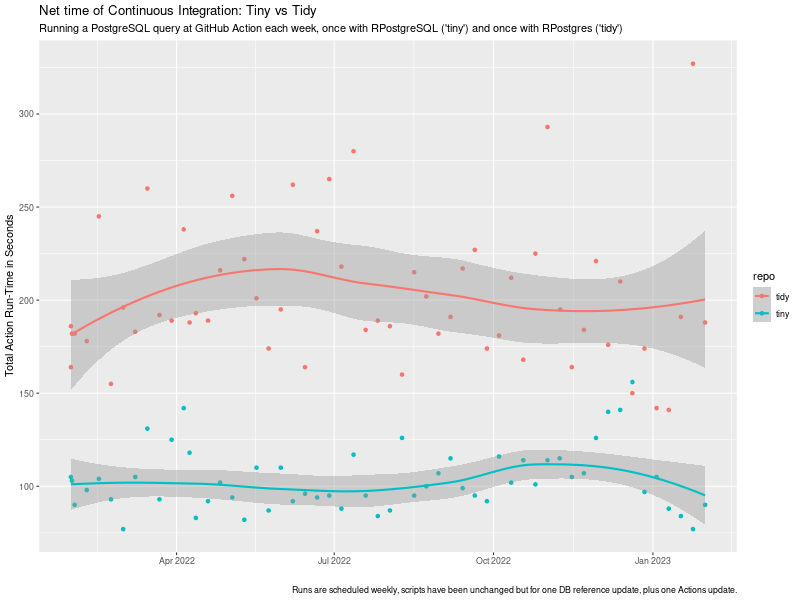
Waiting 1-24 minutes for a build to finish can be a massive time suck.
which we would like to come back to today. Furthermore, the unimitable @b0rk had a fabulous tweet just weeks later stating the same point debugging strategy: shorten your feedback loop as a key in a successful debugging strategy. So in sum: shorter is better. Nobody likes to wait. And shorter i.e. faster is a key and recurrent theme in the R4 series. Today we have a fairly nice illustration of two aspects we have stressed before: The combined effects can be staggering as we show below. The example is motivated by a truly surprising (we are being generous here) comment we received as an aside when discussing the eternal topic of whether R users do, or do not, have a choice when picking packages, or approaches, or verses. To our surprise, we were told that packages are not substitutable . Which is both demonstrably false (see below) and astonishing as it came from an academic. I.e. someone trained and paid to abstract superfluous detail away and recognise and compare core features of items under investigation. Truly stunning. But I digress. CRAN by now has many packages, slowly moving in on 20,000 in total, and is a unique success we commented-on time and time before. By now many packages shadow or duplicate each other, reinvent one another, or revise/review. One example is the pair of packages accessing PostgreSQL databases. There are several, but two are key. The older one is RPostgreSQL which has been around since Sameer Kumar Prayaga wrote it as a Google Summer of Code student in 2008 under my mentorship. The package has now been maintained well (if quietly) for many years by Tomoaki Nishiyama. The other entrant is more recent, though not new, and is RPostgres by Kirill M ller and others. We will for the remainder of this post refer to these two as the tiny and the tidy version as either can been as being a representative of a certain verse . The aforementioned comment on non-substitutability struck us as eminently silly, so we set out to prove just how absurd it really is. So about a year ago we set up pair of GitHub repos with minimal code in a pair we called lim-tiny and lim-tidy. Our conjecture was (and is!) that less is more just as post #34 titled Less Is More argued with respect to package dependencies. Each of the repos just does one thing: a query to a (freely accessible but remote) PostgreSQL database. The tiny version just retrieves a data frame using only the dependencies needed for RPostgreSQL namely DBI and nothing else. The tidy version retrieves a tibble and has access to everything else that comes when installing RPostgres: DBI, dplyr, and magrittr plus of course their respective dependencies. We were able to let the code run in (very default) GitHub Actions on a weekly schedule without intervention apart from one change to the SQL query when the remote server (providing public bioinformatics data) changed its schema slighly, plus one update to the action yaml code version. No other changes. We measure the time a standard continuous integration run takes in total using the default GitHub Action setup in the tidy case (which relies on RSPM/PPM binaries, caching, , and does not rebuild from source each time), and our own r-ci script (introduced in #32 for CI with R. It switched to using r2u during the course of this experiment but already had access to binaries via c2d4u so it is always binaries-based (see e.g. #37 or #13 for more). The chart shows the evolution of these run-times over the course of the year with one weekly run each.
tiny vs tidy ci timing impact chart tiny vs tidy ci timing impact chart

This study reveals a few things: The key point there is that while the net-time to fire off a single PostgreSQL is likely (near-)identical, the net cost of continuous integration is not. In this setup, it is about twice the run-time simply because Less Is More which (in this setup) comes out to about being twice as fast. And that is a valid (and concrete, and verifiable) illustration of the overall implicit cost of adding dependencies to creating and using development, test, or run-time environments. Faster feedback loops make for faster builds and faster debugging. Consider using fewer dependencies, and/or using binaries as provided by r2u.

This post by Dirk Eddelbuettel originated on his Thinking inside the box blog. Please report excessive re-aggregation in third-party for-profit settings.

30 January 2023

Arturo Borrero Gonz lez: Debian and the adventure of the screen resolution

Post logo I read somewhere a nice meme about Linux: Do you want an operating system or do you want an adventure? I love it, because it is so true. What you are about to read is my adventure to set a usable screen resolution in a fresh Debian testing installation. The context is that I have two different Lenovo Thinkpad laptops with 16 screen and nvidia graphic cards. They are both installed with the latest Debian testing. I use the closed-source nvidia drivers (they seem to work better than the nouveau module). The desktop manager and environment that I use is lightdm + XFCE4. The monitor native resolution in both machines is very high: 3840x2160 (or 4K UHD if you will). The thing is that both laptops show an identical problem: when freshly installed with the Debian default config, the native resolution is in use. For a 16 screen laptop, this high resolution means that the font is tiny. Therefore, the raw native resolution renders the machine almost unusable. This is a picture of what you get by running htop in the console (tty1, the terminal you would get by hitting CTRL+ALT+F1) with the default install: Linux tty console with high resolution and tiny fonts Everything in the system is affected by this:
  1. the grub menu is unreadable. Thanksfully the right option is selected by default.
  2. the tty console, with the boot splash by systemd is unreadable as well. There are some colors, so you at least see some systemd stuff happening in green .
  3. when lightdm starts, the resolution keeps being very high. Can barely click the login button.
  4. when XFCE4 starts, it is a pain to navigate the menu and click the right buttons to set a more reasonable resolution.
The adventure begins after installing the system. Each of these four points must be fixed by hand by the user. XFCE4 Point #4 is the easiest. Navigate with the mouse pointer to the tiny Applications menu, then Settings, then Displays. This is more or less the same in every other desktop operating system. There are no further actions required to persist this setting. Thanks you XFCE4. lightdm Point #3, about lightdm, is more tricky to solve. It involves running xrandr when lightdm sets up the display. Nobody will tell you this trick. You have to search for it on the internet. Thankfully is a common problem, and a person who knows what to search for can find good results. The file /etc/lightdm/lightdm.conf needs to contain something like this:
[LightDM]
[Seat:*]
# set up correct display resolution
display-setup-script=sh -c -- "xrandr -s 1920x1080"
By the way, depending on your system hardware setup, you may also need an additional call to xrandr here. If you want to plug in an HDMI monitor, chances are you require something like xrandr --setprovideroutputsource NVIDIA-G0 modesetting && xrandr --auto to instruct the NVIDIA graphic card to work will with the kernel graphic system. In my case, one of my laptops require it, so I have:
[LightDM]
[Seat:*]
# don't ask me to type my username
greeter-hide-users=false
# set up correct display resolution, and prepare NVIDIA card for HDMI output
display-setup-script=sh -c "xrandr -s 1920x1080 && xrandr --setprovideroutputsource NVIDIA-G0 modesetting && xrandr --auto"
grub Point #1 about the grub menu is also not trivial to solve, but also widely known on the internet. Grub allows you to set arbitrary graphical modes. In Debian systems, adding something like GRUB_GFXMODE=1024x768 to /etc/default/grub and then running sudo update-grub should do the magic. console So we get to point #2 about the tty1 console. For months, I ve been investing my scarce personal time into trying to solve this annoyance. There are a lot of conflicting information about this on the internet. Plenty of misleading solutions, essays about framebuffer, kernel modeset, and other stuff I don t want to read just to get my tty1 in a readable status. People point in different directions, like using GRUB_GFXPAYLOAD_LINUX=keep in /etc/default/grub. Which is a good solution, but won t work: my best bet is that the kernel indeed keeps the resolution as told by grub, but the moment systemd loads the nvidia driver, it enables 4K in the display and the console gets the high resolution. Actually, for a few weeks, I blamed plymouth. Because the plymouth service is loaded early by systemd, it could be responsible for setting some of the display settings. It actually contains some (undocummented) DeviceScale configuration option that is seemingly aimed to integrate into high resolution scenarios. I played with it to no avail. Some folks from IRC suggested reconfiguring the console-font package. Back-then unknown to me. Running sudo dpkg-reconfigure console-font would indeed show a menu to select some preferences for the console, including font size. But apparently, a freshly installed system already uses the biggest possible, so this was a dead end. Other option I evaluted for a few days was touching the kernel framebuffer setting. I honestly don t understand this, and all the solutions pointing to use fbset didn t work for me anyways. This is the default framebuffer configuration in one of the laptops:
user@debian:~$ fbset -i

mode "3840x2160"
    geometry 3840 2160 3840 2160 32
    timings 0 0 0 0 0 0 0
    accel true
    rgba 8/16,8/8,8/0,0/0
endmode
Frame buffer device information:
    Name        : i915drmfb
    Address     : 0
    Size        : 33177600
    Type        : PACKED PIXELS
    Visual      : TRUECOLOR
    XPanStep    : 1
    YPanStep    : 1
    YWrapStep   : 0
    LineLength  : 15360
    Accelerator : No
Playing with these numbers, I was able to modify the geometry of the console, only to reduce the panel to a tiny square in the console display (with equally small fonts anyway). If it was possible to scale or resize the panel in other way, I was unable to understand how to do so by reading the associated docs. One day, out of despair, I tried disabling kernel modesetting (or KMS). It indeed got me a more readable tty1, only to prevent the whole graphic stack from starting, with Xorg complaining about the lack of kernel modeset. After lots of wasted time, I decided to blame the NVIDIA graphic card. Because why not: a closed source module in my system looks fishy. I registered in their official forum and wrote a message about my suspicion on the module, asking for advice on how to modify the driver default resolution. I was hoping that something like modprobe nvidia my_desired_resolution=1920x1080 could exist. Apparently not :-( I was about to give up. I had walked every corner of the known internet. I even tried summoning the ancient gods, I used ChatGPT. I asked the AI god for mercy, for a working solution to no avail. Then I decided to change the kind of queries I was issuing the search engines (don t ask me, I no longer remember). Eventually I landed in this askubuntu.com page. The question described the exact same problem I was experiencing. Finally, that was encouraging! I was not alone in my adventure after all! The solution section included a font size I hadn t seen before in my previous tests: 16x32. More excitement! I did all the steps. I installed the xfonts-terminus package, and in the file /etc/default/console-setup I put:
ACTIVE_CONSOLES="/dev/tty[1-6]"
CHARMAP="ISO-8859-15"
CODESET="guess"
FONTFACE="Terminus"
FONTSIZE="16x32"
VIDEOMODE=
Then I run setupcon from a tty, and the miracle happened! I finally got a bigger font in the tty1 console! Turned out a potential solution was about playing with console-setup, which I had tried wihtout success before. I m not even sure if the additional package was required. This is how my console looks now: Linux tty console with high resolution but not so tiny fonts The truth is the solution is satisfying only to a degree. I m a person with good eyesight and can work with these bit larger fonts. I m not sure if I can get larger fonts using this method, honestly. After some search, I discovered that some folks already managed to describe the problem in detail and filed a proper bug report in Debian, see #595696 opened more than 10 years ago. 2023 is the year of linux on the desktop Nope. I honestly don t see how this disconnected pile of settings can be all reconciled together. Can we please have a systemd-whatever that homogeinizes all of this mess? I m referring to grub + kernel drivers + console + lightdm + XFCE4. Next adventure When I lock the desktop (with CTRL+ALT+L) and close the laptop lid to suspend it, then reopen it, type the login info into the lightdm greeter, then the desktop environment never loads, black screen. I have already tried the first few search results without luck. Perhaps the nvidia card is to blame this time? Perhaps poorly coupled power management by the different system software pieces? Who knows what s going on here. This will probably be my next Debian desktop adventure.

28 January 2023

Emmanuel Kasper: Table of correspondence between AWS / Azure / Red Hat OpenShift Container Platform / upstream projects

If you know the Amazon Web Services or Azure portfolio, and you are interested in OpenShift or the OKD OpenShift community distribution, this is a table of corresponding technologies. OpenShift is Red Hat s Kubernetes distribution: it is basically the upstream Kubernetes delivered with monitoring, logging, CI/CD, underlying OS, tested upgrade paths not found with a manual kubernetes.io kubeadm install. After passing the two corresponding certifications, my opinion on cloud operators is that it is very much a step back in the direction of proprietary software. You can rebuild their cloud stack with opensource components, but it is also a lot of integration work, similar to using the Linux from scratch distribution instead of something like Debian. A good middle point are the OpenShift and OKD Kubernetes distributions, who integrate the most common cloud components, but allow an installation on your own hardware or cloud provider of your choice.
AWS Azure OpenShift *OpenShift upstream project&
Cloud Trail Kubernetes API Server audit log Kubernetes
Cloud Watch Azure Monitor, Azure Log Analytics OpenShift Monitoring Prometheus, Kubernetes Metrics
AWS Artifact Compliance Operator OpenSCAP
AWS Trusted Advisor Azure Advisor Insights
AWS Marketplace Red Hat Market place Operator Hub
AWS Identity and Access Management (IAM) Azure Active Directory, Azure AD DS Red Hat SSO Keycloack
AWS Elastisc Beanstalk Azure App Services OpenShift Source2Image (S2I) Source2Image (S2I)
AWS S3 Azure Blob Storage** ODF Rados Gateway Rook RGW
AWS Elastic Block Storage Azure Disk Storage ODF Rados Block Device Rook RBD
AWS Elastic File System Azure Files ODF Ceph FS Rook CephFS
AWS ELB Classic Azure Load Balancer MetalLB Operator MetalLB
AWS ELB Application Load Balancer Azure Application Gateway OpenShift Router HAProxy
Amazon Simple Notification Service OpenShift Streams for Apache Kafka Apache Kafka
Amazon Guard Duty Microsoft Defender for Cloud API Server audit log review, ACS Runtime detection Stackrox
Amazon Inspector Microsoft Defender for Cloud Quay.io container scanner, ACS Vulnerability Assessment Clair, Stackrox
AWS Lambda Azure Serverless Openshift Serverless* Knative
AWS Key Management System Azure Key Vault could be done with Hashicorp Vault Vault
AWS WAF NGINX Ingress Controller Operator with ModSecurity NGINX ModSecurity
Amazon Elasticache Redis Enterprise Operator Redis, memcached as alternative
AWS Relational Database Service Azure SQL Crunchy Data Operator PostgreSQL
Azure Arc OpenShift ACM Open Cluster Management
AWS Scaling Group Azure Scale Set OpenShift Autoscaler OKD Autoscaler
* OpenShift Serverless requires the application to be packaged as a container, something AWS Lambda does not require. ** Azure Blob Storage covers the object storage use case of S3, but is itself not S3 compatible

Russ Allbery: Review: The Library of the Dead

Review: The Library of the Dead, by T.L. Huchu
Series: Edinburgh Nights #1
Publisher: Tor
Copyright: 2021
Printing: 2022
ISBN: 1-250-76777-6
Format: Kindle
Pages: 329
The Library of the Dead is the first book in a post-apocalyptic (sort of) urban fantasy series set in Edinburgh, written by Zimbabwean author (and current Scotland resident) T.L. Huchu. Ropa is a ghosttalker. This means she can see people who have died but are still lingering because they have unfinished business. She can stabilize them and understand what they're saying with the help of her mbira. At the age of fourteen, she's the sole source of income for her small family. She lives with her grandmother and younger sister in a caravan (people in the US call it an RV), paying rent to an enterprising farmer turned landlord. Ropa's Edinburgh is much worse off than ours. Everything is poorer, more run-down, and more tenuous, but other than a few hints about global warming, we never learn the history. It reminded me a bit of the world in Octavia Butler's Parable of the Sower in the feel of civilization crumbling without a specific cause. Unlike that series, The Library of the Dead is not about the collapse or responses to it. The partial ruin of the city is the mostly unremarked backdrop of Ropa's life. Much of the book follows Ropa's daily life carrying messages for ghosts and taking care of her family. She does discover the titular library when a wealthier friend who got a job there shows it off to her, but it has no significant role in the plot. (That was disappointing.) The core plot, once Ropa is convinced by her grandmother to focus on it, is the missing son of a dead woman, who turns out to not be the only missing child. This is urban fantasy with the standard first-person perspective, so Ropa is the narrator. This style of book needs a memorable protagonist, and Ropa is certainly that. She's a talker who takes obvious delight in narrating her own story alongside a constant patter of opinions, observations, and Scottish dialect. Ropa is also poor. That last may not sound that notable; a lot of urban fantasy protagonists are not well-off. But most of them feel culturally middle-class in a way that Ropa does not. Money may be a story constraint in other books, but it rarely feels like a life constraint and experience the way it does here. It's hard to describe the difference in tone succinctly, since it's a lot of small things: the constant presence of money concerns, the frustration of possessions that are stolen or missing and can't be replaced, the tedious chores one has to do when there's no money, even the language and vulgarity Ropa uses. This is rare in fantasy and excellent characterization work. Given that, I am still frustrated with myself over how much I struggled with Ropa as a narrator. She's happy to talk about what is happening to her and what she's learning about (she listens voraciously to non-fiction while running messages), but she deflects, minimizes, or rushes past any mention of what she's feeling. If you don't like the angst that's common from urban fantasy protagonists, this may be the book for you. I have complained about that angst before, and therefore feel like this should have been the book for me, but apparently I need a minimum level of emotional processing and introspection from the narrator. Ropa is utterly unwilling to do any of that. It's possible to piece together what she's feeling and worrying about, but the reader has to rely on hints and oblique comments that she passes over quickly. It didn't help that Ropa is not interested in the same things in her world that I was interested in. She's not an unreliable narrator in the conventional sense; she doesn't lie to the reader or intentionally hide information. And yet, the experience of reading this book was, for me, similar to reading a book with an unreliable narrator. Ropa consistently refused to look at what I wanted her to look at or think about what I wanted her to think about. For example, when she has an opportunity to learn magic through books from the titular library, her initial enthusiasm is infectious. Huchu does a great job showing the excitement of someone who likes new ideas and likes telling other people about the neat things she just learned. But when things don't work the way she expected from the books, she doesn't follow up, experiment, or try to understand why. When her grandmother tries to explain something to her from a different angle, she blows her off and refuses to pay attention. And when she does get magic to work, she never tries to connect that to her previous understanding. I kept waiting for Ropa to try to build her own mental model of magic, but she would only toy with an idea for a few pages and then put it down and never mention it again. This is not a fault in the book, just a mismatch between the book and what I wanted to read. All of this is consistent with Ropa's defensive strategies, emotional resiliency, and approach to understanding the world. (I strongly suspect Huchu was giving Ropa some ADHD characteristics, and if so, I think he got it spot on.) Given that, I tried to pivot to appreciating the characterization and the world, but that ran into another mismatch I had with this book, and the reason why I passed on it when it initially came out. I tend to avoid fantasy novels about ghosts. This is not because I mind ghosts themselves, but I've learned from experience that authors who write about ghosts usually also write about other things that I don't want to read about. That unfortunately was the case here; The Library of the Dead was too far into horror for me. There's child abuse, drugs, body horror, and similar nastiness here, more than I wanted in my head. Ropa's full-speed-ahead attitude and refusal to dwell on anything made it a bit easier to read, but it was still too much for me. Ropa is a great character who is refreshingly different than the typical urban fantasy protagonist, and the few hints of the magical library and world background we get were intriguing. This book was not for me, but I can see why other people will love it. Followed by Our Lady of Mysterious Ailments. Rating: 6 out of 10

27 January 2023

Matthew Garrett: Further adventures in Apple PKCS#11 land

After my previous efforts, I wrote up a PKCS#11 module of my own that had no odd restrictions about using non-RSA keys and I tested it. And things looked much better - ssh successfully obtained the key, negotiated with the server to determine that it was present in authorized_keys, and then went to actually do the key verification step. At which point things went wrong - the Sign() method in my PKCS#11 module was never called, and a strange
debug1: identity_sign: sshkey_sign: error in libcrypto
sign_and_send_pubkey: signing failed for ECDSA "testkey": error in libcrypto"

error appeared in the ssh output. Odd. libcrypto was originally part of OpenSSL, but Apple ship the LibreSSL fork. Apple don't include the LibreSSL source in their public source repo, but do include OpenSSH. I grabbed the OpenSSH source and jumped through a whole bunch of hoops to make it build (it uses the macosx.internal SDK, which isn't publicly available, so I had to cobble together a bunch of headers from various places), and also installed upstream LibreSSL with a version number matching what Apple shipped. And everything worked - I logged into the server using a hardware-backed key.

Was the difference in OpenSSH or in LibreSSL? Telling my OpenSSH to use the system libcrypto resulted in the same failure, so it seemed pretty clear this was an issue with the Apple version of the library. The way all this works is that when OpenSSH has a challenge to sign, it calls ECDSA_do_sign(). This then calls ECDSA_do_sign_ex(), which in turn follows a function pointer to the actual signature method. By default this is a software implementation that expects to have the private key available, but you can also register your own callback that will be used instead. The OpenSSH PKCS#11 code does this by calling EC_KEY_set_method(), and as a result calling ECDSA_do_sign() ends up calling back into the PKCS#11 code that then calls into the module that communicates with the hardware and everything works.

Except it doesn't under macOS. Running under a debugger and setting a breakpoint on EC_do_sign(), I saw that we went down a code path with a function called ECDSA_do_sign_new(). This doesn't appear in any of the public source code, so seems to be an Apple-specific patch. I pushed Apple's libcrypto into Ghidra and looked at ECDSA_do_sign() and found something that approximates this:
nid = EC_GROUP_get_curve_name(curve);
if (nid == NID_X9_62_prime256v1)  
  return ECDSA_do_sign_new(dgst,dgst_len,eckey);
 
return ECDSA_do_sign_ex(dgst,dgst_len,NULL,NULL,eckey);
What this means is that if you ask ECDSA_do_sign() to sign something on a Mac, and if the key in question corresponds to the NIST P256 elliptic curve type, it goes down the ECDSA_do_sign_new() path and never calls the registered callback. This is the only key type supported by the Apple Secure Enclave, so I assume it's special-cased to do something with that. Unfortunately the consequence is that it's impossible to use a PKCS#11 module that uses Secure Enclave keys with the shipped version of OpenSSH under macOS. For now I'm working around this with an SSH agent built using Go's agent module, forwarding most requests through to the default session agent but appending hardware-backed keys and implementing signing with them, which is probably what I should have done in the first place.

comment count unavailable comments

26 January 2023

Louis-Philippe V ronneau: Montreal Subway Foot Traffic Data, 2022 edition

For the fourth year in a row, I've asked Soci t de Transport de Montr al, Montreal's transit agency, for the foot traffic data of Montreal's subway. By clicking on a subway station, you'll be redirected to a graph of the station's foot traffic. Licences

Shirish Agarwal: Minidebconf Tamilnadu 2023, Tinnitus, Cooking, Books and Series.

First up is Minidebconf Tamilnadu 2023 that would be held on 28-29 January 2023. You can find rest of the details here. I do hope we get to see/hear some good stuff from the Minidebconf. Best of luck to all those who are applying.

Tinnitus During the lock-down of March 2020, I became aware of noise in ears and subsequently major hearing loss. It took me quite a while to know that Tinnitus happens to both those who have hearing loss as well as not. I keep running into threads like this and as shared by someone nobody knows what really causes it. I did try some of the apps (an app. called Resound on Android) that is supposed to tackle Tinnitus but it hasn t helped much. There is this but at least for me, right now pretty speculative. Also this, and again highly speculative.

Cooking After mum passed away, I haven t cooked anything. This used to give me pleasure but now just doesn t feel right. Cooking is something you enjoy when you are doing for somebody else and not just for yourself, at least that s how I feel and with that the curiosity to know more recipes. I do wanna buy a wok at sometime but when, how I just don t know.

Books Have been reading books quite a bit. And due to that had to again revisit and understand ISBN. Perhaps I might have shared it before. It really is something, the history of ISBN. And that co-relates with the book I read, Raising Steam by Terry Pratchett. Raising Steam is the 40th Book in the Discworld Series and it basically romanticizes and reminisces how the idea of an engine was born, and then a steam engine and how actually Railways started. There has been a lot of history and experiences from the early years of Steam Railway that have been taken and transplanted into the book. Also how Railways is and can be successful if only it is invested wisely and maintenance is done. This is only where imagination and reality come apart as maintenance isn t done and then you have issues. While this is and was in the UK, similar situation exists in India and many other places around the world and doesn t matter whether it is private or public. Exceptions are German, French but then that maybe due to Labor movements that happened and were successful unlike in other places. I could go on but then it will become a different article in itself. Suffice to say there is much to learn and you need serious people to look after it. Both in UK and India we lack that. And not just in Railways but Civil Aviation too, but again that is a story in itself.

Web-series Apart from books, have been seeing web-series that Willow is a good one that I enjoyed even though I hadn t seen the earlier movie. While there has been a flurry of movies and web-series both due to end of year and beginning of 2023 and yet have tried to be a bit partial on what I wanna watch or not. If it has crime, fantasy, drama then usually I like it. For e.g. I saw Blackout and pretty much was engrossed in what will happen next. It also does lead you to ask questions about centralization vs de-centralization for both power and other utilities and does make a case for communities to have their utilities apart from the grid as a fallback. How do we do over decades or centuries about it is a different question perhaps altogether. There were two books that kinda stood out for me, the first was Ian Rankin s Naming of the Dead . The book is about a cynical John Rebus, a man after my own heart. I am probably going to buy a few more of his series. In a way it also tells you why UK is the way it is right now. Another book that I liked was Shades of Grey by Jasper Fforde. This is one of the books that Mum would have clearly liked. It is pretty unusual while at the same time very close to 1984 and other such dystopian novels. The main trope of the book is what color you can see and how much you can see. The main character is somebody who can see Red, around the age of 20. One of the interesting aspects of the book is de-facting which closely resembles the Post-Truth world where alternative facts can be made out of air and they don t need any scientific evidence to back them up. In Jasper s world, they don t care about how things work and most of the technology is banned and curiosity is considered harmful and those who show that are murdered one way or the other. Interestingly, the author has just last year decided to start book 2 in the 3 book series that is supposed to be. This also tells why the U.S. is such a precarious situation in a way. A part of it is also due to the media which is in hands of chosen few, the same goes for UK and India, almost an oligopoly.

The Great Escape This is also a book but also about experiences of people, not in 19th-20th century but today that tells you slavery is alive and well and human-trafficking as well. This piece from NPR tells you about an MNC and Indian workers. What I found interesting is that there barely is an mention of the Indian Embassy that is supposed to help Indian people. I do know for a fact that the embassies of India has seen a drastic shortage of both people and materials even since the new Govt. came in place that was nine years ago. Incidentally, BBC shared about the Gujarat riots 2002 and that has been censored in India. They keep quiet about the UK Govt. who did find out that the Chief Minister was directly responsible for the killings and in facts his number 2, Amit Shah had shared that we would do 2002 again in the election cycle barely a month ago. But sadly, no hate speech FIR or any action was taken against Mr. Shah. There have been attempts by people to showcase the documentary. For e.g. JNU tried it and the rowdies from ABVP (arm of BJP) created violence. Even the questions that has been asked by the Wire, GOI will not acknowledge them. Interestingly, all India s edtechs have taken a beating in the last 6-8 months including the biggest BJYU s. Sharing a story from 2021 where things were best and today all of them are at bottom. In fact, the public has been wary as the prices of the courses has kept on increasing and most case studies have been found to be fake. Also the general outlook on jobs and growth has been pessimistic. In fact, most companies have been shedding jobs truckloads, most in the I.T. sector but other sectors as well. Hospitality and other related sectors have taken a huge beating, part of it post-pandemic, part of it Govt s refusal to either spend money or do any positive policies for either infrastructure, education, medical, you name it, they think private sector has all the answers which has been proven to be wrong again and again. I did not want to end on a discordant note but things are the way they are

24 January 2023

Kentaro Hayashi: Porterboxes and alternatives

As you know, Debian projects and sponsor provides so-called "porterbox", but it does not cover all architectures. There are some alternatives to fix architecture-specific bugs. For the record, let's pick it up them. [1][2][3]
porterbox deb-o-matic qemu
amd64 adayevskaya.d.o debomatic-amd64.d.n DQIB ready
arm64 amdahl.d.o debomatic-arm64.d.n DQIB ready
armel amdahl.d.o abel.d.o debomatic-armel.d.n NG
armhf amdahl.d.o abel.d.o harris.d.o debomatic-armhf.d.n DQIB ready
i386 exodar.d.n debomatic-i386.d.n DQIB ready
mips64el eller.d.o debomatic-mips64el.d.n DQIB ready
mipsel eller.d.o debomatic-mipsel.d.n DQIB ready
ppc64el platti.d.o debomatic-ppc64el.d.n DQIB ready
s390x zelenka.d.o debomatic-s390x.d.n DQIB ready
alpha N/A N/A NG
arc N/A N/A N/A
hppa panama.d.n N/A N/A
ia64 yttrium.d.n N/A N/A
kfreebsd-amd64 lemon.d.n N/A N/A
kfreebsd-i386 lemon.d.n N/A N/A
m68k mitchy.d.n N/A NG
powerpc perotto.d.n debomatic-powerpc.d.n DQIB ready
ppc64 perotto.d.n N/A DQIB ready
riscv64 debian-riscv64-porterbox-01.d.n N/A DQIB ready
sh4 N/A N/A NG
sparc64 kyoto.d.n N/A N/A
x32 N/A N/A N/A
Thus, no alternatives for alpha, arc, sh4 and x32.

23 January 2023

Matthew Garrett: Build security with the assumption it will be used against your friends

Working in information security means building controls, developing technologies that ensure that sensitive material can only be accessed by people that you trust. It also means categorising people into "trustworthy" and "untrustworthy", and trying to come up with a reasonable way to apply that such that people can do their jobs without all your secrets being available to just anyone in the company who wants to sell them to a competitor. It means ensuring that accounts who you consider to be threats shouldn't be able to do any damage, because if someone compromises an internal account you need to be able to shut them down quickly.

And like pretty much any security control, this can be used for both good and bad. The technologies you develop to monitor users to identify compromised accounts can also be used to compromise legitimate users who management don't like. The infrastructure you build to push updates to users can also be used to push browser extensions that interfere with labour organisation efforts. In many cases there's no technical barrier between something you've developed to flag compromised accounts and the same technology being used to flag users who are unhappy with certain aspects of management.

If you're asked to build technology that lets you make this sort of decision, think about whether that's what you want to be doing. Think about who can compel you to use it in ways other than how it was intended. Consider whether that's something you want on your conscience. And then think about whether you can meet those requirements in a different way. If they can simply compel one junior engineer to alter configuration, that's very different to an implementation that requires sign-offs from multiple senior developers. Make sure that all such policy changes have to be clearly documented, including not just who signed off on it but who asked them to. Build infrastructure that creates a record of who decided to fuck over your coworkers, rather than just blaming whoever committed the config update. The blame trail should never terminate in the person who was told to do something or get fired - the blame trail should clearly indicate who ordered them to do that.

But most importantly: build security features as if they'll be used against you.

comment count unavailable comments

Next.

Previous.