Search Results: "will"

31 January 2010

Russell Coker: My Ideal Mobile Phone

Based on my experience testing the IBM Seer software on an Android phone [1] I have been considering what type of mobile phone to get when my current contract expires. Here are the features above what is common in current smart phones that I think most people will sorely miss if they don t have them for the 2011-2012 period:
  1. Camera that takes reasonable quality pictures at a 5MP resolution.
  2. High resolution screen (VGA or better).
  3. GPS (for navigation and augmented reality.
  4. Digital compass for augmented reality.
  5. An open market for applications which allows free software to be installed such as OpenSSH.
The first two items shouldn t be a problem, there has been a constant trend towards better cameras and higher resolution screens in phones. The difficult ones are GPS and a Digital compass which require phone software to use them. I get the impression that Android and iPhone are going to share the market for fully functional smart phones (because they have the market of applications). So I predict that by 2012 the phone market will have iPhone and Android fully functional smart phones as well as budget phones that don t support running applications (and will probably lack a compass and GPS). Here are the features that while not essential, will greatly increase the experience of using a phone for serious users:
  1. At least 2G of storage built in installing a 2G micro-SD card is not adequate.
  2. A screen that can be easily read during the day maybe Pixel Qi.
  3. The ability to give a good quality of sound for playing video and audio recordings with a regular headphone jack (so I can use my Bose headset).
For my use a hardware keyboard (such as is used in the Motorolla A855 Droid ) is essential. I want to have a pocket sized ssh client for emergencies, and I want to be able to type notes reasonably quickly. I wonder what portion of the smart-phone user base actually needs a keyboard. I ve seen many people who use a smart-phone as just a regular phone that can exchange photos. Even among people who are moderately serious about smart-phone use there are probably many who only want to take high resolution photos and tag them with GPS data. Currently there are no Android phones on sale in Australia that have a hardware keyboard, I m worried that this may be an ongoing trend which will result in people with my requirements being forced to either pay significantly more or compromise on features due to the market meeting the needs of average people. Finally I would like to have a smart-phone that has a regular USB port for plugging in devices (which would of course require an adapter as the size of a phone doesn t permit a regular USB port). That would permit copying files from USB flash devices, driving a digital SLR camera, and printing photos directly to a USB printer. It would also allow connecting a USB video device, keyboard, and mouse to make a mobile phone work as a desktop workstation. Current smart phones have a lot more compute power than the desktop machines I was using in 1998, so there s no reason that one couldn t be used as a workstation with the appropriate peripherals.

Stefano Zacchiroli: RC bugs of the week - issue 19

RCBW - #19 Back with the "ordinary track" of RCBW, here is this week squashes by yours truly: The attentive reader have noticed that there is one more than usual, the reason is the mighty BSP in M nchengladbach, which has powered all above squashes. I've enjoyed the BSP a lot, my first in M nchengladbach, which won't be the last. I recommend checking it out at least once in the future, even only for tasting Formorer's chili :-) The main highlight of the week is my personal award to the best feedback ever from an NMU-ed maintainer, the award goes to Jonas, kudos for your attitude.

30 January 2010

Joachim Breitner: pidgin-blinklight goes subliminal

A long while ago I wrote a plugin for gaim called gaim-thinklight that blinks ones ThinkPad ThinkLight when a new message arrives. By now it is called pidgin-blinklight and supports some other hardware as well, but has not changed since over a year. Today, I implemented a new feature, and I m curious if it will actually work: Until now, the blink pattern was hardcoded: ON, wait 150ms, OFF, wait 125ms, ON, wait 150ms, OFF. Since version 0.11, pidgin-blinklight will calculate these three delay times based on the contacts login name. So different contacts will have very slightly different blinking patterns. The idea is that, after a while, you start to recognize your frequent buddies already by the blinking. The wait times are from the range from 50ms to 250ms, I hope that range works well.
Users of Debian unstable will get the new version automatically. If you want to compile pidgin-blinklight from source, you will have to grab it from the debian ftp server. The source is in the pidgin-blinklight Darcs repository.

Wouter Verhelst: On MySQL and Oracle

I think Monty has well and truly lost it. The European Commision, after careful consideration, has cleared Oracle's purchase of Sun:
The Commission's investigation showed that another open source database, PostgreSQL, is considered by many database users to be a credible alternative to MySQL and could be expected to replace to some extent the competitive force currently exerted by MySQL on the database market.
I'd go one step further, and would say that MySQL is not a credible alternative to PostgreSQL. But whatever. Hopefully, if MySQL fails, then PostgreSQL will (finally) get the attention that it deserves. I'll have a real database every time over this piece of... anyway.[1] This is a fair argument, and to be sure it is certainly not a problem for anyone to migrate from MySQL to a MySQL fork, or (with some work) from MySQL to PostgreSQL. But Monty seems to disagree, and now tries to get Russia and China to block the merger. What's next, Andorra? [1] comments on this blog item in defense of MySQL will be vigorously moderated away. MySQL is a POS that falls over if data is corrupt, that corrupts its own data (most distributions call 'mysql_recover' in their initscript for a reason), and whose C API does not properly support cursors unless you want to block concurrent access until the cursor is closed (paragraph 3). Every time a customer asks me about MySQL, I vigorously recommend against it, because it's a bad idea.

Josselin Mouette: Please save the graphical installer

The current state of g-i, the graphical version of the Debian installer is very concerning. Currently, the GTK+ version in squeeze (2.18 and soon 2.20) has very serious bugs in the DirectFB backend, which make it unusable for g-i. Because of that, the first alpha version of d-i will ship without graphical installer support. Unless someone steps up and does something, this will be the end of the graphical installer. Among other things, it means the end of support for several languages: Indic scripts, Thai, Amharic, and all RTL languages. Option 1: fix GTK+ DirectFB support Until now, we always found some good wills who volunteered to fix GTK+ so that g-i worked again. I d like to thank Attilio Fiandrotti and Sven Neumann for their past work, but unfortunately it seems they have better things to do now. If someone takes over their work and hacks on GTK+ to get it to work correctly again on DirectFB, we will be able to go on this way at least for the squeeze release. This requires someone with serious DirectFB knowledge who will not be afraid to dig into the GDK internals. Option 2: switch to X11 If GTK+ doesn t work on DirectFB, there is another plan, but it needs to happen fast. It should be possible to make the installer work on X11. This has the advantage that we know X11 works fine and is maintained in the long term, and so does the X11 GTK+ backend. This has also the drawback to make the installation media slightly larger. This requires quite some work on udebs: It looks like a lot, but there s nothing complicated in it. Anyone familiar enough with Debian can do this, with a little support from the maintainers of said packages. So this could well be you. Assuming you re interested in keeping g-i alive. Alternatives Other possibilities to support complex languages include:

29 January 2010

John Goerzen: Hands On with Thinkpad X200s and Debian Squeeze

I have recently been evaluating small laptops, and wound up purchasing the Thinkpad X200s. It arrived a few days ago, so here are some first impressions. The Hardware The X200s is, in a word, awesome. It is light and portable, built solidly, and very fast. With the 6-cell battery, it feels light. The 9-cell makes it physically bigger and heavier, but even so, it is still a light unit even then. The fans run only rarely, and battery life looks to be towards the upper range of what I was expecting, so I am pleased with that. The screen is a very high-DPI one, and quite bright. However, it is also one of the only drawbacks: its vertical viewing angle is quite poor compared to most other screens I ve used recently, meaning I m frequently adjusting it to get the best angle relative to my head. The keyboard is a pleasant change after having using the Eee 901 for so long. I hadn t realized just how much of a pleasant change it would be. I was concerned about the lack of a touchpad, but it appears that the touchpoint device is a lot better than it was on the Thinkpads I used a few years back. I miss a touchpad, but not very much, and far less than I thought I would. Debian Squeeze Of course, one of the first things I did with it was to wipe off Windows 7 and install Debian. Now a word about Debian. I rarely do fresh installs. I normally tar up my machine and move it over to new hardware when needed, and upgrade the software over time. However, I wanted to make this a 64-bit install and had no suitable image to move over. I decided to try the default Gnome install in squeeze since I hadn t tried Gnome in awhile and was about due to give it a shot. I was very impressed. Squeeze will make an awesome desktop OS. Everything worked perfectly out of the box. It suspended and resumed. X came up in full resolution without me having to do anything. Ethernet worked, and I was helpfully invited to supply the non-free firmware for the wifi on a USB stick during install time. Hardware brightness and volume keys work. The docking station is fully compatible with Linux. Sound works. The hardware lock screen key even works. Bluetooth works out of the box. It is a well-integrated, extremely fast, and smooth setup. Cups is installed out of the box by default, and accepts network printer broadcasts by default too. So I snapped in an Ethernet cable, and when I went to print a few minutes later, I just could. It didn t even strike me as special until later. Yes, that s right I plugged it into the network and, with absolutely zero action on my part, could print to all the printers at work or at home. The update-manager that Gnome uses by default (I wonder if Debian s KDE installs yet use one? I have never seen one in KDE) is a wonderful work of simplicity compared to Windows 7 s madness. You click the update icon, click the button to start updating, and 30 seconds later get a message that 45 updates have been installed. With no ominous reboot now message. This is no surprise to me as a long-time Debian developer, but I just wanted to highlight it here. I think I should file a wishlist bug on update-manager asking them to improve the wording in the box to say There is no need to reboot your computer :-) I still have my gripes about Gnome. It only lets me choose some pre-defined settings for screensaver timeouts, for instance. I still feel that KDE gives me more control. But Gnome seems to be better integrated with the entire system, faster, and less buggy. This difference is especially acute at login time. This laptop logs me in far faster than my Core 2 Quad machine at home running KDE (from sid) does. So, of course, my next task is to integrate xmonad with Gnome. Should be fun. Now, a final word on why I wrote this. None of these components have been a surprise really to me (aside from the completeness of the hardware support for this laptop). But what I want to bust is the myth that somehow Debian is difficult to use on the desktop. It isn t. This setup was easier by far than the Windows 7 install I did on a different machine recently. Although it has less eye candy than Windows 7, it exudes solidity, performance, power, and yes, ease of use in every way.

Chris Taylor: SCALE 8x

I will be attending SCALE 8x from Feb 19-21. Hopefully the event this year will be just as great as the previous years that I have attended it. Hope to see others there!

Joey Hess: xmonad layouts for netbooks

How a window manager with tiling layouts makes a 1024x600 resolution livable. I spend a lot of time in front of a screen, and for the past year I have used only my netbook. No desktops, no laptops. Just a cheap $200 computer that is nearly a kid's toy. The most challenging thing about this is dealing with the 1024x600 screen resolution. When I moved to this screen from something with many more pixels, it at first seemed very cramped. After a year, I think that the most important part of coping with the small screen is the flexability and customizability of layouts provided by the Xmonad window manager. In this post I will explain a few layouts I have developed for fitting specific tasks onto the netbook screen. (I assume that you know maybe 0.1% of Haskell (about what I do), and can read Haskell code without having a brain aneurysm.) web browsing
It's important that the web browser have as few toolbars and other cruft as possible, as horizontal space is especially at a premium. I've configured both Epiphany and Firefox to put everything in one tool bar. But now I use Chromium, which comes pre-configured that way.
What the netbook is designed for. You just want a web browser, taking up the full screen, and with its own tabs. So far, so easy: that's Xmonad's Full layout. But, you sometimes want to see two websites side-by-side. This layout accomplishes that, allowing the sizes to be adjusted as needed. It also uses Xmonad's Magnifier to zoom the smaller window when it's focused, which is useful if you briefly need to see more of a web site.
mySplit = magnifiercz' 1.4 $ Tall nmaster delta ratio
    where
        -- The default number of windows in the master pane
        nmaster = 1
        -- Percent of screen to increment by when resizing panes
        delta   = 3/100
        -- Default proportion of screen occupied by master pane
        ratio   = 60/100
screenshot screenshot web development If you're doing web development, you'll want probably one big web browser window, but also with a nice wide terminal on the same screen, in order to see web server logs. A simple way to do this is to mirror Xmonad's Tall layout by 90 degrees.
myWide = Mirror $ Tall nmaster delta ratio
    where
        -- The default number of windows in the master pane
        nmaster = 1
        -- Percent of screen to increment by when resizing panes
        delta   = 3/100
        -- Default proportion of screen occupied by master pane
        ratio   = 80/100
The myWide layout uses the full screen width for a single terminal, and splits the width when there are more. This is sufficient for viewing logs and doing minor things at the shell prompt, in between testing the result in the web browser. Of course a terminal can be temporarily moved to the master area by pressing mod-return, if you need it to be larger. screenshot screenshot chat
Tips on configuring Pidgin for a netbook: Set it up to use vertical tabs to save horizontal space. Configure the input area to only 1 line tall, and turn off as much other cruft as you can. The menu bars, sadly, cannot be disabled, nor can the excessively large borders. In my screenshots, you can see that stuff wasting space that could be used to show four more lines of text.
For chat, you want to put the buddy list on the side of the screen, and use the rest for conversation windows. Xmonad's IM module takes care of allocating a sidebar on the screen for the buddy window. The rest of the screen can be occupied by any layout you choose. I like to have the conversation windows be as wide as possible, and typically only want to see two conversations at a time. But sometimes I might have a dozen visible. A good layout to cope with those needs is Grid.
myChat' l = withIM size roster l
    where
        -- Ratio of screen roster will occupy
        size = 1%5
        -- Match roster window
        roster = Title "Buddy List"
myChat = myChat' Grid
The withIM layout puts the buddy list on the left; I prefer it on the right for some reason, so I tweaked my layout to do that. All it took was using the reflectHoriz layout modifier to get a mirror image of the layout. Then I reflect the inner layout back to its normal orientation. Being able to throw in a few function calls and mutate a layout like that is where Xmonad shines.
myChat' l = reflectHoriz $ withIM size roster $
            reflectHoriz $ l
screenshot screenshot logs
Ever notice that tail -f wastes the last line of the terminal? On a netbook this matters. shorttail lets the last line be used.
I have a dedidated workspace that I use to tail logs, and as a place to send long-running tasks (such as compiles). The layout for this needs to keep windows wide, to see whole logged lines, but they need only be five or so lines tall. And it's convenient to have one bigger window with the small ones below. Xmonad has a perfect layout for this, called Dishes, because it's sorta like a stack of plates.
myDish = limitWindows 5 $ Dishes nmaster ratio
    where
        -- The default number of windows in the master pane
        nmaster = 1
        -- Default proportion of screen occupied by other panes
        ratio = 1/5
screenshot screenshot
In the second screenshot above, I have 6 windows open, but only 5 are visible. The limitWindows 5 accomplishes this. It's handy mostly because gnome-terminal has a bad habit of crashing when resized to 0x0. (That's gotta be a bug in something!)
Notice that the screenshots above also have Procmeter in a sidebar on the right. I (ab)used the withIM layout to do that:
myLogs' l = reflectHoriz $ withIM procmeterSize procmeter $
              reflectHoriz $ l
    where
        -- Ratio of screen procmeter will occupy
        procmeterSize = 1%7
        -- Match procmeter
        procmeter = ClassName "ProcMeter3"
myLogs = myLogs' myDish
coding Everything above was easy. Doing coding (or writing) on a small screen is where it gets hard. When I'm coding I want to have one window that is exactly 80 columns wide, and as tall as possible, where I do the main development. Then I need a minimum of two other windows also visible: one action window for running tests and the like, and one to view references (emails, man pages, other files, etc). I may need to view any of these windows fullscreen at any time, of course.
As an example of the three window rule: While I'm writing this post, I have a reference window open with my .xmonad/xmonad.hs, and an action window open where I am managing screenshots.
Often, deep into something, I will accumulate many other reference and action windows. But three seems to be the magic, minimum number for me; use of screen or anything else doesn't reduce it; if I can't see all three at once, I will waste time and concentration flipping back and forth. The Xmonad layout I've developed to handle this is based on the handy FixedColumn layout, which automatically keeps the master window 80 columns wide. I modify this by adding the Magnifier, so that my action and reference windows "pop out" over the master window when focused.
myCode = limitWindows 3 $ magnifiercz' 1.4 $ FixedColumn 1 20 80 10
The 1.4 was carefully tuned, to magnify a window to be big enough to be usable for editing, reading, or command-line, while not obscuring too much of the other two windows. And again I use limitWindows, to only show three windows, in order to keep them all as big as possible. Other windows are hidden offscreen, but I can rotate to them with alt-tab as needed. screenshot screenshot reading ebooks When I'm reading an ebook, I want to have the reader in the middle of the screen. But a widescreen netbook like mine is too wide to comfortably read text all the way across, so it's nice to have margins. (In the margins, I put terminals, or notes.) The ThreeColumns module has a layout that does just that.
myBook = ThreeColMid nmaster delta ratio
    where
        nmaster = 1
        -- Percent of screen to increment by when resizing panes
        delta   = 3/100
        -- Default proportion of screen occupied by master pane
        ratio   = 2/3
screenshot putting it all together I join all my layouts together, so Xmonad will allow switching between them. These three combinations all have the same layouts, only ordered differently, so that different workspaces can have different default layouts.
codeFirst  = myCode    myWide    myGrid    myDish
dishFirst  = myDish    myCode    myWide    myGrid
gridFirst  = myGrid    myDish    myCode    myWide
Xmonad layouts can be decorated with things like title bars. To save horizontal space, I leave off the title bars on layouts where they are not needed to disambiguate windows. Two helper functions can be applied to add or remove titles (and also cause the layout to avoid the Gnome panel.)
withTitles l = noFrillsDeco shrinkText myTheme (desktopLayoutModifiers l)
noTitles l = desktopLayoutModifiers l
I have semi-dedicated workspaces; one for each of the above activities. To assign a layout to a workspace, I use the PerWorkspace module.
Notice that the "web" workspace has only two available layouts. Meanwhile, the "book" workspace always uses the specialized myBook layout; I don't use that layout elsewhere.
perWS = onWorkspace "logs" (withTitles $ myLogs' dishFirst) $
        onWorkspace "web"  (noTitles   $ (mySplit   myWide)) $
        onWorkspace "chat" (noTitles   $ myChat' gridFirst) $
        onWorkspace "book" (noTitles   $ myBook) $
                           (withTitles $ codeFirst)
Finally, I allow toggling between the currently selected layout and fullscreen mode, and use smartBorders to avoid displaying borders when there is only one window onscreen.
myLayout = smartBorders $ toggleLayouts Full perWS
Xmonad layout optimised for the small screen of a netbook: Done! (For now...)
screenshots screenshots screenshots screenshots screenshots
PS: Thanks to #xmonad regulars for always having the answer I need up their sleeves.

Biella Coleman: Freedom in the Cloud

Eben Moglen, Professor of Law and Legal History at Columbia University,
and founder, Director-Counsel and Chairman of the Software Freedom Law
Center, will speak about Freedom in the Cloud: Software Freedom,
Privacy and Security for Web 2.0 and Cloud Computing on Friday,
February 5, 2010, 7-9 pm. This event will be webcast live. * What: ISOC-NY Public Meeting: Eben Moglen Freedom In The Cloud
* When: Fri. Feb 5 2010 7pm-9pm
* Where: Room 109, Warren Weaver Hall, 251 Mercer Street NYC (SW corner
of West 4th) (See note below)
* Webcast: http://www.livestream.com/isocny * Note: Use the entrance on the west side since construction blocks the
Mercer Street entrance. Must bring ID.

Biella Coleman: Freedom in the Cloud

Eben Moglen, Professor of Law and Legal History at Columbia University,
and founder, Director-Counsel and Chairman of the Software Freedom Law
Center, will speak about Freedom in the Cloud: Software Freedom,
Privacy and Security for Web 2.0 and Cloud Computing on Friday,
February 5, 2010, 7-9 pm. This event will be webcast live. * What: ISOC-NY Public Meeting: Eben Moglen Freedom In The Cloud
* When: Fri. Feb 5 2010 7pm-9pm
* Where: Room 109, Warren Weaver Hall, 251 Mercer Street NYC (SW corner
of West 4th) (See note below)
* Webcast: http://www.livestream.com/isocny * Note: Use the entrance on the west side since construction blocks the
Mercer Street entrance. Must bring ID.

Craig Small: The Great Australian Internet Firewall

Some what belatedly (hey I'm travelling!) I've changed the layout of my main website http://www.enc.com.au/ so it now has black panels and a little pop-up. It's all in the name of T he Great Australian Internet Blackout which is a protest about the upcoming Australian Governments Internet Filtering.

As per usual with this sort of thing, the proposed solution will not even meet its rather vague goals, unless you count filtering a 1000 or so websites a "goal". While the numbers vary, the best estimates is its way over 100 to 200 million websites. So that 1000 is 0.0005, or 1 in 200,000.

The filter is alternatively going to filter reported refused classification material or perhaps "other stuff"; they'll get back to you on the second one. For the first it works that somone finds a website of sufficient level of classification, reports it to the government and it gets filtered. And how many times have you come across RC websites, just by wandering around? That's not R rated websites, its not porn, its not even reasonably exotic porn, but stuff that's downright nasty.

The government, as per usual, has come out with the tired old protect the children rant. The filter doesn't stop spam, it doesn't stop weirdos on facebook or MSN chatting up your teenage daughter or son, it filters websites that, unless you or your child is REAL unlucky you will never see; ever.

So why am I against it? Surely filtering RC level websites is great right? And to be honest if that is all this ever was going to be, it's still a complete waste of my (and if you are an Australian Internet user) your money, but once the filtering is in, there is going to be a line outside the relevant ministers door to filter anything else anyone wants to filter, for example:
This sort of filtering while initially seeming ok, will get worse, much much worse. There is not a real strong push from the general public about filtering RC websites, most people see and hate spam much more. If you are an Australian citizen I ask you to visit the The Great Australian Internet Firewall website and write to your local member of parliament.

<script defer="defer" src="http://static.zemanta.com/readside/loader.js" type="text/javascript"></script>

28 January 2010

Thorsten Glaser: To do.

I m going to FOSDEM, as usual The MirOS Project will have a booth at FOSDEM 2010, business as usual. If you thought otherwise, you re crazy I know I should write a wlog entry about the BSP, write more, release mksh R40, fix the TaC of it and the kwalletcli webpage (thanks again, it s now in Debian sid!) etc.pp but I also need to prepare an ISO for FOSDEM, etc. Heck, I should prepare a talk for FOSDEM, but I m not going to. If I need to stand there and talk, I ll talk, not hold a presentation. I ll just see what people are interested in, talk about The MirOS Project, and improvise. I m busy, and there s only so much computing you can do in a day. This does include the dayjob. At least, my NMUs are in Debian now and probably can help people (and I submitted info about other bugs too). Anyway, watch the news in the months to follow can t talk about everything now.

Martin F. Krafft: Adopted passwdqc

Tollef forced me to take over libpam-passwdqc after I had reported bug #517967. passwdqc is a toolset that can be used to enforce password strength policies at exactly the right place: there s a PAM module, and with the next version, you can also use a library and command-line tools read on below. The toolset gives administrators flexibility in defining the minimum password length based on the number of character classes a user tries to use. It also includes libpam-cracklib functionality and prevents the use of trivial passwords. I appreciate this functionality, so I had little choice but to make the best out of it: Debhelper 7 is really nice. Thanks, Joey.

Martin F. Krafft: DistroSummit 2010

Linux.conf.au 2010 has come to an end and I am looking back at an intense week of conferencing. A big shout out to the organisers for their excellent work. I think LCA (as well as DebConf) just keeps getting better every year. This does not at all discredit previous organisers, because they were the best at their times and then passed on the wisdom and experience to help make it even better in the following year. The week started off with the DistroSummit, which Fabio and I organised. Slides are forthcoming, as I failed to get them off the speakers right after their talks it s interesting how stress levels and adrenaline can cause one to forget the most obvious things. This is where experience comes in. I ll be there again next year, I hope, to do things better. The theme of the day was cross-distro collaboration, and we started the day a little bit on the Debian-side with Lucas Nussbaum telling us about quality assurance in Debian, alongside an overview of available resources. We hoped to give people from other distros pointers, and solicit feedback that would enable us to tie quality assurance closer together. Next up was Bdale Garbee who talked about the status of the Linux Standard Base. While I am really interested in such standardisation efforts, I realised during his talks that I had considerable difficulties paying attention because as organiser of the conference, I had all sorts of other things occupying my thoughts. I proceeded to tell the audience the room was mostly filled throughout the day with an estimated 40 50 folks, and I d say about half of them stayed throughout, while the other half came in and left the room between talks. I could not get the projector to work with my laptop after the upgrade to Kernel Mode Setting, and thus used the whiteboard to give a brief introduction to vcs-pkg.org, talk about the current state of affairs, summarise the trends in discussions around patch management and collaboration, give an outlook of what s up next, and solicit some discussion. Sadly, just like during Bdale s talk, I found myself worrying over the organisation of the day, rather than actually taking in most of the discussion. Fortunately, others have written about the most important points, so I defer to them. Michael Homer then told us about GoboLinux s Aliens system, which is a way to integrate domain-specific packages with distro-specific package maintenance e.g. how to get APT to handle CPAN directly, or how to let YUM manage Python packages. The ensuing discussion was interesting, and we carried it over to the next slot, because Scott, the next speaker, was stuck in traffic. To summarise briefly: scripting languages have a lot of NIH-style solutions because it works for them, but these are a nightmare to distro packagers. One symptom of the status quo is that complex software packages like Zimbra are forced to distribute all required components in their installation packages, which make distro packaging, quality assurance, and security support even harder. I don t think we found a solution, other than the need for further standardisation (like the LSB), but the road seems to be a long and windy one. Laszlo Peter introduced the audience to SourceJuicer, a new build system used by OpenSolaris. The idea is that contributors submit packages via a web interface, kicking off a workflow incorporating discussion and vetting, and only after changes have been signed-off are packages forwarded to auto-builders and eventually end up in the package repository. This is very similar to upload ideas I ve had a while ago, which I ve started to (finally) implement. Unfortunately, SourceJuicer seems very specific to OpenSolaris, as well as non-modular, so that I probably won t be able to reuse e.g. the web interface on top of a Debian-specific package builder. After the break, Dustin Kirkland stepped up to tell us about his user experience of Launchpad. Unfortunately, I found his talk a bit too enthusiastic. Launchpad undoubtedly has some very cool features and ideas, but it s just one of the available solutions. The dicussion of Launchpad also dominated the next talk, in which Lucas Nussbaum told us about the Debian-Ubuntu relationship. While his presentation showed that the relationship was improving (Matt Zimmerman made the point that there are rather many relationships, rather than one relationship), I was a bit disturbed by the comments of Launchpad developers in the room, ranging from Debian is declining anyway to Just use Launchpad if you want to collaborate with others and not go down . There was a slight aura of arrogance in their comments which tainted my experience of the otherwise constructive discussions of the day. Overall I had a great time. Debian and Ubuntu made up the vast majority of attendants, with only a handful of representatives from other distros present. I wonder why that would be. One reason might be that around 70% of LCA attendants declared themselves Debian or Ubuntu users, and so there weren t many other distros around. Another might be that I still haven t spread the word enough. Let s hope to do better next year! Thanks to all the speakers. We may have organised the day, but you made it happen and interesting! Slides and recordings of the talks will be linked from the archived website when they become available (yes, the archive page does not exist yet either).

John Goerzen: Greek Mythology and the Old Testament

I have lately been reading Homer s epic poems: first The Iliad, and now I am nearly done with The Odyssey. I figure there isn t anyone alive today that believes that Zeus literally caused thunder in answer to a prayer, or that Athene really transformed Ulysses between having a youthful and an aged physical appearance at a whim. Despite our understanding that these poems don t reflect a literal truth, we still find meaning and truth in them. It is for this reason that they are read by high school and college students all over the world. This same reason drives our reading of more modern plays and novels everything from King Lear to Catcher in the Rye. We learn something of the author s world, something about our world, and if we are truly lucky, a deeper understanding of the universal truths of human life. And it is with that preface that I suggest that the Old Testament or parts of it, at least ought to be read in the same manner. Modern Christianity speaks of a loving, caring God, one who is deeply concerned for the wellbeing of all. Under this understanding, forgiveness is more desired than retribution, and helping the week is better than enslaving them. How then can one square that with a literal reading of the Old Testament? This was a key question I asked over a span of perhaps 15 years. I was perplexed that the God of Love ought to turn someone into a pillar of salt for turning her head the right way, that almost all life on earth might be extinguished by a flood, that slavery is condoned and regulated, and all sorts of people being stoned to death, animals killed for no reason. In short, the God of the Torah, at least, didn t seem to me to be even the same person as the God the Church talks about. I raised this question with many people, and there was even a seminar on it at a convention I went to in 2001. The answers I got usually were of one of two types: 1) God is beyond our comprehension, and this is one of the mysteries we will never understand because that s just the way it is; or 2) the arrival of Jesus changed things, and it s impossible for a modern person to fully appreciate the laws as they existed prior to that. These are really two sides of the same stick: they re both saying, Yep, that s odd. But we have to believe that the Bible is inerrant and literally true, so we just have to accept the mystery and move on. Except I m not so good at accepting mysteries and moving on. It strikes me as odd that nobody even mentioned the third option: that some of the stuff in the Old Testament is, to be blunt, made up. This even though I have come to learn later that some of those people probably believed this to be the most correct explanation. Now, that doesn t mean it has no value or that is doesn t show us truth. Romeo & Juliet was made up, but we learn from it. A typical example of this is the creation myth. There are some that are very defensive about it, perhaps thinking that it weakens their religion to admit it might not be literally true. To me, I find that insisting upon its literal truth weakens the religion; can we not see how a piece of literature speaks to us today and leave it at that? Need we say that Shakespeare s Julius Caesar is an inferior play because it is a work of historical fiction? The position I suggest here is not some crazy nutjob position. Wikipedia has a concise overview of some of the scholarship surrounding these ideas. I now count myself as somewhat inspired by Homer to read the Old Testament in the same way that I read Homer: as a story that can speak to us today, one that inspired a nation in captivity and after, and launched perhaps the most amazing religious movement in history. I only wish that more people would admit the possibility of a non-literal reading of the Bible. This return to an earlier era of Christianity is, in my mind, the only way that Christianity can maintain its relevance in this age. Update: A note I received suggests I ought to make a bit of a clarification. I am not bothered by the fact that people have differing opinions about the historicity of Genesis. I m all for putting all the opinions out there for sure. I think that really the concern over whether Genesis is literally true or not is mostly irrelevant. I have no problem with Christians that find Genesis to be literally true. What I m lamenting is the attitude that you re not Christian if you re not sure that Genesis is literally true or saying anything else about Genesis undermines Christianity. I believe neither of those statements, and would really rather that we collectively got past the creationism vs. evolution debate already. Update 2: It appears that my use of a bit of technical language has caused some confusion. A creation myth can be defined as a supernatural story or explanation that describes the beginnings of humanity, earth, life, and the universe (cosmogony), often as a deliberate act by one or more deities. It is a category of explanations. Simply calling the Genesis story a creation myth is an act of categorization only, and doesn t imply anything about its accuracy or value.

Biella Coleman: New Zealand, a photo-round up

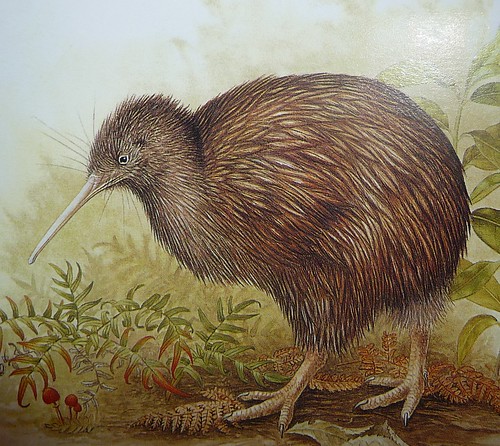
kiwiwiwiwiw Kiwis have to be one of the cutest birds of all time. A bit chubby and clumsy looking, they are (to me, at least), walking, breathing icon of furry cuteness. Truth be told, I did not see one live in action during my recent trip to New Zealand, but I did see a Weka bird which is pretty similar. (Micah and I just consulted the Internets and agreed that we did in fact see cherubic Kiwi not a Weka. In fact, Micah almost ran one over on the west coast of the southern island but his quick reflexes born from years of saving servers while typing saved the bird. So as you can tell by now I finally got to go to New Zealand for a few weeks, even able to travel the south island before attending THE Linux conference of the region, LCA where I gave a talk (video to be posted when available). I jumped at the opportunity and was thrilled to find out that I could actually spend some time traveling around before the intense week long conference. So on January 5th I headed down with Micah to what I have found out is one of the windiest cities on earth ( Windy Wellington ) for a few days before heading to the south island to do a loop on the northern half of the island. I wanted to conquer the mountains made famous by a certain set of movies, but last semester was all about sitting in front of the computer, a sort of agonizing life of the mind, which did not prepare me physically for mountain trekking or as it call it there, tramping. So we decided to stick close to the coast (with one transalpine train that serenaded us through some awesome mountain passes) and hike along the coast, snorkel and swim, and kayak. After Andrew showed us around Wellington, we headed to the sea town of Kaikoura brimming with sea life, such as seals, dolphins, and birds. The two highlights there were our snorkeling trip and a hike along the peninsula. Originally we were going to go diving but I arrived to NZ with a head cold so we opted for the sinus friendlier version and snorkeled in the massive kelp forest, which was strikingly beautiful (I am used to tropical reefs and waters). There happened to be a lot of seals and given their curious nature, they would dart over right next to you and play. One seal I called him the twirler was chubby and mellow and twirled next to me for a long while. The lady seals were sleeker and faster and liked to dive deep down and the zoom up and surprise you. As someone who has spent a lot of time underwater, I found it fun and weird to be with animals that pay attention to you given that most of the sea life ignores you. The hike in Kaikoura was fantastic as well. You go high on a bluff and stare down at this water sparkling with the most beautiful blue hues brought out even more majestically by the white rocks. If I were to go back I would hike along the water and up above on the bluff. After a brief stopover in Christchurch to visit a friend, we took the transalpine train (across Arthur s pass) which was superbly beautiful and arrived on the west coast whose seas are far more rough, rocky, andtemperamental than on the east coast. The vegetation is lush as lush can be and you get the feeling that dinosaurs would have been a happy lot in these parts. The cool part about this area are the many rivers that feed into the ocean (we spent an afternoon swimming and exploring the caves in one) and then what are called the pancake rocks, which are odd geological creatures that really amaze. We then made our way to the Marlborough Sounds area, which includes the city of Nelson (apparently the sunniest in New Zealand) as well as many olive and grape vineyards in outlying areas. We spent some time in the Alpine lakes region hiking but more of the time on the coast. The highlight for me and it is a place I would love to go back to is the Abel Tasman National Park. We spent time hiking and kayaking there and you can even hike down the coast for 5-6 days (there are excellent camping facilities along the way). The coast is simply majestic with alpine like forest conditions (unfortunately a cool old tree whose name I can t remember is no longer common). This forest is situated along the most stunning waters, an electric but totally clear turquoise blue deceivingly inviting because the water was quite cold (but not as cold as the Oregon coast over the summer, which I went swimming in only once after weeks of bike travel). Along with the blue, parts of the coastal waters were a stunning clear green that I have never seen despite my many sea travels. If you ever plan on going to the South Island, I would not miss this area and might even try to spend a few days or more hiking the coastal trails and listening to the cool-as/sweet as birds, one of which has double vocal cords so it sings what sounds to be like totally electronic bird calls. We returned via the same ferry a massive 7 story ship from Picton to Wellington but the conditions were far far worse during our return trip. When we got out of the sounds, we hit the Cook Straight, notorious for being rough and tumble. And indeed, once we hit the waves, I felt like I was no longer in a boat but amusement park ride, the bow of the ship thrown high only to fall hard on upon the waves. It was sort of fun or fun for about 10 minutes until people, most especially kids, started yaking all over the place. It was really the most flagrant yakfest I have ever experienced (I mean it is a 7 story ferry, you can fit a lot of people on that boat) and that made the sail particularly difficult. I have pretty strong sea legs, never once getting sick sick during the year I spent at sea but massive yaking will bring out the sea sick feeling in even the hardiest of sea souls and I was thrilled to arrive in Wellington. Wellington is the only large city I spent any considerable time in and it is a pretty awesome one. The city center area is flat and by the water, with a magnificent area filled with museums, the national library, parks, breweries, and piers where kids like to jump off high things. The botanical gardens were the most beautiful I have been to and since I am a flower nut, I was in high heaven. In this area there are a ridiculous number of great coffee shops (NYC has a thing or two to learn as we don t have enough, I suspect it has something to do with insane real estate prices). The city is surrounded by hills populated by houses, some of the precipitously perched on cliffs that require lifts to get to! It was a wonderful home base for what was a sweet as conference (as they would say down there). And I hope to write about it sometime soon.

Biella Coleman: New Zealand, a photo-round up

kiwiwiwiwiw Kiwis have to be one of the cutest birds of all time. A bit chubby and clumsy looking, they are (to me, at least), walking, breathing icon of furry cuteness. Truth be told, I did not see one live in action during my recent trip to New Zealand, but I did see a Weka bird which is pretty similar. (Micah and I just consulted the Internets and agreed that we did in fact see cherubic Kiwi not a Weka. In fact, Micah almost ran one over on the west coast of the southern island but his quick reflexes born from years of saving servers while typing saved the bird. So as you can tell by now I finally got to go to New Zealand for a few weeks, even able to travel the south island before attending THE Linux conference of the region, LCA where I gave a talk (video to be posted when available). I jumped at the opportunity and was thrilled to find out that I could actually spend some time traveling around before the intense week long conference. So on January 5th I headed down with Micah to what I have found out is one of the windiest cities on earth ( Windy Wellington ) for a few days before heading to the south island to do a loop on the northern half of the island. I wanted to conquer the mountains made famous by a certain set of movies, but last semester was all about sitting in front of the computer, a sort of agonizing life of the mind, which did not prepare me physically for mountain trekking or as it call it there, tramping. So we decided to stick close to the coast (with one transalpine train that serenaded us through some awesome mountain passes) and hike along the coast, snorkel and swim, and kayak. After Andrew showed us around Wellington, we headed to the sea town of Kaikoura brimming with sea life, such as seals, dolphins, and birds. The two highlights there were our snorkeling trip and a hike along the peninsula. Originally we were going to go diving but I arrived to NZ with a head cold so we opted for the sinus friendlier version and snorkeled in the massive kelp forest, which was strikingly beautiful (I am used to tropical reefs and waters). There happened to be a lot of seals and given their curious nature, they would dart over right next to you and play. One seal I called him the twirler was chubby and mellow and twirled next to me for a long while. The lady seals were sleeker and faster and liked to dive deep down and the zoom up and surprise you. As someone who has spent a lot of time underwater, I found it fun and weird to be with animals that pay attention to you given that most of the sea life ignores you. The hike in Kaikoura was fantastic as well. You go high on a bluff and stare down at this water sparkling with the most beautiful blue hues brought out even more majestically by the white rocks. If I were to go back I would hike along the water and up above on the bluff. After a brief stopover in Christchurch to visit a friend, we took the transalpine train (across Arthur s pass) which was superbly beautiful and arrived on the west coast whose seas are far more rough, rocky, andtemperamental than on the east coast. The vegetation is lush as lush can be and you get the feeling that dinosaurs would have been a happy lot in these parts. The cool part about this area are the many rivers that feed into the ocean (we spent an afternoon swimming and exploring the caves in one) and then what are called the pancake rocks, which are odd geological creatures that really amaze. We then made our way to the Marlborough Sounds area, which includes the city of Nelson (apparently the sunniest in New Zealand) as well as many olive and grape vineyards in outlying areas. We spent some time in the Alpine lakes region hiking but more of the time on the coast. The highlight for me and it is a place I would love to go back to is the Abel Tasman National Park. We spent time hiking and kayaking there and you can even hike down the coast for 5-6 days (there are excellent camping facilities along the way). The coast is simply majestic with alpine like forest conditions (unfortunately a cool old tree whose name I can t remember is no longer common). This forest is situated along the most stunning waters, an electric but totally clear turquoise blue deceivingly inviting because the water was quite cold (but not as cold as the Oregon coast over the summer, which I went swimming in only once after weeks of bike travel). Along with the blue, parts of the coastal waters were a stunning clear green that I have never seen despite my many sea travels. If you ever plan on going to the South Island, I would not miss this area and might even try to spend a few days or more hiking the coastal trails and listening to the cool-as/sweet as birds, one of which has double vocal cords so it sings what sounds to be like totally electronic bird calls. We returned via the same ferry a massive 7 story ship from Picton to Wellington but the conditions were far far worse during our return trip. When we got out of the sounds, we hit the Cook Straight, notorious for being rough and tumble. And indeed, once we hit the waves, I felt like I was no longer in a boat but amusement park ride, the bow of the ship thrown high only to fall hard on upon the waves. It was sort of fun or fun for about 10 minutes until people, most especially kids, started yaking all over the place. It was really the most flagrant yakfest I have ever experienced (I mean it is a 7 story ferry, you can fit a lot of people on that boat) and that made the sail particularly difficult. I have pretty strong sea legs, never once getting sick sick during the year I spent at sea but massive yaking will bring out the sea sick feeling in even the hardiest of sea souls and I was thrilled to arrive in Wellington. Wellington is the only large city I spent any considerable time in and it is a pretty awesome one. The city center area is flat and by the water, with a magnificent area filled with museums, the national library, parks, breweries, and piers where kids like to jump off high things. The botanical gardens were the most beautiful I have been to and since I am a flower nut, I was in high heaven. In this area there are a ridiculous number of great coffee shops (NYC has a thing or two to learn as we don t have enough, I suspect it has something to do with insane real estate prices). The city is surrounded by hills populated by houses, some of the precipitously perched on cliffs that require lifts to get to! It was a wonderful home base for what was a sweet as conference (as they would say down there). And I hope to write about it sometime soon.

27 January 2010

Joerg Jaspert: HP Mini 5101, gobi_loader problem

A short while ago I bought a new device, a HP Mini 5101. Basically a slightly oversized pocket calculator, but exactly what I wanted: It is painful to do anything real on it, but it can be used if there is really no better way. And this is exactly what I want to take with me on the vacation starting soon. A device that ensures I will not use it for more than the emergency case and as backup storage for pictures I take. This little thing has a tiny 10.1 (non-glare, I want it painful but even there is a limit. Idiot mirrors, brrr) TFT (1366x768), an Atom N280 with 1.66GHz, 2G RAM, a 160Gb disc, 3 usb ports, wifi, gigabit lan, bluetooth and a 3G module. It ships with one of those pain adventures with which the seller shows you how much they hate you (Windows XP), but that did only boot twice yet. Once to check everything works, for the second read on. It weights 1.3kg and HP imagines some 8 and a half hour runtime with the 6-cell battery. ACPI and powertop predict between 7 and 14hours, depending on my workload and probably the phase of the moon. But 7 will do nicely. Of course I put a Debian on this device. It runs all well. As it has no optical drive its either usbboot or netboot and off it goes. Easy install, only need to remember installing the broadcom-sta packages and building the module for the kernel to get wifi. Otherwise its a simple install and the stuff works out of the box. Except for one thing. I can not get this goddamn 3G module to work. It works fine in Windows, confirming this was the second time I did boot this abomination of a bad joke. When using that HP manager thingie for 3G, its all fine and works. When you then reboot into Linux - it also works. Annoying. It is one of those Qualcomm Gobi USB chipsets and to function it needs it firmware transferred over. Fine. Using google one can easily find gobiloader, which is meant to do that. Just get the firmware from Windows and let gobiloader do the rest. Except - it does not work. Everything I can find tells me it should, ie. various posts on various places on the net, the usbids the device has when without firmware and after this windows crap put firmware into it, everything looks exactly like it should. Yet, gobi_loader simply hangs itself right in the first while (1) loop, where it wants to send the first real data after the set of 3 magics it send before. The write never times out, the firmware never gets into the device, its not usable. Argh. Dear lazyweb, anyone out there with an idea? I tested various firmwares (the one I found in Windows, the one you can find at vendors download page, various of the 10 different you find in each), even let it run for some while before interrupting. Unfortunately I do not have enough clue in this area to debug what is happening here, nor to fix this up myself.

Aurelien Jarno: Working on the eglibc package

In the last weeks, I stopped being motivated to work on the eglibc package, it s not fun as it was before. Maintaining this package is taking a lot of my (free) time, and I am not anymore able to follow the bug rate, especially for RC bugs or bugs that I consider high priority. In turn it does not give me time to integrate eglibc 2.11 or other wishlist features I would have liked to see (rework of the locales* packages, using multiarch paths, etc.). I hope it s only a bad moment and that things will change soon, so I can find time to work on GNU/kFreeBSD, QEMU or to do electronics. In any case you can help by handling bug reports or writing patches. Everything is in the BTS!

Gunnar Wolf: Packaging PKP OJS (Open Journals System)

New guidelines for periodic publications' websites at my University favor the different journals we have to use a standardized system And it makes quite a bit of sense. It is quite hard to explain to the people I work with that the content is not only meant to be consumed by humans, but also by other systems; the reasons behind rich content tagging and deep hierarchies for what they would just see as a list of words (think list of authors for an article, list of keywords, and so on). After all, aggregator databases such as Latindex and SciELO have achieved getting this understanding through. And I must be quite grateful, as the University's guidelines point to what appears to be a very well-thought and thorough system, the Open Journal Systems by the Public Knowledge Project, co-funded by several well-regarded universities. OJS is a GPL-2-covered PHP bundle. Anyway I am very glad at least one of my Institute's journal accepted the challenge and decided to go OJS. I know I will quite probably be administering this system long-term. And, being as snobbish as I am, I know I loathe anything installed in my machines that is not either developed by myself or comes in a Debian package. So, as it was not packaged, I made the package Note that I am still not filing an ITP (which means, I have not yet decided whether I will upload this to Debian) because I want first to make sure I do have the needed long-term commitment Besides, I am by far not a PHP person, and being responsible for a package Carries a nontrivial weight. Still, you might be interested in getting it. If you are interested, you can either download the .deb package or add it to your apt repositories (and stay updated with any new releases), by adding this to your /etc/apt/sources.list: deb http://www.iiec.unam.mx/apt/ lenny misc
deb-src http://www.iiec.unam.mx/apt/ lenny misc
Note: My packaging has still a small bug: The installer fails to create the PostgreSQL database. The MySQL database works fine. I will look into it soon So far, I am quite impressed with this program's functionality and the depth/quality of its (online) documentation. Besides, its usage statistics speak for themselves: So, it is quite possible I will be uploading this into Debian in a couple of weeks (hopefully in time to be considered for Squeeze). The reasons I am making it available in my personal repository now is:

Next.

Previous.