Search Results: "ads"

2 November 2024

Dirk Eddelbuettel: Rcpp 1.0.13-1 on CRAN: Hot Fix

rcpp logo A hot-fix release 1.0.13-1, consisting of two small PRs relative to the last regular CRAN release 1.0.13, just arrived on CRAN. When we prepared 1.0.13, we included a change related to the tightening of the C API of R itself. Sadly, we pinned an expected change to comes with next (minor) release 4.4.2 rather than now next (normal aka major) release 4.5.0 . And now that R 4.4.2 is out (as of two days ago) we accidentally broke building against the header file with that check. Whoops. Bugs happen, and we are truly sorry but this is now addressed in 1.0.13-1. The normal (bi-annual) release cycle will resume with 1.0.14 slated for January. As you can see from the NEWS file of the development branch, we have a number of changes coming. You can safely access that release candidate version, either off the default branch at github or via r-universe artifacts. The list below details all changes, as usual. The only other change concerns the now-mandatory use of Authors@R.

Changes in Rcpp release version 1.0.13-1 (2024-11-01)
  • Changes in Rcpp API:
    • Use read-only VECTOR_PTR and STRING_PTR only with with R 4.5.0 or later (Kevin in #1342 fixing #1341)
  • Changes in Rcpp Deployment:
    • Authors@R is now used in DESCRIPTION as mandated by CRAN

Thanks to my CRANberries, you can also look at a diff to the previous release Questions, comments etc should go to the rcpp-devel mailing list off the R-Forge page. Bugs reports are welcome at the GitHub issue tracker as well (where one can also search among open or closed issues). If you like this or other open-source work I do, you can sponsor me at GitHub.

This post by Dirk Eddelbuettel originated on his Thinking inside the box blog. Please report excessive re-aggregation in third-party for-profit settings.

Russell Coker: More About the Yoga Gen3

Two months ago I bought a Thinkpad X1 Yoga Gen3 [1]. I m still very happy with it, the screen is a great improvement over the FullHD screen on my previous Thinkpad. I have yet to discover what s the best resolution to have on a laptop if price isn t an issue, but it s at least 1440p for a 14 display, that s 210DPI. The latest Thinkpad X1 Yoga is the 7th gen and has up to 3840*2400 resolution on the internal display for 323DPI. Apple apparently uses the term Retina Display to mean something in the range of 250DPI to 300DPI, so my current laptop is below Retina while the most expensive new Thinkpads are above it. I did some tests on external displays and found that this Thinkpad along with a Dell Latitude of the same form factor and about the same age can only handle one 4K display on a Thunderbolt dock and one on HDMI. On Reddit u/Carlioso1234 pointed out this specs page which says it supports a maximum of 3 displays including the built in TFT [2]. The Thunderbolt/USB-C connection has a maximum resolution of 5120*2880 and the HDMI port has a maximum of 4K. The latest Yoga can support four displays total which means 2*5K over Thunderbolt and one 4K over HDMI. It would be nice if someone made a 8000*2880 ultrawide display that looked like 2*5K displays when connected via Thunderbolt. It would also be nice if someone made a 32 5K display, currently they all seem to be 27 and I ve found that even for 4K resolution 32 is better than 27 . With the typical configuration of Linux and the BIOS the Yoga Gen3 will have it s touch screen stop working after suspend. I have confirmed this for stylus use but as the finger-touch functionality is broken I couldn t confirm that. On r/thinkpad u/p9k told me how to fix this problem [3]. I had to set the BIOS to Win 10 Sleep aka Hybrid sleep and then put the following in /etc/systemd/system/thinkpad-wakeup-config.service :
# https://www.reddit.com/r/thinkpad/comments/1blpy20/comment/kw7se2l/?context=3
[Unit]
Description=Workarounds for sleep wakeup source for Thinkpad X1 Yoga 3
After=sysinit.target
After=systemd-modules-load.service
[Service]
Type=oneshot
ExecStart=/bin/sh -c "echo 'enabled' > /sys/devices/platform/i8042/serio0/power/wakeup"
ExecStart=/bin/sh -c "echo 'enabled' > /sys/devices/platform/i8042/serio1/power/wakeup"
ExecStart=/bin/sh -c "echo 'LID' > /proc/acpi/wakeup"
[Install]
WantedBy=multi-user.target
Now it works fine, for stylus at least. I still get kernel error messages like the following which don t seem to cause problems:
wacom 0003:056A:5146.0005: wacom_idleprox_timeout: tool appears to be hung in-prox. forcing it out.
When it wasn t working I got the above but also kernel error messages like:
wacom 0003:056A:5146.0005: wacom_wac_queue_insert: kfifo has filled, starting to drop events
This change affected the way suspend etc operate. Now when I connect the laptop to power it will leave suspend mode. I ve configured KDE to suspend when the lid is closed and there s no monitor connected.

1 November 2024

Colin Watson: Free software activity in October 2024

Almost all of my Debian contributions this month were sponsored by Freexian. You can also support my work directly via Liberapay. Ansible I noticed that Ansible had fallen out of Debian testing due to autopkgtest failures. This seemed like a problem worth fixing: in common with many other people, we use Ansible for configuration management at Freexian, and it probably wouldn t make our sysadmins too happy if they upgraded to trixie after its release and found that Ansible was gone. The problems here were really just slogging through test failures in both the ansible-core and ansible packages, but their test suites are large and take a while to run so this took some time. I was able to contribute a few small fixes to various upstreams in the process: This should now get back into testing tomorrow. OpenSSH Martin- ric Racine reported that ssh-audit didn t list the ext-info-s feature as being available in Debian s OpenSSH 9.2 packaging in bookworm, contrary to what OpenSSH upstream said on their specifications page at the time. I spent some time looking into this and realized that upstream was mistakenly saying that implementations of ext-info-c and ext-info-s were added at the same time, while in fact ext-info-s was added rather later. ssh-audit now has clearer output, and the OpenSSH maintainers have corrected their specifications page. I looked into a report of an ssh failure in certain cases when using GSS-API key exchange (which is a Debian patch). Once again, having integration tests was a huge win here: the affected scenario is quite a fiddly one, but I was able to set it up in the test, and thereby make sure it doesn t regress in future. It still took me a couple of hours to get all the details right, but in the past this sort of thing took me much longer with a much lower degree of confidence that the fix was correct. On upstream s advice, I cherry-picked some key exchange fixes needed for big-endian architectures. Python team I packaged python-evalidate, needed for a new upstream version of buildbot. The Python 3.13 transition rolls on. I fixed problems related to it in htmlmin, humanfriendly, postgresfixture (contributed upstream), pylint, python-asyncssh (contributed upstream), python-oauthlib, python3-simpletal, quodlibet, zope.exceptions, and zope.interface. A trickier Python 3.13 issue involved the cgi module. Years ago I ported zope.publisher to the multipart module because cgi.FieldStorage was broken in some situations, and as a result I got a recommendation into Python s dead batteries PEP 594. Unfortunately there turns out to be a name conflict between multipart and python-multipart on PyPI; python-multipart upstream has been working to disentangle this, though we still need to work out what to do in Debian. All the same, I needed to fix python-wadllib and multipart seemed like the best fit; I contributed a port upstream and temporarily copied multipart into Debian s python-wadllib source package to allow its tests to pass. I ll come back and fix this properly once we sort out the multipart vs. python-multipart packaging. tzdata moved some timezone definitions to tzdata-legacy, which has broken a number of packages. I added tzdata-legacy build-dependencies to alembic and python-icalendar to deal with this in those packages, though there are still some other instances of this left. I tracked down an nltk regression that caused build failures in many other packages. I fixed Rust crate versioning issues in pydantic-core, python-bcrypt, and python-maturin (mostly fixed by Peter Michael Green and Jelmer Vernoo , but it needed a little extra work). I fixed other build failures in entrypoints, mayavi2, python-pyvmomi (mostly fixed by Alexandre Detiste, but it needed a little extra work), and python-testing.postgresql (ditto). I fixed python3-simpletal to tolerate future versions of dh-python that will drop their dependency on python3-setuptools. I fixed broken symlinks in python-treq. I removed (build-)depends on python3-pkg-resources from alembic, autopep8, buildbot, celery, flufl.enum, flufl.lock, python-public, python-wadllib (contributed upstream), pyvisa, routes, vulture, and zodbpickle (contributed upstream). I upgraded astroid, asyncpg (fixing a Python 3.13 failure and a build failure), buildbot (noticing an upstream test bug in the process), dnsdiag, frozenlist, netmiko (fixing a Python 3.13 failure), psycopg3, pydantic-settings, pylint, python-asyncssh, python-bleach, python-btrees, python-cytoolz, python-django-pgtrigger, python-django-test-migrations, python-gssapi, python-icalendar, python-json-log-formatter, python-pgbouncer, python-pkginfo, python-plumbum, python-stdlib-list, python-tokenize-rt, python-treq (fixing a Python 3.13 failure), python-typeguard, python-webargs (fixing a build failure), pyupgrade, pyvisa, pyvisa-py (fixing a Python 3.13 failure), toolz, twisted, vulture, waitress (fixing CVE-2024-49768 and CVE-2024-49769), wtf-peewee, wtforms, zodbpickle, zope.exceptions, zope.interface, zope.proxy, zope.security, and zope.testrunner to new upstream versions. I tried to fix a regression in python-scruffy, but I need testing feedback. I requested removal of python-testing.mysqld.

Russ Allbery: Review: Overdue and Returns

Review: Overdue and Returns, by Mark Lawrence
Publisher: Mark Lawrence
Copyright: June 2023
Copyright: February 2024
ASIN: B0C9N51M6Y
ASIN: B0CTYNQGBX
Format: Kindle
Pages: 99
Overdue is a stand-alone novelette in the Library Trilogy universe. Returns is a collection of two stories, the novelette "Returns" and the short story "About Pain." All of them together are about the length of a novella, so I'm combining them into a single review. These are ancillary stories in the same universe as the novels, but not necessarily in the same timeline. (Trying to fit "About Pain" into the novel timeline will give you a headache and I am choosing to read it as author's fan fiction.) I'm guessing they're part of the new fad for releasing short fiction on Amazon to tide readers over and maintain interest between books in a series, a fad about which I have mixed feelings. Given the total lack of publisher metadata in either the stories or on Amazon, I'm assuming they were self-published even though the novels are published by Ace, but I don't know that for certain. There are spoilers for The Book That Wouldn't Burn, so don't read these before that novel. There are no spoilers for The Book That Broke the World, and I don't think the reading order would matter. I found all three of these stories irritating and thuddingly trite. "Returns" is probably the best of the lot in terms of quality of storytelling, but I intensely dislike the structural implications of the nature of the book at its center and am therefore hoping that it's non-canonical. I would not waste your time with these even if you are enjoying the novels. "Overdue": Three owners of the same bookstore at different points in time have encounters with an albino man named Yute who is on a quest. One of the owners is trying to write a book, one of them is older, depressed, and closed off, and one of them has regular conversations with her sister's ghost. The nature of the relationship between the three is too much of a spoiler, but it involves similar shenanigans as The Book That Wouldn't Burn. Lawrence uses my least favorite resolution of benign ghost stories. The story tries very hard to sell it as a good thing, but I thought it was cruel and prefer fantasy that rejects both branches of that dilemma. Other than that, it was fine, I guess, although the moral was delivered with all of the subtlety of the last two minutes of a Saturday morning cartoon. (5) "Returns": Livira returns a book deep inside the library and finds that she can decipher it, which leads her to a story about Yute going on a trip to recover another library book. This had a lot of great Yute lines, plus I always like seeing Livira in exploration mode. The book itself is paradoxical in a causality-destroying way, which is handwaved away as literal magic. I liked this one the best of the three stories, but I hope the world-building of the main series does not go in this direction and I'm a little afraid it might. (6) "About Pain": A man named Holden runs into a woman named Clovis at the gym while carrying a book titled Catcher that his dog found and that he's returning to the library. I thoroughly enjoy Clovis and was happy to read a few more scenes about her. Other than that, this was fine, I guess, although it is a story designed to deliver a point and that point is one that appears in every discussion of classics and re-reading that has ever happened on the Internet. Also, I know I'm being grumpy, but Lawrence's puns with authors and character names are chapter-epigraph amusing but not short-story-length funny. Yes, yes, his name is Holden, we get it. (5) Rating: 5 out of 10

31 October 2024

Gunnar Wolf: Do you have a minute..?

Do you have a minute...? to talk about the so-called Intellectual Property ?

30 October 2024

Dirk Eddelbuettel: gcbd 0.2.7 on CRAN: More Mere Maintenance

Another pure maintenance release 0.2.7 of the gcbd package is now on CRAN. The gcbd proposes a benchmarking framework for LAPACK and BLAS operations (as the library can exchanged in a plug-and-play sense on suitable OSs) and records result in local database. Its original motivation was to also compare to GPU-based operations. However, as it is both challenging to keep CUDA working packages on CRAN providing the basic functionality appear to come and go so testing the GPU feature can be challenging. The main point of gcbd is now to actually demonstrate that yes indeed we can just swap BLAS/LAPACK libraries without any change to R, or R packages. The configure / rebuild R for xyz often seen with xyz being Goto or MKL is simply plain wrong: you really can just swap them (on proper operating systems, and R configs see the package vignette for more). But nomatter how often we aim to correct this record, it invariably raises its head another time. This release accommodates a CRAN change request as we were referencing the (now only suggested) package gputools. As hinted in the previous paragraph, it was once on CRAN but is not right now so we adjusted our reference. CRANberries also provides a diffstat report for the latest release. If you like this or other open-source work I do, you can sponsor me at GitHub.

This post by Dirk Eddelbuettel originated on his Thinking inside the box blog. Please report excessive re-aggregation in third-party for-profit settings.

28 October 2024

Thomas Lange: 30.000 FAIme jobs created in 7 years

The number of FAIme jobs has reached 30.000. Yeah!
At the end of this November the FAIme web service for building customized ISOs turns 7 years old. It had reached 10.000 jobs in March 2021 and 20.000 jobs were reached in June 2023. A nice increase of the usage. Here are some statistics for the jobs processed in 2024: Type of jobs
3% cloud image
11% live ISO
86% install ISO
Distribution
2% bullseye
8% trixie
12% ubuntu 24.04
78% bookworm
Misc Execution Times The cloud and live ISOs need more time for their creation because the FAIme server needs to unpack and install all packages. For the install ISO the packages are only downloaded. The amount of software packages also affects the build time. Every ISO is build in a VM on an old 6-core E5-1650 v2. Times given are calculated from the jobs of the past two weeks.
Job type Avg Max
install no desktop 1 min 2 min
install GNOME 2 min 5 min
The times for Ubuntu without and with desktop are one minute higher than those mentioned above.
Job type Avg Max
live no desktop 4 min 6 min
live GNOME 8 min 11 min
The times for cloud images are similar to live images. A New Feature For a few weeks now, the system has been showing the number of jobs ahead of you in the queue when you submit a job that cannot be processed immediately. The Next Milestone At the end of this years the FAI project will be 25 years old. If you have a success story of your FAI usage to share please post it to the linux-fai mailing list or send it to me. Do you know the FAI questionnaire ? A lot of reports are already available. Here's an overview what happened in the past 20 years in the FAI project. About FAIme FAIme is the service for building your own customized ISO via a web interface. You can create an installation or live ISO or a cloud image. Several Debian releases can be selected and also Ubuntu server or Ubuntu desktop installation ISOs can be customized. Multiple options are available like selecting a desktop and the language, adding your own package list, choosing a partition layout, adding a user, choosing a backports kernel, adding a postinst script and some more.

26 October 2024

Steve McIntyre: Mini-Debconf in Cambridge, October 10-13 2024

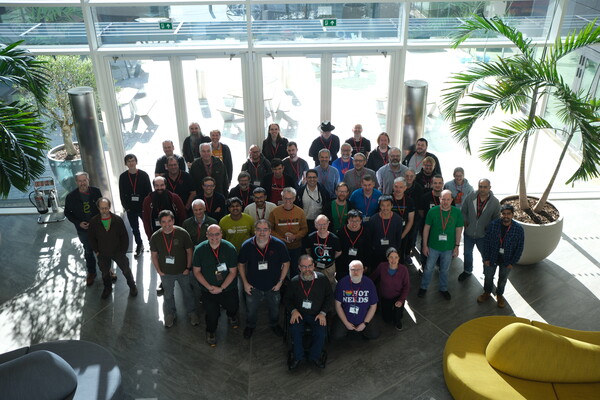
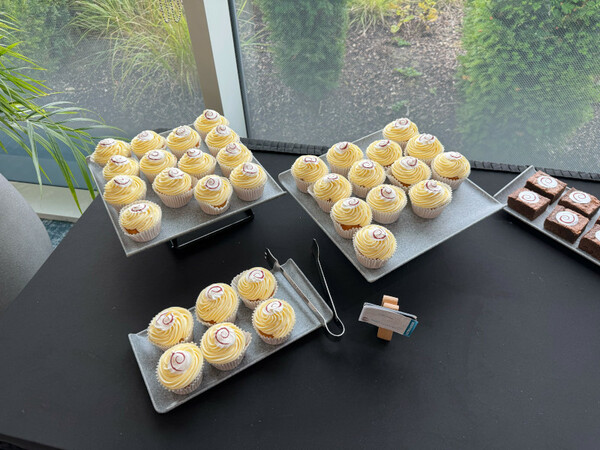
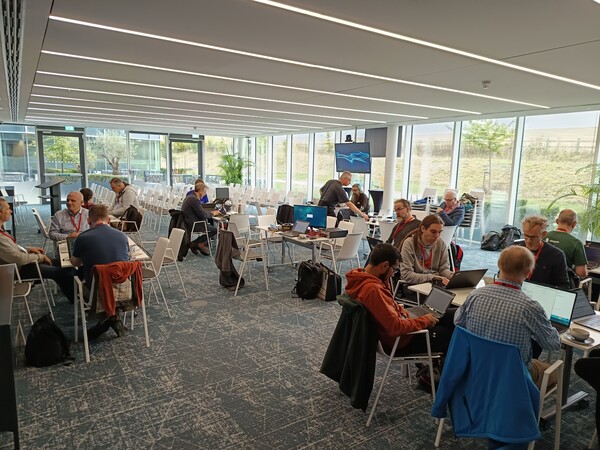
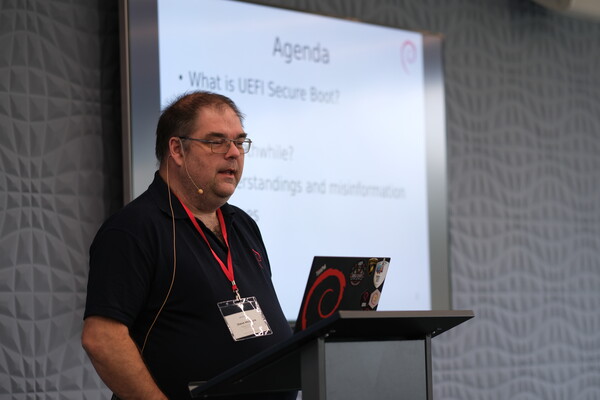
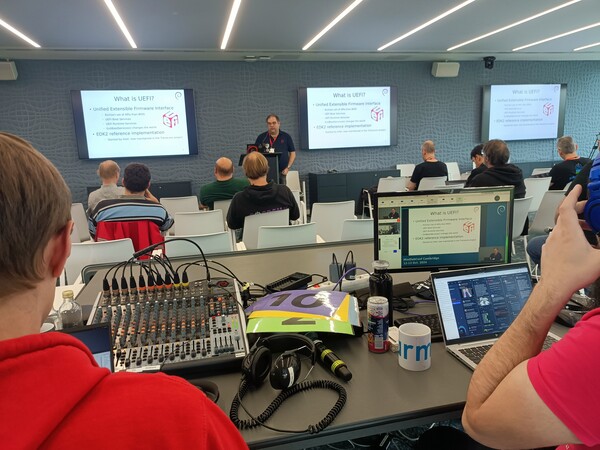
Group photo Again this year, Arm offered to host us for a mini-debconf in Cambridge. Roughly 60 people turned up on 10-13 October to the Arm campus, where they made us really welcome. They even had some Debian-themed treats made to spoil us! Cakes Hacking together minicamp For the first two days, we had a "mini-debcamp" with disparate group of people working on all sorts of things: Arm support, live images, browser stuff, package uploads, etc. And (as is traditional) lots of people doing last-minute work to prepare slides for their talks. Sessions and talks Secure Boot talk Saturday and Sunday were two days devoted to more traditional conference sessions. Our talks covered a typical range of Debian subjects: a DPL "Bits" talk, an update from the Release Team, live images. We also had some wider topics: handling your own data, what to look for in the upcoming Post-Quantum Crypto world, and even me talking about the ups and downs of Secure Boot. Plus a random set of lightning talks too! :-) Video team awesomeness Video team in action Lots of volunteers from the DebConf video team were on hand too (both on-site and remotely!), so our talks were both streamed live and recorded for posterity - see the links from the individual talk pages in the wiki, or http://meetings-archive.debian.net/pub/debian-meetings/2024/MiniDebConf-Cambridge/ for the full set if you'd like to see more. A great time for all Again, the mini-conf went well and feedback from attendees was very positive. Thanks to all our helpers, and of course to our sponsor: Arm for providing the venue and infrastructure for the event, and all the food and drink too! Photo credits: Andy Simpkins, Mark Brown, Jonathan Wiltshire. Thanks!

25 October 2024

Jonathan Dowland: Behringer Model-D (synths I didn't buy)

Whilst researching what synth to buy, I learned of the Behringer1 Model-D2: a 2018 clone of the 1970 Moog Minimoog, in a desktop form factor.
Behringer Model-D Behringer Model-D
In common with the original Minimoog, it's a monophonic analogue synth, featuring three audible oscillators3 , Moog's famous 12-ladder filter and a basic envelope generator. The model-d has lost the keyboard from the original and added some patch points for the different stages, enabling some slight re-routing of the audio components.
1970 Moog Minimoog 1970 Moog Minimoog
Since I was focussing on more fundamental, back-to-basics instruments, this was very appealing to me. I'm very curious to find out what's so compelling about the famous Moog sound. The relative lack of features feels like an advantage: less to master. The additional patch points makes it a little more flexible and offer a potential gateway into the world of modular synthesis. The Model-D is also very affordable: about 200 GBP. I'll never own a real Moog. For this to work, I would need to supplement it with some other equipment. I'd need a keyboard (or press the Micron into service as a controller); I would want some way of recording and overdubbing (same as with any synth). There are no post-mix effects on the Model-D, such as delay, reverb or chorus, so I may also want something to add those. What stopped me was partly the realisation that there was little chance that a perennial beginner, such as I, could eek anything novel out of a synthesiser design that's 54 years old. Perhaps that shouldn't matter, but it gave me pause. Whilst the Model-D has patch points, I don't have anything to connect to them, and I'm firmly wanting to avoid the Modular Synthesis money pit. The lack of effects, and polyphony could make it hard to live-sculpt a tone. I started characterizing the Model-D as the "heart" choice, but it seemed wise to instead go for a "head" choice. Maybe another day!

  1. There's a whole other blog post of material I could write about Behringer and their clones of classic synths, some long out of production, and others, not so much. But, I decided to skip on that for now.
  2. taken from the fact that the Minimoog was a productised version of Moog's fourth internal prototype, the model D.
  3. 2 oscillators is more common in modern synths

24 October 2024

Emmanuel Kasper: back to blogging and running a feed reader as a containerized systemd service

After reading about Jonathan McDowell feed reader install and the back to blogging initiative, I decided to install a feed reader to follow all those nice blog posts. With a feed reader you can compose your own feed of news based on blog posts, websites, mastodon toots. And then you are independant from ad oriented ranking algorithms of social networks. Since Jonathan used FreshRSS as a feed reader, I started with the same software. On a quick glance on its github page, it sounded like a good project:
  • active contributions
  • different channels for stable and latest version of the software
  • container images pointing to the stable release
  • support multiple databases for storage, including PostgreSQL
  • correct documentation mentioning security caveats
I prefer to do the container image installation using podman since:
  • upgrades from FreshRSS are easy to do and can be done separately from operating system upgrades
  • I do not mess my based operating system with php (subjective) and in case of a compromized freshrss, the freshrss/apache install would be still restrained to its own Linux namespaces, separated from the rest of the system.
Podman is image compatible with Docker as they both implement the OCI runtime specification, and have a nearly identical command line interface. This installation will be done on a Debian server, but should work too on any Linux distribution. Initial setup
  • start a container image based on the start command provided by the FreshRSS project. The podman command line is nearly identical to the docker command line, excepts that podman expects the fully qualified domain name associated with the container image, and I chose to run the freshrss container on the localhost interface only. I also use a defined version tag, because using the latest tag makes it complicated to track which exact ersion I have installed.
# podman pull docker.io/freshrss/freshrss:1.20.1
# podman run --detach --restart unless-stopped --log-opt max-size=10m \
  --publish 127.0.0.1:8081:80 \
  --env TZ=Europe/Paris \
  --env 'CRON_MIN=1,31' \
  --volume freshrss_data:/var/www/FreshRSS/data \
  --volume freshrss_extensions:/var/www/FreshRSS/extensions \
  --name freshrss \
  docker.io/freshrss/freshrss:1.20.1
  • verify where the podman volumes have been created. This is where the user data of freshrss will be stored.
# podman volume ls
# podman volume inspect freshrss_data
  • now that freshrss is installed, you can start its configuration wizard at localhost:8081. You should keep the default sqlite choice
  • finally after running the wizard, you can login again and add some feeds
  • verify that your config has been stored outside the container, and inside the volume (so that it will not be erased in case of upgrages)
# ls -l /var/lib/containers/storage/volumes/freshrss_data/_data/users/
  • verify the state of sqlite database
echo '.tables'  sqlite3  /var/lib/containers/storage/volumes/freshrss_data/_data/users/<your freshrss user>/db.sqlite 
category  entry     entrytag  entrytmp  feed      tag
Going with FreshRSS in Production Podman has this very nice feature that it can generate a systemd unit from a running container, and use systemd to start a container on boot. This is in contrary to docker where the docker daemon does the stop/start of containers on boot. I prefer the systemd approach as it treats containers the same way as other system services. Once the freshrss container is running we can generate a systemd unit of it with:
# podman generate systemd --new --name freshrss   tee /etc/systemd/system/container-freshrss.service
Let s stop the container we started previously, and use systemd to manage it:
# podman stop freshrss
# systemctl enable --now container-freshrss.service
We can verify that we have a listening socket on the localhost interface, on the source port 8081
# systemctl status container-freshrss.service
  ...
# ss --listening --numeric --process '( sport = 8081 )'
Netid         State           Recv-Q          Send-Q                   Local Address:Port                   Peer Address:Port         Process         
tcp           LISTEN          0               4096                         127.0.0.1:8081                        0.0.0.0:*             users:(("conmon",pid=4464,fd=5))
Nota Bene: conmon (8) is the process managing the network namespace in which fresh-rss is running, hence it is displayed as the process owning the listening socket Exposing FreshRSS to the external world We have now a running service, but we need to make it reachable from the internet. The simplest, classical way, is to create a subdomain and a VirtualHost configured as a reverse proxy to access the service at 127.0.0.1:8081. Fortunately the FreshRSS authors have documented this setup in https://github.com/FreshRSS/FreshRSS/tree/edge/Docker#alternative-reverse-proxy-using-apache and those steps are no different from a standard application behind a web reverse proxy. Upgrading freshrss container to a newer version A documentation showing how to install a piece of software is nothing when it does not show how to upgrade that said software. Installing is easy, upgrading is where the challenge is. Fortunately to the good stateless design of freshrss (everything is in the sqlite database, which is backed by a non-epheremal volume in our setup), switchting versions is a peace of cake.
# podman pull docker.io/freshrss/freshrss:1.20.2
# systemctl stop container-freshrss.service
# sed -i 's,docker.io/freshrss/freshrss:1.20.1,docker.io/freshrss/freshrss:1.20.2,' /etc/systemd/system/container-freshrss.service
# systemctl daemon-reload
# systemctl start container-freshrss.service
If you need to rollback, you just need to revert version numbers in the instruction above. Enjoy your own reader feed ! I will add the following feeds of blogs I like, let us see if I follow them better with a feed reader !

Valhalla's Things: Asemic Writing, a Zine

Posted on October 24, 2024
Tags: madeof:atoms, madeof:bits, craft:zine
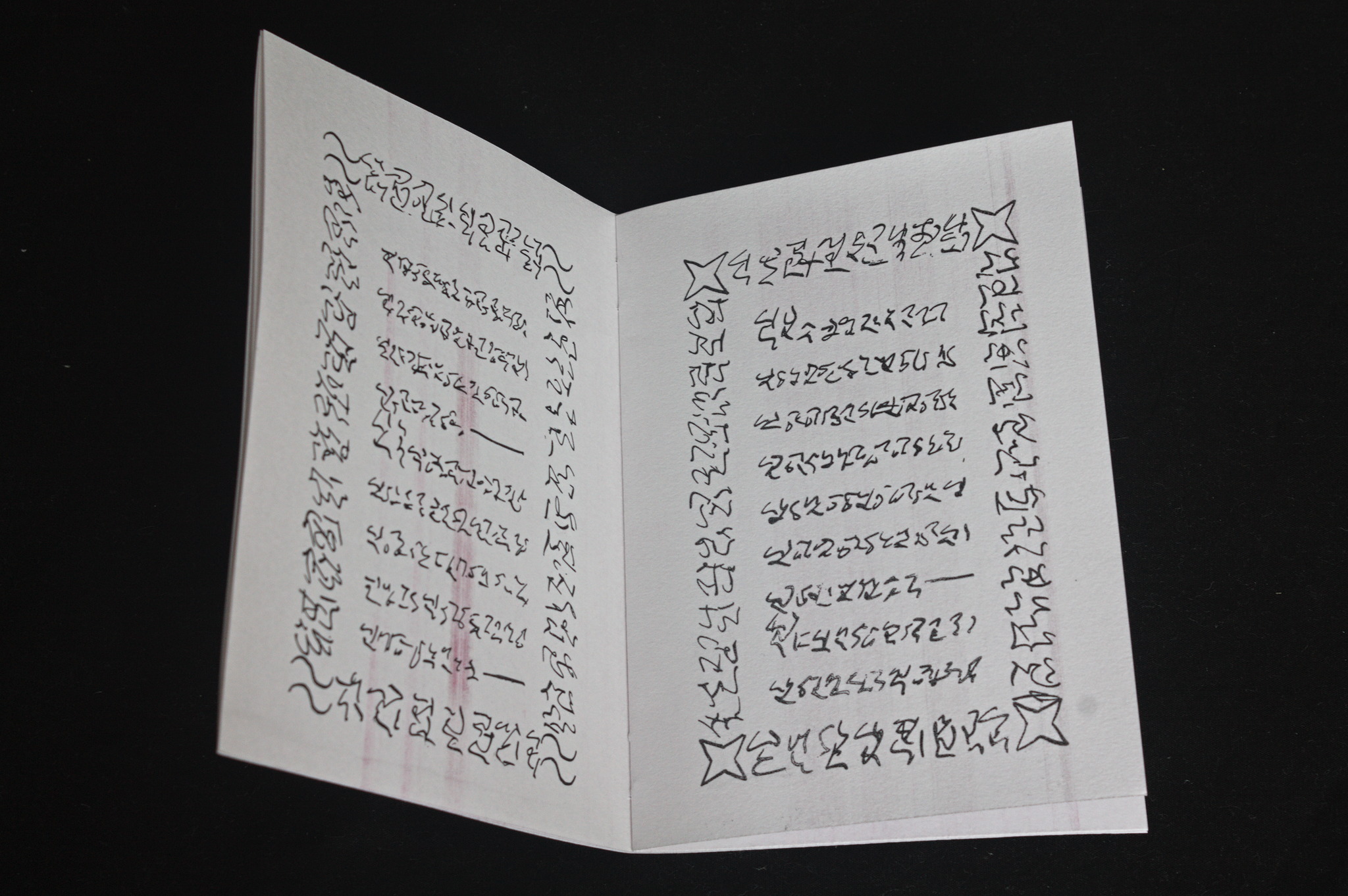
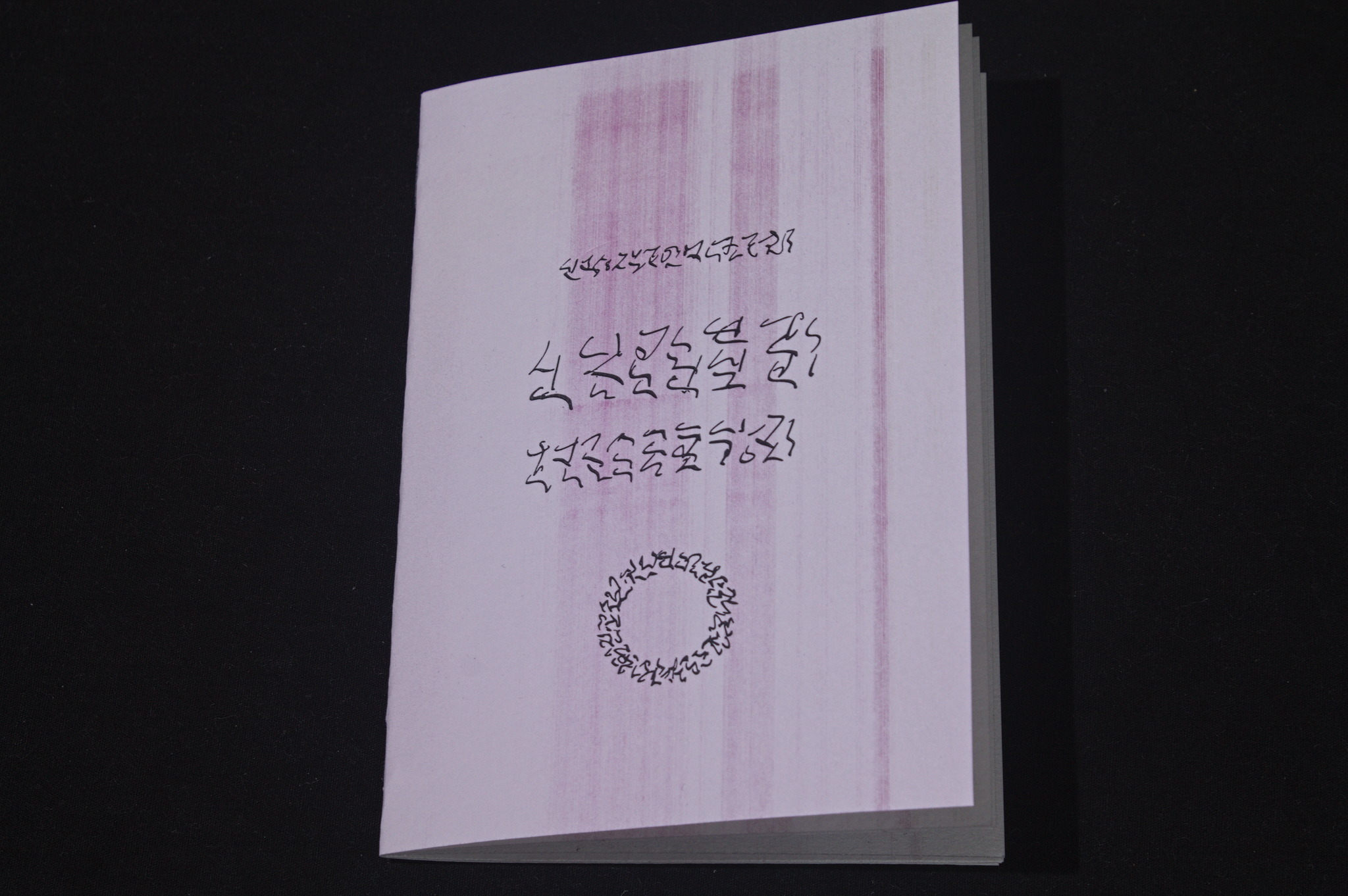
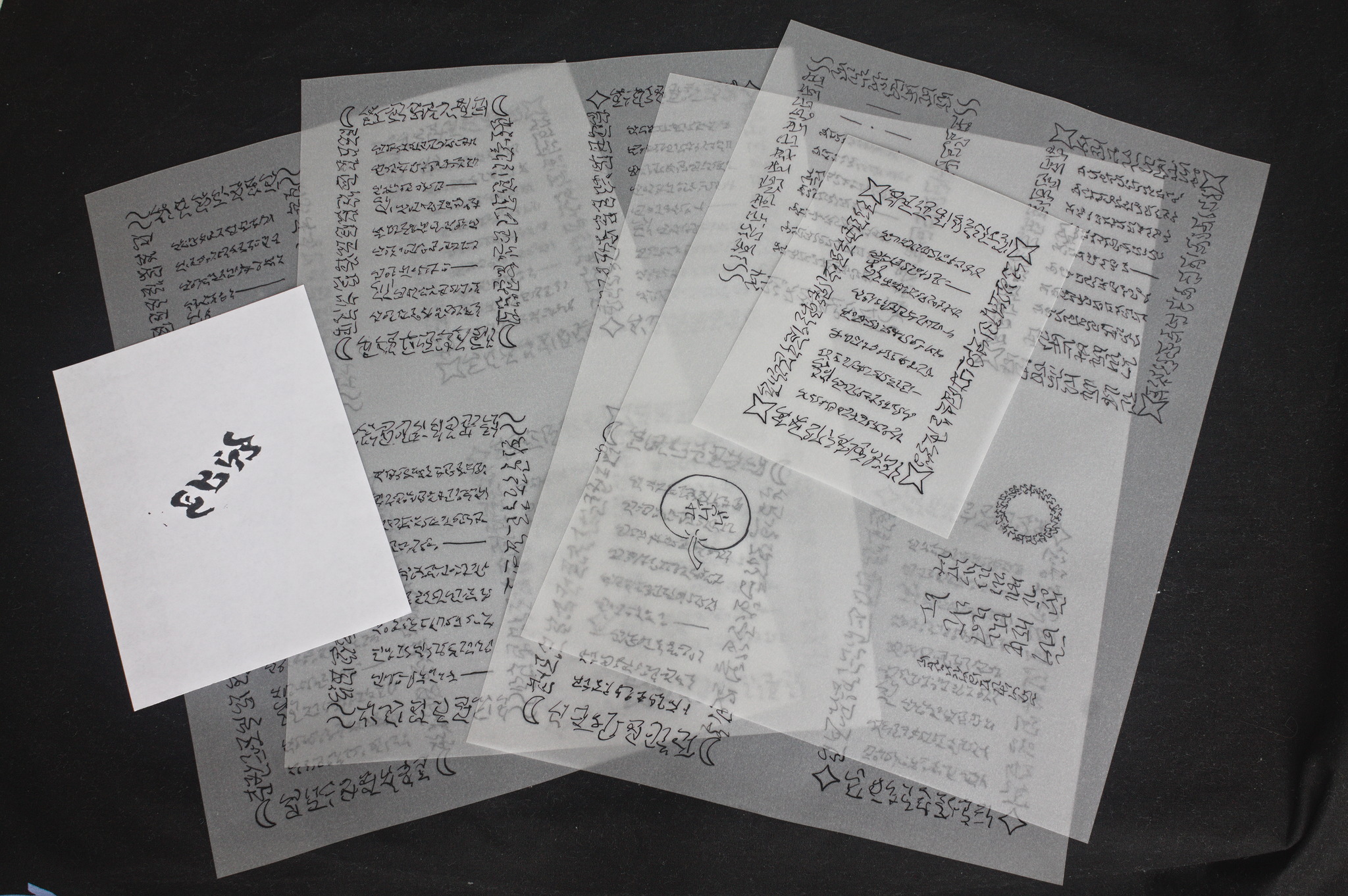
An open booklet with lines that look like some kind of cursive non-alphabetic script, framed by a border in the same script and four symbols in the corners. I have no idea either. The front of that booklet, with three lines of fake text in different sizes and a circle of the same. Happy Maladay1 to those who celebrate it, I guess.
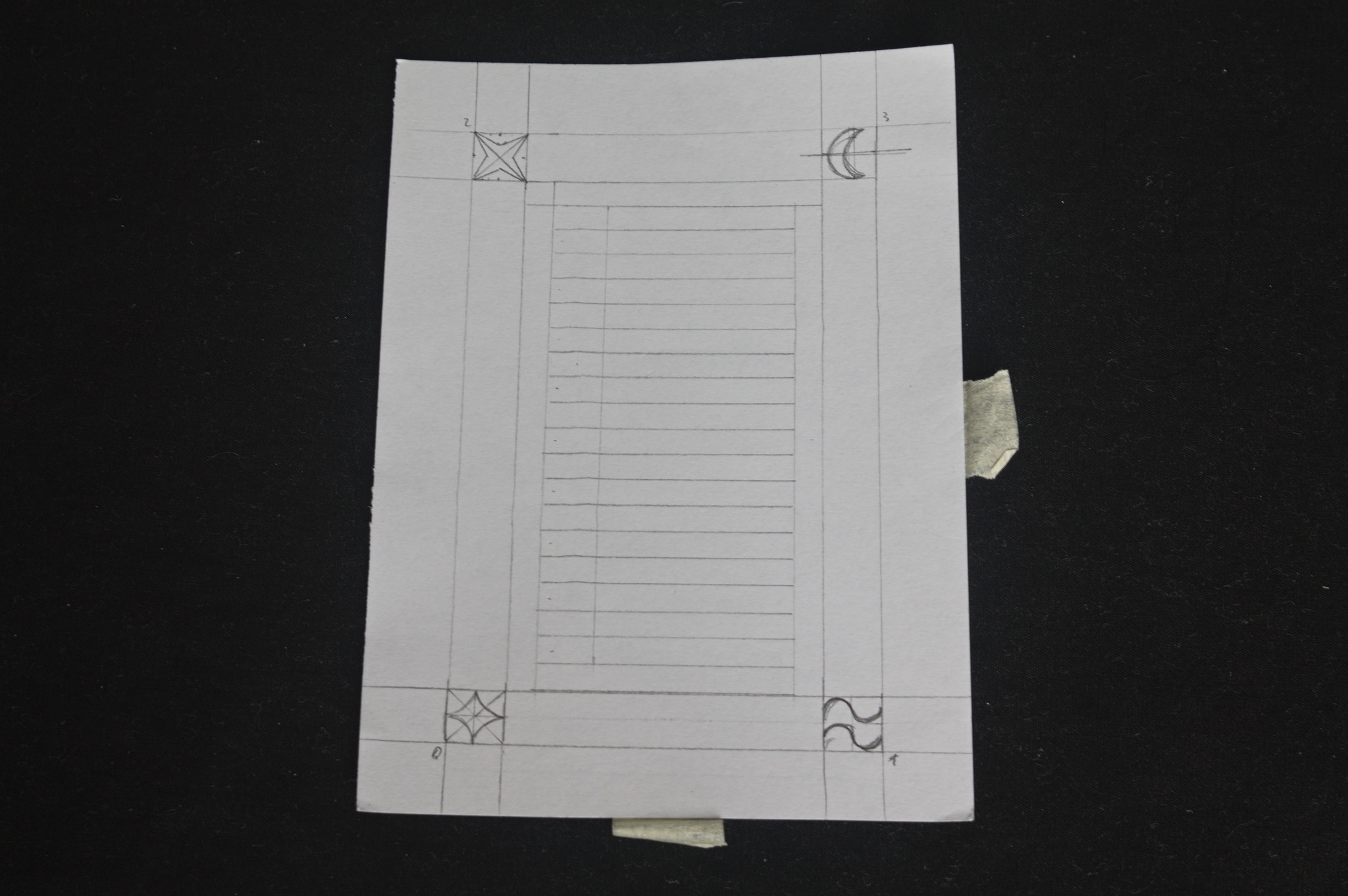
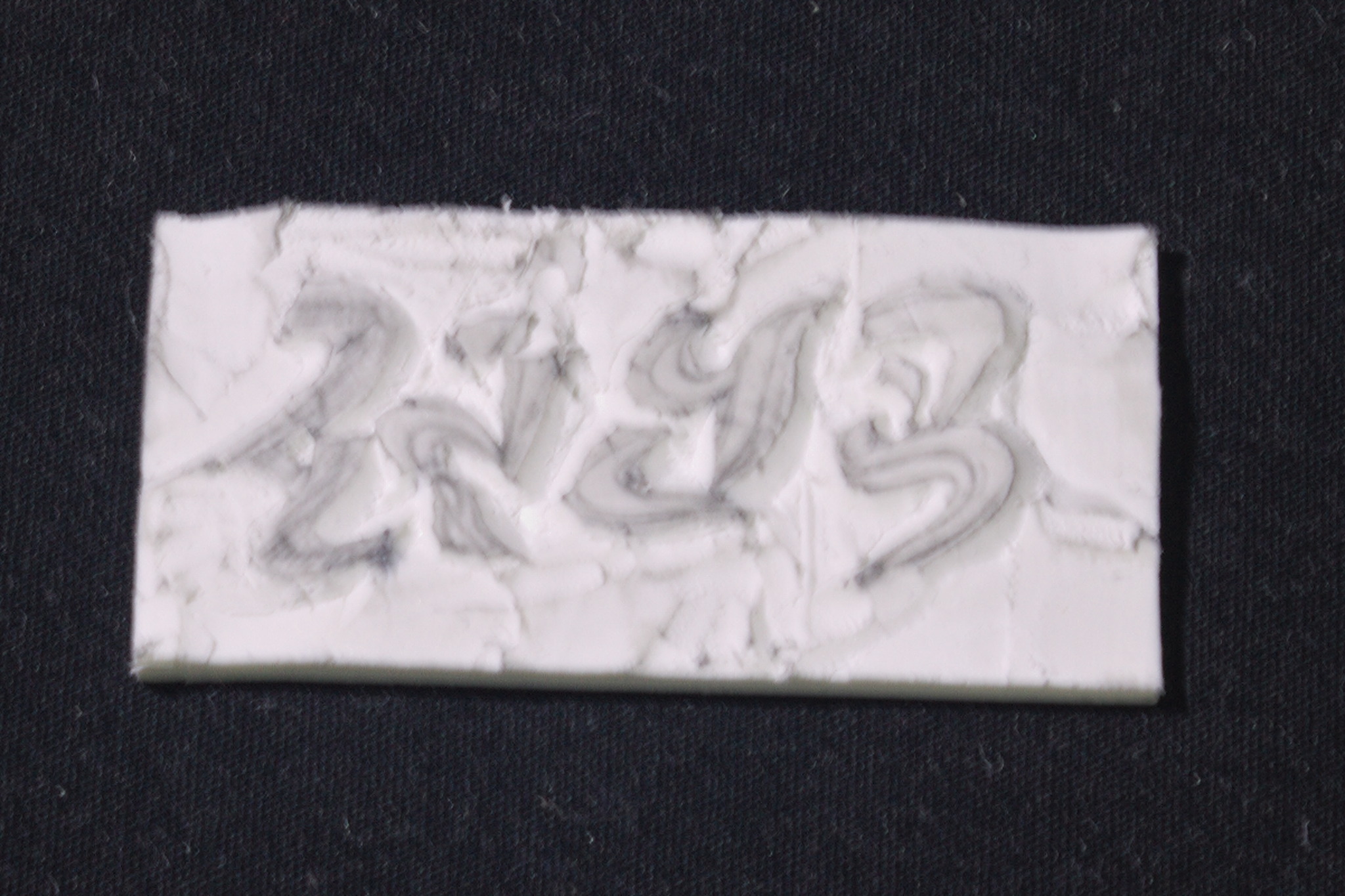
A template on white paper with pencil lines where text is supposed to go. Multiple A4 sheet of tracing paper with fake text, plus an A6 sheet and a white A6 sheet with a stamp impression. If you care about the how, it started as china ink on tracing paper, with the help of a template (and a correction sheet for one page where I used the wrong line on the template). alt A rubber stamp was carved with the author s signature and stamped on white paper because the ink from the pad wasn t working well on tracing paper. Then everything was scanned (with the correction on top of the wrong page) asemic_zine_scans.tar. Imported in Inkscape and traced asemic_zine_svg.tar. Printed, cut in half, folded and stapled. The magenta lines weren t by design, but are there because my printer is currently2 cursed. And finally, asemic_zine.pdf was created, joining the pages together with pdfjam, for convenience in case somebody wants to download the full thing. All the .tar and .pdf downloads from this page are released under the WTFPL, or All Rites Reversed..

  1. it s still technically Maladay when I write this, even if by the time you ll get this it s probably the 6th of The Aftermath.
  2. I mean, all printers are always cursed, but at different times they can be cursed in different and novel ways.

23 October 2024

Jonathan Dowland: Arturia Microfreak

Arturia Microfreak. [  CC-BY-SA 4](https://commons.wikimedia.org/wiki/File:MicroFreak.jpg) Arturia Microfreak. CC-BY-SA 4
I nearly did, but ultimately I didn't buy an Arturia Microfreak. The Microfreak is a small form factor hybrid synth with a distinctive style. It's priced at the low end of the market and it is overflowing with features. It has a weird 2-octave keyboard which is a stylophone-style capacitive strip rather than weighted keys. It seems to have plenty of controls, but given the amount of features it has, much of that functionality is inevitably buried in menus. The important stuff is front and centre, though. The digital oscillators are routed through an analog filter. The Microfreak gained sampler functionality in a firmware update that surprised and delighted its owners.
I watched a load of videos about the Microfreak, but the above review from musician Stimming stuck in my mind because it made a comparison between the Microfreak and Teenage Engineering's OP-1.
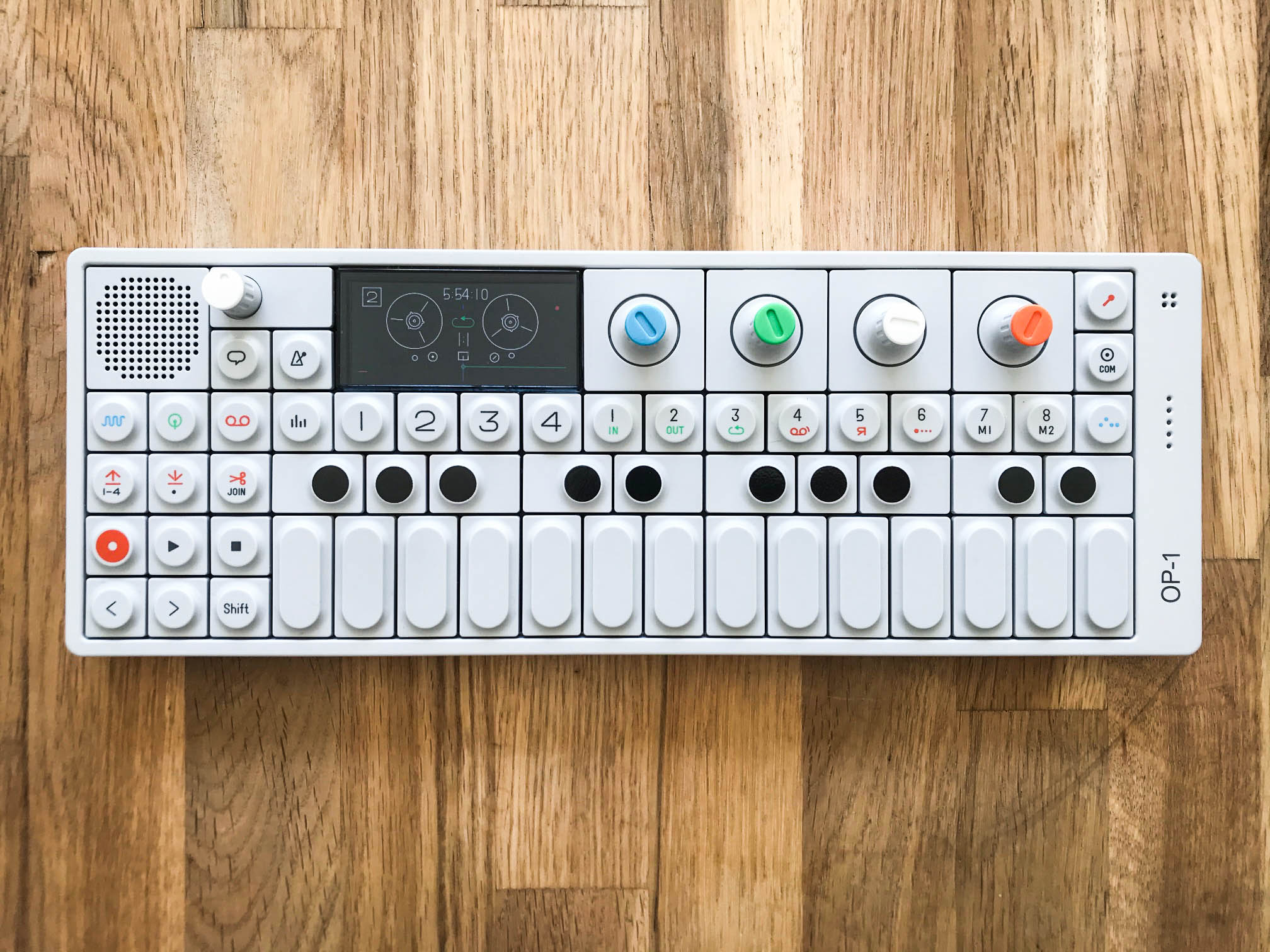
The Teenage Engineering OP-1. The Teenage Engineering OP-1.
I'd been lusting after the OP-1 since it appeared in 2011: a pocket-sized1 music making machine with eleven synthesis engines, a sampler, and less conventional features such as an FM radio, a large colour OLED display, and a four track recorder. That last feature in particular was really appealing to me: I loved the idea of having an all-in-one machine to try and compose music. Even then, I was not keen on involving conventional computers in music making. Of course in many ways it is a very compromised machine. I never did buy a OP-1, and by now they've replaced it with a new model (the OP-1 field) that costs 50% more (but doesn't seem to do 50% more) I'm still not buying one. Framing the Microfreak in terms of the OP-1 made the penny drop for me. The Microfreak doesn't have the four-track functionality, but almost no synth has: I'm going to have to look at something external to provide that. But it might capture a similar sense of fun; it's something I could use on the sofa, in the spare room, on the train, during lunchbreaks at work, etc. On the other hand, I don't want to make the same mistake as with the Micron: too much functionality requiring some experience to understand what you want so you can go and find it in the menus. I also didn't get a chance to audition the unusual keyboard: there's only one music store carrying synths left in Newcastle and they didn't have one. So I didn't buy the Microfreak. Maybe one day in the future once I'm further down the road. Instead, I started to concentrate my search on more fundamental, back-to-basics instruments

  1. Big pockets, mind

Jonathan Dowland: Why hardware synths?

Russell wrote a great comment on my last post (thanks!):
What benefits do these things offer when a general purpose computer can do so many things nowadays? Is there a USB keyboard that you can connect to a laptop or phone to do these things? I presume that all recent phones have the compute power to do all the synthesis you need if you have the right software. Is it just a lack of software and infrastructure for doing it on laptops/phones that makes synthesisers still viable?
I've decided to turn my response into a post of its own. The issue is definitely not compute power. You can indeed attach a USB keyboard to a computer and use a plethora of software synthesisers, including very faithful emulations of all the popular classics. The raw compute power of modern hardware synths is comparatively small: I ve been told the modern Korg digital synths are on a par with a raspberry pi. I ve seen some DSPs which are 32 bit ARMs, and other tools which are roughly equivalent to arduinos. I can think of four reasons hardware synths remain popular with some despite the above:
  1. As I touched on in my original synth post, computing dominates my life outside of music already. I really wanted something separate from that to keep mental distance from work.
  2. Synths have hard real-time requirements. They don't have raw power in compute terms, but they absolutely have to do their job within microseconds of being instructed to, with no exceptions. Linux still has a long way to go for hard real-time.
  3. The Linux audio ecosystem is complex. Dealing with pipewire, pulseaudio, jack, alsa, oss, and anything else I've forgotten, as well as their failure modes, is too time consuming.
  4. The last point is to do with creativity and inspiration. A good synth is more than the sum of its parts: it's an instrument, carefully designed and its components integrated by musically-minded people who have set out to create something to inspire. There are plenty of synths which aren't good instruments, but have loads of features: they re boxes of "stuff". Good synths can't do it all: they often have limitations which you have to respond to, work around or with, creatively. This was expressed better than I could by Trent Reznor in the video archetype of a synthesiser:

22 October 2024

Dirk Eddelbuettel: drat 0.2.5 on CRAN: Small Updates

drat user A new minor release of the drat package arrived on CRAN today, which is just over a year since the previous release. drat stands for drat R Archive Template, and helps with easy-to-create and easy-to-use repositories for R packages. Since its inception in early 2015 it has found reasonably widespread adoption among R users because repositories with marked releases is the better way to distribute code. Because for once it really is as your mother told you: Friends don t let friends install random git commit snapshots. Properly rolled-up releases it is. Just how CRAN shows us: a model that has demonstrated for over two-and-a-half decades how to do this. And you can too: drat is easy to use, documented by six vignettes and just works. Detailed information about drat is at its documentation site. That said, and these days , if you mainly care about github code then r-universe is there too, also offering binaries its makes and all that jazz. But sometimes you just want to, or need to, roll a local repository and drat can help you there. This release contains a small PR (made by Arne Holmin just after the previous release) adding support for an OSflacour variable (helpful for macOS). We also corrected an issue with one test file being insufficiently careful of using git2r only when installed, and as usual did a round of maintenance for the package concerning both continuous integration and documentation. The NEWS file summarises the release as follows:

Changes in drat version 0.2.5 (2024-10-21)
  • Function insertPackage has a new optional argument OSflavour (Arne Holmin in #142)
  • A test file conditions correctly about git2r being present (Dirk)
  • Several smaller packaging updates and enhancements to continuous integration and documentation have been added (Dirk)

Courtesy of my CRANberries, there is a comparison to the previous release. More detailed information is on the drat page as well as at the documentation site. If you like this or other open-source work I do, you can sponsor me at GitHub.

This post by Dirk Eddelbuettel originated on his Thinking inside the box blog. Please report excessive re-aggregation in third-party for-profit settings.

20 October 2024

Bits from Debian: Ada Lovelace Day 2024 - Interview with some Women in Debian

Alt Ada Lovelace portrait Ada Lovelace Day was celebrated on October 8 in 2024, and on this occasion, to celebrate and raise awareness of the contributions of women to the STEM fields we interviewed some of the women in Debian. Here we share their thoughts, comments, and concerns with the hope of inspiring more women to become part of the Sciences, and of course, to work inside of Debian. This article was simulcasted to the debian-women mail list. Beatrice Torracca 1. Who are you? I am Beatrice, I am Italian. Internet technology and everything computer-related is just a hobby for me, not my line of work or the subject of my academic studies. I have too many interests and too little time. I would like to do lots of things and at the same time I am too Oblomovian to do any. 2. How did you get introduced to Debian? As a user I started using newsgroups when I had my first dialup connection and there was always talk about this strange thing called Linux. Since moving from DR DOS to Windows was a shock for me, feeling like I lost the control of my machine, I tried Linux with Debian Potato and I never strayed away from Debian since then for my personal equipment. 3. How long have you been into Debian? Define "into". As a user... since Potato, too many years to count. As a contributor, a similar amount of time, since early 2000 I think. My first archived email about contributing to the translation of the description of Debian packages dates 2001. 4. Are you using Debian in your daily life? If yes, how? Yes!! I use testing. I have it on my desktop PC at home and I have it on my laptop. The desktop is where I have a local IMAP server that fetches all the mails of my email accounts, and where I sync and back up all my data. On both I do day-to-day stuff (from email to online banking, from shopping to taxes), all forms of entertainment, a bit of work if I have to work from home (GNU R for statistics, LibreOffice... the usual suspects). At work I am required to have another OS, sadly, but I am working on setting up a Debian Live system to use there too. Plus if at work we start doing bioinformatics there might be a Linux machine in our future... I will of course suggest and hope for a Debian system. 5. Do you have any suggestions to improve women's participation in Debian? This is a tough one. I am not sure. Maybe, more visibility for the women already in the Debian Project, and make the newcomers feel seen, valued and welcomed. A respectful and safe environment is key too, of course, but I think Debian made huge progress in that aspect with the Code of Conduct. I am a big fan of promoting diversity and inclusion; there is always room for improvement. Ileana Dumitrescu (ildumi) 1. Who are you? I am just a girl in the world who likes cats and packaging Free Software. 2. How did you get introduced to Debian? I was tinkering with a computer running Debian a few years ago, and I decided to learn more about Free Software. After a search or two, I found Debian Women. 3. How long have you been into Debian? I started looking into contributing to Debian in 2021. After contacting Debian Women, I received a lot of information and helpful advice on different ways I could contribute, and I decided package maintenance was the best fit for me. I eventually became a Debian Maintainer in 2023, and I continue to maintain a few packages in my spare time. 4. Are you using Debian in your daily life? If yes, how? Yes, it is my favourite GNU/Linux operating system! I use it for email, chatting, browsing, packaging, etc. 5. Do you have any suggestions to improve women's participation in Debian? The mailing list for Debian Women may attract more participation if it is utilized more. It is where I started, and I imagine participation would increase if it is more engaging. Kathara Sasikumar (kathara) 1. Who are you? I'm Kathara Sasikumar, 22 years old and a recent Debian user turned Maintainer from India. I try to become a creative person through sketching or playing guitar chords, but it doesn't work! xD 2. How did you get introduced to Debian? When I first started college, I was that overly enthusiastic student who signed up for every club and volunteered for anything that crossed my path just like every other fresher. But then, the pandemic hit, and like many, I hit a low point. COVID depression was real, and I was feeling pretty down. Around this time, the FOSS Club at my college suddenly became more active. My friends, knowing I had a love for free software, pushed me to join the club. They thought it might help me lift my spirits and get out of the slump I was in. At first, I joined only out of peer pressure, but once I got involved, the club really took off. FOSS Club became more and more active during the pandemic, and I found myself spending more and more time with it. A year later, we had the opportunity to host a MiniDebConf at our college. Where I got to meet a lot of Debian developers and maintainers, attending their talks and talking with them gave me a wider perspective on Debian, and I loved the Debian philosophy. At that time, I had been distro hopping but never quite settled down. I occasionally used Debian but never stuck around. However, after the MiniDebConf, I found myself using Debian more consistently, and it truly connected with me. The community was incredibly warm and welcoming, which made all the difference. 3. How long have you been into Debian? Now, I've been using Debian as my daily driver for about a year. 4. Are you using Debian in your daily life? If yes, how? It has become my primary distro, and I use it every day for continuous learning and working on various software projects with free and open-source tools. Plus, I've recently become a Debian Maintainer (DM) and have taken on the responsibility of maintaining a few packages. I'm looking forward to contributing more to the Debian community Rhonda D'Vine (rhonda) 1. Who are you? My name is Rhonda, my pronouns are she/her, or per/pers. I'm 51 years old, working in IT. 2. How did you get introduced to Debian? I was already looking into Linux because of university, first it was SuSE. And people played around with gtk. But when they packaged GNOME and it just didn't even install I looked for alternatives. A working colleague from back then gave me a CD of Debian. Though I couldn't install from it because Slink didn't recognize the pcmcia drive. I had to install it via floppy disks, but apart from that it was quite well done. And the early GNOME was working, so I never looked back. 3. How long have you been into Debian? Even before I was more involved, a colleague asked me whether I could help with translating the release documentation. That was my first contribution to Debian, for the slink release in early 1999. And I was using some other software before on my SuSE systems, and I wanted to continue to use them on Debian obviously. So that's how I got involved with packaging in Debian. But I continued to help with translation work, for a long period of time I was almost the only person active for the German part of the website. 4. Are you using Debian in your daily life? If yes, how? Being involved with Debian was a big part of the reason I got into my jobs since a long time now. I always worked with maintaining Debian (or Ubuntu) systems. Privately I run Debian on my laptop, with occasionally switching to Windows in dual boot when (rarely) needed. 5. Do you have any suggestions to improve women's participation in Debian? There are factors that we can't influence, like that a lot of women are pushed into care work because patriarchal structures work that way, and don't have the time nor energy to invest a lot into other things. But we could learn to appreciate smaller contributions better, and not focus so much on the quantity of contributions. When we look at longer discussions on mailing lists, those that write more mails actually don't contribute more to the discussion, they often repeat themselves without adding more substance. Through working on our own discussion patterns this could create a more welcoming environment for a lot of people. Sophie Brun (sophieb) 1. Who are you? I'm a 44 years old French woman. I'm married and I have 2 sons. 2. How did you get introduced to Debian? In 2004 my boyfriend (now my husband) installed Debian on my personal computer to introduce me to Debian. I knew almost nothing about Open Source. During my engineering studies, a professor mentioned the existence of Linux, Red Hat in particular, but without giving any details. I learnt Debian by using and reading (in advance) The Debian Administrator's Handbook. 3. How long have you been into Debian? I've been a user since 2004. But I only started contributing to Debian in 2015: I had quit my job and I wanted to work on something more meaningful. That's why I joined my husband in Freexian, his company. Unlike most people I think, I started contributing to Debian for my work. I only became a DD in 2021 under gentle social pressure and when I felt confident enough. 4. Are you using Debian in your daily life? If yes, how? Of course I use Debian in my professional life for almost all the tasks: from administrative tasks to Debian packaging. I also use Debian in my personal life. I have very basic needs: Firefox, LibreOffice, GnuCash and Rhythmbox are the main applications I need. Sruthi Chandran (srud) 1. Who are you? A feminist, a librarian turned Free Software advocate and a Debian Developer. Part of Debian Outreach team and DebConf Committee. 2. How did you get introduced to Debian? I got introduced to the free software world and Debian through my husband. I attended many Debian events with him. During one such event, out of curiosity, I participated in a Debian packaging workshop. Just after that I visited a Tibetan community in India and they mentioned that there was no proper Tibetan font in GNU/Linux. Tibetan font was my first package in Debian. 3. How long have you been into Debian? I have been contributing to Debian since 2016 and Debian Developer since 2019. 4. Are you using Debian in your daily life? If yes, how? I haven't used any other distro on my laptop since I got introduced to Debian. 5. Do you have any suggestions to improve women's participation in Debian? I was involved with actively mentoring newcomers to Debian since I started contributing myself. I specially work towards reducing the gender gap inside the Debian and Free Software community in general. In my experience, I believe that visibility of already existing women in the community will encourage more women to participate. Also I think we should reintroduce mentoring through debian-women. T ssia Cam es Ara jo (tassia) 1. Who are you? T ssia Cam es Ara jo, a Brazilian living in Canada. I'm a passionate learner who tries to push myself out of my comfort zone and always find something new to learn. I also love to mentor people on their learning journey. But I don't consider myself a typical geek. My challenge has always been to not get distracted by the next project before I finish the one I have in my hands. That said, I love being part of a community of geeks and feel empowered by it. I love Debian for its technical excellence, and it's always reassuring to know that someone is taking care of the things I don't like or can't do. When I'm not around computers, one of my favorite things is to feel the wind on my cheeks, usually while skating or riding a bike; I also love music, and I'm always singing a melody in my head. 2. How did you get introduced to Debian? As a student, I was privileged to be introduced to FLOSS at the same time I was introduced to computer programming. My university could not afford to have labs in the usual proprietary software model, and what seemed like a limitation at the time turned out to be a great learning opportunity for me and my colleagues. I joined this student-led initiative to "liberate" our servers and build LTSP-based labs - where a single powerful computer could power a few dozen diskless thin clients. How revolutionary it was at the time! And what an achievement! From students to students, all using Debian. Most of that group became close friends; I've married one of them, and a few of them also found their way to Debian. 3. How long have you been into Debian? I first used Debian in 2001, but my first real connection with the community was attending DebConf 2004. Since then, going to DebConfs has become a habit. It is that moment in the year when I reconnect with the global community and my motivation to contribute is boosted. And you know, in 20 years I've seen people become parents, grandparents, children grow up; we've had our own child and had the pleasure of introducing him to the community; we've mourned the loss of friends and healed together. I'd say Debian is like family, but not the kind you get at random once you're born, Debian is my family by choice. 4. Are you using Debian in your daily life? If yes, how? These days I teach at Vanier College in Montr al. My favorite course to teach is UNIX, which I have the pleasure of teaching mostly using Debian. I try to inspire my students to discover Debian and other FLOSS projects, and we are happy to run a FLOSS club with participation from students, staff and alumni. I love to see these curious young minds put to the service of FLOSS. It is like recruiting soldiers for a good battle, and one that can change their lives, as it certainly did mine. 5. Do you have any suggestions to improve women's participation in Debian? I think the most effective way to inspire other women is to give visibility to active women in our community. Speaking at conferences, publishing content, being vocal about what we do so that other women can see us and see themselves in those positions in the future. It's not easy, and I don't like being in the spotlight. It took me a long time to get comfortable with public speaking, so I can understand the struggle of those who don't want to expose themselves. But I believe that this space of vulnerability can open the way to new connections. It can inspire trust and ultimately motivate our next generation. It's with this in mind that I publish these lines. Another point we can't neglect is that in Debian we work on a volunteer basis, and this in itself puts us at a great disadvantage. In our societies, women usually take a heavier load than their partners in terms of caretaking and other invisible tasks, so it is hard to afford the free time needed to volunteer. This is one of the reasons why I bring my son to the conferences I attend, and so far I have received all the support I need to attend DebConfs with him. It is a way to share the caregiving burden with our community - it takes a village to raise a child. Besides allowing us to participate, it also serves to show other women (and men) that you can have a family life and still contribute to Debian. My feeling is that we are not doing super well in terms of diversity in Debian at the moment, but that should not discourage us at all. That's the way it is now, but that doesn't mean it will always be that way. I feel like we go through cycles. I remember times when we had many more active female contributors, and I'm confident that we can improve our ratio again in the future. In the meantime, I just try to keep going, do my part, attract those I can, reassure those who are too scared to come closer. Debian is a wonderful community, it is a family, and of course a family cannot do without us, the women. These interviews were conducted via email exchanges in October, 2024. Thanks to all the wonderful women who participated in this interview. We really appreciate your contributions in Debian and to Free/Libre software.

16 October 2024

Sahil Dhiman: 25, A Quarter of a Century Later

25 the number says well into adulthood. Aviral pointed that I have already passed 33% mark in my life, which does hits different. I had to keep reminding myself about my upcoming birthday. It didn t felt like birthday month, week or the day itself. My writings took a long hiatus starting this past year. The first post came out in May and quite a few people asked about the break. Hiatus had its own reasons, but restarting became harder each passing day afterward. Preparations for DebConf24 helped push DebConf23 (first post this year) out of the door, after which things were more or less back on track on the writing front. Recently, I have picked the habit of reading monthly magazines. When I was a child, I used to fancy seeing all the magazines on stationary and bookshops and thought of getting many when I m older. Seems like that was the connection, and now I m heavily into monthly magazines and order many each month (including Hindi ones). They re fun short reads and cover a wide spectrum of topics. Travelling has become the new found love. I got the opportunity to visit a few new cities like Jaipur, Meerut, Seoul and Busan. My first international travel showed me how a society which cares about the people s overall wellbeing turns out to be. Going in foreign land, expanded the concept of everything for me. It showed the beauty of silence in public places. Also, re-visited Bengaluru, which felt good with its good weather and food. It has become almost become tradition to attend a few events. Jashn-e-Rekhta, DebConf, New Delhi World Book Fair, IndiaFOSS and FoECon. It s always great talking to new and old folks, sharing and learning about ideas. It s hard for an individual to learn, grow and understand the world in a silo. Like I keep on saying about Free Software projects, it s all about the people, it s always about the people. Good and interesting people keep the project going and growing. (Side Note - it s fine if a project goes. Things are not meant to last a perpetuity. Closing and moving on is fine). Similarly, I have been trying to attend Jaipur Literature Festival since a while but failing. Hopefully, I would this time around. Expanding my Free Software Mirror to India was a big highlight this year. The mirror project now has 3 nodes in India and 1 in Germany, serving almost 3-4 TB of mirror traffic daily. Increasing the number of Software mirrors in India was and still is one of my goals. Hit me up if you want to help or setup one yourself. It s not that hard now actually, projects that require more mirrors and hosting setup has already been figured out. One realization I would like to mention was to amplify/support people who re already doing (a better job) at it, rather than reinventing the wheel. A single person might not be able to change the world, but a bunch of people experimenting and trying to make a difference certainly would. Writing 25 was felt harder than all previous years. It was a traditional year with much internal growth due to experiencing different perspectives and travelling. To infinity and beyond!

15 October 2024

Dirk Eddelbuettel: qlcal 0.0.13 on CRAN: Small Calendar Update

The thirteenth release of the qlcal package arrivied at CRAN today. qlcal delivers the calendaring parts of QuantLib. It is provided (for the R package) as a set of included files, so the package is self-contained and does not depend on an external QuantLib library (which can be demanding to build). qlcal covers over sixty country / market calendars and can compute holiday lists, its complement (i.e. business day lists) and much more. Examples are in the README at the repository, the package page, and course at the CRAN package page. This releases synchronizes qlcal with the QuantLib release 1.36 (made this week) and contains some minor updates to two calendars.

Changes in version 0.0.13 (2024-10-15)
  • Synchronized with QuantLib 1.36 released yesterday
  • Calendar updates for South Korea and Poland

Courtesy of my CRANberries, there is a diffstat report for this release. See the project page and package documentation for more details, and more examples. If you like this or other open-source work I do, you can sponsor me at GitHub.

This post by Dirk Eddelbuettel originated on his Thinking inside the box blog. Please report excessive re-aggregation in third-party for-profit settings.

Jonathan Dowland: Whisper (pipewire tool)

It's time to mint a new blog tag I want to write to pour praise on some software I recently discovered. I'm not up to speed on Pipewire the latest piece of Linux plumbing related to audio nor how it relates to the other bits (Pulseaudio, ALSA, JACK, what else?). I recently tried to plug something into the line-in port on my external audio interface, and wished to hear it on the machine. A simple task, you'd think. I'll refrain from writing about the stuff that didn't work well and focus on the thing that did: A little tool called Whisper, which is designed to let you listen to a microphone through your speakers.
_Whisper_'s UI. Screenshot from upstream. Whisper's UI. Screenshot from upstream.
Whisper does a great job of hiding the complexity of what lies beneath and asking two questions: which microphone, and which speakers? In my case this alone was not quite enough, as I was presented with two identically-named "SB Live Extigy" "microphone" devices, but that's easily resolved with trial and error. More stuff like this please!

Lukas M rdian: Waiting for a Linux system to be online

Designed by Freepik

What is an online system? Networking is a complex topic, and there is lots of confusion around the definition of an online system. Sometimes the boot process gets delayed up to two minutes, because the system still waits for one or more network interfaces to be ready. Systemd provides the network-online.target that other service units can rely on, if they are deemed to require network connectivity. But what does online actually mean in this context, is a link-local IP address enough, do we need a routable gateway and how about DNS name resolution? The requirements for an online network interface depend very much on the services using an interface. For some services it might be good enough to reach their local network segment (e.g. to announce Zeroconf services), while others need to reach domain names (e.g. to mount a NFS share) or reach the global internet to run a web server. On the other hand, the implementation of network-online.target varies, depending on which networking daemon is in use, e.g. systemd-networkd-wait-online.service or NetworkManager-wait-online.service. For Ubuntu, we created a specification that describes what we as a distro expect an online system to be. Having a definition in place, we are able to tackle the network-online-ordering issues that got reported over the years and can work out solutions to avoid delayed boot times on Ubuntu systems. In essence, we want systems to reach the following networking state to be considered online:
  1. Do not wait for optional interfaces to receive network configuration
  2. Have IPv6 and/or IPv4 link-local addresses on every network interface
  3. Have at least one interface with a globally routable connection
  4. Have functional domain name resolution on any routable interface

A common implementation NetworkManager and systemd-networkd are two very common networking daemons used on modern Linux systems. But they originate from different contexts and therefore show different behaviours in certain scenarios, such as wait-online. Luckily, on Ubuntu we already have Netplan as a unification layer on top of those networking daemons, that allows for common network configuration, and can also be used to tweak the wait-online logic. With the recent release of Netplan v1.1 we introduced initial functionality to tweak the behaviour of the systemd-networkd-wait-online.service, as used on Ubuntu Server systems. When Netplan is used to drive the systemd-networkd backend, it will emit an override configuration file in /run/systemd/system/systemd-networkd-wait-online.service.d/10-netplan.conf, listing the specific non-optional interfaces that should receive link-local IP configuration. In parallel to that, it defines a list of network interfaces that Netplan detected to be potential global connections, and waits for any of those interfaces to reach a globally routable state. Such override config file might look like this:
[Unit]
ConditionPathIsSymbolicLink=/run/systemd/generator/network-online.target.wants/systemd-networkd-wait-online.service

[Service]
ExecStart=
ExecStart=/lib/systemd/systemd-networkd-wait-online -i eth99.43:carrier -i lo:carrier -i eth99.42:carrier -i eth99.44:degraded -i bond0:degraded
ExecStart=/lib/systemd/systemd-networkd-wait-online --any -o routable -i eth99.43 -i eth99.45 -i bond0
In addition to the new features implemented in Netplan, we reached out to upstream systemd, proposing an enhancement to the systemd-networkd-wait-online service, integrating it with systemd-resolved to check for the availability of DNS name resolution. Once this is implemented upstream, we re able to fully control the systemd-networkd backend on Ubuntu Server systems, to behave consistently and according to the definition of an online system that was lined out above.

Future work The story doesn t end there, because Ubuntu Desktop systems are using NetworkManager as their networking backend. This daemon provides its very own nm-online utility, utilized by the NetworkManager-wait-online systemd service. It implements a much higher-level approach, looking at the networking daemon in general instead of the individual network interfaces. By default, it considers a system to be online once every autoconnect profile got activated (or failed to activate), meaning that either a IPv4 or IPv6 address got assigned. There are considerable enhancements to be implemented to this tool, for it to be controllable in a fine-granular way similar to systemd-networkd-wait-online, so that it can be instructed to wait for specific networking states on selected interfaces.

A note of caution Making a service depend on network-online.target is considered an antipattern in most cases. This is because networking on Linux systems is very dynamic and the systemd target can only ever reflect the networking state at a single point in time. It cannot guarantee this state to be remained over the uptime of your system and has the potentially to delay the boot process considerably. Cables can be unplugged, wireless connectivity can drop, or remote routers can go down at any time, affecting the connectivity state of your local system. Therefore, instead of wondering what to do about network.target, please just fix your program to be friendly to dynamically changing network configuration. [source].

Iustin Pop: Optical media lifetime - one data point

Way back (more than 10 years ago) when I was doing DVD-based backups, I knew that normal DVDs/Blu-Rays are no long-term archival solutions, and that if I was real about doing optical media backups, I need to switch to M-Disc. I actually bought a (small stack) of M-Disc Blu-Rays, but never used them. I then switched to other backups solutions, and forgot about the whole topic. Until, this week, while sorting stuff, I happened upon a set of DVD backups from a range of years, and was very curious whether they are still readable after many years. And, to my surprise, there were no surprises! Went backward in time, and: I also found stack of dual-layer DVD+R from 2012-2014, some for sure Verbatim, and some unmarked (they were intended to be printed on), but likely Verbatim as well. All worked just fine. Just that, even at ~8GiB per disk, backing up raw photo files took way too many disks, even in 2014 . At this point I was happy that all 12+ DVDs I found, ranging from 10 to 14 years, are all good. Then I found a batch of 3 CDs! Here the results were mixed: I think the takeaway is that for all explicitly selected media - TDK, JVC and Verbatim - they hold for 10-20 years. Valid reads from summer 2003 is mind boggling for me, for (IIRC) organic media - not sure about the TDK metallic substrate. And when you just pick whatever ( Creation ), well, the results are mixed. Note that in all this, it was about CDs and DVDs. I have no idea how Blu-Rays behave, since I don t think I ever wrote a Blu-Ray. In any case, surprising to me, and makes me rethink a bit my backup options. Sizes from 25 to 100GB Blu-Rays are reasonable for most critical data. And they re WORM, as opposed to most LTO media, which is re-writable (and to some small extent, prone to accidental wiping). Now, I should check those M-Disks to see if they can still be written to, after 10 years

Next.

Previous.