Search Results: "ed"

10 October 2014

Martin Pitt: Running autopkgtests in the cloud

It s great to see more and more packages in Debian and Ubuntu getting an autopkgtest. We now have some 660, and soon we ll get another ~ 4000 from Perl and Ruby packages. Both Debian s and Ubuntu s autopkgtest runner machines are currently static manually maintained machines which ache under their load. They just don t scale, and at least Ubuntu s runners need quite a lot of handholding. This needs to stop. To quote Tim The Tool Man Taylor: We need more power!. This is a perfect scenario to be put into a cloud with ephemeral VMs to run tests in. They scale, there is no privacy problem, and maintenance of the hosts then becomes Somebody Else s Problem. I recently brushed up autopkgtest s ssh runner and the Nova setup script. Previous versions didn t support revert yet, tests that leaked processes caused eternal hangs due to the way ssh works, and image building wasn t yet supported well. autopkgtest 3.5.5 now gets along with all that and has a dozen other fixes. So let me introduce the Binford 6100 variable horsepower DEP-8 engine python-coated cloud test runner! While you can run adt-run from your home machine, it s probably better to do it from an autopkgtest controller cloud instance as well. Testing frequently requires copying files and built package trees between testbeds and controller, which can be quite slow from home and causes timeouts. The requirements on the controller node are quite low you either need the autopkgtest 3.5.5 package installed (possibly a backport to Debian Wheezy or Ubuntu 12.04 LTS), or run it from git ($checkout_dir/run-from-checkout), and other than that you only need python-novaclient and the usual $OS_* OpenStack environment variables. This controller can also stay running all the time and easily drive dozens of tests in parallel as all the real testing action is happening in the ephemeral testbed VMs. The most important preparation step to do for testing in the cloud is quite similar to testing in local VMs with adt-virt-qemu: You need to have suitable VM images. They should be generated every day so that the tests don t have to spend 15 minutes on dist-upgrading and rebooting, and they should be minimized. They should also be as similar as possible to local VM images that you get with vmdebootstrap or adt-buildvm-ubuntu-cloud, so that test failures can easily be reproduced by developers on their local machines. To address this, I refactored the entire knowledge how to turn a pristine default vmdebootstrap or cloud image into an autopkgtest environment into a single /usr/share/autopkgtest/adt-setup-vm script. adt-buildvm-ubuntu-cloud now uses this, you shold use it with vmdebootstrap --customize (see adt-virt-qemu(1) for details), and it s also easy to run for building custom cloud images: Essentially, you pick a suitable pristine image, nova boot an instance from it, run adt-setup-vm through ssh, then turn this into a new adt specific "daily" image with nova image-create. I wrote a little script create-nova-adt-image.sh to demonstrate and automate this, the only parameter that it gets is the name of the pristine image to base on. This was tested on Canonical's Bootstack cloud, so it might need some adjustments on other clouds. Thus something like this should be run daily (pick the base images from nova image-list):
  $ ./create-nova-adt-image.sh ubuntu-utopic-14.10-beta2-amd64-server-20140923-disk1.img
  $ ./create-nova-adt-image.sh ubuntu-utopic-14.10-beta2-i386-server-20140923-disk1.img
This will generate adt-utopic-i386 and adt-utopic-amd64. Now I picked 34 packages that have the "most demanding" tests, in terms of package size (libreoffice), kernel requirements (udisks2, network manager), reboot requirement (systemd), lots of brittle tests (glib2.0, mysql-5.5), or needing Xvfb (shotwell):
  $ cat pkglist
  apport
  apt
  aptdaemon
  apache2
  autopilot-gtk
  autopkgtest
  binutils
  chromium-browser
  cups
  dbus
  gem2deb
  glib-networking
  glib2.0
  gvfs
  kcalc
  keystone
  libnih
  libreoffice
  lintian
  lxc
  mysql-5.5
  network-manager
  nut
  ofono-phonesim
  php5
  postgresql-9.4
  python3.4
  sbuild
  shotwell
  systemd-shim
  ubiquity
  ubuntu-drivers-common
  udisks2
  upstart
Now I created a shell wrapper around adt-run to work with the parallel tool and to keep the invocation in a single place:
$ cat adt-run-nova
#!/bin/sh -e
adt-run "$1" -U -o "/tmp/adt-$1" --- ssh -s nova -- \
    --flavor m1.small --image adt-utopic-i386 \
    --net-id 415a0839-eb05-4e7a-907c-413c657f4bf5
Please see /usr/share/autopkgtest/ssh-setup/nova for details of the arguments. --image is the image name we built above, --flavor should use a suitable memory/disk size from nova flavor-list and --net-id is an "always need this constant to select a non-default network" option that is specific to Canonical Bootstack. Finally, let' run the packages from above with using ten VMs in parallel:
  parallel -j 10 ./adt-run-nova -- $(< pkglist)
After a few iterations of bug fixing there are now only two failures left which are due to flaky tests, the infrastructure now seems to hold up fairly well. Meanwhile, Vincent Ladeuil is working full steam to integrate this new stuff into the next-gen Ubuntu CI engine, so that we can soon deploy and run all this fully automatically in production. Happy testing!

9 October 2014

Ingo Juergensmann: Buildd.Net: update-buildd.net v0.99 released

Buildd.Net offers a buildd centric view to autobuilder network such as previously Debians autobuilder network or nowadays the autobuilder network of debian-ports.org. The policy of debian-ports.org requires a GPG key for the buildd to sign packages for upload that is valid for 1 year. Buildd admins are usually lazy people. At least they are running a buildd instead of building those packages all manually. Being a lazy buildd admin it might happen that you miss to renew your GPG key, which will render your buildd unable to upload newly built packages. When participating in Buildd.Net you need to run update-buildd.net, a small script that transmits some statistical data about your package building. I added now a GPG key expiry check to that script that will warn the buildd admin by mail and text on the Buildd.Net arch status page, such as for m68k. So, either your client updates automatically to the new version or you can download the script yourself.
Kategorie:

Lisandro Dami&aacute;n Nicanor P&eacute;rez Meyer: Qt 5.3.2 in Wheezy-backports: just a few hours away

In more or less 24 hs a few days most of Qt 5.3.2 will be available as a Wheezy backport. That means that if you are using Debian stable you don't need to wait for Jessie: just wait a few hours, add wheezy-backports's repo to your sources.list and get it :)

The rest of Qt 5 will arrive soon.

This is the same version that will be shipped in Jessie, so whatever you develop with it will work with the next Debian stable release :)

Don't forget: you better start porting your Qt4 apps to Qt5!

Note 2014-10-10: uups, it will still take a few days, but it will be there soon :)

Note 2014-10-15: currently building!

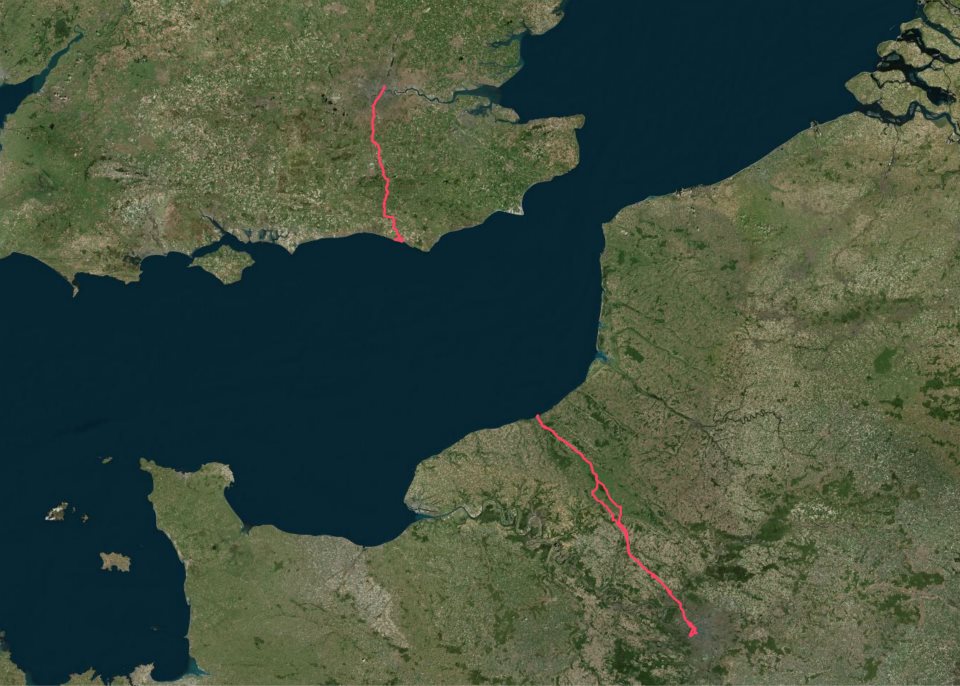
Chris Lamb: London Paris London 2014

I've wanted to ride to Paris for a few months now but was put off by the hassle of taking a bicycle on the Eurostar, as well having a somewhat philosophical and aesthetic objection to taking a bike on a train in the first place. After all, if one already is possession of a mode of transport... My itinerary was straightforward:

Friday 12h00
London Newhaven
Friday 23h00
Newhaven Dieppe (ferry)
Saturday 04h00
Dieppe Paris
Saturday 23h00
(Sleep)
Sunday 07h00
Paris Dieppe
Sunday 18h00
Dieppe Newhaven (ferry)
Sunday 21h00
Newhaven Peacehaven
Sunday 23h00
(Sleep)
Monday 07h00
Peacehaven London
Packing list https://chris-lamb.co.uk/wp-content/2014/london-paris-london/01.jpg
  • Ferry ticket (unnecessary in the end)
  • Passport
  • Credit card
  • USB A male mini A male (charges phone, battery pack & front light)
  • USB A male mini B male (for charging or connecting to Edge 800)
  • USB mini A male OTG A female (for Edge 800 uploads via phone)
  • Waterproof pocket
  • Sleeping mask for ferry (probably unnecessary)
  • Battery pack

Not pictured:
  • Castelli Gabba Windstopper short-sleeve jersey
  • Castelli Velocissimo bib shorts
  • Castelli Nanoflex arm warmers
  • Castelli Squadra rain jacket
  • Garmin Edge 800
  • Phone
  • Front light: Lezyne Macro Drive
  • Rear lights: Knog Gekko (on bike), Knog Frog (on helmet)
  • Inner tubes (X2), Lezyne multitool, tire levers, hand pump

Day 1: London Newhaven
https://chris-lamb.co.uk/wp-content/2014/london-paris-london/02.jpg

Tower Bridge.

Many attempt to go from Tower Bridge Eiffel Tower (or Marble Arch Arc de Triomphe) in less than 24 hours. This would have been quite easy if I had left a couple of hours later.
https://chris-lamb.co.uk/wp-content/2014/london-paris-london/03.jpg

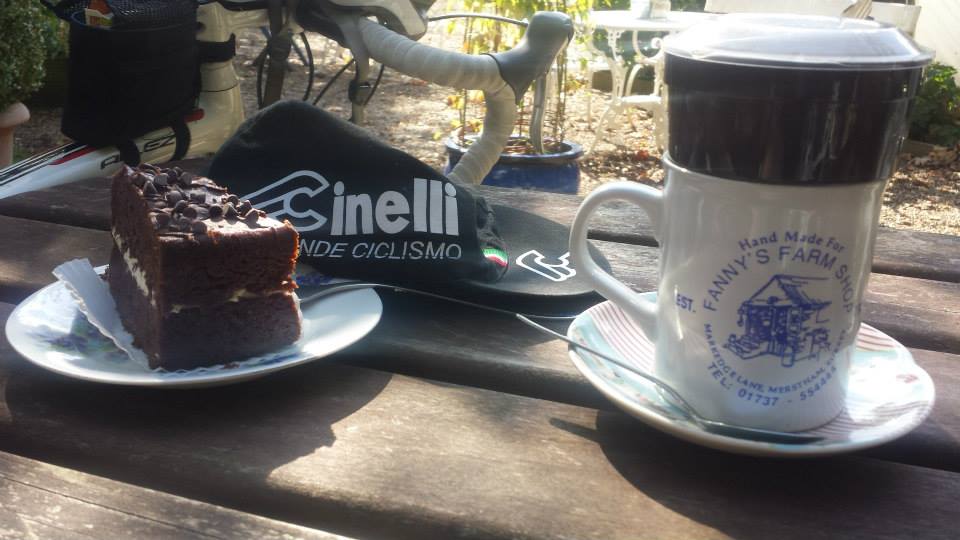
Fanny's Farm Shop, Merstham, Surrey.

https://chris-lamb.co.uk/wp-content/2014/london-paris-london/04.jpg

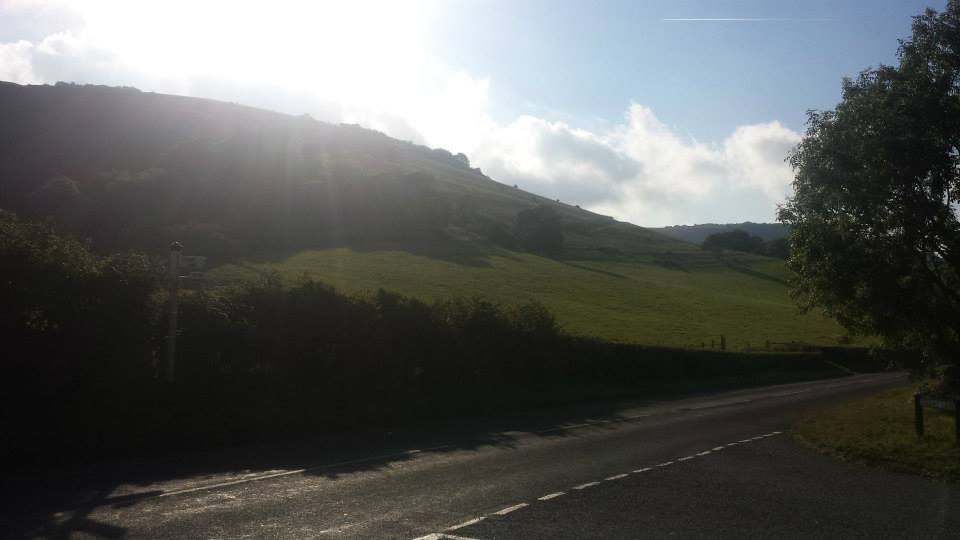
Plumpton, East Sussex.

https://chris-lamb.co.uk/wp-content/2014/london-paris-london/05.jpg

West Pier, Newhaven.

https://chris-lamb.co.uk/wp-content/2014/london-paris-london/07.jpg

Leaving Newhaven on the 23h00 ferry.


Day 2: Dieppe Paris
https://chris-lamb.co.uk/wp-content/2014/london-paris-london/09.jpg

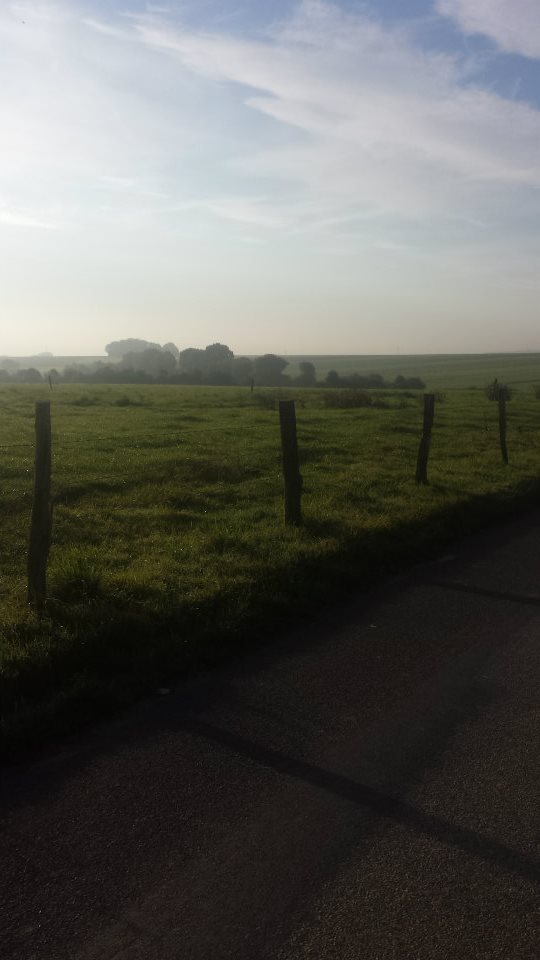
Beauvoir-en-Lyons, Haute-Normandie.

https://chris-lamb.co.uk/wp-content/2014/london-paris-london/10.jpg

S rifontaine, Picardie.

https://chris-lamb.co.uk/wp-content/2014/london-paris-london/12.jpg

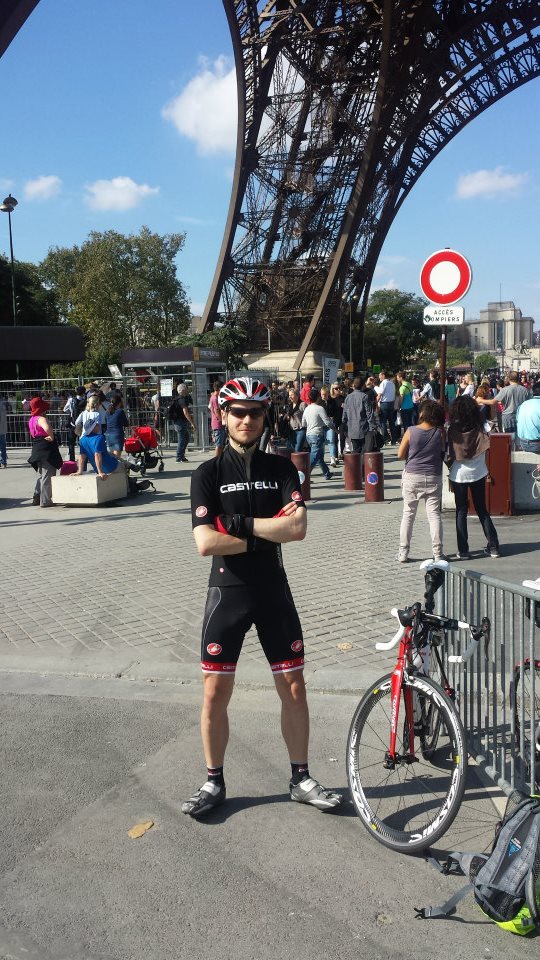
La tour Eiffel, Paris.

https://chris-lamb.co.uk/wp-content/2014/london-paris-london/13.jpg

Champ de Mars, Paris.

https://chris-lamb.co.uk/wp-content/2014/london-paris-london/15.jpg

Pont de Grenelle, Paris.


Day 3: Paris Dieppe
https://chris-lamb.co.uk/wp-content/2014/london-paris-london/18.jpg

Cormeilles-en-Vexin, le-de-France.

https://chris-lamb.co.uk/wp-content/2014/london-paris-london/20.jpg

Gisors, Haute-Normandie.

https://chris-lamb.co.uk/wp-content/2014/london-paris-london/21.jpg

Paris-Brest, Gisors, Haute-Normandie.

Wikipedia: This pastry was created in 1910 to commemorate the Paris Brest bicycle race begun in 1891. Its circular shape is representative of a wheel. It became popular with riders on the Paris Brest cycle race, partly because of its energizing high caloric value, and is now found in p tisseries all over France.
https://chris-lamb.co.uk/wp-content/2014/london-paris-london/22.jpg

Gournay-en-Bray, Haute-Normandie.

https://chris-lamb.co.uk/wp-content/2014/london-paris-london/23.jpg

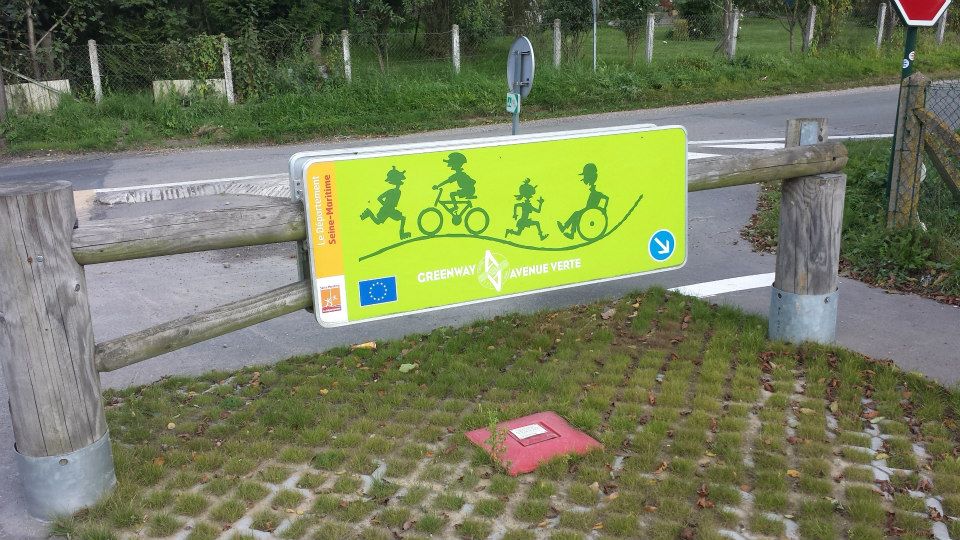
D but de l'Avenue Verte, Forges-les-Eaux, Haute-Normandie.

https://chris-lamb.co.uk/wp-content/2014/london-paris-london/24.jpg

Mesni res-en-Bray, Haute-Normandie.

https://chris-lamb.co.uk/wp-content/2014/london-paris-london/26.jpg

Dieppe, Haute-Normandie.

https://chris-lamb.co.uk/wp-content/2014/london-paris-london/28.jpg

La Mancha .


Day 4: Peacehaven London
https://chris-lamb.co.uk/wp-content/2014/london-paris-london/29.jpg

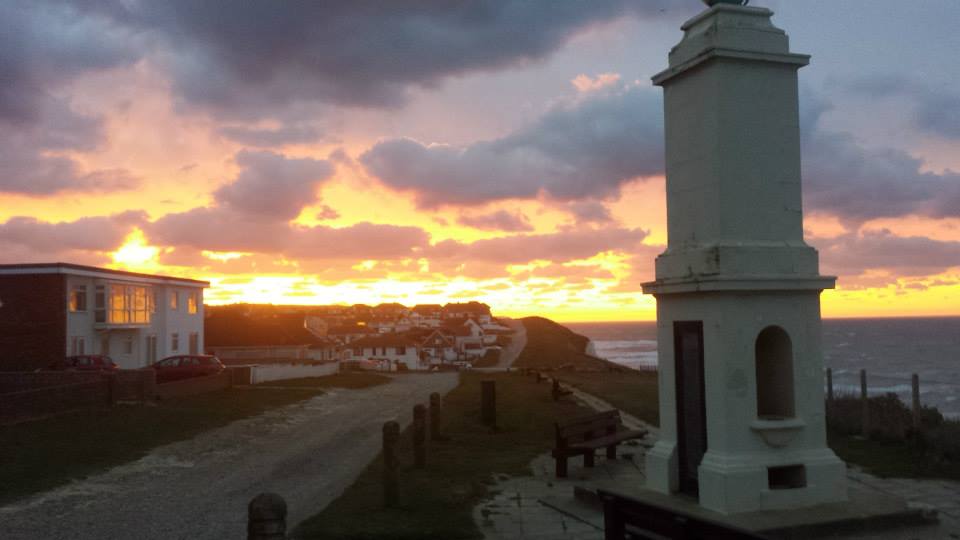
Peacehaven, East Sussex.

https://chris-lamb.co.uk/wp-content/2014/london-paris-london/31.jpg

Highbrook, West Sussex.

https://chris-lamb.co.uk/wp-content/2014/london-paris-london/33.jpg

London weather.


Summary https://chris-lamb.co.uk/wp-content/2014/london-paris-london/34.jpg
Distance
588.17 km
Pedal turns
~105,795
My only non-obvious tips would be to buy a disposable blanket in the Newhaven Co-Op to help you sleep on the ferry. In addition, as the food on the ferry is good enough you only need to get to the terminal one hour before departure, avoiding time on your feet in unpicturesque Newhaven. In terms of equipment, I would bring another light for the 4AM start on L'Avenue Verte if only as a backup and I would have checked I could arrive at my Parisian Airbnb earlier in the day - I had to hang around for five hours in the heat before I could have a shower, properly relax, etc. I had been warned not to rely on being able to obtain enough water en route on Sunday but whilst most shops were indeed shut I saw a bustling tabac or boulangerie at least once every 20km so one would never be truly stuck. Route-wise, the surburbs of London and Paris are both equally dismal and unmotivating and there is about 50km of rather uninspiring and exposed riding on the D915. However, L'Avenue Verte is fantastic even in the pitch-black and the entire trip was worth it simply for the silent and beautiful Normandy sunrise. I will be back.

Jan Wagner: Updated Monitoring Plugins Version is coming soon

Three months ago version 2.0 of Monitoring Plugins was released. Since then many changes were integrated. You can find a quick overview in the upstream NEWS. Now it's time to move forward and a new release is expected soon. It would be very welcome if you could give the latest source snapshot a try. You also can give the Debian packages a go and grab them from my 'unstable' and 'wheezy-backports' repositories at http://ftp.cyconet.org/. Right after the stable release, the new packages will be uploaded into Debian unstable. The whole packaging changes can be observed in the changelog. Feedback is very appreciated via Issue tracker or the Monitoring Plugins Development Mailinglist. Update: The official call for testing is available.

8 October 2014

Jonathan Dowland: Ansible

I've just recently built the large bulk of VMs that we use for first semester teaching. This year that was 112. We use the same general approach for these as our others: get a generic base image up and running, with just enough configuration complete so a puppet client starts up; get it talking to our master; let puppet take it from there. There are pragmatic balances between how much we do in the kickstart versus how much we do in puppet, but also when we build a new VM from scratch versus when we clone an existing image, and how specialisation we do in the clone image. Unfortunately this year we ended up in a situation where our clone image wouldn't talk to our puppet master out of the box, due to some changes we'd made to our master set up since the clone image was prepared. We didn't really have enough time to re-clone the entire set of VMs from a fixed base image, and instead needed to fix them whilst up. However we couldn't rely on puppet to do that, since they wouldn't talk to the puppet master. We needed to manually reset the puppet client state per VM and then re-establish a trust relationship with the correct master (which is not the default master hostname in our environment anymore). Luckily, we deploy a local account with a known passphrase via the kickstart, which also has sudo access, as an interim measure before puppet strips it back out again and sets up proper LDAP and Kerberos authentication. So we can at least get into the boxes. However logging into 112 VMs by hand is not a particularly pleasant task. In the past I might have tried to achieve this using something like clusterssh but this year I decided to give ansible a try instead. Ansible started life, I believe, as a tool that would let you run arbitrary commands on remote hosts, including navigating ssh and sudo as required, without needing any agent software on the remote end. It has since seemed to grow into an enterprise product in its own right, seemingly in competition with puppet, chef, cfengine et al. Looking at the Ansible website now I'd be rather put off by just how "enterprisey" it has become - much as I am by the puppet website, if I'm honest - but if you persevere past the webinars, testimonials, etc. etc., you can find yourself to the documentation, and running an arbitrary command is as simple as The hosts file format is simple

[somehosts]
host1
host2
...
[otherhosts]
host3
The command line can be a little bit more complex, especially if you need to use one username for ssh, another for sudo, and you don't want to use ssh key auth:
ansible -i ./hostsfile somehosts -k -u someuser \
    --sudo -K -a 'puppet agent --onetime --no-daemonize --verbose 
"all" would work where I've used somehosts in the example above. So there you go: using one configuration management system to bootstrap another. I'm sure I've reserved myself a special place in hell for this.

Steve Kemp: Writing your own e-books is useful

Before our recent trip to Poland I took the time to create my own e-book, containing the names/addresses of people to whom we wanted to send postcards. Authoring ebooks is simple, and this was a useful use. (Ordinarily I'd have my contacts on my phone, but I deliberately left it at home ..) I did mean to copy and paste some notes from wikipedia about transport, tourist destinations, etc, into a brief guide. But I forgot. In other news the toy virtual machine I hacked together got a decent series of updates, allowing you to embed it and add your own custom opcode(s) easily. That was neat, and fell out naturely from the switch to using function-pointers for the opcode implementation.

Elena 'valhalla' Grandi: New gpg subkey

The GPG subkey I keep for daily use was going to expire, and this time I decided to create a new one instead of changing the expiration date.

Doing so I've found out that gnupg does not support importing just a private subkey for a key it already has (on IRC I've heard that there may be more informations on it on the gpg-users mailing list), so I've written a few notes on what I had to do on my website, so that I can remember them next year.

The short version is:

* Create your subkey (in the full keyring, the one with the private master key)
* export every subkey (including the expired ones, if you want to keep them available), but not the master key
* (copy the exported key from the offline computer to the online one)
* delete your private key from your regular use keyring
* import back the private keys you have exported before.

Ian Donnelly: A Comparison of Elektra Merge and Git Merge

Hi everybody, We have gotten some inquires about how Elektra s merge functionality compares to the merge functionality built into git: git merge-file. I am glad to say that Elektra outperforms git s merge functionality in the same ways it outperforms diff3 when applied to configuration files. Obviously, git s merge functionality does a much better job with source-code as that is not the goal of elektra. In that previous example, I showed that because diff3 is lined based, where Elektra is not (unless you mount a file using the line plugin). The example I used before, and I will go over again, is using smb.conf and in-line comments. Many of our storage plug-ins understand the difference between comments and actual configuration data. So if a configuration file has an inline comment like so:
max log size = 10000 ; Controls the size of the log file (in KiB)
we can compare the actual Keys, value pairs between versions max log size = 10000 and deal with the comments separately. As a result, if we have a base:
max log size = 1000 ; Size in KiB

Ours:
max log size = 10000 ; Size in KiB

Theirs:
max log size = 1000 ; Controls the size of the log file (in KiB)

The result using elektra-merge would be:
max log size = 10000 ; Controls the size of the log file (in KiB)
Just like diff3, git merge-file can only compare these lines as lines, and thus there is a conflict. When running git merge-file smb.conf.ours smb.conf.base smb.conf.theirs we get the following output showing a conflict:
<<<<<<< smb.conf.ours
max log size = 2000 ; Size in KiB
=======
max log size = 1000 ; Controls the size of the log file (in KiB)
>>>>>>> smb.conf.theirs
This really shows the strength of Elektra s plugin system and why it makes merge an obvious use-case of Elektra. I hope this example makes it clear why using Elektra s merge functionality is advantageous over git s merge functionality. Once again I would like to stress the importance of quality storage plug-ins for Elektra. The more quality plugins we have the more powerful Elektra can be. If you are interested in plugins and would like to help us by adding functionality to Elektra by creating a new plug-in be sure to read my basic tutorial on how to do so. Sincerely,
Ian Donnelly

EvolvisForge blog: PSA: #shellshock still unfixed except in Debian unstable

I just installed, for work, Hanno B ck s bashcheck utility on our monitoring system, and watched all systems go blue. All but two. One is not executing remote scripts from the monitoring for security reasons, the other is my desktop which runs Debian sid (unstable). (Update, 2014-10-20: jessie, precise, trusty are also green now.) This means that all those distributions still have unfixed #shellshock bugs. I don t know if/when all distributions will have patched their packages but thought you d want to know the hysteria isn t over yet however, I hope you were not stupid enough to follow the advice of this site which suggests you to download some random file over the net and execute it with superuser permissions, unchecked. (I think the Ruby people were the first to spread this extremely insecure, stupid and reprehensible technique.) Updates: Thanks to tarent for letting me do this work during $dayjob time!

Jan Wagner: Updated Monitoring Plugins Version is coming soon

Three months ago version 2.0 of Monitoring Plugins was released. Since then many changes were integrated. You can find a quick overview in the upstream NEWS. Now it's time to move forward and a new release is expected soon. It would be very welcome if you could give the latest source snapshot a try. You also can give the Debian packages a go and grab them from my 'unstable' and 'wheezy-backports' repositories at http://ftp.cyconet.org/. Right after the stable release, the new packages will be uploaded into Debian unstable. The whole packaging changes can be observed in the changelog. Feedback is very appreciated via Issue tracker or the Monitoring Plugins Development Mailinglist.

Michal &#268;iha&#345;: Wammu 0.37

It has been more than three years since last release of Wammu and I've decided it's time to push changes made in the Git repos to the users. So here comes Wammu 0.37. The list of changes is not really huge, but in total that means 1470 commits in git (most of that are translations): I will not make any promises for future releases (if there will be any) as the tool is not really in active development.

Filed under: English Gammu Wammu 0 comments Flattr this!

7 October 2014

Thorsten Glaser: mksh R50d released

The last MirBSD Korn Shell update broke update-initramfs because I accidentally introduced a regression in field splitting while fixing other bugs sorry! mksh R50d was just released to fix that, and a small NULL pointer dereference found by Goodbox on IRC. Thanks to my employer tarent for a bit of time to work on it.

Joachim Breitner: New website layout

After 10 years I finally got around to re-decorating my website. One reason was ICFP, where just too many people told me that I don t look like on my old website any more (which is very true). Another reason was that I was visting my brother, who is very good at web design (check out his portfolio), who could help me a bit. I wanted something practical and maybe a bit staid, so I drew inspiration from typical Latex typography, and also from Edward Z. Yang s blog: A serif font (Utopia) for the main body, justified and hyphenated text. Large section headers in a knobbly bold sans-serif font (Latin Modern Sans, which reasonably resembles Computer Modern). To intensify that impression, I put the main text on a white box that lies like a paper on the background. As a special gimmic the per-page navigation (or, in the case of the blog, the list of categories) is marked up like a figure in a paper. Of course this would be very dire without a suitable background. I really like the procedural art by Jared Tarbell, espcially substrate and interAggregate. Both have been turned into screensavers shipped with xscreensaver, so I hacked the substrate code to generate a seamless tile and took a screenshot of the result. I could not make up my mind yet how dense it has to be to look good, so I for every page I randomly pick one of six variants randomly for now. I simplified the navigation a bit. The old News section has been removed recently already. The Links section is gone I guess link lists on homepages are so 90s. The section Contact and About me are merged and awaiting some cleanup. The link to the satire news Heisse News is demoted to a mention on the Contents section. This hopefully helps to make the site navigatable on mobile devices (the old homepage was unusable). CSS media queries adjust the layout slightly on narrow screens, and separately for print devices. Being the nostaltic I am, I still keep the old design, as well as the two designs before that, around and commented their history.

Joachim Breitner: ghc-heap-view for GHC 7.8

Since the last release of ghc-heap-view, which was compatible with GHC-7.6, I got 8 requests for a GHC-7.8 compatible version. I started working on it in January, but got stuck and then kept putting it off. Today, I got the ninths request, and I did not want to wait for the tenth, so I finally finished the work and you can use the new ghc-heap-view-0.5.2 with GHC-7.8. I used this chance to migrate its source repository from Darcs to git (mirrored on GitHub), so maybe this means that when 7.10 comes out, the requests to update it come with working patches :-). I also added a small test script so that travis can check it: ghc-heap-view I did not test it very thoroughly yet. In particular, I did not test whether ghc-vis works as expected. I still think that the low-level interface that ghc-heap-view creates using custom Cmm code should move into GHC itself, so that it does not break that easily, but I still did not get around to propose a patch for that.

Andrea Veri: The GNOME Infrastructure is now powered by FreeIPA!

As preannounced here the GNOME Infrastructure switched to a new Account Management System which is reachable at https://account.gnome.org. All the details will follow. Introduction It s been a while since someone actually touched the underlaying authentication infrastructure that powers the GNOME machines. The very first setup was originally configured by Jonathan Blandford (jrb) who configured an OpenLDAP istance with several customized schemas. (pServer fields in the old CVS days, pubAuthorizedKeys and GNOME modules related fields in recent times) While OpenLDAP-server was living on the GNOME machine called clipboard (aka ldap.gnome.org) the clients were configured to synchronize users, groups, passwords through the nslcd daemon. After several years Jeff Schroeder joined the Sysadmin Team and during one cold evening (date is Tue, February 1st 2011) spent some time configuring SSSD to replace the nslcd daemon which was missing one of the most important SSSD features: caching. What surely convinced Jeff to adopt SSSD (a very new but promising sofware at that time as the first release happened right before 2010 s Christmas) and as the commit log also states ( New sssd module for ldap information caching ) was SSSD s caching feature. It was enough for a certain user to log in once and the /var/lib/sss/db directory was populated with its login information preventing the LDAP daemon in charge of picking up login details (from the LDAP server) to query the LDAP server itself every single time a request was made against it. This feature has definitely helped in many occasions especially when the LDAP server was down for a particular reason and sysadmins needed to access a specific machine or service: without SSSD this wasn t ever going to work and sysadmins were probably going to be locked out from the machines they were used to manage. (except if you still had /etc/passwd , /etc/group and /etc/shadow entries as fallback) Things were working just fine except for a few downsides that appeared later on:
  1. the web interface (view) on our LDAP user database was managed by Mango, an outdated tool which many wanted to rewrite in Django that slowly became a huge dinosaur nobody ever wanted to look into again
  2. the Foundation membership information were managed through a MySQL database, so two databases, two sets of users unrelated to each other
  3. users were not able to modify their own account information on their own but even a single e-mail change required them to mail the GNOME Accounts Team which was then going to authenticate their request and finally update the account.
Today s infrastructure changes are here to finally say the issues outlined at (1, 2, 3) are now fixed. What has changed? The GNOME Infrastructure is now powered by Red Hat s FreeIPA which bundles several FOSS softwares into one big bundle all surrounded by an easy and intuitive web UI that will help users update their account information on their own without the need of the Accounts Team or any other administrative entity. Users will also find two custom fields on their Overview page, these being Foundation Member since and Last Renewed on date . As you may have understood already we finally managed to migrate the Foundation membership database into LDAP itself to store the information we want once and for all. As a side note it might be possible that some users that were Foundation members in the past won t find any detail stored on the Foundation fields outlined above. That is actually expected as we were able to migrate all the current and old Foundation members that had an LDAP account registered at the time of the migration. If that s your case and you still would like the information to be stored on the new setup please get in contact with the Membership Committee at stating so. Where can I get my first login credentials? Let s make a little distinction between users that previously had access to Mango (usually maintainers) and users that didn t. If you were used to access Mango before you should be able to login on the new Account Management System by entering your GNOME username and the password you were used to use for loggin in into Mango. (after loggin in the very first time you will be prompted to update your password, please choose a strong password as this account will be unique across all the GNOME Infrastructure) If you never had access to Mango, you lost your password or the first time you read the word Mango on this post you thought why is he talking about a fruit now? you should be able to reset it by using the following command:
ssh -l yourgnomeuserid account.gnome.org
The command will start an SSH connection between you and account.gnome.org, once authenticated (with the SSH key you previously had registered on our Infrastructure) you will trigger a command that will directly send your brand new password on the e-mail registered for your account. From my tests seems GMail sees the e-mail as a phishing attempt probably because the body contains the word password twice. That said if the e-mail won t appear on your INBOX, please double-check your Spam folder. Now that Mango is gone how can I request a new account? With Mango we used to have a form that automatically e-mailed the maintainer of the selected GNOME module which was then going to approve / reject the request. From there and in the case of a positive vote from the maintainer the Accounts Team was going to create the account itself. With the recent introduction of a commit robot directly on l10n.gnome.org the number of account requests reduced its numbers. In addition to that users will now be able to perform pretty much all the needed maintenance on their accounts themselves. That said and while we will probably work on building a form in the future we feel that requesting accounts can definitely be achieved directly by mailing the Accounts Team itself which will mail the maintainer of the respective module and create the account. As just said the number of account creations has become very low and the queue is currently clear. The documentation has been updated to reflect these changes at: https://wiki.gnome.org/AccountsTeam
https://wiki.gnome.org/AccountsTeam/NewAccounts The migration of all the user data and ACLs has been massive and I ve been spending a lot of time reviewing the existing HBAC rules trying to spot possible errors or misconfigurations. If you happen to not being able to access a certain service as you were used to in the past, please get in contact with the Sysadmin Team. All the possible ways to contact us are available at https://wiki.gnome.org/Sysadmin/Contact. What is missing still? Now that the Foundation membership information has been moved to LDAP I ll be looking at porting some of the existing membership scripts to it. What I managed to port already are welcome e-mails for new or existing members. (renewals) Next step will be generating a membership page from LDAP (to populate http://www.gnome.org/foundation/membership) and all the your-membership-is-going-to-lapse e-mails that were being sent till today. Other news /home/users mount on master.gnome.org You will notice that loggin in into master.gnome.org will result in your home directory being empty, don t worry, you did not lose any of your files but master.gnome.org is now currently hosting your home directories itself. As you may have been aware of adding files to the public_html directory on master resulted in them appearing on your people.gnome.org/~userid space. That was unfortunately expected as both master and webapps2 (the machine serving people.gnome.org s webspaces) were mounting the same GlusterFS share. We wanted to prevent that behaviour to happen as we wanted to know who has access to what resource and where. From today master s home directories will be there just as a temporary spot for your tarballs, just scp and use ftpadmin against them, that should be all you need from master. If you are interested in receiving or keeping using your people.gnome.org s webspace please mail stating so. Other news a shiny and new error 500 page has been deployed Thanks to Magdalen Berns (magpie) a new error 500 web page has been deployed on all the Apache istances we host. The page contains an iframe of status.gnome.org and will appear every single time the web server behind the service you are trying to reach will be unreachable for maintenance or other purposes. While I hope you won t see the page that often you can still enjoy it at https://static.gnome.org/error-500/500.html. Make sure to whitelist status.gnome.org on your browser as it currently loads it without https. (as the service is currently hosted on OpenShift which provides us with a *.rhcloud.com wildcard certificate, which differs from the CN the browser would expect it to be)

Andrea Veri: The GNOME Infrastructure is now powered by FreeIPA!

As preannounced here the GNOME Infrastructure switched to a new Account Management System which is reachable at https://account.gnome.org. All the details will follow. Introduction It s been a while since someone actually touched the underlying authentication infrastructure that powers the GNOME machines. The very first setup was originally configured by Jonathan Blandford (jrb) who configured an OpenLDAP istance with several customized schemas. (pServer fields in the old CVS days, pubAuthorizedKeys and GNOME modules related fields in recent times) While OpenLDAP-server was living on the GNOME machine called clipboard (aka ldap.gnome.org) the clients were configured to synchronize users, groups, passwords through the nslcd daemon. After several years Jeff Schroeder joined the Sysadmin Team and during one cold evening (date is Tue, February 1st 2011) spent some time configuring SSSD to replace the nslcd daemon which was missing one of the most important SSSD features: caching. What surely convinced Jeff to adopt SSSD (a very new but promising sofware at that time as the first release happened right before 2010 s Christmas) and as the commit log also states ( New sssd module for ldap information caching ) was SSSD s caching feature. It was enough for a certain user to log in once and the /var/lib/sss/db directory was populated with its login information preventing the LDAP daemon in charge of picking up login details (from the LDAP server) to query the LDAP server itself every single time a request was made against it. This feature has definitely helped in many occasions especially when the LDAP server was down for a particular reason and sysadmins needed to access a specific machine or service: without SSSD this wasn t ever going to work and sysadmins were probably going to be locked out from the machines they were used to manage. (except if you still had /etc/passwd , /etc/group and /etc/shadow entries as fallback) Things were working just fine except for a few downsides that appeared later on:
  1. the web interface (view) on our LDAP user database was managed by Mango, an outdated tool which many wanted to rewrite in Django that slowly became a huge dinosaur nobody ever wanted to look into again
  2. the Foundation membership information were managed through a MySQL database, so two databases, two sets of users unrelated to each other
  3. users were not able to modify their own account information on their own but even a single e-mail change required them to mail the GNOME Accounts Team which was then going to authenticate their request and finally update the account.
Today s infrastructure changes are here to finally say the issues outlined at (1, 2, 3) are now fixed. What has changed? The GNOME Infrastructure is now powered by Red Hat s FreeIPA which bundles several FOSS softwares into one big bundle all surrounded by an easy and intuitive web UI that will help users update their account information on their own without the need of the Accounts Team or any other administrative entity. Users will also find two custom fields on their Overview page, these being Foundation Member since and Last Renewed on date . As you may have understood already we finally managed to migrate the Foundation membership database into LDAP itself to store the information we want once and for all. As a side note it might be possible that some users that were Foundation members in the past won t find any detail stored on the Foundation fields outlined above. That is actually expected as we were able to migrate all the current and old Foundation members that had an LDAP account registered at the time of the migration. If that s your case and you still would like the information to be stored on the new setup please get in contact with the Membership Committee at stating so. Where can I get my first login credentials? Let s make a little distinction between users that previously had access to Mango (usually maintainers) and users that didn t. If you were used to access Mango before you should be able to login on the new Account Management System by entering your GNOME username and the password you were used to use for loggin in into Mango. (after loggin in the very first time you will be prompted to update your password, please choose a strong password as this account will be unique across all the GNOME Infrastructure) If you never had access to Mango, you lost your password or the first time you read the word Mango on this post you thought why is he talking about a fruit now? you should be able to reset it by using the following command:
ssh -l yourgnomeuserid account.gnome.org
The command will start an SSH connection between you and account.gnome.org, once authenticated (with the SSH key you previously had registered on our Infrastructure) you will trigger a command that will directly send your brand new password on the e-mail registered for your account. From my tests seems GMail sees the e-mail as a phishing attempt probably because the body contains the word password twice. That said if the e-mail won t appear on your INBOX, please double-check your Spam folder. Now that Mango is gone how can I request a new account? With Mango we used to have a form that automatically e-mailed the maintainer of the selected GNOME module which was then going to approve / reject the request. From there and in the case of a positive vote from the maintainer the Accounts Team was going to create the account itself. With the recent introduction of a commit robot directly on l10n.gnome.org the number of account requests reduced its numbers. In addition to that users will now be able to perform pretty much all the needed maintenance on their accounts themselves. That said and while we will probably work on building a form in the future we feel that requesting accounts can definitely be achieved directly by mailing the Accounts Team itself which will mail the maintainer of the respective module and create the account. As just said the number of account creations has become very low and the queue is currently clear. The documentation has been updated to reflect these changes at: https://wiki.gnome.org/AccountsTeam
https://wiki.gnome.org/AccountsTeam/NewAccounts I was used to have access to a specific service but I don t anymore, what should I do? The migration of all the user data and ACLs has been massive and I ve been spending a lot of time reviewing the existing HBAC rules trying to spot possible errors or misconfigurations. If you happen to not being able to access a certain service as you were used to in the past, please get in contact with the Sysadmin Team. All the possible ways to contact us are available at https://wiki.gnome.org/Sysadmin/Contact. What is missing still? Now that the Foundation membership information has been moved to LDAP I ll be looking at porting some of the existing membership scripts to it. What I managed to port already are welcome e-mails for new or existing members. (renewals) Next step will be generating a membership page from LDAP (to populate http://www.gnome.org/foundation/membership) and all the your-membership-is-going-to-lapse e-mails that were being sent till today. Other news /home/users mount on master.gnome.org You will notice that loggin in into master.gnome.org will result in your home directory being empty, don t worry, you did not lose any of your files but master.gnome.org is now currently hosting your home directories itself. As you may have been aware of adding files to the public_html directory on master resulted in them appearing on your people.gnome.org/~userid space. That was unfortunately expected as both master and webapps2 (the machine serving people.gnome.org s webspaces) were mounting the same GlusterFS share. We wanted to prevent that behaviour to happen as we wanted to know who has access to what resource and where. From today master s home directories will be there just as a temporary spot for your tarballs, just scp and use ftpadmin against them, that should be all you need from master. If you are interested in receiving or keeping using your people.gnome.org s webspace please mail <accounts AT gnome DOT org> stating so. Other news a shiny and new error 500 page has been deployed Thanks to Magdalen Berns (magpie) a new error 500 web page has been deployed on all the Apache istances we host. The page contains an iframe of status.gnome.org and will appear every single time the web server behind the service you are trying to reach will be unreachable for maintenance or other purposes. While I hope you won t see the page that often you can still enjoy it at https://static.gnome.org/error-500/500.html. Make sure to whitelist status.gnome.org on your browser as it currently loads it without https. (as the service is currently hosted on OpenShift which provides us with a *.rhcloud.com wildcard certificate, which differs from the CN the browser would expect it to be) Updates UPDATE on status.gnome.org s SSL certificate: the certificate has been provisioned and it should result in the 500 s page to be displayed correctly with no warnings from your browser. UPDATE from Adam Young on Kerberos ports being closed on many DC s firewalls:
The next version of upstream MIT Kerberos will have support for fetching a ticket via ports 443 and marshalling the request over HTTPS. We ll need to run a proxy on the server side, but we should be able to make it work: Read up here
http://adam.younglogic.com/2014/06/kerberos-firewalls

6 October 2014

Julian Andres Klode: Acer Chromebook 13 (FHD): Initial impressions

Today, I received my Acer Chromebook 13, in the glorious FullHD variant with 4GB RAM. For those of you who don t know it, the Acer Chromebook 13 is a 13.3 inch chromebook powered by a Tegra K1 cpu. Chromebook This version cannot be ordered currently, only pre-orders were shipped yesterday (at least here in Germany). I cannot even review it on Amazon (despite having it bought there), as they have not enabled reviews for it yet. The device feels solidly built, and looks good. It comes in all-white matte plastic and is slightly reminiscent of the old white MacBooks. The keyboard is horrible, there s no well defined pressure point. It feels like your typing on a pillow. The display is OK, an IPS would be a lot nicer to work with, though. Oh, and it could be brighter. I do not think that using it outside on a sunny day would be a good idea. The speakers are loud and clear compared to my ThinkPad X230. The performance of the device is about acceptable (unfortunately, I do not have any comparison in this device class). Even when typing this blog post in the visual wordpress editor, I notice some sluggishness. Opening the app launcher or loading the new tab page while music is playing makes the music stop for or skip a few ms (20-50ms if I had to guess). Running a benchmark in parallel or browsing does not usually cause this stuttering, though. There are still some bugs in Chrome OS: Loading the Play Books library the first time resulted in some rendering issues. The Browser process always consumes at least 10% CPU, even when idling, with no page open; this might cause some of the sluggishness I mentioned above. Also watching Flash videos used more CPU than I expected given that it is hardware accelerated. Finally, Netflix did not work out of the box, despite the Chromebook shipping with a special Netflix plugin. I always get some unexpected issue-type page. Setting the user agent to Chrome 38 from Windows, thus forcing the use of the EME video player instead of the Netflix plugin, makes it work. I reported these software issues to Google via Alt+Shift+I. The issues appeared on the current version of the stable channel, 37.0.2062.120. What s next? I don t know.
Filed under: Chromebook

Julian Andres Klode: Acer Chromebook 13 (FHD): Initial impressions

Today, I received my Acer Chromebook 13, in the glorious FullHD variant with 4GB RAM. For those of you who don t know it, the Acer Chromebook 13 is a 13.3 inch chromebook powered by a Tegra K1 cpu. Chromebook This version cannot be ordered currently, only pre-orders were shipped yesterday (at least here in Germany). I cannot even review it on Amazon (despite having it bought there), as they have not enabled reviews for it yet. The device feels solidly built, and looks good. It comes in all-white matte plastic and is slightly reminiscent of the old white MacBooks. The keyboard is horrible, there s no well defined pressure point. It feels like your typing on a pillow. The display is OK, an IPS would be a lot nicer to work with, though. Oh, and it could be brighter. I do not think that using it outside on a sunny day would be a good idea. The speakers are loud and clear compared to my ThinkPad X230. The performance of the device is about acceptable (unfortunately, I do not have any comparison in this device class). Even when typing this blog post in the visual wordpress editor, I notice some sluggishness. Opening the app launcher or loading the new tab page while music is playing makes the music stop for or skip a few ms (20-50ms if I had to guess). Running a benchmark in parallel or browsing does not usually cause this stuttering, though. There are still some bugs in Chrome OS: Loading the Play Books library the first time resulted in some rendering issues. The Browser process always consumes at least 10% CPU, even when idling, with no page open; this might cause some of the sluggishness I mentioned above. Also watching Flash videos used more CPU than I expected given that it is hardware accelerated. Finally, Netflix did not work out of the box, despite the Chromebook shipping with a special Netflix plugin. I always get some unexpected issue-type page. Setting the user agent to Chrome 38 from Windows, thus forcing the use of the EME video player instead of the Netflix plugin, makes it work. I reported these software issues to Google via Alt+Shift+I. The issues appeared on the current version of the stable channel, 37.0.2062.120. What s next? I don t know.
Filed under: Chromebook

Julian Andres Klode: A weekend with the Acer Chromebook 13 FHD (AKA nyan-big)

I spent the weekend using almost exclusively my Chromebook 13, on a single charge Saturday and Sunday. Keyboard I think I like the keyboard better now than I used to when I first tried it. It gets nowhere near the ThinkPad X230 one, though; appart from the coating, which my (backlit) X230 unfortunately does not have. Screen While the screen appeared very grainy to me on first sight, having only used IPS screens in the past year, I got used to it over the weekend. I now do not notice much graininess anymore. The contrast still seems extremely poor, the colors are not vivid, and the vertical viewing angles are still a disaster, though. Battery life I think the battery life is awesome. I have 30% remaining now while I am writing this blog post and Chrome OS tells me I still have 3 hours and 19 minutes remaining. It could probably still be improved though, I notice that Chrome OS uses 7-14% CPU in idle normally (and up to 20% in exceptional cases). The maximum power usage I measured using the battery s internal sensor was about 9.2W, that was with 5 Big Buck Bunny 1080p videos played in parallel. Average power consumption is around 3-5W (up to 6.5 with single video playing), depending on brightness, and use. Performance While I do notice a performance difference to my much more high-end Ivy Bridge Core i5 laptop, it turns out to be usable enough to not make me want to throw it at a wall. Things take a bit longer than I am used to, but it is still acceptable. Input: Software Part The user interface is great. There are a lot of gestures available for navigating between windows, tabs, and in the history. For example, horizontally swiping with two finger moves in history, three fingers moves between tabs; and swiping down (or up for Australian scrolling) gives an overview of all windows (like expose on Mac, GNOME s activities, or the multi-tasking thing Maemo used to have). What I miss is a keyboard shortcut like Meta + Left/Right on GNOME which moves the active window to the left/right side of the screen. That would be very useful for mult-tasking situations. Issues I noticed some performance issues. For example, I can easily get the Chromebook to use 85% of a CPU by scrolling on a page with the touchpad or 70% for scrolling by keeping a key pressed (crbug.com/420452). While watching Big Buck Bunny on YouTube, I noticed some (micro) stuttering in the beginning of the film, as well as each time I move in or out of the video area when not in full-screen mode (crbug.com/420582). It also increases CPU usage to about 70%. Running a proper Linux? Today, I tried to play around a bit with Debian wheezy and Ubuntu trusty systems, in a chroot for now. I was trying to find out if I can get an accelerated X server with the standard ChromeOS kernel. The short answer is: No. I tried two things:
  1. Debian wheezy with the binaries from ChromeOS (they have the same xserver version)
  2. Ubuntu trusty with the Nvidia drivers
Unfortunately, they did not work. Option 1 failed because ChromeOS uses glibc 2.15 whereas wheezy uses 1.13. Option 2 failed because the sysfs interface is different between the ChromeOS and Linux4Tegra kernels. I guess I ll have to wait. I also tried booting a custom kernel from USB, but given that the u-boot always sets console= and there is no non-verified u-boot available yet, I could not see any output on the screen :( Maybe I should build a u-boot myself?
Filed under: Chromebook

Next.

Previous.